
The Short Answer: It Depends on These 5 Factors
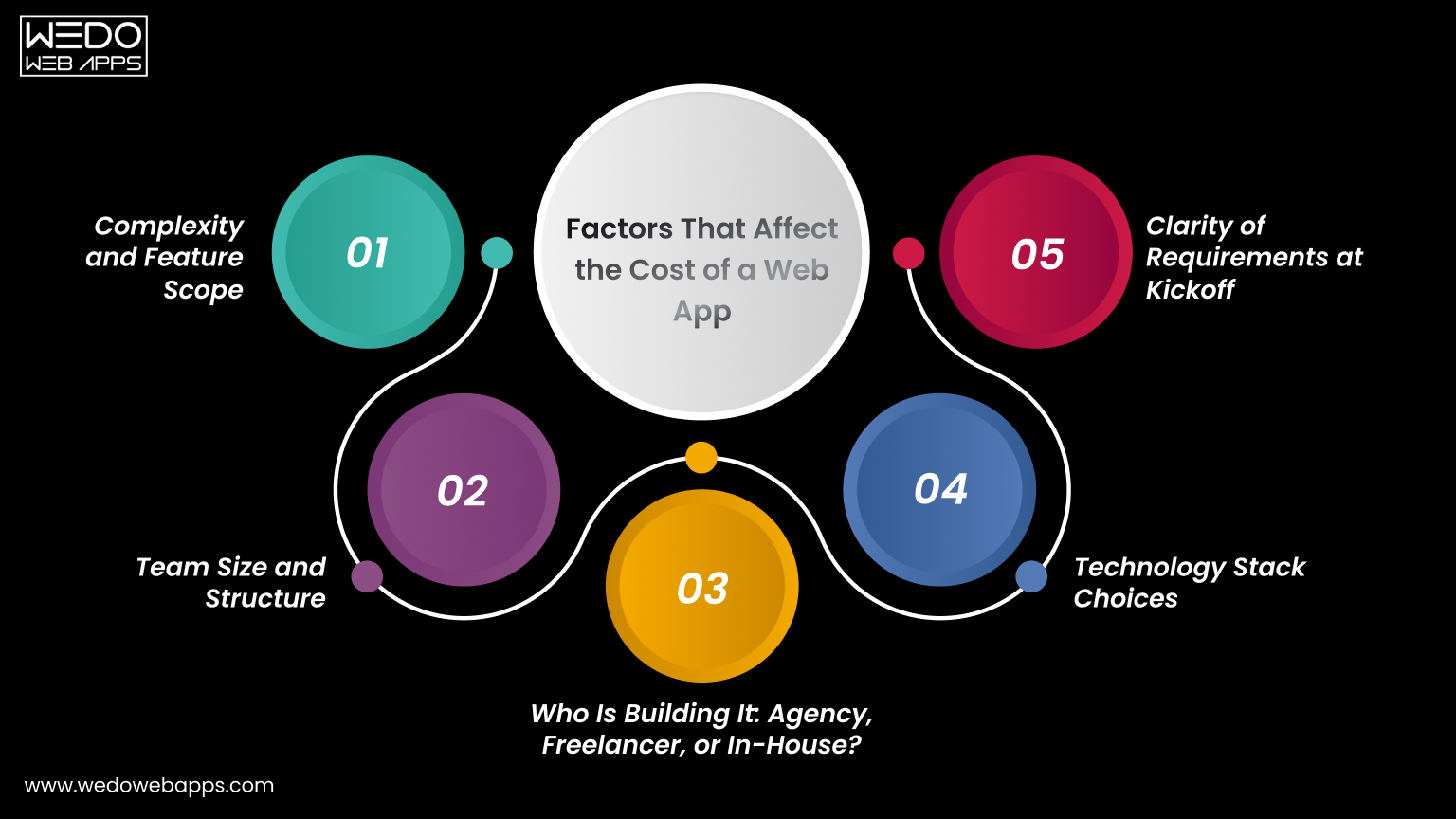
If you are searching for how long does it take to build a web app, the honest answer is: it depends on various factors. No two projects are identical. These 5 variables define your web app development timeline more than anything else, and understanding them before you start will save you weeks of confusion later.
1. Complexity and Feature Scope
A simple web app with basic functionality behaves very differently from the platform with real-time dashboards, third-party API integrations, and custom reporting. The more features you need, the longer it will take to create web apps. Always define what is in scope and what is not before any work begins.
2. Team Size and Structure
A solo developer will take significantly longer than a cross-functional team working together. Team size is one of the most direct levers on how long does it take to develop a web application. Larger and more experienced teams compress timelines but require stronger coordination to avoid rework.
3. Who Is Building It: Agency, Freelancer, or In-House?
This factor is missing from most of the guides that you will look at, but the fact is that this directly shapes your web app development timeline. Here is what each option typically means:
- Agency: Fastest delivery due to structured teams and defined processes. Best choice for businesses needing reliable web app development services on a deadline.
- Freelancer: More budget-flexible but slower due to limited capacity and higher coordination overhead.
- In-house Team: Longest process. Hiring and onboarding before a single line of code is written adds months to any timeline.
4. Technology Stack Choices
Using proven frameworks like React, Next.js, or Laravel significantly reduces the development time compared to building a custom solution from scratch. Stack familiarity within your team also matters enormously when making web apps at speed. The right stack choice is a foundational decision in any web development engagement.
5. Clarity of Requirements at Kickoff
Incomplete briefs are the single biggest hidden time killer in web application development. Projects that begin with well-defined user stories, wireframes, and technical requirements move faster and land closer to schedule. Ambiguity creates rework, and rework is the enemy of every web project development timeline.

Simple Web App: 6-10 Weeks
A simple web app includes a handful of screens, basic user authentication, and straightforward data management. Think internal tools, directory sites, basic booking apps, or lead capture platforms. For those asking how long does it take to build a web app at its simplest level, 6-10 weeks is the realistic answer with an experienced team.
What is Typically Included
- User registration and login.
- Simple data input and display (CRUD operations).
- Basic admin panel for content or record management.
- Responsive design for desktop and mobile.
Phase Breakdown
- Discovery: 1 week
- UI/UX design: 1-2 weeks
- Development: 3-4 weeks
- QA & testing: 1 week
- Launch: 1 week
Who This is Right For
Simple web apps are ideal for internal business tools, early-stage startups testing a concept with minimal investment, or businesses that need a focused digital tool without full product complexity. If your project fits this scope, your web app development timeline is the easiest to commit to and the easiest to protect.
MVP/ Proof of Concept: 8-12 Weeks
If you are a startup validating a product idea before raising funding, an MVP is your goal. The web app development timeline for an MVP is tight by design. Those asking how long does it take to make an app for early-stage validation will find the MVP route is always the fastest path to learning whether your idea works with real users.
What an MVP Should Include
- Core user journey only, nothing beyond the primary value proposition.
- Clean, functional UI that is not over-engineered.
- Essential integrations: payments, authentication, or notifications where directly needed.
What an MVP Should NOT Include
- Advanced reporting or analytics dashboards.
- Complex admin workflows or multi-role permission systems.
- Multi-language or multi-currency support.
- Features not directly tied to validating your core hypothesis.
Phase Breakdown
- Discovery: 1-2 weeks
- UI/UX design: 2 weeks
- Development: 4-5 weeks
- QA & testing: 1-2 weeks
- Launch: 1 week
The MVP Mindset
Scope discipline is what keeps an MVP inside the 8-12 week web app development timeline. Everything added beyond the core hypothesis is a week added to your launch date. Ship fast, learn fast, and build the right thing in version two. This is the most powerful timeline strategy available to any founder.

Mid-Complexity Web App: 3-5 Months
This is the most common category when people ask how long does it take to develop an app for a growing business. Mid-complexity apps include SaaS tools with dashboards, multi-role user access, payment integrations, and data reporting features.
If you are creating web apps for an established product or team, this is typically where your build lands.
Features That Push a Project Into This Category
- Role-based access control including admin, user, and editor.
- Payment gateway integration, such as Stripe or PayPal.
- Third-party CRM or API connections.
- Email notification systems and automated workflows.
- Custom reporting, filters, and data export.
Phase Breakdown
- Discovery: 2 weeks
- UI/UX design: 3-4 weeks
- Development: 8-10 weeks
- QA & testing: 2-3 weeks
- Launch: 1-2 weeks
What to Watch Out For
Mid-complexity projects are the category most prone to scope creep. The feature list that starts at 15 items grows to 25 mid-build because stakeholders see the product taking shape and add requests. A locked scope agreement before development begins is the single most important protection for your web app development timeline at this level.
Full-Scale SaaS Platform: 5-9 Months
When creating web apps at the SaaS level, you are dealing with multi-tenant architecture, complex subscription billing, deep third-party integrations, and the need to build for scale from day one. For anyone asking how long does it take to develop a web application at SaaS complexity, this range is non-negotiable. Engaging a specialist SaaS application development team is the most reliable way to stay on schedule.
Why SaaS Timelines Cannot Be Compressed
- Security requirements must be architected, not added after launch.
- Multi-tenant data isolation requires careful database design from day one.
- Subscription and billing logic adds significant backend complexity.
- Scalability decisions made early in the build affect the entire codebase.
Phase Breakdown
- Discovery: 3-4 weeks
- UI/UX design: 4-6 weeks
- Development: 14-20 weeks
- QA & testing: 4 weeks
- Launch: 2 weeks
SaaS-Specific Considerations
SaaS platforms require uptime guarantees, disaster recovery planning, and performance under load from day one. These are not optional add-ons. They are foundational requirements that take time to build correctly. Any SaaS web app development timeline that promises delivery in under 5 months for a full platform is almost certainly underestimating the scope.

Enterprise Web Application: 9 Months and Beyond
Enterprise-grade web application development is a category most guides ignore entirely. These projects involve legacy system integrations, strict compliance requirements such as GDPR, HIPAA, and SOC2, multi-team coordination, and governance layers that simply do not exist in smaller builds. Making web apps at enterprise scale requires a structured software product development process to manage scope, compliance, and delivery risk effectively.
What Makes Enterprise Builds Fundamentally Different
- Integration with existing ERP, CRM, HR, or finance systems.
- Security audits and compliance sign-offs required before any launch.
- Multiple stakeholder review cycles that extend every approval stage.
- Custom infrastructure, DevOps pipelines, and environment configurations.
- Governance documentation and change management processes.
How to Plan an Enterprise Web App Timeline
An enterprise project should begin with a dedicated discovery phase of at least 4 weeks before any design or development starts. This is where legacy integration complexity, compliance requirements, and stakeholder alignment are mapped out. Skipping this phase on an enterprise build is the most expensive mistake a project team can make.
Web App Development Timeline by Phase
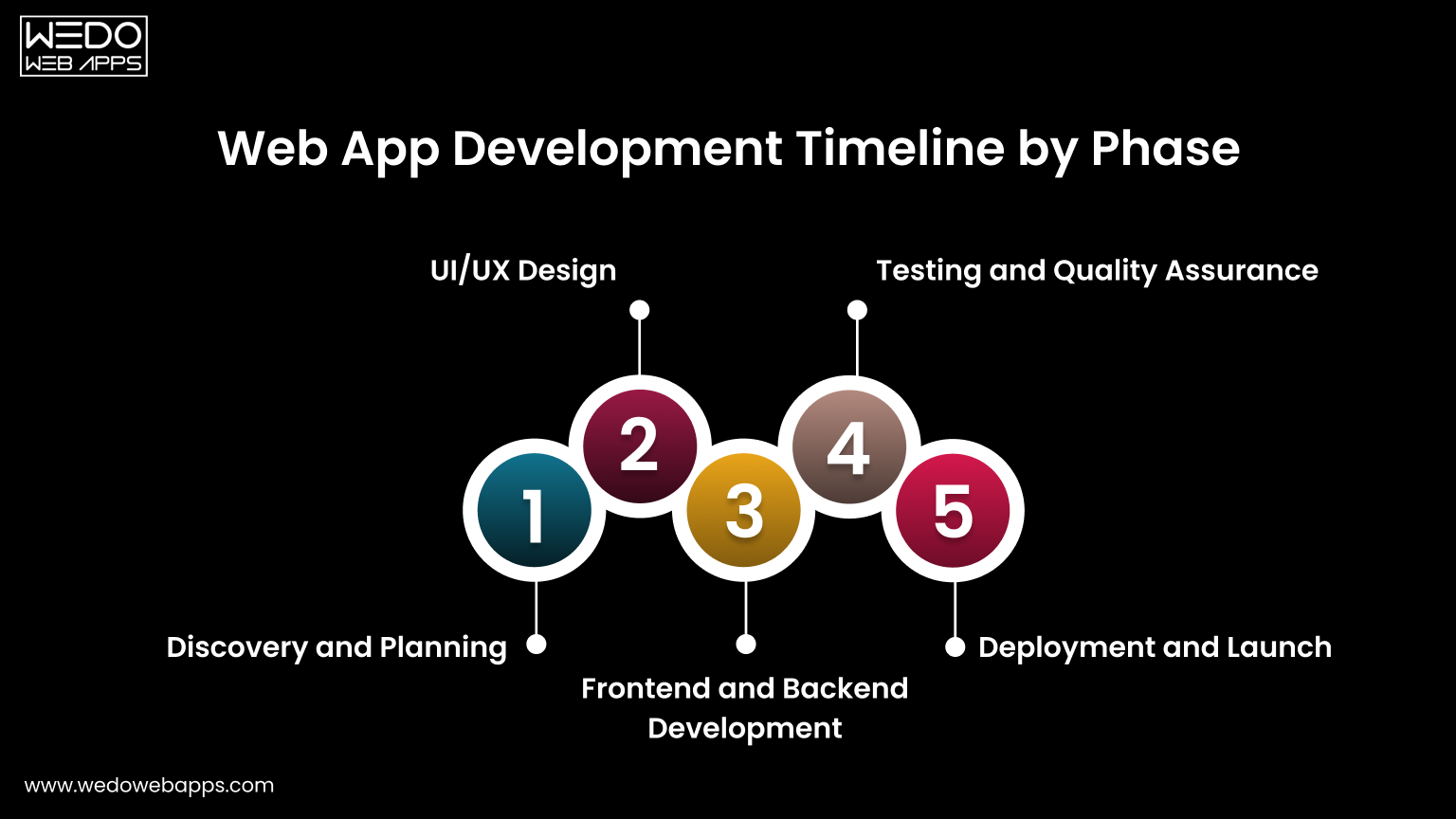
Phase 1: Discovery and Planning (1 to 4 weeks)
Discovery is where the project is defined. Skipping or rushing it is the most common reason web app development timelines blow out later. Proper discovery covers technical requirements, user stories, architecture decisions, and a realistic project plan that the entire team can commit to.
Every hour of clarity added at this stage removes hours of rework later. A two-week discovery phase that prevents a four-week rebuild is always the right investment.
Phase 2: UI/UX Design (1 to 6 weeks)
Design defines how users flow through the product, how decisions are made, and how errors are handled. Poor design decisions made here affect the entire development phase and are expensive to fix once code is written.
- For MVPs: Wireframes are sufficient. Keep it lean and fast.
- For mid-complexity and SaaS: High-fidelity prototypes with interactive flows reduce developer misunderstandings and accelerate the build phase significantly.
Unlimited revision rounds without a defined approval process are one of the most consistent causes of web app development timeline overruns. Lock down a maximum revision cycle before design begins and enforce it.
Phase 3: Frontend and Backend Development (3 to 20 weeks)
Development is the largest phase in every project type and runs two parallel workstreams that must stay coordinated to avoid further issues.
- Frontend: Everything the user sees and interacts with. Component libraries like Tailwind UI or Material UI reduce frontend time significantly versus building from scratch.
- Backend and APIs: Business logic, data management, and integrations. REST API design, database schema, and authentication are the most time-intensive backend tasks in most web app builds.
- Database and Infrastructure: Choosing the right database for the use case and setting up staging and production environments correctly adds 1-2 weeks but prevents costly migrations later.
Phase 4: Testing and Quality Assurance (1 to 4 weeks)
QA is consistently underestimated. Testing should run in parallel with development, not start after it ends. Catching bugs in development is five times cheaper than catching them post-launch.
- Simple apps and MVPs: Manual testing across key user flows is typically sufficient.
- Mid-complexity and SaaS platforms: Automated regression testing is strongly recommended to protect the web app development timeline as the codebase grows.
Phase 5: Deployment and Launch (1 to 2 weeks)
Launch is not just pressing a button. It involves configuring production infrastructure, setting up monitoring and error tracking, running pre-launch tests in a staging environment, and, in most cases, managing a soft launch before full rollout.
A soft launch to a limited user group catches production-specific issues before they affect your entire user base. For SaaS and enterprise apps, this is non-negotiable and must be planned into your web app development timeline from the start.
Web App Timeline by Project Type At a Glance
Use this table to quickly map your project type to a realistic web app development timeline across every phase from discovery through launch.
| Project Type | Discovery | Design | Development | QA | Launch | Total |
|---|---|---|---|---|---|---|
| Simple Web App | 1 week | 1-2 weeks | 3-4 weeks | 1 week | 1 week | 6-10 weeks |
| MVP/PoC | 1-2 weeks | 2 weeks | 4-5 weeks | 1-2 weeks | 1 week | 8-12 weeks |
| Mid-Complexity | 2 weeks | 3-4 weeks | 8-10 weeks | 2-3 weeks | 1-2 weeks | 3-5 months |
| Full-Scale SaaS | 3-4 weeks | 4-6 weeks | 14-20 weeks | 4 weeks | 2 weeks | 5-9 months |
| Enterprise App | 4+ weeks | 6+ weeks | 20+ weeks | 4+ weeks | 2+ weeks | 9+ months |
Note: Estimates apply to experienced development teams. The timeline also depends on team size, technology stack, and the clarity of scope from the start of development.

Real-World Web App Timeline Examples by Industry
Understanding how long does it take to develop a web application is much clearer when applied to specific industries. Here is a realistic timeline based on common project types across different sectors.
eCommerce Web App (4-6 months)
A fully functional eCommerce web app includes product catalog management, shopping cart, payment gateway integration, order management, customer accounts, and an admin dashboard. Inventory management and logistics integration push most builds into a 4-6 month range from day one.
SaaS Dashboard or Analytics Platform (5-8 months)
Creating web apps at the SaaS level for analytics or business intelligence is one of the more time-intensive categories. Real-time data visualization, subscription billing, multi-role access, and performance optimization for large datasets all contribute to a 5-8 month web app development timeline. Partnering with a dedicated SaaS application development team from the start is the most reliable way to stay on schedule.
Healthcare Web App (6-10 months)
Healthcare applications add 2-3 months to the standard timeline purely for compliance. HIPAA compliance, audit logging, patient data encryption, and legal sign-offs are non-negotiable requirements. Anyone asking how long does it take to develop a web application in healthcare should plan for the longer end of the range, regardless of functional complexity.
eLearning Platform (4-7 months)
An eLearning platform involves course builder tools, video streaming or embedding, progress tracking, quizzes, assessment engines, certificates, and payment integrations. Video infrastructure alone adds significant complexity and infrastructure cost. Most eLearning builds land in a 4-7 month range when making web apps for education at a production-ready standard.
Internal Business Tool or Admin Portal (6-12 weeks)
Internal tools are the fastest category in web app development because they require no public-facing design polish, SEO optimization, or marketing integrations. Workflow automation tools, reporting dashboards, and role-based admin portals typically land in a 6-12 week range, making them an ideal first project for a team exploring web apps for the first time.
What Slows Projects Down: The Real Reasons
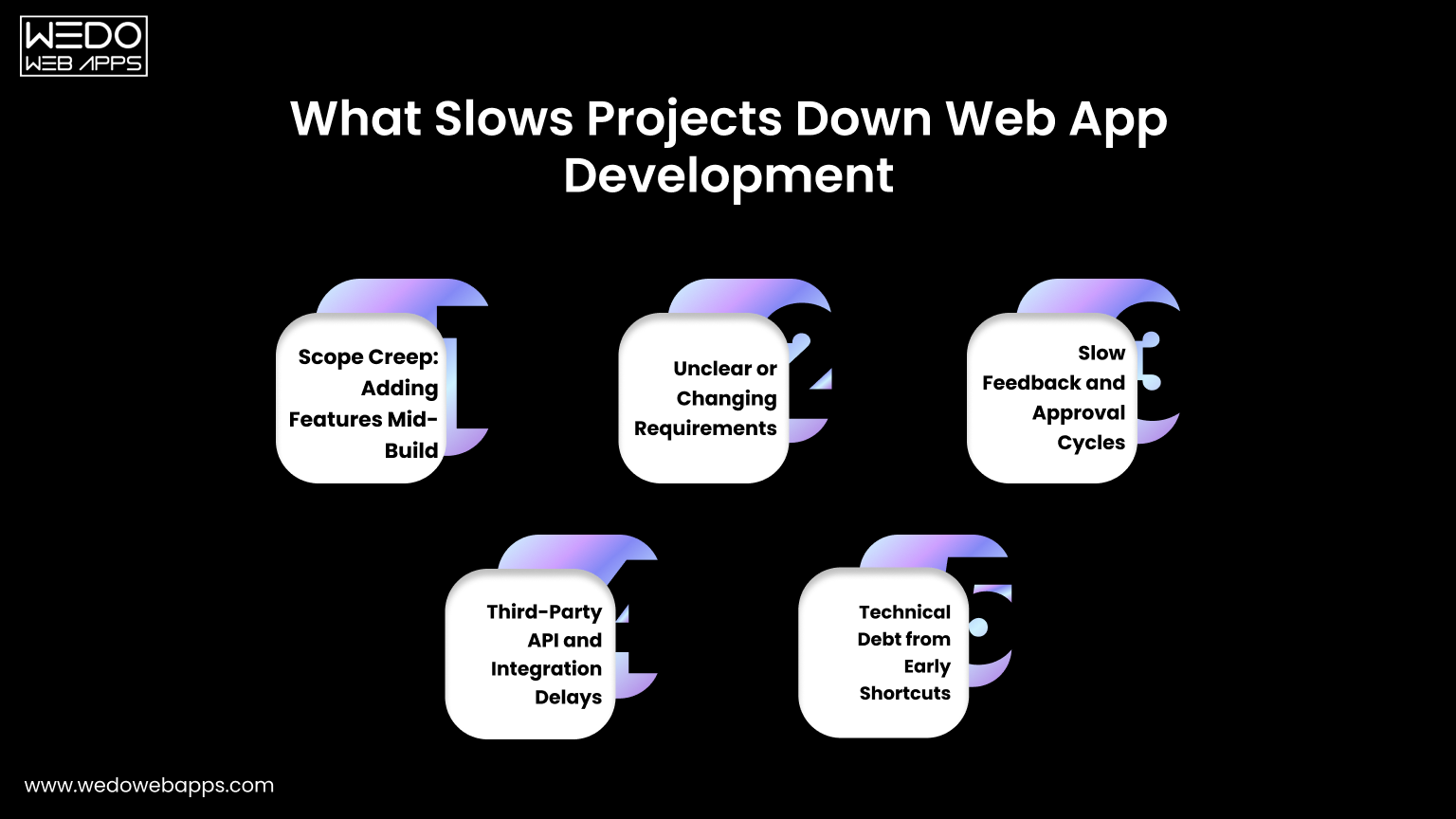
Ask any experienced development team why web app development timelines slip, and you will rarely hear purely technical reasons. The most common causes are process and communication failures that are entirely preventable.
Scope Creep: Adding Features Mid-Build
Every new feature added after development begins carries a compounding cost. A feature that takes one week to build in isolation may take two or three weeks mid-project because it requires changes to existing database schemas, API endpoints, and complete UI components. Define your scope before development begins and treat it as locked.
Unclear or Changing Requirements
Vague briefs are the most common real-world delay across all project types. When web developers must interpret unclear requirements, rework becomes inevitable. The clearer your brief from the start, the closer your actual web app development timeline will be to your original estimate.
Slow Feedback and Approval Cycles
Design reviews waiting on stakeholder sign-off, content delays, legal reviews, and slow responses to developer questions all add unplanned weeks to any web app development timeline. Assign a single decision-maker on your side and commit to a 24-48 hour turnaround on all feedback requests.
Third-Party API and Integration Delays
Payment gateways, CRM connections, identity providers, and external data feeds are outside your control. Incomplete API documentation, rate limits that require workarounds, and sandbox environments that do not behave like production can each add 1-2 unplanned weeks. Always budget integration buffer time when calculating how long does it take to develop a web application.
Technical Debt from Early Shortcuts
Moving fast by skipping proper architecture decisions or choosing the wrong database schema early feels like it saves time. It almost never does. Technical debt accumulates interest, and rebuilding poorly structured code mid-project always costs significantly more than doing it correctly the first time.

How to Reduce Your Web App Timeline Without Cutting Corners
Speed and quality are not mutually exclusive. Here is how experienced teams shorten their web app development timeline without compromising the result. These strategies apply whether you are building web apps for the first time or scaling an existing product.
Start With an MVP
The fastest way to learn whether your web app idea works is to build the minimum version that lets real users experience the core value. Every feature beyond that is a hypothesis. Ship fast, learn fast, and build the right thing in version two. This is the most impactful web app development timeline reduction strategy available to any founder or product manager.
Lock Your Scope Before Development Begins
A locked scope with signed-off wireframes and documented user stories before a single line of code is written is the single highest-ROI action you can take. Teams that begin building web apps with ambiguous requirements consistently miss estimates. Teams that begin with clarity consistently land closer to them.
Use Proven Frameworks and Pre-Built Components
React, Next.js, Tailwind CSS, and Laravel exist because experienced teams have solved the same problems thousands of times. Using battle-tested frameworks when making web apps eliminates weeks of work that would otherwise go into building foundational infrastructure. Reserve your custom build time for what is genuinely unique to your product.
Run Design and Development in Parallel Where Possible
Good agencies and experienced in-house teams do not wait for all design to be complete before starting development. Backend architecture, database design, and API endpoint development can all be produced while UI design is being finalized for later screens. Overlapping phases intelligently compress the overall web app development timeline without creating rework risk.
Choose the Right Team Structure for Your Timeline
Agency teams are faster because they are built for parallel execution. Freelancers offer flexibility but mostly sequential work. In-house teams offer long-term control but slow starts. This decision alone can affect how long does it take to build a web app more than almost any other factor. Match your team structure to your actual timeline goal, not just your budget preference.
Cost vs Timeline: Understanding the Tradeoff
One of the most important and least-discussed dimensions when creating web apps is the relationship between cost, timeline, and quality. Understanding this tradeoff helps you make smarter decisions and set more realistic expectations for your web app development timeline.
Why Faster Does Not Always Mean More Expensive
An experienced agency with a structured team may deliver a web app in 10 weeks that a solo freelancer would take 20 weeks to complete. The agency costs more per hour but less in total calendar time, which reduces opportunity cost, time to market, and often total project cost when you account for your own time spent managing a longer engagement.
Where Cutting Budget Actually Extends Your Timeline
Hiring cheaper developers to save budget often extends your web app development timeline significantly. Inexperienced developers write code that requires more revision, more QA cycles, and more debugging. The cost you save on the hourly rate is frequently spent on extra weeks of work. For web app development, experience is one of the best investments you can make.
How to Balance Speed, Quality, and Budget Realistically
The classic triangle is real: fast, good, cheap. Pick any two. For most projects, the right balance is to define your non-negotiable quality standards, set a realistic web app development timeline based on those standards, and find a team whose budget fits within those constraints. Trying to compromise on all three simultaneously is how projects fail.
Get a Free Timeline Estimate for Your Project
Whether you are in the early stage of planning or ready to start making web apps immediately, knowing your realistic web app development timeline is the first step towards a successful project.
At WEDOWEBAPPS, we specialize in web app development, custom web development, SaaS app development, and software product development. Our team reviews your requirements and delivers a detailed, phase-by-phase web app development timeline within 24 hours, with no commitment required.
Tell us about your project, and we will tell you exactly how long it takes to build a web app for your specific requirements, what it will cost, and what team structure will deliver the best result for your timeline and budget.