


Introduction:
As we all know, Google has released android 11 versions and Pixel 5 for some time. With this, certain features were also introduced for their android users to make their daily tasks accomplished on their phones easier. Still, there are several updates on which Google is working currently, which may act as a revolution for its android users. There were a number of features introduced by Google, which changed its users' methodology in accessing their smartphones. These updates were: Google Assistant, Google Duo, Blocking of calls that considered spam from the phone itself, notification sound improvement, action block and many more to list. Some of these features are already being used by smartphone users, while some are still in their beta versions, available to only beta testers. The android app development services have gained momentum after introducing these features and hence given a new way for the android app development procedure. These features have also been incorporated in the third-party applications launched on Google Play by the android app development companies. The applications having these latest features are now on the top downloaded applications from Google Play. Hence, this holiday season, Google has decided to launch a wide range of features to let their users enjoy their vacation and have to spend the least time surfing for their activities. Let us discuss these features in detail in the next section.
Features from Google- A gift for its Android Users:
This section will provide the introduction to the features developed and released by Google for the smooth functioning of Android devices, along with their usefulness to a layman android user.1. A tool for Password Check-up:
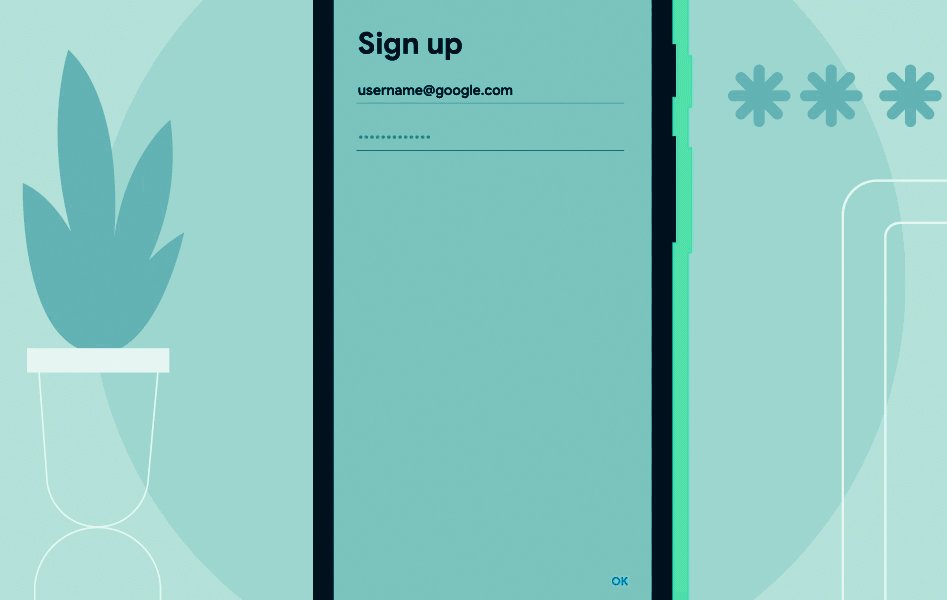 This tool checks the passwords that were saved by the users previously. These credentials of the users were known as "known compromised passwords". This feature was initially available to desktop users only, but now it is also made available to Android smartphone users.For this, the user has to switch on to the option for auto-filling the details, as their credentials will be saved as per the user permissions. Hence, when filling the data, auto-filling is on, the compromised information will be automatically entered over the text box to fill the data.
2. Scheduling of Messages:
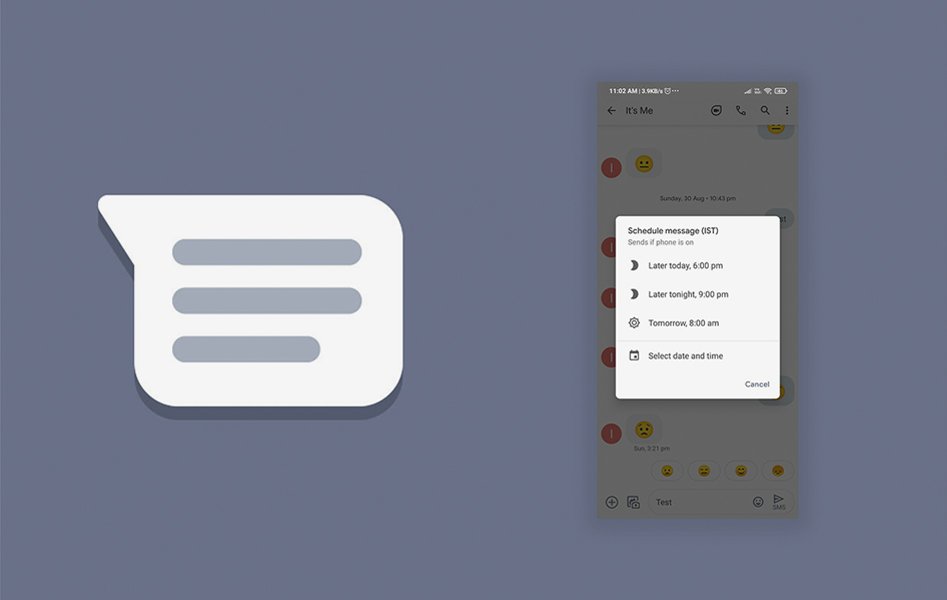 According to the latest updates in Android smartphones' messaging app, one can now set the date and time to send their message to their recipients' inbox. This feature reported to get started in September 2020, but there was no official confirmation from the company, which has now confirmed the release of this update.All the user needs to do is compose a message, schedule it, get the scheduling options by long-pressing the send button, and then set the date and time. There will also be suggestions provided to the user by the system to set the date and time.
3. Dark mode in Google Maps:
 Google had released the update in almost all of its applications for the mobile screen's dark mode except for the Google Maps. But recently, this feature also got introduced in the same. It scheduled to be released around September 2020, but due to certain delays, this feature came into consideration and used recently.Considering this feature, many android app development companies have created applications that enable the dark mode.To set your screen to dark mode in Google Maps, go to the Settings tab of the application, and select the themes option. Then, select the toggle button Always named in Dark Theme or similar options in it, and your screen will be visible in dark mode. Explore innovations in Android development and how the latest updates can enhance your experience and app capabilities.
4. Now give commands to Google Assistant without physical connection:
 We all know Google Assistant is not a new feature for its users as it introduced a long time ago. But there are certain features and functionalities in Google Assistant that added recently.For example, initially, the Google Assistant accepted the commands like the keywords for Google Search, opening the applications, etc. After the release of new updates, users can now set alarms, make phone calls, play music, send and receive messages, etc. Above this, few cards are there to make visible, which we call Glances, while the screen is locked.
5. Updates introduced in TalkBack:
For its specially-abled android users who might have low or no vision, Google has introduced TalkBack, which acts as a reader of the components active on the screen. Updates like dynamic gestures, menu, reading controls, etc., are added recently. Google has made the announcement for the release of these advanced features, some of this being- easy to use multiple fingers gesture supported in Pixel as well as Samsung phones, three-finger swipes enabled reading controls, various commands added recognizing the voice of the user, support for braille keyboard and other two additional languages, etc.
6. Introducing Android Auto:
 The latest updates released in the Android Auto application included customized wallpapers and games that are voice-controlled. There are also various shortcuts available on the home screen, for example, contacts, weather updates, temperature check, etc., with the help of Google Assistant fed in the application.The future updates of the application included the splitting of the screen due to the higher width of the screen in the vehicles, which will be helpful to the users in accessing the phone easily.
7. Customized Emoji Stickers:
 Till now, there were a few hundred stickers available on Gboard, a keyboard defined by Google for its users. The latest update has released more than 14000 such emojis, which can also be customized as per user preferences. This is known as Emoji Kitchen among android users.This enables its users to select two emojis and check out their combinations for creating a customized one, along with a number of features and emojis provided to them as a suggestion.Currently, the Emoji Kitchen is available as a Beta version for its users. Still, it will be available shortly to all the users in a short span, according to Google's statement.
8. Launch of more number Audiobooks applications on Google Play:
The latest release of Google is to launch more Audiobooks possible on Google Play. The company has also provided the tools for narration to help the authors of the US and UK to compose the audio for their literature easily.The launched applications are still in the Beta phase and will be available to users in early 2021.9. Nearby Share:
 Using this application, one android user can easily send and receive the android applications to and from the other android users. These apps can be sent via multiple options available- for example, Bluetooth, WebRTC, Wi-fi, etc.Share an app directly from Google Play, go to the Share apps menu in the Manage app and games section and choose an app that you want to share. It required that the other android user must permit to accept that application.This feature will also be released soon, as shared by Google.
10. Share your screen on Google Duo:
 Being on a video call and sharing the screen with friends on Google Duo was an impossible task earlier. But with the latest release, Google has added the feature of screen share while the call is on Google Duo. This is similar to Google Meet, in which screen sharing is possible, which allows us to share various types of content like videos, images, etc.In addition to this, the sharing of video messages has also been introduced, in case the person you are calling is not available at the moment.For those having issues with hearing, or the receiver's location is such that the voice in the video is not audible, the video messages are available with captions that are automatically generated.













 Sharing Project Details
 Let's have a
call
Let's have a
call Got
Questions? Let’s Chat!
Got
Questions? Let’s Chat!