Introduction
If your store is still running on Magento 1, delaying migration can increase security risks, maintenance costs, and compatibility issues as more extensions and integrations stop supporting older versions. At the same time, migrating to Magento 2 isn't simply about moving data; it's an opportunity to build a faster, more secure, and scalable eCommerce store.A successful migration requires careful planning, the right migration approach, and thorough testing to avoid downtime, data loss, and SEO issues. Whether you're managing a relatively simple storefront or a highly customised enterprise store, understanding the migration process before you begin can save both time and cost.This guide walks you through everything you need to know about Magento 2 migration, from choosing the right migration method and estimating timelines to understanding risks, developer workflows, post-migration testing, and best practices for ensuring a smooth transition.Here we present the most comprehensive guide (literally) to help you understand the Magento data Migration tool and enable migration to Magento 2 smoothly to build a successful e-commerce platform with the help of Magento development services.What Is Magento 2 and Why Does It Matter?
Magento, at the start of its journey, met with resistance from vendors. And why not? Migrating large stores to new platforms can bring unnecessary issues.
However, Magento 2's extremely powerful features cannot be sidelined. It's not just a march for something new, as Magento 2 definitely provides superior features.
The Rise of Magento 2 Can Be Due To Various Factors.
- Extraordinary Architecture
- Full Page Caching
- Enhanced SEO
- Multilingual Support
- Payment Gateways
- Exceptional Enterprise Features
Magento Migration Methods: Which Approach Is Right for Your Store?
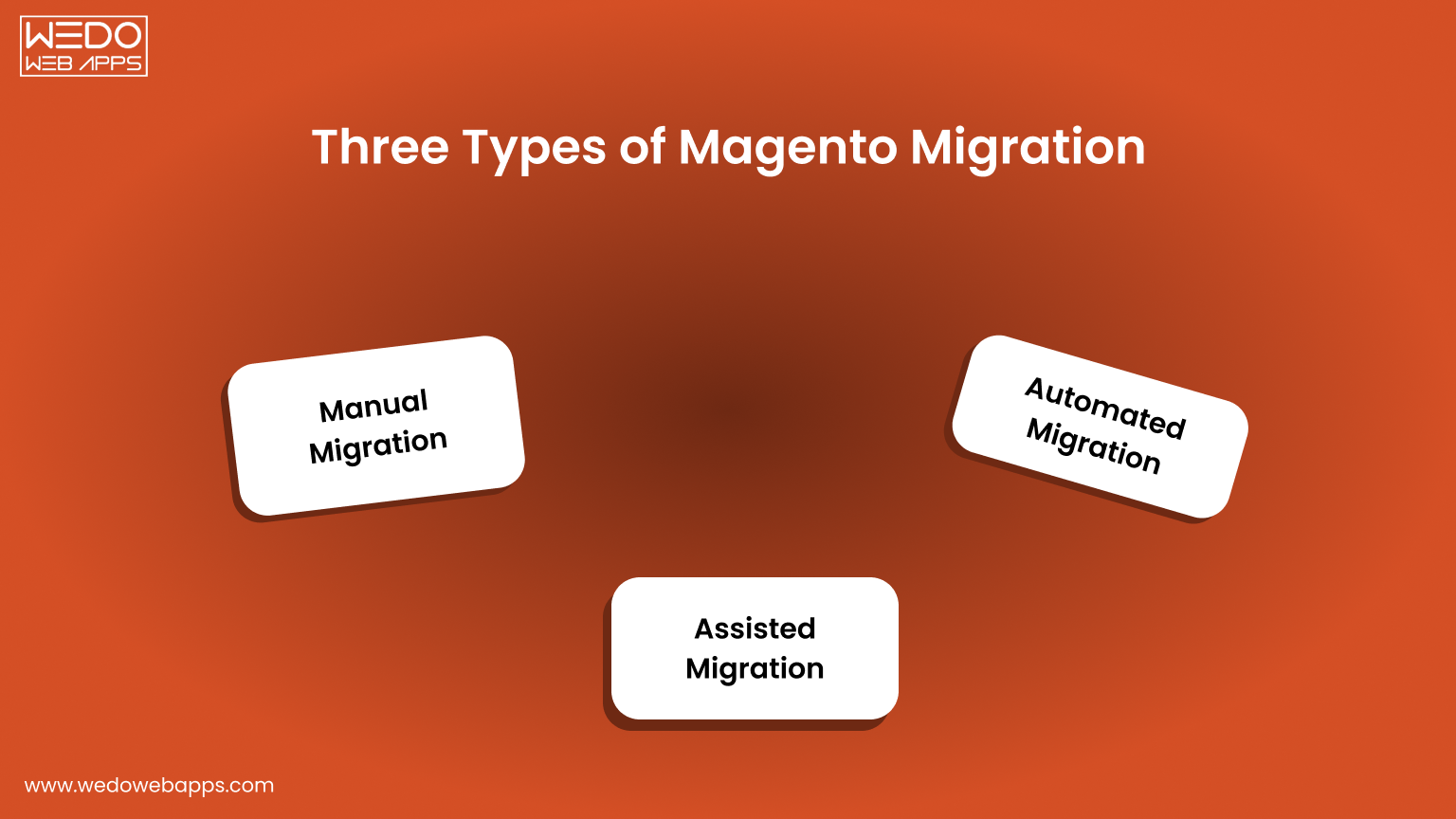
Method #1: Manual Migration
Manual Magento Migration is the process of manually transferring data, configuration, and customization from a Magento 1 installation to a Magento 2 installation. There are usually several steps involved in this process, such as:
- Data Backup
- Media file and Data Transfer
- Theme and Extension Migration
- Customization and Configuration Migration
- Testing and Debugging
Manual Magento Migration can be a time-consuming and complex process, but it can be a cost-effective solution for businesses with limited budgets or custom requirements.
However, it is recommended to seek assistance from a professional Magento developer to ensure that the migration is done correctly and to minimize potential risks in building an E-commerce platform.
Method #2: Assisted Migration
Assisted Magento Migration is a process of migrating from Magento 1 to Magento 2 with the assistance of a professional migration service provider.
Assisted Magento Migration provides a more streamlined and efficient process than manual migration, as the migration service provider takes care of all the technical aspects of the migration, freeing up the business to focus on more pressing matters.
Additionally, assisted migration can reduce the risk of data loss or other migration-related issues. However, choosing a reputable and experienced migration service provider is important to ensure a successful migration.
Method #3: Automated Migration
Automated Magento Migration is a process of migrating from Magento 1 to Magento 2 using an automated Magento migration tool and software. This type of migration typically involves the following steps:
Automated Magento Migration is the most efficient and quickest way to migrate from Magento 1 to Magento 2, as the automated Magento data migration tool handles most of the technical aspects of the migration, freeing up the business to focus on other important tasks.
However, choosing a reliable and tested automated Magento migration tool is important to ensure a successful migration and minimize the risk of data loss or other migration-related issues.

Why Migrate from Magento 1 to Magento 2?
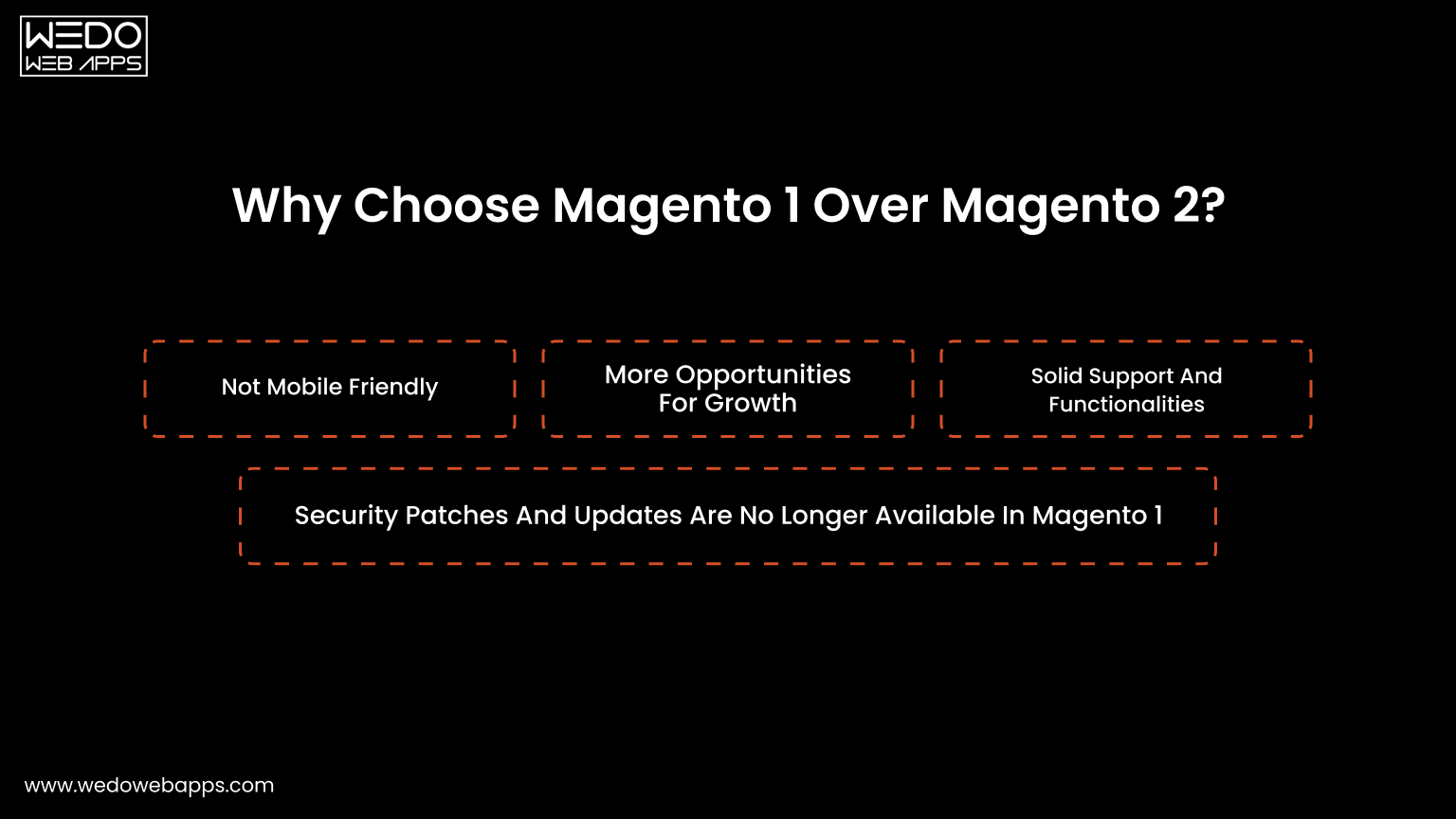
Reason #1: Not Mobile Friendly
Migrating to Magento 2 can improve the mobile-friendliness of your website or E-commerce platform for several reasons:
- Responsive Design: Magento 2 has a responsive design framework, which automatically adjusts the layout and display of the website to fit different screen sizes and devices.
- Mobile-Optimized Checkout: Magento 2 has a mobile-optimized checkout process that is faster, simpler, and more convenient for customers to use on mobile devices.
- Enhanced User Experience: Magento 2 has improved navigation and mobile-friendly interface design to provide a better user experience on mobile devices.
- Advanced Mobile Features: Magento 2 includes features like touch-friendly product sliders, swipe-to-delete in shopping carts, and mobile-specific promotions and discounts, which enhance the mobile shopping experience for customers.
Overall, migrating to Magento 2 can help you deliver your customers a better and more mobile-friendly eCommerce experience.
Reason #2: More Opportunities For Growth
Migrating data to Magento 2 can provide growth opportunities for your business in several ways:
- Improved Scalability: Magento 2 is designed to support high-traffic websites, making it easier for businesses to handle increased customer traffic and growth.
- Advanced Marketing and Sales Tools: Magento 2 offers a range of tools to help businesses increase sales and customer engagement, such as customer segmentation, dynamic product bundles, automated email marketing campaigns, and Magento catalog price rules that streamline promotional strategy.
- Improved Search Engine Optimization (SEO): Magento 2 includes built-in SEO tools, such as rich snippets and improved URL structure, which can help improve search engine rankings and visibility, leading to more organic traffic and sales.
- Access to the Latest Technology: Magento 2 is designed to work with the latest technologies, including PHP 7 and HTML5, which can help improve website performance and provide new opportunities for innovation and growth.
Reason #3: Solid Support And Functionalities
Migrating to Magento 2 can address the issue of no support and missing functionality in Magento 1 in several ways:
- Technical Support: Magento 1 has reached end-of-life and is no longer receiving technical support from Magento. Magento 2, on the other hand, continues to receive regular security updates and technical support from Magento.
- New Features and Functionalities: Magento 2 includes exceptional enterprise features and functionalities that are not available in Magento 1, such as improved checkout process, enhanced reporting and analytics, and better customer engagement tools.
By migrating to Magento 2, you can take advantage of these benefits and ensure that your E-commerce store and website continue to be supported and functional, providing a better experience for your customers and helping your business grow.
Reason #4: Security Patches And Updates Are No Longer Available In Magento 1
Migrating to Magento 2 is a good solution for security patches and updates no longer available in Magento 1.
- Ongoing Support: Magento 1 has reached end-of-life and is no longer receiving technical support or security updates from Magento. Magento 2, on the other hand, continues to receive regular security updates and technical Multilingual Support.
- Improved Security Features: Magento 2 includes enhanced security features, such as protection against cross-site scripting (XSS) and cross-site request forgery (CSRF) attacks, making it a more secure platform for your eCommerce website.
- Compliance with Security Standards: Magento 2 is built to comply with current security standards and best practices, helping to protect your website from potential security threats.
By migrating to Magento 2, you can ensure that your website continues to be secure and protected from potential security threats, providing a better experience for your customers and helping your business grow.
Magento 2 has additional website categories with improved usage coverage. It consists of 13 other categories aside from lifestyle, home & garden, e-commerce & shopping, computers, and electronics & technology.
Magento 1 vs Magento 2 Market Share by Category
| Category | Magento 1 Market Share | Magento 2 Market Share |
|---|---|---|
| Lifestyle | 3,166 websites | 5,232 websites |
| Home & Garden | 2,024 websites | 3,926 websites |
| E-commerce & Shopping | 2,444 websites | 3,220 websites |
| Sports | 1,250 websites | 1,911 websites |
| Gambling | 78 websites | 62 websites |
How to Avoid Migration Failure: Risks & Solutions
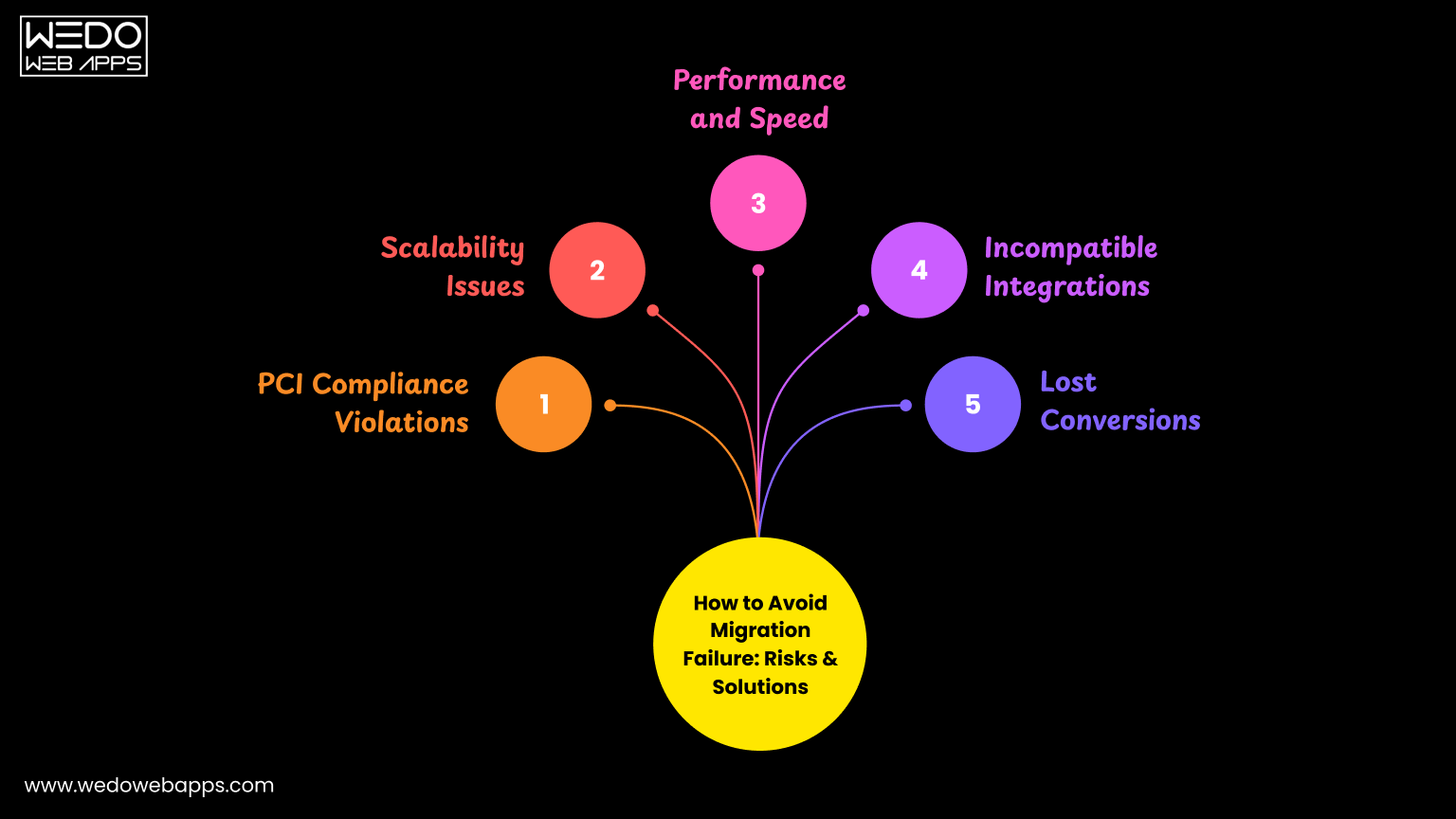
Ignoring Magento 2 migration puts your store at serious risk. And below are the comprehensive breakdowns of every major risk, its business impact, and exactly how to avoid it.
Magento Migration Risks, Business Impact, and Solutions
| Risk | Business Impact | Solution |
|---|---|---|
| PCI Compliance | Fines up to $100,000/month; loss of payment gateways. | Migrate to Magento 2 for ongoing PCI DSS compliance. |
| Scalability | Site crashes under traffic, limiting growth potential. | Use Magento 2 layered architecture and MySQL clustering. |
| Performance & Speed | High bounce rates; lost sales due to slow load times. | Deploy Varnish Cache and CDN alongside migration. |
| Incompatible Integrations | Payment, delivery, and CMS tools stop working. | Audit all extensions and map to Magento 2 Marketplace equivalents. |
| Lost Conversions | Magento 1 converts at 1.1% vs Magento 2 at approx. 2%. | Prioritise UX and mobile optimisation in migration plans. |
Risk 1. PCI Compliance Violations
Every business accepting card payments must comply with the Payment Card Industry Data Security Standard (PCI DSS). With Magneto 1 now end-of-life and receiving no security patches, maintaining PCI compliance becomes increasingly difficult and costly.
Penalty structure for non-compliance:
Penalties for PCI Non-Compliance Based on Duration
| Duration for Non-Compliance | Small Business Penalty | Large Business Penalty |
|---|---|---|
| 1-3 months | $5,000/month | $10,000/month |
| 4-6 months | $25,000/month | $50,000/month |
| 7+ months | $50,000/month | $100,000/month |
How Magneto 2 solves this:
- Regular security patches and updates from Adobe/Magento.
- Built-in protection against XSS and CSRF attacks.
- Compliance with current PCI DSS security standards.
- Ongoing technical support ensures vulnerabilities are patched promptly.
Risk 2. Scalability Issues
Magento 1 was designed for static, low-traffic stores. As your business grows, more products, more customers, and more orders cannot be kept on Magento 1. It lacks the infrastructure needed for a modern and high-volume eCommerce store.
Magento 2 scalability advantages:
- 50% more scalability than Magento 1.
- Support multiple master databases and manage database assignments.
- MySQL cluster support for high availability.
- Can process over 10 million page views per hour.
- Independent scaling of components: clients, products, databases, etc.
- Handles 135,000 more orders per hour than Magento 1.
Risk 3. Performance and Speed
Slow page load times directly damage sales. Most of the studies show that even a 1 second of delay reduces the conversion by 7%. Magento 1's monolithic architecture makes meaningful performance improvements extremely limited.
Magento 2 performance improvements at a glance:
| Magento 1 | Magento 2 |
|---|---|
|
|
Recommended performance setup post-migration:
- Implement Varnish as your HTTP accelerator.
- Pair Varnish with a CDN for global image and asset delivery.
- Use Redis to cache database objects for dynamic content.
Risk 4. Incompatible Integrations
A typical Magento store relies on at least 10 third-party integrations. As Magento 1 approaches complete obsolescence, vendors are progressively discontinuing their Magento 1-compatible versions. Once they do, your store loses critical functionality.
Common integrations at risk:
- Payment gateways (Stripe, PayPal, Braintree, etc.)
- Shipping and delivery providers (FedEx, UPS, DHL)
- Content Management Systems
- Search tools and product filters
- CRM and ERP integrations
- Marketing automation platforms
Action plan to avoid integration loss:
- Audit all current extensions and integrations before migration.
- Check the Magento Commerce Marketplace for Magento 2 equivalents.
- Identify gaps where third-party replacements or custom builds are needed.
- Drop unnecessary extensions to reduce migration cost and improve performance.
Risk 5. Lost Conversions
Conversion rate is directly tied to platform capability. Magento 1 stores are falling behind as competitors on Magento 2 offer faster, more intuitive, and more mobile-friendly shopping experiences.
Conversion Rate Comparison Across Platforms
| Platform | Average Conversion Rate | Revenue Impact |
|---|---|---|
| Magento 1 | 1.1% | Significantly below the eCommerce industry average. |
| Magento 2 | 2% | Up to 2× increase in online revenue reported post-migration. |
| eCommerce Average (2024) | 3.65% | Industry benchmark. |
What drives the Magento 2 conversion improvements:
- One-page, mobile-optimised checkout reduces cart abandonment.
- Faster page speeds keep shoppers engaged.
- Advanced product search and filtering improve product discovery.
- Customer segmentation enables personalized promotions.

How Long Does Magento 1 to Magento 2 Migration Take?
Magento 2 migration is considered to be one of the most complicated processes when it comes to web development. This is because several people are involved: a project manager, a designer, a developer, and a quality assurance engineer.
In the process, a few patterns are explained in this detailed checklist.
It explains what stages it includes and how to handle every milestone in the migration from Magento 1 to Magento 2.
The question is, how long does it take to migrate from Magento 1 to Magento 2? Several factors will influence the duration:
- Number of third-party extensions.
- Specifications for the design and theme.
- A new additional feature.
- Amount of views on a store.
Duration Estimates For Magento Migration
- The Planning Stage: 40-60 hours
- Putting together a CJM: 30-40 hours
- UX and UI (mobile/tablet/desktop design): 120-250 hours
- Post-release work, data migration, and frontend and backend work: 640-800 hours (which is 4-5 months)
- Grand Total: Approximately 830-1150 hours (which is 4-7 months)
Migration components
Migrating Magento 2 involves the following components: data, extensions, and custom code, as well as themes and customizations.
Data
For migrating products, customers, orders, store configurations, promotions, and more to Magento 2, several Magento migration tools are available to perform Data Migration. You will also receive a guide on how to use the tool and best practices for migrating data.
Extensions And Custom Code
Major companies have worked hard with the development community to make Magento 2 extensions compatible with Magento.
Now, there are several Commerce Marketplaces ready to offer the latest versions of your favourite extensions for download or purchase.
Themes And Customizations
As a result of Magento 2, merchants can create innovative shopping experiences and scale to new levels using new approaches and technologies.
It will be necessary for developers to make adjustments to their themes and customizations to take advantage of these advancements.
Documentation is also available online for designing Magento 2 themes, layouts, and customizations.
Tips For A Successful Magento 2 Migration
You need to keep a few things in mind as you plan your Magento 2 migration.
Audit The Site For Errors
The first step is to review your data and look for any errors or discrepancies. You should especially take this step when migrating from an older version of Magento, as data can sometimes become corrupted over time. Ensure you know the data you need to migrate and how Magento 2 will handle it.
Decide The Tools
The next step is to decide what tool you will use to migrate your data. Different options exist with various advantages and disadvantages. Consider your needs before choosing one.
Proper Software Configuration
A successful migration also depends on hardware and software configuration. Ensure your server meets Magento 2's minimum requirements and has a backup plan if something goes wrong.
Work with an experienced partner
Migrating your store yourself can be disastrous. Instead, consider working with a Magento development partner who has experience migrating to Magento 2. In addition to helping you plan and execute your migration, they will ensure everything goes smoothly.
Test, test, test
Ensure you thoroughly test your new Magento 2 store before it goes live to ensure everything is working properly. Ensure all products, orders, customer accounts, etc., are correctly migrated over.
Follow these tips to ensure a successful migration from Magento to Magento. With the right tools and careful planning, you can make the migration process as seamless as possible.
Magento 2 Migration Process Step by Step
Migrating from Magento 1 to Magento 2 involves upgrading a merchant's existing e-commerce platform.
A seamless transition requires careful planning, testing, and execution from a development perspective to ensure minimal disruption to online store operations. Here is a step-by-step process for Magento 1 to Magento 2 Migration.
Step 1. Preparation Works
To begin the Magento 1.9 to 2.0 migration, the development team must ensure that all the necessary software and setups are in place. The software requirements will vary depending on the version of Magento used.
Magento System Requirements
| Version | Requirements |
|---|---|
| Magento 2.3.x |
|
| Magento 2.4.x |
|
In terms of hardware, it is recommended that you have at least 2 GB of RAM. Otherwise, the code will not be able to be compiled. A combination of SSD technology with 24 GB+ will further enhance the store's performance.
You must install the latest version of Magento, which is currently 2.4.2, to migrate to Magento 2. You can download the Open Source edition from the official website or GitHub.
Step 2. Configuring the Magento Data Migration Tool
The standard Magento 1 to Magento 2 data migration tool is recommended for moving your store.
To move and merge data correctly from the source platform, you will need to write custom logic. You will also need to change the code to transfer any custom data. Magento 2 doesn't include these tables or columns.
You can follow this short Magento 2 data migration tool tutorial to get started with the Magento composer https library.
Here is the code for installing the Magento database migration tool:
| root# composer require magento/data-migration-tool:2.4.2 ./composer.json has been updated Loading composer repositories with package information Updating dependencies (including require-dev) Package operations: 1 install, 0 updates, 0 removals - Installing magento/data-migration-tool (2.4.2): Downloading (100%) Writing lock file Generating autoload files |
Change the data migration tool for Magento 2 in the corresponding directory in the Magento 2 root folder. Then, copy the configuration file for your Magento 1 version."
| vendor/magento/data-migration-tool/etc/opensource-to-opensource/1.9.x |
In the XML file, follow this - "In the config.xml file, specify where to store and retrieve migrated data from as shown in the following example:"
| <source> <database host="localhost" name="m1" user="m1" password="m1"/> </source> <destination> <database host="localhost" name="m2" user="m2" password="m2"/> </destination> |
Step 3. Settings Migration Configuration
After migrating the data, the next step is to migrate the settings. Do the following in the Magento 2 root folder:
| php bin/magento migrate:settings vendor/magento/data-migration-tool/etc/opensource-to-opensource/1.9.x/config.xml |
As a result, we got:
| [2021-02-17 18:22:22][INFO][mode: settings][stage: integrity check][step: Settings Step]: started 100% [============================] Remaining Time: < 1 sec [2021-02-17 18:22:22][INFO][mode: settings][stage: integrity check][step: Stores Step]: started 100% [============================] Remaining Time: < 1 sec [2021-02-17 18:22:22][INFO][mode: settings][stage: data migration][step: Settings Step]: started 100% [============================] Remaining Time: < 1 sec [2021-02-17 18:22:24][INFO][mode: settings][stage: data migration][step: Stores Step]: started 100% [============================] Remaining Time: < 1 sec [2021-02-17 18:22:24][INFO][mode: settings][stage: volume check][step: Stores Step]: started 100% [============================] Remaining Time: < 1 sec [2021-02-17 18:22:24][INFO][mode: settings][stage: volume check][step: Stores Step]: Migration completed |
The example above was relatively simple.
If your case requires more in-depth configuration than just installing the stock, please change the configuration file.
(vendor/magento/data-migration-tool/etc/opensource-to-opensource/1.9.x/config.xml) as shown below.
Make sure that the settings.xml code is copied from the XML file before you make edits.
| <settings_map_file>etc/opensource-to-opensource/settings.xml.dist></settings_map_file> |
Step 4. Customize Magento 2 functionality.
Custom functionality for a new Magento 2 store takes a good part of the time. Hiring experienced Magento developers at this stage is essential. You can minimize the risk of running into bugs caused by ham-handed "specialists" work.
There is a lot of manual work involved with Magento 2.x, but you can migrate some custom code from Magento 1.x to Magento 2.x.
The Magento Code Migration Toolkit provides scripts to convert custom M1 code into M2 by moving the following aspects of code to Magento 2's structure and format:
- Layout XML files;
- Config XML files;
- PHP files;
- Module directory structure.
It is important to note that some generated files still need to be manually edited.
Step 5. Identify and create replacement modules for the existing modules
If you migrate from a completely different platform, you may have to make a few compromises to find the same functionality.
Your existing custom functionality has three main alternatives you can choose from.
- The Magento Marketplace contains both versions of Magento 1 extensions and Magento 2 extensions. However, the functionality may differ.
- Previously exclusive extensions that are now available through third parties.
- Customizations that require a complete rebuild for Magento 2.
Rank all the customizations in order of priority before you migrate from Magento 1 to Magento 2. Make a list of all the extensions you have before you upgrade.
When migrating from one platform to another, try dropping as many unnecessary extensions as possible. This can reduce migration costs and improve performance in the future.
Step 6. Configure the Servers
When migrating from Magento 1.x to Magento 2, the server configuration is essential to the development phase.
In addition, Magento's second version is considered slower than its predecessor, so full page caching tools play a vital role in keeping the website running smoothly.
Therefore, Varnish, an HTTP accelerator, helps the user to see the page almost instantly, optimizing Magento performance and enhancing your store's speed. Additionally, it creates an extra layer between the web server and the user.
As a result of caching images, Varnish can help improve Magento 2 performance even further when combined with a CDN. In addition, Redis can cache database objects for dynamic database-driven websites.
Step 7. Magento 1 to Magento 2 Data Migration Steps
You will migrate five core data categories. The time required for each depends heavily on the level of customisation in your store.
Estimated Magento Data Migration Time by Category
| Data Category | Estimated Time | Key Considerations |
|---|---|---|
| Customer Data | 1-8 hours | Custom fields and attributes increase complexity significantly. |
| Product Data | 1-8 hours | Product attributes, images, and configurable product rules. |
| Orders Data | 1-8 hours | Order history, statuses, and related invoices and shipments. |
| Store Settings | 1-8 hours | Tax rules, shipping, currencies, and store configuration. |
| Third-Party Extensions Data | 1-8 hours | Must be verified individually; not covered by the default migration tool. |
Important notes before starting data migration:
- Creating your Magento access keys before starting migration will prompt for them.
- A standard account table migration takes approximately 1 hour.
- Heavily customised data can take up to 8 hours per entity.
- Total estimated data migration time: 20-40 hours.
- Custom attributes must be migrated manually, which cannot be transferred automatically.
Order Import specifics:
- Order data includes order history, invoices, shipments, and credit memos.
- Ensure order IDs and customer associations are preserved during migration.
- Run a post-migration data audit to verify order counts match between M1 and M2.
- Use the Delta Migration feature to sync any new orders placed during the migration window.
Step 8. Make Tweaks
It is important to remember that the store launch is not the end of development. You'll often have to log time to make tweaks, fix bugs, and develop new features as requested by stakeholders. You should also plan for feedback and technical emergencies.

The Risks of Ignoring Magento 2 Migration
Let's take a closer look at what Magento 1 stores can expect if they don't migrate to Magento 2. When you don't migrate to Magento 2, your online store becomes vulnerable to security threats and is at a disadvantage in terms of functionality and innovation.
Risk #1: PCI Compliance
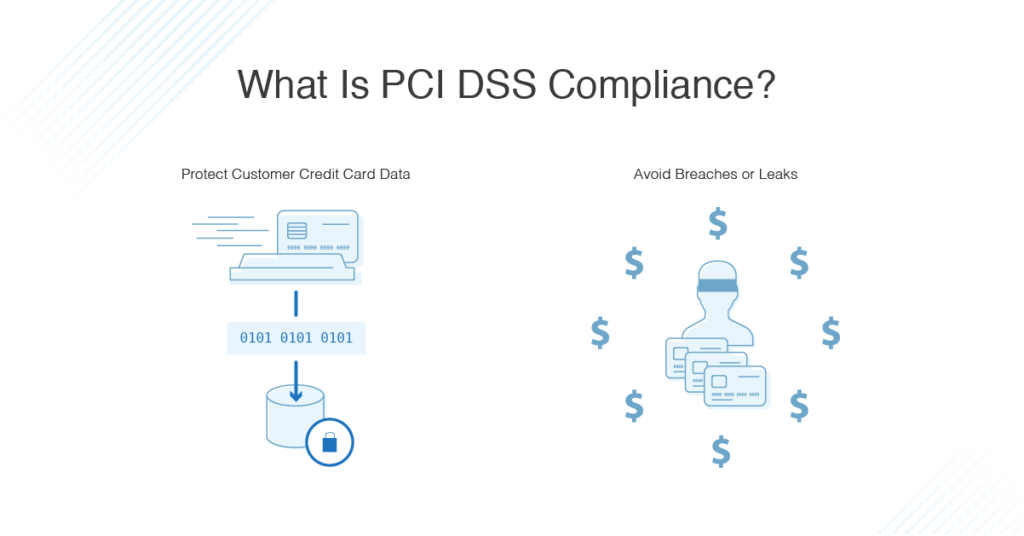
Businesses must comply with the Payment Card Industry Data Security Standard (PCI) to protect their online stores' security.
Each merchant should review its PCI compliance at least once a year. On average, these tests are conducted every three months.
By not following the rules, you will be subject to severe penalties and unable to use the most popular payment gateways.
Typically, small businesses face a $5,000 monthly penalty, and large corporations face a $10,000 monthly penalty if they fail to address security issues within 1-3 months.
A fine of $25,000 per month will be imposed on small businesses for violating the legislation for 4-6 months, while a penalty of $50,000 per month will be charged to large eCommerce businesses.
Companies that ignore the regulations for more than seven months will be charged $50,000 for small businesses and $100,000 for big companies.
Risk #2: Scalability Issues
Scalability is an essential factor to consider when choosing an eCommerce business. As the number of customers, orders, and products on your website grows, you may need to scale it.
Unfortunately, Magento 1 cannot do this because it is already outdated and lacks specific capabilities.
While Magento 2 was developed specifically to meet the needs of dynamic businesses, Magento 1 was designed to meet the needs of static companies.
In a short period, you can scale from hundreds to thousands of products using layered architecture, multiple database masters, and MySQL cluster support.
The scalability of Magento 2 is 50% better than that of Magento 1. Several master databases can be added, and slave databases can be assigned to them. It can process over 10 million views per hour.
As a result of the extraordinary architecture, different components can be scaled independently, including clients, products, databases, etc.
Risk #3: Performance and Speed
Slow loading speed and long page load times are among the significant drawbacks of Magento 1. This was Magento's primary motivation for building an entirely new platform that comes ready to use.
Magento 2 provides unmatched performance and pace, which is impossible with Magento 1.
With the most recent version of the platform, response times have been improved, loading times have been shortened, and backend operations have been simplified.
As Magento 2 can handle 135,000 more orders per hour than Magento 1, it is an excellent choice for even the most prominent businesses.
Risk #4: Incompatible Integrations
This platform is highly adaptable and heavily relies on third-party integrations.
For example, a simple store usually has at least ten integrations. This includes:
- Payment Gateways
- Delivery Options
- A Content Management System
- A Search Tool, etc.
These integrations would likely disappear if Magento 1 stopped working altogether.
As time goes on, more and more businesses will cease to offer Magento 1-based solutions. It's the same with add-ons and extensions.
Your Magento 1 store will be outdated in no time. You must provide your users with an excellent data migration service experience, as your competitors do on M2, to keep your company afloat.
Therefore, Magento 2 migration is one of the most suitable options for your business, and you should consider doing it.
Risk #5: Lost Conversions
Consider upgrading your company's conversion platform if you feel your company is not converting customers enough. That's what Magento 2 can help you do.
Studies have shown that Magento 1 conversion rates average 1.1%, while eCommerce conversion rates averaged 3.65% in 2022. Additionally, Magento 2 has more benefits than Magento 1. Magento 2 has a conversion rate of about 2%.
According to Magento 2, users' online revenue increases by x2 after migrating to Magento 2. Migration can boost many metrics, such as website speed, business performance, conversions, and competitiveness.
Post Magento Migration Checklist: Top Things To Check Post Migration
Congrats on a successful Magento migration!
But...
The journey doesn't end here.
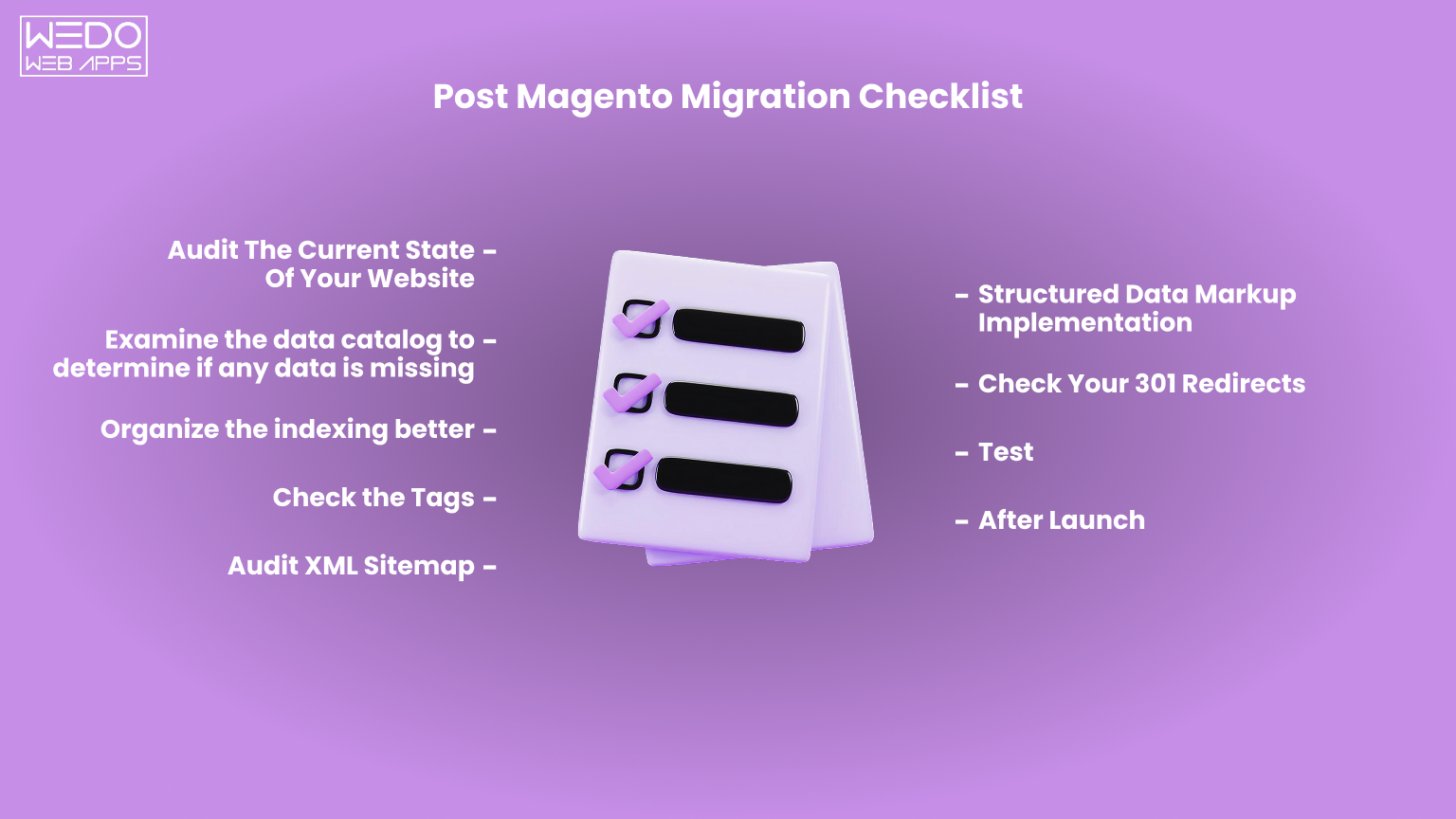
Start it off right with this comprehensive post-Magento migration checklist, which covers all the critical aspects of a successful launch.
Post Magento Migration Checklist
| # | Checklist Item | Priority | Recommended Tool |
|---|---|---|---|
| 1 | Audit Current Website State | Critical | Google Analytics + Google Search Console |
| 2 | Verify Data Catalog Integrity | Critical | Magento Admin Product Grid |
| 3 | Review Indexing Structure | High | Screaming Frog / Sitebulb |
| 4 | Check Canonical, ALT, & hreflang tags | High | SEO Browser Extension |
| 5 | Audit XML Sitemap | High | Google Search Console |
| 6 | Implement Structured Data Markup | Medium | Google Rich Results Test |
| 7 | Verify 301 Redirects | Critical | .htaccess / Magento URL Rewrites |
| 8 | Thorough QA Testing | Critical | Staging Environment + QA Team |
| 9 | After-Launch Verification | Critical | Google Search Console + Google Analytics |
#1. Current State Of Your Website
Of course, it is necessary to use enhanced SEO tools to assess the web page's performance. Tools such as Google Analytics and Google Search Console, as well as a Crawling tool, will allow you to measure your business's success regarding Google searches.
These tools show the website's tags, revenue, conversion rate, and other information about its search engine optimization (SEO).
To ensure that your website performs better after migration, you should carefully and objectively estimate its current state.
#2. Data Catalog
The first thing you should do before migrating your data is to review your data catalog so that the meta descriptions, meta titles, and page descriptions you will migrate are well-prepared and well-fitting.
Next, ensure images are properly migrated with products, and check the process of image migrations. Often, pictures disappear during migrations.
You should also double-check the product data in the system, as it might be broken or incomplete.
#3. Indexing Structure
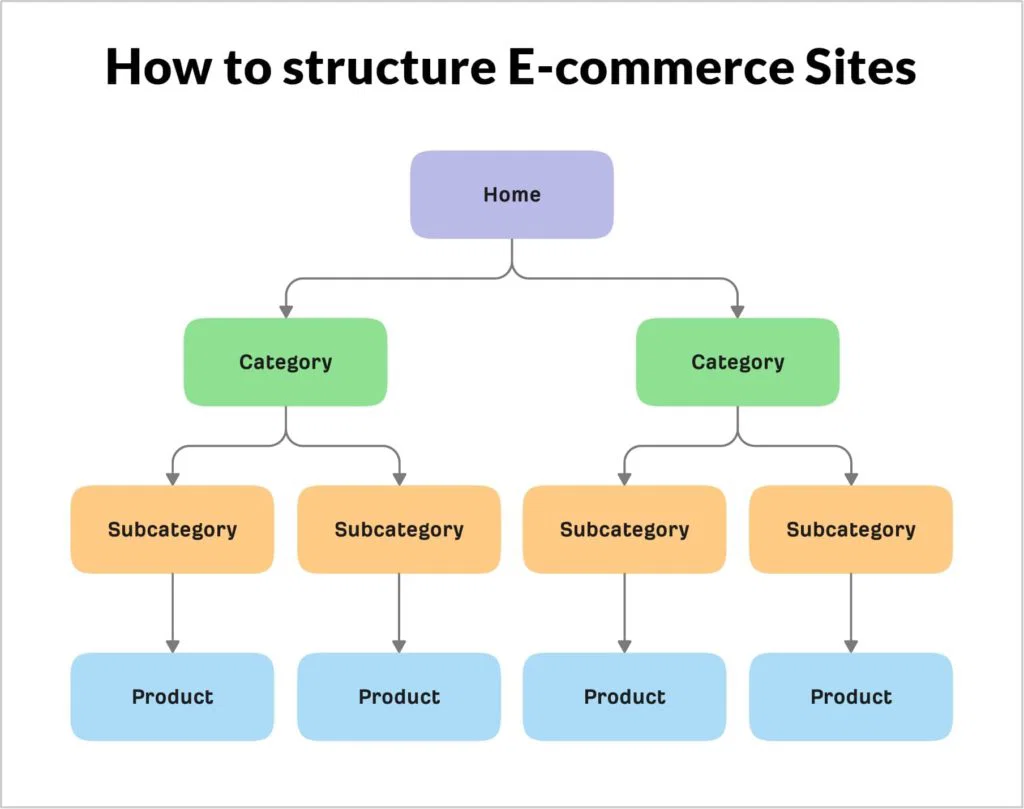
A database with many filters requires a careful review of the indexing structure. In most cases, you'll want to avoid indexing many pages.
When you wish to block crawlers and not let them onto the page, you need to use the "no index, no follow" directive.
As a result, when you have too many pages, you must choose which ones are worth spending crawling budgets on them and which ones are not worth spending crawling budgets on.
#4. Check Tags
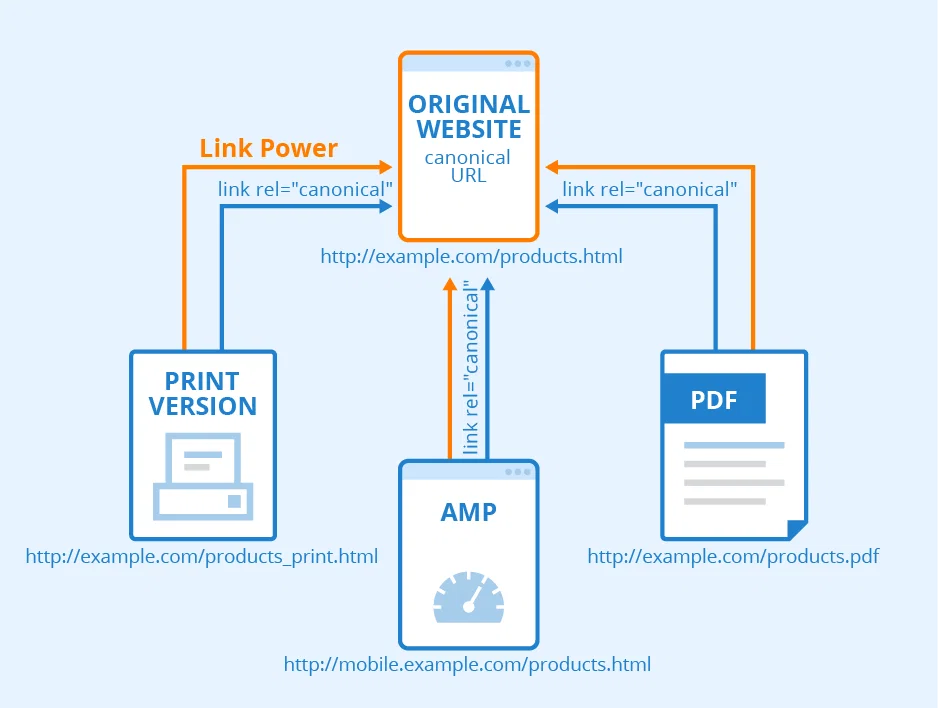
If you don't use canonical tags on your website, Google might not recognize your pages correctly.
Thus, the tags for the website need to have real canonicals, and the images need to have ALT tags.
Also, make sure you implement hreflang tags if you have a multistore to ensure that the correct version of your store is displayed to the right customers.
All these measures will help your store achieve good search engine rankings. Just remember that they should all be in line with your SEM strategy.
#5. XML Sitemap
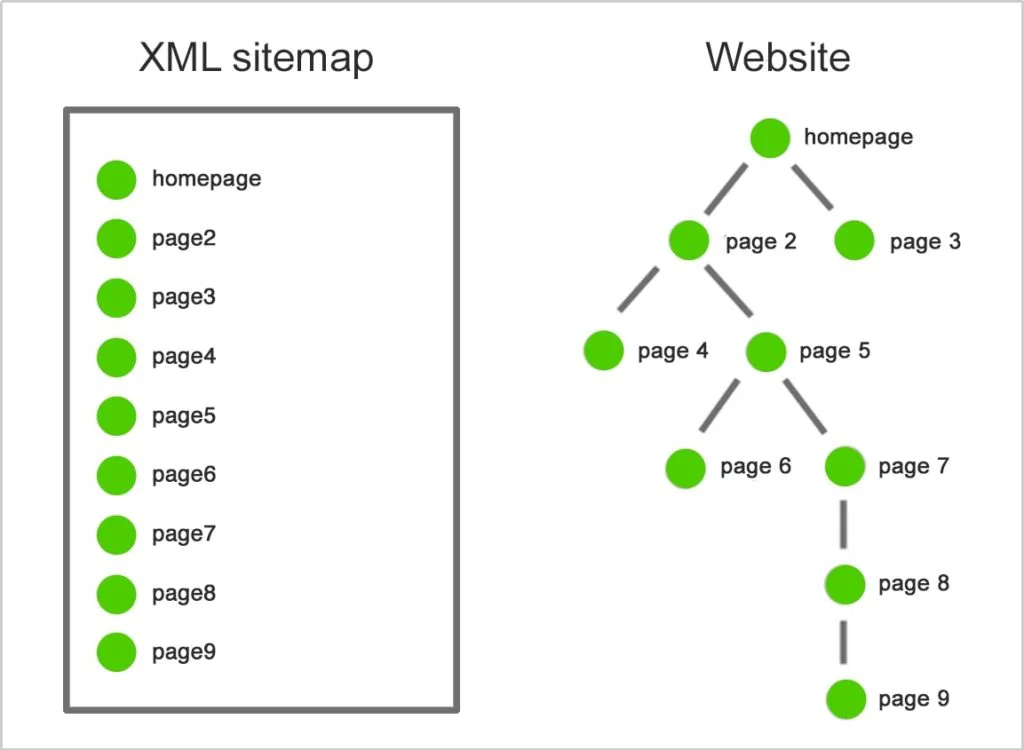
As part of the process, reviewing your XML sitemap is also very advantageous to ensure that all pages have been adequately prepared and customized. This customization can often require some attention from the developers, but it is well worth it when done correctly, as it simplifies access to your store.
#6. Structured Data Markup Implementation
Magento 2 has both good news and bad news. First, Magento 2 comes with a product structure out of the box.
Second, you need to prepare microdata and be prepared for additional customizations.
Finally, by putting in the proper metadata and rich snippets, you will be able to increase your chances of Google ranking your pages higher.
#7. 301 Redirects
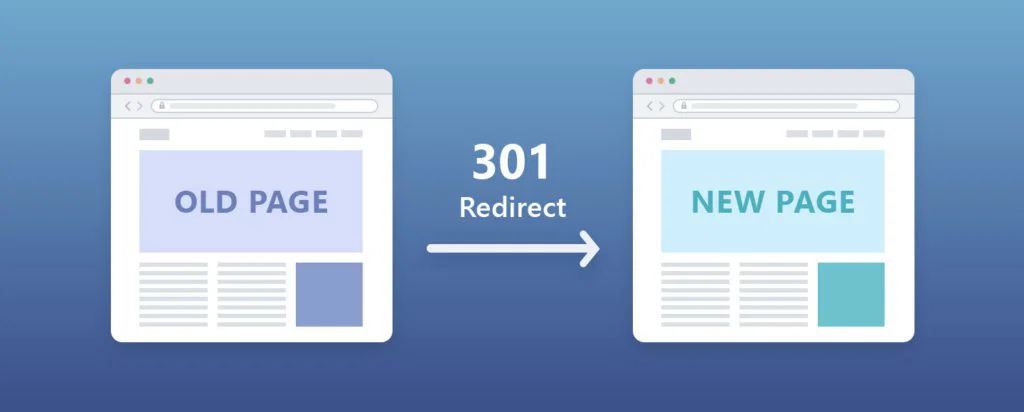
The 301 redirect process is crucial to avoid losing non-working links and ensure customers are redirected to a better website.
It is possible to migrate 301 redirects through the Magento admin or the .htaccess file, but the number of redirects should not exceed a certain threshold.
In addition, many redirects will likely need to be rewritten during the migration process, so be careful when migrating your site and checking your redirects.
#8. Test
You should pay attention to intensive testing! Remember that when you don't do intense testing, it is easy to miss the issues that might drive away your customers.
Further, you should perform a quality analysis of the store's website so that you can evaluate and improve the speed and performance of the website.
#9. After-Launch
After launching a migrated Magento store, the robots.txt file and the new website console must be uploaded to Google Search Console. Once you have done these, you need to check your tracking.
If it doesn't work, you won't receive data about your performance. As a final step, check all the indexed pages, keywords, traffic, and reports. If you follow all the steps, you're much more likely to succeed in your migration.

Conclusion
Migrating from Magento 1 to Magento 2 is not just an option; it has become a necessity with growing market demand. With support ended, staying on Magento 1 increases security risks, limits performance, and affects growth.
Magento 2 offers better speed, improved checkout, and stronger scalability. These changes directly impact on user experience and conversions.
The migration process does require planning, the right data migration tool, and proper testing. For complex stores, working with an experienced Magento developer can reduce risks and save time.
If you are planning the move, start with a clear audit and timeline. A well-executed Magento 2 data migration sets the foundation for a stable and high-performing eCommerce platform.
We hope this guide helps you with your Magento migration. If you are looking for Magento migration services, drop us a message. At WEDOWEBAPPS, our Magento team is here to help you migrate your store seamlessly without a hitch.