Introduction
The global healthcare app market is projected to cross hundreds of billions in value by 2026, driven by telemedicine, remote patient monitoring, and digital health platforms. In this space, the decision between native vs cross platform app development for healthcare is not just a technical preference. It directly impacts compliance, patient safety, and long-term scalability.
The native vs cross platform app development debate changes significantly when healthcare regulations like HIPAA and FDA requirements enter the picture. What may work for a standard consumer app can fall short when sensitive patient data, secure authentication, and clinical integrations are involved.
The difference between native and cross platform becomes more critical in healthcare than in any other industry. Every architectural choice must support strict data protection rules, seamless integration with the EHR system, and reliable performance in real-world medical scenarios.
For healthcare startups, hospitals, and health-tech companies, cost still matters. Budgets often shape early decisions, especially during MVP stages. But choosing the right approach is not only about saving money upfront. It is about building a system that can handle compliance, scale with patient demand, and avoid expensive rework later.
This guide breaks down the decision with a clear focus on compliance, performance, and cost so you can choose the right path with confidence.
What is native vs cross-platform app development for healthcare?
Native vs cross platform for app development for healthcare refers to how a medical app is built and deployed across devices while meeting strict compliance and security requirements.
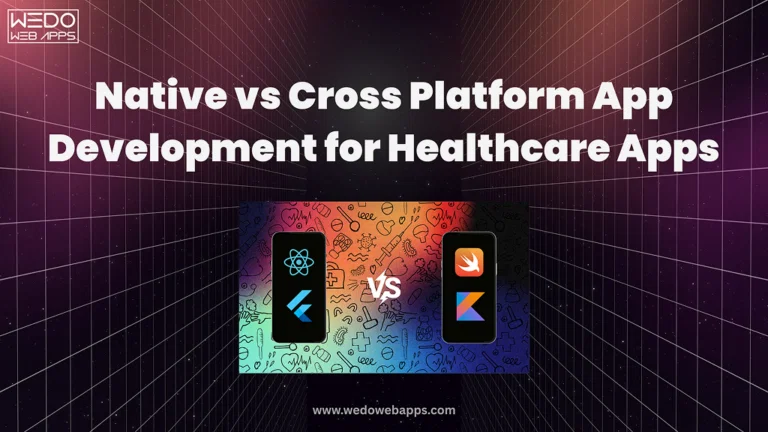
A native approach involves building separate apps for iOS and Android. This gives full access to device-level features like secure storage, biometric authentication, and system-level encryption, which are important when handling patient data.
A cross-platform application uses a single codebase to run on both platforms. It reduces development time and cost, while still supporting most healthcare features when implemented with proper security and compliance practices.
Native vs Cross-Platform - Quick Primer for Healthcare Teams
When you evaluate native vs cross platform app development for healthcare, the decision is less about preference and more about risk, control, and long-term viability.
Let's simplify it.
What is Native in Healthcare Apps?
A native app is built separately for iOS and Android.
- iOS uses Swift.
- Android uses Kotlin.
- Full access to device features.
In healthcare, this means:
- Stronger control over data encryption and storage.
- Direct use of biometric authentication, such as Face ID or fingerprint.
- Better handling of background processes, such as continuous patient monitoring.
Think of native like a custom-built medical device. Everything is designed specifically for the environment it operates in.
What is Cross-Platform in Healthcare Apps?
A cross-platform app uses one codebase for both platforms.
- Built using Flutter or React Native.
- Shared logic across iOS and Android.
- Faster development cycle.
In healthcare, this means:
- Lower development cost.
- Faster MVP launch.
- Easier updates across platforms.
However, some features depend on plugins. These plugins must be carefully tested when handling patient data.
Why This Decision Matters More in Healthcare
In a regular app, performance or design may drive the decision.
In healthcare, the priorities shift:
- Compliance requirements like HIPAA.
- Secure handling of patient data.
- Integration with hospital systems.
- Reliability in critical situations.
This is why native vs cross platform app development for healthcare is not a simple technical choice. It directly affects how your app performs under real medical conditions.
Quick Comparison for Healthcare Use Cases
| Factor | Native | Cross-Platform | Healthcare Impact |
|---|---|---|---|
| Security Control | High | Moderate | Important for PHI protection |
| Biometric Access | Direct | Indirect | Affects login security |
| Device Integration | Full | Limited in some cases | Needed for monitoring |
| Development Cost | Higher | Lower | Impacts budget |
| Time to Launch | Slower | Faster | Useful for MVP |
Simple Decision Insight
- If your app handles medical workflows or real-time data, native is often the safer choice.
- If your app focuses on data display, scheduling, or basic interaction, cross-platform can work well.
To explore both approaches in more detail, review:
- Native app development services
- Cross-platform app development
This foundation will make it easier to understand how performance, compliance, and cost influence your final decision.
Performance & Offline Data Handling in Healthcare Apps
When accessing native vs cross platform app development for healthcare, performance is closely tied to reliability. In a medical environment, apps are expected to work consistently under varying conditions, including low connectivity and continuous data flow.
Why Performance Matters in Healthcare
Healthcare applications often support time-sensitive workflows.
- Real-time patient monitoring requires continuous data capture from devices such as wearables or sensors.
- Video consultations depend on stable audio and video streams for accurate communication.
- Emergency use cases require a quick response time without delays or crashes.
Unlike standard apps, performance issues in healthcare can interrupt care delivery or delay critical decisions.
Offline-First Requirement in Medical Apps
Healthcare systems cannot rely entirely on internet connectivity.
- Rural healthcare environments may experience unstable or limited network access.
- Field healthcare professionals need access to patient records during home visits.
- Ambulance and emergency teams operate in an area where connectivity is inconsistent.
An effective healthcare app must store data locally, allow uninterrupted usage, and ensure accurate synchronization once the connection is restored.
Native vs Cross Platform: Performance Comparison
Native Apps- Offer efficient background processing for continuous tasks such as vitals tracking.
- Use platform-level storage systems for reliable offline data handling.
- Provide lower latency for real-time operations.
- Maintain stable performance during long-running sessions.
- Deliver adequate performance for most standard healthcare use cases.
- Rely on framework capabilities and third-party libraries.
- Support offline storage, but require careful implementation.
- May face synchronization challenges if data handling is not properly designed.
Practical Examples
A remote monitoring application tracking heart rate must continue collecting data even when the device loses connectivity. Once the network is restored, the app should sync all stored data accurately without duplication or loss. This type of reliability is easier to achieve with native architecture due to direct access to system resources.
Quick Takeaway
- Choose native when your app depends on continuous monitoring, real-time processing, or strong offline reliability.
- Cross-platform is suitable for applications focused on data access, scheduling, or standard workflows.
In native vs cross platform app development for healthcare, performance, and offline capabilities are not optional features. They are core requirements that influence long-term usability and trust.
HIPAA Compliance Checklist for Mobile Health Apps
When building a healthcare application, compliance is not optional. The HIPAA-compliant mobile app development checklist helps ensure that patient data is protected at every level. This is where the choice between native vs cross-platform app development for healthcare becomes critical, because security implementation differs across both approaches.
Core HIPAA Requirements You Must Cover
Every healthcare app that handles Protected Health Information must meet these standards:
- Data encryption at rest and in transit: Use AES-254 for stored data and TLS 1.3 for secure communication.
- Access control mechanisms: Role-based access ensures users only see what they are authorized to.
- Biometric authentication: Fingerprint or Face ID adds an extra layer of protection.
- Audit logging: Track who accessed data, when, and what actions were performed.
- Business Associate Agreement (BAA): Required when using third-party cloud providers like AWS or Google Cloud.
- PHI handling rules: Follow the "minimum necessary" standard for data access.
- Breach notification procedures: Incidents must be reported within defined timelines, such as the 72-hour rule.
- Remote wipe capability: Ability to erase sensitive data if a device is lost or stolen.
Native vs Cross Platform: Compliance Implementation
Native Apps- Direct access to secure hardware features.
- Use of Secure Enclave (iOS) and Android Keystore.
- Better control over encryption and strict security policies.
- Security depends on third-party plugins and libraries.
- Mature frameworks offer encryption support, but require validation.
- Additional testing needed to ensure compliance across both platforms.
HIPAA Compliance Checklist Comparison
| Requirements | Native Support | Cross-Platform Support | Verdict |
|---|---|---|---|
| Data Encryption | Strong (built-in APIs) | Strong (library-based) | Both viable |
| Access Control | Full control | Supported | Both viable |
| Biometric Auth | Direct access | Plugin-based | Native stronger |
| Audit Logging | Easy to implement | Supported | Both viable |
| BAA Compliance | Platform-independent | Platform-independent | Equal |
| PHI Handling | Full control | Requires discipline | Native advantage |
| Breach Notification | Process-driven | Process-driven | Equal |
| Remote Wipe | Strong OS support | Supported via APIs | Native stronger |
Real Healthcare Context
A telehealth app storing patient consultation records must encrypt both stored data and transmitted messages. It must also log every access attempt and restrict visibility based on user roles, such as doctor, patient, or admin.
Quick Takeaway
- Both native and cross-platform apps can meet HIPAA requirements.
- Native provides deeper security control through device-level access.
- Cross-platform requires careful implementation and thorough testing.
For organizations planning secure healthcare solutions, it is important to follow a structured healthcare software development approach.
HL7 FHIR Integration - Connecting to EHR Systems
Modern healthcare apps rarely work in isolation. They need to exchange data with hospital systems, labs, and electronic health records. This is where HL7 FHIR integration for mobile health apps becomes essential.
What is FHIR and Why It Matters
FHIR stands for Fast Healthcare Interoperability Resources. They need to exchange data with hospital systems, labs, and electronic health records. This is where HL7 FHIR integration for mobile health apps becomes essential.
With FHIR, your app can connect to major EHR systems such as:
- Epic
- Cerner
- Allscripts
This enables real-time access to patient records, lab results, prescriptions, and appointment data.
Common FHIR Resources Used in Apps
Healthcare apps typically work with a set of standard data objects:
- Patient for demographic and identity data.
- Observation for vitals and lab results.
- MedicationRequest for prescriptions.
- Appointment for scheduling and calendar data.
These resources allow structured and consistent data exchange across systems.
EHR Integration Patterns in Real Projects
FHIR is the foundation, but how you integrate it also matters.
- Direct API integration connects your app straight to the EHR system.
- The middleware layer acts as a bridge to manage security, scaling, and data transformation.
- Batch vs real-time sync depends on how frequently data needs to be updated.
- SMART on FHIR uses OAuth 2.0 for secure authentication and authorization.
Most production-grade healthcare apps use a middleware layer for better control and security.
Native vs Cross-Platform for FHIR Integration
Native Apps- Direct access to platform features like Apple HealthKit.
- HealthKit supports FHIR-based data structures.
- Better suited for deep, real-time integrations.
- Work well with FHIR through REST APIs.
- No direct bridge to native health ecosystems.
- Suitable for standard data exchange use cases.
Implementation Timeline
- Basic read-only integration: 4 to 8 weeks
- Bi-directional data sync: 8 to 16 weeks
The timeline depends on system complexity and security requirements.
Quick Takeaway
- Choose native if your app requires deep integration with health ecosystems or real-time data sync.
- Cross-platform works well for apps that primarily fetch and display healthcare data.
In native vs cross platform app development for healthcare, FHIR integration is a key factor that influences architecture decisions, especially for apps connected to hospital systems.
Telemedicine App - Features, Tech Stack & Cost
Telemedicine apps are now a core part of healthcare delivery. They support virtual consultations, reduce hospital visits, and improve access to care. When planning telemedicine app development features and cost 2026, the technical approach directly affects performance, compliance, and long-term scalability.
Key Features Required in a Telemedicine App
A production-ready telemedicine app includes multiple interconnected models.
- Video Consultation (WebRTC): Enables real-time doctor-patient interaction with low latency.
- Appointment Scheduling: Allows patients to book, reschedule, and receive reminders.
- E-prescription Management: Doctors can issue and manage prescriptions digitally.
- Secure Messaging: Encrypted communication between patients and providers.
- Payment Integration: Supports consultation fees and transaction tracking.
- Patient Records Access: View medical history, reports, and treatment plans.
Each of these features must work within a secure environment that protects patient data.
Technology Considerations for Telemedicine
Telemedicine apps rely on a combination of technology:
- WebRTC for real-time video and audio communication.
- Cloud infrastructure for storing and syncing patient data.
- Encryption protocols to secure communication and storage.
- API integrations for connecting with EHR systems.
The architecture must ensure stability during live sessions and secure handling of sensitive information.
Native vs Cross-Platform in Telemedicine
When comparing native vs cross-platform app development for healthcare, telemedicine apps present a balanced use case.
Native Apps- Offer better control over video streaming quality and latency.
- Handle background audio and session continuity more reliably.
- Perform well in long-duration consultations or unstable network conditions.
- Provide adequate video performance for most standard consultations.
- Reduce development time with a shared codebase.
- Suitable for startups building initial versions or scaling gradually.
When evaluating app development native or cross platform for a medical product, video reliability and real-time performance are key decision factors.
Cost Breakdown and Development Timeline
The cost of a telemedicine app depends on feature complexity, compliance requirements, and architecture choice.
| Feature | Native Cost | Cross-Platform Cost | Quality Difference |
|---|---|---|---|
| Video Consultation | Higher | Moderate | Native slightly better |
| Scheduling | Moderate | Lower | Similar |
| Messaging | Moderate | Lower | Similar |
| Payments | Moderate | Moderate | Similar |
| Records Viewer | Higher | Moderate | Native slightly better |
- Native (iOS + Android): $120K to $250K with a timeline of 6 to 9 months.
- Cross-platform: $70K to $150K with a timeline of 4 to 6 months.
Cross-platform development can reduce overall cost by around 30 to 40 percent.
Practical Scenario
A telemedicine platform handling daily consultations must ensure stable video calls, secure messaging, and quick access to patient records. If the app experiences lag or call drops, it affects both patient experience and workflow. This is where architectural choice becomes important.
FDA Software as Medical Device (SaMD) - What You Need
For many healthcare apps, compliance goes beyond HIPAA. If your app performs clinical functions, you must also consider FDA requirements for mobile medical device apps. This directly impacts how you approach native vs cross platform app development for healthcare, especially from a validation and documentation perspective.
What Qualifies as SaMD
Software as a medical device refers to applications that:
- Diagnose medical conditions.
- Monitor patient health in a clinical context.
- Provide treatment recommendations.
Examples include apps that analyze ECG data, track chronic conditions, or guide treatment decisions.
What Does Not Qualify
Not all healthcare apps fall under FDA regulation.
- Appointment scheduling apps
- Patient portals
- General wellness or fitness apps
- Basic telemedicine platforms without diagnostic features
These are usually classified as non-SaMD and follow lighter regulatory requirements.
FDA Classification Levels
The FDA classified medical apps based on risk:
- Class I (Low Risk): Minimal regulatory control
- Class II (Moderate Risk): Requires 510(k) clearance
- Class III (High Risk): Requires strict approval and clinical validation
The higher the class, the more rigorous the compliance process.
510(k) Clearance and QMS
For most SaMD applications, especially Class II:
- 510(k) clearance is required to demonstrate that the app is safe and effective.
- A Quality Management System (QMS) must be in place to track development, testing, and updates.
This includes documentation of code, testing procedures, and risk management.
Native vs Cross-Platform for FDA Compliance
Native Apps- Easier to document and validate due to platform-specific codebases.
- Clearer traceability for testing and compliance.
- Preferred when regulatory approval is a priority.
- Require validation on each platform separately.
- Shared codebase does not eliminate compliance requirements.
- Testing complexity increases due to abstraction layers.
Practical Insights
If your app analyzes patient data to provide medical insights, regulators will require detailed validation of how the software behaves on each device. Any inconsistency can delay approval.
Quick Takeaway
- SaMD apps in Class II or III often benefit from native development due to easier validation.
- Non-SaMD apps can safely use cross-platform without regulatory concerns.
In native vs cross platform app development for healthcare, FDA requirements add another layer of decision-making. The more clinical your app becomes, the more important architecture clarity and validation will be.
Patient Portal - Features, Authentication & Data Security
Patient portals are one of the most widely used healthcare applications. They allow patients to access medical information, communicate with providers, and manage appointments. When following a patient portal mobile app development guide, the focus is on usability, secure access, and reliable data handling.
Core Features of a Patient Portal
A well-designed patient portal typically includes:
- User registration and profile management.
- Appointment booking and reminders.
- Lab results and medical reports access.
- Medication list and refill requests.
- Secure messaging with healthcare providers.
- Billing, payments, and insurance details.
- Push notifications for updates and alerts.
These features are primarily data-driven, while influencing the choice in native vs cross platform app development for healthcare.
Authentication and Security Requirements
Since patient portals handle Protected Health Information, strong authentication is required.
- Multi-factor authentication (MFA): Adds an extra layer beyond passwords.
- Biometric login: Fingerprint or facial recognition for quick and secure access.
- Session timeout policies: Automatically log users out after inactivity.
- Single Sign-On (SSO): Integration with hospital identity systems for seamless login.
These measures help ensure that only authorized users can access sensitive data.
Native vs. Cross-Platform for Patient Portals
Native Apps- Direct access to biometric authentication APIs.
- Better control over secure storage and offline data access.
- Slightly stronger performance for large data sets.
- Fully capable of handling data-heavy interfaces.
- Push notifications and messaging work effectively.
- Faster development and easier maintenance.
Since portals are mainly focused on viewing and managing data, cross-platform frameworks perform well in most cases.
Cost Consideration
- Cross-platform development: $40K to $80K
- Native development (iOS + Android): $70K to $130K
Cross-platform offers a cost advantage while still meeting functional and compliance requirements when implemented correctly.
Practical Example
A hospital patient portal allows users to check lab results, message doctors, and pay bills. These actions rely more on secure data access than complex device interactions. This makes a cross-platform a practical choice for many organizations.
Quick Takeway
- Patient portals are data-driven, not performance-heavy.
- Cross-platform is often sufficient and cost-effective.
- Native may be preferred when advanced security or offline access is a priority.
In native vs cross-platform app development for healthcare, patient portals are one of the clearest use cases where cross-platform development can deliver strong results without compromising functionality.
Quick Comparison of Native vs Cross-Platform in Healthcare Apps
Before making a final decision on native vs cross-platform app development for healthcare, it helps to review a side-by-side comparison of the most important factors.
| Factor | Native | Cross-Platform |
|---|---|---|
| Compliance Control | High | Moderate |
| Cost | High | Lower |
| Speed | Slower | Faster |
| Performance | Strong | Good |
| Offline Access | Strong | Moderate |
What This Means for Healthcare Teams
- Compliance control is stronger in native apps due to direct access to system-level security features.
- Cost and speed favor cross-platform, especially for startups or MVP launches.
- Performance and offline access are more reliable in native apps, which is important for monitoring and critical workflows.
This summary gives a quick view, but the final decision should still depend on your app's specific use case, regulatory needs, and long-term scalability.

Decision Matrix - When to Choose Native vs Cross-Platform
Choosing between native vs cross platform app development for healthcare depends on how your app handles compliance, performance, and integration. At this stage, the goal is to match your product requirements with the right architecture.
Choose Native When
Native development is the right fit if your healthcare app involves:
- SaMD Class II or Class III applications where regulatory validation is critical.
- Heavy sensor usages such as wearables or continuous patient monitoring.
- Deep integrations with device-level features or health ecosystems.
- High performance requirements, including real-time processing and low latency.
- Higher budget availability above $150K for long-term scalability.
In these cases, native apps provide better control, stability, and compliance alignment.
Choose Cross-Platform When
Cross-platform development works well for:
- Patient portal that focuses on accessing and managing health data.
- Telemedicine apps with standard video and communication features.
- Wellness or non-clinical applications with lower regulatory complexity.
- Budget constraints under $100K, where cost efficiency is important.
- MVP or early-stage products that need a faster time to market.
This approach allows faster development while still supporting most healthcare functionalities.
Decision Table
| Requirement | Native | Cross-Platform |
|---|---|---|
| HIPAA Compliance | Yes | Yes |
| FDA Approval | Better suited | Possible with validation |
| Offline Reliability | Strong | Moderate |
| Cost Efficiency | Lower | High |
| Speed | Slower | Faster |
Quick Takeaway
- Choose native for compliance-heavy, performance-critical healthcare applications.
- Choose cross-platform for faster, cost-effective solutions with standard workflows.
In native vs cross-platform app development for healthcare, the right decision is not about choosing one approach over the other. It is about aligning your architecture with your app's clinical role, technical needs, and growth plans.
| Business Insight Box Choosing the wrong architecture early can increase compliance costs as your product grows. Many healthcare teams face performance or regulatory limitations once user load and data volume increase. As a result, they are forced to rebuild core parts of the app within 12 to 18 months, which adds both time and cost to the project. |
Conclusion
In healthcare, architecture decisions carry more weight than in most industries. When evaluating native vs cross platform app development for healthcare, the focus should not be limited to cost or speed. Compliance, data security, and long-term scalability must guide the decision.
Choosing the native app vs cross platform for a healthcare product depends on how critical performance, regulatory validation, and device-level control are to your app. Native offers deeper control and reliability for complex medical use cases. Cross-platform provides faster development and cost efficiency for data-driven applications like portals and telemedicine.
The key is to align your technical approach with your product's clinical role and future growth.