


Introduction
So, you have an app idea. Maybe it has been sitting in your notes for months, or maybe it came to you recently, and you cannot stop thinking about it. Either way, you are asking the right question: how do I actually turn this into a real iPhone app?
This iPhone app development guide is built to answer that question completely. Before anything else, it is worth understanding what iPhone app development actually involves because it is far more than writing the code. It is a structured, multi-stage discipline that combines strategy, design, engineering, and continuous improvement.
Whether you are just starting and need to understand the full iPhone app development process step by step, or you are deep in iOS app development planning and need a reliable framework to follow, this guide covers it all.
You will also find a dedicated section on the things to know before developing an iPhone app, the critical pre-development decisions that most guide, but that often determine whether an app succeeds or fails. And because even experienced iOS app development company get tripped up, there is an in-depth breakdown of the most common iPhone app development mistakes and exactly how to avoid them.
iPhone app development is more competitive, more exciting, and more rewarding than ever.
Let us get into it.
What Is iPhone App Development?
iPhone app development is an end-to-end process of designing, building, testing, and deploying the software application that runs on Apple's iOS operating system, the platform that powers iPhones and iPads across the globe.
Understanding what iPhone app development truly entails is essential for any business owner or developer entering this space, because reducing it to "writing code" is a significant and costly oversimplification.
iPhone app development is a multi-disciplinary process that requires an understanding of Apple's strict design principles and review guidelines. This allows you to make the smart architectural decisions early in the project, crafting a user experience that feels genuinely native to Apple's ecosystem.
How iPhone App Development Works: From Idea to App Store
The journey from live to launch starts with following the structured development process. Understanding this path at a high level before diving into the details is essential, as it helps you see the app's big picture with greater focus.
Here is how the journey broadly unfolds:
- Research and validation: Confirming there is a genuine market need for your app.
- Design and prototyping: Shaping the user experience before any code is written.
- Development: Building the app in structured and iterative sprints.
- Testing and QA: identifying and resolving bugs and performance issues before launch.
- App Store submission: Navigating Apple's review and approval process.
- Post-launch: Monitoring the performance, gathering feedback, and improving continuously.
Each of these stages requires different skills, different tools, and different decisions.
Native iOS vs Hybrid vs Cross-Platform Development
One of the first decisions that you need to make for development is the platform. Each has a genuine strength and real trade-offs, and the right choice depends on your goals, budget, and experience.
| Approach | Technology | Best For | Key Trade-Off |
|---|---|---|---|
| Native iOS | Swift, Objective-C | Best performance, full Apple feature access. | Higher cost, iOS only. |
| Hybrid | HTML, CSS, JavaScript | Faster, more budget-friendly builds. | Lower performance, less polished UX. |
| Cross-Platform | Flutter, React Native | Reaching iOS and Android from one codebase. | Some native feature limitations. |
Native iOS development delivers the highest quality experience and the deepest integration with Apple's platform. Cross-platform frameworks like Flutter and React Native are a smart and cost-effective choice for businesses that need both. A hybrid app sits in the middle, which is faster to build but often noticeable to experienced iOS users.
Why iPhone App Development Remains a Smart Business Investment
The numbers make the iPhone app development more compelling:
- Apple users spend significantly more on apps and in-app purchases than Android users.
- The App Store has generated over $100 billion in developer earnings in recent years.
- iOS dominates the high-value market, including the US, UK, Canada, and Western Europe.
- iPhone users tend to adopt the latest OS versions faster, giving iOS developers access to new features sooner.
For businesses targeting a premium, high-spending audience, iPhone app development is not just a good idea; it is a competitive advantage.
Things to Know Before Developing an iPhone App
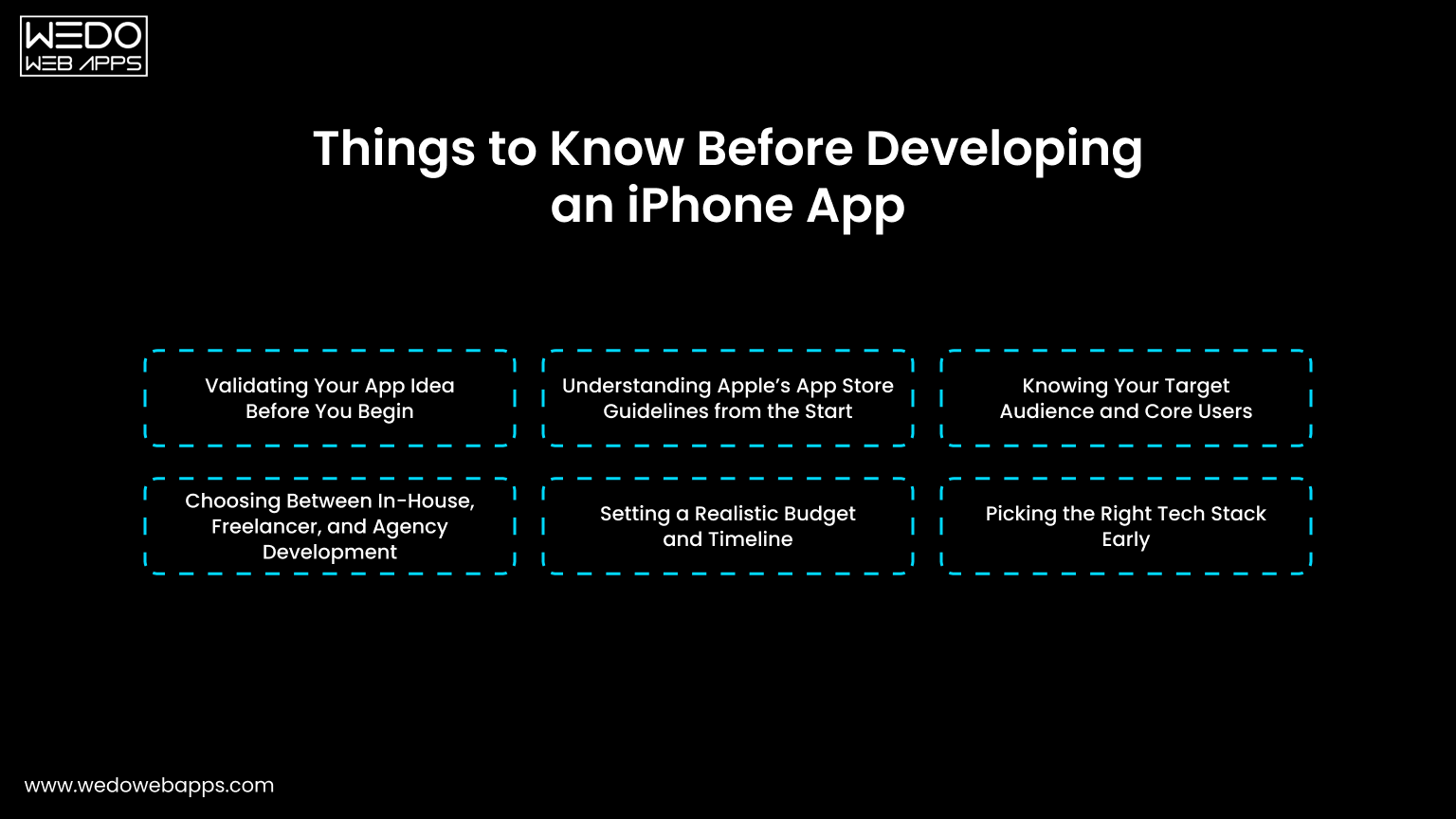
This is the step that most of the businesses miss when they are deciding to develop an app for their needs. What you do is, before development begins, you need to determine whether your app succeeds or fails.
Validating Your App Idea Before You Begin
Before anything else, get the honest answer to these questions:
- Is there a real problem your app solves?
- Who exactly will use it?
- Are there competitor apps already, and what will yours do better?
Validation does not have to be expensive. Here are the simple ways to do it:
- Talk to 20 potential users directly.
- Study App Store reviews of competitive apps, and user complaints are your opportunity.
- Build a simple landing page and measure sign-up interest.
- Run a quick survey in relevant online communities.
The goal is to confirm the real demand before investing real money.
Understanding Apple's App Store Guidelines from the Start
Apple is famously strict about what gets into the App Store. Its guidelines cover:
- UI design and interaction standards.
- Data privacy and permission handling.
- In-app purchase rules.
- Content restrictions and safety requirements.
Why this matters: Ignoring these guidelines during the time of development often means rebuilding the features after the fact, which is expensive and demoralizing.
Pro Tip: Read Apple's App Store review guidelines at the very start of your project. Build with them in mind, not as an afterthought.
Knowing Your Target Audience and Core Users
A great app is not built for everyone, but it is built for someone specific. Before development begins, clearly define:
- Who they are: age, profession, behavior, tech comfort level.
- What frustrates them: the problem your app solves.
- What they expect: the standard of experience they are used to.
- How they will find your app: organic search, paid ads, word of mouth.
This clarity shapes every decision that follows from the feature you prioritize to the design language you choose.
Choosing Between In-House, Freelancer, and Agency Development
| Option | Best For | Key Advantages | Key Risks |
|---|---|---|---|
| In-House Team | Large companies with a long-term roadmap. | Full control and deep product knowledge. | High cost, slow to hire. |
| Freelancers | Small, well-defined short-term projects. | Cost-effective for simple builds. | Accountability and consistency. |
| Agency (e.g., WEDOWEBAPPS) | Businesses that want end-to-end professional delivery. | Full team, structured processes, and long-term support. | Requires a good briefing upfront. |
Partnering with an experienced iOS app development company like WEDOWEBAPPS gives you full access to the team, such as developers, designers, QA engineers, and project managers, without spending to hire the team from the start.
Setting a Realistic Budget and Timeline
| App Type | Estimated Cost | Estimated Timeline |
|---|---|---|
| Simple App | $15,000-$40,000 | 2-4 months |
| Mid-Level App | $40,000-$100,000 | 4-7 months |
| Complex/Enterprise App | $100,000-$300,000+ | 8-14 months |
Always build an app with proper iPhone app development planning of your budget, with proper scope, technical challenges, and additional testing cycles.
Picking the Right Tech Stack Early
Key decisions to make before development starts:
- Language: Swift for native iOS, Dart for Flutter, JavaScript for React Native.
- Framework: SwiftUI for modern builds, UIKit for legacy or complex projects.
- Backend: Node.js, Firebase, or AWS, depending on scale requirements.
- Version Control: Git with GitHub or Bitbucket.
- Project Management: Jira, Linear, or Notion.
These decisions should align with your long-term product roadmap, your team's expertise, and your ongoing maintenance budget.
iOS App Development Planning: How to Build a Structure That Works
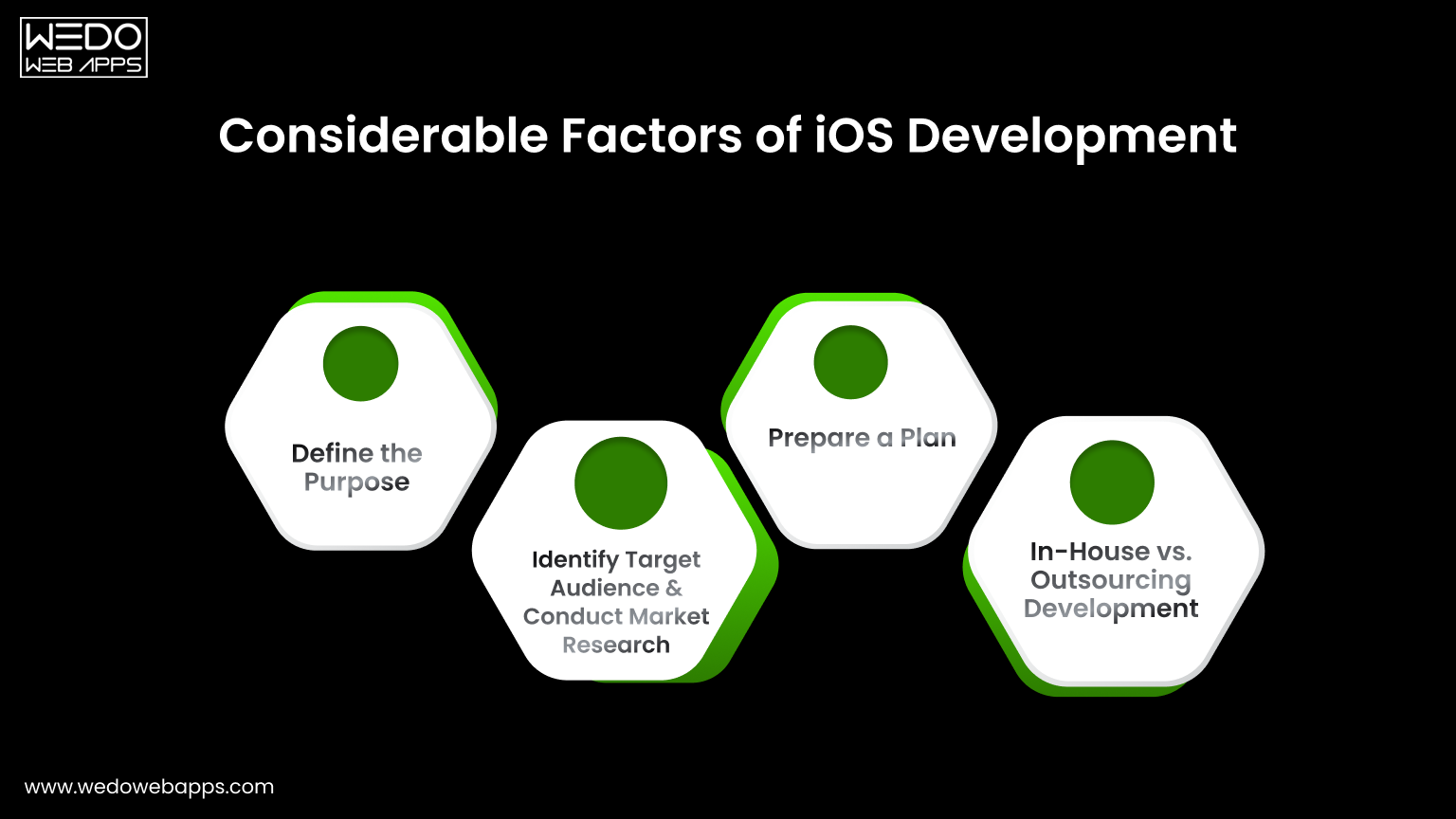
Good planning is what separates apps that ship on time from those that drag on for months past their deadlines. iOS app development planning is not a one-time document, and it is a living framework that guides every decision throughout the project.
How to Define Your MVP Scope the Right Way
An MVP (Minimum Viable Product) is not a half-baked version of your app. It is the smallest version that delivers real value to real users and generates meaningful feedback.
To define your MVP correctly:
- List every iOS application development feature you want in the app.
- Ask yourself which 3 to 5 features are absolutely essential on day one?
- Move everything else to version two.
- Validate the MVP scope with potential users before building.
This discipline is what allows teams to ship faster, learn earlier, and iterate smarter.
Creating a Feature Prioritization Framework
Use this simple scoring approach:
| Feature | User Impact | Development Effort | Priority |
|---|---|---|---|
| Core functionality | High | Medium | Build first |
| Advanced filters | High | High | Plan carefully |
| Social Sharing | Medium | Low | Build early |
| Gamification | Low | High | Deprioritize |
High-impact, low-effort features always go first. Low-impact, high-effort features get dropped or deferred.
Aligning Development Milestones Business Objectives
Every milestone should connect back to the business goal:
- Design completion: User experience supports your conversion goals.
- Beta launch: Real user feedback validates core assumptions.
- QA sign-off: App is ready to represent your brand in the market.
- App Store submission: Marketing campaign is ready to activate.
When milestones are tied to outcomes rather than just outputs, the entire team stays aligned on what success looks like.
Planning for App Store Optimization (ASO) Before Launch
ASO is the app store equivalent of SEO. Key ASO elements to plan early:
- App Name and Subtitle: Include primary keywords naturally.
- Keyword field: 100 characters of high-value search terms.
- Description: Written for users optimized for search.
- Screenshots and review video: Designed to convert browsers into downloaders.
- Ratings and review strategy: Plan how and when to prompt users.
ASO is not a check box on launch day; it is a strategy that allows you to build an app from the beginning.
A Step-by-Step Breakdown for iPhone App Development Process
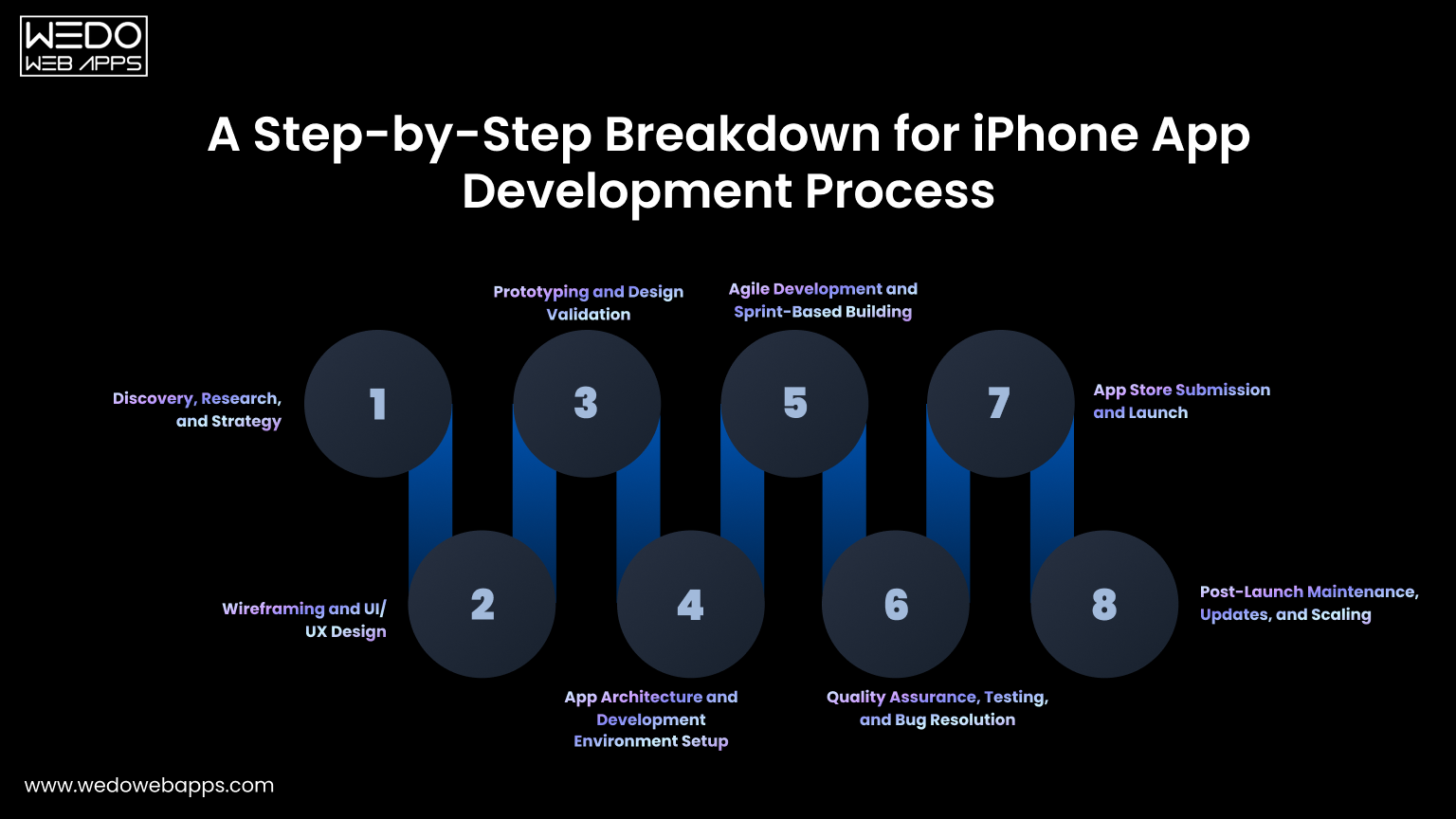
Understanding the iPhone app development process from end-to-end is not just about the development phase, but it is what allows you to manage the project effectively, set accurate expectations, and make confident decisions at every stage.
Here is how a professional-run iOS development project unfolds from the very first conversation to the long-term post-launch phase.
Step 1. Discovery, Research, and Strategy
Every successful app begins with a thorough discovery phase, and this step is far more valuable than most people give it credit for. This is where the development team works collaboratively with the business stakeholders.
- Define your scope.
- Research the competitor landscape in depth.
- Identify the target audience with precision.
- Establish the measurable goals the app needs to achieve.
The output of the well-run discovery phase is a clear, agreed-upon product brief and a development strategy that every stakeholder understands and supports before any design or development work begins.
Step 2. Wireframing and UI/UX Design
With a clear product strategy in place, the design process begins with wireframing, preparing structural layouts that define the architecture and flow of each screen without worrying about color, typography, or visual polish.
Wireframe answers one question: Does the structure and flow of this app make intuitive sense to the user?
Once wireframes are reviewed and approved, the design team moves into high-fidelity UI design, creating the actual visual interface that users will interact with. At this stage, every design decision should be guided by Apple's human interface guidelines to ensure the experience feels native, familiar, and professional to iPhone users.
Step 3. Prototyping and Design Validation
A prototype is a clickable, interactive simulation of your app built entirely before any real code is written. It allows you to put the user experience in front of real users, gather honest feedback, identify confusing flows or missing features, and make meaningful improvements.
Prototyping consistently delivers one of the highest returns on investment of any activity in the iPhone app development process. Every problem identified and resolved at the prototype stage is a problem that never becomes a bug.
Step 4. App Architecture and Development Environment Setup
Before the first line of production code is written, the technical team establishes the app's architecture, the foundational structure that determines how data flows through the app.
This phase also includes the practical setup work that enables efficient, professional development:
- XCode is configured, and the project is properly initialized.
- Git repository created with a clear branching and code review strategy.
- CI/CD pipeline established using tools like Fastlane or Bitrise.
- Coding standards, naming conventions, and review processes were documented.
- Backend infrastructure provisioned and tested.
This step is entirely invisible to end users, but it is critically important for developers and for long-term app performance. A poorly-architected app becomes exponentially more expensive and difficult to maintain as it grows.
Step 5. Agile Development and Sprint-Based Building
With architecture in place, active development begins, and in a well-run iOS project. Each sprint is a focused, time-boxed development cycle, typically two weeks in length, with clearly defined goals, daily team standups, and a working, demonstrable build delivered at the end.
Agile development serves several important purposes simultaneously. It keeps the project transparent. It enables course correction to happen early and inexpensively before a wrong direction becomes deeply embedded in the codebase. And it ensures that features are "almost done".
Step 6. Quality Assurance, Testing, and Bug Resolution
Quality assurance is not something that happens at the end of development; it is a continuous discipline that runs in parallel with development throughout the entire project. A comprehensive QA process covers multiple dimensions of the app's performance and reliability.
| Test type | What it validates |
|---|---|
| Functional testing | Every feature works correctly as specified. |
| Performance testing | The app is fast, responsive, and handles load well. |
| Usability testing | Real users can navigate and use the app intuitively. |
| Security testing | User data is properly protected and encrypted. |
| Compatibility testing | The app works correctly across all supported iOS versions and device sizes. |
| Regression testing | New updates do not break previously working features. |
A dedicated, thorough QA process is what separates apps that earn five-star reviews on launch day from apps that spend their first week managing a crisis of user complaints and emergency bug fixes.
Step 7. App Store Submission and Launch
Submitting your app to the App Store is a more involved and dependent process than most people expect, and being unprepared for it can delay your launch by days or even weeks. A complete and well-prepared submission includes:
- An active Apple developer account fully configured in App Store Connect.
- All app metadata is completed, such as title, subtitle, description, keywords, and support URL.
- Screenshots are formatted precisely to Apple's specifications for each supported device size.
- A valid, accessible privacy policy URL.
- The app was thoroughly tested on physical devices, not only in the XCode simulator.
- All App Store Review Guidelines requirements confirmed and documented.
Apple's review process typically takes between 24 and 72 hours for standard submissions. Having everything prepared correctly in advance transforms the stage from a stressful scramble into a smooth and straightforward milestone.
Step 8. Post-Launch Maintenance, Updates, and Scaling
Launching your app in the App Store is not the last step; it is genuinely the starting line. The post-launch phase is where the real-world usage reveals things that no amount of internal testing could fully anticipate, and where the team that succeeds long-term distinguishes itself from those at that stage.
In the immediate post-launch period, priorities include monitoring crash reports and performance metrics daily while responding actively to user reviews in the App Store and pushing a first update quickly if any critical issues surface.
Over the long term, success requires a consistent cadence of feature updates informed by real user behavior data, regular compatibility updates as new iOS versions are released, and a clear roadmap for how the app evolves based on what users actually want and not what was originally assumed.
Common iPhone App Development Mistakes and How to Avoid Them
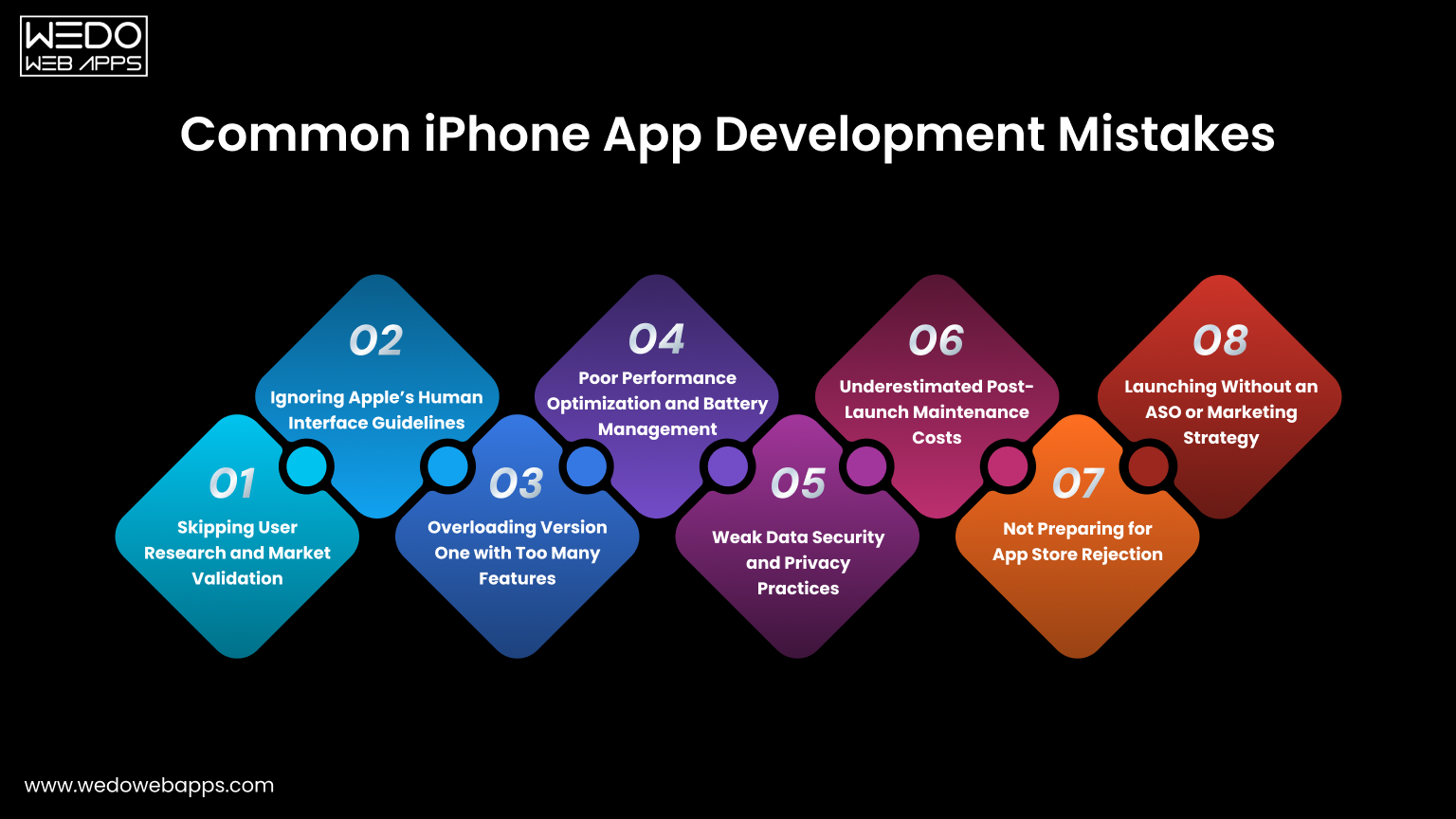
When it comes to the iPhone app development process, even a well-developed team makes mistakes. Knowing them in advance and understanding specifically how to avoid them is often the difference between a project that succeeds.
Common iPhone app development mistakes are:
1. Skipping User Research and Market Validation
Building an app nobody needs because the team fell in love with the idea without confirming demand.
How to avoid it:
- Conduct user interviews before writing any requirements.
- Analyze competitor App Store reviews for unmet needs.
- Run a landing page test before committing to full development.
2. Ignoring Apple's Human Interface Guidelines
Designing an interface that feels foreign to iOS users because the team did not follow Apple's HIG.
How to avoid it:
- Make HIG required reading for every designer on your team.
- Review guidelines at the design store, not after development.
- Use native iOS components wherever possible.
3. Overloading Version One with Too Many Features
Trying to build everything at once results in a delayed launch, a blown budget, and a cluttered user experience.
How to avoid it:
- Define your MVP ruthlessly and protect it from scope creep.
- Use a feature prioritization framework at every planning session.
- Remind stakeholders: version two exists for a reason.
4. Poor Performance Optimization and Battery Management
Releasing an app that drains battery or runs slowly in real-world conditions, leading to immediate uninstalls.
How to avoid it:
- Use XCode instruments throughout development, not just before launch.
- Profile memory usage, CPU performance, and energy consumption regularly.
- Test on older, lower-powered devices as well as the latest models.
5. Weak Data Security and Privacy Practices
Requesting unnecessary permissions, mishandling user data, or failing to comply with Apple's privacy requirements.
How to avoid it:
- Request only genuinely necessary permissions.
- Implement proper data encryption from day one.
- Stay current with Apple's App Tracking Transparency and privacy guidelines.
6. Underestimated Post-Launch Maintenance Costs
Budgeting carefully for development and then getting blind sided by the ongoing cost of updates, bug fixes, and compatibility patches.
How to avoid it:
- Budget 15 - 20% of your initial development cost annually for maintenance.
- Include maintenance scope in your initial contract with your development partner.
- Plan your first two update cycles before the app even launches.
7. Not Preparing for App Store Rejection
Submitting without checking Apple's guidelines thoroughly and then waiting days for a rejection notice that delays the entire launch.
Common rejection reasons:
- App crashes during reviews.
- Misleading metadata or screenshots.
- Missing or incomplete privacy policy.
- In-app purchases implementation violations.
- Guidelines violations flagged by automated review.
8. Launching Without an ASO or Marketing Strategy
Pouring everything into development and having nothing left for visibility in a store with over 1.8 million apps.
How to avoid it:
- Start keyword research for ASO at least 6 weeks before launch.
- Prepare your visual assets, screenshots, and preview video during the QA phase.
- Build a pre-launch audience through social media, email, or beta testing programs.
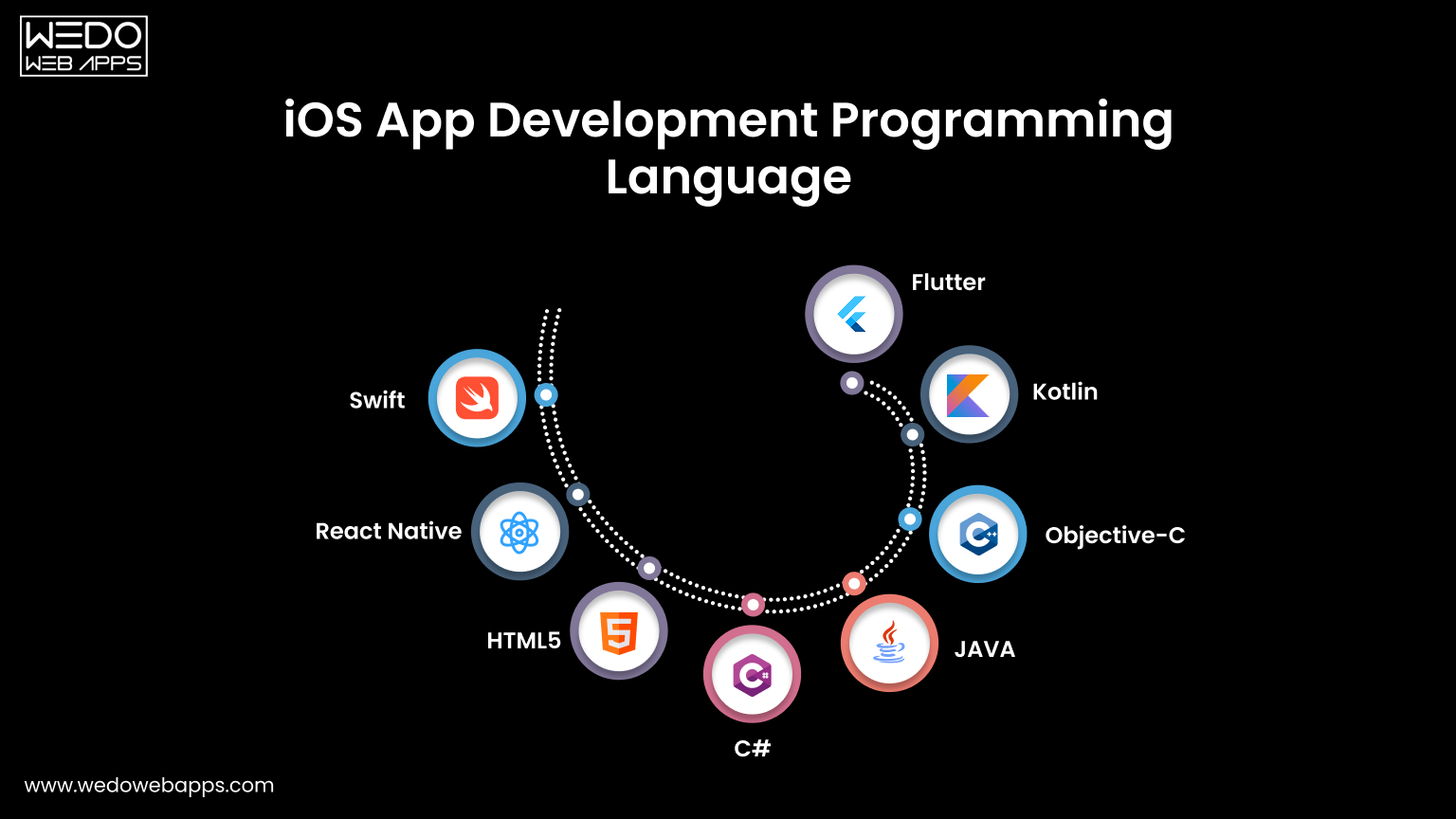
Tools, Technologies, and Languages for iPhone App Development
Swift vs Objective-C - Make the Clear Choice
Swift has been Apple's primary programming language for iOS development, and it has thoroughly established itself as the definitive standard for modern iOS apps. It is faster, safer, more expressive, and far better supported for Apple's ongoing development investment than Objective-C.
| Comparison Factor | Swift | Objective-C |
|---|---|---|
| Performance | Faster in most real-world scenarios. | Slower by comparison. |
| Type Safety | Strong, catches errors at compile time. | Weaker, more prone to runtime errors. |
| Syntax | Clean, modern, and readable. | Verbose and complex. |
| Community and Resources | Large and actively growing. | Shrinking, primarily legacy. |
| Apple's Direction | Actively developed and prioritized. | Maintained but not advanced. |
| Best For | All new iOS projects without exception. | Maintaining existing legacy codebases. |
The verdict: for any new iOS project, Swift is the right choice. Objective-C remains relevant only when there is a need to maintain and extend the app.
Xcode: The Core Development Partner
For the iPhone app development process, Xcode is an official IDE and the only real option for native iOS development. Key built-in tools for developers include:
- Simulator: Teston virtual device without physical hardware.
- Instruments: Profile performance, memory, and energy usage.
- Interface Builder: Visual UI design tool.
- TestFlight Integration: Beta distribution built directly into a workflow.
- App Store Connect: Submission and release management.
SwiftUi vs UIKit
| Factor | SwiftUI | UIKit |
|---|---|---|
| Approach | Declarative | Imperative |
| Speed of Development | Faster | Slower |
| Maturity | Growing rapidly | Battle-tested |
| Best For | New projects, modern UI | Complex, custom UI or legacy projects |
Both can be used together in the same project and often are.
Cross-Platform Options: Flutter, React Native, and Beyond
| Framework | Language | Strengths | Limitations |
|---|---|---|---|
| Flutter | Dart | Excellent performance, consistent UI. | Smaller community than React Native. |
| React Native | JavaScript | Large community, code reuse. | Bridge performance overhead. |
| Xamarin | C# | Good for .NET teams. | Declining adoption. |
For businesses targeting both iOS and Android from a single budget, Flutter and React Native remain the most compelling option.
How Much Does iPhone App Development Cost in 2026?
Understanding what drives iPhone app development cost and how to plan for it realistically is one of the most practical things you should know when starting the iPhone app development process.
Key Factor That Drives Development Cost
App development cost is not a fixed number; it is the result of several interacting variables, each of which can significantly move the final figure in either direction:
- Feature complexity and total number of features.
- UI/UX design requirements.
- Backend infrastructure needs.
- Third-party service integrations.
- Development team experience and geographic location.
- Post-launch maintenance scope.
Full Cost and Timeline Breakdown
| App Type | Defining Characteristics | Estimated Cost | Estimated Timeline |
|---|---|---|---|
| Simple App | Basic UI, limited screens, minimal or no backend, no third-party integrations. | $15,000-$40,000 | 2-4 months |
| Mid-level App | User authentication, API integrations, custom UI design, and moderate backend infrastructure. | $40,000-$100,000 | 4-7 months |
| Complex/Enterprise App | Real-time features, AI/ML integration, complex backend, multiple third-party integrations, and high security requirements. | $100,000-$300,000 | 8-14 months |
In-House vs Freelancer vs Agency: A Realistic Comparison
| Factor | In-House Team | Freelancer | Agency (like WEDOWEBAPPS) |
|---|---|---|---|
| Upfront Cost | Very high. Salaries, benefits, equipment | Low to medium | Medium to high. Project-based |
| Long-term Cost | Highest overall when all factors are included | Highly variable | Predictable and structured |
| Quality Consistency | High if managed well | Variable and hard to guarantee | Consistently high |
| Post-Launch Support | Ongoing but costly | Often limited or unavailable | Structured and clearly defined |
| Time to Start | Slow. Hiring and onboarding take months | Fast | Fast. Established team and process |
How to Optimize Your Budget Without Sacrificing Quality
Managing your app development budget intelligently does not mean cutting corners; it means making smarter decisions about where your investment goes.
- Define your MVP with genuine discipline.
- Choose your tech stack thoughtfully.
- Work with a transparent partner.
- Budget for post-launch from day one.
iPhone App Development Trends to Watch
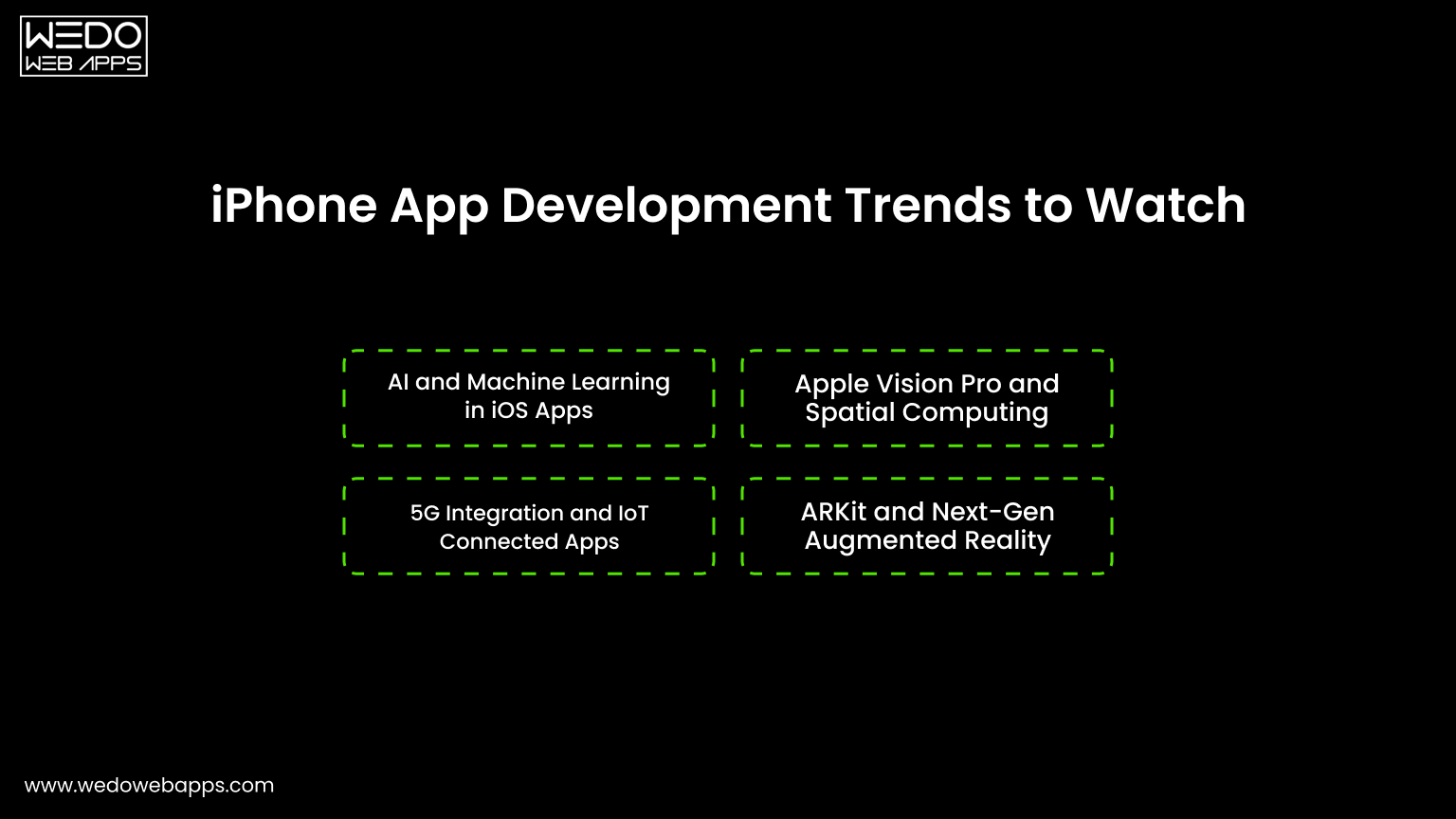
Here are some of the iPhone app development trends that you must be aware of:
1. AI and Machine Learning in iOS Apps
AI is no longer a differentiator; it is becoming a baseline expectation. Key applications in 2026 include:
- Personalized content and recommendation engines.
- On-device natural processing using Core ML.
- Predictive user behavior analytics.
- AI-powered search and navigation within apps.
2. Apple Vision Pro and Spatial Computing
Apple Vision Pro has opened a genuinely new frontier. Forward-thinking businesses are already exploring:
- Spatial UI: Interfaces that exist in three-dimensional space.
- Immersive experience: Retail, education, and entertainment applications.
- Enterprise use cases: Training, visualization, and remote collaboration.
3. ARKit and Next-Gen Augmented Reality
ARKit continues to evolve with each iOS release. Practical business applications include:
- A retail app that lets users visualize products in their homes.
- Real estate app with virtual property tours.
- Navigation apps that overlay directions in the real world.
- Training and onboarding experiences for enterprise teams.
4. 5G Integration and IoT Connected Apps
5G is enabling experiences that were previously impractical:
- Real-time HD video streaming with ultra-low latency.
- Seamless IoT device integration and control.
- High-bandwidth data transfer for enterprise applications.
- Location-aware features with greater precision and speed.
App Clips, Widgets, and Lightweight Experiences
| Feature | What It Does | Business Benefits |
|---|---|---|
| App Clips | Users access app features without a full download. | Reduces friction, increases discovery. |
| Home Screen Widgets | Surfaces key app info on the home screen. | Improves retention and daily engagement. |
| Lock Screen Widgets | Always-visible information layer. | Keeps your app top of mind. |
Privacy-First Development and On-Device AI
Apple's commitment to user privacy continues to shape the landscape:
- On-device processing keeps sensitive data local.
- App tracking transparency requires explicit user consent for tracking.
- Privacy labels in the App Store are now a trust signal that users actively look for.
- Apps that lead with privacy are earning a genuine competitive advantage.
Post-Launch Strategy: What Happens After Your App Goes Live
When your app is live, you need to make sure of the post-launch strategy. Make sure you follow these:
Tracking App Performance with Analytics Tools
| Tool | Best For |
|---|---|
| Firebase Analytics | User behavior, funnels, retention |
| Mixpanel | Advanced event tracking and segmentation |
| Apple App Analytics | App Store impressions, downloads, usage |
| Crashlytics | Real-time crash reporting and diagnostics |
Use these tools together to build a complete picture of how users experience your app in the real world.
Collecting and Acting on Real User Feedback
Feedback channels to monitor actively:
- App store reviews: Respond to every review, positive and negative.
- In-app feedback prompts: Trigger at the right moment in the user journey.
- User interviews: Talk to power users regularly.
- Support tickets: Common issues signal deeper product problems.
Planning Consistent Update and Improvement Cycles
A healthy post-launch update cadence looks like this:
- Week 1 to 2: Monitor crashes and critical bugs, push hotfix if needed.
- Month 1: First full update addressing early user feedback.
- Ongoing: Quarterly feature updates based on analytics and user requests.
- Annually: Major version update aligned with new iOS release.
Monetization Strategies to Maximise App Revenue
| Model | How It Works | Best For |
|---|---|---|
| Freemium | Free to download, paid features unlock. | Apps with a broad top-of-funnel. |
| Subscription | Recurring monthly or annual fee. | Apps delivering ongoing value. |
| One-Time Purchase | Single upfront payment. | Utilities and productivity tools. |
| In-App Purchases | Buy virtual goods or features. | Games and content apps. |
| Advertising | Revenue from displayed ads. | High-volume, free consumer apps. |
How to Choose the Right iPhone App Development Company
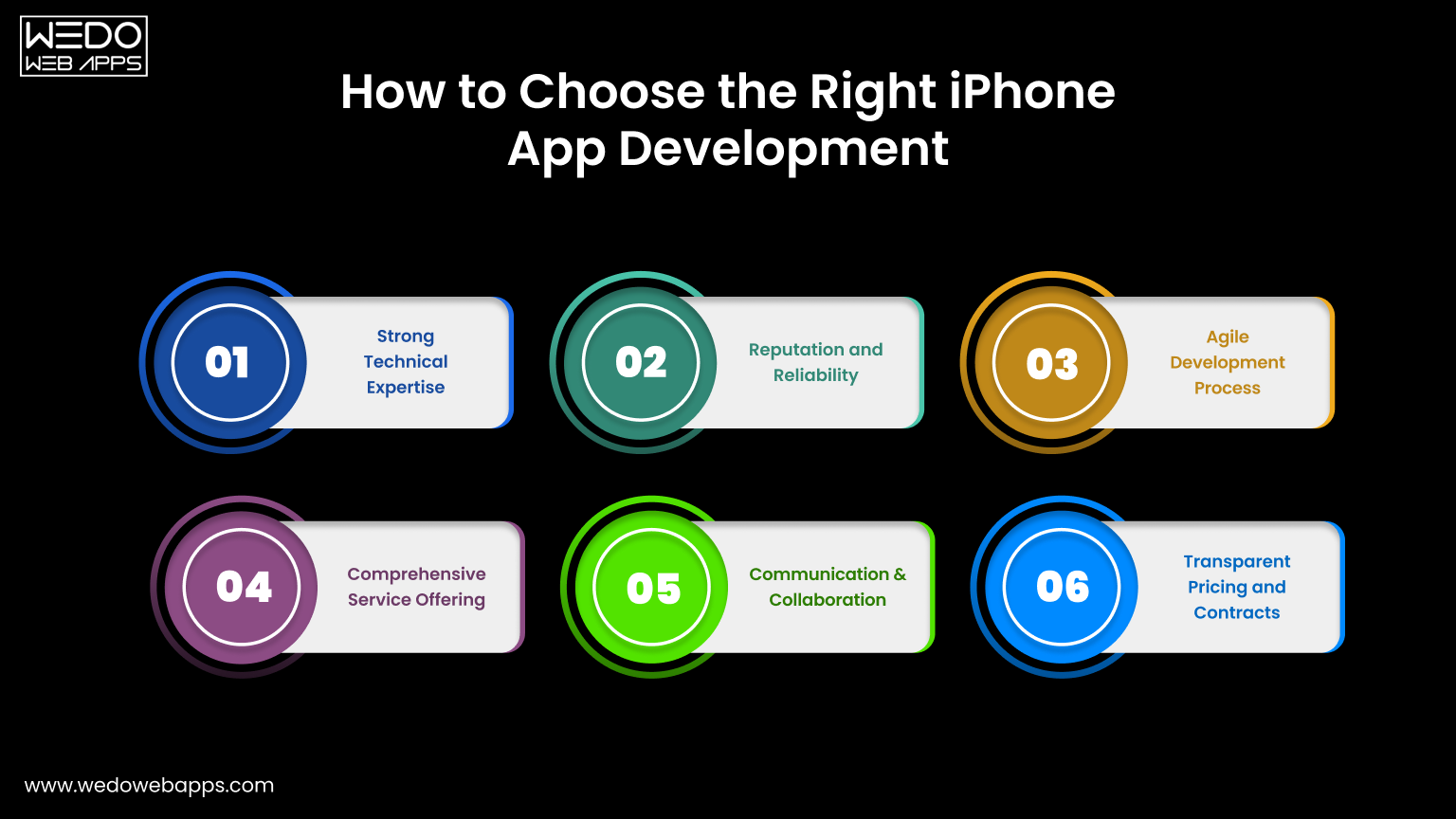
Choosing the right development partner is one of the most consequential decisions you will make in this entire process. A great app development partner accelerates your timeline, protects your budget, and delivers a product you are proud of. A poor one does the opposite, and the cost of switching mid-project is challenging.
Must-Have Qualities in a Genuine iOS Development Partner
When evaluating potential development companies, look beyond the portfolio and the pitch. The qualities that actually predict a successful partnership include:
- A strong, relevant iOS-specific portfolio with demonstrable results and not just the visually attractive screenshots.
- A transparent, structured development process that you can understand and participate in meaningfully.
- A complete, coordinated team of developers, designers, QA engineers, and project managers working together.
- Proven, recent experience with App Store submission, including navigating rejections when they occur.
- A clearly defined and contractually specific post-launch support and maintenance offering.
- Proactive and consistent communication updates that come to you without you chasing them.
WEDOWEBAPPS is built around exactly these qualities. With a dedicated iOS development team, a structured end-to-end process, and a genuine commitment to being a long-term technology partner rather than a one-time vendor.
We bring the expertise, accountability, and continuity that successful app projects require. Whether you are building your first iPhone app or scaling a product that already has a user base.
Questions You Must Ask Before Signing Any Contract
Before committing to any development partner, you just get clear, specific, and satisfying answers to these questions you must ask:
- Who, specifically by name and role, will be working on the project from day one?
- How do you handle scope changes, and what is your process for communicating and pricing them?
- What does your QA and testing process look like in practice, and who is responsible for it?
- How frequently will I receive progress updates, and through what channels?
- What exactly is included in post-launch support, and for how long?
- Can you share references or case studies from projects similar to mine in scope and complexity?
The quality, specificity, and confidence of the answers you receive to these questions will tell you more about the quality of the partnership you are about to enter than any proposal document or sales presentation.
Warning Signs to Watch Out For When Evaluating Agencies
Not every agency that presents well will deliver well. Watch carefully for those red flags during the time of evaluation:
- Quotes an unusually low price without a clear and logical explanation of how it is possible.
- Cannot show an iOS-specific portfolio with real, live, and downloadable apps.
- Gives vague or generic answers when asked about their development or QA process.
- Create urgency or pressure to make a decision before you feel genuinely ready.
- Has no clearly defined point of contact or project management structure.
- Makes no mention of testing, quality assurance, or post-launch support during the sales conversation.
A development partner worth trusting will welcome every question you ask, be completely transparent about their process and team, and give you as much time as you need to make a decision you feel genuinely confident in.
Conclusion
Building a successful iPhone app is an equal part of strategy and execution. The idea is important, but so is everything that surrounds it: the research that validates it, the iOS app development planning that structures it, the iPhone app development process that builds it, the team that executes it, and the discipline that improves after the launch.
Whether you are a business owner taking your first step into the App Store or a developer refining your approach, the principles in this iPhone app development guide hold across the board. You must know the things to know before developing an iPhone app before you commit a single dollar.
When it comes to your app plan, thoroughly. Avoid the critical iPhone app development mistakes that impact your well-planned project. And commit to improving consistently because the apps that win long-term are not the ones that launched perfectly, they are the ones that got better every single month after launch.
If you are ready to take your app idea from concept to a high-performing, professionally built iOS product, WEDOWEBAPPS is ready to make it happen. From discovery and strategy through design, development, App Store launch, and long-term post-launch growth. Our teams bring the expertise, the structure, and the genuine commitment your app deserves.















 Sharing Project Details
 Let's have a
call
Let's have a
call Got
Questions? Let’s Chat!
Got
Questions? Let’s Chat!