skip to content

How to Find WordPress Web Designers Near Me (2026 Hiring Guide)

Introduction

Searching for WordPress web designers near me and not sure where to start or who to trust? You are not alone. Most business owners go through the same cycle: Google a few names, look at some portfolios, get confused by pricing differences, and end up either hiring the wrong person or delaying the project altogether.

This guide cuts through all of that. Whether you are looking to find WordPress web designers locally or considering a remote team, here is everything you need to make a confident and informed hiring decision in 2026.

Get expert advice for your WordPress project

What Types of WordPress Web Designers Do You Actually Need?

Before you start searching for WordPress website designers near me, it is worth spending five minutes answering this question because the type of designer you need determines where you look, what you pay, and what kind of working relationship to expect.

There are three main options:

1. Solo Freelancer

  • Best for: Small budgets, simple sites, and tight timelines.
  • Typical projects: Brochures, websites, blogs, and basic landing pages.
  • Watch out for: Single point of failure. If they go quiet, your project stalls.

2. Local Boutique Agency

  • Best for: Businesses that want a team, structured process, and ongoing support.
  • Typical projects: Business websites, eCommerce, and sites needing custom functionality.
  • Watch out for: Higher cost, but usually worth it for accountability and quality.

3. Offshore or Remote Specialist Team

  • Best for: Businesses prioritizing expertise and value over proximity.
  • Typical projects: Complex builds, ongoing development retainers, and large-scale sites.
  • Watch out for: Time zone gaps and communication requires more structure.
Quick Decision Rule

  • If your budget is under $3,000, a freelancer is likely your best fit.
  • Between $3,000 to $15,000, a boutique agency delivers the best balance.
  • Above $15,000, you are looking at either a specialist agency or a dedicated WordPress development team working remotely.

5 Places to Find WordPress Web Designers Locally

Once you know what type of designer you need, here is exactly where to find WordPress web designers locally, with specifics on how to use each source effectively.

1. Google Maps: Searching for WordPress Designers Near You

This is the most direct starting point when looking for WordPress web designs near me. Search “WordPress web designer [your city]” or “WordPress Development Company [your city]” directly on Google Maps.

What to look at beyond the star rating:

  • Review count: 3 reviews at 5 stars means very little. Look for 10+ reviews consistently.
  • Their own website: A web design company with a slow, outdated website is an immediate red flag.
  • How they respond to negative reviews: This tells you more about their professionalism than any 5-star review.

2. Clutch and GoodFirms with Location Filter

When searching for local WordPress web designers, Clutch and GoodFirms are far more reliable than Google alone. Both platforms verify client reviews, meaning a past client actually had to confirm the relationship before a review goes live.

How to use them:

  • Go to Clutch.co -> Services -> Web Design -> filter by location and minimum project size.
  • Read the full case studies, not just the star rating.
  • Pay attention to reviews that mention communication and post-launch support specifically; these are the most telling.

3. LinkedIn: Finding Local WordPress Designers in Your Area

LinkedIn is underused for this. When trying to find WordPress web designers locally, go to LinkedIn search, type “WordPress designer” or “WordPress Developer,” and filter by location under “People.”

What to check:

  • How long have they been doing WordPress specifically, not just “web design”
  • Do they have recommendations from past clients, not just endorsements?
  • Can you see actual project links or portfolio pieces in their featured section?

4. Local Business Networks and Referrals

One of the most reliable ways to find local WordPress web designers is through people who have already hired one.

Source worth tapping:

  • Local chambers for commerce: Many maintain directories of member businesses by service type.
  • Local Facebook business groups: Search your city name + “business owners” and post asking for WordPress designer recommendations.
  • Complementary agencies: Branding studios, marketing agencies, and PR firms that do not build websites often refer their clients to trusted WordPress designers. Ask them directly who they send clients to.
  • Business owners in your network: If someone in your industry recently launched or redesigned their website, ask who built it.

Referrals carry more weight than any directory because the person recommending has actual skin in the game.

5. Freelance Platform with Location Filter

Platforms like Upwork and PeoplePerHour allow location filtering when looking for WordPress website designers near me. This is more useful for finding freelancers than agencies.

Tips for using these platforms:

  • Filter by location, then sort by Job Success Score (90% + is the minimum worth considering).
  • Look for freelancers with long-term contracts in their history; it signals clients kept coming back.
  • Read the feedback on the smaller, older contracts; clients are often more candid when the project is done and dusted.

How to Evaluate a Local WordPress Designer Before You Hire

Finding a candidate is the easy part. Evaluating them properly is where most people cut corners and later regret it. Here is how to access any local WordPress web designer before you commit.

Run Their Portfolio Work Through PageSpeed Insights

Go to pagespeed.web.dev and paste in URLs from their portfolio. A well-built WordPress site should score 80+ on mobile. If their showcase workload slows down, your site will too. This one check quickly eliminates many candidates.

Open Their Portfolio on Your Phone

Do not just look at screenshots. Visit the actual live sites on your phone. Check:

  • Does the navigation work cleanly on mobile?
  • Do images load at the right size, or do they overflow?
  • Is the text readable without zooming?

Custom Build vs. Template Clone: How to Tell

There is nothing wrong with using a premium theme or page builder, but you should know what you are getting. Signs it is a template clone:

  • Every site in their portfolio has a near-identical layout.
  • The footer or header structure looks the same across projects.
  • They can’t explain what was built custom vs. what came out of the box.

Check for Project Type Relevance

A designer who has built ten restaurant websites is not automatically the right fit for a SaaS company. Look for projects that are similar to yours in terms of functionality, not just visual style.

Help choosing the right WordPress designer

Questions to Ask WordPress Web Designers Near You

Before hiring any WordPress web designer near you, ask these questions directly. Vague or evasive answers tell you as much as the direct answers do.

# Questions What You Are Really Testing
1 Who specifically will build my site? Can I speak to them before we start? Whether a senior designer pitches, but a junior delivers.
2 Do you build custom or use page builders like Elementor/Divi, and why? Technical transparency and honest fit for your needs.
3 How many revision rounds are included, and what happens after? Whether scope creep costs will surprise you later.
4 Who owns the hosting, domain, and all files when the project ends? Lock-in risk: You must own everything outright.
5 What does post-launch support look like, retrainer or ad hoc? Whether they disappear after launch or stay accountable.
6 Can you show me a project that went wrong and how you handled it? Maturity, honesty, and problem-solving under pressure.
7 What is your current availability for a project like mine? Whether your project gets proper attention or joins a backlog.

Any designer worth hiring will answer all seven without hesitation.

Red Flags to Watch When Hiring Local WordPress Designers

When evaluating local WordPress web designers, these are the warning signs that are easy to overlook, especially when a portfolio looks impressive at first glance.

  • They own your hosting or domain: If your site lives on their account, they have leverage over you. Always insist on owning your own hosting and domain from day one.
  • Portfolio is all the same template with different colours: This means you are buying a skip swap, not a custom website.
  • No written contract or vague scope of work: “We will build you a great website” is not a scope. If it is not written down in detail, it does not exist.
  • They can’t tell you clearly who does the actual work: Some agencies outsource everything while billing at agency rates. Know exactly who is touching your project.
  • No mention of post-launch support unless you bring it up: A professional team plans for what happens after launch. If they have not thought about it, you will be on your own when something breaks.
  • Unusually low quote with no explanation: A $500 website quote either means a template with zero customisation or a project that stalls halfway through when the economy stops making sense for them.

What Does Hiring a WordPress Web Designer Near You Actually Cost in 2026?

One of the most searched but least honestly answered questions when looking for WordPress website designers near me is pricing. Here are real ranges based on project type:

Project Type Who Delivers It Typical Price Range
Basic information site 95-8 pages) Freelancer $1,500-$3,500
Business website with custom design Boutique agency $4,000-$8,000
eCommerce store (WooCommerce) Agency or specialists $6,000-$15,000
Complex custom functionality Specialist agency $12,000-$30,000+

What Pushes the Cost Up:

  • Custom plugin or feature development.
  • Content creation (copywriting, photography, video).
  • Third-party integrations (CRM, booking systems, payment gateways).
  • Multilingual functionality.
  • Ongoing SEO setup and technical optimisation.

Ongoing Cost to Budget Annually:

  • Hosting: $200-$600/year depending on traffic.
  • Premium plugins and theme licenses: $100-$400/year.
  • Maintenance and security monitoring: $500-$2,000/year.

A well-built WordPress site is not a one-time expense. Budget for the ongoing costs upfront so they don’t come as a surprise six months after launch.

Get a clear WordPress cost estimate

Local WordPress Designers vs. Remote Team: Which Is Right for You?

This is the question most people searching for local WordPress web designers eventually arrive at. Here is the honest answer broken down clearly:

Choose a local WordPress Designer if:

  • In-person meetings are genuinely important to how you work.
  • Your project involves local market knowledge (local services, community-focused businesses).
  • You have found a local agency with a verified track record and strong reviews, not just proximity.

Choose a remote WordPress team if:

  • Your priority is finding the strongest specialist for your specific project type.
  • You want more competitive pricing without a drop in quality.
  • You are comfortable with structured remote communication (video calls, project management tools)
  • The local options in your area don’t have relevant portfolio work.
The honest one-liner answer: Geography should be the last filter you apply, not the first. Find the right expertise first, then see if they happen to be local.

Finding the Right WordPress Web Designer Starts With the Right Process

Whether you are searching for a top WordPress web designers near me or evaluating a remote team alongside local options, the process matters more than the proximity. A designer who checks every box: strong portfolio, transparent process, clear contract, relevant experience, is the right choice regardless of their postcode.

Use the question, red flags, and evaluation steps in this guide, and you will avoid the most common and costly hiring mistakes.

If you’d like to see how we approach WordPress projects from discovery through to launch and ongoing support, take a look at our WordPress development services.

Hire the right WordPress expert

White Label CMS for WordPress: Simple and Affordable Plugin

Introduction

White label CMS is a powerful solution for businesses seeking to offer their own branded content management system. It allows companies to avoid the confusion of using a generic CMS that doesn’t align with their brand. White label CMS is customizable, allowing businesses to adjust it to their unique requirements and branding. With white label CMS, businesses can offer their clients a seamless experience that reinforces their brand identity. This product also includes a website builder, a WordPress admin dashboard, and a WordPress dashboard.

White label CMS is an excellent option for companies looking to provide WordPress development services without confusing content management systems. This solution allows businesses to create a custom-branded website builder platform that meets all of their client’s needs, including access to public themes and a user-friendly admin dashboard. With a generic website solution, businesses can reinforce their brand identity while providing a seamless experience for their clients.

Using white label development concepts is incredibly easy and straightforward. Businesses can customize everything from the colors and logos used on the platform to the features available within it. This level of customization ensures that each client’s experience with the platform feels unique and tailored specifically for them.

One crucial aspect of a white label CMS is the ability to offer custom logo and product branding options. This allows agencies to maintain their brand identity while still providing valuable resources for their clients. Additionally, the white label content can be easily managed through the WordPress admin dashboard, ensuring seamless integration with existing workflows.

Benefits of Using a White Label CMS for WordPress Websites

Custom Branding Options for a Professional Look

A white label CMS WordPress solution allows businesses to create a fully branded experience for their clients. By customizing logos, color schemes, and other design elements, companies can maintain a professional appearance without relying on a complex content management system. With white label WordPress plugins, businesses can adjust the user interface and user experience, ensuring a smooth and intuitive website for visitors.

Key advantages include:

  • Customize the WordPress white label plugin to match brand identity.
  • Design an intuitive layout using a white-label WordPress dashboard.
  • Update content and login branding quickly via a white label WordPress admin panel.
  • Improve customer engagement and boost conversion rates through better UX.

Time and Cost-Effective Solution for Web Development

Adopting a white label CMS WordPress platform can save both time and resources. Developers can leverage pre-built templates and themes while still having the option to personalize the interface. This flexibility reduces development costs without compromising quality or creativity.

Benefits include:

  • Quickly implement branding using a WordPress white label plugin.
  • Reduce time spent on content management through a white label WordPress dashboard.
  • Access ongoing support and maintenance to focus on content creation.
  • Easily create a custom admin to match the client’s aesthetic.

For Non-Technical People, Simple to Use and Manage

White label CMS WordPress solutions are designed for ease of use. Even non-technical users can manage website content effortlessly using drag-and-drop tools and intuitive dashboards.

Key features:

  • Manage pages, images, and videos without coding knowledge using WordPress white labeling tools.
  • Use built-in SEO optimization to improve search engine visibility.
  • Handle visitor feedback and comments efficiently through a white label WordPress admin panel.

Access to Plugins and Extensions
A white label WordPress plugin often comes with a variety of extensions to extend website functionality. This allows businesses to enhance their sites without relying on external developers.

Highlights include:

  • Integrate social media and e-commerce features easily.
  • Track performance with advanced analytics and reporting tools.
  • Use white label WordPress dashboard tools to tailor the website experience.

Scalable and Flexible to Accommodate Business Growth

White label CMS WordPress platforms are scalable and can adapt to evolving business needs. New features and capabilities can be added seamlessly, helping businesses maintain performance during traffic spikes.

Advantages include:

  • Scale websites efficiently using WordPress white label tools.
  • Add functionality without rebuilding the site.
  • Stay competitive with a flexible WordPress white label plugin.

Comparison of Top White Label CMS Options Available for WordPress

When choosing a white label CMS WordPress solution, the top alternatives include WPMU DEV, MainWP, and WP Ultimo. Each platform has unique features that make it suitable for different needs.

WPMU DEV

WPMU DEV is a comprehensive platform offering white label CMS WordPress solutions and WordPress white label plugins. It provides hosting, security, backups, and site management tools. The platform allows full branding customization, including logos and color schemes, through a white label WordPress dashboard.

Key advantages:

  • All-in-one platform with white label WordPress admin and WordPress white label tools.
  • Intuitive interface for managing multiple client sites easily.
  • Saves time by consolidating hosting, security, and management under one platform.

MainWP

MainWP is a free, self-hosted white label CMS WordPress option that lets users manage multiple sites from a single dashboard. It simplifies updates, plugin installations, and theme management while keeping branding consistent across sites.

Highlights:

  • Manage multiple websites efficiently via white label WordPress dashboard.
  • Automate plugin and theme updates with one click.
  • Supports WordPress white labeling for consistent client branding.

WP Ultimo

WP Ultimo is ideal for businesses seeking a customizable and branded client experience. The platform enables users to create custom plans and add logos, colors, and other brand elements. It also supports WordPress white label plugins and integrates with builders like Dorik for enhanced site creation.

Benefits include:

  • Fully customizable white label WordPress admin for clients.
  • Flexible payment gateway integration, including PayPal, Stripe, and 2Checkout.
  • Streamlined user experience with WordPress white label tools to maintain branding.
  • Supports integration with Dorik for non-technical users to build sites easily.

These platforms are suitable for agencies, freelancers, and businesses looking to simplify WordPress management while maintaining a professional branded experience. Choosing the right white label CMS WordPress solution depends on your budget, scalability requirements, and preferred level of customization.

Step-by-Step Guide on How to White Label a WordPress Site Using a CMS Plugin

Installing a White Label CMS Plugin on Your WordPress Site

A white label CMS plugin is a powerful tool that allows you to customize the branding of your WordPress site. By installing and configuring this plugin, you can remove any references to WordPress and replace them with your own branding, giving your site a professional and polished look.

To get started, you’ll need to find a white label CMS plugin that works with your version of WordPress. Once you’ve found one, install it on your site using the standard installation process. Consider using Dorik as a potential plugin option for your website.

Customizing the Plugin Settings to Match Your Branding

Once you’ve installed the white label CMS plugin, it’s time to start customizing its settings.  The first thing you’ll want to do is upload your company logo or other branding elements so that they appear throughout your site.

Next, take some time to configure the plugin’s white label settings. This may include changing the color scheme of your site, choosing different fonts for text elements, or adjusting other visual elements such as buttons and icons.

Using the Plugin’s Features to Remove Any References to WordPress

One of the most powerful features of a white label CMS plugin is its ability to remove any references to WordPress from your site. This includes things like login screens, admin menus, and other areas where users might see references to the underlying platform.

By incorporating white label plugins into your branding and messaging, you can create a seamless user experience that reinforces your brand identity at every turn.

Customize the WordPress Dashboard Panels and Login Page

Customizing the WordPress admin dashboard panels and login page is essential in creating a professional and consistent brand image. By customizing these elements, you can create a unique experience for your clients that reflects your brand’s identity. In addition, using white label plugins can further enhance branding by allowing you to customize the WordPress dashboard with your own branding and logo. This section will cover how to use white label plugins to advance your branding as well as how to change the WordPress dashboard panels and login page to fit your brand’s color scheme and logo.

Customize the WordPress Admin Dashboard Panels

The WordPress admin dashboard is where you manage all aspects of your website. It is important to customize this area to match your brand’s color scheme and logo. By incorporating white label plugins, you can further enhance your website’s branding and achieve a more professional look. Here are some steps to follow:

  1. Install White Label CMS plugin: A white label CMS plugin allows you to customize the admin panel without affecting public themes. This means that you can make adjustments without being concerned about damaging your website’s user interface.
  2. Change Colors: Once you have installed the white label CMS plugin, you can change the colors of various elements on the dashboard, such as headers, buttons, links, etc., using CSS.
  3. Add Logo: You can also add your company logo to replace the default WordPress logo by uploading it through the white label CMS plugin.
  4. Remove Unnecessary Elements: Customize which elements appear on your dashboard by removing those that are not relevant or necessary for your clients.

Replace Default Login Screen with Custom Login Page

Replacing the default WordPress login screen with a custom login page is another way to create a consistent brand image throughout your website. Here are some steps to follow:

  1. Install a Custom Login Page Plugin: There are several plugins available that allow you to create a custom login page easily.
  2. Design Your Login Page: Use design tools provided by custom login page plugins or hire a designer who understands how to code HTML/CSS/PHP pages from scratch.
  3. Add Your Branding Elements: Add branding elements like logos, colors, fonts, etc., to your custom login page.
  4. Add Security Features: Ensure that your custom login page has security features such as Captcha or Two-Factor authentication to prevent unauthorized access.

Add Custom Dashboard Panels

Custom dashboard panels can be a useful tool for displaying important information or shortcuts for your clients. Here are some steps to follow:

  1. Install a White Label CMS Plugin: Once again, installing a white label CMS plugin is necessary to create custom dashboard panels.
  2. Create a New Panel: Using the white label CMS plugin, you can create new panels and add widgets that display relevant information for your clients.
  3. Customize Widgets: You can customize widgets by adding images, text, links, etc., depending on what you want to display in each panel.

Control How Menus Appear for Your Clients

You want to give your clients the best website experience you can as a WordPress development service provider. Using a white label CMS is one method to achieve this. You have full control over how menus appear for your clients when using a white label CMS.

Any website would be incomplete without menu items. They make it easier for users to navigate the website and find material quickly. Nevertheless, not every menu item might be applicable or required for every client’s website. A white label CMS can be useful in this situation.

You can control or provide access to particular menus in the client’s admin access by using a white label CMS. This implies that you can alter the menus to suit the requirements and preferences of your customers. For instance, you can take the shopping cart menu item out of the navigation bar if your client’s website doesn’t offer e-commerce services.

You have more control over how you manage your client’s website when you customize the menus. Without having to worry about changing other portions of the website, you can add or delete menu items whenever you need to. You can design several menu structures using a white label CMS for various site pages or sections.

Using a white label CMS also makes it simpler to brand the website for your customers. The color scheme and font options can be easily modified according to their branding rules. You are establishing a unified brand experience by doing this across all touchpoints.

white label wordpress plugins

Branding the Admin Bar and Side Menu

Customize Your Admin Bar and Side Menu to Match Your Brand

You can manage every aspect of your website in your WordPress admin area, from adding content to controlling user access. The UI must be user-friendly and simple to use because various team members frequently use this area. Customizing the admin bar and side menu is one way to improve the user experience and support your brand’s identity.

Adding a Custom Logo and Background Image

The WordPress logo is always visible on the left side of the admin bar in WordPress. But, you can replace this logo with your own company’s logo by working with a custom WordPress development provider. This small adjustment can have a significant impact on how well your website’s visitors recognize your brand.

Similarly, adding a background image to your admin area can help create a cohesive look across all aspects of your site. You might choose an image that represents your brand or simply select an aesthetically pleasing design that complements your site’s color scheme.

Using AG Custom Admin Plugin

The AG Custom Admin plugin allows for easy customization of both the admin menu and bar. With this plugin, you can add custom links to the menu or remove existing ones that are not relevant to your needs.

You can also rearrange items within the menu or rename them entirely. In addition to these features, AG Custom Admin offers several options for branding elements such as colors and fonts. By selecting these options carefully, you can create an admin area that feels like a natural extension of your website’s front end.

Benefits of Branding Your Admin Area

Branding your admin area has several benefits beyond simply enhancing visual appeal. For one thing, it reinforces consistency across all areas of your site, something that is particularly important if multiple people are accessing the backend regularly.

Branding elements such as logos and background images help create a sense of professionalism around your website. When visitors see that even small details like this have been attended to with care, they are more likely to trust your site overall.

Finally, a branded admin area can simply make the user experience more enjoyable. When team members are working in an interface that feels familiar and welcoming, they are likely to be more productive and less frustrated by small details.

White Label CMS Solutions

For businesses that offer website design and development services to clients, white label CMS solutions offer even greater flexibility in branding options. These solutions allow you to customize the entire WordPress interface with your own brand elements, including logos, colors, and fonts, creating a seamless experience for both clients and their visitors.

Advantages of Implementing a White Label CMS for Your WordPress Site

Custom Branding and Design Options

One of the primary advantages of implementing a white label CMS for your WordPress site is the ability to customize the branding and design to match your company’s unique style. With a white label CMS, you can easily add your own logo, color scheme, and other customizations that will make your site stand out from others.

In addition to customization options, a white label CMS also provides you with greater control over the user experience. You can design unique navigation menus, dashboards, and other features to make it easier for users to discover what they need on your website.

Reduced Development Time and Costs

Another significant advantage of using a white label CMS is that it can significantly reduce development time and costs. Because many of the core features are already built into the system, developers don’t need to spend as much time building custom functionality from scratch.

This not only saves time but also reduces costs since less development work means fewer billable hours. Because white label CMS providers typically offer ongoing support and maintenance services, you won’t have to worry about hiring additional staff or contractors to keep your site up-to-date.

Access to a Wide Range of Plugins and Extensions

White label CMS platforms typically offer access to a wide range of plugins and extensions that can be used to enhance functionality on your WordPress site. These plugins can provide everything from advanced SEO capabilities to social media integration and e-commerce functionality.

By leveraging these plugins, you can quickly add new features or improve existing ones without having to invest in costly custom development work. This not only saves time but also guarantees that your website is always abreast of the most recent technological advancements.

Streamlined Content Management Process

A white label CMS also streamlines content management processes by providing an intuitive interface for creating and managing content on your site. This makes it easy for non-technical users to update pages, publish blog posts, or manage products in an e-commerce store. Because white label CMS platforms are designed to be user-friendly, you won’t have to spend as much time training staff on how to use the system. Long-term, this can save both time and money in a significant way.

Ability to Offer White Label CMS as a Service

Finally, one of the most significant advantages of using a white label CMS is that it allows you to offer it as a service to your clients. By doing this, you can increase your revenue sources while also giving your current clientele more.

This is particularly useful for agencies or freelancers who specialize in web development or digital marketing services. By offering a white label CMS solution, you can provide clients with an all-in-one solution that includes everything from website design and development to ongoing maintenance and support.

White Label WordPress

Customize Your WordPress Branding with White Label WordPress

Do you dislike how boring and generic your website appears? Do you want to establish a unique brand identity for your website? Look no further than White Label WordPress. You may completely manage how your WordPress website looks and feels by using this effective tool to modify the branding.

Remove All References to WordPress

With White Label WordPress, you can remove all references to WordPress and replace them with your own branding. This means that visitors to your site won’t know that it was built using WordPress. Instead, they’ll see a fully branded website that looks professional and polished.

Full control over the appearance and feel of your website

The White Label CMS admin interface gives you complete control over the look and feel of your website. You can change everything, from the colors and fonts to the layout and design. This means that you can create a completely custom website that reflects your brand’s personality and values.

Ideal for Creating Generic Websites

White Label WordPress is ideal for creating generic websites that don’t look like they were built using a template. Whether you’re building a blog, an e-commerce site, or a portfolio, White Label WordPress allows you to create a unique online presence that stands out from the crowd.

Why choose White Label?

Businesses prefer to white label their websites for a variety of reasons. They can create their own brand identity without having to start from scratch, for starters, thanks to this. By using an existing platform like WordPress as a foundation, businesses can save time and money while still creating a custom website.

Another reason why businesses choose white label solutions is that they offer more flexibility than traditional templates. With templates, businesses are limited by what’s included in the template package. With white label solutions like White Label WordPress, however, businesses have complete control over every aspect of their website.

Whitelabel WordPress

Customize Your Website With Whitelabel WordPress

Whitelabel WordPress is a cutting-edge CMS that makes it simple for companies to build unique websites. This robust website builder has a wide range of features and connectors, making it the ideal option for businesses and independent contractors looking to provide website-building services without having to learn how to code.

Customize Every Aspect of Your Website

Users can change the look and feel of their website as well as its features with Whitelabel WordPress. So, you may design a website that accurately captures the distinctive personality and aesthetic of your company. Whitelabel WordPress contains everything you need to get started, whether you’re wanting to create a straightforward blog or an advanced e-commerce site.

In addition to its powerful customization options, Whitelabel WordPress is also incredibly easy to use. Even the least tech-savvy individuals may quickly and easily design websites that look professional because of their user-friendly interface. And because it’s built on top of the world-renowned WordPress platform, you can be sure that your site will be fast, reliable, and secure.

Perfect for Agencies and Freelancers

One of the biggest advantages of using Whitelabel WordPress is that it’s designed specifically for agencies and freelancers. With its white label capabilities, you can easily brand the CMS as your own and offer it as part of your service offerings. This means that you can expand your business without having to invest in expensive development resources or hire additional staff.

Whitelabel WordPress also offers a range of add-ons and integrations that make it even more versatile. For example, you can integrate social media platforms like Facebook and Twitter into your site or add advanced e-commerce capabilities through plugins like WooCommerce. Whatever features you need for your site, chances are there’s an integration available that will meet your needs.

White Label WordPress Plugins

Customize Your WordPress Website with White Label Plugins

The use of white label plugins is a fantastic way to personalize your WordPress website without disclosing the developer. These plugins give you total control over their look and performance because they let you rebrand and sell them as your own. The advantages of using white label WordPress plugins on your website will be covered in this post.

Add Value to Your Clients’ Websites

White label plugins give you the ability to enhance your clients’ websites without creating custom solutions, which is one of its key benefits. This can help you save time and money while still delivering high-quality goods that satisfy your customers. You may give your clients’ websites a variety of customization options that will help them stand out from the competition by providing white label plugins.

Establish a Consistent Brand Identity

Plugins can be white-labeled to match your brand, which helps establish a consistent brand identity across all channels. This consistency is essential for building trust with customers and ensuring that they recognize your brand wherever they encounter it online. By using white label plugins, you can ensure that all aspects of your website reflect your brand’s values and messaging.

Save Time and Money

With white label plugins, you can save time and money by not having to develop new features from scratch. Instead, you can use pre-existing code that has been tested and refined by other developers. This means faster development times, fewer bugs, and more reliable products Overall.

whitelabel woocommerce

Whitelabel Woocommerce

Customize Your Online Store with Whitelabel Woocommerce

The effective plugin Whitelabel Woocommerce enables customers to alter the look and feel of their online business. A number of capabilities are offered by this plugin, including access control, domain mapping, and custom branding. Users can build a fully branded online store using Whitelabel Woocommerce that makes no reference of the original platform.

Custom Branding

Whitelabel Woocommerce enables users to add their logo, change the background image, and modify the login screen. Users can also customize the admin panel by changing the color scheme, adding their own CSS code, and modifying menu items. This feature is ideal for agencies and developers who want to offer e-commerce solutions to their clients under their own brand.

Domain Mapping

With Whitelabel WooCommerce, users can map their website’s domain name to a generic WooCommerce website. This means that customers will not see any mention of WooCommerce on the site. Instead, they will see only the user’s branding and design.

Access Control

Whitelabel Woocommerce gives users complete control over who has access to certain areas of their website. Users can restrict access to specific pages or products based on user roles or subscription levels. This feature is especially useful for businesses that offer exclusive content or products to subscribers.

Setup Wizard

The setup wizard feature in Whitelabel WooCommerce makes it easy for users to get started with customizing their online store. The wizard guides them through every step of the process, from setting up a custom logo and login screen to configuring menus and options.

Pros & Cons

One of the pros of using Whitelabel WooCommerce is that it allows businesses to create a fully branded online store without any mention of WooCommerce. This helps businesses maintain consistency across all aspects of their branding strategy. Another pro is that this plugin offers complete control over who has access to certain areas of your website.

On the downside, using too many white label plugins can make the website’s CMS confusing and difficult to manage. Some users may find the setup wizard feature a bit too simple and lacking in advanced options.

CMS White Label

Customize Your CMS with CMS White Label

CMS White Label is a solution that offers businesses the opportunity to rebrand and resell a content management system as their own. This process helps companies to save time and resources on developing their own CMS from scratch while offering flexibility for businesses to customize the CMS to fit their client’s needs.

Save Time and Resources with CMS White Label

It can take time to build a content management system from scratch, especially if you want to satisfy all of your client’s requirements. With an established platform and CMS White Label, businesses can save time and resources. The CMS’s fundamental capabilities have already been developed by the white label company, freeing you your time to concentrate on tailoring it to the unique requirements of your clients.

Customize Your CMS with Flexibility

CMS White Label offers flexibility for businesses to customize the platform according to their client’s needs. This customization includes everything from branding, design, features, and functionality. The ability to tailor the platform ensures that your clients receive a bespoke service that meets their unique requirements.

Case Study: Custom WordPress Development Services Company

A custom WordPress development services company was looking for an efficient way to provide WordPress development solutions to their customers with a content management system that met their specific needs. They turned to a white label provider who offered them a fully functional content management system they could rebrand as their own.

The white label provider allowed them complete control over every aspect of the platform’s design and functionality. The result was a customized content management system that met all of their customers’ requirements while saving them valuable time and resources.

In conclusion, using a white label CMS plugin can be an excellent way to create a professional image for your business while also providing an enhanced user experience on your WordPress site. By customizing various aspects of the design and functionality to match your branding preferences with ease. There are many options available when it comes to choosing the right plugin for this purpose. So take some time to explore what’s out there before making any final decisions!

Cracking the Code of App Development Costs: Expert Insights and Tips

Mobile has taken an important role in our lives today.
So much that, it can be considered an integral part of ourselves. Our wallet, our banking, shopping, grocery apps everything is enclosed within this small box.
That’s where app development serves the purpose. But it does come at a huge cost. A simple mobile app can touch as high as $200k in its lifetime. The app costs differ depending on some factors such as:

  • The complexity of the app
  • The platform you are using
  • The design of the app
  • Integration with third-party services
  • Maintenance and updates.

This blog will examine the importance of software mobile application development costs and the factors that affect them. 

We will also provide expert insights and tips for managing app development costs, including cost-saving techniques and the steps businesses can take to reduce expenses. 

The Cost Breakdown of Software Mobile Application Development 

The cost breakdown of software mobile application development can vary based on various factors. 

The average cost of app development in the US can range from $20,000 to $500,000 or even more than that. 

For a better understanding, here we have provided an exhaustive cost breakdown of app development in the US.

1. App Design: 

App design, the most critical factor that influences app development costs. It contains UI/UX design, wireframing, mockups, and prototyping. 

Cost: it can range from $5,000 to $50,000 or even more.

2. Coding and Development 

App development is another aspect to consider that incorporates coding, programming, and integrating various features and functionalities. 

Cost: Ranges between $50,000 to $500,000 or more.

3. App Testing

App testing is also crucial to ensure the app created by the mobile app development company functions correctly and is free from bugs and errors. 

Cost: Varies from $5,000 to $50,000 or even more.

4. Deployment

App deployment incorporates submitting the app to app stores and making it available for download to users. 

Cost: Ranges from $500 to $5,000. 

5. Maintenance

Once the app is deployed, then it requires periodic maintenance and updates to ensure it works adequately and stays up-to-date. 

Cost: Ranges from $5,000 to $50,000 annually.

Get a comprehensive app development cost overview and learn more about how to crack the code of app development expenses.

Factors That Affect the Process of App Development 

The process of app development is impacted by some factors, which mainly influence the timeline, cost, and quality of the final product. Let’s discuss those key factors in detail that can impact the cost app development process in the US:

  1. Skillset of the Development Team: The skill set of the development team can influence the app development process seriously. Professional developers can navigate intricate issues and produce high-quality code more efficiently, while less proficient developers may need more time or external assistance to solve problems.
  2. Platform: The selection of platforms, such as iOS, Android, or the web, can also impact the app development process. Each platform has its own distinctive features, requirements, and programming languages, which can affect the development timeline and cost.
  3. Design and User Experience: An app’s design and user experience can immensely have an effect on its success. Creating an app with the most satisfactory user experience needs thorough planning, research, and testing. If you add extra steps, such as prototyping and usability testing then it can surely influence the development process.
  4. Complexity: The complexity of an app also impacts the development process. Apps that are more complex may need more time and resources to develop and test, which can ultimately impact the development process by augmenting the timeline and the cost.
  5. Integration With Third-party Services: Many apps require integration with third-party services, for instance, payment gateways or social media platforms. Integrating these services can influence the development process by adding extra steps, such as authentication and testing.
  6. Regulatory Compliance: Depending on the app’s nature, regulatory or compliance requirements may have to be fulfilled. These regulations impact the development process by adding more steps, such as security audits or certification.

tutorials on android app development

Strategies to Reduce App Development Costs 

Creating a mobile app can be costly, especially if it involves complex features or needs integration with third-party services. Nevertheless, there are some great strategies that businesses can use to lower their app development costs without compromising on quality and find out how much does an app development cost; let’s find them out below:

  1. Select the Right Platform: One of the most important factors impacting app development costs is the platform on which it will be created. Businesses should consider which platform(s) their target audience uses the most and prioritize development on that platform. For instance, if the majority of your target audience is on iOS devices, developing an iOS app first could save on development costs.
  2. Prioritize Essential Features: The more features an app has, the more costly it is to create. Thus, businesses should prioritize essential features and focus on developing them first. Other features can be added later through updates once the app is launched and generates revenue.
  3. Use Cross-platform Development Frameworks: Cross-platform development frameworks, such as React Native and Xamarin, allow developers to build apps for multiple platforms using a single codebase. This technique can reduce development costs and time and simplify the development process.
  4. Outsource Development: Outsourcing app development to a reputed agency or freelancer can be a cost-effective solution, especially for small businesses with fixed budgets.
  5. Test Before And Frequently: Testing is an important part of app development and can help pinpoint and address problems before they become more costly to fix. By testing early and frequently, businesses can make sure that their app is working perfectly and lessen the need for costly post-launch fixes.

Common Mistakes That Lead to Higher App Development Costs

Creating a mobile app is undoubtedly an involved process that needs thorough planning. And brands and businesses make some common mistakes during this process that can immensely increase their expenses. Let’s figure out those some of the most common mistakes that lead to higher app development costs:

  1. Lack of Planning: One of the most significant mistakes businesses make is hopping into the app development process without having an explicit plan. This results in modifications and revisions during the development process, which inflates costs.
  2. Overcomplicating the App: Overcomplicating an app with excessive features can badly increase development costs. Businesses should focus on developing fundamental features and prioritize user experience over extra features.
  3. Overlooking the Importance of Design: Ignoring the importance of app design can lead to a poor user experience and, ultimately, a lower return on investment.
  4. Not Considering Cross-platform Development: Developing an app for numerous platforms can be of course, costly, but if you neglect cross-platform development, then it will lead to higher costs in the long run.
  5. Not Testing the App: Failing to test the app thoroughly and properly can lead to expensive post-launch fixes. Testing has to be an essential part of the development process to make sure that the app works precisely and satisfies user needs.

Expert Insights on App Development Costs

App development costs are likely to differ based on various factors. According to a report by Clutch, the cost of developing an app can vary from $30,000 to $700,000. 

The platform that the app is developed for can also impact its cost. For example, developing an app for iOS can be more costly than building one for Android due to the stricter design guidelines and development requirements for iOS.

The development team’s location can also impact the app development cost. Development teams that are based in North America and Europe typically charge higher rates than those who are based in Asia or Eastern Europe. 

Moreover, App development costs can also differ depending on the app type which is being built. For instance, a simple mobile app with basic features may cost less to create as compared to a complex enterprise app with state-of-the-art functionality.

It is crucial to remember that app development costs are not a one-time expense. Ongoing maintenance, updates, and marketing efforts will also contribute to the overall cost of the app. 

Working with a professional development team that can provide accurate cost estimates and help in prioritizing features and functionality can help you keep app development costs under control.

Hire WEDOWEBAPPS – The Best Mobile App Development Company

Hire WEDOWEBAPPS for your mobile app development needs and get the finest app development service at affordable costs. With a team of adept developers focused on customer satisfaction, WEDOWEBAPPS is dedicated to providing high-quality, innovative mobile apps that fulfill all your business needs.

software mobile application development

Conclusion

If you are wondering how much does an app development cost then let us tell you that app development costs can vary to a greater extent depending on various factors, including the complexity of the app, the platform, the level of expertise of the development team, and so on. 

To keep costs under control, businesses, and app developers should focus on thorough planning, leveraging existing resources, and prioritizing features based on their business needs. 

Working with a reputable and professional development team that can help guide the process and ensure that the final product fulfills your needs is also essential.

The Future of Android Mobile App Development: Tools and Android Developer Services Unveiled

There are countless opportunities in the fascinating world of Android app development. Due to the rapid advancement of technology and the remarkable increase in demand for mobile applications, we can predict seeing so many intriguing trends. Here are a few of the top trends that are expected to shape the future of Android mobile app development in detail:

Artificial Intelligence (AI) and Machine Learning (ML)

In a wide range of mobile apps, AI and ML are being used, and they are growing in strength and expertise. The user experience can be enhanced by AI and ML in a number of ways, including by generating personalized recommendations, providing real-time assistance, and identifying fraud. For instance, chatbots that can assist users and respond to their questions can be powered by AI. ML can be employed to suggest goods or services to users based on their previous actions. AI is also capable of detecting fraud in real-time, such as when a credit card fraud attempt is made.

5G

The next generation of mobile networks, or 5G, claims to have substantially reduced runtime and quicker throughput than 4G. This will make it possible for developers to make interactive and immersive mobile experiences.

The Internet of Things (IoT)

Mobile app developers now have more opportunities due to the Internet of Things (IoT), which is bringing billions of devices online. IoT devices can be used to gather data, control equipment, and provide consumers with individualized experiences.

Cross-platform development

Cross-platform development is becoming increasingly popular. By building apps that perform equally well on Android, iOS, and web platforms simultaneously they not only reduce workload but stretch monetary resources further. Furthermore with such a vast database of potential users available through these means reaching wider audiences has never been easier or more affordable. Frameworks for cross-platform development like React Native and Flutter are available. It is simple to build apps that feel and look native on any device thanks to these frameworks.

Progressive web apps (PWAs)

A brand-new type of online apps called progressive web apps (PWAs) enables users to download and utilize them offline. PWAs provide a number of benefits over conventional web apps, including quicker loading times, improved performance, and the capacity for offline use.PWAs are becoming increasingly popular, and they are supported by all major browsers. Developers can create PWAs using a variety of tools, such as the Google PWA Builder. These are only a handful of the themes that are anticipated to influence how Android mobile app development develops in the future. Developers may create apps that are more original, interesting, and practical for consumers by keeping up with the most recent trends. In addition to the trends mentioned above, many other factors will influence the future of Android mobile app development. These include:

  • The growing acceptance of mobile gaming
  • The expanding market for mobile commerce
  • The rising desire for privacy and security

These developments will give mobile app developers new chances as they continue to grow. Developers may produce apps that are pertinent to consumers’ demands and that can aid companies in thriving in the mobile-first environment by staying ahead of the curve. android mobile apps development company

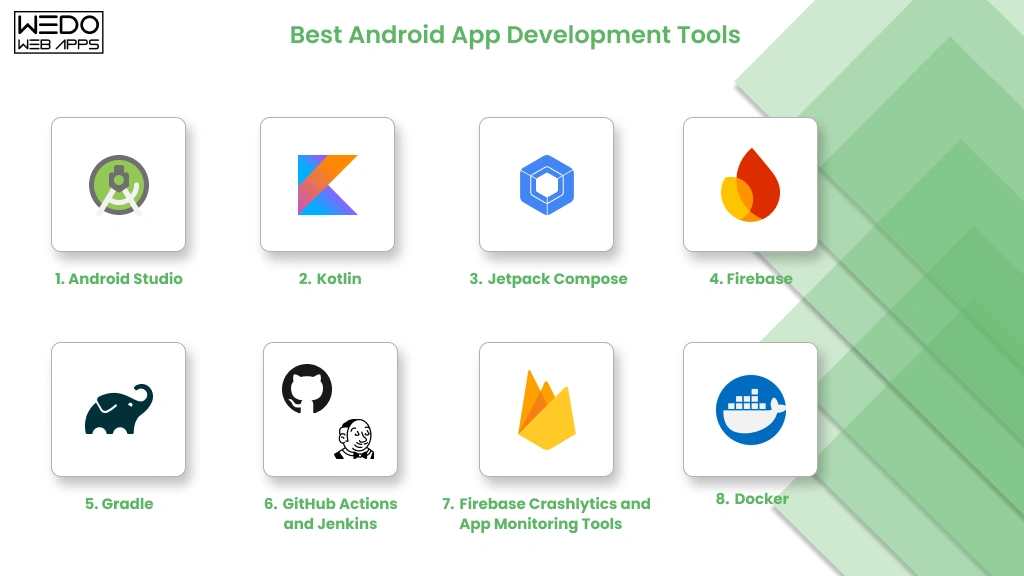
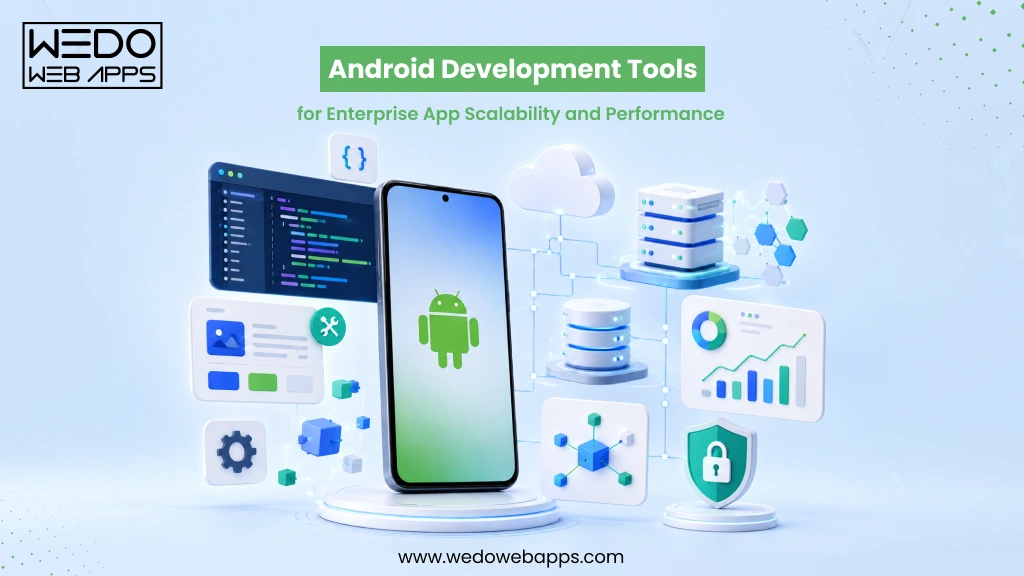
Android Mobile App Development Tools you must know

There are several tools available for Android mobile app development that are as under:

  • Android Studio: The official IDE for developing Android is called Android Studio. As such when it comes to developing Android applications effectively and efficiently- it’s best if you consider using the easiest software possible: In this case-Android Studio bundle! Android Studio includes a code editor, a debugger, a profiler, and several other tools that make it easy to develop Android apps.
  • Android SDK: The Android SDK is a set of tools that developers need to develop Android apps. The SDK includes the Android SDK Platform, the Android SDK Tools, and the Android SDK Documentation. The Android SDK Platform provides developers with the APIs that they need to develop Android apps. The Android SDK Tools provide developers with a variety of tools that they can use to build, test, and debug Android apps. The Android SDK Documentation provides developers with documentation on the Android SDK and the Android APIs.
  • Android NDK: The Android NDK is a set of tools that developers can use to write native code for Android apps. Native code is code that is written in a language that is specific to the platform, such as C or C++. The Android NDK allows developers to access the native features of Android devices, such as the camera and the graphics hardware.

In addition to these tools, some other tools can be used for Android mobile app development. Some of these tools include:

  • Graphic design tools: Graphic design tools can be used to create graphics that can be utilized in Android apps. Here are popular graphic design tools include Adobe Photoshop, Illustrator, and InDesign.
  • Testing tools: Testing tools may be used to check Android apps. Some popular checking-out equipment consists of Espresso, Robotium, and Monkey.
  • Version control tools: Version control tools can be used to track adjustments to Android apps. Some popular model management equipment consists of Git and Subversion.
  • Deployment tools: Deployment equipment may be used to set up Android apps for the Google Play Store. Some popular deployment tools include the Android SDK Manager and the Android Debug Bridge (ADB).

Depending on the particular requirements of the project, several tools will be used in developing Android mobile applications. Nonetheless, any project to design an Android mobile app can get off to a strong start with the tools mentioned above.

How can you find the right Android mobile Apps development company?

With the ever-increasing reputation of Android tools, it is vital for businesses to invest in expert Android app development services. We’ll explore the importance of partnering with an Android mobile apps development company, the valuable services they offer, and how to choose the right agency for your app development needs.

The Role of an Android Mobile Apps Development Company:

  1. Transforming Ideas into Functional Apps:

An Android mobile apps improvement company plays a pivotal role in turning your app ideas into reality. They have a group of skilled developers who understand the Android platform internal out, ensuring that your app isn’t always best visually appealing but additionally functional and user-friendly.

  1. Expertise in Android Development:

Creating an Android app requires specialized knowledge and know-how. By partnering with an expert Android developer, you gain access to their full-size experience in app improvement. They stay updated with the latest mobile app trends, frameworks, and technology, making sure that your app is constructed with the use of the first-rate practices in the industry.

  1. Customized Solutions for Business Needs:

Every business is unique, and so are its app requirements. An Android mobile apps development company understands this and offers customized solutions tailored to your specific business needs. They work closely with you to identify your goals, target audience, and desired features, ensuring that your app aligns perfectly with your brand identity and objectives.

Android Developer Services: Enhancing Your App’s Potential

  1. App Design and User Experience (UX):

Aesthetics and user experience are vital for the success of any mobile app. Android developer services encompass creating visually appealing designs, intuitive user interfaces, and seamless navigation. They focus on creating a user-friendly experience that keeps your customers engaged and satisfied.

  1. Android App Development and Testing:

Building an Android app involves multiple stages, including coding, testing, and debugging. Professional Android developers are proficient in programming languages like Java and Kotlin, ensuring that your app is developed with clean and efficient code. They conduct rigorous testing to identify and resolve any issues, guaranteeing a high-quality end product.

  1. App Optimization and Maintenance:

The work of an Android app development agency does not end with the launch of your app. They offer continuous maintenance, optimization, and support services. Regular updates, bug fixes, and overall performance improvements are critical for keeping your app applicable and functional in an ever-evolving mobile landscape.

Choosing the Right Android App Development Agency

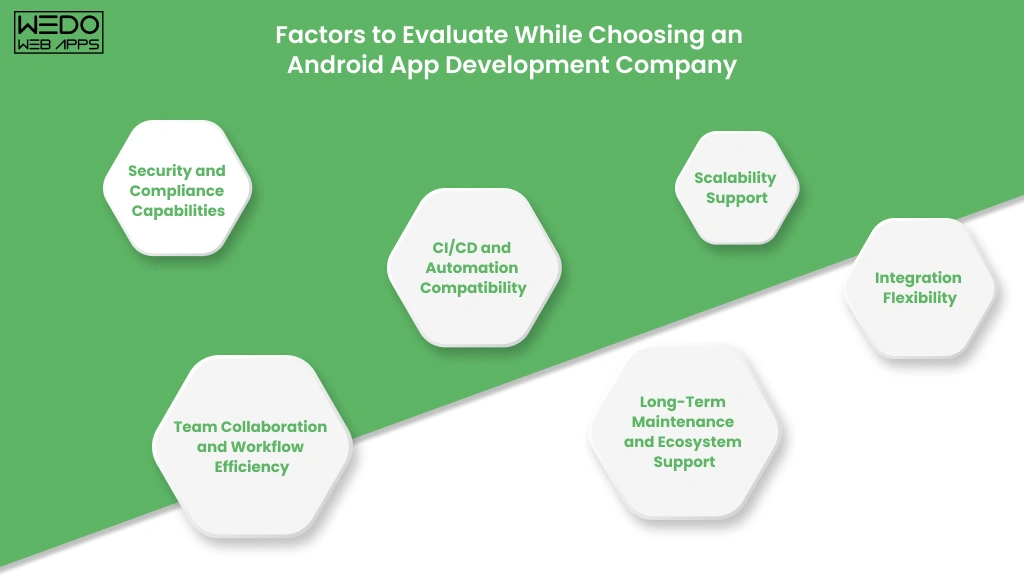
When it comes to selecting an Android app development agency, consider the following factors:

  1. Experience and expertise:

Look for a company with a proven track record in Android app development. Review their portfolio, client testimonials, and case studies to gauge their expertise in delivering successful projects.

  1. Development Process and Communication:

Ensure that the agency follows a systematic development process and maintains open lines of communication. Regular updates, progress reports, and transparent communication channels will keep you informed and involved throughout the development journey.

  1. App Security and Data Privacy:

App security is of paramount importance, especially when dealing with user data. Choose an agency that prioritizes robust security measures to protect sensitive information and complies with industry regulations.

Android Game Development Company

Several companies specialize in Android game development. These companies have the experience and expertise to create fantastic video games that can be enjoyed with the aid of users of all ages. Some of the maximum popular Android game development companies include:

  • Google
  • Zynga
  • Rovio
  • Supercell
  • Electronic Arts

What are the challenges in Android app development?

There are some challenges that developers face when developing Android apps that are as under: 

Fragmentation

There are numerous distinct devices and Android versions in use since the Android platform is fractured. It may be challenging to create apps that function on all devices as a result. 

Security

Android apps are vulnerable to security attacks. This is due to the fact Android is an open platform, this means that every person can develop apps for Android. Some developers may also create malicious apps that can steal a person’s data or damage devices. To address this challenge, developers need to take steps to secure their apps. They can do this through using steady coding practices and by implementing security features in their apps.

Testing

Android apps need to be tested on a variety of devices and versions of Android to ensure that they work properly. This can be a time-eating and hard method. To deal with this challenge, developers can use tools that may help them in the testing process. They also can use cloud-based testing services that could offer get access to a variety of devices and variations of Android. Despite the challenges, Android app development is a rewarding experience. Developers can create apps that may be used by thousands and thousands of people around the globe. By following the best practices and taking steps to cope with the challenges, developers can create super Android apps which are steady and reliable. Unveil the potential of Android with insights into the future of mobile app development services. Explore how Android Developer Services are shaping tomorrow’s digital landscape.

Android App Development in Houston

There are numerous Android app development companies in Houston. These companies have the experience and expertise to create remarkable apps that can be utilized by agencies and individuals in Houston and around the world. Some of the maximum famous Android app development companies in Houston include:

  • WEDOWEBAPPS LLC
  • Apptentive
  • Mobincube
  • Apptentive
  • Goodpatch
  • Appcelerator
  • Fuze

android app development cost

Mobile App Development for iOS and Android

Mobile app development for iOS and Android is a complicated process. It requires developers to have a deep knowledge of both systems and with a purpose to work with several technologies. However, it can be a very rewarding experience, because it allows developers to create apps that may be utilized by hundreds of thousands of humans around the arena. What is the difference between iOS and Android development? IOS and Android are the two most famous mobile operating systems within the global. Both platforms have their strengths and weaknesses. IOS is understood for its sleek design and its focus on user experience. Android is understood for its flexibility and openness. The ideal platform for developing mobile applications relies on the needs of the app. If the app is designed for a mass market, then iOS can be the better choice. If the app is designed for a specific niche, then Android may be the better choice. To conclude, the future of Android mobile app development holds exciting possibilities with trends such as AI, 5G, IoT, cross-platform development, and PWAs leading the way. Developers can leverage artificial intelligence and machine learning to enhance user experiences, while 5G opens up opportunities for interactive and immersive mobile apps.

Understanding WooCommerce Open Source Ecommerce Platform

Introduction

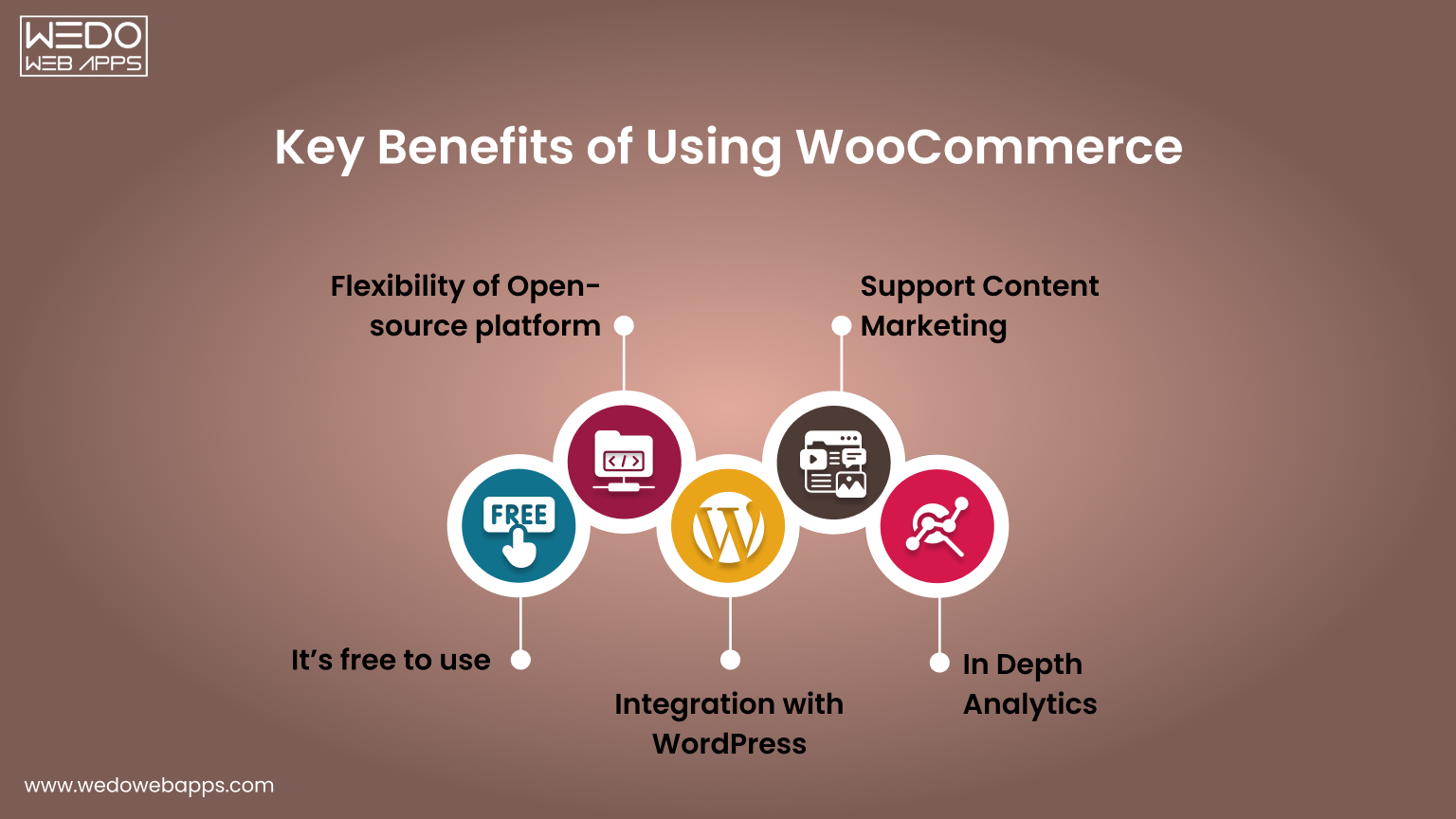
WooCommerce has redefined how online stores are built by combining WooCommerce flexibility with complete control. As an open-source platform built on WordPress, it allows you to shape every aspect of your website from product presentation to the checkout process without being restricted by templates or vendor limitations.

Its extensive library of plugins and extensions lets you add features, integrate with third-party tools, and scale your store efficiently. Whether you sell physical products, digital goods, or subscription services, WooCommerce adapts to your setup while keeping all data and functionality under your control.

Understanding WooCommerce open-source capabilities is essential when evaluating eCommerce platforms. This guide walks through its customization options, core features, and practical applications. By the end, you’ll understand how WooCommerce development supports growth, flexibility, and long-term control, making it a platform that can evolve alongside your store.

The Growing Popularity of Open Source eCommerce Platforms

Open-source platforms have changed how online stores are built. They give freedom, control, and the ability to create a store that meets exact needs without being limited by templates or vendor rules. WooCommerce open source is a leading example that offers flexibility and reliability for all types of online stores.

Why Open Source Works Well

  • Full Control Over Your Store: Adjust pages, features, and workflows to suit your requirements.
  • Data Ownership: Maintain complete control over your store data and customer information.
  • Cost Flexibility: The core platform is free, with optional paid extensions for added functionality.

What Makes WooCommerce Stand Out

  • Built on WordPress: Access thousands of plugins and themes for customization and integrations.
  • Suitable for Any Store: Supports physical products, digital goods, and subscription services.
  • Active Community: Developers worldwide provide updates, tutorials, and plugins, keeping the platform reliable and up-to-date.

Key Takeaways

  • WooCommerce open source provides flexibility and control for building an online store.
  • Its plugin ecosystem and community support make it a dependable long-term solution.
  • An open-source platform allows you to scale, customize, and innovate without limitations.


We build a WooCommerce store

What Makes WooCommerce Open Source Platform

WooCommerce open source is designed to give full control over your store, combining WooCommerce flexibility with ownership. Its open-source nature allows you to modify features, integrate tools, and scale your store without relying on templates or external vendors.

Free and Self-Hosted Architecture

You can start with the free core platform and choose your hosting environment based on your requirements. This self-hosted setup gives you control over performance, security, and updates.

  • No licensing fees for the core system.
  • Select your own server for hosting, speed, and security control.
  • Apply updates and maintenance on your schedule.

This architecture ensures your store is fully adaptable while keeping costs under control and providing independence from third-party limitations.

Access to Source Code and Full Control

The open-source structure gives direct access to the platform’s source code. This allows you to adjust workflows, add custom features, and integrate third-party tools seamlessly.

  • Modify the core functionality to suit unique business needs.
  • Customize layouts, checkout processes, and product pages.
  • Integrate payment gateways, plugins, and external services easily.

Having access to the source code ensures that your store can evolve as your needs change, providing unmatched WooCommerce flexibility for growth and customization.

Ownership of Store Data and Infrastructure

With WooCommerce, you retain complete control over all store data and infrastructure. This independence allows you to manage security, backups, and scaling without restrictions from a vendor.

  • Full control over products, orders, and customer information.
  • Implement security measures and data backups independently.
  • Scale servers and infrastructure as traffic and sales grow.

By owning the data and infrastructure, you ensure reliability, security, and the freedom to expand your store according to your long-term goals.

Key Benefits of Using WooCommerce for eCommerce Development


Key Benefits of Using WooCommerce Open Source

WooCommerce provides a flexible, scalable, and fully customizable framework for building online stores. Its open-source nature allows you to create a store that aligns perfectly with your business needs while giving full control over design, features, and performance.

Flexibility and Customization

One of the biggest advantages of WooCommerce open source is the ability to tailor every part of your store. You can adjust layouts, workflows, and functionality without restrictions.

  • Customize product pages, checkout flows, and shipping options.
  • Integrate with third-party tools and APIs.
  • Use thousands of plugins to extend features without writing new code.

This WooCommerce flexibility ensures your store can match your unique business requirements and provide a seamless experience for customers.

Scalability and Performance

WooCommerce open source platform is built to grow with your store. Whether you’re managing a small shop or a high-traffic eCommerce site, it can handle expansion efficiently.

  • Supports large product catalogs and multiple product types.
  • Can handle increasing traffic with proper hosting and optimization.
  • Compatible with caching, CDN, and performance-enhancing tools.

WooCommerce scalability ensures your store remains responsive and reliable as sales and customer interactions increase.

Robust Plugin Ecosystem

The WooCommerce plugins ecosystem allows you to add new capabilities quickly without extensive WooCommerce development work.

  • Access thousands of free and premium plugins for payments, marketing, and reporting.
  • Integrate specialized tools like subscription management or advanced shipping.
  • Leverage plugins to enhance customer experience and store functionality.

A strong plugin ecosystem makes it easy to expand your store’s features while keeping development manageable and cost-effective.

Cost-Effectiveness

Using WooCommerce open source can also be cost-efficient compared to proprietary platforms.

  • The core platform is free.
  • Paid plugins are optional and chosen based on specific needs.
  • No vendor lock-in means you control costs for hosting, extensions, and maintenance.

This combination of WooCommerce flexibility, WooCommerce scalability, and a strong ecosystem makes WooCommerce a reliable choice for long-term eCommerce growth.


planning a WooCommerce store

Core Capabilities That Support Store Growth

WooCommerce open source provides the foundation to build stores that can grow, adapt, and perform under increasing demand. Its features and architecture are designed to support expansion while giving full control over WooCommerce customization, integrations, and data management.

Integration with WordPress and Content Management

Built on WordPress, WooCommerce benefits from seamless content management and website integration. This allows you to combine eCommerce functionality with rich content features for marketing and customer engagement.

  • Manage blog posts, landing pages, and product content in a single platform.
  • Use WordPress themes to customize the store’s appearance and layout.
  • Leverage content blocks and page builders to enhance product presentation.

Integration with WordPress ensures that your store remains flexible, easy to manage, and consistent with your overall website experience.

APIs and Third-Party Integrations

WooCommerce open source platform supports a wide range of integrations through APIs and plugins, making it easy to connect with other tools or services.

  • Integrate payment gateways, shipping solutions, and tax tools.
  • Connect marketing platforms, CRM systems, and analytics services.
  • Build custom integrations for unique business workflows.

These capabilities allow your store to interact with essential tools efficiently, supporting automation, reporting, and seamless operations.

Performance and Scalability Potential

Designed to scale, WooCommerce can handle increasing traffic, large product catalogs, and high transaction volumes when configured correctly.

  • Supports multiple product types, variations, and categories.
  • Optimized for caching, CDN, and database performance improvements.
  • Allows independent server scaling to manage growing traffic and orders.

By leveraging these capabilities, your store can expand without sacrificing speed, reliability, or user experience.

Common Use Cases Where WooCommerce Works Well

WooCommerce development isn’t limited to a single type of store. Its flexibility and open-source nature make it suitable for a variety of eCommerce setups, from small shops to subscription-based businesses. Understanding where WooCommerce excels helps decide if it’s the right solution for your needs.

Small and Medium Online Stores

Many small and medium businesses rely on WooCommerce to launch quickly without high upfront costs.

  • Manage a catalog of products with ease.
  • Customize the store’s design and layout without complex coding.
  • Scale gradually as sales and traffic increase.

For businesses looking for control and adaptability, WooCommerce for small businesses offers a cost-effective solution that grows with the store.

Digital Products and Downloads

Selling digital goods like e-books, software, or music is straightforward with WooCommerce.

  • Deliver downloadable products automatically after purchase.
  • Protect content with secure access and download limits.
  • Integrate with payment gateways for smooth transactions.

This makes WooCommerce for digital products ideal for creators and businesses focusing on digital sales.

Subscription-Based Businesses

WooCommerce’s ecosystem supports recurring payments, making subscriptions simple to manage.

  • Automate billing for memberships, subscription boxes, or SaaS products.
  • Send reminders, invoices, and notifications automatically.
  • Track recurring revenue and customer activity with reporting tools.

With these capabilities, WooCommerce for subscriptions provides a reliable platform for recurring revenue models.

B2B and Niche Marketplaces

WooCommerce can support more complex business models like B2B stores or specialized marketplaces.

  • Offer tiered pricing, bulk discounts, and custom catalogs.
  • Integrate specialized shipping, tax, or inventory systems.
  • Build niche marketplaces with multiple sellers or product categories.

Even for specialized scenarios, WooCommerce’s open-source framework ensures you can adapt and extend functionality to meet unique business needs.


WooCommerce development solutions for small shops

Things to Consider Before Choosing WooCommerce

Consider Before Choosing WooCommerce

While WooCommerce offers flexibility and control, it also comes with responsibilities. Understanding these factors before building your store ensures smoother operations and avoids surprises down the line.

Hosting and Maintenance Responsibility

Unlike hosted eCommerce solutions, WooCommerce is self-managed, meaning you are responsible for hosting and maintenance.

  • Choose a reliable WooCommerce hosting provider to ensure speed and uptime.
  • Regularly monitor server performance and handle updates.
  • Plan for backups and disaster recovery to protect your store.

Proper hosting and maintenance planning help your store remain fast, secure, and reliable as it grows.

Security Updates and Plugin Management

Security is a key consideration with WooCommerce maintenance. Being open-source means you need to manage updates and third-party plugins carefully.

  • Keep WordPress, WooCommerce, and all plugins updated.
  • Audit installed plugins for compatibility and security risks.
  • Implement SSL certificates, firewalls, and malware scanning tools.

Managing security and plugins proactively reduces downtime and protects customer data.

Technical Learning Curve

Although WooCommerce is user-friendly, it still requires some technical knowledge, especially for WooCommerce customizations or integrations.

  • Understanding WordPress basics is necessary for content management.
  • Some plugin configurations or custom workflows may require developer support.
  • Familiarity with hosting, databases, and backups helps maintain store stability.

Being prepared for this learning curve ensures a smoother experience and reduces reliance on external resources.

WooCommerce vs Hosted eCommerce Platforms

Choosing the right eCommerce platform depends on your goals, technical comfort, and growth plans, and the eCommerce development partner. Here’s a quick glance at the key differences between WooCommerce open source and hosted platforms.

  • Control: WooCommerce offers deep customization. Hosted platforms are more limited.
  • Cost: WooCommerce core is free. Hosted platforms usually charge monthly or transaction fees.
  • Scalability: WooCommerce scales with your hosting setup. Hosted platforms manage scaling for you.
  • Security and Maintenance: WooCommerce requires updates and plugin management. Hosted platforms handle most updates automatically.

Control and Customization

WooCommerce open source provides control over design, features, and workflows, unlike hosted solutions that rely on templates.

  • Modify code, layouts, and checkout processes freely.
  • Add plugins or develop custom features without restrictions.
  • Tailor product pages and content management to your needs.

Hosted platforms offer convenience but limit customization beyond their built-in features.

Cost and Pricing Flexibility

Open-source and hosted platforms differ in how costs are managed.

  • WooCommerce core is free. Hosting and premium plugins or extensions are optional.
  • Hosted platforms often charge monthly or per-transaction fees, which can grow with traffic.
  • Open-source allows cost control based on actual business needs rather than fixed subscriptions.

Scalability and Performance

WooCommerce can handle growth efficiently when hosting is optimized.

  • Supports large product catalogs and multiple product types.
  • Compatible with caching, CDN, and database optimization.
  • Server scaling is independent, allowing the store to handle high traffic.

Hosted platforms handle scaling automatically but may limit advanced optimization or control.

Security and Maintenance

Security responsibilities differ between open-source and hosted platforms.

  • With WooCommerce, you manage security, updates, and plugins.
  • Hosted solutions maintain security automatically but offer limited control over advanced settings.
  • Open-source requires proactive management but gives ownership of store data.


WooCommerce guidance to choose the right ecommerce

Is WooCommerce the Right Fit for Your Business

Deciding if WooCommerce is the best platform depends on your business goals, technical capabilities, and growth plans. Use this checklist to evaluate whether WooCommerce flexibility and open-source eCommerce platform benefits match your needs.

Checklist: Is WooCommerce Right for You?

  • You need control over WooCommerce customization, including workflows, product pages, and checkout processes.
  • You prefer cost flexibility, starting with a free core platform and selectively investing in plugins or hosting.
  • You require scalability to accommodate growing traffic, product ranges, or order volumes.
  • You want ownership of customer data, sales information, and store infrastructure.
  • You plan to integrate third-party tools such as payment gateways, marketing platforms, or analytics.
  • Your team or partner can manage updates, security, and plugin maintenance efficiently.
  • You sell multiple product types, including physical products, digital goods, or subscriptions.
  • You want access to a robust plugin ecosystem to extend features as your store grows.

If most of these points align with your business requirements, WooCommerce open source is likely a suitable platform. Its flexibility, scalability, and ecosystem make it a reliable solution for many eCommerce stores.

Conclusion

WooCommerce open source gives you the freedom to build your store the way you want. You can customize every part of your site, from product pages to checkout, while keeping control over your data and operations.

Whether you run a small online shop, sell digital products, or manage subscriptions, WooCommerce adapts to your needs. Its plugin ecosystem and WordPress integration make it easy to add features and allow WooCommerce developers to grow your store as your business expands.

Managing WooCommerce maintenance and security requires attention, but the payoff is a store that performs reliably and scales with your goals.

Choosing WooCommerce means choosing flexibility, control, and long-term growth. It’s a platform that lets you innovate, adapt, and create an online store that can evolve with your business.


build a scalable ecommerce foundation

Educational App Ideas to Create Engaging Mobile Learning Apps

Education App Ideas That Inspire Better Learning

Imagine that learning feels as exciting as playing your favourite game or watching an interesting series. This is possible only if you have the right educational app ideas.

Whether it is a student making use of it for revision for an exam, children using it for interactive lessons, or used by teachers to manage their classroom experience more smoothly. All this is possible by building the right educational app.

As technology is shaping the way we learn and teach. The demand for creative and practical educational app ideas has never been higher. If you are also planning to build an education app, you need more than just the concept and the right app development partner to make a reliable app.

In this guide, we will share a unique educational app idea effective for students, parents, and educators. Also, we will cover the insight into the various ideas to make a successful app.

Why Educational Mobile Apps Are Transforming Learning Today

Education apps are not just basic learning applications; they are the concept that shapes the way students and teachers connect.

There has been a great demand for educational apps, and it is expected that many educational sources are investing more in educational app development. The global learning market is reaching over $400 billion by the year 2026.

There is no doubt that currently, students are relying more on the online assets of digital sources for learning. It makes the learning experience smooth and also supports the mobile-responsive design, so this maintains the interest of learners.

From interactive lessons to gamified quizzes, the educational app ideas are making learning accessible anytime and from anywhere. This shift has made the learning more flexible, personalized, and engaging.

Why is there a Growing Demand for Mobile Learning?

With the smartphone becoming a daily necessity and a regularly used tool, the demand for this is growing rapidly. Schools, universities, and independent educators are also adopting educational mobile apps for maintaining interactive learning.

The educational apps are bridging the gap between traditional teaching and modern learning by maintaining flexibility and attractiveness.

Benefits of Educational Apps for Students and Educators

Educational apps offer students the easy option to learn at their own speed and access to multimedia resources to better understand complex topics.

For educators, educational apps simplify lesson delivery and increase communication with students. Also, allows for simpler tracking of the student’s progress.

Whether it is preparation for the exam or skill development, educational app ideas are reshaping how knowledge is delivered and absorbed.

Key Features to Consider in Educational App Design

Key Features in Educational App Design

When working on educational app design ideas, you should maintain a clear focus on creating an app that provides a smoother user experience. Before processing the app design, make sure you know what the right features need to be added to maintain usability.

Having the right feature to build education app makes learning more interesting. Below are the basics that need to be included when developing educational app ideas.

Shall we study basic app design elements?

1. User-Friendly Interface for Different Age Groups

To understand the user’s expectations, app design should match the student’s expectations.

  • For young learners, you should make use of larger icons, bright colors, and smooth navigation.
  • For older students or professionals, the design should have a clean layout and dashboard options.

If these are clearly maintained, then this will give learners of all ages an easy navigation option in the app without any confusion.

2. Personalized and Adaptive Learning

Allow users to set goals, track progress, and receive a personalized learning experience. Adaptive learning paths allow for making adjustments in real-time and keep students motivated to improve their learning.

3. Gamification and Interactive Elements

Adding various interesting options like quizzes, badges, and other aspects makes the learning more interesting. Gamification encourages users to maintain effective participation in learning and retaining more information.

4. Accessibility and Support for Special Needs

Include features such as converting text-to-speech, adjusting fonts, and high contrast themes. This ensures that your app maintains effective support with visuals or reduces the chances of facing difficulty in learning.

5. Integration of AI and AR/VR Technologies

Adding an AI-based feature allows you to maintain the personalized experience for users. On the other hand, AR and VR bring a real-time experience for understanding this with a virtual and interactive environment. These technologies make learning more immersive and memorable.

These are the basic apps that you can add to your educational app idea to maintain the effectiveness and stability for the users.

Want an educational app that has all the exceptional features?

Top 15+ Unique Educational App Ideas for Students

Are you also looking for a unique app ideas for the students that go beyond the e-learning tools?

Then you are at the right place, this section covers all the concepts and combinations of innovative apps that are specifically designed to improve the learning experience. Each of these educational mobile app ideas maintains the focus on solving all the academic problems and provides a personalized learning experience.

To help you know about the various best educational app ideas, here are some that are grouped into five categories. Each of the discussed categories maintains the focus on different aspects to maintain the learning experience and overall well-being.

Let’s discuss each of them in detail so that you have a clear idea of which app is needed for your educational app ideas.

A. Academic Support App

These apps specifically maintain the focus on helping students to learn more effectively and boost their performance. This ideal educational app has all the basic needs for school students and university scholars.

  • AI-Powered Study Planner and Organizer – Uses AI to create and adjust the personalized learning experience while maintaining the study timetable. It helps in prioritizing the task based on the urgency and sends a reminder to the student about their learning schedule.
  • Virtual Tutor and Homework Help App – Maintain a connection between students with subject experts for quickly solving problems and support live Q&A sessions. This easily bridges the gap between classroom and self learning.
  • Flashcard and Quiz Game – Makes the learning simpler and also fun by automatically adjusting question difficulty to match the progress and performance level of students.
  • Exam Preparation and Performance Tracking App – Give support for mock tests, instant grading, and details on progress reports. Helps students to know about their strengths and weaknesses before their exam comes.

B. Skill and Career Development Apps

These are ideal educational app ideas that help students to prepare for their future by building practical skills and often maintain the traditional curriculum.

  • Career Guidance and Interview Preparation App – Include options to address career insights, CV builder, and aptitude test. Also, give support for virtual mock interviews to prepare the students for handling professional culture.
  • Coding and Programming Learning App for Beginners  – Uses gamified lessons and interactive projects to allow students to learn more about programming languages and improve their problem-solving skills.
  • Creative Writing and Storytelling Platform – Maintain interest in the writing prompts and creating collaborative stories. Also maintains an interest in understanding self-expression.
  • Financial Literacy and Budgeting App for Students – Helps students to easily understand the process of money management and clears the concept effectively related to budget and investment.

C. Health and Well-Being Apps

Improving physical and mental health is equally important as ensuring academic success. These apps help students to maintain the balance of learning while staying motivated.

  • Mental Health and Well-Being Support App – Offers support for understanding the different mood learners. And give the guidance of needed therapy to maintain emotional resilience.
  • Mindfulness and Meditation App for Stress Relief – Provides details on the exercise and meditation practices that need to be followed. Also, give support for various techniques to improve concentration and reduce stress before an exam.
  • Cooking and Nutrition Learning App for Kids – Maintain the combination of fun recipes with lessons about following healthy eating habits and nutritional facts.

D. Enrichment and Exploration Apps

These educational mobile app ideas are designed to make learning more interactive and enjoyable.

  • Language Learning with Immersive AR Experiences – Make use of Augmented Reality to improve vocabulary and grammar with the different language settings. This maintains faster and more memorable learning.
  • Interactive History and Geography Exploration App – Maintain a clear combination of virtual tours with interactive maps and quizzes related to the history and geography lessons.
  • STEM Experiment and Virtual Science Lab App – Allow students to conduct experimental studies on a real-time basis with access to advanced resources, and improve hands-on learning.
  • Environmental Awareness and Sustainability App – Give students knowledge about climate change, recycling, and eco-friendly habits that need to be followed.

E. School Life And Community Apps

These apps improve day-to-day school operations and maintain effective collaboration among the students.

  • School Bus Tracking And Safety App – Use GPS tracking and push notification options that allow schools and parents to monitor the route of the bus and maintain safety.
  • Book Swap and Digital Library App – Encourages reading by enabling students to exchange subject details and related notes with ease.
  • Collaborative Group Project and Peer Mentorship App – Gives access to a shareable workspace to manage group tasks and also maintain smoother connections with the groups.
  • Special Needs Learning and Therapy App – Provided personalized learning experience, including therapy experiences and various technologies to understand different learning abilities.

You do not need to limit your project to any of these educational app ideas. Many of the most successful apps combine features from different app categories and make an effective new application.

Need support to make the new application

Steps to Build Your Own Educational Mobile App


Steps to Build Your Own Educational Mobile App

Create a great idea to build the app with care, considering all the essential aspects. Whether you are exploring an educational app idea or are ready to build an education app, the following steps will help you get better results.

Step 1: Define Targeted Audience and Learning Goals

  • Identify the specifications of the app, like who you want to serve.
  • Understand the preferences of your targeted audiences and make the relevant design.
  • Define the measure learning outline, such as skills, preparation, or interactions.

Step 2: Choosing the Right Technology and Platform

  • Decide between Android, iOS, or a cross-platform application.
  • Select the suitable technology stack for app development.
  • Offers scalability to manage features and app loading pressure.

Step 3: Designing Intuitive User Experience

  • Create a clean and interactive design to maintain interest.
  • Use smooth navigation and a clear layout to easily find the required sections.
  • Add effective design and visual gamified elements to engage learners.

Step 4: Developing Key Features and Content

  • Add essential features such as video lessons, interactive quizzes, and offline access.
  • Use multimedia content format to support different learning styles.
  • Give access to an interactive module to offer practical knowledge.

Step 5: Testing and Feedback Incorporation

  • Conduct functionality and usability testing for the different devices.
  • Take feedback in real-time from the students and educators.
  • Update the app based on the given suggestion by the user to generate a better outcome.

Step 6: Launching and Promoting Your App

  • Launch your app in the Play Store or on a relevant site to which is highly optimized site.
  • Do the promotion of your app through ads, forums, and collaboration.
  • Monitor the app’s performance and continuous updating features.

Developing an app using secure coding, encryption, and best practices for robust security and a smooth user experience at WEDOWEBAPPS.

Challenges in Developing Educational Apps and How to Overcome Them

Creating a successful learning tool requires you to have more than just the innovative educational app idea. When you build education app, you come across various challenges that can affect quality and usability.

Here are some of the tips on how to address them effectively, and this helps you avoid the common mistakes before and after launch:

Ensuring Engagement and Retention

  • Add various elements to maintain the interest, like a quiz, a badge, and a leaderboard.
  • Use adaptive learning methods so that there are no performance issues.
  • Regularly update content to maintain the interest of students.

Balancing Educational Value and Entertainment

  • Make sure you avoid making the learning appear more like a game.
  • Ensure that every interactive element is added to maintain the learning objective.
  • Use multimedia to make the complex thing appear to be easier to learn.

Managing Privacy and Data Security

  • Include strong encryption to manage the sensitive data for the student and educator.
  • Make sure your app complies with laws like COPPA or GDPR, depending on your target.
  • Provide clearer educational options and maintain transparency with the policy.

Provide Support for Diverse Learning Needs

  • Include easy access to basic features like text-to-speech or adjustable font size.
  • Offer support for various languages to attract users globally.
  • Design a specific curriculum to meet the needs, learning speed, and abilities.

Bringing Your Educational App Idea to Life

Turning educational app ideas into reality requires having a clear plan and the use of the right technology. Whether you want to build education app for school students or working professionals. Success only depends on the combination of creativity with functionality.

By maintaining a clearer focus on user engagement, high-quality content, and advanced inclusion features, you can create a greater impact. Start with the simpler concept of problem-solving and then reach out to the collaborative app developer to bring your app to life.

As the education sector is growing rapidly, it is now important to have the right app that can maintain better efficiency. If you have an idea, take the first step and build an education app that makes a difference.

Developer assisting to build an education app that transforms your vision into an interactive learning experience with WEDOWEBAPPS

Best Tool For Android Development That Even Enterprises Count On

The count of live Android applications on the Google Play Store as of March 2023 is 2.67 Million !

Did you know this was the score when they deprecated 1 million apps in July 2013?

Yes, indeed! With over 70% of Android device holders worldwide, Android app development is the go-to for on-demand app development. Now, you can imagine the popularity of Android app development over other mobile app development services. As more businesses get online in the post-COVID era, this inclination towards mobile apps gradually increases. 

Hence, comes the need for cutting-edge tools for Android development. These tech-driven tools simplify app development operations and help Android mobile apps developer deliver the finest apps within promising timelines. You ask for the name of the Android development tool, and Android Studio will be the first name coming from any Android mobile apps developer. Let me tell you more about it. 

Android Studio: 

Android Studio is a tool for Android development that has stood out among the developer community since 2013. Developed by Google with enriching UI, it is an official Integrated Development Environment (IDE) that helps developers with end-to-end app development stages. Android Studio has everything from design tools to intelligent code editors and flexible build systems to emulators to make your app ready to launch. It supports variable languages like Kotlin, Java, and C++, proving its support for a wide range of Android apps. Since Google backs it, the tool’s updates are readily available in compliance with the policies of the Google Play Store. 

The tool is power packed with features like AVD – an emulator to run Android apps on a computer, making testing responsiveness and performance easier for multiple screen configs. Some of its features and tools are also available to be used distinctly. Also, it supports tools like Android Debug Bridge (ADB) – a CLI tool to bridge communication between computers and Android devices. It aids to QA process and powers Android mobile apps developers to make app modifications and check in real-time. Android’s app bundle enables the comparison of two APK versions and helps in app optimization. 

android app development agency

What are the supporting tools for Android Development?

Though Android Studio covers everything, there are a handful of supporting Android app development tools across the web. Moving on, we will discuss the supporting tools for Android app development. 

  • Gradle: Endorsed by Google, Gradle offers a build system for developers to create different variants for the app within the same project. It simplifies the addition of external libraries using a single line of code, making it highly apt for developing large-scale JAVA applications. 
  • Firebase: Another tool powered by Google is a cloud-based service and app-development platform that hosts databases, manages backend infrastructure, and monitors the app performance post-launch. It enables easy integration with several partner tools to keep the process sleek.  
  • GameMaker Studio: By the third quarter of 2022, approximately 490 thousand mobile gaming apps were live in the Google Play Store, representing a 2.57% increase compared to that of the previous quarter. The gaming industry is in a rage, and that’s where tools like GameMaker Studio simplify the development of 2D games for gaming app developers. 
  • Unity 3D: Taking the experience of 2D games to the next level with AR/VR technology, Unity 3D helps Android app developers create interactive 3D gaming applications for businesses. If you want to jump into the gaming industry, you can count on WeDoWebApps – an Android app development agency, to develop thrilling gaming apps. 
  • Eclipse: It has been the most popular IDE until 2016, before Google’s Android Studio. Since Google has already deprecated its support for Eclipse, you will not find many using it. Majorly Java developers count on it for Android app development. 

custom android app development

Wrapping Up

Though Android grabs the major market share, we also have iOS apps and other OS users. That’s where clients look upon the native app development services. Other tools for Android Development are the ones that support native apps. These include Titanium SDK, Adobe AIR, Unity, Xamarin, Ionic, etc. Are you looking for a custom android app development for your business app? If so, you can count on us for the same. 

At WeDoWebApps, we can help you with Android app development services to shape your ideas into an app. Whether you want us to handle end-to-end development projects or like to opt for android developer services on an ad-hoc basis, we can serve you in both cases. Learn about choosing the right development tools for your Android projects. Explore how selecting the best tools can enhance your application’s performance and development process.