skip to content

Ecommerce Website Rebuild Cost: What to Budget in 2026 | WeDoWebApps

Introduction

A WooCommerce store owner came to us last year with a simple ask: “We need a rebuild. How much?” They had already gotten two quotes, one for $8,000 and the other for $22,000, and had no idea why the gap was so wide. After a 30-minute scoping call, the reason was clear: neither vendor had asked about their 9,000 SKUs, their ERP integration, or their custom B2B pricing rules. One had underscoped the job entirely, the other had padded for unknowns they had not bothered to investigate.

That gap between quotes is almost always a gap in scope, and it is exactly what this guide is designed to close. Whether you are on Shopify, WooCommerce, or Magento, you will find real cost ranges, honest timelines, and a clear breakdown of what actually drives the price up. Our eCommerce development services cover full rebuilds, platform migrations, and incremental modernization for live stores.

Get a Free Cost Estimate

Rebuild vs Redesign vs New Build: What Are You Actually Doing?

These three terms get mixed up constantly, and mixing them up leads to wildly wrong cost expectations. Here is what each one actually means:

  • Redesign: You are changing how the site looks and feels. Same platform, same data, same technology. Think of it as repainting and refurnishing a house without touching the plumbing. This is the cheapest option.
  • Rebuild: You are reconstructing the store, either on the same platform or a new one, while keeping your existing data (products, orders, customers). This is the most common project type for established businesses.
  • New Build: You are starting from scratch with no legacy data, no old platform to migrate from, and no technical debt to manage. Lower risk, but only relevant if you are launching a genuinely new store.

Most business owners reading this guide are doing a rebuild. You have a store that is live and generating revenue. You cannot just switch it off. Every decision carries real commercial risk.

RedesignRebuildNew Build
What changes?Frontend onlyPlatform + frontend + dataEverything from scratch
Data migration?NoYes (complex)No
Typical cost?$2,000 – $12,000$4,000 – $75,000+$6,000 – $60,000+
Typical timeline?2-8 weeks6-32 weeks8-24 weeks
Risk LevelLowMedium-HighMedium

Cost Breakdown by Platform: Magento, Shopify, WooCommerce

Your platform choice is the single biggest driver of rebuild cost. Here is what to expect across the three most common platforms.

Shopify Rebuild Costs

Shopify is the simplest platform to rebuild on. It is hosted, which removes server setup costs, and the app ecosystem means less custom development is needed.

TierTypical CostWhat’s Included
Low$4,000 – $7,000Premium theme customization, basic data migration, standard apps
Mid$7,000 – $16,000Custom theme, full data migration, app integrations, SEO redirect mapping
High$16,000 – $32,000Headless Shopify, complex integrations (ERP, PIM), bespoke checkout logic

As a Shopify rebuild and migration services provider, our work includes theme development, app integration, and full data transfer from your old platform.

WooCommerce Rebuild Costs

WooCommerce costs vary more than Shopify because everything sits on WordPress infrastructure that you own and manage. Plugin complexity and custom functionality are the two biggest cost variables.

TierTypical CostWhat’s Included
Low$5,000 – $9,000New theme, hosting migration, core plugin updates, basic custom work
Mid$9,000 – $20,000Custom functionality, payment gateway rebuilds, performance optimization
High$20,000 – $38,000Bespoke plugins, multi-site setup, complex B2B pricing rules, ERP sync

For WooCommerce development and rebuilds, costs vary significantly based on plugin complexity and the amount of custom functionality your store depends on.

Magento Rebuild Costs

Magento (Adobe Commerce) is the most powerful platform in this list, and the most expensive to rebuild on. It is built for high-volume, complex stores with sophisticated requirements. If you are on Magento 1 (end-of-life since June 2020), migrating to Magento 2 or a different platform entirely is urgent.

TierTypical CostWhat’s Included
Low$13,000 – $25,000Magento 1 to 2 upgrade, standard theme, core module updates
Mid$25,000 – $50,000Custom theme, extension redevelopment, full data migration, third-party integrations
High$50,000 – $75,000+Enterprise-scale, multi-store, ERP, PIM, 3PL integrations, headless architecture

As Magento development and rebuild specialists, we manage everything from architecture planning to data migration and QA.

Seeing a range that fits your budget

What Drives Rebuild Costs Up

Two stores on the same platform with the same number of pages can have wildly different rebuild costs. Here is what actually moves the number:

  • Number of SKUs and variants: Every product needs to be mapped, cleaned, and imported. 500 SKUs is a half-day job. 50,000 SKUs is a project in itself.
  • Custom integrations: If your store connects to an ERP, a PIM, a loyalty program, or a third-party fulfillment system, each integration needs to be rebuilt or remapped to the new platform.
  • Multi-currency or multi-language: These add development time, testing complexity, and ongoing maintenance overhead.
  • Bespoke checkout or subscription logic: Custom checkout flows, B2B account pricing, and subscription billing all require significant custom development.
  • Age of the current platform: Older systems often have messy, inconsistent data that needs cleaning before it can be migrated. The older the platform, the harder the extraction.
  • SEO URL mapping: Every URL that changes needs a redirect. A poorly planned redirect strategy can destroy years of organic rankings overnight.
  • Performance and accessibility requirements: Meeting WCAG 2.1 AA accessibility standards or hitting specific Core Web Vitals targets adds testing time and sometimes significant rework.

Important: Don’t price-match quotes without scope-matching them first.

A $6,000 quote and a $16,000 quote for a ‘Shopify rebuild’ are almost certainly not scoping the same work. Always ask what is included in data migration, QA, and post-launch support before comparing prices.

Data Migration: The Hidden Cost Everyone Forgets

Almost every client is surprised by how much data migration costs. It is part of a rebuild that is not variable in a finished site, but is often the part that determines whether the project succeeds or fails.

Data migration means taking everything stored in your current platform, products, images, customer accounts, order history, product reviews, blog posts, redirects, and moving it cleanly to the new system. That sounds simple, but it rarely is.

Data TypeWhat Makes it ComplexTypical Effort
Products & variantsCustom fields, inconsistent formatting, missing images5 – 40+ hours
Customer accountsPassword hashing, GDPR/CCPA compliance, duplicate records4 – 16 hours
Order historyStatus mapping, tax line differences, fulfillment data4 – 20 hours
Product reviewsPlatform-specific formats, no standard export3 – 12 hours
Blog / CMS contentFormatting differences, embedded media, URL changes4 – 16 hours
URL redirects301 mapping from old to new URLs, SEO preservation3 – 15 hours

The standard process for a safe migration is: test migration on a staging environment -> UAT (user acceptance testing) with your team -> sign off -> live cutover. Skipping any stage risks data loss or corrupt records in production.

Pre-Rebuild Audit Checklist

Before you hire eCommerce developers for your online store, do this audit of your current store. It will save you time, money, and surprises:

  1. Inventory your data sources. List every place data lives: your platform database, third-party apps, spreadsheets, ERP exports.
  2. Document every integration. Write down every system your store connects to: payment gateways, shipping providers, loyalty programs, and accounting software.
  3. Count your SKUs. Get an exact number of active products, variants, and archived products that need to be migrated.
  4. Export your current GA4 baseline. Record current conversion rates, average order value, and organic traffic by URL before you rebuild.
  5. Capture your URL structure. Export a complete list of all current URLs. This becomes your redirect map.
  6. Check DNS and SSL setup. Know where your domain is registered, who manages DNS, and when SSL certificates expire.
  7. Identify your peak trading windows. Black Friday, seasonal peaks, product launches, schedule your rebuild go-live around them, not through them.

Timeline: How Long Does an eCommerce Rebuild Take

The timeline is where a lot of projects go wrong. Developers underquote, clients expect miracles, and live stores get pushed to go-live before they are ready.

Here are realistic timelines based on platform and complexity:

PlatformSimple RebuildComplex Rebuild
Shopify4-8 weeks10-16 weeks
WooCommerce6-10 weeks12-20 weeks
Magento 2 Upgrade16-20 weeks24-32 weeks
Platform Migration (eg, Magento to Shopify)10-16 weeks18-28 weeks

A typical rebuild breaks down into 5 stages:

  • Discovery & Scoping: 1-2 weeks. Auditing the current site, documenting requirements, and producing a technical specification.
  • Design: 2-4 weeks. UX wireframing, visual design, and client approval rounds.
  • Build: Varies by platform and scope (see table above). Development, data migration, and integration work.
  • QA & UAT: 1-2 weeks. Internal testing, client review, bug fixes, and performance checks.
  • Launch: 1 week. DNS cutover, monitoring, and post-launch fixes.

Revenue risk of a delayed rebuild

A rebuild that drags on costs more than the development fee. Every week your underperforming store stays live, you are leaving conversions on the table. Factor this into your cost-benefit analysis when deciding whether to rebuild.

Real-World Rebuild Examples and What They Cost

Here are three anonymized examples from real rebuild projects. They show how scope translates cost and timeline.

Example A: Fashion Retailer, Magento 1 to Shopify Plus

  • Store size: 4,000 SKUs, 3 third-party integrations (loyalty, ERP, 3PL)
  • Scope: Full data migration, custom Shopify Plus theme, integration rebuilds, 301 redirect mapping
  • Cost: $23,000
  • Timeline: 14 weeks
  • Key challenge: Magento 1 data was inconsistent, product attribute cleanup alone took 3 weeks

Example B: B2B Trade Supplier, WooCommerce In-Platform Rebuild

  • Store size: 1,200 SKUs, custom B2B pricing rules, PDF quote generator
  • Scope: New theme, redeveloped custom plugins, performance optimization, customer account migration
  • Cost: $12,000
  • Timeline: 10 weeks
  • Key challenge: The existing PDF quote tool had no documentation, required full redevelopment from scratch

Example C: Health & Wellness DTC Brand, Shopify Re-Theme and Data Clean-Up

  • Store size: 800 SKUs, subscription app migration from Recharge to a new provider
  • Scope: Custom Shopify theme, product data clean-up, subscription migration, SEO audit
  • Cost: $6,500
  • Timeline: 6 weeks
  • Key challenge: Subscription customer data requires manual mapping between providers

Does one of these projects sound like yours

Should You Rebuild or Migrate to a New Platform?

This is the question most business owners don’t ask early enough, but it’s the most important one. Sometimes, a rebuild on your current platform makes sense. Other times, the platform itself is the problem.

Rebuild on the same platform if:

  • Your platform still meets your business needs and has a clear long-term roadmap
  • You have significant custom development already built on it that would be expensive to recreate
  • Your team knows the platform, and switching would require retraining

Consider migrating to a new platform if:

  • You are on Magento 1 (end-of-life – serious security risk)
  • Your current platform is limiting growth, You cannot add the features your business needs
  • Hosting and maintenance costs are disproportionately high
  • Your dev team spends more time firefighting than building

The cost difference between rebuilding on the same platform and migrating to a new one is often smaller than businesses expect, because data migration is the expensive part, regardless.

How to Scope Your Rebuild Before Talking to Vendors

The more clearly you can define what you need, the more accurate your quotes will be. And the less likely you are to get hit with out-of-scope costs mid-project.

Before you contact any agency or developer, work through these questions:

  • What problem are you actually solving? Performance? Scalability? Design? Platform limitations? Be specific. “The site feels old” is not a scope.
  • What does your current platform look like? Version number, hosting setup, and number of active extensions or plugins.
  • What integrations are non-negotiable? List every external system that must connect to your store from day one.
  • What data must be migrated? Products, customers, orders, reviews, and how far back does order history need to go?
  • What are your peak trading periods? These define when you cannot go live and should inform the project timeline from the start.
  • What does “done” look like? Define measurable success criteria: conversion rate targets, page speed benchmarks, and revenue thresholds.

Get a Custom Rebuild Estimate

Every rebuild is different. The cost of your project depends on your platform, your data, your integrations, and your goals, not a generic price list.

We offer a free scoping call to understand your current setup and give you a realistic cost estimate before you commit to anything. No obligation, no sales pitch, just honest numbers based on what your project actually involves.

Get a Free Rebuild Cost Estimate

Tell us about your current platform, SKU count, and integrations. We will give you a scoped estimate within 48 hours.

Contact us at wedowebapps.com or call to speak directly with a rebuild specialist.

Get a Free Rebuild Cost Estimate


Website Development Costs: A Detailed Breakdown for Businesses Explained

Website Development Costs: What You Are Really Paying For

When planning a new website, one question keeps coming up: How much does website development cost in 2025?

If you are also looking for the answers, you have probably seen the various figures from a few hundred to a maximum of over a hundred thousand dollars. That is where the website development cost varies based on the business needs.

For Example:

  • Building a website for a small business may cost around $1000.
  • But if you want to build a custom eCommerce platform or web application, then the range may vary between $50,000 – $100,000 or more.

But what actually sets these prices? It is not just the design. The cost for web development, or we can say website development budget breakdown, depends on factors like website types, features, team expertise, and even location.

But here is the catch that knowing about the exact price is challenging, and if the company gives you the exact amount, then they are more reliable.

Being the leading website development company, we know that overall web development cost has an influence on different factors, which include the need for features, app complexity, and the location of the development team.

So your company wants to know the details on all the cost factors, whether it is a startup, SME, or larger organization. This blog will help you with:

  • Understand the real website development cost breakdown.
  • Compare website developer cost options: freelancers, agencies, in-house teams.
  • Estimate the average cost for website development specific to your project.
  • Learn about how to make informed and cost-effective decisions.

If you want to build a new website for your company and want clarity on the overall cost, then keep reading. By the end of this blog, you will be able to calculate the average cost of web development for your business.

Let’s get started.

Understanding Website Development Costs Today

Before getting deep into the cost, it is essential to stand against the various market competitors; it is essential to have a good website. And developing a good website is not just about writing code and developing a good design.

Your website development budget must account for the structure of the website, the need for the addition of different functionality, the technology stack used, and the need for post-launch support.

The direct impact of cost is not the development time, whether it is a basic website or a feature-rich web application.

Here are the quick factors that influence cost:

  • Type of website: A static website costs less than an interactive SaaS product.
  • Technology choices: Use of frameworks like React, Laravel, or Next.js can increase development time and cost.
  • Customization level: If the website is developed with a pre-built template, then it costs less and needs a custom design; otherwise, it requires more cost.
  • Development approach: If working with an experienced company, then it costs more in comparison with a freelancer, but this often brings better results.

So, the website development cost in 2025 reflects the value and impact of a business in a better way. Now we will discuss more about each factor that affects the cost by website types and others, which helps you to identify where your project may fall.

Curious how much web development costs

Average Cost for Website Development: A Quick Overview

Cost for Website Development

The average cost of web development is generally based on the type of website, the way of building it, and the launch. But the cost can vary depending on the inclusion of additional features, team location, and complexity.

Below is a quick cost breakdown for website development across common categories:

Website TypeEstimated Cost RangeEstimated Timeline
Small Business Website$1,000 – $10,0002 – 5 weeks
Corporate Website$10,000 – $50,0004 – 12 weeks
eCommerce Website$5,000 – $100,0006 – 20 weeks
Web Application (Custom)$25,000 – $150,000+12 – 30+ weeks

To help you with a further understanding of the average cost of website development, each category is discussed clearly and in detail to have more accuracy regarding the development time and cost.

Small Business Website

A small business website developer cost generally comes under the range of $1000 to $10,000. It includes 5-10 pages, a basic content management system like WordPress, and standard features such as

  • Contact forms for business reaching
  • Service pages
  • Mobile responsiveness

This is ideal for local service providers, consultants, or early-stage startups.

If you are working with a freelancer, then the lower range of the cost applies. But if you are working with a professional WordPress development company, then the cost is on the higher side because of the design quality and well-structured website.

Corporate Business Website

For developing the corporate website, which has a scalable architecture, a customized design, and integration of CRM or ERPs, the price for website development will fall under the range of $10,000 to $50,000.

This gives support for features like user management, performance optimization, and increases the reach towards global audiences.

In this, the cost increases when there is a need for internal portals, investor sections, or other advanced options.

This cost range usually involves a full-service agency or an in-house development team with experience in managing complex logics.

eCommerce Website

Price for website development increases significantly when it comes to an eCommerce website, and that depends on catalog size, payment gateway integrations, custom product pages, and shipping management system.

Building an entry-level store using a platform like Shopify or WooCommerce may cost between $5000-$15,000.

However, a fully custom eCommerce website can cost up to $50,000. This covers all the essentials like inventory automation, multi-vendor capabilities. Along with security, speed, and a better customer experience for the website runs.

Web Application: Custom Projects

For a fixed price web development project involving custom web applications such as SaaS products, booking engines, and real-time dashboards. The overall cost of website development with the custom web development project is in the range of $25,000 to $150,000 or more.

Web applications include platforms like SaaS products, booking engines, real-time dashboards, or internal management systems. These are the custom solutions that can be built from scratch and often require:

  • Advanced backend architecture
  • Scalable Database
  • API Integration
  • Role-based access

As the development of web applications is complex, it requires the involvement of multiple specialists, like frontend and backend developers, QA engineers, DevOps, and project managers.

Now, this is just the general idea for you to know about the web development cost. Let’s just move forward and talk more about the website types and their purpose with the detailed cost breakdown.

Website Development Cost Breakdown by Type and Purpose

You must be aware of the fact that each website has its own development scope. The website development cost breakdown often depends on the complexity, functionality, and intended use of the project.

To give you a better idea of the cost breakdown, we have organized the web app cost by various timeframes and the total expected cost.

Type of Web ApplicationKey Functional HighlightsBest-Fit Use CasesDevelopment DurationEstimated Budget Range
Basic Web Platform
  • Clean UI
  • Page navigation
  • Contact forms
  • Search tools
  • Lightweight backend logic
Online portfolios, brochure sites, basic blogs6–10 weeks$8,000 – $20,000
Standard Business Web App
  • Structured content management
  • User interaction
  • API usage
  • Database support
Small business platforms, eCommerce websites, forums, and internal tools3–6 months$20,000 – $45,000
Advanced Custom Web System
  • Real-time functionality
  • Integrations, high-level data flow
  • Custom modules
  • Scalability
ERPs, CRMs, LMS, multi-tenant SaaS, healthcare, and finance platforms6–12+ monthsStarts at $50,000 and scales up

This table is specifically designed to help you understand how the use cases affect the cost of website development. The more interactive and customizable the platform, requires more budget and planning.

Basic Web Platform

This covers the needs of individuals or small teams looking for a straightforward online presence. These are basically static or semi-dynamic platforms with limited interactivity.

Features include:

  • Clean and responsive UI
  • Basic content structure (Home, About, Services, Contact)
  • Simple navigation and search
  • Light backend logic (form filling, blog posting)

Examples: Portfolio site, personal blog, or small service websites

Estimated Cost: $8,000-$20,000

These platforms just require the minimum coding or use of CMS solutions like WordPress. The cost of website development for these platforms stays on the lower end due to reduced complexity and fewer integrations.

Standard Business Web Application

This is one step above basic website development; these offer support to customer engagement, data collection, and some level of automation. When creating your website development budget for this category, account for various additional features.

Feature Include: 

  • Database-backed content (Product, user data)
  • Integrated CMS or admin portal
  • API for third-party tools (CRM, email marketing, payments)
  • Advanced filtering, user profiles, and dashboard access.

Examples: Small eCommerce platforms, internal project tools, community forms

Estimated Cost: $20,000-$40,000

This gives a clear representation of how the website development costs keep increasing with the need for developers, design, and the process of handling the flow.
Advanced Custom Web System

These are basically the complex web development processes for building the platform that supports heavy data or a multi-user environment.

Features Included:

  • Custom-built architecture and user roles
  • Real-time access to chat and various tools
  • Advanced reporting, analytics, or automation
  • Deep integration with third-party APIs
  • Scalable backend for handling high traffic

Examples: Learning management system, SaaS product, fintech platform, and more.

Estimated Cost: Starts with $50,000 and more.

The advanced custom development shows that the cost of website development depends on the requirements of a full-stack team, DevOps Support, and maintenance costs.

These are the basic ideas, so if you and your business are ready to invest in these options, then you can connect with the company that follows the essential 7-phase web development process with perfection.

 budget your development needs

Website Development Costs by Project Phases

Website Development Costs Project Phases

Several factors come under the web development processes, and understanding the cost breakdown for website development by phase helps you plan more accurately. Each phase plays a realistic role in the total budget.

Instead of looking into the various figures, you need to know about the time and resources used in the development processes. Each of these plays a realistic role in website development costs based on project phases.

  • UI/UX Design Cost

The design of the website plays an important role, and so does the connection with web design and development services. This phase includes:

  • Wireframing and layout structure
  • Interactive prototypes
  • Visual design and branding alignment
  • Mobile responsive planning

Estimated Cost: $1000-$8000

Timeline: 1-3weeks

The development of a basic site can be done with the use of built-in templates, while a custom design requires more time and cost.

  • Frontend Development Costs

This is basically used for maintaining the effective UI path between design and functionality using frameworks like HTML, CSS, and JavaScript. Help in making the static design with including:

  •  Responsive coding layout
  • Animation and interactivity
  • Browser compatibility
  • Accessibility features

Estimated Cost: $2000-$5000

Timeline: 2-6 Weeks

The website development costs here depend on the number of pages and the complexity of user interaction.

  • Backend Development Costs

The backend processes help in powering up how your site is functioning and implement the business logic. This includes:

  • Server Setup and Database Structure
  • API development and integration
  • User authentication and security layers
  • Admin panel or dashboard creation

Estimated Costs: $5000-$30,000

Timeline: 3-10 weeks

The cost for web development at this stage grows with the number of features and third-party integrations needed.

  • CMS Integration Tools

If you want to update the website content without relying on the developer or other tools, then this is essential. It covers:

  • CMS setup and configuration
  • Custom template or theme creation
  • Content block or module development
  • Editor roles and permissions

Estimated Costs: $1000-$7000

Timeline: 1-3 weeks

If your business is more towards publishing blogs, case studies, or service updates. This integration will be the cost-effective option for your website.

  • Testing, QA, and Deployment Costs

This is the final stage of development by the phases, and this ensures how well your site is performing across devices and browsers. It includes:

  • Functional and usability testing
  • Big fixes and optimization
  • Performance audits
  • Live deployment to the server

Estimated Cost: $1000-$5000

Timeline: 1-2 Weeks

Even the best-built website can fail without proper QA. Investing here avoids technical issues post-launch and reduces maintenance needs later, helping optimize overall website development costs.

By knowing about each of the phases now, you can make an effective plan for your web development costs.

Cost of Website Development Based on Team Type

Biggest factors that influence the cost of website development is the team. The type of team you consider, whether it is a freelancer, a local agency, an offshore developer, or an in-house team, all of these have an impact on website development budget breakdown, time, and communication.

For your reference is the comparison table, which gives you the details on the web developer that can be suited as per your business type and set budget ranges.

Team TypeTypical Hourly RateBest Suited ForEstimated Total Cost Range
Freelance Developers$15 – $80/hourSmall websites, MVPs, and budget-sensitive projects$1,000 – $15,000
Local Development Agency$50 – $200/hourBusinesses seeking quality, local support & strategy$10,000 – $80,000
Offshore/Outsourcing Teams$20 – $60/hourScalable projects with cost control needs$5,000 – $40,000+
In-House Development Team$80,000 – $200,000/year (per developer)Enterprises with continuous development needs$150,000+ annually (including ops)

Each type of team for development has separate pros and cons, so let’s just discuss that for your better clarity on the need for connection.

Freelance Website Developer

Freelancers are usually just the one that comes within the budget of the average cost of web development and requires the use of basic websites, redesign, or prototypes. You can hire one or several experts based on your project needs.

ProsCons
Lower cost for developmentReliability can vary
Offer flexibility towards contractsMay lack strategic support or post-launch support
Help in the easy scaling of tasksDelay communication

This is ideal when the website developer cost is your primary concern.

Local Development Agency

If you think of hiring a professional website development agency, then this option provides stronger collaboration, access to wider skills, and strategic insights into the market.

ProsCons
End-to-end servicesHigher cost to regional rate
Easier communication and in-person meetingsLonger onboarding timelines
Better project management and accountabilityMay not be cost-flexible

It is the ideal option for a fixed price web development project, and if you have strategic input, design excellence, and support post-launch.

Offshore/Outsourceing Team

Outsourcing allows you to select skilled or talented developers from cost-efficient countries.

ProsCons
Cost saving for complex websitesAdjustment in communication due to language
Access to a larger team for faster scalingTime zone gap and delayed feedback
Round-the-clock progressCan be time-consuming

This is best if you want to maintain a clear balance on the budget and include custom functionality.

In-House Development Team

Maintaining the full team is beneficial if you have a larger enterprise with constant ongoing technical needs.

ProsCons
Full control over the workflow and deadlineHigh long-term investment (salaries, benefits, infrastructure)
Quick responses to bugs and other issuesTake time to build a skilled team
Deeper alignment of internal goalsUnderutilized resources during low development time

This is suitable if you are a tech startup or long long-running business; this is where the cost of website development justifies permanent resources.

Fixed Price Web Development Project: Is it Right for You?

Once you have a clear website development budget and understand your team’s options, the next important decision is choosing the right engagement model. A fixed price web development project is one of the most popular models businesses choose, and for good reasons.

What is a Fixed Price Web Development Project?

In a fixed price web development project, the scope, timeline, and total cost are agreed upon upfront before development begins. Unlike an hourly or time and material model, you know exactly what you are paying from day one, making it easier to plan your website development budget breakdown without worrying about unexpected expenses.

Fixed Price vs Time & Material: Key Differences

FactorFixed Price ModelTime & Material Model
Cost CertaintyFull cost agreed upfrontCost varies as work progresses
Scope FlexibilityScope is locked at the startScope can change anytime
Best ForWell-defined projectsEvolving or exploratory projects
Budget ControlEasier to manage and planRequires ongoing monitoring
RiskLower financial risk for the clientHigher risk of budget overrun

When Should You Choose a Fixed Price Web Development Project?

A fixed price engagement works best when:

  • Your project requirements and features are clearly defined.
  • You have a strict website development budget you cannot exceed.
  • You need a predictable cost breakdown for website development for stakeholder or investor approvals.
  • You are building a standard business website, an eCommerce store, or an MVP with a known scope.

When Should You Avoid the Fixed Price Model?

The fixed price model may not be the right fit when:

  • Your project requirements are likely to evolve during development.
  • You are building a complex, long-term SaaS or enterprise platform.
  • You prefer flexibility in adding or modifying features mid-project.

Pros and Cons of a Fixed Price Web Development Project

ProsCons
Clear website development budget from day oneLimited flexibility for scope changes
Easier stakeholder and financial planningRequires detailed upfront planning
Reduced risk of cost overrunsChanges may require a new contract or additional fees
Transparent cost breakdown for website developmentNot ideal for complex or unified project

If your business has a well-scoped project and a defined website development budget, a fixed price web development project is one of the most financially responsible ways to move forward. It gives you full control over your website development budget breakdown while ensuring the development team stays aligned with your goals.

How Location Impacts Website Development Costs

Cost of web development can change as per the location of the development team. Overall website developer cost, depending on hourly rates, project timelines, and quality standards, is influenced by regional market conditions, labor costs, and access to tech talent.

Here is the comparison of website development costs in key global regions:

RegionAverage Hourly RateEstimated Project Cost (Mid-Sized Website)
United States$100 – $200/hour$25,000 – $100,000
United Kingdom$80 – $150/hour$20,000 – $90,000
European Union$60 – $130/hour$15,000 – $75,000
Australia$70 – $140/hour$18,000 – $85,000
India$20 – $40/hour$5,000 – $25,000
Southeast Asia$15 – $35/hour$4,000 – $20,000
Eastern Europe$30 – $60/hour$8,000 – $35,000

These numbers reflect average ranges for a typical business website or eCommerce platform. Custom platforms or web apps may exceed the high end, especially when enterprise-grade security, performance, and integrations are required.

Critical Website Development Cost Factors You Should Not Ignore

Website Development Cost Factors Should Not Ignore


When you are calculating the full cost of website development, maintain a clear understanding of the additional companies that are maintaining the effectiveness of your business website.

The most important external factor that contributes to website development costs is:

Domain and Hosting Cost

To maintain the accessibility of a website is essential to have a well-structured domain name and hosting. Premium domain extension, high-traffic hosting, or cloud infrastructure increases your annual operating costs.

Estimated Cost:

  • Domain: $10-$500 per year
  • Hosting: $5-$2000 per year, depends on traffic and provider

SSL Certification

Essential for safety purposes and security of the site. The basic SSL is free, but if you need a premium, you need to invest more.

Estimated Cost:

  • Basic SSL: Free – $100 per year
  • Premium: $100-$500 per year

Third-Party Integrations

If your website needs the connection of tools like a payment gateway, CRM, or more, then add these increased amounts to not just the website development costs, but also ongoing subscription fees.

Estimated Cost:

  • One-time integration: $500-$3000
  • Ongoing subscription: $20-$500 per month (Per tool)

Website Maintenance

Post-launch support is essential to manage the performance and check that the website is up-to-date and fully maintained.

Estimated Maintenance Cost:

  • Small website: $50-$150 per month
  • eCommerce or custom apps: $200-$1000 per month

This includes software updates, data backup, real-time monitoring, and bug fixing, major or minor.

SEO and Marketing Setup

Initial SEO setup is essential to maintain the discoverability of the website, and this includes adding metadata, site speed optimization, and schema markup.

Estimated Cost:

  • Basic SEO Setup: $500-$2500
  • Marketing Tool integration: $300-$1000

These are all the essential elements that need to be considered when creating a website development cost breakdown.

How Project Timeline Affects Your Final Price

The average cost of web development is also affected by the company or web developer timeline. Tight deadlines often increase the chance of asking for higher costs and the need for admission resources.

Timeline vs Development Cost

TimelineDevelopment ApproachImpact on Cost
4–6 weeksFast-track delivery, limited customization20–40% above average web development cost
8–16 weeksBalanced approach with design, dev & QAMatches average cost of web development
5–9 monthsPhased development, extensive features & testingHigher total cost, better feature ROI

Quick tips on how the timeline affects website development costs:

  • Faster delivery needs more team members and pushes up the budget.
  • A rushed timeline may limit features, causing future update expenses.
  • Short QA cycles can risk post-launch fixes.

Setting a practical timeline can ensure better outcomes without unnecessarily impacting the cost of website development.

cost estimation

Best Way to Pick a Web Development Partner

When you need an effective development then it is essential to select the right development team or a company that can help you in project success and comes within your budget for website developer costs. Selecting the right development partner is the key to staying within your website development budget while achieving project success.

The right partner should align with the budget, technical needs, and business goals.

Things that you can look for:

  • Experience with your industry or project type.
  • Clear communication and transparency regarding cost and process.
  • Detailed proposal with effective cost breakdowns.

Whether you are hiring a freelancer, an agency, or an offshore team. This helps in being sure about the offered support and clarity on the delivery of the project.

Do not just compare the price regarding the development, compare professionalism and past work.

A slightly higher cost of website development often results in better performance, scalability of the website, and better launch support for the long run.

Planning Your Website Development Costs for 2025

The answer to how much does website development costs depends on the various factors, which are site type, features, teams, and delivery speed. A small business website may cost around $3000, while the development of a custom website can be around $100,000.

By understanding the full website development costs, including design, backend integration, and long-term maintenance, you will be able to understand things better and make an efficient plan for your project.

If you are looking for clarity or a team to guide, then you can connect with the professional web development services that can offer you the transparency for your project needs.

Boost Your Business Online Presence With Expert Web Design Services in Australia

Web Design Services

The internet is an amazing place these days, especially for businesses, as it allows them to market their brands and compete with their peers in the industry. Companies must maintain their online presence in order to stay ahead in the market. This is where a website comes in handy. However, you need to partner with a good web design company to create an impact.

Because the internet has become an integral part of a human’s life, they prefer checking online before making any purchase. Did you know, the customers are more likely to trust brands with an engaging website? Now think, what would happen to your business if those online buyers are not able to find you online? You will end up losing a chance to attract more people to your business.

Don’t sweat it! With the help of a website design company, you can avoid these issues altogether. To know more, keep reading the next few sections of the blog.

Service Offered by a Professional Web Design Companies in Australia

Web Designing Services can help your business create an engaging, effective, and professional online presence. With the help of a well-designed website, businesses can not only attract more leads but also improve brand awareness and increase sales. That is not all, web design service agencies offer a whole lot of services to ensure that you get the best of what you want.

1. Backend Development Services

In backend development, the web design agency will focus on programming, digital infrastructure, and databases that empower your website. The outsourced company will take care of everything that may not be seen on the website but it is crucial for its functioning.

2. Frontend Development Services

Frontend Development Services essentially focuses on how a website appears in front of the end-users. For these services, an Australian website design company will focus on details that enhance the website’s appearance, like button placement, visual features, links, etc.

3. Dynamic Website Development

Dynamic websites are very popular because of their extensive functionalities. Web Design Agencies can help you create a website that allows users to interact with the content through comments, forms, etc.

4. Static Website Development

Static websites are simpler to develop, easy to maintain, and need no database to function. Therefore, if you want a simple and affordable website, you should look for outsourcing a website designing agency to help you with that.

5. Responsive Website Design and Development

As you know, a responsive website adjusts to the user’s device’s screens very seamlessly. These devices are very useful if you want a website to look good on different types of devices.

6. eCommerce Website Development

With a good website design agency, you can create online stores for your business that allow customers to make purchases and payments online.

7. Blog and Content Website Development

If you are thinking of creating a website for blog publishing and development, you might need help from the best website designers. The ‘Blog’ page on the website is very important for creating brand awareness, selling products and services, and increasing online presence through SEO.

8. Web Application Development

A web application can be a good option if you want to automate processes, reach new customers, and improve customer experience. Web Application Development by a trusted company can help you achieve bigger targets.

9. System Integration

While system integration is a complicated process, it plays an important role in data transfer and interoperability. Outsourcing this service can help you improve work efficiency and cut down costs.

10. UI/UX Designing

User Interface and User Experience are two different aspects of a website. With the help of website design services, you will be able to make your website easy to navigate, visually appealing, intuitive, and offer excellent user experience.

Contact Us

Expert Web Design Services in the Key Regions of Australia

Avail Website Design Services in major Australian cities like Melbourne and Sydney

Web Design Services in Melbourne

Melbourne is a hub for innovation and creativity, making it an excellent location to find cutting-edge web design services. The experts in Web app design, Melbourne specialize in creating websites that blend functionality with aesthetic appeal, catering to diverse industries such as retail, technology, healthcare, and education.

From responsive designs to eCommerce solutions, Melbourne-based agencies are known for their personalized approach, ensuring that every website aligns with the client’s brand identity and goals. Additionally, Web Design Company Melbourne offers advanced UI/UX design services, focusing on delivering seamless user experiences that engage and convert visitors.

Whether you’re a startup looking to establish your online presence or an established business aiming to revamp your website, Melbourne’s web design experts can help you stay ahead in the digital landscape.

Web Design Services in Sydney

Sydney is home to some of Australia’s top web design companies, offering comprehensive services tailored to meet the needs of businesses of all sizes. Known for their technical expertise and creative solutions, Sydney-based agencies excel in creating websites that are not only visually appealing but also optimized for performance and scalability.

From small business websites to complex web applications, web design services in Sydney cover it all. These agencies often specialize in modern frameworks like React and Angular, enabling them to develop interactive, high-performance websites. Additionally, Sydney’s web designers prioritize SEO-friendly practices, ensuring that your website ranks well on search engines and attracts more organic traffic.

If your business operates in Sydney’s competitive market, investing in professional web design services Sydney can give you the edge needed to stand out and achieve long-term success.

Web Design Services in Port Macquarie

Port Macquarie, a vibrant coastal town, is home to a growing community of businesses that are increasingly recognizing the importance of a strong online presence. Local web design services in Port Macquarie offer personalized solutions tailored to meet the unique needs of small and medium-sized enterprises in the region.

These agencies specialize in creating user-friendly, visually appealing websites that cater to various industries, including tourism, hospitality, retail, and professional services. Whether you need a simple static website, a fully responsive design, or a dynamic eCommerce platform, Port Macquarie’s web design professionals are equipped with the expertise to deliver.

Additionally, many web design services in Port Macquarie emphasize local SEO strategies, helping businesses connect with their target audience in the area and beyond. By combining technical proficiency with a deep understanding of the local market, these agencies ensure your website not only looks great but also performs exceptionally well.

Investing in web design services in Port Macquarie can help your business stand out in the competitive digital landscape while fostering stronger connections with your community and customers.

Points to Consider While Hiring a Web Design Company

Hiring Web Design Company

1. Reputation: Check reviews and testimonials to determine the company’s credibility.

2. Portfolio: Check past projects to asses a web design company’s quality and expertise.

3. Expertise: Make sure that the company you are considering has expertise in your desired technology and platform.

4. Communication: Choose a company with responsive and clear communication channels.

5. Cost: Compare quotes from different companies and consider value for money against services offered.

6. Support: Confirm whether the company offers ongoing maintenance and support services.

7. Deadline Adherence: Ask and ensure whether the company has a track record of meeting project deadlines.

8. Scalability: Choose the company that has the capability of scaling your business.

9. Legal Compliance: Ensure that the company adheres to legal compliances and data protection standards.

10. Location: Consider proximity to facilitate collaboration and in-person meetings.

Popular Web Design Platforms and Technologies

Web Design Platforms

1. WordPress: WordPress is the most commonly used content management system(CMS) that consumes a significant portion of websites globally. It is known for its flexibility and wide plugin ecosystem.

2. Shopify: Shopify is a leading eCommerce platform that allows easy development of online stores, offering various themes, payment options, and inventory management tools.

3. Wix: Wix is a user-friendly website builder that allows small businesses to create professional websites without coding knowledge by just dragging and dropping elements.

4. React: React is a JavaScript library used for building user interfaces, particularly single-page applications, valued for its component-based architecture and efficient performance.

5. Angular: A robust front-end framework developed by Google, commonly used for building dynamic web applications, offering a comprehensive set of tools and features.

6. Vue.js: A progressive JavaScript framework that is easy to integrate and highly adaptable, popular for creating interactive web applications.

7. Django: A high-level Python web framework that encourages rapid development and clean design, often used for building complex, data-driven websites.

8. Ruby on Rails: A server-side web application framework written in Ruby, known for its convention over configuration approach, enabling faster development of web applications.

9. Magento: An open-source e-commerce platform that offers powerful features for building online stores, suitable for medium to large businesses.

10. Bootstrap: A popular front-end framework that provides pre-built design components and a responsive grid system, making it easier to develop mobile-friendly websites.

The Impact of UX/UI Design on Business Success

Good UX/UI Design Services form one of the key ingredients to successful modern web development, hence an important aspect determining success on the internet. Consequently, key web design companies in Australia are doing this not just so that it will appear pleasing to the eye but is also sensible, thereby providing a more straightforward manner in which people can achieve what they wish. A well-developed website or application would then look to make the process of navigation smooth. This ease of use helps in user engagement by increasing the time spent on the site and exploring all that is available on the website.

These companies know how users act and what they like, so they create experiences that fit the needs of their target group, which translates into higher levels of satisfaction and loyalty. In terms of conversion, good UX/UI design affects it directly. By making friction points disappear and reducing the user journey, businesses can enable users to perform desired actions like buying, signing up for a newsletter, or filling in a contact form.

Some factors to consider such as a clear call to action, responsive web design, and engaging graphic designing enhance the chance of success. Small percent changes in conversion rates tend to bring significant revenue results in today’s competitive environment. Last but not least, such investment in the design with quality comes as a smart strategy that creates business growth rather than making it look attractive. Businesses can find strength in an online presence while achieving brand reputation and later reaping long-term success, though this is only after raising user involvement and the ratio of conversions.

How Can Working With the Best Web Designers in Australia Make a Difference?

Being a business owner, there will be a time when you will need the help of a professional web development agency for your business growth. In such a situation, what will you do? Look for a good company for web design, right? However, what if I say that finding a good company that stands up to their claims is not that easy?

We suggest going with WEDOWEBAPPS, one of the top and most reliable web design companies situated in key regions of Australia like Melbourne, Port Macquarie, Sydney, and More. By saying this, we do not intend to brag but to show our confidence in the abilities that we acquire as a team of expert web designers, developers, and marketers. We can help you create website designs that can help you stay competent in the industry.

What Do We Bring to the Table?

  • Team of Experienced Industry Experts
  • Creative Design Ideas
  • Work Transparency
  • Custom Solutions With Top-Class Services
  • Deep SEO Knowledge
  • Ongoing Support and Maintenance
  • Best in Class Marketing Services and More.

Contact Us

Conclusion

Overall, a well-designed website is something more than just an online presence. It is a central point of business that drives business growth. By hiring a professional web design company, businesses can take advantage of creating engaging, functional, and impactful online platforms. Be it responsive design or dynamic functionalities, website design services enhance user experience, drive conversions, build trust, and increase revenue.

Partnering with the right website design company ensures that your business stays at the top of the competition, attracting and retaining customers effectively. Whether you are creating an eCommerce store, a blogging website, or a comprehensive web application, a customized approach to web development and design can make all the difference. In a world where first impression always matters, make yours count!

Top NFC Payment Apps for Fast, Convenient, and Contactless Payments

Introduction

Just in the last years, there has been an increasing number of mobile app payments that have revolutionized the way we make transactions. Now, paying for groceries or even public transportation is made so convenient with just one tap of your mobile phone. This seasmic shift toward contactless payments has created an essential part of our everyday life with NFC payment mobile apps, which are secure and hassle-free.

The NFC wallet apps are great digital methods of payment, serving as very convenient hubs to help you store your credit cards, debit cards, tickets, and loyalty rewards. They replace the need for cumbersome wallets, keep your payment information safe and sound, and make it easy. These apps look to simplify your daily life by making checkout times speedier and making payments hassle-free.

As the digital wallets go mainstream, security is paramount. And to maintain the same level of security, we help you develop an app with the help of our fintech app development support to build a secure app with a PCI-compliant payment gateway.

The rise in popularity of NFC payment apps is seen in how accessible and reliable they are. These range from international transactions to wearable devices on a smartphone, such as smartwatches. Whether one shops locally or abroad, they ensure to be safe and convenient for use, as designed especially for life today.

Modern technology is helping the case of NFC mobile payments. With the advancement, people are now on to a cash-free and card-free future. For easy understanding, this blog represents some of the leading NFC payment apps that do wonder in transactions. They make them faster, safer, and convenient than ever.

What are NFC Payment Apps?

Near Field Communication technology allows contactless communication of two devices within 20 cm, which makes it an easy and fast way to interact to exchange information.

The best NFC mobile payment applications allow two devices, close enough with each other to exchange little amounts of data. It has been widely included in tools like smart cards, commuter passes, and even print advertisements, which are classic application software examples enhancing the convenience and functionality of daily transactions.

Nowadays, NFC technology has been embedded in iPhones, Android devices, and Windows phones. It is only because of that, and people worldwide – both individual and businesses – have adopted the NFC payment apps for convenience and efficiency.

How NFC Payments Work

There is a wide variety of efficient NFC payment apps available on app stores, offering seamless and secure payment solutions.

Here are the key steps to understand how these NFC wallet apps work:

  1. Install an NFC Payment App: Begin by installing an NFC payment app, like Google Pay, Apple Pay, or Samsung Pay, on your mobile phone.
  2. Tap to Connect: Hold the phone above the NFC-enabled credit card reader to secure the connection.
  3. Authenticate the Transaction: Authenticate the transaction by entering your passcode, fingerprint scan, or face recognition.
  4. Secure Processing: The transaction is authenticated through a special chip referred to as the Secure Element, or SE, which securely processes and transmits payment validation back to the NFC modem.
  5. Finish the Payment: When validated, the payment goes through the same process as the traditional swipe of a credit card, where the transaction completes hassle-free.

This step-by-step process aims to ensure a smooth, fast, and efficient payment experience using NFC technology.

Key Security Features in NFC Payments

NFC payment apps are built with multiple layers of security to protect user data and prevent unauthorized access. These features work together to ensure that every transaction remains safe without adding complexity for the user.

  • Tokenization: Instead of sharing your actual card number, NFC apps generate a unique digital token for each transaction. This means your real card details are never exposed during payment.
  • Biometric Authentication: Most apps require fingerprint scanning or facial recognition before completing a transaction. This ensures that only the device owner can approve payments.
  • Secure Element (SE): Sensitive payment data is stored in a dedicated chip within the device. This chip is isolated from the main operating system, reducing the risk of data breaches.
  • Encrypted Communication: All data exchanged between your device and the payment terminal is encrypted. This prevents interception or misuse of information during the transaction.
  • Remote Lock and Data Protection: If a device is lost or stolen, users can remotely lock or erase payment data. For example, services like Apple Pay allow users to disable payments through linked accounts.

These security measures ensure that NFC payments are not only fast but also highly reliable for daily transactions.

Which are the Top NFC Payment Apps

Here are the best contactless payment apps for Android and iOS in the world of advanced software app development:

1. Apple Pay App

Apple Pay App Dashboard

Apple Pay lets you load your credit and debit cards onto the mobile wallet app on an iPhone or an Apple Watch. You can use it to pay for items in stores and restaurants with a tap of your device, replacing traditional payments such as Google Pay.

Apple Pay works for in-app purchases on iPhones (iPhone 6 and later) and Apple Watches. You will need to require a passcode lock for your phone and authenticate with Touch ID or a passcode at the point of payment for this to work. For added security, you can use a 6-digit code instead of the standard 4-digit PIN.

Apple Pay uses tokenization to protect your credit card information and does not store your card on the device. To protect your phone against theft or loss, make sure Find My iPhone is enabled on your iPhone. This lets you enable Lost Mode, which will freeze Apple Pay and allow the remote erase of your device or disable Apple Pay via iCloud.

2. Square Wallet App

Square Wallet App Dashboard

Square Wallet is akin to Lemon Wallet but boasts a bit more functionality. It is usable on both android and iOS platforms. While you can link your credit card to the app, your actual payments go through merchant-specific cards, which are accessed through your Square account as opposed to being directly accessed through your credit card.

The application is without any lag, using location-based ordering. When you place an order, it allows the retailer to charge the card associated with your Square account. This process is smooth and quickens the transaction.

Square Wallet also provides a hands-off checkout. You simply say your name at the register, and the payment is automatically processed. Moreover, the app also permits you to “like” merchants in order to earn rewards or discounts on repeat visits, which can be applied to future purchases.

3. Google Pay App

Google Pay App Dashboard

Google Pay is one of the top contactless payment apps available for Android, using NFC or Near Field Communication technology to provide tap-to-pay. There’s no easier way to make a purchase in person at a merchant or to pay for the in-app purchase. Google Pay has replaced the old Google Wallet, which was redone to allow peer-to-peer in-person payment.

The app supports most major credit and debit cards, including those from American Express, Discover, and large institutions like Wells Fargo, Citi, and Bank of America. A full list of banks that accept Google Pay can be found on their website.

The Google Pay app simplifies every online and in-store purchase, including any supported vending machines, into a simple payment process. It also comes in handy in checking out through transactions with big mobile phone suppliers such as T-Mobile, Verizon, and AT&T.

4. PayPal App

PayPal App Dashboard

This app is a quick way to send money or make online payments across the entire globe. PayPal lets you manage all your financial transactions from the convenience of your smartphone, so sending money to anybody with a PayPal account in over 100 countries is made easy.

Once the money is deposited in the recipient’s PayPal account, they can withdraw it or use it to make online purchases with just a tap. This app is free to use, and you can make payments from your PayPal balance or bank account to your near ones in the U.S.

5. LifeLock Wallet App

LifeLock Wallet App Dashboard

LifeLock Wallet is one of the most popular NFC payment apps, developed by identity theft protection provider LifeLock following its acquisition of Lemon Wallet in December 2013. These applications offer a wide range of features, such as storing loyalty cards, debit and credit cards, IDs, and insurance information.

Beyond being a typical digital wallet, LifeLock Wallet provides services for protection from identity theft. It checks millions of transactions for potential identity threats so that you are instantly notified in case there is any suspicious activity. If your identity is stolen, an Identity Restoration Specialist will collaborate with you to fully clear up the situation.

6. SamsungPay App

Samsung Pay App Dashboard

Among its features, Samsung Pay is a leading android payment solution that enables users to store credit and debit cards, loyalty cards, and gift cards, making it a comprehensive tool for managing payments and rewards. Using your smartphone, you can pay for products by simply applying Samsung Pay application in stores.

It has a feature called Magnetic Secure Transmission technology. This enables your mobile to emulate a physical card swipe. So, it would work with terminals equipped with NFC capabilities, as well as with the older magnetic stripe readers.

There is something special about Samsung Pay among tap-to-pay apps for Android – a flexible, user-friendly interface. Some features include Samsung Rewards and strong security via Samsung Knox, making it an option for easy use and greater security by the Android user.

Comparison of NFC Payment Apps

Choosing the right NFC payment app depends on factors like device compatibility, usage, and acceptance. Below is a simple comparison of some of the most widely used apps to help you understand their differences.

AttributeApple PaySamsung PayGoogle Pay
CompatibilityOnly for Apple devices such as iPhone and Apple WatchOnly for Samsung devicesAvailable on Android and limited iOS support
Current UsageWidely used among Apple users globallyPopular among Samsung usersStrong global presence across Android users
Payment TechnologyNFC-based paymentsNFC + Magnetic Secure TransmissionNFC-based payments
Best ForApple ecosystem usersUsers needing wider terminal compatibilityAndroid users and global usage
LimitationsWorks only on Apple devices and supported terminalsLimited to Samsung devicesRequires NFC-enabled devices and supported merchants

This comparison provides a quick overview to help users identify which app aligns best with their device and payment preferences.

Need a custom-branded NFC payment or fintech app? We build secure, compliant payment solutions.

Get a Free Spec Call

Benefits of Using NFC Payment Apps

NFC payment apps simplify everyday transactions by offering a faster and more convenient way to pay. As contactless payments become more common, both users and businesses are seeing clear advantages.

  • Faster Checkout Experience: Payments are completed within seconds with a simple tap. This reduces waiting time at checkout counters and improves overall efficiency.
  • No Need for Physical Wallets: Users can store multiple cards and payment options in one place. Apps like Google Pay and Apple Pay eliminate the need to carry cash or cards.
  • Secure Transactions: Advanced security features such as encryption, tokenization, and biometric authentication help protect user data during every transaction.
  • Easy Access to Rewards and Loyalty Programs: Many NFC apps allow users to store loyalty cards and automatically apply rewards, making repeat purchases more beneficial.
  • Convenience for Daily and International Use: Whether making a local purchase or paying while traveling, NFC payment apps support quick and reliable transactions across different locations.

These benefits make NFC payment apps a practical choice for users looking for speed, security, and ease in their daily payments.

Common Use Cases of NFC Payments

NFC payment apps are now used across a wide range of everyday scenarios. Their speed and ease of use makes them suitable for both small and large transactions.

  • Retail Store Payments: Customers can complete purchases quickly by tapping their phone at checkout counters. This reduces queues and improves the in-store experience.
  • Public Transportation: Many transit systems allow passengers to tap their phone to enter buses, trains, or metro stations without needing a physical ticket.
  • Restaurants and Cafe Billing: NFC payments make it easy to settle bills without handling cash or cards. This is especially useful in a busy environment.
  • Event Ticketing: Digital tickets stored in NFC apps can be scanned or tapped for entry at concerts, conferences, and other events.
  • Vending Machines and Self-Service Kiosks: Users can make instant payments at vending machines or kiosks without inserting coins or cards.

These use cases show how NFC payments fit naturally into daily routines across different industries.

How to Choose the Best NFC Payment App

Selecting the best NFC payment app involves meeting several key criteria to make sure a seamless and secure payment experience. Consider the important factors mentioned below:

1. Device Compatibility

Your chosen NFC payment app must support your kind of device. Be it an iOS, Android, or even another platform, ensure that the app supports your phone to guarantee its smooth functionality.

2. Security Evaluation

Security is always of prime importance. Analyze the application’s privacy policy carefully and ensure that it has effective security measures in place. Any reputable app development company will consider it basic to protect your financial data, often integrating frameworks like the agile testing life cycle to ensure high-quality and secure apps.

3. User-friendly Interface

Simplicity is key to ease of stress-free operations. The best apps for NFC payments have a simple interface and are easy to use to ensure you won’t be confused or hassled in completing your transaction.

4. Choose Based on Your Needs

Select an app that suits your preferences and payment methods. Consider factors such as your preferred device (e.g., Android vs. iOS) and whether the app supports contactless payments. Evaluate the app’s adoption rate, customer support, and user reviews to assess its overall quality.

5. Check for NFC Support

To use contactless payments with NFC, ensure that your mobile device is equipped with NFC capability. Not every device supports the kind of technology one needs to ensure smooth contactless transactions.

6. App Evaluation Parameters

Understand the user review. While usability, security features, and overall user satisfaction should be checked to determine whether the app is up to your mark.

Taking into account all these factors, you will be able to make an informed decision and select the best NFC payment app that will suit your needs. If you fail to find the right match, you would probably like to hire a mobile application development company to create a custom app tailored to your requirements.

buil nfc payment apps with us

Future Trends in NFC and Contactless Payments

NFC payments continue to evolve as technology improves and user adoption increases. The coming years are expected to bring more convenience, wider acceptance, and smarter payment experience.

  • Wider Adoption Across Industries: Contactless payments are expanding beyond retail. Industries such as transportation, healthcare, and hospitality are increasingly adopting NFC for faster and more efficient transactions.
  • Stronger Security Enhancements: Security systems are becoming more advanced with improved encryption and authentication methods. Platforms like Apple Pay and Google Pay continue to strengthen protection against fraud.
  • Integration with Wearable Devices: Smartwatches and fitness bands now support NF payments, allowing users to complete transactions without even using their phones. This adds another layer of convenience for everyday use.
  • Growth of Contactless Payments in Emerging Markets: Countries with growing digital payment ecosystems are rapidly adopting NFC technology. Apps like PhonePe are helping drive this shift with localized payment solutions.
  • Smarter Payment Experiences with AI: NFC apps are starting to include features that help users track spending, receive personalized offers, and manage budgets more efficiently.
  • Global Standardization: Payment systems are gradually becoming more consistent across regions, making it easier for users to make contactless payments while travelling internationally.

These trends indicate that NFC payments will continue to become more integrated into everyday transactions, offering greater speed, security, and accessibility.

Tabular Comparison of Top NFC Payment Apps

Here is a simple comparison table to compare the three most used mobile payment apps:

AttributeApple PaySamsung PayGoogle Pay
CompatibilityOnly for Apple devices (iPhone, Apple Watch)Only for Samsung devicesAvailable for both Android and iOS, but works best on Android devices
Current Usage43.2% of iPhone users have used it17.2% of Samsung device users have used it27.4% of smartphone users have used it
LimitationsOnly works on iPhones and at stores that accept Apple PayOnly available on Samsung devices, but works in many locationsRequires NFC-enabled devices and acceptance at supported stores; not available everywhere

Challenges and Limitations of NFC Payment Apps

While NFC payments apps offer speed and convenience, there are a few limitations that users and businesses should consider before relying on them completely.

  • Limited Merchants Acceptance: Not all stores or service providers have NFC-enabled payments terminals. This can restrict usage in certain locations, especially in smaller or rural areas.
  • Device Compatibility Issues: NFC payments require smartphones or wearable that support the technology, Odor devices may not have this feature, limiting accessibility for some users.
  • Dependency on Battery: Since payments are made through a mobile device, a drained battery can prevent transactions. Unlike physical cards, NFC apps cannot be used if the device is powered off.
  • Regional Restrictions: Some apps have limited availability or features based on location. For example, certain functionalities in Google Pay or PayPal may vary across countries.
  • Security Risks in Compromised Devices: Although NFC payments are secure, a compromised or unlocked device can pose risks if not properly protected with authentication methods.

Understanding these challenges helps users make informed decisions and ensures better adoption of NFC payment solutions based on their specific needs.

Conclusion

NFC payment apps are some of the most popular mobile-payment solutions used worldwide. They are widely adopted for daily transactions. With the increased need for these apps, many businesses recognize the advantages that come with offering NFC payment options to their customers.

Being a custom mobile app development company with experience in NFC-based app development, we can certainly help if you are a merchant who wants to develop an NFC tap-and-pay app.

Please drop us a line via our contact form if you have any questions regarding the development of payment applications, timelines, and costs or if you want to order an NFC payment app for Windows Phone. Our sales team will get back to you right away, and this consultation is free of charge!

seamless user experience nfc payment apps

10 Best Telemedicine Apps Of 2024

Introduction

It’s going to surprise you that the global telemedicine market will reach more than $460 billion by 2030, greatly powered by the fastest-growing segment of telemedicine apps. 

Thanks to these apps, checking in with your doctor or healthcare provider has never been easier, especially after the COVID-19 pandemic. These apps have been bridging patients with their healthcare providers, conducting consultation, diagnosis, and even treatment virtually.

Moreover, as more healthcare providers seek an Android app development company to build or upgrade their telemedicine platforms, these technological innovations are driving a new era of digital healthcare.

In this blog, we will analyze the top 10 telemedicine apps of 2024, each bringing its features and specialties to the forefront, leading this revolution in healthcare digitization.

Want to make the best Telemedicine App?

Top 10 Telemedicine Apps for Your Better Health

In 2024, telemedicine apps have become the next big thing in the healthcare industry. The top 10 telemedicine apps that are spearheading this revolution in digital health have been set out below:

1. Talkspace

It’s well-known for its strong focus on mental health. Its main features include therapy, psychiatry, and couples therapy, which involves matching licensed therapists with users via messaging, audio, and video calls. 

One feature that differentiates it is the flexibility of this platform: users will be able to send messages to their therapist whenever they feel the urge—the best way for busy people who seek mental health support.

Key Features:

  • Unlimited messaging therapy: Users can contact their therapist anytime, fostering continuous support and real-time communication.
  • Comprehensive mental health care: This provider offers a wide range of services, from individual therapy to psychiatric care, to address various mental health needs.
  • Licensed professionals: Work with fully certified therapists and psychologists skilled in providing effective, evidence-based care.
  • Multi-platform access: The platform is accessible on both web and mobile devices, allowing users to manage their mental health anywhere, anytime.

2. Healow

Healow was designed to provide patients with an all-around healthcare solution. The telehealth application integrates with EHRs, appointment management, test result viewing, and direct communication between the patient and his health providers. 

With its tailored health trackers and goal-setting features, it is ideal for managing chronic conditions.

Key Features:

  • EHR Integration: It syncs directly with electronic health records, ensuring that all your medical information is up-to-date and easily accessible. 

This integration allows for a smooth data exchange between you and your healthcare providers, helping coordinate care more effectively and avoid the hassle of manually updating records.

  • Custom Health Trackers: This category includes customizable health trackers that let you monitor specific aspects of your health, such as blood pressure, glucose levels, or medication adherence. 
  • Video Consults and Scheduling: Allows you to receive care from the comfort of your home, making it easier to stay connected with your doctor, discuss test results, or adjust your treatment plan without needing an in-person visit.

3. Maven Clinic

Maven Clinic focuses on women’s and family health, providing telemedicine for all needs, from fertility and pregnancy to postpartum care. Access to a multifaceted array of healthcare professionals—OB-GYNs, pediatricians, lactation consultants— places Maven Clinic at the top of the list for families and expectant mothers.

Key Features:

  • 24/7 Access to Women’s Health Specialists: This program provides round-the-clock access to a variety of specialists, ensuring you can connect with OB-GYNs, fertility experts, etc., whenever you need them.
  • Fertility, Pregnancy, and Postpartum Support: This service offers tailored support throughout the entire journey of motherhood, from trying to conceive to pregnancy and postpartum care. 
  • Family and Pediatric Telemedicine: In addition to women’s health, Maven Clinic offers telemedicine services for family and pediatric care. This means you can consult with pediatricians and other specialists to address your child’s health needs, making it a one-stop solution for family healthcare.

4. MDLive

MDLive is an online doctor app that connects patients to board-certified doctors for most medical issues at any time of day or night. It is one of the best online doctor apps for non-emergency conditions like colds, flu, allergies, and infections. 

In addition, MDLive covers behavioral health, making it versatile for mental health consultations.

Key Features:

  • 24/7 Access to Doctors: This service offers round-the-clock access to healthcare professionals, ensuring you can get medical advice and treatment whenever you need it, even in the middle of the night.
  • Comprehensive Care: Covers physical and mental health, allowing you to consult with doctors about common illnesses and connect with therapists and psychiatrists for mental health support.
  • Affordable Urgent Care and Therapy: This company offers cost-effective solutions starting from $100 for urgent care and therapy to make things accessible for those seeking quick, affordable medical and mental health services.

5. Doctor On Demand

Doctor On Demand is a platform connecting one to a suite of healthcare services spanning physical and mental healthcare—everything from urgent care to preventive medicine and ongoing mental health support. It has doctors who can prescribe medications, including refills. 

Key features:

  • Board-Certified Providers: Access a network of board-certified doctors, psychologists, and psychiatrists, all available to help with your healthcare needs, whether for a routine check-up, mental health support, or urgent care.
  • Prescription Services: This enables you to get prescriptions and refills directly through the app, ensuring you have easy access to the medications you need without a trip to the clinic.
  • Video Consultations: This service offers video consultations for urgent and routine care, making it easy to connect with healthcare providers from the comfort of your home, whether you need immediate attention or a regular check-up.

6. 98point6

Unique among telemedicine apps, 98Point6 offers one of the most convenient care options due to its on-demand text-based care. 

Users can correspond with physicians via secure text messaging, which is ideal for people who are more comfortable corresponding in writing. The app also harnesses AI to facilitate care by passing information to doctors.

Key Features:

  • On-Demand Text-Based Care: Get medical advice and consultations via secure text messaging, offering a discreet and comfortable way to communicate with doctors.
  • AI-Supported Diagnosis and Treatment: AI assists in gathering and organizing information, helping doctors provide accurate diagnoses and treatment recommendations quickly.
  • Affordable Subscription Model: 98Point6 offers a budget-friendly subscription starting from $20 for one year. 

7. Doximity

Doximity is a professional network for doctors that also hosts a telemedicine and teledoc mobile app where healthcare providers can hold video consultations, send secure messages, and exchange patient reports. 

Although it was primarily designed for doctors, its effectiveness benefits patients by easing and securing communication with their providers.

Key Features:

  • Protected Video Consultations: Conduct secure video consultations and HIPAA-compliant, ensuring patient privacy.
  • Professional Networking: As a networking platform for healthcare providers, facilitating collaboration and knowledge sharing.
  • HIPAA-Compliant Messaging and Document Sharing: Send secure messages and share patient reports with full HIPAA compliance, making it easier for doctors to manage patient care.

8. Maple

Maple is a Canadian telemedicine application offering virtual healthcare services 24/7. It connects its users with doctors within minutes and provides medical consultations. Mostly, Maple is known for its user-friendly interface and the ease of convenience.

Key Features:

  • On-demand Access to Canadian-licensed Doctors: You can instantly connect with Canadian-licensed physicians whenever a health concern arises. This feature ensures that you get timely medical advice, no matter where you are.
  • Same-dayorNext-dayVideoVisits: This option allows users to schedule video consultations with board-certified doctors either on the same day or the next day.
  • Virtual Care for Non-Emergency Conditions: Whether it’s a cold, flu, minor injuries, or even prescription renewals, Maple offers virtual care for a wide range of non-emergency medical conditions. This allows you to receive expert medical advice and treatment without visiting a clinic in person.

9. TelaDoc

TelaDoc is one of the most popular telehealth Android and iOS apps. It features general medical consultations, mental health care, and dermatology services. 

The TelaDoc mobile app is user-friendly and has a highly secure, fully HIPAA-compliant platform. Its wide range of services will make it one of the most preferred choices for complete telehealth solutions in 2024.

Key Features:

  • General Medical, Mental Health, and Dermatology services: TelaDoc isn’t just for one type of medical need. Whether you’re seeking advice for a general health issue, need mental health support, or require a dermatology consultation, TelaDoc covers it.
  • Very Secure and HIPAA-Compliant: The app fully complies with HIPAA regulations, which means your personal health information is protected with the highest security standards.
  • Available On Both Android and iOS platforms: TelaDoc is accessible regardless of what type of smartphone you use. The app is available on Android and iOS platforms, ensuring you can access quality healthcare services regardless of your device preference.

10. MyTelemedicine

It lets you connect with a licensed healthcare provider to consult about medical conditions over a phone or video call. Its subscription-based model covers almost all kinds of medical conditions. 

MyTelemedicine is one of the best options if you need a solution for getting continuous and pocket-friendly services related to health care.

Key Features:

  • Subscription-Based Model for Unlimited Consultation: You can access unlimited consultations with healthcare providers for a fixed monthly fee. This means no surprise bills or additional costs, just consistent, reliable care whenever needed.
  • Active on Phone and Video Calls: You get the flexibility to choose how you want to connect with your healthcare provider.
  • Comprehensive Coverage of Various Medical Conditions: This policy covers various health issues. This ensures that no matter what medical situation arises, you have access to the care and advice you need to manage it effectively.

Why Telemedicine is Booming in 2024?

Telemedicine is no longer a futuristic idea; it’s a booming industry, and 2024 is the defining year for this transformation. 

With technology zooming ahead and people craving convenience, it’s no surprise that this virtual doctor’s office, developed using iOS and Android app development services, is becoming the new normal.

Here’s why telemedicine is about to take the healthcare world by storm this year:

  • Accessible Healthcare

Telemedicine apps have bypassed the traditional barriers that have long plagued the healthcare industry: geographical limitations, lack of transportation, and uneven distribution of healthcare professionals.

Notably, underserved areas or rural residents can now connect with healthcare providers just as easily as their urban counterparts through a telemedicine mobile app.

  • Growing Demand For Online Consultations

When physical contact threatened lives during COVID-19, telemedicine apps became a safe alternative to in-person visits. Fast-forward to 2024; the demand has not declined but is increasingly part of the new normals.

Remote consultations allow patients to book appointments conveniently, reducing traveling time, time wasted in the waiting room, and time off. 

  • Futuristic Innovations In App Development

Fast-paced technological development is at the core of the booming telemedicine phenomenon in 2024. Innovations in AI, ML, and app development make telemedicine mobile applications more innovative and impactful. 

AI-driven diagnostics are being integrated into telehealth apps to improve the accuracy of assessments of patient-reported symptoms and medical histories.

  • New Opportunities For Healthcare Startups

As demands for virtual care continue to increase, more startups enter the telemedicine space, offering unique services such as mental health counseling, pediatric care, or chronic disease management.

Also, collaboration with an Android app development company brings on board experience in building the app and assurance that it caters to a wide audience, which is vital for healthcare startups that need to scale up quickly.

Criteria for Choosing the Best Telemedicine Apps

Not all telemedicine mobile apps are created equal. A few critical factors determine their effectiveness and usability, especially now that more patients are logging on to telehealth to meet their medical needs.

  • User-Friendly Interface And Navigation

No matter your tech skills, a great telemedicine app should be easy to use. The design must be straightforward and clean, making it easy for everyone—from tech enthusiasts to those less familiar with digital platforms. 

A well-designed app helps you book appointments, connect with healthcare providers, and manage your health records with minimal effort. 

  • Securing Patient’s Data

Telehealth apps should ensure that their patient information security is not taken lightly. The app should offer features like encryption, multi-factor authentication, and secure data storage to keep personal and medical information safe. 

Users should also be clear on how their data is used and have easy access to their health records, which they should share with other healthcare providers when needed.

  • Versatile Features

The best telehealth apps are more than just video chat tools—they’re packed with features that make managing your health easier. Advanced options like AI-driven health insights, vital sign tracking, and integration with wearable devices are becoming the norm. 

These versatile features meet the growing demand for digital healthcare, helping you manage your health in new and innovative ways.

  • Cross-Platform Functionality

The ability to use a telemedicine mobile app across different devices, such as phones, tablets, or computers, clearly defines the best platforms. This cross-platform functionality means you can access healthcare whenever and wherever it’s most convenient. 

Whether on a lunch break, cooking dinner, or winding down in the evening, the app and consultations should fit into your life without skipping a beat. This flexibility is what makes telemedicine such a game-changer in modern healthcare.

develop Your Telemedicine App Now

The Future Is TeleMedicine Application

Telemedicine apps are here to stay, and with the advancement in technology, they are only going to get better. From wearable gadgets that monitor your vitals to AI-driven health care that predicts your health issues even before they crop up, the future of telehealth does seem bright. 

State-of-the-art technology in telemedicine mobile apps will go on making health care more personalized, accessible, and efficient.

If you haven’t explored these telehealth apps, now is the perfect time to do so. Whether looking for the best online doctor apps or a telehealth app for Android, these options will help you access healthcare at your fingertips.

Additionally, you can create your own telehealth Androidappdevelopmentservices to make healthcare easily accessible to all.

interactive telemedicine app

6 Top PHP Frameworks in 2026: Features, Comparison, and Best Use Cases

Intro: Choose the Right PHP Framework for Your Next Project

PHP continues to power a large portion of the web, and its relevance remains strong for modern application development. From small business websites to large-scale platforms, developers rely on structured approaches to build efficient systems.

This is where PHP web frameworks come into play. They simplify PHP development by offering pre-built components, an organized architecture, and built-in security support. Instead of writing repetitive code, developers can focus on building features that matter.

The challenge, however, is choosing the right one. With several popular PHP frameworks available, each designed for different use cases, making the right decision can feel confusing.

This guide simplifies that process.

It compares the top PHP frameworks based on performance, scalability, and real-world use cases. Whether you are building a startup product or an enterprise application, you will get a clear understanding of which option fits your requirements.

If you need a quick recommendation:

  • Laravel works best for modern applications and rapid development.
  • Symfony is suitable for large and complex systems.
  • CodeIgniter is ideal for lightweight and fast projects.
  • Yii performs well for high-traffic applications.
  • CakePHP supports structured development.
  • Laminas fits enterprise-level architecture.

PHP framework recommendation for your project

What Is a PHP Framework

A PHP framework is a structured set of tools, libraries, and guidelines used to build web applications more efficiently. Instead of writing everything from scratch, developers use these frameworks to handle common tasks like routing, database interaction, authentication, and security.

Most PHP MVC frameworks follow the Model-View-Controller architecture. This separates the application into three parts:

  • Model handles data and database logic.
  • View manages the user interface.
  • Controller connects the data with the interface.

This structure keeps code organized and easier to maintain.

Think of a PHP framework like a pre-built foundation for a house. Instead of starting from raw materials, you begin with a strong base and focus on designing the final structure.

Using PHP web frameworks also improves development speed and reduces errors. Developers can reuse components, follow standard practices, and build scalable applications without unnecessary complexity.

Example:

If you are building a login system, a framework already provides authentication tools. You only need to configure them instead of creating everything manually.

How We Compared These PHP Frameworks

PHP framework comparison method

Choosing from multiple options is easier when you know what actually matters. Instead of listing features randomly, this guide evaluates each framework based on practical development needs.

Here are the key factors used in this PHP framework comparison:

1. Performance and Speed

How efficiently the framework handles requests and processes data. Lightweight frameworks usually load faster, while feature-rich ones may need optimization.

2. Scalability

The ability to support application growth over time. Some frameworks are better suited for large-scale systems and high user traffic.

3. Security Capabilities

Built-in protection against common vulnerabilities. Strong PHP framework features include safeguards for SQL injection, XSS, and CSRF attacks.

4. Ease of Learning and Development

How quickly developers can start working with the framework. Clear documentation and simple instructions reduce the learning curve.

5. Flexibility and Customization

The level of control developers have over application architecture. Flexible frameworks allow easier integration with third-party tools and custom logic.

6. Community Support and Ecosystem

Availability of tutorials, plugins, and developer support. Active communities help resolve issues faster and keep frameworks updated.

These criteria ensure that the selected best PHP frameworks are not just popular, but also practical for real-world applications.

Quick Overview of Top PHP Frameworks

Before going into detailed explanations, here is a quick snapshot of the top PHP frameworks. This helps you understand which options fit your needs at a glance.

FrameworkBest ForKey Strength
LaravelModern web applications and rapid development.Clean syntax and strong ecosystem.
SymfonyComplex and enterprise-level applications.High flexibility with reusable components.
CodeIgniterLightweight and fast development.Simple setup with minimal configuration.
YiiHigh-performance applications.Strong caching and optimization features.
CakePHPStructured and rapid development.Convention-based coding approach.
LaminasEnterprise applications and scalability.Modular and object-oriented architecture.

This quick view highlights the most popular PHP frameworks and their primary strengths.

Compare PHP frameworks with expert guidance

Top PHP Frameworks Explained

Top PHP frameworks for web development

Choosing from the multiple top PHP frameworks becomes easier when you understand how each one performs in real development scenarios. Every framework is built with a different purpose in mind. Some focus on speed and simplicity, while others are designed for large and complex systems.

This section gives a clear and practical breakdown of the most popular PHP frameworks, covering their purpose, core strengths, and where they actually fit in real projects.

1. Laravel

Purpose

Laravel is built for modern web application development, where speed, flexibility, and clean code structure are important.

Key Features:

  • Built-in authentication and authorization system.
  • Blade templating engine for structured UI development.
  • Eloquent ORM for easy database handling.
  • Strong ecosystem with tools for queues, caching, and scheduling.

Strengths

Laravel is easy to learn and widely used. Its ecosystem reduces development time and simplifies complex tasks.

Best Use Cases:

  • SaaS platforms
  • Custom web applications
  • RESTful APIs

2. Symfony

Purpose

Symfony is designed for complex applications that require flexibility and long-term stability.

Key Features:

  • Modular architecture with reusable components.
  • Advanced debugging and testing tools.
  • Long-term support for enterprise use.

Strengths

Symfony provides full control over application structure. It is highly scalable and suitable for large systems.

Best Use Cases:

  • Enterprise applications
  • Large content management systems
  • Complex backend platforms

3. CodeIgniter

Purpose

CodeIgniter focuses on simplicity and faster development with minimal configuration.

Key Features:

  • Lightweight structure with fast execution.
  • Easy setup without heavy dependencies.
  • Minimal configuration required.

Strengths

It is beginner-friendly and works well when speed matters. Developers can quickly build and deploy applications.

Best Use Cases:

  • Small to medium web applications
  • Lightweight backend systems

4. Yii

Purpose

Yii is built for performance-driven applications that require speed and efficiency.

Key Features:

  • Built-in caching support for better performance.
  • Strong security features.
  • Gii code generator for faster development.

Strengths

Yii handles high traffic efficiently. It is optimized for applications that need fast response times.

Best Use Cases

  • High-traffic applications
  • Performance-focused systems

5. CakePHP

Purpose

CakePHP supports rapid development through a structured and consistent coding approach.

Key Features:

  • Convention-over-configuration approach.
  • Built-in ORM and validation tools.
  • Scaffolding for quick prototyping.

Strengths

It reduces development effort by following predefined patterns. This helps maintain consistency across projects.

Best Use Cases:

  • CRUD-based applications
  • Business web applications

6. Laminas

Purpose

Laminas is designed for enterprise-grade applications that require scalability and stability.

Key Features:

  • Modular and object-oriented architecture.
  • Flexible components for customization.
  • Enterprise-level security features.

Strengths

It supports large-scale systems and long-term development. It is suitable for teams handling complex requirements.

Best Use Cases:

  • Large enterprise systems
  • Complex business applications

What This Means for You

Each of these popular PHP frameworks solves a different type of problem. Choosing the right one is less about popularity and more about how well it aligns with your project requirements.

PHP Frameworks Comparison (Side-by-Side)

This table gives a side-by-side view of the top PHP frameworks based on practical development factors. It helps you quickly evaluate which option fits your project.

FrameworkEase of UsePerformanceScalabilitySecurity FeatureBest Use Case
LaravelEasy to learn with strong documentation.Moderate, can be optimized with caching.High, suitable for growing applications.Built-in authentication, CSRF protection, encryption.SaaS platforms, web apps, APIs
SymfonyModerate, requires experience.High, optimized for complex systems.Very high, enterprise-ready.Strong security components and long-term support.Enterprise applications
CodeIgniterVery easy, beginner-friendly.High due to lightweight structure.Moderate, best for smaller apps.Basic security features with manual configuration.Small to medium projects
YiiModerate learning.High performance with efficient caching.High, handles heavy traffic well.Strong input validation and security tools.High-traffic applications
CakePHPEasy with a convention-based approach.Moderate performance.Moderate to high.Built-in validation and security features.CRUD-based applications
LaminasComplex, suited for experienced developers.High performance.Very high, designed for large systems.Enterprise-grade security components.Large-scale enterprise systems

Key Insights from This Comparison

  • Laravel framework is one of the best PHP frameworks for rapid development and modern applications.
  • Symfony and Laminas are better suited for large, enterprise-level systems.
  • CodeIgniter works well when speed and simplicity are priorities.
  • Yii stands out for performance-focused applications.
  • CakePHP is ideal for structured and database-driven projects.

This PHP frameworks comparison helps narrow down your options based on real requirements rather than just popularity.

framework recommendation for performance and scalability

Which PHP Framework Should You Choose

After reviewing the top PHP frameworks, the next step is selecting the one that actually fits your project. There is no single framework that works best for every situation. The right choice depends on what you are building, how complex it is, and how your application is expected to grow.
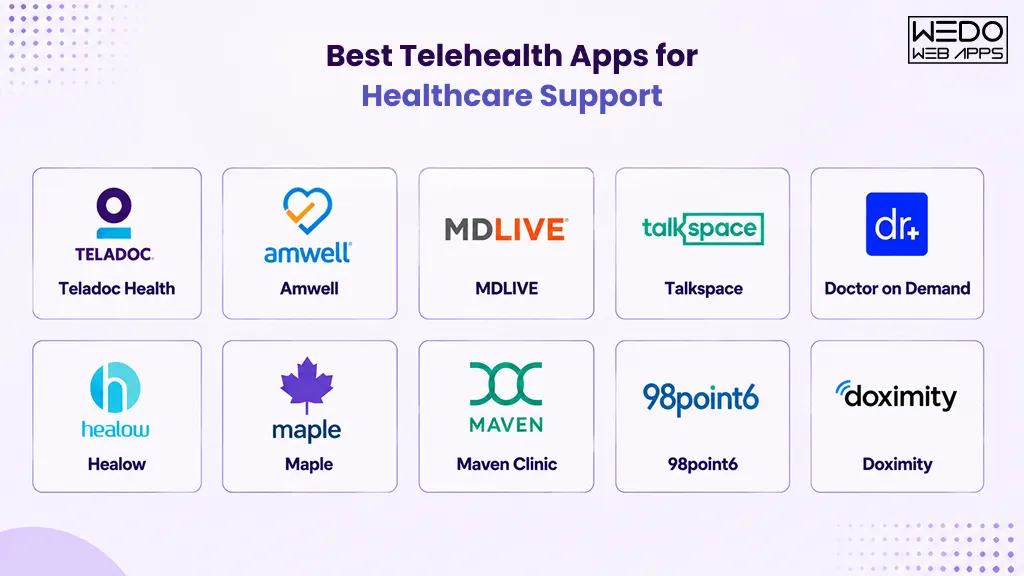
Instead of comparing everything again, here is a practical way to choose from the best PHP frameworks based on real scenarios.

Choose Based on Project Type

Different projects have different needs. Selecting a framework becomes easier when you match it with your use case.

  • For modern web applications and SaaS products. Laravel is a strong choice due to its speed and built-in features.
  • For enterprise and large-scale systems. Symfony or Laminas work better because of their flexibility and scalability.
  • For small or lightweight applications. CodeIgniter is suitable due to its simplicity and fast setup.
  • For performance-focused applications. Yii is a good option because of its efficient caching and speed.
  • For structured, database-driven applications. CakePHP works well with its convention-based approach.

Choose Based on Team Expertise

The experience level of your development team also plays a key role.

  • Beginner teams benefit from frameworks like Laravel or CodeIgniter.
  • Experienced teams can handle Symfony or Laminas for complex systems.

Choosing a familiar framework can reduce development time and improve efficiency.

Choose Based on Long-Term Goals

Think beyond the initial development phase.

  • If your application is expected to scale. Choose a framework that supports large systems like Symfony or Laminas.
  • If you need quick development and faster launch. Laravel or CodeIgniter can help you move faster.

What Matters Most

When comparing options, focus on these PHP framework features:

  • How easily it supports your application structure.
  • How well it handles performance and scalability.
  • How secure it is for long-term use.

Final Thought on Selection

Choosing the right framework is like selecting the right tools for a job. A lightweight tool works well for simple tasks, while complex systems need more advanced solutions.

The goal is not to pick the most popular option, but to choose the one that aligns with your project requirements and future growth.

PHP development for scalable applications

Performance, Scalability, and Security

Choosing from the top PHP frameworks is not only about features. It also depends on how well the framework performs under real conditions, how it handles growth, and how secure it is for long-term use.

This section focuses on the practical side of development, where performance, scalability, and security directly impact your application.

Performance

Performance defines how quickly your application responds to user requests. It depends on how efficiently the framework processes data and manages resources.

  • Lightweight frameworks like CodeIgniter offer faster load times due to minimal overhead.
  • Performance-focused frameworks like Yii use caching and optimization techniques.
  • Feature-rich frameworks like Laravel may require caching and tuning for better speed.

If your application handles frequent user interactions or real-time data, performance becomes a key factor.

Scalability

Scalability refers to how well your application can grow as traffic and data increase.

  • Symfony and Laminas are designed to support large-scale and enterprise applications.
  • Laravel also scales well with proper architecture and optimization.
  • Lightweight frameworks may need additional effort to handle very large systems.

A scalable framework ensures that your application does not break or slow down as it grows.

Security

Security is a critical part of modern web development. Most PHP web frameworks include built-in protection to reduce common risks.

Key PHP framework features include:

  • Protection against SQL injection.
  • Cross-site scripting protection.
  • CSRF token validation.
  • Input validation and data filtering.

Frameworks like Laravel and Symfony provide strong default security layers, while others may require additional configuration.

Why These Factors Matter

Ignoring performance, scalability, or security can lead to slow applications, poor user experience, or security risks. These factors become even more important as your application grows.

A balanced approach is important. A fast framework is useful, but it should also support growth and maintain strong security foundations.

Future Trends in PHP Frameworks

PHP frameworks continue to adapt to modern development needs. While the core purpose remains the same, the way PHP developers build and scale applications is changing.

Understanding these trends helps you choose from the top PHP frameworks with a long-term perspective.

API-First Development

Modern applications often rely on APIs to connect with mobile apps, front-end frameworks, and third-party services.

  • Frameworks like Laravel and Symfony provide strong support for RESTful APIs.
  • Developers focus on building a backend system that can serve multiple platforms.

This approach makes applications more flexible and easier to expand.

Microservices Architecture

Instead of building one large application, developers are shifting toward smaller, independent services.

  • Frameworks are being used to build modular components.
  • Applications become easier to maintain and scale.

This trend is especially useful for large and growing systems.

Cloud Integration

Applications are increasingly hosted on cloud platforms.

  • PHP frameworks are being optimized for cloud environments.
  • Better support for deployment, scaling, and resource management.

This allows businesses to handle traffic spikes without major infrastructure changes.

Performance Optimization

Speed continues to be a major focus.

  • Improved caching mechanisms.
  • Better database handling.
  • Optimized request processing.

Frameworks are evolving to deliver faster response times with fewer resources.

Focus on Developer Experience

Ease of use is becoming a priority.

  • Cleaner syntax and better documentation.
  • Built-in tools to simplify development.
  • Improved debugging and testing features.

This makes it easier for developers to work efficiently with popular PHP frameworks.

These trends show that PHP frameworks are not static. They continue to improve to meet modern application requirements.

When choosing from the best PHP frameworks, it is important to consider not just current features but also how well the framework aligns with future development practices.

Common Misconceptions About PHP Frameworks

PHP frameworks misconceptions

Even though PHP is widely used, there are still several misconceptions around it and the frameworks built on it. These misunderstandings often lead to poor decisions when selecting from the top PHP frameworks.

Let’s clear up some of the most common ones.

PHP Is Outdated

Many assume PHP is no longer relevant.

In reality, PHP still powers a large portion of websites and continues to evolve. Modern PHP web frameworks offer advanced features, better performance, and strong security support.

Frameworks Slow Down Development

Some believe using frameworks adds unnecessary complexity.

In practice, frameworks reduce repetitive work. They provide ready-to-use components, which help developers build applications faster and with fewer errors.

All PHP Frameworks Are the Same

This is one of the most common misconceptions.

Each framework serves a different purpose. Some focus on speed and simplicity, while others are designed for large-scale systems. This is why a proper PHP frameworks comparison is important before making a decision.

PHP Is Not Secure

Security concerns are often raised without proper context.

Most modern frameworks include built-in protection against common threats. Strong PHP framework features such as input validation, encryption, and a secure authentication system help maintain application safety.

You Need a Framework for Every Project

Not every project requires a framework.

For very small or simple applications, plain PHP may be sufficient. Frameworks are more useful when the project involves complexity, scalability, or long-term maintenance.

These misconceptions can lead to choosing the wrong approach or avoiding frameworks altogether.

Understanding the actual capabilities of popular PHP frameworks helps you make informed decisions based on real requirements instead of assumptions.

PHP framework recommendation for faster project decisions

Final Thoughts

Choosing from the top PHP frameworks is not about picking the most popular option. It is about selecting the one that fits your project requirements, development timeline, and long-term goals.

Each framework discussed in this guide serves a specific purpose. Laravel works well for modern applications, Symfony and Laminas handle large systems, while CodeIgniter and Yii are suitable for lightweight and performance-focused projects.

A clear PHP frameworks comparison helps you avoid confusion and focus on what actually matters. Instead of exploring every available option, narrow the choice based on use case, scalability needs, and team expertise.

The right decision at this stage can save time, reduce development effort, and improve application performance in the long run.

PHP framework selection with expert guidance

The Ultimate Guide to Choosing the Best Android App Development Company

The number of Android smartphone users in the United States reached 129.1 million in 2020, and this figure is forecast to reach more than 134 million in 2023. With the increasing popularity and easy access to Android smartphones, businesses have come to the understanding that mobile apps are the ultimate necessity to reach the greater pool of audiences. To get professional apps in shape, businesses need to hire multiple resources to launch a feature-rich mobile app. In contrast to hiring individual resources which may cost comparatively less money but add more communication mishaps, it’s wise to outsource app development projects to Android app development companies.

Though the scope of this blog is restricted to the selection of the best Android app development company for your project, we will give a macroscopic view of factors to consider while outsourcing your project. Before we guide you through the selection criteria for the best one among Android app development companies, be sure about the variety of mobile app development you want to opt for.

Types of Android Application Development Services 

Native App Development: 

With this approach you will get an app developed for specific OS needs like for iOS, Android, Windows, etc. When you want to create distinct and dedicated apps for your users of specific devices, native app development should be your go-to choice. To launch an Android app for your potential customers you can hire a dedicated Android app development agency. However, the upfront budget for native apps is higher in comparison to other app development approaches.

Cross-platform Development: 

When you have budget constraints and don’t want to invest in distinct apps for each platform, you can count on cross-platform development. Such apps are also called hybrid apps and they work well across multiple platforms as the code is wrapped in the native container to maintain the performance on distinct platforms. However, hybrid apps can’t provide as seamless an experience as native apps designed for each OS distinctly.

Web App Development: 

Offer an easy-to-load and better surfing experience of your website to your mobile audience with web app development. This approach uses web technologies and can be easily accessed through the browser. Also, if you have these hosted on Google’s Play Store, users can download it like any other app and use it on their respective Android devices. The challenge with web apps is the same as hybrid, they don’t offer native apps experience to the users. Even so, if you prefer improving the browsing experience of your mobile audience, web apps can be a cost-effective way to get started.

Android Application Development Services

Now that you are aware of the different approaches to mobile app development, you can make the best choice for your app development requirements. Irrespective of the choices you make, you have to consider certain factors while hiring mobile app developers. Considering the vast market size of Android devices, further I will guide you about the things to remember when comparing Android app development companies.

Discover best practices in Android app development. Learn how choosing the right company and approach can significantly impact the success and efficiency of your app.

Android App Development: How To Choose The Best Android App Development Company?

IT is a versatile domain and in today’s day and age, you will find several IT service providers giving cut-throat competition. With so many good options around, it’s easy to get lost and confused while deciding on the best one. Here are some of the pointers on which you can compare Android app development companies.

  • Experience & Expertise: Learn about the experience of the IT service provider, the years they’ve invested in mobile application development, and the expertise they hold in Android app development services. You can check the industry-wide and the vertical expertise of theirs. It will help you understand if they’ve any prior knowledge of your business domain or not. If you are a startup, their expertise may help you gain more understanding of the industry trends, must-have features, and additional industry knowledge. Else if you are a brand, you must check about the company’s team size and their capability to take up the size of the project you are planning to realize.
  • Client Portfolio: Mostly all the companies talk about their clientele and mention the case studies on their website. If that’s not available, you can always ask the app development agency to share the previous apps they’ve designed. You may find your business competitors in their list and which can give you better clarity about the type of services and solutions you are looking for. Also, their previous experience in the same domain will reduce your role of doing more groundwork while explaining your project’s SOP.
  • Client Reviews: Listen to the words of appreciation of the previous clients from the company’s portfolio. In the case of Android applications, you can check for their client’s apps on the Play Store, read reviews, download, install, and check it for yourself. Also, you can explore online directories, review sites, and learn about a company’s online reputation.
  • Service Portfolio: IT service providers offer a wide array of IT services, where mobile app development or to be specific android app development is one of the several offerings. You must explore their service portfolio to know the umbrella services they provide. Now it’s a fact that every company doesn’t excel in all the services. You can consider the service portfolio as one of the major factors to compare different companies. If you get all the IT services your business needs at the moment, you have a greater scope of negotiation. Also, you save a lot of time you otherwise invest in communicating with multiple teams across companies distinctly.
  • Technology Portfolio: Usually the tech stack that IT companies use is more or less the same. However, if you have sound knowledge of technology, you can explore their technology portfolio. You can learn about the frameworks they are working on and the software required for Android app development. If the Android app development software they are using has compatible versions with future technologies. Also, you can learn about the app testing tools they are using. Knowledge of the technology portfolio can be helpful for you to know if your Android applications are future-proof or not. It can save you on the budget of app redesigning which can be the case otherwise.
  • Project Management Methodologies: From a list of Android app development companies when you come down to a few falling in the category of best fits, it’s time to check on their delivery timelines and project management methodologies. You can upfront ask them how they keep you posted about the regular progress, factors that likely impact timelines, and the communication process they use. You can enquire about the average timeline for app development projects like yours and the details needed from your end. The clarity about their processes can guide you better on which one of those companies you can hire for your app development project.
  • Terms for Support & Maintenance: Predominantly all companies offer post-deployment support and annual maintenance services for websites and apps developed by them. However, the timeline of the support and pricing is different in everyone’s case. You can compare their quotes and services included in several such support packages to make the right call for your business.

android app development agency

I’ve mostly covered all the factors you can count on to decide the best one among the Android app development companies.

How Can WeDoWebApps Help You?

If you are looking for an Android app development company in the USA, WeDoWebApps can be your go-to choice. We are a top Android app development company with more than a decade of experience. Our client portfolio is expanded across the globe, yet we have strong roots in the markets of the USA, UK, India, Canada, and Australia. You can check our website to learn more about the tech stack and client portfolio. You can quickly get a free quote for your project by clicking ‘Get a quote’ on our website.

Top Themes To Use After Migrating To Magento 2

Do you know, a well-designed Magento theme 2 can increase your website’s speed, enhance your user experience, get more traffic and sales for your Magento store? Therefore, as an online business or eCommerce store owner you must choose only the best Magento 2 theme compatible with the current version of Magento and address all the current issues your site is facing.But, which themes in the market have the power to boost your ecommerce magento website’s performance? This detailed guide will cover – most used Magento 2 Themes In 2023 which are fully customizable and responsive. However, do you know that you need a license to apply these themes? Well, there are two types of licenses that you can avail:

  1. Regular LicenseThis license can be used for one’s own website. With this license, you can’t resell or redistribute the theme you have purchased  or the end product based on the theme. 
  2. Extended LicenseWith this license, you and your client can create up to 5 different websites from a theme. The license allows you to resell or redistribute the end product.

Now that you know how to use a license, let’s explore the cost of these licenses and the top Magento 2 themes in 2023! 

Top Magento 2 Themes To Use After Migrating

Here we have mentioned the top Magento 2 themes that you can use after migration to make your website look more appealing and versatile. Have a look and choose the one that fits your requirement: 

A. Porto

PortoMagento Porto theme is a reliable and popular theme suitable for various websites, including fashion, accessories, furniture, electronics stores, and more. The theme offers modern and classic design options, with light and dark layouts that work well on all screen sizes and mobile devices.Magento Porto Theme is fully compatible with Magento Theme 2 and has been continuously updated over the past 5 years to stay in line with the newest Magento version and eCommerce movement. Porto shows top-class results on speed tests and is an excellent solution for every Magento 2 merchant. It also includes cutting-edge extensions for free and is strongly compatible with mobile devices.Features:-

  • Offers 25+ visually stunning Magento Porto themes. 
  • Comes with 20 Homepage Layouts, all featuring full-screen mode. 
  • Responsive and Mobile-friendly design, optimized for Retina displays
  • Magenta Porto theme supports both Mega Menu and Vertical Mega Menu. 
  • Provides beautiful and customizable layouts that work perfectly on any resolution. 
  • Enables complete customization of all designs to match unique needs
  • Optimized for SEO to drive higher search engine visibility and attract more website traffic. 
  • Integrated with AJAX cart and AJAX Layered Navigation to offer a smooth and hassle-free browsing experience.

Price:-

Regular LicenseExtended License
6 Month Support$129$2950
12 Month Support$171.75

B. Magetique

MagetiqueMagetique is an exceptional multipurpose Magento theme 2 that embodies our extensive technical and design expertise, resulting in the most advanced custom Magento theme and experience. This cutting-edge theme is entirely AMP-ready, ensuring that your website loads at lightning speed and delivers an unparalleled user experience. With a comprehensive marketing, design, and administration tools suite, Magetique empowers you to create a stunning and functional bespoke online store that meets your unique business needs.This theme comes bundled with 5 meticulously crafted layouts that cater to a diverse range of niches and increase your search engine visibility. These layouts are incredibly user-friendly, with a simple installation process and an intuitive interface that requires no coding expertise.Moreover, Magetique provides detailed documentation that guides you through every step of the customization process, enabling you to create a truly bespoke online store that stands out. With Magetique, you can confidently take your online business to the next level.Features:-

  • Ajax Search – A fast and efficient search function that helps users find products quickly.
  • MegaMenu – A comprehensive and intuitive menu system that simplifies website navigation.
  • Film Slider – A visually engaging slideshow that showcases products and promotions to attract users.
  •  Ajax Compare – Compare products with this tool
  • Ajax Catalog – Get a functionality to use a dynamic catalog with real-time data fetching and displaying everything new about the product.
  • Layout Switcher – A customizable feature that allows users to switch between different website layouts.
  • Parallax and Video Background – A design feature that adds depth and visual interest to a website.

Price:- $188 with 6 months support and extra $56 with 12 month’s support

C. Claue

ClaueIf you need a sleek and modern template for your ecommerce website, look no further than Claue – Clean and Minimal Magento Theme. With over 20 homepage layouts and many options for Shop, Blog, Portfolio, Store Locator, and other valuable pages, Claue offers a highly customizable platform that can be tailored to meet the needs of any kind of eCommerce  website.Designed with a clean and minimal aesthetic, Claue provides a polished, professional look that impresses customers. Whether you’re looking to sell clothing, home goods, electronics, or any other product type, Claue’s versatile layout and customization options allow you to create a unique and engaging shopping experience that sets your bespoke online store apart from the competition. So if you’re looking for a flexible and dynamic eCommerce solution for your online business, give Claue a try and see how it can help take your ecommerce website to the next level.Features:-

  • Highly responsive magento theme.
  • Frontend webpage configuration.
  • Enhances search engine visibility.
  • Product attribute swatches support.
  • Instagram shop integration.
  • Auto-added Sale-off page.
  • Support for slow image loads. 
  • 360-degree image view allowed.
  • Multiple header and footer choices.
  • Multiple layout options for all page types

Price:-

Regular LicenseExtended License
6 Month Support$90$4750
12 Month Support$118.13$6250

While browsing through the top Magento 2 themes, enhance your digital strategy by exploring our guide on iPhone app creation.

D. Eren

ErenEren is one of the best Magento themes for creating a modern and visually appealing ecommerce website. With its elegant and clean design, Eren provides visitors a warm and comfortable feeling, making it an ideal choice for multiple bespoke online stores. Eren is optimized for fully responsive Magento themes, ensuring search engine visibility across all devices, including PCs, tablets, iPads, and mobiles.Designed for Magento 2 websites, Eren is fully compatible with the latest version of the platform. Eren’s extensive collection of 20 cost-saving and supportive add-ons to the ecommerce website makes it the perfect choice for Magento stores. This clean magento theme has the power to help you rank on search engines and attract an untouched audience for your online business.Features:-

  • Product Video Customization for a more engaging customer experience.
  • Fully Responsive design with adaptive screen solutions for mobiles.
  • Styling flexibility, allowing users to change colors, fonts, and other design elements easily.
  • Smart Mega-Menu for easy navigation.
  • Customizable product display options.
  • Multiple extensions included, including One-page checkout, Categories Products, AJAX Cart/Wishlist/Compare, and more. 

Price:-

Regular LicenseExtended License
6 Month Support$129$9999
Magento Website – 12 Month Support$171.75$13467.38

E. Market

MarketMarket is a highly versatile mobile theme for Magento 2 that is designed to cater to the needs of online marketplaces, supermarkets, digital, fashion, cosmetic stores, and more. It offers a plethora of features that ensure a seamless and engaging mobile experience for customers.One of the most notable features of the Market theme is its compatibility with multiple-category stores with numerous brands and products. This makes it an ideal choice for eCommerce businesses looking to expand their offerings, search engine visibility, and revenue. Moreover, the theme comes with several Magento 2 modules, including Mega Menu, SM Tab Listing, and SM categories, that make it easier to display products and categories on the mobile screen.Features:-

  • 23+ Magento homepage layout options
  • 7 product displaying styles to choose from
  • Fully responsive Magento themes for computer and mobile devices
  • Customizable mega menu and CSS menu for enhanced navigation
  • Add to Cart, Add to Compare,Store Locator, and Add to Wishlist features included
  • Quick View functionality for faster browsing
  • Color Swatch feature for better product visualization
  • Grid and List view options for easy product browsing

Price:-

Regular LicenseExtended License
6 Month Support$84$4450
12 Month Support$109.88$5837.50

F.  Zumi

ZumiZumi is a modern and clean Magento theme that is designed to provide users a seamless shopping experience. It comes with 25+ pre-designed homepage layouts catering to various industries such as fashion, electronics, furniture, and more. Zumi is a fully responsive, mobile-friendly, and custom Magento theme that ensures your store looks great on any device. You can easily change the colors, fonts, and layout of a to match your brand’s identity and voice. Additionally, Zumi is optimized for search engines, meaning your store will have better visibility and higher rankings.Features:-

  • Responsive layout for PCs and Mobiles
  • The category and product pages have user-friendly layouts and configuration options to choose from
  • Various color choices for Magento 2.3 Theme
  • One-click import sample data
  • Support Mega Menu and CSS Menu
  • The menu items can be displayed in a variety of ways with static blocks containing texts and images
  • Support Grid & List view items
  • Allow multi-currency, multi-language
  • Integrated unlimited Google fonts
  • You can check out several Free and Premium Magento modules, which are not just limited to Ajax Layered Navigation, SM Filter Products, AJAX Add to Cart, and AJAX Add to Wishlist.

Price:-

Regular LicenseExtended License
6 Month Support$84$4200
12 Month Support$109.88$5493.75

G. Expert

ExpertThe Expert Magento theme boasts 13 customizable homepage templates and a range of admin settings, making it a versatile and professional choice for any Magento 2 store. With its sleek design and high credibility, this theme is perfect for popular store types such as fashion, market, electronics, mega shop, digital, mobile, bags, clothes, and more.Features:-

  • Fully responsive design with retina-ready display for all devices.
  • Comes with 13 unique and customizable homepage demos.
  • Allows creating any desired layout with ease.
  • Offers various color options to match the store’s branding.
  • Multiple menu styles available: Megamenu, CSS, and Mobile.
  • Showcases products in a grid and list view.
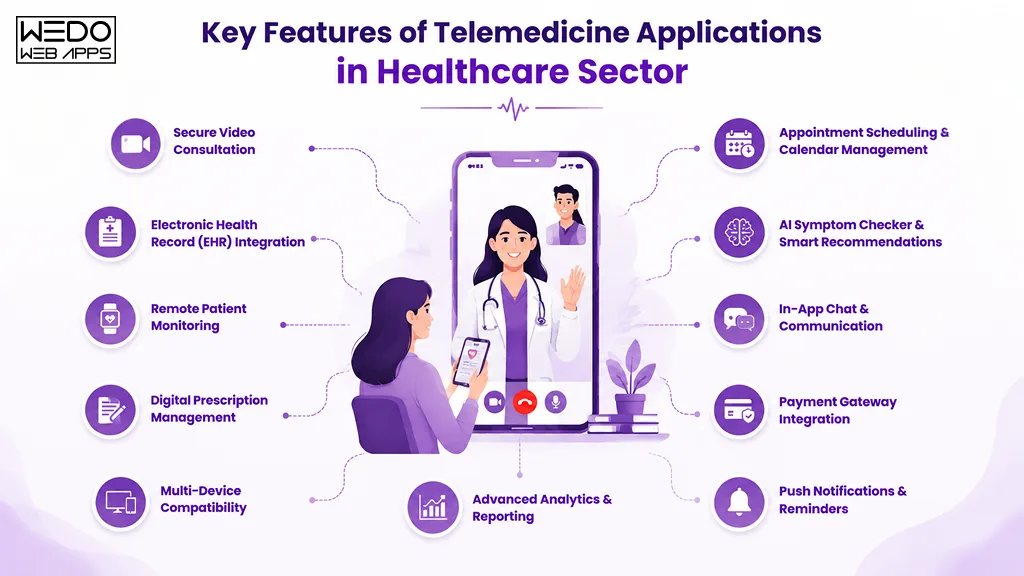
  • Features a customer testimonial slider to increase credibility.
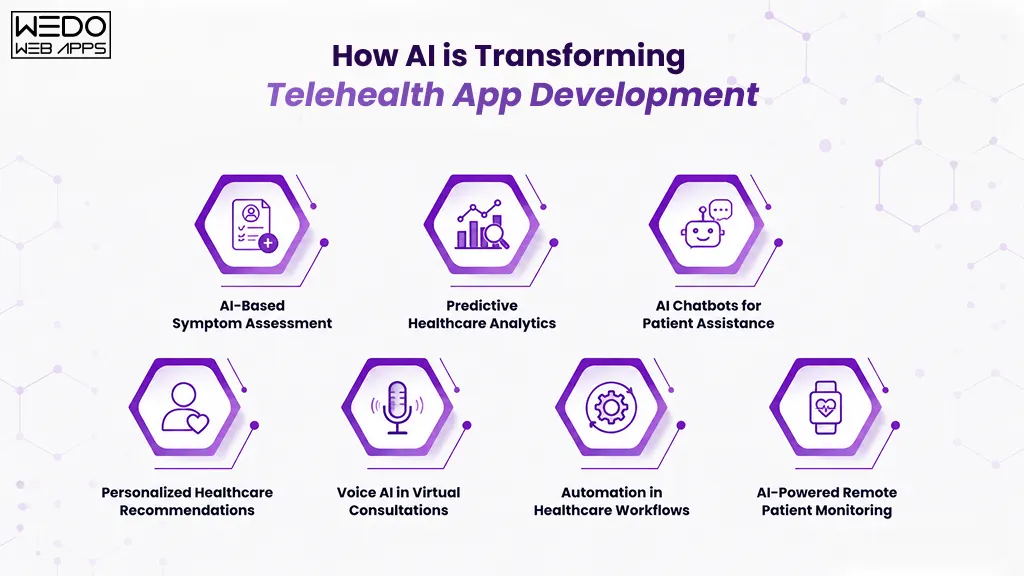
  • Optimized product pages for all types of products.
  • Extensions included: AJAX cart, Price slider, Social Icon, Blog, Quick view, Facebook Likebox, Elevate zoom, and Fancybox lightbox

Price:-

Regular LicenseExtended License
6 Month Support$129$2400
12 Month Support$171.75$3018.75

H. Milano

MilanoMilano theme boasts a classic and elegant design that makes it an ideal choice for high-end fashion stores, as well as shops that sell clothes, bags, and related items. This theme is highly recommended for those who want a mobile-optimized website that delivers exceptional performance across all devices.Features:-

  • Over 16 homepage demos available
  • Optimized for speed, SEO, and UX/UI functions
  • Fully responsive design for all devices with mobile switching
  • Vertical mega menu supported
  • Auto-completion search tool included
  • Customizable Google fonts available
  • Support for various layouts, currencies, and languages
  • Accompanied by extensions such as Product slider, Product label, Blog, AJAX Add to cart, and Banner slider.

Price:-

Regular LicenseExtended License
6 Month Support$129$2750
12 Month Support$171.75$3500

How To Install a Magento 2 Theme?

Installing a custom Magento Theme 2 is a very simple and quick process you can accomplish in just a few steps. They are

Step 1: Downloading The Theme Files: 

  1. The first step is downloading the theme files from a trusted source. It will be available in a ZIP file. Ensure that the file is compatible with your version of Magento 2.

Step 2: Uploading And Installing The Theme:

  1. Upload them to your Magento 2 store by logging into your Magento 2 admin panel. Go to the “Content” tab, and select “Design” from the drop-down menu. 
  2. After that select “Configuration” and click the “Edit” button next to the store view to apply the theme. Go to the “Design Theme” section, click on the “Upload Theme” button, and select the theme ZIP file you downloaded. After uploading the file, click the “Save Configuration” button to install the theme.

While selecting the top Magento 2 themes for your store, also learn the steps for getting Joomla development services to further diversify your online capabilities.

Step 3: Activating The Theme: 

  • To activate the theme, go back to the “Content” tab, click on “Design” from the drop-down menu, and then tap on “Themes.” 
  • Click on the “Activate” button and activate the theme

Note: when using Custom magento theme you must create a backup of your Magento 2 store. Why? Because then it becomes quick and easy to resolve any potential issues. Additionally, if you encounter any issues during the installation process, you should seek assistance from expert Magento developers or the theme provider’s support team.

Choose the perfect themes for Magento development to not only enhance your site’s appearance but also meet all your business needs.

What Factors One Should Consider When Migrating to Magento Theme 2 

You must focus on five major parameters when Migrating from Magento to new Magento 2 Theme:Migrating to magento

A. Design

  • The visual appearance of your website is one of the most crucial elements that can make or break your online business. Therefore, choosing a clean magento theme with an attractive design that aligns with your brand’s style and messaging is essential. 
  • You may want to consider responsive magento themes with customizable options, as this allows you to tailor the look and feel of your website to your preferences.

B. Features And Functionality

  • The theme you select should have all the essential features to operate your online store smoothly. This includes functionality such as product displays, shopping cart management, store locator, and checkout processes.
  • You can also check advanced features such as search filters, mega menus, and promotional banners so that you can offer better user experience.

C. Compatibility With Magento 2 

  • If your custom Magento theme compliments the version of Magento 2 theme, your website runs fast without any delay or issues from frontend and backend.

D. Responsiveness

  • With more mobile users, choosing responsive themes that can quickly adapt to different screen sizes becomes crucial as it ensures that your website is visible to every mobile user with different screen sizes.

E. Customer Support

  • When choosing a Magento 2 theme, select a reliable provider who offers on-time technical support and assistance during the migration process, installation duration or use of the theme.

Why Choose Top Themes For Magento 2?

Migrating data to Magento 2 is a big decision, as it allows businesses to build customizable bespoke online stores, also known as Magento stores. With Magento, online businesses and ecommerce websites can enhance their online shopping experiences and increase ROI. However, while migrating data to Magento 2, you can leverage this powerhouse’s features and extensions and make your ecommerce website more potent with a responsive magento theme. These custom themes will also help your ecommerce stores to grow their online presence and be more successful.Choosing the best Magento 2 themes is a significant step for any e-commerce business toward optimizing the website’s potential and achieving business goals with the Magento migration process. However, online businesses should consider several factors when selecting a Magento theme. These factors include website speed, search engine visibility, compatibility, and the availability of necessary features and functionality. In addition, businesses can differentiate themselves from competitors by choosing a suitable custom Magento theme, establishing brand identity, and building a loyal customer base.Once you have selected the right Magento theme after migrating to Magento, it’s time to ensure you choose right hands to install this theme and make use of all the functionalities which come along with these clean Magento themes 2. If you need the best company for Magento Migration in the USA choose WEDOWEBAPPS. We deploy Magento for ecommerce websites and also create new feature-rich custom magento themes suiting your online business needs.Also check out the top Magento 2 themes and its features, benefits, and installation process. 

What Are The Key Benefits Of Migrating To A Magento 2 Theme?

As e-commerce store owners migrate all their data to Magento 2, selecting the best responsive magento themes is crucial for their ecommerce website’s success. A well-designed Magento 2 theme can significantly impact the website’s appearance, functionality, and performance, increasing website traffic and online sales. Here are the top benefits of using a clean Magento 2 theme:

A. Improved Website Speed:

Top Magento 2 themes optimize them for your ecommerce store performance by faster loading pages and reducing bounce rates. This helps you create a better customer user experience and increase search engine visibility for your online business.

B. Enhanced User Experience:

Magento 2 themes offer businesses various customized themes that make your ecommerce websites visually appealing and user-interactive. With these custom magento themes, you can increase the traffic to your website and reach more customers.

C. Better Customization Options:

Magento 2 themes offer businesses more outstanding customization options, allowing them to tailor their website to their unique needs. From customizing the homepage to creating landing pages, companies can personalize their Magento website to improve brand identity and stand out from competitors.

D. Mobile Responsiveness:

Magento 2 theme designs are based on a responsive magento theme. It ensures that your magento app runs seamlessly on mobile and other devices to enhance the user experience. A great user experience on your app can increase website traffic and mobile users’ online sales.

E. SEO Optimization:

Magento 2 themes are optimized for search engines so that businesses can drive more traffic and increase their search engine visibility. Businesses can ensure their website is SEO-friendly with tailor-made meta tags and schema markup. 

Once you’ve selected the right theme, ensure your site performs flawlessly with our expert Magento web development services tailored to your needs.

F. Compatibility Issues:

If you run an online store, you should pick up a Magento 2 theme which compliments various Magento features and is compatible with the Magento version. And while migrating to Magento 2 ensure the team you have opted for is compatible on multiple screen sizes and is responsive with no heavy codes. Magento servicesThis is how with the best Magento for ecommerce websites theme you can improve website speed, enhance user experience and maximize search engine visibility. And the best part is, you get the benefit of higher website traffic and online sales with compatible Magento 2 themes. Read also about PSD to Drupal and Magento Conversion

Conclusion:-

In conclusion, using a Magento 2 theme offers many benefits for online store owners. It also helps you improve the functionality and user experience of website users. Additionally, Magento Themes 2 can improve your search engine visibility and provide you with the latest version of Magento. With pre-built extensions and modules, they can also save you time and money in development costs. Overall, investing in a Magento 2 theme will take your online business to the next level and give you a competitive edge in the e-commerce market. To migrate your store to Magento 2, visit WeDoWebApps.com for hassle-free operations. Read also about SEO checklist for Magento PWA and managing store after Magento 2 migration

BigCommerce To Magento 2 Migration: How To Do It?

The eCommerce industry is highly competitive, so merely setting up a website is not enough to attract customers. You need to provide a top-notch shopping experience of your ecommerce business to them that is an upgrade from other services to stand out in the market. . BigCommerce provides a reliable and effective eCommerce solution, with over 95,000 active BigCommerce websites using the platform to sell items and handle payments digitally. Through BigCommerce, it is possible to list your products on eBay and Amazon. Furthermore, the platform is integrated with Facebook. As for Magento, third-party modules can help you to replicate the same features, albeit with more customization benefits. So, despite the diverse BigCommerce benefits, why migrate to Magento 2? This guide goes further in-depth into the comparison, including the steps for data migration process and BigCommerce to Magento Migration process. 

What Is BigCommerce?

BigcommerceBigCommerce is an e-commerce platform that enables business owners to create and manage their online stores remotely with just an Internet connection and a web browser. Users do not need to invest in additional web hosting or software, as BigCommerce runs on its own servers.BigCommerce offers a range of customizable templates including ecommerce website builder to help you build the perfect look for your online store. This platform is a great way to market physical and digital products and tools, making it easier to promote your business. Moreover, it is primarily geared toward those lacking website design knowledge. Still, it is also useful to tech-savvy customers and developers who need to customize their online store’s HTML and CSS.The platform is well-known for its easy-to-use interface. So, it is a great choice for those who want to establish an online ecommerce business but lack the technical know- how to host a website. With the platform, you can effortlessly build a bigcommerce website without any prior experience.

Ensure a smooth transition from BigCommerce to Magento 2 with our comprehensive ecommerce development solutions.

BigCommerce Pros

There are certain pros of BigCommerce as per the performance and scalability:

    • Scalability: BigCommerce is an ideal platform for ecommerce businesses of any size, offering the flexibility to scale up as your store’s needs increase easily. With BigCommerce, you can start small and be confident that your business will have the resources to expand as it grows.
    • Robust SEO Elements: BigCommerce is highly regarded for its outstanding SEO features, making it one of our favorite ecommerce platforms.
    • Incredible Features: BigCommerce has more built-in features than any other ecommerce website builder, eliminating the need to purchase additional apps, thus saving you money.
    • Zero Transaction Charges: BigCommerce does not levy any transaction fees with its plans, making it an economical option for businesses with tight profit margins and a high volume of transactions.
  • Variety Of Products: This system makes creating product options and variations quick and straightforward. There are no restrictions on the number of choices you can offer, allowing for a wide range of product configurations. This flexibility makes it much easier to provide customers with exactly what they’re looking for.

BigCommerce Cons 

With plenty of pros, there are certain cons to keep in mind as well for making a well-informed decision:

  • Limited subscription elements: If you want to offer subscription services or accept regular payments, you must purchase a third-party application.
  • Less multilingual alternatives:It is impossible to accomplish this using bigcommerce’s native functionality; the only way to do it is with the help of a third-party application.
  • Zero email marketing devices: BigCommerce does not offer any email marketing services, so you will have to purchase an outside application to get this function.

Analyzing Your Current BigCommerce Store

Before proceeding with the Bigcommerce data migration process, you should study your currently available store on BigCommerce properly.

  • Identifying elements to keep from your BigCommerce store

On Magento 2, you can add new attributes and elements to the store and change its design. The themes are customizable, and it is possible to insert different extensions. So, check and decide what elements in the currently existing BigCommerce-centric store you want to keep in the Magento 2-centric store after migration. 

  • Choosing Your Magento Version: Community Edition Vs Enterprise Edition

Magento marketplace includes two major versions that you can select for optimal benefits and features. These are Enterprise and Community versions. The former is a paid package with more built-in functions, tools, integration, and features. On the other hand, the latter is free and user-friendly but has comparatively limited functional benefits than the Enterprise version. So, before proceeding with the BigCommerce to Magento2 migration, consider which one you will prefer for your e-commerce store. 

Why Should You Move from BigCommerce to Magento 2?

In terms of usability, BigCommerce promises high-quality functions and user-friendliness. In contrast, Magento is more widely used and handles more web stores across different websites. Not to mention, it covers a wide range of categories as well as e-commerce sites and is compatible with various software types. Overall, there are many ways for Magento developers to have a better choice, and businesses should consider it for bigcommerce to magento migration to reap the benefits.

  • Enjoy more payment gateway options. 

While using Big Commerce, e-commerce website owners get access to various integration payment gateway options, with counts reaching over 65. Some include Amazon Pay, Apple Pay, and even standard options like credit/debit, Net Banking, etc. Plus, Big Commerce users can save more money as well, given the unavailability of transactional fees for users here. However, in the case of Magento, users get access to many third-party payment gateways to use as options. Users get Braintree and PayPal as preset payment method choices in this version. Besides them, professionals can operate the Magento Connect tool to add more payment gateways to their store, as multiple apps are available for syncing.Users also get the option to incorporate different payment styles, like guest checkouts, into their store when operating on Magento. 

  • Advanced-Data Security

When it comes to online platforms for selling items, Magento is one of the best platforms available for ecommerce. Companies prioritize website security heavily, and Magento 2 comes up with more security solutions and updates frequently, compared to others like BigCommerce. Magento 2 migration processIndeed, Magento 2 comes up with update announcements for patchwork frequently. However, while quicker updates are available in Magento 2, users must operate these with more focus.

  • Compliance with PCI DSS 

For businesses in the ecommerce environment, PCI Compliance is extremely important. These standardization categories help businesses ensure secure and stable management of customer data, especially regarding sensitive transaction information, like credit card data and payment processing. Ecommerce businesses have to show their PCI compliance audit to authorities in an effort to showcase security protocols in place for customer data protection. BigCommerce is useful for this as the PCI compliance management process is simple. On Magento, businesses have to handle their PCI compliance steps, like manually maintaining the PCI patchwork and compliance factors. Therefore, the users of Magento 2 get access to high-grade PCI DSS compliance support for their business and can activate it with better support.The e-store owner must set the firewall between the public networks and credit card data and upgrade all vendor-provided passwords. This ensures improved password security support.Read also: Hire Dedicated BigCommerce Developers

  • Superior Interface and Theme Customizations

For eCommerce businesses, having multiple customizations and themes in place is necessary to ensure the best-quality eStore design options. It is hard to refute that BigCommerce provides a lot of templates for the interface design to users beforehand. Indeed, users can expect around 100+ paid themes and 12 free ones, the paid ones all ranging between the cost range of USD 140-240 each. However, when it comes to the aspect of variety, many of the pre-made themes are relatively similar to each other. Compared to that, users get around 14 theme choices in paid and free versions that they can utilize as the basic standardization. You can check how the theme looks for your store site and then provide the payment. Yes, in the context of the theme types available, BigCommerce assures more options. However, the ones available on Magento marketplace are customizable with in-built HTML/CSS editors. While making this comparison, it is possible to mention that there are also useful editors under the BigCommerce platform. However, the ones in Magento are more stabilized. Since the Magento platform is open source, users can incorporate more extensions and plugins to customize the site’s appearance. One can prepare their theme from the ground up and build a website using the Magento plugins if you have deep coding experience. But overall, you should consider BigCommerce to Magento 2 migration due to the flexibility of the customization process. Users can add featured product sliders, animations, newsletter options, etc.

  • Better Apps and Extensions

In bigcommerce websites, preparing and adding a custom theme is the better option. On the other hand, theme extensions are more useful for online stores, with access to different tools that help you add new functions to the eCommerce website. There are different preset features in BigCommerce for site hosting that you can use to build a website. Here, businesses also get access to 600 different app options suitable for various categories.On the other hand, Magento comes with 5,381+ extensions, all suitable to provide optimal compatibility and website security protection requirements for businesses. The extension options are available within the Magento marketplace.

How To Perform the BigCommerce to Magento 2 Migration Process?

There are different methods available for BigCommerce to Magento 2 data Migration process. Choose as per your preference, and take professional help with the process for the best results.

Method 1: Using Data File Transfer 

The following are the main stages of BigCommerce to Magento Migration using data files. 

Step 1: Export the website item of your BigCommerce

In the first stage of data migration process , developers export the items to the BigCommerce website, alongside other things like catalog, shipping price , customer IDs, customers, and XML/CSV-format-based properties. Go to the BigCommerce extensions under the named category. 

Step 2: Import Data Files to the Magento 2

Next, you have to opt for the “Improved Import & Export” extension for importing the BigCommerce-based extension data. 

  • Firstly, contact the Magento 2 admin and choose the System option. 
  • Under this section, click on the Improved Import/Export option. 
  • Then, choose the Import Jobs option to prepare the new import job. 

Magento 2 migration

Step 3: Jump into the Setting Process

Following these steps, you should focus on the General Settings steps. For that, you have to change the import behavior, import setting, basic settings, etc. 

  1. Under Import Settings, choose the entity you will move to Magento 2 from BigCommerce. Update parameters like Advanced Pricing, Products, Categories, etc. 
  2. Tap on Import Behavior and choose a prepare behavior. Also, you should select a suitable validation approach and insert separators for the migration. 
  3. In the Import Source section, select the import file type and source. Make more setup changes and check them. 
  4. Finally, compare the properties noticeable in Magento 2 with those in BigCommerce. Operate a matching grid within a mapping preset or extension. 

Method 2: Through API

With the advanced Import & Export module on the Magento 2 version, professionals can directly connect with BigCommerce and transfer files through it. For this, they must utilize the available APIs best suitable for SOAP/REST link-based file transfers. 

Step 1: Create Your New Import Job

You must click on the System option and choose the Improved Import/Export module. Then, under the Magento 2 admin, choose Import Jobs and prepare a new one. 

Step 2: Setting Process

It would be best if you continued the setting up process in the General Settings, Import Behavior, Import Settings, and Import Source next. While you are making configuration changes in the same categories, the steps you will handle are slightly different in all these categories. 

  1. Under General Settings, you should add your job title and make extra condition setups. 
  2. In Import Settings, you should activate the API transfers by changing the Use API option to YES. Then, select the entity for BigCommerce to Magento 2 migration. 
  3. Under Import Behavior, you have to choose your preferred import behavior and validating strategy here. Also, type the separators. 
  4. Then, for the Import Source, select the import file format, source option between SOAP or REST, and other parameters. 

Step 3: Set Up Other Processes to Validate the Data File

Validate the data file to finalize it. Then, you have to select and activate Manual Grid, or the available presets for BigCommerce attribute mapping into Magento 2 attributes. This will confirm the whole data migration process to complete.  

Conclusion

Overall, Magento 2 is a high-caliber ecommerce platform with easy ecommerce website builder to which you can turn your ecommerce website for the best service improvement for your digital store. It comes with more theme customization benefits, payment gateway options, extensions, and more benefits. So, follow ahead with the BigCommerce to Magento 2 migration steps in your preferred sequence using API or data files. These steps can become complex to handle. For the best results, you should take the help of high-grade migration service like WeDoWebApps.com. Our talented Magento professionals have experience with different complex migration steps and can handle that as you request. You can also request a free demo to understand if it’s right service you. Start free demo migration today.