Introduction
Healthcare businesses are no longer asking whether telemedicine is the future. The real question now is: what separates the best telehealth apps from the thousands of healthcare platforms struggling to scale?
As patient expectations shift toward faster, more accessible, and digital-first healthcare experiences, telemedicine applications have become a major investment priority for startups, healthcare enterprises, clinics, and digital health providers. However, building successful telehealth apps today requires far more than simply adding video consultation features into a mobile application.
The best telemedicine apps now combine AI-powered healthcare experiences, secure communication infrastructure, remote patient monitoring, EHR integrations, intelligent appointment scheduling, and seamless mobile accessibility to create complete digital healthcare ecosystems. Platforms like Teladoc, Amwell, MDLIVE, and other popular telehealth applications are setting new standards for patient engagement, operational efficiency, and scalable virtual healthcare delivery.
At the same time, healthcare startups and enterprises are actively studying top telehealth apps to understand which features, technologies, and business models drive patient retention and long-term product growth. From AI-assisted symptom checking to wearable integrations and HIPAA-compliant infrastructure, modern telemedicine apps examples reveal how digital healthcare platforms are rapidly evolving beyond traditional virtual consultations.
For decision-makers evaluating telehealth app development, understanding how successful telehealth apps for patients are designed and scaled can provide valuable insights into feature prioritization, compliance planning, user experience optimization, and technology selection.
In this guide, we will explore the best telehealth apps in 2026, analyze the features that make them successful, examine emerging healthcare technology trends, and uncover what healthcare businesses can learn while building scalable telemedicine platforms.
Why Telehealth Apps Continue Dominating Digital Healthcare
The rapid growth of telemedicine is no longer driven solely by convenience. Today, telehealth applications are solving some of the healthcare industry’s biggest challenges, including accessibility, operational efficiency, rising patient expectations, and provider shortages.
As a result, healthcare startups, enterprises, and providers are increasingly investing in scalable telemedicine app development to meet the growing demand for digital healthcare services.
1. Rising Patient Preference for Virtual Care
Patients now expect healthcare experiences to be faster, mobile-friendly, easily accessible, digitally connected, and available on demand.
The success of the best telehealth apps has shown that users increasingly prefer:
- Virtual consultations
- Digital prescriptions
- Online appointment scheduling
- Remote follow-ups
- Reduced hospital visits
This shift has significantly accelerated the adoption of telehealth apps for patients across primary care, mental healthcare, chronic disease management, and specialist consultations.
2. Increasing Healthcare Accessibility Challenges
Healthcare accessibility remains a major concern globally, especially in remote and underserved regions where access to medical professionals is limited.
Popular telehealth applications help bridge this gap by enabling:
- Remote consultations
- Virtual follow-ups
- Digital patient monitoring
- Real-time communication
- Mobile healthcare accessibility
For healthcare businesses, this creates opportunities to:
- Expand patient reach
- Reduce operational dependency on physical infrastructure
- Improve healthcare delivery efficiency
- Scale services across wider geographical regions
3. Growth of AI & Remote Patient Monitoring
AI is becoming one of the biggest differentiators among modern telemedicine apps examples. Today, AI-powered telehealth apps commonly include:
- Symptom checking
- Virtual healthcare assistants
- Predictive healthcare analytics
- Automated appointment workflows
- Personalized patient recommendations
At the same time, remote patient monitoring integrations with wearable devices and IoT healthcare solutions allow providers to track patient health data in real time.
This is especially valuable for:
- Chronic disease management
- Elderly care
- Post-treatment monitoring
- Preventive healthcare services
4. Healthcare Workforce Shortages Accelerating Telemedicine Adoption
Many healthcare systems continue facing:
- Physician shortages
- Growing patient loads
- Administrative inefficiencies
- Rising operational costs
Telemedicine applications help providers optimize:
- Consultation workflows
- Patient handling capacity
- Appointment management
- Healthcare accessibility
- Provider productivity
This operational scalability is one of the key reasons why enterprises and startups are prioritizing telehealth app development investments.
5. Enterprise Investment in Digital Healthcare Infrastructure
The best telemedicine apps are no longer standalone healthcare tools. Modern healthcare platforms now combine:
- Virtual consultations
- EHR integrations
- Payment systems
- Pharmacy management
- Mental healthcare support
- AI-powered assistance
- Patient engagement tools
This shift is encouraging healthcare businesses to build scalable and interoperable digital healthcare ecosystems rather than isolated applications.
6. Expansion of Mobile-First Healthcare Experiences
The increasing dependence on smartphones has also contributed to the growth of top telehealth apps worldwide.
Patients now expect mobile healthcare apps to support:
- Appointment booking
- Healthcare notifications
- Video consultations
- Prescription access
- Medical history management
- Real-time communication
For startups entering the digital healthcare market, mobile-first telemedicine app development is becoming essential for improving accessibility, engagement, and long-term patient retention.
What Makes the Best Telehealth Apps Successful?
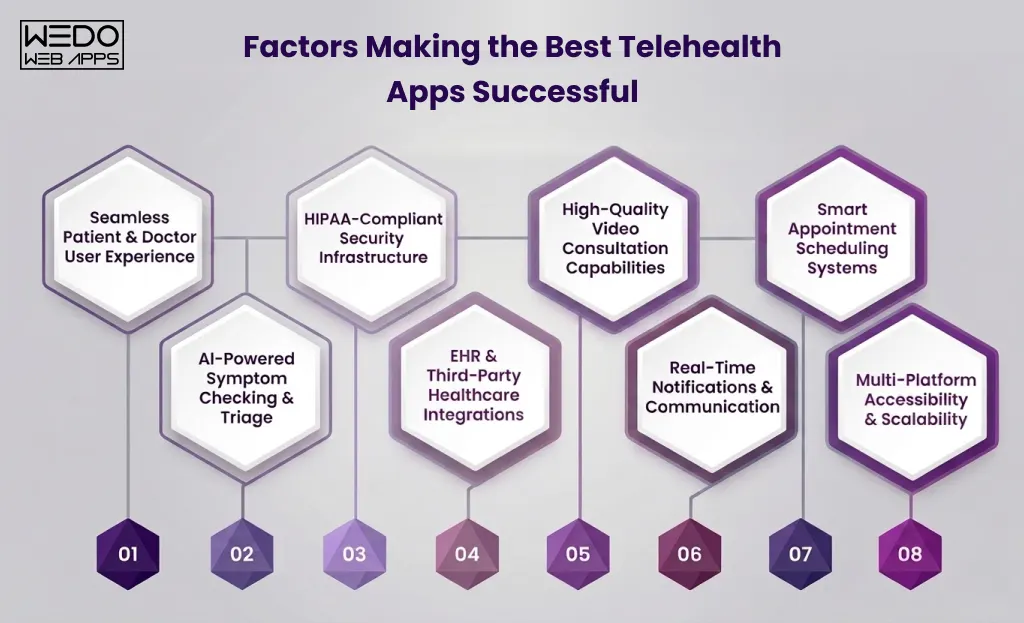
Building a successful telemedicine platform today requires far more than adding video consultation functionality into a healthcare application. The best telehealth apps succeed because they combine seamless patient experiences, scalable infrastructure, healthcare compliance, intelligent automation, and operational efficiency within a single ecosystem.
Healthcare startups and enterprises evaluating telemedicine app development should understand that patient adoption and long-term scalability depend heavily on how well these features work together.
Seamless Patient & Doctor User Experience
User experience remains one of the biggest differentiators among top telehealth apps. Patients expect healthcare applications to be:
- easy to navigate
- mobile-friendly
- fast-loading
- accessible across devices
- simple enough for non-technical users
Similarly, healthcare providers require intuitive dashboards that simplify:
- appointment management
- patient communication
- consultation workflows
- digital prescription handling
- medical record access
Poor user experience often becomes one of the biggest reasons why telehealth apps struggle with adoption and retention.
HIPAA-Compliant Security Infrastructure
Security and compliance are critical for all telemedicine apps handling sensitive healthcare data.
The best telemedicine apps prioritize:
- HIPAA-compliant infrastructure
- end-to-end encryption
- secure cloud storage
- multi-factor authentication
- role-based access controls
- secure payment processing
Healthcare businesses investing in telemedicine app development must ensure patient privacy and regulatory compliance from the early development stages rather than treating security as an afterthought.
High-Quality Video Consultation Capabilities
Video consultation remains a core feature of most telehealth apps for patients. However, successful platforms focus heavily on consultation quality and reliability.
Modern telehealth applications typically include:
- HD video communication
- low-latency streaming
- real-time chat support
- appointment reminders
- screen sharing capabilities
- secure virtual waiting rooms
Reliable communication infrastructure plays a major role in improving patient trust and overall healthcare experience.
Smart Appointment Scheduling Systems
Efficient appointment management significantly improves both provider productivity and patient convenience.
- Automated scheduling
- Calendar synchronization
- Real-time availability tracking
- Appointment reminders
- Cancellation management
- Queue optimization
These features reduce administrative overhead while improving healthcare accessibility and operational efficiency.
AI-Powered Symptom Checking & Triage
AI is rapidly becoming one of the defining features of modern telemedicine apps examples.
- Symptom assessment
- Patient triage
- Healthcare recommendations
- Chatbot assistance
- Predictive analytics
- Workflow automation
AI-powered features help healthcare businesses:
- Reduce provider workload
- Improve patient engagement
- Speed up response times
- Personalize healthcare experiences
EHR & Third-Party Healthcare Integrations
Interoperability is essential for scalable telemedicine platforms.
- Electronic Health Record (EHR) systems
- Pharmacy platforms
- Wearable devices
- Payment gateways
- Insurance systems
- Laboratory management software
These integrations help create unified digital healthcare ecosystems while improving operational efficiency and patient experience.
Real-Time Notifications & Communication
Consistent communication is critical for patient retention and engagement.
- Appointment reminders
- Medication alerts
- Consultation follow-ups
- Health monitoring updates
- Prescription notifications
- Provider communication
Real-time engagement features help healthcare businesses improve patient satisfaction and reduce missed consultations.
Multi-Platform Accessibility & Scalability
Modern healthcare users expect telehealth applications to work seamlessly across:
- Smartphones
- Tablets
- Desktops
- Web browsers
- Wearable-connected devices
Scalability is equally important for healthcare businesses planning long-term growth.
The best telehealth apps are built using scalable architectures capable of handling:
- Growing patient databases
- Increasing consultation volumes
- Real-time healthcare data processing
- Multi-location healthcare operations
- Future feature expansions
For healthcare startups and enterprises, scalable telemedicine app development directly impacts operational flexibility, user retention, and future expansion opportunities.
Best Telehealth Apps in 2026
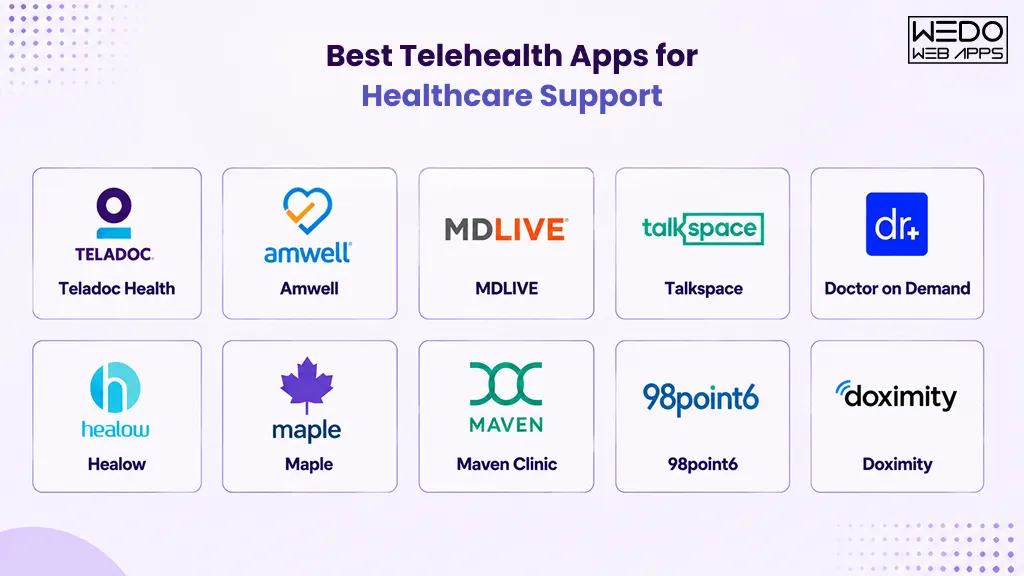
The rapid growth of digital healthcare has led to the emergence of several powerful telemedicine platforms designed to improve healthcare accessibility, patient engagement, and operational efficiency. While each platform targets different healthcare needs, the best telehealth apps share common strengths such as seamless virtual consultations, scalable infrastructure, AI-driven capabilities, and intuitive user experiences.
For healthcare startups and enterprises planning telemedicine app development, analyzing these successful telemedicine apps examples can provide valuable insights into feature prioritization, business models, scalability strategies, and healthcare technology trends.
1. Teladoc Health
Teladoc Health remains one of the most recognized names among top telehealth apps globally. The platform offers virtual healthcare services across primary care, mental health, chronic condition management, and specialist consultations.
Core Features:
- 24/7 virtual doctor consultations
- AI-driven healthcare insights
- Chronic disease management tools
- Mental health support services
- Remote patient monitoring
- EHR integration capabilities
Why It Became a Market Leader:
Teladoc successfully scaled by building a complete digital healthcare ecosystem rather than limiting its services to virtual consultations alone. Its strong focus on accessibility, enterprise healthcare partnerships, and integrated healthcare experiences helped it become one of the best telemedicine apps in the market.
Product Lessons for Healthcare Startups:
- Scalable infrastructure approach
- Multi-service healthcare ecosystem
- Patient engagement strategy
- AI-powered healthcare integrations
- Enterprise-focused expansion model
2. Amwell
Amwell is widely known for its enterprise-grade telemedicine infrastructure and large-scale healthcare provider network. The platform focuses heavily on virtual care delivery for hospitals, healthcare systems, and insurance providers.
Core Features:
- Secure video consultations
- EHR system integration
- Digital patient engagement tools
- Appointment scheduling
- Provider workflow management
- Healthcare analytics
Enterprise Telemedicine Strengths:
Unlike many telehealth apps for patients that primarily target individual users, Amwell positions itself strongly within enterprise healthcare ecosystems. Its interoperability capabilities and provider-focused workflows make it a preferred solution for large healthcare organizations.
Key Takeaways for Businesses:
- Enterprise scalability
- Healthcare interoperability strategy
- Provider-centric platform design
- Secure infrastructure implementation
3. MDLIVE
MDLIVE is one of the most popular telehealth applications for urgent care, behavioral healthcare, and online medical consultations.
Core Features:
- Virtual urgent care consultations
- Behavioral health services
- Dermatology consultations
- Online prescription support
- Appointment scheduling
- Secure patient communication
Why MDLIVE Stands Out:
MDLIVE focuses heavily on simplifying healthcare accessibility for patients through intuitive digital experiences and broad healthcare service coverage.
Product Insights for Telehealth Startups:
- User-friendly healthcare UX
- Accessibility-focused healthcare delivery
- Service diversification
- Seamless patient onboarding
4. Talkspace
Talkspace became one of the best telehealth apps in the mental healthcare segment by making therapy and mental wellness support more accessible through platforms.
Core Features:
- Virtual therapy sessions
- Text-based therapy support
- Mental wellness programs
- Subscription-based healthcare plans
- Secure communication channels
- Therapist matching systems
Subscription-Based Healthcare Model:
Talkspace popularized scalable subscription-based digital mental healthcare models. Its flexible communication approach significantly improved patient engagement and retention.
Key Lessons for Healthcare Businesses:
- Niche-focused healthcare strategy
- Recurring revenue model
- Mobile-first engagement approach
- Asynchronous communication features
5. Doctor on Demand
Doctor on Demand focuses on providing convenient access to licensed physicians, therapists, and psychiatrists through virtual consultations.
Core Features:
- Video consultations
- Mental healthcare services
- Chronic care support
- Preventive healthcare consultations
- Digital prescriptions
- Mobile healthcare accessibility
What Makes It Successful:
The platform emphasizes accessibility, convenience, and streamlined patient experiences while maintaining strong healthcare compliance standards.
Product Development Insights:
- Simplified onboarding flows
- Patient trust-building
- Healthcare accessibility
- Scalable virtual care experiences
6. Healow
Healow is recognized for its strong EHR integration capabilities and patient engagement infrastructure.
Core Features:
- EHR synchronization
- Patient health tracking
- Appointment management
- Medication reminders
- Remote monitoring support
- Secure messaging
Why Healthcare Providers Prefer Healow:
Its ability to integrate deeply with healthcare records and provider systems helps create smoother patient management workflows.
Key Takeaways for Businesses:
- Healthcare interoperability
- Patient data centralization
- Chronic care management
- Integrated healthcare ecosystems
7. Maple
Maple is a leading virtual healthcare platform known for its on-demand healthcare consultation model.
Core Features:
- Instant virtual consultations
- Online prescriptions
- Appointment booking
- Secure messaging
- Healthcare accessibility features
- Mobile-first experience
Mobile-First Telemedicine Experience:
Maple focuses heavily on delivering quick and convenient healthcare experiences through intuitive mobile applications.
Lessons for Healthcare Startups:
- Speed-focused healthcare delivery
- Mobile UX optimization
- Accessibility-driven design
- Patient convenience
8. Maven Clinic
Maven Clinic specializes in women’s and family healthcare services, making it one of the strongest niche telemedicine apps examples in the market.
Core Features:
- Women’s healthcare consultations
- Maternity support
- Family healthcare programs
- Mental wellness services
- Virtual coaching
- Personalized healthcare guidance
Niche Healthcare Positioning:
Instead of targeting broad healthcare services, Maven Clinic succeeded by focusing on specialized healthcare experiences for a defined audience.
Strategic Insights for Businesses:
- Niche market positioning
- Specialized healthcare strategy
- Personalized patient engagement
- Focused service ecosystem
9. 98point6
98point6 is known for combining AI-powered automation with text-based healthcare consultations.
Core Features:
- AI-assisted symptom analysis
- Text-based consultations
- Virtual healthcare assistance
- Automated patient triage
- Secure messaging
- Provider support workflows
AI-Driven Healthcare Experience:
The platform reduces operational friction through intelligent automation and conversational healthcare experiences.
Key Lessons for Telehealth Businesses:
- AI integration
- Automation-driven efficiency
- Conversational healthcare UX
- Scalable digital healthcare support
10. Doximity
Doximity combines healthcare networking and telemedicine infrastructure for healthcare professionals.
Core Features:
- Virtual consultation tools
- Physician networking
- Secure communication
- Healthcare collaboration features
- Digital workflow tools
- Provider-focused platform ecosystem
Provider-Centric Healthcare Infrastructure:
Doximity stands out by focusing strongly on healthcare professionals and provider collaboration rather than only patient-facing experiences.
Product Insights for Healthcare Platforms:
- Provider ecosystem development
- Healthcare collaboration tools
- Network-driven platform growth
- Professional healthcare communities
Telehealth Apps Comparison Table
Choosing the right telemedicine platform depends heavily on business goals, target audience, healthcare specialization, scalability requirements, and user experience priorities. While some of the best telehealth apps focus on enterprise healthcare infrastructure, others specialize in mental healthcare, chronic disease management, AI-powered automation, or mobile-first patient engagement.
The comparison below highlights how popular telehealth applications differentiate themselves across features, healthcare focus, and platform strengths.
| Telehealth App | Primary Focus | Key Strength | Ideal User Base | Unique Differentiator |
|---|
| Teladoc Health | Virtual healthcare ecosystem | Scalable multi-service healthcare platform | Enterprises, providers, healthcare systems | AI-powered healthcare service with chronic care management |
|---|
| Amwell | Enterprise telemedicine infrastructure | Strong interoperability & provider workflows | Hospitals, insurance providers, healthcare enterprises | Enterprise-grade healthcare integrations |
|---|
| MDLIVE | Urgent care & behavioral healthcare | Simplified virtual healthcare accessibility | Patients seeking convenient healthcare access | User-friendly healthcare experiences |
|---|
| Talkspace | Mental healthcare services | Subscription-based therapy model | Mental health patients & wellness programs | Text-based therapy and asynchronous communication |
|---|
| Doctor on Demand | Virtual primary & preventive care | Streamlined patient consultation experience | Individual healthcare users & providers | Strong focus on accessibility and convenience |
|---|
| Healow | EHR-integrated healthcare management | Patient data synchronization | Clinics, hospitals, healthcare providers | Deep EHR integration capabilities |
|---|
| Maple | On-demand healthcare consultations | Fast mobile healthcare accessibility | Patients seeking instant consultations | Mobile-first telemedicine experience |
|---|
| Maven Clinic | Women’s & family healthcare | Specialized healthcare automation | Women’s healthcare providers & startups | Niche-focused digital healthcare platform |
|---|
| 98point6 | AI-assisted virtual healthcare | Conversational healthcare automation | AI-driven healthcare business | Text-based AI-powered consultations |
|---|
| Doximity | Provider collaboration & telemedicine | Healthcare professional networking | Physicians & healthcare professionals | Provider-centric healthcare ecosystem |
|---|
What Healthcare Businesses Can Learn From These Telemedicine Apps Examples
While each platform targets different healthcare needs, the most successful telehealth apps share several common patterns that healthcare startups and enterprises should carefully analyze before starting telemedicine app development.
The Best Telehealth Apps Prioritize User Experience
Most successful platforms focus heavily on:
- Simplified onboarding
- Intuitive navigation
- Fast appointment booking
- Seamless communication
- Mobile accessibility
Healthcare applications with complicated workflows often struggle with patient retention and adoption.
Specialized Healthcare Niches Often Scale Faster
Platforms like Talkspace and Maven Clinic demonstrate how niche healthcare solutions can compete effectively against broader telemedicine ecosystems.
Healthcare startups increasingly succeed by targeting:
- Mental healthcare
- Chronic disease management
- Elderly care
- Women’s healthcare
- Pediatric telemedicine
- Remote patient monitoring
Instead of building generic healthcare platforms.
AI is Becoming a Competitive Differentiator
Modern telemedicine apps examples increasingly leverage AI for:
- Symptom assessment
- Patient triage
- Healthcare recommendations
- Chatbot assistance
- Predictive analytics
- Workflow automation
As AI capabilities evolve, healthcare businesses integrating intelligent automation are likely to gain stronger operational and competitive advantages.
Scalable Infrastructure is Essential
The top telehealth apps are designed to handle:
- Growing patient databases
- Increasing consultation volumes
- Multi-provider ecosystems
- Healthcare data processing
- Cross-platform accessibility
Scalability planning plays a critical role in long-term healthcare platform success.
Interoperability is No Longer Optional
The best telemedicine apps integrate seamlessly with:
- EHR systems
- Pharmacy platforms
- Insurance systems
- Wearable devices
- Healthcare APIs
- Payment gateways
Healthcare businesses planning telemedicine app development should prioritize interoperability early to avoid future operational limitations.
Key Features Modern Telemedicine Apps Must Include
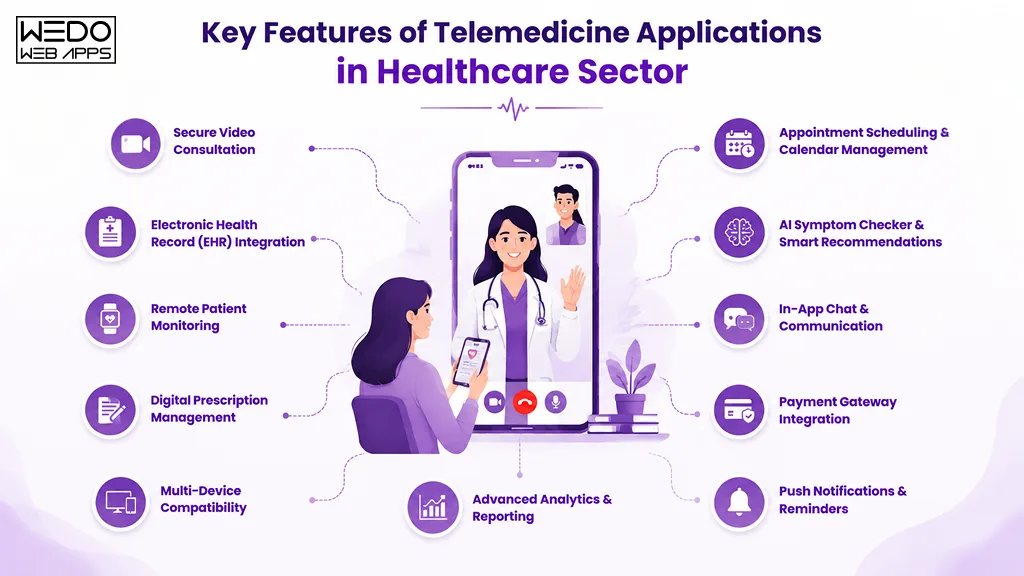
The success of modern telehealth applications depends heavily on the features they offer and how seamlessly those features improve patient and provider experiences. Today, healthcare users expect telemedicine platforms to deliver convenience, accessibility, personalization, security, and real-time healthcare support within a single digital ecosystem.
For healthcare startups and enterprises planning telemedicine app development, understanding which features are essential can significantly impact patient adoption, scalability, and long-term platform success.
Secure Video Consultation
Video consultation remains one of the most critical features in the best telehealth apps. However, modern users expect more than basic video calling functionality.
Successful telemedicine apps for patients usually include:
- HD video communication
- Low-latency streaming
- Secure encrypted sessions
- Virtual waiting rooms
- Screen sharing support
- Multi-participant consultations
Reliable video infrastructure directly affects patient trust, consultation quality, and overall user experience.
Appointment Scheduling & Calendar Management
Efficient scheduling systems help reduce operational friction for both healthcare providers and patients.
Most popular telehealth applications now support:
- Automated appointment booking
- Provider availability tracking
- Calendar synchronization
- Instant confirmations
- Appointment reminders
- Cancellation & rescheduling workflows
Smart scheduling systems improve healthcare accessibility while minimizing administrative overhead.
Electronic Health Record (EHR) Integration
EHR integration has become essential for scalable telemedicine platforms.
The best telemedicine apps often integrate with healthcare record systems to enable:
- Patient history access
- Centralized healthcare data
- Prescription management
- Provider collaboration
- Treatment continuity
- Real-time record synchronization
Interoperability between healthcare systems significantly improves operational efficiency and patient care experiences.
AI Symptom Checker & Smart Recommendations
AI is rapidly transforming how telehealth apps for patients deliver healthcare experiences.
Modern telemedicine apps examples increasingly use AI for:
- Symptom analysis
- Patient triage
- Healthcare recommendations
- Chatbot assistance
- Predictive health insights
- Workflow automation
AI-powered healthcare experiences help businesses:
- Improve response times
- Reduce provider workload
- Personalize healthcare journeys
- Optimize operational efficiency
For startups entering digital healthcare, AI integration can also become a major competitive advantage.
Remote Patient Monitoring
Remote monitoring capabilities are becoming increasingly important in chronic disease management and preventive healthcare.
Top telehealth apps often support integrations with:
- Wearable healthcare devices
- Smart health trackers
- IoT healthcare systems
- Heart rate monitors
- Glucose monitoring devices
- Blood pressure tracking tools
These features enable healthcare providers to monitor patient health data continuously and deliver proactive care remotely.
In-App Chat & Communication
Real-time communication improves patient engagement and healthcare accessibility.
The best telehealth apps commonly include:
- Secure patient-provider messaging
- Live chat support
- File sharing
- Healthcare notifications
- Consultation follow-ups
- Asynchronous communication
Flexible communication systems help improve patient retention and reduce consultation barriers.
Digital Prescription Management
Prescription management features simplify post-consultation healthcare workflows for both patients and providers.
Modern telemedicine applications often allow:
- Digital prescription generation
- Pharmacy integration
- Medication reminders
- Prescription refill requests
- Secure medication records
- Treatment tracking
These capabilities improve convenience while streamlining healthcare operations.
Payment Gateway Integration
Secure and flexible payment systems are essential for monetizing telemedicine platforms effectively.
Most successful telehealth apps support:
- Multiple payment methods
- Insurance claim processing
- Subscription billing
- Consultation-based payments
- Digital invoices
- Secure transaction processing
Simplified payment experiences help improve user trust and reduce drop-offs during consultations.
Multi-Device Compatibility
Healthcare users expect seamless accessibility across multiple devices and platforms.
Modern telehealth apps for patients typically support:
- Smartphones
- Tablets
- Desktops
- Web browsers
- Wearable-connected interfaces
Cross-platform accessibility improves engagement while expanding healthcare reach across diverse user groups.
Push Notifications & Reminders
Healthcare engagement often depends on timely communication.
Popular telehealth applications use notifications for:
- Appointment reminders
- Medication alerts
- Consultation updates
- Healthcare recommendations
- Payment confirmations
- Follow-up reminders
Well-designed notification systems help improve patient retention and reduce missed consultations.
Advanced Analytics & Reporting
Healthcare businesses increasingly rely on analytics to improve operational efficiency and patient experiences.
Modern telemedicine platforms often include:
- Patient engagement analytics
- Consultation performance tracking
- Provider productivity insights
- Healthcare usage trends
- Revenue analytics
- AI-driven healthcare reporting
These insights help healthcare organizations make data-driven decisions while optimizing platform performance and scalability.
What Healthcare Businesses Can Learn from Popular Telehealth Applications
The success of the best telehealth apps goes far beyond virtual consultations and mobile accessibility. Behind every successful telemedicine platform is a carefully planned combination of user experience, healthcare infrastructure, scalability, compliance, and patient engagement strategy.
For healthcare startups, enterprises, and decision-makers evaluating telemedicine app development, studying these popular telehealth applications can reveal valuable lessons about what truly drives adoption, retention, and long-term growth in digital healthcare.
Simplicity Improves Patient Adoption
One of the biggest reasons why many telemedicine apps fail is unnecessary complexity.
The best telehealth apps focus heavily on:
- Simplified onboarding
- Intuitive navigation
- Minimal consultation steps
- Faster appointment booking
- Clear healthcare workflows
- Mobile-first experiences
Patients often avoid healthcare applications that require complicated registration processes or difficult navigation, especially older users and non-technical audiences.
Successful telehealth apps for patients reduce friction at every stage of the healthcare journey.
User Trust is a Major Growth Factor
Healthcare is one of the most trust-sensitive industries, making credibility and security essential for digital healthcare platforms.
Top telehealth apps build trust through:
- Secure communication systems
- Transparent privacy policies
- HIPAA-compliant infrastructure
- Verified healthcare providers
- Reliable consultation experiences
- Consistent patient support
For startups entering telemedicine app development, building trust early can significantly impact patient retention and platform growth.
Specialized Healthcare Niches Can Outperform Broad Platforms
Not every healthcare startup needs to compete directly with large telemedicine ecosystems like Teladoc.
Several successful telemedicine apps examples scaled rapidly by targeting niche healthcare segments such as:
- Mental healthcare
- Women’s healthcare
- Chronic disease management
- Elderly care
- Pediatric healthcare
- Post-treatment monitoring
Focused healthcare platforms often achieve:
- Higher user engagement
- Stronger patient retention
- Clearer product positioning
- More efficient feature prioritization
Niche specialization can also reduce competition while improving long-term scalability opportunities.
AI is Becoming Central to Modern Telemedicine
AI is no longer an experimental healthcare feature. It is becoming a core differentiator among modern telehealth applications.
Today, the best telemedicine apps increasingly use AI for:
- Symptom assessment
- Intelligent patient triage
- Healthcare chatbots
- Predictive healthcare insights
- Workflow automation
- Personalized healthcare recommendations
Healthcare businesses integrating AI strategically can improve:
- Operational efficiency
- Patient response times
- Provider productivity
- Healthcare personalization
- Long-term scalability
Scalable Infrastructure Matters From Day One
Many healthcare startups focus heavily on launching quickly while underestimating future scalability challenges.
However, successful telehealth apps are designed to support:
- Growing patient traffic
- Increasing consultation volumes
- Real-time healthcare data processing
- Multi-provider systems
- Cross-platform accessibility
- Future feature expansion
Poor scalability planning often leads to:
- Performance bottlenecks
- Rising infrastructure costs
- User experience issues
- Operational inefficiencies
For businesses investing in telemedicine app development, scalable architecture should be treated as a long-term business requirement rather than a later-stage upgrade.
Interoperability Improves Long-Term Platform Value
Modern healthcare ecosystems depend heavily on system connectivity.
The best telehealth apps integrate with:
- EHR systems
- Pharmacy platforms
- Insurance providers
- Wearable healthcare devices
- Healthcare APIs
- Laboratory management systems
Interoperability improves:
- Healthcare workflow efficiency
- Patient experience continuity
- Provider collaboration
- Healthcare data accessibility
Healthcare businesses that prioritize integrations early are often better positioned for long-term scalability and enterprise adoption.
Mobile-First Healthcare Experiences Drive Engagement
Most healthcare users now prefer accessing telemedicine services through smartphones rather than desktop platforms.
This is why successful telehealth apps for patient focus heavily on:
- Responsive mobile interfaces
- Faster app performance
- Intuitive user journeys
- Real-time healthcare notifications
- Simplified communication workflows
For startups entering digital healthcare, mobile-first telemedicine app development is no longer optional. It is becoming a fundamental user expectation.
Long-Term Retention is More Important Than Downloads
Many healthcare applications focus heavily on user acquisition while overlooking retention strategy.
However, top telehealth apps prioritize long-term patient engagement through:
- Personalized healthcare experiences
- Follow-up communication
- Medication reminders
- Subscription healthcare models
- Ongoing health tracking
- AI-driven engagement systems
Sustainable growth in telemedicine platforms depend more on recurring patient engagement than initial app downloads alone.
How AI Is Transforming Telehealth App Development
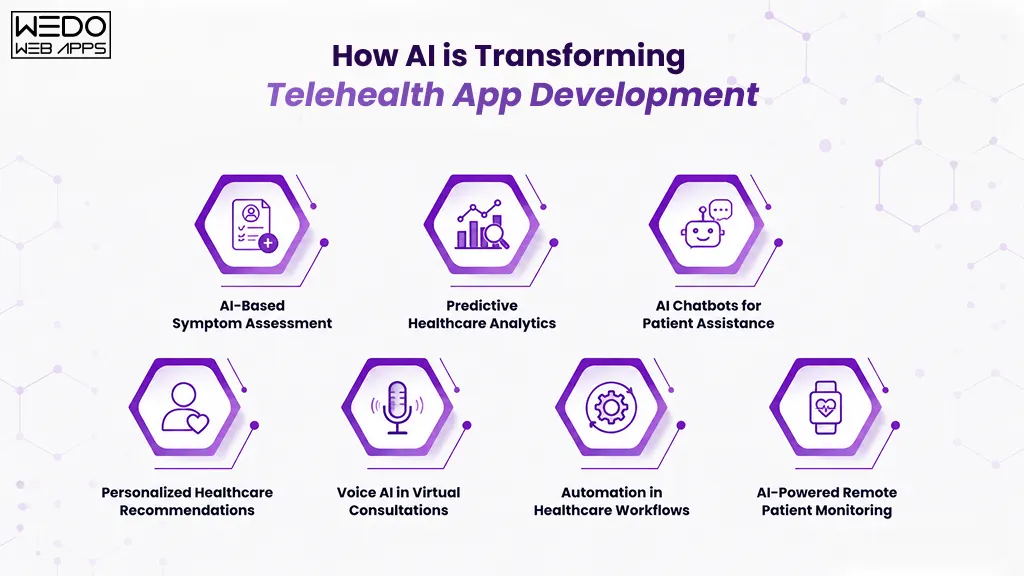
AI is rapidly becoming one of the biggest innovations shaping modern telemedicine applications. What was once limited to basic automation has now evolved into intelligent healthcare ecosystems capable of improving patient experiences, optimizing healthcare workflows, enhancing diagnostics, and increasing operational efficiency.
Today, many of the best telehealth apps are leveraging AI to deliver faster, smarter, and more personalized healthcare experiences. For healthcare startups and enterprises planning telemedicine app development, AI integration is no longer just an advanced feature. It is becoming a major competitive differentiator in the digital healthcare market.
AI-Based Symptom Assessment
AI-powered symptom analysis is becoming increasingly common across top telehealth apps.
Modern telemedicine applications can now analyze:
- Patient symptoms
- Health history
- Behavioral patterns
- Wearable device data
- Consultation inputs
to provide preliminary healthcare guidance before virtual consultations.
AI-assisted symptom assessment helps:
- Improve triage efficiency
- Reduce provider workload
- Speed up consultation processes
- Improve patient accessibility
- Enhance healthcare personalization
While AI does not replace medical professionals, it significantly improves operational efficiency and early healthcare support.
Predictive Healthcare Analytics
Predictive analytics is helping healthcare providers make more proactive and data-driven decisions.
Many popular telehealth applications now use AI to identify:
- Potential health risks
- Chronic disease patterns
- Treatment effectiveness
- Patient behavior trends
- Healthcare utilization insights
This allows healthcare providers to:
- Improve preventive care
- Personalize treatment plans
- Optimize healthcare operations
- Reduce avoidable complications
- Improve long-term patient outcomes
Predictive healthcare capabilities are especially valuable in chronic disease management and remote patient monitoring systems.
AI Chatbots for Patient Assistance
AI-powered healthcare chatbots are transforming patient communication experiences within telemedicine platforms.
The best telemedicine apps increasingly use AI chatbots for:
- Appointment scheduling
- Symptom collection
- FAQ assistance
- Medication reminders
- Patient onboarding
- Post-consultation support
AI-driven communication systems help healthcare businesses:
- Improve response times
- Reduce support workload
- Provide 24/7 assistance
- Increase patient engagement
- Improve operational scalability
For healthcare startups, chatbot integration can significantly enhance healthcare accessibility while reducing administrative costs.
Personalized Healthcare Recommendations
Healthcare personalization is becoming a major focus area in modern telehealth apps for patients.
AI systems can analyze:
- Medical history
- Patient preferences
- Healthcare behavior
- Treatment patterns
- Wearable device data
to deliver:
- Personalized healthcare suggestions
- Medication reminders
- Wellness recommendations
- Preventive care guidance
- Treatment follow-up plans
Personalized healthcare experiences help improve:
- Patient satisfaction
- Treatment adherence
- Long-term engagement
- Healthcare outcomes
Voice AI in Virtual Consultations
Voice AI technologies are also becoming increasingly valuable in telemedicine app development.
Modern healthcare platforms are experimenting with voice AI for:
- Consultation transcription
- Medical note generation
- Voice-enabled healthcare assistance
- Hands-free navigation
- Multilingual healthcare support
Voice-enabled healthcare experiences can improve accessibility for:
- Elderly patients
- Visually impaired users
- Non-technical audiences
- Multilingual patient groups
This technology is expected to become more common across future telemedicine apps examples.
Automation in Healthcare Workflows
Operational automation is helping healthcare businesses improve efficiency while reducing repetitive manual processes.
AI-driven telehealth applications can automate:
- Appointment scheduling
- Patient triage
- Follow-up reminders
- Healthcare documentation
- Billing workflows
- Consultation summaries
These automation capabilities help providers:
- Reduce operational overhead
- Improve consultation efficiency
- Minimize administrative burden
- Optimize staff productivity
For healthcare enterprises managing large patient volumes, workflow automation can significantly improve scalability.
AI-Powered Remote Patient Monitoring
Remote patient monitoring is becoming more intelligent through AI integration and wearable healthcare technologies.
Modern telehealth applications increasingly combine AI with:
- Smart wearables
- Health tracking devices
- IoT healthcare systems
- Real-time patient monitoring tools
AI systems can continuously analyze patient data to identify:
- Abnormal health patterns
- Potential medical risks
- Treatment adherence issues
- Emergency warning signs
This enables healthcare providers to deliver more proactive and preventive care experiences remotely.
Benefits of AI Integration for Healthcare Businesses
Healthcare startups and enterprises integrating AI into telemedicine app development can gain several strategic advantages.
AI-powered telehealth apps help businesses:
- Improve patient engagement
- Optimize healthcare workflows
- Reduce provider workload
- Personalize healthcare experiences
- Enhance scalability
- Improve operational efficiency
- Strengthen competitive positioning
As digital healthcare adoption continues growing, AI is expected to play an even larger role in shaping the future of telemedicine applications.
For healthcare businesses planning long-term digital healthcare strategies, AI integration is quickly becoming essential for building scalable and future-ready telehealth platforms.
Telehealth App Development Challenges Businesses Must Solve
While the demand for telemedicine applications continues growing rapidly, building scalable and secure healthcare platforms comes with several technical, operational, and regulatory challenges. Many healthcare startups underestimate the complexity involved in developing telehealth apps that can handle compliance requirements, patient data security, real-time communication, and long-term scalability efficiently.
For businesses planning telemedicine app development, understanding these challenges early can help reduce development risks, improve healthcare experiences, and support long-term platform growth.
HIPAA & Healthcare Compliance Complexities
Healthcare applications handle highly sensitive patient information, making regulatory compliance one of the biggest challenges in telehealth app development.
Depending on the target market, telemedicine apps may need to comply with:
- HIPAA (United States)
- GDPR (Europe)
- HITECH regulations
- Regional healthcare data protection laws
- Electronic prescription regulations
Compliance requirements often impact:
- Data storage architecture
- User authentication systems
- Communication encryption
- Access control management
- Healthcare record handling
Failure to address compliance properly can lead to:
- Legal penalties
- Patient trust issues
- Operational risks
- Data privacy violations
This is why successful telehealth apps prioritize compliance planning from the earliest development stages.
Protecting Sensitive Patient Data
Cybersecurity remains a major concern for modern telehealth applications.
Healthcare platforms often become targets for:
- Ransomware attacks
- Unauthorized access
- Data breaches
- Identity theft
- Healthcare record exploitation
The best telemedicine apps typically implement:
- End-to-end encryption
- Multi-factor authentication
- Secure cloud infrastructure
- Role-based access controls
- Encrypted healthcare communication
- Regular security audits
Healthcare businesses investing in telemedicine app development must treat security as a core platform requirement rather than an optional feature.
Real-Time Video Streaming Performance
Video consultation quality directly affects patient trust and healthcare experience.
However, building reliable real-time communication infrastructure is technically complex because telehealth apps must handle:
- Unstable internet connections
- Low-latency streaming
- Cross-device compatibility
- Secure video transmission
- High consultation volumes
- Real-time synchronization
Poor video quality often leads to:
- Interrupted consultations
- Patient dissatisfaction
- Reduced healthcare accessibility
- Lower platform adoption
Scalable video infrastructure is therefore critical for telemedicine apps for patients and providers alike.
EHR Integration Difficulties
Healthcare interoperability remains one of the biggest operational challenges for telemedicine platforms.
Many healthcare organizations use different:
- EHR systems
- Healthcare APIs
- Legacy software
- Patient data standards
- Provider management systems
Integrating these systems into a unified telehealth ecosystem can become technically demanding.
Healthcare businesses often face challenges related to:
- Inconsistent healthcare data formats
- Limited API compatibility
- Synchronization issues
- Fragmented patient records
- Interoperability limitations
Successful telehealth app development requires careful integration planning to ensure seamless healthcare workflows.
Managing Scalability for Growing User Bases
Many healthcare startups initially focus on launching quickly without planning for long-term scalability.
However, successful telehealth applications must eventually support:
- Large patient databases
- Increasing consultation volumes
- Real-time healthcare processing
- Multi-provider ecosystems
- Cross-platform accessibility
- Growing healthcare data storage
Without scalable architecture, businesses may experience:
- Slow application performance
- System crashes
- Rising infrastructure costs
- Poor patient experiences
- Operational inefficiencies
Cloud-native and scalable infrastructure planning are essential for sustainable telemedicine platform growth.
Improving Patient Retention & Engagement
Acquiring healthcare users is difficult, but retaining them is often even more challenging.
Many telehealth apps struggle with:
- Low repeat consultation rates
- Poor patient engagement
- Complicated healthcare workflows
- Limited personalization
- Weak communication systems
The best telehealth apps improve retention through:
- Personalized healthcare experiences
- AI-powered engagement
- Proactive communication
- Medication reminders
- Healthcare notifications
- Simplified user journeys
Long-term platform growth depends heavily on maintaining continuous patient engagement.
Cross-Platform Performance Optimization
Modern users expect telemedicine applications to work consistently across:
- Smartphones
- Tablets
- Desktops
- Web browsers
- Wearable-connected ecosystems
Ensuring smooth performance across multiple devices while maintaining healthcare security and usability can become highly challenging.
Healthcare businesses must optimize:
- UI responsiveness
- Application speed
- Device compatibility
- Healthcare accessibility
- Synchronization performance
Cross-platform optimization directly affects user experience and platform adoption rates.
Regulatory & Regional Healthcare Compliance Challenges
Healthcare regulations vary significantly across countries and regions.
Businesses expanding telehealth platforms globally often face challenges related to:
- Region-specific compliance laws
- Healthcare licensing regulations
- Cross-border healthcare restrictions
- Localization requirements
- Healthcare payment systems
- Multilingual healthcare support
For startups planning global telemedicine app development, regional scalability and compliance planning become essential from the early product stages.
Why Solving These Challenges Early Matters
The most successful telemedicine apps examples are not built solely around features. They succeed because they address compliance, scalability, security, interoperability, and user experience challenges strategically from the beginning.
Healthcare startups and enterprises that proactively solve these challenges are often better positioned to:
- Improve patient trust
- Scale efficiently
- Reduce operational risks
- Optimize healthcare delivery
- Strengthen long-term platform growth
As digital healthcare adoption continues expanding, solving these development challenges effectively will remain critical for building scalable and future-ready telehealth applications.
How Startups Can Build a Competitive Telehealth App
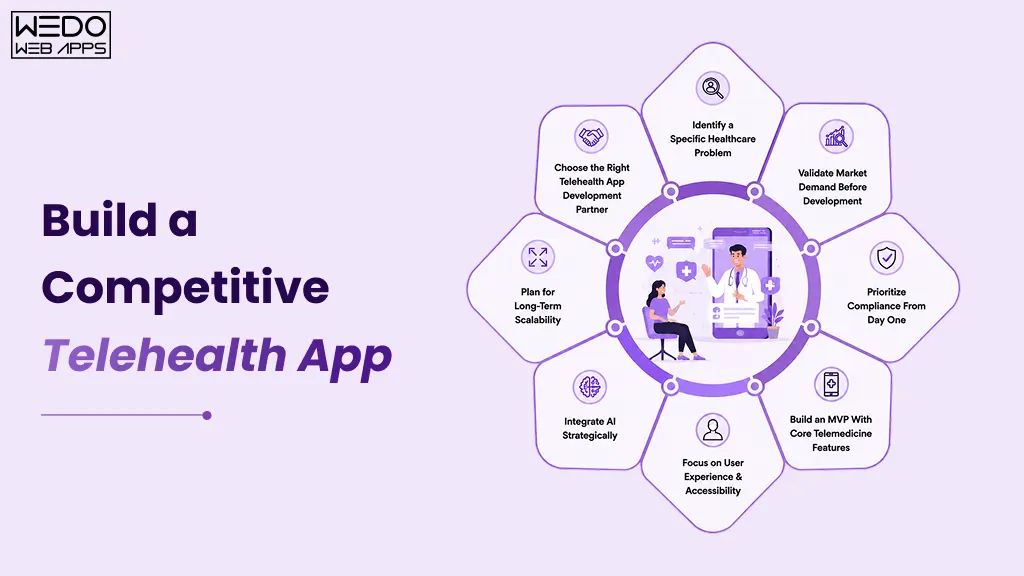
The rapid growth of digital healthcare has created massive opportunities for startups entering the telemedicine industry. However, simply launching a healthcare application is no longer enough to compete in today’s market. The best telehealth apps succeed because they solve specific healthcare problems, deliver seamless user experiences, prioritize compliance, and continuously evolve with patient expectations and healthcare technology trends.
For startups planning telemedicine app development, building a scalable and competitive platform requires a strategic balance between healthcare innovation, operational efficiency, patient engagement, and long-term scalability.
Identify a Specific Healthcare Problem
Many healthcare startups fail because they attempt to build overly broad telemedicine platforms without solving a clearly defined healthcare challenge.
Instead of targeting every healthcare segment at once, successful telehealth apps for patients often focus on:
- mental healthcare
- chronic disease management
- women’s healthcare
- elderly care
- pediatric consultations
- remote patient monitoring
- post-treatment follow-ups
Niche-focused healthcare platforms usually achieve:
- stronger product positioning
- faster market validation
- better patient engagement
- clearer feature prioritization
- reduced competitive pressure
Defining a specific healthcare problem early helps startups build more targeted and scalable telemedicine applications.
Validate Market Demand Before Development
Before investing heavily in telemedicine app development, startups should validate whether real users actually need the proposed solution.
Market validation may include:
- competitor analysis
- healthcare industry research
- patient interviews
- provider feedback
- healthcare workflow analysis
- MVP testing
Studying existing telemedicine apps examples can also help businesses identify:
- feature gaps
- underserved healthcare segments
- user experience limitations
- monetization opportunities
- scalability challenges
Validation reduces development risks while improving long-term product-market fit.
Prioritize Compliance From Day One
Compliance is one of the most critical aspects of healthcare application development.
The best telemedicine apps integrate compliance planning early instead of treating it as a post-development requirement.
Healthcare startups should prioritize:
- HIPAA compliance
- healthcare data encryption
- secure authentication systems
- access control management
- secure healthcare communication
- patient privacy protection
Ignoring compliance during early development stages often leads to:
- expensive redevelopment
- operational delays
- legal risks
- patient trust issues
Building secure and compliant healthcare infrastructure early creates a stronger foundation for scalability.
Build an MVP With Core Telemedicine Features
One of the most common startup mistakes is attempting to build a fully-featured healthcare ecosystem during the first development phase.
Instead, startups should begin with an MVP (Minimum Viable Product) focused on essential features such as:
- video consultations
- appointment scheduling
- secure messaging
- patient registration
- provider dashboards
- payment integration
Launching an MVP helps businesses:
- validate healthcare workflows
- gather real user feedback
- reduce initial development costs
- improve feature prioritization
- accelerate time-to-market
Successful telehealth applications often evolve gradually based on user behavior and healthcare demand.
Focus on User Experience & Accessibility
Healthcare platforms must remain simple, intuitive, and accessible for diverse user groups.
The best telehealth apps prioritize:
- clean interface design
- simplified onboarding
- mobile-first experiences
- accessibility optimization
- fast navigation
- clear consultation workflows
User experience becomes even more important when targeting:
- elderly patients
- non-technical users
- rural healthcare audiences
- multilingual user groups
Poor usability often becomes one of the biggest reasons telemedicine apps struggle with patient retention.
Integrate AI Strategically
AI can significantly improve telemedicine applications when implemented thoughtfully.
Healthcare startups increasingly use AI for:
- symptom analysis
- healthcare chatbots
- appointment automation
- predictive healthcare insights
- patient engagement
- workflow optimization
However, startups should avoid overcomplicating early-stage products with unnecessary AI functionality.
The most effective approach is to:
- start with practical AI use cases
- solve real operational problems
- prioritize patient value
- scale AI capabilities gradually
Strategic AI integration can become a major competitive advantage in modern telehealth app development.
Plan for Long-Term Scalability
Many startups focus heavily on launch speed while underestimating future infrastructure demands.
Scalable telemedicine applications should be designed to support:
- growing patient databases
- increasing provider networks
- high consultation volumes
- healthcare data expansion
- multi-device accessibility
- future feature additions
Cloud-native infrastructure and modular development architectures help businesses scale more efficiently as healthcare demand grows.
Planning scalability early reduces future redevelopment costs and operational limitations.
Choose the Right Telehealth App Development Partner
Building healthcare applications requires expertise beyond standard mobile app development.
Healthcare startups should evaluate development partners based on:
- healthcare industry experience
- compliance understanding
- security implementation expertise
- scalability capabilities
- UI/UX understanding
- integration experience
Experienced mobile app development companies like WEDOWEBAPPS often help healthcare businesses accelerate development timelines while reducing technical, compliance, and scalability risks associated with telemedicine app development.
Why Strategic Planning Matters in Telemedicine App Development
The most successful popular telehealth applications were not built solely around technology. They succeeded because they combined healthcare understanding, patient-centric experiences, scalable infrastructure, and long-term product strategy effectively.
For startups entering digital healthcare, strategic planning can significantly improve:
- product-market fit
- patient retention
- operational scalability
- healthcare accessibility
- long-term platform sustainability
As competition within digital healthcare continues growing, startups that focus on usability, compliance, scalability, and innovation will be better positioned to build future-ready telemedicine platforms.
Telehealth App Development Cost Breakdown
One of the most common questions healthcare startups and enterprises ask is: how much does telemedicine app development actually cost?
The answer depends on the platform’s complexity, features, compliance requirements, AI integrations, and scalability goals. While a basic telehealth MVP may require a smaller investment, enterprise-grade healthcare ecosystems with AI-powered features and advanced integrations can significantly increase development costs.
Factors That Affect Telemedicine App Development Cost
Several elements influence the overall cost of building telehealth applications, including:
- feature complexity
- UI/UX requirements
- HIPAA compliance
- AI integration
- EHR connectivity
- cloud infrastructure
- third-party APIs
- scalability planning
The more advanced the healthcare workflows and integrations, the higher the development complexity.
Cost Based on App Complexity
| App Type | Estimated Timeline | Estimated Cost Range |
|---|
| Basic Telehealth MVP | 3–5 Months | $20,000 – $50,000 |
| Mid-Level Telemedicine Platform | 6–9 Months | $50,000 – $120,000 |
| Advanced Enterprise Telehealth Platform | 9+ Months | $120,000 – $300,000+ |
Basic Telehealth MVP Usually Includes:
- video consultations
- appointment booking
- patient registration
- secure messaging
- provider dashboard
Mid-Level Telemedicine Platforms Often Include:
- EHR integrations
- payment gateways
- prescription management
- healthcare analytics
- multi-device support
Advanced Telehealth Apps Typically Include:
- AI-powered healthcare features
- remote patient monitoring
- wearable integrations
- predictive analytics
- enterprise healthcare workflows
HIPAA Compliance & Security Costs
Healthcare compliance significantly impacts development budgets because telehealth apps must protect sensitive patient data.
Security-related costs often include:
- encrypted communication
- secure cloud infrastructure
- multi-factor authentication
- access control systems
- compliance testing
- audit logging
Although compliance increases initial investment, it helps reduce long-term legal and operational risks.
AI & Advanced Feature Integration Costs
AI-powered features are becoming increasingly common in the best telehealth apps, but they also increase development complexity.
AI integration may include:
- symptom analysis
- healthcare chatbots
- predictive analytics
- workflow automation
- remote patient monitoring
These capabilities usually require:
- specialized AI expertise
- advanced infrastructure
- ongoing optimization
Healthcare businesses should prioritize AI features based on real operational and patient needs rather than adding unnecessary complexity early.
Native vs Cross-Platform Development
Choosing between native and cross-platform development directly impacts your telehealth app’s performance, scalability, development cost, and time-to-market.
Native Development
Best for:
- advanced performance
- platform-specific optimization
- complex healthcare ecosystems
Challenges:
- higher development cost
- separate iOS & Android builds
Cross-Platform Development
Best for:
- faster MVP launches
- lower initial cost
- easier maintenance
Challenges:
- possible performance limitations
- limited device-level customization
Many healthcare startups initially choose cross-platform telemedicine app development to reduce launch costs and accelerate time-to-market.
Ongoing Maintenance & Scalability Costs
Telemedicine applications require continuous updates even after launch.
Long-term maintenance may include:
- security updates
- compliance maintenance
- cloud scaling
- feature enhancements
- performance optimization
- server monitoring
The best telemedicine apps continuously evolve based on:
- healthcare regulations
- patient expectations
- technology advancements
How Startups Can Reduce Telehealth App Development Costs
Healthcare startups can optimize development budgets by:
- starting with an MVP
- prioritizing essential features first
- validating market demand early
- using scalable cloud infrastructure
- avoiding unnecessary integrations initially
- planning scalability from the beginning
Working with experienced healthcare-focused development teams can also help reduce technical risks and improve long-term scalability planning.
Technologies Used in Telemedicine App Development
Building scalable telehealth applications requires the right combination of frontend technologies, backend infrastructure, cloud services, security frameworks, and healthcare integrations. The best telehealth apps are designed to support secure communication, real-time healthcare data processing, and seamless patient experiences across multiple devices.
Frontend Technologies
Modern telemedicine apps for patients usually use technologies like:
- React Native
- Flutter
- Swift
- Kotlin
These frameworks help deliver:
- responsive mobile experiences
- cross-platform accessibility
- faster app performance
- scalable UI architecture
Backend & Cloud Infrastructure
The backend infrastructure powers:
- patient data management
- appointment systems
- video consultations
- healthcare workflows
- real-time communication
Popular backend technologies include:
Cloud platforms commonly used:
- AWS
- Google Cloud
- Microsoft Azure
Cloud-native infrastructure helps telemedicine applications scale efficiently as patient demand grows.
APIs & Healthcare Integrations
The best telemedicine apps often integrate with:
- EHR systems
- payment gateways
- wearable devices
- pharmacy systems
- video communication APIs
These integrations improve:
- interoperability
- healthcare accessibility
- patient experience continuity
- operational efficiency
Security Technologies
Healthcare applications require advanced security infrastructure to protect patient information.
Common security implementations include:
- end-to-end encryption
- secure authentication
- role-based access controls
- HIPAA-compliant cloud storage
- audit logging systems
Security-first architecture is essential for scalable telehealth app development.
Future Trends in Telemedicine Applications
Digital healthcare is evolving rapidly, and modern telemedicine applications are becoming far more advanced than traditional virtual consultation platforms.
Healthcare startups and enterprises investing in telehealth app development are increasingly focusing on AI, remote monitoring, personalization, and connected healthcare ecosystems.
AI-Powered Preventive Healthcare
AI is helping healthcare providers identify:
- early health risks
- treatment patterns
- patient behavior trends
- preventive care opportunities
Predictive healthcare systems are expected to become a major feature in future telehealth apps.
Expansion of Remote Patient Monitoring
Remote patient monitoring is becoming increasingly important in:
- chronic disease management
- elderly care
- post-treatment monitoring
- preventive healthcare
The integration of wearable healthcare devices and IoT systems will continue expanding across popular telehealth applications.
Personalized Digital Healthcare Experiences
The best telehealth apps are moving toward highly personalized healthcare journeys through:
- AI-driven recommendations
- customized treatment plans
- personalized health insights
- adaptive patient engagement
Personalization improves both patient retention and healthcare outcomes.
Hybrid Healthcare Ecosystems
Future telemedicine platforms are expected to combine:
- virtual consultations
- in-person healthcare
- wearable integrations
- AI-driven healthcare support
- connected patient monitoring
Hybrid healthcare ecosystems will likely become the standard model for modern digital healthcare delivery.
Conclusion
The best telehealth apps are no longer limited to virtual consultations. They are evolving into intelligent digital healthcare ecosystems powered by AI, remote monitoring, scalable cloud infrastructure, and personalized patient experiences.
For healthcare startups, enterprises, and decision-makers, studying successful telemedicine apps examples provides valuable insights into what modern healthcare users expect and what it truly takes to build scalable and future-ready healthcare platforms.
As digital healthcare adoption continues growing, businesses investing strategically in telemedicine app development will be better positioned to improve accessibility, operational efficiency, patient engagement, and long-term healthcare innovation.