skip to content

10 Signs Your Business Needs AI Automation (With Real AI Automation Examples)

Introduction

Does your team spend more time managing work than actually getting work done?

Are employees constantly handling the same repetitive tasks, chasing approvals, updating spreadsheets, or switching between multiple tools just to complete a single process? While these inefficiencies may seem manageable at first, they can quickly slow operations, reduce productivity, and limit your ability to scale. If this sounds familiar, your business may already be showing clear signs that it’s time to rethink how work gets done.

The good news is that you don’t need to automate everything overnight. By identifying the right processes and implementing AI strategically, businesses can streamline daily operations, reduce manual effort, and make faster, data-driven decisions. Today’s AI automation examples go far beyond simple task automation, helping organizations improve business automation, simplify workflow automation, eliminate repetitive work, and unlock higher levels of AI productivity without disrupting existing systems.

In this guide, you will discover 10 signs your business needs AI automation, understand why these challenges occur, and explore practical AI automation examples that can help your organization operate more efficiently, improve employee productivity, and create a stronger foundation for long-term growth.

10 Signs Your Business Needs AI Automation

Many businesses show early warning signs that manual processes are holding them back. If you’re experiencing any of the following, it’s time to explore AI automation examples that improve business automation and streamline workflow automation.

  1. Manual work keeps increasing as your business grows.
  2. Employees spend too much time on repetitive tasks.
  3. Customer responses are slower than expected.
  4. Reports take too long to prepare and analyze.
  5. Decision-making is delayed due to disconnected data.
  6. Teams constantly switch between multiple business applications.
  7. Human errors are becoming more frequent.
  8. Scaling requires hiring more people instead of improving efficiency.
  9. Employees spend more time on administrative work than strategic initiatives.
  10. Competitors are delivering faster, more efficient customer experiences through AI.

What is AI Automation?

AI automation is the use of artificial intelligence (AI) to automate business processes that typically require human decision-making, pattern recognition, or data analysis. Unlike traditional automation, which follows predefined rules, AI can analyze information, learn from historical data, and make intelligent decisions with minimal human intervention. This enables businesses to automate not only routine tasks but also more complex workflows that evolve over time.

For example, traditional automation might automatically send an invoice after an order is placed. AI automation, on the other hand, can extract information from invoices, detect errors, prioritize urgent payments, and update financial systems without manual input. These practical AI automation examples demonstrate how businesses can improve efficiency while reducing repetitive work.

AI Automation vs. Traditional Automation


Traditional AutomationAI Automation
Follows predefined rules and conditionsLearns from data and adapts over time
Best for repetitive, rule-based tasksHandles dynamic tasks that require analysis and decision-making
Requires manual updates when processes changeContinuously improves with new data and insights
Limited to structured workflowsCan process structured and unstructured data, including emails, documents, and customer interactions


Businesses across industries are increasingly using AI to automate repetitive processes such as customer support, document processing, lead qualification, reporting, inventory management, and employee onboarding. These AI automation examples help organizations improve business automation, streamline workflow automation, and enhance AI productivity by allowing employees to focus on strategic initiatives instead of repetitive tasks.

The key advantage of AI automation is not replacing tasks; it is enabling them to work smarter. By reducing manual effort, minimizing errors, and accelerating everyday operations, businesses can improve productivity, deliver better customer experiences, and scale more efficiently.

Why Businesses Wait Too Long to Automate

Many businesses recognize that their operations could be more efficient, but they often postpone automation until manual processes begin affecting customer satisfaction, employee productivity, or business growth. The challenge is not always a lack of awareness; it’s the belief that existing workflows are “good enough” or that AI automation is only suitable for large enterprises.

In reality, delaying business automation can lead to growing operational costs, slower decision-making, and increased pressure on employees. As businesses expand, so does the number of repetitive tasks, approvals, reports, and customer interactions that require attention. What once seemed manageable can quickly become a barrier to productivity and scalability.

Here are some of the most common reasons businesses wait too long to adopt AI automation:

  • They believe AI is only for large enterprises. Modern AI solutions are scalable, making them accessible for startups, small businesses, and growing organizations alike.
  • They rely on manual processes that seem to work. While spreadsheets, emails, and manual approvals may get the job done, they often consume valuable time and increase the risk of errors as workloads grow.
  • They assume AI implementation is expensive or complex. Many businesses can begin with a single workflow automation project that delivers measurable results before expanding automation across other departments.
  • They don’t know where to start. Without a clear understanding of which processes create the biggest bottlenecks, businesses often delay action instead of identifying quick wins that can improve quickly.

The reality is that AI automation does not require transforming your entire business overnight. The most successful organizations start by automating one high-impact process, measure the results, and expand from there. Whether it is reducing manual reporting, accelerating customer responses, or simplifying internal approvals, small improvements can lead to significant gains in AI productivity and long-term business performance.

The next step is identifying whether your business is already showing the signs that automation is no longer optional. If any of the following challenges sound familiar, it is time to explore practical AI automation examples that can help your business work faster, smarter, and more efficiently.

10 Signs Your Business AI Automation

Not every business needs to automate every process. However, when routine work starts consuming valuable time, creating bottlenecks, or affecting customer experience, it is a strong indicator that your existing processes are no longer keeping pace with your growth.

If several of the following signs sound familiar, your business can likely benefit from AI automation to improve efficiency, eliminate repetitive tasks, and build smarter workflow automation processes.

1. Manual Work Keeps Increasing as Your Business Grows

As your business grows, so does the number of daily operational tasks. If your team is spending more time on administrative work than strategic initiatives, it is a clear sign that manual processes are no longer sustainable.

Common Signs

  • Customer data is entered manually into multiple systems.
  • Employees rely heavily on spreadsheets for daily operations.
  • Invoice processing requires manual intervention.
  • Approvals happen through lengthy email chains.
  • Teams spend hours updating records instead of serving customers.

Why this becomes a problem

Manual processes may work for a small team, but they quickly become bottlenecks as your business expands. More customers, transactions, and requests mean more opportunities for delays, inconsistencies, and human errors. Instead of supporting growth, these repetitive processes begin slowing it down.

AI Automation Example

An AI-powered workflow can automatically extract customer information from forms or emails, validate the data, and update your CRM or ERP without manual entry. This is one of the most practical AI automation examples for improving business automation while reducing repetitive tasks.

If your team processes large volumes of emails, forms, or documents manually, Natural Language Processing Services can automate extraction and classification.

How AI Helps

  • Eliminates manual data entry.
  • Automates approvals and document processing.
  • Reduces human errors.
  • Keeps business systems synchronized.
  • Improves overall AI productivity through intelligent workflow automation.
2. Your Team Spends Too Much Time on Repetitive Tasks

Not every task requires human creativity. If employees are repeatedly performing the same actions every day, it is a strong indication that those processes are ready for AI automation.

Common Signs

  • Copying data between different applications.
  • Sending the same emails repeatedly.
  • Scheduling meetings manually.
  • Updating CRM records after every interaction.
  • Processing routine requests one at a time.

Why this becomes a problem

Every hour spent on repetitive tasks is an hour not spent on innovation, customer relationships, or business growth. Over time, these manual activities reduce employee engagement, increase operational costs, and limit your team’s ability to focus on high-value work.

AI Automation Example

An AI assistant can automatically categorize emails, schedule meetings based on calendar availability, update CRM records after customer interactions, and generate follow-up emails without manual effort. These are practical AI automation examples that significantly improve daily efficiency.

How AI Helps

  • Automates routine administrative work.
  • Reduces manual effort across departments.
  • Improves employee productivity.
  • Standardizes recurring processes.
  • Enhances AI productivity while supporting smarter business automation.

3. Customer Response is Slower Than Expected

Today’s customers expect quick answers, whether they are requesting a quote, asking a question, or submitting a support ticket. Delayed responses can lead to lost opportunities and reduced customer satisfaction.

Common Signs

  • Sales inquiries wait hours or days for a response.
  • Customer support queues continue growing.
  • Follow-up emails are often forgotten.
  • Teams struggle to respond outside business hours.
  • Leads lose interest before receiving a reply.

Why this becomes a problem

Slow response times affect both customer experience and revenue. Prospective customers often move to competitors that respond faster, while existing customers may become frustrated by delayed support.

AI Automation Example

AI-powered chatbots and virtual assistants can instantly answer common questions, qualify leads, route support tickets, and provide 24/7 assistance. These AI automation examples help businesses improve responsiveness without increasing headcount.

How AI Helps

  • Provides instant customer support.
  • Automates lead qualification.
  • Routes inquiries to the right teams.
  • Sends personalized follow-ups automatically.
  • Improves customer satisfaction through intelligent workflow automation.

AI Automation for Business Growth

4. Reports Take Too Long to Prepare

Business decisions rely on accurate data, but manually collecting and organizing information from multiple systems can delay reporting and reduce its value.

Common Signs

  • Teams manually gather data from different platforms.
  • Reports are created in spreadsheets every week.
  • KPIs are outdated before they are reviewed.
  • Managers spend hours formatting reports.
  • Decision-makers wait days for business insights.

Why this becomes a problem

When reporting is slow, decisions become reactive instead of proactive. Delayed insights make it harder to identify opportunities, respond to market changes, and address operational issues before they grow.

AI Automation Example

AI can automatically collect data from multiple business systems, generate dashboards, highlight trends, and deliver scheduled reports to stakeholders without manual intervention. This is one of the most valuable AI automation examples for improving operational visibility.

How AI Helps

  • Generates reports automatically.
  • Delivers real-time dashboards.
  • Identifies trends and anomalies.
  • Reduces reporting errors.
  • Improves decision-making through better business automation.

5. Decision-Making is Delayed Due to Disconnected Data

Many businesses store information across multiple tools, making it difficult to get a complete picture of operations. When teams rely on outdated or incomplete information, decisions become slower and less effective.

Common Signs

  • Customer information is spread across multiple systems.
  • Teams rely on different versions of the same data.
  • Managers wait for manual updates before making decisions.
  • Departments operate in silos.
  • Business insights are difficult to access quickly.

Why this becomes a problem

Disconnected systems create delays, duplicate work, and inconsistent reporting. Without reliable, real-time data, leaders often make decisions based on incomplete information rather than accurate business insights.

AI Automation Example

AI-powered platforms can integrate data from CRM, ERP, accounting, marketing, and customer support systems into a single dashboard. They can also identify trends, predict outcomes, and notify decision-makers when immediate action is needed.

How AI Helps

  • Connects multiple business systems.
  • Provides real-time business insights.
  • Reduces manual data consolidation.
  • Supports faster, data-driven decisions.
  • Strengthens workflow automation while improving overall AI productivity.

6. Employees Constantly Switch Between Multiple Business Applications

Modern businesses use dozens of tools to manage operations. However, when employees constantly switch between applications to complete a single task, productivity suffers and valuable time is lost.

Common Signs

  • Customer information is copied between different platforms.
  • Employees juggle multiple browser tabs throughout the day.
  • Teams manually transfer files between systems.
  • Notifications and updates are scattered across different tools.
  • Work slows down because information is not connected.

Why this becomes a problem

Application switching interrupts focus, increases the risk of mistakes, and creates unnecessary delays. Instead of completing meaningful work, employees spend time searching for information and moving data between disconnected systems.

AI Automation Example

AI can connect your CRM, ERP, communication tools, accounting software, and project management platform to automate data synchronization and trigger actions across systems. This is one of the most effective AI automation examples for improving workflow automation without replacing your existing software.

How AI Helps

  • Connects business applications automatically.
  • Eliminates manual data transfers.
  • Reduces context switching.
  • Keeps information synchronized across departments.
  • Improves operational efficiency through intelligent business automation.

7. Human Errors are Becoming More Frequent

Even the most experienced employees make mistakes when handling repetitive manual processes. As workloads increase, so does the likelihood of data entry errors, missed approvals, duplicate records, and inaccurate reports.

Common Signs

  • Duplicate customer records appear frequently.
  • Incorrect invoices or orders are processed.
  • Important approvals are overlooked.
  • Reports contain inconsistent information.
  • Manual data entry leads to costly mistakes.

Why this becomes a problem

Small errors often lead to larger operational time costs. Incorrect data affects reporting, customer experience, compliance, and financial accuracy. Fixing these mistakes also consumes additional time and resources.

AI Automation Example

  • AI-powered document processing can automatically validate invoices, detect duplicate records, verify information, and flag inconsistencies before they impact business operations. These AI automation examples reduce manual intervention while improving data accuracy.

How AI Helps

  • Reduces manual data entry errors.
  • Validates information automatically.
  • Detects inconsistencies in real time.
  • Improves reporting accuracy.
  • Creates more reliable workflow automation processes.
Talk to AI Automation Experts

8. Business Growth Means Hiring More People Instead of Improving Efficiency

Growth should increase revenue, not administrative overhead. If every increase in workload requires hiring additional employees, your processes may not be scalable.

Common Signs

  • Operational costs rise with every new customer.
  • Teams struggle to keep up during busy periods.
  • Administrative roles continue increasing.
  • Hiring becomes the only solution to higher demand.
  • Employees are overwhelmed by routine work.

Why this becomes a problem

While hiring is essential for growth, relying solely on additional staff to manage repetitive processes increases costs and limits profitability. Businesses that improve efficiency can often scale faster without proportionally increasing operational expenses.

AI Automation Example

AI can automatically process invoices, assign customer inquiries, qualify leads, generate reports, and route requests to the right teams, allowing businesses to handle higher workloads with greater efficiency.

How AI Helps

  • Supports business growth without excessive hiring.
  • Automates high-volume operational tasks.
  • Reduces administrative workload.
  • Improves resource utilization.
  • Enhances overall AI productivity.

9. Employees Spend More Time on Administrative Work Than Strategic Work

Your employees bring valuable expertise to the business. If they’re spending most of their day updating spreadsheets, preparing reports, or managing repetitive workflows, they’re unable to focus on innovation, customer relationships, and business growth.

Common signs

  • Managers spend hours creating reports.
  • Sales teams manually update CRM records.
  • HR handles repetitive onboarding tasks.
  • Marketing teams manually schedule campaigns.
  • Skilled employees spend more time on administration than decision-making.

Why this becomes a problem

Administrative work reduces employee satisfaction and limits business innovation. When highly skilled professionals spend most of their time on routine activities, businesses lose opportunities to improve products, strengthen customer relationships, and drive growth.

AI Automation Example

AI can summarize meetings, generate reports, draft emails, automate employee onboarding, and organize project updates automatically. These AI automation examples allow employees to spend more time solving problems instead of managing processes.

How AI Helps

  • Automates repetitive administrative work.
  • Increases employee productivity.
  • Supports better collaboration.
  • Allows teams to focus on strategic initiatives.
  • Improves long-term AI productivity across the organization.

10. Your Competitors Are Delivering Faster Customer Experiences

Businesses across industries are adopting AI to improve speed, efficiency, and customer satisfaction. If your competitors are responding faster, delivering services more efficiently, or offering personalized experiences at scale, automation may already be giving them a competitive advantage.

Common signs

  • Competitors respond to inquiries within minutes.
  • Customers expect faster service than you can provide.
  • Competitors launch products or services more quickly.
  • Manual processes delay customer onboarding.
  • Customer expectations continue increasing.

Why this becomes a problem

Customer expectations continue to evolve. Businesses that rely heavily on manual processes often struggle to keep pace with competitors that use AI to streamline operations and deliver faster, more consistent experiences.

AI Automation Example

Businesses use AI to provide instant customer support, automate follow-ups, personalize recommendations, accelerate onboarding, and proactively resolve customer issues. These AI automation examples help organizations improve efficiency while delivering a superior customer experience.

How AI Helps

  • Accelerates customer interactions.
  • Improves service consistency.
  • Automates follow-ups and communication.
  • Enables faster business operations.
  • Creates a competitive advantage through intelligent business automation and workflow automation.

Key Takeaway

If your business is experiencing several of these signs, it’s likely that manual processes are limiting growth more than you realize. The good news is that you don’t need to automate everything at once. Start by identifying the workflows that consume the most time, create the most errors, or slow down decision-making. From there, implementing the right AI solution can deliver measurable improvements in efficiency, productivity, and customer experience.

AI Automation Examples for Different Business Functions

AI automation is not limited to one department. Whether you are in sales, finance, HR, or customer support, there are countless opportunities to automate repetitive processes and improve efficiency.

The table below highlights practical AI automation examples across different business functions, the manual tasks they replace, and the benefits they deliver.


Business FunctionManual ProcessAI Automation ExampleBusiness Benefit
SalesQualifying leads and assigning them to sales repsAI scores leads, routes them to the right representative, and schedules follow-ups automaticallyFaster lead response and improved conversion rates
Customer SupportResponding to common customer queriesAI chatbots answer FAQs, create tickets, and escalate complex issuesFaster support and higher customer satisfaction
MarketingSending campaigns and segmenting audiences manuallyAI personalizes campaigns, segments customers, and optimizes email timingBetter engagement and improved campaign performance
FinanceProcessing invoices and verifying paymentsAI extracts invoice data, validates records, and flags anomaliesReduced errors and faster financial operations
Human ResourcesScreening resumes and onboarding employeesAI shortlists candidates, schedules interviews, and automates onboarding workflowsFaster hiring and improved employee experience
OperationsManaging approvals and tracking internal processesAI automates approvals, assigns tasks, and monitors workflow progressIncreased operational efficiency and better workflow visibility
Inventory & Supply ChainMonitoring stock levels manuallyAI predicts demand, identifies low inventory, and automates replenishment alertsBetter inventory planning and reduced stock shortages
Executive ManagementPreparing reports for decision-makingAI generates real-time dashboards, summarizes business performance, and identifies trendsFaster, data-driven business decisions


Key Insight: The best AI automation examples don’t replace your workforce; they eliminate repetitive work so employees can focus on strategic, customer-facing, and revenue-generating activities.

How AI Helps Businesses Automate Workflows

Recognizing the signs is only the first step. The real value comes from understanding how AI transforms everyday business operations into faster, smarter, and more efficient workflows.

Instead of simply replacing manual tasks, AI connects people, processes, and systems to create intelligent workflow automation that improves productivity across the organization.

Reduce Repetitive Tasks

Routine activities like data entry, invoice processing, appointment scheduling, report generation, and email responses consume valuable employee time. AI automates these repetitive tasks, allowing teams to focus on work that requires creativity, collaboration, and critical thinking.

Business Impact

  • Less manual work.
  • Fewer repetitive administrative tasks.
  • More time for strategic initiatives.
  • Improved employee satisfaction.

Improve Workflow Automation

Many businesses rely on disconnected systems that require employees to move information between applications manually. AI eliminates these bottlenecks by creating connected workflows that trigger actions automatically, and AI agent development services can help businesses build intelligent systems that execute these workflows with greater autonomy.

Business Impact

  • Faster approvals.
  • Better collaboration between teams.
  • Reduced operational delays.
  • Consistent business processes.

Increase AI Productivity

AI doesn’t just help employees work faster; it helps them work smarter. By analyzing large volumes of information, prioritizing tasks, and generating actionable insights, AI improves decision-making across the organization.

Business Impact

  • Higher employee productivity.
  • Better resource allocation.
  • Faster execution.
  • Reduced operational costs.

Improve Decision-Making

Business leaders need access to accurate information at the right time. AI continuously analyzes operational data, identifies trends, and highlights opportunities before they become problems.

Business Impact

  • Real-time visibility.
  • Data-driven decisions.
  • Predictive business insights.
  • Reduced reporting delays.

Deliver Better Customer Experiences

Customers expect quick responses, personalized interactions, and consistent service. AI enables businesses to meet these expectations by automating communication while maintaining quality.

Business Impact

  • Faster customer responses.
  • Personalized interactions.
  • Higher customer satisfaction.
  • Stronger customer retention.

Explore AI Development Services

How to Identify the Best Business Process to Automate First

Not every process needs AI automation from day one. The most successful businesses start with one workflow that consumes significant time, creates frequent bottlenecks, or directly impacts customers. Starting small allows you to measure results, refine your approach, and confidently expand business automation across other areas.

Step 1: Identify Repetitive Tasks

Look for activities your team performs every day with little variation. These are often the easiest and most valuable processes to automate.

Examples include

  • Data entry
  • Invoice processing
  • Appointment scheduling
  • Email follow-ups
  • Lead assignment
  • Report generation

Tip: If a task follows the same steps every time, it’s likely a strong candidate for AI automation.

Step 2: Measure How Much Time the Process Takes

Before automating a workflow, understand its impact on your business.

Ask questions like:

  • How many hours are spent on this task every week?
  • How many employees are involved?
  • How often do delays occur?
  • Does the process slow down customers or other teams?

The more time-consuming the process, the greater the potential return from workflow automation.

Step 3: Look for Bottlenecks and Human Errors

Some processes don’t take long but frequently cause delays because they depend on manual approvals or repetitive handoffs.

Common bottlenecks

  • Waiting for approvals
  • Manual document verification
  • Duplicate data entry
  • Switching between multiple applications
  • Miscommunication between departments

These challenges often make excellent AI automation examples because AI can remove unnecessary manual intervention while improving accuracy.

Step 4: Prioritize High-Impact Workflows

Rather than trying to automate everything, focus on workflows that deliver the greatest business value.


High PriorityLower Priority
Customer supportOne-time internal tasks
Sales lead managementInfrequent manual activities
Invoice processingRare administrative requests
Employee onboardingProcesses with minimal business impact
Reporting and analyticsWorkflows already operating efficiently


Prioritizing high-impact workflows helps businesses achieve faster results while building confidence in future AI initiatives.

Step 5: Start Small and Scale Gradually

AI automation doesn’t have to be an organization-wide transformation. Many successful businesses begin with a single workflow, measure the results, and expand automation as they see measurable improvements. To sustain AI automation in production, businesses need MLOps consulting to manage pipelines, monitoring, and ongoing model improvements.

By taking an incremental approach, you can:

  • Reduce implementation risks.
  • Improve employee adoption.
  • Measure ROI more effectively.
  • Continuously optimize workflows.
  • Scale automation based on business needs.

Key Takeaway

The best AI initiatives don’t begin with technology; they begin with a business problem. By identifying repetitive tasks, evaluating operational bottlenecks, and prioritizing high-impact workflows, you can implement AI where it delivers the greatest value. Starting with one well-defined process creates a strong foundation for long-term business automation, improved AI productivity, and scalable growth.

Conclusion

The signs are often easier to spot than businesses realize. If your team spends too much time on repetitive tasks, struggles with manual processes, or faces delays in reporting and decision-making, it’s time to rethink how work gets done.

The best approach to business automation isn’t to automate everything at once. Start with one high-impact workflow, measure the results, and scale your automation efforts as your business grows. Small, strategic improvements can significantly boost efficiency, reduce errors, and improve AI productivity.

The AI automation examples in this guide show how businesses can streamline everyday operations through intelligent workflow automation. By taking the first step today, you can free your team from routine work, make faster decisions, and create a more agile, scalable business for the future.

Ready to turn manual processes into intelligent workflows? Explore our AI Workflow Automation and AI Development solutions to discover where AI can deliver the greatest impact for your business.
AI Process Automation Experts

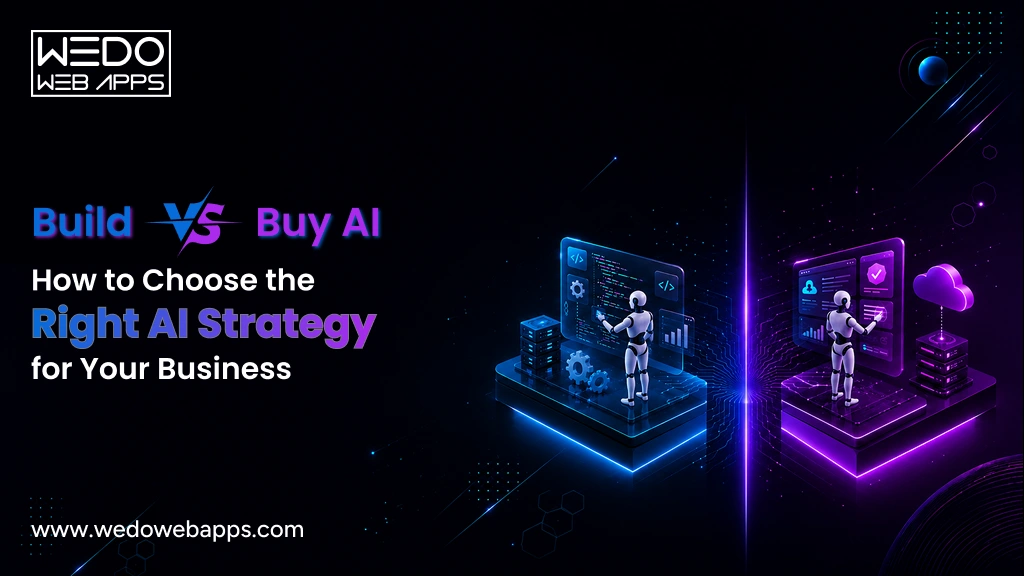
Build vs Buy AI: How to Choose the Right AI Strategy for Your Business

Introduction

Every business these days wants to integrate AI into its business strategy to improve efficiency, automate workflows, and gain a competitive advantage. But once the decision to adopt AI is made, a much bigger question follows: Should you build custom AI software tailored to your business or buy an AI software that is ready to use? The answer is not always simple, and making the wrong choice can lead to unnecessary costs, longer implementation timelines, or technology that fails to support your long-term goals.

The build vs buy AI decision is about more than technology; it is about choosing an AI implementation strategy that aligns with your budget, business objectives, available resources, and future growth.

In this guide, we will compare both approaches, explore their costs, advantages, and limitations, and help you determine which option is the right fit for your business.

What Does Build vs Buy AI Mean?

The build vs buy AI decision for a business is to choose between developing custom AI software tailored to their business needs or purchasing an existing AI solution from a third-party provider. While both approaches help businesses adopt artificial intelligence, they differ significantly in terms of customization, implementation time, ownership, scalability, and long-term costs.

When you build AI, your development team or technology partner designs and develops an AI solution specifically for your business processes. This approach gives you complete control over features, integration data, and future enhancements.

When you buy AI software, you implement a ready-made platform that already includes AI capabilities such as automation, predictive analytics, chatbots, document processing, or customer support. These solutions can be deployed much faster but typically offer limited customization compared to custom-built AI applications.

Why Are Businesses Facing This Decision Today?

The rapid growth of generative AI and enterprise AI platforms has made AI more accessible than ever. Businesses can now choose from hundreds of ready-to-use AI tools or invest in building AI solutions that solve unique operational challenges.
However, selecting the right AI implementation strategy is no longer just a technical decision. Organizations must evaluate factors such as:

  • Business goals and competitive advantage
  • Budget and expected ROI
  • Implementation timeline
  • Data privacy and regulatory compliance
  • Integration with existing software
  • Long-term scalability and maintenance

Understanding these factors helps businesses determine whether building or buying AI will deliver the greatest value.

Examples of Build vs Buy AI


Business NeedBuild AIBuy AI
Customer SupportDevelop an AI assistant trained on proprietary products and internal knowledgeUse platforms like Intercom AI or Zendesk AI
Sales ForecastingCreate predictive models using your historical sales dataUse AI features in Salesforce or HubSpot
Document ProcessingBuild an AI solution for industry-specific document workflowsPurchase an AI-powered OCR or document automation platform
HR RecruitmentDevelop AI that matches candidates based on custom hiring criteriaUse AI-enabled recruitment software


Build vs Buy AI at a Glance

The choice between building custom AI software and buying AI software depends on factors such as your business objectives, available budget, implementation timeline, customization requirements, and long-term growth plans. The table below provides a quick comparison to help you understand which approach best aligns with your organization’s needs.


FactorBuild AIBuy AI
Implementation TimelineLonger development cycle with planning, design, development, and testingFaster deployment with minimal setup
Upfront CostHigher initial investmentLower upfront investment with subscription or licensing fees
CustomizationFully tailored to your business processes and workflowsLimited to the features offered by the vendor
Data OwnershipComplete control over your data, models, and intellectual propertyData policies depend on the software provider
IntegrationSeamlessly integrates with your existing systems and workflowsIntegration options vary by platform
ScalabilityEasily evolves as your business and AI requirements growScaling depends on vendor capabilities and pricing plans
MaintenanceManaged by your internal team or development partnerHandled primarily by the software vendor
Competitive AdvantageEnables unique AI capabilities that differentiate your businessUses standardized features available to many businesses
Best ForBusinesses with unique requirements, proprietary data, or long-term AI strategiesBusinesses seeking rapid deployment and proven AI functionality


Key Takeaway

There is no one-size-fits-all answer to the build vs buy AI debate. If your organization requires unique AI capabilities, deep integrations, and complete ownership, custom AI software is often the better long-term investment. However, if speed, affordability, and ease of implementation are your priorities, buying AI software can help you achieve results much faster.

Expert Help Choosing Your AI Strategy

Advantages of Building Custom AI Software

Building custom AI software gives businesses the flexibility to create AI solutions that align with their unique goals, workflows, and long-term growth strategy. Although it requires a higher upfront investment and longer development timeline, a custom-built solution can deliver greater business value, stronger competitive differentiation, and better control over future innovation.

Complete Customization

Unlike off-the-shelf platforms, custom AI software is designed around your specific business requirements. Whether you need intelligent workflow automation, Agentic AI Development, industry-specific AI models, or personalized customer experiences, every feature is built to support your operational needs instead of forcing your processes to fit existing software.

Full Ownership and Data Control

When you build AI, your organization owns the application, its architecture, and the underlying business logic. This provides greater control over sensitive business data, deep learning models, model training, security policies, and future enhancements, making it a preferred option for organizations with strict compliance or privacy requirements.

Seamless Integration with Existing Systems

Custom AI solutions can be integrated directly with your existing software ecosystem, including CRM platforms, ERP systems, internal databases, and business applications. This enables smoother workflows, improves data consistency, and reduces manual intervention across departments.

Better Scalability for Future Growth

As your business evolves, so do your AI requirements. Custom AI software allows you to add new features, support increasing workloads, and adapt to changing business processes without being limited by a vendor’s product roadmap or licensing model.

Stronger Competitive Advantage

Generic AI software often provides the same capabilities to every customer. Building your own AI solution allows you to develop proprietary features, automate unique business processes, and create customer experiences that competitors cannot easily update.

Greater Long-Term Return on Investment 

Although the initial development cost is higher, custom AI software can deliver better long-term value by eliminating recurring licensing fees, reducing dependency on third-party vendors, and continuously adapting to changing business needs. For organizations that view AI as a strategic asset rather than a short-term tool, this often results in a stronger return on investment over time.

When Building AI Makes Sense

Building AI is typically the right choice if your business:

  • Has unique workflows that standard AI software cannot support.
  • Relies on proprietary data to create business value.
  • Requires advanced integrations with existing systems.
  • Operates in highly regulated industries with strict security or compliance requirements.
  • Views AI as a long-term competitive differentiator rather than a standalone productivity tool.

Advantages of Buying AI Software

Buying AI software allows businesses to adopt artificial intelligence without the time, cost, and complexity of building a solution from scratch. For organizations that need proven AI capabilities quickly, off-the-shelf platforms offer a practical way to improve productivity, automate routine tasks, and accelerate digital transformation.

Faster Implementation

Ready-made AI solutions can often be deployed within days or weeks instead of months. This allows businesses to start automating processes, improving customer experiences, or gaining data-driven insights much sooner than a custom development project.

Lower Upfront Cost

Building custom AI software requires significant investment in planning, development, testing, and infrastructure. In contrast, most AI platforms are available through subscription or licensing models, making them a more affordable option for businesses with limited budgets or short-term AI initiatives.

Access to Proven AI Capabilities

Established AI software providers continuously enhance their products with new features, security updates, and performance improvements. Businesses can benefit from mature, well-tested AI capabilities without investing in ongoing research and development.

Reduced Technical Complexity

Buying AI software eliminates many of the technical challenges associated with AI development, including model training, infrastructure management, and ongoing maintenance. This allows internal teams to focus on using AI effectively rather than building and supporting it.

Ongoing Vendor Support

Most AI software vendors provide implementation assistance, technical support, documentation, regular updates, and security patches. This reduces operational overhead and helps businesses maintain reliable AI performance over time.

Easier Adoption Across Teams

Many commercial AI platforms are designed with intuitive interfaces and built-in integrations, making it easier for employees to adopt the technology with minimal training. Faster user adoption can help businesses realize value from their AI investment more quickly.

When Buying AI Software Makes Sense

Buying AI Software is often the better option if your business:

  • Needs AI capabilities within a short implementation timeline.
  • Wants to minimize upfront development costs.
  • Requires AI for common business functions such as customer support, sales, marketing, or HR.
  • Has limited in-house AI expertise or development resources.
  • Prefers vendor-managed maintenance, updates, and security.

Build vs Buy AI Cost Comparison

Cost is often the biggest factor when deciding whether to build custom AI software or buy AI software, but focusing only on the upfront investment can be misleading. Businesses should evaluate the total cost of ownership (TCO), which includes implementation, infrastructure, maintenance, upgrades, licensing, and long-term scalability.

While buying AI software generally requires a lower initial investment, recurring subscription fees and limited customization can increase costs over time. On the other hand, building custom AI software involves higher development costs but offers greater flexibility and long-term value for businesses with evolving AI needs.


Cost FactorBuild AIBuy AI
Initial InvestmentHigh due to development, testing, and deploymentLow to moderate through subscriptions or licensing
Implementation CostIncludes planning, development, integrations, and customizationUsually limited to setup, configuration, and onboarding
InfrastructureManaged by the business or cloud providerTypically included or managed by the vendor
MaintenanceOngoing updates, monitoring, and enhancementsIncluded in the vendor’s subscription or support plan
Customization CostHigh initially but tailored to business needsLimited customization; advanced features may cost extra
Scalability CostAdditional investment as new features are developedHigher subscription tiers or usage-based pricing may apply
Long-Term CostHigher upfront but potentially lower over timeLower upfront but recurring fees can accumulate


Which Option Delivers Best ROI?

The answer depends on how your business plans to use AI.
If AI supports a core product, differentiates your services, or automates business-critical operations, investing in custom AI software can generate stronger long-term returns through greater efficiency, flexibility, and ownership.

If your objective is to improve existing processes using proven AI capabilities and achieve results quickly, buying AI software often yields a faster return on investment and lower financial risk.

Decision Tip: Evaluate AI costs over a three- to five-year period rather than comparing only the initial investment. This provides a clearer picture of the true financial impact of each approach.

Estimate the Cost of Your AI Project

Hidden Costs Businesses Often Overlook

Whether you decide to build custom AI software or buy AI software, the total investment extends beyond development costs or subscription fees. Many businesses underestimate ongoing expenses that emerge after implementation, leading to budget overruns and lower-than-expected returns.

Understanding these hidden costs helps you choose an AI implementation strategy that aligns with your long-term business objectives rather than just your initial budget.

Integration with Existing Systems

AI solutions rarely operate in isolation. AI integration services can connect them with your CRM, ERP, databases, payment systems, or other business applications, but may require additional development, testing, and ongoing maintenance, especially if you are working with legacy systems.

Data Preparation and Management

AI systems rely on accurate, high-quality data to deliver reliable results. Cleaning, organizing, labeling, and maintaining data often requires considerable time and resources, regardless of whether you build or buy an AI solution.

Employee Training and Change Management

Successfully adopting AI involves more than deploying new technology. Employees need training to use AI effectively, while organizations must adapt workflows and processes to maximize adoption and productivity.

Ongoing Maintenance and Performance Optimization

Custom AI software requires continuous monitoring, model improvements, security updates, and feature enhancements, often supported by MLOps Consulting to maintain model performance. Even purchased AI platforms may require configuration updates, workflow optimization, and periodic adjustments as business requirements evolve.

Vendor Lock-In

Businesses that rely heavily on a single AI software provider may face challenges when switching platforms in the future. Limited portability, proprietary technologies, and changing pricing structures can increase long-term costs and reduce flexibility.

Security and Compliance

Organizations operating in industries such as healthcare, finance, or legal services often need additional investments in data protection, access controls, compliance audits, and regulatory requirements. These costs should be considered from the beginning rather than after implementation.

How to Avoid Unexpected AI Costs

Before choosing to build or buy AI, businesses should:

  • Define clear business objectives and success metrics.
  • Evaluate the total cost of ownership instead of upfront pricing alone.
  • Assess integration requirements with existing systems.
  • Plan for ongoing maintenance, updates, and user training.
  • Consider future scalability and potential vendor dependency.

Expert Insight: The most successful AI projects are planned around long-term business value, not just implementation costs. Evaluating operational, technical, and organizational expenses early helps businesses avoid costly surprises later.

Which Businesses Should Build AI?

While off-the-shelf AI solutions work well for many organizations, they may not address every business requirement. Companies with unique workflows, proprietary data, or industry-specific challenges often benefit more from custom AI software that is designed around their long-term goals.

Here are the types of businesses where building AI typically delivers the greatest value.

Startups Building AI-Driven Products

If AI is a core feature of your product or service rather than an add-on, building a custom solution provides greater flexibility and differentiation. It allows startups to create unique user experiences, protect intellectual property, and scale their AI capabilities as the business grows.

Small and Medium-Sized Businesses with Unique Workflows

SMBs often rely on specialized processes that generic AI tools cannot fully support. A custom AI solution can automate repetitive tasks, improve operational efficiency, and integrate seamlessly with existing business systems.

Enterprises with Complex Operations

Large organizations typically manage multiple departments, legacy systems, and large volumes of data. Building AI enables deeper integrations, stronger governance, enhanced security, and the flexibility to support enterprise-scale operations.

Healthcare Organizations

Healthcare providers often require AI solutions that meet strict privacy, compliance, and security standards. Custom Healthcare AI software can support applications such as medical document processing, clinical decision support, patient engagement, and workflow automation while addressing regulatory requirements.

Financial Services

Banks, insurance companies, and fintech businesses handle sensitive financial data and complex regulatory obligations. Custom fintech AI software enables advanced fraud detection, risk assessment, customer insights, and intelligent automation tailored to business-specific policies.

Manufacturing and Supply Chain Businesses

Manufacturers can leverage custom AI to improve demand forecasting, predictive maintenance, quality control, inventory management, and production planning. Tailored solutions integrate more effectively with existing operational systems and deliver insights specific to manufacturing processes.

SaaS Companies

For SaaS businesses, AI can become a key product differentiator. Building custom AI allows companies to introduce intelligent features, personalize user experiences, automate workflows, and continuously innovate without depending on third-party software limitations.

Key Takeaway

Building AI is generally the right choice when artificial intelligence plays a strategic role in your business, your processes require extensive customization, or your competitive advantage depends on capabilities that standard AI software cannot provide.

Build vs Buy AI Decision Framework

Choosing between building custom AI software and buying AI software isn’t about finding a universally better option; it’s about selecting the approach that best supports your business strategy. Use the framework below to evaluate which solution aligns with your organization’s priorities.


QuestionIf Your Answer Is YesRecommended Approach
Is AI a core part of your product or competitive advantage?You need AI capabilities that competitors can’t easily replicate.Build AI
Do you have unique workflows that standard AI tools cannot support?Your business requires extensive customization.Build AI
Do you need complete ownership of your AI models, data, and intellectual property?Data privacy and control are business priorities.Build AI
Do you need an AI solution within weeks rather than months?Speed is more important than customization.Buy AI
Is your budget limited for the initial implementation?You prefer predictable subscription-based costs.Buy AI
Will your AI requirements continue to evolve over time?You expect frequent enhancements and new capabilities.Build AI
Are your AI needs focused on common business functions like customer support, marketing, or HR?Standard AI features meet your requirements.Buy AI


Questions to Ask Before Making a Decision

Before investing in AI, AI consulting can help you answer questions such as:

  • What business problem are we trying to solve with AI?
  • Will AI become a long-term competitive advantage or simply improve existing operations?
  • Do we require industry-specific features or will standard functionality be sufficient?
  • How important are data ownership, security, and regulatory compliance?
  • What is our realistic budget and expected return on investment?
  • Can our existing systems integrate with the chosen AI solution?
  • How quickly do we need to implement AI?

Final Decision Guide

Choose custom AI software if your organization values customization, scalability, data ownership, and long-term innovation. While the initial investment is higher, it provides greater flexibility and a stronger competitive advantage as your business grows.

Choose AI software if your priority is rapid deployment, lower upfront costs, and access to proven AI capabilities. This approach is well suited for businesses looking to improve existing processes without the complexity of custom development.

Decision Tip: If you’re unsure which approach is right, begin by defining your business objectives before evaluating technology. The most successful AI projects start with solving a business problem, not simply adopting AI because it’s available.

Expert AI Strategy for Your Business

Why a Hybrid AI Strategy Is Becoming the Preferred Choice

For many businesses, the decision is no longer simply build vs buy AI. Instead, organizations are combining both approaches to create a hybrid AI strategy that balances speed, flexibility, and long-term innovation.

Rather than building every AI capability from scratch or relying entirely on off-the-shelf software, businesses purchase proven AI technologies for common use cases while developing custom AI software for the processes that create the greatest competitive value.

What Does a Hybrid AI Strategy Look Like?

A hybrid approach typically involves buying standard AI capabilities and building custom solutions around them.


Buy AI Software ForBuild Custom AI Software For
AI chatbots and virtual assistantsIndustry-specific AI workflows
Document processing and OCRCustomer-facing AI products
Speech-to-text and translationBusiness-specific automation
Email and marketing automationProprietary recommendation engines
Meeting summaries and productivity toolsInternal decision-support systems


Why Businesses Are Choosing a Hybrid Approach?

A hybrid strategy offers several advantages over relying entirely on one approach.

  • Faster time to value by implementing proven AI tools where customization isn’t required.
  • Lower development costs by avoiding the need to build common AI capabilities from scratch.
  • Greater flexibility by creating custom AI for processes that are unique to your business.
  • Reduced risk through a phased AI implementation strategy instead of a large, all-at-once investment.
  • Better scalability as businesses can expand custom AI capabilities while continuing to leverage commercial AI platforms.

Is a Hybrid AI Strategy Right for Your Business?

A hybrid approach is often the best choice if your organization:

  • Wants to implement AI quickly while planning for long-term innovation.
  • Has a mix of standard business processes and highly specialized workflows.
  • Needs to balance development costs with customization.
  • Plans to scale AI adoption gradually across multiple departments.
  • Wants to minimize vendor dependency without building every AI capability internally.

Key Takeaway

Building and buying AI don’t have to be competing strategies. For many organizations, the most effective AI implementation strategy is to combine the strengths of both. By purchasing proven AI solutions for common business functions and developing custom AI where it creates real business value, companies can accelerate adoption while maintaining the flexibility to innovate and grow.

Common Mistakes When Choosing Between Build and Buy AI

Choosing the right AI solution requires more than comparing features or pricing. Many businesses rush into AI adoption without fully evaluating their long-term objectives, resulting in higher costs, poor adoption, or solutions that fail to deliver meaningful business value.

Here are some of the most common mistakes to avoid when deciding whether to build or buy AI.

Prioritizing Cost Over Business Value

Choosing the least expensive option may reduce upfront spending, but it doesn’t always deliver the best long-term return. Evaluate how the AI solution will improve productivity, customer experience, and operational efficiency instead of focusing solely on its initial cost.

Ignoring Long-Term Scalability

Your AI requirements will likely evolve as your business grows. Selecting a solution that cannot support future users, workflows, or integrations may lead to expensive upgrades or a complete replacement later.

Underestimating Integration Requirements

Even the most advanced AI solution can create challenges if it doesn’t integrate smoothly with your existing CRM, ERP, databases, or internal applications. Assess compatibility early to avoid delays and additional implementation costs.

Overlooking Data Security and Compliance

Businesses handling sensitive customer or business data must consider security, privacy, and regulatory compliance before implementing AI. Ignoring these requirements can expose organizations to operational and legal risks.

Expecting AI to Solve Every Business Problem

AI is most effective when applied to clearly defined business challenges. Implementing AI without specific objectives or measurable success metrics often leads to disappointing outcomes and poor return on investment.

Choosing Technology Before Defining Business Goals

Many organizations evaluate AI platforms before identifying the problem they want to solve. A successful AI implementation strategy starts with business objectives, followed by selecting the technology that best supports those goals.

Key Takeaway

The most successful AI projects begin with a clear understanding of business priorities, not just technology preferences. By evaluating long-term value, scalability, integration, security, and strategic objectives, businesses can make more informed decisions and maximize the return on their AI investment.

Conclusion

The build vs buy AI decision is not about choosing the most advanced technology; it’s about selecting the solution that creates the greatest long-term value for your business. While buying AI software offers faster deployment and lower upfront costs, custom AI software provides greater flexibility, deeper integration, complete ownership, and a stronger competitive advantage for businesses with unique requirements.

The right choice depends on your business objectives, budget, implementation timeline, existing technology ecosystem, and future growth plans. For many organizations, a hybrid AI approach that combines off-the-shelf AI tools with custom-built solutions can deliver the ideal balance of speed, innovation, and scalability.

If you’re still evaluating the best AI implementation strategy, working with an experienced AI consulting partner can help you avoid costly mistakes and maximize your return on investment.

Custom AI Solutions for Businesses

How to Assess Business AI Readiness Before Investing in AI?

Introduction

Every business wants to invest in AI, but not every business is ready for it.

As organizations race to automate processes, improve customer experiences, and gain a competitive edge, many jump into AI initiatives without evaluating whether they have the right data, infrastructure, processes, or an expert team in place. The result? Expensive projects, slow adoption, and AI solutions that fail to deliver meaningful business value.

An AI readiness assessment helps you answer one critical question before making that investment: Is your business truly prepared for AI? By evaluating your organization’s technology, data, people, and operational readiness, you can identify potential gaps, reduce implementation risks, and build a roadmap for successful AI adoption.

Whether you are just beginning your AI journey or planning to scale existing initiatives, this guide will help you assess your business AI readiness, understand your AI adoption readiness, and use a practical AI readiness checklist to determine your next steps with confidence.

What is AI Readiness?

AI readiness is the process of evaluating whether a business has the strategy, data, technology, processes, and workforce needed to successfully adopt and scale artificial intelligence solutions. An AI readiness assessment helps organizations identify strengths, uncover gaps, and determine what improvements are required before investing in AI initiatives.

Being AI-ready does not mean your business already uses artificial intelligence. Instead, it means you have the right foundation to implement AI effectively and achieve measurable business outcomes. This includes having high-quality data, modern technology infrastructure, clearly defined business objectives, skilled teams, and governance practices that support responsible AI adoption.

Think of an AI readiness assessment as a health check for your organization. Rather than rushing into AI implementation, it evaluates whether your current capabilities can support AI-driven transformation and highlights the areas that need attention first.


Key Components of Business AI Readiness

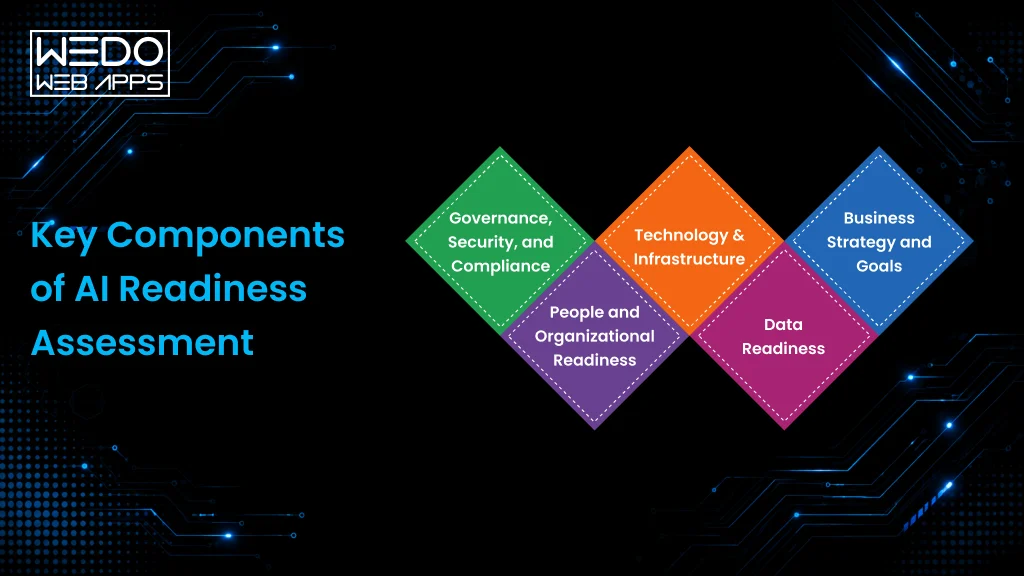
A comprehensive business AI readiness assessment typically focuses on five essential areas:

  • Business Strategy: Clear goals and measurable use cases for AI implementation.
  • Data Readiness: Reliable, accessible, and well-governed data to train and support AI systems.
  • Technology Infrastructure: Modern software, cloud platforms, APIs, and scalable systems that can integrate AI solutions.
  • People and Skills: Leadership support, employee readiness, and access to AI expertise.
  • Governance and Security: Policies for data privacy, compliance, risk management, and responsible AI use.

When these components work together, businesses are better positioned to accelerate AI adoption, reduce implementation risks, and maximize the return on their AI investments.

Why AI Readiness Matters Before Investing in AI

Artificial intelligence has the potential to improve efficiency, automate repetitive tasks, enhance customer experiences, and uncover valuable business insights. However, these benefits are only achievable when your organization has the right foundation in place. Investing in AI without evaluating your readiness can lead to implementation challenges, increased costs, and solutions that fail to deliver measurable results.

An AI readiness assessment helps businesses reduce uncertainty by identifying technical, operational, and organizational gaps before development begins. Instead of relying on assumptions, decision-makers gain a clear understanding of whether their current infrastructure, data, processes, and workforce are prepared to support AI initiatives.

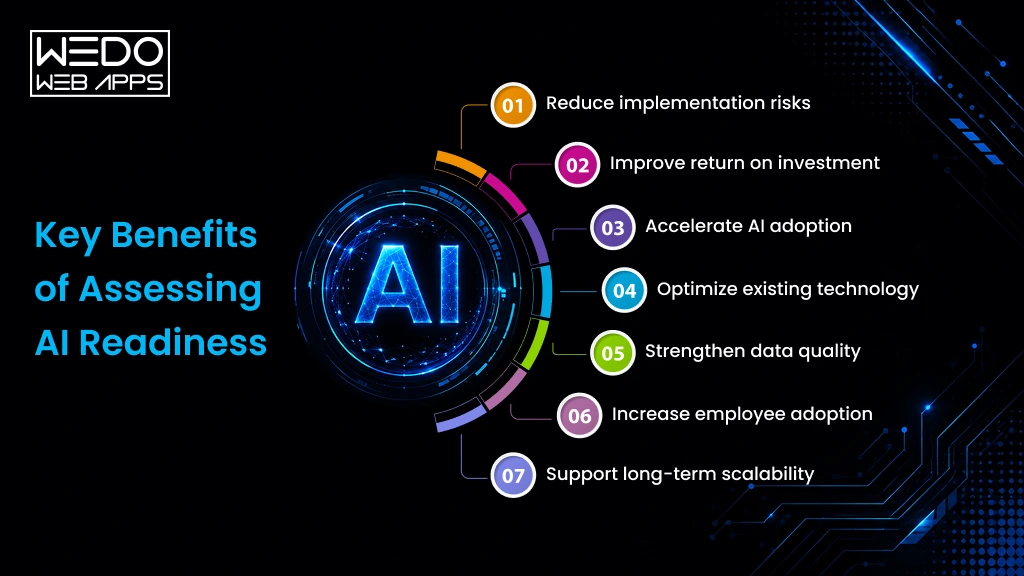
Key Benefits of Assessing AI Readiness

Business AI readiness advantages

  • Reduce implementation risks by identifying potential challenges before deployment.
  • Improve return on investment (ROI) by focusing on AI projects that align with business goals.
  • Accelerate AI adoption with a clear roadmap for implementation.
  • Optimize existing technology by understanding whether current systems can support AI solutions.
  • Strengthen data quality to improve the accuracy and reliability of AI-driven outcomes.
  • Increase employee adoption through better planning, training, and change management.
  • Support long-term scalability by building a strong foundation for future AI initiatives.

Businesses that evaluate their AI readiness before implementation are better equipped to prioritize the right use cases, allocate resources effectively, and achieve sustainable agentic AI development adoption rather than short-term experimentation.

AI Readiness Is More Than Technology

Many organizations assume AI readiness is simply about having the latest tools or cloud infrastructure. In reality, successful AI adoption readiness depends on aligning technology with business strategy, high-quality data, skilled teams, and well-defined processes.

For example, even the most advanced AI solution can struggle to deliver value if the underlying data is incomplete, business objectives are unclear, or employees aren’t prepared to integrate AI into their daily workflows. A comprehensive AI maturity assessment helps uncover these gaps early, allowing businesses to address them before investing in development.

Business AI readiness consultation

The Five Pillars of Business AI Readiness

Core AI Readiness Components

A successful AI readiness assessment goes beyond evaluating technology. It examines the core capabilities that determine whether your organization can effectively adopt, implement, and scale AI. These five pillars provide a practical framework for measuring business AI readiness and identifying areas that need improvement before investing in AI solutions.

1. Business Strategy and Goals

Every successful AI initiative starts with a clear business objective. Rather than adopting AI because it’s trending, organizations should identify specific challenges AI can solve, such as improving customer service, automating repetitive tasks, optimizing operations, or generating actionable insights.

Ask yourself:

  • Have we identified measurable business goals for AI?
  • Do we know which processes will benefit the most?
  • Have we defined how success will be measured?

Without a clear strategy, even technically successful AI projects may fail to deliver meaningful business value.

2. Data Readiness

AI systems rely on data to learn, analyze, and generate accurate outcomes, making machine learning development highly dependent on reliable data. Poor-quality, outdated, or fragmented data can significantly reduce the effectiveness of AI solutions.

Evaluate whether your business has:

  • Accurate and reliable data
  • Centralized and accessible data sources
  • Consistent data governance practices
  • Processes for maintaining data quality

Strong data readiness creates the foundation for reliable AI performance and better decision-making.

3. Technology and Infrastructure

Your existing technology should be capable of supporting AI integration without introducing unnecessary complexity. Modern cloud platforms, scalable applications, APIs, and secure infrastructure make AI implementation more efficient.

Consider whether your organization has:

  • Scalable cloud or non-premises infrastructure
  • Systems that support API integrations
  • Modern business applications
  • Security measures to protect AI workloads

The stronger your technology foundation, the smoother your AI implementation will be.

4. People and Organizational Readiness

Technology alone does not drive successful AI adoption; people do. Employees and leadership must understand how AI supports business objectives and be prepared to adapt to new ways of working.

Assess your organization’s readiness by asking:

  • Does leadership actively support AI initiatives?
  • Do employees understand the benefits of AI?
  • Are training and upskilling programs available?
  • Is there access to AI expertise when needed?

Organizations that invest in people are more likely to achieve long-term AI adoption and maximize the value of their AI investments.

5. Governance, Security, and Compliance

As AI becomes more integrated into business operations, responsible governance becomes increasingly important. Businesses should establish policies that ensure AI systems are secure, compliant, transparent, and aligned with organizational standards.

A strong governance framework should include:

  • Data privacy and security controls
  • Regulatory and compliance requirements
  • Ethical AI guidelines
  • Risk management and monitoring processes

Effective governance helps businesses build trust while reducing operational and compliance risks associated with AI adoption.

AI Readiness Consulting Services

Signs Your Business is Ready for AI?

Not every organization starts its AI journey from the same point. Some businesses already have the right infrastructure and processes in place, while others may need to address a few gaps before implementing AI solutions. Recognizing these indicators can help you evaluate your AI adoption readiness and determine whether it’s the right time to move forward.

The following signs suggest your business has a strong foundation for successful AI adoption:


SignWhy It Matters
You have clearly defined business goals.AI delivers the best results when aligned with measurable business objectives rather than broad experimentation.
Your business collects high-quality, organized data.Reliable data improves the accuracy, performance, and efficiency of AI models.
Repetitive or time-consuming processes exist.Tasks that follow consistent workflows are ideal for AI-powered automation.
Your technology infrastructure supports integration.Modern applications, cloud platforms, and APIs simplify AI implementation and scalability.
Leadership is committed to AI adoption.Executive support drives investment, organizational alignment, and long-term success.
Employees are open to adopting new technologies.A collaborative workforce accelerates AI adoption and reduces resistance to change.
You understand the problems AI should solve.Identifying practical use cases helps prioritize investments and maximize business value.
Data security and governance policies are established.Strong governance reduces risks while ensuring responsible and compliant AI implementation.


You Don’t Need to Check Every Box

Very few businesses are perfectly prepared for AI from day one, and that is completely normal. The purpose of an AI assessment readiness is not to achieve one perfect score, but to identify your strengths, uncover improvement areas, and build a practical roadmap for successful implementation.

If your organization meets most of the indicators above, you are likely well-positioned to begin exploring AI initiatives. If not, the next step is understanding the common readiness gaps that can slow or prevent successful AI adoption.

Common AI Readiness Gaps That Delay Successful Adoption

Even businesses with ambitious AI goals can face challenges during implementation if foundational gaps aren’t addressed early. An AI readiness assessment helps identify these obstacles before they become costly setbacks, allowing organizations to create a realistic roadmap for AI adoption.

Here are some of the most common AI readiness gaps businesses should address before investing in AI solutions.

1. Poor Data Quality

AI systems depend on accurate, consistent, and accessible data. If your business data is incomplete, duplicated, outdated, or spread across multiple systems, AI models may generate unreliable insights and reduce overall performance.

How to address it: Audit your data sources, improve data quality, and establish clear data governance practices.

2. Unclear Business Objectives

Many organizations adopt AI because competitors are doing it rather than because they have clearly defined business goals. Without measurable objectives, it is difficult to evaluate success or prioritize the right AI initiatives.

How to address it: Identify specific business challenges where AI can deliver measurable value, such as customer support, demand forecasting, or workflow automation.

3. Legacy Technology Infrastructure

Older software systems and disconnected applications often make AI integration more complex, increasing implementation time and costs.

How to address it: Modernize critical systems, improve API connectivity, and ensure your technology stack can support AI-powered applications.

4. Limited AI Skills and Internal Expertise

Successful AI adoption requires collaboration between business leaders, technical teams, and end users. A lack of AI knowledge can slow implementation and reduce employee confidence.

How to address it: Invest in AI training, encourage cross-functional collaboration, or work with experienced AI consultants and development partners.

5. Weak Governance and Security Practices

AI solutions often process sensitive business and customer data. Without clear governance policies, businesses may face compliance risks, security vulnerabilities, and ethical concerns.

How to address it: Establish policies for data privacy, security, regulatory compliance, and responsible AI usage before deployment.

6. Resistance to Organizational Change

Introducing AI often changes how teams work. If employees don’t understand the purpose or benefits of AI, resistance to change can reduce adoption and limit the success of AI initiatives.

How to address it: Communicate the value of AI early, involve key stakeholders throughout the process, and provide ongoing training and support.

7. Turning Readiness Gaps Into Opportunities

Identifying these gaps is not a sign that your business is not ready for AI; it is an opportunity to prepare more effectively. The goal of an AI maturity assessment is to uncover these challenges early so you can prioritize improvements, reduce implementation risks, and build a stronger foundation for long-term AI success.

AI Readiness Checklist for Businesses

If you are wondering whether your organization is ready to adopt AI, use this practical AI readiness checklist as a starting point. While every business has unique goals and challenges, checking these essential areas can help you evaluate your current readiness and identify where improvements may be needed before investing in AI.

Business Strategy

Before implementing AI, make sure your organization has a clear direction.

  • Define the business problems AI will solve.
  • Set measurable goals and success metrics.
  • Prioritize AI use cases based on business impact.
  • Align AI initiatives with your long-term strategy.

Data Readiness

Reliable data is the foundation of every successful AI solution.

  • Ensure your data is accurate, complete, and up to date.
  • Centralize business data for easier access.
  • Establish data governance and ownership.
  • Protect sensitive information with strong security practices.

Technology Infrastructure

Your existing technology should support seamless AI integration.

  • Review whether current systems can integrate with AI tools.
  • Evaluate cloud, on-premises, or hybrid infrastructure.
  • Confirm APIs and software integrations are available.
  • Plan for future scalability as AI adoption grows.

People and Skills

AI success depends on people as much as technology.

  • Gain leadership support for AI initiatives.
  • Assess employee readiness and training needs.
  • Encourage collaboration between business and technical teams.
  • Identify internal skill gaps or external expertise requirements.

Governance and Risk Management

Responsible AI adoption requires clear governance.

  • Define data privacy and compliance requirements.
  • Establish ethical AI policies and approval processes.
  • Monitor AI performance and potential risks.
  • Create a plan for ongoing review and improvement.

How to Interpret Your Results

There is no such thing as a perfect score. The purpose of this AI readiness checklist is to understand where your business stands today and identify the areas that need attention before moving forward.

  • Most boxes checked: Your business has a strong foundation for AI adoption and can begin evaluating implementation opportunities.
  • Some boxes checked: You are on the right path, but addressing a few readiness gaps will improve your chances of success.
  • Few boxes checked: Focus on strengthening your strategy, data, technology, and governance before investing in AI solutions.

Completing this checklist is an important first step, but it provides only a high-level view of your organization’s preparedness. A more detailed AI maturity assessment can help you measure your current capabilities, benchmark your progress, and create a structured roadmap for long-term AI adoption.

Expert assessing business AI readiness

AI Maturity Assessment Framework

An AI maturity assessment helps businesses understand how prepared they are to adopt, implement, and scale AI across the organization. Unlike a simple checklist, a maturity assessment measures your current capabilities and provides a roadmap for continuous improvement.

Most organizations fall into one of the following four AI maturity levels. 


Maturity LevelCharacteristicsRecommended Next Step
Level 1 – ExploringAI discussions have started, but there is no formal strategy or implementation plan.Define business objectives and identify high-value AI use cases.
Level 2 – Building FoundationsData, infrastructure, and internal processes are improving, and pilot AI projects are being considered.Strengthen data quality, modernize systems, and prepare teams for AI adoption.
Level 3 – AI ReadyThe business has a clear AI strategy, reliable data, modern technology, and leadership support.Launch AI project with measurable KPIs and monitor business outcomes.
Level 4 – AI DrivenAI is integrated into multiple business functions and continuously optimized for growth and innovation.Scale successful AI initiatives and continuously improve governance and performance.

Where Does Your Business Stand?

Ask yourself these questions:

  • Have we identified clear business goals for AI?
  • Is our data accurate, organized, and accessible?
  • Can our existing technology support AI integration?
  • Do our employees have the skills and support needed to adopt AI?
  • Have we established governance, security, and compliance policies for AI?

If you answered “Yes” to most of these questions, your business is likely progressing toward a high level of AI adoption readiness. If several answers are “No”, do not view it as a setback; it simply highlights the areas that should be addressed before implementing AI solutions.

Why AI Maturity Matters?

AI readiness is not a one-time milestone. As your business grows, your data evolves, and new AI technologies emerge, your level of readiness will change. Regularly reviewing your AI maturity helps ensure your organization continues to adopt AI strategically, manage risks effectively, and maximize long-term business value.

How to Successfully Prepare Your Business for AI

AI Business Preparation Steps

Completing an AI readiness assessment is only the beginning. The real value comes from turning your findings into a practical action plan. Whether your business is just starting its AI journey or preparing to scale existing initiatives, these steps can help you move forward with confidence.

Step 1: Define Clear Business Objectives

Identify the specific business challenges you want AI to solve. Focus on measurable outcomes, such as improving operational efficiency, enhancing customer experiences, reducing costs, or increasing productivity.

Step 2: Strengthen Your Data Foundation

Review the quality, accessibility, and governance of your business data. Clean, organized, and secure data is essential for building reliable AI solutions and generating meaningful insights.

Step 3: Modernize Your Technology Stack

Evaluate whether your current applications, infrastructure, and integrations can support AI implementation. Upgrading legacy systems where necessary will make AI adoption smoother and more scalable.

Step 4: Prepare Your Teams for AI Adoption

Successful AI implementation requires more than technology. Educate stakeholders, train employees, and encourage collaboration between business and technical teams to improve adoption and long-term success.

Step 5: Start Small and Scale Strategically

Instead of launching multiple AI initiatives at once, begin with a high-impact pilot project, such as Generative AI Development. Measure results, refine your approach, and expand AI adoption based on proven outcomes and business value.

When to Seek Expert Guidance

If your assessment reveals significant gaps in data, infrastructure, or strategy, working with an experienced AI consulting and AI-powered software development company can help you avoid costly mistakes. The right partner can evaluate your readiness, prioritize high-impact AI opportunities, and create a roadmap that aligns with your business goals and long-term digital transformation strategy.

AI Readiness Assessment vs. AI Consulting

While the terms AI readiness assessment and AI Consulting are often used together, they serve different purposes. An AI readiness assessment helps you understand whether your AI business is prepared to adopt AI, whereas AI consulting focuses on creating and executing a strategy to implement AI solutions successfully.

Think of an AI readiness assessment as the starting point, and AI consulting as the next step that helps turn your assessment into measurable business outcomes.


AI Readiness AssessmentAI Consulting
Evaluates your organization’s preparedness for AI adoption.Develops a customized AI strategy aligned with business goals.
Identifies gaps in data, technology, processes, and workforce readiness.Recommends the right AI solutions, technologies, and implementation approach.
Helps prioritize AI opportunities and investment decisions.Guides AI development, integration, deployment, and optimization.
Provides a roadmap for becoming AI-ready.Supports end-to-end AI implementation and long-term digital transformation.


Which One Does Your Business Need?

If you are still exploring AI or unsure whether your organization has the right foundation, start with an AI readiness assessment. It helps you understand your current capabilities, identify improvement areas, and reduce implementation risks.

If you have already assessed your readiness and are ready to move forward, AI consulting can help you define your AI roadmap, select the right technologies, and successfully implement AI solutions that deliver measurable business value.

What Happens After an AI Readiness Assessment

Completing an AI Readiness Assessment is an important milestone, but it is only the beginning of your AI journey. The insights from your assessment should helo you prioritize initiatives, address readiness gaps, and create a structured plan for implementing AI solutions that align with your business goals.

Here is what businesses should do next:

1. Prioritize Business Opportunities

Start by identifying the areas where AI can deliver the greatest impact. Focus on business challenges that are repetitive, data-driven, and capable of producing measurable improvements in efficiency, customer experience, or decision-making.

2. Select High-Impact AI Use Cases

Not every process needs AI. Evaluate potential use cases based on business value, implementation complexity, and expected return on investment. Beginning with a focused, high-impact project often leads to faster results and valuable organizational learning.

3. Build an Implementation Roadmap

Create a phased roadmap that outlines project objectives, timelines, resource requirements, success metrics, and governance practices. A structured implementation plan helps keep AI initiatives aligned with long-term business goals while minimizing risks.

4. Launch a Pilot Project

Before scaling AI across the organization, validate your approach with a pilot implementation. A controlled pilot allows you to measure performance, gather user feedback, identify improvement opportunities, and refine your strategy before making larger investments.

5. Scale and Continuously Improve

Once your pilot delivers measurable results, expand AI adoption across relevant business functions. Continuously monitor performance, optimize AI models, strengthen governance practices, and adapt your strategy as business needs evolve.

Turning Readiness Into Real Business Value

An AI Readiness assessment provides the direction, but successful implementation require the right expertise, technology, and execution strategy. Partnering with an experienced AI Development Service provider can help you transform your roadmap into scalable AI solutions that deliver measurable business outcomes while supporting your broader digital transformation goals.

Scalable AI solutions for business

Conclusion

Artificial Intelligence can transform the way businesses operate, but successful AI adoption starts long before implementation. Assessing your organization’s strategy, data, technology, people, and governance helps you understand whether you are truly prepared to invest in AI and where improvements are needed.

An AI readiness assessment is not about finding a perfect score; it is about making informed decisions that reduce risks, maximixe ROI, and create a clear path toward successful AI adoption. Whether you are exploring AI for the first time or planning to expand existing initiatives, taking the time to evaluate your readiness can save valuable time, resources, and effort in the long run.

If you are ready to move beyond assessment and turn your AI vision into reality, partnering with an experienced AI-powered software development company can make all the difference. From AI consulting and implementation planning to custom AI development services, the right technology partner can help you build secure, scalable, and business-focused AI solutions that support your long-term digital transformation goals.

AI experts helping businesses scale