skip to content

AI Document Processing Automation Development Guide

Introduction

How many of your business decisions are currently sitting inside unread invoices, pending contracts, and unprocessed PDFs?

For many companies, document workflows have quietly become one of the biggest operational slowdowns. Teams spend hours reviewing files, entering data manually, validating records, and chasing approvals across multiple systems.

What looks like routine paperwork often turns into delayed operations, rising costs, and productivity loss at scale.

This is exactly why businesses are investing in AI document processing.

Modern AI-powered document processing systems can automatically read documents, extract important information, classify files, validate records, and trigger workflows with minimal human involvement. By combining OCR, NLP, machine learning, and large language models, businesses can process invoices, contracts, forms, and enterprise documents with greater speed and accuracy.

From AI-based invoice processing to enterprise intelligent document automation platforms, organizations are now reducing manual workload, accelerating approvals, and building faster, more reliable workflows across business operations.

What is AI Document Processing?

AI document processing is the use of artificial intelligence technologies to read, understand, extract, validate, and process information from business documents automatically.

Understanding AI-Powered Document Processing

Businesses today process thousands of invoices, contracts, forms, reports, and PDFs every month. Yet much of this information still moves through manual workflows.

Employees review files manually. Data gets copied between systems. Approvals move slowly across departments.

The impact is larger than most businesses realize.

According to multiple workplace productivity studies, employees spend nearly 1.8 to 2.5 hours every day searching for or handling information manually.

This is where AI document processing becomes important.

Instead of treating documents as static files, AI-powered systems can automatically:

  • Read and understand documents.
  • Extract important business data.
  • Classify document types.
  • Validate information accuracy.
  • Trigger approval workflows.
  • Push data into ERP or CRM systems.

Modern AI-powered document processing combines OCR, NLP, machine learning, computer vision, and large language models to convert unstructured documents into structured, actionable business data.

For businesses handling large document volumes, this means faster operations, lower manual workload, and improved processing accuracy.

Difference Between OCR and Intelligent Document Processing

Many businesses still confuse OCR with intelligent document processing, but both serve very different purposes.

TechnologyWhat It Does
OCR (Optical Character Recognition)Converts scanned text into machine-readable text
Intelligent Document Processing (IDP)Understands document meaning, context, and workflow logic

Traditional OCR focuses mainly on extracting visible text from scanned files or images.

For example, an OCR tool may read an invoice and capture all the text present inside the document.

An IDP system can automatically identify:

  • Invoice numbers
  • Vendor details
  • Tax amounts
  • Payment terms
  • Purchase order references
  • Approval status

It can also validate the extracted data and route the document into the correct business workflow automatically.

In simple terms:

“OCR reads documents. Intelligent document processing understands them.”

Why Traditional Document Processing Slows Business Operations

Manual document workflows create hidden operational bottlenecks that grow with the business.

What starts as a manageable process eventually becomes difficult to scale as document volume increases.

Common problems businesses face include:

  • Manual data entry delays.
  • Human processing errors.
  • Duplicate document handling.
  • Slow approval cycles.
  • Poor document visibility.
  • Compliance and audit risks.

Research also shows that employees may spend nearly 25% to 30% of their workday searching for information or documents.

For finance, healthcare, insurance, and enterprise operations, even small processing delays can affect reporting, customer service experience, and decision-making speed.

How AI-Powered Document Automation Improves Efficiency

This is where AI document processing automation changes the workflow completely.

Instead of depending on employees to process every file manually, AI systems can automate repetitive document tasks from start to finish.

A modern AI document workflow can:

  • Automatically classify incoming files.
  • Extract key business data.
  • Detect missing or incorrect information.
  • Trigger approvals automatically.
  • Route documents to the correct teams.
  • Update ERP or CRM systems in real-time.

For example, an AI invoice automation workflow can process invoices in seconds instead of hours by extracting invoice details, validating purchase orders, checking duplicate entries, and sending approvals automatically.

This helps businesses:

  • Reduce manual workload.
  • Improve processing speed.
  • Increase extraction accuracy.
  • Minimize operational delays.
  • Scale document workflows efficiently.

As organizations continue handling larger volumes of business documents, AI-powered document automation is quickly becoming a core part of operational efficiency and enterprise workflow management.

How AI Document Processing Works?

How AI document processing workflow works

Modern AI document processing works like a smart digital workflow that can read, understand, organize, and process documents automatically. Instead of relying on manual data entry, AI systems use OCR, machine learning, NLP, and workflow automation to process large volumes of business documents faster and with better accuracy.

Here’s how the complete workflow usually works.

Step 1. Document Upload and Pre-Processing

The process starts when documents enter the system.

These documents can include:

  • PDFs
  • Scanned invoices
  • Contracts
  • Forms
  • Receipts
  • Images or handwritten files

Before AI can process the document properly, the system performs pre-processing to improve document quality.

This stage may include:

  • Image cleanup
  • Noise reduction
  • Brightness adjustment
  • Rotation adjustment
  • Resolution enhancement

For example, if a scanned invoice is blurry or tilted, the system automatically improves readability before extracting information.

This step is important because document quality directly affects OCR accuracy and extraction performance.

Step 2. OCR Text Recognition

Once the document is cleaned, the system uses OCR technology to recognize and convert text into machine-readable data.

OCR engines scan the document and identify:

  • Printed text
  • Numbers
  • Tables
  • Symbols
  • Handwritten characters in some cases

Popular OCR engines include:

  • Google Document AI
  • Amazon Textract
  • Microsoft Azure AI Document Intelligence
  • Tesseract OCR

Traditional OCR only extracts visible text. Modern AI OCR systems also analyze layouts, tables, and document structure to improve extraction accuracy.

For example, an invoice OCR engine can identify where invoice numbers, vendor names, and tax details are located instead of extracting random blocks of text.

Step 3. AI-Based Document Classification

After text extraction, AI models classify the document automatically.

Instead of employees manually sorting files, the system can recognize whether the document is:

  • An invoice
  • A contract
  • A purchase order
  • A customer form
  • A medical record
  • An insurance claim

AI classification models analyze keywords, layouts, patterns, and document structure to identify document types accurately.

This helps businesses organize incoming files automatically and route them into the correct workflow without manual intervention.

Step 4. Structured Data Extraction

This is where AI converts raw document content into usable business data.

The system extracts important fields such as:

  • Invoice numbers
  • Vendor details
  • Dates
  • Tax amounts
  • Payment terms
  • Customer information

Modern AI-powered document processing systems can also perform:

  • Key Value Extraction: Capturing labels and corresponding values from forms or invoices.
  • Table Extraction: Reading rows and columns from invoices, statements, or reports.
  • Named Entity Recognition: Identifying names, locations, account numbers, organizations, and business entities from documents.

For example, instead of extracting an entire invoice as plain text, AI can organize the information into structured fields that accounting systems can process directly.

Step 5. AI Validation and Confidence Scoring

Not every extracted value is always 100% accurate.

To reduce errors, AI systems use confidence scoring to measure extraction reliability.

For example:

  • High confidence data moves forward automatically.
  • Low confidence fields are flagged for human review.

This creates a balance between automation and accuracy.

Validation workflows can also check:

  • Missing values
  • Duplicate invoices
  • Incorrect formats
  • Mismatched purchase orders
  • Compliance issues

This step is especially important for industries handling financial or compliance-related documents.

Step 6. Workflow Automation and Integration

After validation, the processed data moves into connected business systems automatically.

AI document workflows can integrate with:

  • ERP systems
  • CRM platforms
  • Accounting software
  • HR systems
  • Compliance platforms

For example, invoice data can automatically update finance systems, trigger approval workflows, and notify teams without manual effort.

This is where AI document processing automation creates the biggest operational impact because businesses can process large document volumes with fewer delays, lower manual workload, and faster decision-making.

AI Document Processing Pipeline Architecture

AI document processing pipeline architecture

An effective AI document processing system is not built around a single AI model. It works through multiple connected layers that process documents step-by-step, starting from raw file uploads to automated business workflows.

This architecture is what allows businesses to handle invoices, contracts, forms, and enterprise records at scale with better speed, accuracy, and workflow efficiency.

Here’s how a modern AI-powered document processing pipeline works.

Document Input -> OCR -> Classification -> Data Extraction -> Validation -> ERP/CRM -> Automated Workflow

OCR Processing Layer

The OCR layer is the starting point of the entire workflow.

OCR, or Optical Character Recognition, converts scanned documents, PDFs, images, and handwritten files into machine-readable text. Without OCR, AI systems cannot process document content properly.

This layer handles:

  • Text recognition
  • Table detection
  • Layout analysis
  • Multi-language document reading
  • Handwritten text extraction in some cases

Modern OCR engines used in AI document processing automation do much more than basic text extraction. They can identify invoice structures, detect tables, recognize signatures, and preserve document formatting for accurate processing.

For example, an invoice OCR system can automatically locate:

  • Invoice number
  • Vendor details
  • Tax information
  • Purchase order references
  • Payment terms

This creates the foundation for the next stages of processing.

NLP and Entity Extraction Layer

Once the text is extracted, the NLP layers help the system understand what the content actually means.

Natural Language Processing analyzes document language, identifies patterns, and extracts meaningful business information from unstructured text.

This layer is responsible for:

  • Key value extraction
  • Named entity recognition
  • Table data extraction
  • Relationship mapping between fields
  • Context identification

For example, in a contract document, the system can automatically identify:

  • Client names
  • Agreement dates
  • Renewal clauses
  • Payment conditions
  • Compliance terms

Instead of processing documents as plain text, an AI-powered document processing system converts information into structured business data that workflows can use directly.

LLM-Based Context Understanding

Traditional OCR systems extract information. Large language models help AI understand context.

This layer brings deeper intelligence into modern AI document processing automation systems.

LLMs can:

  • Summarize lengthy documents
  • Detect business risks in contracts
  • Understand document intent
  • Generate contextual insights
  • Answer questions from uploaded files

For example, instead of manually reviewing a 40-page legal agreement, an LLM-based system can summarize important clauses and highlight risky terms within seconds.

This improves decision-making speed while reducing manual review effort.

LLM-based understanding is becoming one of the biggest differentiators between traditional OCR workflows and modern intelligent document processing platforms.

Human in the Loop Validation Layer

Even advanced AI systems are not always fully accurate.

This is why AI document processing platforms include human validation workflows to reduce risks and maintain data quality.

The system uses confidence scoring to measure extraction accuracy.

For example:

  • High confidence results move forward automatically.
  • Low confidence fields are flagged for manual review.

This layer helps businesses validate:

  • Missing information
  • Incorrect values
  • Duplicate invoices
  • Compliance-sensitive data
  • Mismatched purchase orders

Human validation creates a balance between automation and accuracy, especially for industries handling financial, legal, or compliance-related documents.

Workflow Automation Engine

Once the document data is validated, the workflow engine automates the next business action.

Instead of manually routing documents between teams, the system can automatically:

  • Trigger approvals
  • Assign tasks
  • Notify departments
  • Update workflow status
  • Route files to the correct process

For example, an approved invoice can automatically move into the payment workflow while notifying the finance department instantly.

This is where AI-powered document processing starts improving operational speed across the organization.

ERP and CRM Integration Layer

The final layer connects processed document data with business systems.

Modern AI document processing automation platform can integrate directly with:

  • ERP systems
  • CRM platforms
  • Accounting software
  • HR management systems
  • Compliance tools

This allows extracted information to update systems automatically without manual entry.

For example:

  • Invoice details sync with accounting platforms.
  • Customer forms update CRM records.
  • HR documents move employee management systems.
  • Compliance reports update audit systems automatically.

This integration layer transforms the document processing from a standalone task into a fully connected business automation workflow.

Scalable AI document automation flow

Core Technologies Behind AI-Powered Document Processing

Core AI document processing technologies

Modern AI-powered document processing is not built on a single technology. It combines multiple AI components that work together to read, understand, extract, validate, and automate document workflows.

Each technology inside the pipeline plays a different role in improving processing accuracy and workflow efficiency.

Here are the core technologies powering modern AI document processing automation systems.

Optical Character Recognition (OCR)

OCR is the foundation of every AI document processing system.

OCR technology converts scanned files, PDFs, printed text, and handwritten documents into machine-readable text. Without OCR, AI systems cannot read document content properly.

Modern OCR engines can identify:

  • Printed text
  • Tables
  • Numbers
  • Signatures
  • Multi-column layouts
  • Handwritten content in some cases

Popular OCR platforms include:

  • Google Document AI
  • Amazon Textract
  • Microsoft Azure AI Document Intelligence
  • ABBYY FlexiCapture
  • Tesseract OCR

Advanced OCR systems also preserve document structure, which improves extraction accuracy for invoices, forms, and enterprise records.

Natural Language Processing (NLP)

NLP helps AI systems understand the meaning behind document content.

Instead of treating documents as plain text, NLP identifies relationships, patterns, and contextual information inside files.

NLP is commonly used for:

  • Named entity recognition
  • Contract clause extraction
  • Key value identification
  • Document summarization
  • Sentiment and intent analysis

For example, NLP can automatically identify payment terms, renewal dates, or compliance conditions inside a legal agreement.

This helps businesses process unstructured documents more efficiently.

Machine Learning Models

Machine learning allows AI-powered document processing systems to improve accuracy over time.

Instead of depending only on fixed rules, machine learning models learn from document patterns and historical data.

These models help with:

  • Document classification
  • Data extraction accuracy
  • Fraud detection
  • Workflow prediction
  • Confidence scoring

For example, invoice processing systems can learn vendor invoice structures automatically and improve extraction performance with continuous usage.

The more data the system processes, the smarter and more accurate it becomes.

Computer Vision

Computer vision helps AI understand document layouts visually.

While OCR focuses on extracting text, computer vision analyzes:

  • Document structure
  • Table positioning
  • Checkboxes
  • Signatures
  • Stamps
  • Visual hierarchy

This is especially important for invoices, forms, medical records, and documents with complex formatting.

For example, computer vision processes can identify where a signature is located on a contract even before text extraction starts.

This improves processing accuracy for visually complex documents.

Large Language Models (LLMs)

Large language models are transforming modern AI document processing automation systems.

Traditional OCR systems mainly extract information. LLMs help AI understand context, intent, and business meaning.

LLMs can:

  • Summarize lengthy documents
  • Detect risks inside contracts
  • Generate document insights
  • Answer questions from uploaded files
  • Extract context-aware information

For example, instead of manually reviewing a 50-page contract, an LLM can summarize key clauses, highlight compliance risks, and identify important obligations within seconds.

This makes AI-powered document processing far more intelligent compared to traditional OCR-based workflows.

Why These Technologies Work Better Together

Individually, each technology solves only one part of the problem.

But when OCR, NLP, machine learning, computer vision, and LLMs work together, businesses can build intelligent systems capable of handling large document volumes with higher accuracy and automation.

This combination allows modern AI document processing platforms to:

  • Read documents accurately
  • Understand the document’s meaning
  • Extract structured business data
  • Validate information automatically
  • Trigger workflows in real-time
  • Improve continuously through learning models

That is why intelligent document processing is becoming a major part of enterprise automation strategies across finance, healthcare, insurance, logistics, and compliance operations.

AI-Powered Invoice Processing Automation

Invoice processing is one of the most common and valuable use cases of AI document processing automation.

Businesses process hundreds or even thousands of invoices every month. When handled manually, the workflow becomes slow, repetitive, and highly dependent on data entry teams. Even a small error in invoice details can create payment delays, duplicate transactions, compliance issues, or reporting problems.

This is why companies are rapidly adopting AI-powered invoice processing systems.

Instead of manually reviewing invoices line by line, AI systems can automatically extract data, validate information, detect errors, and trigger approval workflows in real-time.

How AI Invoice Processing Works

A modern AI-powered document processing workflow can automate the complete invoice lifecycle.

The process usually includes:

  1. Invoice upload
  2. OCR text extraction
  3. AI-based invoice classification
  4. Structured data extraction
  5. Validation and approval checks
  6. ERP or accounting system integration

This reduces manual intervention while improving processing speed and accuracy.

Invoice Data Extraction Workflow

The first major task in invoice automation is extracting important business information from invoices.

Modern AI document processing systems can automatically capture:

  • Invoice number
  • Vendor name
  • Invoice date
  • Purchase order number
  • Tax details
  • Payment terms
  • Total amounts
  • Line item tables

Instead of extracting invoices as plain text, AI organizes the information into structured fields that accounting systems can process directly.

For example, a finance team no longer needs to manually enter invoice details into ERP software because the AI system handles the extraction automatically.

Purchase Order Matching

Many businesses validate invoices against purchase orders before approving payments.

This process is called PO matching.

Traditionally, employees compare invoices and purchase orders manually, which takes significant time when processing high invoice volumes.

With AI-powered document processing, the system can automatically:

  • Match invoice values with purchase orders.
  • Verify quantities and pricing.
  • Detect missing purchase order references.
  • Flag mismatched records for review.

This reduces approval delays and improves financial accuracy.

Invoice Fraud Detection

Invoice fraud and duplicate payments are major concerns for finance teams.

Modern AI document processing automation systems use machine learning and validation logic to identify unusual invoice patterns automatically.

The system can detect:

  • Duplicate invoices
  • Incorrect tax values
  • Unusual payment amounts
  • Missing vendor information
  • Suspicious invoice formatting

This helps businesses reduce financial risks while improving compliance controls.

Approval Workflow Automation

One of the biggest operational delays in invoice processing is manual approvals.

Invoices often move across multiple departments before payment approval is completed.

AI workflow automation helps businesses:

  • Route invoices automatically
  • Trigger approval requests
  • Notify finance teams instantly
  • Escalate delayed approvals
  • Update workflow status in real-time

For example, invoices below a specific amount can be approved automatically, while higher-value invoices are sent for manual review.

This significantly improves processing speed.

Common Invoice Automation Challenges

Although AI-powered invoice processing improves efficiency, businesses still face several implementation challenges.

Some of the most common issues include:

  • Poor quality scanned invoices.
  • Multiple invoice formats.
  • Missing invoice fields.
  • Handwritten content.
  • ERP integration complexity.
  • Vendor-specific invoice structures.

This is why businesses often combine automation with human validation workflows to maintain processing accuracy.

Benefits of AI-Powered Invoice Processing

Businesses using AI document processing automation for invoices can achieve major operational improvements.

Some of the biggest benefits include:

  • Faster invoice approvals.
  • Reduced manual data entry.
  • Lower processing costs.
  • Better financial accuracy.
  • Improved compliance tracking.
  • Reduced duplicate payments.
  • Faster ERP updates.
  • Improved workflow visibility.

As invoice volumes continue growing across enterprises, AI-powered invoice processing is becoming one of the most practical and high ROI applications of intelligent document automation.

AI invoice extraction approval and ERP update

Using Microsoft AI Builder for Invoice Processing and Document Automation

Low-code AI platforms are making AI document processing automation more accessible for businesses that want faster deployment without building complex AI systems from scratch.

One of the most widely used solutions in this space is Microsoft AI Builder.

Integrated with Power Platforms and Power Automate, AI Builder allows businesses to automate invoice processing, document extraction, approval workflows, and business operations with minimal coding.

For organizations already using Microsoft ecosystems, this creates a faster path toward document automation.

What Is Microsoft AI Builder?

AI Builder is a low-code AI capability available inside the Microsoft Power Platform ecosystem.

It allows businesses to create AI-driven workflows for:

  • Invoice processing
  • Form extraction
  • Receipt scanning
  • Document classification
  • Prediction models
  • Workflow automation

AI Builder works closely with:

  • Power Automate
  • Power Apps
  • Dynamic 365
  • Microsoft Dataverse

This integration helps businesses automate document workflows directly inside existing Microsoft business applications.

AI Builder Invoice Processing Features

One of the most popular use cases of AI Builder is invoice automation.

The platform can automatically extract invoice data from PDFs, scanned files, and images.

A typical AI Builder invoice processing workflow can capture:

  • Invoice number
  • Vendor information
  • Invoice date
  • Tax details
  • Payment amounts
  • Purchase order references
  • Line item tables

The extracted information can then move directly into accounting systems or approval workflows.

This reduces manual data entry and improves processing speed for finance teams.

AI Builder Document Automation Workflow

A standard AI builder document automation workflow usually follows these steps:

  1. Upload the invoice or document.
  2. Extract document data using AI models.
  3. Validate extracted information.
  4. Trigger approval workflows.
  5. Update ERP or CRM systems automatically.

For example, a business can use Power Automate to create workflows where invoices are automatically routed to the finance department after extraction and validation.

This allows organizations to automate repetitive operational tasks without developing custom AI infrastructure.

Benefits of Low-Code AI Automation

Low-code AI platforms are becoming popular because they reduce development complexity and deployment time.

Some major benefits include:

  • Faster implementation
  • Minimal coding requirements
  • Easy workflow creation
  • Integration with Microsoft tools
  • Lower development costs
  • Simplified automation management

For small and mid-sized businesses, this creates an earlier entry point into AI-powered document processing.

Limitation of AI Builder for Complex Enterprise Workflows

Although AI Builder is useful for many automation tasks, it may not fully support highly complex enterprise document workflows.

Businesses may face limitations when handling:

  • Large document volumes.
  • Complex contract analysis.
  • Industry-specific compliance workflows.
  • Advanced AI customization.
  • Multi-language processing at scale.
  • Complex validation logic.

For enterprise-grade requirements, businesses often combine low-code automation with custom AI development.

When Businesses Need Custom AI Document Processing Solutions

Custom AI document processing solutions are usually required when organizations need:

  • Advanced workflow orchestration.
  • Industry-specific document processing.
  • High accuracy extraction models.
  • LLM-based document understanding.
  • Deep ERP integrations.
  • Large-scale automation infrastructure.

For example, banks, healthcare providers, insurance companies, and enterprise finance teams often require more advanced validation, compliance, and processing capabilities than standard low-code platforms can provide.

This is why many businesses start with low-code automation and later move towards custom intelligent document processing platforms as operational requirements grow.

Intelligent Document Processing (IDP) Use Cases Across Industries

The value of AI document processing becomes much clearer when businesses apply it to real operational workflows.

Different industries handle different document types, but the challenge remains the same. Large volumes of unstructured documents slow down operations, increase manual workload, and create processing inefficiencies.

Finance and Invoice Processing

Finance teams process massive volumes of invoices, purchase orders, receipts, tax documents, and payment records every month.

Manual invoice processing often creates:

  • Approval delays
  • Duplicate payments
  • Data entry errors
  • Compliance risks

Using AI document processing automation, businesses can:

  • Extract invoice data automatically.
  • Validate purchase orders.
  • Detect duplicate invoices.
  • Trigger approval workflows.
  • Update accounting systems in real-time.

This improves financial accuracy while reducing operational workload for finance departments.

Insurance Claims Processing

Insurance companies handle a large amount of claim forms, policy documents, identity proofs, and supporting records.

Manual review processes slow down claim approvals and increase verification costs.

With AI-powered document processing, insurers can:

  • Extract claim information automatically.
  • Validate customer records.
  • Identify missing documents.
  • Detect fraud patterns.
  • Accelerate claim approval workflows.

This helps insurance providers improve processing speed and customer experience.

Healthcare Documentation

Healthcare organizations manage patient records, prescriptions, insurance forms, medical reports, and compliance daily.

Manual processing in healthcare can affect both operational efficiency and patient service quality.

AI document processing automation helps healthcare providers:

  • Digitize patient records.
  • Extract medical information automatically.
  • Process insurance documents faster.
  • Organize compliance records.
  • Improve document accessibility.

This reduces administrative workload while helping healthcare teams manage records more efficiently.

Contract Analysis and Legal Review

Legal and enterprise teams often spend hours reviewing contracts manually.

A single agreement may contain multiple clauses related to:

  • Payment obligations
  • Compliance terms
  • Renewal conditions
  • Risk factors
  • Confidential requirements

Using LLM-powered AI document processing, businesses can:

  • Summarize lengthy contracts.
  • Extract important clauses.
  • Identify compliance risks.
  • Detect missing information.
  • Accelerate legal review workflows.

This significantly reduces the time required for contract analysis.

KYC and Banking Documents

Banks and financial institutions process large volumes of KYC documents, identity proofs, account forms, and compliance records.

Manual verification slows onboarding and increases operational costs.

With AI-powered document processing, financial institutions can:

  • Verify identity documents automatically.
  • Extract customer information.
  • Validate account details.
  • Detect suspicious records.
  • Accelerate customer onboarding workflows.

This helps banks improve operational efficiency while strengthening compliance processes.

Manufacturing Compliance Documents

Manufacturing companies manage quality reports, supplier invoices, compliance records, inspection forms, and operational documents regularly.

Handling these records manually often creates tracking and audit challenges.

AI document processing automation helps manufacturers:

  • Organize compliance records.
  • Extract inspection data automatically.
  • Track supplier documentation.
  • Automate quality reporting workflows.
  • Improve audit readiness.

This reduces document backlog while improving operational visibility across manufacturing processes.

OCR Engine Comparison for AI Document Processing

Choosing the right OCR engine is one of the most important decisions in AI document processing automation. The OCR platform directly affects extraction accuracy, workflow efficiency, integration capabilities, and operational scalability.

Different OCR tools are designed for different business needs. Some focus on enterprise workflows, while others are better for low-cost automation or cloud-based processing.

OCR Comparison Table

OCR PlatformBest ForKey StrengthsLimitations
Google Document AIEnterprise document processing and invoice automation
  • Strong table extraction
  • Layout analysis
  • Multilingual support
  • Pre-trained AI processors
  • Higher pricing at scale
  • Advanced customization requires technical setup
Amazon TextractCloud-based document workflows and form extraction
  • Strong structured data extraction
  • Handwriting support
  • AWS integration
  • Limited contextual understanding without additional AI layers
Microsoft Azure AI Document IntelligenceMicrosoft ecosystem and AI Builder workflows
  • Strong Power Platform integration
  • Invoice extraction
  • Low-code automation support
  • Complex enterprise customization
  • Requires additional development
ABBYY FlexiCaptureEnterprise-grade intelligent document processing
  • High extraction accuracy
  • Advanced classification
  • Compliance-focused workflows
  • Higher implementation costs
  • Additional licensing costs
Tesseract OCROpen-source and custom OCR projects
  • Free to use
  • Flexible customization
  • Multi-language support
  • Lower accuracy for complex layout
  • Limited enterprise workflows

Key Factors to Consider Before Choosing an OCR Tool

Businesses should evaluate OCR platforms based on operational requirements instead of choosing only by popularity.

Evaluation FactorWhy It Matters
Extraction AccuracyReduces manual corrections and processing errors
Table RecognitionImportant for invoices, reports, and statements
Handwriting SupportUseful for forms and scanned records
Workflow IntegrationHelps connect ERP, CRM, and accounting systems
ScalabilitySupports growing document volumes
AI CapabilitiesImproves contextual understanding and automation
Pricing StructureAffects long-term operational cost

Which OCR Engine Is Best for AI-Powered Document Processing?

There is no single OCR platform that works best for every business.

  • Small businesses often prefer low-cost or low-code solutions.
  • Enterprises usually prioritize scalability and workflow integration.
  • Finance and compliance teams often need higher extraction accuracy.
  • Custom AI projects may require open-source OCR flexibility.

This is why modern AI-powered document processing systems often combine OCR with NLP, machine learning, and LLM-based understanding to build more intelligent automation workflows.

Role of LLMs in AI Document Processing Automation

Traditional OCR systems can extract text from documents, but they often struggle to understand context, intent, or business meaning. This is where large language models are changing modern AI document processing automation.

LLMs help businesses move beyond simple text extraction by enabling systems to understand documents more intelligently.

Instead of only identifying words on a page, LLM-powered systems can analyze relationships, summarize information, identify risks, and generate contextual insights from complex business documents.

This is becoming one of the biggest advancements in AI-powered document processing.

AI Summarization for Long Documents

Businesses often deal with lengthy contracts, reports, compliance documents, and legal agreements that require hours of manual review.

LLMs can automatically summarize these documents into shorter, more readable insights.

For example, an AI system can:

  • Summarize a 50-page contract in seconds.
  • Highlight important business clauses.
  • Extract key obligations and deadlines.
  • Identify approval requirements.

This helps teams review documents faster while reducing manual effort.

Contract Risk Detection

Legal and compliance teams spend significant time identifying risky terms inside agreements.

LLMs can analyze contracts contextually and detect:

  • Missing clauses
  • Unusual payments terms
  • Compliance risks
  • Liability-related language
  • Renewal conditions

Instead of manually reviewing every paragraph, businesses can use AI document processing automation to identify critical risks much faster.

This improves legal review workflows and decision-making speed.

Natural Language Search Across Documents

Traditional document search systems depend heavily on exact keywords.

LLM-powered systems support natural language search, allowing users to ask questions conversationally.

For example:

Instead of searching: “invocie_2025_vendor_final.pdf”

Users can ask: “Show invoices above $10,000 approved last month.”

The AI system understands the request context and retrieves relevant documents automatically.

This improves document accessibility and reduces time spent searching through enterprise records.

AI-Powered Decision Support

Modern AI-powered document processing systems can also assist businesses with operational decision-making.

LLMs can analyse extracted document data and generate recommendations based on business logic.

Examples include:

  • Flagging unusual invoice activity.
  • Identifying delayed contract renewals.
  • Detecting compliance gaps.
  • Prioritizing high-risk documents.

This allows businesses to use document data more strategically instead of treating documents as passive records.

Context-Aware Document Understanding

One of the biggest limitations of traditional OCR systems is the inability to understand document meaning.

LLMs solve this by analyzing relationships between sentences, clauses, and business information.

For example, a traditional OCR engine may only extract contract text.

An LLM-powered system can understand:

  • Who the agreement applies to
  • What obligations exist
  • Which deadlines matter
  • What actions are required

This creates a much more intelligent form of AI document processing automation that goes beyond basic extraction workflows.

Why LLMs Are Transforming AI Document Processing

The combination of OCR, NLP, and LLMs is creating a new generation of intelligent document systems.

Businesses are no longer limited to extracting text alone. They can now build workflows that:

  • Understand business context
  • Summarize complex documents
  • Detect operational risks
  • Support decision-making
  • Improve workflow automation
  • Reduce manual document review time

As enterprise document volume continues growing, LLM-based understanding is expected to become a major part of future AI document processing platforms.

Human in the Loop Validation in AI Document Automation

The document may contain blurry scans, handwritten text, missing fields, inconsistent formats, or industry-specific terminology that AI models may not interpret correctly every time.

This is why businesses still use a Human in the Loop validation approach inside modern AI document processing automation workflows.

This balance improves both automation efficiency and operational accuracy.

Why Human Validation Is Still Necessary

AI systems can process documents faster than manual workflows, but accuracy remains critical for finance, healthcare, insurance, legal, and compliance operations.

Even a small extraction error can lead to:

  • Incorrect payments
  • Compliance violations
  • Reporting issues
  • Customer onboarding delays
  • Legal risks

Human validation helps businesses maintain quality control while reducing operational risks.

For example, finance teams may manually review invoices with unusually high payment amounts before approval.

Confidence Score-Based Reviews

Modern AI-powered document processing systems use confidence scoring to measure how certain the AI model is about the extracted data.

Each extracted field receives a confidence percentage.

Confidence LevelWorkflow Action
High confidenceAutomatically processed
Medium confidenceSent for optional review
Low confidenceFlagged for mandatory human validation

For example, if the system extracts an invoice amount with 98% confidence, it may be processed automatically. But if the confidence score is low because of poor scan quality, the invoice gets routed for manual verification.

This approach allows businesses to automate high-accuracy workflows while reducing risks from uncertain data.

Reducing AI Extraction Errors

Human validation workflows help correct extraction mistakes before the data enters business systems.

Validation teams can review:

  • Missing invoice fields
  • Incorrect tax amounts
  • Mismatched purchase orders
  • Duplicate invoices
  • Invalid customer information
  • Compliance-sensitive records

These corrections also help improve future AI performance because many systems use validation feedback for model retraining.

Over time, the system becomes more accurate as it learns from human reviews.

Approval Workflows for Sensitive Documents

Not every document should be fully automated.

Many businesses still require manual approval for:

  • High-value invoices
  • Legal agreements
  • Compliance documents
  • Financial audits
  • Employee records
  • Healthcare forms

Human in the Loop validation ensures that sensitive decisions remain under controlled review while still benefiting from automation speed.

For example, an AI system may extract all contract details automatically, but the legal team still performs final approval before execution.

Continuous AI Learning From Human Feedback

One of the biggest advantages of Human in the Loop workflows is continuous improvement.

Every correction made by validation teams helps the AI system understand document patterns better.

This feedback improves:

  • Extraction accuracy
  • Classification performance
  • Workflow efficiency
  • Fraud detection capabilities
  • Context understanding

As businesses process more documents, the AI model gradually becomes smarter and more reliable.

Why Human in the Loop Validation Matters

Fully automated workflows may sound ideal, but enterprise document processing requires a balance between speed and accuracy.

Human validation helps businesses:

  • Reduce operational risks
  • Improve extraction accuracy
  • Maintain compliance standards
  • Handle complex document formats
  • Improve trust in AI systems
  • Continuously train AI models

This is why Human in the Loop validation remains a critical part of modern AI-powered document processing systems, especially in industries where document accuracy directly affects financial, legal, or compliance outcomes.

Integrating AI Document Processing With ERP and CRM Systems

The real value of AI document processing automation does not come only from extracting document data. It comes from what businesses do with that data after processing.

Without integration, employees still need to manually move information between systems, which reduces the overall impact of automation.

This is why modern AI-powered document processing platforms are designed to integrate directly with ERP, CRM, accounting, HR, and workflow systems.

Once connected, document data can move across business operations automatically in real-time.

ERP Integration Workflows

ERP system manages core business operations like finance, procurement, inventory, and supply chain management.

When businesses process invoices, purchase orders, receipts, or supplier documents manually, finance teams often spend hours entering data into ERP platforms.

With AI document processing, extracted information can automatically update ERP systems without manual intervention.

Common ERP integrations include:

  • SAP
  • Oracle
  • NetSuite
  • Microsoft Dynamics 365

A typical invoice automation workflow may include:

Workflow StageAutomated Action
Invoice UploadAI extracts invoice data automatically
Validation CheckSystem verifies purchase order details
Approval WorkflowInvoice is routed to finance teams for approval
ERP IntegrationApproved data is synced and updated in ERP system
Payment WorkflowFinance processing and payment execution is triggered

This improves operational speed while reducing manual data entry errors.

CRM Data Synchronization

CRM systems store customer records, sales information, onboarding documents, and communication history.

Businesses often receive customer forms, agreements, identity documents, and onboarding files through emails or uploaded PDFs.

Using AI-powered document processing, businesses can automatically:

  • Extract customer information
  • Validate onboarding documents
  • Organize account-related files
  • Trigger onboarding workflows

This helps sales and customer support teams access updated information faster without depending on manual data entry.

API Based Automation Pipelines

Modern AI document processing automation systems often use APIs to connect with multiple business applications.

APIs allow processed document data to move securely between systems without manual effort.

Businesses can use APIs to integrate document workflows with:

  • Accounting platforms
  • HR systems
  • Compliance software
  • Procurement tools
  • Cloud storage systems
  • Business intelligence dashboards

For example, once an invoice is processed, the API can automatically send extracted data into accounting software while updating approval status in the ERP system simultaneously.

This creates a connected automation workflow across departments.

Real-Time Workflow Automation

One of the biggest advantages of integration is real-time workflow execution.

Instead of waiting for employees to manually process documents, businesses can automate actions instantly after validation.

Examples include:

  • Automatically approving low-value invoices.
  • Triggering payment workflows.
  • Sending contract approval notifications.
  • Updating CRM customer records.
  • Creating audit logs automatically.

This significantly improves workflow speed and operational visibility.

As enterprise workflows become more data-driven, integration is becoming one of the most important parts of scalable AI-powered document processing automation.

Document workflow integration with ERP CRM

AI Document Processing Development Cost

The cost of building an AI document processing solution depends on multiple factors, including document complexity, workflow requirements, AI capabilities, integrations, and deployment scale.

A basic invoice extraction system may require limited automation and pre-built AI models, while an enterprise-grade intelligent document processing platform may involve custom OCR pipelines, LLM integration, validation workflows, and deep ERP connectivity.

This is why development costs can vary significantly from one business to another.

Factor Affecting AI Document Processing Development Cost

Several technical and operational factors influence the overall cost of AI-powered document processing development.

Some of the biggest cost drives include:

Cost FactorImpact on Development
Document ComplexityComplex layouts require advanced AI models for accurate extraction
OCR Engine SelectionEnterprise-grade OCR tools increase licensing and integration costs
Workflow AutomationMulti-step automation workflows require additional development effort
ERP & CRM IntegrationsAPI integrations increase implementation time and engineering complexity
AI Validation SystemsHuman-in-the-loop validation adds system complexity and operational overhead
LLM CapabilitiesAdvanced document understanding increases infrastructure and API costs
Security & ComplianceRegulated industries require stronger security controls and audits
Processing VolumeHigh document volumes demand scalable infrastructure and higher compute resources

Businesses handling invoices only may require lower investment compared to organizations automating contracts, compliance records, and enterprise workflows.

OCR Infrastructure Costs

OCR is one of the core components of AI document processing automation.

Businesses usually choose between:

  • Cloud-based OCR APIs.
  • Enterprise OCR platforms.
  • Open-source OCR engines.

Each option affects development and operational costs differently.

OCR OptionsEstimated Cost Impact
Open-source OCRLower setup cost but higher customization and maintenance effort
Cloud OCR APIsUsage-based pricing model depending on volume and requests
Enterprise OCR PlatformsHigher licensing cost with advanced accuracy and enterprise features

For example, platforms like Google Document AI or Microsoft Azure AI Document Intelligence often charge based on document processing volume.

LLM Processing Costs

LLM Integration is becoming increasingly common in modern AI-powered document processing systems.

Businesses use LLMs for:

  • Contract summarization
  • Context understanding
  • AI-powered search
  • Risk detection
  • Decision support

However, LLM processing adds infrastructure and API costs depending on:

  • Token usage
  • Document size
  • Request frequency
  • Model selection
  • Real-time processing requirements

Enterprise-scale workflows processing thousands of long documents daily may require significant AI infrastructure investment.

Integration and Workflow Costs

Integrating document automation with ERP, CRM, accounting, and workflow systems often represents a major portion of implementation cost.

Custom integrations may include:

  • ERP synchronization
  • CRM updates
  • Approval workflow automation
  • API development
  • Security controls
  • Audit logging systems

Complex enterprise workflows usually require higher implementation effort compared to standalone document extraction systems.

Estimated Development Cost Breakdown

The overall cost of AI document processing automation varies based on business requirements.

Here’s a general development cost estimate.

Solution TypeEstimated Development Cost
Basic Invoice Automation Workflow$25,000 to $40,000
Mid-level Intelligent Document Processing System$40,000 to $70,000
Enterprise AI Document Automation Platform$70,000 to $100,000+

These estimates may vary depending on:

  • AI model complexity
  • Custom workflow requirements
  • Security and compliance needs
  • Integration scope
  • Infrastructure scale

Custom Development vs Low-Code Platforms

Businesses also need to decide whether to use low-code automation tools or build custom AI solutions.

ApproachBest ForLimitation
Low-code AI PlatformsFaster deployment and smaller workflowsLimited customization and scalability
Custom AI DevelopmentEnterprise-scale automation and advanced AI workflowsHigher development cost and longer development time

Low-code tools like AI Builder invoice processing help businesses launch automation quickly, while custom development provides greater flexibility for complex enterprise requirements.

Is AI Document Processing Worth the Investment?

Although implementation costs may seem high initially, businesses often recover investment through operational efficiency gains.

Organization using AI-powered document processing can reduce:

  • Manual processing time
  • Approval delays
  • Data entry workload
  • Operational bottlenecks
  • Processing errors

This helps businesses improve workflow speed while scaling document operations more efficiently over time.

AI document processing solution planning

AI Document Processing Speed and Accuracy Benchmarks

The success of an AI document processing system is usually measured by two factors: speed and accuracy.

Businesses investing in automation want to know:

  • How quickly can documents be processed?
  • How accurately can information be extracted?
  • How much manual effort can be reduced?

These benchmarks help organizations evaluate whether an AI-powered document processing solution can support operational requirements at scale.

OCR Accuracy Benchmarks

OCR accuracy depends heavily on document quality, formatting, handwriting complexity, and AI-model capability.

Modern enterprise OCR platforms can achieve very high extraction accuracy for structured documents like invoices and forms.

Here’s a general industry benchmark overview.

Document TypeAverage OCR Accuracy Range
High-quality Printed Invoices95% to 99%
Structured Forms90% to 98%
Scanned Contracts85% to 95%
Handwritten Documents70% to 90%
Low-quality Scans60% to 85%

Accuracy usually improves when businesses combine OCR with NLP, machine learning, and Human in the Loop validation workflows.

Average Processing Speeds

One of the biggest advantages of AI document processing automation is processing speed.

Tasks that previously required hours of manual review can now be completed within seconds or minutes.

Workflow TypeAverage Processing Speed
Manual Invoice Processing5 to 15 minutes per invoice
AI-based Invoice ExtractionA few seconds per invoice
Contract Summarization using LLMsUnder 1 minute for long documents
Automated Document ClassificationReal-time or near real-time processing
ERP Workflow SynchronizationSeconds to minutes

Processing speed may vary depending on:

  • Document complexity
  • Infrastructure capacity
  • OCR engine performance
  • AI model size
  • Integration workflow design

Factor Affecting Extraction Accuracy

Several factors influence the performance of AI-powered document processing systems.

The most common accuracy affecting factors include:

  • Poor quality scans
  • Blurry or rotated documents
  • Handwritten content
  • Complex layouts
  • Multiple document formats
  • Missing fields
  • Low-resolution images
  • Language variations

For example, invoices with inconsistent layouts usually require more advanced extraction models compared to standardized forms.

This is why businesses often use pre-processing and validation workflows to improve extraction reliability.

Improving AI Document Processing Performance

Businesses can improve processing speed and extraction accuracy by optimizing the document pipeline properly.

Optimization StrategyPerformance Benefit
Image Pre-processingImproved OCR readability and data extraction accuracy
Human Validation WorkflowsReduces extraction errors and ensures higher data quality
Industry-specific AI ModelsImproves contextual understanding for domain-specific documents
Structured Workflow AutomationReduces operational delays and improves process efficiency
Continuous AI Model TrainingImproves long-term accuracy and system adaptability
LLM-assisted ValidationEnhances contextual understanding and intelligent verification

Businesses handling large document volumes often combine multiple AI technologies to maintain both speed and reliability.

Security and Compliance in AI Document Automation

Documents often contain highly sensitive business information, including financial records, customer data, legal agreements, employee information, and compliance-related documents.

This is why security and compliance are critical parts of any AI document processing strategy.

Without proper protection, automated document workflows can expose businesses to data breaches, compliance violations, operational risks, and financial penalties.

Modern AI-powered document processing systems are designed with security controls that help businesses process documents safely while maintaining regulatory compliance.

GDPR and Data Privacy

Businesses handling customer or employee data must follow strict privacy regulations.

One of the most important regulations is the General Data Protection Regulation (GDPR), which governs how businesses collect, store, process, and protect personal data.

For organizations using AI document processing automation, this means ensuring that document workflows:

  • Process data securely
  • Limit unauthorized access
  • Protect personally identifiable information
  • Maintain user consent and transparency
  • Support secure data retention policies

Data privacy is especially important for industries like healthcare, banking, insurance, and legal services.

Secure Document Storage

Document security does not end after extraction.

Businesses also need secure storage systems to protect processing files and extracted data from unauthorized access.
Modern AI-powered document processing platforms often use:

  • Encrypted cloud storage.
  • Access-controlled repositories.
  • Backup and recovery systems.
  • Multi-factor authentication.
  • Secure file transfer protocols.

These controls help businesses protect sensitive records while maintaining operational accessibility.

Audit Trails and Compliance Monitoring

Many industries require businesses to maintain detailed audit records for compliance verification.

An audit trail helps an organization track:

  • Who accessed a document
  • What changes were made
  • When approval happened
  • Which workflows were triggered
  • How the data was processed

This becomes extremely important for:

  • Financial audits
  • Insurance claims
  • Legal agreements
  • Healthcare records
  • Compliance investigations

Modern AI document processing automation systems automatically generate activity logs to improve transparency and accountability.

Role-Based Access Controls

Not every employee should have access to every document.

Role-based access control helps businesses restrict document access based on user roles and permissions.

For example:

User RoleAccess Permission
Finance TeamInvoice and payment records
HR DepartmentEmployee documentation
Legal TeamContracts and agreements
Compliance OfficersAudit and regulatory files

This reduces the risk of unauthorized access while improving document governance.

Secure AI Deployment Practices

Businesses implementing AI-powered document processing should also focus on secure AI deployment strategies.

Important security practices include:

  • Secure API integrations
  • Encrypted AI communication channels
  • Data masking for sensitive information
  • Regular security audits
  • AI model monitoring
  • Compliance testing

Organizations using cloud-based AI systems should also evaluate vendor security policies before deployment.

How to Build an AI Document Processing Solution

How to build AI document processing

Building an effective AI document processing solution requires more than choosing an OCR tool. Businesses need a structured approach that aligns automation workflows with operational goals, document complexity, and integration requirements.

A well-planned implementation helps organizations improve processing accuracy, reduce operational bottlenecks, and scale automation efficiently over time.

Here’s a step-by-step approach businesses commonly follow when building AI-powered document processing systems.

Step 1. Define Business Goals

This first step is identifying what the business wants to automate.

Different organizations have different document processing requirements.

Some businesses focus on:

  • Invoice automation
  • Contract analysis
  • Insurance claims processing
  • KYC verification
  • Compliance documentation
  • HR onboarding workflows

Clearly defining goals helps businesses choose the right AI technologies, workflows, and integration strategy.

At this stage, businesses should also identify:

Key Planning AreaQuestions to Consider
Document VolumeHow many documents are processed monthly?
Document TypeAre the documents structured or unstructured?
Workflow ComplexityAre approvals and validations required in the process?
Compliance NeedsAre there industry-specific regulations to follow?
Integration ScopeWhich systems need to be connected for automation?

Step 2. Select OCR and AI Technologies

Once requirements are defined, businesses choose the technologies powering the automation workflow.

A typical AI document processing automation system may include:

  • OCR engines
  • NLP models
  • Machine learning platforms
  • Computer vision tools
  • Large language models

The technology stack usually depends on:

  • Accuracy requirements
  • Processing volume
  • Budget
  • Integration needs
  • Industry-specific workflows

For example, enterprises handling contracts may require LLM-based context understanding, while invoice automation workflows may prioritize structured extraction accuracy.

Step 3. Build Classification Pipelines

Documents entering the system must be identified and routed correctly.

This is where AI-based document classification becomes important.

The system should automatically recognize whether the uploaded file is:

  • An invoice
  • A purchase order
  • A contract
  • A customer form
  • A compliance document

Classification pipelines help businesses organize workflows automatically while reducing manual sorting effort.

Step 4. Add Validation Workflows

Even advanced AI systems require validation mechanisms to maintain accuracy.

Businesses should implement Human in the Loop workflows for:

  • Low confidence extraction results
  • Compliance-sensitive documents
  • Financial approvals
  • Contract verifications
  • Fraud detection checks

Validation workflows help businesses balance automation speed with operational accuracy.

Many organizations use confidence scoring to determine which documents require human review.

Step 5. Integrate With Business Systems

The next step is connecting the document processing workflow with operational systems.

Modern AI-powered document processing platforms commonly integrate with:

  • ERP systems
  • CRM platforms
  • Accounting software
  • HR systems
  • Compliance tools

This allows extracted document data to update the business system automatically without manual entry.

For example, invoice details can sync directly with accounting software after validation and approval.

Step 6. Monitor Accuracy and Retrain Models

Document automation is not a one-time setup.

AI models require continuous monitoring and optimization to maintain extraction accuracy as document formats evolve.

Businesses should regularly monitor:

  • OCR accuracy
  • Extraction errors
  • Workflow bottlenecks
  • Validation frequency
  • Processing speed

Continuous retraining helps the AI system improve over time using operational feedback and validate document data.

This approach helps organizations build more reliable and scalable AI document processing automation systems while reducing operational risks during deployment.

Conclusion

Businesses no longer struggle with document overload because of missing data. The real challenges are handling growing document volumes quickly, accurately, and efficiently.

Manual workflow slows operations, increases processing costs, and creates approval bottlenecks across finance, legal, healthcare, insurance, and enterprise operations.

This is why AI document processing is becoming a major part of modern business automation strategies.

With the combination of OCR, NLP, machine learning, LLMs, and workflow automation, businesses can now process invoices, contracts, forms, and enterprise documents with far greater speed and accuracy.

Modern AI-powered document processing systems do much more than extract text. They can understand document context, automate approvals, AI integration with ERP and CRM systems, support compliance workflows, and improve operational visibility across departments.

At the same time, successful implementation depends on choosing the right architecture, validation strategy, OCR technology, and integration approach.

Businesses that combine automation with Human in the Loop validation, scalable infrastructure, and continuous AI optimization are often able to build more reliable and future-ready document workflows.

As enterprise operations continue becoming more data driven, AI document processing automation is expected to play an even bigger role in reducing manual workload, improving workflow efficiency, and supporting intelligent business operations at scale.

AI document processing for invoice workflows

RAG vs Fine-Tuning: Which Approach for Your Enterprise Knowledge Base?

Introduction

RAG vs fine-tuning for enterprise knowledge base development is quickly becoming one of the most critical AI architecture decisions for startups, SMEs, and large enterprises building internal AI chatbots, customer support automation, and knowledge-driven business systems. As organizations invest heavily in AI, the challenge is no longer whether to implement AI-powered knowledge bases. It is choosing the right foundation that balances cost, scalability, accuracy, speed, and long-term maintainability. This is why many organizations now seek specialized AI consulting before committing to a production-ready architecture.

For CXOs, product leaders, and engineering teams, the retrieval augmented generation vs fine tuning decision directly impacts how efficiently enterprise knowledge can be accessed, updated, governed, and scaled across departments. A startup may prioritize faster deployment and lower infrastructure costs, while an enterprise handling compliance-heavy workflows may focus more on auditability, response reliability, and domain-specific reasoning. Choosing the wrong approach can lead to expensive retraining cycles, outdated answers, rising infrastructure costs, and AI systems that struggle to adapt as business knowledge evolves. As a result, businesses increasingly partner with teams specializing in LLM development and enterprise AI deployment to reduce implementation risks and build scalable knowledge architectures.

At a high level, RAG enables AI systems to retrieve information from external company documents before generating responses, making it ideal for dynamic and frequently changing knowledge bases. Fine-tuning, on the other hand, trains models on domain-specific behavior and terminology, helping organizations achieve more specialized reasoning and consistent outputs. The rag vs fine tuning debate ultimately comes down to how businesses manage knowledge freshness, operational complexity, query volume, and enterprise-scale AI performance through the right AI development strategy.

This guide explains how RAG and fine-tuning work, where each approach performs best, how vector databases support modern retrieval pipelines, practical techniques for reducing AI hallucinations, and the realistic cost of building enterprise AI knowledge-base systems in the coming years.

How RAG Works – The Retrieval-First Approach

How RAG Works The Retrieval First Approach

RAG (Retrieval-Augmented Generation) is an AI architecture where the language model retrieves relevant company documents before generating a response. Instead of depending entirely on pre-trained knowledge, the system searches through enterprise data sources such as internal documentation, support articles, policies, PDFs, CRM records, or knowledge bases to fetch the most relevant information for a query.

A simple way to understand RAG is to think of it as an open-book exam. Rather than memorizing everything, the AI system “looks up” information before answering. This makes RAG highly effective for startups, SMEs, and enterprises where business knowledge changes frequently and information must stay updated without constant retraining.

One of the biggest advantages of RAG is that enterprise documents remain separate from the model itself. If a company updates a policy, onboarding workflow, pricing document, or compliance guideline, the AI system can immediately access the latest version without retraining the model. This makes RAG systems faster to maintain, easier to scale, and more practical for dynamic business environments.

RAG is also the most cost-effective starting point for most organizations building AI-powered knowledge systems.

Pros of RAG

  • Uses the latest business data without retraining
  • Faster deployment and lower initial development cost
  • Transparent responses with source citations
  • No expensive GUP training infrastructure required
  • Easier to scale across growing document repositories

Many businesses beginning their enterprise AI journey start with RAG-based systems alongside strategic AI consulting to validate architecture decisions and reduce deployment risks.

Cons of RAG

  • Response quality depends heavily on retrieval quality
  • Slightly slower responses due to document retrieval
  • Can struggle with highly complex multi-document reasoning
  • Requires well-structured enterprise documentation
  • Poor chunking or retrieval setup can reduce answer accuracy

How Fine-Tuning Works – The Training Approach

How Fine-Tuning Works The Training Approach

Fine-tuning is an AI approach where a language model is trained on domain-specific data, so it learns specialized terminology, workflows, response patterns, and business logic. Instead of retrieving external documents during every query, the knowledge and behavior become part of the model itself.

A simple way to understand fine-tuning is to compare it to training a new employee. Rather than handing someone a manual every time they need information, you train them deeply on company processes so they can respond instantly and consistently. This makes fine-tuning useful for organizations that require highly structured outputs, industry-specific reasoning, or consistent communication standards.

Unlike RAG systems, where documents remain external, fine-tuning embeds domain knowledge into the model weights. This allows faster responses because there is no retrieval step involved during interference. Fine-tuned systems are often used for specialized enterprise copilots, workflow automation, compliance-heavy tasks, and internal systems requiring standardized language and decision-making.

Pros of Fine-Tuning

  • Faster response generation
  • Better domain-specific reasoning capabilities
  • More consistent tone, terminology, and output structure
  • Lower per-query cost at a very large scale
  • Useful for repetitive enterprise workflows

Fine-tuned systems are particularly valuable for businesses investing in advanced LLM development to create highly customized AI experiences tailored to industry-specific operations.

Cons of Fine-Tuning

  • Expensive training and infrastructure costs
  • Knowledge becomes outdated as business information changes
  • Requires training when documents or workflows evolve
  • Needs large, high-quality training datasets
  • Risk of catastrophic forgetting during retraining

The fine tuning vs rag decision often comes down to whether an organization prioritizes knowledge freshness or highly specialized AI behavior. For many enterprises, fine-tuning becomes more valuable after the foundational retrieval architecture is already in place.

RAG vs Fine-Tuning – Decision Framework

Choosing between RAG and fine-tuning depends on how your organization manages knowledge, handles updates, controls costs, and scales AI operations over time. While both approaches improve enterprise AI performance, they solve very different business problems.

For most startups, SMEs, and enterprises building AI-powered knowledge systems for the first time, RAG is usually the safer and faster starting point. It is easier to deploy, cheaper to maintain, and better suited for environments where documents, policies, and workflows change frequently. Fine-tuning becomes more valuable when businesses need highly specialized reasoning, standardized outputs, or lower query costs at a very large scale.

RAG vs Fine Tuning Decision Table

FactorRAG WinsFine-Tuning Wins
Data changes frequentlyYesNo
Budget under $50KYesNo
Need source citationsYesNo
Complex domain reasoningNoYes
High query volumeNoYes
Small training datasetYesNo
Regulated industry audit trailsYesNo
Custom terminology and toneNoYes

When RAG Makes More Sense

RAG is usually the better option when businesses:

  • Update documents frequently
  • Need transparent AI responses
  • Want faster deployment
  • Have limited AI infrastructure
  • Require a scalable internal search

This is why many organizations begin with RAG during early-stage AI consulting and architecture planning.

When Fine-Tuning Makes More Sense

Fine-tuning becomes valuable when organizations need:

  • Highly specialized domain reasoning
  • Structured outputs
  • Repetitive workflow automation
  • Consistent enterprise terminology
  • Lower query cost at a very large scale

Businesses investing in advanced LLM development often combine fine-tuned models with retrieval systems for better enterprise performance.

Best Enterprise Strategy in 2026

For most enterprises, the strongest long-term approach is now:

  • RAG for real-time knowledge retrieval
  • Fine-tuning for reasoning and behavioral optimization

This hybrid AI development strategy helps organizations balance:

  • Scalability
  • Knowledge freshness
  • Operational efficiency
  • Response accuracy
  • Enterprise-grade reliability

Get AI Architecture Consultation

RAG Architecture – Embeddings, Vector DB, & Retrieval Pipeline

A RAG implementation architecture with vector database is built around one core idea: retrieve the most relevant information before the AI generates a response. Instead of storing business knowledge directly inside the model, the system pulls information from external enterprise documents in real time.

Step-By-Step RAG Pipeline

Step-By-Step RAG Pipeline


1. Document Ingestion

Enterprise documents are collected from sources such as:

  • PDFs
  • Confluence
  • SharePoint
  • CRM Systems
  • Internal wikis
  • Support documentation

These documents are then split into smaller chunks, usually:

  • 500 tokens -> better precision
  • 1000 tokens -> more context

2. Embedding Generation

Each document chunk is converted into vector embeddings using embedding models such as:

  • OpenAI ada-002
  • Cohere Embed
  • Sentence-transformers
  • BGE embeddings

These embeddings help the AI system understand semantic meaning instead of exact keywords.

3. Vector Database Storage

The embeddings are stored inside a vector database for fast similarity search. The vector database becomes the “memory layer” of the RAG system and allows instant retrieval of relevant business knowledge.

4. Query Processing

When a user asks a question:

  • the query is converted into an embedding
  • the vector database searches for the closest matching chunks
  • the most relevant documents are retrieved

This retrieval process usually takes 50 – 200ms latency.

5. Context Injection

The retrieved chunks are added to the LLM prompt as context.

This allows the model to answer using actual enterprise data instead of relying only on pre-trained memory.

6. Response Time

The LLM generates a final answer using:

  • Retrieved documents
  • Business context
  • Prompt instructions
  • Enterprise guardrails

RAG Architecture Flow

User Query -> Embedding Model -> Vector DB Search -> Top-K Results -> LLM + Context -> Response

Important RAG Design Decisions

Chunk Size

  • Smaller Chunks -> more accurate retrieval
  • Larger chunks -> better contextual understanding

Chunk Overlap

Most enterprise systems use a 10-20% overlap. This prevents information loss between chunk boundaries.

Top-K Retrieval

Most production systems retrieve 3-5 chunks per query. Too many chunks increase noise and reduce answer quality.

Re-Ranking

Advanced RAG systems use re-rankers such as:

  • Cohere Re-ranker
  • Cross-encoders
  • BM25 hybrid ranking

This improves retrieval relevance significantly.

For enterprises building production-scale knowledge systems, architecture quality directly impacts scalability, response accuracy, and hallucination control. This is where experienced AI development teams play a critical role in designing retrieval pipelines optimized for enterprise workloads.

Talk to AI Development Experts

Vector Database – Pinecone vs Weaviate vs Chroma vs Qdrant

Vector databases are the foundation of modern RAG systems. They store embeddings and help AI applications retrieve semantically relevant information in milliseconds. Choosing the right vector database depends on factors such as scalability, infrastructure ownership, query performance, and enterprise deployment requirements.

For startups and SMEs, ease of setup may matter most. Enterprises, on the other hand, usually prioritize scalability, hybrid search, compliance, and long-term infrastructure flexibility.

Pinecone

Pinecone is a fully managed vector database designed for fast deployment and minimal infrastructure management.

Best For: teams without dedicated DevOps resources, fast enterprise deployment, and managed cloud environments.

Pros:

  • easiest setup experience
  • highly scalable
  • strong documentation
  • fully managed infrastructure

Cons:

  • expensive on a large scale
  • vendor lock-in concerns
  • no self-hosted option

Weaviate

Weaviate combines open-source flexibility with managed cloud deployment options.

Best For: enterprises wanting hybrid search, organizations needing deployment flexibility, and teams combining keyword + semantic search.

Pros:

  • Hybrid search support
  • GraphQL API
  • Modular architecture
  • Open-source ecosystem

Cons:

  • Steeper learning curve
  • More infrastructure complexity

Chroma

Chroma is a lightweight open-source vector database focused on developer simplicity.

Best for: prototypes, MVPs, and smaller internal AI tools

Pros:

  • simple Python integration
  • developer-friendly
  • lightweight deployment
  • fast experimentation

Cons:

  • limited enterprise-scale maturity
  • fewer production-grade features

Qdrant

Qdrant is a Rust-based vector database optimized for high-performance enterprise retrieval.

Best For: performance-critical enterprise systems, large-scale semantic search, and advanced filtering use cases.

Pros:

  • extremely fast query speed
  • strong filtering capabilities
  • open-source flexibility
  • enterprise scalability

Cons:

  • smaller community compared to Pinecone
  • fewer third-party integrations

Vector Database Comparison Table

FeaturePineconeWeaviateChromaQdrant
HostingManagedBothSelf-hostedBoth
Best ForQuick setupHybrid searchPrototypingPerformance
PricingHigher Cost ($$$)Moderate Pricing ($$)FreeModerate Pricing ($$)
ScaleEnterpriseEnterpriseSmall-MidEnterprise

There is no universal “best” vector database for every business. Startups often prioritize deployment speed, while enterprises focus more on scalability, governance, and infrastructure control. During enterprise AI consulting and architecture planning, vector database selection becomes a critical decision because it directly impacts search quality, latency, operational cost, and long-term scalability.
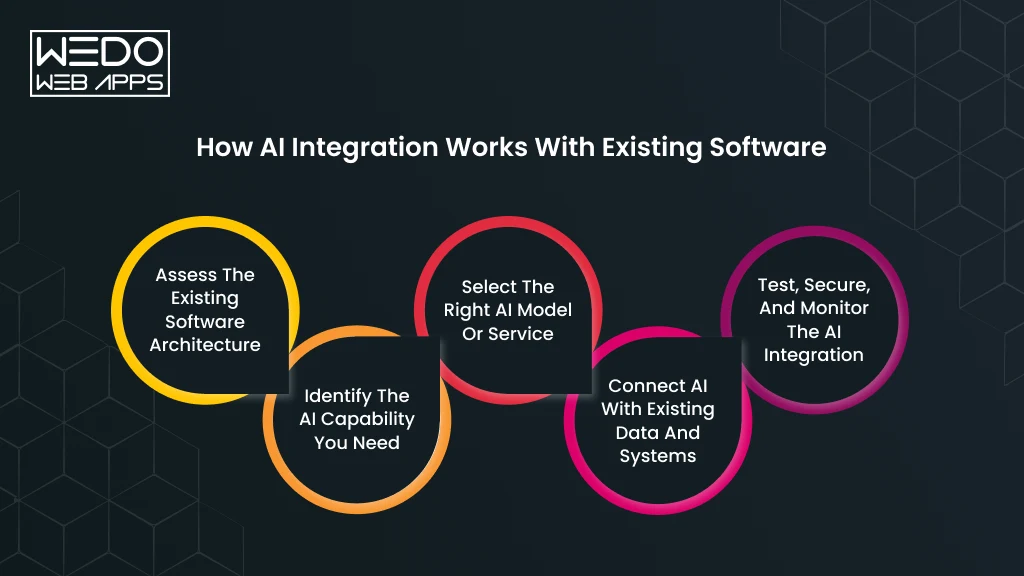
Knowledge Base Chatbot – Development Cost by Complexity

The cost of building an AI-powered enterprise knowledge base depends on factors such as data complexity, integrations, compliance requirements, retrieval quality, and whether the system uses RAG, fine-tuning, or a hybrid architecture.

For most businesses, RAG-based systems are the more affordable starting point because they avoid expensive model training infrastructure. However, enterprise-scale AI platforms with advanced automation, compliance, and workflow intelligence require significantly larger investments.

Tier 1 – Basic RAG Chatbot

Estimated Cost – $15K – $40K

Timeline: 4-8 weeks

Best suited for: startups, internal knowledge assistants, small support teams, and basic document retrieval systems.

Typical Features:

  • Single data source
  • GPT-4 API integration
  • Basic vector search
  • Simple web interface
  • Internal employee usage
  • Limited analytics

Advantages:

  • Fastest deployment
  • Lower implementation risk
  • Ideal for MVP validation
  • Affordable starting point

Tier 2 – Production RAG Systems

Estimated Cost: $40K – $100K

Timeline: 2-4 months

Best suited for: SMEs, customer-facing AI assistants, multi-department knowledge systems, and scalable enterprise search

Typical Features:

  • Multiple data sources
  • Semantic + hybrid search
  • Re-ranking models
  • User authentication
  • Role-based access
  • Analytics dashboard
  • Feedback loop system

Advantages:

  • Better retrieval quality
  • Improved scalability
  • Enterprise-grade access control
  • Stronger operational visibility

This is usually the stage where companies begin investing more heavily in enterprise AI development to support growing operational and customer support workloads.

Tier 3 – Enterprise AI Knowledge Platform

Estimated Cost: $100K – $250K+

Timeline: 4 – 8 months

Best suited for: large enterprises, regulated industries, healthcare, finance, and legal operations.

Typical Features:

  • Hybrid RAG + fine-tuned models
  • Multi-language support
  • Advanced workflow automation
  • Compliance logging
  • Audit trails
  • CRM/ERP integrations
  • Custom UI/UX
  • Advanced governance controls

Advantages:

  • Enterprise-scale performance
  • Higher reasoning quality
  • Advanced security and compliance
  • Operational automation across departments

Ongoing Operational Costs

Even after deployment, enterprise AI systems require continuous operational investment.

Common Ongoing Costs

  • LLM API usage -> $500 – $5,000/month
  • Vector database hosting -> $100 – $2,000/month
  • Infrastructure monitoring
  • Retrieval optimization
  • Security updates
  • Maintenance -> 15 – 20% of annual build cost

The final investment depends heavily on document volume, user traffic, retrieval complexity, compliance requirements, and integration depth. Businesses planning long-term AI adoption often work with specialized LLM development teams early in the process to estimate infrastructure requirements and avoid unexpected scaling costs later.

Get Project Cost Estimation

Reducing Hallucinations – Grounding, Guardrails, & Verifications

Hallucinations are one of the biggest risks in enterprise AI systems. Inaccurate responses can lead to compliance violations, operational mistakes, customer misinformation, and loss of trust in AI-driven workflows.

For startups, hallucinations may create support inefficiencies. For enterprises operating in finance, healthcare, or legal environments, they can become serious business and regulatory risks. This is why modern RAG systems rely heavily on grounding, verification, and response guardrails.

1. Grounding with Citations

Grounding forces the LLM to generate answers only from retrieved enterprise documents.

Best Practice

  • Attach source references to every response
  • Force the model to cite supporting documents
  • Return “I don’t know” if no reliable source exists

Why it Matters

  • Improves trust
  • Increase transparency
  • Supports compliance requirements
  • Reduces fabricated responses

2. Chunk Relevance Scoring

Not every retrieved chunk should be passed to the LLM.

Modern RAG systems score retrieved documents based on semantic similarity before generating answers.

Common Practice

  • Minimum similarity threshold -> 0.75
  • Low-confidence retrievals are rejected
  • Only top-scoring chunks move forward

Benefit

  • Reduces noisy context
  • Improves answer precision
  • Lowers hallucination probability

3. Output Verification Layer

Advanced enterprise systems often use a second LLM call to verify whether the generated answer is actually supported by retrieved context.

Verification Checks

  • Factual consistency
  • Unsupported claims
  • Missing citations
  • Answer completeness

Trade-Off

  • Adds 200-500ms latency
  • Significantly improves reliability

This is increasingly becoming a standard practice in enterprise AI development for customer-facing systems.

4. Structured Output Constraints

Structured response formats reduce unpredictable LLM behavior.

Common Constraints

  • JSON schema validation
  • Predefined response templates
  • Controlled formatting
  • Limited output scope

Benefit

  • Prevents rambling responses
  • Improves downstream automation
  • Creates predictable AI behavior

5. Temperature Control

Temperature settings directly affect response creativity and hallucination rates.

Recommended Enterprise Settings

  • Factual AI systems -> 0.0 – 0.2
  • Balanced assistants -> 0.3 – 0.5
  • Creative generation -> higher values

Important Insight

Higher temperature increases creativity, but also increases hallucination risk.

6. Human-in-the-Loop Verification

High-risk enterprise workflows still require human oversight.

Common Enterprise Use Cases

  • Legal responses
  • Healthcare recommendations
  • Financial workflows
  • Compliance-sensitive outputs

Typical Workflow

  • Low-confidence answers are flagged
  • Human reviewers validate responses
  • Approved feedback improves future retrieval quality

Enterprise Hallucination Benchmarks

System TypeTarget Hallucination Rate
Basic RAG SystemUnder 5%
Enterprise Production SystemUnder 2%
Regulated IndustriesUnder 1%

Fine-tuned models can sometimes hallucinate less on domain-specific workflows because specialized behavior is embedded into the model itself. However, they still struggle with knowledge freshness and require retraining when enterprise information changes. This is why many organizations combine retrieval systems, guardrails, and verification layers as part of a broader AI consulting and governance strategy.

Build Reliable Enterprise AI

Semantic Search – Beyond Keyword Matching for Internal Docs

Traditional Keyword search often fails inside enterprise knowledge systems because employees rarely search using the exact wording found in documents. A support agent may search for “refund policy,” while the actual document is titled “return and exchange guidelines.” The keywords do not match, but the meaning does.

Semantic search solves this problem by understanding intent and contextual meaning instead of relying only on exact keyword matches.

How Semantic Search Works

Semantic search converts both:

  • Enterprise documents
  • User queries

Into vector embeddings.

The system then compares semantic similarity between the two and retrieves results based on meaning rather than exact phrasing.

Semantic Search Can Handle

  • Synonyms
  • Rephrased questions
  • Intent variations
  • Conversational queries
  • Natural language searches

This creates a significantly better search experience for employees, customers, and support teams.

Semantic Search Implementation Process

1. Document Preparation

Before indexing, enterprise documents are:

  • Cleaned
  • chunked
  • Standardized
  • Deduplicated

Well-structured data improves retrieval quality significantly.

2. Embedding Model Selection

The embedding model converts text into vectors.

Common Options

  • OpenAI ads – 002
  • Cohere Embed
  • Sentence-transformers
  • BGE models

Key Considerations

Businesses must balance:

  • Retrieval accuracy
  • Inference speed
  • Operational cost

During model selection.

3. Index Building

The generated embeddings are stored inside a vector database for fast semantic retrieval.

This creates the searchable knowledge layer powering AI assistant.

4. Search API Layer

When users submit queries:

  • The query becomes an embedding
  • The vector database searches nearest matches
  • Top relevant results are returned instantly

5. Hybrid Search Approach

Most enterprise systems combine:

  • Semantic search
  • Keyword search (BM25)

This hybrid approach improves both relevance and precision.

Business Impact of Semantic Search

Organizations implementing semantic search often report:

  • 40-60% improvement in search success rates
  • 25-35% reduction in support tickets
  • Faster employee onboarding
  • Lower internal knowledge friction
  • Improved productivity across departments

Semantic retrieval becomes especially valuable for enterprises managing thousands of internal documents across multiple teams and systems. As enterprise AI ecosystems grow, semantic search is increasingly becoming a foundational capability in modern LLM development and scalable AI knowledge infrastructure.

Conclusion

For most startups, SMEs, and enterprises, RAG is the best starting point because it offers faster deployment, lower implementation costs, easier knowledge updates, and better transparency through citation-based retrieval. Fine-tuning becomes more valuable when organizations need specialized reasoning, consistent outputs, and high-volume workflow automation.

In reality, the future of enterprise AI is not RAG or fine-tuning alone. The strongest enterprise systems increasingly combine both approaches to balance scalability, knowledge freshness, operational efficiency, and AI performance.

Our team specializes in AI consulting, LLM development services, and enterprise AI architecture for scalable knowledge base systems. Whether you are evaluating RAG, fine-tuning, or hybrid AI deployment, we can help you design the right strategy for long-term business growth.

Need help building an enterprise AI knowledge base? Get a free architecture consultation today.

Schedule a Free Consultation

OpenAI API vs Custom LLM Fine-Tuning: Which AI Strategy is Right?

Introduction

Enterprise AI adoption is moving fast, but one question continues to shape major technical decisions:

Should businesses use the OpenAI ChatGPT API or build a custom fine-tuned LLM?

For many companies, the fastest option is integrating an API for ChatGPT into existing products and workflows. Teams can launch AI assistants, copilots, search systems, and automation tools without managing infrastructure or training models from scratch.

At the same time, enterprises with strict compliance, high usage volume, or specialized data are exploring fine-tuned open source models like Llama 3 and Mistral.

The challenge is that both approaches come with very different costs, infrastructure needs, scalability limits, and long-term risks.

This guide explains how the open AI API works, what enterprise teams actually pay in 2026, when fine-tuning makes sense, and how to choose between hosted AI models and self-hosted LLM development.

Inside this article, you will learn:

  • How to use ChatGPT API services in enterprise applications.
  • The difference between open API vs public API.
  • OpenAI API pricing and hidden infrastructure costs.
  • When RAG is better than fine-tuning.
  • Where custom LLMs outperform hosted APIs.
  • How to reduce vendor lock-in risks.

Whether you are building an AI SaaS platform, enterprise assistant, or internal automation system, this comparison will help you make a smarter long-term AI decision.

Launch enterprise AI faster with right API strategy

What Is the ChatGPT OpenAI API and How Does It Work?

The OpenAI ChatGPT API allows businesses to integrate advanced AI capabilities into websites, SaaS products, mobile apps, enterprise software, and internal tools without building a large language model from scratch.

Instead of managing GPUs, training datasets, and inference infrastructure, AI developers can connect directly to the OpenAI API and access powerful AI models via simple API requests.

This makes the API for ChatGPT one of the fastest ways to launch AI-powered products in 2026.

What Does the OpenAI API Actually Do?

What Does the OpenAI API Actually Do

The OpenAI ChatGPT API acts as a bridge between your application and OpenAI’s language models.

Your software sends a request to the API. The model processes the input and returns a generated response in real time.

Here is what enterprises commonly use the API for:

Use CaseHow Businesses Use It
AI Customer SupportAutomated ticket handling and chatbot responses
Internal AI AssistantCompany knowledge retrieval and workflow automation
Content GenerationBlog drafts, product descriptions, and summaries
AI SearchSemantic search across enterprise documents
Developer ToolsCode generation and debugging assistance
Sales AutomationPersonalized outreach and CRM support
Data ProcessingExtracting insights from contracts, PDFs, and reports

Many businesses prefer to use ChatGPT API services because they can deploy AI features quickly without hiring a dedicated ML infrastructure team.

What Happens During an API Call?

A typical workflow looks like this:

  1. A user submits a prompt inside your app.
  2. The app sends the request to the open ChatGPT API.
  3. The AI model processes the request.
  4. The API returns a generated response.
  5. Your application displays the output to the user.

This process usually takes seconds, depending on model size and request complexity.

How to Use the ChatGPT API: A Plain-English Walkthrough

Using the OpenAI API is simpler than most businesses expect.

You do not need to train an AI model yourself. Instead, you connect your application to OpenAI’s hosted infrastructure.

Basic Setup Process

StepWhat You Do
Step 1Create an OpenAI developer account
Step 2Generate an API key
Step 3Choose a model like GPT-4o or GPT-4o Mini
Step 4Send prompts through API requests
Step 5Receive and display AI-generated responses
Step 6Monitor token usage and costs

Example Enterprise Workflow

Imagine a legal SaaS platform using the API for ChatGPT.

A lawyer uploads a 40-page contract.

The application sends the document to the API and asks:

“Summarize the major liability clauses and identify potential risks.”

The model returns a structured summary within seconds.

The company adds AI functionality without building its own LLM infrastructure.

Why Enterprises Prefer API Based AI

Many organizations choose the OpenAI ChatGPT API because it helps them:

  • Reduce development time
  • Avoid GPU infrastructure costs
  • Launch AI features faster
  • Scale globally through managed infrastructure
  • Access newer models automatically

For startups and mid-sized SaaS companies, this approach is often more practical than self-hosting a custom LLM.

Open API vs Public API: What is the Difference?

The phrase open API vs public API often creates confusion because the terms sound similar but mean different things.

Here is the simplest way to understand it.

TermMeaning
Open APIAn API built using publicly available standards and documentation.
Public APIAn API that external developers can access openly.

An API can be public without being an open standard.

Similarly, an API can follow an open specification but still require authentication and restricted access.

Example Using the OpenAI API

The OpenAI ChatGPT API is considered a public API because developers can access it after registering and obtaining credentials.
At the same time, OpenAI also provides structured API documentation and standardized developer workflows that align with modern open API practices.
Why This Difference Matters for Enterprises

Understanding open API vs public API becomes important when evaluating:

  • Vendor interoperability
  • Enterprise integrations
  • Security policies
  • Compliance requirements
  • Long-term architecture flexibility

This is especially relevant for enterprises building AI systems that may later connect with multiple LLM providers.

Who Should Use the ChatGPT API vs Build Their Own Model?

Not every company needs to fine-tune or self-host an LLM.

For many businesses, the open AI API provides better speed, lower operational complexity, and faster deployment.

However, some organizations benefit from custom models due to compliance, scale, or domain-specific requirements.

Businesses That Should Use the ChatGPT API

The open ChatGPT API is usually the better choice for:

  • Startups building MVPs quickly.
  • SaaS products adding AI features.
  • Teams without ML infrastructure expertise.
  • Businesses with moderate AI usage volume.
  • Companies prioritizing rapid deployment.

Businesses That May Need Custom LLMs

Fine-tuned or self-hosted models become more attractive for:

  • Enterprises with strict data residency rules.
  • Healthcare and financial organizations.
  • High-volume AI platforms with large inference costs.
  • Companies require domain-specific responses.
  • Organizations avoiding vendor dependency.

Quick Comparison: API vs Custom LLM

FactorOpenAI APICustom Fine-Tuned LLM
Setup SpeedVery fastSlower
Infrastructure ManagementMinimalHigh
Upfront CostLowHigh
Maintenance ComplexityLowHigh
Customization DepthModerateExtensive
Compliance FlexibilityLimited by the providerFull control
Scalability ManagementManaged by the providerSelf managed
Long-Term Cost at ScaleCan increase significantlyOften lower on a massive scale

For most companies entering AI adoption today, starting with the open AI ChatGPT API is the practical first step.

Custom LLM infrastructure usually becomes relevant later when usage scale, compliance pressure, or model specialization justifies the added complexity.

OpenAI API Pricing for Enterprise Apps in 2026: What You Actually Pay

The pricing structure of the OpenAI ChatGPT API looks simple at first glance.

You pay per token.

But once enterprises start running AI workloads at scale, the real costs become far more complex than the pricing page suggests.

A small AI assistant handling a few thousand requests daily may cost only hundreds of dollars per month. An enterprise SaaS platform processing millions of prompts, documents, and agent workflows can quickly move into five or six-figure monthly infrastructure spending.

That is why understanding how the OpenAI API pricing model works is critical before deploying AI features into production.

What Enterprises Actually Pay For

When businesses use ChatGPT API services, they are usually paying for four major components:

Cost AreaWhat Impacts Pricing
Input TokensUser prompts, uploaded documents, context windows
Output TokensAI-generated responses
Tool UsageWeb search, containers, retrieval, agent workflows
Infrastructure OverheadRetries, logging, monitoring, orchestration

For many enterprise applications, token costs are only one part of the overall AI spending model.

Engineering teams also need to account for:

  • Prompt optimization
  • Vector database costs
  • RAG infrastructure
  • Response caching
  • Monitoring pipelines
  • Multi-model routing systems

This is where enterprise AI budgets often increase faster than expected.

Why Pricing Becomes Difficult at Scale

The API for ChatGPT uses token-based billing instead of fixed monthly subscriptions.

A token is roughly equivalent to parts of words and sentences processed by the model.

For example:

Example ContentApproximate Tokens
Short email100 to 300 tokens
Blog article1,500 to 3,000 tokens
Long PDF upload20,000+ tokens
Enterprise knowledge base queryVaries heavily

This means costs scale directly with:

  • User activity
  • Prompt size
  • Output length
  • Context window usage
  • Agent complexity

A chatbot answering simple customer support questions may stay relatively affordable.

An AI agent analyzing contracts, generating reports, and calling external tools repeatedly can become significantly more expensive.

Current Model Tiers: GPT-4o, GPT-4o Mini, and What Each Costs

OpenAI offers multiple model tiers designed for different workloads, response quality requirements, and cost targets.

Some models prioritize advanced reasoning and multimodal capabilities, while others are optimized for lower latency and high volume usage.

ModelInput Cost (Per 1M Tokens)Output Cost (Per 1M Tokens)Best For
GPT 4o$2.50$10.00Enterprise copilots and complex workflows
GPT 4o Mini$0.15$0.60Large-scale automation and chat systems
GPT 5.4$2.50$15.00Advanced enterprise reasoning tasks
GPT 5.4 Mini$0.75$4.50Faster production workloads

Pricing may also vary depending on:

  • Batch processing discounts
  • Cached token usage
  • Realtime API usage
  • Priority processing
  • Enterprise support tiers

Many businesses start with smaller models for cost control and later route more complex requests to premium models.

This hybrid model strategy is becoming common among enterprises using the API for ChatGPT at scale.

How Token-Based Pricing Works in Practice

The open ai chatgpt api uses token-based billing instead of flat monthly pricing.

A token represents pieces of text processed by the model.

Both input and output tokens are billed separately.

The final cost depends on:

Cost DriverImpact on Pricing
Prompt sizeLarger prompts increase input costs
Output lengthLonger responses increase output costs
Context windowsMore retrieved data increases usage
User volumeMore requests increase total spending
AI agentsMulti-step workflows increase token consumption

For example, a simple customer support AI chatbot may stay relatively affordable.

An enterprise AI assistant analyzing contracts, generating summaries, searching databases, and calling tools repeatedly can consume dramatically more tokens.

This is why production AI costs often rise faster than expected after launch.

OpenAI API Cost Calculator: Estimating Your Monthly Spend at Enterprise Scale

Many teams underestimate AI spending because they only calculate per-request pricing.

In reality, the enterprise usage scales quickly once the AI features become part of their daily workflows.

Example Enterprise SaaS Scenario

Imagine a SaaS company using the open ChatGPT API for customer support automation.

Daily Usage Assumptions

MetricEstimate Usage
Daily active users50,000
Average prompts per user8
Average input size1,200 tokens
Average output size500 tokens

Estimated Monthly Token Volume

Token TypeMonthly Usage
Input Tokens~1.44 billion
Output Tokens~600 million

At GPT 4o pricing, monthly API costs alone could easily reach tens of thousands of dollars.

And that does not include supporting infrastructure.

Additional Enterprise AI Costs

Most production systems also require:

  • Vector databases for RAG
  • Monitoring and observability tools
  • Prompt management systems
  • Rate-limiting infrastructure
  • Response caching layers
  • Human review workflows
  • Security and moderation systems

This is why many enterprises later compare:

  • API costs vs self-hosted GPUs.
  • Managed inference vs custom deployment.
  • Vendor convenience vs infrastructure ownership.

Hidden Costs Most Enterprise Teams Overlook

The pricing page usually reflects only direct API usage.

But enterprise AI deployments involve far more than token billing.

Common Hidden AI Infrastructure Costs

Hidden CostWhy It Matters
Prompt IterationPoor prompts increase token waste
Retrieval SystemsVector search infrastructure adds costs
Failed RequestsRetries increase token consumption
Logging and MonitoringProduction AI systems require observability
AI GuardrailsValidation and moderation layers add overhead
Latency OptimizationFaster systems often cost more
Human Review PipelinesCritical outputs still require oversight

Another overlooked issue is context inflation.

As enterprises connect more documents, databases, and workflows into AI systems, prompt sizes increase significantly. Larger prompts directly increase token consumption.

This becomes especially important for:

  • RAG-based systems
  • Multi-agent workflows
  • Long context enterprise assistants
  • AI document processing pipelines

For startups and mid-sized SaaS platforms, the open ai api is often still the fastest and most practical option.

But at enterprise scale, businesses eventually begin evaluating whether fine-tuned open source models or hybrid architectures can reduce long-term operational costs.

Get a Free Cost Estimate

What Is a Custom LLM and When Does It Make Sense for Enterprise?

A custom LLM is a large language model that has been modified, fine-tuned, or deployed specifically for a company’s use case instead of relying entirely on a hosted provider like the OpenAI ChatGPT API.

In enterprise environments, custom LLMs are usually built using open-source foundation models such as Llama 3, Mistral, or Gemma.

Companies then adapt these models using:

  • Fine tuning
  • Retrieval systems
  • Domain-specific knowledge
  • Internal company knowledge
  • Custom inference infrastructure

The goal is not always to build a smarter model than the open ai api.

In most cases, enterprises want:

  • Better control over data
  • Lower serving costs at scale
  • Industry-specific responses
  • Reduced vendor dependency
  • Private deployment flexibility

For many organizations, custom LLMs become relevant only after AI usage grows significantly.

Open-Source LLM Comparison: Llama 3 vs Mistral vs Gemma for Enterprise Applications

Open-source models have improved rapidly in both quality and deployment flexibility.

Today, many enterprises compare these models against the API for ChatGPT for internal AI systems and domain-specific workloads.

Popular Enterprise Open Source Models in 2026

ModelBest ForKey Strength
Llama 3Enterprise copilots and assistantsStrong reasoning and ecosystem support
MistralEfficient production workloadsLower inference costs and speed
GemmaLightweight deploymentsSmaller infrastructure requirements

Each model comes with different tradeoffs around:

  • GPU memory usage
  • Inference speed
  • Fine-tuning complexity
  • Context window size
  • Commercial licensing

Why Enterprises Choose Open-Source LLMs

Businesses usually move toward custom models when they need:

Enterprise NeedWhy Open-Source Helps
Data privacyFull infrastructure control
ComplianceEasier internal governance
Lower long-term serving costsNo per-token API billing
Domain specializationBetter task-specific tuning
Multi-model flexibilityReduced vendor lock-in

However, open-source deployments also introduce significant operational complexity.

Fine-Tuning vs Training From Scratch: What Enterprises Actually Do in 2026

Most enterprises are not training LLMs entirely from scratch.

Training a frontier model requires:

  • Massive datasets
  • Distributed GPU clusters
  • Advanced ML engineering teams
  • Multi-million dollar infrastructure budgets

Instead, companies usually fine-tune existing open-source models.

What Fine-Tuning Actually Means

Fine-tuning updates an existing model using company-specific data so the model performs better on targeted tasks.

Examples include:

  • Legal contract analysis
  • Medical documentation workflows
  • Financial compliance systems
  • Technical support automation
  • Internal enterprise knowledge assistants

Enterprise AI Reality in 2026

ApproachEnterprise Adoption
Training from scratchRare outside major AI labs
Fine-tuning open modelsVery common
RAG without fine-tuningExtremely common
Hybrid RAG + fine-tuningGrowing rapidly

For many businesses, retrieval-based systems deliver better ROI than expensive model retraining.

That is one reason why RAG architecture is becoming a preferred alternative to full custom model development.

What Infrastructure Do You Need to Self-Host an LLM?

Self-hosting an LLM means the enterprise manages its own inference infrastructure instead of depending entirely on the open AI ChatGPT API.

This gives companies more control, but it also increases operational responsibility.

Typical Self-Hosted LLM Infrastructure

Infrastructure ComponentPurpose
GPUsModel inference and training
Vector DatabasesRetrieval for RAG systems
Storage SystemsModel weights and datasets
Orchestration LayerRequest routing and scaling
Monitoring StackPerformance and observability
Security ControlsAccess management and auditing

Common Enterprise GPU Options

GPU TypeTypical Enterprise Usage
NVIDIA A100Large-scale inference and training
NVIDIA H100High-performance enterprise AI workloads
L40SCost-optimized inference
Consumer GPUsSmall internal testing environments

Infrastructure costs vary dramatically depending on:

  • Model size
  • Concurrent users
  • Latency requirements
  • Context window size
  • Fine-tuning frequency

For example, hosting a lightweight 7B parameter model may be relatively affordable.

Running multiple large models with low-latency enterprise inferences can quickly become extremely expensive.

When Does a Custom LLM Actually Make Sense?

A custom model becomes more practical when several conditions align.

Custom LLMs Usually Make Sense When:

  • AI request volume is extremely high.
  • Compliance requirements restrict external APIs.
  • The company needs domain-specific responses.
  • Long-term API costs become difficult to justify.
  • Vendor lock-in becomes a strategic concern.

The OpenAI API Usually Makes More Sense When:

  • Teams need faster deployment.
  • Infrastructure resources are limited.
  • AI workloads are still growing.
  • Internal ML expertise is limited.
  • Product teams prioritize speed to market.

For many enterprises, the best approach is not choosing one side exclusively.

Instead, companies increasingly combine:

  • The OpenAI API for general reasoning.
  • RAG systems for company knowledge.
  • Fine-tuned open models for specialized workflows.

That hybrid strategy is becoming one of the most common enterprise AI architectures in 2026.

OpenAI API vs Custom LLM: Head-to-Head Cost Comparison

OpenAI API vs Custom LLM Head-to-Head Cost Comparison

Choosing between the OpenAI ChatGPT API and a custom LLM is not only a technical decision.

It is also a long-term financial decision.

On a smaller scale, the OpenAI API is usually more affordable because businesses avoid upfront infrastructure investments. But as request volume increases, many enterprises begin comparing API billing against GPU hosting, model serving, and operational ownership costs.

The challenge is that most cost comparisons only look at token pricing.

In reality, enterprises must evaluate the total cost of ownership across infrastructure, engineering, maintenance, monitoring, and scaling.

API Call Costs vs Training Compute Costs

Using the API for ChatGPT removes the need to manage AI infrastructure internally.

Businesses pay for usage while OpenAI handles:

  • Model hosting
  • GPU scaling
  • Inference optimization
  • Availability management
  • Model updates

This significantly reduces operational complexity.

Custom LLM deployment works differently.

Enterprises become responsible for:

  • GPU provisioning
  • Fine-tuning pipelines
  • Scaling infrastructure
  • Monitoring systems
  • Security and compliance controls

Cost Structure Comparison

Cost AreaOpenAI APICustom LLM
Upfront InvestmentLowHigh
Monthly Usage CostsVariableInfrastructure-based
GPU ManagementNot requiredRequired
Engineering OverheadLowerHigher
Scaling ComplexityManaged by providerSelf-managed
Infrastructure OwnershipNoneFull ownership

For most startups and SaaS products, the open AI ChatGPT API is financially practical during early growth stages.

The economics only start changing when AI usage becomes extremely large.

LLM Fine-Tuning Compute Requirements: GPU Hours, Memory, and Infrastructure Costs (2026)

Fine-tuning a model requires far more than downloading an open-source checkpoint.

Enterprise must plan for GPU memory, storage, orchestration, and training infrastructure.

Typical Fine-Tuning Infrastructure

Model SizeRecommended HardwareEstimated Complexity
7B ModelsSingle high-memory GPUModerate
13B ModelsMulti-GPU setupHigh
70B+ ModelsEnterprise GPU clustersVery high

Major Infrastructure Cost Drivers

Infrastructure FactorImpact
GPU rental ratesLargest operational expenses
Training durationLonger runs increase costs
Dataset qualityCleaning and labeling require engineering effort
Storage systemsLarge datasets increase storage requirements
Experimentation cyclesMultiple iterations increase compute usage

Even with modern approaches like LoRA and QLoRA, enterprise fine-tuning still requires experienced ML engineering support.

This is one of the reasons many businesses initially prefer to use ChatGPT API services before investing in dedicated infrastructure.

Serving Costs for Self-Hosted Models at Scale

Training costs are only one part of the equation.

Once a model moves into production, enterprises must continuously pay for inference infrastructure.

Ongoing Self-Hosted AI Costs

Infrastructure AreaWhy It Matters
GPU inference serversRequired for live responses
Autoscaling systemsHandle traffic spikes
Load balancingMaintain uptime and performance
Monitoring pipelinesDetect failures and latency issues
Backup systemsSupport reliability and disaster recovery

Inference costs depend heavily on:

  • Concurrent users
  • Tokens generated per request
  • Response latency targets
  • Model size
  • Context window usage

A lightweight internal assistant may run efficiently on a smaller deployment.

A production AI platform serving thousands of users simultaneously often requires enterprise-grade GPU infrastructure running continuously.

24-Month Total Cost of Ownership (TCO) Comparison Table

The real enterprise decision should focus on long-term operational economics instead of only monthly API billing.

Example 24 Month Enterprise AI Comparison

Cost CategoryOpenAI APICustom LLM
Initial SetupLowHigh
Infrastructure ManagementMinimalSignificant
Monthly Operating CostsUsage basedFixed + scaling costs
AI Engineering RequirementsModerateHigh
Maintenance ResponsibilityProvider managedInternal team
Compliance FlexibilityLimitedHigh
Vendor DependencyHigherLower
Cost PredictabilityVariableMore controllable at scale

Typical Enterprise Pattern

Business StageMost Common Choice
MVP and early AI rolloutOpenAI API
Growth stage optimizationHybrid architecture
Massive enterprise scalePartial or full self-hosting

This explains why many companies start with hosted APIs and later transition toward hybrid AI infrastructure.

At What Usage Volume Does Self-Hosting Become Cheaper?

There is no universal number because costs depend on:

  • Model size
  • Request volume
  • GPU pricing
  • Latency requirements
  • Engineering salaries
  • Infrastructure efficiency

However, enterprises usually begin evaluating self-hosting when:

SignalWhy It Matters
Monthly API bills grow rapidlyToken costs become difficult to predict
AI usage becomes core to the productInfrastructure ownership becomes strategic
Data residency becomes criticalInternal hosting offers more control
Domain-specific tasks dominateSmaller tuned models may outperform APIs
Multi-region scaling increasesAPI costs compound quickly

For many businesses, the tipping points appear when AI workloads become continuous rather than occasional.

A small SaaS chatbot may remain cheaper on the open AI API indefinitely.

A high-traffic AI platform processing billions of monthly tokens may eventually reduce costs through custom inference infrastructure.

Enterprise Reality Check

The cheapest option is not always the best business decision.

Self-hosting may reduce long-term serving costs, but it also introduces:

  • Infrastructure risk
  • Operational overhead
  • ML hiring requirements
  • Scaling complexity
  • Reliability challenges

For many enterprises, the practical path looks like this:

  1. Launch quickly using the OpenAI API.
  2. Validate AI usage and customer demand.
  3. Optimize costs using RAG and smaller models.
  4. Fine-tune or self-host only when scale justifies it.

That phased approach reduces unnecessary infrastructure spending while keeping long-term flexibility open.

Talk to AI Solution Experts

RAG vs Fine-Tuning vs Hybrid: Which Approach Fits Your Enterprise Use Case?

One of the biggest misconceptions in enterprise AI is assuming every business needs to fine-tune a model.

In reality, many companies can achieve strong results using Retrieval Augmented Generation (RAG) without modifying the underlying LLM at all.

Other benefits of lightweight fine-tuning for domain-specific tasks.

And increasingly, production AI systems combine both approaches in a hybrid architecture.

Choosing the right method depends on:

  • Data sensitivity
  • Response accuracy requirements
  • Infrastructure budget
  • AI request volume
  • Domain specialization
  • Maintenance capacity

The goal is not to choose the most advanced architecture.

The goal is to choose the architecture that solves the business problem efficiently.

What is RAG & When Should You Use It?

RAG stands for Retrieval Augmented Generation.

Instead of retraining the model, a RAG system retrieves relevant company information during runtime and sends it to the LLM as context.

This allows businesses to keep responses updated without constantly retraining models.

How RAG Works

StepWhat Happens
Step 1Documents are stored inside a vector database
Step 2A user submits a query
Step 3Relevant information is retrieved
Step 4Retrieved content is added to the prompt
Step 5The LLM generates a contextual response

Common Enterprise RAG Use Cases

  • Internal knowledge assistants
  • AI search systems
  • Document retrieval platforms
  • Customer support copilots
  • Legal and policy search tools

Many enterprises using the OpenAI ChatGPT API rely on RAG because it is faster and cheaper than retraining models repeatedly.

When RAG Makes the Most Sense

ScenarioWhy RAG Works Well
Frequently changing informationNo retraining required
Large internal knowledge basesEasier document retrieval
Faster deployment timelinesLower infrastructure complexity
Limited ML engineering resourcesEasier implementation

For many businesses, RAG becomes the first production AI architecture before exploring custom fine-tuning.

What is Fine-Tuning and What Does It Actually Cost?

Fine-tuning modified an existing model using task-specific or domain-specific training data.

Instead of only retrieving information, the model itself learns specialized response behavior.

Common Fine-Tuning Goals

GoalExample
Tone adaptationBrand-consistent responses
Domain specializationLegal or medical terminology
Workflow optimizationStructured enterprise outputs
Classification accuracyBetter tagging and routing

Fine-tuning can improve consistency for repetitive enterprise tasks.

However, it also introduces additional infrastructure and maintenance costs.

Enterprise Fine-Tuning Cost Areas

Cost AreaWhy It Matters
GPU computeTraining requires expensive hardware
Dataset preparationData cleaning takes time
Experimentation cyclesMultiple training runs increase costs
Model hostingFine-tuned models still require inference infrastructure
Evaluation pipelinesQuality testing becomes essential

This is why many companies do not immediately replace the open ai api with fully custom models.

LoRA and QLoRA: Fine-Tuning Without Enterprise-Level Hardware

Traditional fine-tuning can become expensive quickly.

LoRA and QLoRA reduce those costs by training only smaller portions of the model instead of updating every parameter.

What LoRA and QLoRA Improve

MethodMain Benefits
LoRALower GPU memory requirements
QLoRAReduced memory usage through optimization

These methods allow enterprises to fine-tune open-source models using more affordable infrastructure.

Why Enterprises Use LoRA-Based Fine-Tuning

  • Lower computer costs
  • Faster experimentation
  • Reduce GPU requirements
  • Easier deployment for smaller teams

This approach has become increasingly common among organizations experimenting with custom LLMs before committing to large infrastructure investments.

The Hybrid Approach: Why Most Production Teams Combine RAG and Fine-Tuning

Many enterprise AI systems now combine:

  • RAG for knowledge retrieval
  • Fine-tuning for behavior optimization
  • Hosted APIs for general reasoning

This hybrid approach balances flexibility, accuracy, and operational cost.

Example Hybrid Enterprise Architecture

ComponentsPurpose
RAG systemRetrieves company knowledge
Fine-tuned modelImproves domain-specific outputs
Hosted LLM APIHandles advanced reasoning tasks
Routing layerSends requests to appropriate models

Why Hybrid Systems Are Growing

BenefitBusiness Impact
Better response qualityImproved user experience
Lower serving costsReduced API dependency
Faster updatesKnowledge changes do not require retraining
Greater flexibilityMultiple models can co-exist

For large enterprises, hybrid architecture often provides a better balance than relying entirely on either RAG or fine-tuning alone.

Use Case Fit Matrix: Match Your Problem to the Right Method

Choosing between RAG, fine-tuning, or hybrid deployment depends heavily on the business use case.

Enterprise AI Decision Matrix

Use CaseBest Approach
Internal company searchRAG
AI knowledge assistantRAG
Brand-specific content generationFine-tuning
Legal document analysisHybrid
Medical workflow automationHybrid
AI customer support chatbotRAG + API
Highly specialized classificationFine-tuning
Rapid MVP deploymentOpenAI + RAG

Simplified Decision Framework

If Your Priority Is…Best Choice
Faster deploymentOpenAI API
Lower upfront costRAG
Domain specializationFine-tuning
Compliance controlSelf-hosted hybrid
Long-term cost optimizationHybrid architecture

For most companies entering enterprise AI adoption today, RAG provides the best balance between speed, flexibility, and cost-efficiency.

Fine-tuning usually becomes valuable later when response behavior, domain accuracy, or operational economics require deeper model customization.

When to Use the OpenAI API vs Llama 3 / Mistral Fine-Tuning: A Direct Comparison

When to Use the OpenAI API vs Llama 3 Mistral Fine-Tuning

The debate between the OpenAI ChatGPT API and fine-tuned open-source models is no longer about which option is “better.”

The real question is which approach fits the business problem, infrastructure capacity, and long-term AI strategy.

For many enterprises, the open ai api offers faster deployment and stronger general reasoning.

At the same time, fine-tuned models like Llama 3 and Mistral can outperform hosted APIs in highly specialized workflows where domain accuracy, cost control, or deployment flexibility matter more.

This is why production AI systems increasingly rely on multiple models instead of a single provider.

Tasks and Scenarios Where the OpenAI API Wins

The API for ChatGPT is usually the strongest choice when businesses prioritize speed, simplicity, and broad reasoning capability.

Areas Where Hosted APIs Perform Best

ScenarioWhy the OpenAI API Performs Well
Rapid MVP developmentMinimal infrastructure setup
General-purpose AI assistantsStrong reasoning across many tasks
Multi-language supportBroad multilingual capabilities
Complex conversational workflowsBetter contextual understanding
AI coding assistantsHigh-quality code generation
Low infrastructure teamsNo GPU management required

Why Enterprises Start With Hosted APIs

Most businesses initially choose the OpenAI ChatGPT API because it helps them:

  • Launch faster
  • Reduce engineering overhead
  • Avoid infrastructure complexity
  • Access continuously updated models
  • Scale globally with managed systems

This approach is especially practical for startups and SaaS products validating AI demand.

Tasks and Scenarios Where Fine-Tuned Llama 3 or Mistral Wins

Fine-tuned open-source models become more attractive when enterprises need tighter control over behavior, deployment, or operational cost.

Areas Where Custom Models Often Perform Better

ScenarioWhy Fine-Tuned Models Help
Domain-specific terminologyBetter specialized responses
Internal enterprise workflowsMore consistent outputs
Data residency requirementsEasier private deployment
Massive inference scaleLower long-term serving costs
Predictable response formattingBetter structured outputs
Offline or edge deploymentsNo dependency on external APIs

Example Enterprise Scenarios

IndustryWhy Fine-Tuning Helps
HealthcareMedical terminology consistency
Legal TechContract-specific reasoning
FinanceRegulatory workflow specialization
ManufacturingInternal process automation
InsuranceStructured claim processing

In these cases, smaller tuned models may outperform general-purpose APIs for targeted tasks.

How to Evaluate LLM Output Quality for Production Apps

Choosing a model should never rely only on demos or benchmark marketing.

Production AI systems require structured evaluation.

Key Enterprise Evaluation Areas

Evaluation MetricWhy It Matters
AccuracyCorrectness of responses
Hallucination RateFrequency of incorrect information
LatencyResponse speed under load
Cost EfficiencyCost per successful outcome
ConsistencyStability across repeated prompts
SecurityResistance to prompt injection

Common Enterprise Testing Methods

  • Human review pipelines
  • Automated benchmark datasets
  • Side-by-side model comparisons
  • Task-specific scoring systems
  • Production shadow testing

Many enterprises discover that the “best” model depends entirely on the workflow being evaluated.

A hosted API may outperform a custom model in reasoning tasks.

A fine-tuned model may perform better for structured classification or repetitive tasks.

Building an Evaluation Pipeline: Benchmarks, LLM-as-Judge, and Human Review

Modern enterprise AI systems require continuous evaluation instead of one-time testing.

This is especially important when teams combine:

  • Multiple LLM providers
  • RAG systems
  • Fine-tuned models
  • AI agents and workflows

Typical Enterprise Evaluation Pipeline

LayerPurpose
Benchmark TestingMeasure performance on fixed datasets
LLM-as-JudgeUse another model for automated scoring
Human ReviewValidate business-critical outputs
Production MonitoringDetect quality degradation over time

What Enterprises Usually Measure

MetricExample
Response accuracyCorrectness of generated outputs
Retrieval relevanceQuality of retrieved RAG context
Hallucination frequencyIncorrect or fabricated responses
Formatting consistencyStructured response reliability
User satisfactionReal user feedback

Why Human Review Still Matters

Even advanced models can produce:

  • Incorrect answers
  • Confident hallucinations
  • Unsafe outputs
  • Policy violations

That is why regulated industries often combine AI automation with human approval layers.

Quick Comparison: OpenAI API vs Fine-Tuned Open Source Models

FactorOpenAI APIFine-Tuned Llama 3 / Mistral
Deployment SpeedVery FastSlower
Infrastructure ManagementMinimalHigh
General ReasoningExcellentModerate to strong
Domain SpecializationModerateExcellent
Compliance FlexibilityLimitedHigh
Long-Term Serving CostsHigher at scaleLower at a massive scale
Maintenance ComplexityLowHigh
Vendor DependencyHigherLower

For many enterprises, the most effective strategy is not replacing hosted APIs entirely.

Instead, companies increasingly use:

  • The open ai api for advanced reasoning.
  • Fine-tuned models for specialized workflows.
  • RAG systems for internal knowledge retrieval.

That layered approach improves flexibility while reducing unnecessary infrastructure complexity.

Latency and Performance Benchmarks: API vs Self-Hosted

Performance is one of the biggest factors influencing enterprise AI architecture decisions.

A model may produce excellent responses, but if latency is too high or throughput drops under production load, the user experience quickly suffers.

This is where the comparison between the OpenAI ChatGPT API and self-hosted models becomes important.

Hosted APIs benefit from highly optimized infrastructure and global scaling systems.

Self-hosted models offer more deployment control, but performance depends entirely on the company’s infrastructure quality, GPU allocation, inference optimization, and traffic management.

The right choice depends on balancing:

  • Response speed
  • Infrastructure cost
  • Concurrent user load
  • Model quality
  • Deployment flexibility

Time to First Token: OpenAI API vs Self-Hosted Fine-Tuned Models

Time to First Token (TTFT) measures how quickly a model begins generating a response after receiving a request.

This metric directly affects perceived responsiveness in AI applications.

Typical TTFT Comparison

Deployment TypeTypical Performance
OpenAI hosted APIUsually optimized globally
Self-hosted small modelCan be extremely fast
Self-hosted large modelDepends heavily on GPU infrastructure

Hosted APIs often perform well because providers optimize:

  • Model serving stacks
  • GPU allocation
  • Global routing
  • Inference caching
  • Request batching

However, smaller fine-tuned models can sometimes outperform hosted APIs in low-latency enterprise environments when deployed close to internal systems.

Where Low Latency Matters Most

  • AI customer support chat
  • Voice assistants
  • Realtime copilots
  • Coding assistants
  • Trading and analytics systems

Even a small increase in latency can reduce user satisfaction in conversational applications.

Tokens Per Second at Production Load

Latency alone is not enough.

Enterprises must also evaluate throughput, which measures how many tokens a system can generate per second under real production traffic.

What Affects Throughput?

Performance FactorImpact
GPU typeFaster GPUs increase inference speed
Model sizeLarger models reduce throughput
Context window sizeLonger prompts slow generation
Concurrent usersHeavy traffic affects performance
QuantizationSmaller model precision can improve speed

Hosted API vs Self-Hosted Throughput

FactorOpenAI APISelf-Hosted Models
Traffic scalingManaged automaticallyRequires internal scaling
Performance optimizationProvider managedInternal responsibility
Burst traffic handlingUsually strongDepends on infrastructure
Cost predictabilityVariableMore infrastructure-driven

This is one reason many enterprises initially prefer the open ai api.

Scaling the inference infrastructure internally can become operationally demanding very quickly.

Domain-Specific Quality – Where Fine-Tuned Models Outperform the API

General-purpose APIs are trained for broad reasoning across many topics.

But enterprise workflows are often highly specialized.

Fine-tuned models can outperform hosted APIs when tasks require:

  • Industry terminology
  • Structured outputs
  • Repetitive domain workflows
  • Internal business logic
  • Predictable formatting

Common Areas Where Fine-Tuning Helps

IndustryExample Advantage
HealthcareMedical terminology accuracy
LegalContract clause interpretation
FinanceRegulatory workflow consistency
ManufacturingProcess documentation automation
InsuranceStructured claim analysis

Why Smaller Models Sometimes Win

A well-tuned smaller model can outperform a larger general model for narrow workflows.

This is similar to hiring a specialist instead of a general consultant.

The specialist may know less overall, but performs better within a specific domain.

That is why many enterprises combine:

  • Hosted APIs for broad reasoning.
  • Fine-tuned models for domain workflows.
  • RAG systems for knowledge retrieval.

When Fine-Tuning Actually Hurts Performance

Fine-tuning is not always beneficial.

In some cases, excessive or poor-quality fine-tuning can reduce model performance.

Common Fine-Tuning Problems

ProblemResult
OverfittingResponses become too narrow
Poor datasetsModel quality declines
Small training datasetsInconsistent behavior
Excessive specializationLoss of general reasoning
Weak evaluation pipelinesErrors go unnoticed

Some enterprises also underestimate operational complexity after deploying fine-tuned models.

Performance issues may appear through:

  • Slower inference
  • GPU memory bottlenecks
  • Scaling instability
  • Higher maintenance overhead
  • Increased monitoring requirements

Sign Fine-Tuning May Not Be Necessary

  • Knowledge changes frequently
  • RAG alone solves the problem
  • AI usage volume is still small
  • Teams lack ML infrastructure expertise
  • Hosted APIs already meet quality targets

In many cases, businesses achieve better ROI by improving prompts, retrieval pipelines, and evaluation systems before investing heavily in model retraining.

Enterprise Performance Reality

The fastest or smartest model is not always the best production choice.

Enterprise AI systems must balance:

  • Speed
  • Cost
  • Accuracy
  • Scalability
  • Operational complexity

For many organizations, the practical approach looks like this:

Business NeedRecommended Approach
Rapid deploymentOpenAI API
Low-latency internal workflowsSmall fine-tuned models
Specialized enterprise tasksHybrid deployment
Massive scale inferenceSelf-hosted optimization
Frequently changing knowledgeRAG systems

That is why hybrid AI architectures continue growing across enterprise deployments in 2026.

Data Privacy, Compliance, and Vendor Lock-In for Enterprise AI

Performance and cost are only part of the enterprise AI decision.

For many organizations, the bigger concern is control.

Companies handling customer records, financial transactions, legal documents, healthcare data, or internal intellectual property must evaluate how AI systems manage privacy, compliance, and infrastructure ownership.

This is where the differences between the OpenAI ChatGPT API and self-hosted LLMs become especially important.

The right architecture depends heavily on:

  • Regulatory requirements
  • Data residency policies
  • Security standards
  • Internal governance rules
  • Vendor dependency tolerance

For some businesses, hosted APIs are completely acceptable.

For others, private infrastructure becomes mandatory.

What Happens to Your Data When You Call the OpenAI API?

When a business sends requests through the open ai api, the data is processed on OpenAI-managed infrastructure.

This often raises questions around:

  • Data retention
  • Training usage
  • Security access
  • Compliance obligations
  • Sensitive information handling

Enterprise Concerns Around Hosted APIs

ConcernWhy It Matters
Sensitive customer dataMay require stricter controls
Internal company documentsIntellectual property protection
Regulatory restrictionsCertain industries limit external processing
Data residencyGeographic storage requirements
Third-party infrastructureReduced infrastructure ownership

OpenAI provides enterprise-focused controls and policies, but companies still need to verify whether those controls align with internal governance requirements.

This is especially important for businesses operating in highly regulated sectors.

On-Premise LLM Deployment for Regulated Industries

Some enterprises’ control relies entirely on external APIs due to compliance obligations or internal security policies.

In these cases, organizations may deploy self-hosted models inside:

  • Private cloud environments
  • On-premise data centers
  • Dedicated enterprise infrastructure

Industries That Commonly Require Private AI Infrastructure

IndustryCommon Requirement
HealthcarePatient data protection
FinanceTransaction and compliance controls
GovernmentNational security policies
LegalConfidential document handling
InsuranceSensitive claims processing

Why Enterprises Choose Self-Hosted API

BenefitBusiness Impact
Full infrastructure controlStronger governance
Internal data processingReduced external exposure
Custom security policiesBetter enterprise alignment
Flexible deployment modelsMulti-region support

However, private deployment also increases operational responsibility significantly.

HIPAA, GDPR, and Data Residency Considerations

Compliance is often one of the biggest reasons enterprises evaluate alternatives to the API for ChatGPT.

Different regulations impose different requirements around how data is processed, stored, and transferred.

Common Enterprise AI Compliance Areas

RegulationPrimary Concern
HIPAAHealthcare data protection
GDPREU user privacy and consent
SOC 2Security and operational controls
PCI DSSPayment-related data handling

Important Enterprise Questions

Before deploying AI systems, organizations usually evaluate:

  • Where is the data processed?
  • Is customer data retained?
  • Can data stay within specific regions?
  • Are audit trails available?
  • How are access permissions managed?

For many enterprises, compliance decisions directly influence whether they continue using the open ai chatgpt api or transition toward hybrid and self-hosted architectures.

LLM Vendor Lock-In Risks When Building With OpenAI

Hosted APIs provide convenience and rapid deployment.

But they can also create long-term dependency risks.

Common Vendor Lock-In Concerns

RiskWhy It Matters
Pricing changesOperational costs may increase
API dependencyCritical systems rely on external providers
Model behavior changesOutputs may shift after updates
Feature limitationsLimited infrastructure control
Migration complexitySwitching providers can become difficult

This becomes especially important when AI becomes deeply integrated into:

  • Customer workflows
  • Internal automation systems
  • SaaS platforms
  • Enterprise products

The deeper the integration, the harder migration becomes later.

Migration Strategies: How to Avoid Being Locked Into One LLM Provider

Most enterprises do not eliminate vendor dependency.

Instead, they reduce risk through architectural decisions.

Common Enterprise Mitigation Strategies

StrategyWhy It Helps
Multi-model routingReduces dependence on one provider
Abstraction layersEasier API switching
Hybrid infrastructureBalances hosted and private systems
Open-source fallback modelsImproves deployment flexibility
RAG-based architecturesKeeps company knowledge separate from models

Example Hybrid Enterprise Architecture

ComponentDeployment Type
General reasoningHosted API
Sensitive workflowsSelf-hosted models
Company knowledge retrievalInternal RAG system
Model routingProvider-agnostic orchestration

This layered strategy gives enterprises more flexibility while still allowing them to benefit from hosted AI services.

Enterprise Reality Check

For many companies, the open ai api remains the fastest and most practical way to deploy AI features.

But as AI systems become more deeply integrated into core business operations, organizations often begin prioritizing:

  • Infrastructure ownership
  • Compliance flexibility
  • Deployment control
  • Vendor diversification
  • Long-term operational predictability

That is why enterprise AI strategies increasingly move towards hybrid architectures instead of relying entirely on a single provider or deployment model.

Schedule a Secure AI Consultation

Decision Flowchart: OpenAI API vs Fine-Tuned LLM vs Hybrid

Decision Flowchart OpenAI API vs Fine-Tuned LLM vs Hybrid

Choosing between the OpenAI ChatGPT API, a fine-tuned custom model, or a hybrid architecture should not depend on trends alone.

The right decision depends on:

  • AI usage volume
  • Infrastructure budget
  • Compliance requirements
  • Internal ML expertise
  • Latency expectations
  • Domain specialization needs

Many enterprises make the mistake of overengineering too early.

They invest in GPU infrastructure, model fine-tuning, and custom deployment pipelines before validating whether their AI workflows actually require that level of complexity.

In most cases, the smartest approach is phased adoption.

Start simple.

Scale only when the business case justifies it.

Key Signals That You Should Stick With the OpenAI API

For many organizations, the OpenAI API remains the most practical option.

It reduces infrastructure complexity and allows teams to focus on product execution instead of model operations.

Signs Hosted APIs Are Still the Best Choice

SignalWhy It Matters
AI features are still experimentalAvoid premature infrastructure investment
Product launch speed mattersFaster implementation
Internal ML expertise is limitedLower operational complexity
AI request volume is moderateAPI costs remain manageable
General reasoning quality is sufficientFine-tuning may not improve results significantly

Best Fit Scenarios for the API

  • SaaS AI assistants
  • AI customer support tools
  • Content generation platforms
  • Internal productivity copilots
  • Early-stage AI products

Custom infrastructure becomes more attractive when AI evolves from a feature into a core operational system.

Signs Fine-Tuning or Self-Hosting Makes Sense

SignalWhy It Matters
Monthly API costs are increasing rapidlyLong-term serving costs become harder to justify
Compliance requirements are strictGreater infrastructure control is needed
AI tasks are highly specializedDomain-tuned models may perform better
Vendor dependency becomes riskyBusiness continuity concerns increase
Massive inference scale existsSelf-hosting may improve economics

Common Enterprise Triggers

TriggersExample
Healthcare complianceSensitive patient workflows
Financial governanceRegulatory document processing
Large-scale AI productsMillions of daily requests
Private enterprise deploymentsInternal corporate assistants

At this stage, many enterprises start evaluating:

  • Fine-tuned Llama 3 deployments
  • Mistral-based inference stacks
  • Private RAG infrastructure
  • Hybrid AI orchestration systems

The Step-by-Step Decision Framework

The best enterprise AI strategies usually evolve gradually instead of replacing systems all at once.

Enterprise AI Decision Path

StepRecommended Action
Step 1Start with the OpenAI ChatGPT API
Step 2Validate business demand and usage patterns
Step 3Add RAG for company knowledge and evaluation systems
Step 4Optimize prompts and evaluation systems
Step 5Monitor API spending and latency
Step 6Fine-tune models only for specialized workflows
Step 7Self-host only when scale or compliance requires it

Simplified Decision Matrix

Business PriorityRecommended Approach
Fast deploymentOpenAI API
Lower upfront costOpenAI API + RAG
Domain specializationFine-Tuning
Compliance flexibilityHybrid or self-hosted
Massive AI scaleHybrid infrastructure

Enterprise Architecture Comparison Snapshot

FactorOpenAI APIFine-Tuned LLMHybrid Architecture
Setup SpeedFastSlowModerate
Infrastructure ComplexityLowHighModerate to high
Compliance ControlModerateHighHigh
Long-Term FlexibilityModerateHighVery High
Upfront InvestmentLowHighModerate
Operational OwnershipMinimalSignificantShared

For most enterprises in 2026, hybrid architecture is becoming the long-term direction.

Companies increasingly combine:

  • Hosted APIs for advanced reasoning.
  • RAG systems for enterprise knowledge.
  • Fine-tuned models for specialized workflows.
  • Internal orchestration layers for routing and governance.

This approach balances speed, flexibility, performance, and operational control more effectively than relying entirely on an AI development service.

Build a Private LLM With Your Own Company Data

The choice between the OpenAI ChatGPT API and a custom LLM depends on your business priorities, infrastructure capacity, and long-term AI goals.

For most companies, the open ai api offers the fastest way to launch AI features with lower upfront complexity. But as usage grows, enterprises often explore fine-tuned models, private deployments, and hybrid RAG architectures for better control, compliance, and cost optimization.

In 2026, the most effective enterprise AI systems are rarely built around a single model strategy.

Businesses increasingly combine hosted APIs, retrieval systems, and fine-tuned models to balance performance, scalability, flexibility, and operational cost.

Start Your Enterprise AI Project