Introduction
Is your eCommerce store delivering the fast and smooth experience that today’s users expect?
Most online stores struggle to maintain performance, especially on mobile devices. Pages take too much time to load, navigation feels slow, and users often leave before completing a purchase. Even a small delay can affect engagement and conversions.
This is where progressive web app eCommerce offers a practical approach. It combines the speed of modern web technology with the experience of a mobile application, without requiring users to install anything.
Businesses are increasingly choosing eCommerce PWA development to improve site performance and create a better user journey. It allows faster loading, supports offline browsing, and keeps users engaged across sessions.
In this blog, you will understand how progressive web apps for eCommerce work, what benefits they offer, how they compare with other options, and how to decide if this approach fits your business goals.

What is Progressive Web App eCommerce?
A progressive web app eCommerce solution is a web-based store that works like a mobile application while running in a browser. It combines fast loading, smooth navigation, and app-like interaction without requiring users to download anything.
In simple terms, it turns your regular eCommerce industry website into a faster and more responsive experience, especially for mobile users.
Example: A user visits your store, browses products, adds items to the cart, and returns later. With a PWA, the site loads instantly, remembers their activity, and continues the experience without delays.
How It Works
A PWA uses modern web technologies to improve performance and reliability.
- Loads pages quickly using cached data.
- Works even with slow or unstable internet.
- Runs in the browser but feels like a mobile app.
- Can be accessed directly without app store installation.
Key Characteristics of Progressive Web Apps for eCommerce
| Feature | What It Means for Your Store |
|---|---|
| Fast Loading | Pages open quickly, reducing bounce rate |
| Offline Access | Users can browse limited content without an internet connection |
| App-like Experience | Smooth navigation similar to mobile apps |
| No Installation Needed | Users access directly through the browser |
| Cross-Device Compatibility | Works on mobile, tablet, and desktop |
Why It Matters
Traditional websites often struggle to deliver consistent performance across devices. On the other hand, native apps require installation, which many users avoid.
This is where progressive web apps for eCommerce provide balance. They offer speed, accessibility, and usability without adding friction to the user journey.
Why Businesses Are Investing in eCommerce PWA Development
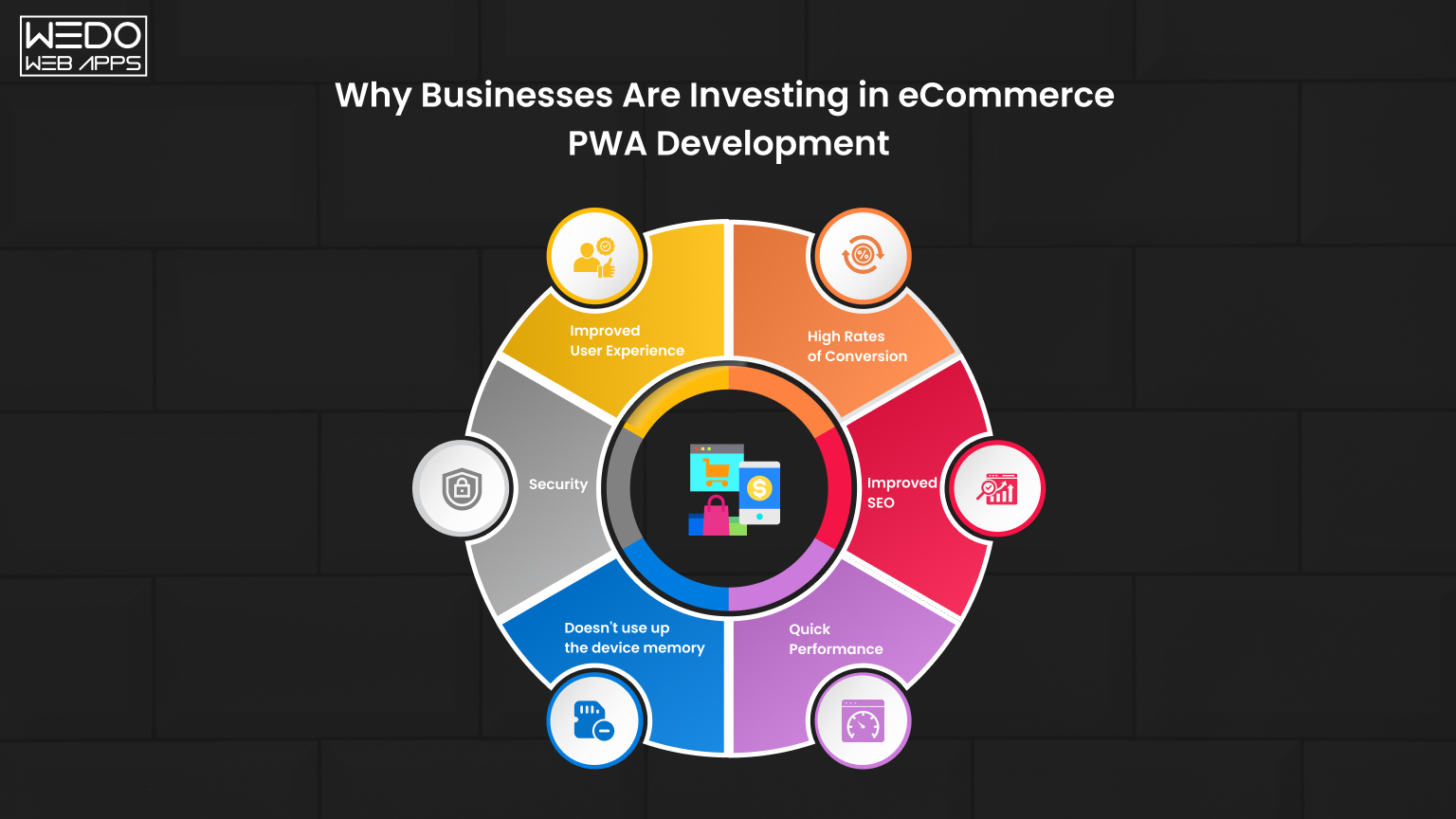
Many eCommerce businesses are rethinking how their websites perform, especially on mobile. Slow loading, high bounce rates, and poor user engagement are common issues that directly affect sales.
This is why eCommerce PWA development is becoming a preferred choice. It helps businesses improve performance without forcing users to install an app.
Key Reasons Behind This Shift
Businesses are moving towards progressive web app eCommerce for practical and measurable benefits.
- Faster page loading improves user retention.
- A better mobile experience increases time spent on the site.
- Reduced dependency on app downloads.
- Lower development and maintenance costs compared to native apps.
- Improved conversion rates due to smoother navigation.
Business Impact of Progressive Web Apps for eCommerce
| Areas | Impact on Business |
|---|---|
| User Experience | Faster browsing and smoother interactions |
| Conversion Rate | Higher chance of completing purchases |
| Engagement | Users stay longer and explore more products |
| Cost Efficiency | One solution works across all devices |
| Scalability | Easier to handle growing traffic and features |
Real Problem It Solves
Most users leave a website if it takes more than a few seconds to load. A PWA reduces this delay and keeps this delay and keeps the experience consistent.
Think of it like upgrading from a slow-moving queue to a fast checkout counter. The process becomes quicker, and users are more likely to complete their purchase.
Why It Matters Now
Mobile traffic dominates eCommerce. If your store is not optimized for speed and usability, you risk losing potential customers.
By adopting progressive web apps for eCommerce, businesses can provide a faster, more reliable experience that meets modern user expectations.
Key Benefits of Progressive Web Apps for eCommerce
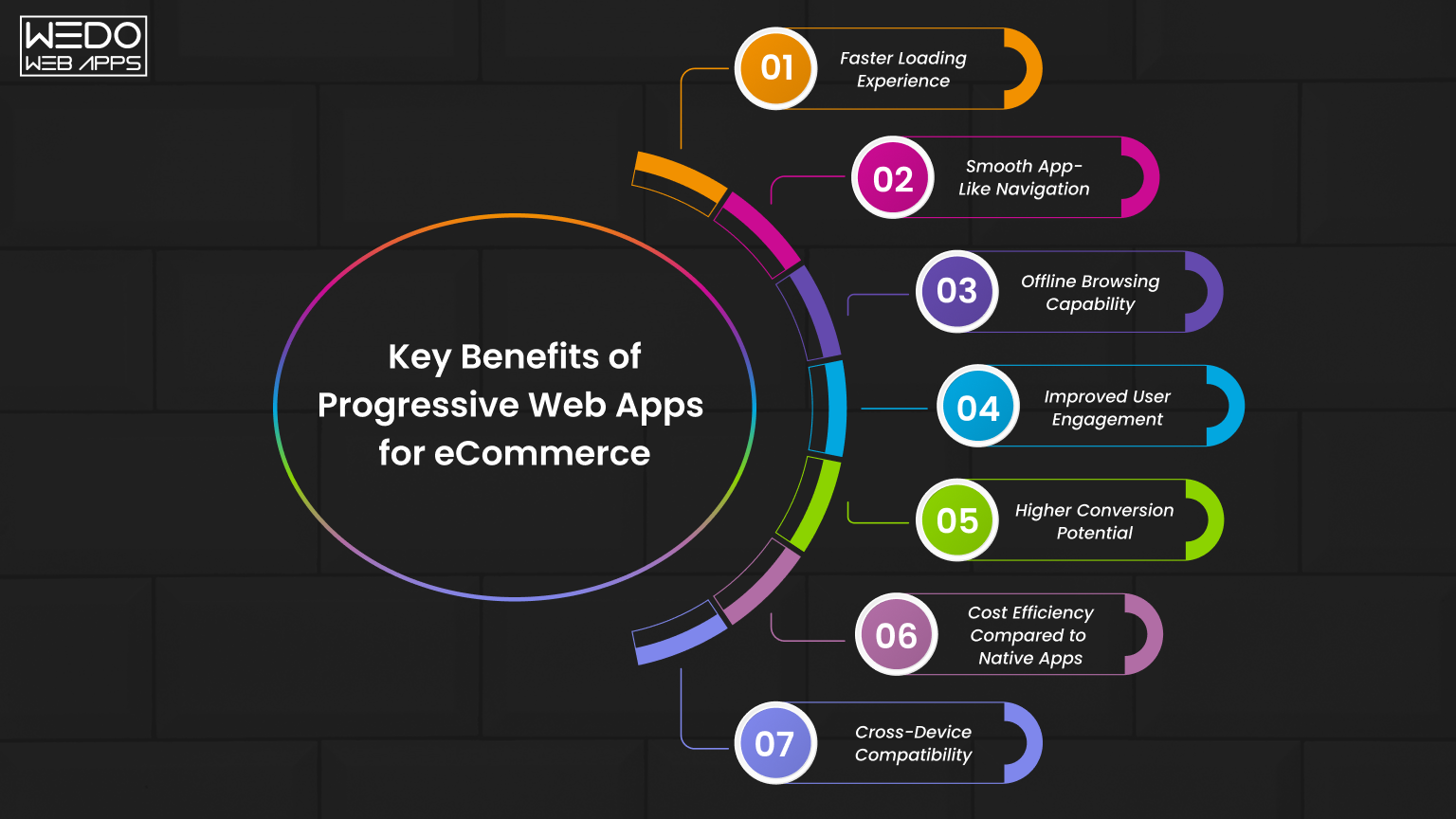
Adopting progressive web apps for eCommerce improves more than just loading speed. It changes how users interact with your store from the first visit to checkout. A faster and smoother experience often leads to better engagement and stronger conversion performance.
Below are the key benefits explained with more clarity and context.
Faster Loading Experience
Speed directly affects user behavior. Even a short delay can cause users to leave before exploring products.
PWAs use caching techniques to store important data in the browser. This allows pages to load much faster after the first visit.
- Reduces initial load time and repeat visit delays.
- Improves product page access speed.
- Helps lower bounce rates.
Faster loading creates a strong first impression and keeps users engaged.
Smooth App-Like Navigation
Traditional websites reload pages frequently, which slows down browsing. PWAs avoid this by loading content dynamically.
- Users can move between pages without interruptions.
- Navigation feels quick and responsive.
- Product browning becomes more comfortable.
This creates an experience similar to using a mobile app, which users are already familiar with.
Offline Browsing Capability
One of the practical advantages of PWAs is their ability to work with limited connectivity.
PWAs store previously accessed data, allowing users to continue browsing even when the internet is slow or temporarily unavailable.
- Users can view saved product pages.
- Reduces drop-offs due to network issues.
- Improve accessibility in low-connectivity areas.
This ensures users are not completely disconnected from your store.
Improved User Engagement
A better experience encourages users to stay longer and interact more.
PWAs support features like push notifications, which help bring users back to your store.
- Send updates about offers and new products.
- Remind users about abandoned carts.
- Encourage repeat visits.
Consistent engagement increases the chances of conversion over time.
Higher Conversion Potential
When the buying process feels simple and fast, users are more likely to complete their purchase.
PWAs reduce friction across the user journey.
- Faster product discovery.
- Smooth cart and checkout process.
- Fewer interruptions during browsing.
This leads to improved conversion rates and better overall performance.
Cost Efficiency Compared to Native Apps
With eCommerce PWA development, businesses can avoid building separate applications for different platforms.
| Approach | Cost and Effort | Business Impact |
|---|---|---|
| PWA | One-time development for all devices | Balanced cost and performance |
| Native Apps | Separate apps for Android and iOS | Higher cost and maintenance |
| Traditional Website | Lower cost but limited features | Lower engagement |
PWAs offer a balanced approach between cost and functionality.
Cross-Device Compatibility
PWAs are designed to work across all screen sizes and devices.
- Mobile phones
- Tablets
- Desktop systems
This ensures a consistent experience for every user without additional development effort.
Each benefit supports a single outcome. Creating a faster, smoother, and more reliable shopping experience. When users can browse delays and interact easily with your store, they are more likely to stay longer and complete their purchase.

eCommerce PWA Performance and Core Web Vitals Improvement
Performance is not just a technical metric. It directly shapes how users experience your store and whether they stay long enough to make a purchase. This is one of the main reasons businesses invest in eCommerce PWA development.
A faster website improves engagement, reduces drop-offs, and also supports better search visibility.
What Are Core Web Vitals
Core Web Vitals are performance metrics defined by Google. They measure how real users experience your website in terms of loading speed, responsiveness, and visual stability.
Here are the three key metrics:
- Largest Contentful Paint (LCP) – Measures how quickly the main content of a page becomes visible. Ideal target: within 2.5 seconds
- Cumulative Layout Shift (CLS) – Tracks unexpected layout movement while the page is loading. Ideal target: less than 0.1
- Interaction to Next Paint (INP) – Measures how quickly the site responds when a user clicks or interacts. Lower values indicate better responsiveness.
These metrics are important because they reflect actual user experience, not just backend performance.
How Progressive Web App eCommerce Improves Performance
A progressive web app eCommerce setup uses modern technologies to improve how quickly and smoothly your site works.
Key improvements include:
- Smart Caching – Stores important assets in the browser so repeat visits load instantly.
- Lazy Loading – Loads only the required content first, reducing initial load time.
- Service Workers – Handle background processes like caching and offline access.
- Dynamic Rendering – Updates content without reloading the entire page.
Together, these reduce delays and create a more responsive browsing experience.
Performance Benchmark Comparison
| Metric | Traditional Website | PWA-Based Store |
|---|---|---|
| Initial Load Time | 3-6 seconds | 1-2 seconds |
| Repeat Visit Speed | Moderate | Very fast due to caching |
| LCP | Often delayed | Faster content display |
| CLS | Layout shifts possible | Stable layout |
| INP | Slower interaction response | Quick interaction feedback |
| Bounce Rate | Higher due to delays | Lower due to a smooth experience |
Note: Results vary based on the implementation quality and optimization.
Real Impact on eCommerce Performance
Improving Core Web Vitals leads to measurable business outcomes:
- Faster pages keep users engaged longer.
- Stable layouts reduce accidental clicks and frustration.
- Quick response improves trust during checkout.
- Better performance supports higher rankings in search results.
Even a one-second improvement in load time can increase conversions significantly.
Practical Example
Imagine a user opens your product page on a mobile device.
- On the traditional site, images load slowly, layout shifts, and buttons respond late.
- On a PWA, the page loads quickly, elements stay stable, and interactions feel instant.
This difference directly affects whether the user continues browsing or leaves.
Performance is a key driver of user experience and revenue. By using progressive web apps for eCommerce, businesses can improve Core Web Vitals, deliver faster interactions, and create a more reliable shopping experience that encourages users to stay and convert.
PWA vs Native App vs Responsive Website for eCommerce
Choosing the right approach for your eCommerce store depends on performance, cost, and user experience. Many businesses struggle to decide between a traditional website, a native mobile app, or a PWA.
This is where eCommerce PWA development stands out as a balanced option.
- Responsive Website: A standard responsive website that adjusts to different screen sizes. Easy to build, but limited in performance and engagement.
- Native Mobile App: Built separately for Android and iOS. Offers strong performance but requires installation and a higher investment.
- Progressive Web App (PWA): Runs in the browser but delivers an app-like experience with better speed and usability.
Detailed Comparison
| Factor | Responsive Website | PWA | Native App |
|---|---|---|---|
| User Access | Direct via browser | Direct via browser | Requires app installation |
| Performance | Moderate | High | Very high |
| Development Cost | Low | Medium | High |
| Maintenance | Simple | Moderate | Complex (multiple platforms) |
| Offline Access | Not supported | Supported (limited) | Fully supported |
| User Experience | Basic | App-like | Fully app-like |
| Updates | Instant | Instant | Required app updates |
| Engagement | Lower | Higher | Highest |
Cost Comparison Overview
| Approach | Estimated Cost Range |
|---|---|
| Responsive Website | Lower cost option |
| PWA | $20,000-$60,000 |
| Native App | $50,000-$150,000 |
Note: Cast depends on feature, complexity, and development approach.
When to Choose Each Option
A responsive website is suitable when:
- You have a limited budget.
- You need a basic online presence.
- Advanced features are not required.
PWA is suitable when:
- You want better performance without building a full app.
- Your audience is mostly mobile users.
- You want faster loading and improved engagement.
Native App is suitable when:
- You need advanced device features.
- Your business relies heavily on app-based interactions.
- Budget is not a constraint.
Why Many Businesses Prefer PWA
A progressive web app eCommerce approach offers a practical middle ground.
It combines:
- The accessibility of a website.
- The performance of an app.
- And a more manageable development cost.
This makes it a strong choice for businesses looking to improve user experience without the complexity of native app development.
Simple Way to Understand It
A responsive website is like a basic store.
A native app is like a premium in-store experience, but requires effort to enter.
A PWA offers a fast and smooth experience without adding extra steps for users.
Each option has its place, but for many growing businesses, progressive web apps for eCommerce provide the right balance of performance, cost, and usability.

Cost of eCommerce PWA Development
Understanding the cost of eCommerce development helps you plan better and avoid unexpected expenses. While PWAs are more affordable than native apps, the final cost depends on how advanced your store needs to be.
Instead of looking at cost as a fixed number, it’s better to understand what you are paying for and how it impacts your business.
Average Cost Range
The investment varies based on eCommerce features, integrations, and scalability requirements.
| Solution Level | Estimated Cost | What You Get |
|---|---|---|
| Basic PWA | $20,000-$30,000 | Simple store, limited features, basic UI |
| Mid-level PWA | $30,000-$60,000 | Custom UI, integrations, better performance |
| Advanced PWA | $60,000+ | Scalable architecture, advanced features, high performance |
| Native App (for comparison) | $50,000-$150,000 | Separate apps for Android or iOS |
These ranges give a realistic view of where your project might fall.
What Drives the Cost
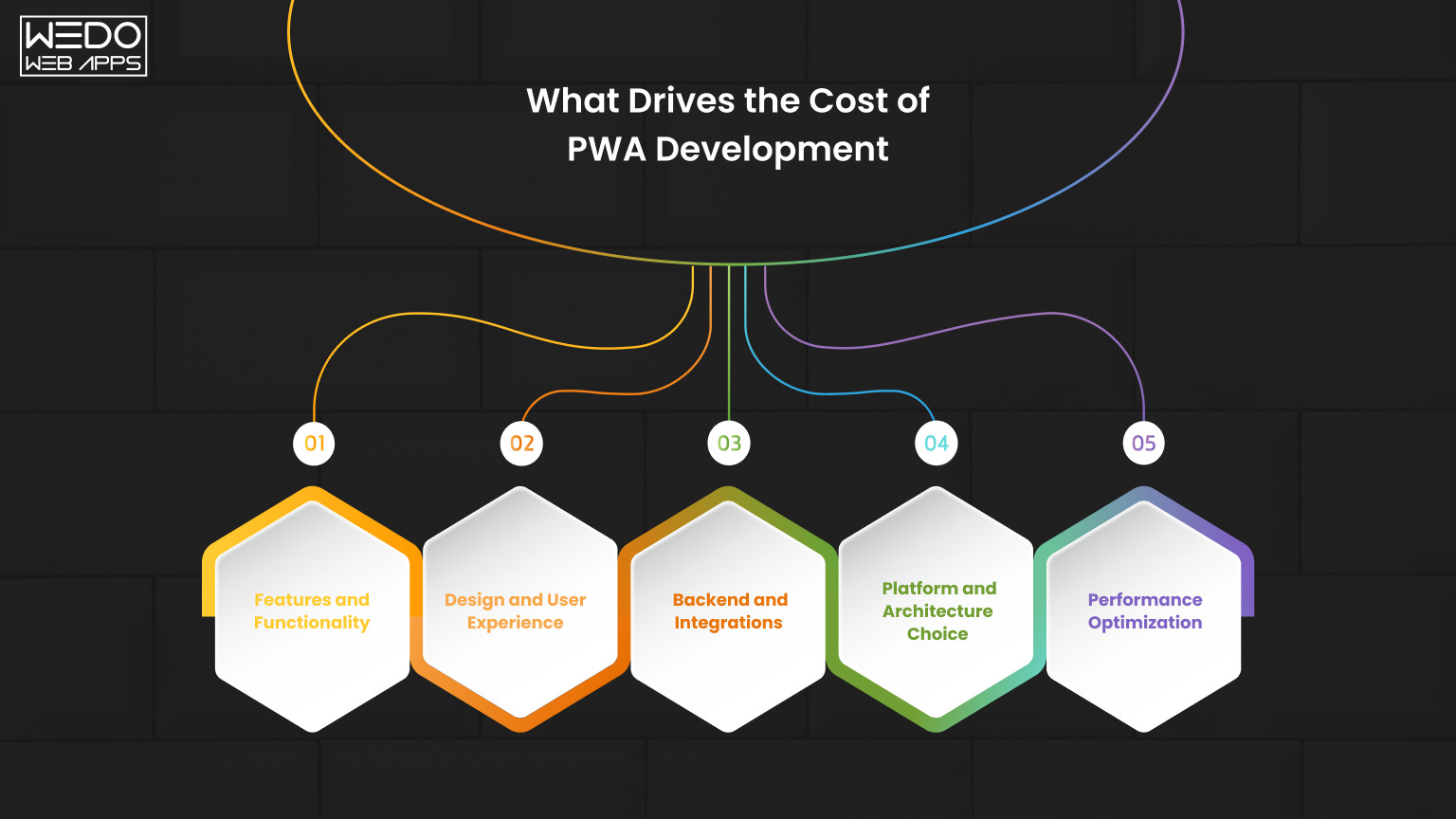
The cost of progressive web app eCommerce development depends on multiple layers. Each layer adds value but also increases effort.
1. Features and Functionality
More features require more development time.
- Product filters and advanced search.
- User accounts and order tracking.
- Wishlist and personalization.
- Multi-language or multi-currency support.
2. Design and User Experience
A well-designed interface improves usability and conversions.
- Custom layouts
- Mobile-first design approach
- Smooth navigation and transitions
3. Backend and Integrations
Your PWA needs to connect with other systems.
- Payment gateways
- Inventory management
- CRM and order systems
- Third-party APIs
4. Platform and Architecture Choice
Your technical approach affects both cost and flexibility.
- Shopify with a headless setup.
- Magento with PWA Studio.
- Fully custom-built solution.
5. Performance Optimization
Improving speed and Core Web Vitals requires additional work.
- Code optimization
- Image and asset compression
- Caching strategies
Cost Breakdown by Development Area
| Development Area | Cost Impact | Why It Matters |
|---|---|---|
| Frontend Development | Medium to high | Controls user experience and speed |
| Backend Development | High | Manages data, logic, and integrations |
| API Integration | Medium | Connects external tools and services |
| UI/UX Design | Medium | Improved usability and engagement |
| Testing and Optimization | Medium | Ensures stability and performance |
| Maintenance | Ongoing | Keeps the system updated and secure |
PWA vs Native App: Cost Perspective
One of the biggest advantages of progressive web apps for eCommerce is cost efficiency over time.
- A single PWA works across all devices.
- No need for separate Android and iOS development.
- Updates are easier and faster to deploy.
In contrast, native apps require separate builds, higher maintenance, and ongoing updates for each platform.
Long-Term Business Value
The initial cost is only one part of the decision. A well-built PWA can easily generate returns over time.
- Faster performance can increase conversion rates.
- A better user experience can improve retention.
- Scalable architecture supports future growth.
This makes PWA a practical investment rather than just a development expense.
Simple Way to Understand It
Think of it like building a store.
A basic setup gets you started. A well-designed and optimized more customers and keeps them engaged.
The same applies to eCommerce PWA development. The more you invest in performance and experience, the better the outcome.
The cost of progressive web app eCommerce development depends on your goals, features, and scale.
However, it offers a balanced approach with strong performance, lower long-term costs, and flexibility across devices.
Shopify PWA Development Options
Many businesses follow effective Shopify development to run their online store. To build a progressive web app eCommerce experience, you need to use specific approaches.
The good part is that there are multiple ways to implement PWA on Shopify, depending on your business needs and budget.
Why Shopify Needs Additional Setup for PWA
Shopify themes are designed for responsive websites, not full PWA functionality.
This means:
- Limited offline support.
- No built-in service workers.
- Basic performance optimization.
To achieve true eCommerce PWA development, you need to extend Shopify using modern techniques.
Shopify PWA Development Approaches
Here are the most common ways to build a PWA on Shopify:
1. Headless Shopify (Recommended for Scalability)
In this approach, Shopify is used as a backend while the frontend is built separately using modern frameworks.
- Frontend built using React or similar technologies.
- Uses APIs to fetch data from Shopify.
- Full control over performance and user experience/
Best for:
Businesses that need flexibility, speed, and advanced features.
2. PWA Themes and Plugins
Some tools and themes add partial PWA functionality to Shopify stores.
- Faster setup compared to headless.
- Adds basic features like caching and push notifications.
- Limited customization options.
Best for:
Small to mid-sized businesses looking for a quicker solution.
3. Custom PWA Layer Over Shopify
This involves building a custom frontend layer while keeping Shopify as the core system.
- Combines performance with existing Shopify features.
- Allows better control than plugins.
- Requires moderate development effort.
Best for:
Businesses that want improved performance without a full headless setup.
Comparison of Shopify PWA Options
| Approach | Flexibility | Cost | Performance | Best Use Case |
|---|---|---|---|---|
| Headless Shopify | High | Medium to high | High | Growing and large stores |
| PWA Plugins/Themes | Low | Low | Moderate | Small businesses |
| Custom PWA Layer | Medium | Medium | High | Mid-sized businesses |
Challenges to Consider
While Shopify PWA development offers benefits, there are some challenges:
- Requires technical expertise for setup.
- Higher initial cost for the headless approach.
- Dependency on APIs for data handling.
Understanding these factors helps in making the right decision.
Why Businesses Choose Shopify PWA
Despite the extra setup, many businesses prefer Shopify for PWA because:
- Strong backend and ecosystem.
- Reliable payment and order management.
- Easy scalability with the right architecture.
When combined with progressive web apps for eCommerce, Shopify can deliver a fast and modern shopping experience.
Shopify can support PWA development, but it requires the right approach.
Choosing between headless, plugins, or a custom setup depends on your business goals, budget, and performance expectations.
Magento Progressive Web App Development with PWA Studio
For businesses that need more flexibility and control, Magento is often a preferred choice. It offers built-in support for PWA through its official tool called Magento PWA Studio.
This makes progressive web app eCommerce development more structured compared to other platforms.
What is Magento PWA Studio
Magento PWA Studio is a set of tools and libraries designed to help developers build fast and scalable PWAs on top of Magento.
It includes:
- Pre-built components for storefront development.
- Tools for managing data and APIs.
- Support for modern frontend frameworks.
In simple terms, it acts as a foundation for building a high-performance PWA store.
How it Works
Magento follows a headless approach for PWA development.
- Backend handles products, orders, and data.
- Frontend is built separately using modern technologies.
- APIs connect both layers smoothly.
This setup improves speed, flexibility, and user experience.
Key Features of Magento PWA Development
Magento provides strong capabilities for eCommerce PWA development, especially for complex stores.
- Advanced product management
- Support for large catalogs
- Flexible customization options
- Strong API support
- Scalable architecture for high traffic
Benefits for eCommerce Businesses
Using Magento with PWA Studio offers several advantages:
- Better performance for large and complex stores.
- More control over frontend design and functionality.
- Ability to handle high traffic and transactions.
- Improved user experience across devices.
When to Choose Magento PWA
Magento PWA is a good fit when:
- Your store has a large product catalog.
- You need advanced customization.
- Your business expects high traffic,
- You require strong backend capabilities
Comparison with Shopify PWA Approach
| Factor | Magento PWA | Shopify PWA |
|---|---|---|
| Flexibility | High | Medium |
| Customization | Advanced | Limited to approach |
| Setup Complexity | High | Medium |
| Scalability | Strong | Moderate to high |
| Development Effort | Higher | Lower compared to Magento |
Things to Consider
While Magento offers strong capabilities, it also comes with:
- Higher development complexity.
- Need for experienced developers.
- Longer setup time.
These factors should be considered before choosing the platform.
Magento, combined with PWA Studio, provides a powerful solution for businesses that need scalability and deep customization.
For advanced progressive web apps for eCommerce, it offers flexibility and performance that can support long-term growth.
How Push Notifications in PWA Improve eCommerce Conversions
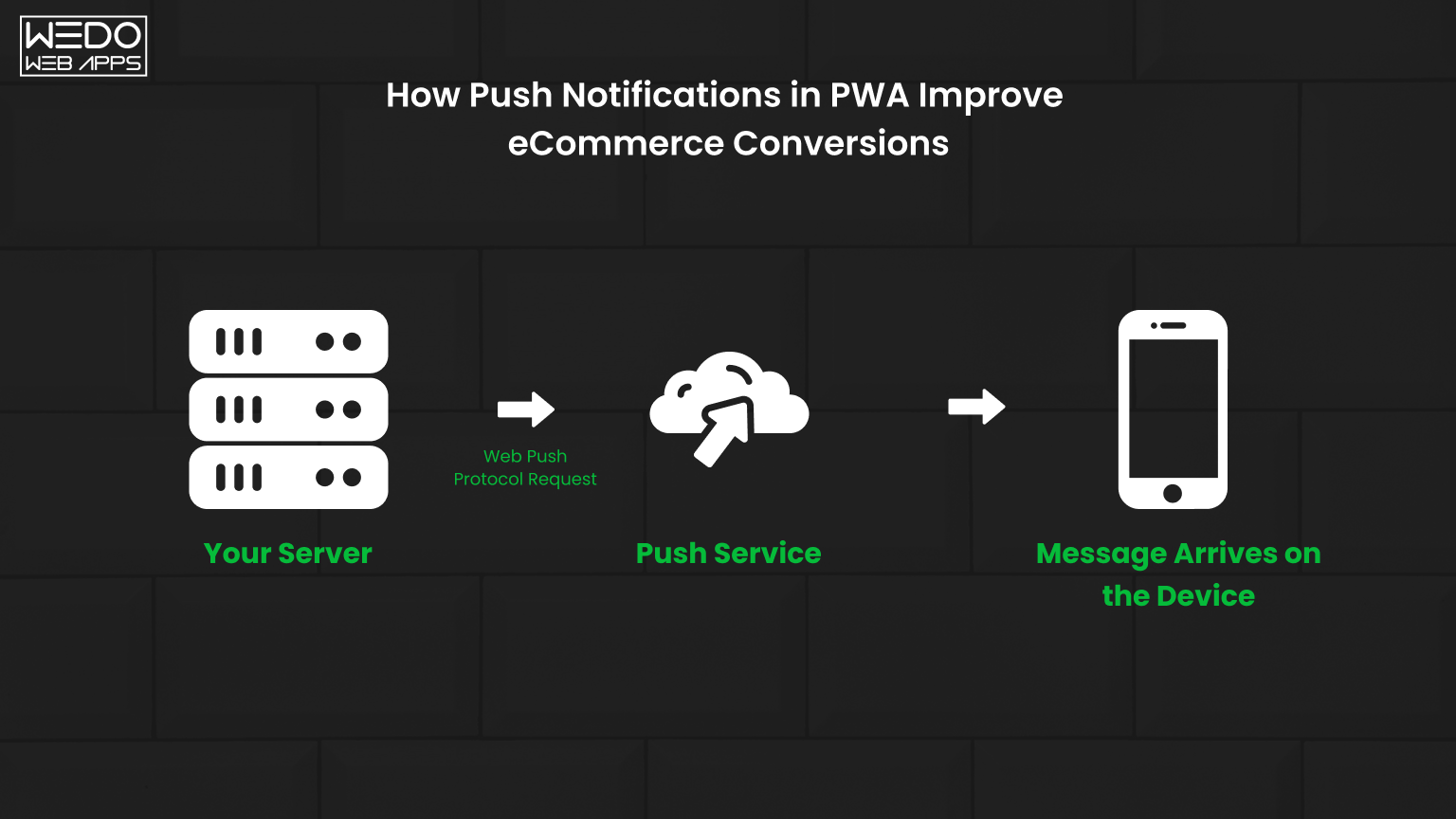
Push notifications are one of the most practical features of progressive web apps for eCommerce. They allow you to connect with users even after they leave your website.
Unlike emails, which often go unread, push notifications appear directly on the user’s device. This makes them more visible and timely.
What Are PWA Push Notifications
Push notifications are short messages sent to users who have allowed notifications from your website.
They can appear on:
- Mobile devices
- Desktop browsers
Users do not need to install an app. Once they opt in, you can send updates anytime.
How They Work in eCommerce PWA
In a progressive web app eCommerce setup:
- Users visit your store and allow notifications.
- Their browser stores permissions using service workers.
- You can send messages based on user behavior.
This creates a direct communication channel with your audience.
Key Use Cases for eCommerce
Push notifications can be used at different stages of the customer journey.
- Cart Reminders: Remind users about products left in the cart.
- Offers and Discounts: Share limited-time deals to drive quick action.
- Product Updates: Keep users informed about delivery status.
- New Arrivals: Bring users back to explore new products.
Impact on Conversions
Push notifications help to improve conversions by bringing users back at the right time.
| Use Case | Impact on Business |
|---|---|
| Cart Recovery | Reduces abandoned carts |
| Offers | Increases purchase intent |
| Re-engagement | Drives repeat visits |
| Timely Updates | Builds user trust |
Why They Are Effective
Push notifications work because they are:
- Immediate and direct
- Easy to Access
- Based on user actions and preferences
This makes them more effective than many traditional channels.
Best Practices to Follow
To get the best results from eCommerce PWA development, notifications should be used carefully:
- Send relevant and timely messages.
- Avoid sending too many notifications.
- Personalized based on user behavior.
- Use clear and simple language.
Simple Example
A user adds a product to the cart but leaves without buying. Later, they receive a notification with a reminder or a small discount. This increases the chances of them returning and completing the purchase.
Push notifications are a strong engagement tool within progressive web app eCommerce. When used correctly, they help bring users back, improve interaction, and increase overall conversions.
When Should You Choose Progressive Web Apps for eCommerce
Choosing progressive web apps for eCommerce should be based on business needs, not trends. A PWA is most useful when your current store setup starts limiting performance, user experience, or growth.
Instead of asking “Should I build a PWA?”, a better question is “Is my current store holding back conversions or engagement?”
Key Indicators Your Store Needs a PWA
Certain performance and user behavior signals clearly show the need for eCommerce PWA development.
- High mobile traffic but low conversions: Users visit from mobile but do not complete a purchase due to a slow experience.
- Slow page load time: Product pages take time to open, leading to early drop-offs.
- High bounce rate: Users leave after viewing only one page.
- Cart abandonment issues: Delays or friction during checkout reduce complete orders.
- Low repeat visits: Users do not return after their first interaction.
If you notice two or more of these issues, a PWA can directly improve performance.
Business Scenarios Where PWA Delivers Strong Value
A progressive web app eCommerce approach works best in the following cases:
1. Mobile-first Audience
If more than 60 percent of your traffic comes from mobile devices, speed and responsiveness become critical. PWAs are optimized for mobile performance.
2. Growing or Medium to Large Stores
As your catalog grows, traditional websites struggle with speed and navigation. PWAs handle large amounts of data more efficiently.
3. Performance-Driven Businesses
If your focus is on improving Core Web Vitals, user experience, and engagement metrics, PWA is a strong upgrade.
4. Businesses Avoiding Native App Costs
PWAs provide an app-like experience without the cost of building separate Android or iOS applications.
When You May Not Need a PWA Immediately
In some situations, investing in a PWA may not be the first priority.
- New or Small Stores: Limited traffic does not justify the investment yet.
- Basic Product Catalog: A simple store can perform well with optimized websites.
- Testing Business Ideas: Early-stage businesses should validate demand before scaling.
In these cases, improving the existing website can be a better first step.
Decision Table for Quick Evaluation
| Business Condition | What It Means | Recommendation |
|---|---|---|
| High mobile traffic | Users rely on mobile browsing | Consider PWA |
| Slow loading speed | Poor user experience | Consider PWA |
| High bounce rate | Users are not engaging | Consider PWA |
| Low budget | Limited resources | Start with optimization |
| Early-stage business | Still validating data | Delay PWA |
Practical Example
Consider two eCommerce stores:
- Store A loads in 5 seconds and has frequent drop-offs.
- Store B loads in 2 seconds with smooth navigation.
Store B will naturally retain more users and generate more sales.
A PWA helps move your store closer to that faster, smoother experience.
Long-Term Perspective
A PWA is not just a performance upgrade. It supports long-term growth by:
- Handling higher traffic without performance drops.
- Improving user retention through a better experience.
- Reducing dependency on multiple platforms.
This makes it a strategic investment for scaling businesses.
Progressive web apps for eCommerce are most useful when your store needs better speed, engagement, and scalability.
If performance issues are affecting user experience or conversions, moving to a PWA can deliver measurable improvements.

Common Mistakes to Avoid in eCommerce PWA Development
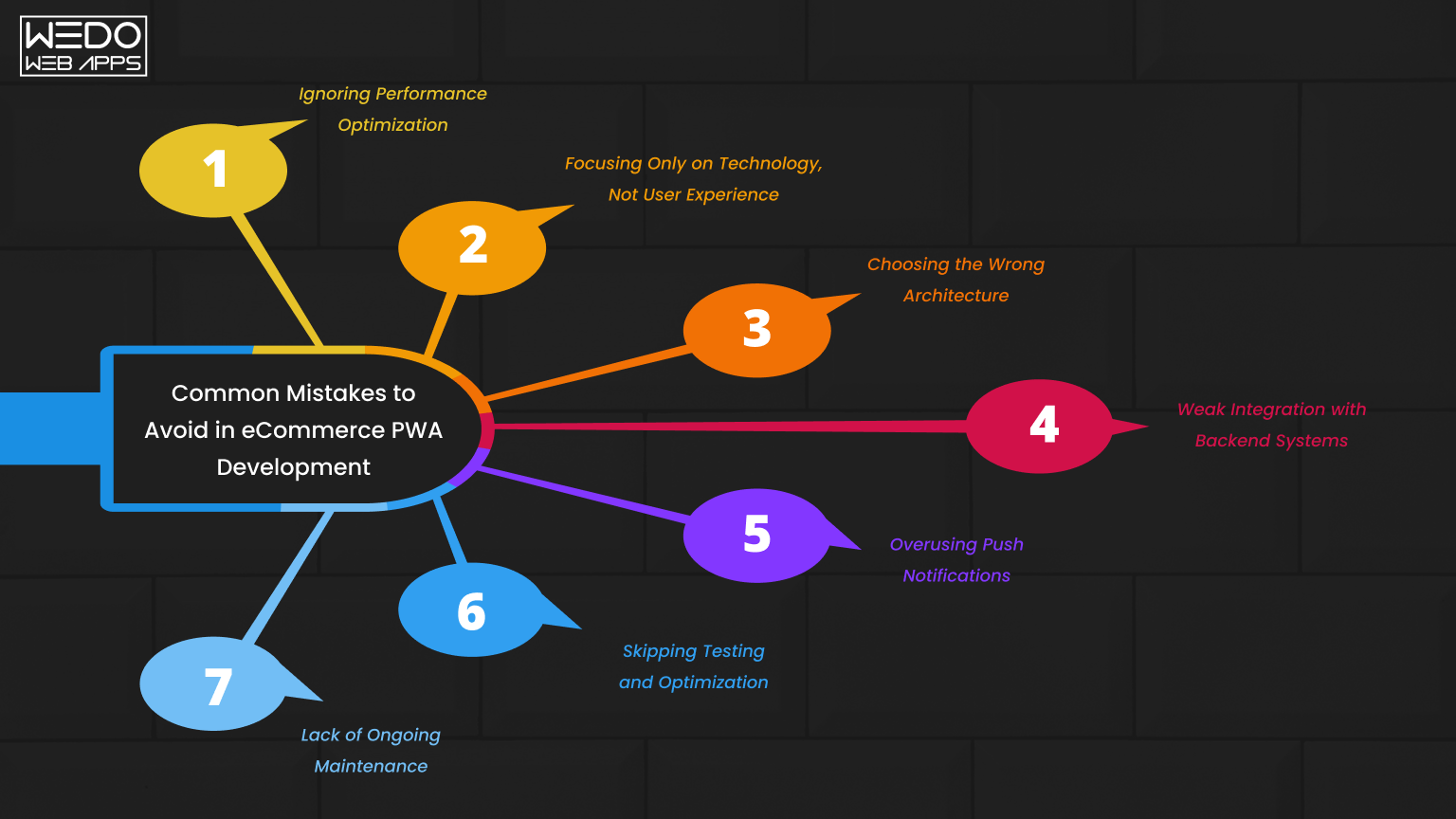
While eCommerce PWA development offers strong advantages, the results depend on how well it is implemented. Many businesses invest in PWAs but fail to achieve expected performance due to common mistakes.
Understanding these issues early can help you avoid unnecessary cost and rework.
Ignoring Performance Optimization
Some businesses assume that simply building a PWA will automatically improve speed. In reality, performance depends on proper website optimization.
- Poor image handling slows down pages.
- Unoptimized code affects loading time.
- Lack of caching reduces efficiency.
A PWA must be carefully optimized to deliver real results.
Focusing Only on Technology, Not User Experience
A fast site is not enough if users find it difficult to navigate.
- Complicated menus confuse users.
- Poor layout affects product discovery.
- Slow checkout process reduces conversions.
User experience should be a priority along with performance.
Choosing the Wrong Architecture
Selecting the wrong setup can limit scalability and flexibility.
- Using plugins when a custom build is needed.
- Overcomplicating small projects with heavy architecture.
- Ignoring future growth requirements.
The architecture should match your business size and goals.
Weak Integration with Backend Systems
A PWA relies on smooth communication between the frontend and backend.
- Poor API integration causes delays.
- Inventory or order sync issues affect operations.
- Payment gateway problems reduce trust.
Strong backend integration is essential for a stable system.
Overusing Push Notifications
Push notifications are useful, but excessive use can frustrate users.
- Too many messages lead to opt-outs.
- Irrelevant notifications reduce engagement.
- Poor timing affects user experience.
Notifications should be controlled and meaningful.
Skipping Testing and Optimization
Launching without proper testing can lead to performance issues.
- Bugs affect user experience.
- Inconsistent behavior across devices.
- Poor Core Web Vitals scores.
Testing ensures stability and smooth performance.
Lack of Ongoing Maintenance
A PWA is not a one-time setup. It requires continuous updates.
- Performance can drop over time.
- Website security risks may increase.
- Features may become outdated.
Regular monitoring and updates are necessary.
Quick Overview of Mistakes
| Mistake | Impact |
|---|---|
| Ignoring performance optimization | Slow loading and high bounce rates |
| Poor user experience design | Low engagement and conversions |
| Wrong architecture choice | Limited scalability |
| Weak backend integration | Operational issues |
| Overuse of notifications | User frustration |
| Lack of testing | Bugs and instability |
| No maintenance plan | Long-term performance decline |
Avoiding these mistakes ensures that your progressive web app eCommerce solution delivers real value. A well-planned and properly executed PWA can improve performance, user experience, and conversions. But without the right approach, it may not deliver expected results.
Conclusion
A fast and smooth shopping experience is no longer optional for eCommerce businesses. Users expect quick loading, easy navigation, and a reliable checkout process across every device.
This is where progressive web app eCommerce stands out. It brings together the accessibility of a website and the performance of a mobile app, without adding extra steps for users.
Through this guide, you have seen how eCommerce development improves speed, supports better Core Web Vitals, and creates a more engaging user journey. You have also explored cost, platform options like Shopify and Magento, and how features like push notifications help increase conversions.
For businesses aiming to improve performance and retain users, progressive web apps for eCommerce offer a practical and scalable solution. The key is to choose the right approach based on your business needs, budget, and growth plans.