Introduction
As technology requirements continue to grow, many businesses find themselves balancing multiple priorities at once, from hiring skilled developers and maintaining infrastructure to managing support requests and delivering projects on time. Building an in-house team for every IT need is not always practical, especially when budgets, timelines, and resource availability are under constant pressure.
This is one of the main reasons organizations are increasingly outsourcing IT operations. By partnering with external experts, businesses can access specialized skills, scale resources as needed, and focus internal teams on strategic initiatives. However, achieving these outcomes depends on more than simply choosing a vendor. Success often comes down to understanding the IT outsourcing process and managing it effectively from start to finish.
A structured IT outsourcing workflow helps businesses establish clear expectations, streamline collaboration, and reduce risks throughout the engagement. Whether you are outsourcing software development, cloud services, cybersecurity, or IT support, understanding how IT outsourcing works can help you make more informed decisions and achieve better results.
In this guide, we will break down the complete IT outsourcing lifecycle, explain the stages involved in successful outsourcing engagements, and explore the most valuable IT outsourcing benefits businesses can gain from the right outsourcing strategy.
What Is IT Outsourcing?
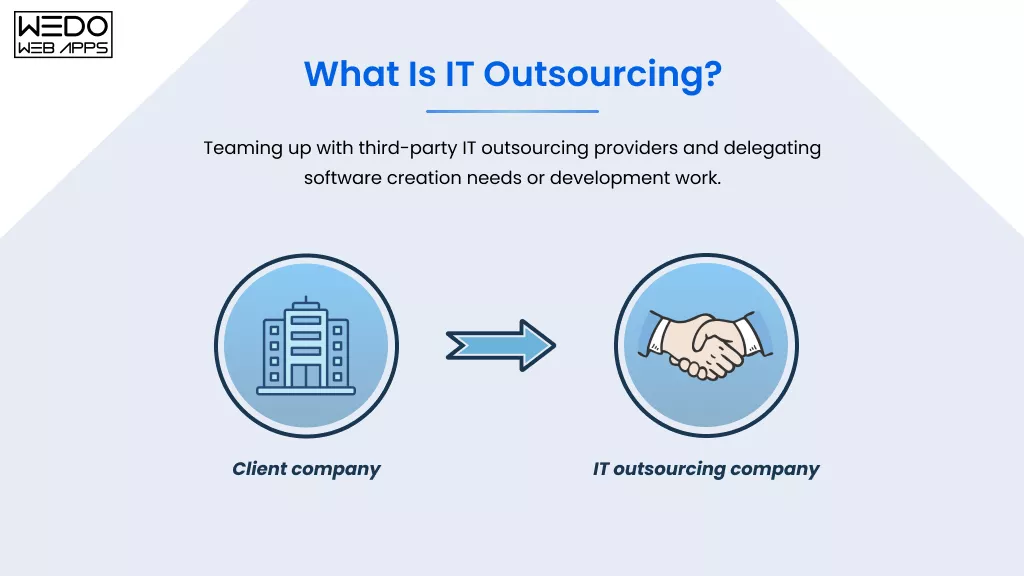
IT outsourcing is the practice of hiring an external service provider to manage specific IT functions, projects, or ongoing technology operations instead of handling them entirely with an in-house team.
Businesses often use outsourcing to access specialized expertise, reduce operational costs, fill skill gaps, and improve efficiency without expanding their internal workforce. Depending on business needs, companies may outsource a single project, a specific IT function, or an entire department.
Common IT Services Businesses Outsource
Organization outsources a wide range of technology services, including:
- Software development and application maintenance.
- Cloud infrastructure management.
- IT help desk and technical support.
- Cybersecurity monitoring and compliance.
- DevOps and infrastructure management.
- Quality assurance and software testing.
- Data management and analytics.
- Network administration.
Why Businesses Turn to IT Outsourcing
The decision to outsource is often driven by practical business needs:
| Business Challenge | How IT Outsourcing Helps |
|---|---|
| Limited access to skilled talent | Provides access to experienced specialists |
| Rising operational costs | Reduces recruitment and infrastructure expenses |
| Project delays | Expands development capacity quickly |
| Technology skill gaps | Brings expertise in specialized technologies |
| Scaling challenges | Allows teams to grow or shrink as needed |
Quick Example of IT Outsourcing
Imagine a growing eCommerce company planning to launch a mobile application. Instead of hiring developers, designers, testers, and DevOps engineers individually, the company partners with an outsourcing provider that already has the required expertise and resources. This allows the business to focus on growth and customer experience while the external team manages the technical execution.
In simple terms, outsourcing IT operations enables businesses to access the right expertise at the right time without the long-term commitments and overhead associated with building every capability internally.
How IT Outsourcing Works
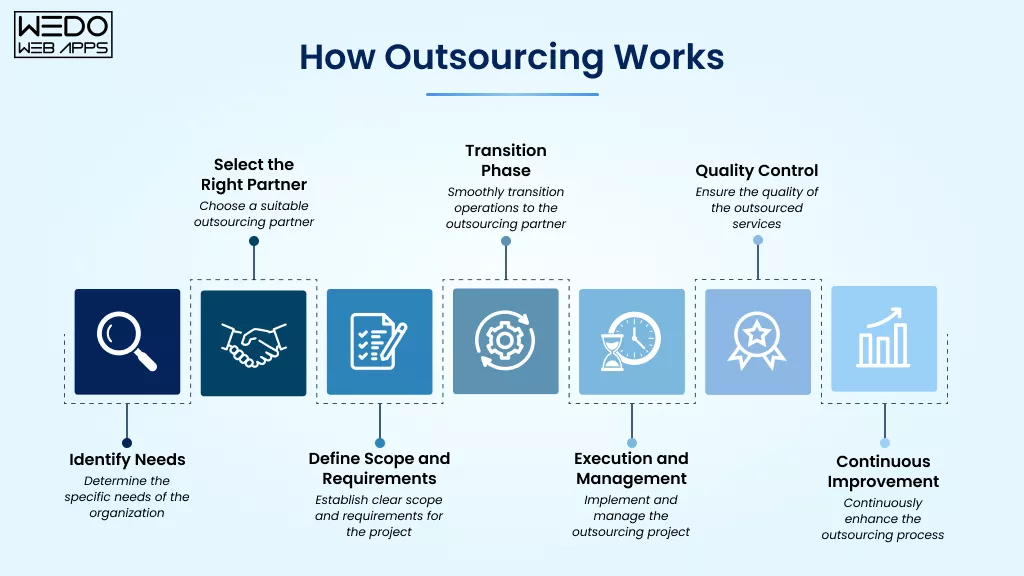
At its core, IT outsourcing follows a structured approach where a business partners with an external provider to handle specific technology functions, projects, or ongoing IT operations. While the scope and services may vary, most outsourcing engagements follow a similar path from planning to execution and ongoing management.
Understanding how IT outsourcing works helps businesses set realistic expectations, establish stronger partnerships, and achieve better outcomes throughout the engagement.
The Basic IT Outsourcing Workflow
A typical IT outsourcing workflow follows these key stages:
| Stage | What Happens |
|---|---|
| Requirements Planning | Business goals, challenges, and technical needs are identified |
| Vendor Selection | Potential outsourcing partners are evaluated and shortlisted |
| Contract & SLA Setup | Responsibilities, timelines, costs, and service levels are defined |
| Onboarding & Knowledge Transfer | Business processes, systems, and project requirements are shared |
| Service Delivery | The outsourcing team begins executing assigned tasks and projects |
| Performance Monitoring | Progress, KPIs, and service quality are regularly reviewed |
| Optimization & Scaling | Services are improved, expanded, or adjusted as business needs change |
Key Participants in the Outsourcing Process
Successful outsourcing depends on collaboration between multiple stakeholders.
Client Team
- Defines business goals and project requirements.
- Provides feedback and approvals.
- Monitors overall outcomes.
Outsourcing Partner
- Supplies technical expertise and resources.
- Delivers agreed services and project milestones.
- Provides ongoing support and recommendations.
Project Managers
- Coordinate communication between teams.
- Track timelines and deliverables.
- Address risks and operational challenges.
Technical Teams
- Develop, maintain, secure, or support technology solutions.
- Ensure quality standards are met.
- Resolve technical issues efficiently.
What Makes an IT Outsourcing Engagement Successful?
While every business has unique requirements, successful outsourcing partnerships typically share a few common characteristics:
- Clearly defined goals and expectations.
- Detailed project scope and documentation.
- Strong communication channels.
- Well-defined service level agreements (SLAs).
- Regular performance reviews.
- A long-term collaboration mindset.
Think of the IT outsourcing process as a roadmap. The destination may be different for every business, but following a structured route helps avoid costly detours, delays, and unexpected challenges along the way.
Now that we’ve covered how IT outsourcing works, let’s look at the complete IT outsourcing workflow and break down each stage in detail.
IT Outsourcing Workflow: Step-by-Step Process
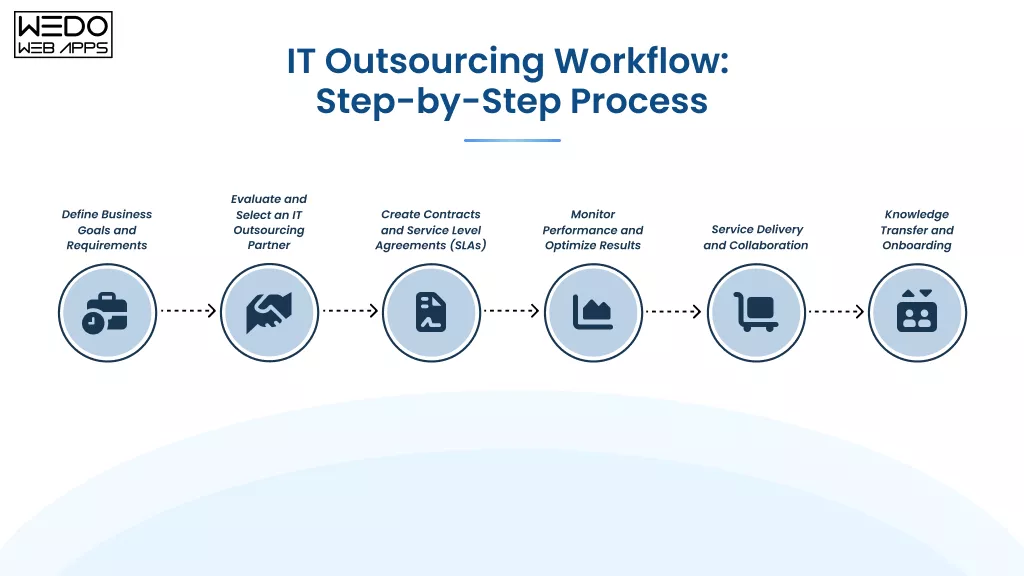
A successful outsource app development doesn’t happen overnight. It follows a structured IT outsourcing workflow that helps businesses move from identifying a need to achieving measurable results. Each stage plays a role in reducing risks, improving collaboration, and ensuring that the outsourcing engagement delivers value.
Step 1. Define Business Goals and Requirements
Every successful IT outsourcing process starts with a clear understanding of business objectives.
Before approaching potential vendors, businesses should identify:
- The problem they want to solve.
- The services they plan to outsource.
- Project scope and expected deliverables.
- Budget and timeline expectations.
- Required technologies and expertise.
The more clearly the requirements are defined, the easier it becomes to find the right outsourcing partner.
Step 2. Evaluate and Select an IT Outsourcing Partner
Once requirements are established, the next step is identifying vendors that align with business needs.
During the evaluation process, businesses typically assess:
- Technical capabilities
- Industry experiences
- Portfolio and case studies
- Security and compliance standards
- Communication practices
- Pricing structure
Choosing a provider based solely on cost can often create challenges later. Expertise, reliability, and cultural fit should also be part of the decision.
Step 3. Create Contracts and Service Level Agreements (SLAs)
After selecting a vendor, both parties establish the framework for collaboration.
Key areas usually covered include:
- Scope of work
- Role and responsibilities
- Project timelines
- Pricing and payment terms
- Service level agreements
- Security and confidentiality requirements
A well-structured agreement helps prevent misunderstandings and keeps expectations aligned.
Step 4. Knowledge Transfer and Onboarding
At this stage, the outsourcing team gains a complete understanding of the business, project requirements, systems, and workflows.
Typical onboarding activities include:
- Sharing technical documentation
- Introducing stakeholders
- Providing system access
- Reviewing workflows and processes
- Defining communication channels
A smooth onboarding process creates a strong foundation for project execution.
Step 5. Service Delivery and Collaboration
With planning complete, the outsourcing team begins executing tasks and delivering services.
Depending on the engagement, this may involve:
- Software development
- IT support services
- Infrastructure management
- Cloud operations
- Cybersecurity monitoring
Regular communication and progress reviews help ensure work remains aligned with business objectives.
Step 6. Monitor Performance and Optimize Results
The final stage focuses on measuring outcomes and identifying opportunities for improvement.
Businesses often track:
| Performance Area | Example Metrics |
|---|---|
| Service Quality | Error rates, issue resolution |
| Project Delivery | Milestone completion, deadlines |
| Productivity | Resource utilization, output |
| Customer Experience | Satisfaction scores |
| Operational Efficiency | Cost saving, process improvements |
Continuous monitoring allows both parties to address issues early and improve performance over time.
Quick Recap of the IT Outsourcing Process
| Step | Objective | Outcome |
|---|---|---|
| Planning | Define business goals, requirements, and project scope | Clear outsourcing strategy |
| Vendor Selection | Evaluate and choose the right outsourcing partner | Qualified and reliable provider |
| Contracting | Establish responsibilities, timelines, and SLAs | Aligned expectations |
| Onboarding | Transfer knowledge, processes, and system access | Smooth transition and faster ramp-up |
| Service Delivery | Execute projects and manage outsourced operations | Consistent project progress |
| Performance Monitoring | Track KPIs, service quality, and milestones | Improved accountability and transparency |
| Optimization | Identify improvements and scale services as needed | Continuous improvement and business growth |
Following this structured IT outsourcing process helps businesses maintain control, improve transparency, and maximize the value of their outsourcing investments.
Understanding the IT Outsourcing Lifecycle
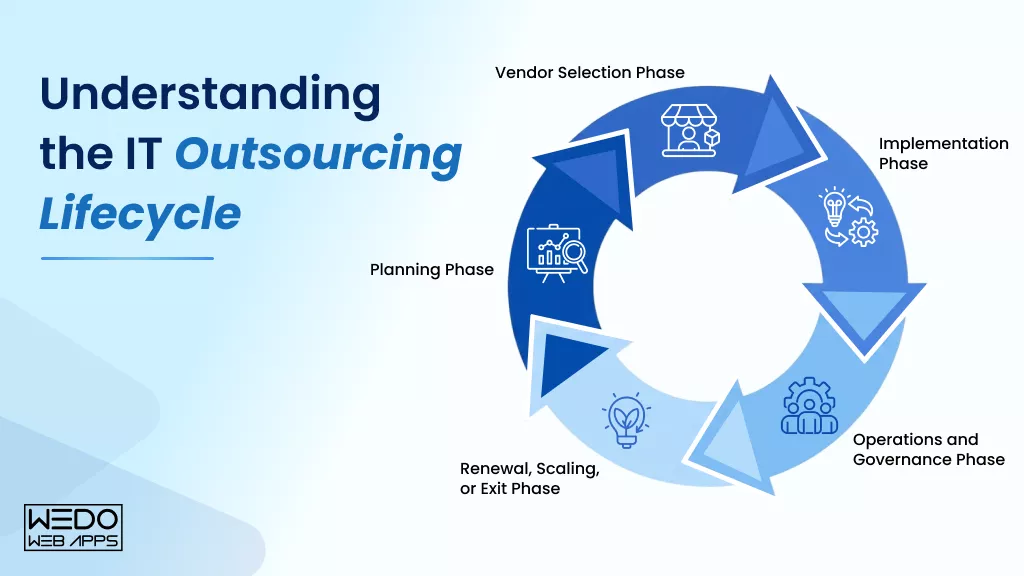
While the IT outsourcing workflow focuses on the operational steps involved in an outsourcing engagement, the IT outsourcing lifecycle provides a broader view of the entire relationship, from the initial planning stage to long-term optimization and future decisions.
Understanding each phase of the lifecycle helps businesses build stronger outsourcing partnerships, reduce risks, and maximize the value of their investment over time.
1. Planning Phase
Every outsourcing initiative begins with careful planning. During this phase, businesses assess their current IT capabilities, identify challenges, and determine which functions or projects should be outsourced.
Key activities include:
- Evaluating business and technical requirements.
- Identifying outsourcing goals.
- Defining budgets and timelines.
- Assessing potential risks.
Goal: Establish a clear outsourcing strategy and project scope.
2. Vendor Selection Phase
Once requirements are defined, businesses begin searching for outsourcing providers that match their technical, operational, and budgetary needs.
Typical evaluation criteria include:
- Technical expertise
- Industry experience
- Security practices
- Service offerings
- Client references
- Communication capabilities
Goal: Select a partner that aligns with business objectives and long-term expectations.
3. Implementation Phase
After contracts are finalized, the outsourcing provider is onboarding and integrated into existing workflows.
This phase often includes:
- Knowledge transfer sessions
- Process documentation
- Team introductions
- System and tool access setup
- Project kickoff activities
Goal: Create a smooth transition with minimal operational disruption.
4. Operations and Governance Phase
This is the longest stage of the IT outsourcing lifecycle, and where most day-to-day collaboration takes place.
Key focus areas include:
- Service delivery
- Project management
- Performance tracking
- SLA compliance
- Risk management
- Ongoing communication
Goal: Maintain service quality and achieve desired business outcomes.
5. Renewal, Scaling, or Exit Phase
As contracts approach completion, businesses evaluate the success of the outsourcing engagement and determine the next steps.
Possible outcomes include:
- Renewing the agreement.
- Expanding outsourced services.
- Scaling resources up or down.
- Transitioning services to another provider.
- Bringing operations back in-house.
Goal: Make informed decisions based on business needs and performance results.
IT Outsourcing Lifecycle Overview
| Lifecycle Planning | Primary Focus | Expected Outcome |
|---|---|---|
| Planning | Define goals and scope | Outsourcing strategy |
| Vendor Selection | Choose a provider | Qualified partner |
| Implementation | Onboard teams and processes | Smooth transition |
| Operations & Governance | Manage delivery and performance | Consistent results |
| Renewal or Exit | Evaluate future direction | Long-term value optimization |
A well-managed IT outsourcing lifecycle ensures that outsourcing remains aligned with business goals at every stage, helping organizations achieve sustainable value rather than short-term gains.
Types of IT Outsourcing Models
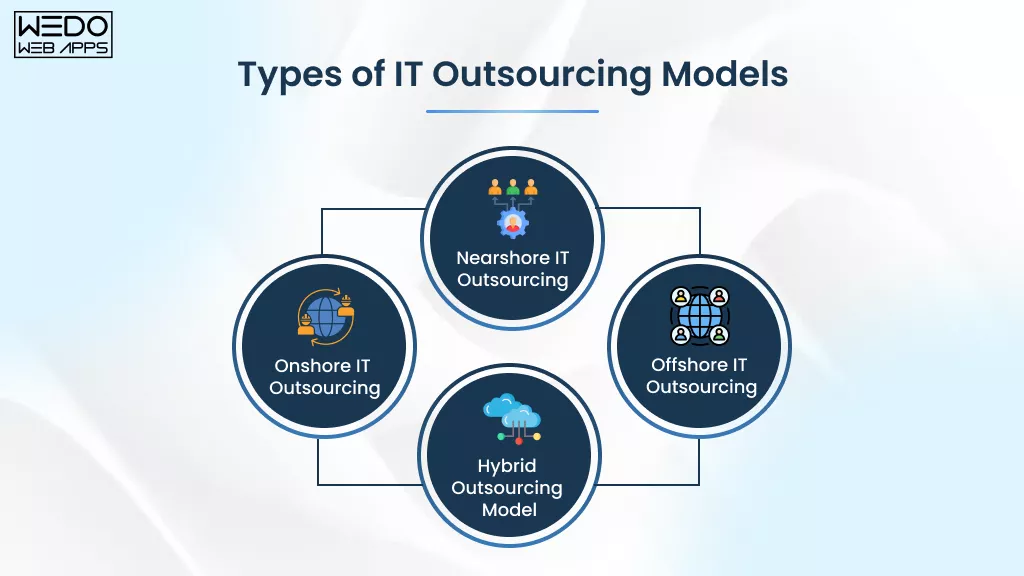
Businesses adopt different IT outsourcing models based on factors such as budget, project requirements, communication preferences, and scalability needs. Choosing the right model can significantly impact collaboration, project outcomes, and overall business values.
Let’s look at the most common outsourcing models businesses use today.
Onshore IT Outsourcing
Onshore outsourcing involves partnering with an IT service provider located within the same country as your business.
This model offers easier communication, cultural alignment, and a better understanding of local regulations. Businesses that require frequent collaboration or operate in highly regulated industries often prefer onshore outsourcing.
Key advantages:
- Real-time communication
- Similar business practices and culture
- Easier compliance management
- Stronger collaboration opportunities
Best for:
- Highly regulated industries
- Government and public sector projects
- Business requiring close collaboration
- Complex projects with frequent stakeholder involvement
Nearshore IT Outsourcing
Nearshore outsourcing refers to working with service providers in neighbouring or nearby countries.
Businesses often choose this model to balance cost savings with effective communication and collaboration.
Key advantages:
- Lower costs than onshore outsourcing
- Overlapping working hours
- Better cultural compatibility
- Easier project coordination
Best for:
- Agile development projects
- Long-term software development partnerships
- Businesses seeking cost efficiency without major communication barriers
- An organization that requires regular team interaction
Offshore IT Outsourcing
Offshore outsourcing involves hiring a service located in a distant country.
This model is widely used by businesses looking to access global talent and optimize operational costs.
Key advantages:
- Significant cost savings
- Access to a larger talent pool
- Faster team scaling
- Availability of specialized technical expertise
Best for:
- Software development projects
- IT support and maintenance services
- Startups with limited budgets
- Businesses focused on rapid scaling
Hybrid Outsourcing Model
A hybrid outsourcing model combines multiple outsourcing approaches, allowing businesses to distribute responsibilities across in-house, onshore, nearshore, and offshore teams.
This approach offers greater flexibility and enables organizations to balance cost, control, and expertise.
Key advantages:
- Greater operational flexibility
- Improved resource allocation
- Balanced cost management
- Access to a diverse talent pool
Best for:
- Enterprise organizations
- Multi-region projects
- Long-term digital transformation initiatives
- Businesses requiring both strategic oversight and scalable delivery
IT Outsourcing Models Comparison
| Model | Location | Cost Level | Collaboration | Best For |
|---|---|---|---|---|
| Onshore | Same country | High | High | Regulated industries and complex projects |
| Nearshore | Nearby countries | Medium | High | Collaborative development projects |
| Offshore | Distant countries | Low | Moderate | Cost optimization and rapid scaling |
| Hybrid | Multiple regions | Varies | High | Long-term and enterprise-level initiatives |
Each model offers distinct advantages, and the right choice depends on your business objectives, operational requirements, and growth plans. Evaluating these factors early in the IT outsourcing process can help build a more effective and sustainable outsourcing strategy.

Key Benefits of IT Outsourcing
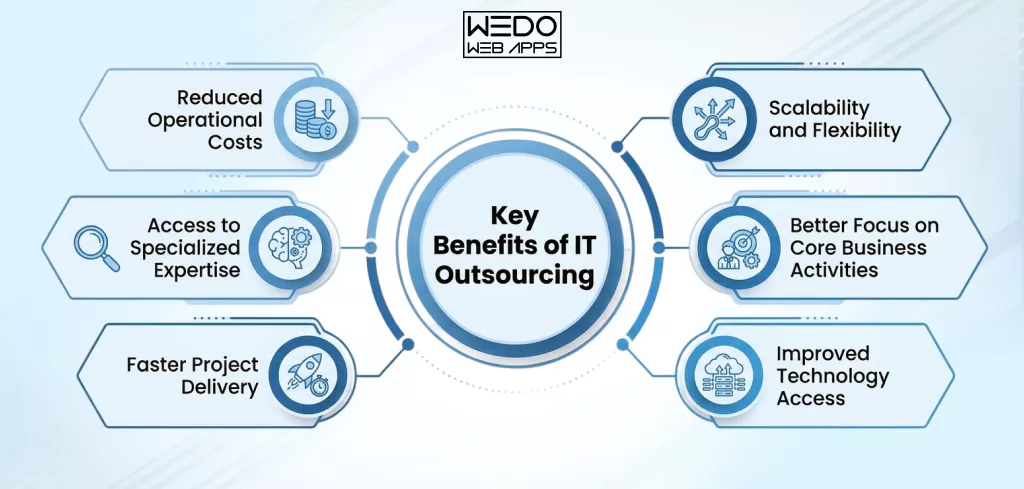
Businesses choose IT outsourcing for many reasons, from reducing operational expenses to accessing specialized expertise that may not be available internally. When implemented effectively, outsourcing can help organizations improve efficiency, accelerate project delivery, and focus more resources on strategic growth initiatives.
Reduced Operational Costs
Building and maintaining an in-house IT team involves expenses such as recruitment, salaries, employee benefits, training, and infrastructure. Outsourcing helps businesses optimize these costs while maintaining service quality.
Key Cost Advantages:
- Reduces hiring and onboarding expenses.
- Minimizes infrastructure and software investments.
- Lowers ongoing training costs.
- Provides predictable operational spending.
Access to Specialized Expertise
Technology projects often require expertise across multiple domains. Outsourcing providers offer access to professionals with specialized technical skills and industry experience.
What Businesses Gain:
- Access to niche technology specialists.
- Industry-specific knowledge and experiences.
- Exposure to proven best practices.
- Support for complex technical requirements.
Faster Project Delivery
Established outsourcing teams can begin work quickly without lengthy recruitment cycles, helping businesses accelerate project timelines.
How Outsourcing Speeds Up Delivery:
- Immediate access to experienced professionals.
- Faster project initiation.
- Reduced recruitment delays.
- Streamlined development and support processes.
Scalability and Flexibility
Business needs change over time, and outsourcing provides the flexibility to adjust resources based on demand.
Scalability Benefits:
- Scale teams up during peak workloads.
- Reduce resources when project demands decrease.
- Support business growth without major hiring efforts.
- Adapt quickly to changing market conditions.
Better Focus on Core Business Activities
By outsourcing IT operations, businesses can free internal teams from routine technical tasks and focus on strategic initiatives.
Business Impact:
- More focus on innovation and growth.
- Improved resource allocation.
- Greater attention to customer needs.
- Increased operational efficiency.
Improved Technology Access
Outsourcing providers often work with the latest technologies and tools, helping businesses stay competitive.
Technology Advantages:
- Access to modern development tools.
- Support for emerging technologies.
- Improved security and compliance practices.
- Faster technology adoption.
Benefit Checklist
- Lower operational and staffing costs.
- Access to specialized technical expertise.
- Faster project execution and delivery.
- Flexible resource scaling.
- Greater focus on core business functions.
- Access to modern technologies and tools.
- Reduced hiring and training challenges.
- Improved operational efficiency.
- Better business agility and responsiveness.
- Enhanced support for growth initiatives.
Common Challenges in the IT Outsourcing Process
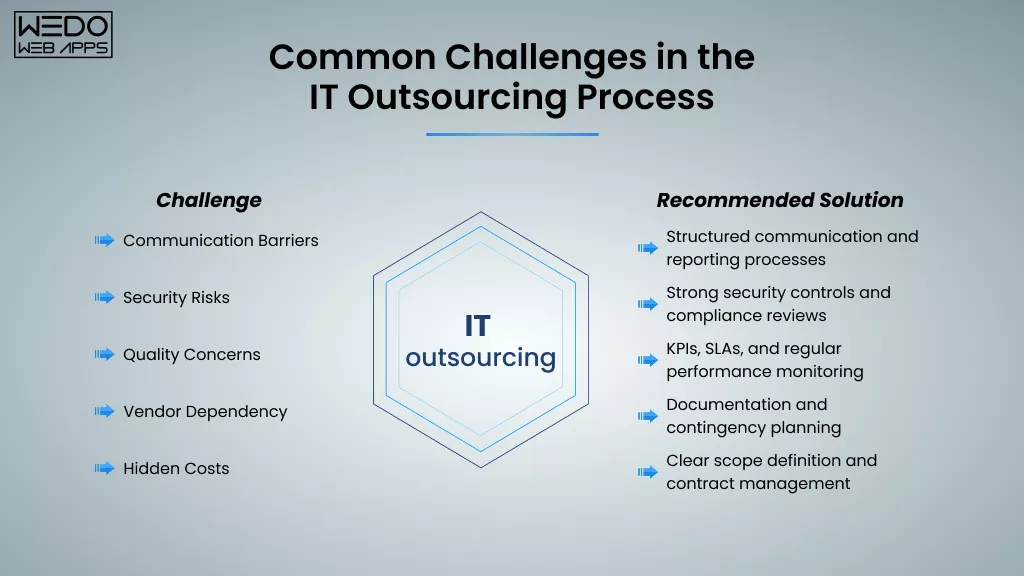
While IT outsourcing offers significant advantages, businesses should also be aware of potential challenges that can affect project outcomes and operational efficiency. Understanding these risks early allows organizations to develop mitigation strategies and build stronger outsourcing partnerships.
Communication Barriers
When teams work across different locations, time zones, or cultures, communication challenges can arise. Misunderstandings and delayed responses may impact project progress if communication processes are not clearly defined.
Common Issues:
- Delayed feedback and decision-making
- Language or cultural differences
- Misaligned expectations
- Inconsistent project updates
How to Address It:
- Establish clear communication channels
- Schedule regular status meetings
- Define reporting structures early
- Document requirements thoroughly
Security and Compliance Risks
Outsourcing often requires sharing sensitive business information, systems, or customer data with external providers. Without proper safeguards, this can create security and compliance concerns.
Potential Risks:
- Unauthorized data access
- Data breaches
- Regulatory compliance issues
- Weak security practices
How to Address It:
- Verify security certifications and standards
- Sign non-disclosure agreements (NDAs)
- Implement access control policies
- Conduct regular security reviews
Quality Control Concerns
Maintaining consistent service quality can be challenging if performance expectations are unclear or poorly monitored.
Common Issues:
- Inconsistent deliverables
- Missed deadlines
- Lack of process standardization
- Performance gaps
How to Address It:
- Define measurable KPIs
- Establish detailed SLAs
- Conduct regular performance evaluations
- Create clear quality benchmarks
Vendor Dependency
Relying too heavily on a single outsourcing provider can create operational risks if the relationship changes unexpectedly.
Potential Risks:
- Limited operational flexibility
- Knowledge concentration with one provider
- Service disruptions during transitions
- Reduced bargaining power
How to Address It:
- Maintain internal documentation
- Create transition plans
- Diversify critical service providers when appropriate
- Conduct periodic vendor assessments
Hidden Costs and Scope Changes
Projects can become more expensive when requirements change frequently or when contract terms are not clearly defined.
Common Cost Drivers:
- Scope expansion
- Additional support requests
- Change management activities
- Unexpected project complexities
How to Address It:
- Define project scope clearly
- Establish change request procedures
- Review contracts carefully
- Monitor budgets regularly
Challenge Migration Checklist
| Challenge | Recommended Solution |
|---|---|
| Communication Barriers | Structured communication and reporting processes |
| Security Risks | Strong security controls and compliance reviews |
| Quality Concerns | KPIs, SLAs, and regular performance monitoring |
| Vendor Dependency | Documentation and contingency planning |
| Hidden Costs | Clear scope definition and contract management |
Addressing these challenges proactively helps businesses maximize the IT outsourcing benefits while reducing potential risks throughout the outsourcing engagement.
How to Choose the Right IT Outsourcing Partner
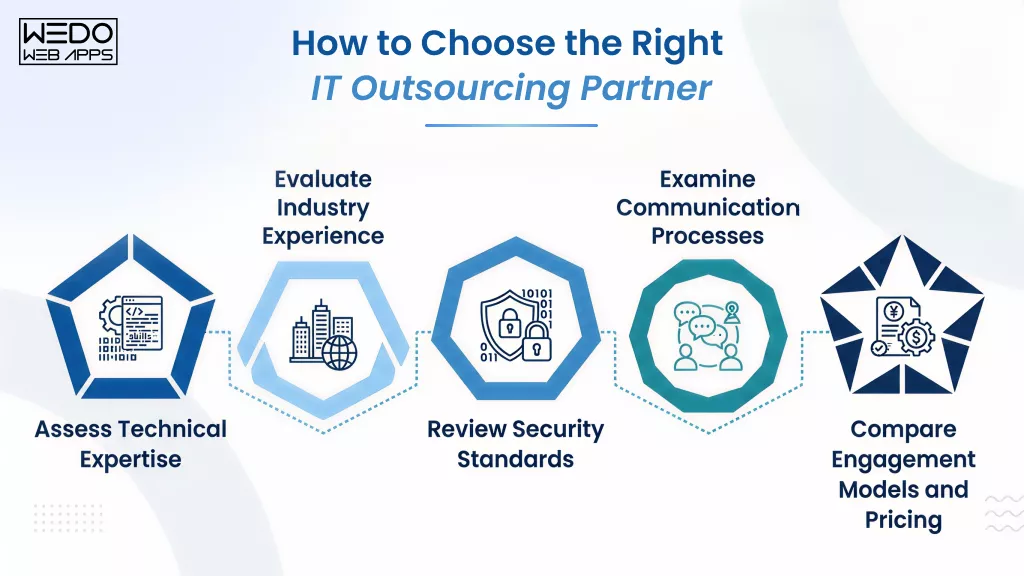
The success of your IT outsourcing process depends heavily on selecting the right partner. Beyond technical capabilities, businesses should evaluate factors such as industry experience, security practices, communication standards, and engagement flexibility to ensure a productive long-term relationship.
Assess Technical Expertise
Technical competence is often the first factor businesses consider when evaluating outsourcing providers. The provider should have experience with the technologies, tools, and frameworks relevant to your project or operational requirements.
What to look for:
- Expertise in required technologies and platforms
- Relevant certifications and technical credentials
- Experience delivering similar projects
- Proven development and support capabilities
Evaluate Industry Experience
Industry-specific experience can help providers understand your business requirements more quickly and deliver solutions that align with industry standards and regulations.
What to look for:
- Experience within your industry
- Relevant case studies and project portfolios
- Understanding of industry-specific challenges
- Client references and testimonials
Review Security Standards
When outsourcing IT operations, businesses often share access to sensitive systems, applications, and data. Strong security measures are essential for protecting business assets and maintaining compliance.
What to look for:
- Security certifications and compliance standards
- Data protection policies
- Access control procedures
- Risk management frameworks
Examine Communication Processes
Clear communication helps prevent misunderstandings, project delays, and scope-related issues. Understanding how a provider manages communication can provide valuable insight into how the partnership will function.
What to look for:
- Defined communication channels
- Regular reporting practices
- Response time commitments
- Dedicated points of contact
Compare Engagement Models and Pricing
Different providers offer different collaboration models and pricing structures. Businesses should select an option that aligns with their project requirements, budget, and preferred level of involvement.
Common areas to compare:
- Dedicated team vs managed services
- Fixed-price vs time-and-material pricing
- Resource scalability options
- Support and maintenance coverage
Vendor Evaluation Checklist
Use this checklist when comparing potential outsourcing providers:
- Technical expertise matches project requirements
- Experience with similar projects and technologies
- Relevant industry knowledge and case studies
- Strong security and compliance practices
- Transparent communication processes
- Flexible engagement models
- Clear and competitive pricing structure
- Positive client reviews and references
- Scalable service capabilities
- Long-term support and maintenance options
Choosing the right outsourcing partner is not just about cost or technical skills. A provider that aligns with your business goals, communication style, and operational requirements is more likely to deliver a successful and sustainable outsourcing relationship.
IT Outsourcing vs In-House IT Teams
One of the most common questions businesses face is whether to build an internal IT team or partner with an outsourcing provider. While both approaches offer advantages, the right choice depends on factors such as budget, project complexity, scalability requirements, and access to specialized expertise.
An in-house team provides direct control and deep organizational knowledge, while IT outsourcing offers flexibility, broader expertise, and faster access to resources. Understanding the differences can help businesses make more informed decisions.
IT Outsourcing vs In-House IT Teams: Comparison
| Factor | IT Outsourcing | In-House IT Team |
|---|---|---|
| Cost | Lower upfront investment and predictable operational costs | Higher recruitment, training, and infrastructure costs |
| Access to Talent | Access to global specialists and niche expertise | Limited to the available hiring pool |
| Scalability | Easy to scale resources up or down | Scaling often requires lengthy hiring processes |
| Project Delivery Speed | Faster team deployment and onboarding | Dependent on recruitment and internal capacity |
| Technology Expertise | Broad exposure to multiple technologies and industries | Expertise may be limited to existing team skills |
| Management Effort | Shared responsibility with the outsourcing provider | Full management responsibility remains internal |
| Operational Control | Moderate control based on the engagement model | Full control over processes and resources |
| Long-Term Knowledge Retention | Knowledge may be distributed across the external team | Knowledge remains within the organization |
When IT Outsourcing Makes Sense
IT outsourcing is often a good option when businesses need:
- Specialized expertise that is not available internally
- Faster project execution
- Flexible resource allocation
- Cost-effective scaling
- Support for short-term or specialized projects
When an In-House Team Makes Sense
An internal IT team may be more suitable when businesses require:
- Complete operational control
- Continuous management of core systems
- Deep organization knowledge
- Strict internal security requirements
- Long-term ownership of critical technology functions
Can Businesses Use Both Approaches?
Yes. Many organizations adopt a hybrid approach that combines internal teams with outsourced resources.
- Internal teams manage business-critical operations
- Outsourcing partners handle specialized projects
- External experts support temporary resource gaps
- Managed service provider oversees routine IT operations
This approach allows businesses to maintain control over strategic functions while benefiting from the flexibility and expertise that outsourcing IT operations can provide.
There is no one-size-fits-all approach. Businesses should evaluate their goals, budget, technical requirements, and growth plans before deciding between an in-house team, outsourcing providers, or a combination of both. The most effective solution is often the one that best aligns with long-term business objectives.
Conclusion
A successful IT outsourcing process is about more than reducing costs. It involves choosing the right partner, establishing clear expectations, and following a structured approach throughout the engagement. From planning and vendor selection to service delivery and performance monitoring, each stage of the IT outsourcing lifecycle contributes to long-term success.
Whether you are looking to access specialized software development, accelerate project delivery, or improve operational efficiency, outsourcing IT operations can provide the flexibility and resources needed to support your business goals.
By understanding how IT outsourcing works and implementing the right strategy, businesses can build stronger technology capabilities while staying focused on growth and innovation.