skip to content

Why Did My Website Crash, and How Do I Fix It?

Introduction

One of the most irritating aspects of having a website is that it may sometimes break unexpectedly. For example, one day, a web page was working fine, and the very next day, it did not. Understand this with an example, “One day your Contact Us form is working successfully sending emails to your sales team, and suddenly the very next day it stopped working fine.”

Other examples of Website Crash may include: One day, a link on your website to some other website worked fine, but on the next day, it did not. Or today, a customer is able to complete the buying process, and the other day your website broke, and no customer could buy anything. Annoying, right?

But do you know why websites crash? There may be many reasons for a website to break, like improper hosting, lack of updates, and outdated software. It is a question of thought about how a crashed website or a site with problems may affect your business. But, if your website visitors are not able to access the homepage or if they encounter an error message while signing in, you are probably losing money by losing customers.

When you are investing in a new website, you should know that there will be some additional costs in the long run. It can be frustrating when your website breaks automatically, even when you did not do anything wrong. Another problem is that when you start a new business, you believe that it will run seamlessly in the long run and will not require any maintenance.

However, this is not true. For the people with such thinking, their sites usually start malfunctioning with time without giving any warning. This is aggravating since the site developers promised that everything up and down was done correctly. Even after this, something fishy happens and leaves you with only one solution, support. Often one of the most time-consuming things.

Being the best responsive website design company for decades, we are experts in web design and development. We are here with a few reasons why your website suddenly crashes or stops working. Before that, let’s discuss some of the common website errors we have seen throughout our experience.

How to Detect Website Issues Before They Turn Into Crashes

Many website crashes do not happen suddenly. Small warning signs usually appear first, such as slow loading pages, random errors, or short downtime periods. Identifying the issues early can help you fix problems before visitors even notice them.

Using uptime monitoring tools allows you to keep track of your website’s availability around the clock. These tools send alerts whenever your site goes offline. Performance testing platforms like Google PageSpeed Insight or GTmetrix help you measure speed and server response time. Error logs and server reports also highlight technical issues that may otherwise go unnoticed.

Tools such as Google Search Console, Google Analytics, and UptimeRobot provide clear insights into traffic drops, crawl errors, and downtime events.

Regular monitoring works like a health check for your website. Fixing minor issues early prevents costly breakdowns later.

website crash support offering updates

Some Common Website Errors

Some Common Website Errors Overview

1. HTTP Errors

HTTP errors can be pretty frustrating at times. We all might have experienced these HTTP errors at least once to date, and we can tell how annoying it could be to browse a website and suddenly hit a wall of HTTP errors.

These error messages are from the web server, indicating that there is something wrong with the website. Common HTTP errors are 401 unauthorized, 403 forbidden, 404 Not Found, 500 Internal Server Error, and 504 Gateway Timeout.

2. Long Metadata

The primary purpose of the page title is to tell visitors what the page is about. The page’s title will be cut off by the search engines if it is longer than 70 characters. Likewise, if we talk about meta descriptions, the character count is a maximum of 155 characters. If the word count exceeds the limit, the extra content will be cut and replaced with “…”. Cutting off the meta is not as enticing for young consumers to visit your website.

Fortunately, these errors are an easy fix and involve brainstorming for you to come up with keyword-rich meta titles and descriptions. Also, you can tell compact yet detailed information of what your web pages are about.

While understanding why websites crash and how to fix them, stay informed with the latest iPhone app development trends to keep your mobile projects on the cutting edge.

3. Too Long or Too Short on Text

This is a standard error most of the websites have. You don’t want too much or too little text on your website. A wordy or busy page may look spammy and can overwhelm the readers. A page with less content may look unprofessional, incomplete. And a sparse website can negatively impact your SEO.

To avoid this, what you can do is to ensure each page has keyword-rich content that provides the users with value and relevant information. Avoid adding content just for the sake of increasing the text unless it provides value to the customers.

4. Duplicate Page Content

Duplicate page content can only compete with each other on your website, and the search engine will give results for only one page instead of all of them. To resolve this error, avoid using the same metadata for more than one web page. Use some online tools to identify any duplicate data that can be edited.

5. Expiring Domain Name

Search engines give results for websites that are trustworthy and established for a long time. If your business has been registered for so many years, it shows your commitment to your business, website, and content.

Keep reviewing your domain registration and get it renewed annually to make sure that your website is not considered spammy.

6. Images with No ALT Text

Search engines tend to process text more than images. So, if your website images are without the ALT text, they would be missed by the search engines. This is another easy fix; simply give keyword-rich descriptive titles to every image of your website. If you want to make this step easier, ensure naming and saving your images properly before uploading.

These were the most common errors you might have or will face at least once in your life. Resolving these may help you get better sales and conversion rates in your business. Next, let us discuss the main reasons why your website breaks and what you can do to fix the crash.

Reasons Why Your Website Breaks All by Itself
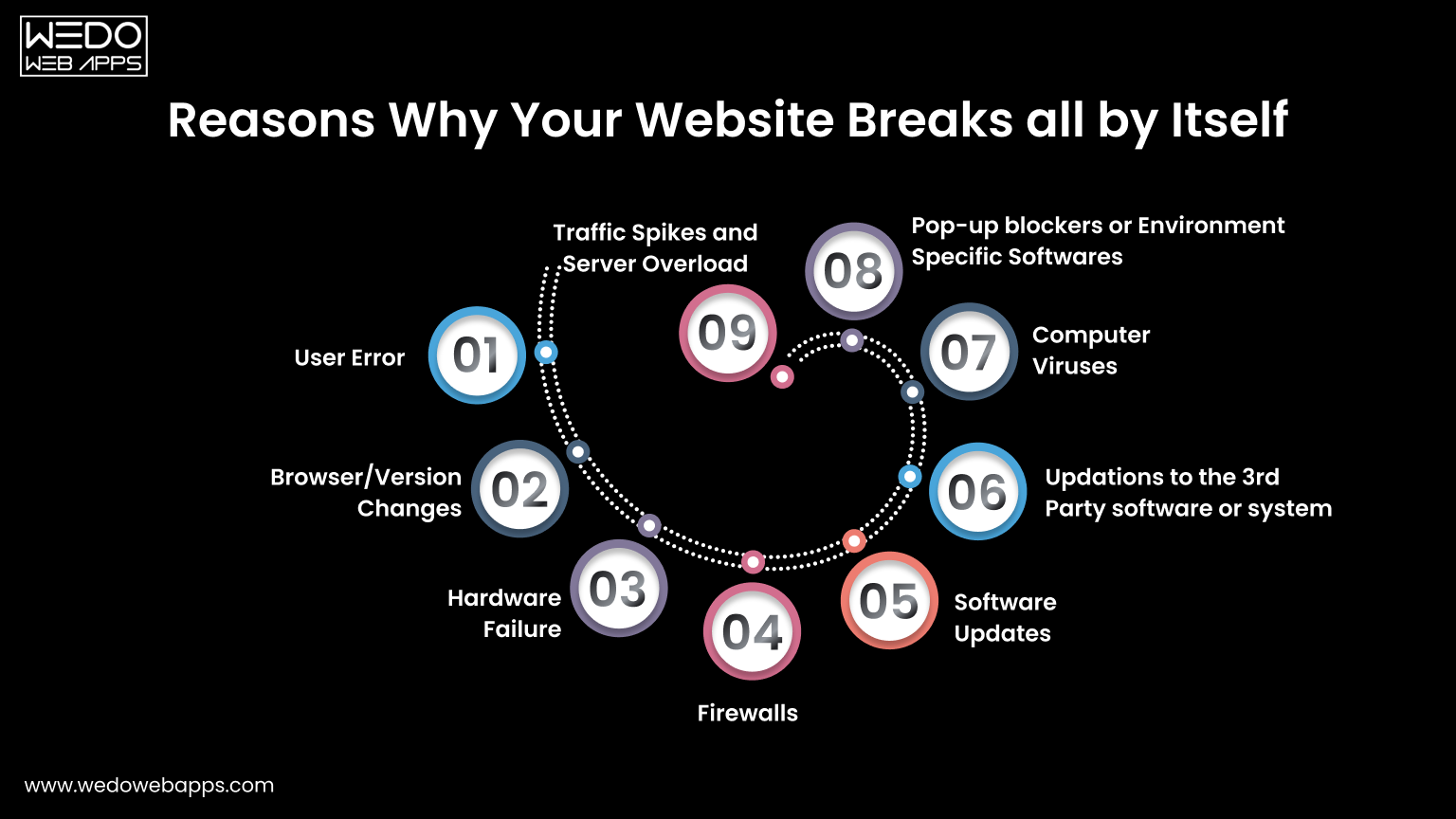
Reasons Why Your Website Breaks or Crashes

Below are a few reasons why your website appears to break all by itself sometimes:

1. User Error

Content Management Systems these days are powerful things. With the use of CMS like WordPress or Drupal, even inexperienced developers get the potential to manipulate the website as per their choice. Despite the intention of developing the best website, developers sometimes make a change to their website, unaware of the consequences it may have on other parts.

Sometimes it can be very difficult for the support to track the problem and bring it back to action. Too many admins can enable a place for errors in the website. Therefore, we suggest you limit the roles to one or two primary people.

2. Browser or Version Changes

This means the changes in the software that people use to view your website. A website can be future-proof only to some extent. For example, a website may work perfectly fine in Internet Explorer 9 but may show a subtle change in another version of the same browser. This might cause your website to misbehave.

Remember, there are many other browsers, many versions of those browsers, many operating systems, and versions these websites run. In addition, there are several hardware systems on which these software runs. Therefore, changes in any of the above may impact how your website will behave.

3. Hardware Failure

Hardware problems on the server side can interrupt your website without any warning. Issues such as disk crashes, overheating systems, or power supply failures may stop your server from responding properly. When this happens, your website may load slowly, show errors, or go completely offline. Choosing a reliable hosting provider with backup hardware and failover systems helps reduce these risks and keeps your website available.

4. Firewalls

Some organizations, especially government organizations, have very private IT environments. This causes a website to work perfectly outside the organization but may not work or misbehave properly inside the organization.

5. Software Updates

Software updates like security patches specifically need to occur on your website or a software environment present around them. By software environment, we mean operating system, web server, database, or programming language used in your website. Ultimately, changes to any of these components have the rare but true potential to crash your website somewhere somehow.

6. Updates to Third-Party Software or Systems

Even though your website’s Contact Us form is working absolutely fine, the third-party mail server that receives and stores the emails is not working correctly. Or maybe your website is integrated with Facebook or any other social media, but social media made a change to the rule.

A third-party software that processes credit cards is facing technical difficulties, or the web page on some other website that you linked to your website is broken as that website went through an update. All these factors may affect your website and can lead to a website crash.

7. Computer Viruses

Viruses or malicious scripts can damage your website files, slow down performance, or redirect visitors to unsafe pages. These infections may enter through outdated plugins, weak passwords, or unsecured hosting environments. Once affected, your website may behave unpredictably or get blocked by browsers. Running regular security scans and installing protection tools helps detect and remove threats early.

8. Pop-up Blockers or Environment-Specific Software

A pop-up blocker or software especially related to the IT environment of the website visitor may hinder your website. For example, anti-virus or parental control software can cause problems on the website. It can even make the website completely disappear even without the user understanding why.

Above are the reasons why you may face a website crash or observe broken links on your website. Next is how you can fix the broken links on your website.

9. Traffic Spikes and Server Overload

A website may also crash when too many visitors try to access it at the same time. This situation is common during festive sales, paid ad campaigns, product launches, or promotional events. While increased traffic is good for business, a limited server capacity can struggle to take the load.

Shared hosting environments often allocate fixed resources. When memory or CPU usage crosses the limit, the server may slow down or stop responding. The visitor then faces errors such as pages not loading or checkout failure.

To avoid these issues, choose a hosting plan that allows resource scaling. Cloud hosting, VPS servers, and load balancing help distribute traffic more evenly. Adding a content delivery network also reduces pressure on your main server. Preparing for peak traffic ensures your website stays accessible when customers are ready to buy.

Above are the reasons why you may face a website crash or observe broken links on your website. Next is how you can fix the broken links on your website.

technical audit to diagnose website crash issues

Steps to Fix Broken Links of Your Website
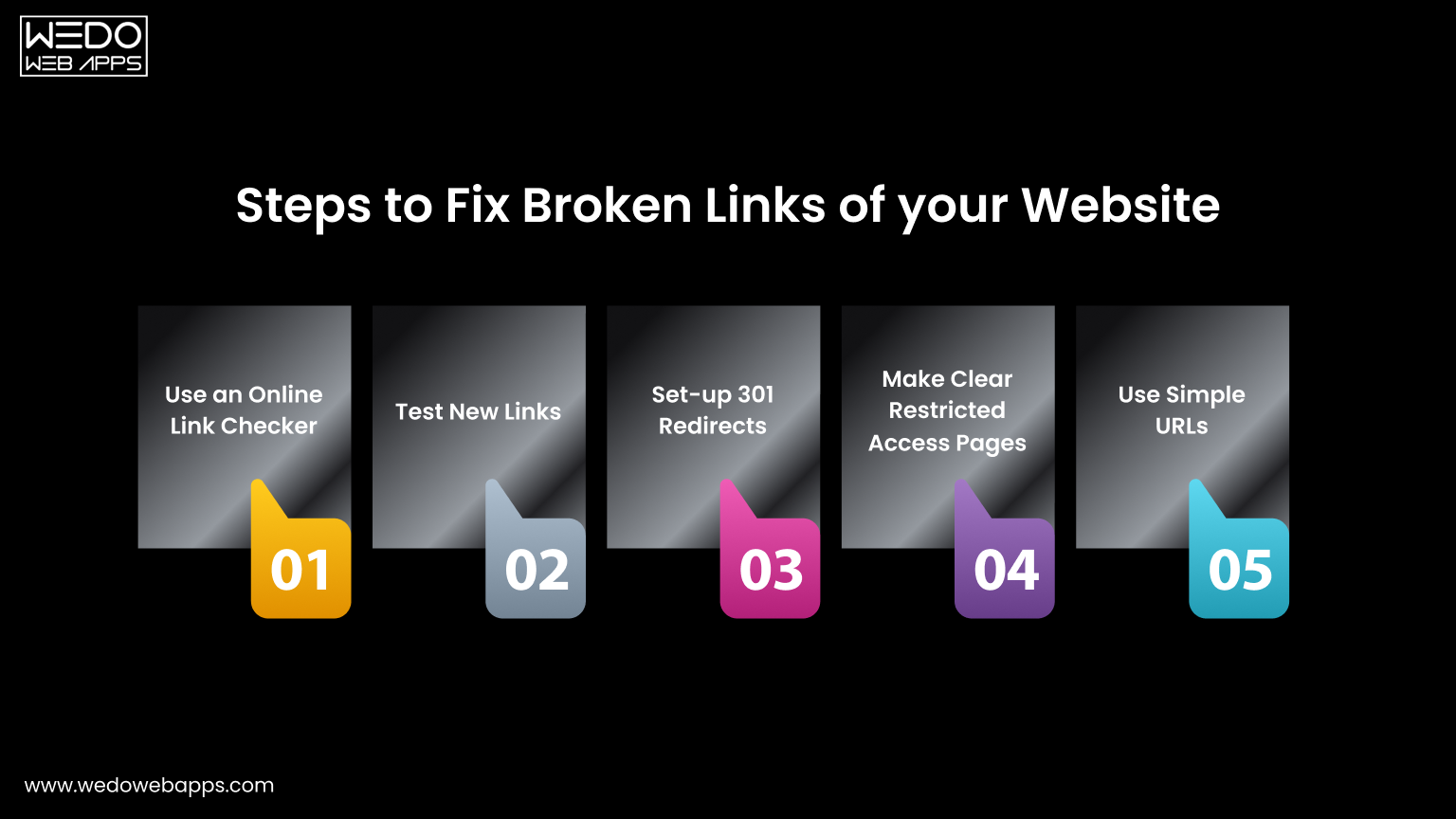
Steps to Fix Broken Links

Here are some ways you can use to fix the broken links on your website:

1. Use an Online Link Checker

Firstly, use an online link checker tool to identify whether or not there are any broken links on your website. If yes, the next step is to go to the relevant pages and remove the available broken links. You can also set a reminder for every few months to check and keep the links up to date.

2. Test New Links

Any new blog or a web page link should be tested to ensure they work properly before you publish them on your website. The same can be done with the links in newsletters, emails, or social media.

As you learn how to troubleshoot website crashes, don’t miss out on understanding iPhone app development to ensure your mobile apps are built on a solid foundation.

3. Set Up 301 Redirects

If you change or update the URL of any page on your website, ensure setting up 301 redirects. This will help anyone clicking on the old links redirect automatically to the new one. If you are using WordPress, there are plenty of plugins available to set up 301 redirects.

4. Make Clear Restricted Access Pages

The restricted access pages on the website should be made clear. This is to make the users prepared. For example, if a web page is only for admins, add a “member login required” note beside the link.

5. Use Simple URLs

When creating new web pages for any specific products, events, or campaigns, make sure to use simpler URLs so that the users can easily remember and type that particular page.

What Should You Do if Your Website Crashes

The very first thing you can do is not to panic. Just like sometimes electricity goes out, your mobile phone goes out, and even your television sometimes breaks. Everything in this world ultimately has an outage. Website crashes happen, but it is not something to panic about. Instead, try to identify whether it is a web hosting issue, a temporary issue that may get resolved on its own, a technical issue that will require professional help, or your website has been hacked.

It is possible that your website hosting company may be facing an outage. Contacting the web hosting company will quickly resolve your problem, and your website will be back in action. Almost every web host shoots for 99.9% uptime, but sometimes there may be some unforeseen events, and we cannot do anything rather than wait.

If your website shows an “Internal Server Error” message, contact your web hosting company to confirm whether there is any server problem. Probably MySQL server is down, or there was a planned update that caused a problem. Submitting a request to the web hosting company may get your issue resolved quickly.

There is a possibility that there is a plugin update or theme update. Also, the core may have caused the problem, or the developer might have made a mistake. In such cases, it is recommended to contact the web developer who has developed the website.

If your website has been hacked, we would suggest you work with a professional and get your website remediated as soon as possible.

WeDoWebApps LLC is a dedicated, responsive website design company USA offering many other services like mobile app development, digital marketing, and most importantly, we are helping businesses across the globe to improve the security and performance of their websites. Is your website facing a problem? Contact us and share your query; we will do our best to help you resolve the issues on your website.

Website Security Practices That Reduce Downtime
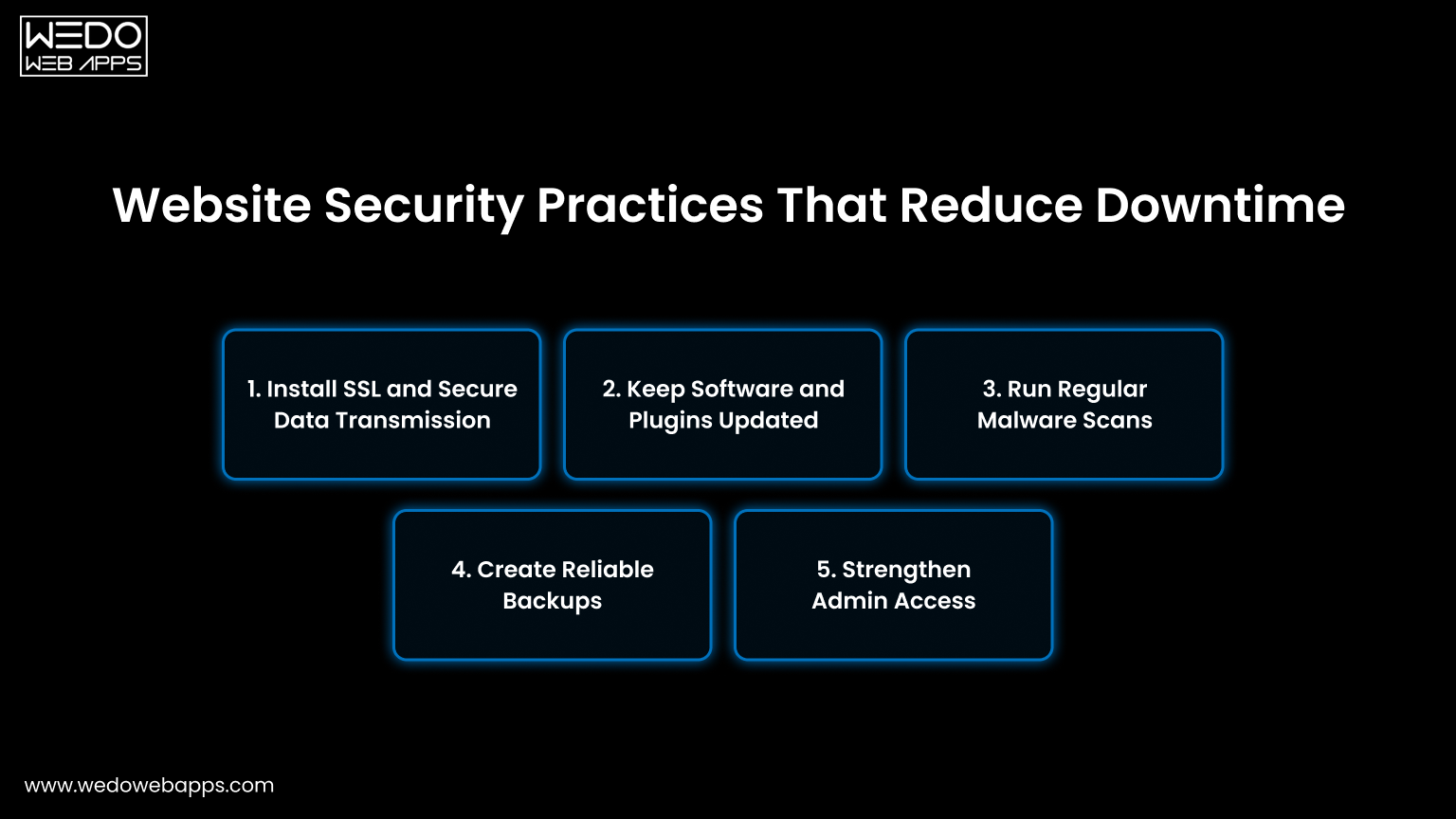
Website Security Practices That Reduce Downtime

Security issues are a common reason websites stop working without warning. Malware infections, weak access controls, or outdated software can slow down pages or even take the entire site offline.

Taking preventive measures reduces the risk of sudden failure and protects both your business and users.

1. Install SSL and Secure Data Transmission

An SSL certificate encrypts the data shared between your website and visitors. This protects login credentials, payment details, and form submissions while also building user trust.

  • Enable HTTPS across all pages.
  • Renew certificates before expiry.
  • Fix mixed content warnings.
  • Redirect HTTP URLs to HTTPS.

2. Keep Software and Plugins Updated

Old CMS versions, themes, and plugins often contain bugs or compatibility issues. Regular updates patch these gaps and keep your website stable with the latest server environments.

  • Update the CMS core regularly.
  • Remove unused plugins and themes.
  • Test updates on staging first.
  • Monitor plugin compatibility.

3. Run Regular Malware Scans

Hidden malware can inject harmful code, redirect users, or damage files. Routine scanning helps to detect suspicious activity early so you can act before visitors are affected.

  • Use trusted security scanning tools.
  • Schedule automatic weekly scans.
  • Monitor unexpected file changes.
  • Remove infected files immediately.

4. Create Reliable Backups

Backups give you a recovery option when something breaks. Instead of rebuilding the site, you can restore a working version quickly and reduce downtime.

  • Set daily or weekly automated backups.
  • Store copies off the main server.
  • Test restoration periodically.
  • Keep multiple backup versions.

5. Strengthen Admin Access

Too many admin users increase the chances of accidental changes or unauthorized access. Limiting permissions keeps your system safer and easier to manage.

  • Use strong and unique passwords.
  • Enable two-factor authentication.
  • Assign role-based responsibility.
  • Delete inactive accounts.

Consistent security practices act like routine maintenance. Small checks today prevent larger issues later and help your website stay available for every visitor.

Website crash prevention

Quick Checklist to Fix a Crashed Website Fast
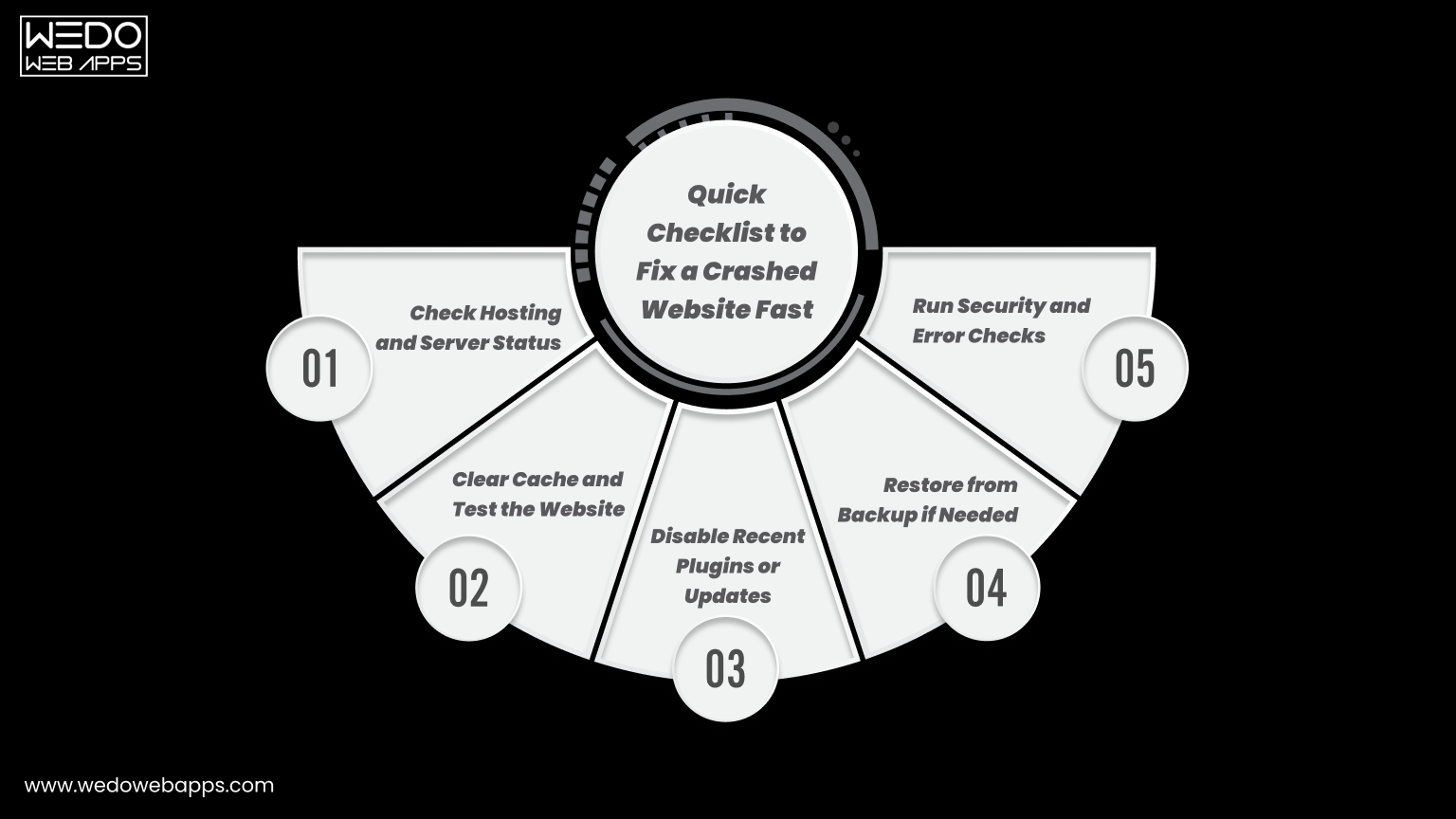
Checklist to Fix a Crashed Website

When your website suddenly stops working, time matters. Every minute of downtime can lead to missed inquiries, lost sales, and frustrated visitors. Following a simple troubleshooting checklist helps you identify the cause faster and restore operations with less stress.

1. Check Hosting and Server Status

Sometimes the issue is not within your website but with your hosting provider. Server outages or maintenance can temporarily make your site inaccessible.

  • Log in to your hosting dashboard.
  • Check server uptime status.
  • Review outage notifications.
  • Contact hosting support if needed.

2. Clear Cache and Test the Website

Cached files in browsers or servers may display outdated or broken versions of your pages. Clearing the cache often resolves loading issues quickly.

  • Clear browser cache and cookies.
  • Flush server or CDN cache.
  • Test in incognito mode.
  • Check on multiple devices.

3. Disable Recent Plugins or Updates

New plugins or recent updates may create conflicts with your theme or CMS. Rolling back changes helps isolate the problem.

  • Disable recently added plugins.
  • Revert the latest updates.
  • Activate the default theme temporarily.
  • Test after each change.

4. Restore from Backup if Needed

If the issue persists, restoring a previous working version can bring your website back online quickly. This is often faster than manual fixes.

  • Choose the most recent clean backup.
  • Restore files and the database.
  • Verify forms and links.
  • Monitor site performance.

5. Run Security and Error Checks

Technical or security issues may still exist even after restoration. Running quick checks ensures the site remains stable.

  • Scan for malware.
  • Review server error logs.
  • Check database connectivity.
  • Confirm all pages load correctly.

This checklist works like first aid for your website. Addressing these steps calmly and in order often resolves most crashes without major disruption.

Conclusion

Website crashes are frustrating, but they are rarely random. In most cases, the cause is linked to hosting limits, outdated software, security gaps, or missed maintenance. Identifying these issues early and following preventive practices can keep your website stable and accessible for visitors.

Regular monitoring, timely updates, strong security checks, and reliable backups work together to reduce downtime. When these steps become part of your routine, your website runs more like a well-maintained system rather than something that breaks unexpectedly.

If managing all of this feels overwhelming, working with an experienced web designer team can save both time and revenue. Professional monitoring and maintenance ensure your website stays online, secure, and ready to serve customers every day.


free consultation for website monitoring

Website Usability – Definition, Importance, and Tips to Improve

Introduction

With the search engines updating their algorithms constantly, it is essential for business owners to focus on the core elements. These days more and more people are shifting on mobile devices from desktops. Therefore, it becomes imperative to enhance website usability.

But first, what is actually the Website Usability definition?

Simply put, website usability defines the website’s ability to be accessed seamlessly and efficiently on various devices. In other words, website usability is the measure of efficiency, effectiveness, and satisfaction with which the users can achieve their goals on a website.

Since the search engines focus on providing the best user experience, it has become crucial to redesign your websites. With easy navigation, user-friendly responsive website designs, you can provide your customers with the best browsing time on your website. Whether an eCommerce business, enterprise, or brand, improving the usability of the website is the key to online success.

When businesses improve web usability, it helps them boost their SEO practices and increase conversion rate.

Website Usability Definition

Website usability is the ease with which visitors can understand, navigate, and interact with a website to complete a task. In simple terms, it measures whether a person can use the site without confusion, delay, or guesswork.

A clear website usability definition focuses on three things. Users should quickly know where they are, what they can do next, and how to finish their action.

For example, a contact page with short fields, clear labels, and a visible submit button shows good website usability.

A page that hides the form, asks unnecessary details, or shows no confirmation after submission creates frustration.

Understanding the importance of website usability begins here. When people complete tasks easily, they stay longer and trust the website more. When they struggle, they leave within seconds.

This is why website usability best practices and usability principles for websites matter. They guide how to improve website usability step by step, rather than relying only on design appearance.


Website Usability Consultation and Conversion Improvement

Usability vs User Experience

Many people treat usability and user experience as the same thing. They are connected, but not identical.

Website usability focuses on task completion.

Can users perform an action easily without confusion?

User experience focuses on the overall feeling.

Did the interaction feel smooth, helpful, and satisfying?

Think of usability as functionality and user experience as perception.

Here is different of usability and user experience:

AspectWebsite UsabilityUser Experience
Core meaningAbility to complete a task easilyOverall feeling during interaction
Main focusClarity and efficiencyComfort and satisfaction
User questionCan I do this quickly?Do I feel confident doing this?
MeasuresErrors, task time, completion rateTrust, perception, engagement
Design goalRemove confusionBuild a positive impression
ExampleSimple checkout form works correctlyCheckout feels smooth and reassuring
Priority in processImplemented firstRefined after usability works

Quick understanding:

Website usability ensures users can act. User experience ensures they enjoy acting.

Why is Web Usability Important?

Why is Web Usability Important

There are various benefits of improving website usability for your business to achieve success. Following are the sure-shot benefits of enhancing the usability of your website:

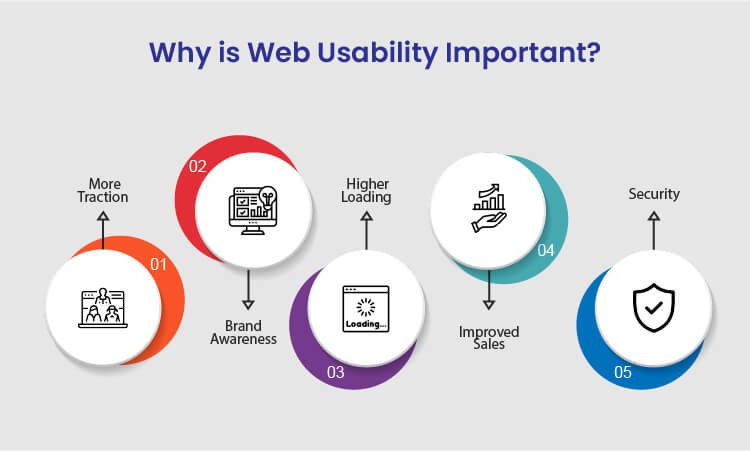
1. More Traction

Several businesses, usually budding startups, struggle a lot to generate more traction and traffic to their websites. The best way to overcome this is to resolve all the technical issues on your website and let more traffic come in. Since the search engines also focus on technically stronger websites, you will get more organic results making you more visible on the internet.

Whether your main focus is more sales, branding, or generating traffic, enhanced usability can help you achieve your goals. When you focus on more traction, the overall authority of your business increases.

2. Brand Awareness

Many businesses these days struggle to get recognized against their competitors on the internet. This might happen because of the higher bounce rate of your website. Due to the high bounce rate, it becomes challenging for visitors to navigate through the web pages. So, with improved web usability, you can ensure a minimum bounce rate and provide a smoother browsing experience to the users.

When you offer a good user experience to the customers, the overall branding of your website improves significantly. Whether you drive traffic from social media, website, or organic results, brand awareness will ultimately increase irrespective of any factor.

3. Higher Loading Speed

Website loading speed is the most significant running factor that affects the overall credibility of the business. To increase your website usability, ensure that your website loads faster without hassle on both desktop and mobile devices. In addition, if you are adding new web pages to your site, make sure that those pages also load faster and seamlessly.

If you need, you can also use Google’s free website speed testing tool to check whether your website loads faster on every device or platform.

4. Improved Sales

If we talk about an eCommerce business, then website usability is the most important factor to take into account. There are many functionalities of a website that should work seamlessly in order to regain customers.

For example, eCommerce businesses are directly connected to so many online transactions, and you need to make sure that your website works fine on all the platforms. You need to necessarily focus on website usability to significantly increase your sales. When you combine SEO tactics with website usability principles, you tend to get more sales.

5. Security

Security is yet another important aspect to be considered for web usability. When you ensure that your website and visitors’ personal data are safe, you gain more recognition among your competitors. Therefore, always integrate the SSL certificate and other necessary documents to give your customers the most secure user experience.

Ensuring your customers that you care about the safety of their data will help you gain more traction and sales, thereby increasing the usability of your website.

After knowing about the key benefits of improving the website’s usability, you might have realized how vital website usability is for your business to grow. Many web design companies worldwide will offer you the best web design services for your website development.


Website Usability Analysis and Conversion Optimization

Common Website Usability Mistakes

Common Website Usability Mistakes to Avoid

Understanding the website usability definition helps to identify why users leave a site even when the content is relevant.

Most issues appear in small interaction details rather than large technical failures. Recognizing these gaps highlights the real importance of website usability.

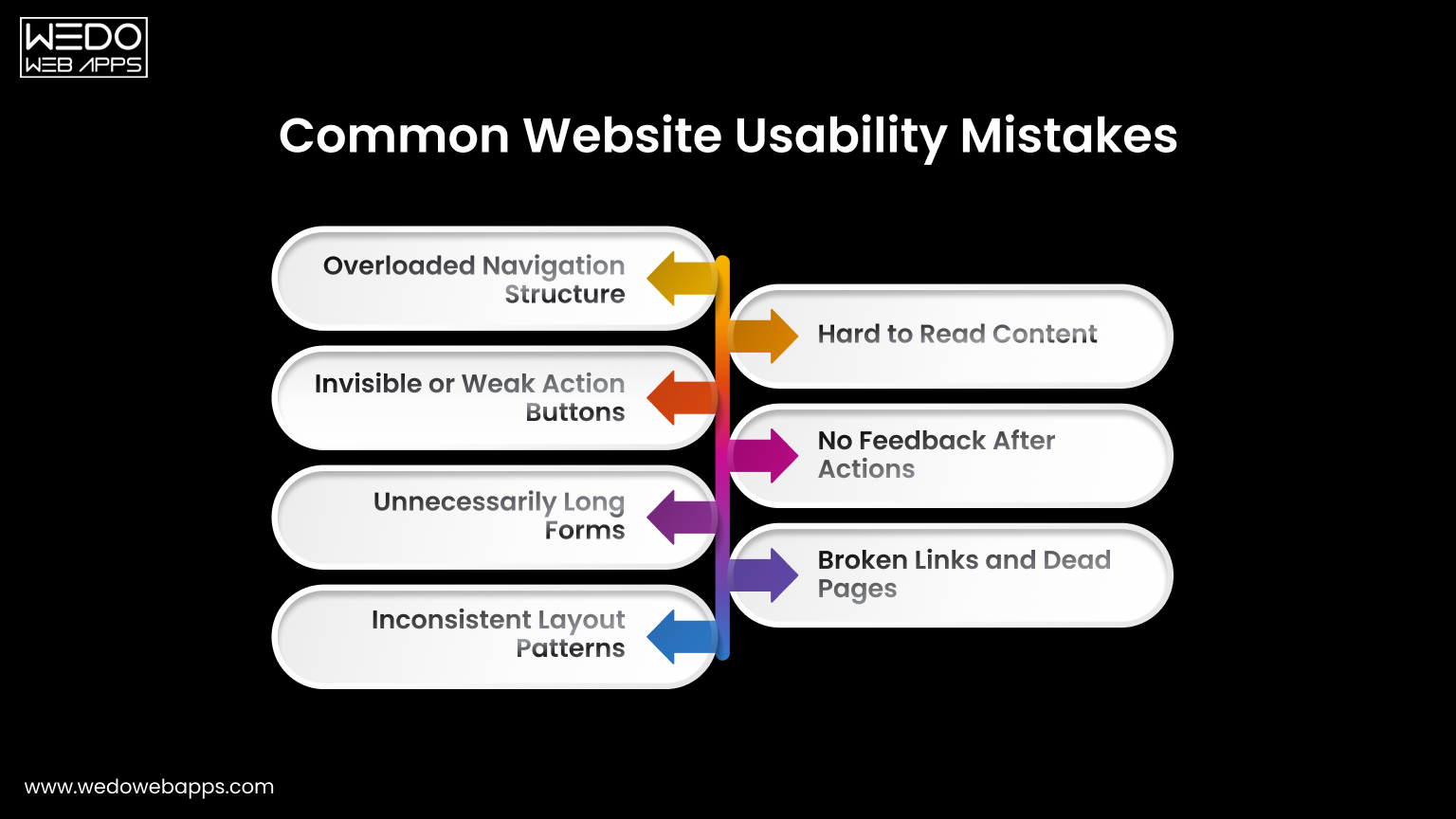
Overloaded Navigation Structure

Many websites try to show every page in the main menu. This forces visitors to read instead of act. Follow usability principles for websites by grouping related pages and limiting primary options. Clear navigation reduces hesitation and guides movement naturally.

Invisible or Weak Action Buttons

If users must search for the next step, the design is failing. Buttons placed too low or written with unclear labels reduce conversions. One of the most effective website usability tips is keeping the primary action visible and direct.

Unnecessarily Long Forms

Forms usually collect more information than is required. Every extra field increases the drop-off rate. When considering how to improve website usability, shorten forms and request details later if needed.

Inconsistent Layout Patterns

Changing menu position, colors, or button styles between pages forces users to relearn the interface repeatedly. Consistency is one of the core website usability best practices because familiarity builds speed and confidence.

Hard to Read Content

Dense paragraphs and poor spacing discourage reading. Break content into sections, use headings, and maintain comfortable line spacing. Readable content supports both engagement and scanning behaviors.

No Feedback After Actions

Users expect to have confirmation after clicking. Missing success messages or error guidance creates uncertainty. Providing immediate feedback follows basic usability principles for websites and prevents repeated actions.

Broken Links and Dead Pages

Non-working links signal neglect and reduce the trust among the users instantly. Regular audit and proper redirects are simple yet powerful website usability tips that maintain credibility.

Correcting the issues does not require a full redesign. A small adjustment based on the importance of website usability can significantly improve interaction and completion rates.

Tips to Improve Website Usability

Improve Website Usability for Better Performance

One of the greatest tips to improve website usability is to keep your website design consistent. Apart from this, there are many other tips that will help you improve the way the users interact with your website. Some of which include:

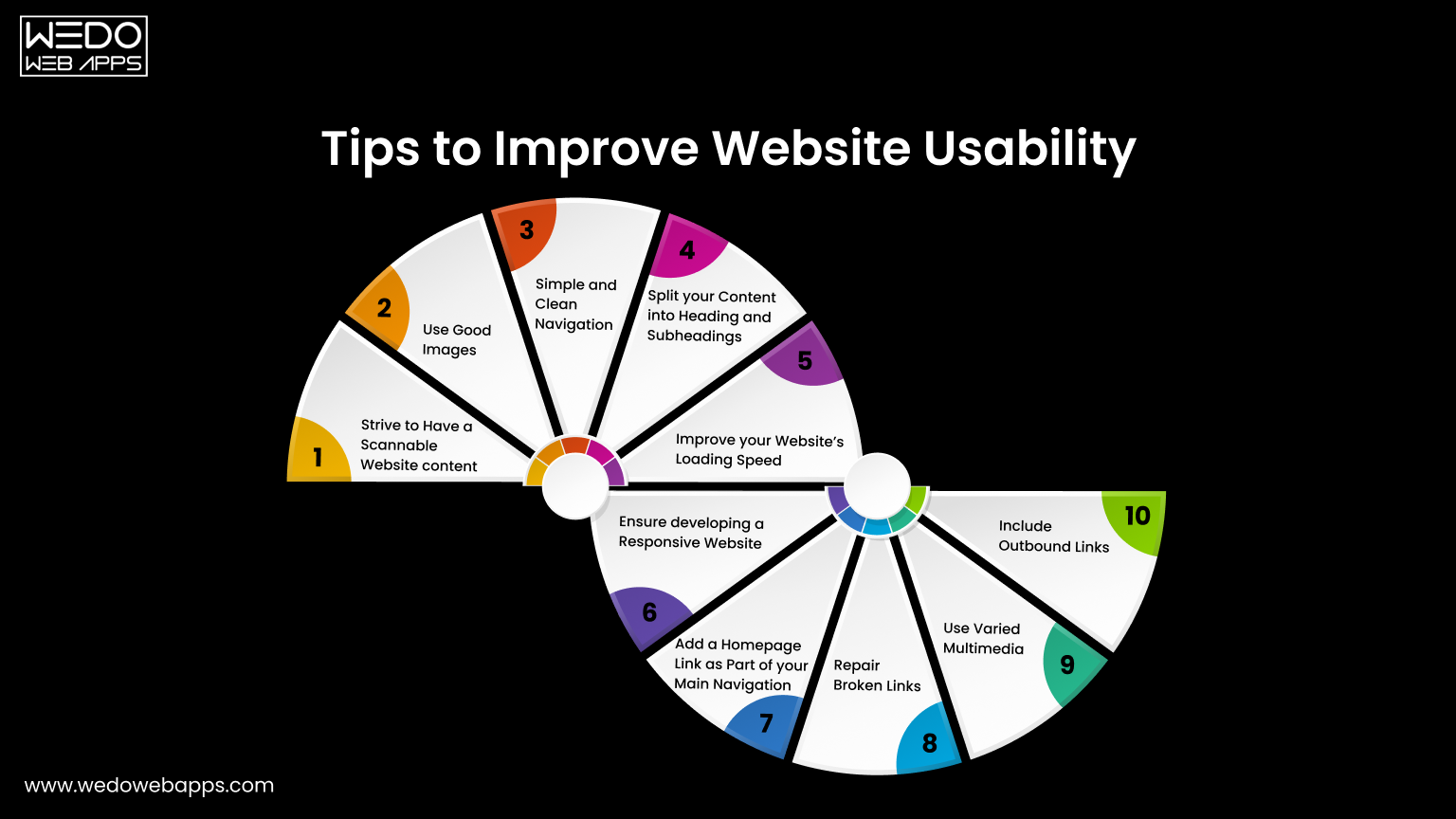
1. Strive to Have a Scannable Website Content

These days, people are hardly free to read every single piece of content on your website. In most cases, customers just scan your website and find the content that is valuable to them. If they don’t see what they are looking for, they will probably not be returning back.

The best way to improve usability is to make the website content scannable. Achieve this by using bold letters for important information and bullet points to enhance your website’s usability. Doing this will make your website easy to scan, and you will potentially gain more customers for your business.

2. Use Good Images

Using good images is a notable tip for increasing site usability because these help you break up the content. For example, instead of writing content for a point, try using images that add relevant information for that particular point.

Even though images play a vital role in the website’s usability, avoid using poorly optimized images or so many images as it can compromise your site’s usability. Instead of overdoing it, use properly optimized and limited images on your website.

3. Simple and Clean Navigation

A well-functioning website can improve usability but ensure giving a simple layout to every web page. Additionally, always try to avoid horizontal scrolling as users get irritated while horizontally scrolling the websites. A responsive website that fits every screen resolution can help you avoid horizontal scrolling.

What’s more important is to avoid the use of many navigation elements. Also, don’t use so many links within the headlines as users will hardly find what they want, which will significantly impact your website’s usability.

4. Split Your Content Into Headings and Subheadings

As we said earlier, visitors hardly read all the text written on your website. Therefore, catchy headlines are the most important for your website. Writing creative headlines can be beneficial as it is the very first thing a customer notices and builds interest in reading your content.

Apart from headings, structuring your website plays a crucial role in usability. Structuring your website with H1 and H2 tags will make your website look more appealing to your customers. It is an excellent way of resulting in long clicks and increasing engagement levels.

5. Improve Your Website’s Loading Speed

The slow loading speed can affect your website’s usability as it can cause you to lose a potential visitor. This is because a visitor gets irritated and leaves the website before it gets loaded fully. Additionally, search engines like Google use website loading speed as a significant ranking factor. This means you will lose an opportunity to rank higher on Google, ultimately losing customers.

Therefore, to resolve this issue, optimize your images and videos by reducing the file size before uploading them on the website. This will significantly increase your website’s loading speed.

6. Ensure Developing a Responsive Website

With an increase in the number of smartphone users, having a mobile-friendly website is not an option but a crucial part of web usability. Still, if you fail to incorporate responsiveness in your website it will affect your Google ranking and usability, thereby losing a high volume of traffic.

As you implement responsiveness to your website, ensure it maintains the same theme as the desktop version, regardless of the user’s device. For instance, the layout of a casino website will be different on both the desktop and the mobile versions. But, you need to make minor changes like changing the image size and maximum width of the page to have a responsive website.

If you have a website and want to incorporate responsiveness or are a business looking to develop a responsive website, we can help you offer cost-effective, responsive website design services.

7. Add a Homepage Link as Part of Your Main Navigation

Adding a homepage link on the top of your website will increase your site’s usability as it will enable the users to access the homepage easily. Definitely, the younger professionals know that the website logo acts as a link which eliminates the need to add the homepage link.

However, if your target audience is the older demographic, they may be confused about getting back to the homepage. If they do not see the home button, they won’t be able to recognize the logo as a link to the homepage easily.

8. Repair Broken Links

Broken links are terrible for website usability, but the good thing is that they can be fixed easily. There are several free and paid tools on the internet that may help you find the broken links on your website, so you can check and fix them.

9. Use Varied Multimedia

Even though it is said that content is king, images, audios, and videos play a vital role in appealing to the customers. Deliver the content that best suits your business and your users, and remember not to forget to optimize your multimedia to increase the site’s usability. Upload the content that provides value for the users.

10. Include Outbound Links

Adding some outbound links to your website will make the visitors feel valuable. This will make the content more relevant and useful for the customers. Linking your content with the high authority sites will not only make your website look trustworthy but will also make your web content more meaningful and relevant.

Now you know what you can do to improve the website’s usability. So, if you think that your website is not easily accessible for the users, implement these tips to enhance your site’s usability.


Website Usability Optimization for Better Engagement

Core Usability Principles

Core Website Usability Principles Explained

After applying practical improvements, the next step is understanding the thinking behind them.

Usability principles for a website act like a rule that guides every design and content decision. Instead of fixing individual issues repeatedly, these principles help in preventing problems before they appear. They also explain the importance of website usability because they focus on human behavior rather than design trends.

Below are the core principles that support strong website usability best practices.

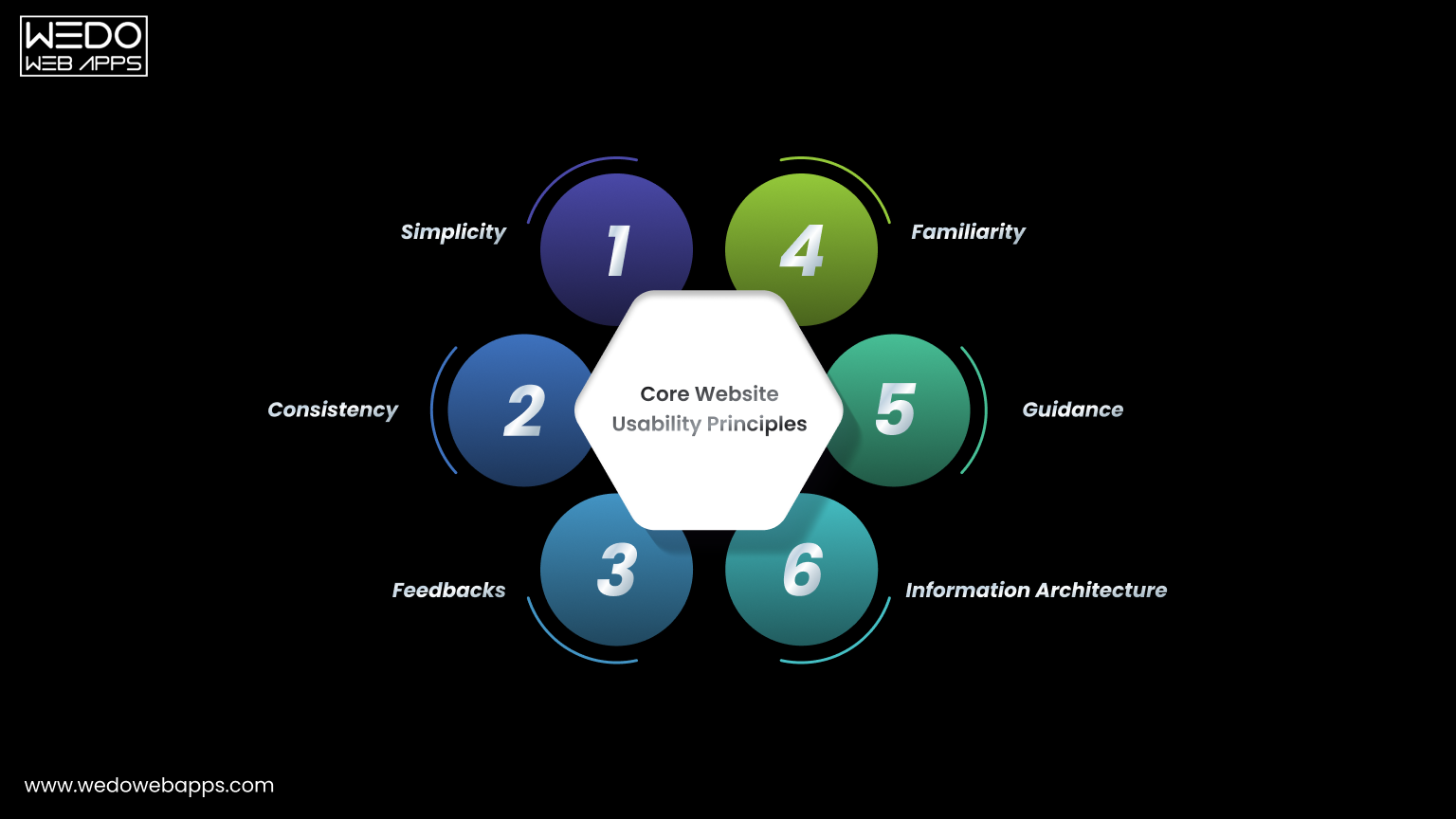
  1. Simplicity

A visitor should immediately understand what the page offers and what action is supposed to be taken next. Complex layouts force users to interpret instead of interact.

To apply simplicity:

  • Remove decorative elements that do not support a task.
  • Keep primary actions clearly visible.
  • Limit competing calls to action on a single screen.

Simple interfaces help users act faster and reduce hesitation.

  1. Consistency

People learn patterns quickly. When a website changes patterns across pages, users feel lost even when the website and content are being correctly managed.

Maintain consistency by:

  • Keeping navigation placement identical across pages.
  • Using the same button styles for the same actions.
  • Following a predictable content structure.

Consistency is one of the strongest answers to how to improve website usability because it lowers the mental effort.

  1. Feedback

Every user action should produce a clear response. Without feedback, visitors are unsure whether the system worked.

Provide feedback through:

  • Form submission confirmations.
  • Error messages that explain what went wrong.
  • Visual response when buttons are clicked.

Clear responses build trust and support the website usability definition of efficient interaction.

  1. Familiarity

Users prefer interfaces that behave like systems they already know. Completely new interaction patterns slow them down.

Improve familiarity by:

  • Using standard icons such as search and menu.
  • Following common checkout and form patterns.
  • Avoiding experimental layouts for important tasks.

Familiar structure improves confidence and interaction speed.

  1. Guidance

Websites should guide visitors instead of expecting them to explore your site blindly. Good guidance feels like signposts along a road rather than instructions in a manual.

Apply guidance with:

  • Clear step indicator in forms or checkouts.
  • Helpful tooltips for complex actions.
  • Suggesting next steps after task completion.

Guided navigation demonstrates how to improve website usability by reducing uncertainty.

  1. Information Architecture

Content organisation determines whether users find information quickly or abandon the search.

Improve structure by:

  • Grouping related content logically.
  • Naming categories based on user intent.
  • Keeping hierarchy shallow and predictable.

Good organisation supports long-term usability and ensures the website remains easy to use even as content grows.

Following these usability principles for a website ensures improvement remains consistent over time instead of becoming temporary fixes.

Usability Testing Methods

Website Usability Testing Methods Explained

After applying improvements and principles, the next step is validation.

You cannot rely only on assumptions when working on website usability. Testing shows whether users actually understand and complete tasks comfortably. This stage connects directly with the website usability definition because usability is measured through real interaction and not opinion.

Below are practical testing methods used in website usability best practices.

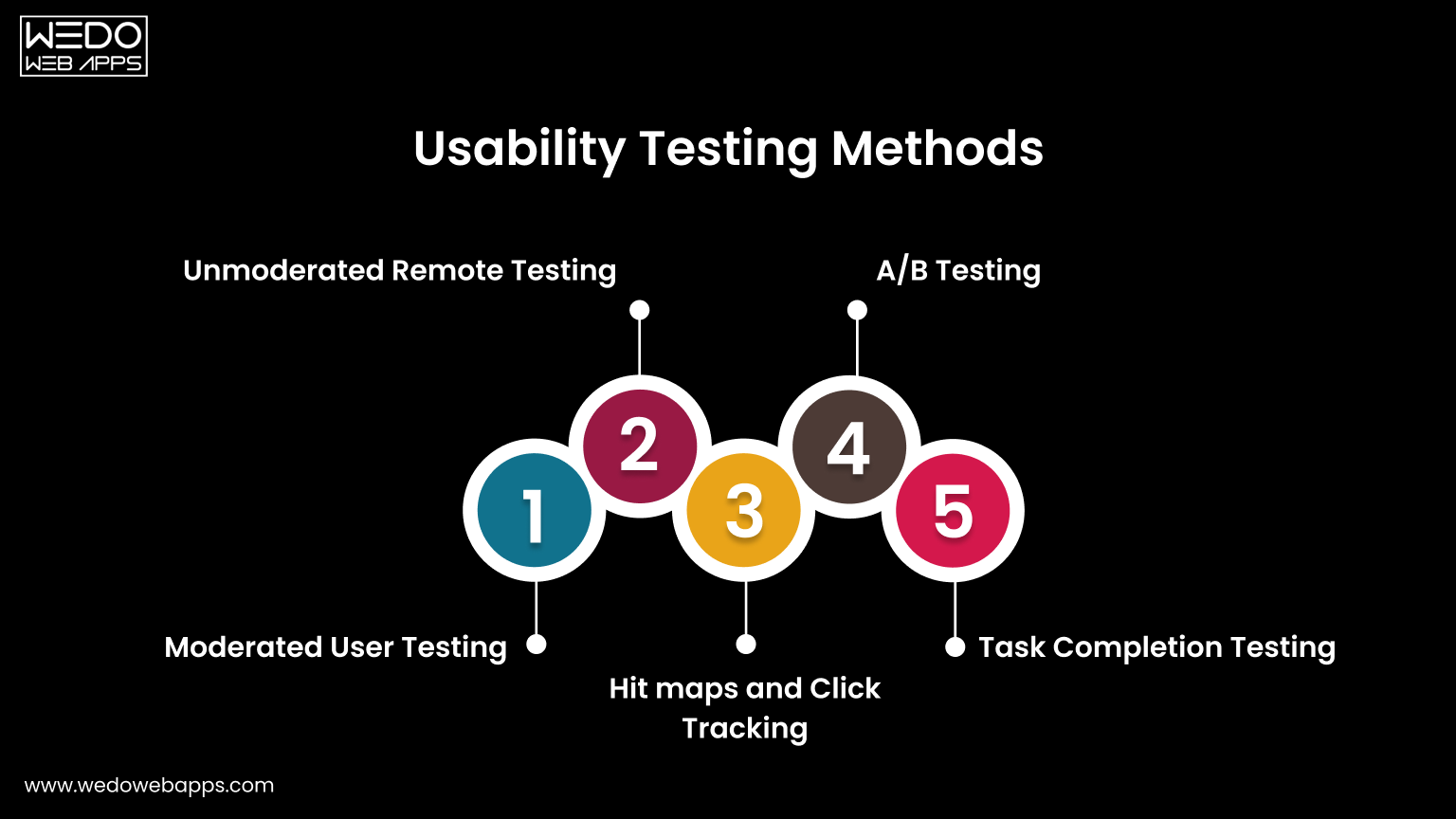
  1. Moderated User Testing

In this method, a facilitator observes users while they perform specific tasks on the website. The observer watches behavior, confusion points, and decision patterns.

Useful observations include:

  • Where users hesitate before clicking.
  • Which elements do they ignore.
  • What information do they expect but cannot find.

This method clearly demonstrates the importance of website usability because real users often behave differently than expected.

  1. Unmoderated Remote Testing

Users complete tasks independently without supervision while their actions are recorded. This provides natural behavior because participants interact in their own environment.

It helps identify:

  • Navigation misunderstanding.
  • Mobile interaction issues.
  • Content clarity problems.

This approach is widely used when learning how to improve website usability across different devices.

  1. Heatmaps and Click Tracking

Tracking tools visually display where users click, scroll, and stop reading. Instead of guessing engagement, you see attention patterns.

Common insights:

  • Buttons ignored by users.
  • Sections skipped during scrolling.
  • Overlooked important content.

These findings directly support usability principles for websites by revealing attention flow.

  1. A/B Testing

Two versions of a page are shown to different visitors to compare performance. Small layout or wording changes often produce measurable differences.

You can test:

  • Button placement.
  • Heading clarity.
  • Form structure.

This method converts website usability tips into a measurable improvement.

  1. Task Completion Testing

Users receive a clear objective, such as completing a purchase or finding contact details. The success rate and time taken are measured.

This evaluates:

  • Efficiency of navigation.
  • Clarity of instructions.
  • Overall interaction comfort.

Task completion directly reflects the website usability definition because it measures goal achievement.

Regular testing ensures improvements remain effective as the website grows. Instead of redesigning repeatedly, ongoing evaluation keeps usability aligned with user expectations.

Summarizing Website Usability

Website usability is the most significant element that cannot be achieved overnight. However, this is something every business website should primarily focus on. Avoiding website usability may cause you to drop down on the search engines and ultimately lose your potential customers.

Achieving website usability requires hard-core research and a repetitive approach of constantly testing and enhancing. Keep the above points in mind when you start developing or optimizing your website to offer the best user experience to your customers.

Designing an optimized website is a crucial part, but when the website is developed, website usability testing is highly recommended. If you are a non-tech geek having trouble creating or optimizing your website for usability, avail responsive web design services and let the professionals do their job. WeDoWebApps LLC has handled various design projects and can help you achieve success the way you want.


Transform Your Website with Website Usability

Website Speed Testing – Importance, Tools & Performance Evaluation

Website Speed Testing: Why It Matters

Have you ever clicked a website and had to wait for a long time before anything appeared? Chances are, you did not stick around. Most users expect the web pages to load faster or within a second, and if not, then the website loses the traffic, leading to lower engagement, and a missed opportunity.

Now let’s just be honest,we all have used websites at least once in our lifetime, and we know how impatient we are when it comes to the loading speed of a website. Thus, the performance and ability of your website to load quickly are essential for its usability and success. This is where website speed testing becomes important.

Just understand it by taking your example. Have you ever visited a website and waited for a long time for it to load? You felt frustrated, right? The same thing happens when visitors come to your website, and it takes longer than usual; they will probably feel frustrated and return back searching for your competitor’s website.

Loading speed not only affects user experience but also directly impacts your website’s SEO, and on this website, performance testing plays an important role in maintaining the responsive website design. So, whether you are a jewelry merchant, a school, a college, or in any other industry, your website should be optimized for search engines. Therefore, Website Speed and Performance are crucial.

In this guide, we’ll look at why speed matters, which performance tests are most effective, and what tools can help you measure and improve how your website performs under different conditions.

What Is the Importance of Website Speed?

Speed can either make your website or break it. This is the reason why website developers, marketers, analysts, and IT departments are more focused on website speed testing tools. Improving your website speed and performance metrics can significantly impact your overall website performance, thereby helping you achieve your success goals.

Page speed impacts your website in almost every area, from user experience to search engine optimization and website speed optimization. We have seen that most website users will not wait for more than 4 seconds on a web page to load before moving on to some other store. And this is a fact that faster loading websites will perform better in the market.

But how to determine the speed of your website? Just sitting in front of your computer, looking for your website to load to determine the speed. Is it the solution? Absolutely Not. That is why most of the developers and testers will take advantage of the wide range of performance testing tools for thoroughly testing scenarios.

Before knowing various tools for speed testing your website, you should know that there are many other kinds of performance tests that need to be performed on a website. Read further to learn more about the types of website performance tests.

Types of Website Performance Testing

Before you begin improving the performance of your website, it is important for you to understand about the different types of website performance testing options to evaluate how your site is working under various conditions.

Each type of website performance testing maintains the focus on different specifications, which are speed, stability, and responsiveness.

Performance tests are the non-functional tests done to check the responsiveness, scalability, and throughput of the website under test. This mainly helps in increased revenue generation and enhanced user experience.

Below are the key test types used by QA teams and developers to ensure reliable and fast-loading websites:

  • Performance Testing

This test allows you to measure how quickly and effectively a website responds under various situations. The test will help in verifying your website for managing various processes like page loads, user requests, or form submissions within the acceptable limits.

  • Load testing

Load testing allows you to test your website when it comes to performance, and ensure the multiple users accessibility. It helps in determining the upper limit of website traffic and can handle it without affecting the user experience.

  • Stress Testing

This method pushes the website beyond the normal traffic limit by seeing the behaviour under extreme conditions. It helps in identifying the weak points, such as memory leaks, server crashes, or timeout issues.

  • Capacity Testing

Capacity testing is best when comes when to measure how many users your website can handle and what the limit is for that. This is useful when it comes to managing the planning of resources and scaling the business infrastructure efficiently.

  • Soak Testing (include missed label)

Soak testing allows you to evaluate the performance of a website while maintaining the accuracy over an extended period. Helps in identifying the performance without reducing the performance and increases the amount of visibility.

Testing Test Cases Example

For understanding how these tests can be applied in real-world scenarios, here is an example for your reference:

In a load test case, 1000 users are supposed to simulate the process while maintaining the product category, adding items to the cart, and the checkout process. The goal is to observe how the site manages simulation toward the actions of users across various key features.

By applying this combination of various tools or processes, these tests allow developers and testers to maintain the complete picture of how the website is performing under different conditions and allow them to make informed decisions for site optimization.

How to Perform Performance Testing for Web Applications

Before you make the plan for testing your website for the application, you should prepare for the various aspects. Successfully testing a web application starts with having clarity towards the business goals, access to the right tools, and a testing environment that accurately reflects how the website is properly functioning in real-world scenarios.

Here are the key points to consider before launching a test:

1. Understanding the website’s functional scope

Identify the core functions of your web application, if it includes payment gateways, APIs, and third-party integrations. These components include the various aspects of managing the test performance.

2. Define the purpose of testing

Allow you to clarify the accuracy of the measures, whether it is loading time, system responses towards user actions, scalability, or stability in high traffic for the website. This helps in selecting the right website performance testing.

3. Set clear KPIs

Determine what success looks like with handling the common performance metrics, including:

  • Response time (in seconds)
  • Number of simultaneous users
  • Throughput (request per second)
  • Error rates during peak usage

4. Know your user expectations

Consider how quickly your end users are expecting from your website, what they hope to interact with the site, and what features are most important to them.

5. Check test environment readiness

Be sure about the need for tools, hardware, and QA support. The testing environment should closely match your website setup in terms of server configuration and software stack.

6. Project timeline and QA schedule

Make an effective plan for testing activities to fit within the website development timeline, leaving enough room to fix issues and retest if necessary.

Taking these factors into account helps in creating a well-structured website speed testing strategy that reveals the real bottlenecks and guides performance improvement with precision.

start with performance testing

Step-by-Step Process for Website Speed Testing

Once your performance goals are clear and your testing operation is ready, you can begin by starting with the structured website speed testing. This involves setting up conditions to simulate real user behaviour and evaluating how your website performs under various workloads.

Here are the steps that you can follow while website speed testing:

Step 1: Set up the testing environment

Prepare physical and software components that are needed for testing. This includes various specifications like hardware, browser, automation tools, testing data, and network configurations that reflect your website’s performance.

Step 2: Define test plans and scenarios

Plan the design test case that covers all the key required actions for the website. Ensure that all criteria are being covered while handling all possibilities of visiting product pages, submitting forms, logging in, or completing transactions. Your plan should cover all normal, peak, and stress-level usage.

Step 3: Run a baseline test

Now, test the website while covering all the key actions. Test your website server with a single user to ensure the setup is functioning correctly. This will serve as a baseline for comparison with more complex tests.

Step 4: Simulate realistic workloads

Use performance testing tools to simulate multiple user sessions. By accessing these tools, you can easily apply for the concurrent requests and manage how users from different locations interact with your website.

Step 5: Monitor key metrics during testing

You should keep track of response time, server usages, memory load, and error rates. Website speed testing tools will help in capturing data while your test cases are being executed.

Step 6: Analyze results and identify issues

Know about the data of the website regarding slow-loading elements, that are larger images, unoptimized scripts, or server response delays. Look for patterns of your website issues in terms of handling load and pain point areas for the need of improvements.

Step 7: Document bugs and performance issues

Make sure you discover the issues during the testing by knowing the clear details. Some website speed testing tools also provide suggestions for fixing performance issues.

This was all about website testing, its importance, and the steps to test a website or a web app. Now that we know how important it is to test the website before launch, many tools can help you test your website and get it ready for launch. Read further to gain some knowledge about Website Speed and Performance Testing Tools.

Best Speed Testing Website Tools You Can Use

Now that you have a lot of understanding about the best speed testing website, check out these tools for testing your website’s speed. Each tool offers its unique features, reporting, and different ways to show results.

It is essential to know that the DNS lookup will be slower when you are running these tools for the first time. Therefore, it is recommended to run the tests multiple times and take an average of the overall results.

1. Pingdom

Pingdom is the best speed testing website tool for managing reports. The test results in Pingdom are usually divided into four sections:

  • Waterfall breakdown
  • Performance grade
  • Historical performance tracking
  • Page analysis

The page analysis features a website overview with additional information like size analysis, size per domain, requests per domain, and what type of content had more requests.

Pingdom’s speed test tool enables you to test your website from around 70 different locations. The results are provided with the speed insights that tell you where you need improvements. The result is broken down into four sections: Page size by domain, page size by content type, requests by domain, and requests by content type.

2. Site 24×7

Your page speed is often determined by the amount of HTML, CSS, and JavaScript you have implemented on the front-end. In other cases, your host or the server environment can directly impact your page speed. The site 24×7 page is specially designed to evaluate server environment performance.

It integrates with other system administrator tools and provides a readable waterfall graph that displays what and when is loading every page. Its integration with system administration tools can make it a great addition to the list of top website speed testing tools.

3. Dotcom-Monitor

Dotcom-Monitor offers you 25 different locations and 7 different browsers, including BlackBerry. Once you run the test on the dotcom monitor, you will get the results based on the load time and get details on your server response. With this tool, you will also be able to check how your website looks to the people visiting for the second time and have cached resources on their system.

It helps you see how your load time varies as per the location and what difference users are experiencing on your website worldwide. It is a perfect tool if you want to know how people experience your website from different geographical regions of the world.

4. Google PageSpeed Insights

Google PageSpeed Insights is a website page speed testing tool that grades your website from 1-100. The higher grade it gives you, the more optimized your website will become. If, after testing, you get a grade of more than 85, that means your website is performing well. In addition, it gives you reports for both mobile and desktop versions of your website.

You can view suggestions for improvements, such as the need to minify your CSS, optimize your images, or any other enhancements required. In addition, the mobile version report includes an extra section known as “User experience” that is involved in the scoring of your website.

5. GTmetrix

GTmetrix goes into detail, assigning your website a grade from F to A. Its report is divided into five sections. It includes metrics from Google Lighthouse Tool, video, history, and waterfall breakdown. By doing a free registration, you can test your website from different locations. You can test your website across various browsers, connection types to see how it impacts your website.

GTmetrix replaced YSlow and PageSpeed metrics in 2020 with tabular data from Google Lighthouse. Lighthouse is the golden standard for modern website performance improvements. You only need to create a Google account, and most of the features are free to use.

6. Uptrends

Uptrends offers 226 different locations to choose from when you are executing your speed test. You can even choose to test it with a desktop or a mobile device. You can select the different screen sizes and whether or not to throttle the virtual connection speed.

Uptrends used to be a very basic tool, but they have upgraded their services over time. Uptrends’ website testing report is broken down into two sections: waterfall graph and domain groups. The domain group comes with a different perspective, i.e., it categorizes the resources into other sources.

7. WebPage Test

WebPage Test is an open-source tool for website performance testing. It allows you to test your website across 40 different locations and a wide range of devices. Additionally, the tests can also be executed over both slow and fast 4G mobile networks. The test reports will include a grade from F to A.

It will also include additional information like compression information, caching, TTFB, waterfall charts for the load speed, etc. It also has a unique feature where the test is executed 3 times, and data sets of all three times are displayed. This will help you identify whether the DNS or CDN is causing any delay.

8. DareBoost

DareBoost is a performance testing tool that gives a detailed analysis across multiple locations around the world for both mobile and desktop versions. It has a simple dashboard yet shows various information like the moment it starts testing the page to the end, and gives tips on how you can improve to make it search engine friendly.

The above-mentioned were some of the top performance testing web applications that will help you to test your website and optimize it according to the search engines.

But, don’t you think this is kind of manual work for you to do? Since the industry is rapidly growing, testing has also been automated. What is meant by an Automated test?

Automated Performance Testing for Web Applications

Suppose your website is growing with complexity, and manual testing becomes time-consuming and inconsistent. This is where the automation tools make the greatest difference.

Automated performance testing web applications allows the team to run repeatable, accurate tests that simulate real user activity across various conditions.

What is automated website testing?

Automated website speed testing include use of software, tools, and frameworks which allow to handle user behavior, monitor system performance, and detect issues easily.

Tools like Selenium, Apache JMeter, and Google Lighthouse are commonly used to maintain an easy setup for test cases such as browsing, form submission, and cart checkouts.

This approach helps in testing:

  • Website responsiveness across browsers and devices.
  • Server response time under different traffic loads.
  • Scalability of your application over time.

Why choose automation over manual testing?

Manual testing has its different place during the initial development stages, but now to maintain the scalability and consistency of traffic. Automated tests offer several advantages:

  • Faster execution of repeated tests.
  • Early detection of bottlenecks after code changes.
  • Offer continuous support for integration and deployment (CI/CD) pipelines.
  • Reduced costs over time.

When should you automate performance testing?

  • After each development sprint.
  • Before a major release or product launch.
  • When traffic is expected to spike (campaigns, festivals, etc.).
  • As part of regular quality assurance for high-traffic websites.

By including automated performance testing in your workflow, you reduce the risk of unexpected slowdowns, broken elements, or server crashes during peak usage.

It also provides the accuracy and consistency needed to make informed decisions about performance improvements.

Checklist: When and How Often to Test Website Speed

Regular website speed testing helps keep your site fast and reliable. Here’s when you should run tests:

  • After every major update or redesign
  • Before launching new features or pages.
  • During high-traffic periods (sales, events, promotions).
  • Monthly or quarterly being the part of routine maintenance.
  • When users report slow performance.

These checkpoints ensure your website stays responsive, performs well under load, and meets user expectations consistently.

Conclusion: Improve Website Speed to Stay Competitive

Fast-loading websites lead to better user engagement, improved search visibility, and stronger conversions. Regular website speed testing helps you identify performance issues early and optimize for long-term results.

Whether you’re managing an online store, a service platform, or a content-based site, using reliable website speed testing tools and running scheduled performance testing for web applications can help maintain a high-quality user experience.

If you’re unsure where to start or need help improving your site’s performance, partnering with a specialized team can save time and reduce technical challenges.

help with testing and speed optimization