skip to content

Government Websites Go Down Over Serious PHP Security Vulnerability

Officials across Europe took sites offline this week after two critical flaws were found in PHP, software that runs a huge part of the internet. But relax, fixes are now available.

On Wednesday, people across Europe tried to visit government websites and found that some of them were out of action. Also in France, visitors were told that the sites were under “ongoing maintenance.” Websites linked to the French, Danish, Finnish and Dutch governments all appeared to go offline as organisations fought to protect their systems.

The cause was a PHP security vulnerability in a programming language that helps run a large part of the web. Officials around the world warned that anyone using PHP should update immediately or take their sites offline until they could solve the possible issues.

So, what happened on Wednesday?

Sky News reported that government and business websites across Europe were taken down after a critical software update was issued over a weakness in the programming language. This description took different forms in different places:

  • In Denmark, municipal IT company Kombit shut down several services, including the national school communication platform.
  • In the Netherlands, several organisations took their public-facing websites offline.
  • In Finland, the government temporarily shut down public web services, leaving parts of official websites unavailable.

The warning spread beyond Europe. Cybersecurity agencies in Britain and Japan urged PHP users to update immediately or take websites offline until patches could be applied.

Japan’s Prime Minister, Sanae Takaichi, urged organisations and individuals to check whether their publicly accessible websites use PHP.

Not a hack, but a weakness

Sky’s science and technology editor, Tom Clarke, stressed that this was not an attack on those websites. He said the shutdowns were “not because of the hack.” Instead, cybersecurity companies discovered a weakness, and national agencies shared the warning around the world.

Clark said the weakness is so widespread that it affects government websites and many businesses too. He described PHP as an old language that is deeply built into the internet, which is why governments in several countries reacted at the same time.

What is PHP?

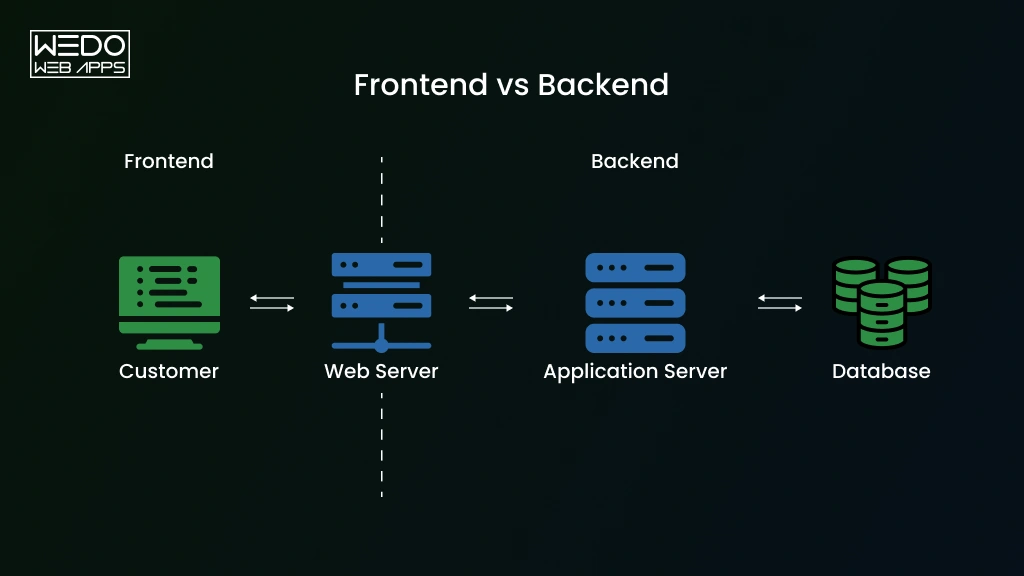
The UK’s National Cyber Security Centre (NCSC) explains that PHP runs on a web server. It generates the content of web pages, talks to databases, and handles the behind-the-scenes logic of applications. It is also used in a range of other products. You may be relying on PHP every day without knowing it.

What are the two flaws?

The NCSC published its alerts on a critical security issue affecting PHP on 21 October. It says the PHP security update fixes a critical issue that may allow attackers to run commands on any web server using PHP.

The two flaws are named CVE-2026-109618 and CVE-2026-109619. A CVE is simply an official ID number for a known security problem. The NCSC describes them in these terms:

  • CVE-2026-109618: if PHP runs out of memory at the wrong moment, it can be interrupted while handling a request that is only partly set up. When PHP cleans up afterwards, it treats that unfinished data as if it were fine.
  • CVE-2026-109619: information belonging to one request can stay around after the memory behind it has been freed. A later request handled by the same worker may then use that leftover information.

In technical terms, this is a PHP remote code execution vulnerability. The NCSC says an attacker could trigger memory corruption, and under certain conditions, this could be used for unauthorized remote code execution. The full PHP security advisoryfrom the PHP team gives more detail, and the NCSC links to it. The NCSC confirms that the issue has now been fixed.

How big is the risk?

For affected PHP versions, the NCSC is clear: organisations using any version of PHP are affected, and those on older versions should move to one that is fully supported.

The BBC reported that one company estimated roughly 70% of the internet could be affected. The BBC also said that it could not verify that figure independently, so it is best treated as an estimate.

The BBC also noted that Edinburgh council’s website and some BBC programme pages became inaccessible. Neither organisation had confirmed whether this was linked to the PHP flaws.

Don Smith, a specialist at the Sophos Counter Threat Unit, said the flaws would likely be a priority target for attackers. Attackers are likely to look for sites that have not been updated.

What about the UK?

According to Clarke, UK government websites are not directly affected. He said parts of their wider systems will be, such as council websites and small businesses that may need to be updated.

The NCSC says it will continue to monitor for any impact on UK organisations. Anyone worried about the PHP vulnerability 2026 should start by asking their web suppliers whether the update has been applied.

What the NCSC wants organisations to do

The NCSC lists these priority actions:

  1. Find every system running PHP, starting with those connected to the internet. Don’t only check old versions, because all may be affected.
  2. Watch for updates from software suppliers, including for products that may have PHP built-in.
  3. Install the latest PHP version and keep checking for future updates.
  4. Apply the extra hardening steps provided by the PHP team.
  5. Use the temporary fixes from the PHP team if you can’t update yet.
  6. Consider taking the system offline if you can’t apply those fixes, or if doing so would take too long, until it is fully protected.
  7. Check for a break-in if you can’t update or switch the system off straight away. Look for backdoors left by an attacker, and get help from an assured incident response provider if you are unsure.
  8. Check the list of affected products published by the Dutch cyber agency, NCS-NL, which shows software with a PHP dependency.

The bottom line

The shutdowns show how seriously officials are taking this PHP security vulnerability. Governments were willing to switch off public websites rather than leave them open to attack, and the reason was a weakness rather than a confirmed hack.

The advice is the same everywhere. Find out where PHP is used, install the

PHP security patch, and if you can’t, take the system offline until you can.

Outsource Mobile App Development: Cost, Process & Hire the Right Company

Introduction

You have an app idea. You do not have a developer.

Hiring can take a few months. Freelancers can disappear in the middle of the project. Quotes for the same app can differ by tens to thousands of dollars. One wrong choice leaves you with late delivery, unclear code, and a product that does not even perform.

That is the risk when you outsource mobile app development without a plan.

Get it right, and you launch sooner, access specialists’ skills, and keep your budget in check.

This guide shows you how to outsource app development step by step. You will see what it costs, which engagement model fits your project, and how to hire a mobile app development company that delivers results.

Still comparing it with building a team in-house? Do not worry; we cover that too.

Let’s begin with the basics first.

What Is Mobile App Development Outsourcing?

Mobile app development outsourcing means that you are hiring an external company or a team to design, build, and maintain your app. You keep the ownership of the product, but the development partner handles the engineering work, either for the whole app or for a specific part of it.

What Can You Outsource?

  • App design: UI/UX design, wireframes, and clickable prototypes.
  • Mobile development: iOS, Android, or cross-platform builds.
  • Backend development: servers, databases, and user accounts.
  • API integration: payments, maps, CRM, and other third-party tools.
  • Testing: functional checks, performance tests, and real-device QA.
  • Deployment: App Store and Google Play submission.
  • Maintenance: bug fixes, OS compatibility updates, and new features.

Outsourcing vs In-House Development


FactorOutsourcingIn-House
Upfront costLower, with no hiring or equipment costsHigher, with salaries, recruiting, and tools
Time to startWeeksOften months to hire a full team
ControlShared, set by your contractFull
ScalabilityAdd or remove people as per the needs of the projectSlow, tied to hiring cycle
Skill RangeBroad, across platforms and specialitiesLimited to the people you hire
Best ForMVPs, defined projects, and skill gapsCore products with long roadmaps


Many companies land in the middle. An outsourced team builds version one, and an in-house product lead takes over once the app has traction.

Now you know what outsourcing mobile app development actually means; now you should check why there is a need for an outsourcing mobile app development company, which will give you more clarity.

Why Outsource Mobile App Development?

 
Benefits of Outsourcing App Development
 

Building an app requires more than a developer. You may need UI/UX designers, backend engineers, QA testers, DevOps support, and experts in your chosen technology stack. Hiring them all internally can take months before even the development begins.

When you outsource mobile app development, you can bring the right skills into the project based on what you actually need. A capable development partner can also help you avoid technical gaps and keep the project moving.

Mordor Intelligence estimates the software development outsourcing market at about $618 billion in 2026. It expects small and mid-sized businesses to grow fastest, at 11.25% a year through 2031.

Here is why so many of them choose to outsource.

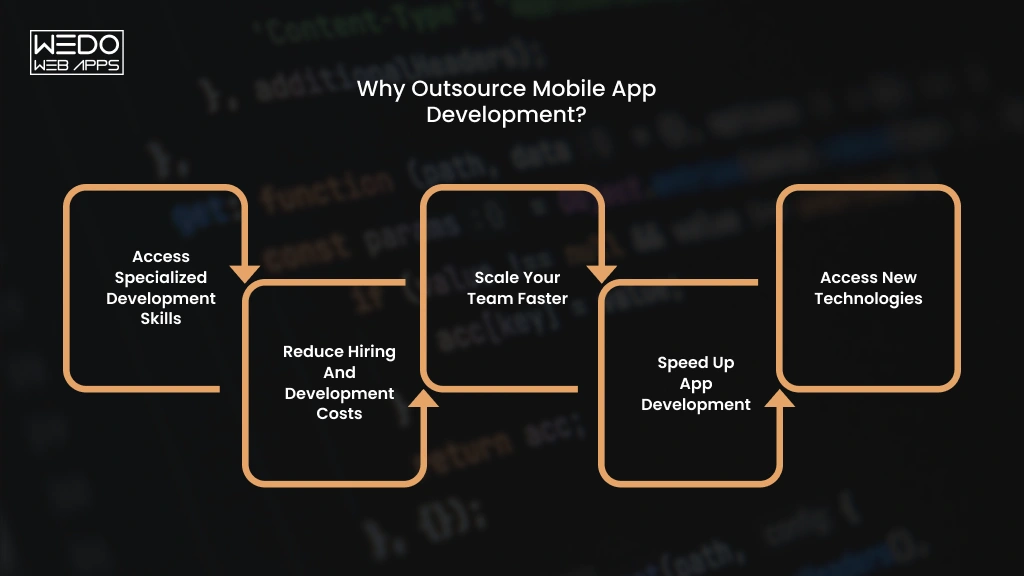
Access Specialized Development Skills

You can work with specialists who already have experience with the technologies your app requires.

For example, an app with real-time chat, payment integration, location tracking, and AI-powered recommendations may require several areas of expertise. When you outsource app development to an experienced team, you can access those skills through one development partner.

Reduce Hiring and Development Costs

Building an internal team involves more than a developer salary. Recruitment, benefits, software licenses, hardware, training, and management all add to your investment.

With mobile app development outsourcing, you pay for the expertise and resources your project needs without maintaining a full-time team after development ends.

Scale Your Team Faster

Your development needs can change as your product moves from an MVP to a larger release.

You might need two developers during the initial build and additional QA, backend, or DevOps support before launch. An outsourcing partner can adjust the team accordingly to the workload instead of requiring you to recruit for every new requirement.

Speed Up App Development

An established outsourcing company can begin with an existing team and development process. This can help you move from requirements and prototypes to development faster, especially when you have a fixed launch target.

Example: A startup preparing an investor demo may need an MVP within a few months. Building an internal team from scratch could consume a significant part of that timeline.

Access New Technologies

Your internal team may have limited experience with technologies your app needs, such as AI APIs, cloud services, AR features, or cross-platform frameworks.

If you plan to hire a mobile app development company, you can look for a partner with proven experience in the technologies required for your product. This gives you access to specialized expertise without hiring permanently for a single project.

For example: If you want to add an AI chatbot to an existing mobile app, an experienced AI app development partner can handle the AI integration while your internal team continues managing the core product.

These benefits only apply if you choose the right partner. And WEDOWEBAPPS is the right partner for you.

With the next section you will know about how to outsource app development in simple nine steps.

How to Outsource Mobile App Development

 
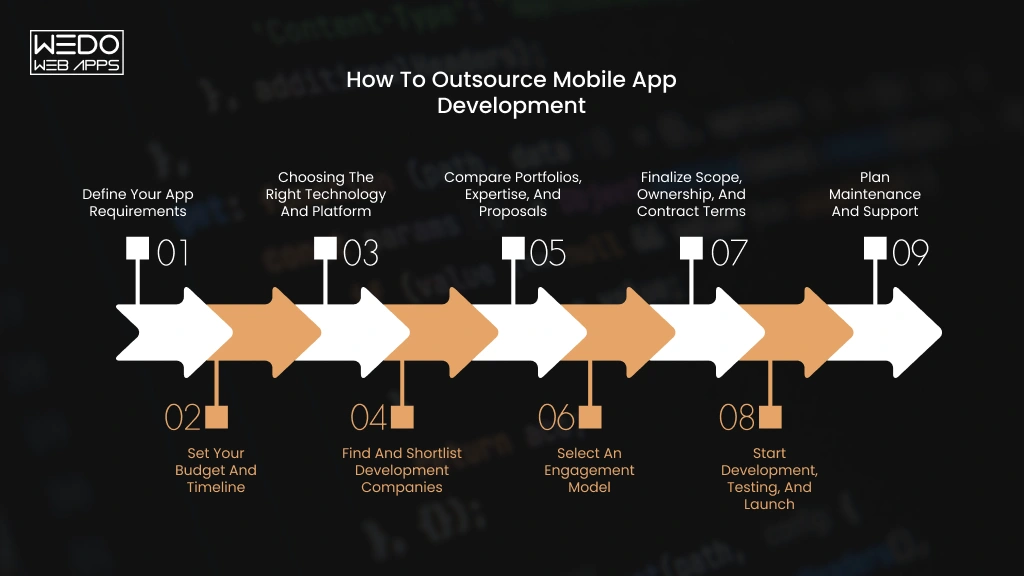
Steps to Outsource Mobile App Development
 

A successful outsourcing project starts before development begins. Your requirements, budget, technology choices, vendor selection, contract terms, and communication process all affect the final result.

When you outsource mobile app development, treat the external team as a delivery partner rather than simply handing over a list of features. Clear responsibilities and measurable outcomes make it easier to control scope, cost, and quality.

Here is a practical process you can follow.

1. Define Your App Requirements

Start by documenting what you want the app to achieve and who will use it.

Your initial brief should cover:

  • Target users and their main problems.
  • Core features and user journeys.
  • iOS, Android, or both.
  • Backend and third-party integrations.
  • Design requirements.
  • Security or compliance needs.
  • Expected launch date.
  • Features that are outside the initial scope.

You do not need a complete technical specification before speaking to a development company. However, you should be clear about the product outcome and the features required for the first release.

2. Set Your Budget and Timeline

Set a realistic budget before comparing development companies. Your budget should account for development, design, QA, third-party services, infrastructure, app store requirements, and post-launch support.

Your timelines also need some flexibility. A fixed launch date can help prioritize features, but rushing development by adding more developers is not always the fastest solution.

Ask potential partners to separate the estimate by major phases or deliverables. This makes it easier to understand where your money is going and identify assumptions behind the quote.

3. Choosing the Right Technology and Platform

Your technology choice should follow your product requirements rather than a developer’s preferred stack.

If you need platform-specific capabilities or maximum control over native features, native IOS and Android development may be appropriate. If you want to launch on both platforms with a shared codebase, frameworks such as Flutter or React Native may be worth considering.

Your development partner should explain the trade-offs around performance, integrations, maintenance, development speed, and future scalability before you commit.

Cross-platform development has also become more mature, while AI is increasingly being considered both as a development capability and as an app feature.

4. Find and Shortlist Development Companies

Now you can start looking for the companies that match your project requirements.

Do not shortlist providers based only on your search rankings or hourly rates. Look for experience with your app type, target platforms, integrations, and technical requirements.

A shortlist of three to five suitable companies is usually easier to evaluate than dozens of generic proposals.

Check whether each company can provide:

  • Relevant portfolio examples.
  • Case studies with measurable outcomes.
  • The proposed team structure.
  • Development and QA capabilities.
  • Communication process.
  • Post-launch support.
  • Clear project estimates.

If you are planning to hire a mobile app development company, this stage should focus on finding teams that actually deliver your type of product, not simply teams that offer the lowest quote.

5. Compare Portfolios, Expertise, and Proposals

A portfolio tells you what a company has built. A proposal tells you how it intends to build your product.

Compare both.

Look at whether previous projects have similar functionality, user flows, technical requirements, or even the same business goals. Then review each proposal for scope, deliverables, assumptions, timelines, team compositions, and exclusions.

Two companies can quote the same while offering a very different range of services. One proposal may include backend, QA testing, and everything else, while the other may leave out some important aspects.

Ask questions whenever an estimate seems unusually low or unusually high.

6. Select an Engagement Model

Choose how you want to work with the development team based on the certainty of your requirements and the level of control you need.

A defined MVP may work well with a fixed-price arrangement. A product that will evolve through continuous releases may be better suited to time and materials or a dedicated team.

We compare these outsourcing models in detail later in this guide, so you can match the commercial structure to your project instead of choosing based on price alone.

7. Finalize Scope, Ownership, and Contract Terms

Before development starts, put the important agreements in writing.

Your contract should clearly address:

  • Project scope and deliverables.
  • Payment milestones.
  • Change requests.
  • Intellectual property ownership.
  • Source code and repository access.
  • Confidentiality and data protection.
  • Acceptance criteria.
  • Maintenance responsibilities.
  • Exit and handover terms.

Your business should also retain control of important accounts such as your code repository, cloud infrastructure, analytics tools, and app store accounts where practical. This reduces dependency on a single vendor and makes future handover easier.

8. Start Development, Testing, and Launch

Once the scope and responsibilities are agreed, development can begin.

Set a communication rhythm before the first sprint. Weekly demos, regular progress updates, a shared project board, and clear escalation channels can prevent small issues from becoming expensive rework.

Testing should happen throughout development rather than being left until the final week. Mobile apps need testing across supported devices, operating system versions, screen sizes, network conditions, and real user flows.

Before launch, confirm that the final build, documentation, credentials, analytics, and deployment requirements are ready. Then complete the relevant App Store and Google Play submission processes.

9. Plan Maintenance and Support

Your relationship with the development company should not necessarily end when the app reaches the store.

Plan how you will handle bugs, operating system updates, security fixes, performance issues, third-party API changes, and future features.

Agree on response times, support coverage, maintenance costs, and ownership of ongoing updates before launch. A clear handover process is equally important if your internal team or another vendor will take over later.

The goal of outsourcing app development is not simply to get a finished build. You should finish the engagement with working software, access to your technical assets, clear documentation, and a practical plan for what happens next.

Now that you know the process, the next question is what it will cost.

How Much Does It Cost to Outsource Mobile App Development?

Most outsourced mobile apps cost between the range of $15,000 and $300,000 or more. The range is wide because “an app” can mean a simple booking tool or a full marketplace. When you outsource mobile app development, what you build affects the price more than where you build it.

Average Mobile App Outsourcing Cost


App TypeTypical featuresTimelineEstimated Cost
BasicLogin, simple screens, static content, basic API2 to 3 months$15,000 to $30,000
MediumPayments, push notifications, admin panels, third-party APIs4 to 6 months$30,000 to $70,000
ComplexReal-time chat, GPS tracking, AI features, several integrations6 to 9 months$70,000 to $150,000
EnterpriseHigh security, cloud setup, analytics, large user base9 to 12 or more months$150,000 to $300,000+


These cost ranges assume an experienced offshore team or nearshore team, one codebase for iOS and Android, and design, development, and testing in the price. US and Western European teams usually cost more.

For example, a food ordering app with online payments and an admin panel sits in the medium tier.

Outsourcing Cost by Region


RegionMid-level hourly rateWhere it fits best
India$28 to $45Tight budgets and a large talent pool
Southeast Asia (Vietnam, Philippines)$22 to $38Low cost, strong mobile, and QA work
Eastern Europe$40 to $60Senior engineer and overall with EU hours
Latin America$45 to $65Full workday overlap with US teams
US and Western Europe$60 to $150Closest collaboration at the highest price


These figures come from 2026 rate guides, including Accelerance, and vary by vendor. Accelerance’s 2026 survey found rates fell year on year in every major region. Rate guides link part of that drop to AI coding tools. Ask any vendor whether those gains reach your invoices.

Seniority also moves the price. A senior engineer often costs two to three times a junior in the same region.

When you hire a mobile app development company, ask for the seniority mix behind the rate. A team of juniors at $25 an hour can end up costing more than a balanced team at $40 once rework is added.

Factors That Affect Outsourcing Cost

  • App complexity: Each new user role, such as customer, driver, and admin, adds screens and logic.
  • Features: Live tracking or real-time chat costs far more than a login screen.
  • Platforms: One cross-platform codebase usually costs less than two native apps.
  • Integrations: Every payment map or CRM connection adds build and test time.
  • Development Team: A team with a designer, a tester, and a project manager costs more than one developer. It also protects quality.
  • Location: The same team can cost two to three times more in the US than in Asia.
  • Timeline: A tight launch date needs more people working at once, which raises the monthly bill.
  • Maintenance: Updates and fixes continue after launch, so budget for them from day one.

Hidden Costs to Consider


Hidden CostWhat HappensHow to Avoid It
Third-Party ServicesPaid tools for maps, SMS, payments, or analytics add monthly feesList every service in your scope and ask the vendor for each monthly fee
InfrastructureServers, storage, and monitoring bill every month after launchAsk for a cloud estimate at launch and at ten times your launch users
Change RequestsNew ideas mid-build get billed as extrasLock the scope per milestone and agree a change rate before you start
App Store RequirementsDeveloper accounts, review rejections, and policy updates take money and timeOpen the account under your own company name and ask the vendor to follow the store checklist before submission
Ongoing MaintenanceNew iOS and Android versions can break features that worked beforeSign a support plan before launch with response times and fees


A quick way to see where your money goes: send your feature list to two or three vendors and ask for estimates priced per feature. The gaps between quotes show you which features drive the cost.

Once you have a budget, you need to decide how you will pay for the work. Four engagement models cover most projects.

Get Your Mobile App Development Estimate

Which Mobile App Development Outsourcing Model Should You Choose?

 
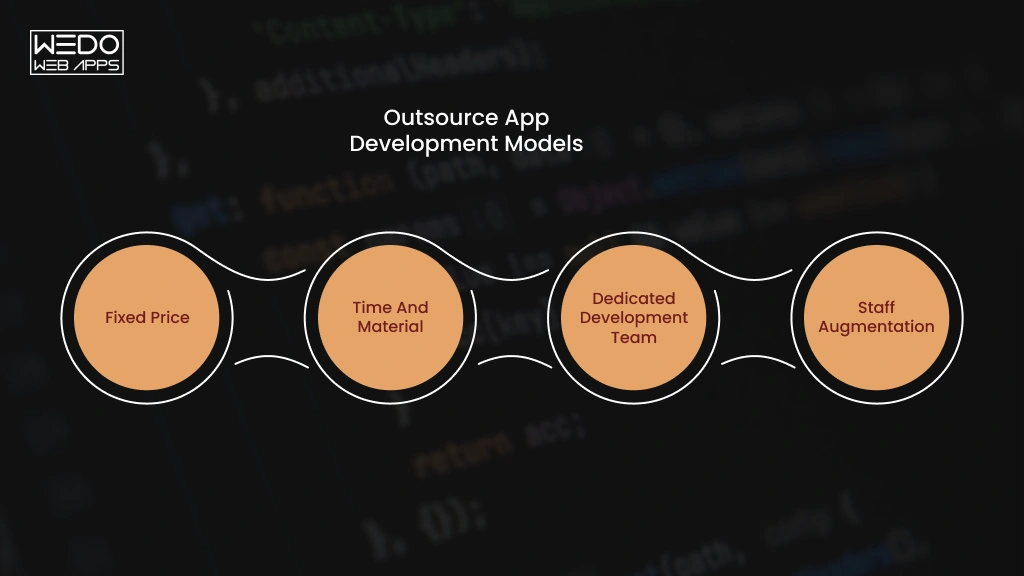
Types of App Development Outsourcing Models
 

The right outsourcing model depends on how clearly you can define the project, how often the scope may change, and how much control you want over the development team.

Before you hire a mobile app development company, compare the models based on your project needs rather than choosing the option with the lowest starting price.


ModelBest forPricing StructureMain Consideration
Fixed PriceClearly defined projectsAgreed project priceScope changes can increase costs
Time and MaterialEvolving productsPay for actual time and resourcesFinal cost can change
Dedicated Development TeamLong-term or complex productsMonthly team-based costRequires ongoing involvement
Staff AugmentationFilling specific skill gapsUsually hourly or monthlyYour team manages delivery


Fixed Prices

A fixed-price model works when your requirements, deliverables, and timeline are clearly defined.

You agree on the scope and price before development starts. This makes budgeting easier for a well-defined MVP or a project with limited room for change.

Best fit: A business launching a simple booking app with an agreed list of features.

Time and Materials

With time and materials, you pay for the actual development time and resources used. The scope can evolve as you learn from users or change product priorities.

This gives you more flexibility than a fixed-price contract, but you need to monitor progress and spending closely.

Best fit: A startup building an MVP where features may change after user feedback.

Dedicated Development Team

A dedicated team gives you a group of dedicated developers and specialists working on your product over a longer period.

You have more control over priorities and can add or adjust team members as the product grows. This model can work particularly well when you expect continuous development rather than a single launch.

Best fit: A SaaS company that plans regular releases, new features, and ongoing product improvements.

Staff Augmentation

Staff augmentation allows you to add external specialists to your existing team without handing over the entire project.

For example, you may already have product managers and backend developers but need two experienced Flutter developers for a mobile release.

Best for: Businesses with an internal development team that needs additional capacity or a specific technical skill.

A simple rule: If the scope is stable, consider a fixed price. If requirements are likely to evolve, time and materials may offer more flexibility. For long-term product development, a dedicated team can provide greater continuity. If you already manage development internally, staff augmentation can fill specific gaps.

Now you know how to structure the deal. Next, you need to find a company worth signing with.

How to Hire a Mobile App Development Company

Every company you contact will say it has senior data engineers and strong QA. Your job is to test those claims. When you hire a mobile app development company, check the six areas below. Then compare every vendor on one scorecard.

Check Mobile App Development Experience

Looking for experience in your kind of app. A team that has built a banking app understands security reviews. A team that has built a marketplace understands two-sided accounts and payouts.

Confirm these basics:

  • At least two launched apps similar to yours in industry or features.
  • Hands-on work with your chosen technology, such as Flutter or Swift.
  • Apps that are still live and still updated.

Review Portfolio and Case Studies

Open their live apps in the App Store or Google Play. Check the ratings, the latest reviews, and the date of the last update. A strong app that nobody has touched in two years tells you something. Along with that, check the company’s privacy protection policy.

Then read the case studies. Look for measurable results such as downloads, crash rates, or load times. Ask about a project that went wrong and how they fixed it.

Evaluate Technical and QA Expertise

Ask three questions and listen for specifics:

  1. “Which devices and OS versions will you test on, and who picked them?”
  2. “What do you test on real devices instead of simulators?”
  3. “What happens when Apple or Google releases a new OS version after launch?”

A strong answer names actual devices and describes a repeatable process. A weak answer says testing is “thorough.”

Check Communication and Project Management

Agree on the working rhythm before you sign:

  • One named project manager as your main contact.
  • Weekly demos of working features.
  • A shared task board, such as Jira or Trello.
  • A few hours of overlap with your working day.
  • Replies to your messages on the same business day.

Confirm Ownership, Security, and Support Terms

Here, check the company itself:

  • A security certification, such as ISO 27001, that you can verify with the issuer.
  • How they store your data and who can access your code.
  • A written support plan with response time.
  • Whether any work goes to subcontractors, and who they are.

Compare Proposals Instead of Just Prices

Score each vendor on the same sheet. These weights are a starting point, so adjust them to your project.


CriteriaWeightScore (1to5)
Relevant Experience25%Score you feel right
Technical and QA depth25%Score you feel right
Price and Value20%Score you feel right
Communication and Process15%Score you feel right
Security and Support terms15%Score you feel right


Multiply each score by its weight and add the results. The lowest quote often scores lower than you expect once testing and support are counted.

Red Flags to Watch For

  • A fixed price with no questions asked. Ask for a discovery call first. A real estimate needs details about your users and features.
  • Mockups instead of live apps. Ask for store links.
  • No names on the team. Ask for names, roles, and how long each person has been with the company.
  • No clear answer on AI coding tools. Ask which tools they use, who reviews AI-written code, and whether your data stays out of public tools.
  • Pressure to sign this week. Ask for the proposal to stay valid for 30 days.

Many apps now include AI features, which adds a few more questions to your shortlist.

How AI Fits Into Mobile App Development Outsourcing

 
AI in Mobile App Development Outsourcing
 

More app briefs now include AI features. If you outsource app development with AI in scope, treat it as its own line item. It changes your budget and the skills you need from a partner.

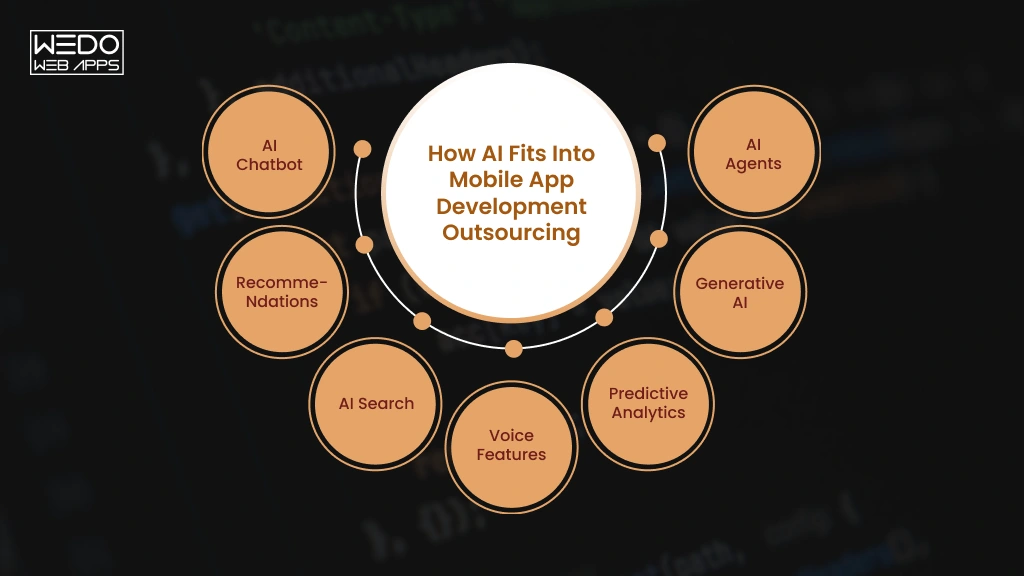
AI Features You Can Add to a Mobile App


FeatureWhat it doesExampleMain cost driver
AI chatbotAnswers questions in a chat windowSupport bot in retail appUsage fees and training content
RecommendationsSuggest items based on past behavior“You make look like” in shopping appAmount of user data
AI searchUnderstands plain-language queriesSearching “red running shoes under $80”Indexing and model calls
Voice featuresHandles voice commands and dictationsHands-free food orderingSpeech service fees
Predictive analyticsForecast behavior or demandFlagging likely missed appointmentsData quality and model building
Generative AIWrites text, creates images, summarizes contentSummarizing meeting notesPer-use model fees
AI agentsComplete multi-step tasks for the usersRebooking a flight after a delayIntegrations, safeguard, testing


How AI Affects App Development Cost

AI adds costs that a standard app does not have:

  • Model and API fees: Many AI services charge per request, so the bill grows with your user count.
  • Data work: Your data may need cleaning and organizing before a model can use it.
  • Infrastructure: Custom models need more cloud capacity than a typical backend.
  • Testing: AI answers vary, so testers check quality and edge cases, not only bugs.
  • Monitoring: Accuracy and running costs need regular checks after launch.

Skills cost more too. 2026 rate guides put AI engineers at roughly 20 to 40% above generalist rates.

Ask every vendor for a monthly running cost at your expected user count. A low build price can hide a high monthly bill.

What to Check When Hiring an AI-Capable Development Partner

  • Experience: Ask for AI features they have shipped in live apps, with results.
  • Data privacy: Ask where your users’ data goes and whether a third-party model can train on it.
  • Integration Approach: Ask whether they use a cloud AI service or on-device models, and why.
  • Testing: Ask how they measure answer quality before release.
  • Ongoing support: Ask who monitors accuracy and costs once the app is live.

If you hire a mobile app development company for an AI-enabled product, make sure it can support the feature after launch as well. Models, APIs, costs, and performance requirements can change over time.

The best AI implementation is the one that solves a clear user problem while remaining practical to operate, test, and maintain.

Conclusion

Outsourcing works when you plan it. Start with a clear scope, so every vendor quotes the same app. Set a budget that covers hosting, updates, and support. Pick an engagement model that fits how much your plan will change.

Then choose your partner on evidence. Check live apps, ask how they test, and compare proposals on one scorecard. Put ownership, security, and exit terms in writing before work begins.

If you are ready to outsource mobile app development, write a one-page brief of your goals and must-have features. Share it with three companies and compare their answers. It is the simplest way to hire a mobile app development company you can trust.

Discuss Your App Development Project

Real Estate Technology in 2026: Platforms, Software, and App Development Guide

Introduction

You open your CRM. Then your listing portal. Then a spreadsheet, a shared inbox, and a lease folder. Somewhere in those tabs sits the lead you were supposed to call yesterday.

Sound familiar?

Each of these problems has a fix, and it sits in real estate technology. Choosing the right one is the hardest part.

Search for it, and you will get hundreds of real estate tech platforms. You will meet dozens of real estate software companies making nearly identical claims. Every demo promises more leads and fewer admin hours. Few tell you which tool fits your business.

This guide cuts through that. You will learn:

  • Which types of platforms exist and what each one does.
  • Which real estate software solutions suit your team size and goals.
  • Where AI saves you time and where it still needs a human.
  • What real estate application development involves, and how to choose a real estate app development company.

Read the guide straight through or jump to the part you need. Either way, you will know what to buy, what to build, and what to skip.

Let’s start with the basics.

What Is Real Estate Technology (PropTech)?

Real estate technology is the software, platforms, and connected devices used to buy, sell, rent, manage, finance, and build property. The industry also calls it PropTech.

It covers more than you might expect. A listing site’s search filters count. So does a rent-collection app, a lender’s validation module, and a sensor that tracks a building’s energy use.


Real Estate Tech vs PropTech vs Real Estate Software

These terms get used as if they mean the same thing. They do not, and the difference matters when you start comparing vendors.


TermWhat it meansExample
Real estate technology/PropTechThe whole category: software, hardware, and data servicesA smart lock and the app that controls it
Real estate tech platformA hub that connects several users or functions in one placeA marketplace linking buyers, agents, and lenders
Real estate softwareA tool built for one specific jobA CRM that tracks leads, or a lease management tool


Technology is the field, a platform is the hub, and the software is the tool. Most vendors you will evaluate sell the last two.

Marketplace Snapshot and Who Uses It

Analysts do not agree on one market size, which is worth knowing before you quote a figure in a report or pitch. Estimates for 2026 run from about $44.6 billion to about $53.2 billion, with forecast growth between roughly 11% and 18% a year depending on the firm. Treat the direction as reliable and the exact number as a range.

Adoption is where the shift shows most clearly. In NAR’s 2026 Report, 23% of agents use AI daily and 25% use it weekly, while the share using no AI fell from 32% to 21% in a year. Yet RpR’s survey found writing tools used by about 78% of AI-using agents, compared with about 47% for chatbots and assistants. Most teams are still using AI to write, not to run their workflows. That gap is where you have the most room to improve.

Types of Real Estate Tech Platforms

Types of Real Estate Technology Platforms

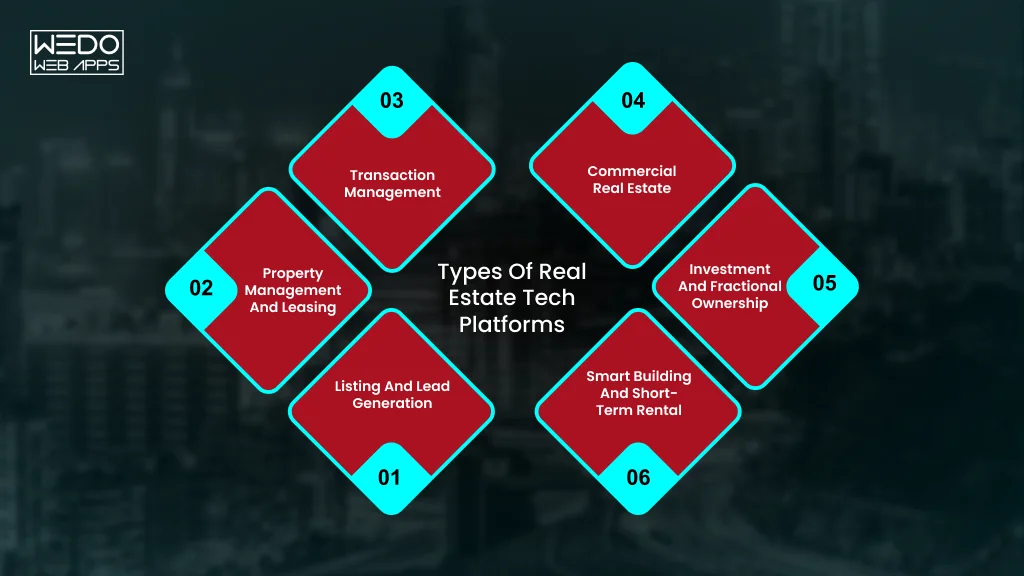
Most real estate tech platforms fall into size groups. Match your biggest problem to a group, and a long vendor list shrinks fast.


Platform typeProblem it fixesExample tools
Listing and lead generationToo few qualified inquiriesZumper, BoldLeads, Structurely
Property management and leasingRent, repairs, and tenant adminBuildium, DoorLoop, EliseAI
Transaction managementStalled deals, missing signaturesDocuSign
Commercial real estateLease dates and portfolio trackingVTS, Re-Leased, Yardi Corom
Investment and fractional ownershipSpreadsheet reporting, access to ownershipAgora, Pacaso
Smart building and short-term rentalEnergy costs, multi-channel bookingsInfogrid, Hostaway, Guesty


Listing, Marketplace, and Lead Generation Platforms

These put your properties in front of buyers and renters. Then they capture the inquiries.

  • Zumper: rental listings, credit reports, applications, and e-signatures in one place.
  • BoldLeads: landing pages with automated email and text follow-ups.
  • Structurely: an AI chatbot that qualifies leads and books appointments for you.

Property Management and Leasing Platforms

  • Problem: rent collection, repairs, and tenant screening all in one platform.
  • Fix: one system for accounting, leasing, maintenance, and tenant messages.
  • Examples: Buildium bundles accounting, leasing, and mobile apps. DoorLoop suits small and mid-sized rental owners. Elise AI uses AI to talk to prospects and schedule tours, and the company reports an 80% drop in leasing agent workload.

Transaction Management and e-Signature Platforms

A typical deal runs like this on a good platform:

  1. Your offer is accepted, and a checklist is created automatically.
  2. Documents go out for e-signature (DocuSign is the best-known option).
  3. Deadlines trigger reminders before anyone misses one.
  4. Every party sees the same status through to closing.

Without a platform, steps 2 to 4 happen over email.

Commercial Real Estate Platforms

Commercial portfolios need lease tracking across many buildings. Three platforms handle it in different ways:

  • VTS: a leasing and asset management platform for commercial real estate.
  • Re-leased: cloud-based property management software for landlords and property managers.
  • Yardi Corom: keeps leases, documents, clauses, and critical dates in one system for corporate real estate and legal teams.

Investment and Fractional Ownership Platforms

Changing how people own: Pacaso sells shares of luxury second homes through LLC co-ownership.

Changing how firms manage: Agora replaces spreadsheets with portfolio management and reporting for real estate investment firms.

Smart Building and Short-Term Rental Platforms


SegmentWhat it handlesExample tools
Smart buildingsIoT sensors and AI to cut energy use and support ESG reporting; mobile building accessInfogrid, ButterflyMX
Short-term rentalsBookings across Airbnb, Vrbo, and similar channels, with automated messaging and pricingHostaway, Guesty


Which Platform Should You Look at First?

Tick the statement that sounds most like you:

  • Leads are slow or low quality: start with listing and lead generation
  • Admin buries your weeks: start with property management
  • Deals stall over paperwork: start with transaction management
  • You manage many leases: start with commercial platforms
  • Reporting lives in spreadsheets: start with investment platforms
  • You run buildings or rentals at scale: start with smart building or short-term rental tools

Most teams end up using two or three groups together, so how well they connect matters as much as what each one does. That is what the next section covers.

Real Estate Software Solutions: Core Features and Benefits

Good real estate software solutions share a short list of features. If a tool misses several of them, you will feel it within a month. You can consider this section a filter before you book any demo.

Features Every Real Estate Software Should Have

Use this as a checklist when you compare tools:

  • Lead and contact management: every inquiry, call, and email sits in one record, so nobody asks a client the same question twice.
  • Listing management: you publish a property once, and it appears on your site and connected portal.
  • Document storage and e-signature: contracts, leases, and IDs stay in one place and get signed online.
  • Online payments: tenants pay rent, and buyers pay deposits without cheques or bank visits.
  • Reports and dashboards: you see leads, occupancy, and revenue without building a spreadsheet.
  • Mobile access: you can answer a client or approve a repair from the property itself.
  • Integrations: the tool connects to your accounting, email, calendar, and listing sources.
  • User roles and security: an assistant sees what they need and nothing more.
  • Automation: follow-ups, reminders, and routine replies run on their own, and some tools now use AI to draft or send them.

If you can only check six of the nine, rank them by what costs you the most time today. Start with that gap.

What You Gain From the Right Software

Every benefit below comes with a situation you may recognize.

  • You respond to leads faster.

Example: a buyer fills in a form at night. The software sends a reply with three matching listings and a booking link. You wake up to a scheduled viewing.

  • You spend less time on admin.

Example: a property manager sends rent reminders, collects payments, and logs receipts by hand each month. With software, reminders and receipts go out automatically.

  • You make fewer mistakes.

Example: a lease renewal date sits in a notebook and gets missed. The software flags it 90 days ahead.

  • You give clients a better experience.

Example: a tenant reports a leaking tap in an app, sees the repair status, and rates the visit. They stay longer because they never had to chase you.

  • You make better decisions.

Example: a dashboard shows that one listing source brings most of your serious inquiries. You move your budget there.

Where Software Choices Get Tricky

You will meet two kinds of products as you shop. Some tools are built for one job, such as lead tracking. Others are platforms that try to cover everything. A specialist tool often does its one job better. An all-in-one platform saves you from juggling logins.

Large real estate software companies tend to sell broad platforms. Smaller vendors usually focus on one task. Neither type is better by default. The right choice depends on how your team works.

If no tool matches your process, you have another path. A real estate app development company can build a product around your exact workflow. We cover that choice, along with real estate application development, in the next sections.

How AI Is Changing Real Estate Software

About half of real estate professionals use AI every week. Most of that use is still content. Roughly 82% of agents use AI to write listing descriptions. The next gains lie behind the content. Among the brokerage leaders, 55% plan to expand AI for CRM and workflow automation, and 50% plan to adopt agentic tools that act, not just draft.

The payoff is real. In RPR’s survey, 68% of agents said AI app development saves them at least one hour a week, and 34% said it saves more than four. If your real estate software solutions include AI, here is where it earns its place.

AI for Leads and Client Conversations

  • What it does: answer inquiries, qualify leads, and book tours at any hour.
  • Example: EliseAI talks to rental prospects and schedules tours. The company reports an 80% drop in leasing agent workload (vendor-reported).
  • Room to grow: chatbots and assistants are used by about 47% of AI-using agents, far behind writing tools at about 78%.

AI for Leases, Documents, and Maintenance

  • What it does: pulls key dates, clauses, and amounts out of lease files, and flags equipment problems early.
  • Example: a commercial platform keeps every clause and critical date searchable. IoT sensors with AI, such as Infogrid, can warn you before a pump fails.
  • Room to grow: this is where real estate technology saves operations teams the most manual work.

What to Check Before You Adopt AI

  1. Review output before clients see it. An agent in RPR’s survey asked for more training and worried about accuracy.
  2. Ask where your data goes. Find out if the vendor stores it, shares it, or trains models on it. Brokerage leaders also cite governance, privacy, compliance, and integration as concerns.
  3. Apply fair housing rules to AI too. Screening, ads, and pricing carry the same legal duties whether a person or a model makes the call.
  4. Start with one workflow. Measure it for 30 days before you add another.

Many vendors now ship AI inside tools you already pay for, so ask each one what is live today and what is on the roadmap.

AI Integration for New and Existing Apps

Real Estate Software Companies to Know in 2026

A few large names dominate this market, and many specialists compete around them. This list groups real estate software companies by who they serve. Each entry shows where the company fits best, so you can build a shortlist before you book a demo.

For Agents and Brokers


CompanyBest forStandout strength
Follow Up BossGrowing teams that win on speed to leadLead routing, assignment, and response-time reporting. It is a Zillow product.
Wise AgentSolo agents and small teamsFlat monthly pricing with a few shared users.


For Property Managers and Landlords


CompanyBest forStandout strength
AppFolioMixed portfolios with a residential focusBuilt-in accounting and agentic AI features
BuildiumSmall portfoliosSimple tools at an entry-level price
Yardi (Voyager, Breeze)Large portfolios that need deep accountingBreeze suits residential portfolios that want a lighter setup
RealPageLarge companies that need advanced accounting and affordable housing toolsStrong in multifamily


AppFolio’s own comparison page ranks AppFolio first, so weight independent reviews alongside it.

For Commercial Real Estate


CompanyBest forStandout strength
Yardi VoyagerFull-lifecycle operationsEnterprise scale
MRI SoftwareEnterprise-scale commercial and mixed-use portfoliosGlobal reach
CoStarCommercial market data and analyticsOne of the most comprehensive commercial databases
VTSCommercial landlords and brokersLeasing and asset management in one platform


Fast-Growing PropTech Companies

Venture money is flowing to newer real estate tech platforms built around AI. AI-native companies in underwriting, construction technology, property operations, leasing automation, and financial infrastructure attract the largest share of investment.

  • EliseAI: AI for leasing and resident communication.
  • Infrogrid: IoT and AI for smart commercial buildings.

Pilot young vendors on one property or team before you commit. Their pricing and product can change fast.

How to shortlist: pick three vendors, ask each to demo with your own data, and check their integrations before you compare prices. Features and pricing change often, so confirm details on each vendor’s site.

Buy, Customize, or Build: Choosing the Right Real Estate Software

You have three routes. Each one fits a different situation.

Off-the-Shelf vs White-Label vs Custom

Route 1: Buy off-the-shelf

  • Best when: your process is standard, and you want to start this month.
  • You get: working tools, support, and regular updates.
  • Trade-off: you adapt to the tool, and fees grow as your team does.

Route 2: Customize or white-label

  • Best when: you want your own brand or small changes on proven code.
  • You get: faster launch than a full build.
  • Trade-off: limits on what you can change, and you depend on the vendor’s roadmap.

Route 3: Build custom

  • Best when: your workflow gives you an edge, or you plan to sell the product.
  • You get: full control over features, data, and branding.
  • Trade-off: a higher upfront cost and upkeep. Maintenance runs 15% to 20% of the build cost each year.

A quick test: build only if you can say yes to two of these.

  • Does an existing tool force you to change a process that makes you money?
  • Will you sell or license the product to others?
  • Do you need an integration no vendor offers?
  • Can you find an MVP plus a year of upkeep?

Eight Questions to Ask Before You Sign

  1. Integrations: Which accounting, CRM, and listing sources connect out of the box?
  2. Data: Can I export everything if I leave?
  3. Security: Where is my data stored, and who can access it?
  4. AI: Which features are live today, and does my data train your models?
  5. Pricing: What changes in cost as my units, users, or listings grow?
  6. Support: What does onboarding include, and how fast do you reply?
  7. Scale: Can this handle twice my current volume?
  8. Proof: Can I speak with a customer of my size?

If most answers disappoint, a custom build deserves a closer look. That route needs a real estate app development company that understands your market, and the next section shows how to choose one.

Real Estate App Development Consultation

Real Estate Application Development: Process, Features, and Cost

Real estate application development takes more than a designer and a coder. You need market knowledge, data integrations, and a plan for what comes after launch.

Here is what the work involves.

Types of Real Estate Apps You Can Build

  • Listing and search portals: buyers browse, filter, and contact agents.
  • Rental and tenant apps: applications, rent payments, and repair requests.
  • Property management apps: owners and managers track units, leases, and maintenance.
  • Agent and CRM apps: lead tracking and follow-ups from a phone.
  • Investment platforms: users invest in property and track returns.
  • Virtual tour apps: 3D walkthroughs and staging tools.

Features by Stage


StageWhat goes inWhy this order
MVPSign-up, property with filters, map view, photo-rich detail page, saved listings, contact form or chat, admin panel.Tests whether people want the product
Phase 2MLS/IDX feeds, agent portal, mortgage calculator, push alerts, payments, virtual toursAdds depth once users arrive
AdvancedAI recommendations, AI valuation, chatbot, analytics dashboardsCosts the most and pays off at scale


Tech Stack and Integrations

You will make a few choices early:

  • App frameworks: cross-platform tools like React Native suit most real estate apps, since search, listings, messaging, and maps do not need heavy native device access.
  • Maps: Google Maps or Mapbox for property pins, amenities, and commute times.
  • MLS/IDX feeds: needed only if you show MLS-listed homes, and they require a licensed agent or broker partner.
  • Payments and e-signature: for deposits, rent, and contracts.
  • CRM and accounting links: so data flows to the tools your team already uses.
  • AI services: recommendations, valuation, and chat through APIs.

The Development Process Step-by-Step

  1. Discovery (2 to 4 weeks): the team defines user personas, the features roadmap, and the technical plan, which cuts costly scope changes later.
  2. Design: wireframes and a clickable prototype that you test with a few target users.
  3. MVP build: typically 8 to 14 weeks.
  4. Testing and launch: quality checks, then app store review.
  5. Measure and improve: track search use, inquiries, and drop-off, then plan phase 2.

What Real Estate App Development Costs

Publish estimates vary widely. Current guides place a basic  MVP between roughly $15,000 and $18,000, mid-range apps between $40,000 and $180,000, and enterprise platforms from $150,000 to $300,000 or more.


TierTypical ScopeEstimated CostTimeline
MVPListings, search, maps, contact$15,000 to $80,0002 to 4 months
Mid-rangeMLS/IDX, agent portal, payments$40,000 to $180,0004 to 8 months
EnterpriseAnalytics, CRM, AI valuation, multiple user roles$150,000 to $300,000+8 to 14 months


Four things move the number most:

  • MLS/IDX integration: adds roughly $20,000 to $40,000 and 6 to 10 weeks.
  • AI features: recommendations and predictive pricing add roughly $30,000 to $60,000.
  • Team location: hourly rates run about $80 to $150 in Western Europe and $50 to $80 in Eastern Europe.
  • Scope creep: every late feature resets part of the schedule.

These figures come from vendor-published guides, so collect two or three quotes for your own scope.

How to Choose a Real Estate App Development Company

Look for:

  • Live real estate products you can open and test.
  • Milestone-based pricing with a clear scope.
  • Past work with MLS/IDX feeds, maps, and payments.
  • Security practices such as encryption and multi-factor login.
  • A support plan after launch.
  • A contract that gives you ownership of the code and data.

Walk away if:

  • They quote a fixed price without asking your users.
  • They cannot show a real estate project.
  • They have no plan for maintenance.
  • They avoid questions about code ownership.

Not sure what your first version should include? Share your ideas with our team for a scoped estimate.

Real Estate Technology Trends and Challenges

Trends to Watch

  • Agentic AI: tools that act on a task instead of drafting text. About half of brokerage leaders plan to adopt them. For you: test one workflow, such as lead follow-up.
  • Platform consolidation: leaders see a shift toward integrated platforms. For you: fewer logins, so integration matters more than feature count.
  • Virtual tours and digital twins: 3D and AR walkthroughs of real spaces. For you: you can qualify remote buyers before a site visit.
  • Property tokenization: blockchain-based shared ownership. For you: watch the rules in your market before you build or invest.
  • ESG and smart buildings: sensors that track energy and emissions. For you: reporting duties are pushing owners toward these tools.
  • Embedded finance: rent payments, insurance, and loans inside the platform. For you: a possible new revenue line for your own product.

Challenges and How to Solve Them


ChallengeWhat it looks likeHow to fix it
Legacy systemsData sits on old software and spreadsheetsClean and map the data first. Migrate in phases and run both systems side by side for a month
Team adoptionStaff keep using old habitsStart with one workflow, name a champion, and train in short sessions. Agents in RPR’s survey asked for more training
Security and complianceClient IDs and financials live in the systemUse role-based access, encryption, and multi-factor login. Check each vendor’s data policy against local privacy law.
Tool overloadFive tools that do not share dataChoose real estate tech platforms with open integrations and retire overlapping tools.
Unclear returnUsage is high, but results are notSet one metric before rollout, such as response time or days to lease. One survey found 82% of agents use AI but only 17% report significant business impact.


Conclusion

The right real estate technology fixes a specific problem. Name yours first. Then match it to a platform type, compare real estate software companies in that group, and ask the eight questions before you sign.

If no tool fits your process, real estate application development gives you a product built around it. Start with an MVP and add AI where it saves your real hours.

Take one action this week. List your three biggest time drains and check which platform type solves the worst one. Talk to our team about real estate software solutions or a custom build for you.

Real Estate App Development Project Plan

How to Create an AI (Artificial Intelligence): Step-by-Step Guide for Beginners

Introduction

You have an idea for an AI tool. Maybe it’s a chatbot for your business. Maybe it’s a project for your portfolio. Or you just want to see how this technology works from the inside.

Then you search for how to create an AI, and the confusion starts.

One guide says you need years of Python. Another says a few clicks will do it. A third lists forty tools and never tells you which one to pick. You are left wondering if you need a powerful computer, a big budget, or a math degree.

Well, the first thing you need to do is understand how to get started with those, and if things are still not clear, then you can connect with a professional AI development partner, and the rest is handled by them.

And if you need to understand how to create an AI, then

You need a clear order of steps and an approach that matches your skills. And this guide gives you both.

You will learn how to create artificial intelligence from the first decision to the final launch. You will see which path suits you, what to prepare, and where beginners usually get stuck. Then you will learn how to create an AI program by building a small one yourself.

What Is Artificial Intelligence, and What Does It Mean to Create One?

What Does It Mean to Create an AI

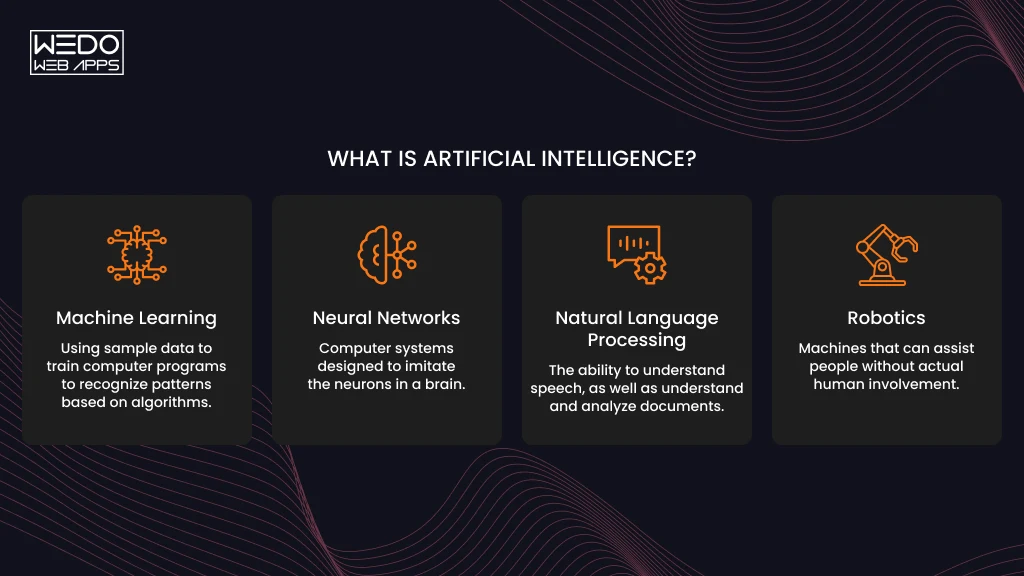
Artificial intelligence is software that handles tasks that normally need human judgment, such as understanding language, recognizing images, or predicting what happens next.

Creating one rarely means inventing a new model. Most people pick an existing model, connect it to their own data, and wrap it in an app. So if you are wondering how to create artificial intelligence from the ground up, the honest answer is that you rarely start from the ground.


AI vs Machine Learning vs Deep Learning vs Generative AI

These terms get used as if they mean the same thing. But in real terms, they don’t. Each one sits inside the one before it.

Here is a quick comparison of what these terms actually mean and how they differ.


TermsWhat it meansEveryday example
Artificial IntelligenceAny system that performs tasks needing human-like judgmentA support bot that answers billing questions
Machine LearningAI that learns patterns from data instead of following fixed rulesA spam filter that improves as you flag emails
Deep LearningMachine learning built on multi-layer neural networks, suited to images, speed, and textFace unlock on your phone
Generative AIDeep learning models that produce new text, images, or codeChatGPT, Claude, image generators


Where Agentic AI Fits In

Agentic AI is basically a generative AI model that has the ability to plan and take action. Instead of only writing a reply, an agent can search, call a tool, or update a record.

A chatbot can tell you the refund policy. But an AI agent can check your order, issue the refund, and email you the confirmation. Treat agents as a second project; before that, you need to get a basic understanding of how AI works and then take action once you get your answers.

What You Can Realistically Build as a Beginner

Your starting point depends on your time and resources:

  • In a weekend: a chatbot that answers questions about your own documents, using a pre-trained model through an API.
  • In a few weeks: a classifier that sorts customer emails or product reviews, trained on a labeled spreadsheet.
  • With a team and a budget: a model trained from scratch, such as a new image generator or a driver-assistance system.

Most readers should begin with the first level. The next step will be how to choose the right AI development partner as per your budget.

Ways to Create an AI: Which Path Is Right for You?

Which AI Creation Path Is Right for You

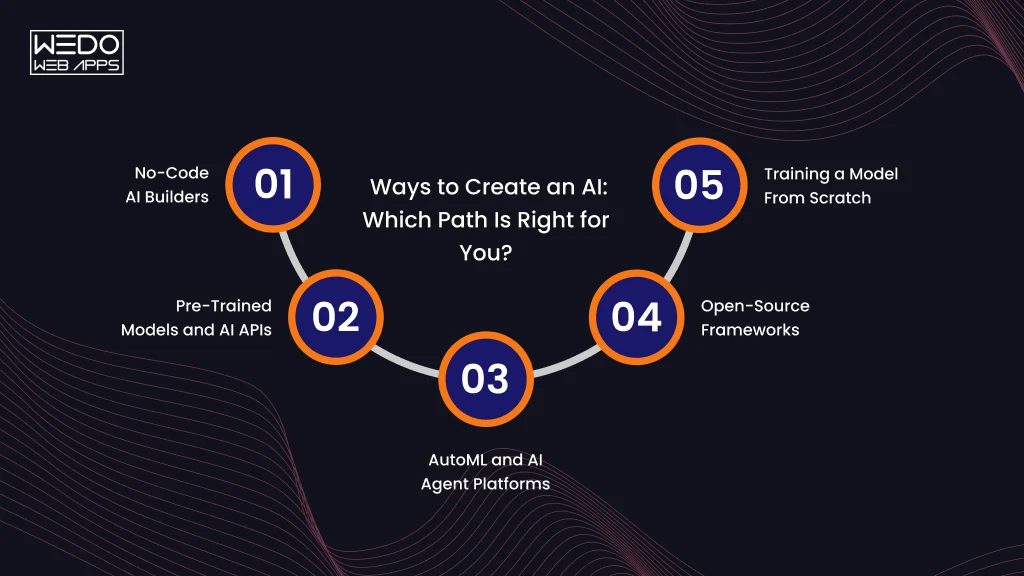
There is more than one way to build an AI, and the right one depends on your coding skills, your data, and how much control you need. Here are the five main routes, from the easiest to the most demanding.

No-Code AI Builders

No-code platforms let you build with menus and drag-and-drop tools. You upload data, choose what you want to predict, and the platform trains the model for you. Google’s Teachable Machine, for example, lets you train an image classifier in a browser, while tools like Zapier connect AI features to apps you already use. This route suits prototypes and simple business tools, but you are limited to what the platform supports.

Pre-Trained Models and AI APIs

Here you use a model that someone else has already trained. You send a request to an API from OpenAI, Anthropic or Google, and the model sends back a response. You can also download open-weight models such as Llama and Mistral and run them on your own machine through Hugging Face or Ollama, which avoid per-request fees. For most beginners, this is the most practical answer to how to create an AI that understands your language.

AutoML and AI Agent Platforms

AutoML services handle model selection and tuning for you. Tools such as Google Vertex AI, Amazon SageMaker, and Azure Machine Learning all offer them. Newer agent-based platforms go a step further and let you describe a prediction goal in plain English. These tools work best for structured business data, such as predicting customer churn, and they assume you already have clean data and some technical help.

Open-Source Frameworks

Libraries like scikit-learn, PyTorch, and TensorFlow give you full control over how a model is built and trained. You write the code, so you need solid Python skills. A typical use is training a custom classifier on your company’s support tickets.

Training a Model From Scratch

This means designing and training a model on your own large dataset. It takes specialist skills, heavy computing power, and months of work. Unless your problem is genuinely new, you rarely need it.

Comparison Table: Skill Level, Time, Cost and Best Use


PathCoding SkillTime to first versionCostBest for
No-code builderNoneHours to daysFree tier to low monthly feePrototypes, simple automation
Pre-trained model or APIBasicDaysPay per use, or free if run locallyChatbots, document Q&A, content tools
AutoML platformModerateWeeksCompute fees plus team timePredictions from business data
Open-source frameworkHighWeeks to monthsMostly your time and computeCustom models with full control
From scratchExpertMonthsHighestNew research problems


If you are unsure, start with an API. You can move to a more advanced route later, and everything you learn about prompts, data, and testing carries over.

Get Expert Help Choosing Your AI Path

What You Need Before You Start

You don’t need a long list to begin. You need a few basic skills, a small set of tools, and something for your AI to learn from or work with, like an example or reference. 

Use the checklist below to see where you stand before you start with anything.

Skills

Your required skill level depends on the route you choose.

  • Basic Python: variables, functions, loops, and installing packages. This covers most of how to create an AI program with an API or an open-source library.
  • Data literacy: reading a spreadsheet, spotting missing values, and knowing what a column represents.
  • Clear problem thinking: describing what the AI should do, what a good answer looks like, and what it should never do.
  • Prompt writing: giving a language model clear instructions and examples. This matters only if you use an API.

Using a no-code builder? You can skip the Python item and still follow the rest of the guide.

Tools, Frameworks, and Cloud Platforms

Pick tools that match your route. You rarely need all of them.


If you chooseTools to set up
No-code builderA browser and a free account on the platform
API routePython 3.9 or higher, a code editor such as VS Code, and an API key
Local open-weight frameworkOllama or Hugging Face libraries, plus enough free disk space for the model files
Open-source frameworkPython, scikit-learn or PyTorch, and Jupyter Notebook
AutoMLAn account on Google Cloud, AWS or Azure


Data and Hardware Requirements

What you need here depends on what the AI does.

For an AI chatbot that answers questions about your content, you need the documents themselves. PDFs, help articles, and internal notes all work. You don’t need to train anything.

For a classifier or predictor, you need labeled examples. If you start from a pre-trained model, a few hundred clean examples can be enough for a simple task. A model trained from scratch needs far more.

Public datasets are a good starting point if you do not have your own data. Kaggle and Hugging Face both host thousands of them.

Hardware: a standard laptop that can handle the no-code and API routes. Small local models run better with 16GB RAM. Deep learning often needs a GPU, but you can rent one by the hour from a cloud provider. Google Colab also offers limited free GPU access for learning projects.

How to Create an AI Program: Step-by-Step Process

Create an AI Program With Simple Steps

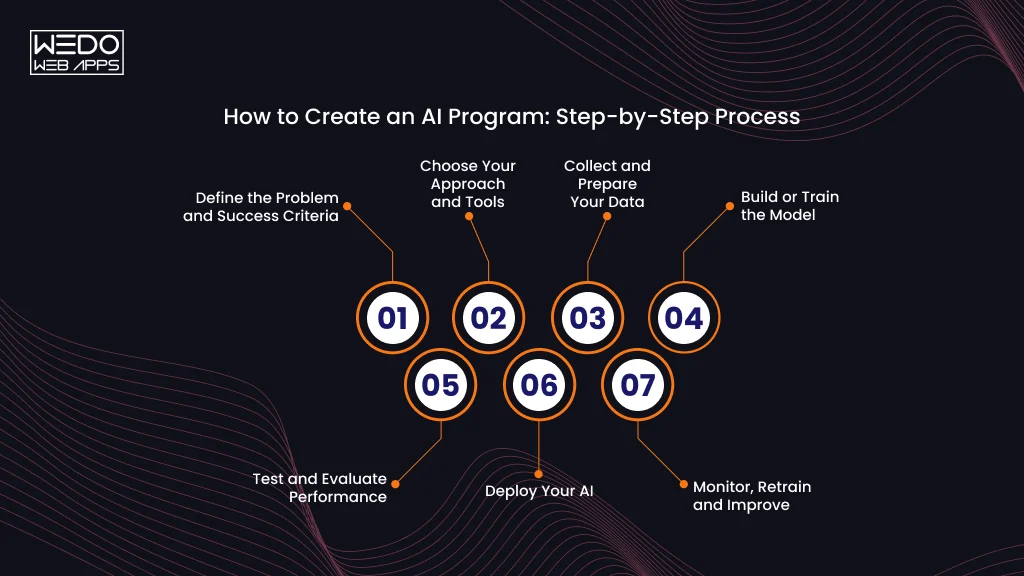
The process below works whether you use a no-code tool, an API, or your own code. To keep it concrete, each step follows one example: a support assistant for a small online store that answers questions about shipping and returns.

Step 1: Define the Problem and Success Criteria

Write one sentence that says what the AI will do and for whom. Then decide how you will know it works.

A weak goal is “build a customer support AI.” A usable one is “answer shipping and return questions correctly, using our policy pages, and hand off anything else to a human.”

Set limits at this stage too. Decide what the AI should refuse to answer. This keeps the project small enough to finish.

Step 2: Choose Your Approach and Tools

Match the approach to the problem. Use the path guide from earlier in this article.

For the store assistant, the answer lives in existing policy pages. That points to a pre-trained language model connected to those documents, so no custom training is needed. Python and an API key are enough to start.

Step 3: Collect and Prepare Your Data

Your AI needs relevant information to produce useful results. The type of data depends on what you are building.

For the store assistant, gather the shipping policy, return policy, and a few questions customers ask most. 

Then clean the material:

  • Remove duplicates and outdated pages.
  • Resolve conflicting information.
  • Split long documents into short sections so the right passage is easy to find.
  • Check for private details such as customer names or order numbers, and remove them.
  • Organize the data in a format your chosen model or tool can process.

A language model can speed this up. You can ask it to summarize a long page, flag the contradictions, or suggest labels for a batch of customer emails. Review its output before you use it, since it can miss errors or introduce new ones.

Step 4: Build or Train the Model

What happens here depends on your path.

With an API, you write instructions for the model and connect it to your documents. With a classifier, you train a model on labeled examples and let it learn the pattern. With no-code tools, you upload your data and let the platform handle training.

For a store assistant, you write a system prompt that sets the rules. It might say: answer only from the provided policies, keep replies under 100 words, and say so when the answer is not in the documents. The full example appears in the hands-on section.

Step 5: Test and Evaluate Performance

Test with questions the AI has not seen. Include awkward ones, because real users will ask them.

Build a small test set of 30 to 50 questions with known correct answers. Then track the metric that fits your tasks:


Task TypeMetric to TrackWhat it tells you
ClassificationAccuracyShare of correct predictions overall
ClassificationPrecisionHow many flagged items were truly positive
ClassificationRecallHow many true positives were found
Question answeringCorrect-answer rateShare of answers that match your policy
Any language taskRefusal rate on out-of-scope questionsWhether the AI admits when it doesn’t know


For open-ended answers, you can use a second language model to grade responses against a checklist. Spot-check its grades by hand, because the grader can make mistakes too.

Ask a few colleagues or friends to try to break it. People will test odd phrasing and off-topic requests that you would never think to try.

Step 6: Deploy Your AI

AI integration services mean putting the AI where people can use it. Keep the first launch small.

A simple option is a web page built with Streamlit or Gradio and hosted on Hugging Face Spaces. If you need it inside an existing website or app, wrap it in an API using FastAPI and host it on a cloud platform. No-code tools usually give you an embed code or a shareable link.

Start with a small group, such as your own team. Add a visible way for users to reach a human.

Step 7: Monitor, Retrain and Improve

An AI that works at launch can drift as your business changes. A new return policy makes old answers wrong without anyone touching the code.

Check these on a schedule:

  • Wrong or unsupported answers. Review a sample of real conversations each week.
  • Unanswered questions. These show gaps in your documents.
  • Cost and speed. Watch API usage and response times as traffic grows.
  • Feedback: add a thumbs-up and thumbs-down button and read what people flag.

Update the document first; this fixes most problems faster than changing the machine learning model.

Build Your First AI Program in Python: Hands-On Example

Now that you have learned the steps of development, it is time to take them into practice. This is a short example of how to create an AI program: a support assistant for the online store from the previous section. 

You will build it in three phases: a basic chatbot, a version that uses your documents, and a version that admits when it doesn’t know.

You didn’t pick the provider, so I used Anthropic’s Claude API. The same structure works with OpenAI, Gemini, or a local model through Ollama. Only the client code changes.

Set Up Your Environment

You need Python 3.9 or higher and an API key from the provider’s console. Run these commands in your terminal:

python -m venv venv

source venv/bin/activate    # Windows: venv\Scripts\activate

pip install anthropic

export ANTHROPIC_API_KEY="your-key-here"    # Windows 

PowerShell: $env:ANTHROPIC_API_KEY="your-key-here"

Keep the key out of your code files. The library reads it from the environment variable automatically.

Create a Simple AI Chatbot With an LLM API

Save this as assistant.py:

import anthropic

client = anthropic.Anthropic()

SYSTEM = (
    "You are a support assistant for a small online store. "
    "Keep answers under 100 words and stay polite."
)

def ask(question):
    response = client.messages.create(
        model="claude-sonnet-5-5",
        max_tokens=300,
        system=SYSTEM,
        messages=[{"role": "user", "content": question}],
    )
    return response.content[0].text

print(ask("How long does shipping take?"))

Run it with python assistant.py. You will get a fluent answer, but the model knows nothing about your store. It will give a generic reply or invent a delivery time. That is the problem the next step solves.

Teach It Your Own Data ( a Simple RAG Approach)

Retrieval-augmented generation (RAG) means finding the relevant passage first, then asking the model to answer from it. Real systems use embeddings and a vector database. This version matches keywords so you can see the idea without extra tools.

Replace the contents of assistant.py with this:

import re
import anthropic

client = anthropic.Anthropic()

DOCS = [
    "Standard shipping takes 3 to 5 business days within the US.",
    "Express shipping takes 1 to 2 business days and costs $12.",
    "You can return unworn items within 30 days for a full refund.",
    "Refunds go to the original payment method within 7 days of receiving the return.",
]

STOP = {"the", "a", "an", "is", "are", "to", "of", "do", "does",
        "i", "my", "can", "you", "how", "for", "and", "in", "it"}

SYSTEM = (
    "You are a support assistant for a small online store. "
    "Answer only from the policy excerpts provided. "
    "Keep answers under 100 words."
)

def words(text):
    return set(re.findall(r"[a-z0-9]+", text.lower())) - STOP

def retrieve(question, top_n=2):
    q = words(question)
    scored = sorted(((len(q & words(d)), d) for d in DOCS), reverse=True)
    return [d for score, d in scored[:top_n] if score > 0]

def ask(question):
    context = "\n".join(retrieve(question))
    prompt = f"Policy excerpts:\n{context}\n\nCustomer question: {question}"

    response = client.messages.create(
        model="claude-sonnet-5-5",
        max_tokens=300,
        system=SYSTEM,
        messages=[{"role": "user", "content": prompt}],
    )

    return response.content[0].text

print(ask("Can I return something after 20 days?"))

The answer now comes from your return policy, not from the model’s general knowledge. Swap in your own documents and the assistant adapts.

Make It Admit When It Doesn’t Know

Try asking, “Do you sell gift cards?” Nothing in your documents covers it, so the model still has to say something. A prompt instruction helps, but it isn’t reliable on its own. A check in your code is faster.

Add a guard to the ask function:

FALLBACK = "I'm not sure about that. I can connect you with a team member."

def ask(question):
    matches = retrieve(question)

    if not matches:
        return FALLBACK

    context = "\n".join(matches)
    prompt = f"Policy excerpts:\n{context}\n\nCustomer question: {question}"

    response = client.messages.create(
        model="claude-sonnet-5-5",
        max_tokens=300,
        system=SYSTEM + " If the excerpts do not answer the question, say you are not sure.",
        messages=[{"role": "user", "content": prompt}],
    )

    return response.content[0].text

Now the model is never called when your documents have nothing relevant. This saves API cost and prevents confident wrong answers.


QuestionWhat should happen
“How long is express shipping?”Answers from the express shipping line
“Can I return shoes after 40 days?”Cites the 30-day policy and explains it is outside the window
“Do you sell gift cards?”Returns the fallback message


Keyword matching is crude. A question phrased with different words than your documents can miss a match. When you outgrow this, replace retrieve with embedding-based search.

Scale Your AI Prototype for Production

How to Use AI Tools to Help You Create an AI

You can use AI to build AI or buy AI. Chat models and coding assistants can draft code, explain errors, and suggest designs. That shortens the path from idea to a working prototype, which is useful whichever route you take to create an AI.

AI Coding Assistants and Chat Models as Your Co-Builder

Two kinds of tools help here.

Chat models such as Claude, ChatGPT, and Gemini work well for planning. You can describe your project and ask for an architecture, a list of risks, or a first draft of the code.

Coding assistants such as GitHub Copilot, Cursor, and Claude Code work inside your editor. They read your files, suggest changes, and fix bugs in context.

If you have never written code, these tools can also explain what each line of the store assistant example does. Ask for it in plain language and then ask follow-up questions until it makes sense.

A Practical Workflow: Plan, Prototype, Test, Refine

Treat the AI as a collaborator you have to guide. A loose request gets a loose result. This sequence keeps the output useful.

  • Plan: Describe what you are building, who it is for, and your limits on budget, privacy, and response time. Ask for a step-by-step plan and the risks it sees.
  • Prototype: Ask for the smallest working version only. For the store assistant, that means one script that answers a shipping question.
  • Test: Run the code yourself with real questions, including ones it should refuse. Paste any errors back into the chat with the full message.
  • Refine: Add one feature at a time and test again before moving on.

Small steps matter. A request for a complete app often returns a large block of code that you cannot debug.

Limits to Watch For

AI tools make mistakes, and some are hard to spot. Match each habit below with the safer one.

  • Don’t paste code you haven’t read. Do ask the tool to explain each part, and run it in a test environment first.
  • Don’t trust package names or function calls blindly. Modules sometimes suggest libraries or methods that don’t exist. Check the official documentation.
  • Don’t share secrets in prompts. Keep API keys, customer data, and private documents out of the chat. Store keys in environment variables.
  • Don’t skip the basics. Learn how data, training, and testing work. Without that, you won’t notice when the assistant’s advice is wrong.

Used this way, AI speeds up the work without taking over the decisions.

6 Beginner AI Project Ideas to Practice With

The fastest way to learn is to build something small. Each project below has a clear goal and a realistic starting approach. Start at the top and work down as your confidence grows.


ProjectDifficultyApproachTools to tryWhat you learn
FAQ chatbot for a websiteEasyPre-trained model with your own documentsClaude or OpenAI API, PythonPrompts, retrieval, fallback answers
Review sentiment analyzerEasyPre-trained text classifier or a small trained modelHugging Face Transformers, scikit-learnLabelling data, accuracy and recall
Image classifier for your own photosEasy to mediumNo-code training, then a coded versionTeachable Machine, TensorFlow or PyTorchTraining data quality, overfitting
Product recommendation engineMedium“Customers also bought” patterns from purchase datapandas, scikit-learnWorking with real messy data
Document Q&A toolMediumRAG with embeddings and a vector storeChroma or FAISS, an LLM APIChunking, search quality, citations
Task-automation agentMedium to hardLLM that calls tools such as email or a calendarAn LLM API with tool callingPlanning, permissions, safe actions


Where to begin: If you built the store assistant in the previous section, the document Q&A tools is your natural next step. It uses the same idea with better search. If you have no coding background, try the image classifier in Teachable Machine first. You can finish it in an afternoon and see how training data shapes results.

How Much Does It Cost to Create an AI?

The cost of developing an AI tool depends on the route you take, and the biggest expense is usually people’s time. Software is often cheap or free.

Cost and Time by Approach

The ranges below are rough estimates for a first working version. Prices change often, so check each provider’s current pricing page before you plan a budget.


ApproachTime to first versionTypical costMain expense
No-code builderHours to a few daysFree tier up to a low monthly feePlatform subscription
Pre-trained model through an APIDaysA few dollars to a few hundred dollars a monthUsage fees that grow with traffic
Local open-weight modelDays to a weekFree softwareYour hardware or rented GPU time
AutoML platformWeeksHundreds to thousands of dollars a monthCompute plus someone to manage it
Open-source frameworkWeeks to monthsFree softwareDeveloper time and cloud compute
Training from scratchMonthsTens of thousands of dollars and upSpecialist team and GPU hours


Hidden Costs Beginners Miss

Watch for these four: 

  • Data preparation takes the most time on almost every project.
  • API bills rise when your tool gets popular.
  • Cloud computer keeps running until you switch it off.
  • Maintenance never ends, because documents and policies change.

A simple habit helps. Set a monthly spending limit in your API or cloud account on day one. Most providers let you do this in the billing settings.

Common Challenges When Creating an AI (and How to Avoid Them)

Most failed AI projects run into one of the four problems below. Each one has a fix you can apply early.


ProblemWhat it meansHow to Fix
Poor or biased dataA model trained on messy or one-sided examples repeats those flaws. A review classifier trained mostly on positive reviews will rarely flag a negative one.Check your data before training. Remove duplicates, balance the categories, and include examples from different groups of users.
Overfitting and driftOverfitting means the model memorizes training examples and fails on new ones. Drift happens later, when real-world data changes and accuracy slowly drops.Test on examples the model has never seen. After launch, review a sample of real outputs every week and update your data when things change.
Hallucinations and overconfident answersA language model can state false information in a confident tone. A support bot might invent a return window that doesn’t exist.Ground answers in your own documents and add a fallback for questions you can’t answer.
Costs and speed at scaleA prototype that works for ten users can get slow and expensive at ten thousand.Track cost per request from the start. Cache repeated answers and use a smaller model for simple questions.


Conclusion: Start Small and Build Up

You now have a full picture of how to create an AI. Define a clear problem. Choose a route that fits your skills. Prepare good data. Build, test, and launch something small.

The store assistant from the hands-on section is a practical first project. It shows how to create an AI program with real code, and the same pattern applies to many other ideas. If you are still wondering how to create artificial intelligence without a technical background, a no-code builder or the API route will get you a working result within days.

Pick one project from the list above and finish it this week. Each build teaches you more than another hour of reading. When you are ready for more, explore embeddings, agents, and model evaluation, using the official documentation from Hugging Face, scikit-learn, and your chosen AI provider.

Get a Proposal for Your AI Project Idea

Cloud Application Development Services: A Complete Guide for Businesses

Introduction

Your application works. Your business is growing. Yet every new demand seems to expose another limitation.

More users put pressure on performance. New integrations make the architecture harder to manage. Your development teams spend more time maintaining existing systems and less time delivering new features. Meanwhile, customers expect faster experiences across devices and channels.

At some point, your applications need an infrastructure that can keep pace with the business.

That is where cloud application development services come in. Cloud technology can support scalable applications, connected systems, faster deployments, and changing workloads while giving your team more flexibility over how the application is built and managed.

Whether you are launching a new digital product, modernizing a legacy application, or looking to add AI capabilities, the right cloud application development service can help you build around your actual business requirements. A capable cloud application development company can take that work from architecture and development through deployment, security, and ongoing optimization.

What Is Cloud Application Development?

Cloud application development is the process of designing, building, deploying, and managing applications using cloud infrastructure and services. Instead of relying mainly on fixed physical infrastructure, the application can use cloud computing, storage, databases, and other managed resources.

A key distinction is that cloud-based services do not automatically mean cloud-native. An existing application can be moved to the cloud without significantly changing its architecture.

A cloud-native application is designed around cloud capabilities from the start, with architecture that can support changing workloads, automated deployment, and managed services.


How Cloud Applications Work

A typical cloud application connects several layers to handle a user’s request:

User -> Frontend -> API -> Cloud Application Layer -> Database or Services -> Response

For example, when a customer places an order, the frontend sends the request through an API. The application processes the order, checks inventory, communicates with payment services, stores the required data, and returns the result to the user.

This structure allows different parts of the application to be managed and scaled according to their requirements.

Cloud Application vs Traditional Application


FactorCloud ApplicationTraditional Application
InfrastructureUses cloud compute, storage, databases, and managed servicesOften relies on fixed or dedicated infrastructure
ScalingResources can be adjusted as workloads changeCapacity usually requires more advance planning
DeploymentSupports automated and frequent releasesReleases may require more manual setup
AccessibilityCan support users across locations through the internet or private networksAccess depends more on the hosting environment
MaintenanceCloud services can reduce infrastructure managementMore infrastructure components may need direct management


For businesses evaluating cloud app development services, the important distinction is how the application is designed and managed in the cloud. Simply hosting an existing application on a cloud server does not automatically make it cloud-native.

What Do Cloud Application Development Services Include?
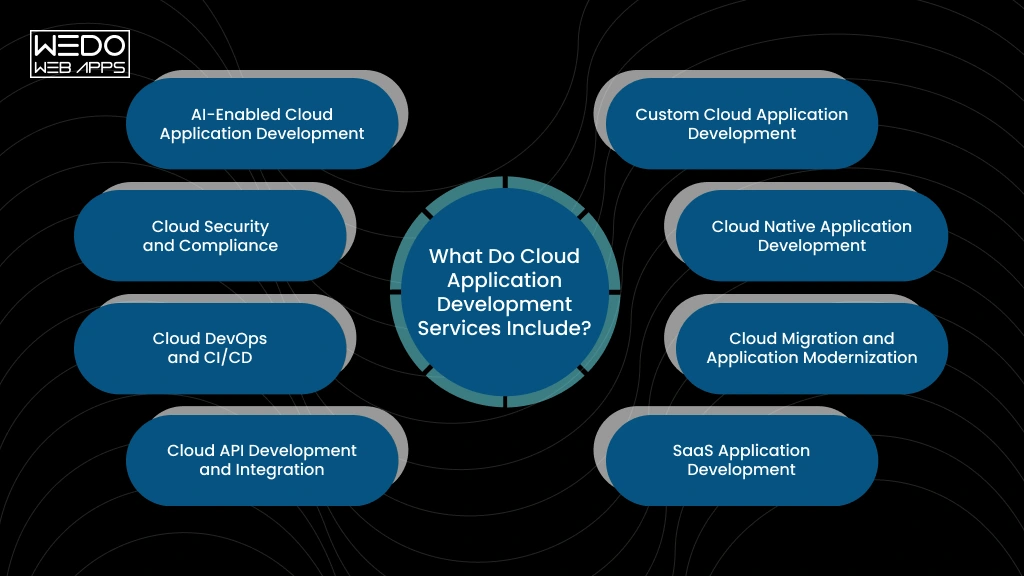
Cloud Application Development Solutions

Cloud application development services can cover everything from building a new application to modernizing, securing, and maintaining an existing one. The right combination depends on your product, infrastructure, integrations, and long-term business requirements.

Custom Cloud Application Development

Build an application around your specific workflows, users, features, and business goals. This can include frontend and backend development, databases, APIs, AI integration, and cloud deployment. It suits businesses that need functionality beyond what off-the-shelf software provides.

Cloud Native Application Development

Cloud native development designs the application around cloud capabilities from the beginning. Depending on requirements, this may include containers, managed services, serverless functions, and automated deployment. It fits new products that need flexible infrastructure and frequent releases.

Cloud Migration and Application Modernization

Migration moves existing applications, data, and workloads to cloud infrastructure. Modernization can go further by updating outdated architecture or components. Businesses often consider this when legacy systems are difficult to maintain, scale, or integrate with newer technologies.

SaaS Application Development

SaaS development focuses on software delivered online to multiple customers. Development may include multi-tenant architecture, authentication, subscriptions, billing, permissions, and APIs. It is commonly used when businesses plan to launch a subscription-based software product.

Cloud API Development and Integration

APIs connect your cloud application with other platforms and services. Integrations can include CRMs, ERPs, payment gateways, mobile apps, analytical tools, and third-party services. This helps businesses connect workflows and exchange data across their technology stack.

Cloud DevOps and CI/CD

DevOps development connects testing, deployment, and infrastructure management. CI/CD pipelines can automate builds, testing, and releases. This approach is particularly useful for teams that deploy updates frequently or manage multiple development and production environments.

Cloud Security and Compliance

Security measures can cover identity management, access controls, encryption, secure configurations, monitoring, and vulnerability management. Compliance requirements also influence how data is handled. This becomes especially important for application processing, financial, healthcare, customer, or other regulated data.

AI-Enabled Cloud Application Development

AI capabilities can be added through intelligent search, recommendations, document processing, chatbots, or workflow automation. Development may involve AI models, data pipelines, APIs, and cloud computing resources. This suits businesses adding AI features to new or existing applications.
Custom Cloud Application Development

What Types of Cloud Applications Can You Build?

Cloud technology can support different application models depending on your users, business processes, and product goals. Common options include:

SaaS Application

SaaS application development: software delivered through the cloud. Examples include project management platforms, accounting software, CRM systems, and team collaboration tools.

Cloud-Based Web Applications

Web applications run through a browser while using cloud infrastructure for application logic, database, storage, and other services. They can support customer portals, booking platforms, eCommerce systems, and internal business applications.

Enterprise Cloud Applications

Large organizations can use cloud applications to connect departments, automate workflows, and manage business operations. ERP platforms, supply chain systems, employee portals, and analytics applications are common examples.

Cloud Mobile Applications

Mobile apps can use cloud backends for authentication, data storage, APIs, notifications, payments, and other services. This allows the mobile experience to connect with business systems and user data.

AI-Powered Cloud Applications

AI-powered cloud infrastructure can support applications that use AI for recommendation, intelligent search, document analysis, conversational assistance, or workflow automation. These capabilities can be added to customer-facing products or internal business software.

The right application type depends on what you need to deliver, who will use it, and how the application needs to connect with your existing systems.

Cloud Deployment Models, Service Models, and Platforms
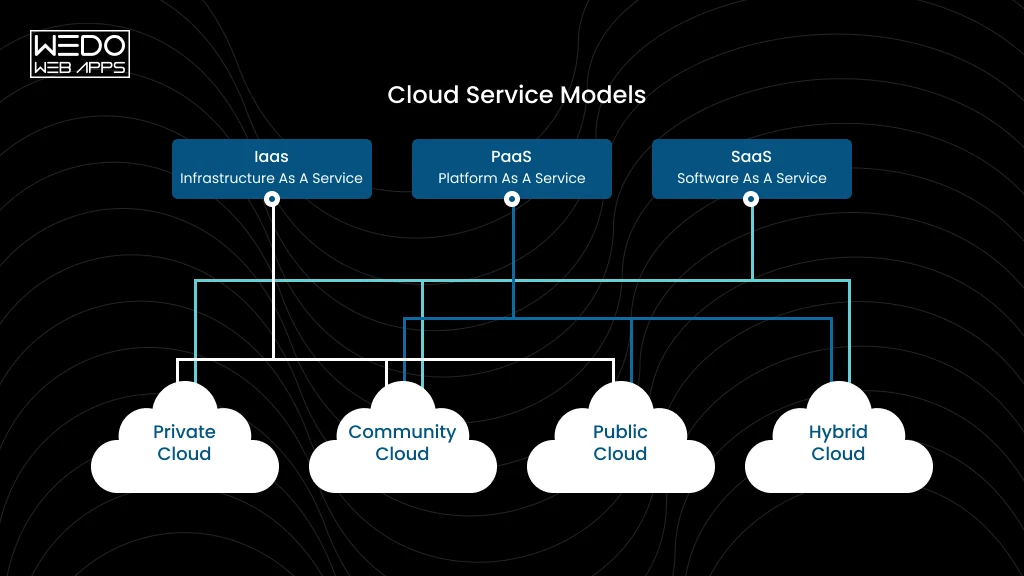
Explore Cloud Models and Platforms

Your cloud architecture depends partly on where the application runs, which cloud resources you manage, and how much infrastructure you want your team to control.

Cloud Deployment Models

Public cloud: Infrastructure is provided by a cloud provider and shared across customers. It suits many applications that need flexible resources without owning physical infrastructure.

Private cloud: Cloud infrastructure is dedicated to one organization. It can suit businesses with specific security, control, or compliance requirements.

Hybrid cloud: Combines private infrastructure with public cloud services. This can work when some workloads or data need to remain in a controlled environment.

Multi-cloud: Uses services from multiple cloud providers. Businesses may choose this approach for specific technical requirements, geographic needs, or to avoid depending entirely on one provider.

Cloud Service Models


ModelWhat You GetTypical Use
IaaSCompute, storage, networking, and infrastructure resourcesCustom infrastructure and application environments
PaaSManaged application development and deployment environmentBuilding and deploying applications without managing underlying infrastructure
SaaSComplete software accessed through the internetBusiness applications and subscription software
FaaSFunctions that run when triggeredEvent-driven tasks and specific backend operations


Which Cloud Platforms Are Used for Application Development?

AWS, Microsoft Azure, and Google Cloud are widely used for cloud application development. Each provides a different combination of computing, databases, storage, security, AI, analytics, and managed services.

Your choice should depend on the application’s architecture, existing technology stack, compliance requirements, data location, development team’s expertise, and expected cloud usage.

The goal is to select services that fit the application rather than choosing a platform based on its popularity alone.

Key Features and Architecture of a Cloud Application
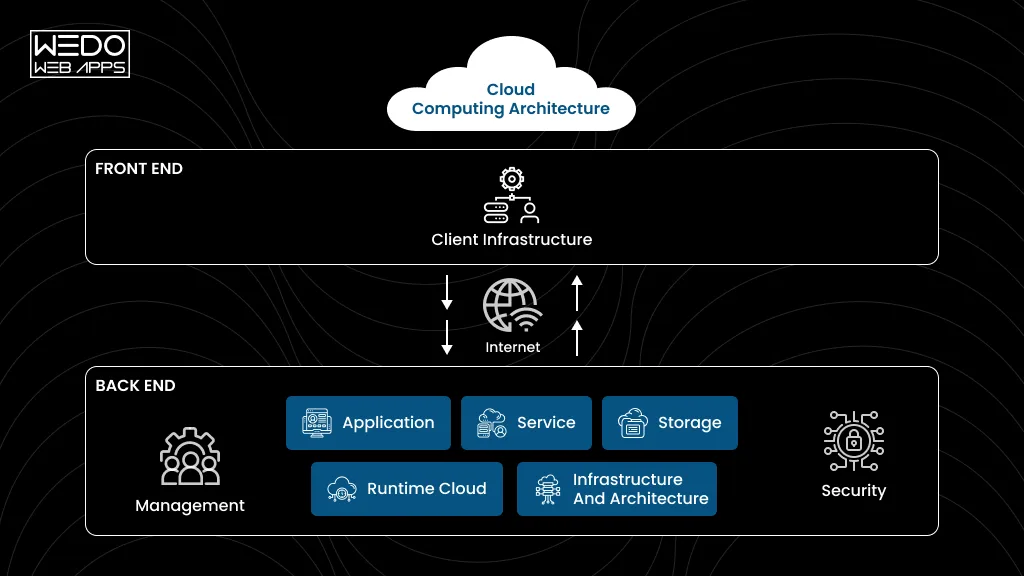
Understand Cloud Computing Architecture

Strong cloud application development services need an architecture that can handle real workloads, protect business data, and support future changes. The right setup depends on what the applications do, how many users it serves, and which system it needs to connect with.

Scalable Architecture

Your application should respond to changing demand without requiring a complete architectural overhaul.

Common approaches include:

  • Auto scaling for changing workloads.
  • Load balancing across application instances.
  • Cloud databases that can scale with usage.

API First Design

APIs create connections between your cloud application and other systems.

For example, an eCommerce application can use APIs to connect its storefront with payment gateways, inventory systems, shipping providers, and mobile applications.

High Availability and Fault Tolerance

Downtime can affect customer activity and internal operations. A cloud application development company can design for higher availability through:

Redundancy -> Failover -> Backup -> Disaster recovery

The right combination depends on your application’s availability requirements and business impact.

Security and Identity Management

Security needs to be considered throughout cloud application development.

Common controls include:


AreaTypical Approach
User accessAuthentication and role-based permissions
DataEncryption at rest and in transit
InfrastructureNetwork controls and secure configurations
MonitoringLogs, alerts, and security events


Monitoring and Observability

Cloud applications can involve multiple services and infrastructure components. Monitoring helps teams track performance, errors, availability, and resource usage.

Logs, metrics, and traces provide additional context when issues occur, making troubleshooting more focused.

Automated Deployment

CI/CD pipelines can automate application builds, testing, and deployment. This reduces manual release work and gives development teams a consistent way to move updates across environments.

Microservices, Containers, and Serverless

These approaches serve different requirements:

  • Microservices: Useful when application components need independent development and scaling.
  • Containers: Useful for packaging applications consistently across environments.
  • Serverless: Useful for event-driven functions where direct server management adds little value.

For smaller applications, a simpler architecture may be more practical.

AI and Machine Learning Readiness

Modern cloud app development services can also prepare applications for future AI capabilities. Architecture may need to account for data pipelines, model APIs, processing requirements, and secure access to business data from the start.

Cloud Application Development Process
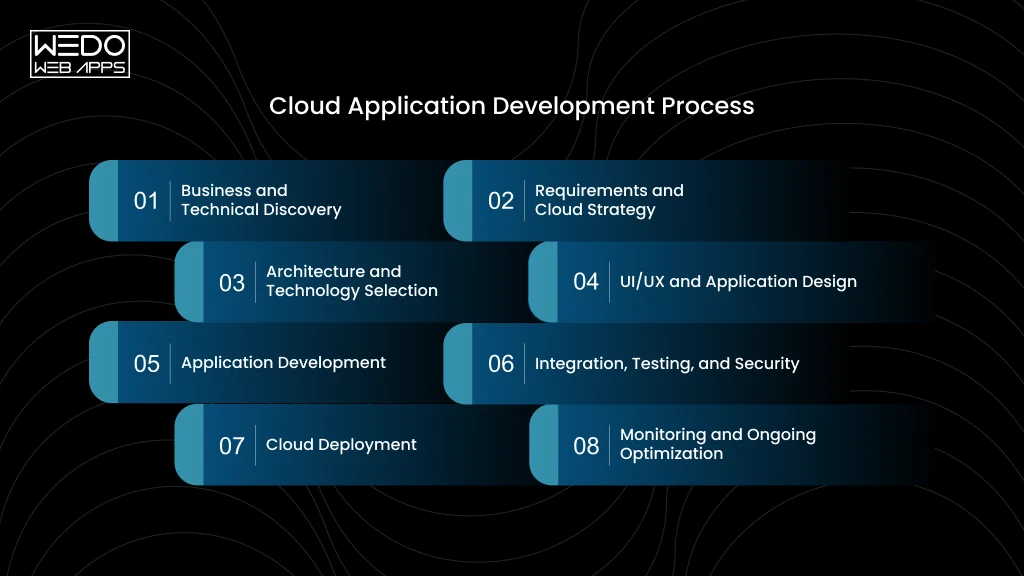
Cloud App Development Process Steps

A structured cloud application development process helps turn business requirements into a production-ready application. The exact workflow can vary by project, but these phases provide a practical development path.

1. Business and Technical Discovery

The team first defines the business objective, target users, existing systems, technical constraints, and expected workloads. This helps determine what the application needs before development begins.

2. Requirements and Cloud Strategy

Functional requirements are mapped alongside cloud requirements such as data storage, security, integrations, availability, and expected traffic. The team can then determine which cloud approach fits the project.

3. Architecture and Technology Selection

The architecture is planned around the application’s requirements. This may include databases, APIs, cloud services, containers, serverless components, or other technologies.

The team also selects the appropriate cloud platform and development stack.

4. UI/UX and Application Design

Designers create the user experience, application flows, interfaces, and interaction patterns. For customer-facing products, usability and responsive design are considered alongside the technical architecture.

5. Application Development

Developers build the frontend, backend, APIs, databases, integrations, and required cloud components. Development is typically divided into manageable releases so functionality can be tested throughout the project.

6. Integration, Testing, and Security

Before launch, the application is tested for functionality, performance, security, compatibility, and AI integration issues. Security controls are also reviewed to protect application access and business data.

7. Cloud Deployment

The completed application is configured and deployed to the selected cloud environment. Deployment pipelines, environments, access controls, monitoring, and backup processes are set up as required.

8. Monitoring and Ongoing Optimization

After launch, the team monitors application performance, errors, usage, security events, and cloud resource consumption. Cloud application development services may then include updates, performance improvements, infrastructure optimization, and ongoing technical support.

Benefits of Cloud Application Development for Businesses
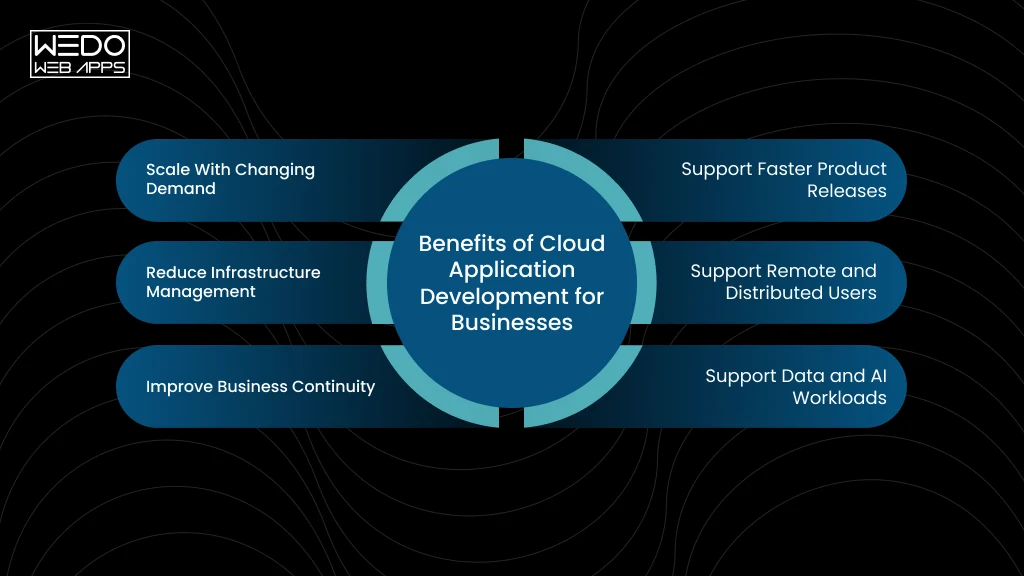
Cloud App Benefits for Businesses

Businesses adopt cloud applications to gain more flexibility in how they build, operate, and scale their software. The right cloud application development services can support changing workloads while reducing some of the infrastructure work involved in running an application.

Scale With Changing Demand

Cloud infrastructure can adjust resources according to application demand. This can be useful for businesses dealing with seasonal traffic, rapid user growth, or unpredictable workloads.

  • Scale computing resources as usage changes.
  • Handle traffic spikes more effectively.
  • Avoid planning infrastructure only around peak demand.

Support Faster Product Releases

Well-structured cloud application development services can combine cloud infrastructure with automated development and deployment workflows.

  • Release features through repeatable deployment processes.
  • Test changes across separate environments.
  • Reduce manual work during application releases.

Reduce Infrastructure Management

Managed cloud services can take care of parts of the underlying infrastructure, allowing your team to focus more on application functionality and business requirements.

  • Use managed databases and storage.
  • Reduce direct infrastructure administration.
  • Automate routine infrastructure tasks.

Support Remote and Distributed Users

Cloud app development services can help applications support users across different locations through internet-based access and appropriate security controls.

  • Support distributed teams and customers.
  • Provide access across multiple locations.
  • Connect users with centralized application data.

Improve Business Continuity

Cloud architecture can support backup, redundancy, recovery, and failover strategies. Your cloud application development company can design these capabilities around your application’s availability requirements.

  • Maintain backups of important data.
  • Plan recovery procedures for service disruptions.
  • Reduce dependency on a single infrastructure component.

Support Data and AI Workloads

Cloud platforms provide computing, storage, databases, and AI services that can support growing data requirements.

  • Process larger volumes of application data.
  • Add analytics and machine learning capabilities.
  • Introduce AI features as business requirements evolve.

Challenges in Cloud Application Development and How to Address Them

Moving an application to the cloud or building one from scratch can introduce technical and operational challenges. Identifying them early helps you plan the right architecture, resources, and controls.


ChallengeHow to Address It
Cloud Security and ComplianceDefine access controls, encryption, monitoring, and compliance requirements during architecture planning rather than adding them after development.
Unexpected Cloud CostsMonitor resource usage, set budgets, remove unused resources, and select managed services based on actual application requirements.
Vendor Lock-InUse portable technologies and well-defined APIs where practical. Evaluate how easily critical workloads and data can move between environments.
Legacy System IntegrationAssess existing systems before development and use APIs, integration layers, or modernization strategies to connect older and newer components.
Data MigrationPlan data mapping, cleansing, transfer, validation, backup, and rollback before moving production data to the new environment.
Shortage of Cloud ExpertiseWork with an experienced cloud application development company or build internal expertise in cloud architecture, security, DevOps, and cost management.


The right cloud application development services should address these areas during planning and development. A clear technical strategy can prevent many cloud issues from becoming expensive problems after launch.

How AI Is Changing Cloud Application Development

AI is becoming part of the features businesses expect from modern applications. Cloud infrastructure makes it easier to provide the computing, data access, APIs, and managed AI services these capabilities may require.

AI-Powered Search and Recommendations

Cloud applications can use AI to understand user intent and provide more relevant search results, product recommendations, or personalized content.

Example: An eCommerce application can analyze product data and customer activity to recommend relevant products.

AI Assistants and Chatbots

AI assistants can answer questions, guide users through application workflows, or provide support without requiring every interaction to be handled manually.

Example: A customer portal can use an AI assistant to answer account-related or product-related questions.

Intelligent Document Processing

AI can extract information from invoices, contracts, forms, applications, and other documents. This can reduce manual data entry and help businesses process large document volumes.

AI Agents and Workflow Automation

AI agents can perform multi-step tasks by interacting with APIs, business systems, and application data. This can support workflows such as customer service, research, reporting, and internal operations.

Cloud Infrastructure for AI Workloads

AI features may require additional computing power, storage, data processing, model APIs, and monitoring. Cloud application development services can incorporate these requirements into the application’s broader architecture.

Building Applications Ready for Future AI Features

You do not need to add every AI capability at launch. Cloud application development services can prepare APIs, data structures, integration points, and infrastructure so new AI features can be introduced as your requirements evolve.

The goal is to make AI useful within the application itself, whether that means improving a customer experience, automating a workflow, or helping employees work with business data.

How Much Does Cloud Application Development Cost?

The cost of cloud application development depends on what you are building, how complex the architecture needs to be, and how the application will be used after launch. There is no reliable one-size-fits-all figure.


Cost FactorWhat Can Affect the Cost
Application ComplexityNumber of features, users, workflows, roles, and application components.
Features and IntegrationsAPIs, payment gateways, CRM, ERP, analytics, third-party services, and custom integrations.
Architecture and InfrastructureDatabases, containers, serverless services, high availability, security, and other cloud resources.
Development Team and LocationTeam expertise, project duration, location, engagement model, and required specialists.
Cloud Usage and Managed ServicesCompute, storage, databases, data transfer, monitoring, and managed cloud services.
AI and Data ProcessingModel usage, data volume, processing requirements, AI APIs, and computing resources.
Maintenance and OptimizationSecurity updates, bug fixes, monitoring, performance improvements, and infrastructure management.


Development Cost vs Cloud Ownership Cost

These are two different expenses.

  • Development cost covers the work required to plan, design, build, test, and deploy the application.
  • Ongoing cloud cost covers the resources and services used after launch, such as computing, storage, databases, data transfer, monitoring, and third-party services.

A cloud application development company can estimate the development investment more accurately once the application scope, integrations, users, architecture, and expected usage are defined. Your team should also account for recurring cloud and maintenance costs when planning the total technology budget.

Plan Your Cloud Application Project

When Should You Hire a Cloud Application Development Company?

You may need a cloud application development company when your application requirements go beyond basic hosting or routine development. Consider bringing in a specialist when:

  • You are building a new cloud-based product: You need architecture, development, integrations, security, and deployment planned together from the beginning.
  • You are modernizing a legacy application: Older architecture is making updates, scaling, integrations, or maintenance increasingly difficult.
  • You are moving an existing application to the cloud: Migration requires planning around infrastructure, application dependencies, databases, security, and downtime.
  • Your current infrastructure struggles with growth: Increasing users or workloads are creating performance, capacity, or reliability concerns.
  • You need to connect multiple business systems: APIs and integration work are required to connect platforms such as CRM, ERP, payment, or analytics systems.
  • You want to add AI capability: Your existing application needs AI features, data processing, model integration, or AI-driven workflow automation.

The right cloud application development services can cover the technical work across these requirements while keeping the application aligned with your business goals.

How to Choose a Cloud Application Development Company
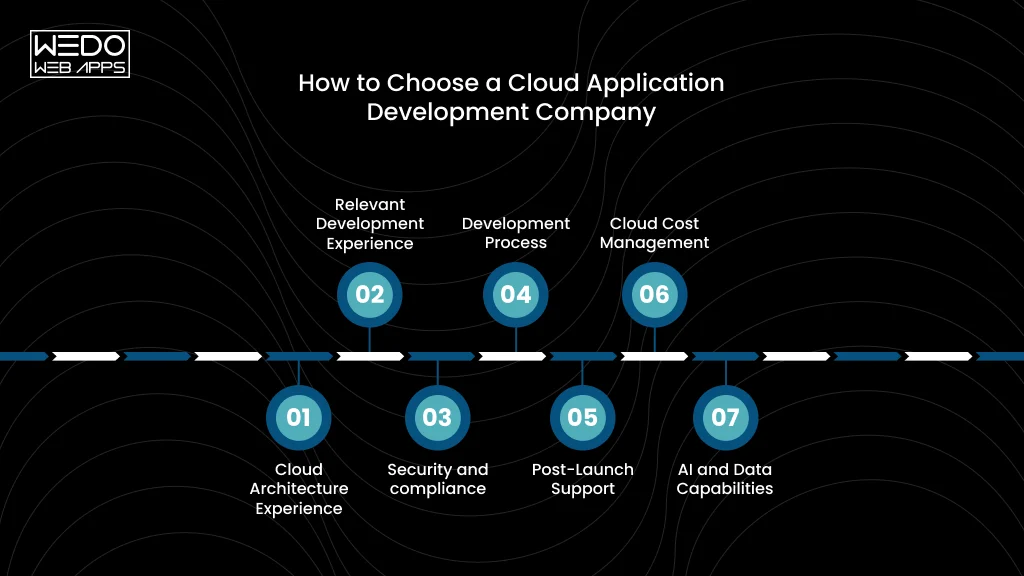
Choose a Cloud Development Company

The right cloud application development company should understand both your technology requirements and business objectives. Before signing a project, use this checklist to compare potential providers.

1. Cloud Architecture Experience

Can the team design for scalability, availability, security, APIs, and data requirements? Ask them to explain why their proposed architecture fits your application.

2. Relevant Development Experience

Have they built applications similar to yours? Review projects based on application type, technical complexity, industry requirements, and integrations rather than looking only at a list of technologies.

3. Security and compliance

How will they protect application access and business data? Discuss authentication, encryption, permissions, monitoring, backups, and any industry-specific compliance requirements.

4. Development Process

How will requirements, development, testing, approvals, and releases be managed? You should understand who is responsible for each stage and how progress will be reported.

5. Post-Launch Support

What happens after deployment? Clarify whether the provider offers maintenance, monitoring, security updates, performance optimization, bug fixes, and future development.

6. Cloud Cost Management

How will cloud resources be monitored and optimized? Good cloud application development services should consider infrastructure costs throughout the application lifecycle, not only during development.

7. AI and Data Capabilities

If AI is part of your roadmap, ask about data pipelines, AI APIs, model integration, cloud infrastructure, and application-level AI features. This can help you avoid selecting a team that only handles conventional application development.

Before You Sign

Ask each provider for a clear scope, proposed architecture, development approach, estimated timelines, support terms, and cost breakdown. Comparing these details gives you a more useful basis for evaluating cloud app development services than comparing hourly rates alone.

Conclusion

A successful cloud application needs more than a move from physical infrastructure to the cloud. Architecture, security, integration, deployment, performance, and ongoing maintenance all need to support how your business operates and grows.

Whether you are building a new product, modernizing a legacy system, or adding AI capabilities, the right cloud application development services can help you create an application that is ready for changing requirements.

With an experienced cloud application development company, you can bring development, cloud infrastructure, security, and ongoing optimization together under one strategy.

If you are planning a new cloud application or upgrading an existing one. WEDOWEBAPPS can help you define the right technical approach for your business.
Cloud Application Development Experts

Frontend vs Backend: What’s the Difference

Introduction

A website looks simple on the screen. A user clicks a button, submits a form, checks an order, or signs in. Yet each action can trigger several processes that users never see.

If you are planning a website or application, this distinction matters. You need to know which features belong to the interface and which ones require server-side logic, databases, APIs, or external services.

That is where front-end vs back-end comes in. Understanding frontend vs backend helps you make sense of how applications are built, what different dedicated developers handle, and what your project may need.

So, what is frontend and backend, and how do these two sides work together? Let’s break down the difference, technologies, responsibilities, and practical examples you need to understand.

Quick Answer: What Is Frontend and Backend?

The frontend is the part of a website or application that your users see and interact with. It includes the interface, buttons, forms, menus, images, animations, and other elements displayed in the browser or app.

The backend works behind the interface. It processes requests, applies business logic, manages data, connects with databases, handles authentication, and communicates with external services.

A simple way to understand frontend vs backend is:


FrontendBackend
What users see and interact withWhat processes those interactions
Runs mainly on the user’s device or browserRuns on servers or cloud infrastructure
Handles interface and user experienceHandles logic, data, APIs, and processing
Uses technology such as HTML, CSS, JavaScript, React, and VueUses technologies such as Node.js, Python, Java, PHP, and .NET


For example, when you log in to an eCommerce website, the frontend displays the login form. The backend receives your credentials, verifies them, manages the authentication process, and returns the appropriate response.

Both sides need to work together for an application to function correctly.

What Is Frontend Development?

What Is Frontend Development in Websites

When you open a website or mobile web application, everything you can see and interact with belongs largely to the frontend. It is the client-side of the application that turns design concepts into working screens and interactions.

Frontend development focuses on how an application looks, responds, and behaves from the user’s side. It connects interface elements with the data and services provided by the backend.


What Does a Frontend Developer Do?

A frontend developer turns designs and product requirements into functional interfaces. Their work can include:

  • Building pages, navigation, forms, buttons, and interactive components.
  • Making interfaces responsive across desktops, tablets, and mobile devices.
  • Connecting screens to backend APIs.
  • Handling client-side validation and user interactions.
  • Improving page loading and browser performance.
  • Supporting accessibility across different users and devices.

For example, on an online store, the frontend controls the product grid, filters, shopping cart interface, checkout screens, and the messages users see when an action succeeds or fails.

What Technologies Are Used for Frontend Development?

Frontend development typically combines core web technologies with frameworks and libraries.


TechnologyCommon use
HTMLStructures webpage content
CSSControls layout, styling, and responsive design
JavaScriptAdds interaction and dynamic behavior
ReactBuilds reusable interface components
AngularSupports structured web application development
VueBuilds interactive user interfaces
Next.jsSupports ReactJS applications with features such as server rendering and routing


The right choice depends on your application’s requirements, existing technology stack, performance needs, and development team.

What Does Frontend Development Handle?

A frontend can be responsible for much more than visual presentation. It manages the part of the application your users directly experience.

For instance, when a customer filters products by price, the frontend can capture that interaction and request the relevant results from the backend. When the response arrives, it updates the product list without requiring the user to manually reload the page.

This makes the frontend the primary interaction layer between your users and the application.

What Is Backend Development?

What Is Backend Development in Websites

A user may only see a login form, product page, or payment screen, but those interactions need server-side processing to work. Backend development handles the operations that users do not directly see.

The backend receives requests from the frontend, processes them according to the application’s rules, works with databases and external services, and sends the required response back to the frontend.

What Does a Backend Developer Do?

A backend developer builds and maintains the server-side components that support an application. Their responsibilities can include:

  • Creating and managing APIs.
  • Building application and business logic.
  • Connecting applications with databases.
  • Implementing authentication and authorization.
  • Processing and validating data.
  • Integrating payment gateways and third-party services.
  • Managing server-side errors and application performance.

For example, when a customer places an order, the frontend captures the action. The backend can verify the customer, check product availability, calculate the order total, process the request, store the order, and return the result.

What Technologies Are Used for Backend Development?

Backend teams choose technologies based on the application’s requirements, existing systems, performance needs, and developer expertise.


TechnologyCommon use
Node.jsBuilding server-side applications and APIs with JavaScript
PythonWeb applications, APIs, data processing, and AI integrations
JavaLarge-scale applications and enterprise systems
PHPServer-side web development and content-driven applications
C#Applications built with the .NET ecosystem
GoHigh-performance services and backend systems


Popular backend frameworks include Express, Django, Laravel, Spring Boot, and ASP.NET Core. Framework selection depends on the project’s architecture and technical requirements.

What Does Backend Development Handle?

Backend development typically manages the parts of an application that require controlled server-side processing.

Consider an online booking application. The backend can check availability, store customer details, calculate pricing, create bookings, process payments, and send confirmation data to the frontend.

It also provides the APIs that allow the frontend to request or submit information. This connection is what allows the interface to display current data and respond to user actions.

Frontend vs Backend: Key Differences

The easiest way to understand frontend vs backend is to look at where each one operates and what it is responsible for. The frontend deals directly with the user’s interaction. The backend manages the processing and data needed to support that interaction.


FactorFrontendBackend
Primary PurposeBuilds the user interface and interactionsHandles application logic and processing
Where it runsMainly in the browser or client deviceOn servers or cloud infrastructure
Main focusUser experience and interface behaviorData, business rules, APIs, and services
Common languagesHTML, CSS, JavaScript, TypeScriptJavaScript, Python, Java, PHP, C#, Go
Common frameworksReact, Angular, Vue, Next.jsNode.js, Django, Laravel, Spring Boot, ASP.NET Core
Data handlingRequests and displays data through APIsProcesses, stores, retrieves, and manages data
SecurityClient-side validation and secure interaction flowsAuthentication, authorization, API and data protection
TestingInterface, browser, accessibility, and interaction testingAPI, database, integration, security, and load testing
Performance concernsRendering, JavaScript execution, assets, and browser performanceAPI response time, database queries, processing, and server resources


Frontend focuses on the user experience

The frontend determines how your application responds to user actions. It controls elements such as navigation, forms, product displays, filters, and interactive components.

For example, when you select a product category, the frontend captures that action and can send a request to the backend for the relevant products.

Backend handles the processing behind those actions

The backend takes the request, applies the required business rules, retrieves or updates data, and returns a response.

In the same example, the backend may query the product database, apply inventory or pricing rules, and send the matching products back to the frontend.

Node.js development services can be used to build the server-side APIs and application services that support these interactions.

The two sides have different responsibilities

A frontend can provide a polished interface, but it cannot independently manage all the application logic and data an interactive product requires. Similarly, a backend can process data and business rules, but users need a frontend through which they can interact with those capabilities.

That is why the frontend vs backend distinction is mainly about where application responsibilities are handled and how those layers communicate.

How Frontend vs Backend Work Together

Frontend vs Backend Working Together

A website or application becomes functional when the frontend and backend communicate with each other. A user’s action can trigger a request, backend processing, and a response that updates the interface.

How a Frontend Request Reaches the Backend

A typical interaction follows this sequence:

User action -> frontend -> API request -> backend -> database or service -> backend response -> frontend

Suppose you search for a product. The frontend captures your search and sends it to the backend through an API. The backend processes the request, retrieves matching information from the database, and sends the results back. The frontend then displays those products.

What Is the Role of an API Between Frontend and Backend?

An API acts as the communication layer between the frontend and backend. It allows the frontend to request information or ask the backend to perform an action without directly accessing the database.

  • REST APIs are commonly used to exchange data through defined endpoints.
  • GraphQL provides another approach, allowing clients to request the specific data they need.

This separation gives each side a clear responsibility. The frontend manages the interaction, while the backend controls access to data and application logic.

Example: How an eCommerce Application Uses Both

Consider what happens when you purchase a product.

When you open a product page: The frontend displays the page and requests product information. The backend retrieves the relevant details from the database and returns them for the frontend to display.

When you place an order: the frontend sends the order details to the backend. The backend verifies product availability, applies business rules, processes the payment request, creates the order, and updates the relevant records. The frontend then displays the order confirmation.

This same communication pattern supports features such as account login, appointment booking, online payments, and AI-powered applications.

Build Frontend and Backend That Work

Frontend vs Backend: How They Handle Security, Performance and Testing

The front-end vs back-end difference becomes clearer when you look at how an application handles security, performance, and testing. Both sides need to work correctly, but they face different technical requirements.

Frontend vs Backend Security

Frontend security starts with the user’s interaction. The interface can validate inputs and guide users through secure actions.

The backend handles checks that cannot be trusted to the client. It verifies user identity and permissions before allowing access to protected resources. Sensitive data and business rules also need server-side protection.

For example, an eCommerce frontend may hide an admin dashboard from regular customers. The backend must still verify the user’s permissions before returning any admin data.

Frontend vs Backend Performance

In frontend development, performance depends on how efficiently the browser loads and renders the application. Developers may optimize JavaScript, images, page resources, and client-side rendering. Frameworks such as React can also be optimized to improve rendering efficiency and application responsiveness. React.js application development can help businesses build interactive web applications with performance requirements in mind.

Backend performance depends on what happens after a request reaches the server. Database queries, API processing, caching, server resources, and external services can affect response times.

This is an important distinction when comparing frontend vs backend performance. A fast interface cannot compensate for a backend that takes several seconds to return the requested data.

Frontend vs Backend Testing

Testing also differs according to what each layer handles.


AreaFrontendBackend
Main focusInterface and user interactionsLogic, data, and APIs
Common testsUI, responsiveness, accessibility, browser testingAPI, database, integration, security testing
PerformancePage loading and renderingAPI response time and server load
ExampleChecking whether checkout works across devicesChecking whether an order is correctly created and stored


Testing should not stop at individual layers. A frontend can send the correct request while the backend returns unexpected data. End-to-end testing checks whether the complete user journey works correctly from the user’s action to the final response.

Where Does AI Fit Into Frontend vs Backend Development?

AI integration services are becoming part of websites and applications across search, customer support, recommendations, content creation, and workflow automation. Building these features requires more than connecting an AI model to an application. The frontend and backend each handle different parts of the AI experience.

AI in Frontend Development

The frontend is where users interact with an AI feature. Its job is to make that interaction clear, responsive, and easy to use.

Common examples include:

  • AI-powered search that understands natural language queries.
  • Conversational interfaces for customer support.
  • Personalized product or content recommendations.
  • AI-assisted content creation and editing.
  • Voice-enabled interfaces.
  • Intelligent form assistance that can guide users as they enter information.

For example, AI shopping can let a customer describe what they need in natural language. The frontend provides the chat interface, displays recommendations, and presents the response in a way the customer can act on.

AI in Backend Development

The backend provides the services that connect AI capabilities with an application’s data and business logic.

It can manage LLM API integration, AI model orchestration, data processing, and retrieval-augmented generation (RAG). Backend services can also support AI agent development that needs controlled access to business systems or specific actions.

Other responsibilities include prompt and context management, response validation, authentication, logging, usage monitoring, and API cost controls.

For example, an AI support system may retrieve information from a company’s knowledge base before sending relevant context to an LLM. The backend can control what information the AI receives and verify how the resulting response is handled.

How Frontend vs Backend Work Together in an AI Application

Consider an AI customer support application.


LayerResponsibility
FrontendProvides the chat interface and captures user questions
BackendHandles authentication, conversation history, business rules, database access, AI API calls, logging, and security
AI LayerProcesses the request and generates the response


A customer submits a question through the frontend. The backend receives it and checks the user’s access. It can retrieve relevant information, prepare the required context, and send the request to the AI service.

After the AI generates a response, the backend can validate and process it before returning the result. The frontend then displays the response to the customer.

This shows how frontend vs backend responsibilities extend to AI applications. The interface provides the interaction, while backend services connect AI capabilities with the application’s data rules, and security requirements.

Build AI Into Your Application Workflow

Do Businesses Need Both Frontend vs Backend Development?

Whether you need frontend, backend, or both depends on what your application needs to do. A simple website may require limited backend functionality, while an eCommerce platform, SaaS product, or custom application development usually needs both.

When You Need Frontend Development

You need frontend development when users need to interact with your website or application through a custom interface.

Typical examples include:

  • Business website with interactive forms and calculators.
  • Customer portals and dashboards.
  • eCommerce product pages and shopping carts.
  • Booking and appointment interfaces.
  • Mobile and web application screens.
  • Interactive reporting and data visualization.

If the main requirement is presenting information and collecting basic user input, frontend development may handle much of the work.

When You Need Backend Development

Backend development becomes necessary when your application needs to process, store, protect, or exchange data.

You may need a backend for:

  • User accounts and authentication
  • Database management
  • Payment processing
  • Order and booking management
  • Third-party API integrations
  • Business rules and automated workflows
  • AI services and data processing
  • Admin systems and internal tools

For example, a booking platform needs backend services to check availability, store reservations, process payments, and prevent conflicting bookings.

When You Need Both Frontend vs Backend Development

Most feature-rich applications need both sides working together. This is common when your users interact with data that must be processed or stored securely.


Business needFrontend roleBackend role
eCommerceProducts, cart, checkoutInventory, orders, payments
SaaS platformDashboard and workflowsAccounts, data, subscriptions
Booking platformSearch and booking screensAvailability, reservations, payments
Customer portalAccount interface and reportsUser data, permissions, APIs
AI applicationChat or AI interfaceAI APIs, context, data, security


Understanding what is frontend and backend are helps you define the scope of your project before development begins. If your application needs user accounts, dynamic data, transactions, integrations, or AI capabilities, you will usually need a backend alongside the frontend.

Front-end vs Back-end: Choosing the Right Approach

The front-end vs back-end distinction becomes much easier to understand when you look at your project’s actual requirements.

A customer-facing website may mainly need frontend development for its pages, forms, navigation, and interactive elements. An application that manages users, payments, databases, business workflows, or third-party integrations will also need backend development.

For products such as eCommerce platforms, SaaS applications, marketplaces, booking systems, and AI applications, both layers usually work together. The frontend gives users a way to interact with the product, while the backend manages the data, logic, services, and processes behind those interactions.

Understanding what is frontend and backend helps you define the right development scope, technology requirements, integrations, and long-term maintenance needs before development begins.

Talk to Our Web and AI Development Team