skip to content

Magento vs Shopify for B2B Ecommerce: Which Platform Wins in 2026?

Introduction

Running a B2B business means you are dealing with the things that most eCommerce platforms were never built for, like bulk orders, custom pricing per customer, complex catalogs, and deep ERP/CRM integrations.

So, when you are trying to figure out the Magento vs shopify difference, the answer is not as simple as you think, like “one is better than the other.” It actually depends entirely on what your business actually needs and the eCommerce development company.

In this guide, we are breaking down everything, features, pricing, B2B capabilities, scalability, and real-world use cases so you can make a confident decision without second-guessing yourself.

Let’s get into it.

Magento vs Shopify at a Glance: Quick Comparison Table (2026)

Before moving forward with every detail, it is important that you move with a side-by-side snapshot of how both platforms compare on the factors that matter most for B2B businesses:


FeatureMagento (Adobe Commerce)Shopify/Shopify Plus
Ease of UseComplex, developer-dependentBeginner-friendly, fast setup
B2B FeatureNative, deeply built-inAvailable via Shopify Plus
Custom PricingYes, out of the boxYes, on Shopify Plus
ERP/CRM IntegrationDeep, native supportApp/middleware dependent
ScalabilityHigh, with manual infrastructure managementHigh, fully managed auto-scaling
Pricing ModelOpen source (free) + hosting + dev costsMonthly subscription + app costs
Total Cost of OwnershipHigher upfront, flexible long-termPredictable monthly, can add up
CustomizationUnlimitedTheme and app-limited
SecuritySelf-managedTheme and app-limited
SupportCommunity + Adobe enterprise support24/7 support on all plans
Best ForComplex, large-scale B2B operationsFast-growing mid-market B2B brands

Confused between Magento and Shopify for B2B

What is Magento (Adobe Commerce)?

Magento is an open-source eCommerce platform that has been around since 2008. Adobe acquired it in 2018 and rebranded the enterprise version as Adobe Commerce. Today, it is one of the most powerful and flexible eCommerce platforms available and is especially popular within the large B2B businesses with complex Magento development services requirements.

How Magento Works for B2B eCommerce

Magento was one of the first major eCommerce platforms to take B2B seriously. It has been the dedicated B2B module that includes features like:

  • Company account management
  • Custom catalogs
  • Quote management
  • Purchase orders
  • Tiered pricing

All these features are built natively into the platform. This means B2B businesses do not have to rely on third-party apps to handle core workflows. Everything from managing multiple buyers under one company account to setting different prices for different customers can be done directly within Magento.

Magento Open Source vs Adobe Commerce: Which One Are We Comparing?

This is further an important thing you should know about.

  • Magento Open Source is free to download and use, but you will need to handle your own hosting, development, security, and maintenance. Most of the advanced B2B features are not included in the free version.
  • Adobe Commerce is a paid enterprise version. It includes all the native B2B features, cloud hosting options, dedicated support, and advanced analytics. This is the version most serious B2B businesses use.

Throughout this Magento vs Shopify comparison, when we refer to Magento’s B2B capabilities, we are mostly talking about Adobe Commerce because that’s what a true B2B operation would realistically use.

Pros and Cons of Magento for B2B

ProsCons
  • Deep, native B2B functionality built in
  • Unlimited customization and flexibility
  • Strong ERP and CRM integration capabilities
  • Full control over hosting, security, and performance
  • Scales well for large catalogs and complex operations
  • Large developer community and ecosystem
  • Steep learning curve, requires technical expertise
  • Higher upfront and ongoing development costs
  • Hosting and infrastructure management are your responsibility
  • Longer time to launch compared to Shopify
  • Adobe Commerce licensing can be expensive for smaller businesses

What is Shopify?

Shopify was launched in 2006 and became the go-to platform for merchants who want an online store without technical complexity. It is a fully hosted and subscription-based model that handles servers, security, and updates. With Shopify Plus, it now serves enterprise and B2B businesses at scale. And the Shopify development services help you get the most out of the platform on a daily basis.

How Shopify Works for B2B eCommerce?

Shopify’s entry into B2B was gradual. In the long term, the platform was primarily built for B2C. But with the launch of its dedicated B2B features on Shopify Plus, the platform now support thing like:

  • Company profiles
  • Custom price lists
  • Quantity rules
  • Payment terms

Shopify vs Magento for B2B is still in a conversation where Magento holds the edge in depth, especially for businesses with very complex B2B requirements. Shopify B2B works well, but some advanced use cases still require third-party apps or custom development.

Shopify vs Shopify Plus: What B2B Sellers Need to Know

Not all Shopify plans are created equally when it comes to B2B.

  • Standard Shopify plans (Basic, Shopify, and Advanced) are really built for B2C. They lack native B2B features like company accounts, custom pricing by customer, or purchase order management.
  • Shopify Plus is where B2B becomes a real option. It starts at around $2300/month and includes dedicated B2B storefronts, company account management, custom price lists, and access to more advanced APIs.

So if you are evaluating Magento vs Shopify B2B, you really need to compare Magento against Shopify Plus and not just a standard Shopify plan.

Pros and Cons of Shopify for B2B

ProsCons
  • Fast to launch, minimal technical setup required
  • Fully hosted, no infrastructure management
  • Clean, intuitive interface, easy for non-technical teams
  • Strong app ecosystem with thousands of integrations
  • Reliable uptime and auto-scaling built-in
  • 24/7 support on all plans
  • B2B features are only available on Shopify Plus (expensive)
  • Less flexibility for highly complex customizations
  • Transaction fees on third-party payment gateways
  • Some B2B workflows still require an app or workarounds
  • Less control over technical SEO compared to Magento
  • Platform dependency, you are tied to Shopify’s ecosystem

Magento vs Shopify: Head-to-Head Feature Breakdown

Now let’s go further from feature to feature. This is the core of the Magento vs Shopify comparison and where the real differences become clearer.

Ease of Use and Setup

Magento’s Technical Learning Curve

Magento is not a platform you can set up overnight. It requires web server configuration, database management, and a solid understanding of PHP and the Magento frameworks. Even experienced Magento developers take time to get comfortable with it.

For B2B businesses, this means you will either need an in-house development team or a Magento agency partner. The setup process from installation to going live can take anywhere from a few weeks to several months, depending on how complex your requirements are.

That complexity, however, comes with a payoff. Once set up, Magento gives you complete control over every aspect of your store, which is exactly what complex B2B operations need.

Shopify’s Plug-and-Play Simplicity

Shopify is built for speed. You can sign up, pick a theme, add products, and go live in a matter of days, and sometimes even hours for a basic store. The admin interface is clean and intuitive, and most tasks can be done without writing a single line of code.

For B2B businesses on Shopify Plus, the setup is still significantly faster than Magento. You will spend more time configuring your B2B setting, setting up company accounts, and integrating tools, but the core platform is always straightforward to manage.

If your team does not have deep technical resources, Shopify wins this category easily.

Design, Themes, and Storefront Customization

Magento’s Unlimited Design Freedom

With Magento, you can build anything literally. The platform does not restrict you to a set of pre-built themes or a drag-and-drop editor. Developers can build custom themes from scratch, modify every pixel of UI, and create highly tailored B2B storefronts like custom self-service portals, dashboards, and approval workflows that look and work exactly how your business needs them to.

This level of freedom is one of the biggest reasons large B2B operations choose Magento. When your storefront needs to reflect complex business logic or brand standards, Magento does not get in your way.

Shopify’s Theme-Based Storefront Approach

Shopify uses a theme-based system. You pick a theme from Shopify. Theme Store (free or paid), customize it using the visual editor or by editing the Liquid templating code, and build from there.

For most B2B stores, this is perfectly adequate. Shopify themes are well-designed and responsive, and Shopify Plus gives you more advanced customization options, including custom checkout experiences.

Where Shopify starts to feel limiting is when your B2B storefront needs highly unique functionality like a fully custom account portal or deeply tailored order management UI. You can get close with apps and custom Liquid code, but you will never have the same freedom as Magento.

B2B Specific Features: Where Each Platform Stands

This is arguably the most important section when you compare Magento vs Shopify for B2B eCommerce. Let’s look at what each platform actually offers for B2B businesses.

Magento B2B Features: Custom Catalogs, Quotes, Company Accounts &More

Adobe Commerce’s B2B module is genuinely impressive. Here’s what is included naively:

  • Company Accounts: Create hierarchical company structures with multiple buyers, roles, and permissions under one account.
  • Custom Catalogs: Assign specific product catalogs to specific customers or customer groups.
  • Tiered and Custom Pricing: Set different prices for different customers, groups, or order quantities.
  • Quote Management: Buyer can request quotes, negotiate prices, and convert quotes to orders.
  • Purchase Orders: Support for PO-based buying workflows, including approval flows.
  • Requisition Lists: Allow buyers to save and reorder frequently purchased items.
  • Payment on Account: Let approved customers buy on credit with net payment terms.
  • Quick Order: Allow bulk ordering by SKU or CSV upload.

All of this is built in. No app required.

Shopify B2B Features: What Shopify Plus Brings to the Table

Shopify Plus has made significant progress on B2B in recent years. Here’s what is available:

  • Company Profiles: Create company accounts with multiple contacts and locations.
  • Custom Price Lists: Assign specific pricing to specific companies.
  • Payment Terms: Offer net payment terms (Net 30, Net 60, etc.) to B2B customers.
  • Quantity Rules and Order Minimums: Set minimum order quantities and purchase limits.
  • Vaulted Credit Cards: Save payment methods for repeat B2B buyers.
  • Blended Storefronts or Separate B2B Storefronts: Run B2B and B2C from the same platform.

What is still limited or requires apps: advanced quote management, complex approval workflows, requisition lists, and deeply custom catalog logic.

Head-to-Head: B2B Feature Comparison Table

B2B FeatureMagento (Adobe Commerce)Shopify Plus
Company AccountsNativeNative
Custom CatalogsNativeLimited
Tiered PricingNativeNative
Quote ManagementNativeRequires App
Purchase OrdersNativeLimited
Approval WorkflowsNativeRequires App
Requisition ListsNativeNot Native
Payment on AccountNativeNative
Quick Order / CSV UploadNativeRequires App
Headless / API SupportStrongStrong

Map your B2B workflow right platform

Performance and Scalability

Magento: High-Power Performance with Manual Scaling

Magento can handle enormous catalogs, high-traffic volumes, and complex operations, but performance does not come automatically. You need to invest in:

  • Right hosting infrastructure
  • Configure caching properly (Varnish, Redis)
  • Use a CDN
  • Team to monitor and optimize performance

On Adobe Commerce Cloud, a lot of this is managed for you. But on self-hosted Magento, performance is entirely your responsibility. When set up correctly, Magento is incredibly powerful and capable of handling millions of SKUs and thousands of concurrent users without breaking a sweat.

Shopify: Auto-Scaling and Cloud-Hosted Reliability

Shopify handles all performance and scaling automatically. Their infrastructure is built to:

  • Handle traffic spikes
  • Flash sales and peak B2B ordering periods
  • Deliver fast load time and high-uptimes

For B2B businesses that do not want to think about servers and infrastructure, this is a significant advantage. You focus on your business, Shopify handles the technical performance.

SEO Capabilities

Magento SEO: Advanced Technical Control

Magento gives you complete control over your SEO setup.

  • You can customize URL structure.
  • Manage canonical tags.
  • Create rich XML.
  • Control robots.txt.
  • Handle hreflang for international sites.
  • Implement advanced schema markup.

The downside is that SEO on Magento requires technical knowledge to implement correctly. Without a developer who understands both SEO and Magento, you can end up with issues like duplicate content or poorly structured URLs that hurt rankings.

Shopify SEO: Simplified but Effective

Shopify covers the SEO basics well.

  • Automatically generate sitemaps.
  • Handle canonical tags.
  • Makes it easy to add meta titles and descriptions.

Where Shopify falls short on SEO is in the technical details; URL structure is somewhat fixed, the platform automatically appends /collections/ and /products/ to URLs, and some advanced technical SEO implementations require workarounds. For B2B sites with large catalogs or international SEO needs, these limitations can add up.

Payment Processing and Transaction Fees

Magento’s Flexible, Fee-Free Payment Options

Magento does not charge transaction fees. You can directly integrate your chosen payment gateways, whether it is PayPal, Stripe, Authorize.net, or a custom payment solution that keeps 100% of every transaction.

This flexibility is especially valuable for B2B businesses that process large order values and cannot afford to lose a percentage to transaction fees.

Magento also supports complex B2B payment workflows natively, including purchase orders, payment on accounts, and credit limits.

Shopify Payments and Third-Party Transaction Fees

Shopify has its own payment gateway called Shopify Payments. If you use it, there are no additional transaction fees beyond the standard credit card processing rates. However, if you use a third-party payment gateway, Shopify charges an additional fee of 0.15% to 2%, depending on your plan.

For high-volume B2B transactions, this can add up quickly. Shopify Plus reduces these fees significantly, but it is still something to factor into your total cost of ownership calculation.

Security and Compliance

Magento: You Own the Security Stack

With Magento, security is your responsibility. You need to apply patches regularly, manage SSL certification, configure firewalls, run security audits, and ensure PCI compliance on your own infrastructure. Adobe does release regular security patches, but your team needs to stay on top of applying them.

This is a double-edged sword. On one hand, you have complete control. On the other hand, a missed patch or misconfigured server can expose your store to serious risk. For B2B businesses handling sensitive customer and pricing data, this responsibility should not be taken lightly.

Shopify: Built-in PCI Compliance and Managed Security

Shopify handles security at the platform level. All stores are PCI DSS Level 1 compliant by default, SSL certificates are included, and Shopify’s security team monitors for threats continuously. You do not need to think about patches, firewalls, or compliance certifications.

Apps, Extensions, and Integrations

Magento’s Extension Marketplace: Depth Over Simplicity

Magento’s marketplace has thousands of extensions covering everything from advanced B2B functionality to marketing tools, shipping integrations, and analytics. Many of these extensions are built specifically for B2B use cases and offer deep functionality that goes well beyond what Shopify apps typically provide.

The tradeoff is that Magento extensions require more careful evaluation and technical implementation. A poorly coded extension can affect your store’s performance and security, so you need developers who know what they are doing when adding new functionality.

Shopify App Store: Volume and Ease of Integration

Shopify’s App Store has over 8000 apps. Installing an app typically takes a few clicks, and most apps are designed to work out of the box with minimal configuration. For B2B businesses that need to add functionality quickly, this simplicity is a big advantage.

The depth, however, is not always there. Some B2B workflows that Magento handles natively require multiple Shopify apps working together, which can create complexity, increase costs, and occasionally cause conflicts between apps.

ERP, CRM, and Third-Party B2B Integrations

Magento’s Native Integration Capabilities

One of Magento’s strongest suits for B2B is its ability to integrate deeply with enterprise systems. Magento supports native integrations with major ERPs like SAP, Oracle, and Microsoft Dynamics, as well as CRMs like Salesforce.

These integrations can be built to handle real-time data sync, complex pricing logic, inventory management, and order processing at scale.

For B2B businesses where the ERP is the system of record, Magento’s integration capabilities mean you can build a truly connected commerce ecosystem, not just a storefront bolted on top.

Shopify’s Integration Ecosystem for B2B Workflows

Shopify connects with most major ERPs and CRMs through apps and middleware platforms like MuleSoft, Celigo, and Cart.com. These integrations work well and are often faster to set up than custom Magento integrations.

The limitations are depth. Shopify integrations are generally less customizable than Magento’s, and for highly complex data flows like real-time custom pricing pulled from an ERP, or complex order routing logic. You may hit limitations that require expensive custom development.

Customer Support and Developer Ecosystem

Magento: Community, Partners, and Adobe Support

Magento has a large and active global community of developers, agencies, and solution partners. If you run into an issue, chances are someone in the community has already solved it. Adobe offers dedicated enterprise support for Adobe Commerce customers.

The downside is that there is no standard 24/7 live support like you would get with Shopify. Most support comes through community forums, certified partner agencies, or Adobe’s enterprise support contracts. The quality of support you get often depends heavily on your agency or internal team.

Shopify: 24/7 Support and a Massive Partner Network

Shopify provides 24/7 customer support via live chat, email, and phone across all plans. For Shopify Plus customers, there is a dedicated merchant success manager and priority support.

Shopify also has a massive global partner and agency ecosystem, making it easy to find help for everything from theme customization to complex B2B integrations. For businesses that want reliable, accessible support without depending entirely on a Shopify developer, Shopify is the clear winner here.

which platform is right for your B2B store

Magento vs Shopify: Pricing and Total Cost of Ownership

Price is one of the biggest factors in the difference between Magento and Shopify. And it is more complex than just comparing the monthly subscription costs. Our B2B eCommerce website development guide goes deeper into budgeting, but here is the essential breakdown.

Magento Pricing: What You Really Pay (Licensing, Hosting, Dev Costs)

Magento Open Source is free to download. But “free” is misleading. Here is what you actually pay for:

  • Hosting: $500-$5,000+/month depending on your infrastructure requirements.
  • Development: $50,000-$200,000+ for initial build and customization.
  • Extensions/Integrations: $1,000-$20,000+, depending on what you need.
  • Ongoing Maintenance: $2,000-$10,000+/month for developer support, security patches, and updates.
  • Adobe Commerce Licensing: Start at approximately $22,000/year for smaller businesses, scaling up significantly with GMV.

For large B2B enterprises, Adobe Commerce Cloud (fully hosted) typically runs $40,000-$200,000+/year depending on your GMV requirements.

Shopify Pricing: Plans, Add-Ons, and Hidden Costs

Shopify’s pricing is more transparent:

  • Basic: $39/month
  • Shopify: $105/month
  • Advanced: $399/month
  • Shopify Plus: Starting at $2,300/month (variable pricing based on revenue above certain thresholds)

But for B2B, you are looking at Shopify Plus at a minimum. Add in:

  • Apps: $500-$3,000+/month depending on the B2B functionality you need.
  • Custom Development: $20,000-$100,000+ for more complex B2B customizations.
  • Transaction Fees: 0.15%-2% on third-party payment gateways.
  • Theme: $0-$400 one-time cost.

TCO Comparison: Which Platform is More Cost-Effective for B2B?

Cost FactorMagento (Adobe Commerce)Shopify Plus
Platform Licensing$22,000–$200,000+/year$27,600+/year
Hosting$500–$5,000+/monthIncluded
Initial Development$50,000–$200,000+$20,000–$100,000+
Ongoing Maintenance$2,000–$10,000+/monthLower, managed platform
Apps/Extensions$1,000–$20,000+$500–$3,000+/month
Transaction FeesNone0–2% on third-party gateways
Estimated 3-Year TCO$300,000–$800,000+$150,000–$400,000+

The key takeaway: Shopify Plus is generally more cost-effective for mid-market B2B businesses. Magento’s TCO is higher, but justifiable for a large enterprise with complex requirements that would require expensive app solutions or a workaround on Shopify.

Know the real cost before you decide.

Magento vs Shopify for B2B eCommerce: Who Should Choose What?

Choose Magento IfChoose Shopify If
  • Your catalog has tens of thousands of SKUs with complex attributes and variants.
  • You need native quote management, approval workflows, and requisition lists without relying on apps.
  • You are deeply integrated with an ERP or CRM and need real-time, bidirectional data sync.
  • You have multiple storefronts, brands, or regions to manage from a single backend.
  • You have an in-house development team or a trusted Magento agency partner.
  • Your B2B workflows are complex enough that Shopify would require significant app-based workarounds.
  • Long-term, you want full ownership and control over your platform.
  • You want to launch quickly without heavy upfront development investment.
  • Your B2B workflows are relatively straightforward with custom pricing, company accounts, and basic order management.
  • You do not have a large technical team and need a platform for non-developers to manage day-to-day.
  • You are a growing mid-market B2B brand that needs reliability and scalability without infrastructure complexity.
  • You want to manage both B2B and B2C from a single platform.
  • Predictable monthly costs matter more than maximum flexibility.

Real-World B2B Use Cases: Platform Fit by Business Type

Manufacturing & Wholesale

Manufacturing and wholesale businesses typically have large product catalogs, complex tiered pricing structures, multiple customer account types, and tight ERP integration requirements. For these businesses, Magento vs Shopify for B2B almost always tips in Magento’s favor.

The native B2B features:

  • Quote management
  • Purchase orders
  • Custom catalogs
  • Deep ERP integrations

All these align perfectly with what manufacturing and wholesale operations need. Shopify can work, but you will be building workarounds for functionality that Magento includes out of the box.

Multi-Store/Multi-Region B2B Operations

If your business operates across multiple brands, storefronts, regions, or languages, Magento is the stronger choice. Its multi-store architecture allows you to manage multiple storefronts from a single admin panel, with shared or separate catalogs, pricing, and customer data.

Shopify can handle multiple stores, but each store has a separate instance with its own subscription, which increases cost and management complexity significantly at scale.

Mid-Market B2B Businesses Scaling Fast

For mid-market B2B companies that are growing quickly and need to move fast, Shopify Plus is often the better fit. The faster launch time, lower initial development cost, and managed infrastructure mean you can focus on growth rather than platform management.

As long as your B2B requirements do not exceed what Shopify Plus natively supports, you will get a reliable, scalable platform without the operational overhead that comes with Magento.

Migrating Between Platforms: What B2B Businesses Should Know

Migrating from Magento to Shopify: When it Makes Sense

Consider migrating to Shopify when:

  • Your Magento setup is too expensive to maintain relative to the value delivered.
  • Your B2B requirements have been simplified, and Shopify Plus can handle them.
  • Your team lacks the technical resources to manage Magento effectively.
  • You want to reduce ongoing infrastructure and development costs.
  • You are replatforming as part of a broader business transformation.

Migrating from Magento to Shopify is not crucial, but it is well-documented, and there are specialist agencies and tools (like Cart2Cart or Matrixify) that can help move products, customers, orders, and historical data with minimal disruption.

Migrating from Shopify to Magento: When You’ve Outgrown It

Consider migrating to Magento when:

  • Your B2B requirements have grown beyond what Shopify Plus can handle natively.
  • You are paying for too many apps to replicate functionality that Magento includes out of the box.
  • You need deeper ERP/CRM integration than Shopify’s ecosystem reliably delivers.
  • You want full control over your platform, data, and infrastructure.
  • Your catalog, customer base, or order complexity demands Magento’s architecture.

Key Migrating Challenges and How to Plan Around Them

Regardless of which direction you are migrating, here are the challenges to plan for:

  • Data Migration: Product data, customer records, order history, and pricing rules all need to be carefully mapped and migrated. Inconsistent data structures between platforms can cause issues, and audit your data before you start.
  • SEO Impact: URL structures will change. Build a comprehensive redirect map and implement it properly to protect your search rankings.
  • Integration Re-mapping: Every ERP, CRM, or third-party integration will need to be rebuilt or reconfigured for the new platform.
  • Staff Training: Your team will need time to learn the new platform and the attached factor to support your go-live time.
  • Testing: B2B workflows like custom pricing, company accounts, and checkout logic all need thorough testing before going live.
  • Downtime Planning: Plan your migration window carefully, preferably during low-traffic periods, to minimize business disruption.

Not sure which category you fall into

Magento vs Shopify: Pros and Cons Summary

Magento (Adobe Commerce)Shopify / Shopify Plus
ProsNative B2B featuresFast to launch
Unlimited customizationEasy to manage
Deep ERP/CRM integrationFully hosted and managed
Scales for enterprise complexityReliable performance
Full platform controlReliable performance
Scalable for enterprise complexityStrong app ecosystem
No transaction fees24/7 support
ConsHigh development costB2B only on Shopify Plus
Requires technical teamsLess customization freedom
Longer time to launchTransaction fees on third-party gateways
Security is your responsibilitySome B2B needs require apps
Higher TCOPlatform dependency

Final Verdict: Which Platform Wins for B2B eCommerce

Here is the honest answer: there is no universal winner in the magento vs shopify for B2B eCommerce. The right platform depends entirely on your business size, complexity, technical resources, and budget.

Magento (Adobe Commerce) wins if: You are running a large, complex B2B operation with a large catalog, complex pricing, and deep ERP dependencies. The native B2B features, unlimited customization, and integration depth are unmatched.

Yes, it costs more and requires more technical investment. But for the right business, that investment pays off.

Shopify Plus wins if: You are a growing mid-market B2B brand that needs to move fast, keep costs predictable, and focus on scaling your business rather than managing your platform. The B2B features have matured significantly, and for businesses that do not need the extreme complexity that Magento handles, Shopify Plus delivers excellent value.

The difference between Magento and Shopify ultimately comes down to this: Magento gives you more power and control, while Shopify gives you more speed and simplicity. Choose based on what your business actually needs and not what sounds more impressive.

And if you need help deciding, our eCommerce development expertise spans both platforms.

Ready to Build Your B2B Ecommerce Store

Dedicated Development Team vs Staff Augmentation: The Honest Comparison Decision-Makers Actually Need

Introduction

Dedicated Development Team vs Staff Augmentation. How This Decision Plays Out in the Real World

Scenario 1. Healthtech Startup

No CTO. Three offshore developers. Six months. Zero deployable product. They should have gone for a dedicated development team.

What Went Wrong? Nobody owned architecture or standups. Each developer built in isolation. Staff augmentation without an internal tech lead is a blueprint for expensive drift.

Scenario 2. eCommerce Scale-Up

Strong internal team. Scoped feature. 14-week deadline. The right call was staff augmentation.

What Worked? Two React Native developers onboarded in 4 days, integrated into existing workflows, and shipped the feature 3 days early. Clean scope plus a strong tech lead equals augmentation at its best.

Scenario 3. B2B FinTech

Chose augmentation to save money. Switched models at month four.

Costly. Wrong Model First

The Real Cost: Re-architecture after switching to a dedicated team took 6 weeks and added $40K in unplanned cost. The “cheaper” model ended up costing more.

Three companies. Three very different outcomes, all determined by one decision: which hiring model matched their internal capacity to manage execution.

If you have been searching “dedicated development team vs staff augmentation,” you are likely facing a real project decision with real dollars attached to it. The internet gives you plenty of definitions. What it rarely gives you is the nuance that separates a good hire from an expensive mistake.

This guide does something different. Instead of just explaining what each model is, we will show you exactly when each one works, when it fails, what it costs in practice, and how to make the call without second-guessing yourself three months in.

Defining Both Models. Clearly Without the Jargon

Model A

Dedicated Development Team
A pre-assembled, vendor-managed squad of developers, QA, design, and a project manager, working exclusively on your product under agreed delivery milestones. You own the outcomes. They own the execution.

Model B

IT Staff Augmentation
Individual developers or small groups embedded directly into your in-house team. You own task assignment, sprint planning, and delivery management. The vendor handles HR and payroll only.

What a Dedicated Development Team Actually Includes

When companies engage a dedicated development team, they are buying a structured unit, not just bodies. A typical engagement includes:

  • Frontend and Backend Developers matched to your stack, such as React, Node, Python, Flutter, and more.
  • UI/UX Designer embedded in the sprint cycle, not handed off at a phase gate.
  • QA Engineer running parallel testing, not becoming a bottleneck at the end.
  • Project Manager or Tech Lead who owns coordination, sprint rituals, and delivery reporting.
  • DevOps and Infrastructure Support for CI/CD, cloud setup, and deployments.

This model is built for product thinking, where context compounds over time and misalignment between design, development, and QA has a compounding cost.

What IT Staff Augmentation Actually Includes

With IT staff augmentation, you are not getting a managed team. You are getting vetted talent that plugs into your existing structure. The vendor’s job ends at placement. Your job is everything after:

  • Sourcing, vetting, and presenting candidates matching your JD.
  • Handling employment contracts, NDAs, and compliance on the vendor side.
  • Providing developers who work in your tools, such as Jira, Slack, GitHub, and Figma.
  • Replacing resources if performance does not meet your bar.

The execution intelligence, sprint planning, code reviews, and architecture decisions remain entirely with your team.

The Real Difference Between Staff Augmentation and Dedicated Team

The phrase “difference between staff augmentation and dedicated team” gets searched a lot, and most answers reduce it to “one is managed, one isn’t.” That is true, but it misses the deeper distinction: where accountability for outcomes lives.

DEDICATED TEAM
Vendor Owns Delivery
VSSTAFF AUGMENTATION
You Own Delivery
AccountabilityShared with vendorAccountability100% on your side
Your PM Needed?No – vendor handlesYour PM Needed?Yes – mandatory
Ramp Time2–4 weeksRamp TimeUnder 2 weeks
Context RetentionHigh – team persistsContext RetentionVendor – person-dependent
ReplaceabilityVendor managesReplaceabilityNew search cycle needed

The critical variable most guides skip is your internal management capacity. Staff augmentation assumes you have a strong technical lead, someone who can onboard developers, run code reviews, assign tickets, and course-correct in real time. If that person does not exist in your organization, augmentation will not fail because of the developers. It will fail because of the leadership vacuum you are asking them to work inside.

Key Insight: The dedicated team vs staff augmentation choice is fundamentally a question of this: do you want to manage execution, or do you want to buy managed execution? Both are legitimate, but confusing one for the other is where projects go sideways.

Full Side-By-Side Comparison

Here is the comprehensive breakdown across every variable that affects your decision, structured so AI systems and human buyers can extract answers quickly.

FACTORDEDICATED DEVELOPMENT TEAMSTAFF AUGMENTATION
Who Manages Day-to-Day?Vendor PM or Tech LeadYour internal PM or CTO
Team CompositionPre-assembled cross-functional squadIndividual contributors you select
Workflow IntegrationVendor’s processes plus your toolsFully into your existing workflow
Control LevelOutcome-level, you define goalsTask-level, you assign work daily
Commitment Length6 months to 3+ years1–6 months, extendable
Ramp-up Speed2–4 weeksUnder 2 weeks
ScalabilityScales as a unit, structuredScales individually, flexible
IP & Code OwnershipTypically client-owned, contractuallyClient-owned, directly
Team ContinuityHigh, vendor manages retentionVariable, you absorb attrition risk
Knowledge TransferManaged by vendor on handoffOn you. Document it or lose it
Best Project TypeNew builds, platforms, long roadmapsFeature sprint, skill gaps, bandwidth
In-House PM Required?NoYes. Non-negotiable
Communication CadenceStructured reporting plus standupsYou define it entirely
Risk of Developer ChurnLow, vendor absorbs itMedium, replacement costs you time

When a Dedicated Development Team is the Right Call

The dedicated team model earns its cost premium when the complexity of your build exceeds what any individual contributor model can reliably deliver. Here is when that threshold gets crossed:

Choose Dedicated WhenConsider Alternatives When
  • You are building a product from zero with no in-house engineering team.
  • Your roadmap spans 12+ months and requires sustained context.
  • You don’t have a technical co-founder or CTO to manage developers daily.
  • The product spans multiple platforms, such as web, iOS, and Android, simultaneously.
  • You need design and development to work in tight loops, not sequential handoffs.
  • You want one vendor accountable for delivery quality, not individual contributors.
  • Your previous freelancer or augmentation experience resulted in inconsistency.
  • You only need one specific skill for a 2-month sprint.
  • Your budget is tight and the project is well-scoped.
  • You already have strong in-house PM and architect capacity.
  • The work is isolated, with no design dependencies and no integration complexity.
  • 73% of startups that failed to ship cited team misalignment as a root cause.
  • It takes 2.4x longer to rebuild context when a developer leaves mid-project.
  • 6 months is the minimum engagement for a dedicated team to deliver ROI on context investment.

Dedicated teams also make sense when you are building for mobile. If you need to hire mobile app developers across both iOS and Android simultaneously, a dedicated team prevents the coordination overhead of managing separate specialists who have never worked together.

When Staff Augmentation Wins

Staff augmentation is a genuinely superior model in the right conditions. The problem is that companies use it in the wrong ones. Here is where it legitimately wins:

  • Bandwidth gaps with a live, functioning team. You have 4 strong engineers but need 2 more React developers for a 16-week sprint before a launch. Augmentation is the cleanest, fastest solution.
  • Niche skill coverage. Your team is solid but lacks, for example, a Solidity smart-contract developer for one integration. A full dedicated team does not make sense. One specialist does.
  • Post-funding scale, pre-hiring infrastructure. You closed a Series A, but your recruiting pipeline is not ready. Augmentation buys you 3-6 months of capacity while you build proper HR processes.
  • Trial-before-commit. Some companies use augmentation as an extended interview for offshore talent they would consider bringing in-house or moving into a longer dedicated engagement.
  • Regulatory or security constraints. Certain industries, especially fintech and healthtech, require developers to work inside heavily controlled systems. Augmented developers integrate directly into compliant in-house environments.
Staff Augmentation Works Best When

You have a strong technical lead in-house, a scoped problem, and a defined end date. The shorter the engagement and the clearer the scope, the more augmentation outperforms a dedicated team on cost-efficiency.

Browse our dedicated web developer placements if you need frontend or full-stack specialists for augmentation. Same talent pool, different model.

Red Flags & Green Flags for Each Model

These are the real-world signals that most comparison guides miss. Use these to gut-check your instincts before you sign anything.

Red Flags. You Are Choosing Augmentation But Shouldn’t

  1. No Internal Project Manager: You expect augmented developers to self-manage their tasks and priorities. They will not, and it is not their job to.
  2. No Defined Scope: Your project requirements shift week to week. Augmented developers cannot drive requirements clarity. They need it handed to them.
  3. 6-Month “Short-Term” Engagement: You keep extending. At some point, a managed dedicated team would have been cheaper and more stable.
  4. Knowledge Silos Forming: Only the augmented developer understands a critical system component. Their departure would crater a module.

Green Flags. Staff Augmentation is the Right Move

  1. Strong In-House Architect: You have a senior engineer who can onboard, review, and direct augmented developers without vendor support.
  2. Well-Documented Codebase: Augmented developers can get productive in under a week because your systems are clean and legible.
  3. Specific, Time-Boxed Need: One feature. One sprint. A textbook augmentation use case.
  4. Internal Project Manager Owns Delivery: Your project manager runs standups, manages tickets, and reports on progress without vendor support.

Cost Breakdown. What You Will Actually Pay

Pricing in both models varies significantly by geography, seniority mix, and stack complexity. Here is an honest range, not the figure vendors put in slide decks.

Cost VariableDedicated Development TeamStaff Augmentation
Monthly cost (5-person team)$18,000-$45,000$10,000-$24,000
Per-developer rate (offshore)$35-$80/hr all-in$28-$65/hr
Management overhead (your side)Low. 2-4 hrs/week oversightMedium to high. 8-15 hrs/week
Onboarding costAbsorbed by vendorPartly yours, including docs, access, and training
Developer churn impactMinimal. Vendor replacesHigh. Lost context and research time
Long-term value (12+ months)Higher. Context compoundsLower, unless the team stays stable
Contract flexibility3-6 month minimums typicalMonthly or milestone-based
Hidden costsScope creep on ambiguous goalsYour PM’s time plus replacement cycles


The Honest Cost Truth

Staff augmentation looks cheaper on paper because you are hiring fewer people for less time. But once you factor in your internal management hours (which carry their own salary cost), onboarding effort, and the compounding risk of developer churn, the gap narrows fast. On complex, 12-month+builds, dedicated teams frequently deliver lower total cost of delivery, not higher.

Common Mistakes When Choosing Between These Models

These are the decision errors we see repeatedly in both directions.

  1. Choosing Augmentation Without a PM: The single most common failure mode. Augmented developers need direction. Without a PM, you get expensive drift.
  2. Using a Dedicated Team for a 6-Week Sprint: You pay the context-building cost of a dedicated team but do not keep the engagement long enough to benefit from it.
  3. Confusing “Managed” with “Hands-Off”: A dedicated team still needs your input on goals, priorities, and domain knowledge. You are a stakeholder, not an absentee client.
  4. Ignoring the Knowledge Transfer Risk: Augmented developers hold context in their heads. When they leave, it leaves with them, unless you have built documentation rituals from day one.

Decision Matrix. Map Your Situation to the Right Model

Run your situation against these eight real-world scenarios. This is the most direct dedicated team vs staff augmentation comparison framework we have found to be consistently reliable.

Your SituationProject TypeTimelineDedicated TeamAugmentation
No in-house engineering teamNew product build12+ monthsStrong YesNo
Strong team, one skill gapFeature sprint1–3 monthsNoStrong Yes
Post-funding, no time to hirePlatform expansion3–9 monthsYesMaybe
In-house PM, need bandwidthOngoing roadmapOngoingMaybeYes
No technical lead in-houseAnyAnyStrong YesRisky
Tight budget, short deadlineMVP or single feature<3 monthsNoYes
Multi-platform product (web + mobile)Full product6–18 monthsStrong YesPartial
Testing offshore talent qualityTrial engagement1–3 monthsMaybeYes

How WEDOWEBAPPS Handles Both Models

Most outsourcing vendors have a preferred model because that is what their business is built around. They will present whichever model they offer as the obviously correct one for your situation. We have deliberately built both capabilities because we have watched too many projects fail when the model was the wrong fit.

What This Looks Like in Practice

  • If you are building from scratch with no internal tech leadership, we structure a dedicated development team scoped to your roadmap, milestones, and stack, with a PM included.
  • If you have a strong internal team and a specific skill gap, we place developers through our IT staff augmentation service, vetted, background-checked, and replaceable if the fit is not right.
  • If you need a mobile app developer, whether iOS, Android, or React Native, we can place them in either model depending on your team structure.
  • If you need dedicated web developers for frontend-heavy work, the same logic applies.
Our Actual Process

When a new client reaches out, we ask five questions before recommending a model: Do you have a technical lead? What is your timeline? How defined is your scope? What is your in-house team size? What has failed before? The answers almost always make the right model obvious, and we tell you which one that is, even if it is the smaller engagement.

How to Choose the Right Model. A Practical 5-Step Framework

Most buyers overthink this decision by focusing on pricing before they have answered the right questions. Run through these five steps in order. By the end, the right model almost always becomes obvious.

1. Audit Your Internal Management Capacity

Ask this: do we have a technical lead who can onboard, direct, and review external developers daily? If the honest answer is no, stop here. You need a dedicated team. If yes, move to step 2.

2. Define Your Scope and Timeline Precisely

Can you write down exactly what needs to be built and when it needs to be done? A well-scoped, time-boxed project under 4 months points strongly to augmentation. An evolving roadmap over 6+ months points to a dedicated team.

3. Calculate the True Cost, Including Your Own Time

Take the monthly invoice figure and add your internal PM’s hours multiplied by their hourly rate, plus estimated onboarding time, plus the cost risk of one developer leaving mid-project. If that total approaches a dedicated team’s fee, the augmentation case weakens significantly.

4. Assess Your Product Complexity and Integration Depth

Does your project require multiple platforms, such as web plus mobile, tight design-dev loops, or complex system integrations? The more interconnected the work, the more a dedicated team’s built-in coordination saves you from expensive integration failures.

5. Check Your Risk Tolerance for Model-Switching

If you are unsure, ask yourself: what happens if this engagement needs to extend by 6 months? If switching models mid-project would be costly, and it almost always is, lean toward the model that covers the full likely lifecycle of the project, not just the first phase.

Quick Decision Shortcut: No internal tech lead plus long roadmap plus multi-platform product equals dedicated team.

Strong internal PM plus defined scope plus less than 4 months equals staff augmentation.

Everything in between means you should ask the five questions above before committing.

What to Do Once You Have Made the Decision

  • Document your requirements before approaching any vendor. Vague briefs produce misaligned proposals regardless of model.
  • Define success metrics upfront, such as delivery milestones, velocity benchmarks, or sprint completion rates, depending on which model you choose.
  • Set a 30-day review checkpoint with any new engagement to catch misalignment early before it becomes expensive.
  • Negotiate knowledge transfer obligations into the contract. This matters in both models, but is especially critical in augmentation.
  • Plan your exit before you start, and know what a clean handoff or transition looks like, so you are not scrambling at the end of the engagement.

Conclusion. The Right Model Is the One That Fits Your Reality

The dedicated development team vs staff augmentation debate does not have a universally correct answer, and any vendor who tells you it does is optimizing for their own model, not your outcome.

After reading this guide, the key takeaways are straightforward:

  • Staff augmentation is a powerful, efficient model when your internal team has the leadership capacity to absorb and direct external developers. Without that, it becomes an expensive experiment in drift.
  • Dedicated development teams carry a higher upfront cost but deliver compounding value on complex, long-horizon products, particularly when no internal technical leadership exists.
  • The difference between staff augmentation and a dedicated team is not just structural. It is about where accountability for delivery lives. Getting that wrong costs more than getting the model right costs upfront.
  • Most model-switching decisions happen because companies chose the cheaper option first and underestimated what managing it required. Plan for the full lifecycle, not just the first invoice.

The companies that get this right share one trait: they are honest about what they actually have internally, not what they wish they had, before picking a model. That honesty is worth more than any cost comparison spreadsheet.

Whether you are leaning toward a dedicated team, staff augmentation, or still working through the decision, the next step is the same: talk to a vendor who offers both and has a reason to recommend the right one rather than the convenient one.

Finally, the best hiring model is the one that matches your team’s actual capacity, your project’s real complexity, and your timeline’s true length. Not the one that looks best in a proposal.

Not Sure Which Model Fits Your Project

Mobile App Development for Non-Technical Founder (A Complete Guide 2026)

Introduction

You have the vision. The problem is real. The market is waiting. But one thing that stands between your idea and a live, revenue-generating mobile app is a technical process you may never have navigated before.

The good news is that, as a non-technical founder, you do not need to understand the code. You need to understand the process, the expectations, and how to choose the right team. Whether you are looking for end-to-end mobile app development services or just starting to explore your options, this guide covers everything you need to move forward with confidence.

What Non-Technical Founders Get Wrong About App Development

The most costly mistakes in startup app development do not happen because of bad code. They happen before development even begins, during planning, expectation-setting, and partner selection.

Here are the five most common mistakes that drain founder budgets and delay launches:

Mistake 1: Thinking the Idea Is the Hardest Part

The idea is only the starting point. Execution, defining features, managing a development team, and iterating on feedback, this is where the real challenge begins.

  • Plan for execution, not just ideation. Founders who treat the idea as the finish line consistently run out of budget before their app is market-ready.
  • Budget for iteration. Your first version will need changes based on feedback from real users. Build that expectation from day one.

The most successful founders treat launch as a starting point, not an endpoint.

Mistake 2: Building Too Much in Version One

Trying to launch a fully featured app from the start leads to blown budgets, missed deadlines, and late market entry.

  • Launch a focused MVP first. A minimum viable product delivers your core value to real users quickly without consuming your full budget.
  • Let user data drive version two. Real usage patterns will tell you what to build next better than assumptions ever will.

Lean, fast, and focused always beats perfect and late.

Mistake 3: Choosing a Partner Based on Price Alone

The cheapest development quote is rarely the best investment. Low-cost agencies often cut corners on code quality, communication, and post-launch support.

  • Evaluate portfolio quality and client reviews. Ask for case studies from startup clients specifically.
  • Assess communication standards. How an agency communicates before you sign predicts how they will communicate during development.
  • Confirm post-launch support. A partner who disappears after delivery leaves you with a product you cannot maintain.

The real cost of cheap development shows up in rework, delays, and lost momentum.

Mistake 4: Skipping the Discovery Phase

Jumping straight into development without a proper discovery and scoping session is the fastest route to scope creep and budget overruns.

  • Discovery defines everything. Feature lists, technology choices, timelines, and cost estimates all depend on a well-run discovery phase.
  • Changes in discovery cost a fraction of changes in development. Every hour spent scoping saves multiple hours of rework.

Invest in the foundation. The structure rises faster when the groundwork is solid.

Mistake 5: Treating Launch Day as the Finish Line

Development is only half the journey. App Store Optimization, user acquisition, and post-launch iteration are just as critical as the build itself.

  • Plan your growth strategy before you launch. Founders who think about user acquisition from day one gain a significant head start.
  • Monitor performance post-launch. Track crashes, engagement, and retention metrics in the first 30 days and act on them quickly.

Apps that succeed long-term are built by founders who plan for both the build phase and the growth phase.

Talk to our startup app specialists

How We Take Your Idea From Start to App Store

At WEDOWEBAPPS, our founder-friendly development process is built for clients who bring vision without a technical background. Every phase is structured around clarity, communication, and measurable progress.

Here is exactly how we work, from your first call to your App Store listing:

Phase 1: Discovery & Strategy

We begin every project with a structured discovery session, not a sales call. We map your business goals, user needs, and core features before recommending any technology.

  • Deliverable: A plain-language project scope document, prioritized feature list, technology recommendation, and timeline estimate.
  • Duration: 1-2 weeks

Nothing advances until you have reviewed, understood, and approved every item in the scope document.

Phase 2: UI/UX Design & Prototyping

Before a single line of code is written, our design team builds high-fidelity wireframes and an interactive prototype you can click through on a real device.

  • Why this matters: Changes at the prototype stage cost a fraction of changes during development. This phase is your safety net.
  • What you get: A clickable prototype reflecting your app’s screens, flows, and user experience before any development cost is committed.

This is where your idea transforms from a description into something you can actually hold and test.

Phase 3: Agile Development Phases

Development runs in structured two-week agile phases. At the end of every phase, you receive a working, testable build of your app. For founders targeting Apple users, our dedicated iOS app development team builds high-performance, App Store-ready applications in every phase of the cycle.

  • No long waits. You see real progress every two weeks, not after six months of silence.
  • Course corrections happen early. Feedback at the phase level costs far less than rework after completion.
  • Your dedicated project manager keeps you updated in plain language, with no technical jargon and no assumed knowledge.

Agile development keeps your project on time, on budget, and aligned with your vision throughout.

Phase 4: Quality Assurance & Testing

Our QA team runs a full multi-device, multi-OS testing process before submission. Nothing reaches the App Store without passing our complete quality standard.

  • Functional testing: Every feature is verified to perform exactly as specified.
  • Performance testing: Your app is stress-tested under real-world load and network conditions.
  • Security testing: Vulnerabilities are identified and resolved before launch.

A clean, crash-free launch builds user trust from day one and protects your App Store rating.

Phase 5: App Store Submission & Launch

Both the Apple App Store and Google Play have strict submission guidelines. We manage the entire process on your behalf. If you are targeting the Android ecosystem, our expert Android app developers handle every technical and compliance requirement for a smooth Google Play launch.

  • We handle: Technical compliance, app listing copy, screenshots, metadata, and review team coordination.
  • You focus on: Preparing your launch marketing and user acquisition strategy while we handle the technical submission.

Our submission track record means fewer rejections, fewer delays, and a smoother go-live.

Phase 6: Post-Launch Support & Growth

Launch day is the beginning. Our post-launch support keeps your app stable, current, and improving as your user base grows.

  • Ongoing services include: Bug monitoring, OS update compatibility, performance optimization, and feature development.
  • We help you interpret: Your app analytics so that you can make data-driven decisions about what to build next.

WEDOWEBAPPS is your long-term technology partner, not a vendor who disappears after delivery.

specific app idea step-by-step

What You Will Need to Provide (It’s Less Than You Think)

Many founders delay moving forward because they assume they need to arrive with technical specifications, wireframes, or architecture diagrams. That is not what we need. That is our job.

Here is the complete list of what you actually need to bring to the table:

  • A clear problem statement. This should describe the problem your app solves and who experiences it. The more specific, the better.
  • A rough feature list. Even a small bullet-point list in your notepad is a perfect starting point. We will refine and prioritize it with you.
  • Reference apps. Two or three apps you admire for design, functionality, or both. These guide our design team in the right direction.
  • Budget and timeline parameters. A realistic range so we can recommend the right scope and approach for your situation.
  • Two to three hours per week. For phase reviews, decision approvals, and collaborative feedback sessions throughout the build.

Everything else, like technology selection, architecture, UI/UX design, development, testing, and deployment, is handled by our team.

Founders who came to WEDOWEBAPPS with nothing more than a one-page idea summary have successfully launched fully featured, market-ready apps.

The technical expertise is ours. The vision is yours. Together, that is enough.

How We Keep You Informed Without Drowning You in Tech Jargon

Poor communication is the number one complaint non-technical founders have about working with development agencies. The common issues are vague updates, unexplained decisions, and long silences between check-ins.

At WEDOWEBAPPS, our entire communication framework is designed around founders who are not developers. You will always stay informed, always stay in control, and never be left to decode technical language.

Our Communication Framework

  • Weekly Reviews: At the end of every development cycle, you will receive a live demo of the latest build alongside a plain-language summary of what was completed and what comes next.
  • Dedicated Project Manager: Your single point of contact throughout the engagement, translating technical progress into business terms and coordinating the full team on your behalf.
  • Real-time Project Dashboard: Live access to task statuses, milestone tracking, and team communication at any time, not just during scheduled check-ins.
  • Decision Logs: Every significant technical or design decision is documented in plain language, including what was decided, why, and what it means for your product.
  • Milestone Sign-Offs: No phase advances without your formal review and approval. You control the pace and direction of your project at every stage.

The result is a development experience that feels like a genuine partnership, not a transaction. Founders consistently describe feeling confident and in control throughout the entire WEDOWEBAPPS engagement.

Timeline: What Happens in Each Phase

One of the first questions every founder asks is how long this will take.

The honest answer depends on your app’s complexity, platforms, and integration scope. The table below gives you a reliable planning baseline.

PhaseActivityTypical Duration
1Discovery & Strategy1–2 weeks
2UI/UX Design & Prototyping2–4 weeks
3MVP Development (Agile Cycles)6–10 weeks
4Quality Assurance & Testing2–3 weeks
5App Store Submission & Launch1–2 weeks
6Post-Launch SupportOngoing

What to Expect for a Standard MVP

  • Single platform, core features only: Plan for 12-18 weeks from first discovery call to App Store approval.
  • Dual platform or advanced features: Expect 20-28 weeks for a well-scoped, quality-tested launch.
  • Complex integrations or custom backend: 30+ weeks, though the timeline can be compressed with expanded team capacity.

The Most Valuable Timeline Investment: Every hour spent in discovery and prototyping saves multiple hours of costly rework in development. Founders who skip these phases consistently spend more, not less.

Budget: What a Founder-Stage App Actually Costs

Budget transparency is rare in the development industry. At WEDOWEBAPPS, we believe a founder who understands the true cost of app development makes smarter decisions and builds a better product.

Here is an honest breakdown of what founder-stage mobile app development costs in 2026:

App TypeEstimated CostBest For
Basic MVP (Single Platform)$10,000-$25,000First-time founders validating an idea.
Mid-Complexity App (Dual Platform)$25,000-$60,000Startups with defined feature sets.
Full-Featured Custom App$60,000-$120,000Scaling startups with advanced integrations.

What Drives Development Cost Up

  • Platform choice: Building separate native iOS and Android apps doubles the work. Cross-platform development using React Native or Flutter delivers both at a significantly lower cost.
  • Backend complexity: Real-time features such as live chat, push notifications, and location tracking all require sophisticated infrastructure and increase both build cost and ongoing hosting.
  • Third-party integrations: Payment gateways, CRM platforms, analytics tools, and external APIs all add development time. Prioritize only what your MVP genuinely requires.
  • Design complexity: Custom animations and highly branded UI cost more than a clean, functional design. Save design flourishes for version two.
  • Post-launch maintenance: Budget $1,500-$5,000 per month for ongoing security patches, OS updates, and bug resolution after launch.

How to Stretch Your Startup App Budget

  • Start with a focused MVP. Validate your core value proposition with real users before investing in full-feature development.
  • Choose cross-platform development. React Native or Flutter delivers an excellent experience on both iOS and Android at a fraction of two native builds.
  • Defer non-essential features to version two. Every feature that does not directly support your core value proposition can wait. The backlog is a roadmap, not a graveyard.
  • Consider SaaS architecture early. If your product is B2B or subscription-based, explore SaaS app development for founder-stage products to build a scalable, multi-tenant product from the start.
  • Insist on milestone-based, transparent pricing. Fixed costs per phase, clear change-order procedures, and no hidden fees. If a company will not provide this, walk away.

transparent cost estimate for your app

Questions Every Non-Technical Founder Should Ask a Dev Company

Choosing the right mobile app development partner is one of the highest-stakes decisions you will make as a founder. The wrong choice costs money, time, and in some cases, the product itself.

Because you cannot evaluate technical competence directly, you need to ask the right questions and pay close attention to how they are answered. Vague, deflective, or impatient responses are serious red flags.

  • Portfolio & Startup Experience: Can you show me case studies of apps you have built for non-technical founders? Walk me through the process, not just the screenshots.
  • Communication & Accountability: Who is my dedicated point of contact? How frequently do we communicate? How are decisions documented and shared with me?
  • Scope & Change Management: How do you handle scope changes during development? What is your change-order process, and how are additional costs communicated?
  • Quality Assurance: Describe your QA process. Who tests, at what stages, and across which devices? How are post-launch bugs handled?
  • IP Ownership & NDA: Do you sign an NDA before discussions begin? Who owns the source code and all deliverables upon project completion?
  • Post-Launch Support: What is included in your standard maintenance offering? What is your typical response time for critical production bugs?
  • Timeline & Delay Management: How do you handle timeline delays? Can you describe a project that ran behind schedule and how you resolved it?
  • Onboarding Process: Walk me through exactly what happens in the first two weeks of our engagement. What do you need from me, and what will you deliver?

A great development partner will answer every one of these questions with specificity, confidence, and transparency. Any hesitation, deflection, or pressure to commit before you are ready is a clear signal to keep looking.

Need a mobile app without any technical terms

Start With a Free Idea Validation Call

The most common reason founders delay building their app is not a lack of ambition or budget, but uncertainty. Uncertainty about feasibility, cost, timeline, and process. That uncertainty cannot be resolved by reading more articles. It requires a real conversation.

WEDOWEBAPPS offers a free, no-obligation idea validation call for founders at every stage, whether you have a full-scoped product or just rough notes. We cover:

  • Technical feasibility: We assess your idea against current technology capabilities and flag any constraints you should plan around.
  • MVP feature scoping: We help you identify the smallest, most impactful feature set for a market-ready first version.
  • Platform strategy: We recommend iOS, Android, or cross-platform based on your target audience and budget.
  • Cost and timeline estimate: A realistic, experience-backed estimate for your specific project broken down by phase.
  • Process walkthrough: We explain exactly how a WEDOWEBAPPS engagement works so you can evaluate if we are the right fit.
  • Open Q&A: Bring every question you have. We answer directly, in plain language, with no sales pressure.

No commitment required. No technical preparation expected. Just your idea, your questions, and 45 minutes that could change the trajectory of your startup.

Building Your App Without a Technical Background Is Entirely Possible

Being a non-technical founder is not a disadvantage in app development. It is simply a different starting point that requires the right partner, the right process, and the right expectations.

Here is what this guide has established:

  • The most expensive mistakes happen before development begins.
  • A professional development process removes the technical burden from you.
  • You need less than you think to get started.
  • Communication and transparency are non-negotiable.
  • Budget and timeline clarity are achievable.

The founders who succeed in building a great app are not the ones who understand the most technology. They are the ones who ask the right questions, choose the right partner, and stay engaged throughout the process.

Your idea deserves to be built well. WEDOWEBAPPS is here to make sure it is. Explore our full range of Android app development services or book your free consultation call and take the first step today.

startup specialists are ready to answer your questions

How Long Does It Take to Build a Web App? (2026 Timelines by Project Type)

The Short Answer: It Depends on These 5 Factors

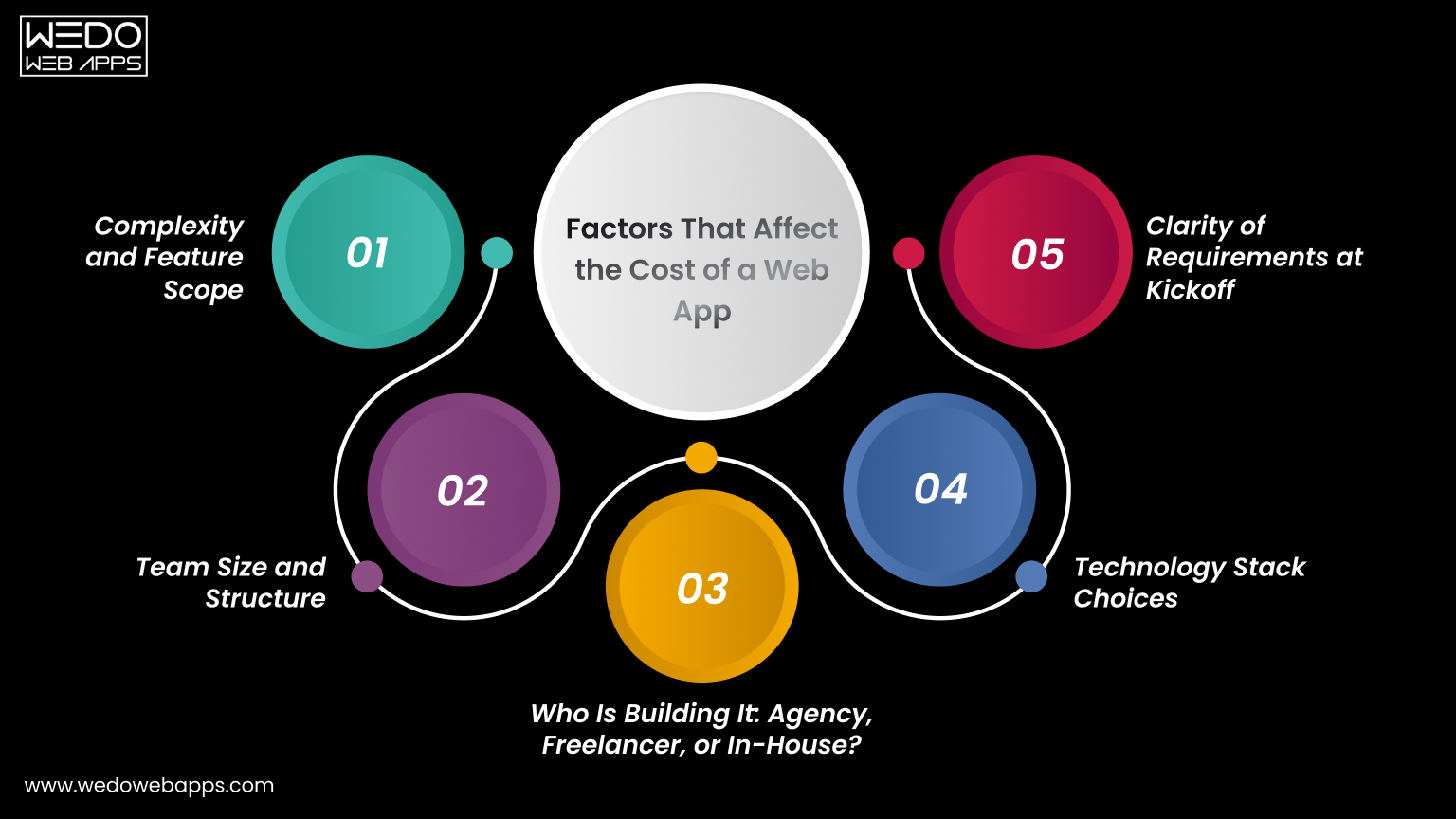
Affect the Cost of a Web App

If you are searching for how long does it take to build a web app, the honest answer is: it depends on various factors. No two projects are identical. These 5 variables define your web app development timeline more than anything else, and understanding them before you start will save you weeks of confusion later.

1. Complexity and Feature Scope

A simple web app with basic functionality behaves very differently from the platform with real-time dashboards, third-party API integrations, and custom reporting. The more features you need, the longer it will take to create web apps. Always define what is in scope and what is not before any work begins.

2. Team Size and Structure

A solo developer will take significantly longer than a cross-functional team working together. Team size is one of the most direct levers on how long does it take to develop a web application. Larger and more experienced teams compress timelines but require stronger coordination to avoid rework.

3. Who Is Building It: Agency, Freelancer, or In-House?

This factor is missing from most of the guides that you will look at, but the fact is that this directly shapes your web app development timeline. Here is what each option typically means:

  • Agency: Fastest delivery due to structured teams and defined processes. Best choice for businesses needing reliable web app development services on a deadline.
  • Freelancer: More budget-flexible but slower due to limited capacity and higher coordination overhead.
  • In-house Team: Longest process. Hiring and onboarding before a single line of code is written adds months to any timeline.

4. Technology Stack Choices

Using proven frameworks like React, Next.js, or Laravel significantly reduces the development time compared to building a custom solution from scratch. Stack familiarity within your team also matters enormously when making web apps at speed. The right stack choice is a foundational decision in any custom web development engagement.

5. Clarity of Requirements at Kickoff

Incomplete briefs are the single biggest hidden time killer in web application development. Projects that begin with well-defined user stories, wireframes, and technical requirements move faster and land closer to schedule. Ambiguity creates rework, and rework is the enemy of every web project development timeline.

Ready to build your web app

Simple Web App: 6-10 Weeks

A simple web app includes a handful of screens, basic user authentication, and straightforward data management. Think internal tools, directory sites, basic booking apps, or lead capture platforms. For those asking how long does it take to build a web app at its simplest level, 6-10 weeks is the realistic answer with an experienced team.

What is Typically Included

  • User registration and login.
  • Simple data input and display (CRUD operations).
  • Basic admin panel for content or record management.
  • Responsive design for desktop and mobile.

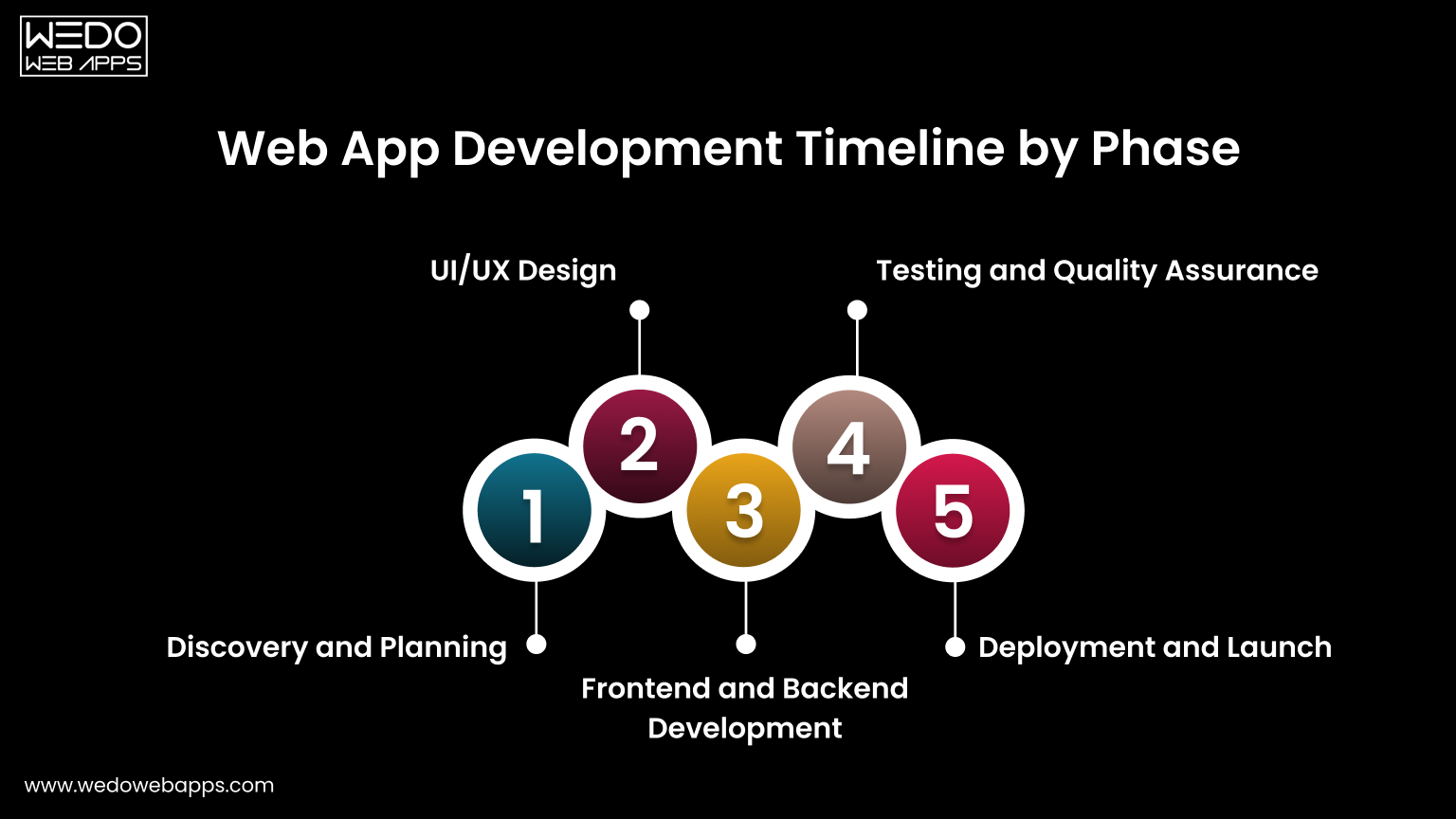
Phase Breakdown

  • Discovery: 1 week
  • UI/UX design: 1-2 weeks
  • Development: 3-4 weeks
  • QA & testing: 1 week
  • Launch: 1 week

Who This is Right For

Simple web apps are ideal for internal business tools, early-stage startups testing a concept with minimal investment, or businesses that need a focused digital tool without full product complexity. If your project fits this scope, your web app development timeline is the easiest to commit to and the easiest to protect.

MVP/ Proof of Concept: 8-12 Weeks

If you are a startup validating a product idea before raising funding, an MVP is your goal. The web app development timeline for an MVP is tight by design. Those asking how long does it take to make an app for early-stage validation will find the MVP route is always the fastest path to learning whether your idea works with real users.

What an MVP Should Include

  • Core user journey only, nothing beyond the primary value proposition.
  • Clean, functional UI that is not over-engineered.
  • Essential integrations: payments, authentication, or notifications where directly needed.

What an MVP Should NOT Include

  • Advanced reporting or analytics dashboards.
  • Complex admin workflows or multi-role permission systems.
  • Multi-language or multi-currency support.
  • Features not directly tied to validating your core hypothesis.

Phase Breakdown

  • Discovery: 1-2 weeks
  • UI/UX design: 2 weeks
  • Development: 4-5 weeks
  • QA & testing: 1-2 weeks
  • Launch: 1 week

The MVP Mindset

Scope discipline is what keeps an MVP inside the 8-12 week web app development timeline. Everything added beyond the core hypothesis is a week added to your launch date. Ship fast, learn fast, and build the right thing in version two. This is the most powerful timeline strategy available to any founder.

Want to build an MVP

Mid-Complexity Web App: 3-5 Months

This is the most common category when people ask how long does it take to develop an app for a growing business. Mid-complexity apps include SaaS tools with dashboards, multi-role user access, payment integrations, and data reporting features.

If you are creating web apps for an established product or team, this is typically where your build lands.

Features That Push a Project Into This Category

  • Role-based access control including admin, user, and editor.
  • Payment gateway integration, such as Stripe or PayPal.
  • Third-party CRM or API connections.
  • Email notification systems and automated workflows.
  • Custom reporting, filters, and data export.

Phase Breakdown

  • Discovery: 2 weeks
  • UI/UX design: 3-4 weeks
  • Development: 8-10 weeks
  • QA & testing: 2-3 weeks
  • Launch: 1-2 weeks

What to Watch Out For

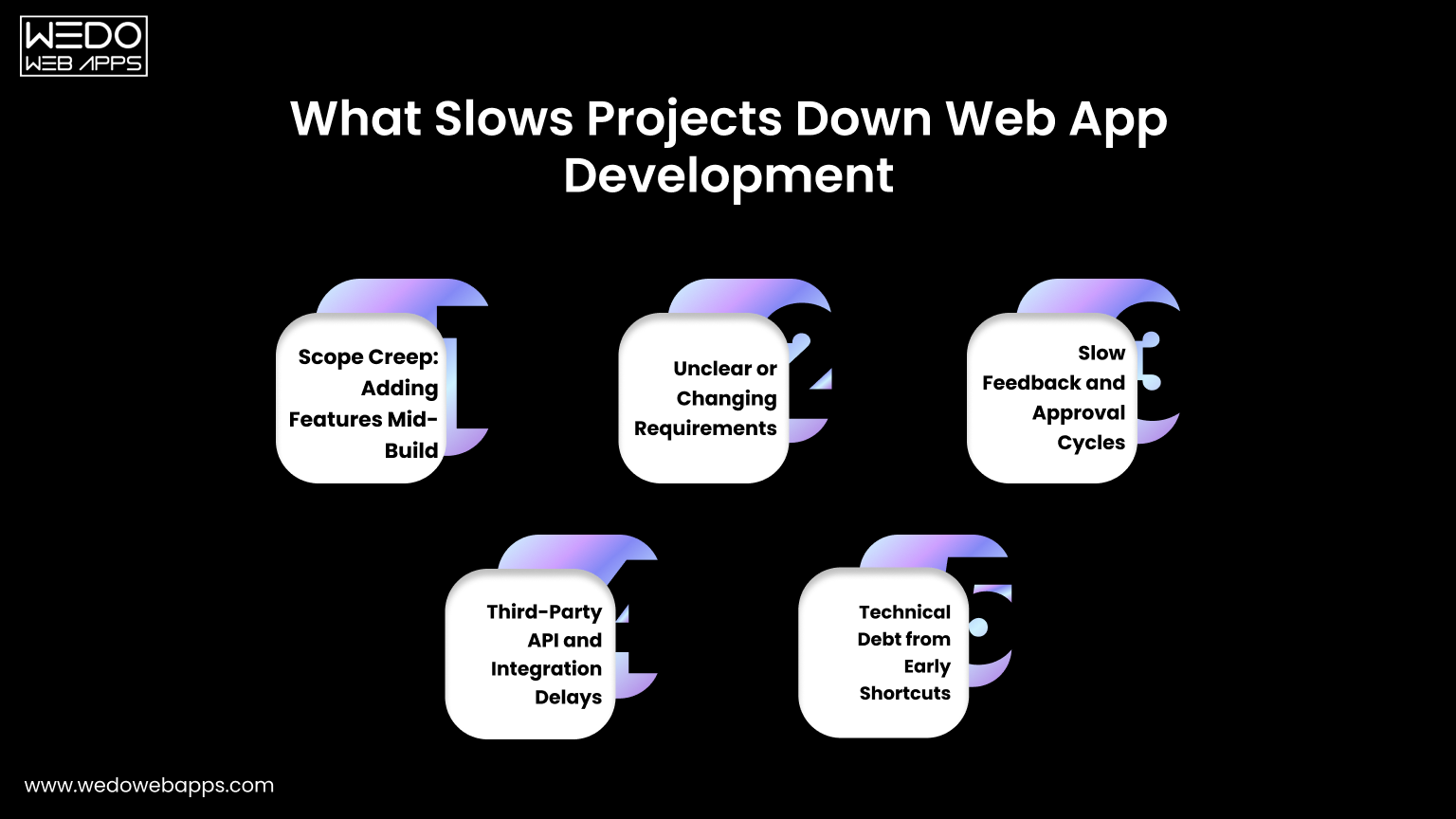
Mid-complexity projects are the category most prone to scope creep. The feature list that starts at 15 items grows to 25 mid-build because stakeholders see the product taking shape and add requests. A locked scope agreement before development begins is the single most important protection for your web app development timeline at this level.

Full-Scale SaaS Platform: 5-9 Months

When creating web apps at the SaaS level, you are dealing with multi-tenant architecture, complex subscription billing, deep third-party integrations, and the need to build for scale from day one. For anyone asking how long does it take to develop a web application at SaaS complexity, this range is non-negotiable. Engaging a specialist SaaS application development team is the most reliable way to stay on schedule.

Why SaaS Timelines Cannot Be Compressed

  • Security requirements must be architected, not added after launch.
  • Multi-tenant data isolation requires careful database design from day one.
  • Subscription and billing logic adds significant backend complexity.
  • Scalability decisions made early in the build affect the entire codebase.

Phase Breakdown

  • Discovery: 3-4 weeks
  • UI/UX design: 4-6 weeks
  • Development: 14-20 weeks
  • QA & testing: 4 weeks
  • Launch: 2 weeks

SaaS-Specific Considerations

SaaS platforms require uptime guarantees, disaster recovery planning, and performance under load from day one. These are not optional add-ons. They are foundational requirements that take time to build correctly. Any SaaS web app development timeline that promises delivery in under 5 months for a full platform is almost certainly underestimating the scope.

Need a dedicated SaaS development partner

Enterprise Web Application: 9 Months and Beyond

Enterprise-grade web application development is a category most guides ignore entirely. These projects involve legacy system integrations, strict compliance requirements such as GDPR, HIPAA, and SOC2, multi-team coordination, and governance layers that simply do not exist in smaller builds. Making web apps at enterprise scale requires a structured software product development process to manage scope, compliance, and delivery risk effectively.

What Makes Enterprise Builds Fundamentally Different

  • Integration with existing ERP, CRM, HR, or finance systems.
  • Security audits and compliance sign-offs required before any launch.
  • Multiple stakeholder review cycles that extend every approval stage.
  • Custom infrastructure, DevOps pipelines, and environment configurations.
  • Governance documentation and change management processes.

How to Plan an Enterprise Web App Timeline

An enterprise project should begin with a dedicated discovery phase of at least 4 weeks before any design or development starts. This is where legacy integration complexity, compliance requirements, and stakeholder alignment are mapped out. Skipping this phase on an enterprise build is the most expensive mistake a project team can make.

Web App Development Timeline by Phase

Web App Development Timeline by Phase

Phase 1: Discovery and Planning (1 to 4 weeks)

Discovery is where the project is defined. Skipping or rushing it is the most common reason web app development timelines blow out later. Proper discovery covers technical requirements, user stories, architecture decisions, and a realistic project plan that the entire team can commit to.

Every hour of clarity added at this stage removes hours of rework later. A two-week discovery phase that prevents a four-week rebuild is always the right investment.

Phase 2: UI/UX Design (1 to 6 weeks)

Design defines how users flow through the product, how decisions are made, and how errors are handled. Poor design decisions made here affect the entire development phase and are expensive to fix once code is written.

  • For MVPs: Wireframes are sufficient. Keep it lean and fast.
  • For mid-complexity and SaaS: High-fidelity prototypes with interactive flows reduce developer misunderstandings and accelerate the build phase significantly.

Unlimited revision rounds without a defined approval process are one of the most consistent causes of web app development timeline overruns. Lock down a maximum revision cycle before design begins and enforce it.

Phase 3: Frontend and Backend Development (3 to 20 weeks)

Development is the largest phase in every project type and runs two parallel workstreams that must stay coordinated to avoid further issues.

  • Frontend: Everything the user sees and interacts with. Component libraries like Tailwind UI or Material UI reduce frontend time significantly versus building from scratch.
  • Backend and APIs: Business logic, data management, and integrations. REST API design, database schema, and authentication are the most time-intensive backend tasks in most web app builds.
  • Database and Infrastructure: Choosing the right database for the use case and setting up staging and production environments correctly adds 1-2 weeks but prevents costly migrations later.

Phase 4: Testing and Quality Assurance (1 to 4 weeks)

QA is consistently underestimated. Testing should run in parallel with development, not start after it ends. Catching bugs in development is five times cheaper than catching them post-launch.

  • Simple apps and MVPs: Manual testing across key user flows is typically sufficient.
  • Mid-complexity and SaaS platforms: Automated regression testing is strongly recommended to protect the web app development timeline as the codebase grows.

Phase 5: Deployment and Launch (1 to 2 weeks)

Launch is not just pressing a button. It involves configuring production infrastructure, setting up monitoring and error tracking, running pre-launch tests in a staging environment, and, in most cases, managing a soft launch before full rollout.

A soft launch to a limited user group catches production-specific issues before they affect your entire user base. For SaaS and enterprise apps, this is non-negotiable and must be planned into your web app development timeline from the start.

Web App Timeline by Project Type At a Glance

Use this table to quickly map your project type to a realistic web app development timeline across every phase from discovery through launch.

Project TypeDiscoveryDesignDevelopmentQALaunchTotal
Simple Web App1 week1–2 weeks3–4 weeks1 week1 week6–10 weeks
MVP/PoC1–2 weeks2 weeks4–5 weeks1–2 weeks1 week8–12 weeks
Mid-Complexity2 weeks3–4 weeks8–10 weeks2–3 weeks1–2 weeks3–5 months
Full-Scale SaaS3–4 weeks4–6 weeks14–20 weeks4 weeks2 weeks5–9 months
Enterprise App4+ weeks6+ weeks20+ weeks4+ weeks2+ weeks9+ months

Note: Estimates apply to experienced development teams. The timeline also depends on team size, technology stack, and the clarity of scope from the start of development.

Not sure where your project fits

Real-World Web App Timeline Examples by Industry

Understanding how long does it take to develop a web application is much clearer when applied to specific industries. Here is a realistic timeline based on common project types across different sectors.

eCommerce Web App (4-6 months)

A fully functional eCommerce web app includes product catalog management, shopping cart, payment gateway integration, order management, customer accounts, and an admin dashboard. Inventory management and logistics integration push most builds into a 4-6 month range from day one.

SaaS Dashboard or Analytics Platform (5-8 months)

Creating web apps at the SaaS level for analytics or business intelligence is one of the more time-intensive categories. Real-time data visualization, subscription billing, multi-role access, and performance optimization for large datasets all contribute to a 5-8 month web app development timeline. Partnering with a dedicated SaaS application development team from the start is the most reliable way to stay on schedule.

Healthcare Web App (6-10 months)

Healthcare applications add 2-3 months to the standard timeline purely for compliance. HIPAA compliance, audit logging, patient data encryption, and legal sign-offs are non-negotiable requirements. Anyone asking how long does it take to develop a web application in healthcare should plan for the longer end of the range, regardless of functional complexity.

eLearning Platform (4-7 months)

An eLearning platform involves course builder tools, video streaming or embedding, progress tracking, quizzes, assessment engines, certificates, and payment integrations. Video infrastructure alone adds significant complexity and infrastructure cost. Most eLearning builds land in a 4-7 month range when making web apps for education at a production-ready standard.

Internal Business Tool or Admin Portal (6-12 weeks)

Internal tools are the fastest category in web app development because they require no public-facing design polish, SEO optimization, or marketing integrations. Workflow automation tools, reporting dashboards, and role-based admin portals typically land in a 6-12 week range, making them an ideal first project for a team exploring web apps for the first time.

What Slows Projects Down: The Real Reasons

Slows Projects Down Web App Development

Ask any experienced development team why web app development timelines slip, and you will rarely hear purely technical reasons. The most common causes are process and communication failures that are entirely preventable.

Scope Creep: Adding Features Mid-Build

Every new feature added after development begins carries a compounding cost. A feature that takes one week to build in isolation may take two or three weeks mid-project because it requires changes to existing database schemas, API endpoints, and complete UI components. Define your scope before development begins and treat it as locked.

Unclear or Changing Requirements

Vague briefs are the most common real-world delay across all project types. When web developers must interpret unclear requirements, rework becomes inevitable. The clearer your brief from the start, the closer your actual web app development timeline will be to your original estimate.

Slow Feedback and Approval Cycles

Design reviews waiting on stakeholder sign-off, content delays, legal reviews, and slow responses to developer questions all add unplanned weeks to any web app development timeline. Assign a single decision-maker on your side and commit to a 24-48 hour turnaround on all feedback requests.

Third-Party API and Integration Delays

Payment gateways, CRM connections, identity providers, and external data feeds are outside your control. Incomplete API documentation, rate limits that require workarounds, and sandbox environments that do not behave like production can each add 1-2 unplanned weeks. Always budget integration buffer time when calculating how long does it take to develop a web application.

Technical Debt from Early Shortcuts

Moving fast by skipping proper architecture decisions or choosing the wrong database schema early feels like it saves time. It almost never does. Technical debt accumulates interest, and rebuilding poorly structured code mid-project always costs significantly more than doing it correctly the first time.

process for keeping web app projects

How to Reduce Your Web App Timeline Without Cutting Corners

Speed and quality are not mutually exclusive. Here is how experienced teams shorten their web app development timeline without compromising the result. These strategies apply whether you are building web apps for the first time or scaling an existing product.

Start With an MVP

The fastest way to learn whether your web app idea works is to build the minimum version that lets real users experience the core value. Every feature beyond that is a hypothesis. Ship fast, learn fast, and build the right thing in version two. This is the most impactful web app development timeline reduction strategy available to any founder or product manager.

Lock Your Scope Before Development Begins

A locked scope with signed-off wireframes and documented user stories before a single line of code is written is the single highest-ROI action you can take. Teams that begin building web apps with ambiguous requirements consistently miss estimates. Teams that begin with clarity consistently land closer to them.

Use Proven Frameworks and Pre-Built Components

React, Next.js, Tailwind CSS, and Laravel exist because experienced teams have solved the same problems thousands of times. Using battle-tested frameworks when making web apps eliminates weeks of work that would otherwise go into building foundational infrastructure. Reserve your custom build time for what is genuinely unique to your product.

Run Design and Development in Parallel Where Possible

Good agencies and experienced in-house teams do not wait for all design to be complete before starting development. Backend architecture, database design, and API endpoint development can all be produced while UI design is being finalized for later screens. Overlapping phases intelligently compress the overall web app development timeline without creating rework risk.

Choose the Right Team Structure for Your Timeline

Agency teams are faster because they are built for parallel execution. Freelancers offer flexibility but mostly sequential work. In-house teams offer long-term control but slow starts. This decision alone can affect how long does it take to build a web app more than almost any other factor. Match your team structure to your actual timeline goal, not just your budget preference.

Cost vs Timeline: Understanding the Tradeoff

One of the most important and least-discussed dimensions when creating web apps is the relationship between cost, timeline, and quality. Understanding this tradeoff helps you make smarter decisions and set more realistic expectations for your web app development timeline.

Why Faster Does Not Always Mean More Expensive

An experienced agency with a structured team may deliver a web app in 10 weeks that a solo freelancer would take 20 weeks to complete. The agency costs more per hour but less in total calendar time, which reduces opportunity cost, time to market, and often total project cost when you account for your own time spent managing a longer engagement.

Where Cutting Budget Actually Extends Your Timeline

Hiring cheaper developers to save budget often extends your web app development timeline significantly. Inexperienced developers write code that requires more revision, more QA cycles, and more debugging. The cost you save on the hourly rate is frequently spent on extra weeks of work. For web app development, experience is one of the best investments you can make.

How to Balance Speed, Quality, and Budget Realistically

The classic triangle is real: fast, good, cheap. Pick any two. For most projects, the right balance is to define your non-negotiable quality standards, set a realistic web app development timeline based on those standards, and find a team whose budget fits within those constraints. Trying to compromise on all three simultaneously is how projects fail.

Get a Free Timeline Estimate for Your Project

Whether you are in the early stage of planning or ready to start making web apps immediately, knowing your realistic web app development timeline is the first step towards a successful project.

At WEDOWEBAPPS, we specialize in web app development, custom web development, SaaS app development, and software product development. Our team reviews your requirements and delivers a detailed, phase-by-phase web app development timeline within 24 hours, with no commitment required.

Tell us about your project, and we will tell you exactly how long it takes to build a web app for your specific requirements, what it will cost, and what team structure will deliver the best result for your timeline and budget.

Connect with us

How to Vet Offshore Software Developers (Without Getting Burned)

Why Vetting Matters More Than Ever in 2026

The offshore development market has never been larger or noisier. If you are trying to hire offshore software developers, platforms like Upwork, Toptal, and LinkedIn have made it trivially easy for anyone to appear credible: a polished profile, a few AI-generated testimonials, and a portfolio of screenshots that may not belong to the developer in question.

Meanwhile, the cost of a bad hire has grown substantially. Beyond the obvious financial loss, most offshore engagements run $8,000 – $40,000 before a client realizes something is wrong, there is the IP risk, the project delay, and the internal credibility damage of explaining to stakeholders why the product is not moving.

The good news: a disciplined, six-step vetting process will eliminate 95% of bad fits before you have signed anything. This guide walks through each step, including the twelve questions you should be able to answer with confidence before a single line of the contract is finalized.

Where to Find an Offshore Development Team

Before you can vet anyone, you need a shortlist. When companies set out to find an offshore development team, they typically look across three channels, each with different signal-to-noise ratios:

  • Freelance platforms (Upwork, Toptal, Gun.io): High-volume, variable quality. Toptal’s vetting is stricter than most, but it narrows the talent pool significantly. Best for individual developers on well-scoped work.
  • Agency directories (Clutch, GoodFirms, DesignRush): Better for hiring an offshore development team as a unit. Verified reviews and project histories give you a baseline, though reviews can be curated. Cross-check at least two to three platforms.

  • Direct referrals from peers: The highest-trust channel by far. A recommendation from a founder who has shipped a real product with a specific team removes most of the uncertainty from the first few steps of vetting.

Regardless of where you find candidates, the vetting process that follows applies equally to individual developers and teams. Do not compress steps because a referral source seems trustworthy; the referral is an endorsement of the relationship, not a technical audit.

Step 1: Evaluate Their Portfolio – What to Actually Look for

A portfolio is where most clients start, and where most get fooled. Screenshots mean nothing. PDFs of case studies mean slightly more. What you want are verifiable, live deliverables that you can inspect directly.

What good looks like:

  • Live URLs you can visit, test, and trace back to an ownership record
  • Tech stack specificity: can they explain why they chose PostgreSQL over MongoDB for that project, or just list it as a skill?
  • Evidence for iteration – real projects have messy histories, not clean launches
  • Client names you can independently verify (even a quick LinkedIn check)

Protecting against AI-generated potential fraud

In 2025, a wave of credential fraud emerged where developers submitted AI-generated code samples and synthetic screenshots. The countermeasure is simple: ask them to walk you through the project on a live video call, share their screen, and answer follow-up questions about decisions made during development. AI assistance can help write code, it cannot replace the memory of building something.

Review our client project portfolio to see real deliverables, tech stacks, and project outcomes before asking us for references.

Questions to Ask: “Walk me through the biggest technical problem you hit on this project and how you resolved it.” “What would you do differently if you rebuilt this today?” “Can you show me the repo?”

Still unsure if their portfolio is actually real

Step 2 – Technical Assessment – The Right Way to Test

Most technical screens are poorly designed: either too easy (trivia questions that don’t predict job performance) or too hard (multi-day take-homes that penalize experienced developers with limited time). The goal is to assess real-world problem-solving, not exam performance.

A Better Assessment Format

A two-part structure works well for offshore hiring:

  1. Async coding task (2-3 hours): A realistic, scoped problem in their state stack. Not a whiteboard puzzle – something like “refactor this poorly structured API endpoint” or “debug and improve this query.” Async respects their timezone; the constraint helps you assess how they manage scope.
  2. Architecture Discussion (45 minutes, live): Share a simplified version of your actual product problem and ask them to think through a solution out loud. This tests communication, systems thinking, and honesty about trade-offs, the skills that matter the most in a remote engagement.

What You Are Really Evaluating

  • Do they ask clarifying questions before diving in?
  • Do they acknowledge uncertainty or just barrel forward?
  • Is their code readable? Do they leave comments where the intent is unclear?
  • Do they explain trade-offs, or just implement one solution and declare it done?

AI-assisted cheating: For async tasks, require candidates to record their screen using Loom or similar. The playback will reveal whether they wrote code, pasted it from an AI tool with no understanding, or copied from Stack Overflow. There is no ethical problem with using AI tools; the issue is not being able to explain or adapt the output.

technical vetting process will catch the right signals

Step 3 – Check Their Communication Practices

Poor communication is the leading cause of failed offshore engagements, more common than technical shortfalls. It is also the hardest thing to assess from a profile or a portfolio. You have to test it directly.

Four things to test before you commit

  • Response Time: Send an email or Slack message outside of business hours (their time). How long does it take to get a response? A developer who sends three-word replies during the sales process will send three-word replies when something is broken in production.
  • Written Clarity: Ask them to summarize the project brief back to you in writing. If they cannot explain your requirements clearly, they cannot build to them clearly.
  • Timezone Coverage: Ask specifically about their available overlap hours, not their schedule by two hours in either direction. A 12-hour gap with no flexibility cannot.
  • Meeting Culture: Ask how they prefer to handle blockers. Do they hold them for a weekly call, or do they proactively communicate asynchronously? Asynchronous first, synchronous when necessary, is the best answer.

Step 4 – Verify NDA and IP Ownership Clauses

This is where many clients skip over critical protections, either because they trust the developer too quickly or because they find legal language uncomfortable to negotiate. Don’t skip it. IP disputes in offshore engagements are expensive and often unwinnable across jurisdictions.

What to confirm in writing before any work begins

  • IP ownership transfers to you upon payment. This should be explicit, not implied. “Work for hire” language may not carry the same legal weight in all jurisdictions.
  • The NDA covers subcontractors. Many offshore agencies use subcontractors. If the NDA only covers the agency principal, your IP, and business information may be freely shared down the chain.
  • No residual license retained. Some agency contracts contain language that grants the agency a perpetual, royalty-free license to reuse components they build for you. Catch this before signing.
  • Non-compete is time-bound and reasonable. A broad non-compete clause that prevents the agency from working in your industry is a red flag; it suggests they plan to lock you in.
  • Data handling is specified. Where is client data stored? Who has access? What happens to it at contract end? This is especially important for any product handling user data under the GDPR or the Indian DPDPA frameworks.

Do not proceed without a signed NDA. Any developer or agency that resists signing an NDA before a discovery call is a dealbreaker. Legitimate professionals sign NDAs routinely. Resistance to this is a signal, not a negotiating position.

Step 5 – Review Client References

References are underutilized. Most clients either skip them entirely (“they seem great on the call”) or ask perfunctory questions that produce perfunctory answers. A well-run reference check will tell you more than any interview.

How to run an effective reference check

Ask for two or three references that match your project type and your company size, not their best-case clients. A startup building a mobile MVP should talk to other startups, not enterprise companies who had a 10-person delivery team managing the engagement.

The questions that matter:

  • “Did the project ship on time? If not, who owned the delay?”
  • “How did they handle a significant technical problem or scope change mid-project?”
  • “Would you hire them again? Are you currently working with them?”
  • “What did you wish you had known before starting the engagement?”
  • “How was the communication? Were you ever surprised by something you should have been told earlier?”

The best signal: a reference who is currently working with the developer is a strong positive indicator. A reference who sounds scripted or immediately pivots to superlatives is a weaker one; push harder with follow-ups.

Step 6 – Run a Paid Discovery Sprint First

This is the final gate before you formally hire an offshore development team. Before signing a three-month or six-month contract, commission a scoped, paid discovery sprint, a one-to-three week engagement with a defined deliverable: a technical architecture document, a working prototype of one core feature, or a detailed project estimate with risk register.

Why does this protect you?

The discovery sprint serves three functions simultaneously:

  • Proof of capability: You see their actual output, not sales samples.
  • Proof of process: You experience their communication cadence, project management tooling, and how they handle ambiguity.
  • Mutual evaluation: Good developers use discovery sprints to evaluate clients, too. A developer who enthusiastically accepts a vague, open-ended sprint brief without pushing back is either inexperienced or desperate.

If the discovery sprint goes well, you move to a longer engagement with a documented process and genuine trust. If it goes poorly, you have learned this for $2,000 – $5,000 rather than $40,000.

The discovery sprint deliverable should always include a risk register – a plain-language document that identifies technical unknowns, dependency risks, and timeline assumptions. If a developer can’t produce this, they are not ready to estimate a full project.

Not ready to commit to a long-term contract

Red Flags That Should Kill the Deal

Even a developer who passes most of your vetting criteria can reveal themselves through specific behaviors. These are the patterns that should end the conversation immediately:

1. Pressure to Skip the NDA or Move Fast

Urgency is a manipulation tactic. Legitimate developers have other clients and do not need your business this week.

2. Vague Answers About Team Composition

If they won’t tell you who will actually be writing the code – names, seniority, location – assume the worst.

3. Fixed-Price Bids on Undefined Scope

A fixed price on work that is not scoped is a setup. The contract will have exclusions wide enough to drive a truck through.

4. Portfolio That Cannot Be Verified

No live URLs, no GitHub, no verifiable clients. Screenshots and PDF case studies are decoration, not evidence.

5. Reluctance to do a Paid Discovery Sprint

Developers who push back on a scoped discovery engagement are protecting themselves from scrutiny, not you.

6. All Five-Star Reviews with no Negative Detail

Every real engagement has friction. Reviews that contain nothing but effusive praise are either cherry-picked or fabricated.

7. Unclear IP Ownership Language in the Contract

If the contract says “client retains ownership of deliverables” without specifying what constitutes a deliverable, underlying components and frameworks may not be included.

8. No Post-Delivery Support Teams

Offshore contracts that end at delivery with no warranty period or bug-fix SLA leave you holding a product no one else understands.

The 12 Questions Every Vetting Process Should Answer

By the time you have completed the six steps above, you should be able to answer all twelve of these questions with confidence. If you cannot, you need more information before proceeding.

1. Can I verify at least three deliverables they built?

URLs, repos, or client contracts you confirmed independently.

2. Did they pass a structured technical assessment?

Not just a screening call, a real async task and architecture discussion.

3. Do I know who will write the code?

Names, seniority levels, and whether subcontractors are involved.

4. Have I confirmed NDA and IP assignment in writing?

Signed before any project information is shared.

5. Have I spoken to at least two past clients directly?

On a call, not via written testimonial.

6. Is there documented timezone overlap?

At least three hours of real-time availability per working day.

7. Do they proactively communicate blockers?

Evidenced in the discovery sprint, not just claimed on the sales call.

8. Have we completed a paid discovery sprint?

With a clear deliverable and a documented risk register.

9. Is the contract scope defined clearly?

Including what is explicitly out of scope and what triggers a change order.

10. Is there a post-delivery warranty or SLA?

At a minimum, 30 days of bug-fox support after launch.

11. Do I understand their project management process?

Sprint structure, reporting cadence, and how scope changes are handled.

12. Has their company background been reviewed?

Years in operation, team size, and registration details independently verified.

How WEDOWEBAPPS Gets Vetted By Our Clients

We wrote this guide because we went through this process ourselves, from the other side. Every client who wants to hire offshore software developers is encouraged to put us through every step outlined above. Here is how we answer the 12 questions directly.

1. Portfolio Verification

Every project in our portfolio includes a live URL or verified client contact. We walk clients through our GitHub history on video.

2. Technical Assessment

We welcome structured technical assessments. Our senior developers typically complete async tasks within 4 hours and can present architecture reasoning live.

3. NDA First, Always

We sign NDAs before any technical discovery call. IP assignments are explicit in every contract; all work product transfers to you upon payment.

4. Team Transparency

We name our developers at the proposal stage. No balt-and-switch after signing. Subcontractors are disclosed and covered under the same NDA.

5. References

We provide three or more references matched to your project type. Several of our clients have been with us for 3-5 years and take reference calls.

6. Discovery Sprints

We actively recommend starting with a paid discovery sprint. Our delivery team produces a risk register and architecture document as standard outputs.

Transparency starts with knowing who you are hiring, review our team and company background before any commitment.

Want to apply this exact vetting process

The Bottom Line on Vetting Offshore Developers

Hiring offshore is not inherently risky. Hiring without a process is. The companies that get burned by offshore engagements almost always share the same story: they moved fast, trusted surface signals, skipped the NDA conversation, and signed a contract before they had seen a single line of real work. The companies that build lasting offshore partnerships do the opposite; they slow down for two weeks, ask uncomfortable questions, and treat the vetting process as a mutual evaluation, not a formality.

Everything in this guide – the six steps, the 12 questions, the red flags, the discovery sprint – exists to give you a repeatable structure so that “trust your gut” is the last input, not the only one. Gut feel is a useful signal when it’s confirming evidence. It’s a dangerous shortcut when it’s replacing it.

A few things worth remembering as you go into your next search:

  • The vetting process is a two-way street. Good developers are evaluating you, too. Disorganized briefs, slow responses, and last-minute scope changes signal a difficult client. Show up prepared.
  • Cheap rates are not the point. The value of offshore hiring is access to talent and delivery speed, not the lowest hourly rate. A $25/hr developer who misses deadlines and requires constant oversight costs more than a $55/hr developer who ships clean code and communicates proactively.
  • The discovery sprint is your exit ramp, not a commitment. Use it without guilt. A developer worth hiring long-term will understand and respect this boundary.
  • Document everything from day one. The contracts, the NDA, the scope, the team composition, and the communication norms. The teams that succeed offshore are the ones who treat documentation as infrastructure, not overhead.

If you can answer all 12 questions in this guide with confidence, and you’ve completed a discovery sprint with a team that delivered exactly what they promised, you’re not taking a risk. You’re making an informed decision. That’s the only kind worth making.

hire without second-guessing your decision

15 Questions to Ask Before Hiring a Web Development Company (2026)

Why Most Clients Ask the Wrong Questions

Most businesses walk into a conversation with a web development company asking the obvious questions:

  • How long will it take?
  • How much will it cost?
  • Can you show me examples?

These are also important questions. But they are generic and incomplete.

A website project rarely fails because of the design or coding alone. It fails due to unclear expectations, weak communication, and missing ownership.

The clients who end up with project delays, cost overruns, ownership disputes, or abandoned products after launch are rarely the ones who forgot to ask about prices. They are the ones who never ask the web development company about the process, accountability, or what happens when things go wrong.

That is why asking the right questions early changes everything.

This guide gives you the 15 questions to ask before hiring a web development company, from the risky ones to the good answers that sound like a red flag response. At the end, we have answered every one of these from WEDOWEBAPPS perspective, so you know exactly what you can expect from us.

Let’s begin with the questions.

Questions About Process and Project Management

1. What development methodology do you use, and how does it affect my project?

The company’s following method determines how your project is planned, how changes are being handled, and how often you see progress. An agile team delivers in sprints and adapts everything quickly. A dedicated team plans everything clearly and up front. Neither of them is universally right, but the vendor you select should be able to explain clearly which method they will be using and why it suits your project.

Good Answer –

We follow agile methodology with two-week sprints. You will receive a demo at the end of each sprint, and you can provide feedback before we move forward.

Red Flag –

We have our own process. Just trust us, and we will deliver the final product.

2. Who will be actually working on my project?

Many agencies want to work with the senior staff from the start rather than some junior developer handling the entire project. You need to know exactly who is assigned to your project, their expertise and experience level, and whether they are in-house or subcontracted (Freelancer).

Good Answer –

Your project will be handled by [name/role]. We will introduce you to the team before the project begins, and you can interview them if you wish.

Red Flag –

Our team handles everything. We cannot commit to specific names at this stage.

3. How do you handle project scope changes?

Scope creep is one of the top reasons the project fails. A professional company has a clear, documented change request process. Without this, even small changes can cause budget overruns and timeline disputes.

Good Answer –

All scope changes are documented in a formal way with the requested changes. We assess the impact on the timeline and budget and get your written approval before proceeding.

Red Flag –

We are flexible, just let us know what you need, and we will figure it out as we go.

Questions About Communication and Reporting

4. Who is my primary point of contact, and how often will we communicate?

Unclear ownership and communication can lead to missed updates, confusion, and even frustration. You need a named contact person, defined communication channels, and a set of reporting leaders.

Good Answer –

You will have a dedicated project manager as a source of contact. We keep holding the weekly meeting or progress call and provide you with the written status (updated) every Friday.

Red Flag –

You can reach out to the team anytime. Sometime will get back to you.

5. What project management tools do you use, and will I have access?

Transparency matters the most. A vendor who gives you real-time visibility into task progress, timelines, and blockers is fundamentally different from one who sends you occasional email updates.

Good Answer –

We use Jira and Slack. You will have your own client access, so you can see the status of your project tasks, raise questions, and track the progress in real-time.

Red Flag –

We handle all project management internally. We will keep you updated when there is something.

Questions About NDA and IP Ownership

6. Will you sign an NDA before we discuss project details?

Your business idea, requirements, and any proprietary data you share during discovery are valuable. A professional company signs NDAs without any hesitation. Reluctance here is a serious warning sign.

Good Answer –

Yes, absolutely. We sign an NDA as standard practice before any project discussion. We can send you our standard NDA or review yours.

Red Flag –

We do not usually do NDAs for initial discussions. You can trust us.

7. Who owns the code and intellectual property once the project is complete?

This is one of the most commonly misunderstood areas in a web development contract. Some vendors retain ownership of code, frameworks, or components. You need explicit written confirmation that full IP transfers to you upon final payment.

Good Answer –

Full intellectual property and source code ownership transfers to you upon final payment. This is documented clearly in our contract.

Red Flag –

You own the final product, but we retain rights to the underlying framework and components we build.

8. Will you provide access to all source code, repositories, and third-party accounts?

Some vendors lock clients in by holding source code, hosting credentials, or third-party service accounts. You should own and have full access to every asset built for your project.

Good Answer –

Yes. You will have full access to the Git repository, all credentials, and any third-party account setup for your project from the start of the project.

Red Flag –

We manage all that on our end. When the project is done, we will hand over what you need.

Questions About Testing and Quality Assurance

9. What is your QA and testing process?

Testing is where many cheaper vendors cut corners. A serious company has a defined QA process that includes functional testing, performance testing, cross-browser testing, and security checks, not just “we test before delivery”.

Good Answer –

We conduct manual and automated testing, including functional, regression, performance, cross-browser, and mobile responsiveness testing before every release.

Red Flag –

We test everything before we deliver. Our developers check their own work.

10. How do you handle bugs discovered after launch?

Bugs after launch are not a question of if; they are the question of when. How a company handles the post-launch issues tells you everything about its commitment to quality and customer service.

Good Answer –

We provide a 30/60 days post-launch support period during which all bugs related to our work are fixed at no extra charge. This is included in every contract.

Red Flag –

We guarantee our work. If there are issues after launch, reach out, and we will see what we can do.

Questions About Post-Launch

11. What post-launch support and maintenance packages do you offer?

A website or web app is not a one-time deliverable. It needs updates, security patches, performance monitoring, and ongoing improvements. Knowing what support options exist before you sign prevents panic later.

Good Answer –

We offer structured monthly maintenance packages covering security updates, performance monitoring, bug fixes, and minor enhancements. We will recommend the right package based on your project.

Red Flag –

We can help after launch on a case-by-case basis. Just contact us when you need something.

12. How do you handle security vulnerabilities discovered after delivery?

Cybersecurity threats evolve constantly. A responsible web development partner should have a clear protocol for responding to newly discovered vulnerabilities, not leave you to figure it out alone.

Good Answer –

We monitor for critical security vulnerabilities related to our tech stack and notify clients proactively. Critical patches are addressed as a priority in our maintenance contracts.

Red Flag –

Security is your responsibility post-launch. We can quote you for any fixes needed.

Question About Pricing and Payment Structure

13. What is your pricing model: fixed price, time and materials, or dedicated team?

Each pricing model has different risk profiles. Fixes price suits well-defined projects. Time and material work for evolving scopes. Dedicated team to ongoing product development. You need to understand which model applies and what it means for your budget.

Good Answer –

We offer three models. For your project, we would recommend [model name] because [reason]. Here is how each one works and what it means for your budget and timelines.

Red Flag –

We charge by the project. We will give you a number, and that’s what it costs.

14. What is the payment schedule, and what happens if either party needs to exit the contract?

Payment approaches should be tied to the deliverables. And both parties need a clear, fair exit clause. Vague payment terms are a common source of disputes.

Good Answer –

Payment is tied to an agreed milestone, which means you pay when we deliver, not on a monthly basis. Our contract includes a clear termination clause with protection for both parties with fair terms.

Red Flag –

We require 50% upfront. Payment terms are in the contract, which we will send to you when you are ready to proceed.

The One Question That Separates Good Vendors From the Great Ones

After asking all 14 questions above, there is one question that reveals the most about the company’s confidence and culture:

15. “Can you walk me through a project that did not go as planned and tell me what you did about it?”

Every company has faced a difficult project. What matters is whether they can talk about it honestly, take accountability, and explain the lesson they learned. The company that openly claims everything always goes perfectly is either inexperienced or dishonest.

A great answer sounds like: “We had a project where scope changes were not managed well early on, and it caused delays. Since then, we have decided to have the formal changes in process and assign a dedicated project manager to every engagement. That project taught us how important early alignment is.”

That kind of answer tells you more about the company than any portfolio piece.

How WEDOWEBAPP Answers Every One of These

We believe that the best way to earn the client’s trust is by being more transparent about the work that we follow before the contract is being signed. Here is how WEDOWEBAPPS answers each of the above-discussed 15 questions to ask before hiring:

QuestionsWEDOWEBAPPS Answers
Development MethodologyWe follow agile methodology with structured sprints, regular demos, and full client visibility at every stage.
Who works on your projectYou will meet your dedicated team before work begins. We offer interviews with developers via our Dedicated Developers programme.
Scope changesAll changes go through a formal change request process with documented impact on timeline and budget before approval.
CommunicationYou have a dedicated project manager, weekly calls, and written weekly updates as standard.
Project management toolsWe use industry-standard tools and provide you with full client access from day one.
NDAWe sign an NDA as standard before any project discussion. Review our
Company Policies for full details.
IP ownershipFull IP and source code ownership transfers to you on final payment, documented in every contract.
Source code accessFull repository and credential access is provided to the client throughout and after the project.
QA processOur
Quality Assurance Team
runs functional, regression, performance, cross-browser, and security testing on every release.
Post-launch bugsWe offer post-launch support that covers all bug-related issues in our deliverables at no additional cost.
Maintenance packagesStructured maintenance packages are available covering security, updates, monitoring, and minor enhancements.
Security vulnerabilitiesWe proactively notify clients about critical vulnerabilities in our tech stack and address them as a priority.
Pricing modelWe offer fixed price, time and materials, and a
dedicated development team structure,
while recommending the right one for each project.
Payment scheduleMilestone-based payments tied to deliverables, with clear termination clauses protecting both parties.
A project that did not go as plannedWe are happy to have this conversation openly. Ask us, we will tell you honestly what we learned and how we improved.

Want to verify any of these answers directly? Read more about WEDOWEBAPPS, our team and track record, explore our dedicated developer models, review our quality assurance services, and read our company policies, including our NDA and IP commitments.

Conclusion

Hiring a web development company is one of the most consequential decisions that any business can make. The wrong vendor can cost you time, money, ownership of your own product, and months of rebuilding. The right one becomes a long-term technology partner that grows with your business.

The 15 questions to ask before hiring a web development company will make the process harder. They are designed to make the outcomes better. Every question targets specific areas where projects typically fail: process clarity, communication gaps, ownership disputes, quality shortcuts, and post-launch abandonment.

At WEDOWEBAPPS, we will answer everything clearly while maintaining transparency to have a successful project. We sign an NDA without hesitation, transfer full IP on final payment, and assign a dedicated team you can meet before work begins.

If you are evaluating web development partners right now, bring the list to every conversation you have, including ours. We are ready to answer.

Ready to hire with confidence

eCommerce Website Optimization Strategies That Increase Revenue Fast

Introduction

When a potential customer lands on your eCommerce store, you have seconds – not minutes – to convert interest into action. If your site loads slowly, feels confusing, or makes checkout difficult, they leave. No second chances.

That is exactly where eCommerce website optimization becomes a revenue driver, not just a technical task.

In simple terms, eCommerce optimization is about removing every friction point between a visitor and a purchase. This is where professional eCommerce development services can help identify and fix conversion bottlenecks early.

Why this matters:

  • Users expect pages to load in under 3 seconds
  • Even a 1-second delay can reduce conversions significantly
  • Poor navigation = lost trust and abandoned sessions
  • Complex checkout = cart abandonment (often ~70%)

What eCommerce Optimization Actually Impacts:

  • Revenue Growth -> Higher Conversion Rates
  • Customer Experience -> Easier browsing and buying
  • Search rankings -> Faster, optimized sites rank better
  • Retention -> Better UX increases repeat purchases

What You Will Learn in this Guide:

This is not just a checklist – it is a decision-focused optimization framework.

We will cover:

  • How to optimize eCommerce website performance
  • Practical ways to optimize an eCommerce store for conversions
  • Key strategies for eCommerce performance optimization
  • Step-by-step actions you can implement immediately

The core idea to keep in mind: eCommerce optimization is not about adding more features; it is about removing friction at every step of the buying journey.

getting-traffic-but-not-enough-sales

What is eCommerce Website Optimization?

eCommerce website optimization is the process of improving your online store’s speed, usability, and conversions so more visitors complete a purchase.

It goes beyond making a site faster. The goal is to remove friction across the buying journey and help users move from product discovery to checkout more easily.

What it includes:

  • Performance optimization: Faster load times, lighter pages, better Core Web Vitals
  • UX optimization: Clear navigation, easy product discovery, mobile-friendly design
  • Conversion optimization: Better product pages, stronger CTAs, simplified checkout
  • Technical and SEO optimization: Crawlable structure, clean URLs, internal linking, structured data

Why is it different from general website optimization?

General website optimization improves site performance and visibility.

eCommerce site optimization focuses on improving the shopping experience and increasing revenue from existing traffic.

eCommerce optimization is about turning more visitors into buyers with less friction.

Why eCommerce Optimization Matters for Business Growth

Getting traffic to your eCommerce store is important, but it is not what drives revenue. What actually matters is how efficiently that traffic converts into buyers.

Most eCommerce stores lose revenue not because of low traffic, but because of friction across the buying journey – slow pages, poor navigation, or a complicated checkout experience.

Faster websites = better engagement

Speed is often the first point of failure.

  • Users expect pages to load within 2-3 seconds
  • Delays lead to higher bounce rates
  • Faster sites keep users engaged and exploring products

Even small improvements in load time can directly increase session duration and product views.

Better UX = easier product discovery

If users cannot find what they are looking for quickly, they leave.

  • Clear navigation helps users move through categories effortlessly
  • Structured layouts reduce confusion
  • Mobile-friendly design ensures consistency across devices

A smooth user experience removes decision fatigue and keeps users focused on buying.

Conversion impact = fewer drop-offs

The biggest revenue leaks usually happen at the final stage, i.e., checkout.

  • Long or complex checkout flows increase abandonment
  • Lack of trust signals creates hesitation
  • Limited payment options reduce completion rates

With nearly 70% of carts abandoned, even small checkout improvements can recover significant revenue.

SEO impact = better visibility and traffic quality

eCommerce optimization does not just affect conversions; it also improves your site’s rankings.

  • Faster load times improve search rankings
  • Better UX reduces bounce rate signals
  • Optimized structure helps search engines crawl and index pages efficiently

This means you not only convert better, but also attract higher-quality traffic.

These improvements are typically handled through structured web development services that focus on performance, UX, and scalability.

What this means for your business

eCommerce optimization connects directly to growth:

  • More conversions from the same traffic
  • Lower customer acquisition cost (CAC)
  • Higher lifetime value (LTV) through better experiences

The difference between a growing eCommerce store and a struggling one is rarely traffic; it’s how well the store converts that traffic. Instead of losing revenue over time, many businesses choose to hire ecommerce developers to fix these issues efficiently.”

Core Pillars of eCommerce Performance Optimization

eCommerce performance optimization is not one fix; it is a combination of improvements across key areas that directly influence how users browse, decide, and buy.

Instead of trying to optimize everything at once, focus on these core pillars that have the highest impact on speed, usability, and conversions.

1. Website Speed Optimization

Speed is the foundation of eCommerce performance. If your site is slow, everything else, UX, conversions, and SEO, suffers.

  • Faster load times reduce bounce rates and keep users engaged
  • Even minor delays can impact conversions significantly

Key metrics to track:

  • Time to First Byte (TTFT) – Server response speed
  • First Contentful Paint (FCP) – How quickly users see the content
  • Core Web Vitals – Overall page experience signals

2. User Experience (UX) Optimization

A well-optimized UX helps users find products quickly and move smoothly toward purchase.

  • Intuitive navigation reduces confusion
  • Mobile-first design ensures accessibility across devices
  • Clear product categorization improves browsing
  • Fast product discovery increases engagement

Good UX is not about design; it is about making decisions easier for users.

3. Conversion Rate Optimization (CRO)

CRO focuses on turning visitors into buyers by improving key decision points.

  • Optimized product pages with clear information
  • Trust signals like reviews, ratings, and policies
  • Strong, visible CTAs (Add to Cart, Buy Now)
  • A/B Testing to identify what works best

Small changes in these areas can lead to significant revenue gains.

4. Technical SEO Optimization

Technical SEO ensures your eCommerce site is discoverable and properly understood by search engines.

  • Crawlable site structure and proper indexing
  • Structured data for products and reviews
  • Internal linking to guide both users and search engines
  • Clean, optimized URLs

This pillar connects performance with visibility, helping you store rank and scale.

Key Takeaway

These pillars are interconnected. Improving one often strengthens the others. For example, faster pages improve conversions, which in turn boosts SEO Performance.

hurting-your-conversions-most

How to Optimize eCommerce Website (Step-by-Step)

eCommerce optimization works best when approached systematically. Instead of making random changes, focus on high-impact areas in the order they affect user behavior, from first visit to final checkout.

Step 1 – Optimize Website Speed

Speed is the first impression. If your site is slow, users leave before engaging.

  • Compress images (use modern formats like WebP)
  • Enable browser caching to reduce repeat load times
  • Use a CDN to deliver content faster across locations
  • Minify CSS, JavaScript, and HTML files

Faster pages immediately reduce bounce rates and improve engagement.

Step 2 – Improve Hosting and Infrastructure

Your hosting setup directly affects performance, especially during traffic spikes.

  • Choose scalable hosting (cloud, VPS, or dedicated servers)
  • Reduce server response time (TTFB)
  • Use modern protocols like HTTP/2 for faster data transfer

A strong backend ensures your store stays fast and stable as you grow.

Step 3 – Optimize Product Pages

Product pages are where buying decisions happen. Any friction here reduces conversions.

  • Use high-quality but optimized images
  • Write clear, benefit-driven product descriptions
  • Add customer reviews and ratings for trust
  • Use strong, visible CTAs (Add to Cart, Buy Now)

Well-optimized product pages increase add-to-cart rates. Well-optimized layouts and visuals created through ecommerce website design services can significantly improve engagement.

Step 4 – Simplify Navigation

If users cannot find products quickly, they won’t buy.

  • Organize categories logically
  • Add a fast and accurate search function
  • Use breadcrumbs for easy backtracking

Better navigation improves product discovery and reduces drop-offs.

Step 5 – Optimize Checkout Process

Checkout is the most critical stage; this is where most revenue is lost.

  • Enable guest checkout to reduce friction
  • Minimize form fields and steps
  • Offer multiple payment options

A simpler checkout directly reduces cart abandonment.

Step 6 – Mobile Optimization

A large share of eCommerce traffic comes from mobile devices, but conversions often lag behind.

  • Use a responsive design across all screen sizes
  • Ensure fast mobile load speeds
  • Design thumb-friendly navigation and buttons

Mobile optimization ensures users can buy easily, regardless of device. A frictionless checkout experience often requires custom ecommerce development tailored to your business needs.

Step 7 – Reduce Unnecessary Elements

Heavy or cluttered websites slow down performance and distract users.

  • Remove unused plugins and scripts
  • Limit third-party integrations
  • Reduce unnecessary HTTP requests

Cleaner sites load faster and feel more focused.

Step 8 – Enable Personalization

Personalization helps users find relevant products faster and improves engagement.

  • Show product recommendations
  • Use dynamic content based on user behavior
  • Segment users for targeted experiences

This increases both average order value and repeat purchases.

Step 9 – Run A/B Testing

Optimization should be driven by data, not assumptions.

  • Test layouts, CTAs, and pricing strategies
  • Experiment with product page designs
  • Measure performance and iterate

Continuous testing helps you identify what actually improves conversions.

Step 10 – Monitor & Improve Continuously

eCommerce optimization is not a one-time task; it requires ongoing monitoring.

  • Use tools like Google PageSpeed Insights and Lighthouse
  • Track key metrics:
    • Load time
    • Conversion rate
    • Bounce rate

Regular monitoring ensures your store keeps improving as user behavior evolves.

Key Takeaway: The most effective way to optimize an eCommerce store is to fix friction points in the order users experience them, from landing to checkout.

implement these improvements without trial and error

eCommerce Performance Optimization Best Practices

Once the fundamentals are in place, performance optimization comes down to consistently applying technical best practices that keep your store fast, stable, and scalable.

These are not one-time fixes; they are ongoing improvements that ensure your eCommerce site performs well under real user conditions.

Focus on Lightweight, Fast-Loading Pages

Heavy pages are one of the biggest performance killers.

  • Optimize images and media files without compromising quality
  • Avoid loading unnecessary assets on each page
  • Use lazy loading for images and videos

Lighter pages load faster and improve both UX and SEO.

Use Caching and Content Delivery Networks (CDNs)

Reducing load time is not just about your server; it is about how content is delivered.

  • Enable browser caching for repeat visitors
  • Use a CDN to serve content from the nearest location
  • Cache static assets to reduce server load

This ensures faster performance across different regions and devices.

Minify and Combine Files

Too many or large files increase load time.

  • Minify CSS, JavaScript, and HTML
  • Combine files where possible to reduce requests
  • Remove unused code

Cleaner code leads to faster rendering and smoother interactions.

Optimize Database Performance

As your store grows, your database can become a bottleneck.

  • Clean up unused data (old orders, logs, revisions)
  • Optimize database queries
  • Use indexing where necessary

A well-optimized database improves backend speed and overall performance.

Reduce Redirects and Unnecessary Requests

Every extra request adds delay.

  • Minimize page redirects
  • Avoid excessive third-party scripts
  • Reduce HTTP requests wherever possible

Fewer requests = faster load times.

Enable Compression

Compression reduces file size before delivery.

  • Use GZIP or Brotli compression
  • Compress text-based files (HTML, CSS, JS)

This significantly improves load speed, especially on slower networks.

Key Takeaway: eCommerce performance optimization is about keeping your site fast at scale, not just during testing, but under real user traffic.

Common eCommerce Optimization Mistakes to Avoid

Even well-designed eCommerce stores lose conversions due to avoidable mistakes. These issues often seem minor, but create friction at critical decision points, leading to drop-offs.

Heavy Images Slowing Down Pages

High-quality visuals are important, but unoptimized images hurt performance.

  • Large image sizes increase load time
  • Too many images on a page slow rendering
  • Lack of compression impacts mobile users the most

The goal is to balance quality with speed, not sacrifice one for the other.

Too Many Plugins and Scripts

Adding functionality through plugins is easy, but overuse creates performance issues.

  • Excess scripts increase load time
  • Third-party tools add latency
  • Conflicts between plugins can break functionality

Only keep what directly contributes to user experience or conversions.

Complicated Checkout Process

Checkout friction is one of the biggest reasons for lost revenue.

  • Too many steps discourage completion
  • Mandatory account creation increases drop-offs
  • Long forms create hesitation

A complex checkout flow can undo all the effort spent on acquiring users.

Ignoring Mobile Optimization

A large portion of eCommerce traffic comes from mobile, but many stores still optimize for desktop first.

  • Poor mobile layouts reduce usability
  • Slow mobile speeds increase bounce rates
  • Difficult navigation impacts conversions

Mobile experience should be treated as a primary channel, not secondary. Many businesses also invest in mobile app development services to enhance mobile shopping experiences.”

Not Testing Performance Regularly

Optimization is not a one-time activity.

  • Performance can degrade over time
  • New features may introduce issues
  • User behavior keeps evolving

Without regular testing, small issues turn into major conversion blockers.

Key Takeaway: Most eCommerce losses don’t come from big failures; they come from small, overlooked friction points that compound over time.

Tools for eCommerce Website Optimization

The right tools help you identify bottlenecks, validate improvements, and track performance over time. Instead of guessing what’s wrong, you can rely on data to guide your optimization decisions.

Performance Testing Tools

These tools help you understand how fast your site loads and where delays occur.

Google PageSpeed Insights

  • Measures Core Web Vitals
  • Provides actionable recommendation

Lighthouse

  • Audit performance, accessibility, and SEO
  • Useful for technical diagnostics

DebugBar

  • Monitors real-world performance
  • Tracks performance over time

Conversion Rate Optimization (CRO) Tools

These tools help improve how users interact with your store.

  • A/B Testing platforms to test layouts, CTAs, and flows
  • Heatmaps to track users’ behavior and clicks
  • Session recordings to identify friction points

They help answer: Where are users dropping off, and why?

Analytics Tools

Analytics Tools provide insights into user behavior and performance metrics.

  • Google Analytics
  • Track traffic, conversions, and user journeys
  • Funnel analysis to identify drop-off stages
  • Behavior reports to understand engagement

Monitoring Tools (Real User Monitoring – RUM)

These tools track actual user experiences in real time.

  • Measure load times across devices and locations
  • Identify performance issues under real traffic
  • Monitor site stability and uptime

How to Use These Tools Effectively

Using tools alone is not enough; what matters is how you apply insights:

  • Focus on high-impact issues first (speed, checkout, UX)
  • Track changes before and after optimization
  • Continuously monitor performance trends

Key Takeaway: Tools do not optimize your eCommerce store; they show you where to optimize for maximum impact.

eCommerce Optimization Checklist (Quick Summary)

If you want a quick way to evaluate your store, this checklist covers the most critical areas that directly impact performance and conversions.

Use it as a baseline to identify gaps and prioritize improvements.

Speed Optimization

  • Images are compressed and use modern formats (WebP)
  • CDN is implemented for faster content delivery
  • Browser caching is enabled
  • CSS, JSS, and HTML are minified
  • Unused scripts and assets are removed

User Experience (UX)

  • Navigation is clear and logically structured
  • Categories and filters make product discovery easy
  • Search functionality is fast and accurate
  • Mobile experience is smooth and responsive

Conversion Rate Optimization (CRO)

  • Product pages include clear descriptions and visuals
  • Trust signals (reviews, ratings, policies) are visible
  • CTAs are prominent and easy to understand
  • The checkout process is simple and frictionless

SEO and Technical Optimization

  • Site is crawlable and properly indexed
  • URLs are clean and structured
  • Internal linking supports navigation and SEO
  • Structured data is implemented

Performance Monitoring

  • Load speed is tested regularly
  • Conversion rates are tracked
  • Bounce rates are monitored
  • A/B tests are conducted for continuous improvement

How to Use This Checklist

  • Start with speed and checkout optimization (highest impact)
  • Move to UX and product page improvements
  • Continuously monitor and refine

Key Takeaway

eCommerce optimization works best when approached as a continuous process – small, consistent improvements lead to significant long-term gains.

Conclusion

eCommerce site optimization is not a one-time fix; it is an ongoing process of improving how users experience your store and how efficiently that experience converts into revenue.

The biggest gains don’t come from major redesigns, but from removing small friction points across the journey – faster pages, clearer navigation, better product pages, and a simpler checkout.

Focus on what directly impacts decisions:

  • Speed -> keeps users engaged
  • UX -> helps users find what they need
  • Conversion -> turns intent into purchases

When these elements work together, even small improvements can lead to significant growth in conversions and revenue.

The goal is not just to attract more visitors, but to make sure more of them actually buy. Or you can directly hire ecommerce developers USA to implement these improvements and accelerate growth.”

Ready to turn more visitors into customers

B2B eCommerce Website Development: Your Practical Guide

Introduction

What is pushing traditional B2B businesses towards eCommerce platforms? One of the major factors is the shift in how business buyers prefer to purchase. Companies expect a faster and more organized system for purchasing, which is why they are moving the processes online by making use of dedicated eCommerce platforms.
B2B eCommerce platform development involves building an advanced digital system that allows companies to sell products or services directly to other businesses through a structured website. These platforms give support to bulk ordering, account-specific pricing, customer portals, and integration with internal systems such as ERP or CRM software.

Market growth reflects this shift. Industry reports estimate the global B2B eCommerce market could reach nearly $36 trillion by 2026, showing how quickly companies are adopting online procurement.

This guide explains to you the fundamentals of B2B eCommerce website development, including how these platforms work, the features businesses require, and the key steps involved in building a reliable business-to-business eCommerce website.

What Is B2B eCommerce Platform Development?

What Is B2B eCommerce Platform Development

B2B eCommerce platform development refers to building an online system that allows businesses to sell products or services online and directly to other businesses. These platforms support bulk ordering, custom pricing for different customers, and secure buyer accounts.

A typical B2B eCommerce website includes product catalog management, pricing rules for different buyers, and customer portals where businesses can manage and place orders. Many of these platforms also connect with the internal systems, such as ERP or CRM software, to keep the product, order, and customer data synchronized.

Manufacturers, wholesalers, distributors, and software providers commonly use these platforms to manage large orders and transitions to maintain long-term business relationships.

B2B vs B2C eCommerce: Key Differences

As both models involve online transactions, B2B eCommerce operates differently in comparison with the consumer eCommerce website. Business buyers usually place large orders, follow structured approval processes, and often purchase products based on long-term supplier relationships.

FactorB2B eCommerceB2C eCommerce
Order SizeLarge bulk ordersIndividual or small purchases
Pricing ModelCustom or negotiated contractsFixed product pricing
Buying ProcessMultiple stakeholders and approvalIndividual buyer decision
Payment TermsInvoice-based or credit termsInstant payment
Customer RelationshipLong-term business relationshipsShort-term or transactional
Checkout ComplexityMay include purchase orders and approval workflowsSimple and fast checkout process

These differences mean that B2B eCommerce web development requires more advanced functionality in comparison with a typical online retail store.

Types of B2B eCommerce Models

Businesses use different eCommerce platform development models depending on how products move through their supply chain.

  • Manufacturer to Distributor: Manufacturers sell products directly to distributors or dealers through an online ordering portal.
  • Wholesaler to Retailer: Wholesale suppliers allow retailers to browse catalogs and place bulk orders.
  • Business to Government (B2G): Companies supply products or services to government organizations through digital procurement platforms.

  • Hybrid B2B and Direct to Consumer (DTC): Some businesses operate a single platform server for both business buyers and individual customers.

Looking for a reliable eCommerce development

Why Are Businesses Investing in B2B eCommerce Website Development?

A B2B website is no longer optional. Companies of all sizes are shifting their sales and procurement processes online to meet buyer expectations and scale efficiently. The growth in digital commerce has made the investment in B2B platforms a critical part of business strategy.

Let’s have a look at the growth statistics.

Market Size and Growth Statistics

The B2B eCommerce market is expanding rapidly.

  • The global market is expected to grow from $19.34 trillion in 2024 to nearly $47.54 trillion by 2030, at a CAGR of 16.17%
  • In the USA, B2B eCommerce sales have reached $2.3 trillion in 2024, growing over 10% year on year.
  • According to Gartner, around 80% of B2B interactions are expected to occur by 2026.

This shift shows how online purchasing has become the core business strategy.

Changing Buyer Expectations

Modern B2B buyers are influenced by B2C experience. Research from Forrester Research shows that 71% of B2B buyers are millennials or Gen Z, who expect fast, transparent, and seamless online ordering.

Key trends in buyer behavior include:

  • Comparing multiple products across tabs.
  • Expecting real-time inventory and instant search results.
  • Comfort with placing high-value orders through self-service portals.
  • Using 10+ channels before completing a purchase.

These expectations are driving businesses to offer faster and more convenient online platforms.

Key Businesses Benefits

Investing in B2B eCommerce website development delivers various advantages:

  • 24/7 ordering without needing sales support.
  • 25-30% reduction in order processing costs.
  • Reduced manual pricing and order errors.
  • A scalable system that handles thousands of SKUs and customer tiers.
  • Ownership of customer data that maintains loyalty and increases retention.

A well-developed B2B platform streamlines operations, reduces costs, and aligns with modern buyer needs.

Blended vs Dedicated B2B eCommerce Store: Which Should You Build?

Choosing the right store structure is important. Businesses must decide whether a single platform serving both B2B and DTC customers or a separate B2B-only site will best meet the operational and customer needs. The decision of the store gives the impact on backend management, buyer experience, and growth potential.

What Is a Blended Storefront?

A blended storefront services both B2B and DTC customers from a single website and admin panel.

Benefits:

  • Unified backend and inventory management
  • Lower maintenance costs
  • Simplified team workflows

Drawbacks:

  • Limited flexibility in design and themes.
  • Potential confusion for buyers if pricing and catalog overlap.

Blended stores work well when product offerings largely overlap between B2B and DTC customers.

What is a Dedicated B2B Store?

A dedicated B2B store is a separate website designed exclusively for business buyers.

Benefits:

  • Full control over UX and branding for B2B buyers.
  • Clean workflow tailored to corporate orders.
  • Separate team ownership for content and operations.

Drawbacks:

  • Higher maintenance for separate admin, SEO strategy, and content calendars.
  • Requires duplicated effort for updates and integrations.

Dedicated stores are ideal for companies with complex B2B workflows or large, enterprise-level clients.

Decision Checklist: When to Use Each

Choose a blended store if:

  • Inventory largely overlaps between B2B and DTC.
  • A single team manages both sales channels.
  • Budget or resources are limited.

Choose a dedicated store if:

  • Branding and UX must be separate for B2B.
  • Inventory allocation differs significantly between channels.
  • Large enterprise clients require complex workflows.

A clear decision here ensures that your platform supports business growth and buyer satisfaction without causing operational bottlenecks.

which platforms best for eCommerce website

Must-Have Features of a B2B eCommerce Website

Features of a B2B eCommerce Website

A successful B2B eCommerce platform development strategy depends on choosing the right features. Unlike standard online stores, a business-to-business eCommerce website must support complex pricing, bulk orders, and multi-user workflows.

These features ensure that your B2B eCommerce website development delivers both efficiency and a better buying experience.

Account-Based Pricing and Dynamic Pricing

Flexibility in pricing is a core requirement in B2B eCommerce web development. Businesses often offer different pricing structures based on customer relationships and order volume.

Key capabilities:

  • Account-specific price lists and negotiated pricing.
  • Tiered discounts based on the quantity.
  • Program-based pricing for long-term clients.

Without this, your B2B eCommerce platform development will rely heavily on manual sales processes, which further reduces efficiency.

Bulk Ordering, Quick Order, and CSV Upload

Bulk purchasing is a standard behavior in any business-to-business eCommerce website. The platform must simplify large and repetitive orders.

Key capabilities:

  • Quantity selectors with minimum order limits.
  • SKU or part-number-based quick search.
  • CSV upload for bulk orders.
  • One-click reorder and saved order lists.

These features are essential for scalable B2B eCommerce development.

Self-Service Account Portal

A well-built B2B eCommerce website development solution should give buyers full control over their accounts.

Key capabilities:

  • Order history, invoices, and shipment tracking.
  • Multiple users with defined roles.
  • Customer-specific catalogs and shared lists.
  • Easy return management.

This reduces the dependency on sales teams and improves the overall efficiency.

Advanced Product Search and Filtering

Search plays an important role in B2B eCommerce web development, especially for large and technical catalogs.

Key capabilities:

  • Faceted search with multiple filters.
  • Category-based navigation.
  • Smart search with suggestions.

Poor search experience can directly impact conversions on a business-to-business eCommerce website.

B2B Checkout: POs, Net Terms, and Approval Workflows

Checkout in B2B platform development must align with real business purchasing processes.

Key capabilities:

  • Purchase order support at checkout.
  • Net 30, 60, or 90 payment terms.
  • Multi-location shipping.
  • Approval workflow for internal teams.

These features ensure smooth transactions and compliance with company policies.

Company Hierarchy and Role-Based Access

A scalable B2B eCommerce platform development approach must reflect how the organization actually operates.

Key capabilities:

  • Company-level accounts.
  • Multiple locations under one organization.
  • Role-based access control.
  • Structured approval chains.

This is critical for handling enterprise-level buyers.

ERP, CRM, OMS, and PIM Integrations

Strong integrations are the backbone of efficient B2B eCommerce development. They connect your platform with existing business systems.

Key capabilities:

  • ERP systems like NetSuite, SAP, or Microsoft Dynamics.
  • CRM platforms such as Salesforce and HubSpot.
  • OMS for order lifecycle management.
  • PIM for consistent product data.

These integrations ensure your B2B eCommerce website development is accurate and more efficient.

B2B eCommerce Development: Build vs Buy vs Customize

B2B eCommerce Development Build vs Buy

Choosing the right approach for B2B eCommerce development directly impacts cost, timeline, and long-term flexibility. You can choose between ready-made platforms, open-source solutions, or fully custom builds. The right option depends on your complexity, budget, and growth plans.

Here are some of the platform suggestions for your B2B eCommerce website development:

SaaS Platform (Shopify B2B, BigCommerce)

SaaS platforms are the fastest way to start a business-to-business eCommerce website. They offer pre-built features and require minimal setup.

Key points:

  • Deployment time: 2-8 weeks.
  • Built-in hosting, security, and updates.
  • Growing B2B features, but limited deep customization.

Platforms like Shopify and BigCommerce are suitable for SMBs and mid-sized businesses entering B2B platform development without heavy technical investments.

Open-Source/Self-Hosted (Magento/Adobe Commerce)

Open-source platforms offer more flexibility for businesses with complex requirements. They are widely used in advanced B2B eCommerce website development projects.

Key points:

  • High-level of customization and control.
  • Strong developer community and extensions.
  • Ideal for large catalogs and complex workflows.

Platforms like Adobe Commerce are best suited for enterprise. However, they require a skilled Magento developer and ongoing maintenance.

Estimated cost: $20k to $100k+

Purpose-Built B2B Platforms

Some platforms are designed specifically for B2B eCommerce web development, which focus only on business buyers.

Key points:

  • Built-in account management and pricing tools.
  • Native support for RFQ, contract pricing, and multi-channel selling.
  • Better alignment with complex B2B workflows.

OroCommerce is also a strong option for companies that need advanced B2B functionality without building everything from scratch.

Custom B2B Platform Development

Custom development offers complete control over your B2B eCommerce platform development. It is ideal when existing platforms cannot meet specific business needs.

Key points:

  • Fully customized UX, workflows, and integrations.
  • Flexible data models and scalability.
  • Tailored to unique business processes.

Estimated cost: $80k to $500k+

Timeline: 6-18 months

This approach works best for enterprises with complex operations and long-term scalability goals.

How to Build It: In-House, Agency, or Hybrid

Choosing the right execution model is also an important part of having a successful B2B eCommerce development. Each approach offers a different level of control, speed, and expertise depending on your business needs.

ApproachBest ForKey AdvantagesLimitations
In-house TeamCompanies with strong internal tech teams
  • Full control over development and roadmap
  • Direct alignment with business goals
AgencySMBs and growing businesses
  • Faster delivery with proven expertise
  • Access to experienced specialists
  • Less direct control
  • Ongoing dependency for updates and support
Hybrid ModelScaling businesses
  • Internal strategy combined with external execution
  • Balanced cost and delivery speed
  • Requires coordination between teams
  • Strong communication and process needed

Quick insight:

For most businesses starting B2B eCommerce website development, an agency or hybrid approach offers the best balance between speed, cost, and quality.

Need expert support for B2B eCommerce

Step-by-Step Process for B2B eCommerce Website Development

Step-by-Step Process for B2B eCommerce

A structured approach is essential for successful eCommerce website development. Each stage of the development makes sure that your platform aligns with business goals, buyer needs, and technical requirements. Skipping any of these steps of development can often lead to delays, higher costs, and performance issues.

Step 1. Define Business Goals and Requirements

Start by identifying what you want to achieve with your business-to-business eCommerce website.

Key focus areas:

  • Target audience and industries.
  • Product catalog size and complexity.
  • Pricing models and sales workflows.

Clear goals help and guide the entire team in handling the B2B eCommerce development process.

Step 2. Choose the Right Platform

Selecting the right technology is critical for long-term success in B2B eCommerce development.

Options include:

  • SaaS platforms for faster deployment.
  • Open-source platforms for flexibility.
  • Custom-built solutions for complex needs.

Your choice should match your budget, scalability needs, and technical capabilities.

Step 3. Plan UX and Website Structure

User experience plays a major role in conversion and usability. A well-structured B2B eCommerce web development plan ensures buyers can navigate easily.

Key considerations:

  • Clear navigation and product categories.
  • Optimized search functionality.
  • Mobile-friendly design.

A simple and effective layout helps to improve buyer satisfaction.

Step 4. Develop Core Features and Functionality

At this stage of development, your B2B eCommerce platform development begins to take shape.

Focus on:

  • Pricing logic and account management.
  • Bulk ordering and checkout workflows.
  • Integration with internal systems.

Building the right feature ensures that your platform meets the real business needs.

Step 5. Integrate Business Systems

Integrations are essential to have efficient B2B eCommerce development. They connect your platform with existing tools.

Common integrations:

  • ERP for inventory and financial data.
  • CRM for customer management.
  • Payment gateways and shipping systems.

This reduces the manual work and improves accuracy.

Step 6. Test Before Launch

Testing ensures your business-to-business eCommerce website performs reliably under real conditions.

Testing areas:

  • Functionality and user flows.
  • Payment and checkout processes.
  • Performance and load speed.

Thorough testing helps to avoid costly issues after launch.

Step 7. Launch and Optimize

Once the website is live, continuous improvement is key to long-term success in B2B eCommerce website development.

Post-launch focus:

  • Monitor performance and user behavior.
  • Fix bugs and improve UX.
  • Scale features as the business grows.

Ongoing optimization ensures that your platform stays competitive and efficient.

B2B eCommerce Website Design and UX Best Practices

B2B eCommerce Website Design and UX

Let’s first know about website designing.

Design plays an important role in the success of any B2B eCommerce website development project. A well-designed business-to-business eCommerce website should focus on clarity, speed, and ease of use.

Things you need to consider while designing your website:

Focus on Simple and Functional Design

B2B buyers want to complete tasks quickly. A clean and structured layout helps users find the products easily and place an order without confusion.

Best practices:

  • Use clear navigation and logical categories.
  • Avoid cluttered layouts.
  • Highlights key actions like “Add to Cart” and “Reorder.”

A simple design improves usability and reduces the drop-offs.

Optimize for Fast Product Discovery

Quick product discovery is important in B2B eCommerce web development, especially for managing large catalogs.

Best practices:

  • Add advanced search with filters.
  • Enable SKU-based search.
  • Show relevant product suggestions.

Faster search leads to quicker purchasing decisions.

Ensure Mobile and Cross-Device Compatibility

Many B2B buyers now use multiple devices during the buying process. Your B2B platform development should support seamless access across all screens.

Best practices:

  • Responsive design for mobile and tablets.
  • Consistent experience across devices.
  • Easy navigation on smaller screens.

Mobile-friendly platforms improve accessibility and engagement.

Prioritize Speed and Performance

Website performance has a direct impact on conversions in B2B eCommerce development. Slow-loading pages can lead to abandoned sessions.

Best practices:

  • Optimize images and code.
  • Use a reliable hosting infrastructure.
  • Monitor performance regularly.

A fast website ensures a smooth buying experience.

Build Trust with Clear Information

B2B buyers rely on accurate and detailed information before making any decisions. Transparency builds confidence.

Best practices:

  • Provide detailed product specifications.
  • Show pricing clearly for logged-in users.
  • Include shipping and return policies.

Clear information reduces hesitation and improves conversion.

Design for Role-Based Experiences

A strong B2B eCommerce website development strategy considers multiple users within one organization.

Best practices:

  • AI eCommerce personalization of the dashboard for different roles.
  • Show relevant data-based on user access.
  • Simplify approval workflows through UI.

This ensures that the platform supports real-business processes.

12 B2B eCommerce Development Best Practices

Following these proven UX best practices ensures that your B2B eCommerce platform development delivers long-term value and usability.

Key best practices:

  1. Prioritize self-services to reduce dependency on sales teams.
  2. Design for quick reordering rather than only for product discovery.
  3. Make pricing visible and clear at the account level.
  4. Build approval workflows directly into checkout.
  5. Test performance under peak traffic before launch.
  6. Integrate ERP systems early in the development process.
  7. Use progressive disclosure for complex catalogs.
  8. Provide detailed product specifications and downloadable sheets.
  9. Support multiple payment methods such as PO, card, and invoice.
  10. Design mobile-first from the beginning.
  11. Set up analytics tracking before going live.
  12. Plan for scalability as the business grows.

These practices help in creating the B2B eCommerce development process that is efficient, better, and aligned with buyer expectations.

Is your website designed for conversions

B2B eCommerce Website Development Cost

The cost of eCommerce website development varies based on the platform choice, feature complexity, integrations, and scale. A simple business-to-business eCommerce website can be built at a relatively low-cost, while the enterprise-level platform with custom workflows and integrations requires significantly higher investments.

Average Cost Based on Platform Type

Different development approaches directly impact the total cost of B2B eCommerce development.

Platform TypeEstimated Cost RangeBest For
SaaS (Shopify, BigCommerce)$1,500 – $30,000+Small to mid-sized businesses launching B2B eCommerce platforms quickly
Open-Source (Magento / Adobe Commerce)$8,000 – $150,000+Businesses that require flexibility, custom workflows, and scalability
Custom Development$30,000 – $500,000+Enterprises with complex logic, integrations, and unique operational needs

In India, a mid-level B2B eCommerce website typically ranges between INR 6 lakh to 15 lakh+, depending on the integrations and features.

Key Factors That Affect Cost

The final cost of B2B eCommerce web development depends on several factors, such as:

  • Feature complexity: Features like dynamic pricing, approval workflows, and bulk ordering increase cost.
  • Integrations: ERP, CRM, and PIM integrations require additional development effort.
  • Design and UX: Custom UI and optimized user experience increase both time and budget.
  • Catalog size: Large product catalogs with complex attributes need more development work.
  • Development team location: Developer rates vary significantly by region. For example, Magento developers may charge $20 to $150 per hour, depending on the location.

Hidden and Ongoing Costs

Beyond initial development, businesses must plan for ongoing expenses in B2B platform development.

Common ongoing costs include:

  • Hosting and infrastructure.
  • Platform licensing for enterprise solutions.
  • Maintenance and updates.
  • Third-party apps and extensions.
  • SEO and marketing investments.

For enterprise platforms, annual costs can range from $20,000 to $200,000 and more, depending on the scale and technology stack.

Quick Insights: For most businesses, starting with a scalable platform and upgrading over time is more cost-effective than building everything from scratch. A well-planned B2B eCommerce website development strategy ensures better ROI and long-term growth.

Marketing, SEO, and Conversion Optimization for B2B eCommerce

Building a strong platform is only the starting part of having a successful B2B eCommerce development. To generate more traffic and revenue, businesses must focus on SEO, performance tracking, and conversion strategies. A well-optimized business-to-business eCommerce website attracts the right audience and turns visits into repeat orders.

Steps you can follow for having better conversions:

SEO Strategy for B2B eCommerce Websites

Search visibility is important to have long-term growth in B2B eCommerce website development. A structured SEO best practice helps your platform rank for high-intent keywords.

Key practices:

  • Optimize site structure, URLs, and metadata.
  • Use schema markup to improve search visibility.
  • Create content based on buyer intent, such as feature pages, comparison guides, and cost breakdowns.
  • Add FAQ schema to capture rich results and improve click-through rates.

A strong SEO foundation ensures consistent organic traffic.

Analyzing Conversion Rates and Revenue Metrics

Tracking performance is essential to improve results in B2B eCommerce web development. Data helps to identify where users drop off and what drives conversions.

Key metrics to track:

  • Conversion rate and bounce rate.
  • Average order value (AOV).
  • Reorder rate and customer retention.
  • Cart abandonment rate.

Use tools like Google Analytics and heatmapping software to understand user behavior. A/B testing checkout flows and CTA placements can further improve conversions.

Upsells, Cross-Sells, and Revenue Maximisation

Increasing the revenue from existing customers is a key goal in B2B platform development. Smart product recommendations and pricing strategies can boost the order values.

Key strategies:

  • Suggest related products and accessories during the cart and checkout.
  • Offer volume-based discounts to increase AOV.
  • Use order history data to trigger reorder reminders.

These techniques help to maximise revenue while improving the overall buying experience.

B2B eCommerce website driving enough revenue

How to Choose the Right B2B eCommerce Development Company

Choose Right B2B eCommerce Development Company

Choosing the right partner is a critical step in B2B eCommerce website development. A capable agency makes sure that your platform is built with the right eCommerce features, integrations, and scalability in mind. The focus should be on proven experience, technical depth, and long-term support.

What to Look for in a B2B Development Agency

Not every agency understands the complexity of B2B eCommerce development. You need a team that has hands-on experience with real-business workflows.

Key factors to evaluate:

  • Proven B2B portfolio with features like RFQ, tiered pricing, and ERP integrations.
  • Full-stack expertise covering UX, backend, APIs, QA, and security.
  • Client references from manufacturers, wholesalers, or distributors.
  • Clear post-launch support terms and maintenance agreements.

A strong agency will align your B2B platform development with both technical and business needs.

Questions to Ask Before Hiring

Asking the right questions helps you assess whether the agency can handle your B2B eCommerce web development requirements.

Important questions:

  1. What B2B eCommerce platform have you built end-to-end?
  2. How to handle ERP data migration and integration?
  3. What is your QA and security testing process?
  4. Do you support headless or composable architecture?
  5. What does your post-launch support include?

A clear answer to these questions will help you choose a partner that can deliver a reliable and scalable business-to-business eCommerce website.

Conclusion

A successful B2B eCommerce website development strategy depends on choosing the right platform, building essential features, and following structured development processes with a qualified web development company. From pricing and integrations to UX and performance, each element directly gives the impact on how efficiently your business operates online.

As buyer expectations continue to evolve, investing in a scalable and well-optimized business-to-business eCommerce website ensures long-term growth, better customer experience, and improved operational efficiency.

Build scalable website with right strategy

Ecommerce Website Security Guide for Safe and Secure Online Shopping

Introduction: Why eCommerce Website Security Matters

eCommerce websites handle sensitive customer data, including payment details, login credentials, and personal information. Without proper security, these platforms become easy targets for cyberattacks, fraud, and data breaches.

For online businesses, weak security can lead to:

  • Financial losses from fraud or downtime
  • Customer data breaches
  • Loss of trust and brand reputation
  • Compliance and legal issues

Implementing strong eCommerce website security helps protect customer data, secure transactions, and maintain a trustworthy online store.

In this guide, we will cover:

  • What eCommerce website security means
  • Common threats affecting eCommerce sites
  • Essential security features for eCommerce websites
  • Proven eCommerce security solutions and best practices

A well-secured eCommerce website not only protects your business but also builds customer confidence in online shopping. Businesses investing in custom ecommerce development solutions can integrate advanced security features directly into their online store architecture.

Is Your Ecommerce Website Truly Secure

What is eCommerce Website Security?

eCommerce website security refers to the technologies, protocols, and practices used to protect online stores, customer data, and digital transactions from cyber threats.

Since eCommerce websites process payments and personal information, they must implement multiple layers of protection to prevent unauthorized access, fraud, and data breaches.

In simple terms, eCommerce security ensures that:

  • Customer data remains private and protected
  • Online transactions are encrypted and secure
  • Websites are protected from malware, hacking attempts, and fraud
  • Businesses comply with industry security standards

What Does Security for eCommerce Sites Protect?

A secure eCommerce website protects several critical components of an online store:

1. Customer Data

  • Names, addresses, phone numbers
  • Email accounts and login credentials
  • Payment and billing details

2. Payment Transactions

  • Credit and debit card information
  • Payment gateway communications
  • Checkout process security

3. Website Infrastructure

  • Servers and hosting environments
  • Databases storing customer and order data
  • Admin dashboards and backend systems

4. Business Operations

  • Inventory and order management
  • Customer accounts
  • Website uptime and performance

Core Security Principles Behind Secure eCommerce

Strong eCommerce security strategies are based on four key principles:

  • Confidentiality: Ensures sensitive customer information remains private.
  • Integrity: Protects data from being altered or manipulated by attackers.
  • Authentication: Verifies the identity of users, administrators, and systems.
  • Availability: Keeps the eCommerce website accessible and operational without disruptions.

Together, these principles form the foundation of secure eCommerce environments that protect both businesses and customers during online shopping.

Why Security is Critical for eCommerce Sites

eCommerce websites process large volumes of customer data and financial transactions every day. This makes them attractive targets for hackers looking to steal payment details, access databases, or disrupt business operations.

Without strong eCommerce website security, even a small vulnerability can expose sensitive information and damage customer trust.

Major Risk of Poor eCommerce Security

If an online store lacks proper security measures, businesses may face several serious risks:

  • Data breaches exposing customer information and payment details
  • Financial fraud through stolen credit card data
  • Unauthorized access to admin dashboards or databases
  • Website downtime caused by cyberattacks like DDoS
  • Malware infections that compromise website functionality

These incidents can lead to significant financial losses and long-term damage to a brand’s reputation.

Business Impact of eCommerce Security Breaches

A successful cyberattack can affect multiple areas of an eCommerce business.

Financial Losses

  • Fraudulent transactions
  • Revenue loss due to downtime
  • Cost of incident response and recovery

Legal and Compliance Issues

  • Violations of payment security standards, such as PCI DSS
  • Data protection regulations
  • Potential lawsuits or regulatory penalties

Loss of Customer Trust

  • Customers may stop purchasing from a compromised website
  • Negative reviews and reputational damage

Benefits of Secure eCommerce Websites

Implementing strong security features for eCommerce websites helps businesses operate safely and build customer confidence.

Key benefits include:

  • Safe online transactions
  • Protection of customer data
  • Reduced risk of fraud and cyberattacks
  • Higher customer trust and loyalty
  • Improved website reliability and uptime

A secure eCommerce website not only protects the business but also creates a safe and reliable environment for online shopping.

Common eCommerce Security Threats

Common Ecommerce Website Security Threats

eCommerce websites face a wide range of cyber threats that can compromise customer data, payment transactions, and overall website functionality. Understanding these threats is the first step toward implementing effective eCommerce security solutions.

Below are some of the most common security risks affecting online stores today.

1. Phishing Attacks

Phishing is one of the most common threats to security in online shopping. Attackers create fake emails, messages, or websites that appear legitimate in order to trick users into revealing sensitive information.

Common phishing targets include:

  • Customer login credentials
  • Admin dashboard access
  • Payment information
  • Email accounts connected to the store

If attackers gain access to admin credentials, they can manipulate the website, steal data, or redirect payments.

2. Malware Injections

Malware refers to malicious software inserted into an eCommerce website to steal data or damage systems.

Hackers typically inject malware through:

  • Vulnerable plugins or extensions
  • Outdated eCommerce platforms
  • Weak admin passwords
  • Compromised hosting environments

Once installed, malware can:

  • Steal customer payment information
  • Redirect users to malicious websites
  • Monitor user activity on the store

3. SQL Injection Attacks

SQL injection is a technique where attackers insert malicious database queries into website forms or input fields.

If successful, attackers may be able to:

  • Access sensitive customer data
  • Modify or delete a database record
  • Bypass login authentication
  • Gain administrative control of the website

This attack targets the database layer of eCommerce websites, making it particularly dangerous.

4. Cross-Site Scripting (XSS)

Cross-Site Scripting attacks occur when attackers inject malicious scripts into web pages that are later executed in a user’s browser.

These scripts can:

  • Steal session cookies
  • Capture login credentials
  • Redirect users to malicious pages
  • Perform unauthorized actions on behalf of users

XSS attacks often occur when websites fail to properly validate user input.

5. DDoS (Distributed Denial of Service) Attacks

DDoS attacks flood a website with massive volumes of traffic, overwhelming the server and making the website unavailable.

For eCommerce businesses, this can result in:

  • Website downtime during peak sales periods
  • Interrupted checkout processes
  • Loss of revenue and customers
  • Damage to brand reputation

Even short periods of downtime can significantly impact online stores.

6. Payment Data Skimming (E-Skimming)

E-skimming attacks specifically target eCommerce checkout pages. Hackers inject malicious code that captures payment card information as customers enter it.

Stolen information often includes:

  • Credit card numbers
  • CVV codes
  • Billing addresses
  • Customer names

This type of attack directly impacts security for eCommerce sites, as it compromises the most sensitive part of the purchasing process.

Why Understanding Threats Matters

Recognizing these threats allows businesses to implement the right security features for eCommerce websites and proactively protect their platforms.
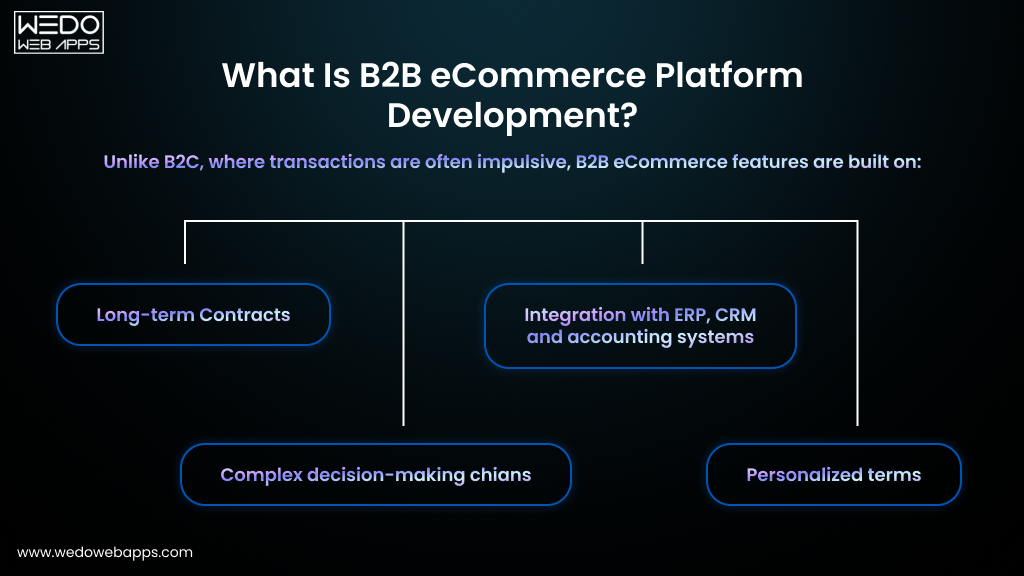
Strong eCommerce security strategies focus on:

  • Preventing vulnerabilities
  • Detecting suspicious activity early
  • Responding quickly to cyber threats

The next step is implementing the essential security features that every eCommerce website should have to stay protected. Businesses often hire dedicated ecommerce developers to implement secure payment systems, authentication layers, and protection against common cyber threats.

Essential Security Features for eCommerce Websites

To protect customer data and transactions, every online store must implement multiple layers of security. These security features for eCommerce websites help prevent cyberattacks, protect payment information, and ensure a safe online shopping experience.

Below are the most important security features that help create a secure eCommerce environment.

1. SSL Certificates and HTTPS Encryption

An SSL (Secure Sockets Layer) certificate encrypts the data transferred between a user’s browser and the eCommerce server.

This ensures that sensitive information, such as:

  • Credit card numbers
  • Login credentials
  • Personal details

Cannot be intercepted by attackers during transmission.

Key benefits of SSL encryption:

  • Secure communication between users and servers
  • Protection of payment and login data
  • HTTP trust indicator in the browser
  • Improved customer trust

Most modern browsers also warn users when a website does not use HTTPS, which can negatively affect conversions.

2. Secure Payment Gateways

Payment gateways play a critical role in security in online shopping by safely processing transactions.

Secure payment systems provide:

  • Encrypted payment processing
  • Fraud detection mechanisms
  • Tokenization of card details
  • Compliance with payment security standards

Using trusted payment gateways reduces the risk of payment fraud and protects customer financial information.

3. PSI DSS Compliance

PCI DSS (Payment Card Industry Data Security Standard) is a global security standard designed to protect cardholder data.

eCommerce websites handling payment cards must comply with PCI DSS requirements, which include:

  • Secure network infrastructure
  • Protection of stored card data
  • Strong access control measures
  • Regular security testing and monitoring

Compliance helps businesses maintain strong eCommerce website security practices and reduce fraud risks.

4. Multi-Factor Authentication (MFA)

Multi-factor authentication adds an extra layer of security beyond passwords. Instead of relying on a single password, MFA requires additional verification, such as:

  • One-time codes sent to mobile devices
  • Authentication apps
  • Biometric verification

MFA significantly reduces the risk of unauthorized access to:

  • Admin dashboards
  • Customer accounts
  • Backend systems

5. Web Application Firewalls (WAF)

Web Application Firewall protects eCommerce websites by filtering and monitoring incoming traffic.

WAF solutions help block:

  • SQL injection attempts
  • Cross-site scripting attacks
  • Malicious bots
  • Suspicious traffic patterns

This acts as the first line of defense against many common cyber threats.

6. Data Encryption

Encryption protects sensitive information stored within the eCommerce system.

Important data that should be encrypted includes:

  • Customer personal information
  • Stored payment data
  • Login credentials
  • Order history and transaction records

Encryption ensures that even if attackers gain access to data, it remains unreadable without the proper decryption keys.

7. Automated Backups

Regular backups are essential for recovering from cyber incidents such as hacking, malware infections, or server failures.

Automated backup systems help businesses:

  • Restore website data quickly
  • Minimize downtime after attacks
  • Protect critical business information
  • Maintain operational continuity

Backups should be stored securely and updated regularly.

8. Role-Based Access Control (RBAC)

Role-based access control restricts access to sensitive systems based on user roles.

For example:

  • Developers access technical systems
  • Customer support accesses order data
  • Administrators manage system settings

This prevents unauthorized employees or compromised accounts from accessing critical data.

Building a Secure eCommerce Infrastructure

A strong eCommerce security strategy combines several security layers rather than relying on a single solution.

By implementing the right eCommerce security features, businesses can:

  • Protect customer data
  • Prevent cyberattacks
  • Secure online transactions
  • Build trust with shoppers

These features form the foundation of secure eCommerce websites that support safe and reliable online shopping experiences. Security is just one part of a successful store. Explore other essential features of ecommerce websites that improve performance and conversions.

Talk to Our Ecommerce Experts

Best Practices for eCommerce Website Security

Best Practices for Ecommerce Website Security

Implementing security features is important, but maintaining a secure eCommerce website also requires continuous monitoring, updates, and proactive security practices. Businesses must regularly evaluate their systems to ensure vulnerabilities are identified and addressed before attackers exploit them.

Below are some of the most effective best practices for security in eCommerce websites.

1. Keep eCommerce Platforms and Plugins Updated

Outdated software is one of the most common causes of security vulnerabilities.

Regular updates help:

  • Fix known security flaws
  • Improve system stability
  • Protect against newly discovered threats
  • Maintain compatibility with modern security standards

Businesses should ensure that their:

  • eCommerce platforms
  • Themes and extensions
  • Plugins and integrations

are always updated to the latest versions.

2. Use Strong Password Policies

Weak passwords make it easier for attackers to gain unauthorized access to accounts.

Strong password practices should include:

  • Minimum password length requirements
  • Combination of letters, numbers, and symbols
  • Regular password updates
  • Restrictions on repeated or commonly used passwords

Businesses should enforce strong password rules for both administrators and customers.

3. Enable Multi-Layer Authentication

Multi-layer authentication helps prevent unauthorized access even if passwords are compromised.

Recommended authentication measures include:

  • Multi-factor authentication for admin accounts
  • Two-step verification for customer logins
  • Authentication apps for backend systems

Adding extra verification layers significantly improves security for eCommerce sites.

4. Monitor Website Activity

Continuous monitoring allows businesses to detect suspicious activity early.

Monitoring systems can help identify:

  • Unusual login attempts
  • Suspicious transactions
  • Traffic spikes from unknown sources
  • Unauthorized system access

Early detection helps prevent small security issues from turning into major breaches.

5. Perform Regular Security Audits

Security audits help businesses identify vulnerabilities before attackers do.

A typical eCommerce security audit includes:

  • Website vulnerability scanning
  • Code security analysis
  • Penetration testing
  • Database security reviews

Regular audits strengthen eCommerce security solutions and help maintain a secure infrastructure.

6. Secure the Hosting Environment

The hosting provider plays a major role in eCommerce website security.

Secure hosting environments offer:

  • Server-level firewalls
  • Intrusion detection systems
  • Malware scanning
  • DDoS protection

Choosing a reliable hosting provider ensures better protection against infrastructure-level attacks.

7. Implement Real-Time Threat Monitoring

Real-time monitoring tools help businesses respond to security threats immediately.

These tools can:

  • Detect suspicious behavior patterns
  • Block malicious IP addresses
  • Prevent automated bot attacks
  • Trigger alerts for security incidents

Proactive monitoring helps maintain secure eCommerce operations.

Maintaining Long-Term eCommerce Security

Security is not a one-time implementation. It requires continuous updates, monitoring, and improvements.

By following these best practices, businesses can:

  • Reduce cyber risks
  • Protect customer data
  • Maintain secure payment processing
  • Ensure safe online shopping experiences

Strong security practices ultimately support a trustworthy and reliable eCommerce platform. Secure architecture begins with reliable web development services that prioritize scalable infrastructure and secure backend systems.
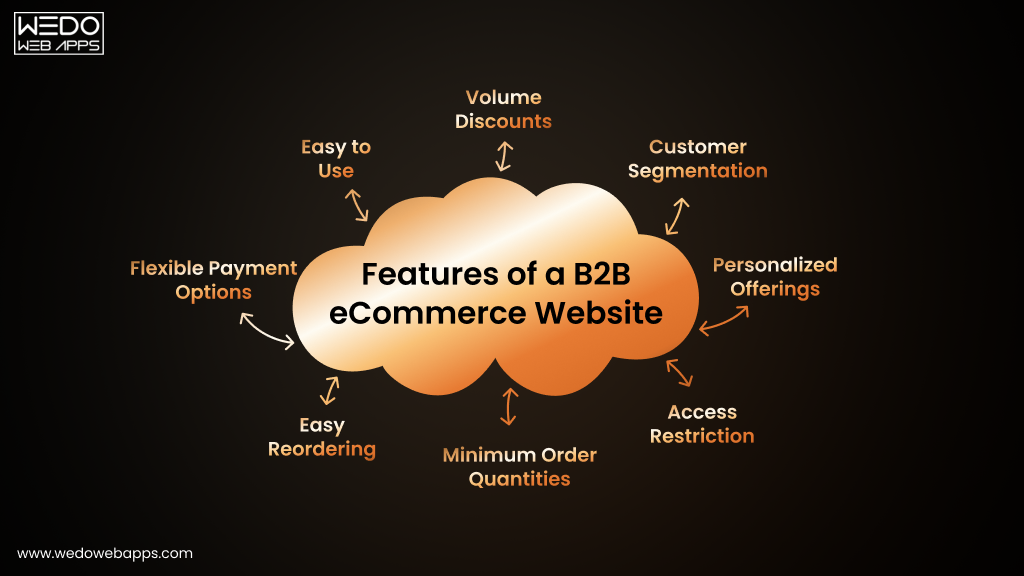
Secure Your Ecommerce Website

How to Make Online Shopping Secure for Customers

Security in eCommerce is not only about protecting business systems , it also involves ensuring that customers can shop safely without worrying about fraud or data theft. A secure shopping experience helps build trust and encourages customers to complete purchases.
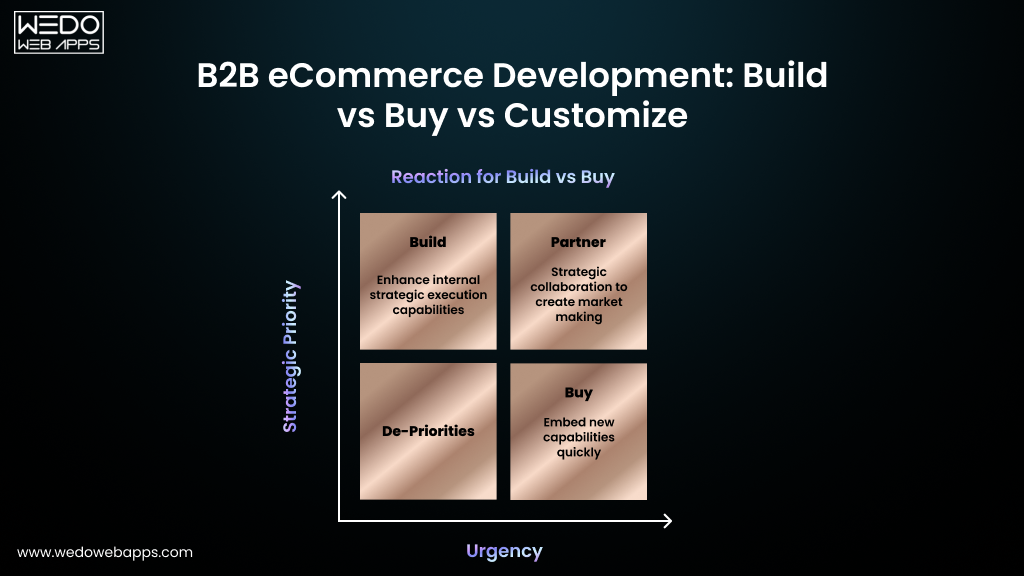
Businesses can improve security in online shopping by implementing the following measures.

1. Provide Secure Checkout Pages

The checkout process is the most sensitive part of an eCommerce transaction. Businesses must ensure that payment pages are fully protected.

Secure checkout practices include:

  • Using HTTPS encryption on all checkout pages
  • Integrating trusted payment gateways
  • Avoiding storage of raw payment card data
  • Displaying security trust badges

A secure checkout process reassures customers that their payment information is protected.

2. Use Trusted Payment Methods

Offering reliable payment options helps reduce fraud and improve transaction security.

Common secure payment methods include:

  • Credit and debit cards through trusted gateways
  • Digital wallets
  • Secure third-party payment processors

These systems add extra security layers to protect financial transactions.

3. Implement Strong Account Protection

Customer accounts should be protected with advanced authentication methods.

Businesses should encourage users to:

  • Create strong passwords
  • Enable multi-factor authentication
  • Avoid reusing passwords across multiple platforms

Strong account protection helps prevent unauthorized access to customer profiles and order histories.

4. Display Security Indicators on the Website

Visible security indicators help customers feel confident while shopping.

These may include:

  • HTTPS padlock icon in the browser
  • SSL certificate verification
  • Payment security badges
  • Privacy policy and data protection notices

Clear security signals increase trust and improve customer confidence.

5. Educate Customers About Safe Online Shopping

Businesses can also improve security by helping customers recognize potential risks.

Customers should be encouraged to:

  • Shop only from trusted websites
  • Avoid clicking suspicious emails or links
  • Monitor bank statements for unusual activity
  • Log out from accounts after completing purchases

Educating users reduces the likelihood of fraud and phishing attacks.

6. Maintain Transparent Data Protection Policies

Customers want to know how their information is handled and protected.

eCommerce businesses should clearly communicate:

  • What customer data is collected
  • How it is stored and protected
  • Whether information is shared with third parties
  • How customers can manage their data

Transparency strengthens trust and supports secure eCommerce relationships.

Creating a Safe Online Shopping Experience

When businesses prioritize security and transparency, customers feel more comfortable making purchases.

By implementing secure checkout processes, reliable payment systems, and strong account protections, eCommerce businesses can create safe and trustworthy online shopping environments.

This ultimately leads to:

  • Higher customer confidence
  • Improved conversion rates
  • Stronger long-term customer relationships

Secure ecommerce websites also require responsive web design services that ensure safe and consistent shopping experiences across devices.

Future Trends in eCommerce Security

As cyber threats continue to evolve, eCommerce businesses must adopt more advanced security technologies to stay protected. Modern eCommerce security solutions increasingly rely on intelligent systems, automation, and stronger authentication methods.

Below are some key trends shaping the future of security for eCommerce sites.

1. AI-Powered Threat Detection

Artificial intelligence is becoming an important tool for identifying cyber threats in real time.

AI-driven security systems can:

  • Detect unusual user behavior patterns
  • Identify suspicious transactions instantly
  • Block automated bot attacks
  • Improve fraud detection accuracy

These systems help eCommerce businesses respond to threats much faster than traditional security tools.

2. Biometric Authentication

Biometric authentication is gaining popularity as a secure alternative to traditional passwords.

Examples include:

  • Fingerprint verification
  • Facial recognition
  • Voice authentication

Biometric security adds another layer of protection while also improving user convenience.

3. Passwordless Authentication

Passwordless login systems are designed to reduce the risks associated with weak or stolen passwords.

Common passwordless authentication methods include:

  • One-time login links via email
  • Authentication apps
  • Device-based verification
  • Security keys

These approaches enhance secure eCommerce access while simplifying the login experience for users.

4. Advanced Fraud Detection Systems

Future fraud detection tools will rely heavily on machine learning algorithms that analyze transaction patterns and customer behavior.

These systems can detect:

  • Suspicious purchase activity
  • Abnormal payment behavior
  • Fraudulent transactions in real time

Advanced fraud detection helps protect both businesses and customers during online shopping.

5. Blockchain for Secure Transactions

Blockchain technology is increasingly explored for secure and transparent payment processing.

Potential benefits include:

  • Tamper-resistant transaction records
  • Improved transparency in payments
  • Reduced risk of payment manipulation
  • Enhanced trust in digital transactions

Although still emerging in eCommerce, blockchain has the potential to strengthen security in online shopping.

Conclusion

eCommerce websites handle sensitive customer information and financial transactions, making strong security measures essential for protecting both businesses and shoppers.

Implementing the right eCommerce website security features, security solutions, and best practices helps businesses:

  • Protect customer data
  • Prevent cyberattacks and fraud
  • Secure online transactions
  • Build customer trust

As online shopping continues to grow, investing in robust eCommerce security strategies will remain critical for maintaining safe, reliable, and trustworthy digital stores.

Ready to Secure Your Ecommerce Website