Introduction
When building a business website, the biggest decision isn’t the design, the content, or even the technology stack. It’s choosing a platform that can support your business both today and years from now.
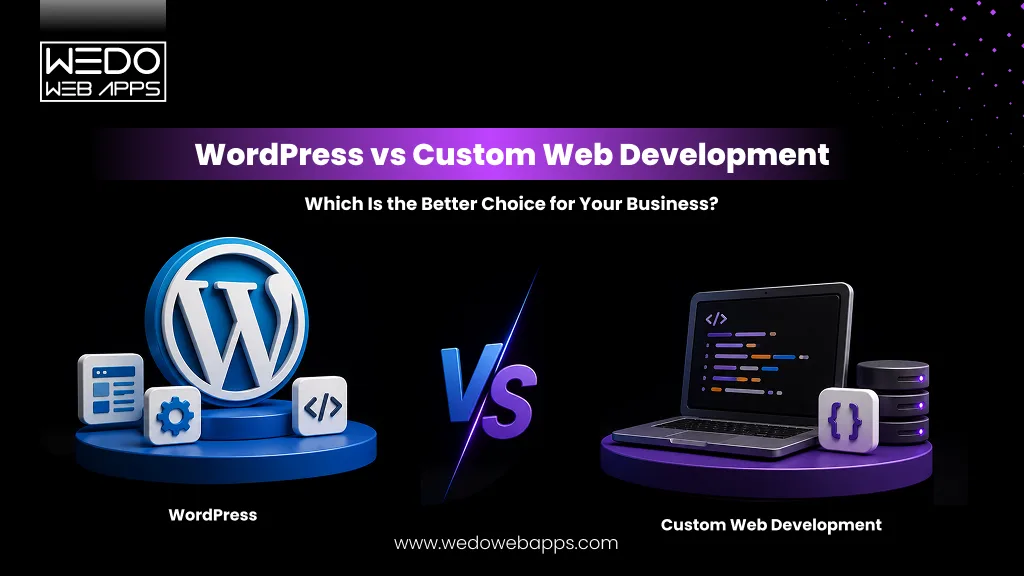
That’s why many organizations find themselves comparing WordPress vs custom web development. One offers speed, affordability, and ease of management. The other provides complete flexibility, deeper customization, and room for complex business requirements.
Choosing the wrong option can lead to unnecessary costs, performance limitations, or expensive rebuilds later. Choosing the right one creates a strong foundation for growth.
This guide examines WordPress vs customer website development across cost scalability, SEO, security, maintenance, and long-term business values, helping you determine which solution is the better fit for your goals.
WordPress vs Custom Web Development: The Quick Answer
If you are wondering, “Is WordPress better than custom web development?”, the answer depends entirely on your business requirements.
In the WordPress vs custom web development debate, WordPress is often the preferred choice for businesses that need a website launched quickly, want lower development costs, and require straightforward content management. Custom development is typically better suited for an organization that needs unique functionality, advanced integrations, higher scalability, or complete control over the user experience.
Choose WordPress if you need:
- Faster website development
- Lower upfront investment
- Easy content updates
- A standard business website, blog, or small online store
Choose custom web development if you need:
- Tailored business functionality
- Complex workflow or integrations
- Greater flexibility and customization
- Long-term scalability for growth
When comparing a custom website vs WordPress, neither option is universally better. The right decision depends on factors such as budget, business goals, technical requirements, and future plans.
For many small and medium-sized businesses, WordPress provides an efficient and cost-effective solution. However, businesses building SaaS platforms, enterprise applications, marketplaces, or highly customized digital experiences often gain more value from custom web development.
The key question is not simply WordPress vs custom website. It is determining which solution can best support your business today while remaining capable of meeting tomorrow’s demands.
Understanding the Difference Between WordPress and Custom Web Development
Before comparing WordPress vs custom web development, it is important to understand what each approach actually involves. While both can help businesses build a professional website, they differ significantly in how they are developed, managed, and scaled over time.
What is WordPress?
WordPress is a content management system (CMS) that allows businesses to create and manage websites using pre-built themes, plugins, and tools. It simplifies website development by providing a ready-made framework for publishing content, managing pages, and adding functionality without building everything from scratch.
This approach is popular among businesses that want a faster launch timeline and lower development costs while maintaining the ability to update content easily.
What is Custom Web Development?
Custom web development involves building a website or web application specifically for a business’s requirements. Web developers create the design, functionality, database structure, and integrations based on unique business goals rather than relying on pre-built templates or plugins.
A custom website provides greater flexibility, allowing businesses to implement features and workflows that may not be possible through standard WordPress solutions.
How the Development Process Differs?
The primary difference between WordPress vs custom website development lies in the starting point.
With WordPress, developers work from an existing platform and customize it using themes, plugins, and custom code when needed.
With custom development, every component is designed and built specifically for the project. This typically requires more planning, development time, and investment but offers complete control over functionality and user experience.
Common Misconceptions About WordPress and Custom Websites
One common misconception is that WordPress websites cannot be customized. In reality, WordPress can support a wide range of customization when developed correctly.
Another misconception is that custom development is always the better option. While a custom website vs WordPress comparison often highlights flexibility advantages, many businesses do not require advanced functionality and can achieve their goals successfully with WordPress.
The best choice depends on business objectives, technical requirements, budget, and long-term growth plans rather than the technology itself.
WordPress vs Custom Website: Side-by-Side Comparison
When comparing WordPress vs custom web development, there is no one-size-fits-all answer. WordPress offers a faster and more affordable way to launch a website, while custom development provides greater flexibility and better control. The right choice depends on your business goals, budget, and future requirements.
The table below highlights the key differences between a WordPress vs custom website approach.
| Factor | WordPress Website | Custom Website Development |
|---|---|---|
| Development Cost | Lower upfront cost | Higher initial investment |
| Time to Launch | Faster deployment | Longer development timeline |
| Customization Flexibility | Limited to themes and plugins | Fully tailored functionality |
| Scalability | Suitable for most business websites | Designed for complex business growth requirements |
| Website Performance | Depends on optimization and plugins | Optimized for specific requirements |
| Security | Requires regular updates and continuous monitoring | Custom security controls are available |
| SEO Capabilities | Strong SEO support through plugins | Full technical SEO control |
| Maintenance Requirements | Ongoing plugin and core updates | Requires dedicated maintenance |
| Third-Party Integrations | A large plugin ecosystem is available | Custom integrations can be built |
| Ownership and Long-Term Control | Some reliance on third-party tools | Complete ownership with greater control |
Now, let us have a look at all of these in detail.
Development Cost
For businesses with limited budgets, WordPress is often the more affordable option. Since the platform, themes, and plugins already exist, development time is generally shorter.
Custom development requires building functionality from the ground up, which increases both development effort and cost. However, businesses with unique requirements may find the investment worthwhile in the long run.
Time to Launch
A major advantage of WordPress vs custom web development is speed. A professional WordPress website can often be launched within weeks.
Custom websites typically require planning, design, development, testing, and deployment phases, resulting in a longer timeline. This approach is often preferred when specific functionality is required.
Customization Flexibility
WordPress offers extensive customization through themes, plugins, and custom coding. However, businesses may eventually encounter limitations when trying to implement higher specialized features.
A custom website is built around specific business requirements, providing complete flexibility over design, functionality, and user experience.
Scalability
WordPress can support growing businesses when properly optimized. Many large organizations successfully use WordPress for content-driven websites.
However, businesses expecting significant growth, custom workflows, or a large volume of user interactions may benefit from custom development, where scalability can be planned from the beginning.
Website Performance
Performance depends on factors such as hosting, code quality, plugins, and optimization practices.
A custom website allows WordPress developers to build only the functionality required, which can reduce unnecessary code and improve performance. WordPress websites can also achieve excellent speed when developed and optimized correctly.
Security
Security is an important consideration when evaluating a custom website vs WordPress.
WordPress requires regular updates for its core software, themes, and plugins. Neglecting updates can create vulnerabilities.
Custom websites provide greater control over security implementation, though they also require ongoing monitoring and maintenance to remain secure.
SEO Capabilities
Many businesses assume custom websites automatically rank better, but both options can perform well in search results.
WordPress includes access to powerful SEO plugins and user-friendly content management tools. Custom websites provide complete control over technical SEO elements. Ultimately, rankings depend more on strategy, content quality, and optimization effort than on the platform itself.
Maintenance Requirements
WordPress maintenance typically includes plugin updates, theme updates, security monitoring, and backups.
Custom websites require maintenance as well, including software updates, security patches, bug fixes, and performance improvements. The complexity often depends on the website’s architecture and functionality.
Third-Party Integrations
WordPress supports thousands of plugins that simplify integrations with CRM systems, marketing tools, payment gateways, and analytics platforms.
Custom development allows businesses to build integration specifically around their workflows, making it suitable for organizations with complex operational requirements.
Ownership and Long-Term Control
One of the biggest differences in WordPress vs custom website development is the level of control.
WordPress websites often rely on third-party themes and plugins, which may introduce compatibility or dependency concerns over time.
With custom development, businesses own the architecture, functionality, and technology decisions, providing greater control over future enhancements and growth.
Is WordPress Better Than Custom Web Development for SEO?
One of the most common questions businesses ask is, “Is WordPress better than custom web development for SEO?” The truth is that search engines do not rank websites based on factors such as content quality, page experience, technical optimization, authority, and user engagement.
Both WordPress and custom websites can achieve strong search visibility when implemented correctly.
How WordPress Handles SEO?
WordPress has earned a reputation as an SEO friendly platform because it offers many built-in features and plugins that simplify optimization.
Benefits include:
- SEO friendly URL structures
- Easy metadata management
- XML sitemap generation
- Mobile responsive themes
- Access to advanced SEO plugins
- User-friendly content publishing
These features make WordPress a practical choice for businesses that regularly publish content and want greater control over on-page SEO without relying heavily on developers.
SEO Advantages of Custom Websites
Custom development provides complete control over how a website is built and optimized.
Advantages include:
- Custom site architecture
- Optimized code structure
- Better control over Core Web Vitals
- Tailored technical SEO implementation
- Custom schema markup opportunities
- Improved performance optimization
For businesses with complex requirements, a custom website can provide an SEO framework designed specifically around their goals and audience.
Which Option Performs Better in Competitive Industries?
When comparing WordPress vs custom website performance in competitive search results, the platform itself is rarely the deciding factor.
A well-optimized WordPress website can outperform a poorly built custom website. Likewise, a technically optimized custom website can outperform a WordPress site that suffers from slow loading speeds, plugin conflicts, or weak content.
Success in competitive industries typically depends on:
- Content quality and relevance
- Technical SEO implementation
- Website speed and user experience
- Backlink profile
- Search intent alignment
- Ongoing optimization efforts
The Real Factor That Influences Ranking
In the debate of WordPress vs custom web development, SEO success comes down to execution rather than platform choice.
Businesses should focus on:
- Publishing valuable content consistently.
- Maintaining strong technical SEO foundations.
- Improving website speed and usability.
- Building authority within their industry.
- Creating pages that satisfy user intent.
Whether you choose WordPress or custom development, the best SEO results come from a well-planned strategy supported by quality development and ongoing optimization.
WordPress vs Custom Website Cost: What Businesses Should Expect
Cost is often one of the biggest deciding factors when comparing WordPress vs custom web development. While WordPress is generally known for its affordability, the total investment depends on factors such as design requirements, functionality, integrations, hosting, and ongoing maintenance.
Businesses should evaluate both the initial expense and the long-term costs before deciding between a custom website vs WordPress solution.
Initial Development Costs
WordPress typically requires a lower upfront investment because developers can build on an existing platform using themes, plugins, and pre-built functionality. This reduces development time and allows businesses to launch websites more cost-effectively.
Custom development involves designing and building features specifically for your business. Since everything is created from the ground up, development costs are usually higher. However, businesses with unique requirements often gain more value from a solution tailored to their operations.
Hosting and Infrastructure Costs
WordPress websites can run efficiently on a wide range of hosting plans, making them suitable for businesses with modest traffic and standard functionality.
Custom websites may require more specialized hosting environments depending on the technology stack, application complexity, and expected traffic volume. Infrastructure costs often increase as the platform grows and scales.
Maintenance and Update Costs
Every website requires ongoing maintenance to remain secure, functional, and up to date.
For WordPress websites, maintenance typically includes:
- Core updates
- Plugin updates
- Theme updates
- Security monitoring
- Website backups
Custom websites require:
- Application updates
- Security patches
- Performance monitoring
- Bug fixes
- Feature enhancements
The overall maintenance cost depends on the complexity of the website and the level of support required.
Hidden Costs Businesses Often Overlook
Many businesses focus only on development costs and overlook expenses that arise over time.
Common hidden costs include:
- Premium plugins and licenses
- Third-party software subscriptions
- Security services
- Performance optimization
- Integration updates
- Additional feature development
Whether evaluating WordPress vs custom website options, these recurring expenses should be included in the total cost calculation.
Long-Term Return on Investment
The lowest upfront cost does not always result in the best long-term value.
A website with proper WordPress development can provide excellent ROI for businesses that need content management, lead generation, and standard website functionality.
Custom development may deliver stronger long-term returns for businesses that depend on unique workflows, advanced integrations, automation, or scalable digital products. Although the initial investment is higher, it can reduce operational limitations and support future growth more effectively.
When assessing a WordPress or custom website for business, the focus should be on overall business value rather than development cost alone. The right choice is the one that aligns with your goals, operational needs, and growth strategy.
Performance Comparison: WordPress vs Custom Website
Website performance affects more than loading speed. It influences user experience, search visibility, engagement, and conversions. When comparing WordPress vs custom web development, businesses should evaluate how each option handles speed, scalability, and overall user experience.
The good news is that both WordPress and custom websites can deliver excellent performance when developed and maintained properly. The difference lies in how performance is achieved and managed over time.
Website Speed
A common assumption in the custom website vs WordPress debate is that custom websites are always faster. While custom development offers greater control over code and functionality, a well-optimized WordPress website can also achieve excellent loading speeds.
WordPress performance strengths:
- Faster setup with proven frameworks
- Access to caching and optimization plugins
- Wide range of performance-focused hosting options
- Suitable for most business websites
Custom website performance strengths:
- Only the required functionality is developed
- No dependency on multiple plugins
- Optimized codebase for specific business needs
- Greater control over resource loading
Ultimately, website speed depends more on development quality than the platform itself.
Core Web Vitals Impact
Core Web Vitals measure how users experience a website in terms of loading performance, responsiveness, and visual stability.
Factors that can improve Core Web Vitals for both platforms:
- Optimized images and media files
- Efficient code structure
- Reliable hosting infrastructure
- Content delivery networks (CDNs)
- Proper caching implementation
Custom websites often provide more direct control over performance optimization, while WordPress requires additional tuning depending on the theme and plugins used.
Database Efficiency
As a website grows, database performance becomes increasingly important.
WordPress uses a standardized database structure that works well for most business websites. However, websites with a large amount of content, numerous plugins, or advanced functionality may require database optimization.
Custom development allows businesses to:
- Design databases around specific requirements
- Optimize data storage and retrieval
- Handle large datasets more efficiently
- Support complex workflow and applications
This makes custom development attractive for businesses expecting substantial growth or advanced functionality.
User Experience and Conversion Impact
Performance directly affects how users interact with a website.
A slow website can discourage visitors before they even view your content, while a fast website creates a smoother experience that encourages engagement.
Benefits of a high-performing website include:
- Lower bounce rates
- Better user engagement
- Higher conversion rates
- Improved customer satisfaction
- Stronger search engine visibility
In the WordPress vs custom website comparison, the platform is only one part of the equation. The real performance difference often comes from development standards, hosting quality, optimization efforts, and ongoing maintenance.
For businesses where website speed impacts lead generation, sales, or customer experience, performance should be a major factor when deciding whether WordPress or a custom website is the right investment.
Security Comparison: WordPress vs Custom Development
Security is a major consideration when choosing between WordPress vs custom web development. A security incident can lead to data breaches, downtime, financial losses, and damage to customer trust.
The good news is that both WordPress and custom websites can be secure. The level of security largely depends on how the website is built, maintained, and monitored over time.
Common WordPress Security Challenges
Since WordPress powers a significant portion of websites worldwide, it is a frequent target for cyberattacks. However, most security issues arise from outdated software, poorly coded plugins, or weak security practices rather than the platform itself.
Common WordPress security risks include:
- Outdated plugins and themes
- Weak passwords and user permissions
- Vulnerable third-party extensions
- Delayed security updates
- Poor hosting configurations
Businesses that regularly update their websites and follow security best practices can significantly reduce these risks.
Security Benefit of Custom Development
A custom website gives businesses more control over security implementation because every component can be designed around specific requirements.
Advantages of custom development include:
- Customized authentication systems
- Controlled access permissions
- Tailored security protocols
- Reduced reliance on third-party plugins
- Security measures built around business needs
However, custom development is not automatically more secure. Poor coding practices or inadequate maintenance can still create vulnerabilities.
Which Businesses Require Higher Security Standards?
The level of security required often depends on the type of business and the data being handled.
Businesses that may benefit from custom security implementations include:
- Financial service providers
- Healthcare organizations
- SaaS companies
- Enterprise businesses
- Platform processing sensitive customer data
For many small and medium-sized businesses, a properly maintained WordPress website can provide an appropriate level of security.
Best Practices for Both Approaches
Whether you are evaluating a custom website vs WordPress solution, certain security practices should always be followed.
Recommended security measures include:
- Enabling multi-factor authentication
- Keeping software updated
- Performing regular website backups
- Using SSL certificates
- Limiting user access permissions
- Monitoring for suspicious activity
- Conducting routine security audits
In the WordPress vs custom website comparison, security should not be viewed as a platform issue alone. Long-term security depends on development quality, ongoing maintenance, hosting infrastructure, and adherence to security best practices. Businesses should choose the solution that aligns with their security requirements, compliance obligations, and risk tolerance.
When to Use WordPress vs Custom Development
One of the biggest questions businesses ask is when to use WordPress vs custom development. The answer depends on your goals, budget, functionality requirements, and growth plans.
While WordPress is an excellent choice for many organizations, there are situations where custom development provides greater value. Understanding where each option fits can help prevent unnecessary costs and future limitations.
Small Business Websites
For many small businesses, WordPress offers the ideal balance of affordability, speed, and ease of management.
WordPress is often a good choice when you need:
- A professional online presence
- Service pages and contact forms
- Blog and content management capabilities
- Fast deployment within a limited budget
In most cases, small businesses do not require the complexity of custom development.
Corporate Websites
Corporate websites often require more content, integrations, and functionality than a typical small business website.
Depending on requirements, businesses may choose either option:
- WordPress for content-focused corporate websites
- Custom development for advanced functionality
- Hybrid approaches for unique business needs
- Enterprise integrations and custom workflows
The decision should be based on operational requirements rather than company size alone.
Startup Platforms
Startups need to balance speed, budget, and future scalability.
WordPress can work well for:
- MVP websites
- Landing pages
- Marketing websites
- Early-stage lead generation
Custom development often becomes necessary when the platform itself is the product or when specialized functionality is required.
SaaS Products
Most SaaS businesses require custom development because their platforms include features, workflows, and user interactions that extend far beyond standard website functionality.
Custom development supports:
- User dashboards
- Subscription management
- Custom databases
- API integrations
- Product-specific workflows
In these cases, a custom website provides the flexibility needed to support growth and product evolution.
Enterprise Applications
Enterprise organizations often have complex technical requirements that cannot be fully addressed through standard WordPress implementations.
Common enterprise needs include:
- Advanced security controls
- Complex user roles and permissions
- Internal business systems integration
- Large-scale data processing
- Compliance requirements
As a result, custom development is often the preferred option.
eCommerce Businesses
The choice between WordPress or custom website for business is particularly important for eCommerce companies.
WordPress with WooCommerce is often suitable for:
- Small to medium-sized online stores
- Businesses with standard product catalogs
- Organizations seeking faster deployment
Custom development may be the better option for:
- Large-scale eCommerce operations
- Multi-vendor marketplaces
- Complex pricing models
- Advanced inventory management systems
- Highly customized shopping experiences
Ultimately, the decision comes down to the complexity of your requirements and your long-term growth strategy. Businesses should focus on selecting the solution that meets both current needs and future expectations rather than simply choosing the most popular platforms.
Real Business Scenarios: Which Option Makes More Sense?
Understanding the difference between WordPress vs custom web development is helpful, but real-world examples often make the decision clearer. The right choice depends on how your business operates, the functionality you need, and how you plan to grow in the future.
Below are common business scenarios and the solution that typically makes the most sense.
Scenario 1: Local Service Business
A plumbing company, law firm, accounting practice, or dental clinic primarily needs a website to attract customers, showcase services, and generate inquiries.
Recommended option: WordPress
Why it works:
- Faster website launch
- Lower development costs
- Easy content updates
- Strong local SEO capabilities
- Simple lead generation functionality
For most local businesses, a custom website would provide little additional value compared to the investment required.
Scenario 2: Content Publishing Company
A media company, online magazine, or industry publication regularly publishes articles, guides, and resources.
Recommended option: WordPress
Why it works:
- Built for content management
- User-friendly publishing workflows
- Large ecosystem of SEO tools
- Multi-author support
- Easy content organization
This is one of the strongest use cases in the WordPress vs custom website comparison.
Scenario 3: Fast-Growing Startup
A startup may begin with a simple website but later require customer portals, custom workflows, or unique platform functionality.
Recommended option: WordPress initially, custom development as growth demands
Why it works:
- Faster market entry
- Lower early-stage costs
- Flexibility to validate business ideas
- Ability to transition as requirements evolve
Many startups begin with WordPress and move toward custom development as their product matures.
Scenario 4: Enterprise Organization
Large organizations often operate across multiple departments, systems, and user groups.
Recommended option: Custom Development
Why it works:
- Advanced security controls
- Enterprise system integrations
- Complex workflows
- Greater scalability
- Custom user permissions and management
In these environments, standard website functionality is often not enough to support operational requirements.
Scenario 5: Custom Marketplace Platform
A marketplace connecting buyers and sellers typically requires unique business logic, payment workflows, user dashboards, and extensive integrations.
Recommended option: Custom Development
Why it works:
- Tailored platform functionality
- Custom transaction processes
- Scalable architecture
- Greater control over user experience
- Flexibility for future feature expansion
This is a clear example where a custom website vs WordPress strongly favors custom development.
The key takeaway is that there is no universal winner in the WordPress vs custom web development debate. The best solution depends on your business model, operational complexity, and growth objectives. Choosing a platform based on actual business needs rather than trends often leads to better long-term results.
Can You Start With WordPress and Move to Custom Development Later?
Yes, many businesses begin with WordPress and transition to custom development as their requirements become more complex. In fact, this approach allows companies to establish an online presence quickly while postponing larger development investments until they are truly needed.
For businesses evaluating WordPress vs custom web development, the decision does not always have to be permanent. Your website can evolve alongside your business.
Signs You Have Outgrown WordPress
WordPress works exceptionally well for many business websites. However, there may come a point where the platform starts creating limitations rather than supporting growth.
Common signs include:
- Increasing reliance on multiple plugins
- Slow website performance despite optimization efforts
- Complex integrations becoming difficult to manage
- Custom functionality requiring significant workarounds
- Growing maintenance and security concerns
- Scalability challenges during traffic spikes
When these issues begin affecting operations, customer experience, or revenue, it may be time to consider custom development.
Migration Challenges to Expect
Moving from WordPress to a custom website requires careful planning to avoid disruptions.
Businesses should prepare for:
- Content migration
- URL structure preservation
- SEO continuity
- Data transfer and validation
- User account migration
- Integration redevelopment
A poorly executed migration can affect search rankings, website functionality, and user experience. That’s why a structured migration strategy is essential.
How to Prepare for Future Growth
Whether you choose WordPress today or plan for custom development later, it’s important to think beyond immediate requirements.
Best practices include:
- Selecting scalable hosting infrastructure
- Organizing content with future migration in mind
- Documenting integrations and workflows
- Maintaining a clean website architecture
- Monitoring performance and growth trends
- Regularly reviewing business requirements
Businesses often assume they must choose between WordPress or custom website for business from day one. In reality, many successful organizations use WordPress as a starting point and transition to custom development when their operational needs justify the investment.
The most effective strategy is choosing the solution that supports your current goals while keeping future growth opportunities open.
WordPress or Custom Website for Business: 7 Questions to Help You Decide
After comparing the advantages and limitations of the approach, the final decision comes down to your business requirements. Instead of asking whether WordPress vs custom web development is better, ask which option aligns more closely with your goals, budget, and long-term plans.
The following questions can help you make a more informed decision.
What Is Your Budget?
Budget is often the starting point for many website projects.
WordPress may be the better choice if:
- You need a lower upfront investment
- Your website requirements are relatively standard
- You want to launch quickly without extensive development
Custom development may be better if:
- You have resources for a larger investment
- Your business requires unique functionality
- Long-term flexibility is a priority
How Fast Do You Need to Launch?
Project timelines can significantly influence your decision.
Choose WordPress if:
- You need to launch within weeks
- Speed to market is a priority
- You require a content-driven website
Choose custom development if:
- Functionality is more important than launch speed
- You can invest additional time in planning and development
- Your requirements are highly specialized
Do You Need Custom Features?
Not every business requires advanced functionality.
Consider custom development if you need:
- Unique workflows
- Customer portals
- Advanced automation
- Custom dashboards
- Specialized user experiences
If your needs can be addressed through existing tools and plugins, WordPress may be sufficient.
How Much Traffic Do You Expect?
Traffic expectations can impact platform selection.
WordPress works well for:
- Small business websites
- Corporate websites
- Blogs and content platforms
- Moderate eCommerce stores
Custom development is often preferred for:
- High traffic platforms
- SaaS applications
- Large marketplaces
- Enterprise systems
What Are Your Security Requirements?
Security needs vary by industry and business type.
Custom development may be worth considering if your business handles:
- Sensitive customer data
- Financial transactions
- Healthcare information
- Enterprise-level operations
For many organizations, a properly maintained WordPress website provides a suitable level of security.
Who Will Manage the Website?
Think about who will be responsible for updates and ongoing management.
WordPress is often preferred when:
- Internal teams manage content regularly
- Non-technical users require access
- Ease of administration is important
Custom development may require more technical expertise depending on the complexity of the platform.
What Are Your Growth Plans?
Your website should support both current and future business objectives.
Ask yourself:
- Will functionality requirements increase over time?
- Will traffic grow significantly?
- Are additional integrations expected?
- Could the website become a core business platform?
The answers can help determine when to use WordPress vs custom development, apply to your current stage or your future plans.
If most of your answers point toward affordability, speed, and content management, WordPress is likely the right fit. If flexibility, scalability, and unique functionality are driving your decision, custom development may provide greater long-term value.

Expert Recommendation: Which Option Is Right for Your Business?
After reviewing the difference between WordPress vs custom web development, one thing becomes clear: there is no universal winner. The best choice depends on your business goals, operational requirements, budget, and growth expectations.
Instead of focusing solely on technology, businesses should focus on selecting the solution that delivers the most value over time.
Best Choice for Small Businesses
For most small businesses, WordPress is often the more practical option.
Why WordPress works well:
- Lower development costs
- Faster launch timelines
- Easy content management
- Strong SEO capabilities
- Access to a large ecosystem of plugins and integrations
If your primary goal is generating leads, showcasing services, and building an online presence, WordPress is often sufficient.
Best Choice for Enterprises
Enterprise organizations typically require greater control over security, scalability, integrations, and performance.
Custom development is often preferred because it supports:
- Complex business processes
- Enterprise system integrations
- Advanced security requirements
- Custom user roles and permissions
- Large-scale operational demands
These requirements often exceed the capabilities of standard website implementations.
Best Choice for Businesses With Unique Requirements
If your website is expected to support specialized functionality, custom development is usually the better investment.
Examples include:
- SaaS platforms
- Online marketplaces
- Membership platforms
- Custom booking systems
- Enterprise portals
- Internal business applications
In these scenarios, the flexibility offered by a custom website vs WordPress approach can provide significant long-term advantages.
Final Recommendation
If affordability, speed, and ease of management are your primary priorities, WordPress is often the right choice.
If your business requires custom functionality, advanced integrations, higher scalability, or complete control over the user experience, custom development is likely the better option.
The most successful businesses don’t ask whether WordPress or custom website for business is universally better. They evaluate which solution aligns with their objectives today while supporting the opportunities they expect tomorrow.
Conclusion
The debate around WordPress vs custom web development is not about finding a universal winner. It’s about choosing the solution that best supports your business objectives. WordPress offers affordability, faster deployment, and ease of management, making it an excellent choice for many business websites. Custom development, on the other hand, provides unmatched flexibility, scalability, and control for businesses with specialized requirements.
Before making a decision, evaluate your budget, functionality needs, growth plans, and long-term goals. The right website should not only meet your current requirements but also support your business as it evolves. Whether you choose WordPress or a custom website for business, investing in a solution aligned with your objectives will deliver the greatest value over time.