skip to content

START YOUR ONLINE FUEL DELIVERY SERVICE WITH THESE SIMPLE STEPS!

Introduction:

We might have heard about some of the buzzwords like on-demand food delivery services, on-demand taxi booking, salon booking, and many other services that are available on-demand, like domestic chores too. But ever heard of an online fuel delivery business? Yes, you got that right! Nowadays, even the android app developers are working hard to make no tables unturned while the on-demand fuel delivery app development process is on. Our android apps development service got you covered. In the past couple of years, these services have gained much attention from the on-demand service users once they start getting more knowledge about them. The people who have already started utilizing these services are now finding it the most convenient way to get their engines fueled up with a smaller number of clicks on an on-demand services app. According to the users, there are two main advantages of using these services, one being less time to wait in the queue at the fuel station, and the other being the less amount of fuel wasted in getting your ride from home to the fuel station. Hence, it saves time and money both! android apps development service The applications that enable these services for their users have also gained strength in the market as many customers are ready to accept this. Also, most IT companies have upgraded their android apps development service according to the business model of the on-demand fuel delivery apps. Certain business firms like Field, Yoshi, Booster, Fuelster, Gaston, MyPetrolPump, and so on mainly focus on mobile fueling services and have also attracted emerging entrepreneurs to start with their own on-demand fuel delivery app. Hence, in this blog, we bring a discussion on how to start a fuel delivery business, with reference to on-demand android applications.

Want to start an online fuel delivery business? Here’s how:

The fuel delivery startups have emerged a couple of years in the past, supplying necessary fuels for locomotives and industries, residential buildings, corporate offices, etc., for their effective utilization. Hence, it can said that the online fuel delivery business market has been growing rapidly, and to provide the users and the suppliers of the fuel an interface to communicate, the IT companies are providing their best android app development services to launch these types of applications. online fuel delivery business With much-gaining popularity, the number of targeted end-users or the customers for this business would also keep increasing. Hence, before starting the business, it recommended that the entrepreneurs choose the relevant location of operating it, instead, where more customers can engage in the business. For example, if you are willing to start your on-demand fuel delivery app in India, choose a location where there is a considerable demand for fuels, like metro cities, and you can easily reach out to the customers when they put a demand on your app. Also, it recommended that you start your business on a smaller scale first. As you would be a newbie in the competitive market environment, it is good to start with less and then grow. For example, you can start with a supply of petrol first, and then expand your scope with diesel, LPG, and so on. With this, your business might gain remarkable momentum and also lets you survive in the market competition. So let us see what it takes to start with an on-demand fuel delivery business. Before consulting an android app developer for on-demand fuel delivery app development, one should keep some essential points, regulations, and a few critical norms in mind, which are as follows:

1. Licensing:

Taking an example of a Bangalore-based fuel delivery startup, MyPetrolPump had faced some regulatory issues after its launch of the fuel delivery business. Even though the company has managed to back the fund of 1.6M USD, there were certain regulatory and licensing issues in accordance with the norms mentioned by the government. Also, this type of business concept was rare in India, and hence there was less clearance on both ends. As a result of these issues, one of the government agencies, PESO (Petroleum and Explosive Safety Organization), had put a ban on the company and had also instructed the fuel supply dealers not to deal with the company. This had caused adverse effects on the company’s growth in the initial phase. So, the point to note here is that if you want to run a successful fuel delivery business, stay updated with the rules and regulations defined by the government with respect to the fuel supply. Hence, while supplying fuel to the customers, for safety purposes, get permitted and register for the required license from the government authorities. For instance, the companies that  operate in the USA have to follow the regulations defined by EPA and PHMSA.

2. A fleet for commutation:

For any successful transport of fuel or gas, a perfect locomotive plays the most crucial role. For instance, at the initial phase, if you are dealing with the supply of petrol and similar fuels only and you don’t have a backup for investing in heavy load locomotives, you can supply it using your two wheeled or three-wheeled vehicles only. The only thing you need to attach with your mini fleet of locomotives is the mobile fuel dispenser that you can use for refilling the vehicle’s fuel for your customer anywhere. Also, a GPS tracker can make a lot of tasks easier for the commutation of the supply vehicles to lesser-known areas in the vicinity.

3. Hire experienced drivers:

It becomes the utmost responsibility of the business owner to make sure that the people involved in the commutation of the fuels are safe, as these fuels may sound hazardous. Hence, experienced drivers, categorized as HAZMAT (Hazardous Material) drivers, need to be recruited. These are trained individuals who have expertise in commuting with hazardous fuels to different locations easily. These drivers are trained for driving safely in heavy traffic with vehicles loaded with tons of liters of fuel. Hence, the business owner needs to conduct thorough research for finding these drivers and having a mutual agreement for the supply of fuels.

4. Collaboration with the dealers and providers:

The baseline of the business is to get the link of getting the fuel from the dealer or the supplier. You will require a rigorous survey of the fuel stations about the information from where they are getting their fuel getting filled. Also, choosing one right supplier out of multiple options available is an important point to note. Suppose you have limited resources for collaborating with the suppliers. In that case, you can also opt for a choice where you can make a partnership with a local fuel station or any fuel delivery dealer. This won’t let your supply chain pause in the middle while fulfilling the customers’ demand. So, these were some of the important points that you need to keep in mind while planning to start with an on-demand fuel delivery business. Now, how would the customers reach you to put their fuel requirement to the company? Hence, following the recent trend in the market, an on-demand fuel delivery app development can do wonders. The customer just needs to install the app, log in to it, and bang! They are ready to order the amount of fuel required, and you would be gaining a customer for the supply of their required fuel! With this, many companies have started with their android apps development service for this business. They are also helping the fuel delivery business owners gain momentum over the market with their digital marketing ideas.

Advantages of these android app development services can be:

  • Fully featured, meeting customer requirements
  • Dynamic UI and UX
  • Backend, frontend, and web panel can be separately operated to create ease of operation.
  • Update, addition, deletion of a customer, pending orders or payments, invoices, fuel stock management, tracking of driver activities, etc., can be managed by the web admin panel on a single platform only.
  • Saves customer’s time for traveling to the fuel station and waiting in a queue for getting the chance to refuel the vehicle. Just place an order on the app, make the payment, and the fuel will be at their doorstep.

With these advantages, if you have decided to go with the on-demand fuel delivery app development, here is a list of must-to-have features for the same.

1. Location tracker

Location tracker Ensure that your app has a GPS location tracker functionality, which will be helpful for the drivers to get to the location and get the information about the density of traffic on the way, estimated time of reach, and so on.

2. Choice of selecting the fuel, quantity, etc.

If your business deals with multiple fuel variants, make sure your customer can select which fuel they want to order. Also, they must have the provision to select the quantity of fuel they require. For this, there should be a functionality that tracks the amount of fuel available in stock in the admin panel.

3. Calls or texts within the app:

Integration of the calling and messaging features in the app itself will enable the customers to communicate with the company and the delivery person, even if there is no contact detail of the same is available with the customer. This not only saves time but also it will create satisfaction among customers towards the android apps development service provided by the company.

4. Promotional Codes:

Ensure that you send some promotional discount offers and their codes periodically to retrieve them to the customers to keep them engaged. Remember, customers love discounts!

5. Subscription and membership:

Like every other e-commerce platform, you can offer subscriptions to your customers at an affordable rate, which can be renewed monthly, twice a year, or once a year. You can prompt your customers for these subscriptions by providing the features like more cashback, discounts, fastest delivery of fuel, etc., in return. Also, you can set a feature like a customer can set the amount of fuel he requires in a month, and that can be delivered to him weekly. This will ensure the customer need not take efforts to order the fuel every time he runs out of it. The company will timely, weekly in our instance, deliver the fuel to the customer in that subscription period. An interesting feature, right?

6. Payment gateways:

The feature of online payment is the most important feature for any on-demand app. Once the customer confirms the order, he will be redirected to the payment gateway home page to continue with the payment for the consignment. Once the payment is successfully done, the order placed, and accordingly, the invoice can also be generated.

7. Real-time tracking:

One of the advantages of a GPS tracker is that the customer can see what the delivery status is and where the delivery person has reached and how much time the order will be delivered. So, these were some of the must-to-have important features of an online fuel delivery business app. Some other good features of the app include the wallet functionality to manage the payments and cashback, push notifications, multilingual features, RTL, etc. Now, when the decision to opt for the android apps development service for your fuel business is made, the next thing observed after making a list of required features is the budget of development. Any business person would be interested in knowing how much the development and deployment of the application cost would be before deciding to invest funds in the same. Hence, let us see what the costs are involved in the on-demand fuel delivery app development process. Any mobile application developer decides the cost of the application based on the type of platform for development, the complexity of designs for UI/UX, the features and functionalities to be included, the country in which you want to launch the app, etc. For instance, if you choose an iOS platform for developing your application, it might cost you around USD 25000. On the other hand, an android developer may charge you USD 23000 for the same app development process as decided in iOS with the exact requirements. One more option is available for creating a mobile app for your fuel delivery business, which is to opt for the hybrid app development, which is the concept of code once and run on any platform. Hence, the developer does not need to develop two different apps for android and iOS, respectively, having the same set of features and functionalities. Instead, hybrid app development saves time as well as budget, as the overall app development cost might not exceed 15000 approximately. Please note that the figures mentioned above are the cost of the android apps development service only. You will have to invest more for licensing, fleet, partnership, etc., when you start your fuel delivery business. Read also: 3 Leading On-Demand Food Delivery Platforms for Achieving Success in the Restaurant Industry

The Bottom Line

Start your on-demand fuel delivery services app to make your business successful by consulting the companies providing the best android apps development service. Start your journey towards being the pioneers of this business, with very limited competition in the market to date. Feel free to contact us for details.

Considerations for Developing E-Commerce Business

To effectively progress in the market, a service provider must do the branding of its website correctly. This is where the need for ecommerce development services arises. In our present article on Considerations for developing E-Commerce Business, we will brief you about the main things one needs to consider as well as the benefits of e-commerce services.

ECommerce Development Services – What to Look For?

As a result of this is a quick look at the critical points to be kept in mind while getting the services for your e-commerce business.

Security

While working in e-commerce, the consumers are worried the most about the security of their data. The online transactions require the customer to submit their data like Credit Card, Phone Number, Address, Communication Details, etc. Thus, the website owner must ensure the security of the customer’s data.

Design

The first thing which any user will notice on your e-commerce website is the sitemap as well as its design. So the website owner must make it as attractive as possible. It is also necessary that all the required kind of data is readily available on the website.

User-Friendly

The e-commerce website must be user-friendly. It must compress itself as per the platform which their customer is using. The website should be as simple as possible, as the complex website might create troubles for the user. For this, you must make the navigation of tabs as well as shopping carts easier to access.

Cross-Selling

Cross-selling relates to reaching out to customers using different kinds of platforms. An automated sitemap is one such facility you can offer to the customers, while ecommerce development services will make the customers access your e-commerce website quickly.

While reviewing important considerations for developing an e-commerce business, make sure to check out the essential Shopify website development keys to enhance your online store.

Management

The following are the things that are covered under the management considerations of the ecommerce development.

  1. Newsletter Management: To enhance your e-commerce website’s performance, you need to provide your consumers with an effective newsletter.
  2. Sales Management: The main reason to get ecommerce development services is to increase the sales of your products. Thus, it becomes necessary to provide to develop useful tools and techniques to reach out to more amount of customers.
  3. Order Management: The website owner also has to develop an order management system to handle the orders and their supply to the customers in a proper manner.
  4. Content Management: In this management, you have to look after the content such as images, texts, audios, etc. which you are going to use on your website.
  5. Report Management: For making the decision making procedure in an organization more accessible, it is necessary to provide the managers with substantial information about the organization. This is covered under Report Management.

As you explore the considerations for developing an e-commerce business, take a look at the top Magento migration services in the USA to ensure a smooth transition.

In the present article on Considerations for developing E-Commerce Business, we have briefed some of the notable points to be kept in mind while getting e-commerce services.

Comparative Analysis of React Native and Angular

One of the regular debate of the techno world is going in between React and Angular. Even when both are the front end development languages and introduced by tech giants, you will find the varying opinions of people about them. Angular was released by Google in 2010 as Angular JS and later got re-introduced in the market in 2016 as Angular 2+. When choosing Angular, you’ve to code in Javascript and TypeScript, and it is portable to as Native Script. Whereas, React JS was introduced by everyone’s beloved, Facebook, in 2013. Unlike Angular, ReactJS involves coding by adding the third party libraries and leverages its utility native app development. Both React JS and Angular are Javascript-based languages and are close competitors of one another. They surely have distinct scoring points in different cases. But, if you are looking forward to moving ahead with the project, let me share some of the differentiating points that you must consider before deciding :

  1. What is Language architecture?

Talking about the type of architecture, then both Angular and React, follow the component-based architecture. This clearly states that both of the frameworks involve cohesive ad reusable components. However, React uses the Javascript framework whereas, Angular employes Typescript. This way, Angular found to be less error-prone and more compact.

   2. How quick can you accomplish project development?

Taking up the project depends on the development tenure. React leverages the functionality of distinct libraries for distinct features. Since best libraries are of third – parties, dependency and the research and installation time grows. On the contrary note, Angular enables the command-line interface (CLI). This helps in easy code writing with the help of Typescript. So, when looking for agile development with not so much precision, React can surely be your go-to option.

   3. How flexible is your coding language?

ReactJS offers the flexibility to choose the tools and the libraries that as per the requirement of your app. So, you can customize and select the libraries only that can be helpful for you, at first hand. Earlier with Angular, there was a limited amount of freedom. But, the arrival of Angular 7 (latest version of Angular) you can embed codes in HTML based apps and you can use the same Angular components within another framework. ReactJS still outweighs Angular in terms of flexibility and freedom of language. See how our react native app development company excels by comparing the strengths and weaknesses of React Native and Angular in our detailed analysis.

Explore expert tips for choosing the right eCommerce platform and see how they stack up against the comparative analysis of React Native and Angular.

   4. How does data binding work for Angular and React?

The term ‘Data Binding’ can be intriguing for you. But, it is a simple connection between the components of the code and changed values. Now, that’s for sure that not every place in your system will be static, especially when we are talking to about the native cross-platform apps. React works on one-way data binding logic, here the UI elements will change only after the change in the model state. However, there will not be any vice-versa changing. On the contrary, Angular employs two-way data binding; i.e., when the model state changes the UI elements going to change and update automatically. Angular can be more efficient to serve the small projects, but such variations can be disastrous for complex projects. If you have a simple and smaller project at your plate, Angular can be the right choice, but another way round can be more helpful for you.

After understanding the key differences in our comparative analysis of React Native and Angular, dive into the world of custom WordPress development to maximize your website’s potential.

What is the Document Object Model (DOM) employed?

DOM is closely related to the data binding structure. In Angular, change in a single component changes an entire tree and thus is said to have real DOM. Whereas, the react employes virtual DOM. In the virtual DOM, the change of a single component doesn’t affect other parts of the tree. Talking about the speed of the Document Object Model (DOM), then Virtual DOM wins over the real DOM as virtual DOM is found to be faster than the real ones.

Once you’ve analyzed React Native and Angular, consider the options for mobile app development in Columbus, Ohio, to bring your app ideas to life.

After comparing React Native and Angular, expand your expertise by exploring the latest web development technologies in Birmingham for a comprehensive understanding.

How is the mobile experience in either of the frameworks?

ReactJS offers native UI experience; it enables you to customize your native code in Java, Kotlin or Objective C. On the other hand, Angular provides Ionic framework. It allows utilizing the UI components from the available library, and that’s why it offers a web experience, even when inside the app. So, when you are seeking for an outstanding mobile experience for the mobile application, you must count on React. Read also: Top React Native Podcasts you shouldn’t miss in 2019

How easier will it be to keep my app updated with minimum efforts?

Angular makes it easier to keep your app updated as per the industry updates. Let me tell you the reason behind it. AngularJS and even the latest version Angular 7 enables coding in Command Line Interface (CLI). With a few sets of commands, you can update your mobile app without any worries. The two-way binding enables easy updating of all the libraries used inside. For React, transitions with updates is a huge thing. React works with third-party libraries, and thus, a developer needs to check with the individual libraries whether they are compatible with the updates or not. This further enhances the developer’s efforts. In such a case, you can hire a react native developer to help you through this rigorous process. Discover key considerations for Joomla development while diving into a detailed comparative analysis of React Native and Angular.

In this case, Angular wins over the React. There are specific pros and cons of every framework. However, each of them can be the right fit for your project in clear cases. So, it would help if you judged upon the factors that are profitable for you as per the project requirement. Hopefully, the above factors can help you decide the framework you need to opt. When frameworks regularly update, you need to stay tuned to adopt the changes as per the trends. The industry standards help you in optimizing your work process and streamline your business. For further discussions about mobile application development for your business, feel free to contact us.

While evaluating the strengths of React Native and Angular, learn about the essential steps for creating an iPhone app to expand your mobile development skills.

Android vs iOS for Business in 2025: Which Platform Should You Build First?

Introduction: Why the Android vs iOS App Development Debate Still Matters in 2025

Every startup founder faces the same question before launching their business app: Should we build for Android or iOS first? The choice is not just about technology; it is about defining your business’s growth strategy, target audience, and long-term profitability. 

Even in 2025, the Android vs iOS app development debate remains one of the most crucial business decisions. With both platforms evolving rapidly, from Android’s AI-driven personalization to iOS’s tightened privacy controls, choosing the right ecosystem directly impacts your app’s reach, revenue, and reputation. 

For startups and enterprises alike, the decision is more than “Android vs iOS which is better.” It is about understanding where your ideal customers are, how much they spend, and what kind of user experience aligns with your brand. 

In this guide, we will break down the Android vs iOS for business debate in detail, comparing user demographics, development costs, security, and ROI, so you can make an informed decision for your next big app idea.

Have an app idea? Choose between Android or iOS

Android vs iOS User Demographics and Market Share 2025: A Reality Check

Global Market Share Comparison Android vs iOS 2025

The Global Market Share Overview

Android vs iOS Comparison Pie Chart 2025

In 2025, the platform split between Android and iOS continues to shape mobile strategy for businesses: 

  • Android holds a dominant ~70% of the global mobile OS market. 
  • iOS commands the premium end of the market, typically somewhere between 25-30% globally, but its share is substantially higher in certain regions.

Key Regional Variations Which Business Leaders Must Note:

  • North America (USA, Canada):iOS often leads, with some reports showing iOS at ~58% vs Android ~41% in the US.

Android vs iOS Market Share Trend 2017-2025

  • Asia/Developing Markets (India, Southeast Asia, Africa): Android is overwhelmingly dominant (often 70% to 90%+), making it the go-to platform for mass reach.
  • Europe & Australia/Oceania: Mixed picture, but Android tends to have a majority share in many European countries, while iOS retains a very strong presence in Australia/New Zealand.

Android vs iOS Users Overview and Percentage 2025

User Demographics and Behavior Differences 

The “who uses which platform” question is just as important as “who uses which app”. Here are some business-relevant insights for your help:

  • Income & Spending Power: iOS users tend to value premium devices and spend more on apps, subscriptions, and in-app purchases. Android users tend to be more diverse across income strata.

Worldwide Android vs iOS Market Share 2009-2024

  • Geographical Targetability: If your business goal is to capture emerging market users (such as those in India, Latin America, and Africa) at scale, Android is likely your first platform. If you are targeting high-value users in the US/Western Europe/Australia, iOS is a compelling option.
  • User Loyalty & Device Upgrade Cycles: iOS users often upgrade devices on a more predictable cadence and are more embedded in the Apple ecosystem (which can affect app retention and lifetime value). Some data suggests Android users are more fragmented across brands, models, and OS versions.
  • App Usage Patterns: In many markets, Android leads in terms of sheer number of devices, but iOS often leads in terms of per-user monetization (apps, subscriptions, services).

Mobile Android vs iOS Market Share by Region 2024

What This Means for the “Android vs iOS for Business” Decision

From a startup or business viewpoint, the above stats translate into some actionable implications:

  • If your target market is global or heavily based in emerging economies, going with Android first gives you maximum reach and volume of users.
  • If your target market is premium, developed-market, or revenue-driven, prioritizing iOS may give you higher value users, better monetization, and possibly stronger brand positioning.
  • One size doesn’t fit all: If your business has both premium and mass segments, you might plan for a dual-platform strategy or begin with one based on where the majority of your users are.

Because the platform split is so region-driven, your geography, business model, and target demographics need to drive your “Android vs iOS user demographics” assessment, not just intuition.

Understanding the Two Ecosystems: Android App Development vs iOS App Development for Business Success

When choosing between Android and iOS app development, it is not just about design preferences; it is about entering two very different ecosystems that shape how your app performs, scales, and generates revenue. Both platforms have matured drastically, offering robust frameworks, loyal users, and monetization opportunities. However, they differ significantly in terms of development environment, flexibility, audience reach, and business potential. 

Let’s understand these ecosystems more deeply before deciding which is better for your startup or enterprise app.

What Android App Development Offers Businesses

Android, backed by Google, powers over 70% of smartphones globally, making it the top choice for businesses targeting large-scale reach and user diversity.

Key Advantages of Android App Development

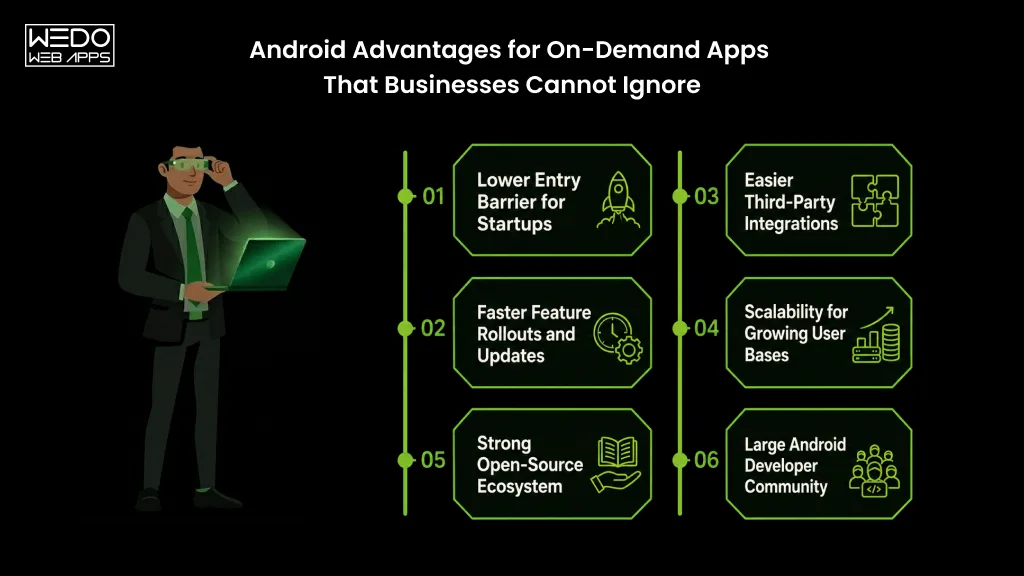
  • Open Ecosystem: Android’s open-source nature allows developers to customize Android app features extensively, ideal for businesses wanting unique, innovative app experiences.
  • Global Audience: Android dominates in emerging markets like India, Southeast Asia, and Latin America, perfect for startups seeking scale.
  • Integration with Google Services: Android integrates seamlessly with Google’s suite of products (Drive, Maps, Ads, Analytics), giving you powerful marketing and data insights.
  • Device Variety: With thousands of devices running Android, your app can reach a wider audience, from budget users to high-end flagships.

Challenges of Android App Development

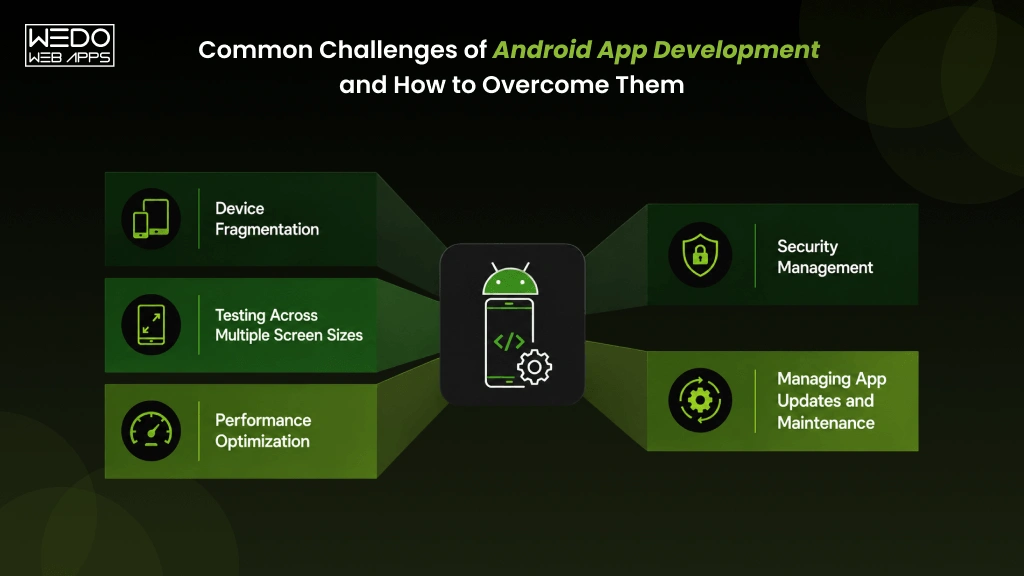
  • Fragmentation Issues: With multiple screen sizes, OS versions, and devices, ensuring uniform performance can be complex.
  • Longer Testing & QA: Developers often spend extra time optimizing apps for various hardware configurations.

Still, if your business prioritizes reach, flexibility, and global expansion, Android is a compelling choice.

What iOS App Development Brings to the Table

iOS, Apple’s closed ecosystem, focuses on security, design excellence, and high user loyalty , all key factors for businesses that value brand image and profitability.

Key Advantages of iOS App Development

  • High Monetization: iOS users spend more on in-app purchases, premium apps, and subscriptions, crucial for businesses with revenue-first strategies.
  • Consistent Performance: Apple’s limited device range ensures a uniform user experience, making design and testing simpler.
  • Advanced Security: Apple’s strong security architecture and strict app store guidelines offer more protection against malware and data breaches.
  • Brand Credibility: Launching on iOS often boosts brand perception and attracts high-value users, especially in developed markets.

Challenges of iOS App Development

  • Higher Development Cost: Building and publishing iOS apps can be costlier due to Apple’s premium tools and guidelines.
  • Restricted Customization: Apple’s ecosystem is tightly controlled, which limits design and feature flexibility.

So, if your focus is on premium user experience, monetization, and brand authority, iOS is your go-to platform.

Android vs iOS App Development Cost: Breaking Down the Numbers 

When evaluating iOS vs Android App Development, one of the first practical questions every founder asks is – “How much will it cost to build and maintain the app?”

The truth is, app development costs depend on multiple factors, including app complexity, design requirements, team location, and post-launch maintenance. However, the platform you choose, Android or iOS, can significantly affect your total investment. Let’s break down the real-world cost difference between the two. 

Average App Development Cost Comparison

App Type Android App Development Cost iOS App Development Cost
Simple App (basic features, static data) $20,000 – $45,000 $25,000 – $55,000
Medium Complexity App (API integrations, payments, dashboards) $45,000 – $90,000 $55,000 – $100,000
High Complexity App (real-time sync, custom animations, IoT, AR/VR) $90,000+ $110,000+


Why Android App Development Can Cost Less?

  • Open Source Ecosystem: Android developers can leverage a vast library of free SDKs, libraries, and APIs. 
  • Flexible Publishing: Google Play Store has lower fees and faster approval times than Apple’s App Store. 
  • Broader Developer Pool: The global Android developer community is larger, which can make hiring more cost-effective. 
  • Easier Iterations: Android’s open structure allows faster prototype testing and updates, ideal for startups validating MVPs.

However, a lower upfront cost doesn’t always mean lower total cost. Maintenance, testing, and fragmentation can increase Android’s long-term expenses.

Why iOS App Development Costs More (But May Earn More)

  • Premium Development Tools: iOS developers often work with Apple’s high-performance frameworks like SwiftUI and ARKit, which enhance app quality but require specialized expertise.
  • Strict App Store Review Process: Apple’s guidelines often lead to longer approval times and additional QA cycles. 
  • Hardware & OS Consistency: Although the initial cost is higher, maintaining iOS apps over time is often cheaper due to fewer device variations. 
  • Higher Revenue Potential: Despite higher development costs, iOS apps frequently generate more revenue per user (ARPU), balancing the investment in the long run. 

Android App vs iOS App Cost – Which is Better for Startups?

  • If your goal is faster market entry and budget-friendly validation, Android is ideal for your MVP.
  • If your goal is premium brand positioning and higher monetization, iOS offers stronger long-term ROI.

Pro Tip: Many successful startups start with one platform (usually iOS for premium audiences or Android for mass reach) and expand once they achieve traction. This dual-phase strategy helps control costs while maximizing impact.

Android vs iPhone for Business: Revenue Potential and Monetization Models

When it comes to Android vs iOS for business, the ultimate question is, which platform helps you earn more? Whether your app generates income through subscriptions, in-app purchases, or ads, understanding how each ecosystem drives revenue can shape your entire mobile strategy.

iOS: Premium Pricing and Loyal Spenders

Apple users represent the top-spending demographic in the mobile market. According to Data.ai 2025, iOS users spend nearly 2.5 times more than Android users on in-app purchases and subscriptions.

That’s why iOS app development is often preferred by startups aiming for quality over quantity.

Why iOS Wins for Revenue-Driven Businesses:

  • Higher ARPU: iOS apps generate more revenue per user across all categories.
  • Subscription Ecosystem: Works best for apps offering recurring value, like fitness, finance, and education.
  • Frictionless Payments: Apple Pay and App Store billing ensure smooth user experiences.
  • Strong Brand Affinity: iOS users are more loyal and open to premium upgrades.

Ideal for: Businesses offering paid apps, exclusive content, or subscription models.

Android: Massive Reach and Ad Monetization Power

On the other side, Android dominates global market share (71% in 2025), making it the go-to choice for reach and scalability. If your business relies on ad revenue or wants to target emerging markets, Android delivers better long-term returns.

Why Android Wins for Volume-Based Growth:

  • Larger User Base: Dominant in India, Africa, and Southeast Asia.
  • Ad-Based Monetization: Strong integration with Google AdMob and other ad networks.
  • Multiple App Stores: Flexibility to distribute and monetize outside Google Play.
  • Lower Entry Cost: Easier app publishing and faster iteration cycles.

Ideal for: Startups focusing on downloads, user engagement, and scale before premium conversion.

ROI Comparison: Android vs iPhone App Development

Factor iOS (iPhone) Android
Market Share 28% 71%
ARPU (Avg. Revenue Per User) High Moderate
Ideal Revenue Model Subscriptions, Paid Apps Ads, Freemium
Time to Monetize Slower (premium model) Faster (mass installs)
Target Users Affluent, Urban Diverse, Global
Business ROI Focus Quality & Loyalty Quantity & Reach

Verdict: Choose iOS for higher revenue per user, or Android for wider reach and faster scale.

Get a free ROI consultation for Android vs iOS app

Android vs iOS Pros and Cons for Businesses

Every platform has its advantages and trade-offs. Whether you prioritize development cost, customization, or user loyalty, here’s how the two compare for business owners.

Android vs iOS: Feature & Technical Comparison


Category Android iOS
Market Share 71% 28%
Development Cost Lower Higher
Development Time Longer (fragmentation) Shorter (limited devices)
UI/UX Customization High flexibility Restricted by Apple guidelines
App Monetization Ad & Freemium Premium & Subscription
Security Open-source (developer-dependent) Closed ecosystem (secure)
Updates & Maintenance Fragmented Consistent & centralized
Approval Process Faster Stricter App Store rules

Pros and Cons Overview

Advantages of Android App Development:

  • Global reach and diverse user base.
  • Flexible publishing and customization.
  • Lower upfront costs.
  • Easier integration with Google’s ecosystem.

Disadvantages of Android App Development:

  • Fragmented OS versions and devices.
  • Higher testing and maintenance effort.
  • Lower user spending on average.

Advantages of iOS App Development:

  • High-spending users and better ROI.
  • Consistent hardware and software performance.
  • Robust security and privacy standards.
  • Easier scalability for global premium audiences.

Disadvantages of iOS App Development:

  • High development and maintenance costs.
  • Longer approval timelines.
  • Limited customization options.

Quick Checklist for Decision-Making

Business Goal Recommended Platform
Reach global users fast Android
Target premium customers iOS
Prioritize data security iOS
Launch MVP quickly Android
Optimize for ad revenue Android
Build a strong brand presence iOS

Android vs iOS Security, Performance & User Trust

Security and performance define user trust, a crucial factor for long-term business success.

Security: App Store vs Play Store Policies

  • iOS: Apple manually reviews every app, ensuring strong compliance and protection.
  • Android: Google uses automated Play Protect scanning to detect 125B+ apps daily.

>iOS wins in pre-launch screening; Android wins in flexibility.

Performance: Device Fragmentation vs Optimization

  • Android: Multiple OEMs (Samsung, Xiaomi, etc.) lead to fragmented performance, requiring additional testing.
  • iOS:> Unified hardware-software integration ensures smoother UI, fewer crashes, and better speed.

>iOS delivers a consistent UX; Android offers wider accessibility.

Data Privacy & User Trust

  • Apple enforces App Tracking Transparency (ATT), giving users direct control over data.
  • Android provides granular permissions and enterprise-grade encryption under Android Enterprise.

Both are secure, but Apple’s closed ecosystem offers greater peace of mind.

Build secure high-performing Android & iOS apps

Reasons to Choose Android Over iOS vs Reasons to Choose iOS Over Android

When to Choose Android Over iOS for Business

  • Targeting developing markets with cost-sensitive users.
  • Prioritizing wider reach and faster scalability.
  • Need deep customization or Google ecosystem integration.
  • Budget-conscious MVP launches.

When to Choose iOS Over Android for Business

  • Targeting premium or enterprise audiences.
  • Prioritizing data privacy, compliance, and brand image.
  • Aiming for higher ARPU and faster revenue from subscriptions.
  • Seeking consistent app performance across devices.

Beyond the Android vs iOS Battle: Why Many Businesses Choose Cross-Platform Development

With tools like Flutter, React Native, and Kotlin Multiplatform, the debate isn’t just Android vs iOS anymore. Businesses now prefer cross-platform app development to launch on both simultaneously.

Key Advantages:

  • One codebase for Android and iOS.
  • 30–40% faster time-to-market.
  • Reduced development cost.
  • Easier updates and maintenance.

Result: You get the best of both worlds, Android’s reach and iOS’s revenue potential, without doubling your effort.

Final Verdict: Android vs iOS, Which Is Better for Your Business in 2025?

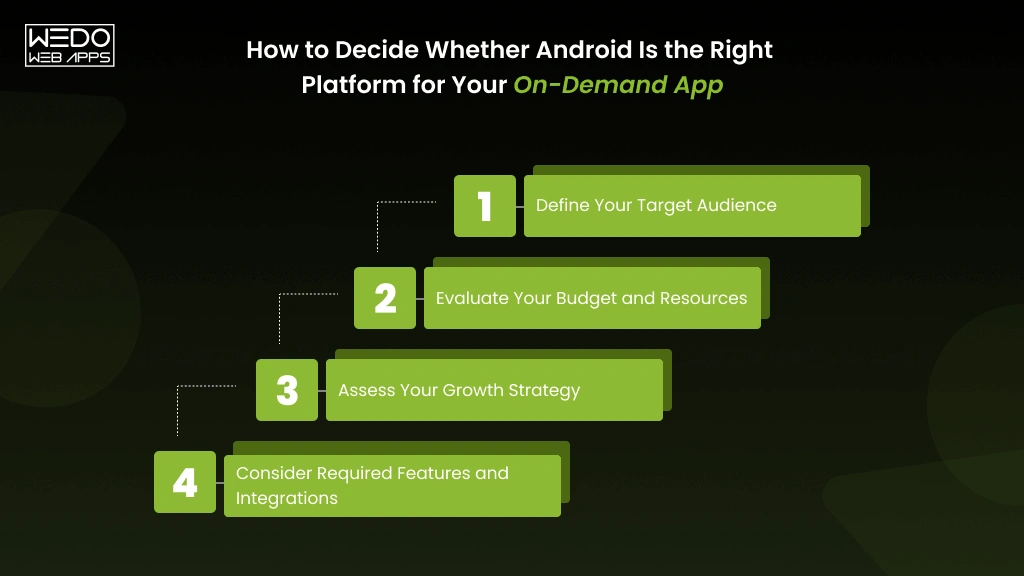
The Android vs iOS app development choice depends on your market, budget, and business vision.

  • ChooseAndroid if you want reach, flexibility, and global adoption.
  • Choose iOS if your focus is on premium users, strong security, and better revenue per download.

Ultimately, the smartest move is often to start with one platform, validate your idea, and expand cross-platform as your business scales.

Unsure which platform fits your business goals - Android or iOS

Android 16 Features And Google I/O Android Summary 2025

Android 16 Features and Beyond from Google I/O 2025

Google I/O 2025 set a clear direction for Android’s future and brought the developers closer to an ecosystem driven by intelligence, privacy, and productivity. This year’s keynote was more than annual updates. It showed how Android continues to evolve into a smarter and more adaptable platform.

The spotlight was more on Android 16, introducing a refined user experience and smarter multitasking powered by machine learning. Also, Android Studio has received a major update with adding faster build, intuitive debugging, and integrated Gemini AI assistance to accelerate coding. Updates to Jetpack Compose added more expressive design controls, while Privacy Sandbox improved the reinforcement of Android’s ongoing commitment to user data protection.

For developers, this resulted in more flexibility, stronger performance insights, and AI-driven workflows. Google I/O 2025 proved that the future of Android development is not just about adding new features but is more about how developers build experiences for users.

With this blog, we will take you to the various announcements from the Google I/O 2025 for Android developers, including:

  • The most impactful Android 16 features and release insights.
  • Major Android Studio updates are enhancing development speed.
  • Jetpack Compose improvements for better UI design.
  • How Generative AI on Android is reshaping app creation.
  • The latest Privacy Sandbox updates for secure experiences.
  • What’s next for developers after I/O 2025.

Overview of Google I/O 2025 for Android Developers

Google I/O 2025 focuses more on how Android is becoming smarter, faster, and more secure for both users and developers. This year, the focus was more on the practical improvement that helps developers to build better apps with less effort and have more freedom for creativity.

The key announcement centered around Android 16, Android Studio updates, Jetpack Compose upgrades, and the growing role of AI in Android app development. Each update has aimed towards improving the app’s performance, design flexibility, and data privacy.

Developers were introduced to new tools powered by Gemini, Google’s AI model, that help with coding suggestions, testing, and interface design. All these new additions make it easier for the developers to turn the idea into a working application faster than before.

Another major highlight was the update to Privacy Sandbox, which helps developers to maintain the trust of users while supporting the personalized app experience. Together, these updates reflect Google’s focus on creating a developer ecosystem that values both innovation and responsibility.

In short, Google I/O 2025 gives developers a clear direction to build smarter apps, focus more on privacy, and take advantage of the tools that make Android development more efficient.

Android 16 Features and Release Overview

With the update in Android 16 features the design productivity has been increased with improved security. Android is constantly evolving and bringing a better experience. Here are the details on the latest Android version and how it helps to maximize the potential of development and the device’s potential.

At Google I/O 2025, Android 16 stood out as one of the biggest announcements for developers. It focuses on improving the everyday usability, multitasking, and on-device intelligence while keeping privacy at the core.

What’s New in Android 16

The latest version of Android is Android 16. Several updates have made the device smarter and more responsive.

  • Refined Interface: A cleaner layout and new customization options for the home and lock screen.
  • Adaptive Multitasking: Better split-screen support the improved transitions, and allow to have the support of larger and foldable screen devices.
  • Performance Boost: Faster app startup time and enhanced background optimization for fast running.
  • AI-Powered Features: Support smarter text suggestions, context-based actions, and maintain the streamlined on-device processing.
  • Improved Accessibility: New features for screen readers with a better color contrast option with visually impaired users.
  • Security Enhancements: Provide the upgraded app permissions and real-time threat detection to protect the user data.

Android 16 Release Timeline and Availability

Google has followed its familiar rollout plan for Android 16. Android 16 was released on June 10, 2025, which is making the Google Pixel devices the first to receive the update.

  • Developer Preview: Early access was released shortly after the Google I/O for testing the new APIs.
  • Public Beta: Available for the Pixel and select partner devices to gather feedback.
  • Final Release: Expected in Q3 2025, alongside official SDK and documentation updates.

How to Update or Install Android 16

A developer can test Android 16 by:

  • Enroll in the Android Beta Program via developer.android.com.
  • Downloading the system image for compatible Pixel devices.
  • Using Android Studio’s emulator to test apps with the new APIs.

Android 15 vs Android 16: Key Differences

Feature Android 15 Android 16
Multitasking Basic split-screen Adaptive multitasking with smart resizing.
Privacy App-specific permission is needed. Dynamic permissions and local data controls.
AI Integration Limited suggestions Context-aware AI across apps and widgets.
UI Design Material You Enhanced Material 3 elements with flexible customization.

Android 16 reflects Google’s ongoing goals to give developers better flexibility to create smoother, faster, and more secure apps.

We build an app that is faster, smarter, and more secure

Android Studio New Features Announced at Google I/O 2025

At Google I/O 2025, Android Studio took the center stage by giving support for the updated design to make coding, testing, and debugging more faster and more intuitive. These Android Studio new features focus on improving work productivity while giving support to developers in building more efficient and AI-powered Android apps.

For those who are wondering what’s new for Android developers, this year’s updates reflect Google’s commitment to reducing development friction and automating repetitive tasks.

Here’s a breakdown of the most significant updates revealed during the event.

IntelliJ Platform and Build Performance Updates

The latest version of Android Studio, codenamed Koala, is now built on IntelliJ 2025.1, bringing several enhancements that improve the workflow and performance.

Key highlights include:

  • Faster Gradle Sync: Projects now load up to 30% quicker, cutting down the time between code edits and test runs.
  • Optimized Build Speed: Parallel processing has been refined, allowing the faster APK and app bundle organization.
  • Smarter Code Indexing: The updated IntelliJ platform uses adaptive indexing, improving real-time code analysis and autocompletion.
  • Integrated SDK Management: Managing and updating SDK components is simpler through a unified interface.

These upgrades collectively make Android Studio more stable, ensuring that the developers spend more time on coding and less time waiting for builds to complete.

Gemini-Powered Coding Assistant

One of the most impressive announcements at Google I/O 2025 was the integration of Gemini, Google’s generative AI on Android Studio. This assistant goes beyond the basic autocomplete by learning from your patterns and provides real-time suggestions if there is a need for improvement.

What developers can now do with Gemini:

  • Generate entire code blocks using the natural language prompts.
  • Access inline documentation instantly without switching tabs.
  • Use smart refactoring to improve existing code for better readability and efficiency.
  • Get context-aware code fixes, especially when debugging or testing.

This feature helps developers to generate code faster while maintaining accuracy and consistency. This makes the Gemini a reliable AI companion for Android app creation.

Improved Debugging and UI Design Tools

Android Studio new features extend to design and debugging, which help developers to fine-tune app visuals and performance more effectively.

Key updates include:

  • Layout Inspector Enhancements: A clearer, 3D visualization of view hierarchies to understand the behavior of the app layout.
  • Live UI Preview: Real-time rendering for Jetpack Compose and XML layouts to validate the design to be more responsive.
  • Advanced Profiler: More detailed memory and CPU usage allows to keep the track and helps in identifying the performance more accurately.
  • Device Mirroring: Run and debug the app on the physical devices directly from the IDE without using the external tools.

These improvements not only help to streamline the UI development but also make the testing and debugging more transparent and efficient.

The Android Studio new feature announced at Google I/O 2025 demonstrates how Google continues to refine the developer experience. From building the app faster to AI-powered productivity tools and smarter debugging options, together these allow for connecting more and an intelligent environment for Android development.

Jetpack Compose New Features and UI Upgrades

At Google I/O Android summary, Jetpack Compose received one of its biggest updates. The designed app interface is faster and is built to make the process easier and customizable. These updates focused on flexibility, animation, and real-time design control.

For developers who have been following the what’s new for Android developers, Jetpack Compose new features continue to be the go-to UI toolkit for creating modern, adaptive designs without writing long XML layouts.

Updated Components and Motion APIs

The new Jetpack Compose feature centers around giving developers better control over the motion, transition, and layouts.

Highlights include:

  • New motion APIs for building smoother and more expressive animations.
  • Advanced layout elements like Carousel, Grid, and Flow Layouts for complex screen structures.
  • Improved the gesture responsiveness for a more fluid user experience.
  • Optimize the rendering pipeline that boosts the UI performance on lower-end devices.

These improvements make the apps feel more dynamic and reduce the frame drops during the time of navigation or screen transitions.

Material Design 3 Integration Improvements

The integration with the Material Design 3 helps developers maintain visual consistency across the various devices.

What’s new for Android developers:

  • Support for dynamic color schemes that match the user’s wallpaper and system theme.
  • Adaptive typography that automatically adjusts the font weights and sizes.
  • Extended shape customization, allowing developers to customize the corner radii and UI style effortlessly.
  • Material You theming alignment, which ensures that all components feel cohesive across various Android versions.

These updates give apps a modern and personalized look while still maintaining the consistency of the brand.

Better Testing and Preview Tools for Developers

Google has also improved the Compose Preview and Tracing tools, which help developers to test and visualize their design more efficiently.

Key Updates:

  • Compose Tracing: Real-time analysis of rendering and recomposition performance.
  • Multi-device Preview: View how your app appears across screen sizes without the need to rebuild.
  • Improved Testing APIs: Supports easier debugging of animation and layout inconsistencies.
  • Performance Metrics: Identify the frame drops and measure the rendering time directly from the IDE.

These additions simplify the testing workflows, reduce iteration time, and ensure that UI designs remain consistent and responsive.

In short, the Jetpack Compose new feature introduced at Google I/O 2025 empowers developers to create high-performing Android interface applications with the use of the top feature for Android apps. From motion control to real-time previews, these updates streamline every stage of UI development.

Android developers help you turn every interaction into engagement

Generative AI on Android: The Next Step for Developers

Generative AI on Android has become one of the most talked-about topics for the updates on Google I/O 2025. With Gemini now integrated across Android Studio and system-level APIs, developers can automate the complex tasks. This helps to improve app performance and deliver a smarter user experience without increasing the workload.

For those who are tracking what’s new for Android developers, this advancement is not just about the automations. It is more about the developer tools to build apps that can generate content, predict needs, and create more personalized user interactions.

Gemini Integration in Android Ecosystem

The Gemini integration extends across Android’s ecosystem. This streamlines the connection with the development tools, core services, and end-user experience.

Key Integrations Include:

  • Gemini in Android Studio: Developers can now access context awareness and code suggestions. This gives the impact on documentation summaries and debugging support through the AI-powered assistance.
  • AI-driven Google Play Services: Gemini helps in optimizing the app recommendation, content personalization, and dynamic suggestions.
  • User-facing Enhancements: From smart replies to the adaptive test and voice generation, Gemini brings the intelligent interaction directly to the mobile apps.

Together, these updates can show how a generative AI on Android moves from an experimental concept to a built-in development standard.

AI APIs and Use Cases for App Development

Google has introduced dedicated AI APIs to help developers integrate generative AI on Android accurately. These APIs prioritize real-time performance while maintaining local data privacy.

Practical Use Cases Include:

  • Text creation and summarization for note-taking or productivity apps.
  • Images and media generation for creating better tools and personalized features.
  • Chat assistance for easy handling of context-aware conversations.
  • Smart replies and suggestions that can adjust tone and intent based on the behavior of users.
  • Voice-to-text enhancement powered by contextual AI models.

These added applications highlight how generative AI can turn Android apps into a more dynamic and customer-centric experience.

Privacy and Performance Considerations for AI Apps

As the AI grows more powerful, Google has made privacy and on-device performance an important part of this rollout. The Android Privacy Sandbox updates ensure that apps using the AI should respect the user consent and data controls.

How Google Addresses Privacy and Performance:

  • On-device AI processing minimizes the need for cloud data transfers.
  • Privacy Sandbox APIs provide a secure way to measure app engagement and ad performance without user tracking.
  • Federated learning models allow AI to improve through the aggregated insights while keeping the user data private.
  • Optimized power management ensures that the AI-driven feature does not have an impact on device performance or battery life.

These steps maintain the balance of innovation with responsibility, helping developers to build AI-enabled apps that are both intelligent and trustworthy.

Through generative AI on Android, Google has reshaped the developer experience. It highlights a future of Android app development and where what’s new for Android developers is not just about the technology but about creating a meaningful and adaptive app experience.

Android Privacy Sandbox Updates 2025

Google’s Android privacy sandbox updates continue to redefine how apps access and process user data. The recent updates focus more on reducing cross-app tracking while preserving effective ad measurement and personalization. For developers, this means that adapting to a privacy-first ecosystem that still supports performance marketing is effective.

The important role is to protect user privacy without disrupting the tools developers rely on to measure engagement, conversions, or audience insights.

Why Privacy Sandbox Matters for Developers

The recent release introduces several new APIs and compliance updates that reshape the way Android apps collect and use data responsibly.

Here’s what developers need to know:

  • Protected Audience API: Enables personalized ads based on local device signals without sharing the user identifiers externally.
  • Attribution Reporting API: Helps to measure the campaign performance while keeping the user identity anonymous.
  • Topics API: Offers a privacy-safe method to deliver relevant ads using locally stored user interest data.
  • SDK Runtime: Separate ad SDKs from app code to prevent unauthorized data access and reduce potential vulnerabilities.

These updates ensure that Android app developers can still maintain the monetization goals while aligning with the global privacy standards set by regulators.

Developer Benefits Include:

  • Reduce the risk of policy violations through standardized APIs.
  • More transparency is maintained in ad performance data.
  • Simplified integration with advertising and analytics tools.

The Privacy Sandbox updates are not just about compliance; they create a framework for responsible innovation that builds user trust without limiting the app functionality.

Android’s latest Privacy Sandbox updates

What’s Next for Android Developers

As the Google I/O Android summary, one thing is clear: Android development is moving towards smarter tools, deeper AI integration, and privacy-first innovation.

The announcement throughout the event has set a direction that empowers developers to build a faster, safer, and more intelligent mobile experience. The future roadmap highlights Google’s ongoing investment in performance optimization, AI-based automation, and cross-platform consistency.

Developers are encouraged to stay aligned with the advancements to ensure that their apps remain modern, efficient, and user-focused.

The Future of Android Development Tools

Google plans to refine the existing suite of best Android development tools to make the process more productive and intelligent.

Upcoming tool advancements include:

  • Smarter Android Studio: Future updates will expand Gemini’s AI-powered feature for automated testing, refactoring, and debugging suggestions.
  • Evolving Jetpack Compose: Developers can expect improved rendering performance, dynamic UI previews, and faster iteration cycles.
  • Cloud-integrated Testing Environment: New testing APIs will simplify how apps are validated across multiple device types before deployment.

These updates signal a shift towards more intuitive development, where developers spend less time troubleshooting and more time refining the user experience.

Preparing for Android 17 and Beyond

With Android 17 already in early development stages, Google is focusing on extending AI-driven customization, energy efficiency, and device adaptability.

What developers can anticipate:

  • Early Beta Access: The upcoming Android 17 beta program will invite developers to test system-level changes and provide feedback on the usability of the device.
  • Improved Compatibility Tools: Google will expand developer resources to ensure backward compatibility with older Android versions.
  • Community Collaboration: Expect deeper engagement through Android developer previews, forums, and official channels to shape future updates collaboratively.

The direction beyond Android 17 reflects Google’s long-term vision for creating an ecosystem where apps are smarter, lighter, and designed with user trust at the core.

Stay Updated with the Future of Android Development

The Google I/O Android summary for 2025 highlights how Android continues to evolve with purpose and precision. From advancements in powerful Android 16 features to the improved Android Studio experience and flexible Jetpack Compose tools, Google is building an ecosystem that is designed to help developers create faster and more reliable apps.

This year’s event also marked a turning point in AI integration. With the generative AI on Android, development is not just about preparing the core but has become more about maintaining an intelligent experience.

Complementing this shift, the Privacy Sandbox updates refined Google’s focus on security and user trust. This ensures that innovation can never come at the cost of data safety.

For those who are involved in Android app development company, these updates represent more smooth processing. They define the next chapter of Android where efficiency meets intelligence and privacy aligns with creativity. As Google moves towards Android 17 and beyond, the developer will have every reason to be excited about what’s coming next.

our team turn Google’s newest updates into real business

Android Developer Skills And Qualities Essential For App Success

Android Developer Skills to Build Better Apps

Being successful in Android app development depends more on the combination of Android developer skills. Skilled developers know how to write clean and efficient code while maintaining an intuitive interface. Integration of features is also supported to enhance the user experience.

With a skilled developer, it is equally important that you know about the qualities of a good Android developer. Skills like problem-solving, adaptability, and collaboration allow you to distinguish professionals who consistently deliver high-quality apps.

In this guide, we will give you the details on the essential skills for Android developer, highlight the top qualities of Android app developer, and provide the practical steps on how to publish an Android app on Google Play whether you are aiming to grow your career or hire the right Android app developer, by understanding these skills and qualities to build impactful and reliable Android apps.

What is Android Development?

Android development involves creating applications for devices powered by the Android operating system. Android is the operating system developed by Google and is widely used in mobile devices. It includes designing the interface, writing cleaner code, and integrating the APIs for testing the various functionality while ensuring the overall app performance.

Strong Android developer skills are essential to deliver the apps that are efficient, secure, and user-friendly. A developer who has strong knowledge of various fields allows you to transform your Android app development idea into a functional application that meets both business objectives and user expectations.

Having the essential skills for Android developers is equally important as maintaining the combination of technical expertise with problem-solving, and adaptability. Having these skills not only boosts career growth but also enables developers to build an app that stands out better in a competitive market.

Core Technical Skills for Android Developers

Core Technical Skills for Android Developers

To succeed in Android development, mastering the right technical Android developer skills is important. These skills allow mobile app developers to build an app that is highly reliable, secure, and delivers an exceptional user experience.

Below are the essential skills for Android developers that every professional should have:

1. Kotlin and Java Mastery

Kotlin and Java are an essential part of Android development. A developer should be more proficient in using these languages and can write clear, maintainable code while managing the integration of complex features. A developer with strong Kotlin skills allows you to be sure about having highly valued and modern Android apps.

2. XML and UI Basics

Understanding XML is important for maintaining an efficient user interface in Android apps. A developer with XML skills can easily structure the various layouts, define the UI elements, and ensure that apps are visually appealing and responsive across all devices.

3. Android SDK and Android Studio

The Android software development kit and Android apps are essential. Developers with the essential Android developer skills allow you to have more efficiency to build, test, and debug applications while ensuring smooth functionality.

4. Jetpack Compose (Modern UI)

Jetpack Compose is a modern tool that is specifically built to navigate across various Android UIs. A developer who can easily take advantage of Jetpack Compose can easily make an app that is dynamic with an intuitive interface and requires less code. It helps you improve both development speed and app quality.

5. MVVM and Architecture Patterns

A clear understanding of the architecture pattern, like MVVM, helps developers to write an organized and scalable code for the app while maintaining better efficiency. It ensures that the app remains effective as the feature grows and evolves.

6. Dependency Injection (Hilt/Dagger)

Dependency injection frameworks such as Hilt or Dagger streamline the performance of the app while making the process smoother and easier. Mastering these tools allows you to have a skilled professional for your Android development needs.

7. Firebase And APIs

Integration with Firebase services and external APIs allows you to be sure that the developer is handling authentication, cloud storage, notifications, and real-time updates more efficiently. A developer who understands these tools can build the app with rich functionality and seamless backend communication.

8. Database Management (Room, SQLite)

Efficient data storage and retrieval are the fundamental options which come to qualities of a good Android developer. Skills in databases like Room and SQLite ensure that your app manages the app information more efficiently and maintains the data integrity with more accuracy. It delivers faster performance.

9. Testing Fundamentals

Testing for accuracy is important to maintain the stability of the app. A developer with the knowledge of unit testing, UI testing, and debugging helps you to have an app that is bug-free and meets the user’s expectations.

10. Git and Version Control

Version control systems like Git are important to manage code changes, collaborate with teams, and maintain a clean development workflow. Proficiency with Git ensures that smooth teamwork and project management are done.

Need a developer who has the essential Android skills?

Qualities of Android App Developers

Qualities of Android App Developers

Technical expertise alone cannot make the developer exceptional. The qualities of Android app developers often show how effectively a developer helps you to turn your ideas into high-quality and user-friendly apps.

Beyond coding, several skills need to be taken care of when you look for Android app developer skills to navigate complex projects, collaborate with a team, and deliver reliable results.

Key qualities of Android app developers include:

  1. Problem-Solving Ability: Top developers can quickly identify difficulties, troubleshoot issues, and implement effective solutions while ensuring that the app runs smoothly and meets the user’s expectations.
  2. Adaptability: Android is constantly updating, and developers must stay updated with the new tools, frameworks, and platform changes to maintain the stability of the app with performance and competitiveness.
  3. Strong Communication: Clear communication with team members, designers, and stakeholders allows you to be sure that the project requirements are understood and executed effectively.
  4. Teamwork: Successful Android development often requires collaboration across cross-functional teams. Developers who worked well on the other project allow you to be clear with the schedules and quality standards of processes.
  5. Attention to Security and Performance: A good developer prioritizes app security, optimizes performance, and ensures that your users have a seamless and reliable experience while maintaining accuracy.

By combining these qualities of a good Android developer with the right technical skills, the developer can build an app that allows you to have a functional app that is more engaging, efficient, and scalable. These attributes make them highly valuable to your business and users.

How to Publish an Android App on Google Play

How to Publish an Android App on Google Play

Publishing an Android app is the final step that allows you to know about the developer’s hard work towards the application and the accessibility of the product to millions of users. Developers with strong Android developer skills understand the process more efficiently and maintain a smooth submission to the App Store by following all guidelines. This allows the maximum visibility of the app.

Here is a detailed guide for publishing your app successfully:

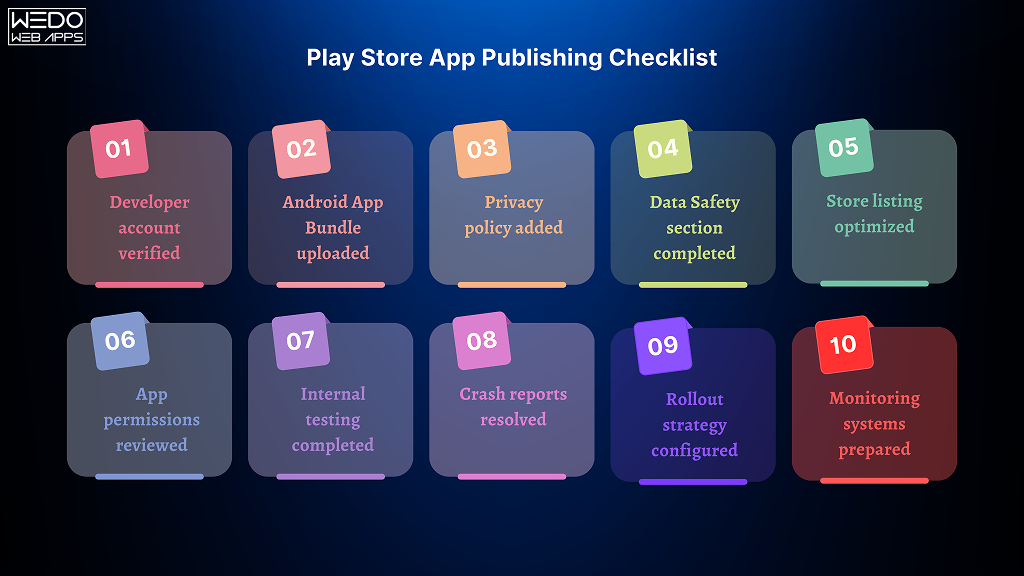
1. Create a Google Play Developer Account

  • Sign up on the Google Play Console with a Google account.
  • Pay the one-time registration fee of $25.
  • By creating this account, you can upload the apps, manage updates, and monitor performance analytics.
  • Make sure you keep your account information secure to avoid verification issues.

2. Prepare Your App for Release

  • Conduct thorough testing for functionality, performance, and security.
  • Prepare marketing assets, which include the app icons, screenshots, and feature graphics.
  • Write a clear and engaging app description that highlights the features and user benefits.
  • Optimize the metadata to improve the app’s discoverability on the Google Play Store.

3. Upload APK or AAB File

  • Export your app as an APK or AAB file, which allows you to have stronger compatibility with various Android devices.
  • Upload the built app to the Google Play Console and make sure that it meets the needs of various technical specifications.
  • By making use of the Android App Bundles, you can reduce the app size and improve the overall installation rates.

4. Configure App Details and Policies

  • Set up the category of your app, content rating, and the targeted audiences.
  • Define the pricing, distribution countries, and privacy policies.
  • Make sure that compliance with the Google Play policies is being fulfilled to avoid the chances of app rejection.

5. Submit for Review and Publish

  • Review all the app details carefully before making the submission.
  • Google Play review process to check for the following compliances, security, and technical issues.
  • Once your app is approved, make sure that the app runs successfully and is accessible to users globally.
  • Monitor the analytics after launch to optimize the updates and improve the user experience.

By accurately following these steps, developers not only show strong Android developer skills but also apply the essential skills for Android developers needed to build a strong and optimized app to maintain higher efficiency. Proper preparation and attention to detail should be given to have a significant increase in app visibility, downloads, and overall user satisfaction.

Want your Android app published successfully on Google Play?

Responsibilities of an Android Developer

Responsibilities of an Android Developer

An Android developer’s role is not just about writing the code or preparing the structure for the app. Their responsibilities include handling the entire lifecycle of the app. From planning, development, to deployment, every process is being managed.

The responsibilities of Android app developers are a mix of technical expertise and the qualities of a good Android developer that ensure consistency is maintained to have a successful project.

Key responsibilities include:

  • Designing and Building Applications

Developers use their Android developer skills to create an intuitive, scalable, and high-performing app to have a tailored approach to fulfill user needs.

  • Collaborating with Teams

Effective communication should be maintained with designers, backend engineers, and stakeholders to make sure that the app meets both functional and business requirements.

  • Testing and Debugging

Ensuring that the app is stable and followed by the proper unit testing, debugging, and handling continuous improvements. These are the essential responsibilities of every developer.

  • Maintaining and Updating Apps

After launch, developers need to continuously monitor the performance and release the update. By doing this, the developer can fix bugs and keep the app secure, optimized, and aligned with evolving Android standards.

  • Ensuring Security and Compliance

A skilled developer will always pay attention to maintain the security of the app and handle compliance with Google Play policies for protecting the added information and user data.

By balancing all these responsibilities with the right essential skills for Android developers. A professional can deliver an app that has reliable performance and meets all the business demands to stay strong in the competitive market. These responsibilities also give the reflection of the qualities of Android app developer businesses that are looking to partner with the app development team.

Conclusion and Next Steps

Becoming a successful Android developer requires having more than just developing the code of various practices. With the right blend of Android developer skills and the qualities of a good Android developer helps you to build the apps that perform well and meet the user expectations.

It helps in making a stronger brand presence and mastering the technical expertise to learn how to publish an Android app on Google Play. Each step plays a part in shaping the developer’s career and success in building a strong app.

At WEDOWEBAPPS, our team combines the essential skills for Android developers with years of experience in delivering scalable, reliable, and user-friendly applications. Whether you are a business looking for a developer to help you launch fast and upgrade the existing app, we can help you turn your app vision into a functional product.

Ready to build your Android app?

Benefits of Availing the Services of Custom Web Development in Sydney

Getting online is the best way to expand your business. Perhaps, this is the reason why many companies are going online with their website. WeDoWebApps LLC is making this dream come true for many companies with its custom web development company. If you too are among such business enthusiast, we will be providing a complete solution for your IT requirements.

Here is a glimpse of the benefits you will get while getting the services from us. Please go through them and develop a proper understanding of it.

Benefits of Availing the services of Custom Web Development Sydney from WeDoWebApps LLC

Exposure to Various Technologies

Our developers are capable of developing a project with any given technology. We believe in the constant innovation process. Therefore, we will be able to deliver our services in any given technology you want. Whether it is Java, PHP, Laravel, Drupal, Different types of CMS or whatever you wish from us. We offer the overall solutions as far as your IT related requirement are concerned.

In-depth understanding of the Different Business Domains

WeDoWebApps LLC constitutes an extensive experience of serving the clients functioning in a various business environment. We are in this field for an extended period. As a result, we have created websites for multiple businesses such as sports, personal, health and lifestyle, blogging, eCommerce development services and a lot more. Therefore, we will be having effective solutions ready for all your problems and issues. Furthermore, we have in-depth experience in handling the clients so you will feel comfy with us while developing your business website.

Multiple Options

We are always providing our clients with multiple options. You are free to choose from the different types of technologies as per your convenience. Apart from that, we also offer opportunities to you while selecting the themes, templates as well as colour combinations as per the notion of your business. Due to this, the website which we will develop for you will be as per your demands and requirements.

Read also: Essentials of Custom E-commerce Development

Client-Centric Approach for Development

We believe in delivering the optimum solutions for all your requirements. Therefore, we will keep you updated on the status of your project. Besides that, we will also record your feedback on the various parts and make the changes in the platform as per the necessity.

Ethics and Morals are Supreme

For us, our ethics and moral values matter the most. We don’t make use of any sub-standard quality elements while developing the project. You will always get top of the line components from us. As a result, your website will be functioning smoothly, irrespective of the device, platform, browser it is accessed from. In this manner, your users will love accessing it and use it for their betterment.

Do you wish to work with us on your next project? Discuss it with our expert team of Custom Web Development Sydney and get a solution for all your requirements.

Why Shalll you opt for iPhone App Development Australia and Adelaide?

Australia features among the major business centres for the World. There are plenty of businesses flourishing and progressing on this land. Due to this, the iPhone App Development Australia is also in massive demand. WeDoWebApps is one such big name in the iPhone App Development Adelaide company, which is providing best IT services to the various clients in need.

Here are some of the big reasons why WeDoWebApps LLC is among the leading service providers in Adelaide.

Why shall you opt for iPhone App Development Australia?

Before we proceed to the massive reasons, you shall know about the reasons for availing the services from us. Australia has its significance in the IT sector. Hence, you shall know about it in depth.

Excellent app developers in the World

The Australian features among the leading app developers in the World. Not only in the country but all the major countries are getting their workforce from the subcontinent. Due to this, the iPhone App Development Australia industry is progressing at a massive rate. Hence, many companies come to WeDoWebApps LLC for fulfilling their IT requirements and getting solutions. In this way, we are empowering the whole World by providing our top of the line services.

Read also: iPhone App Developer in Australia and iPhone App Developer in Adelaide

Continuous support and a better environment

Even the application development environment is better here. We are getting continuous support from the industry to facilitate our clients with the best of the features. Not compromising on the features, function as well as the services we are providing, we will be ultimately ensuring you that the iOS apps which we will create for you, will always be the best. In such kind of friendly ambience in which we are functioning, knowledge sharing is possible. Hence, we stay updated and upgrade ourselves with the change in the industry. Looking beyond Australia? Discover the expertise of iPhone app developers in London to see how they can contribute to your project.

What makes iPhone App Development Adelaide best?

Big centre for IT industries

Adelaide is among the well-known and vast centre for the IT industries. Thus, there is a continuous competition among the fellow IT companies for offering their services. In this manner, you will be getting competitive rates and best of the services from all such service providers. Surviving in such environment is tough for the substandard companies. WeDoWebApps LLC has emerged as a leading name among the iPhone App Development Adelaide. This indicates the versatilities of the services which we are providing to our fellow clients.

Maximize your iPhone app’s potential with the expertise of a leading digital marketing company USA, catering to Australia and Adelaide markets.

Healthy competition

There is a healthy competition prevailing among the iPhone App Development Australia companies. Such a game is beneficial to the client’s perspective. The rates of the services which we offer are at a competitive level. Additionally, there also various promotional offers ongoing you can take a benefit of. But, all and above, the quality of the services which we will offer will always be the best. Hence, the iOS apps which we will create for you will meet all your needs and requirements.

Target the Australian Market with iPhone App Development Learn more about our mobile app development services.

Cheap iPhone App Development Services That Actually Work

Cheap iPhone App Development: Understanding the Real Value

Launching an iPhone app is the first step for your business when it comes to handling the mobile presence, whether it is a startup, a small business, or a solo entrepreneur. But the iPhone App development cost can easily exceed your initial expectations.

As per the industry standard, the estimated cost of iOS app development can cost somewhere around $8,000 to $30,000, which also depends on features and developer rates.

For many businesses working with a tight budget, there is always the backup option available for them to have the quality of services within their required budget. There is always a need for functional apps that solve problems and validate ideas to build an app without overspending on the development processes.

This is where the need for cheap app developers or a low-cost iPhone app development company is to have the relevant practices. These service providers will help you build the app that is best suitable and grow without the need for any heavy financial burden.

What Cheap App Development Means

Well, businesses get confused because of the word cheap, but the fact is that a cheap app development company does not always offer lower quality of services. Instead, it means finding the cost-effective solution by:

  • Prioritizing essential features.
  • Hiring cheap developers from cost-effective locations.
  • Using pre-built components.
  • Starting with the MVP approach.
  • Avoiding unnecessary design or architecture complexities.

However, it is important to set your required expectations. Low-cost development typically means that it requires fewer custom features, a simpler design, and limited post-launch support unless it is specifically arranged.

Is It Safe to Hire a Cheap App Developer?

Yes, but you need to be sure about the various actions before you hire. The global freelance and offshore development market includes many experienced professionals offering lower rates due to regional cost differences.

Here are a few safety checks to apply:

  • Always ask for previous work, especially on iOS projects.
  • Evaluate their communication clarity and responsiveness.
  • Use contracts that define scope, deadlines, and handover rights.

Hiring a cheap developer is when you know about the professionalism and can deliver an app within the set guidelines.

How to Build a Cost-Effective iPhone App Without Compromising Quality

Developing the app can be challenging, but with access to the right development partner or app builders, you can have the specialized services to ensure the accuracy of the app and get tailored insights.

Choose the Right Development Model

Criteria Freelancer Development Agency App Builder Platforms
Cost Lowest ($720–$1,800) Moderate ($1,800–$6,000+) Lowest recurring ($18–$60/month)
Best For Small projects, MVPs, quick fixes Full-service apps, long-term projects Simple apps, idea validation
Customisation High (depends on skill) Very High Limited
Team Structure Solo (may lack QA/design) Full team (dev, design, PM, QA) No team; DIY tools
Scalability Depends on the developer’s availability Scalable with multi-skill support Low scalability
Time to Launch Medium Fast with an organized team Fastest (drag & drop setup)
Ongoing Support Not always guaranteed Usually included in retainer/support Platform-dependent
Ownership of Code You own the code You own the code You don’t own the core platform code
Skill Dependency High (you must choose carefully) Lower (agency manages quality) No coding required
Learning Curve None if fully outsourced None Requires time to learn the tool

Start with MVP: The Smartest Budget-First Strategy

Building the minimum viable product helps you reduce unnecessary costs by maintaining focus on core features. Instead of developing everything first, you can start by building:

  • A simpler version of the app with access to key functionalities.
  • Enough process to access early visitors.
  • A framework that can improve over time.

Instead of launching fully, you can start with the basics by adding limited features, a menu for browsing, and the option of order placement. Add some complex features and loyalty programs once your app becomes successful.

Optimize App Scope Based on Budget

Make the smart budget decisions for access to low-cost iPhone app development, and for this, you need to make an intentional trade-off. Ask yourself:

  • Which feature is absolutely necessary for your app?
  • Can any functionality be handled manually or with the use of third-party tools?
  • Are there any ready-made SDKs or APIs to reduce development time?

For example, if your app requires a payment gateway, then integrate services like Stripe or Razorpay, which help you reduce the overall cost and time.

Similarly, using Apple’s native UI components speeds up iOS development and lowers complexity.

Prioritizing features in this way helps stretch your budget while still achieving a usable, professional app.

app developer services with prioritized features

What You Can Expect from an Affordable iOS Development Service

Connecting with the cheap iPhone app development services or an iOS developer requires you to maintain an accurate connection with the iOS developers to maintain the accuracy of your apps and ensure a smooth run on all devices.

For maintaining better development services, you need to know about the requirements of the feature and the overall cost of those services.
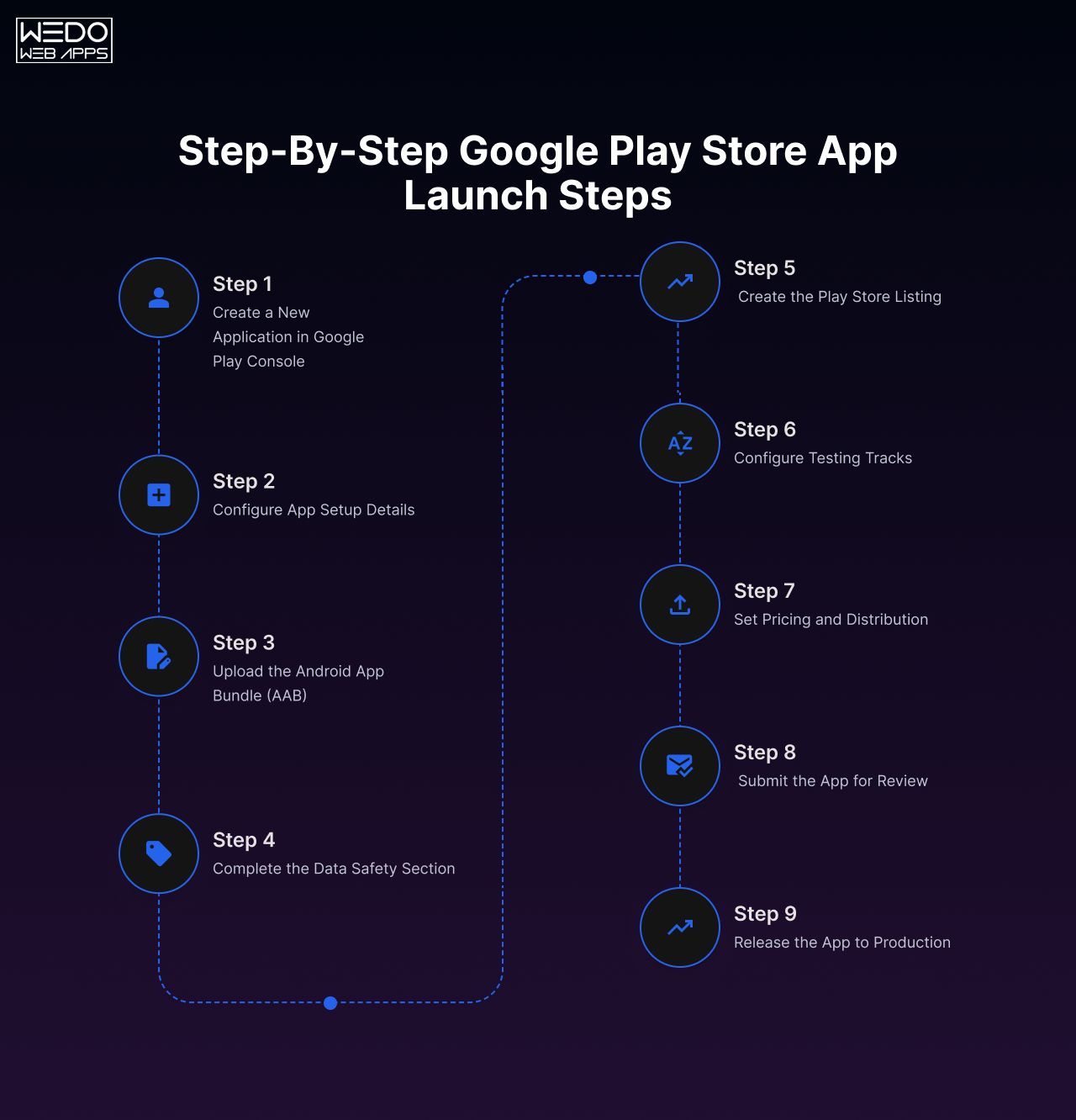
Key Features Commonly Included in Low-Cost Projects

Low-cost iPhone app development services typically maintain a clear focus on the accurate functionality of an app. If you are working with a limited budget, here is what you can expect:

  • Basic UI/UX design using Apple’s standard design guidelines.
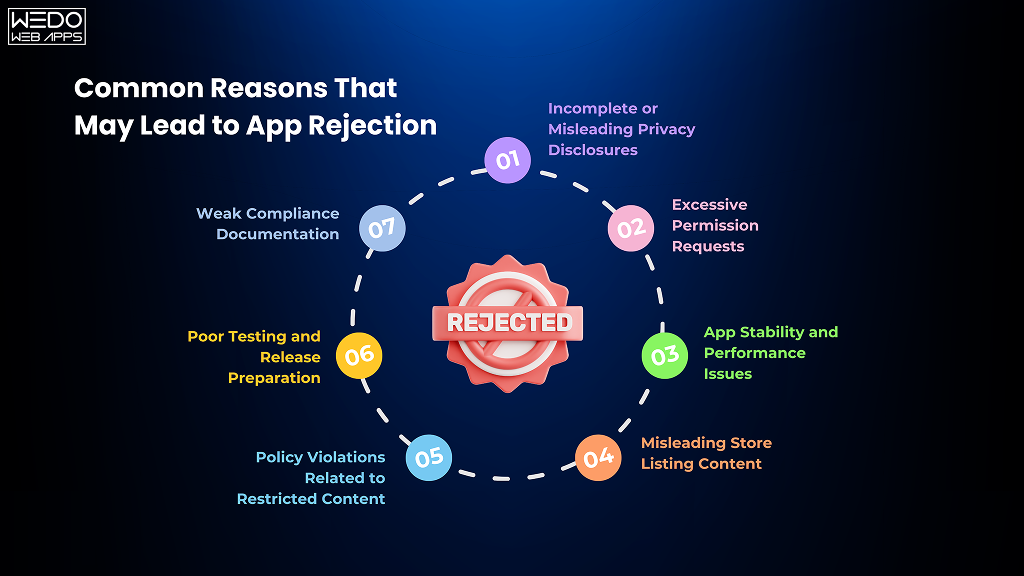
  • Standard features like login, forms, search, and simple dashboards.

  • Integration of third-party tools, payment gateways, Google Maps, or social login.
  • Responsive layout optimized for various iPhone needs.
  • App Store submission assistance.

Developers often use reusable components and existing libraries to reduce the development cost, or else you can have the cheap app builders. Some cheap app developers often use reusable components and existing libraries to reduce the development cost and time without compromising the quality.

Cost Breakdown by App Types

Low-cost iPhone app development may vary depending on various factors which include different factors including design, requirements of features, and mobile responsiveness.

Here is a general estimation for you to set the expectation towards your services:


App Type Estimated Budget (USD) Key Notes
Basic Utility App $720 – $1,440 Few screens, minimal logic
Local Service Booking $960 – $1,800 Requires API integration, calendar
E-commerce App (Basic) $1,200 – $2,400 Cart, payments, product catalog
Content-Based App (Blogs) $720 – $1,200 Text, video, push notifications
MVP for Startup $960 – $2,400 Core features to test the product idea

These are just the estimated costs; they can exceed depending on the various requirements of your app, and also vary as on the region.

Limitations to be Aware of in a Low-Budget iOS Project

Cheap app developers can help you get started with better development processes while maintaining the special appearance of your application. From quick launch to adding to effective feature, you need to know about the limitations that might come with it:

  • Limited Customization: Most cheap app developers avoid building the app from scratch to maintain accuracy.
  • No advanced animations or transitions: The inclusion of the advanced theme requires maintaining the use of extra efforts and more design efforts.
  • Basic testing: Most of the time, there are chances that iOS developers forget to follow the deep QA, or stress testing may not be included unless requested.
  • Post-launch updates: Make sure that your cheap app builder is offering support with the attached cost, and these services are basically not offered by freelancers.

Being aware of these limitations helps you plan better and ensures you’re not caught off guard during or after delivery.

Where to Find the Best Cheap iPhone App Developers

For every business, there is always one question that arises: Where can I find an app developer at an affordable rate? Choosing a cheap iPhone app development company does not mean that things are being compromised.

If you are building a prototype or launching a market-ready app, here is where and how you can find cheap app developers without risking the quality or timelines.

Best Platform to Hire iOS Developers on a Budget

You do not need a connection with a big mobile app development company or a huge investment to build your iOS app.

Here’s what each one brings to the table:

Upwork: A go-to for hiring freelancers across all budget ranges.

  • What works: You can easily shortlist the iOS developer based on hourly rate, rating, and post project they have worked on.
  • What to watch: You will need to filter out the cheap developers from the large pool, and this can be a time-consuming process. A strong project brief is essential to avoid any chances of mismatched expectations.

Fiverr Pro: This has various skilled and professional developers and offers package services.

  • What works: Ideal for smaller app projects, basic feature development, or for one precinct. Offer fast turnaround at fixed rates.
  • What to watch: Most of the gigs have limited scope. If your project needs more than what’s listed in the expectation, then you will need a custom quote or more for a full-stack developer to maintain engagement.

Toptal: This platform filters out only the top 3% freelance developers.

  • What works: Reliable for having the high-stakes development or building the technically challenging apps where experience matters.
  • What to watch: Less suited for a small budget. Toptal is best when it is required to make the app from the start, and you will be able to stretch your budget slightly for better long-term ROI.

Freelancer.com: Suitable for cost-driven hiring across many regions.

  • What works: Allows you to post your job and get multiple competitive bids, including from countries known for offering cheap iPhone app development services.
  • What to watch: Quality varies, and you will also be required to make the background check for the developer by reviewing the portfolios, and manage the work closely.

Clutch: Focused more on offering the details on the development agencies with their real client reviews.

  • What works: If you are open to working with the smaller agencies that are offering the full range of development at affordable rates, this is a good place to start.
  • What to watch: The cost may be higher than that of a freelancer, but you often get more structure and reliability.

Hiring Cheap Does not Mean Hiring Blind: Red Flags to Avoid

No matter where you hire cheap app developers from the wrong choice can waste both your time and money. You can consider these points before you make a decision:

  • Do not connect with the developer who has no clear experience in iOS app development or a relevant portfolio.
  • Do not fall for the unrealistic promises like “delivery in 3 Days” for complex apps.
  • Request for full upfront payments without contracts.
  • Lack of communication or vague answers during early discussions.
  • No familiarity with Apple App Store Guidelines or iOS testing tools.

Trust is important when looking for a developer to understand your app’s goals and be transparent about what they can or can’t deliver within budget.

Which Hiring Model Fits Your Budget and Goals?

Now that you have become aware of the platform, it is also important to understand which type of provider suits your situation. Here’s a quick breakdown:

Freelancers

  • Why choose them: Lowest cost, flexible engagement, good for MVPs or bug fixes.
  • Keep in mind: You are depending on a single person; if they drop out or delay, you have no backup unless planned.

Offshore Teams

  • Why choose them: Great for a full project if you are cost-conscious but still need collaboration and quality.
  • Keep in mind: You need clear documentation and regular check-ins to keep everything aligned.

Low Budget Agencies

  • Why choose them: Easier to communicate with and usually offer design, development, and testing together.
  • Keep in mind: Slightly more expensive option than a freelancer, but often more reliable for long-term builds.

Tip: If your budget is tight and your app idea is simple, then start with a freelancer. If you are building for scalability or want long-term support, a small agency with a proven track record is often the safest balance between cost and quality.

App Builders vs Custom Development: What Works for a Low Budget?

If you are trying to build an iOS app with a limited cost, then you will likely make the early decision on making the selection of a cheap app builder or invest in a custom development company. Both approaches can work differently, but they serve different purposes depending on your app’s goals, features, and budget.

When Cheap App Builders Make Sense

App builders are drag-and-drop platforms like BuildFire, Appy Pie, or Adalo that allow you to create apps without writing much code.

Why app builders work for tight budgets:

  • Low upfront cost or monthly subscription models.
  • Quick turnaround apps can be launched in days.
  • Template for common features like booking, forms, or content display.

Good for:

  • Testing an idea quickly.
  • Building internal useful tools.
  • Launching simple apps with minimal custom logic.

Limitations:

  • Custom features are either limited or require costly workarounds.
  • Scalability becomes an issue as your user base grows.
  • You are often locked into a platform with less control over source code.

If you are looking to launch a prototype, validate an idea, or build an informational app, you need to connect with the cheap app builders that are working on the smart points.

When Custom Development Is the Smarter Choice

Custom development involves hiring an iOS developer or a team to code your app specifically for iOS, using Swift, SwiftUI, or Objective-C.

Why is it worth considering even on a budget:

  • Offer full flexibility towards adding features.
  • Better performance and security for user-heavy or transactional apps.
  • You can own the secure code and can scale or migrate anytime.

Good for:

  • Businesses who are planning you have long-term app use.
  • Accessing the app having real-time features, integrations, and custom logic.
  • Startups that are seeking investor funding with built-in credibility.

Limitations:

  • Requires significant investment for accessing specialized tools.
  • Limitation when it comes to extending the development timeline.
  • Achieving optimal scalability requires further development.

Cost-saving Tip: Even if you are going to choose a custom, you do not need to build everything at once. Start with an MVP to reduce initial cost and iterate based on user feedback.

Choosing Based on Your Current Goals

Keep asking yourself these three questions to make the right decision:

1. Is this a long-term app or just to test an Idea?

  • If testing, go with a cheap app builder; if long-term, invest in custom.

2. Will your app need unique features or third-party integrations?

  • Custom development allows you to have more control and options.

3. Is design or branding a big part of your app’s appeal?

  • Cheap app builders are limited in customization. Go custom if brand experience matters.

Use app builders for fast, functional MVPs or internal tools. Choose custom development when you require performance, scalability, and ownership that matter.

How We Help You Launch Budget iOS Apps Without Quality Compromises

Choosing the right development partner can make all the difference, especially when you are searching for a cheap iPhone app development company. At WEDOWEBAPPS, we specialize in offering a cost-effective app development solution with the need to meet your needs and budget.

Here‘s how we help you get the most value without overspending from your budget.

Our Process for Reducing Costs While Maintaining Standards

For maintaining the efficiency of the process, we follow a structured, lean development process that balances affordability with reliability:

  • Requirement-focused planning: We start by identifying the need for necessary features and suggesting more possible updates. This allows businesses to be sure about their processes and offer a version.
  • MVP-First approach: Instead of building everything at once, we maintain the focus on going step by step with adding features. This speeds up launch and reduces development time.
  • Open-source libraries: We make sure that we make use of stable, well-tested code libraries to reduce the time for custom coding and maintain the security and performance.
  • Agile and iterative: You are being more involved in all the processes, which allows you to prioritize the feature based on ongoing feedback and available budget.

Example Projects Built Under Budget

Over the years, we have been serving multiple industries, along with startups and growing businesses, to launch iPhone apps under a tight budget.

  • Service booking app: deliver under their budget and include the admin panel, scheduling, and basic user profiles.
  • Inventory management tool: built the application with an added feature of their need, along with multi-user login, and iCloud sync.
  • Community app: Created an app for their need using Flutter with including event listings, messaging, and push notifications.

These are just a few examples of how strategic planning and lean execution helped our clients launch efficiently and affordably.

Tools and Frameworks That Speed Up Delivery

We are using a mix of tools which has been proven to maintain accuracy of working, along with accessing modern frameworks to reduce effort and accelerate outcomes:

  • Swift and SwiftUI: Faster UI development with native performance.
  • Firebase: Maintain a scalable backend without the cost of custom infrastructure.
  • Figma for UI: Efficient design workflows and faster handoffs.
  • TestFlight: Quicker testing and deployment cycles.
  • Open-source SDKs: Reduce the need for building standard functions from scratch.

By aligning technology choices with budget goals, we help businesses launch iOS apps that are practical, scalable, and professionally built, even with limited resources.

Build Smart, Spend Less with Affordable iOS App Development

Cheap iPhone app development does not mean to access limited functionality or have poor results. Whether you are a startup testing a new idea or a business working on an app to launch faster then there are smart ways to reduce development costs without compromising the result.

By selecting the right developer, starting with an MVP, and using proven tools, you can get your app built with professionalism. Whether you prefer a cheap app builder for quick prototyping or are looking for cheap app developers to build a scalable product, the key is clarity in your goals and the right development approach.

launch your iOS app on a budget

Global Presence

wedowebapps-usa-hq-new-jersey-map
usa-location-icon USA
address-icon-img HQ : 21 Charles St, Clifton,
New Jersey, 07013.
wedowebapps-usa-hq-new-jersey-map
usa-location-icon USA
address-icon-img BO : 450 Paradise Isle Blvd Suite 306 Hallandale Beach, Florida 33009.
wedowebapps-uk-london-office-map
address-icon-img 2 Garrick Rd, London
NW96AA, UK.
wedowebapps-australia-melbourne-office-map
address-icon-img 70 Everton Road , Truganina
Victoria 3029
wedowebapps-canada-ontario-office-map
address-icon-img 14 Alfredo Ave, Brampton,
Ontario Canada L6P 1K1
wedowebapps-india-ahmedabad-office-map
India-location-icon INDIA
address-icon-img A 706/707 Empire Business Hub, Science City Road, Ahmedabad – 380060
Call Mail Whatsapp