skip to content

Law Firm Website Design Cost, Services, Design Tips, & More

Introduction: Why Your Law Firm’s Website is Your Best Investment

Your next client could be lost in seconds, literally.

Did you know, 74% of consumers use a search engine to find legal advice before hiring an attorney? In today’s digital-first world, your law firm website is more than just a digital brochure; it is the most powerful tool for building credibility, ensuring SEO visibility, and driving lead conversions.

A structured, well-optimized, polished site does not just look professional; it turns visitors into clients. Those who invest in strong website design usually see measurable gains in trust and inquiries, giving them a real competitive edge in a crowded legal marketplace.

So, what should you focus on when building your digital presence? This guide walks you through everything you need to know, from law firm website design cost to the best law firm website design companies, to must-have design services, and insider tips and trends to maximize ROI.

How Much Does Law Firm Website Design Cost?

When attorneys plan their digital presence, one of the very first questions that arises is: “What is the actual law firm website design cost?” The answer depends on who builds your website and the level of customization required. From DIY website builders to specialized law firm web design companies, the cost can range anywhere between $15 per month to over $20,000 for a full-scale project.

DIY Website Builders ($15-$100/month)

Platforms like Wix, Squarespace, or WordPress templates provide the cheapest entry point. While costs are low, these solutions often lack SEO optimization, advanced security, and legal-industry-specific features (such as attorney bio pages or case result sections). For solo practitioners on a budget, this may work initially, but it often falls short in lead generation.


Example: A small family lawyer in Chicago using Wix may save upfront costs, but struggles to appear in Google searches compared to firms with SEO-optimized websites.

Freelancers ($1,000-$5,000)

Hiring a freelance web designer gives more flexibility in design and functionality. However, reliability and long-term support can be concerns. If your goal is to build credibility and rank in search engines, you may still need to invest in ongoing SEO and maintenance.

Example: A New York immigration attorney might hire a freelancer for $3,000, but later realize they need ongoing SEO, security, and speed optimizations that the freelancer doesn’t cover.

General Agencies ($10,000-$15,000)

A mid-tier option where agencies polished websites with better branding and UX. While you get professional results, many agencies don’t specialize in law firm SEO, meaning the website may look good, but won’t necessarily bring in clients.

Example: A Texas-based law firm paid $12,000 for a sleek agency-designed site but later struggled with low organic traffic due to missing legal SEO strategies.

Best Law Firm Website Design Companies ($2,500-$20,000+)

Specialized law firm website development companies focus on attorney-specific SEO strategies, lead conversion, ADA compliance, and credibility-building features, such as case studies and testimonials. The investment can vary widely based on whether you need just a redesign or a fully SEO-driven site with custom integrations, such as client intake forms or CRM systems.

Example: A California personal injury law firm invested $15,000 in a legal-specific agency and saw a 40% increase in leads within 6 months due to optimized landing pages and strong SEO foundations.

Maintenance & Hosting Costs ($200-$500/month)

Beyond the initial build, law firm websites require continuous hosting, security, and content updates. Skipping maintenance can lead to broken features, SEO drops, or even compliance risks.

Example: A criminal defense lawyer who neglected maintenance faced a hacked site, losing client trust and Google rankings overnight.

Comparison Table: Law Firm Website Design Cost Breakdown

Option  Cost Range  Pros  Cons
DIY Website Builders $15-$100/month Cheap, fast setup Limited SEO, poor scalability
Freelancers  $1,000-$5,000 Flexible, custom designs  Unreliable, long-term support
General Agencies  $10,000-$15,000 Professional branding & UX Not law-specific, weak SEO
Law Firm Website Design Companies  $2,500-$20,000+ SEO-driven, legal-industry expertise Higher upfront investment 
Maintenance & Hosting Costs  $200-$500/month Security, Updates, Stability  Ongoing cost 

At WEDOWEBAPPS, transparency in pricing matters as much as design. Unlike DIY Tools or generic agencies, our approach is SEO-first, conversion-focused, and built to scale with your law practice. Whether you are a solo attorney or a large firm, we structure costs around growth rather than hidden fees, ensuring your investment drives measurable leads.

Factors That Influence Law Firm Website Design Cost

Want to avoid future shock? It is, therefore, important to understand the factors that are influencing your cost of website design for law firms from day one.

1. Platform

The platform on which your website is built affects everything – from its look to its load speed, security, and maintenance needs.

Whether you opt for a DIY builder like Wix or Squarespace, a custom WordPress site, or a fully bespoke CMS, the platform choice heavily influences cost. While DIY tools are cheaper, they often lack the flexibility and long-term SEO benefits that law firms need for growth.

2. Design Complexity

The more complex your website design is, the more time and budget it takes.

If you want animations, interactive elements, and on-brand visual storytelling, choose features that align with your brand’s image and goals. However, more complexity means higher law firm website costs.

That said, a stronger website is not just about looks; rather, it builds immediate trust, signals professionalism, and makes you stand out among thousands of generic lawyer websites.

A simple, template-driven design costs less, but it may not convey the authority your practice deserves. On the other hand, custom UI/UX design, tailored branding, animations, and interactive elements drive up costs but also improve client trust and engagement.

3. Number of Web Pages 

Your law firm’s website costs depend on how many SEO pages you need. A simple 5-page website might launch quickly, but in competitive markets, it will not rank or convert. A fully-optimized site usually includes:

  • Practice area pages 
  • Attorney bios 
  • Office location pages 
  • Blogs 
  • FAQs
  • Long-form service content (optimized for Google)

From a search perspective, we assume one optimized page = 1500 words. If you want to rank in 10 cities or want to cover 10+ legal services, that could easily mean 50 to 100+ pages. More pages mean more time in design, development, and SEO optimization.

4. Content Creation

This is where most of the law firms undervalue the work (and cost) – website content, which ranks on Google and convinces visitors to call.

Professionally written, SEO legal content typically runs between $200 to $400 per page. Website page content consists of research, tone, legal compliance, and conversion-focused copywriting. General filler text won’t rank. Your content has one job – to sell your expertise.

Many law firms outsource copywriting, blogs, SEO-optimized articles, and imagery, which adds to costs but pays off in search visibility and client trust.

Many attorneys outsource copywriting, blogs, SEO-optimized articles, and imagery, which adds to costs but pays off in search visibility and client trust.

5. CRM and Integration Setup

Today’s law firms do not just want a good-looking website; they want a site that works. Whether it is embedding:

  • Lawmatics for lead tracking 
  • Calendly for online appointment scheduling 
  • Secure client intake forms integrated with Clio or MyCase 

Every tool takes planning, setup, and testing. Yes, it adds to your law firm website design cost, but it pays off in operational efficiency and a better client experience.

Law firms increasingly integrate their websites with CRMs (like Clio, HubSpot, or Salesforce), online payment systems, case management tools, and email automation. These integrations streamline client intake but require additional development and setup time.

6. Hosting and Maintenance Fees 

This is where a lot of agencies pull a fast one; they will sell you a website for $10,000, then hit you with $200/month for ongoing costs to keep it online and secure. That is $2,400 a year – for basic updates.

Apart from the initial build, your website needs reliable hosting, security monitoring, regular updates, and backups. Hosting costs typically range from $200-$500/month, and ongoing maintenance ensures your site stays compliant and fast.

7. Advanced Features

A fancy online store is not necessary for the majority of law firms, but features like chatbots, embedded videos, intake procedures, lead magnets, or downloaded instructions can really help.

When done correctly, they increase conversions and improve return on investment, but they also add complexity and will increase the cost of your law firm website.

Your website must be more than just aesthetically pleasing. Whether you want basic or extensive capabilities, we’ll build it with your bottom line in mind.

WEDOWEBAPPS uses a modular development approach, which means that the law firms can start with a solid, SEO-first foundation and add advanced features as their practice grows, keeping the costs transparent and scalable.

Best Law Firm Website Design Companies – What to Look For?

Choosing the right partner for your law firm’s website is not just about hiring a designer; it is about finding a team that understands the unique challenges of the legal industry. The best law firm website design companies go beyond visuals to ensure your website brings in qualified leads, builds trust, and supports long-term growth. Here is what you should look for:

1. Legal Industry Expertise

A law firm website has very different requirements compared to an eCommerce store or lifestyle blog. From showcasing attorney bios to highlighting practice areas and handling client intake securely, agencies with prior experience in legal websites understand compliance and client expectations.

2. SEO-First Approach

More than 74% of legal clients begin their search online, which means your site must be optimized to rank in local and practice-specific searches. The right agency will not only design a visually appealing website but also build it with strong technical SEO foundations, optimized content, and clear conversion pathways.

3. Mobile Optimization 

With over 60% of legal searches happening on mobile devices, your website must provide a seamless experience across all screen sizes. A mobile-optimized site ensures clients can quickly call, fill out a form, or schedule a consultation on the go.

4. Proven Results 

Do not just take an agency’s word for it; ask for case studies, client testimonials, and measurable success stories. The best law firm website design companies can demonstrate how they improved client acquisition rates, boosted SEO visibility, and enhanced credibility for other firms.

5. Ongoing Support

A website is not a one-time project. From regular updates and hosting management to adding new features like online consultations or payment gateways, ongoing support is important. Look for agencies that provide continuous monitoring, security updates, and performance optimization.

WEDOWEBAPPS can help you combine legal-industry insights with a performance-driven approach. Our focus is not only on building sleek, mobile-optimized designs but also on ensuring your firm gets measurable results – higher visibility, stronger credibility, and more client inquiries.

Law Firm Website Design Services You Should Expect

When you invest in professional law firm website design services, you are not just paying for visuals; you are paying for a platform that attracts, converts, and retains clients. A well-rounded package should cover both design and functionality, tailored specifically for the legal industry. Here are the core services you should expect:

1. Custom Design and Branding

Your website should reflect your firm’s identity – professional, trustworthy, and approachable. A custom design ensures your site stands out from generic templates and builds credibility with prospective customers.

2. Content Strategy

From practice area pages to attorney bios and blogs, high-quality content is the backbone of visibility and trust. A strategic content plan ensures your site answers client questions, ranks on Google, and positions your firm as an authority.

3. Local SEO Optimization

Since most legal clients search within their city or state, local SEO is crucial. Optimized Google Business Profiles, local citations, and geo-targeted keywords help you appear when clients search for “lawyer near me” or “best divorce attorney in [city].”

4. Lead Capture Forms & CRM Integration

Stat: Websites with structured lead capture forms see 3x higher conversion rates compared to those without.

Well-placed forms and chat features capture leads while CRM integrations allow you to track inquiries, automate follow-ups, and manage relationships more effectively.

5. Client Portal Development

Many modern firms offer client portals for document sharing, appointment scheduling, and secure communication. This improves client experience while reducing administrative overhead.

6. Security & Compliance 

Legal websites must comply with privacy standards (GDPR, CCPA) and ensure secure client data handling. Features like SSL certificates, encrypted forms, and role-based access are must-haves for maintaining confidentiality.

Our legal-specific workflows include built-in features like secure lead capture, scalable client portals, and compliance-first development. This ensures your site isn’t just attractive, it’s functional, secure, and optimized for long-term growth.

Law Firm Website Design Tips for Higher ROI

When it comes to building a website, law firms should not just think about aesthetics; the real measure of success is return on investment (ROI). A well-designed site should not only attract visitors but also convert them into paying clients. Here are the most effective tips:

1. Client-Focused Content

Prospective clients visit your website looking for solutions to their legal problems. Speak their language, avoid heavy jargon, and clearly outline how your firm can help. Adding FAQs, explainer videos, and service-specific landing pages improves trust and engagement.

2. Showcase Social Proof

Testimonials, client reviews, and case studies build credibility instantly. Featuring verdicts, settlements, or positive feedback can significantly increase trust in your services.

3. Mobile-First Design

Since 60%+ of legal searches happen on mobile, a responsive, mobile-first design is critical. Smooth navigation, click-to-call buttons, and simplified menus ensure a frictionless experience.

4. Speed & Security

Clients will bounce if your site is slow or insecure. Optimize loading speeds, enable SSL encryption, and regularly update security patches to build trust and improve SEO rankings.

5. Strong CTAs

Clear and compelling CTAs like “Book a Free Consultation” or “Call Now” guide visitors toward taking the next step. Place CTAs strategically at the top, within service pages, and at the end of the blogs.

6. Blogging & Resources

Consistent content marketing through blogs, guides, and legal updates boosts your SEO while establishing your firm as an authority in your niche. It also builds long-term trust and organic lead generation.

7. Accessibility

An inclusive website accessible to users with disabilities (ADA-compliant design, alt-text for images, clear typography, voice search readiness) widens your reach and reduces legal risk.

Example: Adding structured CTAs + mobile navigation boosted leads by 45% in just 3 months for a mid-sized law firm.

Our data-driven ROI design ensures your law firm’s website is not just visually impressive – it actively drives measurable business growth.

Law firm website design cost and services with experts building secure, SEO-friendly websites that convert clients

Common Mistakes Law Firms Make With Website Design

Even the most established law firms often fall into avoidable pitfalls when building their websites. A poorly designed website not only hurts credibility but also costs potential clients. Below are some of the most common mistakes law firms should steer clear of:

1. Overloading the Homepage With Legal Jargon

Many law firm websites try to impress visitors with complex legal terms. Instead, this overwhelms prospects who are simply looking for clear, approachable solutions. The homepage should focus on client pain points, easy navigation, and a value-driven message.

2. Ignoring Mobile Users

More than 60% of legal-related searches come from mobile devices. If your website is not mobile-friendly, you risk losing a majority of potential clients before they even read about your services.

3. Weak or Generic CTAs

Generic call-to-actions like “Learn More” or “Submit” don’t persuade users to take action. A strong CTA should be clear, personalized, and action-oriented – for example, “Book Your Free Consultation Today.”

4. No Local SEO Optimization

Law firms depend heavily on local clients. If your website is not optimized for Google Business Profile, local keywords, and map listings, you will struggle to appear in the top results when someone searches “lawyer near me.”

5. Not Updating Content Regularly

A website that has not been updated in months or years signals neglect. Outdated attorney bios, old blog posts, or broken links undermine trust. Consistently publishing fresh client-focused content improves both rankings and credibility.

WEDOWEBAPPS helps law firms avoid these pitfalls with proactive UX audits, CRO (conversion rate optimization) strategies, and continuous SEO support, ensuring your website not only looks good but also consistently attracts and converts high-value clients.

The ROI of Investing in Professional Website Design for Law Firms

A well-designed website is not just a digital brochure; it is a 24/7 client acquisition tool. For law firms, investing in professional web design can directly impact lead generation, brand reputation, and bottom-line growth. Let’s break it down:

1. More Leads Per Month

Outdated websites often act as “leaky buckets” where visitors drop off due to poor navigation, slow load times, or confusing CTAs. A modern, conversion-optimized site can generate 2-3x more qualified leads per month compared to an outdated one.

2. Building Client Trust & Referrals 

Legal services rely heavily on trust. A polished, user-friendly website communicates credibility and professionalism, making prospects more confident in reaching out. In fact, studies show that 75% of users judge a law firm’s credibility based on website design, and happy clients are more likely to refer others.

3. Conversion Benchmarks

The average law firm website converts at 2-3%, but high-performing sites with strong UX, clear CTAs, and optimized lead capture forms often see 5-7% conversion rates. That is more than double the business potential from the same traffic.

4. ROI Calculator Example

Imagine your law firm website gets 2000 monthly visitors:

  • At a 2% conversion rate -> 40 leads -> ~10 clients (25% close rate). 
  • At a 6% conversion rate -> 120 leads -> ~30 clients 

If your average client value is $2000, that is the difference between $20,000 vs $60,000 per month in revenue, all from designing improvements.

We don’t just design websites, we measure their performance. With Google Analytics, heatmaps, and funnel tracking, we help law firms understand exactly where users click, drop off, and convert, ensuring your design investment keeps paying dividends.

Comparing Law Firm Website Design Approaches 

When planning a law firm website, you will likely face different paths to execution. Each approach has its pros and cons, but the decision ultimately impacts cost, quality, and ROI.

DIY vs. Professional 

  • DIY Tools (Wix, Squarespace, WordPress themes): Cost-effective for solo attorneys or new firms, but often lack the polish, SEO strength, and compliance features needed for a legal competitive market.
  • Professional Design: Ensures a custom, branded site optimized for SEO, accessibility, and conversions. While more expensive upfront, professional sites generate significantly higher long-term ROI.

Freelancer vs. Agency

  • Freelancer: More affordable, but limited bandwidth. One person may not cover design, SEO, content strategy, and integrations effectively. Risk of delays and inconsistent quality.
  • Agency: A team of specialists works together, designers, developers, SEO strategists, content writers, and project managers, offering end-to-end execution with scalability and long-term support.

Generalist vs. Law-Specific

  • Generalist Designers: Can build websites but may overlook legal industry nuances like attorney bios, case result pages, lead capture compliance, and ADA accessibility.
  • Law-Specific Designers: Understand client trust signals, conversion strategies for law firms, and legal marketing best practices, delivering websites that actually attract and convert clients.

Why Choose WEDOWEBAPPS

At WEDOWEBAPPS, we combine the agency advantage with law-specific expertise. Our approach is:

  • Data-Driven: ROI tracking with heatmaps, GA, and conversion funnels.
  • Modular & Scalable: Future-ready websites that grow with your firm.
  • Legal-centric: Built with attorney trust, lead capture, and compliance at the core.

Pro Insight: Firms that shift from DIY or generalist designers to law-focused agencies report up to 3x increase in qualified leads within the first 6 months.

How Long Does It Take to Design a Law Firm Website?

When planning your law firm’s website, the timeline depends on who you hire and how customized you want the site to be:

  • DIY Builders: 1 – 2 weeks (template-based, minimal customization)
  • Freelancers: 4 – 8 weeks (depends on revisions and availability)
  • General Agencies: 8 – 12 weeks (multi-step process, but not always legal-focused)
  • Law-Specific Agencies (like WeDoWebApps): Structured process with clear milestones to avoid delays.

WeDoWebApps Timeline Breakdown

  • Week 1 – 2: Discovery & Design Mockups – Branding, layouts, UI/UX tailored for law firms
  • Week 3 – 5: Development – Custom coding, CMS integration, mobile optimization
  • Week 6 – 7: SEO Setup – Legal keywords, schema, on-page SEO, speed optimization
  • Week 8: Testing & Launch – Compliance checks, cross-browser testing, final deployment

Law Firm Website Trends in 2025

The way clients discover and evaluate law firms online is changing rapidly. To stay competitive, modern law firm websites are adopting new trends that enhance trust, accessibility, and client engagement:

  • Voice Search Optimization: With more clients using Alexa, Siri, and Google Assistant, law firms must optimize for conversational queries like “best divorce lawyer near me” or “how to file for a personal injury claim.”
  • AI Chatbots for Intake: Smart chatbots now qualify leads 24/7, answering FAQs and pre-screening cases before handing them to attorneys. This saves valuable time while improving client experience.
  • Video Bios & Testimonials: Authentic video instructions and client success stories build trust faster than text, giving potential clients a personal connection from the first click.
  • Interactive Practice Area Pages: Instead of static text, law firm sites now use visuals, case examples, FAQs, and calculators (like “settlement estimation tools”) to help clients understand legal options.
  • Mobile-First Evolution: Since most searches happen on mobile, websites must load instantly, be thumb-friendly, and feature click-to-call buttons for instant client contact.

At WeDoWebApps, we don’t just follow trends, we anticipate them. Our law firm websites are built with future-ready design, AI-driven features, and SEO strategies so your firm stays ahead of competitors.

Why Choose WeDoWebApps for Your Law Firm Website Design?

When it comes to law firm website design, you don’t just need a vendor; you need a strategic partner who understands how digital presence directly impacts client acquisition and trust. Here’s why WeDoWebApps is the right choice:

Proven Success Stories

We’ve helped solo attorneys, boutique firms, and large law practices build high-performing websites that not only look professional but also drive measurable results. From doubling monthly leads to improving referral rates, our portfolio reflects real ROI-driven success.

Scalability for Firms of All Sizes

Whether you’re a solo practitioner starting small or a multi-location firm with complex practice areas, our designs scale with your growth. We ensure your site can easily integrate with CRMs, intake forms, and case management systems.

Transparent Pricing & Dedicated Support

No hidden fees, no vague timelines, just clear pricing packages tailored to your firm’s needs. Plus, our dedicated support team ensures your website stays updated, secure, and optimized long after launch.

Global Clientele, Localized Expertise

With clients across the globe, we bring a global perspective while customizing solutions for local SEO, state-specific compliance, and your firm’s unique brand identity.

Innovation at the Core

From AI-driven chatbots to interactive client intake tools, we don’t just follow trends; we innovate so that your website stays future-ready and competitive.

Law firm website design cost with free consultation

Conclusion: Your Website is Your Best Lawyer

In today’s competitive legal landscape, your website isn’t just a digital presence; it’s your best lawyer working 24/7. While cost is an important factor, the real question is value: does your website bring you measurable returns in the form of qualified leads, stronger branding, and client trust?

At WeDoWebApps, we focus on ROI-driven website design tailored to law firms of every size. As a trusted website design company, we go beyond aesthetics to deliver functionality, scalability, and innovation, ensuring your investment translates into long-term growth.

Ready to attract more clients and elevate your law firm online? Fill out our consultation form today and let’s build a site that truly represents your practice.

Checklist: Is Your Law Firm Website Ready to Convert?

Before you invest in ads or SEO, make sure your website has the fundamentals that build trust and drive inquiries:

  • Mobile Optimised: Works seamlessly across all devices.
  • Clear CTAs: Direct visitors to book a consultation or contact you.
  • Attorney Bios: Showcase expertise and build credibility.
  • Client Reviews & Testimonials: Establish social proof.
  • Fast Loading Speed: Keep visitors engaged, not waiting.
  • Secure & ADA Compliant: Protect client data and ensure accessibility.

If your site is missing even one of these, it could be costing you clients.

Python Developer for Business: All You Need to Know Before Hiring

Python Developer for Business: Start Here

The wrong developer can slow down the running of your application, and the right one can help you build an application that is faster, smarter, and scalable.

Python has been a modern application that is widely used to build AI-driven platforms and automated systems. But the demand is to hire the right Python developer or connect with the best Python development company, which is more complex.

Should I hire an in-house developer or bring in a Python developer remote? Is a Python contractor the better option, or looking for a Python consultant will give more clarity on technical needs? And what about Python outsourcing? Can it actually reduce the cost without compromising quality?

If these common questions keep occurring in your mind when you look for a Python developer for business, then you are in the right place.

This guide will help you hire the best with more clarity. You will understand the impact of Python developer costs, which skills you should prioritize, and how to choose one that matches your needs.

If you are serious about building the application with Python, this is where your hiring strategy begins.

Launch with trusted Python experts

Why Businesses Hire Python Developers Today

Python has become a popular choice among businesses because it is a more scalable and efficient platform for developers to create digital solutions.

Python gives support for rapid development, works effectively across multiple domains, and integrates well with modern tools and APIs. With the need for flexibility in development, the business is more likely to have a Python developer for complex projects.

Business Applications of Python

Having a skilled Python developer for business application development can help in the smooth running of all processes. Python is widely used for building SaaS platforms, CRM systems, data dashboards, custom automation tools, and AI-based solutions.

Let’s talk with an example:

  • A retail company might use Python to track inventory.
  • Fintech may use it to process the larger datasets.

Businesses take advantage of Python because of its simplicity and availability of a wide range of Python libraries, which makes it easier to move from idea to deployment without any issues.

From MVPs to AI – Python Use Cases Across Industries

Python is a development tool that gives support to both small MVP builds and full-scale enterprise system development. For startups, this is the most reliable option to establish a better backend system, automate operations, and handle machine learning models.

Some common use cases include:

  • Building web applications requires using Django or Flask
  • Data analytics and reporting made with the use of Pandas or NumPy
  • Machine learning with TensorFlow or Scikit-learn
  • API integration and task automation using scripts and schedulers

Whether it is product development, internal tools, or adding a feature, Python use cases for various business objectives.

When Do You Need a Python Consultant vs. Full-Time Hire?

Not every project requires a full-time developer. Some projects only need the Python consultant to set up the architecture, review the codebase, and manage advanced integration.

Consultants do offer technical direction without the need for any long-term commitments. They are ideal when developers are required to have technical expertise for planning, decision-making, and solving challenges.

In comparison, a full-time developer works best when you need ongoing support for active development or maintenance.

Understanding this difference helps businesses avoid unnecessary hiring costs while getting the right technical support at the right time.

What Skills Should You Look For in a Python Developer?

What Skills Should You Look For in a Python Developer?

Looking for skilled and right Python developers is important, because it gives clarity to the developer with the knowledge of basic syntax.

For your project, you definitely need someone who can easily understand your business needs and deliver clean, maintainable, and scalable code that supports business requirements.

Here are the factors that you can look for:

Core Technical Skills

Make sure that the developer you select has strong knowledge of programming languages, data structures, and error handling. Must have the practice experience in working with frameworks like Django or Flask, and know the difference and use the one that is essential to boost the business application.

Soft Skills and Communication

Along with the technical skills, it is important that clear communication is maintained. Whether you are hiring a Python developer remote or working with someone in-house, the developer must clearly understand the project needs. Should maintain effective collaboration by bringing new ideas and collaborating with non-technical teams.

Bonus Skills for Specialised Projects

If you are planning to build a platform to manage multiple data or AI-driven features. The development business requires the skills to use tools like Pandas, NumPy, or TensorFlow to add value in the development cycle.

Having familiarity with APIs, third-party integrations, and DevOps practices can also be a plus, depending on your project scope.

Must-Know Tools & Frameworks

Know about the developers knowledge in some tools and frameworks for:

  • Django and Flask for web development
  • Pandas and NumPy for data processing
  • Celery and Redis for background tasks
  • Git, Docker, and CI/CD Tools for version control and deployment

Being clear with the available skillset of developers will help you to be more sure about the project’s fulfillment and help in having a better outcome.

Hiring a Python Developer Cost Explained

Even if you want to develop the application with a Python developer remote or Python outsourcing services, it is important to know about the associated cost.

Python developer cost depends on various factors, which are the developer’s experience, location, hiring model, and the complexity of the development cycle.

Understanding all the attached cost variables is important to avoid overspending or exceeding the budget.

Developer Rates by Region

Here are the average rates of the developer based on the location, which can also be changed as per your needs.

  • United States or Canada: $60 – $150 per hour
  • UK or Western Europe: $50 – $120 per hour
  • Eastern Europe: $30 – $60 per hour
  • India or Southeast Asia: $20 – $50 per hour

Hiring offshore or through Python outsourcing can reduce costs. But it is also important that the proper balance is maintained when it comes to communication, availability, and code quality.

Freelance vs. Full-Time vs. Contractor Costs

It is important to know the difference between hiring a full-time, freelance, or looking for a Python contractor for your next project.

  • Freelancers: Best for short-term tasks. Hourly or project-based billing.
  • Full-Time Developers: Suitable for long-term product builds. Salaries vary by location and experience.
  • Python Contractors: They are ideal if you need specific module or integration support. Offer more flexibility with clearer scope and shorter timelines.

How Experience and Project Scope Affect Pricing

When talking about the experience, senior Python developers will cost you more as they require less supervision and deliver apps faster.

More easily, they can work on complex projects that need strong data support, APIs, or custom integration, which leads to an increase in the cost of development and hiring.

Sample Budget Breakdowns

Well, to be clearer with the Python developer cost, here is the rough estimation based on the project scope:

  • Small scripts or bug fixes can cost you around $200 – $800
  • Web app MVP, whether it is with a freelance or Python contractor, can cost $2,000 – $8,000
  • Full-scale application development with the help of an agency or team will cost $15,000+

Having a clear scope from the start helps you to make the right budget while maintaining the proper engagement.

Costs can vary based on the developer’s location, experience, and hiring type.

Here is the quick comparison table to know about the hourly or monthly cost.

Engagement Type Hourly Rate (Avg.) Monthly Cost (Full-Time Basis)
Junior Developer (India, SEA) $20 – $30 $3,000 – $4,500
Mid-Level Developer (Eastern Europe) $30 – $50 $4,800 – $8,000
Senior Developer (US, UK) $60 – $120 $9,500 – $18,000
Python Contractor / Consultant $40 – $100 (avg.) Project-based pricing
  • Hourly: More suitable if you need to work on small projects.
  • Monthly: Effective if needed, constant involvement of the developer in processes.

Being clear about the various attached costs helps you determine whether hourly or monthly pricing offers better value.

about high development cost

Where & How to Hire Python Developers For Business

Where & How to Hire Python Developers For Business

Choosing the right developer depends on hiring them through the right channel and on the project complexity, timeline, and budget. Whether you need the developer for long-term support or a short-term solution, understanding your options helps you reduce the delays and risks.

The common source from which you can consider hiring is the one that you need.

In-House Hiring vs Remote Hiring

Hiring an in-house developer gives you complete control over the development process and improves alignment with the internal team. But this does involve the higher costs and longer recruitment timelines.

And if you hire a Python developer remote, then it will come with greater flexibility. You can easily get access to larger talent options and often reduce the cost without impacting the quality.

There are certain platforms available where you can hire a developer.

Platforms to Find Freelancers, Contractors, and Consultants

  • Freelance Portals – Upwork, Total, Freelancer

Good for hiring individual developers or Python contractors for short-term or small projects.

  • Tech Talent Network – Arc.dev, Gun.io, Lemon.io

Useful if you want to hire a remote developer or consultant with a specific skill and knowledge.

  • Developer Communities – GitHub, Stack Overflow Talent

Ideal for identifying contributors with proven work experience in specific skills.

Pros and Cons of Outsourcing Python Development

Python outsourcing allows you to have more proper development of work by combining with an external team or agency, often from different locations.

Advantage:

  • Faster hiring process
  • Reduced operational overhead
  • Access to specialized skills across different time zones

Challenges:

  • Time zone differences
  • Communication barriers
  • Quality controls are not properly managed

When working with a reliable Python outsourcing partner, you can easily handle the risk and give your team the support that is needed to manage long-term commitments on complex projects.

When to Use an Agency or Talent Partner

If your project requires having multiple developers, design input, or end-to-end smooth delivery, then you can hire a developer through an agency or talent partner, which is often more efficient.

This approach is specifically useful for MVPs, product rebuilds, or when scaling your tech team rapidly.

Step-by-Step Process to Hire the Right Python Developer

Step-by-Step Process to Hire the Right Python Developer

There is always a proper way to look for a developer. A correct hiring process will ensure that you bring the right talent to work on the project. Whether you need a full-time developer, a Python contractor, or a Python developer remote for any specific phase of time.

By following these steps, you can easily look for the one that meets your needs:

Step 1: Define Your Project Requirements

Start by outlining what you need to build with the help of a Python developer. Set the expected timeline and technical expectations.

Know about the need for features, third-party interaction, and preference frameworks like Django or Flask.

Step 2: Create a Role-Specific Job Description

Make sure you look for the various ones, like you need to hire a Django developer or others, and avoid generic listings.

Be clear about the requirements in terms of experience, project scope, and expected deliverables. Whether the role is remote, contract-based, or full-time, this helps in making the right choice for candidates.

Step 3: Look at Portfolios And Previous Work

Check GitHub activity, code samples, and past project work to know about the expertise. A quality of a Python developer for business will allow you to assign the work that is relatable, whether it is a SaaS platform, data automation, or custom APIs.

Step 4: Conduct Skill-Based Technical Interviews

Focus on hiring the developer who can easily solve your problem on the project. Look for the available skill set, technical or soft skills, so that you know about the work and the performance.

Step 5: Use Code Challenges and Problem-Solving Tests

To be more familiar with the available skills, you can assign the developer a short task to see their focus and quality of work. This will be helpful when hiring a remote Python developer or evaluating freelancers from talent platforms.

Step 6: Finalise the Offer, Contracts, and Onboarding Plan

Once you are sure that the developer is the best fit for your project. Set clear terms, scope, deliverables, and communication, especially if you are working with a Python contractor or Python outsourcing.

A clear process not only saves you time but also helps you to avoid mismatched expectations, missed deadlines, or unnecessary rework later.

Look for trusted Python developers

Common Hiring Mistakes to Avoid When Hiring a Developer

Even if you follow a solid hiring process, there is a chance that you will miss some common things that can lead to a slowdown in hiring or missed cost options.

Hiring the wrong Python developer can lead to delays in the project, increase costs, cause unnecessary issues, and require rework in building the application.

Here are the common mistakes that you can avoid when hiring Python developers.

1. Prioritizing The Cost Over Quality

While working with a Python developer remote can be cost-effective, it can lead to compromised quality and missed deadlines.

You should aim to maintain a balance of both cost and quality before finalizing.

2. Ignoring Project Fit

Not every Python developer is well-suited for your needs. A great skill is not always the one that can make an efficient source by using Python for web development or automation.

Always match the candidate’s background to your technical project scope, whether it is backend architecture, building APIs, or working with Django.

3. Overlooking Communication Skills

This is important, especially when Python outsourcing developers or collaborating across different time zones.

A developer who cannot clearly explain the technical processes and make advanced decisions can cause misalignment between teams and project goals.

4. No Trail Task or Test Assignment

Skipping a code test on a developer can save time, but it can also increase the risk of not having the expertise or needed skills.

A short paid assignment is a safer way to know about skills and problem-solving techniques.

5. Relying Solely on Freelance Profiles

While freelance platforms can be useful to avoid making the choice of a developer based on the review or ratings. But think about the bigger approach, this does not give the clarity, so ask for the code samples, ask for references, or look at the real project examples.

Avoiding any of these mistakes allows you to be sure about the smoother hiring of the experienced candidate and a better development outcome.

Is a Python Contractor or Consultant Right for You?

Whether you want to work with a Python contractor or a Python consultant depends on project scope, timeline, and in-house capabilities.

If you are running on a budget or need to meet the target with better expertise, you can consider these options to onboard a full-time employee.

When to Choose a Python Contractor for Your Business

Use a Python contractor when you need:

  • Faster development without the need for long-term commitments. Ideal for companies that need results without delays.
  • Specialized support for time-bounded development. Perfect if you want to break work into phases.
  • Flexibility in the scaling team. Contractors will let you adjust resources for your internal team.
  • Remote talent without location limit. Give you access to global expertise.

When a Python Consultant Makes More Sense

Consider a Python consultant when:

  • You need short-term technical guidance for audits, codebase reviews, or cloud strategies.
  • When you require the developer to specialize in a specific area, like asynchronous programming or API optimization.
  • You want a strategic plan before development starts, especially in SaaS, fintech, or eCommerce platforms.

Cost Efficiency: Contractor vs Full-time Developer

Choosing Python outsourcing over full-time hiring often reduces the risk and cost. 

Here is when it pays off:

  • For specific deliverables or limited-time work.
  • Expand the team without increasing the cost of hiring Python developers.
  • To launch MVPs or test new features without full commitments.

By considering these, you can easily increase the chances that are expected when hiring a Python developer for your business.

Smart Hiring Decisions for Python Projects

Looking for the right Python developer for business is important as it can help in streamlining processes, development time, and improve the quality of the outcome.

It does not matter if you choose a remote Python developer, a contractor, or a Python consultant; making the right decision that aligns with your project and technical requirements is important.

When hire Python coders, just keep in mind:

  • Define your need with clarity on project scope, duration, and skillsets.
  • Maintain the balance of quality and budget by comparing Python developer costs.
  • Consider Python outsourcing to speed up onboarding and gain access to qualified employees.

Making the smart decision when it comes to hiring will help you maintain the scalability of the solution without impacting the speed and quality.

Python expert can take your project forward

Web Development Technologies That Every Business Should Know

Web Development Technologies for Scalable Websites

Are you also figuring out which web development technology to choose for developing your next website or project?

You are at the right place.

With so many options available for web development technologies, selecting the right one can be confusing and difficult, especially when you need long-term scalability, strong performance, and development efficiency.

As the leading website development company, we possess a comprehensive understanding of all web development tools, frameworks, and programming languages. We have put together a comprehensive guide to help you understand the technologies better.

In this guide, you will find:

  • List of front-end and back-end web technologies
  • Tools for modern app development and programming languages
  • Database and storage options
  • Trends that are effective for building a stronger app

Let’s begin with the fundamentals before getting into the complete tech stack.

Understanding Web Technologies

Web technology includes tools, languages, and systems needed to create webpages and web applications.

Here are some examples:

  • HTML is used to structure content
  •  CSS styles pages
  • JavaScript to make the webpage more appealing
  • Choose React, Angular, or Vue to create a modern front-end
  • Node.js, PHP, or Python to manage the server sites 

Web technologies work together to ensure that the website is functioning properly, is fast, and easily accessible.

Now, let’s just understand the importance of web technologies.

Why Web Technologies are the Backbone of Digital Experience

Web-based technologies are the main factor that helps in maintaining a better user experience. It helps in increasing the interaction towards your website and maintaining the security.

According to a Statista report, over 5.56 billion people, specifically more than 67.9% of the global population, were active internet users.

This makes web accessibility and performance more important to maintain a better business impression.

Examples of heavy dependence on web-based technologies are:

  • An eCommerce site that needs fast product filtering and checkout.
  • SaaS platform for handling dashboards and automation.
  • Content websites for fast loading of blogs and mobile responsiveness.

Using the best web development technologies will help in maintaining consistency and security across the platform.

And to be more clear, there are different types of web technologies available, which are classified based on different categories.

Classification of Web Technologies

The web technologies are classified into four different categories, which are listed below:

Category Description
Front-End Include the technology that is used to maintain website visibility with user interactions.
Back-End Manage the server processes that include logic, database interaction, and performance.
Databases Used to store, organize, and manage application data.
Tools Utilities and platforms that support code writing, testing, versioning, and deployment.

This classification helps web developers to manage their workflow and select the right technology to fulfill the client’s project scope and goals.

Confused Between Frontend and Backend Choices

Front-End Web Technologies Lists

Front-End Web Technologies

Front-end web development technologies handle everything from user visibility to interaction, including maintaining the efficient layout and improving content loading time.

Selecting the right front-end technology stack is important to have a quick site load and understand how easy it is to maintain and scale a web application.

Front-End Technologies

Technology Type Purpose Notable Strength
HTML5 Markup Structure content on the web Universally supported
CSS3 Styling Style web pages Customisable layout & design
JavaScript Scripting Add interactivity Runs in all browsers
React Library Build UI components Large ecosystem & fast
Vue.js Framework Progressive UI development Lightweight & easy to adopt
Angular Framework Full-fledged SPA development Enterprise-grade
Svelte Compiler Compile UI to optimised JS Fast with minimal code
Tailwind CSS Framework Utility-first CSS styling Fast prototyping
TypeScript Superset Typed JS for large apps Prevents bugs early

Now let’s discuss each in more detail.

React

React is a JavaScript library which is developed by Meta. Used widely for building interactive user interfaces. Makes it easier to reuse code and manage component-based development. Includes strong features that maintain strong community support to develop scalable and modern applications.

Use case: Web apps like Instagram and Facebook use React to deliver fast, dynamic user experiences.

Vue.js

Vue.js is a progressive framework built with better user interfaces. It is lightweight, easy to learn, and suitable for managing small projects or single application development. Supports two-way authentication and has clean syntax that maintains the speed of development.

Use case: Small to mid-size business application for fast and scalable UI development.

Angular

Angular is an extensive framework backed by Google. Offer all the things that are needed to have robust application development and handling of HTTP client modules. Angular is often the best option when you need scalability, testing, and performance for your application.

Use case: Government portals and enterprise dashboards use Angular for their structure and maintainability.

Svelte

Svelte is one of the recent additions to JavaScript for managing complex processes.It included highly efficient components. And result in a faster page loading and cleaner code.

Use case: Ideal for projects where performance and small bundle sizes are priorities.

Tailwind CSS

Tailwind CSS is a utility-first CSS framework that allows developers to build designs without the need for HTML sheets. Improved the speed of prototyping and maintained design consistency.

Use case: Commonly used in startups and design-driven web apps for quick and scalable UI design

TypeScript

TypeScript is a superset of JavaScript that adds static typing. Helpful for catching bugs during the time of development. It easily handles the larger codebase and is a widely supported framework.

Use case: Widely adopted in enterprise apps and team-based development environments for its error prevention and tooling support.

By understanding these, you can easily look for the different specifications that are needed for your application type.

Back-End Web Technologies to Watch

Back-End Web Technologies

As the front-end technologies are used to maintain the design of the website, the back-end technologies are used to handle the server, databases, authentication, and overall logic of building an application.

The discussed technologies play an important role in ensuring the performance, security, and offering integration flexibility.

Back-End Technologies

Technology Language/Framework Use Case Key Advantage
Node.js Runtime Real-time apps, APIs Fast and scalable
Deno Runtime Secure JS/TS backends Native TS support
Python (Django/FastAPI) Framework APIs, AI, web apps Readability and speed
PHP (Laravel) Framework CMS, business apps Mature ecosystem
Java Language Enterprise systems Scalable and secure
Ruby on Rails Framework MVPs, startup apps Fast to build
.NET Framework Windows-based web apps Microsoft-backed

To have more clarity, here are the detailed versions of each back-end web technology.

Node.js & Deno

Node.js is a popular framework among the different frameworks as it allows for managing the server-side. It is specifically known for its non-blocking and event-driven architecture. Ideal for building APIs, chat apps, and streaming applications.

Deno is part of Node.js with an improved version of Node’s architecture and better security.  It includes built-in tools like a package manager and test runner.

Use case: Effective for real-time applications like messaging platforms, collaborative tools, or API services.

Python (Django / FastAPI)

Python has a rich ecosystem that gives support for better backend technology.

Django is one of the best parts of Python’s framework that supports rapid development. Give support for features like admin panel, ORM, and user authentication.

FastAPI, on the other hand, is better for speed and modern API development. This is perfect for performance-sensitive applications with its supported async programs.

Use case: Business automation platforms, data-driven apps, AI-backed tools, and custom APIs.

PHP (Laravel)

PHP being the most widely used technology for content management systems and custom business applications.

Laravel is a modern PHP framework for web development that supports modern syntax and tools for authenticating and caching.

Use case: eCommerce websites, booking platforms, content-heavy portals.

Java

Java has been effective if you need an enterprise-grade level of application to have better performance, security, and scalability. Better platform to have long-term application development.

Use case: Financial applications, enterprise SaaS, legacy system modernization.

Ruby on Rails

Ruby on Rails is a full-stack framework, offers consistency and maintainsa  better approach. Allow the developer to build with minimal setup. And has been the strong choice for MVPs and fast rollouts.

Use case: Startup applications, internal tools, prototypes.

.NET

Built and supported by Microsoft, .NET is a powerful framework. It is the best option to build secure and scalable web applications. With C# as its primary language and compatibility with cloud-based deployments, it is used for developing advanced enterprise systems.

Use case: Custom business portals, government platforms, Microsoft-integrated services.

These back-end technologies support a wide range of development needs. From building a scalable enterprise application to adding a real-time system, this is the right choice for your application’s goals, budget, and technical team preferences.

Need reliable back-end support for your website

Web-Based Databases and Storage Technologies

Web-Based Databases Storage Technologies

Choosing the right database is important to build a scalable and secure web application. Having access to the right database and technology for development helps in visualization of data.

The database that you select will align with the type of your application handling, including load and how the data will be queried and updated.

Web-based technologies for data storage

Database Type Best Use Case Key Feature
MySQL Relational Traditional web apps, CMS Easy integration
PostgreSQL Relational Data-heavy, analytics Advanced features
MariaDB Relational MySQL alternative High performance
MongoDB NoSQL JSON-like document storage Schema-less
Firebase NoSQL Real-time apps, mobile apps Google-supported

MySQL

MySQL is a widely used relational database that is used to manage blogs, eCommerce websites, and enterprise-level applications.

  • Best for CMS platforms like WordPress.
  • Works well with PHP and Apache.
  • Strong community and documentation.

PostgreSQL

PostgreSQL offers access to advanced features to maintain the performance of the application and ease in handling all types of data.

  • Best for data analytics or financial platforms.
  • Supports geospatial data and full-text search.
  • Highly secure and manage compliance.

MariaDB

MariaDB is a community-developed framework of MySQL. And it is an improved version with better speed and new features.

  • Compatible with MySQL tools and syntax.
  • Suitable for applications needing scalability.
  • Offers Galera clustering for high availability.

MongoDB

MongoDB is a document-based NoSQL database. It offers flexibility in development to make scalable web applications.

  • Ideal for projects with dynamic schemas.
  • Stores data in BSON (Binary JSON) format.
  • Integrate effectively with JavaScript and Node.js.

Firebase

Firebase is a cloud-based NoSQL database service. It is designed for development applications on a real-time basis, particularly for mobile.

  • Great for chat apps, live dashboards, and MVPs.
  • Provides built-in authentication and hosting.
  • Syncs data across devices in real time.

SQL vs NoSQL: How to Choose?

Relational SQL databases such as MySQL and PostgreSQL provide structured data management and are well-suited for application development with the defined schemas. It can easily manage the data with proper data handling and transactional support.

NoSQL databases like MongoDB and Firebase are basically best if you need flexibility, scalability, and rapid development. Suited for managing mobile app development, adding real-time features, and maintaining structured data.

When to choose SQL?

You choose SQL if you need to manage complex processes of finance or data analytics.

When to choose NoSQL?

For developing the distribution for handling work dynamics.

Must-Know Development Tools in Web Projects

Know Development Tools in Web Projects

When working, you require the web developers to work on modern projects, making sure that they are relying on a range of web development technologies for handling the coding, testing, debugging, and deployment processes.

These tools, which are discussed in this section, are the essential components that come under the web technologies list. These tools will help you in improving collaboration, productivity, and code quality.

Technologies for Web Development

Tool Type Purpose Why It Matters
Git & GitHub Version Control Code collaboration & backups For the team, this is effective
VS Code Code Editor Writing and debugging code This supports lightweight coding and is extensible
NPM & Yarn Package Manager Managing JS libraries Streamlined dependency and management processes
Postman API Tool Testing & monitoring APIs It offers a clear visual of the application and maintains a robust appearance
Chrome DevTools Debugging Tool Inspecting and troubleshooting codes Built into the browser
Webpack Bundler Optimize assets for deployment Give support for both speed and performance
Babel Transpiler Use modern JS with older browsers Offers with wider compatibility

To be clearer with the technologies for web development, here is a detailed explanation of all.

Git & GitHub

  • Used for tracking changes that are made in code and maintaining team collaboration.
  • Give the proper version control and reduce the chances of errors.
  • GitHub offers additional features that are essential to managing requests for issues.

VS Code, Sublime

  • Visual Studio Code is a popular choice for editing and debugging code.
  • Offers built-in Git support and larger extensions.
  • Sublime is known for its greater speed and usage with a minimum of resources to manage work.

NPM, Yarn

  • Both are managed under JavaScript.
  • NPM comes by default with Node.js, while Yarn offers faster installs and offline caching.
  • Ideal for managing third-party libraries in web applications.

Postman

  • Simplifies management of API testing and has a user-friendly interface.
  • Supports creating applications at a faster speed and automates the various tasks of testing.
  • Useful for debugging RESTful and GraphQL APIs.

Chrome DevTools

  • Built into the Chrome browser to inspect HTML, CSS, and JavaScript.
  • Allow for the simple management of performance, activity, and accessibility issues.
  • Key for debugging responsive layouts and script errors.

Webpack & Babel

  • Webpack bundles JS, CSS, and assets into optimized files before deployment.
  • Babel converts modern JavaScript into a better version for secure loading in browsers.
  • Help modern web apps run reliably across different environments.

These tools are not just an added option, but they are the main part of a technology tool for handling the development with flow. Whether you are managing APIs or debugging live pages, using the right web development applications can easily reduce errors and improve productivity.

When effectively using the given web technologies list for your next project, you can easily make sure code quality is proper and efficiently handle the deployment.

Build Smart, Deploy Faster

Emerging Web Technologies and Trends in 2025

Emerging Web Technologies and Trends

With the continuous development of various specifications, it is important to use emerging web technologies to shape the website and app that you are developing. The use of recent trends allows you to maintain a better experience and build apps at an accurate speed.

Below are the recent trends and technologies that need to be in your mind before you start building any application.

AI in Web Development

  • Offer assistance in code generation, debugging, and documentation.
  • AI will help developers write clearer and faster code.
  • Increase efficiency and reduce repetitive tasks.

WebAssembly (Wasm)

  • Allow to maintain the high performance for running code in different browsers.
  • Useful if you need speed in the app.
  • Support languages like C++, Rust, and more.

Serverless Architecture

  • Reduces the need to manage server infrastructure.
  • Platforms like AWS Lambda handle the backend automatically.
  • Ideal for lightweight APIs, real-time data, or managing microservices.

Progressive Web Apps (PWAs)

  • It can work offline, loads faster, and offers a native-app experience.
  • Easy to install and works with major browsers.
  • Used in the platforms like Twitter Lite and Starbucks.

Micro-Frontends

  • Breaks down frontend codebases by team or feature.
  • Help the developer team work independently without facing errors in code.
  • Encourages scalability in enterprise applications.

Blockchain/Web3 Integration

  • Make it easy to identify management, secure transactions, and handle contracts.
  • Commonly used for finance, real estate, and supply chain applications.
  • Offers with the longer potential to work in development processes.

Headless CMS Adoption

  • Smoothly separated backend and frontend content management process.

  • Allows for flexibility in delivering the content to the web or mobile.
  • Strapi, Sanity, and Contentful are widely adopted platforms.

Motion UI for Dynamic Experience

  • Minor animations and transitions guide user behavior.
  • Improves interaction input without overpowering the displays.
  • Used effectively in dashboards, product demos, and onboarding flows.

Accessibility & Compliance (WCAG)

  • Focus effectively on clear texts, ARIA labels, and keyboard navigation.
  • Follow some standard guidelines and development practices.
  • Companies prioritize accessibility for both legal and ethical reasons.

Cybersecurity-Centric Design

  • Built-in security from the start of development.
  • Involves input validation, HTTPS, authentication protocols, and secure data storage.
  • Proactive security reduces risks and builds user trust.

Staying updated with the current trends in web development technologies will allow you to build secure, accessible, and high-performing applications. These trends show where the web is headed and what developers must prepare for next.

How to Choose the Right Technologies for Web Development

Selecting the right technology for web development is important, but what is more important is that you plan the need as per your project and future growth plan.

Here is what you can do to learn about the different specifications needed.

Choose Based on Project Goals

If the purpose of your website is to guide, then the selection of web development technologies will be:

  • Lightweight technologies for simple websites or portfolios.
  • Use enterprise-grade web development technologies for complex platforms.

Assess Ecosystem and Community

For building a strong support network, use those that give long-term value.

  • Use the technologies for web development that maintain easy access to updated documentation and active communities.
  • Prioritize web development technologies with reliable third-party integrations.

Fit Within Budget and Timelines

Make sure that you consider the technology that fits well with your budget and time for development.

  • Look for the tools that offer faster deployment and fewer issues.
  • Use development technologies that reduce maintenance overhead.

Plan for Security and Scale

Choose solutions that grow with your business.

  • Make use of technology that is secure for managing complex application development processes.
  • Use scalable web development technologies that can handle user traffic spikes.

Choosing the right technologies for web development helps you build solutions that are stable, secure, and ready for growth.

Final Thoughts

The web technology stack that you choose has a direct impact on maintaining the digital presence, scalability, and user experience. By selecting efficient tools or exploring new web-based technologies, you can easily align with the different business goals and technical needs.

With the available variety of web development technology, making the right choice can be quickly challenging. But when guided by the corporate website development services, you can clearly set priorities and manage application performance while maintaining security, support, and scalability for long-term success.

Need help in selecting the right web development technologies

How a Small Business Marketing Agency Can Transform Your Brand

Introduction – The Modern Marketing Challenge for Small Businesses

Are you planning to launch a small business? Running a small business these days means taking on so many roles and responsibilities on your shoulders. Manager, salesperson, accountant, and often marketer, you might need to juggle more roles than ever.

Though digital platforms have brought endless opportunities for small businesses, they have also created several complexities. The shift in algorithms, overnight evolving trends, and your competitors – they seem to be everywhere at once.

You know that your product or your service is great, but presenting that well in front of the right audience, and that too consistently, is a real challenge.

To be honest, marketing these days is more than just putting up a website or posting on Instagram once a week. One needs to have a strategy, a strategy that revolves around their business goals, target audience, and a well-thought-out plan to grow over time.

And this is the phase where most of the small businesses get stuck. They either do not have the time, or don’t know where to start, or even worse, they have tried a few things that did not work, and now they are doubtful of everything.

Does any of that sound similar? If yes, you are not alone. The good news is that you do not need to do it all by yourself. With the right partner who understands small business marketing solutions, business growth becomes less stressful and more predictable.

This blog will walk you through:

  • Why hiring a marketing company personalized for small businesses is a wise move.
  • What important services do you actually need (and what not)
  • How to choose the right marketing agency that fits your goals and budget
  • What are the common pitfalls to avoid
  • And how WEDOWEBAPPS can help you simplify the process

Let’s walk through!

Why Partnering With a Small Business Marketing Agency is a Smart Move?

If you have taken all the roles on your shoulders, from operations to customer support to marketing, you are not alone, and you need to upgrade. Trying to manage your marketing all by yourself on top of everything can quickly go unsustainable. This is where a dedicated marketing agency for small business can help you bring about a difference.

Let’s discuss the reasons why outsourcing your marketing can be a strategic growth move and save your time:

1. You Get a Team of Experts for Less Than the Cost of One Hire

Hiring an in-house marketing executive with full-stack expertise in SEO, ads, content, design, and analytics is expensive and often unprofitable for small businesses. By hiring an agency, you get access to the whole team of specialists without the stress of full-time salaries, training, or extra tools.

2. You Full Focus on Your Core Business Operations

You need to put all your focus on growing your business, not figuring out the ad metrics and keyword research. A trusted marketing agency partner will help you handle the strategy and execution while keeping the process transparent with clear and actionable reports.

3. You Will Benefit With Proven Strategies (Not Guesswork)

A professional marketing company for small business brings data-backed strategies, tried-and-tested frameworks, and insights from their experience in multiple industries. With an agency, you can eliminate the costly trial-and-error that comes with doing it alone.

4. Your Marketing Escalades as You Grow

Launching a new product, entering a new market, or just trying to expand what’s working, a good agency can adapt your process and plan accordingly. As your goals expand, your marketing plans need to evolve with them.

5. You Will See a Measurable ROI

You do not need more posts or pretty ads; it is about getting results. The experienced agency will help you track real business outcomes, that are traffic, leads, conversions, and revenue.

Marketing these days is not optional; it is a necessity, but it is not sustainable to do it all alone. A digital marketing agency for small business can become the driver of a chariot for you, helping you grow with clarity, strategy, and momentum.

Must-Have Marketing Services for Small Businesses (and Why They Matter)

For every small business, having a 20-channel campaign or a six-figure marketing budget is not a necessity. However, every small business must have the right mix of marketing services personalized to where they are and where they want to reach.

Go through the below must-haves your business needs to stay around, compete, and grow in today’s digital market.

1. Local SEO & Google Business Profile Optimization

Do you want to appear at the top when someone searches “mobile app development company near me” or “best digital marketing company in USA”? This is where local SEO works.

  • You need to optimize your website and content for the local keywords.
  • Claim and update your Google Business Profile.
  • Ask for online reviews and respond to them positively.
  • Get your business listed on the local directories.

What Would be the Result? You will show up in local search results and maps, exactly where your customers are looking.

2. Social Media Marketing and Paid Ads

More than just likes, social media is where your customers’ buying decisions begin.

  • Posting consistently will help you build brand trust and engagement.
  • Paid Ads on Facebook, Instagram, and LinkedIn will help you reach your targeted audience fast.
  • Retargeting will bring back visitors who did not convert in the first attempt.

Outcome: You stay at the top of the minds of customers and drive traffic where it matters, i.e., your website, store, or inbox.

3. Content Marketing That Educates and Converts

Different types of content like blogs, videos, case studies, guides, etc, build authority and keep people coming back.

  • Regular blog posts will help you with SEO and long-term visibility
  • Video marketing can help you increase engagement and social shares
  • Posting education content will position you as a go-to expert

As a result, your business will become a trusted resource and not just another seller.

4. Email Marketing and Automation

Your email list is a gold mine if you know how to use it right.

  • Email people with helpful newsletters, offers, and updates.
  • Set up automations. Customers should get welcome emails, cart reminders, and review requests through this automation.
  • Divide your audience into categories so the right people get the right message.

Outcome: You build relationships that turn one-time buyers into repeat customers.

5. Branding and Design That Makes You Memorable

Your business logo is just one aspect of your brand; it is more about how people feel when they interact with your business.

  • Use a consistent look, tone, and message across your online platforms to build trust
  • Create a good website design to make your website feel established, even if you are just getting started.
  • There should be the same visual language across your website, social profiles, and emails.

As a result, people will remember you and choose you over your competitors.

The above marketing services together form the foundation of sustainable small business growth. It is not important to start with all of them, but ignoring them completely can reduce the visibility of your business in a noisy market.

How to Choose the Right Marketing Partner for Your Business

We understand, decision-making is very difficult with hundreds of agencies out there in the market promising “#1 rankings” or “10x results”. But the truth is that not every agency is right for a small business. You need to find a marketing partner who understands your stage, your goals, and your limitations, and build around that.

Below, we will talk about what to consider when choosing the right marketing company for your small business:

1. Small-Business-Specific Experience

Just check whether the agency is working with small businesses or not. Don’t just choose the enterprise brands that have unlimited budgets.

What to Ask: “What results have you achieved for other small or local businesses?”

2. Customized, Not Cookie-Cutter Solutions

Your business is unique, so should be your marketing. Try to avoid agencies that offer fixed packages without even understanding your goals.

Ask: “Will you build a strategy around my audience and budget?”

3. Multi-Channel Expertise

Look for an agency that has multi-channel expertise, i.e., it can think beyond one platform. A great marketing strategy is integrated. How? SEO works with content, which together works with social, and all three together feed into email, and so on.

What to Ask: “Which channels are you specialized in, and how do they work together?”

4. Transparency in Communication and Reporting

You shouldn’t be guessing what is happening behind the scenes; you MUST know it. A good social media marketing agency for small business will keep you informed with simple and honest updates.

Ask: “What kind of reports will I receive?” or “How frequently will we meet or communicate?”

5. Clear ROI Tracking 

Marketing for a business is an investment. You deserve to know what your business is getting you back.

Ask: “How will you measure success, and how soon can we expect results?”

Red Flags to Avoid While Partnering With a Small Business Marketing Agency

Eliminate a company if:

  • They give vague answers or unrealistic promises (“We will get you to #1 on Google overnight!”)
  • The company does not mention the strategy or plan; they only  talk about tactics
  • They make you sign long-term contracts with no flexibility
  • They do not give clear pricing or process documentation                                                                          

Choosing the right business-to-business marketing agency isn’t just about flashy portfolios – it’s about finding a strategic partner who gets your vision, understands your customers, and delivers measurable value.

Next, we’ll go over some common marketing mistakes small businesses make – and how to avoid them.

Common Mistakes Small Businesses Make With Their Marketing

Even the most passionate small businesses may make mistakes when it comes to marketing. And the truth is that these mistakes are very common yet very expensive. However, you can avoid every one of those mistakes with the right guidance and strategy.

Below, we have listed the most common mistakes and how you can fix them:

1. Doing Too Much at Once Without a Strategy

The most common mistake you might be making as a small business is to try to be everywhere, Instagram, LinkedIn, YouTube, and Google Ads, without a clear plan. This often leads to burnout or poor results.

How do you fix this?

Focus only on the platforms where you can actually get your kind of audience, and build a strategy underlining clear goals before scaling.

2. Ignoring Local SEO

For a small business, local SEO is a game-changer. But many of the businesses still do not optimize their Google Business Profile, gather reviews, or target the city-specific keywords.

How to Fix This?

Focus on local SEO and treat it as digital real estate. If you do not claim it, your competitors will.

3. Posting on Social Platforms Without Purpose

Random posts without any purpose will not help you build a community or convert leads. Also, inconsistent or off-brand content can hurt your business’s credibility.

How do you fox this?

Create a content calendar with proper themes, goals, and consistent visual branding.

4. Choosing the Cheapest Marketing Option

Choosing the cheapest marketing option, often known as bargain marketing, means using recycled templates, no strategy, and zero results. To you, what looks like a deal NOW may cost you more in the long run.

How do you fix this?

Along with the price, also give priority to value. A smart, ROI-focused agency pays for itself.

5. Not Tracking Results (or Not Knowing What to Track)

If you do not measure what matters, how would you know what is working for your business? Several small businesses invest money in marketing without looking at the ROI.

How do you fix this?

Set clear metrics (traffic, leads, conversions), and review the marketing performance every month.

These mistakes are the most common ones, but can be easily avoided with small business branding services in your corner.

DIY Marketing vs Hiring an Agency: What is the Real Difference?

When you are running a small business, every expense you make matters, and it is common to think, “I will handle the marketing myself for now.”

And in the initial days of your business, this might work. But as your business grows, DIY marketing can cost you more lost opportunities.

Let us now look at the real differences:

DIY Marketing vs Hiring an Agency

A simple side-by-side comparison:

Factor  DIY Approach  With a Marketing Agency 
Expertise Limited to your own learning curve  Full team of SEO, social content, design, and ads pros
Time Investment  High, because you alone are researching, creating, posting, and analyzing. Low, because you focus on your core business operations, while the experts handle the marketing part
Tools & Tech  You can only use free or basic tools Premium tools including analytics, automation, and design
Consistency  Often inconsistent due to a shorter time Scheduled and monitored campaigns across channels
Results  Unpredictable, trial-and-error driven Strategy-led with measurable KPIs and reporting
Scalability Limited, because it is hard to expand the efforts alone Designed to grow with your business and budget

When Does DIY Make Sense?

  • When you are just getting started or want to learn
  • You have more time, but a limited budget 
  • You are just testing strategies with the low-risk channels (eg, organic social)

When You Should Hire an Agency:

  • You want to grow faster, not just ‘get by’
  • You do not have the time to learn every platform, or you do not want to do it.
  • You are ready for consistent, professional marketing that delivers ROI. 

Decision:

You can choose DIY for getting off the ground, but once you are serious about scaling your business, whether it is generating more leads, increasing brand awareness, or driving online sales, a small business marketing agency can help. It will bring strategy, structure, and execution – all that your business needs.

Why WEDOWEBAPPS Understands What Small Businesses Actually Need

At WEDOWEBAPPS, we have worked with startups, solo entrepreneurs, and scaling small businesses across multiple industries. And in all these years, there is this one thing that we have learned:

“Small business owners do not need more showoff. They need clarity, consistency, and real outcomes.”

We are not here to make any fancy promises or overwhelm you with jargon; instead, our goal is to become your marketing partner who can help you go from “trying to keep up” to “actually scaling with confidence”. Here is what sets WEDOWEBAPPS apart:

We Build Strategy Around Your Business, Not the Other Way Around

We do not work with a one-size-fits-all approach. No matter if you are a local store, a SaaS startup, or a service provider, we will personalize your marketing plan after studying your audience, goals, and your growth pace.

A Full Team Behind You (Without Hiring One)

Working with WEDOWEBAPPS gives you access to content creators, SEO specialists, social media experts, creative designers, and digital strategists, all in one team working together to get your brand moving forward.

Clear Reporting and Real Conversations

We follow a transparent process to let you know what is happening, why it matters, and how it is performing. We keep you updated with everything so that you can make smart decisions with confidence.

Here is what our clients say:

“WEDOWEBAPPS did not just help us revamp our online presence, they completely changed how we attract and convert customers. We finally have a marketing strategy that works for our business!”

If you want to just start out or level up your business, we are ready to help you grow in a smart and sustainable way.

worried about small business growth

Conclusion: The Growth of a Small Business Does Not Need to Be a Guesswork

Small Business Marketing solutions do not need to be a constant game of trial and error. When you have the right social media marketing agency by your side, an agency that understands the realities of small businesses, speaks your language, and delivers the results that you want, the game turns to your court.

As a small business:

  • You do not need to chase every trend.
  • You do not need to be the master of every platform.
  • And certainly, you do not need to do it all alone. 

At WEDOWEBAPPS, we offer online marketing services for small businesses, which can help you make everything easier, smarter, and more effective for a business like yours. No matter if you are starting fresh or ready to scale, we are here to create a marketing strategy that fits your business goals, target audience, and your budget.

grow your small business with less stress and more strategy

Python Libraries: A Complete Guide for Developers and Business Professionals

Python Libraries: Why They Are Important and Successful

Your Python project is strong only if you use the strong Python libraries.

If your business also wants to build something related to Python, whether it is a data pipeline, an ML model, or a full-scale platform, selecting the right Python library along with the Python development services is a way to start. Your success depends less on writing custom code and more on choosing the right tools from the start.

That’s where most teams hit a wall.

With the availability of a maximum number of Python libraries, it is essential to have the flexibility to use them. Too many options. Too little clarity. One wrong choice can lead to poor performance or more issues in maintenance.

According to the Stack Overflow Developer Survey, Python ranks among the top three most-used languages by professional developers. It has a rich ecosystem of third-party libraries, but not all libraries are built the same. Some of these are maintained with the use of a strong enterprise appearance and optimized for performance, while others can slow you down and lead to risks.

This blog filters out the options and gives you the clarity. You will find out about:

  • A clear overview of the most useful Python libraries or the top Python libraries.
  • Common Python libraries for tasks like data mining, automation, machine learning, and web development.
  • Trusted built-in modules that reduce third-party dependency.

If you’re planning to build faster, reduce overhead, and set up your essential Python packages for long-term success, this guide will help you get there efficiently.

Understanding Python Libraries and How They Improve Coding Efficiency

The Python library offers various advantages in terms of handling software development processes. It offers multiple benefits to the developer to maintain accuracy and increase productivity.

A Python library is a collection of various modules that have specific functionalities and a combination of Python code. For example, math is a module, and NumPy is a library to handle different modules and numerical operations.

Understanding what Python is used for and the Python libraries list is an important specialty when you are looking for the essential Python packages or various modules to access the standard library for development.

Why are the most useful Python Libraries Saving Time?

The most useful Python libraries offer access to pre-written functions to manage simple tasks like data analysis, API handling, or model training. This also improves the speed go development, reliability, and the need to write repetitive code.

Tools like Pandas, Requests, and scikit-learn are among the top Python libraries list because these help in maintaining faster development with fewer issues of bugs.

Built-in Modules vs Popular Python Packages

The built-in modules like os, re, and json are ready to use, popular Python packages such as Flask, TensorFlow, and Seaborn are installed via pip and offer advanced features to maintain the accuracy of coding.

A balanced mix of both allows developers to work efficiently without adding unnecessary complexity.

APIs, Dashboards, or Automation

Most Useful Python Libraries Categorized by Uses

Among the most useful Python libraries, there are various options available that can be considered for development and maintaining the accuracy of the work for Python developers.

Here is a list to know what these libraries are and the right time to use them.

Data Science and Analysis

These are some of the most useful Python packages for handling, transforming, and analyzing data efficiently. Each one brings specialized capabilities to simplify tasks across data preparation, modeling, and exploration.

  • NumPy

NumPy is an effective Python library for managing computing and technical processes. It offers powerful support when it comes to working with the various array metrics and an extensive range of mathematical functions.

Key Features:

  • Support multi-directional array objectives.
  • Allow operations to be performed element-wise on the array.
  • Smooth broadcasting and slicing.
  • Integration with C++ and Fortran code.
  • Random number generation and linear algebra functions.

Uses:

  • Building scientific computational tools.
  • Data processing for machine learning.
  • Signal processing and simulations.
  • Backbone for many other essential Python packages like SciPy and Pandas.
  • Pandas

Pandas is an open-source Python library and is a high-level data manipulation library designed for maintaining structure for tabular data. It introduces two primary data structures, which are Series 1D and Dataframe 2D, enabling faster development with the minimum of coding.

Key Features:

  • Reading/writing information from CSV, Excel, JSON, and SQL.
  • Label-based indexing and filtering.
  • Handling missing data, duplication, data-cleaning, and grouping.
  • Offer special time-series support and built-in visualization.

Uses: 

  • Exploratory ordinary data analyses.
  • Cleaning and preparing datasets for modeling.
  •  Business analytics and dashboard preparation.
  • Financial and one-series analysis.
  • SciPy

In the Python libraries list, the next is SciPy, which is built on NumPy to maintain the functionality for scientific and technical computing. It is commonly used in research-heavy applications and academic environments.

Key Features:

  • Modules for optimization, integration, and interpolation.
  • Signal and image processes.
  • Sparse matrix computation.
  • Statistical distribution and testing.

Uses:

  • Advanced mathematics and physics simulation.
  • Engineering problem-solving.
  • Bioinformatics and image analysis.
  • Enhancing performance in data science projects.
  • Statsmodels

Statsmodels allows for maintaining the estimated value of various statistical models and hypothesis testing. This is a dedicated Python library and provides the tools for estimating and interpreting statistical models, especially in science and finance.

Key Features:

  • Linear and logistic regression.
  • Time-series analysis.
  • Generalized linear models.
  • Statistical tests and diagnostic tools.

Uses:

  • Financial modeling and forecasting.
  • Market research and survey data analysis.
  • Experimental data evaluation.
  • Academic research and econometrics.
  • RAPIDS cuDF

cuDF is the GPU-generated dataframe Python library from the RAPIDS ecosystem. It is the small version of the Pandas API but runs computational services on NVIDIA GPUs, delivering massive speed improvements for larger projects.

Key Features:

  • Familiar with Pandas-like interface.
  • Native support for GPU acceleration using CUDA.
  • Fast data joins, filtering, and aggregation.
  • Integration with Dask, XGBoost, and other RAPIDS tools.

Uses:

  • High-performance data processing.
  • Real-time data analytics pipelines.
  • Use in data mining where speed is important.
  • Scaling the traditional Pandas workflow with a GPU environment.

Machine Learning and AutoML

This group includes some of the top Python GUI libraries used to train, evaluate, and optimize machine learning models. These tools help automate workflows, improve prediction accuracy, and accelerate model deployment.

  • Scikit-learn

Scikit-learn is the most popular Python package for managing machine learning algorithms. It provides a consistent API for a wide range of supervised and unsupervised algorithms.

Key Features:

  • Tools for regression, classification, and dimensionality reduction.
  • Preprocessing utilities like scaling, encoding, and splitting.
  • Model evaluation through cross-validation.
  • Built-in datasets for experimentation.

Uses:

  • Used for handling the predictive analytics processes in finance, marketing, and healthcare.
  • Data mining tasks, like segmentation and recommendation systems.
  • Feature selection and model benchmarking.
  • Prototyping in AI and data science workflow.
  • LightGBM

It is regarded as the best option for boosting a framework like Microsoft. Known for its high speed and low memory usage. It would be exceptionally useful for the various sources while handling larger datasets and categorical features.

Key Features:

  • Faster training speed and higher efficiency.
  • Native support for categorical variables.
  • Distributed learning and GPU acceleration.
  • Early stopping and model tuning options. 

Uses:

  • Fraud detection and risk concerns.
  • Click-through rate predictions.
  • Ranking and recommendation system.
  • Kaggle competitions that emphasize speed and accuracy.
  • XGBoost

XGBoost is a Python library for Extreme Gradient Boosting, which is tuned for performance, flexibility, and accuracy.

Key Features:

  • Regularize the process for preventing overfitting.
  • Improved boosting options.
  • Scalable across CPUs and GPUs.
  • Native support for classification and regression.

Uses:

  • For credit scoring and churn prediction.
  • Time-series forecasting.
  • Structured data modeling.
  • Winning solution for managing data mining processes.
  • CatBoost

This is a fast and reliable Python library and used for ranking, classification, and management of machine learning processes without the need for manual coding.

Key Features:

  • No preprocessing needed for categorical variables.
  • High accuracy with less parameter tuning.
  • Excellent handling of overfitting.
  • Fast model training with GPU support.

Uses:

  • Customer segmentation and retention modeling.
  • Forecasting and lead scoring in CRM platforms.
  • E-commerce personalization.
  • Optimized marketing targeting.
  • TPOT

TPOT is Python’s automated machine learning tool that allows you to optimize a machine learning learning pipeline using genetic programming.

Key Features:

  • Autoselection of algorithm and parameters.
  • Pipeline optimization for accuracy.
  • Export of fully working Python code.
  • Compatible with scikit-learn.

Uses:

  • Rapid ML prototype for startups.
  • Data science automations.
  • Finding an optimal pipeline without manual tuning.
  • Auto-sklearn

A powerful AutoML library built to maintain the optimization along with maintaining the accuracy towards meta-learning to automate model selection and tuning.

Key Features:

  • Automate selection of the best algorithm for each dataset.
  • Sequential Model-based Algorithm Configuration.
  • Includes data processing and ensembling.
  • Designed for classification and regression problems.

Uses:

  • Buildings use POCs for businesses.
  • Automating model selection in the MLOps pipeline.
  • Use in platforms where non-ML experts need automation.
  • PyCaret

This is a highly popular Python library that automates operations with the low-code machine learning library, which is designed to make building ML processes easier and faster.

Key Features:

  • Single-line command for model comparison.
  • Integration with MLflow, SHAP, and Streamlit.
  • Support various classifications.
  • Built-in pipeline generations.

Uses:

  • Automating the work of repetitive modeling.
  • Management of internal tools and dashboards.
  • Widely used in a no-code/low-code data platform.
  • H2O

It is an open-source platform designed for performance and scalability. Enable the various options for handling productions.

Key Features:

  • Seamless control over the various services.
  • AutoML support.
  • Deep learning, forecasting, and gradient boosting.
  • Web UI and Python API support.

Uses:

  • Large-scale business machine learning processes.
  • For banking and insurance risk models.
  • Real-time analytic platforms.
  • For maintaining model transparency and scalability.
  • Optuna

Optuna is a modern hyperparameter optimization for working on different models for AutoML with the need of minimal setup.

Key Features:

  • Lightweight, fast, and scalable.
  • Supports pruning of unpromising trials.
  • Visualization tools for optimization history.
  • Works with LightGBM, PyTorch, TensorFlow, and more.

Uses:

  • Hyperparameter tuning in deep learning or ensemble models.
  • Optimizing models for production-grade performance.
  • Continuous model improvement in MLOps workflows.

Deep Learning

Deep learning applications from computer vision to NLP rely heavily on these top Python libraries. Each library below helps streamline the process of building and training complex neural networks.

  • TensorFlow

TensorFlow is a popular Python library used for high-performance numerical computation. It is developed by Google and supports both high-level APIs for rapid prototyping and low-level operations for custom workflows.

Key Features:

  • Computational graph-based execution.
  • Support faster GPU/TPU for training.
  • Integrated Keras API for simplicity.
  • Scalable development with visualization and debugging.

Uses:

  • Image classification and object detection.
  • Natural language processing (text generation, translation).
  • Time series prediction and anomaly detection.
  • Enterprise AI and mobile ML deployments.
  • PyTorch

PyTorch, developed by Facebook AI, is a versatile deep learning package recognized for its dynamic computational graphs and user-friendly capabilities with strong Python sentiment analysis.

Key Features:

  • Dynamic computational graphs.
  • Built-in support for GPU acceleration.
  • Native integration with Python tools.
  • Availability of TorchScript model.
  • Rich ecosystems like TorchVision and TorchText.

Uses:

  • Text generation and image classification.
  • Research and prototype in labs.
  • Various deep learning models for speech, vision, and NLP.
  • Reinforcement learning applications.
  • Keras

Keras is a high-level networking system that runs on top of TensorFlow. It simplifies the process of building deep learning models and easily adapts rapid experimental techniques.

Key Features:

  • User-friendly API for defining network layers.
  • Integration of the TensorFlow backend.
  • Easy debugging and modular building.
  • Support both sequential and functional model APIs.

Uses:

  • Educational use and quick model prototype.
  • Transfer learning models.
  • For smooth working on AI projects.
  • Building MVPs with an AI feature in startup businesses.
  • FastAI

FastAI is a deep learning library built on top of PyTorch, designed to make state-of-the-art models accessible with minimal code. It’s used heavily in research and production environments where speed and simplicity are critical.

Key Features:

  • Simplified API on top of PyTorch.
  • Built-in training models for handling metrics.
  • Support for tabular and collaborative filtering.
  • Extensive documentation and tutorials.
  • Easily transfer learning.

Uses:

  • Rapid deployment of deep learning models.
  • Training models with limited data.
  • Teaching deep learning with hands-on projects.
  • NLP or vision-based startup use cases.
  • PyTorch Lightning

It is a lightweight wrapper of Pytorch with maintains the smooth performance with the easy organization of various frameworks.

Key Features:

  • Cleaner, scalable PyTorch code.
  • Built-in support for multi-GPU and TPU training.
  • Logging and checkpointing made it simple.
  • Plugin system for distributed training.

Uses:

  • MLOps integration and large-scale training.
  • Academic research requires reproducibility.
  • Multi-GPU or distributed AI training setups.
  • Simplifying complex PyTorch model implementations.

Natural Language Processing (NLP)

  • NLTK

NLTK is one of the main platforms that comes under the Python library to handle human language data. It offers an easy-to-use interface and various support resources.

Key Features:

  • Tokenization, stemming, and lemmatization.
  • Part-of-speech tagging and named entity recognition.
  • Built-in corpora and lexical resources like WordNet.
  • Syntax parsing and grammar-based analysis.

Uses:

  • Research and teaching in linguistics or AI.
  • Developing rule-based or hybrid NLP models.
  • Early-stage prototypes for sentiment analysis.
  • Building language processing pipelines in education or legal tech.
  • spaCy

spaCy is an open-source natural language processing expert with large-scale extraction for various tasks. It is ideal for managing the applications related to the process of massive web dumps.

Key Features:

  • Support GPU and CPU processing.
  • Pretrained pipeline for multiple languages.
  • Easy integration with deep learning frameworks like PyTorch or TensorFlow.
  • Custom model training support.

Uses:

  • Chatbots, email classifiers, and search engines.
  • Data mining from large text.
  • Real-time information extraction in healthcare or finance.
  • NLP APIs for customer support automation.
  • Gensim

Gensim is a Python library ideal for topic modeling and analyzing documentation. It focuses on vector space modeling and statistical text analysis.

Key Features:

  • Memory-dependent algorithms.
  • Built-in similarity queries and topic distribution tracking.
  • Easy to plug into NLP workflows alongside spaCy or NLTK.
  • Distributed computing.

Uses:

  • Proper keyword extraction and identifying themes.
  • Finding duplicate or related content.
  • Efficient implementations of Word2Vec, FastText, and LDA.
  • Data streaming to handle larger datasets.
  • Hugging Face Transformers

Transformers makes easy API download and model training. It is one of the most essential Python packages for state-of-the-art NLP and generative AI applications.

Key Features:

  • Extracting information, answering questions, and translating.
  • 1000+ pre-trained models across tasks and languages.
  • Integration of both PyTorch and TensorFlow.
  • Different model with a unified API.

Uses:

  • Categorizing text into predefined classes.
  • Image classification with content moderation.
  • Chatbot intelligence and intent recognition.
  • Automating customer support and legal reviews.

Data Visualization

The Python packages help to turn numbers or data into an easy-to-understand format by making charts or graphs. Whether you are building reports or dashboards, these libraries will help in making your data clear and concise.

  • Matplotlib

Matplotlib is one of the most common and useful Python libraries used for creating charts in Python.

Key Features:

  • Creation of many different charts and graphs.
  • Give full control over how charts should appear.
  • Works well with NumPy and Pandas.
  • Can export charts from various sources.

Uses:

  • Preparing a chart of the data.
  • Visualization of data while doing analysis.
  • Creating graphs for presentations or research.
  • Seaborn

Seaborn is built to provide support for the visualization of data while maintaining performance and making it easier to create better graphics. It is great for developers working on tables and structured data.

Key Features:

  • Access to pre-set themes and clean design.
  • Work directly with the Pandas Dataframes.
  • Can show patterns like correlation and distributions.
  • Allow creation of multiple charts in one figure.

Uses:

  • Showing trending patterns and charts in businesses.
  • Making visual reports for clients and stakeholders.
  • Highlighting relation of sales data.
  • Plotly

Helpful for creating interactive charts that can be used in dashboards and websites. It is built on the Plotly JavaScript framework and generates web-based data visualizations.

Key Features:

  • Preparation of interactive chart types.
  • Easy browsing chart in Browser or Jupyter notebooks.
  • Detailed visual creation options.
  • Support exporting charts as images or HTML files.

Uses:

  • Creating business dashboards.
  • Showing live data updates in reports.
  • Building interactive charts for web apps.
  • Sharing visual insights in product or marketing teams.
  • Bokeh

A data visualization Python library that allows to maintain better interaction, specifically used in web applications. Works well for larger and real-time data.

Key Features:

  • Add sliders, a filter, or a dropdown menu.
  • Makes charts that update and change data.
  • Support real-time streaming data.
  • Easily combine other web technologies.

Uses:

  • Monitoring data on a real-time basis.
  • Web tools for exploring trends.
  • Interactive creation of reports.
  • Visualization of IoT-based data.

Web Development

Python is widely used to build websites, web applications, and manage web development services. These popular Python packages help developers create APIs, dashboards, and full web platforms with less code and more reliability.

  • Flask

Flask is a tool that is used to handle the backend processes and is a Python library to build small to midsize applications for business. It gives developers full control without too many built-in features.

Key Features:

  • Minimal flexibility.
  • Support adding extensions as needed.
  • Simple routing system for URLs.
  • Works well for the RESTful APIs and microservices.

Uses:

  • Quick web project prototypes.
  • Building simple APIs or web apps.
  • Backend services for mobile apps.
  • Lightweight dashboard or admin panels.
  • Django

Django is a high-level web framework for building large, secure, and scalable web applications. It includes everything needed to create a full-stack application.

Key Features:

  • Built-in user authentication, admin panel, and database handling.
  • Best practices for security and code structure.
  • ORM for working with a database without writing SQL.
  • Scale well for high-traffic apps.

Uses:

  • E-commerce websites and portals
  • Content management systems (CMS).
  • Full-featured business applications.
  • Backend for large SaaS platforms.
  • Dash

Effective for exploring data to monitor the experimental frontend processes. It contains a Python library that allows you to develop interactive data dashboards entirely in Python. It is built on top of Plotly and Flask.

Key Features:

  • Makes dashboards without needing JavaScript.
  • Integrates well with data libraries like Pandas.
  • Interactive charts, sliders, and drop-downs.
  • Easy to share results with non-technical users.

Uses:

  • Developing business analytics dashboard teams.
  • Data visualization apps for operating processes.
  • Real-time performance monitoring tools.
  • Reporting tools and managing data.
  • FastAPI

FastAPI comes under the modern web framework for building API with quick processing and maintaining efficiency. A Python library is known for speed and built-in support for data visualization.

Key Features:

  • Extremely fast in comparison with other Python Frameworks.
  • Automatic API documentation.
  • Support asynchronous programming.
  • Easy handling for responses.

Uses:

  • Backend APIs for mobile or web apps.
  • Real-time data processing services.
  • Building scalable, secure microservices.
  • AI or ML model deployment via API.

Build Smarter, Faster Web Apps with Python

Web Scraping and APIs

These Python libraries help collect data from websites and online platforms. They are often used in data mining projects to extract, clean, and manage large volumes of content from the web.

  • BeautifulSoup

BeautifulSoup is a Python library used in handling data from HTML and XML files. This is helpful in maintaining the needed structured information from the web pages.

Key Features:

  • Handle HTML and XML documents.
  • Easy to scratch elements using various attributes.
  • Works well with maintaining the requests.
  • Handles messy or broken HTML content.

Uses:

  • Collect data for maintaining the product listing, blogs, or news sites.
  • Text extraction for further analysis.
  • Building custom web solutions.
  • Cleaning and preparing raw HTML content.
  • Scrapy

Scrapy is an open-source tool with an easy in extract information from a specific website. It is a fast and powerful tool for building large-scale web applications.

Key Features:

  • Built-in support for scraping.
  • Handles crawling, parsing, and storage in one place.
  • Extensible architecture and pipeline.
  • Export data to JSON, CSV, or a database.

Uses:

  • Market and competitor research.
  • Automated data mining from multiple sites.
  • Real-time access to price and reviews.
  • Web scraping project management.
  • Requests

Regular is a popular Python package that works specifically on the execution of HTTP requests. It is often the first tool that can be used for maintaining the interaction with APIs for fetching web page content.

Key Features:

  • Simple reading of various syntax.
  • Support for header, authentication, and session handling.
  • JSON response management.
  • Works well with scraping tools.

Uses:

  • Calling third-party APIs.
  • Downloading the webpage and processing with data.
  • Submitting forms and collecting various results.
  • Connecting different backend processes.

Computer Vision

Computer vision lets machines “see” images and videos. These Python modules help in the development of various applications and streamline the detection of faces, objects, and more using images and video data.

  • OpenCV

OpenCV is an open-source computer vision library and is one of the common Python libraries for image and video processing. It offers support for managing real-time applications and runs on multiple platforms.

Key Features:

  • Image transformation, object detection, and recognition.
  • Filtering and edge detection.
  • Video capturing and manipulation.
  • Support integration with deep learning models.

Uses:

  • Face recognition in a security system.
  • Object detection along with logistics.
  • Automated vehicle system with management.
  • Image classification in medical or industrial use.
  • SimpleCV

SimpleCV is basically an open-source framework built for maintaining basic computer apps. It is easier to use OpenCV, making it suitable for use in smaller projects.

Key Features:

  • Simpler interface for maintaining the associated libraries.
  • Image acquisition and manipulating various sources.
  • Easily run the complex operations to maintain processes.
  • Easy for beginners or non-specialist developers.

Uses:

  • Educational projects involving image processing.
  • Prototyping small computer vision apps.
  • Real-time image capture from webcams.
  • Automation tasks using visual input.

Commonly Used Built-in Python Modules

Python has a rich standard library that is built-in into maintaining the modules. The discussed Python library here can be effectively used for developing various processes and handling the work with data formatting and managing system processing.

These are not third-party libraries, but are common Python libraries:

  • re – Regular expressions

This module is specifically useful when it comes to maintaining the regular expressions and manipulating the text-based patterns.

  • shutil – File and directory management

The shutil module supports file and directory operations like copying, moving, and deleting files.

  • os – Operating system interactions

This provides various ways to interact with the operating system and allows you to maintain better performance of the tasks.

  • JSON – Working with JSON data

JSON is used to encode and decode JSON data while handling various formats for exchanging data between applications.

  • datetime – Date/time manipulation

It is essential for working with the date and time in the various possible options, along with the simple manipulating and formatting options.

  • math – Mathematical operations

The math module provides various access to the management of mathematical functions and more calculations.

  • sys – Access to interpreter variables

Maintain clear access to system-specific parameters and functions, along with the management of command-line arguments.

What Python Libraries Are Commonly Used for Data Mining?

Data mining typically includes the use of various sources and includes the maintenance steps, which are data collection, cleaning, transformation, and pattern discovery.

These tasks are being handled efficiently with the core Python modules handling the processes at every stage. Below are some of the essential Python packages used across industries to extract valuable insights from the raw data.

Core Libraries Used in Data Mining:

  • Classification and Clusteringscikit-learn:

Offers a wide set of machine learning algorithms used for predictive modeling, classification, and unsupervised clustering. It’s a go-to choice for structured data tasks.

  • Data Collection and Extraction – BeautifulSoup, Scrapy: 

Used to gather data from websites. BeautifulSoup is best for targeted, smaller tasks. Scrapy is designed for large-scale crawling and extraction.

  • Text Mining – NLTK, spaCy: 

These popular Python packages are used for natural language processing, such as tokenizing, entity recognition, and semantic analysis of unstructured text.

  • Data Preprocessing and Cleaning – Pandas, NumPy: 

Together, these libraries help transform raw datasets into structured, analyzable forms. They support filtering, transforming, and preparing data for modeling.

These libraries form the backbone of data mining workflows, and many are often used together in the same pipeline, making them some of the most useful Python libraries for analysts and engineers alike.

Start Building Smarter with the Right Python Libraries

The strength of Python lies in the available library and the frameworks. Each of these is designed to maintain the simplified tasks, improve accuracy, and reduce the time of development. From web development to data science, the right combination of tools can save hours of effort and deliver more reliable outcomes.

If you’re planning to scale a product, automate a process, or bring AI-driven solutions to life, using the most suitable Python libraries from the start makes a measurable difference.

development partner that helps to choose your stack

How to Use AI eCommerce Personalization to Boost Business Sales

AI Personalization in eCommerce Web Development 

AI is not just transforming eCommerce, it is personalizing it.

In today’s highly competitive digital market, being unique and standing out is not about offering more products; it is about offering smarter, more personalized experiences. That is exactly what AI eCommerce personalization allows you to do. 

With features like AI-powered product recommendations, intelligent and active chatbots that guide the shoppers just like a real assistant, artificial intelligence is redefining how brands connect with their customers. In fact, studies show that 80% of the online shoppers are more likely to purchase from brands that deliver personalized experiences. 

So, what does this mean for your business?

It means that if you are still relying on static product pages and one-size-fits-all type promotions, you are not just lacking behind, you are leaving on the table. The smartest eCommerce brands are using AI-powered personalization in eCommerce to understand customer behavior, deliver real-time recommendations, and optimize every step of the buyers’ journey. 

In this guide, we will talk about how to:

  • Use AI to improve the customer experience 
  • Implement personalization strategies that convert
  • Understand real-world use cases and success stories
  • Decide whether to build AI tools or integrate existing ones

Whether you are a startup, a growing D2C brand, or an enterprise looking to scale, AI-powered eCommerce personalization is no longer a ‘nice to have’, it is a must to have, it is your next competitive edge.

Want to build a smart, personalized eCommerce platform? Talk with an eCommerce development company.

What is AI-Powered Personalization in eCommerce?

Imagine that you walk into a store and the shelves start rearranging themselves based on your preferences, past purchases, and your current mood. That is what AI-powered personalization in eCommerce aims to do, but digitally. 

At its core, this approach makes use of artificial intelligence and machine learning algorithms to collect, analyze, and take action on customer data in real-time. The outcome? A personalized shopping experience that adapts to every visitor. 

How AI Improves Customer Experience

AI does not just automate, it personalizes at scale. Here’s how:

  • It learns from the customer behavior patterns like clicks, searches, purchase history. 
  • It predicts preferences and offers personalized suggestions.
  • It responds to real-time actions, like exit intent or cart abandonment, with dynamic messages and offers. 

Such intelligent interactions make buyers feel understood and valued, which is the ultimate secret behind higher engagement and loyalty.  

How Can Machine Learning Change Customer Experience

Machine Learning lets the system get smarter over time. Let’s say for an example,

  • If a customer is repeatedly skipping certain brands or price points, the algorithm filters them out.
  • If someone prefers to shop more during the sale, the system is trained to push discount-based notifications the next time the buyer comes to the eCommerce website. 

That is the power of AI eCommerce personalization, which means that it keeps on improving and learning each time someone interacts with your store. 

What Does This Look Like in Action

  • AI-powered product recommendations, which shows shoppers the most relevant items first. 
  • Personalized email content, providing dynamic subject lines and offering based on browsing history.
  • AI chatbots, assisting your customers 24/7 with smart, contextual responses.
  • Personalized landing pages, serving different home pages to different segments. 

Unlike traditional segmentation, AI creates micro-personalized experiences, based on individuals, not just group behavior. 

In the next section of this blog, we will explore the real-world benefits of this approach and how it translates to higher conversions, better customer satisfaction, and scalable growth.

Benefits of AI and Personalization in eCommerce

In the digital-first world, delivering personalized experiences is not just a competitive edge, it is a customer’s basic expectation. With AI-powered personalization in eCommerce, you can meet these expectations in speed, precision, and measurable results. 

Below is how AI improves the customer experience and your bottom line:

1. Increased Conversion Rates

When shoppers are shown products that are personalized to their needs and preferences, they are more likely to buy. 

  • According to McKinsey, personalization can boost sales by 10% to 15%

How it Works:

  • Display AI-powered product recommendations based on browsing and buying history 
  • Trigger personalized offers when someone is about to leave the website or has idle time
  • Offer smart filters based on user intent.

2. Higher Average Order Value (AOV)

With the right AI logic, upselling and cross-selling become smooth.

How to use AI to improve the customer experience and boost AOV:

  • “Complete the look” suggestions on fashion product pages. 
  • Personalized bundles and volume-based discounts.
  • Recommending complementary items right before the checkout. 

Retailers using product recommendations report a 50% increase in AOV, according to Salesforce. 

3. Stronger Customer Retention and Loyalty

When your eCommerce website remembers preferences and behaviors, customers are more likely to return back to your website. 

AI does this by:

  • Sending behavior-based reminders and restock alerts 
  • Personalizing email campaigns and homepages 
  • Creating dynamic loyalty programs based on purchase frequency. 

This is not just AI eCommerce personalization, this is experience building.

4. Better Marketing ROI

Stop wasting ad spend on your guesswork. AI segments your audience based on real-time behavior and personalizes campaigns accordingly.

Examples:

  • Personalized email campaigns with dynamic product blocks. 
  • Retargeting ads that show products a user actually considered.
  • A/B tested headline optimized via AI. 

5. Enhanced Shopping Experience (UX)

Today’s shoppers expect Amazon-like intelligence. If your store feels static or clunky, you risk shopping cart abandonment. 

AI delivers a smoother user experience through:

  • Visual and voice-enabled search 
  • Intelligent site navigation 
  • Smart chatbots for instant support 

How can chatbots improve customer service?

By handling queries 24/7, recommending products, and even helping with returns – all without the wait.

6. Scalability Without Compromising Personalization

Unlike manual creation, AI handles millions of unique users, simultaneously and intelligently. Whether you have 100 OR 1 million SKUs, AI ensures each customer sees what matters to them. 

Quick Recap – What You Gain from AI eCommerce Personalization

  • More conversions
  • Larger orders per customer 
  • Higher return visits 
  • Smarter marketing 
  • Smoother shopping experience. 

Up next, we will look at real-world examples of AI-powered personalization and how global brands are already leveraging it for explosive eCommerce growth. 

Real-World Use Cases of AI in eCommerce

So far we have explored the what and why of AI personalization. Now, let’s bring it to life with real-world examples that show how to use AI to improve customer experience and drive serious results. 

Here is how brands are leveraging AI eCommerce personalization to improve engagement, increase conversions, and scale efficiently. 

1. Boosting Conversions and Engagement

A. AI-Powered Product Recommendations 

The gold standard of personalization. Show customers exactly what they are looking for, sometimes before they even know it. 

How it works:

  • Based on browsing, purchase, and behavioral data 
  • Updates dynamically in real time 
  • Can be placed on home page, product pages, cart, or emails 

This is the best way AI improves the customer experience, by removing friction and adding value. 

B. Chatbots that Actually Help

Gone are the days with frustrating bots. Today’s AI chatbots use natural language processing to:

  • Answer product and shipping questions
  • Make product suggestions 
  • Upsell or cross-sell intelligently
  • Handle returns or order tracking

How can chatbots improve customer service?

By offering instant, context-aware support, reducing load on human teams, and boosting human satisfaction.

C. Voice and Visual Search

Some shoppers would rather say “red running shoes under $50” than click 10 filters.

AI allows:

  • Voice-enabled product search
  • Visual search (upload a photo, find a match)

These updates streamline the shopping journey, especially on mobile. 

2. Increasing Sales and Profitability

A. Dynamic Pricing

AI tools monitor demand, inventory levels, and competitor pricing to adjust prices in real-time. 

Benefits:

  • Maximize profits without manual work
  • Launch flash sales instantly
  • Stay competitive without undercutting value. 

B. Personalized Promotions and Discounts

AI segments your audience and delivers targeted offers based on:

  • Purchase history
  • Browsing behavior 
  • Cart status (e.g., offer discount on abandoned cart)

It is not just about offering discounts, it is about offering the right one to the right customer.

3. Streamlining Operations

A. Inventory Forecasting

AI predicts stock requirements by analyzing trends, seasonality, and real-time demand. This helps:

  • Prevent stockouts and overstocking 
  • Optimize warehousing and logistics 
  • Reduce dead stock costs

B. Order Fulfillment Optimization

By analyzing shipping data and patterns, AI can:

  • Assign the best fulfillment center for each order 
  • Suggest the fastest and cheapest shipping method 
  • Improve delivery accuracy 

C. Fraud Detection and Risk Management

AI systems can flag unusual behaviors like:

  • Suspicious transactions 
  • Rapid address changes 
  • Multi-country order attempts from same IP

This helps reduce chargebacks and build customer trust. 

Mini Case Study: Fashion Commerce

A fast-growing fashion brand partnered with WEDOWEBAPPS to implement AI-powered personalization features including:

  • Smart product recommendations 
  • Dynamic pricing based on customer segments
  • Behavior-triggered chatbots and popups.

Results within 90 days:

  • +32% repeat purchases.
  • +28% increase in average order value
  • 2.1x return on marketing investments 

Client Said: The AI integration made our customer journey feel curated and seamless. WEDOWEBAPPS delivered more than we imagined. 

Coming Up Next: How top brands use AI in eCommerce and how you can implement similar systems

How Top Brands Use AI to Win in eCommerce

You don’t have to be Amazon to benefit from AI eCommerce personalization, but learning from the giants is never a waste. These brands are setting the standard by using AI not just to sell more, but to create experiences that keep customers coming back. 

Here is a look at how some of the world’s most successful eCommerce companies are using AI to improve customer experiences and sales.

1. Stitch Fix – The Personalization Powerhouse

Stitch Fix uses machine learning to deliver fashion choices personalized to individual customer styles and fit preferences. Their AI algorithms analyze body type, style choices, climate, and even user feedback to curate every clothing box.

Takeaway: Personalization goes beyond product recommendations, AI can power entire business models. 

2. Sephora – Virtual Try-Ons and AI Chat

Sephora has blended AI-powered product recommendations with augmented reality through their Virtual Artist tool. Customers can try on makeup virtually and get personalized recommendations based on skin tone, preferences, and purchase history. 

Bonus: Their chatbot provides smart beauty tips and guides users to the right products instantly. 

3. Amazon – Predictive and Personalized at Scale

Amazon’s secret weapon is its AI. From personalized homepages to “Customers also bought” recommendations, Amazon uses AI across the entire customer journey:

  • Anticipating what users might need next 
  • Suggesting bundles 
  • Even optimizing fulfillment with predictive shipping

Result? 35% of Amazon’s sales comes from their AI recommendation engine. 

4. Walmart – Smart Inventory and Fulfillment

Walmart integrates AI to manage inventory across thousands of stores and warehouses. Their algorithms predict demand, prevent overstocking, and streamline restocking. 

They also use AI to improve customer support through voice assistants and smart kiosks. 

5. Target – Dynamic Pricing for Competitive Wins

Target uses AI to adjust pricing in real time, matching competitor prices and optimizing margins based on regional demand and seasonality. 

Impact: Higher conversion rates without devaluing products through excessive discounts.

You Can Do This Too – Without Amazon’s Budget

Big brands spend millions, but small and mid-sized businesses can use the same AI principles with smarter implementation. That is where we come in. 

hiring in house AI team

Next up, we’ll walk through 7 practical steps to implement AI in your eCommerce business, even if you’re starting from scratch.

7 Steps to Implement AI and Personalization in Your Store

If AI feels too complex, or “only for the big giants”, you are not alone. But the truth is: you do not need a team of data scientists to unlock the power of AI eCommerce personalization. 

Below is a simplified, result-driven roadmap to get started:

1. Define Your Goals

Start with what you want to improve:

  • Do you want more conversions?
  • Higher average order value?
  • Lower bounce rates?
  • Smart support?

This will determine whether you need AI-powered product recommendations, chatbots, dynamic pricing, or all of the above. 

2. Audit Your Tech Stack

You need a solid tech foundation to support AI:

  • Is your eCommerce platform flexible enough (Shopify, WooCommerce, Magento, Headless?)
  • Can it integrate with AI tools?
  • Is your product/customer data clean and accessible?

Pro Tip: A customer or headless eCommerce platform offers greater flexibility for AI-driven features.

3. Choose the Right AI Tools – or Build Custom

Based on your goals, follow eCommerce site best practices and select from:

  • Third-party AI tools (Clerk.io, Vue.ai, Tidio, etc)
  • Custom solutions that scale with your brand

Some features like AI-powered product recommendations and chatbots can be plug-and-play. Others may require deeper development. 

custom AI development

4. Start Small, Scale Smart

You do not need to transform anything at once. 

Begin with:

  • Product recommendations on product pages and cart
  • Chatbot on your homepage or help desk
  • Personalized banners or pop ups based on user behavior

Test, analyze, and then expand. 

5. Integrate With Your CRM, Email, and Analytics

To make the most of AI, connect it with:

  • Customer Relationship Management (CRM)O tools 
  • Email Marketing Platforms (for personalized campaigns)
  • Google Analytics or heatmaps to measure behavior shifts

This helps AI collect deeper behavioral insights and personalize smarter. 

6. Monitor and Optimize Regularly

AI learns best when guided:

  • Use A/B Testing to measure performance
  • Monitor key KPIs (conversion rate, AOV, bounce rate, etc.)
  • Feed successful behaviors back into the AI engine.

Retailers that optimize personalization see 6-10% revenue lift, which is 2 to 3x faster than their competitors. – Stated by Boston Consulting Group

7. Stay Ethical and Privacy Compliant

AI uses customer data, therefore always:

  • Get consent for tracking and cookies
  • Comply with GDPR, CCPA, and other privacy laws
  • Let users manage preferences or opt out.

Being transparents builds long-term trust and better results. 

Implementation does not need to be overwhelming – The key is taking smart steps, using the right tools, and partnering with experts who can align AI personalization with your business strategy. 

AI implementation

Do you want a team that handles AI implementation from planning to optimization? WEDOWEBAPPS – an eCommerce development company, would love to help.

Next, let’s explore whether you should build or integrate AI features, and how to choose the path that makes the most sense for your brand and budget.

Now we’re getting into decision-making territory, which is key for conversions. Next section helps the reader answer:

Should I use existing AI tools or invest in custom-built solutions?

Should You Build or Integrate?

When it comes to adopting AI-powered personalization in eCommerce, one major question stands out:

Should you use third-party AI tools or build your own AI solutions from scratch?

Well, there is no one-size-fits-all answer, but in the next section we will help you decide based on your goals, budget, and tech maturity. 

Option1: Integrate Existing AI Tools

This is ideal for:

  • Small to mid-sized businesses 
  • Quick launches with lower investment 
  • Teams without in-house developers 

You can plug AI into your store using tools like: 

  • Clerk.io or Vue.ai for AI-powered product recommendations 
  • Tidio or Landbot for AI chatbots 
  • Optimonk or Persado for personalized pop ups and messaging 

Pros:

  • Fast to implement
  • Low upfront costs 
  • Often comes with dashboard and support 

Cons:

  • Limited customization
  • Pay-as-you-scale pricing can get expensive
  • Integration may feel disjointed on custom platforms

Option2: Build Custom AI Personalization Solutions

Ideal for:

  •  Brands with complex product catalogs 
  • Businesses scaling rapidly 
  • Teams wanting total control over features, data, and performance. 

You can create:

  • Custom recommendation engines 
  • AI-driven content generation and segmentation
  • Machine learning model trained on your own customer data 

Pros:

  • Full control and customization
  • More cohesive experience across the platform 
  • Better long-term ROI for high-volume stores 

Cons: 

  • Requires more time and investment 
  • Needs experienced development and data science teams 
  • Ongoing maintenance and optimization needed.

So, what is right for you?

Need Go With
Launch quickly with minimal development  Off-the-shelf AI tools 
Unique UX and total control  Custom AI development 
Need hybrid(start simple, grow) Mix of both

At WEDOWEBAPPS, we help you evaluate, integrate, or build the right AI solution – customized to your business, your platform, and your future goals. 

Whether you need a quick-start integration or a fully custom AI engine, we are here to 0architect it with performance, personalization, and profit in mind. Book your free AI consultation. 

Next in this blog, we will look at why custom development gives you a long-term edge, especially when you are serious about scaling with AI. 

Why AI Works Better with Custom eCommerce Development?

If you are serious about leveraging AI-powered personalization in eCommerce, you need more than just plug-and-play tools; you need control, flexibility, and scalability.

That is exactly what custom eCommerce development brings to the table. 

1. Off-the-Shelf AI Has Limits

While third-party tools are great to get started, they often:

  • Can’t adapt to unique business logic
  • Limit how deeply you can personalize 
  • Don’t scale well with high traffic or complex workflows 
  • Create data silos, hurting the accuracy of personalization 

Example: Imagine trying to apply dynamic pricing for a 3-tier wholesale system. Most out-of-the-box tools just don’t support that level of nuance. 

2. Custom Development Aligns AI With Your Business Strategy

With a custom-built eCommerce website, AI is not just an add-on – it becomes a part of your platform’s DNA. 

That means:

  • Product recommendations based on real-time inventory and user behavior 
  • AI chatbots trained on your customer data and tone
  • Personalized campaigns that adapt based on past and predictive behavior 

You also get the freedom to:

  • Integrate APIs from multiple AI vendors
  • Train your own machine learning models 
  • Automate backend operations (order fulfillment, shipping, returns)

3. Performance + Personalization = Profit

A custom eCommerce platform helps you:

  • Optimize load speed and UX for AI-driven pages 
  • Fine-tune user journeys with contextual personalization 
  • Increase Average Order Value (AOV), retention, and customer lifetime value (CLV)

A Quick Case Study

One of our retail clients increased their conversion rate by 23% in 90 days after we integrated a custom AI engine with their headless Shopify setup. 

The leveraged AI for:

  • Personalized landing pages
  • Real-time inventory-based product carousels 
  • Automated customer segmentation for email and SMS. 

Let Us Build Your Smart Commerce Future

We specialize in developing custom, AI-ready eCommerce platforms that grow with your business. From Magento and Shopify to headless setup with Next.js, our expert eCommerce developers and AI consultants help you plan, design, and deploy a system that delivers real, measurable impact. 

AI and Personalization Trends to Watch in 2025 and Beyond

The future of eCommerce is not coming, it is already here and is powered by AI and hyper-personalized experiences. 

Below are the top trends shaping how brands engage, convert, and retain customers in 2025 and beyond:

1. Conversational Commerce with GenAI

AI chatbots have evolved from scripted responses to context-aware, emotion-sensitive virtual assistants.

Tools like ChatGPT and Claude AI are being trained on brand tone, customer FAQs, and product catalogs to offer near-human conversations 24/7.

Expect chatbots to take over not just support, but product discovery, cross-selling, and post-purchase journeys. 

2. Predictive Product Discovery

Why wait for customers to search when AI can predict what they want?

Machine learning + behavioral data is powering:

  • Predictive search suggestions 
  • “Before you ask” product placement 
  • Geo-intent targeting 

This can reduce bounce rates by up to 20% according to McKinsey. 

3. Dynamic and Personalize Pricing

AI now allows real-time price optimization based on:

  • Customer type 
  • Time of day 
  • Inventory availability 
  • Competitor trends 

 Price is no longer static, it is a smart variable in the personalization engine. 

4. Hyper-Segmented Email Campaigns 

Forget broad email blasts. AI helps you create micro-targeted campaigns with:

  • Dynamic subject lines
  • Personalized offers based on CLV
  • Send-time optimization

According to Campaign Monitor, this can boost open rates by 26% and revenue by 760%

5. Visual and Voice AI Integration 

Voice search and visual recognition engines are becoming table stakes.

Consumers now expect to:

  • Search with a photo 
  • Ask Alexa for personalized offers 
  • Try products virtually (AR/VR + AI)

Retailers using visual/voice AI see higher mobile engagement and lower cart abandonment.

6. Privacy First Personalization

As third-party cookies fade out, AI-driven personalization will rely more on:

  • First-Party Data 
  • Contextual Signals 
  • Zero-Party Data (voluntarily shared preferences)

Transparency, consent, and ethical AI usage will define which brands consumers trust. 

Brands that embrace AI-powered personalization today will define the eCommerce leaders of tomorrow. 

Future Ready AI Expert

Ready to Build Your AI-Powered eCommerce Experience?

AI and personalization are no longer nice-to-have, they are non-negotiables for any eCommerce business that wants to stay competitive in 2025 and beyond. 

So ask yourself:

  • Do you want more conversions without increasing ads spend?
  • Are you ready to deliver Netflix-level shopping personalization?
  • Would your customers benefit from predictive product discovery and AI-powered support?

If the answer is yes, then you need more than just plugins, you need a strategic eCommerce development partner who can align yours eCommerce goals with AI.

Why Partner With WEDOWEBAPPS?

At WEDOWEBAPPS, we help businesses of all sizes, from startups to enterprise brands, transform their online stores with:

  • Custom eCommerce Website Development – Customized UI/UX, scalable architecture, and secure payment gateways.
  • AI and Machine Learning Integration – From product recommendations to dynamic pricing and chatbots.
  • Ongoing Optimization and Support – We do not just launch. We help you grow and scale with confidence. 
  • Proven Results, Global Clients – We have helped businesses in the USA, UK, UAE, and India turn AI Investments into real ROI. 

Let’s Build the Future of Your Store

Don’t let competitors out-personalize you. Don’t let customers bounce to someone who gets them. 

Let’s build a shopping experience so intelligent that it feels like it was made just for every individual visitor. 

Book Your Free AI eCommerce development consultation today. Let’s explore how we can help you unlock growth through personalization.

eCommerce Site Best Practices to Boost Product & Category Page Rankings

eCommerce Site Best Practices: What You Need to Know First

Struggling with the traffic or conversions?

Then the issues are not with the way you are selling or the appearance of your product selection, or pricing. It is your SEO.

Strong eCommerce SEO best practices are not just about showing up in search. It is about being sure about every product page, every category, and every technical detail. You need to sync with the work to attract qualified traffic and guide it to checkout.

Many eCommerce businesses are still following outdated SEO practices that fall short. From a minimal product description and unstructured URL to slow loading speed, every factor impacts visibility and costs valuable traffic. That’s why applying the best SEO practices for an eCommerce website is no longer an option. It is foundational for the need of search engine optimization services.

In this guide, you will find clear and actionable methods for optimizing the product page for speed and keyword intent to refine the structure, which improves visibility.

From launching a new store to fixing an underperforming website, you will find eCommerce site best practices that help your content rank, your traffic grow, and your conversions follow.

Let’s break down the SEO strategies that make eCommerce pages perform, not just exist.

Understanding eCommerce SEO: What It Means and Why It’s Important

eCommerce SEO refers to the process of optimizing a website to improve the visibility of your eCommerce site and search engine results. It is a focused strategy that ensures a better appearance of product pages, category listings, and other core parts.

Unlike the traditional methods, which specifically focus on static content or service-based websites, SEO for eCommerce websites involves a higher volume of pages. An eCommerce store often has multiple product pages, filters, and categories. If these are not accurately organized or optimized correctly, search engines may struggle to find and rank, which leads to lost traffic and missed sales.

Best SEO practice for eCommerce website helps your store in this effective way:

  • It brings more people to your site by making your page more visible for searches and related products.
  • It improves how people respond to your website by creating a clear, easy-to-follow structure.
  • It increases sales by helping shoppers find what they need faster and with fewer clicks.

eCommerce site best practices are not just about adding keywords. It is about making things easier for customers to find, easier for users, and better at turning visitors into purchases.

If your product page is not ranking well, it is because the site is missing the basics that search engines require to connect with a professional eCommerce development company.

This guide is more focused on fixing the gaps and starting with the eCommerce SEO best practices that every website should have in place.

Best SEO Practices for eCommerce Websites (Site-Wide Optimization)

Every business is required to have practices that allow it to maintain the efficiency of the business and a higher rate of conversion on the site. To follow the best SEO practice for eCommerce website, you need to examine your site and look for various factors that need improvement.

You can also consider the following point to check the accuracy:

1. Start with Accurate Keyword Research

To optimize your website, you are required to enhance it by using the proper keywords for improving the ranking and including specific research. This is the first and basic step to practice processes, which makes it easier to reach the targeted users and improve efficiency.

This includes:

  • Identify keywords based on the type of product, user intent, and buying stage.
  • Focus more on the long-tail keywords for higher conversion chances.
  • Use tools like Semrush, Ahrefs, Ubersuggest, or Google’s Keyword Planner for keyword searching.
  • Map keywords for the different pages: category pages, product pages, and informational content.
  • Avoid keyword stuffing as this allows you to prioritize the search intent and natural phrasing.

2. Improve Site Architecture for Indexing and UX

Your website structure should be more specific and should support both search engine crawling and user experience. Use different options to maintain the important appearance of the page and increase the number of clicks. Having the appropriate structure not only includes improved discoverability but also keeps navigation simple.

You can also follow:

  • Use a flat site structure that includes all pages easily accessible with a minimum of clicks.
  • Organize products into a clearly labeled, relevant category and subcategories.
  • Keep navigation consistent across desktop and mobile with responsive web design.
  • Include site navigation to guide both users and search engines.
  • Limit the use of unnecessary filters or pages that create minimal or duplicate content.

3. Create Clean, Readable URLs

Make sure that for your website, you avoid using random characters or unnecessary parameters. The URL plays an important role in maintaining the ranking of the website, and if required, you can connect with the WordPress development company.

Follow these steps to maintain accuracy:

  • Keep your URL short, descriptive, and keyword-rich, for example, yourstore.com/men/sneakers
  • Avoid making use of characters like ?, &, or product IDs that confuse both users and the search engine.
  • Use a hyphen to separate each category type.
  • Reflect on the different sections with the approach folder structure: /category/subcategory/product-name.
  • Keep the URL consistent and do not change it unless necessary for proper redirection.

Need to develop

4. Optimize Page Speed and Mobile Responsiveness

Optimization of the webpage is more efficient by following the SEO best practices for the product page. A fast-loading, mobile-friendly site improves ranking and reduces bounce rates.

You can consider:

  • Using compressed images and a modern format.
  • Minimize CSS, JavaScript, and server response time.
  • Enable lazy loading for images and videos.
  • Use responsive design to ensure usability with all screen sizes.
  • Monitor performance using Google PageSpeed Insights and Lighthouse. 

5. Strengthen Technical SEO

Maintaining clear technicality in the website is efficient, and for this, you should know about factors like:

  • Submit an updated XML sitemap to Google and Bing.
  • Use a configured file to have access to crawling.
  • Ensure your entire site uses HTTPS and is secure.
  • Use canonical tags to manage similar content and avoid duplication.
  • Fix crawl errors and broken links regularly using Search Console or SEO audit tools.

6. Avoid Duplicate Content Across Pages

Your website’s product page with similar descriptions, or variations like color and size, can create duplicate content issues. If multiple products share similar details, try customizing copy based on product features or use cases to help differentiate each page.

Consider this:

  • Don’t let filters, parameters, or product variations create indexable duplicates.
  • Use canonical tags to have access to the preferred version of a page.
  • Write an original description even for similar products.
  • Combine very similar product variants on a single page with selectable options.
  • Use structured data to help search engines understand product differences.

By following these SEO best practices for eCommerce website, you can maintain accuracy by having the proper visibility and conversion rates.

SEO Best Practices for eCommerce Product Pages

Make sure that your product page fulfills the intent with the following required practices. If you do not follow the SEO best practices for product pages, then it will have an impact on visitors and reduce the potential buyers.

Below are key practices to improve visibility, engagement, and relevance for every product listing.

1. Optimize Title Tags and Meta Descriptions

  • Make sure you include the exact product name with one key feature or benefit.
  • Use language that leads visitors to turn into buyers in the meta description.
  • Keep title under 60 characters and meta description under 160.
  • Avoid adding repetitive category or brand info if it’s already part of the URL or site navigation.
  • Use unique metadata for every product page to avoid duplication.

2. Write a Different and Helpful Product Description

  • Write content that highlights the product’s use cases, benefits, and specifications.
  • Address the pain point that buyers look for in a search engine.
  • Keep the tone aligned with your brand and targeted audience.
  • Maintain the efficient format by including bullet points, short paragraphs, or bold for readability.
  • Avoid duplicate content for the same type of products.

3. Use High-Quality Image With Descriptive Alt Text

  • Make you avoid adding images of poor quality and not appropriate for users.
  • Compress images to maintain fast load time without sacrificing quality.
  • Add relevant keywords, including descriptive alt text.
  • Avoid using non-descriptive names for images like “image1” or “product.jpg.”
  • Use consistent names to maintain the efficiency of image files and folders.

4. Implement Product Schema Markup

  • Use proper formatting to maintain a better format by implementing structured data.
  • Include details such as a product name, brand, price, and uses.
  • Use Product, Offer, and AggregateRating schemas for full coverage.
  • Validate with Google’s rich results test or schema markup validator.
  • Regularly update prices and stock to prevent errors in search results.

5. Include User-Generated Content Like Reviews and Q&A

  • For users, you can display information about the real-time product reviews, ratings, and photos shared by customers.
  • Enable Q&A sections where users can ask and answer product-specific questions.
  • Mark up reviews using Review and AggregateRating schema.
  • Moderate content for spam, but keep it transparent.
  • Incentivize customers to leave feedback post-purchase.

6. Include Internal Links to Related Product or Category

  • Add sections like related products or customers also viewed, to maintain impact..
  • Link to matching accessories or complementary items when relevant.
  • Use text-based links (not only images) for better crawlability.
  • Avoid linking to out-of-stock or discontinued items.
  • Group links logically to reduce bounce and encourage discovery.

7. Add Conversion Boosters Without Hurting SEO

  • Include clear CTAs like “Buy Now,” “Add to Cart,” or “Check Delivery Options.”
  • Display trust signals like secure checkout badges, verified reviews, and guarantees.
  • Add real-time stock counters or delivery countdowns to build urgency.
  • Place FAQs near the bottom to reduce friction and boost long-tail keyword ranking.
  • Make sure none of these elements block content or slow down page speed.

Best Practices for SEO eCommerce Category Pages

The SEO eCommerce category pages include the different processes that allow the user to navigate through the related products and the subcategory. The SEO best practices will allow you to maintain the target boards and high-volume search intent.  This allows for optimizing category pages for a better approach and maintaining the brand’s reach.

Below are the practices which you can follow:

1. Choose SEO-Friendly Category Names and URLs

  • Use the category name that gives the impression and matches the user’s intent.
  • Key it short, much more specific to maintain the accuracy, as this allows to maintain better impact on site.
  • Do not do something different, as this already gives the minimum impact and reduces trust.
  • Ensure the URL is safe to use and does not include any unnecessary characters.

2. Optimize Category Page Titles and Meta Tags

  • Add the main keyword within the category page and start with the title tag.
  • Include value-added names to your brand, product count, and selling points.
  • Write a meta description that gives an impression of the offered product and includes a CTA.
  • Avoid duplicates, along with maintaining the accuracy of the title and description.

3. Add a Description That is Unique

  • For your website, write the content that allows users to easily find the category they are searching for.
  • Naturally interest the keywords as this allows you to gain a better impact.
  • Proper placement, like at the top or the bottom of the page.
  • Use better formatting of content to maintain the readability count.

4. Use Better Site Navigation

  • Implement smooth navigation, as this allows for a better impression of the site.
  • Use schema markup to allow Google to understand the navigation.
  • Ensure that each page is efficiently linked to a clickable and indexed page.
  • Maintain consistency for a better user experience and reduction in bounce rates.

5. Add Structured Data for Category Listings

  • If the product page category includes a list of products, consider using the itemlist schema.
  • Make up the individual item list with attributes like name, URL, and image.
  • Help the search engine interpret your category as a collection of items.
  • This enhances search visibility and validates the structure as per Google’s Rich Results Test.

6. Ensure Each Category Is Internally Linked and Crawable

  • Link to every category page from at least one other indexed page.
  • Add contextual links within blog posts or homepage banners to key categories.
  • Include category links in the header navigation or footer menus for better crawl depth.
  • Use anchor text that has the targeted keyword for relevancy.
  • Regularly audit your internal linking to identify and fix orphaned pages.

Ongoing SEO Strategies for eCommerce Sites

For maintaining the efficiency and long-term maintenance, it is required of you to put the additional efforts with the following eCommerce site best practices for maintaining consistent SEO performance.

Unlike initial setup tasks, these strategies are recurring and designed to adapt to algorithm updates, seasonal changes, shifting search behavior, and product updates. It helps target the keyword intent behind “eCommerce site best practices” and eCommerce SEO best practices, particularly from a maintenance and growth perspective.

You can follow these to maintain the eCommerce SEO best practices more efficiently:

1. Regularly Audit and Update SEO Elements

Search engines reward websites that stay updated with their content. Regular audits catch errors, outdated metadata, broken links, or large images that slow down your site.

What you can do:

  • Recheck meta titles and descriptions for maintaining accuracy.
  • Scan for the broken or outdated internal links that are affecting user experience.
  • Optimize image size and format to improve loading speed.
  • Use efficient tools to automate technical SEO checks.

2. Build Backlinks to High-Value Pages

Backlinks remain a key ranking factor. Getting quality links for maintaining the accuracy of the category or product page boosts visibility and authority.

What you can do:

  • Maintain efficient product pages, or collections to blogs or industry publications.
  • Partner with influencers or content creators who can add a link to your store.
  • Create high-value, link-worthy content like comparison, how-to articles.
  • Submit press releases, guest posts, or collaborations that naturally include links.

3. Refresh Outdated Content and Remove Expired Products

Outdated pages reduce the relevance of the services. Removing and optimizing content helps in maintaining quality signals and helps you to avoid issues like soft 404s or keyword gaps.

What you can do:

  • Rewrite old descriptions to highlight new features or offers.
  • Remove redirects or out-of-stock product pages with the related items.
  • Clean up blog posts with outdated stats, broken links, or obsolete tactics.
  • Optimize similar content pages for improving authority.

4. Monitor SEO Performance with Tools

Regular tracking allows you to be sure about the traffic drops, issues in crawling, and ranking fluctuations early, before it gives a huge impact on revenue.

What you can do:

  • Use Google Search Console for monitoring indexing, search queries, and technical issues.
  • Use GA4 to track conversions, engagement, and bounce rate for organic visitors.
  • Use SEMrush, Ahrefs, or Ubersuggest to analyse keyword movement and backlinks.
  • Crawl the site with Screaming Frog for duplicate content and missing elements.

Common SEO Mistakes to Avoid in eCommerce

For managing the frequent errors that can have a negative impact on an eCommerce website’s search performance, you need to be sure about the steps that need to be avoided.

Addressing these common yet essential issues not just impacts the visibility but also improves the user experience and conversion rate. It supports managing the website by following the best SEO practices for eCommerce websites.

Here are the common SEO mistakes:

1. Keywords Stuffing in Titles and Descriptions

Why it is a mistake:

  • Overuse of keywords in page titles or descriptions gives a hint of spam in the search engine.
  • It reduces the clarity of the content while reducing the rate of clicks, and for the reader, it looks manipulative.

What to do instead:

  • Use one primary keyword naturally in the title.
  • Focus more on clarity, product benefits, or urgency for meta descriptions.
  • Make sure you avoid repeating the same keyword multiple times just to “optimize.”

2. Using Thin Content on Product Pages

Why it is a mistake:

  • Short or duplicate descriptions do not offer value to the search engine.
  • It prevents rankings, especially in competitive product niches.

What to do instead:

  • Write something that is unique for every product and includes features, benefits, and potential use cases.
  • Include size guides, usage instructions, and FAQs to maintain depth.
  • Avoid copying manufacturer content directly.

3. Letting Out-of-Stock or Discontinued Pages Go 404

Why it is a mistake:

  • Removing product pages without redirects results in lost backlinks, poor UX, and crawl errors.
  • Search engines reduce the trustworthiness of a site because of broken links.

What to do instead:

  • Set up 301 redirects for relevant product or category page.
  • Keep the page live with a note, “currently unavailable.”
  • Use structured data to give information about product status.

4. Replying Too Much on SEO Plugins Without Manual Review

Why it is a mistake:

  • Plugins may create issues like keyword cannibalization, content intent, or duplicate tag structures.
  • They are tools, not substitutes for strategy.

What to do instead:

  • Review auto-generated metadata and canonical tags manually.
  • Use SEO tools as a guide.
  • Periodically audit site performance using crawl and analytics data.

Applying SEO Best Practices Where It Matters Most

Optimizing your site with the eCommerce site best practices with the help of eCommerce website development company is not a one-time task that requires a proper strategy, but ongoing efforts to maintain efficiency. From product page enhancement to category-level improvement, a well-structured product page gives better contributions.

Best SEO practices for eCommerce website have an impact on visibility, user experience, and increased conversion rate. And avoiding the common mistakes is just as important as applying the right methods.

Whether you’re managing a growing store or scaling an established one, implementing these SEO best practices will directly influence your performance in search and help you stand out in competitive markets.


eCommerce expert

Top 10 eCommerce Websites in USA: Trusted, Trending & Customer-Approved

Top eCommerce Websites in the USA: A User Guide

eCommerce has become a basic as well as an essential part of the retail industry in the USA market. So it has become important to have a clear understanding of the top eCommerce websites for customers as well as businesses. It is important in all terms whether you are purchasing everyday products or any special items, knowing about the top 10 online shopping sites in USA helps to make a better decision.

The USA’s top online stores have made significant investments in strong eCommerce development services to ensure a fast, secure, and reliable shopping experience.

This blog will cover the information on the top 10 online shopping sites in US, which have the best customer satisfaction and innovative features used in the website for maintaining customer experience.

Why Knowing the Best eCommerce Companies in the USA Matters

If you are a regular online shopper, then it is important to know about the best eCommerce company available in your area. eCommerce companies in USA are continuing to shape everything related to how people purchase small products to special products. With the increased expectations for more speed, convenience, and safety, knowing about the top eCommerce companies in the USA helps both consumers and business owners to make better decisions.

Key insights that have shifted the shopper’s behavior:

  • In 2024, the global number of online buyers reached 2.71 billion, reflecting a 2.7% annual growth. This figure is expected to rise further, reaching 2.77 billion online shoppers worldwide by 2025
  • Strong purchase influence is based on the proper return policy and fast delivery, along with customer service.

As the shopping habit develops, the leading platform starts investing in the user experience, faster delivery, and better security of customer data.

Businesses are aiming to grow in the space where they are giving priority to stronger eCommerce development solutions to meet customer expectations and compete with the USA top online stores.

If you also want to compete in this USA online market and earn significant profits, partner with an eCommerce development company can help you build better solutions for your online business.

Comparison Table – Key Metrics for Top eCommerce Sites in the USA

We are here to help you evaluate the top eCommerce websites USA. Below is a quick comparison table that covers the essential information on the performance metrics of the top eCommerce sites US. This allows both buyers and eCommerce development teams to assess which platform delivers the best overall experience.

These metrics give a reflection of functionality, trust, and convenience, key benchmarks for modern eCommerce success.

eCommerce Site Monthly Visitors (U.S.) Mobile App Rating Avg Delivery Time Free Returns Key Category
Amazon 2.7 B+ 4.8 (iOS/Android) 1–2 days (Prime) Yes All categories
Walmart 500 M+ 4.7 2–3 days Yes Essentials, Groceries
eBay 400 M+ 4.6 Varies (seller-based) Varies Auctions, Collectibles
Etsy 390 M+ 4.8 3–7 days Varies Handmade, Artisanal
Target 300 M+ 4.7 2–4 days Yes Retail, Home
BestBuy 250 M+ 4.5 1–3 days Yes Electronics
Home Depot 170 M+ 4.4 2–5 days Yes Tools, Home Improvement
Wayfair 200 M+ 4.6 3–6 days Yes Furniture, Home Décor
Costco 80 M+ 4.5 2–4 days Members only Bulk Groceries, Retail
Apple 300 M+ 4.9 1–3 days Yes Tech, Devices

These figures represent averages and may vary based on region, stock availability, and delivery partners.

The Top 10 Most Popular eCommerce Sites in US

Even though there are multiple eCommerce websites available, here are the top 10 online shopping sites in US.

The US eCommerce market continues to expand with the platforms that have not only scaled their operations but also have made it easy to adapt the customer behaviours. Below are the US top eCommerce websites discussed along with the reputation, innovation, and trust they deliver.

1. Amazon – The Unmatched Retail Giant

Amazon is an online website that dominates the US market with its space with being the first one in the top 10 online shopping sites USA. It is efficiently serving the million category across the countries. It is not just a better online marketplace, but it is an ecosystem of logistics, cloud infrastructure, and seller tools.

Why is this at the top:

  • Prime delivery network allows faster, secure, and reliable shopping.
  • Better user interface, multiple categories of products, and advanced personalization.
  • Included with various options to select the product type.
  • A model for scalable eCommerce development.
  • Give support to millions of third-party sellers.

2. Walmart – Best for Daily Essentials & Groceries

Walmart is a leading eCommerce platform because of its massive reach, vast network, and has the better focus on digital innovation. It transformed its retail backbone into a powerful omnichannel experience.

Why is it leading:

  • Maintain the strategic use of store locations with better fulfillment.
  • Offer with a competitive price range for household products and groceries.
  • Support the simple mobile integration with its app loyalty program.
  • Gives a strong commitment to a better delivery experience.
  • Keep on improving the shopping experience.

3. eBay – Ideal for Collectables & Auctions

The next in the top 10 online shopping sites usa there comes the eBay. It is a platform that combines a vast user base while maintaining a strong focus on the customer experience. This remains the impact when it comes to the popular eCommerce site in the USA, especially for refurbishment, collectibles, and niche items. It stands stronger in terms of trust and delivers value to customers.

Why does it lead:

  • Auction and fixed-price options attract diverse buyers.
  • Focus on customer satisfaction and maintain a streamlined approach.
  • Global reach but strong U.S. user base.
  • Established strong brand recognition by attracting both buyers and sellers.
  • Marketplace for hard-to-find and used goods.

4. Etsy – Best for Handmade & Unique Finds

Particularly, this is used to sell handmade, vintage, and craft supplies. This has successfully driven the community of top American eCommerce websites. It connects with the individual creator with higher engagement rates and offers a quick and easy setup for sellers.

Why Etsy is a top choice:

  • It has a better-established audience and maintains engagement.
  • Specializes in handmade, artistic, and vintage products.
  • Gives support for better collaboration and improved services.
  • Built-in branding tools for micro-businesses.
  • Unique focus not replicated by other large platforms.

5. Target – Top Choice for Deals & Variety

It had led to rapid growth with its added extensive features and easy fulfillment of the various options. This is combined with access to a refined product catalog with strong backend tech for maintaining a seamless experience.

Why is it successful:

  • Reliable delivery and pickup options.
  • Keep expanding the product offerings.
  • High-performing app with rich visuals and search.
  • Encourages customer loyalty and offers benefits.
  • Popular for fashion, beauty, and home essentials.

6. Best Buy – Leading in Electronics & Appliances

Best Buy has also gained a better place when it comes to popular eCommerce sites in USA. This is significant for the tech segment and several other factors. The website maintains a combination of products in depth with value-driven added services.

More on Best Buy:

  • Provide exclusive deals and rewards.
  • More focused on personalization in delivery speed.
  • Gives all options regarding product review, installation, and expert support.
  • With this easy-to-do comparison and online shopping.
  • Maintain the one-stop shop experience for customers.

7. Home Depot – Best for Home Improvement & DIY

This aligns with the strong eCommerce experience while aligning with the increased customer satisfaction. Best for those who are for DIY products, contractors, and homeowners who need accurate delivery. This ensures that it meets the needs of every homeowner and professional.

Why choose this:

  • Rich product filters allow shopping across different channels.
  • Proper assistance is being given while creating a better experience.
  • Services like rental booking and store scheduling.
  • Allow customers to visualize products at their convenience.
  • Scales large-item delivery and returns efficiently.

8. Wayfair – A Paradise for Furniture Lovers

They provide access to a wide range of products through simple navigation options. Wayfair is a standout among top American eCommerce sites, providing thousands of SKUs in furniture and décor. Also improved the chances of having personalized recommendations based on the browsing history.

Why is this popular:

  • Includes an extensive range of products for effective selection.
  • This is specifically designed to maintain a smooth experience.
  • Optimize the shopping while making the customer feel valued.
  • Frequent deals, personalization, and design support.
  • Built to handle complex categories like furniture sizing.

9. Costco – Trusted for Bulk Buys & Membership Savings

Costco’s eCommerce presence is an updated version of its warehouse value model. It’s highly trusted among budget-conscious U.S. families. With an advanced product offering, this maintains a strong focus on customer experience. The company makes sure that the enhancement of the online experience and streamlining processes are achieved.

More details:

  • Exclusive online deals are given to the members.
  • Members can easily gain access to the lower pricing facility.
  • Strong focus on large-pack essentials and electronics.
  • Covers various factors, including real-time inventory updates.
  • Simplified, efficient UI tailored to bulk orders.

10. Apple – Premium Gadgets with Smooth Shopping UX

Apple.com is one of the most used top eCommerce websites USA, offering a direct and streamlined buying experience for high-end tech. And this maintains a consistent user experience with their clear display of all the products. It is coupled with various innovative features to support customers.

Why Apple:

  • Smooth purchase journeys from product selection to checkout.
  • Makes it easy for users to navigate through their products.
  • Hardware-software integration enables seamless upgrades.
  • Extensive support allows customers to have a premium experience.
  • Financing, trade-in, and support tools are in-platform.

Choose a reliable eCommerce hosting provider that can handle the traffic and data requirements of a wholesale platform. Some popular options include Shopify, WooCommerce, and Magento website development.

What Makes These the Top US eCommerce Websites?

The success of the top eCommerce website in the USA is not just about better brand recognition. It is related to the consistency, user experience, and scalable performance of eCommerce developers for the website. There are a few reasons that set these websites apart from the other, which are discussed here:

  • Reliable Delivery Options

Whether it is the Amazon Prime network or Target’s same-day pickup. Logistics plays an important role when it comes to convenience and increasing customer satisfaction.

  • Exceptional Customer Support

Top eCommerce websites USA keep investing more into having access to responsive service channels. Whether it is chat, phone, or even social media for resolving any issues, this playsan  important for offering quick services and retaining customers.

    • Mobile-Optimized Shopping Experience

Over 60% of online purchases are being made while using of smartphone. Having seamless mobile UX best practices is a core part of successful platforms like Walmart, Wayfair, and Best Buy.

  • Secure Payment and Data Protection

Every major site employs SSL, multi-factor authentication, and advanced fraud detection tools. This acts as a key factor in being a trusted top eCommerce company in USA.

  • High-Quality Visuals and Product Pages

The range of top US eCommerce websites is made up of those that have the proper visuals inserted into the website. Proper product pages and images increase the chances of visitors making frequent purchases. From Apple’s clean product layouts to Wayfair’s AR tools, having clear images, videos, and detailed descriptions enhances buyer confidence.

  • Personalized Recommendation and AI Tools

Leading sites like Amazon and Etsy use data-driven engines to suggest products, boosting engagement and average order value. This motivates the user to shop from the brand and maintain its credibility.

  • Streamlined Return and Refund Policies

For every customer, easy returns are non-negotiable. The top platforms offer frictionless return flows, either through self-service dashboards or in-store drop-offs increase the chances of maximum return of customer purchases.

  • Consistent Omnichannel Integration

Brands like Home Depot and Target are leaders in unifying in-store and online shopping experiences because of their advanced backend eCommerce development systems.

Trust & Safety Ratings of Top eCommerce Sites

When selecting from the top eCommerce websites USA, consumers need to prioritize trust, security, and ease of resolution in case of any issues. These elements are important when it comes to shaping purchase decisions and long-term brand loyalty. Top eCommerce websites in the US have strengthened their platforms by embedding strong safety protocols, policies, and systems, often at the core of their eCommerce development process.

Comparison Table: Trust & Safety Benchmarks of Leading Platforms

eCommerce Site Buyer Protection SSL & Data Encryption Return Policy Review Moderation Trust Score (5)
Amazon A–Z Guarantee Full Encryption 30 days Verified reviews 5.0
Walmart Marketplace Guarantee Full Encryption 90 days Moderated reviews 4.5
eBay Money Back Guarantee Full Encryption 30 days (varies by seller) Review filters 4.5
Etsy Buyer Protection Secure Payments Seller-dependent Review verification 4.4
Target Store Return Policies Full Encryption 90 days Verified reviews 5.0
BestBuy Purchase Guarantee Full Encryption 15–30 days Manual moderation 4.4
Home Depot Store-backed Policies Secure Checkout 90 days Moderated reviews 4.3
Wayfair Store-backed Policies Secure Payments 30 days Authenticity checks 4.3
Costco Member Guarantee Full Encryption 90+ days Member-only reviews 5.0
Apple AppleCare & Return Enterprise Encryption 14 days Verified buyers only 5.0

Planning to develop an eCommerce website like Amazon and Walmart, but do not know where to start from, hire eCommerce developers who can help you boost your online business.
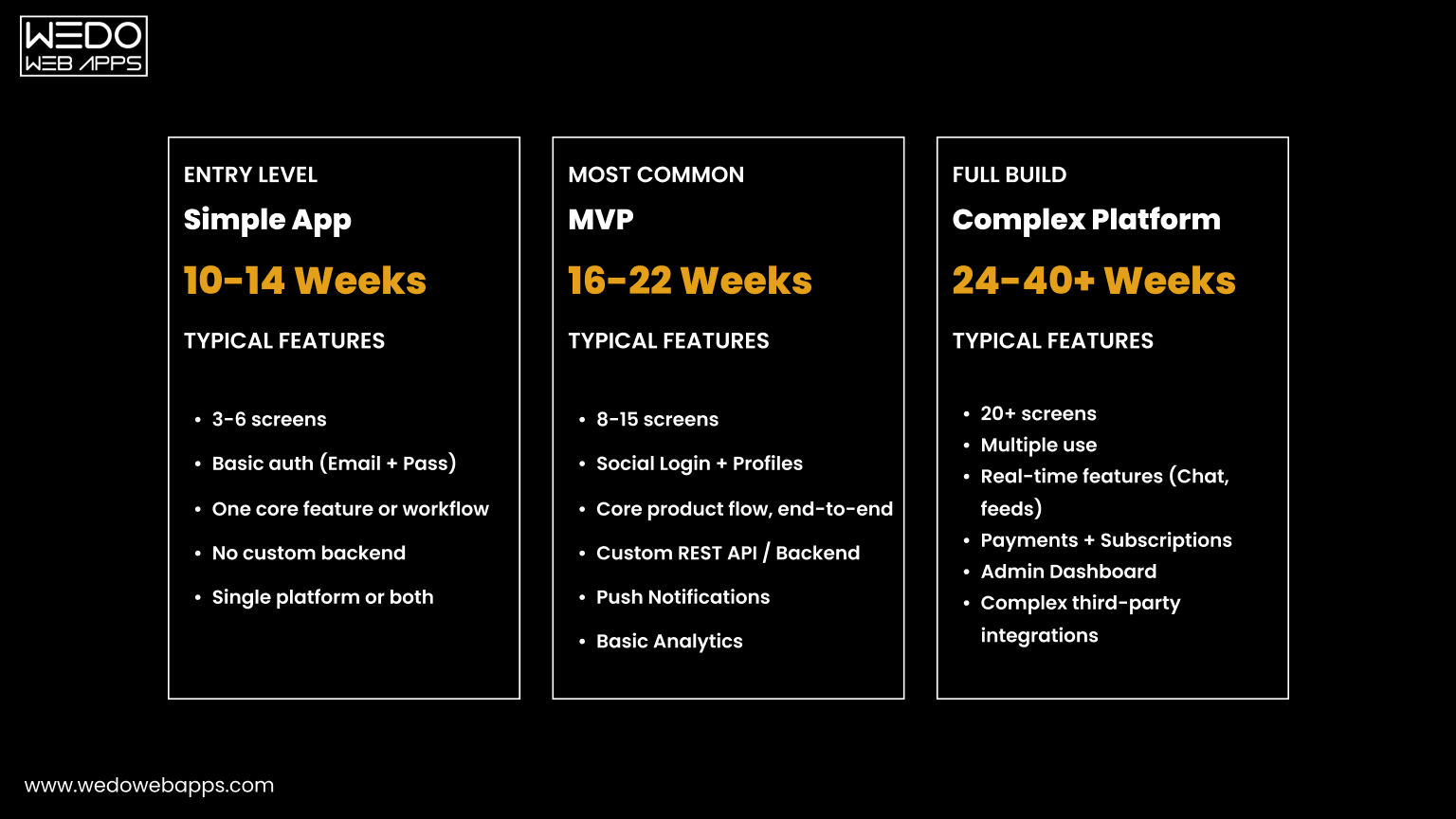
Why These Features Matter:

  • Buyer Protection: This gives the surety of maintaining clear protection from possible fraud or defective products.
  • Encryption Standards: Mostly for protecting any personal information of the customers and the payment information while meeting cybersecurity expectations.
  • Review Verification: Helps in knowing about the details of the product and its related customer reviews to improve the purchase decision.
  • Return Policy: Clear and flexible return policies maintain the trust among customers and encourage repeat purchases.

These indications of trust are not simply operational examinations. They are fundamental elements that are often addressed quickly in the platform’s eCommerce development cycle to assure both performance and user confidence.

You can also take your business to the next level by developing an eCommerce website that is fast, secure, and scalable. Magento, Shopify, WooCommerce website development, or any other technology, eCommerce website development company like WEDOWEBAPPS can help you achieve your eCommerce business goals faster.

Which Platforms Offer the Best Mobile Shopping Experience?

With the development of various options, it has now become essential to develop a website that is mobile-friendly. As the maximum number of shoppers prefer to purchase while using smartphones. Top eCommerce websites in the USA are prioritizing app performance, exclusive mobile features, and user experience.

Below is a comparison of how leading platforms perform based on mobile-specific functionalities:

Evaluated based on:

  • Mobile-Exclusive Deals
  • Ease of Use, AR Try-Ons, and Push Notifications
eCommerce Platform Mobile-Exclusive Features Ease of Use & Engagement
Amazon An app that highlights lightning deals and live order tracking Better interface with one-click checkout and quick navigation
Walmart Mobile savings, in-store barcode scanner, curbside pickup Personalized shopping experience along with streamlined flows
Target Targeted deals, drive-up pickup, and list sharing Better UI with responsive search and clear filter options
eBay Image-based search, saved searches, and deal alerts Dynamic layout and personalized recommendations for the user
Etsy Favorites tracking, AR previews for home decor items Offer seamless checkout and browsing across different categories
BestBuy Nearby pickup, loyalty tracking, and deal reminders Quick finding of products and real-time inventory status
Home Depot Project calculators, how-to guides, and visual product search DIY-focused content with simple mobile flows.
Wayfair 3D room planner, room preview via AR Visually rich interface, great for furniture browsing.
Costco Digital membership card, in-app facility tracking. Basic functionality, simple for repeated customers.
Apple Trade-in tracking, delivery updates, and in-store pickup options Sleek, minimalist app focused on a premium user experience

eCommerce Trends Driving Success in the USA

For maintaining the growth in your business, it is important to follow the trend that allows you to be in the range of top eCommerce companies in the USA. To know about the trend, here are some of the trends which are being followed by eCommerce company in the USA:

  • Omnichannel Shopping Experiences
  • AI-powered Personalisation
  • Buy Now, Pay Later (BNPL) choices.
  • Features include voice search
  • Augmented reality and visual commerce tools
  • Highlights include social commerce, influencer marketing
  • Mobile-first design and optimized user flow
  • Fast, flexible delivery and fulfilment techniques

These trends are defining how eCommerce companies in the USA attract, engage, and retain customers.

Choosing the Right eCommerce Platform for You

After reviewing the top eCommerce websites in the USA, it’s clear that each platform offers distinct advantages based on user needs, product categories, and service strengths. Here’s a quick recap to help you decide where to shop or even model your eCommerce development strategy:

  • Amazon’s exclusive collection and quick delivery make it great for overall convenience.
  • Walmart offers competitive prices and strong logistics for everyday necessities.
  • eBay is best suited for used goods, auctions, and uncommon finds.
  • Etsy is ideal when it comes to handmade, vintage, and customised products.
  • Target is for balanced diversity with a reputation for quality and dependability.
  • Best Buy is a renowned electronics retailer that provides in-store pickup and extended warranties.
  • Home Depot is a reliable supplier for home improvement and professional materials.
  • Wayfair specialises in furniture and home décor, with frequent bargains.
  • Costco offers bulk purchases, member advantages, and high brand confidence.
  • Apple is the preferred choice for high-end technology with seamless internet assistance.

Considering launching your eCommerce platform?

Explore our eCommerce development services or partner with an experienced eCommerce development company to create scalable, secure, and customer-friendly eCommerce experiences.

10 Best Framework for SPA, Their Features, Use Cases, & More

Introduction

Are you looking to create a lightning-fast, seamless web experience that feels more like a native app? Single Page Applications can help you in reshaping web experiences. Whether you are designing a sleek portfolio, an interactive dashboard, or a fluffy-functional enterprise app, SPAs are now an ideal option for delivering modern web experiences with dynamic content and zero page loads.

But there is no one-size-fits-all approach to choosing the best framework for SPA development. With so many powerful JavaScript frameworks and backend combinations in the industry, it can be difficult to know where to begin.

Through this blog, we will guide you with the most commonly used SPA frameworks, along with their advantages and practical use cases. Moreover, we will compare the frameworks to help you make an informed decision for your project.

What Makes a Good SPA Framework?

Before we talk about specific tools, let us first know the criteria that make a good SPA framework:

  • Speed and Performance: The SPA framework that you are considering must have fast DOM manipulation, fewer re-renders, and optimized routing. 
  • Ease of Use: The framework must have a developer-friendly syntax, a learning curve, and accessible community support. 
  • Component-Based Architecture: Check the SPA for reusability and modularity in design. 
  • Routing and State Management: The ideal SPA framework must allow for built-in or easy integration of advanced routing and centralized state. 
  • Community Support and Ecosystem: Look for rich documentation, third-party plugins, and active developer support 
  • SEO and SSR Support: SEO and SSR Support in SPA Framework is important for discoverability and performance. 
  • Scalability: The best SPA Framework must have the ability to support both small and complex applications. 

10 Best Framework for SPA  (With Use Cases)

1. ReactJS

ReactJS, which is developed by Meta, is a widely adopted JavaScript library for developing fast and interactive UIs in Single Page Applications. It follows a virtual DOM and a component-based architecture to provide the best optimal efficiency.

Key Features of ReactJS

  • Component-based structure with reusable logic
  • Virtual DOM for efficient updates
  • JSX syntax for HTML-like code in JavaScript 
  • Rich ecosystem with tools like Redux, NextJS
  • Strong developer community and documentation. 

Use Case: Ideal for dynamic, high-performing web apps like social platforms, dashboards, and ecommerce sites.

Benefits

  • Perfect for scalable, complex UIs. 
  • Flexible integrations with order libraries or backends
  • Great performance with large datasets
  • Mature tooling and debugging extensions
  • Excellent for building both web and mobile apps (through React Native)

Limitations

  • JSX can be confusing for beginners 
  • Requires more setup for routing, state management, etc.
  • Frequent updates may introduce breaking changes. 

2. VueJS

It is a progressive JavaScript framework that is easy to learn and quick to integrate. VueJS is widely known for its simplicity, reactivity system, and seamless adoption in both small and larger enterprise applications.

Key Features of VueJS

  • Two-way data binding
  • Virtual DOM for performance
  • Single-file components (.vue)
  • Vue CLI for fast setup
  • Vuex for state management

Use Case: Great for startups, mid-sized apps, and projects requiring fast setup and flexibility.

Benefits

  • Gentle learning curve for beginners 
  • Lightweight and fast framework 
  • Strong documentation and community support 
  • Versatile and can scale from small to enterprise-level projects 
  • Great tooling (Vue Router, Vue Devtools)

Limitations

  • VueJS has a smaller ecosystem as compared to React or Angular 
  • Less corporate support compared to React (Meta) or Angular (Google) 
  • Its performance might lag in larger apps without optimization. 

Similarly, an ASP.NET Core Vue SPA structure can provide the flexibility of Vue’s reactive data system with the robustness of .NET on the backend, ideal for modular frontends.”

3. Angular

Angular, developed by Google, is a full-fledged, TypeScript-based web application framework that offers a complete solution progressively for enterprise-grade applications with powerful tooling and built-in functionalities.

Key Features of Angular 

  •  TypeScript Support 
  • Built-in routing, HTTP services, and form handling
  • Dependency Injection 
  • Angular CLI for scaffolding and builds 
  • Ahead-of-Time (AOT) compilation for speed.

Use Case: Best for enterprise-scale applications requiring built-in features and strong typing.

Benefits 

  • All-in-one framework (external libraries are not required)
  • Scalable for large, complex enterprise applications 
  • Consistent structure and coding standards 
  • Supported by Google and widely used in large companies.

Limitations

  • Steep learning curve 
  • Heavy bundle size compared to other frameworks
  • Wordy syntax and configuration

4. Svelte

Svelte is a completely new approach to frontend frameworks. Instead of using a virtual DOM, this framework compiles your code to highly efficient JavaScript at build time, making it incredibly fast and lightweight.

Key Features of Svelte

  • Compile-time framework 
  • Simple, clean syntax 
  • Built-in reactivity 
  • Small bundle sizes 
  • Great developer experience with SvelteKit

Use Case: High-performance apps without a virtual DOM, ideal for smaller projects or performance-focused tools.

Benefits

  • Super-fast performance
  • Very small output size 
  • Minimal boilerplate 
  • Easy to learn for beginners 
  • No external state management needed 

Limitations

  • Smaller ecosystem and community 
  • Limited third-party integrations 
  • Still gaining traction in the enterprise market

5. EmberJS

EmberJS is an opinionated, convention-over-configuration framework built for ambitious web applications. It includes everything you need to build modern SPAs right out of the box.

Key Features

  • Ember CLI for project management
  • Built-in router, testing, and data layer (Ember Data)
  • Convention-based architecture
  • Two-way data binding
  • Robust templating system with Handlebars

Use Case: Data-rich, ambitious web applications.

Benefits

  • Rapid development with baked-in tools
  • Highly stable – backward compatibility is a priority
  • Strong community and long-term support
  • Ideal for large, structured apps

Limitations

  • Steep learning curve
  • Less flexible due to rigid conventions
  • Slower updates compared to newer frameworks

6. BackboneJS

BackboneJS is one of the earliest SPA frameworks, known for its lightweight and flexible structure. It gives developers the freedom to structure their application the way they want.

Key Features

  • Models, Views, Collections, and Routers
  • Event-driven communication
  • Minimalistic core
  • Works well with templating engines like Mustache or Underscore

Use Case: Lightweight apps or those that require flexibility without a rigid structure.

Benefits

  • Extremely lightweight
  • High flexibility in structuring apps
  • Great for smaller projects or when minimal overhead is needed

Limitations

  • Lacks structure and guidance
  • Requires manual integration of tools like routers or state management
  • Dated compared to modern alternatives 

7. Aurelia

Aurelia is a modern, modular SPA framework that embraces ES6+ and TypeScript. It focuses on clean architecture, strong conventions, and minimal boilerplate.

Key Features

  • Convention over configuration
  • Two-way data binding
  • Dependency injection
  • Modular and extensible architecture
  • Strong support for TypeScript

Use Case: Complex UI applications with clean architecture.

Benefits

  • Clean and readable code
  • High maintainability for large apps
  • Flexible integration with other tools
  • Encourages separation of concerns

Limitations

  • Smaller community and ecosystem
  • Less documentation compared to larger frameworks
  • Slower release cycle

8. MithrilJS

MithrilJS is a modern, lightweight framework for building single-page applications with minimal overhead. It is extremely fast and only around 10KB gzipped.

Key Features

  • Virtual DOM
  • Routing and XHR utilities are built-in
  • Tiny footprint
  • Fast rendering
  • Functional and class-based components

Use Case: Performance-critical SPAs with small footprints.

Benefits

  • Lightning-fast performance
  • Very lightweight and minimalistic
  • Simple API and learning curve
  • Good for high-performance or low-resource environments

Limitations

  • Sparse documentation and community
  • Not ideal for large-scale apps needing complex tooling
  • Limited third-party plugins

9. Polymer

Polymer, developed by Google, promotes the use of Web Components to build encapsulated and reusable elements for web applications.

Key Features

  • Native Web Components support
  • Shadow DOM and custom elements
  • LitElement for simplified development
  • Works with existing libraries and frameworks

Use Case: Web components-based development.

Benefits

  • Component reusability across projects
  • Standards-based development
  • High compatibility with modern browsers
  • Encourages encapsulation and modularity

Limitations

  • Complex build and tooling setup
  • Slower adoption and limited community support
  • Dependent on browser support for full functionality

10. AlpineJS

AlpineJS is a lightweight JavaScript framework tailored for enhancing HTML with reactive behavior. It’s often compared to Tailwind for JavaScript due to its minimal footprint and declarative syntax.

Key Features

  • Declarative syntax for reactivity
  • Works directly in HTML
  • No build step needed
  • Small size (~10KB)
  • Component-like behavior without complexity

Use Case: JavaScript-enhanced static sites or small interactive components.

Benefits

  • Super simple SPA framework to integrate
  • Perfect for small interactive components or static sites
  • No bundlers or transpilers required
  • Enhances existing HTML quickly

Limitations

  • Not suitable for complex SPAs
  • Lacks advanced tooling and structure
  • Limited community resources

Backend-Powered SPA Frameworks

ASP.NET Core MVC SPA

ASP.NET Core MVC is a cross-platform, high-performance backend framework from Microsoft. When combined with SPA frameworks like Angular or React (via templates or API integration), it allows developers to build full-stack single-page applications that leverage .NET’s robust server-side features and frontend responsiveness.

Key Features

  • Built-in SPA templates (Angular/React) with .NET Core
  • Razor Pages + Web APIs for data handling
  • Dependency Injection and Middleware support
  • Entity Framework Core for ORM
  • Integrated security features (Identity, JWT)
  • Server-side rendering and SEO support

Use Cases

  • Enterprise-grade web apps requiring secure backend logic
  • SPAs with complex server-side requirements (auth, reporting)
  • .NET-based companies looking to integrate modern UIs
  • Financial, healthcare, and government dashboards

Benefits

  • Seamless .NET integration with frontend SPA frameworks
  • Scalable and secure backend architecture
  • Rich tooling with Visual Studio
  • Cross-platform development with .NET Core
  • Supports both server-side rendering and full SPA routing

Limitations

  • Steeper learning curve for beginners unfamiliar with .NET
  • Requires more setup for hybrid SPA + MVC projects
  • Can be overkill for small or static apps
  • Limited flexibility if sticking strictly to the .NET stack

For developers building scalable enterprise applications, an ASP.NET Core SPA React setup is a powerful combination. ASP.NET Core handles the backend efficiently, while React takes care of the dynamic UI, enabling a decoupled architecture that’s easier to scale and maintain.

2. Django + React SPA

Django is a high-level Python web framework known for its “batteries-included” approach. When paired with React for frontend development, Django handles backend logic, APIs, and admin interfaces, while React delivers a dynamic SPA frontend experience.

Key Features

  • Django REST Framework (DRF) for creating APIs
  • React for component-based SPA frontend
  • Built-in authentication, admin panel, ORM, and forms in Django
  • CSRF and session handling integrations
  • JWT/OAuth support for token-based auth

Use Cases

  • Educational platforms, dashboards, and marketplaces
  • Projects with a strong need for admin control and data models
  • Developers proficient in Python looking to adopt modern JS UIs
  • MVPs requiring rapid backend prototyping with a scalable frontend

Benefits

  • Full-stack Python + JavaScript flexibility
  • Django admin for quick database management
  • Clean separation of frontend and backend
  • React enables interactive UI and client-side routing
  • Scalable and modular architecture

Limitations

  • Setup complexity: two separate applications (Django & React)
  • Requires proper CORS configuration and token auth setup
  • Slight overhead in maintaining frontend-backend sync
  • Not ideal for teams unfamiliar with Python or JS ecosystems

3. CodeIgniter SPA (PHP)

CodeIgniter is a lightweight PHP SPA framework designed for speed and simplicity. When integrated with SPA frameworks like Vue or React, it serves as a backend REST API provider while the frontend handles dynamic UI rendering.

Key Features

  • MVC architecture with fast routing
  • Lightweight and easy to configure
  • RESTful API support via libraries (e.g., CodeIgniter REST Server)
  • Built-in CSRF protection and session management
  • Small footprint with minimal dependencies

Use Cases

  • Lightweight applications needing quick backend setup
  • Legacy PHP projects migrating to modern SPA UIs
  • SMEs with basic admin panels, dashboards, or CRMs
  • Projects with low to moderate API complexity

Benefits

  • Very easy to learn and deploy
  • Quick development cycle with minimal boilerplate
  • Efficient performance for small-to-medium apps
  • Works well with frontend frameworks like Vue, Angular, React
  • Minimal server requirements

Limitations

  • Limited scalability for large, enterprise-grade apps
  • Less modern than Laravel in the PHP ecosystem
  • Requires third-party tools for full REST API capabilities
  • Smaller community and ecosystem for SPA integrations

React, Vue, Angular – Do You Even Need a Framework?

Each framework has its niche. Angular brings in strict structure and enterprise support, Vue offers a gentler learning curve, and React provides ultimate flexibility and a vast community.

React’s component-based architecture, vibrant ecosystem, and deep integration with TypeScript make it a strong contender for complex SPAs.

For developers building scalable enterprise applications, an ASP.NET Core SPA React setup is a powerful combination. ASP.NET Core handles the backend efficiently, while React takes care of the dynamic UI, enabling a decoupled architecture that’s easier to scale and maintain.

But here’s the twist: not all projects require the firepower of a modern framework.

No Framework? No Problem (Sometimes)

Sometimes, especially in smaller projects, frameworks introduce unnecessary complexity. If your SPA only has a few interactive elements, you might not need a framework at all.

In such cases, building a JavaScript SPA without a framework gives you full control over your codebase. It keeps the bundle size small, improves performance, and reduces third-party dependencies, making it ideal for landing pages, micro-apps, or embedded widgets.

And while it may seem old-school, a jQuery SPA framework can still be viable in specific scenarios, like when you’re working on legacy codebases or need to spin up simple internal tools quickly. Though not recommended for new production-grade apps, jQuery still provides a minimal learning curve and reliable DOM manipulation.

JavaScript SPA Without Framework

JavaScript SPA Frameworks are known for their ability to support full-stack development with a single language.

What are the Common Combinations?

  • VanillaJS:  JavaScript combined with VanillaJS is ideal for small-scale projects where a full framework is overkill.
  • Routing Libraries: JavaScript combined with routing libraries like Navigo or PageJS is an ideal option for simple single page apps. 
  • REST APIs: JavaScript + REST APIs is a working combination for JAMstack-style apps. 

Easiest SPA Frameworks to Learn for Beginners 

  • VueJS: This SPA framework is the easiest because of its intuitive syntax and clear, handy documentation. 
  • Svelte: Svelte is known for its minimum boilerplate and fast learning curve.
  • AlpineJS: This framework is very easy for those who are comfortable with HTML.
  • ReactJS: This framework has a slightly steeper learning curve but is supported by several learning sources. 
  • BackboneJS: BackboneJS has a lighter syntax compared to others, but requires manual implementation of many features. 

Compare the Best Frameworks for SPA

Framework Language  Size  Learning Curve  Best For Notable Features
React  JavaScript Medium  Moderate  Scalable UIs, Ecosystem Virtual DOM, JSX
Vue  JavaScript Light  Easy  Quick Prototyping, Flexibility. Reactive Bindings, CLI 
Angular  JavaScript Heavy  Steep Enterprise Apps  Full-stack framework
Svelte  JavaScript Light  Easy  High-Performance Apps Compile-time Optimization 
Ember  JavaScript Heavy Steep  Convention-driven projects Ember CLI, Router, Templates 
Backbone JavaScript Light  Easy  Minimal projects  Event-driven Architecture 
Aurelia  JavaScript Medium  Moderate  Clean,  modular design TypeScript Support, Binding Engine
Mithril  JavaScript Very Light Easy  Tiny SPAs Fast Rendering, Routing 
Polymer  JavaScript Medium  Moderate  Web Components  Shadow DOM, Custom Elements 
AlipneJS JavaScript Tiny  Very Easy  Small UI Enhancements  HTML-Centric, Lightweight

How to choose the Right SPA Framework for your project

Consider the following factors while you choose an SPA Framework for your project:

  • Project Size and Complexity: If you are a large-scale business looking for a single page application, use Angular or React, whereas use Svelte or Vue for small to medium-sized businesses. 
  • Team Expertise: Use the framework that your team has expertise in. 
  • Performance Needs: Consider using Svelte or Mithril for performance-critical applications. 
  • SEO Considerations: Use frameworks that have SSR or static site generation (like NextJS).
  • Community and Ecosystem: React and Vue win here when it comes to community support and ecosystem. 
  • Time to Market: AlpineJS or Vue offers fast prototyping.

Conclusion

With dozens of options available, choosing the right SPA framework depends on your business goals, technical requirements, and available resources. This guide covers the most popular, backend-integrated, beginner-friendly, and lightweight SPA frameworks for 2025. Each framework has unique strengths, and the key lies in aligning your choice with your project’s demands.

Whether you’re building with ASP.NET Core, exploring Django + React, or considering AlpineJS for minimal setups, the right choice will enhance both developer productivity and user experience. If you are still confused about which SPA Framework to choose, or you are looking for someone to help you with single page application development, consider partnering with a web application development company like WEDOWEBAPPS.

Global Presence

wedowebapps-usa-hq-new-jersey-map
usa-location-icon USA
address-icon-img HQ : 21 Charles St, Clifton,
New Jersey, 07013.
wedowebapps-usa-hq-new-jersey-map
usa-location-icon USA
address-icon-img BO : 450 Paradise Isle Blvd Suite 306 Hallandale Beach, Florida 33009.
wedowebapps-uk-london-office-map
address-icon-img 2 Garrick Rd, London
NW96AA, UK.
wedowebapps-australia-melbourne-office-map
address-icon-img 70 Everton Road , Truganina
Victoria 3029
wedowebapps-canada-ontario-office-map
address-icon-img 14 Alfredo Ave, Brampton,
Ontario Canada L6P 1K1
wedowebapps-india-ahmedabad-office-map
India-location-icon INDIA
address-icon-img A 706/707 Empire Business Hub, Science City Road, Ahmedabad – 380060
Call Mail Whatsapp