skip to content

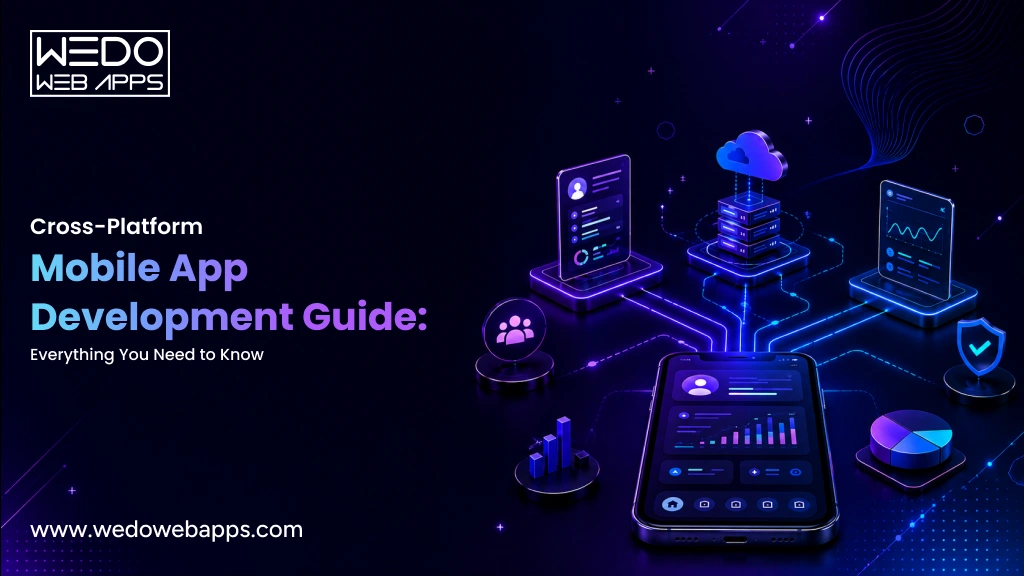
Comprehensive Guide to Cross-Platform Mobile App Development

Introduction

Almost every firm in the business world requires a mobile app. To remain competitive, businesses must have a mobile application for their customers and staff – an application that can run seamlessly on both iOS and Android platforms. The company decides whether it requires a separate codebase for each operating system or to employ a cross-platform mobile app development solution.

Apart from aligning the primary features and adhering to the client’s expectations, the most common problem that the development business faces while establishing an app is cross-platform app development. App developers clearly know that it is easier said than done.

As of 2025, Android holds approximately 71.67% of the global mobile operating system market, while iOS has a 27.73% share.

In this post, we have outlined the benefits of cross-platform app development, popular cross-platform frameworks, and real-time case studies. As it is the era of cross-platform apps, companies like WEDOWEBAPPS, a mobile app development company in the USA, are driving innovation by developing mobile apps that function seamlessly across all platforms.

What is Cross-Platform App Development?

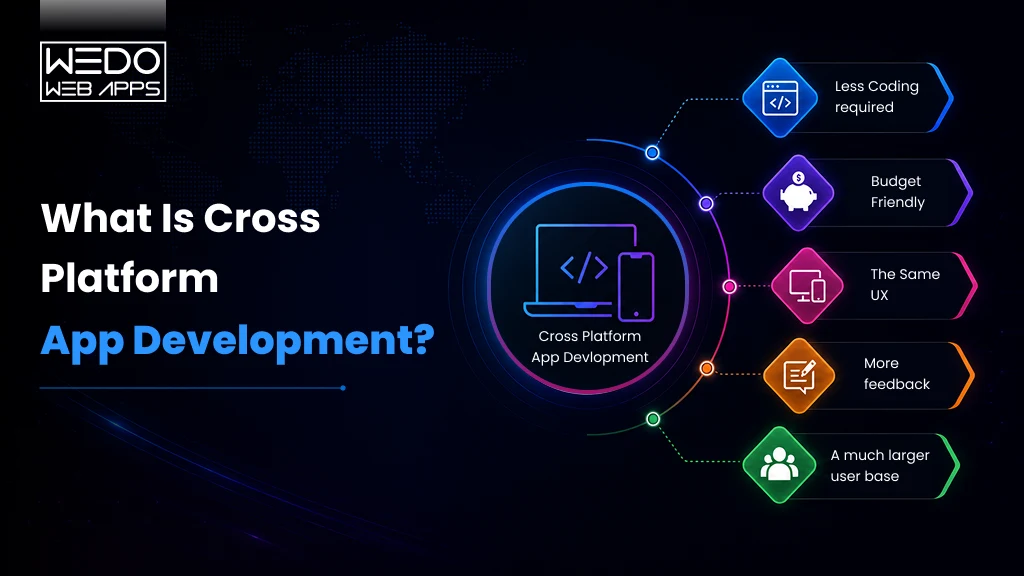
The idea of cross-platform allows businesses to reach as many customers as possible by developing software that runs smoothly across multiple operating systems. This development approach allows a wide range of users to use apps that are compatible with all digital environments. Developing apps for multiple platforms allows developers to launch products faster by writing code just once. This approach reduces costs while ensuring the app maintains high performance and quality across different operating systems.

Developers leveraging multiplatform mobile app development strategies can achieve wider reach and faster deployment. By using frameworks like Flutter or React Native, businesses can ensure that their applications perform efficiently across various operating systems, such as Android and iOS, without needing separate codebases.

Why is Cross-Platform Mobile App Development Important?

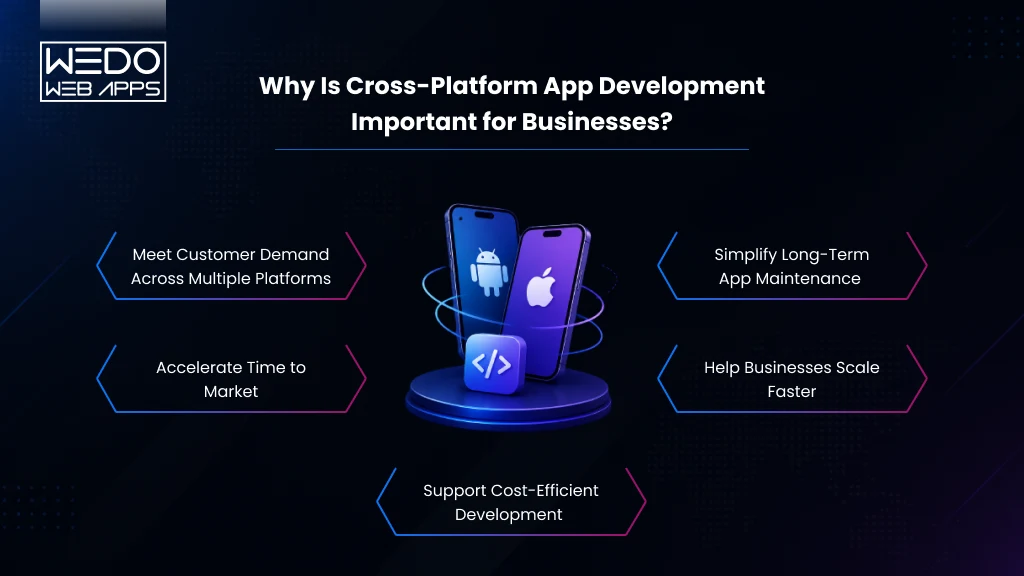
With a high number of platforms emerging at the same time, going with fully native Android or iOS is a bit risky. Additionally, programming an app individually for each platform is time-consuming and costly, regardless of the fact that they appear and function almost similarly. The solution to this problem is to use a cross-platform development strategy that allows you to develop an app with smooth functioning on all the operating systems at the same time and the money required to develop an app for one platform using a third-party software development kit.

The debate of native app vs cross platform often arises when businesses decide on their mobile app strategy. While native apps are known for optimized performance and deep integration with the device’s hardware, cross-platform solutions offer faster development and cost efficiency, making them ideal for businesses targeting diverse audiences.

Important Facts Below:

  • The reusability of code and databases results in saved money and time.
  • Having numerous apps with different backends increases the upgrade and maintenance costs.
  • Good user experience is an important factor for an application’s success. Cross-platform app development allows for a consistent user experience across all devices and OS, resulting in higher engagement.
  • Cross-platform app development can take a single mobile app idea and deploy it to various platforms (Android, iOS, etc.) without the need to start it from scratch for each platform. It also lets you make changes to every platform at the same time.

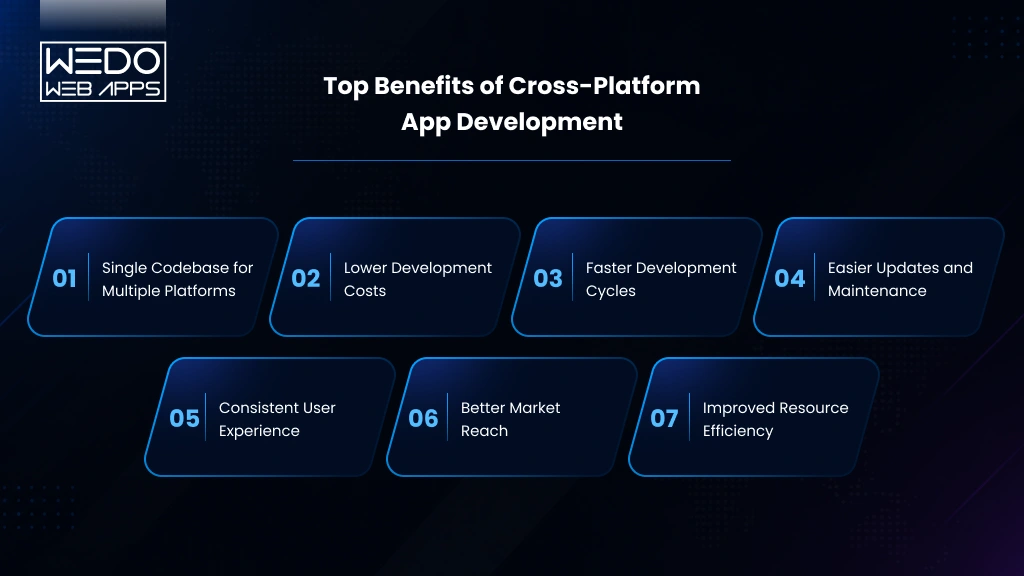
Benefits of Cross-Platform Development

Here’s a deeper look into the key benefits of cross-platform development:

1. Cost-Efficiency

Using cross-platform frameworks, developers can program a single codebase for multiple platforms, thereby minimizing the development costs compared to developing separate apps for iOS and Android. The lower resource needs of this approach make it attractive, especially for startups and small businesses with limited budgets.

2. Quick Development

Since this approach works on the “write once deploy anywhere” technique, the development cycle is comparatively shorter. This allows faster time-to-market, hence, giving businesses a competitive edge. Cross-platform tools like Flutter and React Native offer hot-reload features, boosting the application testing process.

3. Wider Audience Reach

By developing mobile apps for multiple platforms (like iOS, Android, and the web) simultaneously, companies can reach a wider audience without developing separate versions. This approach ensures market penetrations in regions with varied user bases, i.e., between Android and iOS, maximizing user engagement.

4. Easier Maintenance and Updates

Cross-platform apps are way easier to maintain because the updates only need to be made in a single codebase and those are reflected across all platforms. This reduces the workload for development teams and ensures that the features and performance remain consistent on all platforms.

Overall, cross-platform development allows businesses to balance cost, speed, and reach without compromising on the quality of the app, thereby making cross-platform development an essential and go-to strategy in today’s competitive mobile app industry.

Popular Cross-Platform Frameworks

1. React Native 

React Native, one of the best mobile app development tools developed by Facebook, allows mobile app developers to develop mobile apps that look and feel like native apps by combining JavaScript and React. Large community, continuously updated documentation and cross-platform component reusability are some of the benefits of React Native development. To provide the users with access to native device capabilities and APIs, React Native also allows the integration of native modules.

React Native Hermes, a lightweight JavaScript engine, significantly enhances the performance of applications. Hermes optimizes app startup time and memory usage, providing a smoother user experience, especially on devices with limited resources.

Examples of Successful Apps developed with React Native

  • Facebook- This social media giant relies heavily on React Native for some parts of its mobile app.
  • Instagram- The explore page feature is developed using React Native in the Instagram app.
  • Walmart- This giant application improved app performance and minimized development time using this framework.

2. Flutter

Flutter is another preferred option for cross-platform app development developed by Google. It has a wide range of pre-built widgets and Dart Programming Language for creating user interfaces. One of the most useful benefits of Flutter Development is its fast rendering feature that allows for fluid animations and transitions. Additionally, it offers the hot reload feature which lets the developers view changes immediately without restarting the application.

Examples of Successful Apps developed with Flutter

  • Google Ads- This application is developed by Google and offers seamless control over ad campaigns.
  • Alibaba- This eCommerce giant uses Flutter for some parts of its user experience.
  • Reflectly- A journalism-based application developed purely on Flutter.

3. Telerik

Telerik, though, not in use anymore, was a great framework for mobile app development. It offered robust UI components and tools for building cross-platform apps. The frameworks supported by Telerik were Angular and NativeScript, making it a popular choice amongst developers. Telerik was known for its powerful backend mobile app development services which streamlined the development process.

Examples of Successful Apps Developed with Telerik

  • Scripps Networks- Utilized Telerik tools to build smooth and functional mobile interfaces.
  • KFC- The well-known fast food chain developed part of its food ordering app using the components of Telerik.

4. PhoneGap

PhoneGap, developed by Adobe and based on Apache Cordova, allows developers to build hybrid applications using HTML, CSS, and JavaScript. It provides access to the APIs of native devices and works well for apps requiring minimal native interactions.

Examples of Successful Apps Developed with PhoneGap

  • Wikipedia- The world’s largest encyclopedia app uses PhoneGap for parts of its interface.
  • TripCase- A travel management app developed using PhoneGap offering a seamless user experience.

5. Ionic

Ionic is a popular open-source framework that enables developers to build cross-platform mobile apps using technologies like HTML, CSS, and JavaScript. With integration support of Angular, React, and Vue; it offers flexibility and a rich library of UI components. Ionic’s capacitor plugin gives access to the device’s native features, ensuring near-native performance. Its strong community and cost-effective development make it an ideal choice for hybrid mobile app projects.

Examples of Successful Apps Developed with Ionic

  • Untappd- A well-known social app for beer lovers, untappd has leveraged Ionic development to cater to both Android and iOS users.
  • Sworkit- A fitness app delivering personalized workout plans is developed using the Ionic framework to ensure cross-platform consistency.
  • JustWatch- A streaming search engine app developed in Ionic to ensure a seamless experience across devices.

Cross-Platform Case Studies and Success Stories

1. Instagram with React Native Powerhouse

Instagram’s shift to React Native is truly remarkable. Initially, it was just a photo posting app but it has with time modified into an interactive app with millions of users engaging daily. By migrating to React Native, Instagram has seen the heights of popularity. It has achieved a smooth user experience with interactive features like Stories, Reels, and IGTV. Additionally, these features now work seamlessly across both Android and iOS platforms with minimal codebase divergence.

2. Xianyu by Alibaba with Flutter Framework

Xianyu, also known as Idle Fish, is Alibaba Group’s secondhand marketplace that blends e-commerce with sustainability, allowing users to buy, sell, and exchange pre-owned goods. Built on Alibaba Cloud’s serverless architecture, the platform achieves exceptional speed and stability while minimizing maintenance efforts. Xianyu also leverages Flutter to ensure a seamless and consistent experience across Android and iOS, setting a high standard for hybrid app development in large-scale applications.

iDreamers: Achieving Cross-Platform Success with WEDOWEBAPPS

iDreamers, a platform for creatives to connect and showcase their talents, partnered with WeDoWebApps to build a high-performance mobile app across Android and iOS. To optimize costs and accelerate development, the project leveraged Flutter, a cross-platform framework that enables a native-like experience using a single codebase.

By adopting this cross-platform approach, WEDOWEBAPPS delivered the app 40% more cost-efficiently compared to native development. The unified design ensured a seamless user experience across platforms, while simultaneous deployment allowed iDreamers to quickly reach a wider audience. The scalable architecture also makes it easier to roll out updates and new features.

The collaboration with WEDOWEBAPPS highlights the benefits of cross-platform development, helping iDreamers launch efficiently, enhance user engagement, and position themselves for sustainable growth in a competitive market.

contact for Cross-Platform Success

Conclusion

Cross-platform development offers a practical, efficient way to meet the growing demands of the mobile app industry. From cost savings to faster time-to-market and easier maintenance, businesses can no longer ignore the advantages of using these frameworks. React Native, Flutter, Ionic, and PhoneGap are a few best cross-platform mobile app development tools that have empowered companies to build successful apps quickly and effectively.

Ready to build your next cross-platform app?

Cross-Platform mobile app development companies like WEDOWEBAPPS specialize in tailor-made cross-platform mobile solutions that cater to your business needs. With expertise in frameworks like Flutter and React Native, we ensure high performance, seamless user experiences, and faster time-to-market for all your mobile apps.

Hire mobile app developers and unlock new possibilities with WeDoWebApps’ cross-platform development solutions!

Ultimate Guide To Develop A Desktop Application Step By Step

Desktop applications have been there since the 1990s and have assisted many with their different needs. It is installed in computers as desktop software or applications for different needs or purposes and differs greatly from mobile or web applications. Today, mobile and web applications are more popular due to the growth in smartphone usage. Desktop applications still offer unique benefits, making them the preferred option for several needs and requirements.  This post provides a complete guide on developing a robust desktop app from beginning to end. We discuss important aspects, such as how desktop applications differ from mobile applications, and outline the growing demand that drives the respective market and the step-by-step development process.  Let’s dive in.

Desktop Application: An Overview

Desktop applications are computer programs run on desktops and laptops. These apps are designed for operating systems such as Windows, macOS, and Linux. The global remote desktop software industry crossed $2.83 billion in the year 2024.  They provide a standalone graphical user interface (GUI) and access device features like files, printers, cameras directly. Examples include MS Word, Excel, Visual Studio, Adobe Photoshop, Xcode, etc. Desktop apps offer various advantages over other digital solutions.

Why Is There a Growing Demand For Desktop Apps?

There has been a rising demand for desktop applications from businesses recently due to their various advantages over web and mobile applications. Desktop apps allow businesses to automate routine tasks and workflows, enhancing productivity and efficiency.  They also offer powerful controls and features tailored to an organization’s specific needs. Desktop software can be customized to integrate seamlessly with other legacy systems and lines of business applications enterprises use.  Businesses leverage the latest technologies through desktop apps to remain competitive in their industries. Furthermore, desktop apps provide businesses with added cybersecurity and data protection layers.  They offer faster performance when handling large and complex data sets than web and cloud-based solutions. With desktop apps, businesses also regain control over their critical IT infrastructure and save costs on additional hardware requirements for mobile and web apps. Key reasons for the growing importance of desktop apps in businesses include:

  • Reduced risks of data breaches and vulnerabilities
  • Customizable interactive features as per business needs
  • Tighter integration with other internal enterprise systems
  • Lower operating costs through automation of routine workflows
  • Improved productivity with faster computation of large datasets
  • Enhanced data security and protection from external threats

Contact to desktop application development

Desktop Application V/S Mobile Application V/s Web Application: What’s the Difference?

If you think mobile applications and desktop applications are more or less similar, than you cannot be more wrong. To make things easy and understandable, we have provided the differences between the two in the table below. Check it out:

Desktop Application

Mobile Application

Web Application

Platform

Runs on desktop computers (Windows, macOS, etc.)

Runs on mobile devices (iOS, Android, etc.)

Accessed through web browsers

Installation

Installed locally on the user’s computer

Installed from app stores

No installation required

Internet Access

Can operate offline

Requires internet connection

Requires internet connection

User Interface

Optimized for desktop screens and input devices

Optimized for mobile screens and touch input

Optimized for various screen sizes

Access

Accessed by launching the application

Accessed by tapping the app icon

Accessed through URLs

Performance

Utilizes system resources effectively

May have resource limitations on mobile devices

Depends on internet speed and server performance

Native Features

Can access and utilize native device features

Can access and utilize native device features

Limited access to native device features

Development

Developed using desktop-specific technologies and frameworks

Developed using mobile-specific technologies and frameworks

Developed using web technologies and frameworks

Reasons To Choose Desktop Application

There are many advantages to choosing desktop applications over other types of software. Here are the top reasons to consider desktop applications for your needs:

  • Network Independence

Desktop apps can operate without an internet connection, allowing continuous offline access to functionality and data. This is useful when internet connectivity may be unreliable or limited.

  • Safety & Confidentiality

These applications run locally on the user’s computer, keeping sensitive data secure. They don’t support transmitting data over the Internet, making them ideal for handling confidential information and important work.

  • Easy To Access & Control

Users can customize desktop apps according to their specific needs, providing a personalized experience. They also have full control over app settings and preferences.

  • Amazing Compatibility

Desktop apps are designed for compatibility with underlying operating systems and hardware. They can leverage the system’s full capabilities and integrate seamlessly with other software.

  • Less Stringent Hardware Requirements

Desktop apps are developed to run efficiently even on older computers, expanding their reach to a broader audience base. Users do not need the latest hardware to access full functionality.

  • Access to Local Resources

Desktop apps can access local files, devices, and system features – allowing greater functionality like file manipulation, hardware integration, and platform-specific capabilities.

  • Offline Capability

Unlike web and mobile apps, desktop software ensures uninterrupted work even without internet connectivity, protecting productivity in areas with unreliable network access.

  • Increased Performance & Responsiveness:

By fully utilizing local system resources, desktop apps deliver faster processing, smooth interactions, and an optimized user experience. This helps in improving the performance and responsiveness of the desktop application.

Steps To Make A Desktop Application

Here are the key steps to develop a fully functional desktop application:

Step 1: Define the Application Requirement

This step involves understanding the purpose, features, and target audience and gathering stakeholder input. The requirements are then documented for reference during the development stages.

Step 2: Design The Application

At this stage, the application’s visual interface, navigation flows, interactions, and architecture are planned and prototyped using design tools. Desktop application development tools that are used for designing:

  1. Moqups: When it comes to Moqups it is a simple and powerful wireframing and prototyping tool. It is known for developing clickable prototypes and that too without writing any code.
  2. Mockplus: Mockplus is a versatile prototyping tool that supports collaboration and user testing. It provides various widgets and templates to design interfaces.
  3. Adobe XD: Adobe XD is a leading design tool that helps bring designs to life with intuitive features for styling interactions and animations.
  4. Mockingbird: Mockingbird is a full-fledged prototyping software for designing interfaces across platforms quickly with ready components.

Tips that one should consider for design.

Tip 1:  Focus on ease of use and function over aesthetic design initially. Ensure all requirements are addressed to help the users have their objectives fulfilled without any hassle.

Tip 2: Consider user behavior and make interfaces intuitive with proper labeling, grouping, and navigation. It helps them use the application without any hassle and get their needs sorted.

Tip 3: Design is responsive and adapts well across desktop, mobile or other form factors. This can help you gain the attention of bigger audience group. 

This covers the key aspects of designing desktop applications. In the next sections, the steps from programming to deployment are covered.

Step 3: Choosing a Programming Language

Check out the most popular programming languages taken into consideration for developing desktop applications:

  1. C/C++: C/C++ is a low-level language that provides full access and control over hardware. It is suited for resource-intensive or complex applications.
  2. C#: C# is used along with the .NET framework, making it ideal for Windows desktop development. It simplifies common tasks with robust libraries.
  3. Java: Java is highly portable and supports cross-platform development. It ensures applications run seamlessly across systems.
  4. Python: Python is a versatile scripting language known for simplicity. It has huge libraries support and facilitates rapid development.
  5. C++: JavaScript combined with Electron framework allows creating desktop apps using web technologies like HTML, CSS for cross-platform distribution.

Each language has strengths based on requirements like performance needs, platform support, etc. Proper evaluation helps choose the right programming language.  Some key factors to consider are:

  1. OS support: Choose a language supported by target OS platforms like Windows, Mac, Linux to ensure compatibility.
  2. Capabilities: Consider if the application involves resource-intensive tasks, GUI, performance-critical code, etc which aid language selection.
  3. Learning curve: Examine the learning effort and community support required for each option to be picked up by the team. Popular choices for desktops include C++, C#, Java, and Python due to their wide skill availability and extensive documentation.

Step 4: Select A Development Platform/ Framework

Frameworks provide pre-built components to accelerate development. Options include Electron for cross-platform JavaScript apps, Qt for C++ GUIs, GTK for Linux, and JavaFX for portable Java interfaces.  Evaluate framework features, documentation, community size, and alignment with requirements and programming language to select the most suitable choice. For those looking to expand their development skills from desktop applications to mobile platforms, our react native development services can provide the expertise needed to create seamless and efficient mobile applications.

Step 5: Install an IDE

An Integrated Development Environment bundles essential tools in one place, boosting productivity. For desktop development in C#, Python, Java, etc., install stable and feature-rich IDEs like Visual Studio, PyCharm, and IntelliJ, respectively.  These IDEs offer code completion, debugging, version control, and build system integration. The IDE streamlines coding, testing, and deployment activities.

Step 6: Create the Application

With prerequisites fulfilled, initiate the coding phase. Progress iteratively – define user interface scaffold using relevant graphical libraries, build application logic through functions and classes, and integrate data model layer for storage and retrieval.  Modularize code into well-designed, portable, and testable units. Routinely commit and back up code. Leverage available framework utilities to maximize efficiency.

Step 7: Testing and Debugging

Thorough testing ensures quality and defect-free software. Create test cases to validate features under varied inputs and edge conditions. Common techniques include:

  1. Unit testing with frameworks like JUnit – Isolate and automate verification of individual application components.
  2. Debugging tools and techniques – Simulate runtime errors, evaluate variable states and trace execution flow using IDE debugger and logging to squash bugs efficiently.

Step 8: Packaging and Distribution

Package the application and prerequisites as a standalone installable software bundle for each target platform. This includes:

  1. Platform-specific installation files – .msi for Windows, .dmg for macOS etc, ensuring compatibility.
  2. Distribution through app stores or websites – Digital avenues like Microsoft Store, own website introduce the application to a wider audience base leveraging their installation and update services.

Step 9: Maintaining and Updating Apps

This ongoing process strengthens program quality and user satisfaction:

  1. Version control and release management – Tools like Git facilitates code revisions, feature additions, and rollback through tagged releases.
  2. Engaging users with update notifications: Communicate new improvements and patches transparently through in-app notes or emails while respecting their choice. Bug squashing through continued testing is crucial.

A methodical, step-by-step approach that considers technical and non-technical factors translates abstract ideas into robust, full-fledged desktop applications loved by users. Regular maintenance keeps software relevant and secure over time.

Popular Frameworks To Develop Desktop Applications

Frameworks accelerate development by providing reusable components and tools. Here are some major options for desktop application development:

  • Electron

  1. Open source framework for building cross-platform desktop applications using Javascript, HTML, and CSS.
  2. Build desktop UIs using web technologies and distribute apps through package managers
  3. Apps like VS Code Slack are built with Electron.
  • WPF

  1. Microsoft framework for building desktop clients on Windows.
  2. Develop using XAML for declarative UI creation and C# for logic.
  3. Provides advanced 2D/3D graphics, media integration, and animations.
  4. Large community support with tools in Visual Studio.
  • WinForms:

  1. Microsoft’s oldest framework to create Windows applications in .NET.
  2. Drag-and-drop interface building with robust controls.
  3. Simple to learn but lacks the flexibility of WPF’s graphic rendering.
  4. Used for traditional Windows applications.
  • Cocoa:

  1. Apple’s native framework for OS X and iOS application development in Objective-C or Swift.
  2. Access platform APIs and build rich GUIs for macOS.
  3. Apple’s recommended way of building Mac software.
  4. Strong development tools in Xcode IDE.
  • Universal Windows Platform (UWP):

  1. Microsoft’s platform for creating Windows 10 desktop apps and beyond.
  2. Build once deployed everywhere across Windows, Xbox, and HoloLens.
  3. Rich features like live tiles, notifications, and in-app purchases.
  4. Supports JavaScript, C#, Visual Basic, and C++.

Cost of Creating  Desktop Applications

Developing professional desktop applications requires substantial investment but offers long-term benefits:

  • Depending on complexity, planning and design costs vary from $5,000 to $30,000.
  • For a minimum viable app, budget $25,000-$50,000 for a 3-6 month development timeline.
  • Adding features, testing, and debugging may increase costs to $50,000-$100,000 on average.
  • Maintaining and upgrading apps over the years costs 10-15% of the original budget annually.
  • Hiring experienced, dedicated developers costs $50-100 per hour for contracting or $80,000-150,000 annually.
  • Overall, development is more expensive than web/mobile, but desktop software has longer life cycles.

Future of Desktop Applications

While cloud-based and mobile applications have seen tremendous growth in recent years, desktop applications will continue to play an important role in the future. According to a survey conducted by SplashData in 2022, over 80% of knowledge workers worldwide still rely on desktop applications daily for their productivity needs. Some key trends that will shape the future of desktop applications include:

  • Enhanced Security:

With work becoming more distributed and businesses storing sensitive data locally, security will be a major priority for desktop applications going forward. Technologies like application containers and sandboxing will become more widely adopted to isolate potentially vulnerable third-party software and prevent data breaches. The container market alone is expected to grow at a CAGR of over 25% through 2028 as these technologies provide stronger defense against emerging cyber threats. Leading application developers will focus on building security features like code signing, application shielding and runtime application self-protection natively into their products. 

  • Specific Use Cases:

While many routine tasks will shift online, desktop applications are uniquely suited to handle data-heavy workflows that require access to local computing resources.  Creative professionals working with multimedia files, 3D modeling, video/image editing and scientists involved in data analysis will continue relying on desktop software that can harness the full processing power of high-end workstations.  About 45% of the creative/design workforce is forecast to exclusively use desktop applications through 2030 for projects involving very large or complex data sets that would be inefficient to handle in the cloud.  Another area is enterprise/industry use cases like CAD/CAM, lab automation, medical imaging, real-time analytics in manufacturing plant floors which depend on low-latency access to local peripherals, sensors and hardware. 

  • Customization and Integration:

Large enterprises have complex and customized business processes spanning different internal departments, and off-the-shelf SaaS may not always meet these specialized requirements.  Top desktop application vendors are focusing on sophisticated customization capabilities like visual workflow/form builders, plug-in architectures and powerful APIs to integrate seamlessly with line-of-business systems, ERPs, industrial equipment, IoT devices as well as customize UX for niche enterprise needs.  Today, companies around the world currently depend on internally customized/developed desktop apps and this trend is likely to continue as businesses demand tightly integrated, configurable solutions tailored for their industry. 

  • User-Friendly Interfaces:

To compete with the slick interfaces of mobile/web apps and gaming platforms, desktop UX will see increased innovation around visual design, animations, gesture controls and input modalities to enhance engagement and productivity.  Concepts like Interactive Canvas, Morphic UI, 3D modeling interfaces are opening up new possibilities beyond the traditional window-icon-menu-pointer (WIMP) paradigm.  Progressive Web Apps (PWAs) also provide an evolution path for desktop experiences through service workers, responsive design and push notifications.  Most productivity suites and creative tools are expected to adopt contemporary designs inspired by digital illustration/sketching tools, taking advantage of the large displays and input methods on workstations. 

  • Offline Access:

While cloud services promise reliable online access in typical office environments, disconnected use cases will remain critical for scenarios involving unpredictable network availability – such as telecommuting, field work, transportation, remote/rural places, emergencies and military applications.  Industries like manufacturing, utilities, aviation, Oil & Gas, that mandate operational continuity even in harsh terrains/conditions will keep requiring robust offline capabilities.  This is likely to drive further investment in innovation around local/peer-to-peer syncing, low bandwidth operation, predictive caching, drawing data from local/embedded databases and optimizing UX for limited functionality without internet connection.  By 2028, desktop apps in sectors requiring airtight operations in disconnected environments are expected to offer full offline mirroring of key cloud services and synchronization once back online. Get expert insights from the best mobile app development company to create exceptional desktop applications.

Conclusion:

Today, desktop applications are used by lots of companies and individuals in their everyday lives. Users use it for a variety of purposes, including accessing the latest information and forecasts for weather as well as managing their finances and playing video games etc.  These applications are also employed by companies, such as banks desktop applications, which give access to accounts of customers and transaction information. Building software is an iterative learning experience.  We hope this guide has provided a good starting point to get you developing exciting desktop applications.  Just keep practicing, learning from mistakes, and ensuring user-centered design in the softwares. This will help you in creating great software in no time that people will love using. However, most importantly, have fun while developing!   Contact to desktop application development

What Is Cross-Platform App Development, and Why Is It Important?

So, you have that million-dollar idea for your next mobile app.  Everything’s ready. But…you don’t have a budget for creating two different apps for Android or iOS?  What should be your next plan? How can you ensure that all platforms work the same?  One answer: cross-platform app development!  And where did you get that? Simple answer: Cross Platform App Development Company or an app development company that provides Cross Platform App Development Services. But before that lets understand, What’s a cross platform app?  cross platform application development, or cross platform app development for short, is a process of creating a single app for multiple platforms.  If you are confused, don’t be. This article will help you understand the following: 

  • What is the cross platform app? And top 3 examples of cross platform apps
  • What are its benefits over native applications like Android or iOS?
  • How does it compare with other app development methods like a hybrid, PWA, native, etc.? 

Let’s understand more in detail.

What is cross-platform mobile App Development? 

Cross-platform app development is an approach that most of Cross Platform App Development company  uses technologies to aid in the creation of apps for both the iOS and Android platforms at the same time.  Building a high-end application using only one type of technology (such as iOS or Android) isn’t enough to create applications that require entering multiple data types. But why would businesses want to run one app on several platforms? Here’s why:

Benefits
Speed  Cross platforms provide features such as reusable code, plugins, and UI components, which speed up the development time and thus make it easy to launch the app faster!
Convenience You don’t need to hire two separate developers teams for Android and iOS. And thus, it reduces the frustration of managing two sets of teams. 
Reach  Since cross platforms support any operating system and device; it has a much broader reach than native apps. 
Cost  The majority of businesses aim to reduce risk as much as possible by earning a single dollar from an app before release. Businesses can lower risk by developing cross platform apps, since creating an MVP and releasing it is easier. 
Maintenance As said above, you only have one codebase to maintain, which means easy bug fixes and faster upgrades.
Uniformity  The majority of businesses with multiple apps find it challenging to maintain uniformity in user experience. cross-platform apps do not have such issues, as one app runs on all devices and platforms.

Top Three Examples Of Cross-Platform Apps Going Strong

#1. Google Ads with Flutter

Cross Platform App Development Company Google Ads App Google Ads is one of the most popular cross-platform mobile apps created with Flutter. This mobile app allows you to create and manage Google Ads directly from your smartphone. Essentially, it is similar to the desktop application, except users can track ad output anywhere – which means no need to be in front of a desktop or laptop to track ads. Users can view campaign statistics, update bids and budgets in real-time, get live alerts, edit keywords, and get in touch with Google experts. 

#2. Instagram with React Native

Cross Platform App Development Services Instagram Mobile App  Instagram is one of the hottest social media sites today, with over a billion users worldwide. However, before going cross-platform, Instagram was a native app.  But seeing the benefits of React Native, the app makers slowly shifted each function, like push notifications and profiles, to React Native to see whether it made any difference. To their surprise, Instagram fared well on React Native, and today it used hire dedicated React Native developers as its framework.  How did Instagram benefit from shifting to cross-platform:

  • Both Android and iOS platforms benefited greatly from React Native’s ease of maintenance.  
  • Faster performance due to lightweight interface. 
  • Quick new feature shipping of React Native helped it gain an edge over other social media platforms.

Best Cross Platform Framework Technologies To Develop Your App

Below are the top preferred frameworks that most Cross Platform App Development companies use.

#1. React Native

Facebook (now Metaverse) created React Native, an open-source UI software platform, in 2015 (a little sooner than Flutter). It is based on the JavaScript React from Facebook and allows developers to create natively rendered cross-platform mobile apps. Skype, Bloomberg, Shopify, and many tiny modules of Facebook and Instagram all have mobile apps.  Why is React Native a top cross-platform app development framework?

  • With Fast Refresh functionality, developers may view their changes in their React components immediately. 
  • One of React Native’s benefits is its emphasis on the user interface. React primitives are rendered to native platform UI components, allowing you to create a unique and responsive user experience. 
  • As one of the most popular cross platform app development frameworks, React Native has a huge and active developer community that shares technical information.

Read also: A Quick Guide To Top Cross Mobile App Development Tools

#2. Flutter

It was released by Google in 2017 and is a popular framework for developing mobile, web, and desktop apps from a single codebase. To create applications using Flutter, you’ll need to utilize Dart, a programming language developed by Google. Example apps for mobile: eBay, Alibaba, Google Pay, and ByteDance. What So Unique About Flutter? 

  • The hot reload functionality in Flutter lets you see how your application changes as soon as you alter the code without having to recompile it. 
  • Flutter is compatible with Google’s Material Design, a design system that assists developers in creating digital experiences. When developing your app, you may use a variety of visual and behavioral widgets. 
  • It is not dependent on web browser technologies and instead uses its own rendering engine to draw widgets. 
  • Flutter has a relatively active user community all around the world. Many developers make extensive use of it.

#3. IONIC 

Ionic is a 2013 open-source user interface toolkit. It enables developers to create hybrid mobile and desktop apps by combining native and web technologies such as HTML, CSS, and JavaScript, as well as integrations for the Angular, React, and Vue frameworks. T-Mobile, BBC (Children’s and Education applications), and EA Games provide mobile apps. What Is So Unique About IONIC? 

  • The Ionic framework makes use of the Cordova and Capacitor plugins to provide users access to built-in smartphone functions such as the camera, flashlight, GPS, and voice recorder. 
  • Ionic features its own integrated development environment (IDE) called Ionic Studio, which was created for developing and prototyping apps with minimum code. 
  • The Ionic Forum is buzzing with activity as community members share information and assist one another in overcoming development obstacles.

These are the top three cross-platform app development frameworks.  However, it’s also important to look for the right Cross Platform App Development Services, so you can make an app that your audience truly loves.  Doesn’t matter how good a framework is, the quality of code, and architecture play a huge role. Thus, a professional Cross Platform App Development Company ensures that the app maximizes the framework’s potential to create a chart-topping cross-platform mobile app.

How Does cross-platform App Development Compare With Native, Hybrid, and PWA development? 

Differences cross platform App Development Native App Development Hybrid App Development PWA App Development
Cost  Cross Platform apps are cost-effective  Native app development is Costly  Hybrid apps are cost-effective  PWA is low-cost applications
Development Time Time-savor due to code reusability  Time-consuming as the need to develop separate apps Time-savor due to code reusability  Take less development time
Multi-platform availability  Cross Platform supports Need to create separate apps for multiple platforms One code Works on several platforms One version works on multiple platforms.
Offline Functionality cross platform supports offline functionality Native apps support offline functionality  Hybrid apps can work offline Limited only to the data cached while the device is connected to the network

Conclusion

We hope that the above article provided you with all the answers that you had regarding cross-platform mobile applications and their development.  You significantly limit your potential user base when you develop for only one platform. That’s where cross-platform apps fill the gap. As you can see, the most appealing aspect of the cross-platform app is its ability to work on multiple operating systems with a single codebase! However, it’s also important to hire the right Cross Platform App Development Services to ensure wide reach. So, are you ready to develop your own cross-platform mobile app? WeDoWebapps can help you. We are a US-based mobile app development company with a record of creating chart-topping cross-platform apps. We have built apps for clients in multiple industry verticals such as SaaS, medical, education, etc. Contact us today.  FAQs

  • What is the difference between native app development and cross platform app development?

The native app development for Android and iOS requires two standalone apps, which takes time. In contrast, cross platform applications will have lower costs since they provide code reusability features. By using the same codebase for Android and iOS apps, development costs and time can get reduced.

  • How does hybrid development differ from cross platform development?

Hybrid development and cross platform development can look similar, but they are not the same. However, they only have one thing in common: ”code reusability.” Creating cross platform mobile applications allows developers to reuse code across platforms once they have written it.

  • How are cross platform apps different from native apps?

Native and cross-platform application development differ significantly. During native app development, it’s mandatory to develop separate apps for iOS and Android. While in cross platform development one app works on both devices.

Why should you use these frameworks for Cross-platform app development?

As technology and advancement rise, developers have to put their best efforts to keep up with the expanding market. To find better solutions and keep the struggle at its minimum, developers have upgraded the cross-platform app capabilities in order to get work done efficiently and accurately. Being a renowned cross-platform app development company, we are well aware of the market’s ups and downs and aim to create futuristic app solutions for your business. The recent digital growth has been quite competitive, and developers are bound to find the latest development tools to deliver the best results.

The demand for cross-platform app development has reached a new level in the corporate world, especially after the pandemic. The main reason behind it is the vast outreach of hybrid applications compared to native applications. Such apps allow your business to reach a diverse range of people across the globe regardless of platform or device. 

So, if an app is not cross-platform, a programmer will have to develop a new one for the respected platform and the set of users; that too using different programming languages. So instead of creating multiple apps, it is better to consider hybrid mobile app development in order to wide-spread your network and reach a targeted audience. But, wait, that is not possible without effective cross-platform frameworks used for progressive app development. Hire our dedicated PWA developers for your upcoming project.

Ionic framework

One of the most stunning frameworks for cross-platform app development, Ionic works on the base of AngularJS. Created by Adam Bradley, Ben Sperry, and Max Lynch in 2013, Ionic is an open-source programming language with Apache Cordova and Angular JS prior versions. Apps created with Apache Cordova principles for Ionic app development are hybrid HTML apps. Instead of adding just user-centric features, the Ionic framework allows you to craft creative UI as well. These user interfaces are so eye-pleasing that users often find themselves immersed for a long duration while using the app. Apps built on Ionic frameworks are a lot like a native, and hence, it is used in PWA app development. Some noteworthy benefits of Ionic are as below:

– Ionic framework offers several ready-to-use UI elements.

– Ionic programmers should be aware of HTML, JavaScript, CSS, and Angular to develop high-performing ionic apps.

– There are ample plugins developers can use to provide native features on smartphones.

– Based on the SAAS UI framework, Ionic is specially designed for a mobile operating system.

– – As it is an open-source front-end framework, Ionic app developers can alter the code structure as per the business requirement.

– Tools supporting the framework: Visual studio code, Ionic app flow, Firebase.

Flutter

Flutter is the newest and youngest, yet has secured a distinguished image in the present market. Released in May 2017 by Google, Flutter is an open-source framework of cross-platform app development that uses Dart programming instead of Javascript. This feature differs from the rest of the hybrid mobile app development frameworks. The hot-reload feature allows developers to see modifications in real-time while programming the Flutter app. Not just Android and iOS, one can create revolutionary applications with the help of Flutter for the Fuchsia operating system too. Flutter apps have the caliber to run effectively on multiple platforms with equal intensity. The benefits it provides are as below: 

– Developers do not need to create separate interfaces for different platforms such as Android and iOS as Flutter comes with a built-in graphic engine. 

Flutter apps provide fast, efficient, and top-class performance compared to other cross-platform app development frameworks. 

– Dart programming language allows developers to write structured codes, making it easier to maintain synchronized hierarchical structure regardless of how complex the app requirements are. 

– Working on the latest interfaces is effortless as Flutter uses GPU, which offers UI power. 

– Developers can understand code modifications easily and rebuild a widget tree automatically. 

– Tools supporting the framework: Emacs, Android Studio, VS Code.

Node Js:

Node JS is a V8-based framework that helps transform Javascript into a generic language, and it is one of the best USPs – user selling propositions. As it offers an open-source atmosphere, developers can craft server-side network apps with superb scalability and robustness. By compiling JavaScript to machine code, V8 increases the speed of Node Js as developers don’t need to execute the code as byte code. This cross-platform framework is capable of managing multiple concurrent connections altogether as it contains a rich library of various JavaScript modules. With quick and efficient APIs, Node Js builds highly performing and responsive cross-platform apps that meet clients’ business requirements. Below are its advantages:

– NodeJs has a large community of developers, and hence the users

– Being one of the fastest, dynamics, and famous language interpreters, the V8 engine of NOdeJs is constantly expanding its boundaries.

– Database queries can be executed simultaneously, and NodeJS applications reduce the time of responses for slow requests. 

– This framework uses a single-threaded model to deliver ultimate smooth and equally functioning Node JS cross-platform apps. 

– Tools supporting the framework: Express.JS, PM2, Meteor, Socket.io, Babel, 

Read also: What Is Cross-Platform App Development, and Why Is It Important?

React Native

How can we forget React Native when we are discussing leading hybrid app frameworks? One of the most popular cross-platform apps and substantially used for Android and iOS, React Native is a renowned entity for hybrid mobile app development. After it was created in 2015 by Facebook, the React Native community has grown exponentially. Built on JavaScript, it renders a unique native-like environment and feel for iOS and Android. Developers can build intuitive and effective user interfaces according to business demands. This framework consists of JSX and CSS-like polyfills and refrains from using HTML or WebView technology. The best thing about this cross-platform framework is, it provides a combination of React Js and JavaScript; thus, it does not need DOM – Document Object Model API. Furthermore, programmers have the luxury to use Objective-C, Java, and Swift as well to code some of the parts of React Native applications. It provides the below-given benefits:

– React Native allows developers to develop a highly responsive and engaging user interface.

– Having a large community, React Native developers can obtain necessary support any time they seek it. It is a great relief, especially when coders are developing complex cross-platform apps using React Native and look for help.

– Developers need to code once only in React Native as its one-time programming is enough for applications to run on diverse platforms of mobile operating systems. 

– React Native is the right choice if you want to develop stunning cross-platform apps for Android TV, MacOS, UWP, or Windows.

– React Native is compatible with almost all third-party plugins such as Google maps; and is flexible for customization.

– React Native is also famous for its features like hot reload and code re-usability.

– Tools supporting the framework: Emulator, JS Editor, SDK, Android Studio

Corona SDK

Corona SDK (software development kit) is just right for you if you want impeccable two-dimensional cross-platform mobile apps for varying platforms. This open-source app framework renders ten times faster mobile games when it is about cross-platform app development services. Based on lightweight and multi-faceted programming language Lua, Corona SDK helps create exceptional games on multiple platforms like iPads, TV-Os, desktops, etc. Some advantages of Corona SDK are given here:

– It comprises great plugins for media, in-app advertising, analytics, and some other things as well. 

– The Lua coding language makes Corona SDK a fast, fantastic, and fruitful hybrid framework that helps you draw and engage customers.

– This framework responds instantly to any changes, and hence code changes can be seen in real-time and quickly. 

– Tools supporting the framework: Android studio project and Xcode.

Cross-platform development has been a blessing to developers and users. The cross-platform app frameworks mentioned-above play a vital role in redefining your hybrid app development procedure. After reading about them and exploring their salient features, it would be easier for you to select the right platform for your product/business. Choosing the right cross-platform app framework is important as it would be a pivotal point in expanding business across the borders.

Global Presence

wedowebapps-usa-hq-new-jersey-map
usa-location-icon USA
address-icon-img HQ : 21 Charles St, Clifton,
New Jersey, 07013.
wedowebapps-usa-hq-new-jersey-map
usa-location-icon USA
address-icon-img BO : 450 Paradise Isle Blvd Suite 306 Hallandale Beach, Florida 33009.
wedowebapps-uk-london-office-map
address-icon-img 2 Garrick Rd, London
NW96AA, UK.
wedowebapps-australia-melbourne-office-map
address-icon-img 70 Everton Road , Truganina
Victoria 3029
wedowebapps-canada-ontario-office-map
address-icon-img 14 Alfredo Ave, Brampton,
Ontario Canada L6P 1K1
wedowebapps-india-ahmedabad-office-map
India-location-icon INDIA
address-icon-img A 706/707 Empire Business Hub, Science City Road, Ahmedabad – 380060
Call Mail Whatsapp