Introduction
What if your platform did not just sell products, but allowed hundreds of sellers to build their own businesses within it?
This is exactly what a multi-vendor marketplace platform enables, where multiple sellers operate independently while everything is managed under one system. Instead of running a single online shop solution, businesses are now moving towards building a scalable multi-vendor eCommerce website that supports multiple vendors, products, and transactions in one place.
A modern multivendor eCommerce platform is not just about maintaining a list of products. It requires a structured workflow for vendor management, commission handling, and payment processing to ensure smooth operations across all users.
For businesses planning to build a marketplace app, one of the first considerations is understanding the marketplace app development cost. The total cost of building a marketplace website depends on features, technology stack, and whether the solution is basic or part of full-scale multi-vendor eCommerce marketplace development.
This guide explains how to approach, how to create a multi-vendor marketplace website, what features matter most, and how different decisions impact the final development cost and scalability of your platform.

What is a Multi-Vendor Marketplace Platform?
A multi-vendor marketplace platform is a system where multiple sellers can register, list their products, and manage their own stores within a single platform. Instead of a single seller controlling everything, the platform brings together different vendors while the owner manages the overall system, transactions, and rules.
This model powers platforms like Amazon and Etsy, where growth comes from multiple sellers working under one structured ecosystem.
Meaning of Multi-Vendor eCommerce Marketplace
A multi-vendor eCommerce marketplace allows different sellers to operate independently while sharing the same storefront environment. Customers can browse products from multiple vendors, compare options, and complete purchases through a single checkout system.
The platform owner earns revenue through commissions, listing fees, or subscription models, while maintaining control over operations.
How a Multi-Vendor eCommerce Website Works
A multi-vendor eCommerce website follows a simple but structured flow:
- Vendors register and set up their stores.
- Products are listed and managed individually by sellers.
- Customers browse and place orders from multiple vendors.
- Payment is processed and split between vendors and platform owners.
- Vendor fulfills orders and manages delivery.
This system becomes efficient when you build a marketplace app with proper automation for orders, payments, and commissions.
Types of Multi-Vendor Marketplace Models
Different business goals lead to different marketplace structures. The most common models include:
| Models | Description | Example |
|---|---|---|
| B2C Marketplace Model | Businesses sell products directly to customers through multiple vendors. | Retail-focused platforms with wide product categories. |
| B2B Marketplace Model | Businesses sell bulk products or services to other businesses. | Wholesale or industrial supply platforms. |
| C2C Marketplace Model | Individuals sell products or services to other individuals. | Resale and peer-to-peer selling platforms. |
| Service-Based Marketplace Model | Vendors offer services instead of physical products. | Freelance, booking, or on-demand service platforms. |
Each model influences how you approach multi-vendor eCommerce marketplace development, especially in terms of features, workflows, and user experience design.
Why Businesses Are Moving Toward Marketplace Models
Businesses are shifting toward a multivendor eCommerce platform because it allows them to:
- Scale without holding inventory.
- Earn from multiple vendors through commissions.
- Expand product offerings quickly.
- Build a network-driven business model.
This makes it a preferred approach for startups and enterprises planning to build a marketplace app.
Key Benefits of a Multi-Vendor Marketplace Platform
A strong multi-vendor marketplace platform offers:
- Centralized control with decentralized selling.
- Automated commission tracking.
- Flexible vendor management.
- Higher scalability compared to single-store systems.
- Multiple revenue streams for platform owners.
Understanding the marketplace structure and benefits allow to make the actual decision.
Essential Features of a Multi-Vendor Marketplace Platform
The success of a multi-vendor marketplace platform depends on how well its features are structured for three key users: customers, vendors, and admins. Each group interacts with the platforms differently, so the features must be designed to keep operations smooth while supporting growth.
Instead of adding everything at once, focus on features that directly impact usability, vendor management, and revenue flow when you build a marketplace app.
Customer Side Features
These features define how buyers interact with your multi-vendor eCommerce website. A smooth customer experience directly impacts conversions and retention.
Key customer features include:
- Advanced product search and filters: Helps users quickly find products across multiple vendors.
- Cart and unified checkout system: Allows purchasing from different sellers in a single order.
- Order tracking and history: Gives transparency after purchase.
- Reviews and ratings system: Builds trust between buyers and vendors.
- Wishlist and saved items: Encourages repeat visits and future purchases.
Vendor Dashboard Features
Vendors are the backbone of any multivendor eCommerce platform. A strong dashboard helps them manage their business without relying on the admin.
Important vendor features:
- Product management system: Add, edit, and organize product listings easily,
- Inventory and stock control: Prevent overselling and track availability.
- Order management dashboards: Accept, process, and update orders.
- Earnings and payout tracking: Clear visibility of revenue and commissions.
- Store customization options: Allow vendors to manage branding and presentation.
Admin Panel Features
The admin controls the entire multi-vendor eCommerce development system. This panel ensures smooth operations and platform governance.
Core admin features include:
- Vendor onboarding and approval system: Control who can sell on the platform.
- Commission management system: Set and adjust platform fees.
- Order and transaction monitoring: Track all activities across the platform.
- Dispute and refund management: Handle conflicts between buyers and vendors.
- Analytics and reporting dashboards: Monitor performance, sales, and growth.
Advanced Marketplace Features
Once the core system is stable, advanced features can improve scalability and user experience.
Key advanced features:
- Multi-language and multi-currency support: Expand reach to global markets.
- AI-based product recommendations: Improve product discovery and conversions.
- Integrated notification system: Real-time updated via email, SMS, or in-app alerts.
- Mobile app compatibility: Extend platform access across devices.
Every feature of eCommerce you add increases the overall cost of building a marketplace website. A basic feature set helps launch faster, while advanced features increase both complexity and the marketplace app development cost.
That is why most businesses start with an MVP and gradually expand based on user demand and platform growth.

Marketplace Features Comparison Table
Choosing the right approach for your multi-vendor marketplace platform is not just about cost. It is about how well the platform supports essential features like vendor management, commission handling, and scalability over time.
Different solutions, such as Magento, WooCommerce, and custom-built systems, offer varying levels of flexibility. This comparison will help you understand what you actually get when you build a marketplace app using each option.
Feature Comparisons Across Marketplace Platforms
| Features | Magento Marketplace | WooCommerce Multivendor | Custom Marketplace |
|---|---|---|---|
| Vendor Dashboard | Advanced and scalable | Plugin-based functionality | Fully customizable |
| Product Management | Strong and flexible | Modern with plugins | Tailored to business needs |
| Commission Engine | Built-in configuration options | Depends on plugins | Fully custom logic |
| Payment Split System | Requires third-party integration | Plugin-supported | Custom-built integrations |
| Order Management | Robust and enterprise-ready | Basic to moderate | Fully optimized workflow |
| Review & Ratings | Built-in support | Plugin-based | Fully customized |
| Analytics & Reporting | Advanced insights | Limited without extensions | Custom dashboards |
| Scalability | High | Medium | Very High |
| Customization | Moderate to high | Limited by plugins | Unlimited flexibility |
| Development Cost | High | Low to medium | High |
What This Comparison Means for Your Business
- Magento is suitable for businesses that need a stable and scalable multivendor eCommerce platform with strong built-in capabilities.
- WooCommerce works well for smaller projects or MVPs with limited budgets.
- Custom development is ideal when you want full control over features and long-term scalability in your multi-vendor eCommerce marketplace development.
How to Choose the Right Platform
Your decision should depend on:
- The complexity of your marketplace.
- Your budget and expected marketplace app development cost.
- The level of customization required.
- Long-term scalability plans.
If your goal is to launch quickly, a plugin-based system may work. But if you are planning a scalable multi-vendor eCommerce website, investing in a more flexible solution can provide better results over time.
Vendor Onboarding Workflow for Marketplace Platforms
A strong vendor onboarding process decides how quickly your multi-vendor marketplace platform can grow. If onboarding is slow or complicated, vendors drop off before they even start selling. If it is too loose, the platform risks low-quality sellers and poor customer experience.
The goal is simple. Make it easy for the right vendor to join, while keeping enough control to maintain platform quality.
Step-by-Step Vendor Onboarding Process
A structured onboarding flow ensures consistency across your multi-vendor eCommerce website.
Typical onboarding steps include:
- Vendor Registration: Sellers create accounts with basic business details.
- Profile and Store Setup: Vendors add store information, branding, and contact details.
- Verification and Approval: Identity checks and document validation before activation.
- Product Listing Setup: Identify checks and document validation before activation.
- Go Live and Start Selling: Approved vendors can begin receiving orders.
This process should be simple enough to encourage signups, but controlled enough to protect platform standards.
Automated Vendor Onboarding for Scale
As your multivendor eCommerce platform grows, manual onboarding becomes a bottleneck. Automation helps reduce delays and improve efficiency.
Automation can include:
- Auto-approval rules for selected vendor categories.
- Predefined product listing templates.
- Real-time document verification.
- Guided onboarding dashboards.
When you build a marketplace app, adding automation early can save time and reduce operational effort as vendor numbers increase.
Common Vendor Onboarding Challenges
Even well-designed systems face issues during onboarding. Some common challenges include:
- Incomplete vendor profiles: Missing details delay approval and listing.
- Fake or low-quality sellers: Weak verification can impact trust.
- Approval delays: Manual processes slow down vendor activation.
- Product quality inconsistency: Poor listings affect the overall platform experience.
Addressing these early issues improves the quality of your multi-vendor eCommerce marketplace development and builds long-term trust.
How Onboarding Impacts Marketplace Growth
A smooth onboarding workflow directly affects:
- Number of active vendors on the platforms.
- Product variety and availability.
- Customer trust and experience.
- Overall platform scalability.
A well-optimized onboarding system helps you scale faster without increasing operational complexity or the cost of building a marketplace website unnecessarily.

Marketplace Commission Engine Development
The commission engine is the revenue backbone of any multi-vendor marketplace platform. It defines how much the platform earns from every transaction and how payouts are distributed to vendors.
Without a well-structured commission system, even a feature-rich multi-vendor eCommerce website can struggle to generate consistent revenue. That is why this component needs to be planned early when you build a marketplace app.
What is a Commission Engine in Marketplace Platforms
A commission engine is the logic that automatically calculates the platform’s share from each order placed on the marketplace.
Every time a customer makes a purchase:
- The total value is calculated.
- The platform deducts its commission.
- The remaining amount is assigned to the vendor.
This process runs in the background and is a core part of any multivendor eCommerce platform.
Types of Commission Models
Different marketplaces use different revenue models based on their business goals.
Common commission structures include:
| Commission Model | Description |
|---|---|
| Percentage-Based Commission | A fixed percentage is deducted from each sale. |
| Fixed Fee per Order | A flat fee is charged regardless of order value. |
| Subscription-Based Model | Vendors pay a monthly or yearly fee to sell. |
| Hybrid Model | Combination of commission + subscription or listing fees. |
Choosing the right model depends on how you plan to scale your multi-vendor eCommerce marketplace development.
How Commission Calculation Works
A simple commission flow looks like this:
- Customer places an order.
- Total order value is recorded.
- Platform commission is calculated.
- Remaining amount is allocated to the vendor.
This entire process is automated when you build a marketplace app with a proper commission engine.
Advanced Commission Rules for Better Control
As your marketplace grows, basic commission models may not be enough. Advanced rules allow more flexibility and control.
Examples include:
- Category-based commission rates.
- Vendor-specific commission tiers.
- Seasonal or promotional commission adjustments.
- Performance-based incentives for top vendors.
These strategies help optimize revenue without increasing the overall cost of building a marketplace website significantly.
Why Commission Engine Impacts Marketplace Profitability
A well-designed commission system directly affects:
- Platform revenue generation.
- Vendor satisfaction and retention.
- Pricing competitiveness.
- Long-term scalability of the platform.
If the commission is too high, the vendor may leave. If it is too low, the platform may struggle to sustain operations.
A properly planned commission engine ensures your multi-vendor marketplace platform remains profitable while still attracting and retaining quality vendors.
Marketplace Payment Split Integration (Stripe Connect Explained)
Handling payments correctly is one of the most critical parts of any multi-vendor marketplace platform. Since multiple vendors are involved, the system must ensure that transactions are split accurately and payouts are handled without delays.
A well-maintained payment system not only improves trust but also keeps operations smooth across your multi-vendor eCommerce website.
What is Payment Split in Multi-Vendor eCommerce Platforms?
Payment split is a mechanism where a single customer payment is automatically divided between the platform and the vendor.
In a typical flow:
- Customer pays the full order amount.
- The platform deducts its commission.
- The remaining balance is assigned to the vendor.
- Payout is processed based on defined timelines.
This process is essential when you build an on-demand marketplace solution that handles multiple vendors and transactions.
How Stripe Connect Works for Marketplace Platforms
Stripe Connect is designed to manage platforms in marketplace systems where multiple parties are involved.
Here is how it works within a multivendor eCommerce platform:
- Vendor onboarding: Sellers create or connect their payment accounts directly through the platform.
- Payment collection: The platform collects the full payment from the customer at checkout.
- Automatic split calculation: Commission is deducted based on predefined rules.
- Fund distribution: The remaining amount is routed to the vendor’s account.
- Payout management: Vendors receive payments based on scheduled or instant payout settings.
This entire process runs in the background, reducing manual effort and ensuring accuracy across your multi-vendor eCommerce marketplace development.
Alternative Payment Gateway Option
While Stripe is widely used, other payment solutions can also support split transactions:
- PayPal for global transactions.
- Razorpay for regional payment handling.
- Adyen for enterprise-level marketplaces.
This choice depends on your business needs and the expected marketplace app development cost.
Why Payment Integration Impacts Development Cost
Payment systems involve more than just integration. They require secure transaction handling, compliance, and automation.
This directly affects the cost of building a marketplace website due to:
- Payment gateway setup and configuration.
- eCommerce website security and compliance requirements.
- Automated payout logic.
- Transaction monitoring systems.
A well-structured payment split system ensures your multi-vendor marketplace platform handles transactions effectively while maintaining trust between buyers, vendors, and platform owners.
How to Build a Marketplace App Like Amazon or Etsy
Building a successful multi-vendor marketplace platform is not about adding every feature at once. It is about following a structured approach where each step supports scalability, usability, and long-term growth.
If you plan to build a marketplace app, the process should focus on clarity, execution, and gradual expansion instead of complexity from day one.
Step 1. Define Your Marketplace Model
Start by identifying what type of marketplace you want to build.
Ask for:
- What products or services will be offered?
- Who are your target users?
- How will vendors interact with the platform?
This step sets the direction for your entire multi-vendor eCommerce marketplace development.
Step 2. Plan Core Feature and Workflow
Before development begins, define the essential features your multi-vendor eCommerce website will need.
Focus on:
- Vendor registration and management.
- Product listing system.
- Order and checkout flow.
- Commission and payment structure.
Starting with a clear feature set helps control the marketplace app development cost.
Step 3. Choose the Right Technology Approach
Your technology decision will impact performance, scalability, and development time.
Options include:
- Pre-built platforms for faster launch.
- Plugin-based systems for moderate customization.
- Fully custom solutions for long-term scalability.
This choice directly affects the cost of building a marketplace website.
Step 4. Design User Experience for All Roles
A marketplace has three main users: customers, vendors, and admins.
Your design should ensure:
- Easy navigation for customers.
- Simple dashboard for vendors.
- Clear control panel for admins.
A well-designed multivendor eCommerce platform reduces friction and improves engagement.
Step 5. Develop Core Marketplace Features
Begin with an MVP approach.
Focus on:
- Product management
- Vendor dashboard
- Order processing
- Payment and commission logic
This allows you to launch faster and refine based on real user behavior.
Step 6. Integrate Payment and Commission Systems
A marketplace cannot function without proper transaction handling.
Ensure:
- Payment split functionality is implemented.
- Commission engines are configured.
- Vendor payouts are automated.
This is a key part of building a reliable multi-vendor marketplace platform.
Step 7. Testing, Launch, and Scaling
Before going live:
- Test all workflows across users.
- Fix performance and usability issues.
- Ensure payment and order flows work correctly.
After launch, scale gradually by adding features and vendors based on demand.
Skipping steps or rushing development can increase errors, delays, and overall marketplace app development costs.
A structured process ensures:
- Faster time to market
- Better user experience
- Controlled development cost
- Scalable growth
Following these steps gives you a clear path to how to create a multi-vendor marketplace website that is stable, scalable, and ready for long-term success.

Platform Options for Multi-Vendor Marketplace Development
Choosing the right platform is one of the most important decisions in multi-vendor eCommerce marketplace development. It directly affects performance, flexibility, scalability, and the overall marketplace app development cost.
There is no single solution that fits every business. The right choice depends on your goals, budget, and how much control you want over your multi-vendor marketplace platform.
Magento Multi-Vendor Marketplace
Magento is often chosen for large-scale and enterprise-level marketplaces.
Best suited for:
- Businesses are planning long-term growth.
- Complex product catalogs.
- High traffic platforms.
What you get:
- Strong built-in features
- High scalability
- Advanced product and vendor management
Things to consider:
- Higher development and maintenance costs.
- Requires experienced developers.
Magento works well when your multi-vendor eCommerce website needs strong performance and flexibility at scale.
WooCommerce Multivendor Marketplace
WooCommerce is a popular choice for startups and small to mid-sized marketplaces.
Best suited for:
- Quick launches
- Budget-friendly projects
- MVP marketplace setups
What you get:
- Easy setup with plugins
- Lower initial cost
- Large ecosystem of extensions
Things to consider:
- Limited scalability compared to enterprise solutions
- Heavy dependency on plugins
It is a practical option if you want to build a marketplace app quickly without a large upfront investment.
Custom Multi-Vendor Marketplace Development
Custom development offers full control over your platform.
Best suited for:
- Unique business models
- High customization needs
- Long-term scalability
What you get:
- Tailored features and workflows
- Flexible architecture
- Better performance for eCommerce website optimization
Things to consider:
- Higher initial cost of building a marketplace website
- Longer development timeline
This approach is ideal when your multivendor eCommerce platform requires specific functionality that pre-built solutions cannot provide.
How to Choose the Right Platform
Your decision should be based on:
- Budget and expected marketplace app development cost
- Required level of customization
- Scalability needs
- Time to launch
If you are testing an idea, start small. If you are building for scale, invest in a more flexible solution from the beginning.
Quick Comparison Summary
- Magento: Best for large, scalable marketplace.
- WooCommerce: Best for small to mid-level marketplaces.
- Custom Development: Best for full control and unique requirements.
Selecting the right platform sets the foundation for your multi-vendor marketplace platform and determines how easily it can grow as your business expands.
Multi-Vendor Marketplace Development Tech Stack
The technology stack defines how your multi-vendor marketplace platform performs, scales, and handles multiple users at the same time. A well-chosen stack ensures that your multi-vendor eCommerce website runs smoothly as vendors, products, and transactions increase.
When planning to build a marketplace app, your tech decisions should support flexibility, performance, and future growth instead of just short-term convenience.
Frontend Technologies
The frontend is what users interact with, including customers and vendors.
Common frontend choices:
- React.js – Fast, responsive interface for dynamic marketplaces.
- Vue.js – Lightweight and easier to manage for growing platforms.
A strong frontend improves navigation, product discovery, and overall user experience in your multivendor eCommerce platform.
Backend Technologies
The backend manages logic, workflows, and data processing.
Popular backend options:
- Node.js – Handles real-time operations and high traffic efficiently.
- Laravel (PHP) – Structured and widely used for eCommerce platforms.
- Python-based frameworks – Suitable for scalable and data-driven systems.
The backend plays a key role in managing vendors, orders, and commissions within your multi-vendor eCommerce marketplace development.
Database and Infrastructure
Your database and hosting setup determine how well your platform handles growth.
Common choices include:
- MySQL or PostgreSQL for structured data.
- Cloud hosting solutions for scalability.
- Content delivery networks for faster load times.
A reliable infrastructure reduces downtime and supports consistent performance.
Mobile App Development Options
Many businesses extend their multi-vendor marketplace platform to mobile users.
Options include:
- Native apps – Better performance and user experience.
- Cross-platform apps – Faster development and lower cost.
Mobile apps improve accessibility and user engagement, especially for marketplaces with frequent transitions.
Choosing the right tech stack may reduce the initial cost of building a marketplace website, but it can limit growth later. On the other hand, a scalable architecture requires higher upfront investment but supports long-term expansions.
Marketplace App Development Cost (2026 Breakdown)
Understanding the marketplace app development cost is one of the most important steps before starting your multi-vendor marketplace platform. The cost is not fixed. It depends on the level of complexity, features, and the approach you choose for your multi-vendor eCommerce marketplace development.
Instead of looking at a single number, it is better to break the cost into clear tiers based on what you are planning to build.
Cost by Complexity Level
The cost of building a marketplace website varies depending on how advanced your platform is.
| Marketplace Type | Estimated Cost Range | Best For | Key Feature Included |
|---|---|---|---|
| Basic MVP Marketplace | $30,000-$60,000 | Startups validating an idea | Vendor registration, product listing, basic checkout, simple admin control |
| Mid-Level Marketplace | $60,000-$120,000 | Growing businesses scaling operations | Advanced vendor dashboard, commission handling, payment integration, order tracking, analytics |
| Enterprise Marketplace | $120,000-$200,000+ | Large-scale marketplace platforms | Custom workflows, advanced analytics, scalable infrastructure, and a high-performance system |
Feature vs Cost Comparison
Several factors influence the final cost of building a marketplace website:
| Feature/Capabilities | Basic Marketplace | Mid-Level Marketplace | Enterprise Marketplace |
|---|---|---|---|
| Vendor Dashboard | Basic | Advanced | Fully customized |
| Product Management | Limited | Moderate | Fully flexible |
| Commission Engine | Simple rules | Configurable | Advanced logic |
| Payment System | Standard integration | Split payment support | Automated payout system |
| Order Management | Basic tracking | Detailed tracking | Full workflow automation |
| Analytics & Reports | Minimal | Standard reports | Advanced insights |
| Scalability | Low | Medium | High |
| Customization Level | Limited | Moderate | Unlimited |
Development Cost Breakdown Table
To understand where your budget goes, here is a typical breakdown:
| Development Component | Cost Impact Level | Description |
|---|---|---|
| UI/UX Design | Medium | Wireframes, user flow, and interface design |
| Frontend Development | High | Customer and vendor interface |
| Backend Development | High | Core logic, database, and system workflows |
| Payment & Commission | Medium to High | Payment integration and commission automation |
| Testing & Deployment | Medium | Quality checks and launch preparation |
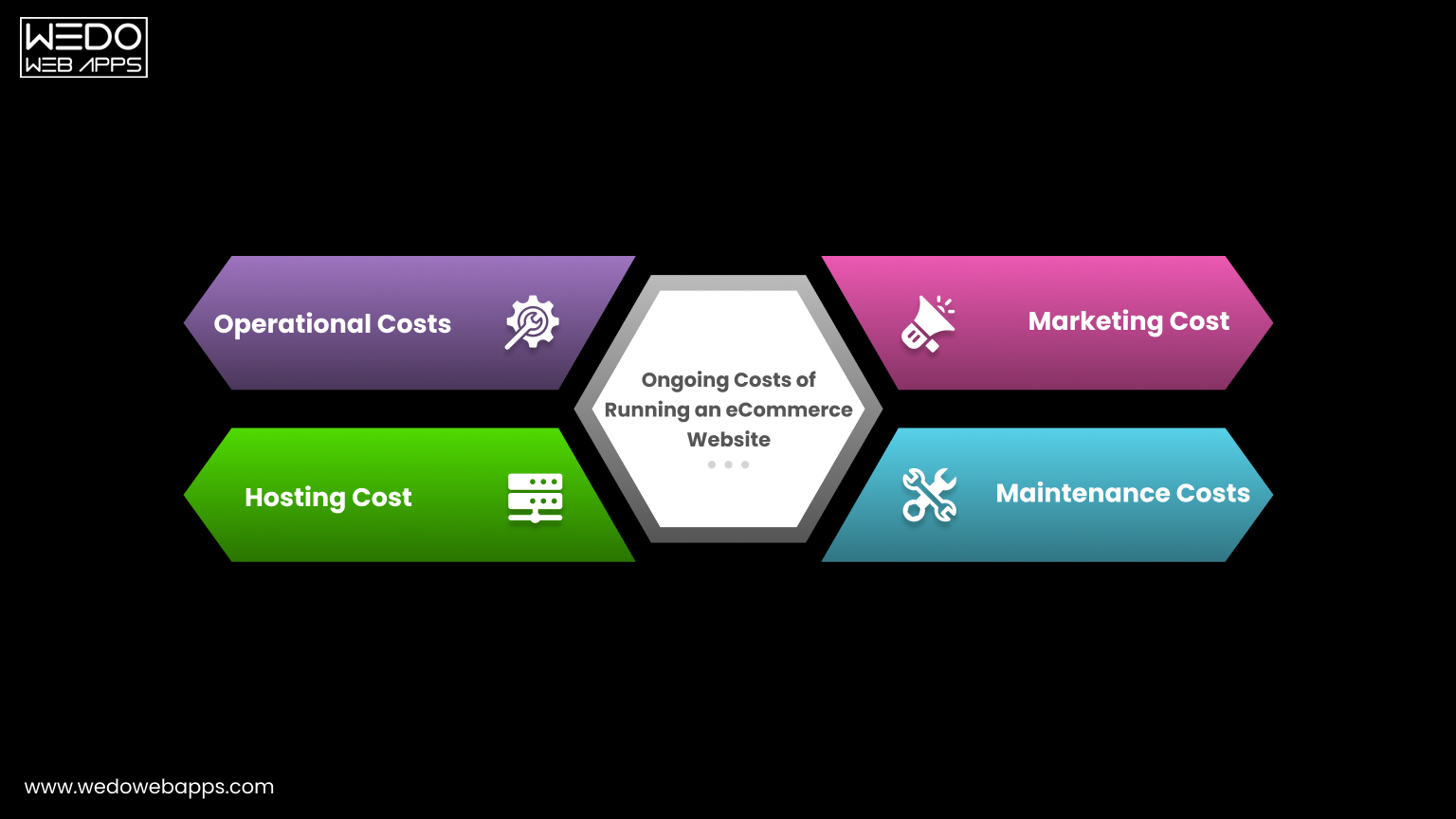
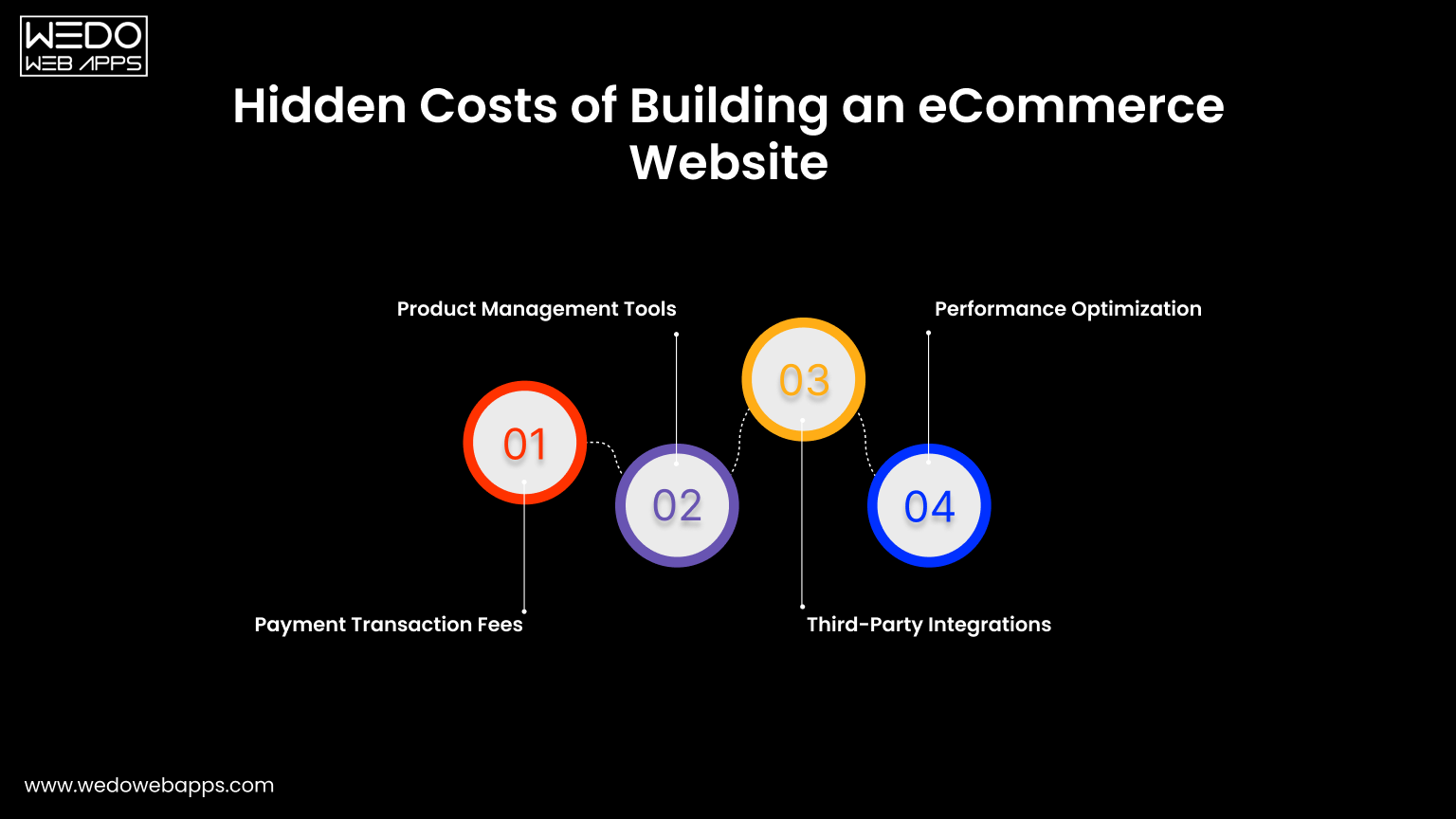
Hidden Costs You Should Plan For
Beyond development, there are ongoing costs in multi-vendor eCommerce marketplace development that many businesses overlook:
- Platform maintenance and updates
- Hosting and infrastructure
- Vendor onboarding and support
- Marketing and user acquisition
Planning for these ensures your multivendor eCommerce platform remains stable and scalable after launch.
Key Takeaway
- A simple multi-vendor eCommerce website can launch with a lower budget.
- A scalable multivendor eCommerce platform requires higher investment but supports growth.
- The final cost of building a marketplace website depends on how advanced your features and workflows are.
A clear understanding of cost helps you plan your multi-vendor marketplace platform more effectively and avoid unexpected expenses during development and scaling.
Timeline for Multi-Vendor Marketplace Development
The timeline for building a multi-vendor marketplace platform depends on how complex your features are and how structured your development process is. While many businesses focus only on cost, the timeline is equally important because it impacts launch speed, testing, and overall execution.
If you plan to build a marketplace app, it is better to understand how time is distributed across different stages instead of expecting a fixed deadline.
Development Timeline Breakdown
| Development Stage | Estimated Duration | What Happens in This Stage |
|---|---|---|
| Planning & Requirements Analysis | 2-3 weeks | Define business model, features, and workflow for your multi-vendor eCommerce website. |
| UI/UX Design | 3-5 weeks | Create wireframes, user journeys, and interface designs. |
| Core Development | 8-16 weeks | Build frontend, backend, and core features of the multivendor eCommerce platform. |
| Integration Phase | 3-6 weeks | Add payment systems, commission logic, and third-party tools. |
| Testing & QA | 2-4 weeks | Fix bugs, test workflows, and ensure system stability. |
| Deployment & Launch | 1-2 weeks | Final setup, server deployment, and go-live. |
Timeline Based on Marketplace Complexity
| Marketplace Type | Estimated Timeline | Best For |
|---|---|---|
| Basic MVP Marketplace | 3-6 months | Quick launch and idea validation |
| Mid-level Marketplace | 6-9 months | Growing platforms with more features |
| Enterprise Marketplace | 9-12+ months | Large-scale, fully customized systems |
Factor That Impacts Development Time
Several factors can increase or reduce the timeline of your multi-vendor eCommerce marketplace development.
- Number of features and customization level.
- Choice of technology and platform.
- Complexity of payment and commission systems.
- Size and experience of the development team.
- Number of AI integrations required.
A more complex multi-vendor marketplace platform will naturally take longer to develop.
How to Reduce Development Time
If speed is a priority, you can:
- Start with an MVP instead of a full-scale platform.
- Use pre-built modules where possible.
- Focus only on essential features at launch.
- Plan workflows clearly before development begins.
This helps you build a marketplace app faster without unnecessarily increasing the marketplace app development cost.
Key Takeaway
- Faster timelines are possible with limited features.
- Scalable platforms require more time but offer long-term value.
- A structured approach ensures fewer delays and better results.
Planning your timeline properly ensures your multi-vendor eCommerce website is launched on time while maintaining quality and scalability.
Monetization Models for Multi-Vendor Marketplaces
A multi-vendor marketplace platform is not just about connecting buyers and sellers. It is about building a system that generates consistent revenue as the platform grows.
Choosing the right monetization strategy early helps you recover the marketplace app development cost and scale your multi-vendor eCommerce marketplace development in a sustainable way.
Commission-Based Revenue Model
This is the most widely used model in any multi-vendor eCommerce website.
How it works:
- A percentage is charged on every transaction.
- The platform earns from each order placed.
Why it works:
- Revenue grows with platform activity.
- No upfront cost for vendors.
- Easy to manage within the system.
This model is ideal if you want a predictable income while you build a marketplace app.
Subscription-Based Model
In this model, vendors pay a recurring fee to sell on your platform.
How it works:
- Monthly or yearly subscription plans.
- Different tiers with added benefits.
Why it works:
- Fixed and predictable revenues.
- Attract serious sellers.
- Reduces dependency on transaction volume.
It is commonly used in multivendor eCommerce platform setups focused on long-term vendor relationships.
Listing Fees and Featured Products
This mode charges vendors for visibility and product placement.
How it works:
- Fees for listing products.
- Extra charges for featured listings.
Why it works:
- Additional revenue stream.
- Encourage vendors to promote products.
- Improves product visibility.
Hybrid Monetization Model
Most successful marketplaces combine multiple revenue streams.
Common combinations:
- Commission and subscription.
- Commission and featured listings.
Why it works:
- Diversified revenue.
- Higher earning potential.
- Flexibility based on vendor behavior.
Monetization Comparison Table
| Monetization Model | How It Works | Revenue Stability | Best For |
|---|---|---|---|
| Commission-Based | Earn from each transition | Medium to high | Growing marketplace |
| Subscription-Based | Recurring vendor fees | High | Stable vendor base |
| Listing Fees | Charge per product or listing | Low to medium | High product volume platforms |
| Hybrid Model | A combination of multiple models | High | Scalable marketplaces |
Choosing the Right Monetization Strategy
Your monetization model should depend on:
- Type of multi-vendor marketplace platform.
- Vendor acquisition strategy.
- Expected transaction volume.
- Overall cost of building a marketplace website.
A well-planned strategy ensures your platform remains profitable while attracting quality vendors.
Key Takeaway
- Start simple with commission-based revenue.
- Add additional models as your platform grows.
- Align monetization with user experience.
A strong monetization strategy ensures your multi-vendor eCommerce website not only grows in users but also generates consistent revenue over time.
Challenges in Multi-Vendor Marketplace Development
Building a multi-vendor marketplace platform is not just about adding features and launching quickly. It involves managing multiple vendors, transactions, and user expectations at the same time. Without proper planning, these challenges can impact performance, user trust, and overall growth.
Understanding these challenges early helps you make better decisions during your multi-vendor eCommerce marketplace development process.
Managing Multiple Vendors Efficiently
Handling multiple sellers on a single multi-vendor eCommerce website can become complex as the platform grows.
Common issues include:
- Inconsistent product quality across vendors.
- Delays in order processing.
- Lack of standardization in listings.
How to handle it:
- Set clear vendor guidelines.
- Use approval systems for listings.
- Provide a structured vendor dashboard.
Payment and Payout Management Issues
Payments are one of the most sensitive parts of any multivendor eCommerce platform.
Challenges include:
- Delayed vendor payouts.
- Incorrect commission calculations.
- Handling refunds and cancellations.
How to handle it:
- Use automated payment split systems.
- Define clear payout schedules.
- Maintain transparent transaction records.
Maintaining Product Quality and Trust
Customer trust depends on consistent quality across your platform.
Challenges include:
- Fake or low-quality products.
- Misleading product descriptions.
- Poor vendor service.
How to handle it:
- Enable reviews and ratings.
- Monitor vendor performance.
- Remove non-compliant sellers.
Scaling the Platform Without Performance Issues
As your platform grows, performance can become a major concern.
Challenges include:
- Slow loading speed.
- System crashes during high traffic.
- Difficulty handling large data volumes.
How to handle it:
- Use scalable infrastructure.
- Optimize database and backend systems.
- Plan performance improvements early.
Balancing Cost and Feature Expansion
Many businesses struggle to decide when to add new features.
Challenges include:
- Increasing marketplace app development cost.
- Overbuilding features early.
- Delayed time to market.
How to handle it:
- Start with an MVP.
- Add features based on user demand.
- Track ROI before investing further.
Challenge vs Solution Overview
| Challenge | Impact on Platform | Suggested Solution |
|---|---|---|
| Vendor management complexity | Poor user experience | Structured onboarding and guidelines |
| Payment handling issues | Loss of trust | Automated payout and commission system |
| Product quality inconsistency | Customer dissatisfaction | Reviews, monitoring, and vendor control |
| Scalability issues | Performance drop | Cloud infrastructure and optimization |
| Rising development cost | Budget constraints | MVP approach and phased development |
Key Takeaway
- Challenges are part of every multi-vendor marketplace platform.
- Early planning reduces long-term issues.
- Structured systems improve scalability and trust.
Addressing these challenges properly ensures your multi-vendor eCommerce website grows steadily without operational or performance issues.
Future Trends in Multi-Vendor eCommerce Platforms (2026)
The structure of a multi-vendor marketplace platform is evolving as user expectations and technology continue to shift. What worked a few years ago is no longer enough to stay competitive. Businesses that adapt early can build a stronger multi-vendor eCommerce website that attracts both vendors and customers.
Understanding these trends helps you plan your multi-vendor eCommerce marketplace development with a long-term perspective instead of short-term fixes.
AI-Based Personalization
Modern marketplaces are moving toward AI-based personalized user experiences.
What is changing:
- Product recommendations based on user behavior.
- Smart search results tailored to preferences.
- Automated suggestions for vendors.
Why it matters:
- Improves user engagement.
- Increases conversion rates.
- Helps customers find relevant products faster.
Headless Marketplace Architecture
A headless approach separates the frontend from the backend.
What this means:
- Frontend can be customized independently.
- Backend handles core marketplace logic.
Benefits:
- Faster performance.
- More flexibility in design.
- Easier updates without affecting the entire system.
This approach is gaining attention in advanced multivendor eCommerce platform setups.
Mobile-First Marketplace Experience
More users now prefer mobile over desktop.
Key focus areas:
- Mobile-optimized interfaces.
- Faster loading times.
- Smooth navigation and checkout.
For businesses planning to build a marketplace app, mobile-first design is no longer optional.
Automation in Vendor and Order Management
Automation is reducing manual effort across marketplace operations.
Examples include:
- Automated vendor onboarding workflows.
- Smart inventory updates.
- Real-time order tracking systems.
This improves efficiency without increasing the cost of building a marketplace website significantly.
Multi-Currency and Global Expansion
Marketplaces are no longer limited to one region.
What is changing:
- Support for multiple currencies.
- Global vendor onboarding.
- Region-specific pricing.
This allows a multi-vendor marketplace platform to expand beyond local markets.
Data-Driven Decision Making
Analytics is becoming central to marketplace growth.
Key insights include:
- Vendor performance tracking.
- Customer behavior analysis.
- Sales and conversion metrics.
These insights help optimize platform performance and control the marketplace app development cost over time.
Key Takeaway
- Marketplaces are becoming more intelligent and user-focused.
- Flexibility and scalability are becoming essential.
- Early adoption of trends gives a competitive advantage.
Keeping these trends in mind ensures your multi-vendor eCommerce website remains relevant, scalable, and ready for future growth.
Conclusion
Building a multi-vendor marketplace platform requires the right mix of features, technology, and cost planning. A well-structured multi-vendor eCommerce website is not just about launching fast, but about creating a system that can scale with vendors and users over time.
If you plan to build a marketplace app, start with essential features, control the marketplace app development cost, and expand based on real demand with dedicated eCommerce developers. A focused approach ensures your multivendor eCommerce platform grows without unnecessary complexity or cost.