skip to content

WordPress Default .htaccess File: How to Access, Edit, and Optimize for Your Site

WordPress Default .htaccess File Setup and Safe Editing

Think of the .htaccess file as the control room of your WordPress site. Hidden in the root folder, but it still manages redirects, protects your site, and keeps everything smooth. Misconfigure it, and you will face broken links, slow-running pages, or security issues.

For many WordPress users, this file seems to be mysterious or threatening. The WordPress default .htaccess is small but powerful, and it is responsible for how your site communicates with the servers and visitors. This will also manage premalinks and enforce security. Understanding WordPress .htaccess does not require having technical WordPress expertise, but it requires having clear guidance and the right approach, or a small help from the WordPress development company.

In this guide, you will learn:

  • How to locate the WordPress .htaccess file on a different hosting platform.
  • What the default file looks like for single-site and multi-site installations.
  • Safe ways to create, restore, or edit it without risking your site.
  • An effective rule for security, redirects, and performance that every WordPress site should follow.

By the end, the .htaccess file in WordPress will no longer feel like a hidden and confusing element. You will be able to manage it confidently and improve the speed of the site with better security and reliability.

Understanding the .htaccess File in WordPress

The .htaccess file in WordPress is small, but it is an essential file for the configuration. It is a file that controls how your WordPress website development behaves on an Apache server. Though the file is hidden in your site’s root folder, it also plays an important role in security, performance, and URL management. By understanding this file, you can troubleshoot issues, improve speed, and maintain better control in your WordPress setup.

What the .htaccess File Does on an Apache Server

On an Apache server, the .htaccess file in WordPress manages how the server handles the requests. It allows you to:

  • Redirect users from old URLs to new ones.
  • Restrict access to sensitive files.
  • Enable caching and compression for faster page load.

This is why the default .htaccess WordPress file is included with every WordPress installation. It contains the essential rules that your site needs to run smoothly.

How WordPress Uses the File to Handle Permalinks

One of the most important functions of WordPress default .htaccess is managing the permalinks. Clean and readable URLs like www.example.com/my-post-title are made possible by the rules in the .htaccess file in WordPress.

Whenever you change your permalink structure in WordPress, the system automatically updates the WordPress .htaccess location with the necessary code to ensure that the link is working properly. This prevents the chances of broken pages and keeps your site SEO-friendly.

Feature Controlled by .htaccess File

The .htaccess file in WordPress controls several key features to maintain the performance and security. The features are:

  • Redirect Behavior: Make sure that visitor and search engine do not face 404 error.
  • Security Rules: Restrict access to sensitive areas like wp-admin, block IPs, and prevent directory browsing.
  • Caching Rules: Enable browser caching and Gzip compression to reduce page load time and server stress.

Where to Find the .htaccess File in WordPress

The WordPress .htaccess location is typically in the root folder of your website. The .htaccess file in WordPress is hidden by default, so you may need to take an extra step to locate it, depending on the hosting setup of your site. This is what you can do:

Confirm Whether Your Hosting Uses Apache

Before looking for the file, make sure that your hosting uses an Apache server, as the .htaccess file in WordPress does. Then check for the server type.

How to Check Server Type in cPanel

  1. Log in to your cPanel.
  2. Look for the “Server Information” Section.
  3. Check if Apache is listed under the server software.

How to Confirm Server Type Using phpinfo

  1. Create a new file named info.php in your root directory.
  2. Add the line: <?php phpinfo(); ?> and save it.
  3. Open the file in your browser (www.yoursite.com/info.php) to see server details.

By these, you can be sure about the hosting used for your site, and then you can locate your .htaccess file.

Finding the File Through File Manager in cPanel

By following these small steps, you can look for the file. Enabling Hidden Files

  1. Open the file manager in cPanel.
  2. Click on “Settings” and select “Show Hidden Files (.files).”

Checking the Root Directory Navigate to your site’s root folder (usually public_html). Here, you should see the .htaccess file in WordPress if it exists. Accessing the File Through an FTP Client Now, for this, you can look in the public_html folder or the root file.

Locating the public_html Folder Connect via an FTP client like FileZilla and navigate to the public_html folder. This is where your WordPress .htaccess location usually appears. Ensure Hidden Files Are Visible in FTP Settings This enables “Show hidden files” in your FTP settings and allows you to ensure that the .htaccess file in WordPress is visible for download or editing. Sensitive WordPress File Setup

What the Default WordPress .htaccess File Looks Like

The WordPress default .htaccess file carries a specific structure that WordPress creates when you set your permalink settings. Anyone who is working with these rules should know what the clear and untouched version looks like.  This will help you confirm whether your file has an extra line added by a plugin or if it is missing any important rewrite rules. The default .htaccess WordPress format is simple, and it follows the same pattern across most sites.

Default .htaccess Code for Single Site Installations

A regular single-site install uses a short rewrite block. WordPress adds it automatically when permalinks are saved.

Standard Permalink Code Block

Here is the standard code that WordPress places inside the .htaccess file for a single site.

# BEGIN WordPress

<IfModule mode_rewrite.c&gt;

RewriteEngine On

RewriteBase /

RewriteRule ^index\.php$ – [L]

RewriteCond %{RESQUEST_FILENAME} !-f

RewriteCond %{REQUEST_FILNAME} !-d

RewriteRule . /index.php [L]

<IfModule>

# END WordPress

This file allows WordPress to manage the permalinks and route requests correctly. Most errors related to broken links or unexpected page behavior come from the changes in the .htaccess file in WordPress.

When this Code is Auto-generated

This block is created when you visit

“Setting → Permalinks → Save Changes”

WordPress writes and updates the file only if your hosting permissions allow it. If it cannot write the file, then you must create or edit it manually.

Default .htaccess Code for Multisite Installations

WordPress multisite setups require different rewrite rules. These depend on whether the network uses the subdirectories or subdomains. The rules help WordPress route the traffic correctly across the different sites in the network.

Subdirectory multiside code

For a multisite network running on subdirectories, WordPress uses this format:

# BEGIN WordPress

RewriteEngine On

RewriteBase /

RewriteRule ^index\.php$ – [L]

# add a trailing slash to /wp-admin

RewriteRule ^wp-admin$ wp-admin/ [R=301,L]

RewriteCond %{REQUEST_FILENAME} -f [OR]

RewriteCond %{REQUEST_FILENAME} -d

RewriteRule . index.php [L]

# END WordPress

Subdomain multiside code

For subdomain-based multiside networks, the rewrite rules shift slightly to support wildcard subdomains:

# BEGIN WordPress

RewriteEngine On

RewriteBase /

RewriteRule ^index\.php$ – [L]

# add a trailing slash to /wp-admin

RewriteRule ^wp-admin$ wp-admin/ [R=301,L]

RewriteCond %{REQUEST_FILENAME} -f [OR]

RewriteCond %{REQUEST_FILENAME} -d

RewriteRule . index.php [L]

# END WordPress

The two multisite versions look similar, but they behave differently once mapped with domain settings.

Why the Default File Matters

The default file often fixes issues like:

  • Broken permalinks
  • Missing pages after migration
  • Redirect loops
  • 404 errors on posts

You can think of the WordPress default .htaccess file as a guide. When the map is clean and accurate, every visitor reaches the correct place without any confusion. And if you face any difficulty or confusion, then you can hire WordPress developers.

Reasons the .htaccess File Might Be Missing

The .htaccess file in WordPress is responsible for permalink structure, redirects, and many security rules. When it does not appear in your root folder, then the issue is usually connected to how your hosting is displaying the files and configuring the server. Understanding about these causes makes it easier for you to restore the WordPress default .htaccess file when needed. Here are some of the possibilities that your .htaccess files might be missing.

Hidden Files Not Visible in Hosting Panel

Many of the hosting panels hide files that begin with a dot. Since the .htaccess file in WordPress follows this pattern, it often stays invisible unless you try to access the hidden file visibility. This is one of the most common reasons people assume that the file is missing. But here is what you can do:

How to make hidden files visible

  • Open the File Manager in your hosting account.
  • Go to settings or preferences.
  • Enable the option that shows the hidden or dot files.
  • Refresh the folder and check the WordPress .htaccess location again.

This usually reveals the file that you are looking for immediately.

WordPress Unable to Create the File Due to Permissions

WordPress generates the file when you update the permalink settings, but this will only appear if it has permission to write to the root directory. Incorrect permission prevents WordPress from creating the default .htaccess WordPress file.

Common permission issues are:

  • Root folder permission below 755.
  • Hosting rules are blocking file creation.
  • Security tools limiting the writing access.

How to correct permissions:

  • Open the file manager or FTP.
  • Select the root folder.
  • Set permission to 755.
  • Save and refresh the permalink settings so WordPress can generate a new file.

Once the permissions are given, the WordPress default .htaccess file normally appears.

Issues with Server Mod Rewrite

The .htaccess file requires Apache’s rewrite module. If this module is disabled or not available, then WordPress cannot create the file even if everything else is correct.

How to check mod review status:

  • Create a phpinfo file.
  • Search for “mod_rewrite” in the output.

If the module is disabled 

  • Contact hosting for support.
  • Request activation of the rewrite module.

After the module is active, WordPress can create the default .htaccess WordPress file through the permalink settings. WordPress Core File Error Fixes

How to Create a New .htaccess File

When you are unable to find your .htaccess file in WordPress, or it is being corrupted, then you can generate it again using the built-in WordPress settings or by creating it manually. The methods discussed below will help you restore it safely without affecting your site.

Using the WordPress Permalink Settings Method

This is the easiest way to create the new .htaccess file. WordPress attempts to generate the file automatically once you save your permalink structure.

Steps to regenerate the file:

  • Log in to your WordPress dashboard.
  • Open settings and select the permalinks.
  • Scroll to the bottom of the page.
  • Click on save without making any changes.

By this WordPress rewrite, the required rules and recreate the file if your server allows for it.

Creating the File Manually Through FTP

If your WordPress is not able to recreate the file on its own, then you can set it up manually by making use of an FTP client.

How to create the file manually:

  • Connect to your site using any FTP client.
  • Open the root directory of your WordPress installation.
  • Right-click and create a new file named .htaccess.
  • Paste the default WordPress rules.
  • Save the file and refresh your site.

This method gives you full control when automatic creation fails.

Creating the File Manually in cPanel

cPanel users can also create the file directly from the File Manager, which avoids the need for an FTP client.

Steps to create the file in cPanel:

  • Open the File Manager in your hosting dashboard.
  • Navigate to public_html or the root WordPress folder.
  • Select the options to create a new file.
  • Name it .htaccess
  • Edit the file and add the default rules.
  • Save your changes.

This is the most reliable alternative option when you need a quick fix from the hosting panel.

How to Edit the WordPress .htaccess File Safely

Editing the .htaccess file in WordPress needs careful handling because even a small mistake can affect how the site loads. This file controls permalink behavior, redirects, and security rules. Before starting, it helps you to know the WordPress .htaccess location, which is usually inside the main directory of your installation. A safe editing process ensures that the site continues to work without unexpected issues. Here are some of the ways by which you can edit the .htaccess file safely.

Editing the File Through File Manager in cPanel

Accessing the file manager in cPanel is one of the simplest ways to make a specific number of changes. Once you reach the WordPress default .htaccess file, open it in the code editor and avoid altering any rule that you do not understand.

Key point that you can follow:

  • Open the editor only after enabling the option that shows hidden files.
  • Make the small changes and save the file to avoid breaking the permalink structure.
  • Keep the default .htaccess WordPress code safe for reference.

Editing the File Through FTP

FTP gives more control when you are working with sensitive files. This method will be helpful if the hosting panel is restricted or not responding.

What to do:

  • Connect through the FTP client and locate the .htaccess file in WordPress inside the public HTML folder.
  • Download the file before editing, then maintain the backup copy.
  • Upload the correct version after editing and refreshing the site.

Editing the File Using a WordPress Plugin

Plugins offer a user-friendly way to make small changes without going into the hosting panel. Plugins are suitable for users who might not feel comfortable editing the server files manually.

Examples of plugin-based use cases:

  • You need to adjust the redirects without accessing the WordPress .htaccess location.
  • You want to add rules for caching or security.
  • You prefer an interface that guides your changes.

Safety Steps Before Editing

Before editing, you must look for the basic safety measures to reduce the chances of errors.

Important steps:

  • Take a backup of the existing WordPress default .htaccess file.
  • Test your site after every update to confirm that the new rules start working correctly.
  • Keep a copy of the old file in case you need to restore it later.

Every step you follow, you can easily make an effective modification in your WordPress site with the .htaccess file using these methods. Unsure htaccess file for Safe

Important .htaccess Rules for WordPress Security

The .htaccess file in WordPress is often used to apply extra safety measures. Adding a few rules and steps can lower the risk of any unwanted access, stop automated attacks, and protect the sensitive system files. These methods discussed here will help you to strengthen your setup without installing too many plugins.

Restricting Access to wp-admin

Limiting who can access your admin panel reduces the chances of someone attempting to log in without your permission.

Common ways to restrict access:

  • Allow access to only a selected number of IP addresses.
  • Set the password barrier so that you have full control over the server.
  • Limit access during the scheduled maintenance support.

The wp-admin area is a common target when someone tries to access it with unauthorized access. Adding this simple rule inside this .htaccess file, you can protect from the unnecessary load.


<Files wp-login.php>

Order Deny,Allow

Deny from all

Allow from 123.123.123.123

</Files>

By this, you can easily maintain the protection by only approving a limited number of IP addresses.

Protecting wp-config.php

The wp-config file holds the effective details of the database. Adding a small rule in the default .htaccess WordPress file, you can prevent anyone from opening it directly through the browser.

Protection methods:

  • Block direct access using a simple “deny all” rule.
  • Confirm that no public folder contains a copy of wp-config.
  • Keep backups in a safe directory outside the WordPress .htaccess location.

You can block all by using the following snippet:

<files wp-config.php>

    order allow,deny

    deny from all

</files>


Disabling XML-RPC

XML-RPC is often targeted by attackers for brute force attempts. If your site does not rely on the remote publishing tools, then disabling them improves the stability.

Ways to disable:

  • Add a rule that blocks XML-RPC requests.
  • Use a plugin only if you prefer an interface.
  • Test the forms and contact tool after applying this rule.

The safer way to disable it is:

<Files xmlrpc.php>

    Order Deny,Allow

    Deny from all

</Files>


Stopping Directory Browsing

If directory browsing is open, visitors can view the internal folder lists. This exposes the themes, plugins, and file names unnecessarily.

To disable browsing, you can:

  • Add an “Options All” rule that hides the directory contents.
  • Confirm and no-plugin re-enable it automatically.
  • Check the settings again after the theme updates.

Blocking Suspicious IPs or User Agents

Some attacks repeatedly come from the same address or pattern. Blocking these early can help you prevent repeated attempts.

Possible actions:

  • Add specific IP addresses to the deny list.
  • Block the harmful user agent strings effectively used by bots.
  • Review the server logs before adding or removing the entries.

You can repeat this process for multiple IP addresses.

Useful .htaccess Rules for WordPress Performance

The .htaccess file can help your WordPress site run more efficiently and smoothly. By controlling how the browser handles files, how long content stays stored in the visitor’s browser, and how your images are protected from unwanted use, you can make a noticeable adjustment. Useful .htaccess rules are:

Gzip Compression Setup

Gzip helps to reduce the size of the files sent from your server to the visitor’s browser. This creates a faster load time and a better browsing experience.

Snippet

<IfModule mod_deflate.c>

    AddOutputFilterByType DEFLATE text/plain

    AddOutputFilterByType DEFLATE text/html

    AddOutputFilterByType DEFLATE text/xml

    AddOutputFilterByType DEFLATE text/css

    AddOutputFilterByType DEFLATE application/xml

    AddOutputFilterByType DEFLATE application/xhtml+xml

    AddOutputFilterByType DEFLATE application/rss+xml

    AddOutputFilterByType DEFLATE application/javascript

    AddOutputFilterByType DEFLATE application/x-javascript

</IfModule>


Browser caching helps visitors load your site as fast as possible during future visits. The rules below tell browsers how long they should keep certain file types.

Snippet

<IfModule mod_expires.c>

    ExpiresActive On

    ExpiresByType image/jpg “access plus 1 year”

    ExpiresByType image/jpeg “access plus 1 year”

    ExpiresByType image/png “access plus 1 year”

    ExpiresByType image/gif “access plus 1 year”

    ExpiresByType text/css “access plus 1 month”

    ExpiresByType application/javascript “access plus 1 month”

    ExpiresByType text/javascript “access plus 1 month”

</IfModule>


Prevent Image Hotlinking Hotlinking happens when other websites load your images directly from your server. This uses your bandwidth without any benefit for you. The following rule helps in preventing those issues:

Snippet

RewriteEngine On

RewriteCond %{HTTP_REFERER} !^$

RewriteCond %{HTTP_REFERER} !example.com [NC]

RewriteCond %{HTTP_REFERER} !www.example.com [NC]

RewriteRule .*\.(jpg|jpeg|png|gif)$ – [F]


By replacing example.com with your own domain name, you make the possible changes. When you connect with the WordPress developer, you can easily maintain the performance of your WordPress site with a strong setup.

Recommended Redirect Rules in WordPress .htaccess

Redirects help guide visitors to the correct version of your website. It also prevents broken links and supports consistent indexing. The .htaccess file in WordPress lets you set the rules without relying on extra plugins.  The ways you can work on redirect are: Setting Up Permanent Redirects A permanent redirect sends the user from an old URL to a new one. This is helpful when a page has been moved or updated.

Code Example

Redirect 301 /old-page/ https://example.com/new-page/

Use your own paths and URLs when replacing this example. Moving All Traffic to the WWW Version If your preferred site format includes “www”, then you can force all the visitors to use that version.

Example

RewriteCond %{HTTP_HOST} !^www\.example\.com$ [NC]

RewriteRule ^(.*)$ https://www.example.com/$1 [L,R=301]


Moving All Traffic to the Non-WWW Version If you want your site to load without “www”, use this option instead.

Example

RewriteCond %{HTTP_HOST} ^www\.example\.com$ [NC]

RewriteRule ^(.*)$ https://example.com/$1 [L,R=301]

Switching From HTTP to HTTPS Once your SSL certification is active, the rules direct all visitors to the secure version of every page.

Code

RewriteCond %{HTTPS} !=on

RewriteRule ^(.*)$ https://%{HTTP_HOST}%{REQUEST_URI} [L,R=301]

Redirecting Specific Folders or Pages If you only want a certain page or folder to be updated, then this rule will handle it easily.

Code

RewriteRule ^old-folder/(.*)$ https://example.com/new-folder/$1 [R=301,L]

Each rule can be placed below the default WordPress code block, and it can work as long as the server supports the rewrite functions.

WordPress htaccess Redirect Rules

Differences Between .htaccess on Apache and Nginx

Not every hosting environment works the same way. The .htaccess file is used only on the servers that run Apache. If your site is hosted on Nginx, the rule works differently because this server type does not read the .htaccess files.  Knowing about this difference helps you to avoid the chances of having confusion when managing redirects, security rules, or performance settings.

Why Nginx Does Not Use .htaccess

Nginx handles all rules directly through its main configuration files instead of reading the separate files in each folder. This approach helps in maintaining faster performance because the server processes fewer instructions for each request. If you are uploading the .htaccess file on Nginx it will simply be ignored. No rewrite rule or redirect placed inside it will work.

Where to Add Rewrite Rules on Nginx

Since .htaccess files are not supported, any rewrite rules must be added to the main Nginx configuration file. This file is usually named: nginx.conf or stored inside a folder such as: /etc/nginx/site-available/ The common actions like redirects, HTTPS forcing, and caching rules are added inside the server block. A strong hosting provider will always assist these changes because editing server-level files requires administrator access to the .htaccess file in WordPress.

Common .htaccess Issues and How to Fix Them

Even a small problem with the .htaccess file can affect how a WordPress site loads, handles, redirects, or displays the permalinks. Since the files control the key function then even a small mistake can create errors.  Understanding about these issues will help you restore the WordPress default .htaccess files or fix rules without breaking the website.  Here are common .htaccess issues and the ways to fix them:

Fixing 500 Internal Server errors

A 500 error effectively appears when the .htaccess file in WordPress contains incorrect rules or unexpected characters.

Corrupted file checks:

  • Open the file manager or FTP and look for extra symbols or broken rewrite lines.
  • Compare the file with the default .htaccess WordPress version.
  • Remove the suspicious rules added by plugins or manual edits.

Syntax error checks:

  • Missing closing tags.
  • Incomplete RewriteRule lines.
  • Rules added outline the correct # BEGIN WordPress block.

If the file looks incorrect, then rename it and allow WordPress to regenerate a clean copy by saving the permalink settings.

Solving Too Many Redirects

This issue usually appears when the redirect rules cover a loop back to each other. Here is what you can do:

Identify redirect loops:

  • Look for conflict between HTTPS and WWW rules.
  • Apply similar rules for multiple redirect plugins.
  • Rewrite URLs again for security tools or CDN.

Removing the extra redirect and keeping only one specific rule will help you fix the loop. You can then restore the WordPress default .htaccess structure if needed.

Fixing Broken Permalinks

If some pages show the 404 error, then the permalink rules inside the .htaccess file in WordPress may not be able to load accurately. You can:

Reset the structure in WordPress settings:

  1. Open the WordPress dashboard.
  2. Go to Settings.
  3. Select Permalinks.
  4. Click Save without changing anything.

This action refreshes the rules and restores the behavior of clean permalinks.

Restoring a Corrupted File

When the file is heavily damaged then the best solution is to upload the fresh version.

Upload a clean default version:

  1. Delete or rename the existing .htaccess file.
  2. Create a new blank file.
  3. Paste the default .htaccess WordPress code.
  4. Save it and check the website again.

If the issue continuously occurs, then your hosting provider can help you confirm whether the server is reading rewrite rules correctly or not.

WordPress Avoid Site Breakage

Best Practices for Managing the .htaccess File

The .htaccess file in WordPress controls the various functionality, so that errors are handled safely, and troubleshooting is easier.

Best Practices Why is it Important How to Do It
Create a Backup Before Editing A backup allows a quick recovery if the site is broken. Download the existing file or save a copy in your hosting panel. Keep a clean version of the default .htaccess WordPress as well.
Apply Changes One Step at a Time You can easily identify the exact rules that are creating a problem. Add a single rule, save it, and then refresh your site to check for further issues.
Use a Clean Text Editor Prevents the hidden characters and formatting issues. Use Notepad++, VS Code, or your hosting file editors.
Check Plugin Generated Rules Some plugins add rules that may conflict with the others. Remove the entries from plugins that you no longer use and keep the order of rules correctly.
Store a Copy of Default Rules Useful during permalink errors or routing problems. Keep the default .htaccess WordPress code ready for comparison and quick restoration.

Final Thoughts on Managing the WordPress .htaccess File

The WordPress .htaccess file shapes many functions. It managed the permalink behavior. It supports the security rules. It also helps the site to run smoothly by guiding the server on how to process the requests. When the file goes missing or gets corrupted the common issues like redirect loops, broken links, or 500 errors can follow. If you ever feel unsure about editing the file or restoring the default version, you can always rely on trusted WordPress Development Services. With the expert support, you can be sure that your file is updated correctly without risking downtime or misconfigurations.  With a well-maintained .htaccess file, you can keep your WordPress site stable, secure, and ready to perform. If you are handling these adjustments for the first time, take it step-by-step, create backups, and test your site after each change. This simple routine helps to keep everything running smoothly. htaccess Error Avoidance Support

Ecommerce Team Structure Explained: Key Roles, Hiring Models & Organizational Frameworks

Introduction

Imagine that you have got the products, a great website, and traffic flowing in, yet traffic feels stuck. Does this sound similar? The missing link often is not your marketing or your platform; it is your eCommerce team structure. Without the right people, roles, and hierarchy, even the best strategies fail to convert into results.

Many businesses invest heavily in platforms, ads, and automation tools, but overlook one crucial factor: the team behind it all. The truth is, even the most advanced eCommerce setup would not perform efficiently if your people are not aligned, accountable, and clear on responsibilities. This is also why brands increasingly turn to expert partners offering eCommerce Store Services USA to strengthen operations and close capability gaps.

Whether you are a startup setting up your first online store or an established retailer scaling to multiple markets, your eCommerce team structure directly impacts growth, customer satisfaction, and profitability. A well-structured team helps you streamline decision-making, speed up execution, and maintain consistency across every function, from product listings to delivery and support.

This guide breaks down how to build the best eCommerce team structure, the key roles that make it work, and how businesses of all sizes, startups, SMEs, and enterprises can organize their people and processes to scale smarter and faster.

Why eCommerce Team Structure Matters for Business Success

Behind every thriving eCommerce brand is a team that operates like a well-oiled machine. It is not just about hiring skilled people; it is about aligning them under a structure that supports growth and efficiency. A well-planned eCommerce team structure connects every part of your business, from marketing and product management to logistics and customer support, into a unified, scalable system.

A defined eCommerce organizational structure removes confusion and drives accountability. When everyone knows their exact role, cross-team collaboration becomes smoother and faster.

For instance:

  • A webshop specialist keeps product listings optimized and conversion-friendly.
  • The development team ensures a seamless, stable shopping experience.
  • The marketing team aligns campaigns with stock availability and seasonality.

When these roles work in sync, your eCommerce business runs with clarity and confidence, turning potential chaos into consistent performance.


The Link Between eCommerce Structure and Scalability

As your business grows, what once worked for a small team can quickly become inefficient. Growth introduces new challenges, larger product catalogs, multi-channel sales, and higher customer expectations. A clear structure helps you scale without breaking operations by ensuring:

  • Defined reporting lines and ownership across departments.
  • Faster decision-making with minimal back-and-forth.
  • Role clarity that prevents duplication or missed responsibilities.
  • Smooth onboarding for new hires as your team expands.

Simply put, scalability starts with structure. It is how you prepare your team to handle more, without losing focus, speed, or quality.

What Makes an eCommerce Team Effective?

The best eCommerce teams do not just work hard; they work in harmony. Effectiveness comes from alignment between strategy, creativity, and technology.

An effective team usually includes:

  • Strategic leaders who set direction and growth KPIs.
  • Creative experts who communicate brand value through visuals and content.
  • Technical professionals who ensure flawless site performance and automation.
  • Analysts who turn data into actionable insights

When these groups collaborate toward shared goals, you create a cycle of improvement, where performance fuels innovation and innovation drives consistent growth.

Common Challenges When Scaling Without a Clear Team Hierarchy

Many eCommerce businesses expand reactively, adding people as problems arise. While it solves short-term issues, it often creates long-term bottlenecks like:

  • Overlapping roles and unclear ownership.
  • Slower decision-making due to communication gaps.
  • Reduced accountability and inconsistent performance.

Without defined eCommerce team roles and responsibilities, even the most capable professionals can struggle to deliver. A structured hierarchy ensures focus, eliminates redundancy, and keeps your team agile as you scale.

Core eCommerce Team Roles and Responsibilities

Core eCommerce Team Roles and Responsibilities

Building the best eCommerce team structure starts with understanding who does what. Each role plays a crucial part in driving your store’s performance.

1. eCommerce Manager/Director of eCommerce

  • Oversees overall strategy, growth, and operations.
  • Coordinates between marketing, operations, and the tech team.
  • Monitors KPIs, sales targets, and customer satisfaction metrics.

2. Webshop Specialist/ Product Listing Expert

  • Optimizes product data, descriptions, and SEO.
  • Ensures accurate category structure and product visibility.
  • Monitors performance metrics like conversion rates and click-through rates.

3. IT & Web Development Team

  • Developers maintain website functionality and security.
  • UX/UI designers improve customer experience.
  • QA testers ensure smooth performance across devices.

4. Digital Marketing & SEO Team

  • SEO specialists improve organic visibility.
  • Performance marketers manage paid campaigns (PPC, social ads).
  • Email & social media managers engage customers and drive retention.

5. Content & Creative Team

  • Copywriters create persuasive product descriptions and blog content.
  • Graphic designers and video editors produce visuals for campaigns.
  • Content strategists align messaging across channels.

6. Logistics, Fulfilment & Inventory Team

  • Manages warehouses, delivery partners, and returns.
  • Ensures inventory is accurate and stocked.
  • Optimizes delivery times and fulfillment costs.

7. Customer Experience Team

  • Handles customer inquiries, complaints, and support tickets.
  • CRM analysts monitor customer behavior to improve satisfaction.
  • Maintains consistent communication across channels.

8. Finance & Data Analysts

  • Track revenue, profitability, and ad ROI.
  • Forecasts trends and identifies growth opportunities.
  • Provides actionable insights to improve marketing and operations.

Looking to hire a skilled eCommerce team

eCommerce Organizational Structure Examples

eCommerce ORG Chart Template

Your eCommerce organizational structure defines how your teams collaborate to achieve business goals. There is no one-size-fits-all model; the right structure depends on your company’s size, stage, and growth objectives. Below are three common examples of how eCommerce teams can be organized effectively.

1. Small eCommerce Business Team (Startup Stage)

At the startup stage, agility is everything. A small eCommerce business team often runs on limited resources but compensates with versatility and collaboration. Team members wear multiple hats and use automation tools to manage operations efficiently.

Typical Structure:

  • eCommerce Manager: Oversees operations, strategy, and marketing.
  • Web Developer or Webshop Specialist: Manages website updates, product listings, and SEO.
  • Marketing Generalist: Handles email marketing, social media, and paid ads.
  • Customer Support Executive: Manages queries and builds customer loyalty.

Pro Tip: Startups can benefit from outsourcing technical tasks like development or analytics to specialized eCommerce professionals while keeping marketing and customer service in-house for closer control.

2. Mid-Sized eCommerce Company

Once your business starts scaling, you will need a more defined eCommerce team structure with dedicated roles. Teams become departmentalized but must still collaborate cross-functionally to maintain efficiency.

Typical Structure:

  • Head of eCommerce: Leads strategy and performance.
  • Digital Marketing Team: Includes SEO, paid media, and CRM specialists.
  • IT & Development Team: Manages the eCommerce platform, security, and automation.
  • Content & Creative Team: Builds campaigns and brand identity.
  • Fulfillment & Inventory Team: Oversees logistics and product availability.
  • Customer Experience Team: Focuses on retention, feedback loops, and personalization.

At this stage, marketing automation tools and data analytics dashboards become vital to maintain scalability and efficiency.

3. Enterprise eCommerce Organization

For enterprise-level eCommerce companies, the structure becomes more complex and specialized. There are multiple layers of management and distinct departments for innovation, data, and performance optimization.

Typical Structure:

  • Chief eCommerce Officer/ Director of eCommerce: Aligns strategy with corporate goals.
  • Product Operations & Webshop Management: Oversees product data, listings, and user experience.
  • Data Science & BI Team: Analyzes large datasets to inform marketing and pricing strategies.
  • Performance Marketing Division: Manages regional campaigns, influencers, and omni-channel advertising.
  • Technology & Automation Unit: Handles AI-driven personalization, chatbots, and predictive modeling.
  • Sustainability & Compliance Department: Ensures ethical sourcing and carbon accountability.

Enterprises invest heavily in predictive analytics, AI-driven recommendations, and global logistics optimization, ensuring that their eCommerce structure remains both innovative and future-proof.

Visual Example: Sample eCommerce Org Chart

Here is a simplified snapshot of how an eCommerce organizational structure might look:

CEO/Founder

  • Director of eCommerce
    • Marketing & SEO Team
    • Product & Webshop Team
    • Tech & Development Team
    • Logistics & Fulfillment
    • Customer Experience Team
    • Finance & Data Analytics

This kind of visualization helps you identify potential gaps, overlapping roles, or areas where you can improve collaboration and reporting flow.

Want to design a custom eCommerce organizational structure

How to Build a Good eCommerce Team Step-by-Step

Steps to Build a Strong eCommerce Team

Building a successful eCommerce store requires more than great products; it requires the right people, the right structure, and the right workflows. Whether you are launching a new store or restructuring your existing team, this step-by-step approach will help you create the best eCommerce team structure for long-term scalability.

Step 1: Define Your eCommerce Business Goals and KPIs

Before hiring anyone, get absolute clarity on what your business is trying to achieve. Your goals will dictate the roles you need, the team size, and the skills required.

Ask Yourself:

  • Are you trying to scale fast or grow sustainably?
  • What channels are your priority – SEO, paid ads, marketplaces, D2C?
  • Is your biggest challenge traffic, conversion, or fulfillment?
  • Do you need a team focused on performance, brand-building, or operations?

Set clear KPIs such as:

  • Monthly revenue targets
  • CAC (Customer Acquisition Costs)
  • Conversion rate improvements
  • Order fulfillment accuracy
  • Customer satisfaction and retention metrics

Your KPIs act as the compass for building a team that is aligned, efficient, and growth-focused.

Step 2: Identify Required Skills and Key Roles

Once your goals are clear, outline the roles needed to achieve them. This is where you map out your eCommerce team roles and responsibilities.

Examples of essential eCommerce roles include:

  • eCommerce Manager
  • Web Developers/UX Designers
  • Webshop Specialist
  • SEO & Performance Marketers
  • Graphic Designers & Content Writers
  • Inventory Managers
  • Customer Support Agents
  • Data Analysts

Important: Prioritize hiring for high-impact roles first. For many businesses, this means hiring a Webshop Specialist, Digital Marketer, or eCommerce Manager before expanding further.

If the budget is limited, choose multi-skilled eCommerce professionals who can handle two or more functions in the early stages.

Step 3: Decide Between In-House, Outsourced, or Hybrid Team

Your team structure depends heavily on the budget, speed, and expertise required.

In-House Team

Best when you need:

  • Full control
  • Real-time collaboration
  • Long-term strategic focus

Ideal roles in-house:

  • eCommerce Manager
  • Content & Brand Team
  • Customer Service

Outsourced Team

Best when you need:

  • Specialized skills
  • Faster execution
  • Cost efficiency

Ideal outsourced roles:

  • Developers
  • SEO experts
  • PPC specialists
  • Creative production teams

Hybrid Team (Most Recommended)

This is the best eCommerce team structure for 90% of businesses.

You keep core roles in-house while outsourcing specialized tasks to eCommerce professionals or agencies.

This model allows you to scale quickly without burning budgets.

Step 4: Use the Right Tools for Collaboration and Performance

Your eCommerce team is only as effective as the tools they use. For smooth collaboration, reporting, and execution, invest in:

Project Management:

  • Trello, Asana, Monday.com

Communication:

  • Slack, Teams, Zoom

Marketing & Automation:

  • Klaviyo, HubSpot, Mailchimp
  • Google Analytics, Semrush, Ahrefs

eCommerce Operations:

  • Shopify apps, ERP tools, WMS platforms
  • Inventory Management tools

Analytics & Reporting

  • Looker Studio, Power BI

Choose tools that reduce manual effort and improve visibility across the team, essential for scaling your store efficiently.

Step 5: Establish a Transparent Reporting & Feedback Structure

A great team needs clear communication and consistent accountability.

Create a reporting system with:

  • Weekly team check-ins
  • Monthly KPI reviews
  • Cross-departmental sync-ups (Marketing x Operations x Tech)
  • Performance dashboards visible to everyone

Also ensure:

  • Each role has documented responsibilities
  • There are no overlapping tasks
  • Team members have ownership and autonomy
  • Feedback flows both ways, top-down and bottom-up

This step prevents confusion, improves speed, and keeps every department aligned with revenue goals.

Need help building or scaling your eCommerce team? At Wedowebapps.com, we help eCommerce businesses with development, automation, and end-to-end digital transformation.

Book a consultation today to structure your store for growth

Hiring Models and Development Involvement in eCommerce Teams

Understanding the eCommerce Development Process

Most eCommerce leaders focus on marketing, sales, and operations, but your development team is the backbone that keeps your store fast, secure, scalable, and conversion-ready. Understanding how development integrates into your eCommerce team helps you build a stable, future-proof system.

Understanding the eCommerce Development Process

A strong eCommerce team must understand how to build a good eCommerce store so they can collaborate effectively with designers, developers, and technology partners.

Here is how the full development process typically works:

1. Discovery & Panning

  • Defining business goals
  • Understanding the target audience
  • Preparing technical requirements
  • Choosing the right platform (Shopify, Magento, WooCommerce, or custom eCommerce development)

2. UX/UI Design

  • Wireframing and user journey mapping
  • Visual design for desktop, tablet, and mobile
  • Conversion-led layout planning (product pages, cart, checkout)

3. Development

  • Frontend development (UI, interactions, responsiveness)
  • Backend development (database, APIs, CMS, inventory logic)
  • Integrations (payment gateways, CRM, ERP, marketing tools)

4. QA Testing

  • Functional testing
  • Performance and speed testing
  • Security testing
  • Cross-browser and device testing

5. Deployment

  • Migrating the store to the live environment
  • Performance checks
  • Debugging launch issues

6. Maintenance & Continuous Optimization

  • Bug fixes
  • Feature enhancements
  • A/B testing
  • Speed optimization
  • Security patches

Why this matters: Non-technical teams often underestimate development timelines and complexity. Understanding this flow ensures seamless collaboration and realistic expectations.

Involvement of Development Teams in eCommerce Operations

Development is not a one-time job; it is an ongoing partnership. Your development team supports daily operations in ways that directly impact revenue.

Key responsibilities include:

  • Ensuring site uptime and monitoring performance
  • Maintaining a product database and automating workflows
  • Improving checkout experience
  • Implementing CRO improvements
  • Supporting marketing with tracking pixels, integrations, and backend data
  • Managing third-party APIs and extensions

A good eCommerce team views developers not as external tech people, but as core contributors to business growth.

Hiring Models for eCommerce Development Teams

hiring models for ecommerce development teams including dedicated

The right hiring model depends on your budget, scale, and technical complexity.

1. Dedicated Team Model

You hire a full development squad: frontend, backend, QA, and PM.

Best For: mid- to large eCommerce brands, ongoing development, high-feature requirements.

Pros:

  • Consistent communication
  • Deep business understanding
  • Faster roadmap execution

2. Fixed-Cost Model

You define a project scope, timeline, and budget upfront.

Best for: one-time store setup and design.

Pros:

  • Zero budget surprises
  • Predictable timeline

3. Time & Material (Hourly) Model

You pay for actual hours used.

Best for: small enhancements, maintenance, retainer-based needs.

Pros:

  • Flexible
  • Adaptable to evolving requirements

4. Hybrid Model

A combination of fixed cost + ongoing monthly development support.

Best For: brands that want a new store built plus long-term support.

When to Hire In-House vs When to Partner With Professionals

Hire In-House if:

  • You have a high-volume eCommerce business
  • You release new features frequently
  • You need real-time support
  • You prefer tight control over tech decisions

Partner with an Agency/Professional if:

  • You are launching a new store
  • You need specialized skills (AI, analytics, automation, custom integrations)
  • You want scalable services without hiring full-time staff
  • You prefer predictable costs
  • You want to speed up the go-to-market

Smart eCommerce companies combine both a small in-house team + a specialized development partner to execute advanced tasks faster.

In-House vs Outsourcing: What’s Right for Your eCommerce Team?

Choosing between an in-house eCommerce team and an outsourced/agency-supported model directly affects your speed, costs, expertise, and scalability. There is no one-size-fits-all solution; your choice depends on budget, business maturity, technical complexity, and growth goals.

Below is a clean, comparison-focused table to help you decide what fits your eCommerce setup best:

In-House vs Outsourcing: Comparison Table

Factors In-House eCommerce Team Outsourced eCommerce Team/Agency
Cost High (salaries, tools, infrastructure) Lower upfront; pay only for required services
Expertise Level  Consistent but limited to the skillset of the existing team Access to specialized experts across design, development, CRO, SEO, automation, and analytics.
Speed of Execution Can be fast for routine tasks; slow for new skills. Fast execution due to larger teams & diverse specialists
Scalability  Difficult. Hiring takes time Very Easy. Quickly scale resources up/down
Control & Communication High direct control and daily interaction Requires structured communication, but collaborative tools help
Innovation & Updates  Depends on internal skill growth Agencies stay updated with the latest tech, trends, and tools
Security & Data-Handling More secure due to closed internal access Requires trust + NDA; reputable agencies ensure strong compliance
Best For Large eCommerce businesses with ongoing, complex technical needs Small to mid-sized brands, new stores, redesigns, integrations, or rapid scaling
Ideal Use Cases Daily operations, in-house optimization, quick fixes Store development, major upgrades, automation, CRO, tech consulting, redesign

Which One Should You Choose?

Choose In-House if:

  • You are running a high-volume eCommerce brand
  • You require daily technical support
  • You consistently release new features
  • You want tight control over workflows
  • You have the budget to hire and retain experts

Choose Outsourcing if:

  • You want to launch or scale quickly
  • You need specialized skills (AI, custom development, CRO, analytics, automation)
  • You prefer predictable project-based costs
  • You don’t want the overhead of hiring full-time staff
  • You want your internal team to stay focused on marketing & operations.

Pro Tip: The Hybrid Model

Many scaling eCommerce brands choose a hybrid setup:

  • A small in-house team handles daily operations
  • An external agency provides advanced development, integration, and optimization support

This gives you:

  • Speed
  • Expertise
  • Cost-Efficiency
  • Flexibility

Tips to Keep Your eCommerce Team Agile and High-Performing

A high-performing eCommerce team is not built once; it is refined continuously. As your store scales, your team must evolve with new skills, smarter workflows, and adaptive thinking. Here are the practices that define agile and growth-ready eCommerce teams.

Cross-Functional Communication Best Practices

Silos are the biggest threat to eCommerce growth. Teams must communicate frequently, transparently, and contextually.

Best Practices Include:

  • Weekly cross-team standups (Marketing + Dev + CX + Operations)
  • Shared dashboards for KPIs like funnel performance, site speed, and order accuracy
  • Unified documentation for product updates, promotions, and technical issues
  • Real-time communication tools for faster issue resolution
  • Clear escalation pathways for bugs, delays, or customer issues

When departments collaborate closely, conversion rates rise, campaigns run smoothly, and customers enjoy a frictionless experience.

Leveraging AI and Automation for Efficiency

Top eCommerce teams no longer rely on manual tasks; they automate.

AI & automation tools help with:

  • Product recommendations & personalization
  • Inventory forecasting & demand planning
  • Automated email workflows
  • Chatbots for instant customer support
  • Bulk product listing and enrichment
  • Smart reporting for sales & marketing

This not only reduces operational load but also gives your team more time for strategy and innovation.

Ongoing Training & Upskilling

eCommerce evolves fast; your team must evolve faster.

Encourage:

  • Monthly learning sessions on CRO, SEO updates, and AI tools
  • Certifications for developers, marketers, and analysts
  • Workshops on UI/UX, analytics, automation, and compliance
  • Internal knowledge-sharing from your development team

A well-trained team performs faster, adapts sooner, and delivers better results.

Measuring Performance and Continuous Improvement

High performance comes from visibility.

Track metrics like:

  • Conversion rate & AOV
  • Cart abandonment reasons
  • Page load speed
  • Customer satisfaction (CSAT, NPS)
  • Marketing ROI
  • Bug resolution time
  • Inventory accuracy

Review these weekly or monthly to identify bottlenecks and refine your workflows. Continuous improvement should become your eCommerce culture.

Common Mistakes to Avoid When Structuring an eCommerce Team

Even the best eCommerce team structure can fail if not implemented strategically. Here are the most common pitfalls businesses fall into, and how to avoid them.

1. Overlapping Roles and Unclear Ownership

When responsibilities overlap (e.g., marketing vs. content vs. product listing), tasks fall through the cracks.

Define:

  • Scope of work
  • Reporting lines
  • KPIs for each role

Clarity drives accountability.

2. Ignoring Data-Driven Decision-Making

Launching campaigns without data is guesswork. Scaling inventory without data is risky. Optimizing UX without analytics is blindfolded design.

Data-driven eCommerce teams use:

  • Heatmaps
  • Funnel analytics
  • Inventory forecasting
  • Attribution models
  • Cohort analysis

It is a non-negotiable for modern eCommerce success.

3. Overrelying on Tools Instead of Processes

Tools help, but processes build consistency. Before adopting a new platform, ensure:

  • Responsibilities are defined
  • SOPs exist
  • Reporting is systematized
  • Teams know how to use the tool effectively

Tools should support your team, not replace structure.

4. Undervaluing the Webshop Specialist Role

This is one of the biggest mistakes eCommerce businesses make.

A Webshop Specialist ensures:

  • Product listings are accurate and SEO-optimized
  • Categorized and structured for conversions
  • Prices, inventory, variants, and metadata are correct
  • The store is discoverable, navigable, and conversion-ready

Ignoring this role leads to lost revenue, inconsistent catalog management, and poor search visibility.

Future-Ready eCommerce Teams: Trends to Watch

The future of eCommerce is being reshaped by AI, data, sustainability, and technology-led roles. Teams that embrace these trends will outperform competitors in speed, experience, and efficiency.

AI-Driven Personalization and Automation

AI is no longer optional; it is the backbone of modern eCommerce.

Expect roles like:

  • AI Commerce Strategist
  • Automation Workflow Specialist
  • Conversion Optimization Analyst

Future teams will use AI for everything from product recommendations to customer journey orchestration.

Rise of Data Analytics and Predictive Commerce Roles

Data will guide every business decision.

Emerging roles include:

  • Predictive Demand Analyst
  • Customer Insights Specialist
  • Pricing Optimization Analyst

Companies that invest in data talent today will dominate tomorrow.

Sustainability and Compliance-Driven Roles

Consumers now prefer responsible brands. Expect eCommerce teams to include:

  • Sustainability Compliance Officers
  • Ethical sourcing specialists
  • ESG-focused product analysts

Brands that prioritize sustainability will win trust and regulatory support.

Conclusion – Building a Team That Scales With Your eCommerce Vision

A successful eCommerce business stands on three pillars: Strategy, People, & Technology.

When you establish the right eCommerce team structure, you unlock:

  • Faster execution
  • Smarter decision-making
  • Better customer experiences
  • A scalable, future-ready operation
  • Stronger brand differentiation in a crowded market

But even the best team needs the right technological backbone. That’s where you should hire eCommerce developers. The combination of a skilled internal team + expert technical support accelerates growth, stabilizes operations, and removes bottlenecks that slow businesses down.

Whether you’re a startup building your first eCommerce team or an enterprise redefining your organizational structure for global expansion, investing in the right roles, processes, and technology ecosystem sets you up for long-term success.

Looking to build, scale, or optimize your eCommerce tech team

eCommerce Logistics: Complete Guide to Solutions, Services, and Strategies

Introduction – Why eCommerce Logistics Is the Backbone of Online Success

In today’s fast-paced digital economy, customer satisfaction hinges not just on what you sell, but on how efficiently you deliver it. That is where eCommerce logistics steps in. From inventory storage and order fulfillment to last-mile delivery and returns, logistics has become the unsung hero of online business success.

As the global eCommerce market continues to expand, the link between logistics and eCommerce has grown tighter than ever. Shoppers expect same-day or next-day delivery, real-time tracking, and hassle-free returns, and meeting these expectations requires a well-structured logistics system working seamlessly behind the scenes.

But eCommerce logistics is not just about shipping packages. It is about creating an experience, one that builds trust, encourages repeat purchases, and strengthens brand reputation. Whether you run a small online store or a large retail platform, your logistics operations directly shape your customer journey from click to delivery.

Modern logistics has evolved into a data-driven, technology-powered ecosystem that fuels eCommerce scalability. Businesses now rely on tools like AI forecasting, automation, and warehouse management systems to streamline operations and reduce costs. In fact, integrating these capabilities often requires support from an experienced eCommerce development company that understands how to align backend logistics with frontend user experience.

In this blog, we will take a deep dive into what eCommerce logistics really means, how it functions, the services and solutions involved, and how you can leverage it to drive faster, smarter, and more sustainable business growth.

What is eCommerce Logistics?

eCommerce logistics refers to the entire process of managing how products move from a seller to the end customer in an online business. It covers every stage, from storing inventory in warehouses, processing orders, packing products, and shipping them, to handling returns and exchanges. Essentially, eCommerce logistics is the backbone of operational efficiency that ensures customers receive their purchases on time and in perfect condition.

In simple terms, eCommerce logistics is the bridge between online order placement and successful delivery. It connects multiple moving parts, inventory management, warehouse coordination, transportation, and reverse logistics into one cohesive flow.

How Logistics and eCommerce Work Together

The relationship between logistics and eCommerce is deeply interconnected. Without an efficient logistics system, even the most attractive eCommerce website will struggle to convert and retain customers. When logistics works smoothly, it empowers eCommerce businesses to:

  • Fulfill customer orders quickly and accurately.
  • Reduce operational costs by optimizing shipping routes and storage.
  • Provide real-time order tracking and delivery updates.
  • Manage returns efficiently to maintain customer trust.

In other words, logistics turns eCommerce from a digital storefront into a reliable, customer-focused operation. Whether it is a small D2C brand or a multinational retailer, logistics plays an important role in scaling eCommerce operations without compromising on customer experience.

The Growing Importance of eCommerce Logistics

With the exponential rise of online shopping, eCommerce logistics has evolved from being a support function to a strategic differentiator. According to industry reports, delivery speed, reliability, and return policies now rank among the top factors influencing online purchase decisions. Businesses that master logistics gain a competitive edge through:

  • Faster fulfillment: Meeting same-day or next-day delivery promises.
  • Cost Efficiency: Reducing waste and optimizing resource use.
  • Customer Retention: Ensuring every delivery reinforces brand reliability.

Simply put, eCommerce logistics is no longer just about moving goods; it is about moving your brand forward by building operational excellence and customer satisfaction at every stage.

Industry Data That Shows Why Ecommerce Logistics Matters

Logistics has a direct impact on customer experience and ecommerce profitability. Recent studies highlight the importance of fast, affordable, and reliable delivery for online shoppers.

These numbers clearly show that ecommerce logistics isn’t just an operational function; it’s a growth driver. Brands that invest in strong logistics systems deliver faster, reduce costs, and win more repeat customers.

What Are Ecommerce Logistics Services? (Complete Breakdown)

Ecommerce logistics services refer to the comprehensive set of processes that enable online businesses to manage, move, and deliver products efficiently. These services ensure that every order, from the moment it is placed to the final delivery, is handled smoothly, accurately, and at the speed customers expect. Modern ecommerce logistics is no longer just about shipping parcels; it combines technology, warehousing, fulfilment, last-mile optimisation, and real-time visibility to create a seamless shopping experience.

In today’s competitive ecommerce market, logistics plays a direct role in customer satisfaction, repeat purchases, and overall business scalability. Brands that invest in reliable ecommerce logistics solutions can reduce delivery times, minimise operational errors, and expand into new markets without increasing overheads.

Ecommerce logistics services typically include:

  • Technology-driven ecommerce logistics solutions: Tools like automated order routing, AI-powered demand forecasting, digital inventory tracking, real-time shipment visibility, and integrated logistics dashboards that help businesses make faster and more accurate decisions.
  • Integrated ecommerce fulfilment services: Comprehensive fulfilment operations including picking, packing, product verification, secure packaging, labelling, and dispatch through trusted shipping partners.
  • End-to-end logistics for ecommerce businesses: A complete operational ecosystem covering storage, inventory management, multi-location warehousing, nationwide shipping, global delivery capabilities, and returns processing.
  • Last-mile delivery optimisation: Faster doorstep delivery using route optimisation algorithms, hyperlocal delivery networks, courier aggregation, and strategically positioned fulfilment centres to reduce transit times and shipping costs.
  • Warehousing & inventory management for online brands: Smart warehousing solutions with real-time stock monitoring, automated replenishment alerts, batch/lot tracking, climate-controlled storage (if required), and distributed inventory models that support faster shipping across multiple regions.

Key Components of eCommerce Logistics

Key Components of eCommerce Logistics

At the heart of every successful online business lies a well-oiled logistics system. eCommerce logistics is not a single step; it is a network of interconnected processes that ensure each order moves seamlessly from “Buy Now” to “Delivered.”

Let’s break down the core components that define effective logistics services for eCommerce and how each contributes to customer satisfaction and business growth.

1. Order Processing and Fulfillment

Once a customer places an order, the order fulfillment process kicks in. This includes receiving the order in the system, verifying product availability, and routing it to the nearest fulfillment center.

The goal here is speed and precision. Delays or errors in this phase can directly impact customer satisfaction. Businesses often rely on third-party fulfillment centers or specialized eCommerce logistics services to ensure fast and accurate order handling:

A well-structured fulfillment process helps:

  • Minimize manual errors
  • Improve order accuracy
  • Reduce processing time
  • Ensure better coordination between sales and warehouse teams

2. Inventory Management and Warehousing

Every great eCommerce operation begins with smart inventory management. This involves maintaining the right amount of stock at the right locations to meet demand without overstocking or running out of popular products.

Modern eCommerce logistics solutions use real-time inventory tracking systems and predictive analytics to monitor stock levels across multiple warehouses. This allows sellers to reduce holding costs, prevent stockouts, and make data-driven restocking decisions.

Well-organized warehousing ensures that products are stored efficiently, categorized by SKU, size, or demand frequency, to minimize picking time and maximize order accuracy. With automation and robotics entering warehouse operations, the speed and accuracy of eCommerce logistics have improved dramatically.

3. Shipping and Last-Mile Delivery

Shipping is the most visible part of eCommerce logistics; it is where your brand meets your customers. It involves selecting reliable carriers, managing shipping costs, and ensuring timely delivery.

The last-mile delivery phase, which covers the final stretch from the warehouse to the customer’s doorstep, is often the most challenging and expensive. To optimize this, companies use tools for route optimizations, real-time tracking, and delivery scheduling.

Fast, transparent, and affordable delivery options often determine whether a shopper will complete a purchase or abandon the cart.

4. Tracking and Visibility

In today’s competitive market, visibility is everything. Customers expect real-time updates on their orders, from dispatch to doorstep. Advanced eCommerce logistics services leverage technologies like IoT sensors, GPS tracking, and cloud-based dashboards to provide complete shipment visibility.

For businesses, this transparency means better control over performance metrics like delivery times, delays, and damaged goods, while customers enjoy greater confidence and trust.

5. Returns and Reverse Logistics

No eCommerce operation is complete without a strong reverse logistics system, handling returns, exchanges, and damaged goods efficiently.

An effective returns process builds customer trust and improves satisfaction, even when a product does not meet expectations. eCommerce logistics solutions integrate automated return labels, pickup scheduling, and inventory restocking workflows to make the process smooth for both the seller and the buyer.

A seamless return experience can convert potential frustration into brand loyalty.

Together, these components make up the foundation of eCommerce logistics solutions, ensuring products reach customers quickly, accurately, and cost-efficiently. Each stage feeds into the next, forming a continuous loop of efficiency that powers modern eCommerce success.

Types of eCommerce Logistics Models

Types of eCommerce Logistics Models

There is no one-size-fits-all approach when it comes to managing eCommerce logistics. Every business, from small online stores to global retailers, structures its logistics model differently based on order volume, budget, customer locations, and growth strategy.

Understanding the various eCommerce logistics models helps brands select the right framework that aligns with their operational goals, delivery timelines, and customer experience standards.

Here are the main types of logistics models used in eCommerce today:

In-House Logistics Management

In-house logistics refers to a model where a business manages its entire logistics process internally, from storage and packaging to shipping and returns.

This model gives companies complete control over quality, delivery times, and customer service. However, it also requires significant investment in infrastructure, warehouse space, manpower, and technology.

Ideal for:

  • Established eCommerce businesses with steady order volumes.
  • Brands focused on offering a highly customized unboxing and delivery experience.
  • Businesses that want to retain control over customer data and delivery quality.

Pros:

  • Greater control and brand consistency
  • Direct communication between logistics and eCommerce teams
  • Easier integration with internal inventory systems

Cons:

  • High operational costs
  • Requires logistics expertise and scalability planning

Third-Party Logistics (3PL) Providers

Many eCommerce businesses partner with third-party logistics (3PL) providers to handle storage, fulfillment, and shipping. These specialized partners manage logistics operations end-to-end, allowing brands to focus on sales and marketing instead.

3PLs offer eCommerce logistics services like warehousing, order picking, packaging, and last-mile delivery, all under one roof. They often leverage advanced technology to ensure efficiency, speed, and transparency across the supply chain.

Ideal for:

  • Growing eCommerce businesses that want to scale without investing heavily in logistics.
  • Online retailers expanding into new regions or countries.
  • Companies seeking flexible and cost-effective logistics solutions.

Pros:

  • Access to large-scale logistics networks
  • Reduced costs through bulk shipping and warehouse sharing
  • Real-time tracking and performance analytics

Cons:

  • Less direct control over customer interactions
  • Service quality depends on the 3PL provider’s performance.

Dropshipping and Hybrid Models

Dropshipping is one of the most popular logistic services for eCommerce startups and small businesses. In this model, the retailer does not keep inventory in stock. Instead, products are shipped directly from the manufacturer or supplier to the end customer.

This eliminates warehousing and upfront inventory costs, making it ideal for low-capital ventures. However, it also limits control over product quality, delivery timelines, and packaging.

Some businesses prefer a hybrid logistics model, combining in-house logistics for high-demand or premium products with 3PL or dropshipping for other categories. This approach balances control with scalability.

Ideal for: 

  • Small businesses and startups entering eCommerce
  • Companies testing new products or markets
  • Brands looking to maintain flexibility in their supply chains

Cross-Border Logistics for Global eCommerce

When selling intentionally, logistics becomes more complex, involving customs clearance, international shipping regulations, taxes, and regional warehousing.

Cross-border eCommerce logistics focuses on optimizing these global operations. Many businesses partner with eCommerce logistics solutions providers that specialize in international fulfillment, ensuring smooth delivery across borders while complying with local laws.

Key elements include:

  • Currency and tax management
  • Localized fulfillment centers
  • Global carrier partnerships
  • International return policies

With the right strategy and partnerships, global eCommerce brands can reduce shipping costs and delivery times while expanding into new markets confidently.

Each of these models plays an important role in shaping how logistics and eCommerce work together to create efficient, scalable operations. Choosing the right one depends on your business size, customer base, and growth ambitions, and for many brands, a hybrid logistics model offers the perfect balance between control, cost, and convenience.

eCommerce Logistics Solutions and Services

Behind every smooth online order lies a web of eCommerce logistics solutions working tirelessly to ensure products reach customers efficiently and on time. These solutions form the operational backbone of digital commerce, managing everything from product storage and inventory control to packaging, shipping, and returns. When executed well, logistics becomes a competitive differentiator that boosts delivery speed, customer satisfaction, and brand loyalty.

What eCommerce Logistics Services Include

key eCommerce logistics services including warehousing

Comprehensive eCommerce logistics services cover the entire supply chain journey, ensuring seamless coordination between sellers, warehouses, and delivery networks. Here’s what they typically include:

  • Storage and Warehousing: A well-organized storage system ensures that inventory is maintained, categorized, and updated in real time. Modern warehouses use automated systems and IoT devices to track stock levels and prevent stockouts or overstocking.
  • Order Processing and Packaging: Once a customer places an order, logistics software triggers automatic updates to pick, pack, and prepare items for dispatch. Efficient packaging ensures safety, reduces returns, and enhances the unboxing experience, a subtle yet powerful part of eCommerce branding.
  • Distribution and Shipping: This is where the synergy between logistics and eCommerce becomes most visible. Smart distribution networks connect multiple warehouses to regional carriers, optimizing routes for faster delivery. Third-party logistics providers (3PLs) often manage this process to ensure scalability and cost efficiency.
  • Tracking and Delivery Management: Real-time shipment tracking has become a standard expectation. Using GPS, RFID, and AI-powered dashboards, businesses can monitor shipments end-to-end and communicate accurate delivery timelines to customers, reducing support tickets and anxiety.
  • Returns and Reverse Logistics: A seamless returns process can convert one-time buyers into loyal customers. Effective reverse logistics ensures that returned products are processed, restocked, or recycled efficiently, minimizing financial and environmental losses.

These interconnected services ensure that every customer touchpoint, from checkout to doorstep, is synchronized, predictable, and transparent.

The Role of Fulfillment Centers in eCommerce Operations

Fulfillment centers are the nerve centers of eCommerce logistics. They handle order processing, packaging, labeling, and shipping, often supported by automation and robotics to handle thousands of orders per day.

By partnering with strategically located fulfillment centers, online businesses can reduce delivery time and costs dramatically. For example, a seller storing inventory in multiple regional fulfillment hubs can offer same-day delivery in metropolitan areas, a feature that directly drives conversion rates.

Fulfillment centers also enable businesses to expand internationally without investing in infrastructure. Through cross-border shipping and customs management, they bridge the gap between global demand and local supply.

Choosing the Right eCommerce Logistics Partner

Selecting the right logistics provider is crucial for consistent delivery performance. Factors like service coverage, integration with eCommerce platforms (like Shopify Development or WooCommerce Development), and data transparency play a major role.

When evaluating partners, look for:

  • Scalability: Can they handle seasonal order spikes?
  • Technology: Do they provide real-time tracking and API integrations?
  • Network Reach: How strong is their regional and international presence?
  • Support: Are they proactive in handling exceptions and returns?

A reliable partner ensures your logistics operations grow in sync with your sales, not against them.

Examples of Top eCommerce Logistics Providers

Several companies have set benchmarks in eCommerce logistics through innovation and customer-centric services:

  • ShipBob: Specializes in D2C fulfillment with multi-warehouse networks across major regions.
  • DHL eCommerce: Offers cross-border solutions, real-time tracking, and sustainability-focused operations.
  • Shopify Fulfillment Network (SFN): Provides seamless fulfillment directly integrated with Shopify stores, powered by machine learning for predictive demand planning.

These providers demonstrate how eCommerce logistics solutions can transform backend operations into a streamlined, scalable ecosystem, ensuring businesses focus more on growth and customer experience rather than delivery challenges.

streamline eCommerce logistics with a custom software solution

Technologies Powering Modern eCommerce Logistics

showing technologies powering eCommerce logistics

The world of eCommerce logistics solutions has entered a new era, one where technology isn’t just supportive but decisive. Every delivery you track, every inventory update you see, and every “order shipped” notification is powered by smart systems working silently behind the scenes.

In fact, modern logistics and eCommerce are now inseparable. Technology ensures speed, transparency, and control in a supply chain that never sleeps. Let’s break down how today’s top tech innovations are transforming the eCommerce logistics ecosystem.

1. Artificial Intelligence and Route Optimization

Think of AI as the “brain” of eCommerce logistics. It’s what makes real-time decision-making possible.

  • AI tools analyze delivery routes, traffic conditions, and customer proximity to find the fastest path.
  • Machine learning models predict high-demand zones and prepare inventory accordingly.
  • Chatbots enhance post-purchase experiences through instant shipment updates and proactive issue resolution.

In short, AI brings intelligence to movement, saving time, reducing delivery costs, and improving reliability.

2. Automation and Robotics in Fulfillment

Warehouse floors have become smarter than ever. Automated Guided Vehicles (AGVs), robotic arms, and conveyor-based systems are taking over repetitive manual tasks like picking, sorting, and packaging.

  • Automation reduces human error and boosts speed.
  • Robots ensure consistency, even during peak shopping seasons.
  • Integrated warehouse software keeps every action in sync, from shelf to shipment.

Many leading eCommerce Development Companies and Software Development Companies now embed automation APIs into custom eCommerce platforms, ensuring warehouse data connects directly with online order management systems.

3. Big Data and Predictive Analytics

Every eCommerce transaction tells a story, and big data listens carefully.

By analyzing purchasing patterns, shipping times, and return rates, predictive analytics helps businesses stay two steps ahead.

  • Forecast demand surges before they happen.
  • Adjust stock across multiple fulfillment centers.
  • Identify regions where faster delivery could increase conversions.

Essentially, data turns guesswork into precision logistics.

4. IoT and Real-Time Shipment Tracking

The Internet of Things (IoT) has given logistics full visibility. Every package, pallet, and truck can now communicate its status in real time.

  • RFID tags and GPS trackers monitor the exact location of goods.
  • Sensors detect temperature, humidity, or tampering during transit.
  • Live dashboards give both businesses and customers a transparent view of delivery progress.

IoT makes “Where is my order?” a question of the past.

5. Blockchain for Transparent Supply Chains

When it comes to trust and traceability, blockchain is a game-changer.

Each transaction, from supplier to end consumer, gets recorded on an unalterable digital ledger. That means:

  • Zero counterfeit entries.
  • Verified supplier authenticity.
  • Simplified customs and documentation.

Blockchain, when paired with IoT and AI, delivers a tamper-proof logistics chain where every product’s journey can be tracked from warehouse to doorstep.

In essence, technology is no longer a support system in eCommerce logistics; it’s the entire foundation.

From automation to AI, these innovations are transforming logistics into a faster, smarter, and more customer-centric engine for growth.

promoting AI. automation. and smart logistics solutions

Major Challenges in eCommerce Logistics

Running a successful eCommerce business isn’t just about attracting buyers; it’s about delivering promises.

And that’s where eCommerce logistics faces its toughest battles. Despite all the technology and automation, logistics remains one of the most complex and cost-heavy components of the online retail chain.

Let’s explore the most common challenges businesses face, and what can be done to overcome them.

1. Rising Costs of Last-Mile Delivery

The “last mile” , that final stretch from warehouse to customer, is often the most expensive part of the entire logistics process. Fuel costs, traffic congestion, failed deliveries, and rural accessibility all add up.

Why it’s a challenge:

  • Last-mile costs can account for over 50% of total shipping expenses.
  • Customers expect free or same-day delivery, squeezing profit margins.

The way forward:

Smart route optimization (powered by AI) and regional fulfillment centers can significantly cut delivery times and costs. Some brands even use crowdsourced delivery networks to increase flexibility during peak demand.

2. Handling High Return Rates

In eCommerce, easy returns are a selling point, but managing them is another story.

Reverse logistics involves collecting, inspecting, restocking, or disposing of returned goods, all while maintaining speed and accuracy.

Pain points:

  • High operational costs for return pickups.
  • Complicated inventory updates.
  • Risk of damaged or unsellable products.

Solution:

Automating return authorizations and using centralized inventory systems can make the process smoother.

Transparent policies and reusable packaging can also help lower return rates while keeping customers happy.

3. Cross-Border Compliance and Taxes

As eCommerce expands globally, so do compliance challenges. Every country has its own tax codes, customs duties, and documentation requirements.

Key issues:

  • Delays at customs due to incomplete paperwork.
  • Unexpected import duties frustrating customers.
  • Limited visibility once parcels leave the country.

How to overcome it: Collaborating with global logistic services for eCommerce providers like DHL eCommerce or FedEx Cross Border ensures expertise in customs handling, currency conversions, and region-specific regulations.

4. Lack of Real-Time Visibility

Even with tracking systems in place, many eCommerce businesses struggle to maintain real-time visibility across the entire supply chain.

Delays or lost shipments not only hurt customer satisfaction but also increase operational stress.

Fix:

Integrating IoT-enabled tracking and cloud-based logistics dashboards can offer end-to-end visibility, from warehouse shelf to customer doorstep.

This transparency is now considered a core feature of top-tier eCommerce logistics solutions.

5. Sustainability and Carbon Footprint

Consumers today care about how their orders reach them. Fast shipping is great, but eco-friendly shipping wins loyalty.

The sustainability challenge:

  • High emissions from last-mile deliveries.
  • Excessive packaging waste.
  • Poor recycling and disposal systems.

Moving toward green logistics: Brands are switching to electric delivery vehicles, biodegradable packaging, and carbon-neutral shipping programs.

These initiatives not only reduce environmental impact but also enhance brand value, especially among conscious buyers.

Bottom line: The challenges in eCommerce logistics are real, but they’re not roadblocks.

With the right mix of technology, smart partnerships, and sustainable practices, businesses can turn these challenges into opportunities to deliver faster, cheaper, and greener.

Partner with our Ecommerce Development Company to implement efficient

Best Practices for Efficient eCommerce Logistics

Best Practices for Efficient eCommerce Logistics

In eCommerce, logistics isn’t just a back-office function; it’s a customer experience multiplier. How efficiently you move, store, and deliver products defines your reputation just as much as product quality or price.

Here are some tried-and-tested strategies to make your eCommerce logistics services faster, smarter, and more scalable.

1. Centralize Data for End-to-End Visibility

Fragmented systems are the biggest cause of inefficiency. When inventory, orders, and shipping data live in separate silos, delays are inevitable.

The fix: Integrate your order management, warehouse, and delivery systems into a single logistics dashboard.

This unified visibility allows you to track everything, from purchase to package delivery, in real time.

Pro Tip: Use a cloud-based ERP that integrates directly with your eCommerce platform (like Shopify or WooCommerce) for seamless synchronization.

2. Automate Repetitive Logistics Tasks

Automation is no longer optional; it’s essential. Tasks like order picking, label generation, and shipment updates can easily be automated to save both time and human effort.

Example: Automating shipping labels or barcode generation eliminates manual errors and ensures consistency across every fulfillment batch.

Even small-scale sellers can use AI-enabled automation tools to optimize inventory levels and forecast demand.

3. Use Regional Fulfillment Centers to Reduce Shipping Time

Fast delivery is now a competitive edge, and regional fulfillment centers make it possible.

By strategically placing warehouses closer to customers, eCommerce brands can offer same-day or next-day delivery without inflating costs.

Benefits:

  • Reduced transportation distance and fuel costs
  • Shorter delivery times for high-demand areas
  • Better management of local returns

Fulfillment centers act as the bridge between logistics and eCommerce, enabling brands to balance speed and scalability.

4. Offer Flexible Delivery and Return Options

Customers expect convenience, and flexibility is a huge part of that.

Options like “buy online, pick up in-store” (BOPIS), “schedule delivery,” or “instant return pickup” can significantly enhance trust and retention.

Return optimization tip: Use a unified platform that manages forward and reverse logistics together. It reduces costs and simplifies warehouse operations.

5. Partner with Reliable 3PLs for Scalability

Third-party logistics (3PL) providers help eCommerce businesses scale without heavy investments in infrastructure or staff.

Look for a logistics partner who offers:

  • Multi-location warehousing
  • API integrations with your store
  • Transparent pricing
  • 24/7 tracking and reporting

Outsourcing to a 3PL ensures operational consistency, especially when sales fluctuate during holidays or big campaigns.

6. Integrate Technology for Predictive Logistics

Predictive logistics uses AI and big data to anticipate future trends.

It helps you plan inventory, forecast delivery timelines, and even identify potential disruptions before they occur.

For example, an AI-driven system might suggest stocking up on certain products in advance of a local festival, or rerouting shipments due to predicted weather issues.

That’s the level of foresight that differentiates a data-driven eCommerce logistics solution from a traditional one.

In short: Efficiency in eCommerce logistics isn’t about working harder, it’s about working smarter.

From automation to regional distribution, these best practices build a logistics framework that’s scalable, resilient, and customer-first.

Future Trends in eCommerce Logistics

The eCommerce logistics landscape is undergoing a massive transformation, driven by consumer expectations for faster, cheaper, and more sustainable delivery. Let’s look at some of the most impactful trends shaping the future of eCommerce logistics:

1. Hyperlocal Fulfilment

Brands are moving closer to their customers through micro-warehouses and dark stores, reducing delivery times from days to hours. This shift is crucial for meeting same-day or even 10-minute delivery demands in urban markets. Companies like Blinkit and Zepto have already proven that proximity-based fulfilment can redefine customer loyalty and convenience.

2. Drone and Autonomous Delivery

While still in the early adoption phase, drones and autonomous vehicles are gaining traction as the next step in contactless logistics. Amazon’s Prime Air and Walmart’s drone delivery pilots showcase how these innovations can drastically cut down last-mile costs and emissions.

3. Predictive Logistics

AI-driven predictive analytics is enabling eCommerce businesses to forecast demand surges, optimize inventory allocation, and prevent stockouts. Platforms like Shopify and Amazon use machine learning models to predict buying patterns and automatically restock regional hubs before demand peaks.

4. Sustainable Logistics and Green Warehousing

With sustainability becoming a business priority, companies are switching to electric vehicles, biodegradable packaging, and carbon-neutral supply chains. Brands integrating sustainability into logistics not only reduce costs in the long term but also appeal to eco-conscious consumers, a growing demographic worldwide.

5. Reverse Logistics Optimization

As online returns increase, businesses are focusing on reverse logistics efficiency to minimize loss and maximize reuse. Modern systems use AI to determine whether returned items should be resold, repaired, or recycled, creating a circular supply chain that’s both profitable and planet-friendly.

Role of AI and Predictive Analytics in eCommerce Logistics

  • Smarter Forecasting: AI algorithms analyze sales trends, customer habits, and seasonal data to predict future demand accurately.
  • Optimized Delivery Routes: Predictive models suggest the fastest and most cost-effective routes, reducing delays and fuel costs.
  • Intelligent Inventory Planning: Analytics ensures the right stock is placed in the right location, avoiding overstocking or stockouts.
  • Warehouse Automation: AI-powered robots streamline picking, packing, and dispatching, speeding up order fulfilment.
  • Real-Time Decision Making: Businesses can identify potential disruptions (like weather or traffic) before they impact deliveries.
  • Enhanced Customer Experience: Faster deliveries and fewer errors lead to better satisfaction and stronger brand loyalty.

AI and predictive analytics have become essential pillars of eCommerce logistics solutions, helping businesses cut costs, improve accuracy, and deliver a seamless customer journey.

How to Choose the Right eCommerce Logistics Partner

Selecting the right logistics partner can define the success of your eCommerce business. A reliable partner ensures consistent deliveries, efficient returns, and a superior customer experience, all while keeping your operations scalable and cost-effective.

Checklist: Capacity, Technology, Cost, Scalability

When evaluating potential eCommerce logistics partners, focus on these key factors:

  • Capacity & Coverage: Check whether the logistics provider can handle your order volume and deliver across your target regions, both domestic and international.
  • Technology Integration: Ensure compatibility with your eCommerce platform and ERP. Look for eCommerce features like real-time tracking, automated order updates, and data dashboards.
  • Cost Efficiency: Compare pricing models carefully. The cheapest option isn’t always the most effective, focusing on transparency, hidden fees, and long-term value.
  • Scalability: Choose a partner that can grow with your business. They should be able to handle seasonal spikes, international expansion, and new sales channels without disruption.
  • Customer Support: Reliable customer service and quick issue resolution can make or break your post-purchase experience.

Comparing In-House vs 3PL vs 4PL Models

Understanding your fulfillment structure helps you align logistics with your growth goals:

  • In-House Logistics: You manage storage, packaging, and delivery directly. Best for startups or niche sellers wanting full control but can become costly as you scale.
  • 3PL (Third-Party Logistics): A logistics partner handles storage, picking, packing, and shipping. Ideal for growing eCommerce businesses seeking efficiency and reduced overheads.
  • 4PL (Fourth-Party Logistics): The provider manages your entire logistics network, often overseeing multiple 3PLs, carriers, and data systems, perfect for large-scale or global businesses aiming for end-to-end optimization.

Questions to Ask Before Choosing a Partner

Before finalizing your logistics partner, ask these practical questions:

  • What’s your average delivery turnaround time across regions?
  • How do you handle high order volumes during peak seasons?
  • Do you provide real-time tracking and automated updates?
  • What’s your return and reverse logistics process like?
  • Can your systems integrate with our eCommerce platform (Shopify, WooCommerce, Magento, etc.)?
  • How do you ensure shipment security and damage control?
  • Do you offer sustainable or eco-friendly delivery options?

A logistics partner should feel like a strategically, not just a vendor. The right one helps you enhance customer trust, reduce operational stress, and scale seamlessly.

Final Thoughts – Building a Future-Ready eCommerce Logistics Strategy

Great logistics isn’t just about delivering products; it’s about delivering trust. Every fast shipment, real-time update, and smooth return adds up to a stronger brand experience.

As eCommerce grows smarter, your logistics must too. With tech-powered systems, data-backed insights, and sustainable operations, businesses can turn logistics from a challenge into their biggest competitive edge.

If you’re building or scaling your online store, partner with an experienced eCommerce Development Company or Software Development Company to integrate logistics technology that truly works, seamless, scalable, and future-ready.

Because in eCommerce, the best delivery isn’t the fastest, it’s the most reliable.

Ready to take your ecommerce logistics to the next level

CRM System Examples Explained: Top CRM Tools, Programs & Custom Solutions

Just think of running a business where all your sales calls, emails, and customer queries are spread across different tools. Due to this, your team is wasting hours chasing updates, leads slip through the gaps, and customer satisfaction quietly drops. It feels shattering, right? Don’t worry, CRM platforms can help you solve this problem.

CRM software can help you with a single platform where you can manage all your relationships, track performance, and drive growth.

But with so many options available, how can you choose a solution that truly fits your business needs? This blog is compiled with the best CRM software examples, practical CRM system examples, and widely adopted CRM tools examples. You will also see how top companies use these CRM program examples to streamline their operations, and when it might be a smarter decision to partner with a software development company for building a custom CRM system personalized to your business model.

What is CRM Software and Why Do Businesses Need It?

At its core, CRM software, short for Customer Relationship Management, is a platform designed to help businesses manage interactions with prospects and customers.

Instead of juggling scattered spreadsheets, emails, and notes, a CRM system centralizes all customer data into one place, making it easier to track leads, nurture relationships, and close deals.

Real-world CRM exampleshighlight how businesses use these tools daily:

  • Salesforce helps enterprises automate their sales pipeline and forecast revenue.
  • HubSpot CRM empowers marketing teams with campaign management and lead nurturing.
  • Zoho CRM provides small and medium businesses with affordable, customizable workflows.
  • Zendesk Sell simplifies customer support and ticket management.

The benefits of CRM platforms are hard to ignore:

  • Sales teams gain better pipeline visibility and automation to close deals faster.
  • Marketing teams can segment audiences, personalize outreach, and track ROI.
  • Customer support teams deliver consistent, timely assistance that builds loyalty.

But here’s where the gap lies: no two businesses follow the exact same workflows. A retail startup, a SaaS company, and a healthcare provider all need different CRM features to stay efficient. Off-the-shelf tools may work for some, but others risk paying for unused features or missing the exact functions they need. That’s where working with a software development company becomes valuable, because a custom CRM solution can be built to match unique sales cycles, customer journeys, and long-term growth plans.

Types of CRM Systems (With Examples)

Types of CRM Systems (With Examples)

Not all CRM systems fit the needs of all businesses. Depending on the business size, industry, and goals, different types of CRM systems offer unique advantages. Let’s explore the main categories, with CRM software examples that show how each works in the real world.

1. Operational CRM – Automating Sales & Marketing

Operational CRMs are designed to smoothly organize and streamline business-facing processes like sales, marketing, and support. They help teams save time with workflow automation and manage every step of the customer journey more efficiently.

Examples of Operational CRM software:

  • HubSpot CRM: Automates email sequences, lead tracking, and campaign management.
  • Zoho CRM: Offers built-in sales and marketing automation for SMEs.

Best for businesses that want to boost productivity and reduce manual tasks.

2. Analytical CRM – Data-Driven Insights

Analytical CRMs turn raw customer data into actionable insights. They are essential for businesses that want to track trends, forecast sales, and make decisions backed by numbers.

Examples of Analytical CRM platforms:

  • Salesforce: Provides deep analytics for customer behavior and pipeline health.
  • Microsoft Dynamics 365: Offers AI-powered insights into customer journeys and buying patterns.

Best for companies that prioritize data-driven decision-making.

3. Collaborative CRM – Team & Customer Alignment

Collaborative CRMs improve communication across departments – sales, support, and marketing – by centralizing customer information. This ensures teams deliver a seamless experience to customers.

Examples of Collaborative CRM Tools:

  • Zendesk Sell: Focuses on customer support collaboration and ticket management.
  • Freshworks CRM: Aligns sales and support teams with shared dashboards.

Best for organizations that rely heavily on cross-team collaboration.

4. Campaign Management CRM – Running Targeted Campaigns

Campaign management CRMs are built for businesses that rely on personalized marketing campaigns. They integrate marketing, sales, and analytics to run, track, and optimize campaigns at scale.

Examples of Campaign Management CRM programs:

  • ActiveCampaign: Excels in marketing automation and email drip campaigns.
  • Pipedrive: Simplifies campaign tracking and lead nurturing pipelines.

Best for companies that are running multi-channel marketing campaigns.

5. Social Media CRM – Managing Customer Engagement Online

Social Media CRMs focus on customer interactions across platforms like Facebook, Instagram, LinkedIn, or Twitter/X. They help businesses track conversations, monitor brand mentions, and improve online engagement.

Examples of Social Media CRM Software:

  • Nimble: Combines CRM features with social media insights.
  • Zoho Social: Helps businesses manage social engagement alongside CRM data.

Best for brands looking to strengthen their digital presence.

6. Mobile CRM: Managing Customer Data on the Go

Mobile CRMs are optimized for smartphones and tablets, making it easy for sales teams to access data, update deals, or respond to deals while away from the desk.

Examples of Mobile CRM platforms:

  • Salesforce Mobile: Delivers enterprise CRM features on mobile devices.
  • Insightly Mobile: Offers task management and pipeline tracking on the go.

With so many CRM types available, it’s easy for businesses to feel overwhelmed. At WEDOWEBAPPS, we help you analyze your workflows and choose the right CRM type, or even design a hybrid/custom CRM system tailored to your exact needs. This ensures you don’t just adopt another tool, but implement a platform built around your business processes and growth goals.

Best CRM Software Examples by Business Size

Choosing the right CRM platform usually depends on the size of your business. While many CRM system examples work for multiple scenarios, specific tools shine for small, medium, or enterprise-level organizations. Understanding which CRM program examples fit your scale can save time, reduce costs, and improve efficiency.

CRM Tools for Small Businesses

Small businesses often need simple, cost-effective solutions that streamline sales, marketing, and customer support without overwhelming teams.

Examples of CRM tools for small businesses:

  • EngageBay: Offers integrated sales, marketing, and service features for startups.
  • Capsule CRM: Lightweight CRM for contact management and pipeline tracking.
  • Salesmate: Affordable tool focused on sales automation for small teams.
  • Agile CRM: Combines email marketing, telephony, and customer management in one platform.

Best for startups and small teams seeking ease of use, affordability, and fast deployment.

CRM Programs for Medium-Sized Companies

Medium-sized businesses often need more advanced features, including automation, analytics, and integrations, to manage growing customer bases.

Examples of CRM programs for medium-sized companies:

  • Zoho CRM: Scalable features for sales, marketing, and customer support.
  • Pipedrive: Focused on pipeline management and sales process optimization.
  • Freshsales: Provides AI-driven insights and automation for sales teams.
  • Insightly: Combines CRM with project management capabilities for mid-sized teams.

Best for organizations looking for scalable CRM platforms that grow alongside their business.

CRM Platforms for Enterprises

Enterprise organizations require robust, highly customizable CRM systems that can handle complex workflows, multiple teams, and massive volumes of customer data.

Examples of CRM platforms for enterprises:

  • Salesforce: Comprehensive solution for large-scale sales, service, and marketing operations.
  • Microsoft Dynamics 365: Enterprise-grade analytics, automation, and AI-powered insights.
  • SAP CRM: Integrated with enterprise ERP solutions for full business visibility.
  • Oracle NetSuite CRM: Combines CRM, ERP, and eCommerce capabilities for large organizations.

Best for enterprises that want highly customizable, secure, and integrated CRM platforms.

While these CRM tools and platforms work well, off-the-shelf solutions often hit limitations as businesses scale. This is where custom CRM development by a software development company like WEDOWEBAPPS becomes invaluable. A tailored CRM ensures your platform grows with your business, integrates seamlessly with existing systems, and adapts to unique workflows, providing unlimited scalability and flexibility.

25+ Best CRM Software Examples to Explore in 2025

Choosing the right CRM platform can transform how your business manages leads, customer interactions, and sales pipelines. Below are the top CRM software examples, CRM system examples, and CRM tools examples, with detailed insights and when a custom CRM solution might be a better fit.

1. HubSpot – Best Free CRM Software Examples

Overview: HubSpot CRM is a free, cloud-based platform designed for businesses of all sizes. It offers tools for contact management, lead tracking, and marketing automation.

Key Features:

  • Contact and company management
  • Email tracking and sequences
  • Deal pipeline visualization
  • Task and activity tracking
  • Marketing automation for campaigns

Best for startups and small businesses that want a cost-effective, easy-to-use CRM.

Pros: Free version available, user-friendly, scalable as your business grows.

Cons: Advanced features require paid plans, and limited customization compared to enterprise solutions.

Pricing: Free basic plan, paid plans start at $50/month per user.

Custom CRM Alternative:

If your business needs industry-specific workflows or deep integration with other apps, a custom CRM system from a software development company like WEDOWEBAPPS can deliver exactly what you need.

2. Salesforce – Leading Enterprise CRM Platform

Overview: Salesforce is an enterprise-grade CRM platform that provides sales, marketing, and customer service automation for large organizations.

Key Features:

  • Sales Cloud, Service Cloud, Marketing Cloud
  • AI-powered insights with Einstein Analytics
  • Advanced reporting and dashboards
  • Workflow automation and integrations
  • Multi-channel customer engagement

Best for large enterprises requiring robust, scalable, and customizable CRM solutions.

Pros:  Highly customizable, extensive third-party integrations, enterprise-level analytics.

Cons: High learning curve, expensive for small teams.

Pricing: Essentials plan starts at $25/user/month; enterprise plans vary.

Custom CRM Alternative: Complex enterprise workflows or niche industries may benefit from custom CRM development to create highly specialized automation and integration.

3. Zoho CRM – Affordable CRM Tool Example

Overview: Zoho CRM is an affordable, scalable CRM solution suitable for small to medium-sized businesses. It helps automate sales, marketing, and customer support processes.

Key Features:

  • Lead and contact management
  • Workflow automation and AI analytics
  • Multi-channel communication (email, social, chat)
  • Sales forecasting and reporting
  • Mobile CRM app

Best for SMBs that need cost-effective, easy-to-deploy CRM software.

Pros: Affordable, good for multi-channel communication, flexible reporting.

Cons: Limited advanced automation in lower-tier plans; setup can be complex.

Pricing: Free for up to 3 users; paid plans start at $14/user/month.

Custom CRM Alternative: Businesses that need custom workflows, unique automations, or industry-specific features can opt for a bespoke CRM solution.

4. Zendesk Sell – Best CRM for Sales Outreach

Overview: Zendesk Sell is a sales-focused CRM platform that helps sales teams track leads, automate outreach, and increase productivity.

Key Features:

  • Contact and deal management
  • Email tracking and scheduling
  • Sales activity reporting
  • Mobile CRM app
  • Workflow automation for sales teams

Best for the sales team in SMBs and enterprises seeking efficient lead management and outreach tools.

Pros: User-friendly, strong sales pipeline visualization, and mobile-friendly.

Cons: Less suitable for marketing-heavy operations, limited customization.

Pricing: Starts at $19/user/month.

Custom CRM Alternative: For teams requiring personalized sales workflows or integration with other business apps, a custom CRM program ensures efficiency.

5. Pipedrive – CRM Program for Sales Pipeline Management

Overview: Pipedrive is a pipeline-focused CRM that visually tracks deals and supports sales process optimization.

Key Features: 

  • Visual sales pipeline
  • Activity and goal tracking
  • Email integration
  • Workflow automation
  • Reporting and analytics

Best For: SMBs and sales-driven teams who need clear pipeline visibility.

Pros: Easy to use, intuitive interface, good automation features.

Cons: Limited marketing features, less suitable for enterprise-scale applications.

Pricing: Starting at $14.90/user/month.

Custom CRM Alternative: Businesses with complex sales pipelines or multi-department coordination may benefit from custom CRM development.

6. Microsoft Dynamics 365 – CRM Systems for Large Organizations

Overview: Microsoft Dynamics 365 combines CRM and ERP capabilities to manage sales, marketing, and customer service on a single platform.

Key Features:

  • AI-driven insights
  • Sales and service automation
  • Advanced analytics and dashboards
  • Multi-channel engagement
  • Seamless office 365 integration

Best For: Enterprises requiring robust analytics, automation, and multi-department CRM workflows.

Pros: Highly customizable, enterprise-grade security, and integrates with Microsoft products.

Cons: Complex setup, higher cost for smaller teams.

Pricing: Plans start at $65/user/month.

Custom CRM Alternative: Complex business rules or unique workflows often require custom CRM development for maximum efficiency.

7. Freshworks CRM – AI-Powered CRM Platform

Overview: Freshworks CRM (formerly Freshsales) uses AI for predictive lead scoring, task automation, and data insights.

Key Features:

  • AI-based lead scoring
  • Email and phone integration
  • Workflow automation
  • Reporting and Analytics
  • Mobile CRM

Best for SMBs and growing enterprises that need AI-enhanced customer insights.

Pros: Intuitive interface, AI-powered features, strong automation.

Cons: Limited integrations in lower-tier plans.

Pricing: Starts at $15/user/month.

Custom CRM Alternative: For industry-specific AI workflows, a custom CRM solution can provide personalized automation.

8. Keap – CRM for Marketing Automation

Overview: Keap combines CRM, marketing automation, and eCommerce tools, helping small businesses manage sales and customer communication.

Key Features:

  • Marketing automation and email campaigns
  • Sales pipeline management
  • eCommerce integration
  • Contact segmentation
  • Task and activity tracking

Best for small businesses seeking all-in-one CRM + marketing automation.

Pros: Integrated marketing features, easy automation, simple onboarding.

Cons: Limited scalability for large enterprises.

Pricing: Starts at $79/month (Lite plan).

Custom CRM Alternative: Businesses that want custom automation workflows can benefit from a bespoke CRM system.

9. Copper – CRM for Google Workspace Users

Overview: Copper integrates seamlessly with Google Workspace, providing contact, email, and document management inside Gmail and Google apps.

Key Features:

  • Gmail and Google calendar integration
  • Contact and pipeline management
  • Workflow automation
  • Reporting and analytics
  • Mobile CRM

Best for SMBs or teams heavily reliant on Google Workspace.

Pros: Easy to use, tight Google integration, minimal learning curve.

Cons: Limited features outside the Google ecosystem.

Pricing: Plans start at $25/user/month.

Custom CRM Alternative: Companies that need multi-platform integration or custom workflows can opt for custom CRM development.

10. Capsule – Lightweight CRM Examples for SMBs

Overview: Capsule CRM is a simple, lightweight CRM for managing contacts, sales pipelines, and tasks.

Key Features:

  • Contact and pipeline management
  • Task tracking and reminders
  • Sales reporting
  • Integration with Google Workspace and Microsoft 365
  • Mobile app

Best for SMBs and startups that need simplicity and ease of use.

Pros: Intuitive interface, affordable, lightweight.

Cons: Limited automation, fewer advanced features.

Pricing: Starts at $18/user/month.

Custom CRM Alternative: Businesses requiring complex reporting or custom workflow integration benefit from a custom CRM system.

11. Agile CRM – All-in-one CRM Platform

Overview: Agile CRM combines sales, marketing, and service automation in a single platform.

Key Features:

  • Contact management
  • Email marketing automation
  • Telephony integration
  • Task and project tracking
  • Reporting and analytics

Best for SMBs seeking an affordable, all-in-one CRM.

Pros: Affordable, multiple integrations, marketing automation.

Cons: Can become complex for very large teams.

Pricing: Free plan for up to 10 users; paid plan starts at $8.99/user/month.

Custom CRM Alternative: Unique multi-channel workflows or specialized automation often require a custom CRM system.

12. Salesmate – CRM for Personalized Sales Automation

Overview: Salesmate CRM focuses on sales automation, pipeline management, and lead nurturing.

Key Features:<

  • Contact and deal management
  • Email sequences and automation
  • Activity Tracking
  • Reporting and Analytics
  • Mobile App

Best For: SMBs and sales-driven organizations looking for enhanced automation.

Pros: Affordable, easy-to-use, strong sales features.

Cons: Limited advanced marketing capabilities.

Pricing: Starts at $12/user/month.

Custom CRM Alternative: Businesses with unique sales processes or multiple pipelines may benefit from a custom CRM solution.

13. Insightly – CRM for Project-Driven Businesses

Overview: Insightly seamlessly integrates CRM with project management, making it an ideal solution for mid-sized organizations that manage both sales and delivery.

Key Features:

  • Contact and lead management
  • Project and task tracking
  • Workflow automation
  • Reporting and dashboards
  • Mobile app

Best for SMBs and mid-sized enterprises that want CRM + project management in one.

Pros: Combines CRM and project management, easy collaboration.

Cons: The Interface can feel complex for small teams.

Pricing: Starts at $29/user/month.

Custom CRM Alternative: Businesses needing personalized project and sales workflows should consider a custom CRM system.

14. ActiveCampaign – CRM for Campaign Management

Overview: ActiveCampaign integrates CRM with marketing automation, including email campaigns, segmentation, and analytics.

Best for SMBs and digital businesses focusing on automated marketing campaigns.

Pros: Strong automation, email marketing, and segmentation.

Cons: Advanced features can be expensive.

Pricing: Starts at $29/month (Lite plan).

Custom CRM Alternative: For unique marketing workflows or multi-channel campaigns, a custom CRM solution may be ideal.

15. BIGContacts – CRM for Contact Management

Overview: BIGContacts focuses on contact management, sales tracking, and team collaboration.

Key Features:

  • Contact and company management
  • Task and activity tracking
  • Sales pipeline management
  • Collaboration tools
  • Reporting and analytics

Best for SMBs and small teams that need a simple yet effective CRM.

Pros: Easy to use, strong contact management, and affordable.

Cons: Limited marketing automation, fewer integrations.

Pricing: Starts at $7/user/month.

Custom CRM Alternative: Teams that need custom automation or multi-department integrations may benefit from a bespoke CRM system.

16. Freshsales – AI-Powered CRM for SMBs

Overview: Freshsales combines sales automation, AI insights, and pipeline management to enhance team productivity.

Key Features:

  • AI-based lead scoring
  • Email and phone integration
  • Workflow automation
  • Sales pipeline visualization
  • Reporting and analytics

Best for SMBs and growing businesses seeking AI-driven sales insights.

Pros: User-friendly, AI-powered features, strong automation.

Cons: Some integrations require higher-tier plans.

Pricing: Starts at $15/user/month.

Custom CRM Alternative: Businesses with custom AI-driven sales workflows may require a custom CRM solution.

17. Streak – CRM inside Gmail

 Overview: Streak integrates directly with Gmail, allowing teams to manage CRM tasks without leaving their inbox.

Key Features:

  • Contact and deal tracking.
  • Email sequences and tracking
  • Pipeline management
  • Reporting and analytics
  • Gmail integration

Best for small teams or startups that are heavily reliant on Gmail for daily operations.

Pros: Fully inside Gmail, simple to use, lightweight.

Cons: Limited automation, not suitable for enterprise-level workflows.

Pricing: Free basic plan; paid plans start at $19/user/month.

Custom CRM Alternative: For complex email workflows or specialized processes, a custom CRM program may be better.

18. Work[etc] – CRM for Complete Business Management

Overview: Work[etc] merges CRM, project management, and service management in one platform.

Key Features:

  • Contact and lead management
  • Project and task management
  • Billing and invoicing
  • Customer support tools
  • Reporting and Analytics

Best for SMBs and mid-sized enterprises that need all-in-one business management.

Pros: Combines CRM + project + support, mobile-friendly.

Cons: The Interface can be complex, and there is a learning curve for small teams.

Pricing: Starts at $78/user/month.

Custom CRM Alternative: Businesses with unique operational workflows benefit from custom CRM development.

19. Creatio – CRM Focused on Process Automation

Overview: Creatio helps companies automate sales, marketing, and service processes efficiently.

Key Features:

  • Sales process automation
  • Marketing automation
  • Customer service management
  • Low-code/no-code customization
  • Reporting and analytics

Best for mid-sized and enterprise businesses that need customizable automation workflows.

Pros: Strong automation, highly customizable, low-code platform.

Cons: Can be expensive for small teams.

Pricing: Custom pricing based on business size.

Custom CRM Alternative: Custom CRM development can further personalize processes to niche business requirements.

20. SugarCRM – Flexible CRM for Enterprises

Overview: SugarCRM offers flexibility and automation, suitable for complex enterprise workflows.

Key Features:

  • Contact and account management
  • Workflow automation
  • Sales forecasting
  • Analytics and reporting
  • Customer Support management

Best for large enterprises with complex, evolving sales and service needs.

Pros: Highly customizable, robust reporting, workflow automation.

Cons: Higher learning curve, requires setup and maintenance.

Pricing: Starts at $52/user/month.

Custom CRM Alternative: Businesses that need industry-specific automations may prefer custom CRM solutions.

21. NetSuite CRM – Integrated CRM & ERP

Overview: NetSuite integrates CRM and ERP, offering real-time visibility across sales, inventory, and customer data.

Key Features:

  • Sales force automation
  • Marketing automation
  • Customer Support tools
  • Advanced analytics
  • ERP integration

Best for enterprises that are seeking complete CRM + ERP integration.

Pros: Centralized business data, scalable, and robust reporting.

Cons: Expensive for small businesses, complex setup.

Pricing: Custom Pricing; typically enterprise-focused.

Custom CRM Alternative: For unique ERP or process integration, custom CRM development ensures seamless workflows.

22. Close – CRM for High-Velocity Sales Teams

Overview: Close automates calling, emailing, and follow-ups, streamlining high-volume sales workflows.

Key Features:

  • Call automation
  • Email sequences and tracking
  • Workflow automation
  • Reporting and analytics
  • Mobile app

Best for high-velocity sales teams and SMBs seeking efficient lead management.

Pros: Focused on sales productivity, automation features, and easy-to-use interface.

Cons: Limited marketing automation, mostly sales-oriented.

Pricing: Starts at $65/user/month.

Custom CRM Alternative: Custom CRM solutions can optimize multi-channel sales workflows.

23. Ontraport – CRM for Online Businesses

Overview: Ontraport merges CRM, marketing automation, and eCommerce tools for digital businesses.

Key Features:

  • Contact and lead management
  • Marketing automation
  • eCommerce integration
  • Workflow automation
  • Reporting and analytics

Best for small to mid-sized online businesses needing CRM + automation + eCommerce.

Pros: Integrated platform, strong automation, easy campaign tracking.

Cons: Expensive for smaller teams, learning curve.

Pricing: Starts at $79/month.

Custom CRM Alternative: Businesses with custom marketing workflows or proprietary platforms may prefer custom CRM development.

24. Nimble – Social CRM for Engagement

Overview: Nimble focuses on social media insights and relationship management, helping teams stay connected and informed.

Key Features:

  • Social media contact integration
  • Lead and deal management
  • Email marketing
  • Task and activity tracking
  • Reporting and analytics

Best for SMBs and teams prioritizing social media engagement.

Pros: Social CRM capabilities, easy to use, good integration.

Cons: Limited enterprise-grade features, smaller automation capabilities.

Pricing: Starts at $19/user/month.

Custom CRM Alternative: A custom CRM system can integrate deeper social media tools or industry-specific platforms.

25. Monday Sales CRM – CRM with Project Management Integration

Overview: Monday Sales CRM combines pipeline management with workflow automation and collaboration tools.

Key Features:

  • Sales pipeline visualization
  • Task and project management
  • Workflow automation
  • Collaboration tools
  • Reporting and analytics

Best for SMBs and mid-sized teams needing CRM + project management integration.

Pros: Highly visual, customizable workflows, and integrates with multiple apps.

Cons: Limited traditional CRM reporting, may need setup for automation.

Pricing: Starts at $10/user/month.

Custom CRM Alternative: Businesses with unique sales or project workflows benefit from a custom CRM system built by a software development company.

These 25 CRM software examples showcase the best CRM platforms, tools, and programs for businesses of all sizes. While off-the-shelf solutions are valuable, businesses with unique workflows, specialized integrations, or complex automation needs benefit from a custom CRM system. Partnering with a software development company like WEDOWEBAPPS ensures your CRM is fully aligned with your business goals, scalable, and future-ready.

Key Features of CRM Tools (With Examples)

Key Features of CRM Tools (With Examples)

When evaluating CRM software examples, it is essential to look at the features that directly impact your sales, marketing, and customer support efficiency. While ready-made tools provide a standard set of functionalities, a custom CRM solution can be designed to align with your unique workflows.

Contact & Lead Management

The foundation of any CRM platform is its ability to centralize customer information. Tools like HubSpot and Zoho CRM allow businesses to capture, store, and categorize customer data. This ensures that sales teams always have access to updated contact details, lead scoring, and interaction history.

Custom CRM advantage: Instead of generic fields, businesses can create industry-specific data structures to track leads exactly as per their sales funnel.

Sales Pipeline Tracking

CRM systems like Pipedrive and Salesforce excel in visual pipeline tracking, helping businesses move leads through different deal stages. Managers can easily forecast revenue and identify bottlenecks in the sales cycle.

Custom CRM advantage: Build a pipeline personalized to your sales process rather than adjusting your process to fit the software.

Workflow & Marketing Automation

Modern CRM tools such as ActiveCampaign and Keap help automate repetitive tasks like sending follow-up emails, scheduling reminders, and nurturing leads with drip campaigns.

Custom CRM Advantage: Automation workflows can be designed to match business rules and compliance requirements, ensuring smoother processes.

Customer Support Integration

Platforms like Zendesk Sell and Freshworks CRM integrate customer service tickets with sales data, ensuring seamless communication across departments. This eliminated silos and gives agents a 360° customer view.

Custom CRM advantage: Build integrations that connect support teams with internal tools for faster issue resolution.

Reporting & Analytics

Analytics-driven CRMs like Microsoft Dynamics and Salesforce offer dashboards and predictive analytics to track performance. They provide deep insights into customer trends, campaign effectiveness, and sales forecasts.

Custom CRM advantage: Develop custom dashboards aligned with your KPIs and decision-making needs.

Mobile Access & Cloud CRM

With mobile-first tools like Insightly and Capsule, sales teams can update leads and manage pipelines from anywhere. Cloud-based systems ensure real-time access and collaboration.

Custom CRM advantage: Build mobile-first CRMs with offline support, role-based access, and security protocols unique to your business.

Custom CRM vs Ready-Made CRM: Which One Should You Choose?

Custom CRM vs Ready-Made CRM: Which One Should You Choose?

Choosing between custom CRM software development and off-the-shelf solutions depends on your business stage, complexity, and growth plans.

When Ready-Made CRM Tools Work Best

  • Ideal for small businesses and startups
  • Faster deployment with minimal setup
  • Budget-friendly options with free/affordable tiers
  • Great for teams that only need basic features

Examples: HubSpot, Zoho, Capsule

When to Consider Custom CRM Development

  • Businesses with unique workflows that don’t fit generic CRMs
  • Industries requiring compliance-specific features
  • Enterprises handling large-scale operations and scalability needs
  • Companies needing deep integrations with ERP, HR, or POS systems

Examples: Healthcare, eCommerce, and FinTech often benefit from custom CRM platforms.

Hybrid Approach – The Middle Ground

Some businesses use a hybrid model: starting with a ready-made CRM like Salesforce or Zoho and extending it with custom modules, APIs, and plugins.

At WEDOWEBAPPS, we help businesses assess their workflows and choose the best-fit CRM strategy: ready-made, custom, or hybrid.

Struggling to choose between ready-made CRM tools

How to Choose the Right CRM Platform for Your Business

Selecting the right CRM platform isn’t just about features; it’s about alignment with long-term goals.

  • Budget & Pricing Considerations: Compare subscription vs. one-time development costs.
  • Business Size & Scalability: Choose a CRM that grows with your team.
  • Integration with Existing Tools: Ensure compatibility with ERP, HRM, or marketing systems.
  • AI, Automation & Analytics: Look for predictive sales insights and intelligent workflows.
  • Industry-Specific CRM Programs: Healthcare, real estate, and eCommerce often need specialized CRMs.

Our team ensures your CRM investment translates into measurable ROI with scalable, secure, and fully integrated solutions.

Conclusion

Choosing the right CRM software isn’t just about picking a tool from a list of examples; it’s about finding a system that truly aligns with your business goals. From CRM system examples like Salesforce and Microsoft Dynamics for enterprises to lightweight CRM tools examples like Capsule and EngageBay for small businesses, the right choice depends on your size, budget, and workflows.

However, every business is unique. That’s why many companies now explore custom CRM platforms that go beyond the limitations of ready-made programs. With the right development partner, you can create a CRM solution that integrates seamlessly with your existing tools, scales with your growth, and gives you complete flexibility.

At WEDOWEBAPPS, we specialize in building tailored CRM programs that fit your exact requirements. Whether you want to customize an existing CRM platform or develop a completely new CRM system, our team can help you transform customer relationship management into a growth engine for your business.

Partner with us to design a CRM system

WordPress Current Version Guide for Developers, Agencies, and Site Owners

WordPress Current Version & History Explained

Over the years, WordPress has been showing consistent growth in terms of its performance. Behind its popularity lies a well-structured release cycle that continually improves security, performance, and adds new features for developers.

When you are managing heavy content on your website or building a client project, it is important to know about WordPress current version. Each release plays an important role in maintaining the efficiency in terms of adding themes, plugins, and more functionalities.

That is why understanding WordPress version history, types of updates, and changelog references is important for maintaining the stability and ongoing development.

This guide will help you know about the details of WordPress current versions, give information on how to check which version you are running, and other factors.

This article is specifically for developers, WordPress web development company, and site owners who are looking to stay aligned with the latest version of WordPress.

Let us begin by understanding which latest WordPress version is available.

What Is the Latest WordPress Version Available in 2025?

The current WordPress version is WordPress 6.8.1, which was specifically launched in April 2025. This follows the major release of 6.8 and reflects WordPress commitment towards performance, security, and editor improvements.

For developers and agencies it is important to build and maintain WordPress sites, and this requires having a clear understanding of what WordPress releases are offering. It allows to maintain code compatibility, ensure good speed, and deliver a better user experience.

Lets take a closer look at what version 6.8.1 includes, the improvements it brings, and how it builds on the previous updates.

Overview of the Current Version Release

The WordPress current Version 6.8.1, is a minor maintenance update that introduces a series of back-end fixes and refinements. It addresses bugs more accurately after the 6.8 release and aims to offer a more stable experience, particularly when working on complex layouts.

New Features, Fixes, and Enhancements

The broader 6.8 release has given support for modern development, including:

  • Faster loading speed using the advanced possible links.
  • Maintained stronger password security with bcrypt integration.
  • Improved control over the global styles, giving the block theme to developers for more flexibility.

All these features are more valuable if you are working on a scalable, performance-giving WordPress website or developing custom themes or plugins.

How It Compares to the Previous Version

Compared to the period version 6.7, which has maintained a focus on accessibility and UI refinements, version 6.8 has shifted the focus to performance and security.

The current WordPress version has made more contributions towards building stable websites and given developers more options to handle processes without any issues.

Often, this gives WordPress agency a clearer option to help their client build a successful online business.

Struggling WordPress Development

Why It’s Important to Keep WordPress Updated

Regular WordPress updates are more than just the version changes; it is important to keep your website secure, optimized, and compatible.

Here are the reasons why staying updated with the current version matters more for development and maintenance.

Security Benefits of Using the Latest Version

The latest WordPress version always includes security services and makes it easy to fix vulnerabilities. These issues are also reported by the global community or identified during testing.

Failing to update these changes can risk your website to spam injections or other security threats.

If you or your company is managing multiple sites, using the latest version can be beneficial to maintain the standard.

Performance and Compatibility Improvements

Maintained a clear focus on improving how the core system interacts with hosting, browser, and plugins with the WordPress releases.

From faster loading to optimizing the database and queries, it has made an improvement in design to maintain smoother site performance.

Compatibility is another factor. Many plugins and theme developers

How Updates Impact Themes and Plugins

All types of WordPress updates, whether major or minor, can influence how your themes and plugins behave. This helps in maintaining the changes while affecting the style, block editor options, or backend process.

By updating WordPress regularly or hiring developers can easily allow you test the changes against the latest core files, avoid further issues, and reduce the risk of site-breaking during future upgrades.

Being a regular user of WordPress, knowing about these updates is important, and staying updated with what’s current is also important, as this allows you to maintain a better working impact.

Now, let just know about how you can check which version is being used by you.

How to Check Your WordPress Current Version

Before you update or troubleshoot your WordPress, it is important for you to know which WordPress version you are currently using.

This helps in maintaining the compatibility of the site and you with the clear reference that you need any updates or not.

There are several methods you can follow, which are:

Method 1 – Through the Admin Dashboard

First method is by using the admin dashboard. Easiest and most accessible method for users.

  • Log in to your WordPress admin panel.
  • Go to Dashboard > Updates or Dashboard > Home.
  • You will see the version number mentioned near the top of the screen or under “At a glance.”

This option is best suited for site admins, content managers, and non-technical users.

Method 2 – View Source Code in Browser

By this, you can check WordPress version by viewing the HTML source of your website.

  • Open the website in any browser.
  • Right-click and select “View Page Source.”
  • Search by Ctrl + F for ?ver= in stylesheet or script references.
  • The version number will usually appear like this: ?ver=6.8.1

Method 3 – Using Hosting File Manager or Terminal

If you have server access, then you can consider this method, as this gives you a direct look at the core WordPress version.

Using a file manager (cPanel or FTP)

  • Look for the root folder of your WordPress site.
  • Open the wp-includes folder.
  • Find the version.php file and open it.
  • Find the line: \$wp_version = ‘6.8.1’;

Using Terminal (SSH)

  • Navigate your WordPress installation directory.
  • Run: grep “\$wp_version =” wp-includes/version.php
  • The output will show the installed version.

Recommended to the WordPress developers or hosting teams who manage multiple installations.

WordPress Release Timeline: Major Versions at a Glance

Over the years, WordPress has been constantly updating its functionality with consistent patterns. It has started with the blogging features and is evolving with the modern full-scale content management system.

This timeline highlights WordPress version history, giving details on WordPress releases that have introduced significant changes in how users build, manage, and scale websites.

Below is a simplified breakdown of key WordPress releases:

Version Release Date Highlights
1 Jan 2004 First official version of WordPress. Includes basic blogging tools, supports permalinks, and simple admin panel.
2 Dec 2005 Introduced a visual post editor (WYSIWYG), better management, and faster publishing options.
3 Jun 2010 A major step forward with custom post types, custom menus, and support for multisite networks. This helped WordPress grow beyond blogging.
4 Sep 2014 Improved media library, easier plugin installation, and a more user-friendly editing experience. Ideal for content-heavy websites.
5 Dec 2018 Launched Gutenberg block editor, changed how pages and posts are built. Offer full control of using layouts.
6 May 2022 Focused on full site editing, global styles, and reusable blocks. Developers could now create highly flexible, block-based themes.
6.8 Apr 2025 Added faster page loading, stronger password protection, and more control over block styles. Lead to performance-first development.

These discussed timelines will allow you to know about the WordPress updates from basic to advanced features, to building a proper and effective website.

Each version in this list introduced features that shaped how developers build themes, how agencies deliver client sites, and how businesses manage content online.

contact developer who understands every WordPress release

Achievements in WordPress Version History

In the previous section, you can learn about the WordPress version history, and each of these has helped WordPress grow in different aspects.

With every WordPress release, it has helped in maintaining better capability to handle the content. Each version series added tools and improvements that developers, agencies, and site owners rely on.

Here is the breakdown on each version, which will help you know about why there are multiple WordPress updates and shows how the platform has evolved with each version.

WordPress 1.x – Foundation of the CMS

  • Marked the beginning of WordPress as an open-source blogging platform.
  • Introduced the basic features, which are posts, comments, and a simple theme.
  • Offers built-in support with permalinks and user-friendly publishing options.
  • Laid the groundwork for future customization and scalability.

WordPress 2.x – UI Changes and Plugin System

  • Launched the visual (WYSIWYG) post editor options.
  • Made easier for faster publishing and plug-in management.
  • Enabled a growing community for developers to build and handle plugins.
  • Improved usability for non-technical users with the available dashboards. 

WordPress 3.x – Custom Menus and Multisite

  • Included custom post types and enhanced the power of WordPress version.
  • Added a simple navigation menu to maintain the structure of the site.
  • Merger WordPress MU to enable the creation of a Multisite network.
  • Allowed developers to build larger, content-rich websites with more flexibility.

WordPress 4.x – Enhanced Media and Mobile Support

  • Improved the media library with a better view and added drag-and-drop options.
  • Accelerated plugin discovery and preview experience.
  • Made an effective admin dashboard that is more responsive to mobile and tablet users.
  • Focused on better localization and supported global websites.

WordPress 5.x – Gutenberg Editor and Block Themes

  • Replaced classic editor with the Gutenberg block editor.
  • Introduced reusable blocks to maintain the consistency of content.
  • Sets foundation for the block theme and offers full site editing.
  • Changed how developers build templates and user-facing content areas.

WordPress 6.x – Focus on Site Editing and Usability

  • Expanded with the full site editing (FSE) tools across key areas and added theme-based files.
  • Improved accessibility, design flexibility, and editor interface.
  • Maintained the cleaner API and faster load speed for developers.
  • Added global style, templates, and more block options.

All of the discussed achievements across the WordPress version history show how each version has solved its own challenges and introduced new capabilities.

For users like you, you need to have more clarity on how the version is useful and impactful for maintaining work efficiency.

Understanding WordPress Release Types

WordPress follows the basic structure, which includes the major and minor updates. Understanding these WordPress releases helps site owners and developers use the updates effectively and maintain the exceptional performance.

All the updates have given support to plan better for the future development, testing, and deployment cycle.

Understand that each cycle of update has a different impact, and here are the details on each type of update for your reference.

What Is a Major Update?

A major WordPress update includes the introduction of new features, significant changes in UI, and system improvements following the latest WordPress trends. Also includes:

  • Identify changes in first and second version digits (eg, 6.7 – 6.8)
  • Often introduce new functionalities.
  • Remove the not-so-useful function and change the existing APIs.
  • Follow strong testing before generating a live website.
  • Affect compatibility with custom plugins.

These are the basic options for the version update to give a better impact on the processes.

What Is a Minor Update?

Minor updates are basically the smaller ones, which include the maintenance release or an improved stability of the platform and better security. This includes:

  • Minor WordPress update with the third digital version (eg, 6.8.0 – 6.8.1)
  • Inclusion of security patches, improved performance, and fixed compatibility.
  • Managed backend issues with added themes and plugins.
  • Better safety options to maintain the website production.
  • Do not require changes in custom mode.

To be more clear, just understand that WordPress 6.8.1 resolved editor performance issues and minor layout bugs found in version 6.8.

How Changelogs Help Developers Stay Informed

Before going deep into this section, you need to understand what is changelogs. So, the WordPress Changelogs are a detailed record of all the changes that are released.

It gives the information on fixes, added, improved, and removed options from the WordPress versions.

Why it matters:

  • List everything from bug fixes to major updates.
  • Help the developer identify and manage the APIs.
  • Allow better plugin and theme use.
  • Prevent the various risks after updates.
  • Support better testing and version control before deployment.

This is how it allows you to know about the various changes and their impact.

Where to Find the Official WordPress Changelog

The official WordPress changelog is published on the WordPress.org Releases page. Each version entry includes a summary of updates, bug fixes, new features, and technical notes.

For developers and agencies, reviewing the changelog before applying an update helps in identifying changes that may impact themes, plugins, or custom functionality.

You can also track development updates and release notes by using the URL, which is https://make.wordpress.org/core/.

What’s Next for WordPress in the Coming Years?

With the continuous WordPress updates, it is now expected to have more focus on improved performance, refined block editing experience, and expanded editing options.

The WordPress development team has outlined the various areas that are expected to grow with WordPress future releases.

These include:

  • Performance optimization to have a faster load time, reduced delays, and improved frontend.
  • Block editor improvements, along with better UI, drag and drop behavior, and more preview options.
  • Global style control for managing typography, color palettes, and spacing across the theme.
  • Developer tooling for cleaner APIs, reduced reliance on legacy code, and modern practices.
  • Accessibility improvement to maintain focus on the editor and dashboard more effectively.

Note: WordPress 6.9 is expected to be released by the end of 2025 and introduce various workflow improvements for content and site managers.

If you are a core user of WordPress, then it is important to stay aligned with the WordPress current version for better planning the use of frameworks and managing onboarding strategies.

WordPress Versions and Staying Updated

Looking back at the WordPress version history, it is clear that each release has shaped the CMS that you rely on. From its early days of blogging option to the modern site built, every change introduced in WordPress updates has a separate benefit for better performance, usability, and security.

Using the latest WordPress version not only give you access to new features but also helps in maintaining compatibility, reducing risk, and ensuring a smooth development process.

Staying updated is not an option, but it is part of your responsibility as a known WordPress Website development service or developer to maintain long-term impact.

expert WordPress maintenance Support

UX Best Practices for ECommerce: Improve Design, Navigation & Checkout

eCommerce UX Best Practices to Boost Conversion

When it is about developing an online business and creating a better impact on the customers. Then, having an online store is not just enough. Nowadays, customers expect speed, simplicity, and a seamless shopping experience. And their eCommerce UX design plays an important role.

With the right UX best practices for eCommerce, you can easily boost your conversion rate. Maintain the long-term trust of the customers and reduce the chances of customer loss. From smooth navigation to seamless checkout UX best practices, it is essential to maintain the eCommerce development and improve the user journey.

This blog will cover all the information for you, whether it is regarding the must-have features for eCommerce websites or actionable eCommerce UX best practices. Having a mobile-friendly design for your website and some examples to show you the best eCommerce UX design in action.

Why eCommerce UX Design Matters More Than Ever

Let’s just think about the last time you purchased online. Was the experience smooth, fast, and frustration-free? If yes, then it was only because of the best eCommerce UX design.

When your website starts speaking directly to customers, then you can be sure that it is easy to use, navigate, and loads faster. In fact, clean design and smooth experience are the most important factors when it comes to UX best practices for eCommerce that directly impact your bottom line.

You all know that the fact that first impressions matter does work for websites as well. A cluttered layout, complex navigation and slow loading UX can immediately impact trust. But when the site is smooth, reliable, and has a clear eCommerce design allows the shopper feels confident about the website.

The fact is that over 70% of traffic is being generated on eCommerce websites with the use of mobile devices. Make sure that your website is optimized with the mobile eCommerce UX best practices, so that no sales are being impacted. Having the best eCommerce UX design for mobile, like responsive design, simplified menu, and fast load time, ensures that customer interest is maintained.
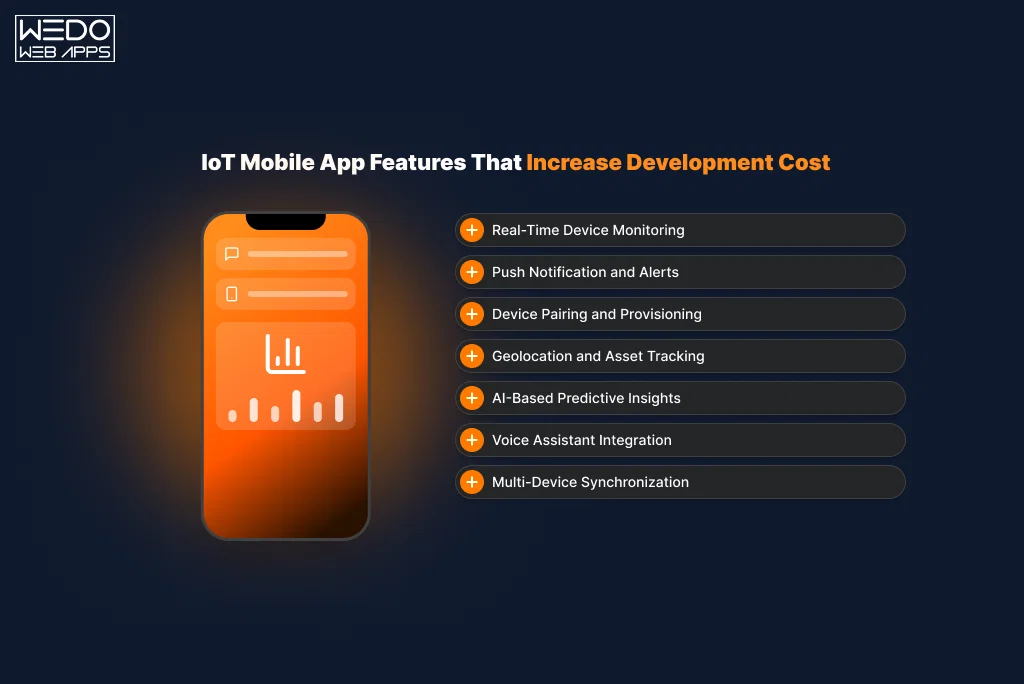
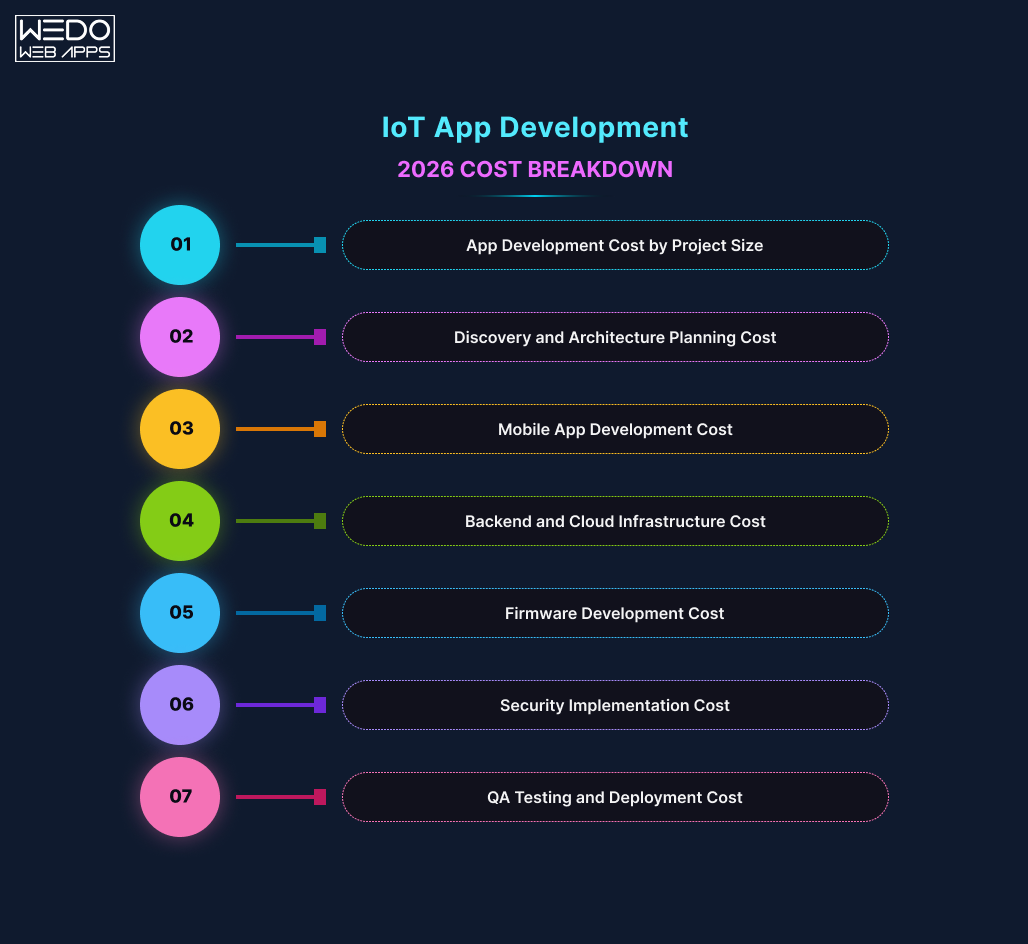
Must-Have Features for eCommerce Website (2025 Edition)

Before you make any sudden decision, you need to know about the features that are essential for developing your websites.

The section here explains the must-have features for eCommerce websites, which you can include in your website to increase the conversion.

User-Centered Design & Navigation Features

For maintaining the efficient reach of the website, it is important to have a website that is more relevant to the customers. It must have a user-centered UX design and simpler navigation features to maintain the interest of shoppers.

Every user prioritizes a seamless journey with clarity on details, speed, and mobile accessibility.

  • Mobile-first responsive layout

Do you know that the maximum traffic of a website is generated with the help of mobile devices? That means making your website mobile-friendly is essential, with the mobile eCommerce UX best practices.

A responsive website develops interest by having flexibility that adapts perfectly to all screen sizes without sacrificing usability or speed.
  • Sticky headers & smart navigation

Keeping your menu visible as users scroll ensures quick access to categories and search tools, reducing friction and supporting eCommerce user experience best practices.

  • Search functionality with filters and sorting

Customers want to find products fast, and so it requires having the best eCommerce user experience best practices. Enable predictive search, smart filters, and sort options to streamline product discovery.

Product Presentation Features That Convert

Having a clear display along with the proper presentation of all the available products. This allows the user to have the best possible design, which looks more professional and improves the user experience.

  • High-quality product images and zoom

The addition of high-quality product images allows the user to know about the reliability of the product. This maintains trust and interest. Also with the zoom in and zoom out feature increases the chances of frequent purchases.

  • Video demos for products

Using the videos as a demo on the product page for your site gives a professional appearance. This also plays an important role when talking about the must-have features for an eCommerce website.

  • Social proof: reviews, ratings, and testimonials

Make sure that on your website, you have added the client testimonial, review, or rating given to your website and services. This is a great option to include in the best eCommerce UX design.

Shopping Cart UX Best Practices

You know that there are various cart options available that you can include in your website, but for that, you need to make sure that shopping cart UX best practices are being maintained. Having a user-friendly cart maintains the encouragement for the completion of purchase and reduces the frustration if it works properly.

  • Persistent cart across devices

Make sure that your add to cart option is smooth for all types of devices and screen sizes. As this allows to maintain the smooth process of the user and delivers convenience.

  • Cart summary with editable options

For this, you need to make sure that you are letting customers modify product quantities, remove items, or update variants before checkout. This is essential for shopping cart UX best practices.

  • Auto-save cart for logged-out users

Make sure that you allow users to save products to the cart before signing up. This auto-save cart option reduced the chances of customer abandonment.

  • Visible cart icon with item count

Maintain a clear appearance of the Add to Cart option. This lets the user stay long on your website.

Checkout UX Best Practices

Why is it important to have the best checkout practices? Because processes play an important role, and so do the checkout UX best practices. The checkout needs to be frictionless and fast. Any delay or confusion can lead to failure in customer purchases.

  • Guest checkout & social login

Make sure you give your client access to register or purchase by registering on the website. For this, you also add the example to benefit from registration. You can also give customers access to social logins to have better flexibility.

  • Progress indicators and order summary

Allow users to easy access to order details along with the proper details on when you can expect you to have the delivery. Having this transparency builds trust.

  • Multiple payment methods and mobile wallet support

Inclusion of trusted and secure payment methods varies with the country and region. Make sure all the bases are covered. Offering familiar and convenient payment options aligns with checkout ux best practices.

  • Display final cost upfront with estimated delivery

Avoid unpleasant surprises. Show final costs, shipping, and estimated delivery before the user clicks Pay. Customers need to know about the total cost before purchasing.

Trust-Building & Conversion Features

For your eCommerce website, you need to make sure that you consider the best eCommerce UX design, which builds trust.

  • Transparent return and shipping policies

With the checkout details, add the section that shows about return and shipping policy to maintain awareness among customers.

  • Security seals & SSL certificates

Option to have access to the verification of the different services. Display certification that confirms your site’s security. This small step significantly boosts credibility.

  • Wishlist/save-for-later

Not everyone buys right away. Allow users to save items and return them later. This is a proven technique for increasing repeat visits to your website and maintaining interest.

  • Personalized product recommendations

Every user is interested in having personalized services. So, with the best eCommerce UX design, make sure the product recommendations are being given as on the browser history.

update eCommerce website

UX Best Practices for eCommerce That Drive Conversions

There are many different aspects that you can keep in mind while adding the UX best practices for eCommerce. However, maintaining the sleek design that drives the conversion is important. This makes a big difference in the reliability of services.

Let’s explore the strategies top-performing online stores follow to craft a user experience that sells.

Streamline Navigation & Minimize Friction

When a visitor lands on your website, they instantly look for some reliable information, so you need to maintain this:

  • Within your website, keep the simple navigation. Inclusion of a clear category link with proper and familiar languages.
  • Make use of the navigation tool, which allows users to know where they have landed and helps them to keep track easily.
  • Enable quick product reviews so that users can browse through the product and browse without any interruption.

These are core eCommerce best practices that reduce cognitive load and improve the shopping journey.

Prioritize Speed & Mobile Optimization

For your website, make sure the speed of page load is maintained whether it is on a user’s desktop or mobile devices. Mobile traffic is now highly impacting the eCommerce website. If your site isn’t built with mobile ecommerce UX best practices in mind, you’re likely losing customers.

  • Reduce load times by reducing the size of images and make sure of modern frameworks.
  • Make sure that the images are optimized for the smaller screens and are not dragging down the performance on mobile.
  • Implement the adaptive mobile-first design services where every component of a website is optimized for readability and is easy to use.

Remember, mobile shoppers are often multitasking. Make every tap count.

Optimize Search and On-Site Discovery

There might be chances where customers do not even know what they are looking for, so the implementation of smart search as a part of UX best practices for eCommerce can be essential for capturing the attention.

  • Use autocomplete with image product suggestions to help users with their search type.
  • Add filters and sorting on category pages so shoppers can narrow down choices by size, color, price, and more.
  • Offer smart suggestions based on browsing history, top sellers, or trending items.

These are eCommerce user experience best practices that transform passive browsing into confident buying.

Leverage Personalization & Behavioral Triggers

Modern eCommerce websites are not just about flexibility, it is also about personalization services. Maintain customer experience based on their purchase behavior.

  • Use AI-based product recommendations with the analysis of user profiles and purchasing histories.
  • At the start of the page, display information about the recently viewed product and encourage cross-selling and up-selling.
  • Use intent pop-ups or personalized discounts for consistent shoppers and maintain a seamless experience.

Build Trust With Transparent UX

These days, modern eCommerce users are mindful of how their data is collected and used by websites they visit. Transparent UX, like clear permission requests, visible privacy policies, and secure checkout flows, directly impacts conversions.

Designers and developers must ensure that users feel safe about their data. As discussed in this GoodFirms article on app permissions and data control, clear communication on why permissions are needed is important to reduce friction and boost user confidence.

These techniques reflect the best ecommerce UX design by creating experiences that feel tailor-made and helpful rather than generic.

Real-World Examples of Great eCommerce UX Design

When we talk about the best eCommerce UX design, it’s essential to look at real brands doing it right. From global giants to rising stars, these examples show how thoughtful UX drives results.

Amazon sets the high standard with its ultra-smooth checkout process, real-time delivery updates, and one-click purchases. This has maintained both checkout UX best practices and building trust through simplicity.

ASOS shines with its highly personalized experience. From size suggestions to AI-driven product recommendations, it represents eCommerce UX best practices while delivering a seamless mobile journey, a clear win for mobile eCommerce UX best practices.

Use Case of WEDOWEBAPPS and How We Helped “Racing Emporium” for eCommerce UX Best Practices.

Client

Racing Emporium:  A growing eCommerce platform serving motorsport enthusiasts, offering merchandise and premium features through a mobile app.

Challenges They Were Facing

  • Security gap: Their app was lacking modern security features, making the user data vulnerable to breach and fraud.
  • Poor User Experience: An outdated, confused UI and a confused navigation.
  • Lower App Performance: Users are experiencing slow loading and app crashing during the peak hours.
  • Unsecured Payment Gateway: The absence of a secure payment gateway limited revenue opportunities.

Services Delivered By WEDOWEBAPPS

  • App Security Updated
      • Implemented a secure authentication mechanism.
      • Followed the clear and secure coding practices.
      • Conducted vulnerability scans to protect user data.
  • Complete UX/UI Updated
      • Designed a clear and mobile-responsive design.
      • Include a simpler navigation system.
      • Maintain onboard flow with the mobile eCommerce UX best practices.
  • Performance Optimization
      • Enhanced the backed APIs.
      • Made use of fast-loading images and improved features.
      • Optimized database queries and boosted the speed for stability.
  • PayPal Subscription Integration
    • Seamlessly integrated PayPal’s subscription APIs.
    • eloped a user-friendly interface for controlling the payment gateway.
    • Enhanced the consumer experience with a safe payment method.

Outcome Achieved with Our Services

  • Security Compliance: Achieved 100% adherence to OWASP standards; reduced data vulnerability incidents by 95%.
  • UX Impact: Engagement has been increased by up to 65%, bounce rate has dropped by 48%. Also, the supposed ticked queries are reduced.
  • Performance Increase: App loading time has been increased by 70%, and cash rates have decreased.
  • Revenue Growth: Enabled monetization with 1,200+ active PayPal subscribers in 90 days; boosted monthly revenue by 30%.
  • User Satisfaction: Consistency has been maintained with the 4.6-star rating across the major app stores.

Merging Features with UX Best Practices

With the faster development of eCommerce websites, it is essential to include the best eCommerce UX design to maintain a smooth appearance. By implementing these must-have features for eCommerce websites, you can drive sales and maintain trust among customers.

Building a strong online store nowadays is essential not just for the visuals but also for maintaining an effortless experience for customers. When you combine the must-have features along with the proven UX best practices for eCommerce, you’re not only improving functionality but also nurturing trust and boosting conversions.

From smooth navigation to mobile responsiveness and smart checkout flow, every touchpoint plays an important role in maintaining engagement. Focusing on UX best practices for eCommerce, especially for mobile users, is no longer optional. It’s your competitive edge.

And if you’re unsure where to start, take inspiration from the best ecommerce UX design examples like Amazon, ASOS, or even real businesses featured in the WeDoWebApps portfolio. With the right features and thoughtful user experience in place, your eCommerce website won’t just attract visitors, it will convert them into loyal customers.

Looking personalized UX design

Marketing and Advertising – Are Both the Same or Different?

Is Marketing just another fancy word for advertising?

You are not alone in the race if you have ever used both these words interchangeably. But, understanding the difference between advertising and marketing is not just for textbooks and marketing professionals. It is the difference between wasting your money on short-term ads and creating a brand that lasts.

In a world where businesses are spending dollars heavily on flashy Instagram ads and Google PPC without a strong plan, it is easy to mistake advertising as a complete strategy. But advertising is just one small part of a full round marketing pie, and without the support of the rest of the ingredients, you will end up serving something that is not completely baked.

No matter a small business owner, a startup founder, or a marketing manager, one should know how advertising fits into their marketing strategy. Knowing this will save you time, money, and effort. If you want to implement these terms practically in your business, consult a professional social media marketing company. This blog will shed some light on the advertising and marketing differences, along with some real-life examples.

What is Marketing? A Deep Dive

Marketing is a complete, long-term process that includes elements like researching, promoting, selling, and product/service distribution, while creating value for customers and brand loyalty.

What are the Key Elements of Marketing?

Marketing is much more than just promotions. It includes:

  • Market Research: Understanding the needs, preferences, and behavior of the customers.
  • Product Development: Creating a product or service that meets the market demand.
  • Brand Positioning: Establishing a secure and unique place in the customer’s mind.
  • Pricing Strategy: Balancing the preset value and market competitiveness. 
  • Distribution (Place): Ensuring the product accessibility at your customer’s place
  • Promotion: Activities like advertising, PR, email, SEO, content marketing, and more.

Marketing means to create the right product for the right people at the right time and ensuring that they are experiencing it the right way.

Starbucks – A Real-Life Example

Starbucks doesn’t just sell coffee, it sells an unforgettable experience. From the ambience of the store to personalized apps and reward programs, every touchpoint is a well-thought-out part of its marketing strategy.

What is Advertising? A Critical Piece of Promotion

Advertising is a crucial part of a marketing strategy. It is a paid form of communication that attracts customers, spreads brand awareness, and convinces them to take specific actions like clicks or purchases.

Channels and Types of Advertising

  • Traditional Media – TV, radio, print, outdoor
  • Digital Advertising – Google Ads, Facebook/Instagram Ads, YouTube, Programmatic
  • Social Media Ads – Targeted paid posts and stories
  • Influencer & Sponsored Content – Paying creators to promote your brand

Advertising is a tactic that is used to broader marketing strategy.

Example of Advertising: Coca-Cola’s “Share a Coke” Campaign

While the concept of marketing is focused on personalization, advertising delivers the message to the audience through television, billboards, social media, and custom bottles.

Marketing vs Advertising – Know the Difference

Features Marketing Advertising
Definition  Strategic planning and activities to meet customer needs  Paid messages to promote a product or service
Goal  Build long-term brand and customer relationships Drive immediate awareness, traffic, or sales
Scope Wide: includes research, branding, pricing, promotion Narrow: promotion only 
Duration Ongoing, long-term campaigns Time-limited campaigns
Cost  Variable (can be low cost) Generally paid and budget-intensive
Example Nike’s brand identity and product ecosystem  Nike’s “Just Do It” YouTube Ad. 

Insights for You:

  • Marketing builds trust and identity, and is about value creation.
  • Advertising delivers the message and is about attention-grabbing.

Common Misconception: Is Marketing the Same as Advertising 

People usually confuse with the question: Is advertising and marketing the same?

No, advertising and marketing are not the same thing.

Most people confuse them because:

  • Ads are more visible and flashy; marketing is often behind the scenes.
  • Small businesses may only run ads, not full marketing campaigns.
  • Social media has blurred the lines between content, promotion, and advertising.

Clarification with Analogy:

Marketing is like planning and planting a garden, while advertising is putting up a sign to show it’s blooming.

Who Uses Marketing vs Who Uses Advertising?

Marketing Is Used By:

  • Product managers
  • Brand strategists
  • Customer experience (CX) teams
  • Marketing agencies8

Advertising Is Used By:

  • Media planners and buyers
  • Ad agencies
  • Paid media specialists
  • Digital marketing teams

While teams may differ, the success of both depends on collaboration.

Why the Difference Matters for Your Business

Benefits of Understanding the Difference:

  • Allocate budgets more wisely
  • Develop a cohesive brand story
  • Avoid short-termism
  • Increase customer lifetime value (CLV)

Impact of Misalignment:

  • Inconsistent messaging
  • Poor ROI from ads
  • Customer confusion and churn

When to Focus on Marketing:

  • Product development stages
  • Launching new offerings
  • Entering new markets

When to Focus on Advertising:

  • Short-term boosts
  • Event promotions
  • Retargeting interested prospects

How Marketing and Advertising Work Together

The Relationship:

Marketing sets the strategy; advertising executes promotional tactics.

Breakdown by Funnel Stage:

  1. Top of Funnel (TOFU): Marketing drives awareness (blogs, social, SEO)
  2. Middle of Funnel (MOFU): Advertising nurtures consideration (display, video)
  3. Bottom of Funnel (BOFU): Retargeting ads and offers seal the deal

Example: A SaaS brand writes blog content (marketing), then runs LinkedIn ads targeting readers (advertising).

Real-World Marketing vs Advertising Examples

Example 1: Apple

  • Marketing: Clean design, exclusive ecosystem, premium experience
  • Advertising: Launch events, product demos, billboard ads

Example 2: Spotify

  • Marketing: Curated playlists, personalized UX, freemium model
  • Advertising: Sponsored podcasts, banner ads, social media campaigns

Example 3: Local Fitness Studio

  • Marketing: Referral programs, Google My Business, email tips
  • Advertising: Facebook ads offering first-class free

What Is an Advertising Strategy?

Definition:

An advertising strategy is a blueprint for how, when, and where you deliver promotional content to achieve business goals.

Key Elements:

  • Target audience
  • Platform selection
  • Creative assets
  • Budgeting
  • KPIs and measurement

Step-by-Step Guide:

  1. Define the campaign goal (awareness, sales, leads)
  2. Research your target audience
  3. Choose ad platforms (Google, Meta, LinkedIn)
  4. Set budget and schedule
  5. Design creatives (copy, images, video)
  6. Monitor results and optimize

Tools to use: Google Ads, Facebook Ads Manager, SEMrush

How can the Business Incorporate the Marketing Concept?

What is the marketing concept?

The marketing concept is a business philosophy that prioritizes customer needs and satisfaction above all else.

How to apply it:

  • Conduct regular customer surveys
  • Create buyer personas
  • Implement feedback loops
  • Personalize communication
  • Focus on long-term relationships, not just sales

Case Study: Netflix

Netflix collects user data to understand preferences and tailor content recommendations, improving retention and satisfaction — a stellar application of the marketing concept.

Using Marketing and Advertising Together in 2025

Tools That Bridge Both Worlds:

  • HubSpot: CRM, email, automation, ads
  • Mailchimp: Email marketing + retargeting
  • Canva + Meta Ads: Easy design + placement

Integrated Campaign Example:

A clothing brand promotes sustainability (marketing), then runs retargeting ads on Instagram (advertising) to convert traffic into sales.

Pro Tip: Use consistent visuals and tone across both efforts for brand recognition.

Conclusion: Marketing and Advertising Aren’t Opposites — They’re Partners

To scale effectively, you need both a solid marketing foundation and smart advertising tactics. Focus on value first, visibility second.

Want to build a strategy that blends both?

Contact the professional Digital Marketing Company to build a marketing strategy that combines both Marketing and Advertising together to get the results.

Complete Guide to Custom Mobile Application Development in London

Custom Mobile Application Development

In the world of digitalization where smartphones have become the extensions of our hands, mobile applications have emerged from luxuries to necessities. From managing our everyday tasks to revolutionizing global industries, mobile applications have become the heartbeat of connectivity and convenience. However, have you ever considered thinking of the efforts that app developers put into bringing these digital marvels to life? 

Behind every intuitive swipe and seamless experience lies a universe of creativity, innovation, and relentless problem-solving—this is the world of mobile application development. Whether you’re a tech enthusiast, an entrepreneur with the next big app idea, or someone curious about how these tiny icons rule our lives, this blog will take you on a journey through the art and science of crafting mobile experiences that resonate with users and shape industries. Let’s dive in and unravel what it takes to build the apps that define the future.

7 Steps to Custom Mobile Application Development

1. Research and Define User Needs

  • Why it Matters: The development of a successful app begins with a thorough understanding of its target audience. This step ensures solving the real problems and that the app aligns with the user’s expectations. 
  • How it is Done: Conduct proper market research to understand current trends, user behavior, and competitor offerings.

Create detailed user personas that represent the app’s audience, emphasizing demographics, pain points, and needs.

Participate in surveys, focus groups, and interviews to gather direct insights.

  • Outcome: This is the initial research phase that sets the room for an app concept that aligns with its audience, ensuring relevance and usability from the outset.

2. Craft a Unique App Concept and Features

  • Why it Matters: A unique app concept sets it apart from its peers in a crowded market. Defining the core feature helps focus the development efforts on delivering maximum value to users.
  • How it is Done: Generate mobile app ideas based on user research, business objectives, and industry trends.

Use frameworks like the MoSCoW method (Must-haves, Should-haves, Could-haves, and Won’t-haves) to prioritize features effectively. 

Develop wireframes and flowcharts to map out app functionality and user journeys.

  • Outcome: A well-defined app concept and feature list ensure a clear development path, reducing the risk of scope creep and delivering a solution tailored to users’ needs.

3. Design a User-Centric Interface

  • Why it Matters: A visually appealing and intuitive user interface is important for engagement and retention. Good design is not just aesthetics, it’s about creating seamless user experiences. 
  • How it is Done: Create wireframes and prototypes to outline the app’s layout and functionality.

Prioritize usability principles, ensuring intuitive navigation, consistent design patterns, and accessibility for a diverse audience. 

Utilize tools like Figma or Adobe XD to visualize the app design and refine it through iterative feedback.

  • Outcome: The result is a polished, user-friendly design that aligns seamlessly with the brand identity, creating an enjoyable app experience and fostering long-term user engagement.

4. Develop Core Functionalities 

  • Why it Matters: Customized functionalities make an app different from off-the-shelf solutions, making it uniquely valuable to the users. 
  • How it is Done: Choose a robust tech stack tailored to the app’s needs, such as Flutter for cross-platform app development or Swift app development London and Kotlin for native apps.

Develop scalable backend systems to manage data storage, APIs, and user authentication effectively. 

Incorporate advanced features like real-time data synchronization, AI-driven recommendations, and secure payment gateways to enhance functionality and user experience.

  • Outcome: A fully functional application with a strong technical foundation meeting user needs while maintaining high quality, performance, and scalability. 

5. Conduct Rigorous Testing

  • Why it Matters: Comprehensive testing guarantees the app functions as intended, offering users a seamless experience free from bugs and performance issues.
  • How it is Done: Perform unit testing to validate the functionality of individual components and integration testing to ensure seamless collaboration between them.

Conduct usability testing with real users to identify and address design or functionality pain points.

Test across a variety of devices and operating systems to ensure compatibility and optimal performance.

  • Outcome: A reliable, bug-free app that meets quality standards and provides consistent performance across devices and platforms.

6. Deploy and Market the Application 

  • Why It Matters: A well-executed launch ensures the app effectively reaches its target audience, driving early engagement and delivering value.
  • How It’s Done: Prepare the app for release by adhering to the guidelines of app stores such as Google Play and the Apple App Store.

Craft a marketing strategy that includes App Store Optimization (ASO), targeted social media campaigns, and paid advertising to boost visibility.

Leverage analytics tools to monitor downloads, track user engagement, and gather feedback from day one.

  • Outcome: A successful app launch that generates initial buzz, attracts users, and lays the foundation for sustained growth and adoption.

7. Ask for Feedback and Iterate 

  • Why It Matters: Continuous improvement ensures the app remains engaging, relevant, and competitive in a dynamic market.
  • How It’s Done: Gather feedback through in-app surveys, user reviews, and analytics tools to pinpoint areas for enhancement.

Release updates informed by user insights, addressing bugs, introducing new features, and improving the overall user experience.

Track performance metrics such as retention rate, session length, and conversion rate to assess the app’s success and identify opportunities for growth.

  • Outcome: A dynamic, user-centric app that evolves with market trends and user needs, maintaining its relevance and delivering sustained value.

Practical Tips for Successful Mobile App Development

Mobile App Design is a combination of creativity and functionality. Below are some of the best mobile app development company tips to ensure that your application resonates with the users:

1. Prioritize Simplicity and Usability

Design simple and intuitive navigation in order to help the users complete their tasks with minimal effort. Moreover, avoid overwhelming the users by using clean layouts and consistent design elements. Make sure that the users can easily find the features and effortlessly interact with the button elements. 

2. Focus on Speed and Performance

Compress images, minimize data requests, and leverage caching to optimize the loading times. Make sure that the application is running seamlessly across all devices and operating systems. Additionally, test the application’s performance regularly under different conditions to prevent glitches. 

3. Implement Personalization

You can use Artificial Intelligence(AI) to personalize user experiences such as customized recommendations or dashboards. Allow the users to choose the layouts, themes, or notification settings for a more personalized user experience. 

4. Prioritize Accessibility

Prioritize inclusivity by offering features like voice commands, color contrast options, and adjustable text sizes. Also, ensure adherence to accessibility standards to cater to users with any sort of disabilities. 

5. Add Engaging Visuals and Interactions

Use dynamic animations and engaging visuals to create lifetime-remembered experiences. Include micro-interactions like haptic feedback or visual cues to make the application feel live. 

6. Collect and Respond to Feedback

Regularly collect user feedback through in-app surveys, reviews, and analytics. Continuously update the application by addressing user suggestions and remaining aligned with their needs. 

Trends in Cross-Platform Mobile App Development

Planning to create a cross-platform mobile application that stands out in the competitive market? Below are some of the mobile app development trends to incorporate: 

1. AI-Powered Personalization

Mobile applications across the world now use artificial intelligence to offer customized recommendations, personalized content, and predictive suggestions based on user behavior.

2. Voice and Gesture Control

Vice commands and gesture-based interactions are nowadays replacing traditional touch inputs, making mobile applications more interactive and accessible. 

3. Seamless Cross-Device Integration

Applications that sync effortlessly across smartphones, tablets, smartwatches, and IoT devices are becoming essential for a better and connected user experience. 

4. Augmented Reality (AR)

From interactive gaming experiences to virtual try-ons in shopping apps, Augmented Reality has been a game changer in engaging users with mobile applications. 

5. Hyper Performance with 5G

With the emergence of 5G technology, apps are now offering faster loading times, real-time data streaming, and smoother performance even for high-demand mobile applications like gaming and video conferencing. 

What are the User Requested Features for Mobile App Development

When imagining an ideal application, users may be looking for functionalities that make their lives easier, more organized, and fun. Below are some of the most user-requested app features: 

1. Customization and Personalization 

Apps that take into account user preferences, like themes, layouts, and notification settings, are of great value.  Features like personalized dashboards and curated content make the experience more engaging and tailor-made. 

2. Offline Functionality

Users prefer an app to be able to access features without an internet connection, especially in travel, note-taking, or media applications.

3. Multi-Platform Synchronization

With the continuity of syncing between any smartphone, tablet, or desktop, switching between a smartphone, tablet, or desktop is seamless.  

4. Advanced Security and Privacy

Users’ growing concerns about data safety are well addressed by features such as biometric authentication, end-to-end encryption, and flexible privacy controls.  

5. Smart Notifications

Instead of jarring notifications, people want context-aware notifications that are timely, relevant, and non-intrusive.

6. Interactive and Immersive Elements

Features like gamification, augmented reality (AR), and dynamic animations make the apps more engaging and fun to use.

7. Integrated Payment Options 

Easy, quick, and adaptable payment methods such as digital wallets and cryptocurrencies are part of what makes an e-commerce and subscription app really flourish.

At WEDOWEBAPPS, we don’t just hear these requests; we thinkfully implement them to deliver apps that really speak to user needs.

Key Performance Metrics for Mobile Applications

To optimize app performance effectively, developers must track metrics that directly impact user experience and satisfaction. Here are the key metrics to focus on:

1. App Load Time 

Users expect apps to load within two seconds; anything slower risks abandonment. Reducing load time enhances user satisfaction and retention, particularly critical for first-time users.

2. App Responsiveness (Latency)

Responsiveness measures how quickly an app reacts to user interactions. Delays of even a few milliseconds can detract from the experience. This metric is vital for apps requiring real-time feedback, such as financial trading or gaming, where speed is non-negotiable.

3. Battery and Resource Usage

Apps that overuse battery or memory frustrate users, often leading to uninstalls. Monitoring battery drain, CPU, and memory consumption helps developers balance performance and efficiency, ensuring smooth operation across devices, old and new.

4. Network Performance (Latency and Bandwidth)

Continuous data exchange is critical for apps like video streaming or social media. Optimizing network performance—reducing latency and managing bandwidth—ensures faster load times and smoother functionality, even on slower connections.

5. Error Rate

The error rate measures the frequency of crashes and bugs, directly affecting app stability. A low error rate is crucial to maintaining user trust and preventing churn caused by poor reliability.

6. Frame Rate

A smooth frame rate, ideally 60fps, ensures seamless animations and visual interactions. This metric is essential for gaming, media, and visually intensive apps where smooth visuals are a key part of the user experience.

By consistently tracking and optimizing these metrics, developers can ensure their apps deliver high-quality performance under diverse conditions, meeting user expectations and beyond.

Conclusion

Developing a successful mobile app requires a combination of creativity, strategic planning, and a focus on user-centricity. By following a well-defined development process, incorporating cutting-edge features, and keeping an eye on performance metrics, mobile app developers can create apps that captivate users and stand the test of time. As mobile technology evolves with trends like AI, AR, and 5G, staying adaptable and user-focused is the key to thriving in this dynamic industry. Get in touch with a trusted mobile app development company to get your vision transformed into reality.

WEDOWEBAPPS Expands Global Reach with Leading Mobile App Development Services

Introduction

WEDOWEBAPPS, a leading mobile app development company, is thrilled to announce its continued success in the global market. With a strong commitment to innovation and excellence, WEDOWEBAPPS has established itself as a trusted partner for businesses seeking high-quality mobile app solutions.

Pioneering Mobile App Development

WEDOWEBAPPS is at the forefront of mobile app development, delivering innovative and high-performance solutions tailored to meet the unique needs of businesses across various industries. Our team of experienced developers and designers leverages the latest technologies and industry best practices to create mobile apps that are not only visually stunning but also highly functional and user-friendly.

Key Achievements

  • Global Client Base: Over the past year, WEDOWEBAPPS has successfully partnered with clients from diverse sectors, including eCommerce, healthcare, finance, and entertainment. Our global client base continues to grow as we deliver exceptional mobile app solutions that drive business success.
  • Cutting-Edge Technologies: We utilize the most advanced technologies and frameworks, such as React Native, Flutter, and Swift, to ensure our clients receive the best possible solutions. Our expertise in both native and cross-platform development allows us to meet the specific needs of each project.
  • Award-Winning Projects: Our commitment to excellence has been recognized through various industry awards and accolades. WEDOWEBAPPS is proud to have received accolades for innovation, design, and customer satisfaction.
  • GoodFirms Listing: WEDOWEBAPPS is now listed on GoodFirms as one of the Top Mobile App Development Companies. This recognition underscores our commitment to providing exceptional services and achieving client satisfaction.

Client Success Stories

Our clients’ success is our top priority. Here are a few highlights of how WEDOWEBAPPS has helped businesses achieve their goals:

  • BoujeeConnect: A revolutionary dating application that connects people based on shared interests and preferences. BoujeeConnect has seen rapid user growth and high engagement rates since its launch.
  • DME Live: A comprehensive dispatch management platform that streamlines operations for logistics companies. DME Live, led by Joel Davis, has significantly improved efficiency and customer satisfaction.

Explore how profit-driving mobile apps can impact top industry sectors and enhance your business strategy.

Future Plans

WEDOWEBAPPS is committed to continuing its growth and innovation in the mobile app development industry. Our future plans include:

  • Expanding Our Service Offerings: We aim to introduce new services such as augmented reality (AR) and virtual reality (VR) app development, further enhancing the capabilities we offer to our clients.
  • Strengthening Partnerships: Building stronger relationships with technology partners and clients to drive mutual growth and success.
  • Investing in Talent: Continuously hiring and nurturing top talent in the industry to ensure we remain at the cutting edge of mobile app development.

Get in Touch

If you are looking to develop a mobile app that can transform your business, contact WEDOWEBAPPS today. Our team is ready to bring your vision to life with a customized solution that meets your unique needs.

Contact Information:

Phone: +1 786 245 4146
Email: sales@wedowebapps.com
Website: https://www.wedowebapps.com

Global Presence

wedowebapps-usa-hq-new-jersey-map
usa-location-icon USA
address-icon-img HQ : 21 Charles St, Clifton,
New Jersey, 07013.
wedowebapps-usa-hq-new-jersey-map
usa-location-icon USA
address-icon-img BO : 450 Paradise Isle Blvd Suite 306 Hallandale Beach, Florida 33009.
wedowebapps-uk-london-office-map
address-icon-img 2 Garrick Rd, London
NW96AA, UK.
wedowebapps-australia-melbourne-office-map
address-icon-img 70 Everton Road , Truganina
Victoria 3029
wedowebapps-canada-ontario-office-map
address-icon-img 14 Alfredo Ave, Brampton,
Ontario Canada L6P 1K1
wedowebapps-india-ahmedabad-office-map
India-location-icon INDIA
address-icon-img A 706/707 Empire Business Hub, Science City Road, Ahmedabad – 380060
Call Mail Whatsapp