skip to content

WEDOWEBAPPS Expands Global Reach with Leading Mobile App Development Services

Introduction

WEDOWEBAPPS, a leading mobile app development company, is thrilled to announce its continued success in the global market. With a strong commitment to innovation and excellence, WEDOWEBAPPS has established itself as a trusted partner for businesses seeking high-quality mobile app solutions.

Pioneering Mobile App Development

WEDOWEBAPPS is at the forefront of mobile app development, delivering innovative and high-performance solutions tailored to meet the unique needs of businesses across various industries. Our team of experienced developers and designers leverages the latest technologies and industry best practices to create mobile apps that are not only visually stunning but also highly functional and user-friendly.

Key Achievements

  • Global Client Base: Over the past year, WEDOWEBAPPS has successfully partnered with clients from diverse sectors, including eCommerce, healthcare, finance, and entertainment. Our global client base continues to grow as we deliver exceptional mobile app solutions that drive business success.
  • Cutting-Edge Technologies: We utilize the most advanced technologies and frameworks, such as React Native, Flutter, and Swift, to ensure our clients receive the best possible solutions. Our expertise in both native and cross-platform development allows us to meet the specific needs of each project.
  • Award-Winning Projects: Our commitment to excellence has been recognized through various industry awards and accolades. WEDOWEBAPPS is proud to have received accolades for innovation, design, and customer satisfaction.
  • GoodFirms Listing: WEDOWEBAPPS is now listed on GoodFirms as one of the Top Mobile App Development Companies. This recognition underscores our commitment to providing exceptional services and achieving client satisfaction.

Client Success Stories

Our clients’ success is our top priority. Here are a few highlights of how WEDOWEBAPPS has helped businesses achieve their goals:

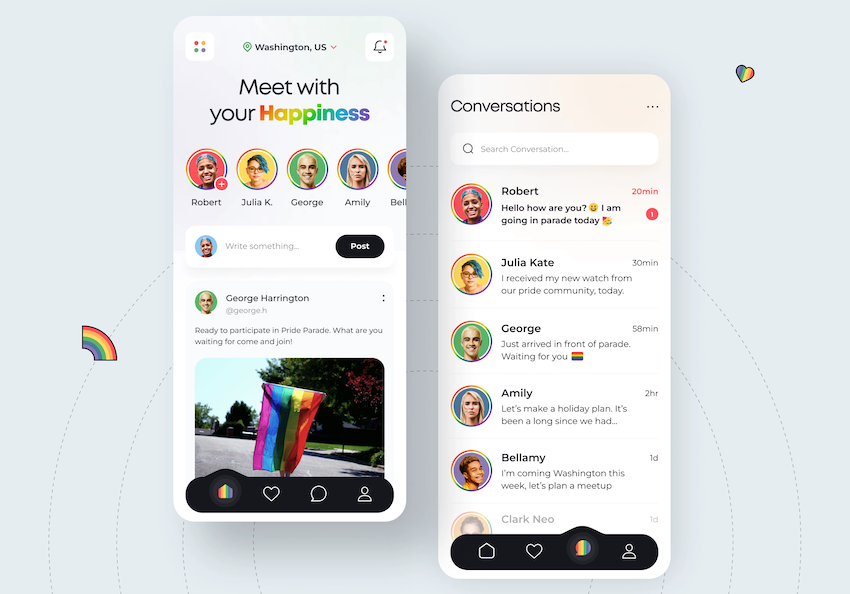
  • BoujeeConnect: A revolutionary dating application that connects people based on shared interests and preferences. BoujeeConnect has seen rapid user growth and high engagement rates since its launch.
  • DME Live: A comprehensive dispatch management platform that streamlines operations for logistics companies. DME Live, led by Joel Davis, has significantly improved efficiency and customer satisfaction.

Explore how profit-driving mobile apps can impact top industry sectors and enhance your business strategy.

Future Plans

WEDOWEBAPPS is committed to continuing its growth and innovation in the mobile app development industry. Our future plans include:

  • Expanding Our Service Offerings: We aim to introduce new services such as augmented reality (AR) and virtual reality (VR) app development, further enhancing the capabilities we offer to our clients.
  • Strengthening Partnerships: Building stronger relationships with technology partners and clients to drive mutual growth and success.
  • Investing in Talent: Continuously hiring and nurturing top talent in the industry to ensure we remain at the cutting edge of mobile app development.

Get in Touch

If you are looking to develop a mobile app that can transform your business, contact WEDOWEBAPPS today. Our team is ready to bring your vision to life with a customized solution that meets your unique needs.

Contact Information:

Phone: +1 786 245 4146
Email: sales@wedowebapps.com
Website: https://www.wedowebapps.com

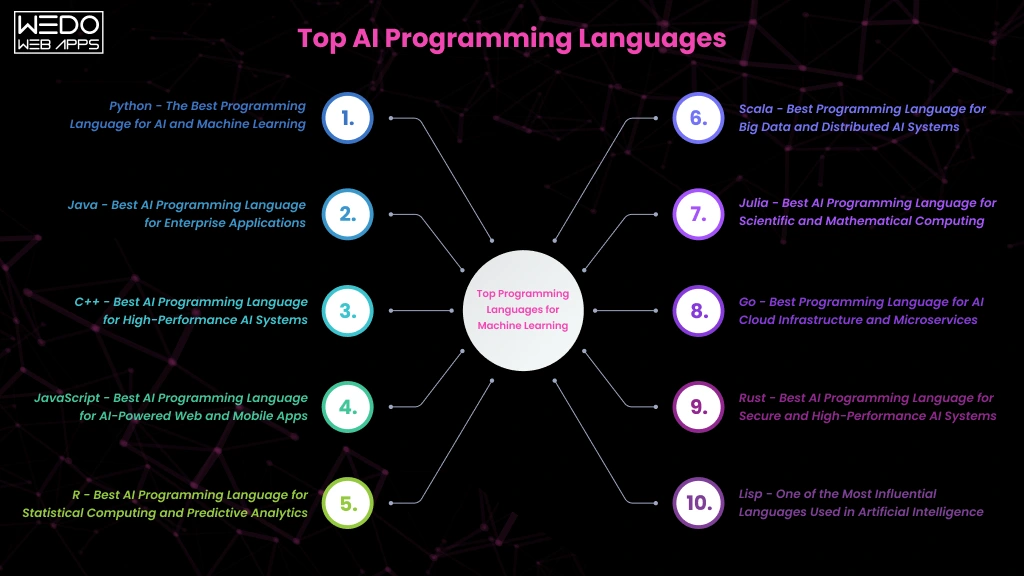
10 Best AI Programming Languages to Focus on in 2025

AI is on everyone’s lips these days. With tools like OpenAI’s Dall-E creating images from text and DeepMind using AI to predict protein structures, the possibilities seem endless. Even natural language processing is advancing, making chatbots and search engines smarter.

But with all this excitement, it can be tough to cut through the noise. The variety of programming languages and frameworks out there can be confusing. That’s why in this post, we’ll take a look at the top languages for AI development and help you figure out which one is right for your next project.

Best Programming Languages for AI 2024

Let’s take a look at why these AI programming languages are so popular and how they are used in different scenarios.

1. Python

Python is a favorite in the AI community, mainly because of its strong data visualization and analytics capabilities. Its straightforward and easy-to-read syntax makes it a popular choice among data scientists and analysts.

One of the great things about Python is its automatic memory management, thanks to garbage collection. Plus, since it’s an interpreted language, you can quickly develop and test your code without needing to recompile.

Python shines in scientific computing with libraries like NumPy, which provide excellent support for working with matrices and running complex AI algorithms, such as statistical models and neural networks.

Moreover, Python offers a wealth of AI-focused libraries and frameworks like scikit-learn, TensorFlow, and PyTorch, making it easier to handle machine learning, deep learning, and building neural networks.

How is Python Used in AI?

Python is incredibly popular in the AI world. It’s used for everything from machine learning systems and computer vision applications to natural language processing. If you’re building predictive models, neural networks, or diving into deep learning, Python is the way to go. It’s also perfect for tasks like image recognition, face detection, chatbots, and document analysis.

However, keep in mind that Python might not be the best choice for computationally intensive tasks. For those, you’ll need to consider your project requirements carefully and possibly look at other languages.

2. R Language 

R is the preferred language for statistical computing and is extensively used in data science. It’s particularly powerful for AI algorithms that rely on statistical techniques, such as probabilistic modeling, simulations, and data analysis.

R’s rich ecosystem of packages is perfect for manipulating and visualizing data, which is crucial for AI development. The caret package, for instance, boosts machine learning capabilities with its preprocessing and validation options.

Additionally, R allows for creating custom data visualizations and professional graphics through the flexible layered grammar of graphics concepts offered by ggplot2. The TensorFlow for R package makes it possible to implement scalable, production-grade deep learning by leveraging TensorFlow’s robust capabilities.

How is R Used in AI?

R is widely used for various statistical machine learning tasks, such as Naive Bayes and random forest models. It’s great for data mining, creating association rules, clustering data, and dimensionality reduction. When it comes to time series forecasting, R shines with ARIMA and GARCH models, as well as multivariate regression analysis.

R is also a go-to for risk modeling techniques, from generalized linear models to survival analysis. In bioinformatics, it’s used for sequencing analysis and statistical genomics.

R is perfect for early-stage experimentation and research. However, it’s not the best choice for later stages like deploying machine learning models into real-world products, as it lacks compilers and memory management. It also has a learning curve for those outside the data science field.

3. Java 

Java is a popular choice for AI systems that need to integrate with existing business setups and runtimes. The JVM lets you deploy AI while keeping the code compatible. Java’s extensive ecosystem offers a wealth of libraries, tools, stable runtimes, a large community of developers, and cross-platform portability. This makes it easy to build and deploy AI applications that work seamlessly across different hardware and software.

For example, DeepLearning4j supports neural network architectures on the JVM. The Weka machine learning library provides a range of algorithms for classification, regression, and clustering, while Mallet brings natural language processing capabilities to AI systems.

How is Java Used in AI?

Java is ideal for creating standalone AI agents and integrating analytics into business software. It’s used in monitoring and optimization scenarios, such as predictive maintenance and performance tuning agents. With Java’s libraries for natural language processing, you can develop conversational interfaces like chatbots and voice assistants.

Java also powers recommendation engines, helping to suggest relevant products and target advertising effectively.

Java is a great choice for large business AI systems that need to turn algorithms into reliable software. Its speed, reliability, and cross-device compatibility make it an excellent option.

4. C++

For deploying AI models in low-latency production environments, C++ is a great choice. As a compiled language with direct memory control, C++ can run machine learning programs quickly and efficiently. This makes it perfect for AI projects requiring significant processing power.

C++ code can be compiled into standalone executable programs, ensuring high performance across all operating systems and chips like Intel and AMD. This means you can deploy complex AI software reliably and with hardware acceleration anywhere.

In terms of libraries, the TensorFlow C++ interface lets you directly use TensorFlow’s machine learning capabilities. Caffe2 is ideal for deep learning tasks, while ONNX provides a standard for exchanging neural networks, making it easy to switch models between tools. Additionally, OpenCV offers crucial building blocks for computer vision projects.

How is C++ Used in AI?

C++ is ideal for scenarios that require millisecond latency and scalability, such as high-frequency trading algorithms, autonomous robotics, and embedded appliances. It’s also great for production environments that need large-scale or latency-sensitive inferencing due to its speed. Additionally, C++ works well alongside Python, making it possible to prototype in Python and then deploy high-performance applications with C++.

Using both C++ and Python together is a good idea for building scalable AI prototypes.

5. Julia

Julia uses a multiple dispatch technique to make functions more flexible without slowing them down. It’s also great for parallel programming and using many cores efficiently. Whether you’re running multiple threads on one machine or distributing tasks across many machines, Julia handles it smoothly.

One of the best things about Julia is that it works well with existing Python and R code. This means you can take advantage of the mature libraries from Python and R while benefiting from Julia’s strengths.

Julia’s key libraries for data manipulation (DataFrames.jl), machine learning (Flux.jl), optimization (JuMP.jl), and data visualization (Plots.jl) are continually improving. The IJulia project also integrates Jupyter Notebook functionality, making it easy to use.

How is Julia Used in AI?

Julia is quickly becoming a favorite for data science prototyping, with results often later moved to Python for production. It excels in areas that require heavy computation, such as scientific simulations and models, bioinformatics and computational biology research, time series analysis, and signal processing workflows. Julia’s strong mathematical capabilities and high performance make it a valuable tool for engineers, scientists, and analysts.

6. JavaScript

JavaScript is great for adding AI to websites and web apps. It makes it easy to build AI features using the same language you use for web development. This is why it’s popular for full-stack development and integrating AI into web interactions.

JavaScript’s event-driven model lets you update pages and handle user inputs in real-time without any lag. It’s also flexible, allowing for quick prototyping because it doesn’t require strict typing.

For libraries, TensorFlow.js lets you use Google’s ML framework in the browser and with Node.js. Brain.js offers neural networks for deep learning, while Synaptic.js provides flexible neural networks. Node-RED makes it easy to integrate models with its visual workflow.

How is JavaScript Used in AI?

JavaScript toolkits can bring advanced ML features to the browser, such as analyzing images and speech right on the client side without needing backend calls. Node.js makes it easy to host and run machine learning models using serverless architectures.

Using frameworks like React Native, JavaScript helps build AI-driven interfaces for web, Android, and iOS from a single codebase. While GPU acceleration and other specialized libraries in lower-level languages are better for training complex models, JavaScript’s versatility makes it ideal for adding intelligent features to media-rich applications.

7. Lisp

Lisp is a powerful language known for its use in rule-based AI applications and logical reasoning. It can represent both code and data in the same structures, and it can even modify its own code while running through metaprogramming.

The syntax of nested lists in Lisp makes it easy to analyze and process, which is crucial for modern machine learning. Modern versions of Lisp keep its core strengths while adding useful features like memory management.

For dialects and ecosystems, Clojure brings Lisp’s capabilities to Java virtual machines. CLIPS helps in building expert systems. By connecting with TensorFlow, Lisp can now use modern techniques like neural networks while keeping its symbolic strengths.

How is Lisp Used in AI?

Lisp is great for AI systems that need to handle complex symbolic knowledge or logic, such as automated reasoning, natural language processing, game-playing algorithms, and logic programming. It represents information as code and data symbols, making it easy to encode concepts and rules for AI applications.

While it was a pioneer in AI, Lisp has become less popular compared to statistical machine learning and neural networks. However, it is still perfect for expert systems and decision-making logic that rely on symbolic reasoning instead of data models.

Lisp’s ability to rewrite its own code also makes it highly adaptable for automated programming applications.

8. Haskell

Haskell is a purely functional programming language that relies on mathematical functions for AI algorithms. By avoiding side effects within functions, it helps reduce bugs and makes verification easier, which is important for safety-critical systems.

One of the best things about Haskell is its lazy evaluation, meaning it only runs calculations when necessary, which boosts efficiency. It also allows you to easily create and reuse AI components.

Haskell offers libraries like HLearn and LambdaNet for machine learning and neural networks. It also provides Haxcel and BayesHaskell for support with linear algebra and probability math.

How is Haskell Used in AI?

Haskell is a great choice for AI systems that rely on logic and symbolism, such as proving theorems, constraint programming, probabilistic modeling, and combinatorial search. It elegantly translates mathematical specifications into running code, making it a good match for how data scientists define AI algorithms.

With its strong foundations and robust data types, Haskell offers both correctness and flexibility for math-heavy AI tasks.

For quality-critical AI applications that need verifiable logical representation, Haskell is a solid option.

9. Prolog

Prolog is a logic programming language that uses facts and rules to encode knowledge, similar to how humans organize information. It automatically draws conclusions by connecting these logical declarations.

This query-based, declarative approach makes it easier to focus on high-level AI goals rather than detailed step-by-step procedures.

For libraries and frameworks, SWI-Prolog is a popular open-source implementation. For advanced probabilistic reasoning, ProbLog allows you to include uncertainty in your logic. Libraries like DeepLogic combine traditional Prolog with deep neural networks, integrating symbolic and differentiable components.

How is Prolog Used in AI?

Prolog is excellent for AI systems that need to represent and reason with knowledge, such as expert systems, intelligent agents, formal verification, and structured databases. Its declarative approach makes it easy to model complex logical constraints and automate tasks through logic programming.

For creating explainable, rule-based AI systems that can verify and validate models or capture detailed relational knowledge, Prolog is a great choice.

10. Scala

Scala blends object-oriented and functional programming, allowing you to use classes and methods for modular data abstraction while benefiting from mathematical clarity through pattern matching and immutability.

Its advanced type system uses inference for flexibility and ensures robustness through static checking. Scala also supports asynchronous processes, making it easier to distribute AI workloads across parallel infrastructure.

Specialty libraries enhance Scala’s AI capabilities. ScalNet provides neural networks, Breeze handles numerics, and it supports distributed machine learning on Spark. Scala also integrates well with Java ecosystems like DeepLearning4J. This combination of advanced language features and a rich technology stack makes Scala highly productive for AI development.

How is Scala Used in AI?

Scala is great for deploying machine learning models into high-performance production environments. It supports real-time model serving and building streaming analytics pipelines, along with distributed data processing and robust feature engineering.

Scala works well with big data tools like Spark, which speeds up the math transformations used in many machine learning techniques. This integration helps create scalable, DevOps-ready AI applications using a single, reliable language.

Comparative Analysis of Best AI Programming Languages

Language Strengths Weaknesses Usability Common AI Applications Examples of AI Applications
Python Easy to learn, lots of libraries, very productive Can be slow, threading issues with GIL High, great for beginners and experts Machine learning, computer vision, natural language processing Siri, Alexa, Tesla Autopilot
R Excellent for statistical modeling and analysis Not a general-purpose language, hard to learn Moderate, best for data scientists Statistical analysis, data mining IBM Watson Analytics, Google BigQuery ML
Java Works on many platforms, ready for enterprise use, strong typing Verbose code, not specialized for AI Moderate, good for production environments Search algorithms, natural language processing, enterprise AI Google Search, Cortana, Banking APIs
C++ Very fast, efficient, good control over hardware Complex, hard to learn Hard, for advanced developers Optimized machine learning applications, robotics Stock trading systems, self-driving cars
Julia Very fast, great for math and numerical analysis Newer language, smaller community Moderate, similar to Python Data science, numerical analysis Used by a central bank in the US and the NY Fed for ML modeling
JavaScript Widely used, great for full-stack web development Not the best for math and machine learning Moderate, mainly for front-end use Browser-based machine learning, Node.js backends Chrome ML image search, Angular recommendation engine
Lisp Great for symbolic AI, treats code as data Not widely used today, fewer libraries Moderate, niche use Early AI research, pattern recognition SPIKE, the planning tool for the Hubble Space Telescope
Haskell Purely functional, strong type safety Abstract, not widely used for AI Hard, niche research use Theoretical machine learning research Meta’s Sigma platform for handling over a million requests per second
Prolog Excellent for logic programming, pattern matching Limited use and libraries Moderate, uses a declarative style Expert systems, natural language processing Small Prolog interpreter for network setup in Microsoft Windows NT
Scala Combines Java’s strengths with functional programming Hard to learn Moderate, good for big data Machine learning on Spark, distributed systems eSentire uses Scala for real-time cybersecurity solutions

Choosing the Best AI Programming Language for Your Needs

Selecting the right AI programming language depends on your specific goals and use case since different languages are suited for different tasks.

For example, Python is a great choice for most AI applications, thanks to frameworks like TensorFlow and PyTorch. However, if you’re working on specialized systems that require a lot of computational power, you might want to consider languages like C++, Java, or Julia.

Think about your needs, and don’t hesitate to use more than one language if necessary. Focus on making your AI systems work well together. Make smart choices that fit your long-term goals and use good design principles to create AI solutions that are ready for the future.

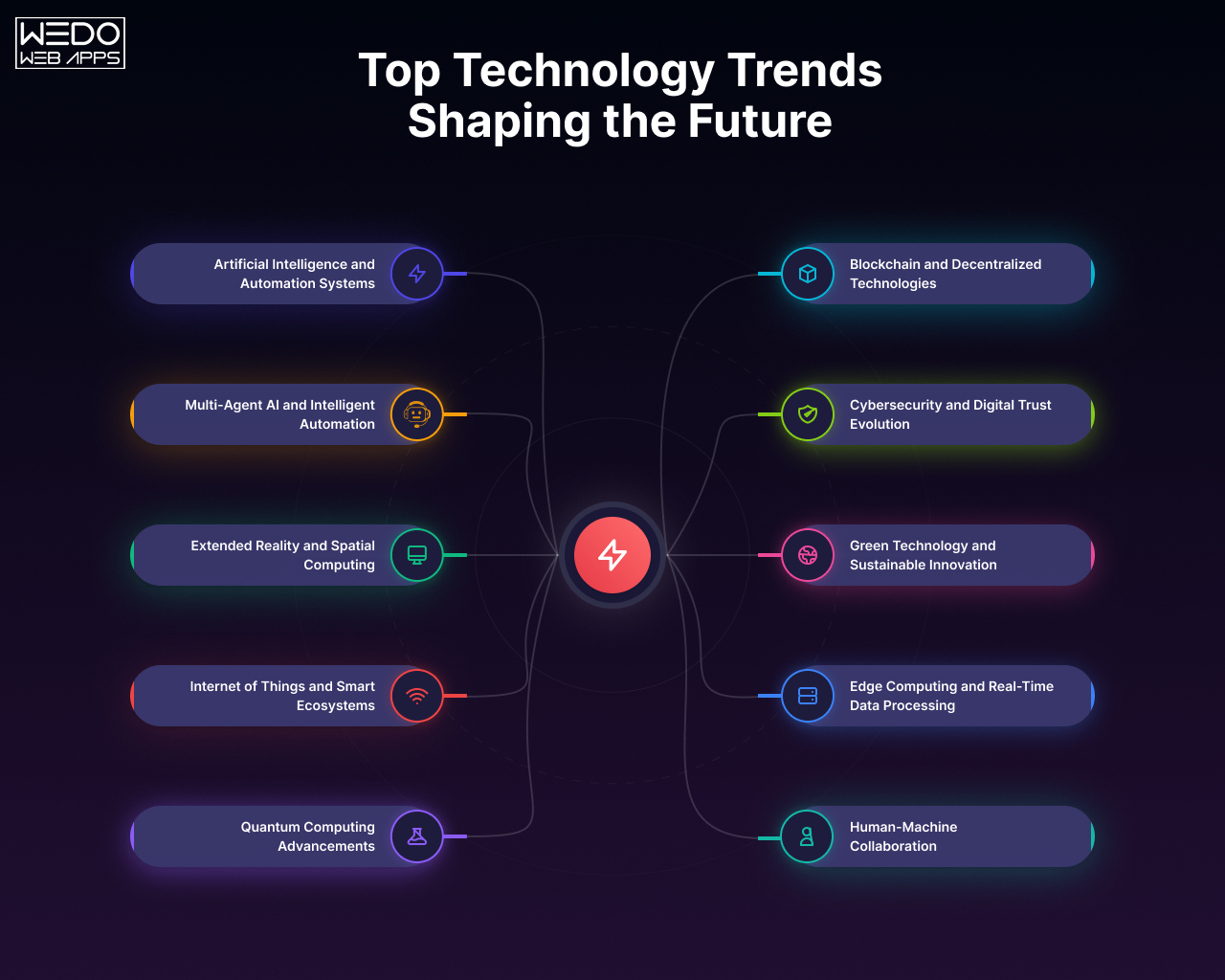
Top 15 Future Predictions for Technology

Exciting Predictions for the Future of Technology

This article explores the 15 most likely predictions for the future of technology. Key innovations, like artificial intelligence, virtual reality, and robotics, are highlighted. They are seen as big drivers of change. These advances are set to cause big shifts in many fields. They will show how they may impact our lives soon. By reading this blog, you’ll gain insight into how these tech could change our lives soon.

Future Technology: Key Trends and Predictions

The future of technology has significantly progressed through dedicated human effort. It’s due to capacity constraints, business challenges, or the need for skilled professionals. The future direction of technology is a critical concern for companies aiming for long-term success.

In this brief blog, we will highlight some crucial tech trends. These insights were identified by various analysts and research organizations. These advancements span several areas, including artificial intelligence, virtual reality, and robotics.

Also, look at promising AI-driven changes expected in the coming years. These changes align with our mission to offer unmatched Expert Software Services.

Technology continues to evolve daily for many reasons. This includes the lack of people. It also includes the lack of business investments and the need for skilled professionals. But, the future of technology raises questions. It is for many companies striving for enduring success.

The Significance of Predicting Future Technology

Predicting future technology is crucial for several reasons. First, it helps businesses predict challenges. It also allows them to adapt to new advancements, providing a competitive advantage. However, it also pushes us to stay ahead of the curve and remain informed about the latest developments, which helps in strategic planning.

Moreover, understanding future trends helps regulators and investors. It helps them navigate the effects of new technologies on society. While it’s tempting to speculate about the future of work, assessing current trends and advancements can help minimize costly errors.

Future Technology Predictions: Top 15 Insights

Beyond the common forecasts, we present more comprehensive insights. Here are the top 15 predictions for what technology will look like in the future:

1. The Rise of 5G Technology

The Rise of 5G-Technology

The future of technology will be significantly influenced by the emergence of 5G networks. The next generation of mobile networks will completely change how we use technology. It will provide faster, more reliable connections. This will happen through advanced TCP/IP protocols and multiple channels.

5G will unlock endless possibilities for communication and technology use. It will enhance virtual reality, IoT, and other innovations. Its fast network is perfect for handling business data and managing traffic effectively.

In manufacturing, 5G will enable high-end automation. It will control robots and smart factory parts. These will allow for seamless tracking of materials and products from start to end. This advancement will pave the way for more efficient and intelligent industrial processes.

2. The Growth of the Internet of Things (IoT)

Internet-of-Things-(IoT)

The Internet of Things (IoT) is a network of devices, sensors, and systems that gather and share data, providing insights and enhancing decision-making. This technology has significantly impacted our daily lives, and its influence is set to grow even more in the future.

IoT will expand beyond connecting various products and cars to becoming a standard feature in many aspects of our lives. This will create new and exciting ways to interact with our environment.

Additionally, IoT technology allows voice-activated internet shopping. It also improves home security, protecting us from burglaries and fires. The future promises even more innovative applications of IoT, making our lives more connected and efficient.

3. The Rise of Artificial Intelligence

Rise of Artificial Intelligence

AI has become more vital in business. It can boost productivity, efficiency, and decision-making. AI can analyze lots of data. It can automate tasks that repeat. It can find insights that guide decisions.

Recent years have witnessed significant advancements in AI technology, a trend that shows no signs of slowing down. AI is already making substantial impacts in sectors like healthcare and banking, and its influence is set to grow even further.

AI has greatly affected many industries. These include banking, manufacturing, retail, oil, gas, and transportation. These advances are not just in technical fields. AI is also transforming journalism, advertising, and education.

4. Mainstream Adoption of Virtual and Augmented Reality (VR/AR)

Virtual and Augmented Reality

While AR users still have some control in the real world, VR users are completely immersed in a virtual environment. Augmented reality can be accessed via smartphones, whereas virtual reality typically requires headsets.

As both virtual and augmented reality rapidly gain popularity, we can expect their usage to continue rising steadily.

Beyond just haptic gloves, full-body haptic suits will advance these technologies further. Extended reality will increasingly focus on education, training, and medical interventions. 5G and WebVR support will end the need to download apps. This will make these technologies more accessible and integrated into daily life.

5. Enhanced Cybersecurity Measures

Cybersecurity Measures

Artificial intelligence and machine learning have revolutionized cybersecurity across all economic sectors.

More important data is being stored and shared online. Strong security is essential to stop cyber attacks. The need for cybersecurity experts will grow. Businesses want to safeguard their assets and data from threats.

6. Growing Prevalence of Blockchain Technology

Blockchain Technology

Blockchain technology has gained a lot of popularity in recent years, especially in finance, supply chain management, and identity verification. It has strong security. It also has efficient data storage and transfer. These make it attractive to many industries.

The potential of blockchain technology extends beyond finance. We expect its adoption in many sectors. Industries are seeing the benefits of blockchain more each year. This technology can provide secure, clear transactions. This will drive its wide use.

7. Progress in Autonomous Vehicle Technology

Autonomous Vehicle Technology

Self-driving cars and trucks will revolutionize travel by making roads safer. It will reduce accidents caused by human error.

In the coming years, we can anticipate significant advancements in autonomous vehicle technology. This progress will lead to better self-driving systems. It may shift car ownership to self-driving vehicles. The impact will be particularly notable in transportation, logistics, and delivery services.

8. The Advancement of Quantum Computing

Quantum Computing

Quantum computing has the potential to completely change many industries.

This technology’s development will bring innovations. It will impact areas like financial modeling, healthcare research, and cryptography. However, it also requires advanced encryption technologies to address security challenges.

9. Expansion of Edge Computing

Edge Computing

Edge computing is a technology that processes and analyzes data closer to the network edge. It does this rather than at a central location. The technology is always changing and gaining popularity. This approach greatly improves efficiency and speed. It’s especially true for IoT and industrial control applications. Edge computing is advancing. It will make these operations more efficient and improve performance.

10. Growing Use of Drones

Growing Use of Drones

UAVs, also known as drones, have solved key challenges in the past 5 to 7 years. This has transformed many industries and uses. Drones are utilized for military operations, aerial photography, transportation, environmental monitoring, and more.

Drone technology is advancing and becoming more accessible. It will spur innovation across many fields, making everyday operations better and more flexible.

11. Advanced Healthcare Technologies

Advanced Healthcare Technologies

In the past, doctors wrote notes by hand during patient appointments. This caused long waits and inefficiency. However, AI technology has changed this. Doctors can now record whole conversations using devices that write down the discussion. This saves time and helps patients.

AI has been integrated into healthcare. It has touched every part of the sector. It boosts the accuracy of doctors by giving real-time data and insights.

One of the most advanced technological developments is robot-assisted surgery. These robotic tools let doctors operate more precisely and with a better view of the surgical area. This reduces surgical risks. While robots do not replace surgeons, they help minimize pain, blood loss, scarring, and infections, improving overall surgical outcomes.

12. Enhancing Human Capabilities with Technology

Human Capabilities with Technology

In the future, technology will greatly augment human capabilities, transforming various aspects of our lives.

Human performance will be enhanced through advancements in robotics, artificial intelligence, and bioscience. This seamless integration of tech will lead to better information processing. It will also lead to smarter decision-making and more creativity.

Wearables and implants will enhance our physical abilities, making us stronger and more enduring. It will also improve our senses.

Virtual reality and other new technologies will expand our imagination and creativity. It will provide new and innovative ways to interact with the world. This technological progress will pave the way for a more advanced and enriched human experience.

13. Robotics and Automation: Shaping the Future

Robotics and Automation

In the past decade, big progress in robotics and automation has paved the way for even more important innovations in the coming years. Robotics has great potential to change many industries. It offers exact and efficient solutions for tasks from manufacturing to medicine.

Robots already play a key role in doing complex tasks with precision. These tasks include machine insertion, product assembly, and painting. In the medical field, robots assist with medication administration and surgeries, reducing human error and enhancing accuracy.

Looking ahead, robots will gain greater autonomy and the ability to tackle more challenging jobs with ease. As they learn to solve complex problems, their impact on the information technology field will be profound.

As robotics becomes more integrated into our daily lives, it will drive technological advances in many areas. The future of humanoid robotics promises to revolutionize businesses, particularly those driven by customer demand. To stay competitive, businesses must keep up with current trends and continuously adapt to new technologies. This proactive approach will ensure they meet users’ needs and remain at the forefront of innovation.

14. Technology and Sustainability

Technology and Sustainability

Technology is playing a larger role. It is crucial for addressing global warming and environmental harm.

In the next decade, people will closely study sustainable technologies. They will study them for their ecological impact. Technology will aid in protecting natural resources and improving environmental conditions. The cost of renewable energy sources continues to fall, making them competitive with fossil fuels.

Smart grids, battery storage, and electric vehicles are driving the change. They are changing how we consume and produce energy. Smart technology and precision farming cut waste in agriculture. They also increase crop yields by using fewer chemicals.

To effectively tackle environmental challenges, we need more than just advanced technology. It is essential to use sustainable practices like circular economy models and methods to reduce waste. Continuing to invest in sustainable tech will lead to more innovation. It will create a greener future.

15. Advances in Medical Biotechnology

Medical Biotechnology

Medical biotechnology holds the potential to greatly improve human health. It does so by using live cells to make antibiotics and drugs. This field focuses on engineering genetic traits. The goal is to make them better.

Researchers are skilled in AI and machine learning. They are using these technologies to discover new drugs. Machine learning helps find small molecules with therapeutic potential. It does so based on known target structures.

These tech advances are leading to breakthroughs in gene editing and personalized medicine. They also affect radiology, drug management, and more.

The future of medical biotechnology is bright. Technology is set to revolutionize genetic engineering and biotechnology. This trend will shape industries. It will transform processes and drive innovation for the next decade and beyond.

Our Final Thoughts

The future of technology is full of exciting, groundbreaking developments. They have the potential to fundamentally change our world. Technology is advancing quickly. We have artificial intelligence and the Internet of Things. There are also driverless vehicles and quantum computing. The possibilities are nearly limitless.

Staying informed about the latest discoveries is essential. We must think about how they might affect our daily lives. We can ensure a bright future by embracing new technologies. We must work with the IT industry to address the challenges they bring. This will benefit us and future generations.

15 Layouts for Websites to Inspire Your Web Design

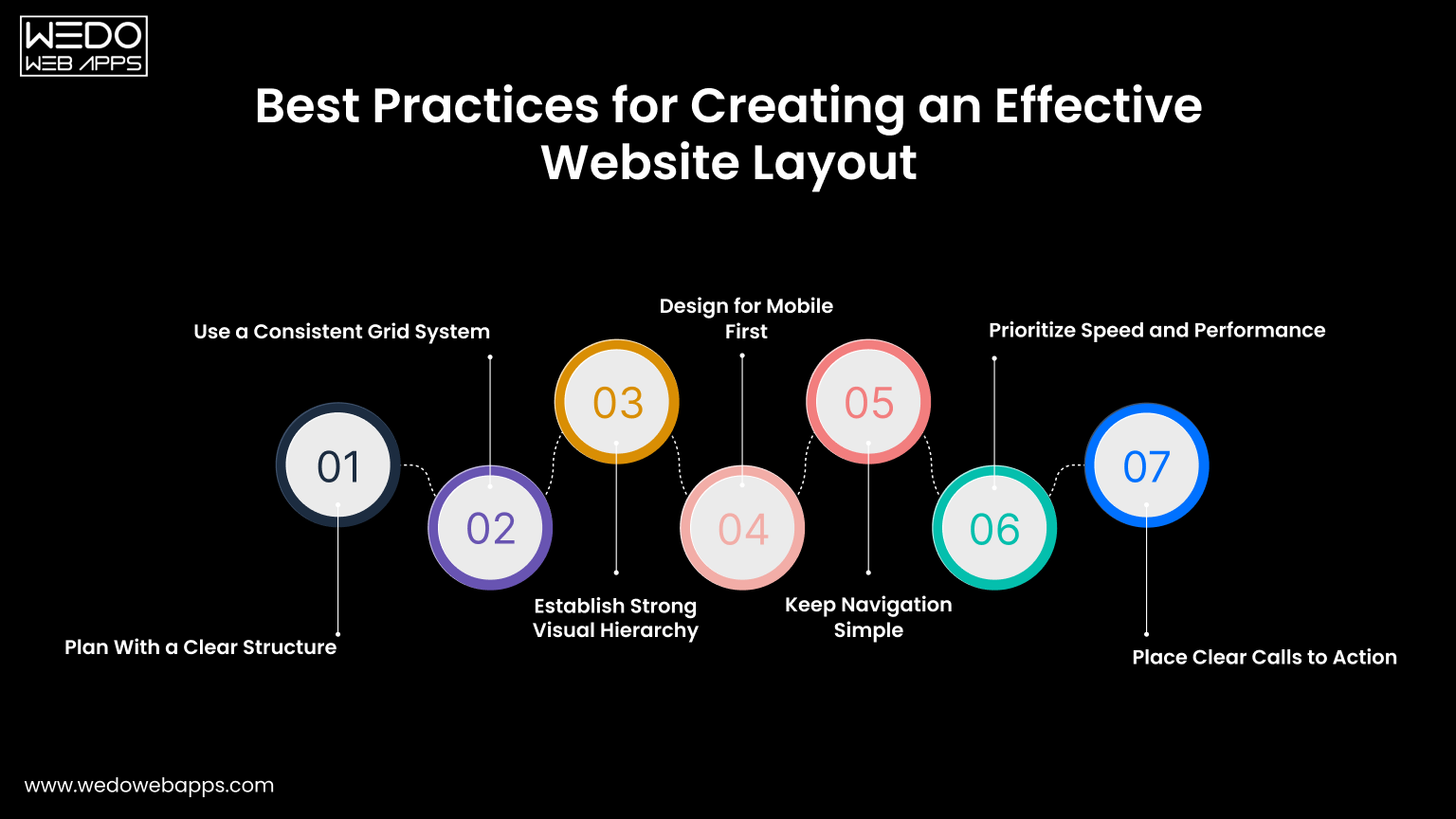
Layouts for Websites: The Foundation of Effective Web Design

Vibrant colors, stunning images, and engaging content can make a website attractive. But, the true essence of a site is in its layout. When you remove the decorations, the layout remains. It reveals how crucial it is in defining the website’s brilliance and function. The layout is the backbone that supports and enhances the user experience.

What Exactly Is a Website Layout?

A website layout is the blueprint that shapes a website’s structure. It organizes all the information on a site for both the owner and visitors. A layout creates clear paths and highlights key elements. It ensures users can easily find what they want.

It doesn’t matter if you’re starting a blog or building a business website. The layouts for websites set the content’s hierarchy. It guides visitors through your website, helping to communicate your message effectively.

In short, a well-designed layout is crucial for the success of any website.

Why Choosing the Right Layout Matters?

Selecting the right layout is crucial for several reasons:

A good layout keeps visitors on your site by making important information easy to find and navigate. But, a bad layout frustrates users. It causes them to leave quickly because they can’t find what they need.

It’s worth taking the time to choose a good layout. Users decide in seconds whether to stay on your site. The layout directly impacts user engagement. It influences how long they stay, how many pages they visit, and if they return.

Additionally, a good layout offers more than just overcoming quick user judgments. It enhances overall engagement, which can be highly beneficial.

When selecting a layout, consider the Gestalt law of closure. This principle suggests that the human eye tends to fill in visual gaps to perceive a complete image. To apply this concept, focus on the overall design of your pages. Don’t get bogged down in every detail. This approach can make a clear and memorable user experience. It encourages visitors to engage more with your content.

Mastering Essential Layout Design Principles

To make the most of your layout design choices, it’s crucial to understand some fundamental concepts about website layouts. Here are a few key ideas to guide you through the myriad of predefined layouts available:

Visual Weight and Negative Space

Visual weight refers to how certain elements on a webpage draw more attention than others. This can be achieved through various techniques, with negative space being particularly effective. Negative space, or empty areas on the page, highlights elements with stronger visual force.

For instance, consider a design with a large black square and four smaller white squares. The empty space around the black square makes it more prominent, drawing the viewer’s attention. The black square has a stronger visual impact. This is compared to the smaller white squares. It shows the power of visual weight and negative space.

Creating Balanced Website Layouts

Balanced web design ensures that all elements support one another, giving equal importance to text and visuals. This approach makes the content easily scannable and presents it in a cohesive manner. The result is a stable and aesthetically pleasing design.

A popular method for achieving balance is symmetrical design. Similar to a mirror image, symmetrical layouts have visual elements that appear the same on either side of the center. This symmetry creates balance, elegance, and harmony. It is like what you see in architecture, gardens, and even butterfly wings.

Designing Sections for Different Audiences

Creating a website layout is crucial. It must allow users to easily move between sections and address specific audiences. Consider fashion websites that target both men and women, for example.

These sites often feature distinct sections for men’s and women’s apparel. This divided layout serves each audience well. It provides content tailored to their needs. This way, the site lets users find things quickly. They can find the info or products they want. This makes their experience better.

Exploring Bold and Unconventional Layouts

Many website layouts are traditional for function. But, some are bold and unconventional to impress users. These unique layouts feature unexpected arrangements, making the website stand out among the sea of standard designs, ensuring users remember your site.

However, it’s essential to prioritize user experience (UX) over design. Always consider the end-user. Before launching any layout, test it thoroughly to ensure it meets user needs.

Using Visual Tension for Engaging Layouts

In web design, visual tension captures users’ attention by highlighting key areas of the website. This effect is achieved through contrasts in space, color, or brightness, and stands out when balanced perfectly with other elements.

The purpose of visual tension is to engage users, breaking their typical browsing habits and encouraging them to view the information on your site in a fresh, stimulating way.

Leveraging Focal Points to Highlight Key Elements

Elements like call-to-action buttons, images, and headings can serve as focal points on your website. These focal points are designed to be the main attractions, capturing users’ attention.

By putting focal points in strategic places, you can guide users to desired actions. This brings them closer to conversion. That could mean making a purchase, signing up, or another goal for your website. Focal points that are properly integrated help focus users’ attention. This makes them more likely to engage and take the desired action.

Crafting Layouts to Achieve Website Goals

Before you start designing a layout or browsing through templates, it’s essential to define your website’s goals. You may aim to sell products, attract traffic, or delight users with art. Your layout should align with these goals. The right layout will encourage user behaviors. It helps achieve your goals and ensures your website fulfills its purpose well.

Storytelling Through Website Layouts

Design or choose a layout that aligns with the message you want to convey. Each section of the layout should work together to tell a cohesive story, with each element acting as a new chapter. This approach ensures that your website not only presents information but also engages users with a narrative flow.

Top Website Layouts with Proven Effectiveness in 2024

Here are some of the most popular website layouts. Designers around the world use them to create powerful and engaging websites.

1. The Zig-Zag Layout

Zig-Zag Layout

Research shows that users often scan webpage content in a Z-pattern:

  1. First, the eye moves from left to right.
  2. Then, it goes down and to the left.
  3. Finally, it moves back across to the right.

Because it aligns with this common browsing behavior, the zig-zag layout is suitable for a wide variety of websites across different industries.

2. The F-Shape Layout

F-Shape Layout

The F-shape layout follows a common scanning behavior where users’ eyes move across the page in an F-pattern:

  1. The eyes first move horizontally across the top.
  2. Then they move down a bit and scan another horizontal section.
  3. Finally, they move vertically down the left side.

It aligns with the natural reading pattern. So, the F-shape layout is effective for many types of websites. These include e-commerce and portfolio sites.

3. Full-Screen Photo Layout

Full-Screen Photo Layout

Source: Newcastle

This layout features content overlaid on a full-screen photo or image. Text and menu sections are strategically placed to enhance the visual impact, making the image the focal point. This approach is ideal for websites that want to make a strong first impression and instantly convey the site’s theme or message to visitors. It’s particularly effective for portfolios, travel sites, and businesses looking to showcase their brand visually.

4. Grid Layout

Grid Layout

A grid layout organizes information into a grid. This makes content easy to browse and lets users focus on topics. This design evenly spreads text, photos, and videos on the webpage. It lets users choose the importance of each element. The grid layout is great for content-rich websites like newspapers, blogs, and vlogs. It gives a clear, tidy way to show a lot of information. This layout ensures a clean, balanced appearance that enhances user experience and engagement.

5. One-Column Layout

One-Column Layout

The one-column layout organizes all information into a single, straightforward column. It’s one of the simplest layouts to use. It makes text, photos, and videos easy to follow without much scanning. This design is ideal for research papers and long-form articles. It is good for content that benefits from a linear reading flow.

Additionally, one-column layouts are perfect for mobile experiences, ensuring that content is easily accessible and readable on smaller screens.

6. Captivating Featured Image Layout

Captivating Featured Image Layout

A widely used layout today involves setting up a prominent featured image for each page on the website. This image captures attention and serves as a focal point that visually represents the page’s topic. It not only draws interest but also provides a clear, visual summary of the content, enhancing user engagement. The featured image becomes the central element from which the page’s meaning radiates. This layout is especially effective for niche blogs, freelancers, and professionals looking to make a strong visual impact.

7. Embracing Asymmetry in Layouts

Embracing Asymmetry in Layouts

The asymmetrical layout bends the rules of symmetry to create a unique and dynamic design. By playing with balance and creating active spaces, it makes white space more engaging and lively. This layout suggests that there is more to offer than just perfection.

It’s great for creative web design sites. Also, for unique portfolio presentations and innovative business websites. The layout is asymmetrical. It captures attention with its unconventional approach. It’s perfect for brands that want to stand out and show their originality.

8. Engaging with Split Screen Layouts

Engaging with Split Screen Layouts

The split screen layout can be either vertical or horizontal, or even a combination of both. A vertical split screen is great for showing two or more distinct areas. It makes it easy for users to make quick choices and to engage with the site right away.

In some cases, a layout may feature both vertical and horizontal splits on the same page. This approach doesn’t force a choice. Instead, it improves the user experience by letting sections complement each other.

The split screen layout is good for online stores. These stores cater to different demographics (e.g., men’s and women’s sections) or for creative websites. The websites promote wellness and other lifestyle themes. This design effectively balances multiple elements, making the overall experience more dynamic and interactive.

9. Headline and Thumbnail Gallery Layout

Thumbnail Gallery Layout

In today’s visually-driven online landscape, the headline and thumbnail gallery layout can be incredibly effective. This design features small image thumbnails that link to detailed descriptions, accompanied by headlines and brief summaries to guide users through the visual content.

This layout is perfect for travel websites, blogs, and magazines, offering an engaging and organized way to present a wealth of visual information. It captivates users with striking visuals while providing easy navigation through various topics.

10. Modular Layout (Card Layout / Block Layout)

Modular Layout

Source: Sky News

The modular layout, also known as card or block layout, is closely associated with Google’s Material Design. This layout is gaining popularity for its flexibility and responsiveness. In a modular layout, each content unit—whether text, images, videos, or buttons—is contained within its own card or module, providing a dedicated space for each element.

Applying modular layouts to websites results in a streamlined appearance and a highly organized composition of items on the page. This layout is ideal for business websites, where clear, coherent presentations are essential for maintaining a professional online presence.

11. Magazine Layout

Magazine Layout

Modern magazine layouts often blend various design elements to create a visually rich and engaging presentation. This layout typically combines features like headline and thumbnail galleries, featured images, and an F-shaped layout to maintain the magazine’s glamorous appeal.

These combinations work well for online magazines but can also be effective for other content-heavy websites, offering a dynamic and captivating way to present information.

12. Single Page Layout

Single Page Layout

Source: FreeConvert.com

The single page layout, while not as commonly used, stands out for its unique characteristics. It consolidates multiple actions into a single page, with content dynamically loaded using JavaScript. This layout also generates unique URLs for each section, providing a seamless and interactive user experience. Examples include applications like Gmail.

The single page layout is ideal for applications and websites that aim to offer a streamlined, uninterrupted user experience.

13. Radial Symmetry Layout

Radial Symmetry Layout

The radial symmetry layout is a less common but visually striking design. In this layout, elements are arranged around a central point, radiating outwards in a circular pattern. This creates a balanced and harmonious appearance, drawing attention to the central element while maintaining a cohesive structure for the surrounding items. This layout is ideal for websites looking to make a unique visual impact.

14. Parallax Scrolling Layout

Parallax Scrolling Layout

The parallax scrolling layout creates an immersive experience by allowing background images to move slower than foreground images as users scroll down the page. This effect adds depth and a sense of motion, making the website more engaging and visually appealing.

This layout is ideal for storytelling websites, product showcases, and creative portfolios. It captivates visitors and encourages them to explore the site further, enhancing the overall user experience.

15. Boxed Layout

Boxed Layout

The boxed layout confines the content within a fixed-width container, often surrounded by margins or padding. This design creates a clean and organized look, making it easier for users to focus on the content without distractions from the background.

Boxed layouts are perfect for business websites, blogs, and e-commerce sites. They offer a structured and professional appearance, ensuring that the content remains the focal point while maintaining a cohesive and user-friendly design.

Conclusion: Choosing the Right Layout for Your Website

Now that you’re familiar with various website layouts, it’s time to determine which one best fits your site. Should you go for a multi-purpose layout or one tailored to a specific niche?

To make this decision, understand your audience—their behavior, needs, and expectations. Craft a message that aligns with these insights and select a layout that allows this message to stand out. The right layout will enhance your message, making it compelling and engaging for your users.

Search Google or Type a URL: Which is More Efficient?

Search Google or Type a URL has become a common choice for internet users navigating the web. Whether you rely on Google Search for discovering information or type a URL directly into your browser’s Omnibox, understanding the strengths of each approach can significantly improve your browsing efficiency.

Google Chrome Omnibox

Google Chrome’s Omnibox is a favorite feature among users. It allows you to either search the web using Google or enter a URL directly to visit a specific site. While the phrasing may sometimes differ, its functionality remains consistent.

There’s an ongoing discussion among internet users about the best way to find information online. Some people prefer using Google search, while others opt for typing in a specific URL. Which method is superior? Let’s explore the advantages and disadvantages of each to determine the best approach.

Understanding the Versatile Omnibox: Search Google or Type a URL

The Omnibox in Google Chrome is an advanced tool, combining the functions of a traditional address bar with the capabilities of a search engine. This multi-functional feature allows users not only to navigate to websites but also to perform tasks like mathematical calculations and answering questions directly from the browser.

One of the Omnibox’s key features is the option to “Search Google or type a URL.” This dual functionality offers flexibility depending on the user’s needs. If speed is a priority and the exact web address is known, typing the URL directly into the Omnibox is the quickest route. On the other hand, when specific information or keywords are needed, using the search function can yield precise and varied results.

This adaptability makes the Omnibox a powerful tool for efficient browsing. By understanding how to leverage its full range of capabilities, users can enhance their web navigation experience, finding the balance between direct access and comprehensive search results. Whether you’re looking for quick answers, performing calculations, or searching for specific content, the Omnibox is designed to streamline your online activities.

Key Feature of the Omnibox

  • Integrated search and URL entry eliminates the need to navigate multiple fields.
  • Beyond just searching, you can also perform quick calculations directly in the omnibox.
  • Based on the algorithm, the predictive autocomplete feature provides suggestions as you go on typing by analyzing your search history and most visited sites.
  • The voice search feature allows speaking a query loudly to input it without using the keyboard.
  • Auto-detection of searches versus URLs speeds up the use of Omnibox without needing to specify what you want.
  • Syncing across devices when signed into a browser saves the past history allowing consistent suggestions everywhere.
  • Customization of Omnibox allows you to disable features like autocomplete or tailor them as per your preferences.

Omnibox Tips

  • Use incomplete initial words like “define” or “translate” to trigger a Google search. Adding “.com” will start prompting URL suggestions instead.
  • Clear your cache and cookies occasionally if your suggestions have become tailored and you want some more variety.
  • Type the entire URL with “http://” to open the website rather than the search results. Avoiding to write “http://” will search the domain name instead.
  • Right-click on the Omnibox to tailor its settings like enabling search history tracking for accurate results of the autocomplete.
  • You can also use keyboard shortcuts to activate certain omnibox functions like Ctrl + Enter to input .com after a search query.
  • Type domain names without including www or http in the beginning. Autocomplete will automatically fill in the rest, speeding up the URL entry.
  • Delete your search and browsing history if you are getting unwanted suggestions in the autocomplete predictions.

The Omnibox simplifies searching and browsing from one place. Customize its features and suggestions to enhance your web experience.

What Does “Search Google or Type a URL” Mean?

When you open your web browser and see a message like “Search Google or type a URL,” you might wonder what it actually means. This phrase reflects how modern browsers like Chrome, Safari, or Firefox combine search and navigation into a single interface called the omnibox.

Search Google or type a URL is a prompt in the browser’s Omnibox, guiding users to either enter search terms or type a specific web address. Variations like “search or type web address” may appear, but the function is the same—initiating a search or directly navigating to a website.

This feature simplifies finding information online. While you can gather data from various sources like social media and apps, using a search engine or entering a URL remains the most straightforward approach.

So, which method is more efficient? Typing a URL directly connects you to the desired site quickly, whereas searching Google can provide a range of results for broader inquiries. Each method has its advantages, and understanding when to use each can enhance your browsing efficiency. Let’s explore the pros and cons of both to help you decide which approach suits your needs best.

Exploring the Benefits of Search Google or Type a URL

Search engines like Google revolutionized how we access information. With just a few clicks, users can find websites, images, emails, and more. This process, known as web indexing, is central to Google’s functionality. When you lack the specific URL of a website, Google Search becomes your go-to tool. Simply enter keywords or the site’s name into your browser’s search bar, and the search engine does the rest.

The Power of Keywords

For those moments when the exact URL or website name escapes you, Google Search is a lifesaver. By typing related keywords into the Omnibox, Google generates a list of potential matches. This functionality is particularly useful when you remember parts of a website’s name or relevant terms. The search engine then displays a list of results, from which you can choose the most relevant one.

Direct URL Entry vs. Google Search

If you know the exact URL of the website you want to visit, entering it directly into the address bar is far more efficient. This method saves you the time and effort required to sift through search results. Direct URL entry provides immediate access to the desired site, making it the preferred choice when the exact web address is known.

However, using Google Search can be more time-consuming. It often involves loading multiple pages and reviewing various links to find the information you need. This method requires more steps compared to direct URL entry but offers the advantage of discovering a broader range of results, which can be useful for more generalized searches.

How to Use Google Search Effectively

To make the most out of Google Search, follow these simple steps:

  1. Open Google.com on your browser.
  2. Enter your query in the search box. This could be keywords, phrases, or a partial name of the website.
  3. Press Enter or click the search button.
  4. Review the search results. Look for the links that best match your query and select the most relevant one.

The precision of your keywords plays a crucial role in the relevance of the search results. Using specific and well-chosen keywords can greatly enhance the efficiency of your search, providing more accurate and useful results.

Google also constantly modifies its algorithms and standards to provide safer, more pertinent search results. For example, its updated SafeSearch documentation guarantees that sensitive content is properly regulated and helps site owners avoid being misclassified.

Balancing Efficiency and Convenience

While Google Search is a powerful tool for finding information, knowing when to use it versus typing a URL directly can significantly improve your browsing experience. If speed and precision are your priorities, direct URL entry is the best option. However, for broader searches or when you’re unsure of the exact address, Google Search offers a comprehensive solution. By balancing these two methods, you can navigate the internet more effectively and find the information you need with ease.

Google’s Hidden Cheat – 6 Effective Search Operators You Need

Want to get acquainted with the SEO superpowers? Master these 6 Google Search Operators and dominate the SERPs:

  • “Keyword.” Finally, find exactly what you want with this Exact Match Search Operator.
  • “Minus(-).” Ditch the search results that you don’t care about with this Exclude Terms Search Operator
  • “Related.” Find similar sites, because, stalking your competitors is legal here.
  • “Site.” With this, you can see all the indexed pages of a website. It’s like peeping into Google’s diary.
  • “intitle.” You can also find pages with specific words in the title. This can be your shortcut to headline inspiration.
  • “inurl.” Search URLs for specific keywords.

Let’s explore each of the 6 hidden search operators along with their examples:

1. Exact Match Search

Need: Find search results containing the exact phrase.

Example: Search,

“Best SEO tools”

Result: This will show the pages that mention “best SEO tools” exact –  no variations.

2. Exclude Terms (-)

Need: Exclude the unwanted terms from your search results.

Example: Search,

“Best SEO tools -free”

Result: This will show the pages that mention “best SEO tools”, but filters out pages that mention “free”. This option is great when you are looking for premium options.

3. Find Similar Sites (related:)

Need: If you want to find a site that is similar to your competitor or any of your favorite resources.

Example: Search,

“related:moz.com”

Result: Using this search operator, Google will list sites similar to Moz like Ahref, SEMRush, or HubSpot. This option is a great answer for competitor analysis or finding collaboration opportunities.

4. View Indexed Pages (site:)

Need: You can see all pages of a specific site that is indexed by Google.

Example: Search,

“site:yourcompetitor.com”

Result: This will show the list of all the indexed pages of the competitor’s site. You can use this for competitors’ content audits or inspiration.

5. Find Words in Titles (intitle:)

Need: Find pages with specific words on the title tag.

Example: Search,

“intitle:”SEO trends 2024””

Result: Only searches that have “SEO trends 2024” in their title tags will appear. This is efficient for content ideation or competitive research.

6. Search URLs (inurl:)

Need: Find search results with specific keywords in the URL.

Example: Search,

“inurl:”guest-post””

Result: This will show the list of sites with “guest-post” in their URLs. This is perfect for link-building outreach.

How These Secret Search Operators Help in SEO

  • Link Building: These operators can help you find guest posting opportunities or resource pages.
  • Internal Linking: You can also find relevant content on your website for internal linking.
  • Tech Audits: With these operators, you can find indexation issues or thin content.
  • Content Strategy: Additionally, you can find popular topics in your niche.
  • Competitor Research: Finally, you can analyze and learn from what is working for other competitors.

The Efficiency of Using the ‘Type a URL’ Option

A URL is the web address of a specific page on the internet. It’s technically known as a Uniform Resource Locator (URL), and it tells the browser where to go to fetch that content from the web.

When navigating the internet, the URL is the web address that appears in the browser’s Omnibox. This method is ideal if you know the exact URL or have it copied from another source. Simply paste it into the Omnibox and press Enter, and the browser will take you directly to the site.

Direct URL typing is a high-intent action often encouraged in campaigns focused on boosting website conversion rates.

Direct Access with URL Entry

Entering a URL is the fastest way to access a website, as it bypasses the need to search and filter through results. Unlike Google search, where a site might not appear due to lower search engine rankings, typing the URL guarantees you reach the intended website immediately, provided the URL is accurate and the site is active.

Overcoming Search Result Limitations

Using a search engine can sometimes be cumbersome if the desired site isn’t ranked highly in search results. You might have to sift through numerous results or refine your keywords. Direct URL entry eliminates this hassle, ensuring swift access without the need for additional searches.

Practical Tips for URL Usage

Even if you don’t have the full URL, a partial or shortened version often works. The browser can complete the address or direct you to the correct site. For specific information within a site, enter the URL followed by keywords to navigate directly to relevant content.

Steps to Effectively Use the ‘Type a URL’ Option

  1. Know or Copy the URL: Ensure you have the exact or partial URL ready.
  2. Paste or Type the URL: Enter it into the browser’s Omnibox.
  3. Press Enter: Access the website directly without delay.
  4. Combine URL and Keywords: For specific site sections, use the URL followed by keywords.

Benefits of URL Direct Entry

Directly entering a URL saves time, provides quick access, and avoids the potential frustration of irrelevant search results. It’s especially useful for revisiting known sites or accessing specific content swiftly. Balancing this method with Google search can enhance your overall browsing efficiency, making your internet navigation more streamlined and effective.

There’s a clear difference between using a search engine and typing a URL directly. This distinction is nicely broken down in this search engine vs browser vs URL guide, helping you understand how each part of the browsing experience works.

When to Search Google

Google Searching keywords is best when:

  • You know the exact website name or URL that you want to visit.
  • You don’t know the name of the website or URL you want. In this case, searching guides you to the right place.
  • You want suggestions of the best websites for what you need. Google ranks websites based on relevance.
  • Search Google allows comparing different websites side by side.
  • Advanced search operators help you find specific content, be it images, news, or any other content type.
    • Do you know, As we are talking about the search operators, you must be aware that – Google just removed the cache: search operator from its list of operators by saying that this operator no longer works on Google.
  • You want to leverage the benefits of Google’s ranking algorithm. More relevant sites appear at the top.

When to Type in a URL

Typing a URL can be best used when:

  • You want to find some information about a topic. A Google search gives you many options to explore and gain knowledge.
  • You want to revisit favourite or frequently used websites.
  • You have bookmarked the website already.
  • You see a URL reference somewhere and you want to visit that website.
  • You want to avoid the SERPs completely.

Overall, by typing the URL there’s no searching involved – you jump straight to your destination. This is the best way when you already know your destination.

Additionally, Google has updated its URL structure documentation to give site owners more precise instructions. The resources have been updated with better structure and real-world examples to assist you in creating user-friendly and search engine-optimized URLs.

How Can You Search for a Specific Word or Phrase in Google?

When you search for specific terms like “best SEO company” in Chrome, the vast amount of results can be overwhelming. This often makes it hard to locate the exact phrase you’re seeking.

Using the Chrome Omnibox for Targeted Searches

The Chrome Omnibox simplifies this process. Instead of navigating to the search engine page, type your word or phrase directly into the Omnibox and press Enter. This direct method saves time and effort.

Enhancing Search Precision

To refine your search:

  1. Use Quotation Marks: Type the exact phrase in quotes, e.g., “best SEO company”, to get precise matches.
  2. Exclude Irrelevant Results: Use the minus sign (-) to exclude certain terms, e.g., “best SEO company” -advertising.

What are the Tips for Effective Google Search?

  1. Use Quotations for Exact Matches: When you want a precise result for something, wrap your search query in double quotes, for example, “mobile app development agency”. Google will find the pages for the exact phrases you specified.
  2. Search Within a Specific Site: Add “Site:” followed by the website domain to limit your results to that specific website. For example, site: wedowebapps.com digital marketing.
  3. Do not include terms with Minus: If you want to avoid specific terms from your results, try using a Minus sign. For example, eCommerce app development -India
  4. Search Images for a Specific Dimension: Use “Image Size:” followed by dimensions and Google will show images with your mentioned size. For example, Image Size: 500*500 cat.
  5. Find Specific File Types: Use “FileType:” followed by the extension. For example, web development filetype:pdf
  6. Filter Results by Date: Click on the Tools button under the search bar and select the date range, for example, past year, past month, and so on.
  7. Search for Specific TLDs: Use “site:.edu” or “site:.gov” to find educational or government websites.

Improving your search queries like this will help you find exactly what you are looking for and also save you time.

Search Anything You See on Any Page With Google Lens

Google Lens in Chrome makes it easy to search

Images source: Google Chrome – What’s New in M134

Google Lens in Chrome makes it easy to search anything you see on your screen. You can search within a video you’re watching, a slide in a live stream, or an image on the web page. Google Lens finds the answer right there, in your tab, and you can continue browsing with the new information you have found.

  • Open the Chrome menu.
  • Select Search with Google Lens.
  • Select anything on the page by clicking and dragging anywhere on the page. 
  • Refine your answers by typing them in the search box on the side panel. 
  • For quicker access, click Pin in the side panel to add the icon to your toolbar.

Chat with Gemini from the Address Bar 

Chat with Gemini with creative and complex tasks

You can quickly get help from Gemini with creative and complex tasks, like planning a trip or learning more about a new topic with this new shortcut in Chrome.

  • Type “@” in the address bar and select Chat with Gemini. 
  • Write your prompt.
  • Get your response on gemini.google.com.

Search and Get Related Suggestions

Get suggestions in the search box related to your previous searches

Get suggestions in the search box related to your previous searches based on similar things others are looking for.

  • Open a New tab.
  • Click the search box to see suggestions related to your previous searches.
  • Click on the topics to view search results.

Smartly Organize Your Open Tabs.

Chrome can suggest and help you create tab groups

Chrome can suggest and help you create tab groups to help you stay organized.

  • In Settings, turn on Tab Organizer.
  • At the top left of your browser, click Tab Search.
  • Under the Organize tab section, click Check Now to get a tab group suggestion.
  • You can edit the group name or remove tabs.
  • When you’re happy with the group, click Create Group.

Translations When You Need Them

Get web pages automatically translated into your preferred language

Get web pages automatically translated into your preferred language or languages.

  • Open the Chrome menu and select Settings.
  • Select Languages from the side menu.
  • Turn on Google Translate and customize your options.

What is the Difference Between Search Google and Type a URL

When you type something into the browser’s address bar, you can either perform a Google Search or go directly to a website using a URL. This dual functionality is thanks to the browser’s intelligent address bar (also known as the omnibox).

Point of Difference  Search Google  Type a URL
Speed Efficiency Finding the desired result could be delayed because one has to search through all the search engine results. If you know the exact and correct URL, it just takes a few seconds to get to the desired website.
Search Engine Algorithm Here, the results are often influenced by the search engine algorithm or the advertisements. Since you have the exact URL, this process does not get affected by the search engine algorithm.
Safety  Google has the top security, and therefore, in case of suspicious websites, it can impose an active filter protocol. Directly entering the URL into the address bar does not ensure much security.
Convenience  Search Google is a user-friendly option and if you want access to varied information, this is the ideal option for you. Users need to know exactly which site they are searching for and the exact URL. Even one single incorrect letter can lead to differences in the output.
User Experience  The user experience is usually promising, and the users will be able to find multiple new tools and information. Most often, typing a URL is the preferred choice for users who want to streamline their search experience and have knowledge about the specific URLs.
Intent  Search Google is the preferred option for searchers who do not have anything specific in mind and have broader knowledge about something. If you want a particular search result, then typing a URL is a good option.
Rate of Error In this option, it is very common to be presented with unwanted results, because of the broad spectrum of searches. The chances of making errors are usually zero which is because of the direct website navigation.

How Can You Search Within a Specific Website Using Google?

Website search Using Google

Steps to Perform a Site-Specific Search

  • Open Google: Navigate to the Google search page.
  • Enter Search Phrase and Site Command: Type your search term followed by site:website.com. For example, to search for SEO tips on Wedowebapps, you would type SEO tips site:www.wedowebapps.com.
  • Press Enter: Google will display results exclusively from the specified website.

Benefits of Site-Specific Search

Using the site: command helps filter out irrelevant results from other websites, allowing you to focus solely on the content within the desired site. This method is particularly useful for research, ensuring you find all instances of your search term within that domain.

What Are Google Autocomplete Predictions?

Google Autocomplete

Google Autocomplete predictions are generated based on the popularity of search terms. Whether you’re using Google search or typing a URL, the autocomplete feature works automatically. Sometimes, predictions might not appear if the term is new, uncommon, or violates Google policies.

This feature is designed to help users find relevant information quickly. You can customize the search experience by excluding certain popular threads, which reduces the number of autocomplete suggestions. The Omnibox in your browser doubles as a search bar, enhancing your overall browsing experience with its dynamic customization options.

How Can You Use Voice Search in Google?

Voice Search

Voice search is a convenient alternative to typing and works on both mobile devices and computers. To use it, you need to enable the feature on your device.

Steps to Enable Voice Search

  1. Open Chrome: Ensure you have Chrome installed on your device.
  2. Click the Microphone Icon: Located in the search bar.
  3. Allow Microphone Access: Grant permission when prompted.
  4. Speak Your Query: Click the microphone icon again and say your search phrase.

Google will then process your voice command and provide relevant search results. Voice search can streamline your browsing experience and is particularly useful for hands-free operation. Additionally, Chrome extensions can enhance the Omnibox, adding more functionality beyond traditional search methods.

How Can “Search Google or Type a URL” Improve Your Browsing Experience?

Using the “Search Google or type a URL” feature in Chrome significantly enhances your browsing efficiency. It offers a dual approach: search for broad information using Google or navigate directly to a known website by typing its URL.

Simplifying Your Searches

By mastering this feature, you can obtain more specific results faster. Preconfiguring your searches and adjusting search strings to fit your needs can drastically reduce the time spent sifting through results.

Everyday Tips for Better Browsing

Regular interactions with Google will naturally introduce you to more tips and methods, making your internet use more convenient and productive. This feature ensures a quicker, more meaningful search experience tailored to your specific requirements.

Optimizing the Use of Search Google or Type a URL

Below are some useful tips for getting the most out of search google or type a URL:

  • When you are researching a topic for the first time, use Google search to evaluate the options. Once you find the sites you require, bookmark them so that you can use them anytime later.
  • Use autocomplete suggestions as you type URLs and search queries to speed up the searching. You can also disable it if it is unwanted.
  • Use different tabs to search Google and URL entries so that you can quickly use the bookmarked pages.
  • Create shortcuts of your preferred URLs on your home page to quickly access them.
  • Use Google itself to search URLs if you cannot recall or locate any page address.
  • Allow features like autofill and search/URL history tracking to improve suggestions over time tailored to your browsing pattern.
  • When you are researching a topic for the first time, use Google search to evaluate the options. Once you find the sites you require, bookmark them so that you can use them anytime later.
  • Bookmark the websites that you frequently search rather than retyping the queries. Merge the bookmarks and the keywords to instantly search the pages.
  • Use a password manager that can autosuggest and autofill URLs, login information, etc as you type.
  • Install and use browser extensions that enable you to search Google directly by right-clicking on terms to find out more information.

Using the search engine along with the URL entry method allows you with the maximum flexibility. Explore how you access the information most to decide when to use Google search versus when to use URL entries.

Which Method is Better: Searching or Typing a URL?

Both searching and entering a URL have their benefits. Typing a URL is quicker if you already know the web address, providing direct access without distractions. On the other hand, if you’re unsure where to find specific information, using Google Search can be more efficient. It offers a variety of websites that may contain the answers you’re seeking. Each method has its strengths, so understanding when to use each can optimize your browsing experience.

Conclusion: Direct URL Entry vs. Google Search

There is a notable difference between using Google Search and directly entering a URL. Google Search leverages the extensive reach of the world’s largest search engine to find websites matching your query. Conversely, entering a URL takes you straight to a specific website without relying on search results. Each method has its unique advantages, and knowing when to use each can significantly enhance your browsing efficiency.

Comprehensive Guide to Staff Augmentation: Meaning, Services, and Benefits

Introduction

Talent acquisition can be quite costly for businesses, involving operations and financial investment in the candidates. Staff augmentation is a strategy of outsourcing specialists to fill in project requirements or gaps in skill and meet business objectives. 

This reduces the costs of training and vetting and allows businesses to focus on their immediate work. If you are thinking about how it can benefit your enterprise, this post is for you. It covers all the aspects related to it. Read on. 

What Is Staff Augmentation & Why Do You Need It?

Staff augmentation is a strategic approach for businesses to outsource external talent to fulfill their project needs. It starts by examining the current workforce and determining which other skills are needed to complete a project on time. 

A company often needs an experienced and highly professional team to bridge the resource gaps and tackle projects hassle-free.  However, the key to a successful staff augmentation is ensuring that the newly hired team works collaboratively with your existing teams. 

For instance, if you want to develop a mobile application for your company, you can hire mobile application developers from a renowned brand. This will give you the ‘best of both worlds,’ like control of your workforce without any long-term financial commitments. 

Here are a few reasons why Staff augmentation is the best solution for you:

  • Get access to the top 1% tier talent of the industry.
  • Adjust your workforce size as per your project requirements.
  • Bear no overhead costs associated with permanent employment.
  • A cohesive team dynamic to deliver a successful project. 

Now that you know the staff augmentation meaning, let’s know the types of staff augmentation and on what basis you hire them.

Contact Us To Hire IT Staff Augmentation Today

Types of Staff Augmentation

Did you know there are 4 different types of staff augmentation you can use to ensure your projects are completed on time? Let’s have a look at them!

fulfill all your IT Staff needs

Short-term Augmentation

Short-term augmentation is used to hire a workforce for urgent needs for a shorter span of time, like under three months through a rapid onboarding process. 

It’s ideal for filling in knowledge gaps, assisting in an employee’s absence, and managing crunch situations, such as product launches or regulatory compliance drives. 

Long-termAugmentation 

Long-term augmentation is all about hiring workforces for an extended period of time, typically six months to two years. 

It is often used to support ongoing projects, enter new markets, or enhance your business capabilities. The model provides stability to your business processes without the commitment of hiring full-time employees. 

Skill-based Augmentation

This type of staff augmentation focuses on acquiring talent for a specific skill or expertise. For instance, if you want to develop a Flutter app, you will hire Flutter app developers.

Skill-based augmentation is applied for both short-term and long-term augmentation based on the demand of your projects and business. 

Project-based 

Sometimes, you might need to outsource a whole project to an entirely new team. This team will share the end-to-end responsibilities of your ongoing project and all the necessary details with you.  

One of the best parts of hiring a project team is that your internal team does not have to manage the operations of the hired team. The team will work independently and deliver results. 

How Does Staff Augmentation Works?

Now that you are clear about the different forms of Staff augmentation, you must understand how to make it work. Here, we specify the appropriate methodology followed to deliver the desired outcome. Check it out.

Identifying Needs 

The staff augmentation service providers understand the project’s needs and connect with the companies to know the details of the project and their role in completing it.

They look at what’s working now and what’s missing to determine the required resources. While brainstorming on the problems, they come up with solutions to fix the issues of your project. 

Selecting the Right Talent 

Good partners carefully select candidates based on their skills for the job, how they act with others, and how they solve problems. Candidates are taken on board after several tests that check their talking styles, smarts, and choices.

They also undergo background checks to ensure they can be trusted to fulfill the needs of your project.  

Integration into Existing Teams 

Onboarding involves cultural orientation workshops with client organizations covering vision, value systems, and behavioral standards for your new outsourced employees.

Augmented professionals ought to join clients’ technical learning programs and are given access to key internal platforms, documentation, and other essential systems to work efficiently.  

Monitoring and Managing 

The performance of augmented talent is reviewed against contractual commitments through periodic client feedback, project health reviews, and self-assessments. 

They are supposed to create metric-based dashboards to track deliverables, collaboration activities, and skill proficiencies to benchmark how individuals are performing against their targets.

4 Benefits You Get With Of Staff Augmentation

Today, businesses need IT staff augmentation services, to hire website developers or app developers for project work to fulfill their demands. However, staff augmentation provides key benefits that help companies meet these needs flexibly and cost-effectively.

Flexibility and Scalability 

The biggest benefits of staff augmentation are flexibility and scalability. With staff augmentation, one can quickly scale their resources up or down depending on the project’s needs.

So, if the workload suddenly increases due to a new project, companies can easily hire front-end developers or mobile application developers on a temporary basis to complete the project on time without making long-term hiring commitments.

Cost-effectiveness 

Staff augmentation services allow companies to access talent on an operational expenditure model rather than making large capital expenditures to hire full-time IT consultants. This provides significant cost benefits.

Companies do not have to spend on additional overhead costs for contract staff, such as benefits, paid time off, insurance, training, etc.; they are only paying for the actual time spent on the project.

Reduced Time to Hire 

With staff augmentation, the time required to hire backend developers or any other talent is significantly reduced. Resources maintained by augmentation providers can typically be on-boarded within 1-2 weeks. This allows companies to start projects quicker and meet tight deadlines.

The staffing providers already understand the required skills through the initial conversations. So they are better equipped to filter candidates quickly and suggest the right fit. This expedites the hiring cycle, substantially benefiting timelines.

Risk Mitigation 

Staff augmentation helps mitigate risks like employee burnout, taking extended leaves, and not being productive throughout working hours.  Contract staff are typically hired, keeping job requirements and timelines clear. 

They understand from day one that their tenure is tied to project duration, reducing the chances of high attrition. Staffing vendors also have stringent processes for assessing candidates before placement, minimizing poor hiring. 

How To Choose  the Right Staff Augmentation Partner

If you are looking for one of the top staff augmentation companies, then you must do proper research. Here are the steps that you just cannot miss out on. Take a look

Experience and Expertise 

When selecting a staff augmentation partner, the most important factor is their experience in the domain and expertise in capabilities required. An experienced staffing vendor would have worked with several clients on similar projects. 

They thus have a deeper understanding of the skills and professionals needed. They can also better assess candidates and place the right match. 

It is advisable to choose augmentation providers with a minimum of 5 years of experience specifically in your industry or technology requirements. Check how many similar engagements they have successfully delivered. 

Client Testimonials and Case Studies 

Reading real client reviews and case studies is one of the best ways to evaluate a prospective staff augmentation partner. Look for quantifiable outcomes clients achieve by working with the vendor, such as a positive impact on productivity, quality, timelines, and costs. 

Check if reviews are recent to understand current service standards. Request to speak to a few references directly to get their first-hand account of support quality, reliability, expertise and value.

Case studies demonstrate the vendor’s ability to structure various projects and place suitable talent. Positive feedback over the years is a good sign of consistent high performance.

Range of Services 

A full-service staff augmentation partner should be able to fulfill all temporary staffing needs for various functions and requirements. Check what capabilities they cover, such as coding and programming, quality assurance, product management, UI/UX design, digital marketing, etc. 

Do they have expertise in the latest technologies, such as mobile app development, cloud, data science, etc.? It is ideal to work with a vendor that has specialists with diverse skills to choose from at different experience levels and price points. 

Evaluate if they can source both generalist profiles for non specialised work as well as niche experts. Comprehensive solutions with flexible scaling options let clients access any skill on demand.

Flexibility in Contracts 

Flexible contractual terms are vital when partnering for staff augmentation. Evaluate minimum and maximum work tenure supported, notice periods to release resources, and payment options like daily or monthly. 

Review policies for roles, hourly/monthly billing models, and overtime charges. Contractual clauses around confidentiality, non-poaching, code ownership, etc., should be clear. It is best to work with augmentation vendors offering standard and customized short-term contracts according to business needs. 

Flexible models save hassles during hiring and terminating temporary resources. Clients can choose staff augmentation options that suit their project duration, budget, and requirements without rigid restrictions. Such flexibility increases ROI from these partnerships.

skilled backend developers

Challenges & Solutions Of  Staff Augmentation

Now, let’s examine the challenges associated with staff augmentation and how you can overcome it:

Integration with Existing Teams 

Onboarding augmented professionals into client environments initially presents its own set of integration challenges. Existing permanent employees may find it difficult to accept outsiders joining their workflow, and it takes time to build rapport. 

How to Resolve: 

Streamlined onboarding of new contract hires is critical. Beyond compliance, vendor initial training must focus on interactive sessions covering client domains, technologies, work practices, and culture. 

Communication Barriers

Language, geographical distance, and organizational silos sometimes breed communication issues between clients and augmentation partners, as well as temporary staff slotted in client teams. 

How To Resolve:

Frequent check-ins, reviews, and feedback exchanges between internal and external project stakeholders ensure seamless collaboration. Daily stand-ups and weekly reporting keep all on the same page. 

Quality Control 

Clients often worry about losing control over work quality standards when relying on third-party resources. Augmentation partners need robust processes to screen candidates, maintain documentation of work done, track SLAs, and address issues proactively. 

How To Resolve:

Close performance monitoring of contract staff is critical to maintaining quality standards. Periodic reviews of work samples and deliverables against pre-defined metrics/checklists identify any gaps.

Future Trends in Staff Augmentation

As technology grows, special skills will become more important and in demand. Places to get help will change jobs to short contracts focusing on finishing projects, not time worked. 

People may join from far away using video calls instead of meeting in person. Companies will use computer programs to quickly find the best people for contracts and check how they do the work. 

The future of job completion will be flexible, so people can choose different short jobs, not just long ones. This will keep staff augmentation important for project completion.

Vendors are innovating augmented intelligence into their platforms to streamline matching, onboarding and performance of contract staff. The future of work is flexible and specialized, propelling staff augmentation to stay integral to how projects are delivered.

Final Thoughts

We hope this blog has helped you to know the staff augmentation definition, it’s true meaning, and how flexibly it helps businesses meet their human resource needs and leverage hard-to-find skills on an as-needed basis. 

When partnered with experienced staff augmentation services offering seamless onboarding and talent management services, it provides agility alongside quality and cost advantages to your business. 

Regular communication between clients and augmenting partners ensures projects stay on track.

As project-based work cultures dominate, staff augmentation will continue to emerge as the preferred solution for effectively building capacity without long-term commitments.

expert website developers

Exploring Types of Application Software: Examples and Uses

Application software provides a wide range of solutions designed to cater to various needs and goals. Selecting the appropriate application software can revolutionize your operations and boost efficiency. Additionally, it can significantly affect your profitability, enhancing overall business performance.

There are numerous options available when it comes to application software. We’ve classified them into three main categories: general, business, and custom applications. Below is a comprehensive list of the different types of application software available on the market.

General Applications

  1. Word Processing Software: Tools for creating and editing text documents, such as Microsoft Word.
  2. Graphics Software: Programs for designing and manipulating visual content, like Adobe Photoshop.
  3. Spreadsheet Software: Applications for organizing and analyzing data in tabular form, such as Microsoft Excel.
  4. Presentation Software: Software for creating and delivering slideshows, like Microsoft PowerPoint.
  5. Web Browsers: Programs for accessing and navigating the internet, such as Google Chrome and Mozilla Firefox.
  6. Multimedia Software: Tools for creating, editing, and playing audio and video files, like VLC Media Player.
  7. Education and Reference Software: Applications designed for learning and information retrieval, such as encyclopedias and language learning apps.
  8. Simulation Software: Programs that mimic real-world activities for training and research purposes, like flight simulators.
  9. Content Access Software: Tools that provide access to various types of digital content, such as e-readers and streaming services.
  10. Information Worker Software: Applications that facilitate the daily tasks of information workers, such as email clients and project management tools.

Business Applications

  1. Customer Relationship Management (CRM) Software: Tools designed to manage a company’s interactions with current and potential customers, such as Salesforce.
  2. Enterprise Resource Planning (ERP) Software: Integrated applications that help manage core business processes, including finance, HR, and supply chain, like SAP.
  3. Project Management Software: Programs for planning, executing, and monitoring projects, such as Asana or Trello.
  4. Business Process Management (BPM) Software: Applications that improve and automate business processes, like Bizagi.
  5. Database Management Software: Systems for creating, managing, and querying databases, such as MySQL or Oracle Database.
  6. Resource Management Software: Tools for managing resources efficiently, including human resources, equipment, and finances, like Resource Guru.
  7. Productivity Software: Applications that boost efficiency and performance in the workplace, such as Microsoft Office Suite.
  8. Time Management Software: Programs that help individuals and teams track and optimize their time usage, like Toggl or Clockify.
  9. Educational Software: Tools designed for learning and training within a business context, such as e-learning platforms and corporate training modules.

Applications Based on Distribution Model

  1. Freeware: Software that is available for use at no cost, such as Adobe Acrobat Reader.
  2. Shareware: Programs that are initially distributed for free on a trial basis with the option to purchase, like WinRAR.
  3. Open Source: Software with source code that anyone can inspect, modify, and enhance, such as the Linux operating system.
  4. Closed Source: Applications whose source code is proprietary and not shared with the public, like Microsoft Windows.

Explore in-depth everything you need to know about application software and how to choose the right type for your business.

What is Application Software?

Application software refers to computer programs designed to perform specific functions, whether for educational, personal, or business purposes. Also known as end-user or productivity programs, these applications help users accomplish various tasks related to creativity, productivity, or communication. Each application is tailored to a particular function and executes the job it is intended for. The primary objective of application software is to streamline operations and enable users to complete their tasks effortlessly.

Today, we have access to a wide array of sophisticated application software that shapes our daily lives and meets our ever-changing needs. Common examples include office productivity suites, data management tools, media players, and security programs. The apps on our smartphones are also prime examples of application software.
Popular Examples of Application Software

Whether you need to complete tasks, take notes, conduct online research, set alarms, manage accounts, or play games, there are dedicated application software programs to help. These applications are designed to perform specific tasks, streamline workflows, and enhance team communication. Below are some popular examples of application software used by millions every day:

  • Microsoft Office Suite: Includes MS Office, PowerPoint, MS Word, Excel, and Outlook.
  • Graphics and Design Tools: Like Adobe Photoshop, CorelDraw, and AutoCAD.
  • Online Communication Platforms: Including Skype, Hangouts, Google Meet, Zoom, and WhatsApp.
  • Web Browsers: Such as Google Chrome, Safari, and Firefox.
  • Multimedia and Music Streaming Applications: Examples include MX Player, VLC Media Player, Spotify, and Pandora.
  • Project Management Software: Like Asana, Zoho, Slack, and Forecast.

Key Features to Consider in Application Software

With a multitude of application software options on the market, some come pre-built with customizable features, while others allow you to build from scratch with your preferred functionalities. However, not all application software is created equal. Some may fall short of expectations, and others might be completely ineffective. It is crucial to ensure that the application software you choose meets your requirements and proves to be useful.

So, how do you determine if an application software is good? Here are six essential characteristics that every quality application should have:

1. User Experience (UX)

A well-designed user interface (UI) that allows users to navigate easily, smoothly, and efficiently use the application’s features.

2. Performance

The application should be fast, seamless, and free of errors in both functionality and interface.

3. Security

It must ensure the confidentiality, authentication, and integrity of user data while mitigating the risk of external threats.

4. Accessibility

The application should be compatible with various operating systems and accessible to a broad range of users.

5. Scalability

The software should be capable of handling varying volumes of data operations, transactions, and services as needed.

6. Customer Support

Prompt and effective customer service to engage with users proactively and resolve any issues or queries.

While all these qualities are important, getting the user experience right is paramount. The UX serves as the face of the application, interacting with users and providing the overall look and feel of the software.

Core Functions of Application Software

Application software programs are developed to perform a wide range of tasks. These functions can vary greatly based on the users’ specific needs. Regardless of the industry or business sector, application software can be tailored to fulfill distinct purposes. Here are some examples:
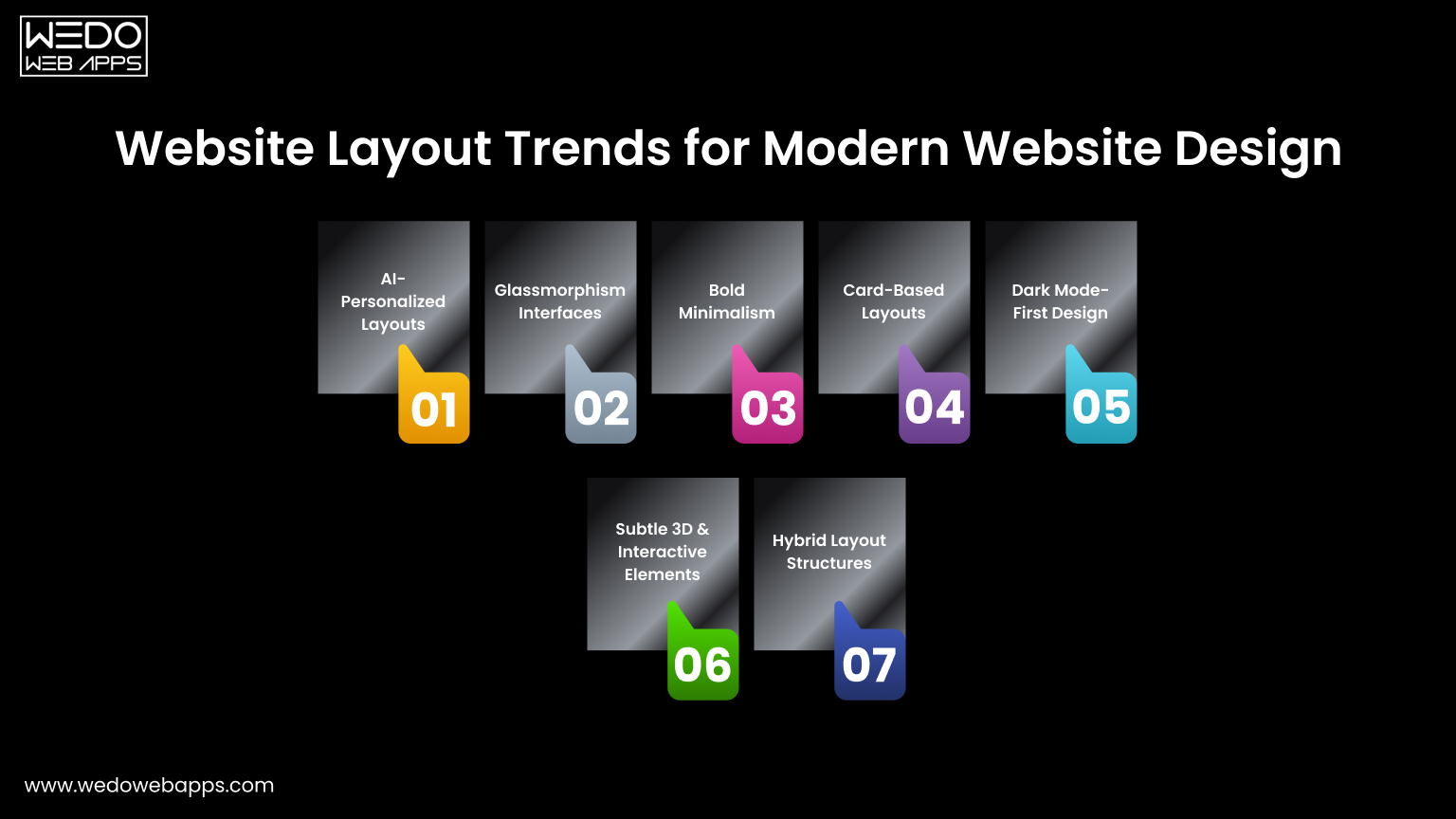
  • Data analysis and information management
  • Document management
  • Communication tools for emails, text messaging, and audio/video conferencing
  • Graphics, animation, and video production
  • Accounting, payroll, and financial management
  • Project management
  • Resource management (ERP and CRM systems) and HR management
  • Healthcare management software
  • Business project management
  • Learning Management Systems (LMS) and eLearning software

The Differences: System Software vs. Application Software

Software consists of sets of instructions or programs designed to perform tasks. It can be broadly categorized into two types: System Software and Application Software. While both types serve to instruct and interact with the system or user, they differ significantly in their design and purpose. Let’s explore their key differences.

Key Points System Software Application Software
Purpose Controls and manages the hardware and other system resources. Designed to accomplish specific tasks based on user requirements.
Installation Comes pre-installed with the operating system. Can be downloaded and installed as needed.
Nature Known as general-purpose software. Known as specific-purpose software.
Function/Hosting Acts as an interface between application software and the system. Runs on the platform provided by the system software.
Development Written in low-level language or machine code, making it highly compatible with system hardware. Written in high-level languages like C++, Python, or JavaScript.
Independence/Dependence Operates independently without requiring other software.
Complexity: More complex programming.
Requires system software to function.
Complexity More complex programming. Generally simpler programming.
Operation Runs in the background as a platform. Runs in the foreground, performing tasks based on user requests.
Primary/Specific Functions Handles process management, memory management, task scheduling, and hardware installation. Executes user-specific tasks for which it is designed.
User Interaction Users typically do not interact directly with system software. Directly interacted with by users.
Necessity Essential for the system’s operation. Not essential for the system to operate, but enhances functionality.
Examples Compiler, assembler, debugger, driver. Word processor, web browser, media player, Photoshop.

Understanding the Difference: App vs. Application

App: An app is a software designed to perform a single specific function for users. Primarily created for mobile devices and tablets, apps can also run on desktops if the operating system supports them. Popular examples include Open Office, Photoshop, web browsers, WhatsApp, and games like Angry Birds.

Application: An application is a comprehensive software intended to perform a wide range of functions for users. It provides services in areas such as automation, data processing, and integration. Applications are typically designed to run on desktops or laptops, but not on mobile devices or tablets. They often come as larger packages with multiple features. Examples are Microsoft Office, VLC Media Player and Adobe Photoshop.

On-Premise vs. Hosted Application Software: What’s the Difference?

On-Premise

On-premise software is the traditional model where businesses buy the software and its license, install it on their own servers, and manage it internally. This includes taking care of servers, performing backups, and handling software updates. On-premise solutions offer higher security because you have complete control over the software and its updates.

Hosted

Hosted software, while similar to on-premise, differs in that the software is installed on servers managed by a third-party provider. You purchase and maintain the software, but instead of investing in your own hardware, you rent it from a vendor. Although the software is hosted remotely, you still own it. Hosted solutions provide advantages like lower initial costs and the flexibility to scale resources as needed.

Application Software vs. Application Platform: Key Differences

Application Software

Application software assists users in performing specific tasks. These programs operate locally on a server or computer system. They range from simple tools like word processors to complex database systems.

Application Platform

An application platform serves as the foundation on which application software runs. It encompasses both hardware architecture and a software framework, providing the necessary environment for the application software to function effectively.

System Software vs. Application Software: Know the Differences

System Software

System software manages system resources and provides a platform for running application software. It acts as an intermediary between the hardware and the application software, ensuring smooth communication and operation.

Application Software

Application software is created to perform specific tasks or functions as requested by users. It relies on system software to operate and cannot function independently. Application software is tailored to meet particular user needs, from word processing to complex data management.

Exploring Different Types of Application Software

In the current digital world’s era, every business sector relies heavily on application software. From banking and healthcare to education, retail, travel, and logistics, software is essential across all domains. Choosing the right application software for your needs can significantly enhance functionality and efficiency. Understanding the various types of application software can help you save costs, time, and resources, boost productivity, and improve decision-making. Application software can be broadly categorized into General Applications, Business Applications, and Custom Developed Applications.

General Application Software: An Overview

General application software is designed to handle a variety of basic functions that users commonly need on their systems. There are numerous applications that fall into this category, each serving different purposes. Here’s a closer look at some key types of general application software:

Word Processing Software

Word processing software is used for creating and formatting text documents such as memos, letters, faxes, and reports. It allows users to enhance and beautify text with various features including thesaurus, synonyms, antonyms, and word art. Users can also change font colors, styles, and effects, and utilize grammar and spell-check tools. Popular examples include Google Docs and Microsoft Word.

Graphics Software

Graphics software enables users to edit and manipulate visual data or images. This category includes both illustration and picture editing tools. Adobe Photoshop and PaintShop Pro are prominent examples of graphics software.

Spreadsheet Software

Spreadsheet software is used primarily for performing calculations and organizing data in tabular form. Users can input data into rows and columns, and utilize various formulas to perform calculations. Microsoft Excel and Google Sheets are widely used examples of spreadsheet software.

Presentation Software

Presentation software helps users convey their ideas and information visually through slides. Users can incorporate text, images, graphs, and videos to make their presentations more engaging. Microsoft PowerPoint is a well-known example of presentation software.

Web Browsers

Web browsers are used to access and navigate the internet, allowing users to search for information, watch videos, download images, and more. The most popular web browsers include Google Chrome and Firefox, with other examples being Internet Explorer, Microsoft Edge, and Safari.

Multimedia Software

Multimedia software is used for creating and editing audio and video files, and is commonly used in animation, graphics, and video editing. Examples of multimedia software include VLC Media Player, MX Player, and Windows Media Player.

Education and Reference Software

Also known as academic software, these applications are designed to aid learning and provide educational resources. They are widely used in the education sector and include tutorial software. Examples include Google Earth and NASA World Wind.

Simulation Software

Simulation software is used in fields such as military engineering, industrial training, robotics, flight systems, weather forecasting, and video games. It allows users to replicate real-life conditions without the risks associated with actual operations. Technologies like Augmented Reality (AR) and Virtual Reality (VR) are often used in these applications. MATLAB is a notable example of simulation software.

Content Access Software

Content access software allows users to access and manage various types of digital content. Examples include e-readers and streaming services.

Information Worker Software

Information worker software assists users in managing, processing, and organizing information efficiently. Examples include email clients and project management tools.

Essential Business Application Software

Business application software is designed to meet specific business needs and enhance operational efficiency, accuracy, and productivity. Here are some commonly used business application software types:

Customer Relationship Management (CRM) Software

CRM software manages an organization’s interactions with customers by organizing essential data. It helps provide a seamless customer experience by collecting, analyzing, and strategizing customer information across different touchpoints. Examples include Salesforce, Zoho CRM, and Netsuite.

Enterprise Resource Planning (ERP) Software

ERP software manages core business operations and processes, such as accounting, procurement, risk management, and compliance. It helps automate and simplify these processes. Examples are Odoo, Oracle, and Microsoft Dynamics.

Project Management Software

Project management software aids in planning, resource allocation, and scheduling. It facilitates communication and collaboration among project stakeholders and helps manage costs, budgets, documentation, and reporting. Common examples are Zoho Projects, Basecamp, and Trello.

Business Process Management (BPM) Software

BPM software automates and optimizes business processes, providing a comprehensive overview of operations to reduce errors, miscommunications, and inefficiencies. Examples include Zoho Creator, Nintex, and Kissflow.

Database Management Software (DBMS)

DBMS software helps create, manage, and organize an organization’s data. It stores, modifies, extracts, and searches for information within a database. Popular databases include Oracle, MySQL, Microsoft SQL Server, PostgreSQL, MongoDB, and IBM Db2.

Resource Management Software

Resource management software assists in allocating and assigning personnel to projects based on requirements, ensuring smooth management of multiple projects simultaneously. Examples include Mavenlink, monday.com, and Forecast.

Productivity Software

Productivity software enhances organizational efficiency by helping users complete tasks more effectively. These programs assist with time management, document creation, and collaboration. Examples are tools for word processing, spreadsheets, and presentations like PowerPoint.

Time Management Software

Time management software helps teams stay organized and track the time spent on projects, enhancing productivity. Examples include Asana, ClickTime, and DeskTime.

Educational Software

Educational software supports teaching and learning by promoting personalized and collaborative interactions between students and tutors. It includes features like content creation, lesson sharing, classroom management, and student-teacher interaction. Examples include TalentLMS, Skill Lake, Google Classroom, and Litmos.

Custom Developed Application Software: Solutions for Unique Needs

Custom-developed application software, also known as bespoke or tailor-made software, is specifically created for a particular organization or user based on their unique business requirements. This approach has gained prominence in the web and mobile application industry due to its flexibility and ability to enhance productivity. Custom software is designed to perform specific functions and can be fully tailored to meet the precise needs of the user or organization. While off-the-shelf applications offer limited functionality, custom software ensures that the organization gets exactly what they need. Consequently, custom software development is a strategic choice for businesses aiming for long-term success and tailored solutions.

Selecting the Perfect Application Software for Your Business

As your business expands, there’s a constant drive to enhance operations and work more efficiently. Whether you’re looking to replace an outdated system or find a new solution to boost performance, choosing the right application software is crucial but challenging.

Selecting the appropriate software for your business requires careful decision-making, brainstorming, and critical analysis. Before investing in any application, ensure it aligns with your business processes, streamlines operations, enhances customer experience, and minimizes risks. The success of your business model and its goals heavily depend on this choice. While the selection process can be daunting, the right software can be transformative for your business.

Here’s a checklist to help you confidently choose the right application software for your business:

  1. Assess Current Software: Identify the strengths and weaknesses of your existing software, if any.
  2. List Your Requirements: Determine the services and features you need in new application software.
  3. Shortlist Options: Compile a list of software applications that meet your requirements.
  4. Evaluate Budget and Features: Assess the shortlisted software based on your budget, licensing, and required features.
  5. Test and Demo: Conduct thorough evaluations or demos of the shortlisted applications to ensure they meet both current and future needs.
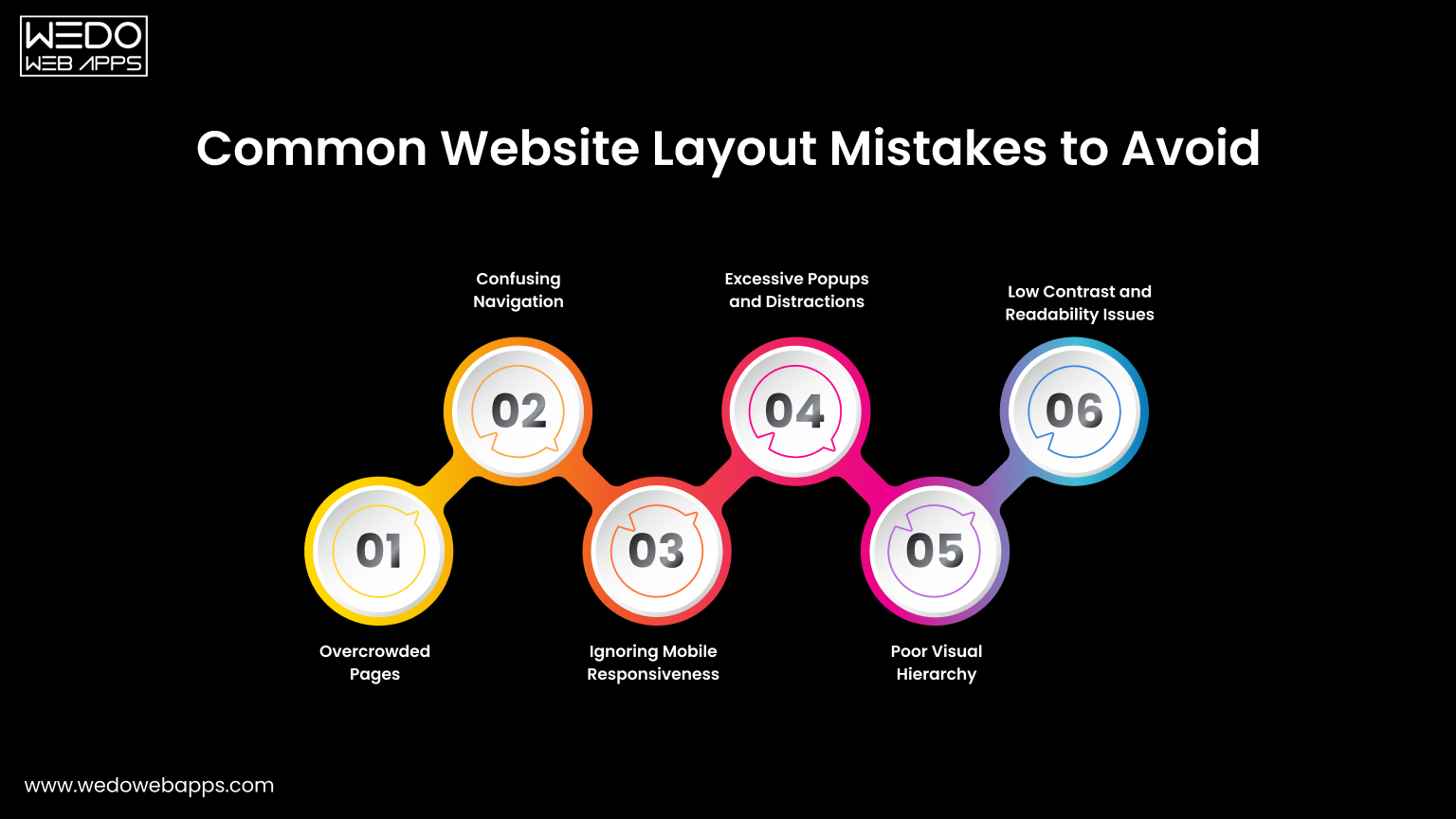
  6. Finalize Your Choice: Select the software that best fits all your requirements.

The Costs of Developing Application Software for Your Business

Pricing is a critical consideration for any business looking to develop application software. The cost can vary widely based on several key factors:
  • Functionality, Scope, and Features: The more complex and feature-rich the application, the higher the cost.
  • Supported Platforms and Devices: Developing software that runs on multiple platforms (like Windows, macOS, Android, iOS) can increase costs.
  • Third-Party Integrations: The need for integration with other systems or services can add to the expense.
  • Back-End Development: Creating a robust and scalable back-end infrastructure is crucial and can be costly.
  • Hardware Components and Compatibility: Ensuring the software works seamlessly with various hardware components may require additional investment.
  • Application Complexity: More intricate applications that require advanced technologies or specialized skills will be more expensive to develop.
  • Maintenance and Support Requirements: Ongoing maintenance and customer support also contribute to the overall cost.

Given the many variables that influence the development cost, it is challenging to provide an exact figure. However, our experts can offer a ballpark estimate based on your specific requirements.

Custom Application Software: Perfect for Businesses with Specific Needs

Businesses of all sizes depend on custom application software to meet their unique business requirements. To gain a competitive edge in today’s market, you need technically advanced custom application software that can drive your business forward.

Custom application software is specifically designed and developed for a particular organization’s group of users. Unlike generic software packages that serve a broad audience, custom software is tailored to an organization’s specific goals and needs, and is typically used by a limited number of users. This type of software is built to meet all the precise preferences and requirements of a business. Additionally, custom application software offers benefits such as flexibility, ease of integration, and scalability.

Final Thoughts

Application software is essential for improving business operations across various industries. From general applications to custom business solutions, the right software can boost efficiency, productivity, and profitability. Selecting the appropriate software involves carefully considering your business needs, budget, and future goals. Whether choosing off-the-shelf solutions or custom-developed software, the impact on your business can be significant. By understanding the types and benefits of different application software, businesses can make informed decisions that support success and meet their specific requirements in the ever-changing digital landscape.

Global Presence

wedowebapps-usa-hq-new-jersey-map
usa-location-icon USA
address-icon-img HQ : 21 Charles St, Clifton,
New Jersey, 07013.
wedowebapps-usa-hq-new-jersey-map
usa-location-icon USA
address-icon-img BO : 450 Paradise Isle Blvd Suite 306 Hallandale Beach, Florida 33009.
wedowebapps-uk-london-office-map
address-icon-img 2 Garrick Rd, London
NW96AA, UK.
wedowebapps-australia-melbourne-office-map
address-icon-img 70 Everton Road , Truganina
Victoria 3029
wedowebapps-canada-ontario-office-map
address-icon-img 14 Alfredo Ave, Brampton,
Ontario Canada L6P 1K1
wedowebapps-india-ahmedabad-office-map
India-location-icon INDIA
address-icon-img A 706/707 Empire Business Hub, Science City Road, Ahmedabad – 380060
Call Mail Whatsapp