skip to content

Mobile App Development Team: Roles, Structure, and Best Practices

Manage Your Mobile App Development Team for Success

Imagine this: Your startup has a strong app idea that can attract a wide number of users and improve the presence of the brand. The idea is strong. The market is ready. But the month into development is slowing down the progress. Deadlines are missed, and the feature does not align with the app’s vision.

The problem is not the idea, it is the mobile app development team behind it.

Strong app development includes more than the developers and designers. Each role, whether it is designer, developer, analyst, or manager, plays an important role and must work together. Understanding the mobile app development team structure helps you ensure a smooth app development. Allow us to add the feature that is needed and help you meet the business goals with user expectations.

This guide will show you how to build and manage a skilled mobile app development team. You will learn how to assemble the right roles, define responsibilities, and create a team that delivers a quality app within your budget.

Why a Well-Defined App Development Team Matters

A strong idea does not always guarantee that the app will be successful. The outcome depends on the mobile app development team behind it. Every business needs an app that is delivered on time, fits within the budget, and meets the user expectations. However, having a strong app is challenging to stay competitive in the market, as there are more than 5.7 million apps in the Play Store and App Store.

To have a defined app development team, it is important to have clear roles and responsibilities to ensure accountability. Designers focus on user experience. Developers handle coding efficiently. Analysts keep track of progress and identify the risks. Project managers keep everything on schedule.

When the team is structured properly, the communication flow is smoothly maintained, and faster decisions are made. A well-organized team also reduces the chances of risks and misalignment of tasks. Also helps in preventing duplicate work and delayed release. With a strong team, you can see a faster development cycle, higher-quality output, and better user satisfaction.

In short, a structured app development team not only gives convenience but also aligns with the business strategy. It ensures that your app delivers the value, meets the objective, and leads to growth.

Understanding Mobile App Development Team Structure

Understanding Mobile App Development Team Structure

A mobile app’s success is never about one person’s effort, but it is the teamwork. It is the outcome of well-coordinated app development services where every expert knows their roles and responsibilities more clearly. When the team structure is defined properly, businesses can achieve smoother communication, faster delivery, and better quality of results.

Organizational Setup in App Development Teams

Before you set up the app development team, it is important that you understand how an application development organizational structure works. Most companies follow either a functional or cross-functional setup.

In a functional structure, every department focuses on its specific expertise. Designers handle all the visuals, developers focus more on coding, and testers focus on the quality. This setup works when the team is larger and the specialization is important.

A cross-functional structure combines the specialists from different areas into one team that works together in every stage of development. This model improves the chances of collaboration and helps you to make better and informed decisions.

Choosing the right team depends on your goals, timelines, and budget. A defined application development organizational structure helps to align the efforts with generating better results for the app.

Key Role And Responsibilities

A strong mobile app development team is built for collaboration and accountability. Each role has its unique roles and responsibilities that turn a concept into a successful digital product.

Here are the different roles and their attached responsibilities:

Product Owner/Client Representative

The product owner acts as a strategic link between the business and development team. They define the vision, set priorities, and ensure that the final result meets both business and user needs.

Project Manager

Look into the entire process and keep the team aligned with the timelines and budget. The project manager makes sure that the resources are optimized and all the issues are resolved before it has a high impact on the progress.

Business Analysts

Business analysts handle the business goals with the technical execution. They are under the business requirements, the need for features, and make sure that every function supports to give the real business value.

UI/UX Designer 

Manage the process of application appearance by adding visuals and design for interactions. When you hire UI/UX designer, they can ensure that users not only use the app but also feel connected and increase the engagement rates.

Frontend Developer

Turns design concepts into a functional interface. A frontend developer ensures that what users see and interact with is smooth, responsive, and consistent across all devices.

Backend Developer

Give support to build the infrastructure that makes the app work. From database management to server logic, this can easily handle the technical issues that keep the app running faster and more reliable.

Mobile App Developers (iOS/Android/Flutter)

Allow you to build the app for the specific operating system, whether it is iOS, Android, or Flutter. Depending on your choice, a mobile app developer can build an app, whether it is a native or cross-platform developer, focusing on performance, security, and scalability to deliver polished results.

QA Engineer

Work in the final part of development to check for the quality. QA engineer tests the app for usability, functionality, and performance to make sure that the app performs seamlessly before it reaches users.

DevOps Engineer

Handle the automation, deployment, and continuous delivery of the app. DevOps engineers make sure that the app is updated and has new features that allow it to reach users without facing downtime or disruption issues.

Want your app to drive real business growth

Application Development Organizational Structure

With an efficient application development organizational structure, you can easily handle how your team operates, communicates, and delivers better results.

The right structure allows you to create a balance between leadership, creativity, and execution while helping your application development team to stay productive and aligned with your business objectives.

Functional vs Cross-Functional Teams

Selecting between the functional and cross-functional setup allows you to have a better impact on the smooth running of the project and maintain the collaboration.

Functional Team Cross-Functional Team
As a functional team, team members are grouped by skills or departments. In a cross-functional team, team members with different skill sets work together and deliver the product.
Communication flow is vertical means collaboration through department heads. Here, the communication is horizontal, where all members come together to develop a quality app.
Decisions are made only by the department heads. A mutual decision is being taken through communication with team members and by taking feedback.
Offer limited flexibility in changes and often require departmental approvals. High flexibility, the team adapts to all the changes quickly and meets the new requirements.
Best for a large enterprise with a defined department and processes. Best for startups or projects that need agility with rapid iterations.

A functional team makes sure deep expertise has been met, while a cross-functional team improves agility and communication. With this best approach, you can know which one is better for your project scope and expected delivery timelines.

Centralized vs Decentralized Structure

The structure of your application development team has an impact on how decisions are being made and how quickly the team is performing.

Centralized Structure  Decentralized Structure
The decision-making power is centralized among the senior or project managers. The decision is distributed across the team or department for specific needs.
Communication starts with the management and then to the executive teams. Communication is collaborative as the team makes small and local decisions.
The development speed is slower as multiple approval is required. Development is fast, and the team immediately starts working.
Accountability is clear, but flexibility is limited. Accountability is shared, promoting ownership across the team.
Best if you need consistency, control, and compliance. Best if you are aiming for innovation, flexibility, and fast delivery,

Both team structures have a different approach. Centralized offer consistency and decentralization are effective for innovation. Choose as per your specific needs and preferred app development environment.

Agile and Scrum Teams in App Development

Modern app projects are increasingly adopting agile methodologies to improve collaboration and speed of development. Within a mobile app development team structure, the Agile and Scrum frameworks create smaller and goal-oriented teams to work for a short cycle.

Each application development team in Agile includes:

  • Product Owners: Set the priority and manage the backlogs.
  • Scrum Master: Facilitate the collaboration and remove the errors in the workflow.
  • Development Team: Execute the tasks and handle the app versions regularly.

With this app development team structure, you can have faster feedback with continuous improvements and testing. It keeps the team aligned while maintaining consistency and transparency.

Mobile App Development Process and Team Involvement

Mobile App Development Process and Team Involvement

Developing a successful app relies on putting the combined effort of the mobile app development team at every stage. Here is a simplified view of the process and who is involved in which stage of development:

Stage 1: Research and Requirement Analysis

  • At this stage, team members who work together are Product Owners, Business Analysts, and Project Managers.
  • Put more focus on understanding business goals and user needs to define the project requirements more clearly.

Stage 2: UI/UX Design

  • Team members include a UI/UX Designer, a Product Owner, and a Frontend Developer.
  • Create the wireframe of the design and prototypes to maintain the user flow that ensures a better experience.

Stage 3: Development and Integration

  • Frontend Developer, Backend Developer, and Mobile App Developers work together.
  • Focus on writing strong and secure code while integrating the various advanced concepts to maintain a strong connection with the system.

Stage 4: Testing and Quality Assurance

  • Working members are QA Engineer, Mobile App Developer and Project Manager.
  • Conduct the test to know about the usability and performance of various functions to assess the stability of the app.

Stage 5: Deployment and Feedback

  • DevOps Engineer, QA Engineer and Product Owner make all decisions.
  • After the launch regularly monitor the performance. Also, take feedback and plan for future improvements.

With the support of the app development team, you can manage each stage carefully and efficiently, with smooth communication to generate better final results.

Collaboration with our mobile app development team to build, test, and launch your app accurately.

How to Build an Efficient App Development Team

For building the right app development team, it is important that you define your needs clearly when it comes to the mobile app that is best for your business. A well-organized mobile app development allows you to be sure about the smooth execution of features with clear communication and generate measurable results.

Here are the steps that you must be clear about:

Define Project Scope and Technical Requirements

  • Clearly prepare the objective of the project with the need of features.
  • Identify the need for a technology stack for development.
  • Understand the responsibility of each app development team member.
  • Prevent the delay with the proper project alignment.

Choose the Right Team Size and Expertise

  • Look for the support team like developers, designers, QA, and project managers.
  • If the project is complex, then consider specialized roles like DevOps or business analysts.
  • Maintain a balance of technical expertise and business understanding.
  • Adjust the team size as per project complexity and timelines.

Establish a Collaboration and Communication Flow

  • Define the reports clearly with the communication channels.
  • Hold the regular meeting to know about the weekly progress.
  • Use the shared documentation to keep track of tasks.
  • Keep the mobile app development team aligned and accountable.

Adopt an Agile or Hybrid Approach

  • Follow the agile development method.
  • Make use of a hybrid approach to combine the various needs.
  • Focus more on the continuous feedback and adapt the changes quickly.
  • Deliver faster results without compromising the quality.

Use the Right Tools for Project Management and Reporting

  • Take advantage of tools like Jira, Trello, or Asana for keeping track of tasks.
  • Monitor progress and create transparent reporting for the stakeholders.
  • Streamline the collaboration across the department and team members.
  • Allow the app development team to maintain the focus on execution and delivery of the app.

By clearly defining the proper app development needs, you can connect with the team and make sure that the needs are being specifically met.

Hiring Models for Mobile App Development Teams

Hiring Models for Mobile App Development Teams

Choosing the right mobile app development team allows you to have a greater impact on maintaining the success of the project within the cost and expected timeline.

Below are the most common hiring models. There are many different advantages and drawbacks of each hiring process, and when to choose them, everything is discussed here:

In-House Team

Hire the full-time and permanent staff for handling the app development processes.

  • Pros: Take full control of the team, maintain easier communication, and achieve strong alignment with the company’s needs.
  • Cons: High overhead costs, longer recruitment timeline, and offer limited flexibility for better scaling.
  • Best For: Companies that need support for the ongoing app development need and budget to make a strong app development team.

Freelance Professionals

Hire a skilled developer for the specific project and for a limited period of time.

  • Pros: Cost-effective option and offers flexibility with quick results for small and short-term projects.
  • Cons: Less accountability, a communication gap, and limited availability for long-term projects.
  • Best For: Small projects, prototypes, or when a specialized skilled person is needed.

Outsourced Development Partner

Hire the right app development partner on the basis of contracts for handling the specific part of the development needs.

  • Pros: Maintain the balance of cost-effectiveness with the support of faster team setup.
  • Cons: Daily operations are not being effectively handled because of the different time zones.
  • Best For: Companies that are looking for a team to accelerate the development process with minimal costs.

Dedicated Development Team Model

A third-party company that provides support of the developers, who can work exclusively on the project.

  • Pros: Team fully takes control of the project while maintaining the scalability and consistency.
  • Cons: The cost is high since the project requires a strong team to manage it.
  • Best For: Long-term projects that need stability and quality of the mobile app development team.

Hybrid Collaboration Model

Hiring the team for the long-term project at a fixed cost for the defined development needs.

  • Pros: Combine the strengths of an in-house and outsourced team while maintaining a balance of cost and experience.
  • Cons: To prevent issues, careful collaboration and communication are required.
  • Best For: Companies with complex projects that need both internal and external expertise.

These are the common hiring models that you can consider when you are selecting the app development team, as per your business models and development needs.

Find Your Reliable App Development Partner

How Much Does It Cost to Build or Hire an App Development Team

The cost of building or hiring an app developer depends on the location, team structure, and the overall scope of the project. Understanding the difference in the attached cost of the app development team allows you to plan the budget effectively and choose the right collaboration models.

Cost Breakdown by Regions

Hiring a mobile app development team varies greatly by region because of the differences in labor cost, taxes and local demand for the technical skills.

Region Average Hourly Rate (USD)
United States $100 – $180
Western Europe $70 – $130
Eastern Europe $40 – $80
Asia (India, Vietnam, Philippines) $25 – $60

If you are among those who are looking for a cost-effective solution and are also open to outsourcing the development company, then these are the expected costs you should be prepared for while developing the app.

Impact of Team Size and Project Complexity

The size of your app development team depends on the complexity of the app. If the app needs advanced features or integration of a third-party solution, the need for more resources can cost you more.

Project Type Team Members Approximate Cost Range (USD)
Small App 3-5 Team Members $40,000 – $80,000
Medium App 6-8 Team Members $80,000 – $150,000
Complex App More than 10 members $150,000 – $300,000 and more

A large mobile app development team ensures that the faster delivery of the complex project is maintained. But the larger team comes with the higher expenses because of the added expertise and collaboration requirements.

Hiring Model-Based Cost Comparison

Different hiring models come with different costs, benefits, and management efforts. Choosing the right approach depends on your need for the app whether it is full control, flexibility, or scalability.

Hiring Model Estimated Monthly Cost (USD)
In-House Team $60,000 – $120,000
Freelancers $15,000 – $35,0000
Outsourced Development Partner $30,000 – $80,000
Hybrid Model $50,000 – $110,000

Outsourcing or hiring a dedicated app development team allows you to maintain the balance of app development cost with quality. This allows you to make use of scalable resources, whereas in-house teamwork is best if your company needs support for a long-term project within a stable budget.

Managing an Application Development Team Effectively

Managing an Application Development Team Effectively

To manage the app development team effectively, you need to be sure that the project runs smoothly at every stage of development. The following practical tips allow you to maintain productivity, collaboration, and accountability across your mobile app development team.

Set a Clear Goal and Responsibility

  • Set a goal for each level of development.
  • Make sure that the responsibility is clear so that there is no mistake.
  • To track progress, use a shared documentation mechanism.
  • Continue to check that the app is meeting the business objectives.

Clear expectations will help you to understand each team member’s roles and maintain a smoother workflow with faster execution.

Maintain Transparent Communication

  • You can make use of tools like Microsoft Teams or Zoom for regular meetings.
  • Encourage open discussion about the faced challenges and required solutions.
  • Keep the stakeholders informed about the project updates.
  • Schedule feedback sessions to keep the app development team to maintain accuracy.

Consistency should be maintained with clear communication to reduce the chances of miscommunication and build stronger trust within the team.

Monitor Performance and Productivity

  • Track progress with tools like Jira or Trello.
  • Set the weekly review meetings.
  • Use performance metrics such as delivery time and issue resolution rates.
  • Recognize the top performers to maintain motivation among the team.

By monitoring the performance, ensuring accountability, and helping to address the issues more easily.

Encourage Continuous Learning

  • Support with the technical training and upgrade the skills.
  • Include the new tools or frameworks by maintaining the project’s relevance.
  • Promote knowledge sharing within the mobile app development team.
  • Allow to have a growth-oriented work environment.

If the team members are growing, the overall project quality and delivery speed are maintained well.

Use Agile Practices for Better Collaboration

  • Divide the project into speed of development and clear deliverables.
  • Take the update on the daily practices.
  • Adapt quickly as per the feedback and new priorities.
  • Maintain flexibility without losing the business objective.

Adopt the Agile methods to maintain adaptability and keep the app development team focused more on delivering value.

Want to simplify your process of app development management

Application Development Team vs Software Development Team

Whether it is an application development team or a software development team, both have the same technical foundation and work to meet the business goals. Both work for maintaining the smooth workflows and deliverables while making a significant difference. Understanding the difference between these two helps you select the right team to fulfill the defined project needs.

Focus Areas and Team Composition

An application development team focuses on building the application that is user-facing for mobile and web platforms. A software app development team works on a broader range of software projects and includes the system that maintains the smooth functioning.

Aspect Application Development Team Software Development Team
Primary Focus Developing mobile and web applications. Preparing the comprehensive software systems.
End Users An individual for using the app. Internal team of enterprise users.
Key Role UI/UX design, mobile developers, and project managers. Software developers, backend developers, and QA testers.
Goal Delivering a highly focused and intuitive app. Build scalable and enterprise-level software.

The mobile app development team focuses more on creating a better digital experience, while the software development team puts more emphasis on stability over complex systems.

Technical Expertise Requirements

Both teams require technical expertise to maintain proficiency, but in different areas and tool preferences.

Aspects Application Development Team Software Development Team
Programming Skills Expertise in Swift, Kotlin, Flutter, and React Native Skilled in Java, .NET, Python, or C++
Framework and Tools Knowledge of Android Studio, Xcode, and Figma. Expertise with Visual Studio, Eclipse, and GitHub.
Testing Test for the UI/UX and the working of the functionality. Integration and performance testing.
Focus Maintaining a smooth interface and user experience. System performance and backend stability.

An application development team prioritizes maintaining the app to be more responsive and accurately designed. Focuses more on the system’s performance and interoperability.

Deliverable and Product Ownership

Deliverables may differ on the basis of the scope of the project and the expected timelines.

Aspects Application Development Team Software Development Team
Primary Deliverables Application for mobile, web, or a small MVP. Fully scalable system with supportive tools and platforms.
Ownership Shared between the client and app publishers. Typically rented by the enterprise or company.
Development Approach Agile and interactive. Waterfall and hybrid models.
Maintenance Requires frequent updates and user feedback. Support scheduled system upgrade and patch development.

A mobile app development team delivers faster results with a smooth development cycle and supports data-driven updates for generating long-term value.

Partnering with a Professional App Development Company

Working with the professional app development team can make a greater difference between an average project and a market-ready product. Some businesses often struggle when it comes to hiring a skilled app development team or managing the delay in the project with limited in-house resources.

By outsourcing to an experienced company, you can gain access to specialized expertise, manage the workflow, and maintain faster development. A professional mobile app development team brings structured processes, quality control, and scalability to the project.

A well-structured team easily understands how to keep the balance of design, performance, and user experience while making sure the product is aligned with the business goals. From strategy to post-launch support, an established partner managed every stage efficiently and allowed your business to grow.

You can hire a skilled mobile app development company to ensure that your app is successful. Partnering with the experts helps you to minimize the risk, optimize costs, and have a high-quality solution.

Accelerate Your App Journey with Expert Guidance

Having a successful app is not about having an innovative idea. It is more about bringing the right tea, strategy, and execution all together. A structured mobile app development team ensures that each phase, from research to deployment, everything is running smoothly and efficiently.

If you are planning to build a new app and want to improve the existing one, then you can also partner with a professional mobile apps development service provider to help you achieve the result faster and with better quality.

Work with the team that brings strategy, design, and development together

Python Sentiment Analysis Libraries, Tools, and Models You Should Know

Python Sentiment Analysis Libraries

Did you know that over 80% of the world’s data is unstructured text, from social media posts and product reviews to emails and support tickets? Yet, this massive pool of information often goes untapped unless we can decode the emotion behind it. That is where sentiment analysis comes in, helping businesses and researchers uncover whether people feel positive, negative, or neutral about a topic.

With its extensive ecosystem of libraries, frameworks, and APIs, Python has become the most widely used language for sentiment analysis. From lightweight tools like VADER and TextBlob to cutting-edge models such as BERT and Flair, Python offers solutions that balance simplicity, accuracy, and scalability.

In this blog, we will explore the top Python sentiment analysis libraries, APIs, and models in 2025, show how they are applied in real-world scenarios, and guide you in choosing the right tool for your next project.

What is Sentiment Analysis and Why is it Important?

Sentiment analysis is the process of using Natural Language Processing (NLP), machine learning, and linguistic rules to detect whether a text expresses a positive, negative, or neutral sentiment. In simple terms, it tells you how people feel from what they write.

How it Works

So, how do natural language processors determine the emotion of a text? They typically:

  • Break down the text into words, phrases, or sentences.
  • Analyze sentiment polarity using pre-defined lexicons (positive/negative word lists).
  • Apply sentiment analysis models, ranging from rule-based to machine learning and deep learning approaches, to capture tone, context, and even tricky cases like sarcasm.

Why it Matters

The importance of sentiment analysis goes far beyond just classifying opinions. It helps businesses and researchers to:

  • Improve customer experience: analyze product reviews and support rockets to fix pain points.
  • Monitor brand reputation: track what is being said about a brand on social media.
  • Predict market movements: assess investor mood in financial news or forums.
  • Support healthcare research: evaluate patient feedback or detect signs of mental health struggles in communities.

Why Python Leads the Way

Python is the go-to choice for text sentiment analysis because of its:

  • Rich ecosystem of libraries:

    from simple tools like VADER and TextBlob to advanced models like BERT and Flair.

  • Ease of use:

    developers can quickly implement sentiment analysis tools in Python without reinventing the wheel.

  • Flexibility:

    options for local deployment with a Python sentiment analysis library, or cloud-based solutions via text sentiment analysis APIs such as Google Cloud NLP or AWS Comprehend.

In short, Sentiment analysis transforms unstructured text into actionable insights. With Python’s libraries, models, and APIs, it is easier than ever to apply these insights in real-world projects.

Why Use Python for Sentiment Analysis?

When it comes to natural language processing (NLP) and sentiment analysis, Python is the first choice for developers, data scientists, and businesses worldwide. But what makes Python so popular for analyzing emotions in text compared to other programming languages?

Key Reasons Python Leads Sentiment Analysis

  • Rich Ecosystem of Libraries:

    From simple tools like TextBlob and VADER to advanced transformer-based sentiment analysis models such as BERT and Flair, Python offers a complete toolbox for every level of project complexity.

  • Easy Learning Curve:

    Unlike languages such as R or Java, Python syntax is beginner-friendly, making it easier to learn how to do sentiment analysis in Python even if you are not a hardcore programmer.

  • Integration with AI and Machine Learning:

    Python is the backbone of machine learning frameworks such as TensorFlow, PyTorch, and Scikit-learn, enabling seamless experimentation with sentiment analysis models beyond pre-built tools.

  • Scalability for Businesses:

    Whether you are analyzing a few hundred tweets or millions of customer reviews, Python provides both lightweight libraries and enterprise-grade text sentiment analysis APIs to scale sentiment analysis efficiently.

  • Strong Community Support:

    Python has one of the largest developer communities. If you ever face a challenge with a sentiment analysis Python library, chances are someone has already solved it and shared solutions online.

Real-World Impact of Using Python

Companies across industries leverage Python sentiment analysis to:

  • Monitor brand reputation in real-time on social media.
  • Analyze customer feedback to refine products.
  • Power chatbots that respond empathetically based on user sentiment.
  • Automate support tickets by prioritizing negative or urgent issues.

Quick Stat:

According to a 2024 Kaggle survey, over 70% of data scientists use Python for NLP and sentiment analysis tasks, making it the global standard in this domain.

Why Is Choosing the Right Python Sentiment Analysis Libraries Important?

With so many sentiment analysis Python libraries available, it is tempting to pick the first one you come across. But the truth is, not all libraries are built for the same purpose, and the wrong choice can cost you accuracy, time, and scalability.

Why Your Choice of Library Matters

  • Accuracy of Results:

    Some libraries, like VADER, excel in analyzing short, informal text (tweets or comments), while others, like BERT, are designed for complex, context-heavy data. Using the wrong tool can lead to misinterpreted emotions.

  • Scalability Needs:

    If you are running quick prototypes, a lightweight library like TextBlob might be enough. But for the enterprise-scale projects, you will need more advanced sentiment analysis tools that Python offers, integrated with ML frameworks.

  • Domain-Specific Customization:

    A finance chatbot and a movie review analyzer won’t need the same sentiment model. Choosing a library that allows training custom sentiment analysis models ensures relevance to your specific industry.

  • Integration With APIs and Workflows:

    Many businesses use text sentiment analysis APIs. If your Python library does not integrate well, you will face roadblocks when deploying at scale.

Quick Example

Imagine you are building a customer support ticketing system:

  • Using TextBlob might give quick results, but it could miss sarcasm or context.
  • VADER could handle informal complaints on social media well.
  • BERT or Flair would excel in capturing complex complaints in formal emails.

Choosing the right Python sentiment analysis library is not just about convenience; it directly impacts the accuracy, performance, and real-world success of your project.

Things to Consider Before Choosing a Python Sentiment Analysis Library

Picking the best sentiment analysis Python library is not a one-size-fits-all decision. The right choice depends on your project goals, data type, and performance needs. Here is a practical checklist to guide you:

1. Accuracy and Performance

  • How well does the library handle context, sarcasm, and mixed emotions?
  • Does it work better with short-form text (tweets, comments) or long-form data (blogs, articles, reviews)?
  • Libraries like BERT and Flair are highly accurate, while VADER and TextBlob trade off accuracy for speed.

2. Ease of Use

  • Are you new to sentiment analysis Python? Start with user-friendly options like TextBlob.
  • Need enterprise-grade flexibility? Go for SpaCy or Scikit-learn, which have steeper learning curves but more power.

3. Customization Capabilities

  • Can you train your own sentiment analysis models for your domain (finance, healthcare, retail)?
  • Does the library allow integration with machine learning frameworks like PyTorch or TensorFlow?

4. Speed & Scalability

  • For small datasets, speed may not be an issue.
  • For real-time analysis of millions of tweets or reviews, you will need the scalable sentiment analysis tools Python offers, often combined with APIs.

5. Integration Options

  • Does it support text sentiment analysis API integration?
  • Can it easily fit into your current workflows (chatbots, dashboards, CRMs)?

6. Community & Support

  • Well-documented libraries with large user bases (e.g., NLTK, SpaCy) make troubleshooting easier.
  • Niche or experimental tools may give advanced results but lack long-term support.

Always test multiple libraries on a small dataset before committing. What works for one industry may not perform well in another.

Top Python Libraries for Sentiment Analysis in 2025

Top Python Libraries for Sentiment Analysis in 2025

Python offers a wide range of libraries for sentiment analysis, from simple rule-based models to advanced deep learning frameworks. Below, we will explore the best Python sentiment analysis libraries in 2025, including their strengths, weaknesses, and how to get started with each.

1. NLTK (Natural Language Toolkit)

NLTK is one of the oldest and most popular Python sentiment analysis libraries. It provides a wide set of tools for tokenization, stemming, tagging, parsing, and classification, making it a great starting point for beginners.

Key Features:

  • Pre-built sentiment analysis classifiers.
  • Handles tokenization, stopword removal, and POS tagging.
  • Strong community support and extensive documentation.

Use Cases:

  • Academic research in text sentiment analysis Python.
  • Building prototypes for NLP projects.
  • Training custom sentiment classifiers on domain-specific datasets.

Example Code:

import nltk

from nltk.sentiment import SentimentIntensityAnalyzer

# Download VADER lexicon (works within NLTK)

nltk.download('vader_lexicon')

# Initialize sentiment analyzer

sia = SentimentIntensityAnalyzer()

# Test sentence

text = "I love Python! It's simple, powerful, and versatile."

# Get sentiment score

score = sia.polarity_scores(text)

print(score)

Output Example:

{'neg': 0.0, 'neu': 0.253, 'pos': 0.747, 'compound': 0.8519}

This shows the positive, negative, neutral, and compound sentiment score for the given text.

2. TextBlob

TextBlob is a beginner-friendly sentiment analysis Python library built on top of NLTK. It simplifies NLP tasks like POS tagging, noun phrase extraction, and sentiment scoring.

Key Features:

  • Extremely easy to use.
  • Provides polarity (-1 to 1) and subjectivity (0 to 1) scores.
  • Ideal for quick prototyping.

Use Cases

  • Analyzing customer reviews.
  • Quick experiments in sentiment analysis models.
  • Great for non-technical users starting with Python sentiment analysis.

Example Code

from textblob import TextBlob

# Input text

text = "The movie was surprisingly good, but the ending was disappointing."

# Sentiment analysis

blob = TextBlob(text)
print("Polarity:", blob.sentiment.polarity) # -1 (negative) to +1 (positive)
print("Subjectivity:", blob.sentiment.subjectivity) # 0 (objective) to 1 (subjective)

Output Example:

Polarity: 0.5
Subjectivity: 0.65

3. VADER (Valence Aware Dictionary and Sentiment Reasoner)

VADER is a rule-based sentiment analysis tool designed specifically for social media and short text content. Unlike traditional models, it is tuned to understand emojis, slang, and punctuation emphasis (e.g., “!!!” or “:D”).

Key Features

  • Works exceptionally well with tweets, comments, and chats.
  • Handles emojis, capitalization, and slang naturally.
  • Comes bundled with NLTK, so it is easy to integrate.

Use Cases:

  • Social media sentiment monitoring.
  • Real-time analysis of customer feedback.
  • Detecting emotional tone in chatbots or messaging apps.

Example Code:

from nltk.sentiment.vader import SentimentIntensityAnalyzer

import nltk

# Download VADER lexicon if not already

nltk.download('vader_lexicon')

# Initialize analyzer

analyzer = SentimentIntensityAnalyzer()

# Example text

text = "This phone is AMAZING!!! But the battery life sucks."

# Analyze sentiment

scores = analyzer.polarity_scores(text)
print(scores)

Output Example:

{'neg': 0.215, 'neu': 0.399, 'pos': 0.386, 'compound': 0.2263}

VADER currently identifies mixed sentiment, positive excitement, but negative frustration.

4. SpaCy

SpaCy is a modern NLP library designed for efficiency and production use. While SpaCy does not include a built-in sentiment analyzer, it integrates seamlessly with machine learning models and transformer-based architectures like BERT.

Key Features:

  • Industrial-strength NLP with fast processing.
  • Built-in tokenization, named entity recognition (NER), and dependency parsing.
  • Supports integration with deep learning frameworks for custom sentiment analysis models.

Use Cases:

  • Enterprise-level sentiment analysis projects.
  • Training custom sentiment analysis models for domain-specific text (finance, healthcare, legal)
  • Preprocessing text data before using advanced ML models.

Code Example (with text classification):

import spacy
from spacy.training.example import Example

# Load English model

nlp = spacy.load("en_core_web_sm")

# Create a blank pipeline for text classification

textcat = nlp.add_pipe("textcat")
textcat.add_label("POSITIVE")
textcat.add_label("NEGATIVE")

# Example training data (simplified)

train_data = [
("I love this product", {"cats": {"POSITIVE": 1, "NEGATIVE": 0}}),
("This is terrible!", {"cats": {"POSITIVE": 0, "NEGATIVE": 1}})
]

# Train model

optimizer = nlp.begin_training()
for text, annotations in train_data:
example = Example.from_dict(nlp.make_doc(text), annotations)
nlp.update([example], sgd=optimizer)

# Test

doc = nlp("I absolutely hate this!")
print(doc.cats)

Output Example:

{'POSITIVE': 0.02, 'NEGATIVE': 0.98}

This shows how SpaCy can be trained for custom sentiment analysis tasks.

5. BERT (Bidirectional Encoder Representations from Transformers)

BERT, developed by Google, revolutionized NLP by enabling contextual understanding of text. Unlike rule-based tools, BERT can capture nuance, sarcasm, and word context, making it one of the most powerful sentiment analysis models.

Key Features:

  • Deep learning model

with transformer architecture.

  • Pre-trained models available via Hugging Face Transformers.
  • High accuracy for complex sentiment analysis tasks.


Use Cases:

  • Context-heavy sentiment detection (e.g., sarcasm, irony).
  • Sentiment analysis in long reviews, blogs, and articles.
  • Fine-tuning models for domain-specific datasets.

Example Coding (Hugging Face Transformers):

from transformers import pipeline

# Load pre-trained sentiment analysis model

sentiment_pipeline = pipeline("sentiment-analysis")

# Example text

result = sentiment_pipeline("I expected better, but this phone isn't too bad.")
print(result)

Output Example:

[{'label': 'NEUTRAL', 'score': 0.67}]

BERT captures the mixed sentiment and provides a nuanced result.

6. Flair

Flair, developed by Zalando Research, is another state-of-the-art NLP library that supports a variety of pre-trained models for sentiment analysis. It is lightweight yet highly accurate.

Key Features

  • Provides pre-trained sentiment models.
  • Easy to use with just a few lines of code.
  • Supports combining multiple embeddings (word2vec, BERT, GloVe).

Use Cases

  • Quick deployment of sentiment analysis models.
  • Academic research and experimentation.
  • Multilingual sentiment analysis.

Example Code:

from flair.models import TextClassifier

from flair.data import Sentence

# Load sentiment model

classifier = TextClassifier.load('sentiment')

# Example text

sentence = Sentence("The concert was incredible, I had the best time!")
classifier.predict(sentence)
print(sentence.labels)

Output Example:

[POSITIVE (0.99)]

Flair makes state-of-the-art sentiment analysis accessible with minimal effort.

7. PyTorch

PyTorch is one of the most popular deep learning frameworks and is widely used for building custom sentiment analysis models. Unlike pre-built libraries like TextBlob or VADER, PyTorch gives full flexibility to design and train neural networks for text sentiment analysis Python projects.

Key Features

  • Full control over deep learning architectures (RNNs, LSTMs, Transformers).
  • Integrates with TorchText for NLP preprocessing.
  • Large community and Hugging Face Integration for pre-trained models.

Use Cases

  • Training domain-specific sentiment analysis models (e.g., finance, healthcare).
  • Experimenting with state-of-the-art architectures.
  • Research projects in NLP and AI.

Example Code (Simple Sentiment Model with PyTorch and TorchText)

import torch
import torch.nn as nn
import torch.optim as optim

# Simple RNN sentiment model

class SentimentRNN(nn.Module):
def __init__(self, vocab_size, embed_dim, hidden_dim, output_dim):
super(SentimentRNN, self).__init__()
self.embedding = nn.Embedding(vocab_size, embed_dim)
self.rnn = nn.LSTM(embed_dim, hidden_dim)
self.fc = nn.Linear(hidden_dim, output_dim)
def forward(self, text):
embedded = self.embedding(text)
output, (hidden, cell) = self.rnn(embedded)
return self.fc(hidden.squeeze(0))

# Example initialization

model = SentimentRNN(vocab_size=5000, embed_dim=100, hidden_dim=256, output_dim=2)
print(model)

Output Example (model structure):

SentimentRNN(
(embedding): Embedding(5000, 100)
(rnn): LSTM(100, 256)
(fc): Linear(in_features=256, out_features=2, bias=True)

PyTorch gives you flexibility and power, but it requires more coding effort compared to plug-and-play libraries.

8. Scikit-Learn

Scikit-learn is one of the most widely used machine learning libraries in Python. While it does not provide pre-built sentiment models, it is excellent for building custom text classifiers using traditional ML algorithms like Naive Bayes, Logistic Regression, and SVMs.

Key Features

  • Powerful features extraction tools (TF-IDF, Bag of Words).
  • Easy to build baseline models for sentiment analysis Python projects.
  • Great for structured workflows (train -> test -> evaluate).

Use Cases

  • Building lightweight sentiment analysis models without deep learning.
  • Educational projects and learning the basics of NLP.
  • Comparing ML algorithms before moving to deep learning.

Example Code

from sklearn.feature_extraction.text import TfidfVectorizer
from sklearn.naive_bayes import MultinomialNB
from sklearn.pipeline import make_pipeline

# Training data

texts = ["I love this phone", "This is the worst service ever", "Amazing experience", "Not good at all"]
labels = ["pos", "neg", "pos", "neg"]

# Create pipeline

model = make_pipeline(TfidfVectorizer(), MultinomialNB())

# Train

model.fit(texts, labels)

# Predict

print(model.predict(["The product is decent but could be better"]))

Output Example

['neg']

9. AllenNLP

AllenNLP, developed by the Allen Institute for AI, is a research-focused deep learning library for NLP built on top of PyTorch. While it is often used for tasks like semantic role labeling, conference resolution, and machine comprehension, it also supports sentiment analysis with advanced neural models.

Why Use it?

  • Ideal for researchers who want to build custom deep-learning sentiment models.
  • Provides modular components like tokenizers, dataset readers, and model architectures.
  • Excellent for experimenting with transformer-based models and fine-tuning.

Code Example:

from allennlp.predictors.predictor import Predictor
import allennlp_models.classification

# Load a pre-trained sentiment model

predictor = Predictor.from_path(
"https://storage.googleapis.com/allennlp-public-models/sst-roberta-sentiment-2021.06.22.tar.gz"
>)

# Test on sample text

result = predictor.predict(sentence="This is absolutely fantastic!")
print(result)

Output Example:

{'logits': [...], 'probs': [0.01, 0.95, 0.04], 'label': 'positive'}

10. Stanford NLP (Stanza)

Stanza, developed by the Stanford NLP group, is a Python NLP library that provides access to highly accurate, neural-based models for many languages. It excels in multilingual sentiment analysis, making it a great choice if you are working with global datasets.

Why Use it?

  • Strong multilingual support (over 60 languages).
  • High accuracy for syntactic and semantic NLP tasks.
  • Provides pre-trained sentiment models for tasks like text classification.

Code Example:

import stanza

# Download the English sentiment model

stanza.download('en')
nlp = stanza.Pipeline(lang='en', processors='tokenize,sentiment')

# Run sentiment analysis

doc = nlp("The food was terrible but the service was excellent.")
for sentence in doc.sentences:
print(sentence.text, sentence.sentiment)

Output Example:

The food was terrible but the service was excellent. → Sentiment: 1 (Neutral/Mixed)

Best for multilingual projects, academic research, and applications requiring fine-grained linguistic features.

Comparison of the Top 10 Python Sentiment Analysis Libraries

Library/Tool Ease of Use Accuracy Multilingual Support Best For API/Model Type Example Use Case
VADER

Very Easy

Moderate

No. English only

Quick rule-based sentiment

Rule-based lexicon

Analyzing tweets, product reviews

TextBlob

Very Easy

Moderate

Mainly English

Beginners, small projects

Naïve Bayes, Pattern analyzer

Email classification, blog comments

NLTK

Medium

Varies (depends on model)

Yes, but with custom training

Learning, custom implementations

Classical ML models

Academic demos, teaching NLP

Scikit-learn

Medium

High (with good features)

Yes, if trained

ML-based sentiment classification

Logistic regression, SVM, NB

Spam detection, review analysis

spaCy

Medium

High

multilingual models

Large-scale NLP pipelines

Pre-trained transformer models

Chatbots, enterprise NLP

Flair

Medium

High

60+ languages

Sequence labeling & embeddings

Word embeddings + RNNs

News sentiment tracking

Transformers (Hugging Face)

Complex

Very High

100+ languages

State-of-the-art sentiment

Pre-trained transformers (BERT, RoBERTa)

Social media monitoring, research

Gensim

Medium

Depends on model

multilingual embeddings

Feature engineering, topic modeling

Word2Vec, Doc2Vec

Sentiment feature extraction

AllenNLP

Complex

High (research-level)

custom models

Custom neural models, research

Deep learning (PyTorch)

Academic NLP experiments

Stanford NLP (Stanza)

Complex

Very High

60+ languages

Multilingual sentiment & syntax

Pre-trained neural models

Global social media, cross-lingual sentiment

  • If you are a beginner, go with VADER or TextBlob.
  • For practical, production-ready sentiment analysis, use SpaCy or Scikit-learn.
  • If you want state-of-the-art deep learning accuracy, go for Hugging Face Transformers or AllenNLP.
  • For multilingual support, choose Flair or Stanza.
  • Use Gensim mainly as a support library for embeddings/features, not standalone sentiment.

How to Do Sentiment Analysis in Python (Step-by-Step Guide)

Step by step guide showing how to do sentiment analysis in Python

If you are new to Python sentiment analysis, the best way to understand it is by walking through the process. Below is a step-by-step process that shows how you can analyze sentiment using both pre-trained libraries and custom models.

1. Install the Required Libraries

First, let’s install some popular sentiment analysis Python libraries:

pip install nltk textblob vaderSentiment scikit-learn

  • NLTK/TextBlob -> Great for quick prototyping.
  • VADER -> Best for short, informal text (like tweets).
  • Scikit-learn -> Ideal for building your custom sentiment analysis models.

2. Preprocess the Text

Raw text usually contains noise (punctuation, stopwords, special characters). Cleaning it makes models more accurate.

import re
import nltk
from nltk.corpus import stopwords
nltk.download('stopwords')

def preprocess_text(text):
text = text.lower() # lowercase
text = re.sub(r'[^a-z\s]', '', text) # remove special chars
tokens = text.split()
tokens = [word for word in tokens if word not in stopwords.words('english')]
return " ".join(tokens)
sample_text = "The product is AMAZING!!! But delivery was late."
print(preprocess_text(sample_text))

Output:

product amazing delivery late

3. Use Pre-Trained Models

Example with TextBlob

from textblob import TextBlob
text = "I absolutely love this new phone. The camera is fantastic!"
analysis = TextBlob(text)
print(analysis.sentiment)

Output:

Sentiment(polarity=0.7, subjectivity=0.6)

    • Polarity ranges from -1(negative) to +1(positive)


    • Subjectivity measures opinion (0 = fact, 1 = opinion)


Example with VADER

from vaderSentiment.vaderSentiment import SentimentIntensityAnalyzer
analyzer = SentimentIntensityAnalyzer()
text = "This laptop is super fast but the screen quality is poor."
print(analyzer.polarity_scores(text))

Output:

{'neg': 0.239, 'neu': 0.478, 'pos': 0.283, 'compound': 0.0}

4. Train a Custom Model (Scikit-learn Example)

Sometimes pre-trained models do not capture somian-specific sentiment (e.g., finance, healthcare). You can train your own classifier.

Code:

from sklearn.model_selection import train_test_split>
from sklearn.feature_extraction.text import CountVectorizer
from sklearn.naive_bayes import MultinomialNB
from sklearn.metrics import accuracy_score

# Sample dataset

texts = ["I love this phone", "This product is awful", "Great value for money", "Worst purchase ever"]
labels = [1, 0, 1, 0] # 1 = positive, 0 = negative

# Vectorize text

vectorizer = CountVectorizer()
X = vectorizer.fit_transform(texts)

# Train-test split


X_train, X_test, y_train, y_test = train_test_split(X, labels, test_size=0.25, random_state=42)

# Train model

model = MultinomialNB()
model.fit(X_train, y_train)

# Evaluate

y_pred = model.predict(X_test)
print("Accuracy:", accuracy_score(y_test, y_pred))

5. Evaluate Accuracy

For larger datasets, You sould evaluate with metrics like precision, recall, F1-score, and confusion matrix.

Code:

from sklearn.metrics import classification_report
print(classification_report(y_test, y_pred))

Output:

Evaluate Accuracy Output

Real-World Applications of Text Sentiment Analysis

Sentiment analysis has moved beyond theory; it is powering real-world applications across industries. Below is where Python sentiment analysis libraries make the biggest impact:

  1. Social Media Monitoring:

    Brands track tweets, posts, and comments to measure public perception in real-time. Tools like VADER handle slang, emojis, and hashtags effectively.

For example

Clothing brands can use sentiment analysis to detect rising negative sentiment after shipping delays and immediately launches a proactive PR campaign.

  1. Customer Feedback Analysis:

    Reviews, surveys, and support tickets are automatically classified with TextBlob or Scikit-learn, helping businesses detect what customers love or dislike.

For example

E-commerce platforms can classify reviews to identify top-performing products and those needing urgent improvement.

  1. Financial Market Sentiment:

    Traders analyze news headlines, Reddit threads, and analyst reports with models like BERT to capture market-moving sentiment before prices react.

For example, Hedge fund can analyze financial tweets to detect a sudden spike in negative sentiment about a company before stock prices drop.

  1. Healthcare Patient Feedback:

    Hospitals use Python sentiment analysis tools to identify dissatisfaction in patient reviews and improve services faster.

For example

Hospitals can identify recurring complaints about long waiting times from sentiment-tagged patient feedback.

  1. Chatbots & Customer Service:

    AI chatbots integrate sentiment analysis APIs to adjust tone, calm when customers are upset, casual when they are happy.

For example

Chatbots in the banking sector can be used to detect frustration in a customer’s tone and instantly route the query to a live agent.

Build scalable sentiment analysis solutions with our Python app development company

Challenges and Best Practices in Sentiment Analysis

Common Challenges

  1. Ambiguity & Sarcasm
  • Example: “Yeah, great job…” can be negative despite having the word “great”.
  • Many sentiment analysis python libraries struggle with sarcasm detection.
  1. Domain-Specific Language
  • Words change meaning by industry. “Crash” could mean negative sentiment in finance, but neutral in tech (“the system crashed”).
  • Pre-trained models may not adapt well without fine-tuning.
  1. Imbalance Datasets
  • If most of the training data is positive, the model may underperform on negative/neutral examples.
  1. Multilingual & Code-Switching Texts
  • Global business face texts in multiple languages or a mix (e.g., Hinglish). Not all sentiment analysis tools Python supports multilingual NLP

Best Practices

  1. Choose the Right Tool for the Job
  • Use VADER or TextBlob for quick analysis of short text.
  • Use BERT or Flair when accuracy and context matter.
  1. Preprocess Your Data Thoroughly
  • Clean text (stopwords, punctuation, emojis).
  • Normalize slang if working with social media data.
  1. Fine-Tune Models for Your Domain
  • Train with domain-specific datasets (finance, healthcare, retail).
  • Scikit-learn or Hugging Face Models allow easy retraining.
  1. Evaluate with Multiple Metrics
  • Don’t just check accuracy. Use precision, recall, and F1-score to ensure balanced performance.
  1. Ensure Ethical Use
  • Get consent when required.
  • Audit models for bias (e.g., gender, race, political orientation).

The best results come when you combine the right sentiment analysis Python library, clean data, and domain adaptation, while keeping ethical guidelines in mind.

Sentiment Analysis Models: Pre-Trained vs Custom Models

When doing text sentiment analysis in Python, one of the most important decisions is whether to use a pre-trained sentiment analysis model or build a custom model from scratch. Each option has its own strengths and trade-offs.

1. When to Use Pre-Trained Models

Pre-trained models are ready-to-use and trained on massive datasets. Popular examples include TextBlob, VADER, BERT, and Flair.

Best For:

  • Quick Prototyping
  • Small Projects (analyzing reviews, tweets, or survey results)
  • When high accuracy is not mission-critical.

from vaderSentiment.vaderSentiment import SentimentIntensityAnalyzer

analyzer = SentimentIntensityAnalyzer()

print(analyzer.polarity_scores(“Loved the concert last night! ✨”))

2. When to Use Custom Build Models

Custom models are trained on domain-sepcific datasets (finance, healthcare, eCommerce) to capture unique sentiment patterns. You typically build these with Scikit-learn, TensorFlow, or PyTorch.

Best For:

  • Domain-specific use cases (finance news, patient records, legal documents)
  • When pre-trained models miss context (sarcasm, technical jargon)
  • Large-scale enterprise applications

Example: Training a Naive Bayes classifier in Scikit-learn or customer support tickets for SaaS company.

3. Hybrid Approaches

Sometimes the best solution combines both:

  • Start with a pre-trained model like BERT.
  • Fine-tune it on your domain detest.
  • Achieve both general linguistic understanding and domain-specific accuracy.

Example:

A financial analytics firm can use BERT fine-tuned on stock market news to predict bullish vs. bearish sentiment.

Key Takeaway:

  • Pre-trained sentiment analysis Python libraries are fast and easy.
  • Custom models provide precision in specialized domains.
  • Hybrid approaches give you the best of both worlds, speed and accuracy.

Text Sentiment Analysis APIs: Quick Solutions for Businesses

Not every business has the time or resources to train and maintain Python sentiment analysis models. That is where text sentiment analysis APIs come in, ready-to-use solutions that can be integrated into your apps, CRMs, or chatbots with minimal effort.

Here are the most popular options:

1. Google Cloud Natural Language API

  • Features:

    Pre-trained sentiment analysis, entity recognition, syntax analysis.

  • Strengths:

    Works with multiple languages, highly scalable, integrates easily with Google Cloud ecosystem.

  • Use Case:

    A SaaS company can integrate it to automatically classify support ticket sentiment and prioritize negative ones.

Code Example:

from google.cloud import language_v1
client = language_v1.LanguageServiceClient()
document = language_v1.Document(content="The product is fantastic, but delivery was delayed.", type_=language_v1.Document.Type.PLAIN_TEXT)
sentiment = client.analyze_sentiment(request={'document': document}).document_sentiment
print("Score:", sentiment.score, "Magnitude:", sentiment.magnitude)

2. AWS Comprehend

  • Features:

    Detects sentiment (positive, negative, neutral, mixed), supports entity extraction, topic modeling.

  • Strengths:

    Deep integration with AWS stack (S3, Lambda, Redshift).

  • Use Case:

    An eCommerce company uses it to analyze millions of customer reviews stored in S3.

Code Example:

import boto3
comprehend = boto3.client('comprehend', region_name='us-east-1')
response = comprehend.detect_sentiment(Text="I love the features, but the UI is confusing.", LanguageCode='en')
print(response['Sentiment'])

3. Hugging Face Inference API

  • Features:

    Access to thousands of pre-trained transformer models (including BERT, RoBERTa, DistilBERT).

  • Strengths:

    Flexible, supports fine-tuning, great for busiensses wanting custom sentiment models without heavy infrastructure.

  • Use Case:

    A fintech startup can analyze market sentiment from financial news using a fine-tuned transformer model.

Code Example:

from transformers import pipeline
classifier = pipeline("sentiment-analysis", model="distilbert-base-uncased-finetuned-sst-2-english")
print(classifier("The new policy could hurt the market."))

3. OpenAI APIs (ChatGPT Fine-Tuned for Sentiment)

  • Features:

    Highly contextual understanding, capable of detecting sarcasm, subtle tones, and multi-turn conversations.

  • Strengths:

    More nuanced than traditional models, can be fine-tuned for domain-specific sentiment detection.

  • Use Case:

    A customer service chatbot uses OpenAI API to escalate conversations where sentiment is strongly negative.

Code Example:

from openai import OpenAI
client = OpenAI()
response = client.chat.completions.create(
model="gpt-4o-mini",
messages=[{"role": "user", "content": "The food was good, but the service was terrible!"}]
)
print(response.choices[0].message)

Quick Takeaway:

  • Google Cloud NLP & AWS Comprehend:

    best for enterprise-scale, cloud-native businesses.

  • Hugging Face Inference API:

    best for flexibility and custom models.

  • OpenAI APIs:

    best for nuanced, human-like sentiment detection.

If your business needs a scalable and reliable solution without reinventing the wheel, opting for python application development services can help you integrate these APIs into custom workflows. Whether it’s customer support, financial analytics, or social media monitoring, professional python developers can tailor sentiment analysis systems that match your exact business requirements.

Conclusion: Turning Emotions into Business Intelligence with Python

Every review, tweet, or customer query carries emotions which can help you extract actionable insights for your business. You can do this with the help of right Python sentiment analysis tools. From quick wins with pre-trained libraries like VADER or TextBlob to advanced APIs and transformer models, Python offers solutions for every scale.

Don’t just analyze text, use sentiment analysis to drive smarter decisions, improve customer experience, and stay ahead of competitors.

Ready to bring your ideas to life? Partner with a trusted Python app development company and start building your sentiment analysis project today.

Experts in Python application development services delivering custom sentiment analysis tools

Difference Between Local and Global Variables in Python Explained

Variables in Python Explained 

Have you ever tried to change a variable inside a Python function? And realized that it did not change outside the function? This is the most common confusion beginner Python Programmers often face, and it all comes down to one thing, i.e., variable scope.

Putting this in simple words, variables play a very important role in storing data and information. Variable scope means the position at which the variable is placed in a Python program and where it can be used in the entire code. Some variables work only with a function, which are known as local variables, while other variables work across the Python program and are known as global variables.

Whether you are building a small script or a looking for full web application development with Python, learning the difference between local and global variables is important for writing clean and error-free Python code.

Therefore, in this blog, we will talk about:

  • What does variable scope mean in Python
  • How local, global, and static-like variables work 
  • Common mistakes like UnboundLocalError, and how to fix them 
  • Real code examples with outputs to make you understand things clearly

Also, in this blog, we will give you tips from real-world projects and best practices that even experienced Python developers follow. If you want to get your product developed by experts, hire python developers from a trusted software development company.

So, let’s get started from the very basics.

What is Variable Scope in Python?

Python variable scope refers to the place in the program where the variable is defined and can be used. It defines the visibility and lifetime of a variable. Understanding variable scope is important for writing organized, error-free, and maintainable code.

Python defines different types of variable scopes, primarily controlled by the LEGB rule (Local, Enclosed, Global, Built-in):

  1. Local Scope: Variables that are defined within a function belong to the local scope of that function. These variables can be used only within that specific function and become inaccessible once the function finishes execution.

Python Code:

def function_name():

local_variable = “I am a local variable”

print(local_variable) 

function_name()

# print(local_variable)  #This would raise a NameError


  1. Enclosing Scope: In nested functions, the inner function can use variables from its immediate outer function’s scope. This is also known as a “nonlocal” scope. The nonlocal keyword can be used to modify variables in this scope.

Python Code:

def outer_fuction():

enclosing_variable = “I am in the enclosing scope”

def inner_function():

nonlocal enclosing_variable 

enclosing_variable = “Modified by inner function”

print(enclosing_variable)

inner_function()

print (enclosing_variable) 

outer_fuction()


  1. Global Scope: Variables that are defined outside any function or class, at the top level of a script or module, have global scope. These variables can be used from anywhere across that module. You can use the ‘global’ keyword within a function to indicate that the assigned variable is global, and not just another local variable.
global_variable = “I am a global variable”

def access_global():

print(global_variable)

def modify_global():

global global_variable

global_variable = “Modified global”

access_global()

modify_global()

print(global_variable)


  1. Built-in Scope: Built-in scope contains the names of the built-in functions and exceptions that are always available in Python, including print(), len(), str(), Exception, etc. These names can be shadowed by user-defined variables if a variable with the same name is created in a more specific scope.
print(len(“Hello”))  # Output: 5

The LEGB Rule Lookup Order

  1. Local 
  2. Enclosing
  3. Global
  4. Built-in

Once it finds a match, it stops searching

Scope Conflict Example

x = “Global”

def outer():

x = “Enclosing”

def inner():

x = “Local”

print(x)

inner() 

outer()

Even though there’s a global and an enclosing variable named x, Python picks the closest scope, the Local.

Why Scope Matters?

  • It prevents bugs by keeping variables separate in different parts of your code. 
  • It helps you organize your logic better in functions and classes. 
  • It reduces the chance of accidentally overwriting variables with the same name. 

How to Define Variables in Python?

Variables in Python are defined by assigning a value to a name with the help of an assignment operator (=). Python is a dynamically typed language, which means that you do not need to explicitly declare the data type of a variable before assigning a value to it. The interpreter automatically infers the type based on the assigned value.

How to define a variable in Python?

Choose a variable name: Variable names must start with a letter (a-z, A-Z) or an underscore (_), and can be followed by letters, numbers (0-9), or underscores. They are case-sensitive (for example, age and Age, both are different variables). Ensure not to use Python keywords as variable names.

Assign value: Use the assignment operator (=) to assign a value to the chosen variable name.

Code Example 1: Defining Basic Variables 

#Assigning different types of values

Name = Rahul #String 

Age = 26 #Integer 

Height = 5.6 #Float

is_developer = True #Boolean 

print(Name, Age, Height, is_writer)

Output: Rahul 26 2.5 True

Code Example 2: Variables Inside a Function (Local Scope)

def show_info()

language = “Python”

print(“Working with”, language)

show_info()

print(language) #Error

Output:

Working with Python

NameError: name ‘language’ is not defined

Explanation: The name ‘language’ is defined locally inside show_info(), so it cannot be accessed outside the show_info() function.

Pro Tip: Use Meaningful Variable Names

Avoid using generic names like x, data, or temp, especially when working with multiple functions. Python libraries guide is available to make code readable by design, and descriptive variable names make your logic much easier to follow.

  • Python variables don’t need a type declaration.
  • Variables are created when you assign a value to them.
  • A variable’s position in the code determines its scope.

Need Expert Help with Python Development

Python Local Variables

What is a local variable in python?

Local variable Python are those that are created within the function. These variables are created when the function starts running and exist only during its execution.

A locally created variable is useful for temporary operations or isolated logic, where the variable is only needed within the function.

Example 1: Basic Local Variable

def greet()

msg = “Hello from inside the function!”

print(msg)

greet()


Output: Hello from inside the function!

Example 2: Defining basic local variable

def calculate_area():

Radius = 5

Area = 3.14 * Radius * Radius

print(“Area inside function:”, area)

calculate_area()

print(“Area outside function:”, area)

Output:

Area inside function: 78.5

NameError: name ‘area’ is not defined

The Variable ‘area’ is local to the function ‘calculate_area’ and does not exist outside it. When we try to access it outside, Python throws a NameError.

Example 3: Same Variable Name, Different Scopes

message = “Global Message”

def show():

message = “Local Message”

print(“Inside function:”, message)

show()

print(“Outside function:”, message)

Output:

Inside function: Local Message

Outside function: Global Message

When to Use Local Variables 

  • Inside loops or conditionals, where the use of variables is temporary
  • For intermediate calculations or results that do not need to be stored permanently 
  • To avoid interference with global variables in the larger program

Things to Watch Out For

  • Local variables cannot be accessed outside their function 
  • If you try to assign a value to a variable inside a function without declaring it globally, Python will treat it as local, even if there is a global variable with the same name. 

Python Global Variables

Python Global variables are defined outside all the functions. These variables can be accessed and used anywhere in the program, including inside functions. Global variable Python is useful when you need a shared state or configuration accessible across multiple functions. Let’s see below how to make a global variable in python:

Example 1: Accessing a Global Variable Inside a Function

X = 10 #Global Variable 

def show():

print(“Value of X inside function:”, X)

show()

print(“Value of X outside function:”, X)

Output:

Value of X inside function: 10

Value of X outside function: 10

Since X is defined globally, the function can read it without any problem. 

Example 2: Modifying a Global Variable Inside a Function

count = 0

def increment():

Count = count + 1

print(“Inside Function:”, count)

increment()

Output: 

UnboundLocalError: local variable ‘count’ referenced before assignment.

This throws an error because Python assumes that you are trying to create a local variable named ‘count’. But you are referencing it before the assignment, which causes confusion.

Example 3: Using global keyword to Modify Global Variables

count = 0 

def increment():

global count

count += 1

print(“Inside function:”, count)

increment()

print(“Outside function:”, count)

Output: 

Inside Function: 1

Outside Function: 1

By using the global keyword, you are indicating to Python that you are referring to the global count, not creating a new local one. If you are looking for a python programmer for hire, WEDOWEBAPPS can be a great help.

Best Practices for Using Global Variables 

Do Use Do Not Use
For constants and config values (eg, API keys) As substitutes for proper data passing
For sharing small accounts of state across functions  When the logic gets complex, it leads to tight coupling
With careful documentation and naming  When working in multithreaded or collaborative environments without control. 

When to Avoid Global Variables 

  • In large projects, the global state becomes hard to track and debug
  • They break modularity and make code harder to test 
  • Too many global variables = tight coupling and poor scalability 

Difference Between Local Variable vs. Global Variable

Local Variable vs. Global Variable

Local Variable or Global Variable

Comparison Basis  Global Variable  Local Variable 
Definition These are declared outside the functions These are declared within the functions
Lifetime They are created at the start of the program execution and cease to exist when the program comes to an end They are created when the function starts its execution and are lost when the function ends.
Data Sharing Offers data sharing  It does not offer data sharing
Scope Can be accessed throughout the code Can be accessed only inside the function
Parameters Needed Parameter passing is not necessary Parameter passing is necessary
Storage  A fixed location selected by the compiler They are kept on the stack
Value Once the value changes, it is reflected throughout the code Once changed, the variable does not affect other functions of the program

Understanding local and global variables in Python is important, as they differ in scope and lifetime. Locals exist inside functions, and global variables are accessible anywhere. This knowledge helps prevent bugs and write cleaner code.

Code Example: Local vs. Global Variables

x = 50 #Global Variable 

def my_func():

x = 10 #Local Variable 

print(“Inside function (local x):”, x)

my_func()

print(“Outside function (global x):”, x)

Output:

Inside function (local x): 10

Outside function (global x): 50

Even though both variables are named x, Python treats them independently because of their scope.

The nonlocal Keyword in Python

The nonlocal keyword in Python is used within nested functions to declare that a variable refers to a variable in the nearest enclosing (non-global) scope, rather than creating a new local variable within the nested function. This allows the inner function to modify the value of a variable defined in an outer, but not global, function.

Key Characteristics of nonlocal:

  1. Scope: It targets variables in the enclosing function’s scope, which is different from both the local scope of the inner function and the global scope.
  2. Modification: When a variable is declared nonlocal, assignments to that variable within the inner function will modify the variable in the outer function’s scope.
  3. Purpose: It enables inner functions to directly interact with and change the state of their enclosing functions, facilitating closures and maintaining shared state within nested function structures.

Code Example for nonlocal

def outer_function():

x = 10 #This is a variable in the outer function’s scope 

def inner_function():

nonlocal x

x = 20

print(f”Inside inner_function: x = {x}”)

inner_function()

print(f”Inside outer_function: x = {x}”)

outer_function()

In the above example, inner-function uses nonlocal x to indicate that x refers to the x defined in the outer-function. When x is reassigned to 20 within inner-function, the change is reflected in outer-function’s x. Without nonlocal, x=20 would create a new local variable within the inner function, leaving the x in the outer function unchanged.

When to Use nonlocal?

  • When working with closures that need to retain and modify state 
  • In decorators or function factories 
  • Avoid using it in deeply nested functions, as it can reduce readability.

Pro Tip:

If you find yourself needing nonlocal frequently, it might be a sign to refactor your code into a class with instance variables for better structure.

Variable Shadowing in Python

know Variable Shadowing in Python

Variable Shadowing in Python occurs when a variable declared in an inner scope has the same name as a variable defined in an outer scope. In such a case, the inner variable shadows or hides the outer variable within the inner scope. This means that any reference to that variable name within the inner scope will refer to the locally defined variable, rather than the one from the outer scope.

Consider the following example:

global_var = “I am global”

def my_function():

local_var = “I am local”

print(local_var)                                #This prints “I am local”

my_function()

print(global_var)                        #This prints “I am global”

In this case, local_var and global_var are different variables. Nonetheless, if a variable within my_function had the same name as global_var:

global_var = “I am global”

def my_function():

   global_var = “I am a local variable with the same name as global_var”

   print(global_var)  # This prints “I am a local variable with the same name as global_var”

my_function()

print(global_var)  # This still prints “I am global”

In the above code snippet, global_var inside my_function is a new, local variable that shadows the global global_var. The assignment within the function creates a new local variable, and subsequent uses of global_var within my_function refer to this local variable. The original global global_var remains unchanged and is accessible outside the function.

While variable shadowing is a feature of Python’s scope rules, it can sometimes lead to confusion and unintended behavior, particularly for less experienced developers. It is generally recommended to use different variable names across different scopes to enhance code clarity and reduce the potential for bugs.

Code Example for Variable Shadowing

x = 50

def example()

x = 25      #This shadows the global variable x

print(“Inside function:”, x)

example()

print(“Outside function:”, x)


Output:

Inside function: 25

Inside function: 50

What’s Happening?

  • The function defines its own x, separate from the global x.
  • The global x remains unchanged because the local version shadows it.

Static-Like Variables in Functions

In Python, the concept of a “python static variable in function” as found in languages like C++ (where a static keyword within a function creates a variable with static storage duration, initialized once and retaining its value across function calls) is not directly implemented. However, similar functionality can be achieved using various Pythonic approaches.

  1. Function Attributes:

Python functions are objects, and like other objects, they can have attributes. This allows you to attach data directly to the function object itself, which persists across calls.

def my_function():

   if not hasattr(my_function, ‘counter’):

       my_function.counter = 0  # Initialize the “static” variable

   my_function.counter += 1

   print(f”Function called {my_function.counter} times”)

my_function()

my_function()

my_function()


  1. Closures:

A closure allows a nested function to “remember” and access variables from its enclosing scope, even after the outer function has finished executing. This can be used to create a persistent state for a function.

def create_counter():

   count = 0  # This variable persists within the closure

   def counter_function():

       nonlocal count  # Declare intent to modify the outer scope variable

       count += 1

       print(f”Function called {count} times”)

   return counter_function

my_counter = create_counter()

my_counter()

my_counter()

my_counter()


  1. Class Variables (for methods within a class):

If the function is a method within a class, class variables serve as static variables, shared among all instances of that class.

class MyClass:

   call_count = 0  # Class variable acts as a static variable

   def my_method(self):

       MyClass.call_count += 1

       print(f”Method called {MyClass.call_count} times”)

obj1 = MyClass()

obj2 = MyClass()

obj1.my_method()

obj2.my_method()


Choosing the right approach:

  • Function attributes are concise for simple cases where a single function needs a persistent internal state.
  • Closures offer more encapsulation and are suitable when you need to create multiple independent instances of a function with their own persistent states.
  • Class variables are the standard way to implement static behavior when working within an object-oriented context, where the “static” variable is logically associated with the class itself.

Best Practices for Using Global and Local Variables.

The best practices mentioned below focus on promoting code clarity, maintainability, and preventing unintended side effects.

Local Variables 

  1. Prefer Local Variables: Prefer using local variables wherever possible, as they limit the scope of data to specific functions or blocks, reducing the risk of accidental modification by other parts of the program.
  2. Encapsulation: Use local variables to encapsulate data within functions, enhancing modularity and making code easier to understand and debug.
  3. Meaningful Naming: Employ descriptive names for local variables to improve readability and avoid confusion, especially when working on complex programs.

Global Variables

  1. Minimize Use: Limit the use of global variables to situations where they are truly necessary, such as for configuration constants or truly shared, immutable data. Excessive use can lead to complex dependencies and make debugging difficult.
# Not recommended

count = 0

def increment():

    global count

    count += 1


# Better approach

def increment(count):

    return count + 1


  1. Use Constants for Immutability: If a global variable’s value should not change, declare it as a constant (e.g., using const in C++ or final in Java) to prevent accidental modifications.
  2. Controlled Access (Encapsulation): If global variables are necessary, consider encapsulating them within classes or modules and providing controlled access through methods (getters and setters) to manage their state.
  3. Clear Documentation: Document global variables thoroughly, explaining their purpose, expected values, and any potential side effects to ensure other developers understand their role.
  4. Avoid Modification from Multiple Functions: Minimize or avoid direct modification of global variables from multiple functions to prevent unexpected behavior and race conditions in concurrent environments.
  5. Consider Alternatives: Before resorting to global variables, explore alternative data-sharing mechanisms like passing arguments to functions, returning values, or using design patterns like dependency injection or context managers.

General Practices

  1. Consistent Naming Conventions: Adopt clear and consistent naming conventions to differentiate between global and local variables.
  2. Initialization: Always initialize variables (both local and global) with known values before use to prevent unpredictable program behavior.
  3. Avoid Name Collisions: Do not use the same name for a local variable and a global variable within the same scope to avoid confusion and potential errors.
  4. Use Global and nonlocal Sparingly: Use global only when absolutely necessary. Use nonlocal for modifying variables in enclosing (non-global) scopes, and only when needed.


def outer():

x = “hello”

     def inner():

         nonlocal x

         x = “hi”

     inner()

    print(x)            # hi

Want Clean, Maintainable Python Code

Common Errors and Debugging Tips in Python Variable Management

Common errors in Python variable management and their debugging tips are outlined below:

1. NameError: Name is not defined

Error:

This occurs when a variable is used before it has been assigned a value or if there’s a typo in the variable name.

Debugging Tips:

  • Check for typos: Ensure the variable name is spelled consistently throughout the code.
  • Verify assignment: Confirm the variable is assigned a value before its first use.
  • Scope awareness: Understand variable scope (local vs. global) and ensure the variable is accessible in the current context.

2. UnboundLocalError: Local variable ‘x’ referenced before assignment

Error:

This happens when a local variable within a function is referenced before it’s assigned a value within that function, even if a global variable with the same name exists.

Debugging Tips:

  • Explicitly declare global: If intending to modify a global variable within a function, use the global keyword.
  • Initialize local variables: Ensure all local variables are assigned a value before use within the function.

3. TypeError: Cannot concatenate ‘str’ and ‘int’ objects

Error:

Occurs when attempting an operation (like concatenation) between incompatible data types, such as a string and an integer.

Debugging Tips:

  • Type conversion: Convert variables to compatible types before performing operations (e.g., str(integer_variable)).
  • Inspect types: Use type() to check the data type of variables at different points in the code.

4. IndentationError: Unexpected indent / Expected an indented block

Error:

Python uses indentation to define code blocks. Incorrect indentation (mixing tabs and spaces, inconsistent spacing) leads to these errors.

Debugging Tips:

  • Consistent indentation: Use a consistent number of spaces (typically four) for each indentation level.
  • Avoid mixing tabs and spaces: Configure your editor to use spaces exclusively for indentation.

5. AttributeError: ‘NoneType’ object has no attribute ‘x’

Error:

This indicates an attempt to access an attribute or method on an object that is None, meaning it was not successfully assigned an object.

Debugging Tips:

  • Check function return values: Ensure functions intended to return an object are actually returning one and not None.
  • Verify object creation: Confirm the object you’re trying to use has been properly initialized.

General Debugging Tips:

  • Read error messages carefully: Python’s error messages (tracebacks) provide valuable information about the type of error and its location.
  • Use print() statements: Insert print() statements to inspect variable values at various stages of execution.
  • Utilize a debugger: Tools like pdb (Python Debugger) or integrated IDE debuggers allow stepping through code, setting breakpoints, and inspecting variables interactively.
  • Isolate the problem: Narrow down the code section causing the error by commenting out parts or simplifying inputs.

Struggling with Python variable scope in real-world applications

Real-World Scenario: Scope Bugs in Web Applications

In web development, especially when using Python frameworks like Flask or Django, incorrect variable scope can lead to frustrating bugs, inconsistent behavior, or even security issues. Let’s explore how scope mishandling plays out in a Python real-world use-case and how to fix it.

Scenario: Buggy Counter in a Flask Web App

Imagine a Flask-based web app that maintains a visitor count using a global variable.

from flask import Flask

app = Flask(__name__)

visitor_count = 0

@app.route(‘/’)

def home():

    visitor_count += 1  # Scope issue here

    return f”Visitor number: {visitor_count}”

Output:

UnboundLocalError: local variable ‘visitor_count’ referenced before assignment

Even though visitor_count is global, modifying it inside home() without declaring it global causes Python to treat it as a local variable, hence the error.

Solution:


@app.route(‘/’)

def home():

    global visitor_count

    visitor_count += 1

    return f”Visitor number: {visitor_count}”


However, this solution is not scalable in a real production environment due to:

  • Lack of thread safety
  • No persistence across server restarts
  • Issues in distributed deployments

Better Alternative: Use a Persistent Store (e.g., Redis)


import redis

r = redis.Redis()

@app.route(‘/’)

def home():

    r.incr(“visitor_count”)

    return f”Visitor number: {r.get(‘visitor_count’).decode()}”


This approach is:

  • Thread-safe
  • Persistent
  • Suitable for production-level deployments

Takeaway

Misunderstanding variable scope isn’t just an academic problem, it can break your web app. Global variables might seem convenient, but in web development using Python:

  • Always consider concurrency and scalability
  • Prefer external state management (like Redis, databases, or caching systems)
  • Use global and nonlocal with caution

Conclusion: Mastering Python Variable Scope the Right Way

Understanding variable scope in Python is essential for writing clean, efficient, and bug-free code. Whether you’re debugging a tricky Flask app, writing nested functions, or simply trying to avoid UnboundLocalError, knowing where and how your variables live is a game-changer.

Here’s a quick recap:

  • Local scope is confined to the current function.
  • Global scope spans the entire script or module.
  • Use global and nonlocal with intent, not as quick fixes.
  • Variable scope plays a critical role in closures, recursion, class methods, and decorators.
  • Poor scope management in web apps can lead to real-world bugs and scalability issues.

As a leading Python development company, we’ve helped global clients build scalable, high-performance applications by applying these exact principles, ensuring code is clean, secure, and maintainable from day one.

By mastering Python’s scoping rules and pairing them with best practices, you can write code that’s not only correct but also elegant and scalable.

build scalable Python applications the right way


Top Account Management Software Solutions and When to Build Your Own

Account Management Software Explained

Managing customer accounts effectively these days is more than just keeping records; it is about building strong, long-term relationships that drive growth. But if your team is still working on traditional spreadsheets, disconnected tools, and obsolete CRMs, there is a chance that you are losing time, missing opportunities, and failing to offer an exceptional customer experience.
This is where modern account management software makes a significant difference. The right software gives you a single, smart platform to keep track of every client interaction, organize your sales workflow, and make data-driven decisions, all while keeping your team aligned.

But, to be honest, not every business fits into a one-size-fits-all software. Some need deeper integrations, customized workflows, or scalable systems that advance as they grow. That’s where expert software development services come into play, helping companies build solutions tailored to their unique goals and infrastructure.

At WEDOWEBAPPS, we help businesses design and develop custom account management solutions that connect data, simplify operations, and support real business goals. In this guide, we will talk about the best account management software options, key features to look for in an account management software, and when it is time to develop your own software personalized to your specific needs.

What is Account Management Software?

Account management software is a digital tool that helps all types of businesses organize, monitor, and improve their interactions with clients or customers. Rather than relying on disconnected, scattered tools, emails, or spreadsheets, account management software is a centralized platform to manage everything, from client details to project updates, support tickets, communication history, contract renewals, and more.

Basically, an account management software is designed to effectively streamline client relationships and make sure that no important task or opportunity is lost through the cracks.

Depending on the type and industry of business, such tools may include features like:

  • Contact and communication tracking 
  • Sales and billing records 
  • Task assignment and workflow automation 
  • Reporting dashboards for KPIs 
  • Integration with CRMs, ERPs, or customer support platforms

For example, a B2B SaaS company might use it to manage enterprise clients and contract renewals, while an eCommerce business could use it to personalize loyalty programs and handle VIP customers efficiently.

Why Businesses Are Adopting Account Management Software?

With rising customer expectations and growing data volumes, having a centralized, intelligent system is not optional, but a necessity to stay in the competition. Companies that manage their accounts efficiently tend to:

  • Improve client satisfaction and retention
  • Increase upsell and cross-sell opportunities
  • Reduce manual workload for account managers 
  • Make smarter, faster decisions based on real-time data

Whether you choose a readymade solution or a custom-built platform, account management software can completely transform how your team interacts with clients and how your business expands.

Top Benefits of Account Management Software

Benefits of Account Management Software

The right account management software can make all the difference in the way you achieve customer loyalty and scale operations. This is how the best account management tool comes into play. No matter if you are juggling multiple important accounts or trying to retain loyal clients, this tool can take away all the hard work and help you work more smartly.

With this, let’s walk through the most handy benefits of an account management software, learning how they can help businesses achieve a range of business goals:

1. Centralized Customer Data

To have every little to big customer interaction-related detail in one place has now become a necessity. Here is when one of the biggest benefits of an account management software kicks in.

  • It offers businesses the facility of centralized data, thereby eliminating the monotonous process of searching for an email thread or juggling platforms to access customer history. 
  • It saves time by providing everything in one place, facilitating clarity and transparency. 
  • Your team can access accurate and updated records whenever required, eliminating the risk of slip-ups and errors. 

2. Enhanced Customer Retention Rate

Customers just do not look for great product quality; they also expect responsiveness and consistency in the services. Is it possible to unlock this with accounting software? Yes, of course.

  • Account Management Software can help you track customer interactions and automatically remind managers to check in or follow up. 
  • Because of sentiment analysis and lifecycle tracking, it is now possible for advanced account management software to address any issue proactively, before it becomes a challenge. 
  • Also, you can use these features to personalize communications for each customer. 

3. Improved Productivity

Why would you spend hours completing a task manually when you have the best account management software to perform the same task quickly? Manual tasking and productivity do not complement each other. You can swap this hard work with smart work with an account management software.

  • Such tools help you streamline monotonous work like reporting, data entry, and follow-up scheduling.
  • It offers an automated workflow, which means that your team gets more time to do something strategic, not just the same basic work. 
  • This efficiency leads to reduced overhead, amazing accuracy, and faster response times, which is a win-win for all. 

4. Robust Sales Performance

One of the most important and useful benefits of account management software is its ability to close a larger number of deals. Yes, you read that right.

  • Your sales team can use the best account management software to access the insights they need to upsell and cross-sell products/services. 
  • The accounts management software provides you with valuable data by analyzing customer purchase patterns, interaction history, and engagement levels. 
  • Such software provides a real-time dashboard that ensures all your team members are in sync with goals and development. 

5. Seamless Collaboration Among Teams  

From sales and support for finance and marketing, many departments in your organization would benefit a great deal from streamlined accounting operations, but there has to be uninterrupted collaboration among them all. And the best account management software facilitates that.

  • This software provides shared access to action items, timelines, and notes to ensure that members from all departments are on the same page. 
  • Whether client onboarding or query resolution, the account management tool reinforces real-time collaboration, eliminating miscommunications. 

6. Enhanced Client Segmentation

Your account management software will treat your customers in a way they need to be treated based on their unique needs and expectations. All the customers are different, and therefore, personalized services are the only smart way to meet all your customers’ requirements.

  • The best accounting software segments customers based on their behavior, value, engagement level, history, industry, and many such filters. 
  • As a result, you can make sure that your customers get what they want with high-level personalization.

Key Features to Look for in the Best Account Management Software

Key Features to Look for in the Best Account Management Software

When choosing a suitable account management software, prioritize features like contact management, sales pipeline tracking, customer service capabilities, reporting & analytics, and integration with other business systems. Identify tools that offer a user-friendly interface, strong security features, and the ability to automate tasks.

1. Core Functionality

A. Contact Management

A centralized database for storing all the customer information, communication history, and account details is crucial.

B. Sales Pipeline Tracking

Features for managing opportunities, tracking progress, and forecasting revenue are important for driving sales.

C. Customer Service and Support

The software should help manage custom inquiries, issues, and feedback effectively.

D. Reporting and Analytics

Generating reports and analyzing data to gain insights into customer behavior abd account performance is important.

E. Integration

The ability to integrate with other business systems (CRM, marketing automation, etc.) streamlines workflows.

2. User Experience & Efficiency:

A. Ease of Use

A clean, intuitive interface and responsive mobile apps are crucial for user adoption, especially for teams without dedicated IT support.

B. Automated Task Management:

Automated reminders, task assignment, and progress tracking ensure efficient workflow and consistency.

C. Customization:

The ability to customize dashboards, reports, and workflows to fit specific business needs is important.

D. Role-Based Access Control:

Granular control over user permissions ensures data security and compliance.

3. Security & Compliance:

A. Security:

Robust security features, including encryption and audit trails, are essential for protecting sensitive customer data.

B. Compliance:

The software should adhere to industry standards and regulatory requirements.

4. Advanced Features:

A. AI Insights:

Some advanced tools offer AI-powered insights to help predict customer behavior and identify potential issues.

B. Multi-Channel Engagement:

Tools that integrate with various communication channels (email, phone, chat) enhance customer engagement.

C. Sales Force Automation:

Features like automated email sequences and follow-up reminders can streamline the sales process.

D. Pricing:

Consider the value offered versus the price, including potential implementation and ongoing costs.

Top 7 Account Management Tools (With Pros & Use Cases)

Top 7 Account Management Tools

Choosing the right account management tool can dramatically impact your team’s efficiency, customer relationships, and long-term growth. Whether you’re a startup or an enterprise, here are 7 of the best tools in 2025 that help streamline account management with unique features and flexibility.

1. Salesforce Sales Cloud

Best For: Enterprises and scaling businesses needing robust customization.

Pros:

  • Highly customizable and scalable
  • Powerful automation and AI-based insights
  • Extensive third-party integrations

Use Case: A multinational tech firm uses Salesforce to manage thousands of B2B accounts with automated workflows and forecasting tools.

2. Zoho CRM

Best For: Small to mid-sized businesses with budget constraints.

Pros:

  • Affordable and user-friendly
  • Multichannel communication support
  • Strong analytics dashboard

Use Case: A digital marketing agency uses Zoho CRM to track client interactions, assign tasks to team members, and send follow-ups through email and social media.

3. HubSpot CRM

Best For: Marketing-focused teams and startups.

Pros:

  • Free tier available
  • Strong email automation and lead tracking
  • Intuitive UI and fast setup

Use Case: A SaaS startup tracks onboarding, support tickets, and client upgrades all from a unified HubSpot dashboard.

4. Microsoft Dynamics 365

Best For: Large enterprises that need tight integration with Microsoft products.

Pros:

  • Seamless with Office, Outlook, and Teams
  • Strong data governance and compliance tools
  • Built-in AI and business intelligence

Use Case: A financial services firm integrates Dynamics 365 with Microsoft Excel to streamline quarterly reporting and client engagement.

5. Monday.com

Best For: Visual, flexible workflows for cross-functional teams.

Pros:

  • Easy-to-use interface
  • Customizable dashboards
  • Project + CRM hybrid capabilities

Use Case: A creative agency manages account lifecycles from proposal to delivery using color-coded boards and automated status updates.

6. Freshsales (by Freshworks)

Best For: Businesses looking for AI-enhanced deal tracking.

Pros:

  • Built-in phone and email features
  • AI-based lead scoring
  • Customizable sales pipelines

Use Case: An eCommerce company uses Freshsales to manage vendor relationships and optimize sales pipelines via AI-driven insights.

7. Pipedrive

Best For: Sales-driven SMEs needing deal-focused management.

Pros:

  • Intuitive pipeline interface
  • Strong mobile app support
  • Easy setup and reporting

Use Case: A recruitment agency uses Pipedrive to manage client accounts, job roles, and candidate pipelines.

Types of Account Management Software Solutions and Their Use Cases

Not all businesses manage clients the same way, and that is exactly why customer account management software comes in different shapes and sizes. From small CRMs to enterprise-level platforms, the right solution depends on your company’s goals, scale, and industry.

Below are the most common types of account management software, and where each one fits best:

1. Customer Relationship Management (CRM) Software

  • Purpose: Centralized customer data, manage interactions, and track sales pipelines. 
  • Key Features: Contact management, account management, deal management, sales automation, reporting, and analysis. 
  • Best CRM for account management: HubSpot, Salesforce, Zoho CRM, Pipedrive, Freshsales. 
  • Use Cases: B2B sales, lead management, customer onboarding, relationship management, sales forecasting.  

2. Customer Success Software

  • Purpose: Focus on customer retention and growth by proactively managing customer health, engagement, and satisfaction. 
  • Key Features: Customer Health Scoring, onboarding workflows, customer journey management, feedback collection, and proactive alerts. 
  • Examples: Gainsight, Totango, ClientSuccess.
  • Use Cases: SaaS businesses, subscription models, churn reduction, customer advocacy programs, and proactive support. 

3. Project Management Software

  • Purpose: Facilitate collaboration, task management, and workflow automation for account-related projects. 
  • Key Features: Task assignment, timeline management, file sharing, communication tools, reporting. 
  • Examples: Monday.com, ClickUp, Asana, Trello.
  • Use Cases: Onboarding projects, implementation projects, ongoing account management tasks, and cross-functional collaboration. 

4. Specialized Account Management Software

  • Billing and Invoicing: Streamline billing processes, manage payments, and track outstanding balances. 
  • Accounting Software: Handle financial transactions, generate reports, and manage accounts payable/receivable. 
  • Account-Based Marketing (ABM) Software: Target specific high-value accounts with personalized marketing campaigns.
  • User Account Management Software: Manage user access, permissions, and security within systems. 

5. All-in-One Solutions

  • Purpose: Combine various functionalities into a single platform for a comprehensive approach to account management. 
  • Key Features: CRM, project management, communication, collaboration, reporting, and more. 
  • Examples: Lark, Bitrix24
  • Use Cases: Streamlining workflows, reducing tool redundancy, improving team communication, and collaboration. 

Choosing the Right Customer Account Management Software

Choosing the suitable software for account management for your business depends on various factors, which include the size and structure of the business, specific industry requirements, and the complexity of customer relationships. Careful consideration should be given to features, integrations, scalability, and user-friendliness to ensure a smooth implementation and optimal ROI.

When Off-the-Shelf is not Enough – Build a Custom Account Management Software

While popular account management tools like HubSpot or Salesforce are loaded with features, they’re still designed for the average business, not yours specifically. As your business evolves, these tools often fall short in aligning with your unique workflows, team structures, and integration needs.

Why Businesses Outgrow SaaS Account Management Tools

  • Rigid Workflows: Off-the-shelf tools follow generic sales or client engagement paths. Custom logic, approval chains, or cross-departmental flows are hard to configure.
  • Limited Customization: You’re forced to adapt your processes around the tool, not the other way around.
  • Expensive Scaling: As you grow, per-user pricing and third-party app dependencies can become cost-heavy.
  • Integration Headaches: SaaS tools often struggle to integrate cleanly with legacy software, ERP systems, or proprietary tools.

Custom Account Management Software: A Smarter Long-Term Move

Building your own platform means you get full control over design, workflows, integrations, and scale. Here’s why a growing number of businesses are shifting toward custom development:

  • Tailor-Made Workflows: Build pipelines and task flows that reflect how your teams actually work.
  • Business-Specific Dashboards: Prioritize the KPIs, account views, and reporting formats that matter most to your leadership.
  • Streamlined Integrations: Seamlessly connect with internal tools (like inventory or billing), CRMs, or third-party APIs without clunky middleware.
  • Future-Proof Architecture: Scale across teams, geographies, and use cases without worrying about tool limitations.
  • IP Ownership & Security: Unlike SaaS, where your data is stored on shared infrastructure, you control where and how your platform runs, ideal for compliance-heavy industries.

Competitive Advantage with Tailor-Made Systems

A custom system isn’t just about having your own UI; it’s about gaining an edge:

  • Turn complex client interactions into automated, insight-driven processes.
  • Combine marketing, sales, and support data into one unified view.
  • Customize engagement models for different account tiers, without the hacky workarounds SaaS tools demand.

Technical and Business Requirements for Account Management Software Integration

Account management software integration requires careful consideration of both technical and business needs. Technically, you need to define the integration points, ensure data security and integrity, and choose appropriate integration methods like APIs or middleware. Business-wise, focus on improving sales processes, enhancing customer relationships, and increasing revenue through better insights and streamlined workflows.

Technical Requirements

  1. Integration Points: Identify the specific systems that need to be connected (for example, account management CRM, ERP, marketing automation) and the data that needs to flow between them.
  2. Data Security and Privacy: Implement robust security measures to protect sensitive customer data during integration, including encryption, access controls, and compliance with relevant regulations (GDPR, HIPAA, etc.).
  3. Data Integrity: Ensure data consistency and accuracy across integrated systems by validating data at the point of entry and implementing data cleansing processes.
  4. Scalability and Performance: Choose an integration architecture that can handle increasing data volumes and user traffic without performance degradation.
  5. API Management: Use APIs for real-time data exchange and ensure proper API management practices, including versioning, security, and documentation.
  6. Middleware (if needed): Consider using middleware solutions to facilitate communication between different systems, especially if they use different technologies or protocols.
  7. Testing and Monitoring: Thoroughly test the integrated system to identify and resolve any issues before deployment. Implementing monitoring tools to track system performance and identify potential problems in real-time.

Business Requirements 

  1. Improved Sales Processes: Streamline the sales cycle by automating tasks, providing sales teams with timely customer information, and offering personalized interactions.
  2. Enhanced Customer Relationships: Improve customer satisfaction and loyalty by providing better support, personalized experiences, and proactive communication.
  3. Increased Revenue: Drive revenue growth by identifying upselling and cross-selling opportunities, improving customer retention, and optimizing sales performance.
  4. Data-Driven Insights: Provide sales and marketing teams with access to comprehensive data and analytics to make informed decisions, track performance, and identify areas for improvement.
  5. Streamlined Workflows: Automate repetitive tasks, such as data entry and report generation, to improve productivity and efficiency.
  6. Better Collaboration: Facilitate collaboration between different teams, such as sales, marketing, and customer support, to ensure a seamless customer experience.
  7. Reporting and Analytics: Integrate reporting and analytics capabilities to track key metrics, analyze customer behavior, and measure the effectiveness of account management strategies.
  8. Mobile Accessibility: Provide mobile access to account information and tools so that account managers can work on the go.
  9. User-Friendly Interface: Ensure the integrated system is ready to use and navigate with clear labels and simple actions.
  10. Customization and Flexibility: Choose an integration solution that can be customized to meet the specific needs of the organization and its unique workflows.

Pro Tip from WeDoWebApps

Before we build or integrate any solution, we conduct a joint discovery session with stakeholders to define goals, integration points, and future needs. This ensures that the software we deliver doesn’t just work, it works for you.

The takeaway? A successful integration isn’t just about plugging in new software; it’s about designing a solution that aligns with how your business runs and grows.

How to Build Account Management Software from Scratch

If off-the-shelf tools don’t meet your business needs, building a custom account management system can give you full control over features, integrations, and user experience. Here’s a simplified breakdown of the development process:

Step 1: Define Your Business Requirements

  • Identify your users: Account managers, sales teams, support staff, and admins.
  • Map key features: Contact tracking, deal pipelines, activity logs, reporting, notifications, and integrations.
  • Decide on devices: Will it be web-based only or also mobile-friendly?

Step 2: Choose the Right Tech Stack

  • Frontend (UI): React.js, Vue.js, or Angular
  • Backend: Node.js, Python (Django/Flask), or Java (Spring Boot)
  • Database: PostgreSQL, MySQL, or MongoDB
  • Cloud & DevOps: AWS, Google Cloud, Docker, Kubernetes

Example: A logistics startup builds a system using React for a clean UI and Django on the backend to integrate with their existing APIs and reporting engines.

Step 3: Design the Database Architecture

Plan a scalable schema for:

  • Accounts (Companies, Clients)
  • Contacts (Individuals)
  • Activities (Calls, Emails, Notes)
  • Deals/Pipelines
  • Users & Roles
  • Notifications & Logs

Use ER diagrams to visualize relationships and dependencies before coding.

Step 4: Develop Core Features

Start with an MVP (Minimum Viable Product):

  • Dashboard with KPIs and alerts
  • Add/edit/manage accounts and contacts
  • Activity log (calls, meetings, emails)
  • Pipeline or deal management
  • User authentication and access control
  • Reminders, notes, and follow-ups

Advanced Features:

  • Real-time notifications
  • AI-based suggestions for upselling or outreach
  • Reporting dashboards with filters

Step 5: Ensure Integrations

Connect to tools your team already uses:

  • Gmail/Outlook
  • Slack or MS Teams
  • Calendars (Google, Apple)
  • Account management CRM or ERP systems
  • Zapier for workflow automation

Step 6: Test & Launch

  • Unit Testing for individual features
  • Integration Testing for end-to-end workflows
  • User Testing with your account managers
  • Deploy with CI/CD pipelines

Step 7: Ongoing Support & Optimization

  • Monitor usage metrics
  • Fix bugs and collect feedback
  • Add new modules as your business scales (e.g., billing, AI analytics, chatbot support)

Tip:

Consider building your custom software with the help of an experienced eCommerce development company if you’re dealing with complex account workflows or high-volume data.

How WEDOWEBAPPS Supports Account Management Software Integration

How WEDOWEBAPPS Supports Account Management Software Integration

At WEDOWEBAPPS, we specialize in integrating powerful account management software into your existing business environment, whether it is CRM systems, ERP, supply chain management, or custom platforms.

What do we aim to achieve? To help you streamline workflows, centralize data, and deliver better client experiences.

Look at how we make it happen:

1. Personalized Integration Strategy

We begin by understanding your business model, user journeys, and how account management aligns with your operational flow. Then, we design a strategic integration roadmap that aligns with your goals.

  • Identifying where account data connects (sales, service, billing, etc.).
  • Defining KPIs for integration (example, reduced response time, centralized records).
  • Choosing the right tools, protocols, and automation paths.

2. Custom API and Middleware Development

No matter what systems you are using, we ensure your customer account management software can talk to them. Our teams develop custom APIs and middleware solutions that bridge communication gaps between platforms.

  • Seamless data exchange between platforms like CRMs, ERPs, and internal tools.
  • Real-time sync for user activity, account updates, and service requests.
  • Event triggers and workflows for personalized user engagement. 

3. Data Integrity, Privacy, and Compliance

Client account data is highly sensitive. We enforce top-tier data security and help you meet compliance requirements, from encryption to audit-ready protocols.

  • GDPR, HIPAA, or PIC compliance (depending on your region and industry).
  • Data access control, logs, and breach detection mechanisms. 
  • Role-based user permissions. 

4. Modular and Scalable System Architecture

Whether you are integrating for 100 users or 1 Lakh, we build for scale. Your system will be future-ready with room to grow and evolve as your business needs change.

  • Cloud-based or Hybrid Deployment Options. 
  • Scalable microservices or plug-and-play modules. 
  • Easy upgrades and third-party add-ons.

5. Ongoing Optimization and Support

Integration is just the beginning. We continue to support and optimize your system to ensure it adapts to user behavior, new technologies, and business needs.

  • Regular performance reviews and error monitoring.
  • Support for new API versions, app updates, and third-party integrations. 
  • Dashboard insights and usage analytics. 

At WEDOWEBAPPS, we just don’t integrate tools; we create unified experiences that drive customer loyalty and business growth.

Security, Compliance & Data Ownership: What You Must Not Ignore

When managing client accounts, trust is everything, and trust starts with how you handle their data. Account management software is the central hub for sensitive client information, including personal details, contracts, billing, and communication history. Failing to protect this data can lead to compliance violations, reputational damage, and even lawsuits.

Here’s what to prioritize in your account management system:

Role-Based Access Control (RBAC)

Not every team member needs access to every detail. Role-based access lets you assign permissions based on job function, keeping client data safe while empowering the right people. For example:

  • Sales can view client engagement history
  • Finance can access billing and invoicing
  • Admins can manage user permissions and audit logs

Data Encryption (At Rest & In Transit)

End-to-end encryption ensures that even if data is intercepted or accessed illegally, it remains unreadable without the proper keys. Look for:

  • AES-256 encryption for stored data
  • SSL/TLS protocols for data transmitted via APIs or browser sessions

Compliance Standards You Should Meet

Depending on your industry and geography, your software must comply with relevant regulations:

  • GDPR (for EU clients): User consent, right to be forgotten, data portability
  • HIPAA (for healthcare): Patient data confidentiality and auditability
  • SOC 2: Security, availability, processing integrity, confidentiality, and privacy

Failing to comply isn’t just a legal issue; it erodes client trust.

Backup, Recovery, & Audit Logs

Your system should have:

  • Automated backups (daily or real-time) to prevent data loss
  • Disaster recovery protocols for quick bounce-backs during downtime
  • Detailed audit logs to track who accessed what data, when, and from where

This is especially critical for enterprise teams that manage large volumes of client interactions and sensitive workflows.

Who Owns the Data?

With SaaS tools, you often don’t own the infrastructure, and in some cases, data export can be limited or complicated. A custom solution ensures that you retain full ownership of your data, with full control over how it’s used, shared, and stored.

How Much Does Account Management Software Cost? [Tool vs Custom]

When considering account management software, cost is often the biggest deciding factor. But here’s the thing, it’s not just about the price tag. It’s about the long-term value, flexibility, and return on investment (ROI) you get from the solution.

Let’s break it down:

Option 1: Off-the-Shelf Tools (SaaS)

These are ready-to-use platforms like Salesforce, HubSpot, or Zoho. They come with monthly or annual subscription plans.

Estimated Cost:

  • Starter plans: $20 – $100/user/month
  • Enterprise plans: $150 – $500+/user/month
  • Add-ons & integrations: Extra cost

Pros:

  • Quick setup, minimal technical effort
  • Pre-built features for sales, support, and CRM

Cons:

  • Expensive as your team grows
  • Limited custom workflows
  • Data ownership and export limitations
  • You pay for features you may never use

Option 2: Custom-Built Solutions

Built from scratch (or tailored from a base system) to fit your exact business model. With the help of a custom software development company like WeDoWebApps, you get a solution aligned with your goals.

Estimated Cost:

  • MVP / Base version: $5,000 – $20,000 (one-time)
  • Advanced enterprise platform: $25,000 – $100,000+
  • Ongoing maintenance: Optional, based on needs

Pros:

  • 100% tailored to your processes
  • No monthly user fees
  • Full control over features, scalability, and design
  • You own your data and infrastructure

Cons:

  • Requires upfront investment
  • Development time (4-12 weeks, depending on complexity)

Final Verdict: What Should You Choose?

If you’re a startup or small business just starting out, SaaS tools may give you a quick win. But if you:

  • Manage a large sales or support team
  • Need custom workflows, integrations, or compliance
  • Care about long-term scalability and data control

…then a custom account management platform is likely the smarter, more cost-effective choice over time.

And that’s where WEDOWEBAPPS comes in, helping you build a future-ready, cost-efficient solution that grows with your business.

Future Trends in Account Management Software

As businesses evolve, so do the tools that power their customer and account relationships. Here are the top trends shaping the future of account management software:

AI-Powered Insights

AI is no longer just a buzzword; it’s becoming essential. From analyzing customer sentiment to predicting churn, modern systems will deliver insights that empower smarter, faster decisions.

Predictive Account Scoring

Move beyond static segmentation. Predictive algorithms will help rank and prioritize accounts based on their likelihood to convert, churn, or upsell, improving sales efficiency.

Voice-Activated CRM

With the rise of tools like Alexa for Business and voice APIs, expect to see CRMs where salespeople can log calls, set reminders, or fetch data hands-free.

Hyper-Personalized Customer Experiences

Using behavioral data, systems will offer suggestions not only for outreach timing but also for personalized content and touchpoints, enhancing relationship depth.

Unified Customer Experience Platforms

Expect tighter integration across marketing, sales, and service platforms. A unified view will enable smoother handoffs and better continuity in customer interactions.

Why Choose a Custom-Built Account Management System with WEDOWEBAPPS

Off-the-shelf CRMs may offer speed and convenience, but if you’re scaling, competing, or operating in a niche, they often fall short. Here’s why building a custom solution with WEDOWEBAPPS, a trusted software development firm, can future-proof your operations:

Tailored to Your Business Model

Whether you’re managing B2B partnerships, enterprise accounts, or high-volume consumer touchpoints, our team maps the software architecture to your exact workflows.

Seamless Integrations

We specialize in integrating with CRMs, ERPs, supply chain systems, and payment gateways, giving you one cohesive system rather than scattered tools.

Security & Scalability

From GDPR compliance to role-based access controls, we build systems that scale securely, so you’re ready for both growth and regulation.

Agile Development from Day One

We work in sprints, keep you in the loop, and deliver iterations fast, ensuring your software evolves as your needs do.

Full-Cycle Support

From UI/UX design to post-launch optimization, we handle every step, so your team can focus on what they do best: building great client relationships.

Ready to build your next-gen account management system? Let’s talk!

Conclusion

In today’s hyper-competitive landscape, effective account management is no longer a luxury, it’s a necessity. The right software can help your team build stronger client relationships, close deals faster, and scale sustainably. Whether you choose a ready-made CRM or opt for a custom-built solution, what matters most is aligning the tool with your business goals.

If you’re seeking flexibility, scalability, and complete control, a custom solution with WEDOWEBAPPS and our software development services might just be your smartest long-term investment.

How to Create Your Web Application with Python the Right Way

Building a Python Web Application: A Beginner-Friendly Guide

Ever wondered why some of the world’s most popular websites like Instagram and Spotify use Python in their tech stack?

Even if you are not a programmer, you have probably heard of Python. Created in 1991, this programming language has evolved over the years and has now become one of the most popular programming languages. Because of its versatility and popularity, Python is used for web app development in various domains like SaaS solutions, music streaming services (Spotify), and game development. Developers like Python because of its simplicity, facilitating a comparatively shorter learning curve than other programming languages. Also, Python is famous because it offers easier coding experience and reduced development time.

Python, a multi-paradigm and versatile programming language that allows software developers to develop business applications using diverse approaches like object-oriented and functional programming.

Creating a web application with Python can be an exciting journey for developers, especially beginners. Python’s simplicity, combined with its powerful frameworks, makes it an excellent choice for building web apps in Python. In this guide, we’ll walk through the steps of creating your first python web based application.

So what is python programming language and how can it be used to solve web development challenges. Let’s discuss.

Idea Into a Python Web App

What is Python Programming Language?

Python is a widely used general-purpose, interpreted, object-oriented programming language for creating python web applications and software development. Integrating Python with other technologies is easier because of its modular behavior. Moreover, it is an open-source programming language that has a talented development community and quality control maintained by the Python Software Foundation.

Why Build a Web App with Python?

There are many reasons why developers choose to build a web app with Python:

  • Python is beginner-friendly and has a clean syntax.
  • There’s a vast community and rich documentation.
  • Many robust python web application frameworks like Flask and Django make web development efficient and scalable.

Whether you’re interested in a small personal project or a scalable business solution, creating a python web application is a versatile choice.

How Python Can Solve Web Development Challenges?

Web application development comes with various challenges, from ensuring security and scalability to handling authentication and database management. The robust ecosystem, extensive libraries, and powerful frameworks of Python makes it an ideal solution for handling these issues efficiently. Here are some of the common web development challenges and how can Python help in solving those challenges:

1.  Security Vulnerabilities

Web applications frequently face security threats like SQL injection and cross-site scripting (XSS). The Django framework in Python offers built-in security features to protect the applications against these vulnerabilities. Django automatically escapes user inputs to prevent the execution of malicious code. Moreover, it includes an ORM (Object-Relational Mapping) system that eliminates the need for direct SQL queries. It ultimately reduces the risk of SQL injection attacks.

2. Authentication and User Management

Secure user authentication management can be a complex task. However, Python simplifies this process through frameworks like Django and Flask, offering built-in authentication systems. These frameworks allow Python developers to manage users, passwords, permissions, and session-based authentication easily with minimal efforts. Additionally, integrating OAuth and JWT (JSON Web Tokens) in Python is simple, which ensures secure API authentication for web applications.

3.  Scalability and Performance Optimization

As web applications expand, they must efficiently manage increased user traffic and data loads. Python’s asynchronous programming capabilities, aided by tools such as Celery for background task processing and FastAPI for high-performance web series, effectively support application scaling. Moreover, frameworks like Flask allow developers to create lightweight, microservice-based architectures that improve flexibility and performance.

4. Database Management and Scaling

Effectively managing and scaling databases is important for web applications. Python provides robust libraries such as SQLAlchemy, which helps in structured database interactions. Moreover, Django’s ORM simplifies the process of handling database migrations, indexing, and queries. For large-scale applications, Python integrates smoothly with distributed databases like PostgreSQL, MongoDB, and Redis, facilitating efficient data scaling.

5. Data Validation and API Security

Ensuring that user inputs are valid and preventing unauthorized access to APIs are essential components of web development. Python offers Pydantic for data validation, which helps ensure that data formats are correct before processing. Furthermore, FastAPI automatically enforces input validation based on defined data models, minimizing potential errors and enhancing security.

Why is Python the Most Popular Programming Languages for Software Development

Python is a powerful, dynamic programming language that’s been around for over 30 years and consistently ranks #1 on the TIOBE Index for its popularity. It’s been named “Language of the Year” multiple times, including in 2007, 2010, 2018, 2020, and 2021.

Its growing adoption is fueled by:

  • Simplicity and Productivity: Easy to write and read, Python accelerates development for both simple and complex applications.
  • Versatility: From web apps and games to AI and video tools, Python works across a wide range of industries and use cases.
  • Data Science Powerhouse: Preferred for AI and ML projects, Python outperforms many tools in data manipulation and automation.
  • Massive Ecosystem: With 137,000+ libraries and robust frameworks like Django vs Flask, developers get access to ready-made solutions.
  • Community Support: Backed by a global community of 15.7 million developers who continuously share tools, solutions, and best practices.
  • Seamless Integration: Known as a “glue language,” Python easily connects with other languages, services, and frameworks.
  • Security and Scalability: Clean syntax and reliable frameworks make Python secure and scalable—ideal for growing businesses and high-risk sectors like finance.

Whether you’re a startup or an enterprise, Python is a go-to technology for fast, efficient, and scalable development.

How to Create a Web Application With Python

  • Choosing the Right Python Web Application Framework

Before starting the development, it is important to choose the right python web application framework that fits your needs. Python offers several frameworks:

  • Flask – Lightweight, minimal, ideal for learning and small apps
  • Django – Feature-rich, includes admin panel and ORM out-of-the-box 
  • FastAPI –  Modern, asynchronous, best for APIs and speed

In this guide, we will use Flask for simplicity and flexibility.

2. Setting Up Your Environment for Python Web Application Development

Setting up an isolated environment presents conflicts between project dependencies and keeps things tidy.

Steps:

  • Install Python (if not installed already):
python --version
  • Create and activate a virtual environment:
python -m venv venv

On Windows : venv\Scripts\activate

On Mac/Linux : source venv/bin/activate

3. Installing Flask

Flask is not included with Python, so you will need to install it using pip.

pip install Flask

Store your dependencies

pip freeze > requirements.txt

4. Creating a Flask Application

The core of a Flask app is the Flask application instance. You define this in a file like app.py and use decorators to define routes.

Code:

from flask import Flask

app = Flask(__name__)

@app.route('/')
def home():
    return "Hello, Flask!"

if __name__ == "__main__":
    app.run(debug=True)

This runs a local server and defines a simple route at /.

5. Defining Routes and Views 

A route is a URL path, and a view is the function that returns what should be shown when a user visits that route.

@app.route('/about')
def about():
    return "This is the About page"

# You can create dynamic routes:
@app.route('/user/<username>')
def user_profile(username):
    return f"User: {username}"

6. Running the Application

Flask includes a built-in development server you can run locally.

python app.py

Then open your browser and go to:

http://localhost:5000

Use debug=True during development to auto-reload on code changes.

7. Building and Rendering Templates

Templates allow you to write HTML and dynamically inject data into it. Flask uses Jinja2, a powerful templating engine.

  • Folder structure 
/templates
  └── index.html
  • Template file (index.html):
<!doctype html>

<html>

  <head><title>Home</title></head>

  <body>

    <h1>Welcome, {{ name }}!</h1>

  </body>

</html>
  • Render from Flask 
from flask import render_template

@app.route('/')
def home():
    return render_template('index.html', name="Flask Developer")

8. Handling Forms and Submissions

Forms collect input from users. You will use HTML to create them and Flask to submit the processed data.

  • Form in HTML: templates/form.html:
<form method="POST">

  <input type="text" name="username" placeholder="Enter your name">

  <input type="submit" value="Submit">

</form>
  • Handling POST in Flask
from flask import request

@app.route('/form', methods=['GET', 'POST'])
def form():
    if request.method == 'POST':
        username = request.form['username']
        return f"Hello, {username}!"
    return render_template('form.html')

9. Adding Database Support

To store and retrieve data, you will need a database. Flask works well with SQLAlchemy, an Object Relational Mapper (ORM) that maps Python classes to database tables.

  • Install and Configure
pip install flask_sqlalchemy

from flask_sqlalchemy import SQLAlchemy

app.config['SQLALCHEMY_DATABASE_URI'] = 'sqlite:///site.db'

db = SQLAlchemy(app)

10. Creating Database Models

A model represents a table in the database. Each attribute becomes a column.

Example Model 

class User(db.Model):
    id = db.Column(db.Integer, primary_key=True)
    username = db.Column(db.String(20), unique=True, nullable=False)

    def __repr__(self):
        return f"User('{self.username}')"

Create the Database

from app import db
db.create_all()

11. Database Migration

Instead of manually modifying your database schema, use Flask-Migrate to track and apply changes.

  • Install
pip install Flask-Migrate

from flask_migrate import Migrate

migrate = Migrate(app, db)
  • Commands
flask db init

flask db migrate -m "Initial migration"

flask db upgrade

12. Deploying Your Application

To share your app with the world, deploy it to a platform like Heroku, Render, or Railway.

Heroku Steps (for example): 

Install Heroku CLI

Add Procfile:

web: gunicorn app:app

Push to Heroku:

heroku create my-flask-app

git push heroku main

Production Tips:

  • Set debug=False 
  • Use environment variables for secrets (like SECRET_KEY)
  • Use gunicorn for serving:
  • pip install gunicorn

13. Continuous Learning and Exploration

Web Development is a wide field. After completing a basic app, explore these topics:

  • Flask-login: User authentication
  • Blueprints: Modularizing your app 
  • REST APIs: With Flask-RESTful or FastAPI
  • Flask-mail: Send emails 
  • Docker: Containerize your app for easy deployment 
  • Testing: With unittest or pytest

Creating a Python Web Application

Top Web App Python Examples

Which well-known and successful companies are built on Python? From Instagram and Facebook to Dropbox and Uber, there are a lot of applications that are making the most out of this versatile programming language. Some of which are as follows:

1. Reddit and Python

Reddit, well-known by the name of “Frontpage of the Internet”, is a popular source of dank memes, cat videos, and vibrant community interactions.

One reason why Python loves reddit is its readability and ease of use, along with the wide variety of ready-to-use libraries it provides. Reddit co-founder Steve Huffman stated, “I can see from across the room, looking at employees’ screens, whether their code is good or bad because good Python code has an obvious structure. And that makes my life so much easier.” Today, Python continues to be an important part of Reddit’s codebase alongside Go and JavaScript.

2. Dropbox and Python

Dropbox is a popular content hosting service accessible via the web and through apps on iOS and Android, as well as in operating systems like Windows, Linus, and Mac. Currently valued at around $8 billion, Dropbox primarily utilizes Python for both client and server-side development. It is the company’s most widely used programming language for backend services and the desktop client application.

Additionally, Dropbox employs Python’s static type checking to quickly verify millions of lines of code, which enhances productivity. This makes Dropbox a notable example of applications developed in Python, showcasing the language’s ability to create robust and scalable solutions.

3. Instagram and Python

Although Instagram’s technology stack has evolved over the years, it is important to note that there would be no Instagram without Python. Instagram is a prominent example of a Python application, showcasing the language’s simple syntax and powerful frameworks, such as Django. This immensely popular image and video-sharing platform boasts 1.44 billion users worldwide and was built using Django, a high-level web framework for Python.

Since then, Instagram’s developers have utilized Python to create static sort checkers for investigating their servers. The Instagram server is predominantly composed of Python code, containing several million lines. Additionally, the company employs type annotations to define contracts for their Python HTTP APIs.

4. Uber and Python

When selecting a programming language for their mobility-as-a-service company, the founders considered two options: Ruby and Python. They ultimately chose Python for both frontend and backend functions, as the Uber platform requires extensive calculations.

For instance, the app’s backend is responsible for predicting demand and supply, traffic conditions, and arrival times. Python is well-suited for handling complex mathematical calculations, particularly at the scale of big data, and it is also easier to learn compared to Ruby.

Additionally, Uber utilizes the Tornado Python web framework for asynchronous programming. They have developed their own frameworks that can leverage Python to create high-density data visualizations, which are rendered in a web browser.

5. Netflix and Python

Netflix originally started as a DVD-by-mail service but has now evolved into a streaming platform that serves over 220 million paid subscribers worldwide.

One of Netflix’s key strengths is its robust recommendation and analytics engine, which enables the company to offer personalized content suggestions and accurately predict what users will want to watch. This engine is primarily based on the Python programming language.
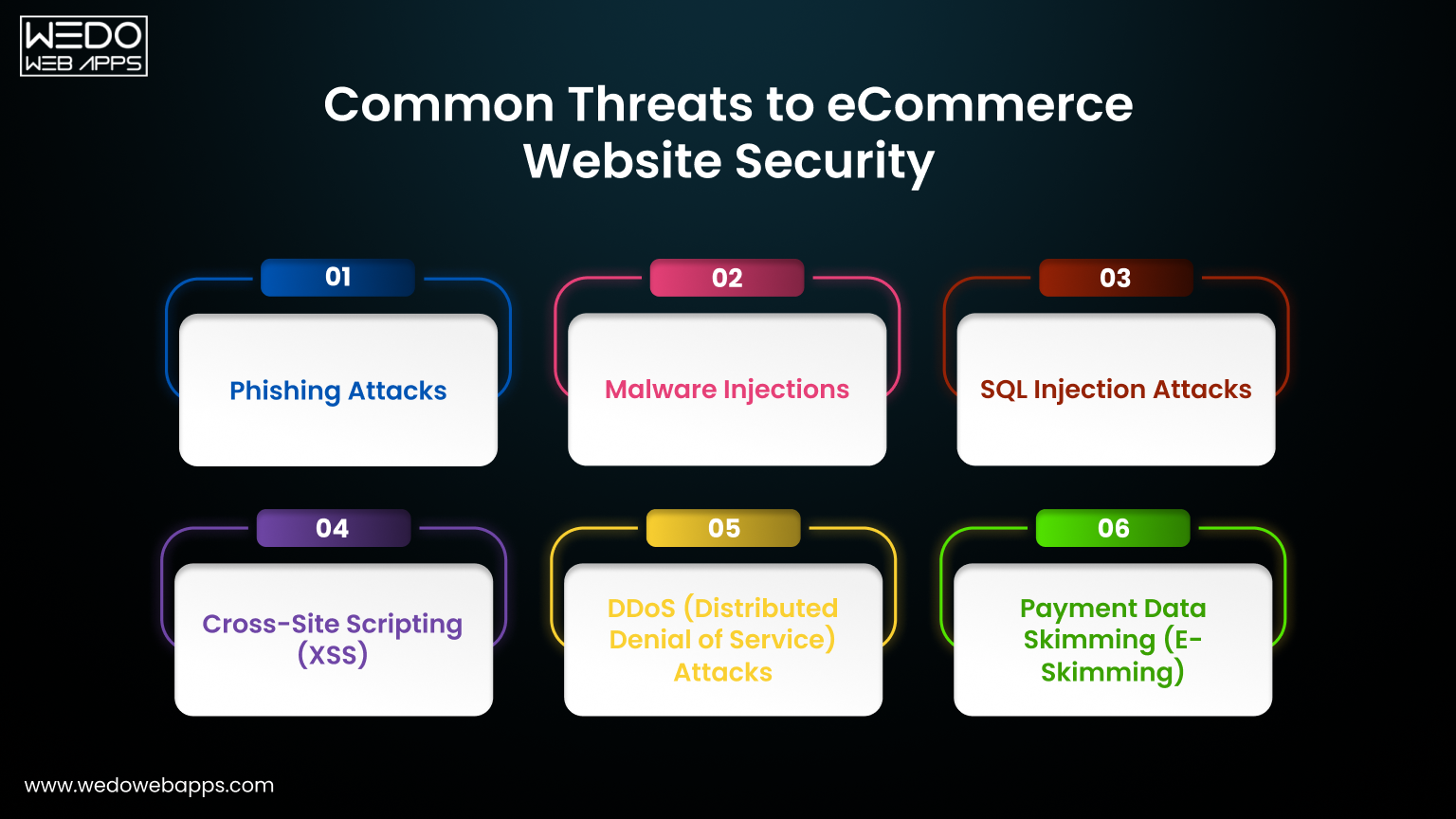

According to ZDNet, Python is “behind every film you stream” on the platform. Known for its ease of use, Python allows software engineers to quickly address networking challenges. It is utilized throughout Netflix’s entire content lifecycle, including for machine learning recommendation algorithms, security tools, and their proprietary content distribution network (CDN), Open Connect.

Netflix developers also leverage Python libraries for statistical analysis, such as Ruptures, Pandas, NumPy, and SciPy. Additionally, this versatile programming language is used for data exploration and cleaning, automation tasks, and data visualization.

6. Spotify and Python

Spotify is a music and podcast streaming platform with over 675 million monthly active users worldwide. Thanks to Spotify, we no longer have to search for MP3s on sites like Limewire or Soulseek, hunt for torrents on obscure invite-only websites, or settle for low-quality rips on YouTube.

7. Facebook and Python

Facebook currently has more than 3.065 billion active monthly users worldwide and is virtually synonymous with social media. The company employs a vast tech stack that includes various programming languages and technologies. According to Analytics Insight, Python remains one of the top ten programming languages used by Facebook for web development and machine learning applications, such as PyTorch.

Its popularity stems from its simplicity, readability, and extensive libraries. In addition, earlier this year, Facebook’s parent company, Meta Platforms, donated $300,000 to the Python Software Foundation.

8. Lyft and Python

Lyft was founded in 2012 and provides a variety of services across the United States and Canada, including ride-hailing, mobility-as-a-service, motorized scooters, vehicle rentals, a bicycle-sharing system, rental cars, and food delivery.

The company’s software developers utilize open-source code, with Python playing a significant role. They rely on several Python tools and libraries, such as:

  • Cartography and Confidant for security 
  • Xiblint for linting Storyboard and XIB files 
  • MetaDataProxy and Linty_fresh for infrastructure 
  • Toasted Marshmallow to optimize the serialization of objects 
  • Amundsen for data discovery 
  • Gevent to ensure cooperative code execution

In early 2022, Lyft stated on Twitter, “A large part of Lyft’s backend is powered by Python services.”

When to Use Python for Web Development 

Python is a high-level, versatile programming language that finds applications in various fields. Here are some key areas where Python for web development is commonly used:

  1. Data Science: Python excels at data manipulation and analysis, with readily available graphing libraries to support data visualization. There is also a vibrant community of data scientists who use Python. 
  2. Application Development: As a general-purpose language, Python is useful for creating file directories, desktop graphical user interfaces (GUIs), and APIs. 
  3. Web Development: Popular frameworks like Django and Flask make Python an excellent choice for web development. Additionally, Python’s extensive libraries and modules can significantly accelerate the development process. 
  4. Game Development: Libraries such as Pygame are valuable for building prototypes and games. Notably, games like EVE Online, Battlefield 2, and World of Tanks were developed using Python. 
  5. Web Scraping: If you need to extract large amounts of data from websites for tasks such as price comparisons, email address gathering, or research and development, Python makes it easy. Its simple coding style, along with a robust collection of libraries like NumPy, Matplotlib, and Pandas, and its understandable syntax, facilitate web scraping efficiently. Overall, Python’s versatility makes it a powerful tool across various domains.

Let’s Build Your Python Web Application the Right Way

Creating a powerful, scalable, and user-friendly web application takes more than just code, it takes experience, strategy, and a deep understanding of your business goals. Whether you are launching a startup, automating internal processes, or bringing a new product to life, you need a web application development partner who can turn your vision into a high-performance solution.

That’s where WEDOWEBAPPS comes in.

With proven expertise in Python and Flask development, we help businesses and entrepreneurs:

  • Build custom web applications from the ground up
  • Optimize and modernize existing platforms
  • Launch MVPs quickly for testing and investor pitches
  • Integrate databases, APIs, payment gateways, and more

Ready to Start Your Project?

If you’re looking for a reliable, results-driven Python development company who understands both the tech and the business side, let’s talk.

Contact us today to schedule a free consultation or request a project quote.

Let’s turn your idea into a fully functional web application, quickly, securely, and professionally.

Know How Single-Page Applications are Reshaping Web Interactions

Single Page Apps

Single Page apps have transformed the web experiences by making them more dynamic and seamless. Unlike conventional websites that reload entirely for every section, single page applications load once and update the content dynamically. This enhances the user experience while also simplifying web app development, making updates and maintenance more efficient. 

At the core of this transformation is the shift from server-heavy processes to client-side rendering. By reducing the server workload and minimizing page load times, SPAs deliver fast or near-instant responses to user interactions. This creates a smooth app-like experience within a web browser. 

Moreover, SPAs have driven the adoption of modern frameworks and tools, fostering innovation and efficiency in web development. SPAs are not just reshaping how your websites function, they are redefining user expectations and taking the industry towards more interactive and user-centric designs. 

What Are Single-Page Applications?

A great way to understand a Single Page Application is through examples. Services like Gmail, Netflix, Jira, and Facebook are all SPAs. If you use them regularly, you’ll notice that most of the interface—such as sidebars and headers—remains unchanged, while only the necessary content updates dynamically.

This is the essence of a SPA: the core application loads just once, and only specific elements (such as your emails or the show you’re watching) update as needed. The result? A faster, smoother experience with minimal data transfers after the initial load.

That’s the key idea behind SPAs—unless you want to dive into the technical details.

What is the Traditional Approach to Application Development?

The most classic approach to developing web apps is developing multi-page applications (MPAs) where every change triggers a reload for the entire interface. MPAs are also typically heavier, which means that not only does the data need to be transferred more often, but there is a lot more to it. Therefore, this whole thing takes more time than expected and the development is more complex. 

Single Page Application vs Multi Page Application – The Difference

One Page vs Multi Page Website – Both SPAs and MPAs are different and have their own importance in the app development industry – the most important thing is to choose the right one that serves your business purpose.

In Multi-page applications, the presentation layer and the data layer are both kept in the same place. This means, for example, if you add products to your shopping cart in an MPA and hit the back button, your data may be lost which is not a good outcome. 

On the other hand, in SPAs, both layers are kept separately which opens a bunch of new possibilities for improved user interaction. 

Take the example of Facebook, you don’t have to reload the entire page every time you add a comment or like a post. Another example is Slack, even in the web version, you can smoothly jump between the channels and converse with people without needing to reload the entire application. 

How are Single Page Applications Beneficial to Developers?

Your developers are an asset to your company, and it is good to make them feel happy, especially if this means that they can complete their work easier and faster. 

The separation of the presentation and data layers offers the advantage of enabling two teams to work simultaneously to make each part work parallel. Thereby, rendering the process much easier and smoother to plan.

Moreover, SPAs are easier to scale. Since the code is easier and simpler by default, it can be simply adapted to serve more users or more complex functionalities. 

The other two benefits of SPAs that carry through to the business side are the ease with which SPAs allow to use of microservices and headless CMSs. 

Without getting into too many details, they both, respectively, are a great way to reduce the complexity of your app and a great way to manage content.

How are Single-Page Applications Beneficial for Users and Product Owners

While, by now, the benefits of developing an SPA for your business may be clear, we will discuss the strengths of SPAs for users and product owners. 

For the end users, one page applications load quickly and run smoothly, thereby creating a better user experience. 

Moreover, once the application has loaded for the first time, there should not be any lag or wait time –  every option must open promptly. 

Product owners can enjoy the ease of managing and planning the work on a one page app website, thanks to the fact that the frontend and backend can be separated neatly. Additionally, if the product grows, the very same characteristics make updates and changes fairly simple to introduce by your web development company.

Architectural Blueprint of Single Page Applications

Single Page Applications (SPAs) are designed to improve user experience by minimizing delays in content delivery. By shifting processing from the server to the client, SPAs function more like desktop applications, enabling dynamic updates and seamless interactions without requiring full-page reloads. This architecture sets a new benchmark for web application performance.

Core Architecture of SPAs

At its foundation, SPA architecture follows a decoupled model: the server handles data requests, while the client is responsible for rendering and state management. This separation leverages the client’s capabilities, reducing reliance on traditional multi-page reloads and offering users a more fluid, app-like experience.

Client-Side Rendering (CSR): How It Works

Client-side rendering (CSR) enables browsers to generate HTML dynamically using JavaScript based on data retrieved from the server. The process begins with an initial server request to load a minimal HTML file. Once loaded, JavaScript takes over, updating content dynamically as users interact with the application—without requiring new page loads.

This approach significantly enhances responsiveness since only data (not full pages) is exchanged between the client and server. By moving away from traditional server-side rendering, CSR ensures faster interactions and a more dynamic user experience.

Server-Side Rendering (SSR): An Alternative Approach

Server-side rendering (SSR) offers an alternative where the server generates and delivers fully rendered HTML for each request. This can improve initial page load speeds and boost SEO, as search engines can easily index pre-rendered content.

Many modern SPAs use a hybrid approach—combining SSR for the first load (ensuring fast performance and SEO benefits) with CSR for dynamic content updates. This balance helps maintain both interactivity and speed.

The Role of Static Site Generators (SSG)

Static Site Generators (SSG) further optimize SPA performance by pre-rendering pages into static HTML files. This method involves generating HTML ahead of time, allowing pages to be served instantly when requested.

By combining the speed and reliability of static pages with the interactivity of SPAs, SSGs improve performance and SEO while reducing server workload. This makes them an efficient choice for delivering high-performance web applications without sacrificing user experience.

When are SPAs a Good Fit?

While there are a lot of benefits to going on the SPA route, it is not a one-size-fits-all choice. 

Single Page Applications (SPAs) are good for the apps that have a lot of forms while storing and manipulating large amounts of data, and storing and searching it. More precisely, a SPA will work efficiently for social networking applications, reservation systems, banking systems, and other such complex applications. 

Traditional multi-page applications are good when your page is mostly static content, which the user is not expected to interact with – so things like new portals, blogs, and so on. 

Technologies Used to Build Single Page Applications

As you know SPAs have two well-separate parts – the frontend (the presentation layer) and the backend (data layer). When it comes to the front end, web application developers typically use popular JavaScript frameworks like React, Vue, and Angular. 

The backend, which is also known as the API in this context, uses languages such as RubyonRails, NodeJS, Python, etc. 

Which are the Most Common Single Page Applications?

Here is the list of companies that have built greatly successful applications within the SPA paradigm:

Airbnb Facebook Jira
LinkedIn Gmail  Netflix
PayPal Pinterest  Slack (Browser version)
Trello Twitter YouTube

Optimizing Performance and Security of SPAs

Optimizing performance and security are paramount in Single Page Applications. Performance optimization focuses on reducing load times and improving the responsiveness of the application. Techniques like lazy loading, code splitting, and efficient memory usage contribute to a faster and more responsive SPA. These practices not only improve user experience but also have a positive impact on SEO rankings. 

Ensuring security in such one page apps includes protecting against potential threats like cross-site scripting (XSS) and ensuring data integrity during client-server communication. Implementing content security policies, using HTTPS, and updating libraries are essential steps in ensuring SPAs security. By prioritizing security and performance, web app developers can create SPAs that are both fast and secure for users. 

Single Page Applications’ Life Cycle Management

Life cycle management in single page applications involves managing the creation, updation, and removal of the components as users interact with the applications. Proper management ensures efficient resource allocation, preventing memory leaks that could lead to more memory usage and degraded performance over time. 

Modern SPA frameworks offer lifecycle methods that help developers optimize component behavior, ensuring that the resources are allocated and released efficiently. Additionally, lifecycle management plays a crucial role in handling asynchronous operations and maintaining state across components. By implementing best practices in lifecycle management, developers can create one page web applications that offer a seamless user experience with fast performance and minimal resource consumption. 

Ensuring Security in Single Page Applications

Security in single page applications is the top most priority due to their heavy dependency on client-side logic. Without proper security, SPAs can be vulnerable to attacks like cross-site scripting (XSS) and data interception. To mitigate these risks, developers implement security measures like input sanitization to prevent XSS attacks and enforce HTTPS to protect data during transmission. 

Other essential security practices include using secure authentication methods, validating user inputs on the server side, and applying content security policy (CSP) headers to block malicious scripts. Regularly updating frameworks and libraries also helps in addressing vulnerabilities. By following these security best practices, developers can ensure that the SPAs remain secure, thereby protecting both the application and its users from potential threats. 

Deployment and Testing: Ensuring Quality and Efficiency

Deploying and Testing single page applications are the crucial stages that ensure the quality and efficiency of the applications. Effective deployment strategies include optimizing assets for production like minifying JavaScript files and using CDNs (Content Delivery Networks) to improve load times. Automated deployment pipelines allow consistent and reliable SPA deployments, thereby reducing manual errors and ensuring that the application is always in a deployable state. 

Testing SPAs requires an all-inclusive approach that includes unit testing, integration testing, and end-to-end testing. Using SPA frameworks and testing libraries, developers can automate tests to cover various aspects of the application, from individual components to the entire user flow. This thorough testing ensures that the single page application functions correctly across various environments and devices, providing a seamless user experience. 

Testing Strategies for Single Page Applications

Effective Testing Strategies for Single Page Applications involves a combination of automated and manual testing to ensure complete coverage. Unit testing focuses on testing individual components or functions in isolation, while integration testing verifies that different parts of the application work together as intended. End-to-end testing imitates real scenarios, making sure that the SPA behaves properly from start to end.

Using SPA frameworks and testing tools, developers can automate these tests, thereby making the testing process more reliable and efficient. CI/CD pipelines further streamline testing by automatically running tests with every code change. This technique helps in identifying and fixing issues early and maintaining the quality of the SPA. 

Best Practices for SPAs Deployment

Effective deployment strategies ensure that Single Page applications are delivered efficiently and reliably to users. Using build tools like Webpack or Parcel helps optimize assets through minification and bundling of JavaScript files, reducing load times, and improving performance. Additionally, implementing cache control strategies and using content delivery networks (CDNs) improves speed and accessibility for users across different regions. 

Proper client-server communication and using the History API for managing browser history are crucial for creating a smooth navigation experience without full-page reloads. Choosing the right framework like React or Vue further improves performance and maintainability. By following these best practices, developers can deploy SPAs that are fast, scalable, and provide a seamless user experience. 

The Future of Single Page Applications

Why we need single page applications? The future of one page applications is bright, driven by continuous innovations in web development. The rise of Progressive web apps (PWAs) and improvements in JavaScript frameworks are set to boost SPA capabilities, addressing existing challenges such as SEO optimization and initial load times. These advancements will make SPAs even more efficient, user-friendly, and accessible. 

Technologies like React Router and Google Maps showcase the power of dynamically loading content without full-page reloads, creating smoother, more interactive experiences. By loading only the necessary data, SPAs offer optimal performance, making them a preferred choice for modern web applications. As development tools continue to evolve, SPAs will redefine web standards, offering highly responsive, interactive, and seamless experiences that surpass traditional multi-page websites. 

Evolving Trends and Innovations in Single-Page Applications (SPAs)

The landscape of SPAs is constantly evolving with new trends shaping the future of web development. A key shift is the growing dependency on client-side JavaScript and advanced libraries to improve application logic. This allows for highly dynamic, responsive user experiences that closely resemble native desktop applications. Developers are using these technologies to build complex, feature-rich SPAs that load once and update content asynchronously, ensuring smooth and efficient interactions. 

Another major innovation is the integration of artificial intelligence (AI) and machine learning (ML) into SPA development. AI-powered features such as personalized recommendations, predictive text inputs, and intelligent search functionalities are making SPAs more interactive and user-centric. As programming languages and frameworks continue to advance, SPAs will become even more intuitive, pushing the boundaries of web applications and solidifying their place as a top choice for modern development.

Addressing the Challenges of SPA Development

While Single Page Applications offer several advantages, they also come up with some unique challenges that developers must address.

SEO Optimization

One of the biggest challenges is making SPAs search-engine friendly. Traditional search engine crawlers struggle to index content that loads asynchronously. To improve visibility, developers use techniques like server-side rendering (SSR) to deliver fully rendered HTML pages or prerendering to ensure search engines can properly index SPA content. These approaches improve both SEO and performance in search results. 

Security Concerns

SPAs rely heavily on JavaScript and frequently communicate with servers, making them susceptible to security threats such as cross-site scripting (XSS) and data breaches. To mitigate risks, developers implement secure coding practices, utilize trusted JavaScript frameworks, and enforce strict data transmission protocols like HTTPS and Content Security Policy (CSP).

By addressing these challenges effectively, developers can build SPAs that are both high-performing and secure, maximizing their potential for creating seamless, user-friendly web applications. 

Transforming User Experience With Single Page Apps

Single Page Apps are revolutionizing web interactions by delivering smooth, app-like experiences. Unlike traditional websites that reload entire pages, SPAs load a single HTML page and dynamically update content as users interact with the app. This eliminates unnecessary page reloads, resulting in faster navigation and a seamless user experience. The fluidity and responsiveness of SPAs closely resemble native desktop applications, making web browsing more intuitive and engaging. 

As SPAs become more popular, user expectations have shifted. People now demand instant responses and uninterrupted interactions, pushing developers to optimize performance and streamline content delivery. This evolution is setting new benchmarks for web applications, compelling businesses to adopt SPA technology to stay competitive and provide superior user experiences. 

Enhanced User Experiences: Elevating Web Interactions

Single Page Applications have redefined web experiences by offering unmatched interactivity and responsiveness. By leveraging advanced web techniques, SPAs deliver seamless navigation, allowing users to explore vast amounts of content and interact with dynamic elements without the interruptions of full-page reloads. This fluid, app-like experience improves user satisfaction and engagement, making SPAs the go-to choice for modern, feature-rich web applications. 

Beyond speed and interactivity, SPAs prioritize accessibility and intuitiveness, Innovations such as real-time data updates, offline functionality, and predictive loading ensure a smooth experience, even in low-connectivity environments. As SPAs continue to evolve, they will further blur the line between web and native applications, pushing the boundaries of what’s possible in web development. 

Conclusion: The Unstoppable Rise of Single Page Applications (SPAs)

The rise of web development has been reshaped by the quick adoption of Single Page Applications (SPAs). By leveraging advanced HTML templates, data binding, and dynamic UI components, SPAs provide seamless, responsive interfaces that improve user experiences. React, a leading JavaScript library, has played a crucial role in SPA development, enabling developers to build robust applications that update data in real-time without full-page reloads. This approach not only improves performance but also simplifies application architecture, making development and maintenance more efficient.

SPAs also utilize modern technologies like pushState and replaceState to manage application states without disrupting navigation. Combined with scalable infrastructure and advanced developer tools, these innovations allow for efficient handling of raw data while maintaining optimal performance. As SPAs continue to evolve, they are set to remain a dominant force in web development, redefining user interactions and setting new benchmarks for speed, efficiency, and responsiveness. 

If you also want to take your business to new heights with the single page application, get in touch with an experienced web application development company like WEDOWEBAPPS. 

Top Mobile App Development Technologies and Trends to Watch

Understanding Mobile App Development Technologies

Mobile applications are at the heart of how people communicate, shop, work, and entertain themselves in this ever-growing digital landscape. What worked yesterday may not necessarily meet today’s expectations of the tech-savvy users. Each year introduces new technologies into the mobile app landscape and sets new benchmarks for usability, performance, and security.

Rapid technological advancement and changing expectations of users drive mobile application development. AI, AR/VR, 5G, improved security, and IoT are going to shape apps’ future. Now with us being in the advanced technical era, it is more important for developers, businesses, and other tech organizations to stay ahead. Adaptation to these innovations is not just about staying in touch with the times; it is about creating apps that predict needs and provide meaningful, seamless experiences. It may be using AI for personalization, the full potential of 5G for high-speed performance or robust security to protect the data of users. Challenges and opportunities are perhaps higher in mobile app development today than ever before.

In this blog, we will explore the top app development trends that would shape mobile app development, best practices followed by successful mobile application development companies, and the challenges to overcome mobile applications to stay at the top. Let us delve into the future of mobile applications and explore a strategy for navigating this constantly evolving landscape!

Top Mobile App Development Trends to Look for

Below are a few top mobile app development trends that reflect technological advancements, user expectations, and the need for innovative solutions in all industries.

1. Artificial Intelligence (AI) and Machine Learning (ML)

AI and ML work to improve the applications’ functionality with advanced features like predictive analysis, natural language processing, and voice recognition. These technologies offer personalization, improve decision-making, and enable applications to adapt to user behavior in real-time. AI and ML are used in AI chatbots, recommendation engines, and to incorporate advanced security measures in the apps.

2. 5G Technology

The rollout of 5G continues to revolutionize app performance by enabling ultra-low latency, faster speeds, and enhanced capabilities for AR/VR apps and real-time multiplayer games. Developers need to ensure compatibility with 5G networks while leveraging its potential for richer app experiences​.

3. Augmented Reality (AR) and Virtual Reality (VR)

AR and VR are expanding beyond gaming into areas like retail, healthcare, and education. Apps use these technologies for virtual try-ons, immersive training simulations, and enhanced user interactions. The integration of AR/VR in mobile apps is driven by the growing demand for interactive and engaging experiences​.

4. Super Apps

Super apps, which consolidate multiple services into a single platform, are gaining traction globally. These apps streamline access to features like payments, messaging, shopping, and more, catering to users’ preferences for convenience and efficiency.

5. Blockchain Technology

Blockchain enhances mobile app security by providing decentralized solutions for data storage and transactions. This is particularly relevant for apps in the fintech, healthcare, and supply chain industries. Blockchain also supports the rise of decentralized apps (dApps)​

6. Mobile Commerce (m-Commerce)

The growth of mobile commerce apps reflects the increasing reliance on mobile devices for shopping and payments. Features like mobile wallets (e.g., Apple Pay, Google Pay) and seamless integration with eCommerce platforms are now essential for businesses​

7. Beacon Technology

Beacon technology is becoming a powerful tool for proximity marketing, offering personalized, location-based notifications. It’s particularly useful in retail, healthcare, and hospitality, providing a tailored user experience​

8. Wearables Integration

With the growing adoption of wearables, apps are being designed to sync with devices like smartwatches and fitness trackers. This trend supports health monitoring, navigation, and real-time communication features​

9. Focus on Sustainability

Sustainable app development practices, including energy-efficient coding and eco-friendly business models, are becoming a priority for companies to align with user expectations and global sustainability goals​

Adopting these trends can position apps to meet the evolving demands of users and businesses in 2024. For developers and organizations, integrating these innovations ensures relevance in a competitive market. If you’d like a deeper dive into implementing these trends, let me know!

Top Mobile App Development Technologies and Tools

1. Cross-Platform App Development Tools

Cross-platform frameworks like React Native and Flutter continue to dominate others because of their efficiency in minimizing development time and costs. Let’s discuss both frameworks in detail:

a.) React Native

React Native was developed by Facebook and has emerged as the most widely used cross-platform framework for mobile applications. The developers can now use JavaScript and the library of React to develop native apps, which will work on Android and iOS. Instead of relying completely on web-based rendering, React Native compiles directly to native components, with near-native performance.

Differentiator:

Its “learn once, write anywhere” philosophy allows teams to move from web development to mobile application development.

Use Cases:

Apps like Instagram, Facebook, and Walmart leverage React Native features for consistent performance across platforms.

b.) Flutter

Overview:

Flutter was developed by Google and it uses the Dart programming language. Developed by Google, it is known for its ability to create expressive and responsive UI using pre-designed, customizable widgets. Flutter apps compile to native code which ensures high performance and consistent behavior across all the platforms.

Key differentiator

Flutter’s “hot reload” allows a developer to see code changes right away, improving their productivity significantly during the development cycle.

Use Cases:

Top brands like Google Pay and Alibaba use Flutter for its flexibility and expressive designs.

Why Cross-Platform App Development Matters?

Cross-platform app development frameworks allow developers to reach a wider audience with minimal investment of resources while ensuring quality.

2. Native App Development Technologies

C.) Kotlin

Overview:

Kotlin is a modern, statically typed programming language officially supported by Google for Android app development. It addresses many of Java’s shortcomings, offering concise syntax, enhanced type safety, and interoperability with Java codebases.

Key Differentiator:

Its null safety and built-in support for coroutines (used for asynchronous programming) make it a favorite for scalable and bug-free app development.

Use Cases: Kotlin is widely used in enterprise applications like Pinterest and Trello because of its powerful capabilities.

D.) Swift

Overview:

Swift, developed by Apple, is a powerful and intuitive programming language used for iOS app development, including developing an iPad app, macOS, watchOS, and tvOS applications. It’s designed to be faster than its predecessor, Objective-C, and more developer-friendly with features like type inference and functional programming paradigms.

Key Differentiator:

Swift’s playgrounds provide an interactive coding environment, making it easier to experiment with new code without compiling an entire project.

Use Cases:

Popular applications like LinkedIn and Lyft rely on Swift for their iOS platforms.

Why Native App Development Matters?

Native app development ensures optimal performance and access to platform-specific features, making it crucial for apps requiring high reliability.

3. Low-Code Development Platforms

E.) Microsoft Power Apps

Overview:

Microsoft PowerApps is a low-code development platform that enables businesses to create custom applications with minimal programming knowledge. It provides an intuitive, drag-and-drop interface, pre-built connectors to popular services, and robust data integration capabilities through Microsoft Dataverse.

Key Differentiator:

Its seamless integration with the Microsoft ecosystem (e.g., Excel, SharePoint, and Azure) makes it a top choice for businesses already leveraging these tools.

Use Cases:

Startups and small businesses benefit from low-code platforms to quickly create apps for testing ideas or automating business processes.

F.) Mendix

Overview:

Both Mendix and OutSystems are low-code platforms that simplify the creation of enterprise-grade apps. They offer templates, visual development tools, and scalable deployment options, empowering non-technical teams to participate in app creation.

Key Differentiator:

Their enterprise focus includes advanced features like AI-driven suggestions and integration with legacy systems.

Use Cases:

Startups and small businesses benefit from low-code platforms to quickly create apps for testing ideas or automating business processes.

Why Low Code Development Matters?

These platforms lower the barrier to entry, allowing businesses to innovate without heavy investment in technical expertise.

4. Blockchain for Security

Overview:

Blockchain is a decentralized, distributed ledger technology that ensures data is stored immutably and transparently, making it an ideal choice for sensitive use cases like parking app development. Unlike traditional systems, blockchain eliminates the need for intermediaries, enhancing trust and reducing vulnerabilities.

Key Differentiator:

Its decentralized nature ensures higher security and transparency compared to traditional centralized systems, making it ideal for apps prioritizing user trust and data protection​.

Applications in Mobile Apps:
  • Cryptocurrency Wallets: Securely manage digital assets.
  • Smart Contracts: Automate tasks like payments or supply chain processes based on predefined conditions.
  • Data Integrity: Protect user information in apps dealing with sensitive data, like healthcare or fintech.
Use Cases: 
  • Fintech: Apps like Coinbase use blockchain for secure cryptocurrency transactions.
  • Supply Chain: Tracks product authenticity and movement in logistics apps.
  • Healthcare: Safeguards sensitive patient data.

Why Blockchain Matters for Mobile App Development?

As digital threats grow, blockchain provides robust solutions to build user trust while enabling cutting-edge functionalities.

Best Practices for Mobile App Developers

1.) Agile Development Methodologies

The agile development framework allows teams to deliver the applications faster by breaking the development process into sprints. This repetitive process allows developers to adapt to changing environments and address issues quickly. This approach is important because it reduces time-to-market and improves collaboration. Use tools like Trello or Jira to manage sprints effectively.

2.) User-Centric Design

User experience (UX) is key to app success. Developers need to conduct thorough user research and usability testing to ensure the design aligns with user expectations. To create a positive user experience, developers should create an intuitive design with fast loading times and seamless navigation. User-centric design is important to Increase user satisfaction and retention. Use prototyping tools like Figma to gather early feedback.

3.) Continuous Integration and Continuous Deployment (CI/CD)

CI/CD practices automate code integration and delivery, reducing manual errors and improving release frequency. This allows developers to release new features or fixes quickly and efficiently. Continuous integration and deployment are important because they ensure smooth updates and minimize downtime. Use platforms like GitHub Actions or Jenkins for automation.

4.) Regular Security Audits

Security audits help identify vulnerabilities in the codebase, ensuring the app remains secure against potential threats. Regular assessments are essential, especially for apps handling sensitive user data. If you conduct regular security audits, it builds trust and avoids security breaches. Conduct penetration testing and follow OWASP guidelines.

5.) Data-Driven Development

Analyzing user data provides valuable insights into how an app is used, enabling better decision-making. From feature prioritization to UI improvements, data-driven decisions increase app efficiency. Data-driven development is important because it aligns development with user needs and improves. One must leverage tools like Google Analytics or Firebase.

6.) Inclusivity and Accessibility

Develop applications that can be accessed by all users, including those with disabilities. To achieve this, integrate features like voice commands, captions, and screen reader compatibility.

Overcoming challenges in mobile app development

1.) Cross-Platform Compatibility

Ensuring that the applications are running seamlessly across multiple platforms (iOS, Android, etc.) can be challenging. Cross-platform frameworks like Flutter and React Native simplify this process by allowing code reuse.

Solution: Adopt cross-platform frameworks for faster development and uniform user experience.

2.) Maintaining App Performance

App users expect mobile applications to load quickly and run smoothly. Performance issues can lead to poor reviews and uninstalls.

Solution: Optimize code, minimize third-party dependencies, and conduct load testing regularly.

3.) Ensuring Data Security

Data breaches can harm brand reputation and result in regulatory fines. Developers must prioritize security throughout the app lifecycle.

Solution: Implement encryption, use secure APIs, and comply with data privacy laws.

4.) Managing Development Costs

Building high-quality apps, be it enterprise mobile apps or any other type, can be expensive. Effective budgeting and resource allocation are essential to keep development costs in check.

Solution: Use open-source tools, prioritize essential features, and adopt cloud infrastructure to reduce costs.

5.) User Retention Strategies

Attracting users is only half the battle; retaining them is crucial for long-term success. Push notifications, loyalty programs, and regular feature updates can keep users engaged.

Solution: Use personalized messaging and analyze user behavior to improve engagement.

6.) Keeping Up with Rapid Technological Advancements

The rapid pace of technological change in mobile app development is both thrilling and demanding. Developers must keep on enhancing their skills and adjust to new tools and frameworks to stay updated and competitive.

Solution: Invest in continuous learning through courses, certifications, and developer communities. Adopt agile practices to quickly integrate emerging tools and frameworks into workflows.

7.) Balancing Innovation with User Needs

While innovation is crucial, it should not compromise user satisfaction. Developers must balance app usability and reliability with the latest mobile app features. If you have an innovative app idea, hire mobile app developers from WEDOWEBAPPS, our experts will integrate your innovative app idea with your users’ needs.

Solution: Conduct user feedback sessions to prioritize features that enhance the user experience. Implement incremental updates to introduce new functionalities without overwhelming users.

Future Outlook. What’s Coming Next For Mobile Apps

Emerging technologies like edge computing, wearables, and IoT integration promise to redefine mobile app functionalities. As 5G becomes ubiquitous, expect apps to deliver more real-time and interactive experiences.

Businesses and developers who embrace these innovations while adhering to user-centric development practices will lead the charge in creating transformative apps.

30+ Best Alternative App Stores For Your Applications

Bored of the same old app stores? Now is the time to discover the world of alternatives! Even though Google Play and the Apple App Store are undisputed leaders in the app market, other options are available.

In this blog, we shall analyze some fantastic alternative app stores that provide a new world of applications. Whether you are seeking a more comprehensive range of apps, lower prices, or just are sick of what is in the mainstream, these app stores are the ones to satisfy the market gap in the most suitable way for you.

Do you want to launch your own app

Why You Should Consider Using An Alternative App Store?

A lot of Google and Apple competitors are not exactly looking to compete with Google Play and the App Store head-on; instead, they are looking for different niches and strategies.

Besides, a fact that cannot be denied is that third-party app stores are often willing to offer download incentives and more attractive app deals than Google Play and the Apple App Store.

However, the question is, can a third-party app store make users experience a profitable journey? The answer is complicated.

Our evaluation should not be limited to the pros and cons of alternative app stores. So, what benefits come with downloading apps from the alternative app store? Let’s dive into it.

Multiple alternative stores give premium app versions at a discounted price or offer frequent other money-saving promotions.

They usually don’t charge for uploading and may promote the app further by featuring it as an “app of the day” or offering advertising discounts for developers who cooperate with them.

Besides, developers stand a better chance of getting better rankings on alternative platforms as they need more space in Google Play and the App Store, which are almost full.

To developers, testing MVP apps in the app stores with free apps seems a brilliant idea, as opposed to Google Play, which charges a $25 registration fee, and the App Store, which requires a $99 annual developer fee.

A third-party store might set itself apart by presenting a smaller and curated list of apps that have already been reviewed for quality, target age group, or unique goals.

Many companies hire mobile app developers to create apps that will be available in such stores because people seek them out for their high quality and specificity.

At the end of the day, remember the huge pool of apps and games that will never be available on Google Play or the Apple App Store. So, third-party app stores give you a much larger variety in apps.

Are you looking to create an app

Why Developers Choose Alternative App Stores

While most users explore alternative app stores to bypass region restrictions or access unique apps, developers often have different motivations. Here’s why many publishers and indie creators prefer non-traditional stores:

  • Better Revenue Share: Unlike Google Play’s 15–30% commission, platforms like the Epic Games Store and Aptoide offer more generous cuts—sometimes even up to 100%.

  • Fewer Content Restrictions: Some apps, such as emulators, crypto wallets, or niche tools, may not meet Google’s policies but are allowed on platforms like F-Droid or GetJar.

  • Faster Approval Process: Developers can skip the lengthy app review cycle, get feedback faster, and iterate quicker.

  • Decentralized Distribution: Platforms like Aptoide support blockchain-based app distribution, giving developers more control over updates and licensing.

Pro Tip: If you’re launching an MVP or niche utility app, alternative stores can be an ideal low-barrier entry point to test user response.

Are Alternative App Stores Safe?

Security is a valid concern when sideloading apps from platforms outside the official Google Play Store. While some stores maintain high safety standards, others may be riskier.

Things to Watch For:

  • Verified Publisher Badges

  • Open-source codebase (like in F-Droid)

  • Avoid apps without user reviews or permissions info

  • Do not install APKs from stores that lack HTTPS or proper encryption

Security Tip: Always read community reviews and scan APKs using tools like VirusTotal before installing them manually.

Best Alternative App Stores For Android

Here’s a selection of the best 3rd party app stores for Android devices. These alternative platforms offer a wide range of apps, often with features and options that go beyond what’s available in the Google Play Store:

  1. 9Apps: A free app store with a versatile range of applications, including gaming, social media, music streaming, and health apps, is a rich source of all types of applications. One of the best things about this app store is that users are free to explore popular Android apps without any downloading fees.
  2. Accrescent: A modern and one of the most well-regulated application stores for Android is Accrescent. As of now, Accrescent is in its pre-alpha stage, and only the lead developer responsible for the precious programming is permitted to upload any more apps.  The system strives to become a developer-friendly hub with a focus on modern security and privacy standards.
  3. ACMarket: An alternative app store for Android, ACMarket is basically for cracked, hacked, and altered apps. It stands out as one of the most popular go-to unofficial app stores for Android, with over 15,000 applications. Given its continuous development, ACMarket keeps introducing new updates and improvements.
  4. Amazon App Store: This provides an excellent alternative to Google Play. The app store features a cross-platform analytics service that makes it easy for developers to use. Developers pay 70% of the app’s listed price, including in-app purchases. Both developers and app submitters receive a free first-year subscription to the Amazon program.
    They even designed and included an app compatibility test that gives developers notice of the problem with their app.
    Their Appstore Developer Select program gives developers free ad impressions and allows the acquisition of customers through the use of Amazon coins. In addition to that, users get a free paid app or game every day.
  5. APKMirror: The APKMirror site is a portal to the latest applications programmed in APK (.apk) suitable for specific consumer needs. APKMirror also updates a list of daily apps the user is concerned about.
  6. APKPure: This app store sells apps and paid games at low prices. The user-friendly platform is accompanied by a developer console that lets you access the apps you desire, regardless of location.
  7. APKTime: The APKTime platform helps people find and download APK files. The best part is that they already come in distinct entertainment, games, and sports categories and are currently the most updated.
    APKTime also allows users to download and install APKs free of charge without registering or creating a Google account and bypassing any regional restrictions.
  8. APKUpdater: APKUpdater is another interesting app that allows users to specify which apps they want to bypass updating. It also includes a utility to simplify the discovery of updates for installed apps and helps users find and install updates even if they have yet to be released.
  9. AppBrain App Market: This app discovery platform allows users to acquire premium apps for free or at a significant discount and is also an avenue to discover first-rate Android apps. It has different app promotion tools, which some brands use to enhance their app visibility in various mobile app stores.
  10. AppSales: This store provides access to paid apps that are discounted or free temporarily on Google Play. The app store also equips the user to predict the price of apps in the past market and access the content from restricted geographical locations.

Best Alternative iOS App Stores

Here’s a curated list of the best alternative app stores for Apple devices. Explore these alternatives to discover new possibilities for your Apple devices:

  1. AltStore: AltStore is the first Apple-endorsed store to be available to EU residents as an alternative to the official Apple App Store. The annual subscription of €1.50 includes a complimentary application called Delta, a Nintendo emulator, and a clipboard manager named Clip.
  2. AppCake: AppCake is one of the best alternative app stores for iOS. It is a native app designed to install an IPA file on iOS. Its signature feature is a wide range of applications with no in-app advertisements.
  3. AppValley: AppValley online is an iOS hotspot for finding apps with modifications. The major attraction among them is unlocked games and apps, such as Snapchat++, which are all trustworthy.
  4. Cydia: Cydia is an alternative app store for Apple that is specific to jailbreakers. It’s not an app or website like the other top app stores. Additionally, to use Cydia, one must have a jailbreaking tool.
  5. AppEven: Contrary to other app stores for Apple, AppEven can be directly installed from the internet without having to jailbreak your device. It works fine on iOS 8 to 16 systems and gives access to applications that are normally not on the official App Store of iOS.
  6. BuildStore: BuildStore allows customers to access more than 800 applications and games that were not accepted by Apple.
    While not an app like many tweak stores, BuildStore runs on a subscription model and thus requires a monthly fee, yet it compensates for that with vast exclusive features and added functionality, like different classic game emulators.
  7. Emus4U: It is not only an app store. Users can also download themes and wallpapers without jailbreaking. Furthermore, it allows you to customize the available apps, providing many options, such as Junk Cleaner, which are not available in the regular App Store.
  8. EonHub: EonHub is yet another unofficial app that contains a diverse list of apps that don’t appear on the official Apple App Store. EonHub stands out with its infinite app download option at no cost.
  9. iOS Haven: This app store embraces the sideloading trend, offering over 2,000 tweaked, modified, and converted apps. The site also offers a comprehensive search engine, themes, and games. Additionally, iOS Haven provides a free blog for the tech community.
  10. Setapp: This is an EU-based Apple-approved smartphone app store that is one of the forerunners in the tech sector. Like its Mac app store, it follows a subscription model, providing a selection of carefully chosen apps for a monthly fee.
  11. SideStore:  An unofficial iPhone store where apps can be downloaded without jailbreaking. Once the setup has been made, SideStore does not require a computer. The user can download and install apps through the internet connection directly on the phone, only using Wi-Fi.
  12. Sileo: It is another alternative to Cydia; it was introduced to welcome the newer iOS versions benefitting the new technological advancements. It is functional with iOS 12 and any 64-bit device. This means that users can securely jailbreak their devices and still download or buy other applications.
  13. TopStore: You can access TopStore through an app or a web browser. No matter where you are, you can download various apps without jailbreaking your device and themes from the store, all free.
  14. TweakBox: The TweakBox platform was designed to offer tweaked apps that provide extra features like screen recording. It is one of the popular options because it is easy to use and provides complete security of the user’s data.
  15. Xabsi: Xabsi is one of the leading app stores for hacked apps. Besides, it offers jailbreak and hacking features. It also occupies other universal alternative app stores, presenting a wide array of digital products, together with system apps that allow iOS file system customization. 

Best Alternative Cross-Platform App Stores

If you’re looking for something beyond the usual app stores, it’s time to explore some great alternatives. These cross-platform app stores offer a wide range of apps and features that you might not find in the standard options:

  1. MyAppFree: This platform allows users to view and download one free app daily. With a user base of 1.5 million people, the app is also available on the App Store and Google Play. The section “featured apps” showcases exclusive deals on the best applications. Users can earn badges and prizes, collect stars, and be at the top of the table through their actions.
  2. CokerNutX: CokerNutX has a large number of users, more than a million globally, and it offers about 5000 applications for non-jailbroken iOS devices, iOS jailbreaks, Android, and other platforms with an option to go through the best practices for using the site. A vital feature of this platform is its security commitment, demonstrated by its use of SSL encryption to safeguard users’ data.
  3. Mobile9: It is a trendy alternative app store that arranges app downloads about 240 million times monthly. Customers are given a massive list of things to look for, and they can enjoy books, comics, games, and wallpapers. These are all downloadable and have no charge added. As the report states, submitting an app on Mobile9 is free.
  4. HipStore: It is a digital store that is in the same manner to the app store, it is a marketplace where Apple, Android, and PC users will find free applications, themes, screen recorders, and ringtones. Every download’s content is protected by SSL encryption, which ensures a user’s safety.
  5. TutuApp: Many people are familiar with TutuApp because the user base contains over three hundred million people worldwide. Its feature allows people to submit an app without much hassle, supports various payment systems, and is integrated with SDKs, which makes the app platform attractive.
  6. Mobilism: This is the best place to search for modded apps and e-books across different operating systems, with more than 300,000 applications and 600,000 e-books being available for download.
    The shop is popular with over two million users, who among other things can browse and download mods, trending applications, and games for free.
  7. Mobilention: This Mobilention App Marketplace is a newly released app store that provides businesses within the EU with an alternative to the Apple App Store. Wherein, they are given not only a place to distribute public apps but also their internal employee apps. It was launched in March of 2024 and companies were offered a simple way to distribute apps with relaxed publication rules as opposed to Apple’s standards.
  8. Panda Helper: The app store is known for its efficiency on both Android and iOS operating systems. It also presents emulators, themes, and file manager apps not available on other platforms and lets users update the app directly.
  9. Rootpk: In the app store capacity, Rootpk is independently functioning. It is a platform that allows the sale of applications available on the Google Play Store.  Also, It facilitates developers by letting them upload their applications to Rootpk without any charges. Furthermore, users will use a small search tool to determine which apps are where and trending.

Best Manufacturer-Specific App Store Alternatives

Here, you will find the top alternatives to manufacturer-specific app stores. Whether you’re looking for unique apps or enhanced functionality, these alternatives have you covered:

  1. Huawei AppGallery: The Huawei AppGallery is the official app store for Huawei devices. According to Huawei, it is the third largest app store worldwide after Google’s Play Store and Apple’s App Store.  The platform delivers a lineup of applications, games included, to over 600 million Huawei product users in more than 170 countries.
  2.  VIVO App Market: The VIVO App Market is primarily aimed at VIVO developers who want to distribute their apps through this platform. AI is utilized to classify the applications and games most relevant to users’ local trends and characteristics.  The distribution network extends to South Asia and a large part of Southeast Asia, mostly in Indonesia.
  3. OPPO App Store: The exclusive OPPO App Store is just one of the many features of OPPO phones for OPPO users. Practically speaking, this tool is the central hub for different apps, games, and themes that OPPO has developed.  As a direct store, all the apps are created with the latest version of OPPO, and they undergo a complete check for maliciousness and bugs.
  4. Samsung Galaxy Store: The only official app store among all Samsung gadgets, is already activated and can bring in a broad and quick-starting consumer base for apps.
    The Samsung Galaxy Store and its relationship with the developers are such that they become pre-loaded on every Samsung device, ensuring a broad and immediate market base.
    The Store attracts developers by offering them the opportunity to earn more by giving away cool theme templates and unique, different font choices for Samsung users.
  5. Xiaomi GetApps: Xiaomi provides a device-oriented app store relevant to your interests. It uses the Avast, Kingsoft, and Tencent security tools to ensure that app downloads are safe and secure. GetApps can only be reached on Redmi, Poco, or Mi smartphones.

Best Chinese App Store Alternatives

  1. Tencent My App: China’s users have many options in app stores, such as Tencent My App, the biggest one. The software in question is produced by Tencent, which offers developers certain advantages.

For instance, Tencent allows developers to certify their apps, which might not be as readily available in Western markets. This makes it an appealing option when you choose to hire app developers to launch your own app and get it certified. 

Feature Comparison Table of Top App Stores

To help you choose the right platform for your needs, here’s a quick comparison of some of the best-known alternative app stores:

Store Open Source Monetization Developer Cut Security Model
Aptoide No Ads / In-App Sales Up to 75% Community + anti-malware
F-Droid Yes None 0% Manual code review
Amazon Appstore No In-App, Subscriptions 70% Amazon-reviewed apps
GetJar No Ads / Downloads Variable Developer reputation
Epic Games No Direct Sales Up to 100% Developer controlled

Best Alternative App Stores (With Developer & Security Insights)

1. Aptoide

A popular decentralized app store known for its flexibility and global reach.

    • Monetization: Supports ads and in-app purchases; developers can keep up to 75% of revenue.
    • Security: Community-based moderation and integrated malware scanning via their Aptoide Trusted Badge system.
  • User Base: Strong presence in emerging markets like Brazil, India, and Southeast Asia.

2. Amazon Appstore

An official app store backed by Amazon, especially popular on Fire devices.

  • Monetization: Standard in-app purchases, subscriptions, and access to Amazon Coins.
  • Security: All apps are manually vetted by Amazon’s review team.
  • User Base: Ideal for US-based users, Fire Tablet owners, and developers looking for brand-aligned monetization.

3. F-Droid

An open-source app store for Android with a focus on privacy and transparency.

  • Monetization: No native monetization model; relies on donations or off-platform support (e.g., Patreon).
  • Security: Manual code review of all apps; source code is publicly available.
  • User Base: Appeals to privacy advocates, open-source communities, and tech-savvy developers.

4. GetJar

One of the oldest app stores that still offers apps across multiple platforms.

  • Monetization: Ad-supported model with basic developer revenue sharing.
  • Security: Reputation-based; not as actively vetted as Amazon or F-Droid.
  • User Base: Popular in South Asia and Eastern Europe, especially among users of legacy Android devices.

5. SlideME

Curated store offering a mix of free and premium apps, often featured on devices without Google Play.

  • Monetization: Offers in-app billing and direct purchases; flexible payout model for devs.
  • Security: Manual review process; malware checks before apps are published.
  • User Base: Serves OEM preloaded devices, custom ROMs, and low-end Android users.

6. Epic Games Store (Android/Web-based)

Best known for Fortnite, Epic Games bypasses Google Play via its own launcher.

  • Monetization: Developers retain up to 100% of revenue; ideal for game publishers.
  • Security: Handled in-house; relies on Epic’s game platform infrastructure.
  • User Base: Focused on gamers, especially those seeking AAA and indie titles outside traditional app ecosystems.

7. Samsung Galaxy Store

Samsung’s proprietary store is available on all Galaxy devices.

  • Monetization: Offers subscriptions, in-app purchases, and special promotional opportunities.
  • Security: Strong vetting backed by Samsung Knox infrastructure.
  • User Base: Exclusive to Samsung users, especially in Asia and Europe.

App Store Optimization (ASO) in Alternative Stores

Just like SEO helps websites rank on Google, ASO (App Store Optimization) helps apps rank within stores.

While Google Play relies heavily on keyword metadata, alternative stores vary in their ranking mechanisms:

Store Ranking Factors
Aptoide Downloads, user reviews, update recency
Amazon App title relevance, description
F-Droid Open-source transparency, categories

ASO Tips:

  • Use targeted keywords in your app title and description.

  • Encourage users to leave positive reviews and ratings.

  • Regularly update your app to stay visible and relevant.

Want to grow app installs organically? Learn more about search engine optimization strategies tailored for apps.

Final Thoughts

Are you searching for the best app stores to download apps from? Many users find that Google Play and the App Store don’t always meet their expectations.

Depending on your preferences and needs, you should consider diverse iOS application stores, Android application stores, cross-platform app stores, and manufacturer-specific app stores provided in this guide.

The third-party app market offers a more open and flexible platform, giving developers and users alike new opportunities to discover and share apps.

see your app thrive on alternative app stores

Website or Web App: Which is Right for You in 2024?

Trying to decide between a website and a web app for your business? In this blog, we’ll explore the key differences between websites and web apps, helping you determine which option is best for your needs. Read on to find out how each can benefit your business and enhance your online presence.

Introduction

Which digital platform will help you grow your business? 

If this is the question you keep on asking yourselves, then breathe!

Today businesses don’t know whether they should choose Web applications vs Websites. They don’t know which one works better for them or will meet all their business requirements. 

Thus, we have come with a solution!

Here in this blog, Website vs Web App, we will discuss about:

  • What is Web Application and Website?
  • What are their key features?
  • What are the types of websites and web applications available?
  • What are the advantages and disadvantages of Web Applications?
  • Why does your business need a website and web application? 
  • How will it help you grow your business? 
  • What is the difference between a website and a web application? 
  • What are the tips for choosing web applications and websites?

So, let’s explore and choose the best digital platform to meet your objectives in 2024.

What Is A Website? 

When it comes to websites, it’s essentially the collection of web pages which are linked and accessible online via the web browser. Through websites, you are able to communicate with your visitors via media and static content. 

It aids in creating your online presence as well as branding. Websites can be categorized into various types according to their function and function. The most important characteristics of a typical website are:

  1. Static content that doesn’t change dynamically unless manually updated
  2. One-way communication channel where users can only view and consume available information
  3. Limited interactivity through basic features like menus, search bars, forms etc.
  4. Read-only access for visitors who cannot edit or contribute directly
  5. Optimized for various screen sizes and devices through responsive design
  6. Built using client-side languages like HTML, CSS, JavaScript

Features Of A Website

When you are thinking about having a website, it is important that you get the right features as well. Below are some that you must keep in minds:

1. User-friendly

The website should have an intuitive interface making it easy for users of all ages and technical abilities to navigate through various sections effortlessly.

2. Stunning UI/UX

An appealing visual design, optimized flow of content and interactive elements enhances the user experience while achieving usability and marketing goals.

3. Compatible with Devices

A responsive website framework adapting layout and features for all screen sizes promotes universal accessibility across desktops and mobile devices.

4. Faster Loading Speed

Optimized for quick page loads within 3 seconds boosts user satisfaction and search rankings. Excess images, scripts, third party widgets can slow performance. 

Types Of Websites

Explore the different types of websites one can invest in to get started with their online journey, increase their presence, and earn a better ROI.

  • Blogs 

A blog is essentially a website that displays posts or articles in reverse-chronological order. It is an effective format for regularly sharing updates, thoughts and creating engaging content around a topic. 

Some notable features of blogs include comment sections, social sharing buttons, author/category archives. Popular personal and corporate blogs help enhance brands, drive traffic and sales.

  • Non-Profit Websites:  

Nonprofits rely on websites to share their mission, publish annual reports, events and campaigns while accepting donations. 

A well-designed non-profit website focuses on clear calls-to-action, stories of impact and optimizing conversion funnel. It nurtures the relationship with donors, volunteers as well as potential supporters and partners.

  • Portfolio Websites:  

Portfolio websites are predominantly used by freelancers, designers, photographers and other creative professionals to showcase their work and skills. 

Along with displaying projects optimally through filters and categories, portfolios emphasize artist profiles, bio and contact details. Good portfolio websites impress clients and help generate more business.

  • Corporate Websites: 

Corporate websites primarily focus on representing the company, its culture and products/services to target audiences. 

Along with branding, such sites provide information on leadership, careers, newsroom while facilitating ecommerce for buyers. Some also host customer support portals and internal employee networks.

  • Ecommerce Websites: 

Ecommerce websites enable online selling of products and services with shopping carts and payment integrations. To improve customer experience, advanced sites offer search/filter options, product reviews, wish lists, comparison and personalized recommendations. 

Big e-tailers even allow marketplace, advertising and supply chain management on their digital storefronts.

  • CMS websites:  

CMS (content management system) websites leverage user-friendly dashboards for non-technical users to independently publish and manage content without involving developers. Popular open-source CMS platforms include WordPress, Drupal and Joomla offering pre-built themes and plugins.

Advantages & Disadvantages Of A Website

Having a website for your business can have many advantages, but some disadvantages too. Thus, before choosing to create websites to increase the online presence of your business, look at the following advantages and disadvantages:

Advantages of a Website

The advantages of owning a website come in the form of growth and the opportunities you get to cater to a large audience. Here we have created a list of advantages you can get through website:

  • Easy To Develop

Websites can be created from scratch or by using free/paid templates, themes and builder platforms. This simplifies development and allows non-technical users too to publish their website without coding knowledge.

  • Accessible

Websites are accessible through all modern browsers across desktops and mobile devices. They have broader online reach than native mobile apps.

  • Cost Effective

Basic websites requiring minimal features have relatively lower development and maintenance costs compared to fully-fledged applications.

  • Easy To Modify

Altering or updating website content, design elements and adding new pages can be done with simple drag-and-drop editors, without coding changes.

  • Add Widgets & Templates

Websites support pre-built widgets, components and templates to simplify adding common online elements like feedback forms, live chat, scheduling.

  • Easy To Set Up & Maintain

Maintaining a single codebase for all devices keeps websites simple, requiring less technical oversight for feature changes or security updates.

Disadvantages Of A Website 

Here are some disadvantages of investing in developing a website for your business:

  1. Risk of Obsolete Information

Static websites are prone to outdated content if not regularly updated to match evolving user needs, industry trends and technologies.

  1. Website crashes

Failure of hosting servers, malware attacks or programming errors can potentially bring down entire websites temporarily impacting user experience.

  1. Compatibility Issues

Legacy websites built without responsive designs may not display or function correctly across all modern devices and operating systems.

  1. Lack of Interactivity

Websites are limited in fully engaging users through interactive features, personalization and real-time data exchange compared to applications.

Why Does Your Business Need A Website?

Are you still wondering why your business needs a website? Well here we have mentioned some of the reasons you can look upon to understand whether owning a website will help you attract more eyeballs to your business:

1. Branding

Through a website you can easily brand your business in the digital space and attract potential customers to buy your products and services. It also helps in establishing a brand identity and credibility through mature and intelligent branding, 

2. Accessibility

A website is 24×7 accessible for all its customers, they can buy products and services anytime they want, without waiting for anyone.  

3. Maximize ROI

By promoting offerings through SEO-optimized content, multimedia and CTAs, websites help convert leads into customers. It further helps you to earn a better profit. 

4. Enhance Reach

Socially sharing website content helps reach wider communities and drive recommendations and referrals, enhancing the business’s outreach through different channels and platforms.

5. Be In Competition

Not having an online storefront risks losing customers to competitors in the digital competitive age, hampering new customer acquisition and business growth opportunities.

How Can A Website Help You Scale A Business?

A website is a powerful digital tool that helps scale a business to greater heights when utilized strategically. With an online presence, a business can break geographical barriers and reach a global customer base.

1. Create Online Presence 

By establishing a unique domain identity and customized website design reflecting the brand personality and philosophy, a solid online presence is created for the business that establishes its authoritative presence online.

2. Brand Value

Consistency in visual aesthetics, unified messaging and seamless sharing of content across all digital properties like the website and social profiles helps build brand recognition and recall value over time.

3. Better Access

Customers worldwide searching for relevant products or services can effortlessly discover the business website anytime as per their convenience. This ensures that no potential lead is missed due to physical location restrictions.

4. Display Your Products & Services

Websites provide a digital catalog and virtual storefront to effectively exhibit different categories, new launches, samples and key details of offerings in an organized visual layout.

5. Track Your Customers

Leveraging built-in analytics and heatmaps captures user behavior insights on the website that help identify friction points, popular pages and optimize design and navigation for better performance.

6. Better Communication

Engaging website content, notifications and two-way interaction features like comments, chat and subscription mailing lists aid in building loyal relationships through helpful updates and interactions.

Learn how to build a high performing website

Example of A Stunning Website 

Here are some examples of stunning websites that are popular worldwide. 

1. Wikipedia 

Leading online encyclopedia featuring collaborative contributions and frequent updates across numerous languages. Provides information easily accessible to all users for free through a responsive website.

2. Google 

Iconic search engine accessible at google.com offering fast, relevant results to queries along with other helpful services like Maps, Translate and Gmail. Simple yet feature-rich interface makes it a daily utility for billions worldwide.

3. YouTube 

Largest video sharing website allowing users to watch, create and share endless entertainment through an organized platform and mobile app. Advanced search filters deliver exactly what viewers wish to explore.

What is Web Application?

A web application, commonly called a web app, is a software program accessed via the internet through a web browser instead of being installed locally on a device. Some key characteristics that distinguish web apps from regular websites include:

  1. Dynamic content that changes continuously based on user inputs or server-side data/computations.
  2. Highly interactive features powered through client-side JavaScript frameworks and server-side programming.
  3. Capability to store, process and retrieve data from backend databases through APIs.
  4. User authentication for logging into personal accounts and accessing private information.
  5. Personalization based on user profiles to deliver customized experiences.
  6. Compatible with progressive web apps (PWA) standards for offline use and native app-like feel.

Features Of Web Application

Web applications leverage powerful computing capabilities available through cloud hosting, empowering businesses with scalable infrastructure, continuous uptime and advanced features to streamline operations and engage customers through interactive digital experiences.

  • Cloud Hosting

Placing the entire application suite including data storage on cloud servers provides the means to flexibly expand computing resources as needed to meet growing demand. This ensures the application will perform optimally even during high traffic periods without requiring businesses to make substantial capital investments in their own hardware. 

  • Cross Platform Development

Building with adaptive coding practices like responsive design and progressive enhancement allows web applications to render beautifully across an extensive range of devices from desktops to smartphones seamlessly. Users gain consistent intuitive interfaces regardless of whether they access via computer, tablet or mobile for a universal experience.

  • Automation

Leveraging automated workflows embedded within the application expedites common routine tasks like data compilation, order fulfillment, invoicing and more through a centralized digital system. This synchronizes actions between separate departments while reducing manual efforts and scope for errors, freeing time to focus on more strategic work.

  • Scalable & Customizable Options

Constructing web applications following modular architecture facilitates integrating third party plug-ins down the line or customizing existing features according to evolving business or client requirements. Developers can craft flexible solutions prepared to transform along with changing needs.

Types of Web Applications

Each business requires a customized web application to grow their business. However, it is tough choosing which type of web application will suit your business. Thus, here we have mentioned different types of web applications:

  • Progressive Web App: 

PWAs load like regular web pages but offer reliable performance for high user engagement with features like push notifications, offline access etc. 

  • Single Page Application

SPA framework handles page transitions internally while communicating with backend services through AJAX requests without requiring full page reloads.

  • Multi-Page Application

Similar to traditional websites, individual pages are loaded by the server instead of handling everything through client-side code like SPAs.

  • Ecommerce App

These online retail applications facilitate activities like online storefront management, order processing, inventory, customer profiling on top of shopping features.

  • Social Networking App

Apps like Facebook, Instagram and LinkedIn allow users to connect, share content and messages while leveraging their platform functionalities and community features.

  • Web Portal

Enterprise portals often centralize essential information and digital services for employees, clients and shareholders through a single authenticated access point.

Advantages & Disadvantages Of Web Application

Before moving ahead with a web application, it is important that you check the set of advantages and disadvantages below: 

Advantages of Web Application 

Below are some of the advantages that you will get with a web application for your business:

  • Secure Data 

Storing sensitive user information like payment details on remotely-hosted databases protected by strong authentication systems poses lower theft risks than keeping it on individual devices.

  • Advanced Functionality 

Web applications can seamlessly incorporate powerful features like location-based personalization, push notifications, media editing and scheduling through payment gateways.

  • Expandability 

Leveraging third-party services through open APIs cost-effectively extends application capabilities without developing everything in-house.

  • Enhanced Experience 

Custom interfaces, personalization, and optimization for specific devices immerse users through superior experiences.

  • Always Updated 

Progressive web apps ensure code is always current for all platforms without separate app store releases, improving convenience.

  • Monetization 

Options such as memberships, advertising and affiliate commissions make web apps financially sustainable business models.

Disadvantages of Web Application 

Check out some of the disadvantages that you might face if you want to create a  web application for your business:

  • High Development Time 

Building full-fledged web applications necessitates significant time investments from expert full-stack developers with front-end and back-end programming expertise.

  • Hefty Costs 

Developing features across platforms and devices involves huge expenses on designers, developers and quality assurance testing teams throughout the project life cycle.

  • Expertise Requirement 

Advanced architecture using frameworks such as React and Angular alongside integrating various modules requires experienced engineering teams.

  • Reliance On External Factors 

Reliability depends on stable network connectivity, server uptime and browser compatibility, affecting functions if external dependencies face issues.

Why Does Your Business Need Web Application? 

Here are some of the web application benefits you can get  for your business.  Take a look.

  • Efficiency

Web applications greatly enhance operational efficiency through automated digital workflows and integration between systems. Routine back-office tasks like data entry, invoice generation, procurement and purchase orders that traditionally cause delays can be programmed to run seamlessly in the background. 

Employees spend less time on manual repetitive jobs, freeing up valuable hours to focus on more critical and revenue-generating activities.

  • Cybersecurity

Hosting sensitive customer databases, financial records and authenticated user profiles on secure remote servers accessed through encrypted online portals helps safeguard confidential information better than physical storage. 

Regular automatic security patches and upgrades reduce vulnerabilities compared to standalone devices prone to malware infections or data theft.

  • Streamline processes: 

Customers enjoy simplified, frictionless experiences with all details accessible at their fingertips. Thus, interactive interfaces on web apps let businesses present every step of common procedures like shopping, checkout, payments, shipping updates clearly through intuitive digital workflows.

  • Engage customers

Convenient features like customized catalogs, personalized recommendations, loyalty programs, targeted communications capture higher customer attention in this digital era. 

How Web Apps Add Value To Your Business? 

Web applications can optimize core processes within an organization at multiple levels, driving valuable outcomes. Here is a closer look at some ways interactive digital solutions enhance business operations.

  • Optimize Efficiency

Placing standardized procedures and communications online within a single centralized system makes collaborating on tasks intuitive across distributed teams. Streamlined workflows synchronize activities to completion more swiftly. Automating repetitive jobs further multiplies efficiency.

  • Cybersecurity

Hosting sensitive operations securely on remote protected cloud servers reduces vulnerabilities from lost devices or disgruntled ex-staff accessing premises. Robust encryption and authentication rules safeguard confidential information.

  • 24X7 Availability 

Removing reliance on specific hardware or networks grants respite from downtimes caused by local outages or storage limitations. Web applications remain reachable 24/7 through any internet connection.

  • Easy Scalability

The automated scaling abilities of cloud hosts empower apps to seamlessly accommodate dramatic traffic spikes during campaigns or holidays without performance issues.

  • Reduced Maintenance Issues

Continuous updates behind the scenes ensure glitches arising from outdated browsers or deprecated code are proactively fixed to keep interfaces streamlined over the long run with low manual admin.

Get free digital consultation

Common Web App Examples 

The examples below can help you understand how web applications work. Take a look.

  • Gmail 

Gmail is a feature-rich web-based emailing platform that offers secure messaging service alongside functionalities like calendar scheduling, contact management, and real-time chat access. You can use the respective application using any web browser. 

  • Google Docs 

Google Docs is a versatile online office suite that allows multiple users to simultaneously create, format and edit text documents, spreadsheets and presentations using internet connection through Google web browser. 

  • Dropbox 

Dropbox is a cloud storage and syncing solution that automatically backs up user’s files to the internet. These files can be accessible through a web interface for sharing and collaboration on any device. 

  • Zoom  

Zoom is a popular video conferencing solution delivering high quality meetings and webinars online. Using the respective platform you get high-definition conferencing services through its web portal. So, one can be a part of any meeting remotely from any part of the world using it through any web browser. 

Difference Between A Websites And A Web Application : To Choose Which One Is Better in 2024

Explore the difference between a website and a web application to know which will seize more opportunities for your business:

Categories Websites Web Apps
Round 1: Programming Languages   HTML, CSS, JavaScript JavaScript frameworks like React, Angular etc along with backend languages like PHP, Python, Ruby etc
Round 2: User Engagement Typically, lower engagement due to static nature Higher engagement through features like push notifications, personalization etc
Round 3: Cost Of Development Lower cost for basic sites using templates/builders Higher as they require extra development, testing resources for cross-platform compatibility
Round 4: Personalization Limited personalization through minor customizations Advanced personalization leveraging user accounts, profiles, preferences
Round 5: Discoverability & Reach Broader reach through desktop and mobile browsers, search engine optimization Narrower reach limited to app store downloads and search
Round 6: Revenue Generation Traditional methods like ads, affiliate marketing, subscriptions Diverse models including in-app purchases, pay-per-use, freemium etc..
Round 7: Support & Maintenance Easier to maintain a single codebase Require extra efforts to support multiple platforms and devices upgrades
Round 8: Notifications Limited to email/SMS Rich notifications through operating system push channels

Tips for Choosing Web Applications vs Websites : Which One Is Better In 2024?

Below are the aspects that shows how you can finalize which way to go in terms of choosing between website and web app:

Tip 1: Analyze the Emerging Trends

When determining whether a website or web application is most suitable, businesses must consider emerging technology trends and how they can future-proof their offerings. 

Progressive Web Apps (PWAs) are blurring the line between websites and native apps by delivering app-like experiences through a browser. 

Other trends like headless CMS are decoupling content from design to provide flexible updates, while remote work tailwinds are spurring demand for collaborative cloud-hosted suites.

Tip 2: Choose Best Type Of Website Or Web Application For Your Business

E-commerce companies benefit from leveraging apps for shopping functionality and web for product information. Software-as-a-Service businesses showcase features and pricing online while using digital signatures for signups. 

Service providers need an app for appointments and booking alongside web pages highlighting work samples to attract and convert clients.

Tip 3: Know When  To Start With A Website And Upgrade To A Web App:

Most new ventures can begin with a basic website and blog for general awareness while keeping costs low. As needs expand, incorporating e-commerce shopping or utilizing the power of PWAs helps enhance experiences. 

Industries requiring high engagement like on-demand services are well-suited for customized mobile and desktop applications. You should gradually increase investment to strategically grow your website and web apps to avoid premature costs.

Based in USA, WeDoWebApps has helped numerous local businesses decide between websites and web apps to meet their specific needs. Our team understands the local market and can provide tailored advice and solutions to help you make the best choice for your business. Whether you need a simple website or a complex web app, we’re here to provide expert guidance and support.

We have successfully implemented web solutions for various local clients, enhancing their online presence and user engagement. Contact us today to learn how we can help you choose and develop the right web solution for your business. Let’s work together to make your online presence impactful in USA and beyond.

Summary: Who Wins Website V/S Web Apps?

Now that you know how websites and web applications benefits businesses, it’s time to make a choice! Both websites and web applications have their own merits serving different business needs optimally. 

While basic sites suffice for initial brand digital presence, feature-rich web apps elevate engagement for industries like e-commerce, transportation and services. 

Looking ahead, emerging technologies will allow seamless integration of web and app capabilities. The only winners are businesses tapping the right platforms judiciously based on goals instead of an “either-or” approach.

best fit platform for business goals

Global Presence

wedowebapps-usa-hq-new-jersey-map
usa-location-icon USA
address-icon-img HQ : 21 Charles St, Clifton,
New Jersey, 07013.
wedowebapps-usa-hq-new-jersey-map
usa-location-icon USA
address-icon-img BO : 450 Paradise Isle Blvd Suite 306 Hallandale Beach, Florida 33009.
wedowebapps-uk-london-office-map
address-icon-img 2 Garrick Rd, London
NW96AA, UK.
wedowebapps-australia-melbourne-office-map
address-icon-img 70 Everton Road , Truganina
Victoria 3029
wedowebapps-canada-ontario-office-map
address-icon-img 14 Alfredo Ave, Brampton,
Ontario Canada L6P 1K1
wedowebapps-india-ahmedabad-office-map
India-location-icon INDIA
address-icon-img A 706/707 Empire Business Hub, Science City Road, Ahmedabad – 380060
Call Mail Whatsapp