Introduction
Your eCommerce platform shouldn’t be the reason your business stops growing. Yet, that’s exactly what many businesses experience as they scale. What once worked well for launching an online store can gradually become a barrier to expansion, making it harder to customize experiences, integrate business systems, or support growing customer demands.
For many businesses using 3DCart (Shift4Shop), migrating to Magento is the next logical step. Magento offers the flexibility to build custom eCommerce experiences, manage complex product catalogs, support B2B operations, and integrate seamlessly with the tools your business relies on. However, a successful 3DCart to Magento migration is about much more than moving products and customer data; it’s about protecting your SEO, minimizing disruptions, and building a platform that can grow with your business.
Whether you’re exploring Magento development services, 3DCart to Magento migration services, planning a custom 3DCart to Magento 2 migration, or evaluating Magento as your long-term eCommerce platform, this guide will help you understand the complete migration journey. From planning and data migration to SEO preservation, timelines, costs, and post-migration optimization, you’ll learn everything you need to make a confident business decision.
Why Businesses are Moving from 3DCart (Shift4Shop) to Magento
Businesses rarely migrate their eCommerce platform has stopped working. More often, they migrate because their business has evolved beyond what the platform can efficiently support. As operations become more complex, businesses need an eCommerce solution that offers greater flexibility, better integration, and room to scale.
For many growing brands, a 3DCart to Magento migration is driven by long-term business goals rather than short-term technical issues.
Common Reasons Businesses Migrate 3DCart to Magento
- Greater flexibility to build custom eCommerce experiences
- Better support for large product catalogs and growing traffic
- Advanced B2B capabilities for wholesalers and manufacturers
- Easier integration with ERP, CRM, and third-party systems
- Improved control over SEO, performance, and security
- A platform that can support future business growth
What Challenges Encourage Businesses to Migrate?
- Limited Customization: As businesses grow, they often need custom checkout flows, pricing rules, product configurations, and business-specific workflows. Magento provides significantly greater flexibility to build these experiences without being restricted by platform limitations.
- Scaling Operations: Managing thousands of products, multiple warehouses, or international storefronts required a platform built for expansion. Magento supports complex eCommerce operations while maintaining performance and stability.
- B2B Growth: Businesses selling to wholesalers or enterprise customers often require:
- Company accounts
- Shared catalogs
- Customer-specific pricing
- Quote management
- Role-based permissions
Magento includes these capabilities, making it well suited for businesses expanding into B2B commerce.
- Better Integrations: Modern eCommerce stores rely on multiple systems working together. Magento makes it easier to integrate with:
- ERP platforms
- CRM software
- Payment gateways
- Shipping providers
- Inventory management systems
- Marketing automation tools
- Long-Term Scalability: Perhaps the biggest reason businesses transfer 3DCart to Magento is future readiness. Instead of choosing a platform that only solves today’s challenges, Magento provides the flexibility to support new markets, additional storefronts, custom business models, and evolving customer expectations without requiring another migration in the near future.
Is Magento the Right Choice for Your Business?
While 3DCart to Magento migration offers several advantages, Magento isn’t the right platform for every business. The decision should depend on your business model, growth plans, technical requirements, and long-term eCommerce strategy; not just the features offered by the platform.
If your business is planning to scale, Magento provides the flexibility and customization needed to support future growth. However, if your requirements are relatively simple, another platform may be more practical.
Magento is a Great Choice if Your Business Needs:
- A highly customized eCommerce store
- Advanced B2B functionality
- Multiple storefronts or internal expansion
- Large product catalogs with complex attributes
- ERP, CRM, or third-party integrations
- Better control over SEO and website performance
- A scalable platform that grows with your business
Magento May Not be the Best Fit if You:
- Sell only a handful of products with minimal customization
- Need a simple eCommerce website that can be launched quickly
- Have limited technical resources and don’t require advanced features
- Don’t anticipate significant business growth in the coming years
Which Businesses Benefit Most from Magento?
Magneto is particularly suitable for businesses that view their eCommerce store as a long-term business asset rather than just an online storefront.
| Business Type | Why Magento Works Well |
|---|
| Growing eCommerce Brands | Supports expanding product catalogs, increasing traffic, and advanced customer experiences. |
|---|
| B2B Businesses | Enables company accounts, custom pricing, shared catalogs, and quote management. |
|---|
| Manufacturers | Handles complex product structures, dealer networks, and ERP integrations. |
|---|
| Wholesale Businesses | Supports bulk ordering, customer-specific pricing, and inventory management. |
|---|
| Enterprise Organizations | Offers flexibility, scalability, security, and extensive customization options. |
|---|
| Multi-Store Businesses | Allows centralized management of multiple brands, regions, or storefronts. |
|---|
Questions to Ask Before You Migrate
Before you migrate 3DCart to Magento, evaluate whether your current platform can support your business over the next three to five years.
Ask yourself:
- Is our current platform limiting business growth?
- Do we need features that aren’t available on 3DCart?
- Are we planning to expand into B2B or international markets?
- Do we require deeper integrations with ERP, CRM, or other business systems?
- Will Magento deliver better long-term value than staying on our existing platform?
If you answered “Yes” to most of these questions, investing in a custom 3DCart to Magento 2 migration could provide the scalability and flexibility needed to support your next stage growth.
3DCart vs Magento: Which Platform Better Supports Long-Term Business Growth?
Choosing between 3DCart (Shift4Shop) and Magento is not simply about comparing features; it is about selecting a platform that aligns with your business goals. While 3DCart is suitable for businesses looking to launch and manage an online store quickly, Magento is designed for organizations that require greater flexibility, scalability, and customization as they grow.
Here’s how the two platforms compare across the factors that matter most to modern eCommerce businesses.
| Feature | 3DCart (Shift4Shop) | Magento |
|---|
| Customization | Limited customization options for complex business needs | Highly customizable to support unique business requirements. |
|---|
| Scalability | Suitable for small to medium-sized stores | Built to handle enterprise-scale eCommerce operations |
|---|
| SEO Control | Standard SEO capabilities | Advanced control over URLs, metadata, schema, redirects, and technical SEO |
|---|
| B2B Commerce | Basic B2B functionality | Comprehensive B2B features including company accounts, shared catalogs, and custom pricing |
|---|
| Third-Party Integrations | Supports common integrations | Extensive integration capabilities through APIs and custom development |
|---|
| Product Catalog Management | Ideal for smaller catalogs | Efficiently manages large and complex product catalogs |
|---|
| Multi-Store Management | Limited flexibility | Native support for managing multiple stores from a single admin panel |
|---|
| Developer Flexibility | Platform limitations for custom functionality | Open architecture for custom development and business-specific workflows |
|---|
| Long-Term Growth | Suitable for businesses with standard eCommerce needs | Designed to support growing and enterprise businesses |
|---|
When Should You Stay on 3DCart?
Continuing with 3DCart (Shift4Shop) may be the right decision if your business:
- Has a relatively small product catalog
- Doesn’t require advanced customizations
- Has limited integration requirements
- Isn’t planning rapid business expansion
- Is satisfied with the platform’s current capabilities
When Does Magento Become the Better Choice?
A 3DCart to Magento migration becomes a worthwhile investment when your business needs more than a standard eCommerce platform.
Magento is often the better choice if you:
- Need a highly customized eCommerce experiences
- Plan to expand into B2B or international markets
- Manage thousands of products or multiple storefronts
- Require integrations with ERP, CRM, PIM, or other enterprise systems
- Want greater ownership and flexibility over your eCommerce ecosystem
- Need a platform that can scale alongside your long-term business strategy
The decision is not about whether 3Dcart or Magento is the “better” platform; it is about choosing the platform that is better suited to your current and future business needs. For businesses focused on scalability, advanced functionality, and long-term digital growth, migrating 3DCart to Magento often provides the flexibility needed to support the next stage of eCommerce success.
What Can Be Migrated from 3DCart to Magento?
One of the first questions businesses ask before they transfer 3DCart to Magento is whether they will lose important store data. The good news is that most business-critical information can be migrated successfully when the migration is properly planned and executed.
Whether you are using a migration tool, the 3DCart REST API, or opting for a custom 3DCart to Magento 2 migration, the goal is to ensure your new Magento store is ready to operate with minimal disruption.
Data That Can Typically Be Migrated
The following components can usually be transferred during a 3DCart to Magento migration.
| Store Data | Can it be Migrated? | Notes |
|---|
| Products | Yes | Product names, descriptions, SKUs, pricing, and inventory. |
|---|
| Product Categories | Yes | Category structure and hierarchy can be retained. |
|---|
| Product Images | Yes | Images are transferred and mapped to corresponding products. |
|---|
| Customers | Yes | Customer profiles, contact details, and account information. |
|---|
| Orders | Yes | Historical order records and transaction details. |
|---|
| Manufacturers & Brands | Yes | Brand information can be recreated in Magento. |
|---|
| Reviews | Yes | Product reviews can usually be migrated. |
|---|
| Coupons & Discounts | Yes | Existing promotional rules can often be recreated. |
|---|
| CMS Pages | Yes | Static pages such as About Us, Contact, and Policies. |
|---|
| SEO Metadata | Yes | Meta titles, descriptions, and URL mappings can be preserved. |
|---|
| Product Attributes | Yes | Custom attributes can be recreated and mapped correctly. |
|---|
Business Data That Deserves Special Attention
Some data requires additional planning rather than a simple export and import.
These commonly include:
- Custom product configurations
- Customer groups and pricing rules
- B2B account structures
- Shipping and tax configurations
- Third-party integrations
- Custom checkout workflows
- Loyalty and rewards programs
Migrating these elements often requires a custom 3DCart to Magento 2 migration instead of relying solely on automated migrating tools.
How is the Data Migrated?
The migration approach depends on your store’s complexity, customizations, and business requirements.
Businesses generally choose one of these methods:
- CSV-based migration for standard product and customer data.
- 3DCart REST API migration for larger stores requiring more controlled data transfer.
- Custom migration services for businesses with complex workflows, integrations, or unique data structures.
The right approach depends on factors such as store size, customization level, and the systems connected to your eCommerce platform.
Tip: Before starting any migration, perform a complete backup of your 3DCart store and test the migration in a staging environment. This helps identify data inconsistencies and minimizes risks before launching your Magento store.
What Does Not Transfer Automatically During a 3DCart to Magento Migration?
While most store data can be migrated successfully, not every components moves directly from 3DCart to Magento. Some elements are platform-specific and require manual configuration, redevelopment, or optimization after the migration.
Understanding these limitations early helps businesses plan realistic timelines, avoid unexpected costs, and ensure a smoother migration experience.
Data and Functionality That Usually Require Additional Work
| Component | Why it Does Not Transfer Automatically |
|---|
| Store Theme & Design | Magento uses a different theme architecture, so your existing design needs to be recreated or redesigned. |
|---|
| Custom Functionality | Features developed specifically for 3DCart must be rebuilt using Magento’s architecture. |
|---|
| Third-Party Integrations | ERP, CRM, payment, shipping, and marketing integrations often need to be reconfigured or replaced. |
|---|
| Customer Passwords | Password encryption methods differ between platforms, so customers may need to reset their passwords after migration. |
|---|
| Custom Checkout Workflows | Checkout customizations are platform-specific and usually require redevelopment. |
|---|
| Extensions & Plugins | 3DCart plugins are not compatible with Magento. Equivalent Magento extensions or custom solutions must be implemented. |
|---|
Why Custom Migration Planning Matters?
Every eCommerce business operates differently. While a standard migration may be enough for a simple online store, businesses with custom workflows or advanced integrations often require a custom 3DCart to Magento 2 migration.
This is especially true if your store includes:
- Custom pricing rules
- Product configurators
- Subscription functionality
- Marketplace integrations
- ERP or CRM connectivity
- Advanced B2B features
- Custom shipping or tax logic
- Business-specific automation
Planning these requirements before migration reduces project delays and helps ensure your Magento store functions as expected from day one.
Can These Features be Recreated in Magento?
In most cases, YES.
Magento’s flexible architecture makes it possible to rebuild or even improve many of the custom features used in 3DCart. Rather than copying existing functionality exactly as it is, businesses often use the migration as an opportunity to optimize workflows, enhance customer experiences, and introduce features that better support future growth.
Business Tip: A successful 3DCart to Magento migration isn’t measured by how quickly data is transferred. It’s measured by how well your new Magento store supports your business after launch. Planning for custom functionality early can save significant time, cost, and rework later in the project.
Pre-Migration Checklist: What to Do Before You Migrate 3DCart to Magento
A successful 3DCart to Magento migration starts long before the first product or customer records transferred. Proper planning helps reduce migration risks, preserve SEO rankings, minimize downtime, and ensure your new Magento store is ready to launch.
Before you migrate 3DCart to Magento, review the following checklist.
Audit Your Existing 3DCart Store
Start by reviewing your current store to understand what should be migrated, improved, or removed.
Review your store for:
- Product catalog accuracy
- Outdated or duplicate products
- Customer records
- Categories and navigation
- CMS pages
- Current integrations
- Custom functionality
- Existing SEO performance
Removing unnecessary data before migration makes the process cleaner and more efficient.
Back Up Your Store Data
Always create a complete backup before making any changes. Your backup should include:
- Products
- Customers
- Orders
- Images
- CMS pages
- Store settings
- Database (where applicable)
A backup provides a safety net if unexpected issues occur during the migration.
Review Custom Features and Integrations
Not every feature in 3DCart has a direct Magento equivalent.
Create a list of your current:
- ERP integrations
- CRM integrations
- Payment gateways
- Shipping providers
- Marketing tools
- Custom checkout features
- Third-Party applications
This helps determine whether standard migration is sufficient or if a custom 3DCart to Magento 2 migration is required.
Plan Your SEO Migration
SEO should never be treated as an afterthought.
Before migration, document your:
- High-performing URLs
- Meta titles and descriptions
- Product and category URLs
- XML sitemap
- Redirect requirements
- Structured data
- Internal linking
Preserving these elements helps maintain search visibility after launch.
Prepare Your Magento Environment
Before importing any data, ensure your Magento store is properly configured. This includes:
- Installing Magento
- Selecting the appropriate theme
- Configuring payment methods
- Setting shipping rules
- Creating tax settings
- Installing required extensions
- Preparing user roles and permissions
A properly configured environment reduces issues during migration.
Choosing the Right Migration Approach
The best migration method depends on your business requirements, data complexity, and customizations.
You may choose:
- CSV migration for standard data transfers.
- 3DCart REST API for structured and automated migration.
- Professional migration services for large or complex eCommerce stores.
- Custom migration solutions for businesses with advanced workflows, integrations, or B2B requirements.
Test Everything in a Staging Environment
Avoid migrating directly to your live store.
Before going live, verify:
- Product information
- Customer accounts
- Order history
- Images
- Navigation
- Checkout process
- Payment gateway
- Shipping methods
- Mobile responsiveness
- Forms and contact pages
Testing allows you to identify and resolve issues before customers encounter them.
Pre-Migration Checklist at a Glance
Before launching your 3DCart to Magento migration, make sure you have completed each of the following:
- Audit your existing store
- Back up all business data
- Review custom features and integrations
- Create an SEO migration plan
- Configure your Magento store
- Select the appropriate migration method
- Test everything in a staging environment
Expert Insight: Many migration challenges occur because businesses rush into data transfer without proper planning. Investing time in preparation significantly reduces downtime, protects valuable business data, and increases the likelihood of a smooth successful migration.
Step-by-Step 3DCart to Magento Migration Process
A successful 3DCart to Magento migration is not completed in a single step. It involves planning, data validation, testing, and optimization to ensure your new Magento store is fully functional from day one.
Here is a step-by-step Magento 2 migration guide of how businesses typically migrate 3DCart to Magento.
Step 1: Define Your Migration Goals
Before moving any data, establish what you want to achieve with the migration.
Ask questions such as:
- Are you upgrading to improve scalability?
- Do you need advanced B2B capabilities?
- Are you rebuilding your store design?
- Do you need better third-party integrations?
- Are you planning to improve SEO and performance?
Clear objectives help determine the right migration strategy.
Step 2: Audit and Prepare Your Store Data
Not every piece of data needs to be migrated.
Review and organize your:
- Product catalog
- Categories
- Customer accounts
- Order history
- Images
- CMS pages
- SEO metadata
Cleaning outdated or duplicated data before migration makes the new Magento store more organized and easier to manage.
Step 3: Choose the Right Migration Model
Every business has different migration requirements.
Depending on your store, you may choose:
- Automated migration tools
- CSV import and export
- 3DCart REST API
- Custom 3DCart to Magento 2 migration
Businesses with custom workflows, integrations, or large product catalogs often benefit from a tailored migration approach.
Step 4: Migrate Your Store Data
Once the migration strategy is finalized, begin transferring business-critical information.
This typically includes:
- Products
- Categories
- Customers
- Orders
- Images
- Reviews
- CMS pages
- SEO metadata
After the import, verify that the data has been transferred accurately before moving to the next stage.
Step 5: Rebuild Custom Features and Integrations
Migration is not only about transferring data. If your existing store includes custom functionality, it should be recreated within Magento.
Common examples include:
- ERP integration
- CRM integration
- Payment gateways
- Shipping providers
- Custom checkout
- B2B workflows
- Marketing automation
This stage ensures your day-to-day business operations continue without disruption.
Step 6: Test Your Magento Store
Testing is one of the most important stages of the migration process. Before going live, verify:
- Product information
- Customer accounts
- Checkout process
- Payment gateways
- Shipping methods
- Forms
- Mobile responsiveness
- Website performance
- Search functionality
Resolving issues in a staging environment helps avoid customer-facing problems after launch.
Step 7: Launch and Monitor Performance
After successful testing, your Magento store is ready to go live.
Once launched, continue monitoring:
- Website performance
- Order processing
- Customer registrations
- SEO rankings
- Crawl errors
- Analytics
- Conversion rates
The first few weeks after launch are critical for identifying and resolving any issues quickly.
Migration Process at a Glance
| Stage | Objective |
|---|
| Define Goals | Understand business requirements and migration objectives. |
|---|
| Audit Data | Review and clean products, customers, and store information. |
|---|
| Select Migration Method | Choose between CSV, API, or custom migration. |
|---|
| Transfer Data | Migrate products, orders, customers, and SEO assets. |
|---|
| Rebuild Functionality | Configure integrations and custom business workflows. |
|---|
| Test the Store | Validate data, checkout, payments, and performance. |
|---|
| Launch & Optimize | Monitor performance and continuously improve the new store. |
|---|
Best Practice: Test your 3DCart to Magento migration as a business transformation project; not just a platform upgrade. Investing time in planning, testing, and optimization will help you minimize risks and maximize the long-term value of your Magento store.

Should You Use CSV Files, the 3DCart REST API, or a Custom Migration?
There’s no one-size-fits-all approach to a 3DCart to Magento migration. The right migration method depends on your store size, data complexity, customizations, and business requirements.
While smaller stores may only need a simple data import, growing businesses often benefit from API-based or custom migration strategies that reduce manual work and improve accuracy.
Option 1: CSV Migration
CSV migration is one of the simplest ways to transfer store data. It involves exporting information from 3DCart and importing it into Magento using CSV files.
Best suited for:
- Small ecommerce stores
- Standard product catalogs
- Minimal customizations
- Basic customer and order data
Advantages
- Easy to execute
- Cost-effective
- Suitable for straightforward migrations
Limitations
- Manual data preparation
- Greater chance of import errors
- Limited support for complex relationships and custom fields
- Not ideal for enterprise-scale stores
Option 2: 3DCart REST API Migration
The 3DCart REST API allows businesses to transfer data more efficiently by connecting both platforms programmatically. Instead of relying solely on CSV files, data can be extracted, validated, and mapped with greater precision.
Businesses with larger stores often use the 3DCart API to migrate:
- Products
- Categories
- Customers
- Orders
- Inventory
- Product attributes
Advantages
- Faster and more structured migration
- Better handling of large datasets
- Improved data accuracy
- Reduced manual intervention
Best suited for
- Medium to large ecommerce stores
- Frequently updated product catalogs
- Businesses requiring reliable data transfer
Option 3: Custom 3DCart to Magento Migration
For businesses with complex ecommerce operations, a custom 3DCart to Magento 2 migration is often the most effective solution.
Rather than simply moving data, custom migration focuses on preserving business processes, rebuilding custom functionality, and integrating the systems your business relies on every day.
This approach is ideal when your store includes:
- Custom product attributes
- ERP or CRM integrations
- Marketplace connections
- Advanced B2B functionality
- Customer-specific pricing
- Custom checkout workflows
- Business-specific automation
A custom migration also provides greater flexibility when recreating features that cannot be transferred automatically between platforms.
Which Migration Method Is Right for Your Business?
| Migration Method | Best For | Considerations |
|---|
| CSV Migration | Small stores with standard data | Simple and cost-effective but limited for complex migrations. |
|---|
| 3DCart REST API Migration | Growing businesses with larger product catalogs | Provides better automation, accuracy, and scalability. |
|---|
| Custom Migration | Businesses with custom workflows, integrations, or B2B requirements | Delivers the highest flexibility and supports long-term business growth. |
|---|
Don’t Choose Based on Cost Alone
The least expensive migration option isn’t always the most cost-effective in the long run. A migration method that overlooks custom workflows, integrations, or SEO requirements can result in additional redevelopment, operational disruptions, and unexpected costs after launch.
Instead, choose a migration strategy that aligns with your business goals, technical requirements, and future growth plans; not just your immediate budget.
Expert Insight: If your ecommerce store relies on multiple integrations or custom business processes, investing in a custom 3DCart to Magento migration often delivers better long-term value than relying solely on automated migration tools.
How to Preserve SEO During a 3DCart to Magento Migration
One of the biggest concerns businesses have before a 3DCart to Magento migration is whether they will lost their search rankings or organic traffic. While platform migrations can temporarily impact SEO if not managed properly, a well-planned migration helps preserve your existing search visibility and creates opportunities to improve long-term performance.
The key is to treat SEO as an essential part of the migration process, not something to fix after your Magento store goes live.
Keep Your URL Structure Consistent
Search engines use URLs to understand and index your website. Changing them without proper redirects can result in broken links and lost rankings.
Whenever possible:
- Keep existing URLs unchanged.
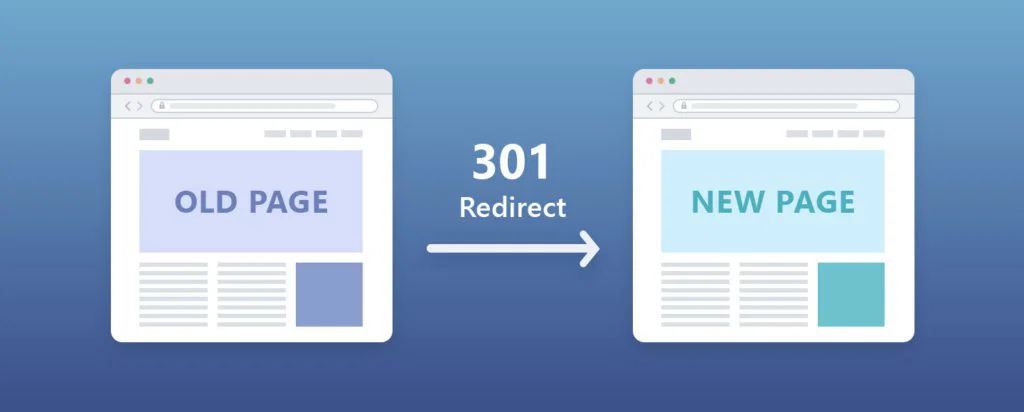
- Redirect ols URLs to their new equivalents using 301 redirects.
- Avoid creating duplicate pages.
- Test all important URLs before launch.
A well-planned URL strategy helps maintain your existing SEO authority after migration.
Preserve Your Metadata
Metadata provides important signals to search engines and should be carried over during the migration.
Make sure you retain:
- Page titles
- Meta descriptions
- Product descriptions
- Category descriptions
- Image alt text
- Canonical tags
Missing or duplicate metadata can reduce your store’s visibility in search results.
Protect Your High-Performing Pages
Not every page on your website contributes equally to organic traffic. Before migrating, identify your:
- Top-performing product pages
- High-ranking category pages
- Popular blog posts
- Landing pages
- Frequently visited CMS pages
These pages should receive extra attention during testing to ensure they continue performing after the migration.
Create a Comprehensive Redirect Plan
Redirects are essential whenever URLs change. Before launching your Magento store:
- Map every important URL.
- Redirect discontinued pages to relevant alternatives.
- Avoid redirect chains.
- Fix broken links before search engines discover them.
A complete redirect strategy helps protect both user experience and SEO.
Review Technical SEO Settings
A new platform often introduces changes to technical SEO. Before going live, verify:
- XML sitemap
- Robots.txt
- Canonical tags
- Structured data
- Breadcrumbs
- Internal linking
- Pagination (if applicable)
These elements help search engines crawl and understand your new Magento store efficiently.
Monitor SEO After Launch
SEO doesn’t end when your migration is complete.
Continue monitoring your website using tools like Google Search Console and Google Analytics to identify any issues early.
Pay close attention to:
- Crawl errors
- Index coverage
- Broken links
- Keyword rankings
- Organic traffic
- Core Web Vitals
- Conversion performance
Addressing issues quickly can help minimize fluctuations in search visibility.
SEO Migration Checklist
Before completing your 3DCart to Magento migration, ensure you’ve completed the following:
- Preserve existing URLs wherever possible.
- Implement 301 redirects for changed URLs.
- Migrate metadata and image alt text.
- Verify canonical tags and structured data.
- Submit your updated XML sitemap.
- Test internal links and navigation.
- Monitor indexing and rankings after launch.
Best Practice: A successful migration isn’t just about moving your ecommerce store; it’s about protecting the SEO authority you’ve spent years building. Planning your SEO strategy before the migration begins can significantly reduce traffic loss and help your Magento store perform better in search results over time.
Common 3DCart to Magento Migration Challenges (and How to Avoid Them)
Every ecommerce migration comes with challenges, but most issues can be avoided with proper planning and testing. Understanding these potential roadblocks before you migrate 3DCart to Magento helps minimize risks, reduce downtime, and ensure a smoother transition.
Here are some of the most common challenges businesses face during a 3DCart to Magento migration and the best ways to overcome them.
Data Inconsistencies After Migration
Product information, customer records, or order history may not transfer exactly as expected, especially if the existing store contains duplicate, outdated, or incomplete data.
How to avoid it:
- Audit your store before migration.
- Remove duplicate or obsolete data.
- Validate migrated records in a staging environment before launch.
SEO Ranking Fluctuations
Changes to URLs, metadata, or site structure can temporarily affect search visibility if SEO isn’t planned during the migration.
How to avoid it:
- Preserve existing URLs where possible.
- Implement 301 redirects for changed pages.
- Migrate metadata and structured data.
- Monitor Google Search Console after launch.
Integration Compatibility Issues
Many ecommerce stores rely on ERP systems, CRM platforms, payment gateways, shipping providers, and marketing tools. These integrations may need to be reconfigured after migration.
How to avoid it:
- Document every existing integration.
- Verify Magento compatibility before migration.
- Test all connected systems before going live.
Downtime During Store Launch
Unexpected downtime can interrupt sales and impact customer experience.
How to avoid it:
- Perform the migration in a staging environment.
- Schedule launch during low-traffic periods.
- Keep rollback and backup plans ready.
- Validate critical workflows before switching to the live store.
Rebuilding Custom Functionality
Custom features developed for 3DCart don’t automatically work in Magento because both platforms use different architectures.
How to avoid it:
- Identify all custom functionality early.
- Prioritize business-critical features.
- Allocate time for redevelopment and testing.
- Consider a custom 3DCart to Magento 2 migration for complex stores.
Incomplete User Acceptance Testing
Even if data is migrated successfully, small issues can affect the customer experience after launch.
Before going live, test:
- Product search
- Navigation
- Checkout
- Payment methods
- Shipping calculations
- Customer login
- Mobile responsiveness
- Contact forms
Comprehensive testing helps identify problems before your customers do.
Quick Reference: Migration Challenges and Solutions
| Challenge | Recommended Solution |
|---|
| Data Inconsistencies | Audit, clean, and validate data before migration. |
|---|
| SEO Ranking Drops | Preserve URLs, implement redirects, and monitor performance. |
|---|
| Integration Issues | Review and test all third-party integrations. |
|---|
| Website Downtime | Use a staging environment and plan the launch carefully. |
|---|
| Custom Feature Compatibility | Rebuild business-critical functionality in Magento. |
|---|
| Post-Launch Issues | Perform comprehensive user acceptance testing before launch. |
|---|
Expert Insight: Most migration issues don’t occur because of the platform; they happen because of inadequate planning. Businesses that invest time in auditing data, testing functionality, and validating SEO before launch are far more likely to experience a smooth and successful migration.
How Long Does a 3DCart to Magento Migration Take?
One of the most common questions businesses ask before starting a 3DCart to Magento migration is how long the entire process will take. The answer depends on several factors, including your store size, data complexity, customizations, integrations, and testing requirements.
While every migration follows a different timeline, understanding the factors that influence project duration helps businesses plan resources, set realistic expectations, and minimize operational disruptions.
Factors That Affect Migration Timelines
The time required to migrate 3DCart to Magento depends on much more than simply transferring products and customer data.
Some of the biggest factors include:
- Total number of products, categories, and customers
- Historical order data
- Store design and theme redevelopment
- Custom features and workflows
- ERP, CRM, and third-party integrations
- B2B functionality
- Data quality and cleanup requirements
- Testing and quality assurance
Generally, the more customized your existing store is, the more planning and validation the migration requires.
Typical Migration Timeline by Project Size
| Business Size | Typical Timeline* |
|---|
| Small Ecommerce Store | 2–4 weeks |
|---|
| Mid-Sized Business | 4–8 weeks |
|---|
| Large or Enterprise Store | 8–16+ weeks |
|---|
These timelines are approximate and may vary depending on project complexity, integrations, custom development, and testing requirements.
The Migration Isn’t Complete at Launch
Many businesses assume the migration ends once the Magento store goes live. In reality, launch is just one milestone in the overall project.
After deployment, businesses should continue to:
- Monitor SEO performance
- Verify order processing
- Test payment gateways
- Validate third-party integrations
- Review customer feedback
- Optimize website performance
- Fix any post-launch issues
This post-launch phase helps ensure your new Magento store performs reliably under real customer traffic.
How to Reduce Migration Time Without Increasing Risk
A faster migration isn’t always a better migration. Rushing the process often leads to data issues, SEO problems, or functionality gaps that take longer to resolve after launch.
You can help streamline the migration by:
- Cleaning unnecessary data before migration.
- Documenting all custom features and integrations.
- Finalizing business requirements early.
- Testing thoroughly in a staging environment.
- Resolving issues before the live launch.
Well-prepared projects typically experience fewer delays and a smoother transition.
Planning Tip: Instead of focusing on completing the migration as quickly as possible, focus on completing it correctly. A well-planned 3DCart to Magento migration protects your business data, customer experience, and search visibility while reducing costly rework after launch.
How Much Does a 3DCart to Magento Migration Cost?
The cost of a 3DCart to Magento migration varies from one business to another. While a small ecommerce store with standard requirements may require a straightforward migration, larger businesses with custom features, third-party integrations, and complex workflows typically require a more comprehensive approach.
Rather than focusing solely on the upfront cost, businesses should evaluate the overall value of the migration and how well the new Magento store supports long-term growth.
Key Factors That Influence Migration Cost
Several factors determine the overall investment required to migrate 3DCart to Magento.
Store Size and Data Volume
The amount of data being migrated has a direct impact on project complexity.
This includes:
- Products and categories
- Customer accounts
- Order history
- Images and media files
- CMS pages
- Product attributes
Larger stores generally require more planning, validation, and testing.
Store Design and Theme Development
Businesses have different design requirements.
Your migration may involve:
- Recreating your existing storefront
- Designing a completely new user experience
- Developing a custom Magento theme
- Optimizing the store for mobile devices
The level of design customization significantly influences the overall project scope.
Custom Features and Business Workflows
Every ecommerce business operates differently.
If your existing store includes custom functionality such as:
- Product configurators
- Customer-specific pricing
- Subscription services
- Custom checkout processes
- Loyalty programs
- Marketplace integrations
these features often need to be rebuilt within Magento, increasing both development effort and project cost.
Third-Party Integrations
Many businesses rely on multiple systems beyond their ecommerce platform.
Migration costs can vary depending on the number and complexity of integrations, including:
- ERP systems
- CRM software
- Payment gateways
- Shipping providers
- Inventory management
- Marketing automation platforms
The more connected your business ecosystem is, the more planning and development may be required.
SEO Migration and Testing
A successful migration isn’t complete without protecting your search visibility and validating every critical function before launch.
This often includes:
- URL mapping and redirects
- Metadata migration
- SEO validation
- Functional testing
- Performance testing
- User acceptance testing
Although these activities add to the project scope, they help reduce costly issues after launch.
Think Beyond the Initial Migration Cost
When evaluating a 3DCart to Magento migration service, avoid choosing a provider based solely on the lowest price.
Instead, consider the long-term value they bring, including:
- Accurate data migration
- Minimal business disruption
- SEO preservation
- Scalable architecture
- Secure integrations
- Reliable post-launch support
A well-executed migration can reduce future maintenance costs and provide a stronger foundation for business growth.
Cost Drivers at a Glance
| Cost Factor | Impact on Project |
|---|
| Store Size and Data Volume | More data requires additional migration and validation effort. |
|---|
| Theme Development | Custom designs increase development time. |
|---|
| Custom Functionality | Business-specific features often require redevelopment. |
|---|
| Third-Party Integrations | Complex integrations add implementation and testing effort. |
|---|
| SEO Migration | Protecting rankings requires planning and technical optimization. |
|---|
| Testing and Quality Assurance | Thorough testing reduces post-launch risks and ensures a smoother transition. |
|---|
Business Insight: A successful 3DCart to Magento migration should be viewed as a long-term investment rather than a one-time expense. Choosing the right migration strategy and development partner can improve scalability, customer experience, operational efficiency, and future business growth, delivering value well beyond the initial project cost.
Should You Migrate to Magento or Consider Other Alternatives?
A 3DCart to Magento migration isn’t the only option available to growing ecommerce businesses. Depending on your business goals, you may also consider platforms like Shopify, BigCommerce, or even continuing with Shift4Shop.
The right choice depends on your customization requirements, growth plans, technical resources, and long-term ecommerce strategy.
Magento vs Shift4Shop
For businesses that need greater flexibility and scalability, Magento offers significant advantages over Shift4Shop.
| Business Requirement | Shift4Shop | Magento |
|---|
| Store Customization | Moderate | Extensive |
|---|
| Scalability | Suitable for small to medium businesses | Built for growing and enterprise businesses |
|---|
| B2B Commerce | Basic | Advanced |
|---|
| Third-Party Integrations | Standard | Extensive API and custom integration support |
|---|
| Multi-Store Management | Limited | Native support |
|---|
| SEO Control | Standard | Advanced technical SEO capabilities |
|---|
| Long-Term Flexibility | Moderate | Excellent |
|---|
Magento is often the preferred choice for businesses that require custom ecommerce experiences and expect their operations to grow over time.
What About BigCommerce?
Some businesses evaluating 3DCart also consider 3DCart to BigCommerce migration because both platforms offer managed ecommerce solutions.
BigCommerce can be a good fit for businesses that:
- Prefer a hosted platform.
- Have standard ecommerce requirements.
- Want to reduce server management.
- Need a quicker implementation.
However, businesses requiring extensive customization, advanced workflows, or enterprise integrations often find Magento to be the more flexible long-term solution.
Is Staying on Shift4Shop the Right Decision?
Continuing with Shift4Shop may still make sense if your current platform meets your business requirements.
You may choose to stay if you:
- Have a relatively small online store.
- Don’t require advanced customization.
- Have minimal third-party integrations.
- Aren’t planning significant business expansion.
If your existing platform continues to support your operational and growth goals, migration may not be immediately necessary.
When Does Magento Become the Better Investment?
A 3DCart to Magento migration becomes a strategic investment when your business starts encountering limitations that affect growth and customer experience.
Magento is often the better choice if you plan to:
- Expand into new markets.
- Launch multiple storefronts.
- Serve both B2B and B2C customers.
- Integrate ERP, CRM, or inventory management systems.
- Build custom ecommerce functionality.
- Support large product catalogs and growing traffic.
Rather than solving today’s challenges, Magento provides the flexibility to support your business over the long term.
Platform Selection Checklist
- Before making a migration decision, ask yourself:
- Is our current platform limiting business growth?
- Do we need greater customization and flexibility?
- Will we benefit from advanced B2B capabilities?
- Are we planning to integrate more business systems?
- Can our existing platform support our business over the next five years?
If the answer to most of these questions is yes, investing in a 3DCart to Magento migration is likely to provide greater long-term value than continuing with your existing platform.
Decision Tip: Choosing an ecommerce platform isn’t just about today’s requirements; it’s about selecting a solution that can support your business as it evolves. Evaluating your long-term goals before migrating helps ensure you’re investing in a platform that can scale alongside your business.
Why Growing Businesses Choose Custom Magento Development After Migration
Completing a 3DCart to Magento migration is only the first step. The real value comes from how well your new Magento store supports your business goals after the migration.
While a standard Magento installation works for many businesses, growing ecommerce brands often require custom features, advanced integrations, and ongoing optimizations to deliver better customer experiences and streamline operations.
Why Custom Magento Development Matters
Every ecommerce business has unique requirements. Rather than adapting your business processes to fit the platform, custom Magento development allows the platform to work around your business.
This becomes especially valuable as your operations become more complex.
Businesses often invest in custom Magento development to:
- Build personalized shopping experiences
- Simplify complex checkout processes
- Manage large product catalogs efficiently
- Automate repetitive business workflows
- Improve website performance and scalability
- Support future business expansion
Extend Magento Beyond Standard Functionality
One of Magento’s biggest strengths is its flexibility.
Custom development allows businesses to implement features such as:
- Custom product configurators
- Customer-specific pricing
- Advanced search and filtering
- Multi-store management
- Loyalty and rewards programs
- Subscription-based commerce
- Marketplace functionality
- Industry-specific business workflows
Instead of relying solely on off-the-shelf extensions, businesses can build features tailored to their operational needs.
Build a Connected Ecommerce Ecosystem
Modern ecommerce stores rarely operate in isolation.
After a 3DCart to Magento migration, businesses often integrate Magento with:
- ERP systems
- CRM platforms
- Inventory management software
- Accounting solutions
- Shipping providers
- Payment gateways
- Marketing automation tools
- Customer support platforms
A well-integrated ecosystem reduces manual work, improves data accuracy, and helps teams operate more efficiently.
Continue Optimizing After Launch
Launching your Magento store isn’t the end of the journey.
As your business grows, continuous improvements help keep your store competitive.
These may include:
- Performance optimization
- Core Web Vitals improvements
- SEO enhancements
- Conversion rate optimization
- Security updates
- Extension management
- Feature enhancements
- Ongoing maintenance and support
Regular optimization ensures your ecommerce platform continues to meet changing customer expectations and business requirements.
When Should You Consider Professional Magento Development?
Professional Magento development is often the right choice if your business:
- Requires custom functionality beyond standard Magento features.
- Relies on multiple third-party integrations.
- Operates in both B2B and B2C markets.
- Manages multiple brands or storefronts.
- Plans to scale rapidly over the coming years.
- Needs long-term technical support and continuous platform improvements.
Rather than treating Magento as a one-time implementation, many businesses view it as a long-term digital commerce platform that evolves alongside their growth.
Business Insight: A successful 3DCart to Magento migration creates the foundation for future growth, but ongoing Magento development is what helps businesses maximize that investment. As customer expectations, technologies, and business requirements evolve, continuous optimization ensures your ecommerce platform continues delivering measurable value.
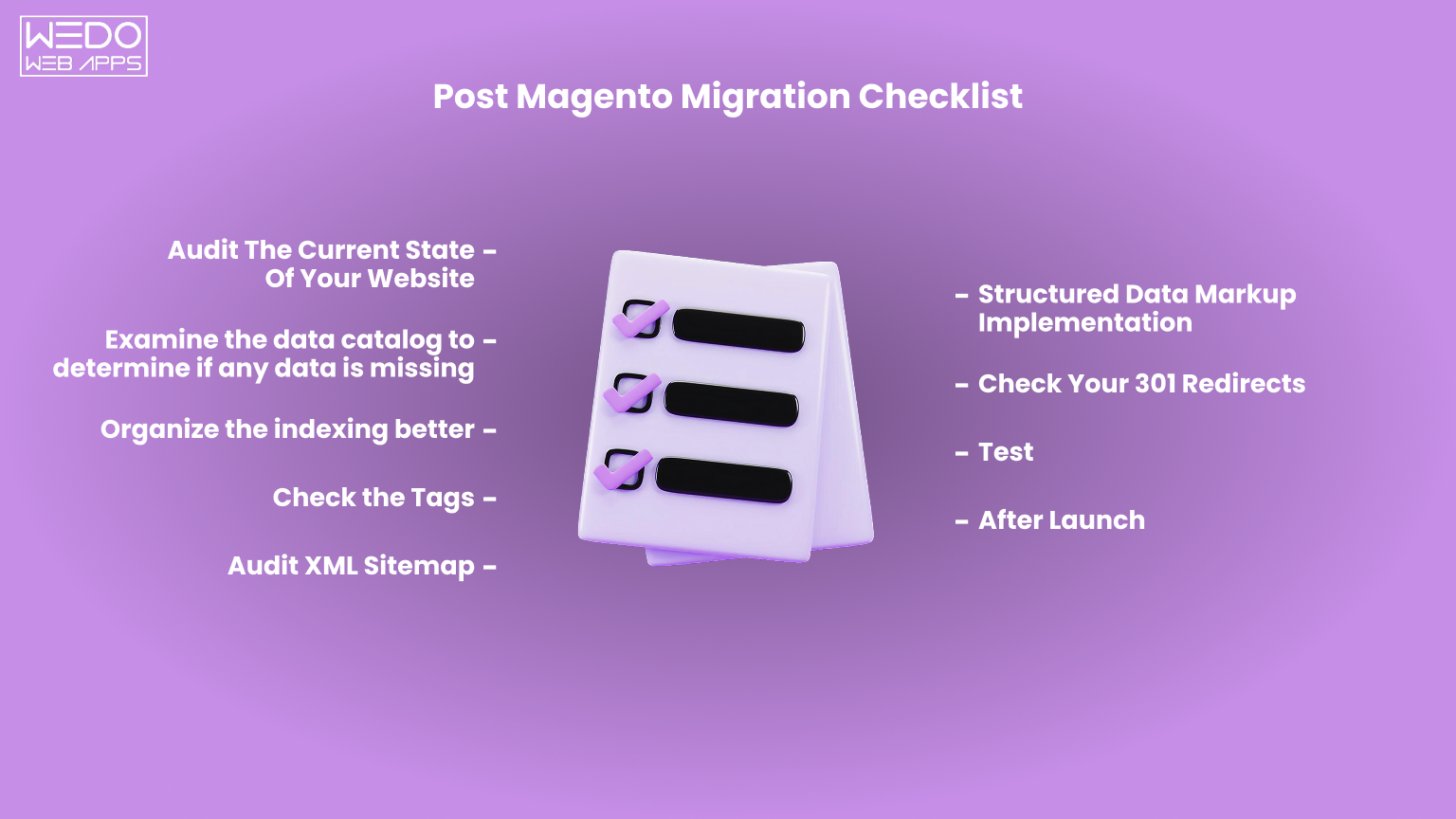
Post-Migration Success Checklist
Migrating your store is a significant milestone, but it’s not the finish line. The first few weeks after your 3DCart to Magento migration are critical for identifying issues, improving performance, and ensuring customers enjoy a seamless shopping experience.
Use the checklist below to validate your new Magento store after launch.
Technical Performance
Verify that your website is stable and performing as expected.
- Test page loading speed.
- Monitor Core Web Vitals.
- Check mobile responsiveness.
- Verify SSL certificates and website security.
- Review server performance during peak traffic.
Data Accuracy
Confirm that all migrated information is complete and accurate.
- Product information and images
- Categories and navigation
- Customer accounts
- Order history
- Product attributes
- CMS pages
- Pricing and inventory
SEO Validation
Protect the search visibility you’ve built over time.
- Verify 301 redirects.
- Check metadata and canonical tags.
- Submit the XML sitemap.
- Monitor indexing in Google Search Console.
- Identify and fix broken links.
- Track keyword rankings and organic traffic.
Functional Testing
Make sure every customer-facing feature works as expected.
- Product search
- Shopping cart
- Checkout process
- Payment gateways
- Shipping methods
- Contact forms
- Customer login and registration
- Email notifications
Business Integrations
Review all connected business systems after launch.
- ERP integration
- CRM synchronization
- Inventory management
- Shipping platforms
- Marketing automation
- Analytics and conversion tracking
Continue Improving Your Store
Migration creates the foundation for future growth, but continuous optimization helps you maximize its value.
Regularly review:
- Website performance
- Customer feedback
- Conversion rates
- Security updates
- Extension updates
- SEO opportunities
- New feature requirements
A well-maintained Magento store delivers better customer experiences while supporting your business as it continues to grow.
Final Checklist: A successful 3DCart to Magento migration isn’t measured by how quickly your new store goes live; it’s measured by how reliably it performs, how effectively it supports your operations, and how well it helps your business achieve long-term ecommerce growth.

Conclusion
Migrating from 3DCart (Shift4Shop) to Magento is more than a platform change—it’s an opportunity to build an ecommerce store that’s ready for the next stage of your business journey. From greater customization and scalability to advanced integrations and B2B capabilities, Magento provides the flexibility many growing businesses need to support evolving customer expectations and operational demands.
However, every migration requires careful planning. Auditing your existing store, selecting the right migration approach, preserving SEO, rebuilding custom functionality, and thoroughly testing your new environment all contribute to a successful transition. Investing time in these stages helps reduce risks while ensuring your Magento store delivers long-term value.
If your business is considering a 3DCart to Magento migration, working with an experienced Magento development team can help simplify the process, minimize disruption, and create a solution tailored to your unique business requirements. Whether you need migration support, custom Magento development, or ongoing optimization, the goal should always be the same; building an ecommerce platform that grows alongside your business.


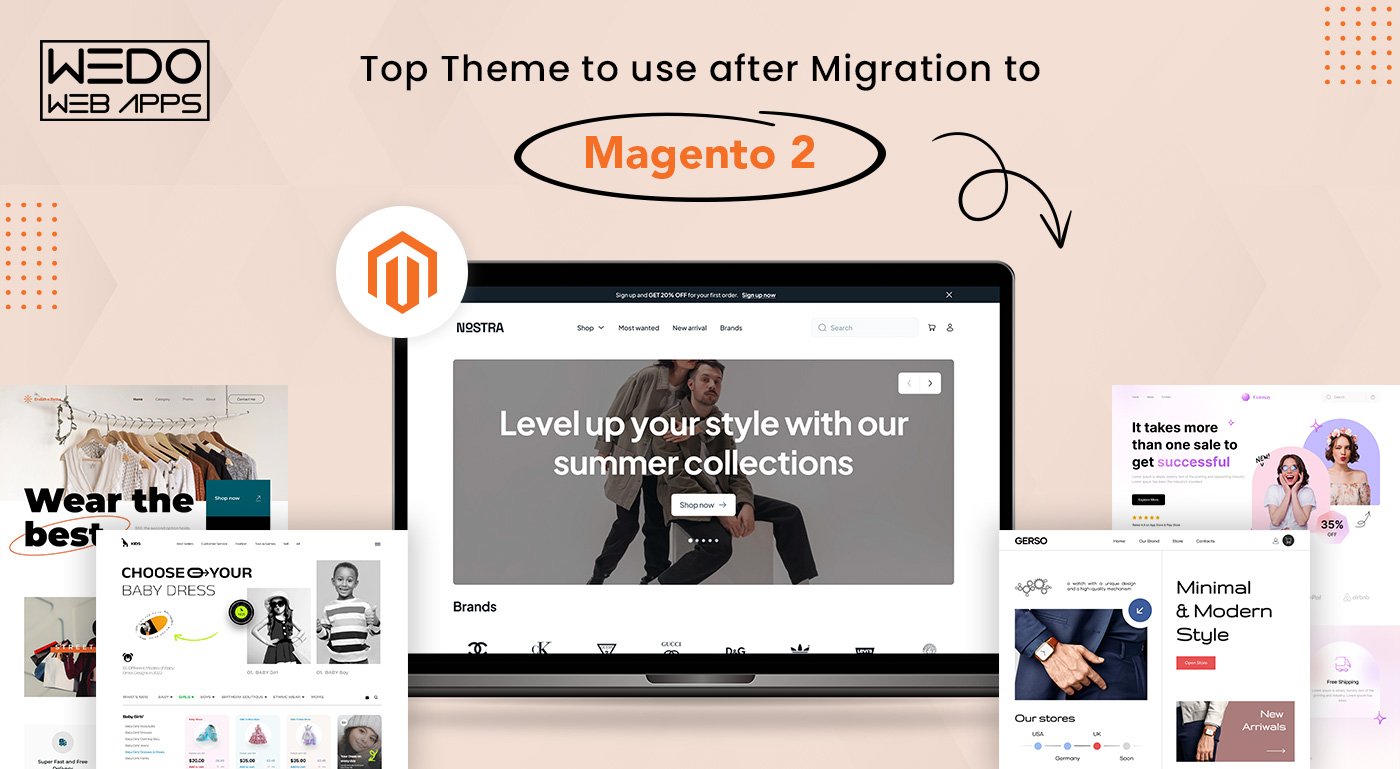
 Magento Porto theme is a reliable and popular theme suitable for various websites, including fashion, accessories, furniture, electronics stores, and more. The theme offers modern and classic design options, with light and dark layouts that work well on all screen sizes and mobile devices.Magento Porto Theme is fully compatible with Magento Theme 2 and has been continuously updated over the past 5 years to stay in line with the newest Magento version and eCommerce movement. Porto shows top-class results on speed tests and is an excellent solution for every Magento 2 merchant. It also includes cutting-edge extensions for free and is strongly compatible with mobile devices.Features:-
 Magetique is an exceptional multipurpose Magento theme 2 that embodies our extensive technical and design expertise, resulting in the most advanced custom Magento theme and experience. This cutting-edge theme is entirely AMP-ready, ensuring that your website loads at lightning speed and delivers an unparalleled user experience. With a comprehensive marketing, design, and administration tools suite, Magetique empowers you to create a stunning and functional bespoke online store that meets your unique business needs.This theme comes bundled with 5 meticulously crafted layouts that cater to a diverse range of niches and increase your search engine visibility. These layouts are incredibly user-friendly, with a simple installation process and an intuitive interface that requires no coding expertise.Moreover, Magetique provides detailed documentation that guides you through every step of the customization process, enabling you to create a truly bespoke online store that stands out. With Magetique, you can confidently take your online business to the next level.Features:-
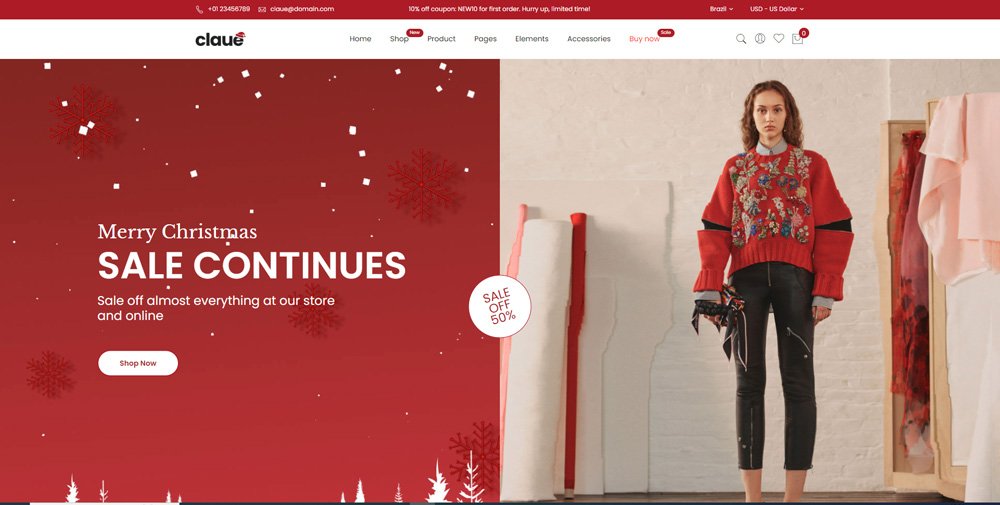 If you need a sleek and modern template for your ecommerce website, look no further than Claue – Clean and Minimal Magento Theme. With over 20 homepage layouts and many options for Shop, Blog, Portfolio, Store Locator, and other valuable pages, Claue offers a highly customizable platform that can be tailored to meet the needs of any kind of eCommerce website.Designed with a clean and minimal aesthetic, Claue provides a polished, professional look that impresses customers. Whether you’re looking to sell clothing, home goods, electronics, or any other product type, Claue’s versatile layout and customization options allow you to create a unique and engaging shopping experience that sets your bespoke online store apart from the competition. So if you’re looking for a flexible and dynamic eCommerce solution for your online business, give Claue a try and see how it can help take your ecommerce website to the next level.Features:-
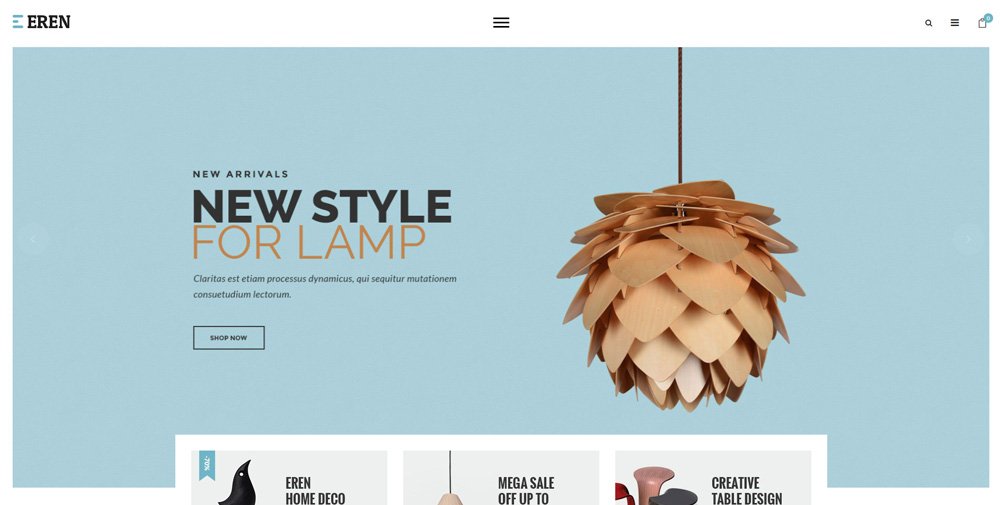 Eren is one of the best Magento themes for creating a modern and visually appealing ecommerce website. With its elegant and clean design, Eren provides visitors a warm and comfortable feeling, making it an ideal choice for multiple bespoke online stores. Eren is optimized for fully responsive Magento themes, ensuring search engine visibility across all devices, including PCs, tablets, iPads, and mobiles.Designed for Magento 2 websites, Eren is fully compatible with the latest version of the platform. Eren’s extensive collection of 20 cost-saving and supportive add-ons to the ecommerce website makes it the perfect choice for Magento stores. This clean magento theme has the power to help you rank on search engines and attract an untouched audience for your online business.Features:-
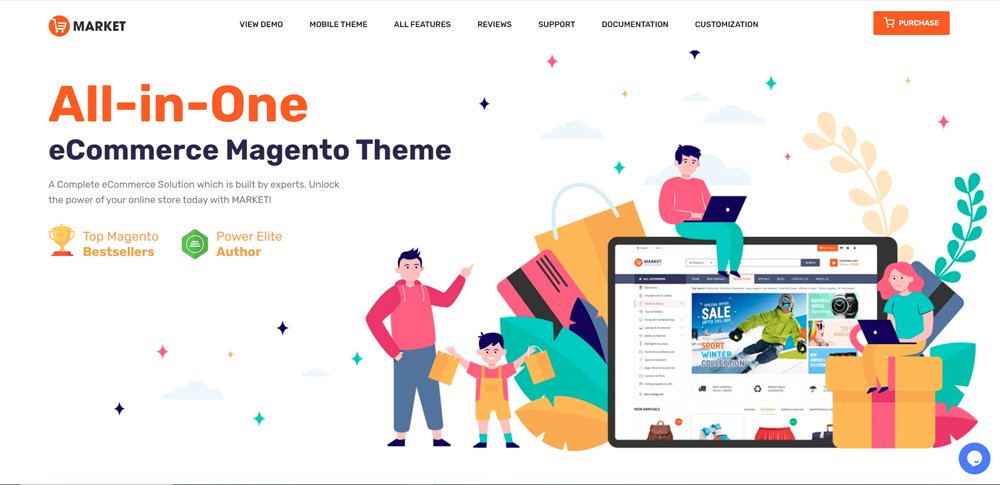 Market is a highly versatile mobile theme for Magento 2 that is designed to cater to the needs of online marketplaces, supermarkets, digital, fashion, cosmetic stores, and more. It offers a plethora of features that ensure a seamless and engaging mobile experience for customers.One of the most notable features of the Market theme is its compatibility with multiple-category stores with numerous brands and products. This makes it an ideal choice for eCommerce businesses looking to expand their offerings, search engine visibility, and revenue. Moreover, the theme comes with several Magento 2 modules, including Mega Menu, SM Tab Listing, and SM categories, that make it easier to display products and categories on the mobile screen.Features:-
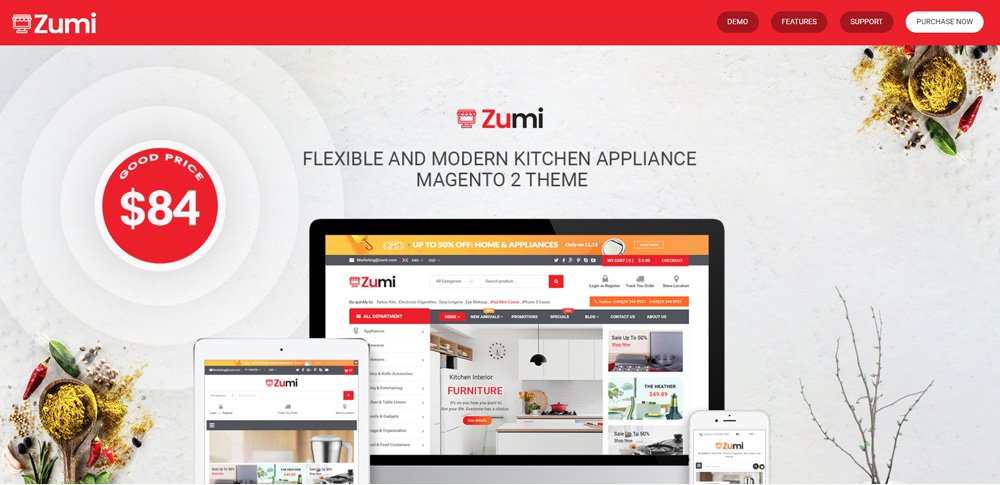 Zumi is a modern and clean Magento theme that is designed to provide users a seamless shopping experience. It comes with 25+ pre-designed homepage layouts catering to various industries such as fashion, electronics, furniture, and more. Zumi is a fully responsive, mobile-friendly, and custom Magento theme that ensures your store looks great on any device. You can easily change the colors, fonts, and layout of a to match your brand’s identity and voice. Additionally, Zumi is optimized for search engines, meaning your store will have better visibility and higher rankings.Features:-
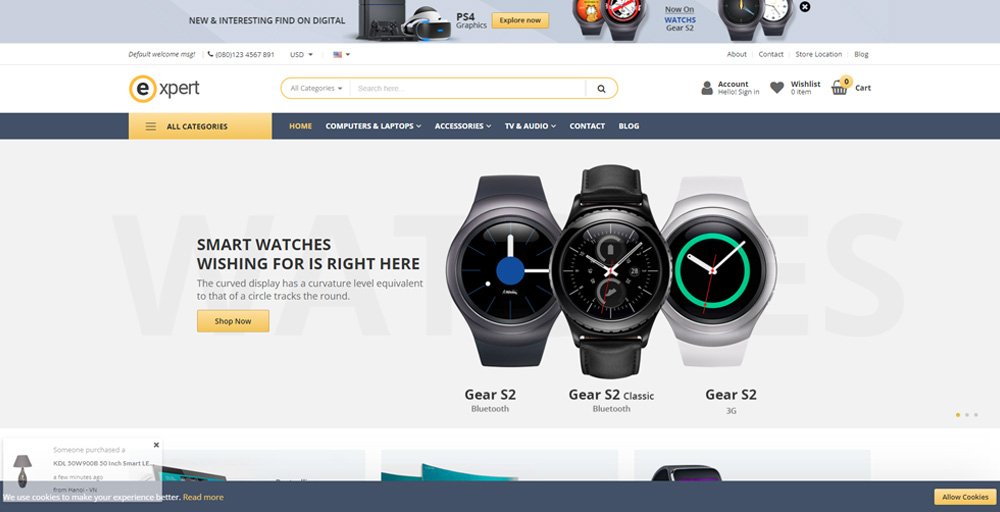 The Expert Magento theme boasts 13 customizable homepage templates and a range of admin settings, making it a versatile and professional choice for any Magento 2 store. With its sleek design and high credibility, this theme is perfect for popular store types such as fashion, market, electronics, mega shop, digital, mobile, bags, clothes, and more.Features:-
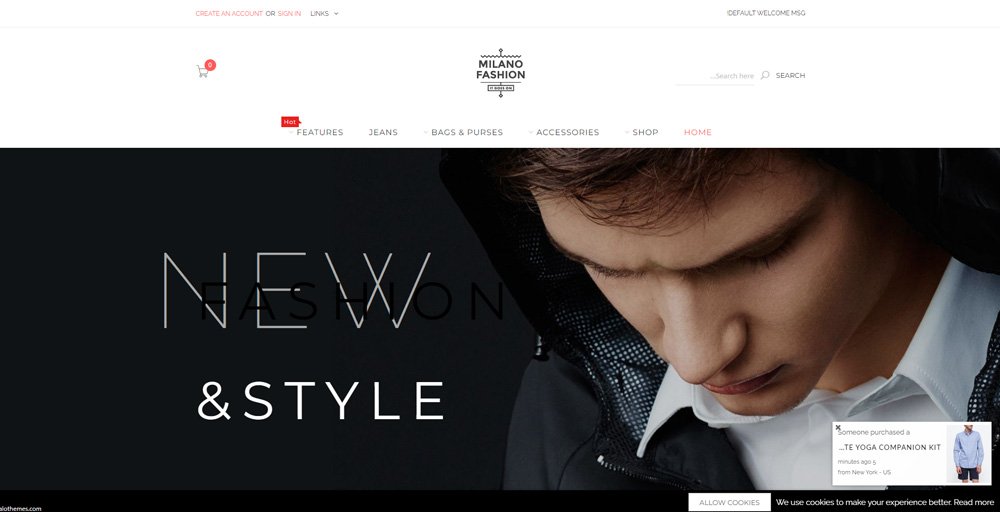 Milano theme boasts a classic and elegant design that makes it an ideal choice for high-end fashion stores, as well as shops that sell clothes, bags, and related items. This theme is highly recommended for those who want a mobile-optimized website that delivers exceptional performance across all devices.Features:-
 This is how with the best Magento for ecommerce websites theme you can improve website speed, enhance user experience and maximize search engine visibility. And the best part is, you get the benefit of higher website traffic and online sales with compatible Magento 2 themes. Read also about PSD to Drupal and Magento Conversion