skip to content

Top 15 Future Predictions for Technology

Exciting Predictions for the Future of Technology

This article explores the 15 most likely predictions for the future of technology. Key innovations, like artificial intelligence, virtual reality, and robotics, are highlighted. They are seen as big drivers of change. These advances are set to cause big shifts in many fields. They will show how they may impact our lives soon. By reading this blog, you’ll gain insight into how these tech could change our lives soon.

Future Technology: Key Trends and Predictions

The future of technology has significantly progressed through dedicated human effort. It’s due to capacity constraints, business challenges, or the need for skilled professionals. The future direction of technology is a critical concern for companies aiming for long-term success.

In this brief blog, we will highlight some crucial tech trends. These insights were identified by various analysts and research organizations. These advancements span several areas, including artificial intelligence, virtual reality, and robotics.

Also, look at promising AI-driven changes expected in the coming years. These changes align with our mission to offer unmatched Expert Software Services.

Technology continues to evolve daily for many reasons. This includes the lack of people. It also includes the lack of business investments and the need for skilled professionals. But, the future of technology raises questions. It is for many companies striving for enduring success.

The Significance of Predicting Future Technology

Predicting future technology is crucial for several reasons. First, it helps businesses predict challenges. It also allows them to adapt to new advancements, providing a competitive advantage. However, it also pushes us to stay ahead of the curve and remain informed about the latest developments, which helps in strategic planning.

Moreover, understanding future trends helps regulators and investors. It helps them navigate the effects of new technologies on society. While it’s tempting to speculate about the future of work, assessing current trends and advancements can help minimize costly errors.

Future Technology Predictions: Top 15 Insights

Beyond the common forecasts, we present more comprehensive insights. Here are the top 15 predictions for what technology will look like in the future:

1. The Rise of 5G Technology

The Rise of 5G-Technology

The future of technology will be significantly influenced by the emergence of 5G networks. The next generation of mobile networks will completely change how we use technology. It will provide faster, more reliable connections. This will happen through advanced TCP/IP protocols and multiple channels.

5G will unlock endless possibilities for communication and technology use. It will enhance virtual reality, IoT, and other innovations. Its fast network is perfect for handling business data and managing traffic effectively.

In manufacturing, 5G will enable high-end automation. It will control robots and smart factory parts. These will allow for seamless tracking of materials and products from start to end. This advancement will pave the way for more efficient and intelligent industrial processes.

2. The Growth of the Internet of Things (IoT)

Internet-of-Things-(IoT)

The Internet of Things (IoT) is a network of devices, sensors, and systems that gather and share data, providing insights and enhancing decision-making. This technology has significantly impacted our daily lives, and its influence is set to grow even more in the future.

IoT will expand beyond connecting various products and cars to becoming a standard feature in many aspects of our lives. This will create new and exciting ways to interact with our environment.

Additionally, IoT technology allows voice-activated internet shopping. It also improves home security, protecting us from burglaries and fires. The future promises even more innovative applications of IoT, making our lives more connected and efficient.

3. The Rise of Artificial Intelligence

Rise of Artificial Intelligence

AI has become more vital in business. It can boost productivity, efficiency, and decision-making. AI can analyze lots of data. It can automate tasks that repeat. It can find insights that guide decisions.

Recent years have witnessed significant advancements in AI technology, a trend that shows no signs of slowing down. AI is already making substantial impacts in sectors like healthcare and banking, and its influence is set to grow even further.

AI has greatly affected many industries. These include banking, manufacturing, retail, oil, gas, and transportation. These advances are not just in technical fields. AI is also transforming journalism, advertising, and education.

4. Mainstream Adoption of Virtual and Augmented Reality (VR/AR)

Virtual and Augmented Reality

While AR users still have some control in the real world, VR users are completely immersed in a virtual environment. Augmented reality can be accessed via smartphones, whereas virtual reality typically requires headsets.

As both virtual and augmented reality rapidly gain popularity, we can expect their usage to continue rising steadily.

Beyond just haptic gloves, full-body haptic suits will advance these technologies further. Extended reality will increasingly focus on education, training, and medical interventions. 5G and WebVR support will end the need to download apps. This will make these technologies more accessible and integrated into daily life.

5. Enhanced Cybersecurity Measures

Cybersecurity Measures

Artificial intelligence and machine learning have revolutionized cybersecurity across all economic sectors.

More important data is being stored and shared online. Strong security is essential to stop cyber attacks. The need for cybersecurity experts will grow. Businesses want to safeguard their assets and data from threats.

6. Growing Prevalence of Blockchain Technology

Blockchain Technology

Blockchain technology has gained a lot of popularity in recent years, especially in finance, supply chain management, and identity verification. It has strong security. It also has efficient data storage and transfer. These make it attractive to many industries.

The potential of blockchain technology extends beyond finance. We expect its adoption in many sectors. Industries are seeing the benefits of blockchain more each year. This technology can provide secure, clear transactions. This will drive its wide use.

7. Progress in Autonomous Vehicle Technology

Autonomous Vehicle Technology

Self-driving cars and trucks will revolutionize travel by making roads safer. It will reduce accidents caused by human error.

In the coming years, we can anticipate significant advancements in autonomous vehicle technology. This progress will lead to better self-driving systems. It may shift car ownership to self-driving vehicles. The impact will be particularly notable in transportation, logistics, and delivery services.

8. The Advancement of Quantum Computing

Quantum Computing

Quantum computing has the potential to completely change many industries.

This technology’s development will bring innovations. It will impact areas like financial modeling, healthcare research, and cryptography. However, it also requires advanced encryption technologies to address security challenges.

9. Expansion of Edge Computing

Edge Computing

Edge computing is a technology that processes and analyzes data closer to the network edge. It does this rather than at a central location. The technology is always changing and gaining popularity. This approach greatly improves efficiency and speed. It’s especially true for IoT and industrial control applications. Edge computing is advancing. It will make these operations more efficient and improve performance.

10. Growing Use of Drones

Growing Use of Drones

UAVs, also known as drones, have solved key challenges in the past 5 to 7 years. This has transformed many industries and uses. Drones are utilized for military operations, aerial photography, transportation, environmental monitoring, and more.

Drone technology is advancing and becoming more accessible. It will spur innovation across many fields, making everyday operations better and more flexible.

11. Advanced Healthcare Technologies

Advanced Healthcare Technologies

In the past, doctors wrote notes by hand during patient appointments. This caused long waits and inefficiency. However, AI technology has changed this. Doctors can now record whole conversations using devices that write down the discussion. This saves time and helps patients.

AI has been integrated into healthcare. It has touched every part of the sector. It boosts the accuracy of doctors by giving real-time data and insights.

One of the most advanced technological developments is robot-assisted surgery. These robotic tools let doctors operate more precisely and with a better view of the surgical area. This reduces surgical risks. While robots do not replace surgeons, they help minimize pain, blood loss, scarring, and infections, improving overall surgical outcomes.

12. Enhancing Human Capabilities with Technology

Human Capabilities with Technology

In the future, technology will greatly augment human capabilities, transforming various aspects of our lives.

Human performance will be enhanced through advancements in robotics, artificial intelligence, and bioscience. This seamless integration of tech will lead to better information processing. It will also lead to smarter decision-making and more creativity.

Wearables and implants will enhance our physical abilities, making us stronger and more enduring. It will also improve our senses.

Virtual reality and other new technologies will expand our imagination and creativity. It will provide new and innovative ways to interact with the world. This technological progress will pave the way for a more advanced and enriched human experience.

13. Robotics and Automation: Shaping the Future

Robotics and Automation

In the past decade, big progress in robotics and automation has paved the way for even more important innovations in the coming years. Robotics has great potential to change many industries. It offers exact and efficient solutions for tasks from manufacturing to medicine.

Robots already play a key role in doing complex tasks with precision. These tasks include machine insertion, product assembly, and painting. In the medical field, robots assist with medication administration and surgeries, reducing human error and enhancing accuracy.

Looking ahead, robots will gain greater autonomy and the ability to tackle more challenging jobs with ease. As they learn to solve complex problems, their impact on the information technology field will be profound.

As robotics becomes more integrated into our daily lives, it will drive technological advances in many areas. The future of humanoid robotics promises to revolutionize businesses, particularly those driven by customer demand. To stay competitive, businesses must keep up with current trends and continuously adapt to new technologies. This proactive approach will ensure they meet users’ needs and remain at the forefront of innovation.

14. Technology and Sustainability

Technology and Sustainability

Technology is playing a larger role. It is crucial for addressing global warming and environmental harm.

In the next decade, people will closely study sustainable technologies. They will study them for their ecological impact. Technology will aid in protecting natural resources and improving environmental conditions. The cost of renewable energy sources continues to fall, making them competitive with fossil fuels.

Smart grids, battery storage, and electric vehicles are driving the change. They are changing how we consume and produce energy. Smart technology and precision farming cut waste in agriculture. They also increase crop yields by using fewer chemicals.

To effectively tackle environmental challenges, we need more than just advanced technology. It is essential to use sustainable practices like circular economy models and methods to reduce waste. Continuing to invest in sustainable tech will lead to more innovation. It will create a greener future.

15. Advances in Medical Biotechnology

Medical Biotechnology

Medical biotechnology holds the potential to greatly improve human health. It does so by using live cells to make antibiotics and drugs. This field focuses on engineering genetic traits. The goal is to make them better.

Researchers are skilled in AI and machine learning. They are using these technologies to discover new drugs. Machine learning helps find small molecules with therapeutic potential. It does so based on known target structures.

These tech advances are leading to breakthroughs in gene editing and personalized medicine. They also affect radiology, drug management, and more.

The future of medical biotechnology is bright. Technology is set to revolutionize genetic engineering and biotechnology. This trend will shape industries. It will transform processes and drive innovation for the next decade and beyond.

Our Final Thoughts

The future of technology is full of exciting, groundbreaking developments. They have the potential to fundamentally change our world. Technology is advancing quickly. We have artificial intelligence and the Internet of Things. There are also driverless vehicles and quantum computing. The possibilities are nearly limitless.

Staying informed about the latest discoveries is essential. We must think about how they might affect our daily lives. We can ensure a bright future by embracing new technologies. We must work with the IT industry to address the challenges they bring. This will benefit us and future generations.

Search Google or Type a URL: Which is More Efficient?

Search Google or Type a URL has become a common choice for internet users navigating the web. Whether you rely on Google Search for discovering information or type a URL directly into your browser’s Omnibox, understanding the strengths of each approach can significantly improve your browsing efficiency.

Google Chrome Omnibox

Google Chrome’s Omnibox is a favorite feature among users. It allows you to either search the web using Google or enter a URL directly to visit a specific site. While the phrasing may sometimes differ, its functionality remains consistent.

There’s an ongoing discussion among internet users about the best way to find information online. Some people prefer using Google search, while others opt for typing in a specific URL. Which method is superior? Let’s explore the advantages and disadvantages of each to determine the best approach.

Understanding the Versatile Omnibox: Search Google or Type a URL

The Omnibox in Google Chrome is an advanced tool, combining the functions of a traditional address bar with the capabilities of a search engine. This multi-functional feature allows users not only to navigate to websites but also to perform tasks like mathematical calculations and answering questions directly from the browser.

One of the Omnibox’s key features is the option to “Search Google or type a URL.” This dual functionality offers flexibility depending on the user’s needs. If speed is a priority and the exact web address is known, typing the URL directly into the Omnibox is the quickest route. On the other hand, when specific information or keywords are needed, using the search function can yield precise and varied results.

This adaptability makes the Omnibox a powerful tool for efficient browsing. By understanding how to leverage its full range of capabilities, users can enhance their web navigation experience, finding the balance between direct access and comprehensive search results. Whether you’re looking for quick answers, performing calculations, or searching for specific content, the Omnibox is designed to streamline your online activities.

Navigating the web starts with a search, but building it requires a specialized team. If you’re looking to scale your technical project quickly, you can hire dedicated developers from our vetted talent pool to accelerate your development timeline.

Key Feature of the Omnibox

  • Integrated search and URL entry eliminates the need to navigate multiple fields.
  • Beyond just searching, you can also perform quick calculations directly in the omnibox.
  • Based on the algorithm, the predictive autocomplete feature provides suggestions as you go on typing by analyzing your search history and most visited sites.
  • The voice search feature allows speaking a query loudly to input it without using the keyboard.
  • Auto-detection of searches versus URLs speeds up the use of Omnibox without needing to specify what you want.
  • Syncing across devices when signed into a browser saves the past history allowing consistent suggestions everywhere.
  • Customization of Omnibox allows you to disable features like autocomplete or tailor them as per your preferences.

Omnibox Tips

  • Use incomplete initial words like “define” or “translate” to trigger a Google search. Adding “.com” will start prompting URL suggestions instead.
  • Clear your cache and cookies occasionally if your suggestions have become tailored and you want some more variety.
  • Type the entire URL with “http://” to open the website rather than the search results. Avoiding to write “http://” will search the domain name instead.
  • Right-click on the Omnibox to tailor its settings like enabling search history tracking for accurate results of the autocomplete.
  • You can also use keyboard shortcuts to activate certain omnibox functions like Ctrl + Enter to input .com after a search query.
  • Type domain names without including www or http in the beginning. Autocomplete will automatically fill in the rest, speeding up the URL entry.
  • Delete your search and browsing history if you are getting unwanted suggestions in the autocomplete predictions.

The Omnibox simplifies searching and browsing from one place. Customize its features and suggestions to enhance your web experience.

What Does “Search Google or Type a URL” Mean?

When you open your web browser and see a message like “Search Google or type a URL,” you might wonder what it actually means. This phrase reflects how modern browsers like Chrome, Safari, or Firefox combine search and navigation into a single interface called the omnibox.

Search Google or type a URL is a prompt in the browser’s Omnibox, guiding users to either enter search terms or type a specific web address. Variations like “search or type web address” may appear, but the function is the same—initiating a search or directly navigating to a website.

This feature simplifies finding information online. While you can gather data from various sources like social media and apps, using a search engine or entering a URL remains the most straightforward approach.

So, which method is more efficient? Typing a URL directly connects you to the desired site quickly, whereas searching Google can provide a range of results for broader inquiries. Each method has its advantages, and understanding when to use each can enhance your browsing efficiency. Let’s explore the pros and cons of both to help you decide which approach suits your needs best.

Exploring the Benefits of Search Google or Type a URL

Search engines like Google revolutionized how we access information. With just a few clicks, users can find websites, images, emails, and more. This process, known as web indexing, is central to Google’s functionality. When you lack the specific URL of a website, Google Search becomes your go-to tool. Simply enter keywords or the site’s name into your browser’s search bar, and the search engine does the rest.

The Power of Keywords

For those moments when the exact URL or website name escapes you, Google Search is a lifesaver. By typing related keywords into the Omnibox, Google generates a list of potential matches. This functionality is particularly useful when you remember parts of a website’s name or relevant terms. The search engine then displays a list of results, from which you can choose the most relevant one.

Direct URL Entry vs. Google Search

If you know the exact URL of the website you want to visit, entering it directly into the address bar is far more efficient. This method saves you the time and effort required to sift through search results. Direct URL entry provides immediate access to the desired site, making it the preferred choice when the exact web address is known.

However, using Google Search can be more time-consuming. It often involves loading multiple pages and reviewing various links to find the information you need. This method requires more steps compared to direct URL entry but offers the advantage of discovering a broader range of results, which can be useful for more generalized searches.

How to Use Google Search Effectively

To make the most out of Google Search, follow these simple steps:

  1. Open Google.com on your browser.
  2. Enter your query in the search box. This could be keywords, phrases, or a partial name of the website.
  3. Press Enter or click the search button.
  4. Review the search results. Look for the links that best match your query and select the most relevant one.

The precision of your keywords plays a crucial role in the relevance of the search results. Using specific and well-chosen keywords can greatly enhance the efficiency of your search, providing more accurate and useful results.

Google also constantly modifies its algorithms and standards to provide safer, more pertinent search results. For example, its updated SafeSearch documentation guarantees that sensitive content is properly regulated and helps site owners avoid being misclassified.

Balancing Efficiency and Convenience

While Google Search is a powerful tool for finding information, knowing when to use it versus typing a URL directly can significantly improve your browsing experience. If speed and precision are your priorities, direct URL entry is the best option. However, for broader searches or when you’re unsure of the exact address, Google Search offers a comprehensive solution. By balancing these two methods, you can navigate the internet more effectively and find the information you need with ease.

Google’s Hidden Cheat – 6 Effective Search Operators You Need

Want to get acquainted with the SEO superpowers? Master these 6 Google Search Operators and dominate the SERPs:

  • “Keyword.” Finally, find exactly what you want with this Exact Match Search Operator.
  • “Minus(-).” Ditch the search results that you don’t care about with this Exclude Terms Search Operator
  • “Related.” Find similar sites, because, stalking your competitors is legal here.
  • “Site.” With this, you can see all the indexed pages of a website. It’s like peeping into Google’s diary.
  • “intitle.” You can also find pages with specific words in the title. This can be your shortcut to headline inspiration.
  • “inurl.” Search URLs for specific keywords.

Let’s explore each of the 6 hidden search operators along with their examples:

1. Exact Match Search

Need: Find search results containing the exact phrase.

Example: Search,

“Best SEO tools”

Result: This will show the pages that mention “best SEO tools” exact –  no variations.

2. Exclude Terms (-)

Need: Exclude the unwanted terms from your search results.

Example: Search,

“Best SEO tools -free”

Result: This will show the pages that mention “best SEO tools”, but filters out pages that mention “free”. This option is great when you are looking for premium options.

3. Find Similar Sites (related:)

Need: If you want to find a site that is similar to your competitor or any of your favorite resources.

Example: Search,

“related:moz.com”

Result: Using this search operator, Google will list sites similar to Moz like Ahref, SEMRush, or HubSpot. This option is a great answer for competitor analysis or finding collaboration opportunities.

4. View Indexed Pages (site:)

Need: You can see all pages of a specific site that is indexed by Google.

Example: Search,

“site:yourcompetitor.com”

Result: This will show the list of all the indexed pages of the competitor’s site. You can use this for competitors’ content audits or inspiration.

5. Find Words in Titles (intitle:)

Need: Find pages with specific words on the title tag.

Example: Search,

“intitle:”SEO trends 2024””

Result: Only searches that have “SEO trends 2024” in their title tags will appear. This is efficient for content ideation or competitive research.

6. Search URLs (inurl:)

Need: Find search results with specific keywords in the URL.

Example: Search,

“inurl:”guest-post””

Result: This will show the list of sites with “guest-post” in their URLs. This is perfect for link-building outreach.

How These Secret Search Operators Help in SEO

  • Link Building: These operators can help you find guest posting opportunities or resource pages.
  • Internal Linking: You can also find relevant content on your website for internal linking.
  • Tech Audits: With these operators, you can find indexation issues or thin content.
  • Content Strategy: Additionally, you can find popular topics in your niche.
  • Competitor Research: Finally, you can analyze and learn from what is working for other competitors.

The Efficiency of Using the ‘Type a URL’ Option

A URL is the web address of a specific page on the internet. It’s technically known as a Uniform Resource Locator (URL), and it tells the browser where to go to fetch that content from the web.

When navigating the internet, the URL is the web address that appears in the browser’s Omnibox. This method is ideal if you know the exact URL or have it copied from another source. Simply paste it into the Omnibox and press Enter, and the browser will take you directly to the site.

Direct URL typing is a high-intent action often encouraged in campaigns focused on boosting website conversion rates.

Direct Access with URL Entry

Entering a URL is the fastest way to access a website, as it bypasses the need to search and filter through results. Unlike Google search, where a site might not appear due to lower search engine rankings, typing the URL guarantees you reach the intended website immediately, provided the URL is accurate and the site is active.

Overcoming Search Result Limitations

Using a search engine can sometimes be cumbersome if the desired site isn’t ranked highly in search results. You might have to sift through numerous results or refine your keywords. Direct URL entry eliminates this hassle, ensuring swift access without the need for additional searches.

Practical Tips for URL Usage

Even if you don’t have the full URL, a partial or shortened version often works. The browser can complete the address or direct you to the correct site. For specific information within a site, enter the URL followed by keywords to navigate directly to relevant content.

Steps to Effectively Use the ‘Type a URL’ Option

  1. Know or Copy the URL: Ensure you have the exact or partial URL ready.
  2. Paste or Type the URL: Enter it into the browser’s Omnibox.
  3. Press Enter: Access the website directly without delay.
  4. Combine URL and Keywords: For specific site sections, use the URL followed by keywords.

Benefits of URL Direct Entry

Directly entering a URL saves time, provides quick access, and avoids the potential frustration of irrelevant search results. It’s especially useful for revisiting known sites or accessing specific content swiftly. Balancing this method with Google search can enhance your overall browsing efficiency, making your internet navigation more streamlined and effective.

There’s a clear difference between using a search engine and typing a URL directly. This distinction is nicely broken down in this search engine vs browser vs URL guide, helping you understand how each part of the browsing experience works.

When to Search Google

Google Searching keywords is best when:

  • You know the exact website name or URL that you want to visit.
  • You don’t know the name of the website or URL you want. In this case, searching guides you to the right place.
  • You want suggestions of the best websites for what you need. Google ranks websites based on relevance.
  • Search Google allows comparing different websites side by side.
  • Advanced search operators help you find specific content, be it images, news, or any other content type.
    • Do you know, As we are talking about the search operators, you must be aware that – Google just removed the cache: search operator from its list of operators by saying that this operator no longer works on Google.
  • You want to leverage the benefits of Google’s ranking algorithm. More relevant sites appear at the top.

When to Type in a URL

Typing a URL can be best used when:

  • You want to find some information about a topic. A Google search gives you many options to explore and gain knowledge.
  • You want to revisit favourite or frequently used websites.
  • You have bookmarked the website already.
  • You see a URL reference somewhere and you want to visit that website.
  • You want to avoid the SERPs completely.

Overall, by typing the URL there’s no searching involved – you jump straight to your destination. This is the best way when you already know your destination.

Additionally, Google has updated its URL structure documentation to give site owners more precise instructions. The resources have been updated with better structure and real-world examples to assist you in creating user-friendly and search engine-optimized URLs.

How Can You Search for a Specific Word or Phrase in Google?

When you search for specific terms like “best SEO company” in Chrome, the vast amount of results can be overwhelming. This often makes it hard to locate the exact phrase you’re seeking.

Using the Chrome Omnibox for Targeted Searches

The Chrome Omnibox simplifies this process. Instead of navigating to the search engine page, type your word or phrase directly into the Omnibox and press Enter. This direct method saves time and effort.

Enhancing Search Precision

To refine your search:

  1. Use Quotation Marks: Type the exact phrase in quotes, e.g., “best SEO company”, to get precise matches.
  2. Exclude Irrelevant Results: Use the minus sign (-) to exclude certain terms, e.g., “best SEO company” -advertising.

What are the Tips for Effective Google Search?

  1. Use Quotations for Exact Matches: When you want a precise result for something, wrap your search query in double quotes, for example, “mobile app development agency”. Google will find the pages for the exact phrases you specified.
  2. Search Within a Specific Site: Add “Site:” followed by the website domain to limit your results to that specific website. For example, site: wedowebapps.com digital marketing.
  3. Do not include terms with Minus: If you want to avoid specific terms from your results, try using a Minus sign. For example, eCommerce app development -India
  4. Search Images for a Specific Dimension: Use “Image Size:” followed by dimensions and Google will show images with your mentioned size. For example, Image Size: 500*500 cat.
  5. Find Specific File Types: Use “FileType:” followed by the extension. For example, web development filetype:pdf
  6. Filter Results by Date: Click on the Tools button under the search bar and select the date range, for example, past year, past month, and so on.
  7. Search for Specific TLDs: Use “site:.edu” or “site:.gov” to find educational or government websites.

Improving your search queries like this will help you find exactly what you are looking for and also save you time.

Search Anything You See on Any Page With Google Lens

Google Lens in Chrome makes it easy to search

Images source: Google Chrome – What’s New in M134

Google Lens in Chrome makes it easy to search anything you see on your screen. You can search within a video you’re watching, a slide in a live stream, or an image on the web page. Google Lens finds the answer right there, in your tab, and you can continue browsing with the new information you have found.

  • Open the Chrome menu.
  • Select Search with Google Lens.
  • Select anything on the page by clicking and dragging anywhere on the page. 
  • Refine your answers by typing them in the search box on the side panel. 
  • For quicker access, click Pin in the side panel to add the icon to your toolbar.

Chat with Gemini from the Address Bar 

Chat with Gemini with creative and complex tasks

You can quickly get help from Gemini with creative and complex tasks, like planning a trip or learning more about a new topic with this new shortcut in Chrome.

  • Type “@” in the address bar and select Chat with Gemini. 
  • Write your prompt.
  • Get your response on gemini.google.com.

Search and Get Related Suggestions

Get suggestions in the search box related to your previous searches

Get suggestions in the search box related to your previous searches based on similar things others are looking for.

  • Open a New tab.
  • Click the search box to see suggestions related to your previous searches.
  • Click on the topics to view search results.

Smartly Organize Your Open Tabs.

Chrome can suggest and help you create tab groups

Chrome can suggest and help you create tab groups to help you stay organized.

  • In Settings, turn on Tab Organizer.
  • At the top left of your browser, click Tab Search.
  • Under the Organize tab section, click Check Now to get a tab group suggestion.
  • You can edit the group name or remove tabs.
  • When you’re happy with the group, click Create Group.

Translations When You Need Them

Get web pages automatically translated into your preferred language

Get web pages automatically translated into your preferred language or languages.

  • Open the Chrome menu and select Settings.
  • Select Languages from the side menu.
  • Turn on Google Translate and customize your options.

What is the Difference Between Search Google and Type a URL

When you type something into the browser’s address bar, you can either perform a Google Search or go directly to a website using a URL. This dual functionality is thanks to the browser’s intelligent address bar (also known as the omnibox).

Point of Difference  Search Google  Type a URL
Speed Efficiency Finding the desired result could be delayed because one has to search through all the search engine results. If you know the exact and correct URL, it just takes a few seconds to get to the desired website.
Search Engine Algorithm Here, the results are often influenced by the search engine algorithm or the advertisements. Since you have the exact URL, this process does not get affected by the search engine algorithm.
Safety  Google has the top security, and therefore, in case of suspicious websites, it can impose an active filter protocol. Directly entering the URL into the address bar does not ensure much security.
Convenience  Search Google is a user-friendly option and if you want access to varied information, this is the ideal option for you. Users need to know exactly which site they are searching for and the exact URL. Even one single incorrect letter can lead to differences in the output.
User Experience  The user experience is usually promising, and the users will be able to find multiple new tools and information. Most often, typing a URL is the preferred choice for users who want to streamline their search experience and have knowledge about the specific URLs.
Intent  Search Google is the preferred option for searchers who do not have anything specific in mind and have broader knowledge about something. If you want a particular search result, then typing a URL is a good option.
Rate of Error In this option, it is very common to be presented with unwanted results, because of the broad spectrum of searches. The chances of making errors are usually zero which is because of the direct website navigation.

How Can You Search Within a Specific Website Using Google?

Website search Using Google

Steps to Perform a Site-Specific Search

  • Open Google: Navigate to the Google search page.
  • Enter Search Phrase and Site Command: Type your search term followed by site:website.com. For example, to search for SEO tips on Wedowebapps, you would type SEO tips site:www.wedowebapps.com.
  • Press Enter: Google will display results exclusively from the specified website.

Benefits of Site-Specific Search

Using the site: command helps filter out irrelevant results from other websites, allowing you to focus solely on the content within the desired site. This method is particularly useful for research, ensuring you find all instances of your search term within that domain.

What Are Google Autocomplete Predictions?

Google Autocomplete

Google Autocomplete predictions are generated based on the popularity of search terms. Whether you’re using Google search or typing a URL, the autocomplete feature works automatically. Sometimes, predictions might not appear if the term is new, uncommon, or violates Google policies.

This feature is designed to help users find relevant information quickly. You can customize the search experience by excluding certain popular threads, which reduces the number of autocomplete suggestions. The Omnibox in your browser doubles as a search bar, enhancing your overall browsing experience with its dynamic customization options.

How Can You Use Voice Search in Google?

Voice Search

Voice search is a convenient alternative to typing and works on both mobile devices and computers. To use it, you need to enable the feature on your device.

Steps to Enable Voice Search

  1. Open Chrome: Ensure you have Chrome installed on your device.
  2. Click the Microphone Icon: Located in the search bar.
  3. Allow Microphone Access: Grant permission when prompted.
  4. Speak Your Query: Click the microphone icon again and say your search phrase.

Google will then process your voice command and provide relevant search results. Voice search can streamline your browsing experience and is particularly useful for hands-free operation. Additionally, Chrome extensions can enhance the Omnibox, adding more functionality beyond traditional search methods.

How Can “Search Google or Type a URL” Improve Your Browsing Experience?

Using the “Search Google or type a URL” feature in Chrome significantly enhances your browsing efficiency. It offers a dual approach: search for broad information using Google or navigate directly to a known website by typing its URL.

Simplifying Your Searches

By mastering this feature, you can obtain more specific results faster. Preconfiguring your searches and adjusting search strings to fit your needs can drastically reduce the time spent sifting through results.

Everyday Tips for Better Browsing

Regular interactions with Google will naturally introduce you to more tips and methods, making your internet use more convenient and productive. This feature ensures a quicker, more meaningful search experience tailored to your specific requirements.

Optimizing the Use of Search Google or Type a URL

Below are some useful tips for getting the most out of search google or type a URL:

  • When you are researching a topic for the first time, use Google search to evaluate the options. Once you find the sites you require, bookmark them so that you can use them anytime later.
  • Use autocomplete suggestions as you type URLs and search queries to speed up the searching. You can also disable it if it is unwanted.
  • Use different tabs to search Google and URL entries so that you can quickly use the bookmarked pages.
  • Create shortcuts of your preferred URLs on your home page to quickly access them.
  • Use Google itself to search URLs if you cannot recall or locate any page address.
  • Allow features like autofill and search/URL history tracking to improve suggestions over time tailored to your browsing pattern.
  • When you are researching a topic for the first time, use Google search to evaluate the options. Once you find the sites you require, bookmark them so that you can use them anytime later.
  • Bookmark the websites that you frequently search rather than retyping the queries. Merge the bookmarks and the keywords to instantly search the pages.
  • Use a password manager that can autosuggest and autofill URLs, login information, etc as you type.
  • Install and use browser extensions that enable you to search Google directly by right-clicking on terms to find out more information.

Using the search engine along with the URL entry method allows you with the maximum flexibility. Explore how you access the information most to decide when to use Google search versus when to use URL entries.

Which Method is Better: Searching or Typing a URL?

Both searching and entering a URL have their benefits. Typing a URL is quicker if you already know the web address, providing direct access without distractions. On the other hand, if you’re unsure where to find specific information, using Google Search can be more efficient. It offers a variety of websites that may contain the answers you’re seeking. Each method has its strengths, so understanding when to use each can optimize your browsing experience.

Conclusion: Direct URL Entry vs. Google Search

There is a notable difference between using Google Search and directly entering a URL. Google Search leverages the extensive reach of the world’s largest search engine to find websites matching your query. Conversely, entering a URL takes you straight to a specific website without relying on search results. Each method has its unique advantages, and knowing when to use each can significantly enhance your browsing efficiency.

Advantages of Using Flutter for Multiplatform Mobile Development

Introduction to Flutter

Google developed Flutter. It is an open-source framework for building natively compiled apps for mobile, web, and desktop. You can build them all from a single codebase. Since its release, Flutter has become very popular with developers. This is because of its flexibility, speed, and ease of use. This framework is great for multiplatform mobile app development. It allows businesses to create apps that work well on different operating systems, such as iOS and Android.

Why Choose Flutter for Multiplatform Mobile Development?

Single Codebase for Multiple Platforms

Using Flutter has many advantages. One of the biggest is its ability to make apps for many platforms with one codebase. This feature greatly cuts development time and costs. It is an efficient solution for businesses aiming to reach a broader audience.

High Performance

Flutter applications are known for their high performance. The framework uses Dart, a programming language optimized for fast apps on any platform. Flutter’s built-in widgets and rich motion APIs ensure smooth animations and a responsive user interface, providing an excellent user experience.

Hot Reload Feature

Flutter’s hot reload feature allows developers to see changes in real-time without restarting the app. This feature speeds up the development process, making it easier to experiment, build UIs, add features, and fix bugs.

Customizable Widgets

Flutter provides a wide range of customizable widgets that adhere to the Material Design and Cupertino (iOS-style) guidelines. These widgets enable developers to create a consistent and aesthetically pleasing user interface across different platforms.

Benefits of Using Flutter

Faster Time to Market

Flutter lets developers create a single app. This app works on both iOS and Android. It greatly reduces the time to market. Speed is crucial in the competitive app development world. It lets businesses launch products faster and gain an edge.

Cost-Effective Development

Developing separate apps for different platforms can be expensive. Flutter’s single codebase approach eliminates the need for separate iOS and Android teams. It reduces overall development costs.

Consistent User Experience

Flutter ensures a consistent user experience across different platforms. The framework’s widgets look and feel native on iOS and Android. They give users a seamless and familiar interface.

Strong Community Support

As an open-source framework, Flutter has a robust community of developers who contribute to its growth and improvement. This community support ensures that developers have access to many resources, libraries, and tools. It makes development more efficient.

WEDOWEBAPPS’ Expertise with Flutter

At WEDOWEBAPPS, we have extensive experience in developing multiplatform mobile applications using Flutter. Our team of skilled developers is good at Dart. They have done many projects that use all of Flutter’s potential. Here’s why you should choose WEDOWEBAPPS for your Flutter app development needs:

Proven Track Record

WEDOWEBAPPS has a proven track record of delivering high-quality Flutter applications. Our portfolio includes a wide range of successful projects that showcase our ability to create robust and scalable mobile apps.

Skilled Development Team

Our team of developers is highly skilled and experienced in using Flutter. We stay updated with the latest trends and advancements in the framework, ensuring that our clients receive the best possible solutions.

Client-Centric Approach

We believe in working closely with our clients to understand their unique requirements and business goals. This collaborative approach allows us to deliver tailored solutions that meet our clients’ specific needs.

Focus on Quality

Quality is at the core of everything we do at WEDOWEBAPPS. From the initial planning and design stages to development and testing, we ensure that every app we create is robust, reliable, and user-friendly.

Case Studies

Case Study 1: E-Commerce App Development

WEDOWEBAPPS developed a multiplatform e-commerce app for a leading retailer using Flutter. The app featured an intuitive UI, secure payment options, and real-time inventory updates. By leveraging Flutter’s capabilities, we were able to create a seamless shopping experience across iOS and Android devices, significantly enhancing customer satisfaction.

Case Study 2: Healthcare App Development

For a healthcare provider, we built a multiplatform app using Flutter. The app enabled patients to book appointments, access medical records, and communicate with doctors. Our solution improved patient engagement and streamlined healthcare services, demonstrating the power of Flutter in creating efficient and user-friendly applications.

Future Trends in Flutter Development

The future of Flutter looks promising, with several emerging trends shaping its evolution:

Integration with Artificial Intelligence (AI)

Integrating AI with Flutter can enhance app functionality by providing personalized recommendations, predictive analytics, and advanced automation. As AI continues to evolve, its integration with Flutter will open up new possibilities for mobile app development.

Internet of Things (IoT) Integration

As IoT devices become more prevalent, there will be a growing demand for apps that can interact with these devices. Flutter is evolving to support IoT integration. It lets developers create apps that can talk to IoT devices seamlessly.

Augmented Reality (AR) and Virtual Reality (VR)

AR and VR technologies are transforming various industries, from gaming to real estate. Flutter’s support for AR and VR will let developers create immersive and interactive experiences. It will also expand the framework’s capabilities.

Conclusion

Flutter has many advantages for multiplatform mobile development. These include cost savings and faster time to market. Flutter also provides a consistent user experience and high performance. By choosing Flutter and partnering with a skilled team like WEDOWEBAPPS, businesses can ensure their app stands out. Our expertise, focus on clients, and commitment to quality make us the ideal partner for your Flutter app development needs.

Contact Us

Ready to start your Flutter app development project? Contact WEDOWEBAPPS today to discuss your requirements and get a tailored solution that drives your business forward.

What is a Single Page App and Why People Like Them So Much?

Introduction

Do you know the last time you used a Single Page App? Well, maybe this morning! Did you open your Gmail, Google Maps, Netflix, or Paypal? If you answer yes, you use SPAs more often than you think.

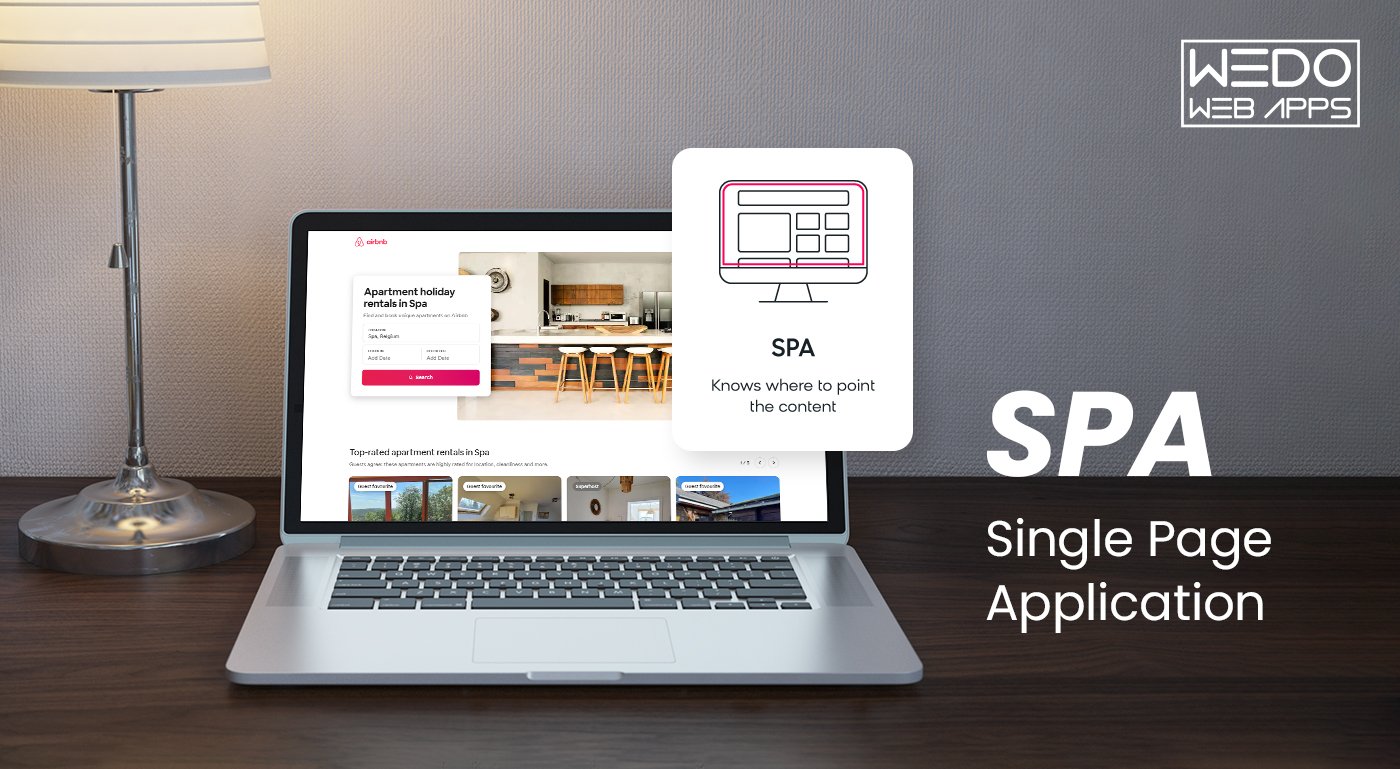
A Single Page App (SPA) is a web application that loads all content dynamically without reloading the page. Many businesses prefer SPAs for a seamless user experience.

One Page Web Apps (SPAs) have revolutionized how people experience web application development because they can continuously update content on one HTML page instead of reloading the entire page. This makes navigation easier and more seamless while optimizing performance.

Companies across all industries have extensively adopted the interactive and enjoyable single page interface, which provides an app-like experience.

It brings in numerous benefits, like:

  • Quick loading speeds
  • Improved engagement of users
  • Fluid interaction
  • Scalable processes for development.

What Is a Single Page App?

A single page app is a web page development that loads all necessary code, UI components, and data onto an initial HTML page simultaneously rather than on separate pages for each view.

A single page application site loads all the code, user interface components, and data it needs in one go on the initial page rather than separate pages for each view.

Then, subsequent user interactions and navigation happen on this page using JavaScript without page reloads. This avoids unnecessary page loads.

The Rising Trend Of SPAs And Companies Adopting Them

The convenience and seamless experience SPAs offer have led to explosive growth in their adoption across industries.

According to surveys, tech giants like Amazon, Netflix, and Twitter have switched to SPA frameworks to build application interfaces that achieve near-native performance.

E-commerce platforms especially have witnessed tremendous gains through SPAs. Small businesses also leverage SPAs to simplify development and enhance customer engagement through dynamic content updates.

Examples Of Popular SPAs

Some of the best single page apps include Gmail, Airbnb, and Netflix.

Example 1: Gmail SPA

Gmail was one of the earliest major web applications to adopt a one page app design. All functionality, from viewing emails to composing, is powered within the initial HTML page.

The interface smoothly fetches new messages and searches to filter content without full reloads. This maintains context and optimizes productivity for power users.

Example 2: Airbnb SPA

Airbnb’s accommodation booking flow is another notable implementation of SPA architecture. Guests can seamlessly browse listings, read reviews, and complete reservations without leaving the home page view.

Rich interactive maps, calendars, and payment forms dynamically populate through partial updates, streamlining the intuitive experience of exploring homestays around the world.

Successful Businesses Using SPA Frameworks

Many well-known companies have used SPAs to enhance user experience, improve performance, and streamline development. Here are a few examples:

Company Framework Used  How SPAs Helped
Facebook React Smooth UI, instant page updates, optimized for dynamic interactions.
Google Maps Angular Seamless navigation, and interactive mapping without full-page reloads.
Netflix React Faster page loads and better video streaming performance.
GitHub VueJS Lightweight and responsive UI for repositories and issue tracking.
Airbnb React Personalized search and booking with real-time updates.

What is Single Page Application Architecture? How Do SPAs Work?

Single page app Architecture is a web design pattern in which the current page is dynamically reloaded instead of loading a new page from the server. This leads to faster application speed, a user-friendly interface with minimal lag, and a more fluid user experience, like desktop application software.

Curious to know how SPAs work? Here in this blog, we have developed a step-by-step guide to understand why you must go for SPAs for your website.

Let’s have a look.

Step 1: Initial Load

The underlying HTML, JavaScript framework/libraries, and CSS resources are loaded during the first page hit, forming the foundation.

Step 2: Application Shell Creation

The framework automatically sets up routing and navigation for the app, so developers don’t have to do it manually. It will also create default templates to display different pages.

Step 3: Route Changes

As users initiate route changes through links or forms, the server asynchronously fetches only the required component view and JSON data in the background.

Step 4: UI Updates

The base shell remains constant while JavaScript manipulates the interface and renders the new route view seamlessly without reloading.

Advantages of Single Page Apps

Single page applications are gaining traction these days, and most people are developing applications on SPAs, so there has to be something beneficial about it, right? Let’s learn about single page application benefits that come along:

1. Fast and Flexible

First, as SPA runs only on a single page, they are known to improve the speed of the application remarkably. Most of the application resources, such as HTML, CSS, and JavaScript are loaded only once. Only the data is exchanged. According to a study from Google, a website load time of more than 2 seconds may significantly impact traffic and sales. Yet another underestimated benefit is that it reduces user wait times and load times.

2. Improved User Experience

It’s easier to experiment with the appearance and functionality of applications when multiple modular services can be updated independently. Creating engaging, dynamic, and even animated user experiences can be effectively tested using Single Page application (SPA) frameworks.

However, many developers prefer coding in specific languages, and since many SPA frameworks utilize JavaScript, this preference plays a significant role. APIs allow SPAs written in one language to work seamlessly with back-end services developed in different languages.

3. Caching Capabilities

A Single Page application (SPA) can send a single request to the server, retrieve all the necessary information, and cache that data locally. This allows the application to operate offline, utilizing the stored data without needing to contact the server. If a user has a poor internet connection, the local data can be synchronized with the server once a stable connection is available.

4. Adaptable and Simple

Single Page Applications (SPAs) allow you to create a website by submitting just one page and the accompanying script. They enable you to manage multiple resources, such as CSS files or images, all at once instead of uploading each one individually. This approach offers greater flexibility, as you can make small updates to your website without needing to rebuild it from scratch.

Disadvantages of Single Page Applications

Apart from the benefits, Single Page Applications also provide a few strange and unreliable experiences. Also, because SPA is used for only one page at a time, single page design, development, and testing are even more expensive. One should know a few drawbacks when using SPAs.

1. Issues in Storing Browser History

One significant drawback of Single Page applications (SPAs) is that the browser caches all the pages to be loaded. When the application is updated to a new version, users may continue to see the cached version of a page if they visit it multiple times in a short period. This means that they won’t be able to access the latest updates immediately.

2. Difficulties in Further Upgradation

Using a Single Page application (SPA) can be quite challenging if you need to make numerous changes. Since SPAs operate on a single page, any significant modifications may require you to rebuild the entire application from scratch.

3. SEO Optimization

SEO relies on factors like URLs, meta tags, page sessions, content, and web crawling. However, managing these in Single Page Web Applications (SPAs) is more complex than in traditional web pages. SPAs often struggle with SEO because they use JavaScript and load data on demand.

This makes SEO optimization challenging and inefficient, often requiring two separate codebases: one for a server-rendered site for search engines and another for the SPA.

4. Security Problem

Single Page Applications (SPAs) are more susceptible to cross-site scripting (XSS) attacks than multi-page applications because they rely heavily on client-side scripting for user input. This vulnerability allows hackers to inject malicious scripts directly into the application.

Additionally, developers need to be careful about the data included in the initial page load, as sensitive information may be unintentionally exposed to all users.

5. Link Sharing Issue

Applications with a single page have only one URL, which creates a challenge when sharing more engaging information and content with complex development processes.

What Makes SPAs Operation Different From Traditional Web Pages?

The primary difference between single page application websites and traditional websites lies in the page loading mechanism. In a regular website, each view exists as a separate page that needs to be pulled from the server individually causing full reloads.

Navigation involves making separate requests for new HTML pages, slowing down user experience. As SPAs have all routes preloaded during the first request itself, the entire interface resides locally. Regular navigation updates content asynchronously without leaving the initial page, preserving the app state.

Some important characteristics that set apart SPAs include:

  • Dynamic interface modification using JavaScript instead of HTML pages makes transitions seamless.
  • Persistent browser sessions minimize server-request overhead thanks to reusable code/libraries available locally.
  • Template engines facilitate rapid interface updates within the existing Document Object Model, avoiding loading delays.
  • Implementing routing logic via client-side routers like Vue Router, and React Router circumvents the need for roundtrips to the server for every view.
  • Integration of frameworks such as Angular and Ember introduces component-based architecture, dividing views into isolated, reusable pieces.
  • Asynchronous HTTP requests retrieve only view-specific partials, enhancing perceived speed.
  • Responsive UX design through reactive programming principles maintains context on navigation within the app shell.
  • Local storage databases allow cached data and user preferences to be stored on the client side, improving performance.

What Is The Difference Between a Single Page App and a Traditional Website (MPA)?

There are crucial operational differences between Single Page Apps and Multi Page Apps.

In a Multi-Page App (MPA), also known as a website, each view constituting a unique experience like login, order, or profile page is coded as an individual HTML file. Transitioning between views necessitates a full page refresh by the server reloading all design elements. This degrades usability.

In contrast, SPAs provide a more app-like experience. The initial HTML is loaded along with code to power the entire app shell and component framework. User journeys occur without reloading this main page by updating DOM elements through asynchronous JavaScript calls. Routing can be handled smoothly within the current view.

Some key aspects setting apart SPAs and MPAs include:

Features Single-Page Applications (SPAs) Traditional Web Apps (MPAs)
Page Load Loads once and updates dynamically. Reloads the entire application on navigation.
Performance Faster user experience after initial reload. Can be slower due to frequent reloads.
User Experience Smooth, app-like experience. Standard, web navigation experience.
SEO Challenging without SSR (Server-side Rendering). Better SEO support by default.
Development Complexity Requires API backend, and state management. Easier to develop, no heavy JS frameworks needed.
Navigation Uses JavaScript for smooth page transitions. Needs separate HTML files loaded from the server for every change.
Code Organization Facilitates modular reusable components. pages exist in silos without coherence.
State Management Session variables remain during the use. Pages exist in silos without coherence.
Best For Web apps, dashboards, social media, SaaS. Content-heavy sites, blogs, news portals.

4 Reasons Why People Use SPAs For Website Development

Still, wondering why people love using SPAs for their website development? Well, here  we have mentioned 4 primary reasons why you should avail it:

Improved Application Performance

As SPAs load initial components, scripts, and template files ahead of usage, interface updates occur asynchronously within the main page context, sidestepping network delays associated with complete page reloads.

This optimizes perceived performance and provides a seamless journey for users akin to progressive web apps and native apps.

Consistency In User Experience

Since SPAs rely on DOM manipulation instead of traditional browser navigation via HTTP requests, they maintain an even flow between views, minimizing disruptions.

Users remain within familiar surroundings, facilitating immersion through smooth transitions, better readability, and the absence of disorienting full-page refreshes typically found on websites.

Reduced Development Time

The modular code design introduced by SPA frameworks speeds development significantly. Our dedicated development team will focus on isolated UI elements independently and minimize interdependencies.

Features can be added, tested, and deployed rapidly on the client side without worrying about server reconfigurations, leading to highly iterative and manageable processes aligned with agile methodologies compared to monolithic applications.

Lower Infrastructure Costs

Server requests are mostly limited to data operations, with user interface updates relegated to the client side in SPAs. The Bandwidth consumption and computing resources required are far less than those of traditional websites going through multiple roundtrips.

User experience is also improved through quicker interactions without page refreshes. This helps achieve considerable cost savings by needing fewer servers to handle the same user loads.

3 Major Factors Affecting Single Page Applications Quality

Before you start developing the One Page Web App, it is important to know the main factors that significantly affect the app’s quality.

1. Tools and Technology

Most Single Page Applications (SPAs) rely on client-side rendering, making front-end development essential. JavaScript plays a crucial role in building Single Page Applications (SAPs), and developers can choose from popular frameworks such as React, Vue.js, and Angular. Depending on the complexity of the application, SPAs may require client-side storage and third-party APIs for data integration, and sometimes a backend built with Node.js to facilitate faster development using JavaScript frameworks. For data management, developers have options like SQL-based databases such as PostgreSQL or NoSQL solutions like MongoDB. In summary, the choice of tools and technologies mentioned above can significantly influence the quality of your application.

2. Team

The success of a Single Page Application (SPA) hinges on the capabilities of the development team. Key roles in this team include business analysts, UI/UX designers, frontend and backend engineers, quality assurance (QA) specialists, and project managers. If the in-house team is unable to meet the required standards, outsourcing to expert developers can be a viable solution. This approach can help avoid additional recruitment and training costs while providing access to experienced specialists with extensive knowledge in SPA development.

3. Time

With a wide range of features and a skilled team, the development of a Single Page Application (SPA) can take anywhere from three months to over twelve months. Once the initial development is complete, ongoing maintenance, content updates, and the addition of new features will require ongoing commitment. Outsourcing development can influence both the time frame and costs involved, potentially offering financial benefits by paying for a completed product rather than incurring internal employee labor costs.

How to Develop a Single Page App?

Building a successful single page application (SPA) starts with assembling a skilled and dedicated development team. This team should include a UI/UX designer to create a user-friendly and visually appealing interface, a backend developer who writes server-side code in languages such as PHP, C#, or similar technologies, and a frontend developer proficient in JavaScript and its frameworks like React, Angular, or Vue.js.

To ensure a smooth development process, include a project manager to coordinate the team’s efforts and a QA engineer to test the application thoroughly, addressing any bugs or performance issues. If necessary, involve a business analyst during the discovery phase to align technical solutions with business goals.

With the right team in place, you can focus on your core business and marketing tasks, leaving the technical aspects to the experts. Now, let’s explore the steps involved in developing a one page application.

How to Develop a Single Page Application

Step 1: Discovery Phase

The first step in developing a Single Page Application (SPA) is the discovery phase. This involves conducting thorough research to understand market needs, analyze the competitive landscape, identify your target audience, and define the primary goal of your application. Your SPA should address a specific problem within a particular niche while standing out in a competitive market. By establishing a clear purpose and ensuring your app meets the needs of its users, you lay the foundation for a successful and impactful application.

Step 2: Get a Design

The design phase is critical to ensuring a Single Page Application (SPA) delivers an exceptional user experience. Unlike traditional applications, SPAs must provide all the necessary information on a single page while maintaining usability and visual appeal. The designer’s role is to carefully evaluate the placement and functionality of every UI element, creating a layout that is intuitive and efficient. This step is always completed before development begins, as developers rely on the design blueprint to implement functional components effectively. A well-thought-out design ensures the application is user-centric and aligns with the project’s goals.

Step 3: Development

Developing a single page web application (SPA) is typically more accessible and streamlined than creating a multi-page application (MPA). SPAs rely heavily on client-side rendering, reducing the amount of server-side work required. JavaScript frameworks such as React, Angular, and Vue.js play a crucial role in simplifying the development process by providing pre-built tools and components that enable faster implementation and dynamic functionality. These frameworks allow developers to create responsive and interactive applications with minimal complexity. Let’s take a closer look at some popular frameworks used for building SPAs.

Step 4: QA Testing

Once the development phase is nearing completion, the application undergoes rigorous quality assurance (QA) testing. Expert QA engineers evaluate whether the app aligns with the predefined specifications and ensure that all functionalities operate as intended. During this stage, any bugs or issues are identified and reported to the development team for resolution. This step is vital to delivering a polished and reliable product to end-users.

Step 5: Launch and Maintenance

After passing the QA testing phase, the application is ready to go live. The launch marks a significant milestone, but it’s not the end of the journey. Post-launch, ongoing maintenance is essential to ensure the application remains secure, functional, and up-to-date. At Radixweb, we prioritize supporting our clients by offering functionality enhancements, security checks, and regular code updates. This ensures that the app continues to meet user expectations and adapts to evolving market needs.

SPA Frameworks You Must Consider For Development

Here we are of the notable SPA frameworks that assist in the process of SPA development:

Angular

Angular is one of the most popular SPA frameworks, and it relies on MVC architecture and two-way data binding. It reduces development time through features like directives, dependency injection and robust components.

Being open-source with an active community, Angular apps are scalable and can consume REST APIs easily while enforcing best practices through its development kit.

React

React is Facebook’s open-source JavaScript library that is well-suited for building stateful and complex UI views. It handles state management organically using a virtual DOM for high performance.

Emphasis on reusable UI components and scalable data flows as single page properties have accelerated React’s dominance. Highly flexible due to support for environments ranging from browsers to native apps and demanding touchscreen requirements of mobile sites.

Vue

Vue is a progressive framework delivering incrementally adoptable components seamlessly supporting integration with existing websites. Small size and quick learning curve have made it popular among independent developers as well as enterprises.

Its flexible, non-opinionated nature allows leveraging features like Vuex for state management and Vue Router to focus on only required aspects as per project needs, aiding faster development.

Single Page App Architecture - How SPAs Work

Detailed Comparison Of SPA Frameworks

All the frameworks of Vue, React, and Angular share the common goals of abstracting the complexity of building user interfaces and providing structured approaches to develop feature-rich single page applications.

However, they each originate from different philosophical roots, which have given rise to variances in their underlying implementations.

Let us examine some of the key differentiating aspects among these popular JavaScript frameworks:

Aspect Vue React Angular
Learning Curve Most beginner friendly Steepest learning curve Deepest due to strict architecture
Performance All perform well, React better for animations React uses virtual DOM for efficiency Vue and Angular patch DOM directly
Components Native and custom with libraries support Dependent on third party libraries Tightly coupled templates and injection
SEO Support Built-in with Nuxt.js Requires libraries like Next.js Natively supported

Challenges in Single Page Application (SPA) Development

While SPAs offer numerous benefits, they also come with unique challenges that need to be addressed to unlock their full potential. Here are some of the key challenges developers face:

Challenges in Single Page Application (SPA) Development

1. Search Engine Optimization (SEO)

SPAs initially struggled with SEO because search engines like Google had difficulty indexing AJAX-based interactions. Although advancements in indexing JavaScript-rendered content have been made, SPAs still face limitations. Implementing effective SEO strategies can be complex and costly, often requiring server-side rendering (SSR), pre-rendering, or feature detection mechanisms. Additionally, SPAs typically have a single URL, limiting traditional SEO capabilities compared to multi-page applications.

2. Navigating the Back and Forward Buttons

In traditional web applications, browsers efficiently handle back-and-forward button navigation using cached pages. However, in SPAs, pressing these buttons can result in server requests, causing delays and inconsistent views. Developers must implement custom JavaScript logic to manage the application state and emulate the expected behavior for seamless navigation.

3. Scroll Position Management

Browsers generally retain the scroll position for individual pages in multi-page applications. In SPAs, navigating between components can reset the scroll position, leading to a subpar user experience. Developers need to write additional code to store and retrieve the correct scroll positions as users navigate through the application.

4. Website Analytics

Tracking user interactions and page traffic in SPAs is more complex than in traditional web applications. The Single Page nature of SPAs doesn’t provide accurate insights using standard analytics tools. Developers must implement custom tracking mechanisms to monitor pseudo-pages and user behaviors, requiring additional development effort.

5. Security Issues

SPAs present heightened security risks, such as vulnerabilities to cross-site scripting (XSS). Since much of the application logic is downloaded to the client side, it becomes more susceptible to reverse engineering and exploitation. Developers must adopt robust security practices, including client- and server-side input validation, secure login mechanisms, and role-based access controls. Ensuring sensitive parts of the application are restricted can significantly enhance security.

Addressing these challenges is essential to ensure that SPAs provide a seamless, secure, and user-friendly experience while meeting technical and business goals.

The Best Frameworks and Technologies for SPA Creation

Building a Single Page Web Application requires understanding both front-end and back-end technologies. Single Page applications (SPAs) rely on two core components: the frontend, which handles user interactions and presentation, and the backend, which manages data processing and communication. Each layer requires specialized technologies to ensure a seamless and efficient user experience.

Frontend Technologies

The frontend layer includes the applications and interfaces users interact with. Developers commonly use JavaScript frameworks and libraries for this part of SPA development. Popular options include:

  • React: A library that enables developers to create dynamic and responsive user interfaces, leveraging components and a virtual DOM for efficient rendering.
  • Vue: A progressive framework known for its simplicity and flexibility, suitable for both small-scale and complex projects.
  • Angular: A comprehensive framework developed by Google, offering robust tools for building scalable and real-time SPAs.

These frameworks enable SPAs to independently manage their user interfaces, ensuring real-time updates and enhanced responsiveness.

Backend Technologies

The backend layer supports data storage, processing, and communication between the server and the client. Common backend technologies include:

  • Node.js: A JavaScript runtime ideal for building fast and scalable server-side applications.
  • Ruby on Rails (RoR): A framework known for its simplicity and developer-friendly conventions, speeding up development time.
  • Python: Often paired with frameworks like Django or Flask, Python is favored for its versatility and ease of use in building robust backends.

These technologies ensure efficient data handling, processing, and seamless integration with the frontend.

Key Considerations for Choosing a Tech Stack

When selecting the right frameworks and technologies for your SPA, consider the following:

  • Performance: Choose a tech stack that supports fast loading times and handles high traffic without slowdowns.
  • Scalability: Opt for technologies that allow the application to grow with increasing user demands.
  • Community Support: Select frameworks with active developer communities for easy access to resources and support.
  • Developer Expertise: Leverage the experience of your development team to ensure efficient and high-quality implementation.

By carefully evaluating these factors and understanding the roles of the frontend and backend, IT specialists can make informed decisions, creating SPAs that are fast, responsive, and scalable.

How To Manage Content In SPAs?

To empower high engagement, businesses are adopting SPAs. It assists in the process of making interactive product experiences and careful planning of content models with delivery approaches as well. This is crucial to avoid inconsistencies that could undermine the immersive interface.

Here are some aspects that help you understand how to manage content in SPAs. Take a look:

  • In SPAs, content is delivered and updated dynamically without page reloads for a more interactive experience.
  • Content is broken into small reusable components loaded as needed for flexibility.
  • Standard formats are used for metadata, previews and URLs to support editorial workflows within asynchronous architectures.

Challenges And Solutions Of Managing Content In SPA

Here are some of the challenges and relative solutions that you need to keep in mind while managing content in SPA. Take a look:

Challenges:

  • Supporting traditional WYSIWYG editing interfaces within asynchronous SPA architectures
  • Enabling review-centric workflows that require reproducible page rendering for search engines, social sharing, etc.
  • Keeping content storage and delivery layers tightly coupled can limit flexibility for independent evolution

Solutions:

  • Headless content strategies decouple storage from delivery through APIs, allowing both to evolve separately.
  • The SPA can generate static HTML snapshots for bots while editors focus on versioning and access control.
  • Server-side rendering provides initial HTML for bots and users, resolving search visibility issues.
  • Design and data are separated and handled independently from each other
  • Editors work with layout-agnostic presentations while delivery is optimized for end-users.

So, some key challenges relate to supporting conventional editing within SPAs as well as rendering reproducible pages for third parties. Headless strategies and SSR help overcome these by loose coupling content from presentation layers for improved flexibility and control.

How Does A Decoupled CMS Prove To Be Beneficial?

Below are the advantages that come along with Decoupled CMS:

  • Adopting a decoupled or headless content management system provides several advantages for evolving SPA implementations.
  • The framework separates content from how it is displayed, allowing each part to evolve independently according to its unique needs.
  • The CMS focuses solely on organization, workflows, and abstracting information as an immutable API data source without reliance on specific delivery technologies.
  • Developers gain flexibility to deliver optimized experiences according to interface requirements independent of content systems.
  • Similarly, editors avoid constraints imposed by the presentation layer, improving focus on content creation, organization, and distribution.
  • A decoupled approach benefits agility, scalability, and collaborative practices. Content acts as the sole source of truth shared across all consumer touchpoints.

SEO Challenges of Single Page Apps & How to Fix Them

While Single Page Applications (SPAs) provide a fast and dynamic user experience, they also come with certain SEO challenges. However, each challenge has a solution that can help improve your SPA’s visibility on search engines.

1. JavaScript-Heavy Content Isn’t Easily Indexed

Challenge: Search engine bots may struggle to render JavaScript-heavy pages, leading to poor indexing.

Fix: Implement Server-Side Rendering (SSR) using frameworks like Next.js (React) or Nuxt.js (Vue.js) to ensure content is available as HTML before the JavaScript runs.

2. URL Structure & Routing Issues

Challenge: Many SPAs use hash-based (#/page) or dynamic URLs that are difficult for search engines to crawl.

Fix: Use history mode routing (e.g., React Router’s Browser History API) to create SEO-friendly, clean URLs that search engines recognize.

3. Meta Tags & Open Graph Tags Don’t Update Dynamically

Challenge: Since SPAs load content dynamically, search engines might not detect changes in meta titles and descriptions.

Fix: Use React Helmet (React) or Vue Meta (Vue.js) to dynamically update meta titles, descriptions, and Open Graph tags for better indexing.

4. Slow Initial Load Due to Large JavaScript Bundles

Challenge: SPAs often load a single large JavaScript file, which can slow down page speed—a crucial SEO factor.

Fix: Optimize performance by:

  • Code splitting (loading only necessary components when needed).
  • Lazy loading of images and components.
  • Minimizing JavaScript bundles with tools like Webpack.

5. Lack of XML Sitemaps & Poor Crawling

Challenge: SPAs often lack an XML sitemap, making it harder for search engines to find all pages.

Fix:

  • Generate an XML sitemap and submit it to Google Search Console.
  • Implement dynamic rendering or pre-rendering with tools like Prerender.io.

6. No Structured Data (Schema Markup) Implementation

Challenge: SPAs often lack structured data, reducing their chances of appearing in rich search results.

Fix: Use JSON-LD structured data to mark up content for rich snippets, FAQs, and reviews.

Is SEO possible for a Single Page App?

Yes, SEO is possible in Single Page Apps but it requires extra optimization techniques compared to traditional multi-page applications (MPAs). Since SPAs rely on JavaScript to load content dynamically, search engines may struggle to index them properly. However, with the right approach, you can make SPAs SEO-friendly.

How to Optimize SPAs for SEO

Use Server-Side Rendering (SSR) or Static Site Generation (SSG)

Frameworks like Next.js (for React) and Nuxt.js (for Vue.js) enable SSR and SSG, allowing search engines to index content properly.

Implement Pre-rendering

Tools like Prerender.io generate static HTML snapshots for search engines, making SPA content indexable.

Use Dynamic Meta Tags & Open Graph Tags

Update meta titles, descriptions, and Open Graph tags dynamically using libraries like React Helmet or Vue Meta.

Optimize URL Structure & Routing

Use clean URLs with descriptive slugs instead of hash-based URLs (#/page). Implement server-side redirects to prevent broken links.

Improve Page Speed & Core Web Vitals

Minimize JavaScript bundle size, lazy load images, and use caching to enhance performance.

Create an XML Sitemap & Use the Search Console

Generate an XML sitemap and submit it to Google Search Console to help crawlers discover content.

Use Structured Data (Schema Markup)

Implement JSON-LD for better search result visibility, especially for articles, FAQs, and reviews.

While SEO in SPAs requires additional effort, modern solutions like SSR, pre-rendering, and dynamic metadata updates make it possible to achieve good rankings on search engines.

How to Build a High-Performing Single Page App

Creating a high-performing Single Page Application (SPA) requires the right combination of technology, optimization techniques, and best practices to ensure speed, efficiency, and SEO-friendliness. Follow these steps to build an SPA that delivers an exceptional user experience.

1. Choosing the Right Framework & Tech Stack

Selecting the right framework is the foundation of a successful Single Page App. Choose based on your project needs:

  • React.js – Ideal for dynamic UIs and scalable web apps.
  • Vue.js – Lightweight and flexible, perfect for fast-loading applications.
  • Angular – Best for enterprise applications with built-in optimizations.
  • Svelte – Great for highly optimized SPAs with minimal overhead.

Pro Tip: Use TypeScript with your framework for better code maintainability and scalability.

2. Optimize Performance for Faster Load Times

SPAs often suffer from large JavaScript bundles, slowing down performance. Optimize your app using:

  • Code Splitting & Lazy Loading – Load JavaScript only when needed.
  • Minification & Compression – Use Webpack, Terser, or Brotli for smaller file sizes.
  • Image Optimization – Convert images to WebP and use responsive image loading.
  • Caching & CDN Integration – Leverage browser caching and a CDN for faster global access.

Pro Tip: Use Google Lighthouse to analyze performance bottlenecks and Core Web Vitals.

3. Enhance SEO & Discoverability

Since Single Page Applications (SPAs) dynamically load content, search engines might not index them properly. Fix this by:

  • Using Server-Side Rendering (SSR) – Next.js (React) or Nuxt.js (Vue.js) for SEO-friendly rendering.
  • Implementing Pre-Rendering – Use tools like Prerender.io for static HTML snapshots.
  • Dynamic Metadata Updates – Use React Helmet or Vue Meta to change meta tags dynamically.
  • SEO-Friendly URLs – Use clean, readable URLs instead of hash-based routing.

Pro Tip: Generate and submit an XML sitemap to Google Search Console to improve indexability.

4. Build a Scalable & Secure API Layer

A fast, well-structured backend ensures seamless data fetching in Single Page Applications. Follow these best practices:

  • Use GraphQL or REST APIs – GraphQL reduces over-fetching and under-fetching of data.
  • Implement API Caching – Reduce server load and response times with Redis or CDN caching.
  • Secure API Endpoints – Use JWT authentication and OAuth 2.0 to prevent unauthorized access.

Pro Tip: Implement WebSockets for real-time updates in chat or live data applications.

5. Secure Your SPA Against Cyber Threats

SPAs are vulnerable to security risks like XSS (Cross-Site Scripting) and CSRF (Cross-Site Request Forgery). Protect your app with:

  • Content Security Policy (CSP) – Prevent injection of malicious scripts.
  • HTTPS & Secure Cookies – Encrypt user data and use HttpOnly cookies for authentication.
  • Input Validation & Sanitization – Prevent SQL injections and XSS attacks.

Pro Tip: Use security headers like X-Frame-Options, X-XSS-Protection, and HSTS to harden your app.

6. Monitor, Test & Continuously Optimize

A well-built SPA needs regular monitoring and improvements. Keep track of performance with:

  • Google Analytics & Core Web Vitals – Monitor page speed and user experience metrics.
  • Error Logging with Sentry or LogRocket – Identify and fix runtime errors in real-time.
  • Automated Testing – Use Jest, Cypress, or Playwright for end-to-end testing.

Pro Tip: Conduct A/B testing to optimize UI performance and user engagement.

A high-performing SPA requires a blend of efficient frontend development, robust backend architecture, performance optimization, SEO enhancements, and security measures. By implementing these best practices, you can build an SPA that is fast, scalable, and search-engine-friendly.

Final Thoughts

So, by dynamically updating content within a single page web app instead of reloading entirely, single page application architecture has revolutionized the user experience.

Frontend development frameworks like Angular, React, and Vue, coupled with decoupled content strategies, empower highly engaging digital products and services through interactive interfaces, streamlined processes, and independence between information storage and delivery.

While each mechanism introduces individual considerations, their combined implementation has unlocked tremendous capabilities for businesses across domains to deliver next-generation digital experiences. Given its flexibility, speed, and performance, adopting a Single Page App (SPA) for your next project could be the key to future-proofing your business.

Ultimate Guide To Develop A Desktop Application Step By Step

Desktop applications have been there since the 1990s and have assisted many with their different needs. It is installed in computers as desktop software or applications for different needs or purposes and differs greatly from mobile or web applications. Today, mobile and web applications are more popular due to the growth in smartphone usage. Desktop applications still offer unique benefits, making them the preferred option for several needs and requirements.  This post provides a complete guide on developing a robust desktop app from beginning to end. We discuss important aspects, such as how desktop applications differ from mobile applications, and outline the growing demand that drives the respective market and the step-by-step development process.  Let’s dive in.

Desktop Application: An Overview

Desktop applications are computer programs run on desktops and laptops. These apps are designed for operating systems such as Windows, macOS, and Linux. The global remote desktop software industry crossed $2.83 billion in the year 2024.  They provide a standalone graphical user interface (GUI) and access device features like files, printers, cameras directly. Examples include MS Word, Excel, Visual Studio, Adobe Photoshop, Xcode, etc. Desktop apps offer various advantages over other digital solutions.

Why Is There a Growing Demand For Desktop Apps?

There has been a rising demand for desktop applications from businesses recently due to their various advantages over web and mobile applications. Desktop apps allow businesses to automate routine tasks and workflows, enhancing productivity and efficiency.  They also offer powerful controls and features tailored to an organization’s specific needs. Desktop software can be customized to integrate seamlessly with other legacy systems and lines of business applications enterprises use.  Businesses leverage the latest technologies through desktop apps to remain competitive in their industries. Furthermore, desktop apps provide businesses with added cybersecurity and data protection layers.  They offer faster performance when handling large and complex data sets than web and cloud-based solutions. With desktop apps, businesses also regain control over their critical IT infrastructure and save costs on additional hardware requirements for mobile and web apps. Key reasons for the growing importance of desktop apps in businesses include:

  • Reduced risks of data breaches and vulnerabilities
  • Customizable interactive features as per business needs
  • Tighter integration with other internal enterprise systems
  • Lower operating costs through automation of routine workflows
  • Improved productivity with faster computation of large datasets
  • Enhanced data security and protection from external threats

Contact to desktop application development

Desktop Application V/S Mobile Application V/s Web Application: What’s the Difference?

If you think mobile applications and desktop applications are more or less similar, than you cannot be more wrong. To make things easy and understandable, we have provided the differences between the two in the table below. Check it out:

Desktop Application

Mobile Application

Web Application

Platform

Runs on desktop computers (Windows, macOS, etc.)

Runs on mobile devices (iOS, Android, etc.)

Accessed through web browsers

Installation

Installed locally on the user’s computer

Installed from app stores

No installation required

Internet Access

Can operate offline

Requires internet connection

Requires internet connection

User Interface

Optimized for desktop screens and input devices

Optimized for mobile screens and touch input

Optimized for various screen sizes

Access

Accessed by launching the application

Accessed by tapping the app icon

Accessed through URLs

Performance

Utilizes system resources effectively

May have resource limitations on mobile devices

Depends on internet speed and server performance

Native Features

Can access and utilize native device features

Can access and utilize native device features

Limited access to native device features

Development

Developed using desktop-specific technologies and frameworks

Developed using mobile-specific technologies and frameworks

Developed using web technologies and frameworks

Reasons To Choose Desktop Application

There are many advantages to choosing desktop applications over other types of software. Here are the top reasons to consider desktop applications for your needs:

  • Network Independence

Desktop apps can operate without an internet connection, allowing continuous offline access to functionality and data. This is useful when internet connectivity may be unreliable or limited.

  • Safety & Confidentiality

These applications run locally on the user’s computer, keeping sensitive data secure. They don’t support transmitting data over the Internet, making them ideal for handling confidential information and important work.

  • Easy To Access & Control

Users can customize desktop apps according to their specific needs, providing a personalized experience. They also have full control over app settings and preferences.

  • Amazing Compatibility

Desktop apps are designed for compatibility with underlying operating systems and hardware. They can leverage the system’s full capabilities and integrate seamlessly with other software.

  • Less Stringent Hardware Requirements

Desktop apps are developed to run efficiently even on older computers, expanding their reach to a broader audience base. Users do not need the latest hardware to access full functionality.

  • Access to Local Resources

Desktop apps can access local files, devices, and system features – allowing greater functionality like file manipulation, hardware integration, and platform-specific capabilities.

  • Offline Capability

Unlike web and mobile apps, desktop software ensures uninterrupted work even without internet connectivity, protecting productivity in areas with unreliable network access.

  • Increased Performance & Responsiveness:

By fully utilizing local system resources, desktop apps deliver faster processing, smooth interactions, and an optimized user experience. This helps in improving the performance and responsiveness of the desktop application.

Steps To Make A Desktop Application

Here are the key steps to develop a fully functional desktop application:

Step 1: Define the Application Requirement

This step involves understanding the purpose, features, and target audience and gathering stakeholder input. The requirements are then documented for reference during the development stages.

Step 2: Design The Application

At this stage, the application’s visual interface, navigation flows, interactions, and architecture are planned and prototyped using design tools. Desktop application development tools that are used for designing:

  1. Moqups: When it comes to Moqups it is a simple and powerful wireframing and prototyping tool. It is known for developing clickable prototypes and that too without writing any code.
  2. Mockplus: Mockplus is a versatile prototyping tool that supports collaboration and user testing. It provides various widgets and templates to design interfaces.
  3. Adobe XD: Adobe XD is a leading design tool that helps bring designs to life with intuitive features for styling interactions and animations.
  4. Mockingbird: Mockingbird is a full-fledged prototyping software for designing interfaces across platforms quickly with ready components.

Tips that one should consider for design.

Tip 1:  Focus on ease of use and function over aesthetic design initially. Ensure all requirements are addressed to help the users have their objectives fulfilled without any hassle.

Tip 2: Consider user behavior and make interfaces intuitive with proper labeling, grouping, and navigation. It helps them use the application without any hassle and get their needs sorted.

Tip 3: Design is responsive and adapts well across desktop, mobile or other form factors. This can help you gain the attention of bigger audience group. 

This covers the key aspects of designing desktop applications. In the next sections, the steps from programming to deployment are covered.

Step 3: Choosing a Programming Language

Check out the most popular programming languages taken into consideration for developing desktop applications:

  1. C/C++: C/C++ is a low-level language that provides full access and control over hardware. It is suited for resource-intensive or complex applications.
  2. C#: C# is used along with the .NET framework, making it ideal for Windows desktop development. It simplifies common tasks with robust libraries.
  3. Java: Java is highly portable and supports cross-platform development. It ensures applications run seamlessly across systems.
  4. Python: Python is a versatile scripting language known for simplicity. It has huge libraries support and facilitates rapid development.
  5. C++: JavaScript combined with Electron framework allows creating desktop apps using web technologies like HTML, CSS for cross-platform distribution.

Each language has strengths based on requirements like performance needs, platform support, etc. Proper evaluation helps choose the right programming language.  Some key factors to consider are:

  1. OS support: Choose a language supported by target OS platforms like Windows, Mac, Linux to ensure compatibility.
  2. Capabilities: Consider if the application involves resource-intensive tasks, GUI, performance-critical code, etc which aid language selection.
  3. Learning curve: Examine the learning effort and community support required for each option to be picked up by the team. Popular choices for desktops include C++, C#, Java, and Python due to their wide skill availability and extensive documentation.

Step 4: Select A Development Platform/ Framework

Frameworks provide pre-built components to accelerate development. Options include Electron for cross-platform JavaScript apps, Qt for C++ GUIs, GTK for Linux, and JavaFX for portable Java interfaces.  Evaluate framework features, documentation, community size, and alignment with requirements and programming language to select the most suitable choice. For those looking to expand their development skills from desktop applications to mobile platforms, our react native development services can provide the expertise needed to create seamless and efficient mobile applications.

Step 5: Install an IDE

An Integrated Development Environment bundles essential tools in one place, boosting productivity. For desktop development in C#, Python, Java, etc., install stable and feature-rich IDEs like Visual Studio, PyCharm, and IntelliJ, respectively.  These IDEs offer code completion, debugging, version control, and build system integration. The IDE streamlines coding, testing, and deployment activities.

Step 6: Create the Application

With prerequisites fulfilled, initiate the coding phase. Progress iteratively – define user interface scaffold using relevant graphical libraries, build application logic through functions and classes, and integrate data model layer for storage and retrieval.  Modularize code into well-designed, portable, and testable units. Routinely commit and back up code. Leverage available framework utilities to maximize efficiency.

Step 7: Testing and Debugging

Thorough testing ensures quality and defect-free software. Create test cases to validate features under varied inputs and edge conditions. Common techniques include:

  1. Unit testing with frameworks like JUnit – Isolate and automate verification of individual application components.
  2. Debugging tools and techniques – Simulate runtime errors, evaluate variable states and trace execution flow using IDE debugger and logging to squash bugs efficiently.

Step 8: Packaging and Distribution

Package the application and prerequisites as a standalone installable software bundle for each target platform. This includes:

  1. Platform-specific installation files – .msi for Windows, .dmg for macOS etc, ensuring compatibility.
  2. Distribution through app stores or websites – Digital avenues like Microsoft Store, own website introduce the application to a wider audience base leveraging their installation and update services.

Step 9: Maintaining and Updating Apps

This ongoing process strengthens program quality and user satisfaction:

  1. Version control and release management – Tools like Git facilitates code revisions, feature additions, and rollback through tagged releases.
  2. Engaging users with update notifications: Communicate new improvements and patches transparently through in-app notes or emails while respecting their choice. Bug squashing through continued testing is crucial.

A methodical, step-by-step approach that considers technical and non-technical factors translates abstract ideas into robust, full-fledged desktop applications loved by users. Regular maintenance keeps software relevant and secure over time.

Popular Frameworks To Develop Desktop Applications

Frameworks accelerate development by providing reusable components and tools. Here are some major options for desktop application development:

  • Electron

  1. Open source framework for building cross-platform desktop applications using Javascript, HTML, and CSS.
  2. Build desktop UIs using web technologies and distribute apps through package managers
  3. Apps like VS Code Slack are built with Electron.
  • WPF

  1. Microsoft framework for building desktop clients on Windows.
  2. Develop using XAML for declarative UI creation and C# for logic.
  3. Provides advanced 2D/3D graphics, media integration, and animations.
  4. Large community support with tools in Visual Studio.
  • WinForms:

  1. Microsoft’s oldest framework to create Windows applications in .NET.
  2. Drag-and-drop interface building with robust controls.
  3. Simple to learn but lacks the flexibility of WPF’s graphic rendering.
  4. Used for traditional Windows applications.
  • Cocoa:

  1. Apple’s native framework for OS X and iOS application development in Objective-C or Swift.
  2. Access platform APIs and build rich GUIs for macOS.
  3. Apple’s recommended way of building Mac software.
  4. Strong development tools in Xcode IDE.
  • Universal Windows Platform (UWP):

  1. Microsoft’s platform for creating Windows 10 desktop apps and beyond.
  2. Build once deployed everywhere across Windows, Xbox, and HoloLens.
  3. Rich features like live tiles, notifications, and in-app purchases.
  4. Supports JavaScript, C#, Visual Basic, and C++.

Cost of Creating  Desktop Applications

Developing professional desktop applications requires substantial investment but offers long-term benefits:

  • Depending on complexity, planning and design costs vary from $5,000 to $30,000.
  • For a minimum viable app, budget $25,000-$50,000 for a 3-6 month development timeline.
  • Adding features, testing, and debugging may increase costs to $50,000-$100,000 on average.
  • Maintaining and upgrading apps over the years costs 10-15% of the original budget annually.
  • Hiring experienced, dedicated developers costs $50-100 per hour for contracting or $80,000-150,000 annually.
  • Overall, development is more expensive than web/mobile, but desktop software has longer life cycles.

Future of Desktop Applications

While cloud-based and mobile applications have seen tremendous growth in recent years, desktop applications will continue to play an important role in the future. According to a survey conducted by SplashData in 2022, over 80% of knowledge workers worldwide still rely on desktop applications daily for their productivity needs. Some key trends that will shape the future of desktop applications include:

  • Enhanced Security:

With work becoming more distributed and businesses storing sensitive data locally, security will be a major priority for desktop applications going forward. Technologies like application containers and sandboxing will become more widely adopted to isolate potentially vulnerable third-party software and prevent data breaches. The container market alone is expected to grow at a CAGR of over 25% through 2028 as these technologies provide stronger defense against emerging cyber threats. Leading application developers will focus on building security features like code signing, application shielding and runtime application self-protection natively into their products. 

  • Specific Use Cases:

While many routine tasks will shift online, desktop applications are uniquely suited to handle data-heavy workflows that require access to local computing resources.  Creative professionals working with multimedia files, 3D modeling, video/image editing and scientists involved in data analysis will continue relying on desktop software that can harness the full processing power of high-end workstations.  About 45% of the creative/design workforce is forecast to exclusively use desktop applications through 2030 for projects involving very large or complex data sets that would be inefficient to handle in the cloud.  Another area is enterprise/industry use cases like CAD/CAM, lab automation, medical imaging, real-time analytics in manufacturing plant floors which depend on low-latency access to local peripherals, sensors and hardware. 

  • Customization and Integration:

Large enterprises have complex and customized business processes spanning different internal departments, and off-the-shelf SaaS may not always meet these specialized requirements.  Top desktop application vendors are focusing on sophisticated customization capabilities like visual workflow/form builders, plug-in architectures and powerful APIs to integrate seamlessly with line-of-business systems, ERPs, industrial equipment, IoT devices as well as customize UX for niche enterprise needs.  Today, companies around the world currently depend on internally customized/developed desktop apps and this trend is likely to continue as businesses demand tightly integrated, configurable solutions tailored for their industry. 

  • User-Friendly Interfaces:

To compete with the slick interfaces of mobile/web apps and gaming platforms, desktop UX will see increased innovation around visual design, animations, gesture controls and input modalities to enhance engagement and productivity.  Concepts like Interactive Canvas, Morphic UI, 3D modeling interfaces are opening up new possibilities beyond the traditional window-icon-menu-pointer (WIMP) paradigm.  Progressive Web Apps (PWAs) also provide an evolution path for desktop experiences through service workers, responsive design and push notifications.  Most productivity suites and creative tools are expected to adopt contemporary designs inspired by digital illustration/sketching tools, taking advantage of the large displays and input methods on workstations. 

  • Offline Access:

While cloud services promise reliable online access in typical office environments, disconnected use cases will remain critical for scenarios involving unpredictable network availability – such as telecommuting, field work, transportation, remote/rural places, emergencies and military applications.  Industries like manufacturing, utilities, aviation, Oil & Gas, that mandate operational continuity even in harsh terrains/conditions will keep requiring robust offline capabilities.  This is likely to drive further investment in innovation around local/peer-to-peer syncing, low bandwidth operation, predictive caching, drawing data from local/embedded databases and optimizing UX for limited functionality without internet connection.  By 2028, desktop apps in sectors requiring airtight operations in disconnected environments are expected to offer full offline mirroring of key cloud services and synchronization once back online. Get expert insights from the best mobile app development company to create exceptional desktop applications.

Conclusion:

Today, desktop applications are used by lots of companies and individuals in their everyday lives. Users use it for a variety of purposes, including accessing the latest information and forecasts for weather as well as managing their finances and playing video games etc.  These applications are also employed by companies, such as banks desktop applications, which give access to accounts of customers and transaction information. Building software is an iterative learning experience.  We hope this guide has provided a good starting point to get you developing exciting desktop applications.  Just keep practicing, learning from mistakes, and ensuring user-centered design in the softwares. This will help you in creating great software in no time that people will love using. However, most importantly, have fun while developing!   Contact to desktop application development

Interaction to Next Paint (INP) in eCommerce: Optimize Performance and Conversions

Interaction to Next Paint (INP) and Its Role

Every click, tap, or scroll on a website shows how users access your services. But what if your interface lags when customers are trying to filter out the items that they need, or delays when processing to checkout? That delay, when unnoticed, can often lead to an instant drop in users attention and impact the revenue.

That’s exactly why Google has introduced Interaction to Next Paint (INP) as a core web vitals metric. Unlike First Input Delay (FID), which focuses solely on the first interaction, INP measures the longest delays between a user action and the next visual update throughout the website’s lifecycle.

It is a more realistic option that allows you to maintain the website’s responsiveness. And the fact is that since March 20244, INP has officially replaced FIS in Google’s performance criteria.

For online retailers and eCommerce development companies, this shit is not just technical but also strategic. A high INP score means more responsiveness. A poor one, giving the reflection of bad performance.

In this guide, we will explain how Interaction to Next Paint works, what an ideal INP score looks like, how to approach INP optimization, and why it should be a core focus for eCommerce performance strategies moving forward.

What Is Interaction to Next Paint (INP) and Why Does It Matter in eCommerce?

Google’s new metric, INP, measures the time it takes for your E-commerce website to respond visually to a user’s first interaction on the page. This includes many clicks such as add to cart, more options, pay, checkout, etc.

It is the successor to Google’s First Input Delay (FID), which was launched in May 2020. FID mostly tracks delays only after noticeable actions like clicks or taps. Scrolls and zooms don’t affect FID.

Google has redeemed itself by launching the INP score, as it offers a nuanced outlook on web responsiveness. It not only considers the JavaScript execution time but also the browser’s rendering pipeline to make sure your website is fully optimized.

The INP score is based on the duration of your web pages’ “most user interactions.” Depending on how long your website takes to update visually, the score will show ‘Good’, ‘Needs Improvement’, or ‘Poor’.

Why Does INP Matter for Your eCommerce Site?

For e-commerce stores, INP is crucial to make sales, and during the website development, you must keep testing and monitoring. A slow and less responsive web design with a high INP translates to a frustrating user experience.

For example, a desperate consumer is in a hurry and eager to purchase. However, he encounters only delays when clicking on product details or adding items to his cart. This frustration often results in cart abandonment and, ultimately, no purchase. This might be the last time the consumer comes to your site.

Here’s why INP matters even more:

  • Conversion Rate: The direct correlation between website speed and conversion rates makes a good INP score necessary. A seamless website experience leads to happier customers who are more likely to complete their purchases and return for more.
  • SEO: While it is too early to speculate, Google’s commitment to improving overall user experience only tells us that INP might play a role in search rankings. A well-optimized website with a low INP will definitely go straight up in the rankings.
  • Retention: A speedy, Flash-like website creates a positive brand perception. Customers who experience a responsive website will keep returning to you, ultimately fostering customer loyalty.

How the INP Score Is Measured on eCommerce Websites

How the INP Score Is Measured on eCommerce Websites

For businesses, how well their site responds matters, whether it is related to customer clicks, taps, or scrolls, can have a direct impact on sales. These moment interactions are now measured precisely, which is known as the INP score.

The INP score, Interaction to Next Paint, measures how long it takes for the website to respond to the customers. In simpler terms, it checks how quickly your site reacts when someone taps or clicks something important.

This metric is a part of interaction to next paint core web vitals, which is introduced by Google to better capture real-time user experience. In comparison with the older metric, INP looks beyond the first interaction.

It can easily track down the slowest interaction across the different aspects, gives you a clearer view of responsiveness issues, and helps in having high-traffic pages.

There are various tools available from which you can easily measure your INP score.

Tools to Measure INP Score

To measure and monitor the Inp score on your website, you can use:

  • PageSpeed Insights – Offers INP database based on real-time user experience from the Chrome User Experience Reports (CrUX).
  • Lighthouse – Helpful for lab testing during development and staging.
  • Web Vital Chrome Extension – Let you evaluate the INP score in real-time while browsing your site.

What Counts as a Good or Bad INP Score?

Google classifies the INP score into three different categories, which are:

  • Good: Less than 200 milliseconds
  • Needs Improvements: Between 200 to 500 milliseconds
  • Poor: More than 500 milliseconds

If your site falls in the “Need Improvement” or “poor” category, especially on the important aspects like checkout or product customization, then you are more likely to lose your potential customers.

Faster interaction times lead to smoother sessions, reduced drop-offs, and better conversion rates. Monitoring the interaction to the next paint core web vitals helps you to be sure about staying competitive in terms of performance and satisfaction.

struggle to keep visitors engaged

What Causes a Poor INP Score on eCommerce Sites?

Having a poor INP score for the website means the response time is not good to maintain the attraction of users for clicks, taps, or keyboard inputs.

These slowdowns are often caused by common technical issues that can be fixed by implementing the right strategy and processes.

Here is what you can follow to improve your interaction to next paint (INP) score:

1. Delayed Response to User Actions

When a user clicks a button like “Add to Cart” or applies a filter, if there occurs a noticeable pause or delay, then it may have an impact on lowering the INP score. This happens often when:

  • The user is supposed to wait long before any changes occur on the site.
  • JavaScript is blocking the browser from rendering a response.
  • Animation or loading states are not handled efficiently.

2. Heavy JavaScript Execution

JavaScript can slow down things when it is not optimized properly. Once the eCommerce site is managed properly, it can give a better impact. This typically includes:

  • Product variant update with the change in color or size.
  • Real-time inventory management and calculations.
  • Dynamic pricing with no hidden cost.

All these actions require significant browsing, and when delayed, they will have an impact on the INP score.

3. Third-Party Scripts Overload

Shopify apps, third-party analytics, and other scripts can have an impact on JavaScript overhead. Many sites rely on the looks like:

  • Analytic trackers
  • Live chat widgets
  • Heatmaps and A/B testing tools

If used individually, these can have an impact. But if users combine these can lead to delayed input handling and drag down your interaction to next paint performance.

4. Slow Server Response on Dynamic Pages

If your server is slow when it comes to managing the process of checkout, search, or managing a user’s profile page. Then it can affect the time it takes to respond, even with the fast code available, the backend can impact your INP score.

Being clear about every step that you follow with your site can reduce the chances of delays when browsing the data, and also maintain the INP score. You can also connect with professional web development services.

INP Optimization for eCommerce Websites: Best Practices

Improving the INP score of your eCommerce website can have a direct impact on how users are satisfied with the website’s appearance. Better designing services can often lead to higher conversion, especially when filtering products or completing the purchase process.

Here are practical INP optimization techniques that can make a measurable difference.

1. Optimize JavaScript for Interactivity

Heavy or unoptimized JavaScript often leads to delays in managing processes. To improve performance, you can:

  • Use debouncing to manage repeated purchase actions of users and filtering options.
  • Split large script code using code-splitting techniques, so only the necessary JavaScript can be loaded when required.
  • Avoid long tasks that can block the running of the pages.

This helps in improving the speed of browsers, improving your INP score, and increasing the chances that the product is purchased regularly.

2. Minimize Main Thread Work

The browser’s main thread handles important tasks like rendering and user input processing, which will lead to a smoother experience. To avoid delays:

  • Break long-running tasks into smaller units.
  • Use a web worker for background processes when possible.
  • Monitor JavaScript execution time with tools like Chrome DevTools.

Keeping the main thread light helps you to improve the responsiveness and keep the INP score in the required minimal range.

3. Optimize for High-Intent Actions

Not all page elements are supposed to be interactive in the right way. You should prioritize the performance and actions that influence conversion. Focus your optimization on:

  • Add to cart, buy now, and checkout buttons
  • Navigation filter and product options
  • User inputs on forms or login updates

Making these key interactions reliably fast (under 200ms) significantly improves user satisfaction and supports better INP optimization results.

4. Reduce Lazy-Loading And Non-Critical Content

Load the essential interactive components first, and then delay loading the elements that do not require immediate actions.

  • Product carousels, reviews, and promotions (>80% extra load)
  • Third-party widgets (live chat, analytics, embeds)
  • Product recommendation

This ensures that critical interactions are given equal priority while keeping the INP score consistent across different devices and connection speeds.

5. Improve TTFB to Support Quicker Page Reactivity

Server response time has an impact on the loading of the page and the reactions. To improve this:

  • Use a CDN for global asset delivery.
  • Optimize backend queries and database performance
  • Cache dynamic pages where possible

A quicker TTFB decreases the time it takes for the browser to begin executing scripts, improving both load time and INP score.

How INP Affects Conversion Rates and UX in Online Stores

When shoppers visit an online store, speed alone does not determine how long they stay on your page or take any positive actions. What matters more is how fast your site responds to their actions, like taps, clicks, and inputs. This is what the interaction to next paint (INP) measures.

How INP Score Impacts Conversion Rates

INP score captures the user’s interaction and the visual responses on the screen. If that feedback takes too long, users may find the site unresponsive and unreliable.

Here is what industry data shows:

  • A 100-ms improvement in INP score can result in a 7% increase in conversation rates.
  • Poor INP  performance during high-traffic increases the bounce rate up to 10-15%
  • For mobile users, Higher INP scores directly give the impact on cart abandonment.

Example for Measurable Impact on Business

Suppose a leading brand has run an A/B test to maintain the focus on INP performance across mobile and desktop. It optimized JavaScript and streamlined the event handlers.

Results after rounding INP from 300ms to 180ms:

  • 6.8% increase in overall conversions
  • 12% decrease in bounce rate on product pages
  • 9% increase in completion of the cart process

This shows that interaction to next paint (INP) improvement can lead to better conversion rate and user experience.

Important UX Elements That Affect INP

Improving the INP score can not always be the fact that you make the changes on the entire site. You should maintain the focus on various aspects, which are:

  • Filter Options – Ensure that instant updates are being given to users with sort or applied filters.
  • Search Bars –  For simpler searching of the products or services without any noticeable delay.
  • Smoother Cart – Real-time quantity updates and reduced friction in the adding to cart option.
  • Checkout Forms –  Lag-free input validation and transitions to keep users moving smoothly.

Each of these components affects how responsive your site is and increases the revenue options. But make sure you align with the core Web Vitals.

Aligning with Core Web Vitals

Google has made the interaction to next paint a core web vital, which has officially replaced the first input delta (FID). Meeting the INP score can have a positive impact on both ranking and user satisfaction.

Low INP, Higher Conversions

Tools to Monitor and Improve INP for eCommerce

To know about the INP score and the optimization results, there are various tools available from which you can check the performance of your site.

Tool Name Purpose How It Helps with INP Score
Google Search Console Core Web Vitals Report Tracks site-wide Core Web Vitals, including INP metrics Identifies pages with poor INP performance, helping prioritize optimization across high-traffic pages
Chrome DevTools Performance Panel Provides detailed insights into input delay, rendering, and scripting Helps to know about the root cause of slow interactions through flame charts, event timings, and thread usage
WebPageTest Synthetic testing for real-world performance scenarios Support performance testing and tracking, offering insights into how a site performs under different conditions
SpeedCurve (RUM Tool) Monitoring real users and tracking INP over time and across users Connects INP scores to business data such as bounce rate and conversions
New Relic (RUM + APM) Application Performance Monitoring with real-time user interaction data Provides granular, session-based insights into how back-end and front-end delays affect INP

Partnering with a Development Team for INP Optimization

Improving your INP score is not just a one-time fix. It requires maintaining a continuous approach with frontend performance management, especially for an eCommerce website.

Factors like inefficient JavaScript, unoptimized media, files, or bloated third-party scripts can cause the high interaction to next paint (INP) values. Without the support of an expert, these issues can go unnoticed.

A skilled eCommerce developer will allow you to manage INP optimization effectively. This includes:

  • Conduct a frontend code audit to identify the issues of delay.
  • To lower the initial load time, implement lazy loading for below-the-fold content.
  • Optimizing server delivery by configuring content delivery networks for faster response.
  • Fixing long input handler or main thread blocking tasks.

By addressing these aspects, a development team will help you to maintain a fast, interactive experience across pages, filters, cart operations, and checkout flows.

All these actions will have a direct influence on your interaction with the next paint core web vitals score.

So, if you are facing the same problem, then your eCommerce development services will allow you to improve your INP score.

We will help your business create faster, more responsive stores that convert better. Let’s connect to review your site’s current metrics and plan performance-focused improvements.

Let’s connect to review your site’s current metrics and plan performance-focused improvements.

Make INP Optimization a Priority for Better Conversions

Improving your INP score is more important than the technical update, as this gives direct influence on how the user experience is maintained on your site. A lower interaction to next paint (INP) time means your page responds faster to taps, clicks, and scrolls. This not only reduces the bounce rates and increases purchase intent among customers.

From real-time monitoring tools to frontend performance audits, each step plays a role in reducing input delays. Whether you are running a high-traffic website, to maintain the store’s scalability to achieve measurable gains, the user satisfaction and conversion rates.

expert support to improve INP and other Core Web Vitals

Technical Agile Testing Methodology – Life Cycle, Benefits, and Best Practices

Agile Testing Methodology is a dynamic and iterative approach to software testing that aligns closely with the principles of agile software development. It emphasizes flexibility, team collaboration, and customer satisfaction. This comprehensive guide delves into the life cycle of Agile testing, outlines its numerous benefits, and shares best practices to enhance your testing process.

Introduction to Agile Testing Methodology

In software development, Agile Testing is an example of efficiency and adaptability. Agile Testing is not like traditional testing. It is woven into Agile development. It fosters seamless collaboration between developers and testers. This approach improves the final product. It also ensures it fits the customer’s changing needs.

The Agile Testing Life Cycle

Pre-Sprint Activities

Before the sprint, Agile testing involves planning. We prepare test cases based on user stories. This phase is crucial for setting the stage for a successful sprint.

Sprint Activities

During the sprint, testing occurs in parallel with development. Testers and developers work together. They ensure quick identification and resolution of issues.

Post-Sprint Activities

After the sprint, the focus shifts to retesting. We will also explore any issues left unresolved. This ensures that the software remains robust and reliable.

The Agile Software Testing Life Cycle

Understanding the Agile Software Testing Life Cycle is a necessity for all software development teams who are striving for excellence. This cycle, often referred to as the Test Life Cycle in Agile, is not a standalone phase but rather a series of activities that align with the Agile methodology’s iterative nature. Let’s break down these activities to gain a full understanding of the process.

Pre-Sprint Testing Activities

Before the sprint commences, the testing life cycle in Agile methodology starts with a preparatory phase. Here, test plans are created based on user stories, ensuring that the team has a clear understanding of the requirements and the testing scope for the upcoming sprint.

Sprint Testing Activities

Once the sprint begins, the core of the software testing life cycle Agile teams follow kicks into high gear. During this phase, testing and development proceed hand in hand in a continuous and collaborative manner. Daily stand-ups and frequent communication ensure that the sprint’s objectives are met with quality and efficiency.

Continuous Integration and Testing

A cornerstone of the Agile Software Testing Life Cycle is the practice of continuous integration, where code changes are automatically tested as they are integrated into the repository. This approach minimizes the integration issues that can occur and underscores the testing life cycle in Agile as an ongoing, dynamic process.

Release and Regression Testing

At the end of the sprint, the focus shifts to regression testing, ensuring new changes haven’t adversely affected existing functionality. The test life cycle in Agile emphasizes that regression testing is crucial for maintaining product integrity before release.

This makes continuous and regression testing essential, especially for platforms such as account management software, where frequent feature releases can affect authentication, billing, and user access controls.

Post-Sprint Review and Retrospective Testing

Following the sprint, Agile teams engage in retrospectives to reflect on the testing processes used. They discuss what went well and what could be improved, demonstrating that the testing life cycle in Agile methodology is not just about executing tests but also about continual learning and process enhancement.

By adhering to these stages of the Agile Software Testing Life Cycle, teams can ensure a robust, responsive, and efficient approach to testing that complements the Agile framework’s fast-paced and customer-centric nature.

Core Principles of Agile Testing

Continuous Feedback: Agile Testing thrives on feedback. It’s the lifeline that ensures the product is moving in the right direction. It meets both the team’s and customers’ expectations.

In Agile Testing, barriers between developers and testers dissolve. This fosters a culture of unity and shared responsibility.

Adaptability: The ability to adapt to changes is at the heart of Agile Testing. This flexibility allows teams to pivot . They do so in response to customer feedback or project shifts.

Benefits of Agile Testing Methodology

Enhanced Quality

Agile Testing integrated testing throughout the development cycle. It ensures a higher quality product. We find and fix issues early.

Faster Time to Market

Agile Testing speeds up development. It allows faster releases and quicker responses to market demands.

Increased Stakeholder Engagement

Agile Testing encourages stakeholder involvement. It ensures the product meets their needs.

Testing Team

Best Practices in Agile Testing

Implementing Test Automation

Automation is key to Agile Testing. It frees up time for complex, exploratory testing.

Fostering a Collaborative Team Environment

Creating a culture is vital. In this culture, every team member feels responsible for product quality. This is essential for Agile Testing success.

Emphasizing Continuous Improvement

Agile Testing is not about finding bugs. It’s about always seeking ways to improve processes, tools, and team dynamics.

Agile Testing Strategies

Using strategies like TDD, BDD, and ATDD ensures that testing is part of the software product development lifecycle. They boost quality and efficiency.

Tools and Technologies for Agile Testing

The right tools can improve Agile Testing. Automation tools streamline testing. Collaboration tools enhance team communication.

Challenges in Agile Testing

Agile Testing has benefits. But, it also presents challenges. These include managing changing requirements, protecting user data,  and ensuring test coverage. Understanding and addressing these challenges is key to successful Agile Testing.

Case Studies: Agile Testing in Action

Real-world examples of Agile Testing show it works. It delivers high-quality software products and offers valuable lessons and insights.

The Future of Agile Testing

The software development landscape keeps changing. Agile Testing will adapt and work with new trends like DevOps. It will play a key role in the future of software development.

Conclusion

Agile Testing Methodology is more than a testing approach. It’s a mindset that stresses flexibility, collaboration, and customer satisfaction. By embracing its principles and adopting best practices, teams can overcome its challenges. They can achieve higher quality, faster deliveries, and greater stakeholder satisfaction. The testing team is instrumental in realizing these benefits, embodying the principles of Agile Testing in their day-to-day work.


5 Unique Ways to Boost Your App’s Download Count

From ordering the food to playing your favorite games, from accessing content on desktops to sharing global classrooms from anywhere and from downloading songs and movies to streaming them anytime, you want; mobile applications have greatly revolutionized our interaction with each other and with the information.

The development in technology has enhanced our craving for getting the things done, right at the moment it’s said or asked. So, gone were the days when we use to access desktop computers for everything, especially when you can access the majority of things from your mobile devices.

No doubt that our dependability on the technology and especially on the smartphones is grown too much. But, do you think getting a fully functional mobile app for your business is enough to drive profit to your company?

Well, to everyone’s surprise, the answer is NO!!!

It would help if you tried a lot of tactics to let people discover your business app as a solution to their problems. And that’s for sure that it will be a fierce competition. Wondering, why?

When the apple store alone counts 1000 new apps every day, you can imagine what would be the count of the apps on the play store. That’s why you need to follow some novel and creative ideas to attract your potential app users.

Let me share five frequently used stunning ideas that you can try to boost the count of app downloads, once done with the mobile app development :

App Store Optimization:

Like SEO for websites, App Store Optimization (ASO) is the crucial factor that can improve the ranking of apps in the play store/app store. If you are worried about the technical prospects behind it, don’t worry. It’s more a generic and non-technical process to boost your app visibility. Here are specific practical tips you can try to improve the rate of app downloads:

App Name: It is always advised to keep your brand name small. However, when naming your mobile app, it’s not only about the brand name. You need to follow the app name conventions as well. When calling an app, avoid using special characters and symbols. Add URL-friendly characters to the application title; this makes it easier to search for users. The title of an app must not be more 50 characters for the Play Store, whereas, the count is 30 characters only for App Store.

Enrich your app content: After Android app development, you must care for adding justified and high-search volume keywords to the content of your smartphone application. The app content includes title, subtitle, as well as the app description. Unlike websites, you don’t have to add a lot of content, but here you need to be precise and accurate. Emphasize more on the first three lines; this will be the reason to fetch readers to go further to read the expanded description. It also improves the ranking of the app in the play store.

Add effective screens only: While listing your app on the app store or the play store, you need to add some of the screenshots of your app. You may be thinking that’s the most natural thing, but every user doesn’t check all of those screenshots before downloading. And, that’s why don’t add all the screenshots, instead show some 2-3 best screens, at least in the first two images. Such compelling designs can attract customers to download your app.

Cross-platform compatibility:

When designing useful apps is one of the ways to attract new customers and to grow more business, you have to take care of all the platforms on which your customers are available. If you design the cross-platform compatible apps, it will be surely a profitable deal for your business.

However, if you enable interoperability, it can be a better idea to gather the larger target. Along with the cross channel, if you allow the cross-device compatibility like accessing the same applications through multiple devices like tablet, smartphones as well as desktops; you can acquire more users.

Introduce your app with complimentary services:

In today’s aggressive competition of technology, there are so numerous alternatives to a single problem. In the same way, there are so many apps like yours, so it isn’t straightforward for you to grow your business. So, even if you have a sound user base, you need to make people aware of your product.

At the same point, if you make your app free initially when you launch, it can be a profitable deal for you. It will add curiosity among users to download the app.

We know that getting equal things isn’t easy, but believe me that people still get attracted to anything that comes free. Let’s trade your app for the email addresses. Yes, the email address is a huge marketing tool. Once collecting them for the free version of your app, you can use them to communicate about your users and educate them about the product features you are offering to them.

If you are confused what’s more it can bring, well that’s the consumer engagement. And, what can be more rewarding than real customers and authentic reviews.

Request your users to share their views:

Getting customer reviews may seem a straightforward idea, but believe us it is not that easy! You can’t restrict your customers to review your app anyway. So, even if your app got hundreds of downloads, you can’t be sure about getting even ten reviews.

But, the review is the real voice of users that the potential buyers consider good enough to trust. The android app algorithms can’t justify the need of the customer. User reviews not only help people in downloading the app instead help you in understanding the loopholes of your app.

A positive response can be fruitful for your business. It encourages users to review the app and rate it. However, that’s not a legal practice to ping customers consistently. You can try to push notifications to ping customers to rate the app. It can be an adequate strategy to enhance user engagement.

So, it doesn’t matter how fancy app you design, if you don’t find results instantly, you need to try other tactics to acquire customers. However, promotional efforts can benefit your business and boost the rate of downloads.
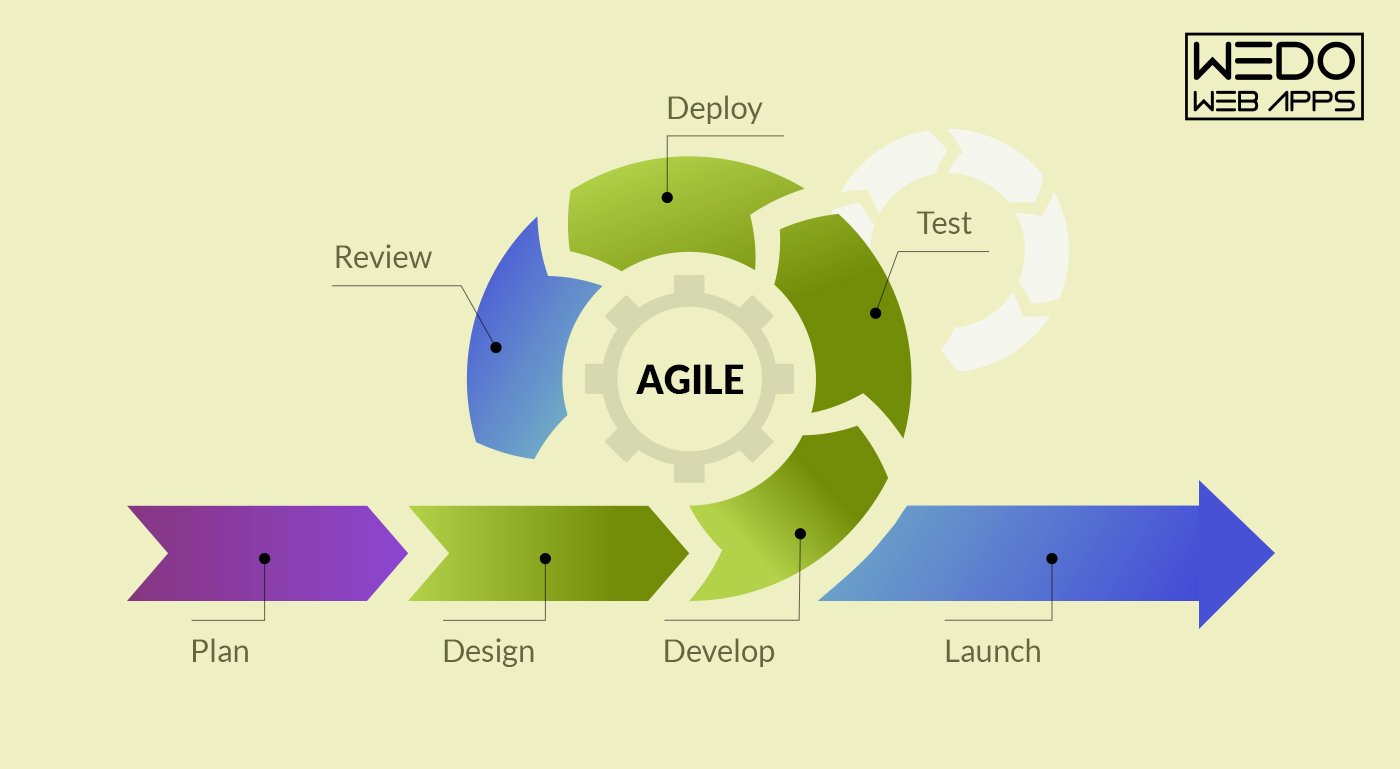
From mobile app development to pushing it to the market to acquire success, WeDoWebApps LLC can help you throughout your journey.