skip to content

Exploring Top Web Development Services Across the UK: A Comprehensive Guide

Introduction

The digitally sound environment is no longer just an auxiliary space for businesses, it has become the prime space for growth, innovation, and competition. For UK businesses, a dynamic, functional, and responsive web presence is not just desirable, it’unavoidable. As customers typically rely on online platforms to connect, shop, and make decisions, the demand for exceptional web development services has never been more high.

Surrounded by this transformative landscape, WEDOWEBAPPS comes out as a groundbreaker, delivering cutting-edge solutions customized according to the needs of businesses across the UK. With a dynamic presence in key cities like London, Cardiff, and Edinburgh, they specialize in creating robust digital experiences that drive engagement, build trust, and push businesses toward sustained growth. This blog explores how WEDOWEBAPPS is transforming web development standards and helping UK enterprises stay competitive in the ever-evolving digital ecosystem. 

Understanding the Landscape of Web Development in the UK

The web development industry in the UK has experienced significant growth, driven by advancements in technology and a move toward digital-first strategies. Businesses require custom methods to ensure that their website meets the needs of the target audiences provides seamless user experiences, and stays competitive.

Major trends shaping the web development landscape include: 

  • Mobile-First Design: As the use of mobile internet is increasing continuously, designing websites with a mobile-first approach is crucial. This ensures optimal performance across all devices, providing a seamless experience for on-the-go users.
  • eCommerce Boom: The surge in online shopping demands secure, scalable, and user-friendly ecosystems. Businesses these days need fast, intuitive, and reliable online stores that support smooth transactions and easy navigation.
  • AI and Automation: Artificial Intelligence has been a trendsetter in the field of web application development. Technologies like chatbots and personalized recommendations enhance user engagement and automate tasks like content management, improving efficiency and user experience. 
  • Sustainable Design: Businesses are accepting and adopting eco-friendly practices like energy-efficient hosting and minimalistic design to reduce their carbon footprint while meeting the demand for sustainability. 

Choosing the best web development company in London is crucial for potentially using these trends. WEDOWEBAPPS stands out by offering versatile, creative, and innovative solutions that help businesses propel in an ever-evolving digital environment. 

Spotlight on The Hub of Web Development Services, London

Why London is the Epicenter of Web Development

London is a global business hub that attracts companies from a wide range of industries. The competitive market of the city demands web solutions that prioritize user experience, performance, and scalability. Moreover, businesses in London face unique challenges like catering to the diverse audiences and staying adept with emerging trends. Here, web development companies play a crucial role in helping them overcome these challenges by delivering cutting-edge solutions.

Top Services in London by WeDoWebApps

WEDOWEBAPPS, with lots of commitment and dedication, has established itself as a leading web development service provider in London. We are known for delivering high-quality, innovative solutions that are capable of meeting the diverse needs of businesses. Our wide range of services include: 

1. Website Development

We specialize in creating responsive websites that offer a seamless user experience across all devices. Our team of website development experts focuses on developing websites that not only look good but also function smoothly, ensuring fast loading times and easy navigation. Since mobile optimization is the most important aspect of online engagement, WEDOWEBAPPS makes sure that the website works smoothly in any screen size, providing a consistent and smooth browsing experience for users from any device.

2. eCommerce Website Development

Since the demand for online shopping is ever-growing, we excel in developing scalable and visually appealing eCommerce solutions that deliver secure and user-friendly experiences. Our team of eCommerce web developers incorporates advanced features like secure payment gateways, personalized shopping experiences, and inventory management systems, ensuring that our clients can offer their customers a smooth, reliable, and engaging online shopping experience. We use the latest technologies and help businesses enhance their eCommerce presence, drive sales, and improve customer satisfaction.

3. Content Management Systems (CMS)

CMS Development – We understand that managing the content on the website efficiently is very important for businesses that want to maintain a dynamic online presence. Therefore, we develop intuitive and flexible CMS platforms that enable businesses to easily update, manage, and organize their content with no or basic technical knowledge. Whether it’s for blogs, product listings, or corporate pages, WEDOWEBAPPS makes certain that businesses can easily manage their digital content, enabling them to focus on enhancing user engagement while delivering valuable information.

4. Custom Web Applications:

Understanding that every business industry has different challenges, WEDOWEBAPPS offers custom web application development to meet the specific needs of various sectors like finance, healthcare, education, and more. Be it developing secure financial tools, healthcare management systems, or educational platforms for EdTech businesses, our bespoke applications are customized to meet the unique demands of each industry. By focusing on custom solutions, we ensure that businesses can optimize their operations and provide enhanced services to their clients.

We deliver each service with a focus on innovation, affirming that businesses in London and beyond have the necessary tools to thrive in the ever-evolving digital world. By continuously adapting and leveraging the latest technologies and staying ahead of industry trends, WEDOWEBAPPS motivates companies to thrive in competition, enhance user experience, and achieve long-term success in the digital era. 

Agencies and Companies Making an Impact

The vibrant ecosystem in London is home to some of the leading web development agencies. Amongst them, we are at the forefront, transforming businesses with our expertise in advanced technologies and commitment to excellence. By developing long-term partnerships with the clients, we provide solutions that meet the immediate needs of the clients and also promote sustainable growth. 

Web Development in Other Key UK Cities

Cardiff

Cardiff is an emerging business hub that offers exciting opportunities for companies looking to create a strong web presence. Small and mid-sized enterprises in this city face several unique challenges, such as limited resources and the neet to reach both local and global audiences. WEDOWEBAPPS addresses these challenges by providing custom web development services that are cost-effective and result-driven.

Popular services include:

  • Responsive Website Design: We make sure that your website performs flawlessly on all devices.
  • Local SEO Integration: We help businesses rank higher in search results for local audiences.
  • User-Friendly Interfaces: We focus and craft designs that enhance user engagement and reduce bounce rates.

Edinburgh

The tech-driven environment in Edinburgh makes it a key city for businesses looking for innovative web solutions. From startups in the tech field to the established companies in finance and tourism, the demand for advanced web development is high, WEDOWEBAPPS excel in providing various services including: 

  • Custom Software Development: We have expertise in developing applications that streamline operations and improve efficiency.
  • Data-Driven Websites: We help you in Implementing analytics tools to provide insights into user behavior.
  • E-Commerce Solutions: We have an expertise in creating eCommerce web solutions, supporting the growing number of online retailers in the city.

By understanding the unique needs of Edinburgh-based businesses, WeDoWebApps delivers solutions that drive innovation and competitiveness.

Contact for Web Development in Other Key UK Cities

What Sets WeDoWebApps Apart?

WeDoWebApps has built a reputation for excellence by combining technical expertise with a deep understanding of our clients’ goals. Here’s what makes us stand out:

  • Innovative Designs: Our visually striking and functional designs capture user attention and enhance engagement.
  • Scalable Solutions: The platforms we create are built to grow alongside businesses, ensuring long-term value.
  • Client-Centric Approach: By maintaining open communication and prioritizing client feedback, we deliver results that exceed expectations.
  • Proven Track Record: With numerous successful projects across the UK, WeDoWebApps has established itself as a trusted partner in web development.

Success Story of Website Development Services – WEDOWEBAPPS

Result Plan specializes in providing tailored diet and meal delivery services aimed at promoting health, fitness, and weight management. They offer a variety of meal plans customized to individual dietary needs and fitness goals, ensuring fresh, nutritious, and conveniently delivered meals. With a focus on helping clients achieve their desired results, the platform integrates balanced nutrition with flexibility and convenience.

Explore their offerings at Result Plan. To check out more of our projects, check WEDOWEBAPPS – portfolio page.

Success Story of Website Development


When we developed the website for our client Result Plan, we promised to get the results. To stand by our words, we help our client increase its branded traffic by 57% and by 20 keywords. 

City-Specific Services for Tailored Solutions

WeDoWebApps provides specialized services tailored to the unique needs of each city:

  • London: Comprehensive web development and design services for industries ranging from finance to retail.
  • Cardiff: Affordable, high-quality solutions for small and medium-sized enterprises looking to grow.
  • Edinburgh: Advanced web and software solutions catering to the tech-savvy and innovative business community.

This city-specific approach ensures that businesses receive personalized attention and solutions that align with their goals.

contact for City-Specific Services

Conclusion

In today’s digital-first economy, hiring a professional web development company is essential for achieving business success. Whether you’re in London, Cardiff, Edinburgh, or any other UK city, WeDoWebApps provides the expertise, creativity, and dedication needed to elevate your online presence.

Don’t let your business fall behind. Explore WeDoWebApps’ wide range of services today and take the first step toward transforming your digital strategy!

Exploring Laravel Collection Methods: A Comprehensive Guide

Laravel, a widely acclaimed PHP framework, has gained immense popularity for its versatility and ease of use. One of the standout features of Laravel is its collection methods. In this article, we will delve deep into Laravel Collection methods, their significance in Laravel development, and how they contribute to making Laravel one of the best PHP frameworks in the industry.

Laravel Collection Methods Unveiled

What is Laravel Collection?

Before we dive into Laravel Collection methods, let’s understand what a Laravel Collection is. A Laravel Collection is an object-oriented way of working with arrays in Laravel. It provides a fluent and expressive interface to interact with arrays and their data.

Exploring the Basics

In this section, we will cover the fundamental operations you can perform using Laravel Collection, such as filtering, transforming, and reducing data.

Benefits of Using Laravel Framework

Why Choose Laravel?

Before we focus on Laravel Collection methods exclusively, it’s important to highlight the benefits of using the Laravel framework. Laravel offers a range of advantages, such as robust security features, elegant syntax, and a vibrant community, making it the preferred choice for web developers worldwide.

Efficiency and Productivity

Discuss how Laravel enhances development efficiency and productivity. Mention its intuitive syntax and built-in tools.

Laravel Collection Methods in Action

Understanding Laravel Collection Methods

Now, let’s take a closer look at various Laravel Collection methods and their applications. We’ll cover methods like map, filter, reduce , pluck , and more.

Real-world Examples

Provide practical examples to showcase how each method can be used in real-world Laravel development scenarios.

laravel development agency


Laravel Development Agency – Your Partner in Success

Choosing the Right Laravel Development Agency

To leverage the full potential of Laravel Collection methods, partnering with a skilled Laravel development agency is crucial. Discuss the qualities to look for when selecting the best Laravel development company in the USA.

Expertise Matters

Highlight the importance of expertise in Laravel development and how it contributes to the successful implementation of Collection methods.

Laravel Collection Methods in Practice

Real-Life Applications

In this section, we’ll delve into specific real-life use cases where Laravel Collection methods shine. You’ll see how these methods can simplify complex data manipulation tasks, making your code more elegant and maintainable.

Filtering Data

Showcase how Laravel Collection methods can be employed to filter data efficiently. Perhaps you can illustrate filtering user records based on specific criteria, like age or location.

Transforming Data

Demonstrate how data transformation becomes seamless with methods like map. You might want to convert data from one format to another, such as formatting dates or currency.

Aggregating Data

Discuss how Collection methods can be used to aggregate data, such as calculating the total revenue from a list of orders.

Best Practices for Laravel Development

Coding Standards and Guidelines

Highlight the importance of adhering to coding standards and best practices when working with Laravel Collection methods. Emphasize code readability and maintainability.

Testing and Debugging

Discuss the significance of testing and debugging when using Laravel Collection methods. Mention tools and techniques available for efficient debugging.

Laravel Framework

Future Trends in Laravel Development

The Evolving Laravel Ecosystem

Provide insights into the latest trends and advancements in the Laravel ecosystem. Discuss how Laravel Collection methods might evolve in future releases of the framework.

Stay Updated

Encourage developers to stay updated with Laravel’s official documentation and community resources to remain at the forefront of Laravel development.

Conclusion

In this comprehensive guide, we have explored the world of Laravel Collection methods, their significance in Laravel development, and the benefits of choosing Laravel as your PHP framework. By understanding and mastering these methods, you can streamline your development process, write cleaner code, and build more efficient web applications.

Conclude by emphasizing the value of Laravel Collection methods and the impact they can have on your Laravel development projects. Encourage readers to explore these methods further and make the most out of their Laravel development journey.

In conclusion, Laravel Collection methods are a powerful toolset within the Laravel PHP framework. They empower developers to work with data in a more efficient and expressive manner, ultimately leading to cleaner code and more effective web applications. When combined with the expertise of a top-tier Laravel development agency, you can unlock the full potential of Laravel and create outstanding web solutions.

So, whether you’re a seasoned Laravel developer or just starting your journey with the framework, exploring Laravel Collection methods is a worthwhile endeavor that can elevate your skills and enhance your projects.

Understanding WooCommerce Open Source Ecommerce Platform

Introduction

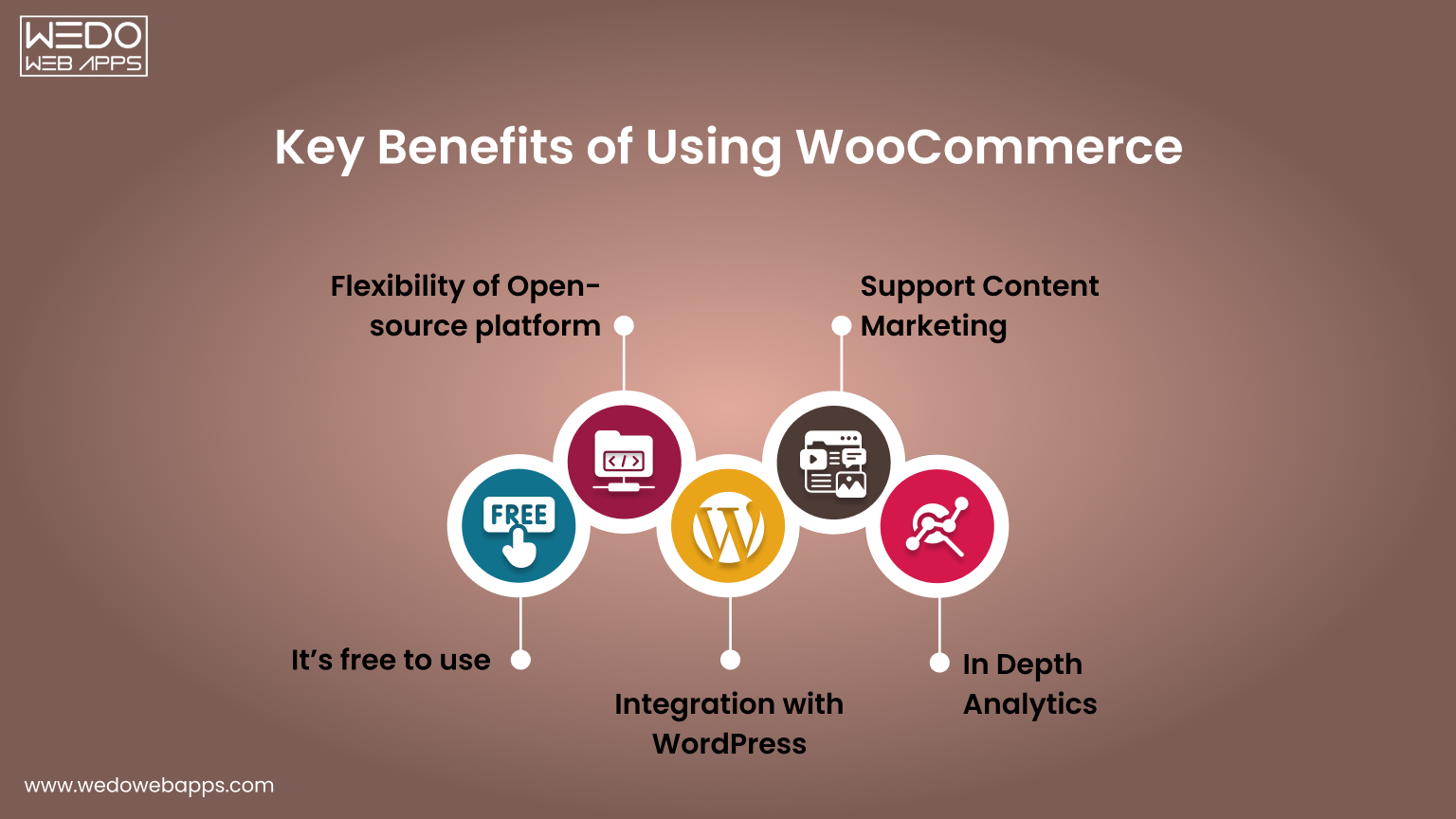
WooCommerce has redefined how online stores are built by combining WooCommerce flexibility with complete control. As an open-source platform built on WordPress, it allows you to shape every aspect of your website from product presentation to the checkout process without being restricted by templates or vendor limitations.

Its extensive library of plugins and extensions lets you add features, integrate with third-party tools, and scale your store efficiently. Whether you sell physical products, digital goods, or subscription services, WooCommerce adapts to your setup while keeping all data and functionality under your control.

Understanding WooCommerce open-source capabilities is essential when evaluating eCommerce platforms. This guide walks through its customization options, core features, and practical applications. By the end, you’ll understand how WooCommerce development supports growth, flexibility, and long-term control, making it a platform that can evolve alongside your store.

The Growing Popularity of Open Source eCommerce Platforms

Open-source platforms have changed how online stores are built. They give freedom, control, and the ability to create a store that meets exact needs without being limited by templates or vendor rules. WooCommerce open source is a leading example that offers flexibility and reliability for all types of online stores.

Why Open Source Works Well

  • Full Control Over Your Store: Adjust pages, features, and workflows to suit your requirements.
  • Data Ownership: Maintain complete control over your store data and customer information.
  • Cost Flexibility: The core platform is free, with optional paid extensions for added functionality.

What Makes WooCommerce Stand Out

  • Built on WordPress: Access thousands of plugins and themes for customization and integrations.
  • Suitable for Any Store: Supports physical products, digital goods, and subscription services.
  • Active Community: Developers worldwide provide updates, tutorials, and plugins, keeping the platform reliable and up-to-date.

Key Takeaways

  • WooCommerce open source provides flexibility and control for building an online store.
  • Its plugin ecosystem and community support make it a dependable long-term solution.
  • An open-source platform allows you to scale, customize, and innovate without limitations.


We build a WooCommerce store

What Makes WooCommerce Open Source Platform

WooCommerce open source is designed to give full control over your store, combining WooCommerce flexibility with ownership. Its open-source nature allows you to modify features, integrate tools, and scale your store without relying on templates or external vendors.

Free and Self-Hosted Architecture

You can start with the free core platform and choose your hosting environment based on your requirements. This self-hosted setup gives you control over performance, security, and updates.

  • No licensing fees for the core system.
  • Select your own server for hosting, speed, and security control.
  • Apply updates and maintenance on your schedule.

This architecture ensures your store is fully adaptable while keeping costs under control and providing independence from third-party limitations.

Access to Source Code and Full Control

The open-source structure gives direct access to the platform’s source code. This allows you to adjust workflows, add custom features, and integrate third-party tools seamlessly.

  • Modify the core functionality to suit unique business needs.
  • Customize layouts, checkout processes, and product pages.
  • Integrate payment gateways, plugins, and external services easily.

Having access to the source code ensures that your store can evolve as your needs change, providing unmatched WooCommerce flexibility for growth and customization.

Ownership of Store Data and Infrastructure

With WooCommerce, you retain complete control over all store data and infrastructure. This independence allows you to manage security, backups, and scaling without restrictions from a vendor.

  • Full control over products, orders, and customer information.
  • Implement security measures and data backups independently.
  • Scale servers and infrastructure as traffic and sales grow.

By owning the data and infrastructure, you ensure reliability, security, and the freedom to expand your store according to your long-term goals.

Key Benefits of Using WooCommerce for eCommerce Development


Key Benefits of Using WooCommerce Open Source

WooCommerce provides a flexible, scalable, and fully customizable framework for building online stores. Its open-source nature allows you to create a store that aligns perfectly with your business needs while giving full control over design, features, and performance.

Flexibility and Customization

One of the biggest advantages of WooCommerce open source is the ability to tailor every part of your store. You can adjust layouts, workflows, and functionality without restrictions.

  • Customize product pages, checkout flows, and shipping options.
  • Integrate with third-party tools and APIs.
  • Use thousands of plugins to extend features without writing new code.

This WooCommerce flexibility ensures your store can match your unique business requirements and provide a seamless experience for customers.

Scalability and Performance

WooCommerce open source platform is built to grow with your store. Whether you’re managing a small shop or a high-traffic eCommerce site, it can handle expansion efficiently.

  • Supports large product catalogs and multiple product types.
  • Can handle increasing traffic with proper hosting and optimization.
  • Compatible with caching, CDN, and performance-enhancing tools.

WooCommerce scalability ensures your store remains responsive and reliable as sales and customer interactions increase.

Robust Plugin Ecosystem

The WooCommerce plugins ecosystem allows you to add new capabilities quickly without extensive WooCommerce development work.

  • Access thousands of free and premium plugins for payments, marketing, and reporting.
  • Integrate specialized tools like subscription management or advanced shipping.
  • Leverage plugins to enhance customer experience and store functionality.

A strong plugin ecosystem makes it easy to expand your store’s features while keeping development manageable and cost-effective.

Cost-Effectiveness

Using WooCommerce open source can also be cost-efficient compared to proprietary platforms.

  • The core platform is free.
  • Paid plugins are optional and chosen based on specific needs.
  • No vendor lock-in means you control costs for hosting, extensions, and maintenance.

This combination of WooCommerce flexibility, WooCommerce scalability, and a strong ecosystem makes WooCommerce a reliable choice for long-term eCommerce growth.


planning a WooCommerce store

Core Capabilities That Support Store Growth

WooCommerce open source provides the foundation to build stores that can grow, adapt, and perform under increasing demand. Its features and architecture are designed to support expansion while giving full control over WooCommerce customization, integrations, and data management.

Integration with WordPress and Content Management

Built on WordPress, WooCommerce benefits from seamless content management and website integration. This allows you to combine eCommerce functionality with rich content features for marketing and customer engagement.

  • Manage blog posts, landing pages, and product content in a single platform.
  • Use WordPress themes to customize the store’s appearance and layout.
  • Leverage content blocks and page builders to enhance product presentation.

Integration with WordPress ensures that your store remains flexible, easy to manage, and consistent with your overall website experience.

APIs and Third-Party Integrations

WooCommerce open source platform supports a wide range of integrations through APIs and plugins, making it easy to connect with other tools or services.

  • Integrate payment gateways, shipping solutions, and tax tools.
  • Connect marketing platforms, CRM systems, and analytics services.
  • Build custom integrations for unique business workflows.

These capabilities allow your store to interact with essential tools efficiently, supporting automation, reporting, and seamless operations.

Performance and Scalability Potential

Designed to scale, WooCommerce can handle increasing traffic, large product catalogs, and high transaction volumes when configured correctly.

  • Supports multiple product types, variations, and categories.
  • Optimized for caching, CDN, and database performance improvements.
  • Allows independent server scaling to manage growing traffic and orders.

By leveraging these capabilities, your store can expand without sacrificing speed, reliability, or user experience.

Common Use Cases Where WooCommerce Works Well

WooCommerce development isn’t limited to a single type of store. Its flexibility and open-source nature make it suitable for a variety of eCommerce setups, from small shops to subscription-based businesses. Understanding where WooCommerce excels helps decide if it’s the right solution for your needs.

Small and Medium Online Stores

Many small and medium businesses rely on WooCommerce to launch quickly without high upfront costs.

  • Manage a catalog of products with ease.
  • Customize the store’s design and layout without complex coding.
  • Scale gradually as sales and traffic increase.

For businesses looking for control and adaptability, WooCommerce for small businesses offers a cost-effective solution that grows with the store.

Digital Products and Downloads

Selling digital goods like e-books, software, or music is straightforward with WooCommerce.

  • Deliver downloadable products automatically after purchase.
  • Protect content with secure access and download limits.
  • Integrate with payment gateways for smooth transactions.

This makes WooCommerce for digital products ideal for creators and businesses focusing on digital sales.

Subscription-Based Businesses

WooCommerce’s ecosystem supports recurring payments, making subscriptions simple to manage.

  • Automate billing for memberships, subscription boxes, or SaaS products.
  • Send reminders, invoices, and notifications automatically.
  • Track recurring revenue and customer activity with reporting tools.

With these capabilities, WooCommerce for subscriptions provides a reliable platform for recurring revenue models.

B2B and Niche Marketplaces

WooCommerce can support more complex business models like B2B stores or specialized marketplaces.

  • Offer tiered pricing, bulk discounts, and custom catalogs.
  • Integrate specialized shipping, tax, or inventory systems.
  • Build niche marketplaces with multiple sellers or product categories.

Even for specialized scenarios, WooCommerce’s open-source framework ensures you can adapt and extend functionality to meet unique business needs.


WooCommerce development solutions for small shops

Things to Consider Before Choosing WooCommerce

Consider Before Choosing WooCommerce

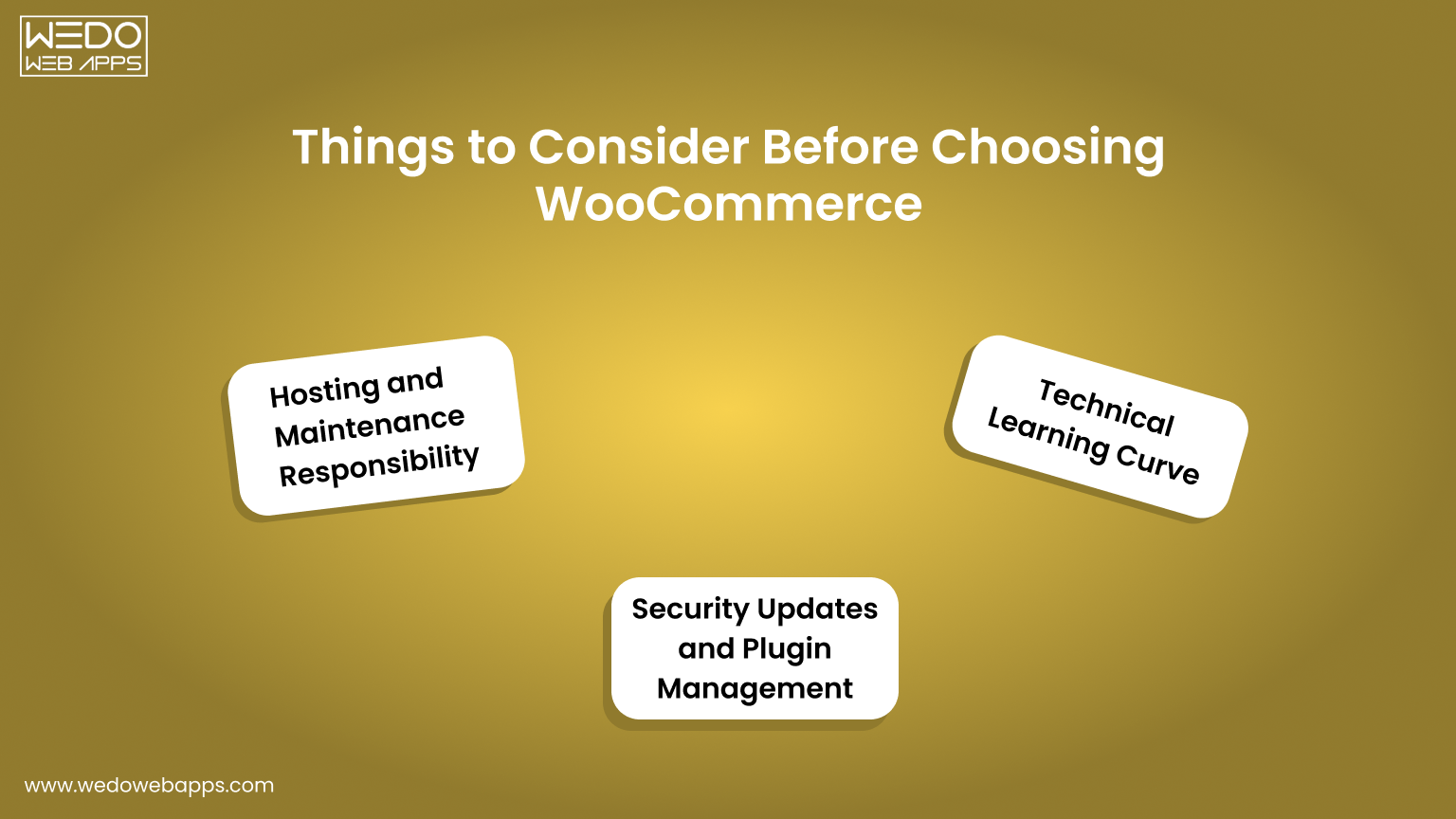
While WooCommerce offers flexibility and control, it also comes with responsibilities. Understanding these factors before building your store ensures smoother operations and avoids surprises down the line.

Hosting and Maintenance Responsibility

Unlike hosted eCommerce solutions, WooCommerce is self-managed, meaning you are responsible for hosting and maintenance.

  • Choose a reliable WooCommerce hosting provider to ensure speed and uptime.
  • Regularly monitor server performance and handle updates.
  • Plan for backups and disaster recovery to protect your store.

Proper hosting and maintenance planning help your store remain fast, secure, and reliable as it grows.

Security Updates and Plugin Management

Security is a key consideration with WooCommerce maintenance. Being open-source means you need to manage updates and third-party plugins carefully.

  • Keep WordPress, WooCommerce, and all plugins updated.
  • Audit installed plugins for compatibility and security risks.
  • Implement SSL certificates, firewalls, and malware scanning tools.

Managing security and plugins proactively reduces downtime and protects customer data.

Technical Learning Curve

Although WooCommerce is user-friendly, it still requires some technical knowledge, especially for WooCommerce customizations or integrations.

  • Understanding WordPress basics is necessary for content management.
  • Some plugin configurations or custom workflows may require developer support.
  • Familiarity with hosting, databases, and backups helps maintain store stability.

Being prepared for this learning curve ensures a smoother experience and reduces reliance on external resources.

WooCommerce vs Hosted eCommerce Platforms

Choosing the right eCommerce platform depends on your goals, technical comfort, and growth plans, and the eCommerce development partner. Here’s a quick glance at the key differences between WooCommerce open source and hosted platforms.

  • Control: WooCommerce offers deep customization. Hosted platforms are more limited.
  • Cost: WooCommerce core is free. Hosted platforms usually charge monthly or transaction fees.
  • Scalability: WooCommerce scales with your hosting setup. Hosted platforms manage scaling for you.
  • Security and Maintenance: WooCommerce requires updates and plugin management. Hosted platforms handle most updates automatically.

Control and Customization

WooCommerce open source provides control over design, features, and workflows, unlike hosted solutions that rely on templates.

  • Modify code, layouts, and checkout processes freely.
  • Add plugins or develop custom features without restrictions.
  • Tailor product pages and content management to your needs.

Hosted platforms offer convenience but limit customization beyond their built-in features.

Cost and Pricing Flexibility

Open-source and hosted platforms differ in how costs are managed.

  • WooCommerce core is free. Hosting and premium plugins or extensions are optional.
  • Hosted platforms often charge monthly or per-transaction fees, which can grow with traffic.
  • Open-source allows cost control based on actual business needs rather than fixed subscriptions.

Scalability and Performance

WooCommerce can handle growth efficiently when hosting is optimized.

  • Supports large product catalogs and multiple product types.
  • Compatible with caching, CDN, and database optimization.
  • Server scaling is independent, allowing the store to handle high traffic.

Hosted platforms handle scaling automatically but may limit advanced optimization or control.

Security and Maintenance

Security responsibilities differ between open-source and hosted platforms.

  • With WooCommerce, you manage security, updates, and plugins.
  • Hosted solutions maintain security automatically but offer limited control over advanced settings.
  • Open-source requires proactive management but gives ownership of store data.


WooCommerce guidance to choose the right ecommerce

Is WooCommerce the Right Fit for Your Business

Deciding if WooCommerce is the best platform depends on your business goals, technical capabilities, and growth plans. Use this checklist to evaluate whether WooCommerce flexibility and open-source eCommerce platform benefits match your needs.

Checklist: Is WooCommerce Right for You?

  • You need control over WooCommerce customization, including workflows, product pages, and checkout processes.
  • You prefer cost flexibility, starting with a free core platform and selectively investing in plugins or hosting.
  • You require scalability to accommodate growing traffic, product ranges, or order volumes.
  • You want ownership of customer data, sales information, and store infrastructure.
  • You plan to integrate third-party tools such as payment gateways, marketing platforms, or analytics.
  • Your team or partner can manage updates, security, and plugin maintenance efficiently.
  • You sell multiple product types, including physical products, digital goods, or subscriptions.
  • You want access to a robust plugin ecosystem to extend features as your store grows.

If most of these points align with your business requirements, WooCommerce open source is likely a suitable platform. Its flexibility, scalability, and ecosystem make it a reliable solution for many eCommerce stores.

Conclusion

WooCommerce open source gives you the freedom to build your store the way you want. You can customize every part of your site, from product pages to checkout, while keeping control over your data and operations.

Whether you run a small online shop, sell digital products, or manage subscriptions, WooCommerce adapts to your needs. Its plugin ecosystem and WordPress integration make it easy to add features and allow WooCommerce developers to grow your store as your business expands.

Managing WooCommerce maintenance and security requires attention, but the payoff is a store that performs reliably and scales with your goals.

Choosing WooCommerce means choosing flexibility, control, and long-term growth. It’s a platform that lets you innovate, adapt, and create an online store that can evolve with your business.


build a scalable ecommerce foundation

PHP vs Python: Which Language Should You Choose for Web Development in 2026?

Introduction

Choosing between PHP vs Python is one of the biggest decisions in modern web development. The programming language you select can affect your application’s performance, scalability, development cost, and long-term maintenance.

That is why the PHP vs Python debate continues to grow in 2026.

Some businesses choose PHP because it is widely used for dynamic websites, eCommerce platforms, and CMS development. Others prefer Python because of its clean syntax, automation capabilities, AI integration, and flexibility for modern applications.

When comparing PHP vs Python for web development, there is no single winner for every project. Both languages offer strong frameworks, active communities, and reliable performance. The right choice depends on your project requirements, budget, scalability goals, and development timeline.

If you are trying to understand the difference between PHP and Python, this guide will help you compare both technologies from a business and development perspective.

In this detailed PHP and Python comparison guide, you will learn:

  • PHP vs Python performance comparison.
  • Which language is easier to learn and maintain?
  • Best PHP vs Python use cases.
  • Framework and scalability differences.
  • Security and development cost comparison.
  • Python vs PHP which is better for your business goals?

By the end of this guide, you will have a clear understanding of whether PHP or Python is the better fit for your next web development project.

PHP vs Python: Quick Comparison Table

FeaturePHPPython
Primary PurposeServer-side web developmentGeneral-purpose programming
Best Known forWebsites, CMS platforms, and eCommerce developmentAI, automation, data science, backend systems
Syntax StyleSimple and web-focusedClean and highly readable
Learning CurveBeginner-friendly for web projectsBeginner-friendly across multiple domains
PerformanceFaster for many web-based tasksStrong performance with modern frameworks
Web DevelopmentBuilt specifically for web developmentWidely used for backend web applications
Popular FrameworksLaravel, Symfony, CodeIgniterDjango, Flask, FastAPI
Database SupportMySQL, PostgreSQL, MariaDBMySQL, PostgreSQL, SQLite, MongoDB
AI and Machine Learning SupportLimitedExcellent
Hosting AvailabilityEasily available and affordableSupported on most cloud platforms
ScalabilitySuitable for small to enterprise applicationsHighly scalable for modern applications
Security FeaturesStrong with modern frameworksStrong with secure coding practices
Community SupportLarge and mature communityMassive and rapidly growing community
Development SpeedFaster for traditional web projectsFaster for automation and complex systems
Best Use CasesCMS, eCommerce, portals, business websitesAI apps, SaaS platforms, automation, analytics
Popular Companies Using ItFacebook, WordPress, WikipediaInstagram, Netflix, Spotify
Development CostUsually lower for web projectsMay increase for advanced applications
Job Market DemandStrong in web developmentHigh across multiple industries

After understanding the quick overview of PHP vs Python, let’s first understand what PHP is, its core features, strengths, and where it is commonly used.

Book a Free Consultation

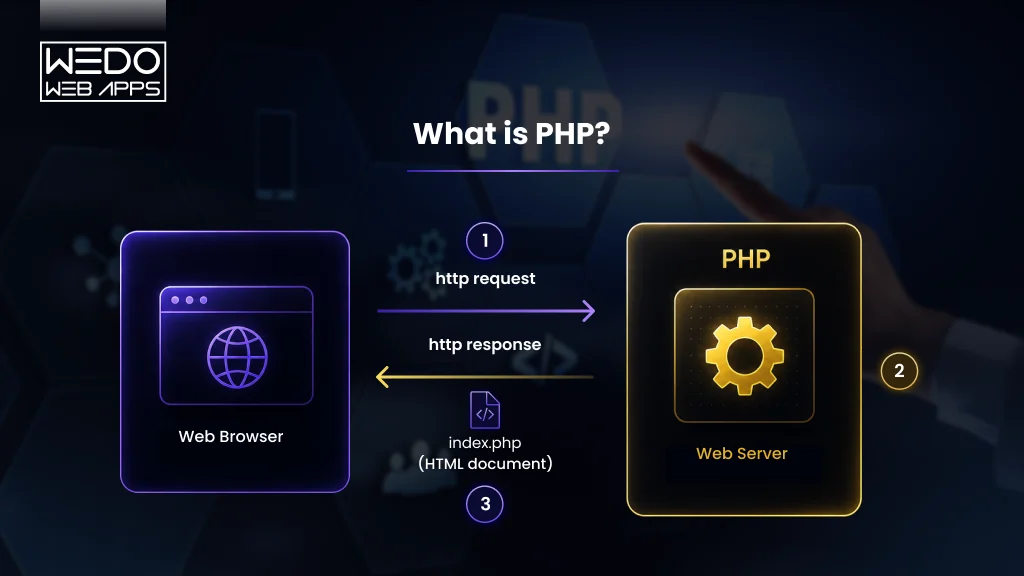
What is PHP?

What is PHP Explain

Before understanding the complete difference between PHP and Python, it is important to first understand what PHP actually is and why it is still widely used in modern web development.

PHP is an open-source server-side scripting language mainly used for building dynamic websites and web applications. It is one of the oldest and most trusted technologies for backend development and continues to power millions of websites worldwide.

When discussing PHP vs Python for web development, PHP often stands out because it was originally created specifically for the web. This makes it highly efficient for developing CMS platforms, eCommerce websites, customer portals, and database-driven applications.

Its flexibility, lower hosting cost, and large ecosystem make PHP a practical choice for businesses of all sizes.

Key Features of PHP

PHP offers several features that keep it relevant in the ongoing PHP and Python comparison debate.

Some of the most important features include:

  • Open-source and free to use.
  • Easy integration with HTML and databases.
  • Cross-platform compatibility.
  • Fast execution for web applications.
  • Large ecosystem of frameworks and libraries.
  • Strong hosting support across servers.
  • Smooth database connectivity with MySQL and PostgreSQL.
  • Built-in session and form handling capabilities.

Popular frameworks like Laravel and Symfony also improve security, scalability, and development speed.

Advantages of PHP

One major reason PHP continues to perform strongly in the PHP vs Python use cases discussion is its simplicity and web-focused architecture.

Advantages of PHP include:

  • Faster development for website-based projects.
  • Lower hosting and maintenance costs.
  • Large global developer community.
  • Strong support for a CMS platform like WordPress.
  • Easier deployment process.
  • Suitable for startups and small businesses.
  • Reliable performance for web applications.

For companies focused mainly on web platforms, PHP often provides a faster route to launch projects without increasing infrastructure expenses.

Limitations of PHP

Although PHP remains highly effective for web development, it also has some limitations when compared in the PHP vs Python debate.

Some common limitations include:

  • Less suitable for AI and machine learning applications.
  • Limited use in data science projects.
  • Older codebases may become difficult to maintain.
  • Inconsistent coding practices in legacy applications.
  • Fewer built-in tools for advanced automation tasks.

Still, modern PHP frameworks and updated versions have solved many of the older performance and security concerns.

Popular Websites and Applications Built With PHP

Many globally recognized platforms still rely on PHP, proving its strength in real-world web development.

Popular examples include:

  • Facebook
  • WordPress
  • Wikipedia
  • Tumblr
  • Mailchimp

These examples clearly show that PHP can handle high-traffic applications, enterprise platforms, and scalable backend systems efficiently.

What is Python?

What is Python Explain

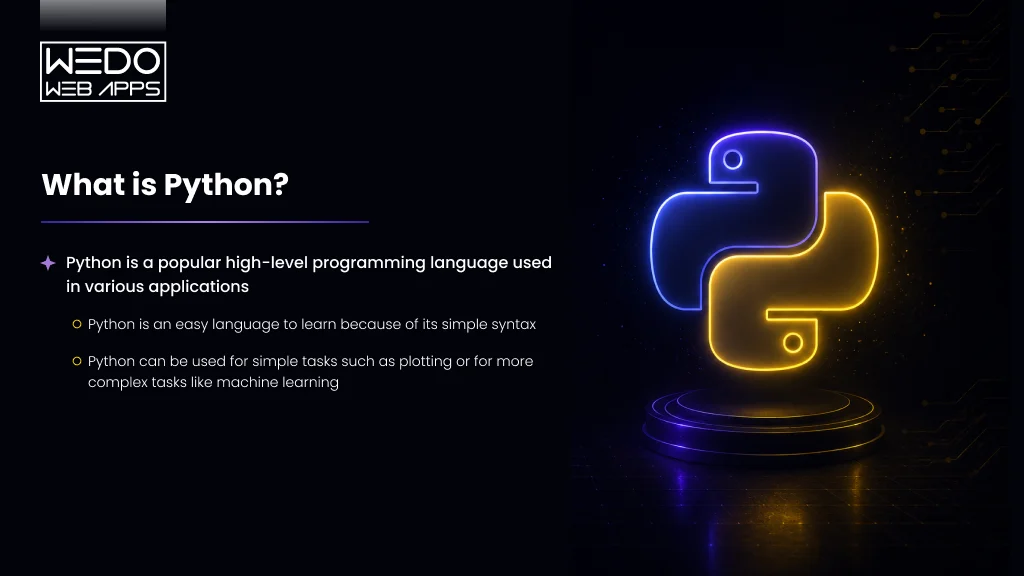
Python is a high-level, general-purpose programming language known for its clean syntax, readability, and flexibility. It is widely used for web development, automation, artificial intelligence, machine learning, data science, and backend application development.

In the ongoing PHP vs Python discussion, Python has gained massive popularity because it allows Python developers to build applications faster with less code. Its simple structure makes development easier, especially for complex projects that require scalability and advanced functionality.

When businesses compare Python vs PHP, which is better, Python often becomes a preferred choice for AI-driven platforms, automation tools, SaaS products, and data-focused applications.

Its ability to support multiple technologies with a single programming language makes it highly valuable for modern businesses.

Key Features of Python

Python includes several powerful features that make it a strong competitor in the PHP and Python comparison debate.

Some major features include:

  • Clean and readable syntax
  • Open-source and free to use
  • Cross-platform compatibility
  • Large collection of libraries and frameworks
  • Strong support for AI and machine learning
  • Easy integration with modern technologies
  • Faster development for complex applications
  • Excellent community support

Popular Python frameworks include Django, Flask, and FastAPI, which are widely used for backend and API development.

Advantages of Python

Python continues to grow rapidly in the PHP vs Python use cases comparison because of its versatility and developer-friendly structure.

Advantages of Python include:

  • Easy to learn and maintain
  • Suitable for AI, automation, and data science
  • Faster development process with less code
  • Large ecosystem of libraries and tools
  • Strong scalability for modern applications
  • Excellent for API and backend development
  • High demand in the developer job market

For businesses planning long-term scalability or AI integration, Python often provides more flexibility.

Limitations of Python

Although Python is highly versatile, it also has a few limitations in the difference between PHP and Python comparison.

Some common limitations include:

  • Slower execution speed compared to some compiled languages.
  • Higher memory consumption.
  • Less optimized for mobile app development.
  • Can become resource-intensive for large-scale applications.
  • Hosting costs may sometimes be higher than for PHP-based projects.

However, modern frameworks and cloud infrastructure have improved Python’s performance significantly.

Popular Websites and Applications Built With Python

Python is trusted by many large-scale companies and modern-tech platforms.

Popular examples include:

  • Instagram
  • Netflix
  • Spotify
  • Dropbox
  • Reddit

These companies use Python for backend systems, automation, recommendation engines, and scalable web applications, showing its strong capability in enterprise development.

Difference Between PHP and Python

Understanding the difference between PHP and Python is important before choosing a programming language for your next project. While both technologies are widely used for backend development, they are built for different purposes and development approaches.

In the ongoing PHP vs Python debate, PHP is mainly preferred for traditional web development and CMS-based platforms, while Python is known for AI, automation, machine learning, and scalable backend systems.

This detailed PHP and Python comparison will help you understand which language fits better for your business goals, scalability plans, and development requirements.

Syntax and Code Readability

One major difference between PHP and Python is their syntax style.

Python is famous for its clean and readable syntax. Developers can write shorter and more organized code, which improves long-term maintenance.

PHP syntax is designed mainly for web development and integrates directly with HTML, making it easier for building server-side web applications.

PHP

  • Easier HTML integrations.
  • Good for quick website development.
  • Familiar with web developers.

Python

  • Cleaner syntax structure.
  • Good for quick website development.
  • Familiar with web developers.

For beginners, comparing Python vs PHP which is better, Python is often considered easier to learn.

Performance and Execution Speed

The topic of PHP vs Python performance is one of the most discussed areas in backend development.

PHP generally performs faster for traditional websites because it was built specifically for server-side scripting. Python may consume more resources, but it performs strongly in automation and data processing environments.

PHP Performs Better For

  • CMS platforms
  • eCommerce websites
  • Dynamic web pages

Python Performs Better For

  • AI systems
  • Automation tools
  • Data-heavy applications

The actual performance also depends on frameworks, hosting, caching, and application architecture.

PHP vs Python for Web Development

When discussing PHP vs Python for web development, both languages offer strong frameworks and backend support, but their strengths differ.

PHP is highly optimized for website development and powers platforms like WordPress. Python is preferred for scalable web applications and advanced backend systems.

Choose PHP For

Choose Python For

  • SaaS applications
  • Enterprise platforms
  • AI-integrated web apps
  • API driven applications

If your focus is mainly on website development, PHP can be a cost-effective option. For scalable and future-ready applications, Python often provides greater flexibility.

Database Integration and Backend Handling

Both PHP and Python support major databases efficiently.

PHP works naturally with MySQL for website-based applications, while Python supports broad database integration for analytics and modern applications.

Supported Databases

  • MySQL
  • PostgreSQL
  • MongoDB
  • SQLite
  • MariaDB

This flexibility makes Python highly useful in modern PHP vs Python use cases involving large data handling.

Framework Ecosystem Comparison

Frameworks improve security, scalability, and development speed in both languages.

Laravel vs Django

Laravel

Laravel is one of the most popular PHP frameworks for modern web development. It offers elegant syntax, strong security, and faster development for CMS and eCommerce projects.

Django

Django is a powerful Python framework known for scalability, security, and rapid application development. It is widely used for enterprise applications and SaaS platforms.

Symfony vs Flask

Symfony

Symfony is a structured PHP framework suitable for large enterprise projects and long-term maintenance.

Flask

In the PHP and Python comparison, Laravel is often preferred for website development, while Django and Flask are popular for scalable backend systems.

Learning Curve for Beginners

Another important difference between PHP and Python is the learning experience.

Python is generally easier for beginners because of its simple and readable syntax.

PHP is also beginner-friendly, especially for developers entering web development directly.

Python is Better For

  • General programming learning
  • Automation
  • AI and data science

PHP is Better For

  • Website development
  • CMS customization
  • Backend scripting

Security Features and Risk Management

Security is a major factor in the PHP vs Python comparison.

Both languages offer strong security features through modern frameworks.

Common Security Features

  • Authentication systems
  • SQL injection prevention
  • CSRF protection
  • Session handling
  • Data validation

Django is known for strong built-in security, while Laravel also provides advanced security support for PHP applications.

Scalability and Enterprise Readiness

Both PHP and Python can support large-scale enterprise applications.

PHP Powers

  • Facebook
  • WordPress
  • Wikipedia

Python Powers

  • Instagram
  • Netflix
  • Spotify

In modern PHP vs Python use cases, Python is often selected for AI-driven scalability, while PHP remains highly reliable for high-traffic websites.

Hosting and Deployment Flexibility

Hosting is another major factor in the PHP vs Python performance discussion.

PHP hosting is widely available and affordable because most web hosting providers support PHP by default.

Python applications are commonly deployed on cloud platforms and container-based infrastructure.

PHP Hosting Advantages

  • Lower hosting costs
  • Easier shared hosting
  • Faster setup for websites

Python Hosting Advantages

  • Better cloud compatibility
  • Flexible deployment environments
  • Strong DevOps integration

Community Support and Documentation

Both PHP and Python have large global development communities.

Developers can easily access:

  • Tutorials
  • Plugins
  • Documentation
  • Open-sources libraries
  • Community forums

PHP has decades of web development resources, while Python continues to grow rapidly in AI and automation industries.

Testing and Debugging Capabilities

Testing tools improve application quality and stability.

PHP tools

  • PHPUnit
  • Xdebug

Python Tools

  • PyTest
  • PDB

Python often offers easier debugging for complex applications, especially in enterprise development.

API Development and Microservices Support

Modern applications require strong API and microservices support.

Both PHP and Python support API development, but Python frameworks are often preferred for scalable microservices.

PHP API Frameworks

  • Laravel
  • Symfony

Python API Frameworks

  • FastAPI
  • Flask
  • Django REST Framework

This makes Python highly valuable in advanced PHP vs Python for web development scenarios.

AI, Automation, and Data Science Capabilities

This is one of the biggest strengths of Python in the PHP and Python comparison.

Python dominates technologies like:

  • Artificial intelligence
  • Machine learning
  • Automation
  • Data analytics
  • Scientific computing

Popular Python libraries include:

  • TensorFlow
  • NumPy
  • Pandas
  • Scikit-learn

PHP has very limited adoption in these areas.

Job Market and Developer Availability

Both languages have strong market demand, but the industries differ.

PHP Developer Demand

  • Web development companies
  • CMS agencies
  • eCommerce businesses

Python Developer Demand

  • AI startups
  • SaaS companies
  • FinTech businesses
  • Automation platforms

Python currently shows faster growth across multiple industries.

Development Cost Comparison

Development cost is another important factor in the Python vs PHP which is better debate.

PHP projects are usually more affordable because hosting and development costs are lower.

Python development costs more for advanced applications but offers better scalability and flexibility.

PHP is Cost-Effective For:

  • Business websites
  • eCommerce stores
  • CMS platforms

Python is Valuable For

  • AI applications
  • SaaS products
  • Automation systems

Long-Term Maintenance and Project Stability

Long-term maintenance depends heavily on the code quality framework structure.

Python’s readable syntax helps simplify updates and maintenance for large applications.

Modern PHP frameworks also support structured development and long-term project stability.

Python Advantages

  • Easier code readability
  • Better maintainability
  • Faster debugging

PHP Advantages

  • Stable web ecosystem
  • Strong CMS support
  • Reliable hosting compatibility

Both technologies continue to receive regular updates, security improvements, and strong community support.

Not Sure Which Technology Fits Your Business

PHP vs Python Performance Comparison

Performance is one of the biggest deciding factors when comparing PHP vs Python. Businesses want applications that load faster, handle high traffic smoothly, and provide a better user experience.

However, the actual performance difference between PHP and Python depends on several factors, such as framework selection, database optimization, server configuration, and application architecture.

Let’s break down the PHP vs Python performance comparison in detail.

Which Language Offers Faster Execution?

PHP is generally faster for traditional web applications because it is optimized for server-side scripting and web page rendering.

Python may execute more slowly in some web environments because it is a general-purpose programming language designed for multiple use cases beyond web development.

PHP Advantages

  • Faster page loading for websites.
  • Optimized for server-side execution.
  • Lower response time for CMS platforms.

Python Advantages

  • Better handling of complex logic.
  • Strong support for automation processes.
  • Efficient for AI and data processing tasks.

For standard website development, PHP often delivers slightly faster execution speed.

Memory Usage and Resource Consumption

Python applications usually consume more memory because of their flexible and dynamic nature.

PHP applications are generally lighter for traditional web operations, which can reduce server resource usage.

PHP

  • Lower memory consumption for websites.
  • Cost-effective hosting environments.
  • Suitable for shared hosting.

Python

  • Higher resource usage for advanced applications.
  • Better for large-scale processing.
  • Suitable for cloud-based infrastructure.

The difference becomes more noticeable in large traffic environments.

Real-World Performance Factors Beyond Language Speed

The programming language alone does not decide application performance.

In real-world PHP and Python comparison scenarios, factors like coding quality, caching, hosting infrastructure, APIs, and database queries often impact performance more than the language itself.

Important Performance Factors

  • Server optimization
  • Database efficiency
  • Caching mechanisms
  • Framework selection
  • CDN integration
  • Application architecture

A well-optimized Python application can outperform a poorly structured PHP application and vice versa.

How Framework Choice Affects Performance

Frameworks play a major role in the PHP vs Python performance comparison.

PHP Framework Performance

  • Laravel offers strong scalability and security.
  • Symfony works well for enterprise applications.

Python Framework Performance

  • Django handles strong scalability and security.
  • FastAPI is suitable for high-performance APIs.

Lightweight frameworks usually provide faster response times than feature-heavy frameworks.

Best Language for High-Traffic Applications

Both PHP and Python can support high-traffic applications when properly optimized.

PHP is Commonly Used For

  • High-traffic websites
  • eCommerce platforms
  • CMS-based systems

Python is Commonly Used For

  • AI-powered platforms
  • SaaS products
  • Data-intensive applications

If your primary goals are fast and cost-effective web development, PHP can be a practical option. If your application requires AI integration, automation, and advanced scalability, Python may provide more long-term advantages.

Optimize Your Application

PHP vs Python Use Cases

The best way to understand PHP vs Python is by looking at where each language performs best in real-world projects. Both technologies are powerful, but they are used differently depending on business requirements, scalability goals, and application complexity.

Understanding these PHP vs Python use cases can help businesses choose the right technology stack for long-term success.

Best Use Cases for PHP

PHP is mainly used for web-focused applications and server-side development. It is highly suitable for projects that require fast development, lower hosting costs, and strong CMS support.

Common Use Cases

  • WordPress websites
  • eCommerce stores
  • CMS platforms
  • Business portals
  • Customer portals
  • Blogging platforms
  • Web-based dashboards

PHP is often preferred for businesses that want reliable website development without increasing infrastructure costs.

Best Use Cases for Python

Python is widely used in industries that require automation, AI integration, large-scale processing, and scalable backend systems.

Common Python Use Cases

  • Artificial intelligence applications
  • Machine learning platforms
  • Automation tools
  • SaaS products
  • Data analytics platforms
  • FinTech applications
  • API development
  • Cloud-based systems

In modern PHP and Python comparison discussions, Python is usually selected for projects that require future scalability and advanced technology integration.

When PHP is the Better Choice

PHP becomes a better option when your project is strongly focused on website development and quick deployment.

Choose PHP When You Need

  • Faster website development
  • Lower development costs
  • CMS based platforms
  • Shared hosting compatibility
  • Ecommerce website development
  • Simple backend systems

For startups and small businesses, PHP often provides a practical and budget-friendly solution.

When Python is the Better Choice

Python is a stronger option when the application requires advanced functionality, automation, or high scalability.

Choose Python When You Need

  • AI or machine learning integration
  • Complex backend systems
  • Automation workflows
  • Real-time data processing
  • Scalable SaaS applications
  • Cloud native applications

For businesses comparing Python vs PHP, which is better, Python usually stands out for innovation-focused and data-driven applications.

Start Your Project Today

Python vs PHP: Which is Better for Your Business?

The answer to Python vs PHP which is better, depends entirely on your business goals, application requirements, budget, and future scalability plans.

Both technologies are reliable and widely used across industries. However, choosing the wrong programming language can increase development costs, slow down scalability, and create long-term maintenance challenges.

Instead of choosing based on popularity, businesses should focus on selecting the technology that aligns with their project needs.

Choose PHP If You Need

PHP is a practical choice for businesses focused mainly on web development and cost-efficiency.

PHP is Better For

  • Business websites
  • CMS platforms
  • eCommerce stores
  • Fast project delivery
  • Lower hosting costs
  • Budget-friendly development

PHP is especially suitable for startups, small businesses, and companies building content-driven platforms.

Choose Python If You Need

Python is ideal for businesses planning advanced digital products and scalable backend systems.

Python is Better For

  • AI-powered applications
  • Automation platforms
  • SaaS platforms
  • Data-driven systems
  • Cloud-based applications
  • Machine learning integration

For companies planning future expansion and advanced functionality, Python often offers greater flexibility.

Best Language for Startups

For startups, both PHP and Python can work effectively depending on the business model.

PHP is Better for Startups That Need

  • Quick website launches
  • Lower development budgets
  • eCommerce platforms
  • CMS-based applications

Python is Better for Startups That Need

  • Scalable SaaS products
  • AI integration
  • Automation systems
  • Data-focused applications

The decision should depend on product vision and long-term scalability goals.

Best Language for Enterprise Applications

Enterprise applications require scalability, security, maintainability, and strong backend architecture.

PHP Enterprise Strengths

  • Stable web infrastructure
  • Strong CMS ecosystem
  • Mature frameworks like Laravel and Symfony

Python Enterprise Strengths

  • AI and automation support
  • Scalable backend architecture
  • Strong cloud integration

In many enterprise-level PHP vs Python use cases, Python is often selected for innovation-driven systems, while PHP remains highly effective for large-scale web platforms.

Best Option for Future Scalability

Scalability depends on both application architecture and technology selection.

PHP can efficiently scale high-traffic websites and eCommerce platforms. Python is often used for large-scale data processing.

PHP Scalability Benefits

  • Efficient web server performance
  • Lower infrastructure costs
  • Reliable website scalability

Python Scalability Benefits

  • Better support for advanced technologies
  • Easier integration with AI tools
  • Strong cloud scalability support

If your business roadmap includes automation, machine learning, or complex backend systems, Python may provide stronger long-term advantages.

PHP vs Python: Trends and Market Demand in 2026

The demand for both PHP vs Python continues to remain strong in 2026, but their adoption patterns are changing based on business requirements and technology trends.

PHP continues to dominate traditional web development, while Python is rapidly expanding across AI, automation, cloud computing, and data-driven applications.

Developer Popularity and Adoption Trends

FactorPHPPython
Primary DemandWeb developmentAI, automation, backend systems
Popular IndustriesEcommerce, CMS, mediaSaaS, FinTech, AI, analytics
Learning PopularityWebsite beginnersGeneral programming learners
Startup AdoptionStrong for websitesStrong for scalable products
Enterprise AdoptionMature web platformsInnovation-focused systems

Python is growing faster across emerging technologies, while PHP continues to maintain strong demand in website and CMS development.

Open Source Ecosystem Growth

Ecosystem AreaPHPPython
Popular FrameworksLaravel, SymfonyDjango, Flask, FastAPI
CMS SupportExcellentLimited
AI LibrariesMinimalExtensive
Plugin EcosystemVery largeRapidly growing
Community ContributionsMature ecosystemHighly active ecosystem

In the overall PHP and Python comparison, Python leads in AI and automation innovation, while PHP remains highly powerful for web-based ecosystems.

Business Demand Across Industries

IndustryPHP UsagePython Usage
EcommerceHighModerate
CMS PlatformsVery HighLow
SaaS ProductsModerateHigh
Artificial IntelligenceLimitedVery High
FinTechModerateHigh
Data AnalyticsLowVery High

Modern PHP vs Python use cases show PHP development dominating website development, while Python leads in data-focused and AI-driven industries.

Future Scope of PHP and Python

Future TrendPHPPython
Web DevelopmentStrong future demandStrong backend demand
AI and Machine LearningLimited growthMassive growth
Cloud ApplicationsModerate adoptionHigh adoption
Automation SystemsLimitedVery Strong
Enterprise ScalabilityStableRapidly expanding

For businesses evaluating Python vs PHP which is better, PHP remains a reliable long-term solution for web development, while Python offers stronger opportunities in future-focused technologies like AI, automation, and cloud platforms.

Common Myths About PHP and Python

The debate around PHP vs Python has created many misconceptions over the years. Some people believe PHP is outdated, while others assume Python is the perfect solution for every project.

In reality, both technologies have their own strengths, limitations, and ideal use cases. Understanding these myths helps businesses make more practical technology decisions.

Is PHP Outdated?

One of the biggest myths in the PHP and Python comparison is that PHP is no longer relevant.

The reality is completely different.

PHP still powers a large percentage of websites globally, including WordPress, ecommerce stores, and enterprise platforms. Modern frameworks like Laravel have also improved PHP’s security, scalability, and PHP developer experience significantly.

Reality Check

  • WordPress still dominates CMS development
  • Laravel remains highly popular
  • PHP continues to receive regular updates
  • Many large businesses still use PHP

PHP is evolving continuously rather than disappearing.

Will Python Replace PHP?

Another common misconception is that Python will completely replace PHP in web development.

While Python is growing rapidly, PHP still remains one of the strongest technologies for website development and CMS platforms.

Where Python Leads

  • AI and machine learning
  • Automation
  • Data science
  • Scalable backend systems

Where PHP Still Dominates

  • WordPress development
  • Ecommerce websites
  • CMS platforms
  • Budget-friendly web development

Instead of replacing PHP, Python is expanding into different technology areas.

Is Python Always Slower Than PHP?

The topic of PHP vs Python performance often creates confusion.

PHP is generally faster for traditional websites because it is optimized for server-side scripting. However, that does not mean Python applications are slow.

Performance depends on:

  • Framework optimization
  • Server configuration
  • Caching systems
  • Database queries
  • Application architecture

A properly optimized Python application can easily handle enterprise-scale traffic.

Can PHP Handle Large-Scale Applications?

Some developers assume PHP is suitable only for small websites.

In reality, PHP powers several high-traffic platforms and enterprise-level systems.

Large Platforms Using PHP

  • Facebook
  • WordPress
  • Wikipedia

Modern PHP frameworks support:

  • Scalable architectures
  • API development
  • Cloud deployment
  • Enterprise-level security

This proves that PHP can efficiently support large-scale applications when built correctly.

How to Choose Between PHP and Python

How to Choose Between PHP and Python

Choosing between PHP vs Python should not depend only on popularity trends. The right decision depends on your project goals, budget, scalability plans, and the type of application you want to build.

Both languages are powerful, but they solve different business problems more effectively.

Before selecting a technology stack, businesses should evaluate technical requirements as well as long-term growth plans.

Questions to Ask Before Selecting a Programming Language

Before making a final decision, ask these important questions:

  • Are you building a website or a complex software platform?
  • Do you need AI or automation features?
  • What is your development budget?
  • How quickly do you want to launch the project?
  • Will the application need large-scale scalability later?
  • What kind of developers are easier to hire for your project?

These questions help simplify the difference between PHP and Python based on practical business needs instead of trends.

Factors That Affect Technology Selection

FactorPHPPython
Website DevelopmentExcellentStrong
AI and AutomationLimitedExcellent
Development CostLowerModerate to High
Learning CurveEasyVery Easy
ScalabilityStrongVery Strong
Hosting CostAffordableHigher in some cases
CMS DevelopmentExcellentLimited
Data Science SupportMinimalExcellent

If your project is heavily focused on websites and CMS platforms, PHP can be a cost-effective choice. If you need automation, AI, or scalable backend systems, Python usually offers greater flexibility.

Decision Matrix for Businesses and Developers

Project RequirementBetter Choice
eCommerce websitePHP
WordPress developmentPHP
SaaS productPython
AI-powered applicationPython
Budget-friendly websitePHP
Data analytics platformPython
Fast website deploymentPHP
Automation systemPython

In the Python vs PHP which is better discussion, there is no universal winner. The best programming language is the one that aligns with your business goals, technical requirements, and future scalability plans.

Conclusion

The comparison between PHP vs Python is not about choosing a good or bad programming language. Both technologies are powerful, reliable, and widely used across modern application development.

PHP continues to remain a strong choice for website development, CMS platforms, ecommerce stores, and budget-friendly backend systems. Its lower hosting costs, faster web development process, and massive ecosystem make it highly practical for businesses focused on web-based platforms.

Python, on the other hand, stands out for scalability, automation, artificial intelligence, machine learning, and data-driven applications. Its flexibility and growing ecosystem make it a future-focused technology for businesses planning advanced digital products.

If your goal is fast and cost-effective web development, PHP can be the right option. If you need automation, AI integration, or scalable enterprise systems, Python may offer more long-term advantages.

Ultimately, the right decision in the PHP and Python comparison depends on:

  • Your project requirements
  • Business goals
  • Development budget
  • Scalability expectations
  • Future technology plans

Before selecting between PHP vs Python for web development, it is always better to evaluate your application architecture, growth strategy, and technical requirements carefully.

A well-planned technology decision today can reduce development challenges and improve long-term business scalability tomorrow.

Get Free Project Estimation

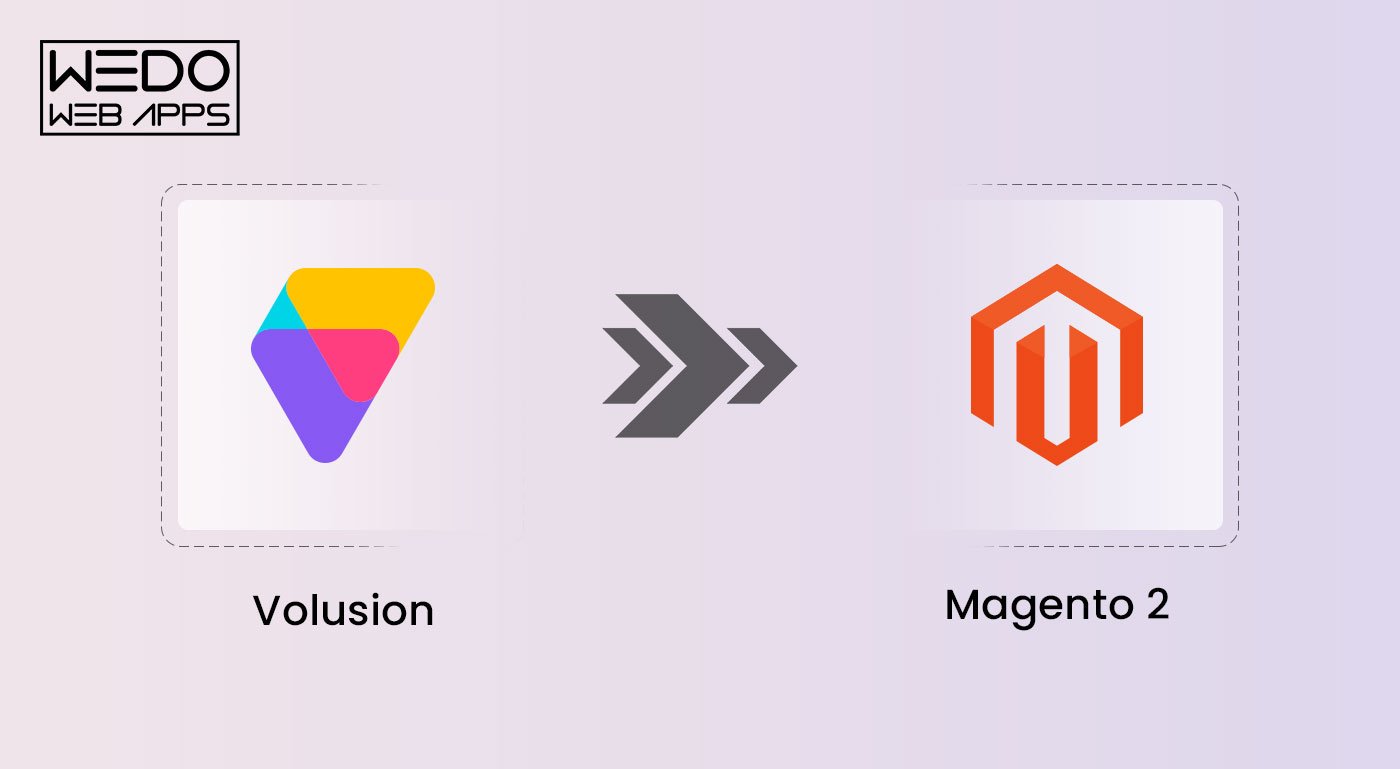
Volusion to Magento 2 Migration: Most Detailed Guide

Volusion ecommerce has been ruling the ecommerce world since 1999.

Unfortunately, the ecosystem didn’t keep up with advanced technologies and hence today the Volusion ecommerce is much smaller than Magento commerce. 

And that’s the reason why so many small businesses and large organizations migrate from Volusion to Magento 2

Magento 2 is highly customizable, scalable, and optimized for mobile devices, making it an ideal choice for businesses of all sizes. Magento 2 also boasts a large and active community of developers and users who provide support and assistance..

While both platforms offer a range of features and benefits, Magento 2 is generally considered more flexible and scalable than Volusion, with more customization options and a more comprehensive range of integrations and extensions. 

So, if you are looking to migrate from Volusion to Magento 2, this guide is for you. Let’s begin.

Planning a Volusion to Magento migration? Our Magento team handles end-to-end migration with zero data loss.

Get a migration quote

Stage 1: Preparing for the Volusion to Magento Migration Process

Step 1: Evaluating the current Volusion store and identifying potential issues to address during migration.

Migrating from Volusion to Magento 2 is a complex process that requires careful planning and execution. Before you start the migration, it’s important to evaluate your current Volusion store and identify any potential issues that may arise during the migration process

After discussing with various users, we found some of the major problems in the process like data files migration, losing product categories, and altered import settings.

Step 2: Evaluate Magento 2 Store hosting provider

Hosting and server have a direct impact on your eCommerce store’s performance and that’s why you need to choose one which can manage your prevailing traffic with respect to Magento 2 theme.

Step 3: Select required extensions and integrations 

The next step involves picking up highly-functional extensions and integrations which can give you better control for your new store like payment gateways, shipping providers, and marketing tools.
Magento migration services

Stage 2: Data Migration Process

Step 1: Export Data From Volusion And Import to Magento 2

Data migration process is a crucial step as you need to hire Magento migration experts to export data from Volusion and import to Magento 2 without any data loss. Doing this without any tool or experts can be complex owing to the fact that both Volusion and Magento 2 are based on different data structures and formats.

Step 2: Ensuring Data Accuracy And Addressing Any Issues That Arise During The Migration Process.

Before you begin the data migration process, ensuring data accuracy is important. This involves carefully reviewing all data to ensure it is complete and accurate. You may need to clean up data and resolve any data inconsistencies before importing it into Magento 2.

Stage 3: Magento 2 Store Customization

Step 1: As per the new store’s design and layout, you need to work on optimizing the design to ensure higher user experience.

So, if you are planning to customize your Magento 2 store you must work on making your store easy to navigate, clear CTA buttons, mobile responsiveness and optimization. 

Step 2: Magento 2 Extensions and Integrations Installation

Added functionalities come with Magento 2 and for that you can look out for various extensions and integrations available. With extensions you can enable various payment gateways, shipping functionalities, tools for data analysis.  Ensure to check reviews of these tools as they can make your store slow down in terms of loading or rendering. 

Stage 4: Test and Launch Magento Store

Step 1: Find bugs after frontend and backend testing

They say, the more you test your Magento 2 store the better you can make it. And that’s true as when you test, you get to know if all the functions are performing well and as intended. In this, you should also do a small market test within your team and take feedback related to user experience and make sure all processes are optimized.

Step 2: Launch your Magento eCommerce store

After all debugging and testing, it’s time to follow some of the right practices to launch your Magento store and ensure you pick up a day on which your site has maximum traffic. 

Also, before launching don’t forget to take the final backup of your store so that you have a copy. We understand you have already tested your store, but it’s crucial to re-test so that all the data is intact and functions like payment gateways are working fine.

Once everything is set, it’s time to plan an email shootout with some attractive offer – this will help in two ways. One, your audience knows about the new store launch (if design is changed), and two offers will entice them to shop and you can check if order processing is working fine. 

Understanding the Differences Between Volusion Ecommerce and Magento 2

It’s important to understand the key differences between Volusion and Magento 2. 

Volusion is an all-in-one e-commerce platform that provides businesses with everything they need to launch and manage an online store. But, Magento 2 is a more flexible and powerful e-commerce platform when your business eCommerce store demands complex features and functionalities be it extensions or tools to manage ever-growing product catalogs.

While Volusion is a good option for small to medium-sized companies with comparatively simple e-commerce needs, Magento 2 is better suited for companies with more extensive catalogs, complex pricing structures, and advanced customization needs. 

Furthermore, Magento 2 is an open-source platform, giving companies more control over the features and appearance of their online stores.

Reasons why businesses should consider Volusion Store to Magento 2 Store migration:

1. Scalability

2. Customization

3. Mobile Optimization

4. Better SEO

5. Better Support

So, if you are a business which is planning to scale your eCommerce business, migrating to Magento 2 from Volusion is the most suitable option.

Read also about Handy Magento 2 Migration Checklist For Your E-commerce Business

Volusion to Magento 2 Migration

Final Thoughts 

When it comes to migrating from Volusion to Magento 2, careful planning and execution are crucial for a successful transition. Therefore, it’s important to work with experienced developers who can guide you through the process and ensure that everything is set up correctly, from data migration to SEO optimization. 

One of the most important considerations is ensuring that your site is redirected correctly, which can help preserve your existing SEO rankings and prevent any traffic loss. 

Ultimately, migrating from Volusion to Magento 2 can offer significant benefits for your online store, including increased flexibility, scalability, and improved performance and data security. 

However, careful planning and execution are critical to ensuring a smooth transition and making the most of these benefits. By working with Magento 1 to Magento 2 migration service from WEDOWEBAPPS LLC and taking the time to plan and execute the migration process properly, you can ensure that your online store is set up for success in the long run.

The Ultimate SEO Checklist Magento To Magento PWA Migration

So, you migrated to Magento 2 recently? But don’t know why your site is not ranking? 

You might say, “I have thousands of products on your site, but only a few have no customers. Why? 

Most likely reason is broken SEO. 

However, migration from Magento to Magento PWA can have negative impacts if not handled well. 

So, in this blog, we will be discussing an ultimate SEO Magento checklist for businesses looking to migrate from Magento to PWA. We have already prepared a list of mistakes that most people make during the Magento migration process. 

So, if you’re planning to migrate from Magento to PWA, this blog is a must-read for you. 

Magento Search Engine Optimization Checklist

Use this SEO checklist template and tick maximum boxes. 

#1. On-page SEO

On-page SEO is an essential aspect of any website, and it becomes even more important when migrating from Magento to PWA. This is because, during the migration process, it is crucial to ensure that the website’s search engine visibility is not affected. 

On-page SEO includes optimizing the website’s content, meta tags, and meta descriptions, which can help improve the website’s rankings in search engine results pages (SERPs).

Steps to optimize website content

  • Conduct keywords research 

One of the first steps in optimizing content is conducting keyword research. This involves identifying the keywords and phrases that people use to search for products or services related to your business. 

Once you have a list of keywords, you can use them to optimize your website’s content, meta tags, and descriptions. If you want to learn How to choose SEO keywords, you can refer to Moz or Semrush

  • Don’t Forget The Tags 

It’s important to review your tags after determining your indexing strategy to ensure proper implementation. Meta tags and descriptions are HTML tags that provide information about your website to search engines. 

Rel canonicals should be present for all products, directing towards themselves and any other CMS pages that are unique. 

Additionally, images should be equipped with ALT tags to give search engines a better understanding of their content For multi-store websites that have varying location targets, it’s crucial to implement hreflang tags across the store. This notifies Google of the existence of alternative versions of your main store and helps to ensure that the correct version is displayed to the right customers.

So, it’s important to keep in mind that all on-site activities should align with your search engine marketing strategy.

  • Internal linking is a technique that helps search engines understand the structure of your website and the relationship between its pages. It also helps visitors navigate your website more easily. It is important to use internal linking throughout your website, as it can help improve the website’s visibility in SERPs.\

Magento pwa migration

Tips To Improve User Experience

A clear navigation structure can help visitors find the information they need more easily. It is important to organize the website’s content logically and to use a simple and consistent navigation structure throughout the website.

A clean and simple design can help visitors focus on the website’s content and find the information they need more easily. It is also important to ensure that the website’s design is responsive, so that it looks good on all devices.

Improving website load times: Website load times can have a big impact on user experience. It is important to optimize the website’s images and code to reduce load times. 

This can be done by compressing images, minifying code, and using a content delivery network (CDN). By improving website load times, you can help ensure that visitors have a good experience when they visit your website.

#2. Off-page SEO

Off-page SEO refers to the optimization techniques that are used outside the website to improve its ranking in the search engine results pages (SERPs). 

It is an important aspect of SEO, as it helps to increase the visibility and credibility of a website. In the context of Magento to PWA migration, off-page SEO is crucial as it helps to establish the new PWA as a reputable and trustworthy source of information.

Steps to improve link building

  • Acquiring backlinks from reputable sources – Backlinks are links from other websites that point to your website. They are important for SEO because they signal to search engines that other sites consider your content to be valuable and relevant. 

To improve link building, it is essential to acquire backlinks from reputable sources such as industry-specific blogs, news websites, and other high-authority sites.

  • Social media is an effective tool for building brand awareness and driving traffic to a website. By creating engaging and shareable content, businesses can attract more followers and increase their reach. 

This can lead to more backlinks, which can improve link building and off-page SEO.

  • Creating valuable content that is likely to be shared is another important aspect of link building. This can include blog posts, infographics, videos, and other types of content that are relevant and informative. 

By providing high-quality content that is likely to be shared, businesses can attract more backlinks and improve their off-page SEO.

#3. Technical SEO

Technical SEO is crucial for ensuring that a website is easily accessible and crawlable by search engines. 

During a migration from Magento to a Progressive Web App (PWA), it is important to ensure that all technical SEO considerations are taken into account in order to maintain or improve the website’s search engine rankings.

Steps to ensure proper website structure and architecture

  • Proper website structure and architecture including the XML sitemap is essential for technical SEO. During a Magento to PWA migration, the following steps should be taken to ensure that the website’s structure and architecture is optimized.. 
  • Properly redirecting pages: All pages that are being removed or replaced during the migration should be properly redirected to the appropriate new pages in order to maintain link equity and avoid 404 errors.
  • Properly handling canonical tags: Canonical tags should be used to ensure that search engines understand which pages are the preferred versions of the content.
  • Utilizing proper header tags: Proper header tags (H1, H2, H3, etc.) should be used to structure the content and make it easy for search engines to understand the hierarchy of information on the page.
  • Ensuring mobile responsiveness: The website should be optimized for mobile devices to ensure that it is accessible to the increasing number of mobile users.

Tips to improve website speed and performance

  • Website speed and performance is an important factor for SEO and user experience. The following tips can be used to improve website speed and performance during a Magento to PWA migration:
  • Minimizing code bloat: Remove any unnecessary code and scripts that may slow down the website.
  • Optimizing images: Optimize images by compressing them and using appropriate file types.
  • Utilizing a Content Delivery Network (CDN): A CDN can help distribute website content to users based on their geographic location, which can help to improve website speed.

#4. Preserving the URL Structure

Preserving the URL structure during the migration process is important because it can help ensure that the website’s search engine visibility is not negatively impacted. Search engines rely on URLs to understand the structure of a website and to determine which pages are relevant to a particular search query.

  • Implementing 301 redirects is a way to redirect users and search engines from the old URLs to the new URLs. This can help ensure that users and search engines are directed to the correct pages, even if the URLs have changed. 
  • Preserving the existing URL structure of a website during the migration process is crucial to ensure that any existing backlinks and indexed pages are redirected to the new URLs. 

It is important to ensure that the new URLs are as similar as possible to the old URLs to minimize any potential loss of search engine visibility. 

For example, if a website’s old URL is “example.com/product/123”, the new URL should be “example.com/product/123” as well. By preserving the URL structure, businesses can ensure that any existing backlinks and indexed pages are redirected to the new URLs, preserving the website’s search engine visibility.

  • Mapping the old URLs to the new URLs is an important step in ensuring that the website’s search engine visibility is not negatively impacted. This can include creating a spreadsheet that lists all the old URLs and the corresponding new URLs.

#5 Utilizing Structured Data Markup Implementation 

Structured data is a type of code that helps search engines understand the content of a website. When migrating from Magento to PWA, it’s essential to ensure that structured data is properly implemented and optimized.

Structured data helps search engines understand the content of a website, making it easier for them to index and rank the website in search results. 

In addition, structured data can also be used to enhance the appearance of a website in search results, making it more likely to be clicked on. Another benefit of structured data is your site can appear in rich snippets for further online store optimization. 

Considering a platform change? Explore the benefits and steps involved in a Squarespace to Magento migration to boost your site’s performance and SEO.

  • Implementing structured data for PWA

When migrating from Magento to PWA, it’s essential to ensure that structured data is properly implemented and optimized. This can be done by using a structured data markup helper such as Google’s Structured Data Markup Helper to add structured data to the website’s code.

  • Testing structured data for errors

After implementing structured data, it’s essential to test it for errors using the structured data markup helper tool.  This can be done by using a structured data testing tool such as Google’s Rich Results Test to ensure that the structured data is properly implemented and free of errors.

#6. Monitoring Analytics

Monitoring your website’s analytics is essential to understanding how your website is performing and identifying areas that need improvement. By tracking  Google Analytics for key metrics such as traffic, bounce rate, and conversion rate, you can gain valuable insights into how your website is being used and what changes need to be made to improve it.

By analyzing your website’s analytics data, you can identify which pages are performing well and which pages are not. This information can be used to optimize your website’s content and structure to improve its overall performance.

Magento development

By monitoring your website’s analytics, you can also identify which pages need optimization. This information can be used to make changes to your website’s content, structure, and design to improve its overall performance.

Planning a Magento-to-PWA migration and want to avoid costly SEO mistakes? Consider professional Magento developer hiring support to ensure a smoother, search-friendly transition.

What’s The Concept of Magento PWA and Why Does It Make Sense To Migrate Magento to Magento PWA?

PWAs are web applications that provide a native app-like experience to users and are designed to work offline. 

They are faster, more responsive, and provide a better user experience than traditional websites. This is why many businesses are now migrating from Magento to PWA Magento migration. 

  1. Better Conversions 

Moving your frontend to PWA provides increased flexibility and the potential for increased conversion rates. You will no longer be restricted by the design limitations of the CMS your store runs on, giving you the freedom to optimize the frontend for better user experience and conversion. 

Alibaba, for instance, experienced a remarkable 77% increase in conversion after transitioning to PWA.

  1. Make Quick Tweaks Effortlessly 

By separating the frontend from the backend, you can make quick modifications to the design without disrupting the backend operations. 

This provides ample opportunities for testing and finding the most effective design choices, leading to improved performance.

  1. Override app store restrictions

Progressive web applications offer a unique advantage for businesses as they don’t have to comply with the limitations and restrictions imposed by the App Store and Play Market. 

So, this can be a great opportunity for companies that are not yet prepared to invest in native app development. Furthermore, moving to PWA can be a viable solution for businesses operating in niche markets that fall under the “gray” eCommerce category.

Why does SEO matter during the migration process?

SEO (Search Engine Optimization) is an important consideration during the migration process as it can have a significant impact on the website’s search engine visibility. 

Businesses should take steps to ensure that the migration process does not negatively impact their website’s search engine visibility.

  • Conducting a Thorough SEO Audit is an important first step in identifying any issues that may be impacting the website’s search engine visibility. This can include identifying any technical issues, such as broken links or duplicate content, as well as any issues related to the content of a website and structure.
  • Analyzing website traffic data can help businesses understand how users are interacting with their website. This Google Search Console data includes information such as the number of visitors, where they are coming from, and which pages they are visiting. This information can be used to identify areas of the website that may need to be optimized.
  • Identifying high-performing pages can help businesses understand which pages are driving the most traffic and engagement. This information can be used to inform the migration process and to ensure that these pages are preserved during the migration.
  • Identifying areas for improvement can help businesses understand what changes need to be made to the website in order to improve its search engine visibility. This can include making changes to the website’s structure, content, and technical elements.

To ensure your migration is seamless and optimized for success, explore our expert Magento web development services that cover every aspect of your e-commerce needs.

Conclusion

Migrating from Magento to PWA can bring many benefits, including improved user experience, increased website speed, and better search engine rankings. It can also help to increase conversions and revenue. However, it is important to ensure that the migration process is done in a way that does not negatively impact the website’s search engine visibility. 

SEO should be a major consideration during the migration process. It is important to conduct a thorough SEO audit, preserve the URL structure, optimize for speed, utilize structured data, and monitor analytics.

The process of SEO is ongoing and requires continuous efforts. Even after the migration process is complete, businesses should continue to monitor the website’s search engine visibility and make adjustments as necessary.

So. by following the ultimate SEO checklist , businesses can ensure that their online store is successful and that their website continues to perform well in search engine results.

Contact WEDOWEBAPPS LLC if you are looking to migrate your store from Magento 1 to Magento 2. For a detailed guide on the process, check out our data migration explained and discover the top themes for Magento 2 migration to ensure a smooth transition.

An Ultimate Guide On How To Estimate and Optimize The Real Costs of Magento 2 Migration

Wait, are you a store owner who want’s to migrate to Magento 2 and take your eCommerce business to next level digitally? You must read the entire article because we will sort the most sensitive matter called ‘Pricing, or Cost to migrate to magento for ecommerce.As store owners, the most challenging part of running a business is a well-versed understanding of places where investment is worthwhile, meaning you’ve made the most out of your budget.When it comes to IT expenses, a lack of knowledge and understanding eventually leads to ‘not making enough out of the cost price.’In this guide, we shall run through the pricing of Magento migration checklist serviceto Magento 1 and Magento 2, everything that needs to be highlighted and all crucial explanations about where the money is worth spending!We’ll reveal pricing priorities and break down the standard pricing of Magento 1 and Magento 2 migration.Let’s dive in!

Magento 2 Server Migration Service: A Brief Guide 

As stated above, many business owners have considered the shift to Magento 2 from Magento 1 insignificant. However, that is shady. In a survey conducted in 2021. It has been revealed that out of 195425 live Magento stores, only 87012 Magento stores have upgraded to Magento 2. Magento 2 server migration might not have been well-reciprocated by merchants and traders, but the migration initiative stands important.Many E-Commerce platforms like Tile Giant, Land Rover, and Pino’s have undergone the Magento 2 migration process, understanding that this one step could entirely change the business’s fate.Have you thought about securing your e-commerce store from hacks and thefts, improved interfaces that win the audience’s interest, powerful security, and more?Well, if you are thinking, you must have migrated or planned migration to Magento 2.Let’s see the future of your eCommerce store on Magento 2 in the sub-topics below. 

Why Migrate to Magento 2? 

Talking to magento store owners has led us to understand why owners agree to migrate to Magento 2 but never really do it! As per our conclusions, there are three major reasons behind this:

  • They fear the change and want to stick to what it is
  • The Magento Development Cost Scares Them or Magento Migration Cost Scares Them
  • They have yet not understood the significance of doing it right away

Whether you have a Magento 1 store or not, here are a few reasons why you should be deliberate in migrating it to Magento 2:

  • Security

Magento 2 is a secured and encrypted platform where the security of your store remains end-locked. Moreover, security patches on Magento 2 haven’t been updated since the summer of 2020. Thus, before you fall prey to hacks, penalties, and fines, migrate to Magento 2.

  • Updates and Customizations

Magento 2 takes timely updates without you having to indulge and do it manually. Magento 1 has stopped taking automatic updates, which means that you will be stuck with the old version. Additionally, you might have to spend on customization and features.

  • Features That Are Better Than Ever

Not migrating to Magento 2 is letting you be unaware of features that are better than before. They include SEO tweaks, better checkouts, mobile optimization abilities and others. Be as quick as possible and run through the exciting features.

What Is the Cost of Migration from Magento 1 to Magento 2

The Magento 2 Migration cost varies on numerable factors, including:

  • Complexity and Size of the Magento Store
  • Customer Density and Number of Products
  • Custom features and functions as per individual needs

Below is a list of factors that might considerably affect the total cost of Magento 2 migration.

  • Magento Licence Fee

There’s a subsequent cost for a Magento licence for commercial sites. This might start from $22,000 annually. Additionally, you get cloud hosting (as Magento Cloud Commerce). The cloud-based hosting will enable you to host your Magento store.It is the Enterprise edition hosted version. The licensing charge ranges from $40,000 annually to $190000 a year as per the total number of users.

  • Cost for Optimal Data Import

Correct data importing is crucial to ensuring a smoother Magento migration process. One can do it manually or take the help of a migrating tool. In manual execution, you might be expected to pay $200 an hour for data entry. When taking the assistance of a tool, the Magento migration cost depends on the kind of tool used.

  • Cost For Extension

In case you are using any third-party extension on the current site, you must also carve the budget for the cost of all such extensions on the Magento 2 platform.It would start with mapping extensions in Magento 2 and changing the existing extensions to new ones. It might be the case that you haven’t received any extension on the current purchase, so you would have to get it constructed from the beginning.The third-party Magento 1 extensions can be taken to a new platform to make it sound more convenient. However, the time and cost would depend on the extensions’ complications. 

  • Cost for Theme Building

Magento 2 has its new architecture for the theme. This means that the old themes would not do for the newer version. So, there needs to be a separate budget carved for new theme construction on Magneto by your partner agency. The cost would depend on the theme’s complexity.

  • Customization

In case your site has some custom code, the Magento 2 migration cost would require to get factored as well. The price range for customizations can range from $0-$10,000.

  • Agency Partnership

Now, if you have no team to migrate to Magento 2, you would require a Magento Migration company to partner with. In this scenario, the cost would vary as per the scope of work and the kind of agency you choose.

How To Optimize The Magento 2 Migration Cost?

1. Data Migration

In data migration, essential information, such as customer accounts, product details, orders, store configurations, custom functions etc., is migrated.Hiring a Magento 2 development company is the most effective solution if you have yet to gain experience with data migration projects.There are two main ways in which these Magento development companies charge for magneto migration service. 

  • The first method is when data migration companies charge based on the data transfer volume. This is the best method for startups and small businesses.
  • Secondly, Magento agencies offer data migration services at a fixed price regardless of the data’s size. Magento 1 to Magento 2 data migration costs start at $500. Further, the cost varies based on the quantity of data that needs to be transferred.

2. Choose Magento Data Migration Tool kit

With Magento Migration Toolkit, you can automate the migration process to reduce migration costs, resources, and time required for a Magento 2 migration. The toolkit eliminates manual data entry, reduces errors, and streamlines the process. Further, the toolkit includes detailed documentation, step-by-step instructions, and technical support from skilled magento 2 developers to help you migrate successfully. This results in businesses saving time, reducing costs, and simplifying migrations.

3. Cost of 3rd Party Modules

If you’re currently using third-party extensions for an eCommerce magneto store, you’ll need to budget for their cost in Magento 2. You’ll also need to map these extensions in Magento 2 and change your old extensions with new ones. During the migration from Magento 1 to Magento 2, it is essential to estimate the cost that will need to be spent accurately.As a rule, the price of a Magento migration can range from $5,000 to $30,000 or more, depending on the existing system’s size and complexity, the amount of customization required, the migration process, and the cost of third-party modules.When it comes to third-party modules, you should carefully evaluate which are necessary and choose free or open-source alternatives whenever possible.

4. Magento Migration Company Charges

You may need to partner with a Magento migration company if you need more internal resources to migrate to Magento 2. Your migration costs will vary depending on the scope of the work and who you hire. Magento’s migration projects can cost anywhere from $5,000 to $50,000.Several factors can affect migration charges, including the size and complexity of the project, the degree of expertise and experience of the migration agency, and the scope of work included in the contract.Agencies generally provide two models: Dedicated and Regular ModelWe recommend choosing a dedicated model, where your project will be assigned a dedicated Magento 2 developer. Hire dedicated Magento developers who will help you reduce the time needed to complete the migration, allowing your business to grow and expand faster. When making a decision, you should carefully evaluate the agency’s reputation and experience, as well as its proposed budget and plan. It is also advisable to compare multiple offer prices and values.

5. Cost of Theme Design

Magento 2’s new theme architecture makes your old themes incompatible, so you need to consider the cost of theme design when migrating to the latest version. The cost of rebuilding your themes with a Magento partner agency depends on the complexity of the design. Due to the different coding and frontend templates between Magento 1 and Magento 2, it is difficult to migrate the theme of Magento 1 to Magento 2, which may take time and be costly.Magento 2 offers you the option of purchasing themes directly from its store, saving you time and effort. Depending on its complexity and features, customising a Magento 2 theme can cost between $5,000 and $25,000. In addition, Magento offers ready-made themes for $500 to $3,000 in its store.

Mistakes To Avoid In Magento 2 Migration Process

There are several common mistakes businesses make during the Magento 2 migration process. Avoiding these mistakes can help ensure a smooth and successful migration. Let’s take a look at the pitfalls to avoid during your Magento 2 migration journey and get ready to smoothly start migrating magento for ecommerce store. 

1. Not Consulting A Professional Magento Migration Company

Migration is more complex than it sounds, and doing it with the help of a Magento migration agency can prove costly in the long run. Through this service, you will receive expert support and guidance to ensure a smooth and successful migration without hiring a team of magento 2 developers or spending time on it. Even though you may be a Magento 2 developer, you may need to gain migration experience. You may have yet to witness all the issues that come up during migration.The process of migrating the store is more complex since you need to take care of SEO, migrating data, extension compatibility, and many more things as well.In other words, if you choose the right Magento 2 migration company, they will handle the details and provide you with a store running the latest version of Magento 2.Magento 2 Migration company service evaluates your current system, including data, configuration, and extensions, to know what needs to be migrated. As a result, it can help you save time, reduce costs, and ensure a smooth migration to Magento 2.

2. Not Checking Compatibility Of Extensions, Themes And Modules

Before migrating from Magento 1 to Magento 2, most software companies do not check the compatibility of extensions, themes, and modules. As a result, migrating components without ensuring their compatibility may hamper the migration process.To ensure a smooth migration process, companies must identify the extensions used in Magento 1 and determine whether these extensions are necessary for the new online store.

3. Not Considering Internal Workflow Changes

Businesses typically focus on how users view and interact with their websites after migration rather than how employees perform their duties. Understanding how the new platform will affect the internal workflow of the Sales, Marketing, Account/Finance, Order fulfillment, and Customer service departments is essential. There should be a plan for how each department will work with Magento 2. 

4. Neglecting SEO Equity

If a webshop migrates to Magento 2 or another platform, search engine traffic, SERP rankings, and conversions may decrease. A professional magento 2 development company with knowledge of data migration and SEO can help prevent such damage.The best way to prevent SEO sinking is to migrate at a time when the store is least busy, implement 301 redirects whenever changing URLs, transfer only necessary extensions, keep your website performing well, verify search console suggestions from Google and Bing, ensure links are not broken, audit webshop carts, inquiry forms, and other interactive elements during migration, etc.

5. Not Leveraging The Ready-Made Themes

Magento developmentThe market is full of excellent themes! However, do you think that a ready-made theme may not be adequate?Using ready-made themes for Magento 2 migrations can reduce the migration cost. Ready-made themes provide an easy-to-use, cost-effective solution. Creating a custom theme requires a lot of time and resources, but pre-designed themes don’t need much. In addition, ready-made themes offer a wide range of features and functionalities, including mobile optimization and responsive design, to help enhance your online store and improve customer experience. You can find pre-made Magento 2 themes on sites like Magento Market Place themes , ThemeForest Magento eCommerce themes and CreativeMarket Magento website templates. From furniture, clothes, and electronics, to other types of e-commerce stores, all ready-made themes are available on this site.Magento website develoment

Key Takeaways 

With careful planning and preparation, it is possible to minimize the costs and maximize the benefits of a Magento 2 migration. The actual magento migration cost of your store depends on theme design, data migration, third-party modules, and Magento partner agencies. Moreover, it is critical to avoid common mistakes, such as underestimating the project’s complexity, failing to account for unexpected expenses, and underestimating the cost of customizing and maintaining your store. Hire Magento 2 Developers From WEDOWEBAPPS LLC, a leading leading Magento development company, to start your migration at affordable prices. 

Web Development & Developers Guide: Types, Tools, and Benefits

A business without a website is like a citizen without an identity card, and no one would believe that you exist. Web Development Services have become one of the most demanded services in the digital era. It spreads your business awareness and increases sales at sky-rocket speed. Nevertheless, web development is a tricky thing; the more you know, the better it gets for your business.You must have heard about plenty of programming languages. But, the concept of front-end web development, back-end app development, and full-stack app development is unknown to many. So, what does a web developer do? What are the types and duties? What tools do they use? And how is web development beneficial for startups or small companies? Everything you need to know and understand is here in this blog article. So, read ahead to stimulate your brain with interesting information about the web world. Let’s start with web development and web developers:

What is web development?

In simple language, web development refers to building a website or web app that works with the help of the internet. It could be a single web page with plain text or a complex and significant web application. It serves multiple purposes such as personal blogging, business, social networks, etc. A web development company provides services like programming, rendering, and maintaining websites. It also includes various responsibilities like database management, web design development, and website publishing.

Types of Web Developers

Types of Web DevelopersGenerally known as programmers, web developers are the brains behind innovative and feature-rich websites you see on the internet. They take the web design from designers and convert it into a full-fledged website using various tools. By using different web development tools such as JavaScript, PHP, Node JS, Python, etc., programmers create a website with smooth navigation and excellent performance. They collaborate with designers, content writers, and companies requiring web apps to create and publish a website. Web developers can be divided into three categories given below:

1. Front-end developer

As the name suggests, front-end development is the part of a website that interacts with users directly. It is also termed as a ‘client-side’ web application as it includes user experiences such as colors, fonts, images, buttons, navigation, graphs, styles, and tables. JavaScript, HTML, and CSS are used for front-end development, and front-end developers are responsible for providing customers with a seamless user experience.So, right after opening a website, you notice the design, structure, behavior, number of pages and sections, and content. Front-end developers implement everything that appears in front of your eyes. A website must be responsive and highly functional, and a front-end web developer is responsible for ensuring the same. A front-end developer knows how to create a web page that fits all sizes of screens irrespective of devices.

2. Back-end developer

You might have heard or read the word ‘server-side’ website or web apps. It can be said to be the key to front-end development. It is responsible for data storage and arrangement to ensure the client-side web page works smoothly. It is the side of web development that remains out of reach from users but plays a vital role at the forefront.Back-end web developers create fundamental characteristics that contribute to user experience. A back-end developer develops parts that are directly accessible by users. Back-end developers work on writing APIs, adding plugins, system components, and creating libraries. The role of a back-end developer is hidden yet highly imperative for a website with remarkable performance.

3. Full-stack developer

Full-stack developers are skilled and capable of developing both front-end and back-end websites. In addition, full-stack developers possess a solid understanding of both sides of web development and how they function in a parallel line. So, along with creating APIs – application programming interfaces, they have the caliber to use HTML, CSS, and JavaScript and for setting up and configuring servers.

Duties and skills of a web developer

Web developers take the design from web designers and transform it into a live, authentic, and interactive website for its customers. It includes an array of responsibilities, from creating libraries to incorporating the latest facets for a future-ready web app solution. They test and debug a code before launching it on the world wide web. Web developers should have the efficacy to maintain and manage the site post launching it across the internet. With web app developers types mentioned above, here are some of the traits and skillsets they need to have to do their job efficiently:

  • Creating search engine optimized web app solutions
  • Knowledge of content management system
  • Back-end development and database
  • Accurate programming OR neat coding
  • Knowledge of primary coding languages like Javascript, CSS, HTML, Python, and PHP
  • Testing and debugging

Read ahead to know details in brief about the required skills of web developers to satisfy clients’ needs.

Technical knowledge

Programming languages lie in the core of web developers’ mind, heart, and hands (and trust me when I say ‘hands). Their fingers create wonders with their tech stack, which particularly includes CSS, HTML, and JavaScript. HTML is directly responsible for the structure of a web page, whereas CSS works well for style, color, fonts, etc. JavaScript is the best for crafting an interactive web solution. These three are the foundation language of web development, and their libraries play an important role in generating an exceptional web development solution.

Effective communication

To be a strong communicator, a web developer needs to be a good listener first. They have to understand the client’s perspective, their business objectives and be patient to obtain practical solutions. A developer also needs to convey his ideas in a way that compels a client to take action for the website development. The art of communication proves to be important when it comes to expressing complex ideas in simple methods. Web development is a web developer’s niche, and a client may not understand the ABC of the same. Nonetheless, communication establishes trust and helps clients to understand how web development can boost their business lines.

Hunger to learn

Like any other technology, programming languages, frameworks, and libraries are constantly evolving. With updated technology, a web developer also has to be prepared for learning and upgrading skills. What you know today as a website developer may not be useful tomorrow. A web developer should be a passionate learner in order to improve their skills and capabilities as a professional. So, when a new library or framework is launched, and potential clients demand it, a web developer would not have to play a catch-up game. They will be ready with upgraded skills to fulfill clientele business requirements with practical web development solutions.Along with some of the technical skills required for web application development, developers need some genuine expertise and professionalism. There are other general skills such as analytical thinking, problem-solving, and an eye for debugging, which can be helpful. Developers must have a collaborative nature to communicate and work with clients from across the world.

Tools to be used for various web development projects

Tools for Front-end web development

Tools for Front-end web developmentThere are a specific set of tools for every web development type to accomplish the website development project. Under the title given above, you will find some of the most used and affordable front-end development tools. Remember that tools should be chosen as per the project requirements and ongoing trends. They should not be chosen on the basis of past experience or reviews given online. These tools should provide result-oriented and scalable web app solutions by keeping the core purpose of website development in the focal point.

Angular JS

Suitable for both small businesses and enterprises, Angular JS is a free and open-source platform for web development. It will help you extend HTML vocabulary as HTML works well with static documents but Angular is better with dynamic web development. With Angular, you get an environment that is clean, readable, expressive, and fast to develop a code.This fully extensible toolkit allows you to collaborate with other libraries, which ultimately gives you the freedom to replace or modify various facets of the code. It works parallel to the flow of your web development project. It has several impressive features, and some of them are as below:

  • AngularJs allows you to have server communication for navigation, form validation, and deep linking for back ends.
  • Angular Js provides components that are reusable, directive, and localized. It also has a built-in testing capacity.
  • It provides some other features such as plain javascript, controller, and data binding that helps in reducing or eliminating DOM manipulation.

SaaS

SaaS is an extension language of CSS, a free and highly stable platform for web development. SaaS allows you to share designs with and within the projects and use variables. Frameworks such as Bourbon, Compass, and Susy are constructed with the help of SaaS. In addition, you can build your own functionalities or use provided functionalities by SaaS. Some of the features include:

  • It allows you to organize large style sheets.
  • It comprises features of variables, arguments, nesting, and loops.
  • It is exceptionally compatible with CSS and has a substantial community.
  • SaaS also supports manifold inheritance.

Chrome DevTools

As the name suggests, Chrome DevTools are built into Google chrome. It helps you to increase the website’s loading speed, edit a page on the fly, view messages, debug and run JavaScript in the console, and identify an error quickly. The facets include the following:

  • You can monitor Network activity.
  • You can optimize and analyze speed and performance.
  • You can also identify forced synchronous layouts with the help of a performance panel.
  • It includes various aspects for security panels such as memory panel, understanding security problems, network panel, element panel, and console panel.

Grunt

A Task Runner of JavaScript, Grunt is a useful tool for automation. Most repetitive tasks can get done with its help, like compilation, unit testing, and minification. Some of the facets are as below:

  • It provides multiple plugins and lets you automate anything with minimal effort.
  • You can create your own easy-to-install Grunt plugin to Npm.
  • You will need an updated Npm as it helps in installing Grunt and its plugins.
  • Grunt provides a ‘Getting Started’ guide that has proven to be valid.

CodePen

Codepen is a popular online tool that aids in sharing and designing front-end web apps. Moreover, one can use it to build the whole web solution as it gives almost all the facets of IDE in a browser. Features are provided below:

  • It offers a customizable editor.
  • It will allow you to keep your pens private.
  • It will let you drag-and-drop CSS, and JSON files, images, as well as SVGS and Media files.
  • It comes with a collaborative model which allows multiple coders to write and edit a program in a pen alongside.
  • CodePen provides an environment for the front-end that helps you with efficient testing and sharing.

GitHub

GitHub is a well-known Software development platform that helps in managing projects. GitHub will let you craft a review process for your programming and fits it into the workflow. It can also be integrated with other tools that are already in use. The best part is, you can deploy it as a self-hosted or cloud-hosted solution. Features are:

  • GitHub provides sufficient features for project management.
  • Developers use it for personal projects or for experimenting with newly released programming languages.
  • It offers features of SAML sign-on, access provisioning, invoice billing, 99% uptime, unified search, advanced auditing, and contribution, etc., for enterprises.
  • It also provides some useful security features such as security incident response, two-factor authentication, and more.
  • GitHub is highly functional for code review, integration, project management, team management, social coding, code hosting, and documentation.
  • It offers priority support for enterprises, and it has various plans for small, medium, and big businesses. It also offers relevant plans to single users and team players as well.

NPM (Node Package Manager)

NPM is a free, open-source tool and the Best for SMEs. In addition, bigger enterprises can acquire a quote from NPM itself.Npm will assist you in building unique solutions through crucial JavaScript tools. It has proven beneficial for team management. In addition, it provides impressive security features without requiring any configuration. For enterprise-level solutions, npm provides facilities like de-duplicated development, security expertise, access control, and unrivaled support. Features include:

  • Being an open-source and free solution, you are capable of publishing unlimited OSS packages. You can also discover and install public packages.
  • You receive automatic warnings for risky code as well as basic support.
  • With Npm Orgs plans, you get all the fundamental features.
  • You will be able to manage team permissions and perform workflow integration & token management.
  • It also offers additional facets such as SSO authentication according to industry standards, billing based on the invoice, dedicated private registry, and more.
  • Npm open-source platform is the right solution for many public package authors.
  • Small teams and many organizations use npm Orgs, so you have a large community.

TypeScript

TypeScript is absolutely free and suitable for small to medium and large businesses, as an open-source programming language and a typed JavaScript’s superset. It can compile code into plain JavaScript. It provides support to any browser, host, and operating system. In addition, you can call code TypeScript from JavaScript while using the existing Js code. Features are:

  • You can run compiled TypeScript code in Node.js. It is possible in any JavaScript engine supporting ECMAScript 3, irrespective of browser type.
  • TypeScript will let you use the ultra-modern and evolving features of JavaScript.
  • You can gain more insights into the existing behavior of JS libraries. It offers different facets of type annotations, type interface, compile-time type checking, type erasure, interfaces, generics, enumerated types, tuples, name-spaces, and Async/await.

Tools for Back-end web development

Tools for Back-end web developmentWhile front-end development is all about design, colors, font, and aesthetics, back-end development is about a web app’s functionality. Also known as Servier-side development, back-end development has everything to do with smooth navigation, fast loading speed, seamless performance, and overall functionalities. So, for example, if you are using an eCommerce site, the appealing layouts, fonts, and everything are created by front-end developers. However, the way you navigate from page to page, log in, log out, add and remove into a cart, check out procedure, and such call of actions are developed by back-end developers.It is quite understandable that back-end development is a vast domain in comparison to front-end development. It requires a lot more attention and accuracy and hence, the need for back-end tools that make the task easier. The tech world offers ample tools in the form of programming languages, frameworks, testing tools, deployment tools, web servers, and much more. Let’s start with top-class back-end web development tools that make developing a web page smooth and quick:

Python

Python is the most loved and preferred back-end web development language in recent times. It is easy to learn, code, and test the web app and can be used for general-purpose. Google, Instagram, and Spotify are some of the big names that use Python as a tech stack. Python is an object-oriented, highly functional, and procedural programming language that comes with a rich library. Python has the caliber to integrate with another language, compete with the latest technologies, and provide great programming support with simple syntax. In addition, Python frameworks such as Django, Flask are some of the best frameworks one can contemplate for back-end web development solutions.

Apache

There is nothing wrong in saying that approximately half of the websites across the globe are powered by Apache. You can only imagine how powerful and advantageous Apache can be to manage such a huge community. That too so efficiently! Apache Software Foundation deployed the Apache HTTP server and is a leading open-source and cross-platform web development server. The features like multiple request processing, session and user tracking, CGI support, loadable dynamic modules, real-time status view are totally worthwhile. However, there is much more to it as the Apache web server is remarkably compatible and supportive to other operating systems like Windows, macOS, and Linux.

Docker

Whoever uses Docker says it’s the highly recommended tool for web developers. It is a type of platform that lets you develop, deploy, and run web apps without the complications of obtaining help from containers. Instead, Docker leverages you with an isolated and consistent environment. It is responsible for segregation and resources in a way that each container can access all the resources dependently without interfering with other containers. Its flexibility, scalability, rapid web app deployment, built-in version control system, cost-effectiveness, and security are some of the other benefits to consider for back-end web development.

Jira

If you are looking for a tool to improve web development speed and quality, Jira is known to be smooth and fluent. It is mainly a project management system that uses workflows like scrum and kanban to manage projects. It is a great help in planning, tracking, and reporting agile projects with convenience. You can also access several advanced reports with real-time insights. The best part is, Jira is more customizable according to a project requirement, unlike other project management tools.

Tools for full-stack web development

Tools for full-stack web developmentFull-stack web development can be said to be a complete package for web app development. It is an art where a developer is responsible for both aesthetics and performance of a website. Full-stack development tools come in handy in such situations where a developer is loaded with various responsibilities. The usage of full-stack web development tools is increasing day by day as it helps in agile web development with minimum effort and time.

WebStorm

WebStorm tool assists in writing JS code with impressive efficacy. It is a robust JS IDE and known as a stand-out web development tool for full-stack web development. It consists of versatile color schemes and themes to create an agile web app solution. It provides programming assistance for JS and TypeScript and supports other programming languages like Angular and React Js. It comes with an in-built debugger that works for client-side Node Js and Js. It can be combined with command-line tools easily. It provides UI to work with Git and other virtual merging tools and many other qualities for hassle-free full-stack web development.

CodeKit

CodeKit is quite popular among full-stack web developers as it can minify, combine, and syntax-check javascript. It develops web apps faster and can be used to optimize images as well. It gathers scripts together and decreases HTTP requests. Thus, your browser refreshes automatically irrespective of device type. Whether it is a desktop computer, laptop, smartphone, or tablet, whether it is Android or iOS, or Windows, CodeKit is highly compatible. A developer can combine TypeScript, Slim, CoffeeScript, Markdown, etc., with CodeKit. You can install more than 6000 components like Bootstrap, jQuery, WordPress, and much more with a single click.

Electron

Electron is best known for crafting successful desktop web apps using CSS, HTML, and JavaScript. It releases timely updates to eliminate bugs and improve user experience. This full-stack web development tool is a product by Git, and it is sufficient to prove its reliability. Discord and Skype are built using Electron, and it is compatible with Windows, macOS, and Linux. It keeps Node js in the central process and aids in crash reporting, profiling, and debugging. There are some other benefits that assure developers a smooth, hassle-free, and agile web development procedure.

Benefits of Web Development

Now that you have known the types of web developers, web development, and the names of relevant tools, you ought to know the benefits of web development for your business. Regardless of business size, web development can play a vital role in enhancing brand awareness and boosting sales and marketing. A great website can do wonders for your business or personal blog. Many consumers make a purchase only after making sure that it has a website, and several customers buy goods only from well-established sites. The benefits are outstanding, and some of them are mentioned below: 

Build credibility

If you are a startup, you need to build credibility until people start trusting you and your business to buy stuff. Pandemic boosted eCommerce but so did the scams; your business needs to be reliable before buyers make it a preferred choice. So building credibility is essential, along with high-quality web apps.After the pandemic, the online market was flooded with various websites as everyone wanted to take their business online. However, our years of experience say that a customer would think of you as a scammer without having a website. With a website, you are a credible source to make a purchase. Make sure to have an about page, a contact page, portfolio, reviews, and testimonials. You can establish your name as a business owner and trustworthy provider of various products. 

Brand identity

Brand identity is everything if you are thinking of expanding your business across borders. If fortune 500 companies are on that list, there is a reason for that and having a website is a plus for your business. Social media platforms can bring millions of followers, but an appealing website will bring real customers. Whether or not you make good sales with a brand identity, your customers see you as an accomplished business name. With the help of renowned web development agencies, you can seek assistance in building brand identity. You can include your company vision, mission, brand personality, background story, and values on your website. These are the correct elements to show your customers and to gain their faith. If they understand what you are and what you do, they are most likely to buy things or services from you.

Brand recognition

Not many are aware, but brand identity and brand recognition have vast differences. If brand identity is about how customers view your business, brand recognition is how your customers recognize, recall, and admire your business. In addition, brand identity helps in building trust, whereas brand recognition happens after becoming a reliable source of products or services. Your small or medium-sized business can be pushed ahead with brand recognition. You can link your brand new website with other well-doing websites via guest posts and comments for brand recognition. In addition, you can post blogs that link back and connect with your website. As a result, more readers and users can come across your content and brand name, which will be beneficial in the long run. A new website is all about branding efforts to catch maximum attention from your targeted audience. The more your audience sees your website, the quicker they learn to recognize your brand name. 

Build connections

It is pretty obvious that you will require potential connections and loyal customers for growing your business. When a customer feels that relationship with your website, they will continue buying things from you. Customer relation is crucial, and the right website with responsive design and robust structure will help you there. Once customers get to know you and your business, they will be more comfortable buying things from you. A website with fantastic performance will enhance user experience and increase personalized visits of customers. It is important to be a part of digital transformation to attract more customers and build trust among them. With better and positive responses from customers, our business has more chances of being successful in a limited period of time.

Drive sales

Website visits can turn into sales if the site has a smooth user experience and is formatted in the right way. According to an estimation, by the year 2040, approximately more than 95% of customers will make a purchase through eCommerce. So, if you have not upgraded your website with the latest and useful features while reading this, it is the right time to do so. A good website is not just about appearance, and it helps you grow your business in the best possible way. With a website, you are capable of reaching millions and billions of people worldwide by exposing your products or services online. The more exposure your business gets, the more people visit. The more people visit your website, the higher sales you drive. And, the higher the sales you drive, the more your business grows. See, how simple was that to understand? Even if you do not sell across the world, digital marketing will help in whichever area you are willing to make a sale. 

Customer relation

Loyal customers amplify your sales and keep your business flourishing. A reliable customer community will be consistent when it comes to shopping products from your website. Such customer relations are a plus point for any business. Website designs and seamless navigation are critical to draw new customers and retain old ones. It helps them to stay longer on a website and look for what they need. This time can be utilized for the foundation of a strong connection with your customers and getting to know them a little more. When a customer gets accustomed to using your website, they will shop more from your eCommerce store. Customers having good relations with you will help you spread the word. Their reviews about your products or services will bring new customers as you have already established your brand identity.

Helps with digital marketing

Believe it or not but, no one downloads mobile apps just like that. People download mobile apps when your business website is already famous, and people want to visit the store frequently. For that, you need digital marketing, and for digital marketing, you need a highly functioning website. You are bound to gear up your ad campaign game for potential customers because marketing to the wrong audience brings no fruitful results. A website is a right way to drive traffic towards your business rather than old conventional marketing methods. With the right digital marketing services, your business can gear up in search engines, and with augmented traffic, you receive more visitors on your web page or landing page. In addition, it is a sense of accomplishment when a user clicks on a link on social media and lands on your website. 

Brings organic traffic

Organic traffic is essential in cut-throat competitions where finding genuine customers is challenging. A website is your most significant and life-long investment to generate organic traffic for your website. Regardless of how long it takes to build an SEO-optimized website, it is okay to invest time. Organic traffic means when your potential customers land on your web page without you paying for them to land on your website. Having a high-performing website that is admired and accepted by search engines will always be rewarding for your business. The more organic traffic you get, the higher the chances to make advantages in sales and other business deals. While building a website and adding the content, makes sure you consider the following points:

  • Blog
  • Quality headlines
  • Effective meta descriptions
  • Keywords
  • Link building

Linking your website to social media platforms is another way to bring real and organic traffic to your website. It will promote your business and help you grow.

Easier customer services

A website is the most convenient way of keeping in touch with your customers and helping them in every possible way. With a website, your customers get all the basic details such as offered services, product details, available resources, hours of operations, and locations. In addition, your customers can reach out to you quickly and easily through customer service. For example, one text message or email will notify you about your customers’ needs, and you can respond to them within minutes or hours. The number of calls and complaints can go down drastically as customers can communicate with customer care representatives any time they want. Thus, the customer service team can help quickly. It is not time-consuming, and efficiently solved queries can help you grow in a reliable way. Final words: Web development has changed the way business is being done all over the world. Small companies that have established an identity through their websites years ago are today booming with success. A website has to be there to prove your identity and showcase the products. Web app development is booming, but not many know how to build a website that takes over the competitors. With robust structure, mind-blowing performance, top-class features, cutting-edge technology, and result-driven content, a website can embark on the journey of success. We build premium and personalized web apps for our customers worldwide. If you are a startup or owning a small business, our pricing and deadlines will be an added point. Our professional and experienced web app developers have a knack for developing websites that impact user behavior. By covering every aspect of the website development procedure, we ensure to provide you with a robust, functioning, attractive, and smooth running website. With all the information mentioned above, it will be easier for you to understand the basics of web development, web developers, and its benefits. For any further queries, you can contact us, and we will surely guide you through your requirements. Dev tools mastered? WEDOWEBAPPS offers expert web page development services, connecting you with skilled professionals to craft your dream website.

A Guide to Find a Shopify Expert and Questions to Ask Before Hiring

Find A Shopify Expert to Maintain Reliability

How do you know that the selected Shopify developer is the right fit for your business? If this is the question you ask yourself, then here is the clear answer to that question. The right developer can have a big impact on building and scaling your application. 

Hiring the right Shopify developer can maintain the smooth running of your store and allow you to have more impact on your sales by supporting long-term growth.

The challenging part is not hiring the it knowing about the expertise, as every developer appears to be the same. Some are great at designing while lacking the technical expertise. Others may know Shopify inside and out, but do not understand the goal of the brand. 

Asking the right question when hiring a Shopify developer is important and helps you make the right decision. 

In this guide, you will find out when you should hire a Shopify developer and the most important question to ask during the selection process. With this knowledge, you will be in a strong position to choose a developer who can truly have a better impact on your business.

Why Hiring the Right Shopify Developer Matters

Building an eCommerce site is not a simple task; it requires you to have a strong developer by your side. Your online store is one give generate the first impressions among the customers. A skilled Shopify developer with the right Shopify developer skills will assure you of meeting your business needs.

The right developer will bring together the technical knowledge and practical experience to design the online application that is fast, secure, and specific to maintain a better customer journey. 

When the right developer is hired, your store will load quickly, function smoothly, and adapt easily as your business grows. Activities like optimized checkout, implementing SEO best practices, and integrating the app without compromising performance. 

The right developer will allow you to maintain the scalability of your application. It will further increase the chances of having more visitors and ensure that higher traffic is generated. The right developer will ensure that consistency is maintained.

If conclude in simpler words, then a Shopify developer will act as a strategic partner whose skills will shape the future of your business and allow you to have long-term visitors.

When to Hire a Shopify Developer

Know the right time to hire a Shopify developer to build, customise, and scale your eCommerce store effectively.

Hiring the right developer will help you in creating an app that is developed effectively to maintain the smooth performance and professional look. Whenever there is a need for any custom feature, seamless integration, and maintaining the performance of your application. 

Before you move forward with the hiring decision, you must know when the right time is to bring the professional into your business to save both you time and money. Shopify provides user-friendly tools there are certain situations where only a skilled developer can deliver the results you need. 

To find a Shopify expert, you can rely more on the basic needs of your business. You should hire when:

  • Custom Shopify Store Design and Theme Development – If your store needs a unique design and wants to improve brand presence. You can consider having an expert developer with strong Shopify developer skills who can design and prepare code specific to your business needs.
  • Migrating an Existing Store to Shopify – Platform integration includes the complex technical work. So, it is required to have a developer with strong expertise in managing data security and maintaining consistency.
  • Including Advanced Custom Features – When you need a custom app that is built specifically to meet your customer needs while meeting the business goals.
  • Improving SEO and Performance – If you want to increase the visibility of your business and optimize it as per the customer to have more conversions. A professional developer can give you with fast and search-friendly application.
  • Scaling up with Shopify Plus – Need advanced customization, automation, and security to maintain the sustainable growth for your business.
  • Long-term Support and Maintenance Needs – If you want to fix bugs and need post-launch support, a great developer will ensure that your store keeps running smoothly.

The best and effective way to approach this process is to find a Shopify expert and ask them a clear set of questions to ask a Shopify developer. This allow you identity about the fact the do they technical expertise as per current and future needs.

Looking for the right Shopify developer? Connect with our team to build scalable, customised eCommerce solutions. Start your Shopify project today.

Key Shopify Developer Skills to Look For

Know the essential skills to look for when hiring a Shopify developer to build and grow your eCommerce store.

When hiring a Shopify developer, it is not about reviewing the portfolios or experience. It is more about asking the relevant question to check for their technical expertise. A clear hiring a Shopify developer checklist will allow you to check whether the candidate is a good fit for your business or not.

Here are some of the Shopify developer skills that you can consider when looking for a candidate:

1. Strong Knowledge of the Shopify Platform

Ask questions to check their understanding of Shopify’s key features, Liquid template language, and theme customization. These skills are important when it comes to building a store that is scalable and secure.

2. Front-end Development Skills

A Shopify expert must be proficient in HTML, CSS, or JavaScript. These are effective for building the application with has a responsive design along with more options for displaying engaging products and maintaining user-friendly navigation.

3. Back-end and App Integration Knowledge

When you find a Shopify expert, you need to ensure that they have the capacity to handle custom app development with the API. You can ask some technical questions for a Shopify developer to know about their expertise in integrating payment gateways or various automated tools.

4. SEO and Store Performance

Optimizing the Shopify store for search engines and speed is a part of the developer role that needs to be fulfilled. Ask a question about how they would improve the page laid time and maintain the mobile responsiveness. 

5. eCommerce UX and Conversion-Focused Design

A skilled developer should have the more clear understanding of maintaining the checkout flow, product displays, and a smooth navigation system. Also, maintain the focus on reducing the friction and improving the conversion rates.

6. Experience with Shopify Plus 

If there is a need for scaling the business, the Shopify Plus experience is a major advantage when it comes to specific requirements. A developer with expertise in this background can easily help in customizing he workflow and include the advanced features to maintain effective support.

7. Problem-Solving and Testing Approach

When you want to build the application, a hiring a Shopify developer checklist should be prepared to know about handling the issues and ensuring the long-term reliability.

8. Communication and Collaboration

Shopify developers are often required to collaborate with designers and business owners. So, clear communication and reporting skills are needed to ensure that smooth project execution is maintained.

Essential Questions to Ask Shopify Developers

Finding the right candidate is important. After reviewing the profile, it is essential to know about various aspects. To hire a dedicated developer, you need to prepare a clear set of questions to ask Shopify developer to know about specifications as per the business goals.

Here are some of the questions that you ask a developer before hiring:

  1. How many years of experience is Shopify-specific?

With the help of this information, you will be able to understand the expertise in the specific field and the knowledge of the Shopify development practices.

  1. Can you give me details on a similar Shopify project that you have worked on and completed successfully?

This will give you the information on the project expertise, along with the creativity they can demonstrate and their technical skills.

  1. What is your approach to improving performance and conversions?

The right developer will easily understand the site speed, checkout flow, and the need for UX to give a direct impact on sales.

  1. Do you have experience with custom themes, Liquid, and Shopify APIs?

Knowing about these technical areas will allow you to know the developer’s knowledge in adding features that are tailored to the business’s unique needs.

  1. How do you manage project communication and feedback?

Clear communication ensures that both timelines and expectations are met without any issues than which will give confidence in the project management.

  1. What is included in your checklist to handle scope changes?

Asking this upfront question about the changes allows you to set clear expectations and give satisfaction with the collaboration.

  1. What process do you follow for testing and ongoing support?

A strong answer to this question ensures that developer prioritize troubleshooting, testing, and post-launch support for their client.

With these structured questions, you can easily prepare a Shopify developer checklist. You can also combine it with the Shopify developer skills to make the process more transparent and effective.

Connect with our expert Shopify developers to build scalable, customised eCommerce solutions. Start your Shopify project today with a trusted development team.

Technical Questions for Shopify Developers

A simple work portfolio will not be the reliable option you need to prepare for hiring a Shopify developer, a checklist to have a better understanding technical expertise and various skills.

The more effective way to know about Shopify developer skills is by asking the right questions in the hiring process. Below are the practical technical questions for Shopify developers that will help you make the right decision to meet your business goals.

  1. Have you worked with Shopify APIs and custom apps?

 This is an important question to ask a Shopify developer. APIs and apps enabled custom features and integration with an automated solution. The developer’s response will give you the surety of maintaining the technical depth to extend Shopify features.
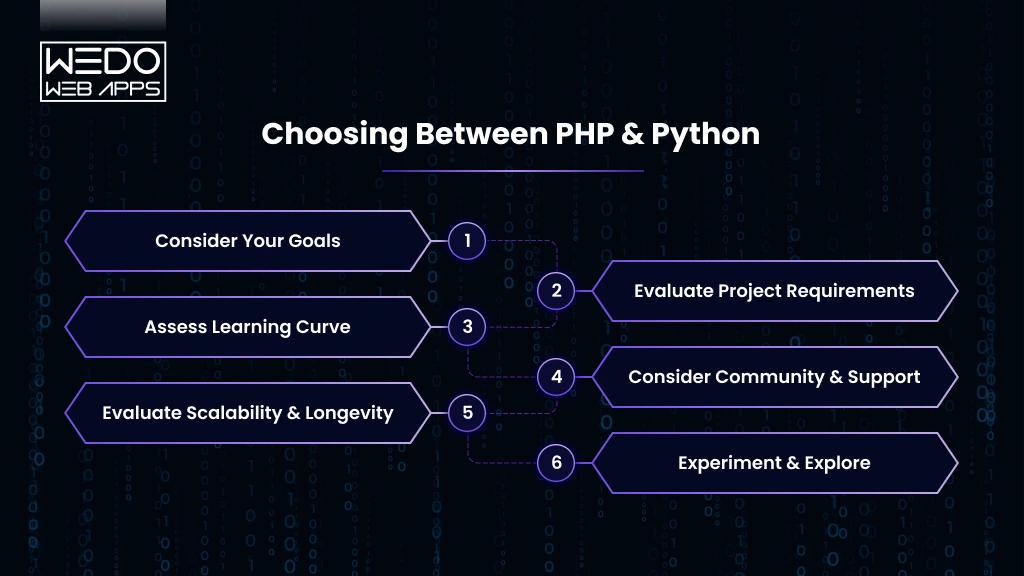
  1. How do you structure Liquid code for scalability?

This question gives a stronger representation of Shopify developer skills. This allows you to know about the best practices and build long-term scalability.

  1. What tools do you use for version control and testing?

Your hiring a Shopify developer checklist should include the various points. Version control and testing framework to handle the professionalism in maintaining the stability of the app.

  1. Can you integrate third-party payment gateways or ERP systems?

This is another valuable technical question for the Shopify developer list. It helps in maintaining a clear understanding of the developer management of complex systems such as payment processes, ERP, or CRM tools.

  1. How do you handle large-scale traffic surges?

If you are required to find a Shopify expert, then you must know how they handle growth while ensuring seasonal sales and high traffic for an online store.

Hiring a Shopify Developer Checklist

Finding the right might be the time taking process with a clear process and the hiring Shopify developer checklist, the process becomes much easier. 

To find a Shopify expert who matches both your project needs and long-term business goals, you need to define this:

  1. Define Your Needs – Be clear with your specific needs, budget, and timeline for completion of the project with the right Shopify developer skills.
  2. Review Portfolio and Testimonials – Request for the previous work and expertise, as this is the most common practice question to ask a Shofiy developer to have a proof of experience.
  3. Technical Knowledge and Expertise – Look for the developer who has expertise in various options like Liquid, APIs, or JavaScript.
  4. Communication Approaches – Check how often the communication is maintained with an understanding of the whole vision of the business objective.
  5. Budget and Timeline – Discuss your budget and timeline to be sure about the expectations of the project.
  6. Ongoing Support – Launching a store requires having post-launch support for the updates and maintenance for long-term stability.

Ready to hire smarter? Get a Shopify developer from WEDOWEBAPPS who matches your goals and builds scalable eCommerce solutions. Start your project today.

Red Flags to Watch Out For

Even if you prepare the best hiring a Shopify developer checklist, you can still fail to select the dedicated developer. 

Here are some of the common signs that you should watch when trying to find a Shopify expert who can truly fit with your business needs.

  • Overpromising without proof – Be prepared if a developer gives you a guarantee of quick results, but cannot show the results of the past success stories.
  • Lacks Shopify-specific experience – Strong Shopify developer skills in Liquid, APIS, and integration of the essential advanced solution with the web development processes.
  • No clear workflow – If they are unable to explain to you the process with the specific timeline and communication, then they lack the professional expertise.
  • Avoiding technical questions – When asking technical questions for a Shopify developer, you can easily determine the expertise.

How to Find a Shopify Expert

Hiring right developer starts with knowing where to look for a reliable person. Instead of consuming your time over the other processes, you can take reference from the trusted platform and recommendations to find s Shopify expert who can align with your goals.

Here is a table that gives you the details on the various options for how to find a Shopify expert.

OptionWhat It MeansWhy It Works
Shopify Experts MarketplaceAn effective area to find dedicated developers and certified agencies.Reliable source to find a Shopify expert with proven skills and expertise.
Freelance Platforms vs AgenciesTrusted sources like Upwork or Fiverr, or full-service Shopify agencies.Freelancers can be a budget-friendly option, while agencies offer complete solutions and skilled developers.
Referrals and Industry RecommendationsRequest recommendations from professionals or your network for trusted developers.Personal referrals can lead to experts with a strong track record.

Final Thoughts

Choosing the right Shopify developer is not a simple task; it requires looking more deeply into the technical skills and expertise. By focusing on the right Shopify developer skills and preparing the right questions to ask a Shopify developer, you can easily prepare your accurate hiring a Shopify developer checklists.

Whether you look in the Shopify expert marketplace, trusted platforms, or take the recommendation from the network, the right way to find a Shopify expert can deliver you to your expectations. 

Take your time to know about the expertise, communication process, and the post-launch support to ensure that both performance and profitability are maintained.

Hire a skilled Shopify expert from WEDOWEBAPPS to build your store. We understand your goals and deliver results that drive eCommerce success.