A business without a website is like a citizen without an identity card, and no one would believe that you exist. Web Development Services have become one of the most demanded services in the digital era. It spreads your business awareness and increases sales at sky-rocket speed. Nevertheless, web development is a tricky thing; the more you know, the better it gets for your business.You must have heard about plenty of programming languages. But, the concept of front-end web development, back-end app development, and full-stack app development is unknown to many. So, what does a web developer do? What are the types and duties? What tools do they use? And how is web development beneficial for startups or small companies? Everything you need to know and understand is here in this blog article. So, read ahead to stimulate your brain with interesting information about the web world. Let’s start with web development and web developers:
What is web development?
In simple language, web development refers to building a website or web app that works with the help of the internet. It could be a single web page with plain text or a complex and significant web application. It serves multiple purposes such as personal blogging, business, social networks, etc. A web development company provides services like programming, rendering, and maintaining websites. It also includes various responsibilities like database management, web design development, and website publishing.
Types of Web Developers
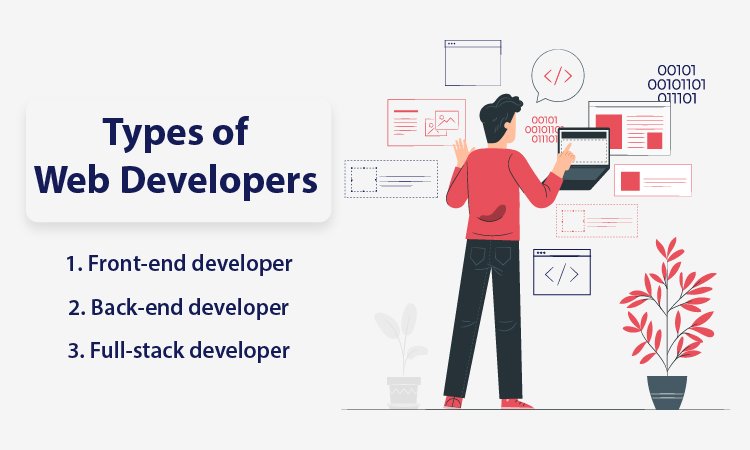 Generally known as programmers, web developers are the brains behind innovative and feature-rich websites you see on the internet. They take the web design from designers and convert it into a full-fledged website using various tools. By using different web development tools such as JavaScript, PHP, Node JS, Python, etc., programmers create a website with smooth navigation and excellent performance. They collaborate with designers, content writers, and companies requiring web apps to create and publish a website. Web developers can be divided into three categories given below:
1. Front-end developer
As the name suggests, front-end development is the part of a website that interacts with users directly. It is also termed as a ‘client-side’ web application as it includes user experiences such as colors, fonts, images, buttons, navigation, graphs, styles, and tables. JavaScript, HTML, and CSS are used for front-end development, and front-end developers are responsible for providing customers with a seamless user experience.So, right after opening a website, you notice the design, structure, behavior, number of pages and sections, and content. Front-end developers implement everything that appears in front of your eyes. A website must be responsive and highly functional, and a front-end web developer is responsible for ensuring the same. A front-end developer knows how to create a web page that fits all sizes of screens irrespective of devices.
2. Back-end developer
You might have heard or read the word ‘server-side’ website or web apps. It can be said to be the key to front-end development. It is responsible for data storage and arrangement to ensure the client-side web page works smoothly. It is the side of web development that remains out of reach from users but plays a vital role at the forefront.Back-end web developers create fundamental characteristics that contribute to user experience. A back-end developer develops parts that are directly accessible by users. Back-end developers work on writing APIs, adding plugins, system components, and creating libraries. The role of a back-end developer is hidden yet highly imperative for a website with remarkable performance.
3. Full-stack developer
Full-stack developers are skilled and capable of developing both front-end and back-end websites. In addition, full-stack developers possess a solid understanding of both sides of web development and how they function in a parallel line. So, along with creating APIs – application programming interfaces, they have the caliber to use HTML, CSS, and JavaScript and for setting up and configuring servers.
Duties and skills of a web developer
Web developers take the design from web designers and transform it into a live, authentic, and interactive website for its customers. It includes an array of responsibilities, from creating libraries to incorporating the latest facets for a future-ready web app solution. They test and debug a code before launching it on the world wide web. Web developers should have the efficacy to maintain and manage the site post launching it across the internet. With web app developers types mentioned above, here are some of the traits and skillsets they need to have to do their job efficiently:
- Creating search engine optimized web app solutions
- Knowledge of content management system
- Back-end development and database
- Accurate programming OR neat coding
- Knowledge of primary coding languages like Javascript, CSS, HTML, Python, and PHP
- Testing and debugging
Read ahead to know details in brief about the required skills of web developers to satisfy clients’ needs.
Technical knowledge
Programming languages lie in the core of web developers’ mind, heart, and hands (and trust me when I say ‘hands). Their fingers create wonders with their tech stack, which particularly includes CSS, HTML, and JavaScript. HTML is directly responsible for the structure of a web page, whereas CSS works well for style, color, fonts, etc. JavaScript is the best for crafting an interactive web solution. These three are the foundation language of web development, and their libraries play an important role in generating an exceptional web development solution.
Effective communication
To be a strong communicator, a web developer needs to be a good listener first. They have to understand the client’s perspective, their business objectives and be patient to obtain practical solutions. A developer also needs to convey his ideas in a way that compels a client to take action for the website development. The art of communication proves to be important when it comes to expressing complex ideas in simple methods. Web development is a web developer’s niche, and a client may not understand the ABC of the same. Nonetheless, communication establishes trust and helps clients to understand how web development can boost their business lines.
Hunger to learn
Like any other technology, programming languages, frameworks, and libraries are constantly evolving. With updated technology, a web developer also has to be prepared for learning and upgrading skills. What you know today as a website developer may not be useful tomorrow. A web developer should be a passionate learner in order to improve their skills and capabilities as a professional. So, when a new library or framework is launched, and potential clients demand it, a web developer would not have to play a catch-up game. They will be ready with upgraded skills to fulfill clientele business requirements with practical web development solutions.Along with some of the technical skills required for web application development, developers need some genuine expertise and professionalism. There are other general skills such as analytical thinking, problem-solving, and an eye for debugging, which can be helpful. Developers must have a collaborative nature to communicate and work with clients from across the world.
Tools to be used for various web development projects
Tools for Front-end web development
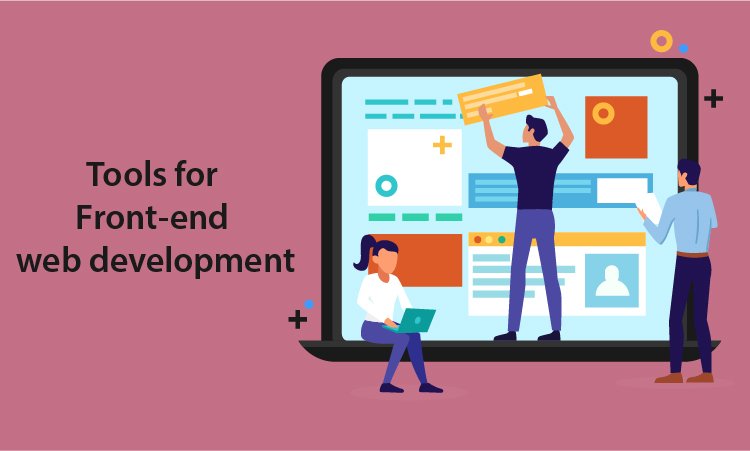 There are a specific set of tools for every web development type to accomplish the website development project. Under the title given above, you will find some of the most used and affordable front-end development tools. Remember that tools should be chosen as per the project requirements and ongoing trends. They should not be chosen on the basis of past experience or reviews given online. These tools should provide result-oriented and scalable web app solutions by keeping the core purpose of website development in the focal point.
Angular JS
Suitable for both small businesses and enterprises, Angular JS is a free and open-source platform for web development. It will help you extend HTML vocabulary as HTML works well with static documents but Angular is better with dynamic web development. With Angular, you get an environment that is clean, readable, expressive, and fast to develop a code.This fully extensible toolkit allows you to collaborate with other libraries, which ultimately gives you the freedom to replace or modify various facets of the code. It works parallel to the flow of your web development project. It has several impressive features, and some of them are as below:
- AngularJs allows you to have server communication for navigation, form validation, and deep linking for back ends.
- Angular Js provides components that are reusable, directive, and localized. It also has a built-in testing capacity.
- It provides some other features such as plain javascript, controller, and data binding that helps in reducing or eliminating DOM manipulation.
SaaS
SaaS is an extension language of CSS, a free and highly stable platform for web development. SaaS allows you to share designs with and within the projects and use variables. Frameworks such as Bourbon, Compass, and Susy are constructed with the help of SaaS. In addition, you can build your own functionalities or use provided functionalities by SaaS. Some of the features include:
- It allows you to organize large style sheets.
- It comprises features of variables, arguments, nesting, and loops.
- It is exceptionally compatible with CSS and has a substantial community.
- SaaS also supports manifold inheritance.
Chrome DevTools
As the name suggests, Chrome DevTools are built into Google chrome. It helps you to increase the website’s loading speed, edit a page on the fly, view messages, debug and run JavaScript in the console, and identify an error quickly. The facets include the following:
- You can monitor Network activity.
- You can optimize and analyze speed and performance.
- You can also identify forced synchronous layouts with the help of a performance panel.
- It includes various aspects for security panels such as memory panel, understanding security problems, network panel, element panel, and console panel.
Grunt
A Task Runner of JavaScript, Grunt is a useful tool for automation. Most repetitive tasks can get done with its help, like compilation, unit testing, and minification. Some of the facets are as below:
- It provides multiple plugins and lets you automate anything with minimal effort.
- You can create your own easy-to-install Grunt plugin to Npm.
- You will need an updated Npm as it helps in installing Grunt and its plugins.
- Grunt provides a ‘Getting Started’ guide that has proven to be valid.
CodePen
Codepen is a popular online tool that aids in sharing and designing front-end web apps. Moreover, one can use it to build the whole web solution as it gives almost all the facets of IDE in a browser. Features are provided below:
- It offers a customizable editor.
- It will allow you to keep your pens private.
- It will let you drag-and-drop CSS, and JSON files, images, as well as SVGS and Media files.
- It comes with a collaborative model which allows multiple coders to write and edit a program in a pen alongside.
- CodePen provides an environment for the front-end that helps you with efficient testing and sharing.
GitHub
GitHub is a well-known Software development platform that helps in managing projects. GitHub will let you craft a review process for your programming and fits it into the workflow. It can also be integrated with other tools that are already in use. The best part is, you can deploy it as a self-hosted or cloud-hosted solution. Features are:
- GitHub provides sufficient features for project management.
- Developers use it for personal projects or for experimenting with newly released programming languages.
- It offers features of SAML sign-on, access provisioning, invoice billing, 99% uptime, unified search, advanced auditing, and contribution, etc., for enterprises.
- It also provides some useful security features such as security incident response, two-factor authentication, and more.
- GitHub is highly functional for code review, integration, project management, team management, social coding, code hosting, and documentation.
- It offers priority support for enterprises, and it has various plans for small, medium, and big businesses. It also offers relevant plans to single users and team players as well.
NPM (Node Package Manager)
NPM is a free, open-source tool and the Best for SMEs. In addition, bigger enterprises can acquire a quote from NPM itself.Npm will assist you in building unique solutions through crucial JavaScript tools. It has proven beneficial for team management. In addition, it provides impressive security features without requiring any configuration. For enterprise-level solutions, npm provides facilities like de-duplicated development, security expertise, access control, and unrivaled support. Features include:
- Being an open-source and free solution, you are capable of publishing unlimited OSS packages. You can also discover and install public packages.
- You receive automatic warnings for risky code as well as basic support.
- With Npm Orgs plans, you get all the fundamental features.
- You will be able to manage team permissions and perform workflow integration & token management.
- It also offers additional facets such as SSO authentication according to industry standards, billing based on the invoice, dedicated private registry, and more.
- Npm open-source platform is the right solution for many public package authors.
- Small teams and many organizations use npm Orgs, so you have a large community.
TypeScript
TypeScript is absolutely free and suitable for small to medium and large businesses, as an open-source programming language and a typed JavaScript’s superset. It can compile code into plain JavaScript. It provides support to any browser, host, and operating system. In addition, you can call code TypeScript from JavaScript while using the existing Js code. Features are:
- You can run compiled TypeScript code in Node.js. It is possible in any JavaScript engine supporting ECMAScript 3, irrespective of browser type.
- TypeScript will let you use the ultra-modern and evolving features of JavaScript.
- You can gain more insights into the existing behavior of JS libraries. It offers different facets of type annotations, type interface, compile-time type checking, type erasure, interfaces, generics, enumerated types, tuples, name-spaces, and Async/await.
Tools for Back-end web development
 While front-end development is all about design, colors, font, and aesthetics, back-end development is about a web app’s functionality. Also known as Servier-side development, back-end development has everything to do with smooth navigation, fast loading speed, seamless performance, and overall functionalities. So, for example, if you are using an eCommerce site, the appealing layouts, fonts, and everything are created by front-end developers. However, the way you navigate from page to page, log in, log out, add and remove into a cart, check out procedure, and such call of actions are developed by back-end developers.It is quite understandable that back-end development is a vast domain in comparison to front-end development. It requires a lot more attention and accuracy and hence, the need for back-end tools that make the task easier. The tech world offers ample tools in the form of programming languages, frameworks, testing tools, deployment tools, web servers, and much more. Let’s start with top-class back-end web development tools that make developing a web page smooth and quick:
Python
Python is the most loved and preferred back-end web development language in recent times. It is easy to learn, code, and test the web app and can be used for general-purpose. Google, Instagram, and Spotify are some of the big names that use Python as a tech stack. Python is an object-oriented, highly functional, and procedural programming language that comes with a rich library. Python has the caliber to integrate with another language, compete with the latest technologies, and provide great programming support with simple syntax. In addition, Python frameworks such as Django, Flask are some of the best frameworks one can contemplate for back-end web development solutions.
Apache
There is nothing wrong in saying that approximately half of the websites across the globe are powered by Apache. You can only imagine how powerful and advantageous Apache can be to manage such a huge community. That too so efficiently! Apache Software Foundation deployed the Apache HTTP server and is a leading open-source and cross-platform web development server. The features like multiple request processing, session and user tracking, CGI support, loadable dynamic modules, real-time status view are totally worthwhile. However, there is much more to it as the Apache web server is remarkably compatible and supportive to other operating systems like Windows, macOS, and Linux.
Docker
Whoever uses Docker says it’s the highly recommended tool for web developers. It is a type of platform that lets you develop, deploy, and run web apps without the complications of obtaining help from containers. Instead, Docker leverages you with an isolated and consistent environment. It is responsible for segregation and resources in a way that each container can access all the resources dependently without interfering with other containers. Its flexibility, scalability, rapid web app deployment, built-in version control system, cost-effectiveness, and security are some of the other benefits to consider for back-end web development.
Jira
If you are looking for a tool to improve web development speed and quality, Jira is known to be smooth and fluent. It is mainly a project management system that uses workflows like scrum and kanban to manage projects. It is a great help in planning, tracking, and reporting agile projects with convenience. You can also access several advanced reports with real-time insights. The best part is, Jira is more customizable according to a project requirement, unlike other project management tools.
Tools for full-stack web development
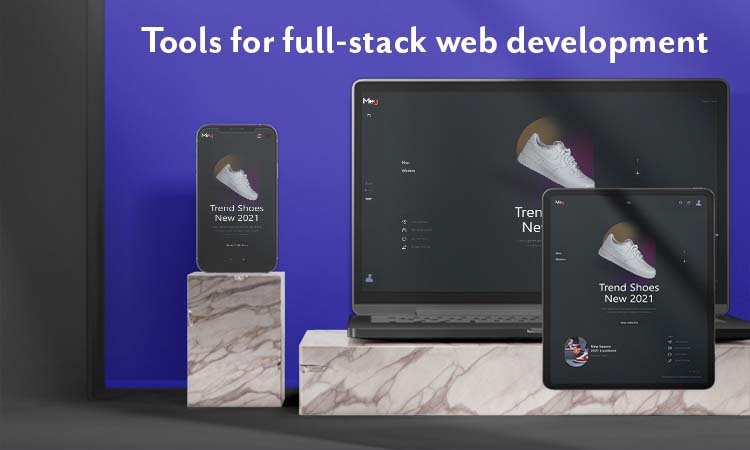 Full-stack web development can be said to be a complete package for web app development. It is an art where a developer is responsible for both aesthetics and performance of a website. Full-stack development tools come in handy in such situations where a developer is loaded with various responsibilities. The usage of full-stack web development tools is increasing day by day as it helps in agile web development with minimum effort and time.
WebStorm
WebStorm tool assists in writing JS code with impressive efficacy. It is a robust JS IDE and known as a stand-out web development tool for full-stack web development. It consists of versatile color schemes and themes to create an agile web app solution. It provides programming assistance for JS and TypeScript and supports other programming languages like Angular and React Js. It comes with an in-built debugger that works for client-side Node Js and Js. It can be combined with command-line tools easily. It provides UI to work with Git and other virtual merging tools and many other qualities for hassle-free full-stack web development.
CodeKit
CodeKit is quite popular among full-stack web developers as it can minify, combine, and syntax-check javascript. It develops web apps faster and can be used to optimize images as well. It gathers scripts together and decreases HTTP requests. Thus, your browser refreshes automatically irrespective of device type. Whether it is a desktop computer, laptop, smartphone, or tablet, whether it is Android or iOS, or Windows, CodeKit is highly compatible. A developer can combine TypeScript, Slim, CoffeeScript, Markdown, etc., with CodeKit. You can install more than 6000 components like Bootstrap, jQuery, WordPress, and much more with a single click.
Electron
Electron is best known for crafting successful desktop web apps using CSS, HTML, and JavaScript. It releases timely updates to eliminate bugs and improve user experience. This full-stack web development tool is a product by Git, and it is sufficient to prove its reliability. Discord and Skype are built using Electron, and it is compatible with Windows, macOS, and Linux. It keeps Node js in the central process and aids in crash reporting, profiling, and debugging. There are some other benefits that assure developers a smooth, hassle-free, and agile web development procedure.
Benefits of Web Development
Now that you have known the types of web developers, web development, and the names of relevant tools, you ought to know the benefits of web development for your business. Regardless of business size, web development can play a vital role in enhancing brand awareness and boosting sales and marketing. A great website can do wonders for your business or personal blog. Many consumers make a purchase only after making sure that it has a website, and several customers buy goods only from well-established sites. The benefits are outstanding, and some of them are mentioned below:
Build credibility
If you are a startup, you need to build credibility until people start trusting you and your business to buy stuff. Pandemic boosted eCommerce but so did the scams; your business needs to be reliable before buyers make it a preferred choice. So building credibility is essential, along with high-quality web apps.After the pandemic, the online market was flooded with various websites as everyone wanted to take their business online. However, our years of experience say that a customer would think of you as a scammer without having a website. With a website, you are a credible source to make a purchase. Make sure to have an about page, a contact page, portfolio, reviews, and testimonials. You can establish your name as a business owner and trustworthy provider of various products.
Brand identity
Brand identity is everything if you are thinking of expanding your business across borders. If fortune 500 companies are on that list, there is a reason for that and having a website is a plus for your business. Social media platforms can bring millions of followers, but an appealing website will bring real customers. Whether or not you make good sales with a brand identity, your customers see you as an accomplished business name. With the help of renowned web development agencies, you can seek assistance in building brand identity. You can include your company vision, mission, brand personality, background story, and values on your website. These are the correct elements to show your customers and to gain their faith. If they understand what you are and what you do, they are most likely to buy things or services from you.
Brand recognition
Not many are aware, but brand identity and brand recognition have vast differences. If brand identity is about how customers view your business, brand recognition is how your customers recognize, recall, and admire your business. In addition, brand identity helps in building trust, whereas brand recognition happens after becoming a reliable source of products or services. Your small or medium-sized business can be pushed ahead with brand recognition. You can link your brand new website with other well-doing websites via guest posts and comments for brand recognition. In addition, you can post blogs that link back and connect with your website. As a result, more readers and users can come across your content and brand name, which will be beneficial in the long run. A new website is all about branding efforts to catch maximum attention from your targeted audience. The more your audience sees your website, the quicker they learn to recognize your brand name.
Build connections
It is pretty obvious that you will require potential connections and loyal customers for growing your business. When a customer feels that relationship with your website, they will continue buying things from you. Customer relation is crucial, and the right website with responsive design and robust structure will help you there. Once customers get to know you and your business, they will be more comfortable buying things from you. A website with fantastic performance will enhance user experience and increase personalized visits of customers. It is important to be a part of digital transformation to attract more customers and build trust among them. With better and positive responses from customers, our business has more chances of being successful in a limited period of time.
Drive sales
Website visits can turn into sales if the site has a smooth user experience and is formatted in the right way. According to an estimation, by the year 2040, approximately more than 95% of customers will make a purchase through eCommerce. So, if you have not upgraded your website with the latest and useful features while reading this, it is the right time to do so. A good website is not just about appearance, and it helps you grow your business in the best possible way. With a website, you are capable of reaching millions and billions of people worldwide by exposing your products or services online. The more exposure your business gets, the more people visit. The more people visit your website, the higher sales you drive. And, the higher the sales you drive, the more your business grows. See, how simple was that to understand? Even if you do not sell across the world, digital marketing will help in whichever area you are willing to make a sale.
Customer relation
Loyal customers amplify your sales and keep your business flourishing. A reliable customer community will be consistent when it comes to shopping products from your website. Such customer relations are a plus point for any business. Website designs and seamless navigation are critical to draw new customers and retain old ones. It helps them to stay longer on a website and look for what they need. This time can be utilized for the foundation of a strong connection with your customers and getting to know them a little more. When a customer gets accustomed to using your website, they will shop more from your eCommerce store. Customers having good relations with you will help you spread the word. Their reviews about your products or services will bring new customers as you have already established your brand identity.
Helps with digital marketing
Believe it or not but, no one downloads mobile apps just like that. People download mobile apps when your business website is already famous, and people want to visit the store frequently. For that, you need digital marketing, and for digital marketing, you need a highly functioning website. You are bound to gear up your ad campaign game for potential customers because marketing to the wrong audience brings no fruitful results. A website is a right way to drive traffic towards your business rather than old conventional marketing methods. With the right digital marketing services, your business can gear up in search engines, and with augmented traffic, you receive more visitors on your web page or landing page. In addition, it is a sense of accomplishment when a user clicks on a link on social media and lands on your website.
Brings organic traffic
Organic traffic is essential in cut-throat competitions where finding genuine customers is challenging. A website is your most significant and life-long investment to generate organic traffic for your website. Regardless of how long it takes to build an SEO-optimized website, it is okay to invest time. Organic traffic means when your potential customers land on your web page without you paying for them to land on your website. Having a high-performing website that is admired and accepted by search engines will always be rewarding for your business. The more organic traffic you get, the higher the chances to make advantages in sales and other business deals. While building a website and adding the content, makes sure you consider the following points:
- Blog
- Quality headlines
- Effective meta descriptions
- Keywords
- Link building
Linking your website to social media platforms is another way to bring real and organic traffic to your website. It will promote your business and help you grow.
Easier customer services
A website is the most convenient way of keeping in touch with your customers and helping them in every possible way. With a website, your customers get all the basic details such as offered services, product details, available resources, hours of operations, and locations. In addition, your customers can reach out to you quickly and easily through customer service. For example, one text message or email will notify you about your customers’ needs, and you can respond to them within minutes or hours. The number of calls and complaints can go down drastically as customers can communicate with customer care representatives any time they want. Thus, the customer service team can help quickly. It is not time-consuming, and efficiently solved queries can help you grow in a reliable way. Final words: Web development has changed the way business is being done all over the world. Small companies that have established an identity through their websites years ago are today booming with success. A website has to be there to prove your identity and showcase the products. Web app development is booming, but not many know how to build a website that takes over the competitors. With robust structure, mind-blowing performance, top-class features, cutting-edge technology, and result-driven content, a website can embark on the journey of success. We build premium and personalized web apps for our customers worldwide. If you are a startup or owning a small business, our pricing and deadlines will be an added point. Our professional and experienced web app developers have a knack for developing websites that impact user behavior. By covering every aspect of the website development procedure, we ensure to provide you with a robust, functioning, attractive, and smooth running website. With all the information mentioned above, it will be easier for you to understand the basics of web development, web developers, and its benefits. For any further queries, you can contact us, and we will surely guide you through your requirements. Dev tools mastered? WEDOWEBAPPS offers expert web page development services, connecting you with skilled professionals to craft your dream website.


 The market is full of excellent themes! However, do you think that a ready-made theme may not be adequate?Using ready-made themes for Magento 2 migrations can reduce the migration cost. Ready-made themes provide an easy-to-use, cost-effective solution. Creating a custom theme requires a lot of time and resources, but pre-designed themes don’t need much. In addition, ready-made themes offer a wide range of features and functionalities, including mobile optimization and responsive design, to help enhance your online store and improve customer experience. You can find pre-made Magento 2 themes on sites like Magento Market Place themes , ThemeForest Magento eCommerce themes and CreativeMarket Magento website templates. From furniture, clothes, and electronics, to other types of e-commerce stores, all ready-made themes are available on this site.