skip to content

Static vs Dynamic Website with Detailed Comparison and SEO Insights

Static vs Dynamic Website Understanding the Core Differences

Ever noticed how some sites load like lightning and feel reliable, while others seem slow, clunky, even if the design looks perfect? The key often lies in the structure, whether it is a static website or a dynamic website.

If you are thinking what is the difference between static and dynamic websites is, it comes down to how your website delivers the content. A static website shows the same content to every visitor and loads instantly, making it ideal for speed and simplicity. A dynamic website generates content that visitors easily adapt to and offers flexibility, interactivity, and advanced functionality. This is the core of the static vs dynamic website debate and deciding which approach fits your business goals.

Understanding the static website vs dynamic website functioning and its impact on SEO is important. As a dynamic site offers more features, a static setup can often outperform in speed, reliability, and search performance. Later in this guide, we will cover SEO for static websites and explain how to make the website perform well in search results while comparing it to the dynamic alternatives.

 By the end of this guide, you will clearly understand which website type suits your needs, when a hybrid website makes sense, and how to optimize your site for performance, control, and search visibility.

Understanding Static and Dynamic Websites

When you are choosing between a static vs dynamic website for your business, it is important to understand the difference between them and the attached web development approaches. The static website vs dynamic website is not technically different; it also differs by speed, user expectations, and search performance.

By understanding the difference, you can make an informed decision about the type of website that fits their goals, resources, and growth plans. The choice between a static website vs dynamic website can influence everything from page speed to SEO performance.

Let’s know about each type.

What Does a Static Website Mean for Business

A static website is a simple, fast, and reliable option for a business. It shows the same content to every visitor, which makes it ideal for you if you do not need the pressure of frequent updates to the website content. Key points:

  • Loads quickly and provides a smooth user experience.
  • Easy to host and maintain accurately.
  • More secure because it does not rely on the databases.
  • Perfect for portfolios, small business sites, and landing pages.

What Does a Dynamic Website Mean for Businesses

A dynamic website is an interactive and flexible option. Content changes depend on the visitor’s actions and stored data. Key advantages:

  • Personalized experience for each user.
  • Easy to update regularly with content management systems.
  • Supports complex functionalities like eCommerce, blogs, and booking systems.
  • Ideal for businesses that need growth, engagement, and frequent content updates.

Quick Comparisons

Feature Static Website Dynamic Website
Content Updates Manual and infrequent Automatic, real-time
Speed Very fast Slightly slower due to database queries
Security High Requires more precautions
Ideal For Portfolios and small business pages eCommerce, blogs, SaaS platforms
Maintenance Low Medium to High

By knowing this difference, you can easily decide which type of website aligns with your business goals. The choice between a static website vs dynamic website influences the speed, SEO performance, and long-term growth.

Choose Static vs dynamic website

How Static Websites Work

Static Websites Work

A static website is built with fixed HTML, CSS, and sometimes JavaScript files. Each page exists as a separate file on the server, so when the visitor opens it, the server delivers the page exactly as it was created. This simplicity is what makes a static website fast, secure, and easy to manage.

Let’s know about the website processes in depth:

Structure and File-Based Delivery

The main difference in delivery between static vs dynamic websites lies in how the content is served:

  • Each page is a separate file on the server.
  • Content is pre-written and displayed exactly as it is stored.
  • No database or server-side processing is needed.
  • Ideal for pages that rarely change.

This is an important point in static website vs dynamic website, as the dynamic websites generate the content on demand, which adds complexity but allows interactivity.

Typical Use Cases with Real Examples

Static websites work best for small businesses or projects that do not require frequent updates. Common examples include:

  • Portfolio pages and online resumes.
  • A small business website that has fixed information.
  • Campaigns or promotions of landing pages.
  • Informational service or product pages.

These use cases show why static websites are suitable options when simplicity, speed, and reliability are the top priorities.

Benefits of Using a Static Website

The advantages of a static website include:

  • Faster Page Loading: Minimum files added to the website make the static website lightning fast.
  • Lower Hosting Cost: Requires fewer servers and resources to run the website.
  • Enhanced Security: Less prone to database or server-side attacks.
  • SEO-friendly: Clean code and fast speed improve the search performance, which is an essential factor for SEO for static websites.

Limitations That You Should Know

Even though a static website offers many benefits, it also has some limitations, which are:

  • Difficult to Update: Every change requires manual editing of files.
  • Limited Scalability: Adding many pages can be a difficult task.
  • Less Interactivity: Cannot provide personalized content or advanced functionality without any extra development.

These are the basic limitations that a static website comes with. For better clarity, you can also hire web developers.

A static website is ideal if you value speed, reliability, and low-maintenance websites. But it also comes with limitations in scalability and interactivity.

So if you are trying to decide between a static website vs dynamic website, ask yourself:

  • Does my website need frequent updates or user-specific content?
  • Are speed and simplicity more important than interactivity?
  • How critical is SEO performance for my business goals?

Understanding these points clearly will help you in making a clear choice and setting the foundation for a site that works efficiently and supports growth.

Ready to explore how a dynamic website works and when it might be the better choice? Let’s move to the next.

How Dynamic Websites Work

Dynamic Websites Work

A dynamic website generates the content in real time, responding to user interactions, database queries, or other triggers. Unlike a static website, which serves on pre-built pages, a dynamic website can display different content for different users. This makes it ideal for interactive, personalised, or frequently updated platforms.

Let’s know about the dynamic website working.

Content Generation with Databases

A dynamic website effectively relies heavily on the databases and server-side scripts to generate the content:

  • Pages are built on demand using programming languages like PHP, Python, or JavaScript.
  • Content can change depending on the user’s behavior or inputs.
  • Frequently used for blogs, eCommerce stores, membership portals, and social platforms.
  • Support features like login systems, product filters, and interactive forms.

This is the primary difference in operation between static websites and dynamic websites.

Common Use Cases with Real Examples

Dynamic websites are suitable for businesses that need interactivity and regular updates. Example includes:

  • eCommerce platforms like Amazon or Shopify.
  • Blogs with regular content updates.
  • Social media platforms such as Facebook or Instagram.
  • SaaS application that adjusts content with the help of active users.

These examples show why a dynamic website is a suitable option if you require flexibility, engagement, and scalability.

Benefits of Using a Dynamic Website

Some of the important advantages of a dynamic website include:

  • Personalized Experience: Content is easily maintained according to the user.
  • Easy Content Management: Updates are fast and simple with the CMS platform.
  • Advanced Functionality: Smooth integration of features like eCommerce, forms, and memberships.
  • Scalable: Grow with your business without the need for any major redevelopment.

Limitations You Should Know

Despite the various benefits, dynamic websites do come with different challenges, which are:

  • Slower Page Load: Reduce the speed of the page with database queries and server-side processing.
  • Higher Cost: Requires more complex development and hosting.
  • Maintenance Needs: Regular maintenance keeps the website up to date, and security measures are necessary.

A dynamic website is perfect if you need interactivity, personalized content, and frequent updates. But if speed, simplicity, and low maintenance are on your list of priorities, then a static website might be the better choice.

So when you are comparing static vs dynamic websites, consider:

  • Does your business need interactivity or personalized features?
  • How often will your content need updates or changes?
  • Can your budget and hosting handle the complexity of a dynamic setup?

Understanding these factors will help you choose the right website type and set a solid foundation for performance, user experience, and SEO.

There are over 75% of websites that are dynamic for good reasons.

Are you curious to see who side-by-side comparison of static vs dynamic websites and which one truly fits with your business needs? Let’s explore that next.

Dynamic website higher engagement

Static vs Dynamic Website: A Detailed Comparison

Static vs dynamic website overview

Static vs dynamic websites serve different purposes with different advantages and disadvantages.

Understanding about the key difference between the static and dynamic setup becomes much clearer when you look at how each of these websites works and how it helps in meeting the specific business need.

The comparison here shows you how the static website vs dynamic website differ in terms of technical aspects and practical performance, which allows it to have a direct impact on user experience, maintenance, SEO strength, and long-term growth.

Let’s look at each factor in depth to know how both differ from each other and which one is more suitable for your business.

1. Content Delivery Approach

A static website store helps in fixing the HTML pages that are displayed exactly as they are saved. There is no processing that occurs once a user clicks a link.

A dynamic website builds pages at the moment of the request. It pulls the content from the database and uses the script to create the final outcome for the website.

This difference affects everything from load time to how personalized your page can appear.

2. Speed and Performance

Static page loads quickly because the server only needs to deliver a ready-to-upload file. This works well for businesses that need strong loading speed without any need for additional processing.

Dynamic pages take extra time because the server must run smooth queries and assemble the content before displaying. When the site receives high traffic, this can become noticeable.

Maintaining the speed of the website matters as it results in user retention, mobile experience, and SEO. This is why most companies compare static vs dynamic website performance before choosing the right app.

3. Security Aspects

Static sites have a lower risk level because they do not rely on databases or complex backend logic. They cannot run the script on the server, which reduces the chances of any attacks.

Dynamic sites have more components that need continuous monitoring, such as the database, login systems, and the user input field. This requires ongoing security practices and regular updates.

The security of the website should match the scale and nature of your business. A simple site may not need advanced protection, but a dynamic platform does.

4. Ease of Updates and Management

A static site needs manual updates unless supported by a website builder or headless CMS. This can feel limited with access when frequent changes are required.

Dynamic site allows easy edits through the dashboards. You can publish blogs, change the product details, and update the media without touching the code.

If your website relies more on constant content updates, then dynamic management becomes a practical advantage.

5. Design Flexibility

Static sites support a responsive website and fast performance, but have limited interactive features.

Dynamic sites offer a wider range of options, including user accounts, product filters,  booking systems, and content that adjusts based on user activity.

This flexibility helps businesses in meeting more engaging and customizable experiences.

6. Cost Considerations

Static sites usually have lower hosting and website development costs since the structure is simple for the website.

Dynamic sites cost more because they require the database setup, scripts, and ongoing improvements.

Businesses often start with a static site and move towards dynamic setups as their needs expand.

7. Suitability for Large Sites

Static sites work well for small to medium projects such as portfolios, business information pages, and landing pages.

A dynamic site supports a large ecosystem, such as marketplaces, new publications, and membership platforms.

If you are planning to scale your business, then the dynamic architecture gives you more space to grow.

Now that you have clearly understood how each feature gives an impact on performance and management, it is now easy for you to choose between a static vs dynamic website. Think about your content volume, future updates, and user expectations. The right decision will support both your brand and your long-term goals.

In the next section, we will look over a quick comparison table to have more clarity.

Static vs Dynamic Websites Quick Comparison Table

A quick comparison of static vs dynamic websites will help you to review the main difference at a glance. This table highlights what is difference between static and dynamic website in terms of performance, cost, and content control.

Features Static Website Dynamic Website
How Pages are Delivered Each page is a fixed HTML file shown the same way every time. Each page is created when a user requests it using scripts and database queries.
Speed Loads faster because files are prebuilt. Slow down in heavy traffic because of database processing.
Updates Manual edits are required with a static site generator or headless CMS. Content update can be done with the help of the admin panel.
Interaction Level Limited, suitable for content that does not need user actions. Supports login systems, filters, and dashboards.
Security Lower risk because no database is used. Higher due to the use of advanced features.
Cost Lower development and hosting costs. Higher because it needs functionality and servers.
Hosting Requirements Can be hosted on the basic server. Need a server that supports scripts.
Scalability Works well for small and medium-sized business websites. Fits a large and growing site with frequent updates.
SEO Strength Strong speed and clean structure support good indexing. More flexible for large content strategies.
Best Fit Portfolio, company information pages, and brochures. eCommerce blogs, forums, or membership platforms.

This table gives you a simple overview that helps all, whether you are business owners, developers, or marketers, to evaluate what fits with your goals.

Dynamic website higher engagement

SEO for Static Websites: What Works and What Does Not

Understanding SEO for a static website helps you make the right choice to have long-term visibility. Static pages can perform well when the content is stable, but they also come with limitations that should be considered.

But let’s just look at how SEO matches with a static website.

Why Search Engines Respond Well to Static Pages

SEO for a static website usually shows how strong results appear in search engines, and a static website loads quickly.

  • Static pages usually have clean code.
  • They do not wait for database queries, which reduces the delays.
  • The content stays consistent, which helps search engines identify the main topic.
  • Works well for pages that target clear search intent, like service descriptions, location pages, or any content.

Challenges in SEO for Static Websites

Even though the SEO for a static website can be effective, static pages still face some challenges.

Common challenges include:

  • Slow content update when the site grows.
  • Limited flexibility for large-scale SEO.
  • Hard to manage the content because every update needs to be done manually.
  • Adding a new section takes more time.
  • No built-in tool for structured data unless added manually.

Ways to Improve SEO Performance for Static Sites

Improving SEO for static website is possible with a few adjustments. The goal is to keep the structure clean while making each page more informative and easier for the search engine to understand.

Helpful practices:

  • Use HTML headings properly for a clear topic hierarchy.
  • Add description titles and meta descriptions.
  • Compress images to maintain a quick load time.
  • Add internal links that guide users to related topics.
  • Included FAQ sections to match common search patterns.
  • Consider a static site generator that supports partial automation.

These steps help a static site stay competitive even when the content pool grows.

How Dynamic Sites Handle SEO Differently

When comparing static vs dynamic website SEO, dynamic sites work in more adaptable ways. Content is generated based on user actions or stored data, which gives more freedom for the various updates.

A dynamic structure allows marketers to publish new pages quickly, which supports large-scale SEO plans. They also provide built-in tools such as schema support, plugins, and analytics integrations.

Key differences:

  • A dynamic site allows faster content expansion.
  • SEO tasks can be automated through the CMS tools.
  • Personalized content helps in matching the specific search behavior.
  • Better suited for a brand that constantly changes information.

This understanding will allow you to know about SEO for a static website, which allows you to make an effective choice to maintain the website’s performance.

Which Website Type Should You Choose

Which Website Type Should You Choose

Selecting between a static structure and a dynamic structure becomes easier when you match your website needs with the strengths of each option.

When a Static Website Is the Better Option

A static website will work better when the content remains steady, and the priority is speed.  For your project, you can find the best web development company so that there is no need for frequent edits or user-driven actions.

You can consider a static build when:

  • You want a simple presence for a local business.
  • You want your service to stay consistent throughout the year.
  • Your main focus is on fast loading and low maintenance.
  • You need a clear layout for building the portfolio or brochures.
  • You do not need any login system or advanced features on your website.

A static site supports smaller teams and reduces long-term upkeep. This makes it a strong and better choice for a business starting with limited updates.

When a Dynamic Website Fits the Requirements

A dynamic website works well when you regularly change the information on your website. It also supports websites that need user action or support the large content flow.

You can consider a dynamic format when:

  • You run an online store that needs product updates.
  • You publish articles more frequently.
  • You need a contact form or user accounts.
  • You offer tools like a calculator or search filters.
  • You expect your site to scale over time.

A dynamic build offers more room for growth and support features that keep the content updated.

When a Hybrid Setup Saves Time and Money

A mixed structure helps when the static vs dynamic website decision is not clear for you. The hybrid website combines the fast loading of static delivery with the flexibility of dynamic features.

Situation where a hybrid setup works well:

  • When you want a fast-loading homepage but a dynamic blog page.
  • When you need a simple service page and a custom dashboard.
  • When there is a need for a lightweight structure, plus specific tools.
  • When you want performance benefits without losing the interactivity.

A hybrid setup will have both speed and functionality, with moving only in one direction.

Website Structure Selection

Hybrid Websites: A Mix of Static Delivery and Dynamic Features

Hybrid website structure overview

A hybrid website combines the strengths of both website formats. It also helps you understand everything to make a stable choice to grow your business. Let’s know how the hybrid website actually works.

How Hybrid Architecture Works

Hybrid architecture blends pre-rendered static pages with the selective dynamic elements.

Here it shows how it usually functions:

  • Important pages, such as the homepage, service details, and loading pages, load as the static output.
  • Dynamic parts, such as dashboard, product updates, or form-driven features, load on demand.
  • Content can be easily managed with the help of CMS while still delivering the static speed.
  • User experiences a quick loading of the website with the interactive touchpoints.

This setup allows businesses to build a reliable framework without slowing down the user journey.

Situations Where Hybrid Sites Offer Value

The hybrid site solves several challenges that appear in the full static and dynamic builds. They work especially well when:

  • You want fast performance with flexible content.
  • Need a static header and footer, but dynamic content blocks.
  • Want static category pages with dynamic product availability.
  • Want to publish static blogs for speed by using the dynamic editor.
  • Want better control over the routine.

This combination supports both efficiency and functionality in a predictable structure.

Example of Hybrid Site Implementations

The common examples of hybrid sites used in the projects are:

  • An e-learning platform that stores the lessons as static pages with dynamic quizzes.
  • Product-based businesses that show static descriptions and dynamic stock details.
  • Service brand that builds static landing pages with dynamic CRM integrations.
  • Media sites that display static articles and dynamic comment sections.

This discussed format helps you to maintain a consistent experience with your website while keeping the process simple to manage.

Best Platforms for Building Static, Dynamic, or Hybrid Sites

Before moving towards the development processes, it is important that you understand the right development tool based on the structure you want to build. The discussed tools here give you clear guidance on static websites and dynamic websites, allowing you to choose which is relevant.

Tools Commonly Used for Static Sites

Tools for Static Sites

A static site works best with the help of a platform that generates the fixed files and delivers the results quickly. Popular options include:

  • Jekyll: Used for blogs and lightweight business websites.
  • Hugo: For maintaining the speed and performance with the use of simple templates.
  • Eleventy: Mostly preferred by the web developer who wants flexibility without any complex setup.
  • Gatsby: Suited for static builds that still need CMS connections.
  • Netlify CMS: Effective for managing the content without turning the site into a full dynamic system.

These are the common platforms that support a reliable build while keeping the maintenance predictable.

Tools for Dynamic Development

Dynamic web development tools

Dynamic sites require the support of frameworks that facilitate database management, user interactions, and content updates. Common choices include:

  • WordPress: Used widely by small to enterprise-level businesses.
  • Drupal: For managing the structured content and secure configurations.
  • Laravel: For building strong and secure custom applications.
  • Node.js Frameworks: Used for including the interactive features.
  • Django: For secure and database-driven builds that scale.

These tools are suitable if you expect to have frequent updates, user activity, or an automated workflow.

Tools for Hybrid Builds

Tools for hybrid website builds

Hybrid sites need solutions that offer static rendering with dynamic abilities. Some of the most effective tools include:

  • Next.js: Ideals for pre-rendering static pages while supporting the dynamic routes.
  • Nuxt: For teams that prefer to have a Vue-based approach.
  • Astro: Known for shipping minimal JavaScript and blending the different frameworks.
  • Headless CMS: Options like Strapi or Sanity are used to feed content into a static website.

These allow you to have fast loading of web pages, editable content, and scalable features.

Your Next Step Towards a Better-Performing Website

When selecting between a static vs dynamic website, it is important that you understand how each one serves a different purpose. A static site offers speed and reliability for businesses that want a simple presence. A dynamic site supports features that change based on user actions or frequent content updates.

You can compare both through the lens of the content delivery, update with flexibility, security needs, and future scalability. Knowing about the picture becomes clearer. Your decision should match how often you plan to edit your content, plan to maintain the user experience, and the technical resources available to you.

If your business needs quick loading and predictable maintenance, static pages fit well. And if you need active content or a personalized experience, a dynamic build supports all your needs. A mix of both can also work if you want fast loading with modern interaction.

And if you want to build the website from scratch, then a company that offers web development services will offer you support and guide you with all the steps.

Get expert help website type

How to find the best web development companies for your project?

In today’s world, no business can survive without having an app or website with the required features, and companies need web development services!

The problem arises when you don’t know how to pick the best web development firm from the many available options. 

To make it easy for you, we have developed a list of criteria you should use as a checklist while choosing the custom web application development company for your next big project. After that, this article includes:

  • Platforms that can help you choose the best web development company
  • List of 5 best web development companies 
  • Frequently asked questions and their solutions 

What Should You Look For When Selecting The Best Web Development Company?  

Hiring a custom website development company can get very confusing if you need to know what to look for. Here is a checklist for you that can help. 

#1. Look for experience 

A web development company with diverse experience working in various projects, industries, and causes would be the right fit. A company with years of experience will automatically also have social proof of its credibility. 

Also, if a company has previously worked in the same niche as yours, there are higher chances of them understanding what you expect. Domain expertise becomes very crucial.   

#2. Testimonials And Reviews 

Web development agencies must have an online presence. If you wish to work with a development or custom web design company without much online presence, ensure that they are trustworthy. 

Check out the company’s case studies, testimonials, and reviews left by previous clients on social media, Google, and forums. Check statistics like the client retention rate, projects completed, and the percentage of satisfied clients. 

Read between the lines of the testimonials and try to find out what the pros and cons of a particular web development company are. 

#3. Technologies Incorporated 

Check what technology they incorporate into the process of web development. The technologies incorporated are crucial as they determine the total budget, the time needed, and the result. Make sure they use the technologies that are the right fit for your project. 

For instance, if you want a native-looking cross-platform app, make sure it employs React Native. 

#4. Customer Support Services 

During the inquiry period, before hiring the developers, ensure you communicate with the company enough to find out how their customer support services are and what kind of user experience they provide.

Streamlined communication with the company is essential for sharing updates and feedback during the process. An open feedback loop is vital for conveying the expectations of the project. 

#5. Keep The Budget In Mind 

And nothing works without money, right? So keep your budget in mind while interviewing different custom web development companies. 

To give you a rough idea, UK and US-based developers charge about $100–$200 per hour. India-based developers provide comparatively affordable services but make sure you check the quality of the services wasn’t compromised. 

#6. Qualifications Of Web Developers 

Interview web developers thoroughly before hiring them and ensure they are well-versed with the technologies. Their qualifications, skills, and technical know-how can make or break your project. 

Don’t just look for hard skills; also look for soft skills, like communication and punctuality. A developer doesn’t have to be the next orator, but they should be able to communicate the needed information. Moreover, web developers should understand the stages of website development. 

Now, what are the five stages of website development? They are: 

  1. Planning 
  2. Designing 
  3. Development
  4. Testing
  5. Launch and Maintenance

Platforms That Can Help You Choose The Best Web Development Company

Before you settle on one web application development service, always check what else is available in the market. List down the companies, compare them, and then make an informed choice. You can do this with the help of some reliable and trustworthy platforms, such as:

#1. Good Firms 

Good Firm is a platform where all the companies are listed according to their rates and categories. You can also check the reviews left by previous clients, the services offered, and other essential details about the web development company. 

#2. Clutch 

Clutch is a trusted and renowned name where the data of the best companies are stored. It is a godsend for those searching for IT services, as it saves a lot of time and gives you a gist of the information about all the companies at once. 

#3. AWWWards 

AWWWards is a platform that encourages the best talent that is out there in information technology. By looking at a company’s profile on AWWWards, you can know the technologies they incorporate into the process, the trends they follow, and what their website looks like. 

List of 5 best website development companies for your next project 

If, even after putting the above information into practice, you still need help finding the right web development company that provides the right types of web development services for you. Then trust us and pick one of these 5 companies we suggest, as they are the best. 

Read also: Web Development & Developers Guide: Types, Tools, and Benefits

#1. WEDOWEBAPPS LLC 

WEDOWEBAPPS LLC has been helping businesses digitize their businesses for over a decade now. They have completed over 700 mobile and web applications and retained 97% of their clients. Their team of dedicated developers provides services including

  • Web development 
  • Frontend development 
  • E-commerce development 
  • Backend development 
  • CMS development 
  • UI/UX development 
  • Internet Marketing 

Key features of WEDOWEBAPPS LLC:

  • Awarded as the Top app development company by many renowned sites such as Clutch, App Futura, Expertise.com, and many more 
  • Created Vibez, which is the biggest platform for the African entertainment industry
  • Free of cost maintenance and support after the launch 

Ready to use solutions that you can count on by WEDOWEBAPPS LLC:

  • Taxi Booking Application 
  • Online Food Ordering App Development 
  • Sports and Fitness Application
  • Video Streaming Application

The latest technology employed by WEDOWEBAPPS  LLC includes:

  • React Native
  • Object-C
  • Flutter 
  • HTML5
  • Java 
  • Kotlin 
  • Swift 

And the list is long. 

Work portfolio includes successful apps like:

  • VQ Fitness
  • Chic Couture Online 
  • Tidy Designer
  • Access 24 
  • MDME 
  • Virtual House 

And many more. 

If you’re looking for solutions for your next web development project, then book a free consultation call with WEDOWEBAPPS LLC.

#2. React Native Development Company 

As the name suggests, React Native Development Company creates web apps using React Native technology. They are known as total-stack for a reason; they will handle your project from ideation to launch. Their team of React gurus provides services such as:

  • Prototyping and Wireframing 
  • UI Development 
  • MVP Development 
  • Full Cycle App Development 
  • REST API Development
  • Payment Gateway Integration 
  • Support and Maintenance 
  • REST API Integration 

Work portfolio includes successful apps like:

  • Direct Towing 
  • Location Automation 
  • Boujee Connect 

And more.

#3. Mentormate

Mentormate doesn’t compromise on its website design services and provides end-to-end custom software solutions. They leverage modern approaches to web development by bringing front-end development, back-end development, and architecture together to meet the business needs of entrepreneurs like you. Over 21 years of experience serving over 420 clients, they have completed over 1500 projects.

Services offered by Mentomate:

  • Development 
  • Digital Experience Platform 
  • Cloud and DevOps
  • Design 
  • Data and Analytics 
  • Support 

Work portfolio includes successful apps like:

  • CheqrPay 
  • Tennant Company 
  • RBC Wealth Management 
  • PocketWaters
  • Soundview 
  • Star Wars X Wing Squad Builder

And the list is long. 

#4. Algoworks

Algoworks helps you reinvent your business through digital transformation by engineering interactive and secure digital solutions across technologies. They are a Summit Salesforce Partner, a Microsoft Gold Partner, and an AWS Consulting Partner offering web and mobile app development services. Companies such as Clutch, Good Firms, Deloitte, and Web Awards have awarded them as the top app developer.

Services offered by Algoworks:

  • Consulting
  • Custom apps
  • Salesforce 
  • UI/UX Design 
  • Testing
  • Solutions 

The latest technologies employed by Algoworks include:

  • React Native App Development 
  • Flutter App Development 
  • Python 
  • Mean Stack 
  • React JS
  • Vue JS
  • Amazon Web Services

Work portfolio includes successful apps like:

  • Case Manager App
  •  Field History Tracking App
  • Phone Location Tracker
  • Approval Manager App 
  • Opportunity Manager App 

#5. Boldare   

Starting in 2006, Boldare has a team of over 200 people working in 6 offices, including Amsterdam, Hamburg, and Warsaw. They have been featured in Clutch, AWWWards, Forbes, Yahoo Finance, and many more renowned companies.

Services offered by Boldare:

  • Digital Prototyping 
  • Minimum Viable Product (MVP) Development 
  • UX/UI Design
  • Product Design Development 
  • Full Cycle Product Development
  • Product Scaling
  • Product-Market Fit 
  • Machine Learning 
  • Digital Transformation 
  • Code Audit and UX Audit 

The latest technologies employed by Boldare include:

  • Java 
  • Spring
  • PHP
  • Symfony 
  • .NET
  • Python 
  • Django
  • JavaScript 

And the list is long. 

Work portfolio includes successful apps like:

  • TeamAlert 
  • Sonnen 
  • BlaBlaCar 
  • Mowaamah 
  • TrueRate 
  • Spa-Monkeys
  • Virgin Radio 
  • Brass Willowo 

And the list is long. 

In conclusion 

Now that you are equipped with the needed information, we hope you choose the best web development company for your IT needs. Find the best developer team out there and make your businesses digital. Ensure you don’t compromise on pricing when hiring a developer’s team.

Web Development & Developers Guide: Types, Tools, and Benefits

A business without a website is like a citizen without an identity card, and no one would believe that you exist. Web Development Services have become one of the most demanded services in the digital era. It spreads your business awareness and increases sales at sky-rocket speed. Nevertheless, web development is a tricky thing; the more you know, the better it gets for your business. You must have heard about plenty of programming languages. But, the concept of front-end web development, back-end app development, and full-stack app development is unknown to many. So, what does a web developer do? What are the types and duties? What tools do they use? And how is web development beneficial for startups or small companies? Everything you need to know and understand is here in this blog article. So, read ahead to stimulate your brain with interesting information about the web world. Let’s start with web development and web developers:

What is web development?

In simple language, web development refers to building a website or web app that works with the help of the internet. It could be a single web page with plain text or a complex and significant web application. It serves multiple purposes such as personal blogging, business, social networks, etc. A web development company provides services like programming, rendering, and maintaining websites. It also includes various responsibilities like database management, web design development, and website publishing.

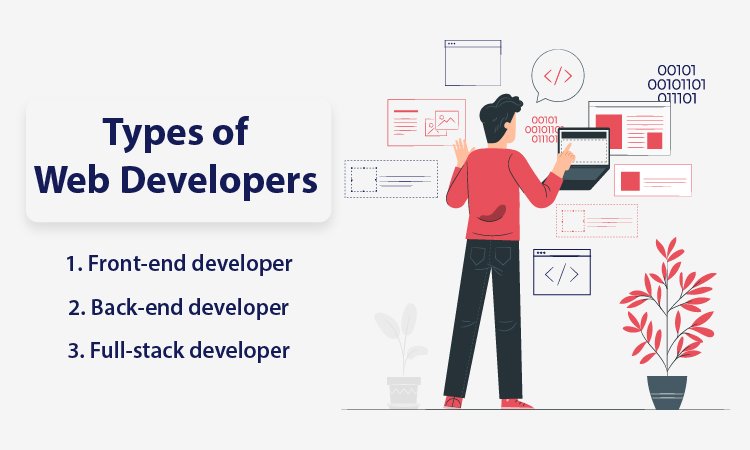
Types of Web Developers

Types of Web Developers Generally known as programmers, web developers are the brains behind innovative and feature-rich websites you see on the internet. They take the web design from designers and convert it into a full-fledged website using various tools. By using different web development tools such as JavaScript, PHP, Node JS, Python, etc., programmers create a website with smooth navigation and excellent performance. They collaborate with designers, content writers, and companies requiring web apps to create and publish a website. Web developers can be divided into three categories given below:

1. Front-end developer

As the name suggests, front-end development is the part of a website that interacts with users directly. It is also termed as a ‘client-side’ web application as it includes user experiences such as colors, fonts, images, buttons, navigation, graphs, styles, and tables. JavaScript, HTML, and CSS are used for front-end development, and front-end developers are responsible for providing customers with a seamless user experience. So, right after opening a website, you notice the design, structure, behavior, number of pages and sections, and content. Front-end developers implement everything that appears in front of your eyes. A website must be responsive and highly functional, and a front-end web developer is responsible for ensuring the same. A front-end developer knows how to create a web page that fits all sizes of screens irrespective of devices.

2. Back-end developer

You might have heard or read the word ‘server-side’ website or web apps. It can be said to be the key to front-end development. It is responsible for data storage and arrangement to ensure the client-side web page works smoothly. It is the side of web development that remains out of reach from users but plays a vital role at the forefront. Back-end web developers create fundamental characteristics that contribute to user experience. A back-end developer develops parts that are directly accessible by users. Back-end developers work on writing APIs, adding plugins, system components, and creating libraries. The role of a back-end developer is hidden yet highly imperative for a website with remarkable performance.

3. Full-stack developer

Full-stack developers are skilled and capable of developing both front-end and back-end websites. In addition, full-stack developers possess a solid understanding of both sides of web development and how they function in a parallel line. So, along with creating APIs – application programming interfaces, they have the caliber to use HTML, CSS, and JavaScript and for setting up and configuring servers.

Duties and skills of a web developer

Web developers take the design from web designers and transform it into a live, authentic, and interactive website for its customers. It includes an array of responsibilities, from creating libraries to incorporating the latest facets for a future-ready web app solution. They test and debug a code before launching it on the world wide web. Web developers should have the efficacy to maintain and manage the site post launching it across the internet. With web app developers types mentioned above, here are some of the traits and skillsets they need to have to do their job efficiently:

  • Creating search engine optimized web app solutions
  • Knowledge of content management system
  • Back-end development and database
  • Accurate programming OR neat coding
  • Knowledge of primary coding languages like Javascript, CSS, HTML, Python, and PHP
  • Testing and debugging

Read ahead to know details in brief about the required skills of web developers to satisfy clients’ needs.

Technical knowledge

Programming languages lie in the core of web developers’ mind, heart, and hands (and trust me when I say ‘hands). Their fingers create wonders with their tech stack, which particularly includes CSS, HTML, and JavaScript. HTML is directly responsible for the structure of a web page, whereas CSS works well for style, color, fonts, etc. JavaScript is the best for crafting an interactive web solution. These three are the foundation language of web development, and their libraries play an important role in generating an exceptional web development solution.

Effective communication

To be a strong communicator, a web developer needs to be a good listener first. They have to understand the client’s perspective, their business objectives and be patient to obtain practical solutions. A developer also needs to convey his ideas in a way that compels a client to take action for the website development. The art of communication proves to be important when it comes to expressing complex ideas in simple methods. Web development is a web developer’s niche, and a client may not understand the ABC of the same. Nonetheless, communication establishes trust and helps clients to understand how web development can boost their business lines.

Hunger to learn

Like any other technology, programming languages, frameworks, and libraries are constantly evolving. With updated technology, a web developer also has to be prepared for learning and upgrading skills. What you know today as a website developer may not be useful tomorrow. A web developer should be a passionate learner in order to improve their skills and capabilities as a professional. So, when a new library or framework is launched, and potential clients demand it, a web developer would not have to play a catch-up game. They will be ready with upgraded skills to fulfill clientele business requirements with practical web development solutions. Along with some of the technical skills required for web application development, developers need some genuine expertise and professionalism. There are other general skills such as analytical thinking, problem-solving, and an eye for debugging, which can be helpful. Developers must have a collaborative nature to communicate and work with clients from across the world.

Tools to be used for various web development projects

Tools for Front-end web development

Tools for Front-end web development There are a specific set of tools for every web development type to accomplish the website development project. Under the title given above, you will find some of the most used and affordable front-end development tools. Remember that tools should be chosen as per the project requirements and ongoing trends. They should not be chosen on the basis of past experience or reviews given online. These tools should provide result-oriented and scalable web app solutions by keeping the core purpose of website development in the focal point.

Angular JS

Suitable for both small businesses and enterprises, Angular JS is a free and open-source platform for web development. It will help you extend HTML vocabulary as HTML works well with static documents but Angular is better with dynamic web development. With Angular, you get an environment that is clean, readable, expressive, and fast to develop a code. This fully extensible toolkit allows you to collaborate with other libraries, which ultimately gives you the freedom to replace or modify various facets of the code. It works parallel to the flow of your web development project. It has several impressive features, and some of them are as below:

  • AngularJs allows you to have server communication for navigation, form validation, and deep linking for back ends.
  • Angular Js provides components that are reusable, directive, and localized. It also has a built-in testing capacity.
  • It provides some other features such as plain javascript, controller, and data binding that helps in reducing or eliminating DOM manipulation.

SaaS

SaaS is an extension language of CSS, a free and highly stable platform for web development. SaaS allows you to share designs with and within the projects and use variables. Frameworks such as Bourbon, Compass, and Susy are constructed with the help of SaaS. In addition, you can build your own functionalities or use provided functionalities by SaaS. Some of the features include:

  • It allows you to organize large style sheets.
  • It comprises features of variables, arguments, nesting, and loops.
  • It is exceptionally compatible with CSS and has a substantial community.
  • SaaS also supports manifold inheritance.

Chrome DevTools

As the name suggests, Chrome DevTools are built into Google chrome. It helps you to increase the website’s loading speed, edit a page on the fly, view messages, debug and run JavaScript in the console, and identify an error quickly. The facets include the following:

  • You can monitor Network activity.
  • You can optimize and analyze speed and performance.
  • You can also identify forced synchronous layouts with the help of a performance panel.
  • It includes various aspects for security panels such as memory panel, understanding security problems, network panel, element panel, and console panel.

Grunt

A Task Runner of JavaScript, Grunt is a useful tool for automation. Most repetitive tasks can get done with its help, like compilation, unit testing, and minification. Some of the facets are as below:

  • It provides multiple plugins and lets you automate anything with minimal effort.
  • You can create your own easy-to-install Grunt plugin to Npm.
  • You will need an updated Npm as it helps in installing Grunt and its plugins.
  • Grunt provides a ‘Getting Started’ guide that has proven to be valid.

CodePen

Codepen is a popular online tool that aids in sharing and designing front-end web apps. Moreover, one can use it to build the whole web solution as it gives almost all the facets of IDE in a browser. Features are provided below:

  • It offers a customizable editor.
  • It will allow you to keep your pens private.
  • It will let you drag-and-drop CSS, and JSON files, images, as well as SVGS and Media files.
  • It comes with a collaborative model which allows multiple coders to write and edit a program in a pen alongside.
  • CodePen provides an environment for the front-end that helps you with efficient testing and sharing.

GitHub

GitHub is a well-known Software development platform that helps in managing projects. GitHub will let you craft a review process for your programming and fits it into the workflow. It can also be integrated with other tools that are already in use. The best part is, you can deploy it as a self-hosted or cloud-hosted solution. Features are:

  • GitHub provides sufficient features for project management.
  • Developers use it for personal projects or for experimenting with newly released programming languages.
  • It offers features of SAML sign-on, access provisioning, invoice billing, 99% uptime, unified search, advanced auditing, and contribution, etc., for enterprises.
  • It also provides some useful security features such as security incident response, two-factor authentication, and more.
  • GitHub is highly functional for code review, integration, project management, team management, social coding, code hosting, and documentation.
  • It offers priority support for enterprises, and it has various plans for small, medium, and big businesses. It also offers relevant plans to single users and team players as well.

NPM (Node Package Manager)

NPM is a free, open-source tool and the Best for SMEs. In addition, bigger enterprises can acquire a quote from NPM itself. Npm will assist you in building unique solutions through crucial JavaScript tools. It has proven beneficial for team management. In addition, it provides impressive security features without requiring any configuration. For enterprise-level solutions, npm provides facilities like de-duplicated development, security expertise, access control, and unrivaled support. Features include:

  • Being an open-source and free solution, you are capable of publishing unlimited OSS packages. You can also discover and install public packages.
  • You receive automatic warnings for risky code as well as basic support.
  • With Npm Orgs plans, you get all the fundamental features.
  • You will be able to manage team permissions and perform workflow integration & token management.
  • It also offers additional facets such as SSO authentication according to industry standards, billing based on the invoice, dedicated private registry, and more.
  • Npm open-source platform is the right solution for many public package authors.
  • Small teams and many organizations use npm Orgs, so you have a large community.

TypeScript

TypeScript is absolutely free and suitable for small to medium and large businesses, as an open-source programming language and a typed JavaScript’s superset. It can compile code into plain JavaScript. It provides support to any browser, host, and operating system. In addition, you can call code TypeScript from JavaScript while using the existing Js code. Features are:

  • You can run compiled TypeScript code in Node.js. It is possible in any JavaScript engine supporting ECMAScript 3, irrespective of browser type.
  • TypeScript will let you use the ultra-modern and evolving features of JavaScript.
  • You can gain more insights into the existing behavior of JS libraries. It offers different facets of type annotations, type interface, compile-time type checking, type erasure, interfaces, generics, enumerated types, tuples, name-spaces, and Async/await.

Tools for Back-end web development

Tools for Back-end web development While front-end development is all about design, colors, font, and aesthetics, back-end development is about a web app’s functionality. Also known as Servier-side development, back-end development has everything to do with smooth navigation, fast loading speed, seamless performance, and overall functionalities. So, for example, if you are using an eCommerce site, the appealing layouts, fonts, and everything are created by front-end developers. However, the way you navigate from page to page, log in, log out, add and remove into a cart, check out procedure, and such call of actions are developed by back-end developers. It is quite understandable that back-end development is a vast domain in comparison to front-end development. It requires a lot more attention and accuracy and hence, the need for back-end tools that make the task easier. The tech world offers ample tools in the form of programming languages, frameworks, testing tools, deployment tools, web servers, and much more. Let’s start with top-class back-end web development tools that make developing a web page smooth and quick:

Python

Python is the most loved and preferred back-end web development language in recent times. It is easy to learn, code, and test the web app and can be used for general-purpose. Google, Instagram, and Spotify are some of the big names that use Python as a tech stack. Python is an object-oriented, highly functional, and procedural programming language that comes with a rich library. Python has the caliber to integrate with another language, compete with the latest technologies, and provide great programming support with simple syntax. In addition, Python frameworks such as Django, Flask are some of the best frameworks one can contemplate for back-end web development solutions.

Apache

There is nothing wrong in saying that approximately half of the websites across the globe are powered by Apache. You can only imagine how powerful and advantageous Apache can be to manage such a huge community. That too so efficiently! Apache Software Foundation deployed the Apache HTTP server and is a leading open-source and cross-platform web development server. The features like multiple request processing, session and user tracking, CGI support, loadable dynamic modules, real-time status view are totally worthwhile. However, there is much more to it as the Apache web server is remarkably compatible and supportive to other operating systems like Windows, macOS, and Linux.

Docker

Whoever uses Docker says it’s the highly recommended tool for web developers. It is a type of platform that lets you develop, deploy, and run web apps without the complications of obtaining help from containers. Instead, Docker leverages you with an isolated and consistent environment. It is responsible for segregation and resources in a way that each container can access all the resources dependently without interfering with other containers. Its flexibility, scalability, rapid web app deployment, built-in version control system, cost-effectiveness, and security are some of the other benefits to consider for back-end web development.

Jira

If you are looking for a tool to improve web development speed and quality, Jira is known to be smooth and fluent. It is mainly a project management system that uses workflows like scrum and kanban to manage projects. It is a great help in planning, tracking, and reporting agile projects with convenience. You can also access several advanced reports with real-time insights. The best part is, Jira is more customizable according to a project requirement, unlike other project management tools.

Tools for full-stack web development

Tools for full-stack web development Full-stack web development can be said to be a complete package for web app development. It is an art where a developer is responsible for both aesthetics and performance of a website. Full-stack development tools come in handy in such situations where a developer is loaded with various responsibilities. The usage of full-stack web development tools is increasing day by day as it helps in agile web development with minimum effort and time.

WebStorm

WebStorm tool assists in writing JS code with impressive efficacy. It is a robust JS IDE and known as a stand-out web development tool for full-stack web development. It consists of versatile color schemes and themes to create an agile web app solution. It provides programming assistance for JS and TypeScript and supports other programming languages like Angular and React Js. It comes with an in-built debugger that works for client-side Node Js and Js. It can be combined with command-line tools easily. It provides UI to work with Git and other virtual merging tools and many other qualities for hassle-free full-stack web development.

CodeKit

CodeKit is quite popular among full-stack web developers as it can minify, combine, and syntax-check javascript. It develops web apps faster and can be used to optimize images as well. It gathers scripts together and decreases HTTP requests. Thus, your browser refreshes automatically irrespective of device type. Whether it is a desktop computer, laptop, smartphone, or tablet, whether it is Android or iOS, or Windows, CodeKit is highly compatible. A developer can combine TypeScript, Slim, CoffeeScript, Markdown, etc., with CodeKit. You can install more than 6000 components like Bootstrap, jQuery, WordPress, and much more with a single click.

Electron

Electron is best known for crafting successful desktop web apps using CSS, HTML, and JavaScript. It releases timely updates to eliminate bugs and improve user experience. This full-stack web development tool is a product by Git, and it is sufficient to prove its reliability. Discord and Skype are built using Electron, and it is compatible with Windows, macOS, and Linux. It keeps Node js in the central process and aids in crash reporting, profiling, and debugging. There are some other benefits that assure developers a smooth, hassle-free, and agile web development procedure.

Benefits of Web Development

Now that you have known the types of web developers, web development, and the names of relevant tools, you ought to know the benefits of web development for your business. Regardless of business size, web development can play a vital role in enhancing brand awareness and boosting sales and marketing. A great website can do wonders for your business or personal blog. Many consumers make a purchase only after making sure that it has a website, and several customers buy goods only from well-established sites. The benefits are outstanding, and some of them are mentioned below: 

Build credibility

If you are a startup, you need to build credibility until people start trusting you and your business to buy stuff. Pandemic boosted eCommerce but so did the scams; your business needs to be reliable before buyers make it a preferred choice. So building credibility is essential, along with high-quality web apps. After the pandemic, the online market was flooded with various websites as everyone wanted to take their business online. However, our years of experience say that a customer would think of you as a scammer without having a website. With a website, you are a credible source to make a purchase. Make sure to have an about page, a contact page, portfolio, reviews, and testimonials. You can establish your name as a business owner and trustworthy provider of various products. 

Brand identity

Brand identity is everything if you are thinking of expanding your business across borders. If fortune 500 companies are on that list, there is a reason for that and having a website is a plus for your business. Social media platforms can bring millions of followers, but an appealing website will bring real customers. Whether or not you make good sales with a brand identity, your customers see you as an accomplished business name.  With the help of renowned web development agencies, you can seek assistance in building brand identity. You can include your company vision, mission, brand personality, background story, and values on your website. These are the correct elements to show your customers and to gain their faith. If they understand what you are and what you do, they are most likely to buy things or services from you.

Brand recognition

Not many are aware, but brand identity and brand recognition have vast differences. If brand identity is about how customers view your business, brand recognition is how your customers recognize, recall, and admire your business. In addition, brand identity helps in building trust, whereas brand recognition happens after becoming a reliable source of products or services.  Your small or medium-sized business can be pushed ahead with brand recognition. You can link your brand new website with other well-doing websites via guest posts and comments for brand recognition. In addition, you can post blogs that link back and connect with your website. As a result, more readers and users can come across your content and brand name, which will be beneficial in the long run. A new website is all about branding efforts to catch maximum attention from your targeted audience. The more your audience sees your website, the quicker they learn to recognize your brand name. 

Build connections

It is pretty obvious that you will require potential connections and loyal customers for growing your business. When a customer feels that relationship with your website, they will continue buying things from you. Customer relation is crucial, and the right website with responsive design and robust structure will help you there. Once customers get to know you and your business, they will be more comfortable buying things from you.  A website with fantastic performance will enhance user experience and increase personalized visits of customers. It is important to be a part of digital transformation to attract more customers and build trust among them. With better and positive responses from customers, our business has more chances of being successful in a limited period of time.

Drive sales

Website visits can turn into sales if the site has a smooth user experience and is formatted in the right way. According to an estimation, by the year 2040, approximately more than 95% of customers will make a purchase through eCommerce. So, if you have not upgraded your website with the latest and useful features while reading this, it is the right time to do so.  A good website is not just about appearance, and it helps you grow your business in the best possible way. With a website, you are capable of reaching millions and billions of people worldwide by exposing your products or services online. The more exposure your business gets, the more people visit. The more people visit your website, the higher sales you drive. And, the higher the sales you drive, the more your business grows. See, how simple was that to understand? Even if you do not sell across the world, digital marketing will help in whichever area you are willing to make a sale. 

Customer relation

Loyal customers amplify your sales and keep your business flourishing. A reliable customer community will be consistent when it comes to shopping products from your website. Such customer relations are a plus point for any business. Website designs and seamless navigation are critical to draw new customers and retain old ones. It helps them to stay longer on a website and look for what they need. This time can be utilized for the foundation of a strong connection with your customers and getting to know them a little more.  When a customer gets accustomed to using your website, they will shop more from your eCommerce store. Customers having good relations with you will help you spread the word. Their reviews about your products or services will bring new customers as you have already established your brand identity.

Helps with digital marketing

Believe it or not but, no one downloads mobile apps just like that. People download mobile apps when your business website is already famous, and people want to visit the store frequently. For that, you need digital marketing, and for digital marketing, you need a highly functioning website. You are bound to gear up your ad campaign game for potential customers because marketing to the wrong audience brings no fruitful results.  A website is a right way to drive traffic towards your business rather than old conventional marketing methods. With the right digital marketing services, your business can gear up in search engines, and with augmented traffic, you receive more visitors on your web page or landing page. In addition, it is a sense of accomplishment when a user clicks on a link on social media and lands on your website. 

Brings organic traffic

Organic traffic is essential in cut-throat competitions where finding genuine customers is challenging. A website is your most significant and life-long investment to generate organic traffic for your website. Regardless of how long it takes to build an SEO-optimized website, it is okay to invest time. Organic traffic means when your potential customers land on your web page without you paying for them to land on your website.  Having a high-performing website that is admired and accepted by search engines will always be rewarding for your business. The more organic traffic you get, the higher the chances to make advantages in sales and other business deals. While building a website and adding the content, makes sure you consider the following points:

  • Blog
  • Quality headlines
  • Effective meta descriptions
  • Keywords
  • Link building

Linking your website to social media platforms is another way to bring real and organic traffic to your website. It will promote your business and help you grow.

Easier customer services

A website is the most convenient way of keeping in touch with your customers and helping them in every possible way. With a website, your customers get all the basic details such as offered services, product details, available resources, hours of operations, and locations. In addition, your customers can reach out to you quickly and easily through customer service. For example, one text message or email will notify you about your customers’ needs, and you can respond to them within minutes or hours.  The number of calls and complaints can go down drastically as customers can communicate with customer care representatives any time they want. Thus, the customer service team can help quickly. It is not time-consuming, and efficiently solved queries can help you grow in a reliable way.  Final words: Web development has changed the way business is being done all over the world. Small companies that have established an identity through their websites years ago are today booming with success. A website has to be there to prove your identity and showcase the products. Web app development is booming, but not many know how to build a website that takes over the competitors. With robust structure, mind-blowing performance, top-class features, cutting-edge technology, and result-driven content, a website can embark on the journey of success.  We build premium and personalized web apps for our customers worldwide. If you are a startup or owning a small business, our pricing and deadlines will be an added point. Our professional and experienced web app developers have a knack for developing websites that impact user behavior. By covering every aspect of the website development procedure, we ensure to provide you with a robust, functioning, attractive, and smooth running website. With all the information mentioned above, it will be easier for you to understand the basics of web development, web developers, and its benefits. For any further queries, you can contact us, and we will surely guide you through your requirements.  Dev tools mastered? WEDOWEBAPPS offers expert web page development services, connecting you with skilled professionals to craft your dream website.

Know How Web Development Adds Value To Your Business

Pandemic has made us depend more on the internet world than the real one. For any business, this is the right time to leverage the opportunities available at the moment. Contrary to what many say, web development is still a vital part of the digital era, and so are web development services. Mobile apps and social media platforms might be luxury, but a website is a basic necessity. It is where you embark on your journey towards a successful business. Websites are helpful to bring customers, retain and educate them, and build a trustworthy relationship between customers and business owners. There are several other benefits of your web presence, as it adds value to your business in ways you are unaware of. Want to know how? Read ahead and enlighten yourself:

benefits of your web development

– Proving ownership and credibility

Having a website increases brand awareness and engages your business into loyal relationships with consumers. As soon as a user hears about a new product, place or service, the first thing they do is look for its website on the internet. Having a website for your business is like having a home for your business that proves authenticity. Owning your website also means that hosting it proudly without allowing a third party to interfere. Your website is a credible source of information, engagement, and responsiveness because a stunning website does not just draw visitors but also earn customers.

– Content management

A great website means quality content because, without content, you have almost no identity. Content that is compelling, relatable, rich with information and interesting to read creates your brand image. Having content on your website that conveys the message of your business gives meaning to your products/services and boosts sales and marketing. Identify your HVC – High-Value Customers and create content according to that to reach your targeted audience and increase conversion rates.

– Seamless accessibility

The higher the accessibility, the better the awareness. Seamless accessibility get your business promoted to the next level of success as the brand awareness spreads through word-of-mouth marketing. Your website should be an open space where everyone can avail their desired information without facing any complications or trouble. A renowned web development company can build a website with impressive features, functionalities and smooth navigation. If anyone and everyone can use your website, with facilities to put a request, to comment, fill up a form to avail services or just to gather some information, you are much nearer to seal the deal.

– Drawing customers through search engines

People do search on search engines whenever or whatever they require. Most of the customers get to know about your credible business or products through your search engine, and hence, a fully optimized web page is imperative for your business. A website assists you in finding the ROI to ensure the marketing is effective and working according to your planning. It offers information to your targeted audience so that they can make rational decisions. Most importantly, a website generates more leads, draws traffic to enhance your search engine rankings, improve conversion rates, and get more customers. 

– Expanding reach

For any local business, a website will be a blessing. So what if you have enough customers for your local business? If you want to go global from local, our website will push you beyond the borders, and hence, you can expand your reach. Details given on your website helps your business to build trust and fetch customers from across the globe. With augmented visitors and customers, you gain confidence and power to run a successful company or personal blog of your dream.

To maximize your business’s potential, consider partnering with top web development companies in Sydney that excel in delivering impactful solutions.

– Maintaining brand image

A website is a right source of maintaining a business’s brand image. It protects as well as polishes the brand identity without surrendering to third party’s aides. Furthermore, owning a domain is crucial for your company as it speaks about who you are, what you do and what is your rapport with your customers. Thus, websites contribute to maintaining your brand image and also let you connect with people on a global platform.

Read more about Grow your E-Commerce business with best Woocommerce Development Services

Conclusion: The Internet keeps evolving as more and more people come to the competition and try to prove their worth. If you want to sustain and thrive in such a competitive market, availing web development services from a leading web and mobile app development agency is a must. So contact us today or visit the web development company to know further details.

To truly enhance your business’s online presence, explore the services of a leading web development agency in Melbourne known for delivering results.

Website Maintenance Plans: Keep Your Site Secure And Updated

Website Maintenance Basics Every Business Should Know

You have successfully launched the website and safely covered all the development practices, and you can be fully prepared to welcome the visitors and grow the online presence. But here is the question: Is your website running at its best?

Even the most efficiently designed site can face issues without regular website maintenance. However, getting your website up to date requires you to have the proper website maintenance plan, and you keep it secure, fast, and user-friendly. Also, if you are not able to manage the website more accurately then it requires to have support web development services.

In this article, we will break down the key maintenance tasks that you need to take care of, explain why website maintenance matters the most, and show you how you can select a website maintenance plan that fits your business needs.

What Is Website Maintenance and Why Does It Matter

Website maintenance is the ongoing process to keep the website secure, properly functioning, and up-to-date. It is more than supported by the initial design and development stages. It allows you to be sure that your site continues to give you better performance while meeting the business standards. Effective maintenance allows you to cover the technical updates, content management, and security checks.

Maintaining a website is confusing as the first between web development and maintenance, but they are different:

  • Web Design Development and Maintenance: The initial phase of site development, which includes design, coding, and functionality.
  • Regular Website Maintenance: The ongoing process of keeping the site updated, secure, and well-performing optimally.

Why It Matters:

  1. Improves User Experience: Regular maintenance support to make sure that the site is loading quickly, links are working properly, and the site functions smoothly.
  2. Protects Against Security Risks: Update and check for security while preventing possible vulnerabilities.
  3. Support SEO and Traffic: Fresh content and proper technical upkeep improve search engine rankings.
  4. Prevent Downtime: Proactive maintenance reduces the risk of crashes or errors in the site while managing the disruptions.

A solid website maintenance plan combines all the tasks into a structured schedule, helping businesses of all sizes, whether it is a startup or a large enterprise. This keeps the site performing well at its best to result in accuracy.

Core Areas of Regular Website Maintenance

Having a comprehensive website maintenance plan allows you to be sure that your website remains secure, functional, and optimized. The key areas of website support and maintenance include:

1. Security Maintenance

  • Perform regular malware scans for handling website security maintenance.
  • Update firewalls, security plugins, and server configurations regularly.
  • Renew the SSL certification to handle the security and monitor HTTPS for secure connections.
  • Apply for CMS and plugin security patches to handle the website promptly.

2. Technical and Functional Updates

  • Include CMS updates, themes, and plugins under your website support and maintenance plan.
  • Fix the broken links, 404 errors, and handle navigation issues for smooth website functioning.
  • Ensure that forms, eCommerce carts, and interactive features are running properly.
  • Monitor the uptime and resolve the server or hosting issues effectively.

3. Content and SEO Updates

  • Add new blog posts, product pages, or portfolio updates as part of regular website maintenance.
  • Optimize page title, meta description, and structured data for search engines.
  • Maintain the SEO health by constantly reviewing and updating the internal links.
  • Update images, videos, and media to maintain the fast load time and better rankings.

4. Performance Optimization

  • Test for the speed of the page and Core Web Vitals under your website maintenance and support schedule.
  • Make sure you reduce the size of the image and optimize the script to maintain the load time of the website.
  • Configure the content delivery network to maintain the global performance.
  • From your website, remove the unnecessary plugins and code to maintain accurate speed.

5. Performance and Recovery

  • Schedule for maintaining the consistency of the website backup as part of regular website maintenance.
  • Test with the restoration procedure to ensure that backups work correctly.
  • Maintain control over the version with a rollback option for updates.
  • Store the backups more securely and verify the site for cloud availability.

Combining these areas into a monthly or quarterly website maintenance plan allows you to be sure that ongoing security, performance, and SEO improvements are being made.

website audit maintenance recommendations report

Website Maintenance Frequency: Daily, Monthly, and Annual Tasks

Having a successful website requires more than just the website maintenance plan. It requires maintaining the task in daily, monthly, and annual schedules. This structure allows you to be sure about the various aspects of the website and prevents being overlooked.

1. Daily Website Maintenance tasks

  • Monitor the security and site availability as part of regular website maintenance services.
  • Review the website security logs and various suspicious activities.
  • Check contact forms, checkout processes, and key functionalities.
  • Take a backup of essential data on-site for managing content or transactions.

2. Monthly Website Maintenance Tasks

  • Update the plugins and theme as the monthly website maintenance packages of your business.
  • Optimize for the speed of the website and review the metrics of Core Web Vitals.
  • Publish fresh content and update the existing posts or pages.
  • Test backups and restoration procedures for reliability.

3. Annual Website Maintenance Tasks

  • Audit for managing the design of the website and structure as the annual website maintenance plan.
  • Renew the domain registration, hosting, and SSL certificates.
  • Review marketing strategies and analytic data to refine the SEO.
  • For your website, perform a full security audit and include web penetration testing.

Many businesses handle all these tasks in a monthly website maintenance package, ensuring that the overall website consistency is maintained while minimizing the risks.

Monthly Website Maintenance Packages: What’s Typically Included

A well-structured website maintenance plan typically includes technical support, content management, and handling the security of the website. While the various details may vary, as per the needs of the regular website maintenance plans.

Service Areas Inclusion Benefits
Security Updates Regular malware scans, firewall updates, and SSL renewals Provides better protection against data theft and downtime
Technical Support Fixes issues related to bugs, hosting, and servers Keeps your website running smoothly with minimal disruptions
Content Updates Add new blogs, product pages, and refresh images Keeps the website relevant and SEO-friendly
Performance Monitoring Tests website speed, Core Web Vitals, and script optimization Improves load time and user experience
Backup and Recovery Scheduled backups, restoration, and secure off-site storage Ensures data safety and quick recovery from issues
Reporting and Analytics Monthly reports, SEO performance, and traffic insights Helps measure ROI from website maintenance

All these are the essential services that need to be included in the monthly website maintenance packages.

Cost Range of Monthly Website Maintenance Packages

The cost of monthly website packages depends on the size and complexity of your website.

Here is the comparison of the table of the website maintenance packages

Website Type Average Monthly Cost What’s Included
Small Business Website $50 – $250 Basic services including security updates, plugins, and backups
Medium-Sized Website $250 – $1,000 Security, technical support, and SEO updates
Enterprise-level Website $1,000 and more Advanced support with 24/7 monitoring and performance scaling

Benefits of Outsourcing Monthly Website Maintenance

  • Professional expertise: Provide the handlers with the support of complex tasks like security, uptime monitoring, and optimization.
  • Time Savings: Free up the internal team to focus on business operations.
  • Cost Efficiency: Allows you to spend more expense in preventing downtime issues and emergency fixes.
  • Scalability: Monthly packages allow you to grow your business needs from small sites to large enterprise platforms.

Choosing a trusted provider for regular website maintenance plans allows you to be sure about getting support for proactive monitoring.

monthly website maintenance support plans pricing business growth

Comparing Website Maintenance Plans: Basic, Standard, and Advanced

Not all businesses are required to have the same type of website support and maintenance. Providers usually offer the support of the website maintenance plans that vary by scope, response time, and pricing.

Here is a quick comparison:

Feature / Service Basic Plan ($99/month) Standard Plan ($249/month) Advanced Plan ($499/month)
Security Monitoring Basic scans & SSL renewal Malware scans, plugin patching 24/7 monitoring, firewall management
Technical Support Limited bug fixes Priority bug fixes, uptime monitoring Full hosting support, server optimization
Content Updates 1–2 updates per month 4–6 updates per month Unlimited updates with SEO review
Performance Optimization Quarterly speed check Monthly Core Web Vitals review Weekly performance optimization
Backup & Recovery Weekly backups Daily backups & test restores Real-time backups & disaster recovery
Reporting Basic monthly report Detailed performance report Advanced analytics & SEO insights
SLA Response Time 72 hours 24 hours 6–12 hours
Custom Development Hours Not included 2–4 hours per month 6–10 hours per month

How to Choose the Right Website Maintenance Plan

  • Start with the basic plan as these are the best for small businesses who are having low traffic and need minimal updates.
  • Standard plan that suits growing your business with frequent content updates and reliable support.
  • Advanced plan work for an eCommerce and enterprise website where uptime, performance, and security are maintained.

When comparing the website support and maintenance plans, you can easily pay more attention to the response time and include the development hours. These determine how quickly the issues are resolved, and there is a need for extra budget to handle the custom changes.

Choosing the Right Website Support and Maintenance Provider

Selecting the right partner for website support and maintenance allows you to know whether your website is running properly without facing any issues. A reliable provider allows you to combine technical expertise with proactive monitoring and clear communication.

Checklist for Selecting the Right Provider

When reviewing the companies that offer web development and maintenance support, you can look for:

  • Proven Experience: A record of the offered maintenance support to demonstrate the reliability of services.
  • Service Level Agreement (SLAs): Define the response time and the way of handling the process.
  • Staging Environment: Testing the safe protocols for handling the updates before the site goes live.
  • 24/7 Support:  Monitor and resolve the issues at any time.

Red Flags to Avoid

Be aware of some of the common challenges related to the website maintenance and support services. These are some of the signs that you need to consider:

  • No regular backups or unclear backup strategy.
  • Lack of transparency towards the monthly reporting on performance and updates.
  • Poor and inconsistent communication options.

Importance of Transparent Contracts

The professional website support and maintenance provider should allow you to be clear about the contract that is offered:

  • Scope of services covered in the plan.
  • Cost of additional services or custom development hours.
  • SLA commitment for security, uptime, and response time.

Before signing the request for the sample reports and verify whether the backup and monitoring processes are automated. This allows you to be sure of getting the support of basic web development and maintenance with accountability.

Emerging Trends in Website Maintenance (2025)

The scope of web design development and maintenance is increasing quickly, and you must stay ahead of all these new updates to keep your site more reliable and secure. In 2025, there are several modern and effective development trends that have reshaped how companies are developing websites and handling the ongoing maintenance.

Here are some trends that you must know about website security maintenance:

1. AI-Driven Monitoring and Predictive Maintenance

AI tools are being integrated to have a unique process of keeping track of uptime, performance, and user activity. Instead of reacting to the problems, predictive maintenance allows you to identify the failure before it causes downtime. This shift reduces the unexpected costs and improves reliability.

2. Headless CMS and JAMstack Support

Modern websites are built on the headless CMS system and modern architecture that requires more specialized maintenance and support. With the right support provider, you can maintain the focus on API monitoring, static site generation, and integration with various updates to maintain accurate performance.

3. Cloud-Native Security Solutions

Security has been updated with firewalls and SSL certifications. Cloud-native systems provide real-time protection by automating the process of scanning for vulnerabilities and ensuring compliance. These advancements can elevate the process by having standard website security maintenance services.

4. Automation in Backups and Updates

The automated system can now handle the routine tasks such as daily backups, plugin updates, and content synchronization. This reduces the chances of having human error while making the web design development and maintenance more efficient and cost-effective.

Businesses can adopt all these when there is a need for innovation, not only to reduce risks but also to improve long-term performance and scalability.

Common Mistakes to Avoid in Regular Website Maintenance

Even with a well-structured website maintenance plan, some of the mistakes can compromise the performance of the website and have an impact on the security and user experience.

Here are the top pitfalls to watch out for:

1. Not Backing Up Data Before Updates

Every regular website maintenance plans should include full backup options. Without proper management of the data, you can even fail to follow the secure updates and cause conflicts. Restoring the site becomes difficult and time-consuming.

2. Updating Directly on the Live Site

Making the changes without a staging environment can lead to errors that are immediately seen by users. Always test for the update in the safe staging environment before going live.

3. Overlooking Mobile and Accessibility Audits

Mobile responsiveness and accessibility are critical for SEO and user experience. Regular audits allow you to be sure about the smooth functioning of the website and a better appearance across all devices, with maintained accessibility.

4. Forgetting License Renewals

Plugins, themes, and security tools often require you to have more supportive and active licenses. If you miss the renewal of the license that it can break the functionality or leave the site vulnerable, even with putting the website security maintenance efforts.

When you include these practices in your regular website maintenance plan allows you to reduce downtime issues, protect your data, and ensure your website performs optimally.

Keep Your Website Secure and Optimized with a Professional Maintenance Plan

A well-maintained website is important to have strong performance, security, and user experience. Regular website maintenance support allows you to stay updated, run smoothly, and protect against downtime issues. Even if you are managing the updates in-house or partnering with an expert, having a strong, structured website maintenance plan is essential to have long-term support and success.

By investing in website support and maintenance, you can:

  • Reduce the unexpected downtime issues and technical glitches.
  • Protect the sensitive data and improve the website security maintenance.
  • Maintain a high appearance in search engine ranking and optimize the content and performance.
  • Focus more on growth while maintaining the technical upkeep for professionals.

With the start of website maintenance then you need to connect with a website development company that offers you the support of improved performance and better results.

Reliable monthly website support maintenance packages for better performance