


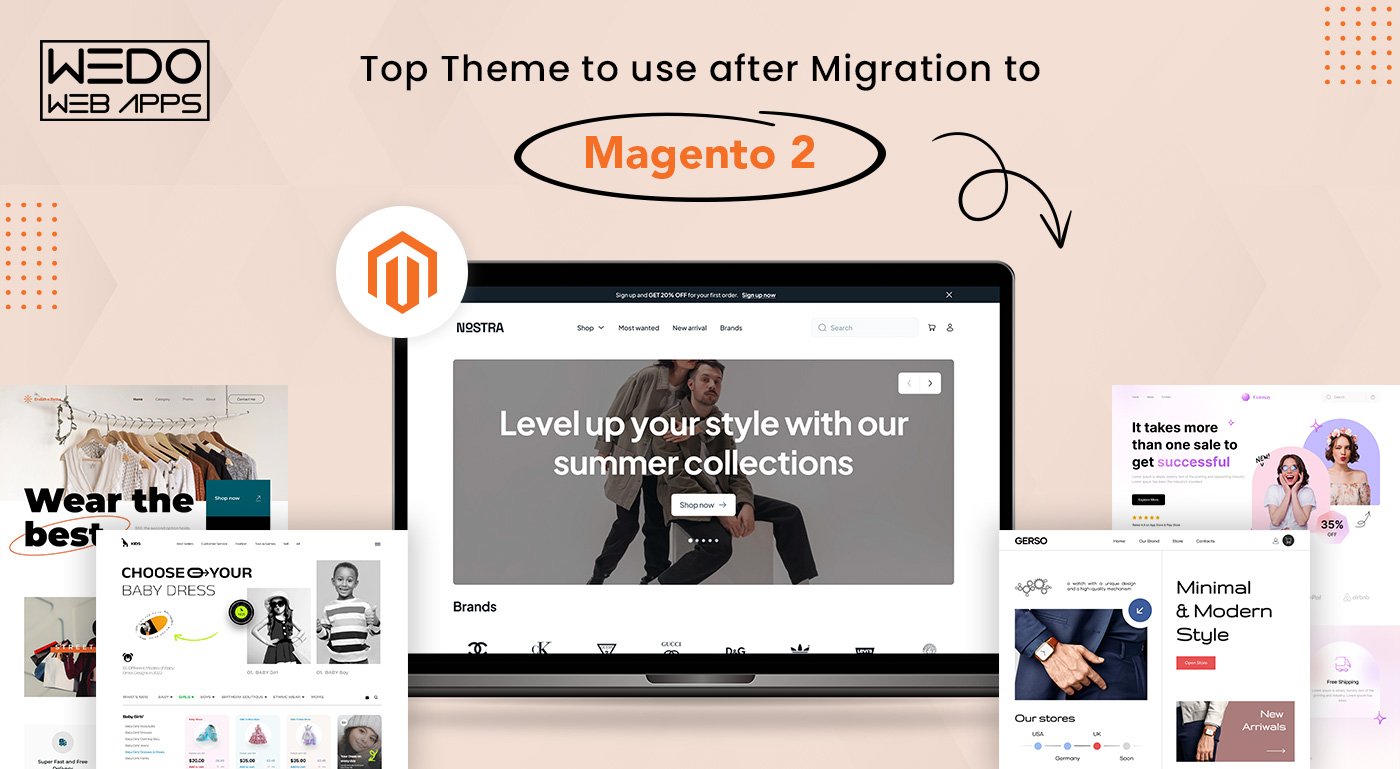
Do you know, a well-designed Magento theme 2 can increase your website’s speed, enhance your user experience, get more traffic and sales for your Magento store? Therefore, as an online business or eCommerce store owner you must choose only the best Magento 2 theme compatible with the current version of Magento and address all the current issues your site is facing. But, which themes in the market have the power to boost your ecommerce magento website’s performance? This detailed guide will cover – most used Magento 2 Themes In 2023 which are fully customizable and responsive. However, do you know that you need a license to apply these themes? Well, there are two types of licenses that you can avail:
- Regular License This license can be used for one’s own website. With this license, you can’t resell or redistribute the theme you have purchased or the end product based on the theme.
- Extended License With this license, you and your client can create up to 5 different websites from a theme. The license allows you to resell or redistribute the end product.
Now that you know how to use a license, let’s explore the cost of these licenses and the top Magento 2 themes in 2023!
Top Magento 2 Themes To Use After Migrating
Here we have mentioned the top Magento 2 themes that you can use after migration to make your website look more appealing and versatile. Have a look and choose the one that fits your requirement:
A. Porto
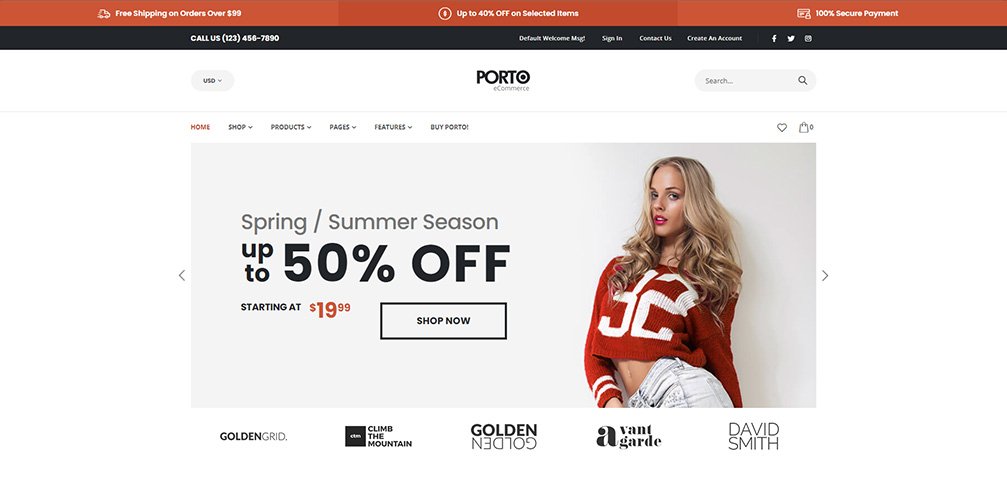 Magento Porto theme is a reliable and popular theme suitable for various websites, including fashion, accessories, furniture, electronics stores, and more. The theme offers modern and classic design options, with light and dark layouts that work well on all screen sizes and mobile devices. Magento Porto Theme is fully compatible with Magento Theme 2 and has been continuously updated over the past 5 years to stay in line with the newest Magento version and eCommerce movement. Porto shows top-class results on speed tests and is an excellent solution for every Magento 2 merchant. It also includes cutting-edge extensions for free and is strongly compatible with mobile devices. Features:-
- Offers 25+ visually stunning Magento Porto themes.
- Comes with 20 Homepage Layouts, all featuring full-screen mode.
- Responsive and Mobile-friendly design, optimized for Retina displays
- Magenta Porto theme supports both Mega Menu and Vertical Mega Menu.
- Provides beautiful and customizable layouts that work perfectly on any resolution.
- Enables complete customization of all designs to match unique needs
- Optimized for SEO to drive higher search engine visibility and attract more website traffic.
- Integrated with AJAX cart and AJAX Layered Navigation to offer a smooth and hassle-free browsing experience.
Price:-
| Regular License | Extended License | |
| 6 Month Support | $129 | $2950 |
| 12 Month Support | $171.75 | – |
B. Magetique
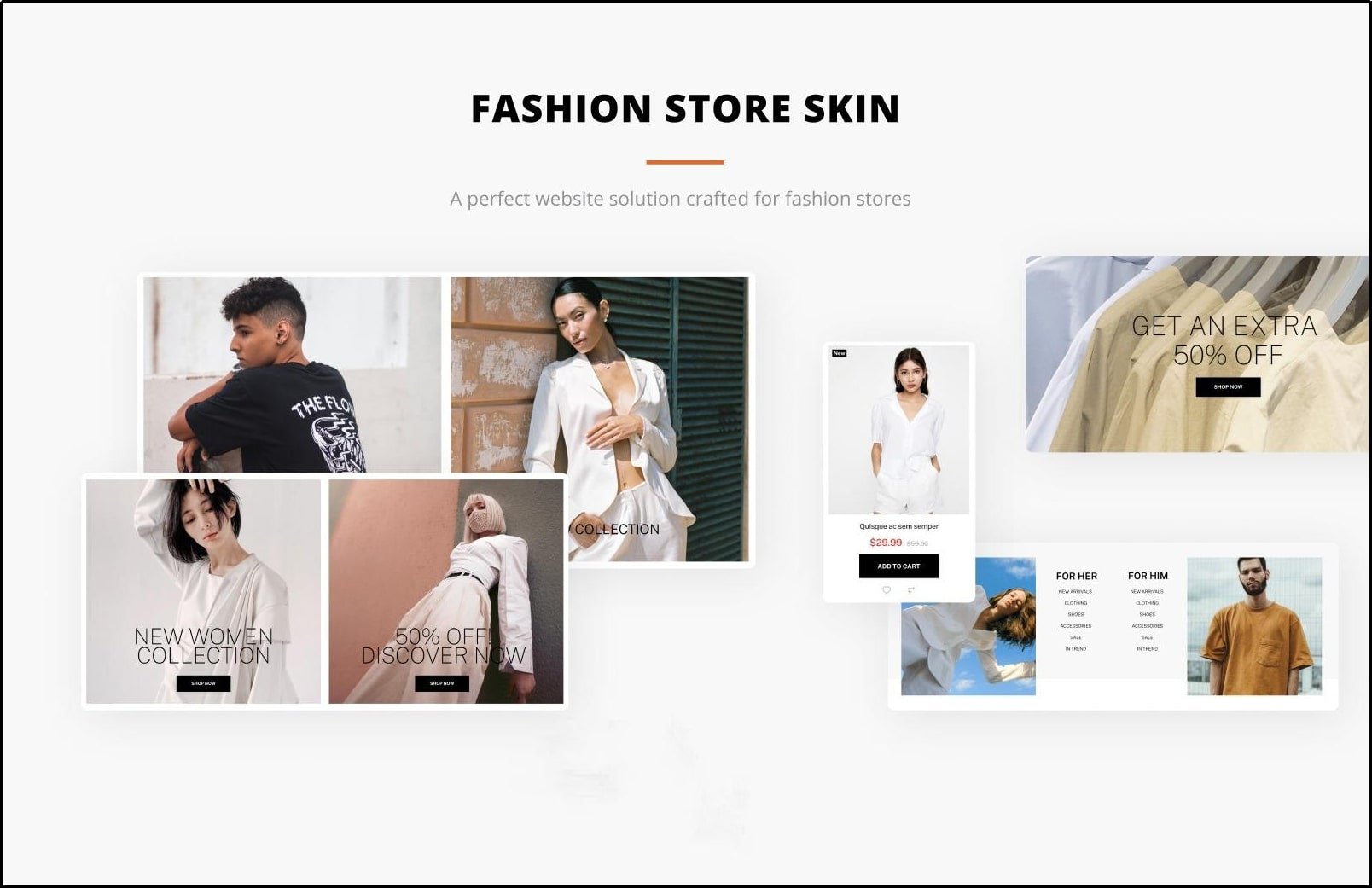 Magetique is an exceptional multipurpose Magento theme 2 that embodies our extensive technical and design expertise, resulting in the most advanced custom Magento theme and experience. This cutting-edge theme is entirely AMP-ready, ensuring that your website loads at lightning speed and delivers an unparalleled user experience. With a comprehensive marketing, design, and administration tools suite, Magetique empowers you to create a stunning and functional bespoke online store that meets your unique business needs. This theme comes bundled with 5 meticulously crafted layouts that cater to a diverse range of niches and increase your search engine visibility. These layouts are incredibly user-friendly, with a simple installation process and an intuitive interface that requires no coding expertise. Moreover, Magetique provides detailed documentation that guides you through every step of the customization process, enabling you to create a truly bespoke online store that stands out. With Magetique, you can confidently take your online business to the next level. Features:-
- Ajax Search – A fast and efficient search function that helps users find products quickly.
- MegaMenu – A comprehensive and intuitive menu system that simplifies website navigation.
- Film Slider – A visually engaging slideshow that showcases products and promotions to attract users.
- Ajax Compare – Compare products with this tool
- Ajax Catalog – Get a functionality to use a dynamic catalog with real-time data fetching and displaying everything new about the product.
- Layout Switcher – A customizable feature that allows users to switch between different website layouts.
- Parallax and Video Background – A design feature that adds depth and visual interest to a website.
Price:- $188 with 6 months support and extra $56 with 12 month’s support
C. Claue
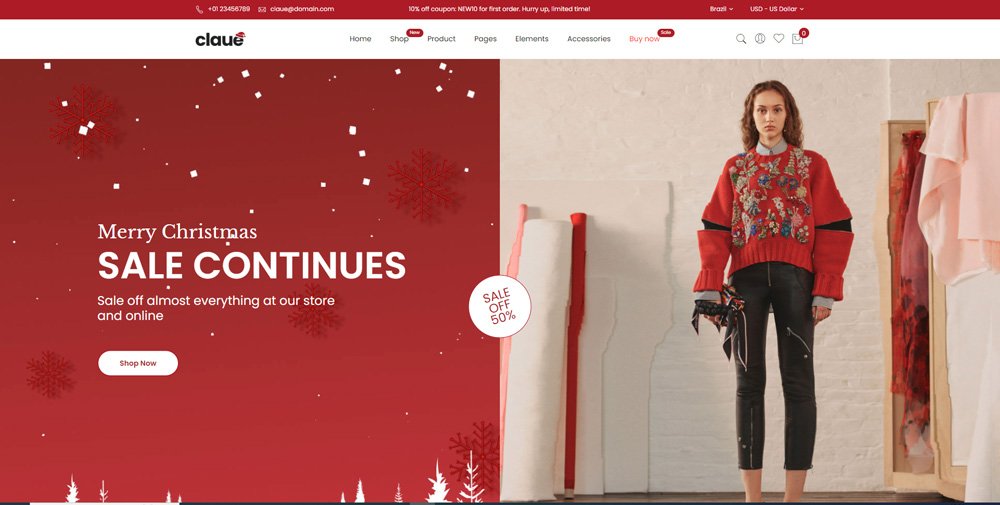 If you need a sleek and modern template for your ecommerce website, look no further than Claue – Clean and Minimal Magento Theme. With over 20 homepage layouts and many options for Shop, Blog, Portfolio, Store Locator, and other valuable pages, Claue offers a highly customizable platform that can be tailored to meet the needs of any kind of eCommerce website. Designed with a clean and minimal aesthetic, Claue provides a polished, professional look that impresses customers. Whether you’re looking to sell clothing, home goods, electronics, or any other product type, Claue’s versatile layout and customization options allow you to create a unique and engaging shopping experience that sets your bespoke online store apart from the competition. So if you’re looking for a flexible and dynamic eCommerce solution for your online business, give Claue a try and see how it can help take your ecommerce website to the next level. Features:-
- Highly responsive magento theme.
- Frontend webpage configuration.
- Enhances search engine visibility.
- Product attribute swatches support.
- Instagram shop integration.
- Auto-added Sale-off page.
- Support for slow image loads.
- 360-degree image view allowed.
- Multiple header and footer choices.
- Multiple layout options for all page types
Price:-
| Regular License | Extended License | |
| 6 Month Support | $90 | $4750 |
| 12 Month Support | $118.13 | $6250 |
While browsing through the top Magento 2 themes, enhance your digital strategy by exploring our guide on iPhone app creation.
D. Eren
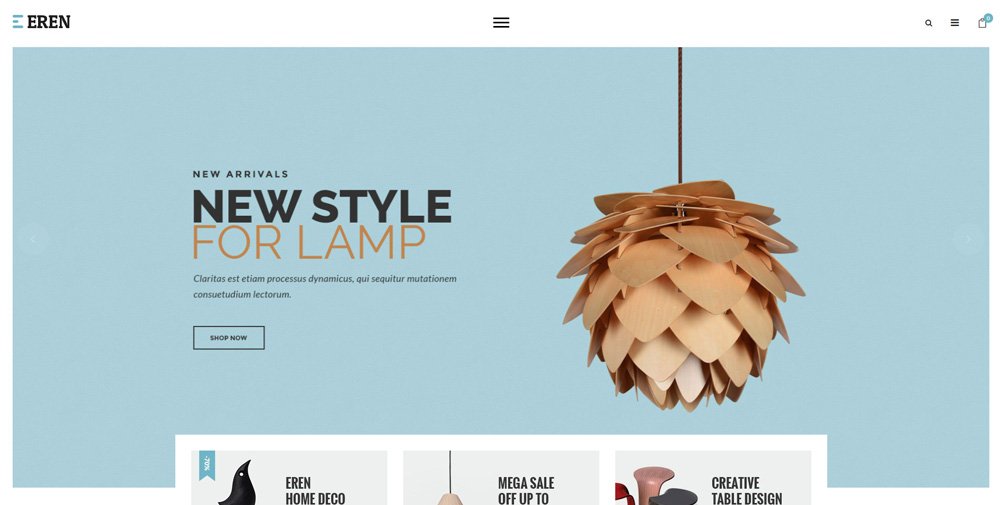 Eren is one of the best Magento themes for creating a modern and visually appealing ecommerce website. With its elegant and clean design, Eren provides visitors a warm and comfortable feeling, making it an ideal choice for multiple bespoke online stores. Eren is optimized for fully responsive Magento themes, ensuring search engine visibility across all devices, including PCs, tablets, iPads, and mobiles. Designed for Magento 2 websites, Eren is fully compatible with the latest version of the platform. Eren’s extensive collection of 20 cost-saving and supportive add-ons to the ecommerce website makes it the perfect choice for Magento stores. This clean magento theme has the power to help you rank on search engines and attract an untouched audience for your online business. Features:-
- Product Video Customization for a more engaging customer experience.
- Fully Responsive design with adaptive screen solutions for mobiles.
- Styling flexibility, allowing users to change colors, fonts, and other design elements easily.
- Smart Mega-Menu for easy navigation.
- Customizable product display options.
- Multiple extensions included, including One-page checkout, Categories Products, AJAX Cart/Wishlist/Compare, and more.
Price:-
| Regular License | Extended License | |
| 6 Month Support | $129 | $9999 |
| Magento website 12 Month Support | $171.75 | $13467.38 |
E. Market
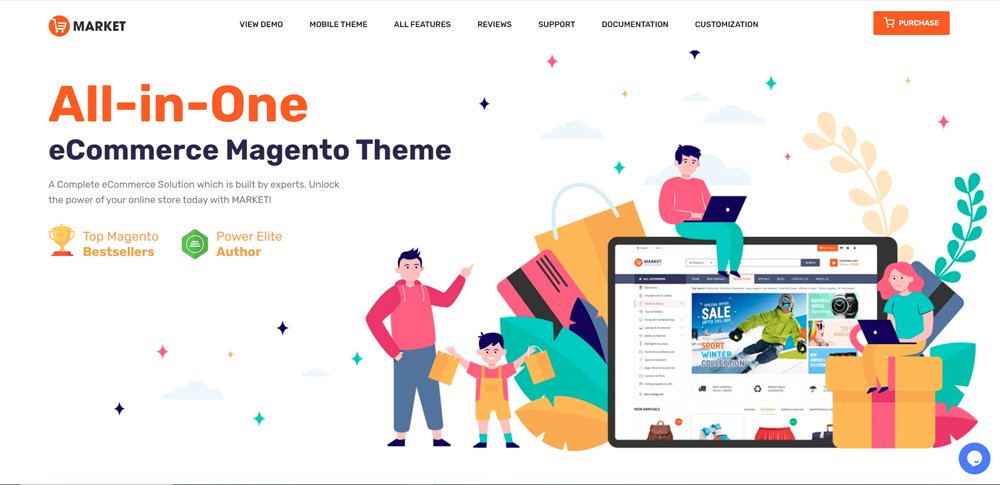 Market is a highly versatile mobile theme for Magento 2 that is designed to cater to the needs of online marketplaces, supermarkets, digital, fashion, cosmetic stores, and more. It offers a plethora of features that ensure a seamless and engaging mobile experience for customers. One of the most notable features of the Market theme is its compatibility with multiple-category stores with numerous brands and products. This makes it an ideal choice for eCommerce businesses looking to expand their offerings, search engine visibility, and revenue. Moreover, the theme comes with several Magento 2 modules, including Mega Menu, SM Tab Listing, and SM categories, that make it easier to display products and categories on the mobile screen. Features:-
- 23+ Magento homepage layout options
- 7 product displaying styles to choose from
- Fully responsive Magento themes for computer and mobile devices
- Customizable mega menu and CSS menu for enhanced navigation
- Add to Cart, Add to Compare,Store Locator, and Add to Wishlist features included
- Quick View functionality for faster browsing
- Color Swatch feature for better product visualization
- Grid and List view options for easy product browsing
Price:-
| Regular License | Extended License | |
| 6 Month Support | $84 | $4450 |
| 12 Month Support | $109.88 | $5837.50 |
F. Zumi
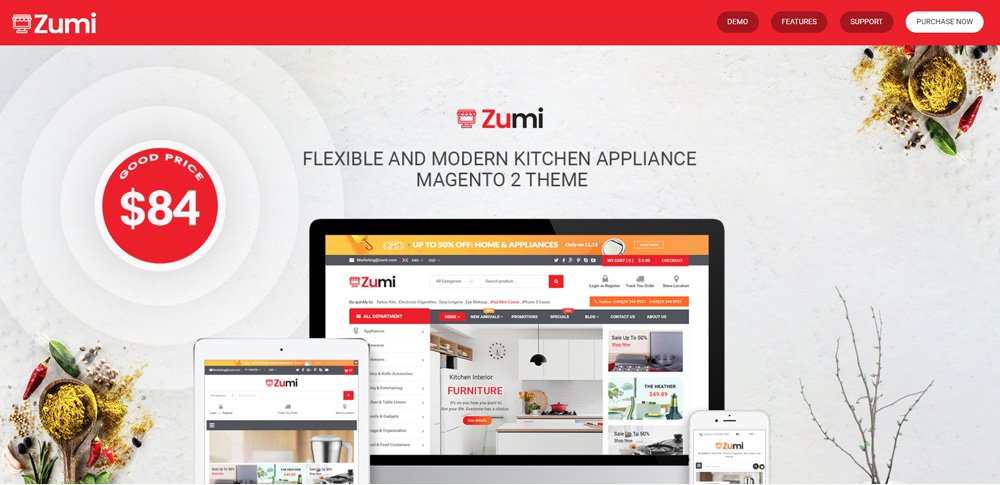 Zumi is a modern and clean Magento theme that is designed to provide users a seamless shopping experience. It comes with 25+ pre-designed homepage layouts catering to various industries such as fashion, electronics, furniture, and more. Zumi is a fully responsive, mobile-friendly, and custom Magento theme that ensures your store looks great on any device. You can easily change the colors, fonts, and layout of a to match your brand’s identity and voice. Additionally, Zumi is optimized for search engines, meaning your store will have better visibility and higher rankings. Features:-
- Responsive layout for PCs and Mobiles
- The category and product pages have user-friendly layouts and configuration options to choose from
- Various color choices for Magento 2.3 Theme
- One-click import sample data
- Support Mega Menu and CSS Menu
- The menu items can be displayed in a variety of ways with static blocks containing texts and images
- Support Grid & List view items
- Allow multi-currency, multi-language
- Integrated unlimited Google fonts
- You can check out several Free and Premium Magento modules, which are not just limited to Ajax Layered Navigation, SM Filter Products, AJAX Add to Cart, and AJAX Add to Wishlist.
Price:-
| Regular License | Extended License | |
| 6 Month Support | $84 | $4200 |
| 12 Month Support | $109.88 | $5493.75 |
G. Expert
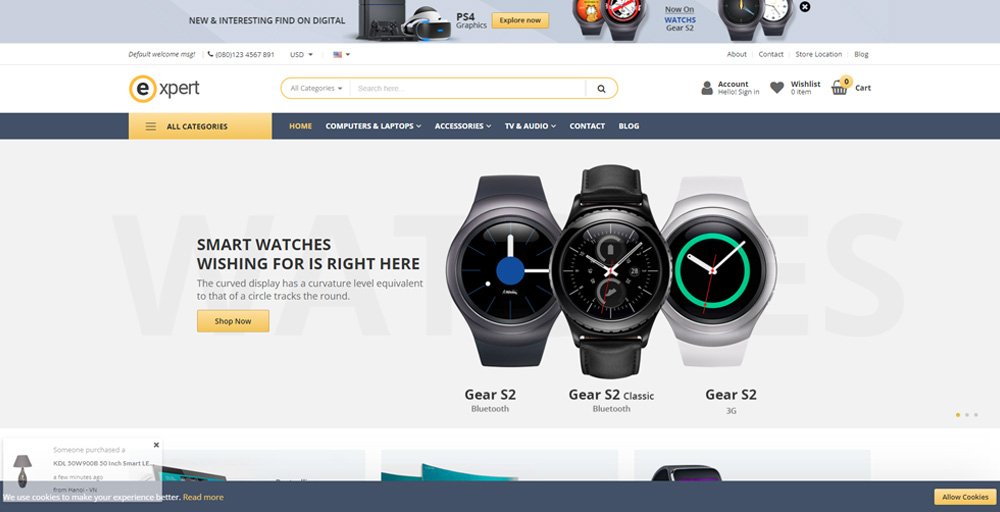 The Expert Magento theme boasts 13 customizable homepage templates and a range of admin settings, making it a versatile and professional choice for any Magento 2 store. With its sleek design and high credibility, this theme is perfect for popular store types such as fashion, market, electronics, mega shop, digital, mobile, bags, clothes, and more. Features:-
- Fully responsive design with retina-ready display for all devices.
- Comes with 13 unique and customizable homepage demos.
- Allows creating any desired layout with ease.
- Offers various color options to match the store’s branding.
- Multiple menu styles available: Megamenu, CSS, and Mobile.
- Showcases products in a grid and list view.
- Features a customer testimonial slider to increase credibility.
- Optimized product pages for all types of products.
- Extensions included: AJAX cart, Price slider, Social Icon, Blog, Quick view, Facebook Likebox, Elevate zoom, and Fancybox lightbox
Price:-
| Regular License | Extended License | |
| 6 Month Support | $129 | $2400 |
| 12 Month Support | $171.75 | $3018.75 |
H. Milano
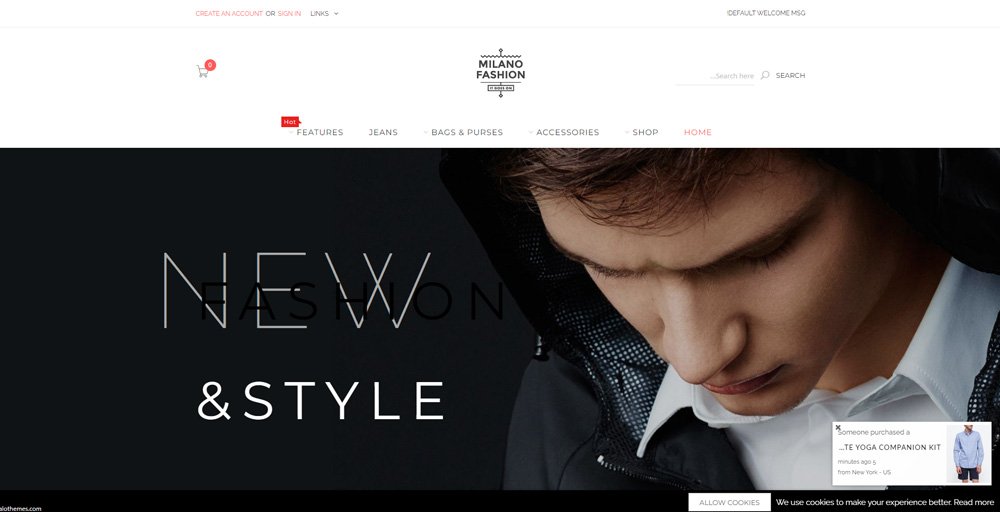 Milano theme boasts a classic and elegant design that makes it an ideal choice for high-end fashion stores, as well as shops that sell clothes, bags, and related items. This theme is highly recommended for those who want a mobile-optimized website that delivers exceptional performance across all devices. Features:-
- Over 16 homepage demos available
- Optimized for speed, SEO, and UX/UI functions
- Fully responsive design for all devices with mobile switching
- Vertical mega menu supported
- Auto-completion search tool included
- Customizable Google fonts available
- Support for various layouts, currencies, and languages
- Accompanied by extensions such as Product slider, Product label, Blog, AJAX Add to cart, and Banner slider.
Price:-
| Regular License | Extended License | |
| 6 Month Support | $129 | $2750 |
| 12 Month Support | $171.75 | $3500 |
How To Install a Magento 2 Theme?
Installing a custom Magento Theme 2 is a very simple and quick process you can accomplish in just a few steps. They are
Step 1: Downloading The Theme Files:
- The first step is downloading the theme files from a trusted source. It will be available in a ZIP file. Ensure that the file is compatible with your version of Magento 2.
Step 2: Uploading And Installing The Theme:
- Upload them to your Magento 2 store by logging into your Magento 2 admin panel. Go to the “Content” tab, and select “Design” from the drop-down menu.
- After that select “Configuration” and click the “Edit” button next to the store view to apply the theme. Go to the “Design Theme” section, click on the “Upload Theme” button, and select the theme ZIP file you downloaded. After uploading the file, click the “Save Configuration” button to install the theme.
While selecting the top Magento 2 themes for your store, also learn the steps for getting Joomla development services to further diversify your online capabilities.
Step 3: Activating The Theme:
- To activate the theme, go back to the “Content” tab, click on “Design” from the drop-down menu, and then tap on “Themes.”
- Click on the “Activate” button and activate the theme
Note: when using Custom magento theme you must create a backup of your Magento 2 store. Why? Because then it becomes quick and easy to resolve any potential issues. Additionally, if you encounter any issues during the installation process, you should seek assistance from a professional developer or the theme provider’s support team.
Choose the perfect themes for Magento development to not only enhance your site’s appearance but also meet all your business needs.
What Factors One Should Consider When Migrating to Magento Theme 2
You must focus on five major parameters when Migrating from Magento to new Magento 2 Theme: 
A. Design
- The visual appearance of your website is one of the most crucial elements that can make or break your online business. Therefore, choosing a clean magento theme with an attractive design that aligns with your brand’s style and messaging is essential.
- You may want to consider responsive magento themes with customizable options, as this allows you to tailor the look and feel of your website to your preferences.
B. Features And Functionality
- The theme you select should have all the essential features to operate your online store smoothly. This includes functionality such as product displays, shopping cart management, store locator, and checkout processes.
- You can also check advanced features such as search filters, mega menus, and promotional banners so that you can offer better user experience.
C. Compatibility With Magento 2
- If your custom Magento theme compliments the version of Magento 2 theme, your website runs fast without any delay or issues from frontend and backend.
D. Responsiveness
- With more mobile users, choosing responsive themes that can quickly adapt to different screen sizes becomes crucial as it ensures that your website is visible to every mobile user with different screen sizes.
E. Customer Support
- When choosing a Magento 2 theme, select a reliable provider who offers on-time technical support and assistance during the migration process, installation duration or use of the theme.
Why Choose Top Themes For Magento 2?
Migrating data to Magento 2 is a big decision, as it allows businesses to build customizable bespoke online stores, also known as Magento stores. With Magento, online businesses and ecommerce websites can enhance their online shopping experiences and increase ROI. However, while migrating data to Magento 2, you can leverage this powerhouse’s features and extensions and make your ecommerce website more potent with a responsive magento theme. These custom themes will also help your ecommerce stores to grow their online presence and be more successful. Choosing the best Magento 2 themes is a significant step for any e-commerce business toward optimizing the website’s potential and achieving business goals with the Magento migration process. However, online businesses should consider several factors when selecting a Magento theme. These factors include website speed, search engine visibility, compatibility, and the availability of necessary features and functionality. In addition, businesses can differentiate themselves from competitors by choosing a suitable custom Magento theme, establishing brand identity, and building a loyal customer base. Once you have selected the right Magento theme after migrating to Magento, it’s time to ensure you choose right hands to install this theme and make use of all the functionalities which come along with these clean Magento themes 2. If you need the best company for Magento Migration in the USA choose WEDOWEBAPPS. We deploy Magento for ecommerce websites and also create new feature-rich custom magento themes suiting your online business needs. Also check out the top Magento 2 themes and its features, benefits, and installation process.
What Are The Key Benefits Of Migrating To A Magento 2 Theme?
As e-commerce store owners migrate all their data to Magento 2, selecting the best responsive magento themes is crucial for their ecommerce website’s success. A well-designed Magento 2 theme can significantly impact the website’s appearance, functionality, and performance, increasing website traffic and online sales. Here are the top benefits of using a clean Magento 2 theme:
A. Improved Website Speed:
Top Magento 2 themes optimize them for your ecommerce store performance by faster loading pages and reducing bounce rates. This helps you create a better customer user experience and increase search engine visibility for your online business.
B. Enhanced User Experience:
Magento 2 themes offer businesses various customized themes that make your ecommerce websites visually appealing and user-interactive. With these custom magento themes, you can increase the traffic to your website and reach more customers.
C. Better Customization Options:
Magento 2 themes offer businesses more outstanding customization options, allowing them to tailor their website to their unique needs. From customizing the homepage to creating landing pages, companies can personalize their Magento website to improve brand identity and stand out from competitors.
D. Mobile Responsiveness:
Magento 2 theme designs are based on a responsive magento theme. It ensures that your magento app runs seamlessly on mobile and other devices to enhance the user experience. A great user experience on your app can increase website traffic and mobile users’ online sales.
E. SEO Optimization:
Magento 2 themes are optimized for search engines so that businesses can drive more traffic and increase their search engine visibility. Businesses can ensure their website is SEO-friendly with tailor-made meta tags and schema markup.
Once you’ve selected the right theme, ensure your site performs flawlessly with our expert Magento web development services tailored to your needs.
F. Compatibility Issues:
If you run an online store, you should pick up a Magento 2 theme which compliments various Magento features and is compatible with the Magento version. And while migrating to Magento 2 ensure the team you have opted for is compatible on multiple screen sizes and is responsive with no heavy codes.  This is how with the best Magento for ecommerce websites theme you can improve website speed, enhance user experience and maximize search engine visibility. And the best part is, you get the benefit of higher website traffic and online sales with compatible Magento 2 themes. Read also about PSD to Drupal and Magento Conversion
Conclusion:-
In conclusion, using a Magento 2 theme offers many benefits for online store owners. It also helps you improve the functionality and user experience of website users. Additionally, Magento Themes 2 can improve your search engine visibility and provide you with the latest version of Magento. With pre-built extensions and modules, they can also save you time and money in development costs. Overall, investing in a Magento 2 theme will take your online business to the next level and give you a competitive edge in the e-commerce market. To migrate your store to Magento 2, visit WeDoWebApps.com for hassle-free operations. Read also about SEO checklist for Magento PWA and managing store after Magento 2 migration.
 Sharing Project Details
 Let's have a
call
Let's have a
call Got
Questions? Let’s Chat!
Got
Questions? Let’s Chat!