Introduction
What happens when your business has the right opportunity but not the right people to deliver it?
Whether it is launching a new product, meeting a tight deadline, or expanding into a new market, every business reaches a point where its existing team may not have the capacity or specialized skills to keep up. Hiring full-time employees can take weeks or even months, while handling an entire project to an external vendor may not always provide the control your business needs.
This is where staff augmentation becomes a practical solution. It allows businesses to strengthen their existing teams with skilled professionals who can start contributing quickly, without the long hiring process or long-term employment commitments. You stay in control of your projects while gaining access to the expertise needed to move work forward with confidence.
In this staff augmentation guide, you will learn what is staff augmentation, how the staff augmentation model works, its key benefits, when to use staff augmentation, and how staff augmentation vs outsourcing compares. By the end of this guide, you will have a clear understanding of whether staff augmentation is the right approach to help your business scale, fill skill gaps, and achieve its project goals.
What Is Staff Augmentation?
Businesses rarely face the same staffing needs throughout the year. Some projects require additional developers for a few months, while others demand specialized expertise that the existing team may not have. Recruiting full-time employees for every temporary requirement is often time-consuming and expensive. This is where staff augmentation offers a more flexible approach.
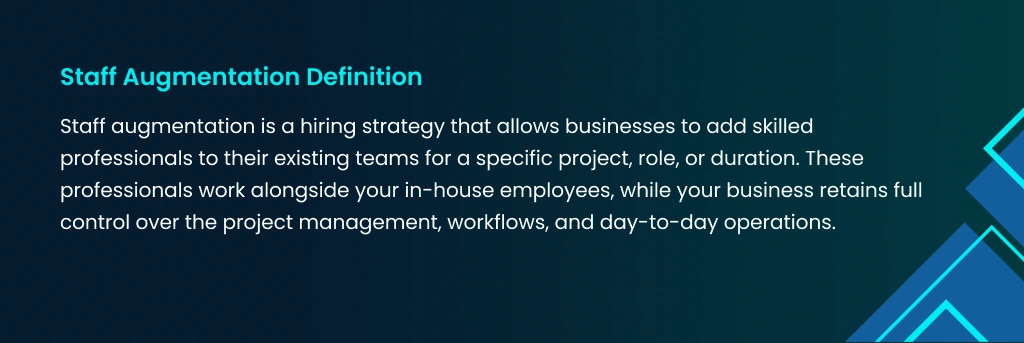
Unlike traditional hiring, IT staff augmentation services helps businesses access experienced talent without long-term employment commitments. It gives organizations the flexibility to scale teams up or down based on changing project requirements while maintaining productivity and delivery timelines.
Understanding the Staff Augmentation Model
The staff augmentation model is built around one simple idea. Instead of hiring permanent employees or outsourcing an entire project, businesses bring skilled professionals into their existing teams for a specific role or duration. These professionals work alongside in-house employees, follow the company’s processes, and contribute to the project goals while the business retains complete control over execution.
This approach enables organizations to quickly address skill gaps, increase team capacity, and respond to changing business needs without disrupting ongoing operations. Since the augmented professionals become part of the internal workflow, collaboration remains smooth, and projects continue to move forward efficiently.
How the Staff Augmentation Model Works
Understanding how the staff augmentation model works helps businesses determine whether it is the right hiring strategy for their projects. The process is designed to quickly connect organizations with qualified professionals while allowing them to maintain full ownership of project execution.
The typical staff augmentation process includes:
- Identify the required skills, experience, and project objectives.
- Partner with a trusted staff augmentation company or provider.
- Review and interview shortlisted professionals.
- Select candidates that best fit your technical and business requirements.
- Onboard the augmented professionals into your existing team.
- Manage project delivery while the provider handles employment and administrative responsibilities.
- Scale the team up or down as the project needs change.
Key Participants in the Staff Augmentation Process
The success of a staff augmentation model depends on effective collaboration between several stakeholders. Each participant has a clearly defined role that contributes to project success.
- Client or Business
The client identifies project requirements, selects the required talent, assigns daily responsibilities, and oversees project delivery.
- Staff Augmentation Provider
A staff augmentation provider sources, screens, and deploys qualified professionals who match the client’s technical and business requirements. They also manage recruitment, payroll, contracts, and compliance.
- Augmented Professionals
The augmented team members work as an extension of the client’s workforce. They collaborate with internal employees, follow company processes, and contribute to achieving project goals.
- Internal Team
Existing employees provide project knowledge, coordinate daily activities, and work closely with augmented professionals to ensure smooth collaboration.
Roles and Responsibilities in the Staff Augmentation Model
One of the biggest advantages of the staff augmentation model is the clear distribution of responsibilities between the client and the staff augmentation provider.
Client Responsibilities
- Define project scope and business goals.
- Select the right professionals for the project.
- Assign tasks and manage daily workflows.
- Monitor project performance and quality.
- Maintain communication across the entire team.
Staff Augmentation Provider Responsibilities
- Source and screen qualified professionals.
- Conduct technical assessments.
- Handle employment contracts and payroll.
- Manage legal and compliance requirements.
- Provide replacement resources when necessary.
End-to-End Staff Augmentation Workflow
A structured workflow helps businesses maximize the benefit of staff augmentation while ensuring projects remain on schedule.
Step 1: Define business objectives and identify skill gaps.
Step 2: Choose a reliable staff augmentation provider.
Step 3: Evaluate and interview shortlisted candidates.
Step 4: Onboard the selected professionals into your existing team.
Step 5: Collaborate, monitor progress, and measure performance.
Step 6: Scale resources or conclude the engagement once project objectives are achieved.
Quick Insight: The staff augmentation model gives businesses the flexibility to access skilled professionals without replacing their existing workforce. It combines the speed of external hiring with the control of an in-house team, making it an effective solution for organizations looking to fill skill gaps, accelerate project delivery, and adapt to changing business needs.
Types of Staff Augmentation Models
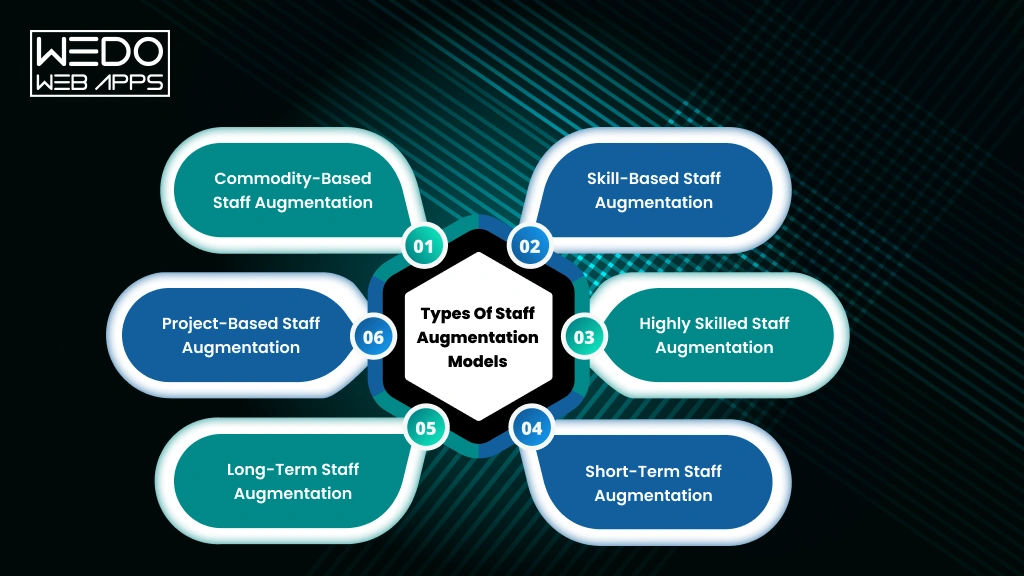
Every business has unique hiring requirements. Some need additional resources to manage routine tasks, while others require specialists with advanced technical expertise for critical projects. Choosing the right staff augmentation model depends on factors such as project complexity, required skills, engagement duration, and business goals.
Understanding the different types of staff augmentation models helps businesses select an approach that aligns with their workforce needs and project timelines.
Commodity-Based Staff Augmentation
Commodity-based staff augmentation focuses on hiring professionals for routine or operational tasks that require basic to intermediate skills. These roles usually follow standardized processes and can be filled quickly to support business operations.
This model is commonly used for:
- Data entry and administrative support.
- Customer service and technical support.
- Back office operations.
- Basic testing and documentation.
- Repetitive business tasks.
Best suited for: Businesses looking to quickly increase workforce capacity for operational activities.
Skill-Based Staff Augmentation
Skill-based staff augmentation is designed for businesses that require professionals with specific technical or functional expertise. Instead of hiring full-time employees, companies can bring in experienced specialists to address identified skill gaps.
This model is ideal for:
- Mobile app development
- UI and UX design
- Quality assurance and testing
- Cloud engineering
- DevOps implementation
Best suited for: Organizations seeking professionals with specialized skills for ongoing or short-term projects.
Highly Skilled Staff Augmentation
Highly skilled staff augmentation provides access to senior professionals with extensive industry experience and advanced technical knowledge. These experts are often brought in to solve complex business challenges or lead high-impact initiatives.
Businesses commonly hire specialists for:
- Artificial intelligence and machine learning.
- Cybersecurity.
- Cloud architecture.
- Enterprise software development.
- Data engineering and analytics.
- Solution architecture.
Best suited for: Businesses handling complex projects that require strategic expertise and advanced technical capabilities.
Short-Term Staff Augmentation
Short-term staff augmentation allows businesses to add professionals for a limited period to meet immediate project demands or temporary workforce shortages. Once the project is completed or the workload decreases, the engagement can end without long-term hiring commitments.
Common scenarios include:
- Product launches.
- Seasonal business demand.
- Urgent project deadlines.
- Employee leave coverage.
- Temporary resource shortages.
Best suited for: Companies that need immediate support without expanding their permanent workforce.
Long-Term Staff Augmentation
Long-term staff augmentation is suitable for projects that extend over several months or years. Professionals become an integral part of the internal team and contribute consistently throughout the engagement while remaining employed by the staff augmentation provider.
This model is often used for:
- Enterprise software development.
- Digital transformation initiatives.
- Platform modernization.
- Multi-phase technology projects.
- Ongoing software product development.
Best suited for: Businesses requiring consistent expertise for long-duration projects.
Project-Based Staff Augmentation
Project-based staff augmentation focuses on assembling professionals with the exact skills needed for a specific project. The team works alongside the client’s existing workforce until project objectives are achieved.
Typical use cases include:
- Mobile application development
- ERP and CRM implementation
- Cloud migration
- Legacy system modernization
- Product engineering
Best suited for: Organizations that need specialized talent for a defined project scope and timeline.
Comparison of Staff Augmentation Models
| Staff Augmentation Model | Primary Purpose | Typical Duration | Best For |
|---|
| Commodity Based | Handle routine operational tasks | Short to medium term | Administrative work, customer support, and back office operations |
|---|
| Skill Based | Fill specific technical skill gaps | Short to long-term | Software development, QA, DevOps, UI & UX |
|---|
| Highly Skilled | Provide advanced expertise | Project dependent | AI, cybersecurity, cloud architecture, enterprise solutions |
|---|
| Short Term | Meet immediate workforce needs | A few weeks to several months | Seasonal demand, urgent projects, temporary staffing |
|---|
| Long Term | Support ongoing business initiatives | Several months to years | Product development, digital transformation, enterprise projects |
|---|
| Project Based | Deliver expertise for a defined project | Until project completion | Software projects, cloud migration, system modernization |
|---|
How the Staff Augmentation Process Works
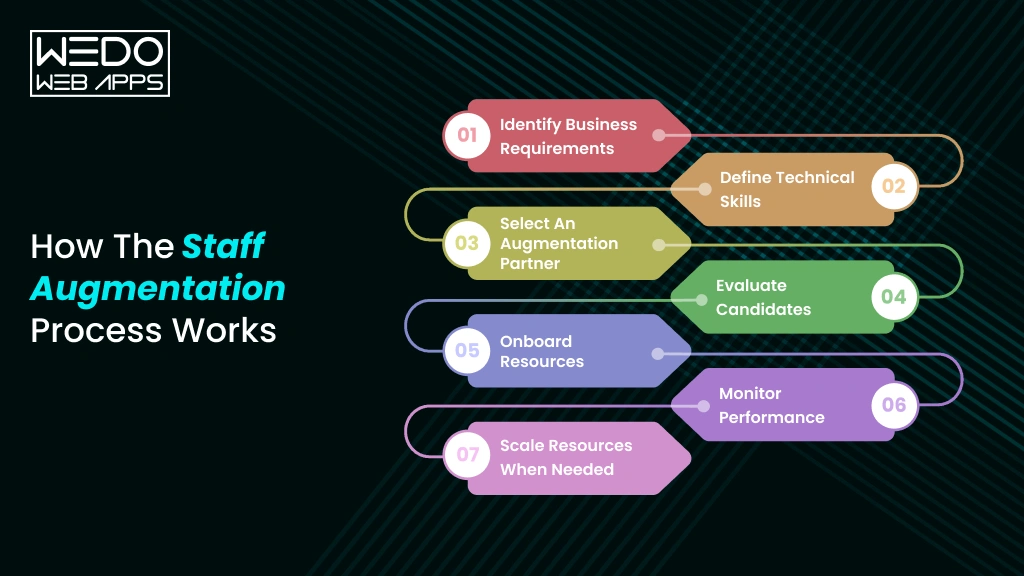
Understanding how staff augmentation works is essential before adopting this hiring approach. A well-defined staff augmentation process helps businesses quickly access skilled professionals, integrate them into existing teams, and maintain complete control over project delivery. Whether you need one specialist or an entire development team, following the right process ensures that your staff augmentation model delivers the expected results.
Below are the key stages involved in a successful staff augmentation process.
Identify Business Requirements
The first step in the staff augmentation process is identifying your business objectives and understanding where additional support is needed. This helps determine the scope of the project, the number of professionals required, and the duration of the engagement.
Before approaching a staff augmentation provider, define:
- Project goals and deliverables.
- Existing skill and resource gaps.
- Project timeline and budget.
- Number of professionals required.
- Expected engagement period.
Having clear requirements makes it easier to find talent that aligns with your business needs.
Define Technical Skills
Once business goals are established, the next step is identifying the technical skills required to complete the project successfully. Clearly defining these requirements enables your staff augmentation company to recommend professionals with the right expertise.
Key factors to consider include:
- Programming languages and technology stack.
- Industry or domain experience.
- Experience level, such as junior, mid-level, or senior.
- Certifications or specialised technical knowledge.
- Communication and collaboration skills.
Select an Augmentation Partner
Choosing the right staff augmentation partner is one of the most important decisions in the entire process. A reliable partner not only provides access to qualified professionals but also ensures a smooth hiring experience from sourcing to onboarding.
When evaluating a staff augmentation company, consider:
- Technical recruitment capabilities.
- Industry experience.
- Talent screening and assessment process.
- Communication and reporting practices.
- Client success stories and testimonials.
- Ability to scale resources quickly.
Evaluate Candidates
One of the biggest advantages of staff augmentation is that businesses remain involved in selecting the professionals who will join their teams. Reviewing candidates carefully ensures that they have both the technical expertise and the ability to collaborate effectively with your existing workforce.
The evaluation process typically includes:
- Resume and portfolio review.
- Technical interviews.
- Practical skill assessments.
- Communicate evaluation.
- Team and cultural fit assessment.
Onboard Resources
An effective onboarding process helps augmented professionals become productive in less time. Since they work as an extension of your internal team, they should understand your business goals, workflows, communication channels, and project expectations from the beginning.
A successful onboarding plan should include:
- Project documentation and knowledge transfer.
- Access to tools and development environments.
- Team introductions.
- Defined roles and responsibilities.
- Project timelines and communication guidelines.
Monitor Performance
The success of the staff augmentation model depends on continuous collaboration and performance tracking. Regular review helps businesses identify challenges early, maintain productivity, and ensure projects stay aligned with business objectives.
Best practices include:
- Tracking project milestones.
- Measuring work quality and productivity.
- Conducting regular performance reviews.
- Providing timely feedback.
- Encouraging collaboration between internal and augmented teams.
Scale Resources When Needed
One of the key staff augmentation benefits is workforce flexibility. As project requirements evolve, businesses can easily increase or reduce team size without the delays and costs associated with traditional hiring.
This flexibility allows organizations to:
- Respond quickly to changing business needs.
- Add specialists for new project phases.
- Optimize workforce costs.
- Maintain delivery timelines.
- Support business growth without long-term hiring commitments.
Quick Insight
Understanding how staff augmentation works helps businesses build stronger project teams with minimal hiring delays. By following a structured staff augmentation process and partnering with the right staff augmentation company, organizations can access specialized talent, improve delivery speed, and make the most of the staff augmentation model.
Staff Augmentation Benefits
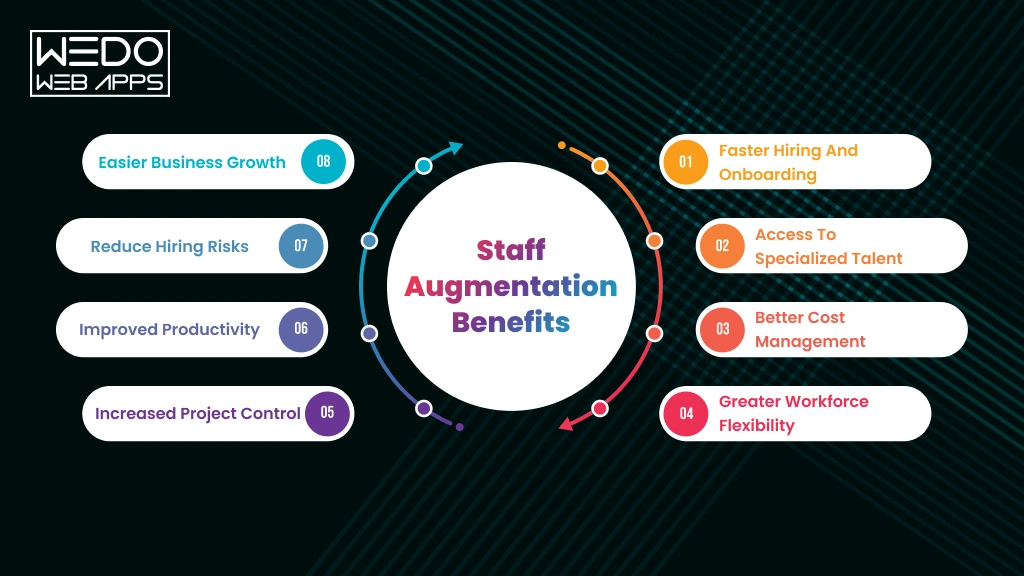
The growing adoption of staff augmentation is driven by its ability to help businesses respond to changing workforce needs without the challenges of traditional hiring. Whether you need specialized expertise for a short-term project or additional resources to accelerate delivery, the benefits of staff augmentation extend beyond simply filling vacant roles.
By choosing the right staff augmentation model, organizations can improve productivity, optimize hiring costs, and build teams that adapt quickly to evolving business demands.
Faster Hiring and Onboarding
Traditional recruitment often involves lengthy hiring cycles, multiple interview rounds, and extended notice periods. Staff augmentation significantly reduces this timeline by providing access to pre-screened professionals who are ready to join your team.
With staff augmentation, businesses can:
- Fill critical roles faster.
- Reduce recruitment delays.
- Accelerate project kickoffs.
- Onboard experienced professionals in less time.
Access to Specialized Talent
Many projects require expertise that may not exist within an organization’s current workforce. Staff augmentation makes it easier to bring in professionals with the exact technical and industry knowledge needed to support project success.
Businesses can quickly access specialists in:
- Software development
- Cloud computing
- Cybersecurity
- DevOps
- Data engineering
- UI and UX design
Better Cost Management
Hiring full-time employees comes with ongoing expenses such as recruitment, onboarding, salaries, benefits, and training. Staff augmentation helps businesses optimize these costs by hiring professionals only for the required duration.
This approach helps organizations:
- Reduce recruitment expenses.
- Avoid long-term employment costs.
- Allocate budgets more efficiently.
- Improve resource utilization.
Greater Workforce Flexibility
One of the biggest staff augmentation benefits is the ability to scale teams according to project demands. Businesses can increase or reduce resources without making permanent hiring decisions.
This flexibility allows companies to:
- Respond to changing priorities.
- Handle seasonal workloads.
- Support business expansion.
- Manage multiple projects simultaneously.
Increased Project Control
Unlike outsourcing, where project execution is managed externally, the staff augmentation model allows businesses to retain complete ownership of their projects. Augmented professionals work under the company’s leadership and follow existing workflows.
This gives businesses greater control over:
- Project planning
- Daily task management
- Communication
- Quality assurance
- Delivery timelines
Improved Productivity
Experienced professionals require less time to become productive because they already possess the skills needed for the role. Their ability to integrate with existing teams helps projects move forward without unnecessary delays.
As a result, businesses can:
- Complete the project faster.
- Improve team efficiency.
- Reduce bottlenecks.
- Maintain consistent delivery.
Reduce Hiring Risks
Recruiting permanent employees for short-term projects can increase operational costs if workloads change unexpectedly. Staff augmentation minimizes this risk by allowing businesses to engage professionals only when their expertise is required.
This helps organizations:
- Reduce long-term hiring commitments.
- Adapt to changing business needs.
- Improve workforce planning.
- Lower operational risk.
Easier Business Growth
As organizations expand into new markets or launch new products, their workforce requirements often change. Staff augmentation provides the flexibility to grow teams without disrupting existing operations.
This enables businesses to:
- Support business expansion.
- Enter new markets with confidence.
- Launch products more efficiently.
- Meet customer demands faster.
When to Use Staff Augmentation
Understanding when to use staff augmentation is just as important as knowing how it works. While the staff augmentation model offers flexibility and access to specialized talent, it delivers the best results when applied to the right business situations.
If your organization is facing resource shortages, tight deadlines, or the need for specialized expertise, staff augmentation can help you strengthen your team without the delays and long-term commitments of traditional hiring.
Skill Gaps
Projects often require technical expertise that your existing team may not possess. Rather than delaying the project or investing months in recruitment, businesses can use staff augmentation to quickly add professionals with the required skills.
Common situations include:
- New technology adoption.
- Specialized technical requirements.
- Temporary expertise shortage.
- Limited in-house experience.
Product Development
Building a new product often requires developers, designers, testers, and other specialists who may not be available internally. The staff augmentation model allows businesses to strengthen their product teams and keep development on schedule.
Staff augmentation is useful for:
- Developing new digital products.
- Accelerating software development.
- Meeting product launch deadlines.
- Supporting feature enhancements.
Short-Term Projects
Not every project requires permanent hiring. For projects with a defined timeline, staff augmentation provides skilled professionals who contribute throughout the engagement without increasing long-term workforce costs.
This approach works well for:
- Fixed-duration initiatives.
- Client-specific projects.
- Technology upgrades.
- System implementation projects.
Seasonal Demand
Many businesses experience periods of increased workload during specific times of the year. Instead of expanding their permanent workforce, organizations can use staff augmentation to handle temporary demand efficiently.
Typical examples include:
- Holiday sales periods.
- Retail promotions.
- Financial year-end activities.
- Customer support during peak seasons.
Business Expansion
Growing businesses often need additional expertise to enter new markets, launch new services, or support expanding operations. Staff augmentation provides access to skilled professionals without slowing business growth through lengthy recruitment.
Businesses commonly use it for:
- Market expansion.
- New office or regional launches.
- Building specialized project teams.
- Supporting rapid business growth.
Digital Transformation
Modernization initiatives often require expertise in cloud technologies, artificial intelligence, cybersecurity, data analytics, and enterprise software. Hiring permanent specialists for every transformation project may not be practical.
The staff augmentation model helps businesses:
- Modernize legacy systems.
- Implement cloud solutions.
- Develop digital platforms.
- Improve operational efficiency through technology.
Team Scaling
Project priorities can change quickly, requiring additional resources at different stages of development. Staff augmentation makes it easier to scale teams without disrupting ongoing operations.
Businesses can:
- Add specialists for critical project phases.
- Increase team capacity during high workloads.
- Reduce resources after project completion.
- Maintain flexibility as business needs evolve.
Decision Checklist: Is Staff Augmentation Right for Your Business?
Use the checklist below to determine whether staff augmentation is the right hiring approach for your organization.
|
|---|
| Question | Yes | No |
|---|
| Do you need skilled professionals quickly? | Yes | – |
| Does your team have temporary skill gaps? | Yes | – |
| Is your project time-sensitive? | Yes | – |
| Do you need specialized expertise for a specific project? | Yes | – |
| Would permanent hiring increase unnecessary costs? | Yes | – |
| Do you want to retain full control over project management? | Yes | – |
| Do your resource requirements change frequently? | Yes | – |
|
What Your Answers Mean:
If you answered “Yes” to most of these questions, staff augmentation is likely the right hiring strategy for your business. It provides the flexibility to access specialized talent, strengthen your existing team, and respond to changing project demands while maintaining full control over delivery.
Staff Augmentation vs Outsourcing
Choosing the right hiring model can directly impact your project’s success, budget, and delivery timeline. While staff augmentation is often compared with outsourcing and other workforce models, each approach serves a different business purpose.
The right choice depends on factors such as project complexity, the level of control you need, available resources, and long-term business goals. Understanding these differences will help you select the hiring strategy that best fits your requirements.
Staff Augmentation vs Outsourcing
The biggest difference between staff augmentation vs onboarding lies in project ownership. With staff augmentation, external professionals become part of your existing team, while your business continues to manage daily tasks, priorities, and project execution. In outsourcing, an external company takes responsibility for delivering the project based on agreed requirements.
| Choose staff augmentation when you want to: | Choose outsourcing when you want to: |
|---|
- Retain complete control over project execution.
- Fill temporary skill gaps.
- Extend your existing team.
- Collaborate directly with hired professionals.
| - Delegate an entire project to an external vendor.
- Reduce internal management responsibilities.
- Access end-to-end project delivery.
- Focus internal teams on core business activities.
|
Staff Augmentation vs Dedicated Development Team
Although both models provide access to external professionals, they differ in how teams are managed. A dedicated development team usually works as a long-term unit managed by the service provider, whereas the staff augmentation model allows businesses to select individual professionals who work under their direct supervision.
Staff augmentation is ideal for:Dedicated teams are suitable for:
| |
|---|
- Temporary hiring needs.
- Specific technical skill gaps.
- Flexible team expansion.
| - Long-term product development.
- Continuous software maintenance.
- Ongoing engineering support.
|
Staff Augmentation vs Freelancers
Freelancers are often hired for individual tasks or short-term assignments. While they can be a cost-effective option for smaller projects, businesses may face challenges with availability, scalability, and long-term collaboration.
Compared with freelancers, staff augmentation offers:
- Pre-screened professionals.
- Better team integration.
- Consistent availability.
- Easier team scaling.
- Support from a staffing partner.
Staff Augmentation vs In-House Hiring
Hiring full-time employees remains a valuable option for building long-term teams, but it often requires significant time and investment. Staff augmentation provides a faster alternative when businesses need immediate expertise without expanding permanent headcount.
Businesses typically choose staff augmentation for:Traditional hiring is better suited for:
| |
|---|
- Faster hiring.
- Project-based resource needs.
- Specialized technical expertise.
- Flexible workforce planning.
| - Permanent business functions.
- Long-term organizational growth.
- Core leadership positions.
- Company culture development.
|
Comparison of Popular Hiring Models
|
|---|
| Criteria | Staff Augmentation | Outsourcing | Dedicated Team | In-House Hiring |
|---|
| Team management | Managed by the client | Managed by the vendor | Shared management | Managed internally |
|---|
| Project control | High | Limited | High | High |
|---|
| Hiring speed | Fast | Fast | Moderate | Slow |
|---|
| Workforce flexibility | High | Moderate | Moderate | Low |
|---|
| Best for | Filling skill gaps and extending existing teams | End-to-end project delivery | Long-term product development | Permanent business roles |
|---|
| Long-term commitment | No | Depends on the contract | Usually long-term | Yes |
|---|
| Team scalability | Easy | Moderate | Moderate | Limited |
|---|
|
Common Staff Augmentation Use Cases
The staff augmentation model is used across industries to solve a wide range of workforce challenges. From filling specialized skill gaps to accelerating digital initiatives, businesses rely on staff augmentation to bring in experienced professionals without expanding their permanent workforce.
Below are some of the most common situations where staff augmentation helps organizations achieve their project and business goals.
Software Development
Software development projects often require developers with expertise in different programming languages, frameworks, and technologies. Instead of delaying projects due to hiring challenges, businesses use staff augmentation to quickly strengthen their development teams.
Common roles include:
- Full-stack developers.
- Software architects.
- Technical leads.
Mobile App Development
Developing mobile applications requires specialists across multiple platforms and technologies. The staff augmentation model enables businesses to access skilled professionals who can support every stage of the development lifecycle.
Teams are commonly augmented with:
- Android developers.
- iOS developers.
- Flutter developers.
- React Native developers.
- Mobile QA engineers.
Artificial Intelligence and Machine Learning
AI projects demand professionals with advanced technical expertise that many organizations do not have in-house. Staff augmentation helps businesses bring in specialists who can build intelligent solutions while supporting existing teams.
Typical AI roles include:
Cloud Engineering
As businesses migrate to cloud platforms, they often require professionals with expertise in cloud architecture, deployment, and infrastructure management. Staff augmentation provides quick access to these specialized skills.
Common cloud specialists include:
- Cloud architects.
- Cloud engineers.
- Infrastructure specialists.
- Cloud security experts.
- Site reliability engineers.
DevOps
Modern software delivery depends on continuous integration, automation, and infrastructure management. The staff augmentation model allows organizations to strengthen their DevOps capabilities without long-term recruitment cycles.
Businesses often hire:
- DevOps engineers.
- Automation specialists.
- CI and CD engineers.
- Infrastructure engineers.
- Platform engineers.
Cybersecurity
Protecting business systems and customer data requires experienced security professionals. Staff augmentation enables organizations to quickly address security gaps and strengthen compliance efforts.
Frequently augmented roles include:
- Cybersecurity analysts.
- Security engineers.
- Ethical engineers.
- Compliance specialists.
- Security consultants.
Data Analytics
Organizations generate large volumes of data but often lack the expertise to transform it into meaningful insights. Staff augmentation helps businesses add professionals who can support data-driven decision-making.
Common roles include:
- Data analysts.
- Data engineers.
- BI developers.
- Database specialists.
- Data visualization experts.
Quality Assurance and Testing
Quality assurance plays an important role in delivering reliable software. Businesses use staff augmentation to expand testing during project development and release cycles.
Typical QA professionals include:
- Manual testers.
- Automation testers.
- Performance testing engineers.
- Test architects.
- Quality analysts.
UI and UX Design
Creating intuitive digital experiences requires experienced designers who understand user behavior and modern design practices. The staff augmentation model helps businesses improve product usability without hiring full-time design teams.
Common design roles include:
- UI designers.
- UX designers.
- Product designers.
- Interactive designers.
- Design researchers.
Key Takeaway
These examples show that staff augmentation is not limited to software development. Whether your business needs AI specialists, cloud engineers, cybersecurity experts, or experienced designers, the staff augmentation model provides a flexible way to access specialized talent and deliver projects more efficiently.
Best Practices for Successful Staff Augmentation
Choosing the right staff augmentation model is only the first step. To get the most value from staff augmentation, businesses need a clear strategy for selecting talent, integrating professionals into existing teams, and managing collaboration throughout the project lifecycle.
The following best practices can help organizations maximize the benefits of staff augmentation while reducing common implementation challenges.
Define Clear Project Objectives
Every successful staff augmentation engagement begins with well-defined goals. When project expectations are clear, it becomes easier to identify the right professionals and measure the performance throughout the engagement.
Before hiring, make sure you:
- Define project scope and deliverables.
- Set realistic timelines and milestones.
- Identify the required skills and experience.
- Establish measurable success metrics.
Choose the Right Staff Augmentation Partner
Your staff augmentation partner has a direct impact on the quality of talent you receive. Selecting an experienced provider improves the chances of finding professionals who align with your technical requirements and business goals.
Look for a partner that offers:
- Proven industry experience.
- A strong technical screening process.
- Access to a diverse talent pool.
- Transparent communication.
- Flexible engagement models.
Build a Structured Onboarding Process
A well-planned onboarding process helps augmented professionals understand your business, project objectives, and internal workflows. The faster they become familiar with your environment, the sooner they can contribute effectively.
A strong onboarding process should include:
- Project documentation.
- Access to required tools and systems.
- Team introductions.
- Role and responsibility clarification.
- Communication guidelines.
Establish Clear Communication Practices
Open communication keeps projects moving smoothly and helps prevent misunderstandings. Setting expectations early improves collaboration between internal employees and augmented professionals.
Follow these communication practices:
- Schedule regular status meetings.
- Use shared collaboration platforms.
- Document project updates and decisions.
- Encourage open feedback across the team.
Track Performance with Meaningful KPIs
Monitoring performance helps ensure that the staff augmentation model continues to support your business goals. Define measurable indicators that reflect both individual contributions and overall project success.
Examples of KPIs include:
- Task completion rate.
- Sprint or milestone achievement.
- Code quality or defect rate.
- Productivity metrics.
- Project delivery timelines.
Encourage Team Collaboration
Augmented professionals perform best when they are treated as part of the internal team. Building a collaborative work environment improves communication, knowledge sharing, and overall productivity.
Businesses can strengthen collaboration by:
- Including augmented professionals in team meetings.
- Promoting knowledge-sharing sessions.
- Encouraging cross-functional collaboration.
- Recognizing individual and team achievements.
Conduct Regular Performance Reviews
Continuous feedback allows businesses to identify strengths, resolve challenges, and improve overall project outcomes. Regular reviews also help ensure that project goals remain aligned with changing business priorities.
During performance reviews, focus on:
- Progress against project objectives.
- Technical performance.
- Team collaboration.
- Areas of improvement.
- Future resource requirements.
Following these best practices helps businesses make the most of staff augmentation, improve project outcomes, and build a high-performing team that can adapt to changing business needs.
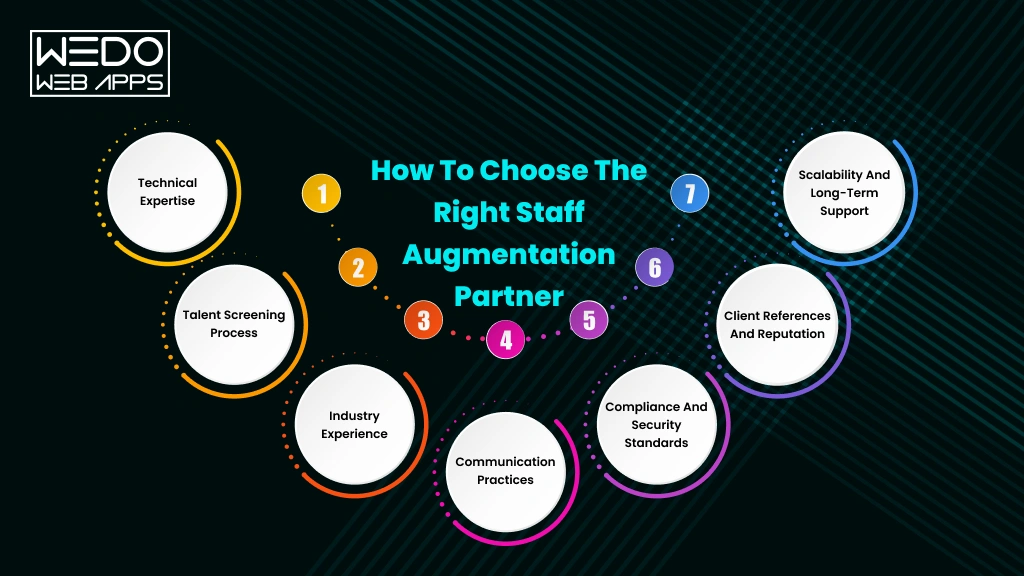
How to Choose the Right Staff Augmentation Partner
The success of your staff augmentation strategy depends not only on the professionals you hire but also on the partner you choose. An experienced staff augmentation partner can help you find qualified talent faster, reduce hiring risks, and support your project from onboarding to completion.
Before selecting a staff augmentation company, evaluate its technical expertise, hiring process, communication practices, and ability to scale resources. A careful evaluation will help you build a reliable partnership that supports both your immediate project needs and future business goals.
Technical Expertise
A provider should have experience working with the technologies, tools, and frameworks your project requires. Reviewing their technical capabilities ensures they can supply professionals with the right expertise.
Consider the following:
- Experience with your technology stack.
- Availability of niche technical specialists.
- Industry-specific knowledge.
- Experience delivering similar projects.
Talent Screening Process
The quality of professionals depends on how thoroughly they are evaluated before being recommended. A reliable staff augmentation provider should have a structured recruitment and technical assessment process.
Ask questions such as:
- How are candidates sourced?
- What technical assessments are conducted?
- Are communication skills evaluated?
- How is cultural fit assessed?
- How quickly can suitable candidates be presented?
Industry Experience
Industry knowledge allows professionals to understand business challenges more quickly and contribute with minimal learning time. Choosing a provider with relevant experience can reduce onboarding efforts and improve project outcomes.
Look for evidence of:
- Experience in your industry.
- Relevant case studies.
- Client success stories.
- Long-term client relationships.
Communication Practices
Clear communication is essential for successful collaboration, especially when teams work across different locations. Your staff augmentation partner should have established communication processes and dedicated points of contact.
Evaluate whether the provider offers:
- Regular project updates.
- Dedicated account managers.
- Clear reporting managers.
- Responsive communication channels.
Compliance and Security Standards
Businesses often share confidential information, source code, and customer data with augmented professionals. Your provider should follow security and compliance practices that protect sensitive business information.
Verify that the company supports:
- Non-disclosure agreements.
- Data protection policies.
- Secure access management.
- Compliance with applicable industry standards.
Client References and Reputation
Past performance is often one of the best indicators of future reliability. Client feedback and independent reviews can provide valuable insights into a provider’s quality of service.
Before making a decision, review:
- Client testimonials.
- Case studies.
- Online ratings and reviews.
- Portfolio of completed projects.
Scalability and Long-Term Support
Your hiring needs may change as projects evolve. A strong staff augmentation company should be able to provide additional professionals quickly or adjust team size based on changing requirements.
Ask whether the provider can:
- Scale teams rapidly.
- Replace resources when needed.
- Support both short-term and long-term engagements.
- Provide specialists across multiple technologies.
Staff Augmentation Partner Evaluation Checklist
Use this checklist when comparing different staff augmentation providers.
Talent screening processImprove the quality of shortlisted candidates.Industry experienceReduces onboarding time and improves project understanding.Communication practicesSupports smooth collaboration throughout the engagement.Compliance and securityProtects business data and intellectual property.Client referencesDemonstrates reliability and successful project delivery.ScalabilityAllows your team to grow or shrink as project needs change.Flexible engagement modelsSupports different project sizes and hiring requirements.
|
|---|
| Evaluation Criteria | Why It Matters |
|---|
| Technical expertise | Ensure access to professionals with the required skills. |
|
| |
| |
| |
| |
| |
| |
| |
Factors That Influence Staff Augmentation Costs
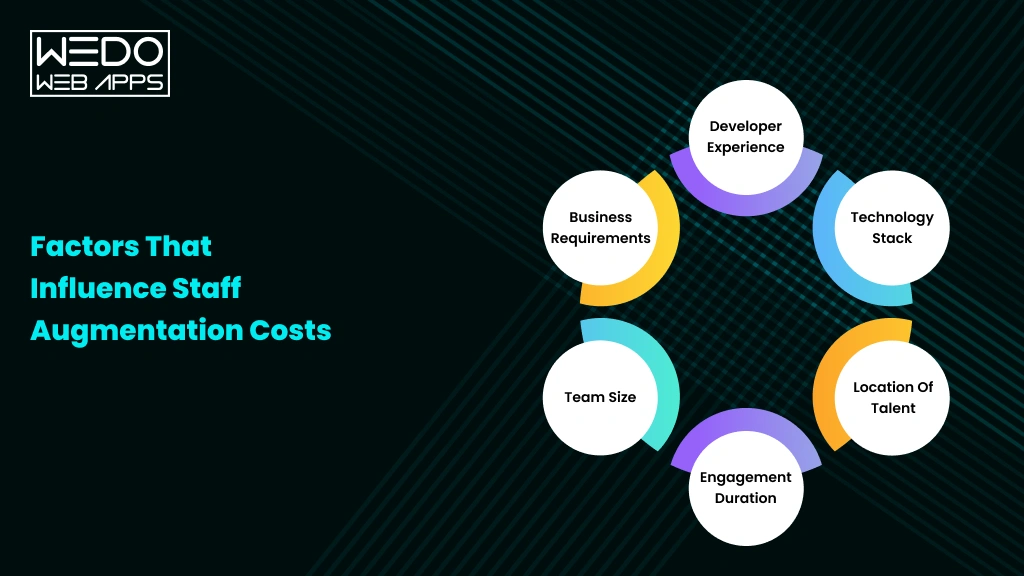
One of the most common questions businesses ask before adopting staff augmentation is how much it will cost. While there is no fixed pricing model, the total investment depends on several business and project-specific factors. Understanding these factors helps organizations plan budgets more accurately and choose a staff augmentation model that aligns with their requirements.
Instead of focusing only on hourly rates, businesses should evaluate the overall value that experienced professionals, faster delivery, and flexible team scaling bring to a project.
Developer Experience
The experience level of the professionals you hire has a direct impact on the overall cost of staff augmentation. Senior specialists typically charge higher rates because of their technical expertise, industry knowledge, and ability to solve complex challenges.
In most cases:
- Junior professionals are suitable for routine development tasks.
- Mid-level professionals handle day-to-day project execution.
- Senior professionals lead complex projects and technical decision-making.
Technology Stack
The technologies your project requires also influence the overall cost. Professionals with expertise in emerging or highly specialized technologies are generally more expensive than those working with widely adopted tools and frameworks.
Costs often vary based on:
- Programming languages.
- Cloud platforms.
- Artificial intelligence and machine learning.
- Cybersecurity expertise.
- Enterprise technologies.
Location of Talent
The geographical location of augmented professionals can affect pricing due to regional salary standards and market demand. Many businesses use global staff augmentation services to access skilled professionals while balancing quality and cost.
When evaluating talent location, consider:
- Availability of skilled professionals.
- Time-zone compatibility.
- Communication requirements.
- Local market rates.
Engagement Duration
The length of the engagement is another important pricing factor. Short-term projects may have different pricing structures than long-term engagements, depending on resource planning and project requirements.
Common engagement options include:
- Short-term project support.
- Long-term resource augmentation.
- Ongoing product development.
- Dedicated project teams.
Team Size
The number of professionals required for your project also affects the total cost. While larger teams increase the overall investment, they can also accelerate delivery when managed effectively.
Before finalizing team size, evaluate:
- Project complexity.
- Timeline.
- Available internal resources.
- Required technical expertise.
Business Requirements
Every business has unique objectives, workflows, and technical needs. Projects that require specialized expertise, strict compliance standards, or complex integrations often involve higher costs than standard development projects.
Factors that may increase investment include:
- Niche technical skills.
- Industry-specific compliance.
- Advanced security requirements.
- Complex system integrations.
- Accelerated project timelines.
Factors Affecting Staff Augmentation Costs
Technology stackSpecialized technologies often require higher investment.Talent locationRegional market rates and availability influence pricing.Engagement durationLong-term and short-term projects may follow different pricing structures.Team sizeLarger teams increase the total project cost.Business requirementsComplex projects often require specialized expertise and additional resources.
| Cost Factor | Impact on Pricing |
|---|
| Developer experience | Senior professionals generally command higher rates than junior or mid-level resources. |
| |
| |
| |
| |
| |
Future Trends in Staff Augmentation
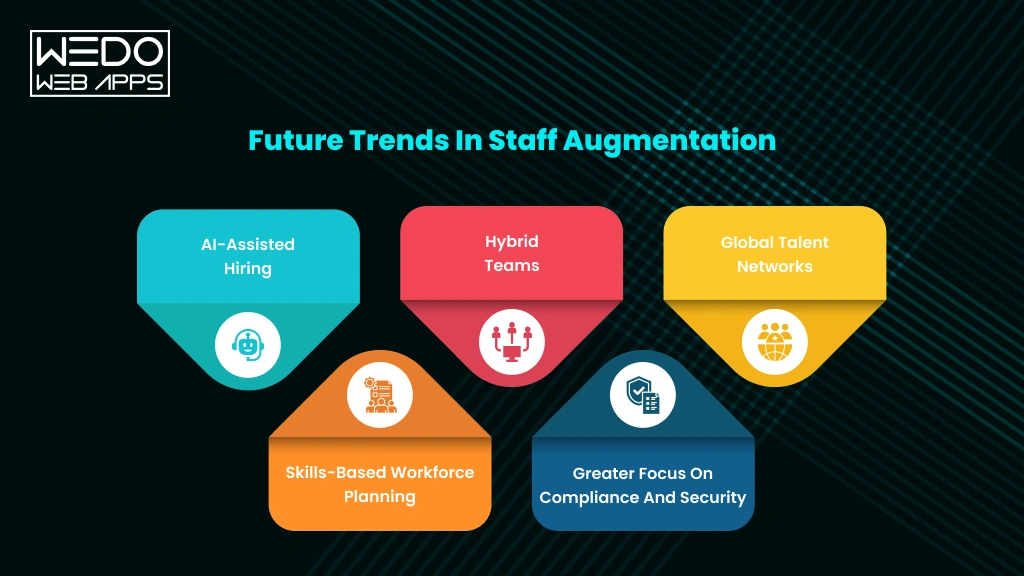
The staff augmentation model continues to evolve as businesses adapt to changing workforce expectations, emerging technologies, and global hiring opportunities. Organizations are no longer using staff augmentation only to fill temporary skill gaps. Instead, they are making it a long-term workforce strategy that supports innovations, business growth, and faster delivery.
The following trends are shaping the future of staff augmentation across industries.
AI-Assisted Hiring
Artificial intelligence is improving how businesses identify, evaluate, and match professionals with project requirements. Many staff augmentation companies are using AI-powered tools to streamline candidate sourcing and reduce hiring time while maintaining talent quality.
Businesses can expect:
- Faster candidate matching.
- More efficient resume screening.
- Improved skill assessment.
- Better hiring decisions supported by data.
Hybrid Teams
Modern workplaces are becoming more flexible, with businesses combining in-house employees, remote professionals, and augmented specialists. This hybrid approach allows organizations to build teams with the right mix of expertise while maintaining productivity across different locations.
The staff augmentation model supports hybrid teams by helping business:
- Access talent from different regions.
- Improve workforce flexibility.
- Build project-specific teams.
- Respond quickly to changing business needs.
Global Talent Networks
Geographical boundaries are becoming less important as businesses hire professionals from around the world. Staff augmentation gives organizations access to global talent pools, allowing them to find specialists who may not be available in their local market.
Benefits of global hiring include:
- Access to niche technical expertise.
- Faster hiring for specialized roles.
- Greater workforce diversity.
- Better support for international projects.
Skills-Based Workforce Planning
Businesses are emphasizing skills rather than traditional job titles. Instead of recruiting permanent employees for every requirement, organizations are building teams based on the capabilities needed for specific projects.
This approach enables businesses to:
- Fill skill gaps more efficiently.
- Improve workforce planning.
- Increase project flexibility.
- Adapt to changing technology demands.
Greater Focus on Compliance and Security
As remote and distributed teams become more common, businesses are paying closer attention to data security, compliance, and intellectual property protection. Leading staff augmentation providers are strengthening their security practices to meet these expectations.
Organizations increasingly look for partners that offer:
- Secure development environments.
- Strong data protection policies.
- Industry-specific compliance support.
- Confidentiality agreements and access controls.
Key Takeaway
The future of staff augmentation is centred on flexibility, specialized talent, and smarter workforce planning. As AI, hybrid work models, and global hiring continue to reshape the employment landscape, businesses that adopt the right staff augmentation model will be better positioned to respond to changing market demands and deliver successful projects.
Is Staff Augmentation Right for Your Business?
After understanding what is staff augmentation, how the staff augmentation model works, its benefits, and the situations where it delivers the most value, the final step is determining whether it aligns with your business goals.
The right hiring strategy depends on your project requirements, available resources, and long-term workforce plans. If your organization needs specialized expertise, faster hiring, and the flexibility to scale teams without increasing permanent headcount, staff augmentation can be a practical and cost-effective solution.
Business Readiness Checklist
Review the questions below to assess whether your organization is ready to adopt the staff augmentation model.
Business Questions:
- Do you need skilled professionals within a short timeframe?
- Are there technical skill gaps in your current team?
- Do you want to keep full control over project management?
- Is your project temporary or based on changing resource requirements?
- Do you need specialists for a new technology or platform?
- Would permanent hiring increase unnecessary costs?
- Do you expect your team size to change during the project?
- Can your internal team manage augmented professionals effectively?
What Your Results Mean
If you answered “Yes” to most of these questions, staff augmentation is likely a strong fit for your business. It enables you to strengthen your existing team with experienced professionals while maintaining complete control over project execution.
If you answered “No” to several questions, you may want to consider other hiring models, such as permanent recruitment or project outsourcing, depending on your business objectives.
Questions to Ask Before Choosing Staff Augmentation
Before partnering with a staff augmentation company, ask yourself these important questions to make a well-informed decision.
- What skills are missing from my current team?
- How quickly do I need additional professionals?
- Is this a short-term requirement or an ongoing business need?
- Do I have internal managers who can lead augmented resources?
- What level of project control do I want to maintain?
- Which staff augmentation model best supports my project goals?
- How will I measure the success of the engagement?
Final Decision Framework
The following framework can help simplify your decision.
| If your business needs… | |
|---|
| Recommended hiring model |
|---|
| Specialized skills for a limited period | Staff augmentation |
| Complete ownership of project execution by a third party | Outsourcing |
| Long-term workforce growth | Permanent hiring |
| A dedicated team for continuous product development | Dedicated development team |
|
Conclusion
Choosing the right hiring strategy can make a significant difference in how efficiently your business delivers projects and responds to changing workforce demands. As this staff augmentation guide has shown, the staff augmentation model offers a practical way to access specialized talent, strengthen existing teams, and scale resources without the delays and long-term commitments of traditional hiring.
Whether you need to fill skill gaps, support mobile app development, manage seasonal demand, or accelerate digital transformation, staff augmentation provides the flexibility to adapt while maintaining full control over your projects. By understanding when to use staff augmentation, selecting the right partner, and following proven best practices, businesses can build high-performing teams that deliver consistent results.
Before making your decision, evaluate your project goals, resource requirements, and long-term business objectives. If flexibility, faster hiring, and specialized expertise are your priorities, staff augmentation can be the right solution to help your business grow with confidence.