skip to content

Comparing Microservices vs API: Which is Best for Software Design?

The development of software is constantly changing, and modern architectures such as microservices and APIs have been adopted to create efficient yet flexible systems. In this post, we will dive into the comparison between these two methods with an emphasis on their benefits, challenges, plus how to choose the right option for your project’s needs. This exploration aims at providing a comprehensive overview that guides you through current trends in software architecture from basic concepts up until real-world implementations. By the end of it all ,you’ll gain insight into not just what makes microservices vs API unique but also why they are beneficial for those engaging in software design endeavors going forward .

Key Takeaways

  • Microservices and APIs are essential elements for creating flexible and scalable software architecture, providing a platform for services to communicate.
  • Security measures such as OAuth 2.0 authentication and HTTPS encryption must be taken into account when implementing microservices & APIs.
  • Choosing between the two requires evaluating factors like complexity, scalability, & security according to application needs.

Understanding Microservices

Microservices architecture is a way of approaching software applications that have deviated from the traditional monolithic model to be more agile and scalable, composed of smaller services dealing with different business capabilities. This method differs compared to service-oriented architectures as it affords developers greater control when handling modern systems complexities. The core elements needed for this type technology stack are APIs, Business Logic, Data Access Layer and Database – these make up the building blocks on which development teams can create independent services in their preferred programming languages. Allowing them increased flexibility plus data access so they can accomplish tasks quickly and effectively.

Components of Microservices

The microservices architecture has revolutionized software development through its improved fault isolation. It is based on multiple APIs, which enable communication and integration between components in a seamless manner. Microservice-based applications consist of individual services, containers, service meshs for service discovery as well as an API gateway. All necessary elements to facilitate the smooth operation of each component within the application, be it state full or stateless ones. This monolithic approach helps developers accelerate production cycles while also simplifying maintenance tasks such as data access layer management and business logic implementation amongst other key aspects involved with development process improvement steps towards successful outcomes.

Advantages of Microservices

Microservices architecture yields a range of advantages that affect the whole system, such as faster development cycles for independent services and increased ability to employ multiple technologies. This promotes team autonomy while also safeguarding data security and availability which helps organizations swiftly react to customer demands or market shifts. Technology diversity facilitates scalability in microservice based applications allowing greater flexibility when working with them at once. Altogether, this leads to an efficient yet resilient overall setup enabled by microservices architecture itself.

Understanding APIs

Application Programming Interfaces (APIs) are software intermediaries that promote communication and data flow between diverse applications, by adhering to a set of guidelines regarding their usage. They form an integral part in connecting different components within the infrastructure such as benefits of microservices. APIs allow for distinct platforms to exchange information conveniently, promoting scalability while providing ease during app development processes through standardization tactics. Notably, web API facilitate integration between services developed using multiple programming languages. Thereby making it easier to blend different technologies into one application suite. This has made them irreplaceable tools today’s digital eco-systems rely on significantly due to these numerous advantages they offer: standardized approach capability , platform versatility , simplified process throughout development and so forth.

Types of APIs

APIs can be divided into different groups, namely public, private or partner Audience APIs and REST, Graph or gRPC Architecture ones. Protocols include HTTP and Web Socket as well. Such software systems are commonly utilized for a variety of purposes like YouTube videos integration onto other sites. Trip planning websites acquiring up-to-date info on flights costs and times. Social networks logging in options through Google’s & Facebook’s API implementations. Plus navigation programs having access to live transit details provided by transit services’ APIs. GET requests along with PUT, DELETE.

Advantages of APIs

APIs bring a multitude of advantages, such as uniformity in communication between diverse applications to simplify integration. The scalability offered by APIs makes it feasible for apps to be separated into smaller parts that can easily adapt with changes. Using APIs allow businesses an effortless way of incorporating new features and services which provide enhanced customer experiences including added payment gateways. Lastly, the simplified development process brought about by API implementation has transformed application creation across various platforms.

Microservices and APIs: How They Interact

Microservices architecture is enhanced by the cooperation difference between microservices and APIs, which enables software systems to be efficient and adaptable. Microservice components are connected via APIs that facilitate data transfer for each component. This allows development cycles to speed up as well as making maintenance simpler. With an API in place, coordination of various services within a micro services structure is possible resulting increased scalability with flexible design options.

Communication Mechanisms

Communication between microservices is a crucial part of ensuring their efficient contribution to the entire system. REST APIs are known for being standardized, language-independent and thus highly favored as they enable integration amongst services easily without compromising quality or capability. Synchronous and asynchronous messaging also facilitate two-way communication with APIs and one-way communication between the different components respectively, granting much needed flexibility in such complex systems that require specific requirements.

API Design Principles for Microservices

For development teams utilizing microservices architecture, it is important to employ consistent design principles in order to create effective APIs. These include following best practices and employing common patterns like the single responsibility principle, decentralized data management, API-driven design, statelessness and loose coupling. Tools such as Swagger or Open API can be used for producing comprehensive documentation of these services which enhance software delivery capabilities while also making them easier to maintain over time. In sum proper use of well designed APIs helps streamline integration within a microservice context thus improving organizational performance overall. microservices vs api

Challenges in Implementing Microservices and APIs

Microservices and APIs offer a range of advantages, but also bring certain challenges that must be considered in order to maximize their potential. Development teams need an understanding of microservices and how they function together with APIs so as to effectively tackle the issues associated with them – such as security, monitoring & observability, versioning/backward compatibility, documentation and data consistency. By properly addressing these difficulties head-on. Development teams can benefit from using both technology types for optimal software system output.

Security Considerations

In order to ensure a secure and reliable system, it is important for developers of microservices and APIs to implement authentication and authorization mechanisms such as OAuth 2.0 or JSON Web Tokens (JWT). This allows them to create a safe data exchange between services. Using HTTPS encryption in combination with good API key management Secures REST APIs. Taking these measures into account will give the software an added level of protection which preserves the integrity of information shared by means of microservices. Read also: 10 Secrets to Android app development to help your business grow

Monitoring and Observability

Monitoring and observability play a key role in the successful deployment and management of microservices and APIs. Developers should log, trace, and collect metrics to enable them to identify any problems quickly which could then be rectified immediately by their team for superior software delivery. This form of oversight Improves overall organizational performance as well ensuring that all associated technologies are working optimally at all times.

Real-World Examples of Microservices and APIs

Real-world examples such as Amazon, Netflix, PayPal and Twitter are all proof of the effectiveness of microservices and APIs in scaling businesses to levels that may not have been reachable before. These companies show how technology can be leveraged to bring agility into a business while enjoying increased profits at the same time. The use cases presented by these successes illustrate just how powerful integrating microservices and APIs could be for modern software development – allowing developers more options when building their systems so they remain competitive on a global scale. From improved efficiency through scalability right down to driving growth within an increasingly digital environment. Understanding this concept is key if one wishes unlock its potential benefits for themselves or their organization. With comprehensive knowledge about harnessing power from API’s & Micro Services comes immense opportunities offering transformation where desired within system operations. Giving you unparalleled advantages over your competition which ultimately leads towards higher revenue streams with better ROI’s than ever before!

Choosing Between Microservices and APIs

In order to make an informed decision between microservices and APIs, it is essential to consider the complexity, scalability, flexibility, performance integration needs of a specific application. benefits of  Microservices architectures utilize APIs in order to enable communication and integration among services. Weighing all these factors can lead not only help developers choose between them but also provide beneficial improvements on software design as well as development & deployment procedures resulting with future growth prospects for their product or service.

Summary

To sum up, the combination of microservices and APIs is becoming increasingly important in terms of software design. This powerful duo offer numerous advantages such as flexibility, scalability and efficiency that are essential for modern applications to stay ahead amid a rapidly changing digital world. When considering what type of approach to take it’s key to keep your project requirements at heart – understanding both their benefits and difficulties will allow you maximize these technologies potentials. Helping ensure prosperous outcomes for your organization’s future endeavors.


Cracking the Code of App Development Costs: Expert Insights and Tips

Mobile has taken an important role in our lives today.
So much that, it can be considered an integral part of ourselves. Our wallet, our banking, shopping, grocery apps everything is enclosed within this small box.
That’s where app development serves the purpose. But it does come at a huge cost. A simple mobile app can touch as high as $200k in its lifetime. The app costs differ depending on some factors such as:

  • The complexity of the app
  • The platform you are using
  • The design of the app
  • Integration with third-party services
  • Maintenance and updates.

This blog will examine the importance of software mobile application development costs and the factors that affect them. 

We will also provide expert insights and tips for managing app development costs, including cost-saving techniques and the steps businesses can take to reduce expenses. 

The Cost Breakdown of Software Mobile Application Development 

The cost breakdown of software mobile application development can vary based on various factors. 

The average cost of app development in the US can range from $20,000 to $500,000 or even more than that. 

For a better understanding, here we have provided an exhaustive cost breakdown of app development in the US.

1. App Design: 

App design, the most critical factor that influences app development costs. It contains UI/UX design, wireframing, mockups, and prototyping. 

Cost: it can range from $5,000 to $50,000 or even more.

2. Coding and Development 

App development is another aspect to consider that incorporates coding, programming, and integrating various features and functionalities. 

Cost: Ranges between $50,000 to $500,000 or more.

3. App Testing

App testing is also crucial to ensure the app created by the mobile app development company functions correctly and is free from bugs and errors. 

Cost: Varies from $5,000 to $50,000 or even more.

4. Deployment

App deployment incorporates submitting the app to app stores and making it available for download to users. 

Cost: Ranges from $500 to $5,000. 

5. Maintenance

Once the app is deployed, then it requires periodic maintenance and updates to ensure it works adequately and stays up-to-date. 

Cost: Ranges from $5,000 to $50,000 annually.

Get a comprehensive app development cost overview and learn more about how to crack the code of app development expenses.

Factors That Affect the Process of App Development 

The process of app development is impacted by some factors, which mainly influence the timeline, cost, and quality of the final product. Let’s discuss those key factors in detail that can impact the cost app development process in the US:

  1. Skillset of the Development Team: The skill set of the development team can influence the app development process seriously. Professional developers can navigate intricate issues and produce high-quality code more efficiently, while less proficient developers may need more time or external assistance to solve problems.
  2. Platform: The selection of platforms, such as iOS, Android, or the web, can also impact the app development process. Each platform has its own distinctive features, requirements, and programming languages, which can affect the development timeline and cost.
  3. Design and User Experience: An app’s design and user experience can immensely have an effect on its success. Creating an app with the most satisfactory user experience needs thorough planning, research, and testing. If you add extra steps, such as prototyping and usability testing then it can surely influence the development process.
  4. Complexity: The complexity of an app also impacts the development process. Apps that are more complex may need more time and resources to develop and test, which can ultimately impact the development process by augmenting the timeline and the cost.
  5. Integration With Third-party Services: Many apps require integration with third-party services, for instance, payment gateways or social media platforms. Integrating these services can influence the development process by adding extra steps, such as authentication and testing.
  6. Regulatory Compliance: Depending on the app’s nature, regulatory or compliance requirements may have to be fulfilled. These regulations impact the development process by adding more steps, such as security audits or certification.

tutorials on android app development

Strategies to Reduce App Development Costs 

Creating a mobile app can be costly, especially if it involves complex features or needs integration with third-party services. Nevertheless, there are some great strategies that businesses can use to lower their app development costs without compromising on quality and find out how much does an app development cost; let’s find them out below:

  1. Select the Right Platform: One of the most important factors impacting app development costs is the platform on which it will be created. Businesses should consider which platform(s) their target audience uses the most and prioritize development on that platform. For instance, if the majority of your target audience is on iOS devices, developing an iOS app first could save on development costs.
  2. Prioritize Essential Features: The more features an app has, the more costly it is to create. Thus, businesses should prioritize essential features and focus on developing them first. Other features can be added later through updates once the app is launched and generates revenue.
  3. Use Cross-platform Development Frameworks: Cross-platform development frameworks, such as React Native and Xamarin, allow developers to build apps for multiple platforms using a single codebase. This technique can reduce development costs and time and simplify the development process.
  4. Outsource Development: Outsourcing app development to a reputed agency or freelancer can be a cost-effective solution, especially for small businesses with fixed budgets.
  5. Test Before And Frequently: Testing is an important part of app development and can help pinpoint and address problems before they become more costly to fix. By testing early and frequently, businesses can make sure that their app is working perfectly and lessen the need for costly post-launch fixes.

Common Mistakes That Lead to Higher App Development Costs

Creating a mobile app is undoubtedly an involved process that needs thorough planning. And brands and businesses make some common mistakes during this process that can immensely increase their expenses. Let’s figure out those some of the most common mistakes that lead to higher app development costs:

  1. Lack of Planning: One of the most significant mistakes businesses make is hopping into the app development process without having an explicit plan. This results in modifications and revisions during the development process, which inflates costs.
  2. Overcomplicating the App: Overcomplicating an app with excessive features can badly increase development costs. Businesses should focus on developing fundamental features and prioritize user experience over extra features.
  3. Overlooking the Importance of Design: Ignoring the importance of app design can lead to a poor user experience and, ultimately, a lower return on investment.
  4. Not Considering Cross-platform Development: Developing an app for numerous platforms can be of course, costly, but if you neglect cross-platform development, then it will lead to higher costs in the long run.
  5. Not Testing the App: Failing to test the app thoroughly and properly can lead to expensive post-launch fixes. Testing has to be an essential part of the development process to make sure that the app works precisely and satisfies user needs.

Expert Insights on App Development Costs

App development costs are likely to differ based on various factors. According to a report by Clutch, the cost of developing an app can vary from $30,000 to $700,000. 

The platform that the app is developed for can also impact its cost. For example, developing an app for iOS can be more costly than building one for Android due to the stricter design guidelines and development requirements for iOS.

The development team’s location can also impact the app development cost. Development teams that are based in North America and Europe typically charge higher rates than those who are based in Asia or Eastern Europe. 

Moreover, App development costs can also differ depending on the app type which is being built. For instance, a simple mobile app with basic features may cost less to create as compared to a complex enterprise app with state-of-the-art functionality.

It is crucial to remember that app development costs are not a one-time expense. Ongoing maintenance, updates, and marketing efforts will also contribute to the overall cost of the app. 

Working with a professional development team that can provide accurate cost estimates and help in prioritizing features and functionality can help you keep app development costs under control.

Hire WEDOWEBAPPS – The Best Mobile App Development Company

Hire WEDOWEBAPPS for your mobile app development needs and get the finest app development service at affordable costs. With a team of adept developers focused on customer satisfaction, WEDOWEBAPPS is dedicated to providing high-quality, innovative mobile apps that fulfill all your business needs.

software mobile application development

Conclusion

If you are wondering how much does an app development cost then let us tell you that app development costs can vary to a greater extent depending on various factors, including the complexity of the app, the platform, the level of expertise of the development team, and so on. 

To keep costs under control, businesses, and app developers should focus on thorough planning, leveraging existing resources, and prioritizing features based on their business needs. 

Working with a reputable and professional development team that can help guide the process and ensure that the final product fulfills your needs is also essential.

The Future of Android Mobile App Development: Tools and Android Developer Services Unveiled

There are countless opportunities in the fascinating world of Android app development. Due to the rapid advancement of technology and the remarkable increase in demand for mobile applications, we can predict seeing so many intriguing trends. Here are a few of the top trends that are expected to shape the future of Android mobile app development in detail:

Artificial Intelligence (AI) and Machine Learning (ML)

In a wide range of mobile apps, AI and ML are being used, and they are growing in strength and expertise. The user experience can be enhanced by AI and ML in a number of ways, including by generating personalized recommendations, providing real-time assistance, and identifying fraud. For instance, chatbots that can assist users and respond to their questions can be powered by AI. ML can be employed to suggest goods or services to users based on their previous actions. AI is also capable of detecting fraud in real-time, such as when a credit card fraud attempt is made.

5G

The next generation of mobile networks, or 5G, claims to have substantially reduced runtime and quicker throughput than 4G. This will make it possible for developers to make interactive and immersive mobile experiences.

The Internet of Things (IoT)

Mobile app developers now have more opportunities due to the Internet of Things (IoT), which is bringing billions of devices online. IoT devices can be used to gather data, control equipment, and provide consumers with individualized experiences.

Cross-platform development

Cross-platform development is becoming increasingly popular. By building apps that perform equally well on Android, iOS, and web platforms simultaneously they not only reduce workload but stretch monetary resources further. Furthermore with such a vast database of potential users available through these means reaching wider audiences has never been easier or more affordable. Frameworks for cross-platform development like React Native and Flutter are available. It is simple to build apps that feel and look native on any device thanks to these frameworks.

Progressive web apps (PWAs)

A brand-new type of online apps called progressive web apps (PWAs) enables users to download and utilize them offline. PWAs provide a number of benefits over conventional web apps, including quicker loading times, improved performance, and the capacity for offline use.PWAs are becoming increasingly popular, and they are supported by all major browsers. Developers can create PWAs using a variety of tools, such as the Google PWA Builder. These are only a handful of the themes that are anticipated to influence how Android mobile app development develops in the future. Developers may create apps that are more original, interesting, and practical for consumers by keeping up with the most recent trends. In addition to the trends mentioned above, many other factors will influence the future of Android mobile app development. These include:

  • The growing acceptance of mobile gaming
  • The expanding market for mobile commerce
  • The rising desire for privacy and security

These developments will give mobile app developers new chances as they continue to grow. Developers may produce apps that are pertinent to consumers’ demands and that can aid companies in thriving in the mobile-first environment by staying ahead of the curve. android mobile apps development company

Android Mobile App Development Tools you must know

There are several tools available for Android mobile app development that are as under:

  • Android Studio: The official IDE for developing Android is called Android Studio. As such when it comes to developing Android applications effectively and efficiently- it’s best if you consider using the easiest software possible: In this case-Android Studio bundle! Android Studio includes a code editor, a debugger, a profiler, and several other tools that make it easy to develop Android apps.
  • Android SDK: The Android SDK is a set of tools that developers need to develop Android apps. The SDK includes the Android SDK Platform, the Android SDK Tools, and the Android SDK Documentation. The Android SDK Platform provides developers with the APIs that they need to develop Android apps. The Android SDK Tools provide developers with a variety of tools that they can use to build, test, and debug Android apps. The Android SDK Documentation provides developers with documentation on the Android SDK and the Android APIs.
  • Android NDK: The Android NDK is a set of tools that developers can use to write native code for Android apps. Native code is code that is written in a language that is specific to the platform, such as C or C++. The Android NDK allows developers to access the native features of Android devices, such as the camera and the graphics hardware.

In addition to these tools, some other tools can be used for Android mobile app development. Some of these tools include:

  • Graphic design tools: Graphic design tools can be used to create graphics that can be utilized in Android apps. Here are popular graphic design tools include Adobe Photoshop, Illustrator, and InDesign.
  • Testing tools: Testing tools may be used to check Android apps. Some popular checking-out equipment consists of Espresso, Robotium, and Monkey.
  • Version control tools: Version control tools can be used to track adjustments to Android apps. Some popular model management equipment consists of Git and Subversion.
  • Deployment tools: Deployment equipment may be used to set up Android apps for the Google Play Store. Some popular deployment tools include the Android SDK Manager and the Android Debug Bridge (ADB).

Depending on the particular requirements of the project, several tools will be used in developing Android mobile applications. Nonetheless, any project to design an Android mobile app can get off to a strong start with the tools mentioned above.

How can you find the right Android mobile Apps development company?

With the ever-increasing reputation of Android tools, it is vital for businesses to invest in expert Android app development services. We’ll explore the importance of partnering with an Android mobile apps development company, the valuable services they offer, and how to choose the right agency for your app development needs.

The Role of an Android Mobile Apps Development Company:

  1. Transforming Ideas into Functional Apps:

An Android mobile apps improvement company plays a pivotal role in turning your app ideas into reality. They have a group of skilled developers who understand the Android platform internal out, ensuring that your app isn’t always best visually appealing but additionally functional and user-friendly.

  1. Expertise in Android Development:

Creating an Android app requires specialized knowledge and know-how. By partnering with an expert Android developer, you gain access to their full-size experience in app improvement. They stay updated with the latest mobile app trends, frameworks, and technology, making sure that your app is constructed with the use of the first-rate practices in the industry.

  1. Customized Solutions for Business Needs:

Every business is unique, and so are its app requirements. An Android mobile apps development company understands this and offers customized solutions tailored to your specific business needs. They work closely with you to identify your goals, target audience, and desired features, ensuring that your app aligns perfectly with your brand identity and objectives.

Android Developer Services: Enhancing Your App’s Potential

  1. App Design and User Experience (UX):

Aesthetics and user experience are vital for the success of any mobile app. Android developer services encompass creating visually appealing designs, intuitive user interfaces, and seamless navigation. They focus on creating a user-friendly experience that keeps your customers engaged and satisfied.

  1. Android App Development and Testing:

Building an Android app involves multiple stages, including coding, testing, and debugging. Professional Android developers are proficient in programming languages like Java and Kotlin, ensuring that your app is developed with clean and efficient code. They conduct rigorous testing to identify and resolve any issues, guaranteeing a high-quality end product.

  1. App Optimization and Maintenance:

The work of an Android app development agency does not end with the launch of your app. They offer continuous maintenance, optimization, and support services. Regular updates, bug fixes, and overall performance improvements are critical for keeping your app applicable and functional in an ever-evolving mobile landscape.

Choosing the Right Android App Development Agency

When it comes to selecting an Android app development agency, consider the following factors:

  1. Experience and expertise:

Look for a company with a proven track record in Android app development. Review their portfolio, client testimonials, and case studies to gauge their expertise in delivering successful projects.

  1. Development Process and Communication:

Ensure that the agency follows a systematic development process and maintains open lines of communication. Regular updates, progress reports, and transparent communication channels will keep you informed and involved throughout the development journey.

  1. App Security and Data Privacy:

App security is of paramount importance, especially when dealing with user data. Choose an agency that prioritizes robust security measures to protect sensitive information and complies with industry regulations.

Android Game Development Company

Several companies specialize in Android game development. These companies have the experience and expertise to create fantastic video games that can be enjoyed with the aid of users of all ages. Some of the maximum popular Android game development companies include:

  • Google
  • Zynga
  • Rovio
  • Supercell
  • Electronic Arts

What are the challenges in Android app development?

There are some challenges that developers face when developing Android apps that are as under: 

Fragmentation

There are numerous distinct devices and Android versions in use since the Android platform is fractured. It may be challenging to create apps that function on all devices as a result. 

Security

Android apps are vulnerable to security attacks. This is due to the fact Android is an open platform, this means that every person can develop apps for Android. Some developers may also create malicious apps that can steal a person’s data or damage devices. To address this challenge, developers need to take steps to secure their apps. They can do this through using steady coding practices and by implementing security features in their apps.

Testing

Android apps need to be tested on a variety of devices and versions of Android to ensure that they work properly. This can be a time-eating and hard method. To deal with this challenge, developers can use tools that may help them in the testing process. They also can use cloud-based testing services that could offer get access to a variety of devices and variations of Android. Despite the challenges, Android app development is a rewarding experience. Developers can create apps that may be used by thousands and thousands of people around the globe. By following the best practices and taking steps to cope with the challenges, developers can create super Android apps which are steady and reliable. Unveil the potential of Android with insights into the future of mobile app development services. Explore how Android Developer Services are shaping tomorrow’s digital landscape.

Android App Development in Houston

There are numerous Android app development companies in Houston. These companies have the experience and expertise to create remarkable apps that can be utilized by agencies and individuals in Houston and around the world. Some of the maximum famous Android app development companies in Houston include:

  • WEDOWEBAPPS LLC
  • Apptentive
  • Mobincube
  • Apptentive
  • Goodpatch
  • Appcelerator
  • Fuze

android app development cost

Mobile App Development for iOS and Android

Mobile app development for iOS and Android is a complicated process. It requires developers to have a deep knowledge of both systems and with a purpose to work with several technologies. However, it can be a very rewarding experience, because it allows developers to create apps that may be utilized by hundreds of thousands of humans around the arena. What is the difference between iOS and Android development? IOS and Android are the two most famous mobile operating systems within the global. Both platforms have their strengths and weaknesses. IOS is understood for its sleek design and its focus on user experience. Android is understood for its flexibility and openness. The ideal platform for developing mobile applications relies on the needs of the app. If the app is designed for a mass market, then iOS can be the better choice. If the app is designed for a specific niche, then Android may be the better choice. To conclude, the future of Android mobile app development holds exciting possibilities with trends such as AI, 5G, IoT, cross-platform development, and PWAs leading the way. Developers can leverage artificial intelligence and machine learning to enhance user experiences, while 5G opens up opportunities for interactive and immersive mobile apps.

Mobile App Development Partner: A Complete CEO Guide to Making the Right Choice

Mobile App Development Partner for Business Success

Imagine this. Your company has invested months in making this particular mobile app. And the launch day has arrived, but instead of getting user satisfaction, your user can face issues, and the product barely reflects the original vision.

Do not consider this bad luck. This is the result of choosing the wrong app development partner.

The right mobile app development partner changes everything. They become the trusted advisor who gives direction to your app to meet the specific requirements. They easily understand that a business launching an app is not a technical project. It is more of a strategic move that will help in maintaining the market presence, revenue, and customer loyalty.

In this guide, we will cover the information on how to identify what a development partner truly is. Why is choosing the right one to have a better impact, and what are the exact steps to choose a partner who will deliver accurate services?

What is a Development Partner in App Projects?

The app development partner is a team that shares the various responsibilities from the initial stage to achieving successful growth for the long-term. A right app development partner works with you at every stage. From strategy and designing an app to development and post-launch support.

The difference between a vendor and an app development partner is their level of engagement. A vendor only delivers the agreed-upon feature and steps out once the project is over.

A development partner stays invested even after the application is launched successfully and keeps giving recommendations on feature updates, and ensures that the app continues to meet business objectives over time.

This ongoing investment trunks app development from a one-time project into a sustained growth initiative. By treating the app like a living product, the app development partner helps to maintain the security and scalability while gaining a better return on the investment.

right app development partner

Why the Right Mobile App Development Partner Matters

Choosing the right app development partner is more than just making a technical choice. It is the decision that gives influence in the development process and the quality of the app.

Here are a few point that shows you why considering the right mobile app development partner matters:

Direct Impact on Product Quality and User Experience

A skilled mobile app development partner allows you to be sure that the app will meet the high standards when it comes to performance and usability. They:

  • Turn your business objective into a user-friendly design.
  • Follow better testing to detect and resolve issues early.
  • Build an app that is scalable and easily adaptable for users.

All these result in not only maintaining the reliability but also increasing the trust from the first interaction.

Role in Meeting the Deadlines and Staying Within the Budget

The timeline and budget of developing the app also define the success of the project. A reliable app development partner maintains control over both by:

  • Sets the clear time for the development of every stage of the application.
  • Track progress with the given schedule of development.
  • Manage the use of resources to avoid unnecessary costs.

This clear approach allows you to launch the app on time and within the budget that your company has decided.

Minimizing Project Risks and Delays

Every development process requires facing various challenges. An experienced partner works hard to reduce their impact with:

  • Easily identifying the technical or operational risks.
  • Make an efficient plan to handle unexpected issues.
  • Follow flexible development processes.

By addressing these issues before the launch, they help to keep your project on track and protect your investment.

Tips to Choose the Best App Development Partner

If you are willing to select the right app development for your business, then there are strategic options that you can look into.

Making the right choice will have an influence on your app’s quality and long-term success. The following are some of the detailed tips to choose the best app development partner:

1. Define Your Project Goals and Scope

Be clear regarding the needs of your projects before the development begins. Define:

  • Business objectives, like what problem will be solved with your application, and for whom.
  • Know about the need for features and various functionalities.
  • Set the platform preference and which operating system it will support.
  • Prepare the expected budget for your app and timeline for development.

A clear scope of the project enables your app development partner to operate appropriately and manage the process effectively.

2. Check For Skills And Expertise

An ideal mobile app development partner has skills and an understanding of mobile app development technology. Check:

  • Knowledge of multiple programming languages.
  • Practice adding various features, such as payment gateways, third-party APIs, and AI-powered features.
  • Experience in several sectors to ensure the accuracy of the application.

You can also consider the use of modern tools for version control and automated testing processes.

3. Review Portfolios and Case Studies for Proven Work

Knowing about the past form often says more about professionalism and work accuracy. Examine:

  • Check the portfolio of your selected app development performance to know about the design aesthetics, flow of the app, and its performance.
  • Case studies for gaining insight into handling risks and other processes.
  • Read the client review to know about the engagement and the achieved success in the market.

If possible, use some of the apps built by them to know about their impact, usability, and quality.

4. Evaluate Communication and Collaboration Practices

Transparent and clear communication shows that everyone is on the same page. Check for:

  • Regular communication through various sources or via email.
  • Schedule a meeting for the regular updates or weekly progress calls.
  • Approach towards the change and clarify their implementation before the launch.

An app developer can easily explain complex processes in simple terms. Sometimes, even the one who is highly skilled lacks communication.

5. Compare Pricing Models and Transparency of Cost

Make sure that the cost you pay is aligned with the given value. Understand that:

  • Pricing models are defined according to the needs of the project and the offered support.
  • Ask for the detailed breakdown cost.
  • Check for the fact that additional requests are having an impact on cost or timeline.

Be careful with the cost estimation as lower than others.

6. Post-Launch Support and Maintenance Support

Your app needs continuous monitoring for performance and security. Make sure that your app development partner provides:

  • Regular updates for versions
  • Keeps track of performance, stability, and user engagement.
  • Bug fixing and a quick solution to the urgent issues.
  • Feature upgrading abilities to meet market demands.

Strong post-launch support may reduce the possibility of downtime issues and increase the life of the application.

looking for the right mobile app development partner

Understanding the App Development Contract

An app development contract is more than being formal in terms of working methods. It is the paperwork that allows you to have clarity on the expectations between you and your mobile app development partner.

It defines the work, protects your interests, and keeps the project moving in the right direction. You can consider these discussed aspects at the time of signing the app development contract.

Clarity on Clauses Related to Work and Responsibilities

Before moving ahead with the contract, make sure these things are included:

  • Complete scope of the project, including information on features and functionalities.
  • Details on what will be delivered and what the developer will do.
  • A quality standard for how the application will be tested.

This gives the surety to both to know what needs to be expected from the partner.

Set Transparent Payment Terms and Realistic Deadlines

To avoid confusion, the details on money or timing should be included:

  • Schedule of the payment, whether it is monthly, after completion, or after achieving results.
  • Milestone with deliverables on design, prototypes, or a complete module.
  • Delivery of each stage with the steps to take if delays happen.

This keeps the payment details clear and allows you to know the actual work progress.

Ensure ownership rights and safeguard confidential information

Your contract should be clearer and include the following terms:

  • Details on the transfer of ownership for elements like design, code, and data.
  • Maintain confidentiality regarding the sensitive information.
  • Clarify the use of third-party tools and their licensing.

Clear ownership rights help you avoid future issues in managing operations.

Rules for Managing Modifications and Project Closure

Project expectations can change, or there might be chances that any problems may occur. The contract should explain:

  • How to submit and approve changes. And how will this affect the budget and timeline.
  • How conflicts will be resolved, whether through discussions or action.
  • How either party can end the agreement with notice and make payment for completed work.

These terms protect both sides if the project takes a new direction or needs to stop.

Common Mistakes to Avoid When Selecting a Partner

Even experienced business owners can face problems when selecting an app development partner. Knowing about these mistakes allows you to save time and money.

1. Not Researching Properly About the Partner

Do not conclude the first interaction. Check all details from the track record to the client feedback. Making fast decisions for the app development partner can lead to delays in work and affect the quality. A reliable app development partner has proven expertise and meets your project needs.

2. Not Checking Portfolios and Case Studies

A portfolio is something that gives you information on the quality of work delivered by the app development partner. Ignoring this can have an impact on the design standard, technical skills, and ability to meet project needs.

3. Selecting on the Basis of Low Cost

Low cost means you will not be able to receive value. If you are selecting the app development partner on the basis of price, then you may receive less quality of work and support. It is best that you consider someone who has expertise and can provide long-term benefits.

4. Poor Communication and Collaboration Standards

Poor communication often creates more problems in the development processes. Ensure that your partner uses a clear source to maintain communication and gives regular updates.

5. Lack of Offering Ownership and Support

If the company is unable to offer the ownership of the code and post-launch support, then the services are not clearly defined. A well-structured agreement prevents you from facing issues and ensures the app’s continued performance.

Final Checklist for CEOs Before Signing the Agreement

Before making any decision for the right mobile app development partner, look for these:

  • Make sure that the development partner has proven expertise and a strong portfolio.
  • Verify the experience with using their app or with a similar industry.
  • Review and agree on measurable KIPs such as deliverables, quality, and user adoption.
  • Check for the offered post-launch support and maintenance services.
  • Confirm that the ownership is given for the code and design.
  • Give value to scalability to meet future app updates or new features.
  • Evaluate their project management skills and reporting frequency.
  • Check reviews and feedback given by the previous clients and ask for references.
  • Know about the transparency in terms of pricing and payment options.

By knowing about all these, you will be able to select the best app development partner.

Why Partner with WeDoWebApps for Your Mobile App Development

Selecting the right partner for your business has an impact on the success of the app.

Here are the reasons why WEDOWEBAPPS is the best choice for you:

  • Delivered successful projects on mobile apps across different industries.
  • We ensure to maintain the flexibility and allow timely delivery without compromising the quality.
  • Set clear pricing with no hidden charges and ensure that the development process meets your budget.
  • Provide support in handling the updates and give support if any risk occurs to ensure your app remains competitive and reliable.

Securing the Right Partner for Your Mobile App

Mobile app development is no longer optional. It is a well-planned requirement for businesses that want to connect customers directly and stand out in a competitive market.

The process of development requires making use of a structured method and technology. By following a proper strategy, you can keep the focus on user experience and smooth updates.

Working with the correct mobile app development partner can save you time on development and also allow you to have the expected results.

If you are ready to choose your application needs, then connecting with a mobile app development company will be the best option to turn your idea into a high-performing mobile application.

App Partner Who Stays Beyond Launch

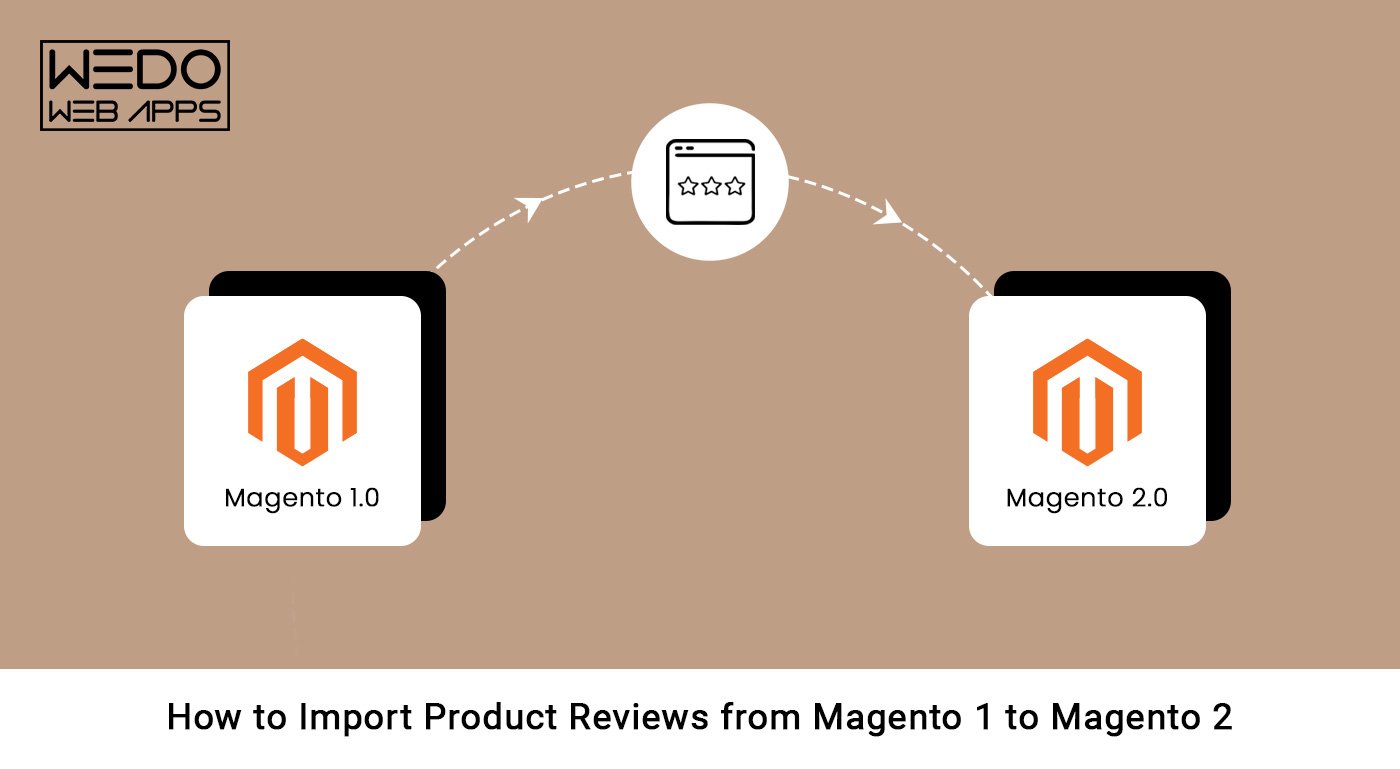
How To Import Product Reviews From Magento 1 To Magento 2

Magento develops new and innovative features providing customers with opportunities available only through third-party extensions. But, unfortunately, it lacks vital data transfer functions like importing product reviews to/ from Magento 2. 

However, there is always a resolution in a massive ecosystem of modules. That is why you need to know why you should import reviews to a better customized and responsive Magento 2 platform. 

Have a look!

Why You Should Import Reviews From Magento 1 To Magento 2

Remember to import customer reviews of each product if you plan to migrate your eCommerce store from Magento 1 to Magento 2. Reviews help build trust with potential customers, provide valuable feedback to companies, and even optimize SEO results for eCommerce stores. 

Unfortunately, copying and pasting product reviews to Magento 2 is time-consuming and error-prone. Overall, migrating your product reviews to Magento 2 ensures a smooth transition for your eCommerce store.

Several reasons make it a good idea to import product reviews from Magento 1 to Magento 2:

1.Retain valuable customer feedback:

Recover your feedback to identify areas for improvement in your products and services. You can also increase customer loyalty and satisfaction.

2.Build trust with potential customers:

Positive reviews of your products can alleviate potential customers’ concerns and encourage them to purchase your product and build trust. 

3.Improve search engine optimization:

Adding product reviews can boost your website’s search engine optimization. Increase your website’s organic traffic and sales by importing your existing reviews. By doing so, you can improve your site’s search engine rankings.

4.Save time and resources:

The advantage of importing your existing product reviews is saving time and resources that would otherwise be used on soliciting new reviews.

So, now you know why you should import product reviews, let’s know how to export-import them from Magento 1 to Magento 2. 

Below we have given step-by-step instructions on how to export-import product reviews from Magento 1 to Magento 2. 

With these steps, you will receive valuable customer feedback on your site and make your brand more trustworthy not just that you can also utilize Magento 2.3.4 to improve your platform and enhance its security.

Thus, let’s explore how to do it! 

Master the import orders process while migrating your product reviews from Magento 1 to Magento 2 with our informative guide.

Steps To Import Product Reviews From Magento 1 To Magento 2

Product reviews are one of the essential pieces of data to transfer between Magento 2 and Magento 1. Magento 2 is equipped with an easy way for product reviews import-export process from Magento 1, which can help retain customer feedback.

Exporting Product Reviews From Magento 1

It is crucial to ensure that all of your online store’s data, including product reviews, is transferred as part of the Magento migration process. For this reason, it is not easy to migrate your Magento 1 store to Magento 2. 

However, your store’s Magento 1 customer reviews will be valuable to import into your new Magento 2 store if exported from Magento 1.  Luckily Magento exports products CSV file to Magento 2 is a simple process. Here’s a step-by-step guide:

Step 1: Log into the Magento 1 admin panel to get started. You can manage your Magento store, add products, manage orders, and export data in this area.

Step 2: The Magento 1 admin panel has a main menu. You can choose “System” and then click “Export reviews.” Once you have accessed the export section, you can select which entity types you wish to export.

Step 3: The export section has a drop-down menu labeled “Entity Type.” Select “Reviews” from this drop-down menu to export product reviews.

Step 4: Selecting “Reviews” will redirect to the “Export File Format” section. Choose an XML or CSV file, depending on which is best suited to your needs.

Step 5: Select which fields to export in the “Export Settings” section. It displays fields like product name, customer name, and review summary by default. 

You can deselect any of these fields if you do not want to export them, or it will export all the reviews.

Step 6: The “Export File” section allows you to choose the destination for the export file. You can save it either locally or on an external drive. First, enter an easy-to-remember file name for the export file.

Step 7: After choosing the destination and naming the export file, click the “Export” button. The process of exporting your product reviews data will start and will save it to the specified location. 

It may take some time to complete the process, depending on the size of your export data.

Import Product Reviews From Magento 1 To Magento 2

Importing Product Reviews To Magento 2

As part of the Magento migration process, it is critical to import product reviews. Product reviews help customers make informed buying decisions and enhance your online store’s credibility. 

In addition, transferring your product reviews to Magento 2 ensures customers can see them on your new website when you switch. Magento 2 offers a straightforward procedure for importing product reviews from Magento 1. 

The following section will guide you through the importing steps.

Step 1: To import your product reviews into Magento 2, you must log in to the admin panel of Magento 2. Logging into the Magento 2 store allows you to add products, manage orders, and import data.

Step 2: Import entity types from System > Data Transfer > Import: From Magento 2’s admin panel, navigate to “System” and then select “Data Transfer.” Select “Import” from the drop-down menu.

Step 3: You will find a drop-down menu labeled “Entity Type.” Select “Product Reviews” from this drop-down menu to import your product reviews.

Step 4: You can choose XML or CSV file formats based on the file format you used to export the data from Magento 1. Once you have selected “Product Reviews,” you will see the “Import Settings” section.

Step 5: In the “Import Settings” section, click the “Choose File” button and select the exported file you saved earlier in CSV or XML format from your computer.

Step 6: The “Import Behavior” section allows you to pick an import behavior, such as “Add/Update,” “Replace,” or “Delete.”

Step 7: You can match the fields in your exported file to those in your Magento 2 store in the “Field Mapping” section.

Step 8: Click “Check Data” after mapping the fields. When there are no errors, click “Import” to begin the import process. The import process may take some time, depending on your product review data size.

Follow these steps to successfully import your Magento 1 product reviews into Magento 2 and display all imported reviews.

Troubleshooting Common Issues While Importing Product Reviews from Magento 1 to Magento 2

When migrating from Magento 1 to Magento 2, several issues are common. These issues range from minor glitches to significant problems that delay the process. 

For a smooth and successful migration, problems must be troubleshot and resolved. Here are some common issues you should be aware of.

1. Database structure

When migrating from Magento 1 to Magento 2, it is essential to understand that the database structure can be problematic if not handled properly. In addition, since Magento 2 export database has a different structure than Magento 1, you may need help importing data. 

To troubleshoot this issue, ensure that your Magento export database structure is followed by optimizing data mapping tools.

2. Extension compatibility

Magento 2 export database is built differently than Magento 1, so some extensions may not be compatible with Magento 2. Before migrating to Magento 2, ensure that your extensions are compatible. You can also search for alternative extensions compatible with Magento 2 to avoid this issue.

3. Data format

Data format compatibility issues can arise during migration. Since Magento 1 and Magento 2 have different data formats, like review titles and product-related data, you must ensure your data is correctly formatted before importing it. Data mapping tools can assist you with this process.

4. Data volume

Whenever you migrate a large volume of data from the Magento export database, you may experience performance issues on your server. To avoid this, you should break down your migration into smaller batches, monitor the performance of your server, and increase its resources if necessary.

Migrating from Magento 1 to Magento 2

Conclusion

Migrating from Magento 1 to Magento 2 can be challenging, but with careful planning and the right approach, you can smooth the transition to export Magento products. 

Following the steps outlined in this guide and troubleshooting any common issues you may encounter will ensure your migration is completed efficiently and smoothly. 

You can also adapt to Magento 2.3.4 and enhance the performance and security of your ecommerce platform. So, take your time, test everything thoroughly, and ask Magento experts for help if needed. Then, with patience and perseverance, you can switch to Magento 2 and benefit from its enhanced features.

Looking to switch platforms? Check out our Shopify to Magento migration guide while learning how to migrate product reviews from Magento 1 to Magento 2.

How Do You Handle A Theme Configuration Mismatch After Migration From A Magento 1.9 Multi Store Website

Out of most eCommerce platforms, Magento 2 has become one of the most chosen in the Magento marketplace. 

It not only allows people to run their online stores, but offers a unified dashboard to manage multiple stores. So, it eliminates using individual software to maintain the online store. Additionally, Magento 2 also comes with numerous advanced features, and integrating withiit t  the store can increase the overall exposure and appeal.

With a wide range of functionality, the Magento 2 offers better performance to meet the demands of large, medium, and small enterprises. ‘With 1.2% websites in the CMS market, Magento has become the ninth most popular platform.

Although this new release has many benefits, you can only enjoy them after a successful migration from Magento 1 to Magento 2. 

Migrating from one version of Magento to another might sound to be easy, but the real problems start when you plan to migrate theme and data from Magento 1 to Magento 2. Most often, in rare cases, the prime reason for encountering the hardships is due to theme configuration mismatch in Magento migration.

Not sure of how to do Magento Theme Migration? Well, we check out this detailed guide where you get to know everything about Magento Theme Migration in detail. 

What Is Magento Multi-Store Website?

Magento generally uses the GWS term to indicate the ability to handle several stores with a single installation. As per the statistics, it can handle almost $155 billion transactions a year. However, the GWS refers to the initial letters of Global, Website, and Store. Let’s discuss the three major components of GWS below.

  • Global

The global mainly refers to the entire platform of the installation.

  • Website

After the Magento installation, you can handle one website, mainly the ‘Main Website.’ It is the domain the user will use for the business website. Each website or domain can handle several Magento stores with a single installation.

  • Magento Multi-Store

The section where you will find the product catalog. The user may set up several virtual stores in single or more domains. 

  • Magento Store Views

It allows customers to shop at several stores. The store views are the presentation of the front-end data that will further give your e-commerce store several storefront designs. Almost every e-commerce store uses this specific feature to obtain stores in several languages. 

Setting up the Magento Multi-Store website is essential before you start importing catalogs and goods. You can set up the inventories internationally across enterprise sites and stores with professional Magento migration services. In addition, it displays whether the products are available or out of stock.

Hence, you must use a specific tool that will wishfully develop multiple inventories. 

However, whether you migrate customer data or the entire Magento store, you should hire professionals for seamless cost-effective and flawless, Magento store migration services.

Why Should You Utilize the Magento Multi-Store Website?

The Magento 2 Multi-Store is mainly designed for those retailers who wish to sell their products in several countries or have several brands to handle. 

Hence, Magento 2 Multi-Store website benefits retailers who own several brands or wish to expand their online businesses. As per the data, businesses that utilize Magento have seen 3 times faster growth than other businesses. 

Furthermore, a Magento multi-store is mainly an independent marketplace with a single Magento 2 shopping cart. Therefore, it is an excellent solution for the independent online store as you will get a common shopping cart which simplifies online selling. Here, we will share some significant reasons for using the Magento Multi-Store Website.

  • Full Control For The Administrator

One panel can handle only a single website in a single e-shop. But, in a multi-store environment, a merchant can manage everything from one administrator panel. So, the administrator gets complete control over their online stores to manage them more efficiently.

  • Backend Support

The online store manager cannot control each backend in the multi-shop mode. All sellers in the online shop have protected access to their specific departments. 

So, it facilitates the process of maintaining and uploading goods and settings. So, the website owner has complete control over the entire backend with a single online store option. 

  • Specialized Customer Base Targets

In a single e-shop, building individual and unique user groups is impossible. Additionally, you cannot adequately target every client base to get improved website traffic. 

But, you can effortlessly target every customer base with individual virtual retail sales. For example, you can consider an e-commerce website for clothing separated into online retails for children, men, and women. 

  • Localization Is Strongly Followed

Localization involves tailoring to the different client groups your store serves. For instance, you can create an online store to cater to customers who speak different languages. Otherwise, you can set up country-specific online stores in the countries where you have your stores. 

  • Multi-Vendor Support

With the help of the Multi-Store option, you can rent out additional space on the business website for items from other sellers, same way as Amazon does. However, you will not get this option when you opt for the one virtual store. It will narrow the assortments of available products, limiting memory size of the audiences and sales.

  • Diversification With Connection to More Brands

When you have a single brand to run, your traffic is limited by suboptimal sales and a lack of transparency in the hosted categories. However, with brand differentiation in multiple store environments, your store can catch the attention of more clients to boost overall revenue. 

  • Improved Payment Structure

The seller account administrator will receive all the payments when you enable the Multi-Store option. Then, the administrator will check the total cost and fees and transfer them to the suppliers. But, when you have single online retail, all the payments will be transferred to the merchant account of the admin.

Improved payment structure

  • Organized Shipping Management Rules

In the single store, the website owner is responsible for all customer orders. As a result, shipping is not easier because every vendor will set shipping charges. 

But the multiple-store is more convenient and less complicated than the single-store option. It is so because the vendors handle all the customers’ orders single-handedly without the help of the website owner. 

Process of Setting Up Magento Multi-Store Website

As per the statistics, Magento is currently powering 1.2% of websites on the Internet. The latest version, Magento 2 is known for user-friendliness, compatibility with different plug-ins, and customizability. 

Furthermore, Magento 2 has come up with a built-in feature that helps business owners to handle several websites using a single platform. The feature of Magento 2 grants the users the user admin user accounts to the users view and fully control the e-commerce websites.

Consider getting professional Magento migration services to complete the process seamlessly. Here, we will share the process of setting up the Magento Multi-Store website. 

Stage 1: Choose the E-Store Domain

The first step is to identify how you will place the Magento store. Next, you must answer the following questions to plan a solid strategy for selecting the Magento Store domain. 

  • Will the Magento stores share the same domain?
  • Will the stores have separate domains?
  • Do they have their individual subdomain?

For every online store, you must do any of the following:

  • Setting up a specific domain of the primary domain.
  • You do not need to do anything to put the store under the primary domain.
  • Setting up a separate primary domain.

Stage 2: Integrate the New Store

  1. First, you need to go to the Admin panel, where you first select stores. 
  2. Find the settings option and after that, you need to click on the ‘All Stores’ option. 
  3. After that, tap on the ‘Create Store’ option. 
  4. Now, you have to choose the specific website for the new store’s parent site. However, if there is a single website, use the default’ Main Website’ option. 
  5. Once done, for internal reference, you must put the new store’s name. 
  6. Navigate to the Root Category Field and set the root category for a primary menu of the new store. 
  7. You will find the developed root categories in the dropdown list from which you can choose any for your online store. 
  8. Lastly fill in all the necessary details of the store and click on the ‘save store’ option. 

Stage 3: Prepare A Default Store View

  1. In this step, you need to add the default store view by clicking on the ‘Create Store View.’ 
  2. Once done, you can effortlessly complete the step. But first, you must assign the old store to the new one you just created. 
  3. Choose a name for the new store for the view. Next, y
  4. After this, type all the codes using lower characters and opt for the ‘Enabled’ option for the status. 
  5. Now, you need to specify your Sort Order. 
  6. The store view information will pop up on your screen, where you must fill in every necessary detail. 
  7. Lastly, you need to save all the changes and settings you made by clicking on the ‘Save Store View’ to see the final result. 

Common Steps For Migration A Pre-Existing Multi-Store to Magento

With the help of the data migration tool, you can perform the activity from a multi-store on any other CMS platform to that of a Magento 2 store. It offers accuracy and improved security patches in some hours. However, you must ensure that you have successfully set up the Multi-Store on Magento before starting the data migration process. 

To help you understand the migration process, we will give you a step-by-step guide on migrating a pre-existing Multi-Store to a Magento store. 

Magento migration services

Step 1: Set Up Cart Functions

  1. In this step, you can set up WooCommerce as the source cart while selecting Magento 2 as the Target Cart. 
  2. Put the URL of those carts in the corresponding plank bars. 
  3. Download and install the data migration tool to the Magento store and WooCommerce root folder by FTP. 
  4. Apply the action to the target and source. It further builds a solid connection between the Magento store and the WooCommerce store to get your data migrated. 

Step 2: Select The Entity

  1. You must not ignore database entities. So, choose what database entities you wish to migrate. 
  2. Always consider transferring all the data simultaneously to preserve the links between these data perfectly. However, Store Mapping is one of the most crucial parts when discussing the additional option to increase the possibility of Migration. 

The Mapping section will help you display the data in the Magento 2 store correspondingly. First, you must choose all the stores correctly created in the ‘Set Up Part.’ After that, the data migration tool automatically will map the data to the Magento Multi-Store. 

Step 3: Proceed With Multi-Store to Magento 2 Multi-Store Migration

  1. In this final step, you must migrate the multi-store to the Magento store. 
  2. Select the free demo option to verify the accuracy of the data migration process with various database entities. Otherwise, you can proceed with the Full Migration by skipping the demo. 
  3. Once the data migration begins, it will run on the server seamlessly. Hence, you do not have to keep your system on while data migration process. In addition, you can turn off the system without worrying about losing product data. When the process will be complete, you will receive an email.

Multi-store to magento

Best Solutions For Migration Magento 1.9 Multi-Store Website Into Magento 2

Magento migration services refer to migrating the existing Magento 1 store to the Magento 2 store. It is a time-consuming, complicated, and daunting task. But, however, it is crucial for every business to reap the maximum benefits of the exciting features of Magento 2. As per the statistics, beyond 270,000 online merchants prefer Magento 2 to run their e-commerce store. 

We have already discussed the reasons behind data migration from Magento 1 to Magento 2 store. But, often, a problem or error message occurs during the migration process. It happens due to a lack of best practices. To help you deal with the errors, we will share the best solutions you must consider while migrating Magento 1.9 Multi-Store Website into Magento 2.

  • Develop A Migration Plan

Proper planning is the key to successful Magento migration. It implies that you must consider different aspects of the online store to understand what you need to migrate. Some things that you have to keep in mind are the admin user accounts, product catalog, customer data, store configuration, theme, and customization. 

  • Prepare the Testing Environment

When you have a solid Magento migration plan, you need to prepare the right testing environment. It is a place where you can check out the migration process before you perform it on the live site. Then, when you do it, you can identify potential errors and resolve them to avoid further problems. 

  • Migrating Theme

Now, it is time to migrate the theme to Magento 2. You must rigorously follow the instructions when doing theme migration, as it is tricky. Once the theme migration is over, you can install the new extensions again.

As per the statistics, there are over 3500 Magento extensions available on Magento marketplace. However, you need to be careful as you have to install only the extensions compatible with the Magento 2 store.

  • Functionality Customization

After you install the theme and extensions, you can begin with the functionality customization process of your Magento store. It involves things such as setting up shipping options and payment methods. Then, you can migrate the store information, and data to the Magento 2 store when you get the basic functionality.

  • Information and Data Migration 

As you transfer all your settings and store data, it is one of the essential steps in the delta migration process. Magento 2 offers a specific data migration tool like a command line interface to complete the delta migration task.

With the help of the command line interface, you can transfer the data. However, it is always crucial to have a backup to avoid an error message that says mention destination documents and affected data. 

  • Database Testing and Synchronization

Before you go live, it is the last step that you must not ignore to ensure successful Magento 2 migration. In this final step, you can check whether everything is running smoothly. Make sure to review everything one last time to spot any error before launching your new store. It involves testing customer accounts, orders, products, etc.

Hire a magento expert

  • Go Live

Now, it is time to go live after you check everything including the database testing and synchronization. Then, you can proceed with the Magento 2 store launching process on a live server. 

Following these steps will help you migrate Magento 1 to Magento 2 without much hassle. Also, you can avoid potential errors and ensure you can run your new store as soon as possible. 

Why Doesn’t Magento 1 Theme Work On Magento 2?

During the Magento 2 theme migration, you cannot take the current theme of your store to the Magento 2. It is impossible due to the improved functionalities and features of the Magento 2 store. Hence, you have to find a new theme for the new store. Additionally, you have to redo the customizations you created for the last storefront design.

However, you can purchase a ready-made theme to minimize the workload. After that, you just have to install, test, and make all necessary customization. 

You will find a few themes with style guides and built-in extensions that will ease customization and speed up Magento migration. However, it is worth noting that Magento 2 theme has improved code structure and works faster. Hence, it is easy to get better performance with Magento 2 themes. 

Potential Errors Noticeable For Theme Configuration Mismatch

When developers migrate the Magento 1 store to Magento 2, they encounter problems with the current theme they created for the existing site. As a result, the new site name often works perfectly on the dev server while showing issues on the live server after the Magento 1 migration.

The problem occurs in both Magento 2.3 and Magento 2.3.4 migration. But you can resolve both using simple tips that we will share below. 

Issues With Magento 2.3 Migration

  1. A significant issue with the Magento 2.3 Migration is that you will not find every extension here. Every big update in Magento eventually leads to mass third-party Magento extension updates. Therefore, not many Magento extension providers are coping with the update. 
  2. Another potential issue of the Magento 2.3 Migration is that it is challenging for beginners to handle. As it comes with numerous features, there will be a proper introduction to the several composer packages. Additionally, it will cost an individual more than a regular update. 

Issues With Magento 2.3.4 Migration

  1. Magento 2.3.4 offers six different security patches, including three critical patches. However, fixing a specific bug in the SQL can lead to security vulnerability and data leakage. As a result, it could allow arbitrary code injection.
  2. Additionally, the security vulnerability can allow cross-scripting, which individuals can use to reveal confidential information. So, there is a high chance that the attackers will take advantage of this problem.

How To Handle Theme Configuration Mismatch Issues Properly?

As you plan for the theme migration, handling the theme configuration mismatch issues is crucial. But, you can find a solution beforehand to avoid the theme configuration mismatch problem to ensure successful Migration. Below, we will share some things that you must keep in your mind during the migration process.

  • Review Your Available Data

Reviewing your available data and checking all the discrepancies or errors is crucial. It is essential when migrating from the old store because the dataset may become corrupted over the period. Additionally, you must ensure you know what data you wish to migrate and how you will structure the data in the Magento 2 store

  • Use the Correct Tool For Migration

Consider what data migration tool you will use to migrate the stored data. There are some options with advantages and disadvantages. So, be careful when selecting the data migration tool that will suit your requirements.

  • Test The Solutions Consistently

Before going live with the new store, you need to check whether everything works great. It includes testing orders, products, customer accounts, etc. In addition, it is a crucial step to ensure everything is migrated to the Magento 2 store correctly.

  • Take Professional Help For Migration

If you do not have the proper knowledge and skills, it is best to avoid doing the Migration yourself. In this case, you must hire a Magento expert with experience and proper skills to get Magento migration services. The professional will help you plan and execute your Migration to ensure everything goes perfectly. 

Professional help for migration

Final Words

A few aspects of the Magento 2 Multi-Store format can be challenging and require more than a basic understanding to run an operation. It takes practice and effort to do it perfectly and handle theme configuration mismatch.

However, you must follow the steps, tips, and best solutions to ensure a successful migration process with minimal hassle. Also, get professional help if you are not an expert in this to avoid encountering numerous problems while Magento migration. 

If you’re looking to manage your store post-migration, ensure that you handle all aspects such as product management, customer management, and order imports effectively.

Additionally, during the migration process, it’s crucial to import orders to Magento 2. This step ensures that your business operations continue seamlessly and your customer orders are correctly transferred to maintain customer satisfaction.

By following these best practices, you can ensure a smooth post-migration management process and optimize your store’s performance.

For professional help with managing your Magento 2 store, contact WEDOWEBAPPS LLC. We provide expert Magento store development services to help you achieve long-term success. Explore our services and let us help you maximize your store’s potential.

A Hire Magento Developers Guide for Informed Business Decisions

Introduction: Why Hiring the Right Magento Developers is a Strategic Decision

Hiring Magento Developers is rarely a simple resourcing task. For most businesses, Magento supports critical operations, like performance, scalability, integrations, and long-term growth. A poor hiring decision does not just delay delivery. It often creates ongoing technical debt, stability issues, and repeated rework.

This is where a hire Magento developers guide becomes important. Before speaking to vendors or shortlisting Magento development teams, decision-makers need clarity on how Magento hiring works, what to evaluate, and where risks usually appear. Without that clarity, hiring decisions are often rushed, reactive, and based on incomplete information.

Many businesses begin the Magento developer hiring process after encountering problems, slow performance, failed upgrades, integration limitations, or growth constraints. At that stage, expectations are unclear, trade-offs are not fully understood, and short-term fixes take priority over sustainable solutions.

This hire Magento developers guide is designed to support hiring research, not push action. It helps you understand different ways to hire Magento developers, evaluate essential skills and experience, recognize common mistakes, and prepare internally before starting conversations with external teams.

Think of this guide as a preparation framework. It is meant to help you ask better questions, assess readiness, and approach Magento hiring with structure and confidence, rather than urgency.


Explore Magento Hiring Options

Different Ways to Hire Magento Developers

Before evaluating skills or experience, it is important to understand the different ways businesses typically hire Magento developers. Each approach comes with distinct trade-offs related to cost control, flexibility, risk, and long-term maintainability. There is no universally right option. There are only choices that align better or worse with your business context.

1. Freelance Magento Developers

Freelancers are often considered for short-term tasks or isolated requirements. They can offer flexibility and faster onboarding, especially for clearly defined work. However, this model can introduce risks when projects grow in complexity. Knowledge continuity, availability, documentation discipline, and accountability can become challenges over time, particularly for stores requiring ongoing optimization or support.

This option usually works best when the scope is limited and internal teams can manage oversight.

2. In-House Magento Developers

Hiring Magento developers in-house provides direct control over priorities, workflows, and long-term roadmap alignment. It allows teams to build internal platform knowledge and respond quickly to business needs. That said, in-house hiring involves long-term commitments such as recruitment time, onboarding, training, and retention.

For many businesses, this model is most effective when Magento development is a continuous, core function rather than a periodic requirement.

3. External Development Teams or Agencies

External teams offer access to broader skill sets, established processes, and experience across multiple Magento projects. This can reduce execution risk for complex builds, migrations, or scaling initiatives. The trade-off is reduced day-to-day control and the need for clear communication and governance structures.

Businesses often explore this route when internal expertise is limited or when project timelines require a faster ramp-up.

Choosing the Right Approach

As part of the Magento developer hiring process, decision-makers should evaluate:

  • Project complexity and duration
  • Internal technical oversight capabilities
  • Dependency risk and knowledge retention
  • Long-term maintenance expectations

Understanding these hiring paths early helps set realistic expectations and prevents mismatches later in the process.

Core Skills Magento Developers Should Have

Magento skills matter because weak execution creates long-term platform risk, not just short-term bugs. Use this Magento developers skills checklist to evaluate capability during the hiring process.

Backend Skills (Platform Stability)

A Magento developer should demonstrate:

  • Understanding of Magento architecture and module structure
  • Ability to build custom features without core file modifications
  • Experience managing database relationships and data integrity
  • Clean, maintainable code that supports future upgrades

Why this matters: Poor backend decisions often lead to upgrade failures and recurring technical debt.

Frontend Skills (Performance and Usability)

Look for experience in:

  • Magento theme customization and layout XML
  • Frontend performance optimization techniques
  • Responsive design and cross-device consistency
  • Minimizing frontend conflicts during feature additions

Why this matters: Frontend inefficiencies directly affect load speed, user experience, and conversion.

Performance and Scalability Awareness

A capable Magento developer understands:

  • Caching strategies and indexing behavior
  • Impact of custom code on site speed
  • Handling large catalogs and traffic spikes
  • Performance testing before and after deployments

Why this matters: Performance issues are expensive to fix after the store scales.

Security and Upgrade Readiness

Security-focused developers prioritize:

  • Magento security patch implementation
  • Safe handling of customer and payment data
  • Building features compatible with future Magento updates
  • Avoiding shortcuts that block upgrades

Why this matters: Security oversights increase risk and long-term maintenance costs.

Integration and Problem-Solving Skills

Magento developers should be comfortable:

  • Working with third-party tools and APIs
  • Troubleshooting integration conflicts
  • Documenting decisions and edge cases
  • Explaining technical trade-offs clearly

Why this matters: Most Magento issues arise from integrations, not core functionality.

This checklist helps shift evaluation from resumes and claims to real capability assessment.


highlighting evaluation of essential Magento skills

Experience Factors That Matter

Skills alone do not reduce hiring risk. Relevant Magento experience does. This section helps you evaluate what kind of experience actually matters during the Magento developer hiring process, beyond portfolios or years claimed.

Experience With Magento Migrations and Upgrades

Magento upgrades and migrations are high-risk projects. Look for experience with:

  • Magento 1 to Magento 2 migrations
  • Version upgrades without breaking custom features
  • Data integrity during migration (orders, customers, catalogs)
  • Post-migration performance and stability checks

Why this matters: Many Magento issues surface after migration, not during it.

Custom Development in Real-World Scenarios

Ask about experience handling:

  • Custom checkout flows and pricing logic
  • Complex product types and catalog structures
  • Business-specific workflows that do not fit the defaults
  • Extending Magento without creating future conflicts

Why this matters: Magento stores rarely operate out of the box for long.

Handling Scale and Traffic Growth

Relevant experience includes:

  • Managing large product catalogs efficiently
  • Supporting seasonal or campaign-based traffic spikes
  • Preventing performance degradation as features increase
  • Working with scalable infrastructure setups

Why this matters: Code that works at low scale often fails under real growth pressure.

Integration-Heavy Project Experience

Magento rarely runs in isolation. Developers should have worked with:

  • Payment gateways and tax systems
  • ERP, CRM, and inventory tools
  • Marketing automation and analytics platforms
  • Third-party extensions with conflicting behaviors

Why this matters: Most long-term Magento instability comes from integration conflicts.

Problem Resolution and Post-Launch Support

Evaluate experience with:

  • Debugging production issues calmly and systematically
  • Supporting stores after launch or major updates
  • Communicating technical limitations clearly
  • Documenting fixes for future reference

Why this matters: How developers handle issues is often more important than how they build features.

Assessing experience this way helps you move past surface credentials and focus on risk-reducing, outcome-driven capability.

Signs Your Business is Ready to Hire Magento Developers

Hiring too early can be just as risky as hiring too late. Before moving forward, it helps to assess whether Magento development will actually solve your current challenges or introduce new ones. Use the indicators below to evaluate readiness objectively.

Increasing Store Complexity

Your business may be ready if you are experiencing:

  • Custom requirements that go beyond Magento’s default features
  • Workarounds piling up instead of clean solutions
  • Difficulty maintaining consistency across features
  • Technical limitations slowing down new initiatives

Why this matters: Complexity without proper development support often leads to fragile systems.

Performance or Stability Issues

Readiness signals often include:

  • Slower load times despite infrastructure upgrades
  • Errors appearing after extensions or updates
  • Performance issues during traffic spikes
  • Difficulty identifying root causes internally

Why this matters: Performance problems usually stem from deeper architectural decisions.

Growth Pressure on the Platform

Hiring becomes relevant when:

  • Traffic or order volume is increasing steadily
  • Catalog size is growing beyond manageable limits
  • New markets, currencies, or regions are planned
  • The existing setup cannot support the upcoming growth goals

Why this matters: Scaling without proper development planning amplifies technical debt.

Internal Capability Gaps

You may be ready if:

  • Internal teams lack Magento-specific expertise
  • Technical decisions are delayed due to uncertainty
  • Maintenance consumes more time than innovation
  • External help is repeatedly needed for basic changes

Why this matters: Consistent dependency without structure increases long-term risk.

Maintenance vs Innovation Imbalance

A clear sign is when:

  • Most effort goes into fixing issues, not improving features
  • Upgrades are postponed due to the fear of breakage
  • New ideas are avoided because of technical constraints

Why this matters: Magento development should enable growth, not restrict it.

Hiring Models and Engagement Options

Once the need for Magento eCommerce development is clear, the next step is understanding how engagement is typically structured. This section neutrally explains common hiring models, helping you evaluate fit without pushing any specific option.

Fixed-Scope Engagements

This model is usually defined by:

  • Clearly documented requirements upfront
  • Fixed timelines and deliverables
  • Limited flexibility once development begins
  • Change requests handled separately

Where this works best: When the scope is stable, well-documented, and unlikely to change.

Risk to watch: Magento projects often evolve, and rigid scopes can slow progress.

Project-Based Development

Project-based engagement typically involves:

  • A defined project goal rather than fixed features
  • More flexibility than fixed-scope models
  • Ongoing prioritization during development
  • Collaboration between business and technical stakeholders

Where this works best: For mid-sized initiatives with evolving requirements.

Risk to watch: Unclear ownership or weak prioritization can cause delays.

Long-Term or Ongoing Collaboration Models

This approach usually includes:

  • Continuous development and maintenance support
  • Flexible task prioritization over time
  • Better knowledge retention about the platform
  • Easier handling of upgrades and optimizations

Where this works best: When Magento is a long-term growth platform, not a one-time project.

Risk to watch: Without clear governance, effort can become unfocused.

Choosing an Engagement Model Thoughtfully

When evaluating engagement options, consider:

  • How clearly your requirements are defined
  • How often priorities are likely to change
  • Internal oversight and decision-making capacity
  • Long-term maintenance and upgrade needs

Understanding these models helps align expectations and reduces friction once eCommerce development begins.

In-House Preparation Before Hiring Magento Developers

Before engaging external teams or individuals, internal preparation plays a major role in reducing hiring risk. Businesses that invest time upfront in clarity and alignment tend to experience smoother Magento developer hiring processes and better outcomes.

Clarify Requirements and Priorities

Internal teams should define:

  • Core business goals the Magento work must support
  • Problems that need resolution versus nice-to-have features
  • Short-term priorities versus long-term platform needs
  • Constraints related to time, budget, or dependencies

Why this matters: Unclear requirements often lead to scope confusion and misaligned delivery.

Align Internal Stakeholders

Preparation improves when:

  • Decision-makers are clearly identified
  • Technical and business teams share the same objectives
  • Approval processes are defined in advance
  • Conflicting expectations are resolved early

Why this matters: Misalignment internally often causes more delays than technical issues.

Assess Existing Documentation and Systems

Review readiness across:

  • Current Magento setup and customizations
  • Documentation quality for existing features
  • Known issues, limitations, or technical debt
  • Dependencies on third-party tools and integrations

Why this matters: Incomplete visibility increases onboarding time and risk.

Set Realistic Timeline Expectations

Before hiring, consider:

  • Internal review and approval timelines
  • Testing and iteration cycles
  • Dependencies on external vendors or data
  • Business events that may affect delivery

Why this matters: Unrealistic timelines often force rushed decisions and shortcuts.

Establish Budget Awareness (High-Level)

While exact numbers may vary, it helps to:

  • Understand budget ranges internally
  • Align spending expectations with business value
  • Anticipate ongoing maintenance needs

Why this matters: Budget uncertainty can stall progress after hiring begins.

Strong internal preparation ensures that hiring Magento developers becomes a structured decision rather than a reactive response.


Magento hiring readiness evaluation

Questions to Ask Before Hiring Magento Developers

Asking the right questions is more important than reviewing resumes or portfolios. This section acts as a Magento developer hiring checklist, helping you evaluate capability, process maturity, and risk before making any decisions.

Questions About Technical Capability

Use these to assess real-world expertise:

  • How do you approach custom requirements without affecting core Magento functionality?
  • How do you ensure custom code remains upgrade-safe?
  • Can you explain how performance issues are typically diagnosed and resolved?
  • How do you handle conflicts between third-party extensions?

What this reveals: Depth of platform understanding and long-term thinking.

Questions About Experience and Past Projects

Focus on relevance, not volume:

  • What types of Magento projects have you worked on recently?
  • How have you handled migrations or major upgrades in the past?
  • What challenges typically arise during complex Magento builds?
  • How do you validate success after project completion?

What this reveals: Problem-solving experience and exposure to real complexity.

Questions About Process and Communication

Evaluate how work is structured:

  • How are requirements documented and validated?
  • How is progress tracked and shared with stakeholders?
  • How are changes or new priorities handled mid-project?
  • Who is responsible for quality assurance and testing?

What this reveals: Process maturity and predictability.

Questions About Collaboration and Support

Clarify working dynamics early:

  • How do you handle post-launch issues or bugs?
  • What level of documentation is provided?
  • How is knowledge transferred during or after engagement?
  • How are responsibilities divided between teams?

What this reveals: Accountability and long-term reliability.

Red-Flag Questions to Ask Yourself

During discussions, reflect on:

  • Are answers clear or overly vague?
  • Are risks acknowledged or dismissed?
  • Is complexity explained realistically?
  • Are trade-offs discussed openly?

These questions help shift evaluation from sales claims to practical readiness, reducing surprises later in the Magento developer hiring process.

Common Mistakes Businesses Make When Hiring

Many Magento hiring challenges do not come from poor intent. They come from avoidable assumptions. Understanding mistakes when hiring Magento developers helps you reduce risk before it turns into delays, rework, or unexpected costs.

Hiring Without Clear Requirements

A common mistake is starting conversations without clarity on:

  • What problems need solving immediately
  • What success looks like after delivery
  • Which features are critical versus optional
  • How Magento fits into broader business goals

Why this causes issues: Unclear requirements lead to misaligned expectations and constant scope changes.

Overvaluing Resumes and Portfolios

Businesses often rely too heavily on:

  • Years of experience without context
  • Generic portfolios that lack complexity
  • Familiar brand names without outcome details

Why this causes issues: Past work does not always reflect the ability to handle your Magento challenges.

Ignoring Long-Term Maintenance Impact

Short-term delivery often takes priority over:

  • Upgrade readiness
  • Code maintainability
  • Documentation quality
  • Post-launch support considerations

Why this causes issues: Magento stores accumulate technical debt quickly when maintainability is ignored.

Underestimating Magento’s Complexity

Magento is sometimes treated as:

  • A simple plug-and-play platform
  • Easily customizable without trade-offs
  • Low-risk to modify without planning

Why this causes issues: Small decisions can have large downstream effects on performance and stability.

Rushing Decisions Under Pressure

Hiring decisions are often rushed when:

  • Performance issues escalate suddenly
  • Deadlines are externally imposed
  • Stakeholders push for quick fixes

Why this causes issues: Urgency reduces due diligence and increases the likelihood of poor-fit hires.

Avoiding these mistakes requires slowing down, asking better questions, and treating Magento hiring as a strategic decision, not a quick fix.

How Businesses Usually Approach Magento Hiring

Most businesses do not move from problem identification to hiring overnight. The Magento developer hiring process typically follows a sequence of internal planning and evaluation steps that help reduce uncertainty before engaging external teams.

Internal Discovery and Assessment

The process often begins with:

  • Identifying technical limitations or growth blockers
  • Reviewing current Magento setup and pain points
  • Assessing internal capabilities and gaps
  • Clarifying whether issues are strategic or tactical

Why this matters: Clear problem definition prevents misaligned hiring later.

Budget and Timeline Alignment

Once needs are clearer, businesses usually:

  • Set internal budget expectations at a high level
  • Align timelines with business priorities
  • Account for dependencies and review cycles
  • Identify risks that may affect delivery

Why this matters: Early alignment reduces friction during vendor discussions.

Shortlisting and Evaluation

During this stage, teams typically:

  • Compare hiring approaches and engagement models
  • Evaluate skills and relevant experience
  • Ask structured, scenario-based questions
  • Look for transparency around risks and trade-offs

Why this matters: Structured evaluation leads to better long-term outcomes.

Transition From Research to Conversations

Only after internal clarity do businesses:

  • Begin external discussions
  • Share refined requirements
  • Validate assumptions through technical dialogue
  • Prepare for collaboration expectations

Why this matters: This transition marks the shift from research to informed action.

Closing Perspective: Using This Guide to Make Informed Hiring Decisions

Hiring Magento developers is not a single decision. It is a sequence of evaluations that shape long-term platform stability, performance, and growth. This guide is meant to support that research phase by helping you understand hiring options, assess skills and experience, recognize common mistakes, and prepare internally before engaging external teams.

Approaching Magento hiring with structure reduces uncertainty. It allows businesses to move beyond urgency, clarify expectations, and evaluate trade-offs realistically. More importantly, it helps ensure that any future engagement is based on readiness rather than pressure.

Many teams use guides like this to align stakeholders, refine requirements, and explore Magento development engagement models before starting external conversations. When done well, this preparation shortens decision cycles later and leads to more productive collaborations.

Use this guide as a reference point. Return to the checklists, questions, and readiness indicators as your needs evolve. Thoughtful preparation today often prevents costly corrections tomorrow.


encouraging informed Magento engagement decisions

Squarespace To Magento 2 Migration: A Step-by-Step Guide

Have you been thinking of switching from Squarespace to a highly associative Ecommerce website plan on Magento, like Squarespace to Magento 2 migration? Well, now that you have jumped higher, you must ensure that your Ecommerce website or online store rightly executes it. 

Honestly, Squarespace must have been a big thing years back when you had an idea and fewer resources to execute it like having  website with online store or squarespace for shopping cart. 

It made ecommerce solutions easy! It might have become a comfortable space for you, however, growth begins right when you can drop off the comfort and pick the right elements that complement your prosperous journey. 

Squarespace was launched in 2003 as a blogging website that went on to become large enough to have successfully gained $1 million by 2006. 

Guess what? Magento was launched in 2007, just a year after Squarespace’s first successful drive.

In the past 15 years, Magento has launched many new versions of it, but today is when migration to Magento 2 has been considered the most significant and preferential Magento service.

But, why move from Squarespace to Magento 2?

You are here to get an answer to all the questions while also trying to find solutions for store filter options. 

Let’s know more about the importance of Magento migration service and beyond.

A Brief on Squarespace for Online Store

Squarespace was launched as a meagre blogging website back in 2003 that soon became a channel through which peeps could sell online. It soon turned out to become an online store for small businesses.

Squarespace is an incredible online store platform that helps build sites for small shop owners. Simply put, it’s good when starting. The best part about the platform is that you need not be a coder to launch a successful squarespace store site on the platform on your own. 

While the site swears by artists, designers, photographers, and others in the creative space, anyone is free to use it to resolve their purpose.

All you require is a little time, and you would have a beautiful website with a custom domain name, e-commerce checkout, and SSL certificate.

Features of the Squarespace store include:

  • Website Report and Analytics
  • Award-winning templates for the website
  • Templates for E-commerce
  • Appointment tools
  • Sale extension point
  • Email marketing tools
  • Connected sales and experts
  • Registration of domain name
  • SEO and search Engine solution
  • Social media integrations
  • Easy drag-and-drop editing and design options.

Regarding pricing plans and options, prices for Square Shape start at $12 a month for a personal plan or $16 per month. This personal package has CSS backend customization and website plans, but no such latest feature for Ecommerce. 

The basic plan for an online store costs $26, or if you go a little high the total price would be $30. It comes with zero transaction feeds, unlimited products, and custom labels. 

Why is Squarespace migration important?

Let’s find it!

Why Switch To Magento 2 from Squarespace?

Till now, you must have a basic knowledge of Squarespace for ecommerce and its use in the industry. Thus, we would talk more about Magento, where you can find the difference easily after reading what’s written above!

Magento in general is a part of Adobe’s commerce plans. The latest one in the market is Magento 2. Let’s look at the top reasons why migration to Magento 2 is highly recommended.

  • Modernized Tech Stack

When investing, would you like to consider an option that is outdated and not in use anymore? 

No, right! When you can afford something better, why not? 

Investing in Magento 2 exposes you to easy customization and deployment flexibility. This makes up the primary reason behind Magento 2 migration.

  • Seamless Third-Party Module Integration

Here’s the most integral part. You might have started small on Squarespace, but now that your customer base has increased, you would require resources and software that would enable you to manage the increased customer base. 

Thus, your platform should be efficient enough to accommodate seamless integration of the back-end systems and enable automated data transfers with the help of robust APIs and off-the-shelf extensions. This would eventually help you speed up the market time.

Magento 2 helps manage third-party integrations by making them hassle-free. So, if your store is one based on Magento 2, there’s no point to stress on third-party integrations.

  • Caching Capabilities Have Got Better

With optimum browser chancing, Magento 2 leverages the process of storing assets that further goes on to minimize the need to download to render any page.

  • Much Better Performance

The excellent performance makes Magento 2 even better. It comes with several enhancing features and would make everything much easier for online store owners. Some significant enhancements include:

Store owners needn’t use any third-party module to varnish caching, which is on the server’s side. This is one of the significant upgrades.

The built-in tools allow direct image compression on the server’s side.

The static content’s browser caching is exponentially improved with JavaScript’s minimization. Thus, clients would not have to perform any unnecessary operations.

  • Modern and Clean Codebase

Based on Magento 2, the non-optimized code’s space is all gone. Thus, optimizing websites has become easier while enhancing the complete user experience.

For more such reasons, Migrating to Magento 2 has become crucial for businesses encountering large volumes of traffic on their online stores.

How to Perform Squarespace to Magento 2 Migration?

It’s now time to understand Squarespace to Magento 2 migration steps in detail.

The method entails the simplest third-part solution-based method. Here, we shall also see how native Magento 2 tools aren’t substantial for Squarespace to Magento 2 migration plan.

It shall also focus on the synchronization of Squarespace and Magento 2.

The built-in important tools make up the most obvious option for the migration service, however, it isn’t often advisable for various significant reasons, the primary cause for it being the absence of support. 

So, the ultimate solution would be to create Squarespace to store some parts into different platforms, and that too manually.

Another justification we would like to present here is the rigidity in automate data transfers function and third-party property mapping in the Magento admin.

Ultimately, the most efficient method advised to retailers is to use third-party tools for Squarespace to Magento 2 migration.

The following criteria make up for flawless data transfers from Squarespace to Magento 2 or other external systems.

  • The support of selected modules for all entities to Magento 2
  • Automation of data transfers
  • The chosen solution must resolve the disparate attribute standard issue

Enhance your migration process with these top Magento 2 migration extensions to ensure a smooth and efficient transition.

The Squarespace to Magento 2 Migration Steps Switch Through API 

Connecting directly to Squarespace for users has become possible with the Import and Export module of Magento 2 through API. This works as an alternative process in processing the Magento 2 and Squarespace migration.

Here’s the list of instructions that would enable you to switch file transfers:

  1. To create separate export job and import jobs go to the system then improved import & export module then Import jobs
  2. The requirements include import settings, general settings, import source, import behaviour configurations
  3. While setting other options in the General setting, enable a job title
  4. Select ‘Use API’ to enable all API transfers in Import settings and set the value to Yes. Here is when the specification of migrating entities from Squarespace to Magento 2 happens.
  5. Selecting the available import behavior options and validating strategy in Import behavior.
  6. In Import Source, choose Import File format, and enable improved Import and Export data extension enables you to migrate from Magento 2 to Squarespace using JSON or XML. The next thing is to decide on the source, which can be SOAP or REST. It is also required to configure further settings to finish the migration. Validate the data file and finalize it!
  7. Translate Magento 2 attributes to Squarespace attributes using manual grid or presets. All further import processes shall stop if this isn’t done.
  8. Creating distinct Import jobs for every entity and completing several import operations is significant in transferring data from Squarespace to Magento 2 via API.

magento migration services

How to Synchronize Magento 2 and Squarespace Though API

The API synchronization between Squarespace and Magento 2 comes in addition to the Improved Import and Export Magento 2 extension. All essential data transfer via SOAP and REST from the source to the target customer is enabled through the module.

The steps include:

  1. Import Jobs < Improved Import/ Export < Under System in the Magento 2 admin. Using this, create a new Import Job.
  2. The Import Settings, Import Behaviour, and General settings are crucial source configurations.
  3. Under General Settings, create a schedule of Job Title and Upgrades 
  4. In Import Settings, turn to enable API transfers. Then change ‘Use API’, to ‘Yes.’ Next is the entity you want to import from Squarespace to Magento 2.
  5. Under Import Behaviour, change the validation approach and import behavior to ones that feel appropriate for Squarespace to Magento 2 switch.
  6. From Import Source, choose import file type. It would either be JSON or XML as already mentioned above. In terms of important sources, nothing has changed, you are still open to REST and SOAP. Just mark criteria and parameters and check data files.
  7. To convert Squarespace properties appropriately to Magento 2, apply mapping.

For every entity, set up a unique import job. Thus, you can synchronize numerous import operations from Squarespace to Magento 2 for data transfers. To prove data to Magento 2 from Squarespace, create matching export jobs.

The Squarespace to Magento 2 Switch Through Data Files 

Orders, customers, Export products, and other categories from the source platform in CSV or XML file formats.

  1. You can now use the given file extension in creating file formats using the Import & Export Magento 2 extensions. Squarespace outputs can be created in all the given formats. In case you feel like the required functionality isn’t catered, you can make attempts and use alternate solutions.
  2. Now, in the Magento 2 website to import data files employ the Improved Import & Export extensions. You can create a new import job using Under system > Improved Import / Export > Import Jobs.
  3. Using Import settings, General settings, Import behavior, and Import source sections, you can customize task
  4. Under Getting Setting, set additional options and then enter a job title
  5. In Import Settings, you should choose an entity that is to be taken from Squarespace to Magento 2. Update the Magento 2 website with Categories, Orders, Attributes, Customers, Cart Price Rules, Blocks, and CMS Pages with Improved Import & Export extensions. There might be different features for some of them. For example, you can get rid of categories or relationships of outdated products.
  6. From Import Behaviour, select one import behavior option. Next, choose an appropriate validation approach for Migration and add separators.
  7. Under Import Source, choose a file type and import file source. Set more settings, submit files, and check.
  8. Then all the external Squarespace attributes should be transferred to Magento 2 attributes. For this, you can use the extension, mapping preset or corresponding grid.

For each entity, make a unique import task or else the migration would be incomplete.

How to Synchronize Magento 2 and Squarespace Though Data Files

  • In the admin area, export the Squarespace website’s items, clients, orders, catalogues, and other entities in CSV or XML format. You can also make alternate solutions in case the required functionality isn’t achieved.
  • Create a new import job ( In Magento 2 admin, Under System > Improved Import > Export > Import Jobs)
  1. You can now customize Import Settings, General Settings, Import Behaviour, and Import Source.
  2. Enable automated data transfer by creating an updated schedule and giving a title of the new position in General Settings.
  3. In Import Settings, choose entities you want to transfer from Squarespace to Magento 2
  4. From the Import Behaviour menu select validation approach, import behavior and select separators.
  5. Under Import source, enter the source and type of the import file, Then upload and validate data to proceed.
  6. Use the mapping preset to adapt Squarespace output for Magento 2 or you can match attributes manually.
  7. For each object, create a separate import job to synchronize Squarespace to Magento 2 whole data flow.

There’s another aspect of Magento 2 and Squarespace synchronization we would like to bring here. Adding Magento 2 data to the Squarespace website is possible through introductions given in the guide below:

  1. Enable data import on the Squarespace store. You can use alternate solutions if the required functionality isn’t available. All customizations on Squarespace are accessible on Squarespace Applications.
  2. Use Click System > Improved Import/ Export > Export Jobs to navigate the Magento 2 website and create a new export site.
  3. Configure Export Behaviour, Export Settings, Store Filter, Export Source, and General Settings.
  4. You can set automated updates and, using General Settings, give your import job a title. As per the set timetable, the Magento 2 and Squarespace synchronization will be automated.
  5. In Export Settings, select the entity you want to transfer from Magento 2 to Squarespace. 
  6. From in Store Filter, select Magento 2 store view and export data
  7. Under Export Behaviour, choose file formats and separators.
  8. In Export source, select a source to export the data file
  9. Apply filters and mapping that match the attributes in Magento 2 coming from Squarespace
  10. Start the import process by reopening the Squarespace website

You must create an export job for each entity utilized in the synchronization of Magento 2. 

To make your migration seamless and successful, partner with an experienced Magento web developer who can tailor the platform to your specific needs.

magento 2 migration

Conclusion


Migration to Magento 2 must be a prior task if you have been looking to cater to your growing business and traffic on the online store platform

The Improved Import & Export module has made the Squarespace to Magento 2 migration much simpler. However, the team here will help you migrate from Squarespace to Magento 2 efficiently with customizations that will suit your needs.

From helping you fix numerous problems and inconveniences that will help you streamline complex procedures and make them straightforward, automated, and user-friendly.

Connect to us at Wedowebapps and avail free consultation now!

Understanding Headless Magento for Modern eCommerce Architecture

Introduction: The Shift Toward Headless Ecommerce

Ecommerce platforms are increasingly being evaluated not just on features, but on how well their architecture supports speed, flexibility, and long-term scalability. As customer experiences expand across web, mobile, and emerging digital touchpoints, many businesses are rethinking traditional monolithic storefront models.

This shift has accelerated the adoption of headless Magento, where the frontend experience is decoupled from the core commerce engine. Instead of relying on a tightly coupled theme layer, Magento operates as a backend system that exposes commerce functionality through APIs, allowing frontend applications to evolve independently.

For ecommerce teams focused on performance optimization, omnichannel consistency, and frontend innovation, headless architecture offers a fundamentally different way to design and scale digital commerce experiences. Understanding why businesses are moving in this direction, and what architectural changes it introduces, is the foundation for evaluating the benefits of headless Magento in modern ecommerce environments.

What Is Headless Magento?

What is Headless Magento Architecture

Headless Magento refers to a decoupled ecommerce architecture where Magento functions purely as the backend commerce engine, while the customer-facing frontend is built and managed independently. Instead of relying on Magento’s traditional theme-based rendering, the frontend communicates with Magento through APIs to access commerce data and functionality.

In this model, Magento continues to handle core ecommerce responsibilities, while the presentation layer is free to evolve using modern frontend technologies.

At a high level, headless Magento involves:

  • Magento manages backend commerce logic such as products, pricing, inventory, checkout, and orders
  • APIs act as the communication layer between Magento and external frontends
  • One or more frontend applications are responsible for rendering the user experience

This separation allows ecommerce teams to treat the frontend as a flexible experience layer rather than a tightly coupled extension of the commerce platform.

Key characteristics of headless Magento include:

  • A clear separation between commerce logic and presentation
  • API-first access to Magento’s core capabilities
  • Independence between frontend development cycles and backend updates

By decoupling these layers, headless Magento enables a more modular approach to ecommerce architecture, one that prioritizes adaptability, performance, and multi-channel readiness over traditional storefront constraints.

How Headless Magento Works

In a headless setup, Magento operates as a centralized commerce backend that exposes its functionality through APIs. The frontend, whether a website, mobile app, or other digital interface, consumes these APIs to retrieve data and execute commerce actions without being tightly bound to Magento’s presentation layer.

Rather than rendering pages server-side using Magento themes, the frontend becomes an independent application responsible for user experience, while Magento focuses solely on commerce operations.

From an architectural perspective, headless Magento works as follows:

  • Magento manages core commerce functions such as product catalogs, customer data, pricing rules, promotions, checkout, and order processing
  • APIs serve as the interface through which frontend applications interact with Magento
  • Frontend frameworks handle layout, navigation, interactivity, and experience logic

This decoupling allows each layer to evolve independently, reducing constraints imposed by traditional, tightly coupled storefront architectures.

Common architectural patterns in headless Magento include:

  • A single frontend consuming Magento APIs for a web storefront
  • Multiple frontends (web, mobile, in-store systems) sharing the same Magento backend
  • Integration with external content management or experience platforms alongside Magento

By separating experience delivery from commerce execution, headless Magento enables greater architectural flexibility while preserving Magento’s role as a robust ecommerce engine.

Key Benefits of Headless Magento eCommerce

Benefits of Headless Magento eCommerce

The primary advantage of headless Magento lies in architectural freedom. By decoupling the frontend from the backend, businesses gain greater control over performance, experience design, and scalability while continuing to use Magento as a stable commerce engine.

Below are the key benefits of Magento eStore that drive adoption across modern ecommerce environments.

Performance Improvements

Frontend performance is one of the most cited reasons for moving to headless Magento. Decoupling removes frontend rendering limitations commonly associated with traditional theme-based storefronts.

  • Faster page load times through lightweight frontend frameworks
  • Improved potential for Core Web Vitals optimization
  • Reduced dependency on backend processes for frontend performance

This makes headless Magento particularly attractive for performance-sensitive ecommerce use cases.

Frontend Flexibility

Headless architecture allows frontend teams to work independently from Magento’s backend constraints, enabling faster experimentation and experience iteration.

  • Freedom to use modern JavaScript frameworks
  • Independent frontend release cycles
  • Easier customization of user interfaces and interactions

As a result, the frontend becomes an adaptable experience layer rather than a fixed extension of the commerce platform.

Scalability and Long-Term Adaptability

In a headless Magento setup, frontend and backend components can scale independently based on demand and usage patterns.

  • Backend commerce logic remains stable as traffic grows
  • Frontend applications can be optimized or replaced without reworking core commerce systems
  • Architecture supports long-term evolution without full platform reimplementation

This separation supports sustainable scaling as business requirements change.

Omnichannel and Multi-Touchpoint Support

Headless Magento enables consistent commerce functionality across multiple customer touchpoints.

  • Web storefronts, mobile apps, and emerging digital channels can share the same backend
  • Centralized commerce logic ensures data consistency
  • New channels can be added without disrupting existing experiences

This makes headless Magento well-suited for businesses pursuing omnichannel or experience-led ecommerce strategies.

Headless Magento consultation

Headless Magento vs Traditional Magento

Headless Magento vs Traditional Magento Architecture


Choosing between headless Magento and traditional Magento largely comes down to architectural priorities. While both approaches use Magento as the core commerce platform, they differ significantly in how frontend experiences are built, delivered, and maintained.

Traditional Magento follows a tightly coupled model where the frontend and backend are part of the same system. Headless Magento, by contrast, separates these layers to allow independent development and scaling.

Key architectural differences include:

  • Frontend coupling
    • Traditional Magento relies on theme-based rendering
    • Headless Magento uses independent frontends consuming APIs
  • Development flexibility
    • Traditional setups follow Magento’s frontend constraints
    • Headless setups allow greater freedom in frontend technologies
  • Performance optimization
    • Traditional Magento performance is influenced by backend processes
    • Headless Magento enables frontend-focused performance tuning
  • Multi-channel readiness
    • Traditional Magento is primarily web-centric
    • Headless Magento supports multiple touchpoints from a single backend

While headless Magento introduces more flexibility, traditional Magento remains a viable option for many businesses.

Traditional Magento may be better suited when:

  • A standard web storefront meets current experience requirements
  • Time-to-market is a higher priority than architectural flexibility
  • Frontend complexity is relatively low

Headless Magento becomes more relevant as experience complexity, performance expectations, and channel diversity increase. Understanding these trade-offs is essential before evaluating headless architecture as a long-term ecommerce strategy.

expert advice on Headless Magento

Headless Magento and PWA Studio

Headless Magento with PWA Studio

PWA Studio is Magento’s reference framework for building progressive web applications in a headless context. It demonstrates how Magento can function as a backend commerce engine while a modern frontend handles experience delivery through APIs.

Rather than being a requirement for headless Magento, PWA Studio represents one of several possible approaches to frontend development within a decoupled architecture.

In the context of headless Magento, PWA Studio:

  • Acts as a frontend framework designed specifically for Magento’s API layer
  • Illustrates how a PWA can consume Magento Commerce data and functionality
  • Supports app-like experiences such as fast navigation and offline-friendly behavior

It is commonly evaluated by teams looking to adopt a headless approach while remaining closely aligned with Magento’s ecosystem.

However, headless Magento is not limited to PWA Studio.

Depending on architectural goals, teams may choose alternative frontend frameworks or custom experience layers that better align with performance, design, or channel-specific requirements.

Key considerations when evaluating PWA Studio include:

  • Alignment with Magento’s API structure
  • Suitability for the desired frontend experience
  • Flexibility compared to fully custom headless frontends

Understanding the role of PWA Studio helps clarify how Magento supports headless commerce, while reinforcing that frontend choices remain independent in a truly decoupled architecture.

Common Use Cases for Headless Magento

Headless Magento is typically adopted when experience complexity or scalability requirements exceed what traditional storefront architectures can comfortably support. Rather than being a default choice, it is often applied to specific ecommerce scenarios where decoupling delivers measurable architectural benefits.

Common use cases for headless Magento include:

  • High-traffic ecommerce stores: Stores with significant traffic volumes often benefit from decoupled frontends that can be optimized independently for speed and stability.
  • Experience-driven or content-heavy brands: Brands that prioritize customized user journeys, dynamic content, or frequent frontend updates gain flexibility through a headless approach.
  • Multi-channel commerce environments: Businesses operating across web, mobile apps, in-store systems, or emerging touchpoints can centralize commerce logic while delivering tailored experiences per channel.
  • Enterprise or rapidly scaling operations: Larger organizations often adopt headless Magento to support long-term scalability and evolving digital requirements without reworking core commerce systems.

These use cases highlight where headless Magento adds strategic value, particularly in environments where frontend agility and architectural adaptability are critical.

Challenges and Limitations of Headless Magento

While headless Magento offers architectural flexibility, it also introduces additional complexity that is not suitable for every ecommerce business. Understanding these limitations is essential when evaluating headless architecture as a long-term strategy rather than a short-term trend.

Some of the key challenges associated with headless Magento include:

  • Increased architectural complexity: Decoupling the frontend and backend adds more moving parts, which can increase the overall complexity of the system.
  • Higher development and maintenance effort: Managing independent frontend and backend codebases often requires broader technical expertise and ongoing coordination.
  • Greater reliance on frontend performance optimization: Since the frontend is fully responsible for rendering and experience delivery, performance outcomes depend heavily on frontend architecture and execution.
  • Not ideal for simpler ecommerce requirements: For businesses with straightforward storefront needs, the added flexibility of headless Magento may not justify the overhead.

These limitations do not diminish the value of headless Magento but highlight the importance of aligning architectural decisions with business maturity, technical readiness, and long-term goals. If you are also facing challenges during Magento development, hire Magento expert developers for an amazing online presence.

When Headless Magento Makes Sense

Headless Magento is most effective when adopted as a strategic architectural decision rather than a reactive upgrade. Its value depends on an organization’s technical maturity, experience goals, and long-term ecommerce roadmap.

Headless Magento typically makes sense when:

  • Experience requirements extend beyond a standard storefront: Businesses seeking highly customized, interactive, or rapidly evolving user experiences benefit from frontend independence.
  • Multiple digital touchpoints need to share commerce logic: A decoupled backend allows consistent pricing, inventory, and checkout processes across channels.
  • Performance optimization is a critical priority: Teams focused on frontend performance metrics may require the flexibility that headless architecture provides.
  • Internal teams can support architectural complexity: Successful headless implementations depend on the ability to manage and maintain separate frontend and backend systems.

Conversely, headless Magento may introduce unnecessary overhead if experience needs are limited or if architectural simplicity is a higher priority. Evaluating readiness is as important as understanding potential benefits.

headless Magento fits your business

The Future of Headless Ecommerce with Magento

Headless commerce continues to gain relevance as ecommerce platforms evolve toward API-first and composable architectures. Rather than being a short-term trend, headless Magento reflects a broader shift in how digital commerce systems are designed and extended over time.

As customer expectations grow and digital touchpoints multiply, commerce platforms are increasingly expected to integrate seamlessly with content systems, experience platforms, and external services. Headless architecture supports this direction by allowing Magento to function as a specialized commerce engine within a larger, modular ecosystem.

Key factors shaping the future of headless Magento include:

  • Continued adoption of API-driven commerce models
  • Growing emphasis on composability and modular system design
  • Increased separation of experience layers from core commerce logic

Within this context, headless Magento remains relevant not because of frontend trends, but because it enables long-term architectural adaptability in complex ecommerce environments.

Closing Perspective

Headless Magento represents a strategic approach to ecommerce architecture rather than a universal replacement for traditional storefront models. By decoupling the frontend from the backend, it offers greater flexibility, performance potential, and multi-channel readiness for businesses with advanced experience requirements.

However, its value depends on alignment with business goals, technical capabilities, and long-term digital strategy. Evaluated thoughtfully, headless Magento can play a key role in modern ecommerce architecture, supporting scalable, experience-driven commerce without locking organizations into rigid presentation layers.

For teams exploring broader Magento ecommerce architecture and advanced ecommerce development approaches, headless models provide a framework for building adaptable, future-ready digital commerce systems.

Start Your Headless Magento Project