skip to content

What Is Drop Shipping and How It Works? A Complete Guide

Introduction

Every year, more entrepreneurs are looking for ways to start an online store without the heavy cost of inventory or warehousing. That’s where the dropshipping steps in. It allows you to sell products without managing the stock by yourself and gives you the chance to build a business with lower upfront risk.

The ideas of managing business sound simple, yet many are unsure what is drop shipping and how drop shipping works. The trust is, it is not about listing the items and waiting for the sales. To be successful in this model, you must take a chance to build a business with lower upfront risks.

This guide breaks down everything you need to know, from understanding the basics of drop shipping to exploring the different dropshipping methods. You will also learn about the practical drop shipping tips that can help you build a profitable eCommerce dropshipping business or about the need of any eCommerce development services.

What is Drop Shipping?

When you are required to manage the business with more clarity, it is important that you can understand what is drop shipping and how it is beneficial for the eCommerce business.

Understanding Drop Shipping

Dropshipping is a retail business model where an online store sells products without keeping them in stock. When a customer places an order, the store purchases the item from a third-party supplier who is responsible for managing the process of direct shipping of the product to customers.

This means that you are not required to manage the inventory, packaging, and shipping processes. Only the storefront and customer communication are required to be managed by you.

To put it in simple words, drop shipping connects these three parties:

  • The supplier or manufacturer who stocks and ships the product.
  • The online store owner who lists and markets the items.
  • The customer who places the order and receives the delivery.

This approach gives you a chance to start selling online with investing a minimal possible amount. It is also flexible enough to test different products and niches without the risk of overstocking.

How Drop Shipping Fits into eCommerce

The drop shipping model has become the preferred choice for many entrepreneurs who are starting an eCommerce dropshipping business. This offers the flexibility and allows you to test different products while scaling them easily. This allows running the different operations from anywhere with an internet connection.

Unlike the traditional retail business, drop shipping makes it possible to start a small business and grow gradually based on market responses. For many beginners, it serves as an entry point into eCommerce without the usual financial risks.

Want to start with dropshipping but in a smarter way

How Does Drop Shipping Work?

How Drop Shipping Works Step by Step

If you are planning to start with the drop shipping methods, it is important that you first understand how does drop shipping works and all the attached steps to that process.

Here are the steps clearly explained so that you have more clarity. Each step that is discussed here allows you to maintain the contribution to how effectively your business runs and how satisfied your customers feel.

Step 1: Partner with Reliable Suppliers

Every successful eCommerce dropshipping business with the help of the right supplier. The supplier is a responsible person for stocking and shipping the product that you sell. Choosing the wrong one can result in possible delay in delivery or access to poor quality of products, both of which affect your reputation.

Key points to consider when selecting suppliers:

  • Check reviews, ratings, and the references given before finalizing the partner.
  • Request for the product sample to know about the quality.
  • Ensure that they have clear return and refund policies.
  • Prefer the suppliers who offer support of an automated system for order management.
  • Evaluate the communication methods to know about the speed of response and accuracy.

With the help of a reliable supplier, you can confidently maintain focus on various marketing techniques and customer services instead of worrying about the logistics.

Step 2: Build an Online Store

Once you make the choice for the supplier, the next step is setting up your online store with the help of the right eCommerce platform. This is your business’s digital face and should be better, as this gives the first impression that truly matters.

 Popular platform to start with:

  • Shopify: Best for beginners and to set up the online store faster.
  • WooCommerce: Ideal for WordPress users who want customization support.
  • Magento: Suitable for larger stores or advanced developers.

Make sure that your store has essential eCommerce featuresthat are easy to navigate, mobile-friendly, and has well-written product descriptions that include clear pricing, shipping details, and customer reviews.

Step 3: Product Listing and Pricing Strategy

Once your store is ready, add your chosen products and decide the price for each product. This step determines your profit margins and competitiveness in the market.

When creating your pricing plans:

  • Study deeply about your competitors to understand the average market price.
  • Calculate the total costs, including supplier charges, shipping, and the platform fee.
  • Set a reasonable markup that ensures better profitability.
  • Test for the multiple pricing points to see which converts more.
  • Offer occasional discounts or bundles to attract buyers.

A well-structured pricing approach keeps your business sustainable without compromising customer trust.

Step 4: Customer Places an Order

Now comes the exciting part: your store goes live, and customers start purchasing. The processing of placing an order should be smooth, clear, and transparent.

What happens during this stage:

  • The customer selects the product and completes the payment on the website.
  • You receive the order details through your store’s dashboard or email.
  • Send your buyer the automatic confirmation to keep track of the order with the proper ID.

A well-managed ordering system improves the buyer confidence and reduces the support queries.

Step 5: Order Fulfillment And Shipping

Once an order is received from the customer, you can forward the details to your trusted supplier. The supplier then prepares, packs, and ships the product directly to the customers.

Your focus during this step should be:

  • Verify the order details to have accuracy before forwarding.
  • Monitor the shipment details.
  • Share the tracking information with the customer as soon as possible.
  • Follow up to confirm the successful delivery to customers.

The entire process defines how does drop shipping works and you act as the link between suppliers and customers while never handling the product physically.

Step 6: After-Sales Support

Maintaining the relationship with the customer even after the delivery of the products. Make sure that your offer with the after-sales support ensures that customers return for more and leave positive feedback.

To maintain customer satisfaction:

  • Respond quickly to the post-purchase questions or complaints.
  • Handle the refund and exchange process professionally.
  • Encourage customers to leave feedback to improve the quality of services.
  • Offer loyalty rewards or personalized recommendations for future purchases.

The strong after-sales service turns first-time buyers into long-term customers and helps your eCommerce dropshipping business build trust and maintain consistency.

building a scalable drop shipping store with WeDoWebApps

Common Dropshipping Methods

five common dropshipping methods including reselling

Once you understand what is drop shipping and how does drop shipping works. The next important step is to make the choice of the business model that matches your goals. Different dropshipping methods cater to different store types and growth plans.

Whether you want to sell the trending product or create a unique brand identity, selecting the right approach can shape the success of your eCommerce dropshipping business.

Product Reselling

Product reselling is one of the most common and beginner-friendly dropshipping methods. In this model, you share sellers the list of available products from suppliers and resell them through your online store for a profit.

Why this method works well:

  • Minimal setup cost with no inventory needed.
  • Quick access to popular or fast-selling products.
  • Wide range of suppliers and product categories to choose from.

Drop shipping tips for better results:

  • Work with the verified suppliers to ensure that product quality is maintained.
  • Regularly rotate the product based on the demand in the market.
  • Avoid over-competitive categories where profit margins are too low.

Takeaway:

This model is ideal for anyone who wants to start an eCommerce dropshipping business and want to build a successful eCommerce website.

Business Extension Model

This model is ideal if you want to establish the business and want to expand the product line without storing additional stock. Through the dropshipping method brands can test and add new categories to their catalog efficiently.

Why businesses choose this model:

  • Allow for an expanded product range without increasing the cost of warehousing.
  • Enable testing of new items before bulk stocking.
  • Keeps the operation more flexible while maintaining the brand consistency.

Drop shipping tips to make it work:

  • Partner with the supplier who aligns with your brand standards.
  • Keep the consistency in packaging the branding for all products.
  • Monitor the performance before making the permanent addition to your catalog.

Takeaway:

The business extension model helps your store grow faster while minimizing the financial risk, and this is the smarter way to scale an eCommerce dropshipping business.

Print-on-Demand Dropshipping

Print-on-Demand (POD) is one of the most creative dropshipping methods that allows sellers to design and sell custom products. The procurement and shipping are handled by platforms such as Printful, Printify, or Gelato.

Why print-on-demand is gaining popularity:

  • No upfront investment or inventory required.
  • Offer full control over design and personalization.
  • Better choice of niche or artistic brands.

Drop shipping tips for POD sellers:

  • Focus on consistent design and audience-specific niche.
  • Use social media and influencers to promote your design.
  • Clearly communicate delivery timelines as production can take extra days.

Takeaway:

POD is ideal for entrepreneurs who want creative freedom and wish to build a personalized brand with their eCommerce dropshipping business.

Marketplace-Based Dropshipping

This method involves selling through the established platform like Amazon, eBay, or Etsy, where the supplier fulfills the order on your behalf. This is a great way to start selling quickly without building a website from scratch. And if you want to, then you can also connect with the eCommerce development company.

Why this model is effective:

  • Give immediate access to large and trusted audiences.
  • Simplifies operations through built-in logistics and payment systems.
  • Provides credibility since the marketplace already has established trust.

Drop shipping tips for marketplace sellers:

  • Follow marketplace policies to carefully avoid the account form suspension.
  • Keep inventory and pricing information updated so customers do not get confused.
  • Focus on maintaining the posting rating and customer feedback.

Takeaway:

Marketplace-based dropshipping is best for sellers who want quick entry into what is drop shipping without investing heavily into web development and advertising.

Niche Dropshipping

Niche dropshipping focuses more on selling the product that caters to a targeted audience. This method is one of the most strategic dropshipping methods for building long-term brand recognition.

Why niche dropshipping works:

  • Attracts a clearly defined and loyal customer base.
  • Faces less competition compared to the general stores.
  • Builds a stronger brand recall through focused marketing.

Drop shipping tips for niche success:

  • Research for the demand and trends using the keyword and product analytics tools.
  • Choose the supplier while offering them unique or hard-to-find items.
  • Use storytelling and content marketing to strengthen your brand’s niche.

Takeaway:

Niche dropshipping helps you to create a clear and effective brand identity that allows you to stand out. eCommerce developers drive consistency in sales and maintain loyalty among customers in your eCommerce dropshipping business.

Advantages and Drawbacks of Drop Shipping

comparing advantages and drawbacks of dropshipping

Before you start with an eCommerce dropshipping business, it is important that you understand both sides of this model. The strength that makes the process more appealing and the challenges that can have an impact on your performance. Knowing about these aspects helps you to plan better and choose the right dropshipping methods for your store.

Like every other fulfillment process dropshipping method also has its own advantages and drawbacks depending on your business goal, eCommerce logistics, and other factors.

The table below gives a clear view of the key benefits and drawbacks of what is drop shipping and how does drop shipping work in real scenarios:

Benefits of DropshippingDrawbacks of Dropshipping
Low Startup CostThin Profit Margins: Since many sellers offer similar products, pricing competition can reduce profits.
Flexible OperationsSupplier Dependency: Quality, packaging, and delivery timelines rely on your supplier’s performance.
Wide Product VarietyLonger Shipping Times: When suppliers operate overseas, deliveries can take longer, affecting customer satisfaction.
Minimal Inventory RiskCustomer Support Challenges: Handling complaints, returns, or damaged items can be tricky when you are not in control of inventory.

Drop shipping tips:

To make the most out of your eCommerce dropshipping business, consider the following practices:

  • Partner with multiple reliable suppliers to reduce dependency.
  • If possible, make use of automation tools for order tracking and managing updates.
  • Offer with the transparent shipping information to manage customer expectations.
  • Regularly review supplier performance to maintain quality control.

By maintaining the proper balance of pros and cons effectively, you can create a steady and profitable system that gives a reflection on how drop shipping works in a competitive market.

smooth and scalable dropshipping store setup

How to Start an eCommerce Dropshipping Business

How to Start an eCommerce Dropshipping Business

When it comes to starting the eCommerce dropshipping business is simpler than starting with the traditional retail models. It requires careful planning to build long-term success.

Below is a detailed step-by-step guide that helps you to set up your store online and understand how does drop shipping work from start to finish.

Step 1: Choose a Profitable Niche

Your niche defines the kind of product you sell and the customers you attract. Pick the category with consistent demand and manageable competition. Consider using the keyword research tools or the online marketplace to identify the trending items.

Step 2: Find a Reliable Supplier

Reliable suppliers are the backbone of a successful eCommerce dropshipping business. Choose a reliable partner with a strong fulfillment record, transparent policies, and responsive communication. A platform like AliExpress, Sprocket, and SaleHoo can help you connect with the verified suppliers.

Step 3: Select the Right Dropshipping Platform

Your store’s platform gives a better impact on customers with the design, functionality, and ease of management. Popular dropshipping methods include building the store on Shopify. WooCommerce, or Magento. Each offers the tools and integration support that make managing inventory, payments, and marketing simpler.

Step 4: Set Up Product Listings

List your selected product with a clear description, appealing images, and transparent pricing. Competitive pricing ensures that better visibility is maintained while resulting in a highly profitable margin. Include the details like product dimensions, materials, and shipping timelines to build trust with buyers.

Step 5: Build a Marketing Strategy

Once your store is live, you need to focus on driving the targeted traffic. Use social media, paid ads, and email campaigns to attract potential customers. Consider influencer collaboration to showcase your product to a wider audience.

Step 6: Manage Orders and Customer Support

When a customer places an order, your supplier handles the packaging and delivery. Still, maintaining clear communication while giving a quick response can strengthen the credibility of your brand. Customer satisfaction is the key to repeat business and maintain positive reviews.

Step 7: Monitor and Optimize

Success in what is drop shipping depends on continuous improvement. Use analytics to study product performance, sales trends, and customer behavior. Adjust your pricing, ads, and product lineup based on the data to maximize profits.

By following these, you can easily start your dropshipping business.

Proven Drop Shipping Tips for 2025

Starting with an eCommerce dropshipping business can feel challenging at first, but with the help of proven strategies, you can make a big difference. These drop shipping tips can help you stay organized, competitive, and consistent in growth.

  • Research your niche carefully. Choose the product that solves a problem and meets a specific need.
  • Compare the different dropshipping methods. Analyze the supplier costs, delivery timelines, and product quality before finalizing.
  • Build trust through transparency. Share the accurate shipping times, return policies, and product details to avoid customer issues.
  • Focus on customer experience. Fast responses and personalized service help you convert one-time buyers into loyal customers.
  • Test and optimize. Monitor the product performance and adjust pricing or marketing strategies based on real data.

When you follow these practices, you not only have clarity on what is drop shipping and how does drop shipping works, but also you can strengthen your business performance while maintaining steady growth.

Conclusion

Dropshipping has reshaped how entrepreneurs build and manage their online stores. Understanding what is drop shipping and clearly knowing how does drop shipping works allows you to start without putting in the heavy investment or storage concerns. Whether you focus on niche products or broader categories, your success depends on reliable suppliers, customer satisfaction, and consistent improvements.

To manage the operations more efficiently, you can collaborate with a trusted Software Development Company that can build a customized eCommerce system and automate the order tracking with simplified integration.

By applying the practical drop shipping tips and testing for the various dropshipping methods, you can establish a strong and sustainable eCommerce dropshipping business.

From platform setup to automation we help you

Web Application Architecture Explained: Types, Best Practices, and Design Guide

What makes one web application lightning fast, and another one painfully slow, even when built with the same tech stack?

The Answer: Web Application’s Architecture.

A strong web app architecture decides how efficiently your backend handles requests, how strongly your frontend interacts with the users, and how well your database scales under load. From presentation layers to security frameworks, every component contributes to performance, scalability, and reliability.

A solid web application architecture lays the foundation for successful web application development, ensuring your app performs seamlessly, scales efficiently, and stays secure as it grows.

In this blog, we will dive deep into the anatomy of a modern web application architecture, decode architecture diagrams, and explore best practices to build secure, enterprise-level systems that stand the test of time.

What is Web Application Architecture?

Web application architecture diagram showing DNS, load balancer, web app server, database, caching, CDN, and cloud storage workflow.

Every modern web app you use, from Netflix streaming your favorite show to Amazon processing millions of product searches, is powered by one essential foundation: web application architecture.

In simple terms, web application architecture defines how the different components of a web app interact with one another. It’s the blueprint that dictates how users, servers, and databases communicate, ensuring that your app remains fast, secure, and scalable, no matter how complex it gets.

Think of it as the nervous system of a digital product.

When you click “Play” on Netflix, the frontend (what you see) sends a request to the backend (the logic and servers), which then retrieves data, like your watchlist or video stream, from a database, processes it, and sends it back to your device within milliseconds. That seamless experience is made possible by a well-designed web app architecture.

A typical web app is built on three main parts:

  1. Client-Side (Frontend): This is the interface users interact with, built using HTML, CSS, JavaScript, or frameworks like React, Angular, or Vue. It’s what you see on your screen, from buttons to dashboards.
  2. Server-Side (Backend): The brain of the operation, built with languages like Node.js, Python, or Java. It processes requests, applies logic, connects APIs, and ensures data flows correctly.
  3. Database: The memory of the app. It stores and retrieves all user data, product information, and content. Popular databases include MySQL, MongoDB, and PostgreSQL.

Now imagine this in action:

  • When you search for a product on Amazon, your browser (client) sends the query to Amazon’s servers (backend).
  • The backend fetches matching results from the database and sends them back as a response.
  • Within seconds, you see an updated product list, all thanks to a smooth web app architecture managing the behind-the-scenes communication.

A well-structured web application architecture ensures that:

  • The app performs efficiently under heavy traffic.
  • Data moves securely between layers.
  • The system scales seamlessly as the business grows.

That is why architecture is not just a technical detail; it is a strategic business asset. Whether it is a startup app or an enterprise-grade platform, robust architecture determines how adaptable and future-ready your digital solution truly is.

Core Components and Layers of Web Application Architecture

Layers of Web Application Architecture

A well-structured web application architecture is not just about components; it is about how those components are organized into logical layers that handle specific responsibilities. This separation of concerns makes applications scalable, maintainable, and easier to debug or upgrade.

Let’s look at the five key layers that form the backbone of a typical web app architecture.

1. Presentation Layer (Client-Side/UI Layer)

This is the layer users interact with, the visual part of your web application. It is responsible for rendering the interface, managing user experience, and handling front-end logic.

Built Using: HTML, CSS, JavaScript, and frameworks like React, Angular, or Vue.js.

Example: When you view your shopping cart on Amazon, the data is fetched and displayed through the presentation layer, which handles everything from button clicks to animation.

2. Business Logic Layer (Application Layer)

This layer processes data, applies business rules, and acts as the bridge between frontend and backend systems.

It ensures that the app responds correctly to each user request, whether it is calculating pricing, validating inputs, or processing a transaction.

Example: When Uber calculates your fare or surge pricing, that logic runs in this layer.

3. Data Access Layer (Persistence Layer)

This layer manages communication between the application logic and the database. It executes queries, handles ORM (Object Relational Mapping), and ensures efficient and secure data retrieval.

Example: When Netflix retrieves your “Continue Watching” list, the Data Access Layer translates that request into database queries and returns the right data.

4. Database Layer (Storage Layer)

The database layer stores, manages, and retrieves all application data, both structured (SQL) and unstructured (NoSQL).

Technologies used: MySQL, PostgreSQL, MongoDB, Cassandra.

Example: Every product detail, user profile, or order record on Amazon resides in this layer.

5. Integration / API Layer (Optional)

This optional but increasingly vital layer facilitates communication between external services and internal systems through APIs. It allows the app to interact with payment gateways, analytics tools, or third-party services.

Example: When an e-commerce app integrates with Stripe or PayPal for payments, it happens through the API layer using REST, GraphQL, or gRPC.

Together, these layers create a modular foundation, allowing teams to scale individual parts of the system independently without affecting the entire architecture.

Core Components of Web Application Architecture

Let’s explore the core components that make up a modern web app architecture:

1. Browser (Client Interface)

This is the user-facing component of the system, where everything begins. The browser displays the UI built using technologies like HTML, CSS, and JavaScript, and sends user requests, like clicks, searches, or logins, to the server.

Example: When you type “search” on Amazon, your browser sends that query to the backend system via HTTP requests.

2. Web Server

The web server acts as the middleman between the client and the backend. It handles incoming requests, manages sessions, and sends the correct responses back to the user. Popular web servers include Nginx, Apache, and Microsoft IIS.

Modern applications often use load balancers to distribute traffic across multiple servers for better performance and uptime.

Example: When millions of users stream on Netflix at the same time, load balancers ensure no single server is overloaded, maintaining speed and reliability.

3. Application Server (Backend Logic)

The application server is where the core business logic resides. It processes user inputs, communicates with the database, applies logic, and prepares responses.

This layer can be built using frameworks like Express (Node.js), Django (Python), or Spring Boot (Java).

Example: When Uber calculates your ride fare or estimated time of arrival (ETA), that logic runs on the application server.

4. Database Server

The database stores, retrieves, and manages all the data required by the application, from user profiles to transactional records.

Databases are typically divided into:

  • Relational Databases (SQL): MySQL, PostgreSQL, Oracle.
  • Non-Relational Databases (NoSQL): MongoDB, Cassandra, Redis.

Example: When Spotify saves your playlist or recently played songs, it stores that data in a distributed database cluster.

5. APIs (Application Programming Interfaces)

APIs serve as communication bridges between different parts of your application, or even between your app and external services. They enable modularity, scalability, and integration with third-party platforms.

Example: When you log in to a website using your Google account, it is an API connection between that website’s web application architecture and Google’s authentication system.

6. CDN (Content Delivery Network)

A CDN helps deliver static assets (like images, CSS, and videos) from geographically closer servers to the user, reducing latency and improving page speed.

Example: Netflix uses CDNs like Akamai or its own Open Connect CDN to stream content efficiently across the globe.

7. Caching System

Caching temporarily stores frequently used data so it can be quickly accessed without hitting the main database repeatedly. Tools like Redis and Memcached are often used for this.

Example: When you revisit a product on Amazon, it loads faster because that product data was cached from your last visit.

8. Security and Authentication Layer

This component protects the system from unauthorized access and data breaches. It includes features like:

  • Authentication (user login)
  • Authorization (access control)
  • Data encryption
  • Firewalls and security monitoring

Example: When you log in to your online banking portal, encryption and secure token validation ensure your credentials remain private, a key part of web application security architecture.

Together, these components form the operational backbone of any business web application, allowing it to handle millions of interactions reliably, without compromising on speed, scalability, and safety.

How Layers and Components Interact

Now that we’ve covered both the layers and core components, let’s understand how they actually work together to deliver a seamless experience.

Whenever a user interacts with your business web application, data flows through these layers in a structured and sequential manner.

Let’s visualize it with an example:

Example: Booking a Ride on Uber

  1. User Action (Presentation Layer):
    The user enters pickup and drop-off locations in the app UI.
  2. Request Processing (Business Logic Layer):
    The app calculates available drivers, fare estimates, and ETA using algorithms defined in this layer.
  3. Data Retrieval (Data Access & Database Layers):
    It queries the database for nearby drivers and retrieves necessary details (e.g., driver ID, location).
  4. Integration (API Layer):
    The app may connect to the Google Maps API for route data or payment gateways for billing purposes.
  5. Response Delivery:
    The processed data, driver details, fare, and ETA are sent back through the same layers, displayed instantly in the user interface.
[User Interface (Frontend)]
        ↓
[Business Logic Layer]
        ↓
[Data Access Layer]
        ↓
[Database / Storage]
        ↓
[API Layer / External Services]
       ↓
[Response to User Interface]

This data journey happens within milliseconds,  yet it reflects the deep orchestration of all layers and components working together.

A well-defined web app architecture diagram like this helps developers, architects, and business owners visualize how their system behaves, identify performance gaps, and plan for scalability or security enhancements effectively.

Understanding Web Application Architecture Diagram

A web application architecture diagram visually maps how different components of your web app interact, from user interfaces to databases. It is a powerful tool that helps developers, stakeholders, and designers stay aligned throughout the project lifecycle.

Why Does it Matter?

Without a clear architecture diagram for a web application, communication gaps often lead to integration errors, scalability issues, or security risks. Visuals eliminate ambiguity and make system dependencies transparent.

Key Diagram Types

  • Logical Diagram: Shows app modules and relationships (useful for planning).
  • Deployment Diagram: Displays how servers, APIs, and databases are deployed.
  • Data Flow Diagram: Traces how data moves between client, server, and storage.

Example: From Frontend to Backend

Imagine Netflix:

  • The client layer sends a request to browse content.
  • The API gateway routes it to the appropriate microservice (e.g., recommendations).
  • The application layer processes logic and fetches data from the database layer.
  • The response is cached and returned to the client interface.

Tools for Building Architecture Diagram

Tools like Lucidchart, draw.io, Cacoo, and Figma help teams create and share diagrams in real time, ensuring everyone stays on the same page.

Scalable and secure web application architecture with free consultation

Types of Web Application Architectures & Common Design Patterns

Choosing the right web app architecture is one of the most critical decisions that determines your application’s scalability, performance, and maintenance cost. Let’s explore the most common types used today, each suited for specific project goals and business needs.

Types of Web Application Architectures (Structure-Based)

1. Single-Page Application (SPA)

A single-page application (SPA) loads a single HTML page and dynamically updates content as users interact with it. Instead of reloading entire pages, only the required data is fetched from the server, offering a faster and smoother experience.

Examples: Gmail, Google Maps, Trello

Best For: Interactive dashboards, SaaS app development, or content-heavy platforms.

Key Benefit: Enhanced user experience and reduced server load.

2. Multi-Page Application (MPA)

Multi-Page Applications follow the traditional model, where every interaction or page load triggers a new request to the server. While they may seem slower than SPAs, MPAs excel in managing large amounts of content and complex features.

Examples: Amazon, eBay, and most enterprise web portals.

Best For: Enterprise web applications or eCommerce websites with deep navigation.

Key Benefits: SEO-friendly and robust for large-scale systems.

3. Progressive Web Apps (PWAs)

Progressive Web App Development combines the accessibility of the web with the performance of native apps. They can work offline, send push notifications, and be installed directly from a browser, bridging the gap between mobile and web.

Examples: Starbucks, Pinterest, and Twitter Lite.

Best For: Businesses aiming to enhance mobile engagement without developing native apps.

Key Benefit: Faster load times, offline access, and higher user retention.

4. Monolithic Architecture

In a Monolithic architecture, all components (UI, logic, and database access) are part of a single codebase. It’s simple to develop and deploy initially, but it can become difficult to scale as the application grows.

Best For: Startups or MVPs requiring quick launches.

Key Benefit: Simple deployment and lower initial cost.

Challenge: Poor scalability and longer update cycles.

5. Microservices Architecture

Microservices architecture breaks an application into smaller, independent services that communicate via APIs. Each service can be built, deployed, and scaled separately, making it ideal for complex enterprise systems.

Examples: Netflix, Uber, and Spotify

Best For: Scalable and modular enterprise web application.

Key Benefits: Flexibility, fault isolation, and easy scaling.

Challenge: Requires advanced DevOps setup and monitoring.

6. Serverless Architecture (FaaS)

Serverless (Function-as-a-Service) architecture eliminates the need to manage infrastructure. Developers focus on writing functions that automatically scale based on demand, while the cloud provider handles everything else.

Examples: AWS Lambda, Google Cloud Functions.

Best For: Event-driven apps, automation tools, or APIs with variable loads.

Key Benefit: Pay only for usage and scale effortlessly.

Challenge: Cold starts and vendor lock-in.

7. Hybrid Architecture

A hybrid architecture blends the stability of monoliths with the flexibility of microservices. For instance, core modules can remain monolithic, while new features are built as microservices.

Best For: Businesses modernizing legacy systems without full migration.

Key Benefits: Gradual modernization with minimal disruption.

Common Design Patterns in Web Application Architecture

Once you have chosen the right web app architecture, the next step is to design how different components interact internally. This is where web application architecture patterns come into play, offering reusable blueprints for performance, scalability, and maintainability.

Let’s look at the most widely adopted architectural patterns in modern web development:

1. Model-View-Controller (MVC) Pattern

The MVC pattern divides an application into three key layers: Model (data), View(UI), and Controller(logic). This separation enhances maintainability and allows teams to work on different parts independently.

Example: Frameworks like Ruby on Rails, ASP.NET MVC, and Spring MVC use this structure.

Why it matters:

  • Clean separation of concerns.
  • Easier debugging and testing.
  • Faster parallel development

2. Model-View-ViewModel (MVVM) Pattern

An evolution of MVC, MVVM is commonly used in frameworks like Angular, VueJS, and React (with hooks and state management).

Here, the ViewModel acts as a data binder between the user interface and business logic, keeping both layers synchronized in real-time.

Ideal for: Dynamic frontend web apps requiring responsive, real-time updates (e.g., chat apps or dashboards).

3. Microkernel (Plug-in) Architecture

The Microkernel pattern, also called plug-in architecture, keeps a minimal core system while adding independent, optional modules (plug-ins) to extend functionality.

Example: IDEs like Eclipse or VS Code, where plug-ins add language or feature support.

Best for: Applications that require frequent updates or customizable modules.

Benefit: Highly flexible and maintainable system without core modifications.

4. Event-Driven Architecture (EDA)

In an event-driven architecture, different services or components communicate via events instead of direct calls. When something happens (like a new order or payment), an event triggers other services to respond asynchronously.

Example: Netflix uses EDA to handle millions of concurrent streams, recommendations, and analytics in real time.

Why it’s Powerful:

  • Enables real-time responsiveness
  • Improves scalability and fault isolation
  • Ideal for microservices and IoT systems

5. Layered (n-Tier) Architecture

One of the most traditional and still popular approaches, the Layered Architecture, organizes the system into separate tiers, typically presentation, business, data access, and database layers. Each layer has a defined role and communicates only with adjacent layers.

Best For: Enterprise web applications that demand stability, security, and clear structure.

Benefit: simplified maintenance, predictable performance, and strong separation of concerns.

6. Service-Oriented Architecture (SOA)

SOA organizes an application as a collection of services that communicate over a network, typically using SOAP or REST APIs. Though similar to microservices, SOA is broader, often used in enterprise ecosystems where services must interact with legacy systems.

Example: Large banking or insurance platforms integrating CRM, billing, and reporting systems.

Benefit: Strong interoperability and reusability across systems.

7. Microservices Pattern (API-First Design)

Microservices pattern applies modularization through APIs; each service focuses on a single business capability. Paired with API gateways and containers (Docker, Kubernetes), it enables massive scalability and agile updates.

Example: Amazon and Spotify scale thousands of microservices independently to serve global traffic.

Benefit: Fault tolerance, independent deployment, and continuous scalability.

8. Serverless (Event-Triggered) Pattern

In a serverless web application architecture, backend logic runs in short-lived functions triggered by specific events (like file uploads or user logins). Developers focus purely on code, while infrastructure and scaling are managed automatically by cloud providers.

Example: Slack and Netflix use serverless functions for analytics, alerts, and automation.

Benefit: Cost-efficient, scalable, and ideal for unpredictable workloads.

In practice, many businesses use a hybrid approach, blending multiple design patterns to achieve optimal flexibility, for example, combining microservices with event-driven patterns for real-time scalability.

Security in Web Application Architecture

In today’s threat landscape, security can no longer be an afterthought; it must be integrated into the web application architecture from the very beginning. Building security at the design level ensures that vulnerabilities are minimized and that your application can withstand evolving cyber risks while maintaining performance and user trust.

Importance of Built-in Security at the Design Level

Embedding security during the architecture phase is far more effective and cost-efficient than patching vulnerabilities later. A secure web application architecture proactively considers authentication, encryption, data protection, and secure coding standards throughout the development lifecycle.

Why it Matters:

  • Reduces exposure to cyberattacks.
  • Builds user trust and compliance readiness.
  • Protects sensitive business and customer data.

Example: Companies like Netflix and Salesforce follow a “security by design” approach, embedding automated security checks in their CI/CD pipelines to identify threats early.

Web Application Security Architecture Explained

A web application security architecture defines how security mechanisms are implemented across the entire system, from the user interface to backend APIs and databases.

Key Objectives Include:

  • Preventing unauthorized access
  • Securing data transmission
  • Ensuring application integrity and availability.

A simplified security layer in a web app architecture diagram looks like this:

User -> Auth Gateway -> Application Server -> Database -> Monitoring/Logging

Each stage implements its own security measures, such as encryption, token validation, and access controls to create multiple defense layers.

Authentication, Authorization, and Session Management

Authentication verifies identity; authorization defines permission. Together, they ensure users only access what they are meant to.

Modern Standards include:

  • OAuth 2.0 / OpenID Connect: For secure, token-based login
  • JWT (JSON Web Tokens): Stateless, scalable session management
  • MFA (Multi-Factor Authentication): Adds an extra verification layer

Best Practices:

  • Always use short-lived tokens.
  • Securely store refresh tokens.
  • Implement logout and idle session expiry mechanisms.

Data Encryption (At Rest and In Transit)

Encryption ensures that even if data is intercepted, it remains unreadable.

  • Use AES-256 for encrypting the database and file storage.
  • In Transit: Use HTTPS with TLS 1.3 for secure client-server communication.
  • Hashing: Store passwords with bcrypt or Argon2 for one-way protection.

Example: eCommerce platforms encrypt payment data using TLS, ensuring no sensitive information is transmitted in plain text.

API Security, Rate Limiting, and Token Management

APIs are the backbone of modern web app architectures, but they are also common attack targets.

Best Practices:

  • Enforce authentication and authorization for every API call.
  • Implement rate limiting to prevent abuse or DDoS attempts.
  • Rotate API keys regularly and use HMAC for request signing.
  • Validate all payloads to avoid injection attacks.

Example: Netflix uses an API gateway that authenticates, throttles, and monitors millions of requests daily, securing data flow across its global microservices network.

Common Vulnerabilities and Mitigation Strategies (OWASP Top 10)

The OWASP Top 10 highlights the most frequent web vulnerabilities. Here is how to mitigate them:

VulnerabilityDescriptionMitigation
Injection (SQL/XSS)Unsanitized input exploited for malicious codeValidate and sanitize user inputs
Broken AuthenticationWeak credential handlingUse strong password policies, MFA, and token-based auth
Sensitive Data ExposurePoor encryption or storageUse HTTPS and AES-256 encryption
XML External Entities (XXE)Malicious XML inputDisable external entity processing
Broken Access ControlUnauthorized data accessEnforce least-privilege principles
Security MisconfigurationDefault settings or open portsRegular audits and hardening
Cross-Site Scripting (XSS)Injected scripts in client browsersEncode outputs and sanitize inputs
Insecure DeserializationManipulated serialized dataValidate and verify object types
Using Vulnerable ComponentsOutdated librariesRegular dependency scanning
Insufficient Logging & MonitoringDelayed breach detectionUse SIEM tools and alerts

Secure DevOps (DevSecOps) Practices

Security must be continuous, not just a final checkpoint. That is where DevSecOps comes in, integrating security at every stage of development and deployment.

Core Principles:

  • Automate vulnerability scans in CI/CD pipelines
  • Use code signing and dependency scanning tools
  • Regularly perform penetration tests
  • Foster a “security-first” developer culture

Example: Organizations adopting DevSecOps detect vulnerabilities 3x faster and reduce breach risks by integrating tools like SonarQube, Snyk, and OWASP Dependency Check early in the pipeline.

A secure web app architecture ensures that every user interaction, API call, and data transaction is monitored and protected, forming the backbone of a trusted digital ecosystem.

Web app architecture models comparison – monolithic, microservices, and serverless

Performance, Scalability, and Reliability

In any web application architecture, performance and reliability directly affect user experience and business outcomes. From a business web application or an enterprise web application architecture, these concerns must be designed in from day one.

Vertical vs. Horizontal Scaling

  • Vertical scaling (scale-up) upgrades a machine’s CPU/RAM, simple but limited.
  • Horizontal scaling (scale-out) adds instances and is the go-to for large-scale apps because it enables redundancy and elastic capacity.

Load Balancing & Caching

  • Use load balancers to distribute traffic and prevent single points of failure.
  • Cache frequently accessed data (Redis, Memcached) to reduce database load and speed responses.

CDN and Edge Computing

  • Push static assets and some processing to edge servers to cut latency and improve global performance.

Database Optimization & Replication

  • Optimize queries, add appropriate indexes, and separate read/write workloads.
  • Use replication (read replicas or multi-master) for availability and scale.

Fault Tolerance and Failover

  • Define redundancy (multiple instances, geo-replication) and automated failover; consider circuit-breaker patterns to isolate failures.

Monitoring, Observability, & Testing

  • Track latency, error rates, and resource usage with tools like Prometheus/Grafana or Datadog.
  • Automate performance, load, and stress tests in CI/CD to catch regressions early.

Best Practices and Design Principles

Building a scalable and secure web app architecture is not just about technology; it is about discipline in design and development. These core principles ensure that your business web application remains flexible, reliable, and future-ready.

Separation of Concerns & Modular Architecture

Divide the architecture into independent modules (UI, logic, data) so teams can work in parallel, and updates can be rolled out without breaking the whole system.

DRY, SOLID, and KISS Principles

  • DRY (Don’t Repeat Yourself): Reuse logic and components to reduce redundancy.
  • SOLID: Encourage, maintainable, extensible code design.
  • KISS (Keep it Simple, Stupid): Avoid overengineering, simplicity improves performance and debugging.

API-First and Contract-Driven Design

Design APIs before implementation. This allows teams to build frontend and backend simultaneously while maintaining consistency.

Version Control & Backward Compatibility

Use Git strategically, tag releases, follow branching models, and maintain backward compatibility to prevent breaking changes in production.

Testing & CI/CD

Automate unit, integration, and end-to-end tests. Integrate testing pipelines in CI/CD to ensure every build meets performance and security benchmarks before deployment.

Infrastructure as Code (IaC)

Use Terraform, AWS CloudFormation, or Ansible to manage infrastructure declaratively, ensuring consistency, versioning, and easier rollbacks.

Documentation & Collaboration

Maintain detailed documentation, from the web application architecture diagram to API reference, to simplify onboarding and enable effective team communication.

Real-World Use Cases and Enterprise Scenarios

Modern enterprise web application architectures are designed to handle scale, complexity, and evolving user demands. Let’s explore how different systems apply these architectural models in real business contexts.

Business Web Applications and SaaS Models

Think of platforms like Shopify and Slack, they run on multi-layered web app architectures that handle thousands of concurrent users while ensuring uptime and data integrity. SaaS models depend heavily on efficient load balancing, distributed databases, and secure authentication flows.

Enterprise Systems: CRM, ERP, and Internal Tools

Large organizations use web application architecture to power complex systems such as Salesforce (CRM) or SAP (ERP). These integrate multiple modules, like accounting, HR, and Operations, under a unified data layer with strict access control and scalability.

Multi-Tenant Web App Architectures

SaaS products like Zoom or HubSpot rely on multi-tenancy, a single codebase serving multiple clients with data isolation and performance optimization. This model reduces operational costs while maximizing scalability.

Microservices for Distributed Systems

Enterprises like Netflix and Amazon have migrated to microservices-based architectures, where independent services communicate via APIs. This allows teams to deploy, scale, and update individual modules without downtime.

Migration: Monolith to Microservices

A gradual transition strategy often starts with identifying independent modules in a monolithic app (e.g., user management or billing). These are then extracted as separate microservices, orchestrated via containers (Docker/Kubernetes), ensuring zero service disruption.

Modern enterprise web architecture and legacy system migration

Choosing the Right Architecture for Your Web App

Selecting the right web application architecture can make or break your project. The ideal setup balances performance, scalability, and cost-effectiveness.

Assessing Needs

Start by evaluating your goals. Do you need enterprise-level scalability or a lightweight MVP? Factor in your budget, expected traffic, and your team’s technical expertise.

Trade-offs

Each architecture type has trade-offs. For example, microservices offer flexibility but require complex DevOps, while a monolith is simpler but harder to scale later. The key is to balance performance vs. cost and flexibility vs. simplicity.

Decision Frameworks

Use decision models like ADR (Architecture Decision Records) to document trade-offs or C4 Model diagrams to visualize system interactions and dependencies.

Prototype Before Scaling

Develop small prototypes to test scalability, latency, and integration points before committing to full-scale deployment.

Plan for Evolution

Design with the future in mind, ensure your architecture can evolve with emerging technologies like AI, edge computing, or serverless models.

Implementation and Deployment Considerations

Once your web app architecture is finalized, execution is all about ensuring stability, scalability, and automation.

Infrastructure Options

Choose between on-premises, cloud (AWS, Azure, GCP), or hybrid environments depending on data sensitivity, compliance, and cost.

Containerization & Orchestration

Use Docker to package services and Kubernetes to orchestrate them, ensuring consistent performance across environments.

DevOps & CI/CD Integration

Automate code deployment, testing, and monitoring pipelines to ensure fast, reliable releases and continuous improvement.

Blue-Green & Canary Deployments

Deploy new versions gradually with blue-green or canary strategies to minimize downtime and reduce risk.

Rollback & Disaster Recovery

Always maintain rollback mechanisms and disaster recovery plans, snapshots, backups, and geo-redundancy to ensure business continuity.

Ensuring Uptime & Resilience

Adopt multi-zone deployment, auto-scaling, and real-time monitoring to maintain 99.9%+ uptime for your business web application.

Common Pitfalls and Mistakes to Avoid

Even well-planned systems can fail if foundational principles are ignored. Here’s what to watch for:

  • Overengineering early: Don’t implement microservices unless your scale demands it.
  • Tight coupling: Keep modules independent to simplify updates and maintenance.
  • Ignoring scalability or security upfront: Build elasticity and web app
  • lication security architecture into your design phase.
  • Poor documentation: A lack of architectural documentation leads to misalignment and “tribal knowledge.”
  • Tech stack overload: More tools don’t always mean better performance. Prioritize compatibility and maintainability.
  • Neglecting monitoring: Without observability, debugging issues in production becomes chaotic.

Future Trends and Emerging Patterns

Edge & Fog Computing

Data is moving closer to the user, edge, and fog computing reduces latency and boosts real-time processing for global users.

Micro Frontends & Composable Architecture

Front-end architectures are adopting the modularity of microservices, enabling teams to build independent UI components.

Event Sourcing & CQRS

Enterprise systems increasingly separate read/write operations to enhance performance, reliability, and traceability.

AI/ML in Architecture Design

AI-driven models now predict traffic, detect anomalies, and even suggest auto-scaling thresholds within enterprise web application architecture.

Headless & API-First Ecosystems

Decoupled front-ends communicate with back-ends via APIs, powering omnichannel apps and integrations seamlessly.

Sustainable Architecture Practices

“Green computing” is emerging, optimizing server loads, using efficient coding practices, and reducing energy consumption for eco-friendly systems.

Conclusion

A robust web application architecture is more than a technical blueprint; it’s a growth enabler. From security to scalability, the right architecture ensures long-term performance, business agility, and customer satisfaction.

At WEDOWEBAPPS, we specialize in designing scalable, secure, and future-ready web applications. Whether you’re an enterprise modernizing legacy systems or a startup building from scratch, our experts craft architecture that evolves with your business.

Whether you’re planning a new product or optimizing an existing system, our experts can help you design a scalable architecture that accelerates your web app development journey.

Business web application architecture review for future-ready growth

SaaS vs Custom eCommerce: Which One is Better for My Online Business?

SaaS eCommerce vs Custom eCommerce 

Your eCommerce business is not just a technical choice, it is a business strategy for you.

One wrong strategy can limit your scalability, increase long-term costs, and might lock you into inflexible systems. The right one? It can become your growth engine.

With the rise in competition and customer expectation, businesses might face a critical decision:

  • Launch their business quickly with a SaaS eCommerce platform like Shopify or BigCommerce.
  • Or invest in a custom eCommerce solution that is built for long-term performance and flexibility. 

SaaS platforms provide speed, simplicity, and lower upfront costs, but come up with limitations in control, customization, and scalability. Whereas, Custom eCommerce development offers great flexibility, but requires a bigger investment and technical planning.

In this blog, we will break down the advantages and disadvantages of SaaS vs custom eCommerce, compare various factors like cost, speed, features, scalability, and help you decide what is right for your business, not just today, but two, five, or ten years from now.

Because your platform should not just support your store, it should support your growth strategy.

What is SaaS eCommerce?

In simple terms, SaaS (Software as a Service) eCommerce platforms are cloud-based solutions that allow businesses to launch and manage an online store without the need to build it from scratch. Think of SaaS platforms as ready-made, subscription-based platforms that handle the infrastructure, hosting, updates, and technical maintenance; so you can focus on running your business.

Popular SaaS eCommerce app development platforms include Shopify, BigCommerce, Wix, and SquareSpace. These platforms are especially appealing to startups and small businesses because they eliminate the need for a dedicated tech team and offer a predictable monthly cost structure.

SaaS eCommerce Architecture

Key Features of SaaS eCommerce software:

  • SaaS eCommerce software are directly hosted on cloud, they do not need server setup or backend worries. 
  • Drag and Drop store builders will help you launch your store without coding.
  • Ready-to-use integrations with built-in payment gateways like Stripe, PayPal, etc.
  • Pre-built themes and template designs for quick deployment
  • App ecosystems allow you to add features with one-click integrations.

Advantages of SaaS eCommerce Solutions

  • Faster Time-to-Market: You can launch your eCommerce store in days not months.
  • Lower Upfront Costs: Pay a monthly or annual fee.
  • No Technical Maintenance: The platform handles all the updates, security, and performance.
  • 24/7 Customer Support: You can get help whenever needed.
  • Scalable to an Extent: Suitable for basic to mid-level eCommerce needs.

Disadvantages of SaaS-Based eCommerce Solutions

  • Limited Customization: You are restricted by the platform’s architecture.
  • Feature Lock-In: Advanced features often require third-party apps or higher-tier pricing.
  • Ongoing Costs: Monthly fees + transaction fees = growing expenses as you scale.
  • Data Ownership Concerns: Your store data lives on the vendor’s servers.
  • SEO Restrictions: Some SaaS platforms have limitations in advanced SEO optimization.

SaaS eCommerce Platform Comparison Table

Choose the right eCommerce platform for your online business:

PlatformBest ForStarting PriceEase of UseCustomizationSEO FeaturesScalabilityLimitations
ShopifyD2C brands, dropshipping, SMBs$29/monthHighModerateBuilt-in tools and SEO appsHighApp costs can grow quickly, limited design control
BigCommerceMid-sized and B2B businesses$39/monthModerateHighAdvanced SEO controlsHighLess intuitive interface for beginners
Wix eCommerceCreatives, local small businesses$27/monthVery HighLow to ModerateBasic SEO optionsModerateLimited backend features, not built for scaling
SquarespaceDesign-led retail, service brands$27/monthHighLow to ModerateGood for visual SEO basicsLow to ModerateNot ideal for large catalogs or multi-language
EcwidAdding eCommerce to existing sites$14.08/monthHighLowBasic SEO functionalityModerateFewer features compared to full platforms
Shift4ShopBudget-conscious US-based sellersFree (US only)ModerateLow to ModerateOffers SEO toolsModerateLimited global support, dated user experience

What is Custom eCommerce Development?

Custom eCommerce development is building fully-personalized online stores from the ground up that are designed around your business model, brand experience, workflows, and future goals. Unlike SaaS platforms offering pre-built templates and limited flexibility, custom development gives you complete control over functionality, design, integrations, and scalability.

These solutions are often built using open-source platforms like Magento, WooCommerce, drop shipping, or headless commerce architectures with frameworks like React, NextJS, and backend stacks like NodeJS or Laravel.

Choosing-Best-eCommerce-Tech-Stack

Why Do Businesses Choose Custom eCommerce Development?

Businesses that go custom are not just building a website, they are building a digital ecosystem designed to scale, differentiate, and convert.

Here is why custom development stands out:

Advantages of Custom eCommerce Websites

  1. Full Customization & Control: Design every element to match your unique brand, customer journey, and functionality needs.
  2. Limitless Scalability: Built to grow with your business, whether you are expanding products, markets, or customer segments.
  3. Performance Optimization: Custom code allows for faster load times, better core web vitals, and superior UX.
  4. Advanced Integrations: Seamlessly connect with your ERP, CRM, PIM, marketing tools, or custom APIs.
  5. Ownership & Flexibility: You are not bound to a platform’s rules or pricing structures, you own your code, data, and roadmap.
  6. SEO and Technical Optimization: Greater control over URL structure, schema, site speed, and meta data for improved organic visibility.

Challenges of Custom Development (But Worth it for Right Businesses)

  1. Higher Upfront Investment: compared to monthly SaaS subscriptions.
  2. Longer Development Time: usually takes weeks or months to build.
  3. Requires Technical Expertise: you will need a skilled custom eCommerce development company
  4. Ongoing Maintenance: updates, security patches, and performance monitoring are your responsibility.

Custom eCommerce is not for everyone, but if you are planning to scale, build a differentiated brand, or create a tech-forward shopping experience, it may be the most strategic investment your business ever makes. First know the essentials of custom eCommerce development to get a good start.

Industry Example: How a Niche D2C Brand Scaled Beyond SaaS?

Case: LuxeSkinCare Co. – Premium Organic Beauty Products

LuxeSkinCare started their online journey with a SaaS eCommerce platform (Shopify) for its ease of setup and low upfront costs. Within a year, their product catalog expanded from 20 to 300 SKUs, and their marketing team needed more control over SEO, blog structure, and dynamic building features.

As their audience grew globally, performance issues, limited customization options, and rising subscription + app fees began impacting their conversion rates and operational efficiency.

They partnered with an app development agency to create a custom eCommerce website using a headless setup – React frontend + a laravel backend, fully integrated with their ERP and marketing automation tools.

Results within 6 months:

  • 42% increase in site speed and mobile performance. 
  • 37% boost in organic traffic due to custom SEO architecture.
  • Saved $1200/month on third-party app costs. 
  • Seamless multi-currency checkout for international customers. 

LuxeSkinCare did not just replatform, they future-proofed their business with a custom mCommerce solution aligned to their growth vision.

 SaaS and custom eCommerce

SaaS vs Custom eCommerce: Key Differences That Impact Your Business

When it comes to launching and scaling your online business, the choice between SaaS eCommerce platforms and custom eCommerce development is not just about features, it is about how each option aligns with your business goals, budget, and growth roadmap. Hire eCommerce developers to get complete clarity and start your work full-fledged.

Let us compare them side-by-side across six critical decision-making factors:

1. Cost (Upfront vs Long-Term Investment)

AspectSaaS eCommerce Platforms Custom eCommerce Development
Initial Cost Low to moderate (monthly subscription)High (one-time development fee or project-based billing)
Ongoing Cost Recurring fees, transaction charges, app add-ons)Maintenance, updates, hosting
Long-Term ROI Lower upfront, higher cumulative costHigher upfront, better long-term value

SaaS is great for quick starts; custom wins on ROI if you plan to scale.

2. Time to Market

  • SaaS: Go live in days or weeks with ready-to-use templates. 
  • Custom: Requires 6-12+ weeks depending on complexity.

If speed is your top priority, SaaS is the go-to. If strategy and differentiation matter more, custom is worth the wait.

3. Customization and Flexibility

  • SaaS platforms offer plug-and-play features but limit backend customization and third-party integrations. 
  • Custom eCommerce gives you full control over UI/UX, workflows, and integrations.

Need tailored customer journeys or advanced product logic? Custom gives you freedom that SaaS cannot match. 

4. Scalability for Long-Term Growth

  • SaaS works great for small to mid-sized operations but may hit walls in large catalogs, traffic, or functionality needs. 
  • Custom solutions scale with your business, from regional brands to global multi-store steups. 

For high-growth, multi-market brands, custom eCommerce wins hands down.

5. Security and Data Ownership

  • SaaS platforms manage infrastructure security but own your data and can impose limitations. 
  • Custom solutions allow full control over data, security protocols, compliance (GDPR, HIPAA, etc.)

If data privacy and compliance are mission-critical, custom is the safer bet.

6. SEO & Performance Optimization

  • SaaS platforms often have SEO limitations (URL structures, load speed, schema markup). 
  • Custom allows deep technical SEO, faster site speed, and complete optimization control. 

Serious about organic growth and page speed? Custom gives you an edge.

Summary Table: SaaS vs Custom eCommerce

FeatureSaaS eCommerce Custom eCommerce
Cost-efficiency (short-term)YesNo
Cost-efficiency (long-term)NoYes
Speed of launchFastSlower
CustomizationLimited Unlimited 
Scalability Moderate High
SEO performance Basic Advanced 
Data ControlVendor-Owned Full Ownership 

Quick Decision Checklist: SaaS or Custom eCommerce: What’s Right for You

Answer the following questions to find out which path aligns best with your business needs.

Choose SaaS eCommerce if you:

  • Are launching a new store and need to go live quickly. 
  • Have a limited upfront budget.
  • Do not have an in-house technical team.
  • Are selling a small catalog of products (under 100-200 SKUs).
  • Are OK with template-based designs.
  • Do not need complex features or integrations. 
  • Prefer paying a monthly fee over upfront investment. 

If you checked 5 or more boxes, SaaS eCommerce platforms like Shopify, Wix, or BigCommerce may suit your current stage best.

Choose Custom eCommerce Development if You:

  • Want full control over your store’s functionality and design.
  • Plan to scale rapidly or expand to global markets.
  • Need deep customizations, logic, or third-party integrations. 
  • Care about site speed, Core Web Vitals, and SEO.
  • Want complete ownership over data and code.
  • Are replacing or outgrowing a current SaaS solution. 
  • Operate in a regulated industry requiring compliance (GDPR, HIPAA).

If you checked 5 or more boxes, a custom eCommerce solution will likely deliver more value, control, and long-term ROI.

When to Choose SaaS eCommerce Platforms

SaaS eCommerce platforms are built for simplicity, speed, and low barrier to entry. They are ideal for businesses wanting to launch fast, avoid technical headaches, and operate with predictable costs. But that convenience comes with trade-offs.

Let’s explore the business scenarios where SaaS eCommerce software truly shines.

1. You are a Startup or a Solopreneur with a Limited Budget

If your priority is to get an MVP (Minimum Viable Product) online quickly, SaaS eCommerce platforms like Shopify, Wix, Ecwid, or Squarespace offer everything you need – hosting, themes, basic SEO, payment integration, at a low monthly subscription.

  • No need for developers 
  • Predictable pricing
  • Launch in days, not weeks 

SaaS eCommerce solutions are perfect for validating your business idea before investing in a full-scale custom platform.

2. You Do Not Require Complex Custom Features (Yet)

If your store does not require custom pricing logic, third-party API integrations, or complex inventory workflows, SaaS tools will work well out-of-the-box.

  • Use drag-and-drop page builders 
  • Add apps for email, reviews, pop ups, etc. 
  • Manage basic order flows with ease. 

Ideal for brands focused on core selling, not complex backend operations.

3. You Want to Minimize IT Overhead and Technical Maintenance

SaaS platforms handle all hosting, security, platform updates, and performance monitoring for you. That is a major plus for small teams or founders without a technical co-founder.

  • No servers to manage
  • Automatic backups and patches
  • 24/7 support from the platform provider 

Peace of mind when you want to focus on marketing and sales, not infrastructure.

4. Your Growth Plan is Modest or Localized

If you plan to serve a local or niche audience and do not expect to scale aggressively across geographies or product categories, a SaaS eCommerce setup can support your goals cost-effectively.

  • Regional targeting and currencies (in many platforms)
  • No need to scale infrastructure 
  • Works well for boutique brands, artists, and service-based eCommerce 

5. You Want Access to an App Ecosystem Without Custom Development

SaaS platforms offer massive plugin/app marketplaces that extend your store’s functionality without touching code.

  • Upsell, cross-sell, loyalty, affiliate, and more.
  • Pre-built integrations with CRMs, email platforms, shipping tools.
  • Faster time-to-feature for non-technical teams. 

Think of it as “plug-and-play eCommerce” for growing product catalogs and marketing needs.

In summary, SaaS eCommerce platforms are best suited for early-stage businesses, small teams, or budget-conscious brands who want to sell online without getting into the weeds of code, infrastructure, or custom integrations.

Startup Success Story: How “Brew and Bean” Built a Profitable Coffee Brand on SaaS

Business: Brew & Bean – Direct-to-Consumer Organic Coffee Shop

Platform: Shopify (SaaS eCommerce)

Stage: Bootstrapped founder team with no developers 

Brew & Bean started as a passion project by two coffee enthusiasts in Bangalore. With a tight budget and no in-house tech resources, they launched their eCommerce store on Shopify in just 8 days, complete with product pages, payment gateways, and Instagram Integration.

They used:

  • A ready-made SaaS eCommerce theme
  • Shopify apps for email marketing, customer reviews, and cart recovery.
  • UPI and COD payment integration customized for Indian customers. 

Within 6 months, they:

  • Grew to Rs.3L/month in sales
  • Achieved 5000+ monthly site visitors 
  • Increased repeat purchases by 22% using a loyalty app 
  • Partnered with 3 cafes using Shopify’s B2B  invoicing extension

“We didn’t have to worry about hosting, speed, or maintenance. Shopify lets us focus entirely on our brand, content, and coffee. – Ankita, CoFounder, Brew & Bean.

As they scale, Brew & Bean is now exploring hybrid options to combine Shopify with a custom React frontend for better SEO and storytelling.

This case study demonstrates how SaaS eCommerce platforms offer a low-risk, high-reward entry point for startups, allowing them to validate, grow, and refine their model before transitioning to a more custom setup.

When to Choose Custom eCommerce Development?

SaaS eCommerce platforms are great for getting started, but they are not built for everyone. As your business matures, the limitations of a pre-built system can start to slow you down.

That is where custom eCommerce development comes in: offering complete control, flexibility, and future-proof architecture for serious growth.

Here are the scenarios where going custom is not just an upgrade, it is a necessity.

1. You are Scaling Fast and Hitting Platform Limitations

If your SaaS store is struggling with performance, UX bottlenecks, or limited product logic, it is a sign you have outgrown your setup.

  • Growing SKU base and product complexity
  • High traffic causing load speed issues 
  • Lack of backend automation or multi-warehouse capabilities

Custom platforms can handle scaling effortlessly, across products, regions, and customer segments.

2. You Need Personalized Customer Journeys or Unique UX

Brands that differentiate through personalized experiences, custom workflows, or B2B functionality often cannot build what they need on SaaS.

  • Subscription logic, bundles, B2B portals, gated pricing 
  • Custom checkout flows or loyalty systems 
  • Interactive product configurators or AR/3D previews

Custom eCommerce lets you design customer journeys that reflect your brand DNA, not just what templates allow.

3. Your Tech Stack Requires Deep Integrations

Custom development allows seamless integration with internal tools and enterprise systems.

  • CRM, ERP, inventory management, custom APIs
  • Marketing Automation (eg., HubSpot, Klaviyo, Custom CDPs)
  • AI-based product recommendations for dynamic pricing

Custom builds remove third-party app limits and streamline operations across departments.

4. You Prioritize SEO, Performance, and Speed

If organic growth, mobile performance, and Core Web Vitals are core to your acquisition strategy, SaaS just won’t cut it.

  • Clean code and lightweight architecture. 
  • Better control over meta tags, schema, and structured data
  • Faster load times = higher conversions. 

Google loves custom-optimized platforms, and so do users.

5. Data Privacy, Security, and Compliance are Non-Negotiable

Industries like healthcare, finance, or enterprise retail often need strict data governance and security protocols.

  • GDPR, HIPAA, or PCI-DSS Compliance 
  • Full control over hosting, SSL, and firewalls
  • Custom role-based permissions and audit trials

Own your platform, your customer data, and your compliance posture.

6. You Want Long-Term ROI and Total Ownership

With SaaS, your store lives on someone else’s server, and your costs scale with usage. With custom, you pay upfront but gain complete ownership, freedom, and long-term cost control.

  • No subscription or per-transaction fees
  • Scale without penalties 
  • Full rights to modify, extend, or replatform. 

For businesses thinking 5+ years ahead, custom eCommerce development is not a cost, it is an asset.

Real Scenario – Mid-Market Brand That Went Custom

VitalFuel, a health supplements brand, started on Shopify but soon needed a multilingual, multi-region setup with customized checkout for regulated products. Their transition to a custom-built Laravel + VueJS platform allowed them to:

  • Add prescription upload functionality 
  • Enable country-based product restrictions 
  • Integrate directly with their fulfillment partners via API

Result?

  • 35% faster order processing
  • 40% increase in international conversions 
  • And total control over their roadmap

In short, custom eCommerce development is ideal when you are not just building a store, you are building a digital product that drives growth, efficiency, and brand differentiation.

Hybrid Approaches – The Best of Both Worlds 

As eCommerce evolves, many growing brands are discovering that they do not have to choose just SaaS or just custom. Enter the hybrid eCommerce model, where businesses combine the ease of SaaS with the power of custom development for maximum flexibility and performance.

Whether you are not ready to go fully custom or want to expand the capabilities of your SaaS platform, hybrid architecture can give you a strategic edge.

What is a Hybrid eCommerce Approach?

 A hybrid setup typically involves using a SaaS backend (like Shopify, BigCommerce, or CommerceTools) to manage products, orders, and payments, while building a custom frontend using frameworks like React, VueJS, or NextJS.

The “headless commerce” model decouples your backend from the frontend, giving you the freedom to design immersive, lightning-fast customer experiences without being limited by a SaaS theme engine.

How Hybrid eCommerce Works?

Layer SaaS Responsibility Custom Responsibility 
Backend Inventory, Orders, Checkout, PaymentsCustom APIs, integrations, business logic
Frontend Default themes (optional)React/NextJS UI, Personalization, Animations
Infrastructure Hosting and scaling via SaaS providerFrontend hosting (eg., Vercel, Netlify, AWS)

Benefits of Going Hybrid

  • Custom user experience without building everything from scratch 
  • Faster development than full custom
  • Better SEO and Core Web Vitals Optimization 
  • Easier A/B Testing, Personalization, and UI experimentation 
  • Flexible architecture for future migrations or scaling.

Hybrid setups are ideal for businesses in the “scaling up” phase, who need advanced control but are not ready to reinvent the backend.

Real-World Example: D2C Brand Using a Headless Shopify Setup

Case: TimberBlend – Premium Outdoor Furniture Brand

TimberBlend used Shopify to manage backend eCommerce but built a custom React frontend to improve performance, storytelling, and mobile experience.

This allowed them to:

  • Reduce mobile load time by 58%
  • Increase average session duration by 40%
  • Deploy interactive 3D product viewers
  • Integrate custom delivery scheduling logic

“We didn’t ditch Shopify. We just decoupled the parts that held us back-and our conversions skyrocketed.” – CTO, TimberBlend

When to Consider Hybrid eCommerce?

  • You are on SaaS but need better UX or performance
  • You want to maintain a managed backend but elevate the frontend 
  • Your team wants to future-proof without massive replatforming 
  • You are preparing for custom down the line, but want to transition in phases.

In short, hybrid approaches offer a low-risk, high-reward path to advanced eCommerce. You get the stability of SaaS and the freedom of custom, without committing fully to either side from day one.

SaaS vs Custom – How to Decide What’s Right for You?

Choosing between SaaS eCommerce platforms and custom eCommerce development is less about what is better, and more about what aligns with your business goals, growth stage, technical readiness, and budget.

Here is a strategic decision-making framework to guide your choice:

What Stage Your Business is in?

Business Stage Best Fit
Launch/MVPSaaS eCommerce
Growth (Series A/B)Hybrid or custom (depends)
Scaling/EnterpriseCustom eCommerce development

Start lean with SaaS. Scale smart with custom.

How Unique is Your Product or Buying Experience?

If your business depends on a highly customized shopping journey, dynamic pricing, or industry-specific workflows, a custom or hybrid approach will serve you better in the long-term.

  • Do you need personalized user flows or pricing logic? – Custom 
  • Selling digital products, subscriptions, or B2B? – Custom 
  • Selling simple products D2C? – SaaS works well 

What is Your Budget and ROI Horizon?

ConsiderationSaaSCustom
Upfront Costs LowHigh
Monthly Recurring FeesYesNo (just hosting/updates)
Total Cost Over 3 YearsGrows with usageFixed after dev investment

SaaS offers cashflow-friendly entry, custom offers long-term ROI.

Do You Need Ownership and Control?

  • Want to own your code, data, and hosting? – Custom
  • Okay with vendor lock-in and shared infrastructure? – SaaS
  • Want a gradual transition? – Hybrid 

How Critical are SEO, Speed, and UX to Your Growth?

  • Relying on organic traffic or performance marketing?

Go custom or headless for better site speed and core web vitals.

  • Building a branded experience that beats cookie-cutter templates?

You will need a custom UX/UI stack.

Follow eCommerce SEO best practices, as for growth-focused brands, performance = profit.

Decision Snapshot Table

QuestionIf Yes, Choose…
Do you need to go live fast?SaaS
Is your team non-technical?SaaS or Hybrid
Do you need unique workflows?Custom
Are you scaling beyond 1 country?Custom or Hybrid
Are you investing in long-term SEO?Custom
Is your budget under ₹1 lakh ($1.2K)?SaaS
Do you need data control & security?Custom

Pro Tip from eCommerce Consultants

“SaaS is an excellent launchpad. But if you’re building a brand-not just a store-custom eCommerce will pay dividends in performance, scalability, and conversion.”

 –Lead Developer, WEDOWEBAPPS

Migrating from SaaS to Custom eCommerce Without Losing Your Mind

Migrating from SaaS to Custom eCommerce

So, you’ve outgrown your SaaS platform. Maybe your performance is stalling, customization is limited, or app costs are spiraling. Whatever the reason, moving to a custom eCommerce solution is a smart long-term move – but only if done right.

Here’s a step-by-step blueprint to help you migrate without hurting your traffic, team, or sanity.

Step 1: Define What You Really Need

Before jumping into development, list down your must-haves:

  • What limitations are you facing on your current SaaS platform?
  • What features, workflows, or integrations do you want in the new system?
  • Are you planning for multi-store, multilingual, or headless commerce?

Pro Tip: Interview your marketing, operations, and support teams – they’ll highlight real pain points.

Step 2: Choose the Right Tech Stack & Development Partner

Not all custom builds are equal. Choose a stack that supports:

  • Flexibility (e.g., Laravel, Node.js, or Shopify Hydrogen for headless)
  • Scalability (e.g., React/Next.js frontend for performance)
  • Security and compliance
  • Integration potential (e.g., ERP, PIM, CRM, POS)

Select a custom eCommerce development agency that has:

  • Proven migration experience
  • Transparent process & timelines
  • Post-launch support capabilities

Step 3: Migrate Your Data Carefully

This is where most businesses go wrong. A clean, accurate data migration is crucial for continuity.

  • Migrate products, categories, metadata, user accounts, and order history
  • Preserve URLs and 301 redirect old links to avoid SEO drops
  • Audit third-party data sources (payment gateways, CRMs, inventory systems)

Bonus Tip: Backup everything. Twice.

Step 4: Build, Integrate, and Test Relentlessly

While building your new platform:

  • Focus on performance, SEO, and UX from Day 1
  • Integrate custom checkout, search, or marketing automation tools
  • Conduct user testing, A/B tests, and QA across devices

Don’t go live until:

  • All core flows (add-to-cart, checkout, returns, etc.) are smooth
  • Speed and SEO scores are benchmarked
  • Your team is trained on the new system

Step 5: Launch Strategically & Monitor Everything

Plan a low-risk launch window (not during holiday sales or campaign launches).

  • Start with a soft launch or beta group
  • Monitor server performance, sales flows, and analytics hourly
  • Use heatmaps and live chat to gather early feedback

Track metrics like:

  • Bounce rate
  • Conversion rate
  • Mobile page speed
  • Error logs & cart abandonment

Step 6: Keep Optimizing Post-Migration

Migration is not a one-time event – it’s a transformation. After launch:

  • Optimize site performance with lazy loading, caching, image compression
  • Monitor SEO rankings weekly
  • Collect user behavior insights to tweak UX

Growth-minded brands treat migration as a strategic opportunity – not just a technical upgrade.

SaaS limitations slowing your growth

Real Example: Migration Case Study

Brand: FitFuel India (Nutrition D2C)
From: Shopify
To: Custom Laravel + Vue.js

Challenges: Limited multilingual support, inflexible discounts, and poor mobile Core Web Vitals

Migration Strategy:

  • Data + SEO migration in 2 weeks
  • Custom checkout + coupon engine
  • Integrated warehouse & CRM tools

Results within 90 days:

  • 34% improvement in mobile conversion
  • 22% increase in organic traffic
  • ₹15K/month saved on app fees

build a scalable eCommerce platform

Conclusion: SaaS or Custom – Build What Your Business Needs, Not Just What’s Easy

Choosing between a SaaS eCommerce platform and a custom eCommerce solution is not just a technical decision, it’s a business-defining one. The right platform can accelerate growth, improve conversions, and give your brand the flexibility it needs to evolve in a fast-changing market.

  • If you’re launching quickly and need an out-of-the-box solution, SaaS eCommerce platforms are a great starting point.
  • But if you’re scaling, need deeper integrations, or want to deliver a unique customer experience, investing in custom eCommerce development will pay long-term dividends.

At this point, many high-growth businesses are turning to hybrid and headless commerce approaches, combining the best of both worlds.

Ready to build something that’s truly yours?

As a leading eCommerce development company, we help businesses move beyond platform limitations and launch scalable, high-performance eCommerce solutions tailored to their goals. Whether you’re migrating from Shopify or building a custom store from scratch, our team delivers platforms that convert better, rank higher, and grow with you.

Comprehensive Guide to Bespoke Web Design Services Across UK and Beyond

Custom Website Design Services

In today’s world where almost everything is digital, a well-designed, visually appealing website is the cornerstone of any business. If you are a budding startup looking to establish your online presence or you are an established business seeking to revamp your digital identity, hiring professional web design services is important. In this guide, we will explore the web design landscape across various regions of UK and beyond, talking about the web design services in Birmingham, London, Cardiff, Edinburgh, Glasgow, and Sydney. We will also highlight the key factors to consider when choosing the right web design services in UK for your web needs.

Role of a Web Design Agency

The role of a web design company may vary depending on the needs of the client. However, some common roles include:

  • Designers: Web designers are hired to design the visual components of the website which includes color schemes, layout, and typography. They work closely with the clients to ensure that the design aligns with their brand value and target audience.
  • Developers: The role of a web developer is to build the website using different coding languages like HTML, CSS, JavaScript, and more. If you hire website designers, they ensure that the website is functional, responsive, and optimized for the search engines.
  • Project Managers: Project Managers manage the entire website development process, starting from the planning to the final launching. Their role is to guarantee that the project is completed on time, under budget, and is satisfactory for the client.
  • Marketers: The role of marketers is to promote the website and drive traffic to it. They may use a wide range of techniques such as search engine optimization, social media marketing, email marketing, and more.

Why Choose Professional Web Design Services?

A professionally designed website is not just a visual representation of your brand, but a tool to drive traffic, engagement, and conversions. Below are some key reasons why potential web design is necessary:

  1. Brand Identity: A unique and durable design reflects the values and personality of your brand, helping you stand out in the competitive market. Continuous branding across your website inculcates trust and recognition, making your business more recognized by the customers.
  1. User Experience: Optimized layouts and easy and smart navigation improve user experience and retention. A well-designed UX ensures that users can easily find the information they require, reducing bounce rates and encouraging visitors to engage longer with your website.
  1. SEO Benefits: A well-structured website enhances visibility on the search engines and makes sure that your users can find you easily. By integrating on-page SEO elements like meta tags, alt text, and responsive design, professional web design agencies help you rank your website higher and attract organic traffic.
  1. Scalability: Professional web design companies in London offer solutions that grow with your business, from eCommerce integration to multilingual support. Whether you are launching a new product in line or making your way in the international markets, a scalable website ensures that your site adapts seamlessly to the ever-growing demands.
  1. Credibility and Professionalism: A polished, high-quality website reflects trust and professionalism. Customers usually judge the authenticity of a business through its online presence. This makes professional design an important factor in building confidence and driving conversions to your business.
  1. Technical Efficiency: Professional website designers ensure that your website is optimized for speed, security, and reliability. Fast-loading pages, mobile responsiveness, and secure payment gateways are a few technical elements that ensure a seamless user experience.
  1. Innovative Features: A professional website design agency London like WEDOWEBPPS stays updated with recent trends and technologies, incorporating features like AI chatbots, interactive elements, and AI-driven personalization to enhance user engagement and make you stand out from your competitors.

If you are a budding business or an established business looking for website design and development services in UK and beyond, have a glance at the next section. 

Contact to Choose Professional Web Design Services

Web Design Services Across Key Cities in UK

1. London 

As the UK’s capital and a global business hub, London is home to some of the most innovative web design agencies. Services here cater to diverse industries, offering bespoke designs tailored to client needs. Agencies in London specialize in:

  • Custom Website Designs: Tailored solutions for corporate enterprises, startups, and creative brands that ensure uniqueness and alignment with brand identity.
  • Advanced Functionalities: Expertise in creating e-commerce platforms, integrating robust CMS systems, and developing interactive web applications.
  • Responsive Designs: Optimized layouts for seamless functionality on mobile devices, tablets, and desktops.

London’s web design agencies thrive on serving sectors such as finance, fashion, technology, and hospitality. Agencies here also excel in offering multilingual support for global brands, ensuring accessibility to international markets. Moreover, their focus on innovation often leads to the incorporation of cutting-edge technologies such as AR/VR and AI-driven personalization into web solutions.

2. Birmingham

Birmingham has rapidly evolved into a significant player in the UK’s digital scene. With its blend of affordability and quality, web design services for small businesses to medium-sized enterprises are ideal here. Notable features include:

  • Localized Design Strategies: Agencies specialize in creating websites that resonate with regional markets, focusing on local culture and consumer behavior.
  • Affordable Packages: Ideal for startups and small businesses, these packages provide professional-grade web design without breaking the bank.
  • User-Centric Designs: Emphasis on creating intuitive, aesthetically pleasing websites that cater to the end-user’s needs.

The sector of website design Birmingham is known for fostering close collaboration between clients and developers, ensuring every project meets specific goals. Additionally, many agencies here offer robust maintenance and support services, ensuring websites remain functional and secure over time.

3. Cardiff

Cardiff’s creative landscape is reflected in its web design offerings. Web Developers Cardiff in this Welsh capital are known for combining creativity with functionality, ensuring websites are both visually appealing and highly functional. Website design cardiff key services include:

  • Custom Designs: Focused on niche industries such as tourism, retail, and local services, offering tailored solutions that highlight unique selling points.
  • Bilingual Support: Integration of English and Welsh language options to cater to diverse audiences.
  • Tourism and Local Business Solutions: Specialized designs aimed at enhancing the online presence of businesses in the hospitality and tourism sectors.

Cardiff’s web design agencies are also adept at creating SEO-friendly websites, ensuring that local businesses rank well in search engine results. Their creativity and attention to detail make them a go-to choice for businesses seeking to stand out.

4. Edinburgh & Glasgow

Scotland’s vibrant cities, Edinburgh and Glasgow, bring a unique flavor to web design. While Edinburgh leans towards refined and minimalist styles, Glasgow’s designs often embrace bold and dynamic elements. Services across these cities include:

  • SEO-Focused Designs: Leveraging search engine optimization to boost visibility and drive traffic.
  • E-Commerce Solutions: Developing robust online stores with intuitive navigation and secure payment gateways tailored for the Scottish market.
  • Inclusive Design Principles: Emphasis on accessibility, ensuring websites are usable by all, including individuals with disabilities.

Website design companies Edinburgh and Glasgow, both cities are home to agencies that prioritize innovation, often experimenting with new design trends and technologies. Edinburgh’s focus on subtle elegance complements Glasgow’s penchant for vibrant and engaging designs, offering businesses a spectrum of styles to choose from.

Beyond the UK: Web Design Services in Australia and the USA

Australia

Australia provides a gateway for UK-based businesses to extend their digital expertise globally. Agencies here emphasize:

  • Localized Content: Culturally sensitive designs and messaging tailored for diverse Australian audiences.
  • Modern and Responsive Design: Clean aesthetics optimized for urban and rural users alike.
  • Eco-Friendly Hosting: Sustainable hosting solutions reflecting Australia’s environmental priorities.
  • Industry-Specific Services: Focused solutions for tourism, education, and natural resources sectors.

USA

The USA’s expansive market offers vast opportunities for businesses aiming to scale. Key highlights include:

  • Localized Strategies: Regional customization for metropolitan hubs and rural areas.
  • Cutting-Edge Technology: Integration of AR/VR, AI, and advanced personalization tools.
  • Mobile Optimization: Seamless, mobile-first designs for a tech-savvy audience.
  • Industry-Specific Expertise: Specialized services for sectors like tech startups, entertainment, and healthcare.

By partnering with agencies in Australia or the USA, businesses can leverage regional insights and innovative technologies to achieve global success.

Key Services to Consider While Hiring a Web Design Agency

When choosing a web design agency, it’s essential to consider the following key services:

1. Custom Web Design

Tailored designs that reflect your brand identity, enhance user experience (UX), and are responsive across devices.

2. Web Development

Expertise in frontend and backend development, CMS integration (e.g., WordPress, Shopify), and scalable solutions for future growth.

3. Search Engine Optimization (SEO)

On-page optimization, technical SEO (e.g., site speed, mobile-friendliness), and analytics integration to monitor performance.

4. Content Strategy and Development

Copywriting, multimedia content creation (videos, images), and consistent branding and tone of voice.

5. Branding and Graphic Design

Logo design, visual identity creation, and cohesive branding across your website and digital platforms.

6. E-Commerce Solutions

Payment gateway integration, inventory management, and features like abandoned cart recovery.

7. Maintenance and Support

Ongoing technical support, regular updates, security patches, and scalability for future needs.

8. Analytics and Reporting

Integration with analytics tools like Google Analytics, custom reports on KPIs, and data-driven performance insights.

9. Digital Marketing Integration

Expertise in PPC, email marketing, social media, lead generation tools, and campaign performance tracking.

10. Accessibility and Compliance

Adherence to web accessibility standards (ADA, WCAG) and data privacy compliance (GDPR).

11. Portfolio and Case Studies

Examples of past projects demonstrating versatility, innovation, and industry-specific experience.

By considering these services, you can choose a web design agency that supports your business growth and delivers a functional, impactful website.

contect for Key Services to Consider

How to Choose a Right Web Design Partner?

Finding a perfect web design agency that stands up to your needs is more than just a quick Google search. Consider the below tips for choosing responsive web design company:

  • Portfolio and Experience: Review their past projects to ensure that they align with your project requirements.
  • Industry Knowledge: Web Design Agencies that have expertise in your industry will better understand your target audience. 
  • Scalability: Ensure that the agency you are choosing is capable of supporting your growth plans, be it adding new features or expanding into new markets. 
  • Client Reviews and Testimonials: Before you make a hiring decision, look for proof of satisfied clients and successful collaborations. 

Success Story of WEDOWEBAPPS as a Web Design Agency in UK and Beyond

WEDOWEBAPPS, a web design company in the UK and beyond, developed a dynamic web presence for Prazzle Magazine. It is a biannual publication that highlights and links emerging creatives from around the world. Using Next.js and JavaScript, we created a stylish, responsive website that effectively displays a wide range of multimedia content, including art, photography, performance arts, and innovative design. Our comprehensive solution boosts reader involvement and prominently features a variety of creative talents, offering an engaging experience that supports the magazine’s goal of inspiring and connecting creative communities globally.

Success Story of WEDOWEBAPPS


In the above picture, you can see the increase in the organic traffic and organic keywords after WEDOWEBAPPS redesigned the client’s website. 

The Future of Web Design in the UK 

Web design is rapidly evolving, driven by new technologies and shifting user expectations. Here’s a look at what the future holds:

  • AI-Driven Design: AI tools are personalizing websites by adapting web design layouts and content based on user preferences. This automation helps designers focus on creativity while improving the user experience.
  • Interactive Features: Websites will feature more engaging, interactive elements like animations, 3D graphics, and real-time feedback. These dynamic features will boost user engagement and retention.
  • Focus on Accessibility: Ensuring websites are accessible to all, including those with disabilities, will be a priority. Designers will focus on better navigation, text-to-speech, and color contrast to meet accessibility standards.
  • Sustainability in Design: Eco-friendly hosting and minimalistic designs will reduce digital footprints. Designers will prioritize energy-efficient websites that are not only visually appealing but also sustainable.

Conclusion

Investing in professional web design services like WEDOWEBSPPS ensures your brand stands out in a crowded digital marketplace. Whether you’re in Birmingham, London, Cardiff, Edinburgh, Glasgow, or even Sydney, there’s a wealth of expertise available to bring your vision to life. 

Ready to transform your online presence? Hire Web Designers from WEDOWEBAPPS today to explore bespoke solutions tailored to your needs!

GitHub vs GitLab – A Comprehensive Comparison to Choose the Best

Introduction

As we delve deep into the world of source code management, two names often come up, GitHub and GitLab. Certainly, almost all the code dwells in either GitHub or GitLab which makes sense in the OSS-dependent, cloud-based environment. If we talk about the importance of  GitHub and GitLab, the OSS-dependent and collaborative application development would not have existed as they do, without GitHub or GitLab. 

Looking at the popularity of GitHub and GitLab, GitHub has almost 56 million users and GitLab has over 31 million users across the globe. It is surveyed that more than 35% of the Java Developers opt for GitLab over the other code repositories. Being quite considerate among the developers, it provides a lot of desirable features for its users.


So, most of the mobile app developers and other people involved in software development end up asking questions about GitHub and GitLab differences, which is the better option, and a lot more.

GitHub vs GitLab – which is a better app development platform for your IT team? Does your project really require a Version Control System? What is the best for deployment, code management, and monitoring? 

So, firstly what are version control systems? 

Version Control Systems are software tools that help in recording changes to the files by tracking the changes that are made in the file. To put it in simple words, version control systems keep track of the changes made to a particular software and take a screenshot of every modification. There are many VCSs, for example, GitLab, Git, Beanstalk, Mercurial, etc., among which Git and Gitlab are the most popular ones. 

In this blog, we will clear all your confusions regarding GitHub and GitLab and take you through their main differences. Read further to know more.

The Origin of Git – Introduction to Source Code Management

Before comparing GitLab vs GitHub, we must make ourselves familiar with What is Git. When we talk about software development, Git has revolutionized the way programmers collaborate and manage codes through Git projects. It is a powerful tool that allows efficient code management, enabling programmers to track changes, revert to the previous versions of the code, and seamlessly collaborate. As a result, Git has become the backbone of various project management tools, including two of the most popular platforms, GitHub and GitLab. 

Both of these platforms are built on Git’s robust framework, offering built-in code review and collaboration tools. For example, both of these platforms allow for real-time code reviewing and discussion of pull requests. The real-time code reviewing and discussion allow developers to make changes, review code differences visually, and catch mistakes early, thereby reducing the potential for major errors or security flaws. 

Both GitHub and GitLab provide robust tools for code collaboration and review, making them indispensable for modern development teams. Their review tools highlight all changes, enabling reviewers to quickly identify discrepancies and ensuring a smoother code review process. This simplicity and efficiency contribute to Git’s widespread popularity among developers and project managers.

In addition to their collaboration features, GitHub and GitLab excel in project management. GitLab allows users to establish a clear hierarchy between issues, create detailed task lists, and assign specific branches to different developers. This structured approach streamlines workflows and enhances project efficiency.

Similarly, GitHub offers powerful project management features, such as categorizing issues, pull requests, and notes for better organization. Its Marketplace further expands its functionality, providing access to various tools and extensions that cater to diverse development needs.

In summary, Git’s foundation paved the way for the development of GitHub and GitLab—two platforms that have revolutionized code management, collaboration, and project organization. Their extensive features make them essential tools in the ever-evolving landscape of software development.

Understanding GitHub and GitLab: The Basics

GitLab and GitHub are the two widely used Git repositories for managing code repositories and facilitating development operations. Both platforms have gradually grown significantly among the developers, owing to their powerful features and user-friendly interfaces. 

Many MNCs and other big organizations like NVIDIA, Sony, NASA, IBM, and Siemens already are taking advantage of these platforms to manage their software development projects and allow for seamless collaborative work among their development teams.

Though both platforms offer similar functionalities like merge requests and version control, they both have different features to cater to different user needs and preferences. Understanding the basics of these platforms is very crucial for people entering the software development realm. 

What is GitLab?

GitLab has established itself as a key player in source code management, offering a comprehensive suite of tools tailored for software development, DevOps, and code repository management. Trusted by industry leaders like NVIDIA, Sony, and IBM, GitLab’s robust version control capabilities make it an indispensable resource for global development teams. Its ability to facilitate seamless collaboration across borders has solidified its position as a cornerstone in managing complex software development operations.

For example, NASA leverages GitLab to coordinate efforts among teams working on diverse projects, highlighting the platform’s adaptability and scalability. Additionally, hosting a GitLab server gives users greater control over their repositories, enhances security by keeping sensitive code private, and eliminates storage constraints often associated with cloud-based solutions.

Who Created GitLab?

GitLab was developed by two visionary developers after they felt the need for a better Git repository management tool. This development has become the cornerstone of the modern software development landscape.

Dmitriy and Valery both were software developers who got frustrated with the existing Git repository management process at that time. That was where they felt the need for a better, more user-friendly, and scalable tool that could be available for everyone irrespective of their expertise level. 

Thus, GitLab was created. Its first version was released in 2011 and quickly gained traction among developers worldwide. Today, GitLab is trusted by millions of developers, businesses, and organizations of all sizes.

Features of GitLab

  • Imported code repository from Bitbucket or Google Code 
  • Community edition open-source repository platform 
  • Seamless maintenance of repositories on a server 
  • Multiple tools for time tracking, group milestones, issue tracking, and more 
  • Robust UI and authentication features 
  • Enhanced branch protection and user permissions

Advantages of GitLab

  • Open-source license for transparency and flexibility  
  • Self-hosting capabilities available on all plans  
  • User-friendly package distribution services  
  • Full CI/CD lifecycle support for seamless workflows  
  • Simplified code maintenance  
  • Platform-wide governance and automated security features  
  • Faster cycle times and reduced toolchain sprawl

Disadvantages of GitLab

  • Slower interface performance compared to alternatives  
  • Requires active bug management throughout the software lifecycle  
  • Lacks certain enterprise-level software development features  
  • Repositories often encounter common issues

What Makes GitHub Popular?

GitHub became popular because of its early market entry and the all-inclusive ecosystem it offers. Launched in 2008, GitHub had a significant head start over GitLab, launched three years later in 2011 as an open-source project. Its built-in continuous integration abilities and free options for private, self-hosted servers quickly made it a favorite among developers. 

GitHub’s focus on streamlined code collaboration and its seamless integration with Git for version control further enhanced its appeal. These features strengthened its position as a go-to platform for developers, contributing to its widespread adoption and market dominance. 

Who Created GitHub?

GitHub was founded in 2008 by Tom Preston-Werner, Chris Wanstrath, and PJ Hyett. They aimed to create a platform that would simplify code collaboration and make it easier for developers to share their work.

The idea stemmed from their belief that existing tools for code collaboration were lacking. They envisioned a user-friendly platform with powerful features, accessible to developers worldwide.

After building the first version of GitHub, they launched it in April 2008. The platform quickly gained traction and recognition within the developer community.

Features of GitHub 

  • Specified labels and milestones to organize your project effectively  
  • Easy branch comparison with a complete side-by-side view  
  • Supports publishing and hosting websites directly on GitHub  
  • Robust syntax highlighting for better code readability  
  • Integration with third-party APIs for cloud hosting and bug tracking

Advantages of GitHub

  • Simplifies documentation sharing for teams  
  • Features a robust open-source codebase structure  
  • Advanced and quick repository search capabilities  
  • Enables swift integration with third-party providers  
  • Offers extensive support for SVN, HG, and TFS  
  • Includes both paid and free service options

Disadvantages of GitHub

  • Limited support for efficient REST and RESTful API development  
  • Private repositories on GitHub can be costly  
  • Offers a narrower range of development functionalities compared to some competitors  
  • Not entirely free, with costs associated with certain features and plans  
  • Imposes space limitations on repositories

GitLab vs GitHub – Are They Same or Different?

The GitHub-GitLab relationship is more of a competition than a sibling rivalry. These two online code repository platforms are offered by two different companies. GitLab is the product of GitLab Inc. and is completely remote and privately owned with 1300+ strong people. Whereas, GitHub is the child product of Microsoft with its headquarters situated in San Francisco with 1600+ people globally. 

Both platforms offer robust source code management solutions, competing for user preference in the developers’ community. Although they have similar offerings, they differentiate themselves with their unique features and benefits, where users can choose one as per their preferences and requirements. 

Similarities Between GitHub and GitLab

GitHub and GitLab are the two robust code repositories that have reshaped the software development landscape. While understanding the differences between both is crucial, knowing the similarities is equally important. They share many similarities such as the use of Git for version control, they also have distinct features that set them apart. GitHub Actions and GitLab’s DevOps platform are key examples of features that set these platforms apart.

The choice between GitHub and GitLab often depends on user preferences, with factors like project management tools, third-party integrations, and pricing playing a significant role. Both platforms aim to streamline the development process by providing robust customization options and intuitive interfaces, making them essential resources for development teams.

ParametersGitHub and GitLab – Similarities
Third-Party Integration ServicesBoth, GitHub and GitLab come with a lot of third-party integrations
Issues Set UpMilestones, assignees, and problem statuses can be quickly set in both GitHub and GitLab
Clear Labeling SchemeBoth these code repository platforms use a clear labeling scheme to enable streamlined software development monitoring practices
Issues TrackingBoth have issue-tracking features that help appoint members to resolve issues and update their status on demand
Self-HostedGitHub and GitLab, both offer self-hosted versions, however, GitHub comes with enterprise plans
CI/CD ServicesCI/CD services are available on GitHub with third-party apps, GitLab has pre-configured
Preview Code ChangesPreviewing code changes is possible on both platforms
Wiki-Based DocumentationBoth GitHub and GitLab have Wiki-based extensive documentation
Multiple Issue AssigneesGitHub offers a public repository with a free plan, whereas GitLab has paid plans for the same
Team DiscussionsTeam Discussions are possible with both these code repository platforms
Project Management DashboardBoth support project management dashboard
Load Performance TestingGitHub provides load performance testing features in the app, whereas GitLab has paid plans

GitHub vs GitLab – Key Differences

As we know both these source code management platforms share similar grounds, however, that doesn’t mean that they are exactly the same. There are a few significant differences that set both of them apart from each other. Let’s know the differences… 

  • GitHub provides a free private repository with up to three collaborators, while GitLab offers free private repositories without any limitations.  
  • GitLab is a repository hosting manager tool focused on the software development process, whereas GitHub is a repository hosting service that emphasizes access control and collaboration.  
  • GitHub enables users to navigate usability features, while GitLab provides a navigation feature specifically for exploring repositories.  
  • GitHub allows users to choose CI/CD tools after integration, while GitLab comes with built-in CI/CD tools and integrated DevOps workflows.  
  • GitLab lets users set and modify permission roles, whereas GitHub limits permissions to read or write access to repositories.  
  • GitHub focuses on speed, whereas GitLab prioritizes reliability.  
  • In terms of security, GitLab is more secure than GitHub, offering features like a security dashboard, license compliance, SAST, DAST, Dependency Scanning, and Container Scanning, which GitHub lacks.  
  • GitLab is a cloud-native application, while GitHub is commonly used for sharing work publicly.  

Tabular Comparison of GitHub vs GitLab

ParametersGitLabGitHub
Levels of AuthenticationWith GitLab, setting and modifying access and permissions is easy as per different roles and responsibilitiesWith GitHub, you can decide whether or not to give read or write access to team members
CI/CD ServicesGitLab offers in-built CI for free and GitLab CI provides DevOps Automation SolutionsIt needs additional apps like Heroku to use CI/CD Services
Import and ExportGitLab offers rooted documentation about how to import/export data from other vendorsGitHub does not provide detailed documentation for popular Git repositories
WorkflowGitLab emphasizes workflow reliabilityGitHub emphasizes workflow speed
Complete PlatformGitLab is a packaged complete platform rather than offering choices to create a platform with different appsGitHub has 374 free applications in its marketplace along with many paid options to boot
Self-hosted Installation for Private ServerWith GitLab, you can host a private GitLab version on your virtual machine through a free GitLab planHosting a private version is only possible with the GitHub enterprise plan
Open-SourcedIt is open-source for the community editionIt is close-core and not open-source
Public RepositoryIt allows developers to make a public repositoryIt allows developers to leverage unlimited free repositories
Project AnalysisUsers can review project development chartsUsers cannot get project analysis, but they can review the commit history


Pricing Plans – GitLab vs GitHub

GitLab and GitHub are the two most common Git repository hosting platforms, offering developers plenty of features and tools to manage their coding projects. However, when pricing plans are considered, there are significant differences between the two:

Pricing Plans
GitLabGitHub
Free Plan:
Offers unlimited private repositories, unlimited collaborators, and 100 GB of storage.
Free Plan:
Provides basic features, including public repositories, unlimited collaborators, and 500MB of storage.
Premium Plan:
Starts at $19 per user per month and provides additional features such as code review, issue tracking, continuous integration and continuous deployment pipelines.
Team Plan:
Starts at $4 per user per month, offering additional features such as private repositories, advanced tools, and 2GB of storage per user.
Ultimate Plan:
Provides advanced features such as enterprise-grade security, governance, and compliance with pricing starting at $99 per user per month.
Enterprise Plan:
Tailored for larger organizations, offering advanced security, compliance, and management features, with pricing starting at $21 per user per month.
GitHub One Plan:
Designed for businesses that require an enterprise-level solution across all of their GitHub accounts and starts at $21 per user per month.

On the whole, GitHub is much more cost-effective than GitLab. However, some of the amazing features come in GitLab’s ultimate plan, however, you can only get these in GitHub if you have an Enterprise Cloud or Advanced Security Enterprise Server.

In a nutshell, GitHub is quite cheaper than GitLab with paid plans, starting from $4 per user/month, while GitLab is expensive with paid plans, starting from $21 per user/month.

GitHub vs GitLab vs BitBucket

As a cherry on top, we introduce another powerful version control system that has emerged as a strong competitor to both GitHub and GitLab – Bitbucket. Including Bitbucket in the discussion helps paint a broader picture of how these platforms compare in a competitive landscape.  

Let’s dive in and explore the comparisons between GitHub, GitLab, and Bitbucket to understand their strengths and differences.


ParametersBitbucketGitLabGitHub
OwnerAtlassianGitLab IncMicrosoft
Programming Language Used to Develop the PlatformPythonRuby, Go, VueJSRuby
Best ForCorporate Oriented TeamsComplete DevOps Lifecycle ImplementationMajor Part of Development Community
Not Suitable ForSmall Open-Source ProjectsBig Open-Source ProjectsProjects that require keeping code out of third-party services
Companies Using the PlatformAtlassian, Citi, General Motors, Mastercard, Groupe BPCE, etc.GitLab, LSEG (London Stock Exchange Group), Lockheed Martin, Groupe Talents Handicap, etc.Ford Motor Company, Optum, Microsoft, IBM, Cognizant Technology Solutions, etc.
Open SourceIt is not open-sourceIt is open-sourceIt is not open-source
Free Private RepositoriesUnlimited up to 5 team membersUnlimitedUnlimited
Free Public RepositoriesUnlimitedUnlimitedUnlimited
Storage Limit1GB5GB500MB
IntegrationsTrello, Jira, Bamboo, and OpsgenieBugzilla, Jira, and Custom Issue TrackerMicrosoft Teams, Slack, Jira, and Windows Azure
Issue Templates or Merge RequestBitbucket does not have such functionalitySupports merge requests and issue templatesUsers can use issue templates and pull requests
Integrated CIBitbucket provides integrated CI functionalityGitLab platform offers integrated CI functionalityThird-party apps can be used to leverage integrated CI functionalities
Navigation UsabilityLimited navigation usability featuresGitLab has navigation usability as a functionalityGitHub has navigation usability as a functionality


GitHub vs GitLab –  Which One to Choose?

Both GitHub and GitLab are robust tools for managing codes and collaborating on software projects, and choosing any one totally depends on the individual’s needs and preferences. 

When to Choose GitHub over GitLab?

Choosing between GitLab and GitHub depends on your specific preferences and project requirements. While both platforms offer Git repository hosting and collaboration tools, GitLab provides unique advantages that might make it the better fit for your needs:  

  • For Open-Source Projects: If you’re working on or contributing to open-source projects, GitHub is ideal due to its larger open-source community and reputation as the leading platform for open-source development.  
  • Cost-Effectiveness: If budget is a concern, GitLab may suit you better, as it offers unlimited free private repositories.  
  • Advanced Features: GitLab stands out with built-in features like continuous integration/continuous deployment (CI/CD), project management, and issue tracking, making it a strong choice for teams needing advanced capabilities.  
  • Enhanced Security: GitLab provides robust security features, such as mandatory code reviews and fine-grained access controls. If security is a priority, GitLab offers a more secure environment.  

When to Choose GitLab over GitHub?

  • Private Projects: For private projects, GitLab is a better option as it offers robust tools for managing private repositories and provides greater control over user access.  
  • Self-Hosting: GitLab allows self-hosting on your own servers, giving you full control over your repositories and data, while GitHub primarily operates as a cloud-based service.  
  • All-in-One Solution: GitLab includes built-in features like CI/CD, code review, and issue tracking. While GitHub offers similar features, some require third-party integrations. If you prefer an all-in-one platform, GitLab might be the better fit.  
  • Customization: GitLab is highly customizable and can be adapted to meet specific needs, whereas GitHub offers fewer customization options. For tailored version control solutions, GitLab is a stronger choice.  

 The Ultimate Decision: Choosing Between GitHub and GitLab  

Selecting between GitHub and GitLab requires a thoughtful evaluation of key factors:  

  • Collaboration: GitHub’s larger community may appeal to developers focused on teamwork and open-source contributions.  
  • Features and Control: GitLab offers a more extensive toolset, including built-in CI/CD and self-hosting options, catering to teams seeking an all-in-one solution.  
  • Branch Management: Both platforms handle merging and managing branches effectively, but GitLab’s advanced features might give it an edge for complex workflows.  
  • Security: GitLab’s robust security tools, like SAST and DAST, might be a deciding factor for teams prioritizing safety.  
  • Cost: Pricing models differ, with GitLab offering unlimited free private repositories, which may be a better fit for budget-conscious teams.  

The decision should ultimately reflect the unique priorities of developers or organizations, ensuring the chosen platform supports their specific workflow and goals.

GitHub vs GitLab: The 2024 Perspective  

As we step into 2024, the GitHub vs. GitLab debate remains as pertinent as ever. Both platforms have undergone significant evolution, adding new features and refining their tools to better cater to the diverse needs of developers and teams.  

In the coming year, users can expect both GitHub and GitLab to continue innovating, ensuring they stay competitive in an ever-changing development landscape. Ultimately, the decision between the two will depend on individual preferences, project requirements, budget constraints, and the importance of specific features. The choice will continue to hinge on what best aligns with the unique demands of each user or organization.

Future Trends: How Will GitHub Evolve in 2024?  

As the GitLab vs. GitHub debate persists, GitHub’s future trends for 2024 are crucial to consider. The platform is expected to continue its strong growth trajectory by refining its features to address the ever-changing needs of developers globally.  

  • Enhanced Collaboration: GitHub is likely to focus on advancing its collaboration tools, simplifying teamwork, and enabling smoother project workflows.  
  • Stronger Security: Anticipated improvements in security features aim to safeguard code repositories, making them more robust against evolving cyber threats.  
  • Seamless Integrations: GitHub is expected to enhance its integration with third-party tools and platforms, fostering a more cohesive and streamlined user experience.  
  • Innovation in Development: Continued investment in AI-driven tools like GitHub Copilot could redefine how developers approach coding and problem-solving.  

These trends suggest that GitHub is poised to remain a key player in the version control and collaboration space in 2024.

Projecting the Future of GitLab in 2024  

On the other side of the GitLab vs. GitHub debate, GitLab’s outlook for 2024 is equally optimistic. The platform is expected to focus on expanding its features to deliver a more unified and robust DevOps experience.  

  • Enhanced CI/CD Tools: GitLab is likely to refine its continuous integration and deployment capabilities, offering developers faster and more efficient workflows.  
  • Improved Self-Hosting Options: Anticipated upgrades to its self-hosted solutions could give organizations greater flexibility and control over their development environments.  
  • Strengthened Community Engagement: GitLab may prioritize community involvement and customer support, fostering a stronger relationship with users and driving retention.  
  • Comprehensive DevOps Suite: A focus on providing an end-to-end solution for DevOps teams could further solidify GitLab as a go-to platform for integrated development and operations.  

These trends suggest GitLab is poised to maintain its competitive edge while continuing to attract developers and organizations seeking flexibility and a complete DevOps solution.

GitLab vs GitHub contact

GitHub vs GitLab: The Final Showdown  

When comparing GitHub and GitLab, it’s clear that both platforms offer robust functionality and flexibility, tailored to different needs. The decision often boils down to individual or organizational requirements.  

  • GitHub’s Edge: Its widespread popularity and vibrant community make it a preferred choice for open-source collaboration and developers seeking a broad network.  
  • GitLab’s Strengths: Comprehensive features, self-hosting capabilities, and integrated DevOps tools attract users who value control and a streamlined workflow.  

Ultimately, the choice is not about which platform is superior but which one aligns best with specific needs and goals.  

 Wrapping Up: The GitHub vs GitLab Conundrum  

Understanding the roles of Git, GitHub, and GitLab is crucial when choosing between GitHub and GitLab. While Git is a version control system enabling collaborative development, GitHub and GitLab are repository hosting platforms built on Git, each with unique strengths.  

  • GitHub: With over 30 million users and 100 million projects, GitHub is celebrated for its planning and tracking tools, making it a favorite among developers worldwide.  
  • GitLab: A comprehensive DevSecOps platform, GitLab integrates the entire development lifecycle and is valued for its advanced CI/CD and deployment features.  

GitHub’s Microsoft connection and GitLab’s integration with Google Cloud underscore their distinct advantages. Ultimately, the decision should align with your specific project needs and workflows.

MIVA merchant to Magento 2 migration

In today’s highly competitive digital landscape, having a robust and flexible e-commerce platform is crucial for the success of any online business. For businesses currently using the MIVA e-commerce platform, migrating to Magento 2 could be wise.

Magento 2 is a more powerful and feature-rich e-commerce platform than MIVA, offering enhanced functionality, better SEO capabilities, improved scalability and performance, and increased security and stability.

There are several reasons businesses might consider transitioning from MIVA to Magento 2. For one, Magento 2 is a more modern and up-to-date platform, better suited to meet the evolving needs of businesses in today’s fast-paced digital world. 

Additionally, Magento 2 is a more user-friendly platform that is easier to customize and tailor to the specific needs of individual businesses.

The following sections will discuss the key steps in migrating from MIVA to Magento 2, best practices, and tips to ensure a successful and smooth migration process.

Preparing for Migration

Preparing for a migration from MIVA to Magento 2 is an important step that requires careful planning and preparation. It’s essential to take the time to assess the current website’s functionality and design, identify necessary data and information to transfer, select a Magento 2 hosting provider, and create a migration plan and timeline.

The following steps and tips can help ensure a successful and smooth migration process:

  • Assessing the Current Website’s Functionality and Design

Before beginning the migration process, assessing the current website’s functionality and design is important. This will help businesses identify areas that need improvement and determine what features and functionality they want to carry to the new Magento 2 website. 

Additionally, businesses should review their website’s content and ensure it is up-to-date, relevant, and optimized for SEO.

  • Identifying Necessary Data and Information to Transfer

Another important step in preparing for migration is identifying the necessary data and information to be transferred to the new Magento 2 website. 

This may include product information, customer data, order history, and other relevant information. It’s essential to ensure that all data is transferred accurately and completely to avoid data loss or corruption.

  • Selecting a Magento 2 Hosting Provider

Choosing a reliable and high-performing hosting provider is crucial for ensuring the success of the migration process. Businesses should seek a hosting provider with fast page load times, high uptime guarantees, and strong security features. 

Additionally, it’s important to ensure that the hosting provider is compatible with Magento 2 and has experience with Magento 2 migrations.

  • Creating a Migration Plan and Timeline

Creating a comprehensive migration plan and timeline ensures a smooth and successful migration process. The plan should outline the specific tasks and steps involved in the migration, including recent data migration, website design, customization, and testing.

The timeline should include specific deadlines for each task and milestone to ensure the migration stays on track and is completed on time.

Tips for Ensuring a Smooth Migration Process

To ensure a smooth migration process, businesses should consider the following tips:

  • Test the migration process:

 Before beginning, businesses should test the tools and processes to ensure they work properly and can handle data transfer.

  • Back-up data:

 It’s important to back up all data and information before migrating to avoid data loss or corruption.

  • Communicate with stakeholders: 

Communicate with all stakeholders about the migration process and any potential website or business operations disruptions, including employees, customers, and suppliers.

  • Monitor performance: 

Continuously monitor the new Magento 2 website’s performance and promptly address any issues.

  • Train staff on using Magento 2:

 Ensure all staff members are trained to use Magento 2 and its features for a smooth transition.

Migrating from MIVA to Magento 2

Migrating from MIVA to Magento 2 requires a series of steps to be followed carefully to ensure a successful transition. In this section, we will provide a step-by-step guide to migrating from MIVA to Magento 2, including installing Magento 2, configuring Magento 2, migrating data from MIVA to Magento 2, migrating products, categories, and other content, migrating customer data and orders, and testing the new Magento 2 website.Additionally, consider potential Magento 1 to 2 migration downtime to ensure a smooth transition with minimal disruption.

Installing Magento 2

The first step in the migration process is to install Magento 2 on the server. This involves downloading the latest version of Magento 2 from the official website and uploading it to the server.

Once uploaded, the Magento 2 installation wizard will guide users through the installation process, including configuring database settings and creating an admin account. For more detailed information on installing Magento 2, refer to the official Magento 2 installation guide.

Configuring Magento 2

After installing Magento 2, the next step is configuring it to meet the business’s specific requirements. This involves setting up target store information, configuring payment and shipping address options, and customizing the website’s design and functionality. 

The Magento 2 admin panel provides a user-friendly interface for configuring these settings. Additionally, numerous third-party extensions and themes can be used to customize the website’s design and functionality further.

Migrating Data from MIVA to Magento 2

Once Magento 2 is installed and configured, the next step is to migrate data from MIVA to Magento 2. This involves transferring product information, customer data, order history, and other relevant information from the MIVA database to the Magento 2 database. 

Various tools and extensions, including the Magento 2 Data Migration Tool, can assist with this process. This Magento migration tool automatically allows users to migrate data from MIVA to Magento 2.

Migrating Products, Categories, and Other Content

After migrating data from MIVA to Magento 2, the next step is to migrate products, categories, and other content. This involves transferring all product information, including product meta description, images, and pricing, to Magento 2.

Additionally, categories, pages, and other content must be migrated. Various tools and extensions are available to assist this process, including the Magento 2 Product Import/Export Tool.

Migrating Customer Data and Orders

The next step is to migrate customer data and orders; in other ways, we migrate customers, preserving relationships. This involves transferring all customer information, including customer accounts, addresses, and order history, to Magento 2. 

Additionally, any outstanding orders from the MIVA website must be migrated to Magento 2 to ensure that customers’ orders are not lost during the migration process. Various tools and extensions, including the Magento 2 Customer groups Import/Export Tool, can assist with this process.

Testing the New Magento 2 Website

The final step in the migration process is thoroughly testing the new Magento 2 website. This involves checking all website functionality and supports migrating custom products, checkout processes, and other critical website areas. 

Magento 2 migration

Additionally, ensuring that all data has been transferred accurately and completely and that the website performs optimally is important. Businesses should test the website on different browsers and devices to ensure it is accessible and user-friendly for all visitors.

Key Differences Between MIVA and Magento 2

MIVA and Magento 2 are both e-commerce platforms that enable businesses to create and manage online stores. However, there are significant differences between these two platforms in terms of their features, functionalities, and capabilities. 

In this section, we will compare and contrast the key features and functionalities of MIVA and Magento 2, and discuss the advantages of Magento 2 over MIVA.

MIVA vs. Magento 2: Key Differences

MIVA is a proprietary e-commerce platform that provides businesses with various features and functionalities, including customizable design templates, SEO optimization tools, and a range of payment and shipping, and billing address options. 

Magento 2, on the other hand, is an open-source e-commerce platform that provides businesses with a more robust and flexible set of features and functionalities. 

Some of the key differences between MIVA and Magento 2 are:

  • E-commerce Features: 

Magento 2 provides more comprehensive e-commerce features, including product customization, dynamic pricing, customer segmentation, and advanced order management. MIVA, on the other hand, provides more basic e-commerce features, including basic product management, shipping, and payment options, along with tax class.

  • SEO Capabilities:

Magento 2 offers more robust SEO capabilities, including advanced URL management, meta-tagging, and canonical tags, which help improve website ranking and visibility. MIVA also offers SEO tools, but they are more limited in scope.

  • Scalability and Performance: 

Magento 2 is known for its scalability and performance, as it can handle large volumes of traffic and transactions without compromising speed or performance. MIVA, on the other hand, may struggle to handle large volumes of traffic and may experience slower load times.

  • Security and Stability:

 Magento 2 provides enhanced security and stability features, including advanced encryption, secure payment gateways, and various security patches and updates. MIVA also offers security features, but they are more limited in scope.

Advantages of Magento 2 over MIVA

There are several advantages of Magento 2 over MIVA, including:

  • More Robust and Flexible E-commerce Features: 

Magento 2 provides businesses with more comprehensive e-commerce features, including advanced product management, order management, and customer segmentation. This enables businesses to create more customized and personalized customer shopping experiences.

  • Better SEO Capabilities:

 Magento 2 offers more advanced SEO capabilities, which help improve website ranking and visibility. This can help businesses attract more traffic and customers to their websites.

  • Improved Scalability and Performance: 

Magento 2 is known for its scalability and performance, which enables businesses to handle large volumes of traffic and transactions without compromising speed or performance.

  • Enhanced Security and Stability:

 Magento 2 provides enhanced security and stability features, which help protect businesses from cyber threats and ensure their website is stable and reliable.

Post-Migration Tasks

Once the migration from MIVA to Magento 2 is complete, businesses must focus on post-migration tasks to ensure that the new website functions optimally and delivers the desired results. Here are some of the key post-migration tasks that businesses need to consider:

  • Monitor the new Magento 2 website for any issues.

After the migration is complete, businesses need to closely monitor their new Magento 2 website for any issues, errors, or bugs that may arise. This includes testing the website’s functionality, security, and compatibility with browsers and devices. Any issues or errors should be promptly addressed and resolved to ensure a smooth user experience.

Miva merchant to magento 2 migration

  • Conduct performance testing to ensure optimal site speed and functionality.

Site speed and performance are critical factors that can impact user experience and search engine rankings. Businesses should conduct regular performance testing to ensure their Magento 2 website is optimized for speed and functionality. 

This includes testing the website’s load times, page speed, and overall performance across different devices and browsers. Any issues or bottlenecks should be identified and resolved to ensure optimal site performance.

  • Optimize the site for SEO.

Search engine optimization (SEO) is essential for driving traffic to the website and improving visibility on search engine results pages. After the migration, businesses should optimize their Magento 2 website for SEO, including optimizing page titles and descriptions, adding relevant meta keywords, and ensuring the website is structured and organized for easy navigation. 

Businesses should also implement best practices for on-page and off-page SEO to improve search engine rankings and drive more traffic to the site.

  • Implement new features and integrations.

One of the key advantages of Magento 2 over MIVA is its ability to integrate with a wide range of third-party applications and services. After the migration, businesses should consider implementing new features and integrations to enhance the website’s functionality and user experience. 

This includes integrating social media platforms, payment gateways, shipping providers, and other relevant services to streamline checkout and improve customer satisfaction.

  • Tips for ongoing maintenance and updates to the Magento 2 website

To ensure that the Magento 2 website continues optimally, businesses should perform regular maintenance and updates. 

This includes updating the website’s themes, extensions, and modules to the latest versions, fixing any bugs or issues that may arise, and keeping the website’s content up to date. 

Businesses should also monitor their website analytics to track key metrics such as traffic, conversion, and bounce rates and make necessary changes to improve performance and user experience.

In addition to the tasks outlined in the previous section, businesses should consider several other post-migration tasks to ensure the ongoing success of their Magento 2 website.

 Here are some additional tips:

  • Monitor website security

After the migration, monitoring the website’s security is important to protect it against potential security threats. This includes implementing security best practices such as using strong passwords, limiting access to sensitive website areas, and regularly scanning the website for vulnerabilities. 

Businesses should also consider implementing additional security measures such as SSL encryption, two-factor authentication, and firewall protection to enhance website security further.

  • Implement analytics and reporting tools.

Analytics and reporting tools are essential for tracking key metrics such as website traffic, user behavior, and sales performance. Businesses should implement analytics and reporting tools such as Google Analytics and Magento 2’s built-in reporting features to track these metrics and gain insights into how the website performs. 

This information can then be used to make data-driven decisions about website optimization and marketing strategies.

  • Provide ongoing customer support.

Providing ongoing customer support is crucial for maintaining customer satisfaction and loyalty. After the migration, businesses should ensure that their customer support team is equipped to handle any questions or issues that customers may have with the new Magento 2 website. 

This includes providing comprehensive training for customer support staff, creating detailed user guides and FAQs for customers, providing support, migrating customer passwords, and ensuring that customer support channels such as phone and email are easily accessible and responsive.

  • Continuously improve the website.

A website is never truly finished – there is always room for improvement. After the migration, businesses should continuously improve the website’s functionality, user experience, and performance. 

This includes regular testing and optimizing the website’s design, content, and features and conducting user surveys and feedback sessions to gain insights into how the website can be improved. By continuously improving their website, businesses can stay ahead of the competition and provide customers with an exceptional online experience.

Conclusion

Migrating from MIVA to Magento 2 can be a complex process, but it’s often worth it for businesses looking to take their e-commerce operations to the next level. Magento 2 offers a range of features and functionalities that can help businesses improve their website’s performance, scalability, security, and SEO capabilities. 

However, the key to a successful migration is proper planning and preparation and ongoing maintenance and optimization after the migration is complete.

Following the steps outlined in this guide, businesses can ensure a smooth migration process, from preparing to completing post-migration tasks. They can also benefit from the experiences of other businesses that have successfully migrated to Magento 2 and experienced the benefits firsthand. 

Whether you’re a small business owner or a large enterprise, migrating to Magento 2 can help you stay ahead of the competition and provide your customers with an exceptional online shopping experience. So, take the first step and start planning your migration today!

Additionally, consider the benefits of Cpanel to cloud migration for further optimizing your Magento store’s performance and scalability.

Magento eCommerce Development Services Explained: A Practical Buyer’s Guide

Introduction

Why do Magento development services often mean very different things?

When businesses start researching Magento development services, they often assume it refers to one clear, standard offering. In reality, the term covers very different scopes, responsibilities, and outcomes, depending on business size, platform maturity, and growth goals.

For some companies, Magento development means building a new eCommerce store from scratch.

For others, it refers to improving performance, integrating third-party systems, or extending an existing Magento setup.

This lack of clarity creates a common problem:

  • Businesses compare vendors before fully understanding the type of service they actually need.
  • Project scopes become unclear.
  • Expectations mismatch, timelines stretch, and budgets inflate.

This Magento development services guide is designed to solve that problem.

Instead of focusing on who to hire, this article explains:

  • What Magento development services typically include.
  • The different types of Magento-related development work.
  • When businesses usually need each type of service.
  • How to evaluate service scope before making vendor decisions.

Think of this as a service literacy guide. It helps you understand Magento development clearly enough to make informed choices later.


Magento Development Services Guide Consultation

What are Magento Development Services?

Magento development services refer to the range of technical activities involved in building, modifying, or extending a Magento-based eCommerce platform. It is not a single packaged offering.

In practice, businesses use Magento in very different ways depending on their operational complexity, digital maturity, and growth plans. As a result, the development work required around Magento can vary significantly.

This type of development work typically focuses on:

  • Configuring Magento to support specific business requirements.
  • Modifying frontend or backend functionality.
  • Adding custom features or extensions where native capabilities fall short.
  • Connecting Magento with external systems such as ERP, CRM, or payment tools.
  • Improving performance, security, or scalability over time.

An important distinction is that most organisations engage with only a subset of these activities. They do not use all of them at the same time.

Rather than being a one-time effort, Magento-related development is often:

  • Iterative.
  • Scope-based.
  • Aligned with specific business goals at different stages.

This explains why two businesses may both reference Magento development, yet be working on entirely different technical objectives.

The next section breaks down the major categories of Magento-related development work, helping you identify which types are most relevant to your situation.

Types of Magento Development Services

Magento-related development work can be grouped into distinct categories, each serving a different business need. Understanding these types helps businesses clarify what kind of work is actually required, instead of treating Magento development as a single, generic service.

Below are the most common types businesses encounter.

1. Magento Store Setup and Core Configuration

This type focuses on establishing a functional Magento foundation rather than adding complex customisations.

It usually applies when:

  • A business is launching its first Magento store.
  • The platform is being set up in a new region or market.
  • Default Magento capabilities meet most operational needs.

Typical activities include:

  • Initial Magento installation and environment setup.
  • Store configuration (currency, tax, shipping, payment rules).
  • Basic theme implementation and layout setup.
  • Admin panel and catalog structure configuration.

This type of work is generally foundational, not growth-oriented.

2. Custom Magento Development

Custom development is required when out-of-the-box Magento features are not sufficient for specific business workflows or customer experiences.

Businesses usually need this when:

  • Their product logic is complex.
  • Standard checkout or catalog flows do not fit the requirements.
  • Internal processes must be reflected in the storefront.

This category can involve:

  • Custom frontend functionality.
  • Backend logic tailored to business operations.
  • Bespoke checkout, pricing, or catalog rules.
  • Custom modules built for unique requirements.

Custom development is typically scope-driven and varies significantly from project to project.

3. Magento Extension Development and Customisation

Extensions are used to add or enhance functionality without modifying Magento core files.

This type applies when:

  • Existing extensions do not fully meet requirements.
  • Multiple extensions need to work together.
  • Performance or compatibility issues arise.

Work in this category may include:

  • Developing custom Magento extensions.
  • Modifying or extending third-party extensions.
  • Resolving extension conflicts.
  • Ensuring compatibility with Magento updates.

This approach is often preferred for modular and maintainable enhancements.

4. Magento Integration Development

Many businesses rely on external systems to operate efficiently. Magento integration work focuses on connecting the store with other platforms.

Common integration scenarios include:

  • ERP or inventory management systems.
  • CRM and customer data platforms.
  • Payment gateways and shipping providers.
  • Marketing automation or analytics tools.

This type of development ensures:

  • Data consistency across systems.
  • Reduced manual operations.
  • Better operational visibility.

Integrations are usually ongoing, not one-time tasks.

5. Magento Migration and Platform Transition Work

Migration-related development is required when a business is:

  • Moving from another eCommerce platform to Magento.

  • Upgrading between Magento versions.
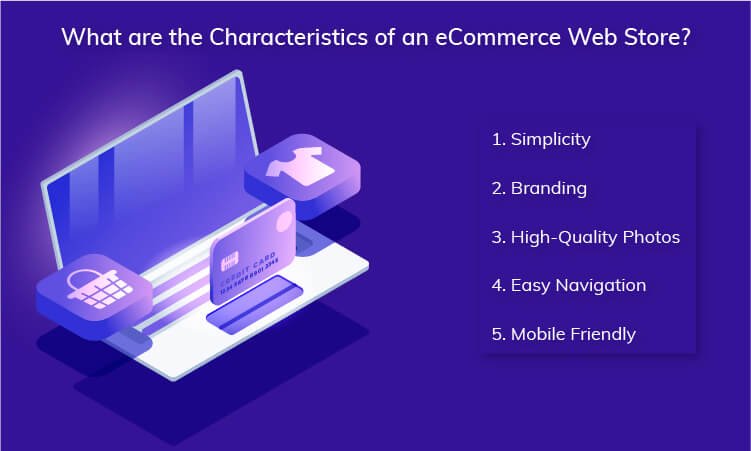
  • Restructuring store architecture during growth.

This category often includes:

  • Data migration (products, customers, orders).
  • URL and SEO structure preservation.
  • Theme and functionality reimplementation.
  • Testing and validation post-migration.

Migration work is typically high-risk if not planned carefully, as it affects live operations.

6. Performance, Security, and Scalability Improvements

As stores grow, technical optimisation becomes critical. This type focuses on stability and long-term performance, rather than new features.

It is commonly needed when:

  • Page load times increase.
  • Traffic volume grows.
  • Security requirements become stricter.

Activities may include:

  • Performance tuning and caching optimisation.
  • Database and server-level improvements.
  • Security hardening and compliance updates.
  • Scalability planning for traffic spikes.

This work is often preventive, not reactive.

Why understanding these types matters

Not all Magento projects require every category above. Most businesses engage with two or three types at a time, depending on their stage and objectives.

By identifying which type of Magento-related development work applies to your situation, you can:

  • Define clearer scopes.
  • Ask better questions during evaluation.
  • Avoid over-engineering or under-investing.


Magento Development Services Guide Comparison

When Businesses Need Magento Development Services

Businesses usually do not seek Magento-related development work at random. In most cases, the need emerges from specific operational triggers tied to growth, complexity, or platform limitations.

Understanding when development becomes necessary helps organisations plan proactively, rather than reacting under pressure.

Below are the most common situations where Magento development services are typically required.

1. Business Growth Outpaces the Existing Store Setup

As order volume, product range, or customer base grows, a Magento store that once worked well may begin to show limitations.

Common indicators include:

  • Slower site performance during traffic peaks.
  • Catalog structures becoming difficult to manage.
  • Checkout friction increasing as rules grow complex.

At this stage, development work focuses on adapting the platform to scale, not rebuilding it entirely.

2. Expanding into New Markets or Channels

Growth often involves:

  • Launching in new regions.
  • Supporting multiple currencies or languages.
  • Adding B2B, wholesale, or marketplace capabilities.

These changes usually require additional Magento customisation or integrations to align with regional, legal, or operational requirements.

This is less about adding features and more about structuring Magento to support expansion.

3. Replatforming from Another eCommerce System

Businesses moving from platforms like WooCommerce, Shopify, or custom systems typically need development support during the transition.

This situation arises when:

  • Existing platforms restrict customisation.
  • Performance or scalability becomes a concern.
  • Long-term flexibility is required.

Migration-related development ensures:

  • Business logic is preserved.
  • Data integrity is maintained.
  • The new Magento setup reflects current and future needs.

4. Operational Inefficiencies Begin to Affect Teams

As internal operations grow, manual processes can become bottlenecks.

Signals often include:

  • Repeated data entry across systems.
  • Inventory mismatches.
  • Delayed order processing or reporting.

In such cases, Magento integration and backend development work is used to streamline workflows and reduce operational friction.

5. Performance, Stability, or Security Risks Appear

Technical issues are not always visible to customers immediately, but they can significantly affect revenue over time.

Common triggers include:

  • Declining page speed scores.
  • Increased downtime during promotions.
  • Security or compliance requirements becoming stricter.

Here, development work focuses on stabilising and safeguarding the platform, rather than introducing new features.

6. Strategic Changes in the Business Model

Sometimes, development needs arise from strategic decisions, such as:

  • Introducing subscription models.
  • Adding complex pricing or loyalty structures.
  • Shifting from B2C to hybrid B2B or B2C operations.

These changes require Magento to support new logic and workflows, often beyond standard configurations.

Why timing matters

Many Magento projects face challenges not because of the platform itself, but because development work starts too late or without clarity.

Recognising these triggers early allows businesses to:

  • Plan scope more accurately.
  • Prioritise the right type of development work.
  • Avoid rushed decisions during critical phases.

Custom vs Standard Magento Development

One of the most common decisions businesses face is whether to rely on standard Magento functionality or invest in custom development.

There is no universally better option. The right choice depends on business complexity, scale, and long-term objectives.

Understanding the difference helps avoid two common mistakes:

  • Over-customising too early.
  • Staying limited by default features for too long.

What Standard Magento Covers Well

Magento’s core capabilities are designed to support a wide range of eCommerce scenarios without modification.

Out-of-the-box functionality is often sufficient when:

  • Business processes are relatively standard.
  • Product and pricing logic is straightforward.
  • Time-to-market is a priority.
  • The store is in an early or validation stage.

Magento natively supports:

  • Product and catalog management.
  • Standard checkout flows.
  • Tax, shipping, and payment configurations.
  • Basic promotions and discount rules.

For many businesses, starting with standard features provides speed and stability without unnecessary complexity.

When Custom Magento Development Becomes Necessary

Custom development becomes relevant when business requirements no longer fit standard workflows.

This typically happens when:

  • Pricing, catalog, or checkout logic becomes complex.
  • Customer journeys need to be differentiated.
  • Internal operations must be reflected in the storefront.
  • Magento needs to adapt to unique business rules.

Custom work allows businesses to:

  • Modify how Magento behaves.
  • Add features not available natively.
  • Align the platform more closely with real-world operations.

However, customisation also introduces:

  • Higher implementation effort.
  • Ongoing maintenance considerations.
  • Greater dependency on technical planning.

A Practical Way to Decide

Instead of treating this as a binary choice, many businesses approach it incrementally.

A common progression looks like:

  • Start with Magento’s standard capabilities.
  • Identify friction points as the business grows.
  • Introduce custom development only where constraints appear.

This approach helps balance:

  • Flexibility.
  • Cost.
  • Long-term maintainability.

Why this decision impacts future development

Early choices around customisation influence:

  • Upgrade complexity.
  • Integration flexibility.
  • Performance optimisation options.

Businesses that clearly understand why they are customising Magento tend to make more sustainable development decisions over time.


standard features and custom Magento development

Key Factors to Consider Before Choosing Magento Services

Before engaging in any Magento-related development work, businesses benefit from clarifying what they actually need, rather than starting with who should do the work.

Many project challenges stem from unclear expectations, not technical limitations. The factors below help organisations define scope and readiness before moving forward.

1. Clarity of Business Objectives

Magento development work should always connect to a specific business outcome, not just a technical task.

Before initiating any work, it helps to ask:

  • What problem are we trying to solve?
  • Is this about growth, efficiency, stability, or experimentation?
  • How will success be measured after implementation?

Clear objectives reduce:

  • Scope creep.
  • Unnecessary customisation.
  • Misaligned technical decisions.

2. Scope Definition and Prioritisation

Not all requirements carry the same weight. Some are essential, while others are optional or future-facing.

Effective scope definition involves:

  • Separating must-have functionality from nice-to-have features.
  • Identifying dependencies between tasks.
  • Planning development in phases rather than as one great effort.

This approach allows businesses to control complexity and adjust as needs evolve.

3. Internal Readiness and Resources

Magento projects rarely exist in isolation. Internal teams often play a role in:

  • Content management.
  • Product data accuracy.
  • Testing and approvals.

Understanding internal capacity helps determine:

  • How much work can realistically be supported in parallel.
  • Whether timelines need adjustment.
  • Where external support may be required.

Ignoring internal readiness often leads to delays, regardless of development quality.

4. Technical Constraints and Platform History

Existing Magento setups come with context:

  • Previous customisations.
  • Installed extensions.
  • Infrastructure limitations.

Before planning new development, it is important to assess:

  • How current decisions affect future flexibility.
  • Whether legacy elements introduce risk.
  • What technical debt may already exist.

This helps businesses make informed trade-offs, rather than layering complexity.

5. Communication and Documentation Expectations

Magento development often involves multiple stakeholders, both technical and non-technical.

Clear communication practices matter, including:

  • How requirements are documented.
  • How changes are approved.
  • How progress is reviewed.

Strong communication reduces misunderstanding and ensures development work stays aligned with business intent.

Why these factors matter

Businesses that evaluate these factors early tend to:

  • Experience fewer surprises during development.
  • Make more confident decisions.
  • Maintain better control over timelines and outcomes.

Next, we address common misunderstandings about Magento development, which often influence expectations and decision-making in subtle ways.

Common Misunderstandings About Magento Development

Many challenges in Magento projects do not come from the platform itself. They come from assumptions businesses carry into the development process. Clearing these misunderstandings early helps teams make more realistic, confident decisions.

Below are some of the most common misconceptions.

1. Magento development is only needed at launch

A frequent assumption is that Magento-related development work is a one-time activity tied to store creation.

In reality:

  • Business requirements evolve.
  • Customer expectations change.
  • Integrations and performance needs grow over time.

Most Magento stores undergo continuous refinement, even if no major redesign is planned.

2. More customisation always means a better store

Custom development is often seen as a way to stand out. Customisation without a clear purpose can create long-term issues.

Unnecessary custom work can:

  • Increase maintenance complexity.
  • Complicate upgrades.
  • Introduce performance or stability risks.

Effective Magento development focuses on solving specific constraints, not customising everything by default.

3. Extensions eliminate the need for development

Extensions can add functionality quickly, but they are not always a complete solution.

Common realities include:

  • Extensions may conflict with each other.
  • Not all extensions align with unique business workflows.
  • Performance and security still require evaluation.

Development work is often needed to adapt or stabilise extension-based setups.

4. Magento is slow by default

Performance issues are often attributed to Magento itself, but they usually stem from:

  • Inefficient configurations.
  • Poorly optimised extensions.
  • Infrastructure mismatches.

With the right technical approach, Magento can support high-traffic, complex eCommerce operations effectively.

5. All Magento projects follow the same process

No two Magento implementations are identical.

Differences in:

  • Business models.
  • Product complexity.
  • Operational workflows.

mean development approaches vary widely. Assuming a fixed process can lead to misaligned expectations.

Why addressing these misunderstandings helps

When businesses enter Magento projects with clearer expectations, they are more likely to:

  • Scope work realistically.
  • Avoid unnecessary rework.
  • Make informed decisions at each stage.

Next, we look at how businesses typically structure Magento projects, comparing different engagement approaches without promoting any single model.

How Businesses Usually Approach Magento Projects

Once the scope and type of Magento-related development work are understood, businesses typically consider how the work should be organised and managed. There is no single correct approach. Different models suit different organisational structures, budgets, and growth stages.

Below are the most common ways businesses approach Magento projects.

1. In-House Development Teams

Some organisations choose to manage Magento development internally.

This approach is more common when:

  • eCommerce is a core business function.
  • Long-term, ongoing development is expected.
  • Technical expertise is already available internally.

Potential advantages include:

  • Direct control over priorities.
  • Faster internal communication.
  • Deep understanding of business processes.

However, in-house teams also require:

  • Continuous skill updates.
  • Broader expertise across Magento, integrations, and infrastructure.
  • Long-term resource commitment.

2. External Development Support

Other businesses rely on external teams for Magento-related development work.

This approach is often used when:

  • Development needs are project-based.
  • Internal teams lack Magento-specific expertise.
  • Speed or specialised skills are required.

External support can offer:

  • Access to a wider range of technical experience.
  • Flexibility in scaling effort up or down.
  • Exposure to different implementation patterns.

The key challenge lies in clear scope definition and communication, rather than the model itself.

3. Hybrid Development Models

Many businesses adopt a hybrid approach, combining internal oversight with external technical execution.

This model is common when:

  • Internal teams handle strategy and product decisions.
  • External teams support complex or specialised development tasks.
  • Long-term flexibility is required.

Hybrid models aim to balance:

  • Control.
  • Expertise.
  • Scalability.

Success depends heavily on coordination and documentation, not just technical capability.

How businesses choose between these approaches

Rather than selecting a model based on trend or cost alone, businesses typically evaluate:

  • Internal technical maturity.
  • Expected project duration.
  • Complexity of required Magento development work.
  • Communication and collaboration needs.

The right approach is the one that aligns operational capacity with business objectives, not the one that promises the fastest results.

Final Thoughts: Using This Magento Development Services Guide Effectively

Understanding Magento development services at a structural level allows businesses to:

  • Clarify what type of development work is actually required.
  • Set realistic expectations before engaging external support.
  • Reduce the risk of misaligned scopes and outcomes.

This guide is intended to support informed decision-making, not vendor selection. Once service requirements are clearly understood, businesses are better positioned to evaluate options and plan Magento initiatives with confidence.

For organisations exploring custom Magento development approaches or broader Magento platform development models, deeper technical planning often comes after this foundational understanding.


plan Magento development with clarity

What is Responsive Web Design: How to Use its Services?

Irrefutably, a rising number of individuals are using the internet on mobile devices instead of desktop PCs. People, on average, spend approximately 7 hours each day consuming the internet on their mobile phones. 40% of buyers research their smartphone before making an in-person purchase. Most shoppers use their smartphones to make purchases regularly, and 55% make purchase decisions after exploring things on social media. As a result, businesses with responsive websites get more leads and maintain a growing competitive edge over those that do not. Due to this change in consumer behavior, having a website that only functions from a desktop computer are no longer sufficient.Without this, you can’t reach most web users, and your organization will likely lose valuable traffic and prospects.So, how can you develop a successful mobile experience? This is where responsive web design comes into play.“Responsive Web Design always plays an important role whenever going to promote your website.” – Mr. Josh Wilson.The above quote is backed by research. As per the studies, businesses that do not have a mobile-friendly website are slipping well behind at an astonishing rate because 8 out of 10 visitors will abandon a website that does not exhibit well on their device.But what exactly is responsive website design services, how does it function, and why must you make the jump? This article aims to answer those questions, provide some relevant information, and teach you the fundamental responsive design characteristics that all businesses should be aware of. So when you decide to hire a responsive web design company to design your site, you will be fully armed with all the information you need to make it a huge success. Let’s get this ball rolling.

What is Responsive Design?

Simply put, responsive web design is the process of creating web pages that display optimally on all devices. Responsive websites are those that adjust to all screen resolutions and sizes, not just desktop but also mobile, iPad, and, in some cases, tv.In totality, Responsive design is a web design strategy that adapts your site content to the various screen and window sizes of various devices. For instance, your information might be divided into various columns on desktop screens since they are large enough to support that design.However, users will find it difficult to read and engage with your content if you divide it into many sections on a mobile device.Responsive design enables you to provide alternative layouts of your information and design to numerous devices based on screen size.

Why Responsive Web Design Matters?

With responsive design, you can reach a larger, more engaged community wherever and whenever they may want to browse. More significantly, a lack of flexible web design can isolate your website from customers seeking an engaging user experience. According to research, a bad mobile-friendly experience might cost you up to 90% of your potential clients. That’s a lot of people — and money. Let’s go over the primary advantages of responsive web design.

1. User experience

Your viewers will not have a nice experience if your site does not load properly on their devices. This critical factor can either turn these people into satisfied consumers or ensure they never return.If someone has a negative experience while exploring your website, there is no guarantee that you will be given a second chance. After all, when searching the web for various services, customers have many possibilities to pick from. Therefore, make a pleasant experience a top concern.

2. Enhances rank and visibility

Google and other search engines are constantly looking for ways to improve the user experience. As a result, most of the criteria used to determine which websites receive top rankings are related to quality and relevancy.Mobile-first indexing can affect how your webpage ranks and force it to be pushed down on results pages of search engines (SERPs) in support of websites that give users a mobile-friendly interface.This is why the responsive site design is essential for search engine optimization. You may improve your ranking and exposure by ensuring that your website operates well in all screen sizes.

3. Session Timing and Bounce Rates

Aside from website building costs, responsive web design saves money and increases user retention. This, in turn, increases session time and decreases bounce rates. And both of these have an impact on search engine results.

Helps gain good brand recognition and consumer trust.

Aside from website security, responsiveness is also important for trust. You will lose users’ trust if your website lacks a responsive web design and provides a poor user experience. And this is an important factor in converting them into clients for your firm.

Wider audience reach

Finally, keep in mind that responsive site design might help you expand your reach. This entails encouraging more individuals to read your information and providing a positive experience related to your business.By denying responsive web design, you are isolating a hefty chunk of your audience. Correcting this could result in good results in terms of views, conversions, and customer happiness.

Cost Effective

Businesses used to develop several websites to respond to various mobile viewports prior to responsive web design, and its accompanying became available. The user was shown a customized home page based on the device from which the request was made.This is not a scalable strategy because it would necessitate changes in execution every time a new device is released to the market. This idea was used well before the mobile revolution took off! For businesses to succeed in this intensely competitive market, having an adaptable website that supports various viewports, browsers, and an OS is no longer an option—it is a necessity.

Responsive Vs. Adaptive Design

It is common to believe that responsive web design and adaptive web design are the same things. However, this is incorrect.Responsive web design is adaptable, with your website’s elements rearranging as the screen resolution changes. This is significant given the wide range of screen resolutions available on computer monitors, cellphones, and tablets. As a result, even the most specialized values are catered to.Adaptive web design, on the other hand, has predefined widths to work with, allowing for a changing layout based on them. While it may appear flexible, it may deliver a poor user experience to individuals who access your content at a non-predetermined resolution.

How Does Responsive Web Design Work?

A regular website is made up of a collection of files (each web page—home page, about page, etc.—has its own file). Each file comprises HTML code as well as content (text and images). Cascading Style Sheets (CSS) files are used to style web pages (CSS).As a result, Responsive web design uses Cascading Style Sheets (CSS) to offer various style attributes based on the screen size, orientation, resolution, color capabilities, and other aspects of the user’s device. Viewport and media queries are two examples of CSS aspects relevant to responsive website design.However, CSS and HTML are lengthy procedures. The quick process for this situation would be a content management system (CMS) or a website builder. A content management system (CMS) is software that enables you to create your website without learning how to code — including how to code for responsive design. Site builders are similar solutions, but they forego part of the capability provided by a CMS in return for convenience and lower pricing. Responsive web design can be done with a CMS or site builder that supports responsive designs.

Best Practices of Responsive Design, That Makes Your Website Responsive?

Website Layout

The website layout is the first thing that comes to mind when we think of responsive web design. Engaging with it is the primary step toward improving the usability of your content.An excellent place to start is to imagine your layout without first considering responsiveness. You can work with pixel widths that are suitable for most computer screens.Then, in your CSS, start introducing media queries and conditions to assist in changing that basic layout into a responsive one.One example is using a 1 x 1 aspect ratio on your page. Most mobile browsers display websites in full-screen mode, which minimizes them and depends on the zoom capability for navigation.This procedure may be simplified if you are using CMS as it will have appropriate optimization WordPress Plugins. 

Take Care Of Device Features – Buttons and CTA

ButtonsWant visitors to take action when they visit your site? This could be done by clicking a CTA such as Learn More, Subscribe, or even Buy.But how do users engage with these icons on your desktop version? If these CTAs appear, scroll, or are at the bottom end of your website page, you may need to reconsider how phone viewers can access them.In addition, determine the size of clickable sections on your mobile version as well. Unlike a desktop, where viewers can use a mouse cursor to click icons and hyperlinks, phone and tablet users navigate your page using their fingertips. So, it is suggested that clickable items on mobile devices have a height of at least 48 pixels. Buttons, text boxes, inline links, and menu navigation are all examples of this.CTACustomers and prospective clients cannot call you on their PCs, but they can on their phones. Change your “Chat Now!” CTA to “Call Now!” and offer your company’s contact number instead of your email address. Furthermore, if your company has a mobile app, encourage visitors to access it from your website. As this is something, they may not be able to do on their laptops.

Responsive Breakpoint

A breakpoint in responsive web design is the “point” at which the site’s content and layout will adjust in a particular way to deliver the greatest possible user experience.Every website is viewed through various devices with varying screen sizes and resolutions. So it must function flawlessly in all screen sizes. Images and content cannot be manipulated, cut out, or concealed.To do this, developers must employ responsive breakpoints, also called CSS breakpoints or media query breakpoints. These are code-defined points. Website content interacts with these cues and modifies the screen size to exhibit the correct layout.With CSS breakpoints in position, the website content will match with display size and showcase itself pleasingly and seamlessly.

Fluid Grid

Earlier, websites were measured in pixels. They are now, however, built on what is known as a fluid grid.A fluid grid, in essence, arranges and adjusts web elements on a site in line with the screen size on which they are displayed. So, rather than designing objects in a single, fixed-size measured in pixels, items on a fluid grid would adapt and adjust to fit the screen’s dimensions.A fluid grid is organized into columns; heights and widths are adjustable rather than fixed. As a result, the text and element dimensions change depending on the screen size.Working on the source code of a website allows you to create the parameters of a fluid grid. A fluid grid also aids in maintaining a site’s visual consistency across several devices. Additionally, it helps you to make design decisions more quickly and offers you greater control over alignments.

Images Scale

Visuals and icons aren’t the only types of material that change size depending on the device. Your photographs must also be scaled. Desktop webpages, for instance, may require photos with a resolution of 1200 pixels, while mobile websites may demand images with a resolution of 400 pixels. Using a higher resolution on all devices can slow down your loading time. Thus, it’s not advisable.Consider uploading multiple image resolutions and specifying which image you wish to showcase on each device. This is commonly accomplished in website code by allocating distinct “media” tags to appropriate “source” objects (e.g., iPad or mobile).Read also: Responsive Website Design: Know the FundamentalsAdditionally, images or icons must be formatted as scalable vector graphics (SVGs). Unlike all the other media formats, such as JPGs and PNGs, SVGs can be resized indefinitely. This ensures that your website gives users on every device a high-quality surfing experience. They also ensure that your website loads faster, which is important for user experience and SERP rankings.

Typography

A typeface that looks great on your desktop version may not appear well on a smartphone that is a quarter of its size. In addition, visitors who cannot read your website will almost probably not click on or purchase anything.Centering your website typefaces around the mobile website, on the other hand, can leave your desktop customers with unsightly words that are overly huge and conflict with your brand image.Here are some greatest font tips for responsive web design:

  • The rule of thumb for desktop and smartphone online content is 16pt body type.
  • Avoid ultra-thin fonts that disappear on tiny displays.
  • Make sure all headings are more significant than the body’s text and subheadings.
  • Choose contrasting colors for your typeface so that it does not blend into the backdrop colors of your website.

Testing

Without adequate testing, you cannot complete any responsive web design project. In addition, you must ensure that your layout functions properly on all devices and in all scenarios.Most recent browsers feature a testing environment that allows you to test your layout with various user agents and sizes.Also, keep in mind your ideal audience’s most usual access situations. This must pertain to your layout, navigating experience, and text type.

Examples Of Responsive Design Website

Although having access to the world’s leading responsive web design service providers gives these companies an edge, it doesn’t mean small and medium-sized businesses cannot have a good, responsive web design. They surely can! You need to look in the right direction. Let’s look at 3 amazing responsive web design examples and ideas, so you can see what responsive web design looks like in action and get some ideas for your site.

Example #1: Dropbox

Dropbox’s website is an outstanding example of how responsive UX design can significantly impact user behavior on various screen sizes. It elevates responsive design by exhibiting what appear to be utterly separate web pages based on your device.Dropbox responsive website design Dropbox Desktop ViewResponsive website design mobile viewDropbox Mobile ViewAs the iPad and desktop editions extend to incorporate a full navigation bar, we can observe the fluid grid in play. When the mobile version is clicked, the hamburger menu displays vertical navigation.The header in each of the three versions is entirely different. Each version concentrates on a single core CTA, although the desktop CTA differs from the mobile and tablet CTAs: “Sign up for free” vs. “Find your plan.” This indicates that Dropbox’s study revealed distinct user intent for various devices.

Example #2: Etsy

Another example of how the flexible grid approach can be used to ensure that your website display differ based on the device is Etsy’s site.Here is the Etsy website on three different devices:Etsy desktop responsive website design Etsy Desktop ViewEtsy Responsive design mobile viewEtsy Mobile ViewClearly, Etsy focuses on personalization to provide visitors with a seamless user experience. All we can say is their responsive website design service did a fantastic job of capturing so many elements in one place without feeling overcrowded.

Example #3: Wired

The webpage of the online technology magazine Wired is an excellent example of how fluid grids may dynamically modify column arrangement based on device attributes such as screen width.We can see two versions of their website in the photographs below:Wired responsive website design Wired Desktop ViewWired responsive website design mobile viewWired Mobile ViewBoth the PC and tablet versions are identical. However, for better readability, the mobile version displays only one column. Also, the ad is displayed differently depending on the device, with the smartphone version showing simply the heading copy and inviting a tap.

Conclusion

With so many people shopping and surfing on their smartphones, responsive design is necessary. Without that, business is a blind net that may lose leads, customers, and income.”Now that you’ve learned everything there is to know about responsive web design, it’s time to bring it all together. Use the information provided in this post to address the issue and work with responsive web design services to take your design to a new level!

What Is Cross-Platform App Development, and Why Is It Important?

So, you have that million-dollar idea for your next mobile app. Everything’s ready. But…you don’t have a budget for creating two different apps for Android or iOS? What should be your next plan? How can you ensure that all platforms work the same? One answer: cross-platform app development! And where did you get that?Simple answer: Cross Platform App Development Company or an app development company that provides Cross Platform App Development Services.But before that lets understand, What’s a cross platform app? cross platform application development, or cross platform app development for short, is a process of creating a single app for multiple platforms. If you are confused, don’t be. This article will help you understand the following: 

  • What is the cross platform app? And top 3 examples of cross platform apps
  • What are its benefits over native applications like Android or iOS?
  • How does it compare with other app development methods like a hybrid, PWA, native, etc.? 

Let’s understand more in detail.

What is cross-platform mobile App Development? 

Cross-platform app development is an approach that most of Cross Platform App Development company  uses technologies to aid in the creation of apps for both the iOS and Android platforms at the same time. Building a high-end application using only one type of technology (such as iOS or Android) isn’t enough to create applications that require entering multiple data types.But why would businesses want to run one app on several platforms? Here’s why:

Benefits of Cross-Platform Development
Benefits
SpeedCross-platform solutions provide reusable code, plugins, and UI components, which speed up development and help launch apps faster.
ConvenienceYou don’t need separate development teams for Android and iOS, reducing management complexity.
ReachCross-platform apps support multiple operating systems and devices, offering broader reach than native apps.
CostBusinesses can reduce risk by building a single MVP and launching faster, making cross-platform development more cost-effective.
MaintenanceA single codebase simplifies maintenance, enabling easier bug fixes and faster updates.
UniformityCross-platform apps ensure consistent user experience across all devices and platforms.

Top Three Examples Of Cross-Platform Apps Going Strong

#1. Google Ads with Flutter

Cross Platform App Development CompanyGoogle Ads AppGoogle Ads is one of the most popular cross-platform mobile apps created with Flutter. This mobile app allows you to create and manage Google Ads directly from your smartphone. Essentially, it is similar to the desktop application, except users can track ad output anywhere – which means no need to be in front of a desktop or laptop to track ads. Users can view campaign statistics, update bids and budgets in real-time, get live alerts, edit keywords, and get in touch with Google experts. 

#2. Instagram with React Native

Cross Platform App Development ServicesInstagram Mobile App Instagram is one of the hottest social media sites today, with over a billion users worldwide. However, before going cross-platform, Instagram was a native app.  But seeing the benefits of React Native, the app makers slowly shifted each function, like push notifications and profiles, to React Native to see whether it made any difference. To their surprise, Instagram fared well on React Native, and today it used hire dedicated React Native developers as its framework. How did Instagram benefit from shifting to cross-platform:

  • Both Android and iOS platforms benefited greatly from React Native’s ease of maintenance.  
  • Faster performance due to lightweight interface. 
  • Quick new feature shipping of React Native helped it gain an edge over other social media platforms.

Best Cross Platform Framework Technologies To Develop Your App

Below are the top preferred frameworks that most Cross Platform App Development companies use.

#1. React Native

Facebook (now Metaverse) created React Native, an open-source UI software platform, in 2015 (a little sooner than Flutter). It is based on the JavaScript React from Facebook and allows developers to create natively rendered cross-platform mobile apps.Skype, Bloomberg, Shopify, and many tiny modules of Facebook and Instagram all have mobile apps. Why is React Native a top cross-platform app development framework?

  • With Fast Refresh functionality, developers may view their changes in their React components immediately. 
  • One of React Native’s benefits is its emphasis on the user interface. React primitives are rendered to native platform UI components, allowing you to create a unique and responsive user experience. 
  • As one of the most popular cross platform app development frameworks, React Native has a huge and active developer community that shares technical information.

Read also: A Quick Guide To Top Cross Mobile App Development Tools

#2. Flutter

It was released by Google in 2017 and is a popular framework for developing mobile, web, and desktop apps from a single codebase. To create applications using Flutter, you’ll need to utilize Dart, a programming language developed by Google. Example apps for mobile: eBay, Alibaba, Google Pay, and ByteDance.What So Unique About Flutter? 

  • The hot reload functionality in Flutter lets you see how your application changes as soon as you alter the code without having to recompile it. 
  • Flutter is compatible with Google’s Material Design, a design system that assists developers in creating digital experiences. When developing your app, you may use a variety of visual and behavioral widgets. 
  • It is not dependent on web browser technologies and instead uses its own rendering engine to draw widgets. 
  • Flutter has a relatively active user community all around the world. Many developers make extensive use of it.

#3. IONIC 

Ionic is a 2013 open-source user interface toolkit. It enables developers to create hybrid mobile and desktop apps by combining native and web technologies such as HTML, CSS, and JavaScript, as well as integrations for the Angular, React, and Vue frameworks. T-Mobile, BBC (Children’s and Education applications), and EA Games provide mobile apps.What Is So Unique About IONIC? 

  • The Ionic framework makes use of the Cordova and Capacitor plugins to provide users access to built-in smartphone functions such as the camera, flashlight, GPS, and voice recorder. 
  • Ionic features its own integrated development environment (IDE) called Ionic Studio, which was created for developing and prototyping apps with minimum code. 
  • The Ionic Forum is buzzing with activity as community members share information and assist one another in overcoming development obstacles.

These are the top three cross-platform app development frameworks. However, it’s also important to look for the right Cross Platform App Development Services, so you can make an app that your audience truly loves. Doesn’t matter how good a framework is, the quality of code, and architecture play a huge role. Thus, a professional Cross Platform App Development Company ensures that the app maximizes the framework’s potential to create a chart-topping cross-platform mobile app.

How Does cross-platform App Development Compare With Native, Hybrid, and PWA development? 

Comparison of App Development Approaches
DifferencesCross Platform App DevelopmentNative App DevelopmentHybrid App DevelopmentPWA App Development
CostCross-platform apps are cost-effective
Native app development
is costly
Hybrid apps are cost-effectivePWA apps are low-cost
Development TimeTime-saving due to code reusabilityTime-consuming as separate apps need to be developedTime-saving due to code reusabilityTakes less development time
Multi-platform AvailabilitySupports multiple platformsRequires separate apps for each platformOne codebase works on several platformsOne version works across multiple platforms
Offline FunctionalitySupports offline functionalityFully supports offline functionalityCan work offlineLimited to cached data when previously connected to the network

Conclusion

We hope that the above article provided you with all the answers that you had regarding cross-platform mobile applications and their development. You significantly limit your potential user base when you develop for only one platform. That’s where cross-platform apps fill the gap. As you can see, the most appealing aspect of the cross-platform app is its ability to work on multiple operating systems with a single codebase! However, it’s also important to hire the right Cross Platform App Development Services to ensure wide reach.So, are you ready to develop your own cross-platform mobile app? WeDoWebapps can help you. We are a US-based mobile app development company with a record of creating chart-topping cross-platform apps. We have built apps for clients in multiple industry verticals such as SaaS, medical, education, etc. Contact us today. FAQs

  • What is the difference between native app development and cross platform app development?

The native app development for Android and iOS requires two standalone apps, which takes time. In contrast, cross platform applications will have lower costs since they provide code reusability features. By using the same codebase for Android and iOS apps, development costs and time can get reduced.

  • How does hybrid development differ from cross platform development?

Hybrid development and cross platform development can look similar, but they are not the same. However, they only have one thing in common: ”code reusability.” Creating cross platform mobile applications allows developers to reuse code across platforms once they have written it.

  • How are cross platform apps different from native apps?

Native and cross-platform application development differ significantly. During native app development, it’s mandatory to develop separate apps for iOS and Android. While in cross platform development one app works on both devices.