skip to content

Figure out the biggest pros and cons of custom iOS application development

The mobile industry influences all areas, from food to fashion and business.

But how to go mobile, especially for iOS? Which is better for developing a custom mobile application or utilizing the benefits of a white label solution Each version has its advantages, but custom iOS app development proves to be a better option.

So let’s start with some new Information.

To understand whether you need to invest in custom iOS application development, first of all, we need to define what is the development of the customized iOS application itself and how it differs from the solution on the shelf.

Custom development is also known as custom software. If we talk about applications, it means that custom mobile applications offer functions that are not off-the-shelf solutions.

Consider this simple example. The two same degree doctors have almost identical medicine for their patients. But at the same time, they have entirely different strategies to check-up his patients.

Thus, The design and functionality of the application should depend on the objectives of each store and in each case. The notable feature of custom application development is its ability to implement your idea precisely as it was designed.

In other words, the custom iOS application development is to meet the needs of your business, and the final product will be suitable for the operation of your business. In contrast, the off-the-shelf solution provides a universal platform for everyone to engage as many companies as possible.

This means a specific outcome – the performance of the same design and applications, without taking into account the business objectives of each company. Such applications can be sold as SaaS (software as a service), which involves companies paying rent to use the app.

Of course, this solution will cost less. But you have to keep the maxim in mind – “get what you pay for,” as this is especially the case with software development.

developers should need to setup visual voicemail on iPhone as its really beneficial for programming.

Pros and cons of custom iOS app development

The obvious benefits to businesses from creating custom applications include scalability, easy deployment, and increased productivity.

But for the final decision, let’s go and consider all the pros and cons.

Data & Resource Security

Data security is one of the primary reasons why businesses can invest in custom applications. This assumption becomes more critical if the application works with personal data to ensure the security of users’ data in the era of globalization.

You should use a personalized approach in iOS application development. Custom applications allow you to eliminate threats and risks by integrating security measures and data encryption. The customized approach also meets the requirements of various operating systems and APIs.

Centralize Customer service

Personal development allows you to create a strong optimization strategy with each customer. This is possible due to the integration of analytical tools in the early stage of application development. You can track each client’s preferences and make individual offers to fit their needs. Building a deep customer relationship has never been easier. It Highlights business competitiveness.

Mobile applications should highlight the factors that differentiate their offerings, as stated in the example of a doctor, while Custom applications allow this. At the same Time, the formulated solutions are built to provide strictly defined functionalities. These types of applications cannot expand their features by adding new features,

So a company’s mobile offerings are limited. If you try to add some extra features, your app will turn into a fake cabriolet – good looking, but with terrible performance.

Invest in yourself

Custom application development wins the battle with a solution designed for one simple reason – when you create a custom app, you become its owner.

Cons of custom iOS app development that effect too.

Take Time to develop the applications.

Time is one of the main disadvantages of custom application development. With a pre-built solution, you can get a job application quickly. To develop your custom application, you must go through a software development process, which can take weeks, months, or even years for large and ambitious projects. Consider the iPhone app development services and weigh them against the pros and cons of custom iOS development.

Error corrections, strategy changes, design improvements – all these can delay the launch of the final product. However, you are not insured for errors when using an off-the-shelf solution. Also, these bugs can and do cause significant business errors.

It cost more than a local app

It is clear that developing a custom application requires significantly more resources and thus comes with a large amount of cost and risk. Changes in the overall strategy that occur due to identifying new needs during the development process are widespread. This, however, results in additional costs, as it takes more development time and effort.

Affordable App Developers: The Smart Way to Build an App on a Budget

Can You Really Build a Quality App on a Budget?

Building a mobile app no longer requires a six-figure investment or an in-house engineering team. Today, thousands of startups, entrepreneurs, and small businesses actively search for cheap app developers and affordable app development companies because they want a single outcome: a reliable app that fits their budget.

But, here is the most common question that buyers are silently asking:

Does “cheap” mean low quality, or is there a smarter way to build an app affordably without cutting corners?

The truth is, affordable app development is possible. However, it only works when you understand what drives development costs, where you can safely save money, and how to avoid common traps that turn “cheap” projects into expensive failures.

In this guide, we will break down:

  • What affordable app development actually means
  • The cheapest way to build an app without sacrificing stability
  • How to find reliable budget app developers
  • Realistic cost expectations
  • And how experienced teams deliver low-cost apps without compromising quality

Whether you are a founder validating an idea, a startup building an MVP, or a business planning a digital transformation, this guide will help you make confident, cost-effective decisions about hiring affordable app developers.


Free app roadmap and cost breakdown

What Does “Affordable App Development” Actually Mean?

Many people use the terms cheap app developers and affordable app developers interchangeably. In reality, they represent two very different approaches to pricing, and understanding this difference can save you thousands of dollars.

Cheap App Development

Cheap development usually focuses on the lowest upfront cost.

Typical characteristics:

  • Very low hourly rates
  • Minimal planning
  • Little or no documentation
  • Limited testing

While this may look attractive initially, cheap development often leads to:

  • Rework
  • Bugs
  • Performance issues
  • Higher long-term costs

Cheap is about price alone.

Affordable App Development

Affordable development focuses on the best value for your budget.

Typical characteristics:

  • Reasonable, transparent pricing
  • Structured development process
  • Skilled developers working efficiently
  • Emphasis on stability, scalability, and maintainability

Affordable is about balancing cost and quality.

Why the Cheapest Option Is Rarely the Most Affordable

The cheapest quote may save money today, but if the app:

  • Needs to be rebuilt
  • Crashes frequently
  • Cannot scale
  • Lacks proper architecture

You end up paying twice.

In contrast, affordable app development aims to:

  • Build only what you truly need
  • Use proven frameworks and reusable components
  • Avoid unnecessary features
  • Deliver a stable foundation

This approach reduces waste and maximizes ROI.

A Simple Rule for Buyers

If a developer promises:

“We can build everything you want for an unbelievably low price.”

That’s usually a red flag.

If a developer asks:

“What problem are you solving, who is your user, and what is the simplest version we can launch?”

You’re speaking with an affordable app development partner.

Key Takeaway

  • Cheap = lowest cost
  • Affordable = smartest cost

When searching for cheap app developers, your real goal should be finding affordable app developers who deliver dependable results within your budget.

Factors That Affect Mobile App Development Cost

Before looking for the cheapest way to build an app, it’s important to understand what actually determines app development cost. Costs don’t change randomly. They change based on scope, complexity, and execution choices.

Here are the main factors that influence how much you’ll pay:

1. App Complexity

The biggest cost driver.

  • Simple app (basic features, minimal screens) → Lower cost
  • Medium complexity app (user accounts, APIs, admin panel) → Moderate cost
  • Complex app (real-time features, AI, heavy integrations) → Higher cost

More logic = more development hours.

2. Platform Choice

  • Android only
  • iOS only
  • Cross-platform (Flutter / React Native)

Building for multiple platforms increases cost. Cross-platform frameworks are often the cheapest way to build an app for both iOS and Android.

3. Features & Functionality

Each feature adds cost, such as:

  • Authentication
  • Payments
  • Chat
  • GPS tracking
  • Notifications
  • Third-party integrations

More features = more development time.

4. UI/UX Design Requirements

  • Template-based design → Lower cost
  • Custom design → Higher cost

Good UI/UX improves user retention, but must be balanced with budget.

5. Backend Infrastructure

  • Simple backend → Lower cost
  • Complex backend with scalability & security → Higher cost

Backend complexity is often underestimated by buyers.

6. Developer Location

Hourly rates vary significantly by region:

  • North America / Western Europe → Highest
  • Eastern Europe → Mid-range
  • India / Asia → Most affordable

This is why many businesses choose offshore and Indian developers for budget projects.

7. Team Composition

A project may require:

  • Project manager
  • UI/UX designer
  • Frontend developer
  • Backend developer
  • QA tester

More specialists = higher cost.

Buyer Insight

Lowering costs does not mean hiring the cheapest person. Rather, it means reducing unnecessary complexity.

If you define your scope carefully, you can dramatically reduce cost, even with skilled developers.

Key Takeaway: Your app’s cost is driven more by what you build than who builds it. The cheapest way to build an app is to build the right-sized version of your idea.

Average Cost to Build an App: Global Pricing Comparison

One of the first things buyers want to know when searching for cheap app developers or affordable app development companies is:

“How much does app development actually cost?”

The honest answer: There is no single fixed price, but there are reliable global ranges based on developer location, experience level, and hiring model.

Below is a practical overview.

Hourly Rate Comparison by Region

  • USA / Canada: $80 – $150/hour
  • UK / Western Europe: $60 – $120/hour
  • Eastern Europe: $40 – $70/hour
  • India / South Asia: $20 – $40/hour

This price gap explains why many companies outsource to affordable offshore development teams.

Typical Project Cost Ranges

Simple App (Basic MVP)

  • $8,000 – $20,000

Medium Complexity App

  • $20,000 – $40,000

Complex App

  • $40,000 – $80,000+

Freelancers vs Agencies

Freelancers

  • Lower hourly rates
  • $15 – $35/hour (offshore)
  • Suitable for very small projects

Agencies / Development Companies

  • $25 – $60/hour (offshore)
  • Structured process
  • QA, project management, and support included

While freelancers may appear cheaper, agencies often deliver better overall value for business-critical apps.

Why “Cheap” Prices Vary So Much

If you receive quotes like:

  • $2,000 for a full-featured app
  • $25,000 for the same idea

Both cannot be realistic.

Large price differences usually mean:

  • Different scope assumptions
  • Different quality standards
  • Different long-term support levels

Buyer Insight

If your budget is limited, your smartest move is not to chase the lowest quote.

Instead, aim for:

Affordable app developers who offer transparent pricing and clear scope definitions.

This approach gives you predictable costs and fewer surprises.

Key Takeaway

  • You can build a reliable app on a budget.
  • Offshore development (especially in India) offers some of the best cost-to-quality ratios globally.
  • The cheapest option is not always the safest option.

Cheapest Ways to Build an App Without Compromising Quality

Building an app cheaply does not mean taking shortcuts in quality. It means making smart structural, technical, and strategic decisions that reduce unnecessary effort.

Below are proven ways businesses lower development costs while still getting a stable, scalable product.

1. Start with an MVP (Minimum Viable Product)

Instead of building a full-featured product, start with a version that solves one core problem well.

Benefits:

  • Lower initial development cost
  • Faster time to market
  • Real user feedback before scaling

Typical MVP includes:

  • Core user flow
  • Essential screens
  • Basic backend

Everything else can be added later.

2. Use Cross-Platform Development

Building one codebase for both iOS and Android using frameworks like:

  • Flutter
  • React Native

This approach:

  • Cuts development time by up to 40%
  • Reduces maintenance cost
  • Speeds up updates

For many startups, cross-platform app development is the cheapest way to build an app across platforms.

3. Prioritize Features Ruthlessly

Many projects fail because of feature overload.

Instead of:

“Let’s add everything now.”

Think:

“What does the user absolutely need to succeed?”

Use this prioritization:

  • Must-have
  • Nice-to-have
  • Later

Only build must-haves in phase one.

4. Use Ready-Made Components & APIs

Developers don’t need to build everything from scratch.

Examples:

  • Payment gateways
  • Authentication systems
  • Maps
  • Analytics

Using existing services:

  • Saves development time
  • Reduces bugs
  • Lowers cost

5. Choose Affordable Offshore Development Teams

Countries like India offer:

  • Skilled developers
  • Strong technical education
  • Lower operational costs

This allows you to access budget app developers without sacrificing expertise.

6. Provide Clear Requirements

Vague requirements cause:

  • Rework
  • Delays
  • Cost overruns

Before development, define:

  • App purpose
  • Target users
  • Core features
  • Basic user flow

Clear inputs = fewer revisions.

7. Use Agile Development

Agile breaks work into small sprints.

Advantages:

  • You review progress frequently
  • Catch mistakes early
  • Control the budget better

This prevents expensive late-stage fixes.

Buyer Insight

Cheap app development becomes risky when cost savings come from cutting essential steps (planning, testing, architecture).

Affordable app development comes from optimizing how work is done.

Key Takeaway: The cheapest way to build an app is not by hiring the cheapest developer. It’s by building only what you need, using the right technology, with a cost-efficient team.


App development cost estimate

Hiring Options: Who Offers Affordable App Development?

When searching for cheap app developers or affordable app development companies, you’ll usually encounter four main hiring models. Each option comes with different cost levels, risks, and suitability depending on your project.

Understanding these options helps you choose the most affordable path for your situation, not just the lowest price.

1. Freelance App Developers

Individual developers work independently.

Typical Characteristics

  • Lower hourly rates
  • Direct communication
  • Limited capacity

Pros

  • Low upfront cost
  • Suitable for small tasks or prototypes

Cons

  • No backup resources
  • Limited skill coverage (design, backend, QA)
  • Higher risk for large or long-term projects

Best For

  • Simple MVPs
  • Proof-of-concept builds

2. Small App Development Agencies

Teams of 5–20 people.

Typical Characteristics

  • Moderate pricing
  • Basic processes
  • Some specialization

Pros

  • More reliable than freelancers
  • Better quality control
  • Affordable compared to large agencies

Cons

  • Limited scalability
  • May lack deep domain expertise

Best For

  • MVPs
  • Small to medium business apps

3. Offshore App Development Companies

Companies based in cost-effective regions (India, Eastern Europe, Southeast Asia).

Typical Characteristics

  • Strong technical talent
  • Lower hourly rates
  • Established processes

Pros

  • Excellent cost-to-quality ratio
  • Access to full teams
  • Scalable resources

Cons

  • Time zone differences
  • Requires good communication practices

Best For

  • Startups
  • SMBs
  • Budget-conscious businesses

4. Dedicated Development Teams

A team assigned exclusively to your project.

Typical Characteristics

  • Monthly pricing model
  • Long-term collaboration

Pros

  • High control
  • Consistent output
  • Scales easily

Cons

  • Higher commitment than freelancers

Best For

  • Growing products
  • Ongoing development

Buyer Insight

The most affordable option is not always the cheapest hourly rate.

True affordability depends on:

  • Productivity
  • Reliability
  • Rework reduction
  • Long-term stability

Key Takeaway: For most businesses seeking affordable app development, offshore agencies or dedicated teams provide the best balance of cost, quality, and reliability.

Freelancers vs Affordable App Development Companies

Choosing between a freelancer and an affordable app development company depends on your budget, risk tolerance, and project complexity.

Comparison Table

Factor Freelancers Affordable App Development Companies
Cost Lower hourly rates Slightly higher rates
Upfront Investment Very low Moderate
Skill Coverage Usually single-skill Full team (design, frontend, backend, QA, PM)
Reliability Depends on one person Team-based with backups
Quality Control Limited testing Dedicated QA & code reviews
Scalability Difficult Easy to scale team size
Project Management Self-managed Included
Documentation Minimal Structured documentation
Accountability Informal Contract-based
Best For Small tasks, prototypes MVPs, startups, business apps

Buyer Insight

Freelancers can appear cheaper at first. Affordable app development companies usually deliver better long-term value because they reduce rework, delays, and risk.

Key Takeaway: If your goal is a serious product with predictable delivery, an affordable app development company is often the safer choice.

Pros and Cons of Hiring Cheap App Developers

Hiring cheap app developers is not automatically a bad decision. In fact, many successful apps started with small, low-cost teams. However, cheap development works best only under specific conditions.

Understanding the advantages and disadvantages helps you decide when cheap makes sense and when it becomes risky.

Pros of Hiring Cheap App Developers

  1. Lower Initial Investment

Cheap developers allow startups and first-time founders to build an app without heavy financial pressure.

  • Easier to validate ideas
  • Lower barrier to entry
  1. Faster Project Start

Many low-cost developers have short onboarding cycles.

  • Minimal paperwork
  • Quick team availability

This is useful when speed matters.

  1. Suitable for MVPs and Prototypes

Cheap developers can work well for:

  • Proof-of-concept apps
  • Basic MVPs
  • Internal tools

You focus on learning, not perfection.

  1. Access to Global Talent Pool

Budget app developers often come from offshore markets with large developer communities.

  • Wide technology exposure
  • Diverse experience
  1. Flexibility in Engagement

You can often hire:

  • Hourly
  • Part-time
  • Short-term

This keeps costs controllable.

Cons of Hiring Cheap App Developers

  1. Code Quality Risks

Low-cost developers may:

  • Skip best practices
  • Use poor architecture
  • Write hard-to-maintain code

This increases future rework.

  1. Limited Testing & QA

Many cheap projects:

  • Lack of test plans
  • Skip automation
  • Rely on basic manual testing

Result: bugs in production.

  1. Weak Documentation

Missing documentation makes:

  • Handover difficult
  • Scaling harder
  • New developers slower
  1. Communication Challenges

Possible issues include:

  • Delayed responses
  • Misunderstood requirements
  • Time zone friction
  1. Higher Long-Term Cost

You may save today, but later pay for:

  • Bug fixes
  • Rewrites
  • Performance optimization
  1. No Accountability Structure

Cheap developers may not provide:

  • SLAs
  • Contracts
  • Support guarantees

When Hiring Cheap App Developers Makes Sense

  • Simple MVP
  • Short-term project
  • Tight budget
  • Non-critical app

When It’s a Bad Idea

  • Complex logic
  • Security-sensitive apps
  • Revenue-critical platforms
  • Long-term products

Buyer Insight

Cheap developers are best viewed as a testing-stage solution. Affordable app developers are better suited for growth-stage products.

Key Takeaway: Cheap app developers can help you start. Affordable app developers help you succeed.

Hidden Costs of Cheap App Development

One of the biggest mistakes buyers make is judging app development cost only by the initial quote.

Cheap app development often looks affordable at first. But many projects become expensive later because of hidden costs that were never discussed.

Understanding these hidden costs helps you avoid unpleasant surprises.

1. Rework & Refactoring Costs

Poor-quality code often needs to be rewritten.

Common causes:

  • No architecture planning
  • Spaghetti code
  • No coding standards

Rebuilding parts of an app can cost 30–60% of the original budget.

2. Bug Fixing & Stability Issues

Cheap projects frequently:

  • Skip testing
  • Lack QA cycles

This leads to:

  • Crashes
  • User complaints
  • Emergency fixes

Each hotfix consumes time and money.

3. Performance Optimization

Apps built cheaply may:

  • Load slowly
  • Struggle under traffic
  • Consume excessive resources

Optimizing performance later is harder and more expensive than building it right initially.

4. Security Vulnerabilities

Security shortcuts can expose:

  • User data
  • Payment information
  • Business logic

Fixing security flaws post-launch is costly and risky.

5. Poor Scalability

Apps not designed for growth may:

  • Break with more users
  • Require backend overhaul

Scalability re-engineering is expensive.

6. Maintenance & Support Gaps

Cheap developers may disappear after delivery.

You then pay new developers to:

  • Understand existing code
  • Fix issues
  • Add features

Buyer Insight

A low quote that ignores architecture, testing, and documentation is not affordable. It’s a deferred expense.

Key Takeaway

The real cost of an app is:

Initial Build + Fixes + Rebuilds + Maintenance

Affordable app development minimizes all four.

How to Find Reliable Budget App Developers

Finding budget app developers is easy. Finding reliable budget app developers is the real challenge.

Use the steps below to separate serious professionals from risky options.

1. Look in the Right Places

Good sources include:

  • Offshore development company websites
  • Clutch, GoodFirms, G2
  • LinkedIn
  • Referrals

Avoid relying only on generic freelance marketplaces.

2. Review Portfolio Carefully

Don’t just look at screenshots.

Check:

  • Apps in app stores
  • Feature similarity to your project
  • UI quality
  • Performance

Ask what role the developer played.

3. Evaluate Technical Depth

Ask simple technical questions:

  • How will you structure the backend?
  • Which framework will you use and why?
  • How do you handle scalability?

Good developers explain clearly, not vaguely.

4. Ask for Code Samples or GitHub

Look for:

  • Clean code
  • Proper structure
  • Comments

5. Check Client Reviews & Testimonials

Look for:

  • Consistency
  • Long-term relationships
  • Mention of communication quality

6. Assess Communication Skills

During initial calls, note:

  • Response time
  • Clarity
  • Willingness to ask questions

Poor communication early becomes worse later.

7. Start with a Small Paid Task

Before committing fully:

  • Assign a small module
  • Evaluate quality
  • Evaluate timelines

Buyer Insight

Reliable budget app developers ask questions. Unreliable ones promise everything.

Key Takeaway: Trust signals matter more than price.

Questions to Ask Before Hiring Affordable App Developers

Asking the right questions reveals how experienced, transparent, and reliable a developer or company really is.

Use the questions below during discovery calls or proposal reviews.

Experience & Expertise

  • Have you built similar apps before?
  • Can you share live examples?
  • Which industries have you worked in?

Technical Approach

  • Which technology stack do you recommend and why?
  • How do you design backend architecture?
  • How do you ensure scalability?

Process & Project Management

  • What development methodology do you use (Agile, Scrum)?
  • How often will I receive updates?
  • Who will be my point of contact?

Quality Assurance

  • How do you test the app?
  • Do you perform manual and automated testing?
  • How do you handle bug fixes?

Communication

  • What are your working hours?
  • How do we communicate (Slack, email, calls)?
  • What is your response time?

Pricing & Payments

  • Is pricing fixed or hourly?
  • What is included in the quote?
  • Are there any extra charges?

Ownership & Security

  • Who owns the source code?
  • Will I get full IP rights?
  • How do you protect data?

Buyer Insight

Developers who hesitate to answer these questions clearly are at risk.

Key Takeaway: The right questions reveal the right partner.


Verify app developer reliability

Red Flags When Choosing Cheap App Developers

Some warning signs appear even before a project starts. Ignoring them often leads to failed projects, delays, and wasted budgets.

Watch out for the following red flags:

Extremely Low Quotes

If a quote seems unrealistically cheap, it usually means:

  • Scope is misunderstood
  • Quality will be compromised
  • Hidden costs will appear later

No Clear Process

Good developers explain:

  • Planning
  • Development
  • Testing
  • Deployment

If they cannot describe their workflow, that’s a problem.

No Portfolio or Verifiable Work

Avoid developers who:

  • Cannot show live apps
  • Only share screenshots
  • Refuse references

Vague Communication

Warning signs include:

  • Generic answers
  • Avoiding details
  • Overpromising

No Contract or Agreement

You should always have:

  • Scope definition
  • Timeline
  • Payment terms
  • IP ownership clause

No Testing Strategy

If testing is not mentioned, quality will suffer.

No Post-Launch Support

Apps need maintenance.

No support = future headache.

Buyer Insight

Professional, affordable app developers focus on clarity, not hype.

Key Takeaway: Low price without transparency equals high risk.

How to Evaluate If a Quote Is Fair or Risky

Not all low quotes are bad. Some represent efficient teams. Others hide serious problems.

The key is knowing how to tell the difference.

1. Check Scope Breakdown

A fair quote includes:

  • Feature list
  • Screens
  • Platforms
  • Backend requirements

A risky quote says:

“Everything included”

with no details.

2. Look for Effort Estimation

Professional quotes show:

  • Hours per module
  • Development phases
  • Milestones

No estimation = no planning.

3. Compare With Market Ranges

If most quotes fall between $15k–$25k and one is $4k, investigate why.

Large gaps usually mean:

  • Missing features
  • Low-quality delivery
  • No testing

4. Confirm What’s Included

Ask if price includes:

Cheap quotes often exclude key items.

5. Evaluate Team Composition

Who is assigned?

  • Senior or junior developers?
  • QA tester?
  • Project manager?

One person doing everything increases risk.

6. Review Payment Structure

Fair structure:

  • Milestone-based payments

Risky structure:

  • 100% upfront

7. Ask About Post-Launch Support

Good developers specify:

  • Bug-fix period
  • Support window

Buyer Insight

A fair, low quote is clear, detailed, and structured. A risky low quote is short, vague, and rushed.

Key Takeaway: Don’t choose the cheapest quote. Choose the clearest quote.

Cost-Saving Strategies Used by Professional Affordable App Development Companies

Affordable app development companies don’t reduce prices by cutting quality. They reduce costs by optimizing how work is done.

Here are common practices professional low-cost teams use:

1. Reusable Code & Components

Instead of reinventing the wheel, teams use:

  • Proven libraries
  • Internal frameworks
  • Pre-built modules

This saves time and reduces bugs.

2. Lean Team Structure

Only essential roles are assigned:

  • Developer
  • Designer (as needed)
  • QA
  • Project manager

No bloated teams.

3. Agile Sprint Planning

Work is divided into small sprints.

Benefits:

  • Faster feedback
  • Fewer mistakes
  • Controlled scope

4. Automation Tools

Automation is used for:

  • Testing
  • Deployment
  • Code formatting

Reduces manual effort.

5. Standardized Processes

Checklists for:

  • Code reviews
  • Testing
  • Releases

Consistency lowers errors.

6. Offshore Delivery Models

Lower operational costs allow companies to offer:

  • Competitive rates
  • Skilled engineers

Buyer Insight

Affordable companies save money through efficiency, not shortcuts.

Key Takeaway: If a company explains how they optimize cost, they’re likely safe.

Why Many Businesses Choose Indian App Developers for Budget Projects

India has become one of the most popular destinations for affordable app development, and not just because of lower pricing.

Businesses worldwide choose Indian app developers because they offer a strong balance of cost, quality, and scalability.

1. Large & Skilled Talent Pool

India produces millions of engineering graduates every year.

This means:

  • Wide availability of developers
  • Expertise across technologies (iOS, Android, Flutter, React Native, backend frameworks)

2. Cost Advantage Without Skill Compromise

Lower cost of living allows Indian developers to charge lower rates while maintaining professional standards.

You get:

  • Skilled engineers
  • Affordable pricing

3. Strong English Communication

Most Indian developers:

  • Speak and write English fluently
  • Are comfortable with international clients

This reduces misunderstandings.

4. Experience with Global Projects

Indian development companies often work with:

  • Startups
  • SMBs
  • Enterprises

Across the USA, UK, Europe, and Australia.

5. Time Zone Flexibility

Many teams adjust working hours to overlap with client time zones. This improves collaboration.

6. Mature Outsourcing Ecosystem

India has:

  • Established IT infrastructure
  • Proven outsourcing processes
  • Quality certifications

Buyer Insight

Low cost alone isn’t why India is popular. Reliable delivery at scale is the real reason.

Key Takeaway: If you’re looking for budget app developers with proven capability, India is one of the best options globally.

When You Should NOT Choose Cheap App Developers

Low-cost app development is useful in many scenarios.

But there are situations where choosing the cheapest option can seriously harm your product and business.

Knowing these situations helps you decide when to increase budget slightly to avoid major losses.

1. When Your App Handles Sensitive Data

Examples:

  • Payments
  • Personal user data
  • Health information

Security mistakes can lead to:

  • Legal issues
  • Reputation damage
  • Financial loss

Cheap development often skips security best practices.

2. When Scalability Is Critical

If you expect:

  • Rapid user growth
  • High traffic

You need proper architecture.

Cheap builds may collapse under load.

3. When the App Is Revenue-Critical

If your business depends on the app to make money:

  • Downtime = lost revenue
  • Bugs = unhappy customers

Risking this for a cheaper quote is dangerous.

4. When You Need Long-Term Support

Products evolve.

If the developer disappears after delivery, you’ll struggle. Cheap providers often don’t offer long-term maintenance.

5. When Your App Has Complex Logic

Examples:

  • Marketplaces
  • Fintech platforms
  • Real-time systems

These require experienced architects.

Buyer Insight

Low-cost development is best for experiments. Affordable development is better for products.

Key Takeaway: If failure would seriously hurt your business, cheap development is not worth the risk.

Realistic Budget Ranges for Common App Types

Every app is different, but most business apps fall into a few common categories. Knowing typical budget ranges helps you evaluate quotes and plan realistically.

(Ranges below assume offshore/affordable app development companies.)

MVP App

Basic version with core features.

Includes:

  • User authentication
  • Basic UI
  • Simple backend

Typical Range: $8,000 – $15,000

eCommerce App

Includes:

  • Product catalog
  • Cart
  • Payments
  • Admin panel

Typical Range: $15,000 – $30,000

Marketplace App

Includes:

  • Buyer & seller profiles
  • Listings
  • Chat
  • Payments

Typical Range: $25,000 – $45,000

Business / Enterprise App

Includes:

  • Role-based access
  • Integrations
  • Reporting

Typical Range: $20,000 – $40,000

On-Demand Service App

Includes:

  • Booking
  • Tracking
  • Notifications

Typical Range: $25,000 – $50,000

What Can Push Cost Up or Down

  • Number of features
  • Platform choice
  • Custom UI
  • Integrations
  • Timeline

Buyer Insight

If someone quotes $3,000 for a full-featured marketplace app, the scope is almost certainly unrealistic.

Key Takeaway: Affordable app development still follows logical pricing. Extremely low prices usually signal risk.

How WEDOWEBAPPS Delivers Affordable App Development Without Cutting Corners

At WEDOWEBAPPS, affordable app development means helping businesses build reliable products within budget, not offering the lowest price at the expense of quality.

Here’s how we achieve that balance:

1. Smart Scoping Before Development

We focus on:

  • Understanding your business goals
  • Identifying must-have features
  • Removing unnecessary complexity

This ensures you don’t pay for features you don’t need.

2. Experienced Cross-Functional Team

Our teams include:

You get a complete delivery unit, not just a coder.

3. Proven Technology Stack

We use:

  • Flutter / React Native
  • Modern backend frameworks
  • Secure architectures

This reduces development time and long-term maintenance costs.

4. Agile & Transparent Process

  • Sprint-based delivery
  • Regular progress updates
  • Clear milestones

No surprises.

5. Quality Assurance Built In

  • Manual testing
  • Automated testing
  • Code reviews

Quality is part of the process, not an afterthought.

6. Flexible Engagement Models

  • Fixed price
  • Hourly
  • Dedicated team

Choose what fits your budget.

Buyer Insight

We don’t aim to be the cheapest.

We aim to be the most reliable, affordable option.

Key Takeaway: If you’re looking for affordable app development with predictable delivery and long-term support, WEDOWEBAPPS is built for that.


Build apps without overspending

Conclusion: Finding the Right Balance Between Cost and Quality

Searching for cheap app developers is ultimately not about finding the lowest price. It’s about finding the smartest way to build your app within budget.

As you’ve seen, affordable app development is achievable when you:

  • Understand what drives cost
  • Choose the right hiring model
  • Prioritize essential features
  • Work with teams that follow structured processes

Cheap development can help you start. Affordable development helps you succeed.

If your goal is to launch a reliable app without overspending, focus on partners who emphasize value, transparency, and long-term stability, not just low quotes.

At WEDOWEBAPPS, we help startups and businesses build high-quality apps through affordable app development services that balance cost efficiency with engineering excellence.

Whether you’re planning an MVP or scaling an existing product, choosing the right affordable app development partner can save you time, money, and future headaches.


Build an app on a budget

Affordable Android App Development: Quality Apps on a Budget

Affordable Android Development: A Smart Choice for Startups

The mobile app development industry is blooming daily with the increase in the use of various Android devices.

Small businesses, whether ambitious startups or big companies, are turning to Android to launch user-friendly apps without overspending.

If you are a start-up or small business looking for cheap Android app development that can allow you to have suitable growth. Android is a smart and budget-friendly option. Not only does this have an impact on the mobile OS market, but it also offers flexibility and an open-source environment. This makes it easier to have the trust, but also turns out to be cost-effective to build, test, and deploy your app.

At wedowebapps, we specialize in offering affordable Android app development services that are customized as per your needs. Whether you are a USA-based business, Australian, or from any other country, we are here to give you high-quality apps at affordable prices.

Why Android Is the Smart Choice for Cost-Conscious Startups

Choosing the right platform is important for startups working within a tight budget. Android stands out as the ideal option for businesses aiming to build scalable apps without overspending. Here’s why:

  • Dominant Market Share in Australia

With the growth in the market by 2025, the Android market will hold 55% of the mobile OS market in Australia. This makes it ideal for making a leading platform for the users to have Android app development across Australia. This impact allows the certainty that your app will be reaching wider audiences.

  • Open-Source Platform = Lower Development Costs

Being open-source, Android allows developers to use cost-effective libraries and frameworks like Jetpack, reducing the reliance on expensive custom code.

A study shows that Android app development can be up to 30% cheaper than iOS for comparable features, due to easier deployment and more flexible tools.

  • Flexible for MVPs and Scalable Apps

Android’s architecture supports everything, whether it is a simple MVP or to enterprise-grade application. This gives the ideal option to have quick services and expand businesses easily.

In our experience, we have served more than 70% of the businesses that build MVPs with us to start on Android because of the lower upfront cost and broader reach of a business.

Whether you’re working with cheap Android app developers or a full-service agency. Android provides a solid foundation for budget-friendly yet powerful mobile solutions.

Android App Development Cost: Breakdown by App Type

Many different factors have an impact on the cost of Android app development. And when you are developing your business and want to start with the Android app, the first question that arises is How much does it cost?

The answer to this question depends on various factors, but there is a catch if you’re developing for Android and the availability of cheap Android app developers. There are many cost-effective ways to bring your idea to work properly.

Cost Scenarios for Different App Types

App Type Estimated Timeline Estimated Cost (USD)
Basic Business App 2–3 weeks $2,500–$4,000
MVP E-Commerce App 4–6 weeks $5,000–$8,000
Taxi Booking App (with Maps & Payments) 6–8 weeks $10,000–$15,000
Custom Feature-Rich App 8–12+ weeks $15,000–$30,000+

For further details, you can also learn about the app development cost in detail, connect with us, and build the real-time impact.

budget-friendly app launch

Key Cost Factors Which Influence Pricing

The final price of the Android app development depends on these few factors, which are discussed here:

  • App complexity & feature set: A basic calculator or info app is much cheaper than making an app that is for eCommerce. The complexity of the app and its development process impact the cost.
  • UI/UX design needs: customer, interactive design, which requires putting more attention and more effort to make the app look more expensive.
  • Tech stack and backend: Native development (Kotlin, Java) might cost more than cross-platform tools like Flutter or React Native, though both are viable for affordable Android app development.
  • Development team structure: It also depends on the fact whether you are hiring a freelancer, an in-house developer, or cheap app developers from an offshore team. For all these, the cost may make a huge difference.

To maintain the great impact on the market, make sure you consider these options and make the powerful decision that will impact your services to expand for better growth.

How to Reduce Costs Without Compromising Quality

Building a strong Android app does not require a high amount of budget. Whether you are a startup or a business entrepreneur on a budget. You can still make the strong while connecting with the cheap app developers.

Here is the list of some practical strategies that can allow you to have a lower-cost development without compromising the performance and user experience.

  • Start With an MVP First: Maintain a clear focus on minimum viable product (MVP) as this allows to have faster launching of the application and testing your idea for market reach. Also reduced the chances of overspending.
  • Use Open-Source Components and Pre-Built Templates: Making use of pre-built templates and open-source components reduces the time of development and cost. Many development frameworks offer pre-designed UI and templates, and then customize them as per the business needs. Many cheap Android app developers use pre-built UI kits and reusable code blocks to reduce costs.
  • Outsource Development to Cost-Effective Regions: Hiring development teams in regions like India can provide high-quality services at significantly lower rates than in Western countries.

WeDoWebApps operates in both India and the USA, offering regional, affordable mobile app development to have a better impact.

  • Choose a Cross-Platform Approach Where Feasible: Make use of the advanced native app development or the cross-platform development. This will allow you to build an app for both Android and iOS only by making use of a single codebase. Saves up to 40% in development time and costs.
  • Adopt Agile Development to Avoid Scope Creep: The agile methodology places great emphasis on breaking your project into smaller increments. This allows you to know about the real-time feedback and also allows you to prevent overspending.
  • Invest in QA and Early Testing: With this, it will become easy to fix bugs in the development phase. It is cheaper than fixing them post-launch. Early testing of apps saves time, cost, and reputation.

What’s Included in Our Android App Development Process

At WeDoWebApps, we follow a proper structure and make sure that transparency is maintained for the development process. We ensure that high-quality output is achieved by you while keeping your costs manageable. Whether you’re working with us from the USA, India, or beyond, our goal is to provide affordable Android app development without cutting corners and ensure regional app development.

The step that is followed to maintain the accuracy:

  • Discovery and Planning: We start with understanding the needs of the clients, their business goals, the targeted users, and technical needs. As per that, we define the project scope, timeline, and resource plan.
  • UI/UX Design: Maintain a clear focus on creating an intuitive design and having a user-friendly interface for the audience. Make sure to use advanced tools and pre-built design systems to save time and cost.
  • Backend and API Development: Make sure that the backend processes from our end are clear with the use of the appropriate APIs, depending on the requirements. Ensure that scalability, security, and smooth integration are maintained.
  • Testing and Quality Assurance: We perform the proper testing methods while checking multiple devices and OS versions to know about the performance and usability.
  • App Launch and Play Store Optimization: We assist with app deployment, Play Store optimization (ASO), and post-launch support so your app reaches users smoothly.
  • Post-Launch Support: All our projects include support for free bug-fixing support, giving you peace of mind after going live.

Our streamlined process allows us to offer affordable mobile app development that aligns with tight budgets and tight timelines.

Tech Stack Used

For maintaining effective development along with affordable Android app development, various advanced tools are being used. These discussed tech stacks are designed for scalability, speed, and affordability. These are best for startups and growing businesses.

Core technologies

  • Kotlin and Java: These are the official languages for Android app development and are ideal for building secure and efficient apps.
  • Jetpack Compose: Used for modern, native Android UI to reduce development time and cost.
  • Android SDK and Android Studio: An important app for maintaining a streamlined and optimized Android app creation.
  • Firebase: Better for handling the real-time database, push notifications, and user authentication.
  • SQLite: Lightweight local storage for offline capabilities.

Cross-Platform Options

  •  Flutter: Includes reduced cost while enabling Android and iOS apps with a single codebase.
  • React Native: Ideal for those who have budget constraints and need quick development for their services across platforms.

Integration and APIs

  • Google Maps API – For geolocation and route-based apps like delivery and taxi booking.
  • Stripe & PayPal – Secure payment gateway integration for your app.
  • RESTful APIs – For connecting your app to external services and backends.

UI/UX Tools

  • Figma – This is for maintaining the clear wireframes and clickable prototypes, which can reduce iteration time.
  • Adobe XD – A Fast and functional design tool for intuitive mobile app interfaces.

Trusted by startups seeking affordable Android app development with advanced stacks like Kotlin, Firebase, and Jetpack.

Transparent Pricing With No Hidden Costs

Whether you are looking for a job with a freelance affordable android app developer or a full-service mobile agency. Having clear transparency with the cost is essential, and you should know about the covered section for the development processes.

What’s Usually Included in Base Development Costs:

  • UI/UX design and wireframing
  • Core front-end and back-end development
  • Basic API integrations
  • Testing and quality assurance
  • Play Store deployment
  • Limited post-launch bug fixes (typically 1–3 months)

This is what you can expect when working with a provider that offers truly affordable mobile app development: clear deliverables and structured pricing.

Common Add-Ons That May Affect Cost:

  • Advanced features (e.g., real-time GPS tracking, in-app payments)
  • Third-party API integration (e.g., Google Maps, Stripe, Afterpay)
  • Custom animations or unique UI components
  • Ongoing feature updates or app scaling
  • App Store/Play Store account and publishing fees

Even when choosing cheap app developers, make sure to clarify what’s included in the quote and what’s considered out of scope.

Sample Price Ranges

App Type Estimated Cost Range (USD)
Basic business app $1,600–2,500
MVP eCommerce app $3,300–5,300
Taxi booking app with GPS $6,500–10,000
Fitness or tracker app (basic) $2,700–4,300

Why Choose WEDOWEBAPPS for Android App Development

If your business requires access to affordable Android app development that does not compromise on quality, then the right company makes a huge difference.

Whether you are a startup, small business, or entrepreneur, working with experienced and cheap Android app developers can save both your time and money.

Advantages wedowebapps offer:

  • Tailored for Startups and SMBs

Our development approach is much more optimized for businesses that are on their tight budget, offering them a scalable solution that grows with business needs.

  • Cross-timezone Collaboration

We have a dedicated team that has the experience working across different regions like the USA, India, and Australia. We ensure seamless delivery within the given time frame.

  • Full Ownership and Transparency

We provided the NDAs full source code ownership and clear transparency on the billing for maintaining full control and clarity throughout the project.

  • Focus on Local Needs

From integrating payment gateways like Stripe or Afterpay to meeting data privacy regulations (GDPR, CCPA), we adapt to regional compliance requirements.

Many businesses looking for cheap app developers assume cost means compromise, but our process proves otherwise. With a lean, agile model and modern tools, we deliver robust apps affordably.

Get a Free Estimate or Start Your MVP Today

If you’re exploring options for cheap Android app development that balance cost and quality, now is the time to act. Whether you’re building a simple MVP to validate your idea or a feature-rich mobile solution. Working with the right team of developers can significantly reduce costs and improve performance with faster delivery.

Why wait? Reach out to our experienced, affordable Android app developers who understand your startup needs, budgets, and timely goals.

Talk to an expert in cheap Android app development and get a tailored quote for your startup idea.

build Android app at a lower cost

Is a Multilingual App The Way Ahead to Ride Customer Acquisition?: Everything You Need To Know

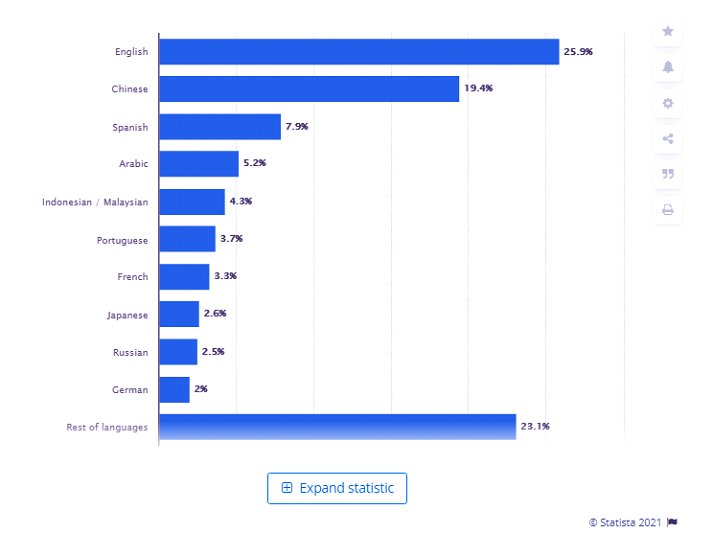
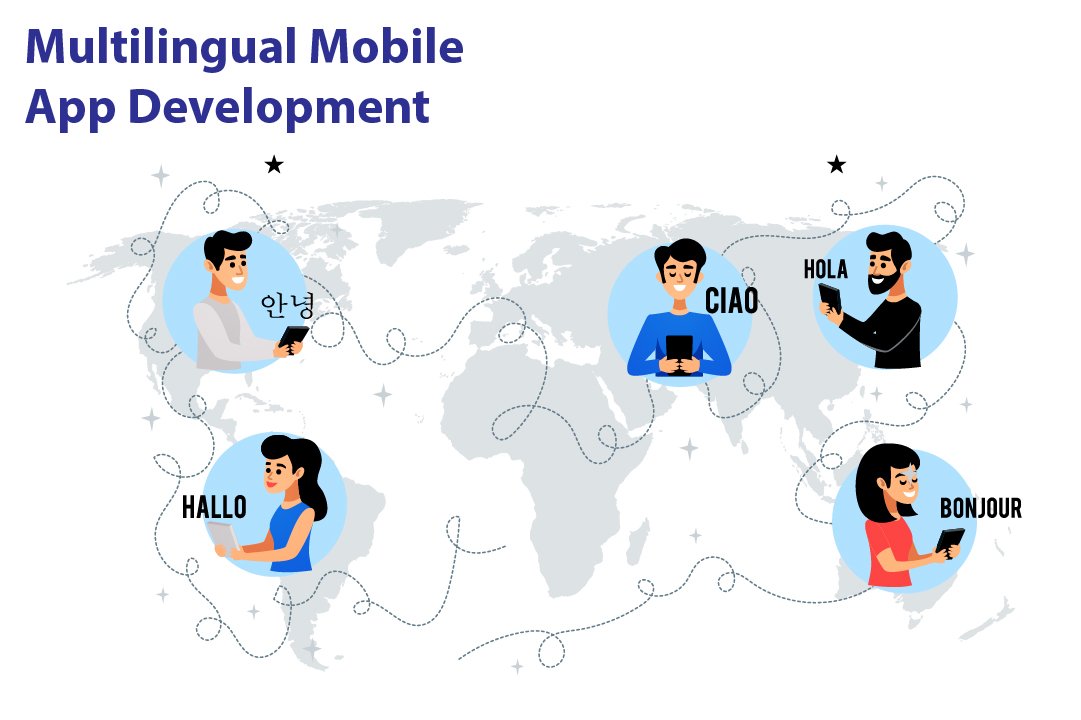
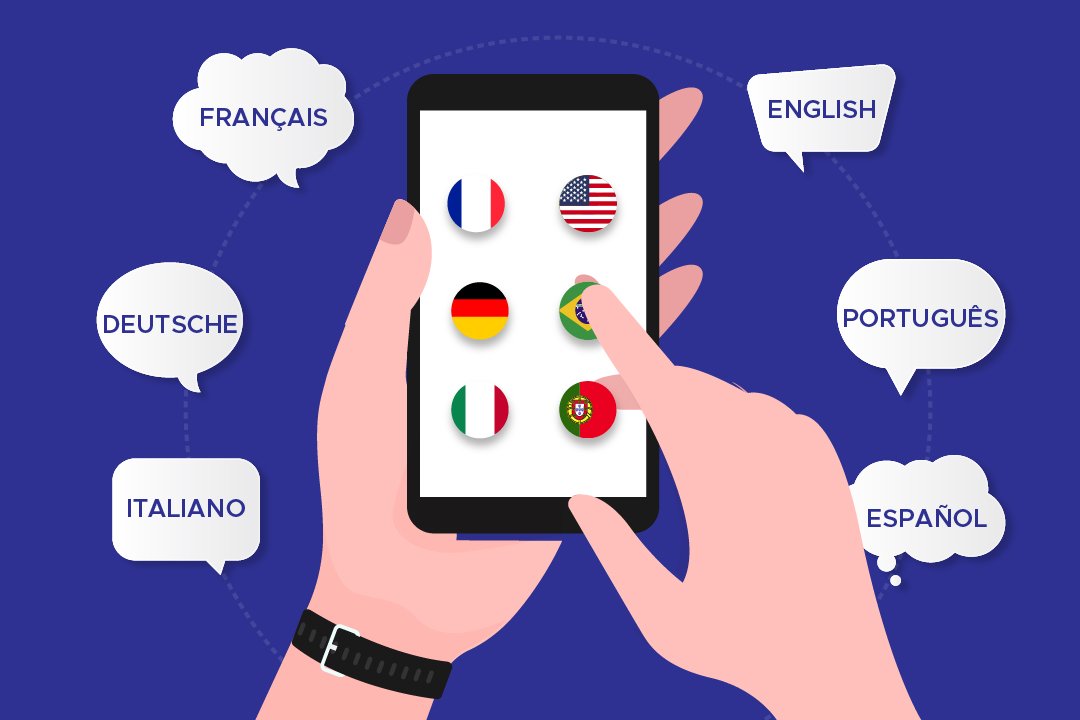
The world is a huge place, and it’s divided into regions and cultures with people speaking different languages. There are millions of languages the people speak on the earth. Talking of India alone, we have 22 official languages and more than 19,500 local languages spoken in India. Well, it might not be possible to develop an app that can inculcate all these languages of India. But there are other major languages all across the world that can be included while developing an app to ease out the efforts of users. The statistics on the< internet world stats show that English is the most frequently spoken language worldwide, which Chinese, Spanish, and Arabic follow.  These days, Android app development companies are progressing towards developing applications that include multiple languages to extensively help their customers and reach out to a larger audience. While globalization occurs at a steadier and quicker pace than earlier exchange of goods and services across the world is becoming more accessible and more prominent. A device made in China can be used by a person in South Africa or vice versa. When such things happen, a common barrier may arise, which is the language barrier. This language barrier Android app developers are working diligently to develop multi-linguistic apps. Below graph shows the most common languages used on the Internet as of January 2021. internet world stats Hiring an interpreter or a translator can be a very tedious and expensive task. To clear the air, the multi-linguistic apps have come to prove as the biggest asset. These apps have brought a drastic change in the way communication occurs worldwide on the internet. The applications that have a wide variety of users all across the world can be developed in a way that supports multiple languages by the best Android development companies.

Read on to know the crucial aspects of developing a multilingual app

Important Aspects Of Developing a Multilingual App

While developing an app, the Android development company< might delve into the dilemma of how to make an app multilingual so that it connects with a huge audience out there. Developing a multilingual app is not an easy task whatsoever. Several factors lead to a successful multi-language application. Android app developers must keep in mind that they should not turn a blind eye towards the User experience and future interface while developing a multilingual app.  This simply means that the application should not be focused only on translating the words to the desired language but should also present an interactive and high-performance User experience to the user. The app should have all the other qualities that a general application would have.

Localization is crucial: develop a steady strategy

Making an app ready for localization means the internalization of the application. Before beginning Android development, companies should focus on the process which leads to App designing.Try to follow the given approaches: app for localization

  • While programming the app, make sure that you leave some space to expand the text. There should be room for coding the UI extension programming too. This is a crucial step because several languages like Hindi take up a lot of space for translating.
  • If possible, UTF-8 encoding should be preferred to write the string so that there are fewer mistakes and the outcomes are produced quicker.
  • Another aspect that is very important in localizing is to use the specific formats of the particular region in your software. This should include the date, time, and currency of that region.
  • Do not forget to add the local language in the support and maintenance help guides of the app. Unable to do so would make your app incomplete and unfriendly for the users.
  • Not only this, but you also need to take care of the keyboards that are being used in your application. This keyboard should be customized according to the language input in the app.

Coming to the visuals

The next step while developing a multilingual app or multi-language website is to concentrate on the visual designs of the app or site. As we know, the first impression is the last impression; the app must be appealing to the users. Failing to create a well-organized and attractive visual layout of the app can lead to all your efforts going down the Drain. The first thing that is user good notices in an application would be the visual layout and designing the app. This means that the Android development company needs to focus diligently on the part of the app that is observable to the users. Multilingual mobile app While creating the app, Android development company face certain issues, such as an apparent need to use different diction, spellings, and writing. This problem may arise because the existing layout might not support the same set of writings. This can lead to the loss of pertinence. Indeed, to avoid this hassle, Android app developers should develop a fresh design for the multi-linguistic app. If this solution doesn’t work, you would have to create varied layouts for the different languages.

  • Avoid using any line for UI labels. Also, do not indicate the number of lines.
  • The height of UI labels is not to be set. Instead, it would be best if you were stabilizing the width of the UI labels.
  • It is necessary to set the flow of the content. The content should progress appropriately for the user to have a smooth experience. Also, widening the white space can aid you better as a developer.
  • Naming should be discrete and precise. The controls and functions that are out of the content names should be labeled properly.

Discover how cross-platform app development can enhance your multilingual app strategy for better customer acquisition, as discussed in multilingual app for customer acquisition.

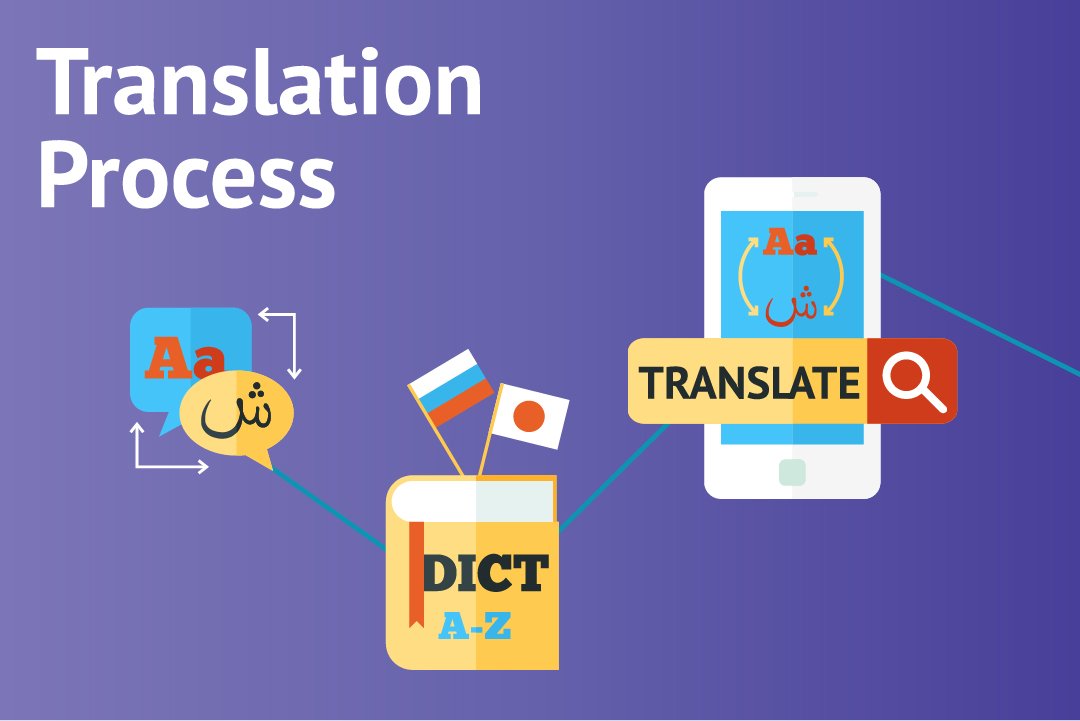
The translation process

The next most prominent step in the development of a multi-linguistic application is the process of translation. It is apparent that the development of a multilingual app consumes more time and is towards the expensive side while juxtaposing other normal apps with it. But, in today’s time, it is inevitable to resist the significance of multilingual apps. Translations are of three types typically: multilingual apps

  • Machine-based
  • Manual translation
  • Translation by professionals

The first type is simpler and less time-consuming because of the intervention of a machine- a computer- a man’s friend. The results are sharper, shorter, and apt. Also, this category eats up less of your money. Next up is manual translation. This is, in a way, white difficult and time-consuming as a man is put on duty. Various companies, as well as government organizations, require a translator from time to time. As is clear, a man can make mistakes. Also, expecting a human to hold all the substantial knowledge of both the languages with each aspect of grammar and written and spoken language is quite unfair. Also, it might come in as an expensive approach. The time and efforts that go into acquiring an extensive understanding of languages are enormous and will cost a big amount to the customer. Then comes the professional translator. This person has a wide range of knowledge of different languages. These professional translators develop the glossary of words that appears on your mobile screen. Learn about creating a fitness app with multilingual support and how it can fit into the digital revolution in fitness app development.

Translation Management System:

Next in line is getting the correct translation management system for your app. The main purpose of this system is to translate the stuff that you want meticulously.

  • They are usually a stage or a program that helps with automating the significant strides in lessening the time for downloading or transferring technique and correspondence.
  • They additionally make the collaboration better with the goal that every one of the individuals fostering the application can cooperate and screen the advancement of one another while altering, editing or downstream and upstream interpretation.
  • Dispense with any odds of trickery during the interpretation
  • Assists with improving the general nature of translation work
  • Monitors the task through a solitary stage
  • Planning of concentrated data set for different sorts of activities

Outsourcing of interpretation

Interpretation of language is a tedious as well as a long-winded task. At times, you might feel that this job is not favorable to be done alone. Thus, it is advisable to hire professionals from an android development company. This might lessen your dilemma of how to create a multi-language app in Android. You will get hands-on professionals with expertise in app development. If the translation work is getting hectic, you can send these professionals the code of the app and get back the translated version of it seamlessly. Outsourcing has its windfalls and disadvantages. You can save money there since you do not need to employ professional translators, but it can lead to specific security issues because the work is being shared with someone else.

Testing

The final step of creating the app is testing what you have developed before it is launched out there. Double pseudo-language can be used to discover what has gone missing. Also, the local language is also to be chat so that the app is technically in the right shape. Testing Not just this, testing is a crucial step because it’ll help you in deciphering the faults in the language. You can also make sure that the language sounds meaningful and if the entire outlook is neat and impressive or not. While employing the TMS, you need to do the bugs testing and update the bugs additionally to the regular testing.

Challenges Encountered While Developing a Multilingual App

While the English speakers are on the top of the list, we must not forget that it is only a part of the world that speaks English. So, while developing an application, there is a need to consider the facts and data along with the extensive need for multilingual apps<. multi-language application We’ve talked enough about the development of a multi-language application. Now is the time that we share the disputes with you while working on the process. Here we have listed some of the challenges that Android app developers have to encounter from time to time.

  • Translation: the most critical step of developing a multilingual app is a translation of language. By far, it is noted that this step is the most difficult one consisting of different challenges. Translation in an application is not similar to the general translation of language. When we talk about translating a language in an app, it is not just about the words. Translation and applications are consistent with the technical as well as cultural data. The ethnicity and culture, and overall outlook of the app are to be translated into another language. Previously we talked about the three types of translations. Computer Scholars have attempted to create tools that help translate the data into another language. But this translation precisely lacks the creativity and subjective interaction with the user.
  • Date and Time: as mentioned earlier, while developing an application that can work in various world regions, it has to inculcate cultural differences. Having changed the language that the app operates in is not enough. You need to take care of the regional and geographical inputs as well. These include the date and timezone of the area in question. 
  • Design modification: as we had mentioned earlier, the design layout of a multilingual app has to be created consistently with the language. The design layout of the app should be synonymous with the local culture and ethnicity of the area and the language spoken.

Are You Ready to Build a Multilingual App?

While there are numerous languages spoken out there, we feel he needs to connect the world through the medium of the internet and applications. Thus, to implement this sentiment, we give immense importance to the development of multilingual apps. These apps can help any business thrive by establishing a tremendous reach to the audience. Do not skip the challenges faced in developing these apps, though. If you follow the instructions and keep track of the challenges that may arise, you would definitely enjoy the procedure of the development of your app. So, give your best shot at our android development company and skyrocket your business!

Know Why Android Is Preferable Platform for On-Demand App Development

Applications, or say, mobile applications, to be specific, have a significant role to play in our daily lives. It wasn’t long ago that mobile applications made their way into the technology industry. But, it is evident that these undoubtedly have become the most sought-after thing in a person’s daily routine. The first thing in the morning- talking about most of the folks- we rely on the alarm application that sits in our mobile phones. And further, it’s a chain being followed. One thing leads to another, and there! You’re trapped. In the current scenario, android app development has become secure and a significant task.  The evolution of the technology industry led to the intervention of mobile applications into our lives. After smartphones and tablets entered our lives, it was mobile applications that sneaked in and gradually became the most valuable thing today. In fact, you won’t deny that it was for these mobile applications that these smartphones got the popular response they got. Had these applications not been in line, operating a smartphone would have been a tiresome task. Taking mobile applications, mobile app development is an important aspect. This industry has many aspirants as it is mainly used for developing and growing businesses or startup ideas or simply taking forward an initiative. Sometimes, even the government requires mobile app developers for the developments that could serve the entire nation. When we discuss mobile app development or on-demand app development, for that matter, we shouldn’t turn a blind eye towards the competitors of this industry. The prominent competitors that one comes across in the mobile app development industry are- Google and Apple. Well, Microsoft is also a horse in the race, but unfortunately, the horse runs at a slower pace. According to a record from Statista, there were 2.95 million apps on Google Play Store in December 2020.  mobile app Statista That’s pretty huge. Google play store has several different categories to classify these apps into. These categories range from gaming apps, music, video streaming, social media to business apps, payment apps, etc. The list is a long one. And currently, our focus is not on this list of categories. Either, it is the most sought-after apps that are in vogue these days- On-demand Apps. Further, let us discuss in detail what on-demand apps are.

What Is An On-Demand App?

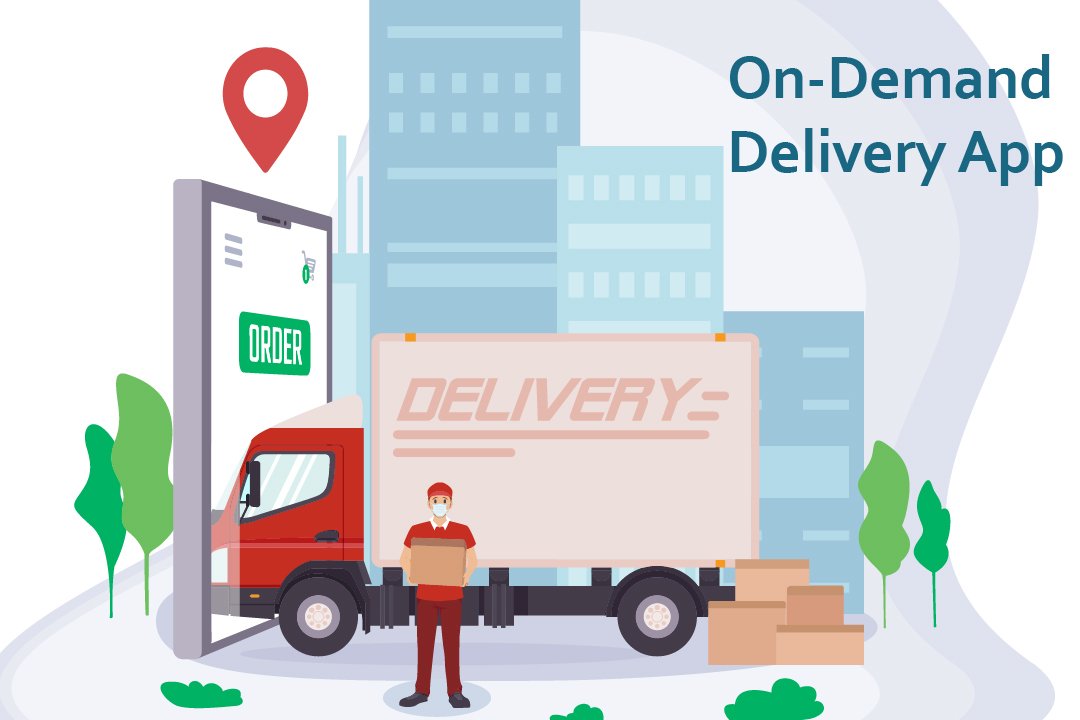
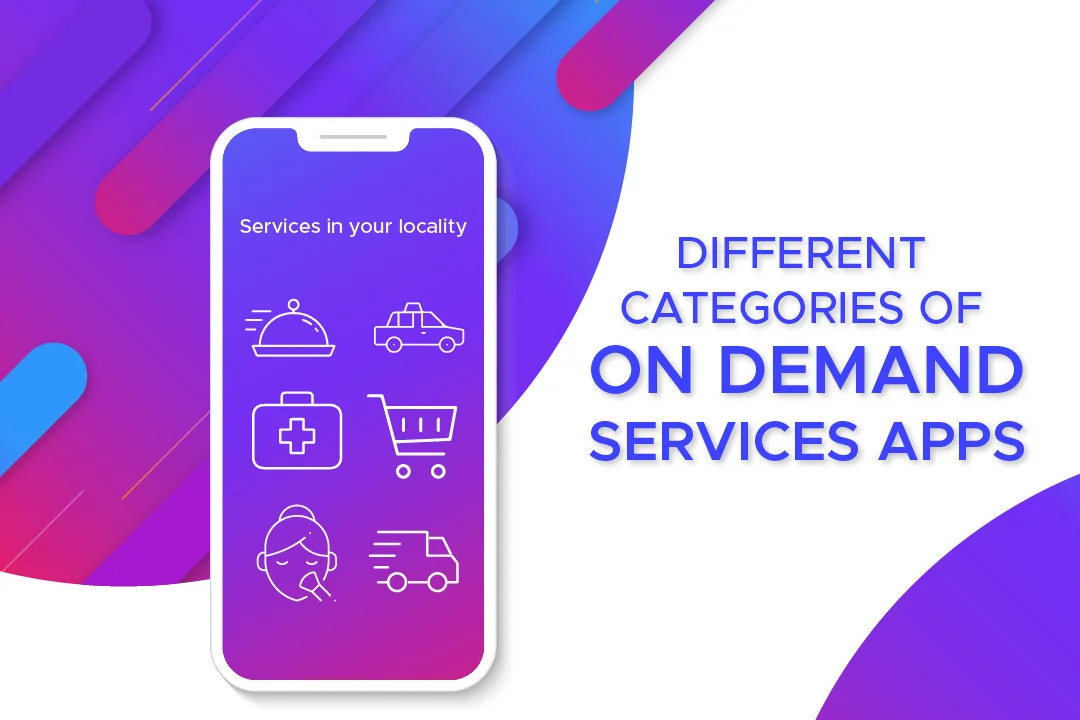
These days, the most used apps include on-demand applications. Whether you talk about the food delivery apps or the ones you use for booking cabs, these come under the category of on-demand mobile applications. These days, on-demand applications are everywhere. An on-demand app is actually software that operates as a mediator between a customer and a business. The businesses like Uber and Zomato and many others are an example of such an approach. On-demand app development is aimed at providing on-demand service to customers in a few minutes. On-Demand App These apps connect the customer indirectly to the various service providers out there in the market. The services being provided separately in the market are made to reach the customer through an online medium to be delivered at their doorsteps. Whether you talk of the food delivery apps, these apps collaborate with the various businesses around a place and simultaneously take orders from the customers and arrange the delivery of that order by themselves. On-demand app development prevails as a prominent task for android apps developers. On-demand app development services are quicker and are more convenient to use.

On-demand apps can be classified into different categories.

On-demand apps

  • Taxi service
  • Food delivery
  • Household chores
  • Car wash apps
  • Gifts
  • Flowers and plants
  • Healthcare
  • Medical apps

Android is a mobile operating system that is used to develop touchscreen devices, cell phones, tablets. It is based on a modified edition of Linux Kernel and other open-source software, which were predominantly designed for touchscreen devices and mobile phones. Each day, the number of mobile phones operating on Android is increasing. And likewise, the applications being added on the Google play store are also being proliferated. Trust us, and the on-demand advancement is here to stay. These apps are so convenient and liked by the users that they become habitual of ordering the essential services in just a few clicks. Further in the blog, we will decipher why android and on-demand app development goes hand in hand.

Why Is Android The Best Choice For On-Demand App Development?

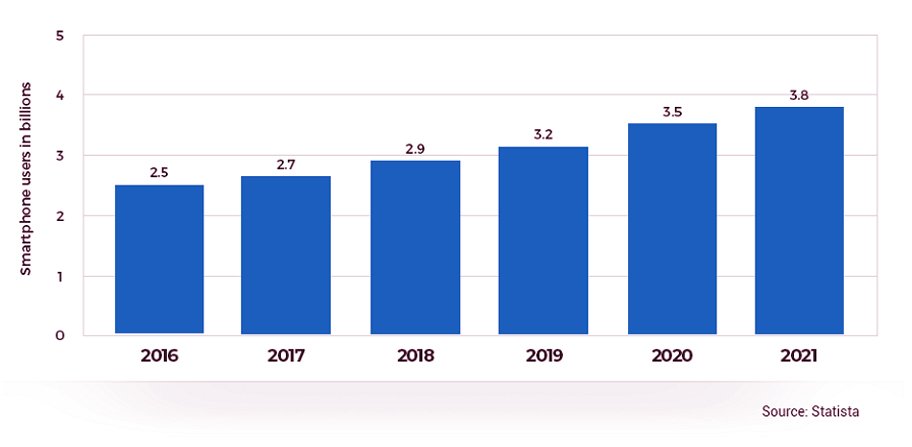
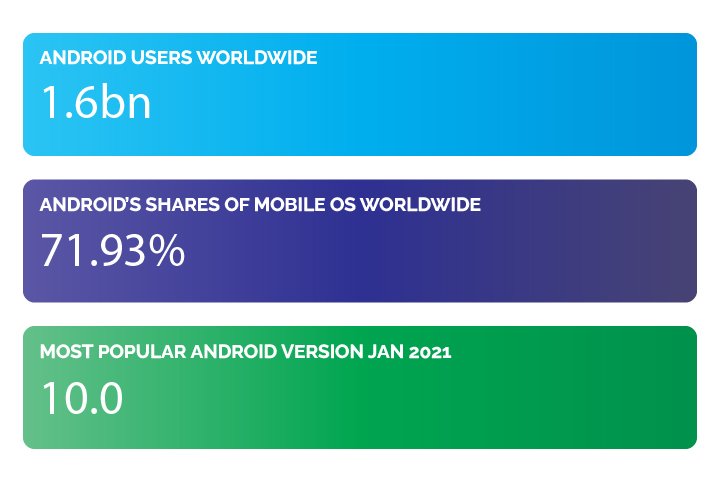
Android, the most used operating system, has taken the lead in the app development industry. The Android Operating System, which was developed by Google back in 2008, has now become developers’ choice, to be precise. Android has around 1.6 billion users worldwide. Not just this, Android has a share of 71.93% of the world’s operating systems. According to Statista, the data also shows that Android 10.0 is the most used Android version worldwide. Android app Android app development is the prominent procedure followed by several thousand developers from around the world. There are specific reasons that prove that Android is the best operating system to develop on-demand apps. Over the years, Android has set itself at an elevation from what it was in the past- at the time it was released in 2008. Android is now the most used operating system worldwide, as we already mentioned. Now is the time that you see clearly that it is, by far, the best platform for app development. Android app development doesn’t betray the developers, not the users. This way, the business owners, the developers, and the customers persist in being satisfied with the services.  The Android app platform works just the best for everyone. Here’s how:

Android apps possess a massive share in the market:

as we already mentioned earlier, Android has 71.93% of the share in the entire operating system market worldwide. This data in itself is vast and is consistent with the fact that it is by far the most preferred system. We can deny opinions, not the facts. Here we present you with the most accurate facts brought to you straight from authentic surveys done by the best websites worldwide. Android app development is and will be beneficial to everyone in all domains. People prefer the android apps present on the play store. Statistics and figures worldwide indicate only one direction- Android is faulting better than iOS. According to reports on Reports show 3.3 million Android apps in total Android also has an edge because of the vast geographical region covered by Android worldwide. Android apps also have a considerable share in the two densely or say markets- India and China- the most populated countries of the world. It’s definitely not confined to a particular continent. It finds its immense users based in large parts of Europe and South America, and even in many parts of Africa. On the other hand, iOS gets to witness its users restricted mainly to the US and Canada, if not for Australia. This clearly shows that if one wishes to reach out to a considerable mass of the populace, he should think about the platform best suited in the longer run. The only platform that would come to a developer’s mind when comparing the facts and figures of the audience being reached, a sensible one would not take a minute to go for Android app development. Likewise, on-demand applications have a great future if it is for the Android app development process. This procedure is the one that is adamant in bringing you success. Think of this as your mantra- The more influential the audience, the larger the reach, the better is the growth of your business.

Lenient and flexible app policies:

Lenient and flexible app policies are your way through any sensible, well-learned expert would have you believe that Google has the most flexible and developer and user-friendly app policies. These policies do not come in the way of developers during the android app development process, nor do they interrupt the working and usage of the end customers of the apps. Having such policies in place turns out to be a blessing for the developers. The guidelines that direct the app publishing and rejection are pretty lenient and easy on the developers. Stringent and hard to mold rules, terms, and conditions as not a thing of Android. The reviewing time taken at Android is even lesser than usual at the play store. Also, the tremendous expense that every developer or business owner wishes weren’t there is far less for Android developers than it is for iOS ones. While you’re developing an on-demand app, the requirements to pay that extra penny are eliminated. You pay a reasonable amount at Android- a contradiction to what you would pay to Apple.

More features, more fun: 

Who doesn’t like a little more than usual? Everyone wants to have that extra in just the same budget. Android allows you to have that little ‘extra’ in their apps. There is room for additional features in Android app development. Especially when creating on-demand apps, one needs to have several features handy that the customer is provided with the most convenient application to use. Features such as GPS and Maps are a boon for Android app users. These features are not something that should be, in anyways, left out. These help to communicate better with the customer and provide them with leverage of comfort. 

Customization is a piece of cake:

On-demand apps are not easy to maintain in general. Now and then, there’s something that needs to be changed to get a modified version of the app. Also, to cater to the needs of customers, you must include each functionality that is desired by your audience. This makes your app more reliable and convenient. To get this done, Android provides smooth and easy customization options for the developers to put in a feature and update the app whenever needed.

Google assistant: 

With Android, you get the benefit of google assistant. This assistant is incredibly profitable as it has a voice-enabled assistant at work. Your command is its order. You give the command, and it gets encrypted immediately, thereby leaving no room for dissatisfaction. You can search for a thing while doing a task effortlessly.

Better Data Storage: 

Google gets you 15 GB of data storage free of cost on its cloud. This data can be stored in Google Drive. This feature is highly beneficial when you wish to develop an on-demand application. Launching the on-demand app on Google Play Store will be smooth for you in light of the extensive storage that’s provided.

Multiple languages at one place: 

on-demand application The on-demand application should likewise have various language support components as it depends on the B2C model. It is a significant advantage that Android offers help for around 100 dialects in contrast with simple 34 languages on account of iOS. Read more about New Trends In Mobile App Development

Closing Lines: Are You Ready to Build an On-Demand Android App?

These days, there’s a powerful desire for on-demand applications in the market. With pandemics revolving around our lives, we surely need certain on-demand apps to work for our essential needs to be catered. Well, we’ve provided you with enough reasons why choosing Android would be the best choice for anyone. Consider all these points and choose the best for yourself.  With over a decade of experience in the field, we have covered almost all business areas of one or the other companies. If you have a project idea to discuss, you can contact us and discuss the details. Our android application development company will make the next android application a massive success!

Apple App Development Services from WeDoWebApps

With the increase in the number of Apple iPhone users, there is an increased demand for the users who wish to avail the services of Apple App development. WeDoWebApps LLC is one such IT company which is providing real-time solutions for various domains. We have developed our excellence in providing the application development on the iOS platform.

Here is a glance at our portfolio of the services which we facilitate to our various clients in this segment. Please have a look at it and decide the task you want us to do for you.

WeDoWebApps’s Portfolio for Apple App Development

Excellent Quality of Application

We don’t compromise with the quality of the applications we are creating. In this manner, we will be continuously delivering you with the top-notch quality iOS apps as per your need and requirements. With the qualitative measures, we are taking care of; we ensure that your users wouldn’t face difficulty while accessing the various functions. As a result, your app will be offering a better user interface to the users irrespective of the device you are accessing it from. What’s more, this will make the app popular among the client base. Also, it will increase the installation number will grow at a higher pace. Explore more about iPad application development services in our article iPad application development services.

Highly Skilled iOS Developers

Our team of efficient iOS developers is familiar with the Apple App Development environment. As a result, they are having brief knowledge of all the aspects that might affect the performance of an app. Furthermore, we also understand both the clientele requirements as well as the buyer’s persona. This makes us deliver the platform, which will be beneficial both, to the online business owner as well as his target audience. While leveraging our top-notch Apple app development services, ensure your website is in good hands with our expert WordPress development solutions.

Guaranteed Store Assurance

While creating the application for you, we take all the considerations of the Apple App Store. We know that the final destination one wishes for their use is the App store. It will make it simpler for your audience base to find your application and install it on their system. Perhaps, this is the reason why we keep all the factors influencing the app in our mind while creating the app. Hence, your application will get guaranteed store placement if you get the services from WeDoWebApps LLC.

Read also: Hire Dedicated Swift Developers and Availing App Development Services

Compatible with Multiple Devices

Well, Apple is having users constituting to multiple devices. These devices include iPhone 4 till iPhone X. Due to this, it is necessary for taking care of the optimizability of the mobile application. Because the screen resolution and size differs a lot from each other. While creating the apps, we take care of this factor. Hence, we will be creating the apps which will smoothly adjust itself according to the screen size. Therefore, the users will be getting the same User Interface across all the devices.

Read more about iOS App Development Australia

Wish to avail our services for Apple App Development? Get in touch with expert iOS developers of WeDoWebApps LLC for a quick quote!

Maximize your app’s potential with our Apple app development services, and take advantage of our specialized iOS developer services for outstanding mobile solutions.

Check out our insights on the latest Apple event and how it impacts app development. Learn more in our article latest Apple event insights.

Availing App Development Services from WeDoWebApps

When developing an Android application for your business, it is utmost essential for us to be careful. In the present article, we are going to explain to you about How does it feel like Availing Mobile App Development Services from WeDoWebApps LLC! We are featured among the leading IT companies in Australia. Here are some of the reasons why have taken up this position.

Have a look at all these points and determine our best qualities!

What is the feeling while Availing of App Development Services from WeDoWebApps LLC?

Trust in us!

We are the trusted business partners for our long bunch of clients. With our wide expertise in developing the application for various business requirements. We have familiarized ourselves with many notions of business. Due to this, we will be delivering all the necessary features, and functions as per your requirement. This will let us deliver you a neat and clean application that will function appropriately for your end users. In this manner, your users will always stick with your apps and carry on using them for a longer duration of time.

In the Budget Development

Money matters in all cases. Considering this fact, we have kept the rates of our services at a competitive level. As a result, developing a project with us wouldn’t cost you much! We are having a large experience in the field of Android application development. Therefore, we are familiar with the rates in the market. Perhaps, this is the reason why we have kept our rates at a competitive level. This will not only save the project cost for you but also will take care of your budget in the long run.

Overall Satisfaction

When developing the project for our clients, we take care of their satisfaction. We are developing the application for our clients as well as their users. Therefore, our team of consultants will always stay in touch with you during the whole course of development. We will record your feedback and make the changes as necessary. This will result in the development of a project as per your needs and requirements. Moreover, if at any stage of development you wish to ask us any questions, you shall feel free to do so! It’s your project and you are free to ask us anything so as to clear your doubts.

Post Sales Services

Our services don’t end with the delivery of the application. We are also providing the services of application updating, platform upgrading, integration of the latest features, and a lot more. Therefore, even after the delivery of the project, you can consult us for anything. If your application is having issues after the delivery, we will take care of it and resolve all the issues pertaining to it. In this manner, your app will be functioning perfectly across all handheld devices.

Wishing to avail of App Development Services from WeDoWebApps LLC? Get in touch with our expert team of consultants for a quick quote!

Website Maintenance Plans: Keep Your Site Secure And Updated

Website Maintenance Basics Every Business Should Know

You have successfully launched the website and safely covered all the development practices, and you can be fully prepared to welcome the visitors and grow the online presence. But here is the question: Is your website running at its best?

Even the most efficiently designed site can face issues without regular website maintenance. However, getting your website up to date requires you to have the proper website maintenance plan, and you keep it secure, fast, and user-friendly. Also, if you are not able to manage the website more accurately then it requires to have support web development services.

In this article, we will break down the key maintenance tasks that you need to take care of, explain why website maintenance matters the most, and show you how you can select a website maintenance plan that fits your business needs.

What Is Website Maintenance and Why Does It Matter

Website maintenance is the ongoing process to keep the website secure, properly functioning, and up-to-date. It is more than supported by the initial design and development stages. It allows you to be sure that your site continues to give you better performance while meeting the business standards. Effective maintenance allows you to cover the technical updates, content management, and security checks.

Maintaining a website is confusing as the first between web development and maintenance, but they are different:

  • Web Design Development and Maintenance: The initial phase of site development, which includes design, coding, and functionality.
  • Regular Website Maintenance: The ongoing process of keeping the site updated, secure, and well-performing optimally.

Why It Matters:

  1. Improves User Experience: Regular maintenance support to make sure that the site is loading quickly, links are working properly, and the site functions smoothly.
  2. Protects Against Security Risks: Update and check for security while preventing possible vulnerabilities.
  3. Support SEO and Traffic: Fresh content and proper technical upkeep improve search engine rankings.
  4. Prevent Downtime: Proactive maintenance reduces the risk of crashes or errors in the site while managing the disruptions.

A solid website maintenance plan combines all the tasks into a structured schedule, helping businesses of all sizes, whether it is a startup or a large enterprise. This keeps the site performing well at its best to result in accuracy.

Core Areas of Regular Website Maintenance

Having a comprehensive website maintenance plan allows you to be sure that your website remains secure, functional, and optimized. The key areas of website support and maintenance include:

1. Security Maintenance

  • Perform regular malware scans for handling website security maintenance.
  • Update firewalls, security plugins, and server configurations regularly.
  • Renew the SSL certification to handle the security and monitor HTTPS for secure connections.
  • Apply for CMS and plugin security patches to handle the website promptly.

2. Technical and Functional Updates

  • Include CMS updates, themes, and plugins under your website support and maintenance plan.
  • Fix the broken links, 404 errors, and handle navigation issues for smooth website functioning.
  • Ensure that forms, eCommerce carts, and interactive features are running properly.
  • Monitor the uptime and resolve the server or hosting issues effectively.

3. Content and SEO Updates

  • Add new blog posts, product pages, or portfolio updates as part of regular website maintenance.
  • Optimize page title, meta description, and structured data for search engines.
  • Maintain the SEO health by constantly reviewing and updating the internal links.
  • Update images, videos, and media to maintain the fast load time and better rankings.

4. Performance Optimization

  • Test for the speed of the page and Core Web Vitals under your website maintenance and support schedule.
  • Make sure you reduce the size of the image and optimize the script to maintain the load time of the website.
  • Configure the content delivery network to maintain the global performance.
  • From your website, remove the unnecessary plugins and code to maintain accurate speed.

5. Performance and Recovery

  • Schedule for maintaining the consistency of the website backup as part of regular website maintenance.
  • Test with the restoration procedure to ensure that backups work correctly.
  • Maintain control over the version with a rollback option for updates.
  • Store the backups more securely and verify the site for cloud availability.

Combining these areas into a monthly or quarterly website maintenance plan allows you to be sure that ongoing security, performance, and SEO improvements are being made.

website audit maintenance recommendations report

Website Maintenance Frequency: Daily, Monthly, and Annual Tasks

Having a successful website requires more than just the website maintenance plan. It requires maintaining the task in daily, monthly, and annual schedules. This structure allows you to be sure about the various aspects of the website and prevents being overlooked.

1. Daily Website Maintenance tasks

  • Monitor the security and site availability as part of regular website maintenance services.
  • Review the website security logs and various suspicious activities.
  • Check contact forms, checkout processes, and key functionalities.
  • Take a backup of essential data on-site for managing content or transactions.

2. Monthly Website Maintenance Tasks

  • Update the plugins and theme as the monthly website maintenance packages of your business.
  • Optimize for the speed of the website and review the metrics of Core Web Vitals.
  • Publish fresh content and update the existing posts or pages.
  • Test backups and restoration procedures for reliability.

3. Annual Website Maintenance Tasks

  • Audit for managing the design of the website and structure as the annual website maintenance plan.
  • Renew the domain registration, hosting, and SSL certificates.
  • Review marketing strategies and analytic data to refine the SEO.
  • For your website, perform a full security audit and include web penetration testing.

Many businesses handle all these tasks in a monthly website maintenance package, ensuring that the overall website consistency is maintained while minimizing the risks.

Monthly Website Maintenance Packages: What’s Typically Included

A well-structured website maintenance plan typically includes technical support, content management, and handling the security of the website. While the various details may vary, as per the needs of the regular website maintenance plans.

Service Areas Inclusion Benefits
Security Updates Regular malware scans, firewall updates, and SSL renewals. Give your website better protection against data theft and downtime.
Technical Support  Fix issues related to bugs and hosting, and server issues. Keep your website run smoothly with minimal disruptions.
Content Updates Add new blogs, product pages, and refresh images. Keep the website more relevant and SEO-friendly.
Performance Monitoring Test for website speed, Core Web Vitals, and script optimization. Improve load time and expectations of users.
Backup and Recovery Schedule for the backup, restoration, and secure off-site storage. Ensure that data safety is maintained and quick recovery from issues.
Reporting and Analytics Monthly maintenance reports, SEO performance, and tracking insight on generated traffic. Help in measuring the ROI from website maintenance and support.

All these are the essential services that need to be included in the monthly website maintenance packages.

Cost Range of Monthly Website Maintenance Packages

The cost of monthly website packages depends on the size and complexity of your website.

Here is the comparison of the table of the website maintenance packages

Website Type  Average Monthly Cost What’s Included
Small Business Website $50 – $250 Basic services of security updates, plugins, and backups.
Medium-Sized Website $250 – $1,000 Security, technical support, and SEO updates.
Enterprise-level Website $1,000 and more Advanced support with 24/7 monitoring and performance scaling.

Benefits of Outsourcing Monthly Website Maintenance

  • Professional expertise: Provide the handlers with the support of complex tasks like security, uptime monitoring, and optimization.
  • Time Savings: Free up the internal team to focus on business operations.
  • Cost Efficiency: Allows you to spend more expense in preventing downtime issues and emergency fixes.
  • Scalability: Monthly packages allow you to grow your business needs from small sites to large enterprise platforms.

Choosing a trusted provider for regular website maintenance plans allows you to be sure about getting support for proactive monitoring.

monthly website maintenance support plans pricing business growth

Comparing Website Maintenance Plans: Basic, Standard, and Advanced

Not all businesses are required to have the same type of website support and maintenance. Providers usually offer the support of the website maintenance plans that vary by scope, response time, and pricing.

Here is a quick comparison:

Feature / Service Basic Plan ($99/month) Standard Plan ($249/month) Advanced Plan ($499/month)
Security Monitoring Basic scans & SSL renewal Malware scans, plugin patching 24/7 monitoring, firewall management
Technical Support Limited bug fixes Priority bug fixes, uptime monitoring Full hosting support, server optimization
Content Updates 1 – 2 updates per month 4 – 6 updates per month Unlimited updates with SEO review
Performance Optimization Quarterly speed check Monthly Core Web Vitals review< Weekly performance optimization
Backup & Recovery Weekly backups Daily backups & test restores Real-time backups & disaster recovery
Reporting Basic monthly report Detailed performance report Advanced analytics & SEO insights
SLA Response Time 72 hours 24 hours 6 – 12 hours
Custom Development Hours Not included 2 – 4 hours per month 6 – 10 hours per month

How to Choose the Right Website Maintenance Plan

  • Start with the basic plan as these are the best for small businesses who are having low traffic and need minimal updates.
  • Standard plan that suits growing your business with frequent content updates and reliable support.
  • Advanced plan work for an eCommerce and enterprise website where uptime, performance, and security are maintained.

When comparing the website support and maintenance plans, you can easily pay more attention to the response time and include the development hours. These determine how quickly the issues are resolved, and there is a need for extra budget to handle the custom changes.

Choosing the Right Website Support and Maintenance Provider

Selecting the right partner for website support and maintenance allows you to know whether your website is running properly without facing any issues. A reliable provider allows you to combine technical expertise with proactive monitoring and clear communication.

Checklist for Selecting the Right Provider

When reviewing the companies that offer web development and maintenance support, you can look for:

  • Proven Experience: A record of the offered maintenance support to demonstrate the reliability of services.
  • Service Level Agreement (SLAs): Define the response time and the way of handling the process.
  • Staging Environment: Testing the safe protocols for handling the updates before the site goes live.
  • 24/7 Support:  Monitor and resolve the issues at any time.

Red Flags to Avoid

Be aware of some of the common challenges related to the website maintenance and support services. These are some of the signs that you need to consider:

  • No regular backups or unclear backup strategy.
  • Lack of transparency towards the monthly reporting on performance and updates.
  • Poor and inconsistent communication options.

Importance of Transparent Contracts

The professional website support and maintenance provider should allow you to be clear about the contract that is offered:

  • Scope of services covered in the plan.
  • Cost of additional services or custom development hours.
  • SLA commitment for security, uptime, and response time.

Before signing the request for the sample reports and verify whether the backup and monitoring processes are automated. This allows you to be sure of getting the support of basic web development and maintenance with accountability.

Emerging Trends in Website Maintenance (2025)

The scope of web design development and maintenance is increasing quickly, and you must stay ahead of all these new updates to keep your site more reliable and secure. In 2025, there are several modern and effective development trends that have reshaped how companies are developing websites and handling the ongoing maintenance.

Here are some trends that you must know about website security maintenance:

1. AI-Driven Monitoring and Predictive Maintenance

AI tools are being integrated to have a unique process of keeping track of uptime, performance, and user activity. Instead of reacting to the problems, predictive maintenance allows you to identify the failure before it causes downtime. This shift reduces the unexpected costs and improves reliability.

2. Headless CMS and JAMstack Support

Modern websites are built on the headless CMS system and modern architecture that requires more specialized maintenance and support. With the right support provider, you can maintain the focus on API monitoring, static site generation, and integration with various updates to maintain accurate performance.

3. Cloud-Native Security Solutions

Security has been updated with firewalls and SSL certifications. Cloud-native systems provide real-time protection by automating the process of scanning for vulnerabilities and ensuring compliance. These advancements can elevate the process by having standard website security maintenance services.

4. Automation in Backups and Updates

The automated system can now handle the routine tasks such as daily backups, plugin updates, and content synchronization. This reduces the chances of having human error while making the web design development and maintenance more efficient and cost-effective.

Businesses can adopt all these when there is a need for innovation, not only to reduce risks but also to improve long-term performance and scalability.

Common Mistakes to Avoid in Regular Website Maintenance

Even with a well-structured website maintenance plan, some of the mistakes can compromise the performance of the website and have an impact on the security and user experience.

Here are the top pitfalls to watch out for:

1. Not Backing Up Data Before Updates

Every regular website maintenance plans should include full backup options. Without proper management of the data, you can even fail to follow the secure updates and cause conflicts. Restoring the site becomes difficult and time-consuming.

2. Updating Directly on the Live Site

Making the changes without a staging environment can lead to errors that are immediately seen by users. Always test for the update in the safe staging environment before going live.

3. Overlooking Mobile and Accessibility Audits

Mobile responsiveness and accessibility are critical for SEO and user experience. Regular audits allow you to be sure about the smooth functioning of the website and a better appearance across all devices, with maintained accessibility.

4. Forgetting License Renewals

Plugins, themes, and security tools often require you to have more supportive and active licenses. If you miss the renewal of the license that it can break the functionality or leave the site vulnerable, even with putting the website security maintenance efforts.

When you include these practices in your regular website maintenance plan allows you to reduce downtime issues, protect your data, and ensure your website performs optimally.

Keep Your Website Secure and Optimized with a Professional Maintenance Plan

A well-maintained website is important to have strong performance, security, and user experience. Regular website maintenance support allows you to stay updated, run smoothly, and protect against downtime issues. Even if you are managing the updates in-house or partnering with an expert, having a strong, structured website maintenance plan is essential to have long-term support and success.

By investing in website support and maintenance, you can:

  • Reduce the unexpected downtime issues and technical glitches.
  • Protect the sensitive data and improve the website security maintenance.
  • Maintain a high appearance in search engine ranking and optimize the content and performance.
  • Focus more on growth while maintaining the technical upkeep for professionals.

With the start of website maintenance then you need to connect with a website development company that offers you the support of improved performance and better results.

Reliable monthly website support maintenance packages for better performance

Best Android App Maker Online: Create Android Apps Without Coding in 2026

Online Android App Maker: A Quick Guide

Creating an Android app with the recent updates is not an issue with the availability of online Android app makers. This no longer requires the coding experience or a team of expert developers.

With the use of the online Android App Maker, anyone from a small business owner to a creator can launch the application with zero technical knowledge.

These platforms offer a drag-and-drop interface, pre-built templates, and even real-time access to the code preview. This allows to have the faster development of the app, is affordable, and accessible.

In this guide, we will be exploring how the Android app maker for Android works, the best platform to try, and what to consider when choosing the right Android app development service company for your goals.

What Is an Android App Maker and Who Should Use It?

An Android app maker is an online platform that allows users to build an Android application without coding. These tools are specifically designed to offer simplicity, visual editors, drag and drop features, and pre-built templates. It allows for making the app creation more accessible to non-developers.

How most Android app makers work:

  • Choose Template: Allow you to choose the template and make an effective design for your application.
  • Customize Visuals: The available drag-and-drop option makes it streamlined to add various possible features.
  • Preview on Real-time: Make it simple to see how your app will look on the different Android devices.
  • Publish Your App: Simplify this the application can be added to the Play Store of Android devices.

The Difference Between an App Maker and Hiring Developers

Well, hiring a professional Android App Developer and connecting the agency it offers with access to various features allows for complex integration, and maintains scalability. This does come with a higher cost and longer timeline.

App Maker Hiring Developers
Faster launch and MVP development Ideal for complex, scalable apps
Budget-friendly Higher costs involved
No coding needed Requires technical collaboration
Great for simple apps Better for custom features and integrations

If you need a fully customized, high-performance app, hiring Android App developers may be a better solution for your application. But if you want to get started fast, an app maker is often the smarter choice.

Benefits of Using an Online App Maker

Several benefits are being offered by the online Android app maker. This includes cost-effectiveness, no code required, improved speed, and is easy to use for beginners.

Here are several benefits of included with the use of online app maker:

  • No coding required  – Build the app with the use of built-in templates.
  • Quick deployment – Make it faster with the attached features and components.
  • Cost-effective – These app builders significantly reduce the cost of app development.
  • Ideal for startups, small businesses, and non-tech users – The offered flexibility of these tools makes it possible to access web-based applications. 

How Do Online Android App Makers Work?

An online Android app maker makes it easier to build an effective application for maintaining work effectively. This includes access to various features, simplifying testing, debugging, and deployment tools to maintain the backend processes.

With the rise in the use of mobile devices, Online Android app makers allow for simpler processes and effective editors, and automation tools.

These tools eliminate the need for coding, making app creation accessible to anyone, from entrepreneurs to educators.

With these platforms, you can easily manage both the front-end design and back-end functionality of your app, all within a browser-based environment.

Common Features in Modern App Builders

For building an effective app, this Android app maker for Android streamlined the processes with its added features. Best Android app makers come with a robust set of built-in tools to streamline the app creation process:

  • Drag-and-Drop UI Editors – Build interfaces visually with zero coding.
  • Pre-Built Templates – Start with ready-to-use designs tailored to various industries.
  • Android App Previews – See real-time previews on mobile screens.
  • Push Notifications & Monetization – Integrate tools like AdMob and in-app messaging.

Typical Workflow in an Android App Maker

The use of the best Android app maker not only improves the different processes but also makes it a more reliable source for handling workflow.

Here’s how a typical app-building process works with an online tool:

  • Sign up for a builder – Create an account on your chosen platform.
  • Choose a Template – Pick a layout suited for your business or app type.
  • Customize Design & Content – Use drag-and-drop blocks to personalize.
  • Add Features – Integrate elements like chat, forms, payment gateways, or media.
  • Test Your App – Use built-in preview or emulators to check performance.
  • Publish to Play Store – Generate an APK or directly publish to the Google Play Store.

These app builders allow you to cut down the cost related to Android app development and also reduce the chances of connecting with the developers. Now let’s know about the top online Android app maker that can be used.

effective feature and develop the app

Top 7 Online Android App Makers in 2026 (Free & Paid)

For creating the advanced application, it is required to have clear access to the various tools that allow no-code development. Whether you are supposed to build the app for personal productivity or a full-featured e-commerce app, selecting the right Android app maker online is essential.

Below are the discussed details so that you can know about the most powerful, user-friendly feature, and the added support to build the app.

1. Appy Pie  – For Beginners

Appy Pie is the best platform to use when it comes to beginners because it offers no-code development choices. This helps the users to build the Android app as well as the iOS without having any knowledge of the programming language. This is known for its user-friendly interface and the fast supported development cycle.

Included Features:

  • Faster drag and drop features.
  • Pre-built Templates for different industries.
  • Give support to publishing on the App Store.
  • Integrations with GPS, push notifications, chatbots, and payment gateways.
  • Multilingual support for global app launches.

Why does it stand out:

Apple Pie is ideal when it comes to creating an app for small businesses, a different app for scheduling, or other processes. It automates the workflow for beginners to maintain accuracy.

Pros: 

  • Ideal for beginners with access to zero coding options.
  • Access to wide template libraries.
  • 24/7 customer support in case of issues.

Cons:

  • Limited design flexibility with lower plans.
  • This may lack the advanced customization option for maintaining complex apps.

2. Thunkable  – best for customization

This is also a no-code platform that allows developers to have access to advanced functionality. This offers clear drag-and-drop features for maintaining the advanced logic-based app with proper customization.

Offered features:

  • Accessibility towards block-based programming.
  • Effective cross-platform programming for Android and iOS.
  • Live testing is available for the app and its connected devices.
  • Integration with the advanced APIs and database.
  • Access to device features.

Why does this stand out:This gives users control over maintaining the logic of the app while keeping the UI simple. It is perfect for ensuring app user authenticity by incorporating dynamic content and enabling real-time data management.

Pros:

  • Offer flexibility for creating better writing codes.
  • Maintain a strong community and extensive documentation.
  • Supportive when it comes to creating educational purposes and prototypes.

Cons:

  • Slightly slow learning curve.
  • Included with the free edition, but the problem is the attached watermark.

3. Andromo – Best for Content Creators

This is particularly effective for converting content like blogs, basic content apps, some native mobile apps, and making monetizable Android apps quickly and easily.

Key Features:

  • Access to a ready-to-use template for developing the ebooks or media.
  • Support for the different supportive applications.
  • Push notification and subscription models.
  • Offline mode for developing content-based applications.
  • Real-time analytics.

Why does this stand out:

This is the premium application that allows you to create an app for both Android and iOS. Andromo excels in helping users generate revenue from content. You can embed RSS feeds, videos, or audio files to create multimedia apps in just a few steps.

Pros:

  • Monetization built-in
  • Fast content app generation
  • No coding needed

Cons:

  • Not ideal for highly interactive or transactional apps
  • UI customization options are somewhat limited

4. AppGyver – Best Free Option with Logic Flows

AppGyver is supported by SAP, with free access and no-code development. This platform offers powerful logic flow and integration for making ideal and complex tools for advanced business applications.

Key Features:

  • Visual drag-and-drop logic editor
  • Component-based UI builder
  • REST API support and third-party integrations
  • Real-time testing and debugging
  • Native performance with responsive layouts

Why It Stands Out:

This has been powerful in maintaining the efficiency of the platform. It gives support to the simple apps and complex enterprise applications with seamless handling of the app and UI responsiveness.

Pros:

  • Free for individual developers and small teams
  • Extremely flexible with powerful backend logic
  • Suitable for web, Android, and iOS

Cons:

  • Steeper learning curve than beginner platforms
  • Less beginner-friendly without a background in app workflows

5. BuildFire – Best for Business Apps

This is a cloud-based mobile app development platform that allows you to build highly scalable and effective business apps. Making it ideal for internal tools, CRM apps, employee portals, or client-facing mobile experiences.

Key Features:

  • Plugin marketplace with 150+ integrations
  • White-labeling and custom branding
  • Push notifications, analytics, and user segmentation
  • Advanced integrations (Zapier, Salesforce, Google Workspace)
  • Developer SDK for custom functionality

Why It Stands Out: This offers custom-based services for maintaining high functionality. Given the wide range of business features to build an app that is a more tailored solution.

Pros:

  • Ideal for growing businesses and enterprise apps
  • Modular plugin system with developer-friendly architecture
  • Excellent support and scalability

Cons:

  • High starting cost ($189/month)
  • It may be overkill for simple app projects

6. Kodular – Best for Educational Use

This has been the ideal Android app maker online when it comes to developing the application for educational purposes. Offer the free version while making it more affordable for institutions and educational sources.

Key Features:

  • User-friendly approaches
  • Extensive component library
  • Built-in features and custom ad components
  • Open-source for development
  • Firebase and Google support

Why this matters: Widely used because of its offered interface, which makes the app appear to be more valuable and allows for making interactive educational apps.

Pros:

  • Maintain a clear focus on the development.
  • Offer tools to generate revenue from apps.
  • Use for future development of applications.

Cons:

  • Not ideal for building cross-platform and iOS apps.
  • Limited customization options and a lack of flexibility.

7. GoodBarber – Best for E-commerce

Best Android app maker for creating powerful and feature-rich mobile applications. This is specifically designed for developing a retail application and mobile checkout system.

Key Features:

  • Product catalog management
  • Payment gateway integrations (Stripe, PayPal)
  • Cart, order tracking, and customer login
  • Progressive Web Apps (PWAs) support
  • Marketing tools like coupons and push notifications

Why It Stands Out: If you’re an online retailer or Shopify seller wanting a native Android app, GoodBarber makes it easy with ready-to-use e-commerce features.

Pros:

  • Mobile-first e-commerce design
  • Supports in-app purchases and cart recovery
  • Great UI/UX for mobile shoppers

Cons:

  • E-commerce features are only available on premium plans
  • Limited 3rd-party integrations compared to other platforms

Comparison Table: Top Android App Makers in 2026

App Maker Starting Price (Monthly) Key Features Best For Support Options
Appy Pie $16 Drag-and-drop builder, real-time preview, app publishing Beginners & SMBs 24/7 live chat, tutorials
Thunkable Free / $13+ (Pro) Block-based logic, cross-platform, API integration Custom apps, prototyping Email, docs, community forum
Andromo Free / $8+ Content monetization, offline support, AdMob & Facebook Ads Content creators Email, FAQs, ticket system
AppGyver Free Visual logic editor, API integration, responsive layouts Developers & enterprises Community, docs, Slack channel
BuildFire $189 Plugin marketplace, advanced integrations, white-label options Business & enterprise apps Live support, onboarding calls
Kodular Free Monetization, Firebase integration, block-based programming Education & learners Community support, tutorials
GoodBarber $25 (Content App) / $35+ (Shopping App) E-commerce tools, product catalog, PWAs, in-app payments E-commerce businesses Email, tutorials, live chat (paid)

Android App Maker for Android Devices: Is It Possible to Build on Mobile?

Yes, the Android app maker for Android allows you to build the app directly. This offers the control and flexibility to have a mobile-first app maker with evolved features. Allow users to create the apps without the need for a laptop or PC.

These mobile tools are useful for beginners and also for experienced developers to have faster development and handle edits.

Recommended Mobile-First App Makers

Here are some of the best Android app maker platforms that you can use to build Android apps directly on Android devices:

Sketchware

It is a powerful and open-source Android app maker that makes use of drag-and-drop options to create a better programming interface. Allow users to build the real Android APKs.

  • Key Features:
    • No coding required
    • Generates actual Java code in the background
    • Allows export of APKs
    • This includes logic, UI components, and custom code choices
  • Best For: Hobbyists, students, and rapid prototyping.

Kodular Companion

This allows you to build the Android app with live testing. While Kodular is a web-based builder, the Kodular Companion app lets you test, preview, and debug your projects directly on your Android device.

  • Key Features:
    • Real-time preview on mobile
    • Scan QR codes to sync projects
    • Ideal for testing design and functionality
  • Best For: Those using Kodular on the web who want quick mobile testing.

AIDE (Android IDE)

AIDE is a comprehensive tool that allows you to build Android applications directly on Android devices. This allows you to compile, write, and run Android using Java, Kotlin, and C++.

  • Key Features:
    • Write and compile real Android apps
    • Git integration and file manager
    • Supports Android Studio project import
  • Best For: Experienced developers who prefer mobile workflows.

Pros and Cons of Making Apps on Android Devices

Here is a table that gives a reflection on the pros and cons of making an Android app on Android devices with the use of Android App Maker.

Aspect Pros Cons
Accessibility Can build apps anytime, anywhere using just a mobile device Limited screen size can make UI design cumbersome
Hardware Requirement No need for a computer or laptop Phones may experience lag or crashes during builds
Ease of Use Great for beginners using visual builders Lacks advanced features like version control or emulators
Speed of Deployment Quick testing and preview via companion apps Not ideal for developing complex apps or business platforms
Tool Availability Tools like Sketchware and Kodular Companion support mobile workflows Fewer professional-grade app makers built exclusively for mobile
Development Control Suitable for rapid prototyping or MVPs Difficult to integrate APIs or manage backend configurations

How to Choose the Right Android App Maker for Your Needs

Choosing the best Android app maker is critical for keeping the app running smoothly. This also depends on the goal, experience, level, and type of application that needs to be developed.

Here is the structured guide that allows you to make an effective decision:

1. Define Your Purpose

Know about the objective of your application. Are you building any content-based application, a business solution, or an MVP?

  • Content-based apps: Consider platforms like Andromo or GoodBarber.
  • Business or e-commerce apps: BuildFire and GoodBarber are great choices.
  • Educational or learning apps: Kodular or AppGyver provide flexibility.

2. Evaluate the Need for Features

Make sure that the app maker includes the essentials with aligning with the needs of your features.

  • Drag and drop option for visual editors.
  • Access to a ready-made template for fulfilling various needs.
  • Push notification and monetization tools.
  • Firebase integration and the proper advanced backend options.
  • In-app analytics and user behaviour tracking.

3. Compare Pricing Model

Make that before selecting any ideal Android app maker, you can compare their different pricing models. Know about the offered plan and free subscription for the tool.

  • Free tools: AppGyver, Kodular offer limited features but no cost.
  • Free but Premium platform: Appy Pie, Thunkable offer a basic free tier, but for upgraded features cost is required.
  • Paid Platform: BuildFire offers the full feature with a monthly subscription.

4. Check Support and Community Resources

Good documentation and reliable customer support are critical, especially for beginners.

  • Look for platforms with active user communities or discussion forums
  • Consider those that offer direct support channels like chat or ticket systems

5. Mobile vs Desktop Access

If you want to make the appropriate mobile device and choose the tools that offer app-building functionality or the accurate real-time previewing option.

  • Mobile-friendly tools: Sketchware, Kodular Companion
  • Desktop-first tools: AppGyver, BuildFire

Should You Use an Online Android App Maker?

Online Android app maker is a great option if you want to start building a simple app and maintain the functionality of coding. These tools offer speed, affordability, and an easy-to-use interface for creating and testing the app.

However, for apps requiring advanced features, long-term scalability, or custom integrations, working with a professional development team is the smarter investment.

custom feature and scalability for your app