skip to content

3 Leading On-Demand Food Delivery Platforms for Achieving Success in the Restaurant Industry

The restaurant industry has seen an unprecedented surge of growth in recent years. With the advent of on-demand food delivery services, restaurants have been able to expand their reach to customers beyond their local area. However, it can be difficult to decide which delivery platform to use when trying to grow your business. In this blog post, we’ll take a look at three leading on-demand food delivery platforms and how they can help you achieve success in the restaurant industry. We’ll discuss the features and benefits of each platform, and provide tips on how to make the most out of the platform to maximize your success.

How on-demand food delivery platforms are transforming the restaurant industry

The restaurant industry is rapidly changing, and on-demand food delivery platforms are playing a major role in this transformation. On-demand food delivery apps have revolutionized the way restaurants can do business, providing them with unprecedented access to a much larger, more diverse customer base. By leveraging the convenience, scalability, and cost-effectiveness of on-demand food delivery platforms, restaurants can reach new audiences and boost their profits.

One of the key benefits of on-demand food delivery platforms is the ability to reduce costs. By eliminating the need for traditional delivery services, restaurants can significantly cut down on labor and overhead costs. Furthermore, by automating the process, restaurants can reduce the amount of time spent on tasks such as order taking and tracking, allowing them to increase efficiency and reduce costs even further.

In addition to cost savings, on-demand food delivery platforms also provide restaurants with the ability to scale up their operations quickly and easily. With the right platform, restaurants can quickly adjust their menus and pricing to meet customer demand. This helps restaurants stay competitive and maximize their profits.

Finally, on-demand food delivery platforms make it easier for restaurants to track customer data and analyze trends. This allows them to gain valuable insights into customer preferences, allowing them to make informed decisions about menu offerings and marketing strategies.

Ultimately, on-demand food delivery platforms are transforming the restaurant industry, providing restaurants with unprecedented access to customers and enabling them to achieve success. By leveraging the convenience, scalability, and cost-effectiveness of the right on-demand food delivery platform, restaurants can reduce costs, increase efficiency, and maximize profits.

Overview of the three leading on-demand food delivery platforms

The restaurant industry has seen a major shift in the way customers order food, and on-demand food delivery platforms have become increasingly popular. With the rise of delivery apps, restaurants now have the opportunity to reach a larger customer base, increase convenience, and save on costs. However, with so many different food delivery platforms available, it can be difficult to choose the right one for your business.

From Grubhub to Postmates to DoorDash, there are three major on-demand food delivery platforms that are leading the industry. Each platform provides its own unique set of features and benefits that restaurants should consider when making a decision. To help you decide which platform is best for your business, let’s take a look at the features and benefits of each of the top three on-demand food delivery platforms.

Grubhub is a leading on-demand food delivery platform that allows restaurants to reach a larger customer base and increase their sales. Grubhub offers restaurants a suite of features, including an integrated payment system, order tracking, and analytics. Restaurants can also leverage data from the platform to improve customer experience, identify areas of improvement, and discover new opportunities.

Postmates is another popular on-demand food delivery platform that offers several benefits to restaurants, including a wide range of delivery options, order tracking, and advanced analytics. Postmates also offers restaurants a suite of marketing tools, such as targeted ads, loyalty programs, and discounts.

Finally, there’s DoorDash, which is a great option for restaurants looking to increase their customer reach and boost their sales. DoorDash provides restaurants with a comprehensive suite of features, including an integrated payment system, order tracking, and analytics. What’s more, DoorDash also offers restaurants marketing tools, such as targeted ads and social media integration.

Choosing the right on-demand food delivery platform for your restaurant can be a daunting task, but it’s essential for achieving success in the restaurant industry. To ensure a successful deployment of the platform, restaurants should focus on implementing strategies such as training staff, engaging customers, and evaluating performance. With the right platform in place, restaurants can unlock the full potential of their business and experience long-term success.

Benefits of using on-demand food delivery platforms for restaurants

The restaurant industry is rapidly changing and evolving, and one of the most significant shifts has been the rise of on-demand food delivery platforms. These platforms are helping restaurants reach new customers, streamline their delivery processes, and gain a competitive edge in the market. Here are a few of the key benefits of using on-demand food delivery platforms for restaurants:

Increased Visibility and Reach:

On-demand food delivery platforms provide restaurants with increased visibility and reach. Restaurants can reach new customers and expand their customer base by making their services more accessible and convenient. Whether a customer is ordering from their home, office, or on the go, these platforms make it easy for them to get their favorite meals.

Convenience and Flexibility for Customers:

On-demand food delivery platforms provide convenience and flexibility to customers. From ordering and paying for their meals to tracking the status of their delivery, customers can control their experience from start to finish. This helps them feel more in control of their dining experience and makes it more likely that they will return to a restaurant in the future.

Easy to Track and Measure Success:

On-demand food delivery platforms also provide restaurants with an easy way to track and measure the success of their delivery service. Restaurants can monitor customer feedback, measure the performance of their delivery staff, and track customer orders in real time. This helps them identify areas of improvement and make adjustments to ensure customer satisfaction.

Improved Customer Loyalty and Satisfaction:

Finally, using on-demand food delivery platforms can help restaurants improve customer loyalty and satisfaction. Customers appreciate the convenience and flexibility that come with using these platforms, and they are more likely to become repeat customers. Additionally, restaurants can use these platforms to offer loyalty programs, discounts, and other special offers to their customers, which helps to further increase customer loyalty.

As you can see, on-demand food delivery platforms offer many benefits to restaurants. From increased visibility and reach to improved customer loyalty and satisfaction, these platforms can help restaurants achieve success in the restaurant industry.

Tips for success when using on-demand food delivery platforms

As the restaurant industry continues to evolve, on-demand food delivery platforms have become increasingly popular as a way to reach more customers and grow sales. However, successfully leveraging these platforms to achieve success in the restaurant industry requires strategic planning and a comprehensive understanding of the services each platform offers. Here are some tips to help you get the most out of your on-demand food delivery experience:

  1. Understand the value proposition of each platform: Each on-demand food delivery platform has its own unique set of benefits for restaurant owners and customers. By understanding the differences between the various platforms, you can tailor your approach to meet the needs of your customers and maximize your business’s potential.
  2. Develop a comprehensive pricing strategy: Developing a pricing strategy that is both competitive and attractive to customers is essential to ensure your business is profitable. Make sure to do your research to understand the pricing strategies of your competitors, and adjust your prices accordingly
  3. Optimize your online presence: Maximize your online presence with engaging content, targeted advertising, and an active social media presence. This will help you reach potential customers and increase the visibility of your restaurant.
  4. Utilize customer feedback: Customer feedback is a valuable tool for improving your restaurant’s offerings and customer experience. Monitor customer feedback and use it to make changes and adjustments that will help you better serve your customers.

By following these tips, you can ensure that you are taking full advantage of the on-demand food delivery platforms available to you and putting your restaurant on the path to success.

Conclusion – The future of the restaurant industry with on-demand food delivery

The future of the restaurant industry is undeniably linked to the emergence of on-demand food delivery platforms. With the ever-increasing demand for convenience-driven services, these platforms offer a great way for restaurants to reach new customers and increase their sales.

Restaurants must carefully consider which platform best suits their needs and the needs of their customers. By finding the right platform, restaurants can stay competitive in the industry and take advantage of the benefits that on-demand food delivery platforms offer.

Strategic approaches such as offering discounts to customers, providing detailed information about dishes on the menu, and leveraging data-driven insights to understand customer preferences are essential for achieving success in the restaurant industry.

In the end, the future of the restaurant industry is dependent on the successful adoption of on-demand food delivery platforms. By leveraging the right platform and focusing on strategic customer-centric approaches, restaurants can stay competitive and achieve success in the restaurant industry.

Online Food Delivery App Development Company

The restaurant industry has been transformed by the advances of on-demand food delivery platforms. Whether you are an independent eatery or a chain restaurant, these platforms provide a unique opportunity to reach a larger customer base and increase sales. From GrubHub to Doordash, these three leading on-demand food delivery platforms provide the necessary tools and features to help restaurants achieve success. With the right marketing strategies and a commitment to customer service, restaurants have the capability to reach new heights with the help of on-demand food delivery platforms.

How One-Stop White Label Design Services By WeDoWebApps Can Help Your Business Thrive

Key Takeaways:

  • WeDoWebApps LLC offers comprehensive White Label design services, enabling businesses to outsource web and app development, SEO, and other digital marketing needs under their brand.
  • White Label services allow businesses to expand their offerings without additional in-house resources, ensuring quality and efficiency.
  • The benefits include control over branding, cost and time efficiency, expert support, and scalability, catering to global clients across various industries.
  • WeDoWebApps LLC specializes in WordPress, Shopify, BigCommerce, WooCommerce development, SEO, and copywriting services, among others.

What is a White Label Service and How Can It Benefit Your Business?

White Label services involve outsourcing expert services under your brand instead of hiring in-house staff. This approach offers businesses a way to expand their service offerings and reach a broader audience without the need for additional staff or resources. Companies like WeDoWebApps LLC specialize in providing these services, ensuring high-quality outcomes for client campaigns, including web design, development, and digital marketing.

Introduction:

Explore how WeDoWebApps LLC’s One-Stop White Label Design Services can elevate your business by offering expert outsourcing solutions for web and app development, SEO, and digital marketing under your brand name.

Article Simplification:

WeDoWebApps LLC has been a pioneer in providing White Label design services since 2014, helping businesses globally to thrive by outsourcing their digital marketing and web development needs. By partnering with WeDoWebApps LLC, companies can offer high-quality services like web design and development, SEO, email marketing, and more under their own brand. This not only helps businesses expand their service offerings without the overhead of additional staff but also ensures that the services are of the highest quality, thanks to the expertise of WeDoWebApps LLC.

The company specializes in various White Label services, including WordPress, Shopify, BigCommerce, WooCommerce development, SEO, copywriting, and more, making it a versatile partner for agencies looking to scale their operations. With a focus on responsiveness, optimization, and attractive design, WeDoWebApps LLC supports businesses in keeping their websites up-to-date with the latest technologies and trends, ensuring they remain competitive in the digital marketplace.

Choosing WeDoWebApps LLC for White Label services offers numerous advantages, such as brand control, quick deployment, cost and time efficiency, focus on core competencies, and managing client expectations effectively. The company’s global reach, budget-friendly solutions, and commitment to quality and transparency make it an ideal partner for businesses looking to scale and succeed in the digital age.

Most of us have heard of White Labeling at some point.

Mostly, it’s a term used in product design when manufacturers label the product as per the client’s requirement instead of branding it as their own.

Similar things happen in White Label design services. Only here is the product replaced by service.

As a White Label design service, WeDoWebApps LLC has been helping clients around the globe since our inception in 2014.

What is White Label Service?

White Label services is where you outsource customer needs to an expert service provider instead of hiring in-house staff and doing it yourself. In other words, White Label service simply means offering services under your brand that another company offers.

As a type of outsourcing, White Label partnership involves a company hiring another company to design and execute its client’s marketing campaigns. All campaign products – including website design, social media posts, and email newsletters – get branded with the client’s name and logo.

You must ask, why look for an experienced White Label service provider?

A White Label marketing strategy is an excellent way for businesses to reach a broader audience without investing in the additional staff like hiring an in-house team. As a result, companies can be confident that the campaigns will be of the highest quality since they are designed and implemented by experts.

The Most Widely Used White Label Services For Agencies

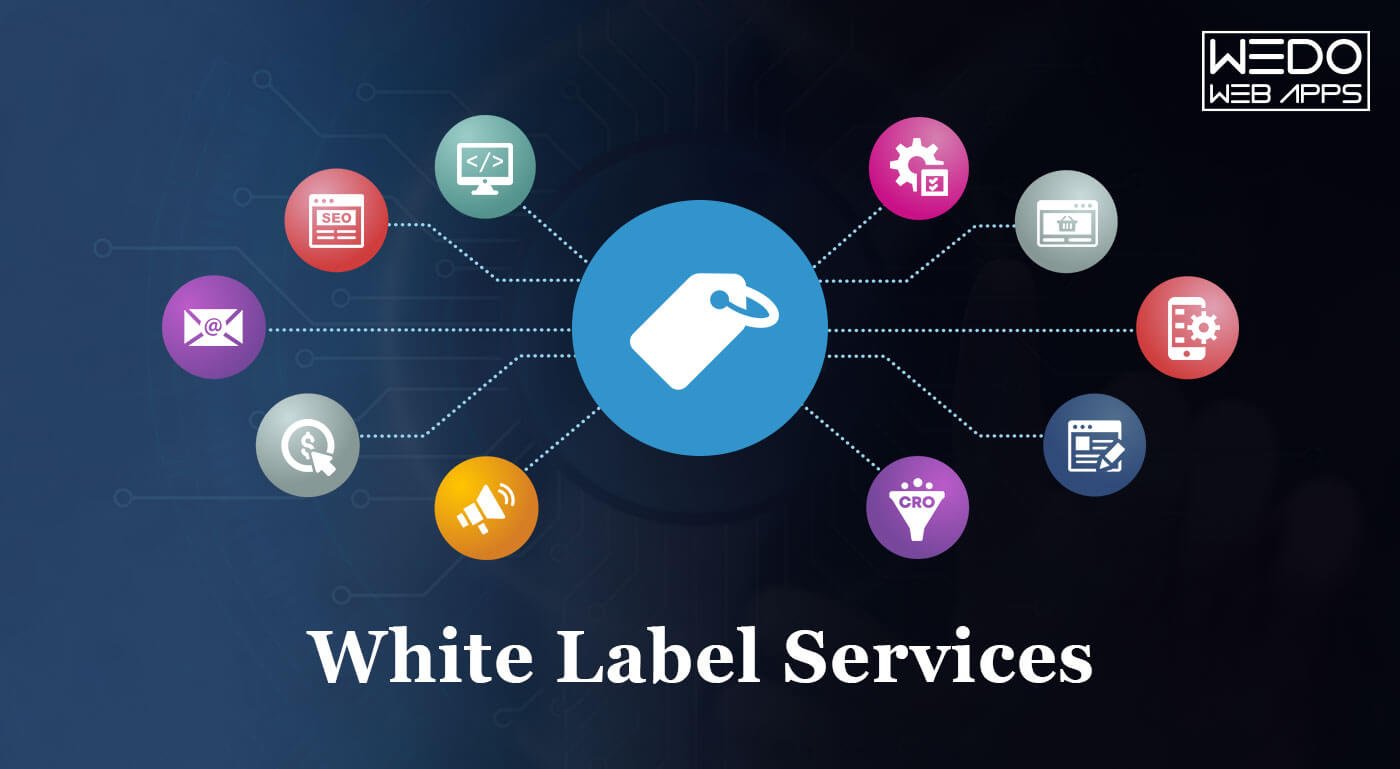
The following are some of the most commonly sought-after White Label services by agencies:

  • Web Design & Development
  • Web App Development
  • E-Commerce Web Design, Development, And Management
  • Search Engine Optimisation (SEO)
  • Email Marketing
  • Social Media Marketing & Management
  • Pay-Per-Click Management
  • Content Development
  • Conversion Rate Optimisation (CRO)

Why Do Companies Use White Label Solutions?

As an analogy, White Labeling is starting your brand with a blank piece of paper from a White Label company. With the companies that White Label Solution, brands can launch products without reinventing the wheel, going through trials and errors, and wasting valuable time and money.

Here are some reasons why many agencies use White Label Solutions instead of starting from scratch to develop a new solution or platform.

Read also: Impressive Web Design: 6 Elements of a Result Oriented Website

Reasons Companies Hire White Label Design Agency

#1. Your Control It All

It allows you to build your freshly baked brand using ready-made software, which is the first and most solid advantage.

As a business owner, White Label services allows you to build your brand, launch your capitalization service model, and conquer the digital advertising world. Furthermore, by rebranding a White Label service as your own, you are reinforcing your brand image and reputation at the same time.

#2. Deployment is easy and quick

A White Label solution makes branding simple because it is ready-made and fully tailored. Moreover, such a solution has exceptional customization capabilities. As a result, adverts can provide solutions to customers faster when they partner with a vendor.

The White Label solution designers and marketers of WeDoWebApps LLC will always help you fulfill your ideas when integrating particular functions into the programmatic platform.

#3. The Process Is Time And Cost-Efficient:

You may need to train or recruit new employees if you offer your own ices from scratch. Spending time designing, prototyping, and resolving bugs with A/B testing, positioning, and marketing is essential.

We offer you the opportunity to save on R&D costs by using already-polished products.

#4. You Can Focus On What You Do Best

Brands often need help to achieve sustainable results when forced outside their competencies—experience matters in design and development more than enthusiasm.

We offer White Label Solutions that don’t have to be retouched or finalized, as they come with a complete guarantee they’ll work.

It’s a ready-to-use platform that can generate income right away. When something goes wrong, your vendor is fully responsible for rectifying it.

#5. Manage Client’s Expectations

It has been proven that advertisers can attract loyal customers and build strong relationships with consumers using White Label Solutions. Your customers want straightforward ways to satisfy their needs, which is why you need to understand what they need. The customers won’t wait for you to develop these methods if they can find them elsewhere.

By choosing prepackaged, immediate implementation options, the White Label Solution helps you avoid the ‘lost customers pit.’

Partner with trusted white label companies and leverage our digital marketing services in the USA to significantly boost your business growth.

Why Choose WeDoWebApps LLC For White Label Services?

  • 700+ project completed
  • Protected by NDA. Your data Confidentiality matters!
  • 360-degree commitment to every project we undertake
  • Budget-friendly
  • An agile approach to meet the demands of fast-paced agencies.
  •  100% Transparency
  • Scalability at its best. Scale operation as your agency grows.
  • Serving Global Clients In More Than three continents!

So how Do WeDoWebApps LLC Provide White Label Services?

White Label Services are one of WeDoWebApps LLC core competencies, and we have been doing this since our inception in 2014.</.>

The most important thing for a business is having an up-to-date website with the latest technologies and trends. Keeping up with industry trends will help them stay relevant and attract new clients.

White Label web services are not just about having your brand on your website but also about having a fully customized service to suit your needs and requirements. As a result, White Label web design Wedowebapps LLC services are a perfect fit for any business that wants to focus on its core competencies instead of establishing back-end capabilities.

The following White Label services WeDoWebApps LLC provide to the clients, and they get to own and control their website, domain, hosting, and content.

#1.White Label Website Design

Having a website project that requires extensive designing makes meeting delivery deadlines challenging. To help you combat such situations successfully, our White Label Website Design comes to the rescue.

When it comes to web designing, we ensure three things – responsive, optimized, and attractive designs. So yes, we are confident that we deserve to be your White Label web design partner.

With the help of WordPress plugin, we help you handle the Elementor for Web design. This introduces you to customizable platforms that let you experience seamless functionality and layouts allowing you to publish content of any kind.

We help you with White Label Website Design Services By Offering:

Custom Label Designs: Our designers create custom designs with your team to let you meet the client’s needs and website goals.

Collaborate With Your Team: Wedowebapps LLC Best White Label web development and design services team collaborates with you to offer user-friendly CMS and UI UX for all the primary shopping cart and CMS platforms such as Shopify, WooCommerce, BigCommerce, and others.

Global Reach: We have offered our White Label Web Design Services to various agencies in the USA, and that’s why we have earned several badges proving that we are one of the best companies offering Huntsville White Label web design services. Being the top White Label NYC design service company, WeDoWebApps LLC has proven case studies for several niches like eCommerce, retail, healthcare, automobile, and others.

In addition to design services, WeDoWebApps LLC White Label services comprises SEO and PPC services to help you with design and the digital market. From design to search market, you get everything under one roof.

#2. White Label WordPress Development

White Label WordPress Development

WordPress powers almost one-third of all websites on the internet. However, easy as it may seem, the infinite customization options on WordPress can become a challenge in the blink of an eye. Imagine, the client wants you to add 30 plugins to WordPress site without it affecting the speed or security. Meeting such demands can be challenging.

Partnering with an external WP development firm like WeDoWebApps LLC opens up new opportunities and allows you to handle even more complex client projects. Rather than just being a White Label agency, we strive to make you feel like we are another department within your company.

We Help You With White Label WordPress Development Services by:

  • We can help with every WordPress requirement including website redesign, theme customization, payment integration, site optimization, page builders, plugin development, creating new sites from scratch, etc.
  • Accurate estimation of how time a project would take to complete and what type of problems the project can encounter.
  • Complete quality control and bug testing to ensure that the site runs smoothly. We go through a stringent testing process which checks every small detail from site optimization, bug checks, speed, browser experience etc.

#3. White Label Shopify Development

White Label Shopify Development

When you decide to find White Label Shopify development services team member, you need a team member who knows the platform inside out and functions as a member of your in-house development team.

Embrace the digital era and the growing market needs to give your business a different insight. Our Shopify White Label services will help start and grow the business. Being a reputed White Label Las Vegas, we build stores, apps, and themes and ensure that the platform is “Developed by us, delivered by you.”

The platform is entirely cloud-based and hosted, so you won’t have to worry about upgrading or maintaining software or servers. And to add additional functionalities, you can even hire us for exclusive Mailgun White Label service so that we can incorporate email campaigns for your client’s Shopify store.

WEDOWEBAPPS LLC provides proficient and mission-critical Shopify web development services for businesses of all sizes. Adding APIs to Shopify brings your vision and ideas to life. With high-performance stores built on Shopify, you can enjoy the full potential of eCommerce.

We Help You With White Label Shopify Development Services by:

  • Offering an extensive team of developers and project managers having complete experience with Shopify development and project management
  • Help you engage your audience with an easy-to-use platform.
  • Using agile development methods reduces time-to-market.
  • Each project is meticulously planned and analyzed in depth.

#4. White Label Bigcommerce Development

Developing e-commerce with BigCommerce will lead to faster business growth and more efficient e-commerce solutions. BigCommerce is a full-featured e-commerce solution that handles everything from product management to theme integration to marketing ideas.

BigCommerce is an effective and resource-rich e-commerce solution for startups and large businesses. To help your clients reach high positions with a full-fledged eCommerce store, we provide a range of efficient and professional BigCommerce services.

We Help You With White Label BigCommerce Development Services by experienced developers by:

  • Offering an ever-growing team of BigCommerce experts.
  • Our service includes BigCommerce requirements like migration of sites, theme optimization, third party integration, SEO optimization, API integration and development.
  • Ensuring Regular Project Reports and On-Time Delivery
  • Generating original ideas to keep clients satisfied.
  • Experience with version control tools such as SVN, GitHub, and Bitbucket

White Label WooCommerce

White Label WooCommerce

Is your agency falling short of fulfilling customers’ expectations with Woocommerce? WooCommerce, although it looks pretty simple, it isn’t. WeDoWebApps LLC can help you.  As an extension of WordPress, it can have serious security issues, which is a big hurdle for an eCommerce store. To handle these needs well, you will need an expert.

WeDoWebApps LLC provides a professional WooCommerce development and design team who can tackle any of your client’s challenges in your place. So you don’t have to worry about your reputation sliding down.

As part of our custom bespoke web development services, we design and develop multiple eCommerce modules to serve your client’s needs to the fullest extent possible.

With WeDoWebApps LLC as your White Label WooCommerce Partner, you stay assured with

  • Easy adaption to WooCommerce and ecommerce trends.
  • Theme development and customization, SEO, product page optimization, payment gateways integration, plugin AND API development, migration etc.
  • Immediate resolution to all the issues including those related to hosting, updating Woocommerce, monitoring downtimes, maintaining security etc.
  • With our expert WooCommerce developers and designers, we are capable of handling large projects while maintaining high standards.

White Label SEO

Managing a digital agency can take time, primarily if you have expertise in one area. For example, most clients want their search engine optimization managed by a company.

When your brand doesn’t have the resources in-house to work on backlinks, technical SEO, and content creation, a White Label SEO service provider can help.

With our SEO firm services, you won’t have to hire new employees to expand your SEO services team.

To keep up with your competitors, WeDoWebApps LLC offers more significant SEO fulfillment. In addition, you can provide your clients with detailed metrics and monthly reporting on your branding.

With WeDoWebApps LLC As Your White Label SEO Partner, You Get

  • Access experts for some SEO purposes including backlinks building, local SEO, international SEO, off page and on-page SEO, keyword research and optimization, Core Web Vitals, etc.
  • Comprehensive SEO reports creation including ranking reports, speed reports etc. We report each activity, so you can have a detailed overview.
  • Our commitment is to provide consistent results. As a result, every SEO service provided by our team meets the same standards and quality, so that your clients can be satisfied with the results.

White Label Copywriting

Does your client need taglines, social media post content, banner content, and catchy email copies? Well, we understand that the Copywriting department might be overburdened at your marketing agency. Or, you might be an agency that wants to add additional services to your offering. In both cases, our White Label copywriting service may benefit you if you need to outsource your copywriting needs.

A White Label copywriting service is an excellent choice for marketing agencies that want to elevate their clients’ content.

With our outsourced copywriting services, you get professional marketing support. All our work for you and the clients you represent gets handled by state-of-the-art, innovative systems that ensure timely, reliable, and high-quality turnaround.

Read also: Hire Dedicated BigCommerce Developers

  • Optimize web-related content for your clients
  • Enhance your client’s digital marketing strategies
  • Get your clients the benefits of English-native copywriters
  • Boost brand awareness through effective PR campaigns

White Label Content Writing Services

It is essential for any business looking to succeed online to create high-quality, engaging content. However, maintaining a website and social media account can be challenging when it comes to producing the right amount of content and variety. Our White Label marketing agency can help you develop a content strategy, write articles, and publish them.

We offer the following services that you can leverage.

  • Scrutinizing Market for Content Trends
  • Content Analysis of Competitors
  • Original and non-plagiarized content
  • Creating compelling and customized content
  • Developing relevant content strategies
  • An effective content marketing strategy

White Label Hosting Service

The ability to host a website effectively depends on the performance of the hosting platform. White-label hosting is a service provided by one company that is re-branded by others to hide the ownership connection. With White Label Web Hosting, you can start your own business or add a revenue stream to your existing one.

The WeDoWebApps LLC team provides:

  • White Label support, Free WHM/cPanel, Softaculous installers, A Content Delivery Network
  • High Network security to protect from cyberattacks.
  • 24/7 support from hosting professionals.
  • Free website migration, seamless resource scalability, and White Label support for Reseller Web Hosting.
  • Opportunity to scale your site or client’s site when and wherever needed.

Having all the features in place, you’re ready to move your brand and business forward.

Advantages and Disadvantages of White Label Service

Advantages

Both manufacturers and resellers benefit from white labeling in today’s era of specialization.

  • Risk-Free

If a brand without profound experience tries to offer services independently, it will fail. The agency will handle all issues and deliver world-class services when white labeling, ensuring your risk is minimized.

  • Best Reward for Investment 

Even though doing everything alone can cost a lot of money, investing in a team with experience will be more efficient.

  • Time Efficient

As technology rapidly develops, we increasingly value time as well as money. So rather than doing it yourself, it can be quicker and easier to work with an experienced team.

White Label Partner Services

White labeling is quickly becoming the go to strategy for modern businesses seeking scalability without sacrificing quality or efficiency. This is where WeDoWebApps LLC comes in – as industry leaders in providing all encompassing white label services designed with the specific needs of organizations in mind. With options ranging from website design and development support to tailored team assistance WeDoWebApps LLC offers unparalleled tools for businesses looking to level up.

White Label Websites Services

For customized web solutions that suit your business’s specific needs, look no further than WeDoWebApps LLC and their white label websites. Renowned for their visually stunning designs, seamless user experiences across platforms and devices are guaranteed. By prioritizing engagement strategies online while optimizing for search engines underpinning this approach will provide optimal visibility for your brand’s online presence in competitive markets worldwide!

White Label Team Services

WeDoWebApps LLC has a team of experienced professionals who are dedicated to delivering top-quality services to their clients. Their white label team services include project management, software development, and quality assurance. The team works closely with their clients to ensure that the project is completed on time and within budget.

White Label Web Design Services

WeDoWebApps LLC provides white label web design services that are focused on creating visually appealing websites. Their team uses the latest design trends and techniques to ensure that the website stands out from the competition. They work closely with their clients to understand their business needs and create a website that reflects their brand.

White Label Website Design Services

WeDoWebApps LLC offers white label website design services that are focused on creating a website that is easy to navigate and user-friendly. They use the latest design techniques to ensure that the website is responsive and optimized for all devices. Their team works closely with their clients to understand their business needs and create a website that meets their requirements.

White Label Web Development Services

WeDoWebApps LLC provides white label web development services that are focused on creating web applications that are highly functional and user-friendly. Their team uses the latest web development tools and techniques to ensure that the application is optimized for speed and performance. They work closely with their clients to understand their business needs and create a web application that meets their requirements.

White Label Agency Services

WeDoWebApps LLC is a reputable white label agency that provides exceptional services to businesses. Their team comprises highly skilled professionals who have years of experience in delivering top-quality services that meet the clients’ requirements. They provide customized solutions to their clients, ensuring that their website or application stands out from the rest.

White Label Design Services

WeDoWebApps LLC provides white label design services that are focused on creating a modern, sleek, and visually appealing website. Their team uses the latest design trends and techniques to ensure that the website stands out from the competition. They work closely with their clients to understand their business needs and create a design that reflects their brand.

Conclusion

WeDoWebApps LLC stands out as a premier White Label partner, offering a range of services from web design and development to SEO and copywriting. Their expertise allows businesses to extend their offerings and scale operations effectively, ensuring quality and efficiency. Whether you’re looking to enhance your digital presence or expand your service portfolio, WeDoWebApps LLC provides the solutions you need to take your business to the next level.

WeDoWebApps LLC is a leading white label partner that provides comprehensive services to businesses. Their services include white label web design, white label website design, white label web development, and white label team services. Their team comprises highly skilled professionals who are dedicated to delivering top-quality services that meet the clients’ requirements. If you are looking for a reliable white label agency, look no further than WeDoWebApps LLC.

White label design services are something that can be extremely beneficial for any size agency. It can change how you function and help you focus on things that truly matter. You can work on something that generates revenue while WeDoWebApps LLC work behind the scenes to fulfill your client’s demand.

So, are you ready to take your business to the next level?

Get in touch with us.

Understanding Android Application Components (With Examples)

Introduction: Why Understanding Android App Components Matters

Have you ever wondered why some Android apps perform flawlessly while others struggle with speed, crashes, or inconsistent performance?

For many businesses, the issue is not just with the coding, it is with how the app was structured from the start. Without understanding the core Android application components, it is easy to end up with an app that looks great on the surface but fails to deliver long-term results.

At WEDOWEBAPPS, we often meet clients who come to us with apps that underperform, have slow loading times, poor navigation, or scalability issues. The root cause almost always traces back to weak Android app fundamentals, missing lifecycle management, poor architecture, or misconfigured Android Manifest Files.

That is why understanding how Android apps are structured, from Activities and Services to Content Providers and Broadcast Receivers, is critical for any business investing in mobile technology. A strong foundation ensures your app not only functions seamlessly but also grows with your business.

In this blog, we will break down the components of an Android Application with examples, explore the Android Activity Lifecycle, understand how to use Android Content Provider, and uncover the role of the Android Manifest File in maintaining your app’s stability and performance.

Whether you are planning to build a new app or revamp an existing one, this guide will help you see why a solid app structure, designed by the experts at WEDOWEBAPPS, an expert-led Android App Development Company can make all the difference.

WEDOWEBAPPS turn your vision into a powerful, scalable Android app

The Core Android Application Components

five core Android Application Components include Activities, Services

Every Android app, no matter how complex or simple, is powered by five essential building blocks. These components of android application with example determine how the app behaves, interacts with users, handles data, and communicates with the system. Understanding them not only helps businesses plan better app features but also ensures the final product is stable, scalable, and future-ready.

At WEDOWEBAPPS, our Android developers leverage these components strategically, designing each layer with performance, maintainability, and seamless user experience in mind. Let’s take a closer look at each component and how it shapes your Android Application.

2.1 Activities

Activities represent the screens users interact with. Every time you open an app, the visible page, whether it is a login screen, product catalog, or payment gateway, is managed by an Activity.

Each Activity follows an Android Activity Lifecycle, moving through various stages like onCreate(), onStart(), onResume(), onPause(), and onDestroy(). Managing this lifecycle efficiently ensures the app responds smoothly to user interactions without freezing or crashing.

Example: In an eCommerce app, your Home Screen is one Activity, and the Checkout Page is another. The transition between them must be seamless, something our team ensures through lifecycle-aware architecture and optimized memory handling.

At WEDOWEBAPPS, we design activities that don’t just look visually appealing; they are optimized for speed, responsiveness, and consistency across Android devices.

2.2 Services

While Activities handle the interface, Services handle background tasks that do not require user interaction. These are essential for apps that perform continuous functions like playing music, syncing data, or tracking user location.

Example: A food delivery app continues to update your order status even when you switch to another app; that is the Service component at work.

Our Android app development team builds services optimized for performance, ensuring your app remains energy-efficient and responsive even under heavy use.

2.3 Broadcast Receivers

Broadcast Receivers allow your app to react to system-wide events, such as low battery, network changes, or notifications. They act as the app’s “listeners,” ensuring it can respond intelligently to changes in the device environment.

Example: When your phone connects to WiFi and your email app instantly starts syncing, that’s a Broadcast Receiver in action.

At WEDOWEBAPPS, we implement broadcast receivers with precision, ensuring your app stays adaptive, content-aware, and power-efficient.

2.4 Content Providers

One of the most powerful Android features is data sharing between apps, made possible by Content Providers. They manage access to structured data and enable secure communication between applications.

If you have ever wondered how to use an Android Content Provider, here is the simple idea: it acts as a bridge, allowing apps to read or modify shared data without exposing their entire database.

Example: When your messaging app accesses your contacts list, it does so using a Content Provider.

Our developers at WEDOWEBAPPS know exactly how to configure and protect data flow through Content Providers, ensuring security, performance, and compliance with modern Android standards.

2.5 Intents and Intent Filters

Intents and Intent Filters allow different Android components to communicate with each other or with external apps. Intents can start new activities, trigger broadcasts, or even call system apps like the camera or dialer.

Example: When you click “Share” in an app, and a list of options (WhatsApp, Gmail, etc.) appears, that is Intents at work.

We design Intent-based flows that make navigation intuitive and enhance the overall user experience, ensuring your app feels cohesive and intelligent.

In essence, these five core components, Activities, Services, Broadcast Receivers, Content Providers, and Intents, work together to form the skeleton of your Android App. When structured and coded correctly, they ensure smooth interactions, reliable data flow, and strong performance across devices.

At WEDOWEBAPPS, we go beyond standard app development; we engineer Android apps that are optimized from the core component level to deliver consistent, high-quality performance.

The Role of the Android Manifest File

If the Android app were a building, the Android Manifest File would be its blueprint, defining how everything fits together and operates. It is one of the most critical files in every Android project, and yet, it is often underestimated.

The AndroidManifest.xml file acts as the centrak configuration document for your app. It tells the Android system exactly how your application should run, from which components exist to what permissions they require. Without this file, the Android operating system would not even know your app exists.

What Does the Android Mainfest File Contain?

The Manifest file provides essential metadata about your app and declares every key component you build. Here is a quick breakdown of what it includes:

  • App Package Name: The unique identifier for your Android App.
  • Declared Components: Lists all Activities, Services, Broadcast Receivers, and Content Providers your app uses.
  • Permissions: Specifies what your app is allowed to access (e.g., internet, camera, location).
  • App Features & Hardware Requirements: Defines the features or device capabilities your app depends on.
  • Intent Filters: Guides how your app responds to user or system actions.

Example Manifest System:

Android Manifest File code snippet with Android robot illustration explaining

This code snippet shows how an app declares its main Activity, the entry point users see when the app launcjes, and specifies how it should appear in the launcher.

Why the Manifest File Matters?

For businesses investing in Android development, understanding the manifest file ensures better project management and clearer communication with developers. A poorly structured or incomplete manifest can lead to permission issues, security vulnerabilities, or even app crashes.

At WEDOWEBAPPS, we treat the manifest as a strategic layer, not just a technical requirement. Our developers meticulously configure each element to ensure your app remains compliant with Play Store standards, performs efficiently, and scales without configuration conflicts.

The WEDOWEBAPPS Edge

What sets up apart is how we align technical precision with business needs. Whether it is defining permissions to protect sensitive user data or structuring your app for modular updates, our approach ensures your Android Manifest File supports both your short-term performance goals and long-term scalability.

Our Android Development experts ensure:

  • Proper declaration of all app components
  • Optimized permission handling for user trust
  • Seamless integration with third-party libraries and SDKs
  • Compliance with Google Play Store guidelines

The Android Manifest File might seem like a small piece of code, but it plays a crucial rolr in keeping your application secure, functional, and user-ready. When configured correctly, it acts as the foundation for every other Android component that follows.

With WEDOWEBAPPS, you get more than code, you get the confidence of working with a team that understands how every configuration impacts your app’s real-world performance.

Android App Structure Explained

A well-organized project structure keeps your code modular and scalable.

An Android App’s structure, as seen within an Android Studio project, is organized to facilitate development and resource management. The main components of this structure include:

1. Project Root

Contains the overall project settings and Gradle configuration files.

2. App Module

This is the core module for your Android application. It typically contains:

  • manifest folder: Houses the AndroidManifest.xml file, which declares essential information about the app, its components (activities, services, broadcast receivers, content providers), required permissions, and hardware/software features.
  • java folder: Contains your application’s source code files, written in Kotlin or Java, organized into packages. This also includes any JUnit test code.
  • res folder (resources): Stores all non-code resources used by your app, organized into specific subdirectories:
    • drawable: Images and other drawable resources.
    • layout: XML files defining the user interface layouts for your activities and fragments.
    • mipmap: Launcher icones for your app.
    • values: XML files for defining various values like colors (colors.xml), string resources (strings.xml), and dimensions (dimens.xml).
    • raw: Raw asset files.

3. Gradle Scripts

  • This folder contains the build.gradle files for your project and individual modules. These files define dependencies, build configurations, and other project-specific settings for the Gradle build system.

Key Files and Their Roles

  • AndroidManifest.xml: The central configuration file for your app, declaring its components, permissions, and features to the Android system.
  • build.gradle (module-level): Configures the build process for your specific app module, including dependencies and build variants.
  • Source Code Files (e.g., .java or .kt files): Contain the logic and functionality of your app, defining activities, fragments, services, and other components.
  • Layout XML files: Define the visual structure and elements of your app’s user interface.
  • Resource XML files (strings, colors, dimensions): Provide centralized locations for managing various resources, enabling easy localization and theming.

Understanding Android App Architecture Patterns

Understanding Android App Architecture Patterns MVC,MVP,MVVM

Android App Architecture Patterns are important for building scalable, maintainable, and testable applications. They provide a structured approach to organizing code, separating concerns, and managing complexity.

There are several architectural patterns employed in the development of Android Applications:

1. MVC (Model-View-Controller)

The MVC pattern, short for Model–View–Controller, is one of the most time-tested and beginner-friendly architectural designs in software development. It divides an application into three interconnected parts to separate internal data handling from the user interface.

  • Model: Represents the data and business logic of the application.
  • View: Manages what users see on the screen and how they interact with it.
  • Controller: Acts as a bridge between the Model and View, interpreting user input and ensuring both layers stay in sync.

Pros:

  • Fast and simple setup: Perfect for projects that need quick development without heavy complexity.

Cons:

  • Tight coupling: The View and Controller often become interdependent, reducing modularity.
  • Maintenance challenges: As the application scales, the intertwined logic between View and Controller makes updates and testing more difficult.

Best suited for: Small-scale applications with straightforward UI and minimal logic.

2. MVP (Model-View-Presenter)

Building upon the MVC structure, the MVP pattern introduces a Presenter as the central component that mediates between the Model and the View. This approach ensures a cleaner separation between the business logic and the user interface, resulting in better organization and easier maintenance.

  • Model: Handles all data operations and core business logic.
  • View: Focuses on displaying information and capturing user interactions.
  • Presenter: Acts as the communication layer, processing inputs, managing the logic, and updating the View as needed.

Pros

  • Better separation of concerns: The Presenter takes over UI logic, making the View simpler and easier to manage.
  • Enhanced testability: Since the business logic is isolated from the interface, unit testing becomes more straightforward.

Cons

  • Slightly more complex: The additional Presenter layer adds some overhead in terms of setup and maintenance compared to MVC.

Best suited for: Medium-scale applications that require a balance between simplicity and maintainability, particularly those involving moderate UI logic.

3. MVVM (Model-View-ViewModel)

The MVVM pattern, short for Model-View-ViewModel, is a more modern architectural approach, especially popular in Android development. It’s designed to improve state management, enhance modularity, and clearly separate UI elements from business logic.

  • Model: Manages the application’s data and business logic.
  • ViewModel: Acts as the link between the Model and the View. It handles all UI-related data and logic, ensuring that the View only focuses on presentation.
  • View: Observes the ViewModel for changes and updates the UI automatically whenever the underlying data changes.

Pros

  • Robust UI state management: The ViewModel retains UI data even during configuration changes like screen rotations.
  • Improved testability: Since the ViewModel is decoupled from the UI, writing and running unit tests becomes simpler and more reliable.

Cons

  • Steeper learning curve: Developers must understand components like ViewModel, LiveData, and data binding, making initial implementation more complex.

Best suited for: Scalable, data-driven applications that rely on real-time updates and dynamic user interfaces.

4. MVI (Model-View-Intent)

The MVI pattern, short for Model-View-Intent, introduces a unidirectional data flow that enhances scalability, consistency, and reliability in complex applications. By enforcing a single direction for data movement, it simplifies debugging and reduces unpredictable UI behavior.

  • Model: Holds the complete application state and encapsulates the business logic.
  • View: Observes the Model for any state changes and redraws the user interface accordingly.
  • Intent: Represents user actions or events captured by the View. These intents are processed to update the Model, which then triggers corresponding changes in the View.

Pros

  • Predictable one-way data flow: Simplifies debugging and prevents inconsistent UI states by ensuring data moves in a clear, single direction.
  • Centralized state management: Improves readability, reliability, and overall state handling efficiency.

Cons

  • Higher learning curve: Implementing MVI effectively demands strong knowledge of reactive programming tools such as RxJava, Kotlin Coroutines, and event-driven design principles.

Best suited for: Large-scale applications with complex or real-time interfaces, like streaming platforms, dashboards, or apps with high user interaction.

Choosing the Right Architecture for Your Business

The right Android app architecture pattern depends on:

  • The complexity of your app
  • The team size and collaboration requirements
  • The long-term maintenance and feature roadmap

At WEDOWEBAPPS, we design every Android app with scalability at its core. Our developers follow best practices, from modular codebases to clean MVVM structures, ensuring your app remains efficient, adaptable, and aligned with your business goals.

Why Architecture Matters Beyond Code

  • Faster Development: Clear separation of logic reduces dependencies and speeds up development cycles.
  • Easier Maintenance: Changes can be made to one layer without breaking another.
  • Improved Collaboration: Frontend and backend developers can work simultaneously.
  • Future-Ready: Your app can easily integrate new technologies like AI, IoT, or AR down the line.

In short, choosing the right architecture isn’t a technical choice, it’s a business investment in your app’s long-term success.

Our developers at WEDOWEBAPPS build future-ready apps using scalable architecture

Tying It All Together: Android App Fundamentals in Action

When building a great Android application, every element plays a specific role ,  much like the parts of a machine working together in sync. Understanding these Android app fundamentals is essential for developing high-performing, reliable apps that users love.

Let’s look at how the main components of an Android application come together in real-world scenarios.

The Core Components at Work

Here’s how each fundamental component contributes to the app’s overall functionality:

  • Android Manifest File: The Manifest acts as your app’s blueprint. It declares all the essential components: Activities, Services, Broadcast Receivers, and Content Providers, while defining permissions and configurations. Without it, Android wouldn’t even know your app exists.
  • Activities: These manage what users see and interact with. Each screen in your app, login page, home screen, or settings, is an Activity that controls layout, UI elements, and user navigation.
  • Services: Not everything your app does happens on-screen. Services handle background operations like downloading files, fetching data from an API, or syncing information without interrupting the user’s flow.
  • Content Providers: These manage data access and sharing between apps. Whether your app stores data locally or accesses shared system data (like contacts), Content Providers ensure secure, structured data handling.
  • Broadcast Receivers: Think of them as your app’s ears, listening for system-wide events like incoming messages, low battery, or connectivity changes and responding appropriately.

Example: A Simple To-Do App

Let’s put these components of an Android application into action with a simple example, a To-Do List app.

  1. The Android Manifest File declares all Activities, permissions (like internet access), and app-level configurations.
  2. The Main Activity displays a list of tasks and manages user input through buttons or text fields.
  3. A Service runs in the background to send reminders or sync tasks to the cloud.
  4. A Content Provider manages and organizes stored tasks, allowing them to be shared with other productivity apps.
  5. A Broadcast Receiver listens for alarms or time-based triggers to notify the user when a task is due.

This seamless collaboration of components ensures the app runs smoothly, responsive on the front end, efficient in the background, and always in sync with the user’s needs.

Why This Matters for Businesses

Understanding these Android app fundamentals helps businesses make informed development decisions. At WEDOWEBAPPS, we structure Android applications for scalability, ensuring every component, from the Manifest to Services, works cohesively to deliver superior performance, minimal crashes, and a flawless user experience.

So whether you’re developing a weather app, a booking platform, or an enterprise solution, our expert developers build Android apps that perform optimally, from the architecture to the smallest interaction.

Best Practices for Building Robust Android Apps

Building a successful Android app goes beyond just writing functional code,  it’s about ensuring performance, scalability, and long-term reliability. Following Android app fundamentals and architecture best practices is what separates a good app from a great one.

At WEDOWEBAPPS, our Android developers follow a proven set of best practices designed to deliver robust, secure, and high-performing mobile solutions.

Embrace Modular Design

A modular app structure divides your code into independent modules, UI, data, and business logic ,  allowing your development team to work efficiently without stepping on each other’s toes. This approach:

  • Simplifies debugging and testing
  • Enables faster updates
  • Makes it easier to reuse components across multiple projects

Modular Android app structure = better scalability, faster iterations, and smoother teamwork.

Follow a Clean Architecture

A clean architecture ensures your app remains adaptable as it grows. Patterns like MVVM (Model-View-ViewModel) or MVI (Model-View-Intent) separate concerns between UI, logic, and data handling.

This approach helps you:

  • Maintain consistent app behavior
  • Reduce code complexity
  • Support easier upgrades and refactoring

Use Lifecycle-Aware Components

Understanding the Android Activity Lifecycle is vital to prevent memory leaks and crashes. Lifecycle-aware components like ViewModel, LiveData, and LifecycleOwner automatically respond to UI state changes, improving performance and stability.

Well-managed lifecycles mean fewer bugs, smoother transitions, and better battery efficiency.

Optimize for Performance

Performance optimization is key to user satisfaction. Keep your app lightweight and responsive by:

  • Reducing overdraw and optimizing layouts
  • Using background threads for heavy operations
  • Caching frequently accessed data
  • Leveraging tools like Android Profiler to monitor performance

Implement Secure Permissions

Security isn’t optional. Always declare permissions clearly in the Android Manifest File and request them only when needed.

Ensure you:

  • Encrypt sensitive data
  • Use secure APIs
  • Regularly update dependencies to patch vulnerabilities

At WEDOWEBAPPS, every Android project undergoes rigorous security checks, because protecting user trust is non-negotiable.

Test, Monitor, and Iterate

Testing is at the heart of robust app development. Use unit testing, UI testing, and integration testing to ensure stability across devices and Android versions.

Post-launch, continuous monitoring with analytics tools helps fine-tune performance and user experience.

A well-tested app performs better, retains users longer, and enhances brand credibility.

our Android app development team ensures quality, security


Conclusion: Turning Android App Fundamentals into Business Brilliance

The best Android apps aren’t built overnight, they’re engineered with precision, powered by innovation, and structured on strong Android fundamentals. From the Manifest File that defines your app’s identity to Activities, Services, and Content Providers that keep everything running smoothly, each component plays a vital role in your success story.

But here’s the real truth: flawless android app development isn’t just about knowing the components, it’s about how you connect them.

At WEDOWEBAPPS, that’s exactly where our expertise shines. We go beyond development to architect digital ecosystems, apps that are fast, secure, visually captivating, and ready to scale.

Whether it’s an enterprise solution or a customer-facing mobile app, we make sure your Android app not only functions but performs, beautifully, reliably, and with purpose.

Because in the end, great apps don’t just live on the Play Store. They live in the hands – and hearts – of users.

Start your Android app development journey with WEDOWEBAPPS

Android Apps Developer

In this world of fast-moving and daily evolving technology, the demand for good Android Apps Developer has been increasing day by day. The Android App Development is getting evolved as a new and paid discipline nowadays. In today’s world, millions and millions of people are getting themselves updated with the latest technology. It is becoming a part of their everyday life. As a result, there are a lot of employment opportunities for Android App Developers.

Working as an Android Apps Developer can be a thrilling experience and challenging at the same time. But once a person gets to know its core, it can be beneficial and fun in the long run teamed up with the right amount of rewards. To start with this profession as a career, one needs to have specific skills and knowledge of some essential things like Java, Android SDK, etc. These things may sound a bit complicated and look tough to grasp, but it’s much more comfortable, then one can think and adapt quickly.

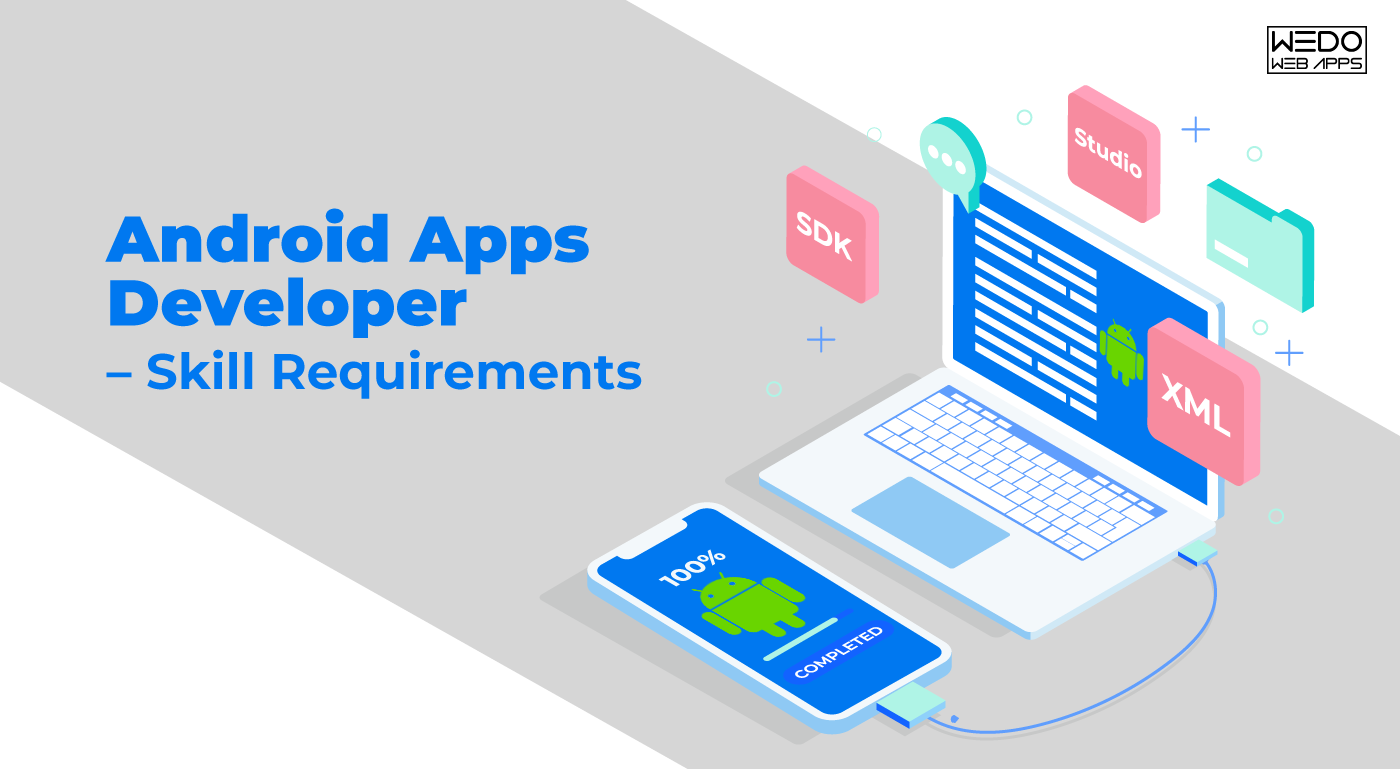
Android Apps Developer – Skill Requirements

For starting with Android App Development, sure there is a requirement for specific technical skills which are as follows:

java do well in this field. One should have some knowledge of Java. Although the understanding of other technologies can help in developing the apps as well.

It is excellent and beneficial to know about the recent developments in the technology and science sector. But in Java, understanding the basic structure, syntax, and functions, programming, structures of control, class and static method, and other necessary things are the main things one should know as an Android Apps Developer. Java helps in precise work and avoids ambiguity in the functions of each component.

Other than Java, knowing Ruby, C Language, Jason can be beneficial as well.

  1. Getting Aware of XML

XML allows the passing of information between the devices. It is usually applicable for designing the layout, declaring UI, and for encoding the data between internet applications or providing Web Service. It has various designs, plans, screen orientations, and sizes according to the devices, which makes it easy to visualize the app and make changes accordingly. With the vocabulary of XML, designing the UI layouts becomes very simple and easy. One can also use the Java code and JavaScript for modifying the layout elements during runtime. Although knowing XML can open prospects for applying new things to the app.

  1. Android SDK

Android SDK stands for Android Software Development Kit, which provides developer tools to build, debug, and test the android apps. It includes a library, emulator, Android application program interface (APIs), and sample projects for creating the applications. The applications are usually written in Java, so prior knowledge of it is a prerequisite.

  1. Android Studio

Android Studio is an Integrated Development environment designed for Android App Development. It is available for Windows, Linux, and macOS operating systems. This system acts as excellent support for Android SDKs. Moreover, it helps in building and developing the apps of the highest quality for Android devices. The tools are beneficial and include code editing, which gives autocomplete suggestions as one types, debugging features that help in identifying the source of errors, Instant Run, which delivers changes without restarting the app and many other features. It supports C++ and NDK as well other than Java.

5.APIs

APIs are a set of tools and protocols for building software applications. There are different APIs according to the operating systems, websites, and applications. It focuses on how the components of software will interact. It includes features for devices and applications as well. For instance, The YouTube API allows YouTube to integrate with other applications and websites. Whereas, the Google API based on location can help the users to search and get to various places with the help of a map. It is possible to use the facilities of infrastructure with online stores for creating unique web stores. APIs allow one to copy and paste the text from one application to another, thus making it easy to function.

Read also: Android App Development: History Tools, Benefits and Future Trends

6.Flexible User Interaction and visual effects.

An app must have an appropriate android design and attractive outlook. The app has to be user-friendly. Whereas, the criteria such as notifications, android standards, permissions, location, graphics, security, navigation, promotional features should be there in a precise manner to sustain the app in the long run.

7.Handling the Database

In case the app is feeling a large amount of data, some external application is necessary for managing it carefully. The user’s data is easy to store securely. Either one can use services from Cloud, which provides simpler APIs or SQL. It is an inbuilt feature of the Android database or any such other external application. Many such platforms provide the Java Library as well, helping in caching the user’s data. Handling database is also essential if one wants the users to use the app offline while syncing data between local storage and the database. It can effectively help in providing users with the best results.

The Material Design

For developing an app, it is preferable to follow specific guidelines related to the designs for providing an appealing visual design along with proper technology. Material Design is a guide for designing Android Apps. It includes instructions for themes, motion, the adequate placing of elements on the screen, adding Widgets, different APIs for shadows and effects, animations, and much more. Effectively using Material Design makes an app compatible with the other competitive apps.

These are the core things during Android App Development, and if you know of these, then starting your career as an Android Apps Developer won’t be difficult. In addition to the things mentioned above, if one knows additional languages such as PHP, Python, Objective C, Adobe Flash, HTML, and Xcode for Apple, it can be worthwhile.

If you are looking for a Kotlin expert contact us today.

Building an iPhone App for Your Business: A Complete Guide

Introduction – Why Businesses Build iPhone Apps

Why are so many businesses interested in building an iPhone app today?

Because mobile apps have become one of the most effective ways to engage customers, streamline operations, and create new revenue channels.

For startups, founders, and product teams, the idea to build an app for iPhone often starts with a simple goal: reach users where they already spend a large portion of their time. iPhones power millions of daily interactions across shopping, banking, communication, entertainment, and productivity. An iOS app allows businesses to deliver faster experiences, better performance, and deeper personalization compared to traditional mobile websites.

At the same time, building an app for iOS is not a small decision. It involves planning, budgeting, technical choices, and long-term maintenance considerations. Many businesses begin researching topics such as how to build an iPhone app, what the iPhone app development process looks like, and what it realistically costs to launch and scale an app.

This iPhone app development guide is designed to answer those questions from a practical, business-first perspective. You’ll learn the core steps to build an iOS app, understand key cost drivers, explore common mistakes, and see when professional support becomes important. The goal is to help you make informed decisions before committing time and resources to development.

iPhone App vs Other Platforms

Before building an iPhone app, many businesses compare iOS with other platforms such as Android or cross-platform frameworks. The right choice depends on your audience, goals, budget, and long-term strategy.

Here’s a high-level comparison to support early planning.

iPhone (iOS) Apps

iOS apps are built specifically for Apple devices.

Common reasons businesses choose iOS:

  • Strong performance and stability
  • High user engagement
  • Consistent hardware and software ecosystem
  • Users more likely to spend on apps and in-app purchases

iOS is often preferred for premium products, consumer apps, and MVP launches targeting quality-focused audiences.

Android Apps

Android apps target a wider range of devices and manufacturers.

Typical advantages:

  • Larger global device market share
  • More device variety and price ranges
  • Flexible hardware ecosystem

Android can be attractive for apps targeting mass-market or price-sensitive audiences.

Cross-Platform Apps

Cross-platform frameworks allow one codebase for multiple platforms.

Potential benefits:

  • Faster development
  • Lower initial cost
  • Shared code between iOS and Android

Trade-offs:

  • Possible performance limitations
  • Reduced access to native features
  • More complex debugging

How to Choose the Right Platform

Ask:

  • Where is your primary audience?
  • Do you need high performance or advanced native features?
  • Is your budget focused on speed-to-market or long-term quality?

Bottom line:

If your audience is primarily on Apple devices and you value performance, security, and a premium experience, building an iPhone app is often a strong starting point.

iPhone App vs Android App vs Cross-Platform App (Quick Comparison)

Factor iPhone (iOS) App Android App Cross-Platform App
Primary Devices Apple iPhone & iPad Multiple manufacturers iOS & Android
Performance Very high High Medium to High
User Experience Highly consistent Varies by device Consistent but framework-dependent
Development Complexity Moderate Moderate Lower initially
Access to Native Features Full Full Partial
Maintenance Effort Moderate Moderate Higher long-term
Time to Market Moderate Moderate Faster
Cost Range Medium Medium Lower initially
Best For Premium apps, MVPs, startups Mass-market reach Budget-conscious MVPs

How to Decide If an iPhone App Is Right for Your Business

Not every business idea requires an iPhone app. Before investing time and budget into development, it’s important to confirm whether iOS is the right starting platform for your product.

Use the following considerations to guide your decision.

1. Your Target Audience Uses iPhones

Ask yourself:

  • Are most of your users on Apple devices?
  • Do you already see strong iOS traffic?
  • Is your product positioned as premium or experience-driven?

If yes, building an iPhone app can make strategic sense.

2. You Need Strong Performance and Native Features

iOS apps are well-suited for:

  • Real-time interactions
  • Media-heavy experiences
  • Offline functionality
  • Hardware integrations (camera, sensors, biometrics)

If your app relies on these capabilities, native iOS development is often preferable.

3. You Want to Launch an MVP First

Many startups start with a single platform.

  • iOS-first launches reduce initial scope
  • Faster validation of product-market fit
  • Easier iteration based on feedback

You can expand to Android later if demand exists.

4. You Have Budget for Ongoing Maintenance

Building an app is not a one-time expense.

Consider:

  • Updates and improvements
  • Bug fixes
  • OS compatibility updates

If you’re prepared for ongoing investment, an iPhone app is a viable option.

Bottom line: An iPhone app is a good choice when your audience is on iOS, performance matters, and you plan to treat the app as a long-term product rather than a short-term experiment.


Validate Your App Idea

What You Need Before You Start Building an iPhone App

Successful iPhone apps are planned before they are built. Jumping straight into development without preparation often leads to wasted budget, scope creep, and unclear outcomes.

Before starting the iPhone app development process, make sure you have the following in place.

1. A Clear App Idea and Purpose

Define:

  • What problem does the app solve
  • Who the app is for
  • What success looks like

A simple problem statement keeps development focused.

2. Core Features List

Identify:

This helps control scope and budget.

3. Basic User Flow

Outline:

  • How users enter the app
  • What actions do they take
  • Where key interactions happen

Clear flows reduce redesign later.

4. Rough Budget Range

You don’t need an exact number yet, but you should know:

  • Low, medium, or high investment range
  • Whether phased development is possible

This influences technical decisions.

5. Timeline Expectations

Clarify:

  • Desired launch window
  • Flexibility for iterations
  • Dependencies (marketing, funding, partnerships)

6. Monetization Model (If Applicable)

Decide early:

  • Free vs paid
  • Subscriptions
  • In-app purchases
  • Ads

Monetization affects architecture.

Bottom line: Preparation reduces risk. The clearer your goals, scope, and constraints, the smoother the building an app for iOS journey becomes.

Step-by-Step iPhone App Development Process

Building an iPhone app is a structured journey that moves from idea to launch and beyond. While every project differs, most successful teams follow a similar iPhone app development process.

Below are the key steps to build an iOS app in a logical, manageable way.

Step 1: Discovery and Requirement Analysis

This phase clarifies:

  • Business goals
  • Target users
  • Core features
  • Technical constraints

It establishes what will be built and why.

Step 2: UI and UX Design

Design focuses on:

  • Wireframes
  • User journeys
  • Visual design

Good design improves usability and reduces development rework.

Step 3: Technical Architecture Planning

Teams decide:

  • Tech stack
  • Backend approach
  • Database structure
  • Integrations

Solid architecture supports scalability.

Step 4: iOS App Development

This is where features are built.

Includes:

  • Frontend development
  • Backend development
  • API integration
  • Feature implementation

Step 5: Testing and Quality Assurance

Testing covers:

  • Functionality
  • Performance
  • Security
  • Device compatibility

Bugs are fixed before launch.

Step 6: App Store Preparation and Launch

Tasks include:

  • App Store listing creation
  • Compliance checks
  • Apple review submission

Once approved, the app goes live.

Step 7: Post-Launch Support and Updates

After launch:

  • Monitor performance
  • Fix issues
  • Release improvements

Apps evolve over time.

Bottom line: Following clear steps to build an iOS app reduces risk, improves quality, and keeps development predictable.


iPhone app development process roadmap

Cost Factors for Building an iPhone App

One of the most common planning questions is the cost to build an iPhone app. There is no single fixed price, because app costs vary based on scope, complexity, and quality expectations.

Understanding the main cost drivers will help you set realistic budgets.

1. App Complexity

Simple apps with basic features cost less than complex apps with advanced functionality.

  • Simple: basic screens, minimal logic
  • Medium: user accounts, APIs, admin panels
  • Complex: real-time features, integrations, advanced workflows

Higher complexity equals higher cost.

2. Design Requirements

Custom UI and UX design increases cost compared to template-based designs.

  • Custom branding
  • Animations
  • Interaction design

Better design improves user retention.

3. Feature Set

More features mean:

  • More development hours
  • More testing
  • More maintenance

Prioritization helps control budget.

4. Backend Infrastructure

Apps needing servers, databases, and APIs require backend development, which adds cost.

5. Third-Party Integrations

Payments, maps, analytics, messaging, or CRM integrations increase scope.

6. Testing and Quality Assurance

Thorough testing prevents costly post-launch issues.

Typical Cost Ranges (Very High-Level)

  • Basic app: lower five-figure range
  • Medium complexity app: mid five-figure range
  • Complex app: high five figures and above

Actual pricing depends on requirements.

Bottom line: The cost to build an iPhone app is driven by what you choose to build, not by the platform alone.


estimate cost of building an iPhone app

Common Mistakes Businesses Make

Many iPhone app projects fail not because of bad ideas, but because of avoidable planning and execution mistakes. Being aware of these issues early can save time, budget, and frustration.

1. Skipping Discovery and Planning

Jumping straight into development without clear requirements leads to:

  • Scope creep
  • Rework
  • Budget overruns

Planning is not optional.

2. Building Too Many Features Initially

Trying to include everything in version one increases risk.

  • Slower launch
  • Higher cost
  • More bugs

Start with a focused MVP.

3. Ignoring User Experience

Poor UX results in low adoption, even if the idea is strong.

  • Confusing navigation
  • Inconsistent design
  • Unclear flows

Design matters.

4. Underestimating Maintenance

Apps require ongoing updates and fixes.

  • OS updates
  • Bug fixes
  • Feature improvements

Maintenance must be budgeted.

5. Choosing Technology Based Only on Cost

The cheapest option often leads to long-term problems.

  • Poor code quality
  • Limited scalability
  • Higher future costs

Value matters more than price.

Bottom line: Most app failures are process failures, not idea failures.

When Professional Help Is Required

Some small experiments can be built with no-code app development tools or basic templates. However, many business apps reach a point where professional involvement becomes important.

You should consider professional help when:

You Need Custom Functionality

If your app requires unique workflows, integrations, or business logic, custom development is usually necessary.

You Care About Performance and Stability

Professional teams focus on:

  • Efficient architecture
  • Optimized code
  • Scalable infrastructure

This prevents future rebuilds.

You Are Building a Revenue-Critical Product

Apps tied directly to revenue require:

  • Strong security
  • Reliable performance
  • Quality assurance

Risk must be minimized.

You Want Long-Term Maintainability

Well-structured codebases are easier to:

  • Update
  • Expand
  • Debug

This lowers lifetime cost.

Bottom line: Hiring an iOS app development team is most valuable when your app is more than a simple experiment and is expected to grow into a serious product.

Conclusion

Building an iPhone app is not just a technical project. It is a business decision that affects budget, timelines, user experience, and long-term growth. Understanding the full iPhone app development process, the major cost drivers, and the common mistakes businesses make allows you to approach development with realistic expectations.

This guide walks through how to decide if an iPhone app is right for your business, what preparation is required before development, the steps to build an iOS app, and what influences the cost to build an iPhone app. You also explored when professional support becomes important and how to avoid pitfalls that derail many projects.

When approached with clear goals, proper planning, and the right technical strategy, building an app for iOS can become a powerful growth channel rather than a risky experiment. The key is to treat your app as a long-term product, not a one-time build.


iPhone app idea complexity cost

Why should you use these frameworks for Cross-platform app development?

As technology and advancement rise, developers have to put their best efforts to keep up with the expanding market. To find better solutions and keep the struggle at its minimum, developers have upgraded the cross-platform app capabilities in order to get work done efficiently and accurately. Being a renowned cross-platform app development company, we are well aware of the market’s ups and downs and aim to create futuristic app solutions for your business. The recent digital growth has been quite competitive, and developers are bound to find the latest development tools to deliver the best results.

The demand for cross-platform app development has reached a new level in the corporate world, especially after the pandemic. The main reason behind it is the vast outreach of hybrid applications compared to native applications. Such apps allow your business to reach a diverse range of people across the globe regardless of platform or device. 

So, if an app is not cross-platform, a programmer will have to develop a new one for the respected platform and the set of users; that too using different programming languages. So instead of creating multiple apps, it is better to consider hybrid mobile app development in order to wide-spread your network and reach a targeted audience. But, wait, that is not possible without effective cross-platform frameworks used for progressive app development. Hire our dedicated PWA developers for your upcoming project.

Ionic framework

One of the most stunning frameworks for cross-platform app development, Ionic works on the base of AngularJS. Created by Adam Bradley, Ben Sperry, and Max Lynch in 2013, Ionic is an open-source programming language with Apache Cordova and Angular JS prior versions. Apps created with Apache Cordova principles for Ionic app development are hybrid HTML apps. Instead of adding just user-centric features, the Ionic framework allows you to craft creative UI as well. These user interfaces are so eye-pleasing that users often find themselves immersed for a long duration while using the app. Apps built on Ionic frameworks are a lot like a native, and hence, it is used in PWA app development. Some noteworthy benefits of Ionic are as below:

– Ionic framework offers several ready-to-use UI elements.

– Ionic programmers should be aware of HTML, JavaScript, CSS, and Angular to develop high-performing ionic apps.

– There are ample plugins developers can use to provide native features on smartphones.

– Based on the SAAS UI framework, Ionic is specially designed for a mobile operating system.

– – As it is an open-source front-end framework, Ionic app developers can alter the code structure as per the business requirement.

– Tools supporting the framework: Visual studio code, Ionic app flow, Firebase.

Flutter

Flutter is the newest and youngest, yet has secured a distinguished image in the present market. Released in May 2017 by Google, Flutter is an open-source framework of cross-platform app development that uses Dart programming instead of Javascript. This feature differs from the rest of the hybrid mobile app development frameworks. The hot-reload feature allows developers to see modifications in real-time while programming the Flutter app. Not just Android and iOS, one can create revolutionary applications with the help of Flutter for the Fuchsia operating system too. Flutter apps have the caliber to run effectively on multiple platforms with equal intensity. The benefits it provides are as below: 

– Developers do not need to create separate interfaces for different platforms such as Android and iOS as Flutter comes with a built-in graphic engine. 

Flutter apps provide fast, efficient, and top-class performance compared to other cross-platform app development frameworks. 

– Dart programming language allows developers to write structured codes, making it easier to maintain synchronized hierarchical structure regardless of how complex the app requirements are. 

– Working on the latest interfaces is effortless as Flutter uses GPU, which offers UI power. 

– Developers can understand code modifications easily and rebuild a widget tree automatically. 

– Tools supporting the framework: Emacs, Android Studio, VS Code.

Node Js:

Node JS is a V8-based framework that helps transform Javascript into a generic language, and it is one of the best USPs – user selling propositions. As it offers an open-source atmosphere, developers can craft server-side network apps with superb scalability and robustness. By compiling JavaScript to machine code, V8 increases the speed of Node Js as developers don’t need to execute the code as byte code. This cross-platform framework is capable of managing multiple concurrent connections altogether as it contains a rich library of various JavaScript modules. With quick and efficient APIs, Node Js builds highly performing and responsive cross-platform apps that meet clients’ business requirements. Below are its advantages:

– NodeJs has a large community of developers, and hence the users

– Being one of the fastest, dynamics, and famous language interpreters, the V8 engine of NOdeJs is constantly expanding its boundaries.

– Database queries can be executed simultaneously, and NodeJS applications reduce the time of responses for slow requests. 

– This framework uses a single-threaded model to deliver ultimate smooth and equally functioning Node JS cross-platform apps. 

– Tools supporting the framework: Express.JS, PM2, Meteor, Socket.io, Babel, 

Read also: What Is Cross-Platform App Development, and Why Is It Important?

React Native

How can we forget React Native when we are discussing leading hybrid app frameworks? One of the most popular cross-platform apps and substantially used for Android and iOS, React Native is a renowned entity for hybrid mobile app development. After it was created in 2015 by Facebook, the React Native community has grown exponentially. Built on JavaScript, it renders a unique native-like environment and feel for iOS and Android. Developers can build intuitive and effective user interfaces according to business demands. This framework consists of JSX and CSS-like polyfills and refrains from using HTML or WebView technology. The best thing about this cross-platform framework is, it provides a combination of React Js and JavaScript; thus, it does not need DOM – Document Object Model API. Furthermore, programmers have the luxury to use Objective-C, Java, and Swift as well to code some of the parts of React Native applications. It provides the below-given benefits:

– React Native allows developers to develop a highly responsive and engaging user interface.

– Having a large community, React Native developers can obtain necessary support any time they seek it. It is a great relief, especially when coders are developing complex cross-platform apps using React Native and look for help.

– Developers need to code once only in React Native as its one-time programming is enough for applications to run on diverse platforms of mobile operating systems. 

– React Native is the right choice if you want to develop stunning cross-platform apps for Android TV, MacOS, UWP, or Windows.

– React Native is compatible with almost all third-party plugins such as Google maps; and is flexible for customization.

– React Native is also famous for its features like hot reload and code re-usability.

– Tools supporting the framework: Emulator, JS Editor, SDK, Android Studio

Corona SDK

Corona SDK (software development kit) is just right for you if you want impeccable two-dimensional cross-platform mobile apps for varying platforms. This open-source app framework renders ten times faster mobile games when it is about cross-platform app development services. Based on lightweight and multi-faceted programming language Lua, Corona SDK helps create exceptional games on multiple platforms like iPads, TV-Os, desktops, etc. Some advantages of Corona SDK are given here:

– It comprises great plugins for media, in-app advertising, analytics, and some other things as well. 

– The Lua coding language makes Corona SDK a fast, fantastic, and fruitful hybrid framework that helps you draw and engage customers.

– This framework responds instantly to any changes, and hence code changes can be seen in real-time and quickly. 

– Tools supporting the framework: Android studio project and Xcode.

Cross-platform development has been a blessing to developers and users. The cross-platform app frameworks mentioned-above play a vital role in redefining your hybrid app development procedure. After reading about them and exploring their salient features, it would be easier for you to select the right platform for your product/business. Choosing the right cross-platform app framework is important as it would be a pivotal point in expanding business across the borders.

iOS Mobile App Development – Handy Trends and Future of iOS

As mobile app users are continuously growing across the world, iOS has taken a dominant curve in the mobile app industry. In this article, we will discover where the iOS development services are heading in today’s time. In this fast-paced technological world, we can undoubtedly say that iOS has taken a significant leap towards victory. However, who would have thought that the most expensive selling mobile phones will someday dominate the mobile app development industry, overshadowing the technologies that were popular a long back?

Hence, businesses were quick to discover iOS and get on board with their iOS mobile applications. As a result, this exponential growth in iOS mobiles led to solid demand for iOS mobile app development services.

When the development of safer mobile apps is considered, people’s minds immediately turn towards iOS, making it the world’s most preferred operating system. Being one of the leading and most prominent mobile platforms on the market, iOS is the leader in terms of mobile app development and bringing new innovations. With approximately 2 million iOS apps across the globe, it becomes essential for app developers to keep an eye on the latest iOS app design and development trends to survive in this competitive industry effectively.

Why Should one prefer iOS App Development?

When people think of developing a mobile app, the very first aim they think about is to earn good revenue. If you want vast users, you can go with Android App Development, but if you wish for a high revenue-generating application, you should always go with iOS or iPad app development. With the launch of a new version of iOS, including some exciting features, Apple is always set to influence the app development industry. Here are the top reasons why one should choose iOS for app development.

  • An OS that drives most revenue: Most of the leading app developers prefer the apps in iOS that encounter the most in-app purchases, thereby positively driving high business and help you to reap more money.
  • High Security and better-secured transactions: Any business, whether budding or established, security is the foremost concern. iOS offers high-end security to businesses making it the first choice of every business, especially those who are protecting essential data.
  • Business-centric and Better Performance: Business owners whose primary focus is on productivity, increased sales, and customer satisfaction always chooses iOS mobile app development. With unique features and functionalities, iOS apps are made more business-centric. 
  • Top-quality App Development: When it comes to creating top-quality applications, people instantly turn towards iOS. It offers unmatched quality regardless of the business niche. 

iOS Mobile App Development Trends: 2021 and Beyond

AR and VR Integration

iOS app development plays a vital role in virtual reality as well as the augmented reality world. Now, as an iOS Mobile App development company, you will be able to build real-time and intuitive applications for providing an enriched user experience to the users. You, as a developer, can make this possible with Augmented Reality and Virtual Reality. These two technology trends mark their position as the next significant iOS app development trend that is happening in the near future. Applications such as IKEA have already integrated and started implementing this fantastic feature for this technology to better customer experience. Other examples of AR-VR applications are Dance Reality, Houzz, and the famous Pokemon Go.

Wearables and Internet of Things (IoT)

With the bespoke popularity and the exponential growth of the iOS market, iOS app developers are focusing on the latest technologies in order to craft applications having the ability to revolutionize the industry. IoT-enabled iOS applications are bound to creating applications that can easily connect with other intelligent devices like wristwatches, bands, and other wearable devices. These facilitate data sharing and transferring. The recently launched HomeKit program by Apple uses the technology-driven innovations by IoT. Various industries like healthcare, agriculture, and logistics are benefited from IoT integration into their iOS Applications.

Artificial Intelligence(AI) and Machine Learning(ML)

These days almost every industry is leveraging the power of technologies like AI and ML. These two technologies have made the pace in iOS App development. With the capability to think logically, businesses would have better insights and analysis embedded experience. With the help of AI and ML, Siri can provide more accurate and reliable answers and solutions to iOS users. With the recent improvements in iOS, Siri can better understand the user and provide exact recommendations based on data gathered.

High-end Security and Privacy

Apple is a brand known for its high-end security and top-notch compliance policies. In 2021, security and privacy protocols are a solid reason for choosing iOS app development. These security protocols ensure that the villainous individuals do not breach the devices. Apple provides its users a secure and safer environment thereby, diminishing the cyber-attacks and breaches that tend to be the worldwide issue for the users. 

Cloud Integrated iOS Apps

Cloud-based applications are gaining immense popularity globally as they do not need any physical space in your systems to store data and allow you to access your data from anywhere remotely. Cloud technology enables users to store a massive amount of data with optimum security. Most businesses are developing iOS applications integrated with the cloud to store their data and access it easily anywhere. This trend will revolutionize the iOS app development industry and the overall mobile app development industry for a longer time. 

ATS for Better App Security

It was the matter of most significant concern for the iOS app developers to provide applications in order to prevent hackers from stealing and misusing the data available on the application. The features provided by Apple to the iOS developers are known for providing complete security and safety to the user’s data. With the release of the iOS 14 update in 2021, iOS developers can now integrate the ATS (App Transport Security) in their developed iOS apps in order to maintain the immense security of the user’s data.

SwiftUI

SwiftUI is one of the top trends in iOS App Development. SwiftUI is a user-interface toolkit that allows developers to develop engaging UI across all Apple devices using the Swift Programming language. Additionally, it consolidates with XCode design tools to sync all the codes and designs rapidly. SwiftUI can work across all the Apple ecosystems like iOS, watchOS, tvOS, and macOS. SwiftUI is also native, which means that the developed applications will have access to all the platforms with fewer codes and more engaging designs.

Read also: Are iOS Apps The Future Of Mobile App Development Services?

The Future of iOS App Development looks Bright.

In summary, these iOS App Development trends have brought numerous innovations to how we build and use iOS Mobile Apps. The iOS app developers should be well aware of these technology trends in order to make a seamless user experience. If you are looking for an iPhone or iPad app development company that understands these trends and has the technical expertise to effectively implement these trends that drive growth for your bottom line, WeDoWebApps LLC is here to help you with all the latest trends and technologies to develop modern applications for your business.

Types Of Mobile Apps and Which One Works The Best For Your Business?

The morning starts with a mobile phone and ends with one too. These days, with the boost in the use of mobile apps, humans have become highly dependent on mobile applications. This has made the best android application development company thrive all these years. Big brands, or even the smallest, tout how they have built a mobile app for the convenience of the general public. It’s that easy these days.  Everyone, every business, tries to influence people with their newly developed mobile apps and strive to keep their application updated as well as inclusive of the latest functionalities and features so that their target audience has the convenience of getting their service in just a few clicks. Here, we are to discuss which type of mobile app is suitable for your business?; what are the different types of applications in the industry?; what are the best apps to grow your business; and mobile app development for small businesses. So let’s dive into all of this information without any further ado!

Types of Mobile Apps

Types of Mobile Apps The mobile applications can be categorized into three groups based on their technical features:

  1. Native apps: the applications are built for use on a particular platform or an operating system.
  2. Web apps: as the name suggests, these are run on the web, delivered on the web browsers. Web apps are more reactive than websites and can operate on any operating system- Android or iOS.
  3. Hybrid apps: a combination of native and web apps recapped in native apps makes a hybrid app. It has the proficiency to possess an icon and be downloaded from the App Store or Play store. The best Android application development company is after these hybrid apps.

Native Apps

These are specially developed for the operating system (OS) of a mobile device. You can therefore have native android mobile applications or native iOS applications. However, you cannot combine them, say you use a Blackberry app on an Android phone or an iOS app on a Windows phone because the software is built for just one platform.  Native Apps As is evident from the name, native apps are native to their operating systems. Therefore, these cannot be run in any other operating system whatsoever. But, they are well optimized for that specific device and can provide an incredible experience to the user. For example: the Safari application is native to an iOS device and cannot be transferred or used on any other operating system- be it Android, Microsoft, Windows, or Blackberry. Technology: the technique best android application development company develop for native application is specific to the platform for which it is built. In Objective C or Swift programming languages, for example, iOS apps are coded, and android apps are coded into Java programming. Hire native app developers to get faster and better performance of your app. Native applications can only be distributed on the respective platforms via the app stores.

Pros:

  • UI experience in native apps is incredible with its rapid speed and smooth functioning.
  • A lot lesser hardware aids are used for coding of a native app
  • These each often run in an offline mode too.
  • The user can leverage the push notifications features and increase the app custom, thereby completing the desired action.

Cons:

  • The major drawback that best android application development company find in their native apps is their limited availability to operating systems other than their native ones. Hence, only a particular audience can be targeted with the native apps. 
  • Android application development companies also assert the struggle of creating the same application for two different operating systems.
  • The whole procedure of maintaining and revamping the application on two platforms is time-consuming and hectic.
  • Codes cannot be ported from one system to another.

Web apps

Web applications are internet-based apps. You may use the web browse for your device to access these. You do not need to install these applications on your device, and that sounds great as it reduces storage consumption. All you need to do is bookmark them in your browser. A great deal of web (business) apps do not use a lot of your hardware, such as RAM and other storage. As a result, you do not have access as you operate via a mobile browser or web browser to the device functionality. Web apps development Example: a very intriguing example of a web app would be the Gmail app that you get to see on your browser. It is essentially a mailing application that can be seamlessly accessed via a browser, preferably Google Chrome. Technology: mobile app development for small businesses is perfect in the form of web apps. Web apps use HTML, CSS, Ruby, and JavaScript technologies. Web applications have been built. However, they are only available on the Web and support multiple platforms.

Pros:

  • These are the best mobile apps development for small businesses since the development is short and pocket-friendly. There is no requirement to optimize the app for a particular operating system, saving the developer’s effort and time. Thus, the development costs are reduced straightaway.
  • Deployment is seamless, and distribution does not take much time and effort too. Updates are manageable since no specific update is required from the app stores.
  • A separate code for every platform is not required.
  • The app stores do not compel approval for launch and update.

Cons:

  • Since it cannot be accessed via an App Store, the device’s facilities cannot be utilized.
  • The user experience declines in quality in web apps.
  • The Internet is a necessity to use a web application.
  • Aged devices and browsers cannot hold web apps with optimum functionality. There are annoying glitches while using web apps on older versions of browsers or a device.
  • One will only discover a web app if the website is very popular and has reached millions. Otherwise, it isn’t easy to locate a web app existing just by the way.

Hybrid Apps

Hybrid mobile applications are, as the name implies, a mix of both native and web apps. Sometimes, hybrid apps are called cross-platform applications by the best android application development company. The only similarity between the cross-platform apps and hybrid apps is that they can share codes. Hybrid Apps They look like native apps, on the other hand, as you can download them easily from the app store and appear on your screen. The data is rendered using a browser that is integrated into the program itself. Hire our hybrid app developers to get pocket friendly hybrid apps. Example: widely used app-Twitter is an example of a hybrid app. Technology: the hybrid apps are built upon totally different sets of technologies. These are created with varied sets of native APIs. Coded in Objective C, Swift, HTML5, React Native.

Pros:

  • Android application development company asserts that hybrid apps are better in that they can access a device’s native features.
  • Having a mixture of both native and web apps makes hybrid apps the best to use as they have extended multi-platform support.
  • Time and effort, and multiple resources are conserved because hybrid apps are built on a single code.
  • Hybrid apps can be deployed effortlessly.
  • Internet connection is not a necessity with hybrid apps.
  • It can be extensively accessed via App stores.

Cons:

  • Native apps are the best when it comes to performance; hybrid apps’ performance gets a bit compromised.
  • Certain features are not accessible by all devices that use hybrid apps.
  • Customization leads to an increase in costs.
  • User experience is also negotiated as compared to native apps.
  • Old browsers and devices are not their best friends.

The knack of choosing from different types of Apps.

With a plethora of applications running these days, it can be pestering for one to choose from a pool of apps, be it Android or iOS. But worry no more! We are here to help you out with this decision. So keep the points that we tell you in mind and get ahead with choosing the best business apps for Android. Consider the following points before choosing an app for your business requirements:

  • Cost of development
  • Time consumed for the development of the app
  • Deployment of app
  • Type of app
  • Desired features and their integration
  • Specification of the app
  • Target audience.

Before you go ahead with any app, you must be checking on these points not to risk your time and money. Now, let us describe in detail why and when you should choose each type of app. This will help you get the best app to grow your business. Discover the ideal web and mobile app development services tailored to meet the unique needs of your business and ensure success.

Native- when to choose me?

  • Choose a native app when you are on the lookout for huh performing, complete usability.
  • Excellent user experience and interface.
  • Application very safe
  • One base of code
  • An app that accesses all smartphone resources and capabilities.
  • Application development in optimal/sufficient budget.
  • A quick, stable, and responsive use.
  • To use the hardware of the mobile devices to their best potential.
  • Support for third party integrations
  • A scalable application for new features can be updated in the future
  • Protection of line term investment.

Hybrid – when to choose me?

  • Enough high performance and usability
  • Application safe
  • Well- to moderate development budget
  • Patient and a decent time can wait.
  • To access and use the hardware on a mobile device
  • A single basis of code.
  • A huge user base
  • Support for integration of third parties.
  • Fine app user interface.

Web- when to choose me?

  • To quickly deploy an app
  • A single basis of code
  • Your app needs access to the network
  • A narrow budget
  • Accessible on every platform
  • You don’t want to expect application stores to approve them.
  • Support for integration of third parties.

Summing Up

With all the discussion being done, all the aspects are taken into consideration, and you should always realize that no one app will fit all your expectations. So, it is advisable to firstly keep moderate expectations and secondly, choose the app that is the closest to your requirements. Best Android application development company asserts upon well-researched decisions while choosing the best apps to grow your business. Do you have specific questions about your business application? Then, contact our expert developer to gratify your need. 

Android vs iOS for Business in 2025: Which Platform Should You Build First?

Introduction: Why the Android vs iOS App Development Debate Still Matters in 2025

Every startup founder faces the same question before launching their business app: Should we build for Android or iOS first? The choice is not just about technology; it is about defining your business’s growth strategy, target audience, and long-term profitability. 

Even in 2025, the Android vs iOS app development debate remains one of the most crucial business decisions. With both platforms evolving rapidly, from Android’s AI-driven personalization to iOS’s tightened privacy controls, choosing the right ecosystem directly impacts your app’s reach, revenue, and reputation. 

For startups and enterprises alike, the decision is more than “Android vs iOS which is better.” It is about understanding where your ideal customers are, how much they spend, and what kind of user experience aligns with your brand. 

In this guide, we will break down the Android vs iOS for business debate in detail, comparing user demographics, development costs, security, and ROI, so you can make an informed decision for your next big app idea.

Have an app idea? Choose between Android or iOS

Android vs iOS User Demographics and Market Share 2025: A Reality Check

Global Market Share Comparison Android vs iOS 2025

The Global Market Share Overview

Android vs iOS Comparison Pie Chart 2025

In 2025, the platform split between Android and iOS continues to shape mobile strategy for businesses: 

  • Android holds a dominant ~70% of the global mobile OS market. 
  • iOS commands the premium end of the market, typically somewhere between 25-30% globally, but its share is substantially higher in certain regions.

Key Regional Variations Which Business Leaders Must Note:

  • North America (USA, Canada):iOS often leads, with some reports showing iOS at ~58% vs Android ~41% in the US.

Android vs iOS Market Share Trend 2017-2025

  • Asia/Developing Markets (India, Southeast Asia, Africa): Android is overwhelmingly dominant (often 70% to 90%+), making it the go-to platform for mass reach.
  • Europe & Australia/Oceania: Mixed picture, but Android tends to have a majority share in many European countries, while iOS retains a very strong presence in Australia/New Zealand.

Android vs iOS Users Overview and Percentage 2025

User Demographics and Behavior Differences 

The “who uses which platform” question is just as important as “who uses which app”. Here are some business-relevant insights for your help:

  • Income & Spending Power: iOS users tend to value premium devices and spend more on apps, subscriptions, and in-app purchases. Android users tend to be more diverse across income strata.

Worldwide Android vs iOS Market Share 2009-2024

  • Geographical Targetability: If your business goal is to capture emerging market users (such as those in India, Latin America, and Africa) at scale, Android is likely your first platform. If you are targeting high-value users in the US/Western Europe/Australia, iOS is a compelling option.
  • User Loyalty & Device Upgrade Cycles: iOS users often upgrade devices on a more predictable cadence and are more embedded in the Apple ecosystem (which can affect app retention and lifetime value). Some data suggests Android users are more fragmented across brands, models, and OS versions.
  • App Usage Patterns: In many markets, Android leads in terms of sheer number of devices, but iOS often leads in terms of per-user monetization (apps, subscriptions, services).

Mobile Android vs iOS Market Share by Region 2024

What This Means for the “Android vs iOS for Business” Decision

From a startup or business viewpoint, the above stats translate into some actionable implications:

  • If your target market is global or heavily based in emerging economies, going with Android first gives you maximum reach and volume of users.
  • If your target market is premium, developed-market, or revenue-driven, prioritizing iOS may give you higher value users, better monetization, and possibly stronger brand positioning.
  • One size doesn’t fit all: If your business has both premium and mass segments, you might plan for a dual-platform strategy or begin with one based on where the majority of your users are.

Because the platform split is so region-driven, your geography, business model, and target demographics need to drive your “Android vs iOS user demographics” assessment, not just intuition.

Understanding the Two Ecosystems: Android App Development vs iOS App Development for Business Success

When choosing between Android and iOS app development, it is not just about design preferences; it is about entering two very different ecosystems that shape how your app performs, scales, and generates revenue. Both platforms have matured drastically, offering robust frameworks, loyal users, and monetization opportunities. However, they differ significantly in terms of development environment, flexibility, audience reach, and business potential. 

Let’s understand these ecosystems more deeply before deciding which is better for your startup or enterprise app.

What Android App Development Offers Businesses

Android, backed by Google, powers over 70% of smartphones globally, making it the top choice for businesses targeting large-scale reach and user diversity.

Key Advantages of Android App Development

  • Open Ecosystem: Android’s open-source nature allows developers to customize Android app features extensively, ideal for businesses wanting unique, innovative app experiences.
  • Global Audience: Android dominates in emerging markets like India, Southeast Asia, and Latin America, perfect for startups seeking scale.
  • Integration with Google Services: Android integrates seamlessly with Google’s suite of products (Drive, Maps, Ads, Analytics), giving you powerful marketing and data insights.
  • Device Variety: With thousands of devices running Android, your app can reach a wider audience, from budget users to high-end flagships.

Challenges of Android App Development

  • Fragmentation Issues: With multiple screen sizes, OS versions, and devices, ensuring uniform performance can be complex.
  • Longer Testing & QA: Developers often spend extra time optimizing apps for various hardware configurations.

Still, if your business prioritizes reach, flexibility, and global expansion, Android is a compelling choice.

What iOS App Development Brings to the Table

iOS, Apple’s closed ecosystem, focuses on security, design excellence, and high user loyalty , all key factors for businesses that value brand image and profitability.

Key Advantages of iOS App Development

  • High Monetization: iOS users spend more on in-app purchases, premium apps, and subscriptions, crucial for businesses with revenue-first strategies.
  • Consistent Performance: Apple’s limited device range ensures a uniform user experience, making design and testing simpler.
  • Advanced Security: Apple’s strong security architecture and strict app store guidelines offer more protection against malware and data breaches.
  • Brand Credibility: Launching on iOS often boosts brand perception and attracts high-value users, especially in developed markets.

Challenges of iOS App Development

  • Higher Development Cost: Building and publishing iOS apps can be costlier due to Apple’s premium tools and guidelines.
  • Restricted Customization: Apple’s ecosystem is tightly controlled, which limits design and feature flexibility.

So, if your focus is on premium user experience, monetization, and brand authority, iOS is your go-to platform.

Android vs iOS App Development Cost: Breaking Down the Numbers 

When evaluating iOS vs Android App Development, one of the first practical questions every founder asks is – “How much will it cost to build and maintain the app?”

The truth is, app development costs depend on multiple factors, including app complexity, design requirements, team location, and post-launch maintenance. However, the platform you choose, Android or iOS, can significantly affect your total investment. Let’s break down the real-world cost difference between the two. 

Average App Development Cost Comparison

App Type Android App Development Cost iOS App Development Cost
Simple App (basic features, static data) $20,000 – $45,000 $25,000 – $55,000
Medium Complexity App (API integrations, payments, dashboards) $45,000 – $90,000 $55,000 – $100,000
High Complexity App (real-time sync, custom animations, IoT, AR/VR) $90,000+ $110,000+


Why Android App Development Can Cost Less?

  • Open Source Ecosystem: Android developers can leverage a vast library of free SDKs, libraries, and APIs. 
  • Flexible Publishing: Google Play Store has lower fees and faster approval times than Apple’s App Store. 
  • Broader Developer Pool: The global Android developer community is larger, which can make hiring more cost-effective. 
  • Easier Iterations: Android’s open structure allows faster prototype testing and updates, ideal for startups validating MVPs.

However, a lower upfront cost doesn’t always mean lower total cost. Maintenance, testing, and fragmentation can increase Android’s long-term expenses.

Why iOS App Development Costs More (But May Earn More)

  • Premium Development Tools: iOS developers often work with Apple’s high-performance frameworks like SwiftUI and ARKit, which enhance app quality but require specialized expertise.
  • Strict App Store Review Process: Apple’s guidelines often lead to longer approval times and additional QA cycles. 
  • Hardware & OS Consistency: Although the initial cost is higher, maintaining iOS apps over time is often cheaper due to fewer device variations. 
  • Higher Revenue Potential: Despite higher development costs, iOS apps frequently generate more revenue per user (ARPU), balancing the investment in the long run. 

Android App vs iOS App Cost – Which is Better for Startups?

  • If your goal is faster market entry and budget-friendly validation, Android is ideal for your MVP.
  • If your goal is premium brand positioning and higher monetization, iOS offers stronger long-term ROI.

Pro Tip: Many successful startups start with one platform (usually iOS for premium audiences or Android for mass reach) and expand once they achieve traction. This dual-phase strategy helps control costs while maximizing impact.

Android vs iPhone for Business: Revenue Potential and Monetization Models

When it comes to Android vs iOS for business, the ultimate question is, which platform helps you earn more? Whether your app generates income through subscriptions, in-app purchases, or ads, understanding how each ecosystem drives revenue can shape your entire mobile strategy.

iOS: Premium Pricing and Loyal Spenders

Apple users represent the top-spending demographic in the mobile market. According to Data.ai 2025, iOS users spend nearly 2.5 times more than Android users on in-app purchases and subscriptions.

That’s why iOS app development is often preferred by startups aiming for quality over quantity.

Why iOS Wins for Revenue-Driven Businesses:

  • Higher ARPU: iOS apps generate more revenue per user across all categories.
  • Subscription Ecosystem: Works best for apps offering recurring value, like fitness, finance, and education.
  • Frictionless Payments: Apple Pay and App Store billing ensure smooth user experiences.
  • Strong Brand Affinity: iOS users are more loyal and open to premium upgrades.

Ideal for: Businesses offering paid apps, exclusive content, or subscription models.

Android: Massive Reach and Ad Monetization Power

On the other side, Android dominates global market share (71% in 2025), making it the go-to choice for reach and scalability. If your business relies on ad revenue or wants to target emerging markets, Android delivers better long-term returns.

Why Android Wins for Volume-Based Growth:

  • Larger User Base: Dominant in India, Africa, and Southeast Asia.
  • Ad-Based Monetization: Strong integration with Google AdMob and other ad networks.
  • Multiple App Stores: Flexibility to distribute and monetize outside Google Play.
  • Lower Entry Cost: Easier app publishing and faster iteration cycles.

Ideal for: Startups focusing on downloads, user engagement, and scale before premium conversion.

ROI Comparison: Android vs iPhone App Development

Factor iOS (iPhone) Android
Market Share 28% 71%
ARPU (Avg. Revenue Per User) High Moderate
Ideal Revenue Model Subscriptions, Paid Apps Ads, Freemium
Time to Monetize Slower (premium model) Faster (mass installs)
Target Users Affluent, Urban Diverse, Global
Business ROI Focus Quality & Loyalty Quantity & Reach

Verdict: Choose iOS for higher revenue per user, or Android for wider reach and faster scale.

Get a free ROI consultation for Android vs iOS app

Android vs iOS Pros and Cons for Businesses

Every platform has its advantages and trade-offs. Whether you prioritize development cost, customization, or user loyalty, here’s how the two compare for business owners.

Android vs iOS: Feature & Technical Comparison


Category Android iOS
Market Share 71% 28%
Development Cost Lower Higher
Development Time Longer (fragmentation) Shorter (limited devices)
UI/UX Customization High flexibility Restricted by Apple guidelines
App Monetization Ad & Freemium Premium & Subscription
Security Open-source (developer-dependent) Closed ecosystem (secure)
Updates & Maintenance Fragmented Consistent & centralized
Approval Process Faster Stricter App Store rules

Pros and Cons Overview

Advantages of Android App Development:

  • Global reach and diverse user base.
  • Flexible publishing and customization.
  • Lower upfront costs.
  • Easier integration with Google’s ecosystem.

Disadvantages of Android App Development:

  • Fragmented OS versions and devices.
  • Higher testing and maintenance effort.
  • Lower user spending on average.

Advantages of iOS App Development:

  • High-spending users and better ROI.
  • Consistent hardware and software performance.
  • Robust security and privacy standards.
  • Easier scalability for global premium audiences.

Disadvantages of iOS App Development:

  • High development and maintenance costs.
  • Longer approval timelines.
  • Limited customization options.

Quick Checklist for Decision-Making

Business Goal Recommended Platform
Reach global users fast Android
Target premium customers iOS
Prioritize data security iOS
Launch MVP quickly Android
Optimize for ad revenue Android
Build a strong brand presence iOS

Android vs iOS Security, Performance & User Trust

Security and performance define user trust, a crucial factor for long-term business success.

Security: App Store vs Play Store Policies

  • iOS: Apple manually reviews every app, ensuring strong compliance and protection.
  • Android: Google uses automated Play Protect scanning to detect 125B+ apps daily.

>iOS wins in pre-launch screening; Android wins in flexibility.

Performance: Device Fragmentation vs Optimization

  • Android: Multiple OEMs (Samsung, Xiaomi, etc.) lead to fragmented performance, requiring additional testing.
  • iOS:> Unified hardware-software integration ensures smoother UI, fewer crashes, and better speed.

>iOS delivers a consistent UX; Android offers wider accessibility.

Data Privacy & User Trust

  • Apple enforces App Tracking Transparency (ATT), giving users direct control over data.
  • Android provides granular permissions and enterprise-grade encryption under Android Enterprise.

Both are secure, but Apple’s closed ecosystem offers greater peace of mind.

Build secure high-performing Android & iOS apps

Reasons to Choose Android Over iOS vs Reasons to Choose iOS Over Android

When to Choose Android Over iOS for Business

  • Targeting developing markets with cost-sensitive users.
  • Prioritizing wider reach and faster scalability.
  • Need deep customization or Google ecosystem integration.
  • Budget-conscious MVP launches.

When to Choose iOS Over Android for Business

  • Targeting premium or enterprise audiences.
  • Prioritizing data privacy, compliance, and brand image.
  • Aiming for higher ARPU and faster revenue from subscriptions.
  • Seeking consistent app performance across devices.

Beyond the Android vs iOS Battle: Why Many Businesses Choose Cross-Platform Development

With tools like Flutter, React Native, and Kotlin Multiplatform, the debate isn’t just Android vs iOS anymore. Businesses now prefer cross-platform app development to launch on both simultaneously.

Key Advantages:

  • One codebase for Android and iOS.
  • 30–40% faster time-to-market.
  • Reduced development cost.
  • Easier updates and maintenance.

Result: You get the best of both worlds, Android’s reach and iOS’s revenue potential, without doubling your effort.

Final Verdict: Android vs iOS, Which Is Better for Your Business in 2025?

The Android vs iOS app development choice depends on your market, budget, and business vision.

  • ChooseAndroid if you want reach, flexibility, and global adoption.
  • Choose iOS if your focus is on premium users, strong security, and better revenue per download.

Ultimately, the smartest move is often to start with one platform, validate your idea, and expand cross-platform as your business scales.

Unsure which platform fits your business goals - Android or iOS