skip to content

Android App Development: History Tools, Benefits and Future Trends

Android software development has brought revolutionary changes in users’ lives in the last decade, and there is more to come. As an Android OS user, you must be using many social media, health, lifestyle, shopping, and other relevant apps. It is beneficial for app providers to expand their business and engage users in a broader perspective; it is equally convenient for users to access certain services, purchase products, and avail advantages of online payment, discount offers, and quality shopping experience. Android application development services have been highly in demand for such fruitful usage and results. From the beginning of launching Android to the date, it has gone through a myriad of changes that made it better than ever before. With technology advancement, new APIs, plug-ins, designs, features, security, and comfort, Android has come so far that one might wonder how it all got started? What has been the process of progress, and how has it become an integral part of peoples’ everyday life? History to future, here you will get to know almost everything about Android app development. Let’s start with a brief history of Android mobile application development. You are very aware of the race between Android and iOS app development, but you might not know that the war of Android vs. iOS development has been waged quite earlier. Perhaps, that was one of the reasons Android came into existence independently.

History

It all started in 2003 when Andy Rubin, Rich Miner, Chris White, and Nick Sears founded a company and called it Android Inc. Andy Rubin was passionate about Android robots. Android was his nickname while he was working in Apple (Yes, you read it right!) and, thus, Andy became Android. The following two years were difficult to establish the company name and be recognized in the smartphone industry; until 2005, when Google bought the company. One of the critical decisions made during those times was the acquisition to utilize Linux as the base of the Android operating system. Needless to say that Andy and the whole team of co-founders remained there with full access to the entire lineup of Google products.

– Launching Android and declaring it as Open Source

The iPhone announcement was made in Jan 2007 and was available in stores from June in the same year. Google was right behind with similar and ambitious plans as the Google CEO and chairperson Eric Schmidt announced about the new Google phone and open-source OS in November 2007. After joining Open Handset Alliance with T-mobile, Motorola, Texas instruments, HTC, and Qualcomm, Android of Google became the ultimate OS for smartphone manufacturing for mega enterprises like Samsung, HTC, and Motorola. The first Android phone was launched in September 2008. Initially, Android phones were not as pleasing as iPhones aesthetically but, the QWERTY keyboard and touchscreen enticed many users. It used some of Google’s own products/apps such as Google maps, Gmails, YouTube, and Google search. It was when the Google play store was not even launched yet, and developers showed their apps in ‘Android Marketplace.’

– Versions of Android

Google has launched approximately eight different versions of its OS, installed on more than 24,000 various devices. It was also released to major smartphone models, Pixel and Pixel 2, which did not do well even after vigorous marketing campaigns. Nougat, Marshmallow, and Lollipop are the most used Android OS versions, among some other versions, which also comprise KitKat and Jelly Bean.

Android tools, usage, and features
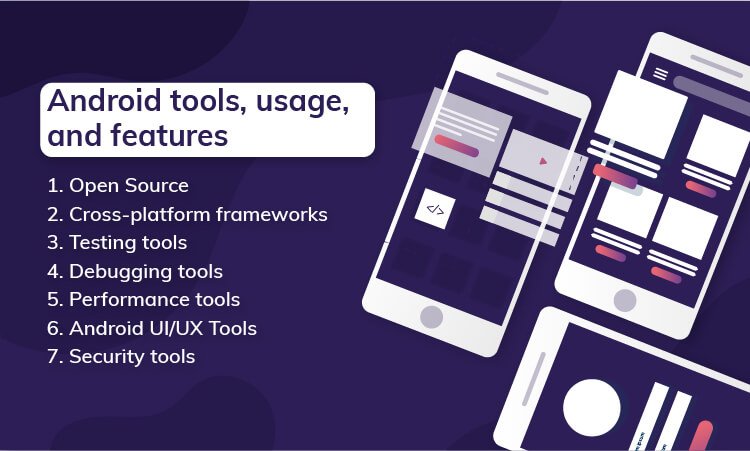
Android tools, usage, and features There is always a little room for improvement when it is about technology, and this urge to make and get better generates the best Android application ideas. It is such a vast platform that the popularity and demand will keep increasing in the coming years. In this blog section, you will learn about top android tools that help you craft scalable, future-ready, robust, and rewarding mobile applications. Android software development is the most fertile field of app development. According to Statista, more than six billion people are using Android phones, and the numbers are rapidly growing as this is being written. A recent survey by Statista also says that Google Play had over three billion active apps in the first quarter of 2021, whereas at the same time, the Apple store had over 2 million apps. There are a myriad of tools to use in developing Android apps to meet various business needs. It is obvious to get confused and determine which and when to use a particular tool with so many options. Therefore, we have divided tools into seven different categories that would make it easier to choose the right one.

1. Open Source

Open source is generally distributed with a license which makes the source code accessible to end-users legally. Furthermore, the original code can be re-used in new software, which means anyone can use the fundamental coding structure to modify it for better features and usage. Some of such open-source Android tools are as below:

> GitHub

A Git repository hosting service that is free and known as GitHub. This online platform helps share projects and keep track of different versions of the project while working in a group. It has been in developers’ favor as one can back up the work, find code tutorials and examples, and collaborate with others. Beginners may have lesser exposure to it but, if you have been a developer for a long time, working on significant large apps in groups, you must get familiar with GitHub. The features include Enterprise security, project and team management, Collaborative programming, and Automation.

> MLKit

Quickly becoming an integral part of mobile application development, ML, aka Machine Learning, is a challenging task when it comes to adding it to an app. Nevertheless, with a deep understanding of data analysis, neural networks, and training and optimizing models to run effectively, you can use the ML kit whenever you need. This android app development tool assists you in ad the ML functionality from Google to your app. It saves a huge chunk of money and heaps of data while letting you add things like computer vision and OCR. In addition, it has features like Landmark recognition, language and face detection, smart response, barcode scanning, image labeling, etc.

> Firebase

For those who need a set of tools for multiple purposes, Firebase is a package for Android app development, and it is free. Provided by Google, this is an entire suite of cloud services for web or mobile app developers. It consists of everything from Machine Learning Kit to AdMob monetization, analytics, and secure authentication. Firebase also offers many free and premium services such as crash reporting, cloud messaging, analytics, user authentication, file hosting, static website hosting, real-time NoSQL databases. The ‘Spark’ subscription is free and has a wide range of features, including real-time database and performance monitoring, so it is worth trying. Some of the other popular features are unlimited reporting, integration with other apps and services, audience segmentation; and below-given are main categories of Firebase products:

* Quality – Performance, crash reporting, testing, etc.
* Develop – Hosting, database, storage, authentication, etc.
* Grow – A/B testing, prediction, cloud and in-app messaging, etc.
* Analytics – Audience, conversion, funnels, etc.

> IntellijIDEA

IntellijIDEA is a java based IDE – Integrated Development Environment that helps developers to amplify productivity. A developer can refrain from doing repetitive and mundane tasks as IntellijIDEA provides static code analysis and intelligent code completion that focuses on other imperative facets of software development. Being a cross-platform Android mobile app development tool, IntellijIDEA offers consistent experience on Linux, Windows, and macOS. It has three editions, out of which IntellijIDEA CommunityEdition and IntellijIDEA Edu are free versions, whereas IntellijIDEA Ultimate is paid. Some of the known features are chain code completion, detecting duplicates, static member completion, editor-centric environment, inspection and quick fix, and inline debugger.

2. Cross-platform frameworks

Cross-platform or hybrid frameworks are those that let you create native-like mobile apps to run them on multiple platforms. Android app development frameworks contain open-source programming languages to craft robust, highly functional, fast-paced, and future-ready mobile applications. More people are inclined to build a hybrid app because it reaches a diverse audience at the most cost-effective price, so let’s have a look at some of the widely used frameworks for Android mobile app development.

> Flutter

Although not as popular as other frameworks, Flutter is carving its own path of success in today’s competitive market. A software development kit – SDK, Flutter lets you build incredible mobile apps for Android, iOS, and web with just a single code. It was released in 2017 first and used Dart language that makes it easier to support almost all the object-oriented concepts. In addition, it is known for providing widgets and the best user experience. With an amazing appearance, native-like performance, and impressive scrolling, fonts, navigation, icons, Flutter also has some other remarkable features. In Flutter, all platforms have similar business logic and UI, reduced programming time, easy to create rendering engine, improved time-to-market efficacy.

> React native

React native is built with React, which is an outstanding JavaScript toolkit to develop a user interface. The best thing about React Native is it allows developers to construct hybrid app solutions using JavaScript language along with platform-specific languages like C, Java, and Swift. As a result, this framework helps to use the source code in creating native parts, and a developer can build a new app without learning new skills for development. In addition, it is UI-focused, has a vast community, supports third-party libraries, and has mobile environment performance.

> Ionic

Ionic was released by Adam Bradly, Ben Sperry, and Max Lynch in 2013. It is a leading cross-platform framework and is widely used to create complex Android mobile applications. It uses technologies like CSS, JavaScript, and HTML, which also support other JavaScript frameworks like Vue, Angular, and React. A mobile app created using an Ionic framework is a hybrid HTML application due to Apache Cordova. It offers pre-designed elements, flexible and expressive UI, typography, and a base theme adaptable to each platform. In addition, this framework uses APIs such as Virtual DOM, async, TypeScript, and JSX, which are perfect for PWA – progressive web apps. Ionic is simple and easy to understand and use; it consists of eye-pleasing designs, Cordova plug-in, Web and JavaScript components, and framework compatibility.

> Kotlin

Modern yet mature, Kotlin is concise, compatible, safe, and cooperative with other programming languages like Java. Google sponsored Kotlin and being an object-oriented language, and it is reusable, open-source, and immensely readable. In addition, it offers features like null safety, JavaScript transpilation, native conversion, expressing programming, etc.

3. Testing tools

If you are using tools for intellectual development, why not use tools for testing? Testing tools are time and energy savers and make the testing process as smooth as it can be. So it is better to avail benefits of innovative technology and try testing tools with significant facets. So have a look at the following prominent testing tools to ease your Android app testing procedure.

> Apptim

Apptix has both free and paid versions, and you can make a choice as per your requirements. It enables testers to test and monitor client-side performance, which helps in avoiding quality issues going live. In addition, Apptix helps in trucking crashes, power consumption, app render times, resource usage, and much more. Its features include Android – iOS compatibility, JIRA integration, troubleshooting, performance report, etc.

> Selendroid

A test automation framework, Selendroid is useful for native, hybrid, or web applications when it comes to testing. It can be used as a node to parallelize and scale testing in Selenium Grid. Features are excellent compatibility with JSON Wire Protocol, various API support, built-in inspector, zero modification of an app under testing, etc.

> Test Project

Being the world’s first and free cloud-based, community powered test automation platform, Test Project allows users to test web, iOS, and Android applications easily and quickly across all the operating systems. You can use Appium and Selenium with this testing tool in order to cooperate with team members to assure improved quality and speed. You can use TestProject’s sophisticated software development kit – SDK to design programmed tests, craft and use add-ons, or you can use progressive built-in recording traits; everything is free. It has features like easy Configuration and setups, shared and reusable add-ons, detailed Dashboards, and seamless integration. 

> Appium 

Appium is known for being an open-source and cross-platform testing tool for Android (for 2.3 onwards). It works as a server, just like selenium in the background. It supports plenty of languages like Java, C#, and Ruby, along with some WebDriver libraries. Appium uses WebDriver to test running and automate Android using the UI Automator library. It can be synchronized with TestNG, which provides an informative and in-depth report. Features say it doesn’t need to modify and recompile the app, supports various languages, WebDriver language compatibility, can use any testing framework, uses JSON wire protocol, and is easy to integrate with other tools with the help of JAVA.

 4. Debugging tools

Debugging is necessary after testing. Debugging can be automated in mobile apps with the help of Android debugging tools. These tools are platform-specific, and you can use them for error removal while developing native or hybrid apps. Developers use bugging tools to check crashes, bugs, interface malfunctions, and many other errors in the targeted app operation. You can purchase these tools alone or as part of a whole package. Let’s have a look at some of the excellent debugging tools.

> DebugDrawer

DebugDrawer offers easy access to data and settings of a device and the ability to simulate location and connection state along with the same. The testing process is much easier with this Android debugging tool as it allows you to check information about gadgets rapidly. By adding extra modules to your project, you can customize the debug navigation. Its features include device information, Configuration of various settings and networks, and building adequate information.

> Stetho 

Facebook developed Stetho, a debugging tool or, say, a bridge for Android. It is a free, open-source, and efficient Android application development platform that gives you access to Chrome development tools, a feature that’s native to the desktop browser. Stetho does a network inspection for images, HAR exporting of traces, and JSON response assistance. Its features are JavaScript console, database inspection, network inspection, viewing hierarchy, dump app, and ChromeDevTools.

> App Spector 

Coming with both free and premium versions, App Spector is an Android mobile app debugging service. It allows developers to inspect your software remotely, even if the development team members are scattered. With a simple online interface, AppSpector helps you in real-time access to your app’s internals. It tracks app location, database, network traffic, as well as performance indicators that go beyond mainstream log collectors. It consists of all of the essential Android development tools for introspection. Its useful features are real-time access, remote control, history replay, core data, performance, custom events, and commands.

5. Performance tools

The performance of an app is the most imperative part of development. If your application is running slow, users are more likely to avoid using it. The better the app performs, the higher the probability of succeeding in the market. In today’s world, where people are glued to their phones all the time, it’s necessary to deliver people’s anticipated results. Approx 70% of users will abandon an app if it takes longer to load, and approx 25% of customers delete apps after using only once due to its poor performance, resulting in a bad rating on the Google Play store. 

> Flow Up 

FlowUp helps in keeping track of all of the production apps’ performance. Utilizing this Android development tool, you are capable of keeping records of your analytics and metrics, such as disc and CPU consumption, memory usage, bandwidth, frames per second, and much more, with the help of dashboards. Flow Up is a SaaS service that you can have with a monthly subscription based on the number of people using it. Some features are Frame-Per-Second frame time, CPU usage, memory consumption, disk allocated bytes, and allocated TCP/UDP Traffic, etc.

> The Android Profiler

Also introduced in Android 3.0, The Android Profiler provides real-time data to monitor the CPU, memory metrics, and network of an application while it is running on a device or emulator. It’s an amazing tool for discovering performance in apps, keeping track of memory usage, and ensuring network bandwidth limits are not exceeded. The valuable features are the usage of CPU Profiler to monitor CPU activity, and Memory Profiler lets you examine the memory allocations and Java heap; Network Profiler is for scrutinizing network traffic and such action, whereas Energy Profiler helps in tracking your energy usage.

> Apache JMeter (Free)

JMeter is one of the most extensively used Android performance measuring tools for mobile phones. It’s a free, open-source program with expansive capability (because of plug-in support) and a user-friendly interface. A myriad of testing options is available, including several load generators as well as controllers. It’s also possible to use the software to test volume and availability. JMeter supports HTML-rich reporting and data visualization tools and provides in-detail documentation to users to make it smooth for grasping the program. Some facets include intuitiveness and simplicity; GUI supports servers such as HTTP, LDAP, HTTPS, POP3, etc., provides support for swing and lightweight components. It is a Multithreading framework with highly extensible features.

6. Android UI/UX Tools

> Sketch

Sketch is a simplified and facile vector design tool that solves and streamlines user interface design. It facilitates the UI/UX included in Illustrator and Photoshop. To get the best out of design, this tool helps you in getting rid of the bloated functionality and concentrating on UX – user experience. The best thing about Sketch is its ability to install plug-ins. Nevertheless, Sketch’s support in real-time Android preview is not that effective, so better to have a trial first. Some fundamental features include toolsets, code export libraries, instant preview, and vector editing plug-ins. 

> MockPlus

Mockplus is a rapid prototyping tool based on cloud, it can be used for building interactive prototypes and wireframes. It allows users to finish a screen design quickly with its pre-build components. It is a straightforward tool that requires a low learning curve which will enable users, even with limited experience in order to build prototypes effortlessly. You can avail of it on an annual subscription. Some of the known features are design prototype project task management, real-time editing, design feedback, and commenting code snippet generation.

> Figma (Freemium)

Figma is the right tool for creating UI – user interfaces. You can design and prototype your digital experience at once and in real-time. It’s a UI development tool that works well on Chrome, Firefox, Safari, and Edge. It costs only $12 per month for professionals and approx $45 per month for organizations. Also, you can test it for free with your individual plan. It’s a one-of-a-kind application-based browser, so you don’t have to worry about outdated software or any compatibility difficulties. It lets you adjust the size of your design which helps to fit any screen. Features include prototyping, built-in commenting, version control, live sharing, multiplayer, a collaboration of team libraries.

7. Security tools

We can say that security is one of the most underappreciated and underrated parts of android app development. A lot of time is spent crafting and designing android apps, but a tiny amount of time is spent on the security element. Often programs store critical information, yet they lack the most basic levels of protection. Many popular apps in the Google Play Store are known for major flaws and vulnerabilities, and any motivated hacker with sufficient skills can simply exploit in a matter of minutes. Secure Android apps with the following security tools to make them more reliable for your customers.

> QUARK 

LinkedIn has developed it, and QARK stands for “Quick Android Review Kit.” The name itself implies how useful it is for the Android platform to detect security flaws in the source code and APK of mobile applications. QUARK is a static code quality tool which offers information about app security, vulnerabilities and a clear and concise description of issues. In addition, QUARK generates Android Debug Bridge – ADB commands which will help in validating the vulnerability that QARK detects. Features: open-source tool, in-depth information about security vulnerabilities, report potential exposure and fixing them, highlighting version-related issues, and misconfiguration and security threat scan.

> OWASP Zed Proxy (Free)

The Zed Attack Proxy (ZAP) is specifically designed to be simple to use and operate. Earlier, it was used mainly to detect vulnerabilities in web applications; however, it is now widely used by all testers for security testing of mobile applications. ZAP allows a user to send fraudulent messages, making it easier for testers to assess the security level of mobile apps. This form of testing is carried out by delivering a request or file through a malicious message and deciding whether or not the mobile app is vulnerable to it. Features: Most popular open-Source security testing tool, ZAP, is maintained by volunteers, easy to install, the broad international community, great for manual security testing.

Benefits of Android app development
Benefits of Android app development As Google keeps coming with newer versions with enterprise-friendly features and enhanced security, entrepreneurs also seem ready to have a cherry on the cake with the help of customized Android app development. Today, Google Play has approximately over 3.3 million apps, and the number is steadily growing. In other words, the Android app development world is thriving at a tremendous pace. Here, you will know some top benefits that compel businesses to opt for future-ready and feature-rich Android app development.

> Easy Customization

Android app development is known for being a resourceful platform with commendable flexibility and easy customization options. You get an innovative, exciting and impeccable enterprise app with a diverse range of functionalities. Android is a robust operating system that can be integrated with all types of modifications, whether it is simple to complex. Your business requirements can always be addressed effectively and immediately with this platform.

> Better security and easy marketing

Google has released ample business-friendly features in the latest updates of Android, starting from Lollipop. In today’s competitive market, this platform stands still against its Apple counterpart when it comes to data security. It is difficult for malware to locate the data structure and spoil it. Plus, an automated system can send timely notifications to the users to keep them updated. Furthermore, you can promote your Android app thanks to the platform’s easy access and prevalence. In that way, Android OS has given you both safety as well as promotional advantages.

> Higher RoI

Promptly available to programmers, this open-source platform and Android’sAndroid’s SDK – Software Development Kit is cost-effective, and so is the entire development cycle. Furthermore, Android app coders can efficiently execute the material design. As a result, you can have an engaging, attractive, and interactive Android app at a reasonable cost to address a vast audience worldwide. In short, a personalized Android app offers a higher Return of Investment – RoI compared to its Apple counterpart. We can classify the development cycle into three phases- App Design, Development, App testing, and App Deployment.

> Reduced Time To Market

It is essential for you to come up with a business app idea as soon as possible to have a competitive edge over your rivals. Android app development tools can provide quicker development facilities with desired integration of required features. Experienced Android developers can create an app for your business in a shorter time, and you can avail benefits of reduced TTM. That’s not all! If you want to improvise the app with changing requirements, you can do so swiftly.

> Room for Innovation

The biggest strength of the Android platform is its worldwide presence. If you want to nurture business for your audience with some novel features, the Android apps can help you by using cutting-edge tools and technology. You can have high-end app solutions by integrating ultra-modern technologies like AR and VR at affordable rates. In that way, Android offers sufficient scope for innovation and unlocks the doors to new business opportunities.

> All things Google

This one is the most significant advantage you can get with Android app development. Although several Google services are available in iOS, deep integration is still lacking. You can give the benefits of Google’s apps and features to your users with a customized Android app for your business. Also, whenever Google launches a new service or app, it can effortlessly work on your Android app with ease.

> Evolving Platform

Are you aware that Android is constantly evolving? Android smartphones have been built by some renowned companies such as Samsung. They keep on producing new facets to stay strong amid increasing competition, and the efficient Android developers’ community immediately gets adapted to them. Read more about New Trends In Mobile App Development

Future of Android App development

There is no limit when it comes to ideas for Android app development. Android devices embrace almost 85% of the global mobile market. This empowers businesses to reach a broader targeted audience and expand their brand awareness. In addition, Android operating platform fame isn’t determined only by its extensive availability and app variety found on the Google Play Store. It allows combining the most cutting-edge technologies into Android mobile apps. Furthermore, android tools are here to make the development procedure faster and extra effective. All these features make Android apps the right option for many businesses.

> AI and Machine Learning

AI – Artificial Intelligence and ML – Machine Learning technologies are popularly used for Android app development. They attach such digital solutions as chatbots and voice assistants, analytics, automation, Big Data processing, and many others. Execution of AI and ML in Android apps aids businesses in enhancing their customers’ experience. They can – automate usual tasks like organizing tickets by topic, addressing messages and reminders; – update user recommendations, arranging them based on customer likings; – intensify filter configuration on various e-Commerce sites; – Personalize mobile apps in line with shoppers’ preferences and their more thorough connection with the users like suggestions configuring customization of app layout or procurement of exclusive discounts or prices for frequent customers.

> Blockchain Technology

Blockchain is a fast-developing technology that can transform the idea of how the financial service sector works. It is predicted to change well-established commercial institutions, lead the operational costs down, stimulate and better secure money transactions and raw data exchange. Many finance-related and banks companies are already executing blockchain in their practices. For instance, PayPal experiments with blockchain. The company aspires to promote money transactions and cryptocurrency exchange. In addition, Facebook is starting a blockchain platform called Crypto, creating its currency for its customers. Soon, more companies would like to try cryptocurrency platforms or to build mobile apps with magnified security. They will connect to professional blockchain development organizations to create digital solutions customized particularly for their business demands.

> IoT

The primary two mobile app development trends are 5G and the Internet of Things (IoT) in 2021. 5G is expected to dramatically rise to IoT, promoting its spread from Smart Houses to Smart Cities. Besides the future with a bright prospect, several companies are already harvesting substantial profits from installing IoT technology in their mobile apps. Now IoT solutions are used in intelligent fitness trackers authorized by GPS, gyroscope devices for healthier movements, accelerometer, and location, and workout tracking; smart gadgets to connect a microwave, a lighting system, a fridge, and other things into one network that can be run in a mobile app manually or by the aid of voice assistants. Industrial IoT for tracing production course and preventive maintenance, when all the stats, statuses, and analytics can be checked simply in one mobile app; 

> M-Commerce

M-Commerce is a short form of mobile commerce and involves many fiscal transactions consumers can carry out by using their smartphones. They cover mobile money transferring, E-tickets, Electronic boarding passes, E-coupons, electronic loyalty cards; mobile banking; E-commerce; contactless payments and payments in mobile apps, etc. The M-Commerce services are capable of making payment systems agile and convenient; hence, many industries incorporate mobile payments in their applications. Above all, they can be quickly built-in in any mobile app. For example, Google provided its payment platform Google Pay app for Android and iOS app developers, making M-Commerce services even more secure and easy to use. As a result, more businesses will opt for seamless mobile payments in their business apps in the coming years. As a result, business Insider predicts that M-Commerce volume will rise from 25.5% in 2019 to 44% in 2024.

> AR and VR Technology

Augmented Reality – AR and Virtual Reality – VR aren’t some brand new technologies in Android development. For instance, the Google platform ARCore has built augmented reality experiences for various Android app platforms since March 2018. While executing AR/VR technologies in mobile apps, corporations take customers’ experiences to the next level. For example, Google Maps has an AR upgrade that helps better navigate a city by placing a virtual map over real street views. In 2021, more companies will experiment with VR/AR technologies and successfully implement them in their apps. As a result, they will become more spread around various niches and industries such as education, tourism and travel, real estate, entertainment, E-commerce, and retail.

> On-demand Apps

On-demand apps were top-rated in the Coronavirus epoch in 2020 and will continue to be frequently used in 2021. These are the apps that provide quick services like Uber or pizza delivery services. On-demand apps are used in various niches such as retail, food delivery, health tech, grocery, and many others. They assisted many companies in keeping their consumer flow high during the pandemic, and some even increased their revenues by reaching every customer. These apps will retain their popularity in 2021 as they help users perform daily tasks quickly and conveniently.

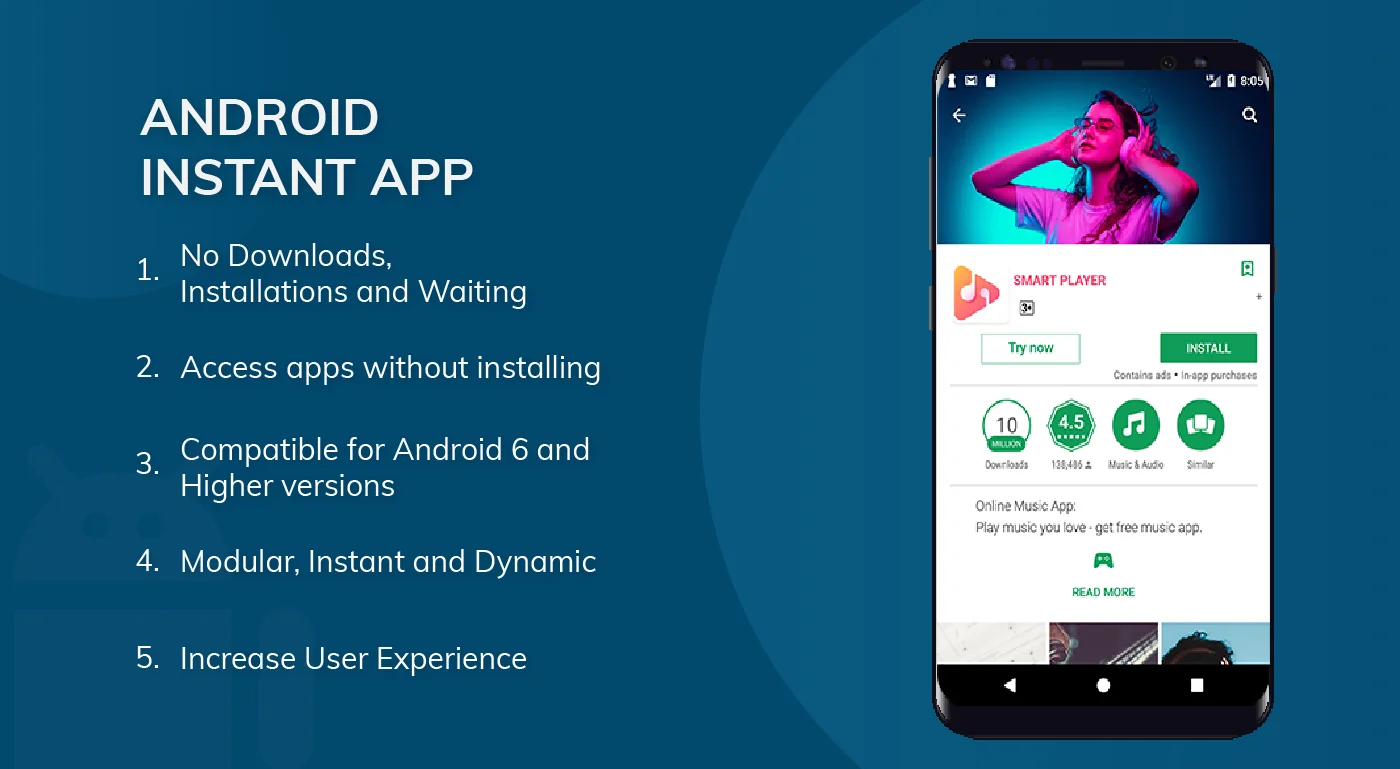
> Android Instant Apps

Android instant apps are a time-saving technology that allows quickly checking an app without explicit installation on a device. It preserves end-users time and encourages them to use the app much quicker. Moreover, these Android instant apps consume less space on gadgets, which prevents system interruptions due to full memory. E-commerce stores and game developers substantially benefit from prompt apps. The technology makes it much easier for companies to advertise their products and attract potential customers. Users can run into these apps in Google search results and instantly open them to check. However, in order to install the full version of an app, they will need to visit the app store. Wrapping up: If you are unaware of any Android mobile app development information, this blog must have been quite insightful for you. We have opened an ocean of information right in front of you by covering almost every essential aspect of Android app development. Remember that Android is here to stay for a long time or, say, forever, and there is nothing Android cannot provide you. So please close your eyes and wish for it; Android apps can do wonders for you.
Best frameworks for building progressive web apps

As technology started to evolve, it gave us the most effective communication tool of its time- the website. It immensely helped businesses in sharing important information with their customers and brand loyalists. Soon after, the mobile industry grew by leaps and bounds giving us the power to develop applications which could fit into small handheld devices opening an array of opportunities. Businesses which saw the trend incorporated it in their marketing strategy and benefited from the decision. Today, technology is presenting something new and worthy of our time every minute. One of the outcomes is the Progressive Web Apps (PWA), a remarkable combination of web and mobile apps. 

What are Progressive Web Apps?

A progressive web app is built using web technologies but its core function is of an app. Users can access any information in their browsers, without downloading any apps. Progressive web apps are a faster medium wherein users can access information without going through the ordeal of searching for apps and then downloading it. Progressive web applications are ideal for businesses that don’t have the bandwidth of developing an app. However they can benefit from such applications which use less data, load faster, offer a sturdy performance and improved user retention. 

Progressive apps offer an immersive experience and seamless performance which helps them stand out from native applications. With higher adaptability to various hardware, platforms and devices, its responsive design to scale full screen, offline accessibility and SEO compatibility are few of the advantages of progressive web applications. Social media giants like Facebook and Twitter along with multi-national companies like Samsung and Apple, all our investing in PWA and reaping its benefits.

While PWAs reduce the hassle of downloading apps, a single page app is ideal for dynamic, web-based experiences with fewer server interactions.

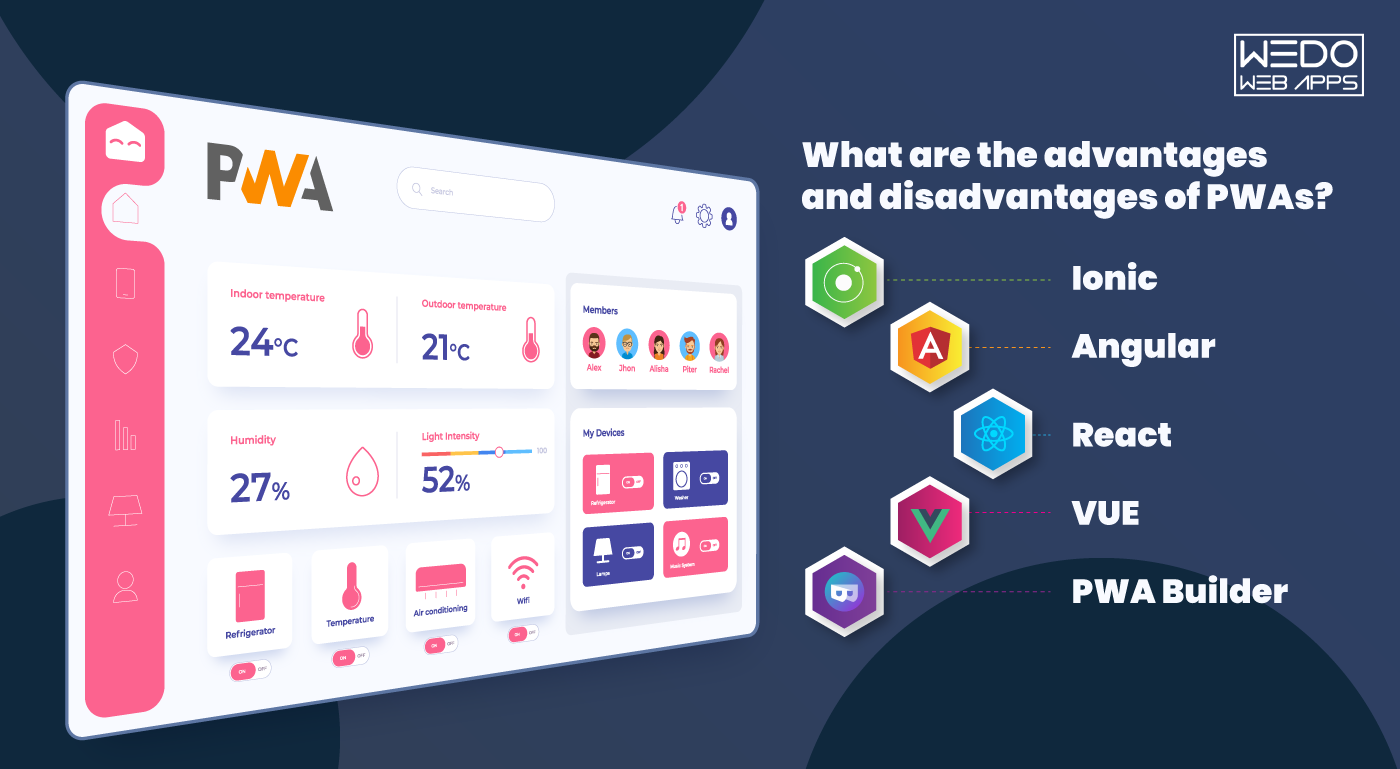
What are the advantages and disadvantages of PWAs?

PWAs are lightweight and can be easily installed, have a fast load speed as compared to native and desktop applications. Moreover, PWAs are secured with HTTPS protocol which prevents the connection from altering its contents. Few brands have benefited with higher engagement and conversions through progressive web apps as compared to desktop websites. PWAs are identified as applications and have a URL, therefore, they can be indexed easily, which further helps search engines to use them in search results. Users don’t have to depend on app stores to download and install, PWAs can be found on search engines, social media channels and can be added to the home screen giving access to push notification, camera, geolocation, etc.

Moving on to the disadvantages, PWAs have limited functionalities which affect the user experience. Moreover, not all functionalities of progressive web apps are supported on iOS platforms. PWAs are written in high-level web code for which the phone consumes more battery to interpret the code. Technical options like NFC and Bluetooth cannot be applied to PWAs which makes it lag behind native applications. Hire our dedicated PWA developers for your upcoming project.

Best PWA frameworks in 2020

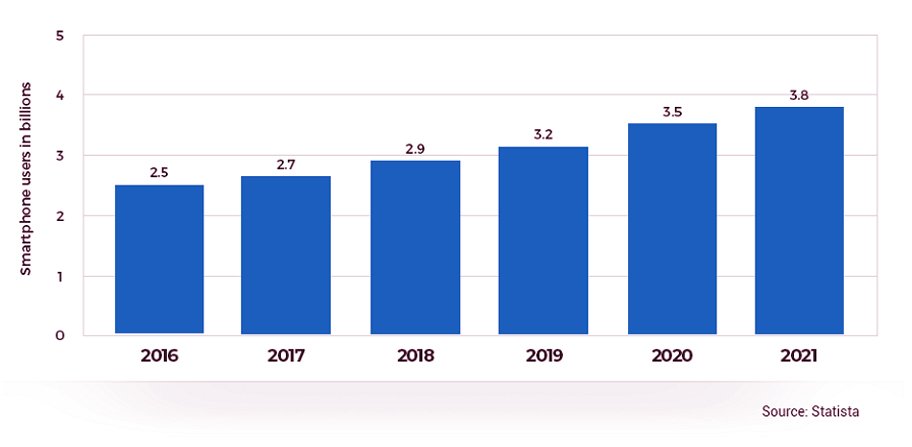
As smartphone users are increasing worldwide, businesses too are benefitting from the trend and effectively using it as their strategy to reach out to their audience and market their products. Many businesses are still adapting to this change and moving their business to PWAs. There are several factors which need to be considered before opting for PWA, the first one being choosing the framework as per your business needs. Here, we list down the top five frameworks with their pros and cons.

1. Ionic

The most responsive open-source mobile UI framework which was introduced in 2013, has its foundation on the angular framework and Apache Cordova which lessen the learning curve. Ionic has components for both Android and iOS like badges, buttons, etc. It’s easily customizable and the apps built on the framework are compatible with Android, iOS and Windows. Ionic comes with an extensive library through which one can access APIs without having to code.

It works faster with just a single code base and runs everywhere.

The only disadvantage of Ionic is that the app needs to be modified often on the framework to keep up with the latest changes.

2. Angular

Angular has been powering various applications since Google launched it in 2010. The framework uses JavaScript to create reliable and sturdy applications. There have been recent versions which have been introduced with a couple of modifications which have boosted the built-in support of the framework and have offered a smaller learning curve. Along with Google support, Angular has a large community of developers to fix issues etc. Moreover, Angular includes IntelliSense and Typescript which makes life easy for developers.

When compared to other frameworks, Angular is complex and needs a high level of expertise. To use the framework, developers have to learn TypeScript.

3. React

React is yet another popular framework amongst developers. Supported by Facebook, the framework is highly functional and uses JSX to render functions for connecting HTML structures. React has a large community for support and offers extensive libraries and complete ecosystem. The applications built on React can be further used for native apps thus giving the power to create scalable and flexible applications.

In order to use React, the developer needs to know JSX apart from JavaScript therefore it becomes a little complex. In the absence of any defined methodology, implementation suffers.

4. VUE 

VUE is a new framework and has one of the fastest-growing libraries if compared to other frameworks. Developers prefer the framework for its high-speed rendering, simple coding and scalability. Since the framework functions on simple coding, new developers too can build apps. Vue can be combined with JSX and Typescript and offers the best results.

Vue has a very small support team which hinders many developers from using it. The flexibility often causes performance issues. 

5. PWA Builder

PWA Builder is powered by Microsoft and was built to convert websites into progressive web applications. The open-source framework has a strong community support and is compatible with Android and iOS. PWA Builder has extensive documentation and uses Vue.js for its web development.

PWA Builder has restricted flexibility and developers don’t have an option other than opting for the automated process or the pre-built features.

Before you choose one of the best PWA frameworks suited for your business, it’s best to explore all features and resources carefully. Opting for the best framework depends on the expertise of your developer and your business strategy.

The Boon and Bane of Android App Development

Most likely, it won’t be surprising to say that gadgets are the most essential part of our day-to-day life. It’s even hard to imagine oneself without a smartphone for more than one day. With the help of the devices, you can easily be in touch with your family remotely, solve business issues on a global level, track routes, keep a count of your daily calories, and even do business seamlessly.  Recently due to the pandemic, the demand for gadgets has increased tremendously. The quarantine worldwide has reduced the times of face-to-face communication, thereby forcing the education and health world, and also the other industries, to move online. Now every business prefers earning and solving its issues online, which is good in a way. Isn’t it? Does your company have an application? Or are you looking for a smoothly running application to solve your business issues?  Due to a lack of time or cost, several companies have to choose between iOS or >Android App Development. The main reason behind this is the confusion on how perfect the choice can be and whether the application deployed on the particular platform can make their business achieve their desired goals.  You need not forget that one among both the platforms has a market share of approximately 90%, and the devices based on that platform are launched around the world. Yes, we are talking about Android. The android operating system is compatible with any device and can provide businesses with magnificent scalability.   In this article, we will discuss the pros and cons of Android App Development and how it is beneficial to avail of the android application development services Besides knowing the boons and banes of android app development, it is also worth knowing the history of Android.

How was Android Found?

The history of Android began someday in October 2003. Before that, the term smartphone was widely used as Apple announced its very first iPhone. To look at the history of Android, it was founded in Palo Alto, California. Four developers, namely Rich Miner, Nick Sears, Chris White, and Andy Rubin in 2003, and in 2005 it was bought by Google.  According to some surveys, Android monthly has around 200 million active users worldwide, and 2.6 million Android applications are uploaded on Google Play Store. Android is interested in reaching a broader user base. According to the above information, every company should develop an Android Application for strengthening its brand in the market regardless of its size. Several development companies are offering top-notch Android app development services to make your business proliferate.  These facts prove How important Android app development is. Here are some of the pros and cons of android app development one should know before developing an application for their business.

Must-Know Pros and Cons of Android App Development

Pros of Android App Development

Deep Integration with Google

As Google is the proprietor of Android, Google applications run seamlessly on Android Systems. Therefore, one of the most significant advantages of choosing Android is its very close integration with Google. And we know how popular is Google these days and has a lot of user base that is ultimately an advantage for Android.

Smooth Compatibility with the Devices

Android applications can undoubtedly run on the gadgets of various manufacturers. This implies the Android application will run consistently on each device regardless of it is worked with an extraordinary user experience. This, in no way, is an easy accomplishment and is accomplished by broad detailing while at the same time building and upgrading the Android operating system.

Rich-featured Development Tools

Android offers extremely useful feature-rich tools that help in quicker and easier development, reducing code redundancy. Android App Developers use these tools to make the application code take up less storage, thereby improving the app’s performance. 

Boundless Customization

Android development lets you customize how an application will appear and perform on various devices with the help of its ROMs. The Android app developers use ROMs to build user-specific features and customized interfaces as per the needs of that specific application.

Easy Approval Process

When the comparison is made between iOS and Android app development, it is easier to launch your application on the Android Platform. This is because Android-based apps do not have a stringent or complicated approval process as of iOS. Android applications do not need to undergo any strict initiation process before getting launched on Google Play Store.

Broad Market Presence

Google, Samsung and others are constantly putting effort on improving Android to make it easier for high-quality Android applications to be distributed geographically. They are user-friendly, easily adaptable to media streaming devices, wearable gadgets, Android-based smart TV, and suit various technologies like IoT and AR, VR. Thanks to its omnipresence, the Android market share constitutes 70-80% of the market. 

Versatility

Android App Development is done using Java language and makes it possible to target the apps on various platforms like Ubuntu and Symbian. This is one of the most significant reasons one should go for android application development services. It also ensures the wise allocation of resources. Read Website Conversion Rate. Cons of Android App Development 

Security Issues

For one thing, it is good that Android app development is open-source, and the developers can customize the apps according to the tasks and specifications. But on the other hand, the open-source nature of the code makes it unprotected from all sorts of security threats. Therefore, with android application development, the developers’ responsibility is to provide the app with a sufficient level of security through encryption.

Low visibility 

The Google Play store has a vast number of applications launched on it yearly and gives users so many options to choose from. But, at the same time, some applications are free, and some are paid, and users always choose free over the paid ones. The meaning behind this is, you have to come up with a unique marketing strategy to make your app visible to get ahead of the competition. 

API Incompatibility

Usually, to make your application more functional, developers think of integrating third-party APIs into your app. However, all the APIs are not compatible with every operating system; this causes compatibility issues. Read more about New Trends In Mobile App Development

Conclusion

After clearly looking at the strengths and weaknesses of Android App Development, it is evident that Android is an operating system that has a huge customer base and can help you in business growth. However, to choose the operating system for development, you first need to fix your budget and look at various other factors like the business idea, time to market, target audience, etc.  When starting to develop your mobile app, consider hiring an android application development company, as the developers there are more experienced with the latest trends as well as the industry demands. WeDoWebApps LLC is known for offering top-notch android application development services to its clients in order to make them reach the top of the market.

How to Reduce Your Mobile App’s Size and Boost Downloads

Do you know that with every 6 MB increase in the size of mobile apps, the chances of app downloads reduce by 1%? Yes, that’s true.

When downloading an app, many users, myself included, first check the app size. Even with devices boasting 4GB RAM and 64GB of internal storage, memory can still run out quickly. This makes users look for alternatives with smaller sizes on the Play Store.

This common issue highlights the importance of considering app size as a critical factor. Keeping app size in mind can significantly improve customer satisfaction with your mobile application development service.

From android application development to delivering apps to end-users, the goal is to boost customer engagement. This involves balancing load, high-quality graphics, and fantastic content while reducing app size. Here are some tools and techniques to help make your APK leaner.

Compress Your High-Quality Graphics

High-definition images are essential but significantly contribute to APK size. Tools like TinyPNG, OptiPNG, and pngcrush can reduce image size without losing quality. After compressing images, remove unwanted files and folders from your APK. For quicker results, use the Android Asset Packaging Tool (AAPT) to automatically compress content and graphics.

If you use Android Studio with SDK version 18 or above, switch to WebP images. Convert JPEG, PNG, or BMP images to WebP without compromising quality. For drawing images or creating vector versions, use Vector Drawable to add quality graphics in XML format.

Remove Unimportant Classes and Methods with ProGuard

When designing an android app, many classes and components may become unnecessary later, consuming space. Use ProGuard to remove unused classes, fields, and attributes from the application code.

For optimal results, use the proguard-android-optimize.txt file to perform optimization over your APK. If necessary code is accidentally removed, retrieve it from the app/build/outputs/mapping/release/usage.txt file to get your prior APK version.

Vanish Unreferenced Resources via Gradle Console

Libraries often come with additional resources, consuming space. Use Gradle Console for resource shrinking to free up space. Access the list of removed resources later from the app/build/outputs/mapping/release/resources.txt file. Combine Gradle with Lint for static resource scanning and removal of unwanted files.

Research Libraries

During android app development, research alternative libraries to understand their long-term impact. This helps in optimizing and reducing app size early on, saving time later.

Boost your app’s performance and download rates by integrating our mobile app development services, designed to optimize efficiency and user experience.

Create Multiple APKs

Instead of pushing a single large APK, break it into smaller chunks using Android app bundles and Application Binary Interfaces (ABIs). This allows users to download feature-wise content, separating resource files from code files, making it more efficient for users. Learn how to reduce app size to boost downloads and follow our guide on the Play Store app launch process.

Allow App Installation on External Storage

Not all users are tech-savvy and many are unaware of why certain apps won’t install. Allowing app downloads on external storage (SD card) can increase download rates. Inform users with a notification if internal space is insufficient, suggesting external storage installation.

How Google Helps

Google Play Store aids in optimizing your services. The launch of Android app bundles helps approach users more effectively. Recent updates from Google I/O include dynamic features, built-in app updates, internal testing, enhanced security, and improved rating stats. The pre-registration feature is also noteworthy. Learn more about these innovations here and  Learn how to avoid app launch mistakes and discover strategies to reduce app size and boost downloads.

Conclusion

The tactics mentioned can significantly improve app installations. Let’s start making your app the user’s choice. If you want to discuss anything about Android application development for your business, feel free to connect with us. Additionally, consider hiring our dedicated native mobile app developers or our team of expert mobile app developers to get the best assistance in optimizing your app.

How to Develop an Android App

Following the recent trends, it has become essential to avail of Android app development services. Developing an Android app demands a lot of expertise, talent, as well as innovation. There are plenty of benefits one will get after creating an application for their organization. To effectively carry out the application development procedure, a business owner needs to consider some essential points. The present blog is a compilation of such important points.

Android app development – Essential Considerations

Below is a list of essential points to consider for creating an Android app. Go through them and know about them in brief.

  1. Area of Application: It is essential to know about the field of application of an Android app. There are plenty of areas where one can use them, such as gaming, mobile commerce, health care, enterprising, social media, support, maintenance, testing, and so on. Firstly, the owner has to determine his need from an app and then work accordingly.
  2. Easy Accessibility: The Android application must be easily accessible. It should be easy to navigate through different tabs and sections of the application. Apart from that, the app must be compatible with other types of screen resolutions to deliver better viewing on all smartphones.
  3. Google Playstore: Without getting a place on Google Playstore, an application is of no worth. Thus, it is essential to develop an Android app within the parameters as set from the prior. Letting the users easily find and download the application from the store.
  4. Appearance: While creating an application, it is essential to consider this point. The app must appear well, with attractive graphics and easy to navigate tabs. In this manner, it can enhance the user interface. It will surely benefit the business owner to increase the engagement of users with the application.
  5. Features: Features relates to the facilities the business owner is going to offer to his clients within an application. 

Significance of Android app development

Owning an Android app benefit a business owner in many ways. Such as:

  • It becomes hugely more comfortable to notify the stakeholders of business about the day to day activities of the organization. This keeps them updated with the happenings, and they remain in touch with the company.
  •  A business can maintain its online presence with the help of an Android app. It will provide them with a notable platform for advertising themselves.
  •  An Android app will also facilitate enhancement in the number of clients, which in return will increase the Rate of revenue of the business.

In the present article on How to develop an Android app, we have briefed out some of the notable points to be kept in mind while Android app development for your business.

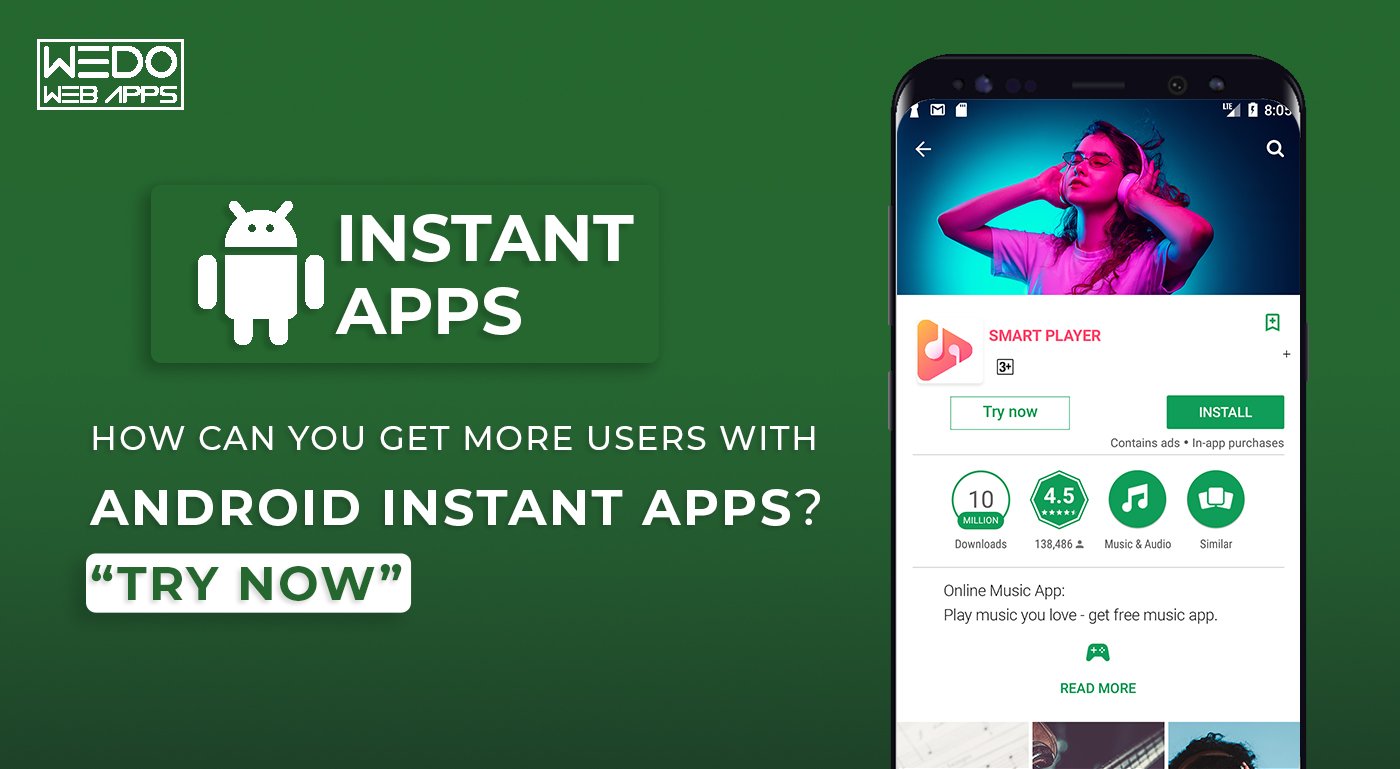
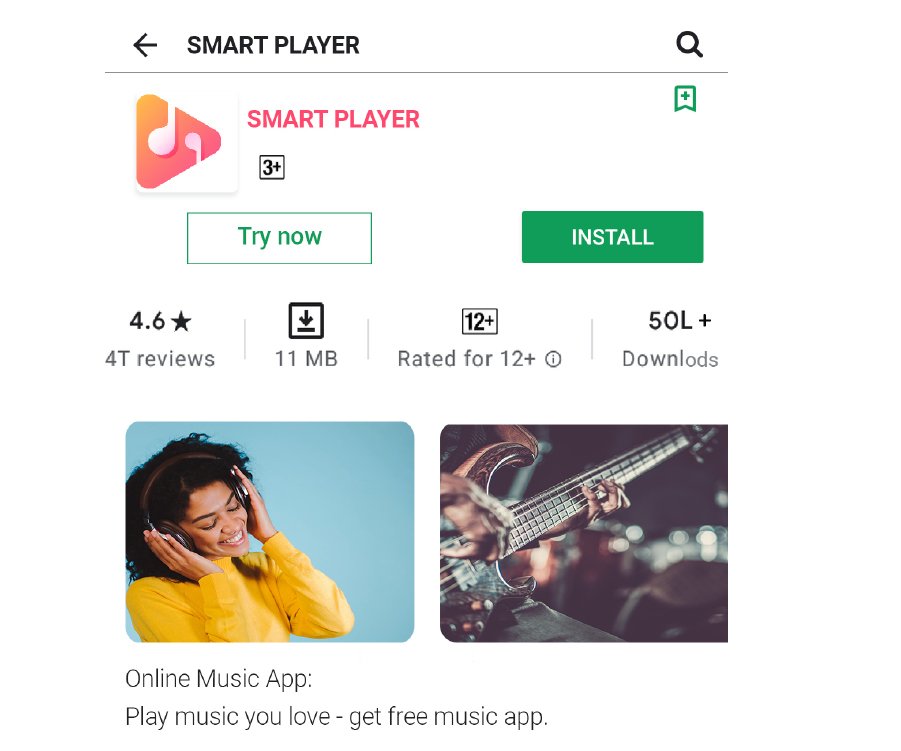
How Can You Get More Users With Android Instant Apps? – “Try Now”

In a world where everyone needs to get things done instantly, how can Android lag within a very short period? Well, guess what, it doesn’t! Have you heard of the term Android Instant Apps before? Various Android app developer companies are after the quick procedure of what is known as the Android Instant Apps. These instant apps are sure-shot your best friend. Think to yourself- wouldn’t it be amazing if you could use an app without having to download it? Without putting any additional load on your device’s memory, you can get an impressive experience of the app just like that.  Google Play services for instant apps make this possible for you. Google Play services for instant apps From the android app developer company’s point of view, it is a great way to get their customers engaged and attracted to their app because of the main feature- optional download. This feature helps you keep your phone light. Your app module behaves as a standalone app that can be easily accessed through a URL. You can access the app from anywhere, anytime, via the URL searching element. Let us now see the working of an instant app.

How can you get more users with Android Instant Apps?

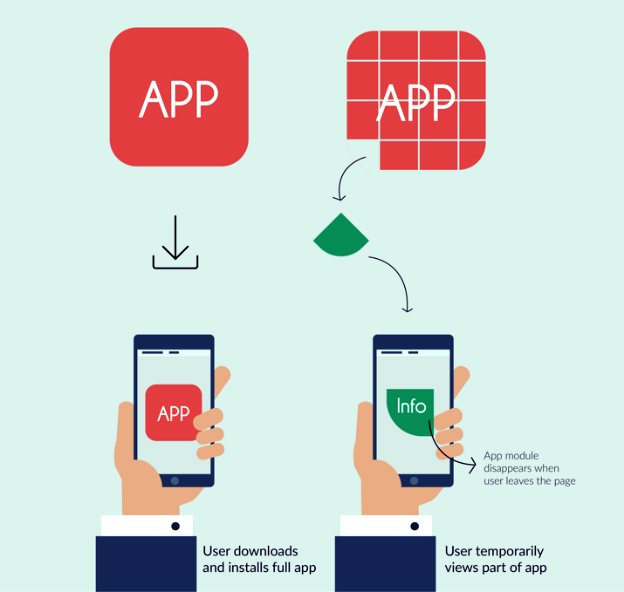
Android Instant Apps At Google I/O 2016, people saw the first face of a great new Android feature called Instant Apps. These instant Android applications are proposed to bridge the gap between web applications and native applications. The basic idea of ​​Android Instant Apps is to break down native apps into smaller parts, making it easier for an app to run instantly without having to go to the Google Play store. In addition, instant Apps allow the user to access the cloud-based version of the app on an Android phone without installing it from the Play Store.

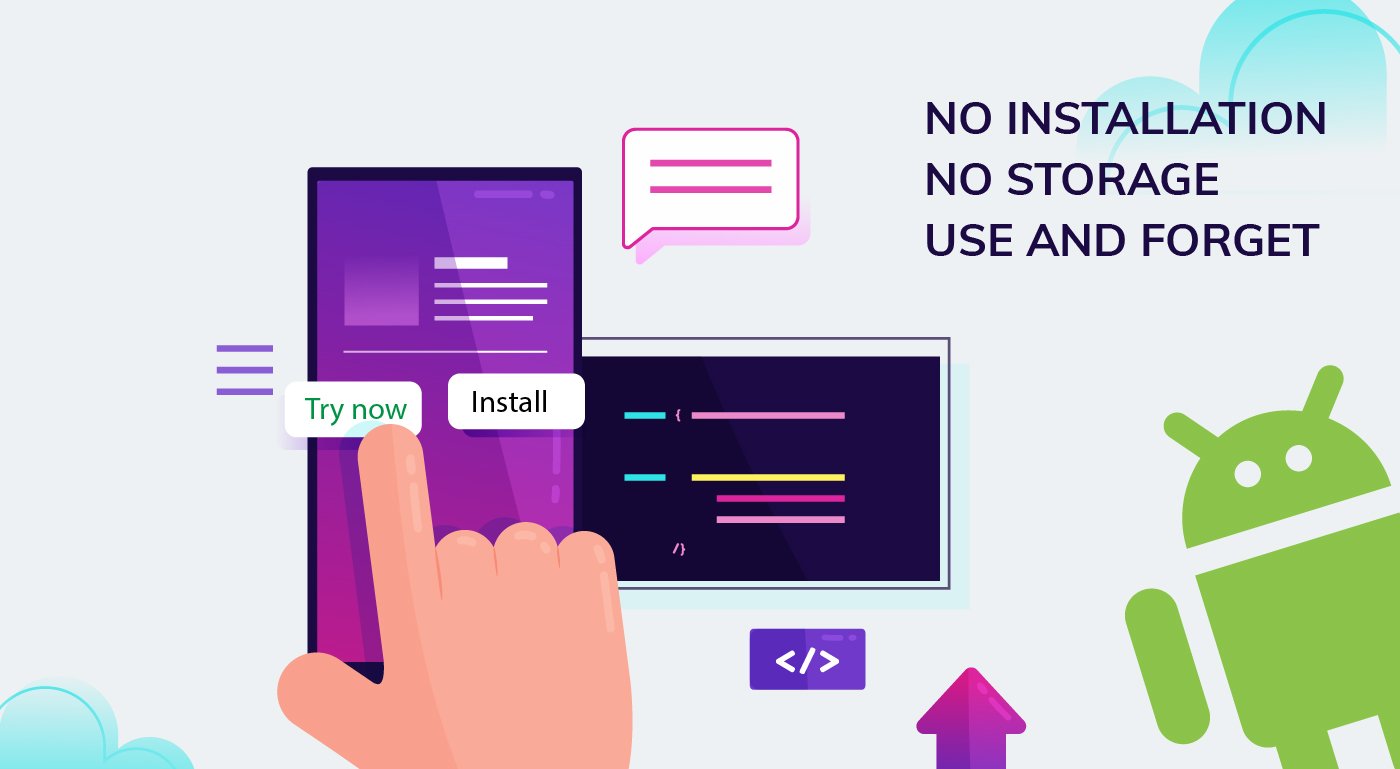
Working of Android Instant App

An instant operates through a URL. This URL, when tapped, initiates a command for Google Play which further initiates the feature APK corresponding to the request, ultimately leading to the Android device starting the instant app. To get a detailed knowledge of how this happens, you could reach out to an Android App Development Company. If in case the Google Play instant app services fail at this juncture, the android system takes the job into its hands and maintains the request of the URL. Android app developer company The URL designated to each app is unique, which eases the work of the entire system. In addition, finding a matching instant app becomes easy this way. The instant applications have a distinct program structure. Instant apps can either be created during the Android 3.0 that contains an instant app module, and this module can be put into the project. The project structure consists of a base configuration and another feature, APK. If there is a need to expand only one feature as an app, the base structure will serve the purpose. In the other case scenario, if you wish to add an APK that supports multiple Android App Features in the app, other feature modules have to be added to generate the APK. Base element APK generally contains shared assets for numerous highlights.  Each component APK ought to have a section point movement which will be called when the URL is hit to get to the instant application. At whatever point a client demands one of the highlights of the instant application, the base APK and highlight APK is brought from the Play Store planned with related URLs. Assuming a client needs to get to another component, just that element APK is downloaded, as the base APK is now downloaded, and it is as yet accessible in the store. Instant application assets stay in reserve for not many hours; however, there is no application introduced. Boost your user engagement by incorporating strategies from our React Native development services, similar to the benefits of Android Instant Apps.

Why should you elevate up to Instant Apps?

Does the question now lie that why are instant apps so much in vogue these days? What is it that is creating the buzz around instant apps? Here are a few things that you should consider before deciding on investing to hire android developers or develop an android instant app on your own. There are certain privileges hidden in the procedure of developing an android instant app.

  • Proliferates your reach: While you think that you did your job of marketing and promoting your app by putting out several ads here and there, by putting promotional links on various websites, or by creating short video advertisements of your app or even the poster advertisement, or simply hiring an android app developer company for the purpose, you might not be considering the fact that there still is a chance that your target users do not install your app on their devices. develop an android instant app This could be the case many times since most users, even on being redirected to the Google Play Store, tend to ignore the install button for some or other reason. On the other hand, when it’s an instant app, the users will not fall prey to the cognitive processes that propel them to not install an app because of the time it takes or the space it takes up the memory of the device. Hence, instant apps make a better reach in the target audience.
  • Giving Native User Experience To Users Who Are Not Installing The App: As an instant application that can impart assets to the first local application, it can assist you with giving a similar lead Android experience to every one of your clients – one who is introducing a local application and ones who are utilizing instant applications for highlights.
  • Internet issues? No problem! : there are several kinds and varieties of users that your app is going to get from your target audience. First, there might be people residing in stringent circumstances. Second, there are issues related to the internet and digital technicalities arising now and then, especially in a country like ours. What if a user was in the metro, doing an extremely important task on an app, and the network flashed out? In such a case, the app that has the ability to run on little or no internet connection can be the saviour. Android Instant apps Instant apps provide this benefit in such circumstances. Thus, to help out your users genuinely and make a mark that leaves your users astounded, opt for an android app developer company that can build an instant app with ease. Without having to download the app, all the features can be used seamlessly.
  • Location-based and Time-sensitive apps are no longer a problem: Area-based applications are not new. In any case, if clients won’t utilize area based or time-sensitive applications habitually, it doesn’t indicate well to drive clients to introduce your application. The instant application can build the allure of area and time-sensitive applications as clients don’t have to introduce it, and it very well may be gotten to effectively by hitting the URL.

Taking The Real World Into Consideration

While there is the evolution of several things taking place, our technology has to evolve too. Today’s world is fast, and people are always in a hurry. At this point, if one has to go through the whole app downloading procedure just to order, for instance, food or medicines or a parking app for a city where he doesn’t belong, just for some time, it undoubtedly infuriates the person. Certain android app developer companies do not consider that their users are busy and do not have time to install an app every time and anytime.  In such cases, instant apps are your best friends. For both the android app developers and the users, instant apps are highly beneficial. The primary concern is the size. Android instant app size limit is a substantially small amount. You do not even retire to fit it into your device. You can use it without downloading.

Which apps will benefit the most from this?

Situational applications, such as parking applications used when travelling in other cities, event-based applications, such as the application of Christmas carols, shopping applications that help the user make purchases without any problems, applications with shared options, Such as media and entertainment applications, will benefit the most. Android Instant Apps, without any doubt, is a revolutionary idea to make available to users at any time without the need to install apps. If you want to know more about Android Instant Apps, you can get in touch with our Android app developer company, Google’s preferred Android App Development partner. Contact us here or send an email to sales@WEDOWEBAPPS.com.

Availing App Development Services from WeDoWebApps

When developing an Android application for your business, it is utmost essential for us to be careful. In the present article, we are going to explain to you about How does it feel like Availing Mobile App Development Services from WeDoWebApps LLC! We are featured among the leading IT companies in Australia. Here are some of the reasons why have taken up this position.

Have a look at all these points and determine our best qualities!

What is the feeling while Availing of App Development Services from WeDoWebApps LLC?

Trust in us!

We are the trusted business partners for our long bunch of clients. With our wide expertise in developing the application for various business requirements. We have familiarized ourselves with many notions of business. Due to this, we will be delivering all the necessary features, and functions as per your requirement. This will let us deliver you a neat and clean application that will function appropriately for your end users. In this manner, your users will always stick with your apps and carry on using them for a longer duration of time.

In the Budget Development

Money matters in all cases. Considering this fact, we have kept the rates of our services at a competitive level. As a result, developing a project with us wouldn’t cost you much! We are having a large experience in the field of Android application development. Therefore, we are familiar with the rates in the market. Perhaps, this is the reason why we have kept our rates at a competitive level. This will not only save the project cost for you but also will take care of your budget in the long run.

Overall Satisfaction

When developing the project for our clients, we take care of their satisfaction. We are developing the application for our clients as well as their users. Therefore, our team of consultants will always stay in touch with you during the whole course of development. We will record your feedback and make the changes as necessary. This will result in the development of a project as per your needs and requirements. Moreover, if at any stage of development you wish to ask us any questions, you shall feel free to do so! It’s your project and you are free to ask us anything so as to clear your doubts.

Post Sales Services

Our services don’t end with the delivery of the application. We are also providing the services of application updating, platform upgrading, integration of the latest features, and a lot more. Therefore, even after the delivery of the project, you can consult us for anything. If your application is having issues after the delivery, we will take care of it and resolve all the issues pertaining to it. In this manner, your app will be functioning perfectly across all handheld devices.

Wishing to avail of App Development Services from WeDoWebApps LLC? Get in touch with our expert team of consultants for a quick quote!

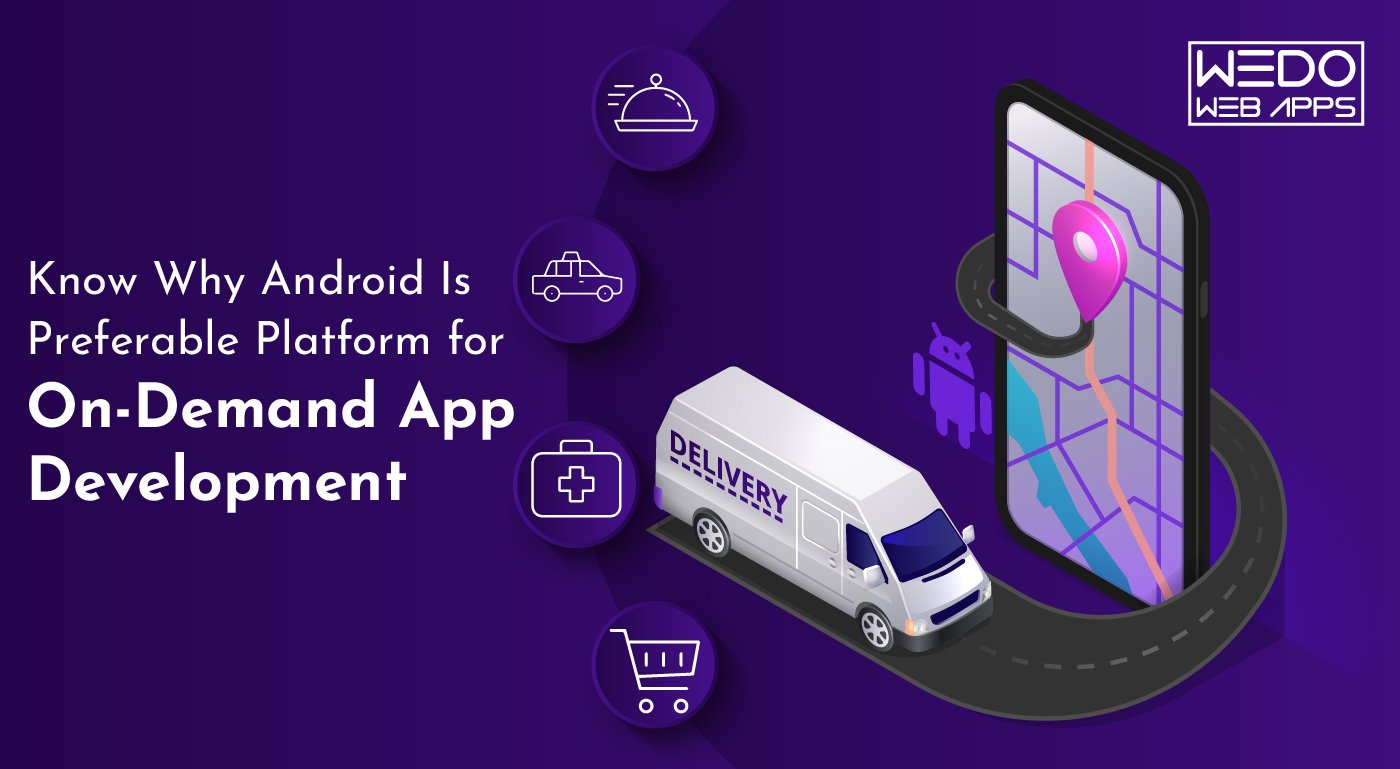
Know Why Android Is Preferable Platform for On-Demand App Development

Applications, or say, mobile applications, to be specific, have a significant role to play in our daily lives. It wasn’t long ago that mobile applications made their way into the technology industry. But, it is evident that these undoubtedly have become the most sought-after thing in a person’s daily routine. The first thing in the morning- talking about most of the folks- we rely on the alarm application that sits in our mobile phones. And further, it’s a chain being followed. One thing leads to another, and there! You’re trapped. In the current scenario, android app development has become secure and a significant task.  The evolution of the technology industry led to the intervention of mobile applications into our lives. After smartphones and tablets entered our lives, it was mobile applications that sneaked in and gradually became the most valuable thing today. In fact, you won’t deny that it was for these mobile applications that these smartphones got the popular response they got. Had these applications not been in line, operating a smartphone would have been a tiresome task. Taking mobile applications, mobile app development is an important aspect. This industry has many aspirants as it is mainly used for developing and growing businesses or startup ideas or simply taking forward an initiative. Sometimes, even the government requires mobile app developers for the developments that could serve the entire nation. When we discuss mobile app development or on-demand app development, for that matter, we shouldn’t turn a blind eye towards the competitors of this industry. The prominent competitors that one comes across in the mobile app development industry are- Google and Apple. Well, Microsoft is also a horse in the race, but unfortunately, the horse runs at a slower pace. According to a record from Statista, there were 2.95 million apps on Google Play Store in December 2020.  mobile app Statista That’s pretty huge. Google play store has several different categories to classify these apps into. These categories range from gaming apps, music, video streaming, social media to business apps, payment apps, etc. The list is a long one. And currently, our focus is not on this list of categories. Either, it is the most sought-after apps that are in vogue these days- On-demand Apps. Further, let us discuss in detail what on-demand apps are.

What Is An On-Demand App?

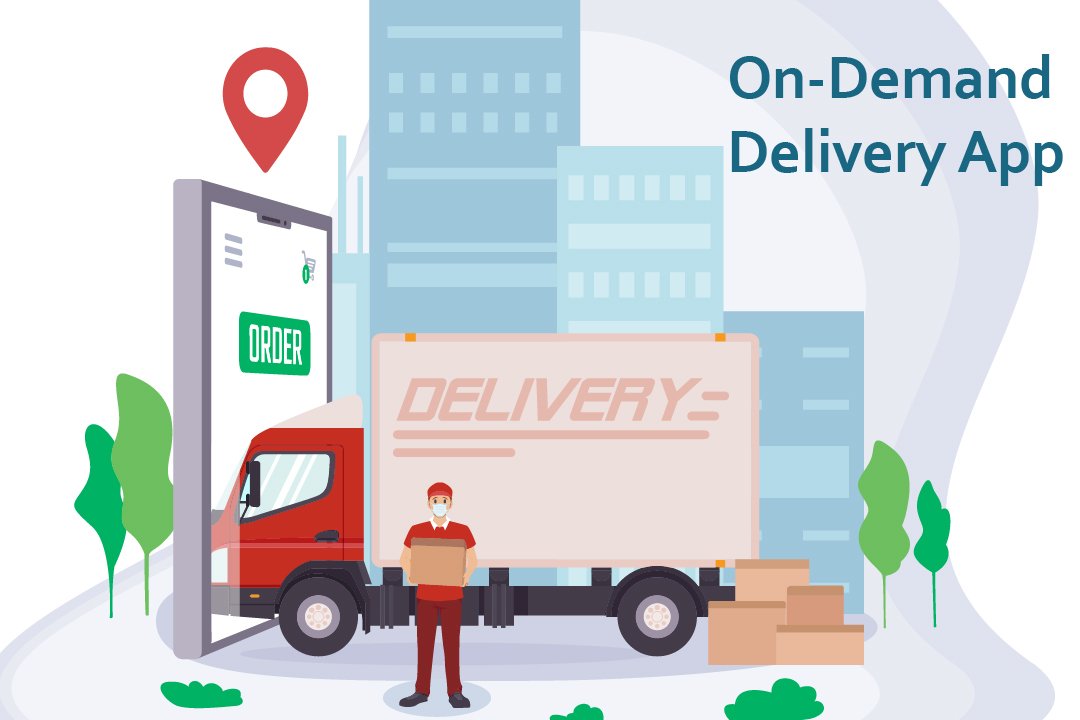
These days, the most used apps include on-demand applications. Whether you talk about the food delivery apps or the ones you use for booking cabs, these come under the category of on-demand mobile applications. These days, on-demand applications are everywhere. An on-demand app is actually software that operates as a mediator between a customer and a business. The businesses like Uber and Zomato and many others are an example of such an approach. On-demand app development is aimed at providing on-demand service to customers in a few minutes. On-Demand App These apps connect the customer indirectly to the various service providers out there in the market. The services being provided separately in the market are made to reach the customer through an online medium to be delivered at their doorsteps. Whether you talk of the food delivery apps, these apps collaborate with the various businesses around a place and simultaneously take orders from the customers and arrange the delivery of that order by themselves. On-demand app development prevails as a prominent task for android apps developers. On-demand app development services are quicker and are more convenient to use.

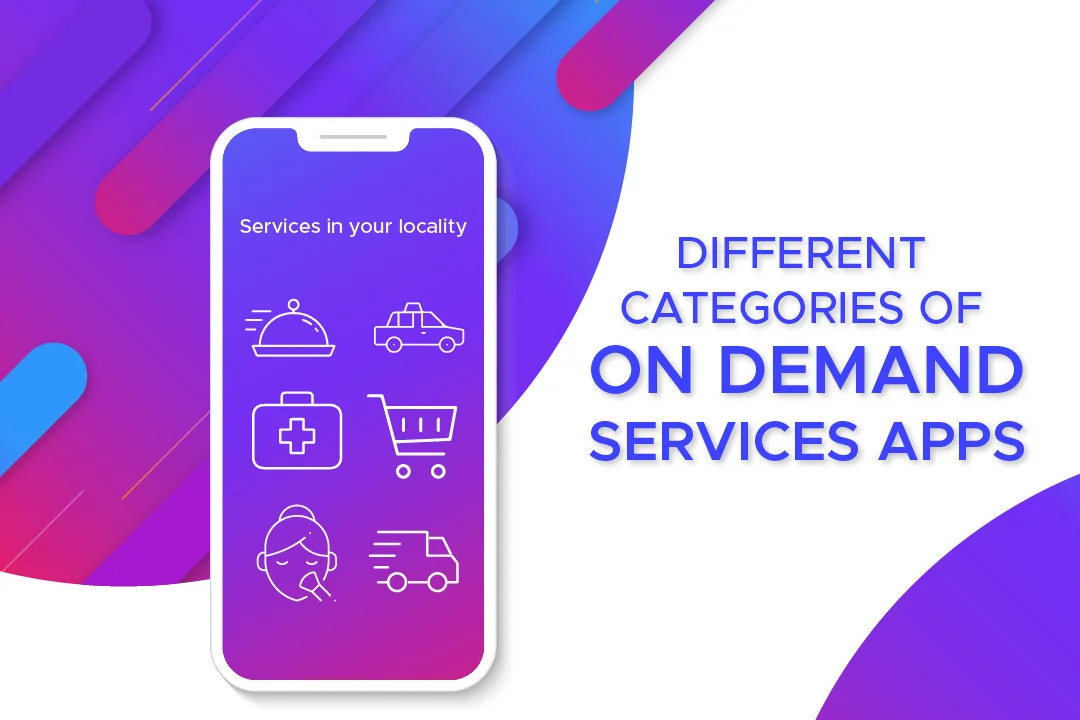
On-demand apps can be classified into different categories.

On-demand apps

  • Taxi service
  • Food delivery
  • Household chores
  • Car wash apps
  • Gifts
  • Flowers and plants
  • Healthcare
  • Medical apps

Android is a mobile operating system that is used to develop touchscreen devices, cell phones, tablets. It is based on a modified edition of Linux Kernel and other open-source software, which were predominantly designed for touchscreen devices and mobile phones. Each day, the number of mobile phones operating on Android is increasing. And likewise, the applications being added on the Google play store are also being proliferated. Trust us, and the on-demand advancement is here to stay. These apps are so convenient and liked by the users that they become habitual of ordering the essential services in just a few clicks. Further in the blog, we will decipher why android and on-demand app development goes hand in hand.

Why Is Android The Best Choice For On-Demand App Development?

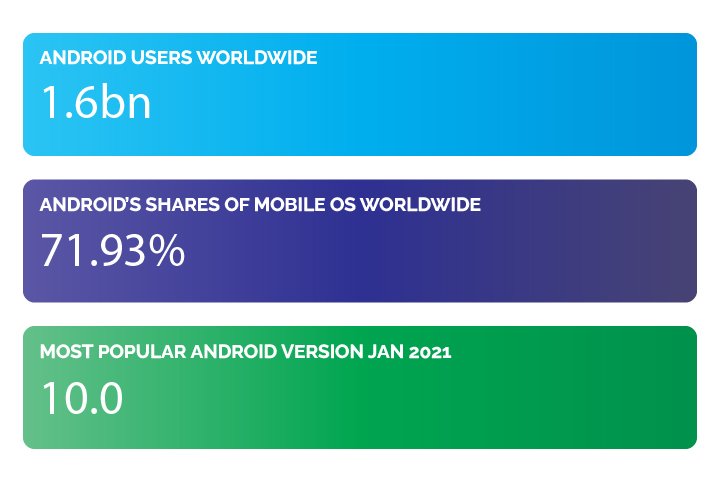
Android, the most used operating system, has taken the lead in the app development industry. The Android Operating System, which was developed by Google back in 2008, has now become developers’ choice, to be precise. Android has around 1.6 billion users worldwide. Not just this, Android has a share of 71.93% of the world’s operating systems. According to Statista, the data also shows that Android 10.0 is the most used Android version worldwide. Android app Android app development is the prominent procedure followed by several thousand developers from around the world. There are specific reasons that prove that Android is the best operating system to develop on-demand apps. Over the years, Android has set itself at an elevation from what it was in the past- at the time it was released in 2008. Android is now the most used operating system worldwide, as we already mentioned. Now is the time that you see clearly that it is, by far, the best platform for app development. Android app development doesn’t betray the developers, not the users. This way, the business owners, the developers, and the customers persist in being satisfied with the services.  The Android app platform works just the best for everyone. Here’s how:

Android apps possess a massive share in the market:

as we already mentioned earlier, Android has 71.93% of the share in the entire operating system market worldwide. This data in itself is vast and is consistent with the fact that it is by far the most preferred system. We can deny opinions, not the facts. Here we present you with the most accurate facts brought to you straight from authentic surveys done by the best websites worldwide. Android app development is and will be beneficial to everyone in all domains. People prefer the android apps present on the play store. Statistics and figures worldwide indicate only one direction- Android is faulting better than iOS. According to reports on Reports show 3.3 million Android apps in total Android also has an edge because of the vast geographical region covered by Android worldwide. Android apps also have a considerable share in the two densely or say markets- India and China- the most populated countries of the world. It’s definitely not confined to a particular continent. It finds its immense users based in large parts of Europe and South America, and even in many parts of Africa. On the other hand, iOS gets to witness its users restricted mainly to the US and Canada, if not for Australia. This clearly shows that if one wishes to reach out to a considerable mass of the populace, he should think about the platform best suited in the longer run. The only platform that would come to a developer’s mind when comparing the facts and figures of the audience being reached, a sensible one would not take a minute to go for Android app development. Likewise, on-demand applications have a great future if it is for the Android app development process. This procedure is the one that is adamant in bringing you success. Think of this as your mantra- The more influential the audience, the larger the reach, the better is the growth of your business.

Lenient and flexible app policies:

Lenient and flexible app policies are your way through any sensible, well-learned expert would have you believe that Google has the most flexible and developer and user-friendly app policies. These policies do not come in the way of developers during the android app development process, nor do they interrupt the working and usage of the end customers of the apps. Having such policies in place turns out to be a blessing for the developers. The guidelines that direct the app publishing and rejection are pretty lenient and easy on the developers. Stringent and hard to mold rules, terms, and conditions as not a thing of Android. The reviewing time taken at Android is even lesser than usual at the play store. Also, the tremendous expense that every developer or business owner wishes weren’t there is far less for Android developers than it is for iOS ones. While you’re developing an on-demand app, the requirements to pay that extra penny are eliminated. You pay a reasonable amount at Android- a contradiction to what you would pay to Apple.

More features, more fun: 

Who doesn’t like a little more than usual? Everyone wants to have that extra in just the same budget. Android allows you to have that little ‘extra’ in their apps. There is room for additional features in Android app development. Especially when creating on-demand apps, one needs to have several features handy that the customer is provided with the most convenient application to use. Features such as GPS and Maps are a boon for Android app users. These features are not something that should be, in anyways, left out. These help to communicate better with the customer and provide them with leverage of comfort. 

Customization is a piece of cake:

On-demand apps are not easy to maintain in general. Now and then, there’s something that needs to be changed to get a modified version of the app. Also, to cater to the needs of customers, you must include each functionality that is desired by your audience. This makes your app more reliable and convenient. To get this done, Android provides smooth and easy customization options for the developers to put in a feature and update the app whenever needed.

Google assistant: 

With Android, you get the benefit of google assistant. This assistant is incredibly profitable as it has a voice-enabled assistant at work. Your command is its order. You give the command, and it gets encrypted immediately, thereby leaving no room for dissatisfaction. You can search for a thing while doing a task effortlessly.

Better Data Storage: 

Google gets you 15 GB of data storage free of cost on its cloud. This data can be stored in Google Drive. This feature is highly beneficial when you wish to develop an on-demand application. Launching the on-demand app on Google Play Store will be smooth for you in light of the extensive storage that’s provided.

Multiple languages at one place: 

on-demand application The on-demand application should likewise have various language support components as it depends on the B2C model. It is a significant advantage that Android offers help for around 100 dialects in contrast with simple 34 languages on account of iOS. Read more about New Trends In Mobile App Development

Closing Lines: Are You Ready to Build an On-Demand Android App?

These days, there’s a powerful desire for on-demand applications in the market. With pandemics revolving around our lives, we surely need certain on-demand apps to work for our essential needs to be catered. Well, we’ve provided you with enough reasons why choosing Android would be the best choice for anyone. Consider all these points and choose the best for yourself.  With over a decade of experience in the field, we have covered almost all business areas of one or the other companies. If you have a project idea to discuss, you can contact us and discuss the details. Our android application development company will make the next android application a massive success!

WhatsApp Winning Confidence of The Users: New Features Rollout

Over time, mobile phones and android apps seem to have become better friends of homo sapiens. Would you imagine one day without texting your friends, family, or any other acquaintances or leaving work and studying completely for a week? The mere thought of absconding from the world of mobile phones and digital devices is scary to a majority of people. A little child, a middle-aged person, or even a person in his senescence are all growing dependent on mobile phones. It might seem an incorrect scenario to many, but even that opinionated cohort is not ready to give up technology just like that. 

Our lifestyles have become so that we can’t give up on technology to survive satisfactorily. That’s what we call evolution in human lives. To make it effortless for us, the techies work day and night to formulate and establish technologies that are in line with the customer’s needs. This includes android app development, app development for iOS, different software inventions and implementation, and a lot of technical stuff. 

app development

WhatsApp, owned by Facebook, is on such android and iOS applications that serves as an instant messaging platform that is in use by around 131 million users. It has become our go-to application each time we need to communicate either for long or short distances. Whatsapp is now another name for texting. 

Thinking of texting and WhatsApp is the initial insight into our minds. You need to send someone birthday wishes, or you need a picture to transfer on the go, or is it the long-time lack of communication that’s bothering you? – WhatsApp is the answer! Coherently, WhatsApp has taken care of our high-end demands and has taken its production a level up by introducing some very intriguing features for its valuable customers. WhatsApp recently launched a voice and video calling feature for its desktop version. Let’s take a look at what these new additions have in them for us. 

What’s in the new rollout?

WhatsApp has diligently worked towards the welfare of its end customers. It has been very generous of this android app development company to think of the users who need voice and video calling on their desktop version for a better experience and more effortless endeavor.  

After the knockdown that pandemic gave us all, technology became all the more significant in each and everyone’s life. What could we have done through manual maneuvers? Now everything is done through technology. This one came with a precedent upliftment of technological aids in the daily lives of the populace. Students, corporate workers, business workers, and almost everyone came down to using a technical device for their daily chores. 

WhatsApp has been a vital companion throughout times of distress. Whether it’s catching up with an old long-lost friend or receiving assignments from the teacher to taking up important business deals on the chats with colleagues and forming significant groups for communication before crucial online conferences, WhatsApp has been there for us. Now that the new features have been added to the desktop version, the distress of shifting to a mobile phone for calling a client has been taken away.

Following are the salient characteristics of the new features:

Mobile app development

  • The new features provide you with seamless connection time with family, work colleagues, and friends without having to jump from one device to another. Working for hours on the desktop or laptop is tiresome in itself. In between this hassle, if your work requires you to attend a call or two, the transition might add to the annoyance.
  • Mobile app development companies are at a great profit during these uncertain times. The profit comes with the burden of accumulating sources and innovative ideas to provide the customers with a seamless experience.
  • Now use the video calling feature in either landscape or portrait mode at your convenience. 
  • The android app development company said in an introductory statement about the new feature, “It appears in a resizable standalone window on your computer screen, and is set to be always on top. So never lose your video chat in a pile of browser tabs or open windows.” 
  • Well, the big screen doesn’t mean losing out on your privacy. The ethics of WhatsApp remain the same when they use end-to-end encryption in each activity of the application. Your chats, video, or voice calls are secured with the coded technology, and WhatsApp can never read or discern your messages or talks. This rather is a significant feature that needs to be adopted by several mobile app development services.
  • People enjoying their anonymity on their mobile phones while using Whatsapp can now do their happy dance as their anonymity has been secured by WhatsApp web. The rollout of video and voice call dragged with it, the authorization disabling the read receipts on Whatsapp web too.
  • To disable the read receipts, reach the option in the following steps: 

Find out about cross-platform messaging apps and see how they stack up against WhatsApp’s new features.

WhatsApp settings>Account>Privacy.

  • Editing videos before sending them on WhatsApp web used to be a hectic task. To abate our discomfort, the mobile app development company has rolled out another feature that allows us to mute a video before sending it forward. This feature is available for use by Android systems only as of now. 
  • Face and finger locking and unlocking have become the new cool and have been in demand for quite a long time. With technological advances popping now and then, users have become used to the quick way up. No one currently holds the patience to type in a password or draw the pattern. Why would WhatsApp lag? It has added another intriguing feature that enables the user to link the finger and face locking and unlocking system for their web or desktop version. Before scanning the QR code for linking a WhatsApp account to a desktop one, the user needs to go through the face or finger unlocking mechanism for security purposes. 
  • Android app development services are now tossing the coin and inning over and over by settling down their users with advanced features for a seamless experience more frequently.  

With new features popping up more frequently and steadily, Mobile app development has become exciting and lucrative for these Mobile app development companies. Students working on laptops or desktops to attend classes on quarantine do not have to contend with cell phones to make or take calls from anyone on the other side. Corporate workers do not need to keep a constant check on their mobile phones while working tirelessly on desktop devices. Privacy is in check, security and safety are at the top priority of the Mobile app development services these days, and so, WhatsApp is winning confidence, yet again!

If you are going to create a messenger app, then you should use WhatsApp as a reference. See how native and hybrid app features compare and what they can offer by reading about WhatsApp’s new features.

For developing a messenger application as fast and cost-effective, the best wager is to work with a dedicated development team. This would be a lot easier than hiring various individual roles.

Let’s discuss how you can develop and generate money with your mobile messaging app.