skip to content

How Do You Allocate The Resources For App Development In Android?

With the recent boom in the mobile industry, today it’s common to see people walking around with a smartphone or two juggling between work, life, and other interests. Though it’s the application on which the smartphone runs and makes it ‘smart’, it’s also the array of apps that make it interesting for the user. With millions of apps out there and quite a few on your handheld devices, have you ever stopped to wonder the technology behind it which makes it to work so efficiently?

Android and iOS are two popular platforms on which apps are based on. Having their own unique identities, both platforms are complex however they give way to a huge world on limitless possibilities.

In the past half-century, countless technological advances have made way into our daily lives. One example is the handheld device and the various functionalities it performs. Phones are no longer the devices that were used to make a call or send a message. These smartphones house the best apps that equip us to take pictures, send emails, play games, and much more. Not only the phones, but we also have an array of gizmos that work on the same functionality. The comfort of having any time access is the outcome of numerous developers and programmers who are busy designing and building apps for Android and iOS platforms. Ever wondered how these apps work, what’s the technology behind it, how are they designed?

What is Resource Allocation?

If we talk about designing an application on Android, it’s not easy to get through without an android application development company assisting you with it. With its complex nature, it has quite a few features to work with. One such feature is resource allocation for app development services for android. Let’s first understand what resource allocation means. It is the process of assigning your resources to your team members and ensuring that the resources are used strategically and efficiently. The resources are based on the need of the project, the expertise of the team member, and the time period of the project. Generally, a project manager oversees the allocation of the resources while following an allocation strategy which is put together after understanding the scope of the project, timelines, deliverables, and requirements. If the project is a complex website, then the best resources from the programming language department, design department, etc need to be allocated to ensure high deliverability. Resources need to be balanced well. Overutilization of resources can lead to an increase in expenditure and underutilization of the resources can hamper the project.

Challenges faced during resource allocation

Many challenges are faced by project managers during the process of resource allocation in an android application development company. Here the experience and the expertise of a project manager counts since many uncertainties follow once a project starts. How you minimize the risks, increase productivity, and get the work done is how experienced you are in handling various situations. Many times there are changes in client demands, trying to prepone the deadline, changes in the requirement, etc. Secondly changing the availability of resources is another concern. As project managers, they need to have solutions for various circumstances. If you have a project deadline coming up and few team members are unavailable, you are left with limited options. Either to get your remaining team members to fill in for them which means you’re cutting down on quality or else you have to hire a freelancer which would be a time-consuming process, having to make him/ her understand the project and carry on from where the work was left off. While allocating resources it’s better to have a checklist ready and have a more streamlined approach while working on the project. While assigning the resources, it’s better to know your team well and their capabilities. Secondly, there needs to be a balance between underutilization and overutilization of resources at an android application development company.

How are resources allocated?

Having understood what is resource allocation, its challenges, and a few useful tips, the next question is how resources are allocated for app development in Android.

Project and team knowledge: First off, the more information you have, the better. Define your scope of work for the project and put together an allocation strategy highlighting the requirements and the deliverables. This will further assist in assigning the right team members for the project and will give clarity on the roles, tasks, etc.

Uncertainties and back up plans: Be it personal or professional life, back up plans are important. If Plan A is not going as per strategy, it’s best to move to Plan B. There might be a sudden change in the scope of work or a timeline change, back up plans are something which will always help you sail through. In an android application development company, there are various apps that are being worked upon, therefore it’s necessary to be well-aware of the latest developments. If project managers can proactively assess the risks that might come up, it can be tackled with ease if the problem does arise.  

Track your project: It’s always better to be updated on the latest development of the project. It will give you an overview of where the project stands in terms of the timelines if the resources allocated are being used well, does a resource need to be re-allocated or is the resource being underutilized and can be shifted to another project. All these questions will help you navigate through the timelines and complete the project without any unnecessary hiccups.

Analyze the project upon completion: Lastly, take learnings from what could have been better after the completion of your project. Review the resources which were allocated, their strengths and weaknesses, utilization rate, delivery timelines, etc. The project manager and the android application development company will benefit immensely from the upcoming projects.

Read more about New Trends In Mobile App Development

Summary

Summing it all up, the project is as good as the resources allocated and the allocation strategy. The project will run smoothly if the project manager keeps an eye out for sudden challenges and is experienced enough to have the resources allocated as per the scope of the project and the strength of the resources. With so many updates in the languages, frameworks, etc, Android application development companies have to stay updated with the trends and best practices.  

Android App Bundles: A Strategic Move for Modern Businesses

Android App Bundles: What Businesses Need to Know

Android apps are becoming the backbone of several online businesses and even offline ones. The largest population in the world is using Android. More than Apple’s iOS, people are attracted to the Android operating system because of its affordability and convenience of use.

With the increasing diversity of Android devices and user expectations, ensuring your app delivers optimal performance across all platforms is crucial. Google’s introduction of the Android App Bundle (.aab) format addresses this need by enabling more efficient app distribution and improved user experiences.

You can also connect with the company offering professional Android app development services to take the full potential of Android app bundles. There will be more certainty that your app is not compliant with the latest Google Play requirements, but also optimize the performance, size, and user engagement.

In this blog, we’ll explore the benefits of adopting AAB, its impact on business growth, and provide a step-by-step guide on transitioning from APK to AAB.

What is Android App Bundle?

A publishing format launched by Android has become known as the Android App Bundle (.aab). With the advent of this, releasing and publishing apps into the Google Play Store has become efficient and seamless.

A small app can cater to your needs for a great user experience because of the Android app bundles. Thus, your app could be smaller if you used bundles android. Installation rate has increased as a result, whereas installation failures have decreased by multiple folds.

Bundles Android have been helpful in publishing, releasing, and building applications across various disparate devices. Building on its success, more than 600,000 apps and games have used Android app bundles in their generation. One of the famous examples would be Netflix.

Here are the top reasons why Businesses must use Android app bundles.

Benefits of Android App Bundles for Businesses

There are different benefits of the Android app bundles, which are discussed below:

1. Reduced App Size

While offering the necessary resources for each device, the  Android app bundle can significantly reduce app size. According to Google, this optimization can lead to an average size reduction of 15% compared to the universal APKs. Smaller size contributes to faster downloads and lower storage usage, which enhances user satisfaction.

App Size

Fun fact: Adobe used bundles android to reduce the size of their program, Adobe Acrobat Reader, by 20%. Such a popular Android application development company has taken advantage of the outstanding service provided by Android app bundles.

2. Installation rate increased

Smaller app sizes and tailored deliveries lead to higher installation success rates, particularly in regions with limited bandwidth or older devices. This accessibility broadens the potential user base and enhances the app’s reach.

Installation rate

Android app bundles have a widespread impact on app installation rates. Although updates become more accessible to consumers, the uninstalling rate decreases. So, if you want to increase the impact of your business app on the target audience, use bundles in Android.

3. Optimized Performance Across Devices

With the help of the Android app bundle, Google Play generates APKs optimized for each device’s configuration, ensuring better performance and compatibility. This optimization results in a consistent and reliable user experience across various devices.

This increases the work efficiency, thereby reducing the extra effort. Now you don’t have to sign, build, upload, or manage the version codes for numerous APIs. Android app development becomes more accessible with the growth bundle apps in place, with the best Android app developer. And increased efficiency implies boosted sales for your business.

4. Dynamic Feature Delivery

Android app bundles give support to the dynamic feature models. With app bundles, a new vision of dynamic delivery also originated. With this, users can download the specific features as per their needs. Rather than installing a different app for a specific function, this modular approach improves user engagement and reduces the install download sizes.

Feature Delivery

The on-demand mode allows users to choose their favorite features and uninstall the undesired ones. This increases the probability of your audience loving your application.

5. Efficient Updates

More efficient updates are facilitated by the Android app bundles. This allows developers to easily update only parts of the app that are effective and have changed. This results in smaller update files and quicker installation for all time. Keeps the user more engaged and allows simple access to the latest feature, and improves the services.

6. Enhanced Security

Bundles in Android use Play App Signing, in which Google manages and secures the app’s signing key. This procedure improves security by lowering the possibility of key compromise and ensuring the integrity of app updates.

7. Better Analytics and Insights

The modular approach of growth bundle apps allows developers to track feature usage more precisely. This data provides valuable insights into user behavior, informing future development and marketing strategies.

APK vs. Android App Bundle: A Comparative Overview

Feature APK Android App Bundle (AAB)
File Size Larger Smaller (up to 15% reduction)
Targeting Manual Automatic per-device configuration
Updates Entire app Only changed components
Feature Delivery All features at install On-demand dynamic delivery
Security Developer-managed signing Google-managed Play App Signing
Performance Optimization Generic Device-specific

Implementing Android App Bundles Using the Android Bundle Tool

For developers seeking greater control over the Android App Bundle (AAB) generation and testing process, Google’s bundletool offers a command-line solution to build, test, and deploy optimized APKs for various device configurations.

Step 1: Download Bundletool

Begin by downloading the latest version of bundletool from its official GitHub repository:

Download Bundletool

Ensure that Java is installed on your system, as bundletool requires it to run.

Step 2: Build an Android App Bundle (.aab)

If you’re not using Android Studio, you may create the .aab file using the Gradle command-line tool:

./gradlew bundleRelease

This command compiles your project and produces an AAB file located in the app/build/outputs/bundle/release/ directory.

Step 3: Generate APK Set (.apks)

Use bundletool for converting AAB into an APK set (.apks), which contains the APKs for different device configurations:

java -jar bundletool.jar build-apks \

  –bundle=path/to/your_app.aab \

  –output=path/to/your_app.apks \   –ks=path/to/keystore.jks \   –ks-key-alias=your-key-alias \   –ks-pass=pass:your-keystore-password \   –key-pass=pass:your-key-password

Replace the placeholders with your actual file paths and credentials.

Step 4: Extract and Install APKs on a Device

To test the produced APKs on a device that is connected:

java -jar bundletool.jar install-apks –apks=path/to/your_app.apks

This command installs the appropriate APKs for the connected device’s configuration.

Additional Features

  • Device Specification Extraction: You can extract a device’s specifications to generate targeted APKs:

 Java -jar bundletool.jar get-device-spec –output=device-spec.json

  • Generate APKs for Specific Device: Using the extracted device spec:

 java -jar bundletool.jar build-apks \

    –bundle=path/to/your_app.aab \

    –output=path/to/your_app.apks \

    –device-spec=device-spec.json

For comprehensive details and advanced usage, refer to the official Android Developers guide on bundletool.

By leveraging bundletool, developers can ensure their Android applications are optimized for various devices, leading to improved performance and user experience.

Test your application bundle

You should look at how Google Play will use bundles in Android to create APKs and how those APKs will act on the device after they are installed. You can use the following methods to test the same thing:

Test your application bundle locally using the bundle tool. This application will generate APKs from a bundle and apply them to the connected devices.

Distribute your app with a URL. This is the fastest way to upload an app bundle and share the app with testers in the form of a link to the Google Play Store.

Set up an open, closed, or internal test. This is another way to test custom delivery options, such as downloading application features on demand.

Business Use Cases of Android App Bundles

Industry Use Case Key Benefit
E-commerce Modularize features like AR previews and payment gateways. Reduces initial app size, resulting in speedier downloads and a better user experience.
Media & Entertainment Deliver high-resolution media content as separate modules. Optimizes app size for users, enhancing satisfaction by providing tailored experiences.
Gaming Use Play Asset Delivery for huge game assets. Allows users to download game assets as needed, reducing initial download size.
Healthcare Separate modules for appointment booking and telemedicine. Ensures users download only the necessary features, enhancing app efficiency.
Education Offer course materials and quizzes as on-demand features. Makes it possible to get access to content without overloading devices.
Travel & Hospitality Provide booking and itinerary management as separate modules. Limits access to only the most important features, improving the user experience.

By adopting an Android app bundle, businesses can deliver more efficient and user-friendly applications. Also, makes it simple to align app performance with the user’s needs.

Android App Bundles for Enhanced Performance

Adopting the AAB allows a specific presentation of businesses aiming to optimize their mobile application. Deliver with the benefit of ranging from a reduced-size app and dynamic feature delivery. This will further enhance the security and performance, which contributes to improved user satisfaction and operational efficiency.

enhance your app’s performance and user experience

Top Industry Sectors That Can Drive Profit From Mobile Apps: Perk to Look at!

Introduction:

The revolution in the app development industry has brought various upgrades in the business sectors. An android apps development company has left no tables unturned in creating mobile applications that fulfill most of their daily requirements. Need to buy groceries? There is an android app. Need to pay the electricity bill? There is an android app. Similarly, from a small and simple calculator or an alarm clock to decorating the home with branded furniture or simple messaging applications to the video calling system, there has been a great revolution in the android apps development company. Due to this revolution, the demand for mobile app developers has also increased to a large extent. One can simply think of a possibility for automation in their daily chores, and that will be on your palms in short notice with the help of the latest app development trends. Be it any industry, a travel agency, an interior décor company, or a restaurant- the android app development is possible for all, bringing the whole of the tasks on your palms, all carried out with a few fingertips. Whether a large-sized organization or a start-up, the app development companies are now focusing on the point of how mobile apps can help the industry to grow and what the top industry sectors can benefit from mobile apps. Hence, in a nutshell, the modern applications development industry is in a rapid growth phase, and not only this, the other sectors introducing mobile applications for businesses will also observe an increment in their graph of development. In the next section, we would be listing some of the industries that can see the maximum benefit of adopting mobile applications for their business and reach out to more customers in less time, with ease of managing their relations.

Top industries that would be benefited from mobile app development:

Top industries that would be benefited from mobile app development Industries in the world are now finding new tactics for the incremental growth of their brands and hence the profits. In these techie times, the best solution is to introduce a mobile app to reach out to potential customers for the business. According to some statistical figures, 90% of the businesses that provide the people their required facilities have now opted for mobile apps and have seen incremental growth in their businesses. With the advancement in social media and other promotional platforms, these mobile apps run businesses successfully and with ease. This section lets us see the top 8 sectors of the industry that can grow enormously by introducing mobile apps in their businesses.

1. Healthcare:

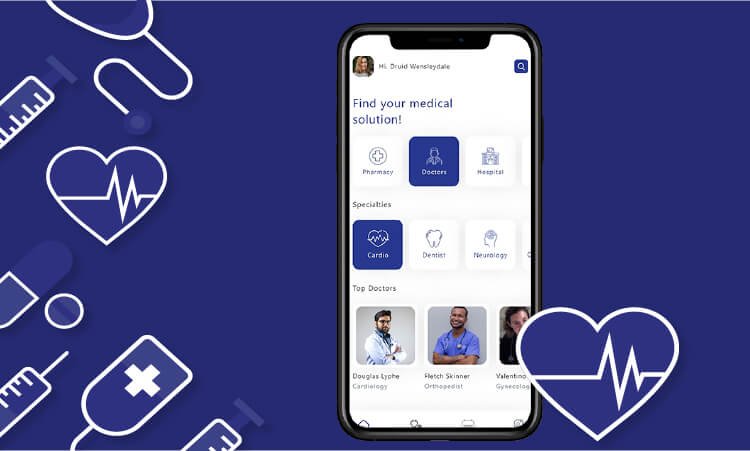
Since the pandemic, people have become more and more health-conscious and concerned about their weight and stamina. Before the pandemic, they used to visit gyms and other fitness hubs for their regular workouts and health maintenance. However, since everything has been shut down due to the outburst of the virus, people have found new ways for continuing the workouts at home itself, using mobile applications related to fitness and diet. Healthcare app There are thousands of fitness apps available on google play that enable their user to track their workouts and provide tips for maintaining their health. Not only the apps for the workouts, but the android apps development company have also now introduced the “doctor on demand’ apps too, through which one can consult anytime and anywhere with specialized doctors. These apps act as a connecting bridge between the doctors and patients residing at far locations from each other, and commuting to one’s location for a minute issue, might become impossible and tedious.

2. E-commerce applications:

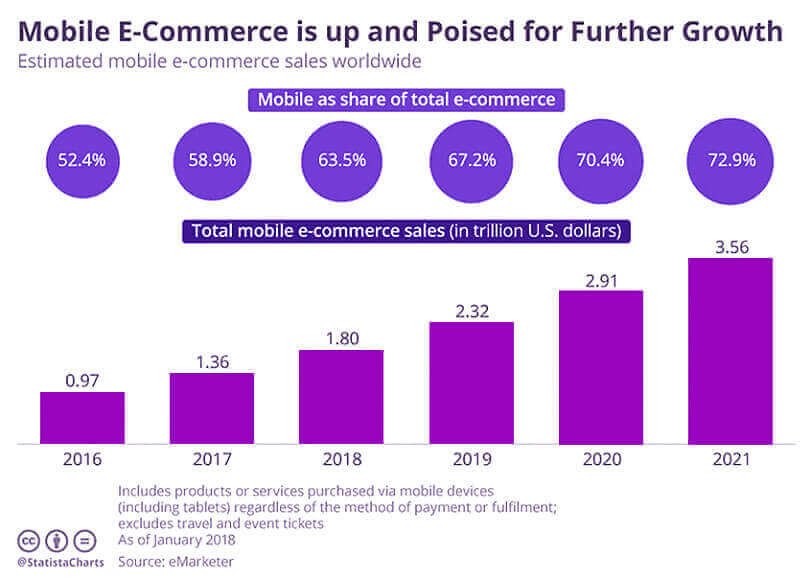
Many success stories and incidents have been recorded from the reputed companies like Amazon, Flipkart, etc., after the launch of their mobile applications on the play store. If we go through the statistical analysis, 78% of the total customers worldwide have opted for the mobile applications of these e-commerce platforms for their online shopping. Also, the statistics show that the order of the goods placed by the customers is received more from the mobile application as compared to the website application. The following graph depicts the growth of mobile e-commerce platforms from the year 2016 to 2021 in the US market: E-commerce applications

To learn how cross-platform app development can enhance profitability across different industries, visit our article on cross-platform app profits.

3. Applications for the Hospitality industry:

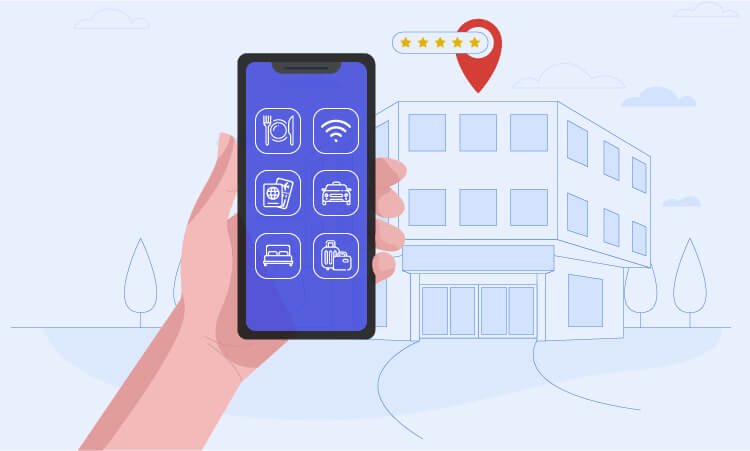
There is a rapid growth seen in the industry of hospitality and restaurants. Now, new outlets are opening in the city day by day, providing home delivery facilities, dine-in, and take away. To reach out to more people in the city, the restaurants have collaborated with on-demand food delivery applications to deliver their dishes to their customers’ doorstep. Some restaurants, especially the chained ones, might also have their online food ordering and delivery mobile applications. Applications for the Hospitality industry In terms of hospitality, many hotels offer room booking facilities in advance for future visitors, just like the restaurants offering advance table booking online in the mobile application. As an industry focusing on customer satisfaction and leisure, the hospitality sector has the main focus on improving the customer experience and based on the rates and reviews provided by them, and they can attract more customers.

4. Manufacturing industry:

Mobile applications can help manage the manufacturing process in the company. Technologies like the Internet of Things, Artificial Intelligence, Machine learning, etc., can be implemented in developing these production management apps so that more automation can be introduced in the production process and improve the efficiency of the people involved in that process. Manufacturing industry These apps are useful for an effective transformation of the production process based on agile, cost-effective, and employee-centric transformation. The people involved in the manufacturing process can monitor the raw material, stock the products manufactured and delivered, etc., using these mobile applications. Not only the management of the manufacturing process, in this pandemic situation, if an employee is located at a remote location, the training of that employee, managing the data and work, etc., can also be managed using mobile applications.

For an overview of how React Native can be a key factor in maximizing app profitability across various industry sectors, check out our article on React Native profit drivers.

5. Banking and Finance sector:

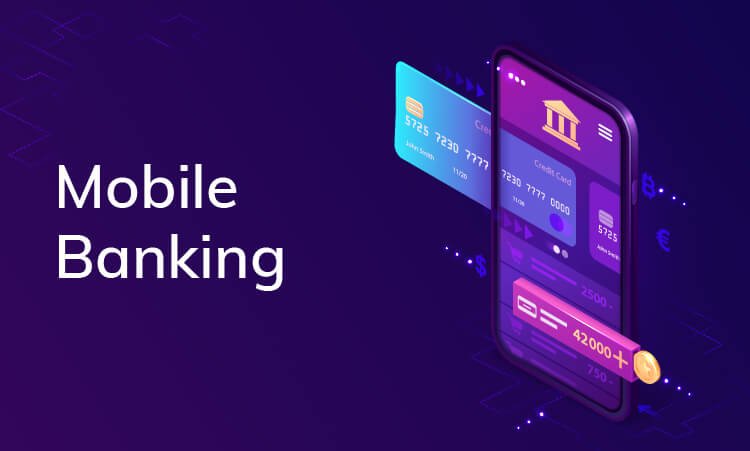
With advancements in technologies like blockchain and cryptocurrency, the banking and finance sector has seen a drastic rise in its development. The customer data of these financial bodies need to be kept confidential and safe. The data may also contain some of the personal and sensitive details of the customer. This information is managed and passed to the relevant processing units with the help of blockchain technology. Banking and Finance sector According to a survey carried out under google analytics, 41% of people use smartphone applications to accomplish their banking and finance-related tasks. Be it getting the account’s status in a bank, or transferring money from one account to another, bill payment, loan request assessment, etc., tasks, an application does it all. Fintech companies are now offering digital payment modules for their customers using smartphone applications for effective financial management.

6. Retail Business:

This is the business sector that majorly focuses on the convenience of the customer and its satisfaction. Therefore, the mobile apps built for retail businesses play an important role in increasing the development of the business. Due to this, there are a large number of options available for the customers to choose from their desired product. Retail Business App As mentioned above, people now prefer online shopping of goods rather than going physically to a market. As a result, various applications like Target, Best Buy, etc., have successfully engaged customers with their advanced features and functionalities. For instance, many retailers have introduced customer loyalty schemes by providing benefits such as prioritized delivery of products, 24-hour delivery, discounts, prime member subscriptions, etc. As a result, they succeed in attracting more crowds towards their mobile app platform.

7. Tours and Travels industry:

As people are becoming more interested in visiting different places and exploring the world, the traveling industry has benefited a lot due to heavy bookings made by the people for bus, rails or flights. The tourism industry has also taken off due to the increasing number of tourists on the location during a fixed period like festivals, vacations, etc. Hence, if this industry works in coordination with an android apps development company that can bring out the best features in a mobile app, then the industry can see the never seen uphill in the development as people now won’t have to roam around for booking tickets or searching for a guide to assist in the tour. Tours and travels assistant app can handle your whole trip!

8. Real Estate:

It might sound strange, but even the real estate industry has opted for the option of listing the properties and plots on the mobile applications so that the customers located at a far location can also have a virtual tour of the property they are interested in purchasing.Real Estate This has become possible with the help of the technique called 360-degree view. With the help of this, one can take the image or a video of the whole surrounding, and only with a few flips of the phone, the viewer of that image can take the experience of the scenario as if they are physically visiting the place. Hence, a lot of the time of the estate agents and the customers can be saved, and especially the time spent commuting to view the property.

Concluding Lines

Apart from these top eight industries, mobile apps have shown their wonders in other fields: viz. education, lifestyle, décor, etc. One of the reasons behind the increasing popularity of mobile apps is our dependency on those apps that has been increasing day by day. Hence, the android apps development company has been working tight to overcome the industry needs and see that almost all the industry sectors can be covered and can benefit from the modern, optimized mobile applications. Performing these applications requires careful execution and android app development company with specialized technical expertise. Do you want to grow your business with a personalized, high-performance, and easy-to-use mobile application? Simply email us at sales@wedowebapps.com.

Healthcare Android App Development: Top features, frameworks, and ideas in 2021

Imagine a world with no android devices. We could have never even imagined that we would be able to monitor or detect our health condition with just a single android app. Android App Development in the Healthcare industry has its own importance. The fact that an application can be present in your smartphones for the whole day without even noticing its presence. It shows the path to android app development services to build healthcare solutions, with mobile applications at the core. Without a mobile app, there would have been no digital healthcare monitoring systems that doctors and even patients can use. Imagining a world without Smartphones is stressful, right? Patients and even doctors are getting benefited from advanced medical android apps. Due to their different requirements, both the parties use mobile apps in distinctive ways according to their needs. While for a patient who is always cautious about their health conditions, android apps can provide a dashboard for dedicated daily reports and improvements in their health. Whereas for a doctor, healthcare apps can be a source to record a patient’s data and health conditions. They even get the advantage of scheduling specific meetings with medical representatives. Additionally, as people are getting healthcare apps on their android devices, thereby increasing the demand for such healthcare mobile app solutions. Android App Development Companies are showing the increased requirements for their services. Digitalization has made an advancement in every industry, and healthcare is no exception. Android App development is a great way to change the lives of doctors and patients with a wide range of advancements that android apps are bringing to the medical industry.

Healthcare apps can:

  • Gather Health data Efficiently
  • Provide Remote care on time 
  • Minimize medical mistakes
  • Bring down the spendings for hospitals and patients
  • Improve communication between physicians and patients
  • Provide enhanced customer loyalty 
  • Offer time-saving features for medical staff

If you’ve read till here, you’re most likely looking to create your own Healthcare android app. Well, you have come to the right place since this article covers all features, ideas, and android app development frameworks for Healthcare Apps in 2021. 

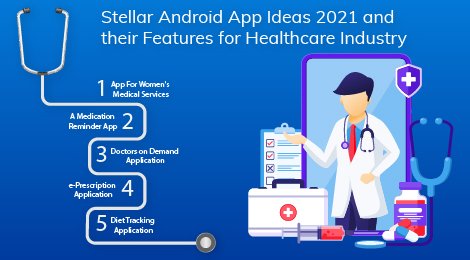
Stellar Android App Ideas 2021 and their Features for Healthcare Industry

Stellar Android App Ideas 2021 If you are looking to stick to Healthcare Android App Development startup in 2021, we’ve covered some of the best Healthcare Android App Ideas 2021 along with their features to kick start your business. You can choose any android app idea from this article, and your startup will give promising results for sure. 

1. App For Women’s Medical Services

A healthcare android application that is committed to women’s medical care. Interesting idea, right? Women sometimes are not comfortable talking to doctors about their medical issues. Hence, to make your application unique, you can add a conversation window where they can examine their well-being-related different problems. Additionally, you can likewise furnish a section that will suggest to them the lady doctors worldwide according to the symptoms, and the patients can discuss their problems. 

Must-have features for a Femtech Android Application include:

  • Ask For Details Page.
  • Serial Reminders
  • Symptoms Tracker
  • Online Consultation
  • Menstruation Tracking

2. A Medication Reminder App

Imagine an android application that reminds you of every time you need to take medicine. It would be so easy, right? Since people these days have such busy schedules that they even forget to take their medications on the endorsed time. If you want to launch a healthcare-based app, consider developing an android app that assists patients with an alarm about when to take their medications. 

Some features that a medication reminder app necessarily needs to have are:

  • Digital Scheduling
  • Prescription Renewal
  • Smart Reminders
  • Synchronization across different devices
  • Tracker for health parameters

3. Doctors on Demand Application

It is a real challenge to find a reliable doctor if you are living in an unknown place. Doctors on Demand application is a blessing in disguise for the patients and the doctors as well. This application allows patients to book a doctor’s appointment nearby in a minimal time frame. If not this, it also allows patients to access the doctors via virtual video calls.  The on-demand doctors’ application automates the entire process of scheduling an appointment with the doctors in your region. Furthermore, it helps to filter doctors according to the area, reviews, and your personal information. Hence, patients and doctors both benefit from this android application.

Features of an On-Demand Doctors Application includes:

  • Smart Search option by locality, reviews, and specialty
  • Instant Doctor Appointment Booking
  • Booking History
  • Schedule/Reschedule Slots
  • Find nearby doctors

4. e-Prescription Application

With so many diseases like Blood Pressure, Diabetes, Alzheimer’s, etc., that last for a lifetime, some people have regular medicine refill needs. In such cases, an application that allows them to generate an ePrescription and send it across directly to the pharmacy may be handy.  Hence, with these kinds of android applications, patients can avail of medicines without any delay or waiting for hours to have a doctor-authorized prescription. Moreover, this type of application helps set up a comfortable environment where doctors, pharmacies, and patients can work together in complete alignment.

ePrescription application’s must-have features:

  • Patient’s Profile
  • Pharmacy Store Information
  • Delivery Tracking
  • Push Notifications
  • FDA-approved medicine database.

5. Diet Tracking Application

This millenary generation is very, very conscious about their diet. It might sound flashy, but it’s true. People these days do not wish to compromise with their diet no matter what.  In such cases, applications like Diet Tracking Application may help them remain in shape. A diet track application records the daily intake of food, counts the number of calories consumed per day, and suggests exercises to maintain their weight. An android app development idea that is in trend and can help your business fly.  Above mentioned android app ideas and their features are all in trend, but now let’s come to some technical parts. How to develop these applications? What are the frameworks that can be utilized for creating these Healthcare Android Applications? Read more about 3 Leading On-Demand Food Delivery Platforms Healthcare Android Applications are gaining immense popularity across the world. A survey company stated: the global healthcare market in 2018 was valued at $28.320 billion, and by the year 2023, it is valued at $102.35 billion. Mobile App Development Companies in Android keep adding new features to the healthcare mobile apps and come up with patient-friendly and feature-rich apps using advanced android development frameworks. These apps are cooperated with HIPAA and are capable of meeting all the goals of the healthcare service organizations. Below are the Top 5 Android App Development Frameworks that can be best utilized for Healthcare Development.

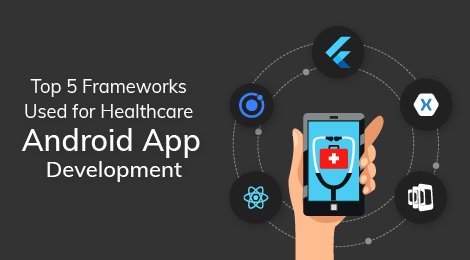
Top 5 Frameworks Used for Healthcare Android App Development

Top 5 Frameworks Used for Healthcare Android App Development

1. Flutter – Powered by Google

Flutter is powered by Google and is the most used Cross-Platform App Development Framework in modern times. Developers can build native mobile apps using their rich libraries and great widgets. This is a robust framework maintained by Google and the talented Community of developers to keep it updated.  Various reasons why Flutter is the first choice of developers, some of which are:

  • Same UI and Business Login in every Platform
  • Lesser Code Development Time
  • Offers Similar Performance as of Native Mobile Apps
  • Provides Custom and Animated UI of Any Complexity 
  • Contributes to Efficiency and Productivity

2. Ionic – HTML5-based Framework

Ionic is a shining framework that can be used for Healthcare Android App Development. This is a choice of many developers to build hybrid, interactive, and progressive apps for the android platform. Moreover, as an open-source platform, it ensures cost-effective development. Hire our dedicated PWA developers for your upcoming project.

Here are some of the critical features of the Ionic Framework: 

  • Platform Independent Framework
  • Helps in Creating engaging Designs
  • Extended Technology yet Native experience
  • Provides a default user-interface
  • Cross-Platform Mobile Application Development

3. Xamarin – .NET Based framework

Xamarin has a strong developer community globally and helps to create high-performing and productive code. Furthermore, with a versatile backend infrastructure, it offers a robust ecosystem. Due to this rich programming language with diagnostic tools and libraries, Healthcare apps based on Xamarin are more secure, reliable, and robust.

Features of Xamarin Framework:

  • It has a Google emulator manager and storyboard files
  • Helps build stunning cross-platform user-interface
  • It is open-source and free
  • Active Community of developers, as a result, stays updated with new features
  • Xamarin loves Azure as it provides scalable and versatile backend

4. React Native – Facebook Powered Framework

This is also a type of framework that follows the “Write Once Run Everywhere” strategy. This Facebook-powered Development Framework has an easy integration and enables developers to build feature-rich native applications. Written in JavaScript, it allows developers to create an interactive and creative User-Interface. Several React-Native-based Healthcare applications have raised millions of dollars in fundraising. It would be fair to state that React native can help develop high-end apps for medical services providers cost-effectively. 

Here’s why React Native is among the Top 5 Healthcare Android App development Frameworks:

  • Minimized Development Time & Cost
  • Reusable Dynamic Platform Components
  • Easier Cross-Platform User-experience
  • Hot Reloading Feature
  • Easy Third-Party Integrations

5. PhoneGap – Adobe Supported Development Framework

PhoneGap is supported by Adobe which is a widely accepted open-source Framework that enables developers to build feature-rich Healthcare android applications. Not only Android, but it is also reliable with several other development platforms like iOS, Tizen, and Bada. In addition, this framework is cost-effective and offers better accessibility to APIs for making the most of the smartphone’s inbuilt features.  The PhoneGap Development Community is also thriving rapidly and helps developers integrate customized features. Also, the Platform offers robust backend support, thereby making the development process faster.

Features of Adobe Supported Framework – PhoneGap

  • Uniform Applications across all Platforms
  • Each app provides a Native experience
  • Backed by Apache, Powered by Apache Cordova
  • Offer Easy work Plugins
  • Has Robust Backend system

Last Words

With advancements in technology, the healthcare industry is also molding the world towards a better future. However, 2020 has been challenging for the healthcare industry, and in 2021, people are increasingly becoming conscious about their health and diet. Therefore, the medical sector should adopt more productive and contactless methods for healthcare services. Read more about New Trends In Mobile App Development WeDoWebApps LLC is a trusted Healthcare App Development Company worldwide, and we’ve been delivering award-winning fitness and healthcare solutions to clients across the globe. Our team of expert app development professionals have vast experience in the industry and offer you a range of healthcare android apps development services from healthcare app development to admin panel, device management, appointment scheduling apps, and many more. In addition, our Medical care development services are compliant with HIPAA (Health Insurance Portability and Accountability Act, 1996) regulations. Hire our Healthcare Development experts; they can work at flexible engagement models as per your business needs and timezones.

Microsoft Windows 11 Upgrade Guide: Features, Setup, and Support Tips

Microsoft Windows 11 Upgrade Start Here

Is your device ready for what’s next?

The Microsoft Windows 11 Upgrade, especially the latest 25H2 version, brings a more polished appearance to the device.

With faster performance, improved app compatibility, and smarter tools, this update is designed to keep users ahead in working, gaming, and building apps.

For those who are using Windows 11 Pro, the system offers a flexible, secure environment and is ideal for maintaining work efficiency. The support for the Android app on Windows 11 and access to features like Widget, Snap Layouts, and enhanced privacy control make it a well-rounded upgrade for users.

If you are looking to build or optimize the app for this platform, you can consider partnering with an application development company that can match your goal.

In this blog, we will give you guidance on every essential step:  from understanding system requirements and using new productivity features to building apps that fully align with Windows 11 standards.

Why Upgrade to Microsoft Windows 11?

The Microsoft Windows 11 upgrade introduces a modern operating system with efficient speed, security, and productivity. And when compared to Windows 10, it offers a better user interface, deeper AI integration, and improved support for work and multi-device workflows.

Why You Should Consider the Windows 11 Upgrade

This latest upgrade is best suited for users who have eligible Windows 10 devices and are looking to improve device security, performance, and compatibility with the latest software.

For professional and business users, this is best suited to handle multiple tasks with the updated features like Snap layouts, DirectStorage support for faster loading of apps, and Microsoft Teams integration in the taskbar.

Minimum Requirements for Windows 11 Updates

For updateing your devices for the Windows 11 upgrade. Your system is supposed to meet the following requirements:

  • Processor: 64-bit processor compatibility, along with 1 GHz or faster speed, with 2 or more cores
  • RAM: 4GB minimum
  • Storage: 64GB or more
  • Firmware: UEFI with secure boot support
  • TPM: Trusted Platform Module Version 2.0
  • Graphics: DirectX 12compatible with WDDM 2.0 driver
  • Display: High-definition 720p display, 9” or larger

You can verify the system using Microsoft’s PC Health Check tool. If TPM 2.0 or secure boot is disabled, then you can simply turn it on from your BIOS settings.

What Is New in Microsoft Windows 11 Version 25H2?

The Microsoft Windows 11 version 25H2 is the latest major Windows 11 update. It offers better speed, smarter features, and improved design to manage various tasks. This version is helpful for businesses to manage updates more smoothly with the new system.

Highlights on the Windows 11 25H2 Updates

  1. Smarter AI Features with Windows Copilot

The copilot features help with simple commands. You can ask it to open apps, change settings, or answer questions directly.

  1. Improved Speed and Efficiency

Improve how the system uses its memory and power. You will notice a quicker startup, smoother multitasking, and better battery life.

  1. Windows Spotlight and UI Polishing

Improved the personalization features, including the smart Start Menu and File Explorer layout. This gives a better usability and cleaner interface.

  1. Improved Microsoft Teams for Users

Businesses can now able to easily manage teams with better support for remote and hybrid work setups.

After knowing about the changes, now you will be concerned about the major difference with the previous version, so let’s just discuss that.

Difference Between Windows 11 24H2 and 25H2

Version 24H2 brought the foundational improvement by including Dev Drive and Dynamic lightning. And Windows 11 25H2 builds on the smarter AI functionality, enhanced voice search, and more responsive desktop.

These changes are not just about how Microsoft keeps Windows 11 updates; it is more about maintaining a simpler and more unified approach for users. That brings the concept of the shared servicing branch, which plays an important role in how the 25H2 version is released and supported.

What is the Shared Servicing Branch?

Microsoft now updates all Windows 11 editions, which are Home, Pro, and Enterprise, at the same time, which is called a shared servicing branch. This streamlines processes for both regular users and the IT team to keep the system up to date.

Release Schedule and Support Timeline

  • When was it released? Microsoft Windows 11 version 25H2 is releasing in mid-2025 through the Windows update features.
  • How long will it be supported? 
    1. Home and Pro users until 24 months after the release date
    2. Enterprise and Education users until 38 months after the release date

You can check for the update by going to Settings > Windows Update and clicking Check for updates. If your device supports it, the Windows 11 update will appear for download.

Want help with Windows 11 Installation

Understanding Microsoft Windows 11 Emergency Updates

Sometimes, Microsoft releases quick fixes known as emergency updates when there is a serious problem that can affect your device’s security or performance.

These are not just part of the regular Windows 11 updates, but are the processes that can easily manage threats or major issues when needed to fix them immediately.

What Are The Microsoft Windows 11 Emergency Updates?

A Microsoft Windows 11 emergency Update is a fast option that can address serious problems like:

  • Security risks, such as a zero-day vulnerability
  • Major bugs that cause system crashes or app failures
  • Fixes that cannot wait until the next monthly or scheduled updates

These updates are small but are equally important as the inclusion of major updates. This helps to keep the system protected from cyber threats and prevents all possible system errors.

Recent Examples of Emergency Updates

  • Microsoft has recently made changes, including emergency updates to fix issues and maintain easy control of the device.
  • Another update was released to fix an issue where Windows Explorer was freezing for many users after a routine Windows 11 update.

These types of updates are marked as “out of band”, which means that these are released outside the usual planned schedules.

How to Check and Install Emergency Updates

Most users do receive emergency updates automatically if Windows updates are enabled.

To check manually, you can follow:

  1. Go to Settings > Windows Updates
  2. Click Check for updates
  3. If an emergency fix is available, it will show up and begin downloading

It is important that you do not face any delays in these updates, as these are specifically made to fix the high-risk issues and vulnerabilities.

Manual vs Automatic Update Settings

If you have turned off automatic updates, then you might miss the chances of knowing about the emergency updates.

In such a case, you can:

  • Visit Microsoft’s update catalog and download the update file manually.
  • Enable automatic updates again to make sure that you do not miss any major fixes in the future.

Keep your device updated again to make sure your device is protected from security issues.

Comparing Windows 11 Pro vs. Home – Which One Is Right for You?

When you are setting up a new PC or updating your existing system. Then it is important which one you choose between Windows 11 Home and Windows 11 Pro, depending on how you plan to use your device.

Both versions offer the modern interface and core features of Windows 11, but the Pro edition includes extra tools that are specifically designed for business use, remote access, and stronger security.

Windows 11 Home vs Windows 11 Pro Comparison Table

Feature Windows 11 Home Windows 11 Pro
BitLocker Drive Encryption No Yes
Group Policy Management No Yes
Remote Desktop No Yes
Windows Update for Business No Yes
Hyper-V (Virtual Machines) No Yes (Requires hardware support)
Microsoft Store Access Yes Yes
Widgets, Snap Layouts, DirectStorage Yes Yes

Windows 11 Pro is built specifically for professionals, developers, and IT admins who need to have more control and access to an advanced networking system.

For general users who mainly use their system for browsing, entertainment, and personal work, the Home version is enough.

Who Should Choose Windows 11 Pro?

Choose Windows 11 Pro if you:

  • Work remotely and need remote desktop access
  • Need stronger protection for the data with BitLocker encryption
  • Manage multiple PCs or users in a business setting
  • Use virtual machines or advanced developer tools

If these do not apply to you, then the Home edition offers you everything that you need for making regular use of devices.

Cost Differences and Aviation Tips

The Windows 11Pro version typically costs more than the home edition.

  • Windows 11 Home – $139
  • Windows 11 Pro – $199

If you are upgrading from Home to Pro, you will need a valid Microsoft Windows 11 Pro Key.

You can:

  • Purchase a key directly from the Microsoft Store.
  • Make use of volume licensing if you are part of a company.
  • Enter the key under Settings > System > Activation to unlock Pro features.

Be cautious of low-cost keys from unverified sources, as they may not be genuine or supportive.

Best Android Apps for Windows 11: Productivity, Media & More

One of the standout features in Windows 11 is its ability to run Android apps directly on your desktop. But because of the Windows Subsystem for Android (WSA), users can easily access a wide range of mobile apps right from the PC.

This opens up more options to stay productive, entertained, and connected without switching to multiple devices.

How Android Apps Work on Windows 11

Windows 11 supports Android app development with its smooth integration with the App Store. Once you install the App Store from the Microsoft Store, you can browse and download the supported Android apps.

For users who prefer advanced options, there are sideload apps available that can be used by using APK files. This is useful if some apps are not used with the Amazon Appstore, though it may require enabling developer mode.

Though recently, Microsoft has ended the support of Windows Subsystem for Android and Amazon Appstore, so developers can no longer add new applications, but can use the existing ones.

Top Android Apps to Try on Windows 11

Here are some of the best Android apps for Windows 11 based on usability, performance, and value:

Productivity

  • Microsoft Office – Edit Word, Excel, and PowerPoint documents easily
  • OneNote – Great for taking notes across devices
  • Evernote – Syncs your notes and to-do lists
  • Zoom/Teams/Google Meet – Video conferencing on the go

Entertainment and Media

  • Spotify – Stream music without opening your browser
  • Kindle –  Read eBooks directly on your desktop
  • YouTube – Use the mobile interface if you prefer it over the web version
  • HBO Max/Netflix – Stream content without switching to a mobile version

Utility and Smart Tools

  • Home Assistant – For easily controlling smart home devices from your PC
  • Duolingo – Learn new languages at your own speed
  • MX Player – A reliable video player with broad format support

Who Benefits from Android Apps on Windows 11

  • Students who want to make use of educational apps for reading, practice, or research.
  • A professional who needs an ease in managing tasks and meeting with the use of mobile-first tools.
  • Home users need quick access to media and lifestyle apps.
  • A developer for testing Android apps without switching on the various devices.

With this feature, Windows 11 brings together mobile convenience and desktop power, allowing you to do more from a single device.

Want to Smoothly Run Your Favorite Android Apps on Windows 11

Windows 11 Application Development: What Developers Should Know

Windows 11 application developer gives developers easy access to better tools, faster performance, and more flexibility to build the modern desktop, web, and Android apps.

With improved support for cross-platform frameworks and updated APIs, Windows 11 makes it easier to create high-quality applications that run smoothly across all devices.

Development Tools and Technologies in Windows 11

  1. Windows App SDK

Microsoft gives you the recommendation to make use of the Windows App SDK to build the application that are modern applications. It includes features like windowing, notification, and modern support.

  1. WinUI 3

A latest native UI framework for Windows apps. Helps developers to build more responsive and user-friendly applications.

  1. Visual Studio 2022 and 2025 Support

This remains the go-to option for web developers. It supports various languages, which are C#, C++, Python, .NET MAUI, and integration with GitHub Copilot and Azure.

  1. Web and Hybrid App Support

Developers can easily build progressive web apps using standard web technologies like HTML, CSS, or JavaScript.

  1. Android Development via  Windows Subsystem for Android (WSA)

You can easily test or run an Android app directly in Windows 11 and get support from tools like Android Studio and an emulator that works well for building and debugging.

Microsoft Store: Easier Submission and Monetization

Windows 11 has removed the various limitations from the app submission. Whether your app is built in .NET, Java, Electron, or React Native, you can submit it to the Microsoft Store with fewer requirements. Microsoft also gives simple access to custom platforms to have full control over in-app payments.

Why Windows 11 Pro is Preferred for Development

Many developers prefer using Windows 11 Pro because it gives support to advanced features like:

  • Hyper-V for running virtual machines
  • Remote Desktop for accessing the dev environment remotely
  • BitLocker for added security when testing the app for handling sensitive data
  • Group Policy support for better system control

If you are building apps for enterprise use or plan to run virtual test environments, Windows 11 Pro is the better choice.

Best Practices for App Design on Windows 11

  • Follow Fluent Design guidelines for consistent UI behavior
  • Optimize for both mouse and touch inputs
  • Ensure responsiveness across various screen sizes
  • Make use of Windows widgets, taskbar integration, and system theme support
  • Addition of new APIs and dev tools like WinUI 3, Windows App SDK
  • Microsoft Store app submission changes
  • Integration with Android or web apps
  • Inclusion of tools such as Visual Studio, Windows Subsystem for Android
  • Guidelines for UI/UX on Windows 11

These are best practices for Windows 11 application development that can be followed by the developer to maintain the accuracy of the application.

Post-Upgrade Optimisation: Setting Up for Success

Once you follow the steps of the Windows 11 upgrade, the next thing that you should do is configure the system for performance, privacy, and a more personalized experience.

By following this initial setup, you can ensure that users get the most out of the new operating system right from the start.

To know about the steps you can follow to maintain the optimization, you can consider this:

Quick Setup Checklist After Windows 11 Upgrade

Setup Task Recommended Action
Microsoft Account Sign in and link OneDrive for file sync and recovery
Privacy Settings Disable ad tracking and review app permissions
Startup Apps Disable unnecessary apps to improve boot time
Storage Sense Turn on to automatically clean temp files and cache
Dark/Light Mode Choose based on preference in Personalisation > Colours
Taskbar Customize icon alignment, add/remove system icons
Widgets Add weather, calendar, and news widgets as needed
Security (BitLocker) Enable if using Pro or supported hardware
Windows Update Enable auto-updates for patches and improvements
Phone Link Connect Android/iOS for seamless sync and notifications
Power Settings Optimize for performance or battery, depending on use

Microsoft Windows 11 Upgrade and Setup Support

The Windows 11 update offers better speed, design, and features to maintain efficiency, but this is only maintained if set up in the right way. Checking the system’s compatibility, following the right installation method, and adjusting can help in maintaining the device’s performance.

Small steps like syncing OneDrive, updating privacy control, and personalizing the taskbar can make the system look more familiar and efficient. If you are managing multiple devices or need help setting up, you can get expert support, which can save you time and money.

Need help in setting up Windows 11 Updates

Is a Multilingual App The Way Ahead to Ride Customer Acquisition?: Everything You Need To Know

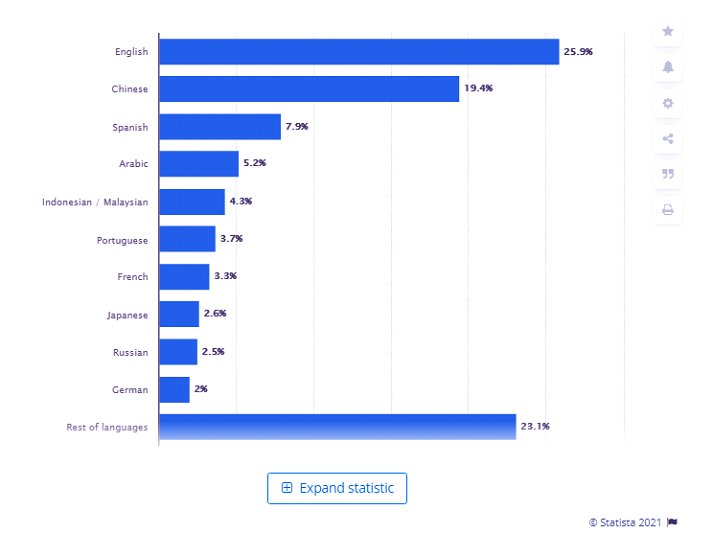
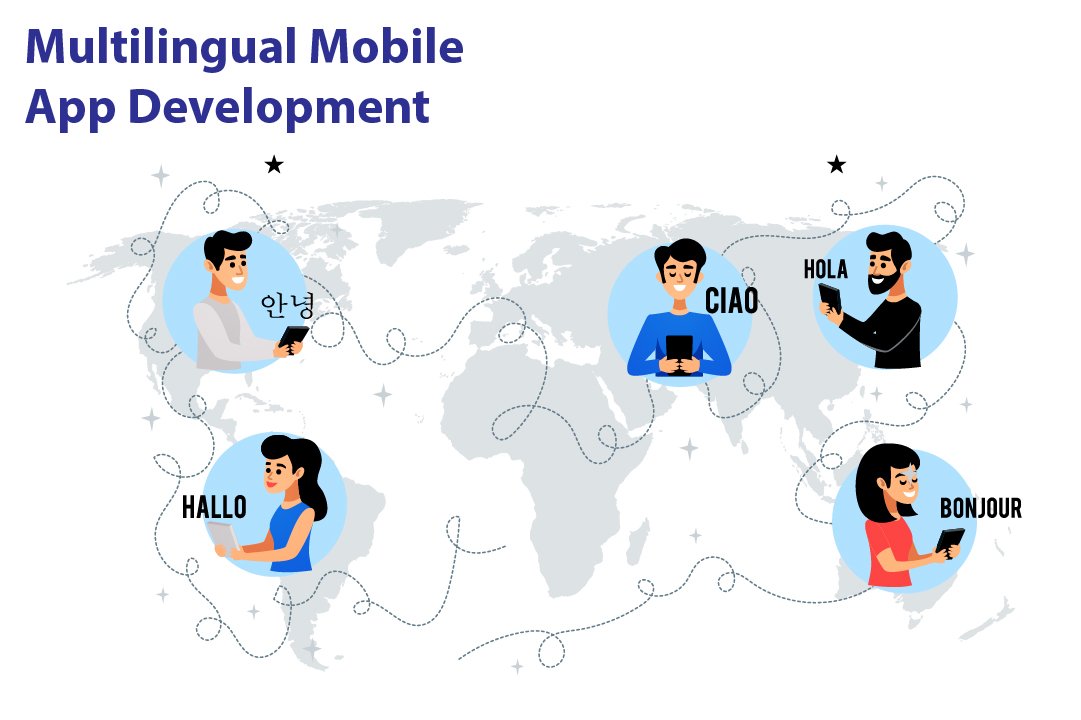
The world is a huge place, and it’s divided into regions and cultures with people speaking different languages. There are millions of languages the people speak on the earth. Talking of India alone, we have 22 official languages and more than 19,500 local languages spoken in India. Well, it might not be possible to develop an app that can inculcate all these languages of India. But there are other major languages all across the world that can be included while developing an app to ease out the efforts of users. The statistics on the< internet world stats show that English is the most frequently spoken language worldwide, which Chinese, Spanish, and Arabic follow.  These days, Android app development companies are progressing towards developing applications that include multiple languages to extensively help their customers and reach out to a larger audience. While globalization occurs at a steadier and quicker pace than earlier exchange of goods and services across the world is becoming more accessible and more prominent. A device made in China can be used by a person in South Africa or vice versa. When such things happen, a common barrier may arise, which is the language barrier. This language barrier Android app developers are working diligently to develop multi-linguistic apps. Below graph shows the most common languages used on the Internet as of January 2021. internet world stats Hiring an interpreter or a translator can be a very tedious and expensive task. To clear the air, the multi-linguistic apps have come to prove as the biggest asset. These apps have brought a drastic change in the way communication occurs worldwide on the internet. The applications that have a wide variety of users all across the world can be developed in a way that supports multiple languages by the best Android development companies.

Read on to know the crucial aspects of developing a multilingual app

Important Aspects Of Developing a Multilingual App

While developing an app, the Android development company< might delve into the dilemma of how to make an app multilingual so that it connects with a huge audience out there. Developing a multilingual app is not an easy task whatsoever. Several factors lead to a successful multi-language application. Android app developers must keep in mind that they should not turn a blind eye towards the User experience and future interface while developing a multilingual app.  This simply means that the application should not be focused only on translating the words to the desired language but should also present an interactive and high-performance User experience to the user. The app should have all the other qualities that a general application would have.

Localization is crucial: develop a steady strategy

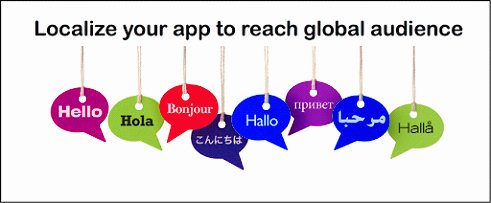
Making an app ready for localization means the internalization of the application. Before beginning Android development, companies should focus on the process which leads to App designing.Try to follow the given approaches: app for localization

  • While programming the app, make sure that you leave some space to expand the text. There should be room for coding the UI extension programming too. This is a crucial step because several languages like Hindi take up a lot of space for translating.
  • If possible, UTF-8 encoding should be preferred to write the string so that there are fewer mistakes and the outcomes are produced quicker.
  • Another aspect that is very important in localizing is to use the specific formats of the particular region in your software. This should include the date, time, and currency of that region.
  • Do not forget to add the local language in the support and maintenance help guides of the app. Unable to do so would make your app incomplete and unfriendly for the users.
  • Not only this, but you also need to take care of the keyboards that are being used in your application. This keyboard should be customized according to the language input in the app.

Coming to the visuals

The next step while developing a multilingual app or multi-language website is to concentrate on the visual designs of the app or site. As we know, the first impression is the last impression; the app must be appealing to the users. Failing to create a well-organized and attractive visual layout of the app can lead to all your efforts going down the Drain. The first thing that is user good notices in an application would be the visual layout and designing the app. This means that the Android development company needs to focus diligently on the part of the app that is observable to the users. Multilingual mobile app While creating the app, Android development company face certain issues, such as an apparent need to use different diction, spellings, and writing. This problem may arise because the existing layout might not support the same set of writings. This can lead to the loss of pertinence. Indeed, to avoid this hassle, Android app developers should develop a fresh design for the multi-linguistic app. If this solution doesn’t work, you would have to create varied layouts for the different languages.

  • Avoid using any line for UI labels. Also, do not indicate the number of lines.
  • The height of UI labels is not to be set. Instead, it would be best if you were stabilizing the width of the UI labels.
  • It is necessary to set the flow of the content. The content should progress appropriately for the user to have a smooth experience. Also, widening the white space can aid you better as a developer.
  • Naming should be discrete and precise. The controls and functions that are out of the content names should be labeled properly.

Discover how cross-platform app development can enhance your multilingual app strategy for better customer acquisition, as discussed in multilingual app for customer acquisition.

The translation process

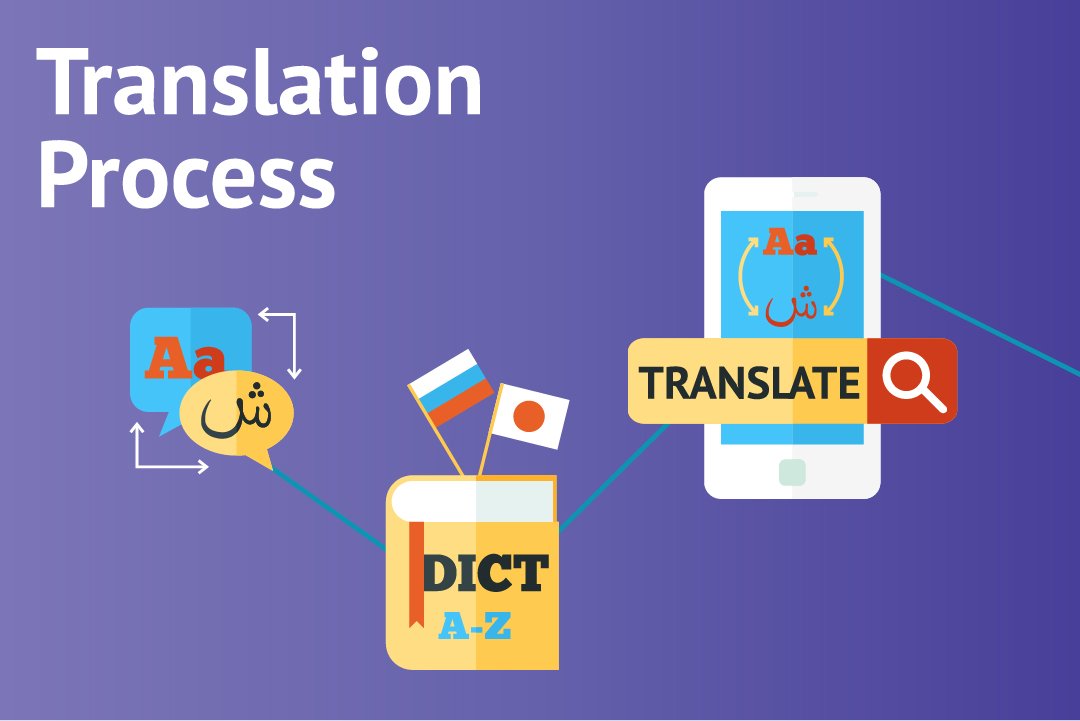
The next most prominent step in the development of a multi-linguistic application is the process of translation. It is apparent that the development of a multilingual app consumes more time and is towards the expensive side while juxtaposing other normal apps with it. But, in today’s time, it is inevitable to resist the significance of multilingual apps. Translations are of three types typically: multilingual apps

  • Machine-based
  • Manual translation
  • Translation by professionals

The first type is simpler and less time-consuming because of the intervention of a machine- a computer- a man’s friend. The results are sharper, shorter, and apt. Also, this category eats up less of your money. Next up is manual translation. This is, in a way, white difficult and time-consuming as a man is put on duty. Various companies, as well as government organizations, require a translator from time to time. As is clear, a man can make mistakes. Also, expecting a human to hold all the substantial knowledge of both the languages with each aspect of grammar and written and spoken language is quite unfair. Also, it might come in as an expensive approach. The time and efforts that go into acquiring an extensive understanding of languages are enormous and will cost a big amount to the customer. Then comes the professional translator. This person has a wide range of knowledge of different languages. These professional translators develop the glossary of words that appears on your mobile screen. Learn about creating a fitness app with multilingual support and how it can fit into the digital revolution in fitness app development.
Translation Management System:

Next in line is getting the correct translation management system for your app. The main purpose of this system is to translate the stuff that you want meticulously.

  • They are usually a stage or a program that helps with automating the significant strides in lessening the time for downloading or transferring technique and correspondence.
  • They additionally make the collaboration better with the goal that every one of the individuals fostering the application can cooperate and screen the advancement of one another while altering, editing or downstream and upstream interpretation.
  • Dispense with any odds of trickery during the interpretation
  • Assists with improving the general nature of translation work
  • Monitors the task through a solitary stage
  • Planning of concentrated data set for different sorts of activities

Outsourcing of interpretation

Interpretation of language is a tedious as well as a long-winded task. At times, you might feel that this job is not favorable to be done alone. Thus, it is advisable to hire professionals from an android development company. This might lessen your dilemma of how to create a multi-language app in Android. You will get hands-on professionals with expertise in app development. If the translation work is getting hectic, you can send these professionals the code of the app and get back the translated version of it seamlessly. Outsourcing has its windfalls and disadvantages. You can save money there since you do not need to employ professional translators, but it can lead to specific security issues because the work is being shared with someone else.

Testing

The final step of creating the app is testing what you have developed before it is launched out there. Double pseudo-language can be used to discover what has gone missing. Also, the local language is also to be chat so that the app is technically in the right shape. Testing Not just this, testing is a crucial step because it’ll help you in deciphering the faults in the language. You can also make sure that the language sounds meaningful and if the entire outlook is neat and impressive or not. While employing the TMS, you need to do the bugs testing and update the bugs additionally to the regular testing.

Challenges Encountered While Developing a Multilingual App

While the English speakers are on the top of the list, we must not forget that it is only a part of the world that speaks English. So, while developing an application, there is a need to consider the facts and data along with the extensive need for multilingual apps<. multi-language application We’ve talked enough about the development of a multi-language application. Now is the time that we share the disputes with you while working on the process. Here we have listed some of the challenges that Android app developers have to encounter from time to time.

  • Translation: the most critical step of developing a multilingual app is a translation of language. By far, it is noted that this step is the most difficult one consisting of different challenges. Translation in an application is not similar to the general translation of language. When we talk about translating a language in an app, it is not just about the words. Translation and applications are consistent with the technical as well as cultural data. The ethnicity and culture, and overall outlook of the app are to be translated into another language. Previously we talked about the three types of translations. Computer Scholars have attempted to create tools that help translate the data into another language. But this translation precisely lacks the creativity and subjective interaction with the user.
  • Date and Time: as mentioned earlier, while developing an application that can work in various world regions, it has to inculcate cultural differences. Having changed the language that the app operates in is not enough. You need to take care of the regional and geographical inputs as well. These include the date and timezone of the area in question. 
  • Design modification: as we had mentioned earlier, the design layout of a multilingual app has to be created consistently with the language. The design layout of the app should be synonymous with the local culture and ethnicity of the area and the language spoken.

Are You Ready to Build a Multilingual App?

While there are numerous languages spoken out there, we feel he needs to connect the world through the medium of the internet and applications. Thus, to implement this sentiment, we give immense importance to the development of multilingual apps. These apps can help any business thrive by establishing a tremendous reach to the audience. Do not skip the challenges faced in developing these apps, though. If you follow the instructions and keep track of the challenges that may arise, you would definitely enjoy the procedure of the development of your app. So, give your best shot at our android development company and skyrocket your business!

Best Android App Maker Online: Create Android Apps Without Coding in 2026

Online Android App Maker: A Quick Guide

Creating an Android app with the recent updates is not an issue with the availability of online Android app makers. This no longer requires the coding experience or a team of expert developers.

With the use of the online Android App Maker, anyone from a small business owner to a creator can launch the application with zero technical knowledge.

These platforms offer a drag-and-drop interface, pre-built templates, and even real-time access to the code preview. This allows to have the faster development of the app, is affordable, and accessible.

In this guide, we will be exploring how the Android app maker for Android works, the best platform to try, and what to consider when choosing the right Android app development service company for your goals.

What Is an Android App Maker and Who Should Use It?

An Android app maker is an online platform that allows users to build an Android application without coding. These tools are specifically designed to offer simplicity, visual editors, drag and drop features, and pre-built templates. It allows for making the app creation more accessible to non-developers.

How most Android app makers work:

  • Choose Template: Allow you to choose the template and make an effective design for your application.
  • Customize Visuals: The available drag-and-drop option makes it streamlined to add various possible features.
  • Preview on Real-time: Make it simple to see how your app will look on the different Android devices.
  • Publish Your App: Simplify this the application can be added to the Play Store of Android devices.

The Difference Between an App Maker and Hiring Developers

Well, hiring a professional Android App Developer and connecting the agency it offers with access to various features allows for complex integration, and maintains scalability. This does come with a higher cost and longer timeline.

App Maker Hiring Developers
Faster launch and MVP development Ideal for complex, scalable apps
Budget-friendly Higher costs involved
No coding needed Requires technical collaboration
Great for simple apps Better for custom features and integrations

If you need a fully customized, high-performance app, hiring Android App developers may be a better solution for your application. But if you want to get started fast, an app maker is often the smarter choice.

Benefits of Using an Online App Maker

Several benefits are being offered by the online Android app maker. This includes cost-effectiveness, no code required, improved speed, and is easy to use for beginners.

Here are several benefits of included with the use of online app maker:

  • No coding required  – Build the app with the use of built-in templates.
  • Quick deployment – Make it faster with the attached features and components.
  • Cost-effective – These app builders significantly reduce the cost of app development.
  • Ideal for startups, small businesses, and non-tech users – The offered flexibility of these tools makes it possible to access web-based applications. 

How Do Online Android App Makers Work?

An online Android app maker makes it easier to build an effective application for maintaining work effectively. This includes access to various features, simplifying testing, debugging, and deployment tools to maintain the backend processes.

With the rise in the use of mobile devices, Online Android app makers allow for simpler processes and effective editors, and automation tools.

These tools eliminate the need for coding, making app creation accessible to anyone, from entrepreneurs to educators.

With these platforms, you can easily manage both the front-end design and back-end functionality of your app, all within a browser-based environment.

Common Features in Modern App Builders

For building an effective app, this Android app maker for Android streamlined the processes with its added features. Best Android app makers come with a robust set of built-in tools to streamline the app creation process:

  • Drag-and-Drop UI Editors – Build interfaces visually with zero coding.
  • Pre-Built Templates – Start with ready-to-use designs tailored to various industries.
  • Android App Previews – See real-time previews on mobile screens.
  • Push Notifications & Monetization – Integrate tools like AdMob and in-app messaging.

Typical Workflow in an Android App Maker

The use of the best Android app maker not only improves the different processes but also makes it a more reliable source for handling workflow.

Here’s how a typical app-building process works with an online tool:

  • Sign up for a builder – Create an account on your chosen platform.
  • Choose a Template – Pick a layout suited for your business or app type.
  • Customize Design & Content – Use drag-and-drop blocks to personalize.
  • Add Features – Integrate elements like chat, forms, payment gateways, or media.
  • Test Your App – Use built-in preview or emulators to check performance.
  • Publish to Play Store – Generate an APK or directly publish to the Google Play Store.

These app builders allow you to cut down the cost related to Android app development and also reduce the chances of connecting with the developers. Now let’s know about the top online Android app maker that can be used.

effective feature and develop the app

Top 7 Online Android App Makers in 2026 (Free & Paid)

For creating the advanced application, it is required to have clear access to the various tools that allow no-code development. Whether you are supposed to build the app for personal productivity or a full-featured e-commerce app, selecting the right Android app maker online is essential.

Below are the discussed details so that you can know about the most powerful, user-friendly feature, and the added support to build the app.

1. Appy Pie  – For Beginners

Appy Pie is the best platform to use when it comes to beginners because it offers no-code development choices. This helps the users to build the Android app as well as the iOS without having any knowledge of the programming language. This is known for its user-friendly interface and the fast supported development cycle.

Included Features:

  • Faster drag and drop features.
  • Pre-built Templates for different industries.
  • Give support to publishing on the App Store.
  • Integrations with GPS, push notifications, chatbots, and payment gateways.
  • Multilingual support for global app launches.

Why does it stand out:

Apple Pie is ideal when it comes to creating an app for small businesses, a different app for scheduling, or other processes. It automates the workflow for beginners to maintain accuracy.

Pros: 

  • Ideal for beginners with access to zero coding options.
  • Access to wide template libraries.
  • 24/7 customer support in case of issues.

Cons:

  • Limited design flexibility with lower plans.
  • This may lack the advanced customization option for maintaining complex apps.

2. Thunkable  – best for customization

This is also a no-code platform that allows developers to have access to advanced functionality. This offers clear drag-and-drop features for maintaining the advanced logic-based app with proper customization.

Offered features:

  • Accessibility towards block-based programming.
  • Effective cross-platform programming for Android and iOS.
  • Live testing is available for the app and its connected devices.
  • Integration with the advanced APIs and database.
  • Access to device features.

Why does this stand out:This gives users control over maintaining the logic of the app while keeping the UI simple. It is perfect for ensuring app user authenticity by incorporating dynamic content and enabling real-time data management.

Pros:

  • Offer flexibility for creating better writing codes.
  • Maintain a strong community and extensive documentation.
  • Supportive when it comes to creating educational purposes and prototypes.

Cons:

  • Slightly slow learning curve.
  • Included with the free edition, but the problem is the attached watermark.

3. Andromo – Best for Content Creators

This is particularly effective for converting content like blogs, basic content apps, some native mobile apps, and making monetizable Android apps quickly and easily.

Key Features:

  • Access to a ready-to-use template for developing the ebooks or media.
  • Support for the different supportive applications.
  • Push notification and subscription models.
  • Offline mode for developing content-based applications.
  • Real-time analytics.

Why does this stand out:

This is the premium application that allows you to create an app for both Android and iOS. Andromo excels in helping users generate revenue from content. You can embed RSS feeds, videos, or audio files to create multimedia apps in just a few steps.

Pros:

  • Monetization built-in
  • Fast content app generation
  • No coding needed

Cons:

  • Not ideal for highly interactive or transactional apps
  • UI customization options are somewhat limited

4. AppGyver – Best Free Option with Logic Flows

AppGyver is supported by SAP, with free access and no-code development. This platform offers powerful logic flow and integration for making ideal and complex tools for advanced business applications.

Key Features:

  • Visual drag-and-drop logic editor
  • Component-based UI builder
  • REST API support and third-party integrations
  • Real-time testing and debugging
  • Native performance with responsive layouts

Why It Stands Out:

This has been powerful in maintaining the efficiency of the platform. It gives support to the simple apps and complex enterprise applications with seamless handling of the app and UI responsiveness.

Pros:

  • Free for individual developers and small teams
  • Extremely flexible with powerful backend logic
  • Suitable for web, Android, and iOS

Cons:

  • Steeper learning curve than beginner platforms
  • Less beginner-friendly without a background in app workflows

5. BuildFire – Best for Business Apps

This is a cloud-based mobile app development platform that allows you to build highly scalable and effective business apps. Making it ideal for internal tools, CRM apps, employee portals, or client-facing mobile experiences.

Key Features:

  • Plugin marketplace with 150+ integrations
  • White-labeling and custom branding
  • Push notifications, analytics, and user segmentation
  • Advanced integrations (Zapier, Salesforce, Google Workspace)
  • Developer SDK for custom functionality

Why It Stands Out: This offers custom-based services for maintaining high functionality. Given the wide range of business features to build an app that is a more tailored solution.

Pros:

  • Ideal for growing businesses and enterprise apps
  • Modular plugin system with developer-friendly architecture
  • Excellent support and scalability

Cons:

  • High starting cost ($189/month)
  • It may be overkill for simple app projects

6. Kodular – Best for Educational Use

This has been the ideal Android app maker online when it comes to developing the application for educational purposes. Offer the free version while making it more affordable for institutions and educational sources.

Key Features:

  • User-friendly approaches
  • Extensive component library
  • Built-in features and custom ad components
  • Open-source for development
  • Firebase and Google support

Why this matters: Widely used because of its offered interface, which makes the app appear to be more valuable and allows for making interactive educational apps.

Pros:

  • Maintain a clear focus on the development.
  • Offer tools to generate revenue from apps.
  • Use for future development of applications.

Cons:

  • Not ideal for building cross-platform and iOS apps.
  • Limited customization options and a lack of flexibility.

7. GoodBarber – Best for E-commerce

Best Android app maker for creating powerful and feature-rich mobile applications. This is specifically designed for developing a retail application and mobile checkout system.

Key Features:

  • Product catalog management
  • Payment gateway integrations (Stripe, PayPal)
  • Cart, order tracking, and customer login
  • Progressive Web Apps (PWAs) support
  • Marketing tools like coupons and push notifications

Why It Stands Out: If you’re an online retailer or Shopify seller wanting a native Android app, GoodBarber makes it easy with ready-to-use e-commerce features.

Pros:

  • Mobile-first e-commerce design
  • Supports in-app purchases and cart recovery
  • Great UI/UX for mobile shoppers

Cons:

  • E-commerce features are only available on premium plans
  • Limited 3rd-party integrations compared to other platforms

Comparison Table: Top Android App Makers in 2026

App Maker Starting Price (Monthly) Key Features Best For Support Options
Appy Pie $16 Drag-and-drop builder, real-time preview, app publishing Beginners & SMBs 24/7 live chat, tutorials
Thunkable Free / $13+ (Pro) Block-based logic, cross-platform, API integration Custom apps, prototyping Email, docs, community forum
Andromo Free / $8+ Content monetization, offline support, AdMob & Facebook Ads Content creators Email, FAQs, ticket system
AppGyver Free Visual logic editor, API integration, responsive layouts Developers & enterprises Community, docs, Slack channel
BuildFire $189 Plugin marketplace, advanced integrations, white-label options Business & enterprise apps Live support, onboarding calls
Kodular Free Monetization, Firebase integration, block-based programming Education & learners Community support, tutorials
GoodBarber $25 (Content App) / $35+ (Shopping App) E-commerce tools, product catalog, PWAs, in-app payments E-commerce businesses Email, tutorials, live chat (paid)

Android App Maker for Android Devices: Is It Possible to Build on Mobile?

Yes, the Android app maker for Android allows you to build the app directly. This offers the control and flexibility to have a mobile-first app maker with evolved features. Allow users to create the apps without the need for a laptop or PC.

These mobile tools are useful for beginners and also for experienced developers to have faster development and handle edits.

Recommended Mobile-First App Makers

Here are some of the best Android app maker platforms that you can use to build Android apps directly on Android devices:

Sketchware

It is a powerful and open-source Android app maker that makes use of drag-and-drop options to create a better programming interface. Allow users to build the real Android APKs.

  • Key Features:
    • No coding required
    • Generates actual Java code in the background
    • Allows export of APKs
    • This includes logic, UI components, and custom code choices
  • Best For: Hobbyists, students, and rapid prototyping.

Kodular Companion

This allows you to build the Android app with live testing. While Kodular is a web-based builder, the Kodular Companion app lets you test, preview, and debug your projects directly on your Android device.

  • Key Features:
    • Real-time preview on mobile
    • Scan QR codes to sync projects
    • Ideal for testing design and functionality
  • Best For: Those using Kodular on the web who want quick mobile testing.

AIDE (Android IDE)

AIDE is a comprehensive tool that allows you to build Android applications directly on Android devices. This allows you to compile, write, and run Android using Java, Kotlin, and C++.

  • Key Features:
    • Write and compile real Android apps
    • Git integration and file manager
    • Supports Android Studio project import
  • Best For: Experienced developers who prefer mobile workflows.

Pros and Cons of Making Apps on Android Devices

Here is a table that gives a reflection on the pros and cons of making an Android app on Android devices with the use of Android App Maker.

Aspect Pros Cons
Accessibility Can build apps anytime, anywhere using just a mobile device Limited screen size can make UI design cumbersome
Hardware Requirement No need for a computer or laptop Phones may experience lag or crashes during builds
Ease of Use Great for beginners using visual builders Lacks advanced features like version control or emulators
Speed of Deployment Quick testing and preview via companion apps Not ideal for developing complex apps or business platforms
Tool Availability Tools like Sketchware and Kodular Companion support mobile workflows Fewer professional-grade app makers built exclusively for mobile
Development Control Suitable for rapid prototyping or MVPs Difficult to integrate APIs or manage backend configurations

How to Choose the Right Android App Maker for Your Needs

Choosing the best Android app maker is critical for keeping the app running smoothly. This also depends on the goal, experience, level, and type of application that needs to be developed.

Here is the structured guide that allows you to make an effective decision:

1. Define Your Purpose

Know about the objective of your application. Are you building any content-based application, a business solution, or an MVP?

  • Content-based apps: Consider platforms like Andromo or GoodBarber.
  • Business or e-commerce apps: BuildFire and GoodBarber are great choices.
  • Educational or learning apps: Kodular or AppGyver provide flexibility.

2. Evaluate the Need for Features

Make sure that the app maker includes the essentials with aligning with the needs of your features.

  • Drag and drop option for visual editors.
  • Access to a ready-made template for fulfilling various needs.
  • Push notification and monetization tools.
  • Firebase integration and the proper advanced backend options.
  • In-app analytics and user behaviour tracking.

3. Compare Pricing Model

Make that before selecting any ideal Android app maker, you can compare their different pricing models. Know about the offered plan and free subscription for the tool.

  • Free tools: AppGyver, Kodular offer limited features but no cost.
  • Free but Premium platform: Appy Pie, Thunkable offer a basic free tier, but for upgraded features cost is required.
  • Paid Platform: BuildFire offers the full feature with a monthly subscription.

4. Check Support and Community Resources

Good documentation and reliable customer support are critical, especially for beginners.

  • Look for platforms with active user communities or discussion forums
  • Consider those that offer direct support channels like chat or ticket systems

5. Mobile vs Desktop Access

If you want to make the appropriate mobile device and choose the tools that offer app-building functionality or the accurate real-time previewing option.

  • Mobile-friendly tools: Sketchware, Kodular Companion
  • Desktop-first tools: AppGyver, BuildFire

Should You Use an Online Android App Maker?

Online Android app maker is a great option if you want to start building a simple app and maintain the functionality of coding. These tools offer speed, affordability, and an easy-to-use interface for creating and testing the app.

However, for apps requiring advanced features, long-term scalability, or custom integrations, working with a professional development team is the smarter investment.

custom feature and scalability for your app

Native App v/s Web App: Which One Should I Choose?

What can be a better way of reaching your audience than being with them on the devices they keep using an entire day?

Mobile apps are outweighing websites because of the device accessibility and ease of usage. If you have a business idea, you will get a notion of launching your mobile App, sooner or later. 

The noble features of mobile devices help you get the attention of the users more easily than ever. When you seek app development, you will come across the technology & platform that can be deployed to design your mobile apps. You have to be a little foresighted here with the decision making. Think about the type of audience, the viability of screen size, the benefits you want to leverage & the requirements of your chosen demographics. Thinking about these factors will give you clarity about the type of mobile App you want to get from a Web app, native App or hybrid App. 

In this article, we will help you gain a comparative understanding of web apps & native apps. 

What are Web Apps? 

Web App is the compiled version of the website designed with the help of HTML/CSS and JavaScript that runs in your browser. Once you click on the App downloaded on your device. However, they work only in the presence of the Internet. 

What are Native Apps?

Native mobile apps are typical mobile applications that you download from the play store/app store on your mobile device. Their design layout can be customized. During testing, you will have the exclusive SDKs for your Android/iOS version that you can test & have published on the play store/app store. 

Let’s consider the differentiating factors between the two mobile app variants one-on-one: 

  • Operational requirement: The space in your mobile device & installed App from the play store/app store is all you need to run a native mobile app. Internet connectivity is not compulsory but can be mandatory for the usage of certain specific features. Unlike native apps, web apps are hosted on the webserver. To run any web app on your mobile, you need an internet connection. The loading speed of web apps will be biased with the strength of the internet connection.
  • Performance: Once the native App is installed on your device, the design elements & content is all stored on the device. You can fetch it as and when required from the APIs, which ensures fair processing speed even when you are not connected with the Internet. In contrast, the performance of web apps is compromised based on network connectivity. The data is fetched from the server in the form of a web page as HTML powered UI for web apps. This ensures the reduced processing speed of the web apps. If your app requirement is speed-dependent then, native apps can only help you acquire success with app development.
  • Security: With the increase in online fraud, security is considered one of the crucial factors while selecting the type of mobile App you need for your business. When we compare the two, native apps are more secure than web apps since web apps are designed with non-standard programming codes that efficiently run on the web. In comparison, native apps are known to deploy the device’s security features along with the OS updates that boost the performance & aids the security of the App. The device security features like that of the passcode, fingerprint sensor, retina detector help you keep control of the online/offline frauds via apps.
  • Scalability & enhancement: For native apps, you think of the feature & a native app development company can have it designed for you. The updates are easy to make & without any restrictions, you can revise your native mobile App with as many features as you like to offer. The native apps are scalable & their UI can be enhanced as per the user’s demand or industry requirements. On the other hand, web apps can only enable the features acceptable in the web version provided by web browsers. If you are planning a static app or simply the web version of your website in terms of ease of accessibility, web apps can be your choice; else, native mobile apps are best.
  • Usability of mobile features: When you click on the web app, it will open the web version of your website in the mobile application format. This limits the usage of mobile’s features for web apps. Conversely, native mobile apps are installed on the device. Thus, they have accessibility to the features of mobile devices like camera, passcodes, security sensors, microphone, GPS, etc. Using these features, numerous challenges can be called off & handled with utter ease.Read more about  Web Development Companies in Melbourne and iOS App Development Australia

Native app designing is a lot favourable, even in terms of marketing & revenue generation. Unlike native apps, web apps can not be marketed & advertised. When the budget of development is not a concern, native apps will definitely be your choice. Those of you looking for native app development services can write to us at sales@wedowebapps.com.

Understanding The Things Of The Best Mobile Application Development Company

The smartphone use exploded in recent years, with billions of apps downloaded for years from Android and Apple alone. It is no surprise, but the apps have revolutionized & how customers interact and link with society and everything within it almost. Putting it plainly, having an application in today’s fragmented digital market is crucial, but super-popular as well.

However, for most businesses, the idea of the best mobile application development companies has met with confusion. This is precisely where we step in.

WEDOWEBAPPS LLC are the best mobile application development companies, and our love for mobile app development has been transforming ideas into excellent and usable applications.

Nowadays, native mobile apps and progressive mobile app development have been going to great destinations. In the native mobile app, if you want to run your applications on cross platforms, then the reusability of code has taken place from previous projects. The native guideline follows every instruction of a particular operating system, and it is also downloaded from the app store and then on the mobile phone. As we have played a lot of mobile games, which is also an example of native applications.

Modern cross-platform nowadays use JavaScript, C#, and .Net languages to share code in the projects. Moreover, it is easily integrated with some tools that use a single base code that you can use in multiple platforms like PWA’s. In PWA’s, you don’t require any app store or anything else to host the applications; you can directly access via browser and search engine query. It is known as instant access to the contents without requiring them to host or publish in the App store or locally. 

There are few, but excellent pros are there for PWA apps.

Faster load and responsive

As we are aware of more responsive websites or application results as more customer interactions. PWA apps always load faster and adding responsiveness in it, that is going to be an advanced effect.

Browser Compatibility

We can access every PWA app in any browser before it is installed on the device, so this is the best thing ever we may consider.

User-centric page and inflatable

It provides a user-centric or customer page when the user is offline, to access a few data of applications. The app consists of many policies to engage more customers other than native applications.

We specialize in the same along with iOS development and android development with the best mobile developers. There isn’t any doubt about it; the applications industry is developing at a phenomenal speed. Don’t get left behind.

No Surprises. No Tricks. Just Great Mobile Apps.

We are a team of specialist best mobile developers, who get to work with a few of the most pioneering businesses and individuals, helping them change their innovative ideas into excellent apps.

iOS Application Development

We specialize in iPhone and iPad app development. Our application developers are all remarkably experienced in the iOS operating system.

Read also: Best Mobile App Development for Your Business

Android Application Development

Our team creates eye-catching Android apps for all smartphones. We have extensive experience in Google’s smartphone technology.

Application Viability Reports

Is your application idea viable? Does it have a proven market? We believe that knowing market conditions is imperative to launching and succeeding in the app development world.

Prototyping Your Project

Require a prototype? Creating a prototype is a cost-effective and smart way to display your vision to financial investors, associates, or friends. No hard-coding is required; therefore, we can get your ideas too fast. Get a free quote for the prototype now.

Why Choose WEDOWEBAPPS LLC?

We Are Transparent & Ethical In All Of Our Dealings: Some application development companies make use of techniques that might seem legitimate and cheap on the surface.

However, dig a bit deeper, and you might find their service comes with an implicit catch. If you stop paying for such services, your app disappears.

First-Class Applications: We think that we have a few of the most excellent app developers around. 

If our application developers are not working on applications, they are positively thinking of them. You can say that they are ‘app passionate for mobile apps!

We Seek Out Opportunities To Develop Your Business: In case we see any untapped opportunity to help improve or promote your app or business, we will tell you. We must pride ourselves in partnering with our customers for a long time.

Dedicated Project Managers: Unlike a few, we will not transfer you from just one department to another. All our customers receive a committed Project Manager to supervise workflow from beginning to end and keep you up to date along the way.

Read also about 7 Best Practices for Responsive Business Website Development Services

Summary

So if you want the best services of the mobile application, then our best mobile application developers are always ready to catch up with your requirements.

We always follow the best approaches to take your business in great destinations with our best mobile application developers. We take care of your business app, along with throughout the development process.

Just be in touch with our best mobile application developers or WEDOWEBAPPS LLC team to make higher rating mobile applications.