skip to content

Mobile development in coming years

There are more than one billion connected devices. Android itself has more than 16 thousand variant devices. The ability to write programs that will run on Connected devices is a great skill to have for at least the next five years.

Significant Changes Coming In Mobile Development

Due to a variety of hardware and software, not to mention intermittent Internet connectivity and awkward app delivery methods, mobile application development has remained a black art for many. The mobile market is about to change in eight significant ways in the next five years:

  1. Standalone apps will lose their luster.
  2. Hardware-driven innovation will enable new opportunities.
  3. The mobile competition will shift to accessories and ecosystems.
  4. The composition will dominate front-end mobile experiences.
  5. The merger of physical and digital worlds accelerates.
  6. The mobile context becomes high-definition.
  7. Service virtualization and API design tools will appear in every development toolbox.
  8. Low-code platforms will move into the aggregation tier, but struggle to go mainstream.

Explore the future of mobile app development and how it’s evolving with new technologies.

Mobile commerce is likely to overtake e-commerce in the next few years, spurred by the continued uptrend in online shopping and increasing the use of mobile apps, says an industry report. With online shopping platforms, there is an impressive growth in the number of transactions executed through mobile apps. It is not surprising that significant e-commerce portals are contemplating discontinuing their full-version websites altogether, to focus solely on the mobile platform. Learn about the React Native mobile future and how it will shape the mobile development industry in the coming years. Explore what makes React Native a key player in future app development.

Modern Android App Development – What You Need to Know?

Modern Application Development

“Our mobile app looks outdated, loads slowly, and users keep uninstalling it, but we don’t know where to start fixing it.”

If this sounds familiar to you, you are not alone. Many businesses struggle to keep up with rapidly changing mobile technologies, shifting user expectations, and rising competition in the app ecosystem.

In today’s mobile-first economy, apps are more than just digital platforms, they are powerful business tools that drive engagement, retention, and growth. From personalized shopping and remote health consultations to enterprise-level automation, mobile applications are transforming how industries operate. 

But modern users expect more. They demand sleek interfaces, intelligent features, fast performance, and seamless cross-device experiences. Falling behind on these expectations can cost you both customers and credibility.

To stay competitive, brands must innovate continuously. Whether you are building from scratch or looking to modernize an existing application, collaborating with a trusted Android app development company can accelerate your journey toward a high-performing, future-ready mobile presence. 

In this blog, we will explore the future of mobile app development, highlighting key trends, emerging technologies, and strategic decisions that businesses need to navigate to stay relevant, agile, and impactful.

future-proof your mobile app idea

Understanding the Current Landscape

The mobile app development ecosystem is evolving at a remarkable pace. What was cutting-edge a few years ago is now the baseline, and users no longer tolerate outdated interfaces, sluggish load times, or apps that are optimized for their devices. 

At the core of this evolution is a shift towards modern Android app development practices. Frameworks like Jetpack Compose, languages like Kotlin, and architecture patterns such as MVVM and clean Architecture have redefined how developers build fast, scalable, and maintainable applications. The modern approaches streamline UI creation, improve app responsiveness, and reduce development cycles, making them ideal for businesses aiming to launch faster without compromising quality. 

But technology is just one part of the equation. Platforms themselves are evolving. For example, Android receives major OS updates annually, along with multiple security patches and minor feature roll outs throughout the year. These updates often introduce new APIs, UI standards, and performance optimization, and failing to align your app with these changes can lead to compatibility issues and a broken user experience. 

Cross-platform frameworks like Flutter, React Native, and Kotlin Multi Platform are also reshaping the landscape. They allow businesses to build apps for both Android and iOS using a single codebase, significantly reducing time-to-market and development costs, especially useful for startups and companies modernizing legacy applications. 

In short, businesses that want to stay relevant need to adopt not just mobile apps, but modern mobile strategies. Choosing the right tools, updating regularly, and building on scalable, future-proof architectures is no longer optional, it is the cost of staying competitive. 

choosing the right app development approach

Game-Changing Technologies Transforming Mobile Apps

As mobile usage becomes more immersive, intelligent, and integrated into daily life, certain technologies are standing out as game changers, not just shaping the future of apps, but rewriting what is possible altogether. Businesses that embrace these innovations early gain a competitive edge by offering richer, more relevant, and more seamless digital experiences. 

1. Artificial Intelligence (AI) and Generative AI

AI is no longer a futuristic concept, it is already embedded in leading mobile apps through features like predictive search, smart recommendations, facial recognition, and chatbot assistants. Today, generative AI is pushing boundaries even further, enabling content creation, personalized experiences, and real-time automation within apps. 

For businesses, integrating AI means faster decision-making, better customer insights, and apps that adapt intelligently to user behavior. From eCommerce to healthcare, AI is helping apps become more than tools, they are becoming intelligent companies. 

Example: Amazon uses AI extensively in its app, from voice-based search and dynamic pricing to personalized product recommendations, making the shopping experience faster and smarter.

2. Augmented Reality (AR) and Virtual Reality (VR)

AR and VR are redefining user engagement. Whether it is a virtual try-on feature in a retail app or immersive 3D learning in edtech, these technologies offer unforgettable, interactive experiences. 

Apple’s Vision Pro, Meta’s Quest, and ARCore/ARKit are opening new doors, and businesses that integrate AR/VR into their mobile strategy can captivate users in ways static screens simply can’t.

Example: L’Oréal’s Makeup Genius app uses AR to let users virtually try on cosmetics in real time, boosting conversion rates and customer satisfaction.

3. 5G and Edge Computing

Speed and low latency are no longer luxuries, they are user expectations. With the rise of 5G networks and edge computing, mobile apps can now deliver real-time capabilities like cloud gaming, remote surgeries, live collaboration, and instant AR overlays with performance lag.

For mobile-first businesses, this means the ability to serve users instantly, even with high-bandwidth features, all while keeping costs down and experience high. 

Example: Siemens Healthineers uses 5G-powered mobile imaging solutions for remote diagnostics, improving speed and accuracy in emergency healthcare delivery.

4. Internet of Things (IoT)

Mobile apps are evolving into remote controls for the physical world. From managing home appliances to tracking industrial machinery, IoT integration turns smartphones into central hubs for connected experiences. 

For industries like logistics, smart farming, healthcare, and energy; IoT-powered apps can drive automation, efficiency, and real-time monitoring like never before. 

Example: Nest uses its mobile app to let users control thermostats and energy usage, helping save money and reduce carbon footprints with real-time adjustments.

5. Blockchain and Web3 Integration

Security, transparency, and decentralization are key concerns for modern users. Blockchain technology, often associated with crypto, is now entering mainstream mobile applications. 

From secure user authentication and digital contracts to decentralized identity systems and loyalty programs, mobile apps built with Web3 principles can offer a new level of user trust and data control. 

Example: Burger King partnered with Robinhood to offer crypto rewards through its app-based loyalty program, combining blockchain with consumer engagement.

Businesses investing in these technologies are not just following trends, they are future-proofing their mobile-strategies. Whether you are innovating in fintech, healthtech, edtech, or eCommerce, integrating these advancements into your roadmap can help you stay miles ahead of the competition. 

Rising User Expectations 

Today’s mobile users are more demanding than ever, and rightfully so. With thousands of apps at their fingertips, users no longer settle for anything that feels outdated, clunky, or slow. They expect seamless performance, intuitive navigation, and personalized interactions, all delivered with visual polish and accessibility built-in. 

This is where modern app design becomes a game-changer. It goes beyond just aesthetics, focusing on responsiveness, minimalism, speed, and clarity. Whether it is a fintech dashboard or a food delivery interface, clean layouts, micro-interactions, and adaptive components now define what users consider “usable.”

On the Android side, modern Android app design is being heavily influenced by Material You, Google’s design system that enables dynamic theming based on user preferences, device settings, and colors. Features like foldable screen support, gesture navigation, dark mode, and haptic feedback are now becoming standard expectations, no luxuries. 

Example: Spotify uses modern Android design principles to deliver a dynamic, responsive, and personalized UI that adapts to themes and user behaviors, enhancing both usability and engagement. 

Beyond visuals, personalization is now a baseline. Users expect apps to remember their preferences, anticipate their needs, and personalize experiences accordingly. AI-driven recommendations, smart onboarding flows, and contextual push notifications are essential tools for this. 

ACcessibility is another non-negotiable. Apps that ignore screen reader compatibility, color contrast, or font scalability risk alienating large sections of their audience, and may even face legal repercussions in certain markets. 

In short, users today expect apps to:

  • Look clean and modern on any screen size
  • Adapt to their behavior and preferences 
  • Work seamlessly across platforms and devices 
  • Be inclusive, accessible, and responsive

Businesses that meet these expectations earn user trust and long-term loyalty. Those that don’t? Users uninstall and move on, often minutes.

The Rise of Cross-Platform Development

As businesses look to launch mobile apps faster, reach wider audiences, and reduce development costs, cross-platform development has emerged as a powerful solution. 

Unlike traditional native development, where separate codebases are maintained for Android and iOS, cross-platform frameworks allow developers to write once and deploy across platforms. This not only saves time and budget but also ensures consistent user experiences. 

Frameworks like Flutter, React Native, and Kotlin Multi Platform are leading this movement: 

  • Flutter, developed by Google, offers a rich UI Toolkit and fast performance, making it ideal for high-fidelity, branded applications.
  • React Native, by Meta, is known for its modularity, strong developer community, and JavaScript foundation.
  • Kotlin Multi Platform gives teams the flexibility to share business logic across platforms while keeping native UI for platform-specific needs. 

Example: Alibaba, BMW, and eBay Motors have used Flutter to deliver high-performance apps to scale, without compromising on design or responsiveness. 

For businesses with existing legacy apps or outdated architecture, cross-platform solutions offer a way to modernize applications without rebuilding everything from scratch. It allows for faster rollout of updates, better feature parity across devices, and unified maintenance cycles. 

Cross-platform is also ideal for MVP development, startups with limited resources, and enterprises looking to expand into new markets rapidly. It enables faster prototyping, quicker iterations, and lower TCO (Total Cost of Ownership), all while meeting modern design and performance benchmarks.

However, it is not a one-size-fits-all solution. For apps requiring deep OS integration, intensive graphics (like 3D gaming), or hardware-level features, native development might still be the better route. 

The key is knowing when to go cross-platform, and how to do it without sacrificing user experience or app quality. 

Modern Android App Development Practices and Tools

Modern Android App Development Practices

Behind every high-performing app is a smart, scalable, and modern development workflow. As mobile technologies advances, so must the tools and practices developers rely on, because the traditional development cycle is no longer fast or flexible enough to meet today’s demands. 

Embracing Modern Android App Development

Modern android development has shifted dramatically with the adoption of:

  • Kotlin as the preferred language over Java 
  • Jetpack Compose, a declarative UI toolkit that accelerates UI building
  • Android Architecture Components like Room, LiveData, ViewModel, and Navigation. 

These tools streamline development, reduce boilerplate code, and help teams build maintainable, testable apps faster. For businesses, this means quicker releases, smoother updates, and fewer bugs in production. 

Example: Companies like Twitter and Airbnb have migrated large portions of their Android codebases to Jetpack Compose for faster iteration and a more cohesive design system.

1. Cross-platform Stack Flexibility

Frameworks like Flutter, React Native, and Kotlin Multi Platform also fall under modern tooling, enabling teams to ship across platforms without duplicating effort, especially useful when modernizing existing apps or creating MVPs.

2. Cloud-Integrated Backends

Modern apps are tightly coupled with backend services for real-time sync, push notifications, user auth, and analytics. Popular solutions include:

  • Firebase (Google): real-time database, cloud functions, auth, A/B testing  
  • Supabase: open-source alternative with Postgres support 
  • Appwrite: secure self-hosted backend ideal for compliance-driven apps

These platforms eliminate the need to build infrastructure from scratch, accelerating development and improving app reliability. 

3. DevOps, CI/CD, and Automation

Speed without stability is a risk. That is why modern teams invest in:

  • CI/CD pipelines (GitHub Actions, Bitrise, CircleCI) for continuous delivery 
  • Automated Testing (unit, integration, UI) to ensure code quality 
  • Crash analytics and performance monitoring (Sentry, Firebase Crashlytics) to detect and fix issues in real time. 

DevOps culture ensures frequent, stable, and secure releases, which is essential when maintaining complex mobile products at scale. 

4. Low-Code or AI-Powered Development

Platforms like OutSystems and Mendix offer low-code environments for quick MVPs, especially for internal tools or admin dashboards. And with AI-powered coding assistants like GitHub Copilot or Amazon CodeWhisperer, developers can accelerate code generation, reduce errors, and focus on business logic.

Modern tools are not just about efficiency, they are about delivering smarter apps that align with user expectations, business goals, and tech innovations. For companies looking to scale or modernize their mobile presence, embracing these development practices is no longer optional, it is essential.

Industry-Wise Mobile Innovation

While the core technologies driving mobile app development are universal, their applications vary dramatically across industries. From healthcare to retail, mobile innovation is reshaping how businesses interact with customers, deliver services, and operate behind the scenes. 

Let us explore how different industries are leveraging modern app development to gain competitive advantage: 

1. Healthcare: Smarter Patient Care and Virtual Access

Healthcare apps have evolved beyond appointment bookings. Today, they are central to remote consultations, medical record access, real-time vitals tracking, and AI-powered symptoms analysis. 

Example: Practo and 1mg offer telemedicine, e-prescriptions, and home diagnostics, all via mobile-first platforms. 

  • Integration with wearables (heart rate, glucose monitoring)
  • HIPAA/GDPR-compliant app architectures 
  • AI-powered chatbots for triage and FAQs
  • AR/VR for patient education and surgical simulation  

2. Retail and eCommerce: Personalization and AR-Driven Shopping

Retail apps are going beyond catalogs. With AI, AR, and real-time analytics, customers are getting personalized, immersive shopping experiences. 

Example: Nykaa and Sephora use AR to let users virtually try products before purchasing. 

  • AI-Driven Product Suggestions 
  • Loyalty programs tied to mobile wallets 
  • Real-time inventory + delivery tracking
  • Voice search and visual search capabilities

3. EdTech: Mobile-First Microlearning and Gamification

Education apps have become primary learning tools, especially in mobile-first regions. From K-12 tutoring to upskilling professionals, mobile platforms offer flexibility, accessibility, and engagement.

Example: BYJU’S uses gamification, AI personalization, and bite-sized lessons, tailored to each learner’s progress. 

  • Live sessions and offline access
  • Gamified quizzes and performance dashboards
  • Adaptive learning powered by Machine Learning
  • Multilingual support for inclusivity

4. FinTech: Secured, on-the-Go Banking

FinTech apps are redefining convenience. Users can manage their finances, make investments, and apply for loans, all without visiting a branch.

Example: PhonePe, Groww, and Razorpay offer seamless UIP payments, investment tools, and business banking on mobile.

  • Biometric authentication and face ID
  • AI for credit scoring and fraud detection
  • Digital KYC and instant onboarding
  • In-app financial education and nudges

5. Logistic and Field Operations: Real-Time Coordination

From fleet tracking to delivery routing, logistics apps are improving operational visibility and efficiency. 

Example: Delhivery and Shadowfax use real-time location tracking and route optimization algorithms in their delivery apps.

  • Driver apps with dynamic routing 
  • Inventory management via mobile 
  • Geo-fencing and real-time alerts 
  • Integrated barcode/QR scanning 

Why Does This Matter?

Industry-wise innovation is not just about features, it is about solving specific business problems through smart, scalable mobile apps. Whether you are a healthcare provider, edtech platform, or eCommerce brand, the opportunity lies in identifying user pain points and delivering targeted, tech-powered solutions. 

Partnering with a future-ready Android app development company can help businesses transform ideas into high-impact mobile platforms, designed for performance, security, and long-term growth. 

Prioritizing Security and Compliance

In a world where mobile apps manage everything from banking credentials to patient health records, security and compliance are no longer optional, they are fundamental to trust, adoption, and legal operation. 

Users today expect their data to be protected by default. At the same time, regulators around the world are tightening requirements around how apps collect, process, and store personal information. For businesses, this means modern mobile apps must be secure by design and compliant by default. 

Security Best Practices for Modern Mobile Apps

Modern Android and iOS app development prioritizes the following security techniques: 

  • End-to-end encryption for in-transit and at-rest data 
  • Token-based authentication using OAuth 2.0 or JWT 
  • Biometric authentication (fingerprint, facial recognition) for seamless yet secure access 
  • Secure APIs with rate limiting, token expiry, and IP restrictions 
  • App sandboxing and secure storage using Keystore/Keychain

Example: Apps like Google Pay and Arogya Setu integrate biometric login and tokenized transactions to minimize data risk.

In 2023, over 33 billion records were exposed through data breaches — a 5x increase compared to 2019.>

Source: Astra Cyber Crime Report

Compliance With Global Data Regulations

Every region has its own rules, and failing to meet them can result in hefty fines or app store bans. Key frameworks include:

  • GDPR (Europe): Requires clear user consent, data portability, and breach reporting. 
  • HIPAA (USA): Essential for healthcare apps handling PHI (Protected Health Info)
  • CCPA (California): Empowers users to access and delete their personal data 
  • DPDP Bill (India): India’s new data privacy law mandates data minimization and user consent frameworks. 

Modern apps need clear privacy policies, user data control panels, and compliance-first architecture to navigate these rules. 

App Store Guidelines and Security Reviews 

Both Google Play and Apple App Store have become stricter with app approvals. Security flaws, lack of permission rationale, or vague privacy policies can lead to delays, or outright rejection. 

Modern development teams must build apps that:

  • Ask for only necessary permissions
  • Provide justification for sensitive access 
  • Implement secure coding to prevent injection, XSS, or storage leaks.

Google Play rejected over 2.28 million apps in 2023 due to policy violations — most commonly linked to insecure code, excessive permissions, or misleading data practices.

Source: The Economic Times

This highlights how app compliance isn’t just a legal formality, it directly affects go-to-market speed and credibility.

Security is Not a Feature, It is a Reputation

One breach or compliance failure can damage your brand overnight. Investing in secure, compliant mobile development from the start ensures not only app approval, but long-term customer trust and retention. 

By partnering with a professional Android App Development company that understands these requirements deeply, businesses can stay ahead of users expectations and regulatory demands. 

Strategic Mobile App Planning for Future

Building a successful mobile app is no longer just about shipping features, it is about crafting a digital strategy that can evolve, scale, and stand the test of change. 

The mobile ecosystem is fluid: user behaviors shift rapidly, technologies evolve faster than ever, and platforms continuously introduce new constraints and opportunities. That is why smart businesses approach app development not as a one-time project, but as a strategic, ongoing investment. 

Here is what that looks like:

1. Define long-term goals, not just MVPs

While launching an MVP is a great starting point, businesses must also plan for scalability:

  • Will your user base grow across regions?
  • Will your app need to integrate with future systems (eg., CRM, IoT, AR)?
  • How will you handle versioning, updates, and tech debt?

A clear roadmap, from version 1.0 to 5.0 helps teams stay focused and proactive, not reactive. 

2. Plan for Continuous Improvement

App development does not end at launch. The most successful apps adopt:

  • User feedbacks loops through in-app surveys, ratings, and analytics
  • A/B testing for features and UX flows 
  • Regular updates for OS compatibility, bug fixes, and new capabilities.

This ensures that your app stays competitive and valuable over time. 

3. Build with Modernization in Mind

Avoid future bottlenecks by using scalable architecture and modular code. Whether you start natively or cross-platform, choose tech-stacks that align with your app’s growth potential. 

Tip: Partnering with an experienced Android App Development company ensures your app is built with clean architecture, proper documentation, and future-ready integrations, making modernization and scaling easier down the road. 

4. Bake in compliance & Security from Day One

Regulatory compliance and user data protection shouldn’t be afterthoughts. Planning ahead for privacy policies, secure storage, consent management, and permission requests will save your business time, costs, and reputational risk later. 

5. Choose the Right Development Partner

From tech stack selection and design frameworks to post-launch maintenance, having a reliable, forward-thinking tech partner can make or break your app’s long-term success. Look for teams that:

  • Embrace modern practices
  • Understand your industry 
  • Offer strategic-consultation, not just coding

 Strategic mobile app planning is not a luxury, it is your competitive edge. 

By aligning your app with user expectations, technology trends, and business growth goals, you position it not just to launch, but to lead. 

reliable Android app development

Conclusion: Build Today for the Demands of Tomorrow

The mobile landscape is shifting rapidly, and so are the expectations of your users. From modern app design and AI-powered features to cross-platform efficiency and bulletproof security, every element of mobile app development today must serve a dual purpose: immediate impact and future adaptability. 

Success in this dynamic environment is not about chasing every trend, it is about making strategic, future-proof decisions that align with your users, your industry, and your business goals. 

Whether you are planning to launch a new app or modernize an existing one, working with the right Android app development company can help you unlock opportunities, mitigate risks, and bring your vision to life, with the tools and technologies built for tomorrow.

Apple Developer Program Benefits, Tools, and Business Impact Explained

Apple Developer Program Advancing iOS App Development

The mobile app development company is constantly evolving, and so is the use of iOS. This leads to continuous improvement in quality, profitability, and innovation. So does the Apple Developer Program play an important role in advancing iOS app development? This provides developers and businesses with access to cutting-edge tools, resources, and support.

As per the study, iOS users contribute around 65% of global app revenue. Despite having a small share of global smartphone users compared to Android, this highlights Apple’s premium market position and the power of its user base.

iOS app development has been the top choice for businesses because of its advanced development and innovation. iOS development refers to the process of building applications exclusively for Apple’s iOS platform using Swift or Objective-C.

By leveraging the Apple Developer Program, businesses can tap into this lucrative ecosystem, ensuring faster development, enhanced app performance, and seamless integration with Apple’s advanced features.

If you want to launch a business or improve the existing business performance, it is important to have a clear understanding of the benefits of iOS app development and what leads to Apple’s premium ecosystem. All these details will be covered in this blog.

What Makes iOS Development Ideal for Businesses?

You must be aware that iOS application development is a simple process of creating a software application for creating specialized Apple iOS operating system. This also appears to be the strong choice, as this allows businesses to act as a premium user base with access to strong features.

This is widely favoured by the startups and global businesses to maintain the improvements. Businesses are preferring this because Apple users are supposed to be spending more on a high-quality experience. This makes iOS a strategic choice for companies aiming to scale quickly and profitably.

Benefits of Hiring an iOS Developer

With development processes advancement it has become essential to hire a professional iOS developer for businesses.

Let’s know about the different possible benefits of bringing an iOS developer within the business:

  • Faster time-to-market

Apple’s SDK and developer tools streamline the process of development while helping businesses to launch apps quickly and efficiently.

  • Strong Security Standards

Allow enforcer to Apple’s security standards while following the strict guidelines and offer advanced features like FaceID, End-to-End Encryption, and secure data storage. Helps in simply handling the sensitive information.

  • Better integration with iOS-native features

iOS developers can easily tap into the powerful features like Siri, ARKit, CoreML, and Apple Pay to maintain a better experience for users.

  • Consistent User Experience

With limited device variation compared to Android, iOS allows for smoother QA, fewer bugs, and better performance across all supported devices.

These advantages make iOS development a smart investment for businesses requiring quality, scalability, and user satisfaction for their businesses.

iOS Developer Kit: What You Need to Get Started

iOS developer kit is basically the software development kit that includes a collection of tools for creating an efficient app for Apple’s mobile operating system. This offers a comprehensive guide to developers with access to libraries, frameworks, and application programming interfaces.

Here’s what the iOS developer kit included and why each element is important:

Checklist:

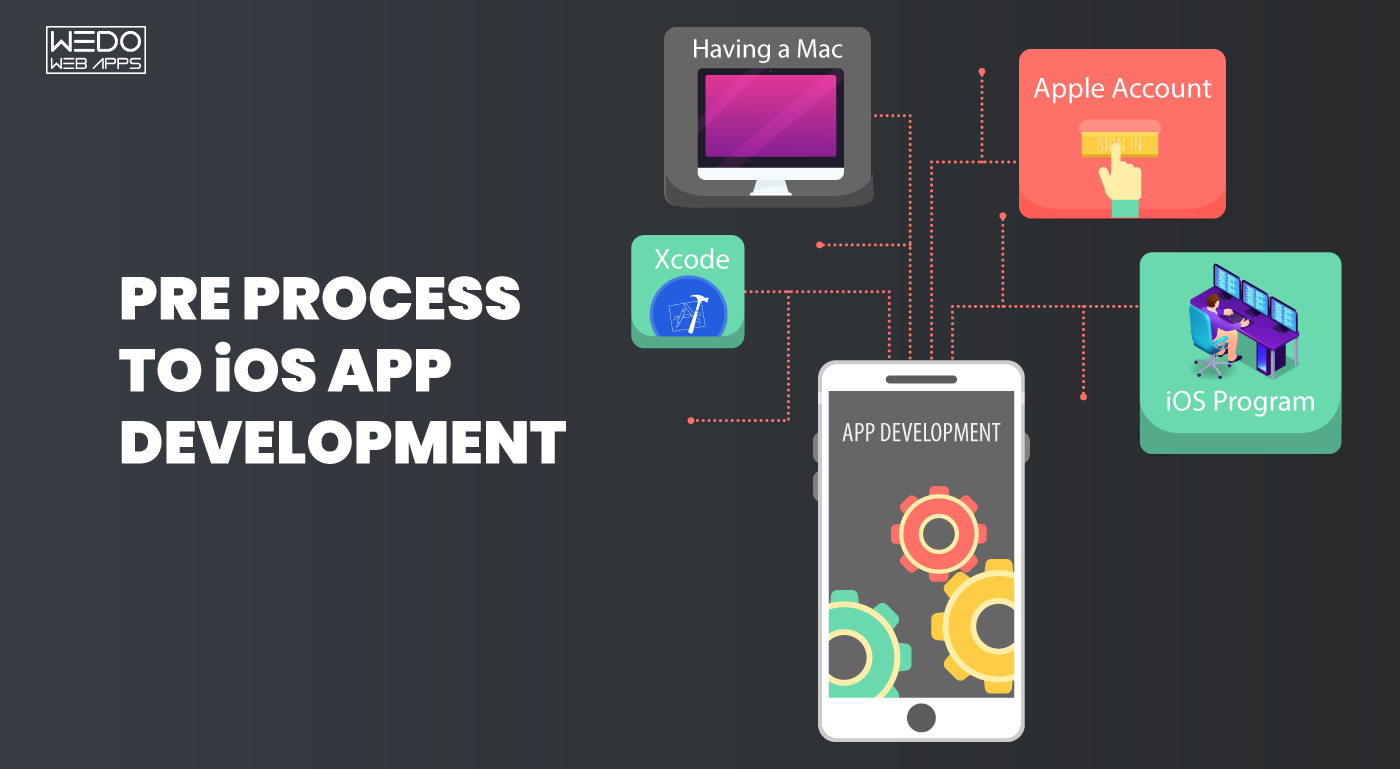
  • Mac with macOS 13 or later: Apples require to make use of Xcode for running on Apple. A Mc with an M1/M2 chip is being recommended more to maintain the better performance.
  • XCode Latest Version: This includes access to various tools from SwiftUI for UI design to XCTest for testing.
  • Apple Developer Account: With this, developers can have free access to basic tools with the $99/year plan, which unlocks the App Store distribution, TestFlight, and beta release.
  • Physical iPhone or iPad: Using these devices, testing core functionality will become easy, like FaceID, push notifications, and tracking of location.

Why this matters:

By making use of the iOS developer kit, you ensure that compatibility is maintained by following Apple’s strict guidelines. Offer access to the latest software development kit and APIs. This enables real-device testing and maintains a smooth experience for users.

This foundational setup is the first step toward building reliable, scalable, and App Store-ready iOS applications.

Inside the Apple Developer Program (2025)

The Apple Developer Program is not just a membership; it is more about having access to the advanced ecosystem for developers. This will allow simpler options for testing, maintaining the high-quality appearance of iOS apps. There are several Apple Developer Program benefits listed below so that you can have better knowledge.

7 Benefits of Apple Developer Program

Different benefits are being offered by the Apple Developer Program, and here is a list of some of the benefits that maintain the interest of developers.

  • Publish App on the App Store

Gain the accessibility of disrupted apps of the users and allow them to maintain Apple’s trusted and revenue-rich store platform.

  • Access to the beta iOS Version

This program stays ahead of the trend by allowing easy access to iOS, iPadOS, and visionOS beta versions, along with the latest developer tools and APIs.

  • Use of TestFlight for private app testing

You can easily invite up to 10,000 testers to test your app, which is developed by you, before launch. This will allow you to know about the possible bugs and fine-tune the user experience.

  • Track Performance with Built-in Analytics

Monitor how your app is performing with access to the real-time data on installations, retention, crashes, and in-app behaviour, and does not require any third-party tool.

  • Speed Learning with Exclusive Resources

With access to Apple’s complete library of WWDC sessions, best-practice guide, code samples, and UI design framework allows it to improve app building performance.

  • Get Direct Help from Apple Experts

Submit support tickets and get guidance straight from Apple engineers, plus connect with the global developer community via Apple’s forums.

  • Build Next-Gen Apps with visionOS Support

Start developing for Apple Vision Pro using visionOS tools included in your membership—future-proofing your skills and offerings.

Whether you’re building your first iPhone app or expanding to watchOS and Vision Pro, the Apple Developer Program gives you the professional-grade tools and platform access to make it happen.

Advanced Tools & Best Practices Used by iOS Developers

Building an advanced, high-performing iOS requires more than just coding. It required the use of demanding tools, smart workflow, and proven techniques of development. Their development tools offer Apple developer benefits, which maintain the specific services.

Here are several iOS tools that can be used by developers to deliver a seamless user experience and scalable apps:

Tools That Power Modern iOS Development:

  • SwiftUI – Allows to create the responsive user interface with less code and real-time previews. This is ideal for handling prototypes and maintaining UI consistency across Apple devices.
  • Combine – This makes it simple to synchronize data for streamlining tasks like networking, state management, and event handling.
  • XCTest & TDD (Test-Driven Development) – This ensures the reliability of the code before it is tested. This reduces the chances of bugs and guarantees each feature works well.
  • Xcode Cloud (CI/CD) – Automates builds, runs tests, and deploys apps faster using Apple’s integration services.
  • SwiftLint – Maintain consistency with supporting different coding styles and detect potential issues with automating the linting of your code development pipeline.

All the discussed tools not only improve app performance and code quality. They also speed up the cycle of development, reduce technical debt, and support long-term maintenance requirements.

How iOS App Development Benefits Businesses

Businesses investing in iOS app development allow them to have more than just access to the ecosystem of Apple. It delivers real-time business value.  Here’s how it helps you grow faster, smarter, and more securely while having the benefit of iOS app development:

Top 5 Benefits of iOS App Development for Businesses:

  • Maximize the Revenue – iOS users constantly generate revenue with their in-app purchases and subscriptions. This makes it ideal for the revenue-generating opportunity.
  • Reach High-Intent User base – Maintain a better user base while offering premium iOS application development. Also, Apple users are known for their loyalty and willingness to pay for quality experiences.
  • Accelerate Quality Experience – With the limited number of variations on the devices compared to Android, iOS app testing and optimization take less time and deliver more consistent results.
  • Delivery Outstanding Performance – Maintain the standardized approach with the apps built for iOS, benefit from tight hardware-software integration, resulting in smoother functionality and better battery efficiency.
  • Integrate Seamlessly with Apple Services – Use of built-in tools like Apple Pay for secure transactions, Healthkit for understanding fitness data, and maintain future engagement with Apple’s ecosystem.

Why Partner with an iOS Development Company?

Businesses like a startup or a growing business should have a clear connection with an iOS app development company. This not only offers technical proficiency but also gives a deep understanding of what makes the app appear to be more successful. While connecting with the right iOS development partner, you can easily transform the idea into a successful application that users prefer.

Benefits offered by an app development company:

  • Better UX/UI strategy for Apple devices – Make an advanced interface for the user to maintain the smooth appearance and build a sleek design that retains users.
  • App Store compliance and submission expertise – Minimize delays and rejections with expert guidance through Apple’s strict review and approval process. This also maintains the app optimized for the long term.
  • Scalable architecture and performance tuning – Create apps engineered for speed, stability, and future scalability from the ground up. The professionals make it easy to handle growth and traffic effectively.
  • Access to the latest Apple SDKs (watchOS, visionOS) – Professionals stay ahead of the trend while following the early integration of Apple technologies like watchOS, visionOS, and spatial computing capabilities.

reliable iOS app development partner

What Clients Are Saying

Real-world success stories offer a glimpse into the value of expert iOS development. Here’s what our clients have experienced by partnering with WeDoWebApps:

“WEDOWEBAPPS helped us achieve exceptional results with their outstanding services of mobile app development services. They also allowed us to explore the real-time success in our business. Their team’s technical precision and proactive support made all the difference.”

This client testimonial not only highlights our capability but also shows that we maintain the trust and impact on every iOS project.

Take the Next Step in Your iOS App Journey

iOS app development remains a powerful option for businesses to become more successful, and this also offers a better standard opportunity to meet the desired outcome. This allows to maintain better user engagement and seamless integration within Apple’s premium ecosystem. By leveraging tools like the iOS Developer Kit and the Apple Developer Program, businesses can deliver secure, scalable, and innovative apps that stand out in the App Store.

Ready to turn your idea into a high-performance iOS application?

Partner with WeDoWebApps and let our experienced iOS developers bring your vision to life.

Explore Our iOS App Development Services

11 Stunning Website design ideas for creating a standout site

Website design is such a concept that it has limitless ideas. Well, especially if you are not a website designer! It is a challenging task for a designer to find a new design inspiration every time something new comes up. Undoubtedly, if you are not a professional designer, you will be left clueless.

It is a known fact that designers are artists, and every artist has a different approach when it comes to finding work inspiration. It is better to contact a responsive website designing company because designers here get huge industry exposure. It is essential to consider responsive designs in this fast-paced market where competition is everywhere. If your website is adaptable to various screen sizes and mobile devices, you have a higher chance of improving search rankings. 

With ample website types and designs, designers are often perplexed; from where to start? A designer would want to give their best because a website is a virtual forefront that reflects the image of your business. Therefore, it should be as pleasant as it could get with the required smoothness, robustness, and functionalities. Design and development are crucial aspects of a website and should work in favor of user experience. 

Whether you are a business owner or a website designer, the list of website design ideas can come in handy for anyone. Do check them out before availing of any responsive website design services for your business.   

Website design ideas for creating a standout site

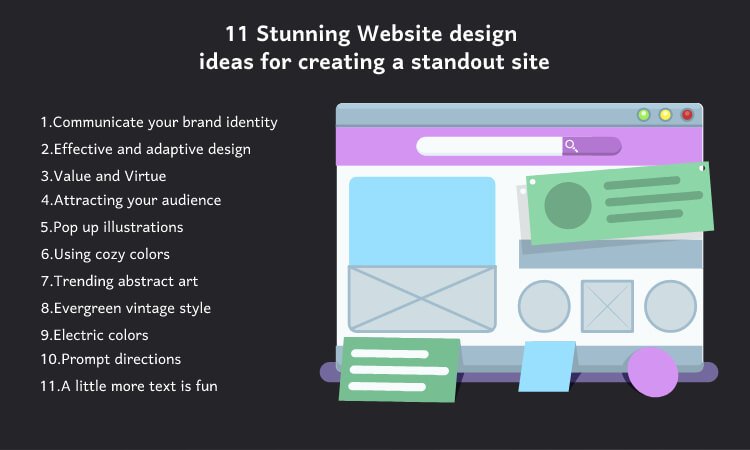
1. Communicate your brand identity

Your website plays a vital role in displaying who you are and what you do to create a brand identity. Therefore, it should be designed to communicate with visitors and customers and reflect the correct image. The logo, designs, layouts, fonts, imaginary, and colors, everything you put in shows the value and integrity of your business. 

Let your design speak to your customers and convey the message you want them to understand. If the design can catch the visitor with smooth navigation and quick information findings, visitors will stay. Your forefront should show the visitors ‘who’ and ‘what’ within seconds to turn them into customers and boost your conversion rates.

2. Effective and adaptive design

We all have been there; you clicked on a website and got lost in its clutter of buttons, poor directions, not-so-connected links, and whatnot. Furthermore, it is not a mobile website, so you have to zoom in and out frequently, which is annoying. A website ruins its screen resolution and invites increased bounce rates with such design projects. 

Always have an effective and adaptive website to build trust with your customers. Avail responsive web design services if you must, but ensure to have a mobile site that is easily accessible by customers. User experience is of utmost importance, and so, little details can take you a long way. Make sure to have compelling design layouts, sufficient white space, measured and easy-to-read copy, etc., to grab consumers’ attention and secure them for your business growth.

3. Value and Virtue

When a person lands on your home page, they should be compelled to stick around and have a look. If the design is not convenient and cooperative, it becomes a challenge to make them stay longer. The home page of any website is the first page to show the value proposition and virtue of your business. 

The decency of design, color combination, things you highlight are elements that speak out loud about your brand. Visitors feel intrigued to know more about your services or products when finding information on your well-designed site is a seamless procedure. In that way, you can turn those visitors into customers who are “just browsing”!

4. Attracting your audience

A brand is identified by an efficient website and design; hence, the design should be created keeping the targeted audience in mind. Everything you choose and decide about your website design should answer their needs. Try to create memorable, unique, and exciting experiences with your design. You can also add or remove images or imagery graphics to stay ahead of your competitors. 

If your audience is around and visits frequently, you have won half of the race. So, make sure to include colorful and exceptional elements that hold the audience’s attention. It could be colors, animation, videos, or infographics; brainstorm a few ideas and keep the audience up on their toes. 

5. Pop up illustrations

Illustrations give your website an alluring look, and when it is a pop-up, it works like a charm. The illustration is an old yet evergreen trick because from children to adults, everyone loves it. As a designer, you can add sparkling colors, themes, or fonts to convey the message of the business. It could be hand-written or designed, abstract art, or a combination of conventional and modern art. 3D and moving graphic design are also trending for illustrated designs as it gives your website a unique feel and looks to capture users’ attention. 

6. Using cozy colors

Some brands speak well through cozy color choices as it renders easy-on-eyes color schemes. It consists of light shades like warm blue, sky blue, other pastel or neutral colors. It gives a sense of relaxation and influences calmness while browsing through such websites. Warm browns, pastel blues, neutral greens, sand tones, and cool greys are the colors that give customers a seamless and lasting browsing experience regardless of smartphones or tablets. 

One can also use brighter background color with the design process to make the entire look catchy and pleasant. By using contrasting colors, you draw users’ attention exactly where you want them to; it can be a discount offer, holiday sale, newly launched services or products, and much more. Your website can attract more customers and improve ranking if you seek help from a responsive web design company for an enhanced user experience. 

Read also: How to Choose the Best Responsive Website Design Services

7. Trending abstract art

Using creative geometric designs is a trending art form as not only on websites, but even wall-pieces are a big sell with it. Abstract art is fun for both designers and users. It is a treat to eyes that can be used in photography and digital design. Several award-winning companies use abstract designs for personal or professional branding. Being a form of modern art, people love it for its unpredictability of shapes and colors.

The best part is, this abstract design can be used in 3D and 4D as well. Simple shapes of circles, triangles, and squares can rotate in a three-dimensional way and offer the information your users are looking for. Startups can contemplate this idea as they need to capture an audience at the beginning of their business to kick-start marketing and selling. Make sure to hire experienced designers and website developers for long-term benefits.

8. Evergreen vintage style

A design that brings nostalgia, warmth, and a sense of familiarity, vintage is an evergreen style to design your website. Old-school style with blurred images, fonts, black and white or brown and white themes, and real faded pictures gives something to be connected to. Whether it is about your baking services or 60s fashion apparel, whether it is writing a blog or a designer portfolio, vintage web design gives your visitors comfort and connectivity. 

Responsive web designs can easily show typewriter fonts, faded page colors, cracks, and weariness. You can add real vintage photographs or the latest photos with vintage effects given to make them seem old. Such components of design communicate with the visitors and inspire them to be customers.

9. Electric colors

Radiating electric and neon colors give your website a distinctive look among thousands of other websites providing the same services or products. It is one of the cutting-edge design ideas as millennials like it vividly vibrant. It gives an elegant aesthetic look to your website, which capture’s visitors’ attention. You can use 3D effects and fine shading to accomplish the desired look and feel. You can have glamorous visual effects by giving subtle and softer neon color contrasting, and you can create an energetic and unforgettable website look.  

You can also combine retro and contemporary styles to blend colors or give visual effects to create a certain kind of atmosphere. It is crucial to keep in mind that to create a memorable design, one has to choose the colors suitable to the brand. For example, you cannot choose bright neon blue for a florist’s website, but it can be a great choice to promote sports gear or apparel.

10. Prompt directions

Conventionally, homepages have a sidebar or a sign in some corner that leads you to other pages of the website. In modern websites, designers take chances to break the chain and bring out a new concept of prompt directions. It means you can navigate right from the homepage without having to look for directions. There can be buttons or attractive icons that list out the things your customers need; what is better than turning your menu into a visual delight of services or products you want to sell.

Often customers feel it is a tedious procedure to navigate through various options and look for what they want. This task becomes a lot easier with options appearing as icons, especially when the color synchronicity is right. In addition, it renders an amazing user experience by giving a separate brand identity of the site providing similar services or products to your customers. Anything making your website stand out is worth a try, right?

11. A little more text is fun

Well, a little more text and a slightly less design are cost-effective for startups, and why not if it looks alluring. Instead of just designs, add some texts and let it do the talking for your brand. Many brands have experienced being more effective with a wide variety of sizes, colors, fonts, and layouts. By considering a minimalist approach, you can play safely while providing all the details your customers need on one page. 

It comprises a lesser amount of colors and more combinations for texts to come out as an effective asset of the website. Such designs are calm in nature and, thus, more cherished by the users. With lots of room to breathe, one can get away from not-so-essential elements of the website, which makes it simpler for users in the long run.

To sum up, know that design ideas can be plenty, but executions should be clever. You can have ample inspiration from social media platforms or by looking at the top-ranking websites in specific niches. When it comes to branding, think logically because your customers would not! They go through your web pages through their eyes and heart, and if they did not like it at first, they might not return at all. 

Your design should always meet your business niche; else, all the project management, time, money, and resources invested are for nothing. Before choosing a particular design, do in-depth research and understand what your customers like. Web design ideas mentioned above will lead you in the right direction; you can use design idea inspirations from the beginning to make it right till the end. Follow the tips, and you will surely land with qualified designers and exceptional design to get people clicking through your website.

Explore these stunning single page application websites that showcase the potential of modern web design.

3 Reasons WordPress is the Right Choice for Your Startup Website

Gone are the days when WordPress was meant to be just for blogging. Now it is much more than that and hence, in demand too. WordPress is contemplated as one of the most sought-after platforms to build a business website, and there are reasons for the same. The first one is, it is easier to avail WordPress website development services than earlier, and second, it has quite a few benefits you cannot count on your fingertips. That is why, according to a recent Forbes article, WordPress powers 35.7% of the web now.

WordPress can be the right choice if you are simply a blogger or want to build a business. This article will further help you to know and understand why availing of WordPress website development services is the best decision you should ever make. 

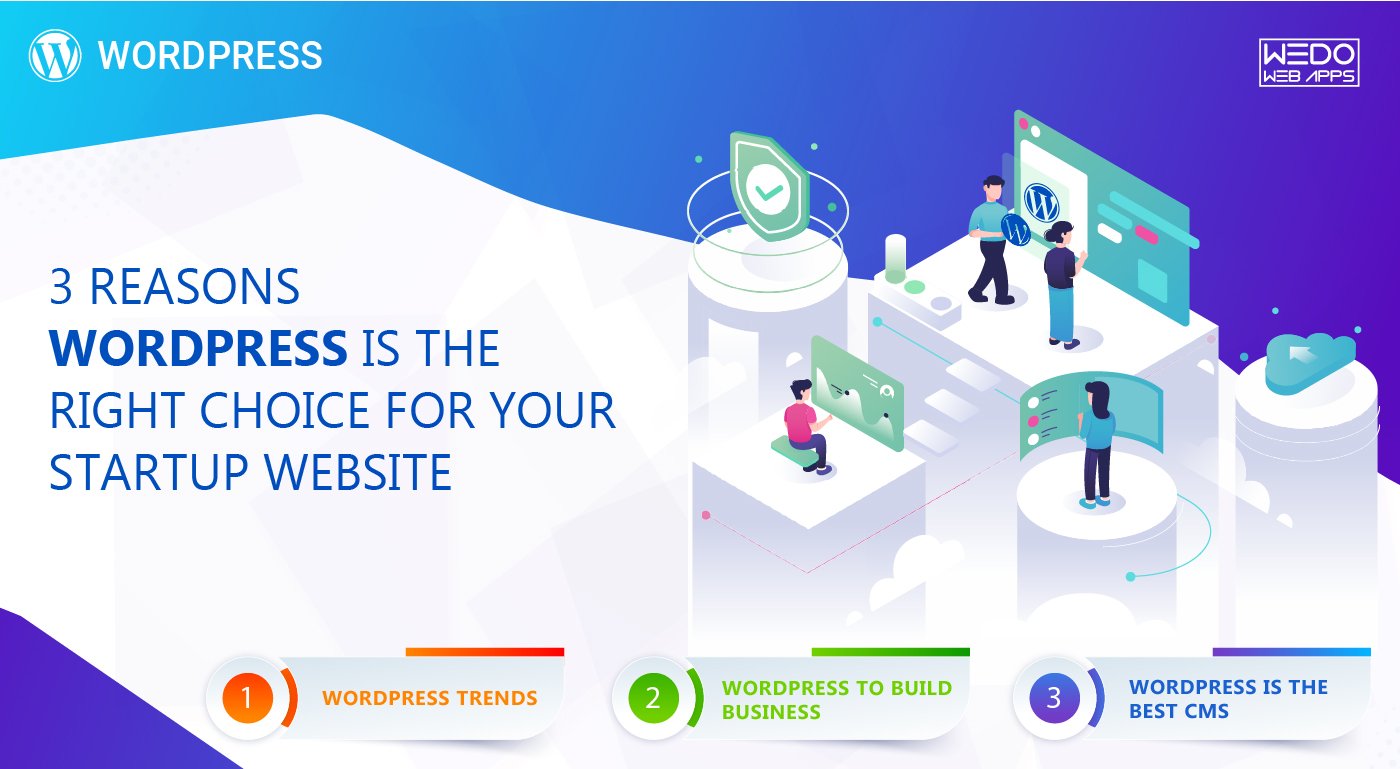
1. WordPress trends

Every platform would often update functionalities, plugins, features, and themes while offering its services for business start-ups. WordPress has shown how you can build a powerful yet stunning website at a nominal time. It surely has made significant changes to take over the competition and to impress users. Here are some of the trends (get ready for an advanced future!) you must follow:

Motion UI 

You would be aware of UI – User Interface but Motion User Interface. With the web flooding with these many sites, it is imperative to grab users’ attention and make them stick around. With the help of Motion UI, you can add transitions or animated segments to web design for better engagement of the users. It is not about making a site extra fancy, but it also helps direct visitors to the site. Motion UI displays signs like what to do and where to go. For example, a moving list of the products or services so that you can pick one easily or horizontally moving FAQ or categories. 

Chatbot 

One of the ideal ways for users to be in touch with the business is by integrating chatbot on your WordPress site. According to a myth, customers want to talk to a human rather than a robot (which is a chatbot!). However, a recent survey states that most users do not care if it is a human or a robot as long as they acquire the help they need. 

Chatbots are popular for the convenience they provide to the customers, and WordPress has a number of chatbot plugins that are easy to implement. Current chatbots will be transformed to be more advanced in the near future, which will help a business to understand complicated queries and conversations. Ultimately, it would help a business grow by providing quick responses and solutions to its customers’ problems. 

A speaking website

As the fame of voice-enabled devices like Amazon Alexa, Google Home, and the recently launched Apple HomePod mini has risen, it won’t be surprising if you see talking websites as well. Voice-activated websites will be a new trend at the end of 2020 or in 2021. Hence, one can use the voice to search rather than to type or click. It would not just help websites to draw more visitors but also to rank higher in Google voice search.

2. WordPress to build business

We live in an era where people believe in a business’s existence only if they can find a website for it. Hence, for every business, the first and foremost thing to have is a website; and what is the better option than WordPress? No, we are not talking about those self-made websites. We are talking about full-fledged custom WordPress development services that create a magnificent website, leaving an impact on visitors. WordPress is practically the best platform to build your start-up website.

Simple to use

Unlike the alternatives, using WordPress is more about smooth-sailing, which can be noticed right after its installation. It is undoubtedly an overwhelming feeling to see a website dashboard rich with colors, features, and facilities; however, you would shortly find your way around as you initiate. The backend dashboard permits you to make the required changes as per your interest. It could range from changing the comment settings to creating new posts or pages. Moreover, you would get plenty of online video tutorials if you ever get stuck while exploring the website; that’s the power of WordPress popularity. 

Safe and secure

Cyber-security is a rising concern, and every business owner would want the website safe from threats. WordPress has never failed to provide safer use, which is why multiple companies and big business names are using the platform. Our team is always looking for a website’s vulnerable parts and is capable of building a robust website of your dream. Also, team WordPress covers minor updates and keeps looking for security ambiguity to protect your site from any threats you are unaware of. 

Ready to get started with WordPress? Make sure you hire a WordPress website developer to bring your startup vision to life with professional expertise.

SEO friendly

Well, which website does not need that? WordPress is built in a way that makes it quite SEO (Search engine optimization) friendly. The platform manages a plethora of SEO functions and is easily adaptable to plugins like Yoast SEO to help you further. Nevertheless, the way you treat your website is also responsible for your website’s ranking and well-doing. You can always ask for custom WordPress development services to have the desired website. It will substantially support CMS (Content management system) and hence the SEO, which we would discuss further in the article.

Read more: Grow your E-Commerce business with best Woocommerce Development Services

3. WordPress is the best CMS

One of the most fundamental reasons for WordPress’s popularity is its versatility and adaptability for content management. Hence, our developers can create a fully functioning site for any industry and with as many categories as you want. WordPress will be the wise choice if you wish your website to rank sooner than your competitors, as it is an ideal CMS for SEO. 

Built-in SEO boosts

Elaborating on the point discussed above, most of the traffic comes from various search engines. These search engines are highly capable of bringing thousands of visitors to your website if your page is ranking. Search engines like Google have certain parameters that help a website rank, and WordPress handles these parameters quite impressively. In fact, it takes care of several important elements to support on-page optimization, such as Perfect HTML markup, Permalinks (yes, you have a choice to get rid of those ugly looking web addresses!), image optimization, proficient content creation, and much more. 

Ample themes and plugins

WordPress is a kind of platform where developers can experiment with new things in order to meet clientèle demand. WordPress has an abundance of themes, and yet our developers are coming up with new ones every day. These themes can be chosen as per one’s interests and requirements; it could be anything from blogging to business or eCommerce.

WordPress offers plugins for all your needs, along with attractive themes, and that is why it is highly demanded among business start-ups. If you want a website with great features or want to increase your existing WordPress revolutionized web development for performance, our developers can assist you in reaching your success goals.

The real advantage of these plugins is, you can deactivate or disable them anytime you think they are unnecessary. Nevertheless, the augmented functionalities of themes and plugins add up to search engine optimization, user-interface, dynamic layouts, and smooth loading on any device. 

Choosing WordPress is just the beginning—ensure your site stays at its best with regular website maintenance and renovation to keep it fresh and effective.

Mobile optimization

Smartphones are handy and fast to use, and hence, any website that is easy to open on a computer must load as quickly on the phone too. WordPress has some built-in functionalities and competent themes, which makes the website mobile-ready right from the beginning. Whether it is about image scaling or graphics, WordPress’s responsive themes would make everything natural and smooth on a mobile device. Regardless of screen size, it is beneficial to both, the user and the owner as it can be accessed from any device. Also, for ranking criteria, Google prioritizes mobile user experience. So, if you are keen on your website to show up in mobile search results, you must consider WordPress.

Read also:- Important Segments An Android Application

Image optimization is simple and effective

Images are crucial for any website content or blog. It separates content, making it more interesting and readable. It is not just about capturing a reader’s attention; images are remarkably imperative for SEO as well. WordPress lets you create an alter text for the image; thus, you can put keywords in the image description. If the image ranks, so do the content and, ultimately, the website. You can always decide the size of the image that does not slow down the page’s loading speed.

Bottom line:Once started as a blogging platform, WordPress has evolved so much since its inception. The points mentioned above have truly and exceptionally worked wonders for many start-ups as well as existing businesses. If you want to start or expand your business or just want to rank the website higher, you should avail of our WordPress CMS development services as soon as possible. WordPress community keeps growing due to its users’ success ratio, and it will get even better in the future. Be a part of it with our assistance and watch your business thrive.

Common Pitfalls to Avoid while Developing an eCommerce Store

Are you set to start an eCommerce store? But wait, jumping into the eCommerce industry without any preparation is like driving a car without knowing the directions. The eCommerce industry is gaining immense popularity because of which more and more business owners are planning to sell online with an eCommerce website

While there is no doubt that you can earn a lot with an eCommerce business, it is not as easy as it sounds. Believe it or not, most small businesses can stand post 5 years of their establishment. Why? The simple answer is that they do not focus on a lot of aspects of online marketing. If you don’t want to fail like them, then learn from their mistakes and try to prevent them. 

If you desire to win the race of being the best online business, you should avoid the pitfalls that will affect your business and cause you to lose sales. Even Though mistakes are the opportunity to learn new things, it is better not to make mistakes in the first place. Mistakes would take your customers in the direction opposite to the checkout window, ultimately throwing them straight in your competitor’s arms. 

So, if you are planning to start an eCommerce store or even if you already have one, a few common mistakes should be avoided or fixed to grow your eCommerce business or gain more sales. But before directly jumping on to the mistakes, let us first know the characteristics of an eComm website. 

Characteristics of an Online Store

Characteristics of an Online Store

Shifting your business to the digital world is an exciting step for a business. However, if you want to attract online customers and convert visitors into potential customers, eCommerce websites need to be developed right. Following are the characteristics that any website which sells should have. 

1. Clear, Easy Navigation

If visitors cannot find what they are looking for on your website, they would probably be disappointed and return back. Customer Satisfaction is significantly improved if the buying process is fast and efficient. Therefore, you need to make sure that your website is easy to use and explore. 

How can you offer an excellent user experience to the customers visiting your site? By regular side and top navigation bars; clickable and meaningful labels; significant drop downs and addition of a search bar. 

2. Fast Loading Time 

What if the loading time of your website is slow? The visitors will stop shopping and walk away from your website to the competitors’ website. This will make you lose potential customers. There are many things you can do to ensure a high loading speed of the website. 

The very first thing is to stick to the simple design, use online tools to compress the file size, reduce the use of plugins and redirects, and enable browser caching. This will help you increase the website’s speed. 

3. Secure Payment Gateways 

A payment gateway is a connection between your eCommerce store and your merchant bank. It sanctions your customers’ debit and credit card payments just like a cashier in some physical store. Being necessary for online transactions, it can be another reason for cart abandonment if not set up correctly. 

Online customers want their personal data to be safe, so eCommerce stores follow the best practices to ensure that the customer data is encrypted and protected. For this, they ensure obtaining and installing SSL certificates on their website. 

Read more: Grow your E-Commerce business with best Woocommerce Development Services

4. Strong Social elements 

These days, customers do not prefer buying anything without seeking assurance from others. So, to make sure that your customers convert to buy, you need to offer several directions to fulfill this need. 

Include social media links on your website so that people can comment, like, and share the experience with your products. Additionally, you can add reviews and customer testimonials to your website. The more positive social proof you showcase, the higher level of trust you will perceive. 

5. Multichannel Customer Support 

Professionally providing exceptional on-time customer support is very important for your business’s success. It is pretty frustrating to see a website with no clear contact details, and that walks you through long FAQ channels. 

The key to success is offering your customers a wide range of options to get in touch with you. For example, a phone number, email address, or live chat feature can be the most effective solution for your customers to contact you directly.

6. Effective Call to Actions

Even if your web store looks perfect and works smoothly, it has a problem if your customers do not know where to click. This is where the call to action buttons come into the realm. They tell customers where to click, what to do, and what to buy. Examples are “proceed to checkout”, “click here”, etc.

7. Mobile Responsiveness

Every year more and more people are shifting on to their phones for shopping. So, if you don’t have a mobile-friendly website that offers your customers a great experience, you will probably be left behind. 

Responsiveness is essential because if your website isn’t responsive, it will likely be slow to load. In addition, it will have an awkward layout, and the website will ask for zooming and scrolling to see the website’s content. This will significantly stop them from converting into customers.

Read more about How to Choose the Best Responsive Website Design Services

These were the essential characteristics of an eCommerce store, and now let’s come to the main point that is “Common Mistakes to Avoid while developing a web store.” 

Pitfalls to Avoid While Developing an eCommerce Store

Pitfalls to Avoid While Developing an eCommerce Store

From offering limited payment options to not offering multiple shipping options and not having a mobile-friendly website, there are a lot of things that can lead to a drop in sales. Due to this, you will also fail to drive quality traffic to your website. Moreover, you may also lose your customer’s trust. 

So, let’s go through a few eCommerce mistakes that a business website should avoid in order to boost sales and stay ahead in the competition in the eCommerce industry. 

1. Not Doing a Proper Research 

Developing and running an eCommerce store efficiently demands a lot of time and effort. However, you need to make sure that you are investing your resources intelligently, as some of the things you are doing may go to waste. How will you prevent this?

You can prevent this issue by doing thorough research about your business niche. Not only eCommerce, but before you start anything, you need to do extensive research of the target audience, market demand, and many more things. Identify what may get clicks and whatnot. This will definitely help you reduce some of the problems. 

2. Communication Gap

Make sure that your consumers can easily reach to communicate with you. Yes, it is a bit difficult, but if you are always available for your customers, it will build a sense of trust in them. Also, this will increase your business efficiency. 

As discussed above, most of the business owners forget to add reliable contact information to their website or create a trustable helpline for the customers to contact them. This is a widespread eCommerce mistake that can significantly affect the sales of your online store. 

3. Too Much of Pop-Ups

It is a fact that ads, if used efficiently, can be a great way to earn money. Unfortunately, these days, customers lack the patience to wait for what they want. Therefore, you have significantly less time to catch the attention of your customers. That is why Pop-up ads are used. They are very classy and fabulous at grabbing customer attention.

However, what many business owners do is overuse the pop-up ads, which ultimately take over their original content. Overuse of pop-ups can be very irritating for your customers and may lead the customer to quit the website sooner or later. You need to give some space to the customers to let them access your website. 

4. Having no SEO Strategy

You might have heard a lot of times about the importance of SEO for online businesses. You can find this term in almost every checklist of the business looking to grow online. There’s no point repeating the things you’ve already heard a lot of times as it is the most crucial part of digital marketing services. 

No matter how exclusive your website looks or how valuable your products are, every effort of yours comes down to how your eCommerce website is performing the search engines. Therefore, the search engine rank of your website is very important.  

5. Not Optimising your Site for Mobile Devices 

These days most people prefer mobile devices for shopping online or accessing any other kind of website. Now, this is a situation to think about. Just Imagine you have developed a website that is compatible only with desktops but not smartphones. Now what? You will likely lose a potential customer, thereby decreasing sales.

As an online entrepreneur, you should always think of a solution that will give you maximum sales. We would suggest you avail of responsive website designing services to develop a website that is optimized for all the devices and can respond immediately to the user’s action. 

6. Not Following the Trends 

“Eureka” – This means the joy of discovering something out of the box. However, unless you have a life-changing idea, do not try to do anything unique from the very start. Instead, stick to the basics of eCommerce and try exploring the best approach for you and your storefront. 

Doing this might help you discover your Eureka moment with the pathway to direct your marketplace towards success. 

7. Lack of Descriptive Product Information

What is the primary purpose of creating an online marketplace? To start selling your offerings, right? Creating a business plan, developing an engaging website with the best eCommerce platform; everything is necessary. But when you upload your product on your website, it should have detailed information along.

Customers only buy the products when they know about them. And if you don’t write a description of the product, you will probably lose your customer. Online Marketing eliminates the interaction between the customer and the business owner. 

As the customers cannot touch, feel, or sense the product, your description is the only thing that can convince them to buy. Therefore, never miss writing descriptive and creative details about your product. 

8. Poor Navigation

It is yet another common eCommerce mistake that most of the business owners commit. A good-looking, engaging website is a secondary thing, but if your users cannot find what they are looking for, then there’s no point in your good-looking website. 

Always remember to develop a website that is easy to use and navigate. Give your customers the best and easy experience on your website. This will definitely help you convert your website visitors into potential buyers. 

9. Lack or No Effective eCommerce Policy 

Even in this advanced time, many people are still scared to buy anything online. That is because they are concerned about security. However, trust is the most important thing between a seller and a buyer, and it is the truest in the case of eCommerce websites. There are a lot of things that build trust. 

One of those things is an effective marketplace policy. Many buyers are concerned about the shipping method, return and exchange policy, and payment methods. Hence, you should have a clear eCommerce policy for all these things in order to build trust in your consumers. 

10. Overlooking Website’s Security 

Being the owner of the website, you are not only concerned about the security of your data but also the security of your customer’s personal information. You will need everything that can keep your website data safe and secure all the time. 

Overlooking the website security is a blunder that can pull you down on the search engines and affect your sales in the end. Therefore, always remember to include everything in your website that will keep your and your users’ data safe. 

Final Words

Making a mistake while developing your business storefront can cause you to pay a considerable amount in the long run. Therefore, it is essential to create a business plan to avoid blunders. Prepare yourself beforehand to avoid the eCommerce mistakes that other entrepreneurs have committed and are now suffering from a considerable loss. 

If you successfully avoid these mistakes from the start itself, you will save a lot of time and money. However, if you have already made these mistakes earlier, it’s not too late to fix those issues. 

If you want to develop a website from scratch or fix the eCommerce mistakes in your existing website, WeDoWebApps LLC can help you. We have been offering responsive web design services for a decade now, and we are experts in developing websites, avoiding every blunder that can cause you a huge loss. Contact us to get your error-free and responsive website created by the experts.

Responsive Website Design: Know the Fundamentals

Almost each and every client we handle demands for a mobile version of their website. Gone are the times when people used to use laptops and desktops for browsing any website. Mobile compatible websites have now become the basic necessity of every business to increase their customer base. And why not? Over 50% of website traffic is derived from mobile devices.

With new devices launching almost every day, it’s merely impossible to keep up with the numerous new screen resolutions. Imagine you have to design a website for several screen sizes and resolutions. Did you like imagining it? Of course Not. It is the worst nightmare for every designer to create separate web designs for different devices. 

Now think of a website that is well-structured and looks and works just the same on every device. Doesn’t this sound amazing? Well, one sure short thing is that no one develops different websites for different screen resolutions. Then what exactly is it?

Well, this is responsive web design: Responsive design is something that makes your website look good on every device available in the market. A responsive web design company is highly in demand because every business needs a website that is highly responsive to all devices. 

Well, there are many benefits of a responsive website, but before that, what is a responsive website? Read the detailed description further to know more. 

What is a responsive website?

It is pretty imperative for websites to load and immediately adjust according to the prevalence of website browsing from various devices like mobiles, desktops, and tablets. Earlier the only solution was to create multiple stylesheets for different devices. Now, you can create a single stylesheet that can serve on multiple screen sizes with responsive web design. 

With responsive design, you will have less code to look after, and it reduces the hassle of serving different stylesheets for every device. However, it still uses the regular practice of detecting the device of the user first. 

Responsive web design is an approach where the web designer creates a website that adjusts the web pages according to the device. In this, design and development respond as per the user’s behavior and environment. This technique is a blend of flexible images, flexible grids and layouts, and fine use of CSS media queries. 

For instance, if the user moves the website from laptop to iPhone, the website should immediately adjust for image size, resolution, and scripting capabilities. Briefly speaking, the website should have the ability to respond automatically according to the user’s device. 

This reduces the need to develop different websites for each new device launching in the market.                                                          

How does a Responsive Website Look Different from a Traditional Website?

The reason for having a responsive design is to have a single website that resizes itself according to the screen size of the device in use. If you look at a traditionally structured website, when you open such websites on a smaller screen, you need to scroll sideways to look at the elements that are hidden from your sight. This becomes frustrating at times. This is because the website is not compatible with the device in use. 

It becomes more frustrating with the tablet as the content can be viewed either in portrait or landscape orientation. With mobile devices, navigation becomes even more difficult as the website may be difficult to view on a tiny display. This may increase the load-time, and large images may break on small screens. 

With responsive website design, the tablet or mobile version may adjust accordingly and display only one or two columns, making the website content easy to navigate and display.

Instead of getting the content cut off or spoiling the layout, the media files and font sizes adjust accordingly, maintaining the attractive layout and user-friendly interface. Hence, improving the user experience of the website. 

How Does a Responsive Web Design Work?

The base of all the responsive web designs is the use of fluid grids. All the page elements except the pixels are sized properly by proportion. Let’s say you have multiple columns in a website; when we talk about responsive websites, you will plan how wide one column will be as compared to the others rather than determining the width of each column. 

Images or other media files are resized as well so that the image can stay within the column or the particular design element. The website first detects the device it is being viewed on and then adjusts accordingly. Thus, taking the website development towards progressive enhancements. 

Advantages of a Responsive Website Design

1. More mobile traffic

Over half of the traffic to the top websites in the US comes from mobile phones. Therefore, it is important for companies to understand the importance of a responsive website. It renders on small screens efficiently so that the users can use the website on any device. Even though some businesses still choose to have separate websites for every device, responsive websites are essentially becoming important in today’s time. 

2. Development at lower costs

Making a responsive website takes less money as compared to developing a separate mobile site with a standard desktop website. Since we are developing only one website for all the devices, thereby saving a huge amount of money. Even if the initial cost of developing a single responsive website costs you more than creating two standard websites, it will save you money in the long run, saving maintenance costs, special configuration costs, etc.

3. Lower Maintenance Needs

Maintaining a separate mobile website demands additional support and maintenance. On the other hand, the process of responsive website design uses standard testing techniques to ensure the same look and performance on all the screens. Having two different sites also requires two different content strategies, development teams, and two administrative interfaces. Therefore, responsive websites require low maintenance and are cost-effective as well. 

Disadvantages of a Responsive Website Design

Since it is said that every coin has two sides, everything that has certain advantages will have some disadvantages as well. The same goes with responsive website design, and here we go with the disadvantages of a responsive website design.

1. Slow Page Loading

Though maintenance of responsive websites is easier, it takes a long time to load the page. Responsive websites include some high-resolution images and videos that sometimes take a longer time to load the page. 

2. Tough Navigation

Responsive websites are specially designed to adjust to small screens. But developing large websites for smaller screens sometimes becomes difficult. This is because small screen sizes have lesser space, which makes the website difficult to navigate on small devices. 

3. Time-consuming Development

Responsive websites have become a necessity of today’s rapidly growing industry, but developing a responsive website takes more time as compared to developing two standard websites. This is because, while developing a responsive website, you will have to optimize your website for almost every device in the market, ensuring a good user experience for the customers. 

Following were the strengths and weaknesses of a responsive website design. Now that you know the basics of responsive websites, we will discuss the essential principles to be followed to develop a highly optimized responsive website. 

Major principles to be followed for Responsive web design development.

There are many things to be taken care of when it is about responsive website design and development. Some are insignificant yet essential, whereas some are the foundation of the whole design system. There are three crucial principles that bind a responsive design as a complete package. Although some other principles should be included in the play, these three are the core of a responsive design. These are the concepts that bring comfort and convenience to user experience by meeting desktop or mobile device’s needs successfully.

1. Fluid images

Fluid images are the images that scale in order to fit into the respective container. The most simplest way of handling fluid images is by utilizing CSS command, img { max-width: 100%; }

This command notifies the browser about how an image should be maximal of 100% of its pixel value. It should be scaled according to the container. The reason behind the ideas is, even though when a container outgrows the image size, images are bound to remain the same. The command prevents an image from stretching when the screen size is bigger than the image. It shows the quality of the image and eliminates the degradation. 

Well, you can use images with higher pixel density which is another option. You can have an image larger than the screen size, which is twice as wide than the container. It limits the stretching and provides your users with clear images, which is a plus point for any website out there.

2. Fluid grid system

In older times, people had printers and physical copies to read in the absence of the internet. So when the internet came into existence, designers took the same path for developing pixel-perfect pages. The size, the display, and the width, everything would be carefully measured and pre-determined. 

Nevertheless, with the inception of responsive web designs, the idea started fading away. The reason is acceptable as absolute sizes do not work when it comes to responsive web designs, but relative sizes can be used. A fluid grid system needs target size and context in order to define the relative size, and once it is done, you can see the magic!

3. Media queries

You know that responsive design can fit in any screen size, but do you know how? Well, thanks to media queries which are responsible for altering the layouts  in specific situations. So, this concept can be used when the screen size is rearranged. You might think that this is where one uses the ‘mobile first’ approach. True, because once you know what you want on a mobile site, you are ready to scale up. 

Designers and developers can use a series of CSS commands for various ‘breakpoints.’ This is how layouts break to mold themselves into particular screen sizes. A designer needs to contemplate the content in order to note where breakpoints happen and plan them accordingly. In due course, a designer is capable of predicting the breakpoints on the basis of the screen resolution of any device. 

Remember that framework is something critical to consider, and it is better to work out with the existing framework for responsive web design projects. You can look for one online to find a free version and download which suits best to your design requirements.

To sum up, keep in mind that there is more to responsive web design services rather than just reading. The best way to get it right is by consistent practice and guidance. The internet is filled with an enormous number of design ideas, so do not hesitate to look for help. If you think you are bored with existing ideas, find one of your own and work on that idea to turn it into reality. 

This blog can be helpful to a layman or a novice designer entering the giant world of creativity and dedication. Believe it or not, catering to manifold devices and focusing on better users’ experiences will stay here for a long time. Designers should fasten the seatbelts to enjoy the ride as long as there is learning, unlearning, and relearning of responsive website designs. 

Effective eCommerce Conversion Tips to Proliferate your Website Conversion Rate

In an eCommerce space, increasing sales means everything. Undoubtedly it takes a lot of resources and effort to set up and run an online business successfully. And becomes even more frustrating if a visitor leaves your website without really buying anything. A high-traffic website is pointless if it does not convert visitors into customers, regardless of the source of the client.  This is why creating a responsive website design, optimizing your website and landing pages is essential. If you lack technical knowledge and want a highly optimized website for your online business, availing of responsive web design services is the best thing you can do.  Anyways, if you can optimize your eCommerce website and its conversions, you can easily increase the annual revenue for your business, thereby increasing the market shares. Therefore, the eCommerce conversion rate is the key metric you should focus on improving if you have an eCommerce store.  Your entire growth funnel will be improved if you focus on optimizing your conversion rate. But, how come you know the outcome of your updated strategy without tracking the changing behavior of the users. For that, you need to measure the conversion rate of your website.  In this blog post, we are going to talk about What conversion rate is, why it is crucial, and how you can improve it to accelerate your business. This post will definitely help you track the progress of your eCommerce website in a simple way. 

Necessities of a Powerful eCommerce Store

  1. Driving the right traffic
  2. Having a reasonable conversion rate
  3. Delivering high-quality products with support

No matter your business niche, every eCommerce business should necessarily have the above three elements for success. The right traffic means your targeted audience, and conversion rate refers to what we are going to discuss in this article. 

What is eCommerce Conversion Rate?

Conversion Rate can be defined as the percentage of visitors landing on your website and making a successful purchase. This creates a significant impact because the conversion rate of the industries is as low as 3 percent. This is pretty good, but it results in hundreds of conversions as most of the big websites get thousands of visitors daily.  Understanding it by doing a little math, Assume you get 10,000 visitors daily, and your conversion rate is 2%, which means only 200 of these 10,000 visitors are making a purchase. There are numerous ways of improving this number. If you optimize your website, fortunately, this number can increase surprisingly.  There are various tools that will help you optimize your eCommerce Conversion Rate. Read further to know more. 

Tools for Optimizing eCommerce Conversion Rate

Tools for Optimizing eCommerce Conversion Rate Website Development is important for online business, but optimizing it with the best user experience is even more critical for converting clients. Not only user experience, but your website should also be compatible with all screen sizes, be it smartphones and tablets or even laptops.  A mobile website should function properly on every mobile device regardless of the operating system. Also should be optimized according to the search engines in order to get ranked on Google. Here are the various tools that will help you optimize your website’s conversion rate. 

  1. Google Analytics 360 Suite 

As compared to Google Analytics, the Google Analytics 360 Suite gives you the more advanced details to track each and every step of your conversion process by event measurements such as the number of clicks on your website’s CTA buttons.  When you use 360 Suite, you no longer need to check the conversions based on URLs. Instead, you can just calculate the difference between the CTA buttons clicked and the number of successful conversions. Also, unlike regular Google Analytics, your data is updated every 10 mins rather than 24 hours. Moreover, you can also create customized funnels to analyze the journey of your customers more precisely. 

  1. Shoppimon

Shoppimon is an eCommerce Conversion Optimization tool that analyzes, monitors, and tests the issues related to your eCommerce website. These issues can hinder the user experience and can affect your conversion rate. Issues like visuals not loading, responsiveness, broken links, site crash, server issues, etc., are the issues detected by Shoppimon.

  1. Hotjar

Hotjar is one of the fastest ways of understanding your users and making necessary changes according to the user’s preference. This online software provides instant visual feedback, and you can see how people use your website to make changes accordingly. Hotjar uses heat maps to let you know what your customers want, expect, and do on your website on the basis of their visit patterns.  Read also: Website Usability – Definition, Importance, and Tips to Improve

  1. VWO

This is a conversion optimization platform providing solutions for the audience to research and design roadmaps, run A/B testing and Optimization on their eCommerce websites.  These were the tools for optimizing your eCommerce store’s conversion rate. Now moving forward, let us discuss the tips to proliferate your Website’s Conversion Rate. 

Proliferate your Conversion Rate with these Verified Tips

Website's Conversion Rate

1. Not More than 2 Seconds to load

Even Though 2 seconds is a very short time, but if your website is taking more than 2 seconds to load, you need to worry. If your website loads in more than 2 seconds, approximately 53% of the users lose interest.  A delay of just 1 second can result in a 7% loss of conversion. There are many things you can do to improve your website’s performance. You can test your website speed by using tools like Google PageSpeed or Pingdom to figure out your website’s speed. You can even optimize images and change your hosting plan to improve the speed. 

2. Be Friends with SEO and CRO

If you want to drive traffic to your website and increase conversion, you need to make SEO (Search Engine Optimization) and CRO (Conversion Rate Optimization) your friends. Doing this is ideal for an eCommerce website. SEO optimizes content for the search engines to get your website ranked on the top, while CRO optimizes content for the users with the aim of taking them to hit the CTA. If you are availing of responsive website design services, make sure to avail SEO and CRO services as well.  However, using these two together isn’t easy. You might have seen websites with merely unreadable content due to SEO efforts. The sole purpose of such websites is to drive traffic to the website.  To optimize your website according to the Google search engine, you need to include these things to your website – keywords and on-page SEO, quality content and improved data usage. Read also: How to Leverage Social Media to Boost eCommerce Conversions

3. Smooth Navigation

If you want to convert more visitors to your eCommerce store, you should have a website that is easy to navigate. Most often, the websites are disorganized, and the visitors are unable to find what they are looking for.  If you walk into a brick-and-mortar store that has its products disorganized, you will probably turn around and walk out immediately. The same is the case with the online store. If your visitors are not able to find what they are looking for with just one click, they will probably navigate to your competitor’s website.   The more products you offer, the more crucial it is for your website to be easily navigable. Visitors can easily find the desired product category page using the navigation bar at the top of the screen. From there, they will be able to find the specific product they were looking for.  However, this is the solution for the people who are just browsing the website for the products they may like. Therefore, you need to offer a powerful search solution for the people who know exactly what they want. 

4. Responsive Web Development

Responsive website development means developing a website that fits every device the visitor is using. If your website is responsive, it will provide an enhanced user experience reducing the need to scroll, resize, or pan. Website pages should load quickly, and the visitors should be able to do what they want to on your website.  Moving to a mobile-first design strategy is the key for your eCommerce store. Since Google is shifting towards mobile-first indexing, your website will be lost in rankings if you do not adapt to the strategy.  These days mobile phones are the most preferred device for online shopping; therefore, they target mobile users first over tablet or desktop users. The design and development of the website should be such that it is compatible with every device, no matter mobile, laptop, or desktop.  Don’t lose a customer to another website just because they include a mobile website and you don’t. Instead, hire a responsive web design company for top-notch development services, and enjoy the growth in your business.

5. Improve your Copy 

According to the study done by Referral rock, a copy is the most vital element that significantly impacts website visitors. This is something that helps you to convince the visitors to buy from you and puts a significant impact on the conversion.  When people shop online, they do not have the same advantage of touching and checking the product. Therefore, it is important to convey your story to the customers. They are dependent on the written text to know more about your brand and products.  Do not rush while writing your copy; take time to make each word meaningful and trustworthy. 

6. Target Abandoned Carts

Even if you have the most simplified checkout process, cart abandonment is unpreventable to some extent. However, this nowhere means you should give up. There are people who add the product to their cart, hence, are already familiar with your brand and product. It is much easier to sell your products to them as compared to educating a complete stranger.  Just send a follow-up email to the targeted abandoned carts. Cart abandonment email campaigns have a massive 45% open rate, approximately 11% of which are converted. So just by targeting abandoned carts, you can boost your conversion rate up to 11%, which is a considerable number. 

7. Convert through Social Posts

Social Media is one of the greatest networks for all people to meet anywhere, anytime. There were more than around 3.6 billion social media users in the world till 2020, and the number is estimated to increase to 4.41 billion by 2025. With such a great number, it becomes an opportunity for the eCommerce owners to grab this potential number to promote their brand.  Social Media has become one of the most famous eCommerce conversion hacks, and there is a rare chance to find a brand that does not promote its products on social media. However, it is not at all necessary that every brand that is using social media is leveraging its full potential. There are various ways social media can help you with an increased conversion rate. 

8. Use Robust Call to Actions 

The Call-to-action button tells users what action you would like them to perform on your website. It encourages a particular response and helps in boosting the conversion rate. Even though CTAs have an average conversion rate of 4.23%, many websites still do not have proper CTAs. Customers do not always know what you want them to do on your website; therefore, you must include CTAs wherever necessary. It should not necessarily be in a button form; it can also be a video, hyperlink, phrase, or infographic.  Another important factor is the placement of CTA. Placing a CTA on the top cannot always be an effective option. You should always put the CTAs where they are more likely to be noticed by the customers. 

Final Words

The most crucial hack to implement all the other eCommerce growth hacks is consistency. Being consistent is the key to being successful, and if you break the chain, you won’t be able to survive longer in the industry. The eCommerce tips mentioned above directly influence your customer’s thought process and actions towards your online business. Ensure using these eCommerce conversion tips at the right time, right place, and consistently. Using one hack too many times may keep you over-occupied, and using one hack rarely may not produce the desired outcome.   If you are looking for a responsive web design company to design and develop your website, or if you are looking for more such expert eCommerce Conversion Tips, feel free to contact us anytime. We will be happy to deliver the most satisfactory results for your requirements.

Common WooCommerce Issues and How to Fix Them

Introduction

Running a WooCommerce store often looks simple from the outside. You install WordPress, add WooCommerce, upload products, and start selling. But once real traffic, real customers, and real orders come in, many store owners discover that things don’t always work as expected.

Your product pages start loading slowly. Customers report that the checkout page is stuck. Orders fail without explanation. A plugin update suddenly breaks an important feature. You search online and find dozens of fragmented answers, forum threads, and technical jargon that only create more confusion.

These are not rare edge cases. They are common WooCommerce issues that thousands of store owners face at different stages of their business.

WooCommerce is an extremely flexible platform, but that flexibility comes with complexity. It relies on your hosting environment, theme quality, plugin choices, and overall configuration. Even small misalignments between these components can trigger performance problems, errors, and unexpected behavior.

The good news is that most WooCommerce problems are diagnosable and fixable without rebuilding your entire store.

This WooCommerce Troubleshooting guide is designed to help you:

  • Understand why WooCommerce issues occur
  • Identify the most common WooCommerce problems affecting stores
  • Apply practical, step-by-step fixes
  • Recognize when an issue signals a deeper technical limitation

Whether you’re dealing with slow load times, checkout failures, plugin conflicts, or update errors, this troubleshooting guide walks you through proven WooCommerce problems and fixes to stabilize and optimize your store.

If your WooCommerce store feels unreliable, unpredictable, or harder to manage than it should be, you’re in the right place.


Our WooCommerce experts help diagnose

Why WooCommerce Issues Happen?

Many store owners assume that when something breaks in WooCommerce, it means the eCommerce platform itself is unstable. In reality, most WooCommerce issues are not caused by WooCommerce alone, but by how different parts of your website environment interact with each other.

WooCommerce is built on top of WordPress and depends heavily on themes, plugins, server resources, and configuration settings. When any of these layers are misaligned, problems start to surface.

Here are the most common reasons WooCommerce stores run into issues:

1. Plugin-Heavy Ecosystem

Running an online WooCommerce store typically rely on multiple plugins for:

  • Payment gateways
  • Shipping rules
  • SEO
  • Caching
  • Security
  • Marketing tools

Each plugin adds code that runs alongside WooCommerce. While most plugins are well-built, conflicts can occur when two plugins attempt to modify the same function or hook.

As your plugin stack grows, so does the risk of:

  • Feature collisions
  • JavaScript errors
  • Slower performance
  • Unexpected checkout behavior

Even reputable plugins can conflict with each other after updates.

2. Hosting Environment Limitations

WooCommerce is resource-intensive compared to basic WordPress sites.

Low-cost or shared hosting plans often struggle with:

  • High database queries
  • PHP memory usage
  • Concurrent visitors
  • Background WooCommerce processes

When server resources are insufficient, stores experience:

  • Slow page loads
  • Timeouts
  • Random 500 errors
  • Failed order processing

Hosting limitations are one of the biggest hidden causes of WooCommerce performance issues.

3. Theme Compatibility Problems

Not all WordPress themes are properly optimized for WooCommerce.

Poorly coded themes can:

  • Override WooCommerce templates incorrectly
  • Break cart and checkout layouts
  • Load unnecessary scripts
  • Cause mobile display issues

Even themes labeled “WooCommerce-ready” may not follow best practices consistently.

4. Outdated Software Versions

Running outdated versions of:

  • WordPress
  • WooCommerce
  • Plugins
  • PHP

creates compatibility gaps.

Newer plugins expect modern PHP functions. WooCommerce updates assume current WordPress versions. When your stack is mismatched, errors and malfunctions become more likely.

5. Rushed or Improper Configuration

During store setup, small configuration mistakes can create long-term issues, such as:

  • Incorrect permalink structure
  • Missing pages (cart, checkout, my account)
  • Improper tax or currency settings
  • Wrong caching rules

These common WooCommerce mistakes don’t always break the site immediately but surface later as traffic increases.

6. Growing Store Complexity

As your business grows, you may add:

  • More products
  • Variations
  • Custom fields
  • Third-party integrations

What worked for a 20-product store may struggle with 2,000 products. Scaling introduces performance and architectural challenges that basic setups were never designed to handle.

Understanding these root causes makes troubleshooting much easier. Instead of randomly applying fixes, you can narrow problems down to the correct layer: plugin, theme, server, configuration, or core WooCommerce. WooCommerce development experts can help you troubleshoot and solve your problems more easily and quickly.

Next, we’ll break down the most common WooCommerce issues store owners face, starting with one of the biggest pain point: performance.

Most Common WooCommerce Issues

WooCommerce Performance Issues

Slow speed is one of the most common WooCommerce problems, and also one of the most damaging.

A slow store doesn’t just frustrate visitors. It directly affects:

  • Conversion rates
  • Search engine rankings
  • Bounce rates
  • Customer trust

If your WooCommerce store feels sluggish, the issue usually appears in one or more of these areas.

Common Performance Symptoms

  • Product pages take several seconds to load
  • Cart and checkout pages feel heavy
  • The admin dashboard is slow
  • Backend actions (saving products, updating orders) lag
  • Traffic spikes cause the site to crash

These symptoms point to resource bottlenecks rather than a single broken feature.

Why WooCommerce Stores Become Slow

Several factors commonly contribute to performance issues:

  • Too many active plugins
  • Heavy or poorly optimized theme
  • Large unoptimized images
  • No caching or incorrect caching
  • Low-quality hosting
  • Large product database with no indexing
  • Excessive external API calls

Most stores experience a combination of these.

How to Fix WooCommerce Performance Issues

Here are practical steps you can take to improve WooCommerce performance issues:

1. Test Your Site Speed

Use tools like:

  • Google PageSpeed Insights
  • GTmetrix
  • WebPageTest

Focus on:

  • Time to First Byte (TTFB)
  • Largest Contentful Paint (LCP)
  • Server response time

If the server response is slow, optimization at the code level alone will not fix the problem.

2. Upgrade Hosting (If Needed)

WooCommerce performs best on:

  • VPS hosting
  • Managed WordPress/WooCommerce hosting
  • Cloud servers with dedicated resources

Avoid cheap shared hosting for growing stores.

Key hosting features to look for:

  • SSD storage
  • PHP 8+ support
  • Object caching (Redis or Memcached)
  • Sufficient PHP memory limit

3. Use Caching Correctly

Install a reputable caching plugin and configure:

  • Page caching (excluding cart, checkout, and account pages)
  • Browser caching
  • GZIP or Brotli compression

Important: Never cache cart and checkout pages.

4. Optimize Images

  • Compress all product images
  • Use WebP format when possible
  • Enable lazy loading

Large images are one of the fastest ways to slow down a store.

5. Remove Unused Plugins

Deactivate and delete:

  • Plugins no longer in use
  • Duplicate functionality plugins
  • Heavy plugins with poor reviews

Fewer plugins equal fewer conflicts and faster load times.

6. Enable Object Caching

Object caching reduces database queries and significantly improves WooCommerce performance.

If your host supports Redis or Memcached, enable it.

7. Clean and Optimize Database

Use a database optimization plugin to:

  • Remove post revisions
  • Delete transients
  • Clean expired sessions

Always take a backup before database cleanup.

When Performance Issues Signal Deeper Problems

If your store remains slow after applying basic optimizations, the problem may be:

  • Poor database structure
  • Inefficient custom code
  • Overloaded server architecture

At this stage, surface-level fixes won’t be enough.


WooCommerce team fixing slow store performance issues.

Checkout and Cart Errors

Checkout and cart problems are among the most serious WooCommerce issues because they stop customers from completing purchases.

Even if everything else in your store works perfectly, a broken checkout means lost revenue.

Common Checkout and Cart Problems

  • Add to cart button is not working
  • Cart page not updating
  • The checkout page is not loading
  • Customers cannot place orders
  • Infinite loading spinner at checkout
  • Error messages with no explanation

These problems often appear suddenly after installing a plugin, changing a theme, or updating WooCommerce.

Why Checkout and Cart Errors Occur

  • JavaScript conflicts
  • Cached cart or checkout pages
  • Plugin incompatibility
  • Missing WooCommerce pages
  • Payment gateway errors
  • Theme overriding WooCommerce templates incorrectly

How to Fix Checkout and Cart Errors

1. Clear Cache and Disable Caching on Cart and Checkout

Make sure:

  • Cart, checkout, and my account pages are excluded from caching
  • CDN cache is cleared

Cached dynamic pages are a very common cause of broken carts.

2. Check That WooCommerce Pages Exist

Go to:

WooCommerce → Status → Tools → Create Default Pages

This recreates:

  • Cart
  • Checkout
  • My Account
  • Shop

Then reassign these pages under:

WooCommerce → Settings → Advanced

3. Test for Plugin Conflicts

  • Disable all plugins except WooCommerce
  • Test checkout
  • Re-enable plugins one by one

When the issue returns, you’ve found the conflicting plugin.

4. Switch to a Default Theme Temporarily

Activate a default WordPress theme (like Twenty Twenty-Four).

If checkout works, your theme is causing the issue.

5. Check Browser Console Errors

Open developer tools in your browser and look for JavaScript errors.

Errors often point directly to the plugin or script causing failure.

6. Increase PHP Memory Limit

Low memory can break checkout processing.

Recommended:

define('WP_MEMORY_LIMIT', '256M');

Add this to wp-config.php.

7. Test Payment Gateway Separately

  • Enable only one payment gateway
  • Place a test order

If it works, the issue may be gateway-specific.

When Checkout Problems Keep Coming Back

Recurring checkout issues often mean:

  • Poor theme quality
  • Too many overlapping plugins
  • Hosting limitations

These stores usually need structural cleanup rather than repeated patch fixes.


WooCommerce experts resolving cart and checkout errors.

Plugin Conflicts and Compatibility Problems

Plugins are one of WooCommerce’s biggest strengths, and also one of its biggest risk areas.

Most WooCommerce stores rely on multiple plugins to extend functionality. But when plugins are built by different developers, follow different coding standards, or update on different schedules, conflicts become inevitable.

Common Signs of Plugin Conflicts

  • Features suddenly stop working
  • White screen after plugin activation
  • Random errors across the site
  • Checkout breaks after installing a plugin
  • Admin pages fail to load

These issues often appear immediately after installing or updating a plugin.

Why Plugin Conflicts Happen

  • Two plugins modify the same WooCommerce hooks
  • Outdated plugin versions
  • Poorly coded plugins
  • Plugins incompatible with your PHP version
  • Conflicts between free and premium versions

How to Fix Plugin Conflicts

1. Identify the Conflicting Plugin

  • Deactivate all plugins except WooCommerce
  • Check if the issue disappears
  • Reactivate plugins one at a time

This remains the fastest and most reliable method.

2. Check Plugin Compatibility

Before using any plugin:

  • Check the last update date
  • Check compatibility with your WooCommerce version
  • Read recent reviews

Avoid plugins that haven’t been updated in over 6–12 months.

3. Replace Heavy Plugins

Some plugins try to do too much.

If a plugin:

  • Adds many features you don’t use
  • Slows down the site
  • Causes repeated issues

Replace it with a lightweight alternative.

4. Update Plugins Safely

Always:

  • Take a full backup
  • Update in the staging environment first
  • Test key flows (cart, checkout, payments)

Never update blindly on live sites.

5. Check PHP Version Compatibility

Some plugins break on newer PHP versions.

Try switching between supported PHP versions in the hosting panel and retest.

When Plugin Conflicts Become Chronic

If every new plugin introduces issues, your store may have:

  • Fragile architecture
  • Over-customized core files
  • Technical debt

At this stage, ongoing patching becomes inefficient.


WooCommerce specialists fixing repeated plugin issues.

Theme-Related Issues

Your theme controls how WooCommerce outputs and displays content. If a theme is poorly coded or not fully compatible with WooCommerce, it can cause layout breaks, missing features, and functional errors.

Many WooCommerce issues are ultimately traced back to theme behavior.

Common Theme-Related Problems

  • Product pages look broken
  • Add to cart button mis issing
  • Cart or checkout layout distorted
  • Styling inconsistent across pages
  • Mobile display issues

Why Theme Issues Occur

  • Theme overrides WooCommerce templates incorrectly
  • Outdated theme version
  • Customizations made directly to theme files
  • Theme not tested with the latest WooCommerce version

How to Fix Theme-Related Issues

1. Switch to a Default Theme for Testing

Activate a default WordPress theme. If the issue disappears, your theme is the source.

2. Update the Theme

Ensure you’re running the latest version. Outdated themes often break after WooCommerce updates.

3. Avoid Direct Theme File Edits

Custom changes should be placed in:

  • Child theme
  • Custom plugin

Direct edits are overwritten during updates.

4. Check Template Overrides

Go to:

WooCommerce → Status → System Status

Look for outdated template overrides.

Update or remove outdated overrides.

5. Choose WooCommerce-Optimized Themes

Themes built specifically for WooCommerce generally follow proper standards.

When Theme Problems Suggest a Rebuild

If your theme:

  • Uses old frameworks
  • Has heavy custom modifications
  • Breaks after every update

It may be more efficient to migrate to a better foundation.

Payment Gateway Issues

Payment problems are especially stressful because customers may attempt to pay, fail, and never return.

Even small gateway misconfigurations can result in:

  • Failed payments
  • Abandoned carts
  • Duplicate orders
  • Orders stuck in “pending” status

Common Payment Gateway Problems

  • Gateway not showing on checkout
  • Payment failing without an error message
  • Orders remain pending after payment
  • Customers redirected incorrectly
  • Webhook failures

Why Payment Gateway Issues Happen

  • Incorrect API keys
  • Disabled gateway settings
  • Plugin conflicts
  • The server firewall is blocking gateway requests
  • SSL certificate problems

How to Fix Payment Gateway Issues

1. Recheck Gateway Settings

Verify:

  • API keys
  • Mode (test vs live)
  • Currency compatibility

Small typos can break payments.

2. Enable Gateway Logs

Most payment plugins offer logging. Check logs to see exact error messages.

3. Confirm SSL Certificate

Checkout must run on HTTPS. Mixed content warnings or expired certificates can block payments.

4. Test With Only One Gateway Enabled

Disable all other gateways and test. If it works, another gateway plugin may be interfering.

5. Check Webhooks and IP Whitelisting

Some gateways require:

  • Webhook URLs set
  • Server IP whitelisted

Missing webhooks can cause order status problems.

When Payment Problems Persist

Persistent issues may indicate:

  • Server firewall restrictions
  • Incorrect server time settings
  • Hosting-level security blocks

These require server-level investigation.

Email Notification Problems

WooCommerce relies on WordPress’s default mail system, which is not always reliable on many hosting environments. As a result, email issues are very common.

Missing order emails create confusion for both store owners and customers.

Common Email Issues

  • Customer not receiving order confirmation
  • Admin not receiving new order notifications
  • Password reset emails not sent
  • Emails landing in spam

Why WooCommerce Emails Fail

  • Hosting server blocks PHP mail
  • No SMTP configuration
  • Emails flagged as spam
  • Plugin conflicts

How to Fix Email Notification Problems

1. Use SMTP Instead of PHP Mail

Install an SMTP plugin and connect:

  • Gmail
  • Outlook
  • Transactional email service

SMTP is far more reliable.

2. Configure From Name and From Email

Use:

  • A domain-based email (e.g., orders@yourdomain.com)
  • Not free Gmail addresses

This improves deliverability.

3. Send Test Emails

Most SMTP plugins include test email features.

4. Check Spam Folder

If emails land in spam, adjust sender settings.

When Emails Still Don’t Work

Your hosting provider may block outgoing mail. Ask hosting support to verify the mail configuration.

WooCommerce Update Errors

Updates are necessary for security and performance, but they are also one of the most common moments when WooCommerce stores break.

Many store owners click “update” expecting a smooth process and instead end up with a crashed site.

Common Update-Related Problems

  • Site shows white screen after update
  • Admin panel inaccessible
  • Features missing
  • Plugin compatibility errors
  • Fatal PHP errors

Why Updates Break WooCommerce Stores

  • Plugin incompatible with new version
  • Theme incompatible with new version
  • Outdated PHP version
  • Custom code conflicts

How to Fix WooCommerce Update Errors

1. Restore Backup

If your site breaks after the update, restore the latest backup. This returns your store to a working state.

2. Update in Correct Order

Recommended order:

  1. WordPress core
  2. WooCommerce
  3. Plugins
  4. Theme

3. Update in Staging Environment

Always test updates in staging before live.

4. Check Error Logs

Server error logs show the exact failure reason.

5. Increase PHP Memory Limit

Updates require extra memory.

Preventing Future Update Failures

  • Use the staging site
  • Update regularly
  • Remove abandoned plugins

WooCommerce Update Errors

Updates are necessary for security and performance, but they are also one of the most common moments when WooCommerce stores break.

Many store owners click “update” expecting a smooth process and instead end up with a crashed site.

Common Update-Related Problems

  • The site shows a white screen after the update
  • Admin panel inaccessible
  • Features missing
  • Plugin compatibility errors
  • Fatal PHP errors

Why Updates Break WooCommerce Stores

  • Plugin incompatible with the new version
  • Theme incompatible with the new version
  • Outdated PHP version
  • Custom code conflicts

How to Fix WooCommerce Update Errors

1. Restore Backup

If your site breaks after the update, restore the latest backup. This returns your store to a working state.

2. Update in Correct Order

Recommended order:

  1. WordPress core
  2. WooCommerce
  3. Plugins
  4. Theme

3. Update in Staging Environment

Always test updates in staging before live.

4. Check Error Logs

Server error logs show the exact failure reason.

5. Increase PHP Memory Limit

Updates require extra memory.

Preventing Future Update Failures

  • Use the staging site
  • Update regularly
  • Remove abandoned plugins

Security and Malware Issues

Security problems are often invisible at first, but they can quietly damage your WooCommerce store, hurt SEO rankings, and put customer data at risk.

Many store owners only realize there’s a security issue after traffic drops or customers report strange behavior.

Common Security Warning Signs

  • Unexpected redirects
  • Spam product pages
  • Unknown admin users
  • Slow site without explanation
  • The hosting provider sends a malware warning

Why WooCommerce Stores Get Hacked

  • Outdated plugins or themes
  • Weak passwords
  • No firewall protection
  • Pirated themes/plugins
  • Insecure hosting

How to Fix Security and Malware Issues

1. Scan Your Site

Use security plugins to scan for malware.

2. Remove Infected Files

Delete or clean infected files.

3. Change All Passwords

Update:

  • WordPress admin
  • Hosting
  • FTP
  • Database

4. Reinstall WordPress Core Files

This removes corrupted core files.

5. Add Firewall Protection

Enable web application firewall.

How to Prevent Future Security Problems

  • Regular updates
  • Strong passwords
  • Two-factor authentication
  • Daily backups

How to Fix WooCommerce Issues (Step-by-Step Troubleshooting Guide)

When something goes wrong in WooCommerce, randomly trying fixes can make the situation worse.

A structured troubleshooting process helps you identify the root cause quickly and avoid unnecessary changes.

Use the following steps in order.

Step 1: Enable Debugging and Identify Errors

Turn on WordPress debugging:

define(‘WP_DEBUG’, true);

define(‘WP_DEBUG_LOG’, true);

define(‘WP_DEBUG_DISPLAY’, false);

This logs errors into a file instead of showing them publicly.

Check:

  • wp-content/debug.log
  • Hosting error logs

Look for fatal errors, warnings, or plugin references.

Step 2: Check for Plugin Conflicts

  • Deactivate all plugins except WooCommerce
  • Test the issue
  • Reactivate plugins one by one

This isolates the conflict.

Step 3: Switch to a Default Theme Temporarily

Activate a default theme.

If the problem disappears, your theme is responsible.

Step 4: Verify Hosting Environment Requirements

Confirm:

  • PHP 8+
  • MySQL 5.7+ or MariaDB 10.3+
  • PHP memory limit 256MB+

Low resources cause many WooCommerce problems.

Step 5: Clear Cache and Regenerate Data

  • Clear site cache
  • Clear CDN cache
  • Regenerate thumbnails
  • Flush permalinks

Step 6: Update WooCommerce, WordPress, and Plugins Safely

  • Backup
  • Update in staging
  • Test live carefully

Step 7: Review Error Logs and Server Logs

Logs often reveal the exact cause.

Using this sequence prevents guesswork and speeds resolution.

Quick Fixes for Common WooCommerce Errors

Some WooCommerce errors appear frequently and have well-known solutions. While they don’t replace full troubleshooting, these quick fixes often resolve issues fast.

Memory Limit Exhausted Error

Cause: Not enough PHP memory.

Fix:

Increase memory limit in wp-config.php:

define(‘WP_MEMORY_LIMIT’, ‘256M’);

REST API Error

Cause: Server misconfiguration or blocked requests.

Fix:

  • Ensure permalinks are enabled
  • Check the hosting firewall
  • Update WordPress and WooCommerce

500 Internal Server Error

Cause: Plugin conflict, corrupted .htaccess, low memory.

Fix:

  • Rename the plugins folder
  • Regenerate .htaccess
  • Increase memory

Database Connection Error

Cause: Wrong credentials or server issue.

Fix:

  • Check the wp-config.php database credentials
  • Contact hosting support

These quick actions handle many everyday WooCommerce errors.

How to Prevent WooCommerce Problems in the Future

Fixing WooCommerce issues is important, but preventing them is even better.

Stores that follow basic maintenance and best practices experience far fewer problems over time.

1. Use a Staging Environment

Test:

  • Updates
  • New plugins
  • Custom changes

before pushing to live.

2. Schedule Regular Backups

Daily automated backups are essential.

3. Limit Plugin Usage

Only install plugins you truly need.

4. Monitor Performance

Use uptime and speed monitoring tools.

5. Keep Everything Updated

Regular updates reduce security and compatibility risks.

6. Invest in Quality Hosting

Reliable hosting prevents many issues.

When WooCommerce Issues Indicate Deeper Technical Problems

Some WooCommerce issues are isolated and easy to fix. Others keep coming back, no matter how many times you apply basic troubleshooting.

Recurring problems often point to deeper technical limitations in your store’s foundation.

Signs of Deeper Technical Problems

  • The site slows down again after every optimization
  • Checkout breaks repeatedly
  • Frequent plugin conflicts
  • Errors after almost every update
  • Hosting resource limits are constantly reached

What These Signs Usually Mean

  • Poor site architecture
  • Over-customized core files
  • Outdated theme framework
  • Heavy technical debt
  • The store has outgrown its original setup

Why Surface-Level Fixes Stop Working

Basic fixes treat symptoms, not root causes.

If the underlying structure is flawed, problems will continue.

What Solving Deeper Issues Involves

  • Code audit
  • Architecture review
  • Database optimization
  • Refactoring custom code
  • Possibly rebuilding key components

This is where strategic technical planning becomes important.

Next, we’ll move into a small but important section:

When WooCommerce Issues Require Professional Help

Many WooCommerce problems can be handled with basic troubleshooting. But there are situations where continuing to experiment on your own becomes risky.

Consider Professional Help If:

  • Issues directly affect sales
  • Site crashes repeatedly
  • Performance remains poor despite optimization
  • Complex custom features are involved
  • You don’t have access to server-level troubleshooting

Why This Matters

Every hour, your store is unstable:

  • Customers lose trust
  • Orders fail
  • Revenue is lost

Getting experienced WooCommerce experts involved can shorten resolution time and prevent recurring issues.

For complex stores, working with a WooCommerce development team that understands performance optimization, conflict resolution, and scalable architecture can make a significant difference.

Final Thoughts

WooCommerce issues are a normal part of running an online store. The platform is flexible, powerful, and extensible, but that same flexibility introduces complexity.

Most common WooCommerce issues and solutions follow predictable patterns:

  • Performance problems tied to hosting and optimization
  • Checkout and cart errors caused by conflicts or caching
  • Plugin and theme compatibility issues
  • Update-related breakages
  • Email and payment misconfigurations

When you approach troubleshooting systematically, many problems can be identified and resolved faster than expected.

The key is not just fixing what’s broken today, but understanding why it broke and putting preventive measures in place.

With proper hosting, controlled plugin usage, regular updates, backups, and structured testing, your WooCommerce store can remain stable, fast, and scalable.

If your store keeps running into the same problems despite applying basic fixes, it’s often a sign that deeper technical attention is needed.

Addressing issues early protects your revenue, your customers’ experience, and your long-term eCommerce business growth.


WooCommerce experts reviewing store