skip to content

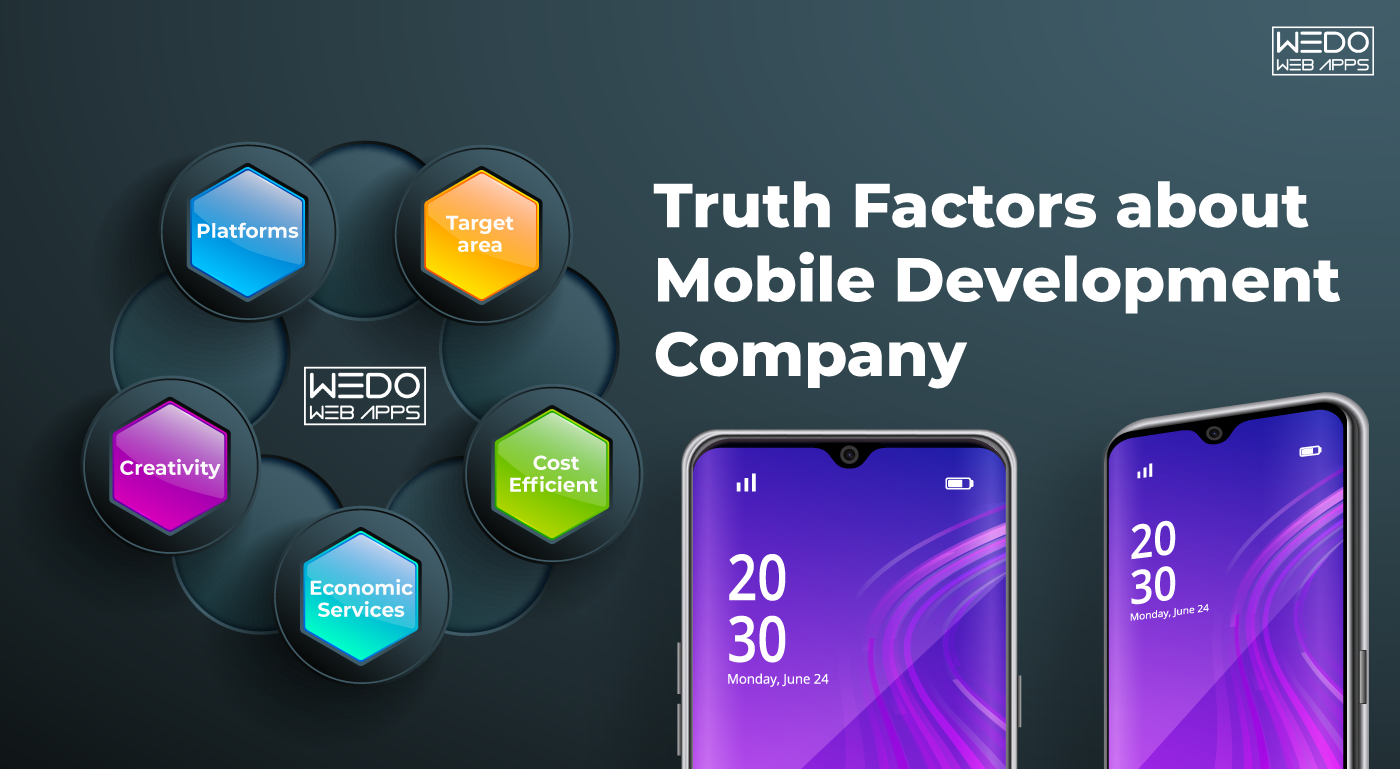
Factors affecting the Mobile Development Company

Over the last few decades, the tech-markets have shifted from a more static to dynamic day-to-day lifestyle. In the event, the communication tech-toys have boosted their economy for multipurpose functionalities in private as well as business sectors. Mobile development companies have continuously evolved from monotone handsets of hardware and software to diversified varieties of devices. For surviving in such an environment, it is necessary taking some measures. Such as introduction to fast-paced and multi-channelized functions and apps for the customers and employees.

Factors affecting the choice of a Mobile Development Company

The expanding needs of the hour have shown that smartphones are by far the most economical and versatile devices. Their application has shaped the networking companies more towards dynamic growth. Mobile Development companies have emphasized their targets towards a more realistic approach to various factors, some of which include:

Platforms

Mobiles developed nowadays are functional on different mobile platforms. Some of them are commonly known are Android, Windows, iOS, BlackBerry, and much more. It has recently been the need to move across platforms, achieving advantageous benefits for business purposes to reduce the barriers of limited features and apps to a single platform.

Target area

A Mobile Development Company must consider the results and goals that are envisioned while developing any mobile apps. It is this factor that prompts the growth of any App towards success, be it for Business purpose, Gaming, Entertainment, Communication, Education, Art & Design, Shopping, and Travelling. Accordingly, the developers intend to bring out sober and straightforward applications and features into any smartphones for customers’ needs.

Explore factors affecting mobile development companies and dive into the specifics of Magento custom development attributes to refine your development strategy.

Cost-Efficient and Economic Services

With the Advent of market research and the ability to immediately adapt to customer requirements. Competing organizations are readily in the vicinity to grasp the opportunities for their business expansion. Though not everything that we obtain easily is cheap and cost-effective. There are inevitable economic setbacks where services are sold at prices off the mark. This shatters the growth of an app that is too expensive. Thus pulling down the costs of services offered due to competitive environment leads to customer-driven markets providing more benefits to the Company.

Read also: Understanding Android App Development Company in 7 Minutes

Developers Creativity

Every Mobile Development Company targets a full flow of ideas and creativity to attract the target customers for their services and products. Over thousands of varieties of Smartphones, all similar to each other, are merely developer setbacks. Thus making innovative changes, adapting to the customer requirements in their functionality proves its mark to replace older versions of itself and to move on with the technology. Developers are responsible for any loopholes in the handsets and their app functions. Therefore, they are always in for feedback and tests for the beta versions not to put the Company’s reputation on a stake.

Explore the intricate factors influencing mobile development companies, and discover a comprehensive analysis of React Native and Angular to make informed decisions for your next project.

To navigate these factors effectively, consider getting mobile development company services that align with your business goals.

Mobile Markets are significantly on the verge to Change-for-Better that would likely replace all E-commerce Web stores into Mobile driven App Stores growing with the need to diversify business on handsets. Mobile Development Companies henceforth outlook the barriers and expand their features and applications based on requirements that instigate the customer’s’ purpose more sophistically and professionally in every field. Perhaps, this is the evolution of the Digital World. The customers rely fairly more on smartphones due to these benefits that the Company offers.

Advantages of Native App Development

There are different businesses and prospective clients who approach for Native Mobile App Development as it reflects better and faster outreach through the platforms. The significant platforms dominating the smartphone devices in the market include Android, iOS, and Windows. A natural development process is for developing apps that are meant to run exclusively on a single platform.

Advantages of Native Mobile App Development

Most app-developing companies depict that their output is relevant to satisfy both platforms (Android and iOS) effectively. Native Mobile Development centers the functioning of apps and programs as per code and conduct of the operating system for which it is designed. In this regard, it is best to designate a Native Mobile App Development procedure to create a properly functioning and OS oriented application. Here are some more advantages of Native Mobile App Development;

Faster Code Processing

With Native apps, the process of programming the application’s codes is faster. The need to complete the timely processing of functions and development is essential in this competitive era. Clients would opt to process their app development with companies or firms that provide faster and effective results. Inducing Native apps will make the process easier and quicker as it OS oriented.

Effective Quality

Sure, apps house the native OS platform by a provision of various services. Google package is set up for the Android devices by default that defines quality services. Similarly, for iOS platforms, the Safari browser has been presenting apt services as a browser. Hence, in this manner, several new native apps hold a quality aspect of individual assistance. This, in turn, keeps the app’s position on the platform fixed if considered.

Aspect Ratios

Application design is another critical aspect that defines its success. Every application design involves the Aspect Ratio setup that manages the view or looks of the application. Users cannot enjoy the Tablet app view on the smartphone app view due to the difference in aspect ratio. With Native Mobile App Development, the critical aspect ratio for smartphones and other target devices is easy to manage.

Integrated Development Environment (IDE)

The ease of developing an application by the programmers also depends on the IDE. This is a unique environment that enacts the ecosystem for a particular OS while setting up the coding process. With the Native Mobile App Development, the use of IDE remains the same, and hence programming becomes easy. This also adds the advantage of time in speeding the testing process.

User Interface Interactions

With native app development, UI is one of the key advantages that make the processing of successful apps easier. Navigation of each tool on the native app makes the users comfortable for its use. Presenting native profiles for any application will immerse the ability to develop a usable experience to the users.

There are several more benefits that native apps turn to bring about for the clients and programmers. In terms of business perspective, the processes in Native Mobile App Development ensure timely, economical and effective integration of a successful application.

Native app development offers unique benefits, but single page apps also provide a seamless and fast user experience.

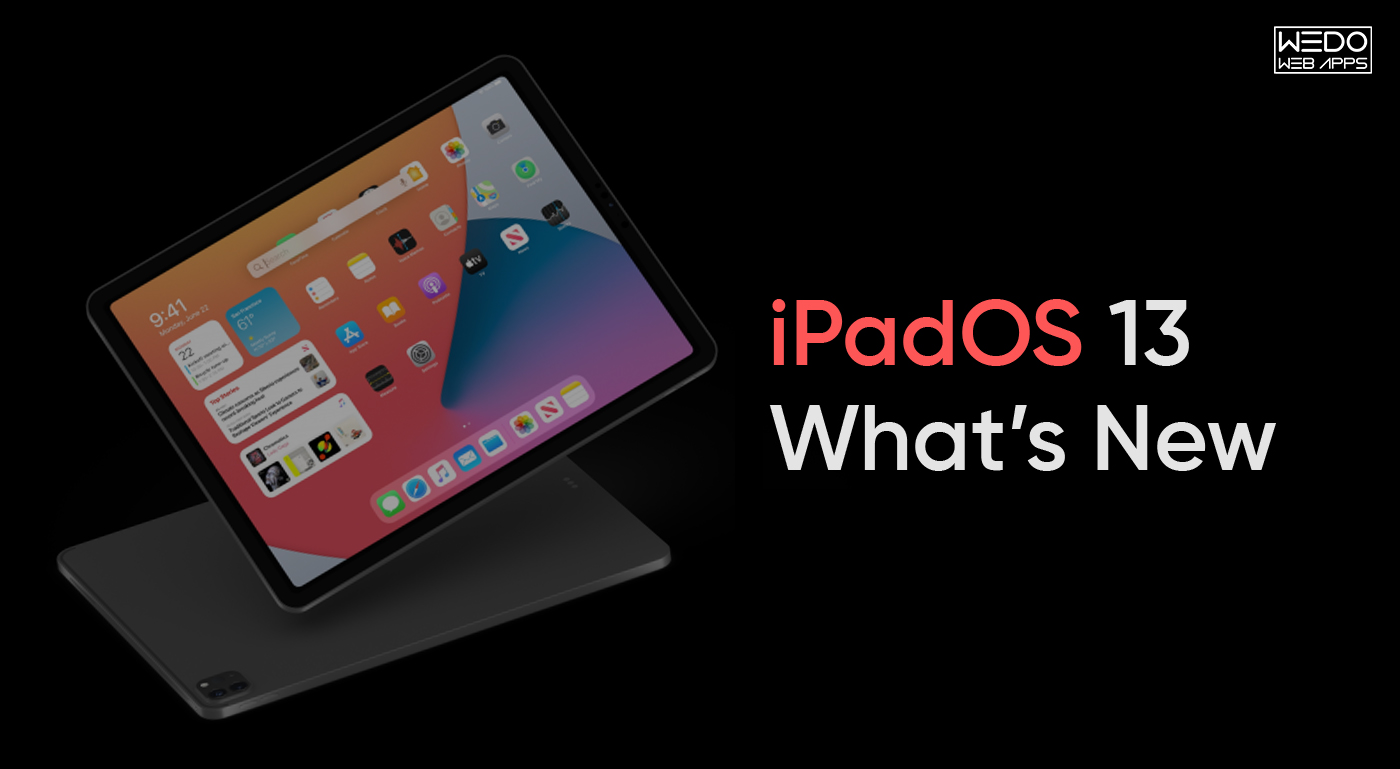
Is iPadOS Ready for Real Work? The Good and Bad Things In iPadOS

Now the iPad gets its version of OS, which called iPadOS. A new version of iOS 13, is specially designed for iPad with many more feature with larger iPad’s display. Get a new OS to make iPad desktop-class experience with new features.

Here are all the new features that are GOOD and BAD for iPadOS.

✓ Desktop Class Browsing In Safari

It was an ever tricky task to browse the site on the iPad. iPads would get websites that are mobile optimized. You’ll have the option to zoom in and out to use web applications like Google Docs and WordPress without an issue. Apple has rolled out new changes to the way Safari on iPadOS works. Moreover, the update enables you to have a desktop-class browsing experience on your iPad.

Apple’s fix was to have the present Safari browser tell sites that is what it is, the Apple variant of Safari. The solution for iPad is, Safari will allow users a full desktop-class version of the website on the gadget.

Apple has included a translation layer between your taps and the website’s expectation of clicks. This solution works well in most of the site but not a perfect for all.

✓ Open Two Split Windows From The Same App

iPads used to provide a feature that you utilize two apps at a time with Split View, however now you can use two windows from the same application. So while the open site in Safari, freely drag the Safari icon up from and open another Safari window by it in Split View. It primarily worked with Apple’s applications in the iPadOS 13.1 beta.

To drop Split View, swipe the tab between the two windows to the left or the right.

✓ Customize Home Screen With Widget

iPadOS carries an upgraded home screen with a new layout that permits space for more apps on the screen. It gives you a chance to include gadgets on the home screen so you can look at valuable data—for example, weather, headlines, event and calendar without swiping to the committed Today View Space.

The useful daily data will always ready at your fingertip. To include more gadgets, look down to the catch of the gadget bar and press edit at the base.

Read also: Getting Familiar with the iPad Application Development Services

✓ The Floating Keyboard

Have you felt board about using your iPad to type a long message? Since the iOS keyboard takes around half of your screen. Thanks, t iPadOS, you will get a floating keyboard on your iPad, and you can quickly move that anyplace on your screen.

Apple rolled out some changes to the keyboard in iPadOS. That allows the console to float around the other location on display, the keyboard giving more space to the applications you’re utilizing. The supports the feature that Apple calls QuickPath, a simple method to swipe over the software board to state what you need to say.

✓ Files App Supports External Drives

Apple presented the iPad Pro with a Type-C port; it’s open up other possibilities outcomes where clients could move files from any other gadget to the iPad. They ware making some essential changes by permitting the Files apps to help outside USB drives, SD cards, or signing into an SMB file server.

The Files app gets better with iCloud Drive support for file sharing. iPadOS 13 is good with external drives, and you can filter through of their files in the Files app much as you may in Find on a Mac.

✓ Dark Mode

Dark Mode is the new feature of iPadOS 13, and it’s become trendy. You can switch to dark mode easily by telling to Siri “turn on Dark Mode.” Apple has also support APIs for the developer to make their apps good with Dark Mode.

In iPadOS Dark Mode has control over each pixel with amazing dark shading. It’s ideal for night time use. It’s also good for your eyes. Dark Mode is likely going to be the most excellent new feature by apple in 2019.

✓ Photos App

Photo editing option is a cool feature with the updated version; it’s simpler than previously. What’s new on is the capacity to apply the majority of that same stuff to video. You may get somewhat lost in Apple put efforts for the best things in the new timeline views inside the app, yet stay with it. You’re likely taking many photographs; Apple’s AI a chance to try to manage them a tad for you.

✓ Multitask: The New Way

Performing various tasks is effectively one of the essential angles for an iPad. With iPadOS, Apple reported a lot of better approaches to do that. iPad users would now be able to work with different documents and files from a similar app with Split View. For instance, you can compose an email while seeing another email in split-screen see. You can likewise switch between various apps like calendar or messages in slide over.

Apps expose raises a powerful aspect on every open window in an app with a tap. Apple has likewise included another three-pinch gesture for a simple copy and paste.

✘The Advance Text Selection

Text selection on iPadOS has become extremely frustrating part.

Apple attempts to put text interactions on iPadOS. Now you have the option to tap or drag your finger to have the cursor do what you need. This time, different motions are using three fingers to do things like copy and cut. When does dragging move the cursor and when does dragging select the book? It’s up to you. Following three months of using the iPad’s betas consistently, you can quickly notice.

✘ There Will Be Bugs

Discovering bugs is all part of testing out the iOS beta.

This year has been lots of bugs for the betas. You should not know what you are downloading today is bug-free or not. iPadOS is getting pushed out somewhat early because it needs to go out with iOS 13.1 — which itself should be rushed out because iOS 13.0 has bugs. The most common bugs, like losing information in iCloud appear. Be that as it may, you may have some apps crash or stop. Wait longer time for download apps.

Read More:- The 30-Second Trick for Integrating Siri in the Third Party Apps

Overall Review

Have several features that recognize the iPad as a computer replacement at some point. Apple’s new security assurance makes it harder for both apps and website pages to identify you for following. Make fresh Apps design for iPadOS also to get more out of your business. New iPad with entire new operating system keyboard has a fantastic excellent experience. Build your next app with the best iOS development company.

The 30-Second Trick for Integrating Siri in the Third Party Apps

As known beforehand, two apps run by themselves and cannot interact with one another on iOS. Other apps incorporate social apps, smart residence and many more. As a consequence, many mobile apps are going to take a hit and become sub servants of VPAs soon.

Sooner or later, the business may add SimpleThings connectivity. Undoubtedly, it is trying to leave a tiny room for users to be attracted by the Google Chrome browser, which has always been stunning. Besides the typical software announcements and releases, the Cupertino-based business is also predicted to earn a variety of Siri-based advertisements.

Things You Won’t Like About Integrating Siri in the Third-Party Apps and Things You Will.

Apple is making the new Cycle Tracking app readily available to all iPhone users, too. And therefore you don’t need an Apple Watch if you wish to use the feature. It is not a search company. It might be a little late when it comes to letting in the third-party applications use voice recognition. It is trying to solve the issue and upgrading the framework too to make it as a flexible one. It showed us a possible future that will have an impact on the way we design. It revolutionized personal technology with the introduction of the Macintosh in 1984.

Siri, on the flip side, is a massive portion of the Apple Watch, offering up voice commands for lots of the smartwatch’s superior capabilities. As a consequence, Siri can understand speech and free form human issues in place of a particular control. Siri is an essential quality of CarPlay. Siri is also turning into a little bit of a mind reader. Employing a feature named QuickType, Siri will attempt to predict what you wish to say next. Siri will have the ability to search Finder for files created during a particular period in a specific subject. And you will be able to refine your search with follow-up questions. Aside from Siri being a voice technology, it’s likewise an all-round assistant, you could utilize to activate shortcuts by just tapping a button in place of a voice command.

Siri is quite powerful even if limited to some kinds of applications right now. Siri doesn’t dip into third-party apps, however, and that means. You’re on your own in regards to finding the Spotify playlist or Pandora station you’re searching. Siri maps a lot of things to inform me about the weather. It would help if you commanded, and Siri will produce the call for you. So now, you cannot only ask Siri to make calls utilizing third-party apps like the global. Roaming app-Ajura but also experience calling enjoy the native of your cell phone.

Critical Pieces of Integrating Siri in the Third-Party Apps

Alexa-enabled devices are generally using where folks spend the majority of their time, for example, the family room and kitchen. To start with, it isn’t looking suitable for new devices. Just make sure that the unit is running the most recent edition of iOS and plug that puppy into a compatible vehicle stereo. Ultimately, it’s the only Siri device that sits in 1 place all day, every day, and that means you know just where to speak.

From that point, users can merely speak whatever command they wish, without the necessity for a polite precursor. They don’t have to put the passcode to receive calls to unlock the screen. For instance, the user starts running. Users would also have the capacity to use the very same Siri features with the device they enjoy with their iPhone. Because of deep links, Android users will have the ability to start a conversation with a voice app and keep in an Android app.

Immaterial of the original method an app chooses to integrate with Cortana; she is always going to preserve and offer all context she has about the particular task available. After you have the Garmin app downloaded, a number of the apps have settings that could be customized. You are also going to be able to look for apps via Siri, dictation and scribble features. Allow it to be simpler to locate the Apple Watch apps you have to have in your life. Now you may use the enabled apps inside the Siri interface. Today you can improve your apps with voice commands to supply your users with bot-style interactions. Hire iOS app developer for your iPhone app.


Mobile App Development Cost – A Complete Cost Estimation Guide

Understanding App Development Cost

Today, technology has taken the front seat in every industry, and mobile apps are playing the most important role in boosting customer engagement. Every sector starting from banking to shopping, transportation, and healthcare, mobile and web apps simplify people’s lives and boost business. With smartphone usage growing rapidly each day, both startups and enterprises are investing heavily in mobile applications.

You are not alone in the race if you are wondering, “How much does app development cost?”. It is one of the most common questions for people considering application development, but most complex to answer. App development differs widely based on the following:

  • Features and functionality 
  • Platform chosen (iOS, Android, or cross-platform)
  • App complexity 
  • Developer location (on-site, remote, hybrid)

On average, app development costs can range from $150 to $180/hour. However, the app development cost climbs high based on the custom features that you request.

Therefore, in this guide, we will walk you through the key factors that impact app development costs and provide tips to reduce unnecessary spending without compromising quality.

factors that impact app development costs

App Development Cost Breakdown

What happens when a client goes for a consultation with an app development company to discuss their app idea? They have no idea about what to expect from the app development process, or the cost as well. Surely, they must have specified their requirements and desired functionalities, but that is not enough to create a fair app development cost estimation.

Yes, the upfront cost quoted by the development company is not everything. App development is a complicated process, and knowing how much app development costs means doing in-depth research and gaining a detailed understanding of the app dynamics.

Factors Influencing the App Development Cost

Building a mobile app isn’t a one-size-fits-all process. The overall cost is shaped by various factors, from the type of app you’re creating to the region where your development team is based. Understanding these cost influencers can help you make smarter decisions while budgeting for your project.

Factors Influencing App Development Cost

1. Mobile App Complexity

The more complex your app, the more time, resources, and expertise it will demand, leading to higher development costs. Complexity is defined by user roles, backend infrastructure, integrations, real-time features, and custom workflows.

App Type Examples Estimated Cost Range Development Time
Simple Calculator, To-do list $10,000 – $30,000 1 – 2 months
Moderate eCommerce app, booking app $30,000 – $80,000 3 – 5 months
Complex Social network, FinTech platform $80,000 – $250,000+ 6 months or more

2. App Features and Functionalities

Every feature you add, be it chat, GPS tracking, push notifications, or third-party integration, adds layers of development time and cost. Some features also require higher security and testing.

Feature Complexity Level Impact on Cost Examples
User Login Low Low Email, OTP
In-app Chat Medium Moderate Real-time messaging
Payment Gateway High High Stripe, Razorpay, PayPal
Augmented Reality Very High Very High Virtual try-on, interior design

3. App Category

The industry your app serves influences design standards, compliance requirements, and feature expectations, ultimately affecting the cost.

App Category Compliance Needs Development Cost Example Apps
Lifestyle Low Low – Moderate Meditation, Fitness
Finance Very High (e.g., KYC, security) High Banking, Wallets
Healthcare High (HIPAA, HL7) High Telehealth, Health Trackers
Gaming Varies Moderate – High Puzzle, Battle Royale

4. App Design and Animation

Custom UI/UX design and animations can differentiate your app, but also add to the cost due to the time-intensive creative and technical work involved.

Design Type Visual Appeal Cost Impact Use Case
Basic Template Low Low MVPs, internal apps
Custom UI/UX High Medium – High B2C apps, eCommerce
Advanced Animations Very High High Gaming, EdTech, FinTech

5. App Platform (iOS, Android, or Both)

Choosing between iOS, Android, or cross-platform development significantly affects the total investment. Targeting multiple platforms natively requires more time and resources.

Platform Codebase Cost Implication Suitable For
iOS Separate Moderate iPhone/iPad user base
Android Separate Moderate Wider global device coverage
Cross-platform Shared Cost-efficient Faster launch on both platforms

6. App Maintenance

Post-launch costs for maintenance are often underestimated. Regular updates, OS upgrades, bug fixes, and feature enhancements are essential for performance and user retention.

Maintenance Activity Frequency Estimated Annual Cost Purpose
Bug Fixes Ongoing 10–15% of dev cost Ensure stability
Feature Updates Quarterly/As needed Varies Keep the app competitive
OS/API Updates Annually Moderate Ensure compatibility

7. Code Reusability

Reusing code across platforms (via frameworks like React Native or Flutter) can significantly reduce development time and cost without compromising too much on performance.

Development Approach Code Reuse Level Cost Saving Best For
Native 0% No High-performance apps
Hybrid (Cordova) 50–60% Moderate Simple utility apps
Cross-platform (Flutter, RN) 80–90% High MVPs, startups, and fast launches

8. Size and Location of Development Team

Team size and geographic location heavily impact pricing. Teams in the US or UK typically charge more than those in India or Eastern Europe, even with similar technical expertise.

Team Type Region Hourly Rate (Avg.) Communication Cost Control
Freelancers Global $15 – $80 Low – Medium Low
Offshore Agency India, Ukraine $20 – $50 Medium – High High
In-house/Local Team US, UK $80 – $250+ Very High Low

Estimate App Development Cost Based on Different Stages

To get the estimated cost of app development, you might have used app development cost calculators on various sites. Or you might have googled the average cost of developing an app. But let’s be honest, no matter how exact the numbers appear to be, they are often misleading. The app development cost depends on features, technology, design, development team location, etc.

So, here in this blog, we will break down the cost structure for app development based on the different stages of mobile app development. This will help you bifurcate the cost of each development phase

Mobile App Development Cost Breakdown for Different Stages

App Development Cost Breakdown for Different Stages

1. Discovery/Strategy Stage

Discovery is the initial stage that includes market research, competitive analysis, MVP planning, and project roadmap creation. This phase sets the foundation of your mobile app development journey and typically takes 10% of the total app budget.

Technologies and Tools Used

  • Project Management Tools: Trello, Jira, Asana, ClickUp 
  • Collaboration Tools: Slack, Microsoft Teams, Notion
  • Wireframing Tools: Balsamiq, Figma
  • Market Research Tools: Google Trends, Statista, App Annie. 

Estimated Cost: $1200 – $11000

Timeline: 2 – 4 weeks

2. Design Stage

This stage focuses on UI/UX design, wireframes, and visual components. It defines the look and feel of your app. A well-designed app interface is the key to user engagement and retention.

Technologies and Tools Used

  • Wireframing and Prototyping: Figma, Adobe XD, Sketch, InVision
  • Graphic Design: Adobe Illustrator, Photoshop, Canva
  • UI Kits and Icon Sets: Material Design, iOS Human Interface Guidelines
  • User Testing Tools: Maze, UsabilityHub 

Estimated Cost: $2500 – $10000

Timeline: 3 – 4 weeks

3. Development Stage

The development stage is the core of app development and includes coding, backend infrastructure, third-party integrations, and feature implementation. The cost in this stage depends on app complexity and whether it is native or cross-platform.

Technologies Used for Frontend Development

  • For Native App Development: Swift, Objective-C + Xcode for iOS app development OR Kotlin, Java + Android Studio for Android App Development
  • Cross-Platform Frameworks: React Native (JavaScript/TypeScript), Flutter (Dart), Xamarin (C#), Ionic (Angular/React/Vue + Capacitor/Cordova)

Technologies Used for Backend Development

  • Programming Languages: NodeJS, Python (Django/Flask), Ruby on Rails, Java (Spring Boot), PHP (Laravel), .NET Core
  • Databases: PostgreSQL, MySQL, SQLite, MongoDB, Firebase Realtime Database, Firestore
  • API & Services: REST, GraphQL, gRPC

Estimated Cost: $3000 – $60000

Timeline: 2 – 6 months

4. Testing and Deployment Stage

This stage tests your app for bugs and errors and ensures that it is bug-free and ready to release. It involves QA testing, app store deployment, and performance optimization. A well-tested app reduces post-launch issues and increases user satisfaction.

Tools and Technologies Used for Testing & Quality Assurance

  • Manual Testing: TestRail, Jira for bug tracking 
  • Automated Testing: Jest, Mocha, JUnit for unit testing, Espresso, XCTest, Appium for UI Testing, Selenium, Detox for Integration Testing 
  • CI/CD tools: GitHub Actions, Bitrise, Jenkins, CircleCI
  • Tools and Technologies Used for Deployment
  • Build Tools: Gradle, Fastlane, XCode Build, Flutter Build
  • App Store Platforms: Google Play Console, Apple App Store Connect
  • Beta Testing: TestFlight, Firebase App Distribution, Crashlytics. 

Estimation Cost: Less Than $5000

Timeline: 2 – 4 weeks

Now that we’ve explored the development process and stages, let’s take a look at how different types of apps impact the overall cost.

Mobile App Development Cost Breakdown Based on Types

One of the biggest cost drivers in app development is the development platform that you choose. Decide if you want your application on iOS, Android, or both. And, if you want it to be built natively or using a cross-platform framework?

Native App Development

Native apps are developed using platform-specific languages: Swift, Objective-C for iOS, and Java, Kotlin for Android. They offer:

  • Superior performance
  • Platform optimized UI/UX
  • Scalability and better long-term maintainability

However, native mobile app development requires writing separate code for each platform, which doubles the development cost and time.

Estimated Cost of Native App Development: $10,000 – $2,50,000

Cross-Platform (Hybrid) App Development

Cross-platform frameworks such as Flutter or React Native allow developers to write one codebase for both iOS and Android. Its benefits include:

  • Faster development and lower upfront cost
  • Unified experience across platforms

But they come with some drawbacks as well:

  • Slower performance in some cases 
  • Debugging can be complex at times
  • Limited access to some of the native APIs

Estimated Cost of Cross-Platform App Development: $20,000 – $1,50,000

Cost of Cross-Platform App Development

Progressive Web App (PWA) Development

Progressive Web Apps are built using standard web technologies—HTML, CSS, and JavaScript—but offer app-like features such as offline access, push notifications, and home screen installation. PWAs provide:

  • Near-native performance and responsiveness
  • Offline functionality via service workers
  • No need for app store submission or updates

PWAs are highly compatible across devices and platforms, making them cost-effective. However, there are some limitations:

  • Limited access to device hardware compared to native apps
  • iOS support is still somewhat restricted (e.g., background tasks, push notifications)
  • Brand visibility is lower without presence in app stores

Estimated Cost of Progressive Web App Development: $15,000 – $1,00,000

Web App Development

Web apps are accessed through a browser and are designed to be responsive across various devices. They are developed using technologies like HTML5, CSS3, JavaScript, and backend frameworks such as Node.js, Django, or Laravel. Benefits include:

  • Easy deployment and updates
  • Accessible across all platforms via web browsers
  • Cost-efficient and simple to maintain

That said, web apps also have trade-offs:

  • No offline access or device-level integration
  • Lower performance compared to PWAs or native apps
  • Cannot be installed on the device like native apps or PWAs

Estimated Cost of Web App Development: $10,000 – $1,00,000

App Development Costs by Operating System

The overall cost of developing a mobile application largely depends on the platform it’s built for, as well as the app’s complexity, features, and developer rates.

iOS App Development

iOS App Development using Swift or Objective-C typically costs between $25,000 and $250,000. Factors affecting cost include the number of features, UI/UX complexity, and whether it’s built for iPhone, iPad, or both.

Android App Development

Android App Development using Java or Kotlin generally costs between $20,000 and $250,000+. The open ecosystem of Android means additional effort is often required to optimize across different devices and screen sizes.

Windows App Development

Targeting Windows OS, these apps are usually developed for enterprise or niche markets. Development costs range from $20,000 to $200,000, depending on scope, integrations, and design requirements.

App Development Costs by Technology

Costs also vary based on the technology or framework used to develop the app, especially when considering cross-platform options.

React Native App Development

  • React Native allows for one codebase across both iOS and Android.
  • React Native app development costs range from $20,000 to $150,000, making it a cost-effective option for startups and businesses seeking faster go-to-market solutions.

Flutter App Development

Flutter app development typically ranges between $15,000 and $200,000, depending on the project’s complexity:

  • Basic Flutter App: $8,000 – $60,000
  • Medium Complexity: $60,000 – $120,000
  • High-End, Feature-Rich App: $140,000 – $200,000

Flutter is ideal for visually rich and high-performance cross-platform apps.

Swift App Development

  • Native iOS apps built with Swift offer top-tier performance and integration with Apple’s ecosystem. 
  • Development costs typically fall between $10,000 and $250,000+, depending on features, integrations, and app complexity.

Hidden Factors Affecting Mobile App Development Pricing

What are the hidden costs in app development? With mobile app development, a few elements with hidden costs come along. Understanding these factors will help you reduce risks, save time, and money. So, let’s understand each factor in detail:

1. Quality Assurance

Based on your app size, you may also need to hire a quality assurance tester and a project manager or project coordinator as well. Also, a business analyst can help you lower development costs and keep the cost within your budget.

2. Infrastructure Costs

The costs of infrastructure include data storage, data delivery, and app hosting-related expenses. All of these increase the cost and complexity of the project. Infrastructure cost item examples include server, data storage, development tools, and libraries.

3. IT Support Costs

A high-quality application cannot be developed without the support of IT services. However, the support costs may increase over time. IT support services include iOS and Android updates, bug fixes, and API maintenance.

4. App Publishing Costs

While developing the app, developers keep in mind the app development requirements. When it comes to the fees to the app store, it is just a minimal amount. While submitting the Android application on the Play Store, you will have to pay a one-time fee of $25. Apple, on the other hand, charges $99 for app submission on the App Store.

If you want to distribute the app exclusively within your organization, you will have to pay $299 every year to join the Apple Developer Enterprise Program and provide your app via App Store. Google Play does not charge for the service.

5. App Security

The app visitors need to trust you with their information. Therefore, you need to have a proper app security plan in place. Consider this point at this initial stage, and include time for testing and security checks in advance. If you do not consider this factor, you may have to invest more in testing later on, which may also cause you financial and reputational losses.

Step-by-Step App Development Process

1. Target Market Research

Before starting to develop a mobile application for your business, you need to conduct thorough research and find out more about the target market. Doing this will help you get a clear idea about the actual market dynamics, consumers’ interaction with the brand, leading players, and more. Also, read the user reviews of the top app in the market, which will help you come out with a better idea.

2. The Right Platform Plays a Crucial Role

Your application can be compatible with both the iOS and Android platforms. However, if budget is your concern, you can initially develop on one platform and later boost your service to make the app perform better on another platform.

3. Hire an App Development Company

Hire app development company that can make sure your app includes all the required and latest features and functionalities within the deadline. A mobile app development company has a team of app developers, UI/UX designers, project managers, and market specialists who offer valuable suggestions while considering your vision.

Hiring app developers will give you access to industry expertise and the latest technologies.

4. Build an MVP

Develop an MVP (a minimum viable product) first to validate your app idea without spending much. For a successful MVP, ask your app development company to identify the must-have features and important USPs, and then develop an app accordingly.

5. Test Your App

Testing is yet another crucial process when considering developing a mobile application. Test everything from the app’s performance to consumer experience to content. If you test the app properly, it will help you reduce the development time and cost, identify bugs and errors, and significantly improve your reputation as a service provider.

6. Submit Your App to Stores

Once you are sure about your app’s performance, submit your app on the Google’s Play Store or Apple’s App Store. However, when you are submitting your application on any of the app stores, you need to comply with Apple or Google Developer Guidelines. Also, align your monetization model with their requirements.

7. Launch and Track Performance

After you have submitted your app to the store, make sure to track its performance with the analytical tools implemented during the development phase, introduce updates to increase user engagement, and address users’ requests and concerns.

How Do I Monetize a Mobile App

While there are multiple ways to make money through apps, this section will talk about a few most popular revenue methods that you can opt for to earn more revenue and enhance customer value.

1. Advertising

Advertising is one of the most well-known methods to earn money from an application. In this monetization technique, you can promote your services for third-party clients on your application and get paid in return.

2. Freemium

In this model, users are allowed to access some of the basic app features for free. To use the premium features, users are required to pay a certain amount. Freemium also allows implementing secondary revenue channels, such as in-app advertising.

3. Subscription

In the subscription model, the user is required to buy a subscription to access the features that the app is most famous for. Users can pay for a monthly plan, a yearly plan, or a per-day subscription plan. Major platforms like Google or Apple allow users to manage subscriptions.

4. Sponsorship

In this model, you need to find a sponsor related to your niche and strike up a compensation structure. In return for the compensation, the app could include the sponsor’s brands, monetize its products, or send users to its websites.

How Can I Reduce Mobile App Development Costs

Business owners and entrepreneurs can reduce the cost of app development by following a few industry best practices and applying some useful tricks.

1. Prioritize App Features

While developing a mobile application, it is important to identify and prioritize app features correctly. It is a smart decision to prioritize app functionalities that can drive business value as soon as possible. You can save the desired features for later development stages. Therefore, it is recommended to develop an MVP first.

2. Include Quality Assurance

While developing and testing a mobile application, you might observe some bugs and errors, so you need to address them quickly. It is ideal to involve QA professionals right from the beginning, so you can identify serious problems before the development begins. Doing this can save you a huge amount and time.

3. Plan for the Future

The app that is built today might completely look different in the future. For example, if you build an MVP, you would want to change some of the features as per customer feedback. Your target market might move into a completely new direction, forcing you to change your product.

That is why it is good to keep in mind the short-term and long-term goals while planning to develop an application. It will save a lot of your money in the long run.

4. In-house or Outsourcing

Picking the type of mobile app development staffing organization is a crucial part of your project planning. Your ultimate choice will have an impact on budget expenses, workflow organization, and even the idea of product maintenance. So, the question is really what to pick, outsourcing or in-house development.

Outsourcing refers to the hiring of an already existing team of developers for your project. To outsource the app development process, the IT consulting firm has access to a talent pool to select from. It also enables you to reduce office expenses as well as equipment costs, and reduce internal workflow.

5. Consider Cross-Platform Development

Each business owner, when developing an app, is confronted with a dilemma: whether to develop for Android alone, iOS alone, or both. Developing native apps for both is expensive.  If you develop for a single platform, you might be leaving out a significant part of the audience on the other platform.

The ideal solution is to create cross-platform applications that support both platforms. Twitter is a fine example of a cross-platform mobile application. The most popular technologies for building cross-platform applications are Flutter, Unity 3D, and React Native, among others.

Real-World Case Study: How WEDOWEBAPPS Helped iDreamers in Social Media App Transformation

Client: iDreamers

Platform Type: Social Media App

Old Stack: Vue.js (Frontend) + Django (Backend)

New Stack: React Native + Optimized Django + Redis

Challenges Faced

Sluggish Performance: Vue.js struggled with real-time features like reels, chat, and video streaming, especially on low-end devices.

Poor Caching: Inefficient strategies led to repeated data loads and slow media rendering.

Subpar UX: Users experienced delays, inconsistent UI behavior, and limited mobile responsiveness.

Our Solution

We overhauled the tech stack to address these issues:

  • Frontend Migration to React Native for native-like performance across Android and iOS.

Backend Optimization:

  • Integrated Redis caching,
  • Refined API response handling,
  • Optimized database queries for speed and scalability.

Key Feature Enhancements

  • Real-Time Chat with WebSockets (instant messaging, read receipts).
  • Reels (Short Videos) with preloading, compression & fast playback.
  • Audio/Video Calls via WebRTC or Agora SDK.
  • Push Notifications using FCM for chats, likes, and call invites.

iDreamers in Social Media App

Results Achieved

  • App Speed: 45% faster screen load times
  • Crashes Reduced: 60% fewer crashes on Android/iOS
  • User Engagement: 35% increase in daily active users
  • Chat Latency: Reduced to < 150ms in most regions
  • App Rating: Improved from 3.2★ to 4.6★ in just 2 months

Client Feedback

“The new version feels smooth, responsive, and engaging—just what our users needed. We’ve seen a major spike in retention and positive feedback.”

Whether you are a small to mid-size business or a well-established company looking to revamp your online presence, the experts at WEDOWEBAPPS can provide you with a solution that fits your needs. Want to know how?

How Can WEDOWEBAPPS Help You in Estimating Mobile App Development Cost

So, how much does it cost to make an app? Well, there is no precise prediction for this question. Considering all the above factors, you can come to an estimated cost of mobile app development.

In case you still want precise mobile app development pricing, get in touch with a reliable app development company like WEDOWEBAPPS. Our team of experts is specialised in developing the most feature-rich and scalable mobile applications. We have developed applications for some of the popular brands like LordHair, Bookings Africa, and Credit Sweep.

So, if you are looking for such innovative and feature-rich mobile app development or want an estimated cost of app development, get in touch with our experts.

Best frameworks for building progressive web apps

As technology started to evolve, it gave us the most effective communication tool of its time- the website. It immensely helped businesses in sharing important information with their customers and brand loyalists. Soon after, the mobile industry grew by leaps and bounds giving us the power to develop applications which could fit into small handheld devices opening an array of opportunities. Businesses which saw the trend incorporated it in their marketing strategy and benefited from the decision. Today, technology is presenting something new and worthy of our time every minute. One of the outcomes is the Progressive Web Apps (PWA), a remarkable combination of web and mobile apps. 

What are Progressive Web Apps?

A progressive web app is built using web technologies but its core function is of an app. Users can access any information in their browsers, without downloading any apps. Progressive web apps are a faster medium wherein users can access information without going through the ordeal of searching for apps and then downloading it. Progressive web applications are ideal for businesses that don’t have the bandwidth of developing an app. However they can benefit from such applications which use less data, load faster, offer a sturdy performance and improved user retention. 

Progressive apps offer an immersive experience and seamless performance which helps them stand out from native applications. With higher adaptability to various hardware, platforms and devices, its responsive design to scale full screen, offline accessibility and SEO compatibility are few of the advantages of progressive web applications. Social media giants like Facebook and Twitter along with multi-national companies like Samsung and Apple, all our investing in PWA and reaping its benefits.

While PWAs reduce the hassle of downloading apps, a single page app is ideal for dynamic, web-based experiences with fewer server interactions.

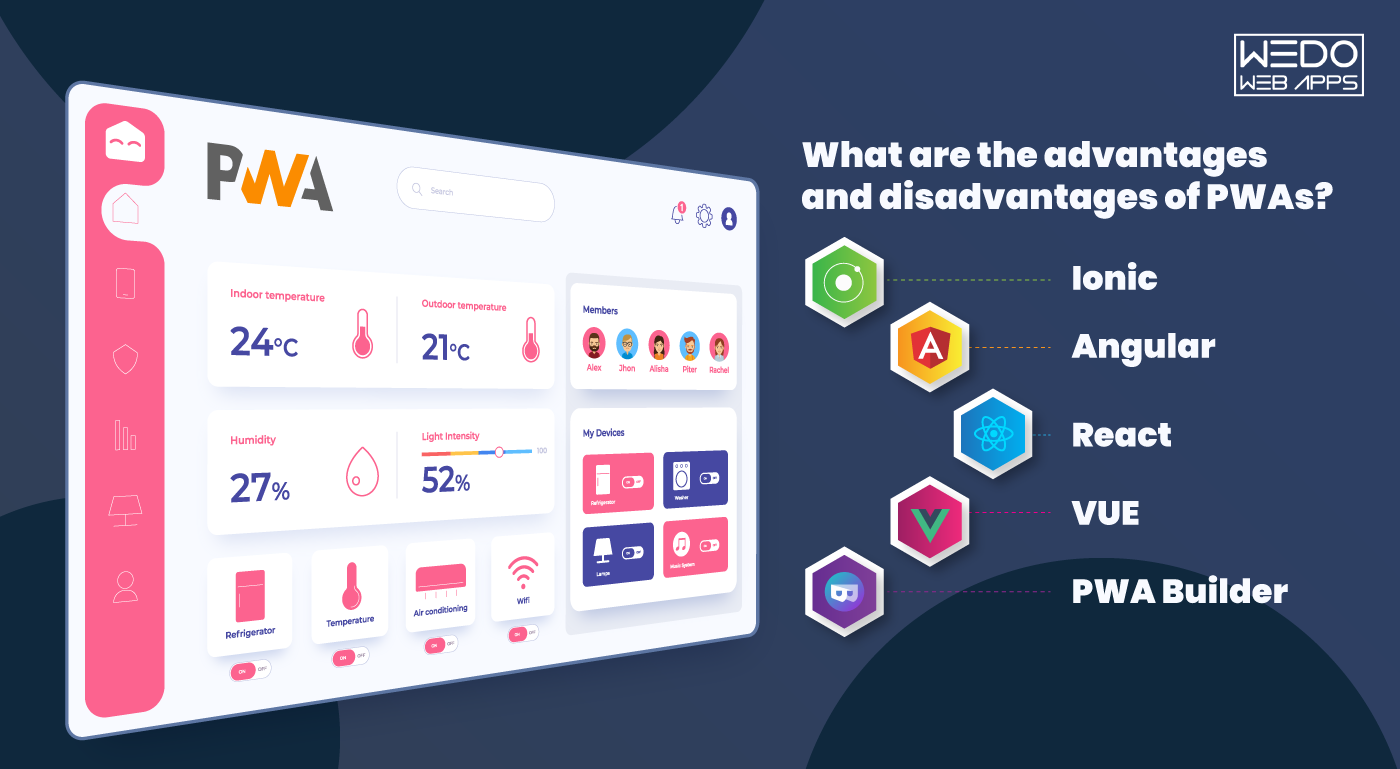
What are the advantages and disadvantages of PWAs?

PWAs are lightweight and can be easily installed, have a fast load speed as compared to native and desktop applications. Moreover, PWAs are secured with HTTPS protocol which prevents the connection from altering its contents. Few brands have benefited with higher engagement and conversions through progressive web apps as compared to desktop websites. PWAs are identified as applications and have a URL, therefore, they can be indexed easily, which further helps search engines to use them in search results. Users don’t have to depend on app stores to download and install, PWAs can be found on search engines, social media channels and can be added to the home screen giving access to push notification, camera, geolocation, etc.

Moving on to the disadvantages, PWAs have limited functionalities which affect the user experience. Moreover, not all functionalities of progressive web apps are supported on iOS platforms. PWAs are written in high-level web code for which the phone consumes more battery to interpret the code. Technical options like NFC and Bluetooth cannot be applied to PWAs which makes it lag behind native applications. Hire our dedicated PWA developers for your upcoming project.

Best PWA frameworks in 2020

As smartphone users are increasing worldwide, businesses too are benefitting from the trend and effectively using it as their strategy to reach out to their audience and market their products. Many businesses are still adapting to this change and moving their business to PWAs. There are several factors which need to be considered before opting for PWA, the first one being choosing the framework as per your business needs. Here, we list down the top five frameworks with their pros and cons.

1. Ionic

The most responsive open-source mobile UI framework which was introduced in 2013, has its foundation on the angular framework and Apache Cordova which lessen the learning curve. Ionic has components for both Android and iOS like badges, buttons, etc. It’s easily customizable and the apps built on the framework are compatible with Android, iOS and Windows. Ionic comes with an extensive library through which one can access APIs without having to code.

It works faster with just a single code base and runs everywhere.

The only disadvantage of Ionic is that the app needs to be modified often on the framework to keep up with the latest changes.

2. Angular

Angular has been powering various applications since Google launched it in 2010. The framework uses JavaScript to create reliable and sturdy applications. There have been recent versions which have been introduced with a couple of modifications which have boosted the built-in support of the framework and have offered a smaller learning curve. Along with Google support, Angular has a large community of developers to fix issues etc. Moreover, Angular includes IntelliSense and Typescript which makes life easy for developers.

When compared to other frameworks, Angular is complex and needs a high level of expertise. To use the framework, developers have to learn TypeScript.

3. React

React is yet another popular framework amongst developers. Supported by Facebook, the framework is highly functional and uses JSX to render functions for connecting HTML structures. React has a large community for support and offers extensive libraries and complete ecosystem. The applications built on React can be further used for native apps thus giving the power to create scalable and flexible applications.

In order to use React, the developer needs to know JSX apart from JavaScript therefore it becomes a little complex. In the absence of any defined methodology, implementation suffers.

4. VUE 

VUE is a new framework and has one of the fastest-growing libraries if compared to other frameworks. Developers prefer the framework for its high-speed rendering, simple coding and scalability. Since the framework functions on simple coding, new developers too can build apps. Vue can be combined with JSX and Typescript and offers the best results.

Vue has a very small support team which hinders many developers from using it. The flexibility often causes performance issues. 

5. PWA Builder

PWA Builder is powered by Microsoft and was built to convert websites into progressive web applications. The open-source framework has a strong community support and is compatible with Android and iOS. PWA Builder has extensive documentation and uses Vue.js for its web development.

PWA Builder has restricted flexibility and developers don’t have an option other than opting for the automated process or the pre-built features.

Before you choose one of the best PWA frameworks suited for your business, it’s best to explore all features and resources carefully. Opting for the best framework depends on the expertise of your developer and your business strategy.

Full stack developers vs specialized developers: Who suits your business best?

The debate between hiring full-stack developers or specialized developers is the most common question asked in the industry. For any scale of business, hiring either of the two has its pros and cons. Both the developers specialize in a unique set of skills which helps in performing various tasks. However, to utilize their skills effectively, the business requirement also plays an important role in deciding which of the two developers need to be hired. Before we delve deeper to find out who’s the right bet and for which business, let’s first understand the difference between a full stack developer and a specialized developer and their skillsets. If you’re off the point of view that specialized developers can be easily replaced by a team of full-stack developers, you might want to read on and get another perspective on the matter. 

What is a Full-stack developer and a specialized developer?

There are two sides to any application designing- front end and back end development. Front end development includes all the visual aspects of the application or a website with which a user interacts, for eg, the design, colour palette, drop down menus etc. Back end development on the other side is as the name suggests wherein the developer oversees everything which is not visible to the user, for eg, the data, plugins, components etc. A back end developer builds the wireframe which powers the whole application. A full-stack developer specializes in both front end and back end development whereas a specialized developer has the expertise to manage a single domain. 

Benefits of a full stack developer

Full-stack developers are multi-skilled in various languages and technologies and are also responsible to implement multiple frameworks, libraries and tools. These all-rounder developers are equipped to handle software testing. Apart from handling both the aspects, front end and back end, a full stack developer also interacts with the client to showcase the project and clear doubts if any. The pay scale of a full stack developer is higher than a specialized developer. Looking at the evolving technology and businesses progressing, full-stack developers are quite in demand. 

Since full-stack developers handle every aspect of the application, they prove to be economical if compared to a specialized developer. They are also equipped to fix issues which might crop up in any segment of designing or modification. Full-stack developers act as a one-point contact with the client for managing all the tasks, therefore saving a lot of time and achieving results faster. They are also equipped to carry out the entire task all by themselves since they have such a varied experience. 

Drawbacks of a Full Stack Developer

Full-stack developers have an understanding of the overall application from point A to point B however if a given task requires expertise in a particular field, full-stack developers might not have complete knowledge. Moreover, these multi-skilled developers are quite in demand, therefore, have high attrition rates. Being in demand also means that companies who are looking at hiring dedicated developers might face a challenge getting the right resource. 

Benefits of a specialized developer

A specialized developer has in-depth knowledge and expertise in one particular domain. Companies hire dedicated resource to oversee a specific task which can vary from domain-related modifications, design, framework tasks, database management etc. Since they specialize in particular fields, they keep themselves updated with the latest upgrades and advances which in turn also equips them to solve issues easily and deliver a superior result. Hiring dedicated developers for particular tasks is easier since there a pool of talent available, unlike full-stack developers. 

Drawbacks of a specialized developer

Due to their specialization, developers depend on other team members to complete the tasks which sometimes result in delays. Moreover, the skills for a particular domain come at a certain price for which companies who hire dedicated resource have to pay an additional amount. Companies can hire two to three full stack developers in place of a specialized developer however the latter and their skillset are still relevant to the ongoing trends. 

Full-stack developer vs Specialized developer: Whom to choose for your business?

  • Having understood the roles and skillsets of the two developers, we now come to the most important question- who is an ideal developer for your business. The answer to the question is not a one-worded answer since the roles and the business requirements also need to be taken into consideration.    
  • Full-stack developers are equipped to handle the complete project, right from its scratch till its final release. Hiring full-stack developers make sense if it’s a small scale business and the company is working on a low budget.
  • Hiring these developers is a cost-effective solution because there are fewer developers which need to be hired and who can manage an array of tasks whereas multiple specialized developers will be needed to complete an array of tasks as per the speciality.
  • Developers are ideal if the project is less complicated with clear functionality, easy implementation and doesn’t require detailed knowledge on a particular domain. It will be easier for the developer also to manage the entire task and deliver the project within given timelines.
  • Full-stack developers do justice to projects which are running against a tight deadline. With their expertise of starting everything from scratch, full-stack developers are enabled to work within tight deadlines since there is less coordination between teams and the developer is a one-point contact with the client for smoother communication. 

Specialized developers, on the other hand, suit large projects which can be divided into smaller projects as per the specialization. Moreover, if the project is complex in nature and is a compilation of several tasks, specialized developers are a perfect choice for the job since they can solve real-time problems easily. Lastly, every project needs to pass the quality parameter for which a specialized developer is ideal since he will be able to dedicate his time and energy into one task only. 

Hiring a full stack developer or a specialized developer wholly depends on the requirements of your business. If you have budget constraints and are pushed against a tight deadline, then a full stack developer is the right choice. However, if there is a specific task which needs to be completed and is complex in nature, a specialized developer would be of assistance. 

Necessities while getting services of mobile development

There are plenty of mobile phone applications available these days. Each of these applications has its purpose. Our present blog on Necessities while getting services of mobile development is a review of points for consideration while hiring any mobile development services company.

What to keep in mind while getting mobile development services?

For serving the users with a high-quality mobile application, it is necessary keeping several points in mind. Below is a list of some such points that will make the transportable application favorite among users.

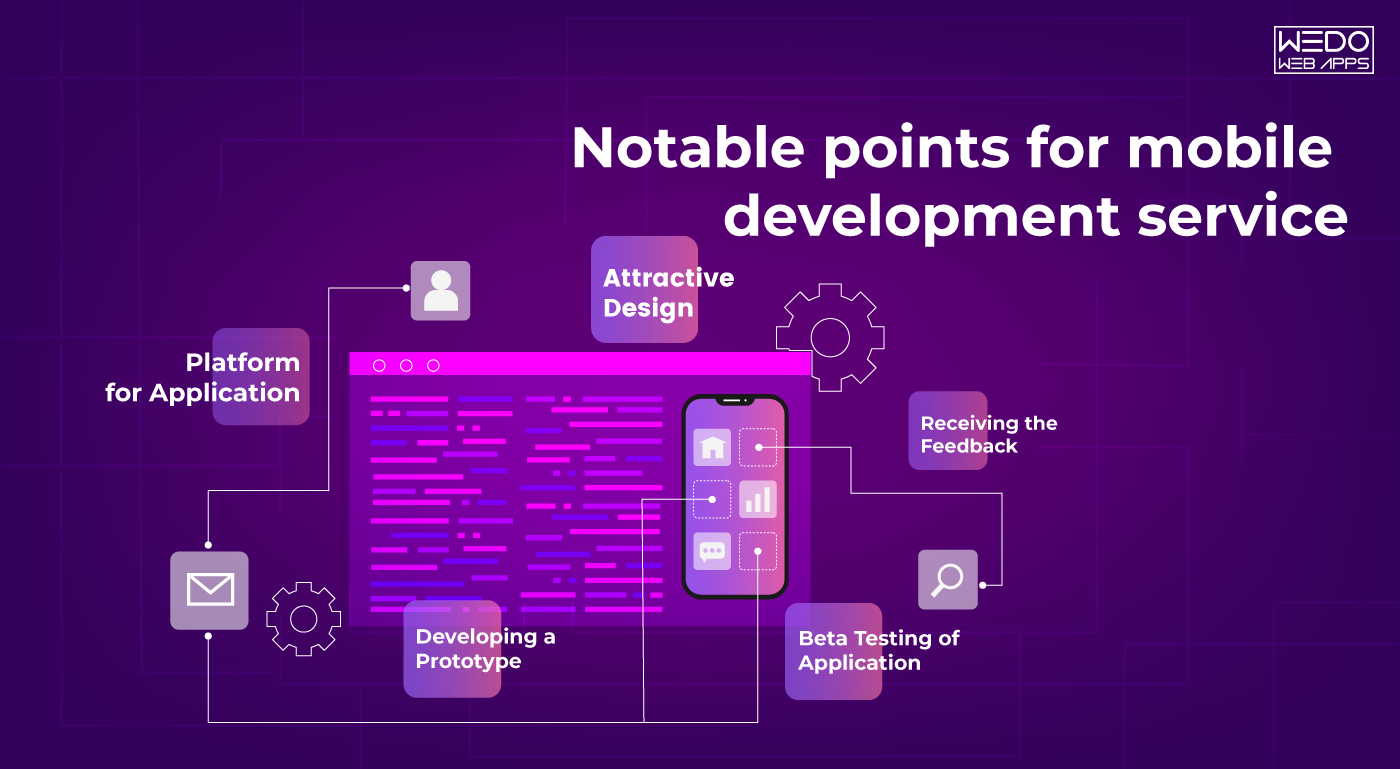
Targeting Potential Customers

First of all, it is necessary to identify the potential users of the application. It helps in planning the marketing of the app. Then there is a need to make the strategies for making out to those users. In this manner, one can make their application reach the perfect audience for their online business.

Adding Attractive Design

It is of utmost necessity that the mobile application has an attractive design. Aesthetic considerations undoubtedly affect the performance of a claim. Thus, the developer must enforce on using proper codes, themes as well as color combinations for encouraging various users for downloading the application.

Platform for Application

There are various options available for developing a mobile application. Right beginning from iOS, we also have possibilities of expanding our mobile app in Windows, Android, Native, etc. Thus, by identifying the platform where they can find both their users and a perfect environment for their online business, they can choose that platform.

Developing a Prototype

Before starting with the actual creation of an application, it is essential to prepare the application prototype. In this manner, one can get a brief idea about what would take for creating a high-performance application. This will result in less hassle while preparing the demand for their potential users. Understand the necessities for mobile development services and explore the options for mobile app development in Columbus, Ohio, to ensure your project is in good hands.

Beta Testing of Application

It is also necessary to carry out the beta testing of the application. This will help us in resolving the bugs that are existing in our form. Due to this, we will be providing a high-quality application to our users. It will also let them know the problems that the app is facing.

Receiving the Feedback

Getting reviews from the online business owners is among the prerequisites for mobile development services. As they are developing the app for the business owners, it is essential noting down his views and making changes in the app as per his requirement.

Upgrading the Application

Once the developer is done with the beta testing and making changes as per the wishes of the business owner, he must effectively develop the app, so there aren’t any bugs existing in it. It also required taking care that the app runs efficiently across all platforms. While learning about the necessities for mobile development services, consider the advantages of using Flutter for web applications to enhance your development toolkit.

When you’re considering mobile development services, it’s important to understand the essential aspects of working with a development company. Factors such as their expertise, approach to project management, and customer support are key to a successful partnership. For more details on securing mobile development services, check out our guide on getting services from a mobile development company.

Conclusion

The present blog on Necessities while getting services of mobile development relates to the factors that might affect a mobile application’s performance. These factors must be kept in mind while getting mobile development services.

How to Reduce Your Mobile App’s Size and Boost Downloads

Do you know that with every 6 MB increase in the size of mobile apps, the chances of app downloads reduce by 1%? Yes, that’s true.

When downloading an app, many users, myself included, first check the app size. Even with devices boasting 4GB RAM and 64GB of internal storage, memory can still run out quickly. This makes users look for alternatives with smaller sizes on the Play Store.

This common issue highlights the importance of considering app size as a critical factor. Keeping app size in mind can significantly improve customer satisfaction with your mobile application development service.

From android application development to delivering apps to end-users, the goal is to boost customer engagement. This involves balancing load, high-quality graphics, and fantastic content while reducing app size. Here are some tools and techniques to help make your APK leaner.

Compress Your High-Quality Graphics

High-definition images are essential but significantly contribute to APK size. Tools like TinyPNG, OptiPNG, and pngcrush can reduce image size without losing quality. After compressing images, remove unwanted files and folders from your APK. For quicker results, use the Android Asset Packaging Tool (AAPT) to automatically compress content and graphics.

If you use Android Studio with SDK version 18 or above, switch to WebP images. Convert JPEG, PNG, or BMP images to WebP without compromising quality. For drawing images or creating vector versions, use Vector Drawable to add quality graphics in XML format.

Remove Unimportant Classes and Methods with ProGuard

When designing an android app, many classes and components may become unnecessary later, consuming space. Use ProGuard to remove unused classes, fields, and attributes from the application code.

For optimal results, use the proguard-android-optimize.txt file to perform optimization over your APK. If necessary code is accidentally removed, retrieve it from the app/build/outputs/mapping/release/usage.txt file to get your prior APK version.

Vanish Unreferenced Resources via Gradle Console

Libraries often come with additional resources, consuming space. Use Gradle Console for resource shrinking to free up space. Access the list of removed resources later from the app/build/outputs/mapping/release/resources.txt file. Combine Gradle with Lint for static resource scanning and removal of unwanted files.

Research Libraries

During android app development, research alternative libraries to understand their long-term impact. This helps in optimizing and reducing app size early on, saving time later.

Boost your app’s performance and download rates by integrating our mobile app development services, designed to optimize efficiency and user experience.

Create Multiple APKs

Instead of pushing a single large APK, break it into smaller chunks using Android app bundles and Application Binary Interfaces (ABIs). This allows users to download feature-wise content, separating resource files from code files, making it more efficient for users. Learn how to reduce app size to boost downloads and follow our guide on the Play Store app launch process.

Allow App Installation on External Storage

Not all users are tech-savvy and many are unaware of why certain apps won’t install. Allowing app downloads on external storage (SD card) can increase download rates. Inform users with a notification if internal space is insufficient, suggesting external storage installation.

How Google Helps

Google Play Store aids in optimizing your services. The launch of Android app bundles helps approach users more effectively. Recent updates from Google I/O include dynamic features, built-in app updates, internal testing, enhanced security, and improved rating stats. The pre-registration feature is also noteworthy. Learn more about these innovations here and  Learn how to avoid app launch mistakes and discover strategies to reduce app size and boost downloads.

Conclusion

The tactics mentioned can significantly improve app installations. Let’s start making your app the user’s choice. If you want to discuss anything about Android application development for your business, feel free to connect with us. Additionally, consider hiring our dedicated native mobile app developers or our team of expert mobile app developers to get the best assistance in optimizing your app.