skip to content

Exploring Top Web Development Services Across the UK: A Comprehensive Guide

Introduction

The digitally sound environment is no longer just an auxiliary space for businesses, it has become the prime space for growth, innovation, and competition. For UK businesses, a dynamic, functional, and responsive web presence is not just desirable, it’unavoidable. As customers typically rely on online platforms to connect, shop, and make decisions, the demand for exceptional web development services has never been more high.

Surrounded by this transformative landscape, WEDOWEBAPPS comes out as a groundbreaker, delivering cutting-edge solutions customized according to the needs of businesses across the UK. With a dynamic presence in key cities like London, Cardiff, and Edinburgh, they specialize in creating robust digital experiences that drive engagement, build trust, and push businesses toward sustained growth. This blog explores how WEDOWEBAPPS is transforming web development standards and helping UK enterprises stay competitive in the ever-evolving digital ecosystem. 

Understanding the Landscape of Web Development in the UK

The web development industry in the UK has experienced significant growth, driven by advancements in technology and a move toward digital-first strategies. Businesses require custom methods to ensure that their website meets the needs of the target audiences provides seamless user experiences, and stays competitive.

Major trends shaping the web development landscape include: 

  • Mobile-First Design: As the use of mobile internet is increasing continuously, designing websites with a mobile-first approach is crucial. This ensures optimal performance across all devices, providing a seamless experience for on-the-go users.
  • eCommerce Boom: The surge in online shopping demands secure, scalable, and user-friendly ecosystems. Businesses these days need fast, intuitive, and reliable online stores that support smooth transactions and easy navigation.
  • AI and Automation: Artificial Intelligence has been a trendsetter in the field of web application development. Technologies like chatbots and personalized recommendations enhance user engagement and automate tasks like content management, improving efficiency and user experience. 
  • Sustainable Design: Businesses are accepting and adopting eco-friendly practices like energy-efficient hosting and minimalistic design to reduce their carbon footprint while meeting the demand for sustainability. 

Choosing the best web development company in London is crucial for potentially using these trends. WEDOWEBAPPS stands out by offering versatile, creative, and innovative solutions that help businesses propel in an ever-evolving digital environment. 

Spotlight on The Hub of Web Development Services, London

Why London is the Epicenter of Web Development

London is a global business hub that attracts companies from a wide range of industries. The competitive market of the city demands web solutions that prioritize user experience, performance, and scalability. Moreover, businesses in London face unique challenges like catering to the diverse audiences and staying adept with emerging trends. Here, web development companies play a crucial role in helping them overcome these challenges by delivering cutting-edge solutions.

Top Services in London by WeDoWebApps

WEDOWEBAPPS, with lots of commitment and dedication, has established itself as a leading web development service provider in London. We are known for delivering high-quality, innovative solutions that are capable of meeting the diverse needs of businesses. Our wide range of services include: 

1. Website Development

We specialize in creating responsive websites that offer a seamless user experience across all devices. Our team of website development experts focuses on developing websites that not only look good but also function smoothly, ensuring fast loading times and easy navigation. Since mobile optimization is the most important aspect of online engagement, WEDOWEBAPPS makes sure that the website works smoothly in any screen size, providing a consistent and smooth browsing experience for users from any device.

2. eCommerce Website Development

Since the demand for online shopping is ever-growing, we excel in developing scalable and visually appealing eCommerce solutions that deliver secure and user-friendly experiences. Our team of eCommerce web developers incorporates advanced features like secure payment gateways, personalized shopping experiences, and inventory management systems, ensuring that our clients can offer their customers a smooth, reliable, and engaging online shopping experience. We use the latest technologies and help businesses enhance their eCommerce presence, drive sales, and improve customer satisfaction.

3. Content Management Systems (CMS)

CMS Development – We understand that managing the content on the website efficiently is very important for businesses that want to maintain a dynamic online presence. Therefore, we develop intuitive and flexible CMS platforms that enable businesses to easily update, manage, and organize their content with no or basic technical knowledge. Whether it’s for blogs, product listings, or corporate pages, WEDOWEBAPPS makes certain that businesses can easily manage their digital content, enabling them to focus on enhancing user engagement while delivering valuable information.

4. Custom Web Applications:

Understanding that every business industry has different challenges, WEDOWEBAPPS offers custom web application development to meet the specific needs of various sectors like finance, healthcare, education, and more. Be it developing secure financial tools, healthcare management systems, or educational platforms for EdTech businesses, our bespoke applications are customized to meet the unique demands of each industry. By focusing on custom solutions, we ensure that businesses can optimize their operations and provide enhanced services to their clients.

We deliver each service with a focus on innovation, affirming that businesses in London and beyond have the necessary tools to thrive in the ever-evolving digital world. By continuously adapting and leveraging the latest technologies and staying ahead of industry trends, WEDOWEBAPPS motivates companies to thrive in competition, enhance user experience, and achieve long-term success in the digital era. 

Agencies and Companies Making an Impact

The vibrant ecosystem in London is home to some of the leading web development agencies. Amongst them, we are at the forefront, transforming businesses with our expertise in advanced technologies and commitment to excellence. By developing long-term partnerships with the clients, we provide solutions that meet the immediate needs of the clients and also promote sustainable growth. 

Web Development in Other Key UK Cities

Cardiff

Cardiff is an emerging business hub that offers exciting opportunities for companies looking to create a strong web presence. Small and mid-sized enterprises in this city face several unique challenges, such as limited resources and the neet to reach both local and global audiences. WEDOWEBAPPS addresses these challenges by providing custom web development services that are cost-effective and result-driven.

Popular services include:

  • Responsive Website Design: We make sure that your website performs flawlessly on all devices.
  • Local SEO Integration: We help businesses rank higher in search results for local audiences.
  • User-Friendly Interfaces: We focus and craft designs that enhance user engagement and reduce bounce rates.

Edinburgh

The tech-driven environment in Edinburgh makes it a key city for businesses looking for innovative web solutions. From startups in the tech field to the established companies in finance and tourism, the demand for advanced web development is high, WEDOWEBAPPS excel in providing various services including: 

  • Custom Software Development: We have expertise in developing applications that streamline operations and improve efficiency.
  • Data-Driven Websites: We help you in Implementing analytics tools to provide insights into user behavior.
  • E-Commerce Solutions: We have an expertise in creating eCommerce web solutions, supporting the growing number of online retailers in the city.

By understanding the unique needs of Edinburgh-based businesses, WeDoWebApps delivers solutions that drive innovation and competitiveness.

Contact for Web Development in Other Key UK Cities

What Sets WeDoWebApps Apart?

WeDoWebApps has built a reputation for excellence by combining technical expertise with a deep understanding of our clients’ goals. Here’s what makes us stand out:

  • Innovative Designs: Our visually striking and functional designs capture user attention and enhance engagement.
  • Scalable Solutions: The platforms we create are built to grow alongside businesses, ensuring long-term value.
  • Client-Centric Approach: By maintaining open communication and prioritizing client feedback, we deliver results that exceed expectations.
  • Proven Track Record: With numerous successful projects across the UK, WeDoWebApps has established itself as a trusted partner in web development.

Success Story of Website Development Services – WEDOWEBAPPS

Result Plan specializes in providing tailored diet and meal delivery services aimed at promoting health, fitness, and weight management. They offer a variety of meal plans customized to individual dietary needs and fitness goals, ensuring fresh, nutritious, and conveniently delivered meals. With a focus on helping clients achieve their desired results, the platform integrates balanced nutrition with flexibility and convenience.

Explore their offerings at Result Plan. To check out more of our projects, check WEDOWEBAPPS – portfolio page.

Success Story of Website Development


When we developed the website for our client Result Plan, we promised to get the results. To stand by our words, we help our client increase its branded traffic by 57% and by 20 keywords. 

City-Specific Services for Tailored Solutions

WeDoWebApps provides specialized services tailored to the unique needs of each city:

  • London: Comprehensive web development and design services for industries ranging from finance to retail.
  • Cardiff: Affordable, high-quality solutions for small and medium-sized enterprises looking to grow.
  • Edinburgh: Advanced web and software solutions catering to the tech-savvy and innovative business community.

This city-specific approach ensures that businesses receive personalized attention and solutions that align with their goals.

contact for City-Specific Services

Conclusion

In today’s digital-first economy, hiring a professional web development company is essential for achieving business success. Whether you’re in London, Cardiff, Edinburgh, or any other UK city, WeDoWebApps provides the expertise, creativity, and dedication needed to elevate your online presence.

Don’t let your business fall behind. Explore WeDoWebApps’ wide range of services today and take the first step toward transforming your digital strategy!

E-Commerce and Website Development Solutions in Australia

Website Development in Australia

Melbourne and Sydney are Australia’s two of the most prominent hubs for technology, innovation, and business. With the fast digitization of the industries, the demand for powerful web development and eCommerce solutions has increased. A well-designed website or e-commerce platform is no longer optional; it is a necessity for businesses aiming to succeed in these competitive markets.

In this article, we delve into the growing demand for web development in Australia, explore various types of services, address challenges, and offer insights on trends and choosing the right partner. Whether you’re a startup or an enterprise, understanding the nuances of web development in Melbourne and Sydney will equip you with the tools to thrive in the digital age.

Website Development in Australia – Key Insights to Consider

In the sections below, we will explore the key factors that have positioned Australian web developers as a preferred choice for global tech leaders such as Google, Amazon, Microsoft, BT, NEC, and Cisco.

Australia’s smart and dynamic tech ecosystems have turned the country into a prime hub for developing cutting-edge digital technologies. Between 2018 and 2023, the Australian tech sector grew by an impressive 80%, surpassing $150 billion in 2024. Key industries such as Software as a Service (SaaS), fintech, cybersecurity, and artificial intelligence (AI) have solidified Australia’s diverse and robust technological landscape. You’ve likely heard of global tech successes like Canva, Atlassian, and WiseTech. But did you know these innovative companies originated in Australia? With such a strong foundation in technology, choosing Australian web developers is not just a hopeful gamble but a strategic decision that promises long-term business value.

Year JavaScript (%) TypeScript (%) React (%) Vue (%) Angular (%) Next.js (%) Gatsby (%) Svelte (%)
2022 68 22 39 17 15 11 5 4
2023 66 25 41 18 14 13 4 5
2024 65 27 43 19 13 15 3 6

Government Support for Web Development in Australia

In recent years, the Australian government, alongside state and territory administrations, has actively championed the tech sector, including web development. National science organizations allocate public funds to future-focused research, while various grants and tax incentives are designed to encourage local innovation. Supported by universities and research institutes, Australia’s major cities are transforming into thriving technology hubs, hosting hundreds of businesses spanning diverse industries such as healthcare, advanced manufacturing, mining, and agriculture.

Web Developers in Australia: Technology Trends

The evolving technology landscape offers a wide range of tools for web development, from JavaScript to React. If you’re exploring the most popular options among web developers in Australia, understanding current trends can help guide your decision. Below is a breakdown of technology usage among Australian web developers from 2022 to 2024:

This data reflects global trends adjusted for the Australian context, offering insights into local preferences. Key observations for 2022–2024 include:

  • JavaScript: Declined slightly, from 68% in 2022 to 65% in 2024.
  • TypeScript: Increased steadily, from 22% in 2022 to 27% in 2024.
  • React: Continued growth, rising from 39% in 2022 to 43% in 2024.
  • Vue: Showed moderate growth, from 17% in 2022 to 19% in 2024.
  • Angular: Declined from 15% in 2022 to 13% in 2024.
  • Next.js: Gained traction, increasing from 11% in 2022 to 15% in 2024.
  • Gatsby: Declined from 5% in 2022 to 3% in 2024.
  • Svelte: Gradually increased, from 4% in 2022 to 6% in 2024.

These trends highlight a shift toward modern frameworks like React, Next.js, and Svelte, while legacy tools such as Angular are seeing a gradual decline. The rising adoption of TypeScript underscores the importance of type safety and scalability in contemporary web development.

contact Web Developers

Growing Demand for Web Development Company in Sydney and Melbourne

The digital age has transformed how businesses interact with their customers. In both Melbourne and Sydney, companies are leveraging technology to improve user experiences, streamline operations, and expand their reach. Many businesses in Sydney and Melbourne prefer to migrate WooCommerce to Magento for enhanced scalability and customization

Key Drivers:

  • Startups and Small Businesses: Melbourne’s thriving creative industries and Sydney’s financial sector create a diverse demand for professional web development. Melbourne is known for its innovative startups seeking unique branding, while Sydney’s corporate landscape focuses on large-scale and reliable solutions.
  • Customer Expectations: Modern consumers expect seamless, fast, and visually appealing online apps redefining shopping. Businesses must meet these expectations by investing in design and functionality.
  • Evolving Technology: Trends like artificial intelligence (AI), machine learning, responsive design, and secure e-commerce systems are shaping the web development landscape. Companies that adopt these technologies early gain a significant competitive advantage.

Types of Web Development Services

For businesses focused on selling online, investing in ecommerce development services ensures that your store isn’t just visually appealing but also supports inventory management, secure payments, mobile responsiveness, and seamless checkout experiences, all essential for converting visitors into customers. Web development encompasses a broad range of services that cater to diverse business needs. Here are the primary types:

1. Custom Website Development

Custom eCommerce development allows businesses to create unique websites tailored to their specific requirements. These websites often focus on:

  • Distinct branding elements to stand out in the market.
  • Advanced functionality to support complex business processes.
  • Scalability to grow alongside the business.

2. E-commerce Website Development

E-commerce platforms empower businesses to sell products and services online. Key features include:

  • Inventory management tools for efficient product handling.
  • User-friendly interfaces for enhanced customer satisfaction.
  • Integration with payment gateways and logistics providers.

Shopify to Magento 2 migration allows businesses to benefit from Magento’s advanced customization and scalability.

3. Responsive Design

In a world dominated by mobile devices, responsive design is a must. A responsive website ensures:

  • Optimal performance across desktops, tablets, and smartphones.
  • Improved user engagement and lower bounce rates.
  • Higher search engine rankings, as Google prioritizes mobile-friendly websites.

4. Web Application Development

Web applications provide interactive platforms for businesses and users. Common examples include:

  • Customer portals for account management.
  • Dashboards for data visualization and analytics.
  • Online booking systems for service-oriented businesses.

Challenges in Web Development and How to Overcome Them

Despite its benefits, web development presents several challenges. Recognizing and addressing these issues ensures a smooth development process. Also, following proven ecommerce best practices, such as optimizing page load speeds, implementing mobile-first design, and prioritizing accessibility, helps ensure your online store not only performs well technically but also delivers a superior customer experience.

Common Challenges:

  • Defining Clear Objectives: Businesses often struggle to articulate their goals, leading to mismatched expectations.
  • Balancing Timelines and Budgets: Development projects can run over time or exceed budgets if not managed properly.
  • Ensuring Security: Protecting user data from cyber threats is a critical concern for businesses

How to Overcome the Challenges

  • Conduct comprehensive requirement analysis during the planning phase.
  • Maintain regular communication between stakeholders and dedicated eCommerce developers to ensure alignment.
  • Use modern development tools and adhere to best practices for testing and optimization.

For businesses using platforms like Shopify, learning how to improve SEO on Shopify can significantly enhance visibility and traffic.

Key Features of an Effective E-commerce Website

An e-commerce website must provide an exceptional user experience while meeting business objectives. The following features are essential:

1. User-Friendly Navigation

Easy-to-navigate menus, clear categorization, and a powerful search function enhance user satisfaction and drive conversions.

2. Secure Payment Gateways

Robust security measures protect customer data and build trust. Popular gateways like PayPal, Stripe, and local options should be integrated seamlessly.

3. Analytics Integration

Analytics tools help track user behavior, monitor sales, and identify areas for improvement. Insights gained can inform marketing strategies and product offerings.

4. Mobile Responsiveness

A mobile-friendly website design in Australia ensures smooth navigation and quick load times on smartphones and tablets, capturing a significant portion of online shoppers.

5. Personalization and AI Features

Personalized product recommendations and AI-driven chatbots create a customized shopping experience, boosting customer engagement.

Integrating tools like BigCommerce advanced search can enhance user navigation and improve product discovery on your eCommerce platform.

contact for Effective Ecommerce sites

These functional elements should be backed by a related ecommerce strategy that defines customer journeys, prioritizes UX improvements, and aligns business goals with measurable KPIs like conversion rate, average order value, and retention.

Why Choose Custom eCommerce Solutions

In today’s competitive online marketplace, differentiation is key to success. Custom eCommerce solutions offer businesses the ability to address their unique needs and challenges, providing a competitive edge. Here are the key advantages of opting for a custom eCommerce platform:

  • Flexibility in Design and Functionality: Custom solutions enable businesses to create a unique design and feature set that perfectly reflects their brand identity and vision.
  • Scalability: Unlike off-the-shelf platforms, custom eCommerce solutions grow with your business, seamlessly handling increased traffic, product catalogs, and operational demands.
  • Enhanced User Experience: Tailored user interfaces and personalized functionalities deliver an optimized shopping experience, leading to higher customer satisfaction and conversion rates.

Investing in a custom eCommerce solution empowers businesses to craft an engaging, efficient, and future-ready online shopping environment, ultimately driving sales growth and fostering customer loyalty.

Melbourne vs. Sydney: Web Development Trends

Each city’s unique business environment influences its approach to web development.

Web Development in Melbourne

Web Development Companies in Melbourne prioritize visually appealing and innovative website designs. Startups and small businesses often seek:

  • Unique branding elements to stand out.
  • Story-driven website narratives that resonate with audiences.

Web Development in Sydney

Sydney’s financial and enterprise sectors emphasize scalable, secure, and performance-driven solutions. Large organizations typically require:

  • Advanced e-commerce functionalities for high-volume transactions.
  • Integration with enterprise resource planning (ERP) and customer relationship management (CRM) systems.

How to Choose the Right Web Development Partner

For many businesses, the most effective way to maintain this alignment is to hire dedicated ecommerce developers who focus solely on your project’s needs, bringing consistency, deep expertise, and faster delivery of complex features. Selecting a reliable web development partner is crucial for project success. Consider the following factors:

1. Expertise and Portfolio

Examine the team’s experience and past projects to gauge their ability to deliver on your vision. Look for:

  • Projects similar to your industry.
  • Case studies demonstrating results.

2. Communication and Collaboration

Clear and consistent communication ensures smooth project progress. A collaborative approach fosters trust and adaptability to changes.

3. Post-Launch Support

Websites require ongoing maintenance to stay secure and up-to-date. Ensure your partner offers:

  • Regular updates and bug fixes.
  • Scalability options for future growth.

Collaborating with a Magento integration agency can ensure seamless ERP and CRM integrations for scalable eCommerce operations.

Conclusion

Web development is a cornerstone of business success in Melbourne and Sydney. By investing in tailored solutions, businesses can create impactful online experiences that drive growth. Whether you’re a startup looking for innovative website design ideas or an enterprise seeking scalable systems, the right web development company will position you ahead of the competition.

Explore your options and hire web developer Melbourne and Sydney who aligns with your vision to thrive in these dynamic markets. The digital world offers immense opportunities—seize them with a strong, well-crafted online presence.

Unleashing the Power of Web Development Applications: A Comprehensive Exploration

In the vast landscape of the digital era, where the heartbeat of global connectivity resonates through screens of all sizes, web development applications stand as the architects of our online experiences. From the seamless navigation of e-commerce platforms to the intricate workings of social media apps, and the efficiency of productivity tools, web applications are the backbone of our interconnected world. In this comprehensive exploration, we embark on a journey into the multifaceted realm of web application development, dissecting its various facets, unraveling the intricacies of web app programming, and Illuminating the changing terrain of this vibrant field.

The Foundation: Understanding Web Application Development

To comprehend the significance of web development applications, one must first grasp the essence of web application development itself. It is not merely about creating static web pages; it is the art and science of crafting dynamic, interactive programs that reside on web servers and come to life through web browsers. The evolution of web development applications has been profound, transitioning from basic HTML websites to sophisticated, data-driven applications that redefine user experiences.

Web Development vs. Web Application Development: Bridging the Divide

A crucial distinction lies in understanding the difference between web development and web application development. While web development encompasses the creation of static websites, web application development delves into the creation of dynamic, user-centric applications that go beyond mere information dissemination. This distinction sets the stage for a deeper exploration into the capabilities and functionalities that web applications bring to the digital table.

Navigating the Landscape: Types of Web Applications

The world of web development applications is diverse, with various types catering to different needs and functionalities. From web-based app development that allows users to access applications through web browsers without the need for downloads, to the intricate web-based application development that brings real-time collaboration and seamless updates to the forefront. Understanding these distinctions is essential for anyone looking to navigate the expansive field of web and application development.

Web App Programming Languages: The Art of Crafting Code

At the heart of web application development lies the intricate dance of programming languages. From frontend languages like HTML, CSS, and JavaScript that shape the user interface, to backend languages such as Python, Ruby, and Java that power the functionality, each line of code contributes to the overall symphony of a well-crafted web application. The selection of the right programming language is akin to choosing the right tools for an artist – it defines the intricacy and efficiency of the final masterpiece.

The Building Blocks: Development of Web Applications

As we dissect the anatomy of web development applications, it becomes apparent that the process involves various building blocks, each playing a pivotal role in creating a robust and responsive application. Frontend development focuses on designing and implementing the user interface, while backend development acts as the engine that powers the application’s functionality. The synergy between these elements and effective database management ensures a seamless and efficient user experience.

Read also: What Are The Best Examples of Web Applications? A Complete Guide

The Art of Web Application Programming: Crafting Excellence in Code

Web application programming is an art form that demands precision, creativity, and adherence to best practices. From adopting modular coding techniques to embracing version control and regular testing, the journey of a web developer is marked by the pursuit of excellence in code. Leveraging frameworks and libraries further streamlines the development process, allowing developers to build upon established foundations and expedite the creation of feature-rich applications.

Emerging Trends: The Future of Web Application Development

As technology continues to advance, so does the landscape of web application development. Progressive Web Applications (PWAs) blur the lines between web and mobile applications, offering offline capabilities and an app-like experience. The integration of artificial intelligence (AI) is transforming user interactions, from chatbots providing instant support to personalized recommendations based on user behavior. Blockchain technology, with its emphasis on security and transparency, is making its mark in web application development, offering decentralized solutions that redefine trust in the digital realm.

Call to Action: Embrace Excellence with WeDoWebApps

In the dynamic and ever-evolving field of web development applications, a guiding light is essential for those seeking excellence. WeDoWebApps, an enterprise mobile app development company, stands as a beacon for individuals and businesses aiming to transform their digital ideas into reality. By embracing cutting-edge technologies and industry best practices, WeDoWebApps empowers clients to embark on a journey of innovation and impact.

As we conclude this comprehensive exploration of web application development, we invite you to delve deeper into the possibilities that this dynamic field offers. The digital landscape is a canvas awaiting your creativity, and with the right knowledge and tools, you can shape it into a masterpiece. Visit WeDoWebApps and discover how their expertise can catalyze your journey into the world of web and application development.

Remember, in the realm of digital evolution, those who understand the nuances of web application development hold the key to unlocking limitless possibilities. It’s time to embrace the future, embark on your digital journey, and redefine the way we interact with the online world. 

Let our website development services company be your guide! This article explores the vast world of web development applications, the building blocks of our online experiences. We can help you leverage these applications to craft exceptional websites that meet your specific needs.

What Are The Best Examples of Web Applications? A Complete Guide

Recent years of massive technological advances have transformed communication, technology and business. Web applications developed on Web browsers play a vital role in such transformations, and can provide highly interactive experiences to users.

Best website applications offer new business opportunities in many industry sectors like IT entertainment amongst others. The following are six examples of web applications and their major advantages. Lets begin with the beginning.

How Do Web Apps Work?

The website must have three components which are listed above. The following graphic shows how our website works. Please see the whole procedure on this page for a clearer picture of the web app’s functioning.

Advantages and Disadvantages of Web Applications

The pros of building a web application are discussed. Your decision can be affected depending on user needs, requirements and functionality you plan to include.

How do web applications work?

Web Application workflows generally follow this.

Web Applications vs Websites

In order to minimize costs and improve web development it is possible to go to an HTML5 template. It is easy to select from dozens of design themes, layouts, predesigned demos, or niches. Even for people who don’t know the secrets behind code it’s not difficult to edit looks. You can also access additional tools for improving your website’s functions or for periodic updates. Website applications really do have websites. Both web applications use HTML, CSS, HTML and JavaScript. The user can view both through i-Net.

Dynamic web applications can also be Single Page Applications (SPA), known for their smooth and responsive user experiences.

Dynamic Web Applications

Dynamic web applications like Google Maps Trip Planner combine real-time data processing with user-friendly interfaces to plan a road trip efficiently. Learn how Google Maps supports seamless navigation and route planning for travelers.

What are the Advantages of Building Web Applications?

Are there some new ideas on how to make web apps? How can I propose a new idea for a website? Are there any other services available?

4 Types of Web Apps

Hundreds of different web applications have been produced that satisfy web developers. Before starting building your first website it’s necessary to understand all kinds of web apps. Is this a good time to explore web apps and websites?

Types of Web Applications

Dynamic web application is characterized by several forms, which can be single pages or several pages. The products are usually based on several aspects including designs and features. Examples commonly used are animations, and access via web portals or e-commerce websites. These may include progressive web apps (PWA) that combine mobile and web applications. PWA offers a mobile feel with speed and mobile adaptations of Web apps. From Gmail to Facebook to Microsoft Office, here are a few successful websites. Below is an excellent list.

Examples of Web App Development

After understanding everything about internet applications, it’s easy to discuss six best internet application examples. These are useful tools to learn the way web app solutions are applied to your business problem.

Static Web Application

A static web app can be found anywhere. Web applications display information using HTML, CSS and JavaScript. There is generally no personalized function in this app, and changes are generally visible once the page is loaded. If you want to develop web applications on Angular, select an expert web design agency. It is capable of delivering an array of development services which define your brand and keep your customers happy.

Google Docs Editors

Microsoft Office dominated office support digitally for nearly a decade. Most people knew MS Excel and Microsoft Word. It’s changed. When Google took the initiative the company introduced Google Docs Slides and Google Sheets as a substitute for Microsoft. This web application is part of the Office suite Google Doc Editors, which Google has developed. Googles ambitions are more extensive. It has been developed for use with Google’s Office suite. Google wants the Internet back as its primary playground.

Web apps vs mobile apps, or in other words, web-based apps vs native apps for mobile devices

Mobile apps usually have less functionality than native apps.Native applications outperform web applications in numerous aspects. Recommended reading: Web app development costs: The costs associated with mobile applications are higher than those associated with websites. While both typically start at $10,000- the latter can be $3000 for the product.

Read also: Unleashing the Power of Web Development Applications: A Comprehensive Exploration

7 Popular Examples of Web Apps

Various category websites assist in varying tasks. Web applications that were successful included Facebook, Google Mail or Netflix. Here are a few examples of web app success.

Final Words

The Internet revolutionizes the way people interact, work & conduct business. The evolution of web apps has a wide range of applications that transform businesses and provide personalized services. Apps that improve productivity or convenience democratise information and access opportunities and resources. Web application developers work with renowned companies to create web solutions that redefine digital experiences & shape the future of the internet.

Outstanding Web Application Examples

Think about what you would need to retouch a photograph without Adobe Lightroom installed on your laptop without Adobe Acrobat. Often people open a website and search for “converting pdf to jpg online” or retouching photos online. These websites shown are actually website applications examples. This is the online tool for finishing an assignment. The internet today revolves more than ever around web apps. The following are some excellent web applications example to be studied.

examples of web apps

What technologies are  used in developing web applications?

Show some of the most powerful web apps for Android, which can change the world.

Modern web-based social media & the death of Yahoo! Messenger

Yahoo! It’s all about failure. Maybe with the increase in mobiles, some start using whatsapp instead. Yahoo Messenger’s primary battleground was once computer-based computers. In the early 90s, Yahoo Messenger was needed to be installed. However, Facebook and Twitter came to market with an online presence and people began using them to connect to social media instead. Read: 8 Steps For Creating Social Media Platform.

Functions of Web Applications

Web applications help businesses communicate more effectively. They are available as standalone websites. Contact pages are examples of an internet app where a user enters information and registers on business mailing lists.

Another example of a simple web app is a shopping cart and content management system. Web applications may share information with anyone, and may serve many purposes. The software generates reports, manipulates photos and calculates the results. The ability of a web application can be understood by looking at the different types.

In which industries can web apps be used?

Businesses are moving toward digitalization. Here are some examples of applications that can be deployed via web applications.

Microsoft Office

Microsoft Office Suite includes numerous software tools such as Word, Excel, and Power Point. It must initially be installed on your computer with saved folders. Microsoft’s Office platform has grown to become among the most popular web apps.

A highly-acclaimed suite of products has become an industry standard. Collaboration makes it easy to share files with friends on the Internet with ease. In addition, the suite includes collaborating tools such as Teams. And yes, along with Microsoft’s web apps, Microsoft offers desktop and mobile versions.

Web Application Examples Developed by WEDOWEBAPPS

We also work on several Web Application projects, including LuminPDF and CV Simply.

Installation and updates

App developers can easily update their software on their site. It’s pretty handy, though you won’t see that if it’s in maintenance mode. The desktop application needs to have manual handling. Upon completion, the update process will start. This can take hours of downloading, upgrading, and possibly even rebooting. For utilizing a desktop application the computer has to be downloaded. Web applications have more simplicity. You can use the service from your browser (Chrome, Firefox,…) immediately. I want to learn about building web applications.

Google Drive

Google Drive is another great example. These services offer free storage in the cloud. It’s possible for any smartphone to share files or other files. It has many functionality available on the Google Drive website. Google Drive has a variety of mobile applications that allow the storage, sharing, and viewing of files. Features of Google drives:

Building Your Web Application With WEDOWEBAPPS

WEDOWEBAPPS is an innovative software development company based in Vietnam. We have extensive web development and web design knowledge in many fields. Web applications have become incredibly crucial to any business today. This page provides web development examples designed by WEDOWEBAPPS for the clientele:

Advantages of Web Apps

Web Application Development offers a number of benefits that give businesses affordable and convenient services. Let’s list the advantages of buying an internet app.

eCommerce Platforms

Ecommerce is an application for selling products and services online. DesignerVeloper develops online shopping websites for clients in a wide assortment including fashion, beauty, and electronics. The Platform offers companies with user-friendly interfaces, advanced product search functions, as well as a secure payments gateway that ensures secure transactions.

Social Media Platforms

Social media sites are online applications which enable people to communicate, share content, and connect brands. Socialveloper Group develops websites for businesses from fashion, entertainment and education. These platforms provide an intuitive user interface and provide extensive search filters and various features for interaction with each other and the branding. Get in touch WEDOWEBAPPS today and find out about our web application development services.

What are web apps and examples?

Services provided via the web are, by definition, web applications. Web applications can be viewed by the Internet by a wide variety of means, including online form shopping cart, videostreaming and social networks, games and email.

Is Facebook a web app?

Web Application is a website with functions and interactive components and is designed to help users. Gmail is a social web application developed with dynamic functionality for users.

What is considered a web app?

Web apps are web applications that work on your browser. Businesses must communicate and provide services remotely. The company utilizes the internet to communicate with their customers in a quick, safe way.

Is Netflix a web application?

Netflix has a subscription service for watching movies on the Internet and downloading them on their computers. According to your plan, you may be able to download movies or TV shows from your iPhone, Android phone or Windows 10 device.

What is an example of a web application?

The Internet is essentially a computer application for the Internet. Web applications also include online forms, shopping carts, video streaming, social networking game sites & e-mailed messages.

Is Facebook a web application?

A website has functionality and interaction. All these web apps have dynamic features that allow users to interact with them.

What is the most popular web application?

The most used web frameworks by developers across the world in 2022: characteristics Share of respondents. VueJ 15.87%. WordPress 14.49%. ASPNET 2.75%: Flasks 12.26%. 10 more rows. • 19 Jul 2021.

examples for web applications

What are web app examples?

I’m a developer who works on LinkedIn. Evernote. Gmails. Google calendars. Messager. Google workspaces. Google Map. Amazon Prime Videos.

Is YouTube a web app?

YouTube can be found through the Internet. Web sites exist for decades, although web applications are more recent. However they appear as a synonym and are often employed interchangeably.

Is Gmail a web application?

Gmail can be accessed from the Google website. Gmail has been developed by Microsoft to provide an alternative platform and focuses on helping users to read and view email. It allows them the possibility to compose email, reply to old mail, search for mails, and arrange them in folders.

What are considered web apps?

Web applications are software that runs in Web browsers. Companies must exchange data or provide their services remotely. Their website provides easy to access information for customers in a fast and efficient manner.

What is a web application with examples?

All services on the Internet are defined as Web applications. Examples include online forms, video streaming, social media games and email.

What are three 3 examples of web applications?

How can I get good examples for my website? Google.com. Google WorkSpace is one of the largest web applications collections for Android and Netflix. Another popular streaming platform has web applications. Trella, Base Camp Windows Office, Ubers The site 8 Friends.

What are the most common types of web applications?

Web Application type, static web application. Dynamic website. The Websites for e-commerce. One-page website applications. ‘ Website Portals CMS web applications. / / www.aesdf.org / en.gr / en.gr / www.edf.gr / en.gr / Animation web application. Rich Website Applications.

What is considered a web application?

Web applications are programs running within the browser. Companies need information exchange or delivery of their services via cellular devices. They employ Internet services in order to reach clients quickly and securely.

Is Netflix an example of a web application?

Examples for a great web-based program. Some of the best websites are Facebook, Google, Amazon or Netflix. All features are web applications that you may download in stores or through downloadable apps.

Interested in learning more about website development services to create web applications? WeDoWebApps provides a comprehensive guide to web applications in this blog post.

This complete guide offers best practices for building a successful single page application site.

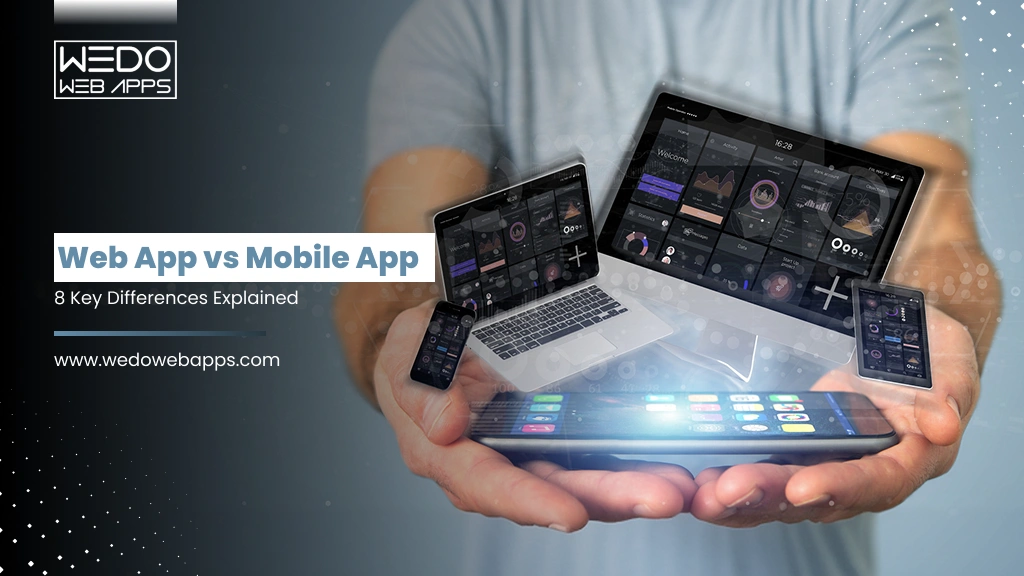
Web App vs Mobile App: 8 Key Differences Explained

Introduction

Are you also struggling to decide between a web app vs mobile app for your next project? Then this guide is for you. This guide will break down everything you need to know, from the core difference between web app and mobile app to the scenarios where one of them clearly wins.

Whether you are comparing a web application vs mobile application for a startup idea, an enterprise platform, or an internal business tool, the right choice only depends on your target audience, budget, feature needs, and long-term scalability goals.

At WEDOWEBAPPS, our web development services and mobile development services are both aligned properly to give you the required app that can help your business generate better results and maintain a balanced appearance.

Understanding the Basics: Web App vs Mobile App

Before you decide which application type is suitable for your business, it is important that you know the basics about both types.

So, let’s discuss that first.

What is a Web App?

A web application is the software that runs inside the web browser and is accessed through the internet with the help of a URL. Web apps work across all devices, such as desktops, tablets, and smartphones, without requiring download or installation.

Updates are being done instantly and are universal, so there is no pressure. Well-known examples include Gmail, Google Docs, Amazon, and Trello.

If you are considering building a web application, then our web development service team can guide you from the start and help you launch your website smoothly.

What is a Mobile App?

A mobile application is a software that is specifically designed to run on mobile devices. Mobile apps are distributed through the Apple App Store or Google Play Store and can be built as native, cross-platform, or hybrid apps. Popular examples include Instagram, WhatsApp, Netflix, and Uber.

Our mobile app development services cover iOS, Android, React Native, and Flutter app development, depending on the needs of our clients.

In the coming section, you will know the mobile app vs web app comparison, where both platforms are compared across 8 practical parameters that can directly affect your business decisions and the development costs.

Let’s just know about that.

8 Key Differences: Web Application vs Mobile Application

The table below gives you a complete side-by-side mobile app vs web app comparison across the various factors that allow you to make a better decision for business and know about the various requirements of the development process and team.

Parameters Web App Mobile App
Platform

Cross-platform, works on any device with a browser. No platform-specific development required.

Built for iOS or Android. Native apps require separate codebases. Cross-platform uses frameworks like React Native or Flutter.

Technologies

HTML, CSS, JavaScript, PHP, Ruby on Rails, Node.js, Vue.js

Native: Swift, Objective-C (iOS), Kotlin/Java (Android)

Cross-platform: React Native, Flutter, Ionic

Installation

No download required. Accessible via browser using a URL.

Downloaded via App Store or Google Play. Requires device storage and account.

Access Method

Accessed via URL in any browser. Works across Windows, macOS, iOS, and Android.

Accessed via app icon. Offers a dedicated, optimized mobile experience.

Offline Access

Limited. Most require internet. Service workers can enable partial offline functionality.

Full offline capabilities depending on app design. Critical for travel, retail, and field use.

Distribution

No app store required. Shared via URL, email, QR code, or search.

Distributed via App Store or Google Play. Requires approval but improves discoverability.

Updates

Instant server-side updates. All users access the latest version automatically.

Updates via app stores. Users must download updates or enable auto-update.

Development Cost

Lower cost due to single codebase and no app store requirements.

Higher for native. Cross-platform reduces cost but adds complexity.

Key Insights: Neither of the platforms is universally better. The only choice depends on the needs of your business, and the right answer in any web app vs mobile app decision depends entirely on the behavior of users, the feature you need, and your budget timeline.

Now, let’s just know about the mobile app vs web app comparison in depth.

Mobile App vs Web App Comparison

Beyond the above discussed 8 core parameters, there is a complete mobile app vs web app comparison that allows you to know about the real-world factors that directly shape your product experience with speed, user retention, development time, and total cost of ownership.

The table below gives you a detailed side-by-side view across all the dimensions that are important to make the decision.

Factor Mobile App Web App
Performance
  • High performance with direct access to device hardware
  • Suitable for real-time features and complex functionalities
  • Good for standard operations
  • Performance depends on browser, device, and internet speed
User Experience
  • Highly interactive with native gestures and smooth transitions
  • Designed specifically for iOS and Android
  • Relies on server response and network quality
  • Optimized sites can still perform well with caching
Loading Speed
  • Faster after installation as resources are stored locally
  • Background data loading improves responsiveness
  • Depends on server response and network conditions
  • Performance can be improved with caching and CDNs
Development Time
  • Longer development cycle
  • Separate builds or cross-platform frameworks required
  • Faster development process
  • Single codebase works across all devices and browsers
Development Cost
  • Higher investment due to platform-specific builds
  • Cross-platform reduces cost but remains higher than web
  • More cost-effective overall
  • Single build reduces development and infrastructure costs
Maintenance Cost
  • Requires ongoing updates for OS and device compatibility
  • Must comply with app store policies
  • Easier to maintain
  • Server-side updates reflect instantly for all users
Security
  • Strong security with biometrics and device-level encryption
  • App store review adds an extra validation layer
  • Depends on server-side security practices
  • Requires proper HTTPS and authentication implementation
User Retention
  • Higher retention via push notifications and device presence
  • Better engagement through personalization
  • Lower retention without built-in re-engagement tools
  • Relies on email, ads, or remarketing
Monetisation
  • Supports in-app purchases and subscriptions
  • App stores manage payments but charge commissions
  • Flexible monetization including ads and direct payments
  • No platform commission required
SEO / Discoverability
  • Not indexed by search engines
  • Depends on app store optimization and marketing
  • Fully indexable by search engines
  • Drives organic traffic and discoverability
Accessibility
  • Requires download and compatible device or OS
  • Limited access without installation
  • Accessible via any browser without installation
  • Works across all devices with internet access
Analytics
  • Advanced tracking via tools like Firebase or Mixpanel
  • Deep behavioral insights
  • Uses tools like Google Analytics
  • Easier to update tracking without redeployment

Bottom Line:-

In a direct mobile app vs web app comparison, mobile apps win mouser experience depth, device capability, offline access, and retention. Web apps win on cost, speed, SEO reach, and accessibility.

The best choice depends on which of these factors matter most to your user and business models. With having a strong team onboard your requirements can be maintained while following the right path.

Which One of These Businesses Typically Choose?

Business Type Typical Choice Primary Reason
On-demand Delivery

Mobile app

GPS, offline maps, push notifications, and real-time tracking

SaaS/B2B Platform

Web app

Desktop-first users, fast deployment, SEO-driven lead generation

eCommerce Store

Both

Web for SEO traffic, mobile app for repeat customers and retention

Banking / FinTech

Mobile app

Biometrics, secure enclave, push alerts, and offline balance access

Content / Media Platform

Both / PWA

Web for discoverability, app for offline content and notifications

Internal Business Tool

Web app

No install friction, desktop access, and easier IT management

Fitness / Health App

Mobile app

Wearable integration, background tracking, and push reminders

News / Blog / Editorial

Web app / PWA

SEO-driven traffic, low engagement depth, minimal device dependency

Not sure which platform is right for you

Advantages and Limitations of Web Applications

Before making any web application vs mobile application decision, it is important that you understand where web apps genuinely give better results and where they fall short.

Pros of Web Apps Cons of Web Apps

Accessible from any device with a browser, with no installation barriers.

Dependent on the internet, and limited offline functionality is present.

A single codebase reduces the development, maintenance, and deployment costs.

Browser compatibility differences can cause inconsistent rendering.

Instant updates pushed to all users simultaneously, no action needed.

Limited access to native device hardware features.

Consistent cross-platform experience on desktop and mobile devices.

Generally, lower performance for graphics-heavy apps or real-time features is needed.

No process needed for app store approval, and you can deploy on your own schedule.

Not listed in app stores, which reduces the organic discoverability.

Centralized security, backups, and compliance management.

Users may need a clear cache to see certain updates.

Explore our web development services and hire web developers with deep expertise in React, Node.js, Laravel, and more.

When to Choose a Web App

Knowing when to choose web app or mobile app is halfway to your process of developing. A web application is the stronger choice in these scenarios:

  • Broad Accessibility: When you need the same app that can work across all devices and OS without the need to separate builds.
  • Cost-Effectiveness: Reduces the cost of developing a separate app for iOS and Android users and is easy to maintain.
  • Rapid Deployment: Web apps launch faster with no app store approval cycle needed.
  • Content or Data-entry Products: Dashboards, portals, and admin tools all work equally well in desktop screens.
  • Instant Universal Updates: Update push changes for all users simultaneously without user action for updates.
  • SEO Growth Strategy: Search engine indexing and linkable URLs drive the organic discovery.

Real Examples:- A SaaS project management tool, a B2B customer portal, or an eCommerce platform are strong options for businesses for a web app approach. Look at our portfolio and hire the development from us that can meet your full range of expectations.

Advantages and Limitations of Mobile Apps

As mobile app needs are growing, as the mobile app offers capabilities that browsers simply cannot match.

Pros of Mobile Apps Cons of Mobile Apps

Rich UX with native features, feedback, and platform-specific design.

Requires separate development efforts for iOS and Android.

Full device hardware access: GPS, camera, Bluetooth, biometric, and NFC.

Users must download and install the app, add friction, and use device storage.

Complete offline functionality for features and data available without internet.

App store approval is required for submission and every update.

Push notifications for real-time alerts, reminders, and re-engagement.

Higher ongoing maintenance for multiple OS versions and devices.

Better performance for graphics, animations, and real-time data processing.

Users must actively update the outdated version, as this causes fragmentation.

App store listing provides organic discovery to millions of users.

Development cost is typically higher than that of an equivalent web app.

Look for the team of mobile app developers who have experience with iOS, Android, Flutter, and React Native. This will allow you to have an app that can run faster.

When to Choose a Mobile App

Understanding when to choose web app or mobile app comes down to what your users need to do and where they do it. A mobile app is the right call when:

  • Offline functionality is required, such as field services, travel, and retail POS systems, which need offline access.
  • Native device capabilities like camera, GPS, Bluetooth, biometrics, or push notification are essential.
  • Push notifications maintain engagement among users by giving real-time alerts, reminders, or updates.
  • Consumer-facing products that need to be added to the app store for better discovery and growth.
  • Need complex interactions like gaming, AR/VR, video editing, or health monitoring need native performance.
  • In-app monetisation, where you want to generate revenue from in-app purchases, subscriptions, or app store payment systems.

Real examples: A food delivery app, fitness tracker, banking app, or taxi booking platform all need native mobile capabilities.

Need Mobile App Developers You Can Trust

Web Apps vs Native Apps: Key Distinctions

The web app vs native app comparison is slightly different from the various debates that are already happening. A native app is built using the platform’s own languages, such as Swift for iOS, Kotlin or Java for Android.

Factor Web App Native App Cross-Platform App
Performance Good for most tasks Best for full hardware access Near-native with modern frameworks
Development Cost Lowest Highest (as per platform) Mid-range (depends on one codebase)
Time to market Fastest Slowest (need dual builds) Fast (based on shared codebase)
Device Features Limited Full access Good access via bridging
Offline Support Limited (Service workers) Full offline Full offline
Maintenance Cost Lowest Highest Moderate
App Store No Yes Yes

Progressive Web Apps: A Hybrid Alternative

If the web app vs mobile app decision feels like it is a false choice, it sometimes is. Progressive Web Apps (PWAs) offer a middle path solution for this, which combines the deployment simplicity of web apps with many native mobile capabilities.

PWAs can be installed on a user’s home screen, work offline via service workers, send push notifications, and access many device features all without the need of submitting an app on store.

Notable PWA success stories:

  • Starbucks: PWA loads 99.84% faster than the native app, 2x increase in daily active users.
  • Twitter Lite: 65% more pages per session, 75% increase in tweets sent.
  • Forbes: 43% increase in sessions per user after PWA launch.
  • Alibaba: 76% higher conversion across browsers.

When PWAs make sense:

  • You want a broad web reach plus some mobile-app behavior without app store overhead.
  • Users are unlikely to install a full app but still need offline access or notifications.
  • You need a single codebase serving both desktop and mobile users efficiently.

PWAs are not a universal replacement for native apps, but they lack access to some device APIs and do not appear in app store search results. And for many use cases, they sit in the sweet spot of the mobile app vs web app comparison.

Choosing the Right Platform For Your Business

Making the right call in any web app vs mobile app decision requires matching your platform to your users context.

Use this decision framework:

Your Priority Best Choice Why
Lowest development cost Web apps Single codebase, no app store fee or review process.
Fastest time to market Web app or PWA No app store approval, deploy on your own schedule.
Offline functionality Mobile app or PWA Native storage and service workers handle offline scenarios.
Push notifications Mobile app or PWA Native push on iOS/Android, Web push via PWA.
Device hardware access Native mobile app Full API access to camera, GPS, Bluetooth, or biometrics.
App store discoverability Mobile app Listed in App Store and Google Play for organic discovery.
SEO and search traffic Web app Indexed by search engines, linkable, and shareable.
Broad device compatibility Web app One app works on all devices without separate builds.

WEDOWBEAPPS specializes in offering the services that allow you to have the app that fulfills your specific requirement and recommend you with the right path.

Conclusion: Make The Right Web App vs Mobile App Decision

The web app vs mobile app decision is never one-size-fits-all. The difference between web app and mobile app ultimately comes down to our users’ needs, feature requirements, and the budget.

For businesses who are needing to board accessibility, fast deployment, and lower cost web application vs mobile application debates usually favor the web. And if there is a need for offline access, hardware integration, push notification, or app store presence, mobile apps win.

While partnering with the right software development company you can have the right approach to your project needs.

Ready to Build Your Web or Mobile App

Exploring Laravel Collection Methods: A Comprehensive Guide

Laravel, a widely acclaimed PHP framework, has gained immense popularity for its versatility and ease of use. One of the standout features of Laravel is its collection methods. In this article, we will delve deep into Laravel Collection methods, their significance in Laravel development, and how they contribute to making Laravel one of the best PHP frameworks in the industry.

Laravel Collection Methods Unveiled

What is Laravel Collection?

Before we dive into Laravel Collection methods, let’s understand what a Laravel Collection is. A Laravel Collection is an object-oriented way of working with arrays in Laravel. It provides a fluent and expressive interface to interact with arrays and their data.

Exploring the Basics

In this section, we will cover the fundamental operations you can perform using Laravel Collection, such as filtering, transforming, and reducing data.

Benefits of Using Laravel Framework

Why Choose Laravel?

Before we focus on Laravel Collection methods exclusively, it’s important to highlight the benefits of using the Laravel framework. Laravel offers a range of advantages, such as robust security features, elegant syntax, and a vibrant community, making it the preferred choice for web developers worldwide.

Efficiency and Productivity

Discuss how Laravel enhances development efficiency and productivity. Mention its intuitive syntax and built-in tools.

Laravel Collection Methods in Action

Understanding Laravel Collection Methods

Now, let’s take a closer look at various Laravel Collection methods and their applications. We’ll cover methods like map, filter, reduce , pluck , and more.

Real-world Examples

Provide practical examples to showcase how each method can be used in real-world Laravel development scenarios.

laravel development agency


Laravel Development Agency – Your Partner in Success

Choosing the Right Laravel Development Agency

To leverage the full potential of Laravel Collection methods, partnering with a skilled Laravel development agency is crucial. Discuss the qualities to look for when selecting the best Laravel development company in the USA.

Expertise Matters

Highlight the importance of expertise in Laravel development and how it contributes to the successful implementation of Collection methods.

Laravel Collection Methods in Practice

Real-Life Applications

In this section, we’ll delve into specific real-life use cases where Laravel Collection methods shine. You’ll see how these methods can simplify complex data manipulation tasks, making your code more elegant and maintainable.

Filtering Data

Showcase how Laravel Collection methods can be employed to filter data efficiently. Perhaps you can illustrate filtering user records based on specific criteria, like age or location.

Transforming Data

Demonstrate how data transformation becomes seamless with methods like map. You might want to convert data from one format to another, such as formatting dates or currency.

Aggregating Data

Discuss how Collection methods can be used to aggregate data, such as calculating the total revenue from a list of orders.

Best Practices for Laravel Development

Coding Standards and Guidelines

Highlight the importance of adhering to coding standards and best practices when working with Laravel Collection methods. Emphasize code readability and maintainability.

Testing and Debugging

Discuss the significance of testing and debugging when using Laravel Collection methods. Mention tools and techniques available for efficient debugging.

Laravel Framework

Future Trends in Laravel Development

The Evolving Laravel Ecosystem

Provide insights into the latest trends and advancements in the Laravel ecosystem. Discuss how Laravel Collection methods might evolve in future releases of the framework.

Stay Updated

Encourage developers to stay updated with Laravel’s official documentation and community resources to remain at the forefront of Laravel development.

Conclusion

In this comprehensive guide, we have explored the world of Laravel Collection methods, their significance in Laravel development, and the benefits of choosing Laravel as your PHP framework. By understanding and mastering these methods, you can streamline your development process, write cleaner code, and build more efficient web applications.

Conclude by emphasizing the value of Laravel Collection methods and the impact they can have on your Laravel development projects. Encourage readers to explore these methods further and make the most out of their Laravel development journey.

In conclusion, Laravel Collection methods are a powerful toolset within the Laravel PHP framework. They empower developers to work with data in a more efficient and expressive manner, ultimately leading to cleaner code and more effective web applications. When combined with the expertise of a top-tier Laravel development agency, you can unlock the full potential of Laravel and create outstanding web solutions.

So, whether you’re a seasoned Laravel developer or just starting your journey with the framework, exploring Laravel Collection methods is a worthwhile endeavor that can elevate your skills and enhance your projects.

The Power of Web Development with PHP: Everything You Need to Know

Modern businesses consider web development an essential component of their operations. A website is no longer just an online presence but a powerful tool for businesses to reach out to their target audience, generate leads, and increase revenue. PHP is one of the most popular web development languages, and it has been used to build some of the world’s most popular websites, including Facebook, Wikipedia, and Yahoo. In this blog, we will explore the power of web development with PHP and how it can help businesses achieve their online goals.

What is Web Development?

Web development refers to the process of building and maintaining websites, which includes various activities such as web design, web content creation, client-side/server-side scripting, and configuring network security. A web developer’s job is to create a functional and user-friendly website that meets the client’s requirements.

Why Choose PHP for Web Development?

Web development often involves the use of PHP, which is a popular server-side scripting language. It is a powerful language that offers a range of features, including database integration, form handling, and email handling. PHP is also easy to learn, which makes it a popular choice for beginners. Here are some of the reasons why PHP is an excellent choice for web development:

  1. Open Source: PHP is an open-source language, thus, it may be customized to meet the demands of the user and is free to use.
  2. Cross-Platform Compatibility: As a result of its cross-platform compatibility, PHP is used for a variety of operating systems, including Windows, Linux, and Mac OS.
  3. Database Integration: PHP has excellent database integration capabilities, that used to create dynamic websites that interact with databases.
  4. Scalability: Due to its tremendous scalability, PHP can be used to build both small personal websites and large enterprise-level websites.


Web development in PHP

The Benefits of Web Development with PHP

Web development in PHP offers a range of benefits that can help businesses achieve their online goals. Here are some of the benefits of web development with PHP:

  1. Cost-effective: PHP is free to use, so it’s a great option for businesses on a budget.
  2. Flexible: PHP can be used to create a wide variety of websites, from simple personal sites to complex e-commerce platforms.
  3. Easy to learn: PHP has a simple syntax that makes it easy to learn, even for beginners.
  4. Fast development: PHP is a fast-paced language that can help you create websites quickly and easily.
  5. SEO-friendly: PHP is optimized for search engines, so your website is more likely to rank high in search results.

Best Practices for Web Development with PHP

To create a successful website with PHP, it is important to follow best practices. Here are some of the best practices for web development with PHP:

  1. Use a Framework: Using a PHP framework can help you create a website faster and more efficiently. Some popular PHP frameworks include Laravel, CodeIgniter, and Symfony.
  2. Use Clean Code: Writing clean and organized code is essential for creating a website that is easy to maintain and update.
  3. Optimize for Speed: Optimizing your website for speed is crucial for creating a positive user experience. Use caching techniques, compress images, and minimize HTTP requests to improve your website’s speed.
  4. Use Security Measures: Security is essential for any website. Use security measures such as SSL certificates, input validation, and password encryption to protect your website from hackers and malware.

PHP in web development

To conclude, PHP in web development is a powerful tool for businesses that want to create a successful online presence. PHP is a flexible, easy-to-learn, and cost-effective language that can help businesses achieve their online goals. By following best practices for web development with PHP, businesses can create a website that is user-friendly, fast, and secure, which can ultimately help them generate leads and increase revenue.

Web development with PHP is an excellent choice for businesses that want to create a powerful online presence. With its range of features, flexibility, and cost-effectiveness, PHP development is a language that can help businesses achieve their online goals. By following best practices for website development with PHP, businesses can create a website that is user-friendly, fast, and secure, which can ultimately help them generate leads and increase revenue.

Unlock the potential of PHP to enhance your business’s online functionality. Learn how our web development company can help you leverage PHP for robust and dynamic web solutions. Click to explore our comprehensive PHP development services!

How to find the best web development companies for your project?

In today’s world, no business can survive without having an app or website with the required features, and companies need web development services!

The problem arises when you don’t know how to pick the best web development firm from the many available options. 

To make it easy for you, we have developed a list of criteria you should use as a checklist while choosing the custom web application development company for your next big project. After that, this article includes:

  • Platforms that can help you choose the best web development company
  • List of 5 best web development companies 
  • Frequently asked questions and their solutions 

What Should You Look For When Selecting The Best Web Development Company?  

Hiring a custom website development company can get very confusing if you need to know what to look for. Here is a checklist for you that can help. 

#1. Look for experience 

A web development company with diverse experience working in various projects, industries, and causes would be the right fit. A company with years of experience will automatically also have social proof of its credibility. 

Also, if a company has previously worked in the same niche as yours, there are higher chances of them understanding what you expect. Domain expertise becomes very crucial.   

#2. Testimonials And Reviews 

Web development agencies must have an online presence. If you wish to work with a development or custom web design company without much online presence, ensure that they are trustworthy. 

Check out the company’s case studies, testimonials, and reviews left by previous clients on social media, Google, and forums. Check statistics like the client retention rate, projects completed, and the percentage of satisfied clients. 

Read between the lines of the testimonials and try to find out what the pros and cons of a particular web development company are. 

#3. Technologies Incorporated 

Check what technology they incorporate into the process of web development. The technologies incorporated are crucial as they determine the total budget, the time needed, and the result. Make sure they use the technologies that are the right fit for your project. 

For instance, if you want a native-looking cross-platform app, make sure it employs React Native. 

#4. Customer Support Services 

During the inquiry period, before hiring the developers, ensure you communicate with the company enough to find out how their customer support services are and what kind of user experience they provide.

Streamlined communication with the company is essential for sharing updates and feedback during the process. An open feedback loop is vital for conveying the expectations of the project. 

#5. Keep The Budget In Mind 

And nothing works without money, right? So keep your budget in mind while interviewing different custom web development companies. 

To give you a rough idea, UK and US-based developers charge about $100–$200 per hour. India-based developers provide comparatively affordable services but make sure you check the quality of the services wasn’t compromised. 

#6. Qualifications Of Web Developers 

Interview web developers thoroughly before hiring them and ensure they are well-versed with the technologies. Their qualifications, skills, and technical know-how can make or break your project. 

Don’t just look for hard skills; also look for soft skills, like communication and punctuality. A developer doesn’t have to be the next orator, but they should be able to communicate the needed information. Moreover, web developers should understand the stages of website development. 

Now, what are the five stages of website development? They are: 

  1. Planning 
  2. Designing 
  3. Development
  4. Testing
  5. Launch and Maintenance

Platforms That Can Help You Choose The Best Web Development Company

Before you settle on one web application development service, always check what else is available in the market. List down the companies, compare them, and then make an informed choice. You can do this with the help of some reliable and trustworthy platforms, such as:

#1. Good Firms 

Good Firm is a platform where all the companies are listed according to their rates and categories. You can also check the reviews left by previous clients, the services offered, and other essential details about the web development company. 

#2. Clutch 

Clutch is a trusted and renowned name where the data of the best companies are stored. It is a godsend for those searching for IT services, as it saves a lot of time and gives you a gist of the information about all the companies at once. 

#3. AWWWards 

AWWWards is a platform that encourages the best talent that is out there in information technology. By looking at a company’s profile on AWWWards, you can know the technologies they incorporate into the process, the trends they follow, and what their website looks like. 

List of 5 best website development companies for your next project 

If, even after putting the above information into practice, you still need help finding the right web development company that provides the right types of web development services for you. Then trust us and pick one of these 5 companies we suggest, as they are the best. 

Read also: Web Development & Developers Guide: Types, Tools, and Benefits

#1. WEDOWEBAPPS LLC 

WEDOWEBAPPS LLC has been helping businesses digitize their businesses for over a decade now. They have completed over 700 mobile and web applications and retained 97% of their clients. Their team of dedicated developers provides services including

  • Web development 
  • Frontend development 
  • E-commerce development 
  • Backend development 
  • CMS development 
  • UI/UX development 
  • Internet Marketing 

Key features of WEDOWEBAPPS LLC:

  • Awarded as the Top app development company by many renowned sites such as Clutch, App Futura, Expertise.com, and many more 
  • Created Vibez, which is the biggest platform for the African entertainment industry
  • Free of cost maintenance and support after the launch 

Ready to use solutions that you can count on by WEDOWEBAPPS LLC:

  • Taxi Booking Application 
  • Online Food Ordering App Development 
  • Sports and Fitness Application
  • Video Streaming Application

The latest technology employed by WEDOWEBAPPS  LLC includes:

  • React Native
  • Object-C
  • Flutter 
  • HTML5
  • Java 
  • Kotlin 
  • Swift 

And the list is long. 

Work portfolio includes successful apps like:

  • VQ Fitness
  • Chic Couture Online 
  • Tidy Designer
  • Access 24 
  • MDME 
  • Virtual House 

And many more. 

If you’re looking for solutions for your next web development project, then book a free consultation call with WEDOWEBAPPS LLC.

#2. React Native Development Company 

As the name suggests, React Native Development Company creates web apps using React Native technology. They are known as total-stack for a reason; they will handle your project from ideation to launch. Their team of React gurus provides services such as:

  • Prototyping and Wireframing 
  • UI Development 
  • MVP Development 
  • Full Cycle App Development 
  • REST API Development
  • Payment Gateway Integration 
  • Support and Maintenance 
  • REST API Integration 

Work portfolio includes successful apps like:

  • Direct Towing 
  • Location Automation 
  • Boujee Connect 

And more.

#3. Mentormate

Mentormate doesn’t compromise on its website design services and provides end-to-end custom software solutions. They leverage modern approaches to web development by bringing front-end development, back-end development, and architecture together to meet the business needs of entrepreneurs like you. Over 21 years of experience serving over 420 clients, they have completed over 1500 projects.

Services offered by Mentomate:

  • Development 
  • Digital Experience Platform 
  • Cloud and DevOps
  • Design 
  • Data and Analytics 
  • Support 

Work portfolio includes successful apps like:

  • CheqrPay 
  • Tennant Company 
  • RBC Wealth Management 
  • PocketWaters
  • Soundview 
  • Star Wars X Wing Squad Builder

And the list is long. 

#4. Algoworks

Algoworks helps you reinvent your business through digital transformation by engineering interactive and secure digital solutions across technologies. They are a Summit Salesforce Partner, a Microsoft Gold Partner, and an AWS Consulting Partner offering web and mobile app development services. Companies such as Clutch, Good Firms, Deloitte, and Web Awards have awarded them as the top app developer.

Services offered by Algoworks:

  • Consulting
  • Custom apps
  • Salesforce 
  • UI/UX Design 
  • Testing
  • Solutions 

The latest technologies employed by Algoworks include:

  • React Native App Development 
  • Flutter App Development 
  • Python 
  • Mean Stack 
  • React JS
  • Vue JS
  • Amazon Web Services

Work portfolio includes successful apps like:

  • Case Manager App
  •  Field History Tracking App
  • Phone Location Tracker
  • Approval Manager App 
  • Opportunity Manager App 

#5. Boldare   

Starting in 2006, Boldare has a team of over 200 people working in 6 offices, including Amsterdam, Hamburg, and Warsaw. They have been featured in Clutch, AWWWards, Forbes, Yahoo Finance, and many more renowned companies.

Services offered by Boldare:

  • Digital Prototyping 
  • Minimum Viable Product (MVP) Development 
  • UX/UI Design
  • Product Design Development 
  • Full Cycle Product Development
  • Product Scaling
  • Product-Market Fit 
  • Machine Learning 
  • Digital Transformation 
  • Code Audit and UX Audit 

The latest technologies employed by Boldare include:

  • Java 
  • Spring
  • PHP
  • Symfony 
  • .NET
  • Python 
  • Django
  • JavaScript 

And the list is long. 

Work portfolio includes successful apps like:

  • TeamAlert 
  • Sonnen 
  • BlaBlaCar 
  • Mowaamah 
  • TrueRate 
  • Spa-Monkeys
  • Virgin Radio 
  • Brass Willowo 

And the list is long. 

In conclusion 

Now that you are equipped with the needed information, we hope you choose the best web development company for your IT needs. Find the best developer team out there and make your businesses digital. Ensure you don’t compromise on pricing when hiring a developer’s team.

Website Development Process: 10 Steps for a High-Performing Website

Introduction

Great websites do not just appear overnight, and ones that look like they are not worth using. A template-built site created in 30 minutes might put you on the internet, but it skips every stage of the website development that actually matters: the research, the user experience strategy, the SEO architecture, and digital trust.

75% of users judge a business’s credibility based on the website design. And 74% say that they will not return to a site that is not mobile-friendly. A weak website is not neutral; it actively loses you, customers.

At WEDOWEBAPPS, our website development methodology has been refined over more than a decade now. This is a disciplined, 10-phase website development process that delivers a website that ranks, converts, and performs.

If all you need is a website that drives traffic and generates high revenue, and not a business card that only a few people may know. Below are the phases of web development that we have been following for a decade for building the most enticing and responsive websites.

Let’s know about every phase of the website development in detail.

What is a Responsive Website and Why It Is Important?

Before walking through every phase of the web development process, you must understand what responsive design means in 2026, because at every stage of development, this is an important factor.

So, what is a responsive website?

A responsive website is something that automatically adjusts the website’s layout, images, text size, and navigation as per the device size. This allows the user to maintain a seamless experience across all devices without any further changes in design. In 2026, this is not just a feature update. It is a minimum baseline for any website that wants to perform well and give a better experience.

Important Note:-

62-64% of all global web traffic is now coming from mobile devices. Especially in eCommerce sites, mobile drives 78% of all the retail traffic, yet the desktop still converts at nearly double the rate.

Also, 74% of users say that they do not return to any website that is not mobile-friendly. And a responsive website receives 50% more traffic than a non-responsive one.

Following Google’s mobile-first indexing policy is not becoming standard for all websites, which means that your mobile version determines your search ranking, not your desktop version. A website that is not built responsibly from day one is already competing at a structural disadvantage.

In short, it is important to have a website that is mobile-friendly and is developed with a responsive website design that grows as the customer base grows.

Why You Should Invest in Building Responsive Websites?
Why You Should Invest in Building Responsive Websites

What’s the point of a website if it does not bring traffic or revenue? There are three out of every five websites that convert visitors through mobile and reach the new market globally.

Here are the five strongest reasons that you should invest in responsive design when it comes to the website development process.

  • Cost-Effectiveness: One responsive website works perfectly across every device. There is no need to build, host, and or maintain a separate mobile site, which reduces the need for additional development and maintenance costs.
  • Flexibility: A responsive layout automatically adapts to new screen sizes and resolutions as technology evolves. Your site will always stay future-ready with the growing market needs.
  • SEO Gains: Google’s mobile-first indexing makes responsive design one of the most direct SEO improvements available. Mobile-optimized websites can see a 20% increase in conversion rate, and also the responsive sites rank higher across competitive search results.
  • Ease of Management: Follow the one codebase, which means one website to update, optimize, and maintain. This allows you to make the changes once and have the instant reflection across the desktop, tablet, and mobile site without additional efforts.
  • Improve User Experience: A fast and responsive experience removes the friction from the site and keeps the visitors engaged long enough to convert.

With the responsive design established as the most negotiable foundation, the question becomes: What else separates a website that performs from one that simply exists online? It is the website development process.

Now that you know about the important responsive websites, let us come back to our primary focus, which is the key stages of the website development process.

Struggling to generate revenue with a website

Key Stages of Website Development Process

Stages of Website Development Process

Every website that we build, whether it is for a small business or a large enterprise, we follow the same structured website development workflow. This consistency is what makes us deliver the project on time while following the predictable quality standard and specification that holds up in the competitive search environment.

The following 10 steps in website development form a complete website development process. Each phase has defined deliverables, and the next phase will not begin until the last stage is delivered, reviewed, and approved properly.

A structured website development process reduces post-launch bug fixes by up to 80% and cuts the chances of rework by 50% compared to an unplanned development.

Step 1. Requirement Gathering

Requirement gathering is the foundation of the entire website development process. It is the discovery phase where you will discuss the objectives of your required website, the cost, and the various needs.

Without this step, even the most talented development team cannot start working. With this, every design decision, content choice, and technical implementation needs to be followed clearly. The difference between the project that delivers and one that unravels at revision stages almost traces back to whether this step was done properly.

What is established in requirement gathering:

  • Business Goals: What does your website need to achieve? Lead generation, direct sales, brand credibility, customer service, recruitment, or a combination? Every goal gets clear with design, content, and development decisions.
  • Target Audience: Your target audience will also get clear with the objective discussion. By understanding the audience, this stage defines the user experience from the ground up.
  • Scope and Timeline: How many pages are needed on a website? Which features are essential for launch, and which can be phased later? Everything will be discussed, which allows you to know about the expected launch date and the external dependencies.
  • Budget: A transparent, scope-based estimate is provided at this stage. If the budget constraints require adjustment, then the right approach is to reduce the scope rather than the quality.
Pro Tip:- The more specific you are about your goals, the fewer revisions you pay for later. Unclear briefs produce expensive surprises at every stage of the project. Detailed briefs produce clean and on-time deliveries.

Step 2. Proposal

Once the requirements are fully understood and agreed then everything goes into writing. A signed proposal is not just a formality, but it is the most effective project management tool available for both parties in any website development workflow.

When the disagreement arises mid-project, a well-written proposal is the neutral reference point that resolves it in a minute rather than a week. It eliminates the two most common causes of project failure: misaligned expectations and unmanaged scope.

A professional project proposal includes:

  • A clear summary of the project, its context, and its business objective.
  • A complete list of every deliverable and feature to be built.
  • A preliminary sitemap and wireframe outline.
  • The development approach, technology stack, and hosting environment.
  • A detailed project timeline with key milestones, review checkpoints, and client approval gates.
  • The total project fee, payment schedule, and revision policy in plain language.

No professional website development company should ever begin a website without a signed agreement in place.

At WEDOWEBAPPS, we never do this, and we recommend you never work with one that will.

Step 3. Creating a Sitemap and Wireframe

With the proposal signed, the next step is shaping the website structure before any visual design or code is written. This is where the website development phases move from works on paper to tangible blueprints.

The sitemap defines the architecture of your website, including how every page will exist, how pages connect with each other, and how users and search engines crawl your site. It is the high-level blueprint of your digital presence, and it is not only the early SEO document, but the defining URL structure and content hierarchy also play an important role in Google indexing.

The wireframe goes one level deeper than the sitemap. It maps the presence of your website layout with individual pages and headings, along with the primary CTA button. This also decides how images and text blocks are positioned, and how the navigation behaves at different screen sizes. No colors, no typography, no photography. Just pure structure.

Why sitemaps and wireframes work is worth the investment:

  • Maintain full alignment between the client, designers, and developers before the work begins. This eliminates the assumptions that cause the changes at a late stage of design.
  • Deliberately plan a user journey that guides visitors from landing to conversion, based on the intent.
  • Early identification of missing pages, navigation gaps, and user experience problems can save hours to fix.
  • Make the mobile-first layouts from the start and have more visitors.
Pro Tip:- Always wireframe both desktop and mobile simultaneously. A layout that works perfectly on a 27-inch monitor can be completely unusable on a 6-inch screen. Discovering this at the wireframe stage takes hours to fix. Discovering it during development takes less time.

Step 4. UI/UX Design

At this phase, the real work begins. This is where your website transforms from a structural blueprint into a real visual experience and where the first impressions are permanently made, won or lost.

The design team uses the wireframe as a practical guide and applies your brand identity into logo, color palette, typography, imagery, and iconography to create the complete visual language of every page. Each element is chosen effectively: not just for a professional look but also to guide visitors towards a specific action in a way that feels completely natural.

Before the development design check of the fully approved design for desktop and mobile devices. This eliminates the chances of a change in design after the development begins. The great UI/UX design must also satisfy Google’s technical performance standards.

What high-quality UI/UX design delivers:

  • A clear visual hierarchy that directs the attention to what matters most on every page.
  • Intuitive, frictionless navigation optimizes the customer interaction.
  • Consistent branding that builds instant trust and recognition across every touchpoint.
  • Touch-friendly mobile interface from the very first day of development.
  • Accessible website design standards start that meet both legal and commercial differentiators.
  • Layouts are designed to minimise cumulative layout shift, a direct Google ranking signal that is determined at the design stage, not the development stage.

Step 5. Content Creation

Design the attention, but the content makes the user stay, and what ultimately determines is whether they convert into a customer, enquire about your services, or leave for a competitor.

Content creation is one of the most important steps in website development and consistently the most under-resourced. Most of the businesses treat it as something to sort out after the website is designed. The result is websites with beautiful layouts that say nothing meaningful can rank nowhere in Google because they have no substance worth indexing.

With the recent algorithms, getting the content wrong is more costly than ever. Following Google’s core update, the EEAT requirement does not apply to virtually every competitive search category. Mass-produced, AI-generated content without genuine human expertise and editorial oversight is being actively filtered from search results. The only content that ranks and earns citations from AI search tools is content that shows real knowledge and provides real-value.

Content created during this phase:

  • Homepage, About, Services, and Contact page copy all need to be written with targeted keywords, which need to be used naturally, not stuffed.
  • Service and product descriptions that address your customer’s actual questions, concerns, and decision-making criteria.
  • Blog articles and resource guides that build topical authority and capture long-tail search traffic.
  • Meta titles and meta descriptions for every page are essential for both Google rankings and click-through rates.
  • Image alt text for every added visual for accessibility compliance and image search visibility.
  • Call to actions that are specific, clear, and tested for conversions.
  • Structured data makeup recommendations: FAQs and article schema, which is critical for AI overview inclusion and rich result eligibility.
2026 Update:- Voice search is expected to account for 50% of all searches by the end of 2026. Content that answers specific, conversational questions in clear and direct language, particularly on FAQ format, is significantly positioned better for Voice search and AI overview.

Step 6. Development

With the approved designs and finalised content in hand, the development phase begins. This is where the website is built. Every page, every feature, and every interaction is coded into existence and integrated into a functioning product.

The website development methodology splits into two parallel tracks, both executed with equal rigour: frontend and backend.

Frontend Development

Frontend development covers everything from what visitors see and interact with: the layout, buttons, forms, animations, navigation, and responsive behaviour across every screen size. The front-end developers translate the approved design into clear and standard HTML, CSS, and JavaScript.

Every page should be built to meet the performance benchmark, such as:

  • Use of compressed images to avoid lazy loading issues. Render blocking script for eliminating the risks.
  • JavaScript execution for optimised long tasks without delays in any interaction responses. This is the metric most developers underestimate when it measures responsiveness across an entire session.
  • All images, videos, ads, and dynamically loading elements should give the explicit width and height to prevent the layout shift as the page loads.
  • Testing for all sources, such as Chrome, Firefox, Safari, and Edge, along with mobile devices.

Backend Development

Backend development is the engine behind your website. While the frontend handles what users see, the backend handles what the website does: processing orders, storing form submissions, authenticating users, delivering personalized content, integrating with payment systems, and managing databases.

Backend development also means building a website with security as a first priority. Every site is built that is secured with SSL, implements proper input sanitisation, and follows current data protection regulations.

For a complex web application, the precise choice of website development company matters the most. The quality of your backend architecture determines your site’s speed, security, scalability, and resilience for years to come.

Pro Tip:- 76% of developers now use AI tools to assist with coding, testing, and performance auditing. Our development team uses an AI-assisted workflow to accelerate code review and testing, which allows you to have faster delivery without impacting the quality.

Step 7. A/B Testing or Pre-Launch QA

No website should go live without passing a comprehensive multi-layer quality assurance process. This is one of the most important steps in website development and one of the most frequently compressed or skipped by teams working on a project to hit the deadlines at any cost.

Our QA process is not a single-step process. It is a systematic, multi-round testing programme covering every dimension of quality: performance, compatibility, functionality, security, accessibility, and search readiness.

Our full QA testing checklist:

  • Cross-Browser Testing: Chrome, Firefox, Safari, and Edge with the current version on both desktop and mobile to confirm consistent rendering, layout, and functionality across all major browsers.
  • Cross-Device Testing: Check the website design for desktop, iPhone, Android, and other devices to verify the responsive behavior and touch interaction at every point.
  • Core Web Vitals Audit: LCP, INP, and CLS are measured using Google PageSpeed Insight field data and Google Search Console, which help you know about the real-user performance issues.
  • Functional Testing: Every form, button, link, filter, dropdown, modal, and interactive element is tested for original specification to confirm it works exactly as agreed.
  • SEO Validation: All meta titles, descriptions, canonical URLs, XML sitemaps, and heading hierarchy reviewed and confirmed.
  • AI Visibility Audit: Faq and article schema validated using Google’s rich result test, content structured for AI overview eligibility.
  • Security Checks: SSL verification across the full domain, form input sanitisation, login protection, spam prevention, and data handling compliance.
  • Accessibility Audit: Audit the site for legal and commercial risk and compliance, along with the keyword navigation, color contrast ratios, ARIA labels, and screen reader compatibility.
Note:- A structured QA phase reduces the post-launch bug fixes by up to 80% compared to a project where testing is rushed or skipped. Every issue caught before launch costs a fraction of what it costs to fix after.

Step 8. Prototype Submission

Before any website goes live, you experience it exactly as your future visitors will in terms of security.

This is a formal checkpoint in the website development phase. At this stage, you will have the staging link alongside a clear set of review instructions: what to check on each page, how to test interactive features across different devices, and exactly how to submit feedback or other requests.

This is not a static PDF or design mockup. It is a fully functioning website that allows you to navigate and interact with it just the way your customer reviews it. Any final changes identified at this stage are addressed before the process of launching the website.

Step 9. Launch

Launch day is a significant milestone and a carefully managed one. Once you have provided a written sign-off on the prototype, our team runs through a comprehensive pre-launch checklist before pointing your live domain to the production server.

Pre-launch checklist:

  • DNS configuration and domain transfer to the live server confirmed.
  • SSL certification is active and verified across the full domain.
  • Google Analytics setup, configuration, and event tracking verified against specification.
  • Google search console property creed, XML sitemap submitted, coverage report reviewed for errors.
  • 301 redirects confirmed for any URLs that have changed from the previous site.
  • Final core web vital check using field data.
  • Structured data markup validation.
  • AI overview, eligibility, and schema rendering.
  • Post-launch smoke test for every page, every form, and every feature.

With every item checked and confirmed by the project lead, the website goes live. It is the culmination of every hour of planning, designing, writing, building, and testing that came before launch.

Step 10. Maintenance

A website launch is not just the last step of development, it is the beginning of the asset that require to maintain site consistent, professional, and competitive.

The web development lifecycle does not end at deployment; it keeps requiring content and technical review to improve the functionality of the website. CMS platforms and plugins release security patches on a continuous basis, which need to be taken care of.

What post-launch maintenance covers:

  • Regular CMS, plugin, and security updates to prevent vulnerabilities.
  • Continuous monitoring for traffic patterns, third-party scripts, and Google benchmark services.
  • Content updates, new page creation, and feature addition.
  • Analytics review and conversion rate optimization recommendation based on real visitor behavior data.
  • Structured data updates to keep schema markup aligned with Google’s requirements.
  • Uptime monitoring with rapid response to any unexpected downtime.
  • Post-algorithum update content and technical review following major Google core updates.

This ongoing commitment is what separates a genuine long-term partnership with a trusted development partner you invest in to have better results.

Request Your Project Estimations

How Long Does the Website Development Process Take?

How Long Does the Website Development Process Take

One of the most common questions that you must be thinking about, and the honest answer is that it depends on the scope.

Here is a realistic breakdown based on project type, based on project delivery data:

  • Small Business Website: 4-8 weeks from requirements gathering. The most reliable cause of delay at this scale is content that is not prepared in the advanced design phase.
  • Mid-Size Corporate Website: 8-14 weeks, including multiple rounds of content review, design iteration, and functional testing across departments.
  • eCommerce Website: 12-20 weeks, depending on payment gateway integration complexity, product data setup, and custom checkout functionality.
  • Custom Web Application: 3-6 months for builds with user authentication, custom databases, third-party API integrations, and bespoke feature sets.
Pro Tips:- The two-phase authentication can mostly allow to maintain consistency with the project timelines are content creation and client review cycles. Agreeing on review deadlines and content delivery dates at the proposal stage keeps every project on schedule.

Common Website Development Mistakes That You Should Avoid

Understanding the stages of website development is only halfway to your development phase. Knowing what goes wrong and why is equally important for setting realistic expectations and making the right decisions at every phase.

  • Skipping Requirement Gathering: Jumping straight to design without a clear, documented brief produces websites that look fine but achieve nothing specific. Every hour saved here costs several hours of revisions later.
  • Leaving Content Until Last: Designing around placeholder text and adding real copy at the end consistently breaks approved layouts. Content and design must be developed in parallel, not sequentially.
  • Desktop-First Design in Mobile-First World: Designing for desktop and adapting for mobile produces consistently worse mobile experiences and lower search rankings.
  • Ignoring CoreWeb Vitals: A site that fails to lose ranking to a competitor with comparable content quality. Performance is now a direct competitive differentiator.
  • No Structured Data Markup: Websites with schema markup are likely to appear in search results, and skipping it leaves the organic visibility on the table.
  • Rushing or Skipping QA Testing: Every bug found after launch costs significantly more to fix than one found during testing. A structured QA phase is one of the highest-return investments in any web project.
  • No Post-Launch Maintenance Plan: A website without regular updates accumulates security vulnerabilities, suffers performance degradation, and drifts out of compliance standards. An initial investment depreciates rapidly without maintenance.
  • Ignoring Accessibility: Accessibility is not a legal exposure and should be filled carefully.

In a Nutshell: Ready to Start Your Website Development?

Building a website that genuinely performs, ranks well, and easily earns trust requires following the 10 website development phases.

The gap between the website that works and one that merely exists is not just about the budget, but it is also about the website development process. Every stage of website development described in this guide creates a measurable impact. Follow all the steps with the right web development team and get what you need for your business.

If you follow the website development process with dedication and the right team, you can build more than a website. You will build a durable, high-performing digital presence that generates leads, earns trust, and grows alongside your business.

responsive website for your business