skip to content

Link Building Strategies makes Search Engine more powerful

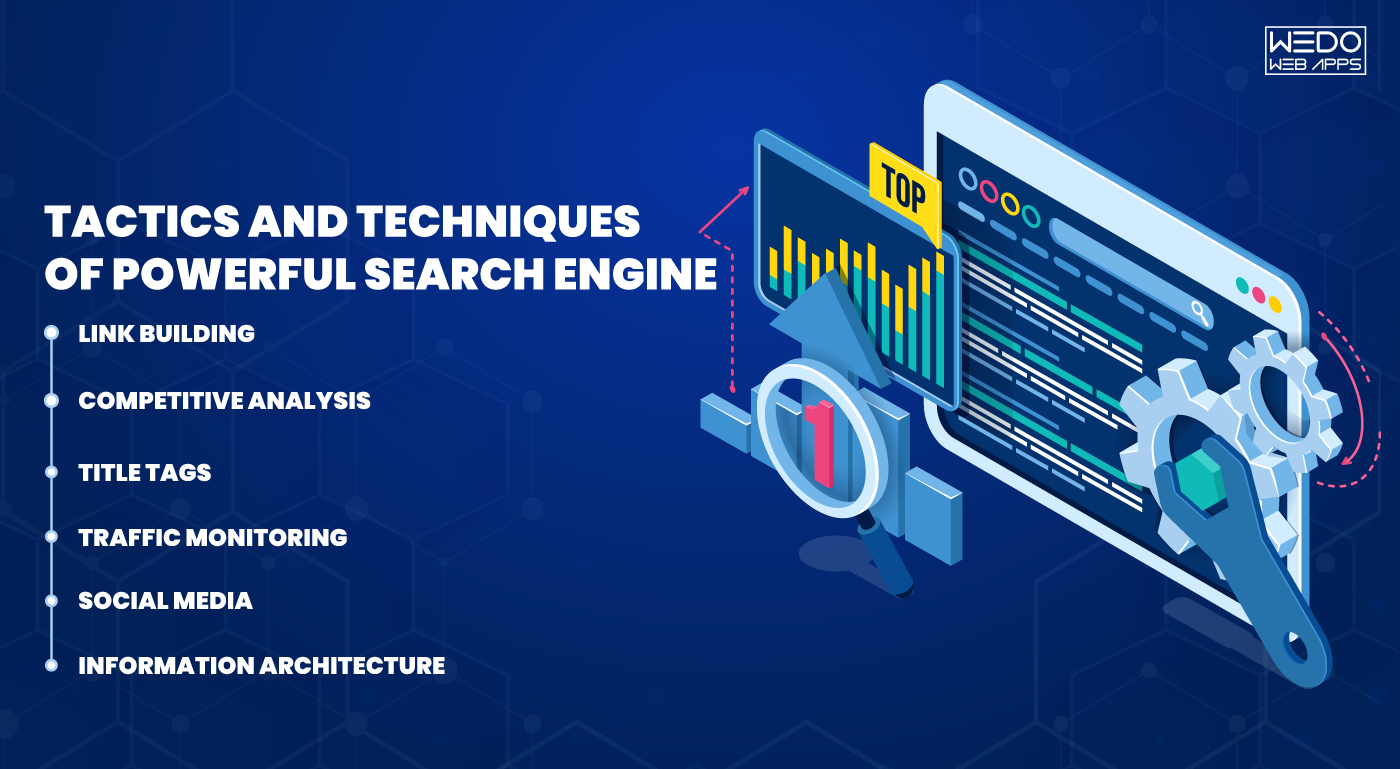
SEO is Search Engine optimization. It’s nothing but a methodology of strategies, techniques, and tactics used to increase the number of followers to a website by getting a high ranking place in search engines. 

There are several methods in SEO

  • Link Building
  • Competitive Analysis
  • Title Tags
  • Traffic Monitoring
  • Social Media
  • Information Architecture
  • Keyword Research
  • Page content

Besides all these, Link building strategies is one most important section in SEO. Link building is a method of getting links from a different website to your own to improve search engine ranking.

In the present date, link building is the method of obtaining links from higher authority, quality, and relevant sites. So it helps to improve ranking in search engines.

The number of useful quality links from highly qualified websites is a significant factor in the google page ranking.

Compare React Native vs Angular and discover how link building strategies can make your search engine more powerful.

Useful quality links which are very effective doesn’t mean building unlimited relationships, but it means getting a link from genuine, highly authorized websites. So these are the importance of better link building strategies.

– A maximum viewer will be able to see your blog in the search result.

– High quality, genuine links means your website is considered as a precious resource. This thing can be quickly done by writing high-quality content.

– It also helps in getting indexed in the search result.

– It’s also considered one of the important methods in SEO.

– Helping you to get traffic from other websites links.

To get all kind of SEO related plans and pricing, please contact sales@WeDoWebApps.com.

Unlock the secrets to powerful link building strategies and get expert advice on choosing the right app development partner to elevate your project.

Why Did My Website Crash, and How Do I Fix It?

Introduction

One of the most irritating aspects of having a website is that it may sometimes break unexpectedly. For example, one day, a web page was working fine, and the very next day, it did not. Understand this with an example, “One day your Contact Us form is working successfully sending emails to your sales team, and suddenly the very next day it stopped working fine.”

Other examples of Website Crash may include: One day, a link on your website to some other website worked fine, but on the next day, it did not. Or today, a customer is able to complete the buying process, and the other day your website broke, and no customer could buy anything. Annoying, right?

But do you know why websites crash? There may be many reasons for a website to break, like improper hosting, lack of updates, and outdated software. It is a question of thought about how a crashed website or a site with problems may affect your business. But, if your website visitors are not able to access the homepage or if they encounter an error message while signing in, you are probably losing money by losing customers.

When you are investing in a new website, you should know that there will be some additional costs in the long run. It can be frustrating when your website breaks automatically, even when you did not do anything wrong. Another problem is that when you start a new business, you believe that it will run seamlessly in the long run and will not require any maintenance.

However, this is not true. For the people with such thinking, their sites usually start malfunctioning with time without giving any warning. This is aggravating since the site developers promised that everything up and down was done correctly. Even after this, something fishy happens and leaves you with only one solution, support. Often one of the most time-consuming things.

Being the best responsive website design company for decades, we are experts in web design and development. We are here with a few reasons why your website suddenly crashes or stops working. Before that, let’s discuss some of the common website errors we have seen throughout our experience.

How to Detect Website Issues Before They Turn Into Crashes

Many website crashes do not happen suddenly. Small warning signs usually appear first, such as slow loading pages, random errors, or short downtime periods. Identifying the issues early can help you fix problems before visitors even notice them.

Using uptime monitoring tools allows you to keep track of your website’s availability around the clock. These tools send alerts whenever your site goes offline. Performance testing platforms like Google PageSpeed Insight or GTmetrix help you measure speed and server response time. Error logs and server reports also highlight technical issues that may otherwise go unnoticed.

Tools such as Google Search Console, Google Analytics, and UptimeRobot provide clear insights into traffic drops, crawl errors, and downtime events.

Regular monitoring works like a health check for your website. Fixing minor issues early prevents costly breakdowns later.

website crash support offering updates

Some Common Website Errors

Some Common Website Errors Overview

1. HTTP Errors

HTTP errors can be pretty frustrating at times. We all might have experienced these HTTP errors at least once to date, and we can tell how annoying it could be to browse a website and suddenly hit a wall of HTTP errors.

These error messages are from the web server, indicating that there is something wrong with the website. Common HTTP errors are 401 unauthorized, 403 forbidden, 404 Not Found, 500 Internal Server Error, and 504 Gateway Timeout.

2. Long Metadata

The primary purpose of the page title is to tell visitors what the page is about. The page’s title will be cut off by the search engines if it is longer than 70 characters. Likewise, if we talk about meta descriptions, the character count is a maximum of 155 characters. If the word count exceeds the limit, the extra content will be cut and replaced with “…”. Cutting off the meta is not as enticing for young consumers to visit your website.

Fortunately, these errors are an easy fix and involve brainstorming for you to come up with keyword-rich meta titles and descriptions. Also, you can tell compact yet detailed information of what your web pages are about.

While understanding why websites crash and how to fix them, stay informed with the latest iPhone app development trends to keep your mobile projects on the cutting edge.

3. Too Long or Too Short on Text

This is a standard error most of the websites have. You don’t want too much or too little text on your website. A wordy or busy page may look spammy and can overwhelm the readers. A page with less content may look unprofessional, incomplete. And a sparse website can negatively impact your SEO.

To avoid this, what you can do is to ensure each page has keyword-rich content that provides the users with value and relevant information. Avoid adding content just for the sake of increasing the text unless it provides value to the customers.

4. Duplicate Page Content

Duplicate page content can only compete with each other on your website, and the search engine will give results for only one page instead of all of them. To resolve this error, avoid using the same metadata for more than one web page. Use some online tools to identify any duplicate data that can be edited.

5. Expiring Domain Name

Search engines give results for websites that are trustworthy and established for a long time. If your business has been registered for so many years, it shows your commitment to your business, website, and content.

Keep reviewing your domain registration and get it renewed annually to make sure that your website is not considered spammy.

6. Images with No ALT Text

Search engines tend to process text more than images. So, if your website images are without the ALT text, they would be missed by the search engines. This is another easy fix; simply give keyword-rich descriptive titles to every image of your website. If you want to make this step easier, ensure naming and saving your images properly before uploading.

These were the most common errors you might have or will face at least once in your life. Resolving these may help you get better sales and conversion rates in your business. Next, let us discuss the main reasons why your website breaks and what you can do to fix the crash.

Reasons Why Your Website Breaks All by Itself
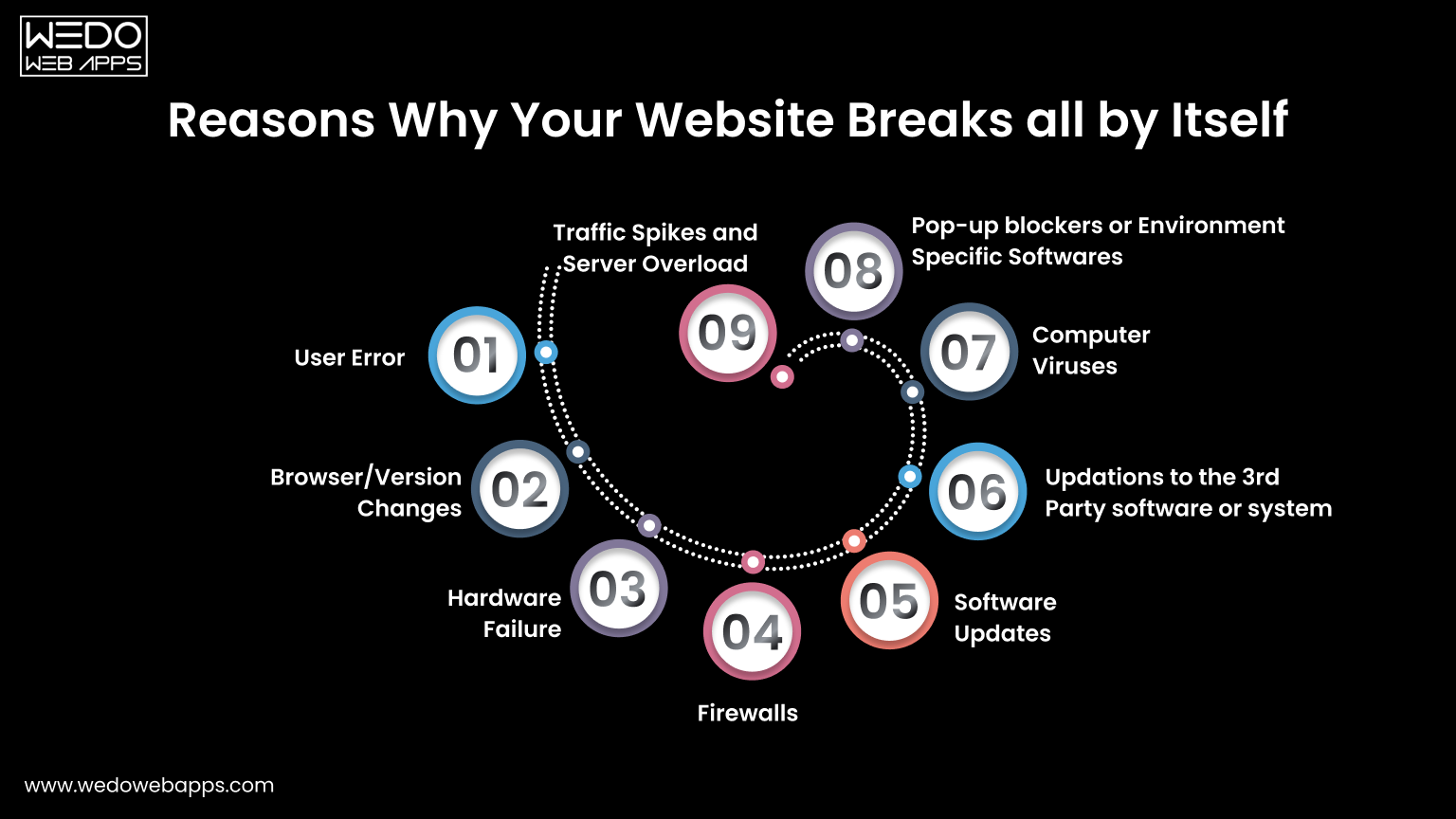
Reasons Why Your Website Breaks or Crashes

Below are a few reasons why your website appears to break all by itself sometimes:

1. User Error

Content Management Systems these days are powerful things. With the use of CMS like WordPress or Drupal, even inexperienced developers get the potential to manipulate the website as per their choice. Despite the intention of developing the best website, developers sometimes make a change to their website, unaware of the consequences it may have on other parts.

Sometimes it can be very difficult for the support to track the problem and bring it back to action. Too many admins can enable a place for errors in the website. Therefore, we suggest you limit the roles to one or two primary people.

2. Browser or Version Changes

This means the changes in the software that people use to view your website. A website can be future-proof only to some extent. For example, a website may work perfectly fine in Internet Explorer 9 but may show a subtle change in another version of the same browser. This might cause your website to misbehave.

Remember, there are many other browsers, many versions of those browsers, many operating systems, and versions these websites run. In addition, there are several hardware systems on which these software runs. Therefore, changes in any of the above may impact how your website will behave.

3. Hardware Failure

Hardware problems on the server side can interrupt your website without any warning. Issues such as disk crashes, overheating systems, or power supply failures may stop your server from responding properly. When this happens, your website may load slowly, show errors, or go completely offline. Choosing a reliable hosting provider with backup hardware and failover systems helps reduce these risks and keeps your website available.

4. Firewalls

Some organizations, especially government organizations, have very private IT environments. This causes a website to work perfectly outside the organization but may not work or misbehave properly inside the organization.

5. Software Updates

Software updates like security patches specifically need to occur on your website or a software environment present around them. By software environment, we mean operating system, web server, database, or programming language used in your website. Ultimately, changes to any of these components have the rare but true potential to crash your website somewhere somehow.

6. Updates to Third-Party Software or Systems

Even though your website’s Contact Us form is working absolutely fine, the third-party mail server that receives and stores the emails is not working correctly. Or maybe your website is integrated with Facebook or any other social media, but social media made a change to the rule.

A third-party software that processes credit cards is facing technical difficulties, or the web page on some other website that you linked to your website is broken as that website went through an update. All these factors may affect your website and can lead to a website crash.

7. Computer Viruses

Viruses or malicious scripts can damage your website files, slow down performance, or redirect visitors to unsafe pages. These infections may enter through outdated plugins, weak passwords, or unsecured hosting environments. Once affected, your website may behave unpredictably or get blocked by browsers. Running regular security scans and installing protection tools helps detect and remove threats early.

8. Pop-up Blockers or Environment-Specific Software

A pop-up blocker or software especially related to the IT environment of the website visitor may hinder your website. For example, anti-virus or parental control software can cause problems on the website. It can even make the website completely disappear even without the user understanding why.

Above are the reasons why you may face a website crash or observe broken links on your website. Next is how you can fix the broken links on your website.

9. Traffic Spikes and Server Overload

A website may also crash when too many visitors try to access it at the same time. This situation is common during festive sales, paid ad campaigns, product launches, or promotional events. While increased traffic is good for business, a limited server capacity can struggle to take the load.

Shared hosting environments often allocate fixed resources. When memory or CPU usage crosses the limit, the server may slow down or stop responding. The visitor then faces errors such as pages not loading or checkout failure.

To avoid these issues, choose a hosting plan that allows resource scaling. Cloud hosting, VPS servers, and load balancing help distribute traffic more evenly. Adding a content delivery network also reduces pressure on your main server. Preparing for peak traffic ensures your website stays accessible when customers are ready to buy.

Above are the reasons why you may face a website crash or observe broken links on your website. Next is how you can fix the broken links on your website.

technical audit to diagnose website crash issues

Steps to Fix Broken Links of Your Website
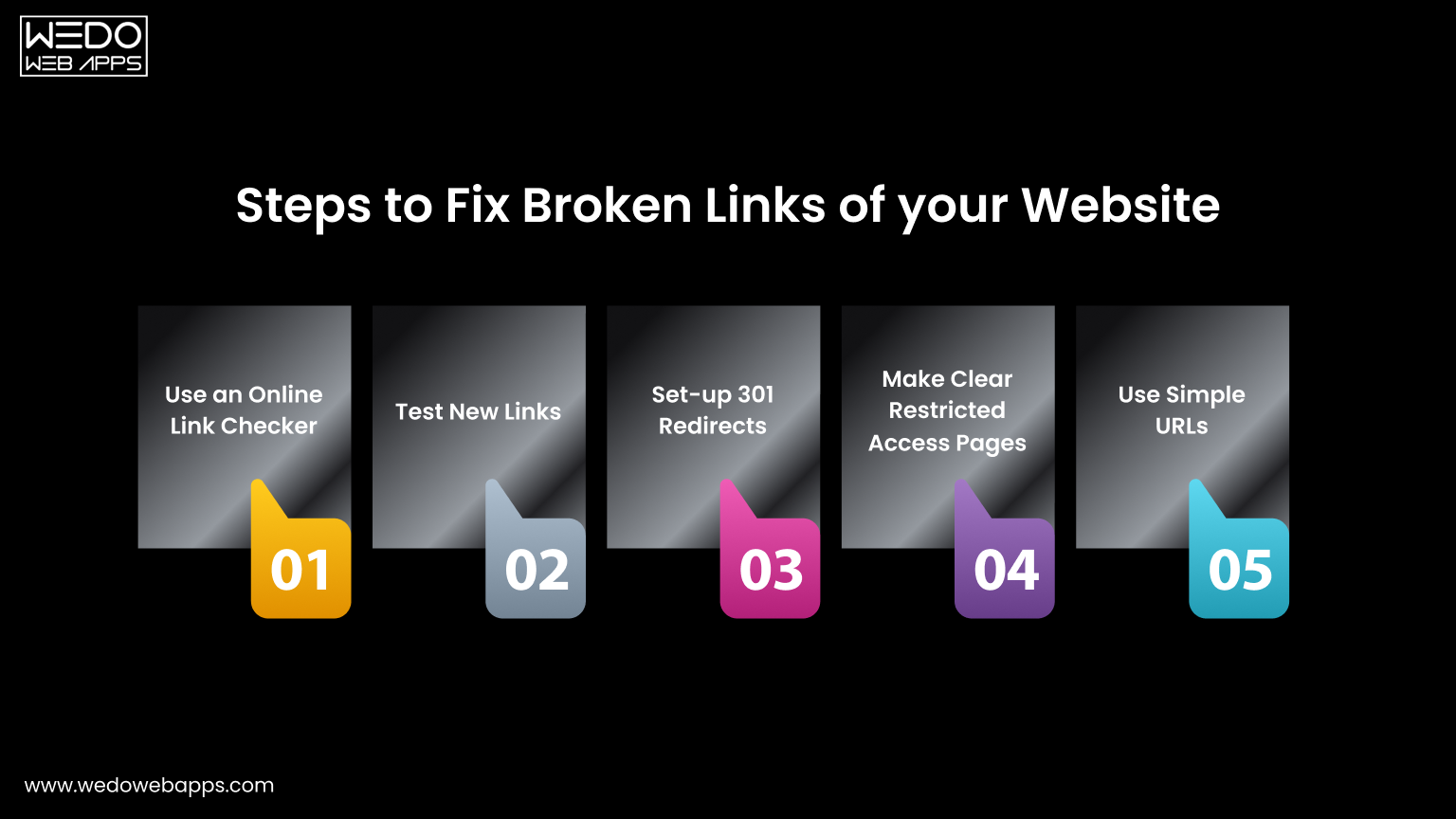
Steps to Fix Broken Links

Here are some ways you can use to fix the broken links on your website:

1. Use an Online Link Checker

Firstly, use an online link checker tool to identify whether or not there are any broken links on your website. If yes, the next step is to go to the relevant pages and remove the available broken links. You can also set a reminder for every few months to check and keep the links up to date.

2. Test New Links

Any new blog or a web page link should be tested to ensure they work properly before you publish them on your website. The same can be done with the links in newsletters, emails, or social media.

As you learn how to troubleshoot website crashes, don’t miss out on understanding iPhone app development to ensure your mobile apps are built on a solid foundation.

3. Set Up 301 Redirects

If you change or update the URL of any page on your website, ensure setting up 301 redirects. This will help anyone clicking on the old links redirect automatically to the new one. If you are using WordPress, there are plenty of plugins available to set up 301 redirects.

4. Make Clear Restricted Access Pages

The restricted access pages on the website should be made clear. This is to make the users prepared. For example, if a web page is only for admins, add a “member login required” note beside the link.

5. Use Simple URLs

When creating new web pages for any specific products, events, or campaigns, make sure to use simpler URLs so that the users can easily remember and type that particular page.

What Should You Do if Your Website Crashes

The very first thing you can do is not to panic. Just like sometimes electricity goes out, your mobile phone goes out, and even your television sometimes breaks. Everything in this world ultimately has an outage. Website crashes happen, but it is not something to panic about. Instead, try to identify whether it is a web hosting issue, a temporary issue that may get resolved on its own, a technical issue that will require professional help, or your website has been hacked.

It is possible that your website hosting company may be facing an outage. Contacting the web hosting company will quickly resolve your problem, and your website will be back in action. Almost every web host shoots for 99.9% uptime, but sometimes there may be some unforeseen events, and we cannot do anything rather than wait.

If your website shows an “Internal Server Error” message, contact your web hosting company to confirm whether there is any server problem. Probably MySQL server is down, or there was a planned update that caused a problem. Submitting a request to the web hosting company may get your issue resolved quickly.

There is a possibility that there is a plugin update or theme update. Also, the core may have caused the problem, or the developer might have made a mistake. In such cases, it is recommended to contact the web developer who has developed the website.

If your website has been hacked, we would suggest you work with a professional and get your website remediated as soon as possible.

WeDoWebApps LLC is a dedicated, responsive website design company USA offering many other services like mobile app development, digital marketing, and most importantly, we are helping businesses across the globe to improve the security and performance of their websites. Is your website facing a problem? Contact us and share your query; we will do our best to help you resolve the issues on your website.

Website Security Practices That Reduce Downtime
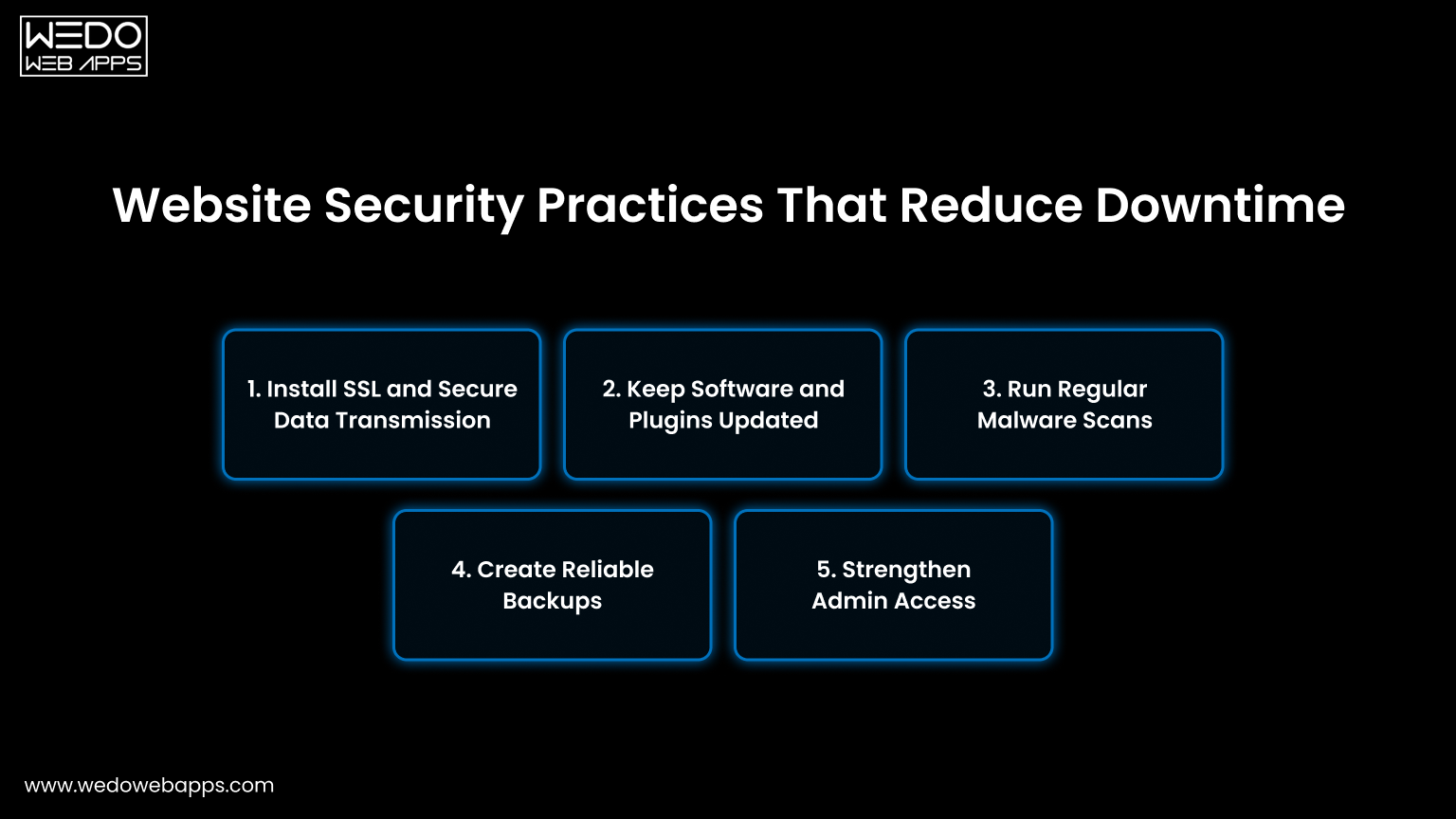
Website Security Practices That Reduce Downtime

Security issues are a common reason websites stop working without warning. Malware infections, weak access controls, or outdated software can slow down pages or even take the entire site offline.

Taking preventive measures reduces the risk of sudden failure and protects both your business and users.

1. Install SSL and Secure Data Transmission

An SSL certificate encrypts the data shared between your website and visitors. This protects login credentials, payment details, and form submissions while also building user trust.

  • Enable HTTPS across all pages.
  • Renew certificates before expiry.
  • Fix mixed content warnings.
  • Redirect HTTP URLs to HTTPS.

2. Keep Software and Plugins Updated

Old CMS versions, themes, and plugins often contain bugs or compatibility issues. Regular updates patch these gaps and keep your website stable with the latest server environments.

  • Update the CMS core regularly.
  • Remove unused plugins and themes.
  • Test updates on staging first.
  • Monitor plugin compatibility.

3. Run Regular Malware Scans

Hidden malware can inject harmful code, redirect users, or damage files. Routine scanning helps to detect suspicious activity early so you can act before visitors are affected.

  • Use trusted security scanning tools.
  • Schedule automatic weekly scans.
  • Monitor unexpected file changes.
  • Remove infected files immediately.

4. Create Reliable Backups

Backups give you a recovery option when something breaks. Instead of rebuilding the site, you can restore a working version quickly and reduce downtime.

  • Set daily or weekly automated backups.
  • Store copies off the main server.
  • Test restoration periodically.
  • Keep multiple backup versions.

5. Strengthen Admin Access

Too many admin users increase the chances of accidental changes or unauthorized access. Limiting permissions keeps your system safer and easier to manage.

  • Use strong and unique passwords.
  • Enable two-factor authentication.
  • Assign role-based responsibility.
  • Delete inactive accounts.

Consistent security practices act like routine maintenance. Small checks today prevent larger issues later and help your website stay available for every visitor.

Website crash prevention

Quick Checklist to Fix a Crashed Website Fast
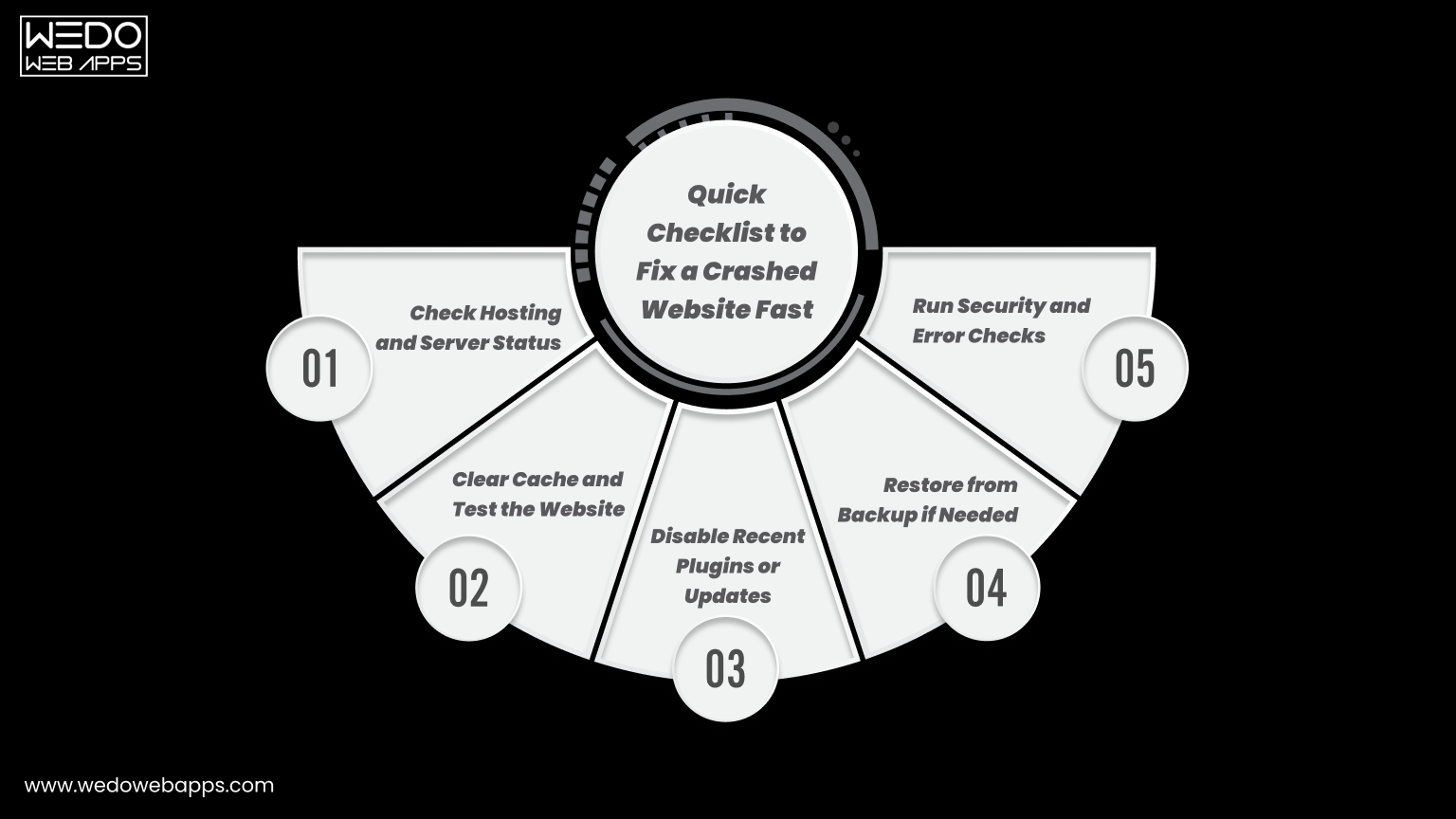
Checklist to Fix a Crashed Website

When your website suddenly stops working, time matters. Every minute of downtime can lead to missed inquiries, lost sales, and frustrated visitors. Following a simple troubleshooting checklist helps you identify the cause faster and restore operations with less stress.

1. Check Hosting and Server Status

Sometimes the issue is not within your website but with your hosting provider. Server outages or maintenance can temporarily make your site inaccessible.

  • Log in to your hosting dashboard.
  • Check server uptime status.
  • Review outage notifications.
  • Contact hosting support if needed.

2. Clear Cache and Test the Website

Cached files in browsers or servers may display outdated or broken versions of your pages. Clearing the cache often resolves loading issues quickly.

  • Clear browser cache and cookies.
  • Flush server or CDN cache.
  • Test in incognito mode.
  • Check on multiple devices.

3. Disable Recent Plugins or Updates

New plugins or recent updates may create conflicts with your theme or CMS. Rolling back changes helps isolate the problem.

  • Disable recently added plugins.
  • Revert the latest updates.
  • Activate the default theme temporarily.
  • Test after each change.

4. Restore from Backup if Needed

If the issue persists, restoring a previous working version can bring your website back online quickly. This is often faster than manual fixes.

  • Choose the most recent clean backup.
  • Restore files and the database.
  • Verify forms and links.
  • Monitor site performance.

5. Run Security and Error Checks

Technical or security issues may still exist even after restoration. Running quick checks ensures the site remains stable.

  • Scan for malware.
  • Review server error logs.
  • Check database connectivity.
  • Confirm all pages load correctly.

This checklist works like first aid for your website. Addressing these steps calmly and in order often resolves most crashes without major disruption.

Conclusion

Website crashes are frustrating, but they are rarely random. In most cases, the cause is linked to hosting limits, outdated software, security gaps, or missed maintenance. Identifying these issues early and following preventive practices can keep your website stable and accessible for visitors.

Regular monitoring, timely updates, strong security checks, and reliable backups work together to reduce downtime. When these steps become part of your routine, your website runs more like a well-maintained system rather than something that breaks unexpectedly.

If managing all of this feels overwhelming, working with an experienced web designer team can save both time and revenue. Professional monitoring and maintenance ensure your website stays online, secure, and ready to serve customers every day.

free consultation for website monitoring

ASP.NET MVC powerful framework

Software development companies are top-rated in the present world, and their services are highly beneficial in every corporate sector. Their programs make all kinds of processes more comfortable, quicker, and manageable. After getting high success in software development, it takes part in various areas of development, like web development. As all we know, that internet is the most crucial section for doing business to make it’s more exciting and exciting for all users; WEDOWEBAPPS LLC comes with various web applications that create, maintain, and manage your websites efficiently.

Excellent examples of applications include Silverlight, Javascript, ASP.NET MVC, HTML5/CSS PHP, and many more. Among all these ASP.NET MVC is a unique application development framework that helps you to build a robust and scalable enterprise web applications, websites, interactive pages. It is a framework developed by Microsoft. It inherits the most substantial part of ASP.NET. It is a compelling server-side technology that is built based on Common Language Runtime (CLR). It permits a software developer to create an excellent web application. ASP.NET MVC enhanced and supported features of HTML/JS, WML, and XML, VB.NET, C#, J#, and JScript.NET.

There are lots of reasons that make ASP.NET MVC more popular than any other application.

  • Its provides High-level performance
  • It reduces all complexity and simplified application development.
  • It provides complete support of HTML.
  • It allows you to use clean separation of concerns (SOC).
  • It enables the feature of Test Driven Development (TDD).
  • It also allows us to integrate with Javascript.
  • It provides a Bootstrap facility.
  • Authentication Filters

And so many other features are there that make your web application and website highly exciting and powerful.

WEDOWEBAPPS LLC provide these excellent services to make your business more productive and profitable.

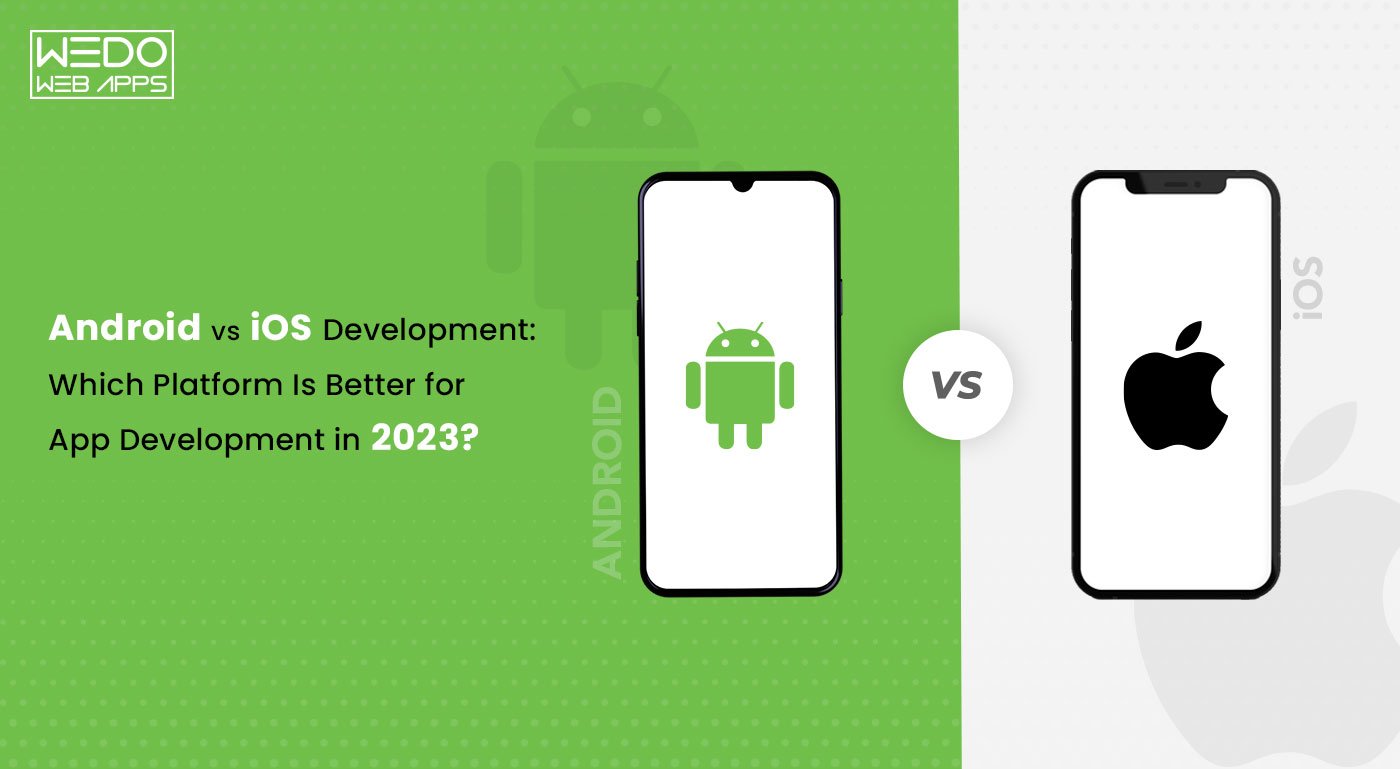
Android vs iOS Development: Which Platform Is Better for App Development?

Looking for an Android app development company for your business or start-up? Or, are you in search of an iOS app development company? If you are overwhelmed with tons of the latest technology available for mobile apps and don’t know whether to go with iOS or Android app development, we’ve got your back! To make it easier for you to understand, we will give you all the answers in the simplest way possible. App development platforms have many factors and considerations to reach the target audience and drive maximum profit. This article aims to provide a comprehensive understanding of both the Android and iOS app development platforms. Through this article, we want to help you to relate to the user’s needs and make wise decisions on choosing Android or iOS app development. Here we go!

iOS v/s Android Demand: Know the Statistical Figures

The web and mobile applications have become one of the most popular and preferred resources for the general audience to browse, understand, and buy products and services. According to the Statista report, global app revenue in 2020 increased to $318 billion, a $60 billion increase from the previous year. By the end of 2022, the total app revenue is expected to be $430.9 billion. Mobile app development - Global app revenue Another significant report from Statista suggests that by 2023, iOS will have a market share of 12.6%, while Android will have 87.4%. There is a lot of significant numerical data in Android and iOS applications that vary from country to country. The United States and Japan are two countries where iOS users dominate Android users. However, the number of Android users is more significant when the worldwide ratio is considered. There are 2.56 million apps available on Google Play, while iOS has 1.85 million apps, clearly stating that Android has more applications than iOS. The above-stated statistics must have clarified the target audience and how the individual platforms would perform per your needs.

How To Choose The Best Platform For App Development – Factors To Consider

When you are confused about the parameters to consider for an app development platform, there are some factors you should study! For Android and iOS app development services, always look forward to the below points before making the right choice:

1. App Downloads

Android’s market bandwidth is more significant than iOS, so there are more app downloads in Android. Alongside that, Android runs a lot of paid advertisements that make up for extra revenue.However, iOS users are most likely to purchase apps, which means that this is the audience that will help generate app revenue.

2. Target Audience

In generating more revenue, the size of the targeted market matters more than the size of the market. Android has more users than iOS, but it might not get you your potential successful reach.The type of audience you are looking for is likely more prevalent among iOS users. Thus, it becomes essential to study which type of users would help you make the app launch a success.

3. Cost of App Development

Organizations must work within their budget criteria while keeping the target audience in mind. The best way to do it is to try and compare the budget with the target audience and understand how worthwhile the platform would be.In short, organizations need to plan revenue and return before making an app development platform choice.

4. Average Revenue

Revenue always makes up for the primary motive for all businesses. In this context, there are two questions you need to ask:

  • Do you need a large audience or a small one that can give you more profit?
  • What will make more business out of the app: advertisements or app costs?

Did you know that despite Android’s 82% revenue increase, it still lags behind iOS? There isn’t anything good or bad in general; it depends on your expectations and targets!

5. App Update

iOS and Android applications require a minimum of one update a year. It is often neglected in mobile app development and downloads, but it is important.

A Detailed Comparison Between Android and iOS

Now, in the blog, let us take you through a comprehensive iOS and Android app development service guide based on parameters like user retention, market trends, number of users, app revenue, and others. Read also: Android Vs. iOS: Which One to Choose

1. The Market Strength of iOS v/s Android:

As discussed above with statistics, Android has more users than iOS, but there’s more to put light on. While Android brings the mass, iOS devices have users who would likely engage more. In iOS, there are more opportunities for in-app purchases.Android is popular among lower-income groups and in developing countries. It can help you generate revenue, even through paid advertisements.

2. Global Market Share of iOS vs. Android

In the mobile app domain context, Android has 2.5 billion active users across 120 countries.iOS has 1 billion active users on a global level. This makes the android win this battle. This is one of the primary reasons why start-ups choose Android rather than iOS applications.

3. iOS vs. Android: App revenue

Choosing an app development platform also includes app revenue as one of the major deciding factors.Regarding the Google Play store, the revenue generation was 48 billion USD in 2021. Whereas the Apple app store generated a revenue of 85 billion USD in 2021. With that, iOS took the lead in the gross revenue mark.  However, in 2022, Google Play app downloads were 27 billion, and iOS had only 8.1 billion. Here Android took the lead. In the above statistics, you must have noticed that Apple led in revenue generated and Android app downloads. Businesses choose iOS to generate more significant revenue, though Android is trying to match it, which will likely take time.

4. iOS vs. Android: User Retention

By user retention, we mean the trustability and performance of your app in the market. User retention is a concern if your business has been catering to services through applications. Finding a loyal customer base is a real challenge in the vast and overcrowded market.Considering some facts, Android has been more successful in creating loyal customers than iOS users, who tend to quit because of minor problems. This can also come from where Android apps come free and iOS users must pay for apps consistently. Technical Differences Between Android and iOS

Technical Differences Between Android and iOS
Technical Differences Android iOS
Development Both platforms follow core development principles. However, developers often find Swift (iOS) easier to work with compared to Java and Kotlin (Android). The iOS design and development programming language is considered more accessible than Android.
System-Specified Design Android developers must follow material design guidelines and app quality standards, making development more complex. In terms of system design, developers find iOS easier compared to Android.
Complexity Android development is more complex due to device fragmentation and varied screen sizes. iOS apps run only on Apple devices with consistent screen sizes, making development simpler.
Project Timeline Android development generally takes more time due to the need to support multiple devices.
iOS app development

typically takes less time compared to Android.
Interface Android focuses more on hardware flexibility, using a hierarchy of widgets and layouts. iOS provides smoother animations and prioritizes user experience with refined UI interactions.

From all the above pointers, it can be concluded that the development of an iOS app is more accessible than that of an Android one. However, that is more of a developer’s concern, but being the app’s owner, you must know it!

Advantages of Using the Android Platform

Let’s look at a few advantages of using the Android platform for app development:

  • The Android operating system is highly customizable and user-centric.
  • Android gives the option to choose from in-built apps, which is the official store for app downloads.
  • It has open-source code, which means it is available to developers and manufacturers.
  • The Android user experience can be enhanced through an easy custom ROM download.
  • Androids come with widgets that are self-contained programs, enhancing functionality.
  • The device’s memory can be increased by just inserting an SD memory card.

Advantages of Using the iOS Platform 

Let us look at a few advantages of using the iOS platform.

  • iOS and Android come from the same company, which makes the application consistent without major changes in design and interface.
  • With the least number of security breaches, it is considered one of the safest platforms.
  • The lowest heat generation with a long-lasting battery
  • Easy testing and low fragmentation
  • The hardware and software are designed by Apple itself.
  • App icons with appealing and aesthetic designs to choose from

Do you need an Android or iOS interface? Let us look at specific situations and what would ideally go with them. When Should Businesses Choose Android Development?

● If your budget is limited!

Android app development has a particular social network designed from which you can choose what suits your needs well. A wide range of options can be integrated within the set budget in android development.

● If you target users across different devices!

If your audience is spread across various device users, Android can help you get a better reach as the application is accessible all across.

● If your application requires frequent customization

Android has easy customization options that allow you to add and remove features without hindrances as per your business needs.

When Should Businesses Choose iOS Development?

● If you need high security for your app data!

iOS has a premium security facility that avoids the manipulation of essential data in any manner. So, if you’ve been looking for a data-sensitive option, the iOS platform is the right one.

●  If you are looking to offer the best customer experience!

The iOS App Store does not approve any app easily. There are significant guidelines to follow. Thus, it helps create the most amazing user experience, bringing quality engagement.

● If Apple device-dominated countries are your targets!

If your potential customer base comes from countries like the USA that have the most Apple users, then the iOS development platform is the right choice for your app. Read more about New Trends In Mobile App Development

Conclusion

Whether you choose Android or iOS, it is important to understand what will best suit your needs. In this write-up, we tried to explain every bit of it so that you can make an apt decision, leading to a fruitful outcome. Checklist the points and then decide as per the weightage of both platforms. However, don’t forget, a software development company with a track record of experts can definitely help you get results much faster! At WeDoWebApps, we are a mobile app development consultancy company where you can get your dream app developed.  Our team of iPhone app developers and Android developers works full-time to provide you with all kinds of services including UI/UX design, development, testing and so much more.  

Developer for iOS

The iOS platform has been on the growing side for the last many years. The ubiquitous and versatile iPhone and iPad are the reason that gave many developers to bring out their ideas and put them in front of an audience. This audience, to be precise, is massive and a comparatively wealthy one. After some time, there was a real chance to make some money in the iOS Development Company sector, and developers have been taking up the task.

The contest between competitors brought out the need to have an online presence. Big iOS Development Company and organization started looking for iOS developers to bring their vision of an to life. So, Developers for iOS have a suitable chance of getting work and appreciation. This article delves into the skills and characteristics of an iOS Development Company and Developer for iOS App.

Developer for iOS App – Must have skills in an iOS Development Company.

There are many plus-points of being an iOS developer, and they can be sorted out. If someone is an aspiring iOS developer, they would be shot at getting a significant job as a developer. Now, getting the situation may not be as easy as it was back then, but it would have its perks.

The iOS Apps are growing in demand by each passing day. Apps are also a big part of digital marketing and online presence. They can be helpful in both of these tasks. Perhaps, this is the reason why organizations are looking to develop their apps. So, here are the skills that are required of a Developer for iOS App.

Design Guidelines

Though there are indeed not only a handful of skills that one requires being a developer. But there are quite a few that are necessary to accomplish. Appealingly designing an app is one of the essential things in the development process. There is a unique set of guidelines that an iOS developer must adhere to to make an intuitive app. They need to understand those design parameters to make the app more intuitive.

Swift – Programming Language

Apple has created a programming language specifically for the reason of developing iOS Apps. Swift is the number one constant in their equation of iOS development. All of the present and future projects are being done or are going to be done in Swift. So that means that a developer has to know this language perfectly. Keep in mind that it is neither a small nor a relaxed style, but there is no need to learn everything to be a junior developer. Just make sure to have a clear idea of the Options, the basic syntax, Classes, initialization, inheritance, Error Handling, Control flow, and Objective-C interoperability.

Spatial Reasoning

Another important thing that the iOS Development Company needs to keep in mind is the three-dimensional thinking. They also need to visualize the spatial associations of items as it is one of the most critical things. It is an utmost necessity for a developer, making sure that they have something in check. The bottom line is that when designing an application, one must be able to understand and predict how the users will react to them. For that, they need to understand the controls for inputs on various platforms and must have been using the devices that they are targeting. Understand the pros and cons of custom iOS development and how it relates to finding a developer for iOS.

Networking

Before going into this, try to imagine an app that can’t interact with the internet. Chances are there that it may not be possible in most of the cases. Either way, all the apps that users use to interact with the web in some or another method. It may not be in a significant way, but it has to be up to some extent.

That makes it inevitable for the developers to understand how to send and receive data to and from the internet. This is done through JSON, also known as JavaScript Object Notation. It is a pretty simple format and works in an even more straightforward way.

While partnering with a developer for iOS, make sure to leverage our iOS developer app to streamline your development process and boost productivity.

Benefits for Developer for iOS

Generally, when someone thinks of pursuing something, there are more significant motives that make them do what they do. In the case of an iOS Development Company, it can be a passion for app development, the advantages, or even deciding on a career path. Nevertheless, below is a list of some of the benefits that one gets when working as a Developer for iOS Apps in an iOS Development Company.

Payscale is more

As everybody with a smartphone in their hand knows, iOS caters to the premium customers a bit more. It may not have the market share of Android, but it does earn more from the app earnings. And a big chunk of that goes to the developers. So that makes for an excellent reason to go iOS.

Explore the benefits of choosing an iPhone application development company and how it compares to hiring a developer for iOS.

Trouble-free Testing

There are only a few iOS devices in circulation. In this way, it becomes easy to test the latest app because the testing is done on only a handful of tools.

Less work

There are only two screen sizes one must keep in mind while developing an iOS App. In the case of an iPad app, one gets an additional option as well. That translates to less work on the Developer’s part compared to the thousands of screens by different manufacturers in Android.

User experience

It all depends on how to users like the app and how it works on devices. The touch response of Hire Dedicated Swift Developers is unparalleled. So any app that one is developing for iOS is sure to have excellent responsiveness and quality. That explains the benefits of being a Developer for iOS or thinking of becoming one. In this article, we have given the paramount requirements of iOS developers and iOS Development Company. iOS is outshining its competitors. It has already made its mark in the world. We hope that you found this article to your satisfaction.

Collaborating with an iOS developer? Discover the full range of mobile applications at WedoWebApps to enhance your app development projects.

Building an iPhone App for Your Business: A Complete Guide

Introduction – Why Businesses Build iPhone Apps

Why are so many businesses interested in building an iPhone app today?

Because mobile apps have become one of the most effective ways to engage customers, streamline operations, and create new revenue channels.

For startups, founders, and product teams, the idea to build an app for iPhone often starts with a simple goal: reach users where they already spend a large portion of their time. iPhones power millions of daily interactions across shopping, banking, communication, entertainment, and productivity. An iOS app allows businesses to deliver faster experiences, better performance, and deeper personalization compared to traditional mobile websites.

At the same time, building an app for iOS is not a small decision. It involves planning, budgeting, technical choices, and long-term maintenance considerations. Many businesses begin researching topics such as how to build an iPhone app, what the iPhone app development process looks like, and what it realistically costs to launch and scale an app.

This iPhone app development guide is designed to answer those questions from a practical, business-first perspective. You’ll learn the core steps to build an iOS app, understand key cost drivers, explore common mistakes, and see when professional support becomes important. The goal is to help you make informed decisions before committing time and resources to development.

iPhone App vs Other Platforms

Before building an iPhone app, many businesses compare iOS with other platforms such as Android or cross-platform frameworks. The right choice depends on your audience, goals, budget, and long-term strategy.

Here’s a high-level comparison to support early planning.

iPhone (iOS) Apps

iOS apps are built specifically for Apple devices.

Common reasons businesses choose iOS:

  • Strong performance and stability
  • High user engagement
  • Consistent hardware and software ecosystem
  • Users more likely to spend on apps and in-app purchases

iOS is often preferred for premium products, consumer apps, and MVP launches targeting quality-focused audiences.

Android Apps

Android apps target a wider range of devices and manufacturers.

Typical advantages:

  • Larger global device market share
  • More device variety and price ranges
  • Flexible hardware ecosystem

Android can be attractive for apps targeting mass-market or price-sensitive audiences.

Cross-Platform Apps

Cross-platform frameworks allow one codebase for multiple platforms.

Potential benefits:

  • Faster development
  • Lower initial cost
  • Shared code between iOS and Android

Trade-offs:

  • Possible performance limitations
  • Reduced access to native features
  • More complex debugging

How to Choose the Right Platform

Ask:

  • Where is your primary audience?
  • Do you need high performance or advanced native features?
  • Is your budget focused on speed-to-market or long-term quality?

Bottom line:

If your audience is primarily on Apple devices and you value performance, security, and a premium experience, building an iPhone app is often a strong starting point.

iPhone App vs Android App vs Cross-Platform App (Quick Comparison)

Factor iPhone (iOS) App Android App Cross-Platform App
Primary Devices Apple iPhone & iPad Multiple manufacturers iOS & Android
Performance Very high High Medium to High
User Experience Highly consistent Varies by device Consistent but framework-dependent
Development Complexity Moderate Moderate Lower initially
Access to Native Features Full Full Partial
Maintenance Effort Moderate Moderate Higher long-term
Time to Market Moderate Moderate Faster
Cost Range Medium Medium Lower initially
Best For Premium apps, MVPs, startups Mass-market reach Budget-conscious MVPs

How to Decide If an iPhone App Is Right for Your Business

Not every business idea requires an iPhone app. Before investing time and budget into development, it’s important to confirm whether iOS is the right starting platform for your product.

Use the following considerations to guide your decision.

1. Your Target Audience Uses iPhones

Ask yourself:

  • Are most of your users on Apple devices?
  • Do you already see strong iOS traffic?
  • Is your product positioned as premium or experience-driven?

If yes, building an iPhone app can make strategic sense.

2. You Need Strong Performance and Native Features

iOS apps are well-suited for:

  • Real-time interactions
  • Media-heavy experiences
  • Offline functionality
  • Hardware integrations (camera, sensors, biometrics)

If your app relies on these capabilities, native iOS development is often preferable.

3. You Want to Launch an MVP First

Many startups start with a single platform.

  • iOS-first launches reduce initial scope
  • Faster validation of product-market fit
  • Easier iteration based on feedback

You can expand to Android later if demand exists.

4. You Have Budget for Ongoing Maintenance

Building an app is not a one-time expense.

Consider:

  • Updates and improvements
  • Bug fixes
  • OS compatibility updates

If you’re prepared for ongoing investment, an iPhone app is a viable option.

Bottom line: An iPhone app is a good choice when your audience is on iOS, performance matters, and you plan to treat the app as a long-term product rather than a short-term experiment.


Validate Your App Idea

What You Need Before You Start Building an iPhone App

Successful iPhone apps are planned before they are built. Jumping straight into development without preparation often leads to wasted budget, scope creep, and unclear outcomes.

Before starting the iPhone app development process, make sure you have the following in place.

1. A Clear App Idea and Purpose

Define:

  • What problem does the app solve
  • Who the app is for
  • What success looks like

A simple problem statement keeps development focused.

2. Core Features List

Identify:

This helps control scope and budget.

3. Basic User Flow

Outline:

  • How users enter the app
  • What actions do they take
  • Where key interactions happen

Clear flows reduce redesign later.

4. Rough Budget Range

You don’t need an exact number yet, but you should know:

  • Low, medium, or high investment range
  • Whether phased development is possible

This influences technical decisions.

5. Timeline Expectations

Clarify:

  • Desired launch window
  • Flexibility for iterations
  • Dependencies (marketing, funding, partnerships)

6. Monetization Model (If Applicable)

Decide early:

  • Free vs paid
  • Subscriptions
  • In-app purchases
  • Ads

Monetization affects architecture.

Bottom line: Preparation reduces risk. The clearer your goals, scope, and constraints, the smoother the building an app for iOS journey becomes.

Step-by-Step iPhone App Development Process

Building an iPhone app is a structured journey that moves from idea to launch and beyond. While every project differs, most successful teams follow a similar iPhone app development process.

Below are the key steps to build an iOS app in a logical, manageable way.

Step 1: Discovery and Requirement Analysis

This phase clarifies:

  • Business goals
  • Target users
  • Core features
  • Technical constraints

It establishes what will be built and why.

Step 2: UI and UX Design

Design focuses on:

  • Wireframes
  • User journeys
  • Visual design

Good design improves usability and reduces development rework.

Step 3: Technical Architecture Planning

Teams decide:

  • Tech stack
  • Backend approach
  • Database structure
  • Integrations

Solid architecture supports scalability.

Step 4: iOS App Development

This is where features are built.

Includes:

  • Frontend development
  • Backend development
  • API integration
  • Feature implementation

Step 5: Testing and Quality Assurance

Testing covers:

  • Functionality
  • Performance
  • Security
  • Device compatibility

Bugs are fixed before launch.

Step 6: App Store Preparation and Launch

Tasks include:

  • App Store listing creation
  • Compliance checks
  • Apple review submission

Once approved, the app goes live.

Step 7: Post-Launch Support and Updates

After launch:

  • Monitor performance
  • Fix issues
  • Release improvements

Apps evolve over time.

Bottom line: Following clear steps to build an iOS app reduces risk, improves quality, and keeps development predictable.


iPhone app development process roadmap

Cost Factors for Building an iPhone App

One of the most common planning questions is the cost to build an iPhone app. There is no single fixed price, because app costs vary based on scope, complexity, and quality expectations.

Understanding the main cost drivers will help you set realistic budgets.

1. App Complexity

Simple apps with basic features cost less than complex apps with advanced functionality.

  • Simple: basic screens, minimal logic
  • Medium: user accounts, APIs, admin panels
  • Complex: real-time features, integrations, advanced workflows

Higher complexity equals higher cost.

2. Design Requirements

Custom UI and UX design increases cost compared to template-based designs.

  • Custom branding
  • Animations
  • Interaction design

Better design improves user retention.

3. Feature Set

More features mean:

  • More development hours
  • More testing
  • More maintenance

Prioritization helps control budget.

4. Backend Infrastructure

Apps needing servers, databases, and APIs require backend development, which adds cost.

5. Third-Party Integrations

Payments, maps, analytics, messaging, or CRM integrations increase scope.

6. Testing and Quality Assurance

Thorough testing prevents costly post-launch issues.

Typical Cost Ranges (Very High-Level)

  • Basic app: lower five-figure range
  • Medium complexity app: mid five-figure range
  • Complex app: high five figures and above

Actual pricing depends on requirements.

Bottom line: The cost to build an iPhone app is driven by what you choose to build, not by the platform alone.


estimate cost of building an iPhone app

Common Mistakes Businesses Make

Many iPhone app projects fail not because of bad ideas, but because of avoidable planning and execution mistakes. Being aware of these issues early can save time, budget, and frustration.

1. Skipping Discovery and Planning

Jumping straight into development without clear requirements leads to:

  • Scope creep
  • Rework
  • Budget overruns

Planning is not optional.

2. Building Too Many Features Initially

Trying to include everything in version one increases risk.

  • Slower launch
  • Higher cost
  • More bugs

Start with a focused MVP.

3. Ignoring User Experience

Poor UX results in low adoption, even if the idea is strong.

  • Confusing navigation
  • Inconsistent design
  • Unclear flows

Design matters.

4. Underestimating Maintenance

Apps require ongoing updates and fixes.

  • OS updates
  • Bug fixes
  • Feature improvements

Maintenance must be budgeted.

5. Choosing Technology Based Only on Cost

The cheapest option often leads to long-term problems.

  • Poor code quality
  • Limited scalability
  • Higher future costs

Value matters more than price.

Bottom line: Most app failures are process failures, not idea failures.

When Professional Help Is Required

Some small experiments can be built with no-code app development tools or basic templates. However, many business apps reach a point where professional involvement becomes important.

You should consider professional help when:

You Need Custom Functionality

If your app requires unique workflows, integrations, or business logic, custom development is usually necessary.

You Care About Performance and Stability

Professional teams focus on:

  • Efficient architecture
  • Optimized code
  • Scalable infrastructure

This prevents future rebuilds.

You Are Building a Revenue-Critical Product

Apps tied directly to revenue require:

  • Strong security
  • Reliable performance
  • Quality assurance

Risk must be minimized.

You Want Long-Term Maintainability

Well-structured codebases are easier to:

  • Update
  • Expand
  • Debug

This lowers lifetime cost.

Bottom line: Hiring an iOS app development team is most valuable when your app is more than a simple experiment and is expected to grow into a serious product.

Conclusion

Building an iPhone app is not just a technical project. It is a business decision that affects budget, timelines, user experience, and long-term growth. Understanding the full iPhone app development process, the major cost drivers, and the common mistakes businesses make allows you to approach development with realistic expectations.

This guide walks through how to decide if an iPhone app is right for your business, what preparation is required before development, the steps to build an iOS app, and what influences the cost to build an iPhone app. You also explored when professional support becomes important and how to avoid pitfalls that derail many projects.

When approached with clear goals, proper planning, and the right technical strategy, building an app for iOS can become a powerful growth channel rather than a risky experiment. The key is to treat your app as a long-term product, not a one-time build.


iPhone app idea complexity cost

App Programming iOS

Apple is one of the biggest consumer electronics companies in the world. One of its biggest products is the iOS operating system. It is beautifully designed and lives up to the expectations of the users. iPhone and iPad are some of the most used mobile devices by users across the world. Perhaps, this is the reason why there is an increase in the people looking for the services of App Programming iOS.

Looking at the surge in the demand and popularity of iOS devices, it can only be said that the market for iOS is only going to evolve. Customers are leaning towards iPhone and iPads more and more with each passing day. So it becomes necessary and inevitable to have an iOS app at your disposal so that it can help the business grow stronger and more powerful

App Programming iOS Services

Seeing as iOS is one of them most popular operating systems in the world, iOS App development becomes inevitable for businesses. Having one’s own iOS app could mean the imminent growth of the business and its popularity too. There are several companies that provide these kinds of services.

The services differ according to the companies, but a majority of them are nearly identical in most of them. So, only the common ones have been explained in the following subsections. Below is the list of services that businesses get with App Programming iOS.

Native App development

Native Apps are those apps that are made for the iOS platform. These apps are created using the development languages and tools which are supported on iOS. For example, XCode, Objective-C, and Swift are the supported languages. These apps are great in performance due to the access they have to the device hardware and features is enough.

Hybrid App Development

Instead of the supported technologies that we discussed in the above section, hybrid apps are built in a different way. Standard web technologies like JavaScript, CSS, and HTML5 are used in hybrid iOS apps development. The final code of the app is built into a local container and it is shipped as a normal app. The good thing about this is that such apps can run on other OS along with iOS.

iPad App Development

The iPad ruled the tablet segment as of now. Android is no doubt ruling the smartphone segment, but Apple stands tall when it comes to tablets. The increasing popularity of iPad has led business to develop iPad apps as well. These apps guarantee that the business is given more visibility as well as a continuous growth.

App Design

These companies have some of the most creative designers at their behest. They are thoroughly experienced in their field of work and deliver top-notch results. Clients get to experience the dynamics and elegance that the developers put in designing an iOS Application. Keeping in mind the target audience, they design the app in such a way that it keeps them engaged and for a long time.

Explore iPhone app development company and see how it relates to your understanding of app programming for iOS.

Maintenance and Support

When the design, testing, and everything related to the development is over, the app is put into operation. No one can say with perfect surety that the app is going to work in the way it is supposed to. There may or may not be a problem. But if such a thing happens, then it is best to have an iOS development company at the side. They have support teams at the ready to help you out. Support is available 24/7 in case any discrepancies arise. They also keep the app up to date with latest iOS features post deployment.

Benefits of iOS Development Company

iOS being one of the leading operating systems in the world, has a lot of benefits. iOS App Development grants the businesses a plethora of features and accessibilities. Now, the benefits and features depend on the company that one hires. But as iOS is at the core, some of the advantages are common for all the apps. Here are some of the best features and benefits that one gets from App Programming iOS.

  • Easily Accessible: iOS rolls out updates for all its devices and it has also given out the SDK for download. This helps to develop iOS apps in a better and more efficient way. Apple has reduced the entry barriers for developers so that even the rookie developers can have a shot at app development.
  • Security: Apple is known for keeping security paramount in all of its devices and operations. All the apps from reliable companies are secure and it avoids events like phishing and hacking. Online payments are also secured to make the deals safer. It encrypts the transaction data in order to remove threats.
  • Return on Investment: Android may have been ruling over the smartphone market, but there is one area that it lacks in – generating the money. They generate only a small amount of the original amount spent on them. That is not at all profitable. But that won’t be the case for iOS Applications. Having an iOS app is financially beneficial for a business.
  • Brand Name: There is no denying that iOS devices sell like hot cakes. There are more 10 million devices in circulation and it gives App Programming iOS taps into different segments. It even helps penetrate the foreign markets which are currently observing a surge in the iPhone and iPad user base, especially India.
  • Evolving Market: The smartphone and tablet market is growing by the day and iOS has an integral part in it. It specifically caters to a segment of premium users and that segment is evolving rapidly. Apart from that, the interface of apps is generally on a level above the other platforms. That helps attract more customers and hence the growth of a business.

    Read more about iOS App Development Australia

As one can see from the list above, App Programming iOS Services are very much necessary in order to develop iPhone and iPad apps. The benefits are far better with the iOS operating system on smartphones and tablets. With this post, you can understand the concept clearly and also know the benefits. 

Learn more about hiring an iOS developer and how it complements your knowledge of app programming for iOS.

iPhone App Developer: An Introduction to the Tools, Skills, and Process

Introduction

To become an iOS developer, one needs to have great skills along with knowledge about the market. The developer should know the various languages and have knowledge of basic design, testing, iOS guidelines, and the process of applying to the Apple App Store.

Becoming a great iOS developer requires a combination of hard and soft skills. This detailed guide will walk you through all of the steps and strategies necessary to succeed in the current market. Regardless of your level of experience, this guide will offer insightful information for developers who want to focus on iOS.

But before moving deep into the various aspects, let us first understand what an iOS developer is.

What is an iOS Developer?

iOS developers are software engineers who have the expertise in creating applications that can be specifically built for Apple users. They make use of various iOS programming languages like Swift, Objective-C, XCode, and more. They can create, refine, and examine their application when required to meet the needs of customers.

What Does an iPhone App Developer Do?

An iOS developer typically includes different responsibilities:

  • They are responsible for creating the high-end application for iPhone, iPads, and other Apple devices.
  • Writing the code while making use of different applications like Swift or Objective-C.
  • Implementing the quick updates and fixing the code if there are any bugs.
  • Ensuring that the proper functionality of the app is working and maintaining the quality-based needs.
  • Maintaining effective communication with designers and developers to maintain the app development cycle.
  • Following all the guidelines of Apple users and maintaining the best practices for design and development.

Skills Required to Become an iOS Developer

Becoming a successful iPhone apps developer requires having both technical and soft skills. Proficiency in a programming language is necessary. Also, a clear understanding of the iOS framework, its guidelines, and knowledge of web development tools.

Here are the essential abilities that you should work on:

1. Programming Language Knowledge

The first thing that comes in is understanding how to write the code. By writing the code, you may instruct the program on what to do.

  • Swift is a main programming language for Apple developers. Swift is developed by Apple, and it is a modern, fast, and safe language for iOS app development. Most of the new iOS apps are being made with the use of Swift.
  • Objective-C is an older language but yet it is powerful. It helps to have a clear understanding of dynamic typing, message passing, and various protocols. If you are experienced, then this is effective, but it is not made for beginners.

2. Understanding of the iOS Design

Apple follows very specific rules and guidelines for its applications so that they can behave properly. These are called Human Interface Guidelines.

As an iPhone mobile application developer, you need to understand:

  • How buttons, menus, and navigation work on iPhone.
  • How to make a clear design, images, and text context to make the app appear to be more user-friendly.
  • How to make your app feel “native,” meaning it works just like other apps people already use on iOS.

3. Knowledge of How the App Works Behind

For building effectively, it is required to have the information on understanding the working of the app. Every app on your phone has a lifecycle: it launches, runs in the background, gets interrupted by phone calls, and sometimes crashes. You’ll need to understand what happens at each stage and how to make sure the app runs smoothly no matter what the user is doing.

4. Networking

To run the app effortlessly, it is important to have knowledge of the connectivity of application. Most of the app does not work alone. It is required to have clear connectivity with the server, and with information on how to send and receive data from the network.

As an iOS developer, you will have to learn:

  • How apps connect to the internet.
  • How to send and receive data.
  • How to keep user data safe and secure.

5. Storing Data on Device

After building the secured app, it is required to have an understanding of storing information in the application. Also, your app needs to remember the information with clarity.

It should require the information on:

  • How to save data within the application.
  • Understanding the customer preferences and searches.
  • How to sync data across various devices using Apple’s cloud services.

6. Using Version Control

Use of Git and GitHub is essential so that the code can be managed easily. And for the beginner, it is essential to know the usage because this will allow the hiring manager to know about the code developed. Effective vision control is important for iPhone mobile application developers when working with the team on long projects.

This helps you:

  • Save different versions of your project.
  • Go back if something breaks.
  • Work safely with other developers without overwriting each other’s work. 

7. Debugging and Problem-Solving

Debugging is essential because it allows one to have a clear understanding of possible errors and helps in fixing issues. No app is great on its first try. You’ll need to test your app, find errors (called bugs), and fix them.

Good iOS developers:

  • Use tools to test and improve app performance.
  • Understand why something isn’t working.
  • Learn from mistakes and improve the app over time.

To succeed as an iOS developer, you need to learn how to code (Swift), follow Apple’s design rules, understand how apps work internally, connect to the internet, store data, manage your work with version control, and be a great problem-solver. You don’t need to know everything at once. With these step-by-step techniques, you can begin with the basics and progress to more advanced talents.

stuck when developing the iOS application

Tools You’ll Need as an iPhone Developer

1. Mac System

To answer your questions on how to build an iOS app, you should use the most recent version of XCode and a Mac computer with a faster processor and macOS version.

To develop iPhone apps, you’ll need a Mac (like a MacBook or iMac). Apple’s software and development tools work best, or sometimes only, on macOS. So, if you’re serious about iOS development, this is your first investment.

2. XCode (Apple’s App-Building Software)

XCode is Apple’s Integrated Development Environment (IDE) for iOS and macOS. Xcode is the official program given by Apple for developing iPhone apps. Well, this is free and easily available from the Mac App Store.

Here’s what you can do with Xcode:

  • Write your app’s code
  • Design the app’s user interface (how it looks)
  • Use an iPhone simulator to test your app’s functionality
  • Submit your app to the App Store

It’s your all-in-one workspace for iOS development.

3. iPhone or iOS Device (for Testing)

With XCode, it is offered with testing or simulator services, which allow you to test your app effectively. Using a real iPhone or iPad is better for testing how your app is actually performing, and it feels more accurate.

Testing on a real device helps you:

  • Check the app’s touch gestures and the additional camera features.
  • Allow to measure the real-world speed and effective battery usage.
  • Easily catch the bugs that don’t show up in the simulator.

4. Apple Developer Account

Register for the Apple Developer Account to access a free account as a developer. After successful registration, you will be permitted to access XCode or the iOS SDK for maintaining effective development, along with the different technical resources. To publish your app on the App Store, you’ll need to register for the Apple Developer Program. It costs $99 per year, but gives you access to:

  • App Store Connect allows you to easily manage your apps.
  • Beta testing tools like TestFlight are used for checking your code before launching an application.
  • Developer documentation, forums, and updates.

Even if you’re not ready to publish yet, creating a free Apple ID allows you to test your apps on your own device.

5. Designing Tools

While XCode allows you to prepare the design for your application. But for maintaining an effective appearance of the device developer makes use of tools like:

  • Figma or Sketch – for creating design mockups and UI/UX prototypes.
  • Photoshop or Illustrator – for custom graphics and icons.

These help you create beautiful, user-friendly apps.

6. Learning Resources

Lastly, you’ll need places to learn and grow. Here are some valuable resources:

  • Apple’s Swift Documentation is the official place to learn Swift.
  • YouTube tutorials – visual guides for beginners.
  • Online platforms like Udemy, Codecademy, or Coursera – full courses with structured lessons.

To start building iPhone apps, you’ll need a Mac, Xcode, an iPhone for testing, and an Apple iPhone app Developer account. Optional tools like design software and online learning platforms can make the journey smoother and more enjoyable.

Step-by-Step Guide: How to Become an iPhone App Developer

To become an iPhone Application Developer, one needs to have a clear understanding of programming languages. It may sound complex, but when you understand it will improve the journey of developing the application with smooth processing.

Here are some basic steps to follow:

Step 1: Learn the Basics of Swift Programming

Swift is Apple’s programming language, which is more effective for the development of iOS applications. This is designed specifically for developing powerful yet effective code. This is beginner-friendly.

Start learning:

  • How to write a simple command, like printing the text and doing math.
  • How to use the different variables, loops, and conditions.
  • How to organize the code into functions and structures. 

There are many different beginner-friendly tutorials and online courses that guide you step by step.

Apple does offer a free app called Swift Playgrounds, which makes learning interactive and fun, especially for beginners.

Step 2: Understand How iOS Apps Work

The next step would be about having familiarity with how iOS applications are structured and work. You will learn about:

  • User Interface (UI): What the app looks like and how users interact with it.
  • Navigation: How users move between different screens.
  • Data Handling: How apps save and use information.

This knowledge helps you build apps that not only work but feel smooth and professional.

Step 3: Set Up Your Development Environment

Now it’s time to set things up:

  1. Install Xcode from the Mac App Store.
  2. Open and create a new app project.
  3. Explore the interface: where you write code, where you design your app, and how to run it.

Think of Xcode as your creative studio, it is from where you will be able to bring your ideas to an effective application.

Step 4: Build Your First Simple App

Make a to-do list to get started on your first app. Calculate the coding processes and create the ideal application without using your talents and knowledge.

You’ll practice:

  • Placing buttons and text on the screen.
  • Writing the code that responds when users tap something.
  • Test your app to see if the app works properly.

You’ll learn the most by doing. Don’t worry if it’s not perfect—every pro started with a simple app, too.

Step 5: Test Your App on an iPhone

After preparing for an effective application, the next step is testing your application for Apple devices. Once your app is working on the simulator, test it for effective working on an iPhone.

To do this:

  • Connect your iPhone to your Mac.
  • Use your Apple ID to enable Apple iPhone app developer testing.
  • Install the app and try it out on your phone.

This helps you see how your app behaves in real-world conditions.

Step 6: Join the Apple Developer Program

When you’re ready to share your app with the world, join Apple’s official Developer Program. It gives you the tools to:

  • Submit your app to the App Store.
  • Beta test with users before launch.
  • Access the latest Apple technologies and updates.

It costs $99/year, but it’s essential for any serious iOS developer.

Step 7: Publish Your App to the App Store

Finally and the last step, once you’ve built, tested, and polished your app:

  • Create an App Store listing by adding a description, screenshots, and pricing.
  • Upload your app using Xcode.
  • Submit it for Apple’s review.

Once approved, your app will be live for multiple users to download.

Start by learning Swift, set up your tools, build small apps, test them, and eventually publish to the App Store. It’s a step-by-step path that anyone with passion and practice can follow.

Common Beginner Mistakes to Avoid

Being an iPhone application developer, there are common mistakes that you need to avoid while preparing your iOS application. Here are the things that you can avoid as an iPhone developer:

  • Not registering as a developer: Many beginners start preparing code for the application without joining Apple’s Developer program. But this is essential for accessing all the tools and important documentation.
  • Ignoring UI/UX guidelines: Apple has strict guidelines regarding how an iOS app should appear on the device. Ignoring these may result in user negative feedback. Following Apple’s interface guidelines makes the app appear to be accessible and aligned, resulting in improved user satisfaction.
  • Skipping code testing: Many new developers test their apps only on simulators instead of real devices. Simulators are helpful, but they are not able to show the app’s behaviour effectively. Testing your app on proper Apple device helps you reduce the chances of bugs and performance issues within your app.
  • Misunderstanding app provisioning: App provisioning and certification are important as they are necessary to install the app on the device. Misconfiguring your app may prevent it from running on the real device or being accepted on the app store.

Additional Resources to Boost Your Skills

Mastering iOS app development requires not only hands-on experience but also ongoing learning from trusted and updated sources. Whether you are just starting or looking to improve your skills, these are some of the resources from which every iPhone apps developer can learn.

  • Swift Documentation: Swift is Apple’s modern and powerful language for iOS, macOS, and watchOS development. Apple’s official documentation provides in-depth guidance on syntax, data structures, error handling, and more.
  • Apple’s Human Interface Guidelines: Apple’s human interface guidelines allow you to learn about the design and make an app that is engaging and consistent. It has a better ecosystem for creating seamless user experiences that align with Apple’s expectations. 
  • App Store Review Guidelines: Before your app is live on the App Store, Apple reviews it for compliance with policies. It helps in having an understanding of privacy, security, and performance. Familiarizing yourself with these rules helps avoid rejection and delays.

Conclusion

Becoming an iPhone application developer is both an exciting and rewarding journey. With this, you have a clear understanding of the required skills and tools if you need to start. By having proficiency in Swift, familiarity with XCode, and other strong tools.

Remember, mastering iOS development doesn’t happen overnight. The fact is that to start building, even a simple “To-Do List” app can teach you a lot.

As you progress, focus on refining your UI/UX design skills, learning how to debug efficiently, and understanding the app lifecycle from development to deployment.

Take the first step today:

  • Download Xcode from the Mac App Store
  • Explore Swift using Apple’s guided tutorials
  • Try building a basic app and running it on a simulator or your device

have an idea and want to make it function