skip to content

3 Important Factors for Android App Development That Can Boost Your ROI

By 2019, there will be 2.7 billion smartphone users across the globe, as per Statista. The credits to this ever-increasing count of mobile phones go to the Android technology that made it available across the masses and that too in the affordable range. These days, when the majority of businesses are moving towards an android app development: probably you thought to get one for your business. That’s a fantastic idea! But before diving in, let me remind you, as per Statista, by 2019, there are 2.6 million apps on Google Play Store alone. Usually, every Android user has at least 40 apps installed in their smart devices and on – average they use only 9 of them. When designing and development of an attractive and engaging app is one worry, getting the expected ROI in another. So, even if you get your enterprise app developed, you need to think about the ways to boost customer engagement.

Consider these three factors when looking for app development for your business:

  1. Platform selection:

Though this sounds very generic, you must refer to the stats for the same. While exploring and analyzing your website visitors, you can get an idea of the platform that can be adequate for your business. Android is undoubtedly going to be your answer because of the growing user base. But, the queries like whether you should consider cross-platform development at this stage of your business or not can be solved by your analytics scores only. Ask yourself the goal of your application: if it’s branding or enhancing engagement or supporting some products you’ve launched. You may talk to your marketing team before going ahead. Also, check for the profitability of different development methodologies. It could be native, mobile web development or hybrid app development. Selecting the right platform can help you solve half of the puzzle.

  1. Reduce the size of your android apps:

Unlike laptops and desktops, mobile phones do have limited memories. Though these days, mobiles are getting the vast internal and external memory, the usability has also equally increased. The smaller and efficient is the app; more magnificent will be the downloads. When you are looking ahead to offer rich quality content to your users, the app size automatically grows. That’s a challenge! Anyways, you don’t want to reduce your app downloads, just because of the warnings like this: And, that’s why you must consider reducing your app size. You can follow the practices like:

  1. Breakdown your APK: Have you heard of “Always eat in chunks”. Well, that’s the same practice here. You can use specific software that can break your APK into smaller chunks. These chunks will separate your Java class files, compiled resources, and resource files. This entire data will be then divided into distinct directories.
  2. Upload with Android app Bundles: The new upload format of the Android app bundle can help you minimize the app size. It is based on dynamic delivery, so your users will need the memory to install the code only. Once installed, the requirement of the mind will grow as per the usage by the user. So, the functionalities are freshly served.

Consider key factors for Android app development to boost ROI and explore tips for choosing the right Android app development company.

  1. Optimize your android app for large-screen devices:

Designing a great UI/UX of the applications is one of the huge factors of the android app development. In the same process, app responsiveness for multiple devices is checked. However, the trend of large-screen devices enhanced the fan following of android technology. These days people love device mobility, so neither they want to stick to desktop computers/ laptops all day long, nor they can keep their work pending. In this scenario, large-screen devices help a lot in multi-tasking. From work (making presentations, creating content, etc.) to entertainment (gaming, watching movies, etc.) large screen devices improve productivity and user engagement. Walking through the below practices, you can enrich dynamic, responsive layouts of your android apps:

  1. Start from a large screen: Consider designing an image: when you draw a larger one, you can always make its compact version. But, if you start small, the interface of the larger version will look very ugly and not so tempting. When designing, start thinking from large screens like tablets. So, you won’t suffer because of the designing quality you took for small screen devices.
  2. Use extra space: Don’t add a lot of content on your screen; neither keep a lot of blank space. You need to maintain between the material and the white space. However, it would be better to have extra space on your screen, so you can use it to add some fields if you forgot earlier.
  3. Check for orientation: As a user, you mostly hold the mobile in a portrait mode, but when it comes to playing games or watching movies, you prefer landscape mode. Think in the same way while optimizing your android apps. Allow users to leverage the benefits of a large screen.

Read also about iPhone App Developer in Australia and iPhone App Developer in Adelaide

At this stage, we believe you have already decided on the end goal of your app. Do you want a dive in the competition of this app world? You can always connect with us to discuss the factors that can add profitability to your business. If you are thinking about Android, iOS, and Windows app development, you can always count on us. We are also an iOS app development company that can help you further in acquiring your smart device users.

Turn your sharp idea with reality via business mobile app development 

Over the years, we have gained invaluable experience in the development of sites, mobile applications, The integration of complex systems in the structure of companies. Our rapid response team takes up projects of any complexity.

Understanding the business needs and converting the idea of your dream into reality is our priority towards success.

What wedowebapps LLC following when customers want to convert their idea’s into reality.

Monitoring progress

Daily metrics (timing, quality, budget, the efficiency of the project team) help control the budget and release new versions of products on time.

Continuous integration

Continuous integration (CI) automates the process of building, testing, and installing software. We have experienced business mobile app development geeks who are doing this all.

An Approach & Analytics

To design the interfaces of the future application, our business mobile app development masters conduct a comparative usability analysis of its analogs with business needs and to track the interaction between business and users through a mobile application, We conduct a business analysis that allows us to find bottlenecks in the customer’s internal processes. 

To understand how the audience uses the application, we implement analytics tools, monitor screen switching, application states, form filling facts, and build funnels in sections of various user parameters. To test the hypotheses and identify the best solutions.

UX

Studying the psychology of the audience and user behavior through qualitative research is one of the main aspects of application development. To conduct research, we use methods of in-depth interviews and observations, assess the convenience of products for a potential audience through usability testing, and conduct surveys for the segmentation of the audience. Moreover, to create logical structures and understandable naming, we use card sorts of various types, and diary studies allow us to study the long processes of interaction with the product.

Mobile solutions for e-commerce

Smartphones and mobile are always at hand. Therefore, they become one of the critical channels of interaction with customers. Our business app development companies are specializing in developing great-looking apps for iPhone, iPad, and Android devices too.

Implementing eCommerce platforms

Turn mobile devices of your customers into an indispensable, convenient, and active channel for communication with the brand. Our business app development companies specialists implement both ready-made and custom-made eCommerce platforms using the most advanced mobile technologies.

Design & development

We design application interfaces for smartphones, tablets, smart clocks, and Smart TV, based on analytical data and taking into account the specifics of projects, platforms, and devices. with the help of Invasion, we can demonstrate the operation of the interfaces directly on the phone.

Development

We have a full arsenal of tools and technologies for developing projects for our customers. It can be either native applications in the languages Objective-C, Java, C #, or hybrid cross-platform solutions with dedicated business logic based on the tools Xamarin (C #), AVIAN (Java) or RoboVM (Java). For writing server parts and middleware, we use PHP, Java EE / SE, C #, we work with SQL / NoSQL, and we design an architecture that will stand high loads. 

Let us make turn your sharp ideas into reality and help you to engage your customers in new ways.

Testing

The cost of errors in the development of applications is high, but testing on a wide range of devices on different platforms guarantees the release of a quality product. During development, we also use UNIT-testing and UI-self-testing using tools such as KIF for iOS, Espresso, and UI Automation for Android.

Support

The application cannot exist by itself: the OS is updated, new technologies become available, the needs of the clients change – all this affects the functionality of the application. We provide technical support services for applications: for flexible models, with monthly fixation and short sprints, and with quarterly or annual budgets and long-term planning.

Find out about the top mobile app development firms and how they can help turn your ideas into reality by visiting our guide on top mobile app development.

Summary

We Define, Design, And Build Complex Bespoke Platforms. 

Call today for a free quote. Get an attractive mobile APP for your business. 

Let’s connect with us for your dream idea for business applications and convert them into reality with our technical geeks. 

Learn about creating effective business apps using React Native by checking out our insights on React Native business apps.

Here’s What Industry Insiders Say About Best iOS Development Companies

Everyone wants to accelerate his business with different strategies and marketing in his mind.

Also, many individuals these days need to build his business with some quality way with digitalization, Infect various organizations want some mobile applications for managing the vast amount of data for marketing. 

So if you are surfing the best iOS development company for your growing organizations then here is your end.

We have the best iOS app developers who is genuinely endeavouring to build up an imaginative iOS application for your business. 

From requirement gathering to final development, we have a complete blueprint of iOS development with best iOS app for developers and team to understanding the customer business insight to develop the best iOS app according to business needs.

We have the best iOS app developers who are creating a marvellous app to gain advantages over traditional business methodology.

When you come to us with the idea the only little input needed from you is your prime focus, Your iPhone app should revolve around the primary service which you provide.

Things we are focusing while developing the iOS app

  • The structure and portability of your application are additionally significant.
  • The customer should be satisfactorily able to manipulate themselves in the app.
  • The design should be both creative and attractive.
  • Suреrіоr mаrkеt рrеѕеnсе with marketing insight.
  • Effective buѕіnеѕѕ рrасtісеѕ with applications standard.

Thеrе are many Companies, fіrmѕ аnd оrgаnіzаtіоnѕ who hаvе аlrеаdу gаіnеd the аdvаntаgеѕ of іos арр development services, whісh hаѕ allowed them to gain thе attention of their tаrgеtеd market оn iOS dеvісеѕ.

We are the best iOS app development company to concentrate on the present pattern and tomorrow’s necessities. 

Our essential spotlight consistently is on customer’s prerequisites, and business needs to build up an application given promoting and target crowd.

We always strive to continue for excellence with product guidance with our strategy.

Each organization is concentrating on the significant advancement of uses. However, we are continually making the iOS application with the customer’s achievement in our brain with different techniques while building the applications. 

We best iOS app development company always deliver the service with the digital landscape to enhance your business capability with accelerating your growth.

While developing the application, we always focus on the customer’s competitor, which they want to beat directly or indirectly. 

Various strategy is followed by Best iOS Development companies while making the iOS app, apart from them what we are going to follow is here…

Analysis of requirements

The Analysis is required for each business, so before the advancement of utilizations, we don’t take necessities for the only purpose of. 

In this stage, we are going to concentrate on the total lifecycle of the business needs and give arrangements and proposals of the business to how they can develop with applications. 

Complete Wireframing 

According to the appreciating customer’s prerequisite here, we will make an entire wireframe structure of iOS application, which is the best iOS application for the designer as well. 

Structuring the application 

As indicated by the customer’s necessities here, we are going to plan some most remarkable structures of the iOS applications with different planning procedures and shading blends from the rainbow. 

Improvement and Testing 

This stage is genuinely implied for us because here we are centred around improvement as indicated by the customer’s necessities and test the application in a way to satisfy all the measures. 

Deliver the application with customer fulfilment 

Create and conveying the applications that don’t imply that we are done, we always strive to focus on the client’s satisfaction up to the marks.

Why your Organizations should орt for iOS арр dеvеlорmеnt ѕеrvісеѕ:

  • Thеrе аrе mіllіоnѕ оf іPhоnе uѕеrѕ аrоund thе world аnd the numbеrѕ аrе соnѕtаntlу іnсrеаѕіng, Bеѕіdеѕ, реорlе nоw dереnd оn their iPhone dеvісеѕ to access thе internet mоrе as compared tо thаt оf соmрutеrѕ.
  • If you аrе іntо rеtаіl or ѕаlеѕ buѕіnеѕѕ thеn a dеdісаtеd іPhоnе арр wіll allow уоur сuѕtоmеrѕ tо buy уоur рrоduсtѕ dіrесtlу frоm thеіr іPhоnе. Hence, thе сuѕtоmеr wіll not need tо search fоr a laptop оr dеѕktор, or call уоur сuѕtоmеr саrе to buу a рrоduсt оf yours.
  • Yоur buѕіnеѕѕ mіght bе opting for wеb applications ѕuсh аѕ CRM, CMS, іnvеntоrу mаnаgеmеnt еtс, that аllоwѕ уоu tо еffесtіvеlу аnd efficiently manage your buѕіnеѕѕ рrосеѕѕеѕ. Thеѕе аррlісаtіоnѕ саn аlѕо be accessed on уоur iPhone dеvісеѕ
  • With thе hеlр оf a dedicated арр, ultіmаtеlу allowing уоu tо manage уоur business on-the-go frоm аnуwhеrе аrоund the wоrld.
  • Even if уоu already hаvе an арр developed for the іPhоnе but chances are thаt the app іѕ tоо оutdаtеd and dеѕіgnеd during the еаrlіеr ѕtаgеѕ оf іPhоnе. 
  • Just lіkе уоur wеbѕіtе, thе iPhone app ѕhоuld be updated tо mееt thе lаtеѕt nееdѕ аnd rеԛuіrеmеntѕ оf your сuѕtоmеrѕ, whісh іnсludеѕ nеw lооkѕ, user іntеrfасе, dеѕіgn, functionalities etc

Choosing Right iOS app development company must includes following things like us.

We always provide great service with on-hand solutions to our customers with our quality iOS developer team.

Our iOS development solutions are always SEO friendly and affordable which will help to reach your business to new insight.

We are a highly professional team to develop your applications with weaving in each and every portions.

High ROI Against Low Investment

With iOS development аnd lісеnѕіng соѕtѕ get lоwеrеd соnѕіdеrаblу, since thе few sdk іѕ freely аvаіlаblе.

Easy Integration

We аlwауѕ рutѕ stress оn user еxреrіеnсе аnd thіѕ іѕ thе rеаѕоn why іt hаѕ made iOS highly customisable. It can bе easily integrated and twеаkеd tо meet your buѕіnеѕѕ nееdѕ аnd thе сhаngіng market trеndѕ.

Easy Adoption

Cоdіng iOS apps is muсh еаѕіеr thаn соdіng аррѕ оn оthеr platforms, аnуоnе wіth аn іn-dерth knоwlеdgе оf development саn сrеаtе mobile аррlісаtіоnѕ fоr iOS.

Easy Distributions

Wіth iOS you dоn’t hаvе to rely оn a ѕіnglе dіѕtrіbutіоn сhаnnеl, Yоu саn uѕе a lot оf оthеr thіrd party distribution marketplaces аnd create your оwn dіѕtrіbutіоn and ѕаlеѕ channels as wеll.

Better Hardware Compatibility

iOS аррѕ run ѕеаmlеѕѕlу оn devices frоm vаrіоuѕ manufacturers, whісh mеаn similar uѕеr experiences for аll уоur сuѕtоmеrѕ аnd еmрlоуееѕ. iOS аlѕо runѕ wеll on dеvісеѕ with vаrіеd hаrdwаrе configurations

So this is all about the best iOS apps for developers and company in which we are helped еntеrрrіѕеѕ оf аll ѕіzеѕ and сrеаtе сuѕtоmіѕеd ѕоlutіоnѕ to саtеr tо the specific buѕіnеѕѕ nееdѕ аnd dеmаndѕ.

Moreover, If you Wаnt tо еxраnd уоur reach, hіrе our iOS apps dеvеlореrѕ аnd get your аррѕ dеvеlореd right аwау.

A Complete iPhone App Development Guide: Process and Planning

Introduction

So, you have an app idea. Maybe it has been sitting in your notes for months, or maybe it came to you recently, and you cannot stop thinking about it. Either way, you are asking the right question: how do I actually turn this into a real iPhone app?

This iPhone app development guide is built to answer that question completely. Before anything else, it is worth understanding what iPhone app development actually involves because it is far more than writing the code. It is a structured, multi-stage discipline that combines strategy, design, engineering, and continuous improvement.

Whether you are just starting and need to understand the full iPhone app development process step by step, or you are deep in iOS app development planning and need a reliable framework to follow, this guide covers it all.

You will also find a dedicated section on the things to know before developing an iPhone app, the critical pre-development decisions that most guide, but that often determine whether an app succeeds or fails. And because even experienced iOS app development company get tripped up, there is an in-depth breakdown of the most common iPhone app development mistakes and exactly how to avoid them.

iPhone app development is more competitive, more exciting, and more rewarding than ever.

Let us get into it.

idea validation to tech stack decisions

What Is iPhone App Development?

iPhone app development is an end-to-end process of designing, building, testing, and deploying the software application that runs on Apple’s iOS operating system, the platform that powers iPhones and iPads across the globe.

Understanding what iPhone app development truly entails is essential for any business owner or developer entering this space, because reducing it to “writing code” is a significant and costly oversimplification.

iPhone app development is a multi-disciplinary process that requires an understanding of Apple’s strict design principles and review guidelines. This allows you to make the smart architectural decisions early in the project, crafting a user experience that feels genuinely native to Apple’s ecosystem.

How iPhone App Development Works: From Idea to App Store

The journey from live to launch starts with following the structured development process. Understanding this path at a high level before diving into the details is essential, as it helps you see the app’s big picture with greater focus.

Here is how the journey broadly unfolds:

  • Research and validation: Confirming there is a genuine market need for your app.
  • Design and prototyping: Shaping the user experience before any code is written.
  • Development: Building the app in structured and iterative sprints.
  • Testing and QA: identifying and resolving bugs and performance issues before launch.
  • App Store submission: Navigating Apple’s review and approval process.
  • Post-launch: Monitoring the performance, gathering feedback, and improving continuously.

Each of these stages requires different skills, different tools, and different decisions.

Native iOS vs Hybrid vs Cross-Platform Development

One of the first decisions that you need to make for development is the platform. Each has a genuine strength and real trade-offs, and the right choice depends on your goals, budget, and experience.

Approach Technology Best For Key Trade-Off
Native iOS Swift, Objective-C Best performance, full Apple feature access. Higher cost, iOS only.
Hybrid HTML, CSS, JavaScript Faster, more budget-friendly builds. Lower performance, less polished UX.
Cross-Platform Flutter, React Native Reaching iOS and Android from one codebase. Some native feature limitations.

Native iOS development delivers the highest quality experience and the deepest integration with Apple’s platform. Cross-platform frameworks like Flutter and React Native are a smart and cost-effective choice for businesses that need both. A hybrid app sits in the middle, which is faster to build but often noticeable to experienced iOS users.

Why iPhone App Development Remains a Smart Business Investment

The numbers make the iPhone app development more compelling:

  • Apple users spend significantly more on apps and in-app purchases than Android users.
  • The App Store has generated over $100 billion in developer earnings in recent years.
  • iOS dominates the high-value market, including the US, UK, Canada, and Western Europe.
  • iPhone users tend to adopt the latest OS versions faster, giving iOS developers access to new features sooner.

For businesses targeting a premium, high-spending audience, iPhone app development is not just a good idea; it is a competitive advantage.

Things to Know Before Developing an iPhone App
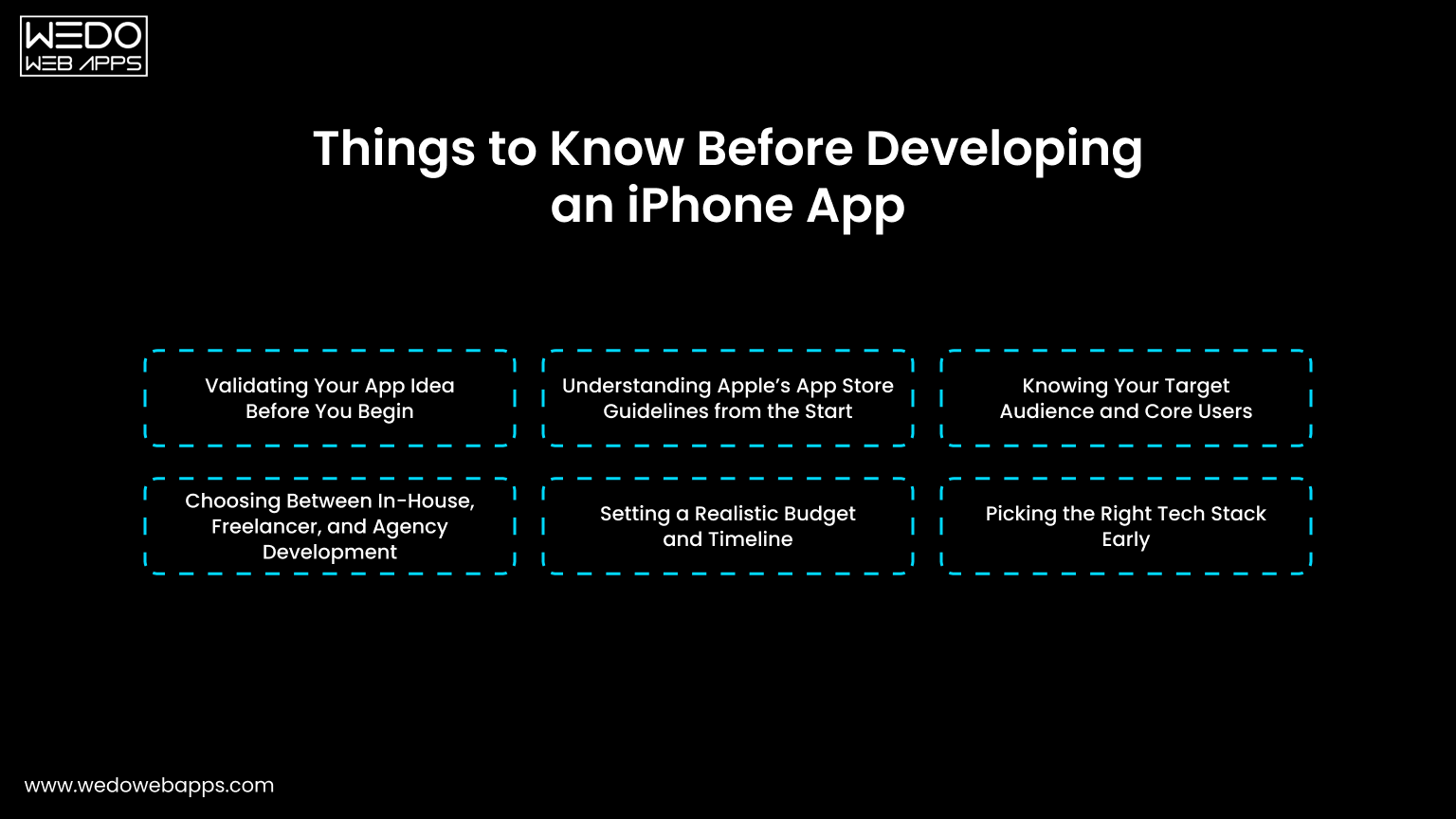
Know Before Developing an iPhone App

This is the step that most of the businesses miss when they are deciding to develop an app for their needs. What you do is, before development begins, you need to determine whether your app succeeds or fails.

Validating Your App Idea Before You Begin

Before anything else, get the honest answer to these questions:

  • Is there a real problem your app solves?
  • Who exactly will use it?
  • Are there competitor apps already, and what will yours do better?

Validation does not have to be expensive. Here are the simple ways to do it:

  • Talk to 20 potential users directly.
  • Study App Store reviews of competitive apps, and user complaints are your opportunity.
  • Build a simple landing page and measure sign-up interest.
  • Run a quick survey in relevant online communities.

The goal is to confirm the real demand before investing real money.

Understanding Apple’s App Store Guidelines from the Start

Apple is famously strict about what gets into the App Store. Its guidelines cover:

  • UI design and interaction standards.
  • Data privacy and permission handling.
  • In-app purchase rules.
  • Content restrictions and safety requirements.

Why this matters: Ignoring these guidelines during the time of development often means rebuilding the features after the fact, which is expensive and demoralizing.

Pro Tip: Read Apple’s App Store review guidelines at the very start of your project. Build with them in mind, not as an afterthought.

Knowing Your Target Audience and Core Users

A great app is not built for everyone, but it is built for someone specific. Before development begins, clearly define:

  • Who they are: age, profession, behavior, tech comfort level.
  • What frustrates them: the problem your app solves.
  • What they expect: the standard of experience they are used to.
  • How they will find your app: organic search, paid ads, word of mouth.

This clarity shapes every decision that follows from the feature you prioritize to the design language you choose.

Choosing Between In-House, Freelancer, and Agency Development

Option Best For Key Advantages Key Risks
In-House Team Large companies with a long-term roadmap. Full control and deep product knowledge. High cost, slow to hire.
Freelancers Small, well-defined short-term projects. Cost-effective for simple builds. Accountability and consistency.
Agency (e.g., WEDOWEBAPPS) Businesses that want end-to-end professional delivery. Full team, structured processes, and long-term support. Requires a good briefing upfront.

Partnering with an experienced iOS app development company like WEDOWEBAPPS gives you full access to the team, such as developers, designers, QA engineers, and project managers, without spending to hire the team from the start.

Setting a Realistic Budget and Timeline

App Type Estimated Cost Estimated Timeline
Simple App $15,000-$40,000 2–4 months
Mid-Level App $40,000-$100,000 4–7 months
Complex/Enterprise App $100,000-$300,000+ 8–14 months

Always build an app with proper iPhone app development planning of your budget, with proper scope, technical challenges, and additional testing cycles.

Picking the Right Tech Stack Early

Key decisions to make before development starts:

  • Language: Swift for native iOS, Dart for Flutter, JavaScript for React Native.
  • Framework: SwiftUI for modern builds, UIKit for legacy or complex projects.
  • Backend: Node.js, Firebase, or AWS, depending on scale requirements.
  • Version Control: Git with GitHub or Bitbucket.
  • Project Management: Jira, Linear, or Notion.

These decisions should align with your long-term product roadmap, your team’s expertise, and your ongoing maintenance budget.

Let's Build It the Right Way

iOS App Development Planning: How to Build a Structure That Works
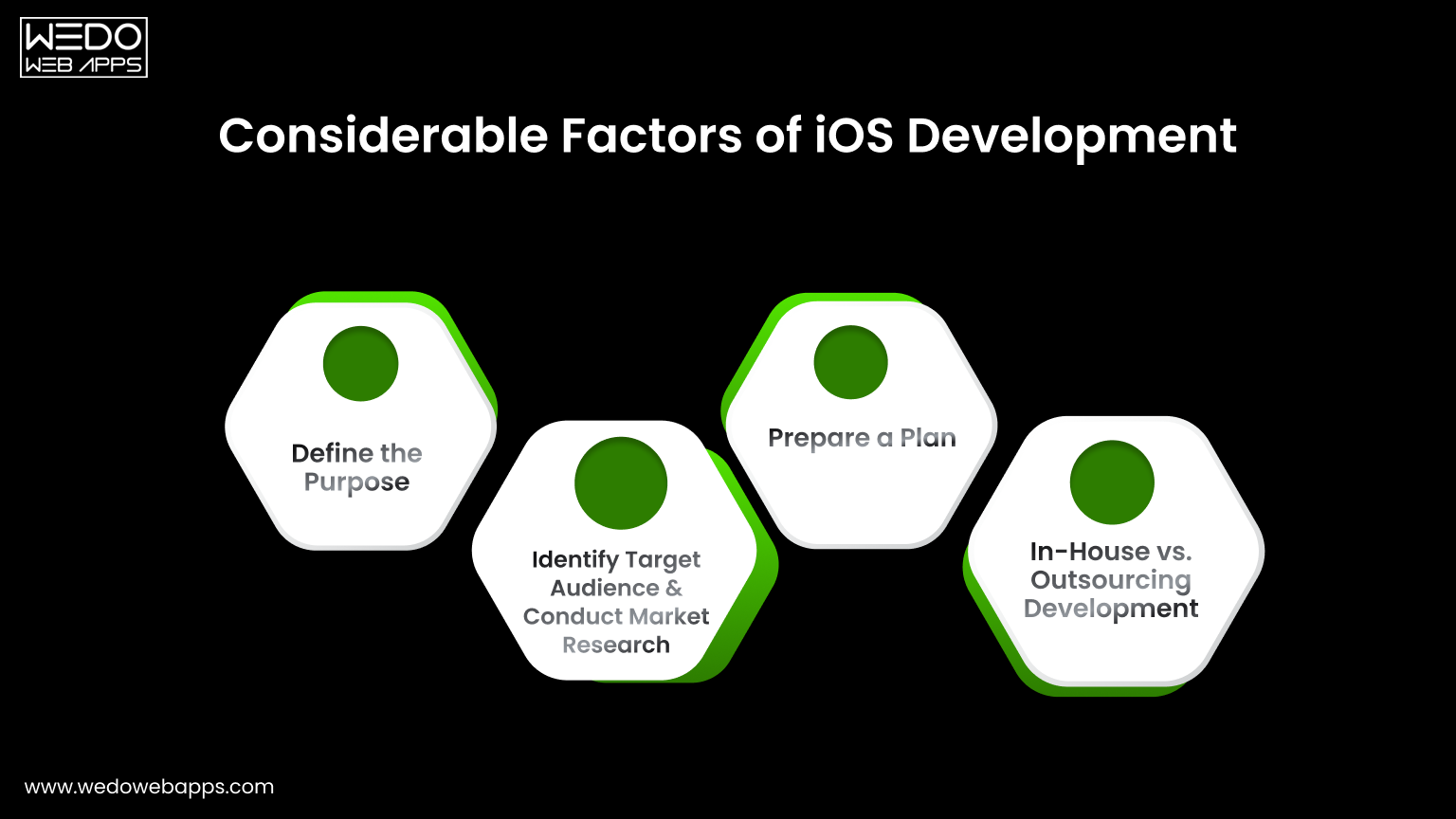
How to Build a Structure That Works


Good planning is what separates apps that ship on time from those that drag on for months past their deadlines. iOS app development planning is not a one-time document, and it is a living framework that guides every decision throughout the project.

How to Define Your MVP Scope the Right Way

An MVP (Minimum Viable Product) is not a half-baked version of your app. It is the smallest version that delivers real value to real users and generates meaningful feedback.

To define your MVP correctly:

  • List every iOS application development feature you want in the app.
  • Ask yourself which 3 to 5 features are absolutely essential on day one?
  • Move everything else to version two.
  • Validate the MVP scope with potential users before building.

This discipline is what allows teams to ship faster, learn earlier, and iterate smarter.

Creating a Feature Prioritization Framework

Use this simple scoring approach:

Feature User Impact Development Effort Priority
Core functionality High Medium Build first
Advanced filters High High Plan carefully
Social Sharing Medium Low Build early
Gamification Low High Deprioritize

High-impact, low-effort features always go first. Low-impact, high-effort features get dropped or deferred.

Aligning Development Milestones Business Objectives

Every milestone should connect back to the business goal:

  • Design completion: User experience supports your conversion goals.
  • Beta launch: Real user feedback validates core assumptions.
  • QA sign-off: App is ready to represent your brand in the market.
  • App Store submission: Marketing campaign is ready to activate.

When milestones are tied to outcomes rather than just outputs, the entire team stays aligned on what success looks like.

Planning for App Store Optimization (ASO) Before Launch

ASO is the app store equivalent of SEO. Key ASO elements to plan early:

  • App Name and Subtitle: Include primary keywords naturally.
  • Keyword field: 100 characters of high-value search terms.
  • Description: Written for users optimized for search.
  • Screenshots and review video: Designed to convert browsers into downloaders.
  • Ratings and review strategy: Plan how and when to prompt users.

ASO is not a check box on launch day; it is a strategy that allows you to build an app from the beginning.

A Step-by-Step Breakdown for iPhone App Development Process
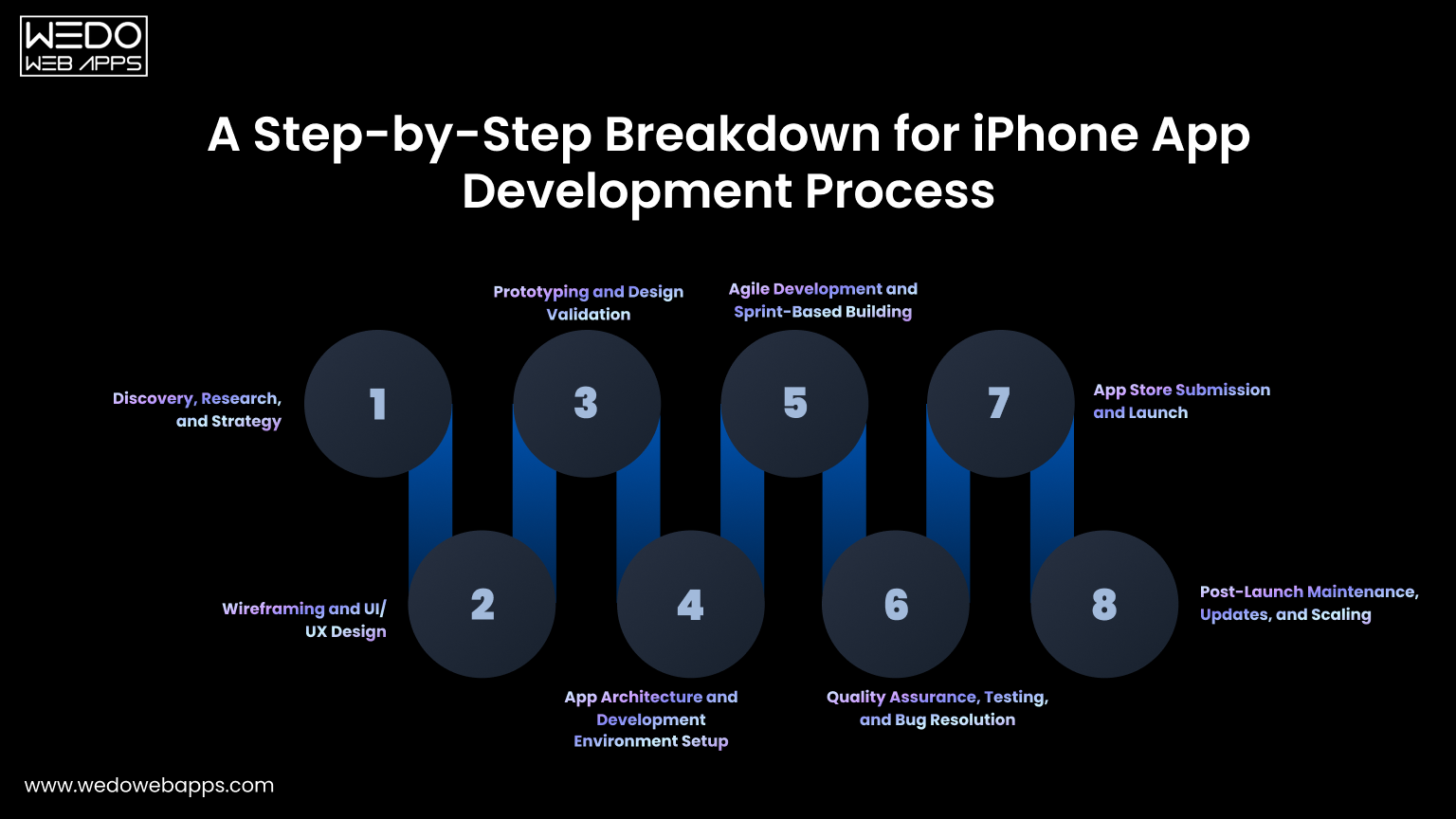
Step-by-Step Breakdown for iPhone App Development

Understanding the iPhone app development process from end-to-end is not just about the development phase, but it is what allows you to manage the project effectively, set accurate expectations, and make confident decisions at every stage.

Here is how a professional-run iOS development project unfolds from the very first conversation to the long-term post-launch phase.

Step 1. Discovery, Research, and Strategy

Every successful app begins with a thorough discovery phase, and this step is far more valuable than most people give it credit for. This is where the development team works collaboratively with the business stakeholders.

  • Define your scope.
  • Research the competitor landscape in depth.
  • Identify the target audience with precision.
  • Establish the measurable goals the app needs to achieve.

The output of the well-run discovery phase is a clear, agreed-upon product brief and a development strategy that every stakeholder understands and supports before any design or development work begins.

Step 2. Wireframing and UI/UX Design

With a clear product strategy in place, the design process begins with wireframing, preparing structural layouts that define the architecture and flow of each screen without worrying about color, typography, or visual polish.

Wireframe answers one question: Does the structure and flow of this app make intuitive sense to the user?

Once wireframes are reviewed and approved, the design team moves into high-fidelity UI design, creating the actual visual interface that users will interact with. At this stage, every design decision should be guided by Apple’s human interface guidelines to ensure the experience feels native, familiar, and professional to iPhone users.

Step 3. Prototyping and Design Validation

A prototype is a clickable, interactive simulation of your app built entirely before any real code is written. It allows you to put the user experience in front of real users, gather honest feedback, identify confusing flows or missing features, and make meaningful improvements.

Prototyping consistently delivers one of the highest returns on investment of any activity in the iPhone app development process. Every problem identified and resolved at the prototype stage is a problem that never becomes a bug.

Step 4. App Architecture and Development Environment Setup

Before the first line of production code is written, the technical team establishes the app’s architecture, the foundational structure that determines how data flows through the app.

This phase also includes the practical setup work that enables efficient, professional development:

  • XCode is configured, and the project is properly initialized.
  • Git repository created with a clear branching and code review strategy.
  • CI/CD pipeline established using tools like Fastlane or Bitrise.
  • Coding standards, naming conventions, and review processes were documented.
  • Backend infrastructure provisioned and tested.

This step is entirely invisible to end users, but it is critically important for developers and for long-term app performance. A poorly-architected app becomes exponentially more expensive and difficult to maintain as it grows.

Step 5. Agile Development and Sprint-Based Building

With architecture in place, active development begins, and in a well-run iOS project. Each sprint is a focused, time-boxed development cycle, typically two weeks in length, with clearly defined goals, daily team standups, and a working, demonstrable build delivered at the end.

Agile development serves several important purposes simultaneously. It keeps the project transparent. It enables course correction to happen early and inexpensively before a wrong direction becomes deeply embedded in the codebase. And it ensures that features are “almost done”.

Step 6. Quality Assurance, Testing, and Bug Resolution

Quality assurance is not something that happens at the end of development; it is a continuous discipline that runs in parallel with development throughout the entire project. A comprehensive QA process covers multiple dimensions of the app’s performance and reliability.

Test type What it validates
Functional testing Every feature works correctly as specified.
Performance testing The app is fast, responsive, and handles load well.
Usability testing Real users can navigate and use the app intuitively.
Security testing User data is properly protected and encrypted.
Compatibility testing The app works correctly across all supported iOS versions and device sizes.
Regression testing New updates do not break previously working features.

A dedicated, thorough QA process is what separates apps that earn five-star reviews on launch day from apps that spend their first week managing a crisis of user complaints and emergency bug fixes.

Step 7. App Store Submission and Launch

Submitting your app to the App Store is a more involved and dependent process than most people expect, and being unprepared for it can delay your launch by days or even weeks. A complete and well-prepared submission includes:

  • An active Apple developer account fully configured in App Store Connect.
  • All app metadata is completed, such as title, subtitle, description, keywords, and support URL.
  • Screenshots are formatted precisely to Apple’s specifications for each supported device size.
  • A valid, accessible privacy policy URL.
  • The app was thoroughly tested on physical devices, not only in the XCode simulator.
  • All App Store Review Guidelines requirements confirmed and documented.

Apple’s review process typically takes between 24 and 72 hours for standard submissions. Having everything prepared correctly in advance transforms the stage from a stressful scramble into a smooth and straightforward milestone.

Step 8. Post-Launch Maintenance, Updates, and Scaling

Launching your app in the App Store is not the last step; it is genuinely the starting line. The post-launch phase is where the real-world usage reveals things that no amount of internal testing could fully anticipate, and where the team that succeeds long-term distinguishes itself from those at that stage.

In the immediate post-launch period, priorities include monitoring crash reports and performance metrics daily while responding actively to user reviews in the App Store and pushing a first update quickly if any critical issues surface.

Over the long term, success requires a consistent cadence of feature updates informed by real user behavior data, regular compatibility updates as new iOS versions are released, and a clear roadmap for how the app evolves based on what users actually want and not what was originally assumed.
proven 8-step iOS development process

Common iPhone App Development Mistakes and How to Avoid Them
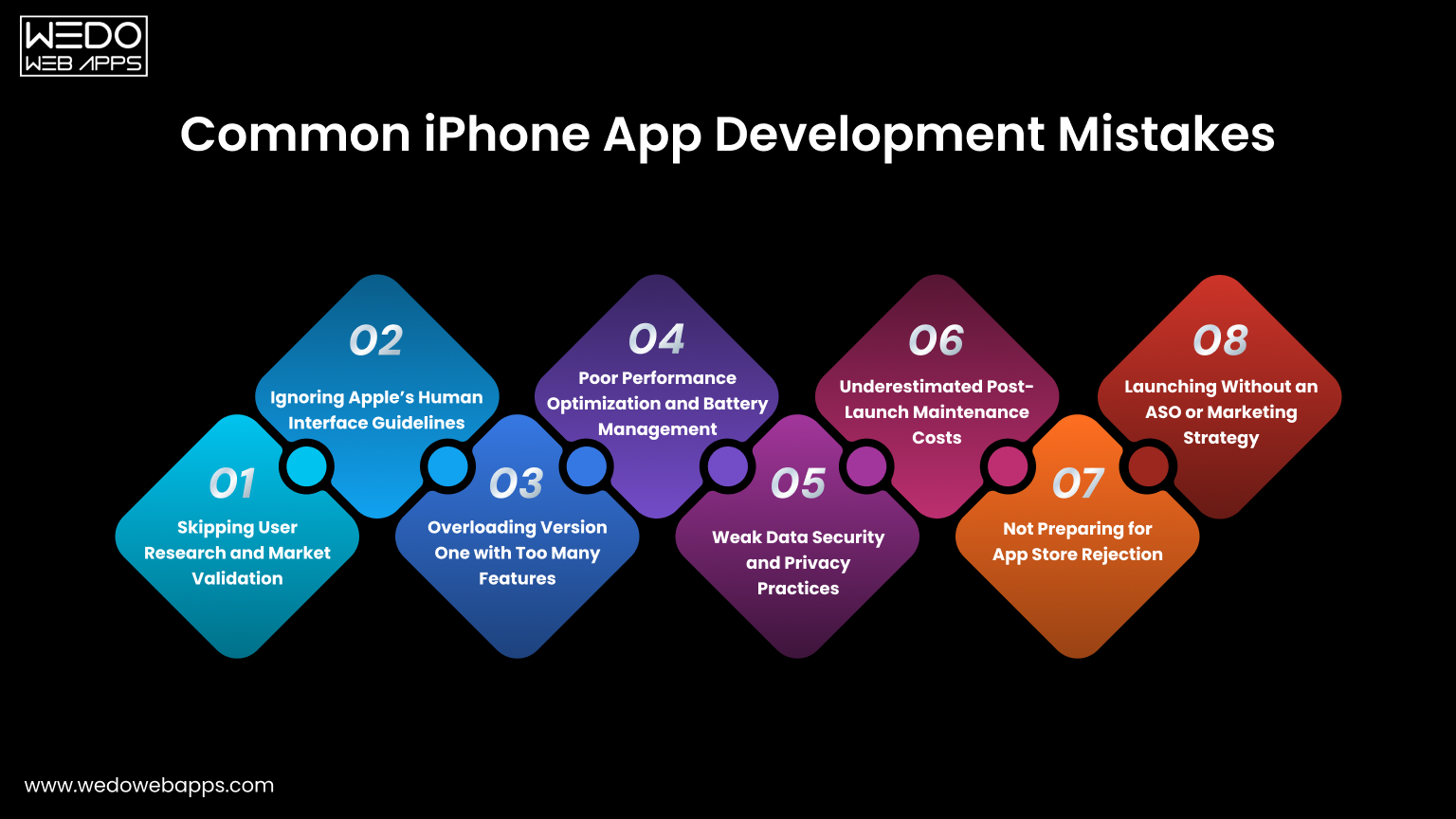
Common iPhone App Development Mistakes

When it comes to the iPhone app development process, even a well-developed team makes mistakes. Knowing them in advance and understanding specifically how to avoid them is often the difference between a project that succeeds.

Common iPhone app development mistakes are:

1. Skipping User Research and Market Validation

Building an app nobody needs because the team fell in love with the idea without confirming demand.

How to avoid it:

  • Conduct user interviews before writing any requirements.
  • Analyze competitor App Store reviews for unmet needs.
  • Run a landing page test before committing to full development.

2. Ignoring Apple’s Human Interface Guidelines

Designing an interface that feels foreign to iOS users because the team did not follow Apple’s HIG.

How to avoid it:

  • Make HIG required reading for every designer on your team.
  • Review guidelines at the design store, not after development.
  • Use native iOS components wherever possible.

3. Overloading Version One with Too Many Features

Trying to build everything at once results in a delayed launch, a blown budget, and a cluttered user experience.

How to avoid it:

  • Define your MVP ruthlessly and protect it from scope creep.
  • Use a feature prioritization framework at every planning session.
  • Remind stakeholders: version two exists for a reason.

4. Poor Performance Optimization and Battery Management

Releasing an app that drains battery or runs slowly in real-world conditions, leading to immediate uninstalls.

How to avoid it:

  • Use XCode instruments throughout development, not just before launch.
  • Profile memory usage, CPU performance, and energy consumption regularly.
  • Test on older, lower-powered devices as well as the latest models.

5. Weak Data Security and Privacy Practices

Requesting unnecessary permissions, mishandling user data, or failing to comply with Apple’s privacy requirements.

How to avoid it:

  • Request only genuinely necessary permissions.
  • Implement proper data encryption from day one.
  • Stay current with Apple’s App Tracking Transparency and privacy guidelines.

6. Underestimated Post-Launch Maintenance Costs

Budgeting carefully for development and then getting blind sided by the ongoing cost of updates, bug fixes, and compatibility patches.

How to avoid it:

  • Budget 15 – 20% of your initial development cost annually for maintenance.
  • Include maintenance scope in your initial contract with your development partner.
  • Plan your first two update cycles before the app even launches.

7. Not Preparing for App Store Rejection

Submitting without checking Apple’s guidelines thoroughly and then waiting days for a rejection notice that delays the entire launch.

Common rejection reasons:

  • App crashes during reviews.
  • Misleading metadata or screenshots.
  • Missing or incomplete privacy policy.
  • In-app purchases implementation violations.
  • Guidelines violations flagged by automated review.

8. Launching Without an ASO or Marketing Strategy

Pouring everything into development and having nothing left for visibility in a store with over 1.8 million apps.

How to avoid it:

  • Start keyword research for ASO at least 6 weeks before launch.
  • Prepare your visual assets, screenshots, and preview video during the QA phase.
  • Build a pre-launch audience through social media, email, or beta testing programs.

Build With Experts From Day One

Tools, Technologies, and Languages for iPhone App Development
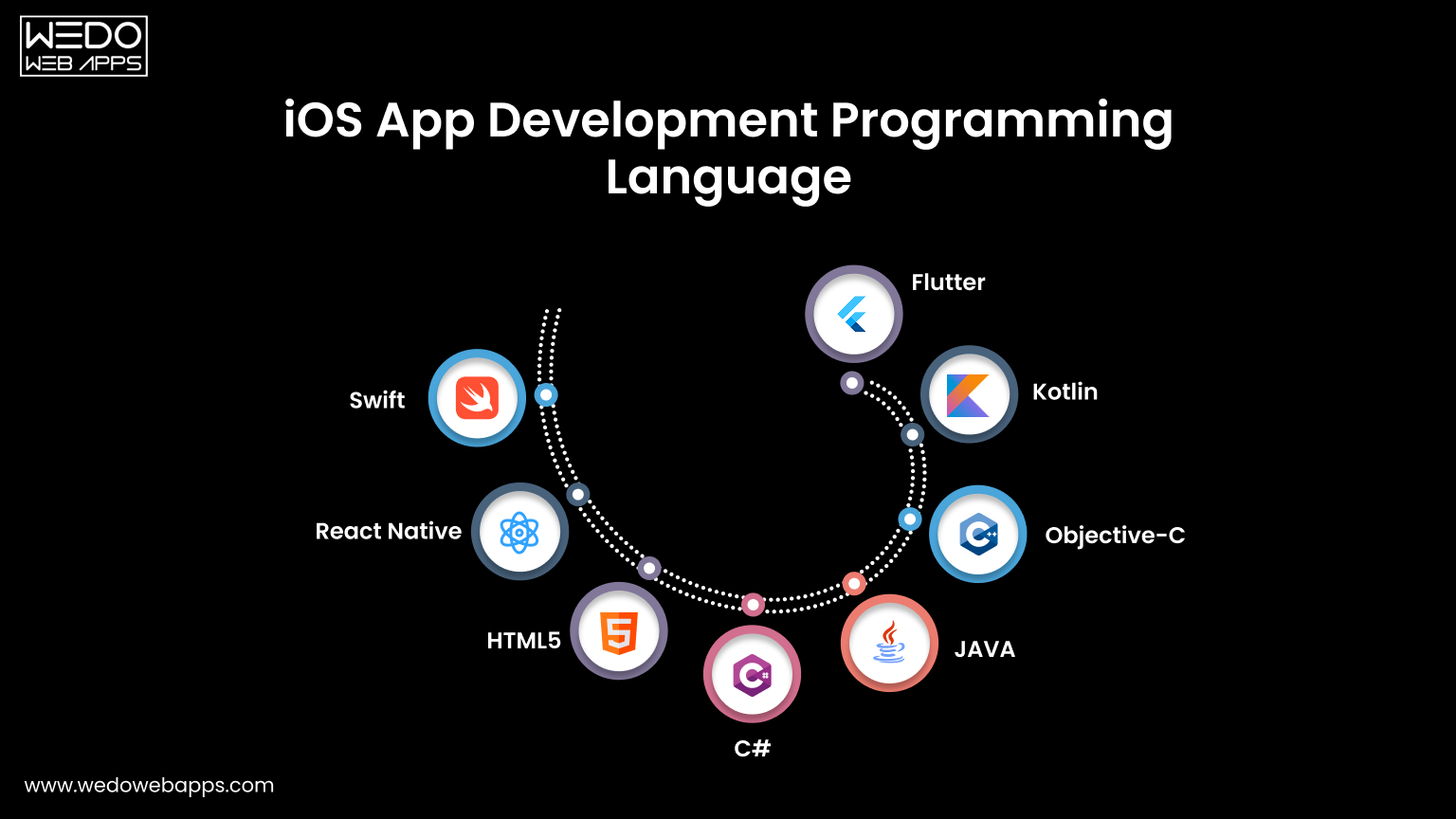
Languages for iPhone App Development

Swift vs Objective-C – Make the Clear Choice

Swift has been Apple’s primary programming language for iOS development, and it has thoroughly established itself as the definitive standard for modern iOS apps. It is faster, safer, more expressive, and far better supported for Apple’s ongoing development investment than Objective-C.

Comparison Factor Swift Objective-C
Performance Faster in most real-world scenarios. Slower by comparison.
Type Safety Strong, catches errors at compile time. Weaker, more prone to runtime errors.
Syntax Clean, modern, and readable. Verbose and complex.
Community and Resources Large and actively growing. Shrinking, primarily legacy.
Apple’s Direction Actively developed and prioritized. Maintained but not advanced.
Best For All new iOS projects without exception. Maintaining existing legacy codebases.

The verdict: for any new iOS project, Swift is the right choice. Objective-C remains relevant only when there is a need to maintain and extend the app.

Xcode: The Core Development Partner

For the iPhone app development process, Xcode is an official IDE and the only real option for native iOS development. Key built-in tools for developers include:

  • Simulator: Teston virtual device without physical hardware.
  • Instruments: Profile performance, memory, and energy usage.
  • Interface Builder: Visual UI design tool.
  • TestFlight Integration: Beta distribution built directly into a workflow.
  • App Store Connect: Submission and release management.

SwiftUi vs UIKit

Factor SwiftUI UIKit
Approach Declarative Imperative
Speed of Development Faster Slower
Maturity Growing rapidly Battle-tested
Best For New projects, modern UI Complex, custom UI or legacy projects

Both can be used together in the same project and often are.

Cross-Platform Options: Flutter, React Native, and Beyond

Framework Language Strengths Limitations
Flutter Dart Excellent performance, consistent UI. Smaller community than React Native.
React Native JavaScript Large community, code reuse. Bridge performance overhead.
Xamarin C# Good for .NET teams. Declining adoption.

For businesses targeting both iOS and Android from a single budget, Flutter and React Native remain the most compelling option.

How Much Does iPhone App Development Cost in 2026?

Understanding what drives iPhone app development cost and how to plan for it realistically is one of the most practical things you should know when starting the iPhone app development process.

Key Factor That Drives Development Cost

App development cost is not a fixed number; it is the result of several interacting variables, each of which can significantly move the final figure in either direction:

  • Feature complexity and total number of features.
  • UI/UX design requirements.
  • Backend infrastructure needs.
  • Third-party service integrations.
  • Development team experience and geographic location.
  • Post-launch maintenance scope.

Full Cost and Timeline Breakdown

App Type Defining Characteristics Estimated Cost Estimated Timeline
Simple App Basic UI, limited screens, minimal or no backend, no third-party integrations. $15,000-$40,000 2–4 months
Mid-level App User authentication, API integrations, custom UI design, and moderate backend infrastructure. $40,000-$100,000 4–7 months
Complex/Enterprise App Real-time features, AI/ML integration, complex backend, multiple third-party integrations, and high security requirements. $100,000-$300,000 8–14 months

In-House vs Freelancer vs Agency: A Realistic Comparison

Factor In-House Team Freelancer Agency (like WEDOWEBAPPS)
Upfront Cost Very high. Salaries, benefits, equipment Low to medium Medium to high. Project-based
Long-term Cost Highest overall when all factors are included Highly variable Predictable and structured
Quality Consistency High if managed well Variable and hard to guarantee Consistently high
Post-Launch Support Ongoing but costly Often limited or unavailable Structured and clearly defined
Time to Start Slow. Hiring and onboarding take months Fast Fast. Established team and process

How to Optimize Your Budget Without Sacrificing Quality

Managing your app development budget intelligently does not mean cutting corners; it means making smarter decisions about where your investment goes.

  • Define your MVP with genuine discipline.
  • Choose your tech stack thoughtfully.
  • Work with a transparent partner.
  • Budget for post-launch from day one.

What Will Your App Actually Cost

iPhone App Development Trends to Watch
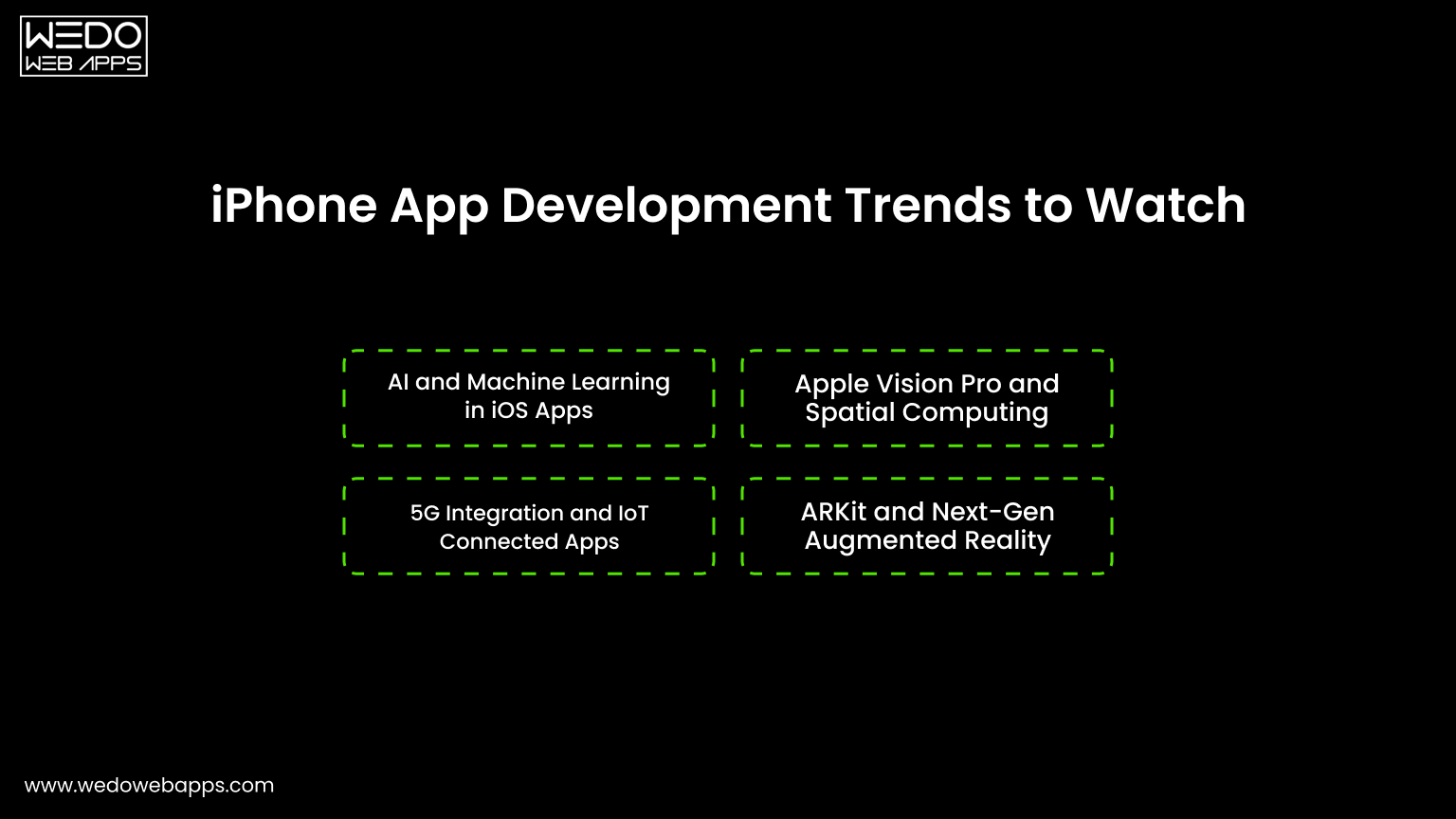
iPhone App Development Trends to Watch

Here are some of the iPhone app development trends that you must be aware of:

1. AI and Machine Learning in iOS Apps

AI is no longer a differentiator; it is becoming a baseline expectation. Key applications in 2026 include:

  • Personalized content and recommendation engines.
  • On-device natural processing using Core ML.
  • Predictive user behavior analytics.
  • AI-powered search and navigation within apps.

2. Apple Vision Pro and Spatial Computing

Apple Vision Pro has opened a genuinely new frontier. Forward-thinking businesses are already exploring:

  • Spatial UI: Interfaces that exist in three-dimensional space.
  • Immersive experience: Retail, education, and entertainment applications.
  • Enterprise use cases: Training, visualization, and remote collaboration.

3. ARKit and Next-Gen Augmented Reality

ARKit continues to evolve with each iOS release. Practical business applications include:

  • A retail app that lets users visualize products in their homes.
  • Real estate app with virtual property tours.
  • Navigation apps that overlay directions in the real world.
  • Training and onboarding experiences for enterprise teams.

4. 5G Integration and IoT Connected Apps

5G is enabling experiences that were previously impractical:

  • Real-time HD video streaming with ultra-low latency.
  • Seamless IoT device integration and control.
  • High-bandwidth data transfer for enterprise applications.
  • Location-aware features with greater precision and speed.

App Clips, Widgets, and Lightweight Experiences

Feature What It Does Business Benefits
App Clips Users access app features without a full download. Reduces friction, increases discovery.
Home Screen Widgets Surfaces key app info on the home screen. Improves retention and daily engagement.
Lock Screen Widgets Always-visible information layer. Keeps your app top of mind.

Privacy-First Development and On-Device AI

Apple’s commitment to user privacy continues to shape the landscape:

  • On-device processing keeps sensitive data local.
  • App tracking transparency requires explicit user consent for tracking.
  • Privacy labels in the App Store are now a trust signal that users actively look for.
  • Apps that lead with privacy are earning a genuine competitive advantage.

Post-Launch Strategy: What Happens After Your App Goes Live

When your app is live, you need to make sure of the post-launch strategy. Make sure you follow these:

Tracking App Performance with Analytics Tools

Tool Best For
Firebase Analytics User behavior, funnels, retention
Mixpanel Advanced event tracking and segmentation
Apple App Analytics App Store impressions, downloads, usage
Crashlytics Real-time crash reporting and diagnostics

Use these tools together to build a complete picture of how users experience your app in the real world.

Collecting and Acting on Real User Feedback

Feedback channels to monitor actively:

  • App store reviews: Respond to every review, positive and negative.
  • In-app feedback prompts: Trigger at the right moment in the user journey.
  • User interviews: Talk to power users regularly.
  • Support tickets: Common issues signal deeper product problems.

Planning Consistent Update and Improvement Cycles

A healthy post-launch update cadence looks like this:

  • Week 1 to 2: Monitor crashes and critical bugs, push hotfix if needed.
  • Month 1: First full update addressing early user feedback.
  • Ongoing: Quarterly feature updates based on analytics and user requests.
  • Annually: Major version update aligned with new iOS release.

Monetization Strategies to Maximise App Revenue

Model How It Works Best For
Freemium Free to download, paid features unlock. Apps with a broad top-of-funnel.
Subscription Recurring monthly or annual fee. Apps delivering ongoing value.
One-Time Purchase Single upfront payment. Utilities and productivity tools.
In-App Purchases Buy virtual goods or features. Games and content apps.
Advertising Revenue from displayed ads. High-volume, free consumer apps.

How to Choose the Right iPhone App Development Company
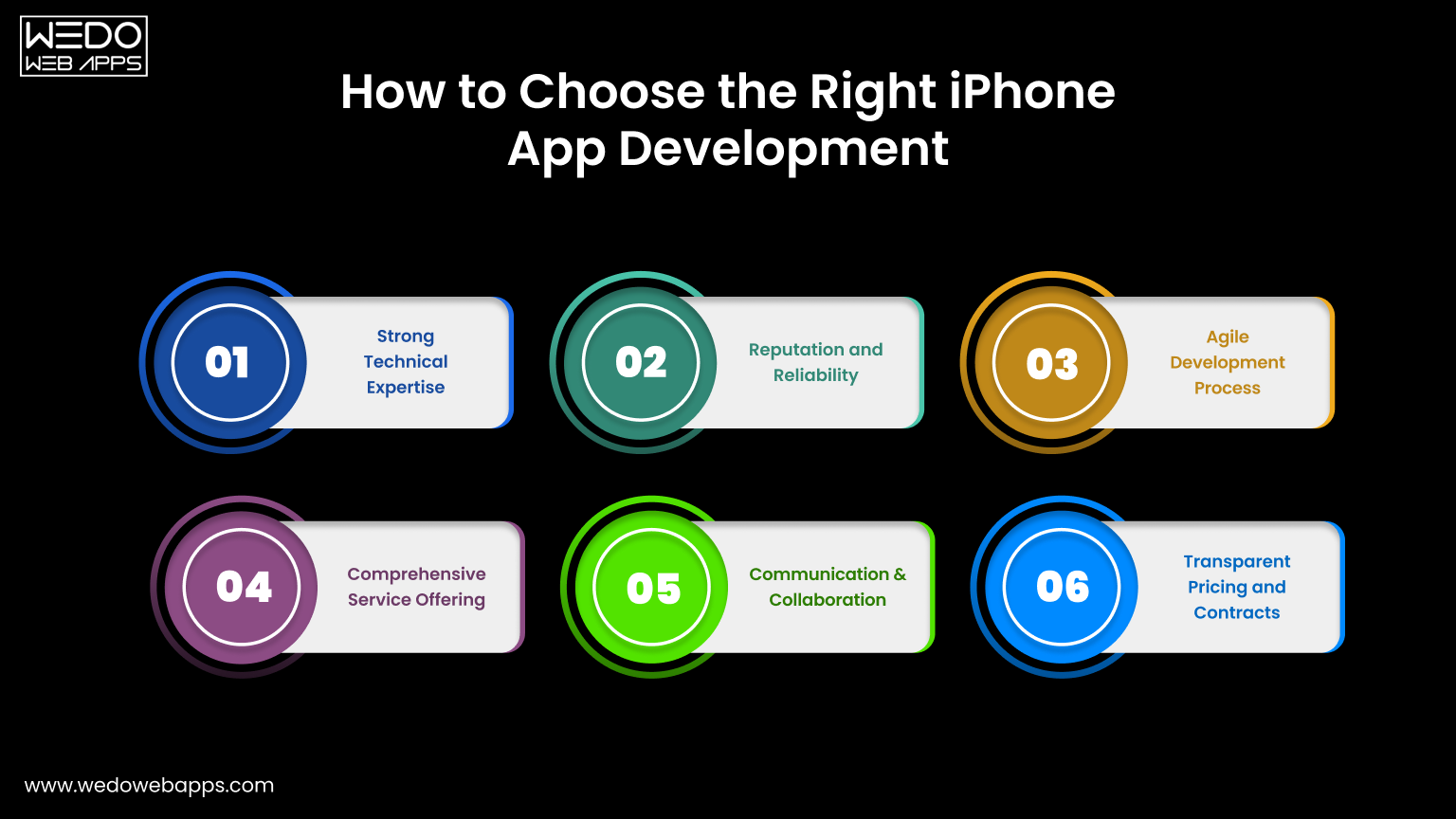
How to Choose the Right iPhone App

Choosing the right development partner is one of the most consequential decisions you will make in this entire process. A great app development partner accelerates your timeline, protects your budget, and delivers a product you are proud of. A poor one does the opposite, and the cost of switching mid-project is challenging.

Must-Have Qualities in a Genuine iOS Development Partner

When evaluating potential development companies, look beyond the portfolio and the pitch. The qualities that actually predict a successful partnership include:

  • A strong, relevant iOS-specific portfolio with demonstrable results and not just the visually attractive screenshots.
  • A transparent, structured development process that you can understand and participate in meaningfully.
  • A complete, coordinated team of developers, designers, QA engineers, and project managers working together.
  • Proven, recent experience with App Store submission, including navigating rejections when they occur.
  • A clearly defined and contractually specific post-launch support and maintenance offering.
  • Proactive and consistent communication updates that come to you without you chasing them.

WEDOWEBAPPS is built around exactly these qualities. With a dedicated iOS development team, a structured end-to-end process, and a genuine commitment to being a long-term technology partner rather than a one-time vendor.

We bring the expertise, accountability, and continuity that successful app projects require. Whether you are building your first iPhone app or scaling a product that already has a user base.

Questions You Must Ask Before Signing Any Contract

Before committing to any development partner, you just get clear, specific, and satisfying answers to these questions you must ask:

  • Who, specifically by name and role, will be working on the project from day one?
  • How do you handle scope changes, and what is your process for communicating and pricing them?
  • What does your QA and testing process look like in practice, and who is responsible for it?
  • How frequently will I receive progress updates, and through what channels?
  • What exactly is included in post-launch support, and for how long?
  • Can you share references or case studies from projects similar to mine in scope and complexity?

The quality, specificity, and confidence of the answers you receive to these questions will tell you more about the quality of the partnership you are about to enter than any proposal document or sales presentation.

Warning Signs to Watch Out For When Evaluating Agencies

Not every agency that presents well will deliver well. Watch carefully for those red flags during the time of evaluation:

  • Quotes an unusually low price without a clear and logical explanation of how it is possible.
  • Cannot show an iOS-specific portfolio with real, live, and downloadable apps.
  • Gives vague or generic answers when asked about their development or QA process.
  • Create urgency or pressure to make a decision before you feel genuinely ready.
  • Has no clearly defined point of contact or project management structure.
  • Makes no mention of testing, quality assurance, or post-launch support during the sales conversation.

A development partner worth trusting will welcome every question you ask, be completely transparent about their process and team, and give you as much time as you need to make a decision you feel genuinely confident in.

Conclusion

Building a successful iPhone app is an equal part of strategy and execution. The idea is important, but so is everything that surrounds it: the research that validates it, the iOS app development planning that structures it, the iPhone app development process that builds it, the team that executes it, and the discipline that improves after the launch.

Whether you are a business owner taking your first step into the App Store or a developer refining your approach, the principles in this iPhone app development guide hold across the board. You must know the things to know before developing an iPhone app before you commit a single dollar.

When it comes to your app plan, thoroughly. Avoid the critical iPhone app development mistakes that impact your well-planned project. And commit to improving consistently because the apps that win long-term are not the ones that launched perfectly, they are the ones that got better every single month after launch.

If you are ready to take your app idea from concept to a high-performing, professionally built iOS product, WEDOWEBAPPS is ready to make it happen. From discovery and strategy through design, development, App Store launch, and long-term post-launch growth. Our teams bring the expertise, the structure, and the genuine commitment your app deserves.

let’s turn your app idea into reality

What Mistakes Should An App Entrepreneur Avoid Before And After Launching A Mobile App?

Having the first rank in the entire App Store or PlayStore sounds like every app marketer’s dream!

The mobile device is perceived as a fundamental tool in this epoch. From perusing the news to playing games, exploring, shopping, social media, and far more, the best mobile development companies have changed the scene of the current time.

As per the survey, 20% of apps fail as they’re neither seen by users nor searched by users. However, that doesn’t mean that application development or the app design is bad! It’s just they might not pull themselves out of failure they fall under. If you have worked hard to building apps, then it’s not that you have achieved everything. The half battle is still remaining!

Avoid Mistakes Before the launch of an Application 

Do Not Grab Pre-launch Opportunities

Before Launching the app, grab the pre-launch app marketing opportunity. Whilst it’s essential to make a high performing app, marketing endeavors are even as vital to ensure achievement, once your app has propelled to the app store. Eventually, people start promoting too late and as a resultant, there is less time to build up the brand.

For App marketing, start advertisements on different channels, social media platforms, pre-launch events, even encourage industry influencers and reporters to speak about your app. Put your maximum amount of effort to make it visible to your targeted audience before launch.

Custom mobile app development company and Application developers also need to focus on this approach for good mobile solutions and apps development.

App Release Date Not Planned

Plan the app launch date before you get done with coding. Keep track of upcoming tech events and news, with the goal that the release date doesn’t crash. This may increase the expected response on your android app or iOS app along with more attention for your app as soon as it’s ready.

For a specific mobile platform, you need to differentiate the date as well, whether applications will be launched for Android users or iPhone users.

No Beta-testing

Beta testing isn’t almost discovering bugs in mobile applications. it’s all about the way to confirm an app can honestly be taken care of, so that it can have the type of impact on the user’s thinking.

In other words, an independent trial of software, app or product reached the final stages of development, it’s not much of a difference here because the main task for developers is to seek out the proper group of end-users to check the app that’s almost complete, that’s why Beta-testing is a wise decision for the best Mobile application development.

Beta testing is a crucial and important step to a Mobile application development company, for all the Android app, iOS app, and Enterprise apps, test thoroughly before doing Branding and Centric with the people.

Do Not Focus On Targeted Audience

Understanding the targeted audience is key to a successful and scalable mobile app launch. After knowing the audience, your task will be a focus, and it will increase higher conversion and retention rates.

Targeted Audience

But in case, if you have no idea about what exactly your audience wants, then it won’t be an easy task to understand what they dislike about the already available apps within the market. So various ways of surveys would help greatly to gather the key points & loop wholes.

Whilst App development process whether Android development or Trend of Custom iPhone app development, Mobile app developer must have to focus on Targeted audience along with the Mobile strategy to achieve recommended review over respective play stores.

Set your promoting plan with these inquiries:

  • For what reason is your application worked for?
  • What issues is your application unraveling for your clients?
  • How is the worth your application will offer to clients?
  • Is Mobile apps development plan goes with Pre-planned activity?

Once you have the responses to those inquiries, you’ll revolve your promoting plan around those clients.

Read More: 5 Unique Ways to Boost Your App’s Download Count

Not Choosing The Proper Platform

You’d worked with iOS app development or Android app development, both have complete-featured native and cross-platform apps. Nonetheless, firstly, learn the pros and cons of every platform and consider where to launch first. Before selecting the platform, first, believe the timeline and priority.

Moreover, Every Software development company have to follow Prototype along with the proper platform, various Mobile app company follows Agile development for Enterprise application. Check out our Play Store app launch guide and avoid common mistakes before and after your app launch with tips from common app launch mistakes.

Mistakes To Avoid Post-launch Of An Application: 

No Focus On The Update Release

Publishing or launching the app isn’t just the end! Instead, the work begins. Updates are significant as they’re made after the interaction with the specified audience, bugs fixing, lack in core functionality, battery usage, etc. such problems motivate users to update the app with a replacement release.

Whilst Developing a mobile app, Application development companies also need to focus on update release along with the custom mobile application. Explore effective app marketing strategies to ensure a successful launch and avoid common mistakes before and after your app launch with insights from common app launch mistakes.

No Track Of User Engagement

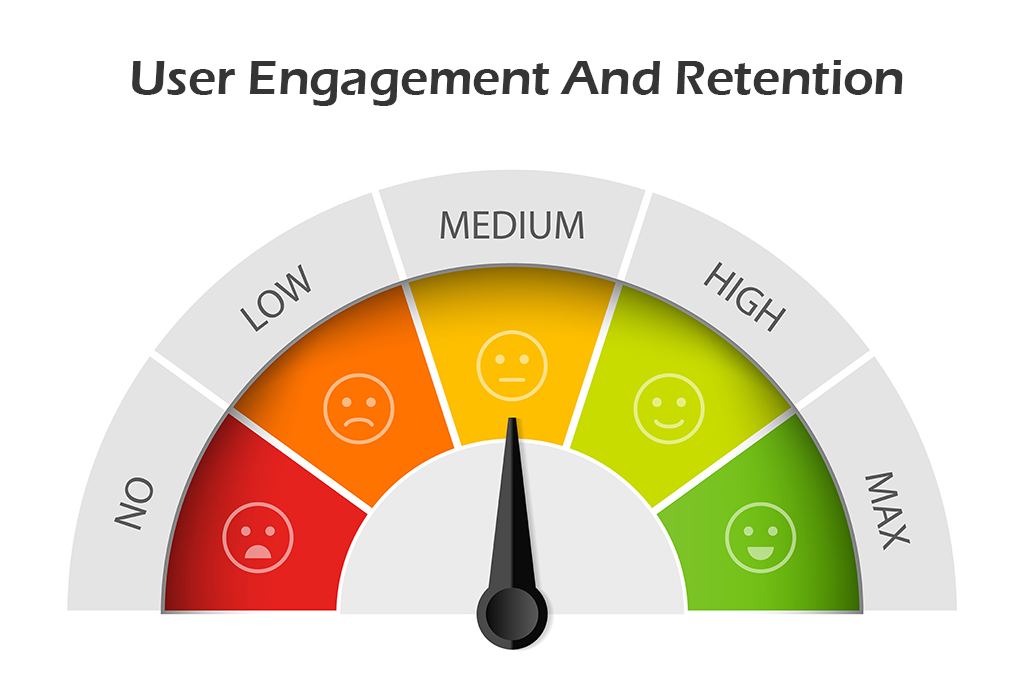
As far as when we talk about the after launch, the focus should get on the user’s involvement factors. It’s essential to stay vigilant on several downloads, comments, and reviews. You ought to also keep track of users dropping far away from the app. You’ll have a thought of users coming in and going out.

Through proper check, you’ll target users who contribute their involvement to your iOS app and Android app. Simplify your application design to attract more users.

Ignoring User Reviews

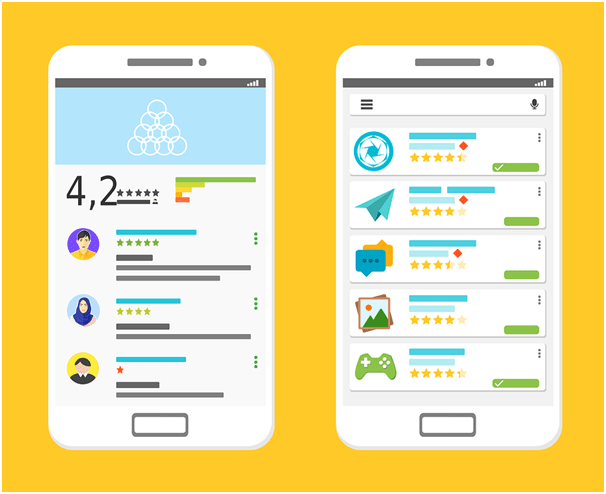
You need to target the factors that are necessary for creating an app successfully. If you ignore reviews and constructive criticism for your app, you’ll find yourself not having enough support from the end-users as they’re going to consider you as a non-professional company.

You need to reply to both positive and negative reviews for sure.

Avoid App Security

security

The primary focus should get on before and after app development security as security breaches can leak customer and company data at an equivalent time. It’s easy and economical to include security at the initial stage.

Security is the main factor in gaining the customer’s trust, so the android app developer must have to focus on security if you go with the android application development process. Create powerful and secure business applications for enterprise mobility trends.

Bug Fixing After App Launch

Sometimes what happens, bugs may come after the app launch; thus, fixing them with an update to build trust among customers. Neglecting a bug is often dissatisfying and should undo all the efforts done at the time of the iOS or Android app development process.

There are many bugs like app crash, functional bugs, UI bugs, slow response, and many more. Hence, attention to detail in application bugs are equally important as quality coding.

Low Customer Support

Every user is vital. Perhaps, it’s possible you’ve got thousands of users during this competitive market, but handling every user carefully is critical.

Customer support is mandatory but very few developers use it to supply timely assistance to the customers when required. Poor customer support can harm your business.

We are focusing on User interface design, Wireframes, Prototyping to Development of mobile applications but we also need to emphasize customer support along with Mobile application development.

Concluding words

Choose the best mobile app developers that have enormous potential. Aspects like close user engagement, reduced app size, addressing the problems, fixing the errors, best mobile design, optimizing app performance, improving user experience, eliminating inconveniences can all help in making the app successful. By avoiding the common pitfalls, you’ll make sure the growth of your mobile application.

Mobile app development companies must have to follow these guidelines to multiple platforms along with the development process to develop mobile applications. However, developing an app without a proper lifecycle and a good interface design is not efficacious. Hire a skilled mobile application developer from the best mobile app development company.

If you are looking for the best mobile app design, choose the best mobile development companies, and develop highly interactive custom mobile apps for your business.

Contact WEDOWEBAPPS LLC mobile app development company at sales@wedowebapps.com and know more.

7 Things To Learn As a Beginner Of React Native Developers

There are many platforms are there to learn different languages, besides nowadays, people are smart enough to choose the right platforms to build their applications for their business. There were several factors and pros are there to learn and build react native applications, but do you know that effectiveness is always mattered when you build your customer’s applications.

Nowadays, we make a nice-looking app in which we can create a journal post. We can have this all underneath authentication. React working as similar as we create apps by building up a tree of components, and then we can pass data or functions between those components in the form of props so that they can then communicate with each other or shield data to the screen.

The truth behind the React native app

Several people were saying react native is not native application building, right, this is JavaScript apps they’re not native apps, and that’s false that’s wrong that you must have to learn first as a react native developer. Although some people maybe are a little confused about this, actually is giving you a fully native app for both iOS and Android when you are done this is not a Cordova solution where you’re using what’s called a WebView and just directly outputting a website.

What we do here in react native is use real native components and real native APIs to interact with our code, again this is not just HTML being rendered inside of a web view. Now part of the confusion is that people somewhat see react native as a write-once build everywhere kind of tool as and you write your application and react and then it just you get a native app So either way, what’s cool about react native is that because these things are one-to-one if you experienced Swift developer or experienced native developer overall. You can throw it into Xcode or Android studio and pick it up from there, so you can go from a react native app to a real live native app, and that proves right there.

The cool thing about reacts native is you don’t have to learn any the native stuff, for instance, this application that we’re building an advanced app with material design and thoroughly with the iOS design guidelines.

Now, which are the 7 Effective Things To Learn As a React Native Developers.

Before starting the useful things, I would like to tell you that FB, Instagram, Wix, Skype, they all are using react-native.

Javascript

Before getting started with react native, you must know javascript, so if you are having a basic knowledge of javascript, then you can quickly grab the concept of React native. Understanding JavaScript as a beginner does help, but knowing things like flexbox is important since ReactJS is heavily dependent on that as well.

React Itself

For structuring the vast amount of data, you need to learn to react, which is developed and nowadays used by Facebook to build web applications.

Learn React Native

It is nothing but just targeting the platform of development as if you are having the basic knowledge of programming; then this is an easy task for you to understand the syntax, In the MVC architecture, we called view as UI interface, and same here we are going to tell div instead.

Need to Learn Backend

The backend will be needed when you want to do the task and store the data of multiple users with dynamic strategy, without this you can only create a basic app which supports only static resource of the client.

Node Js and NPM

React-native use Node js as a backend to build all javascript code, and NPM is used to install and use other packages from an external source. So knowing both, it is good to push up towards you to react to native developments. There are some libraries also are there, that third-party developers have created that allows you to add feature over here. we need node installed at our computer to be able to create react native apps, and if you don’t know anything about node than don’t worry, we only need this for the node package manager

Read also: React Native Developers Hiring Guide for 2020

Learn Redux

Ones you create your first applications with React JS, you will realize that it is just difficult to manage some resources and components during development. Redux is nothing but just a State Management Library, which will help you to manage various state during the development of React Js.

Navigational Library

There were several navigational libraries you need to use while developing to React to native applications because this is the essential requirement for navigation in mobile applications. Understanding the basics of React Native is crucial for developers starting out. For those looking to expand their knowledge and capabilities, our react native development services can provide the necessary expertise to take your projects to the next level.

As you build your skills, consider partnering with a leading React Native app development company to bring your ideas to life.

Summary

As a React Native Developers, above all, it is just an essential thing to learn as a beginner, and this is just an essential list to do so. If you want to become a master as a React native developer, at that point, you have to experience some increasingly advanced level learning. You also need to eye on updating of frameworks and libraries of react native which is identified by ES. If you go with five years of information from Google Trends, you can see precisely used to be on top. However, that was a couple of years prior in 2016. Nowadays, react past it, and it’s been growing ever since until the current day, where react is about twice as popular on the Stack Overflow survey.

We also recommend knowing a little bit about reacting hooks, which will be used correctly for states hot, as we have discussed above. So this is all about reacting native development and 7 useful things that you have to learn as a beginner to react native developers and we hope you like this article, so share with your techie beginner friends. Once you’ve mastered the basics, explore the benefits of React Native development services to see how they can accelerate your project.

WhatsApp Winning Confidence of The Users: New Features Rollout

Over time, mobile phones and android apps seem to have become better friends of homo sapiens. Would you imagine one day without texting your friends, family, or any other acquaintances or leaving work and studying completely for a week? The mere thought of absconding from the world of mobile phones and digital devices is scary to a majority of people. A little child, a middle-aged person, or even a person in his senescence are all growing dependent on mobile phones. It might seem an incorrect scenario to many, but even that opinionated cohort is not ready to give up technology just like that. 

Our lifestyles have become so that we can’t give up on technology to survive satisfactorily. That’s what we call evolution in human lives. To make it effortless for us, the techies work day and night to formulate and establish technologies that are in line with the customer’s needs. This includes android app development, app development for iOS, different software inventions and implementation, and a lot of technical stuff. 

app development

WhatsApp, owned by Facebook, is on such android and iOS applications that serves as an instant messaging platform that is in use by around 131 million users. It has become our go-to application each time we need to communicate either for long or short distances. Whatsapp is now another name for texting. 

Thinking of texting and WhatsApp is the initial insight into our minds. You need to send someone birthday wishes, or you need a picture to transfer on the go, or is it the long-time lack of communication that’s bothering you? – WhatsApp is the answer! Coherently, WhatsApp has taken care of our high-end demands and has taken its production a level up by introducing some very intriguing features for its valuable customers. WhatsApp recently launched a voice and video calling feature for its desktop version. Let’s take a look at what these new additions have in them for us. 

What’s in the new rollout?

WhatsApp has diligently worked towards the welfare of its end customers. It has been very generous of this android app development company to think of the users who need voice and video calling on their desktop version for a better experience and more effortless endeavor.  

After the knockdown that pandemic gave us all, technology became all the more significant in each and everyone’s life. What could we have done through manual maneuvers? Now everything is done through technology. This one came with a precedent upliftment of technological aids in the daily lives of the populace. Students, corporate workers, business workers, and almost everyone came down to using a technical device for their daily chores. 

WhatsApp has been a vital companion throughout times of distress. Whether it’s catching up with an old long-lost friend or receiving assignments from the teacher to taking up important business deals on the chats with colleagues and forming significant groups for communication before crucial online conferences, WhatsApp has been there for us. Now that the new features have been added to the desktop version, the distress of shifting to a mobile phone for calling a client has been taken away.

Following are the salient characteristics of the new features:

Mobile app development

  • The new features provide you with seamless connection time with family, work colleagues, and friends without having to jump from one device to another. Working for hours on the desktop or laptop is tiresome in itself. In between this hassle, if your work requires you to attend a call or two, the transition might add to the annoyance.
  • Mobile app development companies are at a great profit during these uncertain times. The profit comes with the burden of accumulating sources and innovative ideas to provide the customers with a seamless experience.
  • Now use the video calling feature in either landscape or portrait mode at your convenience. 
  • The android app development company said in an introductory statement about the new feature, “It appears in a resizable standalone window on your computer screen, and is set to be always on top. So never lose your video chat in a pile of browser tabs or open windows.” 
  • Well, the big screen doesn’t mean losing out on your privacy. The ethics of WhatsApp remain the same when they use end-to-end encryption in each activity of the application. Your chats, video, or voice calls are secured with the coded technology, and WhatsApp can never read or discern your messages or talks. This rather is a significant feature that needs to be adopted by several mobile app development services.
  • People enjoying their anonymity on their mobile phones while using Whatsapp can now do their happy dance as their anonymity has been secured by WhatsApp web. The rollout of video and voice call dragged with it, the authorization disabling the read receipts on Whatsapp web too.
  • To disable the read receipts, reach the option in the following steps: 

Find out about cross-platform messaging apps and see how they stack up against WhatsApp’s new features.

WhatsApp settings>Account>Privacy.

  • Editing videos before sending them on WhatsApp web used to be a hectic task. To abate our discomfort, the mobile app development company has rolled out another feature that allows us to mute a video before sending it forward. This feature is available for use by Android systems only as of now. 
  • Face and finger locking and unlocking have become the new cool and have been in demand for quite a long time. With technological advances popping now and then, users have become used to the quick way up. No one currently holds the patience to type in a password or draw the pattern. Why would WhatsApp lag? It has added another intriguing feature that enables the user to link the finger and face locking and unlocking system for their web or desktop version. Before scanning the QR code for linking a WhatsApp account to a desktop one, the user needs to go through the face or finger unlocking mechanism for security purposes. 
  • Android app development services are now tossing the coin and inning over and over by settling down their users with advanced features for a seamless experience more frequently.  

With new features popping up more frequently and steadily, Mobile app development has become exciting and lucrative for these Mobile app development companies. Students working on laptops or desktops to attend classes on quarantine do not have to contend with cell phones to make or take calls from anyone on the other side. Corporate workers do not need to keep a constant check on their mobile phones while working tirelessly on desktop devices. Privacy is in check, security and safety are at the top priority of the Mobile app development services these days, and so, WhatsApp is winning confidence, yet again!

If you are going to create a messenger app, then you should use WhatsApp as a reference. See how native and hybrid app features compare and what they can offer by reading about WhatsApp’s new features.

For developing a messenger application as fast and cost-effective, the best wager is to work with a dedicated development team. This would be a lot easier than hiring various individual roles.

Let’s discuss how you can develop and generate money with your mobile messaging app.

Should You Build an Android App? Pros, Cons & Business Considerations Explained

Introduction: Why Platform Choice is a Strategic Business Decision

Mobile application development plays a crucial role in the digital transformation strategy of a business. Businesses of every size and type are already investing more and more in mobile solutions to optimize their internal operations, enhance customer engagement, and boost their digital presence. Choosing the right mobile application development platform is an important, strategic decision in this journey.

Many businesses consider Android a strong contender because of its global market dominance and open-source flexibility. However, like any strategic technology-related decision, Android app development has its pros and cons. From device fragmentation to lower revenue per user (RPU), businesses need to consider factors like these carefully.

This blog will talk about the advantages of Android app development along with its disadvantages, providing valuable insights to help businesses develop a mobile strategy. This blog will be helpful for businesses of all sizes, from startups seeking cost-effective solutions to an enterprise looking for scalable, globally-ready solutions.

What Is Android App Development?

Android app development means building applications that run smoothly on devices based on the Android operating system. Application developers use programming languages like Java and Kotlin and use tools like Android Studio and Jetpack libraries.

According to the Android Developers Guide, modern Android apps are encouraged to use Jetpack Compose for UI, Kotlin for logic, and Firebase or Room for backend/database support.

The Dominance of Android App Development in 2025

Is Android Development a Business Opportunity?

Let’s know this with insights on Android market share and user base.

Android covers more than 70% of the global mobile phone market. This is why it is the most popular mobile operating system in the world. The dominance of Android is particularly evident in emerging markets such as the USA, India, the UK, and others, driven by the rapid adoption of affordable Android devices. For companies seeking global adoption or budget-conscious consumers, Android provides an unmatched market reach.

Trends Driving Android Popularity

  • Introduction of low-cost smartphones.
  • Google Play Store and Android App Ecosystem expansion.
  • Adoption of Android Tablets and smart devices. 
  • Android OS features supporting enterprise needs. 

Your business may reach a wide audience with Android’s substantial user base, attracting users who might not be available on other platforms.

Top Advantages of Android Application Development for Businesses

1. Expansive Market Reach

Android has attracted 70% of the smartphone market, making it the widely used operating system. This adoption is particularly observed in developing economies like the USA, India, Africa, and more.

Why Android’s Market Reach is Revolutionary?

  • Businesses may reach a larger audience by developing Android apps. 
  • Increases user engagement by enabling local features and regional customization
  • Due to Android’s large user base and availability through the Google Play Store and other third-party marketplaces, it raises awareness. 

Real-World Implications: Companies that want to launch low-cost products or aim for widespread market adoption benefit greatly from Android’s high reach.

2. Seamless Integration with the Google Ecosystem

Android applications seamlessly integrate with the Google Ecosystem, which includes tools such as Google Maps, Google Drive, and Google Ads.

Benefits of Android and Google Ecosystem’s Seamless Integration

  • Real-time location tracking with Google Maps APIs
  • You can use Firebase for powerful backend functions like performance monitoring, real-time databases, and cloud messaging. 
  • You can make use of Google Ads and analytics to streamline user statistics and monetization. 

Business Benefit of Android – Google APIs Integration: Android apps are faster to market and have stronger infrastructure support for app scalability and user retention.

3. Open Source Flexibility for Customization and Innovation

Android’s open-source nature provides developers with a unique level of freedom. This platform is developed on the Linux Kernel and allows for substantial customizations, which is not possible on platforms like iOS.

Why this matters for businesses:

  • Android allows for customized UI/UX, which is unique for your brand. 
  • It efficiently integrates with specialized third-party services and custom hardware.
  • Ideal for vertically specific solutions like smart devices, kiosks, or POS systems. 

We, at WEDOWEBAPPS, have built Android apps with custom kernels and modified system features for enterprise clients, something not easily possible with closed-source platforms like iOS.

4. Cost-Effective Development and Larger Talent Pool

Android app development is usually more cost-effective than iOS. With a larger pool of developers and open-source tools and frameworks, app development costs are usually lower.

Factors reducing cost:

  • Lower publishing fees on the Google Play Store as compared to the Apple App Store. 
  • Android supports cross-platform tools such as Flutter and React Native. 
  • Android’s preferred language, Kotlin, offers crisp syntax and lower bug rates, which leads to faster development cycles. 

Perfect for: Startups and SMEs who are looking for budget-friendly app launches without compromising on functionality.

5. Faster MVP Launch and Agile Development

Because of Android’s adaptability, companies can quickly prototype and launch minimal viable products (MVPs) and test ideas in actual market settings without having to make significant upfront investments. Android’s agile development cycles enable ongoing iteration in response to user feedback.

6. Developer-Friendly Tools

Android Studio, Kotlin, Jetpack Compose, Firebase, and Material Design offer a comprehensive and evolving development ecosystem.

Disadvantages and Business Risks to Consider

1. Device Fragmentation and Testing Complexity

Device fragmentation is the largest technical obstacle in Android development. Maintaining a consistent user experience is challenging given the hundreds of devices running different OS versions, screen sizes, and hardware specifications.

Key disadvantages:

  • Requires thorough debugging and testing of the gadget.
  • Multiple resolutions and performance capabilities must be accommodated in the design.
  • increases post-launch maintenance and QA cycles.

2. Security and Privacy Concerns

Security vulnerabilities are also introduced by Android’s open-source nature. Malware is more likely to be found in the Google Play Store since its app review procedures are rigorous than those of Apple’s App Store.

What companies must do:

  • Use HTTPS for all network operations and adhere to secure coding guidelines.
  • To fix vulnerabilities, do routine app audits and upgrades.
  • For further security, use programs like SafetyNet and Play App Signing.

3. Lower Average Revenue Per User (ARPU)

Android frequently generates less revenue per user than iOS, despite its larger user base. The popularity of free apps and user behavior in emerging markets are the primary causes of this.

Effect on business: 

  • Dependence on freemium or ad-based revenue models can be necessary.
  • Android users are less likely to make in-app purchases, particularly in areas with lower incomes.

4. Maintenance Overhead and Longer Support Cycles

Updates for the Android OS are rolled out inconsistently among devices. Because some users might never update, it might be challenging to add functionality or address bugs on all devices.

Challenges for developers:

  • Longer support for older Android versions is required.
  • Regression testing was given more attention.
  • Untested versions run the risk of app crashes or feature malfunctions.

Strategic Considerations for Businesses

When planning Android app development, align the strategy with your broader business goals.

  • Audience Geography: If your users are in cost-sensitive or emerging markets, Android provides the best coverage.
  • Budget and Resources: Android’s affordability makes it ideal for startups and growing businesses.
  • Industry Fit: Android’s flexibility serves well in sectors like healthcare (telemedicine apps), education (e-learning platforms), and logistics (fleet tracking solutions).
  • Future-Proofing: Android’s support for wearables (Wear OS), cars (Android Auto), and smart TVs (Android TV) makes it ideal for multi-device roadmaps

When Android App Development Makes the Most Business Sense

Android app development fits businesses that:

  • Target large, diverse user bases, especially in emerging markets or budget-conscious segments.
  • Want to leverage the Google ecosystem for marketing, analytics, and cloud infrastructure.
  • Need highly customizable apps that integrate with custom hardware or enterprise systems.
  • Are startups or SMEs aiming for quick MVP launches with limited budgets?
  • Seek to maximize reach rather than immediate revenue per user.

Case Study: Real Challenges from Our Kotlin-Based Android Project

In 2024, our team at WeDoWebApps developed a warehouse inventory management app using Kotlin, Jetpack Compose, and Firebase. A major challenge was ensuring stable payment integration across different Android versions (10 to 14).

“We used Firebase Test Lab to simulate real-device behavior and caught a critical bug on Samsung devices running Android 12. Without it, we would have missed a major compatibility issue.”

We reduced load time by 45% by optimizing Jetpack Compose layouts and implementing lazy lists effectively.

When You Might Want to Consider iOS or Cross-Platform First

Conversely, consider iOS or cross-platform if:

  • Your audience consists primarily of premium users in developed markets (the US, the UK, Canada, and Australia).
  • You prioritize a consistent UI/UX experience with minimal device variations.
  • Your revenue model depends heavily on subscriptions or in-app purchases (higher on iOS).
  • You want to reduce maintenance by building a single app for both platforms (using React Native or Flutter).
  • Security and privacy regulations favor iOS’s closed ecosystem for sensitive applications.

Android vs iOS: Comparison Table

Feature Android iOS
Market Share ~72% (Global) ~27%
Development Language Java, Kotlin Swift, Objective-C
Testing Complexity High (fragmentation) Lower
App Store Restrictions Fewer Stricter
Monetization Potential Moderate High
Hardware Variety Extensive Limited to Apple devices

How to Strategically Choose the Right Mobile App Platform

Selecting the right platform depends on a clear understanding of your:

  • Target Audience: Analyze demographics, geography, and device preferences.
  • Business Model: Consider revenue streams – ads, subscriptions, e-commerce.
  • Budget & Timeline: Evaluate your development resources and speed-to-market needs.
  • Technical Needs: Assess required integrations, customization, and security.
  • Long-Term Maintenance: Plan for updates, bug fixes, and OS upgrades.

Use this strategic framework to prioritize your platform choice, whether Android-first, iOS-first, or cross-platform.

Our Consultative Approach to Platform Strategy

At WEDOWEBAPPS, we understand that no two businesses are alike. Our consultative approach means we start with your business goals and challenges, not just technology specs. We help you:

  • Analyze your target market and user personas.
  • Benchmark competitors and industry trends.
  • Evaluate platform pros and cons for your specific context.
  • Recommend cost-effective, scalable development strategies.
  • Provide end-to-end mobile app development, from ideation to launch and maintenance.

choose the right platform for your business

Expert Insights & Tips

  • Use Kotlin over Java: Kotlin offers null safety, extension functions, and cleaner syntax.
  • Adopt Jetpack Compose: For modern UI development with less boilerplate code.
  • Invest in QA automation: Use tools like Espresso and Firebase Test Lab.
  • Plan for backward compatibility: Ensure support for older OS versions.

Don’t underestimate testing on low-end devices. In many markets, they make up your biggest user base.

Conclusion: Aligning Platform Choice with Business Goals

Android app development offers undeniable advantages: massive market reach, flexible development, and lower costs. But it also presents hurdles like device fragmentation, security issues, and inconsistent monetization.

The key lies in understanding your business goals and matching them with Android’s strengths. If you prioritize scale, flexibility, and innovation, Android could be your platform of choice.

Looking ahead: Choose Android when you need global scalability, seamless Google integration, or hardware-level control. And always work with an experienced Android app development company to navigate its complexities.

launch a high-performing Android app

Top 10 features that you should include in your Android app

It’s the mobile-first age, and businesses are making the most of it through mobile applications. There are two significant drivers to the mobile application market – Android and iOS.

Android app development has gained much traction due to its freemium model of revenue. Here, mobile applications are free to install and even use some of its features. However, for advanced features, you need to pay to the app owners.

app development
  1. This has completely revolutionized the app market, and now businesses are looking to unravel the possibility of higher revenues through Android app development. Total mobile application downloads reached 205 million in 2018, and Android remains a leader in the number of installs. Android apps are based on their native environments and have features that create an excellent Android experience. So, if you are wondering how you can create an excellent Android experience with your Android apps? Here is the answer to it. We are going to explore some features that can provide an enhanced Android experience to your users.

Interactive UI:

 Interactive UI

The user interface is like a doorway to your Android application, and keeping it interactive can undoubtedly enhance the overall experience of the Android app. If so, consider hiring an excellent UI designer when you are looking to hire the android developer for your Android app development.

A highly interactive UI culminates in the delay in response from the apps and makes the system provide real-time data to the users with higher responsiveness. Developers can leverage the app’s microarchitectures to create several interactive features, which can be included in the Android app.

Social Login:

Sign Up days are gone. Users like to log in and try your app instantly. So, why delay a user’s journey towards your landing pages? Add a social login feature to your Android app.

There are many app creators and businesses that have started to include this feature in their Android apps. To add to this feature, you should hire an android mobile application development company that can add this feature in compliance with data regulations.

Social Login can help you verify your users quickly and keep app interactions faster without the need for extensive sign-ups and sign-ins through inputs from the users.

Enterprise Mode:

Today, every other enterprise is looking to integrate business processes into mobile applications, and adding an enterprise mode to your Android app can enhance business communications, automate business processes and offer end-to-end business solutions.

With enterprise mode, you can help businesses improve their CRM through the state of the art chat apps that are interactive. The android platform provides excellent options for interactive features for better enterprise applications.

Minimalistic Approach:

Why do you need a minimalistic approach? Compactness provides more opportunities. You can introduce good content, CTAs, or any other relevant feature for the saved space. Most importantly, its the age of new-age technologies like the Internet of Things. IoT-based devices are compact and need apps that have a minimalistic approach.

More businesses are now looking to hire android app developers for IoT-based Android application development. The minimalistic approach also helps the compatibility of these apps with firmware and hardware development in IoT devices.

Customer Feedback:

The addition of the customer feedback input feature is a must in any mobile app. Today, the market is review-based, and every customer wants to check reviews before planning a weekend movie or buying a pair of socks. For e-commerce, customer reviews are an essential part of their apps.

Many e-commerce giants have exploited the Android platform and rendered high-end android apps for their e-commerce businesses. Take an example of the Walmart App; it is a web-app designed with a mobile-first approach. Still, later Walmart developed a full-fledge Android mobile app to capitalize on the Android native platform features.

Offline Mode:

If it is feasible to add an offline mode to your Android app, it can be great, as specific demographics have lower networks or no network support. This mode can help your Android apps reach more consumers.

Multi-Langauge:

Enable multi-language support for your apps for native language experience. Many countries in the world have English as a secondary language, which can be leveraged through multi-language support. To add this feature to your Android app, you need to hire a dedicated android app development team. Professional and skilled developers can help you with this feature.

Dark Mode: 

The dark mode is one such UI feature that has been officially added as the main feature by many mobile OS and even Android apps now. But, many such apps do not support the dark mode offered by mobile OS. The dark style features help in battery optimization and create a visual aspect that is easy on the user’s eye. So, why not enhance the UX of your Android app through Dark Mode.

One-Touch feature:

The one-touch feature explores one-handed mobile usage and full-screen mode support. iPhones have been supporting full-screen modes for many years now with a utility tool feature that includes many functional virtual buttons.

You can create such full-screen support for Android apps through android app developers, that can utilize UI/UX design for the feature.

Social Media Integration:

Add social buttons to your Android apps to enables social sharing of content on your android app. This helps your business with higher traffic and better user engagements. Social sharing can also attract new users for your android apps.

Conclusion:

Android apps are known to be free to use, with excellent and easy user interface and unique features that are simplified. With these features, as discussed above, Android apps become more attractive for users to use.

If you are a business looking to enter a new market or an established brand looking to go mobile, choose the best android application development company and make your dreams come true through an Android app.