skip to content

How to Patent An App Idea: A Complete Guide

How to Patent An App Idea: Have you invented a unique software app or mobile phone application that you want to protect from copycats? Copyrighting your app idea can help ensure that it remains exclusively yours. However, the process of patenting a mobile phone application or software app idea can be complex and requires careful attention to detail. To begin with, there is a procedure called the invention disclosure process that can be followed to protect software apps. There are two types of patents that can be obtained for an app: utility patents and design patents. Utility patents protect the functionality of the app, while design patents protect the visual appearance of the app.  Additionally, it is important to consider copyright protection for your app idea. Before filing a patent application, it is crucial to conduct a thorough patent search to ensure that your app idea does not infringe on existing patents. Filing a patent application involves going through the invention disclosure process and submitting detailed information about your app idea to the United States Patent and Trademark Office (USPTO). It is recommended to work with a software patent attorney or patent lawyer who specializes in intellectual property law to ensure that your app idea is properly protected under patent law and copyright. This procedure includes an examination process to ensure that your app idea meets all the requirements of the USPTO. At WEDOWEBAPPS LLC, we highly recommend following a proper procedure to protect your intellectual property as early as possible in the development process. This includes conducting a thorough patent search, registering for copyright, and working with legal experts who specialize in software patents. To ensure you are fully informed, we offer a free consultation to discuss the article and answer any questions you may have. In this article, we’ll discuss the step-by-step guide on how to patent an app idea and the importance of hiring a software patent attorney. We’ll also explain the patent search process and how it can help you determine if your invention is eligible for a utility patent. Additionally, we’ll answer common questions such as how the USPTO handles similar applications. 

What is a Patent An App Idea?

A patent for an app idea grants you legal protection for a specific novel, non-obvious, and useful aspect of your app’s functionality. While you can’t patent the general concept or the code itself (which falls under copyright), you can potentially patent the unique method or process the app uses to achieve its purpose.

Here’s Detailed Information that you need to know to understand the app patent idea:

  • What it protects: A patent prevents others from copying, using, selling, or modifying your patented app concept without your permission.
  • Requirements for patentability:
    • Novelty: The idea must be new and not previously disclosed publicly.
    • Non-obvious: It can’t be an obvious solution to a problem someone skilled in the field would easily come up with.
    • Useful: The concept must have a practical application and produce a tangible result.

Below are some essential things to keep in mind:

  • Patenting an app idea can be a complex and expensive process. Consulting with a patent attorney is highly recommended to understand the specific requirements and navigate the application process.
  • Even with a patent, enforcing your rights can be challenging and costly if someone infringes on it.
  • Consider alternative measures like keeping your idea confidential and focusing on building a strong brand and user base.

Eligibility Criteria for Patenting a Mobile App Idea

To be eligible for a patent, your mobile app idea must meet certain criteria. First and foremost, it must be novel; that is, it must not have been previously disclosed or made available to the public. This means that if you’ve already released your app or described its features in a public forum, you may no longer be eligible to obtain a patent. Your app idea must not be obvious to someone skilled in the relevant field of technology. This means that if your idea is simply an incremental improvement on an existing technology or concept, it may not be eligible for patent protection. Finally, your app idea must have some practical application in the real world; that is, it must be useful and serve some purpose beyond just being an abstract concept. This means that if your app idea is purely theoretical or doesn’t actually do anything useful, it may not be eligible for patent protection. If you believe that your mobile app idea meets these eligibility criteria, you may want to consider filing a patent application with the United States Patent and Trademark Office (USPTO). Keep in mind that this process can be complex and time-consuming, so it’s important to work with a qualified patent attorney who can help guide you through each step of the process.

The Process of Obtaining a Patent for Your Mobile App Idea

The process of obtaining a patent for your mobile app idea can be complex and time-consuming. It typically involves several steps:

  1. Conducting a Prior Art Search: Before filing your patent application, it’s important to conduct a thorough search of existing patents and other sources of prior art to ensure that your invention is truly novel and non-obvious. By doing this, you can save time and money by avoiding wasting them on a failed application.
  2. Drafting Your Patent Application: Once you’ve conducted a prior art search and determined that your invention is likely to be patentable, you’ll need to draft a detailed patent application that describes your invention in full detail. This will typically include detailed descriptions of the app’s features, functionality, and technical specifications.
  3. Filing Your Patent Application: Once your patent application has been drafted, it must be filed with the USPTO.

How Can You Patent Your Mobile App Idea?

If you have a mobile app idea, you may be wondering if it’s possible to patent it. The answer is yes, but there are certain criteria that your app must meet in order to be eligible for patent protection.

Understanding Mobile Apps and Patentability

Mobile apps are considered software, which means they are generally eligible for patent protection. However, not all mobile apps will meet the requirements for patentability. In order to be patented, an app idea must be novel, non-obvious, and have a specific utility. Novelty refers to whether or not the app idea is new and unique. If your app is too similar to an existing app or technology, it may not be considered novel enough to qualify for a patent. Non-obviousness refers to whether or not the app idea would have been obvious to someone skilled in the field of mobile app development. If your idea is something that anyone could come up with easily, it may not meet this requirement. To ensure that your app idea is truly unique and innovative, it is recommended to consult with a software patent attorney who can assist you in obtaining a design patent or utility patent for your app. Finally, having a specific utility means that the app must serve a particular purpose or solve a specific problem. If your idea doesn’t provide any real benefit or functionality beyond what already exists on the market, it may not be eligible for patent protection.

Securing a patent for your app idea? Make sure you’re also prepared with effective strategies for fixing website crashes to maintain a seamless user experience.

When Should You File for a Patent?

If you believe that your mobile app idea meets the criteria for patentability, you should consider filing for a patent as soon as possible. This is because once an app has been developed and made available on Google Play or other platforms, it may become more difficult to obtain a patent. This is because public disclosure of an invention can make it more difficult to prove novelty and non-obviousness when applying for a patent. Therefore, if you want to protect your mobile app idea with a patent, it’s best to file before making any public disclosures about your invention.

How to Patent An Mobile App Idea?

The process of patenting a mobile app idea can be complex and time-consuming. Here’s a general guide on how to patent an app idea:

Steps for Mobile App Patent Process
No. Patent Description Patent Details
1 Select App Patent Type Identify the ideal patent category for your mobile app: choose between provisional and non-provisional patent applications.
2 Conduct App Patent Search Conduct comprehensive investigations to confirm your mobile application concept is unique. Undertake global patent searches to prevent potential infringement.
3 Prepare and File Your App Patent Application Detail your invention and the functionality of your app, incorporating schematics and illustrations as needed, to establish its uniqueness and inventive step.
4 File Provisional or Non-provisional Patent Submit your patent application to the appropriate regulatory body (such as the USPTO), considering fee structures and review timelines.
5 Timely Response to Office Actions Respond promptly to any inquiries or requests from the patent examiner to avoid delays in your application’s progress.
6 Maintenance Fee After Patent Approval Ensure timely payment of maintenance fees to keep your patent valid. Consulting a patent lawyer can help manage this process effectively.

Why Patent an App Idea?

Protects Your Unique App Idea

Patenting your mobile app idea provides legal protection for your unique concept. It ensures that no one else can copy or steal your idea and use it as their own. By obtaining a patent, you have the exclusive right to make, use, sell, and import your app in the market. This means that anyone who wants to use your app must get authorization from you first. A patent also gives you leverage if someone tries to infringe on your rights. If someone uses your app without permission or creates a similar version of it, you can take legal action against them and seek compensation for damages.

Prevents Others from Copying Your App

Mobile apps are easy to replicate, which makes it crucial to protect them with a patent. Without a patent, anyone can copy your idea and create an identical or similar app without facing any consequences. This puts all of the time, effort, and resources you put into developing the app at risk. By obtaining a patent for your mobile app idea, you prevent others from copying it without permission. This ensures that only authorized parties can develop similar apps based on the original concept.

Increases the Value of Your App

Patenting an app idea adds value to it by making it more attractive to potential investors or buyers. Having a patent shows that you have taken steps to protect your intellectual property rights and have confidence in its uniqueness in the market. Investors are more likely to invest in an app with patents because they know that there is less risk involved with infringement issues down the line. Having a patented mobile application increases its resale value if you decide to sell it later on.

Provides Legal Rights to Sue Infringers

If someone infringes upon your patented mobile application idea by creating something very similar or identical without permission from you first – then, as mentioned earlier – suing them is now possible under the law. By having a patent, you have legal rights to sue infringers and seek damages for any harm caused by their unauthorized use.

Helps Secure Funding and Investors

Patenting an app idea can help secure funding from investors because it shows that you have taken steps to protect your intellectual property rights. Investors are more likely to invest in a mobile application with patents because they know that there is less risk involved with infringement issues down the line. Investors also tend to be more interested in patented apps because it means that the app has something unique and innovative about it. Having a patent can help your app stand out from the competition and increase its chances of being funded.

Enhances Marketability and Credibility

When you have a patented mobile application idea, it increases your credibility as an entrepreneur or business owner. It shows potential customers, partners, investors, and others in the industry that you are serious about protecting your intellectual property rights. Having a patent also enhances the marketability of your app by making it stand out from other similar apps on the market. It gives consumers confidence that they are using something unique and innovative, which can lead to increased downloads, usage, and revenue.

While you’re working on patenting your app idea, delve into the key Magento custom development attributes to enhance your eCommerce platform’s functionality.

Eligibility Criteria To Qualify For A Patent

1. It Must Be an Invention

In order to qualify for a patent, your app idea must be an invention. This requires that it be a brand-new and helpful procedure, device, product, material composition, or any new and helpful enhancement thereof. Essentially, this means that your app idea should not already exist on the market.

2. Your app idea needs to be new and unique.

One of the most important eligibility criteria for a patent is novelty. This means that your app idea must be new and not previously disclosed or available to the public. If someone else has already created something similar to your app idea or if you have publicly disclosed your idea before filing for a patent, then it may not meet the novelty requirement. It’s important to conduct thorough research before applying for a patent to ensure that there are no existing patents or products similar to yours on the market.

3. It Should Be Qualified As Useful

Another criterion for eligibility is usefulness. Your app idea must have some practical application and be useful in some way. The invention must not only work as intended but also provide some kind of benefit or solve a problem. Additionally, it should be eligible for a design patent. For example, if you have developed an app that helps people manage their finances more effectively by tracking their spending habits and offering personalized budgeting tips, then it would likely meet the usefulness requirement.

Software And App Ideas May Be Eligible For Patent Protection If They Meet These Criteria

Software and mobile app development can be patented just like any other invention as long as they meet these eligibility criteria. However, it’s important to note that obtaining a software patent can be more challenging than other types of patents due to recent changes in patent law. To increase your chances of successfully obtaining app patents for your app development, consider working with an experienced patent attorney who can help guide you through the process and ensure that all requirements for the app store are met, including filing a provisional app.

How to Determine Whether Your App Idea Has Previously Been Patented Or Not?

Conduct a Thorough Search on the USPTO Website to Check If Your App Idea Has Already Been Patented.

The federal organization in charge of issuing patents is the United States Patent and Trademark Office (USPTO). You must perform a comprehensive search on the USPTO website to see if your app idea has previously been patented. All patents issued in the US, including those pertaining to mobile apps, are listed in the USPTO’s database. To start your search, go to the USPTO website and click on “Patents” in the main menu. From there, you can use the “Patent Full-Text and Image Database” to search for existing patents using keywords related to your app idea. You can also use various filters such as patent type, issue date, inventor name, and assignee name to narrow down your search results.

Use Different Keyword Combinations and Variations of Your App Idea to Ensure a Comprehensive Search.

When searching for existing patents related to your app idea, it’s important to use different keyword combinations and variations of your app idea. This will help ensure that you conduct a comprehensive search and don’t miss any relevant patents that may be similar or identical to your app idea. For example, if your app idea is related to social networking, you might want to try searching for keywords such as “social media,” “online communities,” “networking platforms,” and so on. By using different keyword combinations and variations of your app idea, you can increase your chances of finding any relevant patents that may have been missed with a narrower search.

Check for Similar Patents That May Overlap With Your App Idea, Even If They Are Not Identical.

Just because an existing patent isn’t identical to your app idea doesn’t mean it won’t affect its patentability. If there are any similar patents that overlap with your app idea, you may need to make some modifications to your app idea to avoid infringing on those patents. To check for similar patents, you can use the USPTO’s “Patent Application Information Retrieval” (PAIR) system. This system allows you to view the status of pending patent applications and published patent applications that have not yet been granted. By reviewing these applications, you can get a better understanding of what types of inventions are already patented or pending in your field.

Look for Any Pending Patent Applications That May Affect the Patentability of Your App Idea.

It’s also important to look for any pending patent applications that may affect the patentability of your app idea. Even if an existing patent isn’t identical to your app idea, a pending application could be granted in the future and prevent you from obtaining a patent for your app idea. To search for pending patent applications, you can use the USPTO’s “Public PAIR” system. This system allows you to view information about published and unpublished patent applications filed with the USPTO. By reviewing these applications, you can determine whether there are any pending patents that may affect the patentability of your app idea.

Consider Hiring a Patent Attorney or Agent to Conduct a Professional Patent Search and Provide Legal Advice.

If you’re unsure about how to conduct a thorough search for existing patents related to your app idea or if you need legal advice on how to proceed with obtaining a patent, it’s recommended that you hire a patent attorney or agent. These professionals have experience conducting professional searches and providing legal advice on all aspects of intellectual property law. A good attorney or agent will help guide you through each step of the app development process and ensure that all necessary paperwork for your software app or provisional app is completed correctly and submitted on time. They can also provide valuable insights into how best to protect your intellectual property rights for your app concept beyond just obtaining a patent.

Keep in Mind That Even If Your App Idea Is Not Patented, It May Still Be Protected by Other Forms of Intellectual Property Such as Trademarks or Copyrights.

Finally, it’s important to keep in mind that even if your app idea is not patented, it may still be protected by other forms of intellectual property such as trademarks or copyrights.

Basic Steps to Follow to Patent an App Idea

Discover and Register with a Patent Lawyer

The first step in patenting an app idea is to find a qualified patent attorney or agent who can help you navigate the complex legal requirements of the patenting process. A good patent lawyer will have experience working with mobile app developers and understand the nuances of this particular industry. Once you have found a suitable attorney, you should register with them by providing your contact information and details about your educational app idea. This will allow them to keep track of your progress throughout the patenting process and provide you with updates as needed.

Disclose Your Mobile App Invention

Before filing for a patent, it is important to document all aspects of your app idea in detail. This includes describing how it works, its unique features and functionalities, and any potential use cases or applications. This invention disclosure process is critical because it helps establish a clear record of your idea’s originality and serves as evidence that you were the first to conceive of it. It also allows your attorney to prepare a strong patent application that accurately reflects the scope of your invention.

Exercise Patent Search

One of the most important steps in patenting an app idea is conducting a thorough search to ensure that no one else has already patented something similar. This involves researching existing patents in relevant fields, reviewing public databases, and consulting with experts in your industry. A comprehensive search will help identify any potential roadblocks or challenges that may arise during the application process. It can also help refine your invention disclosure by highlighting areas where you can differentiate yourself from existing solutions on the market.

File a Provisional or Non-Provisional Patent Application

Once you have completed these initial steps, it’s time to file a provisional or non-provisional patent application with the appropriate government agency. The type of application you choose depends on several factors, including whether you want to secure priority status for your invention and whether you are willing to invest in a more comprehensive application upfront. A provisional application provides temporary protection for your invention, giving you up to 12 months to file a non-provisional application. A non-provisional application is a more detailed and comprehensive document that includes all the necessary information about your app idea.

Submit Your Patent Application

After filing your patent application, it will undergo multiple rounds of review and examination by the patent office. This process can take several years, during which time you may need to provide additional documentation or make revisions to your application based on feedback from the examiner. Working closely with your attorney throughout this process is critical to ensuring that everything is filed correctly and that you are meeting all necessary deadlines. It’s also important to remain patient and persistent, as obtaining a patent for an app idea can be a lengthy and complex process. how to patent an app

How Long Does It Take to Patent an App Idea?

The Average Time to Get a Patent for an App Idea is 22 Months

The process of patenting an app idea can be lengthy, with the average time to get a patent being around 22 months. This timeline can vary depending on factors such as the complexity of the idea and the backlog of applications at the patent office. It’s important to note that this timeline is just an estimate and that it could take longer or shorter than 22 months.

Steps Involved in Patent Application Process

The patent application process involves several steps, including filing, examination, and issuance. The first step is filing a patent application with the United States Patent and Trademark Office (USPTO). This application includes a detailed description of your app idea along with any drawings or diagrams that help explain how it works. Once your application has been filed, it will be assigned to a patent examiner, who will review it for completeness and accuracy. The examiner may request additional information or clarification before moving forward with the examination phase. During the examination, the examiner will review your application in detail to determine whether your app idea meets all of the requirements for patentability. If there are any issues or objections raised during the examination, you may need to make changes to your application or provide additional information. If your application is ultimately approved by the USPTO, you will receive a notice of allowance indicating that your app idea has been granted a full patent.

Factors That Affect How Long It Takes To Get A Patent

As previously mentioned, several factors can impact how long it takes to get a patent for an app idea. One major factor is the complexity of your idea; more complex ideas may require more time for examination and approval. Another factor is the backlog of applications at the USPTO – if there are many other applications ahead of yours in line for examination, it could take longer for your application to be reviewed and approved. Expedited options are available for an additional fee, which can reduce the time it takes to get a patent to as little as six months. However, these options may not be suitable or necessary for all app ideas.

Provisional Patent Applications

Some app developers choose to file a provisional patent application before filing a full patent application. A provisional application is less formal than a full application and serves as a placeholder while you work on developing your idea further. Filing a provisional application does not guarantee that your app idea will be granted a full patent. However, it can provide some protection while you continue to refine and develop your idea.

What to Do If the App Idea Is Already Patented?

If you have an app idea that you want to patent, one of the first steps is to conduct a patent search. This will help you determine whether your idea has already been patented or not. However, what should you do if you find out that your app idea is already patented? Here are some things to consider:

Conduct a Patent Search to Determine If the App Idea Is Already Patented

Before applying for a patent for your app idea, it’s essential to conduct a thorough search of existing patents. This involves checking various databases and resources, such as the USPTO (United States Patent and Trademark Office) website, Google Patents, and other online resources. If you discover that someone has already patented an app idea similar to yours, it doesn’t necessarily mean that you can’t proceed with your own patent application. You may still be able to get a patent if your idea is different enough from the existing one.

Consider Licensing the Patent from the Owner

In some cases, it may be possible to license the existing patent from its owner for app development. Licensing allows you to use someone else’s intellectual property legally while paying them royalties or licensing fees for your software app. Licensing can be beneficial because it gives you legal access to use someone else’s intellectual property, such as an app patent, which can provide protection against potential infringement lawsuits and save significant investment in research and development costs.

Determine If The Existing Patent Is Still Valid And Enforceable

Just because there is an existing patent on an app idea does not mean it is still valid or enforceable. Patents have expiration dates and requirements for maintenance fee payments that must be paid regularly; otherwise, they become invalid. It’s crucial that when researching existing patents on similar apps, you always check their status with the USPTO database before making any decisions about proceeding with your own application.

Consult with a Patent Attorney to Review the Existing Patent and Assess Potential Infringement Risks

If you’re unsure whether your app idea infringes on an existing patent, it’s essential to consult with a patent attorney. An experienced patent attorney can review the existing patent and assess potential infringement risks. They can also help you determine whether your app idea is different enough from the existing one to warrant applying for your own patent.

Consider Modifying the App Idea to Avoid Infringing on the Existing Patent

If you discover that your app idea infringes on an existing patent, you may be able to modify it to avoid any infringement issues. This could involve changing certain features or functionalities of your app so that they are sufficiently different from those in the existing patent. Modifying your app idea can be a cost-effective way of avoiding legal disputes while still being able to bring your product to market.

If Necessary, Challenge The Validity of The Existing Patent Through Legal Means

If you are involved in app development and believe that an existing patent is invalid or unenforceable, you may be able to challenge its validity through legal means. This involves filing a lawsuit against the owner of the patent and arguing that it should not have been granted in the first place. Challenging an existing patent can be expensive and time-consuming, but it may be necessary if you want to protect your own intellectual property rights.

Filing a Provisional or Nonprovisional Patent Application: Which One is Right for You?

Choosing the Right Patent Application Process

If you have an app idea and want to protect it from being copied, then filing a patent application is a must. However, choosing the right type of patent application can be confusing. The two most common types of patent applications are provisional and nonprovisional.

What is a Provisional Patent Application?

A provisional patent application is a quick and inexpensive way to establish a filing date for your app idea. It allows inventors to secure their inventions without having to provide formal patent claims or an oath or declaration. This means that inventors can file their ideas without providing all the details about how their invention works. Filing a provisional patent application gives inventors 12 months to file a nonprovisional patent application, which provides stronger protection for their invention. During this time, an inventor can continue working on their invention and gather more information about its potential market value before deciding whether to invest in the more expensive and time-consuming process of filing for a nonprovisional patent. One important thing to note about provisional patents is that they are not examined by the USPTO (United States Patent and Trademark Office) and do not result in a granted patent. Instead, they serve as placeholders until the inventor files for a nonprovisional patent.

What is a Nonprovisional Patent Application?

A nonprovisional patent application provides stronger protection than a provisional one but requires more effort, time, and money. Unlike provisional patents, nonprovisional patents require inventors to provide detailed descriptions of their inventions along with formal claims regarding what makes them unique. Nonprovisional patents undergo examination by the USPTO after filing. During this process, a patent examiner will review the application and determine whether the invention is eligible for a patent. If approved, the inventor will receive a granted patent that provides exclusive rights to their invention for up to 20 years.

Choosing Between Provisional and Nonprovisional Patent Applications

Choosing between filing a provisional or non-provisional patent application depends on several factors. If you need to secure funding or attract potential investors, then filing a provisional app can be an excellent option. It allows you to establish your invention’s priority date without having to spend time and money preparing formal claims. On the other hand, if you have enough resources and are confident about your invention’s market value, investing in a nonprovisional patent application might be more beneficial. While it requires more effort and money upfront, it provides stronger protection for your invention and gives you exclusive rights over it for up to 20 years. If you’re unsure about which type of application is right for you, consider seeking a free consultation with a patent attorney. They can help guide you through the process of filing for either type of patent application based on your specific needs and budget.

When Do You Need to File for a Patent?

Filing Date Determines Priority

The most important thing to remember when filing for a patent is that the filing date of your application determines the priority of your invention. This means that if someone else files a patent application for the same invention after you, but before your filing date, they will be granted the patent instead of you. Therefore, it is crucial to file for a patent as early as possible to ensure that you have priority over others who may try to claim the same invention.

Preventing Others from Claiming Your Invention

Filing for a patent early can also prevent others from claiming the same invention. Once your patent application has been filed, it becomes a public record and anyone who tries to file a similar application will be rejected based on your prior filing date. This can give you a significant advantage in the marketplace by allowing you to exclusively develop and market your app without fear of competition.

Consult with a Patent Attorney

It is important to consult with a patent attorney to determine the best time to file for a patent. An experienced attorney can help you navigate through the complex process of obtaining a patent and provide valuable advice on how to protect your intellectual property rights. They can also help you determine whether or not it is necessary or advisable to file for additional patents beyond just protecting an app idea.

Losing Your Right To File

Waiting too long to file for a patent can result in losing the right to do so. The US Patent and Trademark Office (USPTO) operates under what’s known as “first-to-file” rules, which means that whoever files first gets priority over subsequent filings regardless of who invented it first. If someone else files before you, even if they came up with their version later than yours, they could potentially block your ability to receive any patents related specifically to or broadly related to a similar subject matter. Waiting too long can lead to a loss of novelty in your invention. Novelty is one of the requirements for obtaining a patent, and if your invention has been publicly disclosed or sold for more than one year prior to filing, you may no longer be eligible for a patent.

Patenting an App Idea: How Much Does It Cost?

Overview

Are you considering patenting your mobile app idea? If so, cost is one of the most crucial things to take into account.

Patent Costs for Mobile Apps

The cost of patenting a mobile app can vary widely, depending on several factors. One of the most significant factors is the complexity of your app. The more complex your app is, the more time and effort it will take to draft a patent application. Different types of patents have different costs associated with them. A provisional patent application is often less expensive than a non-provisional patent application. A provisional patent application provides temporary protection for your invention while you work on finalizing your non-provisional application. According to LegalZoom, the cost of filing a provisional patent application can range from $1,500 to $3,500. However, keep in mind that this only provides temporary protection, and you’ll still need to file a non-provisional application within 12 months if you want long-term protection. On average, non-provisional patents can cost anywhere from $5,000 to $15,000 or more, depending on the complexity of your invention and how much work needs to be done by your attorney.

Legal Fees for Patenting an App

In addition to filing fees for patents themselves, there are also legal fees associated with drafting and submitting a patent application. Hourly rates for attorneys who specialize in intellectual property law can range from $150 per hour up to $400 or more per hour. Your total legal fees will depend on how much work needs to be done by your attorney for the app patent. For example:

  • Drafting and submitting a provisional patent might take 10-20 hours.
  • Drafting and submitting a non-provisional patent might take 40-60 hours or more.

It’s important to work with an attorney who has experience in patent law and can help you navigate the process of applying for a patent. They can also help ensure that all costs associated with patenting your app are properly accounted for and managed.

Maintenance Fees

Once you’ve been granted a patent, there are ongoing maintenance fees that you’ll need to pay in order to keep your patent active. These fees can add up over time and typically range from several hundred dollars to several thousand dollars per year. Maintenance fees are required at specific intervals throughout the life of your patent, so it’s essential to factor these costs into your overall budget for patenting your mobile app idea. how to patent an app idea

How Much Time Does It Take to Patent a Mobile App?

The Average Time Required for Patenting a Mobile App

Patenting a mobile app is a complex process that requires time, effort, and resources. On average, it takes around 2-3 years to get a patent granted for a mobile app. However, the actual time required can vary based on several factors.

Factors Affecting the Time Required for Patenting

One of the most significant factors affecting the time required for patenting is the complexity of the mobile app idea. If your app idea is unique and innovative, it may require more time to conduct thorough research and draft a comprehensive patent application. Similarly, if your app idea has multiple features or claims, it may take longer to prepare and file the patent application. Another factor that can impact the time required for patenting is the number of office actions you receive from the USPTO (United States Patent and Trademark Office). An office action is a formal letter sent by a USPTO examiner pointing out problems with your patent application. Responding to these actions can take additional time and resources.

Steps Involved in Patenting a Mobile App

The process of patenting a mobile app involves several steps. These include:

Conducting a Patent Search

Before filing your patent application, it’s essential to conduct thorough research to ensure that your idea is unique and not already patented by someone else. You can do this by conducting a comprehensive search of existing patents using online databases like Google Patents or by hiring an attorney who specializes in intellectual property law.

Drafting and Filing Your Patent Application

Once you’ve conducted your research, you’ll need to draft your patent application carefully. This document should describe your invention in detail and explain how it differs from existing technologies or ideas. After drafting your application, you’ll need to file it with the USPTO along with any necessary fees.

Responding to Office Actions

After submitting your patent application, you may receive office action from the USPTO examiner. These actions may require you to make changes or provide additional information about your invention. It’s essential to respond promptly and thoroughly to these actions to ensure that your application is approved.

Hiring a Patent Attorney or Agent

Hiring a patent attorney or agent can help expedite the process of patenting your mobile app and ensure that all legal requirements are met. A qualified attorney can assist you with conducting a thorough patent search, drafting a comprehensive patent application, and responding to office actions.

Ongoing Maintenance Fees and Legal Disputes

It’s important to note that even after obtaining a patent for your mobile app, ongoing maintenance fees and potential legal disputes can require additional time and resources. As the owner of a patented invention, you’ll be responsible for paying maintenance fees throughout the life of the patent. If someone infringes on your patent rights, you may need to engage in legal proceedings to protect your intellectual property.

Conclusion

Patenting an app idea is an essential step towards protecting your intellectual property and securing investment funding for your business. By following the basic steps and meeting eligibility criteria set by the USPTO, you can obtain exclusive rights to prevent others from copying or stealing your ideas. However, it is crucial to consult with a licensed attorney before proceeding with any legal action related to patents.

Educational App Ideas to Create Engaging Mobile Learning Apps

Education App Ideas That Inspire Better Learning

Imagine that learning feels as exciting as playing your favourite game or watching an interesting series. This is possible only if you have the right educational app ideas.

Whether it is a student making use of it for revision for an exam, children using it for interactive lessons, or used by teachers to manage their classroom experience more smoothly. All this is possible by building the right educational app.

As technology is shaping the way we learn and teach. The demand for creative and practical educational app ideas has never been higher. If you are also planning to build an education app, you need more than just the concept and the right app development partner to make a reliable app.

In this guide, we will share a unique educational app idea effective for students, parents, and educators. Also, we will cover the insight into the various ideas to make a successful app.

Why Educational Mobile Apps Are Transforming Learning Today

Education apps are not just basic learning applications; they are the concept that shapes the way students and teachers connect.

There has been a great demand for educational apps, and it is expected that many educational sources are investing more in educational app development. The global learning market is reaching over $400 billion by the year 2026.

There is no doubt that currently, students are relying more on the online assets of digital sources for learning. It makes the learning experience smooth and also supports the mobile-responsive design, so this maintains the interest of learners.

From interactive lessons to gamified quizzes, the educational app ideas are making learning accessible anytime and from anywhere. This shift has made the learning more flexible, personalized, and engaging.

Why is there a Growing Demand for Mobile Learning?

With the smartphone becoming a daily necessity and a regularly used tool, the demand for this is growing rapidly. Schools, universities, and independent educators are also adopting educational mobile apps for maintaining interactive learning.

The educational apps are bridging the gap between traditional teaching and modern learning by maintaining flexibility and attractiveness.

Benefits of Educational Apps for Students and Educators

Educational apps offer students the easy option to learn at their own speed and access to multimedia resources to better understand complex topics.

For educators, educational apps simplify lesson delivery and increase communication with students. Also, allows for simpler tracking of the student’s progress.

Whether it is preparation for the exam or skill development, educational app ideas are reshaping how knowledge is delivered and absorbed.

Key Features to Consider in Educational App Design

Key Features in Educational App Design

When working on educational app design ideas, you should maintain a clear focus on creating an app that provides a smoother user experience. Before processing the app design, make sure you know what the right features need to be added to maintain usability.

Having the right feature to build education app makes learning more interesting. Below are the basics that need to be included when developing educational app ideas.

Shall we study basic app design elements?

1. User-Friendly Interface for Different Age Groups

To understand the user’s expectations, app design should match the student’s expectations.

  • For young learners, you should make use of larger icons, bright colors, and smooth navigation.
  • For older students or professionals, the design should have a clean layout and dashboard options.

If these are clearly maintained, then this will give learners of all ages an easy navigation option in the app without any confusion.

2. Personalized and Adaptive Learning

Allow users to set goals, track progress, and receive a personalized learning experience. Adaptive learning paths allow for making adjustments in real-time and keep students motivated to improve their learning.

3. Gamification and Interactive Elements

Adding various interesting options like quizzes, badges, and other aspects makes the learning more interesting. Gamification encourages users to maintain effective participation in learning and retaining more information.

4. Accessibility and Support for Special Needs

Include features such as converting text-to-speech, adjusting fonts, and high contrast themes. This ensures that your app maintains effective support with visuals or reduces the chances of facing difficulty in learning.

5. Integration of AI and AR/VR Technologies

Adding an AI-based feature allows you to maintain the personalized experience for users. On the other hand, AR and VR bring a real-time experience for understanding this with a virtual and interactive environment. These technologies make learning more immersive and memorable.

These are the basic apps that you can add to your educational app idea to maintain the effectiveness and stability for the users.

Want an educational app that has all the exceptional features?

Top 15+ Unique Educational App Ideas for Students

Are you also looking for a unique app ideas for the students that go beyond the e-learning tools?

Then you are at the right place, this section covers all the concepts and combinations of innovative apps that are specifically designed to improve the learning experience. Each of these educational mobile app ideas maintains the focus on solving all the academic problems and provides a personalized learning experience.

To help you know about the various best educational app ideas, here are some that are grouped into five categories. Each of the discussed categories maintains the focus on different aspects to maintain the learning experience and overall well-being.

Let’s discuss each of them in detail so that you have a clear idea of which app is needed for your educational app ideas.

A. Academic Support App

These apps specifically maintain the focus on helping students to learn more effectively and boost their performance. This ideal educational app has all the basic needs for school students and university scholars.

  • AI-Powered Study Planner and Organizer – Uses AI to create and adjust the personalized learning experience while maintaining the study timetable. It helps in prioritizing the task based on the urgency and sends a reminder to the student about their learning schedule.
  • Virtual Tutor and Homework Help App – Maintain a connection between students with subject experts for quickly solving problems and support live Q&A sessions. This easily bridges the gap between classroom and self learning.
  • Flashcard and Quiz Game – Makes the learning simpler and also fun by automatically adjusting question difficulty to match the progress and performance level of students.
  • Exam Preparation and Performance Tracking App – Give support for mock tests, instant grading, and details on progress reports. Helps students to know about their strengths and weaknesses before their exam comes.

B. Skill and Career Development Apps

These are ideal educational app ideas that help students to prepare for their future by building practical skills and often maintain the traditional curriculum.

  • Career Guidance and Interview Preparation App – Include options to address career insights, CV builder, and aptitude test. Also, give support for virtual mock interviews to prepare the students for handling professional culture.
  • Coding and Programming Learning App for Beginners  – Uses gamified lessons and interactive projects to allow students to learn more about programming languages and improve their problem-solving skills.
  • Creative Writing and Storytelling Platform – Maintain interest in the writing prompts and creating collaborative stories. Also maintains an interest in understanding self-expression.
  • Financial Literacy and Budgeting App for Students – Helps students to easily understand the process of money management and clears the concept effectively related to budget and investment.

C. Health and Well-Being Apps

Improving physical and mental health is equally important as ensuring academic success. These apps help students to maintain the balance of learning while staying motivated.

  • Mental Health and Well-Being Support App – Offers support for understanding the different mood learners. And give the guidance of needed therapy to maintain emotional resilience.
  • Mindfulness and Meditation App for Stress Relief – Provides details on the exercise and meditation practices that need to be followed. Also, give support for various techniques to improve concentration and reduce stress before an exam.
  • Cooking and Nutrition Learning App for Kids – Maintain the combination of fun recipes with lessons about following healthy eating habits and nutritional facts.

D. Enrichment and Exploration Apps

These educational mobile app ideas are designed to make learning more interactive and enjoyable.

  • Language Learning with Immersive AR Experiences – Make use of Augmented Reality to improve vocabulary and grammar with the different language settings. This maintains faster and more memorable learning.
  • Interactive History and Geography Exploration App – Maintain a clear combination of virtual tours with interactive maps and quizzes related to the history and geography lessons.
  • STEM Experiment and Virtual Science Lab App – Allow students to conduct experimental studies on a real-time basis with access to advanced resources, and improve hands-on learning.
  • Environmental Awareness and Sustainability App – Give students knowledge about climate change, recycling, and eco-friendly habits that need to be followed.

E. School Life And Community Apps

These apps improve day-to-day school operations and maintain effective collaboration among the students.

  • School Bus Tracking And Safety App – Use GPS tracking and push notification options that allow schools and parents to monitor the route of the bus and maintain safety.
  • Book Swap and Digital Library App – Encourages reading by enabling students to exchange subject details and related notes with ease.
  • Collaborative Group Project and Peer Mentorship App – Gives access to a shareable workspace to manage group tasks and also maintain smoother connections with the groups.
  • Special Needs Learning and Therapy App – Provided personalized learning experience, including therapy experiences and various technologies to understand different learning abilities.

You do not need to limit your project to any of these educational app ideas. Many of the most successful apps combine features from different app categories and make an effective new application.

Need support to make the new application

Steps to Build Your Own Educational Mobile App


Steps to Build Your Own Educational Mobile App

Create a great idea to build the app with care, considering all the essential aspects. Whether you are exploring an educational app idea or are ready to build an education app, the following steps will help you get better results.

Step 1: Define Targeted Audience and Learning Goals

  • Identify the specifications of the app, like who you want to serve.
  • Understand the preferences of your targeted audiences and make the relevant design.
  • Define the measure learning outline, such as skills, preparation, or interactions.

Step 2: Choosing the Right Technology and Platform

  • Decide between Android, iOS, or a cross-platform application.
  • Select the suitable technology stack for app development.
  • Offers scalability to manage features and app loading pressure.

Step 3: Designing Intuitive User Experience

  • Create a clean and interactive design to maintain interest.
  • Use smooth navigation and a clear layout to easily find the required sections.
  • Add effective design and visual gamified elements to engage learners.

Step 4: Developing Key Features and Content

  • Add essential features such as video lessons, interactive quizzes, and offline access.
  • Use multimedia content format to support different learning styles.
  • Give access to an interactive module to offer practical knowledge.

Step 5: Testing and Feedback Incorporation

  • Conduct functionality and usability testing for the different devices.
  • Take feedback in real-time from the students and educators.
  • Update the app based on the given suggestion by the user to generate a better outcome.

Step 6: Launching and Promoting Your App

  • Launch your app in the Play Store or on a relevant site to which is highly optimized site.
  • Do the promotion of your app through ads, forums, and collaboration.
  • Monitor the app’s performance and continuous updating features.

Developing an app using secure coding, encryption, and best practices for robust security and a smooth user experience at WEDOWEBAPPS.

Challenges in Developing Educational Apps and How to Overcome Them

Creating a successful learning tool requires you to have more than just the innovative educational app idea. When you build education app, you come across various challenges that can affect quality and usability.

Here are some of the tips on how to address them effectively, and this helps you avoid the common mistakes before and after launch:

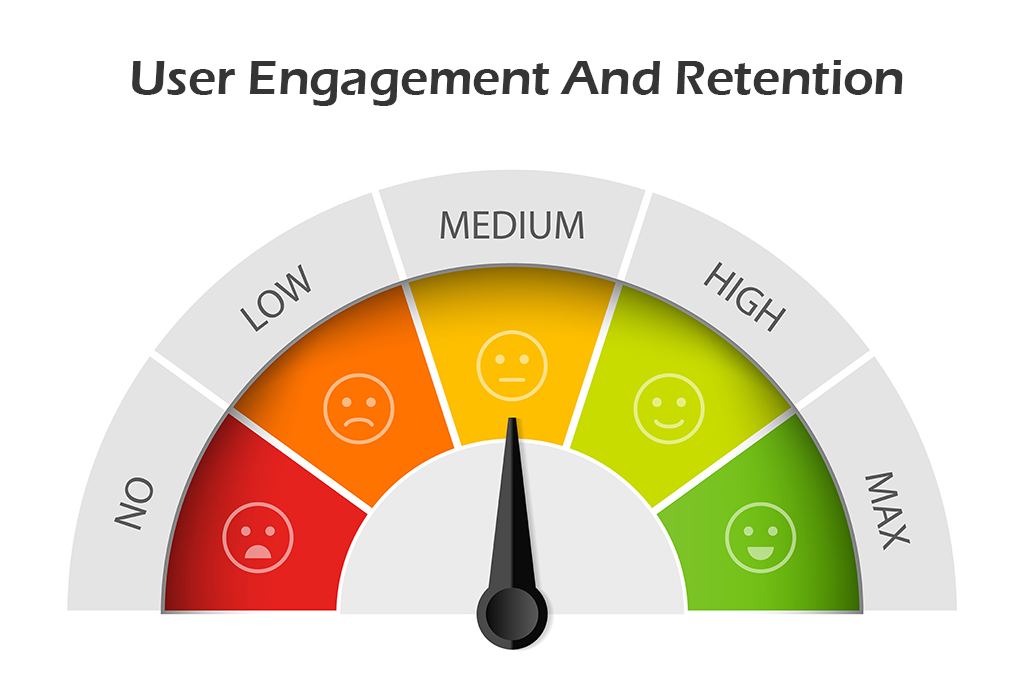
Ensuring Engagement and Retention

  • Add various elements to maintain the interest, like a quiz, a badge, and a leaderboard.
  • Use adaptive learning methods so that there are no performance issues.
  • Regularly update content to maintain the interest of students.

Balancing Educational Value and Entertainment

  • Make sure you avoid making the learning appear more like a game.
  • Ensure that every interactive element is added to maintain the learning objective.
  • Use multimedia to make the complex thing appear to be easier to learn.

Managing Privacy and Data Security

  • Include strong encryption to manage the sensitive data for the student and educator.
  • Make sure your app complies with laws like COPPA or GDPR, depending on your target.
  • Provide clearer educational options and maintain transparency with the policy.

Provide Support for Diverse Learning Needs

  • Include easy access to basic features like text-to-speech or adjustable font size.
  • Offer support for various languages to attract users globally.
  • Design a specific curriculum to meet the needs, learning speed, and abilities.

Bringing Your Educational App Idea to Life

Turning educational app ideas into reality requires having a clear plan and the use of the right technology. Whether you want to build education app for school students or working professionals. Success only depends on the combination of creativity with functionality.

By maintaining a clearer focus on user engagement, high-quality content, and advanced inclusion features, you can create a greater impact. Start with the simpler concept of problem-solving and then reach out to the collaborative app developer to bring your app to life.

As the education sector is growing rapidly, it is now important to have the right app that can maintain better efficiency. If you have an idea, take the first step and build an education app that makes a difference.

Developer assisting to build an education app that transforms your vision into an interactive learning experience with WEDOWEBAPPS

Mobile App Development Partner: A Complete CEO Guide to Making the Right Choice

Mobile App Development Partner for Business Success

Imagine this. Your company has invested months in making this particular mobile app. And the launch day has arrived, but instead of getting user satisfaction, your user can face issues, and the product barely reflects the original vision.

Do not consider this bad luck. This is the result of choosing the wrong app development partner.

The right mobile app development partner changes everything. They become the trusted advisor who gives direction to your app to meet the specific requirements. They easily understand that a business launching an app is not a technical project. It is more of a strategic move that will help in maintaining the market presence, revenue, and customer loyalty.

In this guide, we will cover the information on how to identify what a development partner truly is. Why is choosing the right one to have a better impact, and what are the exact steps to choose a partner who will deliver accurate services?

What is a Development Partner in App Projects?

The app development partner is a team that shares the various responsibilities from the initial stage to achieving successful growth for the long-term. A right app development partner works with you at every stage. From strategy and designing an app to development and post-launch support.

The difference between a vendor and an app development partner is their level of engagement. A vendor only delivers the agreed-upon feature and steps out once the project is over.

A development partner stays invested even after the application is launched successfully and keeps giving recommendations on feature updates, and ensures that the app continues to meet business objectives over time.

This ongoing investment trunks app development from a one-time project into a sustained growth initiative. By treating the app like a living product, the app development partner helps to maintain the security and scalability while gaining a better return on the investment.

right app development partner

Why the Right Mobile App Development Partner Matters

Choosing the right app development partner is more than just making a technical choice. It is the decision that gives influence in the development process and the quality of the app.

Here are a few point that shows you why considering the right mobile app development partner matters:

Direct Impact on Product Quality and User Experience

A skilled mobile app development partner allows you to be sure that the app will meet the high standards when it comes to performance and usability. They:

  • Turn your business objective into a user-friendly design.
  • Follow better testing to detect and resolve issues early.
  • Build an app that is scalable and easily adaptable for users.

All these result in not only maintaining the reliability but also increasing the trust from the first interaction.

Role in Meeting the Deadlines and Staying Within the Budget

The timeline and budget of developing the app also define the success of the project. A reliable app development partner maintains control over both by:

  • Sets the clear time for the development of every stage of the application.
  • Track progress with the given schedule of development.
  • Manage the use of resources to avoid unnecessary costs.

This clear approach allows you to launch the app on time and within the budget that your company has decided.

Minimizing Project Risks and Delays

Every development process requires facing various challenges. An experienced partner works hard to reduce their impact with:

  • Easily identifying the technical or operational risks.
  • Make an efficient plan to handle unexpected issues.
  • Follow flexible development processes.

By addressing these issues before the launch, they help to keep your project on track and protect your investment.

Tips to Choose the Best App Development Partner

If you are willing to select the right app development for your business, then there are strategic options that you can look into.

Making the right choice will have an influence on your app’s quality and long-term success. The following are some of the detailed tips to choose the best app development partner:

1. Define Your Project Goals and Scope

Be clear regarding the needs of your projects before the development begins. Define:

  • Business objectives, like what problem will be solved with your application, and for whom.
  • Know about the need for features and various functionalities.
  • Set the platform preference and which operating system it will support.
  • Prepare the expected budget for your app and timeline for development.

A clear scope of the project enables your app development partner to operate appropriately and manage the process effectively.

2. Check For Skills And Expertise

An ideal mobile app development partner has skills and an understanding of mobile app development technology. Check:

  • Knowledge of multiple programming languages.
  • Practice adding various features, such as payment gateways, third-party APIs, and AI-powered features.
  • Experience in several sectors to ensure the accuracy of the application.

You can also consider the use of modern tools for version control and automated testing processes.

3. Review Portfolios and Case Studies for Proven Work

Knowing about the past form often says more about professionalism and work accuracy. Examine:

  • Check the portfolio of your selected app development performance to know about the design aesthetics, flow of the app, and its performance.
  • Case studies for gaining insight into handling risks and other processes.
  • Read the client review to know about the engagement and the achieved success in the market.

If possible, use some of the apps built by them to know about their impact, usability, and quality.

4. Evaluate Communication and Collaboration Practices

Transparent and clear communication shows that everyone is on the same page. Check for:

  • Regular communication through various sources or via email.
  • Schedule a meeting for the regular updates or weekly progress calls.
  • Approach towards the change and clarify their implementation before the launch.

An app developer can easily explain complex processes in simple terms. Sometimes, even the one who is highly skilled lacks communication.

5. Compare Pricing Models and Transparency of Cost

Make sure that the cost you pay is aligned with the given value. Understand that:

  • Pricing models are defined according to the needs of the project and the offered support.
  • Ask for the detailed breakdown cost.
  • Check for the fact that additional requests are having an impact on cost or timeline.

Be careful with the cost estimation as lower than others.

6. Post-Launch Support and Maintenance Support

Your app needs continuous monitoring for performance and security. Make sure that your app development partner provides:

  • Regular updates for versions
  • Keeps track of performance, stability, and user engagement.
  • Bug fixing and a quick solution to the urgent issues.
  • Feature upgrading abilities to meet market demands.

Strong post-launch support may reduce the possibility of downtime issues and increase the life of the application.

looking for the right mobile app development partner

Understanding the App Development Contract

An app development contract is more than being formal in terms of working methods. It is the paperwork that allows you to have clarity on the expectations between you and your mobile app development partner.

It defines the work, protects your interests, and keeps the project moving in the right direction. You can consider these discussed aspects at the time of signing the app development contract.

Clarity on Clauses Related to Work and Responsibilities

Before moving ahead with the contract, make sure these things are included:

  • Complete scope of the project, including information on features and functionalities.
  • Details on what will be delivered and what the developer will do.
  • A quality standard for how the application will be tested.

This gives the surety to both to know what needs to be expected from the partner.

Set Transparent Payment Terms and Realistic Deadlines

To avoid confusion, the details on money or timing should be included:

  • Schedule of the payment, whether it is monthly, after completion, or after achieving results.
  • Milestone with deliverables on design, prototypes, or a complete module.
  • Delivery of each stage with the steps to take if delays happen.

This keeps the payment details clear and allows you to know the actual work progress.

Ensure ownership rights and safeguard confidential information

Your contract should be clearer and include the following terms:

  • Details on the transfer of ownership for elements like design, code, and data.
  • Maintain confidentiality regarding the sensitive information.
  • Clarify the use of third-party tools and their licensing.

Clear ownership rights help you avoid future issues in managing operations.

Rules for Managing Modifications and Project Closure

Project expectations can change, or there might be chances that any problems may occur. The contract should explain:

  • How to submit and approve changes. And how will this affect the budget and timeline.
  • How conflicts will be resolved, whether through discussions or action.
  • How either party can end the agreement with notice and make payment for completed work.

These terms protect both sides if the project takes a new direction or needs to stop.

Common Mistakes to Avoid When Selecting a Partner

Even experienced business owners can face problems when selecting an app development partner. Knowing about these mistakes allows you to save time and money.

1. Not Researching Properly About the Partner

Do not conclude the first interaction. Check all details from the track record to the client feedback. Making fast decisions for the app development partner can lead to delays in work and affect the quality. A reliable app development partner has proven expertise and meets your project needs.

2. Not Checking Portfolios and Case Studies

A portfolio is something that gives you information on the quality of work delivered by the app development partner. Ignoring this can have an impact on the design standard, technical skills, and ability to meet project needs.

3. Selecting on the Basis of Low Cost

Low cost means you will not be able to receive value. If you are selecting the app development partner on the basis of price, then you may receive less quality of work and support. It is best that you consider someone who has expertise and can provide long-term benefits.

4. Poor Communication and Collaboration Standards

Poor communication often creates more problems in the development processes. Ensure that your partner uses a clear source to maintain communication and gives regular updates.

5. Lack of Offering Ownership and Support

If the company is unable to offer the ownership of the code and post-launch support, then the services are not clearly defined. A well-structured agreement prevents you from facing issues and ensures the app’s continued performance.

Final Checklist for CEOs Before Signing the Agreement

Before making any decision for the right mobile app development partner, look for these:

  • Make sure that the development partner has proven expertise and a strong portfolio.
  • Verify the experience with using their app or with a similar industry.
  • Review and agree on measurable KIPs such as deliverables, quality, and user adoption.
  • Check for the offered post-launch support and maintenance services.
  • Confirm that the ownership is given for the code and design.
  • Give value to scalability to meet future app updates or new features.
  • Evaluate their project management skills and reporting frequency.
  • Check reviews and feedback given by the previous clients and ask for references.
  • Know about the transparency in terms of pricing and payment options.

By knowing about all these, you will be able to select the best app development partner.

Why Partner with WeDoWebApps for Your Mobile App Development

Selecting the right partner for your business has an impact on the success of the app.

Here are the reasons why WEDOWEBAPPS is the best choice for you:

  • Delivered successful projects on mobile apps across different industries.
  • We ensure to maintain the flexibility and allow timely delivery without compromising the quality.
  • Set clear pricing with no hidden charges and ensure that the development process meets your budget.
  • Provide support in handling the updates and give support if any risk occurs to ensure your app remains competitive and reliable.

Securing the Right Partner for Your Mobile App

Mobile app development is no longer optional. It is a well-planned requirement for businesses that want to connect customers directly and stand out in a competitive market.

The process of development requires making use of a structured method and technology. By following a proper strategy, you can keep the focus on user experience and smooth updates.

Working with the correct mobile app development partner can save you time on development and also allow you to have the expected results.

If you are ready to choose your application needs, then connecting with a mobile app development company will be the best option to turn your idea into a high-performing mobile application.

App Partner Who Stays Beyond Launch

From Concept to Launch: The Real Costs of Building an App Like Instagram

Instagram has revolutionized the way we share our lives with others through photos and videos. With over a billion active users, it’s no surprise that many entrepreneurs and businesses are looking to develop their own social media app. However, building an app like Instagram is no small feat – it requires a lot of planning, resources, and most importantly, a significant investment of time and money. With the rise of new social media platforms and photo editing apps, it’s essential to keep up with the latest trends and technologies. As such, developing an android application for photo and video sharing requires a dedicated software development team, a solid app development process, and careful planning to bring your ideas to life. It’s also important to consider features like like4like to encourage user engagement and increase app usage. With platforms like Instagram leading the way, people are more connected than ever before. Instagram, with its photo and video sharing capabilities, has revolutionized the way we interact with social networks. If you’re an entrepreneur or a business looking to build a similar application, this article will guide you through the process and shed light on the cost involved. In this blog post, we’ll explore the real costs of building an Instagram like app, from concept to launch. We’ll look at the various stages of app development for Android, the resources needed, and how to budget effectively to ensure your app is a success. Additionally, we’ll cover features such as like4like and super likes to make your application stand out in the market.

What is the Mobile App Development Cycle?

The mobile app development cycle is the process of creating a mobile app, from concept to deployment. It includes several phases, such as ideation, designing, development, testing, and deployment. The app development process typically involves a team of developers, designers, project managers, and quality assurance specialists.

The Development Process of Instagram Lite

The famous photo-sharing program Instagram now has a lighter version called Instagram Lite, perfect for those who love apps like4like and instant social networks. For consumers with sluggish internet connections or low-end devices, it is ideal because it is made to be speedier and more effective. Here is a quick rundown of how Instagram Lite, an android app, was developed as an app with main features such as like4like and super likes.

1. Ideation

Ideation is the initial stage of the app development process for Android software. The development team brainstormed ideas for the app and came up with the concept of Instagram Lite, which includes essential features like4like hashtags. They focused on creating an app that is lightweight, fast, and efficient, with all the essential features of the main app.

2. Designing

After the ideation phase, the development team moved on to the design phase. They created wireframes and prototypes of the android app, which helped to visualize the layout, features, and functionality of the app. Users can download the app and use it to gain more likes on their social media posts through the like4like feature. The verdict is that the team did a great job in designing and developing the app.

3. Development

Once the design was finalized, the android development team started building the app. They used various technologies, such as React Native and Java, to develop the app’s backend and front end. They also integrated the app with Instagram API to provide all the essential features like4like, download, and followers.

4. Testing

After developing the android app, it went through several rounds of testing. The testing phase involved both automated and manual testing, which helped to identify and fix any bugs or issues in the app’s main features. Additionally, we tested the app’s compatibility with IG and ensured that it worked seamlessly with like4like.

5. Deployment

Deployment is the last phase of the app development cycle. The app’s main features were carefully crafted to include like4like, which allows users to easily gain Instagram likes and grow their Instagram account. The app was launched on the Google Play Store and made available to users worldwide. The development team also monitored the app’s performance and continued to make improvements, including optimizing the like4like feature for better user experience.

Essential Features of an Instagram like App

To create a successful social media platform, incorporating key features similar to Instagram is vital. Here are a few essential features to consider: like4like, marketing app, followers app, and likes.

  1. User Registration and Authentication: Allow users to create accounts using email, phone numbers, or social media accounts. 
  2. Photo and Video Upload: Enable users to upload photos and videos directly from their mobile devices. Incorporate features like filters, captions, and tagging for enhanced user engagement.
  3. Social Media Integration: Integrate with popular social media platforms, allowing users to share their posts and expand their reach beyond the app.
  4. Explore and Discover: Implement a discovery feature that recommends content based on user preferences, interests, and trending topics.
  5. Interactions and Engagement: Enable users to like, comment on, and share posts. Incorporate direct messaging functionality to facilitate private conversations.
  6. Stories and Highlights: Introduce a “stories” feature where users can share temporary content that disappears after 24 hours. Provide options to save and highlight these stories for later viewing.

The concept and planning phase of building an app

The concept and planning phase is an integral part of building an app from scratch. It lays the foundation for the entire project and sets the tone for what is to come. When it comes to creating an Instagram like app, understanding the main features, followers, likes, and account management are essential factors to keep in mind during this stage. One of the most important considerations is market research. This involves analyzing the competition, understanding the target audience, and identifying gaps in the market that your app can fill. By doing this, you can gain a better understanding of what users are looking for in a social media app, and tailor your features and functionalities accordingly. Additionally, it’s important to consider how your app can help users gain more Instagram likes and followers, as well as manage their account effectively with an Instagram liker. Once you have a clear idea of what you want to achieve with your app, it’s time to start identifying key features and functionalities to include. This can range from basic features like user profiles and photo sharing, to more advanced features like filters and editing tools. By mapping out these features early on, you can ensure that your app is both user-friendly and engaging. Additionally, if your app is focused on social media, it may be beneficial to include features such as Instagram likes, free Instagram, and Instagram followers to increase user engagement and attract new users. Of course, one of the biggest considerations during the planning phase is estimating the costs of development. This includes everything from design and coding, to testing and bug fixes. Depending on the complexity of the app and its main features, likes, and followers, this can be a significant investment. It’s important to be realistic about your budget and to work with a team that has experience in building apps of a similar nature. Finally, it’s important to consider the budget required for marketing and user acquisition post-launch. While the initial development costs are significant, it’s important to remember that building an app is only half the battle. Once the app is live, you’ll need to invest in marketing efforts to ensure that users find and download the app. This can include everything from social media ads to influencer partnerships, followers, free Instagram likes, and is a critical component of the overall success of the app. In conclusion, the concept and planning phase is a crucial part of building an Instagram-like app that can attract many likes and followers. By conducting thorough market research to identify what features and functionalities are most popular among potential users, estimating development costs, and planning for post-launch marketing efforts, you can set your app up for success in gaining many likes and followers from day one. Looking to create an app like Instagram? Partner with a top digital marketing company USA to ensure your app stands out in the market.

Understanding the Instagram Phenomenon

Instagram, a mobile application launched in 2010, quickly gained popularity due to its user-friendly interface and unique features. It allows users to share photos and videos, apply filters, add captions, and engage with other users through likes, comments, and direct messaging. With the ability to gain followers through engaging content, Instagram Reels, a short videos feature, further elevated its appeal and opened up new possibilities for content creators. The Cost to Build an App Like Instagram: One of the crucial considerations when developing an app like Instagram is the cost involved. Several factors affect the cost of developing an app, including:

  1. App Development Company: Collaborating with a professional app development company is essential for a successful project. The cost may vary based on the company’s expertise, location, and reputation.
  2. Features and Functionality: The complexity and number of features you want in your app will impact the development cost. A basic version may include photo and video uploading, social media account creation, and interaction capabilities. Advanced features such as stories highlights, photo editing tools, and video sharing require additional resources and expertise.
  3. Platform Compatibility: Developing an app for a single platform, like iOS or Android, is cost-effective. However, to reach a wider audience, you might consider developing for both platforms, which increases the overall development cost.
  4. App Testing and Maintenance: Rigorous testing is crucial to ensure a bug-free and seamless user experience. Additionally, ongoing maintenance and updates contribute to the overall cost.

Determining the exact cost to build an app like Instagram, which allows users to gain followers and likes, is challenging as it depends on various factors. However, a ballpark estimate for a basic version can range from $50,000 to $100,000, while more advanced versions with additional features for increasing followers and likes can exceed $250,000.

How Much Does it Cost to Develop an App like Instagram?

Millions of people share photographs and videos on Instagram every day, making it one of the most widely used social media sites in the world. But have you ever wondered how much it actually costs to develop an app like Instagram? In this section, we’ll explore the real costs involved in building an app like Instagram from concept to launch. The initial investment required to develop an app like Instagram with features such as likes and followers can be quite significant. Designing a user-friendly interface, creating a database to store user information, and developing the app’s core functionality for these features are all critical components that require a skilled team of developers. According to some estimates, the average cost to develop an app like Instagram with likes and followers can range from $100,000 to $1.5 million, depending on the complexity of the app and the development team’s location. In addition to the initial development costs, there are also ongoing expenses to consider. For example, server hosting, maintenance, and updates are all critical components of app development that require ongoing investment. These costs can add up quickly, especially if your app becomes popular and attracts millions of followers, likes. Another major expense associated with app development is marketing and promotion. You’ll need to invest in advertising and other marketing strategies to attract users and build a user base. This can be a significant expense, especially if you’re competing against other well-established apps in the market. Additionally, gaining followers and increasing Instagram likes can also add to the cost of promoting your app. To minimize costs and maximize ROI for your marketing app, there are several strategies you can consider. One option is to outsource development to affordable offshore teams that can deliver high-quality work at a fraction of the cost of local developers. You can also consider using open source tools and frameworks to reduce development costs and speed up the development process. Additionally, to increase engagement on your Instagram app, you may want to focus on getting more likes and followers. In summary, developing an app like Instagram requires significant investment, both in terms of time and money. However, with careful planning and strategic decision-making, it’s possible to minimize costs and achieve a high ROI. By understanding the real costs involved in app development, you can make informed decisions about how to best allocate your resources and build an app that gains followers and likes from users.

How Long Does it Take to Develop an App?

The complexity and scope of an app determine how long it takes to build. While more complex apps may take months or even years to design, simpler apps may only take a few weeks. For instance, it took about six months to create Instagram App Lite, which has gained millions of likes and followers. app development process and costs

Developing an MVP (Minimum Viable Product)

When it comes to building an app with a social media aspect, such as Instagram, the first step is to develop a Minimum Viable Product (MVP). This is a basic version of the app that includes only the most essential features, such as followers and Instagram likes. The MVP is designed to test the concept and determine whether it is worth investing more time and money into the app.

Setting up the Account Authorization

The first step in developing an MVP is to set up the account authorization. This is the process that allows users to sign up and log in to the app. This feature is essential for any app that requires user data, including followers and Instagram likes.

Create and Edit Profile

Once the user has logged in to the Instagram app, they should be able to create and edit their profile. This feature allows users to provide information about themselves and their interests, as well as gain more followers and Instagram likes. It also allows them to customize their profile picture and other details.

Creating the Messaging Feature

Messaging, Instagram likes, and followers are crucial features of any social media app. It allows users to connect with each other, communicate in real-time, and engage with their audience through likes and followers. This feature can be developed using a variety of technologies, including real-time messaging protocols and push notifications.

Uploading the Photo and Video

The ability to upload photo and video is a key feature of any social media app, including Instagram. This feature should allow users to upload media files from their device or from other sources. It should also allow users to crop, rotate, and edit their media files to attract more Instagram likes and followers.

Customizing or Editing Photos

The ability to customize or edit photos is another important feature of any social media app, especially for those who want to gain more Instagram likes and followers. This feature should allow users to apply filters, adjust brightness and contrast, and add text or other elements to their photos.

Implementing the Extra Settings

Extra settings, such as push notifications, privacy settings, and language preferences, are also essential features of any social media app, including Instagram likes and followers. These settings should allow users to customize their experience and control how they interact with the app.

Connecting with the Social Media

Integrating social media platforms, such as Facebook, Twitter, and Instagram, is an excellent way to increase user engagement and promote the app. This feature should allow users to share their content on other platforms and connect with their friends on other social media sites.

Integrating the Geo-location Feature

Integrating the geo-location feature in the Instagram app allows users to share their location with other users, potentially increasing their Instagram likes and followers. This feature can be used to find friends in the area or to discover new places to visit.

The Search Option

Finally, the search feature is an essential component of any social media app, including Instagram. This feature should allow users to search for other users, content, hashtags, likes, and followers within the app. In conclusion, developing an MVP for an app like Instagram requires a range of essential features. These features include account authorization, profile creation and editing, messaging, media uploading and editing, extra settings, social media integration, geo-location, and search. Additionally, it is important to consider features such as followers and likes to ensure your app caters to the needs of users who value engagement metrics. By developing an MVP that includes these features, you can test your concept and determine whether it is worth investing more time and money into your app.

The App Design – UI and UX

One of the most crucial elements of any successful app is its user interface (UI) and user experience (UX). Simply put, a user-friendly interface can make or break an app, no matter how great its features are. The design of an app should be intuitive and easy to navigate, ensuring that users can quickly and easily find what they need, without getting lost or frustrated. When it comes to app design, there is often a delicate balance between aesthetics and functionality. While a visually pleasing interface can be appealing, it’s important not to sacrifice functionality for the sake of looks. A designer must strike the perfect balance between form and function to create an app that is both beautiful and practical. This is especially important for apps that rely on followers and Instagram likes. Hiring a professional UI/UX designer is an investment that can pay off in likes and followers. A talented designer can not only create an app that is visually stunning, but also one that is intuitive and easy to use. However, this investment comes with a cost, and it’s important to budget accordingly. The cost of hiring a professional UI/UX designer can vary widely depending on the scope of the project, but it’s important to keep in mind that a quality designer can be worth their weight in gold for increasing likes and followers. One critical step in the app development process is user testing. Once the app design is complete, it’s important to put it in the hands of real users, including followers, to gather feedback and ensure optimal user experience. User testing can help identify any pain points or areas for improvement, allowing designers to make necessary adjustments before launching the app. Additionally, tracking Instagram likes can also provide insight into user engagement and satisfaction. In conclusion, the design of an app is a crucial factor in its success. A user-friendly interface that strikes a balance between aesthetics and functionality can make all the difference in creating an app that followers love. Investing in a professional UI/UX designer and conducting thorough user testing can ensure that your app is well-designed and optimized for the best user experience possible, especially for those looking for Instagram likes.

Some other Additional Costs

While the initial build-out of an app is certainly a major expense, it’s important to remember that the costs of app development don’t end there. Ongoing maintenance and updates are critical to ensure that your app remains relevant and functional in a fast-paced, ever-changing technological landscape. If you want to increase your followers and Instagram likes, regular updates are necessary to keep your app up-to-date. One of the key strategies for managing app development costs is to establish a clear plan for ongoing maintenance and updates from the outset. This can include allocating resources for regular bug fixes, security updates, and feature enhancements. Additionally, it’s important to consider the app’s followers and their needs, as well as tracking Instagram likes to ensure the app is meeting user expectations. It’s also important to recognize the role that user feedback from followers and Instagram likes can play in shaping ongoing development efforts. By engaging with your user base and soliciting feedback on a regular basis, you can gain valuable insights into how your app is being used and identify areas where improvements or new features may be needed. Overall, building an app like Instagram requires a significant investment of time, money, and resources to attract followers and gain likes. However, by taking a strategic approach to app development and focusing on ongoing maintenance, user feedback, and engagement, you can help ensure that your app remains a valuable tool for your audience to increase their followers and likes.

The App Development Team

When it comes to make an app like Instagram, one of the most important aspects is hiring the right mobile app development team. The development team is responsible for bringing your app concept to life and ensuring that it is functional, user-friendly, and visually appealing. So, how do you go about finding and hiring the right development team for your app? First and foremost, it is important to understand the average salaries of developers and designers involved in the app development process. Depending on the location and experience of the team members, salaries can vary greatly. For example, a senior iOS developer in the United States can earn anywhere from $120,000 to $200,000 per year. A UI/UX designer can earn anywhere from $70,000 to $140,000 per year. When it comes to building an app like Instagram, you have the option of outsourcing the development work or hiring an in-house team. Outsourcing can be a cost-effective option, but it can also come with its own set of challenges. Communication can be more difficult with a remote team, and there is a risk of quality issues if the team is not properly vetted. However, with the right team, outsourcing can lead to a successful app with a large following and many likes. On the other hand, hiring an in-house team can be more expensive, but it can also provide greater control and flexibility over the development process. With an in-house team, you can more easily manage and optimize the team’s workflow to save costs and improve efficiency. However, having a strong social media presence with many followers and likes can help offset the cost of an in-house team. Regardless of whether you choose to outsource or hire in-house, it is important to have a strong project manager in place to oversee the development process. A project manager can help ensure that the team is working efficiently and effectively, and can help keep the project on track and within budget. Having a large number of followers and likes can also be beneficial for the success of the project. Overall, building an app like Instagram that attracts followers and likes requires a skilled and experienced development team. By understanding the costs and options associated with hiring a development team, you can make informed decisions and ensure that your app is built to the highest standards of quality and functionality.

The Final Cost Estimation of Instagram App Development

Building an app like Instagram requires extensive planning, design, coding, and testing to create a seamless user experience for followers and likes. However, have you ever wondered what the final cost of developing an app like Instagram with a focus on followers and likes is? How Much Does it Cost to Develop an App? The price of producing an app varies depending on a number of elements, including the platform, functionality, and complexity of the app. The cost of this phase can range from $10,000 to $50,000. The design and development phase is where the real work begins. Hiring a team of developers, designers, and project managers is essential to bringing the app to life. The team will determine the app’s architecture, create wireframes and prototypes, and develop the app’s code. The cost of this phase can range from $100,000 to $500,000 or more, depending on the size of the team and the complexity of the app. The testing and deployment phase is crucial to ensure that the app is ready for launch. Conducting user testing, fixing bugs, and preparing for launch can take several weeks to several months. The cost of this phase can range from $10,000 to $50,000 or more. The success of the app launch can be measured by the number of likes and followers it receives. The ongoing maintenance and updates of the app, including features related to followers and likes, are equally important to ensure that it remains relevant and up-to-date with new bug fixes and security updates. The cost of this phase can vary depending on the frequency of updates and the size of the development team. In conclusion, building an app like Instagram that attracts a large number of followers and likes requires a significant investment of time, money, and resources. The final cost of developing such an app can range from $120,000 to $600,000 or more, depending on the complexity of the app and the size of the development team. However, with proper planning, design, and execution, the investment can pay off in the form of a successful app with a massive user base and potentially significant revenue from sponsored content and advertisements. how much does it cost to develop an app

Conclusion

In conclusion, building an app like Instagram requires a significant investment of time, money, and resources. From the initial concept to launch, the development process involves many stages, including market research, design, coding, and testing. However, the rewards can be significant if you are successful in creating an app that resonates with users and receives a lot of likes. The initial investment required for an app like Instagram can vary widely depending on the scope and complexity of the project. However, it is essential to invest in a skilled team of developers, designers, and marketers to ensure your app is well-designed, user-friendly, and marketed effectively to increase likes. The mobile app development cycle is a complex process that requires careful planning, a dedicated app development team, and a solid app development process. Instagram Lite App is an excellent example of a lightweight app that is fast, efficient, and provides all the essential features of the main app. Developing an app can be costly and time-consuming, but with the right team and approach, it can be a rewarding experience. It’s important to keep in mind that the success of an app depends not only on its development but also on its marketing and user adoption. Therefore, it’s crucial to have a solid marketing strategy and user engagement plan in place to ensure the app’s success. Additionally, tracking likes can provide valuable insights into user preferences and behavior, allowing for further optimization of the app’s features. Building an Instagram-like app that garners likes requires careful planning, collaboration with a professional app development company, and an understanding of the associated costs. By considering the essential features that encourage likes, you can create a captivating mobile application that meets the demands of today’s social media landscape. While the initial investment may seem substantial, the potential rewards and opportunities for growth in terms of likes make it a worthwhile endeavor. In conclusion, building an app like Instagram that garners a lot of likes is no small feat. It necessitates considerable time, financial, and resource commitment. However, with careful planning, a solid team, and a clear understanding of the costs involved, it is possible to bring your app to market successfully. We hope that this article has shed some light on the real costs of building an app like Instagram that can generate a lot of likes and provided you with the information you need to make informed decisions about your own app development project. Remember, the journey from concept to launch is a challenging one, but the rewards can be significant if you are willing to put in the work. Good luck on your app development journey!

Mobile development in coming years

There are more than one billion connected devices. Android itself has more than 16 thousand variant devices. The ability to write programs that will run on Connected devices is a great skill to have for at least the next five years.

Significant Changes Coming In Mobile Development

Due to a variety of hardware and software, not to mention intermittent Internet connectivity and awkward app delivery methods, mobile application development has remained a black art for many. The mobile market is about to change in eight significant ways in the next five years:

  1. Standalone apps will lose their luster.
  2. Hardware-driven innovation will enable new opportunities.
  3. The mobile competition will shift to accessories and ecosystems.
  4. The composition will dominate front-end mobile experiences.
  5. The merger of physical and digital worlds accelerates.
  6. The mobile context becomes high-definition.
  7. Service virtualization and API design tools will appear in every development toolbox.
  8. Low-code platforms will move into the aggregation tier, but struggle to go mainstream.

Explore the future of mobile app development and how it’s evolving with new technologies.

Mobile commerce is likely to overtake e-commerce in the next few years, spurred by the continued uptrend in online shopping and increasing the use of mobile apps, says an industry report. With online shopping platforms, there is an impressive growth in the number of transactions executed through mobile apps. It is not surprising that significant e-commerce portals are contemplating discontinuing their full-version websites altogether, to focus solely on the mobile platform. Learn about the React Native mobile future and how it will shape the mobile development industry in the coming years. Explore what makes React Native a key player in future app development.

Advantages of Creating Mobile Application for Your Start-up Business

Are you an entrepreneur looking for ways to take your business to the next level? Developing a mobile app for your startup is an effective way to reach new customers and grow your business. In this blog post, we’ll discuss the benefits of creating a mobile app for your startup, and how it can help you achieve success. We will also give advice on how to begin. Read on to learn more!

Increased visibility and engagement

Using a mobile app also allows you to stay connected with customers by providing them with updates about new products, services, and discounts. Having a mobile app also provides an easy way for customers to contact you, making it easier to provide support and build relationships. Overall, developing a mobile app for your startup will help you increase visibility, engagement, and customer loyalty.

Improved customer service

Having a mobile app can also help to streamline customer service, as customers can easily access your FAQs and contact information from the app. Overall, having a mobile app can help to improve customer service and increase customer loyalty, helping your business to succeed.

Easy access to customer data

When you develop a mobile app for your startup, you unlock a huge potential for easy access to customer data. This data can be used to understand customer needs, preferences, and behaviours. It’s a powerful tool to gain insights into what your customers like, what they don’t, and how they interact with your services and products. With a mobile app, you can easily improve customer engagement and loyalty. Customers can quickly and easily access your services, making it easier to stay connected with them. You can also track customer behaviour and usage data to gain further insights into how to optimize your services and products. Developing a mobile app also helps you to build a strong brand identity and presence in the digital world. You can reach out to your customers in a more direct and targeted way, helping to build relationships and trust. A mobile app also enables you to take advantage of the latest trends in technology, keeping your business competitive in the ever-changing digital landscape. By developing a mobile app for your startup, you can gain access to valuable customer data, improve customer engagement and loyalty, and build a strong brand identity. This can help you to stay ahead of the competition and take your business to the next level.

For insights on finding a top app development company, check out our article on a leading app development company.

Improved user experience

Finally, a mobile app can help to streamline processes, such as managing orders and payments, and make it easier for customers to interact with your business. By developing a mobile app for your startup, you can help to improve user experience, increase brand recognition, and generate more revenue. With an intuitive user interface, personalized experience, exclusive discounts and promotions, and streamlined processes, customers will enjoy a more seamless and enjoyable experience with your business.

Increased revenue potential

With the use of data and analytics, mobile apps can provide valuable insights into customer behavior and preferences, helping to optimize the services and offerings to meet customer demands. By investing in a mobile app for your startup, you can maximize your revenue potential and create long-term success. Mobile apps can provide an enhanced customer experience, helping to improve customer satisfaction and loyalty. Additionally, they can help to drive more sales and increase brand awareness. With the use of data and analytics, mobile apps can uncover valuable customer insights and preferences, enabling you to optimize your services and offerings to meet customer demands. Investing in a mobile app is a great way to increase your revenue potential and create long-term success. Learn about the potential revenue that app development can generate by visiting our article on potential revenue from app development.

Faster product development

As a startup, it’s important to get your product to market as quickly as possible. Developing a mobile app for your startup can reduce the time it takes to get your product to market and allow you to focus on other aspects of your business. Mobile apps are becoming increasingly popular and can create a more convenient user experience for customers. Developing a mobile app for your startup will allow customers to quickly and easily access your product or service on their mobile device. This can help to increase customer loyalty and engagement with your product. In addition, developing a mobile app can help you gain access to new customers who prefer to use mobile devices. This can be especially beneficial if you are targeting a younger demographic or leveraging mobile-specific advertising. Overall, developing a mobile app for your startup can be a great way to reduce the time it takes to get your product to market, create a more convenient user experience, gain access to new customers, and increase customer loyalty and engagement.

Enhanced customer loyalty

You can also use your mobile app to quickly and easily send notifications to customers about new products or services, as well as any special offers or discounts you might have available. A mobile app can also help to keep your customers informed of any changes or updates to your services, helping to maintain customer loyalty and satisfaction. Using a mobile app to provide your customers with a more personalized experience, staying up to date with the latest trends and technology, and sending notifications to customers about offers or discounts can all help to increase customer loyalty and satisfaction. By developing a mobile app for your startup, you can create an enhanced customer experience that will keep your customers coming back.

Improved customer retention

As a startup, one of the most important aspects of success is customer retention. Developing a mobile app for your business can play a major role in improving customer retention and engagement. By offering customers the convenience of a platform to interact with your business, you can create a more engaging and personalized experience. This can result in heightened customer retention and repeat purchases. A mobile app can also help you increase visibility and awareness of your brand. With the ever-increasing popularity of mobile devices, more and more people are spending time on their phones. By having an app, you can reach a broader audience and capitalize on this trend. Finally, having a mobile app can create a competitive advantage. By leveraging the latest technology, you can create a user-friendly and engaging experience for your customers. This can help you stand out from the competition and ensure that your customers have a positive experience with your business. Developing a mobile app can be a great way to improve customer retention and engagement. By offering convenience and leveraging the latest technology, you can create a competitive advantage and ensure that your customers have a positive experience with your business.

Read also: Types Of Mobile Apps

Increased scalability

A mobile app can provide the perfect platform for scalability. As your business grows, a mobile app can help you keep up with the demand. You can easily add features and functionalities to your app to make it more user friendly and responsive. You can also take advantage of mobile app analytics to track user engagement and make necessary changes to improve user experience. Additionally, developing a mobile app for your startup can help to boost your brand’s visibility. With the right marketing strategies, your app can be seen by a larger audience and help to draw in more customers. By optimizing the design and features of your app, you can make sure that it stands out from the competition and attracts more attention. Developing a mobile app for your startup can be a great way to reach a larger customer base and scale up your business. With the right strategies and analytics tools, you can ensure that your mobile app provides the best user experience and helps to promote your brand.

Cost-efficiency

Developing a mobile app for your startup can be a great investment for your business. Not only does it provide a platform for you to reach a larger audience and engage with customers in new and innovative ways, it can also save you time and money. Mobile app development is generally more cost-efficient than traditional web development, so you can get the same high-quality product at a fraction of the cost. A mobile app can also help you stand out from the competition and make your business more visible. By developing a mobile app, you can provide customers with a convenient way to access your services and products and build customer loyalty. Plus, you can use the app to gain valuable insights into customers’ behaviors and preferences, allowing you to tailor your offerings and better serve their needs. Developing a mobile app for your startup is a great way to increase customer retention and loyalty. With a mobile app, customers have a convenient way to access your services and can easily stay up-to-date on your latest offerings. Plus, you can use push notifications to keep customers engaged and increase your visibility. Overall, developing a mobile app for your startup is a cost-effective way to reach a larger audience, stand out from the competition, and increase customer loyalty and retention. It can also provide valuable insights into customer behaviors and preferences, so you can tailor your offerings and better serve their needs.

Access New Markets

As a startup, one of the best ways to reach new customers and access new markets is to develop a mobile app. Mobile apps offer startups a range of advantages and opportunities that are not available on a traditional website. For starters, mobile apps allow startups to reach customers who prefer to shop and interact with brands through their mobile devices. This can be especially useful for e-commerce startups, where customers can purchase items directly from the app. By leveraging the convenience and accessibility of mobile apps, startups can gain a competitive advantage in their industry. Mobile apps also give startups the opportunity to offer a more personalized experience than a website, thanks to features like push notifications and loyalty programs. This can be used to engage customers, keep them coming back, and ultimately increase customer loyalty. These features can also be used to promote special offers and discounts, helping to boost revenue and increase brand awareness. In conclusion, developing a mobile app can be a great way for startups to access new markets and increase their customer base. With the right approach, a mobile app can help startups build brand awareness, increase customer loyalty, and boost revenue.

Make Your Brand More Accessible

Mobile apps have become an essential part of the modern business landscape, offering startups the chance to maximize their reach and engagement with customers. Developing a mobile app for your startup can be a great way to make your brand more accessible and give you a leg up over the competition. Having an app available for your customers to download and use on their phones or tablets can be a huge advantage for your startup. It gives your customers the convenience of accessing your products and services anytime, anywhere. This not only increases the visibility of your brand but also allows you to reach a wider audience. Furthermore, having a mobile app also makes it easier to engage with customers and build loyalty. You can use the app to send notifications to customers when you have new products or promotions, or even just to remind them that they are valued. This helps to create a more personal experience and build relationships with customers, leading to more loyalty and repeat customers. Developing a mobile app for your startup can be a great way to make your brand more accessible and give you a competitive edge. With the right app, you can reach a wider audience, increase engagement with customers, and build loyalty. Take the time to explore the possibilities of mobile app development and see how it could benefit your business. Advantages of Creating a Mobile Application for Your Start-up

Generate Additional Revenue

As a startup, developing a mobile app can be a great way to generate additional revenue and improve customer engagement. In-app purchases and ads can help to monetize your app, while features like push notifications can help to keep customers coming back. Additionally, the mobile platform is a great way to expand your customer base and reach a wider audience. By investing in a mobile app, you can create a more engaging user experience and build brand awareness and loyalty. With the right strategies in place, a mobile app can be a powerful tool to help take your startup to the next level. Developing a mobile app for your startup can be a great way to elevate your business and reach a wider customer base. It can help you stand out from the competition and expand your customer base. Not only that, but a mobile app can help boost engagement with existing customers and improve customer loyalty. From increased visibility to improved customer service, there are numerous advantages to developing a mobile app for your startup. If you’re a startup looking to build a lasting and successful business, developing a mobile app could be the key to your success. With the right strategy and support, a mobile app can help you reach new heights and establish your business as a leader in the industry. Take the time to explore the benefits of developing a mobile app for your startup, and you could be well on your way to a successful future.

Modern Android App Development – What You Need to Know?

Modern Application Development

“Our mobile app looks outdated, loads slowly, and users keep uninstalling it, but we don’t know where to start fixing it.”

If this sounds familiar to you, you are not alone. Many businesses struggle to keep up with rapidly changing mobile technologies, shifting user expectations, and rising competition in the app ecosystem.

In today’s mobile-first economy, apps are more than just digital platforms, they are powerful business tools that drive engagement, retention, and growth. From personalized shopping and remote health consultations to enterprise-level automation, mobile applications are transforming how industries operate. 

But modern users expect more. They demand sleek interfaces, intelligent features, fast performance, and seamless cross-device experiences. Falling behind on these expectations can cost you both customers and credibility.

To stay competitive, brands must innovate continuously. Whether you are building from scratch or looking to modernize an existing application, collaborating with a trusted Android app development company can accelerate your journey toward a high-performing, future-ready mobile presence. 

In this blog, we will explore the future of mobile app development, highlighting key trends, emerging technologies, and strategic decisions that businesses need to navigate to stay relevant, agile, and impactful.

future-proof your mobile app idea

Understanding the Current Landscape

The mobile app development ecosystem is evolving at a remarkable pace. What was cutting-edge a few years ago is now the baseline, and users no longer tolerate outdated interfaces, sluggish load times, or apps that are optimized for their devices. 

At the core of this evolution is a shift towards modern Android app development practices. Frameworks like Jetpack Compose, languages like Kotlin, and architecture patterns such as MVVM and clean Architecture have redefined how developers build fast, scalable, and maintainable applications. The modern approaches streamline UI creation, improve app responsiveness, and reduce development cycles, making them ideal for businesses aiming to launch faster without compromising quality. 

But technology is just one part of the equation. Platforms themselves are evolving. For example, Android receives major OS updates annually, along with multiple security patches and minor feature roll outs throughout the year. These updates often introduce new APIs, UI standards, and performance optimization, and failing to align your app with these changes can lead to compatibility issues and a broken user experience. 

Cross-platform frameworks like Flutter, React Native, and Kotlin Multi Platform are also reshaping the landscape. They allow businesses to build apps for both Android and iOS using a single codebase, significantly reducing time-to-market and development costs, especially useful for startups and companies modernizing legacy applications. 

In short, businesses that want to stay relevant need to adopt not just mobile apps, but modern mobile strategies. Choosing the right tools, updating regularly, and building on scalable, future-proof architectures is no longer optional, it is the cost of staying competitive. 

choosing the right app development approach

Game-Changing Technologies Transforming Mobile Apps

As mobile usage becomes more immersive, intelligent, and integrated into daily life, certain technologies are standing out as game changers, not just shaping the future of apps, but rewriting what is possible altogether. Businesses that embrace these innovations early gain a competitive edge by offering richer, more relevant, and more seamless digital experiences. 

1. Artificial Intelligence (AI) and Generative AI

AI is no longer a futuristic concept, it is already embedded in leading mobile apps through features like predictive search, smart recommendations, facial recognition, and chatbot assistants. Today, generative AI is pushing boundaries even further, enabling content creation, personalized experiences, and real-time automation within apps. 

For businesses, integrating AI means faster decision-making, better customer insights, and apps that adapt intelligently to user behavior. From eCommerce to healthcare, AI is helping apps become more than tools, they are becoming intelligent companies. 

Example: Amazon uses AI extensively in its app, from voice-based search and dynamic pricing to personalized product recommendations, making the shopping experience faster and smarter.

2. Augmented Reality (AR) and Virtual Reality (VR)

AR and VR are redefining user engagement. Whether it is a virtual try-on feature in a retail app or immersive 3D learning in edtech, these technologies offer unforgettable, interactive experiences. 

Apple’s Vision Pro, Meta’s Quest, and ARCore/ARKit are opening new doors, and businesses that integrate AR/VR into their mobile strategy can captivate users in ways static screens simply can’t.

Example: L’Oréal’s Makeup Genius app uses AR to let users virtually try on cosmetics in real time, boosting conversion rates and customer satisfaction.

3. 5G and Edge Computing

Speed and low latency are no longer luxuries, they are user expectations. With the rise of 5G networks and edge computing, mobile apps can now deliver real-time capabilities like cloud gaming, remote surgeries, live collaboration, and instant AR overlays with performance lag.

For mobile-first businesses, this means the ability to serve users instantly, even with high-bandwidth features, all while keeping costs down and experience high. 

Example: Siemens Healthineers uses 5G-powered mobile imaging solutions for remote diagnostics, improving speed and accuracy in emergency healthcare delivery.

4. Internet of Things (IoT)

Mobile apps are evolving into remote controls for the physical world. From managing home appliances to tracking industrial machinery, IoT integration turns smartphones into central hubs for connected experiences. 

For industries like logistics, smart farming, healthcare, and energy; IoT-powered apps can drive automation, efficiency, and real-time monitoring like never before. 

Example: Nest uses its mobile app to let users control thermostats and energy usage, helping save money and reduce carbon footprints with real-time adjustments.

5. Blockchain and Web3 Integration

Security, transparency, and decentralization are key concerns for modern users. Blockchain technology, often associated with crypto, is now entering mainstream mobile applications. 

From secure user authentication and digital contracts to decentralized identity systems and loyalty programs, mobile apps built with Web3 principles can offer a new level of user trust and data control. 

Example: Burger King partnered with Robinhood to offer crypto rewards through its app-based loyalty program, combining blockchain with consumer engagement.

Businesses investing in these technologies are not just following trends, they are future-proofing their mobile-strategies. Whether you are innovating in fintech, healthtech, edtech, or eCommerce, integrating these advancements into your roadmap can help you stay miles ahead of the competition. 

Rising User Expectations 

Today’s mobile users are more demanding than ever, and rightfully so. With thousands of apps at their fingertips, users no longer settle for anything that feels outdated, clunky, or slow. They expect seamless performance, intuitive navigation, and personalized interactions, all delivered with visual polish and accessibility built-in. 

This is where modern app design becomes a game-changer. It goes beyond just aesthetics, focusing on responsiveness, minimalism, speed, and clarity. Whether it is a fintech dashboard or a food delivery interface, clean layouts, micro-interactions, and adaptive components now define what users consider “usable.”

On the Android side, modern Android app design is being heavily influenced by Material You, Google’s design system that enables dynamic theming based on user preferences, device settings, and colors. Features like foldable screen support, gesture navigation, dark mode, and haptic feedback are now becoming standard expectations, no luxuries. 

Example: Spotify uses modern Android design principles to deliver a dynamic, responsive, and personalized UI that adapts to themes and user behaviors, enhancing both usability and engagement. 

Beyond visuals, personalization is now a baseline. Users expect apps to remember their preferences, anticipate their needs, and personalize experiences accordingly. AI-driven recommendations, smart onboarding flows, and contextual push notifications are essential tools for this. 

ACcessibility is another non-negotiable. Apps that ignore screen reader compatibility, color contrast, or font scalability risk alienating large sections of their audience, and may even face legal repercussions in certain markets. 

In short, users today expect apps to:

  • Look clean and modern on any screen size
  • Adapt to their behavior and preferences 
  • Work seamlessly across platforms and devices 
  • Be inclusive, accessible, and responsive

Businesses that meet these expectations earn user trust and long-term loyalty. Those that don’t? Users uninstall and move on, often minutes.

The Rise of Cross-Platform Development

As businesses look to launch mobile apps faster, reach wider audiences, and reduce development costs, cross-platform development has emerged as a powerful solution. 

Unlike traditional native development, where separate codebases are maintained for Android and iOS, cross-platform frameworks allow developers to write once and deploy across platforms. This not only saves time and budget but also ensures consistent user experiences. 

Frameworks like Flutter, React Native, and Kotlin Multi Platform are leading this movement: 

  • Flutter, developed by Google, offers a rich UI Toolkit and fast performance, making it ideal for high-fidelity, branded applications.
  • React Native, by Meta, is known for its modularity, strong developer community, and JavaScript foundation.
  • Kotlin Multi Platform gives teams the flexibility to share business logic across platforms while keeping native UI for platform-specific needs. 

Example: Alibaba, BMW, and eBay Motors have used Flutter to deliver high-performance apps to scale, without compromising on design or responsiveness. 

For businesses with existing legacy apps or outdated architecture, cross-platform solutions offer a way to modernize applications without rebuilding everything from scratch. It allows for faster rollout of updates, better feature parity across devices, and unified maintenance cycles. 

Cross-platform is also ideal for MVP development, startups with limited resources, and enterprises looking to expand into new markets rapidly. It enables faster prototyping, quicker iterations, and lower TCO (Total Cost of Ownership), all while meeting modern design and performance benchmarks.

However, it is not a one-size-fits-all solution. For apps requiring deep OS integration, intensive graphics (like 3D gaming), or hardware-level features, native development might still be the better route. 

The key is knowing when to go cross-platform, and how to do it without sacrificing user experience or app quality. 

Modern Android App Development Practices and Tools

Modern Android App Development Practices

Behind every high-performing app is a smart, scalable, and modern development workflow. As mobile technologies advances, so must the tools and practices developers rely on, because the traditional development cycle is no longer fast or flexible enough to meet today’s demands. 

Embracing Modern Android App Development

Modern android development has shifted dramatically with the adoption of:

  • Kotlin as the preferred language over Java 
  • Jetpack Compose, a declarative UI toolkit that accelerates UI building
  • Android Architecture Components like Room, LiveData, ViewModel, and Navigation. 

These tools streamline development, reduce boilerplate code, and help teams build maintainable, testable apps faster. For businesses, this means quicker releases, smoother updates, and fewer bugs in production. 

Example: Companies like Twitter and Airbnb have migrated large portions of their Android codebases to Jetpack Compose for faster iteration and a more cohesive design system.

1. Cross-platform Stack Flexibility

Frameworks like Flutter, React Native, and Kotlin Multi Platform also fall under modern tooling, enabling teams to ship across platforms without duplicating effort, especially useful when modernizing existing apps or creating MVPs.

2. Cloud-Integrated Backends

Modern apps are tightly coupled with backend services for real-time sync, push notifications, user auth, and analytics. Popular solutions include:

  • Firebase (Google): real-time database, cloud functions, auth, A/B testing  
  • Supabase: open-source alternative with Postgres support 
  • Appwrite: secure self-hosted backend ideal for compliance-driven apps

These platforms eliminate the need to build infrastructure from scratch, accelerating development and improving app reliability. 

3. DevOps, CI/CD, and Automation

Speed without stability is a risk. That is why modern teams invest in:

  • CI/CD pipelines (GitHub Actions, Bitrise, CircleCI) for continuous delivery 
  • Automated Testing (unit, integration, UI) to ensure code quality 
  • Crash analytics and performance monitoring (Sentry, Firebase Crashlytics) to detect and fix issues in real time. 

DevOps culture ensures frequent, stable, and secure releases, which is essential when maintaining complex mobile products at scale. 

4. Low-Code or AI-Powered Development

Platforms like OutSystems and Mendix offer low-code environments for quick MVPs, especially for internal tools or admin dashboards. And with AI-powered coding assistants like GitHub Copilot or Amazon CodeWhisperer, developers can accelerate code generation, reduce errors, and focus on business logic.

Modern tools are not just about efficiency, they are about delivering smarter apps that align with user expectations, business goals, and tech innovations. For companies looking to scale or modernize their mobile presence, embracing these development practices is no longer optional, it is essential.

Industry-Wise Mobile Innovation

While the core technologies driving mobile app development are universal, their applications vary dramatically across industries. From healthcare to retail, mobile innovation is reshaping how businesses interact with customers, deliver services, and operate behind the scenes. 

Let us explore how different industries are leveraging modern app development to gain competitive advantage: 

1. Healthcare: Smarter Patient Care and Virtual Access

Healthcare apps have evolved beyond appointment bookings. Today, they are central to remote consultations, medical record access, real-time vitals tracking, and AI-powered symptoms analysis. 

Example: Practo and 1mg offer telemedicine, e-prescriptions, and home diagnostics, all via mobile-first platforms. 

  • Integration with wearables (heart rate, glucose monitoring)
  • HIPAA/GDPR-compliant app architectures 
  • AI-powered chatbots for triage and FAQs
  • AR/VR for patient education and surgical simulation  

2. Retail and eCommerce: Personalization and AR-Driven Shopping

Retail apps are going beyond catalogs. With AI, AR, and real-time analytics, customers are getting personalized, immersive shopping experiences. 

Example: Nykaa and Sephora use AR to let users virtually try products before purchasing. 

  • AI-Driven Product Suggestions 
  • Loyalty programs tied to mobile wallets 
  • Real-time inventory + delivery tracking
  • Voice search and visual search capabilities

3. EdTech: Mobile-First Microlearning and Gamification

Education apps have become primary learning tools, especially in mobile-first regions. From K-12 tutoring to upskilling professionals, mobile platforms offer flexibility, accessibility, and engagement.

Example: BYJU’S uses gamification, AI personalization, and bite-sized lessons, tailored to each learner’s progress. 

  • Live sessions and offline access
  • Gamified quizzes and performance dashboards
  • Adaptive learning powered by Machine Learning
  • Multilingual support for inclusivity

4. FinTech: Secured, on-the-Go Banking

FinTech apps are redefining convenience. Users can manage their finances, make investments, and apply for loans, all without visiting a branch.

Example: PhonePe, Groww, and Razorpay offer seamless UIP payments, investment tools, and business banking on mobile.

  • Biometric authentication and face ID
  • AI for credit scoring and fraud detection
  • Digital KYC and instant onboarding
  • In-app financial education and nudges

5. Logistic and Field Operations: Real-Time Coordination

From fleet tracking to delivery routing, logistics apps are improving operational visibility and efficiency. 

Example: Delhivery and Shadowfax use real-time location tracking and route optimization algorithms in their delivery apps.

  • Driver apps with dynamic routing 
  • Inventory management via mobile 
  • Geo-fencing and real-time alerts 
  • Integrated barcode/QR scanning 

Why Does This Matter?

Industry-wise innovation is not just about features, it is about solving specific business problems through smart, scalable mobile apps. Whether you are a healthcare provider, edtech platform, or eCommerce brand, the opportunity lies in identifying user pain points and delivering targeted, tech-powered solutions. 

Partnering with a future-ready Android app development company can help businesses transform ideas into high-impact mobile platforms, designed for performance, security, and long-term growth. 

Prioritizing Security and Compliance

In a world where mobile apps manage everything from banking credentials to patient health records, security and compliance are no longer optional, they are fundamental to trust, adoption, and legal operation. 

Users today expect their data to be protected by default. At the same time, regulators around the world are tightening requirements around how apps collect, process, and store personal information. For businesses, this means modern mobile apps must be secure by design and compliant by default. 

Security Best Practices for Modern Mobile Apps

Modern Android and iOS app development prioritizes the following security techniques: 

  • End-to-end encryption for in-transit and at-rest data 
  • Token-based authentication using OAuth 2.0 or JWT 
  • Biometric authentication (fingerprint, facial recognition) for seamless yet secure access 
  • Secure APIs with rate limiting, token expiry, and IP restrictions 
  • App sandboxing and secure storage using Keystore/Keychain

Example: Apps like Google Pay and Arogya Setu integrate biometric login and tokenized transactions to minimize data risk.

In 2023, over 33 billion records were exposed through data breaches — a 5x increase compared to 2019.>

Source: Astra Cyber Crime Report

Compliance With Global Data Regulations

Every region has its own rules, and failing to meet them can result in hefty fines or app store bans. Key frameworks include:

  • GDPR (Europe): Requires clear user consent, data portability, and breach reporting. 
  • HIPAA (USA): Essential for healthcare apps handling PHI (Protected Health Info)
  • CCPA (California): Empowers users to access and delete their personal data 
  • DPDP Bill (India): India’s new data privacy law mandates data minimization and user consent frameworks. 

Modern apps need clear privacy policies, user data control panels, and compliance-first architecture to navigate these rules. 

App Store Guidelines and Security Reviews 

Both Google Play and Apple App Store have become stricter with app approvals. Security flaws, lack of permission rationale, or vague privacy policies can lead to delays, or outright rejection. 

Modern development teams must build apps that:

  • Ask for only necessary permissions
  • Provide justification for sensitive access 
  • Implement secure coding to prevent injection, XSS, or storage leaks.

Google Play rejected over 2.28 million apps in 2023 due to policy violations — most commonly linked to insecure code, excessive permissions, or misleading data practices.

Source: The Economic Times

This highlights how app compliance isn’t just a legal formality, it directly affects go-to-market speed and credibility.

Security is Not a Feature, It is a Reputation

One breach or compliance failure can damage your brand overnight. Investing in secure, compliant mobile development from the start ensures not only app approval, but long-term customer trust and retention. 

By partnering with a professional Android App Development company that understands these requirements deeply, businesses can stay ahead of users expectations and regulatory demands. 

Strategic Mobile App Planning for Future

Building a successful mobile app is no longer just about shipping features, it is about crafting a digital strategy that can evolve, scale, and stand the test of change. 

The mobile ecosystem is fluid: user behaviors shift rapidly, technologies evolve faster than ever, and platforms continuously introduce new constraints and opportunities. That is why smart businesses approach app development not as a one-time project, but as a strategic, ongoing investment. 

Here is what that looks like:

1. Define long-term goals, not just MVPs

While launching an MVP is a great starting point, businesses must also plan for scalability:

  • Will your user base grow across regions?
  • Will your app need to integrate with future systems (eg., CRM, IoT, AR)?
  • How will you handle versioning, updates, and tech debt?

A clear roadmap, from version 1.0 to 5.0 helps teams stay focused and proactive, not reactive. 

2. Plan for Continuous Improvement

App development does not end at launch. The most successful apps adopt:

  • User feedbacks loops through in-app surveys, ratings, and analytics
  • A/B testing for features and UX flows 
  • Regular updates for OS compatibility, bug fixes, and new capabilities.

This ensures that your app stays competitive and valuable over time. 

3. Build with Modernization in Mind

Avoid future bottlenecks by using scalable architecture and modular code. Whether you start natively or cross-platform, choose tech-stacks that align with your app’s growth potential. 

Tip: Partnering with an experienced Android App Development company ensures your app is built with clean architecture, proper documentation, and future-ready integrations, making modernization and scaling easier down the road. 

4. Bake in compliance & Security from Day One

Regulatory compliance and user data protection shouldn’t be afterthoughts. Planning ahead for privacy policies, secure storage, consent management, and permission requests will save your business time, costs, and reputational risk later. 

5. Choose the Right Development Partner

From tech stack selection and design frameworks to post-launch maintenance, having a reliable, forward-thinking tech partner can make or break your app’s long-term success. Look for teams that:

  • Embrace modern practices
  • Understand your industry 
  • Offer strategic-consultation, not just coding

 Strategic mobile app planning is not a luxury, it is your competitive edge. 

By aligning your app with user expectations, technology trends, and business growth goals, you position it not just to launch, but to lead. 

reliable Android app development

Conclusion: Build Today for the Demands of Tomorrow

The mobile landscape is shifting rapidly, and so are the expectations of your users. From modern app design and AI-powered features to cross-platform efficiency and bulletproof security, every element of mobile app development today must serve a dual purpose: immediate impact and future adaptability. 

Success in this dynamic environment is not about chasing every trend, it is about making strategic, future-proof decisions that align with your users, your industry, and your business goals. 

Whether you are planning to launch a new app or modernize an existing one, working with the right Android app development company can help you unlock opportunities, mitigate risks, and bring your vision to life, with the tools and technologies built for tomorrow.

Getting Familiar with a Services of iPad Application Development

iPad applications have taken the hospitality industries by storm. These applications have become a gateway to a host of services. Hence, it becomes of utmost essential for us, Getting Familiar with the iPad Application Development Services. Our present post will guide you through the same topic.

Even after many competitions, Apple’s iPad is ruling the worldwide tablet market. Due to the increasing demand, the developers have led towards applications development work for iPad. The iPad has revolutionized enterprise mobility with advanced and innovative features.

iPad developer’s main aim is to develop highly effective applications for iPhone users. The forms must be having proper functionality that will benefit the users while accessing it. They must make the right use of the latest web technologies. Furthermore, with the appropriate usage of the iOS SDK, the user will get the result that will suit the application’s requirements.

Mobile Application Development Platforms

These platforms help in differentiating the various application services for different mobiles. There are three different platforms to keep in mind for branding and launching the applications. These platforms are:

iOS Application Platform

This platform is mainly for Apple users. It has a dedicated user base, and one needs to look after its needs and requirements from the application.

Android Application Platform

It is a platform that accounts for a maximum number of users. Launching the application on this platform will get hold of a large market.

Cross Application Platform

This platform helps in building any mobile application quickly. In this platform, one can make the application on any topic and in any language.

Critical considerations for iPad Application Development Services

As there is an increase in the maturity of the mobile application market, all enterprises are evaluating various strategic aspects crucially for long-term support and maintenance of all the mobile and iPad applications.

Performance

Rapid response time and stable performance without crashing are the key performance metrics by which the users rank a mobile app.

Implementation Choice

One of the most important considerations that an enterprise will face is the choice of technology platform or mobile operating system for which the application will be developed.

Native

A’ native’ app is an application developed for a specific mobile operating system and takes advantage of the interfaces. The advantage of this app is that it is a particular processor. The enterprise should be sure about the predominant mode of its users. Explore Apple app development and discover insights on iPad application development services for creating top-notch apps.

Mobile Web

The new generation mobile devices and all the smartphones are pre-installed mobile browser, which function to a considerable extent like standard web browsers and also the supporting applications developed using JavaScript and HTML5. Also, there is a disadvantage of the app that it is incapable of utilizing the device. Learn about choosing the right app development partner and how it complements your knowledge of iPad application development services.

Hybrid

Hybrid applications are a mixture of native and mobile web-based implementations. Frameworks like Cordova and PhoneGap help in converting mobile web-based apps into hybrid apps for multiple devices.

Finally, one should choose its implementation platform that is best suited for iPad Application Development Services and the online business.

Android Apps for Business: Driving Operations, Automation, and Enterprise Mobility

Android App for Business To Reduce Workload

Android apps are changing the way businesses are operating. A smart Android app for business allows you to simplify tasks, improve efficiency, and make it easier for the team to collaborate.

With the digital transformation of Android, you connect the system with automation and easily manage repetitive work. Whether you are a small business managing everyday operations or a large enterprise supporting the mobile workforce. An Android application for business operations provides the solution that saves time, reduces the chances of errors, and boosts productivity.

By using Android apps, you can work more smartly, move faster, and stay ahead of the competition in the market.

In this blog, we will cover the key ways Android apps help businesses to streamline operations. Also, highlight the emerging trends and real-world case studies to support the business work. It will guide you to the steps to launch an Android app that is custom to your business needs.

Understanding the Role of Android in Business

Android apps have become an essential part when it comes to having the support of modern processes to manage operations. Android apps help you manage everyday tasks with ease and improve efficiency while working. This streamlines the process, whether it is managing remote or office work.

Android Apps for Business Operations 

A well-designed Android app for business operations makes managing the daily work simple and streamlined. With the Android apps, you can easily keep track of sales, manage inventory, and handle HR tasks from a single app.

For example, a retail store can update the stock in real-time and avoid the chances of shortages. The HR team can easily keep track of attendance, leaves, and tasks with the help of a single app. 

To keep your business operations simple, you can take support from the Android app development company, which can save your time and reduce the chances of error.

Digital Transformation with Android

Digital transformation with Android helps you to have the support of modernizing the processes. Android apps help you connect systems, collect data, and help in generating insights on business decisions to maintain a smooth process.

For example, a service company can make use of an Android app to manage the project process and client interactions in real-time. Managers can use the Android app to get instant reports and handle teamwork quickly.

With the help of an Android app, you can turn your traditional business work into an automated task while maintaining efficiency with smart processing.

Business Process Automation with Android

Android apps help you automate repetitive tasks while maintaining effective focus on handling the important work.

For instance, a logistics company can help you automatically plan the delivery routes and send updates to drivers and customers instantly. These apps also streamline the process of handling the invoices, reminders, and scheduling some processes.

Android app solutions to automate tasks and improve business efficiency, book a strategy call

Android for Enterprise Mobility

The workforce requires more when it comes to handling office work. Employees expect to have access to various business tools to manage data and communication through a single source. This is where Android for enterprise mobility becomes the popular choice.

Enterprise mobility with Android gives your company the ability to support remote work with more flexibility and the ability to maintain security without impacting performance. From the sales team working in the field to the manager monitoring the operation, the Android app ensures that your business never slows down.

Why Enterprise Mobility Matters

  • Remote Access to Business Tools: Employees can stay connected to the essential apps, documents, and handle the workflow at the required time from anywhere.
  • Bring Your Own Device (BYOD) Support: Android has a flexible ecosystem that allows you to securely manage the employee-owned device while keeping the company’s data protected.
  • Stronger Security: With Android Enterprise, you can include strict policies for data encryption and device management. It will give your IT team the proper control over access to various processes with permission.
  • Better Collaboration: Teams can use Android apps to share files to manage the project, and chat for the virtual meeting.

Imagine a logistics company where drivers are making use of an Android app to update delivery status, and while managers are keeping track of performance instantly. Or a healthcare provider can give the staff you what secure access to patient details. These are some of the real examples of how Android apps empower mobility without adding complexity.

By enabling enterprise mobility, Android apps do not just make managing work flexible but also make businesses more agile and more connected to serve customers with their preferred needs.

Advantages of Developing Custom Android Apps

Developing custom Android apps offers you several advantages that are tailored to the unique workflow and your business goals. Custom Android apps provide flexibility, scalability, and a complete set of solutions that allow you to maintain a stronger competitive presence.

Why Choose a Custom Android App for Your Business?

1. Tailored to Your Business Needs

Custom apps are specifically built to manage your process while ensuring that every feature solves the problem more effectively. For example, a logistics company’s custom app can handle the route optimization tool while integrating directly into the app.

2. Enhance User Experience

A custom Android app allows you to design an intuitive interface that matches the expectations of your customers and employees with the interactive system. Maintain a smooth, easy-to-use flow and reduce the need for training.

3. Scalable and Future-Ready

Your business requires you to grow with the future of mobile app development to build an app. Custom Android apps are built with scalability and allow you to add new features to the system with simple integration, and meet with the user’s expectations.

4. Improved ROI Efficiency

Custom apps allow you to streamline the workflow, automate the tasks, and reduce errors. This will allow you to have a direct impact on improved efficiency and ROI. You can have measurable benefits while saving time and leading to higher customer satisfaction.

5. Stronger Integration with Existing Systems

A custom Android app can connect seamlessly with your ERP, CRM, analytics, or other internal tools. This allows you to be sure about maintaining the smooth data flow and more accurate reporting across your organization.

When you choose the custom Android app, it will give your business the proper control, flexibility, and efficiency, which allow you to stay competitive and grow fast with the changes in the market.

Custom Android app development for unique business processes, connect with our team

Key Features Businesses Should Look for in an Android App

Key features businesses should look for when building an Android app

When building an Android application for business to maintain the focus on the addition of features that allow you to improve the security, performance, and long-term growth. The right set of features not only ensures that your app supports the smooth operation but also grows with your business needs.

Here are some of the must-have features every business-focused Android app should include:

1. Security and Compliance

Security should always be the first priority when it comes to developing the business app. Android app offers support to the enterprise-grade protection with a feature that allows for safe management of the data and ensures that compliances are followed.

Key elements to include:

  • Data encryption and secure APIs.
  • User authentication and role-based access.
  • Regular updates to manage the vulnerabilities.
  • Integration with Android Enterprise for device and data management.

A secure app builds trust among the users and protects the sensitive business information from potential threats.

2. Integration and APIs

A successful Android app for business operations should connect smoothly with your existing tools. Whether it is your CRM, ERP, or analytics system. It allows to have the smooth integration for handling the data flow seamlessly across all departments.

Important integration features:

  • API support for third-party tools.
  • Real-time data synchronization.
  • Cross-platform compatibility for mobile and web systems.

This helps you to reduce the manual efforts, prevent the chances of data duplication, and keep the teamwork aligned.

3. Analytics and Reporting

Data is one of the biggest advantages of digital business operations. With the built-in analytics and reporting tools, you can easily keep track of usage of the app, productivity of employees, and customer behaviour with ease.

Look for features like:

  • Real-time performance dashboard.
  • Custom report generation.
  • Insights on user engagement and ROI.

Having access to these insights helps you to make advanced and data-driven decisions to identify new options for growth opportunities.

4. Scalability and Future Readiness

Your business will grow, and your app should grow with it. A scalable Android app allows you to add new functionalities and support more users without impacting performance.

Scalability features to consider:

  • Modular architecture for easy upgrades.
  • Cloud-based backend for flexibility.
  • Compatibility with AI, IoT, and automation tools.

An app designed with scalability in mind allows you to be sure that long-term value is being generated while keeping the business ahead of the changing technology trends.

By focusing on the addition of these features, you can create Android apps that are secure, integrated, insightful, and scalable while helping businesses run smarter and serve customers better.

Emerging Trends in Android Business Apps

Emerging trends in Android business apps shaping enterprise mobility and innovation

Modern businesses are increasingly turning to make use of Android app development trends for business to improve efficiency, automation, and customer engagement. With the continuous innovation in various technologies, digital transformation with Android has made a bigger impact in maintaining the strategy to meet the competitive necessity.

Here are some of the key trends that are shaping how companies are building a strong Android application for business operations.

1. AI for Smarter Decision-Making

Artificial Intelligence (AI) has become a popular and integral part of how businesses are optimizing their operation and improving their customer experience.

Through business process automation with Android, AI-driven apps help you make faster and more accurate decisions.

How it benefits businesses:

  • Predictive Insights: Android app can analyze sales, customer behavior, and operational data to predict future trends.
  • Personalized Interactions: AI algorithms allow you to maintain a tailored app experience as per the user preferences and purchase patterns.
  • Task Automation: Routine actions like data entry, support tickets, or report generation are being automatically handled with the advanced technology.

This allows businesses to focus more on innovation instead of following the task manually.

2. IoT Integration for Connected Operations

The Internet of Things (IoT) is reshaping how companies collect and analyze data in real-time.

When an Android app for business is combined with an IoT-enabled solution brings visibility and control across multiple devices and systems.

Practical business applications:

  • Real-time Tracking: Logistics and retail companies use connected Android apps to monitor shipments and stock levels.
  • Remote Management: Facility teams can easily have control of the equipment, lighting, and the security system with the help of Android-based dashboards.
  • Predictive Maintenance: Manufacturing companies use sensor data from Android-connected devices to identify issues before disrupting production.

This trend directly supports the digital transformation with Android and enables the support of data-driven operations.

3. Android for Enterprise Mobility

With the increase in the remote and hybrid work models, there has been an expansion of Android for enterprise mobility that ensures that teams stay connected. This maintains productivity and streamlines the collaboration.

Android’s enterprise solution provides support for tools that allow you to manage the device, project data, and streamline collaboration.

Core benefits include:

  • BYOD (Bring Your Own Device) Support: Employees can use their personal Android devices with enterprise-level data security.

  • Centralized Device Management: IT teams can monitor, update, and secure multiple devices using the Android Enterprise tools.
  • Seamless Collaboration: Supports the integration with a Cloud-based business app like Slack, Microsoft Teams, and Google Workspace support remote productivity.

This improves the business experience while maintaining strong communication and control, while supporting flexibility.

4. Custom Android Apps for Tailored Business Growth

For your every unique business need Android app for business allows you to meet the various specifications. 

Developing a custom Android application for business allows companies to design a solution that aligns with the specific goals and workflow.

Advantages of custom development:

  • Personalized Workflow: Apps can be designed specifically to meet the exact operational structure of the business.
  • Scalability: Businesses can easily expand the functionality while maintaining growth to follow the new market trends.
  • Improved ROI: With the use of top features in your Android app, you can reduce redundancy and maximise the return on investment.

Custom-built Android apps often deliver better long-term value compared to generic software.

5. Cross-Platform and Hybrid Development

Cross-platform frameworks such as Flutter and React Native are making Android apps for business operations more accessible and efficient. 

With this, you can build an application that can perform seamlessly across multiple devices while maintaining consistency in quality.

Why this matter for businesses:

  • Broader Reach: One app can serve Android, iOS, and web users simultaneously.
  • Cost-efficient Development: Allow for sharing the codebase to reduce the development time and maintenance expenses.
  • Faster Updates: You can include the new features and fixes quickly without rebuilding the platform from the start.

This approach ensures that the Android app for business remains adaptable and future-ready.

Modern Android applications for business are not just about the simple utilities; it is more about having a system that drives automation, mobility, and innovation.

Through the digital transformation with Android, companies can create a connected ecosystem that improves decision-making, optimizes resources and delivers measurable growth.

Case Studies: Businesses Succeeding with Android

There are many businesses that have transformed their operations, increased efficiency, and enhanced customer engagement with the help of Android apps for business. 

These real-world examples illustrate how investing in an Android solution can drive measurable results.

1. Retail: Boosting Sales and Customer Engagement

A leading retail chain implemented a custom Android application for business operations, allowing you to streamline inventory management and personalize customer experience.

Achieved Results:

  • Real-time inventory tracking allows for reducing the stockout issues by 30%.
  • Personalize the promotion to increase the repeat purchase by 25%.
  • Mobile analytics that help in optimizing the store’s layout and product placement.

This case demonstrates how digital transformation with Android can directly have an impact on improving sales and customer satisfaction.

2. Logistics: Enhancing Operational Efficiency

A logistics company can adopt future opportunities in Android apps for businesses to manage shipments, track vehicles, and automate the delivery notification.

Outcomes include:

  • Route optimization reduces the fuel cost by 20%.
  • Automated notifications can improve the chances of communication with customers and increase satisfaction.
  • Real-time tracking improved with the operational transparency for managing practices.

The company uses business process automation with Android to increase productivity while lowering operational costs.

3. Healthcare: Improving Patient Care

A healthcare provider deployed a custom Android application for healthcare to manage the details of patient-related appointments, digital records, and teleconsultations.

Impact Achieved:

  • Appointment scheduling automation reduces the administrative workload by 40%.
  • Handling the patient records with a minimum of errors and improving the accuracy of data.
  • Telehealth feature allows doctors to easily consult with their patients and improve service accessibility.

This example shows the importance of Android for enterprise mobility in ensuring the secure and efficient handling of operations.

4. Manufacturing: Streamline the Production

A manufacturing company uses an Android application for business to monitor the machinery, manage inventory, and automate the process of reporting.

Key Benefits:

  • Predictive maintenance reduced the chances of equipment downtime by 35%.
  • Automate the inventory tracking to minimize the material wastage.
  • Real-time reporting allows faster decision-making and workflow optimization.

By using an Android app for business operations, the company improves productivity and maintains a competitive edge.

Steps to Launch an Android App for Your Business

Steps to launch an Android app for your business from planning to deployment

To launch a successful Android app for your business is not that complex. By following a structured approach how to develop an Android app that drives business process automation with Android. The smooth flow of the process helps in improving efficiency and supporting growth.

Here is a step-by-step guide for businesses to make the most out of their Android apps:

1. Define Your Goals and Business Processes

Every successful app starts with being clearer about the app’s objective. Identify the key operation areas to optimize and the problem you want to solve with the help of the app.

Key Considerations:

  • Know which workflow can be automated with the app.
  • Understand about the pinpoints and pain points with existing operations.
  • Set the measurable outcomes, like faster processing with fewer errors, and improve engagement.

Having a clear understanding ensures that your Android application for business delivers real value.

2. Decide Between Custom or Ready-Made Solutions

Selecting the right approach for early process handling that saves time and resources.

Options to Consider:

  • Custom Android App: Fully tailored to your business workflow, scalable, and easily integrable.
  • Ready-Made Solutions: Give support for quicker deployment with limited customization.
  • Hybrid Approach: Combine the off-the-shelf tools with a custom module for its flexibility.

Your decision will shape your Android app for business operations and make it an effective and long-term valuable solution.

3. Prioritize Security, Scalability, and Analytics

Having an effective business app must protect data, grow with the company, and provide actionable insights.

Focus Areas Include:

  • Enterprise-grade security for encryption, role-based access, and compliance.
  • Scalability to support more users and features to grow your business.
  • Analytic support to monitor performance, track usage, and make better decisions.

These features ensure that your Android application for business is reliable, efficient, and ready to meet future needs.

4. Launch, Test, and Iterate

Releasing your app online is the final step, which requires continuous improvement to maximise adoption and maintain a better impact.

Best Practices:

  • Conduct beta testing with a small group of users.
  • Collect the feedback from users about flexibility and functionality.
  • Update and enhance the app based on real-world insights.

With iterative testing, you can be sure that your Android app for business supports the digital transformation with Android effectively.

If the company is following these steps, then you can easily launch your Android app for business operations and improve productivity while automating the process.

Conclusion

An Android app for business can simply manage the operations, boost efficiency, and provide support for real-time decision-making. With the growing adoption of digital transformation with Android businesses can easily automate the workflow and improve the communication.

Whether you are aiming for the customer services., streamline processes or enhance the team’s productivity, you can connect with an Android app developer to build an Android application for business to make a measurable difference.

If you are ready to build a custom solution that fits your goals, then our team can help you.